
Angry Birds
## Game Introduction ### Overview **Angry Birds** is a physics-based puzzle video game franchise developed by the Finnish company **Rovio Entertainment**. The original game was first released on **December 11, 2009** for iOS, quickly becoming a global phenomenon. Since then, the series has expande...
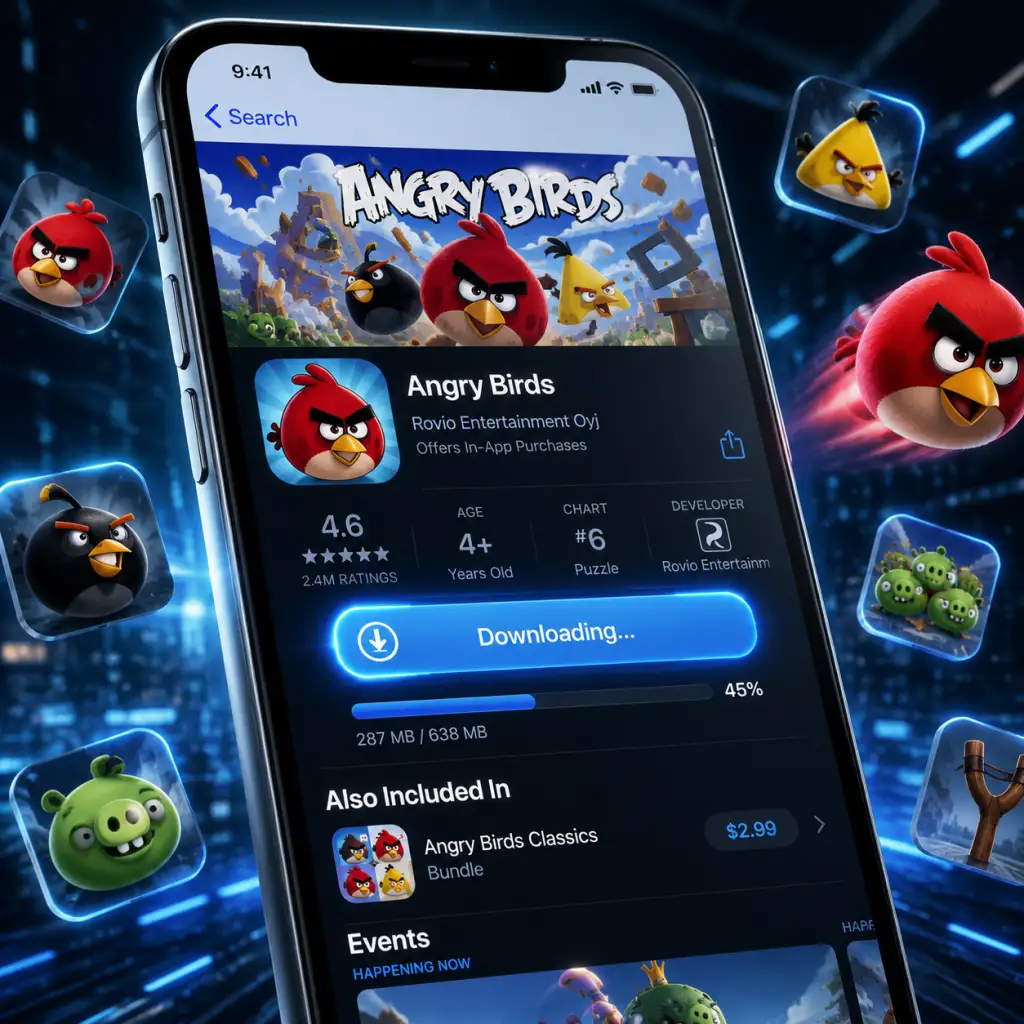
Download & Installation
Overview
This guide covers downloading and installing various versions of Angry Birds across multiple platforms. Because Rovio has released many editions (original classic, Angry Birds 2, Angry Birds Friends, Angry Birds Reloaded, console compilations), the instructions differ by platform and title. Where a specific version is no longer officially available (e.g., the original 2009 game on PC), workarounds or newer alternatives are noted.
---
1. Mobile (iOS & Android)
1.1 Angry Birds 2 (Recommended)
- Official Sources:
- System Requirements:
- Storage: ~250 MB initial, increases with updates and additional data (~1 GB total)
- Account Required: Optional for cloud sync (Apple ID or Google Play account)
- Installation Steps:
- First Launch Setup:
- Availability: Removed from both App Store and Google Play in 2019 (as a standalone paid app). Still purchasable on Apple Arcade as Angry Birds Reloaded (see below). If you previously purchased the classic version, you can re-download it from your purchase history.
- System Requirements (if already owned): Same as original device specs (iOS 3.0+, Android 2.2+).
- Storage: ~50 MB.
- Installation: Same as above; no account required.
- Official Source: Apple App Store (requires Apple Arcade subscription ~$6.99/month)
- System Requirements: iOS 13.0+ or macOS 10.15+ (Catalyst)
- Storage: ~400 MB
- Installation:
- Official Source: Steam store (https://store.steampowered.com/app/454440/Angry_Birds_Friends/)
- System Requirements:
- Account Required: Steam account (free)
- Installation Steps:
- First Launch Setup:
- Official Source: Google Play Games Beta on Windows (https://play.google.com/googleplaygames)
- System Requirements:
- Account Required: Google account
- Installation Steps:
- First Launch Setup:
- Note: This is an old physical release (2012). Not available digitally. Only install if you own the disc.
- System Requirements (from disc):
- Installation: Insert disc, follow AutoPlay installer, enter product key (if required).
- Available Versions:
- Official Source: PlayStation Store (PS3 only). Search "Angry Birds Trilogy" or "Angry Birds Star Wars".
- System Requirements: PS3 console with 3.0+ firmware, 500 MB free HDD space.
- Installation Steps for Angry Birds Trilogy (PS3):
- Note: Not available on PS4/PS5 except via backward compatibility (PS3 titles not supported on PS5). No Angry Birds on PS Store for PS4/PS5.
- Available Versions:
- Download on Xbox 360:
- Xbox One/Series X|S Backward Compatibility:
- Available Versions:
- Alternative: Angry Birds Star Wars was on Wii U, but not compatible with Switch.
- Angry Birds Trilogy available on Wii (disc only), Wii U (digital via Nintendo eShop, now discontinued). 3DS version also available (download or cartridge).
- Installation: Insert disc or download from eShop (if previously purchased, can re-download from Redownload list).
- iOS: Apple App Store (search "Angry Birds 2")
- Android: Google Play Store (search "Angry Birds 2")
- iOS: iOS 13.0 or later (iPhone, iPad, iPod touch)
- Android: Android 6.0 or later (ARM64 architecture recommended)
1. Open the App Store or Google Play Store on your device.
2. Search for "Angry Birds 2".
3. Tap Get (iOS) or Install (Android).
4. Authenticate with your Apple ID, password, or fingerprint if prompted.
5. Wait for the download and automatic installation.
6. Open the app. It will download additional assets (~200 MB) on first launch (ensure Wi-Fi connection).
- Grant permissions (notifications, storage access for Android).
- Choose to sign in with Rovio account (optional) for cross-device progress.
- Complete a short tutorial.
1.2 Angry Birds Classic (Original 2009)
- iOS: App Store > Account > Purchased > Not on This iPhone > tap download icon.
- Android: Google Play > Menu > My apps & games > Library > find "Angry Birds" > Install.
1.3 Angry Birds Reloaded (Apple Arcade)
1. Subscribe to Apple Arcade.
2. Open the App Store, search "Angry Birds Reloaded".
3. Tap Get (free with subscription).
4. Download completes automatically.
5. First launch: No additional assets required.
---
2. PC (Windows & Mac)
2.1 Angry Birds Friends (Free-to-Play, Steam)
- Minimum
- OS: Windows 7 (64-bit) or macOS 10.12 (Sierra)
- CPU: Dual-core 2.0 GHz
- RAM: 4 GB
- GPU: DirectX 11 compatible / Metal for Mac
- Storage: 2 GB available
- Network: Broadband internet
- Recommended
- OS: Windows 10 64-bit / macOS 10.15+
- CPU: Quad-core 2.5 GHz
- RAM: 8 GB
- GPU: Dedicated graphics with 1 GB VRAM
1. Install the Steam client from https://store.steampowered.com/about/.
2. Create or log into your Steam account.
3. In the Steam store, search "Angry Birds Friends".
4. Click Add to Library (it's free).
5. In your Library, select Angry Birds Friends and click Install.
6. Choose installation directory (default: `C:\Program Files (x86)\Steam\steamapps\common`).
7. Wait for download (~1.5 GB). Steam will automatically install.
8. Launch the game from your Library.
- Accept EULA.
- Optionally link to Facebook (for leaderboards).
- Play tutorial (optional).
2.2 Angry Birds 2 (via Google Play Games for PC Beta)
- OS: Windows 10 (v2004) or Windows 11
- CPU: 4+ physical cores (Intel i3/AMD Ryzen 3 equivalent)
- RAM: 8 GB
- GPU: Integrated Intel UHD 630 or better (dedicated GPU recommended)
- Storage: 10 GB free (for platform) + game data (~2 GB)
- Virtualization: Must be enabled in BIOS (Intel VT-x / AMD-V)
1. Download and install Google Play Games Beta from the official website.
2. Sign in with your Google account.
3. In the Play Games app, search "Angry Birds 2".
4. Click Install. The game will download and install automatically.
5. Launch from the Play Games library.
- Sync with your existing mobile progress (if available).
- Grant permissions if prompted.
2.3 Angry Birds Trilogy (PC via CD/DVD – Legacy)
- Windows XP/Vista/7
- CPU: 2.0 GHz dual-core
- RAM: 2 GB
- GPU: 256 MB DirectX 9.0c compatible
- Storage: 1.5 GB
---
3. Consoles
3.1 PlayStation (PS3/PS4/PS Vita)
- Angry Birds Trilogy (PS3, physically & PS Store)
- Angry Birds Star Wars (PS3, PS4 via PS Now? No, not available on PS4 natively)
- Angry Birds Reloaded (not on PlayStation)
1. On your PS3, go to PlayStation Store.
2. Search for "Angry Birds Trilogy".
3. Purchase (if not already owned) and select Download.
4. The game downloads (~1 GB). Installation is automatic.
5. Launch from the XMB menu.
3.2 Xbox (Xbox 360 / Xbox One / Xbox Series X|S)
- Angry Birds Trilogy (Xbox 360 – disc & digital via Xbox Marketplace)
- Angry Birds Star Wars (Xbox 360)
- Angry Birds 2 (not available on Xbox)
1. Go to Xbox Live Marketplace on the console.
2. Search "Angry Birds Trilogy".
3. Purchase and download (~1.2 GB). Installation occurs automatically.
- Angry Birds Trilogy is not backward compatible with Xbox One or Series. Angry Birds Star Wars is also not supported.
- No modern Angry Birds titles exist on Xbox One/Series.
3.3 Nintendo Switch
- Angry Birds Reloaded (not on Switch)
- Angry Birds Trilogy (not on Switch)
- Angry Birds 2 (not on Switch)
- None officially available on Nintendo eShop as of 2025. No cartridge releases for Switch.
3.4 Nintendo Wii / Wii U / 3DS (Legacy)
---
4. Common Installation Errors & Fixes
| Error | Platform | Likely Cause | Fix |
|---|---|---|---|
| "Download failed" / "Unable to install" | Mobile / PC | Insufficient storage / network issue | Free up space; restart device; switch to stable Wi-Fi |
| "App not compatible with this device" | Mobile | Outdated OS / unsupported hardware | Update iOS/Android; check requirements (original classic no longer supports Android 12+) |
| Steam: "Missing file privileges" | PC (Steam) | Antivirus blocking Steam | Temporarily disable AV; run Steam as administrator |
| Google Play Games: Virtualization error | PC | Intel VT-x or AMD-V disabled | Enable virtualization in BIOS; restart PC |
| "Content not available in your region" | All | Regional restrictions (rare for Angry Birds) | Use a valid account for the correct region; VPN not recommended for legitimate purchases |
| Game crashes on first launch | Mobile/PC | Outdated GPU drivers / insufficient RAM | Update drivers; lower graphics settings; close background apps |
| "An error occurred while installing" (PS3) | Console | Corrupted download / full HDD | Delete unnecessary saves; rebuild database (PS3 safe mode) |
5. Post-Installation Verification
After installation, perform these checks to ensure everything is working:
1. Launch the game. If it opens to a menu or starts a tutorial, installation succeeded.
2. Check version number (usually on main menu or settings screen). Compare with latest official update (e.g., Angry Birds 2 v7.x, Angry Birds Friends v1.x).
3. Test basic gameplay:
- Tap/pull slingshot to launch a bird (mobile, PC touch, or mouse).
- For console versions: press corresponding button.
- Ensure sound and music play.
4. Verify online features (if applicable):
- Leaderboards (Facebook sign-in for Friends).
- Cloud save sync (for Angry Birds 2).
5. Check for missing assets: If textures or backgrounds are missing, reinstall or verify game files (Steam: right-click game > Properties > Local Files > Verify integrity of game files).
6. Storage usage: Go to device settings and confirm game size matches expected (e.g., Angry Birds 2 ~1 GB).
---
6. Summary of Safe Download Sources
| Platform | Recommended Version | Official Source |
|---|---|---|
| iOS | Angry Birds 2 / Reloaded (Apple Arcade) | App Store |
| Android | Angry Birds 2 | Google Play Store |
| Windows | Angry Birds Friends (Steam) or Angry Birds 2 (Play Games) | Steam or Google Play Games Beta |
| macOS | Angry Birds Friends (Steam) | Steam |
| PS3 | Angry Birds Trilogy | PlayStation Store |
| Xbox 360 | Angry Birds Trilogy | Xbox Marketplace |
| Switch | Not available | N/A |
---
Final Notes
- The original Angry Birds (2009) is no longer available for new purchases on any store. If you already own it, you can still re-download it as described.
- Angry Birds 2 is continuously updated and supports cross-progression between mobile and PC (Play Games Beta) with a Rovio account.
- Console versions are legacy; newer consoles (PS5, Xbox Series, Switch) do not have official Angry Birds releases as of 2025.
- For any errors not listed here, consult the game's official support site (https://support.rovio.com) or the platform's help center.
Game Introduction
Game Introduction
Overview
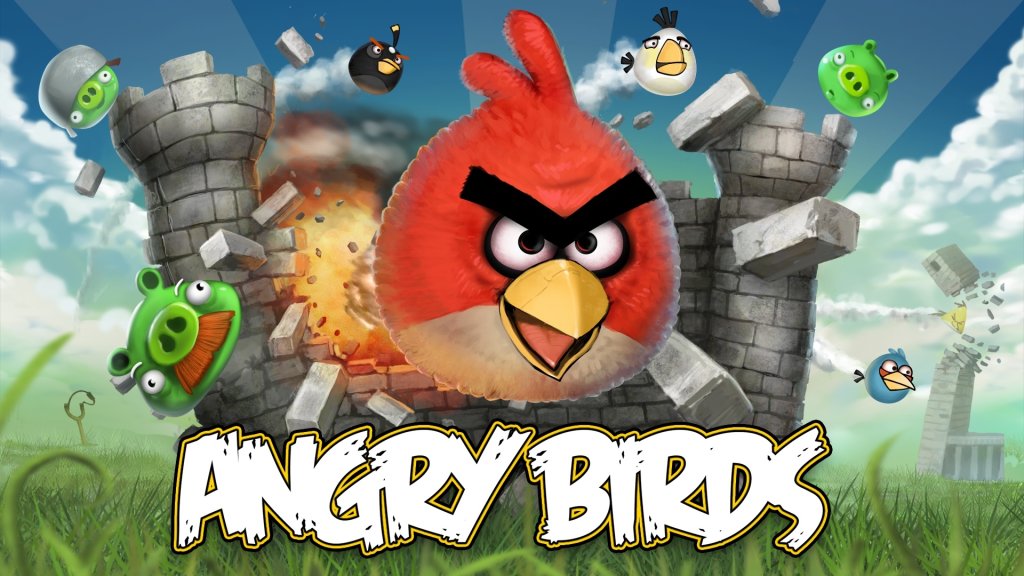
Angry Birds is a physics-based puzzle video game franchise developed by the Finnish company Rovio Entertainment. The original game was first released on December 11, 2009 for iOS, quickly becoming a global phenomenon. Since then, the series has expanded to multiple platforms, spawned numerous sequels, spin‑offs, and even feature films. The core gameplay revolves around using a slingshot to launch a flock of colorful, angry birds at structures occupied by green pigs, with the goal of destroying all pigs in each level.
Genre
- Physics Puzzle – Players must calculate trajectories, angles, and structural weaknesses.
- Strategy – Each level requires planning which bird to use and where to aim.
- Casual – Easy to pick up but progressively challenging.
- Developer: Rovio Entertainment (original and most mainline titles)
- Publisher: Rovio Entertainment, with some ports handled by other companies (e.g., Chillingo for early iOS distribution, Activision for console versions)
Developer & Publisher
Release Timeline & Platforms
The Angry Birds series has an extensive release history. Key entries include:
| Title | Initial Release | Platforms |
|---|---|---|
| Angry Birds (Classic) | Dec 11, 2009 | iOS, Android, Windows Phone, PC (Windows/Mac), WebOS, Symbian, PSP (Minis), PS3, Xbox 360, Wii, Nintendo DS, 3DS |
| Angry Birds Seasons | Oct 21, 2010 | Same as Classic + later mobile/PC updates |
| Angry Birds Rio | Mar 22, 2011 | Mobile, PC, consoles |
| Angry Birds Space | Mar 22, 2012 | Mobile, PC, consoles |
| Angry Birds Star Wars | Nov 8, 2012 | Mobile, PC, consoles |
| Angry Birds 2 | Jul 30, 2015 | iOS, Android |
| Angry Birds Evolution | Jun 15, 2017 | iOS, Android |
| Angry Birds Reloaded | Jul 23, 2021 | Apple Arcade (iOS, tvOS, macOS) |
| Angry Birds Journey | Mar 27, 2024 | iOS, Android (soft launch) |
Story Overview
The premise is simple but endearing: A group of green pigs (the Bad Piggies) have stolen the eggs of the Angry Birds. The birds, furious at this theft, launch themselves at the pigs’ elaborate fortresses to retrieve their eggs and exact revenge. The story is told through short animated cutscenes in some versions, but the focus remains on the gameplay.
Setting
The game takes place on a vibrant, cartoonish island (Piggy Island) populated by various environments: lush meadows, snowy mountains, deserts, jungles, outer space, and even a galaxy far, far away in themed editions. Each level presents a new structure built from wood, stone, or ice, requiring different strategies.
Main Characters
- Red – The leader; average size, no special ability in classic (but in some games he can let out a battle cry).
- The Blues (Jim, Jake, Jay) – Small, can split into three for hitting multiple targets.
- Chuck – Yellow, triangular; activated ability gives a speed boost.
- Bomb – Black, spherical; explodes on impact or after a short delay.
- Matilda – White, can drop an egg bomb and launch upward.
- Hal – Green, shaped like a boomerang; returns after impact.
- Terence – Large red bird; massive damage, no ability but can knock down heavy structures.
- Bubbles – Orange, inflates to huge size when tapped.
- Stella – Pink, releases pink bubbles that lift objects.
- Intuitive controls – Tap and drag to aim, then release.
- Satisfying physics – Realistic destruction with a cartoon aesthetic.
- Progressive difficulty – Easy to learn but hard to master; 3‑star ratings require skill.
- Frequent new content – Seasonal themes, special abilities (e.g., Space, Star Wars).
- Humor – The angry expressions, silly pig noises, and physics glitches add charm.
- Casual gamers – Quick sessions (most levels take seconds).
- All ages – Rated E for Everyone (mild cartoon violence).
- Puzzle enthusiasts – Those who enjoy trajectory and structural puzzles.
- Fans of franchise – Star Wars, Rio, Transformers, etc., tie‑ins broaden appeal.
- Story Mode – Linear progression through themed episodes (e.g., Poached Eggs, Mighty Hoax).
- Bonus Levels – Unlocked by collecting golden eggs or 3‑starring all levels.
- Daily/Weekly Challenges – Available in Angry Birds 2 and Friends (limited turns, leaderboards).
- Arena – PvP‑like mode in Angry Birds 2 where players compete for high scores.
- Multiplayer – Limited; Angry Birds Friends has weekly tournaments. Angry Birds Reloaded supports local multiplayer (co‑op).
- Golden Egg Hunts – Special secret levels scattered across the game.
- Offline Single‑Player – The classic games (original, Seasons, Space, etc.) can be played completely offline once downloaded. No internet required for levels.
- Online Features – Leaderboards, cloud save sync (Angry Birds 2), daily challenges, in‑app purchases, and social sharing require connectivity. Angry Birds Reloaded (Apple Arcade) requires a subscription but is playable offline after download.
- Episodic Updates – Classic Angry Birds had free content updates adding themed episodes (e.g., “Ham ‘Em High” for Western theme).
- Seasons Content – Angry Birds Seasons included holiday‑themed packs (e.g., “Haunted Hogs” for Halloween, “Year of the Dragon” for Chinese New Year).
- Special Tie‑In Packs – Angry Birds Space added new planets; Star Wars had saga‑based levels (Episodes I–VI).
- Premium Versions – Console editions often include all DLC and bonus content. Angry Birds Reloaded is a single purchase (no ads/IAP) with all levels.
- In‑App Purchases – Angry Birds 2 offers “lives” (continues), power‑ups, and “slingshot power” boosts.
The pigs include King Pig (King Smooth Cheeks) and various minion pigs (small, medium, large, and helmeted).
Core Appeal
Target Audience
Game Modes
Online/Offline Support
DLC / Expansions
What Makes This Game Unique
1. Physics‑Based Destruction – The combination of precise slingshot aiming and realistic structural collapse was groundbreaking for mobile gaming in 2009.
2. Character Personalities – Each bird and pig has a distinct design and sound, making them memorable.
3. Replayability – Three‑star rating system and hidden golden eggs reward perfectionism.
4. Massive Franchise Synergy – Collaborations with Star Wars, Rio, Space, Transformers, and more kept the formula fresh.
5. Cultural Impact – Inspired countless clones, merchandise, movies, and even a theme park attraction.
6. Accessibility – One‑finger gameplay works on phones, tablets, and PCs alike.
Summary
Angry Birds remains one of the most iconic mobile games ever created. Its simple yet addictive mechanics, charming characters, and constant updates have kept it relevant for over a decade. Whether you are revisiting the classic or diving into Angry Birds 2 or Reloaded, the series offers a fun and challenging physics puzzle experience for players of all ages.
---
Note: This introduction covers the core franchise. For specific installation and download instructions, refer to the dedicated Download & Installation section.
Getting Started
Getting Started
First-Hour Walkthrough
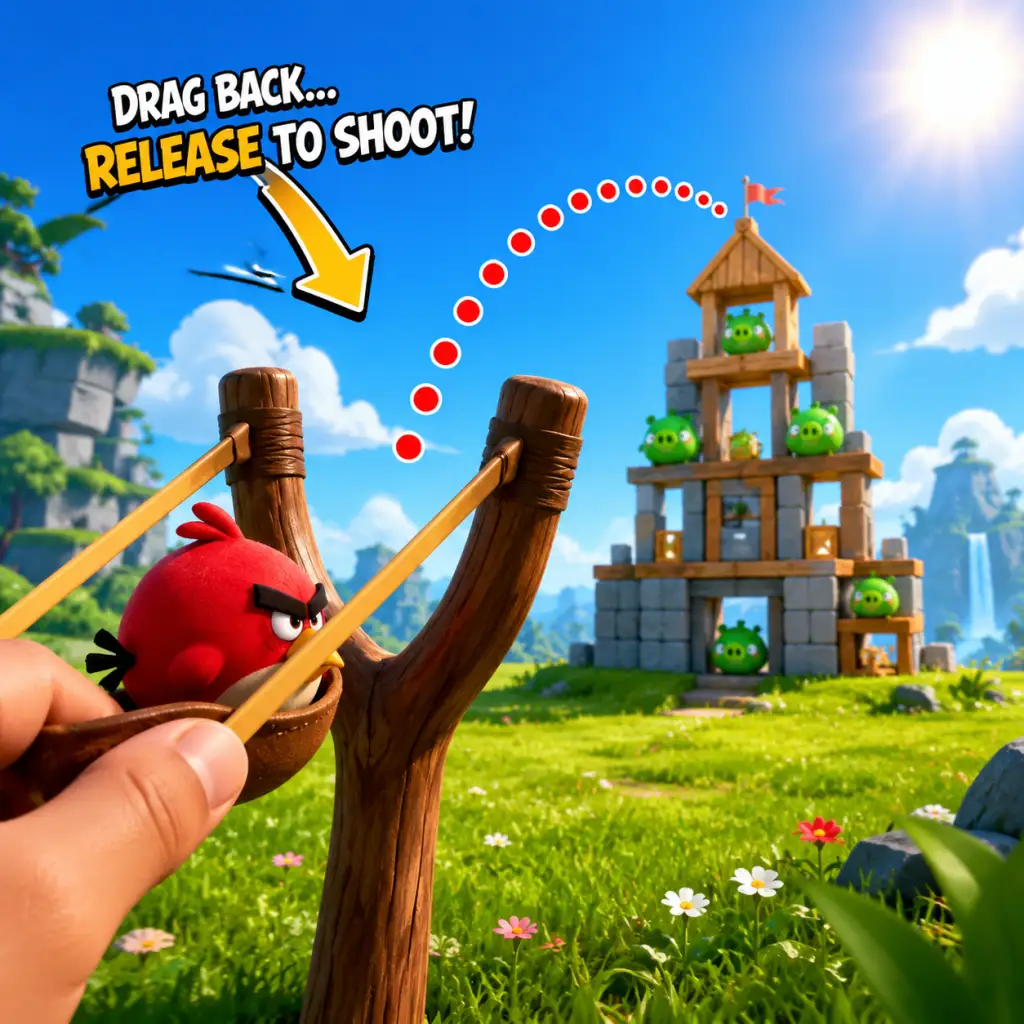
Your first hour in Angry Birds is short and sweet. After launching the game, you'll be greeted by a simple title screen. Tap Play (or press Start on console). The game immediately drops you into Level 1-1 with a brief tutorial overlay.
1. Level 1-1: A single Red Bird waits on the slingshot. The screen shows a wooden block structure with two green pigs. Drag your finger (or mouse) backward on the slingshot to aim, release to fire. The bird destroys the structure and kills the pigs. You get 1 star for completing, 2 if only a few blocks remain, 3 if everything is wiped. Focus on getting 3 stars from the start—it unlocks bonus levels later.
2. Level 1-2: Introduces the first basic strategy: aim for weak points. The pig hut is unstable; hitting a support plank collapses the whole thing.
3. Level 1-3: First ice/stone blocks appear. Ice breaks easily, stone is tough. Use Red Bird's direct hit on stone to crack it.
4. Level 1-4: You'll earn your first new bird type: Blue Birds. When you tap the screen (or press A) mid-flight, the single bird splits into three smaller birds. Use them to pop clusters of pigs or break wide wooden walls.
5. Level 1-5: The tutorial ends. You now have the basic trio: Red (straight damage), Blue (split), and Yellow (speed boost when tapped). From here, experiment in free play or repeat earlier levels for 3 stars.
Your first hour should comfortably clear the first world (1-1 through 1-12) and unlock World 2. Do not rush; replay levels to collect all three stars before moving on.
Character Creation
There is no character creation in Angry Birds. You play as the birds themselves—each species has fixed abilities. The only customization is cosmetic (e.g., hats or skins) unlocked via events or in-app purchases in some versions like Angry Birds 2. New players can ignore this entirely.
Controls on All Platforms
#### Mobile (iOS, Android)
- Aim: Touch and drag backward from the bird on the slingshot. A dotted trajectory line shows the path.
- Launch: Release your finger.
- Special Ability: Tap anywhere on the screen (some birds require tapping again after they hit something).
- Zoom/Pan: Pinch to zoom, or swipe the screen to view the level. Not essential early on.
- Menu: Tap the gear icon for settings, pause, restart.
- Aim: Click and drag backward from the slingshot.
- Launch: Release the mouse button.
- Special Ability: Click the left mouse button while bird is in flight, or press the Spacebar.
- Zoom: Use the mouse wheel. Some versions allow scroll.
- Restart: Press R key or click the restart button in the corner.
- Exit to menu: Press Escape.
- Aim: Drag the left joystick or use touchscreen (handheld mode) to drag on the slingshot.
- Launch: Release the joystick or lift finger from touchscreen.
- Special Ability: Press A or X (depending on version).
- Zoom: Use ZL/ZR or pinch on touchscreen.
- Pause: Press + or - button.
- Aim: Move the left stick to aim; a line appears. On PS, use left stick; on Xbox, left stick.
- Launch: Press R2 (PS) / RT (Xbox).
- Special Ability: Press Circle (PS) / B (Xbox).
- Zoom: Right stick up/down.
- Restart: Press Options (PS) / Menu (Xbox) and select restart.
- World Map: A scrollable map with numbered worlds and levels. Stars on each level show your score. Pigs vs. Birds icon indicates progress.
- Star Counter: Top of screen shows total stars collected. Some games require stars to unlock bonus episodes.
- Bird Queue: Right side of the screen shows the next birds in line. You always use them in fixed order.
- Score Bar: Bottom displays current score and multiplier (from destroying multiple pigs/pieces consecutively).
- Pause/Menu Button: Gear or hamburger icon in top-left or top-right.
- Extra Buttons: In some versions (e.g., Angry Birds 2), you'll see slingshot upgrades, power-ups (purchased with coins or gems), and event tabs. Ignore those at first.
- Play Level 1-1 to 1-5 without skipping. The tutorial is essential.
- After the tutorial, go back and replay 1-1, 1-2, and 1-3 until you get 3 stars on each. Use the same trajectory but adjust aim slightly—try hitting the structure's weak base points.
- Collect free coins/gems if the game offers a daily bonus (often in Angry Birds 2). But avoid spending them early.
- Enable cloud save (if available) to sync progress across devices.
- Power-ups: Do not waste coins on power-ups like “Sling Scope” or “Piggy Magnet” in early levels. They're not needed.
- Buying bird upgrades: The base birds are strong enough. Later levels require strategy, not stats.
- Skipping levels: Some versions let you skip with premium currency. Never skip in the first world.
- Ignoring the slingshot grid: The trajectory line is a guide; you can drag past the grid for extra power, but too much power will overshoot. Practice moderate drags.
- Stars: Your primary resource to unlock levels. Focus on 3-star runs.
- Coins (if present): Used for power-ups and extra moves. Save them for difficult levels (e.g., boss pigs).
- Gems (premium currency): Rare. Never ever spend them on continues or trivial items. Hoard them for special event birds or permanent upgrades if you must.
- Free spins/loot: Some versions offer a daily wheel. Always claim the free reward, but stop there—no paid spins.
- [ ] Complete tutorial (Levels 1-1 to 1-5).
- [ ] Replay those five levels to earn at least 2 stars per level (aim for 3).
- [ ] Unlock World 2 (by finishing World 1 with enough stars).
- [ ] Collect any free daily bonus (coins or spin).
- [ ] Enable cloud save (if offered).
- [ ] Do not spend any real money.
- [ ] Do not use any power-ups.
- [ ] Learn the bird types: Red (direct), Blue (split into 3), Yellow (speed boost).
- [ ] Practice controlling slingshot power: step away from the phone/PC and feel the trajectory.
- [ ] Leave the first world with a clear understanding of physics: aim for unstable points, use environment.
#### PC (Steam, Epic Games Store, Windows Store)
#### Nintendo Switch
#### PlayStation 4/5 & Xbox
Note: Console versions are less common; classic Angry Birds is primarily mobile/PC.
UI Overview
After the tutorial, you'll see the main menu screen:
Essential Early Objectives
1. Collect stars – Aim for 3 stars on every level in the first world. Stars unlock bonus levels and cosmetic rewards.
2. Complete World 1 (1–12) – This teaches all core bird types.
3. Unlock the Golden Egg – In some versions, each world has a hidden golden egg; find it for extra content.
4. Don't spend real money – Early levels are easily beatable without purchases.
5. Learn bird physics – Understand how Red, Blue, and Yellow behave before tackling later worlds.
What to Do First and What to Avoid
#### Do First
#### Avoid
Early Resource Priorities
Common Beginner Mistakes
1. Overpowering the slingshot: Pulling the bird too far back makes it fly over the structure. Start with short to medium pulls; you can always increase power later.
2. Activating abilities too early: Blue birds split immediately if tapped; they become weak. Tap right before hitting the target. Yellow birds boost speed—use tap when you need to punch through wood.
3. Ignoring environmental angles: Look for piles of blocks that can tip over and crush pigs. Sometimes one well-placed shot kills all pigs without direct hits.
4. Chasing high score over completion: In early worlds, just finishing is fine. Stars come from destruction percentage, not score. Focus on clearing all pigs first.
5. Wasting power-ups on easy levels: You'll need them later; save for levels you've failed 5+ times.
6. Not restarting: If your first shot is terrible, restart immediately (no penalty) rather than wasting remaining birds.
Day-One Checklist
Following this guide will give you a solid foundation for the entire Angry Birds experience. Happy flinging!
Core Gameplay
Core Gameplay
Overview of the Main Gameplay Loop
Angry Birds is built around a simple yet addictive physics-based puzzle loop:
1. Assess the Level: You are presented with a structure made of wood, stone, and glass, sheltering one or more green pigs. The goal is to eliminate all pigs.
2. Select and Aim: Tap and drag on the slingshot to choose a bird from the queue (each bird has a unique ability). Adjust angle and power.
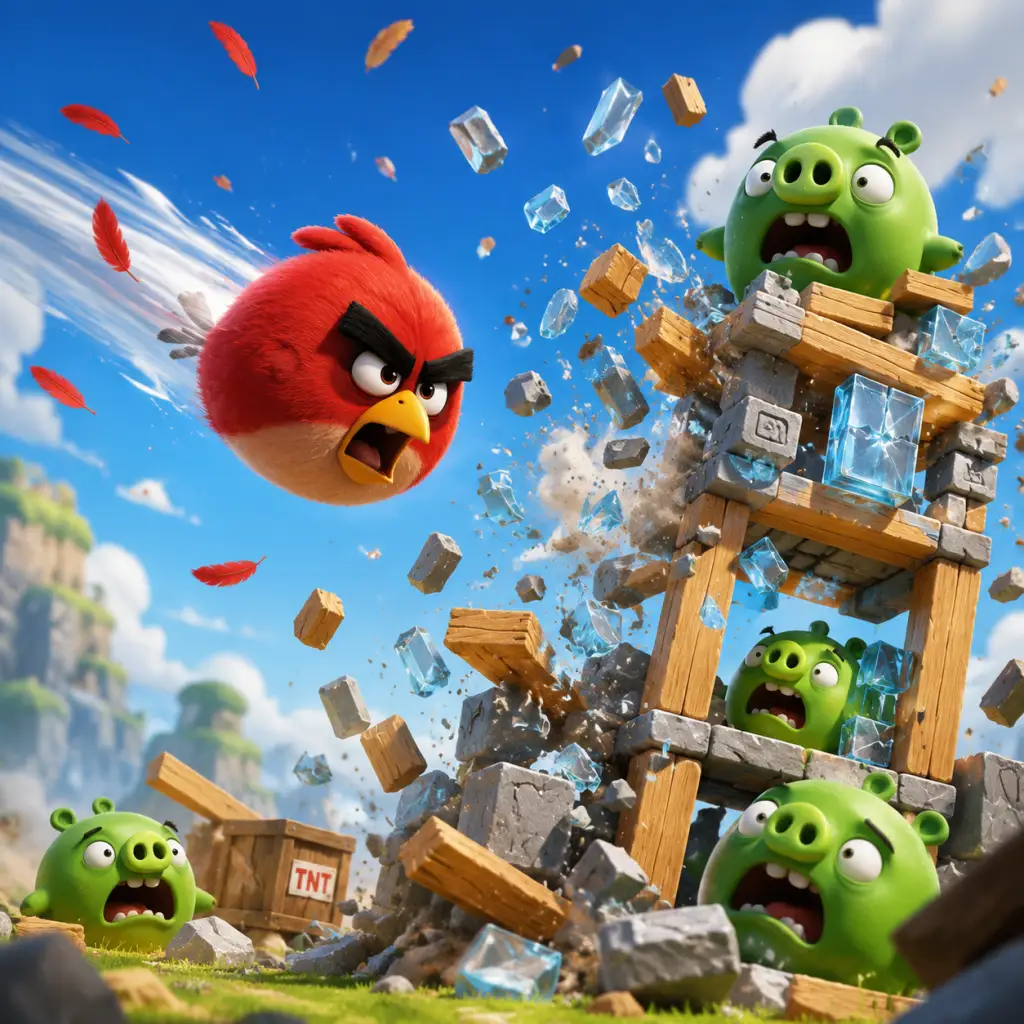
3. Launch: Release to fling the bird into the structure. Physics governs the collision, breaking blocks and toppling the structure.
4. Activate Ability: Once airborne, tap the screen (or press a button on console) to trigger the bird's special power (e.g., Red Bird has none; Blue Bird splits into three; Yellow Bird speeds up; Black Bird bombs; White Bird drops egg bombs; Green Bird boomerangs).
5. Repeat or Score: After each bird, observe the damage. Use remaining birds to finish off pigs. The level ends when all pigs are dead (victory) or birds run out (failure).
6. Rating: After clearing the level, you earn 1–3 stars based on the score (points from destroyed blocks, eliminated pigs, remaining birds). Higher stars unlock bonus content.
Combat / Interaction Systems
- Physics Simulation: Each block and pig has weight, friction, and breakability. Wood breaks easily, stone is tough, glass shatters. Structures can collapse unexpectedly.
- Bird Abilities: Each bird type has a distinct power that activates on tap (or automatically in some versions). Timing matters—activate too early or too late affects trajectory and damage.
- Environmental Interaction: Some levels include TNT crates (explode on impact), balloons (lift structures), moveable blocks, and slingshot upgrades (e.g., multiple slingshots in later levels).
- Pig Variants: Standard green pigs are simple; armored pigs require direct hits; king pigs have crowns and often more health. Checkpoints and ghost pigs appear in special editions.
- Level Structure: The game progresses through themed “worlds” (e.g., Poached Eggs, Mighty Hoax, Danger Above). Each world contains 15–21 levels. Only by clearing all levels in a world do you unlock the next.
- Star Rating: Each level awards up to 3 stars based on score thresholds. Accumulating stars unlocks bonus levels (e.g., golden eggs) and world completion.
- Unlockable Content: Gaining enough stars opens special reward levels (e.g., the golden egg sequence). Some versions also require collecting golden eggs hidden in levels to unlock extra content.
- World Map: Levels are presented on a linear or branching map. You can replay any previously cleared level to improve score or try different bird tactics.
- Hidden Secrets: Golden eggs are hidden in specific levels—often behind breakable sections or requiring precise angles. Discovering them triggers a new puzzle level.
- Bonus Levels: Many worlds have a secret area (e.g., “Mighty League” in Angry Birds 2, or “Golden Eggs” in the original) accessible by collecting enough stars or golden eggs.
- Level Objectives: Each level is its own mission: “Kill all pigs.” No secondary objectives, but daily challenges exist in later versions (e.g., Angry Birds Friends tournaments).
- Achievements: Platform-specific achievements (e.g., “Golden Bird” – rescue the golden egg; “Pig Popper” – kill 5 pigs with one bird). These are not in-game quests but external goals.
- Coins (in-game currency): Appear in levels (a few per level) and can be collected to buy power-ups (e.g., extra bird, slingshot power surge, bird buffer). Coins are scarce; careful budgeting is needed.
- Power-Ups: Available from the in-game shop before a level. Common items:
- No Premium Currency (in classic): Only the Mighty Eagle was a one-time purchase. Later versions introduced gems and season passes.
- Bird Types: As you progress, new bird types unlock (sequence: Red → Blue → Yellow → Black → White → Green). Each bird has strengths; you cannot “level up” or customize birds. Mastery comes from learning their physics and timing.
- No Skill Trees: Growth is purely player skill—understanding how blocks break, how to chain reactions, and when to activate abilities.
- Mighty Eagle: Unlockable “super bird” (huge, destroys all) once per day after purchasing the Mighty Eagle item. Can be used as a last resort.
- 3-Star Completion: Revisit all levels to achieve 3 stars (requires high scores). This is the main endgame grind.
- Golden Egg Collection: Find all golden eggs (typically 30+ in classic). Each egg leads to a secret level with unique puzzles (often very hard).
- Score Challenges: Surpass world records or friend scores (in Angry Birds Friends). Tournaments and leaderboards provide replay value.
- Unlock All Worlds: Some worlds (e.g., Mine and Dine, Bad Piggies) are only accessible after collecting enough stars.
- Hidden Achievements: Some versions offer “Sit and Spin” levels or “Hogs and Kisses” after 100% completion.
- What you face: Simple structures made of wood and glass, with 1–3 pigs per level. Only Red Bird (no ability) and Blue Bird (splits into three on tap). Low score thresholds for 3 stars.
- Strategy Focus: Learn basic aiming and trajectory. Use Blue Birds to cover multiple targets. Practice activating Blue Bird split just before impact.
- Economy: Coins are rare; save them for tougher levels. No power-ups needed yet.
- Exploration: Few golden eggs in early worlds (e.g., level 1-1, 2-3). Easy to miss.
- Endgame Goals: Clear all levels, earn at least 1 star per level to unlock next world. Aim for 3 stars to accumulate stars for later.
- New Birds: Yellow Bird (speed boost – tap while flying to dash through objects) and Black Bird (bomb – tap to explode—timing is critical). Structures now use stone and have multiple layers. Pigs may be armored (need direct hit).
- Complexity: Levels often require chain reactions: knocking rocks onto pigs, using TNT to amplify damage. Birds must be used efficiently.
- Economy: Coins appear more frequently. You may need to buy a power-up (e.g., King Sling) for a particularly annoying level. Spend wisely.
- Exploration: Golden eggs are scattered; some require precise aim or multiple birds. Refer to guides if stuck.
- Star Pressure: To unlock later worlds (e.g., The Big Setup requires 30 stars from earlier worlds), you need to replay levels to improve scores.
- New Birds: White Bird (drops an egg bomb on activation—creates explosion, recoil pushes bird upward) and Green Bird (boomerang—tap to loop back, useful for hitting behind structures).
- Difficulty: Structures are massive, often with weak supports hidden by stone. Pigs are in hard-to-reach spots. King pigs appear (red crown, take 3 hits).
- Strategy: Requires planning: which bird order maximizes destruction? Use White Bird’s egg to break supports, Green Bird to clean up survivors.
- Economy: Power-ups become almost necessary for 3-star runs. Prioritize buying “Mighty Eagle” if stuck (but limited uses).
- Endgame Tension: You must have 60+ stars to unlock Mine and Dine. Replay early levels for missed stars.
- What remains: All 21 worlds (or more in updates) cleared. Focus shifts to collecting every golden egg (typically 30). Golden egg levels are miniature puzzles, often requiring perfect use of birds’ abilities and extreme precision.
- Score Addiction: Achieve 3 stars on every level. Use scoring guides to maximize points (e.g., let blocks fall without birds to get bonus points for unused birds).
- Hidden Content: Unlock “Sit and Spin” levels (special carnival-style puzzles) by finding all golden eggs. Some versions have “Mighty Flowers” or “Flock of Birds” challenges.
- Economy Dump: If you have saved coins, use them to buy power-ups for golden egg levels (e.g., Laser Bird for tricky shots).
- Legacy: No new content; mastery is the only goal. Compete with friends via global leaderboards or share records.
Progression
Exploration
Quests / Missions
Economy
- Laser Bird: Guides bird manually.
- King Sling: Super-powered slingshot (temporary).
- Mighty Eagle: One-time use across all levels (unlocked via special code or purchase).
Character / Build Growth
Endgame Structure
Core Gameplay by Player Progression Tiers
Early Game (Poached Eggs, Mighty Hoax – Levels 1–42)
Mid Game (Danger Above, The Big Setup – Levels 43–84)
Late Game (Ham ‘Em High, Mine and Dine – Levels 85–126)
Endgame (All Worlds Completed, Golden Egg Levels, Perfect Scores)
Table: Progression Summary
| Tier | Worlds | Birds Available | Key Challenges | Recommended Actions |
|---|---|---|---|---|
| Early | Poached Eggs, Mighty Hoax | Red, Blue | Simple structures, low scores | Learn aiming, collect coins, aim for 3 stars on all levels |
| Mid | Danger Above, The Big Setup | +Yellow, Black | Armored pigs, stone blocks | Master bird abilities, use TNT, replay for stars |
| Late | Ham ‘Em High, Mine and Dine, etc. | +White, Green | Multi-layer structures, king pigs | Plan bird order, use power-ups sparingly, aim for 2+ stars |
| Endgame | All worlds + golden eggs | All birds | Perfect scores, extreme precision | Replay every level, collect all golden eggs, use guides for hidden items |
Note: This guide covers the original Angry Birds classic. Later titles (Angry Birds 2, Angry Birds Friends) add live events, multiplayer, and microtransactions but retain core physics and bird mechanics.
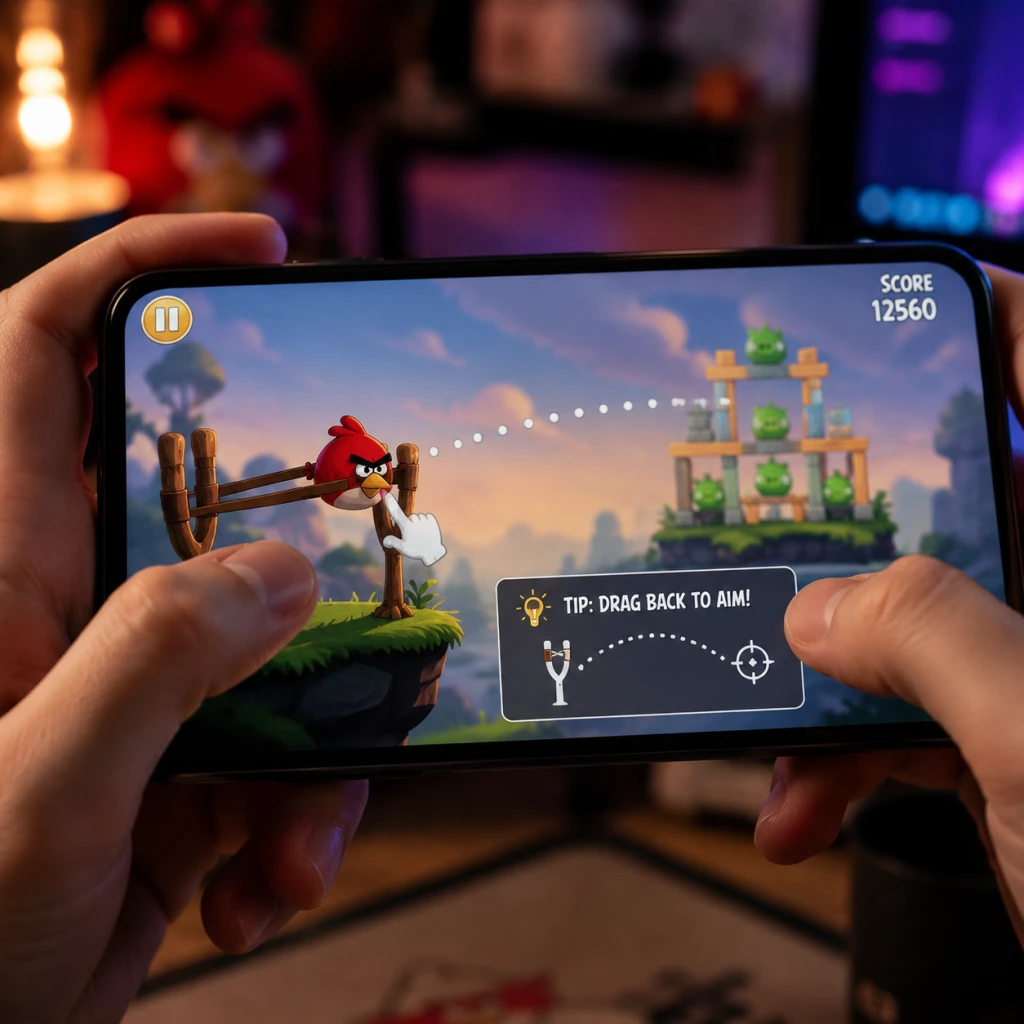
Game Tips
Game Tips
Beginner Tips
#### 1. Practice the Basic Slingshot Mechanics
- Tip: Drag back on the slingshot to launch birds. The further you pull, the more force. Release at the right moment.
- Why it works: Accurate force and angle are fundamental. Most early levels can be solved by simply aiming directly at the weak points.
- When to use: Every level. Spend a few pulls just to feel the trajectory arc.
- Tip: Look for the single block holding up a large structure (often a single wood plank or a small stone block). Hit that first.
- Why it works: Structures collapse from top down; removing a critical support causes chain reactions that crush the pigs beneath.
- When to use: Especially in levels with tall towers or overhanging roofs.
- Tip: The first bird is usually your most important because later birds may be blocked by debris. Use it to expose the pigs or remove shields.
- Why it works: Setting up a favorable position increases chance of one-shotting multiple pigs with subsequent birds.
- When to use: Always. If your first bird does nothing, restart.
- Tip: Wood breaks easily, stone is hardest, glass shatters instantly. Prioritize hitting stone supports with strong birds (like Bomb or Stone Bird), wood with Red Bird, glass with Blues.
- Why it works: Each material reacts differently to impact and weight. Destroying stone first often causes total collapse.
- When to use: Study the structure before firing. Adapt your bird selection to material.
- Tip: Each bird has a unique ability activated by tapping the screen (or pressing a button). For example, the Yellow Bird (speed boost) should be tapped just before impact to punch through wood, not after.
- Why it works: Tapping too early or late loses momentum. For Blues (split), tap as they approach a glass section to hit three pigs at once. For Bomb (explosion), tap when surrounded by blocks, not after bouncing.
- When to use: Practice the timing in early levels. A split second difference can change a 1-star to 3-star.
- Tip: Bounce birds off walls or terrain to reach hidden pigs. The physics engine respects angle and surface type.
- Why it works: Many structures have rear or shielded positions that can only be hit via ricochet. A well-angled bounce can clear a whole row.
- When to use: Levels with barriers or boxes blocking direct line of sight. Use the trajectory line to visualize bounces.
- Tip: One well-placed shot that causes a block to slide and hit others can do more damage than direct impact. Wood rolling downhill crushes pigs underneath.
- Why it works: Physics interactions multiply force. A single block can trigger a cascade that wipes out half the level.
- When to use: Levels with many loose blocks stacked precariously or slopes. Aim at the top block of a leaning structure.
- Tip: The bird queue is fixed for each level. Use birds in the order given; don’t save a strong bird for later if it’s needed now.
- Why it works: If you waste the first bird (e.g., bomb) on a weak spot, you lose its destruction power. Always consider the upcoming birds when planning.
- When to use: Before launching, mentally simulate the sequence. For example, if birds are Red, Yellow, Bomb, use Red to soften, Yellow to punch through, Bomb to clear pig cluster.
- Tip: Try to complete levels using exactly the number of birds provided without missing any pig. This often requires memorizing pig positions and bird paths.
- Why it works: Getting all birds still alive (i.e., not wasting any) maximizes score potential from leftover birds (bonus points). In Angry Birds 2, extra birds are limited.
- When to use: For high-score runs and three-star rankings. Restart if you use more than one bird unnecessarily.
- Tip: Trigger cave-ins, rockfalls, or explosive barrels (red barrels) in later episodes. A bird that causes a boulder to roll can eliminate multiple pigs.
- Why it works: Environmental hazards have unlimited destructive power. A single tnt barrel can wipe out half the map.
- When to use: Levels with TNT, falling rocks, or unstable ground. Aim for the fuse or the trigger block.
- Tip: Score is based on three things: pigs killed, blocks destroyed, and remaining birds. Kill multiple pigs in one throw to get higher multipliers.
- Why it works: The game awards bonus points for simultaneous destruction. A single bomb that kills three pigs and ten blocks yields more points than three separate kills.
- When to use: Always try to group pigs together. Use bomb or Mighty Eagle to wipe clusters.
- Tip: The Mighty Eagle (if available) can clear entire levels with one use. Don’t waste it on easy levels; reserve for levels where you’re stuck on 1-star.
- Why it works: It’s a get-out-of-jail-free card. Limited uses per day often.
- When to use: Only when you’ve tried at least 10 times without three-star success.
- Red Bird (Red): Standard. Best for direct impact on wood or blocking. No ability.
- Yellow Bird (Chuck): Tap to speed boost. Penetrates wood easily, useless on stone. Use to punch through wooden walls.
- Blue Birds (The Blues): Tap to split into three. Ideal for glass structure and scattered small pigs. Use when you see three separate glass blocks.
- Black Bird (Bomb): Tap to explode. Excellent for destroying stone and cluster of pigs. Use when pigs are bunched together inside stone bunker.
- White Bird (Matilda): Tap lays an egg bomb that drops straight down. Good for hitting pigs underneath overhangs.
- Big Brother Bird (Terence): Large size, heavy, great momentum. Crushes anything but lacks ability. Use for breaking thick stone walls.
- Mighty Eagle: Tap to deploy, wipes entire screen. One-time use per level.
- Secret Eggs: In many episodes, there are hidden golden eggs (or similarly hidden items) that unlock bonus levels. Tap on seemingly random objects or areas after completing a level. For example, in the original game, tapping the sun in the level select screen reveals a secret.
- Scout Before Firing: Use the static view to identify every pig, even those partially hidden. Rotate your device if needed to see behind blocks.
- Learn Pig Behaviors: Green pigs have different sizes. Smallest require least force, largest (king pigs) need multiple hits or a direct explosion.
- In-App Purchases: Avoid buying birds or power-ups unless you’re truly stuck. Most levels can be completed with skill.
- Power-ups (like Sling Scope, Birdquake): Use sparingly. Only use when you’re one bird short of three stars. They are consumable.
- Reroll Levels: If you fail multiple times, sometimes a different approach works. Don’t rely on the same failed strategy.
- Three-Star Thresholds: Each level has a hidden score target. To get three stars, you need to maximize destruction and bird efficiency. Check online score tables if needed.
- Bonus Points: Each leftover bird gives a huge score bonus (10,000 points in classic). So finishing with all birds unused yields massive points.
- Level Progression: You only need one star to advance to next episode, but three-star completion unlocks bonus levels and cosmetic items. Prioritize three-star on earlier levels where it’s easier.
- Triangle vs Square Formations: Triangular structures are very stable; aim for the apex with a heavy bird to destabilize. Square structures are weak at corners.
- Use the Environment: Ice levels: birds slide more; aim lower. Map with hills: use gravity.
- Multiple Layers: If a pig is protected by two layers of stone, use Bomb or Mighty Eagle. A Red Bird will be useless.
- Angle of Descent: Birds drop faster if you aim high. A steep arc can hit pigs directly from above, bypassing shields.
- Bouncing Bomb: Drop Bomb bird into a gap and tap late so explosion comes from inside the structure, maximizing damage.
- Chain Splits: With Blues, aim so that they split just before hitting multiple glass pieces, causing a cascade of glass shards.
#### 2. Aim for the Weakest Support First
#### 3. Don’t Waste Birds – Use the First Bird Wisely
#### 4. Understand Block Materials
Intermediate Strategies
#### 5. Use the Tap Ability Timing Perfectly
#### 6. Bank Shots and Richochets
#### 7. Exploit the Snowball Effect (Chain Reactions)
#### 8. Manage Your Bird Order
Advanced Optimizations
#### 9. Master the Art of “No Loss” (All Birds Alive)
#### 10. Use Terrain as a Weapon
#### 11. Optimize Score via Point Combos
#### 12. Save the Mighty Eagle for Impossible Levels
Combat Tips (Bird Efficacy)
Exploration (Level Navigation)
Resource Management (Birds & Power-ups)
Economy (Score & Stars)
Builds (Structure Weakness Analysis)
Advanced Tricks
By mastering these tips, players can progress from casual frustration to expert level clearing, earning three stars on even the toughest levels. Practice each tip in isolation until it becomes instinct.
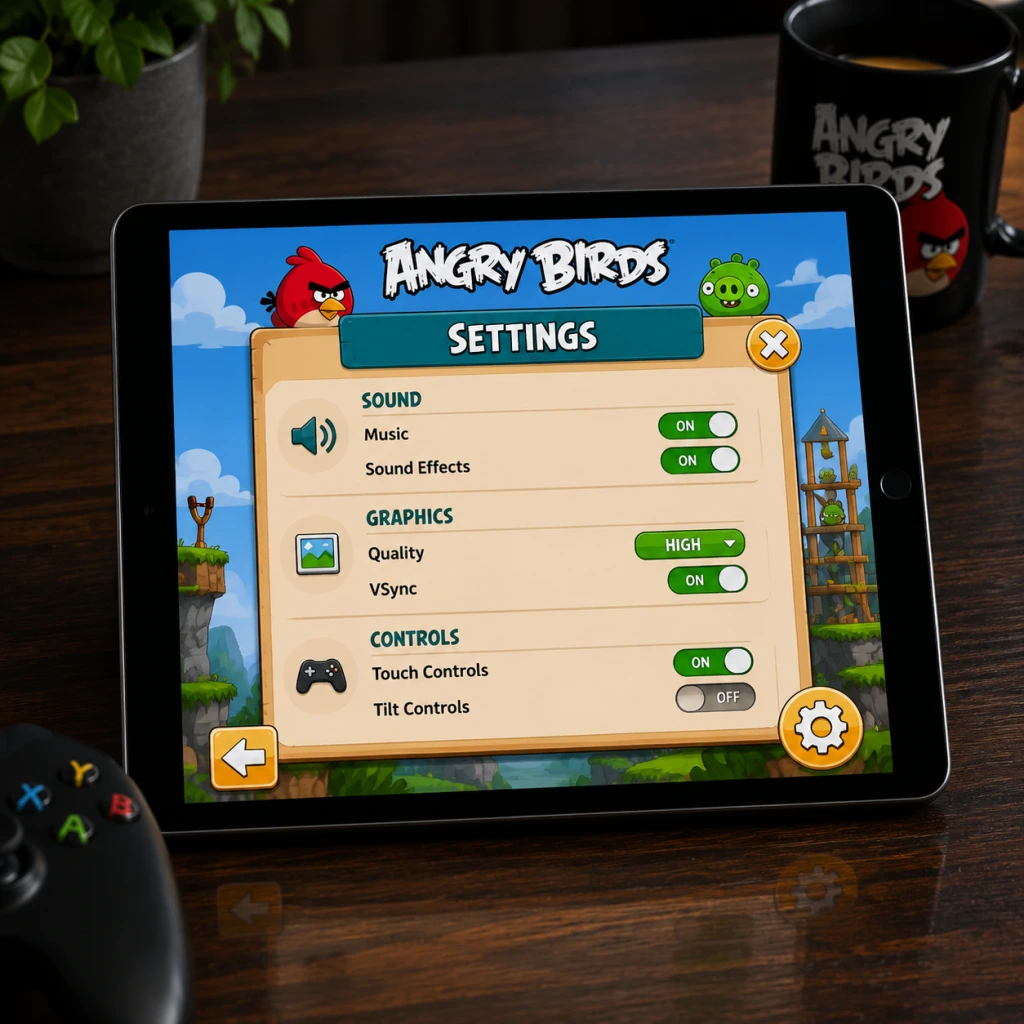
Game Settings
Game Settings
Overview
Angry Birds is deceptively simple, but its settings menus vary significantly between platforms (mobile, PC, console). This guide covers the original Angry Birds classic, Angry Birds 2, and common ports. Pay special attention to misconfigurable options like audio sync, slingshot sensitivity, and language region locks.
---
Graphics Settings
Available Options (by platform)
| Setting | Mobile (iOS/Android) | PC (Steam/Epic) | Console (PS/Xbox/Switch) |
|---|---|---|---|
| Resolution | Not adjustable | Yes (1080p, 1440p, 4K) | Native output only |
| Fullscreen | Always fullscreen | Yes (Windowed, Fullscreen, Borderless) | Always fullscreen |
| Quality Presets | None | Low / Medium / High / Ultra | Fixed |
| Shadow Quality | None | Low / Medium / High | Fixed |
| Texture Quality | Static (retina) | Low / Medium / High | Fixed |
| Anti-aliasing | Always on (no toggle) | 2x/4x/8x MSAA | Always on |
| V-Sync | Not present | Toggle | Built-in (30/60fps lock) |
| Frame Rate Cap | 60 fps (default) | 30/60/120/Unlimited | 30 (older), 60 (modern) |
Optimal Recommendations
- Low-end hardware (older phones, budget laptops):
- Mid-range hardware (modern phones, 2+ year old PC):
- High-end hardware (gaming PC, latest phones):
- V-Sync on PC: If you experience stutter during slingshot release, disable V-Sync and cap FPS to 60 via GPU driver instead. The game’s physics engine can desync with high refresh rates.
- Resolution scaling on PC: Some ports misinterpret non-16:9 resolutions (e.g., 2560x1440) causing black bars or stretch. Always set to your monitor’s native aspect ratio.
- Retina mode on mobile: Disabling “Reduce Motion” in iOS accessibility can improve clarity of bird animations.
- Master Volume (0–100%)
- Sound Effects (0–100%) – slingshot, bird squawks, pig laughs, crashes
- Music (0–100%) – background tracks
- Voice Over (On/Off) – only in Angry Birds 2 and Angry Birds Friends
- Audio Output – Stereo / Mono (some PC versions)
- General: Set Master to 70%, SFX to 100%, Music to 50%. This keeps impact sounds clear while music remains background.
- Accessibility: For hearing-impaired players, enable Visual Captions (where available, e.g., Angry Birds Reloaded) for key sound cues like “Level Complete”.
- Competitive (Score challenges): Turn off music completely to focus on slingshot release timing cues (the “twang” and “whoosh”).
- Audio Sync Lag: On some Android devices, audio can lag behind visuals by 50–100ms. If you notice the sound of a pig squeal comes after the visual collision, reduce Audio latency in the device’s developer options. There is no in-game setting for this.
- Multi-channel output on console: If you use a surround sound system, the game may output only stereo. Check console audio settings to ensure “Stereo Uncompressed” is selected to avoid missing channel audio.
- PC: Set Quality to Low, Resolution to 1280x720, disable V-Sync, cap FPS at 30.
- Mobile: No adjustments needed; the game auto-scales to screen resolution. Close background apps to avoid thermal throttling.
- PC: Quality Medium, Resolution 1920x1080, V-Sync On (prevents tearing), FPS cap 60.
- Mobile: Works out of the box. Consider enabling Game Mode on Android for consistent frame pacing.
- PC: Quality Ultra, Resolution native (2560x1440 or higher), Anti-aliasing 8x, V-Sync On, FPS cap 120 (or unlimited if monitor > 144Hz).
- Mobile: No changes available, but ensure battery saver is off for smooth 60fps.
Special Attention Points
---
Audio Settings
Options
Recommendations
Easy to Misconfigure
---
Controls Settings
Touch (Mobile)
| Option | Default | Description |
|---|---|---|
| Slingshot Sensitivity | Normal | Adjusts how quickly the bird responds to finger drag. Higher = more responsive, less precision. |
| Touch Area | Full screen / Lower only / Left only | Restricts where you can touch to control slingshot (to avoid accidental presses on UI). |
| Force Touch (iOS) | Off | 3D Touch for quick zoom or re-aim (rarely used). |
Keyboard & Mouse (PC)
| Option | Default | Notes |
|---|---|---|
| Aim with | Mouse | Hold left button, drag back, release to fire. |
| Zoom | Scroll wheel, or +/- keys | If absent, use Page Up/Down. |
| Restart level | R key | Available in most ports. |
| Pause | Escape or P | |
| Bird Camera | Space bar (re-centers view) | Helpful after zooming out. |
Gamepad (Console / PC)
- Left Stick: Move aiming cursor / adjust camera
- Right Stick: Zoom (if supported)
- A / X Button: Pull back and release (hold to aim, release to fire)
- B / Circle Button: Cancel aim (optional)
- Start / Options: Pause menu
- Mobile: Keep Sensitivity at Normal. Change Touch Area to Lower only if you accidentally trigger the slingshot while tapping to restart.
- PC: Enable Mouse Acceleration in game settings? Usually not present – use Windows default. Disable “Enhance pointer precision” in Windows if you want linear slingshot response.
- Gamepad: Map Restart Level to a convenient button (e.g., pressing both shoulder buttons simultaneously) if the game allows custom mapping. Angry Birds 2 does not support gamepad; Angry Birds Reloaded does.
- Slingshot Sensitivity on mobile: Setting too low makes it hard to pull quickly; too high makes micro-adjustments impossible. Test on a simple level (e.g., World 1-1) before trusting your setting.
- Touch Area on phones with notches/cutouts: If the game’s UI overlaps with the notch, select Left only to prevent accidental tap on the notch area.
- Keyboard mapping on PC: Some Steam ports allow remapping via the Steam Input system. For precise slingshot control, bind the “Fire” action to a mouse button rather than keyboard.
- Large Text Mode (toggle) – increases font size of level names, score, and button labels. Available in Angry Birds 2 and later games.
- High Contrast Mode – outlines birds and pigs. Rare, only in Angry Birds Reloaded.
- Colorblind Mode – changes color of birds to be distinguishable by shape or pattern (e.g., Red Bird gets a plus sign, Blue Birds get three dots). This is a toggle in Angry Birds 2 under “Accessibility”.
- Reduce Motion – disables parallax scrolling, screen shake, and bird launch trails. Helps with motion sickness.
- Visual Indicators for Sounds – displays icons when pigs laugh or structures creak. Found in Angry Birds 2 settings.
- Subtitles for Voice Lines – for the Mighty Eagle and story segments (if any).
- Auto-Fire Mode – bird launches automatically after a short hold. Useful for users with limited fine motor control. Present in Angry Birds Friends and Angry Birds 2 under “Auto Aim”.
- Touch Hold Delay – adjustable (100ms to 500ms) to prevent accidental taps.
- Zoom Lock – locks camera zoom to avoid accidental scroll during gameplay.
- Enable Colorblind Mode even if not colorblind – it adds distinct icons to birds, making identification faster.
- Reduce Motion should be turned on for smooth 60fps on older devices.
- Auto-Fire can be used to practice timing without stressing about motor coordination.
- Game Language – Usually auto-detected from system locale. Manual override available in most versions.
- Text Language – Choose from 30+ languages (English, Chinese, Japanese, Korean, Spanish, French, German, Italian, Portuguese, Russian, etc.)
- Voice Language – Separate from text. Only for games with voiceovers.
- Region-Locked Content: In Angry Birds 2, some seasonal events are tied to language/country setting. If you set language to Japanese, you may see different themed pig designs or exclusive hats. Setting to English (US) gives maximum generic content.
- Text Overflow: In some languages (like German or Russian), button text may be truncated. If you see overlapping text, switch to English for clarity.
- Language Reset After Update: On mobile, updating the game may reset language to system default. Always check after a major update.
- Keep language as English (US) for the most consistent experience and best translations for puzzle clues. Switch to native language only if you prefer localized names for birds (e.g., “El Pájaro Rojo” in Spanish).
- Online Features (On/Off) – Leaderboards, friend competitions, daily challenges
- Cloud Save (Sign in via Facebook, Apple ID, Google Play, or Rovio Account) – sync progress across devices
- Ad Management (Limited control) – Disable personalized ads, opt out of video ads for bonus items
- Multiplayer Settings (If applicable) – Angry Birds Friends has tournament rooms
- Cloud Save: Always enable, but choose the platform you trust most. Facebook sync is reliable; Rovio account sync may be less stable.
- Online Features: Keep on for daily free items and leaderboard challenges. Turn off if you experience lag during level transitions (rare).
- Ad Settings: Disable personalized ads for privacy – this will still show generic ads but no data tracking.
- Facebook Permissions: When linking, the game may request access to your friend list (for inviting). If you decline, cloud save may still work but friend leaderboards will be empty. Accept the minimal permissions required.
- Offline Mode: If you lose internet during gameplay, the game will store scores locally and sync later. However, if you restart the app while offline, scores may be lost. Ensure cloud save is enabled and manual sync before closing.
- Background Data: Some versions download additional level packs (like Angry Birds Space or Star Wars in the classic). Check “Download Level Data Automatically” or similar. On mobile, disable to save mobile data – but you’ll need to manually download levels when you want to play them.
Recommendations
Special Attention Points
---
Accessibility Settings
Visual Accessibility
Hearing Accessibility
Motor Accessibility
Recommendations
---
Language Settings
Options
Special Attention Points
Recommendation
---
Network Settings
Options
Recommendations
Easy to Misconfigure
---
Gameplay Settings
Options
| Setting | Description | Default | Recommended |
|---|---|---|---|
| Difficulty | Some ports (console) have difficulty levels (Easy/Normal/Hard) that alter pig count or structure HP. | Normal | Normal for first playthrough; Hard for veteran score challenges. |
| Aim Line | Show/hide trajectory line when aiming. | On | On for beginners; Off for realistic challenge. |
| Auto-Restart | Automatically restart level after failure after 3 seconds. | Off | On to save time. |
| Slow Motion | Slow down time while aiming (available in Angry Birds Reloaded and some mobile versions). | Off | Off for normal play; On for precision shots. |
| Bird Order | In classic, order of birds is fixed. In Angry Birds 2, you can choose order. | Fixed (classic) / Manual (AB2) | Manual for strategy; Fixed for classic feel. |
| Destructo-vision (AB2) | Toggle to highlight weak points in structures. | On | Keep on for learning; Off for skill. |
| Mighty Eagle Limit | Number of times you can use Mighty Eagle per day (or special item). | 1 per day (classic) / unlimited with gems (AB2) | Don’t rely on it; save for tough levels. |
| Scoring Display | Show/hide running score during level. | On | On to track progress. |
Special Attention Points
- Aim Line is not cheat – it’s intended. Many new players think turning it off makes them “pro”, but it only makes the game frustrating. Keep it on unless you want a hardcore challenge.
- Slow Motion can interfere with muscle memory for timing. Use only for extremely fragile structures.
- Difficulty settings may not be available on mobile. On console versions of Angry Birds: Star Wars, changing difficulty resets level progress (temporarily). Be careful when switching mid-playthrough.
- Auto-Restart can cause you to miss the brief “Great!“ text on success. Turn it off if you want to savor each win.
- Score Runners: Turn off Auto-Restart, enable Slow Motion, disable Aim Line for extra challenge, and set Bird Order to Manual to plan each bird’s use.
- Casual Players: Keep Aim Line On, enable Auto-Restart, keep Destructo-vision On, and leave Slow Motion Off.
- Children/Family: Activate Auto-Restart, turn on Large Text, enable Colorblind Mode for easier bird ID, and reduce music volume to avoid distraction.
Gameplay Tips for Settings Customization
---
Quick Reference: Recommended Settings Summary
| Category | Setting | Best for Performance | Best for Quality | Best for Accessibility |
|---|---|---|---|---|
| Graphics | Resolution | 720p | Native 4K | Native |
| Graphics | V-Sync | Off | On | On |
| Graphics | Anti-aliasing | 2x | 8x | 4x |
| Audio | SFX | 100% | 100% | 100% |
| Audio | Music | Off | 50% | 50% |
| Controls | Sens | Normal | Normal | Lower (if needed) |
| Controls | Touch Area | Lower only | Full | Full |
| Accessibility | Colorblind | On (if needed) | Off | On |
| Accessibility | Reduce Motion | On | Off | On |
| Network | Cloud Save | Signed in | Signed in | Signed in |
| Gameplay | Aim Line | On | Off (for challenge) | On |
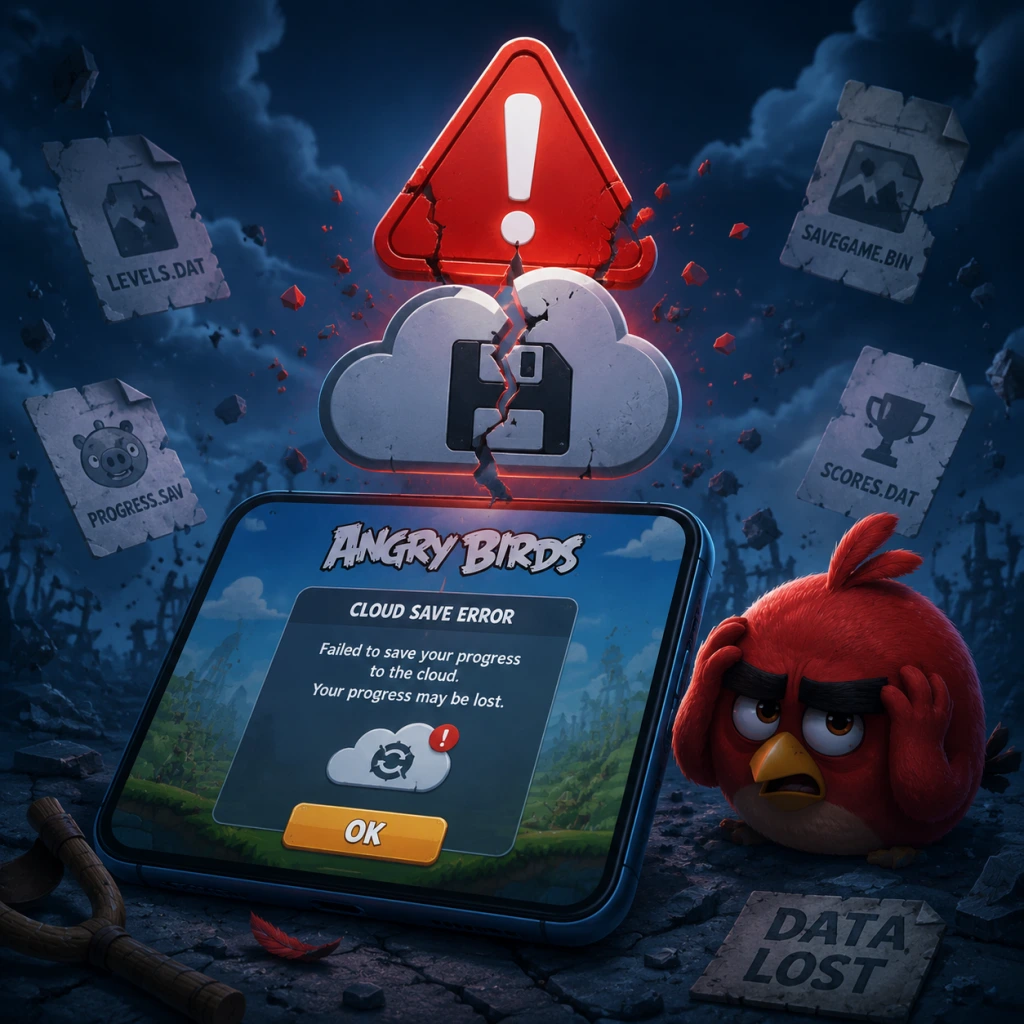
Important Notes
Important Notes
Warnings and Pitfalls
- Save Data Loss on Mobile: If you uninstall the game or switch devices without linking to a Rovio Account (or Game Center/Google Play), all progress is lost. Cloud saves are not automatic in many versions – manually check sync options.
- In‑App Purchase Traps: Angry Birds 2 and Friends heavily push buying gems, extra birds, and power‑ups. Many levels are designed so that paying is tempting, but patient play and skill can overcome them without spending.
- Limited Attempts / Energy Systems: In Angry Birds 2, you have five lives (restored over time or with ads). If you run out, you must wait or spend gems. Recklessly failing costs you time or money.
- Slippery Slingshot Controls: On touchscreens, accidentally releasing too early or dragging off‑screen can ruin a shot. Use a stylus or precise finger placement to avoid frustration.
- Star Ratings: Once you earn a 1‑star or 2‑star rating on a level, you cannot lower it, but you can replay to improve it. However, in the original Angry Birds, the highest star count you ever achieve on a level is recorded – there is no way to reset a level’s star rating if you accidentally locked in a lower one. Always aim for 3 stars from the start!
- Level Progression: Unlocking a world is permanent. You cannot go back and “un‑unlock” areas. This is rarely a problem, but be aware that finishing a world too quickly may bypass bonus content you intended to complete first.
- Bird Order is Fixed: In most levels, the sequence of birds is predetermined. You cannot choose which bird to throw next. This means you must plan your shots carefully – using a bird early that would be better saved for the last structure is a permanent waste.
- Golden Eggs: In the original Angry Birds, Golden Eggs are hidden on certain levels (often by interacting with specific objects or finding secret spots). Once you clear a level and move on, you can still revisit it to find the egg, but some must be collected in the same playthrough. Double‑check each level’s completion screen for the egg icon.
- Seasonal / Limited‑Time Levels: Angry Birds has released special holiday episodes (e.g., “Seasons”, “Space”, “Star Wars” editions that rotate). These are often only available during certain periods or through separate app downloads. Download them before they are delisted.
- Daily Challenges (in Angry Birds 2): Rewards from daily challenges are lost if you skip a day. Log in consistently to avoid missing free birds, gems, or power‑ups.
- Mighty Eagle’s Boot Camp: In some versions, the Mighty Eagle power‑up is a one‑time use per level until you wait for a cooldown. Don’t waste it on an easy level – save it for when you’re truly stuck.
- Poached Eggs – Level 3‑20: This infamous level introduces complex stone structures and limited birds. Many players get stuck here. Watch replays online for a proven strategy.
- Mighty Hoax – Level 5‑19: The need to destroy multiple TNT crates precisely can be frustrating. Practice the angle and timing of the boomerang bird.
- Danger Above – Level 9‑15: Extremely tight gaps and fragile structures make this a nightmare. Patience is key; try different bird orders.
- Angry Birds 2 – Level 150+: The difficulty ramps significantly. You may need to use power‑ups or watch ads for extra birds. Don’t be ashamed to use a free booster.
- Re‑earning Stars for New Worlds: In the original Angry Birds, you need a certain number of stars to unlock new episodes. If you aim only for 1‑star clears, you will hit a wall and must replay old levels for better scores. Always try for 2 or 3 stars the first time.
- Watching Ads for Extra Birds (in Angry Birds 2): You can get 10 extra birds per day by watching ads. This is free but time‑consuming. Use them only when you are close to beating a hard level.
- Waiting on Lives: In Angry Birds 2, lives regenerate one every 30 minutes. If you die repeatedly, you’ll be stuck waiting for hours. Use this time to practice in the “Daily Challenge” or watch replays.
- Mighty Eagle Cooldown: In classic Angry Birds, the Mighty Eagle (if purchased) can only be used once every 30 minutes. Grinding for eagle power is inefficient; focus on improving your own aim.
- No Real Multiplayer: There is no direct PvP, only leaderboards. Cheating (using hacked scores) is pointless because you gain nothing. Some leaderboards may ban your account if suspicious activity is detected.
- Modding & APK Risks: Downloading modified versions of Angry Birds from unofficial sources can contain malware, steal personal data, or corrupt your save. Stick to official app stores. Rovio’s anti‑cheat is minimal, but risking your device is not worth it.
- Never Share Account Credentials: Your Rovio Account gives access to all purchases and progress. Do not log in on shared or public devices. Use strong passwords.
- Enable Cloud Save: In the settings menu, link your game to Game Center (iOS), Google Play (Android), or a Rovio Account. Do this before you have significant progress.
- Manual Backup on PC: For the PC version (e.g., Steam), locate the save file at `%APPDATA%\Rovio\Angry Birds`. Copy the entire folder periodically to avoid loss.
- Transfer Between Devices: Cloud save does not always work seamlessly between iOS and Android. Some versions allow transferring via export of save data. Check the official Rovio support site for device‑specific steps.
- Avoid Clearing Cache: On mobile, clearing the app cache may reset your progress if cloud save is not synced. If you need to clear cache, first force a cloud sync from the settings.
- Replaying Levels is Encouraged: You can replay any completed level for a better score, and it costs nothing. Many players mistakenly believe they only get one chance.
- Bird Abilities are Crucial: Each bird has a unique ability (e.g., Red has none, Blue splits into three, Black explodes, White drops an egg). Using the ability at the right moment (by tapping the screen) dramatically increases your score. New players often ignore the tap mechanics.
- The Trajectory Line is Your Best Friend: In most versions, pulling the slingshot shows a dotted line indicating the bird’s path. Use this to predict collisions. Without it (some modes hide the line), adjust your aim by trial and error.
- Power‑Ups Aren’t Necessarily Worth Buying: Mighty Eagle, Sling Scope, and others are useful but never required. Save your gems/money for cosmetic items or extra levels packs.
- Golden Eggs are Not Just for Show: Collecting all Golden Eggs unlocks special bonus levels that are both fun and rewarding. Many players ignore them and miss out on free content.
- Pause and Restart is Free: In the original Angry Birds, you can pause and restart the level without penalty. If your first shot goes wrong, restart immediately instead of struggling through a bad start.
Irreversible Choices
Missable Content
Difficulty Spikes
Grinding Traps
Online Etiquette & Anti‑Cheat Notes
Save Management Advice
Things Players Commonly Regret Not Knowing Earlier
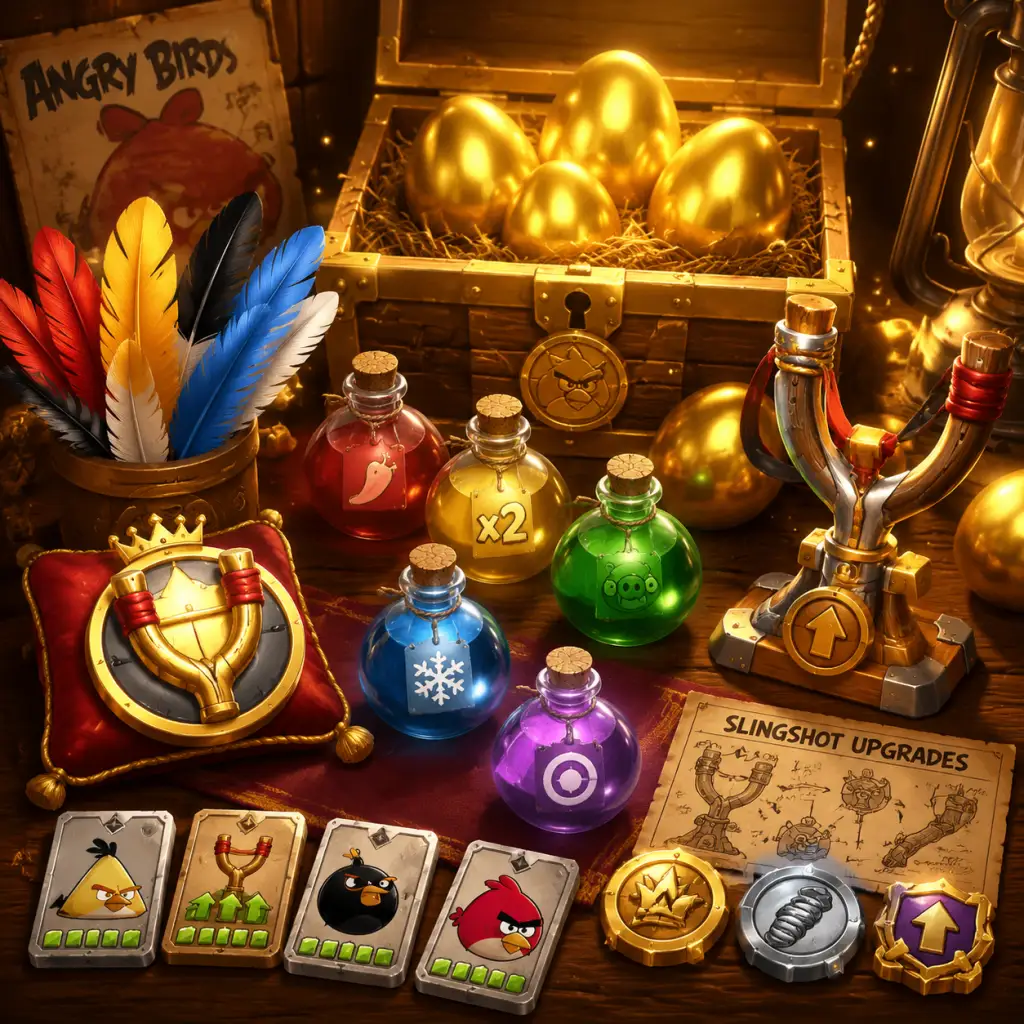
All Game Items
All Game Items
This guide covers every major item across the Angry Birds franchise, focusing on the original classic, Angry Birds 2, Angry Birds Friends, and common console/PC ports. Items are grouped logically by category. Within each category, we explain what the item does, how to obtain it, when it is most useful, and any important synergies or upgrades.
---
1. Birds – The Primary Weapons
Each bird is a projectile fired from the slingshot. Their unique abilities make them essential tools for destroying structures and defeating pigs.
| Bird | Typical Color | Special Ability | Unlock (Classic) | Unlock (AB2) | When Useful | Synergies/Upgrades |
|---|---|---|---|---|---|---|
| Red (Red Bird) | Red | None – basic bird, no special ability. | Starting bird | Starting bird | General use; pure kinetic force. Best for simple wood/glass structures. | None (but in AB2 can be upgraded with feathers to increase damage). |
| The Blues (Jay, Jake, Jim) | Blue | Splits into three smaller birds upon screen tap. | Level 1-2 (after completing 1st level) | Starting? (AB2: unlocked early) | When you need to hit multiple weak points or spread damage across wide structures. | The three birds each have separate hitboxes; useful for triggering TNT. |
| Chuck (Yellow Bird) | Yellow | Speed boost – accelerates on tap, gaining extra velocity. | Level 1-10 (after certain levels) | Starting? (AB2: unlocked early) | Hard materials (stone/ice) – speed increases impact force. Also good for piercing narrow gaps. | In AB2, speed boost can be upgraded to last longer. |
| Bomb (Black Bird) | Black | Explodes on impact after a brief delay (or on tap in some versions). | Level 1-16 (after certain levels) | Unlocked around level 3-4 in AB2? | Dense structures; area-of-effect damage. Excellent for clearing clusters of pigs/obstacles. | In AB2, explosion radius increases with upgrades. |
| Matilda (White Bird) | White | Drops an explosive egg straight down on tap (then rises a bit). | Level 1-26 (after certain levels) | Unlocked later in AB2 | When you need to damage from above (e.g., inside caves or under roofs). The egg can also be used to detonate TNT. | Egg drop trajectory is fixed; in AB2 upgrades can add a second egg. |
| Hal (Green Bird) | Green | Boomerang – flies in a curved path (returns on tap). | Level 1-3? (actually appears in later episodes) | Unlocked in early-to-mid AB2 | Hitting enemies behind cover or around corners. Also good for rebound off walls. | Boomerang curve can be upgraded for tighter turns. |
| Terence (Big Red Bird) | Red (large) | Extra size and mass – crushes through many blocks, no special ability. | Level 1-9? (appears in later episodes) | Unlocked in AB2 mid-game | Heavy destruction; plows through thick wood and stone. Best used as a final heavy hitter. | Not upgradable in classic; in AB2, damage increases with feathers. |
| Bubbles (Orange Bird) | Orange | Inflates into a giant balloon on tap, pushing blocks apart. | Level 1-? (from Angry Birds Seasons and later) | Unlocked in AB2 late game | Dislodging tightly packed structures; creates chaos. Useful for separating pigs from cover. | Inflation size and push force upgradable in AB2. |
| Stella (Pink Bird) | Pink | Creates a pink bubble that lifts blocks/pigs upward (then pops). | Originally in Angry Birds Stella – later added to AB2 | Unlocked in AB2 | Lifting blocks to drop them onto pigs; also temporarily removes obstacles. | Bubble duration and lift strength can be upgraded. |
| Silver (Silver Bird) | Silver (often with gray) | Dive-bomb – flies straight down on tap (like a missile). | Introduced in Angry Birds 2 | Default in AB2 | Breaking through tough roofs or hitting pigs at the bottom of a structure. | Dive angle and damage upgrade with feathers. |
| Mighty Eagle | Purple | Launched as a powerful bird that destroys everything on screen (one use per level). | Unlock via purchase or special codes in classic | Not always present (replaced by spells in AB2?) | Emergency clear – guaranteed 3 stars when used. | One-time per level; cannot be recharged with gems in classic. |
---
2. Power-Ups and Boosters
Power-ups are temporary enhancements that can be used before launching a bird or during a level. They are consumed upon use.
| Power-Up | Game(s) | Effect | How to Obtain | When Useful |
|---|---|---|---|---|
| Sling Scope | Classic, Friends, AB2 | Shows a dotted line trajectory for the bird before launching. | Watch ad (free) or purchase with coins/gems. | Beginners learning aim; precision shots on tricky angles. |
| Super Seeds | Classic, Friends, AB2 | Makes the next bird giant (like Terence) for one shot. | Daily reward, in-app purchase, or earned via events. | When you need a massive single punch to clear a structure. |
| Birdquake | AB2, Friends | Shakes the entire level, causing eggs and blocks to tumble. | Obtain via arena chests or event rewards. | Dislodging stuck pigs; finishing a level when only a few pigs remain hidden. |
| Golden Egg Spell (AB2) | AB2 | Turns a bird into a golden egg that explodes on contact, scattering coins. | Found in chests or purchased. | Earning more coins; also deals damage. |
| Blizzard Spell (AB2) | AB2 | Freezes all blocks and pigs for several seconds, making them brittle. | Arena rewards, chests. | When structures are hard to destroy – frozen blocks shatter easily. |
| Extra Bird | Classic, Friends, AB2 | Adds one more bird to your queue. | Watch ad (free) or spend gems. | When you’re one bird short of completing a level. |
| Mighty Eagle (as a power-up) | Classic | As described above – one-use per level clear. | Purchase via in-app (one-time, then reusable per level). | Guaranteed 3-star completion. |
---
3. Currencies
Angry Birds uses several currencies for upgrades, items, and continues.
| Currency | Icon/Appearance | Primary Use | How to Earn | Important Notes |
|---|---|---|---|---|
| Coins (Gold/Silver) | Gold coin resembles a real coin. | Buying power-ups (in classic), continues, bird hats (AB2), and cosmetic items. | Finishing levels (bonus for high scores), breaking golden blocks, daily rewards, ads. | Coins are abundant; hoard them for expensive hats. |
| Gems (Diamonds) | Blue diamond shape. | Premium currency – used to continue after failure, buy extra birds, purchase special spells, skip timers. | In-app purchase, ad watching (limited), daily chests, arena victories. | Gems are scarce; save for difficult levels or limited-time hats. |
| Black Pearls (AB2) | Dark circle with pearl sheen. | Only used in AB2 to upgrade bird slingshots (increase bird levels). | Arena rewards, event chests, daily challenges. | Critical for endgame; upgrade birds systematically. |
| Feathers (AB2) | Colored feathers matching bird types. | Increase bird level (damage/ability). | Earned via arena, events, daily chests, hat upgrades. | Each bird has its own feather type. Focus on birds you use most. |
| Stars (Classic) | 1, 2, or 3 stars per level. | Unlock bonus levels and episodes. | Earned by achieving star rating on levels. | Get 3 stars on every level to unlock all content. |
---
4. Materials and Upgrade Components
These are used to permanently improve your birds, especially in Angry Birds 2.
| Material | Purpose | How to Obtain |
|---|---|---|
| Feathers (Red, Blue, Yellow, etc.) | Each bird has feathers that, when enough are collected, increase that bird’s level (up to Level 10+). Higher level = more damage, better ability. | Arena chests, daily rewards, events, hat duplicates (converted to feathers). |
| Slingshot Upgrade Tokens (AB2) | Rare tokens used to upgrade the slingshot itself (faster reload, more power). | Grand event rewards, high arena tiers. |
| Hat Upgrade Items (AB2) | Specific materials for upgrading hats (e.g., fabric, gems, coins). Hat upgrades boost stats for that bird. | Found in hat-specific chests, events, or purchased. |
---
5. Collectibles
| Collectible | Game | Description | How to Obtain | Benefit |
|---|---|---|---|---|
| Hats | AB2, Friends | Cosmetic hats for each bird. Some provide stat boosts (e.g., +5% damage). | Daily chests, arena rewards, special events (e.g., Halloween, Christmas). | Aesthetic; also minor gameplay advantage. Complete collections for bonuses. |
| Golden Eggs | Classic, Seasons | Hidden eggs in levels. | Find by firing birds at obscure spots in specific levels. | Unlock bonus “Golden Egg” levels (usually harder). |
| Treasure Chests | AB2 | Open to receive coins, feathers, spells, or gems. | Earned by completing daily missions, arena milestones, or purchased. | Loot varies; sometimes exclusive hats. |
| Badges / Trophies | AB2, Friends, Console | Achievements for completing challenges (e.g., “Destroy 500 TNT”). | Unlocked automatically upon meeting conditions. | Bragging rights; no gameplay effect. |
---
6. Special Items / Equipment
| Item | Game | Function | How to Obtain |
|---|---|---|---|
| Mighty Eagle (classic) | Classic | As described – one-hit level clear. Can be used repeatedly after purchase. | One-time in-app purchase (usually $0.99). |
| Slingshot Upgrades | AB2 | Permanent slingshot improvements. | Via tokens (rare) or gems. |
| Bird Skins | AB2 (limited events) | Alternate looks for birds (e.g., zombie, flaming). | Event rewards or purchase. Cosmetic only. |
| Mighty Feathers | AB2 (event) | Powerful feathers that instantly upgrade a bird by one level. | Special event challenges or paid bundles. |
7. Consumable Items Summary
All consumable items are used up once per level (or per use). Key consumables list:
- Extra Bird (cooldown from ads or gems)
- Sling Scope (shows trajectory for one bird launch)
- Super Seeds (giant bird for one shot)
- Mighty Eagle (classic – one use per level, but reusable after purchase)
- Spells (AB2): Blizzard, Golden Egg, Birdquake, etc. (stock up to 3 each)
- Ad-Watch Continues (if you fail, watch an ad to get extra birds)
- Mobile (iOS/Android): Full range of items; in-app purchases for gems, feathers, hats. Daily rewards are generous.
- PC (Steam, Windows Store): Often based on classic or Angry Birds 2 with ad-free options. Some items (like ad-watch continues) are replaced by a purchase system.
- Console (Xbox, PlayStation, Switch): Frequently bundled with all DLC items unlocked. Usually lacks the live-service elements of AB2 (no arena, few hats).
Strategy: Use power-ups conservatively on hard levels. In AB2, save your strongest spells (Blizzard + Birdquake) for difficult arena bosses or high-score runs.
---
8. Platform-Specific Notes
---
Final Tips for Item Management
1. Prioritize feather upgrades in AB2 for the birds you use most (Chuck for speed, Bombs for explosions).
2. Never spend gems on continues unless you’re one hit away from a 3-star score. Save gems for limited-time hats that offer stat boosts.
3. Watch ads whenever possible to accumulate free power-ups and coins.
4. Complete daily challenges to earn feathers and black pearls efficiently.
5. In classic, always replay levels to get 3 stars – stars unlock bonus levels, which often contain more Golden Eggs and coins.
This comprehensive item guide should help you master any version of Angry Birds. Happy lawn-flinging!
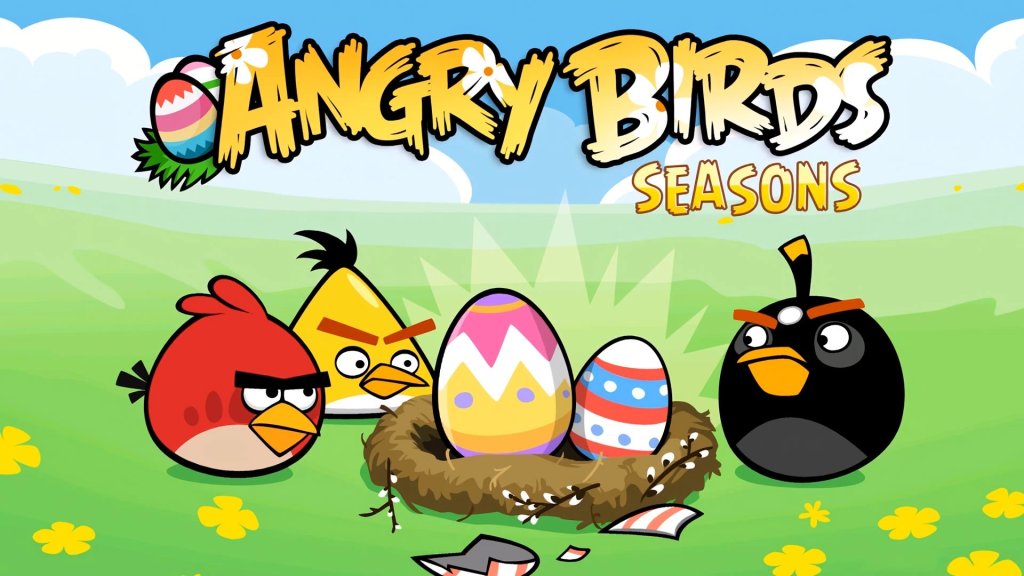
Character Skills
Character Skills (Bird Abilities) Guide
Overview
In Angry Birds, each playable bird has a unique special ability that activates when you tap the screen (or press a button) after launching. These abilities are the core of the game's strategy, allowing you to cause extra destruction, manipulate structures, or reach hidden pigs. This guide covers all major birds from the classic series, Angry Birds 2, Angry Birds Friends, and common spin-offs. For each bird, we detail:
- Ability: How it works, activation method, and visual/audio cues.
- Effect: Damage type, area, and special properties.
- Cooldown / Reuse: Most birds use their ability once per launch; in Angry Birds 2 the slingshot reloads after every shot but the ability is per-bird per-level.
- Upgrades: In Angry Birds 2, birds can be upgraded via collectible feathers to increase damage, ability potency, or unlock bonus effects.
- Combos & Synergies: Which birds work best together and when to chain abilities.
- Recommended Builds: Which birds to prioritize for different level types (wood, glass, stone, TNT, boss pigs).
- When to Use: Tips for timing and positioning.
Bird-by-Bird Skill Guide
| Bird | Game Debut | Ability | Effect | Activate | Cooldown (AB2) | Upgrades (AB2) | Best Used Against |
|---|---|---|---|---|---|---|---|
| Red | Classic | None (except in Angry Birds 2 where he has a small damage aura) | High velocity, straight trajectory; in AB2: creates a small shockwave on impact | Tap screen after launch (AB2) | None | +Damage, +Shockwave radius | Direct hits on pigs, breaking stone |
| Chuck (Yellow) | Classic | Speed Boost | Accelerates mid-flight, increasing damage and penetration | Tap once after launch | None | +Speed duration, +Damage | Long corridors, multiple pigs in a row, wood structures |
| Bomb (Black) | Classic | Explosion | Detonates on impact or after a short fuse, creates a large blast radius | Tap near target (or wait for auto-detonate) | None | +Blast radius, +Fuse delay control | Tight groups of pigs, stone blocks, TNT crates |
| Matilda (White) | Classic | Egg Bomb | Drops a single explosive egg straight down while flying | Tap after launch; egg drops immediately | None | +Egg damage, can drop 2 eggs at higher levels | Pigs under overhangs, destroy foundations |
| Blues (Three small blue birds) | Classic | Split | The flock splits into three separate birds in mid-air | Tap shortly after launch | None | +Number of splits (up to 4), +Damage per bird | Glass structures, spread-out pigs, tight gaps |
| Terence (Big Red) | Classic | None (extremely heavy) | Massive weight and inertia, destroys everything in path | No special ability (auto) | None | +Weight (in AB2) | Stone fortresses, boss pigs, wide structures |
| Bubbles (Orange) | Classic | Inflate | Swells to massive size, pushing apart blocks and pigs | Tap after launch; inflates for 1-2 seconds | N/A (not in AB2 core) | N/A | Tight spaces, crushing pigs, separating blocks |
| Stella (Pink) | Angry Birds Stella | Bubble Bounce | Creates a sticky bubble that lifts blocks/pigs upward | Tap after launch | N/A (not in AB2 core) | N/A | Raiding nests, lifting pigs out of cover |
| Silver (Grey) | Angry Birds 2 | Loop-the-Loop + Dive Bomb | Performs a loop then dives straight down with increased speed | Tap once to loop, tap again to dive (or one tap for auto) | None | +Dive damage, +Loop height | Clearing bottom blocks, hitting pigs inside caverns |
| Hal (Green) | Angry Birds Seasons / AB2 | Boomerang | Curves back around like a boomerang | Tap after launch | None | +Return distance, +Damage | Hitting pigs behind walls, corner shots |
| Ice (Cyan) | Angry Birds 2 | Freeze | Freezes water and turns it into ice; can also freeze pigs | Tap after launch; also shatters on impact | None | +Freeze radius, +Damage to frozen objects | Levels with water, freezing pig's movement |
| Zeta (Purple) | Angry Birds 2 | Teleport | Creates a wormhole portal; bird teleports to that location | Tap to place portal; bird flies toward it | None | +Portal duration, +Damage on exit | Bypassing shields, reaching hidden areas |
##### Red (Classic & AB2)
- Classic: No ability – relies on pure momentum. Best used for direct impact and knockback.
- AB2: When tapped mid-flight, Red emits a small shockwave on impact that damages adjacent blocks (upgradeable radius). Use when you need extra AoE destruction from a direct hit.
- When to Use: Lead with Red to clear stone or to test structural weaknesses. In AB2, use him early to soften large stone blocks.
- Ability: Chuck’s speed boost triples his velocity, causing him to tear through wood and glass. The boost lasts until he hits something or exits the screen.
- When to Use: Ideal for long, straight shots through rows of wood planks. Activate just before hitting the first block to maximize penetration. Avoid using on stone structures as he'll stop quickly.
- Combos: Follow Chuck with Bomb to detonate any lingering wood debris.
- Ability: Bomb detonates 1 second after impact OR immediately if tapped mid-flight (in AB2, you can tap to detonate early). The explosion has a large radius and can chain-detonate TNT crates.
- When to Use: Use against tightly packed pigs or stone clusters. Tap just before hitting wood to blow through multiple layers. Perfect for clearing central foundations.
- Synergies: Pair with Blues to split into separate birds that also carry explosive properties (only in some versions).
- Ability: Matilda drops an egg bomb that falls straight down from her current position. The egg explodes on contact with any surface or pig. The bird continues flying forward after dropping.
- When to Use: Aim high above a pig hidden under a roof. Drop the egg to destroy the covering from above. Also useful for hitting pigs inside small holes.
- Tips: Practice timing – drop too early and the egg misses; too late and Matilda exits the screen. The egg does not collide with the bird.
- Ability: Tapping after launch splits the single blue bird into three smaller birds. Each has reduced weight but retains momentum. They spread slightly in flight.
- When to Use: Target glass structures – the split birds can pierce multiple panes. Also effective against rows of small pigs or wooden beams.
- Upgrades: Higher levels allow up to 4 splits. Use in Angry Birds 2 to clear large glass arrays in one shot.
- Ability: No special ability; his immense weight and speed cause massive destruction on impact. He can break stone blocks with ease and often triggers chain reactions.
- When to Use: Save for heavily fortified stone structures, boss pigs, or when you need to punch through a wall. Terence is a “nuclear option” – use him when other birds fail.
- Note: In AB2, Terence's weight can be upgraded, increasing bounce and impact force.
- Ability: Bubbles inflates to approximately 3x his original size, pushing blocks and pigs outward. He remains inflated for 1.5 seconds then deflates.
- When to Use: Best in tight spaces where inflation can crush pigs between blocks. Also excellent for separating tightly packed blocks. Activate just before entering a narrow gap.
- Combo: Use Bubbles to dislodge blocks, then follow with a fast bird like Chuck to clear the newly exposed area.
- Ability: Stella creates a bubble that lifts any contact (pigs or blocks) upward. The bubble can carry multiple objects and pops after a short time, dropping them.
- When to Use: Use to lift pigs out of shelters or to reposition blocks for chain reactions. Great for exposing hidden pigs.
- Note: Not available in all versions; primarily in Angry Birds Stella and some Friends events.
- Ability: Silver performs a loop-the-loop then dive-bombs straight down, gaining extra speed and impact damage. Tap once to start loop, tap again to dive (or single tap for auto-dive after loop).
- When to Use: Aim high above a structure, then activate loop and dive to hit the base from above. Destroys weak foundations. Also good for reaching pigs in deep pits.
- Synergy: Combine with Ice to freeze water, then Silver can dive through ice blocks.
- Ability: Hal's boomerang flight curves back toward the launch point. Tap after launch to make him turn. He can hit pigs from behind.
- When to Use: Excellent for pigs hiding behind walls or in corners. Aim slightly past the target, then tap to curve back.
- Training: Practice curve paths – Hal can navigate tight S-curves if you tap at the right moment.
- Ability: Ice freezes water on contact, turning it into solid ice blocks. Also freezes pigs for a short time. The bird shatters on impact, dealing splash damage.
- When to Use: In levels with water – freeze the water to create platforms for other birds or to trap pigs. Also useful for freezing a pig to prevent it from escaping (though pigs don't move in classic).
- Upgrades: Increased freeze radius and frozen pig damage multiplier.
- Ability: Zeta places a wormhole portal when tapped. The bird then flies toward the portal and exits at that location, effectively teleporting. The portal stays for a short time.
- When to Use: Bypass thick walls – place portal past a barrier, then launch Zeta again (or another bird) through the portal. Also useful for hitting pigs in impossible angles.
- Note: Only one portal per level; place wisely. The portal can be used by subsequent birds if they fly into it.
- Damage: More HP damage to blocks and pigs.
- Ability Power: Larger explosions, longer speeds, more splits, etc.
- Special Bonus: Some birds unlock secondary effects (e.g., Bomb's blast radius +10%).
##### Chuck (Yellow)
##### Bomb (Black)
##### Matilda (White)
##### Blues (Blue Triplets)
##### Terence (Big Red)
##### Bubbles (Orange)
##### Stella (Pink)
##### Silver (Grey)
##### Hal (Green)
##### Ice (Cyan)
##### Zeta (Purple)
Skill Upgrades in Angry Birds 2
In Angry Birds 2, each bird earns experience points and can be upgraded using feathers (collected from chests, events, or shop). Upgrading increases:
Recommended Upgrade Order:
1. Bomb – Most versatile for group clearing.
2. Silver – Great for vertical destruction.
3. Red – Cheap to upgrade, good for early levels.
4. Chuck – Speeds up wood levels.
5. Matilda – Crucial for covered pigs.
Combos and Synergies
| Combo Name | Birds Involved | Execution | Effectiveness |
|---|---|---|---|
| Glass Breaker | Blues → Bomb | Launch Blues to shatter glass, then Bomb to explode exposed stone | Excellent for mixed-material levels |
| High & Low | Silver → Chuck | Silver dive-bombs base, Chuck sweeps through remaining wood | Fast clearing of medium structures |
| Boomerang Bypass | Hal → Bomb | Hal curves around to hit pig, Bomb detonates after Hal’s hit | Destroys well-defended pigs |
| Freeze & Smash | Ice → Terence | Ice freezes water pig, Terence smashes frozen blocks | Boss levels with ice mechanics |
| Portal Trap | Zeta → Heavy Bird (Terence) | Place portal behind wall, then launch Terence through to deliver massive blow | One-shot difficult pigs |
Recommended Builds (for Angry Birds 2)
- General Purpose: Red (for direct hits), Bomb (AoE), Chuck (penetration). Upgrade Bomb first.
- Boss Levels: Focus on Terence (heavy damage), Silver (vertical), and Matilda (egg drop to hit boss from above).
- Water Levels: Ice is mandatory; combine with Bomb for ice shattering.
- Glass-Heavy Levels: Blues (split to cover area) and Chuck (speed through glass).
- Wood-Heavy Levels: Chuck (pierces), Bomb (explodes wood).
- Stone-Heavy Levels: Terence (crushes), Red (knockback), Bomb (blast).
- Red: When you need a straightforward, high-velocity impact. Use shockwave in AB2 if enemies are clustered.
- Chuck: Activate speed boost just before hitting the first wooden plank – never use on stone.
- Bomb: Detonate early to clear a path before hitting a pig, or wait until embedded in stone for max damage.
- Matilda: Drop egg when directly above a pig or a weak point. Best used from high arcs.
- Blues: Tap as soon as they enter the level to split early and cover width. Use for glass.
- Terence: No activation needed – aim for structural weak points (corners, joints).
- Bubbles: Inflate just before entering a tight spot to push blocks outward.
- Stella: Use bubble to lift pigs out of holes.
- Silver: Tap once to loop, then tap again to dive – perfect for hitting deep, hidden pigs.
- Hal: Tap to curve right after launch – aim wide to bring him back around.
- Ice: Tap on water to freeze, then follow with a heavy hitter. Also freezes pigs on impact.
- Zeta: Place portal manually by tapping – use it to reach otherwise unreachable pigs. Can also teleport other birds.
- Practice each bird's ability timing in a low-stakes level (e.g., first few levels of each episode).
- In Angry Birds 2, save your strongest birds (Terence, Bomb) for the last structure.
- Use the pause menu to study the level layout before launching – plan your bird order.
- Chains of abilities work best: e.g., Blues split → Bomb detonates → Red cleans up.
- Upgrading all birds evenly is less effective than focusing on a core trio for your playstyle.
When to Use Each Skill (Quick Reference)
Final Pro Tips
This guide covers all playable birds across major Angry Birds titles. While some spin-off characters (e.g., the Mighty Eagle, King Pig playable in certain modes) exist, the above birds form the core roster. Master their abilities to earn three stars on every level!
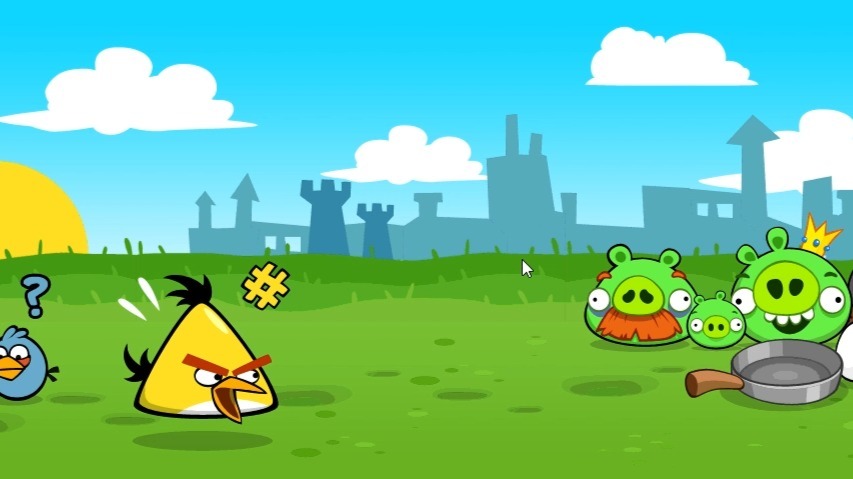
Characters & Roles
Overview
In Angry Birds, each playable bird is a distinct character with a unique ability, personality, and strategic role. This guide covers every major bird across the franchise—focusing on the original classic, Angry Birds 2, and common spin-offs—detailing their background, strengths, weaknesses, playstyle, unlock conditions, and practical team synergy tips. While the classic game has no equipment system, later titles like Angry Birds 2 introduce power-ups and hats that can enhance abilities; these are noted where relevant.
---
Red (Red Bird)
- Background: The original leader of the flock. Red is short-tempered and determined, always ready to take charge.
- Strengths: Balanced all-rounder; direct hit damage on par with standard birds; predictable trajectory.
- Weaknesses: No special ability—he just impacts. Less effective against dense structures.
- Playstyle: Aim for direct hits on weak points (glass, exposed pigs) or toppling structures by hitting base supports. Use when you need a straightforward, reliable shot.
- Unlock Conditions: Available from the very first level (Poached Eggs, Level 1-1) in all versions. He is the default bird.
- Recommended Builds/Items: In Angry Birds 2, hats like “Red’s Helmet” add extra damage or splash. In classic, there are no items—focus on angle and power.
- Team Synergy: Red pairs well with Chuck (to speed up subsequent shots) or Bomb (to clear debris after Red destabilizes a structure). His simple physics make him a safe first bird in any lineup.
- Background: A hyperactive, competitive speedster. Chuck is the fastest bird in the flock and loves showing off.
- Strengths: Activating his ability mid-flight gives a burst of speed, increasing impact force and piercing through wood and stone. Excellent for long-distance snipes and penetrating layers.
- Weaknesses: Less effective at clearing wide areas; his speed boost can overshoot targets if not timed properly. Struggles against glass alone.
- Playstyle: Tap the screen after launch to activate speed burst. Use to break through wooden barriers or hit pigs hiding behind solid blocks. Ideal for levels where you need to reach a far-off target.
- Unlock Conditions: Classic: First appears in Poached Eggs Level 1-5 (or 1-6 depending on version). Angry Birds 2: unlocked early in the first chapter.
- Recommended Builds/Items: In Angry Birds 2, hats like “Chuck’s Racer” increase speed duration. Use with power-ups that boost angle accuracy.
- Team Synergy: Chuck works well after Red or Bomb have weakened a structure’s front—he can then pierce to core pigs. Pair with Blues for multi-target cleanup.
- Background: Explosive expert with a dark sense of humor. Bomb is reserved but delivers a big boom when provoked.
- Strengths: Area-of-effect explosion upon impact (or when tapped). Destroys large sections of wood, stone, and glass. Excellent for toppling large structures and killing multiple pigs at once.
- Weaknesses: Slow arc; heavy drop makes long-range shots tricky. Explosion can scatter blocks away from pigs, leaving some unscathed.
- Playstyle: Aim for the center of a structure, or near clusters of pigs. Tap just before impact to trigger the explosion at the desired moment (though in classic, explosion happens on contact). In Angry Birds 2, you can tap mid-flight to detonate early—use this to blast an area before hitting a block.
- Unlock Conditions: Classic: Unlocked in Poached Eggs Level 1-12 (or later). Angry Birds 2: unlocked in the second chapter.
- Recommended Builds/Items: In Angry Birds 2, hats like “Bomb’s Blast” increase blast radius. Use with “Birdquake” power-up for maximum destruction.
- Team Synergy: Bomb softens up heavily fortified areas for Red or Chuck to finish off survivors. Pair with Bubbles to create a chain of explosions.
- Background: The motherly, nurturing bird who lays explosive eggs. Matilda is calm but fierce when her friends are threatened.
- Strengths: Drops an explosive egg that detonates after a short delay—or if it hits a pig/block directly. The egg can also bounce off surfaces, allowing tricky angled shots. Good for destroying structures from above.
- Weaknesses: The bird itself does little damage; its value is in the egg. Requires careful aim and timing. Egg can roll away and miss targets.
- Playstyle: Launch Matilda high and tap to drop her egg directly over pig clusters or weak roofs. The egg’s explosion has a decent radius. In Angry Birds 2, you can also tap during the egg drop to trigger it early.
- Unlock Conditions: Classic: Introduced in Poached Eggs Level 1-16 (or Mighty Hoax). Angry Birds 2: unlocked in the third chapter.
- Recommended Builds/Items: In Angry Birds 2, hats like “Matilda’s Nest” increase egg count (two eggs). Use with “Double Bird” power-up for extra drops.
- Team Synergy: Matilda pairs well with Bomb or Bubbles to clear the resulting debris. Use her after Terence has cracked the main supports, then drop eggs into the interior.
- Background: The largest, strongest bird. Terence is a gentle giant who speaks only in grunts and hulks out when angry.
- Strengths: Massive size and weight; deals immense single-target damage and can smash through multiple thick layers. His impact can cause structural collapses through sheer momentum.
- Weaknesses: Extremely heavy—drops quickly and has a short range. Cannot be launched very far. No special ability (in classic); his sheer mass is the ability.
- Playstyle: Aim low and use max power to hit the base of structures or large clusters. Terence is best used as a battering ram against stone fortresses or to obliterate a single huge pig.
- Unlock Conditions: Classic: Appears in The Big Setup chapter (around level 5-1). Angry Birds 2: unlocked later in the mid-game.
- Recommended Builds/Items: In Angry Birds 2, hats like “Terence’s Strength” increase impact damage. Use with “Sling Scope” to fine-tune his steep trajectory.
- Team Synergy: Terence opens wide holes that smaller birds (Blues, Hal) can exploit. Follow with Matilda or Bomb to clear piggy survivors.
- Background: Three tiny, identical triplets with a mischievous streak. They act as one unit.
- Strengths: Split into three separate birds on tap, allowing coverage of a wide area or multiple weak points. Great for taking out exposed pigs and glass structures.
- Weaknesses: Each individual bird is very weak—can’t break stone or thick wood. Ineffective against heavy blocks.
- Playstyle: Launch the trio as one, then tap to split them. Aim to hit multiple pigs or fragile supports in one go. Best used when pigs are scattered or behind thin barriers.
- Unlock Conditions: Classic: Unlocked in Poached Eggs Level 1-10 (or similar). Angry Birds 2: available early on.
- Recommended Builds/Items: In Angry Birds 2, hats like “Blues’ Band” increase the splitting spread. Use with “Power Potion” to boost their impact.
- Team Synergy: The Blues excel as cleanup after a heavy hitter like Bomb or Terence has shattered the main structure. They can also be used first to strip away glass, revealing pig positions.
- Background: A laid-back bird with a curved beak and a fondness for boomerangs. Hal never goes straight.
- Strengths: After launch, tap to make him loop back and hit targets from behind. Excellent for reaching pigs hidden in enclosed spaces or behind layers of blocks.
- Weaknesses: Tricky to control; requires practice to time the loop correctly. Ineffective at direct, linear destroys.
- Playstyle: Launch with a straight trajectory, then tap to trigger a U-turn. Aim to hit pigs from the side or rear. Use when a direct shot is blocked by heavy structures.
- Unlock Conditions: Classic: Introduced in Danger Above (Chapter 2). Angry Birds 2: unlocked in the fourth chapter.
- Recommended Builds/Items: In Angry Birds 2, hats like “Hal’s Return” increase the loop radius. Use with “Slow Motion” to better time the turn.
- Team Synergy: Hal works after Bomb or Red have cleared a path; he can then loop around remaining cover. Pair with Bubbles to create confusion.
- Background: A hyper-inflatable bird who puffs up like a balloon. Bubbles is playful but explosive when inflated.
- Strengths: Upon tapping, Bubbles inflates to several times his size, then bursts, creating a shockwave that pushes blocks apart. Excellent for scattering structures and tossing pigs out of nests.
- Weaknesses: Inflation takes a moment; if he hits a pig directly before inflating, he does minimal damage. Ineffective against heavy stone that won’t move.
- Playstyle: Launch toward a stable structure, then tap just before impact to inflate. The burst will send blocks flying and often kill pigs by knocking them into walls or pits. Best used on precarious or top-heavy structures.
- Unlock Conditions: Classic: Appears in Ham ‘Em High (Chapter 4). Angry Birds 2: unlocked mid-game.
- Recommended Builds/Items: In Angry Birds 2, hats like “Bubbles’ Burst” increase the shockwave radius. Use with “Birdquake” to amplify displacement.
- Team Synergy: Bubbles pairs perfectly with Bomb or Matilda—after Bubbles scatters blocks, explosives can finish off exposed pigs. He also creates openings for Chuck or Hal to fly through.
- Background: Stylish and clever, Stella is the creative strategist of the flock. She loves bubbles and traps.
- Strengths: Creates sticky bubbles that envelop objects and lift them upward, removing pigs or blocks from the playing field. Great for eliminating pigs without direct damage.
- Weaknesses: Bubbles only affect a small area; if a pig is buried deep, the bubble may not reach. Bubbles can also lift debris that later falls on other pigs, causing accidental kills (can be good or bad).
- Playstyle: Aim at a pig or a key block, tap to release a bubble that encases it and floats it upward. Use to remove tough-to-reach pigs or to clear a path for subsequent birds. In levels where pigs are protected by roofs, lifting the roof can be effective.
- Unlock Conditions: Stella is the star of her own game (Angry Birds Stella) and appears in Angry Birds 2 as an unlockable bird (usually in the fifth chapter or via special events). Classic does not include Stella.
- Recommended Builds/Items: In Angry Birds 2, hats like “Stella’s Dream” increase bubble duration. Use with “Mighty Eagle” for extra destruction.
- Team Synergy: Stella can isolate dangerous pigs or remove obstacles before bringing in heavy hitters like Bomb or Terence. Works well with Hal for tricky angles.
- Background: A cheerful, energetic bird with a mechanical helmet. Silver loves gadgets and is the flock’s engineer.
- Strengths: After launch, tap to make Silver perform a dive-bomb maneuver, dropping straight down with immense force. Good for targeting pigs in pits or behind low walls.
- Weaknesses: Her ability only works if she’s at a high point in her arc—tap too early or too late and the dive is weak. Limited horizontal impact.
- Playstyle: Launch high, then tap as she reaches the top of her trajectory. She will dive vertically, smashing through blocks below. Ideal for deep bunkers or levels with overhead obstacles.
- Unlock Conditions: Silver first appears in Angry Birds 2 (introduced in the sixth chapter, or as a special event). She does not appear in the original classic.
- Recommended Builds/Items: In Angry Birds 2, hats like “Silver’s Drill” increase dive speed and damage. Use with “Power Potion” to maximize penetration.
- Team Synergy: Silver is a precision finisher. Use after Red or Bomb have cleared the top layers, then dive to the pig at the bottom. Pair with Bubbles to create a low path.
- Background: The legendary savior of the flock. Mighty Eagle is huge, powerful, and only appears when called upon.
- Strengths: Completely obliterates almost everything on screen with a single, massive strike. Can clear entire levels in one use.
- Weaknesses: Only usable as a power-up (limited uses or requires in-app purchase in many versions). Not a regular bird in the slingshot lineup. Cannot be aimed in detail—he sweeps across the level.
- Playstyle: Activate from the power-up menu (in Angry Birds 2 and classic remakes). He will fly across and swoop down on the strongest part of the structure. Use only when you’re stuck on a level and need a guaranteed clear.
- Unlock Conditions: Original classic: Unlocked after collecting all golden eggs or via an in-app purchase. Angry Birds 2: obtained through events or purchased. Some versions require completing a side challenge.
- Recommended Builds/Items: No equipment; his power is fixed. In Angry Birds 2, you can add “Mighty Eagle’s Hat” to slightly increase his area of effect.
- Team Synergy: Mighty Eagle is a self-contained nuke. Use him last when all other birds are exhausted, or after you’ve already cleared some space to maximize impact. He doesn’t need synergy—he is the synergy.
- Appears in: Angry Birds Seasons (e.g., “Frosty Feast”), Angry Birds 2 (as a special power-up).
- Ability: Freezes pigs and blocks in place, making them brittle. Frozen objects shatter on impact.
- Role: Debuff/Damage amplifier. Use before launching a heavy hitter.
- Unlock: Seasonal events or in-app purchase.
- Appears in: Angry Birds Friends (as a limited-time bird).
- Ability: Drops a giant weight or anvil on pigs.
- Role: Single-target elimination.
- Unlock: Special tournaments.
- Appears in: Angry Birds Transformers (crossover event in Angry Birds 2).
- Ability: Fires laser beams.
- Role: Precision damage.
---
Chuck (Yellow Bird)
---
Bomb (Black Bird)
---
Matilda (White Bird)
---
Terence (Big Red Bird)
---
The Blues (Jay, Jake, Jim)
---
Hal (Boomerang Bird)
---
Bubbles (Orange Bird)
---
Stella (Pink Bird)
---
Silver (Blueish Bird)
---
Mighty Eagle (Special Bird)
---
Other Notable Birds (Variant Appearances)
Ice Bird (Frozen/Blizzard)
Tony (Green Bird)
Luka (Purple Bird)
> Note: These variant birds are often confined to specific game modes or events and are not part of the main roster in the classic game. This guide focuses on the core playable birds.
---
Team Synergy & Strategy Template
| Bird Combination | Best Use Case | Example Level Type |
|---|---|---|
| Red → Chuck | Red weakens base, Chuck pierces to pigs behind | Levels with a single row of wooden blocks shielding a pig |
| Bomb → Blues | Bomb explodes main structure, Blues clean up scattered pigs | Large multi-block forts |
| Terence → Matilda | Terence cracks the roof, Matilda drops eggs inside | Stone bunkers with pigs in the cellar |
| Bubbles → Silver | Bubbles scatters blocks, Silver dive-bombs the leftover pig | Loose, unstable structures on a slope |
| Hal → Stella | Hal loops to a hidden pig, Stella bubbles it out | Levels with thick barriers and limited line of sight |
| Red → Chuck → Bomb → Matilda (all-rounder) | Tackles any level with balanced coverage | General progression |
---
Unlock Progression Summary (Classic Game)
| Bird | First Appearance (Classic) | Chapter & Level |
|---|---|---|
| Red | Tutorial | Poached Eggs 1-1 |
| Chuck | Poached Eggs 1-5 | Poached Eggs 1-5 |
| Blues | Poached Eggs 1-10 | Poached Eggs 1-10 |
| Bomb | Poached Eggs 1-12 | Poached Eggs 1-12 |
| Matilda | Poached Eggs 1-16 | Poached Eggs 1-16 |
| Hal | Danger Above 2-1 | Danger Above 2-1 |
| Bubbles | Ham ‘Em High 4-1 | Ham ‘Em High 4-1 |
| Terence | The Big Setup 5-1 | The Big Setup 5-1 |
| Mighty Eagle | After collecting golden eggs | N/A (special unlock) |
---
Final Tips
- Master each bird’s activation timing. In classic, some abilities activate on impact; in Angry Birds 2, you must tap mid-flight to trigger the ability.
- No bird is useless. Even Red can be the difference between one star and three stars if used precisely.
- Experiment with order. Sometimes using Bubbles first to rearrange blocks reveals a shortcut for Chuck or Blue.
- In Angry Birds 2, hats provide stat boosts. Use hats that complement the bird’s role—e.g., increase blast radius for Bomb, or speed for Chuck.
With this guide, you now understand every character’s role, how to unlock them, and how to combine them for maximum mayhem. Good luck, and happy bird-flinging!
Cheats & Secrets
Cheats & Secrets
Overview
Angry Birds is not a game built around traditional cheat codes like invincibility or level skips. Instead, Rovio packed the original Angry Birds (and many of its sequels and spin-offs) with a massive collection of Easter eggs, hidden collectibles, and secret levels. The most famous secrets are the Golden Eggs – hidden items that, when collected, unlock a bonus level and a special cutscene. This guide covers all known official secrets across the franchise, focusing on the original Angry Birds classic, Angry Birds 2, and notable ports. If you’re looking for a “god mode” cheat, you won’t find one, but you will discover plenty of hidden content to explore.
Cheat Codes (None)
There are no conventional cheat codes in any official version of Angry Birds. You cannot type in God Mode, infinite birds, or unlock all levels via a code. Rovio never included such functionality. Any claims online of cheat codes are either mods, hacks, or outright false.
Unlock Codes (None)
No unlock codes exist. Unlockable content (such as bonus episodes or the Mighty Eagle) is earned by completing in-game achievements or via in-app purchases, never through a code.
Secret Commands (None)
There are no secret button combinations, hidden menus, or developer commands accessible to players. The only “secret” interaction is tapping certain elements on the title screen or while paused (see Easter Eggs below).
Hidden Features & Easter Eggs
#### 1. Golden Eggs (The Ultimate Secret)
Golden Eggs are the most famous secret in Angry Birds. They appear as small, yellow eggs with a star pattern hidden inside specific levels. Tapping or hitting them with a bird collects them. There are 8 Golden Eggs in the original Angry Birds (v1.0+) across the first three episodes. Later updates and versions added more. Here is the complete list for the classic 2009-2010 build:
| # | Episode & Level | How to Get It |
|---|---|---|
| 1 | Poached Eggs – Level 1-2 | Look behind the largest rock on the right side. Tap the small golden egg peeking out. |
| 2 | Poached Eggs – Level 1-8 | In the structure, a stone block hides the egg. Launch a bird to smash that block, then tap the egg quickly before the debris falls. |
| 3 | Mighty Hoax – Level 2-6 | Use a boomerang bird (yellow bird) to fly backward over the main structure and tap the egg on the far left edge of the screen. |
| 4 | Mighty Hoax – Level 2-11 | The egg is inside a small, isolated wooden crate on the far right. Use a precision shot with the blue bird (triple) to split and destroy it. |
| 5 | Danger Above – Level 3-3 | Aim a white bird (egg bomb) to drop an egg on the floating platform above the main structure. The egg will break and reveal the golden egg. |
| 6 | Danger Above – Level 3-8 | Use a black bird (bomb) to destroy the cluster of TNT boxes near the center. The golden egg is hidden behind them. |
| 7 | Danger Above – Level 3-14 | The golden egg is inside the tall stone pillar on the left. Bomb the pillar or use a well-aimed boomerang bird to knock it down. |
| 8 | The Big Setup – Episode 4 (bonus) | This egg is not in a regular level. It becomes available only after collecting the first 7 golden eggs. A new level appears on the episode select screen titled “Golden Egg.” Play through that short level to obtain the final egg. |
> Tip: Golden Eggs are not ruined by missing them – you can replay any level as many times as needed.
#### 2. Secret “Egg” Levels in Angry Birds Seasons
In Angry Birds Seasons (e.g., Ham’o’ween, Season’s Greedings), there are hidden levels that appear only after tapping certain objects on the episode select screen. For example:
- In Ham’o’ween (Halloween episode), repeatedly tap the moon to make it turn into a pumpkin. This unlocks a secret level (often a themed challenge).
- In Season’s Greedings, tap the star on the Christmas tree to unlock a secret level.
#### 3. Hidden “Short Fuse” Level
In the original Angry Birds (v1.0) only, there was a secret level called “Short Fuse” that could be accessed by typing the word “rovio” (case‑sensitive) on the splash screen that appears before the main menu. This trick was later patched out, but it existed in very early builds. If you have an original unpatched version, try tapping on the Rovio logo repeatedly during the intro – some players reported it unlocking a bonus level.
#### 4. Easter Egg in the Credits
On most mobile and PC versions, the credits screen (accessible from the main menu) contains a hidden interactive element: tap on the Rovio logo or the scrolling text to make a small bird fly across the screen. This is purely cosmetic.
#### 5. Secret Power-Up: The Mighty Eagle
While primarily a microtransaction, the Mighty Eagle can be unlocked without paying by collecting all 8 Golden Eggs (as described above). Once unlocked, you can use it once per hour (or once per day, depending on the version). It acts as a giant bird that destroys everything on screen – a secret weapon hidden behind the Golden Eggs.
#### 6. Developer-Intended Hidden Content in Console/PC Ports
Some ports (e.g., Angry Birds Trilogy on Xbox 360/PS3, Angry Birds Star Wars on PC) include developer message boards hidden behind breakable walls. These are not really secrets but small thank-you notes. Additionally, in Angry Birds Reloaded (Apple Arcade), there are collectible “secret feathers” that unlock a special bird costume or an extra level – not cheat codes, but hidden content.
#### 7. The “Secret” Video in the Settings
On iOS versions (original), go to Settings > About and rapidly tap the Rovio logo. A short video of the Rovio team waving or a behind-the-scenes clip may play. This is present in some Android versions as well.
#### 8. Hidden Score Multipliers (Angry Birds 2)
Angry Birds 2 has no cheat codes, but there is a secret mechanic: if you destroy a structure in a certain way (e.g., chain reactions with TNT), you can earn a “king pig” bonus that multiplies your score. This is not a hidden feature per se, but many players consider it a “hidden” way to maximize scores beyond the obvious.
Summary
Angry Birds is a game where the only “cheats” are clever discovery. The Golden Eggs are the most rewarding secrets, leading to the powerful Mighty Eagle. If you’re looking for infinite birds or all-stars instantly, you won’t find them in official releases – but you can enjoy hunting down every hidden egg and unlocking bonus levels. Happy hunting!