Battlefield 1
## Game Introduction ### Overview **Battlefield 1** is a first-person shooter (FPS) developed by **DICE (EA Digital Illusions CE)** and published by **Electronic Arts**. It was released worldwide on **October 21, 2016** for **PC (Windows), PlayStation 4, and Xbox One**. Backward compatibility allo...
Download & Installation
Battlefield 1 Download & Installation Guide
Overview
Battlefield 1 is available on PC (Steam, Epic Games Store, EA App), PlayStation 4/5, and Xbox One/Series X|S. It does not have a Nintendo Switch or mobile version. Below you’ll find official sources, step-by-step installation for each platform, system requirements, storage needs, account setup, first-launch tasks, common errors, and verification tips.
---
Official Sources (Legitimate Downloads)
| Platform | Store / Launcher |
|---|---|
| PC | [Steam](https://store.steampowered.com/app/1238840/Battlefield_1/), [Epic Games Store](https://store.epicgames.com/en-US/p/battlefield-1), [EA App](https://www.ea.com/games/battlefield/battlefield-1) (formerly Origin) |
| PlayStation 4/5 | PlayStation Store (search “Battlefield 1”) |
| Xbox One / Series X\ | S |
---
System Requirements (PC)
Minimum
- OS: Windows 7, Windows 8.1, Windows 10 (64-bit only)
- Processor: Intel Core i5-6600K / AMD FX-6350
- Memory: 8 GB RAM
- Graphics: NVIDIA GeForce GTX 660 (2GB) / AMD Radeon R9 270X (2GB)
- DirectX: 11
- Storage: 50 GB free space (HDD recommended)
- Network: Broadband internet connection
- OS: Windows 10 64-bit
- Processor: Intel Core i7-4790K / AMD Ryzen 5 1400
- Memory: 16 GB RAM
- Graphics: NVIDIA GeForce GTX 1060 (6GB) / AMD Radeon RX 480 (8GB)
- DirectX: 11
- Storage: 55 GB free space (SSD preferred for faster loads)
- Network: Broadband internet connection
- A 64-bit operating system is mandatory.
- The game includes a separate HD Texture Pack (optional ~6–8 GB) – recommended for high-resolution displays.
- Laptop versions of GPUs may work but check benchmark comparisons.
Recommended
Additional Notes:
---
Storage Space by Platform
| Platform | Base Game | With HD Pack / Updates |
|---|---|---|
| PC (Steam/EA/Epic) | ~50 GB | ~58 GB |
| PlayStation 4 | ~55 GB | ~62 GB (includes updates) |
| PlayStation 5 (via backward compatibility) | ~55 GB (PS4 version) | ~62 GB |
| Xbox One | ~55 GB | ~62 GB |
| Xbox Series X\ | S (backward compatible) | ~55 GB |
---
Account Requirements
- EA Account (mandatory for all platforms). Create one at [ea.com](https://www.ea.com) if you don’t have one.
- Platform Accounts:
- Cause: Antivirus or insufficient permissions.
- Fix: Temporarily disable real-time protection (Windows Defender, third-party AV). Run the installer as Administrator. Ensure Windows is updated.
- Cause: Outdated graphics drivers or Windows version.
- Fix: Update GPU drivers (NVIDIA/AMD) and install the latest DirectX runtime from Microsoft. Run `dxdiag` to verify DirectX 11 support.
- Cause: The EA App is not installed or linked.
- Fix: Manually download and install the EA App from EA’s website. Then restart the game launcher.
- Cause: Corrupted files or missing redistributables.
- Fix: In Steam/Epic, right‑click game -> Properties -> Local Files -> Verify Integrity of Game Files. In EA App, click “Repair”. Install Visual C++ Redistributables (2015–2022) and .NET Framework.
- Cause: Network issues or patch download.
- Fix: Pause/resume the download. Restart the console. Check internet connection.
- Cause: Account region mismatch or missing license.
- Fix: Ensure you purchased the correct region version. If game was bought from another region store, set your account region accordingly. On consoles, restore licenses (PS4: Settings > Account Management > Restore Licenses; Xbox: Settings > Account > Licenses).
- SSD vs HDD: An SSD significantly reduces loading times (especially on consoles with external SSDs).
- Backup installation files: On PC, you can copy the game folder to an external drive to avoid re-downloading.
- Re-install the game: If persistent issues occur, uninstall, delete leftover folders (e.g., `%ProgramFiles(x86)%\Origin Games\Battlefield 1`), then re-download.
- Cross-play: Battlefield 1 does not support cross-play between PC and consoles.
- PC (Steam/Epic): Active Steam or Epic account + EA Account.
- PlayStation: PlayStation Network (PSN) account (PS Plus not required for base game but needed for online multiplayer).
- Xbox: Xbox Live account (Xbox Game Pass Core or Ultimate for online multiplayer).
---
Step-by-Step Installation
1. PC – Steam
1. Install the Steam client (if not already) and log in.
2. Visit the Battlefield 1 store page or search “Battlefield 1”.
3. Click Add to Cart and complete purchase.
4. Go to your Library, find Battlefield 1, and click Install.
5. Choose installation directory (ensure 55+ GB free).
6. Steam will download the game. It will also prompt you to install the EA App (required). Accept and let the EA App installer run.
7. After download, Steam will verify files and launch the EA App automatically.
8. Log in to your EA Account in the EA App. The game will appear in your EA library.
9. Click Play in either Steam or the EA App to launch.
2. PC – Epic Games Store
1. Install Epic Games Launcher and log in.
2. Search “Battlefield 1” in the store and purchase/claim it.
3. Click Install and select your drive.
4. Epic will download the game and ask to install the EA App (if missing). Follow prompts.
5. Launch the game from Epic. The EA App will open, log in with your EA Account.
6. The game will now be playable from Epic’s library.
3. PC – EA App (Direct)
1. Install the EA App from [ea.com/ea-app](https://www.ea.com/ea-app).
2. Log in with your EA Account.
3. Go to My Library or search “Battlefield 1”.
4. Click Download and choose install location.
5. Wait for download and installation to finish.
6. Click Play from the EA App.
Note: The EA App replaces Origin. If you previously owned Battlefield 1 on Origin, it will appear automatically in the EA App library.
4. PlayStation 4 & 5
1. Turn on your console and sign in to your PSN account.
2. Go to PlayStation Store.
3. Search “Battlefield 1”.
4. Select the game (Standard or Revolution edition) and purchase/download.
5. PS4: The game will download to your system storage. Ensure at least 55 GB free.
6. PS5: You’ll get the PS4 version (backward compatible). It runs in PS4 Pro mode with improved loading via SSD.
7. Once downloaded, the game appears on your home screen. Launch and follow on-screen prompts to link your EA Account (if not already).
5. Xbox One / Series X|S
1. Sign in to your Xbox Live account.
2. Open Microsoft Store (or My Games & Apps).
3. Search “Battlefield 1”.
4. Select the edition and install.
5. Xbox One: Download to internal or external drive (55 GB free).
6. Xbox Series X|S: The game runs via backward compatibility. It benefits from faster loading but no Series X|S native enhancements (unless you use FPS Boost, which is supported via backward compatibility settings – enable it in “Compatibility Options”).
7. After installation, launch the game. It may prompt to install updates and link your EA Account.
---
First Launch Setup
1. EA Account Linking: On first launch, you’ll be asked to sign in to your EA Account (or create one). This is mandatory for online features even on consoles.
2. HD Texture Pack (PC only): If you want higher-resolution textures, go to the Options > Video menu and enable “HD Texture Pack”. You’ll be prompted to download ~6 GB extra content.
3. Language & Region: Adjust audio and subtitle language from the in-game settings.
4. Updates: Ensure your platform downloads the latest patch (usually happens automatically).
5. Multiplayer: You may need to accept the Terms of Service and Privacy Policy.
6. Single Player: The War Stories campaign is immediately playable offline (no internet required after installation).
---
Common Installation Errors and Fixes
“Failed to Install” / “Error Code 10011” (PC)
“DirectX Error” or “DX11 Feature Level 10.0 is required”
“Origin (or EA App) not found” – PC
“Game fails to launch after installation” – PC
“Installation stuck at 99%” – Consoles
“You do not have permission to play” – All platforms
---
Post-Installation Verification
1. Launch the game – it should open to the main menu without crashes.
2. Check version – go to Options > General to see game version and installed updates.
3. Test offline play – disconnect from internet and start a War Story. If it loads, installation is complete.
4. Test multiplayer – join a server. If you see the “Online” tab and can connect, everything works.
5. Verify files (PC) – use the launcher’s repair/verify option to confirm no missing files.
6. HD Texture Pack – if enabled, check texture quality in-game (e.g., look at soldier uniforms with a magnifying glass).
7. Benchmark / Performance – run the built-in benchmark (Options > Video > Benchmark) to ensure stable frame rates.
---
Additional Tips
---
Guide last updated: January 2025. Sizes and links may change with patches.
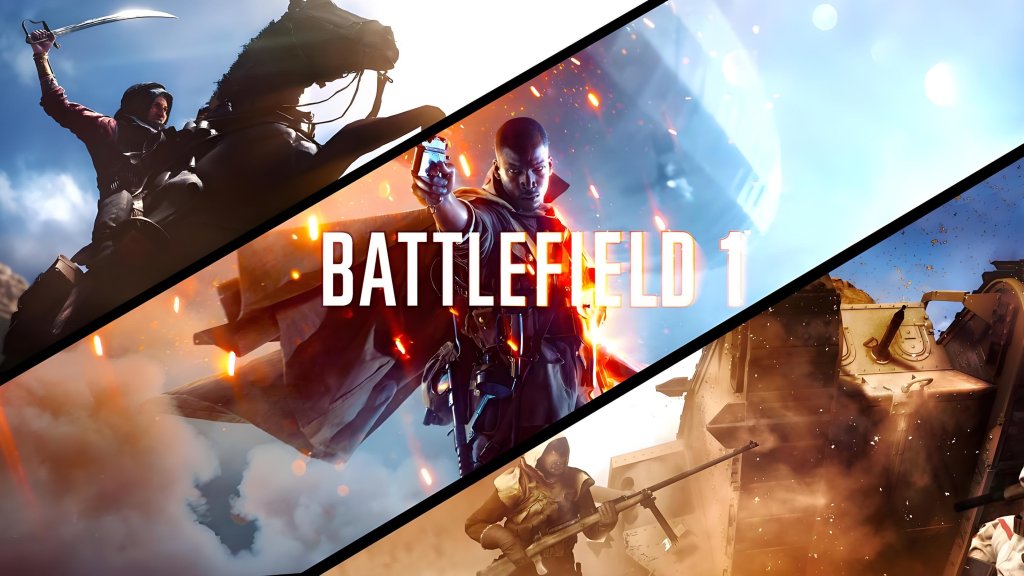
Game Introduction
Game Introduction
Overview
Battlefield 1 is a first-person shooter (FPS) developed by DICE (EA Digital Illusions CE) and published by Electronic Arts. It was released worldwide on October 21, 2016 for PC (Windows), PlayStation 4, and Xbox One. Backward compatibility allows play on PlayStation 5 and Xbox Series X|S via their respective backward compatibility features. The game does not have native versions for Nintendo Switch or mobile platforms.
Story & Setting
Battlefield 1 breaks from the series’ modern-warfare roots by transporting players to the brutal and historically inspired battlefields of World War I (1914–1918). The single-player campaign, titled "War Stories," is an anthology of six interconnected tales told from the perspective of soldiers on different fronts:
- Prologue: Storm of Steel – A harrowing introduction to the horrors of trench warfare.
- Friends in High Places – Fly as a pilot in the British Royal Flying Corps.
- Nothing Is Written – Fight alongside Bedouin rebels in the Arabian desert against Ottoman forces.
- Through Mud and Blood – Command a Mark V tank against the Germans.
- Avanti Savoia! – Join the Italian Arditi on the Alpine front.
- The Runner – (Included in the They Shall Not Pass expansion) Follow the French Colonial forces in the Battle of Verdun.
- Jack Foster – An American volunteer tank driver in the British Army.
- Zara Ghufran – A Bedouin fighter fighting for independence.
- Clyde Blackburn – A cocky British pilot.
- Luca Cocchiola – An Italian Arditi soldier.
- Black Tom (Squad) – A diverse group of soldiers in the Storm of Steel prologue.
- Graf von Schlitz (antagonist) – A German Zeppelin commander.
- Levolution – Dynamic events such as collapsing buildings, blowing up bridges, and triggering massive explosions that reshape the battlefield.
- Destruction Physics – Using the Frostbite 3 engine, nearly every structure can be destroyed by explosives or heavy artillery, altering cover and sightlines.
- Authentic WWI Weaponry – Pistols, bolt-action rifles, shotguns, semi-automatic rifles, and early machine guns. Melee weapons like shovels, clubs, and bayonets are also prominent.
- Vehicles – Tanks (e.g., Mark V, A7V), armored cars, planes (fighters, bombers, attack planes), zeppelins, and the iconic Horse – a cavalry mount that allows players to use swords or rifles while riding.
- Squad-Based Play – Up to 5 players form a squad, share spawn points, and earn squad-focused bonuses. The game encourages communication and combined arms tactics.
- Epic Spectacle – From singing soldiers on the battlefield to the sound design of war, the game delivers a visceral and immersive experience with immense scale (up to 64 players).
- FPS veterans who enjoy strategic, team-oriented gameplay over run-and-gun action.
- History enthusiasts interested in an authentic (though not ultra-realistic) depiction of WWI.
- Fans of large-scale battles with combined arms (infantry, vehicles, aircraft).
- Players seeking immersion through high-fidelity graphics, sound, and destructible environments.
- Single-player story fans who appreciate character-driven, anthology-style campaigns.
- War Stories – 6 campaign missions (plus prologue) with varying objectives and perspectives. No multiplayer required.
- Conquest – Classic mode: capture and hold flags across large maps to drain enemy tickets.
- Operations – A multi-map, story-driven mode where attackers push through a series of sectors while defenders hold them. Dynamic narration and frontline mechanics.
- Frontlines – A tug-of-war mode where both teams fight over a single objective; progress shifts back and forth.
- Domination – Close-quarters infantry combat for control of flags.
- Team Deathmatch – Standard team-based elimination.
- Rush – Attackers destroy telegraph posts while defenders protect them.
- War Pigeons – Capture a pigeon, protect it while writing a message, then release it to call an artillery strike.
- Custom Games – Players can create private matches with altered rules.
- Codex Entries – Not a formal co-op mode; War Stories are strictly single-player.
- Offline Capabilities: Single-player campaign (War Stories) can be played without an internet connection. All multiplayer modes require an online connection and a subscription service (PlayStation Plus, Xbox Live Gold, or EA Play Pro for PC).
- Online Features: Dedicated servers provided by EA; matchmaking, Squad system, server browser, rentals, and anti-cheat (FairFight + PunkBuster on PC). Cross-play is not available between PC and consoles.
- EA Account – Mandatory for online play on all platforms.
- They Shall Not Pass (March 2017) – Adds French forces, the Verdun Heights and Fort de Vaux maps, the Char 2C tank, and new weapons/gadgets.
- In the Name of the Tsar (September 2017) – Introduces the Russian Empire, snow maps like Galicia and Tsaritsyn, the Support Class for Russian troops, and cavalry changes.
- Turning Tides (December 2017) – Focuses on naval and amphibious warfare: maps like Cape Helles and Zeebrugge, plus the L-Class Destroyer and C-Class Airship.
- Apocalypse (February 2018) – Features the most brutal battles: Passchendaele, River Somme, and Caporetto. Adds the Livens Projector and new melee weapons.
Each War Story is a self-contained narrative that highlights different aspects of the war: aerial dogfights, armored warfare, guerrilla tactics, and the sheer grit of infantry combat. The game’s setting spans real locations such as the Western Front, the Italian Alps, the Arabian Peninsula, and more.
Main Characters
These characters are crafted to represent the diverse array of participants in WWI, including colonial troops, women fighters, and volunteers.
Core Gameplay & Appeal
Battlefield 1 is renowned for its large-scale, chaotic multiplayer battles that emphasize teamwork, vehicular combat, and environmental destruction. The game features:
Target Audience
Battlefield 1 appeals to:
Due to violence and online interactions, the game is rated M for Mature (ESRB) / 16+ (PEGI).
Game Modes
Single-Player:
Multiplayer:
Co-op:
Online & Offline Support
Download & Installation (Brief)
For detailed steps, please refer to the "Battlefield 1 Download & Installation Guide" section. In summary, on PC you can purchase and download via Steam, Epic Games Store, or the EA app; on console through the respective digital store (PlayStation Store, Microsoft Store). Physical disc versions exist for PS4, Xbox One (backward compatible). The full game requires approximately 50-60 GB of storage space on PC (with updates).
DLC & Expansions
Battlefield 1 received four major paid expansions as part of the Premium Pass (also sold individually) and later a "Revolution" edition that bundled the base game and all DLC. The expansions are:
Additionally, there are free updates that added maps like Suez, Ballroom Blitz, and Argonne Forest to the base game, and QOL improvements. The They Shall Not Pass expansion also added Frontlines mode permanently.
What Makes Battlefield 1 Unique
1. WWI Setting – Unlike most modern shooters, Battlefield 1 explores the dawn of mechanized warfare with period-appropriate guns, vehicles, and tactics.
2. Behemoths – When a team is losing badly, a giant super-weapon spawns (e.g., the Dreadnought battleship, Zeppelin airship, Armored Train). This helps balance the game and creates epic moments.
3. Dynamic Destruction – Buildings crumble in real time, trees shatter, and ground craters appear – all affecting gameplay.
4. "War Stories" Narrative – Instead of a single hero, the campaign presents multiple perspectives, emphasizing the global scale and human toll of war.
5. Sound Design – The game’s audio is legendary, especially the use of soldier voices, the scream of artillery, and the eerie whistles of gas attacks.
6. No Auto-Health Regeneration in Some Modes? – No, regen exists but is slower than in other shooters, reinforcing the need for medics.
7. Historical Authenticity – While not a simulator, the game includes accurate uniforms, weapons, maps based on real locations, and historical codex entries.
In summary, Battlefield 1 is a landmark title that rejuvenated the franchise by boldly stepping into a forgotten war, delivering both a gripping narrative and unmatched large-scale multiplayer chaos. Its combination of period authenticity, destructible environments, and teamwork-driven combat continues to attract players years after release.
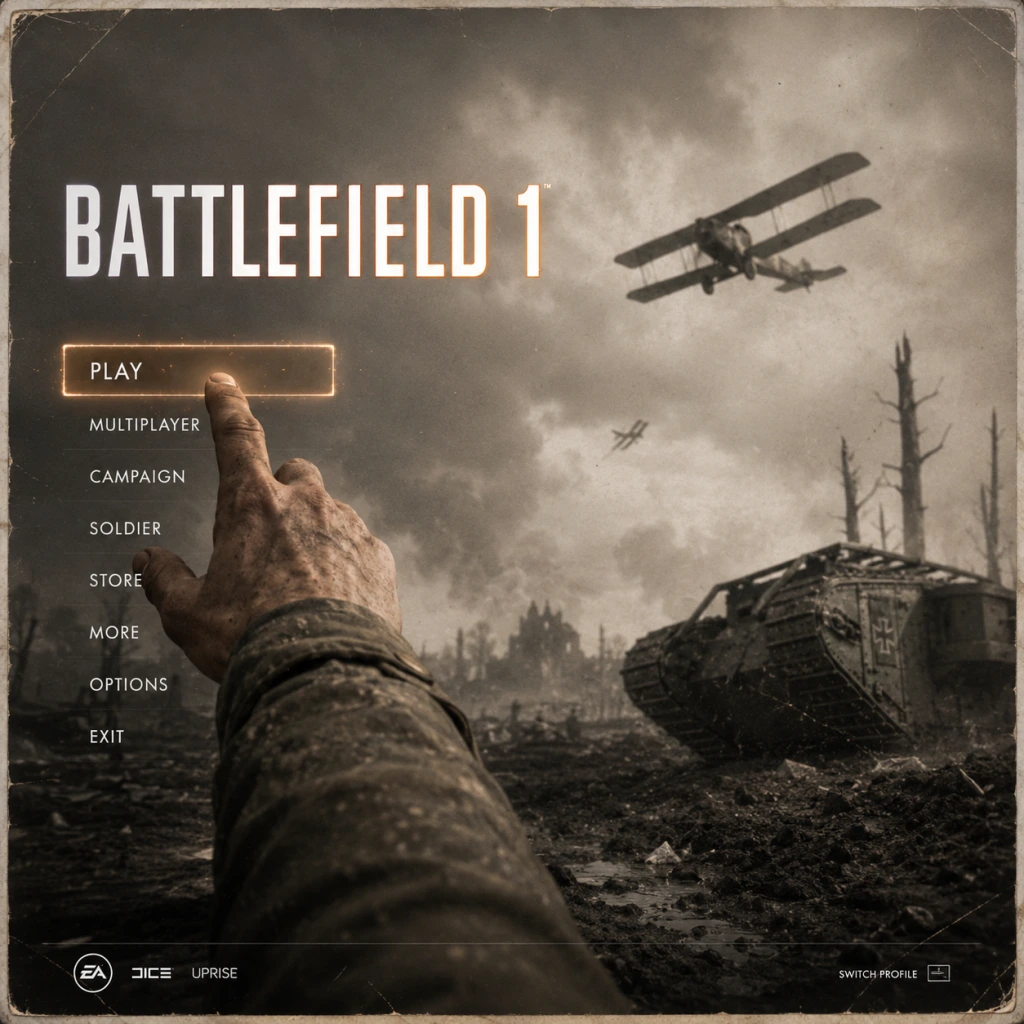
Getting Started
Getting Started
First Hour Walkthrough
1. Launch the Game – After installation, you’ll see the main menu. Your first screen is the "Battlefield 1" logo; press any key/button to proceed.
2. Initial Setup – The game may ask you to select your language and configure audio/video settings. Stick to default for now – you can tweak later.
3. Main Menu Overview – You’ll see options: Campaign, Multiplayer, Options, Store (in-game purchases), and Extras (like War Stories). For the first hour, focus on Campaign.
4. Jump into the Prologue – Select Campaign → War Stories → Play Prologue: Steel on Steel (a short tutorial mission). This teaches basic movement, shooting, and vehicle use.
5. Complete the Prologue (approx. 10-15 minutes) – Learn to sprint (Shift on PC / L3 on console), aim down sights, reload, and use grenades.
6. Choose Your First War Story – After the prologue, you can pick any of the five stories. "Through Mud and Blood" (tanks) or "Nothing is Written" (Bedouin warrior) are good for beginners. Play the first mission to get a feel for the setting.
7. First Hour Goal – Finish at least one full mission from a War Story. This gives you a solid understanding of core mechanics (cover, health, reviving teammates, weapon handling).
Character Creation
Battlefield 1 does not have a character creation system. You play as predefined soldiers in the campaign (each story has a fixed protagonist). In multiplayer, your character’s appearance is determined by your class (Assault, Medic, Support, Scout) and the faction you’re fighting for. You can customize your soldier’s skin, uniform, and headgear via the Soldier tab in the main menu (unlocked through progression or purchased with War Bonds). Early on, just use default skins.
Controls on All Platforms
#### PC (Keyboard + Mouse) – Default Keybinds
| Action | Key |
|---|---|
| Move | W/A/S/D |
| Sprint | Left Shift |
| Crouch | Left Ctrl |
| Prone | Z |
| Jump | Space |
| Reload | R |
| Melee | F |
| Aim Down Sights | Right Mouse Button |
| Fire | Left Mouse Button |
| Switch Weapon | 1 (primary), 2 (pistol), 3 (melee/gadget) |
| Throw Grenade | G |
| Use Gadget | 3 (depends on class) |
| Spot | Q (press to mark enemy) |
| Interact / Enter Vehicle | E |
| Map | M |
| Action | Button |
|---|---|
| Move | Left Stick |
| Sprint | Click Left Stick |
| Crouch / Slide (hold) | Circle |
| Prone | Hold Circle |
| Jump | X |
| Reload | Square |
| Melee | R3 (click right stick) |
| Aim Down Sights | L2 |
| Fire | R2 |
| Switch Weapon | Triangle (tap to cycle, hold for weapon wheel) |
| Throw Grenade | L1 |
| Use Gadget | R1 |
| Spot | R1 on foot (double-tap to ask for ammo/health) |
| Interact / Enter Vehicle | Square |
| Map / Scoreboard | Touchpad (swipe up for map) |
| Action | Button |
|---|---|
| Move | Left Stick |
| Sprint | Click Left Stick |
| Crouch / Slide | B |
| Prone | Hold B |
| Jump | A |
| Reload | X |
| Melee | R3 (click right stick) |
| Aim Down Sights | LT |
| Fire | RT |
| Switch Weapon | Y (tap to cycle, hold for weapon wheel) |
| Throw Grenade | LB |
| Use Gadget | RB |
| Spot | RB on foot (double-tap for context) |
| Interact / Enter Vehicle | X |
| Map / Scoreboard | View button (two overlapping squares) |
UI Overview
The HUD in Battlefield 1 includes:
- Minimap (bottom-left corner): Shows terrain, teammate locations (blue triangles), enemy spots (red indicators), objectives, and your direction. Use it constantly.
- Health/Ammo (bottom-center): A health bar; if you see a cross icon, you can request a medic. Ammo count is displayed below for your current weapon.
- Objective Tracker (top-center): In campaign or multiplayer, shows mission objectives or flag capture points (e.g., A, B, C).
- Ammo/Equipment (bottom-right): Gadgets (e.g., bandages for medic, tripwire for scout) and grenade type.
- Score/XP (top-right): In multiplayer, shows your personal score, kills/deaths, and progress toward next rank.
- Kill Feed (top-left): Shows recent kills (enemy killed you, you killed someone, etc.).
- Dialogue/Subtitle (bottom): Subtitles and voice communications in campaign.
- Vehicle Interface: When piloting a tank or plane, a separate overlay appears showing speed, hull damage, and turret controls.
- Adjust settings: In Options → Video, set Field of View (FOV) to 90° for better peripheral awareness. On console, increase stick sensitivity slightly.
- Run the tutorial (Prologue) – skip only if you're already familiar with FPS basics.
- Play Campaign first – No stress, learn maps, vehicles, and weapons.
- Use headphones – Audio cues (footsteps, vehicle engines, bullets) are crucial.
- Bind Spot to an easy button (PC: side mouse button; console: double-tap RB/R1).
- Jumping into multiplayer without campaign – You’ll be overwhelmed by map layouts, vehicle handling, and objective flow.
- Rushing alone in multiplayer – Stick with your squad; lone wolves die quickly.
- Ignoring your class role – If you’re a Medic, heal and revive. Support, drop ammo. Don’t just kill.
- Using vehicles without practice – In campaign, try driving the Mark V tank or flying a plane in the "Over Yonder" mission first.
- Spending War Bonds immediately – Save them until you’ve unlocked Level 2-3 to see which weapon fits your playstyle.
- Standing in open areas – Use cover (walls, trenches, smoke grenades). Prone helps behind low walls.
- War Bonds – Earned via leveling up (50 per level). Spend on unlocking weapons for each class. Prioritize weapons you saw in campaign that felt good.
- Scrap – Earned by completing Daily Orders (multiplayer) or opening Battlepacks. Scrap is used to buy Battlepacks or customize weapon skins. For now, save scrap until you know what skins you like.
- XP – Use XP boosts if you have them (some earned via Battlepacks). Double XP weekends are common; activate boosts then.
- Class Rank – Playing a class earns class-specific XP. Level up Medic first (to unlock quicker revives and healing pouches).
- Assault: Unlock the M1907 SL Sweeper (rank 1, very forgiving) or Hellriegel 1915 (rank 3, but requires War Bonds).
- Medic: Unlock Selbstlader M1916 (rank 2) – reliable semi-auto.
- Support: Unlock BAR M1918 (rank 2) – low recoil, great for mid-range.
- Scout: Unlock SMLE MKIII Carbine (rank 2) – good iron sights.
- [ ] Install Battlefield 1 and any updates (check for patches).
- [ ] Run the game and complete the Prologue tutorial.
- [ ] Play at least one War Story mission (e.g., "Through Mud and Blood").
- [ ] Adjust FOV to 90° (PC) or set controller sensitivity to ~30% (console).
- [ ] Remap Spot button to an easier key/button (if desired).
- [ ] Join a squad in multiplayer (or use quick match for Conquest).
- [ ] Complete the Daily Orders in multiplayer to earn scrap.
- [ ] Unlock your first weapon for your preferred class (e.g., Hellriegel for Assault, Selbstlader for Medic).
- [ ] Learn the minimap – practice checking it every few seconds.
- [ ] Play at least three full multiplayer matches (Objective-based: Conquest or Operations).
- [ ] Review your deaths in the kill cam – note how you died and adapt.
Beginner Tip: Press M (PC) or Touchpad/View button (console) to open the full-screen map. Use it to plan routes and see enemy movements (if spotted).
Essential Early Objectives
1. Complete the Prologue and at least one War Story mission – This teaches you the fundamentals without pressure from other players.
2. Learn to Spot Enemies – Press Q (PC) or RB (Xbox) / R1 (PlayStation) to mark visible enemies. This helps your team and gives you bonus XP. Make it a habit.
3. Understand Class Roles – In multiplayer, the four main classes are:
- Assault: Anti-vehicle (rocket launcher, mines), close-range weapons.
- Medic: Healing/reviving, mid-range rifles.
- Support: Ammo resupply, light machine guns, repair vehicles.
- Scout: Snipers, spotting flares, tripwire traps.
- Start with Medic or Support – they help the team and earn points faster.
4. Play the Objective – In Conquest or Operations mode, always move toward flags (capture points). Defending or capturing earns team points and personal score.
5. Stick with Squadmates – Join a squad (default by pressing Squad menu key/button). Spawn on them and follow their lead. Solo play is much harder.
What to Do First – What to Avoid
#### ✅ Do First
#### ❌ What to Avoid
Early Resource Priorities
Resources in Battlefield 1 are:
First investments:
Avoid buying the expensive level 10 weapons until you’re comfortable.
Common Beginner Mistakes
1. Not Spotting – The number one mistake. Always spot before shooting; it helps your team and gives you assist points.
2. Over-reviving – As a Medic, don’t revive someone in open fire; throw a smoke grenade first or wait for safety. You’ll both die otherwise.
3. Standing still – Keep moving, strafing, and sliding. Snipers love stationary targets.
4. Ignoring sound – Footprints? Someone’s close. Vehicle engine? Look for tanks. Turn up volume.
5. Firing full-auto at medium range – Tap-fire or burst; recoil makes full-auto inaccurate.
6. Not using grenades – Frag grenades can clear buildings; smoke provides cover for revives or objectives. Use them often.
7. Spawning on a squadmate under fire – Check if your squadmate is in combat before spawning. You’ll die instantly.
Day-One Checklist
Bonus Tip: Watch a beginner-friendly YouTube guide by "TheBrokenMachine" or "Jackfrags" – they explain map tactics clearly.
Conclusion
Battlefield 1 rewards teamwork, situational awareness, and patience. Take your first hour to absorb the controls and atmosphere through the campaign, then step into multiplayer with a focus on supporting your squad. Avoid rushing, learn from deaths, and soon you’ll be capturing flags and calling in artillery strikes like a veteran. Good luck, soldier!
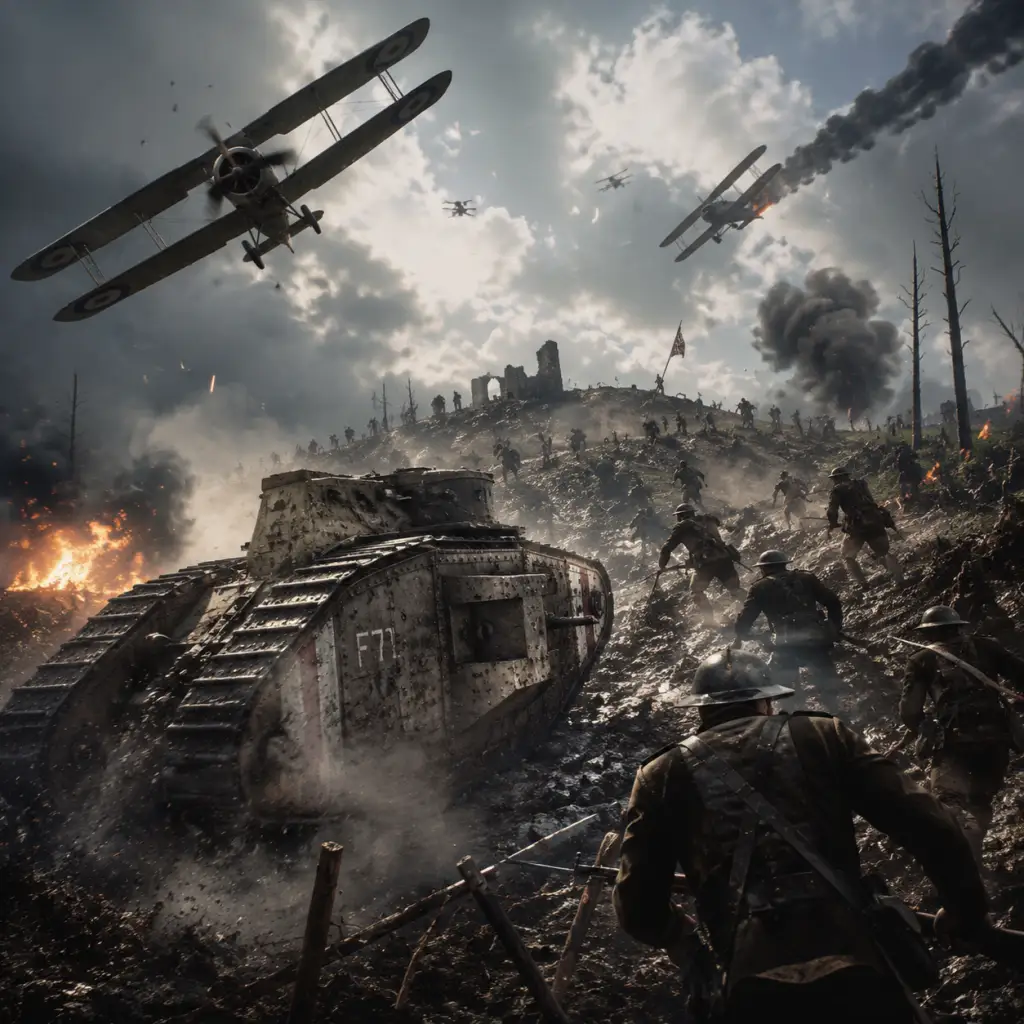
Core Gameplay
Core Gameplay Guide for Battlefield 1
Main Gameplay Loop
Battlefield 1’s core loop revolves around large-scale, team-based warfare in a World War I setting. Players join a match (typically 64 players on PC/console), choose a class and weapons, spawn into the battlefield, and fight to complete objectives (e.g., capturing flags in Conquest, advancing in Operations). Actions like killing enemies, reviving teammates, resupplying, healing, and capturing flags earn XP (experience points) and War Bonds (in-game currency). XP progresses your overall rank and class ranks, unlocking new weapons, gadgets, and vehicles. The loop repeats, with each match offering varied tactical scenarios due to dynamic environments and class interplay.
Combat & Interaction Systems
- Gunplay: Weapons have distinct recoil patterns, bullet drop, and spread. Aim Down Sights (ADS) improves accuracy. Bayonet charges (hold melee while sprinting) allow one-hit kills. Each class has specific weapon categories (e.g., Assault uses SMGs and shotguns; Scout uses bolt-action rifles). Weapon variants (Optical, Factory, Storm, etc.) alter stats like recoil and hip fire.
- Vehicles: Tanks, planes, horses, armored cars, and behemoths (e.g., Zeppelin, Dreadnought) are drivable. Each vehicle has unique controls, weapons, and vulnerabilities. Repairing (support class tool) or destroying vehicles requires teamwork.
- Gadgets & Equipment: Each class carries two gadgets (e.g., Medic has syringe for revive and med pouch; Support has ammo crate and mortar). Use gadgets to support squad or deny areas.
- Melee: Quick knife attack (one hit from behind) or heavy attack (two hits from front). Bayonet charge is a sprint+melee combo.
- Squad System: Up to 4 players in a squad can spawn on each other, share bonuses, and use squad orders (flags/missions). Squad members earn bonus XP for following orders.
- Spotting: Press Q (PC) or R1/RB (console) to spot enemies, highlighting them for your team. Spot assists reward XP.
- Reviving & Healing: Medics can revive downed teammates (syringe) and heal with pouches or crates. Support can resupply ammo.
- Destruction: Environments are mostly destructible (walls, buildings, bunkers) via explosives, artillery, or vehicles. Destruction creates new sightlines and cover.
- Rank: Player rank (1–150) increases with total XP earned. Each rank up grants War Bonds (currency to unlock weapons and gadgets) and sometimes a battlepack (cosmetic skins). Higher ranks require more XP (elite ranks after 100 require millions).
- Class Ranks: Each class (Assault, Medic, Support, Scout) has its own rank (1–50). Class XP is earned by playing that class (kills, heals, resupplies, etc.). Rank milestones unlock class-specific weapons, gadgets, and vehicle variants. Example: Medic Rank 3 unlocks the Selbstlader M1916 rifle.
- Vehicle Ranks: Separate ranks for tank (Landship, Light Tank, Heavy Tank) and plane (Fighter, Attack Plane, Bomber) categories. XP earned by using vehicles unlocks new vehicle loadouts (e.g., Tank Hunter kit).
- Service Assignments: Challenges that require specific tasks (e.g., get 20 kills with a certain weapon). Completing assignments awards unique weapon skins, dog tags, or the elusive Peacekeeper revolver (requires a series of puzzle-like assignments).
- Battlepacks & Scrap: Random loot boxes earned after matches or via currency; contain weapon skins, puzzle pieces, or XP boosts. Scrap can be traded for specific cosmetic items.
- Single-Player (War Stories): Six distinct campaigns (Prologue + 5 stories: Storm of Steel, Through Mud and Blood, Friends in High Places, Avanti Savoia, The Runner, Nothing is Written). Each is a linear mission with primary objectives, but some allow minor exploration. Completing missions unlocks weapon skins and achievements.
- Multiplayer Assignments: Recurring objectives under the Soldier tab. Examples: 'Get 15 kills with the Lewis Gun' or 'Capture 10 flags in Operations'. These are essentially quests that reward XP, War Bonds, or unique items.
- War Bonds: Earned from ranking up (first 50 ranks give 250 bonds each, then 100 each through rank 100, and 30 bonds per rank thereafter). Used to purchase weapons, gadgets, and vehicle variants from the in-game store. Once bought, items are permanent. No real-money purchase for War Bonds – only earned via gameplay.
- Scrap: Earned from duplicate battlepack items or low-tier skins. Scrap can craft specific battlepacks or purchase superior versions. No premium currency; all progression is earned.
- Premium Pass (Legacy): Previously for map packs, now included in Battlefield 1 Revolution edition. All DLC maps and weapons are accessible if you own the Premium Pass or Revolution edition.
- Classes: Choose from four roles:
- Specializations: Unlocked via assignments at higher levels (e.g., 'Flak' reduces explosive damage, 'Inconspicuous' hides you from spot flares). Equip up to two perks that modify playstyle.
- Weapon Variants: Each weapon has several variants that change handling (e.g., Optical trades hip fire for ADS accuracy; Storm reduces vertical recoil). Players can tailor weapons to their preference.
- Vehicle Loadouts: Customize vehicles with secondary weapons, gadgets, and skins (e.g., Light Tank with anti-infantry canister or anti-tank shells).
- What you do: Play Conquest or Operations to earn basic XP. Stick with one class (e.g., Medic) to quickly unlock its first few guns (e.g., Cei-Rigotti for Medic). Use default weapons (e.g., M1907 SL, MP18). You have limited War Bonds (about 2000 after rank 10) – prioritize buying one versatile weapon for your chosen class (e.g., Hellriegel 1915 Factory for Assault).
- Tips: Always stick with squad. Spot enemies. Use cover. Don’t snipe from the back – capture flags. Early game vehicles are unlocked at rank 1 (basic tanks and planes). Manage your limited gadgets; only carry one type (e.g., medic crate vs med pouch).
- Key Unlocks: Rank 10 unlocks ‘Behemoth’ vehicle access (but you rarely get to drive). Class rank 3 unlocks first new weapon for each class. Service Assignments start appearing – ignore complex ones until mid-game.
- Example Build: Assault with MP18 Trench (hip fire focused), anti-tank grenades, and AT Rocket Gun. This combo lets you take out tanks and fight CQB.
- What you do: You have multiple weapons per class (e.g., for Support: Lewis Gun or BAR). Now tackle service assignments for special weapons (e.g., unlocking the M1911 Suppressed). Try different classes – you have enough War Bonds (around 8000 total by rank 50) to buy several weapons and gadgets. Start experimenting with vehicle loadouts (e.g., Fighter plane with rockets vs trench darts).
- Tips: Learn to use vehicle skills (e.g., bomb from plane, side-gunning in tank). In Operations, focus on squad orders. Use the ‘spotting flare’ as Scout to reveal enemies. Start saving some War Bonds for elite weapons (e.g., Peacekeeper requires many assignments). Join a platoon for coordinated play.
- Key Unlocks: Rank 50 unlocks the ‘M1918 BAR Automatic’ and other powerful guns. Class rank 20 unlocks specialization assignments. Vehicle rank 10 gives new vehicle variants (e.g., Tank Hunter kit for Heavy Tank).
- Example Build: Scout with Gewehr 98 Sniper, spot flare, and tripwire bomb. Use flare to highlight enemies for your squad; shoot from distance, then switch to K-bullets to harass enemy tanks.
- What you do: Have most weapons unlocked. Now focus on class rank 50 for the final weapon variants (e.g., Selbstlader 1906 Sniper for Medic). Complete the more difficult service assignments (e.g., the Peacekeeper puzzle which requires a series of complex tasks: scanning Morse code in specific maps, shooting dog tags etc.). You may aim for rank 100 which grants a special dog tag and large XP boost.
- Tips: Use all four classes regularly to maximize class XP. In combat, prioritize team-play gadgets (e.g., med crates over pouches for efficiency). Use the ‘Spot’ and ‘Revive’ functions aggressively. In vehicle play, learn advanced maneuvers (e.g., tank drifting, plane vertical loops).
- Key Unlocks: Rank 100 unlocks the ‘Huot Automatic’ for Support (though it’s not necessarily better). Class rank 50 gives the final weapon variant per class – often the best one for that class (e.g., Hellriegel 1915 Defensive for Assault). Complete ‘The Peacekeeper’ assignment line to get the special revolver.
- Example Build: Support with BAR 1918 Telescopic, ammo crate, and limpet charge. Use limpet to destroy vehicles and bunkers; ammo crate to support teammates. Use the BAR for accurate suppressive fire.
- What you do: Max your player rank (150) – it requires millions of XP. Continue playing to maintain skills. Collect all weapon skins, dog tags, and melee weapons. Participate in community events (e.g., double XP weekends). Complete all DLC assignments (e.g., In the Name of the Tsar, Turning Tides). Play as elite classes (e.g., Tank Hunter, Flamethrooper, Sentry) when available on certain maps.
- Tips: Squad up with high-level players. Use voice chat for coordination. Master all vehicles – especially behemoths. Exploit map knowledge to an extreme degree (e.g., know exactly which walls are destructible). At this stage, the only progression is cosmetic or bragging rights. Some players pursue the ‘Server Browser’ to find Hardcore mode matches for more challenge.
- Key Unlocks: Rank 150 gives a unique dog tag. All weapons and gadgets are unlocked. You might have the Peacekeeper (if you finished the puzzles). All DLC maps and modes are accessible.
- Example Build: Any class with top-tier variant and full customization (e.g., Assault with Annihilator Trench, AT grenades, and a specific skin like ‘The Ypres’). Use specializations: Flak (reduce explosive damage) and Quick Unspot (remove spot on kill).
- Continue playing for higher kill/death ratios and win/loss records.
- Join competitive platoons or tournaments (though not official).
- Hunt for all collectibles in single-player (Field Manuals, Codex entries).
- Grind for the Peacekeeper (a hidden weapon that requires ~5-10 hours of offline/online puzzle solving).
- Master every vehicle class and weapon.
- Play all game modes: Conquest, Operations, Domination, Rush, Team Deathmatch, War Pigeons, etc.
- Use the ‘Custom Game’ browser to join unique community modes (e.g., pistol-only, knife-only).
Progression Systems
Exploration
Maps are based on real WWI battlefields (e.g., Amiens, St. Quentin Scar, Sinai Desert) and feature Levolution – large-scale environmental changes (e.g., collapsing bridge, flooding fortress). Players can explore hidden bunkers, tunnels, and vantage points. Interiors are often accessible but destructible. Each map offers multiple flanking routes, chokepoints, and verticality (rooftops, hills). Single-player War Stories also have open-ish areas with optional collectibles (Field Manuals).
Quests & Missions
Economy
Character & Build Growth
- Assault: Anti-vehicle and close-quarters combat. Equip SMGs, shotguns, anti-tank grenades, AT rocket gun. Build for aggressive play.
- Medic: Heal and revive; use semi-automatic rifles. Equip syringe, med crate/pouch. Build for support.
- Support: Provide ammo and suppress enemies; use light machine guns. Equip ammo crate, mortar/smoke. Build for sustain.
- Scout: Long-range sniping and spotting; use bolt-action rifles. Equip spotting flare, tripwire bombs. Build for recon.
---
Core Gameplay by Progression Tiers
Early Game (Ranks 1–30, Class Ranks 1–10)
Focus: Learning fundamentals, unlocking first weapons, understanding maps.
Mid Game (Ranks 31–70, Class Ranks 11–30)
Focus: Specializing, unlocking gadgets, mastering team play.
Late Game (Ranks 71–100, Class Ranks 31–50)
Focus: Min-maxing builds, completing hard assignments, unlocking all gadgets.
Endgame (Rank 100+, Class Rank 50, All Assignments Complete)
Focus: Prestiging (reaching rank 150), dominating with top-tier gear, collecting cosmetics.
---
Endgame Structure
Beyond rank, Battlefield 1’s endgame is self-defined. There is no raid or dungeon. Players can:
The game provides no explicit endgame content beyond progression caps; the fun comes from emergent gameplay and mastering the systems.
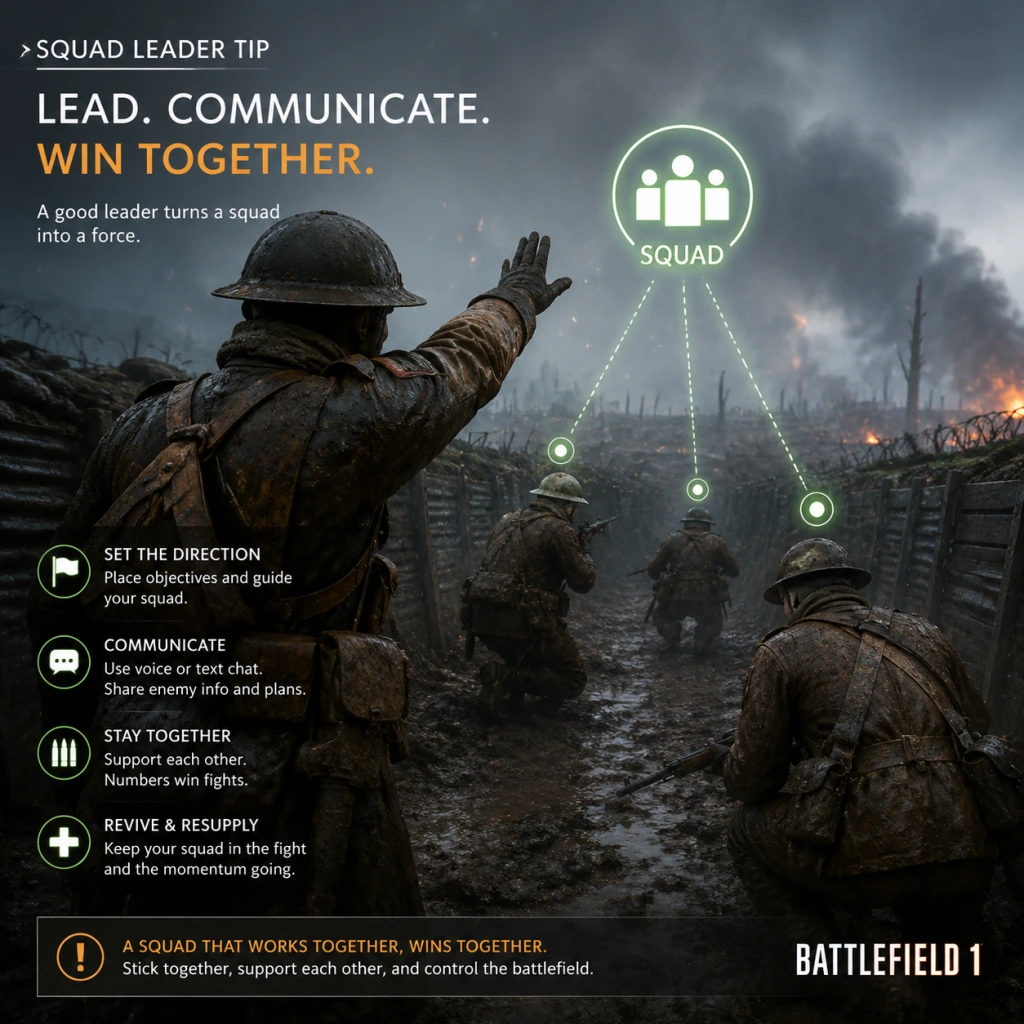
Game Tips
Game Tips for Battlefield 1
Beginner Tips
1. Stick with Your Squad
Always spawn on squadmates who are in safe positions. Use the mini-map to identify where your squad is pushing. Squads that stay together capture objectives faster and revive each other. Press the "join squad" button in the spawn screen if you are not in one.
2. Learn the Classes
Battlefield 1 has four main classes: Assault (anti-vehicle, close combat), Medic (healing/reviving), Support (ammo resupply, suppression), Scout (sniping, spotting). Each has unique weapons and gadgets. Try each class early to understand their role. Never ignore your class's primary function.
3. Spot Enemies Frequently
Press the spot button (default Q on PC, R1 on PlayStation, RB on Xbox) to mark enemies on the mini-map for your entire team. This helps teammates and gives you XP. Spot before shooting — even if you die, the enemy stays spotted.
4. Use Cover and Aim Down Sights
Always move between cover (rocks, walls, craters). Hip-fire is inaccurate; aim down sights (ADS) for precise shots. However, be aware that ADS slows your movement — strafe in close quarters.
5. Capture and Defend Objectives
In Conquest and Operations, holding objectives wins the game. Run toward the objective flag, but don’t stand in the open. Clear the area before capping. Defending gives you defensive kills bonus (200 extra points per kill near a flag you own).
6. Don’t Run in the Open
Battlefield 1 maps have open fields and trenches. Stick to tree lines, ridges, and buildings. Use the terrain to break enemy line of sight. Prone can make you very hard to spot at distance.
7. Use the Mini-Map (M Combo)
The mini-map shows spotted enemies, gunfire indicators (white blips), and objective markers. Enlarge it in the settings (view magnification). Watch for movement — if a dot disappears, someone might be sneaking behind you.
8. Revive Teammates (As Medic)
If you play Medic, the syringe is your priority. Reviving a teammate prevents them from respawning (which gives the enemy fewer tickets in Operations). Use the “V” key (default) to quickly switch to syringe. Smoke grenades cover revives.
9. Resupply Teammates (As Support)
Support players drop ammo pouches or crates. Press 3 to switch to ammo box, then press fire to toss. Restocks help the team keep fighting and you earn resupply points (20 per resupply). Always drop ammo near teammates.
10. Learn to Use Vehicles
Tanks and planes are powerful but not invincible. Never bail out of a vehicle — it becomes a free kill for the enemy. Stick with your vehicle until disabled. If you need to escape, move to a safe zone first.
---
Intermediate Strategies
1. Master the Movement System
- Sprint: hold Shift (PC) / L3 (console). Sprinting into a slide: crouch while sprinting (C on PC, circle/B on console) for quick evasion.
- Vaulting: jump at walls to climb quickly.
- Leaning: while behind cover, aim down sights and strafe to lean out slightly.
- Use bayonet charge? It’s loud and leaves you exposed — use it to clear a room or as a last resort.
- Assault: Ribeyrolles Factory (good all-round) or MP18 Trench (hip-fire).
- Medic: Mondragón Storm (accuracy) or Federov Avtomat (automatic, but less range).
- Support: BAR Storm (run-and-gun), MG15 Suppressive (bipod heavy).
- Scout: SMLE MkIII Infantry (iron sights) or Gewehr 98 Sniper (scope).
- Amiens: urban with narrow streets — use trenches and buildings.
- St. Quentin Scar: open fields with bunkers — use smoke to cross.
- Monte Grappa: mountainous with caves — watch for tunnels.
- Frag grenade: good all-around, can kill in blast radius.
- Smoke grenade: essential for crossing open ground, blinding enemies, covering revives. Use as Medic or Assault.
- Gas grenade: damages and disorients enemies (forces them to wear gas mask). Useful for area denial.
- Incendiary: blocks area with fire, good for doorways.
- Impact grenade: explodes on contact — use for quick kills.
- Tanks: Always angle your armor (like in real life) to present a sloped surface. Repair with the field repair tool (Support) or wrench (driver repair perk). Keep moving to avoid getting flanked by Assault soldiers.
- Planes: Fly high to avoid AA fire, use third-person view for better awareness. Learn to stall and turn tightly. Use bombs on infantry clusters.
- Cavalry: Ride a horse for speed and a saber. You can self-heal with bandage. Use the horse as mobile cover.
- Tank: Use the coaxial machine gun to kill infantry while saving main cannon for tanks. Turn on "Optical Camouflage" specialization for reduced visibility.
- Plane: Pull up early to not stall. Dogfighting: turn when the enemy turns by using throttle down to tighten turn radius. Use the rear gunner seat if you have a passenger.
- Behemoth: If piloting the Airship L30, use its machine guns to clear AA gunners before bombing. The turrets have limited traverse — turn the whole airship.
- Best anti-vehicle tools: AT Rocket Gun and Dynamite. Rocket Gun can be fired from cover; dynamite requires close range. Combine with Light Anti-Tank Grenade.
- Close combat: SMGs and shotguns. Use hip-fire in buildings.
- Dynamite trick: Throw dynamite, then detonate it with a bullet or by pressing the detonator button again (default: same key as throwing — careful).
- Always carry syringe and med crate/pouch. The crate heals multiple people in an area; pouch is single-use but faster. Use pouch for on-the-go healing.
- Revive priority: Revive squadmates and medics first. Don’t revive under fire — throw smoke first.
- Weapon choice: Mondragón Storm is excellent for mid-range. Federov is full-auto but less accurate.
- Deploy ammo near flags and chokepoints. You can switch between pouch and crate — crate resupplies everything (including gadgets) faster in a zone. Pouch can be thrown to a specific teammate.
- Use the Tripwire Bomb: Place near doorways or objectives. The explosive tripwire (HE) can destroy vehicles if placed on roads.
- Bipod: Mount your LMG on a surface to reduce recoil significantly. Use windows, sandbags, or the ground.
- Spotting: Always use the periscope (gadget) to spot enemies for your team. The trench periscope is especially useful.
- K-bullets: Carry to damage vehicles at range (disable tracks/engine) or finish off low-health tanks.
- Flare gun: Fire into buildings to light up enemies. Use the flash flare to blind enemies.
- Sniping positions: Alternate spots after every kill to avoid counter-sniping. Use the ghillie suit skin for camouflage.
- War Bonds: Earned by leveling up and completing assignments. Use them to purchase weapons and gadgets. Prioritize buying weapons that fit your main class (e.g., unlock Federov Avtomat for Medic early).
- Assignments: Complete the "unlock" assignments in the Weapons menu to earn special weapons (e.g., the Howdah pistol). Check them frequently.
- Battle Packs: Earned via gameplay or purchased. They contain cosmetic skins. They don’t affect gameplay — save real money if you want.
- XP Boost: Use the squad XP boost (earned from Battle Packs) to double your XP gain for a round. Activate it at the start of a match.
- Service Assignments: These are available after reaching rank 10; they reward unique medals and skins.
- Focus on flags: Always capture objectives. The team with more flags earns tickets faster.
- Back-cap: Occasionally send 1-2 players to capture an enemy’s back flag to split their defense.
- Vehicle dominance: Controlling tanks and planes gives a huge advantage. Don’t let them idle in base.
- Attacking: Use smoke grenades to cover advances. Medics and Supports are vital. Destroy enemy stationary weapons and machine guns.
- Defending: Hold the sector boundaries. Use Scouts to snipe attackers from distance. Mines and tripwires can stop vehicle rushes.
- Stick together: This mode is about kills, but group tactics still win. Use the minimap to find enemy clusters.
- Flanking: Use side routes to surprise the enemy team from behind.
- Play the obj: Capture the pigeon, send the message. This is a fast-paced mode; use fast classes like Assault and Medic.
- Field of View: Set to 80-90 degrees horizontal for better peripheral vision.
- Uniform Soldier Aiming: Enable (PC and console) for consistent sensitivity across all weapons.
- ADS Sensitivity: Lower it slightly (e.g., 80%) for better tracking.
- Minimap Rotation: Set to rotate with you for easier navigation.
- Show Objective Icons: Set to "Always" to see where teammates are.
- Vehicle Sensitivity: Separate settings for air and ground. Lower for aircraft.
- Use the "Kill Card": When you die, you see a card showing what killed you. Study it to learn weapon types and ranges.
- Watch the Killcam: See where the enemy is after you die — spot them quickly before you respawn.
- Learn to Call Out: Use the commo-rose for quick markers (e.g., "Need ammo", "Follow me", "Go go go").
- Be Patient: Battlefield 1 rewards map knowledge and teamwork over run-and-gun reflexes. Slow down, check corners, and listen for footsteps.
- Have Fun: Experiment with different weapons and roles. The game is about immersion and grand battles — embrace the chaos.
2. Customize Your Loadout
Weapons have variants (e.g., Factory, Storm, Trench, Sniper) that change recoil, hip-fire, and scope attachments. Pick based on your playstyle:
Gadgets also matter: use dynamite vs. tanks, or mortar for indirect fire.
3. Understand Suppression
When bullets fly near you, your screen blurs and accuracy drops. To suppress enemies (as Support), fire at their location even if you can’t hit. This helps your teammates push. Suppression assists grant suppression assist points.
4. Use Field Guns and Stationary Weapons
Maps have mounted machine guns (e.g., Vickers, Lewis) and field artillery (e.g., QF 13-pdr). Use these to control lanes or destroy enemy vehicles. Be careful: you are vulnerable to snipers while operating them.
5. Play the Objective in Operations
Operations mode has waves of attackers vs defenders. Attackers must capture consecutive sectors; defenders hold a series of flags. Play the role that fits the phase: on defense, use Scout to pick off attackers; on offense, use Medic to keep the push alive.
6. Coordinate with Squad Using Comms
Use voice chat or the commo-rose (Q menu) to request orders, call out enemy vehicles, and mark targets. Good squad leaders give objectives (orders) that earn extra points. Follow orders to maximize XP.
7. Utilize the Behemoth
When a team falls behind in Conquest/Operations, a Behemoth (airship, armored train, dreadnought) spawns for the losing team. If you control it, protect its weak points and use its cannons to clear flags. If facing it, attack its turrets and weak spots with Assault gadgets.
8. Learn Map Layouts
Each map has distinct terrain, chokepoints, and flanking routes. For example:
Study the minimap with open eyes to memorize common paths.
9. Master the Bayonet Charge
Bayonet charge (sprinting + press melee) is a one-hit kill but leaves you vulnerable during charge. Use it to clear a point, break an enemy line, or when cornered. Do not charge into open fields where you will be shot.
10. Use Grenades Effectively
---
Advanced Optimizations
1. Control Recoil and Spread
Each weapon has a unique recoil pattern. Practice (in the hidden Shooting Range via Campaign?) to learn to pull down mouse/stick to counteract vertical recoil. Use burst fire at long range to reset spread. Learn the difference between targeting and moving spread values.
2. Use the Gas Mask Strategically
Press the gas mask key (default B on PC) to toggle on/off. It protects from gas but restricts vision and slows movement. Don’t wear it unnecessarily — you become an easy target. Use it only when gas is present or when you need to cross a gas cloud. You can also use it to reduce flinch from suppression? Not directly, but it helps against gas grenades.
3. Optimize Vehicle Usage
4. Elite Kits
Eldest kits (Tanker, Pilot, Cavalry) have unique weapons. Tanker has a sawed-off shotgun and wrench; Pilot has a pistol and incendiary bombs. As these, you have different spawn options (e.g., Tanker can spawn into tanks). Use them to get vehicles from the deployment screen. Also, you earn class-specific points for vehicle kills.
5. Resupply and Repair Chains
Work with a Support player who can resupply your ammo, allowing infinite grenades. If you play Support near a tank, you can repair it with your wrench. Coordinate with a medic to keep the tank alive. Advanced team play like this dominates matches.
6. Use the Mini-Map Full Size
Go to Settings > Gameplay > Minimap Size: 125-150%. Turn on "Minimap Spotting" so you see spotted enemies clearly. Expand the range to show 100-200m. This gives you near-constant awareness.
7. Learn the Optimal Time to Go Prone
Going prone reduces your hitbox significantly, especially when combined with grass or bushes. Use it when you need to hold a position (e.g., capturing a flag in a ditch). However, don’t stay prone too long — you are vulnerable to grenades and can’t move quickly. Prone is best for long-range engagements with Support machine guns or Scout rifles.
8. Master the Spotting Flare (Scout)
The spotting flare (scout gadget) reveals enemies within its radius on the minimap. Fire it at objective flags to see all enemies hiding there. This is incredibly valuable for your team. Combine with a K-bullet (to disable vehicles) for a powerful scout loadout.
9. Use Mortars and Artillery
Support players can use the mortar (HE or gas). Aim by looking at the minimap marker after firing a spotting flare? Actually, mortar aim is done by adjusting the distance with mouse wheel and firing. Use it on contested flags to suppress defenders. The artillery truck driver has a mortar-like ability — coordinate with a spotter.
10. Advanced Vehicle Tactics
---
Class-Specific Tips
#### Assault
#### Medic
#### Support
#### Scout
---
Economy & Progression Tips
---
Multiplayer Modes Specific Tips
#### Conquest (Most Popular)
#### Operations
#### Team Deathmatch
#### War Pigeons
---
Settings & Controls Optimization
---
Final Extra Tips
---
\\These tips cover all skill levels. Practice consistently, focus on one class at first, and always contribute to your team. Good luck, soldier!\\
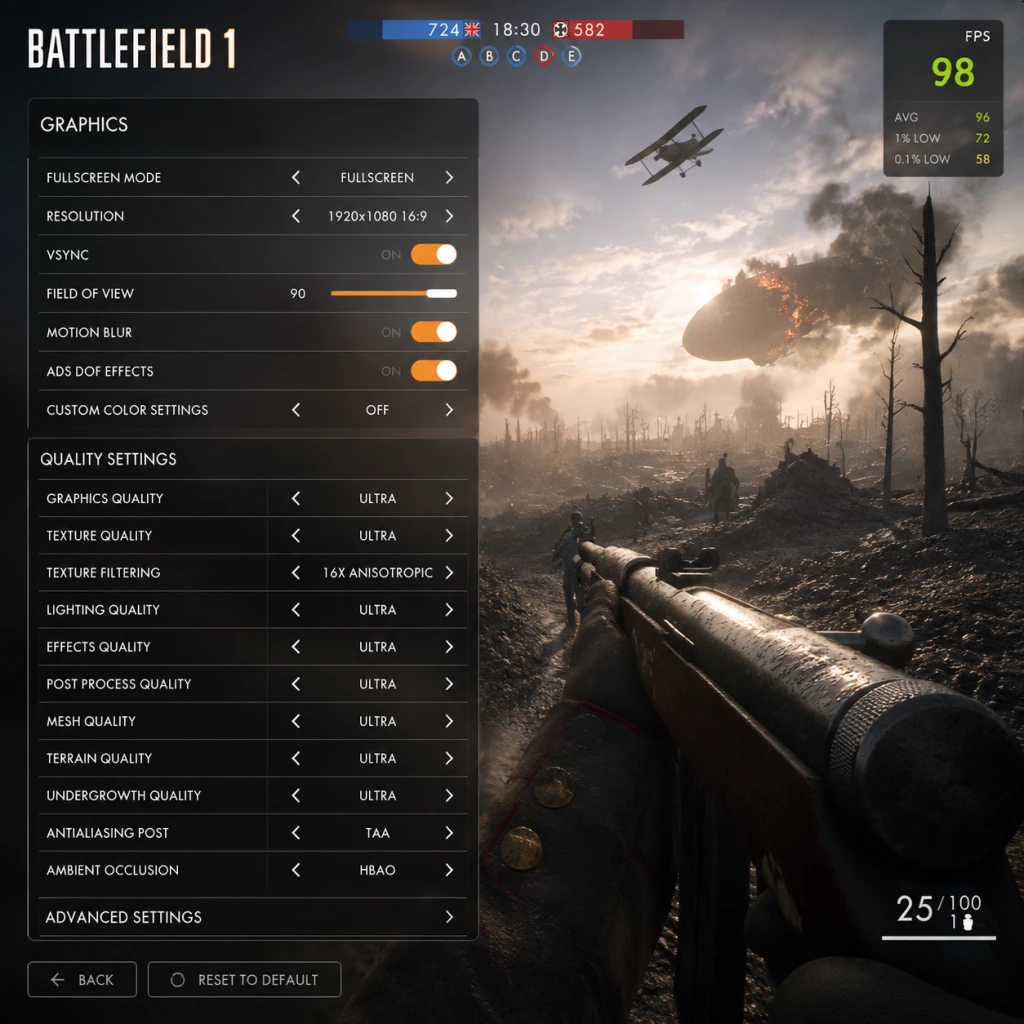
Game Settings
Game Settings
Overview
Configuring Battlefield 1 correctly is crucial for both competitive performance and visual immersion. This guide covers all settings categories—Graphics, Audio, Controls, Accessibility, Language, Network, and Gameplay—with platform-specific advice for PC, PlayStation, and Xbox. Special attention is given to settings that are easy to misconfigure and can significantly impact your experience.
Graphics Settings (PC)
#### Key Options
- Resolution: Set to native monitor resolution (e.g., 1920×1080). If using a 4K display and your GPU struggles, reduce to 1440p or use resolution scaling (below).
- Display Mode: Fullscreen preferred for exclusive performance; Borderless Windowed for quick alt-tabbing (minor performance cost).
- Field of View (FOV): Default 55 (vertical). For a wider peripheral view, set to 70–80. Higher FOV reduces frame rate slightly. PC players often use 74–78.
- Graphics Quality Preset: Auto-detect vs manual. Manual tuning yields better balance.
- Advanced Settings (all below)
- Texture Filtering: Anisotropic 4x–16x. Minimal performance cost; 16x recommended.
- Lighting Quality: Low = flatter lighting, Medium is balanced, Ultra adds shadows and ambient occlusion.
- Effects Quality: Controls explosions, smoke, fire. Low for performance, Ultra for spectacle.
- Post-Process Quality: Includes bloom, lens flare. Medium recommended; High blurs edges.
- Mesh Quality: Low reduces detail on distant objects; Ultra helps spot enemies at range (costly).
- Terrain Quality: Affects ground texture and detail. Medium is fine.
- Terrain Decoration: Grass and undergrowth. Low = less cover visibility but easier to see enemies; Ultra = realistic but harder to spot prone soldiers.
- Anti-Aliasing: Options: Off, TAA (Temporal), FXAA, SMAA, 4x MSAA. TAA is best balance of sharpness and performance. MSAA is heavy.
- Ambient Occlusion: SSAO (medium cost) or HBAO (higher cost). Off improves FPS but flattens shadows.
- Motion Blur: Off for clarity; On for cinematic feel (performance cost negligible).
- Vertical Sync (V-Sync): Off to avoid input lag. Use in-game frame limiter or GPU driver control to cap FPS (e.g., 144).
- Resolution Scaling: Reduce from 100% to 75%–50% to boost FPS (blurry image).
- DXR (Ray Tracing): Not available in Battlefield 1.
- HDR: Enable if display supports it; requires Windows HDR setting on.
#### Recommended Graphics Settings by PC Tier
| Setting | Low-End (GTX 1050 Ti / RX 570) | Mid-Range (RTX 2060 / RX 5600 XT) | High-End (RTX 3080 / RX 6800 XT) |
|---|---|---|---|
| Resolution | 1080p | 1080p or 1440p | 1440p or 4K |
| FOV | 70 | 75 | 80 |
| Texture Quality | Low | Medium | Ultra |
| Texture Filtering | 4x | 8x | 16x |
| Lighting Quality | Low | Medium | Ultra |
| Effects Quality | Low | Medium | High |
| Post-Process Quality | Low | Medium | High |
| Mesh Quality | Low | Medium | Ultra |
| Terrain Quality | Low | Medium | Ultra |
| Terrain Decoration | Low | Low | High |
| Anti-Aliasing | TAA (low) | TAA | TAA or SMAA |
| Ambient Occlusion | Off | SSAO | HBAO |
| Motion Blur | Off | Off | Off |
| V-Sync | Off | Off | Off |
| Resolution Scaling | 75% (if needed) | 100% | 100% |
Audio Settings (All Platforms)
- Master Volume: 100% (adjust system volume).
- SFX Volume: 100% – crucial for hearing footsteps and gunfire.
- Music Volume: 50% or lower – music can mask enemy sounds.
- Dialogue Volume: 80% – for commander and soldier callouts.
- VOIP Volume: 100% – squad communication.
- Audio Device: Choose correct output (speakers/headset).
- Output Configuration:
- Dynamic Range:
- Audio Language: Set to your preference (see Language section).
- Key Bindings: Customize movement (WASD), actions (E interact, R reload, Q spot, etc.), vehicles (W/S throttle, A/D steer). Remap Q (spot) to a convenient key (some use mouse button).
- Mouse Sensitivity: Start at 5–10 in-game, adjust DPI (e.g., 800 DPI). Uniform Soldier Aiming ON for consistent scope sensitivity.
- Mouse Acceleration: OFF – always set to raw input.
- Controller Support: Enable if using gamepad; customize stick deadzones.
- Controller Layout: Default or Custom; Southpaw (left-stick movement) for left-handed.
- Sensitivity: X/Y axis sensitivity – increase gradually. Start at 50%.
- Aim Assist:
- Controller Stick Deadzones: Lower values (0–10) for quicker response; increase if stick drift occurs.
- Invert Y Axis: Off unless preferred.
- Separate sensitivity for aircraft and tanks. For flight, decrease sensitivity slightly for smoother aiming.
- Toggle/Hold: For ADS (aim down sights) – Hold is faster for quick scoping; Toggle reduces finger strain. Choose based on comfort.
- Crouch/Prone: Separate or combined? Separate recommended.
- Colorblind Modes: Three modes (Deuteranopia, Protanopia, Tritanopia) adjust minimap, squad colors, and UI elements. Enable based on your type.
- Subtitle Display: Turn ON for dialogue and commander callouts. Can set size (Small/Medium/Large) – Medium recommended.
- Text Chat Size: PC only – adjust chat font size for readability.
- Controller Vibration: ON for haptic feedback; OFF to reduce distraction and improve battery life.
- High Contrast Mode: Not present in BF1.
- Audio Cues: Relies on existing directional sound; no separate settings.
- Text Language: Affects menus, UI, and subtitles. Select from available languages (English, French, German, Italian, Spanish, etc.).
- Audio Language: Determines soldier voices and announcer. Can be different from text. Many players prefer English audio for clarity.
- Subtitle Language: Choose separately, e.g., English audio with French subtitles.
- Region: Affects server browser default; set to your region for lower ping.
- Region Selection: Choose the nearest region (North America, Europe, Asia, etc.) to minimize ping. Use server browser filter.
- Bandwidth Limiter:
- Network Smoothing Factor:
- VOIP: Enable/Disable. If you communicate via third-party (Discord), you can disable in-game VOIP.
- Server Browser: Refresh rate – set to high for frequent updates. Filter by game mode, map, player count.
- Ping Cap: Avoid servers with ping > 100 ms for smooth gameplay.
- Minimap:
- Soldier Auto-Center: ON by default – camera recenters after melee or fall. OFF gives more control.
- ADS Behavior:
- Crosshair:
- Vehicle Exit: Hold or Tap – Tap recommended to avoid accidental dismounts.
- Kill Cam: ON – shows enemy location briefly after death. OFF if you prefer respawn quickly.
- Auto-Run: Enable to double-tap forward key (PC) or push stick (console).
- Headphones: War Tapes preset (enhances bass and compression) or the new "Headphones" preset (more balanced). Avoid War Tapes on speakers due to distortion.
- Surround Sound: Enable if using 5.1/7.1 system; otherwise stereo.
- Night Mode (console) or Reduced Dynamic Range (PC): Compresses loud sounds, helpful for late-night play without disturbing others. War Tapes preset already compresses.
Controls Settings
#### PC
#### PlayStation/Xbox
- Snap Aim (console only): Helps lock onto nearby enemies. Many veteran players turn it off to gain more precise control.
- Target Aim Assist: Slows crosshair over enemies. Keep ON.
#### Vehicle Controls
Accessibility Settings
Battlefield 1 offers limited native accessibility options:
Language Settings
Network Settings
- Up/Down Limit: Set to your internet speed (e.g., 20 Mbps down, 5 Mbps up). Leave default if unsure.
- Client-Side: The game limits bandwidth used for syncing; lowering can reduce lag-spikes but may increase delay.
- Slider 0–100%. Lower values (0–20%) give more responsive movement but can cause jitter. Higher values smooth out packet loss but add latency. Competitive players use 0–10%; casual use 50%.
Gameplay Settings
- Size: 150% or larger for better situational awareness.
- Zoom: Default zoom level – area around you. Can bind zoom keys.
- Rotation: Fixed (north up) or Rotating (player direction up). Most prefer Rotating.
- Hold/Toggle: As in Controls.
- Aim Down Sight Sensitivity Scaling: ON (Uniform Soldier Aiming) for consistent feel across all weapons.
- Color: Choose contrasting color (green, cyan) for visibility against backgrounds.
- Size/Thickness: Not adjustable in BF1. Use custom reticle overlay if needed (PC).
Common Misconfigurations & Special Attention Points
1. FOV Too High: Setting FOV above 80 can distort peripheral vision and heavily impact FPS on low-end PCs. Start at 70–75.
2. Terrain Decoration on Ultra: Thick grass hides prone enemies but also increases GPU load. Many competitive players set to Low to spot enemies easier.
3. V-Sync Enabled: Introduces 1–3 frames of input lag. Disable V-Sync and cap FPS with in-game limiter (or RTSS) for smoother responsiveness.
4. Audio Output Set to Speakers While Using Headset: War Tapes preset with speakers causes distortion. Use Headphones preset and set dynamic range to reduced.
5. Network Smoothing Factor Above 50: Adds noticeable latency. If you have stable connection, keep it below 20%. Experiment in empty server.
6. Aim Assist on PC: Should be OFF – it can interfere with precise mouse aiming (console only). Check that it is disabled in options; sometimes resets after patches.
7. Resolution Scaling Below 75%: Very blurry; often not needed. Instead lower other settings first.
8. Mouse Acceleration Enabled in Windows: Ensure "Enhance Pointer Precision" is OFF in Windows mouse settings; otherwise aim will feel inconsistent.
9. Minimap Off or Too Small: New players often miss this. Keep minimap at 150% and zoomed out to see nearby threats.
10. Controller Deadzone at Default (20%): Too high, causing slow response. Reduce to 5–10% if no drift.
By carefully adjusting these settings to your hardware and playstyle, you will gain a clear edge in Battlefield 1 while maximizing visual fidelity. Revisit settings after major game updates or hardware changes.
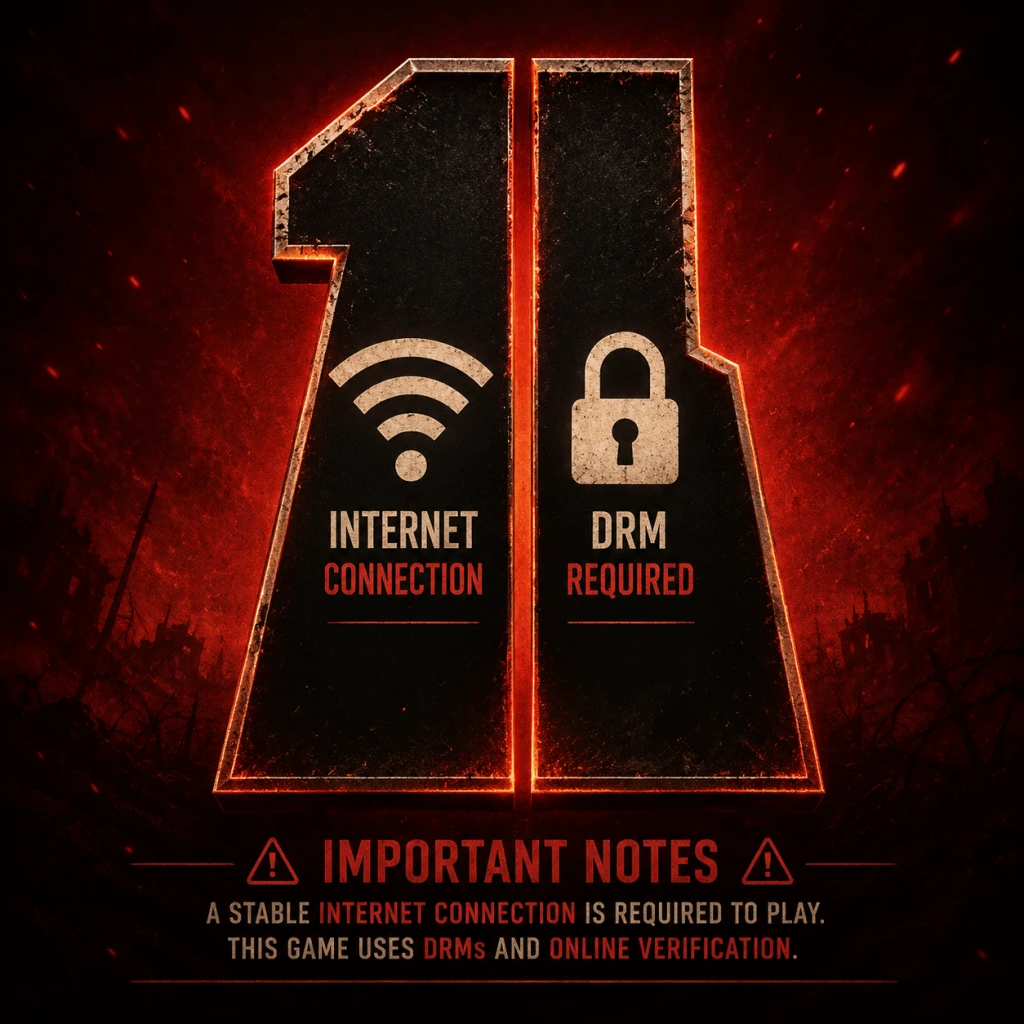
Important Notes
Important Notes
Warnings
- System Requirements & DRM: Battlefield 1 requires a persistent internet connection for multiplayer and a one-time online activation for single-player. It uses the EA App (formerly Origin) on PC. Ensure your PC meets the minimum specs (Intel Core i5-6600K / AMD FX-6350, 8GB RAM, NVIDIA GTX 660 or Radeon HD 7850) to avoid crashes. Laptops with integrated graphics are not supported.
- Anti-Cheat & Bans: Battlefield 1 uses FairFight server-side anti-cheat (not PunkBuster). Do not use any third-party hacks, macros, or overlays (e.g., aiming assists, wallhacks). Violations result in permanent bans across all platforms tied to your EA account. Even single-player mods (texture injectors) can trigger false positives — avoid entirely.
- Microtransactions: The game includes Battlepacks (loot boxes for weapon skins, XP boosts, puzzle pieces). They can be earned by playing or purchased with real currency (Battlefield Currency). No pay-to-win items exist, but you may accidentally spend real money on cosmetic items. Turn off purchase prompts in the settings menu if you want to avoid temptation.
- Platform-Specific Bugs: On PlayStation 5 and Xbox Series X|S, the game runs via backward compatibility. Some users report audio stuttering and slower loading times compared to native next-gen titles. On PC, disable any overlay from Discord or Steam to prevent crashes.
- Wasting War Bonds Early: War Bonds (earned by leveling up) are used to unlock weapons and gadgets. New players often spend them on flashy weapons that are difficult to handle (e.g., the Automatico M1918 for Medic, which is actually an Assault weapon). Instead, research popular starter builds:
- Ignoring Class Assignments: Each class has specific assignments to unlock top-tier weapons (e.g., the Hellriegel for Assault, the Martini-Henry sniper). Many players ignore these until late game, missing powerful options early. Check the assignments tab frequently and work on them passively (e.g., get 50 SMG kills while playing Assault).
- Poor Squad Play: The biggest mistake is playing lone wolf without a squad. Spotting enemies (press Q/R1) gives you points and helps your team. Always spawn on squadmates when safe, and communicate via the commo rose. Squads that capture objectives together earn bonus points per kill/capture.
- Vehicle Hogging: Jumping into a tank or plane without knowing basic controls (e.g., how to spot, zoom, or repair) gets you killed quickly and wastes a valuable asset for your team. Practice in the “War Stories” single-player missions (e.g., “Through Mud and Blood” for tanks) or in an empty server before using vehicles in live matches.
- Not Adjusting Settings: Default sensitivity is often too high for precise aiming. Lower it gradually until you can track a running soldier smoothly. Also, turn off “Auto-Lean” (console) or “Movement Assisted Aiming” to avoid unwanted snapshot corrections. See our Game Settings section for optimal values.
- Single-Player Collectibles: Each war story has 10 Field Manuals (collectibles) that unlock Codex entries and contribute to the “Codex” achievement/trophy. If you miss any, you must replay the entire chapter from the war story’s main menu — there is no chapter select. Save yourself frustration: follow a collectible guide before starting each war story.
- Easter Eggs (Peacekeeper): The Peacekeeper revolver is unlocked via a complex set of steps involving Morse code, phone boxes, and light patterns across multiple maps. If you start the Easter Egg and fail to complete it in one session, progress may reset (some steps are persistent, others aren’t). Dedicate at least 2 hours and use the Battlefield Easter Egg community guide to avoid irreversible mistakes (like shooting a wrong light pattern that locks you out for the round).
- Limited-Time Events: EA occasionally runs “Operations Campaigns” that offer exclusive dog tags, weapon skins, or XP boosts. These are temporary and not rerun. If you miss them, those cosmetics are gone permanently. Check the in-game “Updates” tab weekly.
- DLC Weapon Unlocks: If you own the Premium Pass, many weapons (e.g., the RSC SMG, the Parabellum MG14) require completing specific assignments in DLC game modes (e.g., “Frontlines”, “Shock Operations”). If you don’t own the DLC, you cannot unlock them. On console, expansions are sometimes given free via Games with Gold or PS Plus — grab them even if you don’t play them immediately to avoid later regret.
- Class Rank 50 Assignment Lock: Once you reach rank 50 overall (max rank 150), you can earn a special dog tag. This is not missable, but some players grind rank too fast without focusing on class levels. The best dog tags require reaching class level 50 (max 50) in each of the four classes — this takes much longer and is easy to neglect.
- Single-Player Difficulty: The “War Stories” on Hard difficulty can be brutal due to limited checkpoints and strong enemy AI (especially the tank mission where you have to repair while under fire). For the Friends in High Places flying mission, turret enemies one-shot you if you stall. Practice flying in the test range first. For The Runner (stealth section), use smoke grenades and suppressors to avoid detection.
- Multiplayer Learning Curve: The first 10 hours are punishing because of high TTK (time to kill) and lethal explosives. Stick to Operations mode on maps like Ballroom Blitz or Argonne Forest where choke points teach you map flow. Do not jump into Frontlines (close-quarters chaos) until you have reliable aim.
- Vehicle Grinding: Unlocking specializations for tanks and planes requires killing specific enemies (e.g., 50 infantry kills with the tank cannon). This is a massive time sink if you don’t focus on vehicle-only play. Use the Mortar Landship for safe infantry kills from a distance. For planes, practice the Fighter variant (most forgiving) and focus on taking out other planes first.
- Battlepack Grinding: You earn one Battlepack per level up after rank 10. Scraps (from duplicate skins) can be used to buy enhanced Battlepacks or puzzle pieces. Do not waste scraps on low-skin boxes — save for “Superior Battlepacks” that guarantee an epic or legendary skin. The puzzle pieces for melee weapons (e.g., the Saber, the Trench Mace) are rare; only buy them if you main that class.
- Server Browser Trap: Searching for servers with filters like “empty slots: all” often shows empty or dead servers. Instead, use the “Recommended” tab or sort by player count. Joining a server with 40/64 players is better than waiting in a 0/64 lobby.
- Play the Objective (PTFO): Always capture and defend flags in Conquest. Kills are secondary to flag caps. A squad that caps flags earns much more score than deathmatch players.
- Spot, Spot, Spot: Press the spot button (Q on PC, R1 on console) whenever you see an enemy, even if unsure. This marks them on the team minimap and gives you spot assists.
- Support Roles: As a Medic, your primary job is reviving teammates — the syringe is not just for you. As Support, drop ammo crates frequently, especially near snipers or camping gunners. As Scout, use flares to reveal enemies in cap zones.
- Vehicle Etiquette: In a tank, always pick up nearby infantry to act as gunners. Let teammates repair you. Don’t abandon a vehicle with low health; exit only if fire is imminent. If you take a plane, don’t bail out unless it’s guaranteed to explode; landing the plane gives it to a teammate.
- No Team Killing (Hardcore): Hardcore modes have friendly fire. Check your crosshair before throwing grenades or calling in mortar strikes. Accidental friendly fire can get you kicked.
- Anti-Cheat: Report suspicious players through the scoreboard (right-click or hold the player name). EA reviews reports not individual kills but overall statistics. False reporting is discouraged. Do not use any “recoil control scripts” or keyboard macros — FairFight may flag you.
- Language & Toxicity: Battlefield 1 has an older player base, but toxicity still exists. Use the mute button (scoreboard > player name > mute) instead of engaging. Squads can be switched via the pause menu.
- Single-Player Saves: War Stories use autosave only (checkpoints at certain milestones). You cannot create manual saves. If you quit mid-mission, progress is saved when you reach a checkpoint (indicated by a spinning gear icon). To replay a chapter, you must restart from the war story main menu – progress towards collectibles is not cumulative across replays.
- Multiplayer Progress: All rank, weapon, and assignment progress is stored on EA servers. No local save file to back up. Changing platforms (e.g., PC to console) does not carry over progress. If you uninstall the game, your stats remain (linked to your EA account).
- Graphics Settings Persistence: In rare cases, graphics settings reset after an update. Save your settings as a preset (if available) or take a screenshot of your config file (located in `Documents/Battlefield 1/settings`). Adjust `PROFSAVE_profile` manually if needed. On console, toggle “Video Output” settings if HDR causes washed-out colors.
- Cloud Saves (PC via EA App): Ensure cloud sync is enabled under EA App settings to prevent losing single-player progress when reinstalling. If you switch between PCs, check sync status before launching.
Pitfalls & Common Mistakes
- Assault: MP18 Trench
- Medic: Selbstlader M1916 (accurate, good magazine)
- Support: Lewis Gun Low Weight (high capacity, stable)
- Scout: Gewehr 98 Infantry (good w/ iron sights)
- Save Bonds for once you reach rank 10 (when new weapons become available).
Irreversible & Missable Content
Difficulty Spikes & Grinding Traps
Online Etiquette & Anti-Cheat
Save Management & Technical Advice
Things Players Commonly Regret Not Knowing Earlier
1. The Fortification System: You can rebuild destroyed walls and barbed wire by using the repair tool (Support class) on specific rebuild points. This creates new cover and is often game-changing on maps like Suez or Monte Grappa.
2. Melee Weapons Are Not Cosmetic: Each melee weapon has different range and damage stats (e.g., the Trench Mace has high damage but short range; the Saber has long reach but slow swing). Always unlock at least one fast melee (e.g., Knife) for panic moments.
3. Custom Service Stars: After 100 kills with a weapon, you earn a Service Star. You can customize the star’s design in the weapon menu (choose a pattern). Many players don’t realize this and miss out on visual flair.
4. The Mp18 Optical vs Trench: The Optical variant has a better sight but worse hip fire. New players often assume Optical is always better, but the Trench version has superior hip-fire spread, making it king for close-range ADS-free fights.
5. You Can Change Your Soldier’s Face: In the main menu > Soldier > Customization, you can choose between multiple face models and gender. This affects first-person hand models (female hands are smaller, making the screen feel less cluttered).
6. The Minimap Can Be Enlarged: Press ‘N’ on PC (hold or double-tap on console) to toggle the minimap zoom and size. Use the larger view to spot enemies at longer ranges — critical for snipers.
7. DICE Launcher Headshots: A common mechanic where bayonet-charged melee attacks ignore health pools — if you charge with the bayonet equipped and land a hit, it’s an instant kill. Always bayonet sprint toward trapped enemies.
8. XP Boost Strategy: Save your “100% XP Boost” (earned from Battlepacks) for double XP events or when you are about to play a full round of Operations (longer playtime = more kills). Using a boost on a 5-minute Deathmatch round is wasteful.
9. The “Unlock All” DLC Mistake: The “Shortcut Kits” sold in the in-game store (real money) unlock all weapons for a class up to a certain rank. Many players buy these not realizing that assignments and War Bonds can easily unlock everything by rank 30. Save your money for expansion packs instead.
10. Field Guns Are Destructible: Stationary field guns (like the anti-tank cannon on Monte Grappa) can be destroyed by enemy explosives. Repairing them requires the Support class’s repair tool. Don’t waste time trying to use a destroyed gun.
---
Final Tip: Use the Community Test Environment (CTE) if you want to try new weapons or map changes before they go live. However, as of 2023, the CTE is only available on PC through a separate Battlefield 1 Public Test application (now discontinued but still accessible for testing). Check the Battlefield forums for updates.
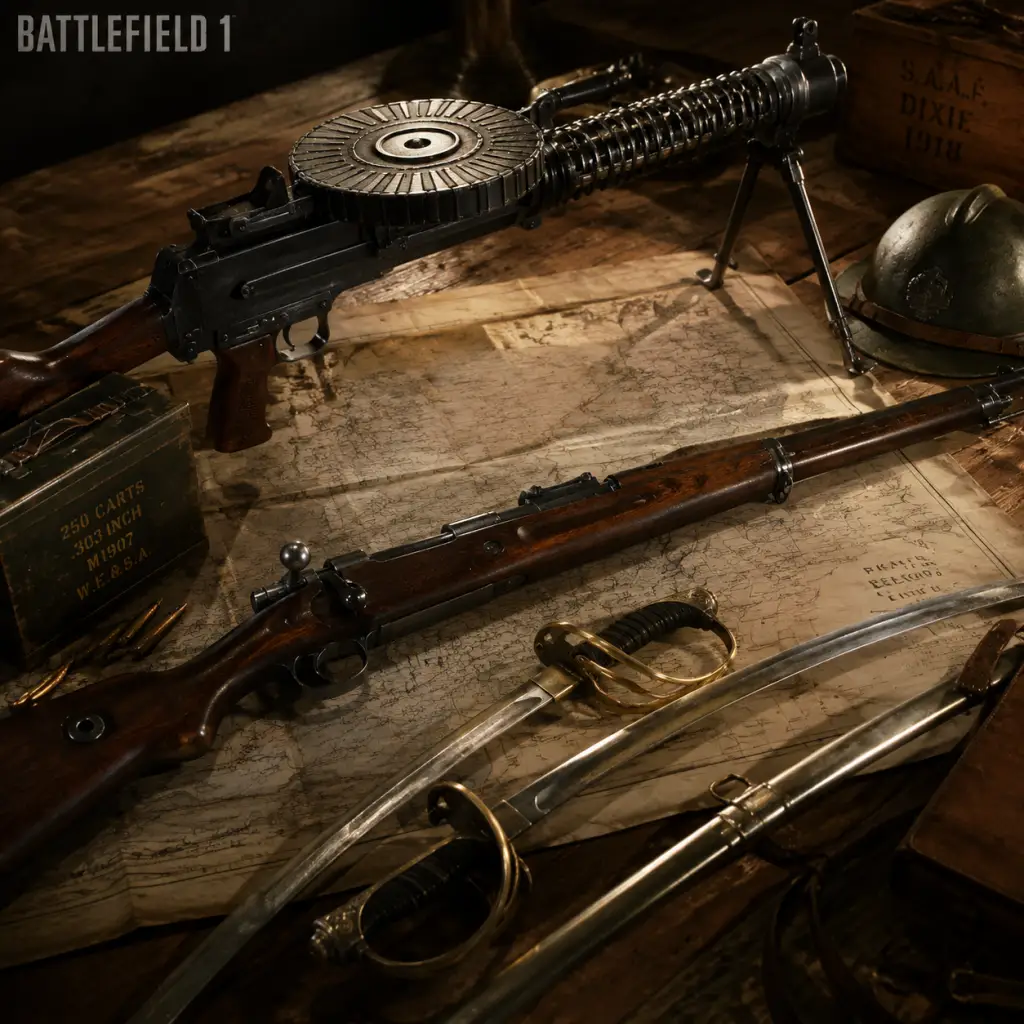
All Game Items
All Game Items Guide for Battlefield 1
Overview
Battlefield 1 features a wide variety of items divided into weapons, gadgets, grenades, melee tools, vehicles, collectibles, and currencies. Items are earned through progression, purchased with in-game currencies, or found in the single-player campaign. Below is a complete catalog organized by category.
---
1. Primary Weapons
Primary weapons are class-specific. Each class has its own pool of weapons, further divided by weapon type (e.g., Bolt-Action Rifles, SMGs, Shotguns, LMGs). Each weapon can have variants that add different attachments (e.g., Infantry, Optical, Marksman, Sniper).
Assault Class
| Weapon | Type | Description | How to Obtain |
|---|---|---|---|
| MP 18 (Trench, Experimental, Optical) | SMG | Full-auto, high rate of fire. Good for close quarters. | Default; unlock variants by earning 25 kills per weapon. |
| Automatico M1918 (Trench, Factory, Storm) | SMG | Very high RPM, limited range. | Unlock at Class rank 3; purchase with Warbonds. |
| Hellriegel 1915 (Factory, Defensive) | SMG | Large magazine (120 rounds), moderate damage. | Unlock via Class rank 10 or operations challenges. |
| M1907 SL (Factory, Sweeper, Trench) | Self-Loading Rifle | Semi-auto, useful at medium range. | Unlock via Class rank 5. |
| M1918 BAR (Two variants: Iron Sights, Telescopic) | LMG | Light machine gun, bipod optional. | Unlock via Weapon Progression or purchase in the 'Weapon' tab. |
| Ribeyrolles 1918 (Factory, Trench, Optical) | SMG | Low recoil, good accuracy. | DLC (They Shall Not Pass) or unlock via challenges. |
| Annihilator (Trench, Storm) | SMG | Fast TTK, small magazine. | DLC (In the Name of the Tsar). |
Medic Class
| Weapon | Type | Description | How to Obtain |
|---|---|---|---|
| M1903 (Experimental) | Self-Loading Rifle | Semi-auto, high damage. | Default. |
| Selbstlader M1916 (Marksman, Optical) | Self-Loading Rifle | 26-round magazine, bipod. | Unlock at Class rank 2. |
| Mondragón (Sniper, Storm) | Self-Loading Rifle | Accurate, low recoil. | Unlock at Class rank 4. |
| Cei-Rigotti (Trench, Infantry) | Self-Loading Rifle | High fire rate, moderate damage. | Unlock via War Bonds. |
| RSC 1917 (Factory, Optical) | Self-Loading Rifle | Slow but two-shot kill. | DLC (They Shall Not Pass). |
| Farquhar-Hill (Factory, Optical) | Self-Loading Rifle | Large magazine, stable. | DLC (In the Name of the Tsar). |
| Automatico M1918 (Medic variant) | SMG (Medic not standard) | Not available, Medic uses only SLRs. | – |
Support Class
| Weapon | Type | Description | How to Obtain |
|---|---|---|---|
| Lewis Gun (Suppressive, Low Weight) | LMG | 47-round pan magazine, bipod. | Default. |
| MG 15 (Suppressive, Low Weight) | LMG | 100-round box, high suppression. | Unlock at Class rank 2. |
| BAR M1918 (Telescopic, Storm) | LMG | Lightweight, low ammo. | Unlock via Weapon Orders. |
| M1909 Benet-Mercie (Telescopic, Storm) | LMG | Slow firerate, bipod accuracy. | Unlock at Class rank 4. |
| Perino Model 1908 (AA, Iron Sights) | LMG | Belt-fed, slow reload. | DLC (They Shall Not Pass). |
| Chauchat (CQB, Low Weight) | LMG | Medium rate of fire, small magazine. | DLC (In the Name of the Tsar). |
Scout Class
| Weapon | Type | Description | How to Obtain |
|---|---|---|---|
| Gewehr 98 (Infantry, Marksman, Sniper) | Bolt-Action | Classic sniper, high damage. | Default. |
| SMLE (Infantry, Marksman, Carbine) | Bolt-Action | 10-round magazine, faster rate. | Unlock at Class rank 2. |
| M1903 Springfield (Sniper, Experimental) | Bolt-Action | Pedersen device for semi-auto. | Unlock at Class rank 6. |
| Mosin-Nagant M91 (Infantry, Marksman) | Bolt-Action | Russian rifle, high velocity. | DLC (In the Name of the Tsar). |
| Carcano M91 (Carbine) | Bolt-Action | Italian rifle, fast ADS. | DLC (Turning Tides). |
| Martini-Henry (Infantry, Marksman) | Single-shot | Massive damage, slow reload. | Unlock via Class assignment. |
| Trench Carbine | Sidearm | Not primary. | – |
Weapon Variants & Attachments
Each primary weapon has two or three variants that change sights, bipod, or spread. For example:
- Infantry: Standard iron sights.
- Optical: 1.25x scope, faster ADS.
- Marksman: 4x scope, bipod.
- Sniper: 5x or 8x scope, bipod.
- Trench: Improved hip-fire.
- Storm: Reduced recoil.
- Factory: Balanced.
---
2. Secondary Weapons (Pistols)
Pistols are universal across all classes. They serve as backup weapons.
| Pistol | Description | How to Obtain |
|---|---|---|
| M1911 | Standard .45 ACP, reliable. | Default for all classes. |
| P08 Luger | High magazine (8 rounds), moderate damage. | Unlock at class rank 2 (or Warbonds). |
| Bodeo 1889 | Slow fire rate, high damage. | Unlock via class assignments. |
| Frommer Stop | Very fast fire rate, weak damage. | DLC (They Shall Not Pass). |
| Mauser C96 | High damage, slow reload. | Unlock via War Bonds. |
| Taschenpistol M1914 | Fast fire rate, low damage. | DLC (Apocalypse). |
3. Melee Weapons
Melee weapons are unlocked by completing assignments or found in battlepacks. They vary in damage, speed, and swing type.
| Weapon | Type | Damage | How to Obtain |
|---|---|---|---|
| Shovel | Standard | Medium speed, medium damage | Default for all classes. |
| Trench Knife | Fast | Low damage, fast swing | Unlock via class progression. |
| Hatchet | Heavy | High damage, slow swing | Battlepack or assignment. |
| Saber | Heavy | Very high damage, slow | DLC or premium packet. |
| Bayonet | Attaches to rifle | Charging only | Attached to many rifles by default. |
4. Gadgets & Equipment
Each class has unique gadgets that provide utility.
Assault Gadgets
- Anti-Tank Grenade: High explosive damage to vehicles.
- AT Rocket Gun: Direct-fire rocket launcher.
- Dynamite: Placeable explosive, can be detonated manually.
- Light Anti-Tank Grenade: Smaller, throwable.
- Syringe: Revive downed teammates.
- Medical Crate/Medical Pouch: Heal teammates (crate heals in area, pouch is instant).
- Field Bandage: Self-heal (limited supply).
- Smoke Grenade Launcher: Launches smoke rounds for concealment.
- Ammo Crate/Ammo Pouch: Restore ammo for teammates (crate area, pouch instant).
- Mortar (Air or HE): Deployable ranged explosive.
- Repair Tool: Repair friendly vehicles.
- Spotting Flare: Illuminates area and reveals enemies on minimap.
- Periscope: Spot enemies at distance without aiming down sights.
- K-Bullets: Anti-vehicle bullet (damages light vehicles and disables parts).
- Tripwire Bomb: Proximity mine (HE or Gas variant).
- Gas Mask: Protects from gas, restricts vision.
- Bayonet Charge: Equipped as melee ability (press melee while sprinting).
Medic Gadgets
Support Gadgets
Scout Gadgets
Universal Gadgets (All Classes)
---
5. Grenades & Throwables
| Name | Effect | How to Obtain |
|---|---|---|
| Frag Grenade | Standard explosion. | Default. |
| Incendiary Grenade | Area-of-effect fire damage. | Unlock via progression. |
| Smoke Grenade | Conceals movement. | Unlock via progression. |
| Gas Grenade | Deploys poison gas (damages, blurs vision). | Unlock via progression. |
| Light Anti-Tank Grenade | Strong against vehicles. | Assault class gadget slot. |
| Anti-Tank Grenade | Very strong against vehicles. | Assault class gadget slot. |
6. Vehicles (as Equipment)
Vehicles are spawned in multiplayer and have their own weapon loadouts. They are not inventory items but are controlled by players.
| Category | Examples | Role |
|---|---|---|
| Tanks | Mark V, A7V, FT-17 | Heavy armor, anti-infantry/anti-vehicle. |
| Planes | Fighter, Bomber, Attack Plane | Air superiority, ground support. |
| Horses | Cavalry class mount | Fast scout, sword and rifle. |
| Armored Cars | Rolls-Royce, Lancia IZM | Light armor, mobile fire support. |
| Boats | Torpedo Boat, Patrol Boat | Naval combat. |
7. Currencies
| Currency | Use | How to Earn |
|---|---|---|
| War Bonds | Purchase weapons, gadgets, and vehicle upgrades in multiplayer. | Earned by leveling up (Class rank and Soldier rank). |
| Scrap | Buy Battlepacks (cosmetic loot boxes containing weapon skins, melee weapons, puzzles). | Earned by completing daily orders, scrapping duplicate Battlepack items. |
| XP / Score | Level up Soldier rank and Class rank. | Earned by playing matches, capturing objectives, kills, healing, etc. |
| Company Coin | Not used in BF1 (only in BFV). | – |
8. Collectibles
Field Manuals
Found in single-player War Stories. Each manual gives a brief description of a WWI-era item. Collecting all in a story unlocks a Codex entry.
- Location: Hidden in levels; use collectible guide.
- Reward: Codex entries, trophy/achievement.
- Examples: Marksman Dog Tag, Parachute Dog Tag, Medic 100 kills.
- Medical Pouch: One-use heal (Medic gadget).
- Ammo Pouch: One-use ammo resupply (Support gadget).
- Mortar Flares: Limited number of shots per mortar deployment.
- Vehicle Repair Tool: Has infinite uses but requires time.
- Gas Mask Filters: Time-limited; must recharge after exposure.
- Spotting Flare + Sniper: Perfect for revealing enemies at range.
- AT Rocket Gun + Dynamite: Assault combo to destroy tanks.
- Mortar + Spotting Flare: Scout can spot targets for Support’s mortar.
- Syringe + Medical Crate: Medic can both revive and heal continuously.
- Ammo Crate + Mortar: Support can sustain mortar fire.
- Gas Grenade + Gas Mask: Deploy gas to force enemies to equip masks (reducing vision) while your team rushes.
Codex Entries
Unlocked by collecting Field Manuals or performing specific actions in multiplayer (e.g., kills with specific weapons). Provide historical context and lore.
Dog Tags
Unlocked by completing assignments, reaching milestones, or Battlepack drops. Displayed when you kill an enemy (they see your dog tag).
Weapon Skins (Heirlooms & Distinguishable)
Cosmetic variants of weapons (e.g., "The Annihilator", "The Deceiver"). Earned from Battlepacks or scrap exchange. No gameplay effect.
Service Stars
Awarded for each 100 kills with a weapon or 50 kills with a vehicle. Displayed as a star icon next to the weapon. Unlocks unique dog tags at certain milestones (e.g., 1000 kills).
Puzzle Pieces
Some melee weapons (e.g., The Shovel, The Hatchet, The Bartek Bludgeon) require collecting 5 puzzle pieces from Battlepacks to assemble.
---
9. Consumables & Materials
Battlefield 1 does not have traditional consumables like food or potions. However, the following are counted as limited-use items:
---
10. Key Equipment & Synergies
---
Conclusion
This guide covers every significant item in Battlefield 1. Use the table of contents above to navigate. Always check your class’s weapon progression tab to see unlock requirements. For collectibles, refer to online interactive maps for Field Manual locations. Spend War Bonds wisely—prioritize weapons that fit your playstyle.
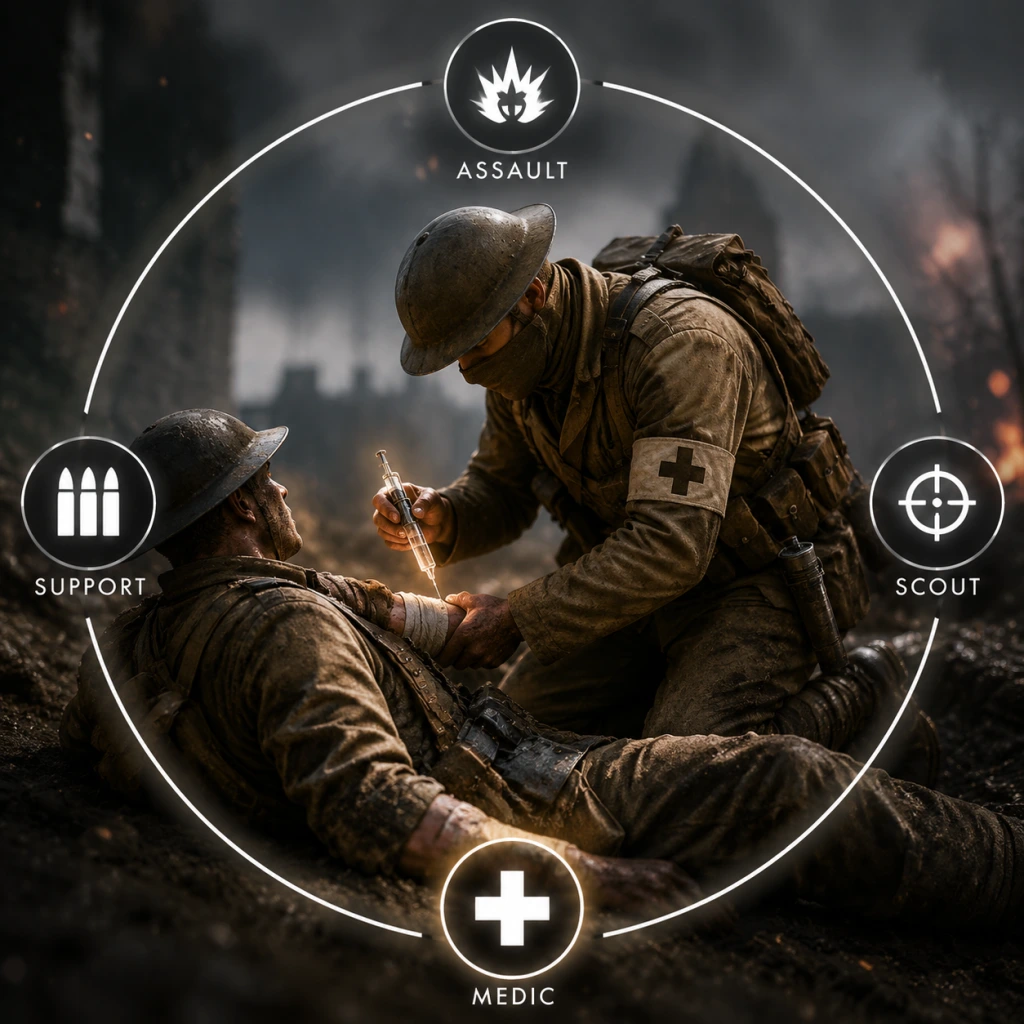
Character Skills
Character Skills Guide for Battlefield 1
Battlefield 1 does not feature traditional RPG skills or spells. Instead, your "skills" are defined by your class gadgets, weapons, and special abilities tied to the four main classes, as well as Elite Classes and vehicle roles. This guide covers all playable roles and every unique gadget/ability, including effects, cooldowns, upgrades, synergies, and recommended builds.
---
1. Assault Class
Role: Frontline infantry, tank destroyer, close-quarters combat.
#### Gadgets & Abilities
| Gadget | Effect | Cooldown | Upgrades |
|---|---|---|---|
| Anti-Tank Grenade | Thrown explosive that deals heavy damage to vehicles and moderate splash to infantry. | Resupply from Support crates (no timer) | Higher tier versions explode faster and have more blast radius via weapon assignments. |
| AT Rocket Gun | Shoulder-fired rocket launcher, effective against armor and infantry in line. | 2 seconds between shots; 3 rockets total | Can equip different ammo types (e.g., HE vs. Shrapnel) via class progression. |
| Dynamite | Remote-detonated explosive; stick to vehicles or surfaces. High damage. | Infinite supply but only 2 placed at a time; resupplied per use. | None; placement strategy matters. |
| Mine (Anti-Tank) | Proximity mine for vehicles. | 2 mines max; once placed, must resupply. | None. |
| Light Anti-Tank Grenade | Lighter, cheaper alternative; shorter range but faster throw. | Resupply from crates. | None. |
| Heavy Anti-Tank Grenade (+ DLC) | Same but more damage. | Slower throw. | None. |
- Combine AT Rocket Gun + Dynamite to destroy heavy tanks in seconds.
- Use mines on narrow roads before engaging a tank.
- AT Grenades finish off damaged vehicles.
- Tank Hunter: AT Rocket Gun + Anti-Tank Grenades + Mines. Use dynamite for ambushes.
- Close Assault: Automatico SMG + Dynamite + Light AT Grenades. Focus on infantry and hit-and-run on vehicles.
- Always prioritize high-threat vehicles (tanks, armored cars).
- Use dynamite to clear bunkers or destroy fortifications.
- Switch to AT Rocket Gun for long-range anti-armor.
Recommended Builds:
When to Use:
---
2. Medic Class
Role: Healing, reviving, medium-range combat.
#### Gadgets & Abilities
| Gadget | Effect | Cooldown | Upgrades |
|---|---|---|---|
| Syringe | Revive downed teammates. | 1.5-second animation; no cooldown but must be ready. | None. |
| Medical Crate | Deployable supply point that heals nearby teammates over time. | Resupply time: about 20 seconds for a new crate if destroyed. | Larger healing radius via assignments (e.g., "Heal 100 teammates"). |
| Medical Pouch | Single-use thrown heal that instantly heals for 50 HP (can overheal to 100+). | Instant throw; infinite supply but limited to 2 pouches carried. | Faster throw speed via class rank. |
| Rifle Grenade (optional gadget slot) | Launcher attachment for healing or explosive (frag). | 2 grenades carried; resupply from support. | Frag variant for damage; heal variant for team support. |
| Bandage (DLC) | Same as Medical Pouch but slower heal over time. | Holds 3. | None. |
- Syringe: Never revive in open fire; use smoke grenades for cover. Revive close squadmates first.
- Medical Crate: Place at choke points or near objectives. Works through walls (short range).
- Medical Pouch: Faster than crate for individual heals; good for mobile play.
- Rifle Grenade (Heal): Can heal multiple teammates at range, but you lose a main weapon slot.
- Crate + Pouch = triage: heal groups with crate, insta-heal key players with pouch.
- Use smoke grenades (secondary gadget) to cover revives.
- Team Medic: Medical Crate + Syringe + Rifle Grenade (Heal). Carry Mondragón or Selbstlader 1916 for medium range.
- Combat Medic: Medical Pouch + Syringe + Frag Rifle Grenade. Use Federov Avtomat (full-auto) for aggressive plays.
- Revive whenever safe; prioritize squad leaders and medics.
- Keep crate behind cover at objective points.
- If no medics near you, throw pouches to heal yourself and others.
Synergies:
Recommended Builds:
When to Use:
---
3. Support Class
Role: Ammo resupply, suppressive fire, bipod-based machine guns, fortification repair.
#### Gadgets & Abilities
| Gadget | Effect | Cooldown | Upgrades |
|---|---|---|---|
| Ammo Crate | Deployable crate that resupplies all teammates (gadgets, grenades) over time. | Same as medical crate: about 20 seconds if destroyed. | Resupply speed increases with class rank. |
| Ammo Pouch | Single-use thrown pouch that instantly resupplies a small amount of ammo and one gadget charge. | Holds 2 pouches; quick throw. | None. |
| Repair Tool | Repair ally vehicles (tanks, planes, trains) or destroy enemy equipment. | Continuous use; no cooldown. | Faster repair rate via assignments. |
| Mortar | Deployable indirect fire weapon; fires high-explosive or smoke shells. | 3 shells per deployment; reload after each shell (slow). | Can upgrade to Air Mortar (faster, less damage) via DLC. |
| Crossbow Launcher (DLC) | Fires explosive or incendiary bolts; secondary gadget. | 5 bolts; resupply from ammo crates. | None. |
| Anti-Tank Grenade (optional) | Same as Assault but with less damage; used for light vehicles. | Holds 1 grenade. | None. |
- Ammo Crate: Place near chokepoints or where teammates are entrenched. Resupplies grenades and gadgets.
- Ammo Pouch: Quickly throw to a moving soldier who requests ammo.
- Repair Tool: Repair friendly tanks from behind; also can destroy enemy tripwires and mines.
- Mortar: Use smoke to cover pushes; HE for stationary targets.
- Ammo Crate + Mortar: set up indirect fire base near ammo crate for infinite shells.
- Repair Tool + any tank: keep your armor alive.
- Crossbow + Incendiary Bolts: area denial on flags.
- Suppressive Support: LMG (M1917 Browning, MG15) + Bipod + Ammo Crate + Mortar. Hold lanes.
- Vehicle Support: Repair Tool + Ammo Pouch + LMG (e.g., BAR). Stick with tankers.
- Always throw ammo pouch to squadmates; place crate at key defensive positions.
- Repair tool priority: repairing tank vs. destroying enemy equipment. If no vehicles, destroy enemy mortars or mines.
- Use mortar only when safe behind cover; avoid direct line of sight.
Synergies:
Recommended Builds:
When to Use:
---
4. Scout Class
Role: Long-range recon, spotting, flanks, objective denial.
#### Gadgets & Abilities
| Gadget | Effect | Cooldown | Upgrades |
|---|---|---|---|
| Spotting Flare | Fires a flare that illuminates a large area on the minimap for enemies; also can ignite gas. | 2 flares carried; 40-second duration per flare. | None. |
| Tripwire Bomb | Placeable mine that detonates when an enemy passes; can be gas, HE, or incendiary. | 2 tripwires max; resupply per use. | Damage types upgrade via class assignments. |
| K Bullets | Special ammunition for snipers to damage armored vehicles and disrupt repairs. | 5 bullets per life; limited resupply. | None. |
| Periscope | High-zoom binoculars that can spot enemies and provide a 3D spot from range. | No cooldown; battery lasts 30 seconds. | None. |
- Flare Gun (Spotting) – same as above.
- Flare Gun (Incendiary) – sets ground on fire.
- Tripwire Bomb – any variant.
- K Bullets – dedicated slot.
- Periscope – dedicated slot.
| | | |
Skill Usage Tips:
- Spotting Flare: Shoot into objective buildings or flags to reveal all enemies for your team.
- Tripwire Bomb: Place on stairs, doorways, or behind cover. Incendiary for area denial, gas for disorienting pushes.
- K Bullets: 2-3 shots can destroy a light vehicle or disable heavy tank tracks.
- Periscope: Use to spot while hiding behind cover; marks enemies for 3D spotting.
- Spotting Flare + any teammate: all enemies become visible; coordinate attacks.
- Tripwire + Periscope: spot enemy then lure them into trap.
- K Bullets + Assault's AT Rockets: finish off tanks.
- Aggressive Scout: Russian 1895 (or SMLE) + Spotting Flare + Tripwire (HE). Play close to objectives.
- Sniper Scout: M1903 Sniper + Periscope + K Bullets. Long-range support.
- Always fire spotting flare into contested objectives.
- Use K Bullets to disable vehicle engines to slow them down.
- Tripwire bombs: place on flanks to alert team of infiltration.
- Primary: Wex flamethrower – continuous fire that ignites enemies and area. No cooldown but limited fuel (recharges slowly).
- Gadgets: 2x Incendiary Grenades, Smoke Grenade.
- Special Move: No skill per se, but the flamethrower can ignite gas clouds and destroy enemy tripwires instantly.
- Use: Clear trenches, bunkers, forests. Combine with smoke to advance.
- Weakness: Short range; vulnerable to snipers and AT rockets.
- Primary: Tankgewehr M1918 – massive anti-tank rifle that one-shots infantry and deals heavy damage to vehicles. Reload is long (~4 sec).
- Gadgets: Anti-Tank Grenade, Repair Tool.
- Special Ability: Can destroy any vehicle in 2-3 shots; can also shoot through thin walls.
- Use: Ambush tanks, destroy armored cars, take down aircraft (very difficult).
- Weakness: Slow movement; no close-range weapon.
- Primary: MG 08/15 with bipod – large magazine, high suppression. Cannot sprint.
- Gadgets: Ammo Pouch, Gas Mask (always equipped).
- Special Ability: Bipod deploy reduces recoil massively. Can destroy vehicles with sustained fire (slow).
- Use: Defend objectives, suppress large areas.
- Weakness: Immobile when deploying bipod; easy target for snipers.
- Primary: Trench Club (melee) – kills in 1-2 hits. Has a quick charging special attack (right-click) that does a wide sweep.
- Gadgets: 3x Gas Grenades, Light Anti-Tank Grenade.
- Special Ability: High movement speed, can deflect bullets? Actually, the kit grants increased health (200 HP) and faster movement. The special sweep attack clears a wide arc.
- Use: Flank and wreak havoc in close quarters; use gas to disorient enemies.
- Weakness: No ranged options; weak to shotguns and pistols.
- Primary: Cavalry Saber (melee) – charge attack one-shots infantry. Also has a rifle (e.g., M1903 C) with limited ammo.
- Gadgets: Med Pouch, Ammo Pouch (heal/resupply while mounted), Light Anti-Tank Grenade.
- Special Moves: Horse can trample enemies; horse health is separate. Dismount to use bandages.
- Use: Flank objectives, resupply and heal teammates on the move. Good for breaking defensive lines.
- Weakness: Large target; vulnerable to AT rockets and MGs.
- Tanks: Driver can self-repair (hold Repair key) – reduces cooldown based on tank type. Some tanks have secondary weapons (e.g., grenade launcher).
- Planes: Pilots can use flares, smoke, or bombs. Fighter planes have “Repair” ability (hold key) that repairs slowly. Attack planes have “Spotting Camera” (reveals enemies on mini-map).
- Behemoths (Dreadnought, Train, Zeppelin): Each has unique turrets with ranges and abilities (e.g., Dreadnought’s main guns fire shells that suppress). No skill customization.
- Perks (Assignments): All classes can unlock specializations like “Quick Unspot” (reduce spot duration after being spotted) or “Cover” (reduce suppression). These act as passive skills. Unlock through class rank.
- Gadget Upgrades: Higher class ranks unlock new gadgets and weapon variants (e.g., optical sights, bipods).
- Combos:
Synergies:
Recommended Builds:
When to Use:
---
5. Elite Classes
These are one-per-squad pickup kits on certain maps. Each has unique “skills” (special attacks).
#### Flame Trooper Kit
#### Tank Hunter Kit
#### Sentry Kit
#### Trench Raider Kit
#### Cavalry (Horse) Class
---
6. Vehicle Crew Skills
Vehicles (tanks, planes, armored cars) have driver / gunner roles with unique abilities.
---
7. General Tips for All Classes
- Scout + Assault: spot then destroy vehicles.
- All classes: use smoke grenades to cover revives or pushes.
---
This guide covers every playable role in Battlefield 1 as of the base game and all DLCs (They Shall Not Pass, In the Name of the Tsar, Turning Tides, Apocalypse). Remember to adapt your build to the map and team composition.
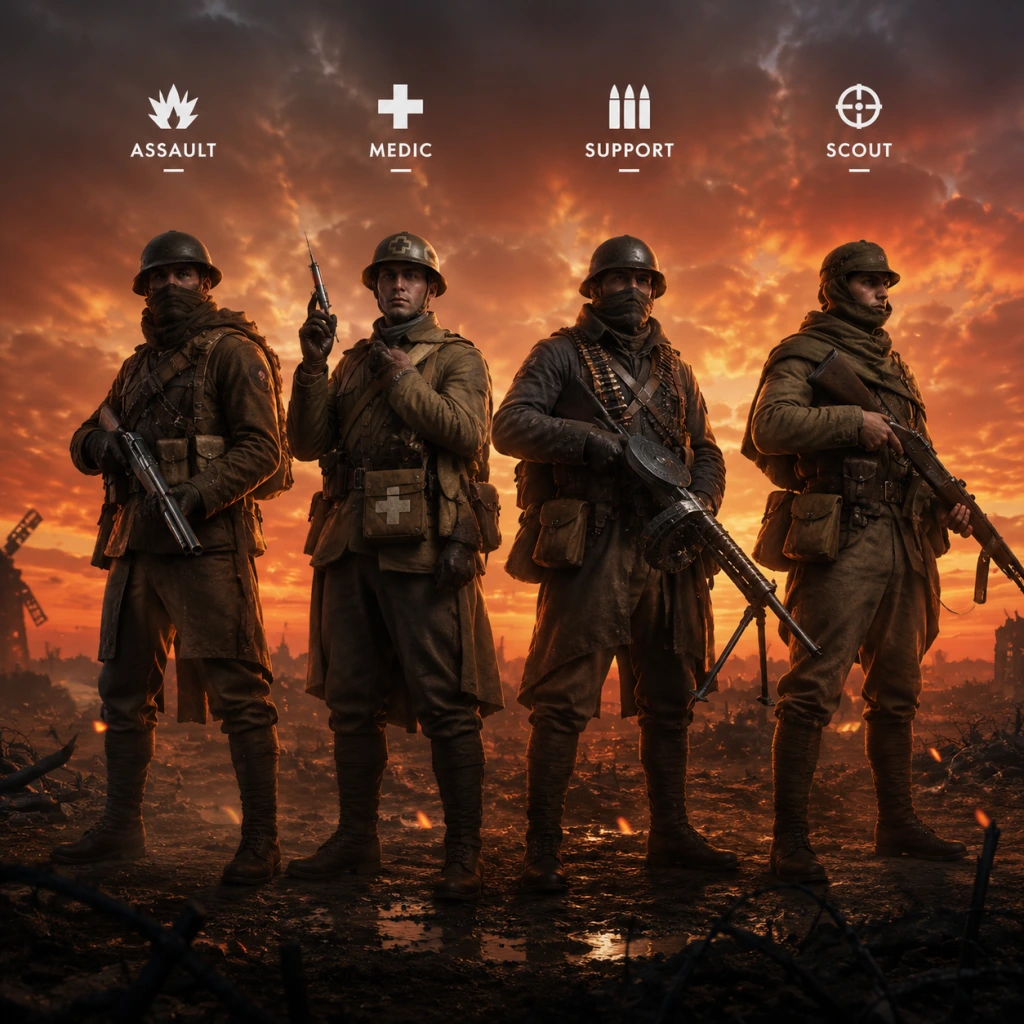
Characters & Roles
Characters & Roles
Introduction
Battlefield 1 offers a variety of playable roles spanning its multiplayer classes, vehicle roles, elite kits, and single‑player protagonists. This guide covers every major playable unit—from the four core classes to the special pickups and campaign heroes—detailing their backgrounds, strengths, weaknesses, playstyles, unlock conditions, recommended equipment, and team synergy.
---
1. Core Multiplayer Classes
#### 1.1 Assault
- Background: Frontline infantry specialized in anti‑vehicle combat and close‑quarters assault. Equipped with shotguns, SMGs, and explosive gadgets.
- Strengths: Highest close‑range damage; can destroy vehicles (tanks, armored cars) with Anti‑Tank Grenades and Dynamite; also carries a Rocket Gun or AT Grenade.
- Weaknesses: Limited effectiveness at long range; low health compared to other classes; no healing or ammo capabilities.
- Playstyle: Aggressive flanker, ambush tanks, clear buildings. Use SMGs for mobility or shotguns for one‑shot kills. Stick to cover and close the distance.
- Unlock Conditions: Unlocked by default. Weapons unlock via class progression (e.g., MP 18, Model 10‑A, Automatico).
- Recommended Equipment:
- Team Synergy: Works well with Support (ammo resupply for explosives) and Medic (heals after close engagements). Captures flags quickly.
- Background: Combat medic with ability to heal and revive squadmates. Uses self‑loading rifles and a syringe for revives. Carries medical pouches/crates.
- Strengths: Revives downed teammates (including non‑squad) instantly; heals ally health; effective at medium range with semi‑auto rifles.
- Weaknesses: Weak at long range (low damage per shot), vulnerable up close; no anti‑vehicle capability; must be near teammates to be effective.
- Playstyle: Stay behind the front line, prioritize revives and heals. Use cover and peek‑shoot with SLRs. Always push with squad.
- Unlock Conditions: Unlocked by default. Class progression unlocks weapons like Selbstlader 1916, Mondragón, etc.
- Recommended Equipment:
- Team Synergy: Vital for pushing objectives. Supports all classes. Works with Support for ammo to replenish smoke grenades.
- Background: Machine gunner and resupply specialist. Provides covering fire and ammo crates. Uses light machine guns (LMGs) and mortars/limpet charges.
- Strengths: Sustained fire suppression; resupplies ammo and gadgets to teammates; bipod allows steady aimed fire; can deploy mortars for area denial.
- Weaknesses: Slow movement with LMGs; long reloads; vulnerable when bipod not deployed; limited anti‑vehicle (only limpet charge or repair tool).
- Playstyle: Set up bipod in defensive positions, suppress enemies, resupply teammates. Use mortars to clear objectives. Repair friendly vehicles.
- Unlock Conditions: Unlocked by default. Class progression for LMGs (e.g., BAR, Lewis Gun, MG15).
- Recommended Equipment:
- Team Synergy: Squad anchor; resupplies Assault's explosives and Medic's pouches. Works with Scout to provide covering fire.
- Background: Recon and sniper. Uses bolt‑action rifles, flare guns, and spotting periscopes. Can spot enemies with flares and periscope.
- Strengths: Long‑range precision kills; flares reveal enemy positions on minimap; periscope spots without being seen; can use K‑bullets to damage vehicles or destroy equipment.
- Weaknesses: Very weak at close range; slow rate of fire; no healing or ammo; requires good aim; often camp far from objective.
- Playstyle: Find elevated or flanking positions, spot enemies, take long‑range shots. Use flares to highlight objectives. Switch to Carbine variants for closer engagements.
- Unlock Conditions: Unlocked by default. Class progression for rifles like Gewehr 98, SMLE, etc.
- Recommended Equipment:
- Team Synergy: Provides intel to team. Combine with Support for ammo to spam flares. Medic can heal if sniped.
- Background: Driver of tanks (Landship, Heavy Tank, Light Tank, etc.) and armored cars.
- Strengths: Armor and heavy firepower; can direct main cannon and machine guns; can pop smoke to disengage.
- Weaknesses: Slow, vulnerable to Assault attacks; limited visibility; can be disabled; must expose oneself to repair from outside.
- Playstyle: Support infantry pushes, avoid being flanked, use cannon on infantry and buildings. Repair when safe.
- Unlock: Must spawn into a tank from the spawn screen.
- Recommended Equipment: Vehicle variants determine loadout; no custom primary/gadgets. Use repair tool if you exit (optional).
- Team Synergy: Coordinate with Assault to clear enemy tanks; Support can repair vehicles.
- Background: Aircraft operator (fighter, attack plane, bomber, etc.).
- Strengths: Air superiority, ground attack; ability to spot ground targets; high speed.
- Weaknesses: Fragile, can be targeted by AA guns and enemy planes; must land to repair.
- Playstyle: Dogfight or strafe ground targets; use altitude and speed to evade.
- Unlock: Spawn into aircraft.
- Team Synergy: Spot for ground troops, destroy enemy vehicles; Support can repair landed planes.
- Background: Cavalry soldier riding a horse. Carries a saber, a carbine, and self‑health packs.
- Strengths: High mobility; self‑heal; saber one‑hit kill from horse; carbine for ranged engagements.
- Weaknesses: Horse is loud; vulnerable to small arms; can be dismounted; limited anti‑vehicle.
- Playstyle: Flank, charge objectives at speed, use hit‑and‑run tactics. Heal after skirmishes.
- Unlock: Spawn as Cavalry from spawn screen (limited per team).
- Team Synergy: Works with Scout for spotting, Medic for heals when dismounted.
- Background: Equipped with a flamethrower, gas mask, and gas grenades.
- Strengths: Devastating close‑range area damage; clears bunkers; immune to gas.
- Weaknesses: Short range; slow; loud; vulnerable to long‑range fire; no secondary weapon.
- Playstyle: Push into tight spaces (trenches, buildings), burn enemies. Use gas grenades to block sight lines.
- Unlock: Pickup on maps like Monte Grappa, Amiens.
- Team Synergy: Support resupplies ammo; Medic follows to heal.
- Background: Heavy machine gunner with extra health and a large LMG.
- Strengths: High health, high damage, suppression; can hold chokepoints.
- Weaknesses: Slow, loud; head is exposed; poor mobility.
- Playstyle: Set up at key corridors, provide covering fire for advancing teammates.
- Unlock: Pickup on maps like Sinai Desert, Suez.
- Team Synergy: Support resupplies ammo; Medic heals.
- Background: Equipped with a powerful bolt‑action anti‑tank rifle (e.g., M1903 Springfield) and a spotting scope.
- Strengths: Can destroy tanks in few shots; also effective against infantry (one‑shot kill); good range.
- Weaknesses: Slow bolt action; low ammo; no automatic weapon; vulnerable at close range.
- Playstyle: Stay at a distance, prioritize vehicles; use scope to spot targets. Ammo conservation is key.
- Unlock: Pickup on maps like St. Quentin Scar, Ballroom Blitz.
- Team Synergy: Support resupplies precious anti‑tank rounds.
- Background: Melee‑focused elite with a one‑hit‑kill club (mace) and a sawed‑off shotgun.
- Strengths: One‑hit melee kills; powerful shotgun; fast movement; increased health.
- Weaknesses: Short range; vulnerable to explosives; no long‑range capability.
- Playstyle: Rush enemy lines, use club for instant kills in close quarters; shotgun for backup.
- Unlock: Pickup on maps like Argonne Forest, Fort Vaux.
- Team Synergy: Medic can heal; Support resupplies shotgun shells.
- Play as various unnamed soldiers in a brief prologue that ends with their deaths. Emphasizes the brutality of war.
- Background: An American pilot who crashes behind enemy lines in France.
- Playstyle: Aerial dogfighting missions with some ground segments. Fast‑paced, uses a plane with fixed weapons.
- Background: A Bedouin woman fighting alongside T.E. Lawrence against the Ottoman Empire.
- Playstyle: Stealth and open combat; uses explosives, carbine, and melee. Focus on sabotage and guerrilla tactics.
- Background: A young African‑American soldier in the 369th Infantry Regiment (Harlem Hellfighters) during the Italian campaign.
- Playstyle: Trench warfare with a pistol, rifle, and smoke grenades. Must deliver a message under heavy fire.
- Background: A British tank crewman. Experiences tank warfare from inside a Mark V tank.
- Playstyle: Inside the tank (controlling cannon and machine guns) and on foot segments. Team‑oriented, heavy focus on vehicle combat.
- Background: An Italian Arditi assault soldier fighting on the Alpine front.
- Playstyle: Aggressive close‑quarters combat with a mountain gun (cannon), daggers, and grenades. High mobility.
- Primary: Automatico M1918 (close‑range) or MP 18 Trench (all‑round).
- Gadgets: Anti‑Tank Grenade + Dynamite or AT Rocket Gun.
- Grenades: Frag or Incendiary.
#### 1.2 Medic
- Primary: M1907 SL Sweeper (close‑mid) or Selbstlader 1916 Marksman (medium).
- Gadgets: Medical Syringe + Medical Pouch/Crate.
- Grenades: Smoke (for safe revives) or Frag.
#### 1.3 Support
- Primary: BAR M1918 (mobile) or Lewis Gun Suppressive (with bipod).
- Gadgets: Ammo Crate + Limpet Charge or Mortar.
- Grenades: Frag or Incendiary.
#### 1.4 Scout
- Primary: Gewehr 98 Sniper (long) or SMLE Infantry (iron sights for closer).
- Gadgets: Spotting Flare + Periscope or K‑bullets.
- Grenades: Smoke (for safe retreat) or Incendiary.
---
2. Vehicle Roles
#### 2.1 Tanker
#### 2.2 Pilot
#### 2.3 Cavalry (Horse)
---
3. Elite Kits (Special Pickups)
These are special kits found on specific maps. They grant unique weapons and abilities but have limited ammo (can be resupplied by Support).
#### 3.1 Flame Trooper
#### 3.2 Sentry (MG)
#### 3.3 Tank Hunter
#### 3.4 Trench Raider
---
4. Single‑Player Protagonists (War Stories)
Each War Story in Battlefield 1 features a unique playable character. Below are the main protagonists.
#### 4.1 Prologue – Multiple Soldiers
#### 4.2 Friends in High Places – Clyde Blackburn
#### 4.3 Nothing is Written – Zara Ghufran
#### 4.4 The Runner – Private Edwards
#### 4.5 Through Mud and Blood – Daniel Edwards
#### 4.6 Avanti Savoia – Luca Vincenzo Cocchiola
---
5. Summary Table
| Role | Type | Main Strength | Main Weakness | Unlock Condition |
|---|---|---|---|---|
| Assault | Class | Anti‑vehicle & close‑range damage | Long‑range inaccuracy | Default, weapon progression |
| Medic | Class | Healing & revives | Low close‑range survivability | Default, weapon progression |
| Support | Class | Suppression & ammo supply | Slow mobility | Default, weapon progression |
| Scout | Class | Long‑range kills & spotting | Weak up close | Default, weapon progression |
| Tanker | Vehicle | Heavy armor & firepower | Vulnerable to Assault players | Spawn into tank |
| Pilot | Vehicle | Air superiority & ground attack | Fragile, needs landing to repair | Spawn into aircraft |
| Cavalry | Vehicle | High mobility & self‑heal | Loud, can be dismounted | Spawn as Cavalry |
| Flame Trooper | Elite | Close‑range area denial | Short range, slow | Map pickup |
| Sentry | Elite | High health & suppression | Slow, head exposed | Map pickup |
| Tank Hunter | Elite | Devastates vehicles | Limited ammo, bolt‑action | Map pickup |
| Trench Raider | Elite | One‑hit melee | Short range, no long‑range | Map pickup |
6. Team Synergy Quick Tips
- Assault + Support: Support resupplies Assault's explosives; Assault clears vehicles for Support to set up.
- Medic + Assault: Medic revives Assault after risky charges; Assault protects Medic with close‑range power.
- Scout + Support: Scouts spam flares; Support provides ammo to keep flares active.
- Elite Kits + Support: Always have a Support following to resupply limited ammo (e.g., Tank Hunter, Flame Trooper).
- Cavalry + Scout: Scouts can spot enemy armour for Cavalry to charge and use its speed.
By mastering these roles and their synergies, you can adapt to any situation in Battlefield 1 and contribute effectively to your team's victory.
Cheats & Secrets
Cheats & Secrets Guide for Battlefield 1
Overview
Battlefield 1 does not feature traditional cheat codes (e.g., invincibility, ammo refill, level skip) that you can type in during gameplay. The game has no built-in cheat menu or unlock codes. However, it contains several developer-intended Easter eggs, hidden items, secret commands (PC only), and obscure unlockables that reward exploration and puzzle-solving. This guide covers every known legitimate secret.
Official Cheat Codes – None
- Multiplayer: No cheat codes exist. Using third-party cheats will result in a permanent ban (EA Anti-Cheat).
- Single‑Player: No built-in cheat codes. The developer console (see below) can be used for debugging but not for gameplay cheats.
- `render.drawfps 1` – Show FPS counter.
- `render.drawgraph 1` – Show performance graph.
- `sv.cheats 1` – Does not enable cheats; only unlocks some debug overlays.
- `quit` – Closes the game.
- “The Runner”: A teddy bear in a trench (no reward).
- “Through Mud and Blood”: A phonograph playing a victory song in a destroyed house.
- “Nothing is Written”: A hidden Lawrence of Arabia outfit in a chest (purely cosmetic for the mission).
- “The Potato” Dog Tag – Unlocked by shooting the potato on Sinai Desert and then killing a specific number of players (community‑determined).
- “The Giant” Dog Tag – Unlocked by visiting the giant skeleton on Fort de Vaux and then performing a melee kill on that map (confirmed by DICE).
- “The Dice” Dog Tag – Unlocked by hitting all five Dice logos hidden on the map Ballroom Blitz with a wrench (requires a squad).
- No god mode or noclip – Not even in single‑player via console.
- No level skip – All progression is linear.
- No secret weapons – All guns are visible in the armory.
- The “BF1 Dev Room” – A hidden multiplayer map exists in the game files called “DevRoom”, but it is not accessible without modding (which violates EULA).
Developer Console (PC Only)
The console is present in the game files but is not a cheat tool. It is intended for debugging and testing. You can open it with the tilde key (`~`) after enabling it via the `ProfileOptions_profile` file. Commands are limited and do not enable god mode or ammo.
How to enable:
1. Navigate to `Documents/Battlefield 1/Settings/`.
2. Open `PROFSAVE_profile` with a text editor.
3. Find the line `GstRender.EnableConsole 0` and change `0` to `1`.
4. Save the file (make it read‑only to prevent reset).
5. Launch the game – press `~` to open the console.
Useful console commands:
> Note: These commands do not affect multiplayer and are only for single‑player or testing ranges.
Easter Eggs & Hidden Secrets
#### 1. The “Secret Room” on St. Quentin Scar
On this map, locate the large windmill near the C flag. Inside the windmill, destroy a specific wooden plank on the upper floor to reveal a hidden room containing a M1911 pistol (a non‑functional prop) and a mysterious note (“They’re everywhere!”). The note references the “Dice” team.
#### 2. The “Giant” Easter Egg on Fort de Vaux
On Fort de Vaux, in the underground bunker near the D flag, there is a large, out‑of‑place skeleton of a giant (a nod to “Attack on Titan”). This is purely a visual Easter egg with no interaction.
#### 3. The “Balloon” on Amiens
On the Amiens map, a red balloon floats above the rooftops near the C flag. If you shoot it, it deflates and falls – no reward other than a chuckle.
#### 4. The “Potato” Easter Egg
On Sinai Desert, at the G flag (the oasis), you can find a perfectly rendered potato sitting on a crate. It is a reference to the “Potato” meme from Battlefield 4.
#### 5. The “Dice Room” on Monte Grappa
Inside the fortress on Monte Grappa, there is a locked door with the Dice logo. Using explosives or a tank shell, you can breach it to reveal a small room with a desk, a computer monitor, and an EA mug. No gameplay benefit.
#### 6. The “Hall of Knowledge” on Empire’s Edge
Near the B flag (the castle ruins), find a small alcove with a book titled “How to Play Battlefield 1”. Interacting with it triggers a quiet sound effect but does nothing else.
#### 7. The “Mystery Mauser” Puzzle
A community‑discovered puzzle on the Soissons map (They Shall Not Pass DLC). By shooting specific targets (bells, windows, etc.) in a specific order, you can unlock a unique dog tag called “The Mauser”. The full sequence is lengthy and documented on Battlefield forums. This is a legitimate, developer‑intended secret.
#### 8. The “Hidden Weapon” – M1911 Extended
This is not a cheat but a legitimate unlock via the “Peacekeeper” challenge in Battlefield V. (Not applicable to BF1.)
#### 9. Single‑Player “War Stories” Secrets
Each War Story has small hidden items:
Hidden Dog Tags & Emblems
Dog tags are earned through challenges, but some are secret:
Unlock Codes – None
There are no redeemable codes for weapons, skins, or vehicles in Battlefield 1. All items are earned through gameplay progression or purchased with in‑game currency (scraps).
Exploit‑Safe Secrets & Developer Notes
Summary
Battlefield 1 is designed with no cheat codes to preserve competitive integrity. Its secrets are purely cosmetic Easter eggs and dog tags that require skill, exploration, or community puzzle‑solving. For the most dedicated players, the Mystery Mauser dog tag and Dice Room are the pinnacle of hidden content.