Candy Crush Saga
## Game Introduction: Candy Crush Saga Candy Crush Saga is a vibrant, free-to-play match-three puzzle game that took the world by storm upon its release. Developed by **King** (now a subsidiary of Activision Blizzard), it remains one of the most iconic and addictive mobile games of all time. This i...
Download & Installation
Candy Crush Saga Download & Installation Guide
Candy Crush Saga is a free-to-play match-three puzzle game developed by King. It is primarily available on mobile devices (iOS and Android) and can also be played on PC through the Microsoft Store, the King website, or via Facebook. Important: The game is not available on Steam, Epic Games Store, PlayStation, Xbox, or Nintendo Switch. This guide covers all official platforms.
---
Official Download Sources
| Platform | Official Source | Notes |
|---|---|---|
| iOS (iPhone/iPad) | Apple App Store | Search "Candy Crush Saga" by King. Requires iOS 12.0 or later. |
| Android | Google Play Store | Search "Candy Crush Saga" by King. Requires Android 5.0 or later. Also available on Amazon Appstore. |
| PC (Windows 10/11) | Microsoft Store | Search for "Candy Crush Saga" (free). Also pre-installed on some Windows 10 devices. |
| PC (Web) | King.com or Facebook | Play directly in browser via King.com or Facebook Games. No download needed. |
System Requirements
#### Mobile (iOS)
- Minimum: iOS 12.0, iPhone 5s or newer, iPad Air or newer, iPod touch 6th gen. 200 MB free storage.
- Recommended: iOS 13.0 or later, iPhone 6s or newer, 500 MB free storage for smooth performance.
- Minimum: Android 5.0 (Lollipop), 1.5 GB RAM, ARMv7 or x86 CPU, 200 MB free storage.
- Recommended: Android 8.0 or later, 2 GB RAM, 500 MB free storage.
- Microsoft Store version: Windows 10 version 14393.0 or higher (version 17763.0 or higher recommended). 400 MB available storage. Internet connection required.
- Web version: Modern browser (Chrome, Firefox, Edge, Safari 9+). Stable internet connection.
- King.com: Go to [https://king.com/game/candy-crush-saga](). Click Play Now. No download required.
- Facebook: Log in to Facebook, search "Candy Crush Saga" in Games, click Play. Works in browser or Facebook Gameroom (older client).
- Optional but recommended for progress syncing: Create a King account or log in with Facebook. This allows you to save progress across devices and restore purchases.
- During first launch, you will be prompted to connect to Facebook or create a King account. You can skip and play as a guest, but progress will be lost if you reinstall or switch devices.
#### Mobile (Android)
#### PC (Microsoft Store / Web)
---
Step-by-Step Installation
#### 1. iOS (iPhone/iPad)
1. Open the App Store.
2. Tap the Search tab and type "Candy Crush Saga".
3. Locate the official app (by King). Tap Get (or the cloud download icon if previously purchased).
4. Authenticate with Face ID, Touch ID, or Apple ID password.
5. Wait for download and installation. The game icon will appear on your home screen.
6. Tap the icon to launch.
#### 2. Android
1. Open the Google Play Store.
2. Tap the search bar and type "Candy Crush Saga".
3. Select the official app by King. Tap Install.
4. Accept permissions (storage, etc.) if prompted.
5. Wait for download and installation. Tap Open when ready.
#### 3. PC (Microsoft Store)
1. Open the Microsoft Store app (search in Start menu).
2. Search for "Candy Crush Saga".
3. Click the free app (by King). Click Install.
4. The game will download and install automatically. A shortcut will appear in the Start menu.
5. Launch from Start menu or taskbar.
#### 4. PC (Web Play – King.com or Facebook)
---
Account Requirements
---
First Launch Setup
1. After installation, open the game. A loading screen will appear.
2. You will be asked to connect to Facebook or sign up for a King account (or skip).
3. The game will download additional resources (levels, graphics) – ensure a stable internet connection. This may take a few minutes.
4. A short tutorial level will play automatically. Complete it to understand basic mechanics.
5. After the tutorial, you can choose to allow notifications (optional).
6. The main map will unlock. You can start playing from Level 1.
---
Common Installation Errors and Fixes
| Error | Cause | Solution |
|---|---|---|
| "Insufficient storage" | Not enough free space on device | Free up space (delete unused apps, photos, or cache). Minimum 200 MB required. |
| "App not compatible" | Device OS too old or unsupported hardware | Update iOS/Android to latest version. If still incompatible, use web version on PC. |
| "Download failed / Stuck at X%" | Poor internet connection or server issue | Restart router, switch to a stable Wi-Fi or mobile data. Pause and resume download. Reboot device. |
| "Error code -1" (Android) | Google Play Store cache issue | Go to Settings > Apps > Google Play Store > Clear cache and data. Retry install. |
| "This app is no longer available" (MS Store) | Account region or age restriction | Check if your Microsoft account region matches the store region. You may need to change region or use a different account. |
| "Unable to connect to server" on first launch | Firewall or network blocking game servers | Ensure your firewall allows the game (for PC). On mobile, try switching between Wi-Fi and cellular data. |
| "Facebook login fails" | Facebook app permissions or token expired | Update Facebook app. Re-authorize the game in Facebook settings > Apps & Websites. |
Post-Installation Verification
- Check game version: Open the game, go to Settings (gear icon) and note the version number. Ensure it's the latest from the store.
- Verify account sync: If you connected to Facebook or King account, progress should show online (you can check on another device by logging in).
- Test loading a level: Tap on Level 1 on the map. If it loads and you can start matching, installation is successful.
- Check storage usage: On iOS: Settings > General > iPhone Storage > Candy Crush Saga (should be ~200-400 MB). On Android: Settings > Apps > Candy Crush Saga > Storage. On PC: Settings > Apps > Candy Crush Saga.
- Audio and graphics: Play a few moves to ensure sound effects and animations work correctly. If not, restart the app or check device audio settings.
- Cross-platform progress: You can sync your game between iOS, Android, and PC by logging into the same King account or Facebook on all devices.
- Offline play: Once levels are downloaded, you can play offline, but score submission and leaderboards require internet.
- Updates: Enable automatic updates in your device's app store to get new levels and fixes.
- Removal of ads: The game shows ads after every few levels. To remove ads, a small one-time purchase is available (in-game store).
---
Additional Tips
---
If you encounter any issue not listed here, visit King's official support page: [https://care.king.com/](https://care.king.com/)
Game Introduction
Game Introduction: Candy Crush Saga
Candy Crush Saga is a vibrant, free-to-play match-three puzzle game that took the world by storm upon its release. Developed by King (now a subsidiary of Activision Blizzard), it remains one of the most iconic and addictive mobile games of all time. This introduction covers every essential aspect of the game.
Genre
- Primary: Match-three puzzle
- Sub-genres: Casual, Strategy (move management), Social
- Developer: King
- Publisher: King (self-published; originally released via Facebook)
- Parent Company: Activision Blizzard (since 2016)
- Facebook (Web) Launch: April 12, 2012
- iOS Launch: November 14, 2012
- Android Launch: December 14, 2012
- Windows 10/11 (Microsoft Store) Launch: 2017 (later updates)
- Major Updates: Continuous new episodes (15 levels each) released every few weeks; seasonal events, special game modes, and boosters added over time.
- Mobile: iOS (iPhone, iPad), Android (phones and tablets)
- Desktop/Web: Facebook (via browser), Windows 10/11 (Microsoft Store)
- Other: Available on Amazon Fire tablets, some smart TVs (limited)
- Tiffi (Player character): A cheerful, red-haired girl who loves candy and solving puzzles. She is the default avatar.
- Mr. Toffee: A floating, jelly-like gumdrop who provides hints and encouragement.
- Licorice Swirl (Antagonist): A dark, sticky villain that appears in later levels, often blocking progress.
- Chocolate Machines: Not characters per se, but they continuously spawn chocolate squares, representing a constant threat in many levels.
- Special Characters: Occasional seasonal or event-related characters (e.g., the Candy Witch during Halloween).
- Unique Level Objectives: Each level has a specific goal, such as reaching a certain score, clearing jelly, collecting ingredients (cherries, chestnuts), or removing chocolate.
- Special Candies: By matching four or five candies, you create powerful candies like Striped, Wrapped, Color Bombs, and Fish that clear large areas.
- Boosters and Power-ups: Items like the Lollipop Hammer, Extra Moves, and Sugar Crush help when stuck.
- Lives System: Players have five lives; each failed attempt costs one life. Lives regenerate over time or can be purchased.
- Social Features: Connect to Facebook to see friends’ progress, request lives, and compete on weekly leaderboards.
- Primary: Casual mobile gamers of all ages (children to seniors)
- Secondary: Puzzle enthusiasts, social players, and those seeking a relaxing yet challenging time-killer
- Accessibility: Very low barrier to entry; no reading required for basic play; color-blind friendly mode available since 2021.
- Main Saga (Episodes): The primary mode with thousands of levels organized into episodes (e.g., Licorice Woods, Chocolate Mountains). Each episode contains 15 levels, with a final boss level (usually a super-hard challenge).
- Dreamworld (Removed): Previously a parallel mode with a night/day cycle; removed in 2020 due to low usage.
- Competitions & Events: Regular limited-time events (e.g., Candy Royale, Sugar Coated, Chocolate Box) where players compete against others for rewards.
- Daily Challenges: Single-level challenges offered each day, often with unique twists or higher difficulty.
- Custom Levels (via Facebook?): Not available on mobile; Facebook version once allowed user-created levels but this feature is deprecated.
- Online Required: An internet connection is needed to:
- Offline Play: The app can be launched offline, but only previously loaded levels are playable. Progress is saved locally and synced when online. Starting a new level without internet may fail. Lives regeneration works offline, but purchasing boosters requires connection.
- Cross-platform: Yes, using Facebook login or King account, progress syncs across iOS, Android, and Windows.
- New episodes with 15 levels each
- New candy types or special mechanics (e.g., Candy Cane, Waffles, Licorice Lanes)
- Seasonal events (Christmas, Halloween, Easter, etc.) with themed levels and rewards
- Boosters and in-app purchases (the game is free-to-play with microtransactions). There are no “expansion packs” you buy; all level content is free, but you can pay for extra moves, lives, or boosters.
- Pioneering Casual Hit: It defined the match-three genre on mobile and remains the highest-grossing game of its kind.
- Massive Variety: Over 15,000+ levels (as of 2024) with ever-increasing difficulty and creative objectives.
- Social Stickiness: The lives-and-gifting system creates a compelling loop to invite friends and spend time.
- Satisfying Feedback: Crunchy sound effects, colorful particle effects, and a dopamine-packed progression system keep players hooked.
- Accessibility: No time pressure (unlike timed match-three games), making it perfect for short bursts or long sessions.
- Constant Updates: Nearly 15 years later, the game still receives new content, ensuring it never feels stale.
Developer & Publisher
Release Timeline
Platforms
Story Overview & Setting
Candy Crush Saga takes place in the whimsical Candy Kingdom, a land made entirely of sweets, candies, and sugary landscapes. The story follows the cheerful protagonist Tiffi (also known as Kimmy in some regions) and her sidekick Mr. Toffee, a walking, talking gumdrop. Tiffi’s goal is to help restore peace and happiness to the Candy Kingdom by completing puzzles. Along the way, she encounters mischievous characters like the Licorice Witches and Chocolate Monsters that create obstacles. The narrative is light and primarily serves as a framing device for the puzzles; there are no complex dialogues or branching storylines—just a charming, candy-coated world to explore.
Main Characters
Core Appeal & Gameplay
Candy Crush Saga’s core appeal lies in its simple yet deeply satisfying match-three mechanics. Players swipe to align three or more identical candies in a row or column, causing them to disappear and score points. The game adds layers of depth with:
Target Audience
Game Modes
Online/Offline Support
- Download new levels and episodes
- Sync progress across devices
- Access social features (friend lists, leaderboards, lives requests)
- Participate in online events
DLC & Expansions
Candy Crush Saga does not have traditional paid expansions. Instead, the game receives free, frequent updates (every 2–3 weeks) that add:
What Makes Candy Crush Saga Unique
In summary, Candy Crush Saga is a timeless puzzle game that combines simplicity with depth, social interaction with solo play, and a cheerful candy-coated world with endless challenges. It appeals to everyone from young children to grandparents and remains a benchmark for casual mobile gaming.
Getting Started
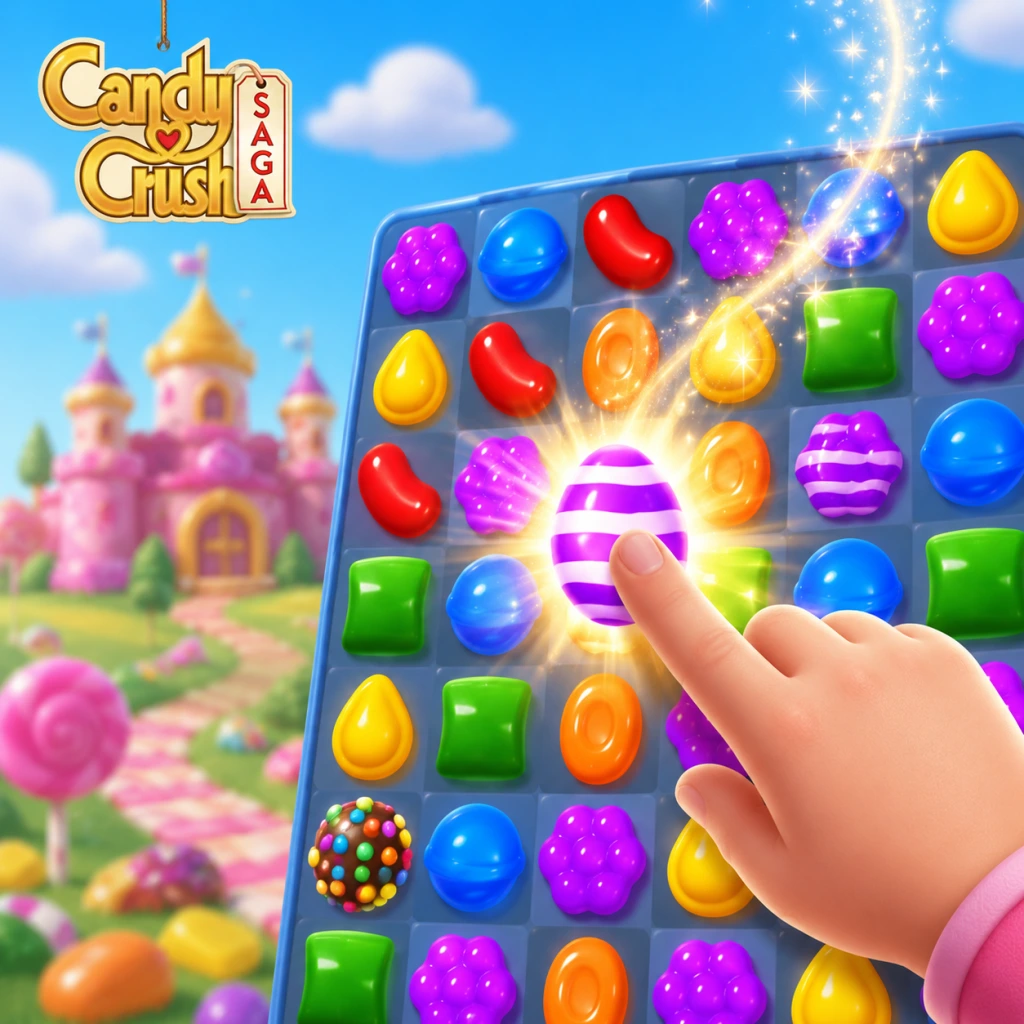
Getting Started: Your First Hour in Candy Crush Saga
Welcome to the delicious world of Candy Crush Saga! This guide will walk you through your first hour, covering everything you need to know to start matching candies like a pro. There is no character creation – you play as the main character, a happy candy crusher, right from the start.
First Hour Walkthrough
1. Download and Launch: After installing, open the app. A short animated intro plays.
2. Tutorial Begins: The game automatically starts with a tutorial level. You will learn the basic rule: swap adjacent candies to make a row or column of three matching candies.
3. Levels 1–5: These are extremely easy, introducing you to the core mechanics.
- Level 1: Just match 3 candies.
- Level 2: Learn to match 4 or 5 to create special candies (striped, wrapped, color bomb).
- Level 3: First target score requirement.
- Level 4: Introduction to blockers (e.g., licorice swirls).
- Level 5: First time you see the level map; you can replay levels for better scores.
4. Get Free Boosters: The tutorial gives you free boosters like the lollipop hammer (remove one candy) and extra moves. Do not use them yet.
5. Connect to Facebook (Optional): After level 5, you’ll be prompted to connect to Facebook. This is highly recommended because it lets you send and receive lives from friends.
6. Level 6–10: You’ll encounter chocolate (grows each move) and more complex target types.
Controls on All Platforms
- Mobile (iOS/Android): Touch and drag a candy horizontally or vertically to swap it with an adjacent candy. Release to confirm the swap.
- PC (Microsoft Store): Click on a candy, hold and drag to swap, or click two adjacent candies in sequence.
- Web (Facebook/Browser): Same as PC—click and drag or double-click adjacent candies.
- No Keyboard Controls: Arrow keys are not supported. Only mouse or touch input works.
- Top Bar: Displays the current level number, target score, moves remaining, and stars earned (1–3 stars indicate performance).
- Candy Grid: The main play area. Each candy type has a unique shape and color.
- Bottom Bar:
- Side Menus: Gear icon for settings, speaker for sound, and event icons for special challenges.
- Pass Each Level: You must reach the target score or complete the specific objective (e.g., clear all jelly, collect ingredients) within the given moves.
- Earn Stars: 1 star is enough to progress. 2 or 3 stars give you extra rewards like boosters or gold bars.
- Create Special Candies: Match 4 or 5 candies to create powerful special candies. Combining two special candies can clear large areas.
- Conserve Moves: Aim to complete objectives in fewer moves to earn more stars.
- Complete the tutorial levels fully. They teach you fundamentals.
- Accept every free booster and daily reward.
- Connect to Facebook immediately after level 5 to get free lives from friends.
- Focus on understanding how special candies work (striped candy clears a row/column, wrapped candy clears a 3x3 area, color bomb clears all of one color).
- Replay earlier levels to try for 3 stars and extra rewards.
- Spending gold bars on extra moves unless you have already tried the level 5+ times and are very close (e.g., 1 move left). Early levels are easy.
- Using boosters on levels below 20. Save them for harder stages.
- Rushing through matches without planning. Take your time to spot cascading matches.
- Ignoring the value of sugar crush bonus (extra points from leftover special candies at level end).
- Lives: Your most critical resource. Use all 5 lives, then wait for regeneration or ask Facebook friends for lives. You can also watch ads for extra lives (if available in your region).
- Gold Bars: Hoard them. Only spend on extra moves when absolutely necessary, or on special offers that give boosters for a low cost. Never use gold bars to skip entire levels.
- Boosters: Use sparingly. The lollipop hammer is handy for removing a single blocker or candy. The extra moves booster is precious – save it for levels around 25+.
- Daily Rewards: Log in every day to claim gold bars and boosters. The consecutive day streak increases rewards.
- [ ] Complete tutorial until you reach level 5.
- [ ] Connect to Facebook (optional but extremely helpful).
- [ ] Claim daily login reward from the shop.
- [ ] Send and receive lives from friends (click the heart icon).
- [ ] Use the free boosters from tutorial only if necessary (best to save them).
- [ ] Do not spend any gold bars.
- [ ] Play until you lose all 5 lives, then wait for refill or ask friends.
- [ ] Understand the three special candies by attempting to create them in levels 2–5.
User Interface Overview
- Lives indicator (heart icon) – you start with 5 lives. One life regenerates every 30 minutes.
- Gold bar count – premium currency, earned slowly.
- Booster slot – drag boosters here to use them.
- Extra Moves button – for when you run out of moves, but costs gold bars.
Essential Early Objectives
What to Do First and What to Avoid
Do:
Avoid:
Early Resource Priorities
Common Beginner Mistakes
1. Not Looking for Cascades: Always scan the board for matches that will automatically trigger after your swap. This can clear more candies without extra moves.
2. Wasting Moves on Inefficient Matches: Matching 3 candies in a corner does little good. Aim to match near blockers or to create special candies.
3. Forgetting to Create Special Candies: Matching 4 or 5 is almost always better than a simple 3-match. Prioritize making striped and wrapped candies.
4. Using Boosters Too Early: Many beginners use boosters on the first few levels, which are trivial. You’ll regret it later.
5. Not Connecting to Facebook: Without friends, you can only get lives via slow regeneration. Connecting doubles your life income.
6. Ignoring the Move Counter: Running out of moves is the most common loss. Plan each swap.
Day-One Checklist
With this foundation, you’re ready to enjoy the sweet puzzle adventure. Remember: patience and planning are your best tools. Happy matching!
Core Gameplay
Core Gameplay
Candy Crush Saga is a match-three puzzle game where the core interaction is swapping adjacent candies to make lines of three or more identical candies. The game operates on a simple yet deep loop of matching, clearing, and completing level-specific objectives. There is no traditional combat, exploration, or character build system; instead, player growth is measured by progression through increasingly difficult levels, mastery of special candy combinations, and strategic use of boosters and power-ups.
Main Gameplay Loop
1. Enter a Level: Select a level from the map. Each level has a unique board layout and a clear objective (e.g., reach X score, collect X ingredients, clear X jelly squares, or pop X frosting layers).
2. Match Candies: Tap and drag to swap two adjacent candies. A successful swap creates a line of three or more matching candies, which then disappear, triggering cascades.
3. Earn Points & Special Candies: Every match earns points. Matching four candies creates a Striped Candy (horizontal or vertical blast). Matching five in an L or T shape creates a Wrapped Candy (explodes in a 3x3 area). Matching five in a straight line creates a Color Bomb (removes all candies of a single color).
4. Complete the Objective: Focus on the level’s goal. Score-based levels require reaching a target before moves run out. Ingredient levels need ingredients to fall to the bottom. Jelly levels require clearing all jelly squares.
5. Use Boosters (if needed): Activate power-ups like the Lollipop Hammer (remove one candy) or Color Bomb (free combo) before or during a level to overcome challenges.
6. Win or Lose: Running out of moves before achieving the goal costs one life (lives replenish over time or with gold bars). Winning progresses the story and unlocks the next level.
Interaction Systems
- Swapping: The only direct player action. Swaps must create a match of three or more. Invalid swaps bounce back.
- Cascades: Matches trigger chain reactions, which are core to high scores and efficient play.
- Special Candy Combos: Combining special candies creates powerful effects:
- Move Counters: Most levels have a limited number of moves; planning is essential.
- Map-Based: Over 10,000+ levels arranged in episodes (themed groups of 15 levels). Complete all levels in an episode to unlock the next.
- Star Rating: 1 to 3 stars per level based on score. Higher stars unlock special events and rewards.
- Dreamworld Mode: Alternate reality mode (appears after a certain episode) with night/day cycles and sleep timers.
- Events & Seasons: Periodic limited-time events offer exclusive candies, boards, and rewards.
- No Open World: Exploration is replaced by navigating the linear candy map. There are no side areas; progression is strictly forward.
- Secret Levels: Occasionally hidden levels appear after completing certain episodes, often requiring special keys.
- Daily Challenges: Each day presents 3 mini-challenges (e.g., “Clear 10 frosting layers” or “Score 5,000 points in one move”). Rewards include boosters and gold bars.
- Episode Goals: In each episode, there is a special “Episode Race” against a friend’s ghost (if connected) for bonus rewards.
- Weekly Contests: Leaderboards for score on specific levels.
- Kingdom Events: Themed events like “Candy Carnival” with bingo-style boards.
- Gold Bars: Premium currency earned through level completion (rare), daily rewards, or purchased with real money. Used to buy extra moves, boosters, lives, and continue after failing a level.
- Lives: You start with 5 lives. Each failed attempt costs one life. Lives regenerate one per 30 minutes (max 5), or can be refilled with gold bars or friend gifts.
- Boosters: Single-use items (e.g., Lollipop Hammer, Color Bomb, Striped Candy) obtained from events, quests, or bought with gold bars.
- Chocolate Box: A feature where collecting special candies fills a box for rewards.
- No Character or Build Growth: There are no level-ups or skill trees. Player improvement comes from experience and better understanding of board physics and combo strategies.
- Infinite Levels: The game regularly adds new episodes. There is no true ending—players can continue slogging through 2000+, 3000+, etc.
- Competitive Events: Weekly and monthly global leaderboards for highest scores in special levels.
- Hard Mode: Some levels have a “Hard” or “Super Hard” tag requiring near-perfect play and often boosters.
- Replay Value: Players often replay earlier levels to improve star ratings or complete daily challenges.
- Learning Curve: Basic matching, introduction to striped and wrapped candies. Objectives are simple: reach score targets (e.g., 5,000 points) or clear basic jellies.
- Resource Abundance: Free boosters are given frequently. Lives are plentiful. Gold bars are occasionally earned through completing levels with 3 stars.
- No Special Challenges: Levels are easier with minimal obstacles like licorice swirls or chocolate.
- Strategy Tips: Focus on making striped candies by matching four in a row. Use them when the board is cluttered. Ignore point hoarding; just aim to complete the goal.
- Example Level: Level 25 – Score 10,000 points in 50 moves. You have ample moves, so practice creating cascades by matching near bottom candies first.
- Increasing Difficulty: Objectives become more varied: ingredient escorts, dense jelly layers, and multi-step goals (e.g., clear frosting on top of jellies). Obstacles like marmalade (hard candies that require multiple matches) appear.
- Special Candies Essential: You must reliably create wrapped candies and color bombs. Combo strategies become vital. Without combos, you will run out of moves.
- Resource Scarcity: Free boosters dry up. You may need to decide whether to spend gold bars on extra moves or accept failure and wait for lives.
- Milestones: Unlock Dreamworld mode (alternate with night restrictions) and daily challenges.
- Strategy Tips: Plan at least one combination per level. Avoid making moves that waste potential special candies. Use the Lollipop Hammer only on crucial blockers. Always aim for 3-star ratings to earn extra lives.
- Example Level: Level 280 – Collect 4 cherries and 4 hazelnuts. The ingredients drop from top of board and must be brought down by matching under them. Use striped candies to break their way down.
- Expert Mechanics: Levels frequently require multiple objectives simultaneously—e.g., clear jelly and collect ingredients. Boards are dense with blockers like licorice swirls (require two matches) and chocolate (spreads every turn if not cleared).
- Economy Management: Gold bars become a precious resource. Many players hit walls where levels require dozens of attempts. Strategic booster usage is mandatory.
- Event Participation: Engage in weekly competitions and seasonal events to earn extra boosters. The Wheel of Fortune daily spin is key for free items.
- Combo Mastery: You must be able to pull off complex combos like Color Bomb + Wrapped. Knowing board layout patterns helps predict cascades.
- Strategy Tips: Save boosters for levels with “Super Hard” difficulty. When stuck, watch YouTube tutorials for specific level patterns. Always try to make a color bomb early if the board allows.
- Example Level: Level 1000 – Clear 50 jelly squares and reach 60,000 points in 35 moves. The board has multiple layers of icing. Use a color bomb + striped combo to clear large swaths.
- Near-Impossible Feats: Levels require pixel-perfect planning. Moves are extremely limited (often 20-25). New mechanics like portals (teleporting candies) and frozen sugar appear.
- Resource Hoarding: Endgame players typically stack hundreds of boosters and thousands of gold bars to survive the worst levels. Many levels are essentially lottery-win scenarios.
- Competitive Focus: The primary motivation becomes leaderboard rankings in weekly events and personal satisfaction of completing every level. The story is negligible.
- No Character Growth: Your only “stats” are your accumulated boosters and knowledge. The game does not offer any permanent upgrades.
- Strategy Tips: Use the Party Booster (free from friend requests) liberally. Pre-plan moves mentally before executing. Accept that some levels will take 50+ attempts; do not waste gold bars on hopeless boards.
- Example Level: Level 2000 – Clear 99 jelly squares in 25 moves. The board is a ring shape with multiple sides. Only possible with a lucky cascade that activates multiple combos in one move.
- Striped + Striped: Blast in a row and column cross pattern horizontally and vertically.
- Striped + Wrapped: A larger explosion covering a 3x3 area plus a row/column blast.
- Wrapped + Wrapped: Two consecutive 3x3 explosions.
- Color Bomb + Striped: All striped candies of on-screen colors become striped and detonate.
- Color Bomb + Wrapped: All wrapped candies of on-screen colors become wrapped and detonate.
- Color Bomb + Color Bomb: Clears all candies on the board, resetting the board with new candies.
Progression
Exploration
Quests & Missions
Economy
Endgame Structure
---
Core Gameplay by Player Progression Tiers
Early Game (Levels 1–100)
Mid Game (Levels 101–500)
Late Game (Levels 501–1500)
Endgame (Levels 1500+)
---
In summary, Candy Crush Saga’s core gameplay is a simple match-three loop that escalates from casual fun to strategic puzzle-solving requiring high skill and resource management. There is no character growth or exploration; progression is purely about advancing through levels and mastering combos. The endgame is a marathon against ever-increasing difficulty, sustained by events and social competition.
Game Tips
General Strategy & Mindset
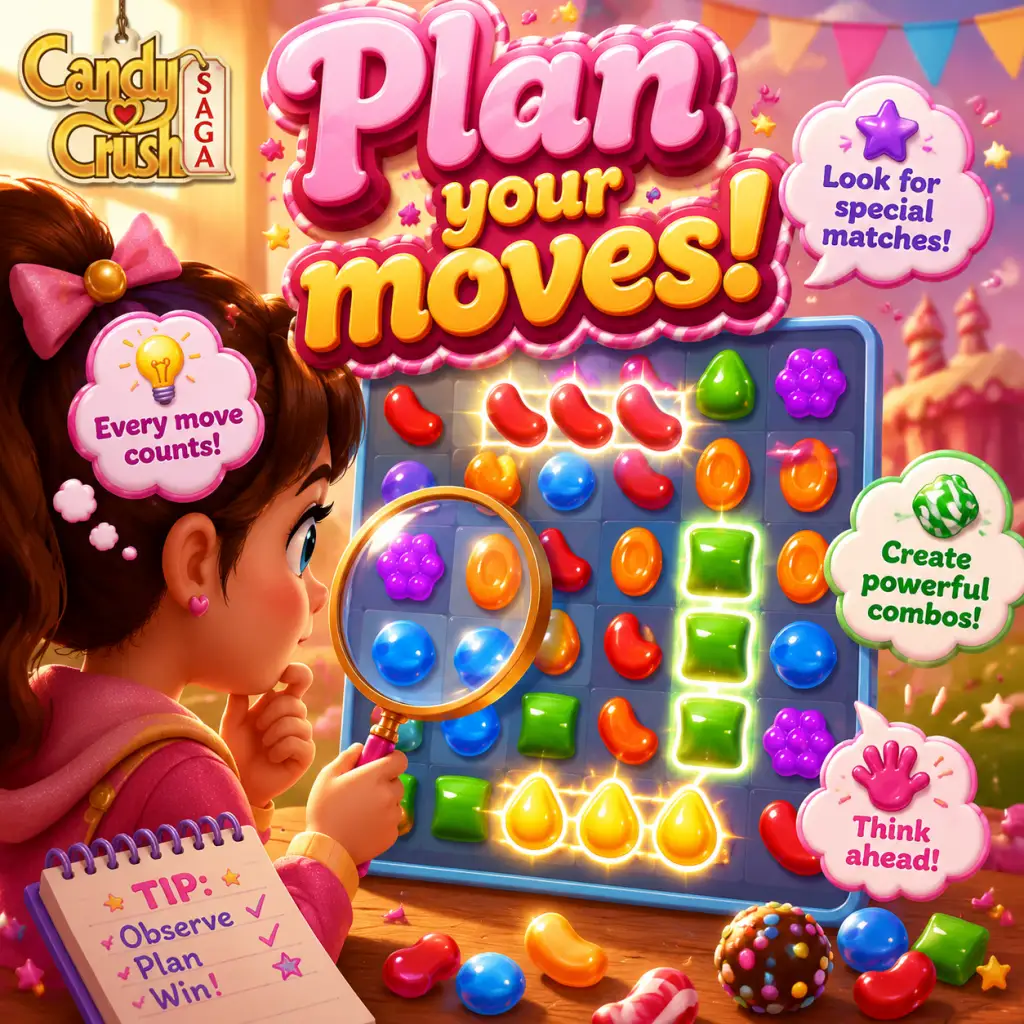
Beginner: The Golden Rule – Always Plan Your Moves
Tip: Before making any swap, scan the entire board for potential matches, special candy combinations, and cascading effects. Look ahead 2–3 moves.
Why it works: Spontaneous swaps often waste moves. By planning, you maximize the number of special candies created (striped, wrapped, color bomb) and set up chain reactions that clear more candies per move.
When to use: Every move, especially on levels with a limited number of moves. Practice this from the beginning to build good habits.
Intermediate: Move First, Boost Later
Tip: Do not use any booster (like Lollipop Hammer or extra moves) until you have made at least 3–5 moves and understand the board’s layout.
Why it works: Many levels are solvable without boosters if you find the right patterns. Using boosters early often wastes them on suboptimal setups. Patience lets you see choke points.
When to use: Levels where you feel stuck after several attempts, or near the end of a level when you are one move short.
Advanced: Master the Art of "Candy Gravity"
Tip: Always make matches on the lower half of the board first. This triggers cascades from above, which often create unexpected matches and special candies without extra moves.
Why it works: Matching at the top causes candies to fall into place, but matching at the bottom pulls candies down, creating new patterns more predictably. The game’s physics favor clearing from below.
When to use: Levels with orders that require clearing specific candies (e.g., jelly, ingredients) – especially when the board is tall.
Special Candies & Combos
Beginner: How to Create Special Candies Consistently
Striped Candy: Match 4 in a row or column. Use them to clear a row or column in that direction.
Wrapped Candy: Match 5 in an L-shape or T-shape. It explodes in a 5x5 cross pattern after 1 move.
Color Bomb: Match 5 in a straight line. Swap with any candy to clear all candies of that color.
Why it works: Special candies are essential for high scores and difficult obstructions. Learning their creation patterns is core to progression.
Intermediate: Explosive Combos (Best Pairings)
Striped + Striped: Creates a massive cross-explosion clearing two full rows or columns. Use for clearing large areas.
Wrapped + Striped: Clears 3 rows and 3 columns – extremely powerful for jelly or checkerboard levels.
Color Bomb + Striped: Clears all candies of that color plus every stripe in that direction – often clears half the board.
Why it works: Combining special candies multiplies their effect. The color bomb + striped combo is one of the strongest moves in the game.
When to use: When you have a large number of moves left and need to clear a lot of jellies or ingredients in one go.
Advanced: The "Matching Chain" Technique
Tip: Set up multiple special candies in a row, then swap one to trigger a chain reaction. For example, line up 4 striped candies vertically, then swap the bottom one to activate all four in sequence.
Why it works: The game processes matches one after another. A chain of special candies can clear the entire board, earning huge points and easily completing objectives.
When to use: On levels with a high target score or many jellies, especially when you have many moves remaining.
Boosters & Power-Ups
Beginner: Save Your Gold Bars for Extra Moves
Tip: Gold bars are the premium currency. The best investment is purchasing extra moves (5 moves for 3 gold bars) right before you fail a level you can almost beat.
Why it works: Extra moves cost less than other boosters and often turn a near-win into a win. Avoid spending gold on extra lives (they regenerate) or unnecessary boosters.
When to use: When you are 1–3 moves away from completing the objective. Never use gold to buy boosters at the start.
Intermediate: Lollipop Hammer – Use Only on Key Obstacles
Tip: The hammer can remove one single candy or blocker. Reserve it for clearing an obstruction that blocks your only path to a special candy or an ingredient.
Why it works: Hammers are rare (often earned through events or bought). Using them to destroy a single candy is wasteful; use them to open a critical path or to remove a hard-to-reach blocker.
When to use: When you have a color bomb or wrapped candy that cannot be swapped because a blocker is in the way, or when an ingredient is stuck above multiple layers of jelly.
Advanced: The Coconut Wheel – A Game-Changer
Tip: The Coconut Wheel drops a large number of striped candies along a row or column. Always aim it at the direction with the most candies of a single color, or where you need to clear jellies.
Why it works: The wheel creates up to 5 striped candies in a line, which can then be combined with other specials. It’s far more efficient than a single striped candy.
When to use: On levels with many jellies or upon starting a level to quickly shape the board. Only use it if you have at least 8 moves left to exploit the striped candies.
Economy & Resources
Gold Bars – Never Spend on Lives
Tip: Lives regenerate 1 every 30 minutes (up to 5 max). Spending gold on lives is wasteful. Instead, send lives to friends on Facebook or wait.
Why it works: You can get unlimited lives through social features. Gold is best used for extra moves or to defeat an extremely hard level (like level 100+).
Collect Daily Rewards & Connect to Facebook
Tip: Log in every day to claim your daily spin/booster. Connect to Facebook to receive free lives from friends and gift boosters.
Why it works: These resources add up over time. A steady supply of free boosters reduces the need to purchase them.
Timing Your Booster Usage
Tip: Save your best boosters (Color Bomb, Coconut Wheel) for levels that require 5 stars or have extremely high difficulty (check the level info).
Why it works: Many early levels are easy to complete without boosters. Hard levels (episodes with orders like “clear all jellies” or “bring down 2 ingredients”) are where boosters provide the biggest advantage.
Level Types & Strategies
Jelly Levels: Prioritize Center Jellies
Tip: Focus on the jellies in the center of the board first. They are often protected by multiple layers.
Why it works: Edge jellies will be cleared by cascades. Center jellies are harder to reach and require targeted special candies.
Pro tip: Use color bombs to swap with the most abundant candy color covering jellies.
Ingredient Levels: Clear a Path, Then Drop
Tip: Always clear the bottom rows first. If ingredients fall into a hole, you lose the level. Work on creating vertical striped candies to push ingredients down.
Why it works: Ingredients only drop when candies below them are cleared. Clearing a vertical column makes them fall faster. Avoid making horizontal matches above ingredients.
Moves-Limited Levels: Efficiency Over Points
Tip: Calculate how many moves each objective will require. For example, if you need to clear 5 jellies and have 20 moves, you can afford 4 moves per jelly. Use one move to make a special candy that clears multiple jellies.
Why it works: Wasting moves on low-value matches leads to failure. Prioritize moves that clear 2+ objectives or create big combos.
Advanced Optimizations
The "No-Swap" Cascade Exploit
Tip: On some boards, just watching the first few cascades can clear 20% of the objective for free. Always let cascades settle before making your first swap.
Why it works: The game spawns candies after each match. Sometimes those spawns create automatic matches, giving you progress without using a move. This is especially useful on levels with many jellies.
Score Multiplier – How to Get 3 Stars
Tip: To achieve 3 stars (high score), you need to create cascades of 10+ matches in a single move. Use color bombs combined with striped candies, or trigger a wrapped candy explosion in a dense area.
Why it works: Each cascade adds to the score multiplier. The more chains, the higher the score per candy. 3 stars give more gold bars on retries.
When to use: On levels where you have already cleared the main objective and have moves left—then focus on creating huge chain reactions.
Time-Limited Levels: Speed vs. Accuracy
Tip: In timed levels (e.g., Candy Order levels), swipe as quickly as possible, but always ensure you are making matches. Mistakes (creating no match) waste time. Use the same board scanning technique but faster.
Why it works: Timed levels reward speed, but a single failed swap costs 1–2 seconds. A well-planned swap that creates special candies can clear many candies in one go, saving time overall.
The "Locked Candy" Strategy
Tip: Some boards have candies locked in place by licorice or jelly. Use a color bomb next to a locked candy of the same color to break the lock in one move.
Why it works: Color bombs clear all candies of that color, including those underneath locks, freeing them without needing multiple moves.
Final Pro Tips
- Play on a large screen or tablet for better visibility of the board.
- Turn off sound effects if you are easily distracted by music—focus on visual patterns.
- Study YouTube videos of top players solving the same level to learn specific patterns.
- Don't be afraid to restart a level early if you see a bad board – it costs no lives within the first few moves (some versions allow restart without penalty).
- Use the in-game boosters sparingly – they are often bait for microtransactions. Stick to freebies from Facebook and daily rewards.
Remember: Candy Crush Saga is a casual game. The real joy comes from solving puzzles through pattern recognition and patience. Use these tips to beat that one level you’ve been stuck on for weeks, and enjoy the satisfying cascades!
Game Settings
Candy Crush Saga Game Settings Guide
Candy Crush Saga offers a straightforward settings menu, but tweaking a few options can significantly improve your experience—whether on a low-end phone, a high-end tablet, or a PC. This guide covers every settings category and provides recommendations for different hardware levels.
General Tips Before You Start
- Access settings from the main menu (gear icon) or during gameplay via the pause menu.
- Settings sync with your King account (if logged in), so changes carry across devices.
- The game uses very little system resources, so performance tweaks mainly affect battery life and smoothness on older devices.
- Quality: Low / Medium / High (may be labeled “Performance” vs. “Quality” on some devices)
- Resolution: (PC only) Window size and full-screen toggle; mobile uses native screen resolution automatically.
- Effects: Particle effects, candy animations, and board shine. Not separately adjustable on most platforms; tied to overall quality.
Graphics Settings
Available Options (Mobile & PC):
Recommendations by Hardware:
| Device Type | Recommended Setting | Reason |
|---|---|---|
| Low-end Android/iOS (RAM ≤ 2GB, old CPU) | Low Quality | Reduces lag during cascades and saves battery. Animations remain smooth enough for gameplay. |
| Mid-range (2019–2022 phones, tablets) | Medium Quality | Balance between visual polish and battery life. |
| High-end (flagship phones, gaming tablets, PC) | High Quality | Full candy sparkle and fluid transitions. Battery impact is minimal on powerful devices. |
| PC with integrated graphics | Medium or Low | High may cause minor stutter on very old laptops. |
| PC with dedicated GPU | High | No performance concern; use windowed or full-screen as preferred. |
- On some Android phones, setting Quality to “High” may force the game to run at higher frame rate (60 FPS) by default, draining battery faster. If you notice rapid battery drain, switch to Medium or Low.
- Full-screen mode (PC) – If the game appears stretched or blurry, ensure your display resolution matches your monitor’s native resolution. Toggle full-screen to reset scaling.
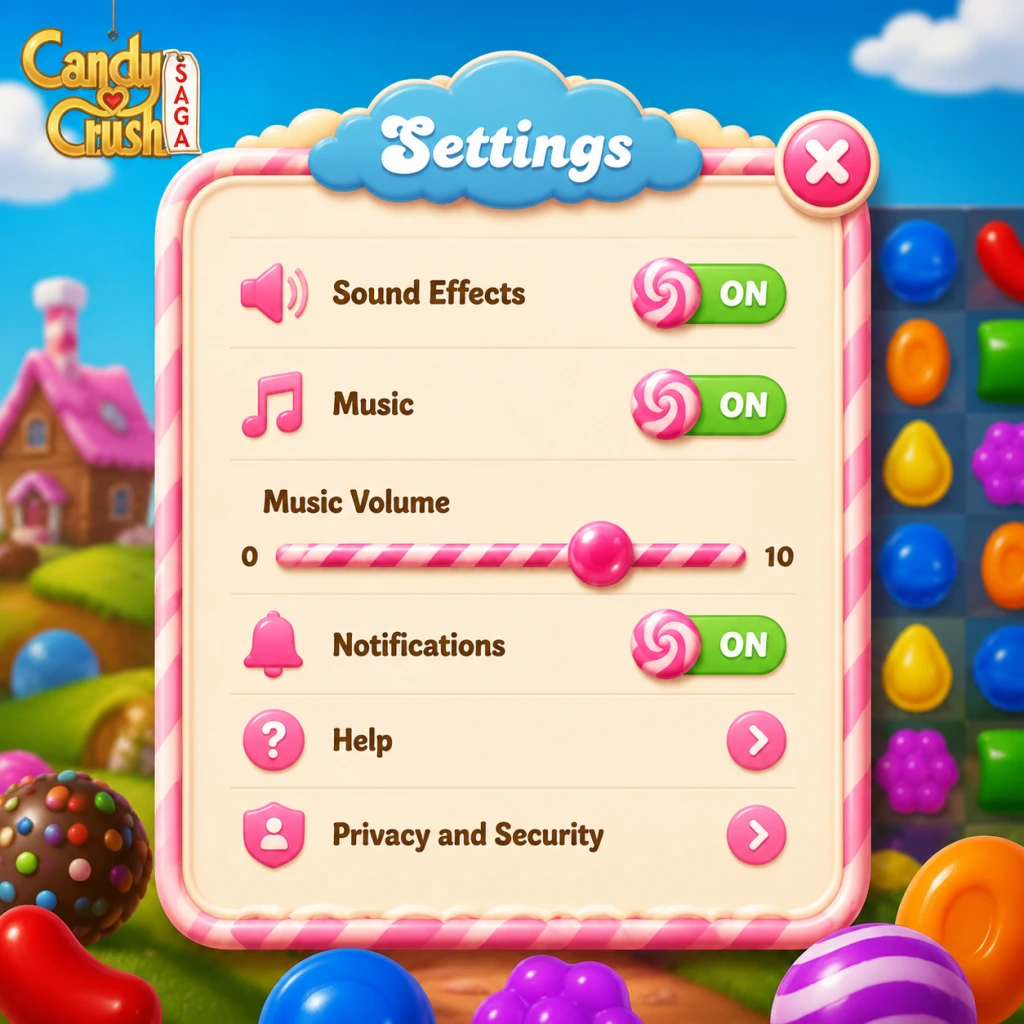
- Music Volume: Slider (0–10)
- Sound Effects (SFX) Volume: Slider (0–10)
- Voice Volume: (Present only in tutorial or level‑win jingles – rarely used)
- For battery saving: Mute both music and SFX. Audio processing adds slight battery drain on mobile.
- For focus: Set Music to 0 or low, keep SFX moderate to hear match indicators.
- For immersive play: Keep both at 5–7. The soundtrack is cheerful but can become repetitive.
- If you play in public or at work, mute all sounds to avoid accidental audio spoilers.
- Turning off SFX may delay your reaction to special candy creation sounds (e.g., the “whoosh” of a color bomb). It’s a minor trade‑off.
- Swipe Sensitivity: Not adjustable (iOS/Android use system touch handling).
- Drag vs. Tap: Candy Crush uses drag to swap. Some phones allow tapping two adjacent candies, but this is device‑specific, not a setting.
- Mouse: Click and hold a candy, then drag to adjacent candy. Release to swap. No sensitivity settings.
- Keyboard Shortcuts: No keyboard shortcuts exist for gameplay. However, you can press Esc to pause, Enter to skip cutscenes on some versions.
- Gamepad: Not supported.
- None – controls are fixed. But note that on PC, if you accidentally drag outside the game window, the swap may not register. Keep the game window active.
- Colorblind Mode: Available in Settings → Accessibility. It adds unique symbols (e.g., stripes, dots) to each candy color so you can distinguish them without relying on color alone.
- Text Size: Not adjustable generically, but the game’s UI scales with device font size settings on Android/iOS.
- Vibration: On mobile, you can enable/disable vibration on match success (under Settings → General or Accessibility).
- Reduced Motion: On iOS, you can enable “Reduce Motion” system-wide, which also affects the game’s animations. Not unique to Candy Crush.
- Colorblind Mode: Turn ON if you have any form of color vision deficiency (deuteranopia, protanopia, tritanopia). It eliminates guessing and frustration.
- Vibration: Turn OFF to save battery and reduce distraction.
- Text Size: If playing on a small phone, increase system font size to make level objectives and boost descriptions easier to read.
- Colorblind Mode is buried in the Settings gear → Accessibility. Many players miss it. Always enable it if you struggle to tell red from green or blue from purple.
- Vibration can be mistakenly left on, draining battery and causing unnecessary noise during meetings.
- Option: Choose from dozens of languages (English, Spanish, French, German, Japanese, etc.).
- How to change: In Settings → Language. The game will restart to apply the change.
- Note: Language affects all text (missions, pop‑ups, tutorial narrations). It does not affect server region or events.
- If you accidentally select a language you don’t understand, the settings menu remains in that language. Navigate by icon (gear for Settings, then look for a globe or text “Language”). Use a translation app if necessary.
- Wi‑Fi Only: A toggle in Settings (mobile) to prevent the game from using cellular data. Useful for saving data or avoiding high roaming charges.
- Data Usage: Candy Crush uses very little data – roughly 1–2 MB per hour of play (mostly for ads and level loading). Syncing progress uses negligible amounts.
- Offline Play: You can play without an internet connection, but progress will not sync to the cloud. Upon reconnecting, the game will attempt to upload your local progress. Note: Event levels, boosters, and leaderboards require an active connection.
- Mobile: Turn on “Wi‑Fi Only” if you have a limited data plan. The game runs fine offline for standard levels.
- PC: Always connected; no data concerns.
- If you switch devices frequently, make sure you are logged into the same King account (or Facebook/Apple/Google) and that you have a stable connection when closing the game. Otherwise, you may lose progress or face a sync conflict.
- Confirm Moves: (Not present in Candy Crush – swaps are instant. No undo.)
- Swipe Direction Lock: Some match‑three games offer this; Candy Crush does not.
- Level Start Animation: (Cannot be skipped entirely on some versions; you can tap to speed it up.)
- Notifications: You can enable/disable push notifications for lives, event reminders, and special offers. Found in Settings → Notifications (mobile) or system notification settings.
- Purchase Confirmation: The game asks for confirmation before every purchase (e.g., buying extra moves or boosters). This cannot be disabled – a safety feature.
- Parental Controls: Set a PIN via your app store (Google Play, Apple App Store) to restrict in‑app purchases. Not within the game itself.
- Notifications: Turn off all non‑essential notifications to avoid annoyance. Keep “Free Lives Are Full” if you want to know when you can play again.
- Purchase Confirmation: Leave as is – it’s a critical guardrail against accidental spending.
- For children: Enable parental controls at the OS level. Candy Crush has many temptations for boosters and extra moves.
- None – gameplay settings are minimal. However, be aware that turning off all notifications may cause you to miss limited‑time events that require a log‑in during a specific window.
Audio Settings
Options:
Recommendations:
Special Attention:
Controls Settings
Mobile (Touch):
PC (Mouse & Keyboard):
Easy to Misconfigure:
Accessibility Settings
Candy Crush Saga includes important features for players with different needs:
Recommendations:
Easy to Misconfigure:
Language Settings
Easy to Misconfigure:
Network Settings
Recommendations:
Special Attention:
Gameplay Settings
Available Options:
Recommendations:
Easy to Misconfigure:
Recap: Checklist for First-Time Setup
1. ✅ Set Graphics Quality based on your device (Low for old, High for new).
2. ✅ Audio: Mute or lower to desired level.
3. ✅ Accessibility: Enable Colorblind Mode if needed; turn off Vibration.
4. ✅ Language: Confirm it’s your preferred language.
5. ✅ Network: Turn on Wi‑Fi Only on mobile to save data.
6. ✅ Notifications: Customize to only important alerts.
7. ✅ Parental Controls: Set if sharing device with minors.
Adjust these settings as you play – Candy Crush is forgiving and changes take effect immediately. Enjoy matching!
Important Notes
Important Notes for Candy Crush Saga
Warnings
- Gold Bars are Premium Currency: Use them sparingly. They can be earned for free (10 per 24 hours from the daily wheel, or from completing episodes), but they are the main way to buy extra moves, extra lives, and special boosters. Avoid spending them on early levels unless absolutely necessary.
- Boosters are Consumable: Many boosters (like Lollipop Hammer, Color Bomb, Striped Candy) are one-time use. Don't waste them on easy levels. Save them for hard or “impossible” levels.
- Moves vs. Time Limits: Some levels limit moves; others limit time. For time-based levels, speed is critical. Failing a time-limited level can result in wasted boosters.
- Impulsive Moves: Swapping candies without thinking can lead to cascades that make the board worse. Always plan 2-3 moves ahead.
- Over-relying on Boosters: Using boosters on early levels may create a crutch. Later levels will require genuine skill.
- Continuing with Gold Bars: The game offers to continue after a loss by paying 10 gold bars for 5 extra moves. This rarely pays off on difficult levels unless you are close to beating it. Often it's better to restart.
- Leaving Game Mid-Move: If you quit while a move is being animated, the action may still count. Try to exit only after the board settles.
- Spending Gold Bars: Once spent on lives, moves, or boosters, gold bars cannot be refunded. No “undo” exists.
- Using the “Shuffle” Feature: The shuffle button (usually costs 2 gold bars or a free shuffle if available) randomizes the board. This cannot be reversed. Often shuffling makes the board worse. Only use as a last resort.
- Claiming Daily Rewards: Daily rewards are time-sensitive. If you miss a day, you lose the streak bonuses.
- Completing an Episode: Once you finish an episode and move to the next, you cannot replay the entire episode without using a “Royal Chance” ticket (rare). Individual levels can be replayed, but not the episode map.
- Limited-Time Events: King frequently runs events with exclusive candies, boosters, or costumes (e.g., Candy Royale, Chocolate Event, “All Bets Off” mode). These events often have special rules and rewards that are not available later.
- Seasonal Levels: Around holidays, special theme levels appear. Once the event ends, these may vanish permanently or return only the next year.
- Daily & Time-Limited Boosts: The daily wheel gives free boosters that rotate. Wait for the clock to reset. Missed spins are lost.
- Club Events: If you are in a Club, weekly challenges provide exclusive boosters and gold bars. Failing to participate means losing those rewards.
- Free Lives from Friends: You can ask for lives from Facebook friends or send them. Lives expire after 24 hours if not claimed.
- Level 30–35: First real difficulty increase with introduction of blockers like licorice swirls and chocolate.
- Level 100+: Jelly levels become trickier due to multiple-layer jellies and limited moves.
- Level 200+: Levels often require precise cascading and combos. Many players find Level 200+ to be a grind.
- Level 300+: Expect heavy blocker combos and narrow board layouts. Some levels are almost impossible without boosters.
- Endless Mode (Dreamworld?): Not present in current versions; instead, “Candy Royale” (a competitive mode) can be very challenging and requires good board reading.
- Replaying Old Levels for Boosters: You can replay completed levels (costs lives) to try to earn boosters from the level’s reward chest. However, the drop rate is low, and it consumes lives that could be used to progress. Not an efficient grind.
- Buying Lives with Gold Bars: Lives regenerate one every 30 minutes (max 5). Spending gold bars on lives is very inefficient; you only get 5 lives for 10 gold bars. It's better to wait or ask friends.
- The “Addiction” Trap: The game is designed to encourage microtransactions when you get stuck. Avoid the temptation to buy gold bar packs frequently. Set a spending limit.
- Booster Expiry: Some boosters from events have expiry dates. Use them before they vanish.
- No Competitive Multiplayer: Candy Crush Saga is primarily single-player. However, Clubs have cooperative challenges. Be courteous: don’t join a club and then never contribute. Help by sending lives and participating in club events.
- Cheating/Mods: Using hacked APKs, auto-clickers, or mods that give unlimited moves/lives/boosters can lead to a permanent ban of your account. King actively detects third-party software.
- Facebook Friends: If you connect via Facebook, your friends can see your progress. Be mindful if you don't want to share game activity.
- Reporting Issues: If you encounter a bug or see a cheating player in Club, use the in-game support or report feature. Do not engage in arguments.
- Cloud Saving: Progress is automatically saved to the cloud via your King account or Facebook login. If you delete and reinstall the app, you can restore progress by logging in.
- No Manual Save: There is no option to manually save or load. Always ensure you’re logged into your King account before uninstall/device change.
- Device Switching: You can play on multiple devices as long as you log in to the same account. Progress syncs, but occasionally there may be a brief conflict. Wait a few seconds after completing a level to let the server save.
- Risk of Losing Progress: If you play offline, progress may not sync. Once you reconnect, the server may overwrite local progress. Play online to be safe.
- Save Gold Bars for Special Events: Many players spend gold bars early on lives or extra moves. Experienced players save them exclusively for events like “Candy Royale” where gold can earn rare boosters.
- Don’t Use Shuffle Right Away: Shuffling the board often destroys potential combos. Try to make matches on the existing board first; shuffle only when no moves remain.
- Stack Free Boosters from Daily Rewards: The daily wheel and time-limited gift boxes give free boosters. Collect them daily but don’t use them immediately. Accumulate a stockpile for hard levels.
- Learning Special Candy Combinations: Creating wrapped + stripped combos, or color bomb + any striped, can clear massive portions of the board. Many beginners ignore these.
- You Can Replay Levels Without Lives? No, replaying any level costs one life. But you can watch ad videos (on mobile) for extra moves or free boosters on some levels – look for the “+” icon.
- Order of Operations: When multiple blockers are present, clear them in the right order. For example, remove licorice before chocolate because chocolate grows each move.
- Use Booster Strategically: For example, use a Color Bomb at the start if the level requires clearing a specific color jelly. Using it later might be less effective.
- Don’t Rely on Luck: While cascades happen, most levels require deliberate planning. The game is as much about strategy as luck.
Pitfalls
Irreversible Choices
Missable Content
Difficulty Spikes
Grinding Traps
Online Etiquette & Anti-Cheat Notes
Save Management
Things Players Commonly Regret Not Knowing Earlier
> Final Advice: Candy Crush Saga is a marathon, not a sprint. Patience and strategic spending will keep you enjoying the game without frustration or wallet drain. Good luck and happy matching!
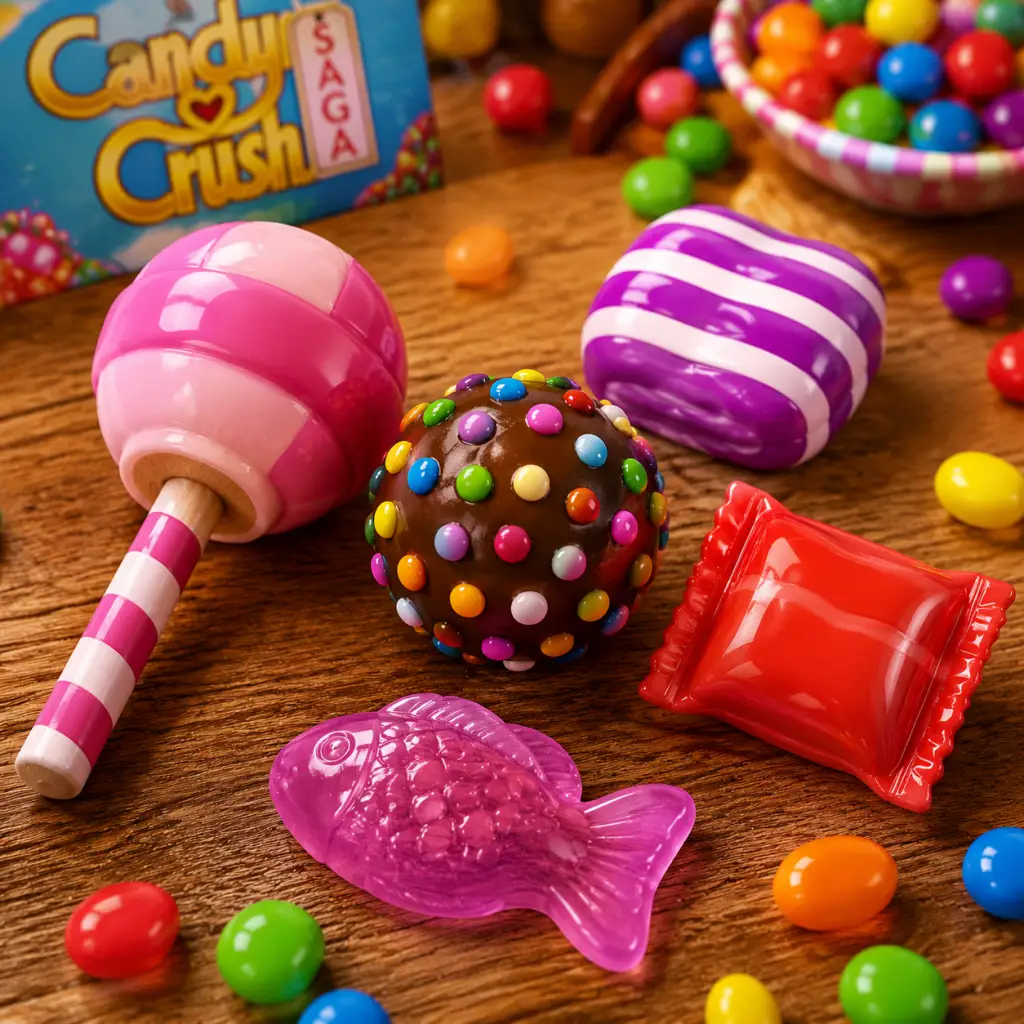
All Game Items
All Game Items in Candy Crush Saga
Candy Crush Saga is a match-three puzzle game without traditional weapons or armor. Instead, its "items" consist of currencies, boosters, special candies (created in-game), consumable resources, and collectibles tied to level objectives. Below is a comprehensive breakdown of every major item category, including how to obtain, when to use, and any important synergies or upgrades.
---
Currencies
| Currency | Description | How to Obtain | Usage |
|---|
• Completing episodes
• In-app purchases
• King's Pass rewards
• Special events | Purchase boosters, extra moves (+5, +10), extra lives, or swap moves. |
| Lives | Required to attempt a level (1 life per play, max 5). | • Regenerate 1 life every 30 minutes
• Gifts from friends (Facebook or King)
• Earn via events or gold bars (50 gold = 5 lives) | You cannot play without lives. Wait or buy. |
| Sugar Stars | Earned by completing levels with high scores. Used to unlock gates in the episode map. | • Earn 1–3 stars per level based on score
• Accumulated over time | Unlock new episode doors (e.g., 10 Sugar Stars to proceed). |
| Boosters & Power-Up Tokens | Non‑currency items that act as resources; see next section. | | |
---
Boosters (Active Items)
Boosters are single‑use items you can activate before or during a level. They can be purchased with Gold Bars or earned through events, daily rewards, and the booster wheel.
| Booster | Effect | How to Obtain | Best Used When | Synergies / Upgrades |
|---|
• Level rewards
• Gold Bar purchase (common) | Clearing a single hard‑to‑reach licorice lock or popcorn kernel. | Does not destroy cascading blocks like chocolate; best for isolated targets. |
| Color Bomb | Acts as a wild candy that can be matched with any other candy to clear all candies of that color. | • Gold Bar (rare booster)
• Achievements
• Special events | Combine with a striped or wrapped candy for massive board clears. | Synergy: Combining a Color Bomb + Striped Candy clears all candies of that color AND strips them in a line. |
| Striped Candy | Creates a striped candy pre‑placed on the board. Swapping it with a candy of the same color activates a row/column blast. | • Gold Bar purchase
• Episode rewards
• Video ad offers | Use when you need to clear a single row or column that is blocked. | Synergy: Combine two striped candies (parallel or perpendicular) for a cross‑shaped blast. |
| Wrapped Candy | Creates a wrapped candy pre‑placed. Swapping it with a candy of the same color detonates a 3×3 explosion. | • Gold Bar purchase
• Event prizes | Best for tight clusters of blockers or multiple adjacent targets. | Synergy: Combine two wrapped candies for a huge 5×5 explosion. |
| Free Switch | Swaps any two adjacent candies on the board, even if they don’t match, without consuming a move. | • Gold Bar purchase
• Rare event drop | Use when you need to reposition a special candy or unlock a critical match. | Can be used to set up a super combination (e.g., place a Color Bomb next to a Striped Candy). |
| Extra Move Boosters (+5 / +10 moves) | Adds 5 or 10 extra moves to the current level. | • Gold Bar purchase
• Level‑up rewards (first time completing)
• Booster wheel | Activate at the start of a hard level (especially moves‑limited ones). | No direct synergy, but stacking with other boosters increases chance of success. |
---
Special Candies (In‑Game Power‑Ups)
Although not inventory items, these are created by matching 4+ candies and are essential for clearing levels. They are not stored outside a level.
| Special Candy | How to Create | Effect | Best Use |
|---|---|---|---|
| Striped Candy | Match 4 in a row | Clears one full row or column (direction depends on how you match). | Aim to create two adjacent striped candies and swap them together for a huge cross blast. |
| Wrapped Candy | Match 5 in an L‑ or T‑shape | Explodes in a 3×3 area after two turns or when matched. | Place next to a Color Bomb or another wrapped candy for massive chain reactions. |
| Color Bomb | Match 5 in a straight line | Removes all candies of the color you swap it with. | Combine with a Striped or Wrapped candy for even more destruction. Never waste it alone. |
| Candy Fish | Match 6+ candies (rare) | Swims to a random candy and clears it; duplicates if uncascaded. | Excellent for reaching inaccessible corners. Combine with Color Bomb to clear all fish colors. |
| Striped/Striped Combo | Swap two striped candies (parallel) | Clears both rows and columns in a cross pattern. | One of the most powerful combinations; use when board is cluttered. |
| Wrapped/Wrapped Combo | Swap two wrapped candies | Clears a 5×5 area. | Best for clusters of blockers (e.g., chocolate, licorice). |
| Color Bomb + Striped | Swap Color Bomb with a striped candy | Turns every candy of that color into striped candies and detonates them. | Devastating on nearly full boards. |
| Color Bomb + Wrapped | Swap Color Bomb with a wrapped candy | Turns every candy of that color into wrapped candies and detonates them. | Similar to above but with explosive area damage. |
Consumables (Permanent Resources)
These are not stored as items but are resources that affect gameplay across multiple sessions.
| Resource | Description | How to Obtain | Notes |
|---|---|---|---|
| Lives (see Currencies) | |||
| Extra Moves (see Boosters) | |||
| Sugar Stars (see Currencies) |
• Level rewards
• King’s Pass | Use during marathon play sessions to practice hard levels. |
---
Materials & Crafting Items
Candy Crush Saga does not have a crafting system. However, certain level objectives involve collecting items that behave like materials:
| Item | Role in Level | How to Obtain in Level | Special Properties |
|---|---|---|---|
| Licorice | A blocker (square or swirl) that must be cleared. | Naturally on board or spawned by special candies. | Requires special candy blast or lollipop hammer to remove quickly. |
| Chocolate | Expands every move if not cleared. | Spawns from chocolate dispensers. | Must be destroyed at source (dispenser). Spreads quickly. |
| Popcorn | Must be matched adjacent to to pop open and reveal a special candy. | Placed on board. | Use lollipop or match next to it. |
| Meringue / Marzipan | Hard to break; requires multiple hits (e.g., strip candy hits it twice). | Appear in later episodes. | Use Color Bomb combos or wrapped candies to clear efficiently. |
| Honey ( Jelly) | Sticky blocker that resets layers. | Present from start or spawned. | Matching next to it removes one layer. |
| Soda Bottles (in Dreamworld) | Collect to exit Dreamworld levels. | Drop from top when created. | Must be gathered before they reach the bottom. |
Collectibles (Level Objectives)
Many levels require collecting specific items that are not permanent inventory but must be gathered during the level. These are often tied to event or episode themes.
| Collectible | Appears In | How to Collect | Strategy |
|---|---|---|---|
| Cherries, Grapes, Strawberries | Classic levels (Episode 1–50) | Match candies adjacent to them to push them down to the bottom. | Plan cascades to move multiple fruit at once. Use Striped candies to clear a path. |
| Soda Bottles | Soda Saga episodes (e.g., Soda Docks) | Match candies next to them to fill and pop; bottles fall to bottom. | Use Color Bomb + Striped combos to clear many bottles quickly. |
| Keys | Level 500+ (e.g., Juicy Junction) | Match candies near locked treasure chests to collect keys. | Focus on unlocking chests that release valuable items (e.g., extra moves, boosters). |
| Golden Candy | Rare events | Match it like a normal candy to collect. | Acts as a wildcard for completing event collections. |
| Seasonal Items (eggs, pumpkins, hearts) | Holiday events | Same as fruit: push to bottom. | Check event description for drop rules. |
Important Notes
No Weapons/Armor: Candy Crush Saga has no combat or equipment. All gameplay revolves around match‑three puzzle mechanics.
Boosters Are Limited: You can carry a maximum of 99 of each booster. Excess will be stored in a separate overflow (visible in the store).
Gold Bar Efficiency: The best value for Gold Bars is purchasing the Lollipop Hammer + Color Bomb combo packs during sales events. Never spend gold on extra lives unless you are very close to beating a hard level.
Auto‑Start Boosters: You can set a preferred booster to automatically activate at the start of each level (via the settings menu). This saves taps but consumes boosters.
* King’s Pass: A premium subscription that gives daily boosters, unlimited lives for a set period, and exclusive items. Not essential but helpful for frequent players.
---
This guide covers every tangible and functional item in Candy Crush Saga as of the latest major update (2025). The game’s economy revolves around careful use of boosters and Gold Bars, so treat them as rare resources until you master the levels.

Character Skills
Character Skills Overview
Candy Crush Saga does not feature traditional playable characters with skill trees or experience points. Instead, your "skills" are the special candies you create during gameplay and the boosters you activate from your inventory. Mastering these is the key to conquering hundreds of levels. This guide treats each special candy and booster as an ability, describing its effects, how to create or obtain it, best use cases, and powerful synergies.
---
Part 1: Special Candies (In-Game Abilities)
Special candies are created by matching four or more candies in specific patterns. They trigger large clearing effects and are your primary tools for problematic boards.
1. Striped Candy
| Aspect | Details |
|---|---|
| Creation | Match 4 candies in a straight line (horizontal or vertical). |
| Effect | Clears an entire row or column of the board in the direction of the stripes. |
| Visual Cue | A white stripe pattern on the candy; orientation shows horizontal or vertical. |
| Upgrades | No formal upgrade, but when combined with other specials it becomes more powerful. |
| Cooldown | None (consumed instantly when swapped). |
- Removing blockers in a single row/column (e.g., licorice swirls, chests).
- Reaching ingredients that are stuck near the top or bottom edges.
- Clearing clusters of jellies aligned in a straight line.
- Creating cascades – after activation, new candies fall and may create new matches.
#### Combos & Synergies
| Combo | Technique | Effect |
|---|---|---|
| Striped + Striped (cross) | Swap two Striped candies oriented perpendicularly. | Clears the entire row of one and entire column of the other simultaneously (very wide cross). |
| Striped + Wrapped | Swap a Striped with a Wrapped candy. | Clears 3 rows (or 3 columns) depending on Striped orientation, plus the Wrapped's 3x3 explosion. |
| Striped + Color Bomb | Swap Striped with Color Bomb. | Turns all candies of the Striped's color into Striped candies (same orientation) and then activates them all—massive board clearing. |
| Striped + Jelly Fish | Swap Striped with Fish. | Fish shoots in the row/column direction clearing jellies, then explodes any remaining fish? Actually, fish will target jellies in the cleared line? Use with caution; often better to save fish for direct hits. |
- Vertical Striped is ideal for columns with blockers at the top; Horizontal for wide rows.
- Always try to position Striped candies so they will clear the maximum number of blockers or target areas.
- Avoid activating Striped candies early if they don't serve a purpose—save them for combination with other specials.
---
2. Wrapped Candy
| Aspect | Details |
|---|---|
| Creation | Match 5 candies in an L or T shape (not a straight line). |
| Effect | Explodes in a 3×3 area after a 1-move delay (the Wrapped candy pulses, then detonates on the next swap). Clears all candies and destroys blockers in its blast radius. |
| Visual Cue | Candy with a white wrapper and a lit fuse. |
| Upgrades | No formal upgrade. |
| Cooldown | One turn delay before detonation (counts as spent once swapped). |
- Clusters of hard blockers (e.g., multilayered licorice, chocolate) within 3×3 area.
- Clearing a dense section of the board to create space.
- Combined with Striped or Color Bomb for chain reactions.
- Breaking multiple layers at once – the explosion hits all layers in its radius.
#### Combos & Synergies
| Combo | Technique | Effect |
|---|---|---|
| Wrapped + Striped (swap) | See above – cleans 3 rows/columns plus 3×3 blast. | |
| Wrapped + Wrapped | Swap two Wrapped candies together. | Creates a massive explosion twice as large (approx 5×5? Actually, legacy behavior: creates a huge blast that clears a large area; exact radius varies by version but typically a 5×5 area). |
| Wrapped + Color Bomb | Swap a Wrapped with a Color Bomb. | Turns all candies of that color into Wrapped candies (which all trigger immediately). Result: multiple 3×3 explosions across the board, often clearing everything. |
| Wrapped + Jelly Fish | Swap Wrapped with Fish. | Fish is destroyed in the explosion, but the blast may clear jellies anyway. Not a recommended combo; fish is better used on its own. |
- Because Wrapped candies explode after one turn, you can use them as a “time bomb” to set up other moves. However, be careful not to accidentally detonate it prematurely.
- Use Wrapped candies on corners or edges to maximize coverage.
- If you have a Wrapped candy and a Color Bomb, always swap them – it’s one of the most devastating combos available.
---
3. Color Bomb
| Aspect | Details |
|---|---|
| Creation | Match 5 candies in a straight line (horizontal or vertical). |
| Effect | When swapped with any single candy of a chosen color, it destroys all candies of that color on the board (including specials like Striped/Wrapped that are of that color, causing them to also trigger). |
| Visual Cue | A large glowing orb with a rainbow swirl. |
| Upgrades | None. |
| Cooldown | None (one-time use). |
- To clear a color that is abundant – destroying many candies at once often leads to huge cascades and new specials.
- To remove a hard-to-reach color – especially if that color's candies are trapped under blockers or above jellies.
- To combo with Striped or Wrapped candies (see synergies).
- As a last resort when moves are low and the board is messy.
#### Combos & Synergies
| Combo | Technique | Effect |
|---|---|---|
| Color Bomb + Striped | Swap with a Striped candy (any orientation). | All candies of the Striped's color become Striped (same orientation) and are immediately activated. This clears many rows/columns simultaneously. |
| Color Bomb + Wrapped | Swap with a Wrapped candy. | All candies of that color become Wrapped and detonate at once – massive board clearing. |
| Color Bomb + Color Bomb | Swap two Color Bombs together. | Clears every candy on the board – the ultimate board wipe. |
| Color Bomb + Jelly Fish | Swap with a Fish. | All candies of the Fish's color become Fish and immediately target jellies. Very effective for Jelly levels. |
- Always look for a good color to pair with a Color Bomb. If you have a Striped candy of the same color as many other candies, that's ideal.
- Never use Color Bomb alone without a swap – it must be swapped to activate.
- In levels with few moves, don't waste Color Bomb on small combos; wait for a high-impact swap.
---
4. Jelly Fish (Fish Candy)
| Aspect | Details |
|---|---|
| Creation | Method varies by update: commonly by matching 4 candies in a square (2x2 pattern) or by matching 5 in a plus/cross shape. Some levels spawn fish from dispensers. |
| Effect | Upon activation (by swapping or being created), the Jelly Fish jumps to one jelly on the board and removes it. If no jelly is present, it clears a random candy. Multiple fish can be created in one move. |
| Visual Cue | A small blue fish candy (often with an animated swimming motion). |
| Upgrades | None. |
| Cooldown | None (each fish is consumed when it activates). |
- Jelly levels only – Fish are specifically designed to target jellies. They are useless on Ingredient or Order levels.
- Targeting single jellies that are isolated or blocked by multiple layers.
- Clearing jellies in hard-to-reach corners – fish fly directly to them.
- Combined with Color Bomb to supercharge (see combos).
#### Combos & Synergies
| Combo | Technique | Effect |
|---|---|---|
| Fish + Color Bomb | Swap Fish with Color Bomb (when the Fish's color is selected? Actually, any color). | All candies of that color become Fish and each immediately targets a jelly. Very powerful for jelly levels. |
| Fish + Striped | Swap Fish with Striped. | Fish will move along the row/column? Typically, the fish is destroyed and the striped activates. Not a good combo. |
| Fish + Wrapped | Swap Fish with Wrapped. | Wrapped explodes kills the fish. Avoid. |
- On jelly levels, try to create several fish and then use them strategically. They are your best friends.
- Fish have a limited range? No, they can jump to any jelly on the board regardless of distance.
- If you have a Color Bomb and many candies of a common color, swap with a Fish to spawn many fish – often clears half the jellies in one move.
---
Part 2: Boosters (Consumable Skills)
Boosters are items you can activate before or during a level. They act like spells or super moves. You can earn them from daily rewards, winning levels, or purchase with Gold Bars. Each booster has limited charges (1 to 5 uses).
| Booster Name | Effect | When to Use | Tips |
|---|---|---|---|
| Lollipop Hammer | Tap any single candy, blocker, or ingredient to remove it. Can also remove non-candy objects like chocolate or licorice. | To remove a single problematic candy (e.g., a color bomb you can't use, a blocker blocking a match). Also useful to finish a level when you need one more match. | Use only as a last resort. It's most valuable for removing licorice swirls or chests that are blocking progress. Don't waste it on ordinary candies. |
| Extra Moves | Adds +5 moves to your current move count. | Activate when you are running out of moves but are close to achieving the goal. Best used in the final 5 moves. | Do not use if you already have many moves left; save for tight situations. |
| Hand Swap | Allows you to swap two adjacent candies without making a match. Great for repositioning specials. | Use to align a color bomb with a striped/wrapped candy when you can't swap them directly due to board layout. Also to move candies into blocking positions. | Costs Gold Bars if you don't have one in inventory. Only use when the swap creates a powerful combo. |
| Color Bomb Booster | Starts the level with a Color Bomb on the board. | Activate at the beginning of difficult levels, especially those with many moves or jellies. Combine with other specials early. | Best for levels where you need a board wipe or combo early on. Don't use on easy levels. |
| Striped/Wrapped Booster | Starts with a Striped or Wrapped candy (available in some events/purchases). | Similar strategy – give you an early advantage. | Combo with other specials immediately. |
| Sugar Crush | A special booster that clears all remaining candies at the end of a level (after your moves are exhausted). Scores additional points and may clear jellies. | Only useful for reaching high scores (e.g., to pass score thresholds). Not helpful for objective completion except rare edge cases. | Ignore for most levels; focus on boosters that help with goals. |
| Coconut Wheel | Turns a row of candies into Striped candies (horizontal or vertical) and then activates them. | Use to clear a full row or column of blockers or to trigger cascades. | Very powerful early move. Activate on a row/column that has many blockers. |
| Party Booster | Special event booster – duplicates all special candies on the board, creating more. | During events, use when board has multiple Striped/Wrapped/Color Bombs to double them. | Timely use can lead to chain reactions. |
Part 3: Recommended Builds (Booster Loadouts)
Because there are no character builds, your “loadout” is the boosters you choose before a level. Here are recommended combinations for each level type:
| Level Type | Best Boosters | Reason |
|---|---|---|
| Jelly Levels (clear all jellies) | Lollipop Hammer, Color Bomb Booster, Fish Booster (if available) | Fish directly target jellies; Color Bomb + Fish combo is destructive. Hammer for stubborn single jellies. |
| Ingredient Levels (bring fruit to bottom) | Extra Moves, Hand Swap, Coconut Wheel | Ingredients need clear paths; Hand Swap to reposition, Coconut Wheel to clear rows. Extra Moves give breathing room. |
| Order Levels (collect specific candies) | Color Bomb Booster, Hand Swap, Stripped Booster | Color Bomb helps create special candies required for orders. Hand Swap to arrange combos. |
| Score Levels (reach a target score) | Sugar Crush (if available), Coconut Wheel, Extra Moves | Focus on high-scoring special candy combos. Sugar Crush at end can push score over threshold. |
| Timed Levels (if applicable in some events) | Extra Moves, Hand Swap, Lollipop Hammer (fast use) | Speed is key; use boosters that quickly affect board. Avoid complex combos. |
Part 4: When to Use Each Skill – Decision Flowchart
1. Is the level a Jelly level?
- Yes: Prioritize creating Jelly Fish and using Color Bomb + Fish combos. Use Lollipop Hammer to finish last jelly if needed.
- No: Move to #2.
2. Are there hard blockers (chocolate, licorice swirls, chests)?
- Yes: Create Wrapped candies to blow them up in 3×3 area. Use Striped candies for long lines. Lollipop Hammer for singles.
- No: Move to #3.
3. Do you need to collect specific candies (e.g., 5 Striped candies)?
- Yes: Create Color Bomb and swap with the color that matches the required candy type. Use Hand Swap to align specials.
- No: General board clearing – create Color Bomb + Striped combos for big scores.
4. Are you close to running out of moves?
- Activate Extra Moves booster. Then focus on one strong combo.
---
Part 5: Skill Combinations – Advanced Synergies
| Primary Skill | Secondary Skill | Resulting Effect | Best Used In |
|---|---|---|---|
| Color Bomb | Jelly Fish | Turns all candies of that color into Fish, each targeting a jelly. | Jelly levels with many jellies. |
| Color Bomb | Striped | Turns all candies of that color into Striped and activates them. | Any level to clear rows/columns. |
| Color Bomb | Wrapped | Turns all candies of that color into Wrapped and detonates. | Order levels with many blockers. |
| Color Bomb | Color Bomb | Clears entire board (except blockers). | Score levels or desperate moves. |
| Striped + Wrapped | (swap) | Clears 3 rows/columns plus 3×3 blast. | Dense board with multiple blockers. |
| Wrapped + Wrapped | (swap) | Large 5×5 blast radius. | Clearing central area quickly. |
| Fish + Color Bomb | (swap) | See above – devastating for jellies. | Jelly levels exclusively. |
| Coconut Wheel | None | Clears a whole row/column as Striped. | Start of level to clear obstacles. |
Part 6: Frequently Asked Questions
Q: Are there any passive skills or permanent upgrades?
A: No. All skills are either created on the board (special candies) or activated via boosters. No character progression.
Q: Can I upgrade special candies?
A: No, their effects are fixed. However, combining them creates more powerful effects (see combos).
Q: What is the most powerful skill combination?
A: Color Bomb + Color Bomb clears every candy (except some blockers). Next is Color Bomb + Striped or Color Bomb + Wrapped, which are more common and still game-changing.
Q: How do I get more boosters?
A: Complete levels, participate in events, spin the daily wheel, or purchase with Gold Bars. They are consumable.
---
Conclusion
Mastering special candies and boosters is the only “character skills” system in Candy Crush Saga. Focus on creating Striped and Wrapped candies early, and always aim for Color Bomb combos. Save your premium boosters for extremely difficult levels. With this guide, you now have a complete encyclopedia of every ability at your disposal.
Happy matching!
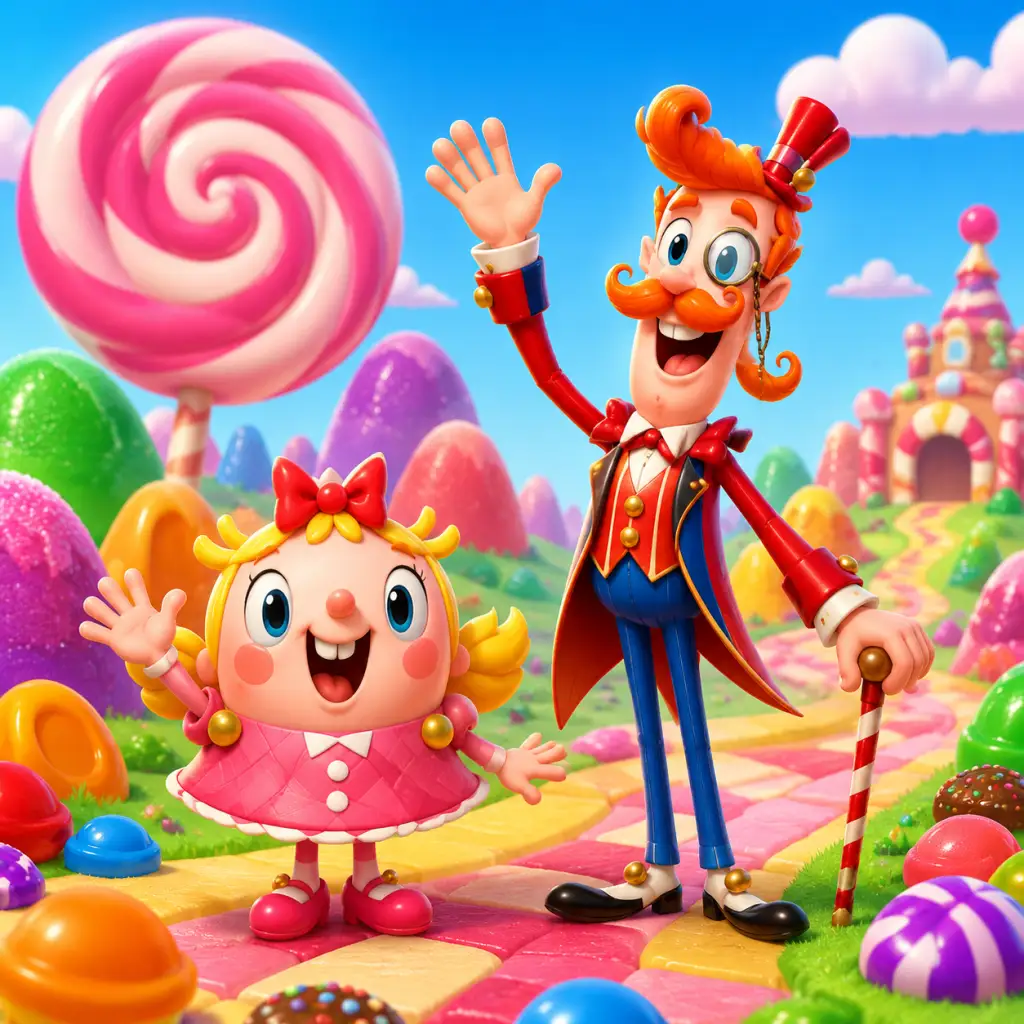
Characters & Roles
Characters & Roles
Important Note: No Playable Characters
Candy Crush Saga is a match-three puzzle game, not a role-playing game. It does not feature traditional playable characters, classes, heroes, or units with distinct stats, skill trees, or unlock conditions. The only "character" in the narrative is Tiffi (the young girl who accompanies you through the story), but she is purely cosmetic and does not affect gameplay. The candies themselves are the core gameplay elements, and their various forms (special candies) act as the closest equivalent to "heroes" or "roles." Boosters function as deployable abilities. This guide covers every functional "character" and "role" you can leverage in the game.
---
1. Candy Types (The Basic "Units")
Each standard candy is identical in function except for its color. They are the building blocks you match to create special candies. There are six colors: Red, Yellow, Blue, Green, Orange, and Purple.
| Color | Background (All standard) | Strengths | Weaknesses |
|---|---|---|---|
| Red | Common, no story | Only used for matching | No unique effect; replaceable by any color |
| Yellow | Same as above | Same | Same |
| Blue | Same | Same | Same |
| Green | Same | Same | Same |
| Orange | Same | Same | Same |
| Purple | Same | Same | Same |
---
2. Special Candies (The "Heroes" of Gameplay)
Special candies are created by matching 4 or more candies. They are the true "roles" that define your strategy. Each has unique strengths, weaknesses, and synergies.
#### 2.1 Striped Candy (Horizontal or Vertical)
- How to Create: Match 4 in a row.
- Appearance: Horizontal stripe (blue) or vertical stripe (red) pattern.
- Strength: Clears an entire row or column when matched or activated.
- Weakness: Only clears one line; can be wasted if spawned at board edge.
- Playstyle: Use to clear hard-to-reach areas, break through blockers, or trigger cascades. Aim to align it with another special for combined effects.
- Unlock: Automatically available when you make a match of 4 (any level).
- Recommended Equipment/Boosters: Combine with Lollipop Hammer to manually detonate; Extra Moves booster to give more chances to create.
- Team Synergy: Strong with: Color Bomb (converts all of one color into Striped); Wrapped Candy (adjacent explosion). Weak with: Nothing, but avoid placing alone.
- How to Create: Match 5 in an L or T shape (or 4 in a square? No, 5 in an L/T). Actually: 5 candies in an L or T pattern yields a Wrapped Candy.
- Appearance: Candy with a wrapper and a small explosion symbol.
- Strength: Explodes in a 3×3 area (later, after one move delay, it becomes a bigger explosion). Actually immediate on swap/match.
- Weakness: Requires a match to activate; can be detonated accidentally by cascades.
- Playstyle: Use to clear clusters, destroy multiple blockers, or trigger chain reactions. Best used near dense areas.
- Unlock: Available from level 1 when you form the required shape.
- Recommended Equipment/Boosters: Color Bomb combination (turns all of one color into Wrapped). Extra Moves to set up the L/T shape.
- Team Synergy: Strong with: Striped Candy (explosion + line); Color Bomb (mass conversion). Weak with: Isolated placement (wastes blast radius).
- How to Create: Match 5 in a straight line.
- Appearance: A multicolored candy with a star.
- Strength: When swapped with a regular candy, removes all candies of that color. When swapped with another special candy, it creates powerful combos (e.g., all Striped of that color).
- Weakness: Cannot be “detonated” alone; must be swapped; only removes one color per use.
- Playstyle: Use strategically when one color dominates or to activate special candy combos. Save for difficult boards.
- Unlock: From level 1.
- Recommended Equipment/Boosters: Lollipop Hammer to swap it with a specific special candy. Extra Moves to create the 5-match.
- Team Synergy: Strong with: Striped Candy (creates all Striped of that color); Wrapped Candy (creates all Wrapped). Weak with: Board with equal distribution of colors (inefficient).
- How to Create: Match 4 in a square (2×2 block of same candy) or sometimes from cascades.
- Appearance: A red/green fish.
- Strength: Launch and it will randomly target and remove a single candy or blocker.
- Weakness: Random target; can hit already clear spaces.
- Playstyle: Use when you need to hit a specific blocker but can't reach it. Multiple fish can target same area.
- Unlock: Available from early levels (introduced around level 15).
- Recommended Equipment/Boosters: Lollipop Hammer to activate; Jelly Fish booster (if you have it) but that's premium.
- Team Synergy: Strong with: Multiple fish (focus fire). Weak with: Very few blockers (wasted).
- Color Bomb + Striped: All candies of that color become Striped, then all those Striped candies detonate in sequence (clears many lines).
- Color Bomb + Wrapped: All candies of that color become Wrapped, then all detonate (huge area destruction).
- Color Bomb + Color Bomb (rare): Clears the entire board (only possible with lucky spawns or boosters).
#### 2.2 Wrapped Candy
#### 2.3 Color Bomb
#### 2.4 Fish Candy (Candy Fish)
#### 2.5 Color Bomb + Special Candy Combos (Ultimate Roles)
When a Color Bomb is swapped with a special candy, it creates a massive effect:
Playstyle: These combos are “endgame” moves. Build towards them when stuck.
---
3. Boosters as "Deployable Skills"
Boosters are consumable items you can activate before or during a level. They function like character abilities. Below are the main ones with their roles.
| Booster | Role | Strength | Weakness | Unlock Condition | Recommended “Build” (when to use) |
|---|---|---|---|---|---|
| Lollipop Hammer | Targeted removal | Removes any single candy or blocker; can detonate special candies | Limited uses; costs gold | Always available (purchase or earn) | Use when one candy blocks a match; extreme precision needed |
| Extra Moves +5 | Time extension | Gives more moves; can turn a loss into win | Only usable at level start; no effect on board | Earned or bought | Use when you consistently run out of moves |
| Fish Booster (premium) | Auto-fish | Sends multiple fish each turn to clear blockers | Expensive; random targets | In-app purchase | Use on jelly levels with many hidden blockers |
| Color Bomb Booster | Instant Color Bomb | Places a Color Bomb on board | One use; can be wasted if no good color | Rare rewards / purchase | Use when board has one dominant color |
| Striped Candy Booster | Premade Striped | Places a Striped candy | Only one; can be detonated early | Occasional reward | Use to clear a specific row/column |
| Wrapped Candy Booster | Premade Wrapped | Places a Wrapped candy | Same as above | Rare | Use for clusters |
| Extra Time (for Timed levels) | Time extension | Adds seconds | Only on timed levels; limited | Earned in events | Use when close to timeout |
---
4. Narrative Characters (Non-Playable)
These characters appear in cutscenes and menus but do not affect gameplay.
| Character | Role in Story | Notes |
|---|---|---|
| Tiffi | Main protagonist (player avatar) | Guides you through the story; no abilities |
| Mr. Toffee | Villain? Appears in some events | Not playable |
| The Candy Queen | Antagonist in later story arcs | Appears in episodes, no gameplay effect |
| Candy Girls (from Candy Crush Friends spin-off) | Not present in main Candy Crush Saga | Ignore. |
5. Summary of Roles
If you think of the game as a team of “characters,” your best strategy is:
- Striker (role): Striped Candy – for line clears.
- Bomber: Wrapped Candy – for area damage.
- Rainmaker: Color Bomb – for color removal.
- Assassin: Fish Candy – for pinpoint removal.
- Support: Boosters (Lollipop Hammer, Extra Moves) – to enable combos.
Team synergy means creating combos between special candies. The strongest “party” is a Color Bomb combined with a Striped or Wrapped candy.
---
Final Note
Candy Crush Saga is about puzzle solving, not character management. The “characters” you control are the special candies you create on the board. Master their creation and combination, and you’ll clear any level. There are no unlock conditions for characters because they are all available from the start—you just need to make them in-game. For boosters, unlock them by earning through gameplay or spending gold bars/life rewards.
For more details on boosters and their acquisition, see the All Game Items and **Boosters” sections.
Cheats & Secrets
Candy Crush Saga Cheats & Secrets Guide
Official Cheat Codes: None
Candy Crush Saga does not have any official cheat codes, unlock codes, or console commands. The game is entirely server-authoritative, meaning all progress, moves, and currencies are validated on King’s servers. Any website or video claiming to offer working cheat codes for unlimited gold bars, infinite moves, or instant level completion is a scam. Entering such codes (if they existed) would likely lead to a permanent account ban.
Hidden Features & Easter Eggs (Developer-Intended)
#### 1. The “Thank You” Message on Level 1
If you play Level 1 (the very first level) many times—specifically 100 times in a row—the game displays a hidden message: “Thank you for playing!” It appears after completing the level, and the usual level-complete screen is replaced by a short greeting from the developers. This is a small token of appreciation for dedicated players.
How to trigger: Start a new game, complete Level 1, then immediately restart it from the map. Repeat 100 times. The message appears only on the 100th completion (cumulative play count).
Note: This works on both mobile and PC versions. The counter resets if you play any other level in between.
#### 2. Sugar Crush Bonus Animation
After finishing a level with moves remaining, a Sugar Crush animation plays where leftover moves are converted into striped candies that explode automatically. This is not a secret, but many new players miss the subtle interaction: if you rapidly tap the screen during Sugar Crush, the candies explode faster. This is a hidden “skip” mechanic, developer-intended for impatient players.
#### 3. Hidden Profile Facts
On your player profile (accessible from the in-game menu), you can find a statistic called “Longest Game Session” or “Most Candies Crushed in a Level”. These are not explicitly shown until you tap the small info icon next to the level count. They are considered a “secret” because the UI does not initially draw attention to them.
#### 4. The Candy Order Event Lore
During special Candy Order events, completing certain hidden tasks (e.g., matching a specific number of purple candies in one hour) unlocks a secret story segment about the “Candy Kingdom.” These lore pieces are very short and are considered Easter eggs for players who pay attention to event text.
#### 5. The “Candy Crash” You Never See
If the game crashes unexpectedly (which is rare), the loading screen sometimes shows a funny message like “Oops, we spilled the candy!” This is a developer-intended Easter egg for when the app encounters an error. It only appears on mobile versions.
#### 6. The Hidden “Dreamworld” Reference
Even though the Dreamworld mode was removed in 2023, its code is still present. If you have a very slow internet connection and try to access a level that was originally in Dreamworld (levels 1–65), you may briefly see a ghosted version of the Dreamworld interface before the game forces a reload. This is an unintended but harmless relic.
Legitimate Secrets (Not Cheats)
#### 1. Unlimited Lives via Time Change (Exploit – Use at Your Own Risk)
Changing your device’s system time forward by a few hours can refill your lives instantly. This is not developer-intended, but it is a widely known “workaround.” Note that King can detect this and may temporarily lock you out of the game if abused (e.g., changing time by days). Use sparingly.
#### 2. Gold Bars from Daily Wheel: The “Hidden” Timer
Every 24 hours, the free daily wheel gives a chance at 10 gold bars. However, if you close and reopen the app exactly 23 hours and 59 minutes after your last spin, you can reset the timer earlier (the game counts time since last spin, not a fixed midnight). This is a minor exploit that is safe and widely used.
#### 3. Boosters from Friends: The “Secret” Gift
If you send a life request to a friend who hasn’t played in 7 days, the game automatically credits you with a “mystery booster” (usually a lollipop hammer) as a developer-intended reward for reaching inactive users. This is documented in King’s help pages but not advertised in-game.
“Cheat Codes” That Do Not Exist
- Gold bar generators: All are phishing scams.
- Level skip codes: Impossible – each level must be completed to progress.
- Unlock all boosters: The game doesn’t accept unlock codes.
- God mode/invincibility: Not applicable in a puzzle game.
Final Note
Candy Crush Saga is designed to be a fair, monetized game. Any “cheat” you find online that claims to bypass purchases is almost certainly malicious. Stick to the Easter eggs and hidden features listed above—they are safe, fun, and developer-approved.