
Celeste
## Game Introduction: *Celeste* **Genre:** Precision Platformer / Action-Adventure / Narrative-Driven **Developer & Publisher:** Maddy Makes Games (formerly Matt Makes Games Inc.) **Release Timeline:** - **Initial Release:** January 25, 2018 (Windows, macOS, Linux, Nintendo Switch, PlayStation 4,...

Download & Installation
Download & Installation Guide for Celeste
Celeste is a critically acclaimed platformer developed by Maddy Makes Games. It is available on multiple platforms. Below is a comprehensive guide for downloading and installing the game on each supported platform.
1. Platform Availability
| Platform | Storefront | Availability |
|---|---|---|
| PC (Windows, macOS, Linux) | Steam, Epic Games Store, GOG, Humble Bundle, itch.io | ✓ |
| PlayStation 4 / PlayStation 5 | PlayStation Store | ✓ |
| Xbox One / Xbox Series X | S | Microsoft Store, Xbox Game Pass |
| Nintendo Switch | Nintendo eShop | ✓ |
| Mobile (iOS/Android) | Official app stores | ✗ (not officially released) |
2. System Requirements (PC)
#### Minimum Requirements
- OS: Windows 7, macOS 10.12 Sierra, or Linux (Ubuntu 16.04 or equivalent)
- CPU: Intel Core i3-2100 or AMD equivalent
- RAM: 2 GB
- GPU: DirectX 10 compatible with 512 MB VRAM (e.g., Intel HD 4000, NVIDIA GeForce 8800 GT)
- DirectX: Version 10
- Storage: 1.2 GB available space
- OS: Windows 10, macOS 10.15 Catalina, or Linux (Ubuntu 18.04)
- CPU: Intel Core i5-3470 or AMD Ryzen 3 1200
- RAM: 4 GB
- GPU: DirectX 11 compatible with 1 GB VRAM (e.g., NVIDIA GeForce GTX 460, AMD Radeon HD 6850)
- DirectX: Version 11
- Storage: 1.2 GB available space (SSD recommended)
- Steam: A Steam account (free).
- Epic Games Store: An Epic Games account (free).
- PlayStation: A PlayStation Network account (free).
- Xbox: A Microsoft account (free).
- Nintendo Switch: A Nintendo Account (free).
- PC: ~1.2 GB (download size may vary by platform; Steam shows ~1.0 GB).
- PlayStation 4/5: ~1.4 GB.
- Xbox One/Series: ~1.2 GB.
- Nintendo Switch: ~1.1 GB.
- Cause: Antivirus blocking or insufficient permissions.
- Fix: Run Steam as administrator, temporarily disable antivirus, or change download region in Steam settings.
- Cause: Outdated DirectX or Visual C++ Redistributables.
- Fix: Install the latest DirectX runtime and Visual C++ 2015-2022 redistributable from Microsoft.
- Fix:
- Fix:
- Fix:
- PC: Verify file integrity via Steam (Properties > Local Files > Verify integrity of game files).
- Consoles: Delete and redownload the game.
- PC (Steam): Right-click > Manage > Uninstall.
- PC (Epic): Right-click > Uninstall.
- PlayStation: Highlight game > Options > Delete.
- Xbox: My Games & Apps > Highlight > Manage > Uninstall.
- Nintendo Switch: System Settings > Data Management > Manage Software > Delete Software.
- Mod support: PC version has extensive modding community. Install mods via Everest (custom launcher) – see [Celeste Modding Guide](https://celeste.ink/).
- Performance: On low-end PCs, lower resolution to 720p and disable fullscreen effects.
- Game Pass: Xbox Game Pass subscribers can download Celeste at no extra cost.
- DLC/Farewell: Included in all versions (no separate purchase required).
#### Recommended Requirements
3. Download & Installation Steps by Platform
#### 3.1 PC (Steam)
1. Install Steam Client – Download from [store.steampowered.com](https://store.steampowered.com) if not already installed.
2. Log into your Steam account (create one if needed).
3. Search for "Celeste" in the Store or Library.
4. Purchase the game (or add to cart if free, though Celeste is paid).
5. Click "Install" – Choose installation directory (default is fine).
6. Wait for download and automatic installation – Steam handles all files.
7. Launch from your Library.
#### 3.2 PC (Epic Games Store)
1. Install Epic Games Launcher from [www.epicgames.com](https://www.epicgames.com).
2. Log in or create an Epic Games account.
3. Go to the Store and search for "Celeste".
4. Purchase the game (or claim if you have a coupon).
5. Click "Install" – Choose installation location.
6. Wait for download and installation.
7. Launch from your Library.
#### 3.3 PlayStation 4 / PlayStation 5
1. Turn on your console and log into your PlayStation Network account.
2. Go to the PlayStation Store from the home screen.
3. Search for "Celeste" or browse the sales.
4. Purchase the game (confirm payment).
5. Download starts automatically – You can monitor progress from the Downloads menu.
6. Once complete, the game appears on your home screen. Launch to play.
Note: On PS5, the game runs via backward compatibility. No separate PS5 version exists.
#### 3.4 Xbox One / Xbox Series X|S
1. Power on your console and sign into your Microsoft account.
2. Open the Microsoft Store or search using the guide.
3. Search for "Celeste" and select the game.
4. Purchase the game (or install if you have Game Pass).
5. Click "Install" – Choose where to install (console internal or external storage).
6. Wait for download and installation.
7. Launch from My Games & Apps.
#### 3.5 Nintendo Switch
1. Ensure your Switch is connected to the internet and has sufficient storage (at least 2 GB free).
2. Open the Nintendo eShop from the home menu.
3. Log into your Nintendo Account (create one if needed).
4. Search for "Celeste" using the search function.
5. Select the game and choose "Purchase" (or "Proceed to Purchase").
6. Confirm payment (credit card, PayPal, or eShop balance).
7. The download begins – You can check progress on the home screen.
8. Once installed, select the game tile to play.
4. Account Requirements
All platforms require internet access for initial download and verification.
5. First Launch Setup
1. Launch the game.
2. Language selection – Choose from available languages (English, French, German, Spanish, Japanese, etc.).
3. Graphics options – On PC, you may adjust resolution, fullscreen/windowed, and quality presets. Console versions auto-detect.
4. Audio settings – Adjust volume sliders for music, SFX, and dialogue.
5. Controller settings – The game supports keyboard and gamepad. Customize button mappings if desired.
6. Accessibility options – Include Assist Mode (invincibility, infinite stamina, etc.) and variant triggers.
7. Start a new game – Confirm your file name (if applicable).
6. Storage Space Details
Ensure at least double the space temporarily for installation processes.
7. Common Installation Errors & Fixes
#### 7.1 PC: "Steam Disk Write Error" or "Corrupt File"
#### 7.2 PC: "Missing DLL" or "D3DCompiler_xx.dll"
#### 7.3 PlayStation: "Cannot download" or "Error CE-xxxxx"
- Restart the console.
- Rebuild database (Safe Mode > Option 5).
- Check network connection and PSN status.
#### 7.4 Xbox: "Installation stopped"
- Hard reset (hold power button 10 seconds).
- Clear persistent storage (Settings > Blu-ray > Persistent Storage > Clear).
- Reinstall from library.
#### 7.5 Nintendo Switch: "MicroSD card error" or "Download paused"
- Reinsert microSD card.
- Check for corrupted data (System Settings > Data Management > Manage Software > Check for Corrupt Data).
- Ensure sufficient free space (archive other games if needed).
#### 7.6 General Error: "Game fails to launch after install"
8. Post-Installation Verification
1. Check game version – On the main menu, look for version number. Current latest is 1.4.2.0 (as of 2025).
2. Test basic controls – Move Madeline with arrow keys or left stick, jump with spacebar/A, dash with C/X, etc.
3. Run a quick level – Play the first chapter to ensure no stutters or crashes.
4. Verify achievements/trophies – Open the respective overlay (Steam, PlayStation, Xbox, Nintendo) to confirm connectivity.
5. Cloud saves – Ensure cloud sync is enabled if you want cross-device progression (Steam, Xbox, Switch with cloud saves).
9. Uninstalling the Game
10. Additional Tips
For further help, visit the [official Celeste support page](https://www.celestegame.com) or the community Discord.
Game Introduction
Game Introduction: Celeste
Genre: Precision Platformer / Action-Adventure / Narrative-Driven
Developer & Publisher: Maddy Makes Games (formerly Matt Makes Games Inc.)
Release Timeline:
- Initial Release: January 25, 2018 (Windows, macOS, Linux, Nintendo Switch, PlayStation 4, Xbox One)
- Physical Edition (Limited Run Games): 2018–2019
- Chapter 9 DLC (Farewell): September 9, 2019 (free update)
- Celeste Classic: A free PICO-8 prototype released alongside the full game (also available on Itch.io)
- Microsoft Windows (Steam, Epic Games Store, GOG, Microsoft Store)
- macOS
- Linux
- Nintendo Switch (eShop and physical)
- PlayStation 4 & PlayStation 5 (backward compatible)
- Xbox One & Xbox Series X|S (backward compatible)
- Stadia (discontinued but still playable on owned accounts)
- Madeline: The protagonist. Determined but fragile, she suffers from panic attacks and self-doubt. Her climb is both physical and psychological.
- Badeline (Part of Madeline): Madeline’s dark, cynical counterpart who embodies her insecurities. She initially tries to hinder the climb but eventually becomes a crucial ally.
- Theo: A friendly, laid-back photographer whom Madeline meets on the mountain. He provides emotional support and a lighthearted contrast to Madeline’s struggles.
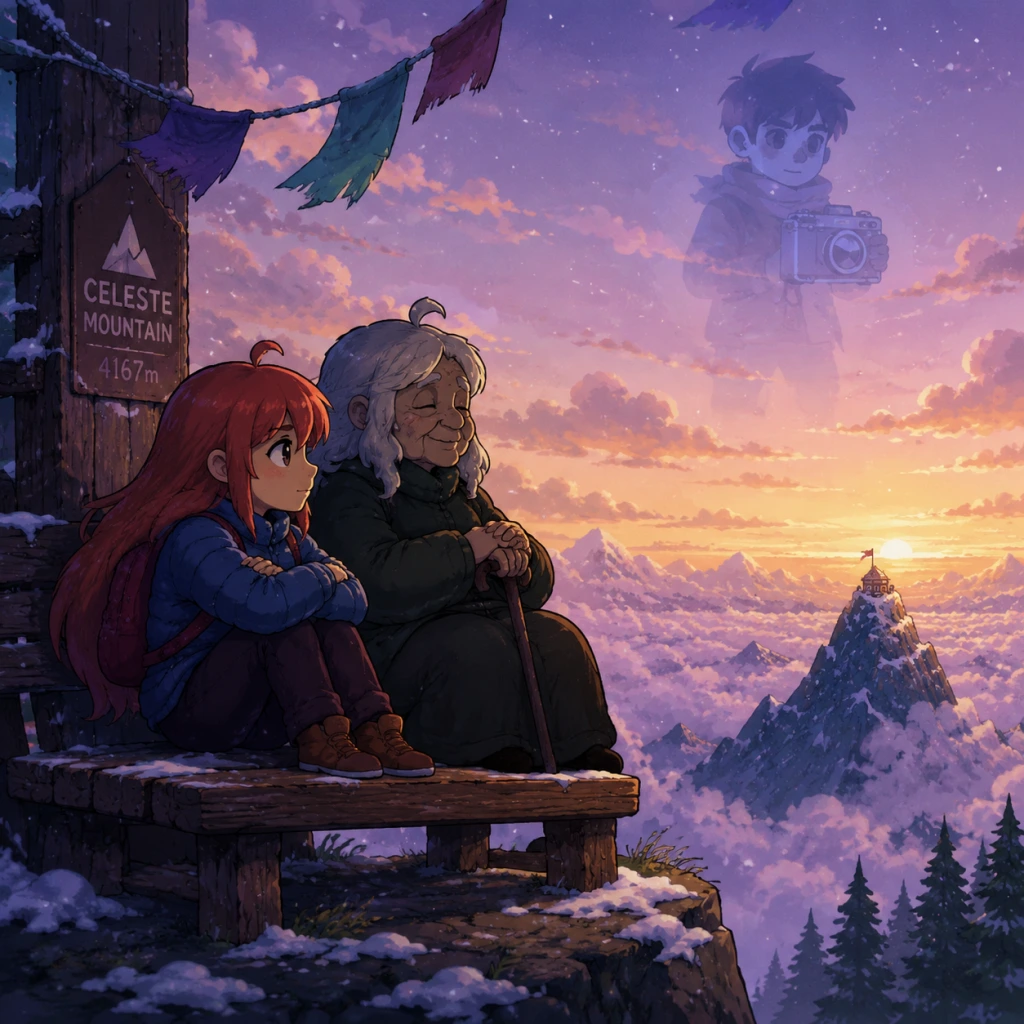
- Granny: An elderly woman who lives in a cabin on the mountain. She offers cryptic wisdom and encouragement.
- Mr. Oshiro: The ghost of the Celeste Resort’s former caretaker. He is lonely and trapped in the past, serving as a secondary antagonist and a tragic figure.
- Core fans of precision platformers (e.g., Super Meat Boy, The End Is Nigh)
- Players who enjoy emotionally impactful, character-driven narratives
- Speedrunners (the game has a vibrant speedrunning community)
- Anyone looking for a challenging but fair game with strong accessibility options
- Fans of indie games with beautiful pixel art and original soundtracks
- Story Mode: Nine chapters (A-Sides) plus the free Farewell DLC (Chapter 9). Each chapter has a main goal and optional collectibles.
- B-Sides & C-Sides: Unlocked by finding Cassette Tapes (B-Sides) or completing B-Sides (C-Sides). These are remixed, significantly harder versions of each chapter, offering extreme challenge for veterans.
- Speedrun Mode: The game tracks global leaderboards for each chapter and full-game runs. A built-in timer is always visible.
- Death Counter: By default, the game records your deaths, and you can see your total at the end of each chapter.
- Offline: Full single-player experience. No internet connection required for story or challenges.
- Online: Leaderboards for chapter times and strawberry counts are synced when connected. No multiplayer or co-op modes. The game is solely single-player.
- Perfect Marriage of Gameplay and Story: The physical act of climbing mirrors Madeline’s emotional struggles, and the difficulty serves as a metaphor for overcoming real-life hurdles.
- Accessibility Without Compromise: Assist Mode does not penalize the player or lock achievements, allowing anyone to experience the story while hardcore players can tackle the hardest challenges.
- Emotionally Resonant Writing: The narrative tackles mental health with sincerity and nuance, presenting a realistic portrayal of anxiety, depression, and self-acceptance without being heavy-handed.
- Exceptional Soundtrack: Lena Raine’s chiptune-and-electronic score is iconic, with tracks that evolve in intensity as the action picks up, culminating in the powerful "Reach for the Summit."
- Speedrunning & Community Creativity: The game’s tight controls have spawned an active speedrunning scene, with world records that constantly push the limits. The level editor community (via mods on PC) has created thousands of custom maps.
Platforms:
Story Overview:
Celeste follows Madeline, a young woman struggling with anxiety and self-doubt, who decides to climb the treacherous, eponymous Celeste Mountain. The mountain is not just a physical challenge—it manifests her inner demons, forcing her to confront her fears, insecurities, and a darker version of herself called Badeline. Along the way, she meets quirky characters like the eccentric old woman Granny, the enthusiastic photographer Theo, and the mysterious Mr. Oshiro, the ghostly caretaker of the abandoned Celeste Resort. The story is a heartfelt journey of perseverance, self-acceptance, and mental health, exploring themes of anxiety, depression, and the struggle to overcome one’s own limitations.
Setting:
The game takes place on Celeste Mountain, a fictional, towering peak in Western Canada (inspired by the real Mount Celeste on Vancouver Island). The mountain is divided into nine distinct chapters, each with its own unique visual theme: from a lush forest and an abandoned hotel to a mirror-filled temple and a surreal cosmic finale. Every area is hand-crafted with pixel-art graphics that evoke a nostalgic 16-bit era, while the soundtrack (composed by Lena Raine) dynamically shifts with the environment and emotional beats.
Main Characters:
Core Appeal:
Celeste is renowned for its tight, responsive controls and challenging but fair platforming. Every input matters: dashing, climbing, wall-jumping, and grabbing are incredibly precise. The difficulty curve is carefully designed to teach mechanics gradually, with optional collectibles (Strawberries) and hidden Cassette Tapes that unlock B-Sides and C-Sides—remixed, harder versions of levels. The game also features an Assist Mode (accessibility options) that allows players to slow down time, grant invincibility, or skip levels, ensuring the story and experience are accessible to everyone without compromising challenge for those who seek it.
Target Audience:
Game Modes:
Online / Offline Support:
DLC / Expansion Overview:
The Farewell DLC (Chapter 9) was released as a free update on September 9, 2019. It serves as the true final chapter of Madeline’s story, adding a massive, brutally difficult level that is longer than any previous chapter. It includes new gameplay mechanics (e.g., jellyfish-like bounce pads, a new dash type), a deeper exploration of Madeline’s relationship with Badeline, and a emotional conclusion. The DLC also introduced additional Strawberries (including Golden Strawberries for no-death runs) and further expanded the lore. No paid expansions exist—all post-launch content has been free.
What Makes Celeste Unique:
Conclusion:
Celeste is more than a platformer—it’s an emotional journey wrapped in razor-sharp gameplay. Its combination of thoughtful storytelling, challenging but fair design, and broad accessibility has earned it universal acclaim, including a perfect 10/10 from many reviewers and the Game Award for Best Independent Game in 2018. Whether you’re a seasoned platforming veteran or a player looking for a meaningful experience, Celeste Mountain awaits.
Getting Started
Getting Started Guide for Celeste
Welcome to Celeste, a challenging and deeply rewarding precision platformer. This guide is designed to help brand-new players survive their first hour, understand the basics, and avoid common pitfalls. There is no character creation—you play as Madeline, a young woman with a distinct personality and backstory.
First Hour Walkthrough (No Spoilers)
1. Opening Cutscene (5 minutes): The game begins with a short, atmospheric cutscene showing Madeline arriving at the base of Celeste Mountain. You gain control immediately afterward.
2. Chapter 1: Forsaken City – The Basics (15-20 minutes):
- Tutorial Room: You start in a small room with a sign. This teaches you to jump (A on controller, Z on keyboard), climb (hold grab button), and dash (dash button). Do not skip these signs.
- First Screen: Jump over a small gap, climb a wall, dash across a gap. The game teaches you that you can only dash once until you touch the ground or a wall (but you can refresh by touching a wall or ground).
- Strawberries & Cassette Tapes: You'll see red strawberries optional collectibles. Don't worry about getting them all now; focus on finishing the level. Cassette tapes unlock B-sides (harder versions) later, but ignore them on your first playthrough.
- First Death: You will die. A lot. The game encourages you with a short respawn (0.5 seconds). Each death is a learning experience.
- End of Chapter 1: You'll meet Granny, a key NPC, and receive your first crystal heart by completing the level.
3. Between Chapters (5 minutes): You enter the overworld map. You can talk to NPCs, revisit completed chapters, or continue to the next. Talk to everyone once.
4. Chapter 2: Old Site – First Difficulty Spike (15-20 minutes):
- Introduces moving platforms, crumbling blocks, and spikes. You'll learn wall-jumping (jump while sliding down a wall) and more advanced movement.
- You'll also encounter your first dream block (blue blocks that disappear when you dash through them).
- Key Lesson: Patience. Observe the pattern before moving.
5. End of First Hour: You should be at the start of Chapter 3 or have completed Chapter 2. You have likely died 50-100 times. That is normal.
Controls (All Platforms)
Celeste uses simple controls but precise inputs. Here is the mapping:
| Action | Keyboard (Default) | Xbox Controller | PlayStation Controller | Nintendo Switch (Pro/Handheld) |
|---|---|---|---|---|
| Move | Arrow keys / WASD | Left Stick / D-Pad | Left Stick / D-Pad | Left Stick / D-Pad |
| Climb / Hold | X | RT / RB | R2 / R1 | ZR / R (shoulder)
| Dash | C | LT / LB | L2 / L1 | ZL / L (shoulder)
| Confirm / Interact | Enter / Space | A | X | A (right face) |
| Pause / Menu | Escape | Start / Menu | Options / Touchpad | + |
Note on climbing: Hold the climb button to grab walls. When climbing, you can jump off walls (wall jump) by pressing jump while holding toward the wall. You can also dash while holding onto a wall.
Assist Mode: If you're struggling, you can enable Assist Mode from the pause menu (Options > Assist Mode). This lets you reduce game speed, grant infinite dashes, or skip rooms. It's not cheating—use it if needed.
UI Overview
- Top-Left Corner: Number of Strawberries collected in current chapter (0/30 usually).
- Top-Right Corner: Death count for the current session (cumulative).
- Center-Top (occasionally): Golden Strawberry counter if you're attempting a perfect run.
- D-Pad Down: Quick retry button (restarts current room). Use it often.
- Pause Menu: Options (sound, controls, assist mode), Save & Quit, Return to Title.
- Read every sign. They teach you mechanics.
- Experiment with dashes in the air and against walls.
- Take breaks if frustrated. The game rewards patience.
- Use the quick retry (D-Pad Down / R1) to reset a room instantly.
- Skipping the tutorial signs.
- Trying to get all strawberries on first playthrough (they cause extra deaths).
- Rushing into dangerous areas without observing.
- Comparing your death count to others. 1000+ deaths is normal.
- Strawberries: Optional, give a +1 to your death count mockingly but no gameplay benefit until later (they unlock a special room but not needed).
- Crystal Hearts: One per chapter, required for true ending. Always grab the first one (it's given).
- Cassette Tapes: Unlock B-side levels. Not needed early; skip unless you're a completionist.
- Golden Strawberries: Extremely high-risk collectibles that require beating a level without dying. Avoid entirely until you've beaten the game.
- [ ] Read all tutorial signs in Chapter 1.
- [ ] Complete Chapter 1 (Forsaken City).
- [ ] Talk to Granny and any other NPCs on the map.
- [ ] Attempt Chapter 2 (Old Site) until the first major obstacle.
- [ ] Customize controls if default feels awkward (pause > Options > Controls).
- [ ] Enable Assist Mode if you're stuck for more than 30 minutes on one room (optional).
- [ ] Save and Quit properly to keep progress.
Essential Early Objectives
1. Complete Chapter 1. Don't worry about strawberries or secret hearts.
2. Learn to wall jump. It's the most important advanced technique.
3. Talk to Granny after Chapter 1 to understand the story.
4. Collect the crystal heart at the end of each chapter (automatically given for finishing).
5. Try Chapter 2 immediately after Chapter 1.
What to Do First & What to Avoid
Do:
Avoid:
Early Resource Priorities
Common Beginner Mistakes
1. Dashing too early. Before crossing gaps, wait until the moment you're about to fall to reach maximum distance.
2. Holding climb while jumping off walls. You lose the ability to jump. Release climb before jumping.
3. Not using the quick retry. Manually walking back to the death spot wastes time. D-Pad Down resets instantly.
4. Ignoring wall jumps. Many rooms require wall jumping up tight spaces.
5. Trying to collect everything. Focus on reaching the flag (save point) at the end of each room.
6. Overusing Assist Mode. It can break the intended difficulty curve. Use it sparingly.
Day-One Checklist
Final Tip: Embrace death. Each death is a lesson. The mountain is patient.
Core Gameplay
Core Gameplay Guide for Celeste
Celeste is a precision platformer focused on movement, problem-solving, and resilience. Unlike traditional action games, there is no combat—conflict is resolved through traversal and timing. The core gameplay loop revolves around navigating tightly designed screen-sized rooms, overcoming obstacles, and collecting optional collectibles. Below is a breakdown of the core systems organized by player progression tiers.
Core Systems Overview (All Tiers)
- Movement: Walk, run, jump, wall jump, crouch, climb, and dodge (air dash). Madeline’s movement is fluid but momentum-based. The dash is a fixed-distance horizontal or vertical boost that resets on touching ground or a crystal.
- Interaction: No weapons or melee. The only interactive objects are:
- Death & Checkpoints: Instant death from spikes, falling off-screen, or crushing. Respawn immediately at the last checkpoint (room entrance or strawberry). No penalty other than time.
- Progression: Linear chapter structure, but each chapter contains multiple paths for collectibles. New abilities are permanently unlocked at story milestones.
- Exploration: Each room is a self-contained puzzle. Hidden collectibles (strawberries, cassette tapes) encourage revisiting rooms. There are no open-world elements.
- Quests/Missions: None. The only objective is to reach the summit. Optional goals are self-imposed (collect all strawberries, complete B-side chapters).
- Economy: None. No currency, shops, or upgrades. The only resource is your persistence.
- Character/Build Growth: Madeline gains new movement abilities that persist across all chapters after unlocking. No stats or equipment. The “build” is your improved skill and muscle memory.
- Endgame Structure: Post-credits content includes:
- Start: Run, jump, wall jump, climb.
- Chapter 1 (Forsaken City): No special abilities. Learn basic wall-jumping and climbing stamina (limited time).
- Chapter 2 (Old Site): Unlock the dash (air dash once per floor/crystal—shown early). This doubles movement options.
- Chapter 3 (Celestial Resort): No new ability, but introduces moving platforms, dust bunnies (environmental hazards), and dream blocks (first appear). Players learn to manage momentum in tight corridors.
- Linear path with optional strawberries (red, blue, gold). Top priority: reach the exit. Early strawberries are easy to find; missing them is fine.
- Cassette tape in Chapter 2 (hidden path above the main route) unlocks the B-side for Chapter 2, but it’s too hard for early game.
- Exploration is limited; focus on mastering the dash and wall jump.
- No permanent unlocks during early game except the dash in Chapter 2. Skill improvement is the only growth.
- Death count increases, but that’s normal.
- Not applicable. Complete Chapter 3 to enter mid game.
- Chapter 4 (Golden Ridge): Unlock feathers—glide in any direction for a few seconds while controlling a feather. Adds aerial flexibility.
- Chapter 5 (Mirror Temple): Unlock dream blocks (if not already introduced) and Theo’s crystal (carry him; he creates platforms). Also introduces invisible paths and seeker enemies (chase you; avoid them).
- Chapter 6 (Reflection): Unlock double dash (two dashes before touching ground). This is the most impactful upgrade. Also unlocks the ability to dash diagonally (already possible, but now explicitly needed).
- Chapters are longer, with multiple sections. Many strawberries are hidden off the main path, requiring backtracking or creative dashes.
- Cassette tapes in Chapters 4 and 5 unlock B-sides. These are found by deviating from the main path (e.g., a hidden gap in a wall).
- Crystal hearts (one per chapter) become collectible, but they are often very cryptic. Example: in Chapter 4, ride a cloud all the way to the right without moving.
- Now have two dashes and feather controls. Movement repertoire is near complete. Player skill increases through trial and error.
- No stat upgrades, but you feel more capable.
- Continue to Chapter 7 (summit) to reach late game.
- No new abilities after Chapter 6. However, Chapter 7 introduces snowstorms and wind that push Madeline, making movement unpredictable. Chapter 8 (Core) adds fire/ice mechanics—standing in fire hurts, ice is slippery.
- Chapter 9 (Farewell DLC): Unlock the wave dash (technique: dash diagonally into ground and immediately jump to preserve momentum) and wall bounces (dash up from a wall to gain height). These are not explicitly taught but required.
- Main story ends at Chapter 7. Chapters 8 (Core) is unlocked by collecting all crystal hearts (4 required) and gives a more logical endpoint.
- B-Sides (Chapters 1–8B) are unlocked via cassette tapes. They are 2× to 3× harder than the original chapters, removing checkpoints, adding more spikes, and requiring pixel-perfect inputs.
- C-Sides appear after completing all B-sides. They are single-room challenges that test mastery of a specific mechanic. Example: 3C requires a precise wall bounce sequence.
- Chapter 9 (Farewell) is the ultimate challenge, longer than any chapter, with new tech like wavedashing and bubble jumps.
- Player skill hardens. Muscle memory for advanced techniques becomes second nature. No further ability unlocks.
- Collecting golden strawberries (complete chapter without dying) is the hardest challenge—requires near perfection.
- Beating the main story opens the path to higher difficulty content. The real endgame is mastering B-sides, C-sides, and Farewell.
- Achievements: 175 strawberries, all hearts, all cassettes, all B/C sides completed, and golden strawberries for each chapter.
- Chapter 9 (Farewell) contains the most difficult rooms in the game. Completing it is a badge of honor.
- Collect all 175 strawberries (including golden strawberries).
- Obtain all 24 crystal hearts.
- Finish all C-sides (8 C-sides).
- Complete Chapter 9 (Farewell) with gold berry (die in the entire chapter = failure).
- All abilities and advanced techniques (wavedash, hyper dash, wall bounce) are fully integrated. The focus is on speedrunning or deathless runs.
- Assist modes exist (invincibility, infinite dashes, slower speed) for accessibility, but endgame players typically turn them off.
- No new chapters after Farewell. All content is replaying existing levels under constraints.
- Custom maps (on PC/mods) extend gameplay infinitely, but not part of base game.
- Speedrun practice: Players divide chapters into splits and practice individual rooms.
- Skill ceiling is extremely high. Top players can beat the game in under 30 minutes (any%) or under 1 hour (all berries). Mastering wavedashing reduces time per room.
- Mental growth: patience, consistency, and learning from failure.
- Full completion: 100% (all collectibles + all sides + goldens). This can take 50+ hours.
- Challenge runs: Single-segment golden (all berries in one run), low% (minimal abilities), etc.
- Community events: speedrun.com, Twitch races, modded collabs like Celeste Community Collab.
- Farewell goldens are considered the hardest challenge in any precision platformer.
- Grab blocks: Latch onto walls and ceilings.
- Moving platforms: Ride or push them.
- Crystals: Activate switches or reset dashes.
- Feathers: Glide directionally (after Chapter 3).
- Dream blocks: Fly through with a dash (after Chapter 4).
- B-Sides (harder remixes of each chapter, unlocked via cassette tapes).
- C-Sides (single-screen challenge rooms, unlocked after beating all B-sides).
- Farewell (DLC chapter, extremely difficulty, requires all previous skills).
- Golden Strawberries (perfect runs without dying, for each chapter).
Tier 1: Early Game (Chapters 1–3)
#### Gameplay Loop
Enter a room, assess obstacles (spikes, gaps, moving platforms), execute precise jumps and dashes, and reach the exit. Death is frequent, but each attempt teaches you the room’s layout. The loop repeats until you clear the chapter.
#### Abilities & Mechanics
#### Progression & Exploration
#### Character Growth
#### Endgame Structure (None yet)
Tier 2: Mid Game (Chapters 4–6)
#### Gameplay Loop
Rooms become multi-layered. You must combine dash, wall jumps, and new abilities to navigate longer sequences. Hazards are more abundant (wind, dark crystals, feathers, Theo’s crystal heart). Checkpoints occur less frequently—some rooms require a dozen attempts.
#### Abilities & Mechanics
#### Progression & Exploration
#### Character Growth
#### Endgame Structure (None yet)
Tier 3: Late Game (Chapters 7–9 main story + B-sides)
#### Gameplay Loop
The summit climb (Chapter 7) combines all abilities from previous chapters in a gauntlet of increasingly hard rooms. The goal is to reach the top while dealing with emotional narratives. After beating Chapter 7, the main story ends, but the game continues.
#### Abilities & Mechanics
#### Progression & Exploration
#### Character Growth
#### Endgame Structure
Tier 4: Endgame (Post-Farewell, Full Completion)
#### Gameplay Loop
Endgame is about optimization and challenge runs. Players replay completed chapters to:
#### Abilities & Mechanics
#### Progression & Exploration
#### Character Growth
#### Endgame Structure
Table: Summary of Core Systems by Tier
| Tier | Gameplay Loop | Key Abilities | Exploration Focus | Progression Milestone |
|---|---|---|---|---|
| Early (Ch1-3) | Room-by-room platforming with simple hazards | Dash, wall jump, climb | Find few strawberries; learn dash timing | Complete Chapter 3 |
| Mid (Ch4-6) | Multi-room gauntlets with wind, feathers, seekers | Feather, dream block, double dash | Collect cassettes and crystal hearts | Unlock double dash (Ch6) |
| Late (Ch7-9) | Summit climb + elemental hazards + B-sides | All previous + advanced tech (wavedash) | Master B-sides and C-sides | Beat Farewell (Ch9) |
| Endgame | Deathless runs, speedrunning, full collectibles | All tech optimized | Golden strawberries, all hearts | 100% completion |
Practical Tips for Each Tier
- Early: Don’t be afraid to die. Each death is a learning opportunity. Use grab to slow falls. Jump off walls when climbing stamina is low.
- Mid: Practice dashing diagonally. In Mirror Temple, remember that Theo’s crystal acts as a platform—use it to reach high places.
- Late: For B-sides, take breaks. Many rooms require dozens of attempts. Use the “reverse” function (ZR on Switch, R2 on PS4) to rewind replays and analyze mistakes.
- Endgame: To practice golden strawberries, use the “Save & Quit” exploit to restart from a room without losing the golden attempt (if you die, you lose it for that run). Alternatively, use Assist Mode to practice deathless rooms individually.
This guide covers the core gameplay of Celeste from start to ultimate mastery. Focus on gradual improvement, and remember: you can do this.
Game Tips
Game Tips for Celeste
This comprehensive guide covers essential tips for mastering Celeste, from beginner survival strategies to advanced techniques used by speedrunners. Tips are grouped into categories relevant to the game’s core mechanics.
---
1. Basic Movement & Controls
#### A. Master the Dream Jump
- Tip: Hold the jump button when grabbing a wall to perform a Dream Jump (wall jump) automatically.
- Explanation: In Celeste, you can wall-jump by pressing jump while sliding down a wall. If you hold jump before you hit the wall, Madeline will jump the moment she touches it. This reduces input lag and gives you more control over your vertical positioning.
- When to use: Every time you need to climb a vertical shaft or recover from a fall. Practice the timing in the first few screens of Chapter 1.
- Tip: Press dash then immediately press jump to cancel the dash animation and gain a small vertical boost without losing horizontal momentum.
- Explanation: A dash normally commits Madeline to a fixed direction. By jumping right after dashing (within 2 frames), you interrupt the dash and allow a second action (like a wall jump) almost instantly. This is essential for speedrunning and tight platforming sequences.
- When to use: On narrow platforms where you need to dash into a wall and then jump off it quickly. Practice in Chapter 2’s moving block sections.
- Tip: Press jump without holding any direction to drop straight down from a wall.
- Explanation: Holding the directional button into the wall makes you slide down. Letting go of the stick/d-pad (or pressing jump without direction) lets you drop straight down, useful for landing on small platforms below.
- When to use: In vertical sections like Chapter 3’s hotel or Chapter 5’s mirror temple when platforms are directly beneath you.
- Tip: Perform a Hyper Dash by dashing diagonally down while on the ground, then immediately jumping before the dash ends.
- Explanation: This technique propels Madeline forward with a speed boost and low arc, covering horizontal distances that a normal dash cannot. It’s one of the fastest ways to move across flat terrain.
- When to use: In open areas like Chapter 1’s summit or Chapter 4’s wind section. Also used in speedruns to maintain momentum.
- Tip: Do a Hyper Dash, but jump shortly after starting the dash to preserve speed and coast over the ground.
- Explanation: A Wave Dash is a Hyper Dash where you hold the dash button and press jump at the right time (around 5-8 frames after dash). Madeline skims across the ground without losing speed, allowing you to chain multiple dashes quickly.
- When to use: In long straight sections, such as the final climb of Chapter 7 (Summit) or in custom maps. Requires precise timing.
- Tip: When you dash into the corner of a platform, press jump at the moment you hit the corner to climb onto it seamlessly.
- Explanation: Normally you’d bump into the corner and fall. With a corner kick, you convert that collision into a vertical boost, saving a dash. This is vital for screen transitions.
- When to use: In any room with low ceilings or narrow gaps, especially in Chapter 6 (Reflection) and Chapter 8 (Core).
- Tip: Do NOT feel pressured to collect every strawberry. They are purely cosmetic (unlock bonus content) and do not affect progression.
- Explanation: Many strawberries require extremely precise maneuvers that can be frustrating. Skipping them is valid and often recommended for beginners to reduce stress.
- When to use: If a strawberry consumes 10+ deaths, skip it and come back later with better skills.
- Tip: Collect all 8 A-side Crystal Hearts to unlock the secret final chapter (Chapter 9: Farewell).
- Explanation: Crystal Hearts are hidden in each main chapter (A-side) and require solving a puzzle often off the main path. Use the in-game hints (like the message in Chapter 4) to find them.
- When to use: After completing all A-sides, start hunting hearts. The reward is a massive, extremely difficult chapter with new mechanics.
- Tip: Press the Map button (usually Tab on PC, Select on console) to view the full room layout of the current screen.
- Explanation: The map shows all collectibles (strawberries, hearts, cassette tapes) and secret rooms. You can see if you missed something without retracing steps.
- When to use: After clearing a screen, check the map to see if a strawberry or heart appears but is off-screen. This speeds up backtracking.
- Tip: Use the moving platform near the start to practice wall jumps. The game explicitly teaches you each mechanic in order.
- Explanation: Don’t rush. The first chapter is a tutorial. Repeat each room until the input becomes second nature. The “summit” climb (end) is a gauntlet that tests everything.
- When to use: On your first playthrough, take your time. Speed will come later.
- Tip: In the dark rooms, use your dash sparingly. Listen for audio cues (like birds) that indicate hidden platforms.
- Explanation: The darkness hides paths. Dashing blindly can lead to spikes. Instead, move slowly and use wall touches to reveal edges.
- When to use: The entire chapter, especially the underground maze.
- Tip: When the ghost (Oshiro) chases you, do not panic. He always follows a set pattern after you trigger him.
- Explanation: Oshiro appears after you disturb dust bunnies or enter certain rooms. He chases for a few seconds then disappears. Stick to the path and use dashes only to dodge his hitbox.
- When to use: The Oshiro chase sections (multiple in the hotel). Keep moving but avoid frantic inputs.
- Tip: When the wind is strong, jump later than usual and use the wind to drift over gaps.
- Explanation: The wind pushes Madeline left or right. You must compensate by delaying your jump or using the wind to extend your airtime. Moving blocks reset your dash if you ride them.
- When to use: All outdoor sections of Chapter 4. The wind changes direction mid-level.
- Tip: Go to Options > Assist Mode and adjust settings: infinite dashes, invincibility, slowdown, etc.
- Explanation: Celeste is designed to be challenging but also accessible. Assist Mode is not “cheating”; it’s a legitimate way to experience the story and platforming without frustration. The game explicitly tells you this.
- When to use: If you’re stuck on a screen for more than 30 minutes, or if you have a physical disability. You can toggle it on/off at any time.
- Tip: Set game speed to 50% in Assist Mode to analyze complex patterns.
- Explanation: Practice the timing of moving spikes or falling blocks at half speed. Once you understand the route, increase speed to normal. This trains muscle memory without deaths.
- When to use: The final screen of Chapter 7 (Summit) or any crazy part of Chapter 9.
- Tip: Press R (or restart) the instant you make a mistake to instantly reload the current room. This is faster than dying and respawning.
- Explanation: Dying triggers a short fade and Madeline recomposes. Restarting (R) takes you back to the beginning of the room instantly. In speedruns, this saves about 1-2 seconds per reset.
- When to use: When practicing a specific room, always use restart. In a full run, only if you know the safe checkpoint.
- Tip: Try to use your dash as late as possible to extend your jump arc. This gives you more control over your trajectory.
- Explanation: The dash refreshes after touching ground or a wall. By waiting until you are about to fall into a pit, you maximize the distance you cover. Over-dashing early wastes it.
- When to use: Every jump. Count your dashes mentally.
- Tip: On flat ground, dash diagonally down then immediately jump, then dash again as soon as you land. This creates a rapid “bunny hop” that speeds you up.
- Explanation: Unlike Hyper Dash which consumes a dash, bunny hopping uses the ground to reset your dash. You can perform a diagonal dash, jump, then land and dash again. This is the core of ground movement in speedruns.
- When to use: Long flat corridors (e.g., Chapter 1 A-side, Chapter 4 A-side). Requires keyboard for precise direction changes.
- Tip: Do not view deaths as failure. The game tracks total deaths but there is no penalty. Every death is a data point on what not to do.
- Explanation: Celeste has a profound theme about persistence. The gameplay mirrors the narrative. Each retry makes you better. The world record speedrun has thousands of deaths in practice.
- When to use: Always. Let go of frustration.
- Tip: If you are stuck, go back to the previous screen and look for a feather icon (hint bird). The birds give subtle clues about how to proceed.
- Explanation: The game places friendly birds near tricky sections. They often demonstrate the required move (e.g., bird flies up, then dashes right). Watch them carefully.
- When to use: Any time you feel lost, especially in puzzle-heavy areas like Chapter 5 (Mirror Temple).
- Tip: Remap dash to a separate key (e.g., Shift, Z, or a shoulder button) and jump to a primary key (Space, X, or A).
- Explanation: Default sometimes puts dash and jump on the same finger (e.g., both on keyboard Z and X). Separating them reduces accidental inputs and allows faster reactions.
- When to use: Immediately after starting the game. Experiment in the first chapter.
- Tip: After completing an A-side, you unlock its B-side from a cassette tape found in a secret room. B-sides are remixed, much harder versions.
- Explanation: B-sides introduce new obstacle combinations and require advanced techniques. They are designed for players who want a greater challenge. C-sides are even harder and unlock after completing all B-sides.
- When to use: Only after you feel comfortable with the A-side. Do not rush into B-sides immediately; you’ll burn out.
- Tip: Do not attempt Chapter 9 until you have completed all A-sides and at least some B-sides. It is brutally difficult.
- Explanation: Farewell requires mastery of every technique: wavedashing, wall bounces, corner kicks, and more. It has no Assist Mode warning but you can still use it.
- When to use: After maybe 10+ hours of practice on previous chapters. Consider watching a walkthrough for room layouts.
- Tip: On PC, turn off V-Sync and set the game to fullscreen. On console, enable Game Mode on your TV.
- Explanation: Celeste runs at 60 FPS and input delay is minimal, but V-Sync can add 1-2 frames of lag. For precise platforms, lower lag matters. Fullscreen reduces rendering overhead.
- When to use: Always, especially when attempting speedruns or difficult screens.
- Tip: Wireless controllers have slight input delay. For best precision, use a wired connection or a high-quality keyboard with mechanical switches.
- Explanation: Bluetooth lag can be 3-5ms, which might affect frame-perfect inputs (like dash cancel). Wired reduces this.
- When to use: If you notice inputs feeling sluggish.
#### B. Dash Cancelling (Advanced)
#### C. Neutral Jump from a Wall
---
2. Advanced Techniques
#### D. Hyper Dash (Extended Super Dash)
#### E. Wave Dash
#### F. Corner Kick
---
3. Exploration & Collectibles
#### G. Strawberries are Cosmetic & Optional
#### H. Crystal Hearts Unlock Bonus Levels
#### I. Use the In-Game Map
---
4. Chapter-Specific Tips
#### J. Chapter 1 (Forsaken City) – Learn the Basics
#### K. Chapter 2 (Old Site) – Verticality
#### L. Chapter 3 (Celestial Resort) – Patience with Mr. Oshiro
#### M. Chapter 4 (Golden Ridge) – Wind & Moving Blocks
---
5. Assist Mode & Accessibility
#### N. Enable Assist Mode Without Shame
#### O. Use Slowdown to Learn Precise Sections
---
6. Speedrunning & Optimization
#### P. Restart Screen Immediately (No Death Cost)
#### Q. Save Your Dash for the Last Moment
#### R. Bunny Hop (Chain Dashes) on Ground
---
7. General Mindset & Strategy
#### S. Embrace Death as a Learning Tool
#### T. Use the In-Game Hint System
#### U. Change Keybindings for Comfort
---
8. Post-Game & Secret Content
#### V. B-Sides & C-Sides
#### W. Chapter 9 (Farewell) is Endgame
---
9. Technical Performance Tips
#### X. Reduce Input Lag
#### Y. Use a Wired Controller or Keyboard
---
“Be proud of your death count. The more you die, the more you’re learning.” – Celeste Loading Screen
Master these tips and you will conquer the mountain. Happy climbing!
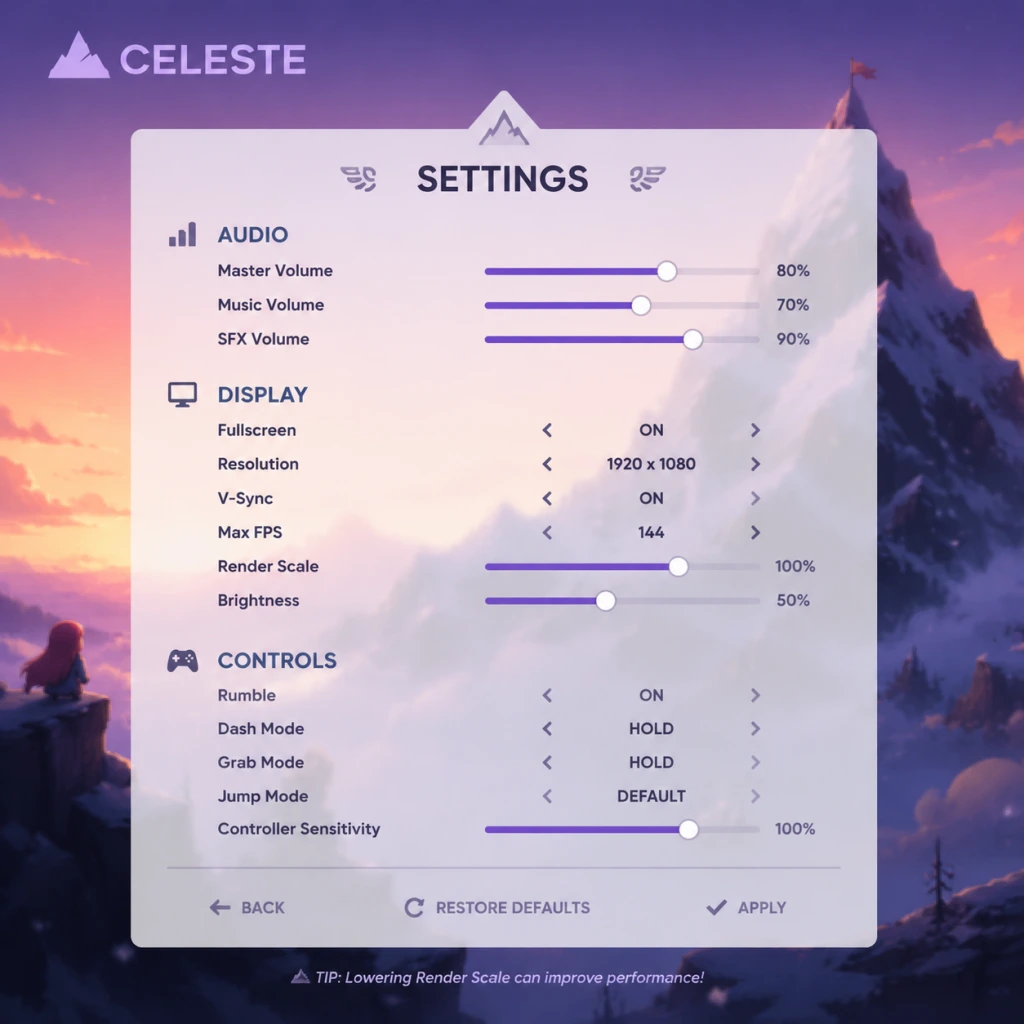
Game Settings
Game Settings Guide for Celeste
Properly configuring your settings in Celeste is essential for both performance and enjoyment. This guide covers every settings category, explains their impact, and provides recommended configurations for different hardware levels. Special attention is given to settings that are easy to misconfigure and can drastically affect gameplay.
Graphics Settings
Celeste uses a 2D pixel‑art style, so graphics options are relatively simple but still matter for smooth performance. Settings can be found under Options > Graphics.
| Setting | Description | Recommendations |
|---|---|---|
| Resolution | The display resolution. Lower = less GPU load. | Low‑end: 1280×720 or 960×540. Mid‑range: 1920×1080. High‑end: 2560×1440 or 3840×2160 (if 4K). |
| Fullscreen | Toggles true fullscreen or windowed mode. True fullscreen may reduce input lag. | Always On for less latency. If alt‑tab issues, use Borderless Windowed (if available) or use Steam’s overlay. |
| VSync | Synchronizes frame rate with monitor refresh to reduce tearing, but adds input lag. | Off for minimal lag (especially on high‑refresh monitors). On if you see screen tearing and can tolerate slight delay. |
| Frame Rate Cap | Limits FPS. Can reduce heat and stutter. | Unlimited (or match monitor refresh) for smoothest movement. Cap at 60 if on a 60Hz screen and VSync is off. |
| Particles | Enables/disables particle effects (dust, snow, etc.). | Low‑end: Off. Others: On. Note: Particles don’t affect gameplay but add atmosphere. |
| Screen Shake | Camera shakes on impacts and deaths. | Off is recommended for clarity, especially during intense sections. Can cause motion sickness. |
| Lighting Quality | Controls dynamic shadows and light beams. Only two options: Low or High. | Low‑end: Low. Mid/High: High. Visual difference is subtle. |
| Crystal Heart Hint | Shows a subtle sparkle near hidden Crystal Hearts. | On by default; turn Off for a pure exploration experience. |
- Low‑End (Intel HD Graphics 4000, low‑power laptops):
- Mid‑Range (GTX 1050, RX 570, etc.):
- High‑End (RTX 2060 or better, 4K):
- Resolution: 1280×720 or 960×540
- Fullscreen: On
- VSync: Off
- Frame Rate Cap: 60
- Particles: Off
- Screen Shake: Off
- Lighting Quality: Low
- Crystal Heart Hint: On (saves confusion)
- Resolution: 1920×1080
- Fullscreen: On
- VSync: Off
- Frame Rate Cap: 144 (if monitor supports) or Unlimited
- Particles: On
- Screen Shake: Off (personal preference)
- Lighting Quality: High
- Crystal Heart Hint: On
- Fullscreen: On
- VSync: Off (use G‑Sync/Freesync if available)
- Frame Rate Cap: Unlimited (or monitor cap +10)
- Particles: On
- Screen Shake: Off
- Lighting Quality: High
- Crystal Heart Hint: On
⚠️ Special Attention: Turning VSync On adds about 1–2 frames of input lag, which can feel sluggish in a precision platformer. Most players prefer VSync Off with a frame rate cap equal to their monitor’s refresh rate. If you experience screen tearing, enable VSync only if the lag is acceptable.
---
Audio Settings
Found under Options > Audio. Celeste has a beautiful soundtrack by Lena Raine; adjusting audio levels can greatly affect immersion.
| Setting | Description | Recommendation |
|---|---|---|
| Master Volume | Overall volume. | 100% (adjust via system or headset). |
| SFX Volume | Sound effects (jumps, dashes, collisions). | 100% to hear important audio cues (e.g., spikes, moving blocks). |
| Music Volume | Background music. | 100% for full experience. If you find the music distracting during tough sections, lower to 70–80%. |
| Voice Volume | Dialogue voices (Madeline’s thoughts, NPCs). | 100% – essential for story. |
| Mute in Background | Mutes game audio when window loses focus. | Off (unless you need to avoid audio overlap with other programs). |
---
Controls Settings
Celeste supports both keyboard and controller with fully remappable controls. This is the most customizable settings screen. Access via Options > Controls.
#### Keyboard/Mouse
| Action | Default Key | Notes |
|---|---|---|
| Move Left / Right | A / D | Remappable; typical platformer layout. |
| Jump | Space or W | Use space for easier big jumps. |
| Dash | K or S | Dash direction depends on held direction. |
| Climb (grab wall) | Hold J or A (auto‑climb by default) | Auto‑climb is on by default; you can hold the grab button instead. |
| Confirm / Interact | Enter | For menus and dialogue. |
| Pause / Map | Escape | Also shows map on hold. |
- Arrow keys for movement (if you prefer) – but default WASD is fine.
- Assign Dash to a separate key like E or Mouse Button 4 for ergonomics.
- Keep Jump on Space – it’s the most responsive key.
#### Controller (Xbox, PlayStation, Switch Pro, etc.)
| Action | Default (Xbox) | Notes |
|---|---|---|
| Jump | A | Any face button works. |
| Dash | B | Easily accessible. |
| Climb | Hold RT or RB | RT (right trigger) feels natural. |
| Pause | Start / Menu | |
| Move | Left Stick / D‑Pad | D‑pad recommended for precise diagonal dashes. |
Assist Mode Controls: Celeste includes Assist Mode where you can enable infinite stamina, invincibility, etc. These are not control remaps but are found in the pause menu. See Accessibility section.
---
Accessibility Settings
Celeste is renowned for its robust accessibility features. Most are toggled from the Assist Mode menu (accessible from the pause screen). These settings are not part of the main Options but are crucial for players who need them.
| Setting | Description | Recommendation |
|---|---|---|
| Invincibility | Prevents death from all hazards (spikes, enemies, crushing). | Only use if you want to experience the story without platforming stress. |
| Infinite Stamina | Climbing never depletes stamina. | Helpful for long climb sections. |
| Infinite Dashes | Unlimited dashes (normally one per air touch). | Drastically reduces difficulty. |
| Game Speed | Adjusts game speed from 50% to 100% (slows down time). | Use slower speed to practice tough sequences. |
| Dash Mode | Changes dash direction from 8‑directional to free‑aim (or vice versa). | 8‑direction for keyboard; free‑aim for controller depending on comfort. |
| Controller Rumble | Vibration feedback. | Off if you dislike it; can help feel wall bounces. |
---
Language & Region Settings
Celeste supports multiple languages. Change via Options > Language.
- Languages included: English, French, Italian, German, Spanish, Japanese, Korean, Portuguese‑Brazil, Russian, Simplified Chinese, Traditional Chinese. (List may vary by platform/update.)
- After selecting, restart the game if prompted.
- The language affects all text (menu, dialogue, subtitles). Subtitles are always on and cannot be disabled individually – they are part of the game’s presentation.
---
Network Settings
Celeste is a purely single‑player experience. There are no network or multiplayer settings. Leaderboards (for chapter times and strawberries) are present but require no configuration – they use the platform’s online service (Steam, Epic, etc.) automatically. If you play offline, leaderboard submissions will be queued and sent when online.
---
Gameplay Settings
Found under Options > Gameplay. These tweaks affect how the game feels and responds.
| Setting | Description | Recommendation |
|---|---|---|
| Rumble Intensity | Strength of controller vibration. | 100% if you use vibration; 0% otherwise. |
| Analog Dash Direction | When enabled, dashes follow the analog stick’s exact direction (free‑aim). Disabled gives 8‑directional (snap to nearest cardinal/diagonal). | Keyboard users should keep Off. Controller users can try On for more control, but many prefer Off for consistency. |
| Climb Assist | Automatically grabs walls without holding the grab button. | On by default – keep On to reduce fatigue, unless you want manual climbing for precision. |
| Disable Camera Shake (ingame) | Same as the graphics Screen Shake setting. | Off (see Graphics). |
| Crystal Heart Hint | Toggle hints for hidden Crystal Hearts. | Same as Graphics – keep On unless you seek pure discovery. |
- Default (Off): Dash direction is locked to 8 directions (up, down, left, right, and four diagonals). This is the intended design and is recommended for all players, especially on keyboard.
- On: The dash follows your analog stick precisely (any angle). This can feel more natural on controller but can cause unintended diagonal dashes in tight spaces. Only enable if you are comfortable with fine analog control.
---
Final Setup Recommendations
1. First playthrough: Use default controls but consider moving Dash to a shoulder button (if on controller) or to a dedicated key (like E on keyboard). Keep all accessibility features off for the intended challenge.
2. Performance: If you experience stuttering, first turn off VSync, cap FPS to 60, and disable Particles. Celeste is very lightweight; even integrated graphics can run it smoothly at 720p.
3. Save often: The game autosaves at every screen transition, but you can manually save multiple files. Use separate save slots for Assist Mode runs.
4. Practice mode: Use the Chapter Select (after completing a chapter) and Assist Mode to practice specific rooms. Lower game speed to 50% for learning tough sequences.
By carefully adjusting these settings, you can tailor Celeste to your hardware and playstyle while preserving the game’s intended feel. Remember that small tweaks to controls can make a huge difference in your ability to pull off precise movements. Enjoy your climb up Celeste Mountain!
Important Notes
Important Notes for Celeste
This section covers critical information every player should know before or during their ascent of Celeste Mountain. From difficulty spikes to save management and missable collectibles, these notes will save you frustration and regret.
---
⚠️ Major Warnings & Pitfalls
1. Difficulty Spikes Are Real
- Chapter 5 (The Resort) introduces moving blocks, seekers, and dark rooms—a significant jump from earlier chapters.
- Chapter 7 (The Summit) is extremely long and demanding; expect many deaths.
- B-Side and C-Side chapters are far harder than the main story. Do not attempt them until you've completed the main story and have a solid understanding of advanced techniques (wavedash, hypers, etc.).
- The Farewell DLC chapter is the hardest content in the game, requiring mastery of all mechanics. Save it for last.
2. Death Count Is Normal
- Celeste is designed around dying repeatedly. The game tracks your deaths per chapter, but this is not a measure of skill. Do not get discouraged—each death is a lesson.
- The developer commentary and narrative embrace failure as part of the journey.
3. No Combat – All Movement
- There are no enemies to defeat; everything is solved through jumping, dashing, and climbing. Tweaking your approach is the only way forward.
---
###
All Game Items
All Game Items for Celeste
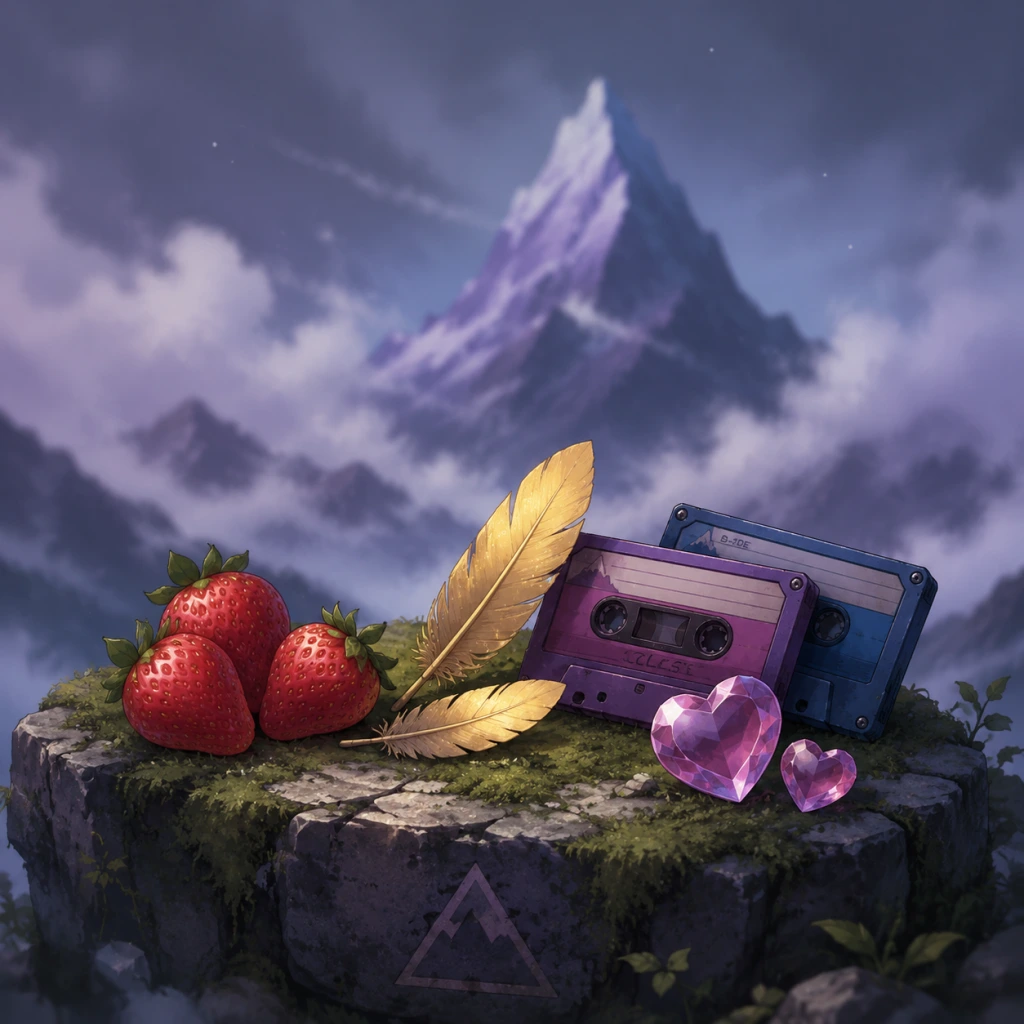
Celeste has no traditional weapons, armor, or consumable inventory. The game focuses entirely on movement and platforming. However, there are several collectible items and temporary power-ups that affect gameplay or progression. Below is a comprehensive list of every major item type in the game.
Collectibles
#### Strawberries
Description: Red, blue, and golden fruits hidden throughout the mountain. Each strawberry counts toward your total completion percentage (175 per save file on Switch/PC; 176 on some versions with the patch). They serve as bragging rights and are required for 100% completion, but they do not affect gameplay or abilities.
- Red Strawberries (175 total)
- Blue Strawberries (appear in specific chapters: 3, 5, 6, 7, 8, 9)
- Golden Strawberries (one per A-side chapter plus one extra for Chapter 9)
- 8 hearts in A-sides
- 8 hearts in B-sides
- 8 hearts in C-sides
- 4 hearts (any) to open the Core gate after beating Chapters 1–4.
- 8 hearts (A-side hearts only) to unlock the final gate in Farewell.
- Dash: Unlocked at start. You can dash once in 8 directions; refilled by touching ground, walls, or certain objects.
- Climb: Unlocked at start. Hold grab to cling to walls; you can climb up, down, or jump off.
- Wall Jump: Unlocked at start. Jump off a wall while sliding down.
- Grab/Dash: All present from the beginning.
- How to obtain: Found in normal secret rooms, off the beaten path, or by solving simple puzzles. Most are visible but require tricky jumps.
- Usefulness: Purely cosmetic – they increase your strawberry counter on the results screen.
- Notes: The first strawberry you collect triggers a small dialogue. Collecting all 175 unlocks a drawing at the Summit and contributes to the full clear.
- How to obtain: These strawberries move away from Madeline when you approach. You must chase them quickly before they vanish.
- Usefulness: Same as red strawberries; they count toward the total and are needed for 100%.
- Tips: Use dashes wisely – blue strawberries often require corner boosts or speed retention to catch.
- How to obtain: Unlocked only after beating the game (all A-sides). To collect one, you must complete the entire chapter from start to finish without dying even once. The golden strawberry appears at the end.
- Usefulness: The ultimate challenge. Collecting any golden strawberry adds it to your strawberry count and is a mark of extreme skill. No gameplay benefit.
- Note: Each golden strawberry is its own save file – you can choose to restart the chapter if you die.
#### Crystal Hearts
Description: Glowing, crystalline gems hidden in every chapter (except the final farewell). There are 24 total hearts:
How to obtain: Each heart requires solving a puzzle or finding a secret area. Some are straightforward (e.g., hidden in a bubble); others involve complex multi-room puzzles (e.g., Chapter 3, Chapter 5).
Usefulness: Crystal Hearts are essential for progression. You need a certain number of hearts to open the gate to the Core (Chapter 8) and ultimately to access Chapter 9 (Farewell). Specifically:
Hearts also count toward 100% completion.
#### Cassette Tapes
Description: Retro-styled cassette tapes, one per chapter (A-side only).
How to obtain: Each tape is inside a special timed platforming room. You must reach the tape before the timer runs out. The room resets if you fail.
Usefulness: Collecting a cassette tape unlocks the B-side version of that chapter. B-sides are remixed, harder layouts with different music. They are required for Crystal Heart collection (B-side hearts) and for the full game experience. No effect on A-side story progression.
Temporary Power-Ups (In-Level Items)
#### The Feather (Chapter 6 – Reflection)
Description: A magical white feather that appears in the dream/cloud section of Chapter 6. When Madeline touches it, she gains the ability to fly freely for a limited time.
How to obtain: Automatically given during the chapter’s story sequence when entering the dream world.
Duration: Lasts only within that specific area (a large dream cloud section). You cannot carry it to other chapters.
Usefulness: Allows Madeline to steer in any direction while holding the grab button. Essential for navigating the floating platforms and avoiding the moving spikes. The feather controls are similar to the bird mechanics in other chapters but with full 8-directional movement.
#### The Dash Crystal (Chapter 5 – Mirror Temple)
Description: A glowing yellow crystal that refills Madeline’s dash when touched. Appears in several rooms where continuous dashing is required (e.g., sliding ice blocks).
How to obtain: Naturally placed by the level designer.
Usefulness: Critical for traversing long gaps where you need to maintain momentum. Not an item you can hold; it’s a environmental re-fill.
#### The Theo’s Camera (Chapter 5 – Mirror Temple, collectible)
Description: A camera belonging to Theo. It appears as a photorealistic camera sprite in a hidden room.
How to obtain: Found in a secret side room near the end of the Mirror Temple (after the falling section). You must ride a platform and jump into a hidden passage.
Usefulness: Purely cosmetic – picking it up does nothing to gameplay but triggers a small dialogue and adds to the chapter’s collectible count. It does not affect achievements or percentage.
Currencies and Materials
There are no currencies or craftable materials in Celeste. The only “currency” is your determination to not give up. The game has a death counter that tallies your deaths per chapter, but this is not an item you collect.
Key Equipment
Celeste does not feature equippable gear. Madeline’s abilities are gained through story progression, not items:
There is no armor, weapons, or inventory management. The only “equipment” you ever see is the backpack Madeline carries, but it is cosmetic.
Summary Table of All Items
| Item Type | Count per Save | Unlocks / Effect | Required for 100%? |
|---|---|---|---|
| Red Strawberry | 175 | Increases strawberry counter | Yes |
| Blue Strawberry | Variable (≈20) | Same as red | Yes |
| Golden Strawberry | 9 (one per A-side + Farewell) | Bragging rights | Yes (if you want full clear) |
| Crystal Heart | 24 | Progress to Core and Farewell | Yes (to unlock Chapter 9) |
| Cassette Tape | 8 | Unlocks B-side chapters | Yes (to access B-sides) |
| Feather | 1 per playthrough (Chapter 6) | Temporary flight in one area | No (but required for that chapter) |
| Dash Crystal | Many | Refill dash (environmental) | No |
| Theo’s Camera | 1 per playthrough (Chapter 5) | Cosmetic / dialogue | No |
Important Notes
- All collectibles carry over between saves? No – each save file is independent. You must recollect everything per file.
- There is no New Game+ carrying items. Starting a fresh save resets everything.
- The Moon Berry (in Farewell) is considered a special golden strawberry variant – it requires completing Farewell without dying. Treat it as the hardest golden strawberry.
Character Skills
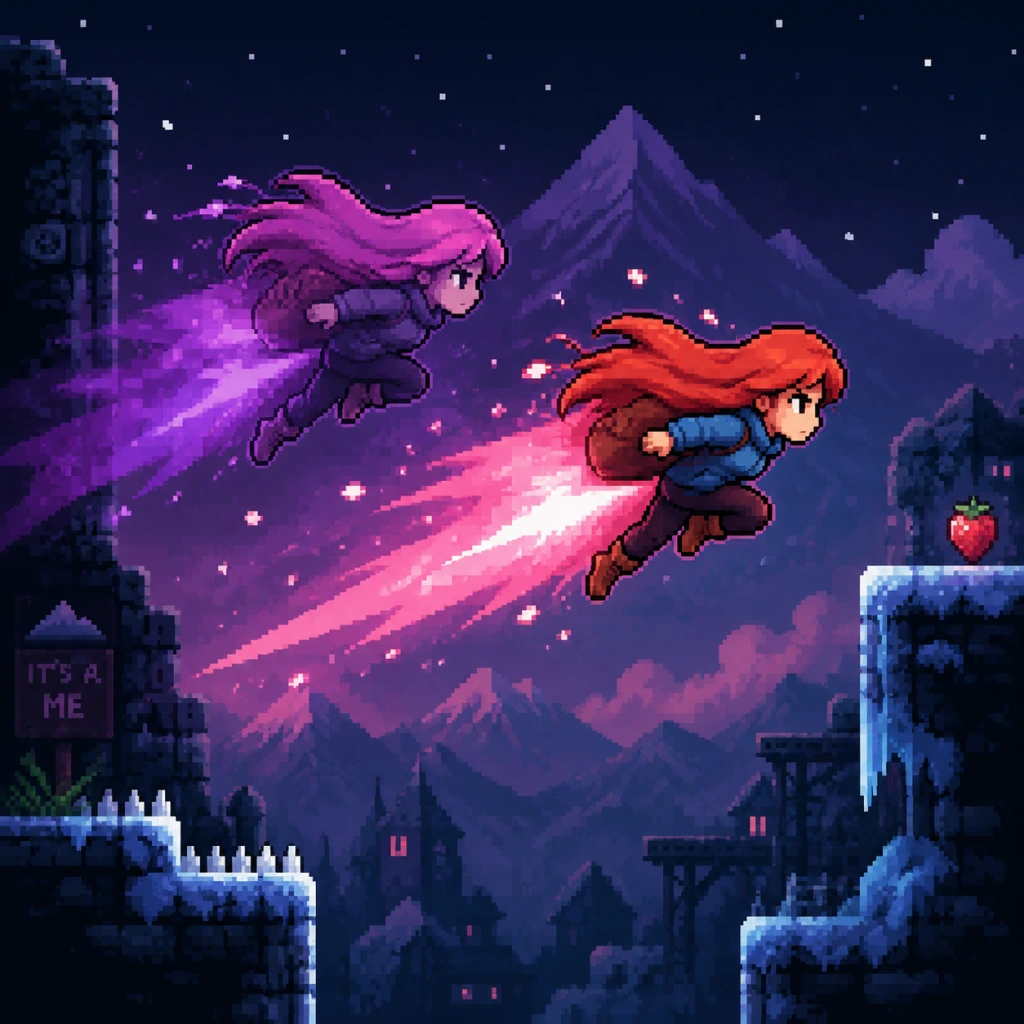
Character Skills Guide for Celeste
Celeste features a single playable character: Madeline. There are no alternate characters, class systems, skill trees, or unlockable abilities in the base game. Madeline’s complete moveset is available from the very start and never changes. This guide covers every action she can perform, including the temporary power-ups obtained in specific chapters. Each skill is described in detail with effects, usage tips, combos, and synergies.
---
1. Core Movement Abilities
All of Madeline’s core abilities are unlocked at the beginning and remain consistent throughout the game. They are the foundation for every platforming challenge.
#### 1.1 Walk / Run
- Input: Left stick / D-pad left/right (console) or A/D keys (PC)
- Effect: Horizontal movement. Madeline walks slowly by default. Holding the directional input causes her to run.
- Cooldown: None
- Upgrades: None
- Tips: Running is required for proper wall jumps and dashing momentum. Always hold a direction to maintain speed.
- Input: Face button (A on Xbox, X on PlayStation, B on Switch) or Spacebar (PC)
- Effect: Madeline performs a standard jump. Jump height is fixed unless combined with dashing or wall jumps.
- Cooldown: None (can jump again as soon as landing)
- Upgrades: None
- Combos: Jump → Dash (air dash), Jump → Wall Jump (from wall) → Dash
- Input: Hold trigger (RT/R2/ZR) or Shift key (PC) while touching a wall
- Effect: Madeline clings to any vertical surface. She can climb upward or slide downward using directional input. Stamina is consumed while climbing; if stamina runs out, she falls off.
- Stamina: 10 seconds of continuous climbing (shorter if moving upward). Regenerates instantly when touching ground or a wall without climbing.
- Upgrades: None
- Tips: You can climb indefinitely by repeatedly tapping the climb button (each tap resets stamina briefly). Use this for long vertical sections without falling.
- Input: While clinging to a wall, press jump (and hold away from the wall)
- Effect: Madeline pushes off the wall horizontally and gains a small vertical boost. Essential for climbing shafts and crossing gaps.
- Cooldown: None (can chain wall jumps in quick succession)
- Combos: Wall Jump → Air Dash, Wall Jump → Another Wall Jump (wall-jumping between two close walls)
- Input: Face button (same as jump on most platforms, or dedicated dash button) or Ctrl/C key (PC). Default: same as jump in many control schemes.
- Effect: Madeline dashes a fixed distance in any of 8 directions (up, down, left, right, and diagonals). The dash is the most crucial ability for speed, distance, and avoiding hazards. After dashing, Madeline enters a “no-dash” state until she lands on a solid surface, touches a wall, or uses a dash-refreshing item (e.g., feather, golden strawberry).
- Cooldown: Dash is refreshed only upon touching the ground, a wall, a dash-recharging crystal, or a feather. There is no time-based cooldown.
- Upgrades / Variations:
- Tips: Use the dash sparingly in midair. If you dash into a wall, you will grab it (if you have an extra dash? No, grabbing a wall happens automatically when climbing, but dashing into a wall does not give you a wall grab unless you press climb).
- Input: Same as Dash, but while airborne
- Effect: Same as dash – a directional burst. Only one air dash is available per airtime (unless refreshed).
- Cooldown: Same as Dash (ground, wall, pickup)
- Tips: Practice diagonal dashes to reach ledges that are above and to the side. Upward dashes can break certain blocks (e.g., crumble blocks in Chapter 3).
- Effect: No direct gameplay effect. Collecting all crystal hearts in a chapter unlocks a special B-side tape and additional content. They do not modify moves.
- Usage: Purely collectible.
- Effect: Press dash while holding a feather to activate flight mode. Madeline gains complete control of movement in any direction, unlimited dashes, and can bump into most hazards without dying (except spikes, lava, etc.). Duration is limited (few seconds). Upon expiration, Madeline returns to normal with no dash.
- Cooldown: None, but it's consumable; once used, the feather disappears. You can pick up another feather from a spawner.
- Combos: Feather flight → transition to normal platforming (you may retain dash if you touch ground while still flying? No, dash is lost when feather ends).
- Tips: Feathers allow you to bypass difficult sections or collect items in the open sky. Use them to reposition for better wall jumps.
- Effect: Collected once per chapter after completing the chapter without dying. Does not alter skills.
- Note: Not an official skill, but advanced players use “hyper dash” (a dash followed immediately by a jump) to chain dashes into a boost. This is a technique, not a game-granted ability.
- Input: While wall-jumping, press jump again immediately after leaving the wall.
- Effect: Small extra height. Not essential but useful for tight timings.
- Input: At the top of a wall, climb up to the edge and jump while climbing.
- Effect: Slight height increase to reach a ledge faster.
- Input: Open pause menu during a dash, close it—dash is refreshed? This is a glitch, not recommended for casual play.
- Wall Jump → Air Dash: Gain upward momentum after jumping off a wall, then dash diagonally across a gap.
- Climb → Jump → Dash → Wall Grab: Essential for climbing long vertical passages without falling.
- Dream Dash → Wall Jump: While dream-dashing through a block, exit the block and immediately wall jump off any adjacent wall.
- Feather Flight → Ground Dash: Use feather to fly to a far platform; upon landing, you have no dash, so plan your route carefully.
- Walk/Run: Always keep moving. Stand still only for precise platforming.
- Jump: Use for small gaps and to initiate combos.
- Climb: Use to scale walls and to recover from a missed jump. Avoid overusing stamina; tap climb in emergencies.
- Wall Jump: Use to traverse narrow shafts, climb over ledges, and create aerial positioning.
- Dash: Use primarily to cross large gaps, to change direction midair, to break through crumble blocks, and to reach higher ledges. Save your dash for moments when you cannot reach a platform otherwise.
- Feather: Use when you need to fly over large open spaces or to escape unavoidable obstacles. Conserve it until you see the intended path.
- Default Controls: Best for casual play.
- L1 Dash / R1 Dash: Many players remap dash to a shoulder button (L1/LB or R1/RB) to allow easier midair wall jumps without releasing jump. Recommended for advanced play.
- Climb on Hold: Keeping climb on a trigger allows you to cling to walls without switching grip often.
#### 1.2 Jump
#### 1.3 Climb
#### 1.4 Wall Jump
#### 1.5 Dash
- Dream Dash (Chapter 2, Mirror Temple): While dashing, Madeline can pass through certain pink/purple dream blocks. No extra charge required.
- Feather Dash (Chapter 5, 6, Farewell): When holding a feather (temporary power-up), Madeline gains infinite dashes as long as she holds it. The feather also allows free aerial control.
#### 1.6 Air Dash / Midair Dash
---
2. Temporary Power-Ups (Character Skills with Limitations)
These are not permanent skills but act as temporary ability enhancements, often for a single chapter or section.
#### 2.1 Crystal Heart Shard (Chapter 1–9)
#### 2.2 Feather (Chapter 5, 6, 8, 9)
#### 2.3 Golden Strawberry (Chapters 1–9)
#### 2.4 Super Dash / Hyper Dash (Chapter 8, 9; also via glitches)
---
3. Advanced Techniques (Unofficial Skills)
These are player-discovered moves that extend the core mechanics. They are not documented in-game but are widely used in speedruns and high-level play.
#### 3.1 Wall Kick / Wall Bounce
#### 3.2 Corner Boost
#### 3.3 Dash Refreshing via Pause Buffering
---
4. Synergies and Combo Examples
---
5. When to Use Each Skill
---
6. Recommended Builds (Player Preferences)
Since there are no skill trees, “build” refers to control scheme and playstyle:
---
7. Skills Unlockable via Mods
Celeste has no official skill upgrades, but mods can add new characters or abilities. These are not covered here.
---
Summary Table
| Skill | Input | Cooldown | Upgrades | Best Used For |
|---|---|---|---|---|
| Walk/Run | Direction | None | None | All movement |
| Jump | A/Space | None | None | Basic elevation |
| Climb | Hold RT/Shift | Stamina (10s) | None | Scaling walls |
| Wall Jump | Jump near wall | None | None | Elevation + direction |
| Dash | Dash button | Touch ground/wall | Dream Dash (Chapter 2) | Crossing gaps, breaking blocks |
| Feather | Hold dash + feather | Consumed on use | None | Temporary flight |
Note: This guide covers the base game plus official DLC (Farewell). No extra characters or skill trees exist. Mastery of these simple abilities is the core of Celeste's challenge.
Characters & Roles
Characters & Roles Guide for Celeste
Celeste is a single-player precision platformer with a strong narrative focus. The game features one playable character, Madeline, along with several key non-playable characters (NPCs) that drive the story, provide challenges, or assist during gameplay. There are no classes, roles, or character customization options. This guide covers every major character, their background, and their functional role in the game.
Playable Character
#### Madeline
- Background: Madeline is the protagonist, a young woman suffering from anxiety, depression, and self-doubt. She embarks on a climb up Celeste Mountain seeking personal peace and purpose. Her journey is a metaphor for confronting inner demons.
- Role: Sole playable character. The entire game is controlled as Madeline.
- Strengths:
- Weaknesses:
- Playstyle: Pure platforming. The core loop is: find a path, use dashes and wall jumps to navigate obstacles, collect strawberries/other collectibles, and reach the end of the room. No combat—movement is the only mechanic.
- Unlock Conditions: Madeline is available from the start of the game. No unlock requirements.
- Recommended Equipment/Builds: Not applicable. There is no equipment system. However, the game offers Assist Mode (see below) that can adjust game speed, grant invincibility, unlimited dashes, etc. This is not a “build” but a difficulty modifier for accessibility.
- Team Synergy: Not applicable. Madeline acts alone throughout the majority of the game. However, in the Farewell DLC, she temporarily teams up with Badeline (see below) for co-op sections.
- Background: Badeline is the personification of Madeline's self-doubt, anxiety, and negative thoughts. She initially appears as an adversarial doppelgänger that chases Madeline through certain chapters. Later, she becomes an ally.
- Role: Antagonist turned ally; secondary controllable character in one section.
- Strengths:
- Weaknesses:
- Playstyle (Ally): In Farewell, the player controls both Madeline and Badeline. You can switch which character is active using a button press. This enables solving puzzles that require two dashes (each character has their own dash) or one character to hold a door while the other passes.
- Unlock Conditions: Badeline first appears as a boss in Chapter 2: Old Site. She later becomes an ally after completing Chapter 6: Reflection (bad ending resolution). In Farewell, she joins permanently from a specific room onward.
- Recommended Equipment/Builds: None.
- Team Synergy: The “team” is just Madeline and Badeline. They share the same moveset but have independent dash refills. Strategy involves using one to provide a platform or dash boost for the other.
- Background: Theo is a friendly photographer and tourist Madeline meets on the mountain. He is sociable, light-hearted, and often provides emotional support. He later becomes trapped inside a crystal and needs rescuing.
- Role: Story-driven NPC; brief puzzle involvement.
- Strengths:
- Weaknesses:
- Playstyle: The crystal sections are a puzzle challenge: the player must navigate Madeline and the crystal together, often using the crystal as a step or weight.
- Unlock Conditions: Theo first appears in Chapter 1: Forsaken City. His crystal sections begin in Chapter 3. No unlock needed.
- Recommended Equipment/Builds: None.
- Team Synergy: Theo is not a combat or platforming partner. His crystal form adds a temporary physics object that must be manipulated, representing a different kind of teamwork.
- Background: Mr. Oshiro is the ghostly manager of the Celestial Resort (Chapter 3). He is a melancholic spirit living in the abandoned hotel, haunted by its past failures. He initially appears friendly but becomes aggressive when Madeline refuses to stay.
- Role: Antagonist (Chapter 3 boss).
- Strengths:
- Weaknesses:
- Playstyle: Defeating Oshiro is not about combat but rather outlasting his obstacle course while progressing through the hotel. The chapter ends when you escape the hotel, not by defeating him directly.
- Unlock Conditions: Mr. Oshiro appears exclusively in Chapter 3. Unlocked after completing Chapter 2.
- Recommended Equipment/Builds: None.
- Team Synergy: None—he is an adversary, not an ally.
- Background: An old woman living in a hut on the mountain. She appears in Chapter 1 and later in Chapter 7: The Summit. She gives wisdom and advice to Madeline, acting as a mentor figure. She is implied to be a previous climber who never truly ascended.
- Role: Friendly NPC, guide.
- Strengths:
- Weaknesses:
- Playstyle: Not playable.
- Unlock Conditions: Met during Chapter 1. Interacting with her is optional but recommended for story.
- Recommended Equipment/Builds: N/A.
- Team Synergy: None.
- Background: Various hostile or neutral entities inhabit the mountain. These include Seekers (shadowy floating heads that chase Madeline), Feathers (floating pink objects that grant temporary flight when grabbed), Dust Bunnies (swarms of fuzzy creatures in Chapter 3), and Snowballs (rolling hazards in Chapter 4).
- Role: Environmental puzzles and obstacles.
- Strengths/Weaknesses: Each has unique behaviors. For example, Seekers can be lured into walls to deactivate them. Feathers allow Madeline to fly briefly but must be directed carefully.
- Playstyle: Players must learn each creature’s pattern and use the environment to avoid or exploit them.
- Unlock Conditions: Appear in specific chapters. No unlock conditions.
- Recommended Equipment/Builds: N/A.
- Team Synergy: N/A—they are obstacles.
- Game Speed (50% to 100%)
- Infinite Stamina
- Invincibility (no death from hazards)
- Unlimited Dashes (dash resets after a short cooldown instead of landing)
- Dash Assist (no need to hold direction; dash goes toward the nearest platform)
- Agility: Madeline has a full moveset: walk, run, jump (coyote time), wall jump, wall climb (stamina-limited), dash (one per landing, with aim in 8 directions), dash grab, and climbing hold. She can also ground-pound from certain heights.
- Resilience: Infinite lives; death only resets to the last screen or checkpoint. No health bar—failures are instant death and respawn.
- Adaptability: Her moveset is simple but allows for extreme precision, enabling both casual play and speedrunning techniques (e.g., hyperdashes, wall bounces, demo dashes).
- Single Dash: Cannot maintain flight; precise timing is required for consecutive dashes (except after grabbing a Gem).
- Climbing Stamina: Madeline can only cling to walls for a limited time (about 3 seconds), after which she slides off. Must rest on ledges or platforms.
- Fragility: Any spike, enemy (e.g., Seekers, Oshiro’s flying objects), or bottomless pit instantly kills her. No damage mitigation.
Non-Playable Characters (NPCs)
#### Badeline (Madeline’s Dark Side)
- Same Moveset: Badeline can dash, climb, and wall jump identical to Madeline, but with a red/black visual style.
- Flight Ability (limited): During her boss encounters, Badeline can hover and summon projectiles. As an ally in Farewell, she can be “swapped” to using the C-stick (or D-pad) to control her separately, allowing two-character cooperative navigation.
- Controlled by AI or Player: In boss stages, she is AI-controlled and relentless. As an ally, controlling two characters simultaneously can be disorienting.
- Stationary When Not Controlled: When not actively moving, Badeline will stand still or follow passively.
#### Theo
- Moral Support: Theo’s dialogue provides encouragement and comic relief, helping the player emotionally.
- Crystal Form: In Chapter 3: Celestial Resort, Theo is trapped in a large crystal. The player must push or pull this crystal through certain rooms to progress. The crystal can be pulled using Madeline’s dash and climbing, and it can break certain barriers.
- Immobile (Crystal): While in crystal form, Theo cannot move on his own. He must be pushed/pulled.
- Fragile: The crystal can be destroyed by spikes or falling into pits, causing instant failure.
#### Mr. Oshiro
- Summoning: He spawns floating fireballs, flying dust bunnies, and falling chandeliers that act as obstacles.
- Teleportation: He can appear and disappear randomly, often directly in Madeline’s path, forcing quick reactions.
- Environmental Manipulation: He causes floors to collapse and creates wind currents.
- No Direct Attack: Oshiro does not physically touch Madeline. His attacks are all environmental hazards.
- Predictable Patterns: His appearances follow set timings and room layouts, allowing memorization.
#### Granny
- Narrative Support: Granny provides lore, encouragement, and emotional grounding.
- Hidden Area Access: She unlocks a secret route in Chapter 7 (the Mirror Temple?) by moving a shelf? Actually, she opens a path in Chapter 7 after completing a certain side room.
- No Gameplay Interaction: Granny does not affect movement, combat, or platforming. She is purely narrative.
#### Celeste Mountain Creatures (Feathers, Seekers, etc.)
Assist Mode & Customization (No Classes)
Celeste offers Assist Mode accessible from the pause menu, allowing players to customize the game’s difficulty:
These settings do not create new characters or roles but allow the same Madeline moveset to be easier or harder. Assist Mode is fully customizable and can be changed at any time.
Summary Table
| Character | Type | Chapter(s) | Role | Key Mechanic |
|---|---|---|---|---|
| Madeline | Playable | All | Protagonist | Dashing, climbing, platforming |
| Badeline | NPC/Ally | 2, 6, Farewell | Doppelgänger / Co-op | Dual dash control in Farewell |
| Theo | NPC | 1, 3, 4, 7, Farewell | Friend, puzzle element | Crystal pushing/pulling |
| Mr. Oshiro | Boss NPC | 3 | Antagonist | Spawning hazards |
| Granny | Friendly NPC | 1, 7 | Mentor | Story progression |
| Seekers, Feathers, etc. | Environmental | Various | Obstacles | Pattern avoidance, temporary power-ups |
Final Notes
Since Celeste has no character classes, roles, or builds, this guide focuses on the narrative and minor gameplay roles of each character. The only playable unit is Madeline, and all gameplay revolves around her moveset. Other characters either provide story context, present challenges, or assist in very specific sections (Theo’s crystal, Badeline’s co-op). For in-depth movement guides, refer to the Character Skills and Core Gameplay sections of this wiki.
Cheats & Secrets
Cheats & Secrets Guide for Celeste
Celeste does not contain traditional cheat codes (e.g., invincibility, infinite stamina, level skips via button combinations). The game’s developers intentionally avoided such systems to preserve the challenge and emotional journey. However, the game includes a variety of official accessibility features, hidden content, Easter eggs, and developer-intended secrets that serve as the closest equivalents. Below is a comprehensive list of all known hidden content and legitimate secrets.
---
Official Accessibility & Cheat-Like Features
#### Assist Mode (Built-in)
- Location: Pause Menu → Options → Assist Mode
- What it does: Enables sliders for game speed (down to 50%), infinite stamina, invincibility, unlimited dashes, and room skipping (by holding right/left).
- How to activate: Toggle Assist Mode ON. No requirement to unlock; it’s available from the start.
- Notes: Using Assist Mode does not disable achievements or prevent story progression. It is the intended way to reduce difficulty without external cheats.
- What it is: A developer debug console hidden in the game’s code.
- How to enable:
- In-game hotkeys (once enabled):
- Caution: Debug mode can break saves and softlock the game. Use only for experimentation. Not available on consoles.
- What they are: Special hidden items used to unlock the final level (Chapter 9).
- Count: 25 total (24 in main chapters + 1 in Chapter 9).
- How to find: Each chapter (except 9) has a hidden heart, often requiring puzzle-solving or exploring off-screen paths. Chapter 9 itself has 12 hearts, but only 1 is required for full completion.
- Secret: Hearts glow and emit a sound cue when in the same room. Use the in-game journal to track which chapters you’ve collected.
- What they are: Customary collectibles; 175 total (including golden strawberries).
- Secret: Some strawberries are hidden behind invisible walls or require specific sequences.
- Golden Strawberries: Appear after completing a chapter normally. Collecting a golden strawberry requires completing that chapter without dying. Doing so unlocks a special medal and a secret message.
- What it is: A single extremely well-hidden strawberry in Chapter 9 (Farewell).
- Location: After the “>_<” block section, you’ll find a secret room by dashing into a specific wall that looks like a dead end.
- Significance: Collecting it gives a hidden dialogue and a unique achievement.
- Where to find: At the end of Chapter 3 (Hotel), in a secret room accessible by climbing the left wall after the first screen. A small green computer is there; press up to play a miniature version of the original Pico-8 game.
- What it is: A fully playable 8-bit recreation of the original concept. You can exit by pressing `Esc`.
- Secrets within the mini-game:
- How to access: In Chapter 7 (Summit), before the final room, the player can detour into a hidden area. Specifically, in the room with the five pillars near the top, dash through the leftmost pillar to enter a small room with portraits of the developers.
- What’s inside: A photo of the Maddy Makes Games team, a thank-you note, and a secret message: “Thanks for playing!”
- In Chapter 5 (Mirror Temple), after grabbing the crystal heart in the secret area, the mirror at the end of the chapter shows a different reflection, hinting at Badeline’s backstory. This is a narrative Easter egg, not a gameplay cheat.
- What it is: If you beat the final screen of Chapter 9 with the moon berry already collected, the game’s ending cutscene changes slightly, showing Madeline holding a moon berry and a different line of dialogue from Granny.
- Built-in speedrun timer: Activated by completing a chapter without dying or loading saves. The timer appears in the menu. There is a hidden leaderboard on PC that tracks your personal bests (Farewell excluded).
- What it is: If you complete the entire game (all A-sides) without dying, the credits roll with a special “No Deaths” checkmark. No gameplay changes, just a bragging right.
- Not official: The game has no built-in cheat engine, but the community created a “Variants Mode” mod (via Everest mod manager) that allows toggling infinite dashes, gravity reversal, low-friction, and more. This is not part of the vanilla game but is widely used among modders.
- Developer stance: Not endorsed or prohibited, but the official Assist Mode covers similar ground.
- With debug mode enabled, you can change Madeline’s dash type (e.g., infinite, super, ultra) by editing variables in the debug console. This is only for testing and not intended for normal play.
#### Debug Mode (PC Only)
1. Locate the game’s settings file (usually `Saves/settings.celeste` in the game directory).
2. Add or change the line `DebugMode = true`.
3. Save and relaunch the game.
- `F6` – Toggle debug grid
- `F7` – Toggle hitbox display
- `F8` – Toggle collision display
- `F9` – Toggle debug info
- `F10` – Reload room
- `F11` – Toggle wireframes
- `Ctrl + F` – Warp to any map/room (type map name)
- `Ctrl + G` – Give berries or progress
---
Hidden Collectibles & Secrets
#### Crystal Hearts
#### Strawberries
#### The Moon Berry
---
Easter Eggs & Developer Hidden Content
#### The Pico-8 Version (Celeste Classic)
- Hidden crystal heart in the Pico-8 version (collect to unlock a secret ending in the main game for that chapter).
- A golden berry in the Pico-8 version (requires no-death run).
#### The Secret Developer Room
#### The Fire & Ice Alternate Path
#### Chapter 9 Farewell Hidden Dialogue
#### Speedrun Timer Secrets
#### The 'Zero Deaths' Screen
---
Hidden Gameplay Modifiers & Exploit-Free Secrets
#### Variants Mode (PC Mod/Cheat Engine)
#### Hidden Dash Types via Debug
---
Conclusion
Celeste respects its design philosophy: no god-mode codes, but extensive assist features and a treasure trove of hidden content for explorers. For players seeking the full experience without cheating, seeking out all crystal hearts, the moon berry, and the Pico-8 secret are the ultimate non-cheat challenges. If you absolutely want invulnerability, use Assist Mode—it’s the developer’s intended override.
---
This guide was last updated for version 1.4.0.0 (PC/Mac/Linux).