Company of Heroes 2
## Game Introduction ### Overview Company of Heroes 2 is a real-time strategy (RTS) game developed by Relic Entertainment and published by SEGA. Originally released on June 25, 2013, it is the direct sequel to the critically acclaimed Company of Heroes (2006). The game is available on PC (Windows) ...
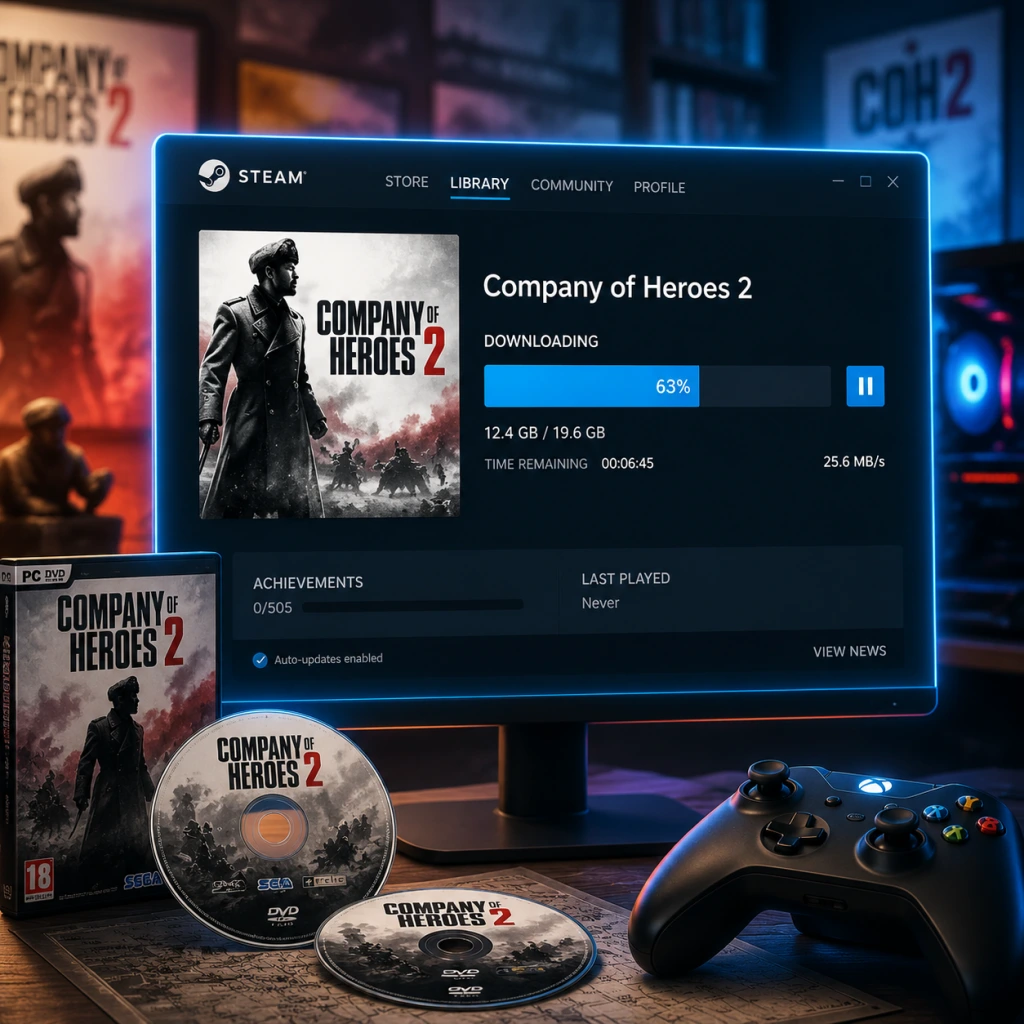
Download & Installation
Download & Installation Guide for Company of Heroes 2
Platform Availability
Company of Heroes 2 is primarily available on PC (Windows) and macOS. There are no releases for PlayStation, Xbox, Nintendo Switch, or mobile devices. The game is distributed digitally only, with no physical disc version still in widespread circulation.
| Platform | Official Sources | Additional Notes |
|---|---|---|
| Windows | Steam | The primary platform. All DLC and updates are delivered via Steam. |
| macOS | Steam, Mac App Store | The Mac version is published by Feral Interactive (originally Aspyr). It is fully separate from the Windows version – purchases do not cross-platform. |
System Requirements
#### Windows
- Minimum
- Recommended
- Minimum
- Recommended
- All versions require 30 GB of free disk space for the base game. With all DLC installed, this can exceed 35 GB. Ensure you have ample space before downloading.
- An SSD is highly recommended to reduce loading times, especially during multiplayer matches.
- Steam (Windows & macOS Steam version): A free Steam account is mandatory. Internet connection is required for download and initial activation.
- Mac App Store (macOS only): An Apple ID signed into the Mac App Store. No additional account is needed for single-player, but multiplayer requires a separate in-game account (see first launch below).
- On first launch (both platforms), you will be asked to configure:
- After account setup, the game will run a quick performance benchmark and suggest settings. Accept or adjust manually.
- Essential settings for smooth play:
- OS: Windows XP SP3 / Vista / 7 / 8 / 10 / 11
- CPU: 2.0 GHz Intel Core 2 Duo or equivalent
- RAM: 2 GB
- GPU: 512 MB DirectX 9.0c compatible (NVIDIA GeForce 8800 / ATI Radeon HD 2900 or better)
- DirectX: Version 9.0c
- Storage: 30 GB free space
- Sound: DirectX compatible
- OS: Windows 10 64-bit or newer
- CPU: 3.0 GHz Intel Core i5 or faster
- RAM: 4 GB
- GPU: 1 GB DirectX 11 compatible (NVIDIA GeForce GTX 560 / AMD Radeon HD 5850 or better)
- DirectX: Version 11
- Storage: 30 GB free space (SSD recommended for faster loading)
#### macOS
- OS: macOS 10.12 Sierra or later (Intel Mac only; not compatible with Apple Silicon natively, but can run via Rosetta 2 – performance may vary)
- CPU: 2.0 GHz Intel Core 2 Duo
- RAM: 4 GB
- GPU: 512 MB VRAM (NVIDIA GeForce 9400M / Intel HD 3000 or better)
- Storage: 30 GB free space
- OS: macOS 10.13 High Sierra or later
- CPU: 2.6 GHz Intel Core i5
- RAM: 8 GB
- GPU: 1 GB VRAM (NVIDIA GeForce GTX 700 series / AMD Radeon R7 or better)
- Storage: 30 GB free space (SSD strongly advised)
> Note: The macOS version does not support all DLC. The Windows version has more content. Check the store page for details.
Storage Space
Account Requirements
Step-by-Step Installation
#### 1. Purchase and Download on Steam (Windows & macOS)
1. Install the Steam client from [store.steampowered.com](https://store.steampowered.com) if you haven’t already.
2. Log in to your Steam account.
3. Navigate to the Store and search for “Company of Heroes 2”.
4. Purchase the game (or any bundle).
5. Go to your Library and find Company of Heroes 2 in the list.
6. Click Install.
- You will be prompted to choose the install location. Use an SSD if possible.
- The download size is ~28-30 GB. Ensure you have at least 50 GB free during installation to accommodate temporary files.
7. Wait for the download and installation to complete. Steam will automatically verify files and install necessary components (DirectX, Visual C++ redistributables).
#### 2. Purchase and Download on Mac App Store
1. Open the Mac App Store on your Mac.
2. Search for “Company of Heroes 2”.
3. Purchase the game using your Apple ID (requires Apple Pay or other linked payment method).
4. Click Get or the download button.
5. The app will download and install automatically. You can track progress in the Launchpad or Applications folder.
6. Once installed, launch the game from the Applications folder or Launchpad.
> Note: The Mac App Store version may require additional permissions (e.g., accessibility) to function correctly. Grant these when prompted.
First Launch Setup
- Graphics settings: Auto-detected based on your hardware, but you can adjust after the intro benchmark.
- Audio: Language and volume preferences.
- Account:
- Steam version: Your Steam account is used for multiplayer. You may need to sign into the in-game Relic/CoH2 online service (if prompted, create a free Relic ID).
- Mac App Store version: You will be prompted to create a Relic/SEGA Account or sign into an existing one. This is required for multiplayer and leaderboards. Provide a valid email and password.
- Disable VSync if you experience input lag.
- Enable triple buffering for smoother frame pacing.
- Lower shadow quality and tree foliage if performance is poor.
Common Installation Errors and Fixes
| Error | Likely Cause | Solution |
|---|---|---|
| Download stuck or slow | Steam server load or network issues | Pause and resume download, restart Steam, or change download region in Steam Settings > Downloads. |
| Missing MSVCR120.dll / XINPUT1_3.dll | Missing DirectX or Visual C++ redistributable | Install the necessary redistributables (Steam installs them automatically; manually run `_CommonRedist` folder in game directory). |
| "Failed to initialize the engine" | Corrupted installation or missing game files | Verify game files: In Steam Library, right-click Company of Heroes 2 > Properties > Local Files > Verify integrity of game files. |
| Game crashes on launch (macOS) | Old graphics drivers or incompatible macOS version | Update macOS to the latest version. Also try running the app in Low Resolution mode or Reduce Transparency under System Preferences > Accessibility > Display. |
| "Could not load library icons.dll" (Steam) | Antivirus blocking game files | Exclude the game’s installation folder (e.g., `C:\Program Files (x86)\Steam\steamapps\common\Company of Heroes 2`) from real-time scanning. |
| No sound (macOS) | Incorrect audio output or permissions | Ensure the game has permission to access microphone (if using voice chat) and that audio output is set correctly in System Settings > Sound. |
| Insufficient disk space error despite having space | Steam temporary cache needs clearing | Exit Steam, manually delete the `downloading` folder inside the Steam directory, then restart Steam and resume. |
| Stuck at "Preparing to launch" (Steam) | Steam client bug or missing prerequisites | Close Steam, go to `...\Steam\steamapps\common\Company of Heroes 2\_CommonRedist` and manually install all redistributables. Then relaunch Steam. |
- Run as Administrator (Windows) to avoid permission issues.
- Update graphics drivers to the latest version.
- Disable overlays (Steam, Discord, GeForce Experience) if the game fails to start.
- Reinstall if all else fails – uninstall through Steam/Mac App Store and re-download.
- Company of Heroes 2 is an older title but still receives occasional updates via Steam. Keep your game updated for best compatibility.
- For mods, use the Steam Workshop feature (integrated in the game). Subscribe to mods from the Workshop and enable them in the game’s Mods menu.
- If you experience persistent crashes, consider lowering the graphics preset and disabling Advanced Graphics effects like SSAO and High Quality Shadows.
Post‑Installation Verification
1. After installation completes, launch the game at least once to let it create necessary configuration files.
2. Play through the intro mission (Tutorial) to ensure no graphics or audio glitches.
3. Check that multiplayer can connect: Go to the main menu and select Multiplayer > Browse Servers. A list of active lobbies should appear.
4. Verify the installation size:
- Windows (Steam): Navigate to the install folder (usually `C:\Program Files (x86)\Steam\steamapps\common\Company of Heroes 2`). Right-click the folder > Properties – the size should be close to 30 GB.
- macOS (Steam): Go to `~/Library/Application Support/Steam/steamapps/common/Company of Heroes 2/` – size similar.
- macOS (Mac App Store): In Finder, right-click the application > Get Info – the download size is listed under “Installed”.
5. Optional: Run a file integrity check even if the game appears to work:
- Steam: Right-click game in Library > Properties > Local Files > Verify integrity of game files.
- Mac App Store: There is no built-in verification. If issues persist, delete and re-download the app.
Final Notes
Enjoy commanding the Eastern Front!
Game Introduction
Game Introduction
Overview
Company of Heroes 2 is a real-time strategy (RTS) game developed by Relic Entertainment and published by SEGA. Originally released on June 25, 2013, it is the direct sequel to the critically acclaimed Company of Heroes (2006). The game is available on PC (Windows) and macOS, with no console or mobile versions. It builds upon the series' reputation for tactical depth, squad-based combat, and dynamic environments, shifting its focus to the Eastern Front of World War II.
Genre and Core Appeal
Genre: Real-Time Strategy (RTS) with a heavy emphasis on tactical warfare, cover mechanics, and resource management. Core appeal lies in its realistic suppression, line-of-sight, and environmental destruction systems. Unlike many RTS games that focus on macro-economy, Company of Heroes 2 prioritizes micro-management of individual squads, unit preservation, and tactical positioning. The game also introduces a dynamic weather and temperature system, affecting unit performance and adding strategic depth.
Developer and Publisher
- Developer: Relic Entertainment (creators of Dawn of War series and original Company of Heroes)
- Publisher: SEGA (handles distribution and marketing)
- Initial Release: June 25, 2013 (PC)
- macOS version: July 12, 2013 (via Feral Interactive)
- Platforms: Windows, macOS. No console versions.
- Later updates: Multiple patches, balance changes, and major expansions (see below).
- Lev "Isgrimm" – The player-character, a Soviet commander with a pragmatic but humane approach.
- Lieutenant Oleg – A junior officer who provides reports and mission context.
- Various historical figures appear in cutscenes, including Stalin and Zhukov, but the focus remains on the unnamed Soviet soldier.
- Fans of hardcore RTS games that require tactical thinking and micro-management.
- History enthusiasts interested in World War II Eastern Front campaigns.
- Players who enjoyed the original Company of Heroes and want a deeper, more challenging experience.
- Competitive multiplayer RTS players looking for a skill-based 1v1 or team modes.
- Offline: Single-player campaign, Theater of War (solo), and skirmish vs. AI can be played offline.
- Online: Multiplayer requires an internet connection and a free SEGA/Relic account. The game uses a dedicated server infrastructure with matchmaking. Note: Some features like leaderboards and DLC activation require online access.
- The Western Front Armies (2014) – Adds two new factions (US Forces and Oberkommando West) for multiplayer.
- Ardennes Assault (2014) – A standalone single-player campaign focusing on the US Army in the Battle of the Bulge. Requires only the base game.
- The British Forces (2015) – DLC faction for multiplayer, adding the British Army.
- Other DLC: Various commander packs, skin packs, and vehicle variants. Some are cosmetic, others add new abilities.
- Dynamic Weather & Terrain: Snow freezes rivers, blizzards reduce sight range, and troops can die from exposure. This is a defining feature not commonly found in RTS games.
- True Sight System: Line-of-sight based on unit height and obstacles; units behind walls cannot be seen unless flanked. Replaces traditional fog of war.
- Environmental Destruction: Buildings can be collapsed, causing damage to nearby units; walls can be knocked down by tanks.
- Suppression and Cover: Machine guns suppress infantry, pinning them down; heavy weapons and grenades force movement. Cover is critical for survival.
- Revered Multiplayer Balance: Despite some controversies, the competitive scene remains active with high skill ceiling and regular balance patches.
- Modding Support: The Steam Workshop allows custom maps, scenarios, and mods, extending replayability.
Release Timeline and Platforms
Story Overview
Set between 1941 and 1945, the single-player campaign follows the Soviet Red Army's struggle against the German invasion. The narrative is framed through the eyes of a Soviet commander, Lev "Isgrimm" (a veteran officer) and his lieutenant, in a series of missions covering key battles like Stalingrad, Kursk, and the push toward Berlin. The story explores themes of sacrifice, propaganda, and the brutal realities of the Eastern Front. It is told via mission briefings, in-game dialogue, and cinematic interludes.
Setting
The game is set on the Eastern Front of World War II, primarily in the Soviet Union (Russia, Ukraine, Belarus). Maps feature snow-covered fields, bombed-out cities, forests, and frozen rivers. The dynamic weather system (snow, blizzards, fog) impacts visibility, movement, and weapon effectiveness. Units can suffer from cold if not kept near campfires or transported in vehicles, adding a survival element.
Main Characters
Target Audience
Game Modes
1. Single-Player Campaign: Story-driven missions across the Eastern Front, featuring unique objectives and dynamic weather.
2. Theater of War: Co-op and solo challenges based on historical battles, offering varied difficulty and star-based rewards.
3. Skirmish vs. AI: Custom matches against computer opponents on a variety of maps and difficulty levels.
4. Multiplayer: Online 1v1, 2v2, 3v3, and 4v4 matches with ranked and unranked options. Also supports AI teammates in co-op mode.
5. Automatch: Quick matchmaking for competitive play.
Online / Offline Support
DLC / Expansion Overview
Company of Heroes 2 has several major expansions and numerous DLC packs:
These expansions significantly expand the multiplayer faction roster and provide additional single-player content.
Unique Aspects
Conclusion
Company of Heroes 2 stands as a landmark RTS that prioritizes tactical realism over speed. Its focus on the Eastern Front, combined with innovative mechanics like dynamic weather and true sight, makes it a challenging and rewarding experience for both single-player and multiplayer audiences. With extensive DLC support and a still-active community, it remains a definitive title for genre enthusiasts.
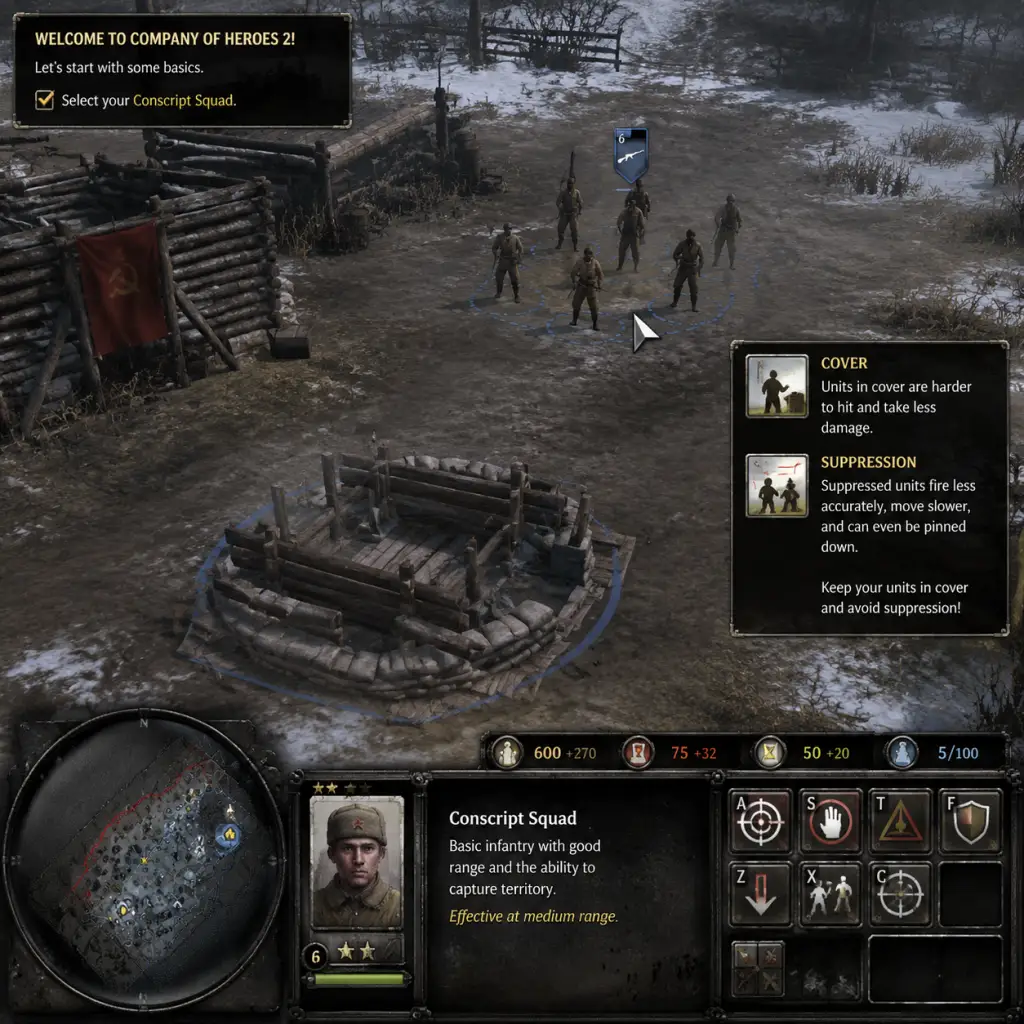
Getting Started
Getting Started with Company of Heroes 2
First Hour Walkthrough
When you first launch Company of Heroes 2, you'll arrive at the main menu. For brand-new players, the best way to spend your first hour is to complete the in-game tutorial and then play the first mission of the Soviet campaign, "The Winter War." This mission teaches you core mechanics in a forgiving environment.
0–10 minutes: Main menu → click "Campaigns" → select "Soviet Campaign" → choose "The Winter War." Watch the brief cutscene. You'll start with a few infantry squads and a single truck (HQ).
10–30 minutes: Follow the on-screen prompts: move your troops to capture points, build structures (only an HQ can be built here), and learn the basics of combat – use cover, flank enemies, and retreat low-health squads.
30–45 minutes: The mission escalates with German counterattacks. Focus on capturing fuel points (for vehicles) and munitions points (for abilities/upgrades). Build a Command Post to increase population cap and a Mechanized Support Barracks to train Engineers and Conscripts.
45–60 minutes: Use Engineers to lay mines and repair vehicles. Deploy a sniper to pick off enemy infantry from a distance. Hold the central bridge chokepoint to secure victory. The mission ends with a cinematic.
Character Creation?
Company of Heroes 2 does not feature a character creator or RPG-style hero. You control squads and vehicles; there are no named, persistent characters (except some campaign heroes like Isakovich, but they are pre-set). Focus on army composition rather than individual character stats.
Controls (PC – Keyboard + Mouse)
The game is designed for mouse and keyboard. No console versions exist. Mastering hotkeys is essential for efficiency.
#### Basic Mouse Controls
| Action | Command |
|---|---|
| Select unit | Left-click on unit or drag a box |
| Select multiple | Shift + left-click |
| Move / Attack | Right-click on ground / enemy |
| Issue order | Right-click on target (attack, capture, repair) |
| Open context menu | Right-click on building (e.g., HQ to build) |
| Camera pan | Move mouse to screen edge or middle-mouse drag |
| Zoom | Scroll wheel |
| Rotate camera | Middle-mouse button hold + drag |
| Key | Function |
|---|---|
| `W` | Move |
| `S` | Stop |
| `A` | Attack-move (units engage enemies while moving) |
| `D` | Deploy (buildings/defenses) |
| `F` | Focus on selected unit |
| `R` | Retreat (selected infantry returns to base) |
| `T` | Toggle stance (aggressive/defensive/reactive) |
| `1-9` | Select control groups (assign with Ctrl+#) |
| `Tab` | Cycle through squads within the same selection |
| `Space` | Jump to last event (enemy contact, structure complete) |
| `H` | Hold position |
| `Ctrl+A` | Select all units |
| `Ctrl+C` | Select all units on screen |
| `P` | Toggle pause (single-player only) |
UI Overview
The interface is divided into several key areas:
- Top-left: Population cap (current/max), resources: Manpower, Fuel, Munitions. Manpower is the primary currency for infantry; Fuel for vehicles; Munitions for abilities and upgrades.
- Top-right: Mini-map. Shows friendly units (green), enemy contacts (red), and strategic points (flags). Right-click to jump camera. Enable "Map Borders" in options to see unexplored areas.
- Bottom-center: Selection panel. Displays the currently selected squad/vehicle stats, health, veterancy, and abilities. Right-click to use special abilities (mines, snare, etc.).
- Bottom-left: Command panel. Buttons for building structures (when HQ is selected) or issuing squad-specific orders (like planting mines with Engineers).
- Left side: Objectives (campaign) or mission alerts. Often shows primary and secondary goals.
- Right side: Intel (when selected) provides information about the enemy unit or structure.
- Complete the Tutorial (Main Menu → Tutorial) – it takes about 15 minutes and covers movement, capture, cover, and retreat.
- Play the first Soviet Campaign mission ("The Winter War") – it's a gentle introduction.
- Bind hotkeys for Retreat, Attack-move, and Squad selection. Practice using them.
- Use cover (green shield icon when infantry is behind sandbags/walls). It drastically reduces damage.
- Reinforce squads instead of letting them die. Reinforce from a building or by building a medical station.
- Blobbing: Moving all infantry together. One machine gun or mortar can wipe a blob. Spread out and use combined arms.
- Running through open ground without cover. Always move from cover to cover.
- Ignoring retreat. If a squad is under heavy fire, press R to make them sprint back to base – they'll live to fight another minute.
- Building too many buildings early. Your first structure after HQ should be a Command Post (increases pop cap) then a Barracks for infantry. Don't waste resources on defenses before you have a decent army.
- Neglecting fuel points. Fuel is the gateway to vehicles. If you only capture manpower points, you'll be stuck with infantry forever.
- Capture 2-3 MP points + 1 fuel point.
- Build Command Post (costs MP + fuel).
- Build Barracks (Mechanized Support Barracks).
- Produce 2-3 Conscript squads (75 MP each).
- Optional: Build an Engineer (50 MP + 15 fuel) to repair and lay mines.
- Then focus on capturing more fuel points and building a vehicle structure (Light Vehicle Hall) to produce T-70s.
Essential Early Objectives (First Hour)
1. Capture Strategic Points: Always start by capturing manpower and fuel points near your base. These are your lifeline. Use the initial Conscripts to cap quickly.
2. Build a Command Post: Required to increase population cap (from 10 to 20+) and unlock higher-tier buildings.
3. Construct a Mechanized Support Barracks: Needed to produce Engineers (repairs, mines) and Conscripts (reinforcements).
4. Secure Chokepoints: In most missions, holding bridges or narrow roads prevents enemy flanking. Place machine guns (if available) facing enemy approach.
5. Counter the First Wave: Early German attacks are often infantry. Use Conscripts in cover, flank, and retreat when outnumbered. Don't let squads die.
6. Expand to Fuel Cashes: Fuel allows you to build vehicles (T-70 light tanks, ML-20 artillery). Capture all fuel points to gain vehicle advantage.
What to Do First and What to Avoid
#### Do First:
#### Avoid:
Early Resource Priorities (First 15 Minutes)
1. Manpower (MP): Always prioritize capturing MP points. Used for all infantry, reinforcement, and some buildings. Never let it sit idle – spend it on squads.
2. Fuel (F): Second priority. Capture fuel points to unlock vehicles. Even if you don't build tanks immediately, fuel is essential for building upgrades (e.g., Molotov cocktails for Conscripts).
3. Munitions (M): Third priority. Early game, use munitions for abilities like grenades, smoke, or mines. Don't hoard them; spend actively but wisely (e.g., anti-tank grenades vs. vehicles).
Build order for a solid start (Soviet):
Common Beginner Mistakes
| Mistake | Why It Hurts | How to Fix |
|---|---|---|
| Forgetting to retreat | Entire squad wiped = lost XP and MP. | Hit R when health drops below ~30% or under heavy fire. |
| Not using cover | Infantry dies in seconds in open. | Move only between cover points; use attack-move to engage from cover. |
| Ignoring flanking | Frontal assaults fail. | Send one squad to draw fire, another to attack from the side or rear. |
| Overbuilding defenses early | Drains resources needed for units. | Build only 1-2 machine gun nests per chokepoint; focus on mobile units. |
| Blobbing | AoE damage (mortars, grenades) kills entire group. | Split control groups: 1-2 for flankers, 1-2 for main force. |
| Not using Engineers | Mines and repairs win games. After first engagement, build at least one Engineer squad. | Build after initial Conscripts; use to repair tanks and place demo charges. |
| Hoarding munitions | Spending them on abilities (molotovs, sniper shot) turns the tide. | Use abilities as soon as they are available (e.g., Molotov on Conscripts vs. garrisoned infantry). |
Day-One Checklist
- [ ] Download and install Company of Heroes 2 (Steam or standalone).
- [ ] Launch the game; adjust graphics settings (Options → Video) to ensure smooth performance (target 60 FPS).
- [ ] Complete the Tutorial (Main Menu → Tutorial) fully.
- [ ] Play the first Soviet Campaign mission ("The Winter War") and finish it.
- [ ] Spend 10 minutes in Practice Mode (Skirmish vs. AI on Easy) to experiment with build orders.
- [ ] Bind essential hotkeys in Options → Controls (especially Retreat: R, Attack-move: A, Stop: S).
- [ ] Watch the unit tutorial videos (Main Menu → Tutorial → Unit Spotlight) for Soviets and Germans.
- [ ] Join a CoH2 Discord server (e.g., CoH2.org) for beginner-friendly community matches.
- [ ] Read the beginner guide on the sidebar (Steam community hub).
- [ ] Play another campaign mission or an AI skirmish before trying multiplayer.
- Save often in campaign (F6 quick-save, F9 quick-load).
- Veterancy increases squad stats; keep units alive to earn it.
- Use the mini-map constantly. If you see red dots, you're about to be attacked.
- Learn one faction first (Soviets are recommended for beginners because of Conscripts' versatility).
- Never stop capturing. Inactive capture points are wasted resources.
Final Tips for New Players
With this foundation, you'll survive your first few hours and start enjoying the deep tactical gameplay Company of Heroes 2 offers. Good luck, commander!
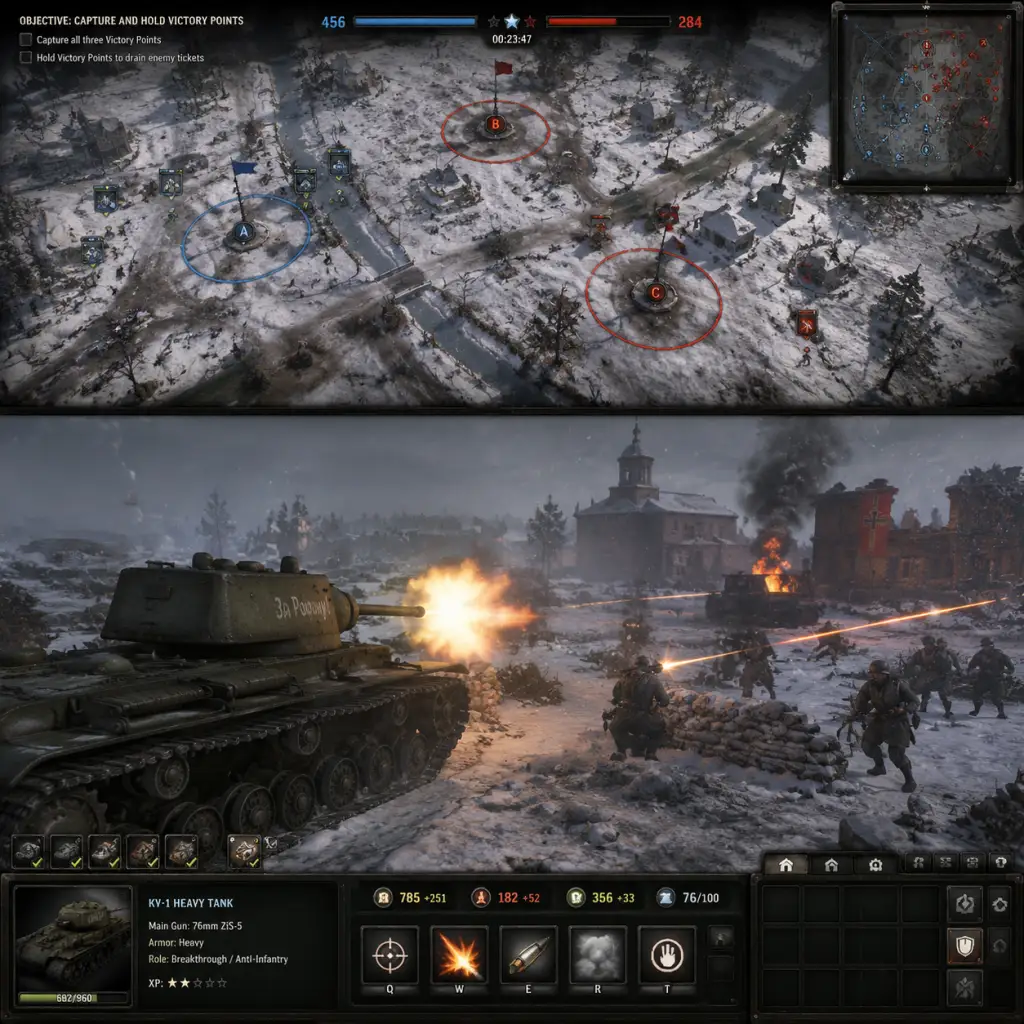
Core Gameplay
Core Gameplay – Company of Heroes 2
Overview of the Gameplay Loop
Company of Heroes 2 (CoH2) is a real-time strategy (RTS) game that combines base building, squad-based infantry combat, vehicle warfare, and tactical use of cover and the environment. The core loop revolves around capturing and holding strategic points (Victory Points, Fuel, Munitions, and Manpower) to fuel your war machine, while using combined arms to destroy enemy forces. Progression within a match is defined by phases of technology and unit availability, similar to tiers. This guide breaks down each phase – Early, Mid, Late, and Endgame – covering combat systems, economy, progression, and objectives.
---
Early Game (0–5 Minutes)
Main Gameplay Loop
- Capture strategic points: Use Engineers and Riflemen squads to secure fuel and munitions points, which are critical for tech upgrades and abilities.
- Build your base: Construct Barracks, Weapon Support Centers, and supply depots to enable infantry and light vehicle production.
- Scout: Use fast-moving units like M3 Stuart (Soviet) or Kettenkrad (German) to reveal the map and find enemy build orders.
- First contact: Engage in small-scale infantry skirmishes, using the cover system to your advantage.
- Cover System: Units in green cover (e.g., sandbags, trenches) take reduced damage; yellow cover (e.g., low walls) offers moderate protection; no cover (red icon) leaves them vulnerable. Always position squads behind cover before engaging.
- Suppression: Machine guns and certain units can suppress infantry, pinning them down and making them easy targets for explosives or flanking attacks.
- Flanking: Attacking from the side or rear reduces enemy defense by 50%. Use this to break entrenched positions.
- Weapon Pickups: Drops from killed enemies (e.g., Panzerschrecks, DP-28s) can be picked up to upgrade squads without spending resources.
- Resources: Manpower (soldiers and repairs), Munitions (abilities, grenades, upgrades), Fuel (vehicles and tech buildings).
- Pop Cap: Typically 100 (can be increased with certain doctrines). Do not exceed the limit; otherwise production halts.
- Starting resources: You begin with enough manpower and fuel to build a first fighting squad and cap points. Prioritize fuel income for early tech.
- Tech Tree: Build a Barracks (fuel cost: 100) to unlock Infantry and Light Vehicle tech. Next, build a Support Center (e.g., Motor Pool) to access light tanks (e.g., T-70 or M3 Lee).
- Veterancy: Squads gain veterancy (I, II, III) by killing enemies; each level grants passive bonuses (e.g., faster reload, accuracy, health regen). Veterans are precious – keep them alive.
- Commander Abilities: Choose a Doctrine before the match. Early game abilities like “Mark Target” or “True Sight” can turn the tide.
- Campaign Mode: In the “Soviet Campaign”, early missions involve defending Moscow or Stalingrad. Exploration includes finding hidden objectives (e.g., partisan caches) and securing key bridges.
- Multiplayer: No quests; “exploration” means scouting the enemy base or map control. Use a single scout car to uncover the enemy’s build while keeping it safe.
- Secure fuel and munitions points: By now you should have at least 2-3 fuel points. Build a light vehicle (e.g., Scout Car, T-70) to harass enemy infantry and cap points.
- Tech up: Build a Medium Tank Factory (e.g., T-34/76) or equivalent to unlock medium tanks.
- Combined arms: Pair infantry with light tanks and artillery to push enemy control points.
- Defend: Use engineers to lay mines and build bunkers at chokepoints.
- Light Vehicles: Use hit-and-run tactics. M2A1 (USF) or Ostwind (OKW) are effective against infantry; Cromwells or T-34s can duel enemy light tanks.
- Anti-Tank Weapons: Build AT guns (e.g., ZiS-3, PaK 40) to counter early enemy armor. Use green cover and sightlines to maximize their effectiveness.
- Mortars and Howitzers: Indirect fire can dislodge entrenched enemies. Use spotter units (e.g., Scout Car) to provide vision.
- Fuel priority: Save fuel for tech buildings. The typical mid game requires 180–200 fuel for a medium tank factory.
- Munitions: Start using munitions for grenades, smoke, and vehicle abilities (e.g., smoke screen on T-34). Avoid stockpiling unless saving for a doctrine ability.
- Manpower: Keep at least 300 manpower in reserve for reinforcing squads. Don’t overextend with expensive units you can’t reinforce.
- Medium Tanks: The T-34/76 (Soviet) or Panzer IV (German) appear. These are flexible tanks good against infantry and light armor.
- Infantry Upgrades: Unlock weapon upgrades at the Riflemen barracks (e.g., SVT-40s or G43s) to increase lethality.
- Doctrine Abilities: Activate mid-game abilities like “Strafe Run” (Luftwaffe) or “Artillery Barrage” (Soviet) to swing engagements.
- Campaign: Mid-campaign missions often require holding a key point for a timer or escorting supply trucks. Exploration reveals flanking routes through buildings or forests.
- Multiplayer: Use infantry squads to scout around the sides of the map, looking for hidden AT guns or second fuel caches.
- Upgrade to heavy tanks: Build Heavy Tank Factory (e.g., IS-2, Tiger I) or unlock heavy tanks via doctrines.
- Contest Victory Points: Most multiplayer games are won by holding Victory Points (capture points with flags). Each VP drained reduces the opponent’s reinforcement rate (or kills the commander in some modes).
- Dominate map control: Place mines, forward repair stations, and bunkers to lock down key intersections.
- Artillery duels: Use howitzers like the M4A3 Sherman with Calliope or Nebelwerfer to counter enemy concentrations.
- Heavy Tanks: Tiger I, IS-2, Panther, and Pershing. They have high armor and health but are slow and vulnerable to flanking or massed AT rockets.
- Armor Penetration: Rear armor is always weaker than front. Use smoke to close the distance and flank.
- Anti-Tank Infantry: Squads like Guards Rifle Infantry (Soviet) or Panzerschreck Volks (German) can ambush heavy tanks. Use them in cover and target engine or tracks.
- Aircraft: Strafe runs, bombing runs, and loiter capabilities (e.g., IL-2, Stuka) can devastate clumped units. Use anti-air vehicles (e.g., M15 CGMC) to counter.
- Fuel becomes scarce: One heavy tank costs 200+ fuel. Prioritize fuel caches and deny them to the enemy with patrols.
- Manpower spikes: After many deaths, manpower income may be strained. Reinforce only key veteran squads.
- Munitions for doctrine: Late-game button abilities like “Target Weak Point” (USA) or “Tank Shock” (Soviet) require significant munitions. Plan accordingly.
- Super-heavy tanks: Some doctrines unlock units like the King Tiger, ISU-152, or Elefant. These are extremely costly but can decide the battle if protected.
- Veterancy matters: A double-veteran medium tank is often more valuable than a fresh heavy. Keep your veteran units alive.
- Commander final abilities: Use abilities like “Overwhelming Firepower” or “Final Stand” (Soviet) to break stalemates.
- Campaign: Late campaign missions involve massive set-piece battles (e.g., Battle of Berlin). Exploration is minimal; focus is on holding lines and counterattacking.
- Multiplayer: Scout with cheap units (e.g., snipers or scout cars) to find enemy base layout and identify their heavy tank production. Use directional audio cues (engine sounds) to guess enemy positions.
- Victory Points (VP): The standard game mode (VP Control) – each VP you control ticks down the enemy’s victory timer (from 500 to 0). If you control 2 out of 3 VPs, the timer ticks at normal rate; all 3 ticks faster. The first team to reach 0 victory points loses.
- Annihilation Mode: Kill all enemy units and structures. Usually longer and more grindy.
- Sudden Death: If a player loses all sectors (no control points), they lose automatically. Prevent this by keeping at least one strategic point.
- Final Mission: Usually a massive defensive or offensive operation (e.g., taking the Reichstag). You must complete a sequence of objectives while managing limited resources.
- After-Action Report: Shows statistics like kills, capture points, and efficiency. In multiplayer, Endgame also includes post-match stats and XP for leveling up your profile/commanders.
- Super-heavy tanks rule: King Tiger or ISU-152 can one-shot most infantry and critically damage other heavies. Use them as a spearhead.
- Combined arms is mandatory: Support super-heavies with infantry (for AT threats), anti-air (for planes), and repair engineers.
- Demolition: Use satchel charges (Engineer squad upgrade) or demolition charges on M8 Greyhound to destroy heavy tanks from ambush.
- Niche units: Snipers, mortars, and MGs become less impactful but still useful for pinning and harassment.
- Fuel may be exhausted: At this stage, both players may have maxed tech. Don’t waste fuel on unneeded vehicles.
- Manpower for reinforcement: Focus on keeping elite squads (e.g., 6-man Riflemen, Guards) well-stocked.
- Munitions for doctrines: End-game abilities like “IL-2 Stalin’s Call” or “Luftwaffe Emergency Bombing” can win the game. Stockpile munitions for these.
- No further tech: All units are already unlocked. Build growth is purely through veterancy and resource hoarding.
- Commander bonuses: Some doctrines have passive abilities that scale (e.g., increased vehicle repair rate). Their benefits become more pronounced.
- Tactical retreats: Preserve veteran units by pulling them off a lost sector. Undeployed manpower is wasted.
- Buy time: If you are behind on VPs, use delaying tactics (mines, rear ambushes) while you build a super-heavy force.
- Deny fuel: Send light vehicles to kill enemy fuel caches if they are undefended.
- Focus fire: Use “Attack Ground” command (Shift+left click) on a retreat path to kill fleeing enemies.
- Use heavy armor aggressively: A ram with a heavy tank (Soviet “Ram” ability) can disable an enemy heavy, allowing AT guns to finish it.
Combat & Interaction Systems
Economy & Resource Management
Progression / Build Growth
Exploration & Quests/Missions
---
Mid Game (5–15 Minutes)
Main Gameplay Loop
Combat & Interaction Systems
Economy & Resource Management
Progression / Build Growth
Exploration & Quests/Missions
---
Late Game (15–25 Minutes)
Main Gameplay Loop
Combat & Interaction Systems
Economy & Resource Management
Progression / Build Growth
Exploration & Quests/Missions
---
Endgame (25+ Minutes or Victory Conditions)
Endgame Structure
#### Multiplayer Victory
#### Campaign Endgame
Combat & Interaction Systems at Endgame
Economy & Resource Management
Progression / Build Growth
Endgame Strategies
---
Summary Table of Progression Tiers
| Phase | Time (approx.) | Key Units | Economy Focus | Combat Focus |
|---|---|---|---|---|
| Early Game | 0–5 min | Riflemen, Engineers, Scout Cars | Fuel & Manpower capping | Infantry skirmishes, cover usage |
| Mid Game | 5–15 min | T-34/76, Panzer IV, AT Guns | Tech buildings, fuel cache | Combined arms, light tank duel |
| Late Game | 15–25 min | IS-2, Tiger I, Artillery | Munitions for abilities | Heavy tank brawls, VP control |
| Endgame | 25+ min | King Tiger, ISU-152, Elite Infantry | Manpower reinforcement | Super-heavy showdown, final push |
Game Tips
Game Tips – Company of Heroes 2
Comprehensive guide covering beginner, intermediate, and advanced strategies for all factions.
---
1. Beginner Tips
#### 1.1 Capture Points Early & Often
- Tip: In the first 30 seconds, send one or two squads to capture the nearest victory point or fuel/munition point. Don’t leave your base idle.
- Why: Territory gives resources. Fuel lets you build tanks; munitions enable abilities and upgrades. A quick cap denies enemy income and accelerates your tech.
- When: Always at game start. Re-cap points after losing them.
- Tip: Always move infantry from green cover (bushes) to green cover. Avoid standing in the open.
- Why: Green cover reduces incoming damage by 50%, yellow cover (sandbags) by 25%. Units in the open die fast.
- When: Every engagement. Pre-position behind rocks or walls before enemy contact.
- Tip: Use engineer squads or vehicle crew to repair tanks and half-tracks. Don’t let your tanks burn.
- Why: A damaged tank is still effective; a repaired one can fight multiple engagements.
- When: After retreating or during lulls in combat.
- Tip: Press R to instantly order a squad to sprint back to base invulnerable for a few seconds.
- Why: Prevents squad wipe, preserves veterancy. Better to retreat early than lose six men.
- When: As soon as a squad takes heavy casualties or is outnumbered.
- Tip: Indirect fire is critical for dislodging enemies from buildings or behind heavy cover.
- Why: Direct assaults on fortified positions cause heavy losses. Barrage forces enemy to move or die.
- When: Mid-game (after 2-3 infantry squads).
- Tip: Prioritize fuel points over munition points in the early game.
- Why: Fuel determines your vehicle timing. A Tiger or T-34 arriving two minutes earlier wins fights.
- When: On maps with fuel points, cap them first. Trade munitions for fuel if needed using doctrines.
- Tip: Save munitions for key abilities like grenades, mortar flares, or defensive artillery.
- Why: Wasting munitions on unnecessary infantry upgrades delays powerful call-ins.
- When: Don’t spam upgrade every squad; pick 1-2 explosive-focused squads.
- Tip: Place structures inside your base’s build radius; don’t over-extend with forward buildings early.
- Why: Forward bases are vulnerable. Keep your economy safe until you control the map center.
- When: Mid-game after securing at least 2-3 sectors.
- Tip: Always send a scout or engineer to capture neutral fuel and munitions on your side of the map.
- Why: Every point adds to your income. Missing one gives opponent free resources.
- When: At game start and after each major fight when you push forward.
- Tip: Press R to order a vehicle to reverse out of danger instead of turning around.
- Why: Turning exposes weak rear armor. Reversing keeps front armor facing enemy.
- When: Any time a vehicle is under anti-tank fire.
- Tip: Select multiple anti-tank squads and have them target the same tank one by one.
- Why: Concentrated fire destroys vehicles faster than spread damage. Reduces enemy damage output.
- When: Against heavy tanks or multiple vehicles.
- Tip: Use separate control groups for different unit types. Avoid moving all infantry as one blob.
- Why: A single mortar shell can wipe a blob. Spread units to use cover and avoid splash.
- When: Always. Split squads into 2-3 groups to flank.
- Tip: Many infantry and vehicles have smoke launchers. Use smoke to block enemy line of sight.
- Why: Allows safe retreat or advance across open ground. Denies enemy MG fire.
- When: When crossing roads or charging a defended position.
- Tip: Send a single scout or sniper forward to reveal enemy positions.
- Why: Knowledge prevents ambushes. Scouting lets you choose engagements on your terms.
- When: Throughout the game. Keep a scout near the front line.
- Tip: Use recon abilities (e.g., Soviet mortar flare, Wehrmacht scout car) to reveal fog of war.
- Why: Reveals hidden AT guns or minefields. Prevents nasty surprises.
- When: Before pushing into a sector you suspect is defended.
- Tip: Kill engineers building forward headquarters or bunkers.
- Why: Destroying their forward base delays their offense and cuts their retreat path.
- When: When you see a builder behind enemy lines.
- Tip: Start with 4 Conscript squads, then tier to T1 for scout car, or skip to T2 for Zis guns.
- Why: Conscripts are cheap, cap fast, and can merge with other squads. T2 gives AT capability.
- When: General purpose. Adapt if facing early armor: rush T2.
- Tip: 1 Pioneer, 2 Grenadiers, then tech to T2 for MG42 or mortar.
- Why: Grenadiers have long-range rifles; MG42 suppresses infantry. Controls early engagements.
- When: Standard for most maps. Against Soviet spam, add an early flamer half-track.
- Tip: Start with Sturmpioneers, then build 2-3 Volksgrenadiers and tech to Flak HQ for AA halftrack.
- Why: Sturmpioneers are strong up close; Volks cap flanks. Flak HQ gives anti-air and anti-infantry.
- When: On open maps. Avoid early blobs.
- Tip: Use Infantry Sections in cover, build a training center for upgrades, then tech to AEC armored car.
- Why: British infantry are powerful in cover. AEC is excellent for early vehicle harassment.
- When: On maps with lots of hedgerows. Weak on open fields.
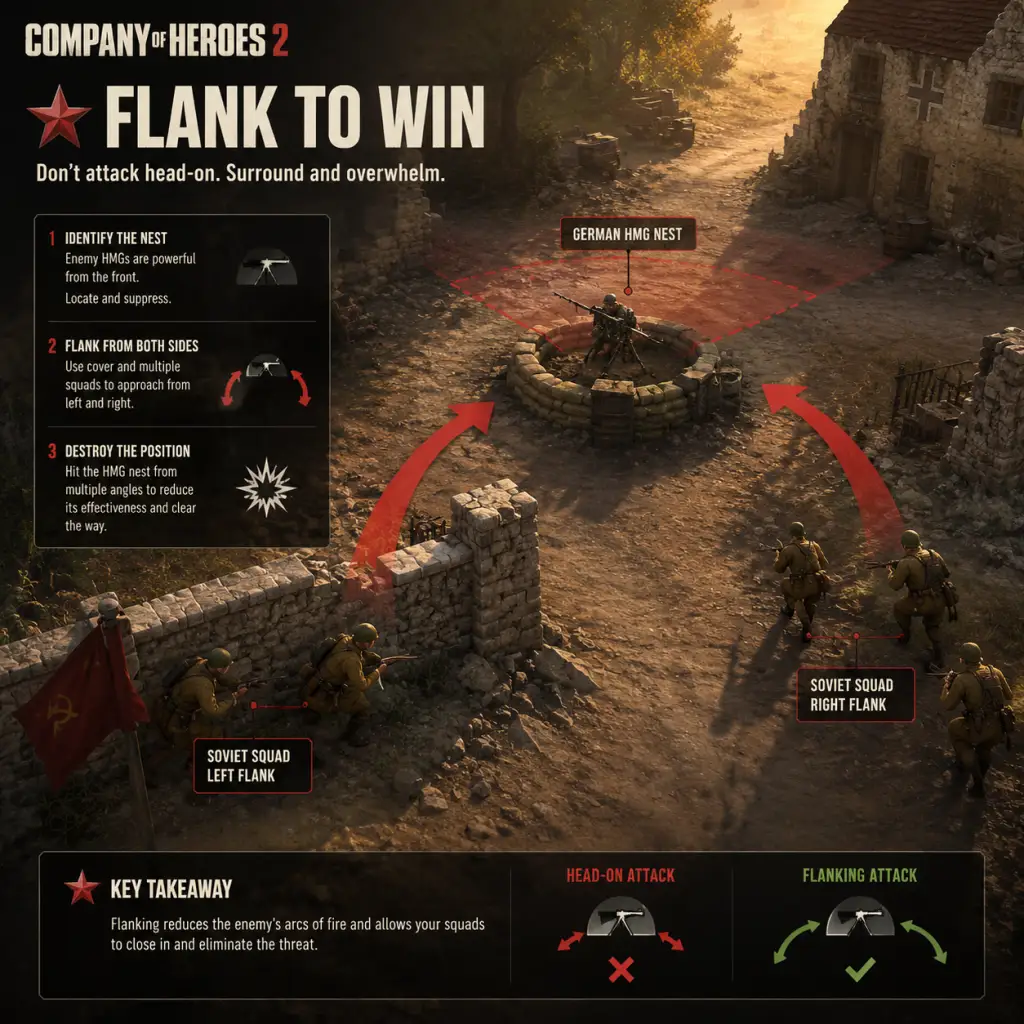
- Tip: Send one squad to engage frontally while another moves around to attack from the side or rear.
- Why: Units take damage from any direction but are less likely to use cover when outflanked. Also, vehicles have weaker side/rear armor.
- When: Against MG nests, tanks, or entrenched infantry.
- Tip: Many infantry squads (e.g., Soviet Conscripts with AT nade upgrade) can throw satchel charges at tanks.
- Why: Cheapest way to damage armor. One well-placed nade can track a tank.
- When: When a tank is stationary or in close range.
- Tip: Pair infantry with vehicles. Use infantry to spot and suppress, vehicles to kill.
- Why: Infantry alone can’t kill tanks; tanks alone get swarmed by RPGs. Combined covers weaknesses.
- When: Mid-game onward. Never send tanks without infantry escort.
- Tip: Veteran units (chevron icons) are much more effective. Retreat them early.
- Why: Veteran bonuses (accuracy, reload speed, health) make them worth 2x a fresh unit.
- When: If a veteran squad is under fire and low on health, retreat immediately.
- Tip: Use control groups: 1-3 for infantry, 4-5 for vehicles, 6 for engineers, 7 for artillery. Use `Q` for abilities.
- Why: Fast selection leads to precise micro. Respond to threats instantly.
- When: Practice in skirmish mode until reflexive.
- Tip: Order units to attack a specific ground area to reveal hidden enemies or flush garrisons.
- Why: Prevents ambush when you suspect presence (e.g., near a building).
- When: When approaching enemy-held points.
- Tip: Place mines (engineers or Wehrmacht) on enemy resource points and common paths.
- Why: Kills units, tracks vehicles, gives vision when detonated.
- When: After securing an area, lay mines before the enemy counterattacks.
- Tip: Attack when you have a numerical advantage or when enemy is distracted (e.g., repairing vehicles).
- Why: Rushing into a prepared defense wastes resources. Wait for your artillery cooldown or reinforce first.
- When: Analyze minimap. Only initiate when you see opportunity.
- Tip: Pick a commander doctrine that counters your opponent’s playstyle. For example, Soviet Guard Motor if facing heavy armor; Wehrmacht Luftwaffe if facing air spam.
- Why: Doctrines provide unique abilities that can turn the tide.
- When: Before the match (scout commander in pre-game).
- Tip: Engineers can build sandbags and bunkers. Place them in key defensive positions.
- Why: Provides cover and suppresses enemy advances. A well-placed bunker can hold a sector.
- When: After capping a strategic point near a bottleneck.
- Tip: Press Backspace to view the strategic map and order long-range attacks.
- Why: Better overview for coordinating multiple fronts. Use to call in off-map artillery.
- When: During lulls or when planning a multi-pronged attack.
- Tip: Use a scout or a cheap squad to bait sniper shots, then mortar the sniper’s position.
- Why: Snipers are high-value but fragile. Once revealed, they die quickly to indirect fire.
- When: If you suspect a sniper. Listen for the shot sound.
- Tip: Send a fast vehicle or infiltration squad to cut enemy supply lines (the road sectors).
- Why: Reduces enemy income drastically. Often more impactful than fighting head-on.
- When: Mid-game when you have a mobile unit (e.g., Soviet cavalry, Wehrmacht half-track).
- Tip: Use paratroopers or commando squads to capture deep neutral points.
- Why: Forces enemy to divert units, creating openings on the main front.
- When: After establishing map control in your half.
- Tip: Order a unit to appear to retreat, then cancel and attack when enemy chases.
- Why: Enemy may overextend, leaving cover. Use this to lure into your MG fields of fire.
- When: When you have a defensive line established.
- Tip: Leave a damaged squad visible to tempt enemy attack, then spring an ambush.
- Why: Enemy greedy for kills often walks into traps.
- When: Only when you have a backup force hidden.
- Tip: Use Conscripts to merge with other squads (Penals, Guards) to reinforce them for cheap.
- Why: Saves munitions and time. Keeps elite squads full without building new units.
- When: Frequently in mid-late game.
- Tip: Keep Grenadiers alive to earn veterancy. Vet 3 Grenadiers are arguably best infantry.
- Why: Gains damage reduction, accuracy, and faster reloads.
- When: Avoid reckless attacks with them.
- Tip: Upgrade to Flak 38 on halftrack. It provides mobile anti-air and anti-infantry.
- Why: Dominates early infantry and denies enemy aircraft. Great support vehicle.
- When: Build as soon as you have a fuel lead.
- Tip: Use Vickers machine guns and 6-pounder AT guns effectively. Creep them forward in cover.
- Why: Defensive play rewards careful positioning. Don’t overextend.
- When: On maps with long sight lines.
- Tip: Look at the minimap every 5-10 seconds to spot enemy movements.
- Why: Prevents flanking and surprise attacks. Gives you time to react.
- When: Always. Make it a habit.
- Tip: Use pings (Alt + click) to alert teammates of enemy positions or objectives.
- Why: Coordination wins team games. A simple ping can save a teammate.
- When: In multiplayer, ping whenever you spot something significant.
- Tip: Read patch notes. Meta shifts every update; obsolete builds may be weak.
- Why: Knowing what’s strong keeps you competitive. Example: certain tanks become cheaper after buffs.
- When: Before each ranked season.
- Tip: Download replays from top players (available in game or on sites like CoH2.org).
- Why: See effective build orders and micro decisions in context.
- When: After learning basics, to refine your play.
- Mistake: Ignoring resource points entirely.
- Mistake: Building too many units without tech.
- Mistake: Leaving vehicles idle.
- Mistake: Not using retreat hotkey.
- Mistake: Overextending into enemy base.
#### 1.2 Use Cover Religiousy
#### 1.3 Repair Your Vehicles
#### 1.4 Use the Retreat Button (R)
#### 1.5 Build at Least One Mortar or Howitzer
---
2. Economy & Resources
#### 2.1 Fuel is King
#### 2.2 Manage Munitions for Abilities
#### 2.3 Build Efficiently
#### 2.4 Capture Neutral Resource Points
---
3. Unit Management & Micro
#### 3.1 Use Vehicle Reverse (R on selected vehicle)
#### 3.2 Cycle Focusing Fire
#### 3.3 Blob Control – Spread Out
#### 3.4 Use Smoke Screens
---
4. Map Control & Vision
#### 4.1 Scout with Cheap Units
#### 4.2 Place Flares/Recon Abilities
#### 4.3 Deny Enemy Forward Bases
---
5. Build Orders & Tech Paths
#### 5.1 Soviet Standard Build
#### 5.2 Wehrmacht Early Game
#### 5.3 OKW (Oberkommando West) Build
#### 5.4 British Forces Build
---
6. Combat Tactics
#### 6.1 Flanking – Hit from Two Sides
#### 6.2 Use Anti-Tank Grenades
#### 6.3 Combined Arms
#### 6.4 Preserve Vet Units
---
7. Advanced Optimizations
#### 7.1 Hotkey Mastery
#### 7.2 Use Attack Ground (Shift + A)
#### 7.3 Minefield Denial
#### 7.4 Timing Your Attack
#### 7.5 Counter Doctrine Choices
---
8. Defensive & Siege Tactics
#### 8.1 Build Bunkers and Sandbags
#### 8.2 Use the Strategic Map (Backspace)
#### 8.3 Counter-Sniper Tactics
---
9. Resource Denial (Economic Warfare)
#### 9.1 Kill Enemy Supply Lines
#### 9.2 Capture Neutral Points Behind Enemy Lines
---
10. Psychology & Mind Games
#### 10.1 Fake Retreats
#### 10.2 Bait with Low HP Units
---
11. Faction-Specific Nuances
#### 11.1 Soviets – Merge Mechanic
#### 11.2 Wehrmacht – Vet for Grenadiers
#### 11.3 OKW – Flak Halftrack
#### 11.4 British – Special Weapons Teams
---
12. Map Awareness & Minimap Usage
#### 12.1 Constant Minimap Glances
#### 12.2 Ping System
---
13. Patches & Meta Changes
#### 13.1 Stay Updated
#### 13.2 Watch Pro Replays
---
14. Common Mistakes to Avoid
- Fix: Always cap everything you safely can.
- Fix: Balance population with tech upgrades.
- Fix: Always have them active – scouting, harassing, or supporting.
- Fix: Bind R to retreat and use it ruthlessly.
---
15. Final Pro Advice
> "Company of Heroes 2 is won by controlling the middle of the map, not by destroying the enemy base." – Relic Entertainment design philosophy.
Patience, discipline, and constant learning separate good players from great ones. Practice in skirmish vs AI before jumping into multiplayer. Good luck, commander!
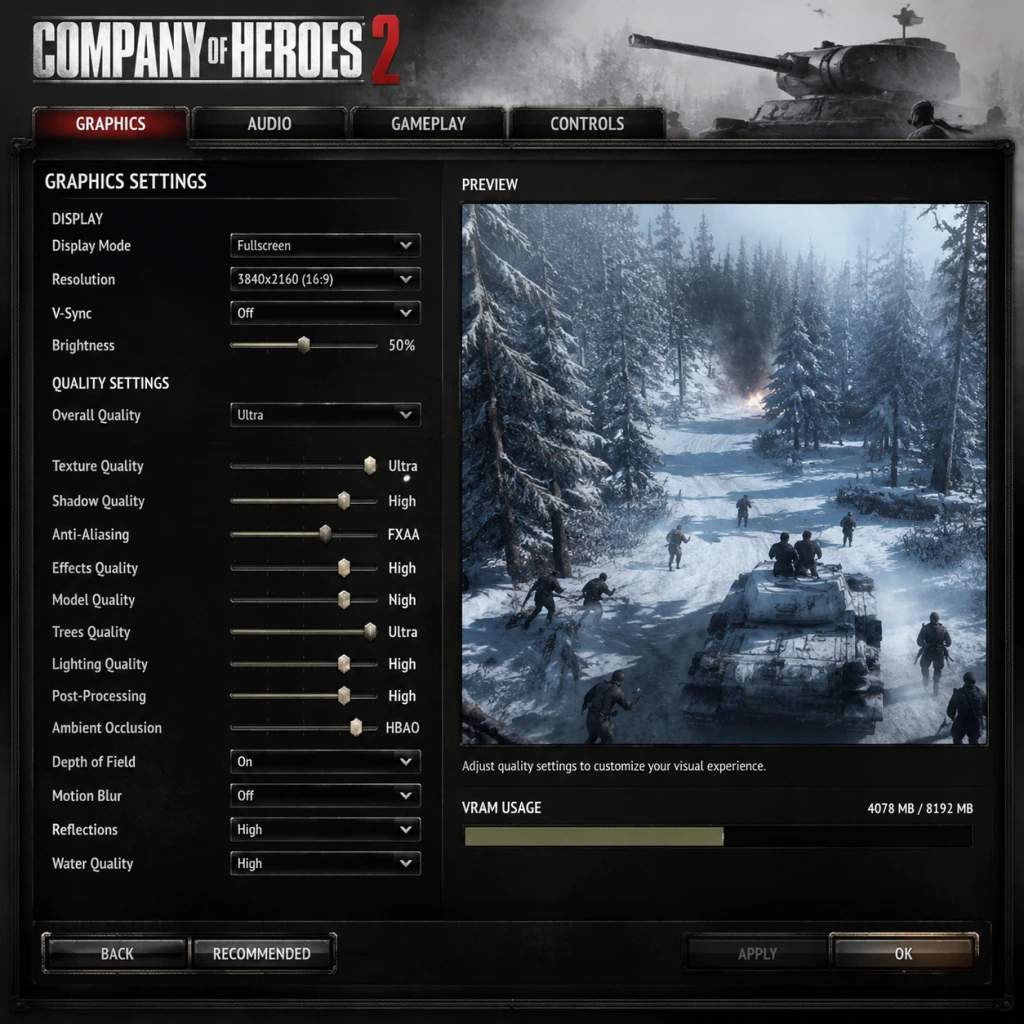
Game Settings
Game Settings Guide for Company of Heroes 2
This guide covers every major settings category in Company of Heroes 2: Graphics, Audio, Controls, Accessibility, Language, Network, and Gameplay. It includes recommended presets for low-end, mid-range, and high-end systems, highlights common misconfiguration pitfalls, and explains settings that require special attention during initial setup.
---
1. Graphics Settings
#### 1.1 Key Settings Breakdown
| Setting | Description | Performance Impact |
|---|---|---|
| Resolution | Native monitor resolution. Always set to your display's native res for best clarity. | High – lower resolution increases FPS. |
| Display Mode | Fullscreen, Windowed, Borderless Windowed. Borderless is good for alt-tabbing but may incur slight input lag. | Low – Fullscreen often gives best performance. |
| VSync | Synchronizes frame rate with monitor refresh rate. Off: screen tearing; On: capped FPS, can cause input delay. | Medium – disabling boosts FPS but may cause tearing. |
| Texture Quality | Controls resolution of in-game textures. | Medium – higher uses more VRAM. |
| Model Quality | LOD for units and structures. | Medium – higher reduces draw distance but looks better. |
| Shadow Quality | Resolution and softness of shadows. | High – major FPS hit. Low/Off helps low-end PCs. |
| Antialiasing | Smooths jagged edges. Options: Off, FXAA (low cost), MSAA 2x/4x/8x (expensive). | Very High – MSAA is very demanding. |
| Ambient Occlusion | Adds depth shading between objects. | Medium – can reduce FPS significantly |
| Terrain Detail | Foliage, debris, ground textures. | Medium – high settings reduce FPS in heavy forests. |
| Particle Quality | Explosions, smoke, muzzle flashes. | Medium – high can cause stutter in large battles. |
| Water Detail | Reflections, transparency. | Low – minimal visual benefit, high cost. |
| Lens Flare | Light streaks from sun/explosions. | Low – off gives minor FPS gain. |
| Effects Quality | Multi-effect LOD (bloom, motion blur, etc.). | Medium – high can blur clarity. |
| Saturation | Color intensity. | None – performance neutral. |
| Gamma | Brightness adjustment. | None – use a calibration image for best visibility. |
Low-End (e.g., Intel HD Graphics, 4 GB RAM, 1 GB VRAM)
- Resolution: 1280×720 / 1366×768
- Display Mode: Fullscreen
- VSync: Off
- Texture Quality: Low
- Model Quality: Low
- Shadow Quality: Off (or Low)
- Antialiasing: Off
- Ambient Occlusion: Off
- Terrain Detail: Low
- Particle Quality: Low
- Water Detail: Low
- Lens Flare: Off
- Effects Quality: Low
- Aim for 30 FPS steady.
- Resolution: 1920×1080
- Display Mode: Fullscreen
- VSync: Off (unless tearing bothers you)
- Texture Quality: High
- Model Quality: High
- Shadow Quality: Medium
- Antialiasing: FXAA (or Off)
- Ambient Occlusion: Off (or SSAO Low)
- Terrain Detail: High
- Particle Quality: High
- Water Detail: Medium
- Lens Flare: On (negligible cost)
- Effects Quality: High
- Target 60 FPS most of the time.
- Resolution: 2560×1440 or 4K
- Display Mode: Fullscreen
- VSync: Off (use G-Sync/FreeSync if available)
- Texture Quality: Ultra (if available)
- Model Quality: Ultra
- Shadow Quality: High / Ultra
- Antialiasing: MSAA 4x (or 2x for 4K)
- Ambient Occlusion: SSAO or HBAO+
- Terrain Detail: Ultra
- Particle Quality: Ultra
- Water Detail: High
- Lens Flare: On
- Effects Quality: Ultra
- Aim for 60 FPS minimum; 100+ FPS on 1080p.
- VSync: Many players leave it Off for lower latency, but if you experience screen tearing, enable it or cap FPS via your GPU driver. In CoH2, VSync also caps at 60 FPS even on 144 Hz monitors – this can feel sluggish. Use driver-level Frame Rate Limit instead.
- Antialiasing: MSAA often causes crashes on older drivers or AMD cards. Start with FXAA – it's light and prevents jaggies adequately in an RTS where you're zoomed out.
- Effects Quality: Setting this to Ultra adds heavy motion blur and bloom that can obscure enemy units at the edge of the screen. Many competitive players keep it Medium or Low for clarity.
- Terrain Detail: On snow maps, High terrain detail adds a lot of snow particles that hurt FPS. If performance dips on Eastern Front maps, lower this first.
Mid-Range (e.g., GTX 1060 / RX 580, 8 GB RAM, 4 GB VRAM)
High-End (e.g., RTX 3070 / RX 6800, 16 GB RAM, 8+ GB VRAM)
#### 1.3 Easy-to-Misconfigure Graphics Settings
---
2. Audio Settings
#### 2.1 Options Explained
| Setting | Description | Recommendation |
|---|---|---|
| Master Volume | Overall volume. | 70–80% to leave headroom. |
| Music Volume | Background music. | 30–50% – can be distracting during combat. |
| SFX Volume | Weapons, explosions, vehicles. | 100% for situational awareness. |
| Voice Volume | Unit callouts and narrator. | 100% – crucial for hearing “Squad wiped!” or abilities. |
| Cinematic Volume | Cutscenes only. | Same as Master. |
| Enable EAX | Environmental audio effects (if supported). | Off – EAX is obsolete and can cause distortion. |
- Voice Volume is vital: Enemy flamethrower sounds, tank engine roars, and ability activation voicelines give early warnings. Never lower it below 80%.
- Music Volume: In multiplayer, consider turning music off entirely to focus on ambient sounds like footsteps or artillery.
- Speaker Configuration: If you use headphones, enable Windows Sonic or Dolby Atmos for better positioning. CoH2 doesn't have native HRTF, so stereo headphones are fine.
- Camera Scroll: WASD or Edge Pan
- Group Select/Create: Ctrl + 1-9
- Attack Move: A + Left Click
- Reverse Move (Vehicles): R (press while vehicle selected)
- Hold Fire: H
- Stop: S
- Squad Abilities: Q, W, E, R (by default)
- Retreat: T (all squads) or Backspace (selected)
- Build menu: B (then click structure)
- Change Retreat to a more accessible key like `R` or `Mouse Button 4` (since T is far from WASD).
- Move Attack Move to `Shift + Right Click` (like Starcraft) if you prefer it.
- Remap Ability keys to `1-4` instead of QWER if you have small hands.
- Camera Scroll Speed: Adjust between 40–60% for precise control.
- Edge Panning: Enable. If disabled, you must use WASD – edge pan is faster for most players.
- Sensitivity: Keep mouse DPI 800-1600; in-game Pointer Sensitivity = 5-10.
- Reverse Move (R): By default it's a toggle – pressing R once makes the vehicle drive backward BUT it reverses direction of turret if the vehicle is facing away. Practice in skirmish before using in multiplayer.
- Retreat: The default `T` key retreats all squads – not just selected squads. Many new players accidentally retreat their entire army. Rebind to something else or use `Backspace` for selected units only.
- Hold Fire (H): Very useful for ambushes – but beginners often forget to re-enable fire. Use `H` to toggle; check the unit icon (crossed-out gun) to confirm.
- Colorblind Mode: None directly in settings. You must enable High Contrast via Windows Ease of Access (which affects UI colors). Alternatively, use Reshade filters to adjust color grading.
- Text Size: Cannot be changed. Use Windows Magnifier (Win + +) to zoom UI.
- Cursor Size: No setting. A third-party tool like Yolomouse can enlarge the cursor.
- Subtitle Size: No adjustment. The game has subtitles for campaign cutscenes but they are small.
- One-handed play: Use AutoHotkey script to map mouse buttons to keyboard keys (e.g., side buttons for Retreat/Select all).
- Slow down game speed: In custom skirmish, set game speed to 0.5x to give more reaction time.
- TTK (Time to Kill) cannot be adjusted. CoH2 is very squishy – one sticky grenade can wipe a squad. If you have slow reaction times, play 1v1 with longer game speed or play against AI on Easy.
- UI Opacity: Not adjustable. For players with low vision, try lowering resolution to enlarge HUD elements.
- Interface Language: Supports English, French, German, Italian, Spanish, Polish, Russian, Japanese, Simplified Chinese, Korean, and more. Can be changed in Steam properties (right-click CoH2 → Properties → Language). Does not affect gameplay.
- Audio Language: Only English voice acting is available. Some community mods add other languages, but they are not officially supported.
- Subtitle Language: Subtitles only appear in the language of the player's interface language. No separate subtitle toggle for story conversations.
---
3. Controls & Hotkeys
#### 3.1 Default Controls Overview
CoH2 uses typical RTS controls (WASD camera, mouse for selection). Important bindings:
#### 3.2 Hotkey Customization
Settings → Controls → Key Bindings. You can rebind every action. Recommendations:
#### 3.3 Mouse / Camera Settings
#### 3.4 Easy-to-Misconfigure Controls
---
4. Accessibility Settings
CoH2 has limited built-in accessibility features, but some can be improved via external tools.
#### 4.1 In-Game Options
#### 4.2 Controller / Re-mapping for Accessibility
#### 4.3 Special Attention
---
5. Language Settings
---
6. Network Settings
#### 6.1 Online Modes & Connection
CoH2 uses peer-to-peer (P2P) networking for multiplayer. No dedicated servers in standard matchmaking (except some community mods like Spearhead).
| Setting | Location | Recommendation |
|---|---|---|
| Port Forwarding | Router / Firewall. | Forward TCP/UDP 6112, 28910, 29900, 29901, 29910, 29920 for best stability. See official support. |
| UPnP | Router setting. | Enable – helps CoH2 open ports automatically. |
| NAT Type | In-game network test (Settings → Network → Test). | Must be Open (Precision: player-hosted then type 5). If Moderate or Strict, other players may fail to connect. |
- Latency Indicator: Always keep enabled (top-right of screen). Shows ping to host.
- Mod Sync: Turn off Auto-Download mods if you play only vanilla; turning off reduces loading time.
- Spectator Mode: Joining as spectator uses same connection. Ensure stable internet (5 Mbps up/down).
- Firewall/Antivirus often block CoH2's ports. Add exceptions for `RelicCoH2.exe` in Windows Defender and any third-party AV. Symptoms: cannot join games, dropouts.
- Mod compatibility: If you have mods installed and the host does not, the game will prompt to sync mods. If you decline, you may be kicked. If mods cause connection errors, verify game files in Steam.
- Voice Chat: CoH2 has no in-game voice chat. Use Discord or TeamSpeak. Ensure Push-to-Talk key does not conflict with control keys.
#### 6.3 Easy-to-Misconfigure Network Settings
---
7. Gameplay Settings
#### 7.1 Options That Affect Core Mechanics
| Setting | Description | Recommendation |
|---|---|---|
| Auto-Select Substitute Squads | When a squad is wiped, automatically selects another. | Off – better to manually select. |
| Camera Follow on Selection | Camera jumps to selected unit. | Off – use double-click unit icon or Space to locate. |
| Show Terrain Grid | Displays cover icons on ground. | On – essential for positioning squad behind green cover. |
| Show Health Bars | Always show HP above units. | On – critical for assessing retreats. |
| Show Capture Progress | Shows percentage of each point. | On – helps prioritize. |
| Auto-Retreat (Post-Victory) | Units automatically retreat after objective capture? | Off – you control timing. |
| Toggle Grenade Auto-Cancel | If you press a grenade ability, you can cancel by right-clicking (default). | Keep On – to avoid wasting munitions. |
| Minimap Mode | Circular or Square. | Square is easier to read. |
| Minimap Size | Small, Medium, Large. | Large – useful for spotting flank attacks. |
| V-Sync (Repeated from Graphics) | Also appears here. | Keep Off in gameplay for no input lag. |
- Show Terrain Grid: Without it, you cannot differentiate green (heavy cover) vs yellow (light cover) vs red (negative cover). Always on.
- Auto-Select Substitute Squads causes confusion when you lose a unit and suddenly control another squad far away. Turn Off.
- Camera Follow on Selection: Can disorient you when you click on a building and the camera teleports. Keep Off; use `Space` to recenter on selected units.
- Minimap: Enlarge it and set to transparent if it blocks view. Click on minimap to issue move orders – very fast.
- Mouse Smoothing: Add `gfx_smoothmouse = 0` under [Graphics] to remove acceleration.
- FPS Limit: Add `gfx_maxfps = 144` (or your monitor's refresh rate) if VSync is off to avoid unnecessary GPU load.
- `-novideo` – skips intro videos (saves a few seconds).
- `-dx11` – use DirectX 11 (default). Use `-dx9` for older GPUs.
- `-window` – force windowed mode.
- `-nosound` – disable sound entirely (use only for troubleshooting).
---
8. Additional Configuration Tips
#### 8.1 Configuration Files
CoH2 stores settings in `Documents/My Games/Company of Heroes 2/configuration.lua`. You can edit it manually for advanced tweaks (e.g., disable mouse acceleration).
#### 8.2 Launch Options (Steam)
Right-click CoH2 → Properties → General → Launch Options. Useful flags:
#### 8.3 Cloud Saves
CoH2 syncs settings and profile via Steam Cloud. If you change settings on one PC, they apply everywhere. To revert to default, delete `configuration.lua` and restart game.
---
9. Final Setup Checklist
1. First Launch: Run the game once to create default files, then exit.
2. Graphics: Apply the appropriate preset from the hardware table above. Disable VSync and set antialiasing to FXAA first.
3. Audio: SFX and Voice at 100%, Music at 30%.
4. Controls: Remap Retreat to a safe key (e.g., `R`), enable edge panning, adjust scroll speed.
5. Network: Forward ports if you host often; run the in-game network test to get Open NAT.
6. Gameplay: Enable Terrain Grid, Health Bars, Capture Progress; disable Auto-Select Substitute.
7. Test: Start a skirmish vs AI on a snow map (e.g., Kharkov) and adjust graphics if FPS drops below 30.
With these settings, you'll have an optimized and competitive experience in Company of Heroes 2. Adjust based on personal preference, but the defaults described above will avoid common pitfalls.
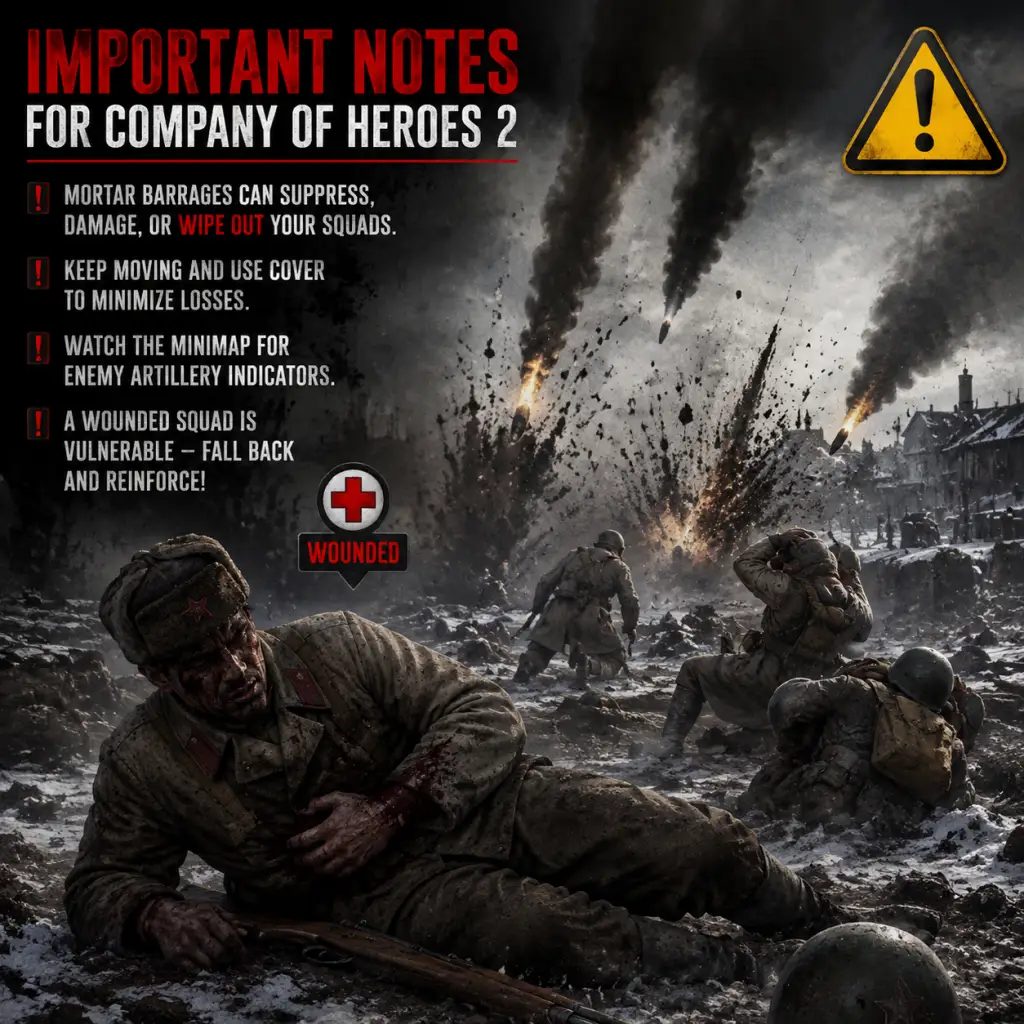
Important Notes
"content": "## Important Notes for Company of Heroes 2
This section covers critical warnings, common pitfalls, irreversible choices, missable content, difficulty spikes, grinding traps, online conduct, save management, and things even veteran players wish they knew from the start. Heed these notes to avoid costly mistakes.
---
---
###
This section covers critical warnings, common pitfalls, irreversible choices, missable content, difficulty spikes, grinding traps, online conduct, save management, and things even veteran players wish they knew from the start. Heed these notes to avoid costly mistakes.
---
⚠️ Warnings & Pitfalls
- Never waste starting resources: In the first 90 seconds, your manpower (orange) and fuel are extremely tight. Avoid building a structure you won’t use immediately (e.g., a second Barracks if you have no fuel for vehicles). Always keep 200+ manpower in reserve for emergency reinforcement or repair.
- Cover is not optional: Infantry caught in the open take 50–75% more damage. Always move from cover to cover; use the tactical map (Tab) to see cover icons. A red shield means the enemy has cover—do not assault that position without suppression or smoke.
- Overextending your lines: Pushing too far into enemy territory without capturing critical points (especially fuel and munitions) will starve your tech. A single squad deep in enemy territory is easy to cut off and kill. Stick to a two-front advance at most.
- Teching too fast without income: Rushing for T4 vehicles (e.g., T-34/85, Panther) before securing at least two fuel points often leaves you with tier 1–2 units and no army to defend. Build a balanced force first.
- Ignoring the environment: Weather and time of day dramatically affect unit performance. Snow slows movement, blizzards obscure vision, and night reduces accuracy. Use these to ambush or retreat accordingly.
- Forgetting to retreat: Low-health squads become combat ineffective and can be wiped to the last man. Retreat them (R key) to a controlled sector structure (e.g., Barracks, HQ) to preserve veterancy. A wiped squad costs 100% replacement, while a retreated squad retains experience and costs much less.
---
###
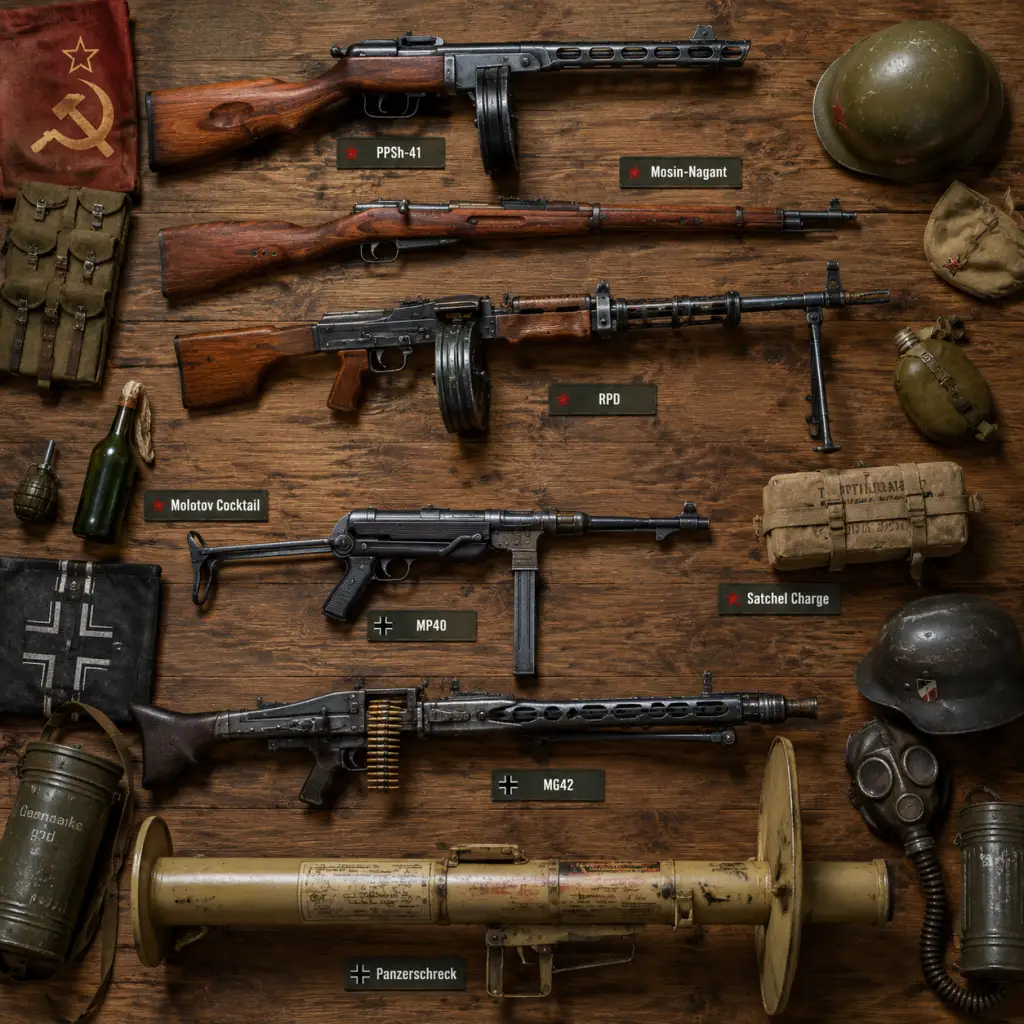
All Game Items
All Game Items Guide for Company of Heroes 2
Introduction
Company of Heroes 2 (CoH2) does not feature a traditional inventory system with loot drops. Instead, "items" refer to the game’s resources, unit upgrades, commander abilities, and unique equipment that modify gameplay. This guide covers every major category of items: resources (currencies), infantry and vehicle weapons/armor, consumables, key equipment (like heavy weapons teams and emplacements), doctrine-specific call-ins, and collectibles (skins/intel bulletins). Understanding these items is essential for effective strategy.
---
1. Resources (Currencies)
CoH2 uses three primary resources. They are generated passively from territory control and can be spent on units, structures, upgrades, and abilities.
| Resource | Symbol | Purpose | Generation |
|---|---|---|---|
| Manpower | $• | Recruiting infantry, repairing, reinforcing | Automatically over time + from controlled sectors |
| Fuel | $❦ | Building vehicles, researching vehicle upgrades, calling in tanks | From fuel points (capturable points) |
| Munitions | $☼ | Purchasing weapons upgrades, using special abilities (grenades, mortars, mines), activating commander skills | From munitions points |
---
2. Infantry Weapons & Equipment
Infantry squads can be upgraded with special weapons purchased from the base (e.g., Quartermaster, Support Center). These weapons modify squad capabilities.
#### 2.1 Light Machine Guns (LMGs)
- Examples: Bren LMG (British), DP-28 (Soviet), MG42 (German – but generally mounted on HMG teams).
- Effect: Increases suppression and long-range damage. Typically replaces one rifleman’s weapon.
- How to obtain: Upgrade at base (e.g., Soviet: Molotova Pipeline upgrade then purchase per squad).
- When useful: Lock down defensive positions, counter enemy infantry advances.
- Synergies: Combine with cover bonuses; LMG squads are vulnerable in open ground.
- Examples: Panzerschreck (German AT rocket launcher), Bazooka (American/USF), PIAT (British), Panzerfaust (German one-shot).
- Effect: High penetration vs light/medium armor; Panzerschreck can damage heavy tanks.
- How to obtain: Upgrade at base (e.g., USF: Weapons Support Center). Panzerfausts are a one-time ability on Grenadiers.
- When useful: Ambush vehicles, defend against early light tanks.
- Synergies: Use with camouflage or smoke to get close to armor.
- Examples: Flamethrower (Soviet Engineers, German Pioneers).
- Effect: Devastating to infantry in cover and buildings; causes fire damage over time.
- How to obtain: Upgrade at base (e.g., Soviet: Engineer building).
- When useful: Clearing garrisoned buildings, flushing out defenders.
- Synergies: Engineers can repair while carrying flamethrowers.
- Note: Snipers are a unit type, not a weapon upgrade. However, they can be considered equipment.
- Effect: One-shot infantry at range; cannot target vehicles.
- How to obtain: Train from specific buildings (Soviet: Command Headquarters sub-building).
- When useful: Countering enemy support weapons, killing officers, harassing infantry.
- Synergies: Use with forward observation for spotting.
- Examples: Soviet T-34/85 (upgraded gun vs T-34/76), German Panther (long 75mm vs short).
- Effect: Increased penetration, damage, range on tank main guns.
- How to obtain: Research at Mechanized Support Center (Soviet: T-34/85 upgrade).
- When useful: To counter heavier enemy tanks; critical for mid/late game.
- Synergies: Pair with mobility upgrades like increased engine power.
- Examples: Armor skirts (Schürzen) on German Pz IV and Panther.
- Effect: Provides extra armor against shaped-charge weapons (e.g., bazookas, PIATs); does not affect penetration of AP rounds.
- How to obtain: Research at Panzer Support Center (German).
- When useful: Protect against infantry AT weapons; less effective against tanks.
- Synergies: Combine with smoke screens to close distance.
- Examples: Bulldozer blade (available on some Allied heavy tanks), remote-control mines (Goliath – German).
- Effect: Bulldozer clears obstacles and crushes infantry; Goliath is a remote-detonated mine.
- How to obtain: Via specific commanders (e.g., German Goliath from Storm Doctrine).
- When useful: Map clearance or area denial.
#### 2.2 Anti-Tank Weapons
#### 2.3 Flamethrowers
#### 2.4 Sniper Rifles (Sniper units)
---
3. Vehicle Weapons & Armor
Vehicles can be upgraded with improved weapons or defensive armor at the base via vehicle depots.
#### 3.1 Main Gun Upgrades
#### 3.2 Armor Upgrades
#### 3.3 Special Equipment
---
4. Consumables
These are one-time-use items purchased with munitions. They are used by infantry squads via the ability bar.
| Item | Faction(s) | Effect | Cost (Muni) | Usage |
|---|---|---|---|---|
| Medkit | All | Heals a wounded soldier in the squad | 30 | Click on a squad member, instant heal |
| Demolition Charge | Engineers (all) | Large explosive that damages buildings and emplacements | 100 | Planted manually; detonates after time |
| Anti-Tank Mine | Pioneers, Sappers | Explodes when a vehicle drives over it | 30 | Place on ground; invisible to vehicles |
| Anti-Personnel Mine | Engineers | Explodes when enemy infantry walk over | 25 | Area denial vs infantry |
| Smoke Canister | All | Deploys a smoke screen | 50 | Conceal movement or block line of sight |
| Flare | All (some commanders) | Reveals area for a duration | 50 | Spotting for artillery |
---
5. Key Equipment & Emplacements
These are permanent or semi-permanent items that can be built or captured.
#### 5.1 Heavy Weapons Teams
- Examples: MG42 HMG (German), Maxim HMG (Soviet), Mortar (all factions).
- Effect: Suppress and kill infantry at range (HMGs) or indirect fire (mortars).
- How to obtain: Build at Support Center (Soviet: Mortar from Support Weapons Barracks).
- When useful: Defending points, area denial, breaking attacks.
- Synergies: Protect with infantry screens; HMGs can be overrun.
- Examples: Bunker (German), Tank Trap, Barbed Wire, Sandbags.
- Effect: Provide cover, block movement, shelter unit.
- How to obtain: Built by engineers (German Pioneers, Soviet Engineers).
- When useful: Fortify positions, channel enemy advances.
- Synergies: Combine HMGs inside bunkers for extra durability.
- Example: Can capture enemy heavy weapons (e.g., abandoned MG42) by selecting infantry and right-click.
- Effect: Gain that weapon for your squad (if you have a vacant weapon slot).
- When useful: After an enemy squad is wiped, pick up high-value weapons.
- Examples:
- Effect: Extremely powerful vehicles with high cost (e.g., 600 manpower, 220 fuel).
- How to obtain: Purchase using resources once the doctrinal requirement is met (requires CoH2: Ardennes Assault).
- When useful: To break stalemates; requires strong fuel economy.
- Examples: Artillery barrage (all factions), Airborne reinforcements (USF), Radio Silence (Soviet).
- Effect: Provide strategic effects like area bombing, supply drops, or temporary vision.
- Cost: Varies; often high munitions or a combined resource cost.
- Synergies: Coordinate with attacks to maximize damage.
- Description: Passive bonuses that can be equipped for a specific unit type (e.g., +10% accuracy for LMG squads).
- How to obtain: Unlocked via Commander progression or purchased. Removed in later updates; now legacy.
- When useful: Old system; no longer relevant in current multiplayer meta.
- Examples: Winter camouflage for Tiger, Desert pattern for M4 Sherman.
- How to obtain: DLC packs (e.g., “The Western Front Armies” pre-order skins), or events.
- Effect: Purely cosmetic.
- When useful: Visual variety; no gameplay impact.
- Note: In the original release, commanders were collectible items with rarity (Common, Uncommon, Rare, Elite). Now they are direct purchases or earned through gameplay.
- Fuel → Tanks & Upgrades: Always prioritize fuel points if you want heavy vehicles. Munitions are secondary but crucial for upgrades.
- Manpower + Munitions → Infantry Upgrades: LMGs and AT rockets dramatically increase infantry effectiveness.
- Vehicle Armor + Smoke: Upgrade armor first, then use smoke to approach enemy AT.
- Consumables + Doctrine: For example, Soviet “Medical Supplies” ability from a commander can replace medkits, freeing munitions.
- Heavy Weapons + Bunkers: Defend HMGs in bunkers to prevent snipers and flanking.
#### 5.2 Emplacements & Structures
#### 5.3 Captured Weapons
---
6. Doctrine & Commander Items
Each faction has several commanders that unlock unique items (call-in vehicles, abilities, and upgrades). These are selected before the match from the loadout screen.
#### 6.1 Call-In Vehicles
- OKW: Jagdtiger (heavy tank destroyer) from Elite Armor Doctrine.
- Soviet: IS-2 heavy tank from Shock Motor Heavy Tank Doctrine.
- German (Wehrmacht): Tiger I from Heavy Armor Doctrine.
#### 6.2 Unique Abilities
---
7. Collectibles & Cosmetics
CoH2 features limited collectibles, mostly from events, DLC, or the in-game store.
#### 7.1 Intel Bulletins
#### 7.2 Vehicle & Unit Skins
#### 7.3 Commander Cards
---
8. Important Synergies & Upgrades
---
9. Conclusion
CoH2’s “items” are interwoven into its economy, tech tree, and commander system. Mastery of when to purchase upgrades, use consumables, and call in doctrinal units is the key to victory. Adapt your loadout to the map and enemy faction for best results.
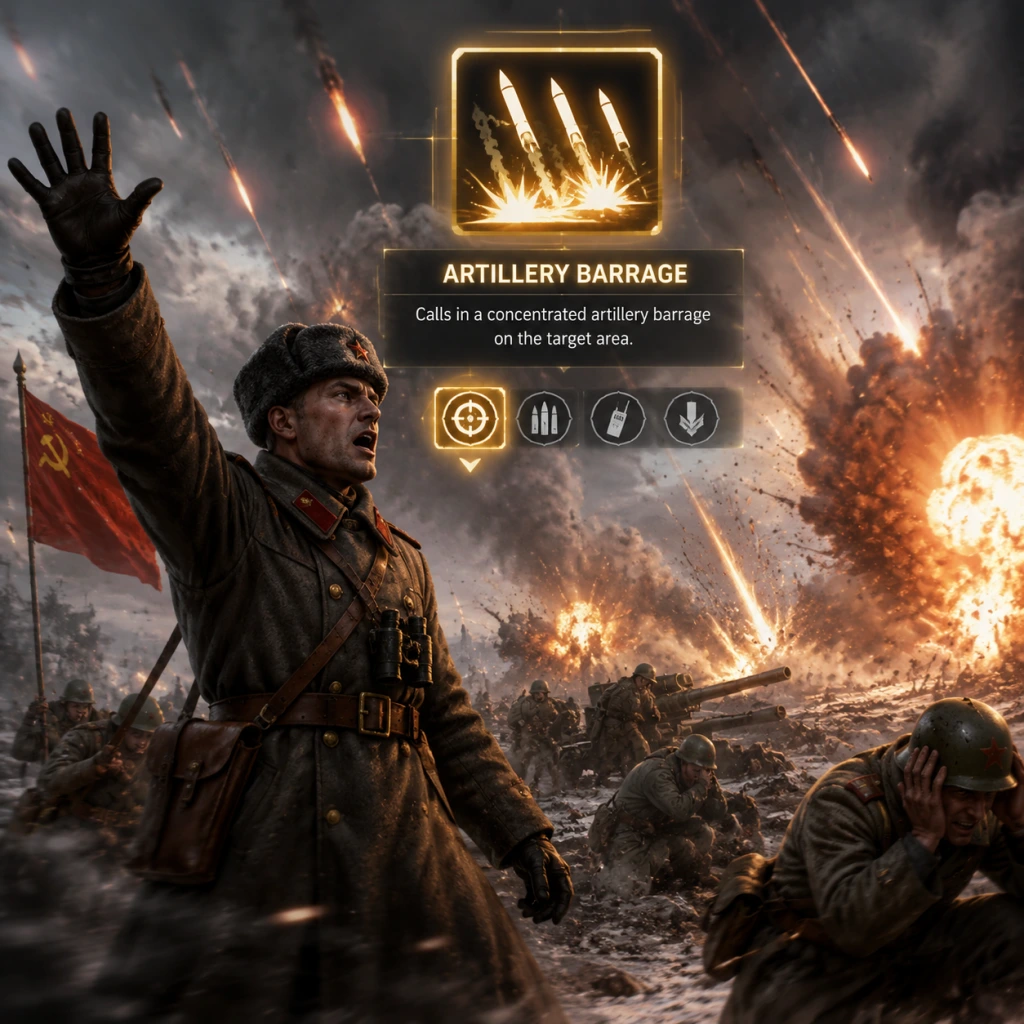
Character Skills
Character Skills – Company of Heroes 2
This guide covers every ability, skill, talent, and special move for all four playable factions in Company of Heroes 2. Company of Heroes 2 does not have individual hero characters; instead, 'character skills' refer to the unique abilities of units and commanders. Each faction has its own roster of units and a set of commander doctrines that grant active and passive abilities. Below, we break down every faction's core unit abilities and all commander abilities, including effects, cooldowns, upgrades, synergies, recommended builds, and optimal usage.
---
1. Soviet Union
#### 1.1 Core Unit Abilities
##### Conscript Squad
- Molotov Cocktail – Throws a molotov that ignites a small area, damaging infantry and forcing them out of cover. Cooldown: 90s. Upgrade: Can be upgraded to Moltov Cocktail Bundle (increases incendiary duration). Best used to flush enemy from green cover or buildings. Synergizes with Incendiary Barrage commander ability.
- Build Sandbags – Constructs sandbag cover. No cooldown, costs 10 munitions. Essential for holding defensive positions.
- Build Tank Traps – Creates a small anti-tank obstacle. Costs 20 munitions. Useful for chokepoints.
- Molotov Cocktail – Same as Conscript but with higher damage per tick. Cooldown: 75s.
- Cloak (Stalk) / Ambush – Allows the squad to go invisible while stationary. When they attack, they gain a damage boost for the first volley. Cooldown: 10s after decloak. Upgrade: SVT-40 rifles improve ambush effectiveness.
- Satchel Charge – A large explosive placed on buildings or vehicles. Cooldown: 120s. Best used against garrisoned structures or heavy tanks.
- SMG Upgrade (PPSh-41) – Replaces rifles with SMGs for close range. Cost: 60 munitions. Makes them deadly in urban fights.
- Button Vehicle – Fires a focused volley that slows a vehicle for a short time. Cooldown: 60s. Often used to stop fleeing enemy vehicles or to pin recon tanks.
- Thrown Grenade – Concussion grenade. Cooldown: 90s.
- Cloak – Same as Penal Battalion.
- Button Vehicle – Same as Guards.
- Mine Cleaner – Activates a mine-sweeping effect, making the tank immune to mines but reducing speed slightly. Cooldown: 120s.
- Self-Repair – Slowly repairs damage while stationary, costs munitions. Cooldown: 180s.
- Smoke Barrage – Fires a smoke screen to block vision. Cooldown: 60s.
- Mark Target (Active) – Designates an enemy vehicle to take 20% more damage from all sources for 30s. Cooldown: 90s. Best used on heavy tanks in combination with AT guns.
- Defensive Tactics (Passive) – Infantry squads build faster and gain suppression resistance.
- Support Barrage (Active) – Calls in a short artillery strike. Cooldown: 120s. Use to break up attacks.
- For Mother Russia (Active) – All infantry gain +25% damage and -20% received suppression for 45s. Cooldown: 240s. Synergizes with mass infantry pushes.
- IL-2 Loitering Attack (Active) – Two IL-2s strafe an area. Cooldown: 150s. Excellent against blobs.
- Airborne Guards (Active) – Drops a squad of Guards with a light AT weapon. Cooldown: 180s. Great for harassment.
- Passive abilities: +10% aircraft speed.
- Heavy Tank (Active) – Spawns a KV-1 or IS-2? Actually, Armored Assault unlocks KV-1. Cooldown: 240s.
- Tank Riders (Active) – Infantry can ride on tanks. Cooldown: 60s.
- Engineer Vehicle Repair – Tanks repair faster.
- Incendiary Barrage – Fires incendiary shells into an area, setting buildings on fire.
- Close Assault – Infantry can ruthlessly clear buildings quickly.
- Flame Tank – Unlocks the KV-8 flamethrower tank.
- Grenade – Stick grenade good for killing infantry. Cooldown: 60s.
- Build Sandbags – Similar to Soviet.
- Blitzkrieg – Temporary speed and rate of fire increase. Cooldown: 90s. Upgrade via commanders.
- Anti-Tank Grenade – Strong vs light vehicles. Cooldown: 90s.
- Grenade – Same as above.
- Panzerfaust – One-time use AT weapon that deals heavy damage but consumes the model. Cooldown: 120s. Best used to finish crippled tanks.
- Build Fortifications – Can build bunkers, wiring, etc.
- Flamethrower – Upgrade to clear buildings. Cost: 50 munitions.
- Blitz – Increases speed and acceleration. Cooldown: 60s.
- Smoke Screen – Deploys smoke. Cooldown: 90s.
- Anti-Tank Shells – Upgraded AP rounds for better penetration. Cost: 40 munitions.
- Blitz – Same as above.
- Overdrive – Temporary max speed but loses health if used too long. Cooldown: 120s.
- Anti-Tank Shells – Upgrade.
- Mobile Camouflage – While stationary and in cover, becomes invisible. Cooldown: 10s after moving.
- Purple Heart Lane – Actually StuG has Smoke and Blitz.
- Strafing Run – Ju-87 dive bombers strafe a line. Cooldown: 120s.
- Supply Drop – Drops ammo or other supplies. Cooldown: 180s.
- Bombing Run – Heavy bomb strike. Cooldown: 240s.
- Blitzkrieg (Active) – All vehicles gain speed and damage. Cooldown: 180s.
- Emergency Repairs – Instantly repair a vehicle for small health. Cooldown: 90s.
- Tiger Tank – Calls in a Tiger I. Cooldown: 360s.
- Tank Busters – Infantry get stronger AT grenades.
- Incendiary Barrage – Howitzer fires incendiary shells.
- Gas Attack – Debuffs enemy infantry in an area.
- Bunker Buster – Upgrades bunkers with MGs.
- Fortify – Faster build times.
- Radio Silence – Temporarily halts enemy call-ins.
- M1 Garand Grenade – Rifle grenade. Cooldown: 75s.
- Build Sandbags – Standard.
- Suppressive Fire – Upgrade to light machine gun. Cost: 40 munitions.
- Smoke Grenade – Covers advance. Cooldown: 60s.
- Build Defenses – Can build tank traps and barbed wire.
- Barbed Wire – Slows infantry.
- Demolition Charge – Used to destroy buildings. Cooldown: 120s.
- Artillery Flare – Marks area for off-map artillery. Cooldown: 90s.
- Off-Map Mortar – Calls in mortar shells. Cooldown: 180s.
- Main Gun – Standard.
- MG Upgrade – Improved coaxial machine gun. Cost: 30 munitions.
- Smoke Canister – Fires smoke. Cooldown: 60s.
- Sherman Bulldozer (commander) – Push obstacles.
- Ambush Camouflage – Stationary invisibility. Cooldown: 10s after move.
- Overdrive – Speed boost. Cooldown: 90s.
- Camouflage – Stationary invisibility.
- Takedown – Ability to instantly destroy a destroyed gun? Not really.
- Suppressive Fire (Active) – Infantry MGs suppress faster. Cooldown: 60s.
- Off-Map Howitzer – Call in 105mm shells. Cooldown: 180s.
- Field Repairs – Engineer teams repair faster.
- Automobile – Not relevant.
- Heavy Tank – Spawn M4A3E8 Sherman Easy Eight. Cooldown: 300s.
- Tank Crew – If crew escape, can re-crew tanks.
- Overwhelming Force – All vehicles do more ramming damage.
- Pathfinders – Drop sniper-like scouts. Cooldown: 180s.
- Strafing Run – P-47 strafe. Cooldown: 120s.
- Ammo Drops – Resupply infantry.
- Ranger Squads – Elite infantry drop.
- Rifle Grenade – Similar to US. Cooldown: 75s.
- Build Sandbags – Standard.
- Bren Gun – Upgrade to LMG. Cost: 50 munitions.
- Smoke Grenade – Same.
- Build Defenses – Can build trenches and sandbags.
- Lay Mines – Anti-personnel or anti-tank mines. Cost: 30 munitions each.
- Demolition Charge – Cooldown: 120s.
- Transport – Can carry squads.
- Vickers MG – Upgrade for better suppression.
- Wheeled – Faster on roads.
- Smoke Shells – Fires smoke. Cooldown: 60s.
- Heavy Armor – Passive high armor.
- Shell Shift – Faster turret rotation.
- OFC (Oil Fire) – Actually Churchill has Oil Canister to leave a slick? Not standard. For the Churchill Crocodile variant: Flamethrower.
- Anti-Air Mode – Tracks aircraft. Cooldown: 30s switch.
- Bofors Burst – Rapid fire vs infantry.
- Camouflage – Stationary invisibility.
- Ambush – Damage bonus on first shot from cloak.
- Concentrated Fire – Off-map heavy artillery. Cooldown: 240s.
- Smoke Barrage – Smoke screen. Cooldown: 90s.
- Artillery Observer – Passive faster call-in.
- Commando Squad – Elite infantry drop. Cooldown: 240s.
- Sabotage – Place demo charges on buildings. Cooldown: 120s.
- Sten Gun Upgrade – SMGs for Commandos.
- PIAT Upgrade – Infantry get better AT grenades.
- Firefly Tank – Spawn a Sherman Firefly with 17-pounder. Cooldown: 360s.*
- Vehicle Camouflage – Tanks get stationary cloak.
- Gun Emplacements – Build Bofors or 25-pounder defenses.
- Recruitment Drive – Faster infantry reinforcement.
- Infantry Support: Use smoke grenades, grenades, and suppression to take ground. Soviet Conscripts with Molotovs, US Riflemen with Smoke, British with Bren LMG.
- Tank Destroyer: Ambush, camouflage, and anti-tank grenades. German Panzergrenadier Panzerfaust, US M10, British Firefly.
- Artillery: Call-in barrages from commanders. Soviet Airborne, US Infantry Support, British Royal Artillery.
- Base Defense: Build bunkers (Ostheer), trenches (British), sandbags (all). Combine with upgraded MGs.
##### Penal Battalion
##### Guards Rifle Infantry
##### Shock Troops
##### T-34/76 Tank
##### SU-76 Assault Gun
#### 1.2 Commander Abilities (Soviet)
Commander: Counterattack Tactics
Commander: Airborne Troops
Commander: Armored Assault
Commander: Urban Combat
Usage and combos: Soviet commanders often focus on either infantry aggression (Counterattack, Urban) or armor (Armored Assault). Build synergies: Pair Mark Target with T-34/85s for efficient tank hunting. For anti-infantry, IL-2 Loitering plus Molotovs wipes out squads.
---
2. Ostheer (German Army)
#### 2.1 Core Unit Abilities
##### Grenadier Squad
##### Panzergrenadier Squad
##### Pioneers
##### Panzer IV Tank
##### Panther Tank
##### StuG III Assault Gun
#### 2.2 Commander Abilities (Ostheer)
Commander: Close Air Support
Commander: Mechanized Assault
Commander: Offensive Tactics
Commander: Defensive Doctrine
Use and combos: Ostheer relies on combined arms. Use Blitz on Panzer IV to chase down retreating infantry. Panzerfaust is critical for stopping Soviet armor rushes. Commander Mechanized Assault with Tiger is a common late-game finisher. Synergize Strafing Run with a push to break MG nests.
---
3. US Forces
#### 3.1 Core Unit Abilities
##### Rifleman Squad
##### Rear Echelon Squad
##### Command Squad (Lieutenant)
##### M4 Sherman Tank
##### M10 Wolverine Tank Destroyer
##### M1 57mm Anti-Tank Gun
#### 3.2 Commander Abilities (US Forces)
Commander: Infantry Support
Commander: Armored Assault
Commander: Airborne
Use and combos: US relies on firepower and mobility. Use Smoke Grenade to cover riflemen advancing into MG fire. Artillery Flare plus Off-Map Howitzer devastates defenses. Sherman with MG upgrade is good against infantry; M10 Wolverine + Overdrive flanks armor. Commander Airborne provides strong early-game harassment with Pathfinders.
---
4. British Forces
#### 4.1 Core Unit Abilities
##### Infantry Section
##### Royal Engineers
##### Universal Carrier
##### Churchill Tank
##### Centaur AA Tank
##### 17-pounder Anti-Tank Gun
#### 4.2 Commander Abilities (British Forces)
Commander: Royal Artillery
Commander: Commando Tactics
Commander: Tank Hunters
Commander: Fortress
Use and combos: British are defensive but can be aggressive with Commandos. Churchill tanks are tough but slow; use Smoke Shells to cover retreats. 17-pounder + Ambush one-shots medium tanks. Concentrated Fire destroys emplacements. Build mines extensively with Royal Engineers to control map flow.
---
5. General Strategies by Role
6. Synergy Table
| Faction | Infantry Synergy | Armor Synergy | Commander Pairing |
|---|---|---|---|
| Soviet | Conscripts + Penal | T-34/85 + Commissar | Counterattack |
| Ostheer | Grenadiers + Panzergrenadier | Panther + Tiger | Mechanized Assault |
| US | Riflemen + Command Squad | Sherman + M10 | Airborne |
| British | Infantry Section + Royal Engineers | Churchill + Firefly | Royal Artillery |
7. When to Use Each Skill – Quick Reference
- Molotov/Smoke: Use to flush enemies from buildings or cover before assaulting.
- Blitz/Overdrive: Activate when chasing down retreating units or escaping an unfavorable engagement.
- Panzerfaust: Save for when a tank is about to escape or when you need a quick AT punch.
- Mark Target/Loitering Attack: Use on high-value targets like Tiger or Panther.
- Artillery strikes: Use to break static defenses or punish enemy concentrations.
- Camouflage/Ambush: Position ambush units defensively; use when you have time to set up.
- Soviet Urban Combat: Conscript spam with flame KV-8 and Incendiary Barrage.
- Ostheer Mechanized: Early PzGrens, rush Panzer IV, then Tiger.
- US Airborne: Pathfinders for vision, then Riflemen with BARs, finish with Easy Eight.
- British Fortress: Build emplacements, support with Churchills, and use Royal Engineers for mines.
8. Recommended Builds
This guide covers every unit and commander ability in Company of Heroes 2. Adapt your strategy based on the enemy faction and map. Experiment with different doctrines to find your playstyle.
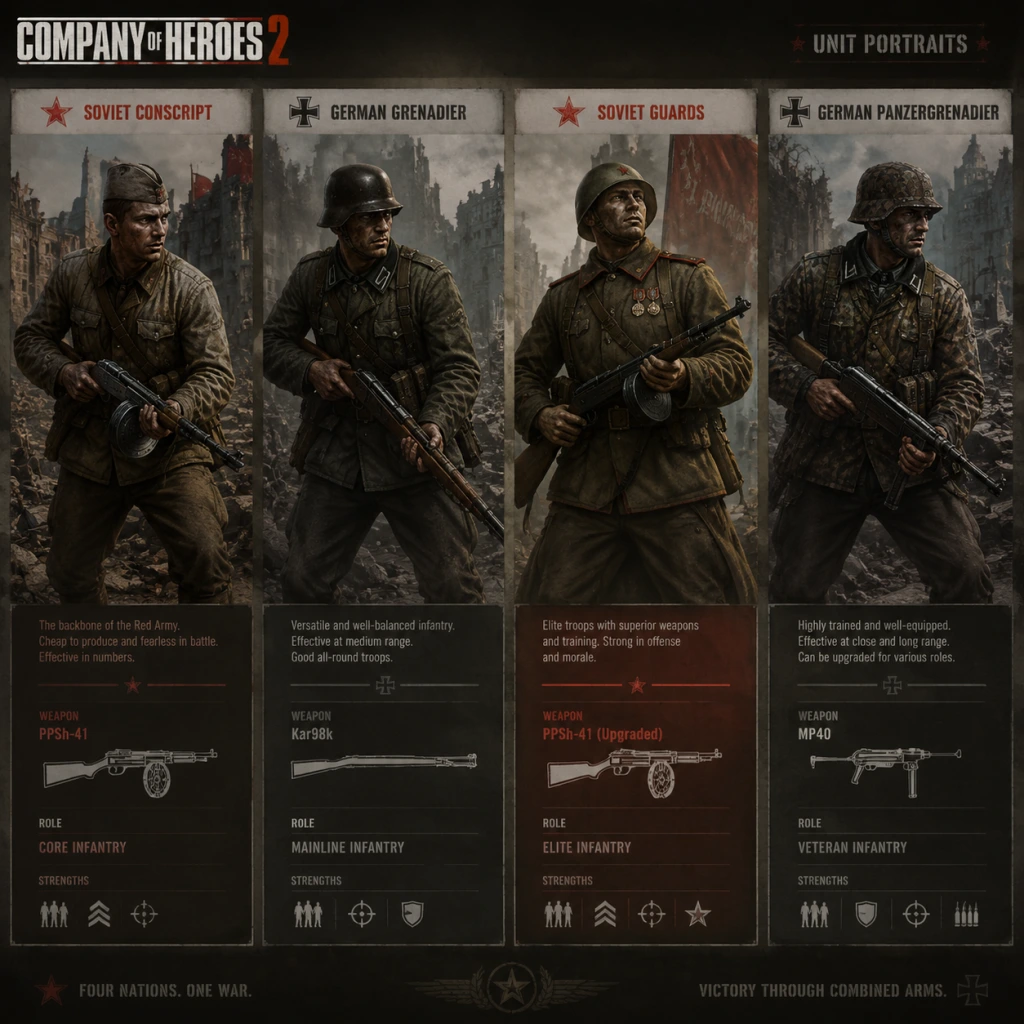
Characters & Roles
Characters & Roles Guide for Company of Heroes 2
Introduction
Company of Heroes 2 (CoH2) features a diverse cast of units and characters across its single-player campaigns and multiplayer factions. Unlike many RPGs or MOBAs, CoH2 does not have traditional 'hero' units with levels and inventories. Instead, the game offers:
- Campaign characters with story-driven roles
- Faction-specific units (infantry squads, vehicles, support weapons) that fill distinct tactical roles
- Commander abilities that act as 'hero skills' tied to unlockable commanders
- Lieutenant Pavel Pirozhkov – The player's avatar in the campaign. A young officer leading a penal battalion. His role is to inspire troops and capture points. No special abilities beyond being the command unit for the campaign missions.
- Commander Vasily Isakovich – A stern senior officer who gives orders via radio. He provides strategic direction but is not a deployable unit.
- Sergeant Ryabov – A veteran non-commissioned officer who appears in several missions. He can lead squads and has a minor damage bonus when near Pirozhkov.
- Katya – A female sniper featured in the mission "The Sniper's Path." She is a unique sniper unit with stealth and high accuracy, but is only available in that specific mission.
- Major Riley – Commander of the 101st Airborne. Can call in airstrikes and paradrops. His unique ability is "Rendezvous with Destiny" which temporarily boosts nearby infantry accuracy.
- Captain Weber – Leads the 2nd Armored Division. Specializes in tank buffs, such as faster repair and increased armor. His ability "Hell on Wheels" grants speed and fire rate to vehicles.
- Colonel Campbell – Commands the 5th Infantry Division. Focuses on defensive tactics, with abilities like fortifications, medical supplies, and artillery barrage.
- Conscripts – Mainline infantry. Cheap, numerous, but low accuracy and morale. Excellent for capping points and screening. Upgrade with SVT-40 rifles for better firepower. Role: Capture, buffer, human wave.
- Penal Battalion – Elite close-quarters squad. Armed with SVT-40s and can throw satchel charges. High damage but expensive. Role: Assault, building clear.
- Shock Troops – Heavy assault infantry. Equipped with PPSh-41 SMGs. Very strong in urban combat. Role: Close-range shock force.
- Guards Rifle Infantry – Elite long-range squad. Use Mosin-Nagant rifles and can anti-tank grenades. Role: Defensive line, AT support.
- Sniper – Stealth unit, one-shot kills infantry. Vital for harassing enemy support weapons. Role: Anti-infantry harassment.
- Maxim HMG – Heavy machine gun. Suppresses infantry. Role: Area denial.
- M1910 HMG – Alternate HMG, more mobile but less suppression. Role: Defensive fire.
- ZiS-2 AT Gun – Anti-tank gun, effective against light vehicles. Role: Tank defense.
- M5 Halftrack – Transport with upgradeable weapons (Quad HMG for anti-infantry) Role: Infantry taxi, support.
- T-70 Light Tank – Scout vehicle with autocannon. Role: Harass, flank.
- T-34/76 Medium Tank – Workhorse tank, decent armor/gun. Can ram enemy tanks. Role: Main battle tank.
- IS-2 Heavy Tank – Powerful tank with huge gun, but slow and expensive. Role: Breakthrough.
- SU-76 Assault Gun – Light tank destroyer. Role: Ambush AT.
- SU-85 Tank Destroyer – Long-range AT, high penetration. Role: Sniper tank.
- BM-13 Katyusha – Rocket artillery truck. Devastating barrage but vulnerable. Role: Area saturation.
- Grens – Mainline infantry with Kar98k rifles. Good at range, can upgrade with LMG or Panzerschreck. Role: Defensive line, anti-vehicle.
- Pioneers – Engineers/builders, can repair and lay mines. Role: Construction, repair.
- Stormtroopers – Elite infantry with StG44s. Very strong close-range. Role: Assault.
- Jaeger Light Infantry – Stealth squad with camo, snipers. Role: Recon, harassment.
- Scout Car (222) – Light vehicle with autocannon. Role: Early scouting.
- SdKfz 251 Half-track – Transport with MG. Can reinforce squads. Role: Fiendly aura.
- Panzer IV – Medium tank. Versatile with good armor/gun. Role: Main battle tank.
- Panther – Heavy tank destroyer. Excellent front armor and gun. Role: Tank buster.
- Tiger – Heavy tank. Devastating but very expensive. Role: Fear factor, breakthrough.
- Stug III – Assault gun. Good AT but no turret. Role: Ambush defense.
- Wirbelwind – Anti-air with Flak 38. Also deadly against infantry. Role: Anti-infantry area denial.
- Nebelwerfer – Rocket artillery. High damage but inaccurate. Role: Area suppression.
- Ostwind – Anti-air tank with Flak 37. Role: Anti-air, anti-infantry.
- Riflemen – Mainline infantry. Good all-around with M1 Garands. Can upgrade with BAR or bazooka. Role: Flexible combat.
- Engineer Squad – Builders and repair. Can lay mines and repair vehicles. Role: Support.
- Paratroopers – Elite infantry dropped via plane or glider. Can be upgraded with LMG or bazooka. Role: Flanking, ambush.
- M1919A4 HMG – Machine gun team. Role: Suppression.
- M1 57mm AT Gun – Anti-tank gun. Role: Tank defense.
- M8 Greyhound – Light armored car with 37mm gun. Role: Scouting, anti-infantry.
- M4 Sherman – Medium tank. Can deploy smoke or HE shells. Role: General combat.
- M10 Wolverine – Tank destroyer with 76mm gun. Role: AT support.
- M1 75mm Pack Howitzer – Light artillery. Role: Indirect fire.
- M2 4.2" Mortar – Heavy mortar. Role: Bombardment.
- M26 Pershing – Heavy tank. Rare but powerful. Role: Breakthrough.
- Infantry Section – Mainline with Lee-Enfields. Can be upgraded with Bren LMG or PIAT. Role: Flexible.
- Royal Engineer – Builders, repair, can deploy tank traps. Role: Engineering.
- Commando Squad – Elite infantry with Sten SMGs. Stealth and sabotage. Role: Behind enemy lines.
- UC Carrier – Small armored transport with MG. Can reinforce. Role: Fast infantry support.
- Universal Carrier – Light vehicle with Vickers MG. Role: Harass.
- Cromwell Tank – Fast medium tank, good vs infantry. Role: Cavalry.
- Churchill Tank – Heavy tank, very tough but slow. Role: Armored push.
- Firefly – Tank with powerful 17-pounder AT gun. Role: Tank destroyer.
- Centaur AA – Anti-air tank with twin 20mm. Role: Anti-air.
- 25-Pounder Howitzer – Field artillery. Role: Bombardment.
- PIAT Team – Infantry anti-tank. Role: AT defense.
- Soviets: Combine Conscripts (capture) + Shock Troops (assault) + T-34 (speed) + Katyusha (area denial). Disadvantage: fragile tanks.
- Wehrmacht: Use Grens + Panzer IV + Nebelwerfer. Synergy: Grens hold, Panzers push, Nebelwerfer breaks defensive positions.
- USF: Riflemen + M8 Greyhound + Sherman + Howitzer. Synergy: Mobility and firepower, weak at sustain.
- UKF: Infantry Sections + Cromwell + 25-Pounder. Synergy: Flexible defense, strong combined arms.
- Campaign Characters: Unlocked by progressin through the Soviet or US (Ardennes Assault) campaigns.
- Faction Units: All basic units available from the start in skirmish/multiplayer; may require tech structure upgrades (e.g., Tank Depot for tanks).
- Commanders: Earned via in-game currency (Command Points) or purchased in the store. Some are exclusive to certain editions.
- Elite Units (e.g., Shock Troops, Commandos): Unlocked via specific tech buildings (e.g., Barracks upgrade) or commander abilities.
This guide covers every major character, class, role, and playable unit in CoH2, including the Soviet campaign protagonists, the four multiplayer factions (Soviet, Wehrmacht, US Forces, UK Forces), and their associated commanders.
---
Campaign Characters
#### Soviet Campaign ("The Eastern Front")
#### Ardennes Assault (US Forces Campaign)
---
Playable Faction Units & Roles
CoH2 has four major factions, each with a distinct roster of units that fill specific roles. Below is a breakdown by faction.
#### Soviet Union
#### Wehrmacht (German)
#### US Forces
#### UK Forces
---
Commanders as Hero Roles
Commanders in CoH2 function as a talent tree that grants unique abilities. Some commanders are considered "hero" characters because they provide powerful active abilities that can turn the tide. Notable ones:
Soviet Commander: “Guards Motor Coordination Tactics” – Unlocks Guards Rifle Infantry call-in, AT overwatch, and T-34/85 upgrade.
Wehrmacht Commander: “Doctrinal Momentum” – Grants suppression fire, scout plane, and Tiger Ace (a unique heavy tank).
US Forces Commander: “Heavy Cavalry” – Allows Calliope Sherman, air-dropped munitions, and artillery flare.
UK Forces Commander: “Tactical Support” – Provides Vickers HMG team, heavy mortar, and supply drops.
Each commander fills a specific battlefield role. For example, a Soviet commander focused on mechanized infantry will support aggressive pushes, while a defensive Wehrmacht commander with fortifications suits player who hold territory.
---
Team Synergy
---
Unlock Conditions
---
Recommended Upgrades & Builds
Soviet Conscripts: Upgrade with SVT-40s early for cost-effective DPS. Avoid conscript spam without weapon upgrades.
Wehrmacht Grens: Upgrade LMG for suppression, or Panzerschreck for anti-tank. Balanced build.
USF Riflemen: Give BARs for anti-infantry, bazookas for AT. Mix based on enemy composition.
UKF Infantry Sections: Upgrade Bren LMG for prolonged combat; keep PIAT for light vehicles.
Tank upgrades: Always upgrade armor skirts on T-34/76 (Sov), side armor on Panzer IV (Wehr), or HVAP rounds on Sherman (USF).
---
Conclusion
Company of Heroes 2 offers a rich variety of characters and roles, from the gritty Soviet conscripts to the elite UK Commandos. Understanding each unit’s strengths, weaknesses, and proper role is essential for victory. Choose commanders that complement your preferred playstyle, and build unit compositions that cover each other’s weaknesses.
This guide will help you master every character and role in CoH2.
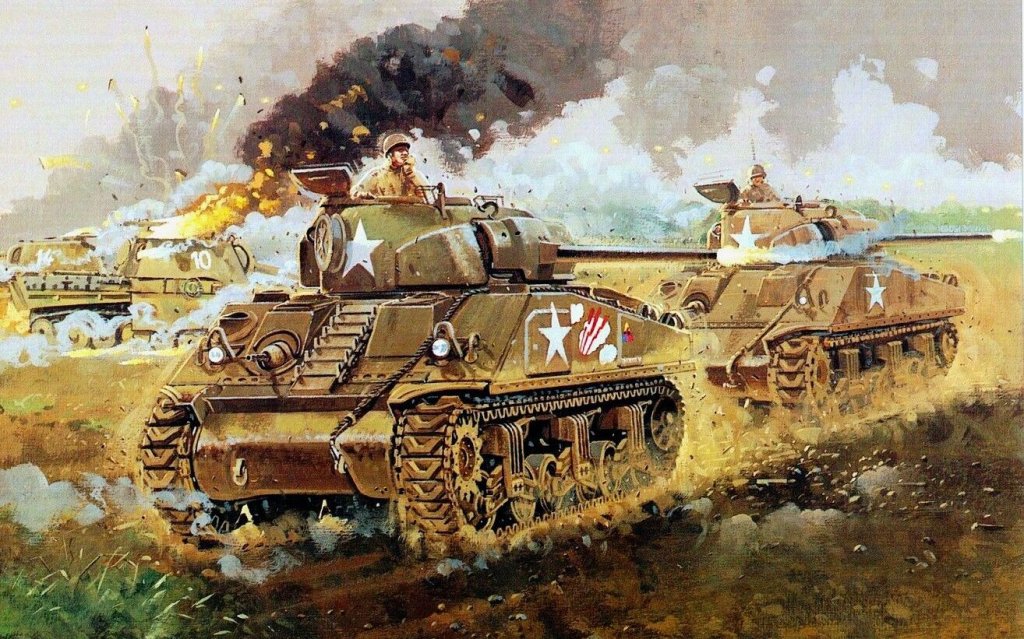
Cheats & Secrets
Cheats & Secrets – Company of Heroes 2
Official Cheat Codes
Company of Heroes 2 does not include a built-in cheat code system like classic RTS games (e.g., \"show me the money\"). Relic Entertainment designed the game to be competitive, so no cheat codes exist in normal multiplayer or single-player. However, the game does support developer console commands for debugging and modding, which can be used to enable cheats in single-player or custom games.
Console Commands (Developer Mode)
To access developer commands, you must launch the game with special parameters.
#### Enabling the Developer Console
1. Right-click Company of Heroes 2 in your Steam Library.
2. Select Properties → Set Launch Options.
3. Enter the following parameter: `-dev`
4. Launch the game. A console will now appear at the top of the screen (press ~ or ` to toggle it).
#### Important Warning
Using the developer console may disable achievements and could cause instability. Use only in single-player, skirmishes, or custom games. Do not use in multiplayer matchmaking—you risk a ban.
#### Useful Console Commands (Single-Player / Skirmish Only)
- `ai` – Toggle AI opponent control on/off.
- `fow` – Toggle fog of war (reveal the entire map).
- `gadget_all` – Unlock all commander abilities for all factions (temporary).
- `instant` – Toggle instant build and instant research (buildings, units, upgrades).
- `kill_all` – Destroy all units on the map (use with caution).
- `runwhilepaused` – Allow game logic to continue while paused (useful for testing).
- `set_mp_team_mp` – Switch teams (use with the player index).
- `showfps` – Display frames per second and performance stats.
- `terrain_toggle_type` – Cycle through terrain rendering modes.
- `unlock_all_commanders` – Temporarily unlock all commanders for the current session (does not persist).
- `victory` – Instantly win the current skirmish.
For a full list, type `help` in the console. Most commands only work in skirmish or single-player modes.
Secret Unlockables & Hidden Content
#### Achievements That Unlock In-Game Items
Some Steam achievements reward unique commander skins, vehicles, or abilities. These are not secret per se, but many players miss them.
| Achievement | Requirement | Reward |
|---|---|---|
| Conqueror | Win 100 multiplayer games | Unique commander portrait |
| Lord of War | Destroy 1,000 vehicles | Special vehicle skin (e.g., \"Tiger\" camouflage) |
| No Retreat | Win a match without losing a single squad | Exclusive ability unlock for Soviet commanders |
| The Battle of Prokhorovka | Complete the mission \"Prokhorovka\" on Expert | Rare tank commander (a named hero unit) |
1. The Hidden Soviet Anthem – In the Soviet campaign mission \"The Motherland Calls,\" if you destroy every single German heavy tank on the map without letting any escape, the background music will briefly play a triumphant chorus of the Soviet national anthem (a nod to the original Company of Heroes).
2. Stalin's Statue – On the map \"Kursk\" (especially the 2v2 version), a giant statue of Stalin can be found near the south-east corner. If you order a Conscript squad to salute it (right-click with the Salute ability from the Conscripts' veterancy), the statue will briefly emit a red glow and a propaganda quote will play.
3. \"Panzerlied\" Reference – When you select a group of 5 or more Tiger Tanks from the German faction and repeatedly click on open ground, one of the nearby soldiers may hum the first few notes of the song \"Panzerlied\" (a classic German tank march). This is a very rare audio easter egg.
4. The Radio Operator – In the campaign mission \"The Last Stand\" (US Forces DLC), there is a small hut near the western edge of the map. Click on it 10 times rapidly to spawn a radio that plays period-appropriate American jazz music for 30 seconds.
5. Katyusha Easter Egg – When you manually fire a Soviet Katyusha rocket truck and the rockets are airborne, there is a 1-in-1000 chance that one rocket will trail a faint rainbow-colored smoke instead of white. This was added by a developer as a tribute to a popular mod.
#### Hidden Commander Units (Unlockable via Mods)
Without mods, all commanders are either DLC or earned through achievements. However, one hidden commander, \"The Bear\", exists in the game files but was never officially released. It can be unlocked via a simple mod or by editing `commanders.sga`. This commander grants a unique ability to call in a single elite heavy tank (the IS-2 \"Stalin\'s Wrath\") with increased accuracy but slower speed.
#### Exploit-Safe Secrets
- Instant Victory in Skirmish: Pause the game, open the console (with `-dev` enabled), type `victory`, and unpause. Works only against AI.
- Unlimited Manpower: Use the `gadget_all` command to activate all abilities, then repeatedly use the \"Manpower Infusion\" ability (if available) from certain commanders. This is not a cheat code but a combination of unlocked abilities.
- \"All Units Mod\" – Gives access to every unit in the game (including cut content).
- \"Sandbox Mode\" – Removes all costs and build times.
Official Mod Support & Hidden Content
Company of Heroes 2 has Steam Workshop support. Many mods add secret units, cheats, or sandbox modes. For a near-cheat experience, search for:
Conclusion
While Company of Heroes 2 lacks traditional cheat codes, the developer console (`-dev`) provides extensive power for single-player and custom games. The game also contains several well-hidden Easter eggs and achievement-based unlocks that reward dedicated players. Remember that using any modification or console command can affect multiplayer integrity—always revert settings before playing online.