Counter-Strike: Global Offensive
## Game Introduction: Counter-Strike: Global Offensive ### Overview *Counter-Strike: Global Offensive* (CS:GO) is a landmark tactical first-person shooter that defined competitive multiplayer gaming for over a decade. Developed by **Valve Corporation** and **Hidden Path Entertainment**, CS:GO is th...
Download & Installation
Download & Installation Guide for Counter-Strike: Global Offensive
Important Note: As of September 2023, Counter-Strike: Global Offensive has been replaced by Counter-Strike 2 (CS2). All existing CS:GO installations automatically upgraded to CS2 via Steam. New downloads from Steam will now install CS2 instead. Legacy CS:GO is no longer available for download, and the original game is defunct on all platforms. This guide covers the modern download process for the Counter-Strike franchise through Steam, which is the only official, supported distribution platform. Console versions (Xbox 360, PlayStation 3) are no longer maintained or playable online.
---
Platforms & Official Sources
| Platform | Availability | Download Source |
|---|---|---|
| PC (Windows / macOS / Linux) | ✅ Current (as CS2) | [Steam](https://store.steampowered.com/app/730/CounterStrike_2/) |
| Xbox 360 | ❌ Legacy – offline only (no longer supported) | Xbox Live Marketplace (delisted) |
| PlayStation 3 | ❌ Legacy – offline only (no longer supported) | PlayStation Store (delisted) |
| Nintendo Switch | ❌ Not available | – |
| Mobile | ❌ Not available | – |
| Epic Games Store | ❌ Not available | – |
Why only Steam?
Counter-Strike is a Valve title and exclusively distributed through the Steam platform. There is no official download from any other store or website. Any third-party site offering a “CS:GO installer” is likely malicious.
---
System Requirements
These are the requirements for Counter-Strike 2 (the current version). The original CS:GO had lower requirements but is no longer obtainable.
Minimum (playable at low settings, 720p@60fps)
- OS: Windows 10 (64-bit) / macOS 12+ (limited support) / Linux (Ubuntu 20.04, SteamOS)
- CPU: Intel Core i5-2500K or AMD FX-6300
- RAM: 8 GB
- GPU: NVIDIA GeForce GTX 660 or AMD Radeon HD 7850 (2 GB VRAM)
- DirectX: Version 11
- Storage: 85 GB available space (SSD recommended)
- OS: Windows 11 (64-bit)
- CPU: Intel Core i7-9700K or AMD Ryzen 7 3700X
- RAM: 16 GB
- GPU: NVIDIA GeForce RTX 2070 or AMD Radeon RX 5700 XT
- DirectX: Version 11
- Storage: 85 GB SSD
- A free [Steam account](https://store.steampowered.com/join/).
- Steam client installed on your PC (download from [steampowered.com](https://store.steampowered.com/about/)).
- At least 85 GB free space on your installation drive.
- Stable internet connection (download size ~40–70 GB, updates may add extra).
- On first launch, you must accept the License Agreement and Privacy Policy.
- The game will automatically detect your system and set default video settings. You can adjust them later in Settings > Video.
- You will be prompted to enable Steam Cloud for synchronisation across devices (recommended).
- After logging into Steam (already done), you can immediately start playing matchmaking. No additional account creation is needed.
Recommended (1080p@144fps, high settings)
Note for macOS/Linux: Performance and support are significantly lower than Windows. For competitive play, Windows is strongly recommended.
---
Step-by-Step Installation (PC / Steam)
Prerequisites
Installation Steps
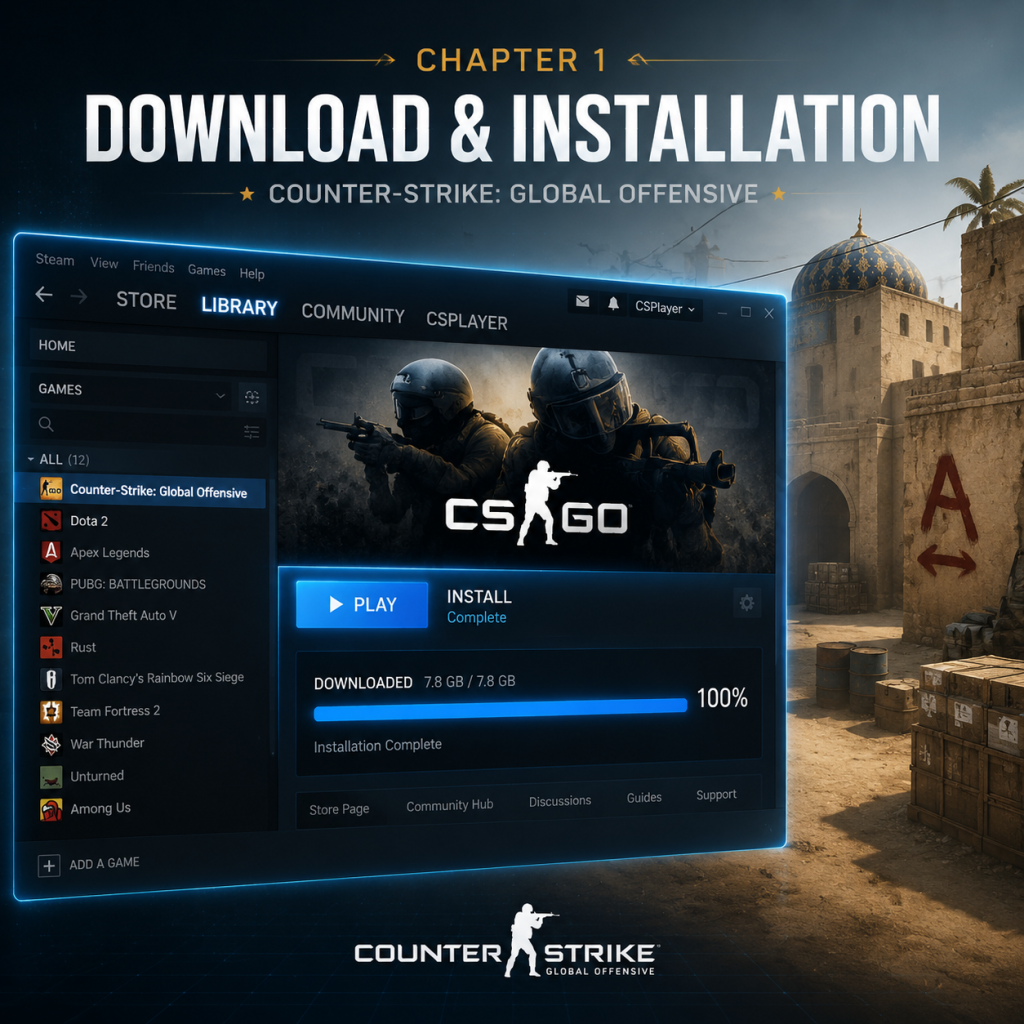
1. Open Steam and log in to your account.
2. Click the Store tab, then search for `Counter-Strike 2` or go directly to the [store page](https://store.steampowered.com/app/730/CounterStrike_2/).
3. Click the Play Game button (it’s free).
4. A pop-up will ask you to install the game. Click Next and choose an installation directory (default is `C:\Program Files (x86)\Steam\steamapps\common\Counter-Strike Global Offensive`).
5. Select the Create Desktop Shortcut option if desired, then click Next.
6. Steam will begin downloading the game. Wait for the download to complete. You can monitor progress in the Library tab under Downloads.
7. Once finished, the game will appear in your Library. Click Play to launch.
Tip: If you have a slow connection, you can pause and resume the download. Steam will verify file integrity on resume.
First Launch Setup
---
Common Installation Errors & Fixes
| Error | Cause | Solution |
|---|---|---|
| “Disk Write Error” | Insufficient permissions or disk space, file corruption | Run Steam as Administrator; free at least 10GB extra space; verify integrity of game files (Library > right-click CS2 > Properties > Local Files > Verify integrity of game files). |
| “Missing Executable” / “Application Load Error” | Antivirus interfering, broken installation | Temporarily disable antivirus; reinstall the game. Check if any file is quarantined. |
| “Steam required to play” | Steam not running or not logged in | Ensure Steam is open and you are logged into the correct account. |
| “VAC was unable to verify your game session” | Corrupted files, third-party overlays | Verify game files; disable Discord, MSI Afterburner, or other overlays; restart Steam. |
| “No suitable render path found” | Outdated graphics drivers or unsupported GPU | Update your GPU drivers to the latest version. If using an Intel integrated GPU, ensure it meets the minimum requirements. |
| “Fatal error – failed to load module” | Missing redistributables (DirectX, Visual C++) | Install the latest DirectX and Visual C++ Redistributables from Microsoft. Steam will prompt you to install these on first launch. |
| Download stuck at 0 bytes/s | Slow internet, server congestion | Restart Steam; change download region (Steam > Settings > Downloads > Download Region). |
| File system error (-102, -141) | Hard drive corruption, permissions | Run `chkdsk` on the drive; ensure Steam folder is not read-only. |
- Restart your PC and router.
- Run Steam as Administrator.
- Disable any VPN or proxy.
- Temporarily turn off Windows Defender Real-time protection.
- Delete the `appcache` folder in the Steam installation directory (Steam will recreate it).
- Legacy CS:GO: If you somehow have an old installer or disc, do not use it – it will not connect to official servers. Only the Steam version is valid.
- No console versions: The Xbox 360 and PS3 versions were discontinued in 2019 and cannot be used for online play. Local play may still work but is unsupported.
- Safety: Never download “CS:GO” from third-party torrent or direct-download sites. They often contain malware or modified executables that violate Valve’s Anti-Cheat (VAC) and can get your Steam account banned.
---
Post-Installation Verification
Once installation is complete, perform these checks to ensure everything works properly:
1. Check Game Version: Launch the game and look at the main menu bottom-left corner. It should display `Counter-Strike 2` and a build number (e.g., v2.0.0). If it shows “Counter-Strike: Global Offensive”, your game hasn’t updated; verify files immediately.
2. Test Matchmaking: Go to Play > Competitive to start a match; ensure you can connect to a server without errors.
3. Check FPS: Use the console (`~` key) and type `net_graph 1` to display FPS, ping, and loss. Expected FPS should align with your hardware.
4. Audio Test: Ensure both game audio and microphone work. Go to Settings > Audio and test input/output devices.
5. Cloud Sync: Verify in Settings > Game that “Enable Steam Cloud” is checked. Changes to configurations should sync across your PC(s).
Additional Recommendation: After installation, open Steam > Library > right-click Counter-Strike 2 > Properties > Updates and set “Automatic Updates” to High Priority – Always keep this game up to date. CS2 receives frequent updates; staying current is essential for matchmaking.
---
Final Notes
By following this guide, you will have the official Counter-Strike game installed correctly and ready for competitive play.
Game Introduction
Game Introduction: Counter-Strike: Global Offensive
Overview
Counter-Strike: Global Offensive (CS:GO) is a landmark tactical first-person shooter that defined competitive multiplayer gaming for over a decade. Developed by Valve Corporation and Hidden Path Entertainment, CS:GO is the fourth installment in the legendary Counter-Strike series. Released on August 21, 2012, the game became an esports titan and the gold standard for skill-based, team-oriented shooters.
Developer & Publisher: Valve Corporation
Release Timeline:
- Initial release: August 21, 2012 (Windows, macOS, Xbox 360, PlayStation 3)
- Linux version: September 2014
- Free-to-play transition: December 6, 2018
- Legacy status: Superseded by Counter-Strike 2 (CS2) on September 27, 2023
- Terrorists (T-side): A shadowy, stateless organization seeking to plant explosives or take hostages.
- Counter-Terrorists (CT-side): Elite special forces units (including SAS, GSG-9, FBI, and others) tasked with preventing terrorist objectives.
- Competitive gamers seeking a deep, fair, and punishing multiplayer experience.
- Esports enthusiasts who enjoy high-level play, watching tournaments, or climbing global leaderboards.
- Tactical shooter fans who prefer methodical gunplay over run-and-gun chaos.
- Collectors and traders drawn to the game’s economy of weapon skins, stickers, and gloves.
- Casual players (though the learning curve is steep) who enjoy unranked modes and community servers.
Platforms: PC (Windows, macOS, Linux), Xbox 360, PlayStation 3 (console versions discontinued from 2022 onward)
Story & Setting
Unlike narrative-driven shooters, CS:GO has no single-player campaign or overarching story. Its “story” is emergent—born from countless rounds of competitive play between two iconic factions:
Setting: The game takes place in a near-contemporary, gritty world inspired by real-world locations. Maps range from urban environments (Dust II, Mirage, Inferno) to industrial sites (Nuke, Train) and secret facilities (Cache, Overpass). Every map tells a micro-story: a bomb planted in a dusty Moroccan marketplace, a hostage crisis in an Italian villa, or a chemical process facility under siege.
Main Characters: CS:GO features no named protagonists or antagonists. Instead, players embody anonymous operatives from various global factions—each with distinct voice lines, models, and lore. The real characters are the players themselves, who forge rivalries and legacies through skill and teamwork.
Core Appeal
CS:GO’s appeal lies in its pure, unadulterated skill gap. There are no abilities, killstreaks, or loadout perks—only raw aim, game sense, communication, and strategy. Every round is a high-stakes chess match where economy management (saving money for rifles vs. pistols) is as crucial as landing headshots. The game rewards patience, precision, and teamwork over reaction time alone.
Target Audience
Game Modes
CS:GO offers a variety of modes catering to different playstyles:
| Mode | Description | Notable Features |
|---|---|---|
| Competitive | 5v5, best-of-30 rounds, ranked matchmaking. Attackers & defenders swap halves after 15 rounds. | Skill groups (Silver through Global Elite), map-specific strategies, active duty map pool for esports. |
| Casual | 10v10, relaxed rules (no friendly fire, no vote kick, longer round time). | Ideal for learning maps and basics without pressure. |
| Deathmatch | Free-for-all or team-based respawn arena with instant weapon selection. | Warm up aim, practice recoil control. |
| Arms Race | Gun-progression mode: earn two kills with a weapon to advance to the next (weapon wheel). | Fast-paced, chaotic fun; similar to Call of Duty’s “Gun Game.” |
| Demolition | Progressive gun ranks (like Arms Race) but with a bomb objective. | Bridges casual fun and competitive fundamentals. |
| Wingman | 2v2, smaller maps, shorter rounds. | Fast-paced competitive alternative for duos. |
| Danger Zone | Battle royale mode (free-to-play update in 2018). 16-18 players, loot weapons, last alive wins. | Unique blend of CS:GO mechanics with BR elements. |
| Custom/Community | Unlimited possibilities: surf, bhop, zombie escape, hide-and-seek, aim maps, retakes, etc. | Supported by Valve’s server browser and custom game modes. |
Online Support: Fully online, with dedicated servers worldwide. Features automatic matchmaking (ranked & unranked), community servers, and official competitive servers (ESEA, Faceit, etc.). Requires internet connection for full functionality; local offline play is limited to bot matches.
DLC & Expansions
CS:GO was never sold with traditional DLC or paid expansions. Instead, the game monetized via:
- Weapon Skins & Sticker Capsules (requires keys to open).
- Operation Passes (seasonal content offerings): Introduced new maps, missions, cosmetics, and a battle-pass-style progression. Major Operations include Operation Payback (2013), Operation Bravo, Phoenix, Breakout, Bloodhound, Shadow, etc., up to Operation Riptide (2021).
- Prime Status (paid upgrade to access prime matchmaking, drops, and better anti-cheat).
- Legacy of Gameplay: The Counter-Strike formula (1999) has remained remarkably consistent; CS:GO refined it to near-perfection. No other shooter matches its blend of economy, precision, and round-based tension.
- Esports Dominance: CS:GO was the backbone of competitive gaming for years, with major tournaments like ESL One, IEM, BLAST Premier, and the annual CS:GO Major Championships. Prize pools reached millions, and the game inspired a generation of pro players.
- Community Content Ecosystem: The Steam Workshop, custom servers, and third-party platforms (ESEA, Faceit) created a self-sustaining ecosystem for maps, skins, and mods. The skin economy became a multi-million dollar marketplace.
- Skill Ceiling: The game’s recoil mechanics, movement (air strafing, bunny hopping), grenade trajectories, and map knowledge offer near-infinite depth. A single mistake can lose a round, making every decision matter.
- Accessible Yet Deep: New players can pick up an AK-47 and get an instant kill, but mastering spray patterns, peeking angles, and team coordination takes thousands of hours.
Important Note: As of September 2023, Counter-Strike: Global Offensive has been superseded by Counter-Strike 2 (CS2). All CS:GO inventories, skins, and progress were migrated to CS2. The original CS:GO is no longer available for download; players must install CS2 via Steam. The core gameplay remains nearly identical, but CS2 introduces Source 2 engine enhancements, volumetric smoke, and improved lighting.
What Makes This Game Unique
In summary, Counter-Strike: Global Offensive is more than a game—it’s a digital sport, a cultural phenomenon, and a testament to timeless design. While CS2 now carries the torch, CS:GO’s legacy endures as one of the greatest multiplayer shooters ever made.
---
Note: This guide covers the final state of the original CS:GO before its replacement. For current information, refer to the Counter-Strike 2 guide.
Getting Started
Getting Started: Your First Steps in Counter-Strike 2
First Hour Walkthrough
1. Launch the game – After installation (see [Download & Installation](#download--installation-guide-for-counter-strike-global-offensive)), double-click Counter-Strike 2 from your Steam library. The game opens to the main menu.
2. Watch the tutorial (optional but recommended) – The main menu offers a “Tutorial” button. Play through it to learn basic movement, shooting, and bomb mechanics. This takes about 10–15 minutes.
3. Visit the settings – Click the gear icon (⚙️) in the top-left of the main menu. Adjust:
- Video: Set resolution to your native monitor (e.g., 1920x1080), enable “Fullscreen,” and set “Display mode” to “Fullscreen Windowed” if you want alt-tab quick.
- Audio: Enable “HRTF” (headphone mode) for accurate sound direction.
- Controls: Keep default mouse/keyboard for now.
4. Choose a game mode – Back on the main menu, click “PLAY.” Options include:
- Competitive – 5v5, intense, requires map knowledge. Not recommended for first hour.
- Casual – 10v10, less pressure, good for learning.
- Deathmatch – Free-for-all, respawn instantly, practice aim.
- Wingman – 2v2 on smaller maps.
5. Play your first match – Select Casual and pick any map (e.g., Dust II). The game will match you with other players. Focus on:
- Following teammates
- Buying weapons (press B to open buy menu)
- Shooting at enemies
6. End of match – After the game, review the scoreboard (Tab key) to see your performance. Don’t worry about K/D ratio; focus on learning.
Character Creation (None)
Counter-Strike has no character creation. You play as one of two teams: Terrorists (T) or Counter-Terrorists (CT). Your appearance is randomly assigned from preset models (e.g., FBI, Phoenix Connexion). You cannot customize your avatar’s face, gender, or body—only skins bought or earned can change weapon and knife appearances. This keeps the focus on skill, not appearance.
Controls (PC Only; No Console Support in CS2)
CS2 is only on PC. The standard keyboard and mouse controls are critical. Here’s the default layout:
| Action | Key | Notes |
|---|---|---|
| Move forward | W | Strafing (A/D) is more important than W+W. |
| Move backward | S | Use rarely—only when retreating. |
| Strafe left/right | A / D | Core movement for dodging and peeking. |
| Crouch | Ctrl | Toggle or hold (set in settings). Essential for accuracy. |
| Jump | Space | Use for climbing over obstacles or bunnyhopping (advanced). |
| Shoot | Left mouse | Hold left click for automatic fire; single tap for semi-auto. |
| Aim down sights | Right mouse | Some weapons (snipers, some pistols) have scope; others just zoom slightly. |
| Reload | R | Reload only when safe; avoid reloading mid-fight. |
| Use/Plant/Defuse | E | Interact with bombs (plant/defuse), pick up weapons, open doors. |
| Drop weapon | Q | Drop current weapon for a teammate. |
| Switch weapons | 1 (primary), 2 (pistol), 3 (knife), 4 (grenades), 5 (bomb) | Practice fast switching. |
| Buy menu | B | Open buy menu during buy phase (start of each round). |
| Scoreboard | Tab | View team stats and round info. |
| Voice chat | K (mic), V (text team chat), U (text all chat) | Communicate—but avoid flame. |
| Walk silently | Shift | Hold to move without making footsteps. |
| Inspect weapon | F | Show off your skin. |
UI Overview
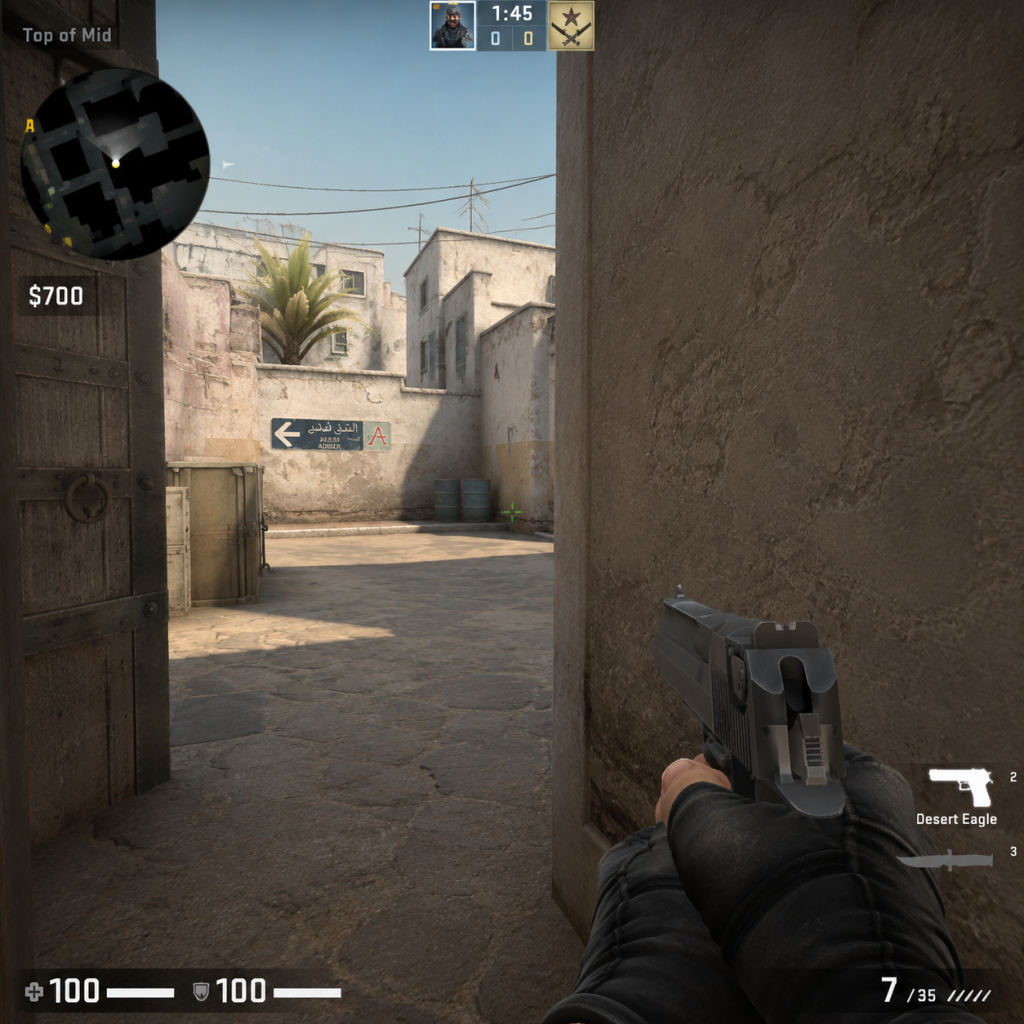
When you’re in a match, the Heads-Up Display (HUD) shows:
- Top of screen: Team logos (T or CT), round timer (1:55 default), bomb status, round number, and your team’s score.
- Bottom-left: Health bar (green), armor indicator (blue/gold for helmet), money.<br>
- Bottom-center: Crosshair—your aim point. Customize in settings (crosshair style, color).<br>
- Bottom-right: Minimap—shows team positions (white dots) and map layout.<br>
- Bottom row: Weapon icons (primary, pistol, knife, grenades) and ammo count.<br>
- Radar (minimap) – Enable “Radar always on” in settings. Icons show teammates; enemy only visible when seen by a teammate (red dot).<br>
- Buy menu (B key) – Opens a grid of weapons, utility, and equipment. Costs are displayed. Quick keys: F1–F5 for presets.
- Learn the bomb mechanics: As T: plant the bomb (C4) at one of two bomb sites (A or B). As CT: prevent bomb plant or defuse after plant.<br>
- Master the economy: Manage money wisely. Don’t spend all on the first round—save for later armor/rifles.<br>
- Map awareness: Focus on one map (Dust II is simplest). Memorize callouts like “Long,” “Short,” “Pit,” etc.<br>
- Team communication: Even with text chat, call out enemy positions (e.g., “One at B” or “Long doors” ).<br>
- Practice aim: Use Deathmatch mode for 10–15 minutes daily to warm up.<br>
- Play the tutorial and a few Casual matches to understand flow.<br>
- Bind a key to “walk” (Shift) and use it often to stay quiet.<br>
- Watch the minimap every few seconds to know where teammates are.<br>
- Buy armor (vest + helmet, $1000) before buying a rifle. Armor is crucial.<br>
- Stick with teammates—don’t roam alone as a beginner.<br>
- Use the “Crosshair Follow Recoil” setting (on) to see spray pattern.<br>
- Running while shooting—you’ll be inaccurate. Stop or crouch before firing.<br>
- Reloading after every kill—wastes time and leaves you vulnerable.<br>
- Buying expensive snipers (AWP) until you can consistently hit shots.<br>
- Peeking the same angle twice—enemies will prefire you.<br>
- Ignoring economy: don’t buy a rifle if you have less than $2000 left for next round.<br>
- Toxic chat: mute toxic players (Scoreboard > right-click > mute) and focus on self-improvement.<br>
Essential Early Objectives
What to Do First / What to Avoid
Do:
Avoid:
Early Resource Priorities
Your main resource is money ($). Each round you earn cash based on win/loss and kills. Spend wisely:
| Round Type | Priority Buy | Why |
|---|---|---|
| Pistol round (first round of half) | No buy or buy a P250/armor? Follow team: often team saves. | Better to save for second round (buy SMG/armor). |
| Second round after loss (bonus round) | Buy SMGs (MAC-10, MP7) or cheap rifle (FAMAS/Galil) + armor. | You get bonus money if you lost first round. |
| Full buy rounds (when team has $) | Buy M4A4 (CT) or AK-47 (T) + full armor + flash/smoke/HE. | These are the main rifles for damage. |
| Eco rounds (no money) | Don’t buy anything—use default pistols. | Save for a full buy next round. |
| Force buy (last round of half) | Everyone buys cheap weapons to upset opponent. | Not for beginners—stick to saving. |
Common Beginner Mistakes
1. Running and gunning – Always stop moving before firing. Use shift to walk when needed, but shoot while stationary or crouched.<br>
2. Ignoring crosshair placement – Keep crosshair at head level around corners, not at the floor.<br>
3. Not using headphones – Sound is critical: footsteps, gunshots, bomb beeps. Use good headphones.<br>
4. Spraying at long range – Tap fire (single shots) at distance to control recoil.<br>
5. Buying the wrong weapon – Don’t buy a sniper if you can’t aim; stick to rifles.<br>
6. Not watching the minimap – You can see where teammates die, indicating enemies.<br>
7. Peeking too wide – “Slicing the pie” (slowly clearing angles) is safer than jumping out.<br>
8. Playing too aggressively – As a beginner, play passively, hold angles, and let enemies come to you.<br>
9. Not using grenades – Learn to throw smokes/flashes to block sightlines or push.<br>
10. Giving up early – Rounds can look lost but still be winnable. Never abandon a round.<br>
Day-One Checklist
- [ ] Complete the in-game tutorial.<br>
- [ ] Adjust settings: video (native resolution, fullscreen), audio (HRTF on), mouse sensitivity (low ~1.5 at 400 DPI).<br>
- [ ] Play 1 Casual match on Dust II. Focus on using only A/D to peek, shift to walk, and stop to shoot.<br>
- [ ] Play 1 Deathmatch (free-for-all) for 10 minutes to practice aiming without pressure.<br>
- [ ] Learn the buy menu: open with B, hover over weapons to see stats, memorize key binds for common buys (e.g., B + 4 + 3 for AK).<br>
- [ ] Watch a 5-minute YouTube guide on Dust II callouts (e.g., “Long,” “Short,” “Cat”).<br>
- [ ] Buy armor (vest+helmet) $1000 in the second or third round of a Casual match to see its effect.<br>
- [ ] Use the minimap: keep an eye on it during every round.<br>
- [ ] Avoid toggling voice chat until you understand the flow—mute disruptive players.<br>
- [ ] End your session by reviewing one thing you learned (e.g., “I need to stop reloading after every kill”).<br>
Final tip: CS2 is a game of refinement, not instant mastery. Focus on one skill per day: crosshair placement, economy management, or utility usage. After day one, you will have a solid foundation to enjoy the game and improve.
---
Note: If you see references to “CS:GO” in menus or guides, it’s the same game as CS2. The transition is seamless; your inventory and ranks carry over.
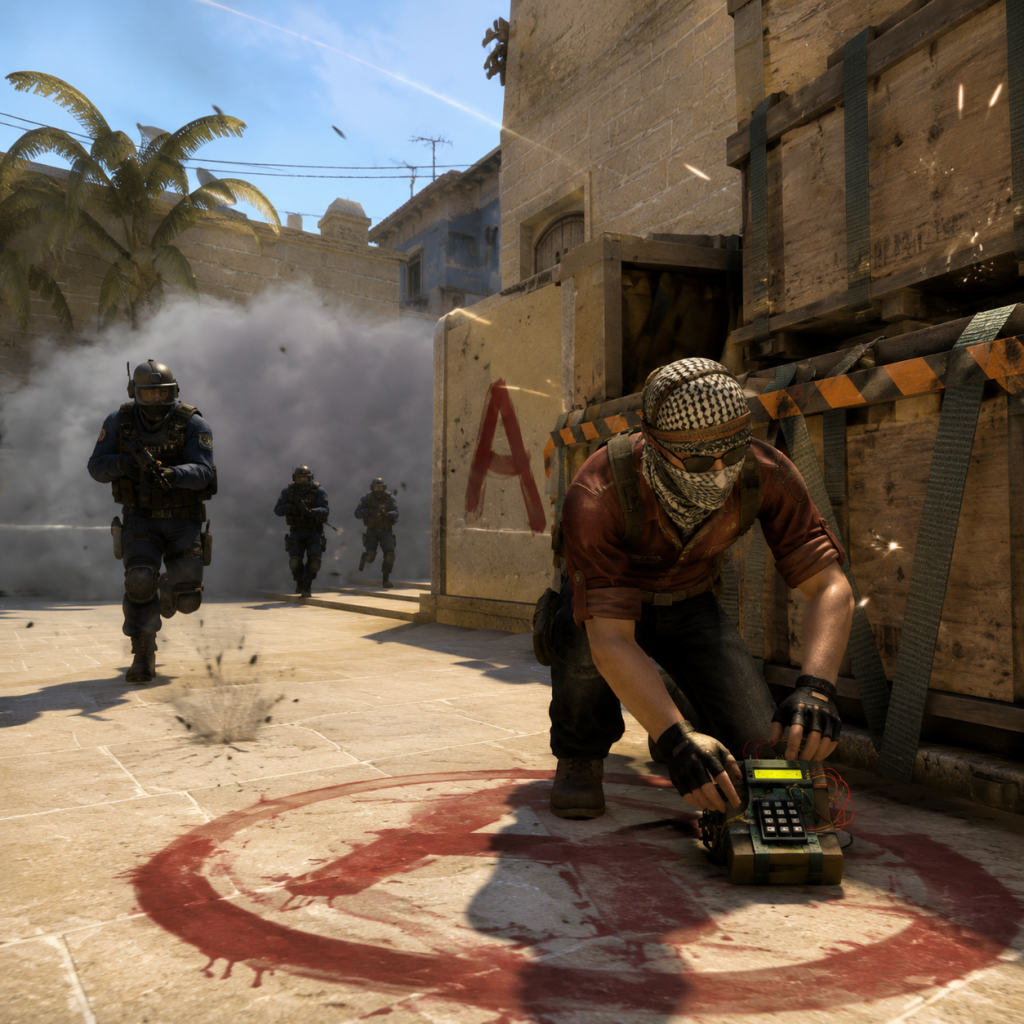
Core Gameplay
Core Gameplay Guide for Counter-Strike: Global Offensive (now Counter-Strike 2)
This guide covers the fundamental gameplay loop, systems, and progression of Counter-Strike: Global Offensive (CS:GO), which has evolved into Counter-Strike 2 (CS2). The game is a round-based tactical first-person shooter where two teams—Terrorists (T) and Counter-Terrorists (CT)—compete to achieve objectives. Progression is skill-based, with no traditional RPG levels or gear; growth comes from mastering mechanics, map knowledge, teamwork, and game sense.
Main Gameplay Loop
Each match consists of up to 30 rounds (15 as T, 15 as CT), with the first team to 16 rounds winning (with overtime if tied). The core loop for each round:
1. Buy Phase (15–45 seconds) – Use earned money to purchase weapons, armor, grenades, and defuse kits. The default start gives $800 for pistols.
2. Execution Phase – Teams move toward objectives using strategy and utility. The T side must plant the C4 bomb at one of two bomb sites; CTs must prevent the plant or defuse it.
3. Combat Encounters – Gunfights occur as teams push, hold angles, or retake sites. Accuracy, positioning, and recoil control determine outcomes.
4. Post-Plant/Post-Defuse – After the bomb is planted (T win if it explodes; CT win if they defuse), teams battle for the remaining time. If all players on one side die, the other wins.
5. Round End & Reset – Money is awarded based on kills, objective completions, and round outcome. The next round begins.
Combat and Interaction Systems
- Weapon Damage & Recoil – Each weapon has unique damage falloff, armor penetration, and spray pattern. For example, the AK-47 kills in 1 headshot against unarmored or helmeted opponents; the M4A4 requires 2 headshots. Recoil patterns (e.g., AK-47: upward then right-left) must be learned through practice.
- Movement – Movement speed affects accuracy. Walking (shift) is silent but slow; running (no key) is loud and inaccurate. Counter-strafing (quickly tapping the opposite movement key) allows instant accurate shots.
- Utility – Grenades: Flashbangs blind enemies, Smoke blocks vision, HE grenade deals damage, Molotov/Incendiary denies area, Decoy mimics gunfire. Each has specific throw mechanics (left/right click for underhand/overhand).
- Interaction – Close to an objective (bomb site, hostage) and press E to plant/defuse (hold E for defuse). Press G to drop your weapon, E to pick up dropped weapons. Right-click to switch fire mode (e.g., M4A4 to burst).
- Profile Rank – Earn XP from wins, kills, and missions to level up your profile, unlocking service medals and small cosmetic rewards.
- Prime Status – A one-time purchase (or free in CS2 if you had CS:GO) that queues you only with other Prime players, reducing cheaters.
- Operation Passes – Periodic operations (e.g., Operation Riptide) offer mission-based progression: complete weekly challenges to earn stars, which unlock exclusive weapon skins, stickers, and cases.
- Daily/Weekly Missions – Award bonus XP for specific tasks (e.g., win 2 matches in Deathmatch, get 10 headshots in Competitive). These accelerate profile leveling.
- Operation Missions – During an active operation, missions are tiered (easy, medium, hard) and grant stars. Stars can be used in the operation’s reward shop for skins, graffiti, and cases. Example: "Win 20 rounds on Dust II in Competitive matches."
- Achievements – Over 150 Steam achievements (e.g., “The Global Elite” for reaching max rank) – purely cosmetic but show dedication.
- Lose bonus: $1,400 for losing first round, $1,900 for losing second, $2,400 for losing third+ consecutive.
- Win bonus: $3,250 (T bomb plant) or $3,200 (CT objective).
- Kill reward: $300 for regular kills, $600 for headshots (only with pistol/knife).
- Additional: $300 for bomb plant, $300 for defuse.
- Global Elite – The highest official matchmaking rank. Requires consistent wins against high-level opponents.
- Third-Party Platforms – Faceit and ESEA (now merged into Faceit) offer ranked ladders with monthly seasons, Anti-Cheat, and higher skill ceilings. Level 10 Faceit is equivalent to semi-pro.
- Tournaments – From local amateur events to Majors (Valve-sponsored) like the BLAST Premier, ESL Pro League, and PGL Majors. Players join teams, practice strats, and compete for prize pools.
- Coaching & Demos – Reviewing own demos (clips) to analyze mistakes, learn from pros, and refine tactics.
- Cosmetics – The endgame grind often involves collecting rare skins (via cases, trade-ups, or the Steam Market) or reaching high rank for recognition.
- Goal: Learn basic mechanics, controls, and map layouts.
- Activities: Play Casual, Deathmatch, and Arms Race to practice gunfights without penalty. Complete 10 placement matches for first rank.
- Combat Focus: Master movement (counter-strafing), crosshair placement at head-level, and spray patterns of common weapons (AK-47, M4A4, USP-S, Glock).
- Economy: Understand when to buy armor vs. grenade, and why saving is okay.
- Progression Milestone: Reach Silver Elite – indicates basic game sense.
- Goal: Consistency in Competitive matches, developing teamplay and basic strategies.
- Activities: Solo or duo queue in Competitive; learn 2–3 maps deeply (e.g., Mirage, Dust II, Inferno). Practice grenade lineups for smokes and flashes.
- Combat Focus: Improve reaction time, learn peekers’ advantage, and integrate shoulder peeking to bait shots.
- Economy: Coordinate team buy rounds; understand force buys (e.g., buying SMGs after a loss).
- Progression Milestone: Reach Master Guardian (MG1/MG2) – indicates solid mechanics and map awareness.
- Goal: High-level consistency, advanced tactics, and leadership.
- Activities: Join a 5-stack team (via Discord, in-game friends, or forums). Play on third-party platforms (Faceit) for stricter anti-cheat and better competition.
- Combat Focus: Master all weapon classes (AWP, rifles, pistols) and situation-specific decisions (e.g., when to use Deagle vs. Tec-9). Retake drills, coordination of pop-flashes and executes.
- Economy: Read opponent economy to predict force buys; manage team bank for shared buys (e.g., dropping a rifle for a teammate).
- Progression Milestone: Reach Distinguished Master Guardian (DMG) to Legendary Eagle (LE) – indicating strong team coordination and game sense.
- Goal: Professional or semi-professional level; compete in leagues and tournaments.
- Activities: Only play Faceit Level 10 or ESEA Advanced/Intermediate. Scrim with tier-3 teams, review demos religiously. Seek coaching or join academy teams.
- Combat Focus: Sub-100ms reaction time, perfect spray transfers, ability to clutch 1vX under pressure. Analyze pro player decisions frame by frame.
- Economy: Perfect team economy management – know exactly when to force, save, or double-eco. Adapt strategies based on opponent’s buy patterns.
- Progression Milestone: Reach Global Elite in MM and Level 10 on Faceit. Compete in open qualifiers for Majors.
Progression (Skill-Based)
CS:GO/CS2 has no XP-based level-up for stats; progression is tied to matchmaking rank and skill group. Initial placement matches (10 wins) determine your rank (Silver I through Global Elite). As you win against higher-ranked opponents, your rank improves. Additionally:
Exploration
Exploration is minimal in a linear objective-based shooter. However, map knowledge is critical: every callout (e.g., "A Long", "Catwalk", "B Apps") must be learned. Players can explore maps in offline mode with bots, but the main focus is learning common angles, lineups for grenades, and timing of rushes.
Quests and Missions
Economy System
Each player starts with $800 in the first round. Money is earned per round:
Spending decisions: Full buy (rifle + armor + grenades) costs ~$4,700; force buy (SMGs/Pistols + light armor) when low on money; eco (save money, buy nothing) to afford a full buy next round. Team economy coordination is vital – if three players save, the team should eco together.
Character/Build Growth
There are no character classes, stats, or skill trees. Growth is entirely player-driven: improving aim (practice sprays, crosshair placement, reaction time), movement (bunny hopping, air strafing), map knowledge (callouts, utility lineups), and communication. Loadouts are per-round purchases, not persistent builds.
Endgame Structure
Endgame in CS:GO/CS2 is competitive mastery:
Player Progression Tiers
#### Early Game (Hours 0–100)
#### Mid Game (Hours 100–500)
#### Late Game (Hours 500–1500)
#### Endgame (1500+ hours)
---
This guide outlines the core gameplay loop and progression path. Remember, CS:GO/CS2 is a game of continuous improvement; every death is a learning opportunity. Focus on fundamentals first, then layer in advanced techniques.
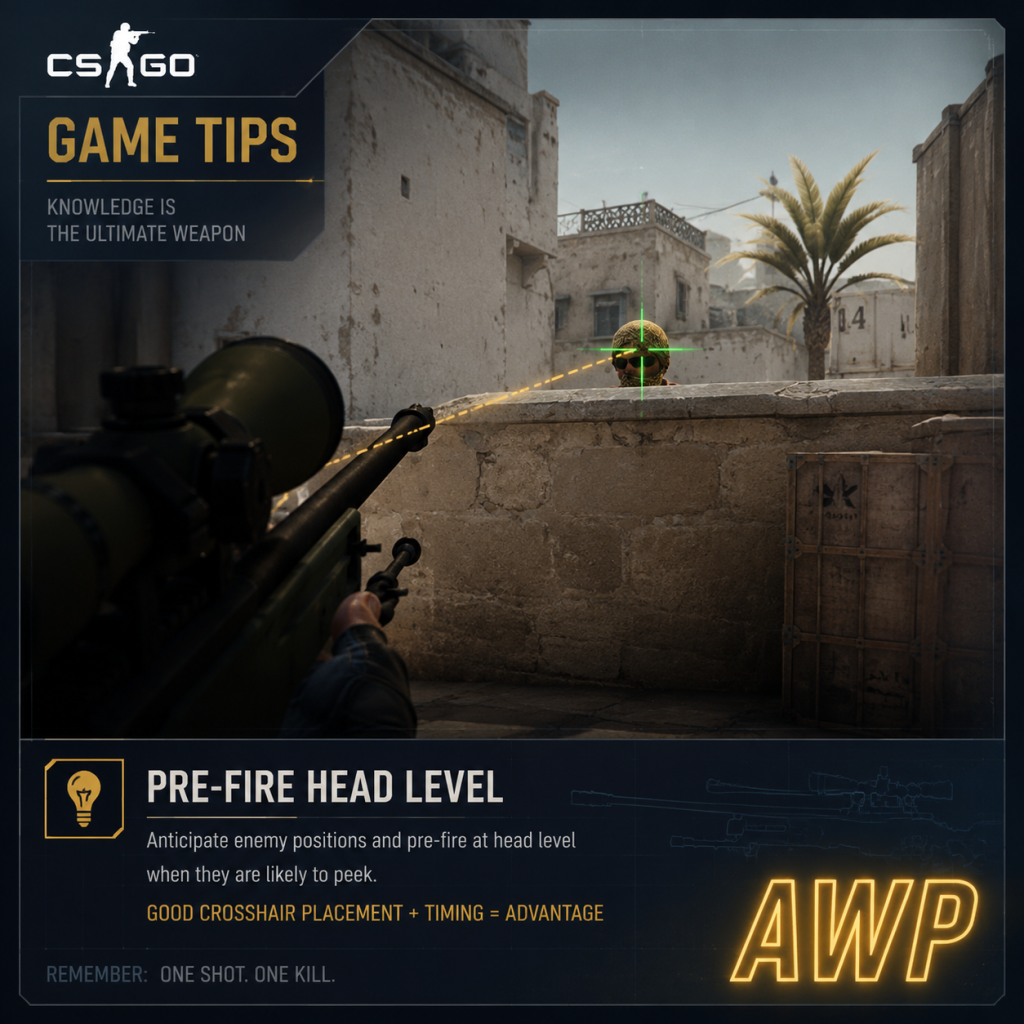
Game Tips
Game Tips for Counter-Strike: Global Offensive (now Counter-Strike 2)
This guide provides essential tips for players of all skill levels, from absolute beginners to advanced players seeking to optimize their performance. Tips are grouped by category and include explanations of why they work and when to apply them.
Combat Tips
1. Crosshair Placement at Head Level
- Beginner Tip: Always keep your crosshair at head height, not aimed at the floor or chest. This reduces the need to adjust vertically when an enemy appears.
- Why it works: The time needed to flick from chest to head is often the difference between winning and losing a duel. Consistently placing your crosshair at head level—accounting for distance (slightly lower for close quarters due to perspective)—dramatically improves your first-shot accuracy.
- When to use: Every map, every moment. Practice this on deathmatch servers.
- Intermediate Tip: When moving, pressing the opposite movement key cancels your momentum faster than releasing the key. For example, while moving left (A), press D to stop immediately before shooting.
- Why it works: CS:GO/CS2 has inaccuracy while moving. Counter-strafing lets you become accurate almost instantly, making your shots more reliable.
- When to use: During peek duels, peeking corners, and anytime you need to fire accurately after moving. Practice in aim training maps or deathmatch.
- Advanced Tip: At long distances, limit your shots to 2–3 round bursts with the M4 or AK-47. Full-auto spraying at range causes significant spread.
- Why it works: Recoil patterns become unpredictable after the first few bullets; bursting resets the pattern, maintaining accuracy.
- When to use: Holding long angles (e.g., Dust2 A Long, Mirage A Site) where enemies are far. For SMGs or pistols, bursting is less critical due to lower accuracy.
- Intermediate Tip: For single-shot weapons (Deagle, AWP, Scout), prioritize precise headshots. The Deagle can one-tap at any range if you hit the head.
- Why it works: The Deagle’s first-shot accuracy is high but recoil reset is slow. Taking time to aim for the head (even flicking) yields higher reward than spamming.
- When to use: Eco rounds with Deagle, or when you have range advantage and cover.
- Beginner Tip: Communicate with your team about money before each round. Use the scoreboard (Tab) to see team funds. Avoid buying when others save unless you plan a force buy together.
- Why it works: A fragmented economy (some buy, some save) leads to losses. Coordinated buys increase the chance of winning rounds, especially important in competitive matches.
- When to use: At round start, especially after a loss. Learn standard economy calls: save (no buy), force buy (spend all remaining pistol+armor+SMG), full buy (rifle+armor+grenades+maybe defuse kit).
- Intermediate Tip: After losing a pistol round, typically save (no buy) on round 2 (if you lost) to afford rifles+armor on round 3. Many teams force buy on round 2 only if they win pistol.
- Why it works: The economy system rewards winning rounds. Saving after a loss sets up a strong buy for the third round, giving better equipment against enemies who might be buying SMGs/armor.
- When to use: Follow team callouts. In MM, default: lose pistol -> save round 2, buy round 3; win pistol -> buy round 2 with SMG/armor.
- Advanced Tip: On CT side, always buy a defuse kit if you have $400 remaining after buying primary/armor/grenades. A kit shortens defuse time from 10s to 5s.
- Why it works: Those 5 seconds can be the difference between winning with bomb plant and losing. It also allows defusing under pressure (e.g., 1v1 with 7s left).
- When to use: Every full buy round, especially on maps with exposed bomb sites.
- Beginner Tip: As mentioned under combat, this movement technique is vital. Also learn to jiggle peek (quickly lean out and back) to gather info with minimal exposure.
- Why it works: Jiggle peeking uses counter-strafing to show only a fraction of your body, revealing enemy positions without exposing you to a full spray.
- When to use: Checking corners, baiting shots, or gathering info before committing.
- Intermediate Tip: B-hopping is a movement technique that preserves speed by jumping and strafing in sync. It has niche uses in CS2.
- Why it works: It can allow faster rotation across open areas, but it’s inconsistent due to server lag and movement penalties. Not essential, but useful for ladder strats or rushing.
- When to use: Only on maps with long corridors (e.g., Inferno Banana, Dust2 Mid) and when enemy is unaware. Do not rely on it in competitive play.
- Beginner Tip: To climb up to high surfaces (like Dust2 B Window sill), jump and press crouch (Ctrl) mid-air. This adds slight height.
- Why it works: The game physics allow a boosted trajectory. This opens up new positions (e.g., mirage under palace ledge).
- When to use: Map-specific spots; learn them in practice.
- Intermediate Tip: When throwing a flashbang, turn away from the point of impact until the flash detonates. Use the throwing sound to time your turn.
- Why it works: Flashes blind teammates and enemies regardless of vision if they see the explosion. Turning ensures no penalty.
- When to use: Before entering a site or when peeking. Coordinate with teammates to avoid blinding each other.
- Advanced Tip: Learn pre-set smoke lineups for common points: CT spawn on Mirage, default positions on Mirage A, Dust2 A Long, etc.
- Why it works: Perfectly placed smokes block key sightlines, forcing CTs to reposition or giving Ts safe entry. Lineups ensure consistency.
- When to use: On execute rounds. Practice in private servers or workshop maps.
- Intermediate Tip: On CT side, throw a molotov (or incendiary) onto the bomb after planting to prevent Ts from defusing. Toss it to cover the bomb completely.
- Why it works: The fire area is lethal; Ts cannot defuse through fire. This delays defuse or forces them to take damage.
- When to use: After securing a bomb plant, especially in post-plant situations.
- Beginner Tip: When holding an angle, stand slightly further back from the corner (not hugging the wall). This makes you appear later to the peeker due to network latency.
- Why it works: Peeker’s advantage (server tick rate) means the aggressor sees you slightly before you see them. Being further back gives you time to react.
- When to use: Holding long angles on defense. Example: in Dust2 A Long, stand behind the double doors entrance rather than at the corner.
- Intermediate Tip: Avoid standing where enemies are likely to pre-aim (e.g., default headshot positions). Instead, use unexpected spots (crouch behind a box, under a window).
- Why it works: Enemies will check common spots first; an off-angle gives you a free kill opportunity before they adjust.
- When to use: When you expect a rush or want to surprise. Risky against experienced players who check all angles.
- Beginner Tip: Use map-specific callouts (e.g., “A Long”, “Short”, “Cat”, “B Long”, “Sandbags”). Avoid vague terms like “over there”.
- Why it works: Quick, accurate information allows teammates to react correctly. Saying “one hit A Long” versus “they’re pushing” is more helpful.
- When to use: After any engagement or spotting an enemy. Dead teammates spectating should give live info.
- Intermediate Tip: After a teammate dies, immediately attempt to kill the enemy who killed them (trade). This prevents numbers disadvantage.
- Why it works: In a 2v1, trading increases your chances of winning the round. Always support teammates’ entries.
- When to use: Any time you see a teammate die and you have a clear line of sight. Use coordinated pushes.
- Beginner Tip: Use a simple, static crosshair (no dynamic) with a high-contrast color (cyan, green). Adjust size and gap so it’s visible but not obstructing.
- Why it works: Dynamic crosshair expands with inaccuracy, which can be distracting. A static crosshair lets you focus on placement without visual noise.
- When to use: Works best for most players. Customize in settings or use workshop maps.
- Intermediate Tip: Professional players often use eDPI (DPI × in-game sensitivity) between 800 and 1200. Lower sensitivity allows finer aim adjustments.
- Why it works: Higher sensitivity makes micro-flicks and spray control more difficult. Finding a comfortable low sensitivity improves consistency.
- When to use: Experiment in deathmatch. Start with 800 DPI, 1.0 sensitivity, then adjust ±0.2.
- Advanced Tip: The AK-47 and M4A4 have distinct spray patterns. Practice pulling down and then compensating horizontally. Use workshop maps like “Recoil Master” to build muscle memory.
- Why it works: Spray control allows you to kill multiple enemies in one magazine and hit accurately at medium range.
- When to use: Close to medium range engagements. At long range, use tap fire or burst.
- Advanced Tip: When peeking a corner, start shooting before you fully see the enemy. Aim at head height and fire the instant you peek.
- Why it works: Peeker’s advantage means your bullets register before the enemy’s reaction. Prefiring reduces TTK (Time to Kill).
- When to use: When you know an enemy is holding a specific angle (e.g., inferno pit, overwatch long).
- Advanced Tip: Walk (Shift) to move silently, but be aware it slows you down. Use running only when you are confident no enemies are nearby or to rotate quickly.
- Why it works: Sound gives away your position and weapon. Walking allows flanks and surprise attacks.
- When to use: Near bomb sites, when rotating, or when you suspect an enemy is close. On T side, walking into site can catch CTs off guard.
- Tip: T side should not overcommit to A Long without controlling Short (near CT spawn). CTs can crossfire from both. Coordinate pushes.
- Why it works: Splitting attention makes CTs react less efficiently. Use smokes to block CT spawn vision.
- Advanced Tip: On Mirage, a teammate can boost you onto the palace ledge (outside A site) using a jump boost. This gives a high ground angle that is unexpected.
- Why it works: It provides a clear view of A site and default positions, and is hard for CTs to spot.
- When to use: In coordination with a teammate (need two). Practice setup in casual.
2. Counter-Strafe to Stop Instantly
3. Burst Fire at Long Range
4. Use One-Taps with Weapons Like the Desert Eagle
Economy Tips
5. Team Economy Management
6. Know Buy Rounds and Eco Rounds
7. Defuse Kit Buys on CT Side
Movement Tips
8. Learn Basic Counter-Strafing (Repeated for emphasis)
9. Bunny Hopping (Intermediate)
10. Crouch Jump to Reach High Ledges
Utility Usage Tips (Grenades)
11. Flashbang Timing to Avoid Self-Blinding
12. Smoke Lineups for Key Positions
13. Molotov to Deny Defuses
Positioning Tips
14. Hold Angles with Peeker’s Advantage in Mind
15. Off-Angles Over Common Angles
Teamwork & Communication
16. Clear, Concise Callouts
17. Trade Killing
Settings & Crosshair Optimization
18. Configure Your Crosshair for Clarity
19. Lower Your Sensitivity for Precision
Advanced Tips
20. Learn Recoil Patterns
21. Prefire Common Angles
22. Sound Economy: Walk vs. Run
Map-Specific Tips
23. Dust II: Long vs. Short Control
24. Mirage: Palace Ledge Boost
Conclusion
These tips cover foundational mechanics through advanced strategies. Master the basics first (crosshair placement, economy, movement), then integrate utility and teamwork. Regular practice in deathmatch, aim training maps, and competitive matches will refine these skills. Remember: consistency and game sense come with time.
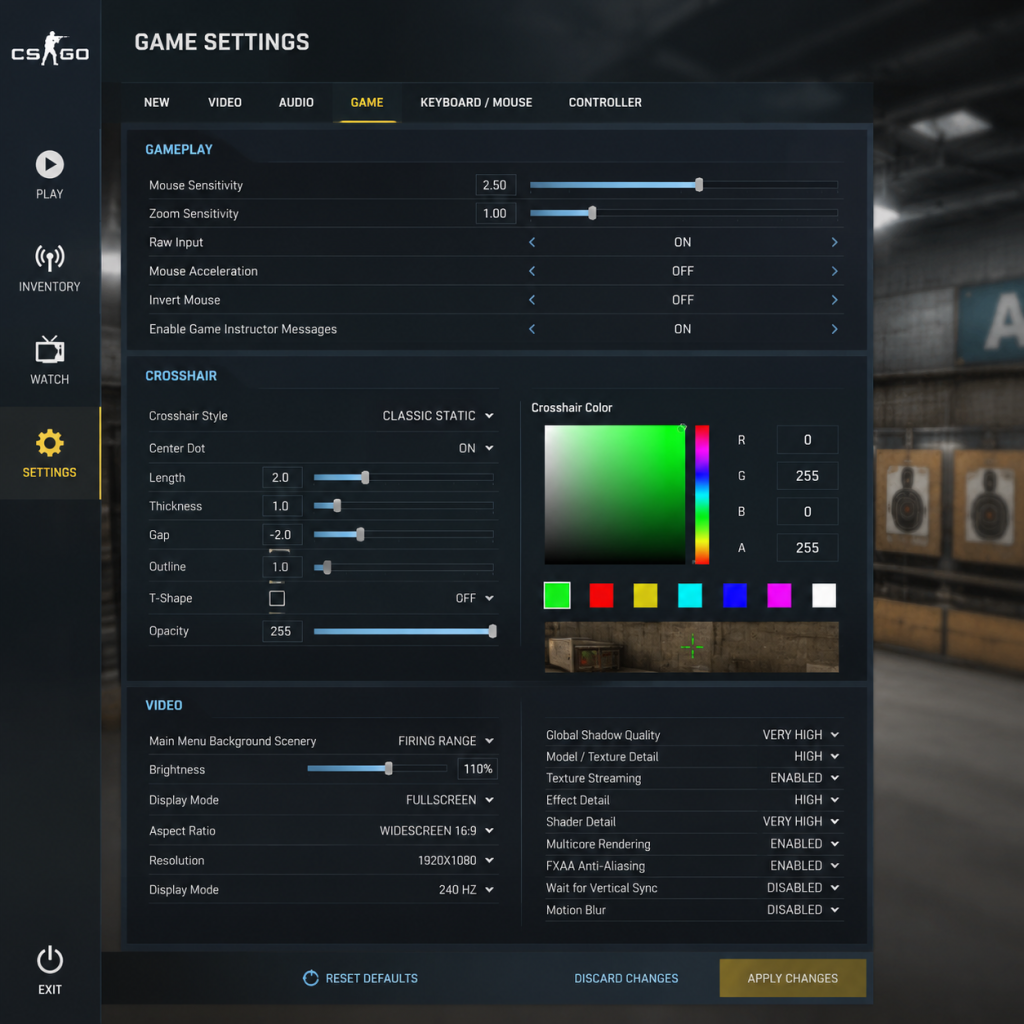
Game Settings
Game Settings Guide for Counter-Strike: Global Offensive (now Counter-Strike 2)
This guide covers all essential settings in Counter-Strike: Global Offensive (CS:GO) and its successor Counter-Strike 2 (CS2). While CS:GO has been replaced, many settings carry over. We provide optimal configurations for different hardware tiers and highlight common pitfalls.
Graphics Settings
Graphics heavily impact performance and visibility. Adjust these in Settings > Video.
#### Resolution & Display Mode
- Resolution: Use your monitor's native resolution for clarity. For competitive edge, many pros use 1280x960 or 1024x768 stretched (4:3) to make player models wider. Lower resolution increases FPS.
- Display Mode: Fullscreen (not windowed) for best performance. Fullscreen Windowed may reduce input lag in some setups.
- Aspect Ratio: 4:3 (stretched) or 16:9. Stretched makes enemies appear larger but distorts horizontal speed. Native gives sharper image.
- Global Shadow Quality: Low (shadows still visible, minimal performance hit). Medium/High can cause frame drops in crowded areas.
- Model / Texture Detail: Low for maximum FPS; Medium if GPU can handle. High provides no competitive advantage.
- Effect Detail: Low reduces grenade and fire effects. Medium/High can obscure vision momentarily.
- Shader Detail: Low for FPS. Medium/High improves lighting but may cause shimmering.
- Multisampling Anti-Aliasing (MSAA): None or 2x if GPU is strong. Higher values blur edges and cost FPS. Use FSR or NVIDIA DLSS on supported cards.
- FXAA: Disabled – blurs the image and reduces clarity.
- Texture Filtering Mode: Bilinear (lowest) or Trilinear for balance. Anisotropic 4x/8x looks sharper but hits FPS.
- Wait for Vertical Sync: Disabled – enables V-Sync adds input lag.
- Motion Blur: Disabled – harms aim.
- Boost Player Contrast: Enabled – outlines enemies in bright/dark areas. Helps visibility.
- Ambient Occlusion (HBAO+): Disabled – no competitive benefit, heavy GPU cost.
- Shader Cache: Enabled to reduce stutter. Set to "On" in NVIDIA/AMD control panel.
- Low-end (GT 1030, Intel UHD): Resolution 1280x720, all settings Low/Disabled, MSAA off, FSR Ultra Performance if available. Target 60+ FPS.
- Mid-range (GTX 1060, RX 580): Native 1920x1080, Low-Medium, maybe 2x MSAA, boost contrast on, target 144+ FPS.
- High-end (RTX 3060+, RX 6000+): Native 1440p/4K, Medium-High, 4x MSAA, HBAO+ off, target 240+ FPS. Use DLSS/FSR Quality if needed.
- Master Volume: 80-100% (adjust system volume separate).
- Music Volumes: All music (Menu, Round Action, etc.) set to 0% – distracts from game sounds.
- Phone Conversation: Off.
- Headphone Mode: Enabled (stereo). If using 7.1 surround, disable virtualization for better directionality.
- HRTF (Head-Related Transfer Function): Enabled – improves 3D sound precision over stereo. Most beneficial with headphones.
- Spatial Audio: Choose Windows Sonic or Dolby Atmos if supported, otherwise off.
- VOIP Volume: 50-70% – you need to hear teammates but not overpower game sounds.
- Sound Device: Select your actual output device. Avoid "Default Device" if multiple outputs.
- DPI: 400-800 are common. Extremely high DPI (>1600) can cause pixel skipping.
- In-game Sensitivity: 0.8–2.5 (depending on DPI). Lower sensitivity (0.8–1.2 at 800 DPI) improves accuracy.
- Zoom Sensitivity: 0.8–1.0 (default 1.0 is fine; lower helps scoped aim).
- Raw Input: On – bypasses Windows mouse acceleration.
- Mouse Acceleration: Off – disabled in Windows (Enhance pointer precision unchecked) and in-game if possible.
- Walk (Shift): Default fine.
- Crouch (Ctrl): May rebind to a thumb button for easier sliding.
- Jump (Space): Roll with scroll wheel for bhopping (bind `mwheelup +jump` and `mwheeldown +jump`).
- Use (E): Default.
- Drop (Q): Careful not to accidentally Q during combat.
- Reload (R): Default.
- Console key: Bind to ~ or another key (Tools > Options > Keyboard > Advanced).
- If using controller (not recommended), enable Controller Support and adjust deadzone. For KB/M players, disable Controller Vibrations.
- Use a custom crosshair via console or in Settings > Crosshair. Recommended: `cl_crosshairsize 3`, `cl_crosshairgap -2`, `cl_crosshairthickness 0.5`, `cl_crosshairdot 1`, `cl_crosshairalpha 200`. Color: green or cyan for contrast.
- Fix: `cl_crosshaircolor 5` for custom.
- Colorblind Mode: Options for Deuteranopia, Tritanopia, etc. Enables distinct radar shapes and team colors.
- Teammate Color: Set teammates to a bright color (e.g., yellow) for quick identification.
- Subtitles: On if you have hearing loss – shows voice lines.
- Text-to-Speech: Can read chat aloud.
- Mouse Key Sniper Sensitivity: Reduces sensitivity while scoped – assistive for fine aiming.
- Main Menu Language: Choose your preferred language (affects menus, settings).
- Subtitles Language: Separate from menu.
- VOIP Language: No setting – teammates speak whatever.
- rate: `128000` (default 786000 is fine). Controls bandwidth limit. For 128-tick servers, set to `786432` (max).
- cl_cmdrate: `128` (must match server tickrate; set to 128 for competitive).
- cl_updaterate: `128`.
- interp (interpolation): `cl_interp 0` and `cl_interp_ratio 2` (default). For low ping (<50), set `cl_interp_ratio 1` for less delay.
- cl_predictweapons: `1` (on) – essential for hit registration.
- cl_lagcompensation: `1` (on) – enables lag compensation.
- cl_predict: `1` (on) – predict movement.
- net_graph: Enable with `net_graph 1` to monitor choke, loss, var. Keep at bottom (net_graphproportionalfont 0, net_graphpos 3).
- Changing rate too low (e.g., < 128000) causes choke.
- Setting interp_ratio 1 with high ping (>80) leads to jittery movement.
- Leaving nolerp at default is fine; don't alter `cl_nolerp`.
- Enable Developer Console: Yes (Essential for commands).
- Enable HUD: Default. Turn off unnecessary elements via `hud_scaling 0.85`.
- Radar:
- Viewmodel: Use `viewmodel_presetpos 2` for classic view. Customize with `viewmodel_fov 68` and `viewmodel_offset_x 2.5`, `viewmodel_offset_y 1`, `viewmodel_offset_z -1.5`.
- Weapon Bob: Set `cl_bob_lower_amt 5`, `cl_bobamt_lat 0.1`, `cl_bobamt_vert 0.1` – reduces view kick.
- Crosshair Settings: Already covered.
- Dynamic Crosshair: `cl_crosshairgap_useweapon 0` – disable spread indicators.
- Show Teams: Enable.
- Mature Content Filter: Disable if you want all voice chat.
- Budget Laptop (Intel UHD, 8GB RAM): 800x600, all low, 30 FPS target. Use `mat_queue_mode 2` and `r_dynamic 0`.
- Mid-Range Desktop (GTX 1650, 16GB): 1920x1080, medium textures, low shadows, 120+ FPS. Use `cl_forcepreload 0`.
- High-End (RTX 4070, 32GB): 2560x1440, high shadows (improves contrast), MSAA 2x, 240+ FPS. Use `r_eyemove 0`, `r_eyegloss 0` to reduce subtle eye animations.
#### Advanced Video Options
#### Hardware Tiers
Audio Settings
Sound is critical for positional awareness. Go to Settings > Audio.
Note: Disable Loudness Equalization in Windows sound settings to preserve quiet footsteps.
Controls Settings
Controls are personal, but certain defaults should be adjusted. Settings > Keyboard/Mouse.
#### Mouse Sensitivity
#### Key Bindings
#### Controller Settings
#### Crosshair
Accessibility Settings
Settings > Game > Accessibility
Language Settings
Settings > Audio > Language
Network Settings
Crucial for stability. Settings > Game > Network or via console.
Easy to Misconfigure:
Gameplay Settings
Settings > Game > Gameplay
- `cl_radar_always_centered 0` – better awareness.
- `cl_radar_scale 0.4–0.6` – shows more map.
- `cl_radar_icon_scale 1` – distinguish teammates.
Special Attention Points
1. Console Commands vs Menu: Many advanced settings only exist as console commands (e.g., `cl_showfps`). Use the developer console (enable in settings).
2. Autoexec file: Create `autoexec.cfg` in `...\Steam\steamapps\common\Counter-Strike Global Offensive\csgo\cfg` (CS:GO) or `...game\csgo\cfg` (CS2). Put your settings there to apply each launch.
3. Launch Options: Right-click CS2 in Steam > Properties > General > Launch Options: `-novid -high -threads [your CPU threads] +fps_max 0` (remove FPS cap).
4. FPS Cap: Set `fps_max 0` to uncap, or `fps_max 300` (monitor refresh rate + 1). If you have a 144Hz monitor, `fps_max 144` to reduce lag? Actually, higher FPS reduces input lag even if monitor can't display it.
5. Mouse Polling Rate: Set to 1000 Hz in mouse software.
6. Windows Power Plan: High Performance.
7. NVIDIA / AMD Control Panel: Set power management mode to Prefer Maximum Performance, Texture Filtering Quality to High Performance.
8. Disable Fullscreen Optimizations: Right-click CS2.exe > Properties > Compatibility > Check "Disable fullscreen optimizations".
9. Game Mode in Windows: Disable – can cause stutter.
10. Overlays: Disable Steam Overlay, Discord Overlay, etc. in competitive play to avoid frame drops.
Optimizing for Different Hardware
Summary of Critical Changes
| Setting | Recommended | Pitfall |
|---|---|---|
| Resolution | Native or stretched 4:3 | Using windowed mode reduces FPS |
| Global Shadow | Low | High kills FPS with no gain |
| Boost Player Contrast | On | Off reduces enemy visibility |
| HRTF | On | Off with headphones loses positional audio |
| Raw Input | On | Off adds mouse lag |
| cl_cmdrate/cl_updaterate | 128 | 64 causes delayed reg |
| net_graph | Always on | Blind without network stats |
| Viewmodel | Custom (offset z -1.5) | Default may block corner |
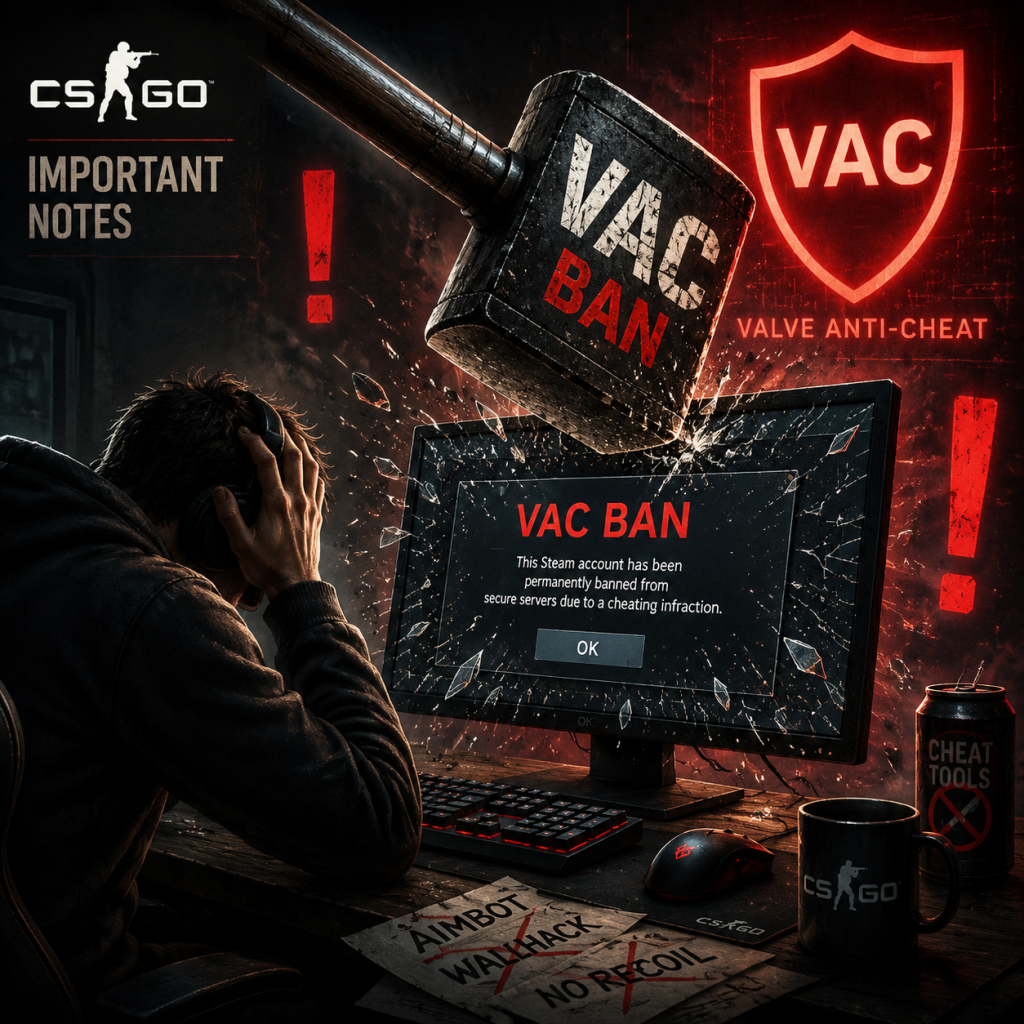
Important Notes
Important Notes for Counter-Strike: Global Offensive (now Counter-Strike 2)
This section covers critical warnings, common mistakes, and key information that every player should understand before diving into Counter-Strike 2 (the successor to CS:GO). Failure to heed these notes can lead to account loss, wasted time, or a frustrating experience.
---
Immediate Warnings & Pitfalls
- Account Security is Paramount – Your Steam account is your gateway to CS2 and your inventory of skins, stickers, and cases. Enable Steam Guard (two-factor authentication) immediately. Never share your login credentials, account verification codes, or trade confirmation links with anyone. Valve staff will never ask for your password or trade link.
- Beware of Phishing and Scams – Scammers use fake trade offers, phishing links (e.g., "Free skins!" or "Vote for my team"), and impersonators posing as friends. Always verify the identity of the trader. Never click on suspicious links in chat, even if they appear to come from a friend (their account may be compromised).
- Third-Party Cheats & Overlays Are Banned – Using aimbots, wallhacks, triggerbots, or any external software that interacts with the game will result in a permanent VAC (Valve Anti-Cheat) ban on your Steam account. This ban is irreversible and also restricts access to other VAC-protected games like Dota 2 or Team Fortress 2. Even overlays like custom crosshairs that aren't built into the game can trigger bans if they modify game memory.
- Do Not Boost or Use Elo Boosting Services – Paying someone to play on your account or using automated accounts to farm XP/rank violates Steam's Subscriber Agreement. You risk a permanent ban and loss of all items.
- Matchmaking Trust Factor – Poor behavior (griefing, abusive chat, team-killing, excessive reports) lowers your Trust Factor, resulting in longer queue times, matched with toxic players, or being unable to play prime matchmaking. Toxicity can also lead to communication bans or even VAC bans if hacks are used.
- Prime Status Purchase – Once you buy Prime Status (or upgrade an existing account after it was moved to CS2, which isn't possible anymore), the purchase is permanent and bound to your account. There is no refund. Non-Prime players cannot queue for Premier or competitive matchmaking, and their drops are limited. If you later want Prime, you must buy it (or previously earned it via leveling before the change). Note: CS2 now requires Prime for ranked play by default if you had it in CS:GO.
- Armory Collection Purchases – In CS2, you can buy Armory Credits (introduced in October 2024) and spend them on weapon collections, patches, or storage units. These purchases are non-refundable and you cannot exchange credits once spent. Choose carefully which collection you want to open.
- Trade Up Contracts (Scraping) Are Final – When you use the Trade Up Contract to exchange 10 items of the same rarity for 1 item of the next rarity, the input items are consumed permanently. There is no undo. If you trade up valuable skins, you may lose them for a cheaper result. Always double-check the outcome potential (you can preview possible outputs on third-party sites).
- Item Drops & Operations – During CS:GO operations (e.g., Operation Broken Fang), you had limited time to earn event rewards, stars, and exclusive skins. If you missed the operation window, those items became unobtainable (except via trade with other players at elevated prices). Future operations in CS2 may follow the same pattern.
- Skill Group and Rank Decay – If you do not play competitive matchmaking for 4 weeks (or 2 weeks for Premier), your rank becomes hidden. After additional inactivity (about 2 months), your rank fully decays. When you return, you must win one match to get a new rank. This is reversible, but you cannot reclaim your old rank – it may be lower based on inactivity.
- Inventory Items Are Portable to CS2 – All CS:GO skins, stickers, and cases automatically transferred to your CS2 inventory. However, if you sold items before the upgrade or lost them to a scam, they are gone forever.
- Skill Jump from Casual to Competitive – Casual mode allows 10v10, random weapon selection, and unlimited respawns (in some mods). Competitive (5v5) has a much higher skill ceiling: one-life-per-round, team economy management, and full coordination. New players often get overwhelmed. Avoid jumping straight into ranked; practice in Deathmatch and Casual to learn maps, weapons, and movement.
- Learning the Maps Takes Dozens of Hours – There are 7 active duty maps (Mirage, Inferno, Dust II, Nuke, Vertigo, Ancient, Anubis). Each has dozens of callouts, angles, smokes, and lineups. Expect a significant time investment to be competitive. Use workshop maps (e.g., Yprac, Aim Botz) to practice nades and aim.
- Weapon Recoil Mastery is a Grind – CS2's spray patterns are complex and require muscle memory. Players often spend hundreds of hours in Deathmatch or community aim servers to control the AK-47 or M4. There is no shortcut; dedicating 20 minutes daily to recoil practice is recommended.
- Don't Waste Money on Cases – Opening weapon cases with keys is a gamble. The vast majority of drops are low-tier skins worth a few cents. The chance of getting a rare Knife or Gloves is ~0.26% per case ($2.50 key cost). Many players spend hundreds of dollars and regret it. If you want skins, buying them directly from the Steam Community Market or third-party sites is cheaper.
- XP Farming is a Trap – The old CS:GO XP system required grinding to level 21 (non-prime) or 40 (prime) for operation stars or drops. Some players used automated bots to farm XP, leading to bans. In CS2, XP is primarily for the weekly drop reward or Armory progression. Trying to speedrun XP is inefficient; play normally.
- Voice and Text Chat Guidelines – Excessive swearing, racist/sexist remarks, or harassment will result in communication bans (muted for X days). Use push-to-talk by default. Learn common callouts (e.g., "A site", "Long doors", "Catwalk") to be helpful, not toxic.
- Report System – You can report players for griefing, cheating, abusive text/voice, or offensive name. Reports are reviewed manually and by automated systems. False reports are harmless, but mass-reporting for revenge can lower your Trust Factor.
- Trust Factor vs. VAC – VAC bans are automated for detected cheats. Trust Factor uses machine learning to match you with players of similar behavior. A low Trust Factor (caused by reports, time spent with cheaters, or unusual activity) means you'll be matched with other low-trust players – often cheaters or griefers. Improve it by playing fair, being polite, and not partying with known cheaters.
- Do Not Rage Quit or Team Damage – Leaving a competitive match prematurely gives you a 30-minute cooldown (escalating to 7 days). Killing teammates intentionally repeatedly gets you banned from matchmaking for up to 30 days.
- No Game Saves – CS2 is an online multiplayer title; there are no local save files. Your progress (rank, stats, inventory) is stored on Valve's servers. Do not attempt to modify game files or use configs that alter the game state – this can lead to bans.
- Cloud Configuration – Your game settings (video, audio, crosshair, binds) are saved in Steam Cloud if enabled. This is convenient if you reinstall or play on another PC. To reset everything, delete your `video.txt` and `cfg` files in the game's `csgo/cfg` folder (on Windows: `...\Steam\steamapps\common\Counter-Strike Global Offensive\csgo\cfg`).
- Inventory Management – Your skins and items are tied to your Steam account, not the game client. You can trade items using Steam's trade system. Be aware of trade hold periods (15 days for new mobile authenticator users). Use the Armory Storage Unit (available via credits) to keep your inventory organized; otherwise items are sorted by type and rarity.
- Crosshair Settings Are Individually Important – Most players stick with default or a generic dot. But a custom crosshair tailored to your aim style (size, thickness, gap, color, dynamic error) can improve your accuracy. Use the in-game settings or workshop maps like `Crosshair Generator v2`.
- You Can Access Raw Input and Mouse Acceleration – In `Settings > Keyboard/Mouse`, disable Mouse Acceleration (turn off Windows Enhance Pointer Precision) and enable Raw Input for consistent aim. This is often missed by new players.
- Holding Angles Is Not Safe – Peeker's advantage exists due to network latency. Holding an angle too long often leads to dying before you see the enemy. Learn to jiggle-peek or use shoulder-peeks instead of standing still.
- Sound Is as Important as Vision – Many players play with low volume or speakers. Using a good headset, you can hear footsteps, weapon reloads, and bomb plants. Turn off any music (in settings) to prioritize footsteps.
- The Practice Range Is Not Enough – The default practice range only has stationary bots. Use community workshop maps (`Aim Botz`, `Fast Aim/Reflex Training`, `Recoil Master`) for true improvement. Many players spend 100+ hours in these maps and see dramatic skill gains.
- Economy Management Is Play-Style Dependent – In low-elo, teammates often force-buy every round, ignoring team economy. Learn the basic economy rules: save as a team when you lose a round (unless you have money for full buy), and coordinate gun drops. Knowing when to eco (save) is more important than aim in many matches.
- No, You Cannot Re-Craft Lost Operation Passes – If you missed an operation, you cannot buy its pass retroactively. The exclusive operation items may only be obtainable via market at inflated prices.
- Skins and Items Have Real Monetary Value – The CS2 economy is real. Treat your inventory like a wallet. Scams are rampant; if a deal seems too good to be true, it is.
- Do Not Play Under the Influence – Your performance and decision-making suffer, and you may engage in behavior that gets you reported.
- Stay Updated – CS2 receives frequent balance patches, map changes, and new operations. Check the official blog or in-game news to avoid surprises (e.g., weapon nerfs, mechanics changes like the +AIMP system).
---
Irreversible Choices & Missable Content
---
Difficulty Spikes & Grinding Traps
---
Online Etiquette & Anti-Cheat Notes
---
Save Management & Progression
---
Things Players Commonly Regret Not Knowing Earlier
---
Final Warnings
By keeping these notes in mind, you'll avoid common traps, protect your account, and have a more enjoyable experience in Counter-Strike 2.
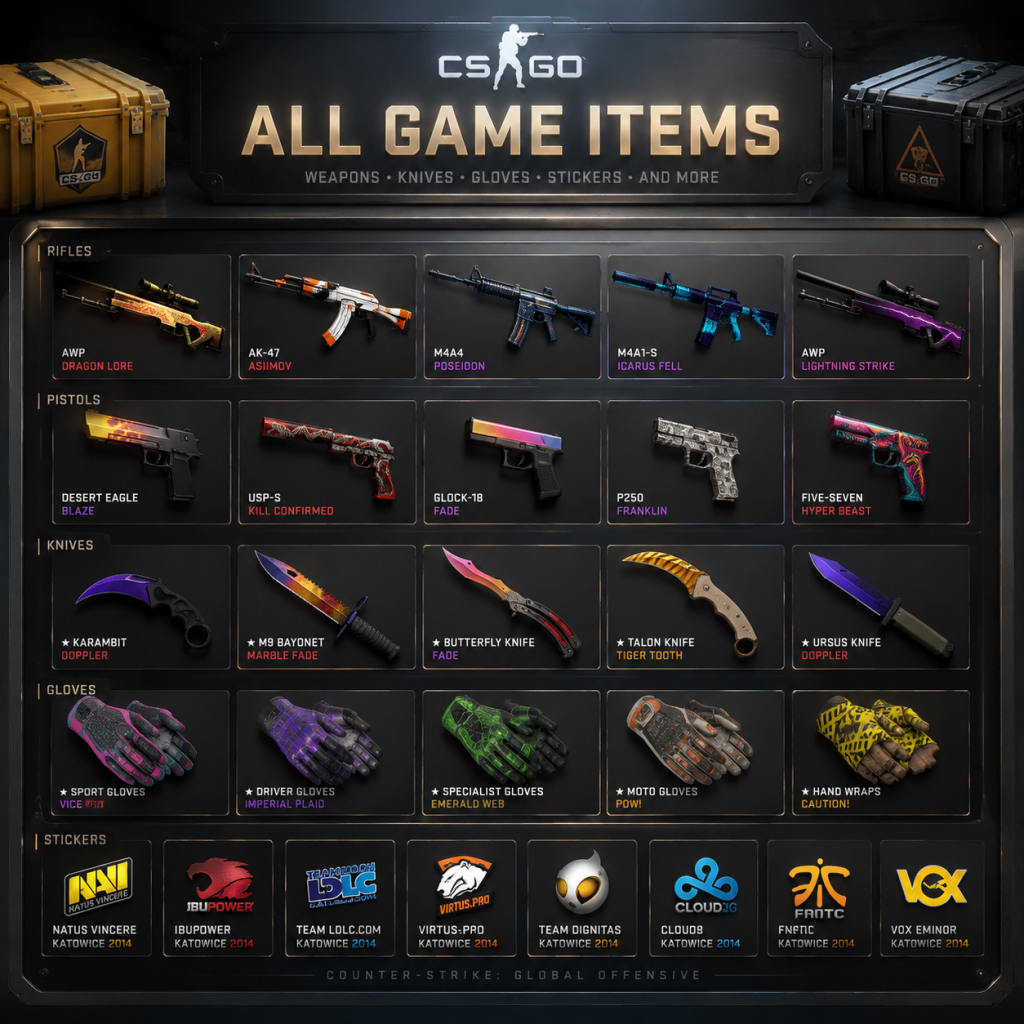
All Game Items
All Game Items Guide for Counter-Strike: Global Offensive (Counter-Strike 2)
This guide covers every major item type in Counter-Strike: Global Offensive (now Counter-Strike 2). Items are grouped logically by category. For each item, you'll find a description, how to obtain it, when it is useful, and any important synergies or upgrades.
---
1. Weapons
Weapons are the core of gameplay. They are purchased at the start of each round (unless you pick them up) using in-game money. Weapon categories affect mobility, damage, fire rate, and recoil.
#### 1.1 Pistols
Pistols are light, cheap, and often used in pistol rounds (first round) or as a backup.
| Weapon | Cost | Description | When/How to Use | Synergies/Upgrades |
|---|---|---|---|---|
| Glock-18 | $200 | Standard CT pistol, 20-round magazine, burst-fire mode available. | Default CT pistol. Use in pistol rounds for rapid fire and headshot accuracy. Burst mode is effective at close range. | No upgrades. Can be replaced by P250 or Deagle. |
| USP-S (or P2000) | $200 (USP-S) / $200 (P2000) | CT default pistols. USP-S has a silencer (reduces sound and flash, no damage penalty). P2000 has 13 rounds vs USP-S 12. | USP-S is preferred for stealth on CT side. Use silenced shots for first-round kills without revealing position. | No upgrades. |
| P250 | $300 | Semi-auto pistol with higher damage than default pistols. 13 rounds. | Excellent buy in pistol rounds if you have extra cash. One-tap headshot potential. | Pairs well with light armor (no helmet) in force buys. |
| Desert Eagle (Deagle) | $700 | High-damage semi-auto pistol with 7 rounds. One-shot headshot at any range. | Most powerful pistol. Use for long-range duels or when you need a cheap alternative to rifles. High skill required due to recoil. | No upgrades. Often used with no armor (econ round) to maximize damage. |
| Five-SeveN | $500 | CT-only pistol, 20 rounds, high armor penetration. | Good for force buys and vs armored opponents. | Pairs with armor. |
| Tec-9 | $500 | T-only pistol, 18 rounds, high armor penetration and moving accuracy. | T-side force buy pistol. Run-and-gun playstyle. | Synergizes with SMGs for aggressive pushes. |
| Dual Berettas | $400 | Two pistols at once, high fire rate, 30 rounds. | Spam weapon for close range. High fire rate allows rushing. | Cheap alternative to SMGs. |
| R8 Revolver | $600 | Slow-firing revolver, high damage, one-shot body close range. | Unpopular due to slow fire rate, but can one-shot armorless opponents. | Use for memes or very specific scenarios (e.g., holding tight angles). |
SMGs are cheap, fast-firing, and excel at close range. They reward aggressive play.
| Weapon | Cost | Description | When/How to Use | Synergies/Upgrades |
|---|---|---|---|---|
| MAC-10 (T) / MP9 (CT) | $1,050 (MAC-10) / $1,250 (MP9) | Fast fire rate, high moving accuracy, 30 rounds. | T-side force buy runs. MP9 has better recoil control. | Use with a smoke to close distance. |
| MP7 | $1,500 | Higher damage than MAC-10/MP9, better accuracy. 30 rounds. | Reliable SMG for force buys. Good for mid-range. | Upgrades to rifle? No, but holds its own. |
| MP5-SD | $1,500 | Silenced SMG, 30 rounds, integrated suppressor. | Stealth SMG. Excellent for flanking or close-range silent kills. | No visibility on radar when firing (smoke makes it invisible). |
| UMP-45 | $1,200 | High damage per bullet, slower fire rate, 25 rounds. | Very effective for its cost. One of the best SMGs for force buys. | Pairs with armor. |
| P90 | $2,350 | 50-round magazine, high fire rate, large spread. | Spray-and-pray SMG for full-buy rounds if you prefer run-and-gun. | Good for entry fragging. |
| PP-Bizon | $1,400 | 64-round magazine, low damage, terrible against armor. | Vs unarmored opponents only. Eco round weapon. | Essentially useless in regular matches. |
Rifles are the backbone of competitive play. They offer high damage and accuracy at all ranges.
| Weapon | Cost | Description | When/How to Use | Synergies/Upgrades |
|---|---|---|---|---|
| Galil AR (T) / FAMAS (CT) | $2,000 (Galil) / $2,250 (FAMAS) | Entry-level rifles. Galil has 35 rounds, FAMAS 25 round + burst mode. | T-side entry rifle for force buys. FAMAS for CT side. | Both can be upgraded to AK-47/M4 later. |
| AK-47 (T) | $2,700 | One-shot headshot, high damage, 30 rounds. | The best T-side rifle. Use for tapping/spraying. Recoil pattern is formidable. | No upgrade. Must learn spray control. |
| M4A4 (CT) | $3,100 | Reliable CT rifle, 30 rounds, high fire rate, good accuracy. | Standard CT rifle. 4-shot kill non-headshot. | No upgrade. Alternative: M4A1-S. |
| M4A1-S (CT) | $3,100 (with silencer) | Silenced M4, 25 rounds, lower fire rate but better accuracy and reduced recoil. | Preferred for stealth and easier control. One less round but quieter. | Switch to M4A4 in options if you prefer non-silenced. |
| AUG (CT) | $3,300 | Scope option, zoom, high damage. 30 rounds. | CT alternative to M4. Use scope for long-range holding. | Can be expensive but gives vision advantage. |
| SG 553 (T) | $3,000 | T-side scoped rifle, one-shot headshot, 30 rounds. | T-side equivalent of AUG but cheaper. Scope helps mid-range. | Very versatile; often underused but powerful. |
| FAMAS (already listed) | - | - | - | - |
Snipers are long-range precision weapons with high damage.
| Weapon | Cost | Description | When/How to Use | Synergies/Upgrades |
|---|---|---|---|---|
| SSG 08 (Scout) | $1,700 | Light sniper, bolt-action, one-shot headshot, low body damage. | Use for early-round picks, jump-scouting, or force buys. Fast movement. | Cannot one-shot body unless unarmored. |
| AWP | $4,750 | Heavy sniper, one-shot kill to body or head. 10 rounds. | The king of snipers. High risk/reward. Hold angles, get picks. | Combine with a pistol (Deagle) for overconfidence, but usually stick to one. |
| G3SG1 (CT) / SCAR-20 (T) | $5,000 (CT) / $5,000 (T) | Automatic sniper rifles. Zoom, high fire rate, expensive. | Use for holding long corridors or for aggressive sniping. High cost. | Pairs with armor. Often banned in competitive due to spam. |
Shotguns – Close-range monsters.
| Weapon | Cost | Description | When/How to Use |
|---|---|---|---|
| Nova | $1,200 | Pump-action, 5 rounds, high damage at close range. | Cheap force on CT side for close angles (e.g., B site Inferno). |
| XM1014 | $2,000 | Semi-auto, 7 rounds, fast fire rate. | Use for rushing tight spaces. |
| MAG-7 (CT) | $1,300 | Semi-auto shotgun, 5 rounds, high damage, good jumping accuracy. | CT side only. Excellent for close-range defense and jumping peak. |
| Sawed-Off (T) | $1,100 | T-side shotgun, 4 rounds, huge spread. | Use for close-range surprise attacks. Not reliable. |
| Weapon | Cost | Description | When/How to Use |
|---|---|---|---|
| M249 | $5,200 | 100 rounds, high recoil, low damage per bullet. | Rarely used. Only for memes or eco wins vs no armor. |
| Negev | $2,000 | 150 rounds, fast fire rate, starts inaccurate then becomes accurate. | Can be used for suppressive fire or cheap support. |
2. Armor & Equipment
#### 2.1 Armor
Armor reduces damage from bullets and explosions. Head armor protects against headshots (except high-caliber rifles like AK-47).
| Item | Cost | Description | When to Buy |
|---|---|---|---|
| Kevlar Vest | $650 | Body armor only. Reduces bullet damage by 50% and explosive damage significantly. | Buy on second round (after losing) or on force buys. |
| Kevlar + Helmet | $1,000 | Full armor covering head and body. | Buy on full buy rounds (rifles) to survive AK headshots (except AK-47, which still one-taps). |
#### 2.2 Defusal Kit
| Item | Cost | Description | When to Use |
|---|---|---|---|
| Defuse Kit | $400 (CT only) | Reduces bomb defuse time from 10s to 5s. | Essential for all CT players. Buy every round if you have money. Without it, defusing under pressure is much harder. |
#### 2.3 Headset / Communication (Not in-game item but essential)
While not a purchasable item, a microphone and headset are crucial for team coordination. Consider it required equipment.
---
3. Grenades (Consumables)
Grenades are crucial for tactical play. Each can be purchased per round (except knife).
| Grenade | Cost | Max Carry | Description | Usage |
|---|---|---|---|---|
| Flashbang | $200 | 2 | Blinds all players within vision for ~2 seconds when popped. | Use to push angles, or counter-flash. Can be cooked (held) before throwing. |
| Smoke Grenade | $300 | 1 | Creates a thick smoke cloud that blocks vision. Lasts ~15s. | Block enemy lines of sight, cover defuses, fake pushes. Extinguish molotovs. |
| High Explosive (HE) Grenade | $300 | 1 | Deals explosion damage (up to ~99 damage if direct). | Damage concentrated enemies, finish low HP. |
| Molotov Cocktail (T) / Incendiary Grenade (CT) | $400 | 1 | Creates a fire pool lasting ~7s. Enemies take damage over time. | Area denial. Force enemies out of positions. Can be extinguished by smoke. |
| Decoy Grenade | $50 | 1 | Produces fake footsteps and shows a weapon icon on radar. | Flush out enemies, fake rotations, or waste utility. Low cost. |
---
4. Knife
| Item | Description | Obtain | Use |
|---|---|---|---|
| Default Knife | Basic knife with left-click slash (fast, low damage) and right-click stab (slow, high damage). One-hit kill from behind. | Given by default. | Use for silent kills, breaking glass, or when no ammo. |
| Knife Skins (Cosmetic) | Many varieties (e.g., Butterfly, Karambit, M9 Bayonet, Flip Knife). | Obtain from case openings or market. | No gameplay effect. |
5. Consumables (Medical? None)
CS:GO has no health packs or stamina items. The only consumables are grenades (see above).
---
6. Currencies
| Currency | Description | Use |
|---|---|---|
| In-Game Money | Earned each round based on kills, round win/loss, bomb plant/defuse, etc. Max $16,000. | Purchase weapons, armor, grenades. |
| Prime Status Currency | Not direct currency; Prime Status (purchased or earned) grants access to Prime matchmaking, exclusive items, and souvenir drops. | Trade for cases? No. |
| Steam Wallet / Real Money | Used to buy cases, keys, skins, stickers, and operation passes. | Cosmetic items only. |
7. Materials & Collectibles
#### 7.1 Weapon Skins
Cosmetic only. Change the appearance of weapons. No gameplay advantage.
- Rarity: Consumer (white), Industrial (light blue), Mil-Spec (blue), Restricted (purple), Classified (pink), Covert (red), Contraband (yellow, extremely rare).
- How to Obtain: Case openings, trading, Steam Market, Operation drops, souvenir packages.
- How to Obtain: Capsule openings, market, operation rewards.
- Types: Regular, Holo (shiny), Foil (gold/shiny), Glitter.
#### 7.2 Stickers
Applied to weapons to add art. Can be scraped off. Come in different rarities.
#### 7.3 Cases & Keys
| Item | Description |
|---|---|
| Weapon Case (e.g., Chroma Case, CS20 Case) | Contains random skin. Requires a key to open. |
| Key (purchased from Steam Market for ~$2.50) | Opener for a specific case. |
Drop during Major tournaments. Can be opened without key. Contains skins with gold stickers of tournament teams. Collectible.
#### 7.5 Graffiti
Spray patterns that can be used on walls (limited uses). Not purchasable; earned via reward or operation.
#### 7.6 Music Kits
Change the in-game music (menu, round end, etc.). Purchased from market or as reward.
#### 7.7 Agents
Cosmetic character models for T and CT sides. No gameplay effect. Obtained from cases or operations.
#### 7.8 Pins (Physical)
Real-world pins that can be redeemed for in-game digital pins. No mechanical benefit.
---
8. Key Equipment (Not Purchasable)
| Item | Description |
|---|---|
| Bomb (C4) | Carried by one Terrorist per round. Must be planted at designated site. Timer ~40s. |
| Bomb Defuser | Not an item; all CTs have ability to defuse; speed increased by defuse kit (above). |
| Radar | Shows team positions and bomb site info. |
| Kill Feed | Shows kills, assists, bomb actions. |
| Scoreboard (Tab key) | Shows money, kills, deaths, assists, equipment. |
---
9. Important Synergies & Upgrade Paths
- Eco Round Strategy: Pistol + armor (no helmet) or SMG + armor. Avoid buying expensive rifles unless you have money for full buy.
- Force Buy: SMG + full armor + maybe grenades. After a loss, force buy to catch opponent off guard.
- Full Buy: Rifle + full armor + utility (smoke, flash, molotov, HE) + defuse kit (CT). This is standard mid/late round purchase.
- No Upgrade Path for Weapons: You buy the weapon you want. No looting upgrades. You can only pick up dropped weapons (which may have skins but same stats).
---
10. Obtaining Items Summary Table
| Item Type | Primary Obtain Method |
|---|---|
| Weapons/Armor/Grenades | In-game purchase with money |
| Skins | Cases (with keys), Market, Drops, Trade |
| Stickers | Capsules, Market, Operations |
| Cases | Post-match drop (random), Market |
| Keys | Steam Market (purchase) |
| Souvenirs | Major tournament drops |
| Graffiti | Operations, Reward |
| Music Kits | Market, Operations |
| Agents | Cases, Operations |
| Knife Skins | Case openings (rare) |
This guide covers everything you need to know about items in Counter-Strike: Global Offensive / Counter-Strike 2. Remember: cosmetics have no gameplay impact; focus on weapon selection and utility management to win rounds.
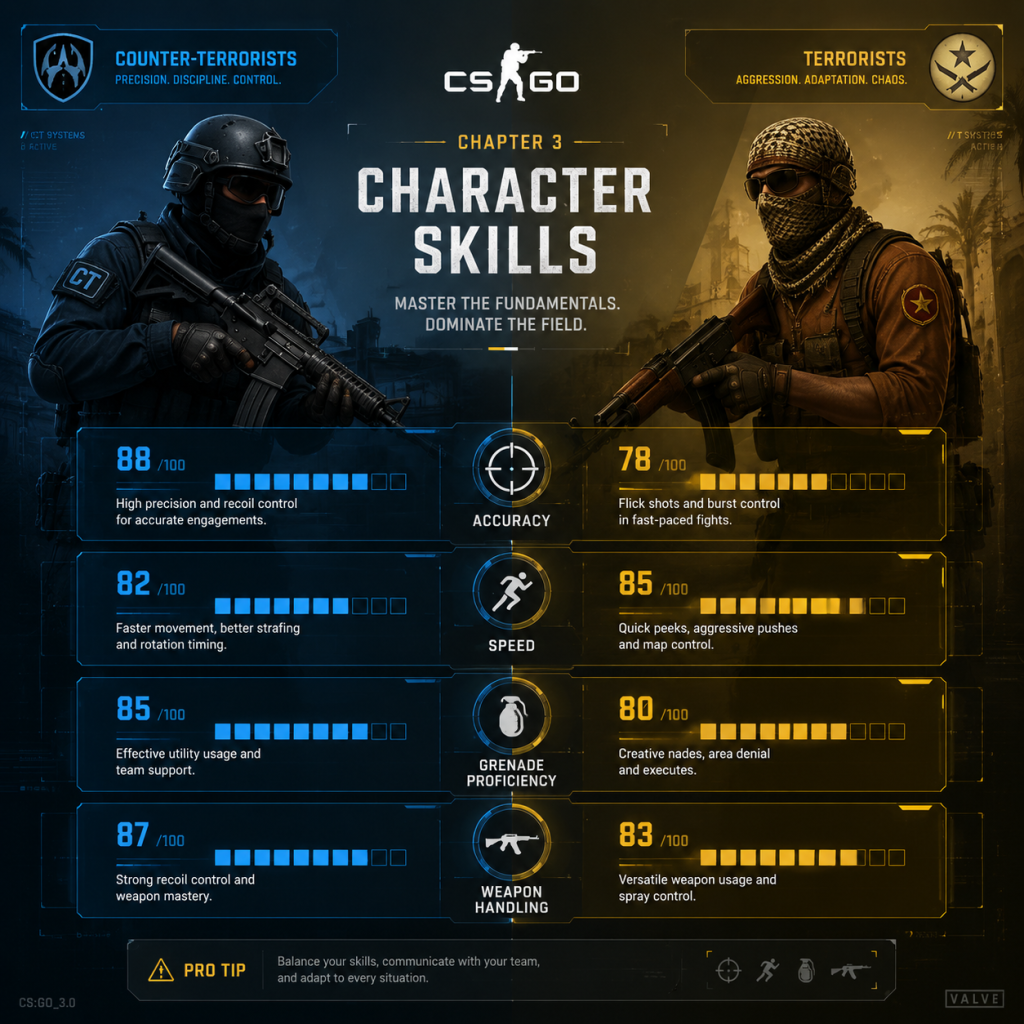
Character Skills
Character Skills Guide for Counter-Strike: Global Offensive (Counter-Strike 2)
Introduction
Counter-Strike: Global Offensive (CS:GO) — now Counter-Strike 2 — does not feature traditional character classes, skills, abilities, spells, or talents like RPGs or MOBAs. Every player in both teams (Terrorists and Counter-Terrorists) has identical base capabilities. The “skills” in CS:GO refer to player-developed techniques, role-specific responsibilities, and utility management that define success. This guide covers all actionable skill categories, including player aim, movement, game sense, utility usage, and team roles. Each skill is described with effects, cooldowns (where applicable), upgrades, combos, synergies, recommended builds, and optimal timing.
---
1. Player Skills (Core Mechanics)
1.1 Aim
- Description: The ability to place your crosshair on an enemy and land shots. Includes crosshair placement, recoil control, flicking, and tracking.
- Effects: Higher accuracy, faster kills, better headshot percentage.
- Cooldowns: None (continuous skill).
- Upgrades: Practice via deathmatch, aim maps (e.g., aim_botz, yprac), and workshop maps. Use lower sensitivity (400–800 DPI) for consistency.
- Combos: Combine with counter-strafing (see Movement) to reset inaccuracy.
- Synergies: Good aim synergizes with every weapon and role.
- Recommended Builds: Rifle (M4A4, AK-47) for spray control; AWP for precision flicking.
- When to Use: Always. Critical during peek duels, holding angles, and clutch situations.
- Description: Techniques to navigate the map efficiently while minimizing noise and vulnerability. Key skills: counter-strafing, bunny hopping (bhop), air strafing, and jiggle peeking.
- Effects: Faster peeks, reduced exposure time, silent movement when walking.
- Cooldowns: None.
- Upgrades: Practice on KZ (climb) servers, surfing maps, and deathmatch with movement focus.
- Combos: Counter-strafe before shooting for instant accuracy. Bunny hop to maintain speed after a kill.
- Synergies: Essential for entry fraggers and AWPers who need quick peeks.
- Recommended Builds: No equipment required, but lighter weapons (pistols, SMGs) allow faster movement.
- When to Use: Counter-strafe when peeking; bhop when rotating or retreating; jiggle peek to gather info without committing.
- Description: Map awareness, economy management, timing, and prediction of enemy behavior.
- Effects: Better decisions, improved survival rate, efficient money usage.
- Cooldowns: None (learned experience).
- Upgrades: Watch demos (POV of pros), play retake servers, analyze mistakes.
- Combos: Combine with communication (callouts) and utility usage.
- Synergies: Supports every role, especially In-Game Leader (IGL).
- Recommended Builds: Headset and sound settings (HRTF) for audio cues.
- When to Use: Constantly—plan buys based on team economy, pre-aim common angles, expect common timings (e.g., early rush, mid-round rotate).
- Description: Explodes with a bright light and loud bang, blinding enemies who see it.
- Effects: Near-full screen whiteout for ~2–3 seconds (if facing explosion), reduced vision if partially exposed.
- Cooldown: Buy time only; no cooldown on use (can throw multiple per round if carried).
- Upgrades: Learn to pop-flash (explodes in air) vs. bounce-flash (off walls) to avoid self-blind.
- Combos: Flash before entering a site (for teammate entry); pop-flash over smoke to blind enemies behind it.
- Synergies: Works with aggressive entry fraggers and site retakes.
- Recommended Builds: CTs: 1–2 flashes per player for retake. Ts: 2–3 flashes for execute.
- When to Use: Before peeking a corner, during site executes, to counter an enemy push, or to escape.
- Description: Creates a dense cloud that blocks vision and sound slightly.
- Effects: Obscures line of sight for ~18 seconds. Can be used to block chokepoints, cover defuses, or fake a position.
- Cooldown: Buy time only.
- Upgrades: Learn lineups for key smokes (e.g., Mirage A ramp, Inferno banana).
- Combos: Smoke + molotov to block a path (enemy takes fire if they run through). Smoke + flash for a safe peek.
- Synergies: Essential for CTs holding angles; Ts use for site entry.
- Recommended Builds: Always buy at least one smoke per player if possible. Use two smokes for crucial areas.
- When to Use: Block enemy sightlines, obscure bomb plant/defuse, cut off rotates, or fake an execute.
- Description: Deals area damage (up to ~57 HP) in a small radius.
- Effects: Damage scales with proximity. Can deal splash damage through thin walls.
- Cooldown: Buy time only.
- Upgrades: Learn to cook the grenade to time explosion above or near enemies.
- Combos: HE + Flash: Flash to blind, then HE to damage. Pre-nade common camp spots (e.g., Inferno balcony) to weaken enemies.
- Synergies: Useful for clearing corners and denying plant/defuse.
- Recommended Builds: 1–2 HE grenades for anti-eco rounds (low enemy armor). Less useful against full armor.
- When to Use: To finish off low-HP enemies, clear tight spaces, or damage multiple enemies grouped together.
- Description: Creates a pool of fire that burns enemies who step in it. Lasts ~7 seconds.
- Effects: Instant damage (40 DPS) and damage-over-time (burn). Prevents enemy movement through area.
- Cooldown: Buy time only.
- Upgrades: Learn lineups to block bomb defusal, or to flush enemies from cover.
- Combos: Molotov + Smoke: Smoke for vision block, molotov to deny push. Molotov + HE: Area denial plus burst damage.
- Synergies: Key for post-plant defense (block defuse) and site retake (clear corners).
- Recommended Builds: Ts: one molotov per player for executes. CTs: optional, but useful for slowing rushes.
- When to Use: Stop a bomb defuse, clear a corner, prevent enemy rush through a choke, or force an enemy to move.
- Description: Mimics gunfire and appears as a red dot on radar. Costs only $50.
- Effects: Fools enemies briefly (sound and radar presence). No damage.
- Cooldown: Buy time only.
- Upgrades: Use to fake a position or fake an execute.
- Combos: Send decoy to one site while team goes to another (high-level fake). Combine with flash to sell the fake.
- Synergies: Budget utility for economy rounds.
- Recommended Builds: Buy only when you have spare cash or need to fake.
- When to Use: During fake rushes, to draw attention, or to test if an angle is watched.
- Description: First player to push into a site. Aggressive, high death rate.
- Key Skills: Aim (fast flicks), movement (sharp peeking), utility usage (flashbangs).
- Abilities: Relies on flashbangs and SMGs/rifles. Prioritizes opening kills.
- Recommended Builds: Desert Eagle (eco) or AK-47/M4 with flashbang. No armor on second round? Buy P250.
- When to Play: As Terrorist on execute rounds. On CT, rarely entry; instead play forward position (aggressive hold).
- Description: Provides utility, covers teammate flanks, trades kills.
- Key Skills: Utility lineups, game sense, communication.
- Abilities: Carries extra flashbangs, smokes, molotovs. Drops weapons for teammates.
- Recommended Builds: Rifle + full utility (flash, smoke, HE, molotov). Drop weapon to entry when possible.
- When to Play: Any round; especially when your team lacks utility.
- Description: Primary sniper using the AWP (or SSG 08 on eco).
- Key Skills: Precision aim, crosshair placement, patience.
- Abilities: Instant kill on body shot. Requires careful positioning and quick scoping.
- Recommended Builds: AWP + pistol (preferably P250 or CZ). Consider buying a smoke to hold long angles.
- When to Play: Long-range maps (Dust2, Mirage) or when team can protect you.
- Description: Plays away from main team, catches rotates and flanks.
- Key Skills: Map awareness, stealth movement, timing.
- Abilities: Uses silencers (M4A1-S, USP-S) and no utility to stay quiet.
- Recommended Builds: Silenced rifle, knife (for quiet movement), no flashbangs (to avoid noise).
- When to Play: On Terrorist side when team executes one site; lurk towards opposite site to catch CT rotates.
- Description: Calls strategies, manages economy, sets pace.
- Key Skills: Game sense, communication, economy math.
- Abilities: No special mechanic, but team relies on their decisions.
- Recommended Builds: Generally plays support or entry depending on style. Must know utility lineups.
- When to Play: Every round; IGL role is permanent for the team.
- Description: Melee weapon. Left-click for slash (35 damage), right-click for stab (100 damage).
- Cooldowns: None (continuous swing).
- Effects: Instant kill on stab (any armor). Slower than gun but silent.
- Upgrades: Practice knife aim (lunging stab) and movement for behind-enemy kills.
- Combos: None significant.
- Synergies: Stealth approach (lurker) or final kill when out of ammo.
- Recommended Builds: Default knife (no upgrade).
- When to Use: When enemy is unaware, as a finisher after emptying magazine, or for humiliation.
- Description: Plant the C4 at a designated site. Takes 3 seconds (hold mouse1).
- Cooldowns: Only one per round (requires bomb carrier).
- Effects: After 40 seconds, bomb explodes and CTs lose the round unless defused.
- Upgrades: Plant in open positions (not behind boxes) to cover from multiple angles.
- Combos: Plant then hide; use smokes/molotovs to block defuse.
- Synergies: Post-plant defense role.
- When to Use: After clearing site. Delay plant until teammates are positioned.
- Description: Defuse the planted bomb. With defuse kit: 5 seconds. Without: 10 seconds.
- Cooldowns: Requires alive CT and bomb planted. One per round.
- Effects: CT team wins round if successful.
- Upgrades: Buy defuse kit ($400) as standard. Use smoke to cover defuse sound.
- Combos: Smoke + defuse; teammate flashes/molly to protect defuser.
- Synergies: Support players should drop kits to teammates if needed.
- When to Use: Immediately after ensuring site is clear. Fake-defuse to bait enemy peek.
- Description: In hostage maps (e.g., Office, Militia). Press ‘E’ to pick up hostage, then bring to rescue zone.
- Cooldowns: Multiple hostages available.
- Effects: CTs win if they rescue majority of hostages.
- Upgrades: None.
- Combos: Use smoke to cover rescue path.
- Synergies: Coordination with team to clear extraction route.
- When to Use: After clearing area around hostage. Avoid running through open fire.
1.2 Movement
1.3 Game Sense
---
2. Utility Skills (Abilities)
Each grenade type acts as a reusable “ability” with a 15–20 second timer (buy cooldown) and a unique effect. All utility requires purchase during buy time.
2.1 Flashbang
2.2 Smoke Grenade
2.3 High Explosive (HE) Grenade
2.4 Molotov Cocktail (T) / Incendiary Grenade (CT)
2.5 Decoy Grenade
---
3. Roles (Taem Responsibilities)
While CS:GO has no locked roles, players often specialize. Each role emphasizes certain skills.
3.1 Entry Fragger
3.2 Support
3.3 AWPer
3.4 Lurker
3.5 In-Game Leader (IGL)
---
4. Special Moves (Unique Actions)
4.1 Knife Attack
4.2 Bomb Plant (Terrorist)
4.3 Defuse (Counter-Terrorist)
4.4 Hostage Rescue (CS:GO Legacy)
---
5. Combos and Synergies
5.1 Utility Combinations
| Combo | Effect | When to Use |
|---|---|---|
| Flash + Smoke | Blinds enemies behind smoke | Site execute – pop flash over smoke |
| Smoke + Molly | Denies vision and movement | Post-plant defense, block defuse |
| Molly + HE | Area denial plus burst | Clearing a corner or flushing enemies |
| Decoy + Flash | Fake noise + blind | Fake a rush on one site while team hits another |
5.2 Player Synergies
- Entry Fragger + Support: Support throws flash for entry, then trades the kill if entry dies.
- AWPer + Lurker: AWP holds long angles; lurker catches rotates short.
- Trade Training: Practice trading kills – player A peeks, dies, player B immediately peeks to kill the enemy (requires coordination).
- Double Peek: Two players peek same angle at same time to overwhelm one enemy (use in retake scenarios).
- Terrorist: AK-47 + full armor + helmet + flash + smoke + HE + molotov. Optional: defuse kit if playing support.
- Counter-Terrorist: M4A4 or M4A1-S + full armor + flash + smoke + HE + defuse kit. Optional: AWP for AWPer.
- Use SMGs (MAC-10, MP9) or shotguns. Buy armor but no helmet (to save $350). Often used after losing pistol round.
- No armor, only pistols (Glock/USP). Sometimes Desert Eagle if skill is high. Focus on staying alive, getting one kill, stealing weapon.
- T: Glock + 1–2 utility (usually flash + smoke). No armor.
- CT: USP-S + 1–2 utility + defuse kit (if you can afford). Armor is optional; some buy utility over armor.
---
6. Recommended Builds (Economy-Based)
6.1 Full Buy (Team Cash >$20k total)
6.2 Force Buy (Low Cash, ~$8k–12k total)
6.3 Eco (Save Round)
6.4 Pistol Round
---
7. When to Use Each Skill — Summary
| Skill / Role | Best Timing | Notes |
|---|---|---|
| Aim practice | Daily warm-up | 10 minutes before matches |
| Movement practice | Offline (KZ/surf) | Improves peeking efficiency |
| Utility lineups | Pre-match or during saving rounds | Learn 2–3 lineups per map per side |
| Entry Fragger | Round start / Execute | Must have support |
| Support | All rounds | Prioritize dropping utility |
| AWPer | Long-angle maps / Anti-eco | Rotate quickly if short on time |
| Lurker | Post-plant / Mid-round | Avoid noise and early contact |
| IGL | Entire match | Keep team calm and informed |
| Knife | Stealth kill / Last resort | High risk, high reward |
| Bomb Plant | After site control | Plant with cover |
| Defuse | After clearing site | Use smoke/molotov for cover |
8. Conclusion
While Counter-Strike: Global Offensive lacks traditional character skills, its depth lies in mastering player mechanics, utility usage, and team roles. Focus on improving your aim, movement, and game sense. Practice utility lineups for each map and understand when to play which role. Remember: teamwork and communication are the ultimate “skills” that transcend individual ability. Good luck on the battlefield!
Characters & Roles
Characters & Roles Guide for Counter-Strike: Global Offensive (Counter-Strike 2)
Introduction
Counter-Strike: Global Offensive (now Counter-Strike 2) does not feature traditional character classes, heroes, or unlockable characters with unique abilities. The game is purely skill-based: players choose between two teams—Terrorists (T) and Counter-Terrorists (CT)—each with distinct weapon sets and objectives. However, effective team play requires understanding player roles that emerge from the game’s tactics. This guide breaks down the two teams and the six major roles that players adopt in competitive matches.
---
1. The Two Teams: Terrorists vs. Counter-Terrorists
Every match begins with players assigned to one of these teams. Teams switch sides at halftime.
#### Terrorists (T)
- Background: The attacking side. Their objective is to plant and detonate the bomb (on bomb defusal maps) or eliminate all CTs (on hostage rescue maps).
- Strengths:
- Weaknesses:
- Playstyle: Aggressive, coordinated pushes, map control, and bomb site execution.
- Recommended Equipment: AK-47, MAC-10, Tec-9, smoke grenades, flashbangs, HE grenades.
- Team Synergy: Requires strong communication and entry fragging to break CT defenses.
- Background: The defending side. They must prevent the bomb from being planted (or defuse it), or rescue hostages.
- Strengths:
- Weaknesses:
- Playstyle: Patient, holding choke points, retaking bomb sites, and using utility to delay T advances.
- Recommended Equipment: M4A4, M4A1-S, AWP, USP-S, smoke grenades, incendiary grenades, flashbangs.
- Team Synergy: Relies on crossfires, utility combos, and rotating quickly.
- Background: The first player to push into a bombsite or take map control. They absorb initial contact and gather information.
- Strengths:
- Weaknesses:
- Playstyle: Rush into contested areas, pre-fire common angles, and die to open up space for teammates.
- Recommended Equipment: P90 (CT), MAC-10 (T), Nova, flashbangs, smoke (for entry). Often buys for teammates if they survive.
- Team Synergy: Followed by support players who trade kills and secure the site.
- Background: Follows the entry fragger, trades kills, and covers flanks. Also throws utility for the team.
- Strengths:
- Weaknesses:
- Playstyle: Stay close to the entry fragger, trade their death, use utility to block CT retakes, and watch flank routes.
- Recommended Equipment: Rifle (AK-47/M4A4), grenade loadout prioritized. Often buys defuse kit or extra utility.
- Team Synergy: Pairs directly with the entry fragger; communicates enemy positions.
- Background: Uses the AWP sniper rifle to secure impactful picks from long range.
- Strengths:
- Weaknesses:
- Playstyle: Hold long angles, peek and kill enemies, reposition after each shot. On CT, counter-snipe T AWPers. On T, use the AWP to create space by getting opening picks.
- Recommended Equipment: AWP, Desert Eagle (pistol for peeking), smoke to block vision. Do not carry too much utility; prioritize survival.
- Team Synergy: Requires teammates to trade kills if the AWP is killed, and to watch close angles while they hold long.
- Background: The strategist who calls tactics, selects sites to attack/defend, and manages economy.
- Strengths:
- Weaknesses:
- Playstyle: Usually plays support or lurker to stay alive late round. Communicates constantly, coordinates utility usage.
- Recommended Equipment: Rifle + utility; team economy decisions matter more than personal loadout.
- Team Synergy: Must have the trust of the team; all players follow IGL calls without hesitation.
- Background: A player who stays apart from the main attack to catch rotating CTs or flank defenders.
- Strengths:
- Weaknesses:
- Playstyle: On T, push into unprotected areas (e.g., CT spawn) while team attacks a site; on CT, play aggressive flanks (rare).
- Recommended Equipment: Silenced weapons (M4A1-S, USP-S) to avoid revealing position. Smoke for self-safety.
- Team Synergy: Works best when the main attack draws attention; must time their push perfectly with team execution.
- Background: A player skilled in 1vsX scenarios. Not a defined role but a personality trait; often the last alive.
- Strengths:
- Weaknesses:
- Playstyle: Use utility to split enemies, bait their shots, and play off sound. Stay unpredictable.
- Recommended Equipment: Whatever is available; high-ammo weapons (rifles) and a pistol for quick switch.
- Team Synergy: Requires teammates to call enemy positions after death.
- No unlockable characters or roles: All players start with full access to both teams and all roles. There are no locked gameplay elements.
- Weapon skins and agents: Cosmetic items (weapon skins, knife skins, gloves, player models) can be earned via drops or bought from the Steam Community Market, but they have zero gameplay impact.
- Ranked roles: None. Competitive matchmaking uses skill groups, not role selection.
- Offensive initiative; they choose when and where to attack.
- Access to cheaper SMGs (e.g., MAC-10) and the powerful AK-47.
- Can win rounds by simply planting the bomb and defending.
- Must expose themselves to push into CT-controlled areas.
- Often at a disadvantage in long-range fights due to AK-47’s spray pattern vs. M4A4/M4A1-S.
#### Counter-Terrorists (CT)
- Defensive positioning; can hold angles with rifles and utility.
- Access to the M4A4/M4A1-S and AWP, both highly accurate.
- Can win rounds without taking risks if they maintain map control.
- Must react to T movements; often caught off guard by fast executes.
- More expensive utility (e.g., Kevlar + Helmet required).
---
2. Player Roles (No In-Game Classes)
While every player uses the same weapons and equipment, teams assign roles based on skill and strategy. These roles are not hard-locked but are crucial for organized play.
#### A. Entry Fragger
- Fast reaction time, high aggression.
- Uses cheap weapons (SMGs, shotguns) to secure early kills and gain map control.
- High risk of dying early.
- Requires strong aim and game sense.
#### B. Support (Lurker / Second Man)
- Versatile; can adapt to round situation.
- Carries extra utility (smokes, flashes) for the team.
- May be forced into unfavorable fights if entry fragger dies quickly.
- Requires excellent map awareness to avoid being caught out.
#### C. AWPer (Sniper)
- One-shot kill to the body, high damage.
- Controls important sightlines (e.g., mid, A long).
- Slow movement speed, expensive (4,750$).
- Vulnerable in close quarters.
#### D. In-Game Leader (IGL)
- Strategic mind, calm under pressure.
- Can adapt to opponent tendencies.
- May sacrifice personal performance for team calls.
- Often takes risky positions to gather information.
#### E. Lurker
- High map awareness, patience.
- Can secure round-winning kills from unpredictable angles.
- If killed early, leaves team in a numbers disadvantage.
- Requires deep map knowledge.
#### F. Clutch Player
- Exceptional aim, calmness, and creativity.
- Can win unwinnable rounds.
- May waste time if they take too long.
- Relies heavily on individual skill.
---
3. Unlock Conditions & Progression
---
4. Recommended Equipment & Builds by Role
| Role | Primary Weapon | Secondary | Utility Priorities | Armor | Notes |
|---|---|---|---|---|---|
| Entry Fragger | MAC-10 (T), P90 (CT) | Tec-9 (T), Five-SeveN (CT) | Smoke (to block off rotates), Flashbang | Helmet + Kevlar | Buy for teammates if possible |
| Support | AK-47 (T), M4A4 (CT) | Desert Eagle | 2 Smokes, 2 Flashes, Molotov/Incendiary | Helmet + Kevlar + Defuse Kit (CT) | Carry extra utility for team |
| AWPer | AWP | Desert Eagle | Smoke (to peek safely), Flash (to get a pick) | Kevlar only (to save money) | Avoid close fights; stay alive |
| IGL | Rifle (any) | Any | Adapt based on strategy | Helmet + Kevlar | Economy management critical |
| Lurker | Silenced rifle | USP-S (silenced pistol) | Smoke (for escape), Flash (to disorient) | Helmet + Kevlar | Play silently; use mic minimally |
| Clutch Player | Rifle (M4A1-S or AK-47) | Desert Eagle | 1 HE grenade, 1 flash | Helmet + Kevlar | Prioritize movement and crosshair placement |
5. Team Synergy & Strategy
- Terrorist Side:
- Counter-Terrorist Side:
- No hero abilities: Unlike Rainbow Six Siege or Overwatch, CS:GO has no special abilities. All differences come from team economy, weapon choice, and player skill.
- Player skins (agents): Cosmetic character models like "Danger Zone" agents, Phoenix Connexion, etc., are purely visual. They do not change hitboxes, sounds, or gameplay.
- Role flexibility: Top players often switch roles mid-match depending on economy, map, and opponent behavior. Adaptability is key.
- Practice recommended: Entry fragging and AWPing require dedicated aim training (e.g., aim maps, deathmatch). IGL skills improve through reviewing demos.
- One entry fragger + one support as a duo.
- One AWPer holds long or mid.
- One lurker (often the IGL or a dedicated player) watches flanks.
- The fifth player fills support or second entry.
- Execute smokes, flashes, and molotovs to take a site; then plant and defend.
- One AWper holds long sightlines.
- Two players hold a bombsite (one anchor, one roamer).
- One player plays mid or rotates quickly.
- One lurker style (rare) pushes aggressively to gather info.
- Coordination of crossfires and utility to delay enemy executes.
---
6. Important Notes
---
This guide covers all characters and roles in CS:GO (Counter-Strike 2). Master your role, communicate with your team, and focus on fundamentals. Good luck!
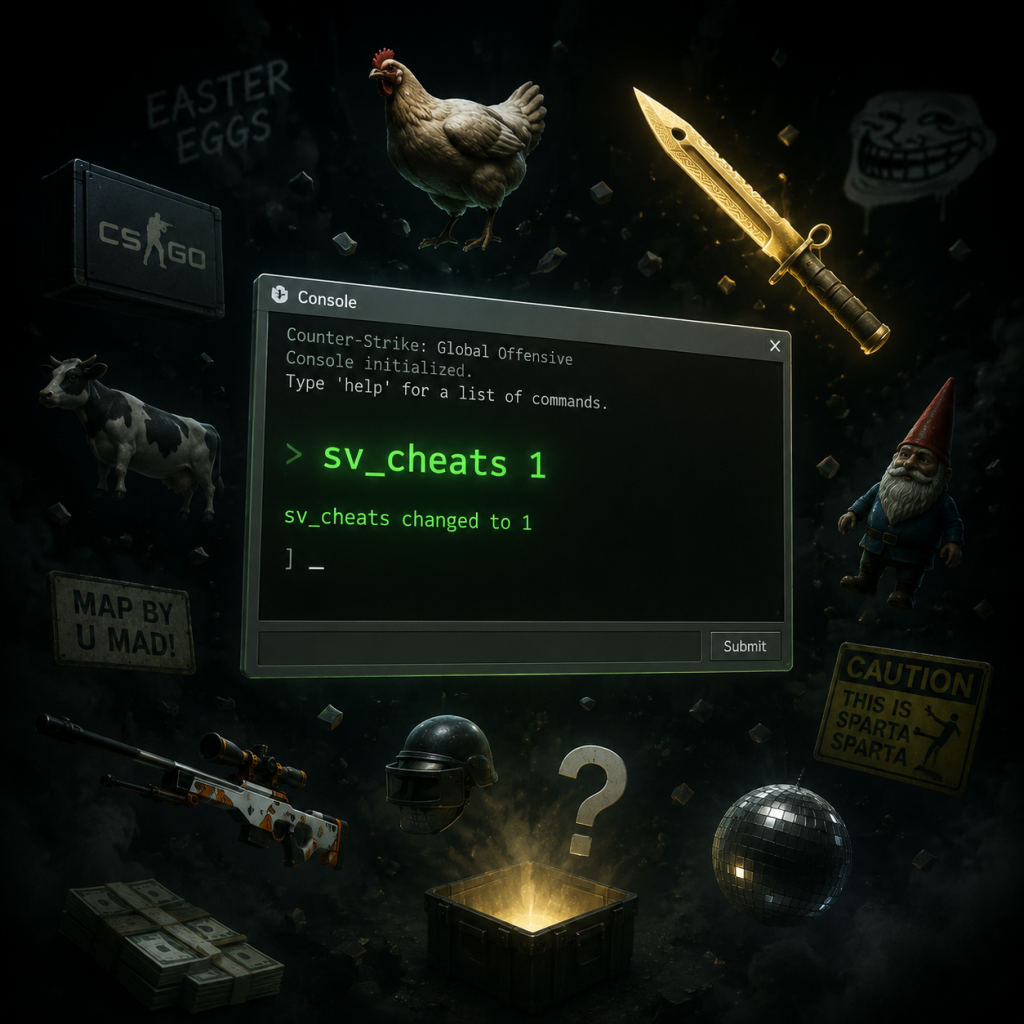
Cheats & Secrets
Cheats & Secrets Guide for Counter-Strike: Global Offensive
Introduction
Counter-Strike: Global Offensive (CS:GO) is a purely competitive multiplayer shooter, so it has no traditional cheat codes (e.g., God Mode, infinite ammo) that work in official matchmaking or VAC-secured servers. However, the game includes a developer console and a variety of hidden features, Easter eggs, and secret game modes that are accessible through legitimate means. This guide covers all known console-based "cheats" (requiring `sv_cheats 1` for offline use), unlockable content, and secrets intended by Valve.
Console Commands (Cheats) – Offline Only
To enable these, open the developer console (`~` key by default), set `sv_cheats 1`, and enter the commands below. These only affect local offline games (e.g., with bots) or private servers with cheats enabled.
| Command | Effect |
|---|---|
| `give weapon_XXX` | Spawn any weapon (e.g., `give weapon_ak47`, `give weapon_awp`). |
| `noclip` | Fly through walls. Use again to disable. |
| `god` | Invincibility. Take no damage. |
| `sv_infinite_ammo 1` | Infinite ammo (no reload needed). |
| `mp_roundtime_defuse 60` | Set bomb timer to 60 seconds (or any value). |
| `bot_add_t` / `bot_add_ct` | Add bots to either team. |
| `bot_kick` | Remove all bots. |
| `mp_warmup_end` | Instantly end warmup phase. |
| `map de_dust2` | Load any map (replace with map name). |
| `host_timescale 0.5` | Slow down time (0.5 = half speed). |
| `r_drawothermodels 0` | Hide all player models (see only weapons). |
| `mat_fullbright 1` | Fullbright lighting – disables shadows. |
Unlockable Content & Secrets
CS:GO does not have traditional unlock codes, but several features are hidden or require specific achievements:
- Music Kits: Equipable soundtracks that override default music. Obtained via operation passes or Steam Marketplace.
- Graffiti: Spray-paintable images unlocked through operation missions or by purchasing from the market.
- Pinny Arcade Pins: Physical pins you can redeem for in-game pins. No code – requires NFC authentication.
- Gold & Silver Coins: Earned by completing Operation missions (e.g., Operation Phoenix, Operation Bravo). These are cosmetic profile items.
- cs_workout (Fitness) – A hidden map from the "Arms Deal" update. Access via `map cs_workout` in console with `sv_cheats 1`. It’s an unused gymnasium map.
- Danger Zone – A Battle Royale mode added later. Not hidden, but accessed via the main menu.
- Snowball Fight! (Winter Offensive 2018) – A limited-time mode where only snowballs (knife weapon) do damage. No official cheat, but can be recreated with `mp_weapons_global_allow_pistol 0` and give a snowball weapon via `give weapon_snowball`.
- Co-op Strike (Operation Riptide) – Hidden cooperative missions where players Clear rooms of bots.
- Chicken Hat: In some operations, wearing a chicken hat makes chickens follow you (in coop missions). Normal chickens appear on maps like Dust II, Cache.
- Chicken Explosion: Shoot a chicken and it will explode after a few seconds with a comical pop.
- Dust II: In the A Long corridor, there’s a small graffiti of a cow. Also, a hidden room near B site accessible by breaking a wall (the “chicken room”).
- Inferno: A hidden soccer mini-game in the B site area (breakable glass).
- Nuke: In the silo near A site, there’s a valve room with a spinning wheel. Shoot it to hear a steam sound. Also, a hidden staircase behind the forklift.
- Mirage: Underwater tunnel near B site? No. But there’s a graffiti of a cat on a wall.
- Cache: A hidden room near A site with a toy bear and a monitor showing T sides.
- Office (Hostage Rescue): The toilet in the main office has a hidden working flush sound.
- Deagle Shot Sound: If you shoot the deagle near a wall, the sound changes depending on distance.
- Knife Animations: Performing a right-click with the default knife makes a distinct “click” sound when a bot is killed.
- Terrorist Win Theme: When T side wins, a short jingle plays. In early versions, it was a remix of the Valve theme.
- Radio Commands: Spamming the radio command “Need Backup (Hold Position)” can sometimes trigger a voice line like “I need backup! Over here!” - no secret, just funny.
- Spectator Free Camera: While spectating, right-click to toggle between fixed and free camera.
- Warmup Knife Fight: During warmup, players can only deal damage with knives. Not a cheat, but a game mechanic.
- Suicide Command: `kill` in console kills yourself (only works when alive). Useful for testing.
- Unused Weapons: Weapon models for a
- Unused Maps: `de_mx_mill`, `de_aztec` (reintroduced later), `cs_office_pc`.
- Beta Textures: Old VGUI2 graphics exist in the game files but are hidden.
- Secret Achievements: Some achievements are hidden (e.g., “Counter-Strike: Global Offensive – The One and Only” – no one knows how to get it).
Hidden Maps & Game Modes
Easter Eggs
#### Chicken Easter Eggs
#### Map-Specific Secrets
#### Weapon Easter Eggs
#### Music & Audio
Exploit-Safe Secrets (No Bans)
These are legitimate hidden features that won’t get you banned:
Developer-Intended Hidden Content
Valve intentionally left several assets unused:
Conclusion
CS:GO is surprisingly rich in secrets despite its competitive nature. While no “cheat codes” exist for online play, the console offers extensive sandbox tools for offline fun. Easter eggs on maps and hidden modes add a layer of discovery for dedicated players. Remember: Avoid using cheats on official servers – stick to offline or private servers to stay safe.
---
Last updated for CS:GO (pre-CS2). Some content may have been removed or altered in Counter-Strike 2.