
Cut the Rope
## Game Overview **Cut the Rope** is a beloved physics-based puzzle game that has captivated millions of players worldwide since its debut. Developed by **ZeptoLab**, a Russian independent game studio founded in 2010, and published by **ZeptoLab** (and formerly by **Chillingo** on iOS), the game fi...
Download & Installation
Cut the Rope - Download & Installation Guide
This guide covers all official and legitimate ways to download and install Cut the Rope across all major platforms: PC (Steam, Windows Store), mobile (iOS, Android, Amazon), and consoles (PlayStation, Xbox, Nintendo Switch). Follow the platform-specific steps below for a smooth installation.
---
1. Platform Availability & Official Sources
| Platform | Official Store / Source | Versions Available |
|---|---|---|
| PC (Windows) | Steam, Microsoft Store | Cut the Rope, Cut the Rope: Magic, Cut the Rope: Triple Treat (Microsoft Store) |
| Mac | Steam, Mac App Store | Cut the Rope, Cut the Rope: Magic |
| iOS (iPhone/iPad) | Apple App Store | Cut the Rope, Cut the Rope 2, Cut the Rope: Magic |
| Android | Google Play Store, Amazon Appstore | Cut the Rope, Cut the Rope 2, Cut the Rope: Magic |
| PlayStation | PlayStation Store (PS3, PS4, PS Vita) | Cut the Rope (PS Vita), Cut the Rope: Triple Treat (PS4) |
| Xbox | Microsoft Store (Xbox 360, Xbox One, Xbox Series X\ | S) |
| Nintendo Switch | Nintendo eShop | Cut the Rope Remastered |
---
2. System Requirements
#### PC (Steam / Windows Store)
Minimum:
- OS: Windows 7 / 8 / 10 (64-bit recommended)
- Processor: 1.6 GHz dual-core
- Memory: 1 GB RAM
- Graphics: DirectX 9.0c compatible, 256 MB VRAM
- DirectX: Version 9.0c
- Storage: 150 MB available space
- Sound: DirectX compatible sound card
- OS: Windows 10 (64-bit)
- Processor: 2.0 GHz dual-core
- Memory: 2 GB RAM
- Graphics: DirectX 10 compatible, 512 MB VRAM
- Storage: 200 MB available space
- OS: macOS 10.9 or later
- Processor: Intel Core 2 Duo 1.6 GHz
- Memory: 1 GB RAM
- Graphics: Intel HD 3000 or later
- Storage: 150 MB
- Requires iOS 9.0 or later (varies by version; latest Cut the Rope requires iOS 11+)
- Compatible with iPhone, iPad, iPod touch
- Storage: ~80–150 MB per game
- Requires Android 4.1 (Jelly Bean) or later
- Recommended 512 MB RAM
- Storage: ~70–120 MB per game
- Internet connection for digital download
- A minimum of 200 MB free storage (check console storage)
- No additional hardware requirements
Recommended:
#### Mac (Steam / Mac App Store)
#### Mobile (iOS / Android)
iOS:
Android:
#### Consoles
All current-generation consoles (PS4, Xbox One, Switch) require:
---
3. Step-by-Step Installation
#### A. PC – Steam
1. Install Steam Client (if not already installed)
- Go to [store.steampowered.com](https://store.steampowered.com) and click "Install Steam" at the top right.
- Download and run the installer. Follow on-screen instructions.
2. Create or Sign in to Your Steam Account
- Launch Steam, click "Create a new account" or log in with existing credentials.
3. Purchase or Add Free Game
- In Steam Store, search for "Cut the Rope".
- Select the version you want (e.g., Cut the Rope, Cut the Rope: Magic).
- Click "Add to Cart" and complete checkout (if paid).
4. Download & Install
- After purchase, go to your Library → select Cut the Rope.
- Click "Install" and choose installation location (default is fine).
- Wait for download and automatic installation.
5. Launch – Click "Play" from Library.
#### B. PC – Microsoft Store (Windows 10/11)
1. Open Microsoft Store from Start menu.
2. Search for "Cut the Rope" (or "Cut the Rope: Triple Treat").
3. Select the game and click "Get" or "Buy".
4. Sign in with your Microsoft account (if prompted).
5. The download will start automatically. Installation is handled by the Store.
6. Launch from Start Menu or the Store library.
#### C. Mobile – iOS
1. Open App Store on your iPhone/iPad.
2. Tap Search and type "Cut the Rope".
3. Choose the desired version (original, 2, or Magic).
4. Tap "Get" (or price) and authenticate with Face ID/Touch ID/Apple ID password.
5. The app will download and install automatically.
6. Tap "Open" to start.
#### D. Mobile – Android
1. Open Google Play Store.
2. Search for "Cut the Rope".
3. Select the game version.
4. Tap "Install" (or price). Accept permissions.
5. Wait for download and installation.
6. Tap "Open" to launch.
Amazon Appstore users: Follow similar steps after installing the Amazon Appstore.
#### E. PlayStation (PS4 / PS5 backward compatible / PS Vita)
1. On your PS4/PS5, go to PlayStation Store.
2. Search "Cut the Rope".
3. Select the game (e.g., Cut the Rope: Triple Treat).
4. Click "Add to Library" or "Purchase".
5. After purchase, navigate to your Library → Purchased.
6. Click "Download" – installation starts automatically.
7. Once downloaded, launch from the Home screen.
#### F. Xbox (Xbox One / Xbox Series X|S / Xbox 360)
1. Turn on your Xbox and sign in to your Xbox Live account.
2. Open Microsoft Store (or Games Store on Xbox 360).
3. Search "Cut the Rope".
4. Select the game and click "Install" (or "Download to Xbox" if purchased online).
5. The console will download and install the game.
6. Launch from My games & apps.
#### G. Nintendo Switch
1. Ensure your Switch is connected to the internet.
2. From the Home menu, open Nintendo eShop.
3. Select your Nintendo Account (must have at least a free account).
4. Search for "Cut the Rope Remastered".
5. Click "Proceed to Purchase" (free) or "Buy".
6. Confirm download – the game will install automatically.
7. Once finished, launch from the Home screen.
---
4. Account Requirements
| Platform | Required Account |
|---|---|
| Steam | Steam account (free) |
| Microsoft Store (PC + Xbox) | Microsoft account (free) |
| iOS | Apple ID (free) |
| Android | Google account (free) or Amazon account (for Amazon Appstore) |
| PlayStation | PlayStation Network account (free) |
| Nintendo Switch | Nintendo Account (free) |
---
5. First Launch Setup
After installation, launch the game. The initial setup is minimal:
- Language Selection: The game will automatically detect your system language, or you can choose from a list (English, Spanish, French, German, etc.).
- Title Screen: Tap or press any button to proceed.
- Tutorial: The first few levels act as an interactive tutorial. No special configuration is needed.
- Audio/Video Settings: On PC, you may adjust resolution, fullscreen/windowed, and audio volume from the Options menu. On consoles, resolution is handled automatically.
- Mobile Permissions: The game may request access to storage (to save progress). Grant permission.
> Tip: On PC (Steam), you can also right-click the game in Library → Properties → Set Launch Options for custom parameters (e.g., `-windowed`).
---
6. Common Installation Errors and Fixes
#### PC Errors
| Error | Cause | Fix |
|---|---|---|
| "MSVCP100.dll missing" | Missing Visual C++ Redistributables | Install [Microsoft Visual C++ 2010 Redistributable](https://aka.ms/vs/16/release/vc_redist.x86.exe) (x86) |
| "Application was unable to start correctly (0xc000007b)" | Corrupted system file or mismatch | Reinstall DirectX and VC++ redistributables. Run game in compatibility mode (Windows 7). |
| "No compatible graphics device found" | Outdated or missing GPU drivers | Update graphics drivers (NVIDIA, AMD, Intel). Ensure DirectX 9.0c is installed. |
| Steam download stuck or slow | Network or cache issue | Restart Steam, clear download cache (Steam → Settings → Downloads → Clear Download Cache). |
| Microsoft Store error 0x80073CF6 | Corrupted store cache | Run `wsreset.exe` (Windows + R, type wsreset). Reinstall game if needed. |
| Error | Cause | Fix |
|---|---|---|
| "Your device isn't compatible with this version" | OS too old or device not supported | Check OS version requirements. Update your device if possible. |
| "Insufficient storage" | Not enough free space | Free up space by deleting unused apps or files. |
| Download stuck | Play Store/App Store glitch | Cancel and retry, or restart device. |
| Error | Cause | Fix |
|---|---|---|
| "Cannot download - insufficient space" | Console storage full | Delete other games or expand storage. |
| "Corrupted data" | Interrupted download | Delete the game and re-download. |
| Purchase not completing | Payment method issue | Ensure your account has sufficient funds or correct payment info. |
7. Post-Installation Verification
After installation, perform the following checks to ensure the game is working correctly:
1. Launch the Game – The title screen should appear without error messages.
2. Check Version – On the main menu or settings, look for version number (e.g., v1.0.3). Compare with the latest version on the store page to confirm it’s up-to-date.
3. Test Basic Controls :
- PC – Click and drag to cut ropes; press space or click to activate bubble/other mechanics.
- Console – Use analog sticks and buttons as instructed.
- Mobile – Touch and swipe to cut ropes.
4. Audio and Video – Verify sound effects, music, and smooth animations. No stuttering or graphical glitches.
5. Levels Load – Select Level 1-1; it should load within a few seconds.
6. Save/Load – Complete one level and restart the app; progress should be saved automatically.
7. Online Features (if applicable) – Check leaderboards or cloud sync (requires account sign-in).
If any issues arise, refer to the troubleshooting section above or the game’s official support page:
- ZeptoLab Support – [https://zeptolab.com/support](https://zeptolab.com/support)
- Steam Community Hub – [https://steamcommunity.com/app/AAAAAA](https://steamcommunity.com/app/AAAAAA) (replace with actual app ID)
- Keep the Game Updated – Enable automatic updates on your platform to receive bug fixes and new levels.
- Backup Saves – On PC, saves are typically in `%localappdata%\CutTheRope` or `Documents\My Games\CutTheRope`. On mobile, cloud save via Game Center or Google Play Games. On consoles, saves are backed up to the cloud if you have a subscription.
- Mods/Cheats – Avoid mods as they may break achievements or cause instability. Official versions contain no built-in cheats.
---
8. Additional Tips
Now you’re ready to enjoy Cut the Rope! If you encounter problems not covered here, consult the official support channels for your platform.
Game Introduction
Game Overview
Cut the Rope is a beloved physics-based puzzle game that has captivated millions of players worldwide since its debut. Developed by ZeptoLab, a Russian independent game studio founded in 2010, and published by ZeptoLab (and formerly by Chillingo on iOS), the game first launched on October 4, 2010 for iOS devices. It quickly expanded to Android, Windows Phone, Amazon Fire, and later to PC (via Steam and Windows Store), Nintendo DS, and even web browsers. The core gameplay revolves around slicing ropes with a swipe of your finger (or mouse) to feed a cute green monster named Om Nom his favorite candy. Simple yet deep, the game has spawned multiple sequels, spin-offs, and a cartoon series.
Story & Setting
There is no complex narrative in the original Cut the Rope. The premise is lighthearted: Om Nom, a small, adorable, and perpetually hungry creature, has received a mysterious package containing a piece of candy. A note (visible on the game’s main menu) reads: “Cut the rope, feed Om Nom the candy.” The player’s mission is to master each physics-based puzzle, manipulating ropes, bubbles, spikes, and other contraptions to deliver the candy into Om Nom’s waiting mouth. The setting is a whimsical, colorful world with multiple themed environments (cardboard box, floating islands, candy factory, and more), each introducing new mechanics and visual flair. The story unfolds through brief comic-style cutscenes in later levels, hinting at a scientist named Professor who originally sent the package, and Om Nom’s playful adventures.
Main Characters
- Om Nom – The protagonist. A tiny, green, toothy monster with an insatiable appetite for candy. He’s expressive, joyful, and the sole focus of the player’s efforts. His reactions (chewing, burping, dancing) provide endearing feedback.
- Professor – A bespectacled scientist (first seen in sequel titles) who originally sent the candy package. He appears in later installments as a supporting character, adding context to Om Nom’s universe.
- Sticky, Roto, and other gadgets – Not characters per se, but interactive elements like sticky surfaces, rotating platforms, and air cushions that act as gameplay tools.
- Intuitive, satisfying touch-based controls – Swipe to cut ropes; tilt devices to move objects; tap bubbles to pop them. The tactile feedback is instantly gratifying.
- Physics realism – Each rope, swing, and bounce behaves believably, making solutions feel clever and rewarding.
- Progressive difficulty – Early levels teach basics; later levels require precise timing and multi-step strategies.
- Charming presentation – Bright, 2D cartoon art, cheerful music, and Om Nom’s adorable animations keep the mood light.
- Replayability – Every level has three stars to earn (based on collecting additional candies or achieving specific goals), encouraging perfection.
- Main Story Mode – Over 300 levels (depending on version and updates) spread across themed boxes such as Cardboard Box, Fabric Box, Foil Box, Ice Box, Gift Box, and more. Each box introduces new elements (spikes, bubbles, rockets, suction cups, etc.).
- Bonus Levels – Unlockable via collecting enough stars or completing special challenges. Some versions include seasonal or event-specific levels (e.g., Halloween, Christmas).
- Magic Box – In certain versions, a special set of levels with additional physics toys like magnets and teleporters.
- No Multiplayer – The original game is strictly single-player.
- Offline Play – The core game works completely offline once downloaded. No internet connection is required to play levels.
- Online Features (mobile/PC) – Leaderboards, iCloud/Google Play cloud saves, and achievements (on Steam, Game Center, Google Play Games) require internet. Some versions have optional ad-supported free tiers that need connectivity to load ads.
- No online multiplayer or co-op – Entirely single-player experience.
Core Appeal & Target Audience
Core Appeal:
Target Audience: Casual gamers of all ages, puzzle enthusiasts, families, and mobile gamers. The simple mechanics make it accessible to young children, while the challenge of three-star ratings appeals to completionists. No reading or complex language is required, making it universal.
Game Modes
Online/Offline Support
Platforms & Release Timeline
| Platform | Initial Release Date | Notes |
|---|---|---|
| iOS | October 4, 2010 | Launch title, later universal (iPad/iPhone) |
| Android | October 2010 | Quick port, widely available |
| Windows Phone | March 2011 | Exclusive WP7 version |
| Amazon Fire | 2011 | Optimized for Kindle Fire |
| PC (Steam) | February 2013 | Mouse-controlled, includes all base levels |
| Windows Store | October 2013 | Touch/mouse hybrid for Windows 8/10 |
| Nintendo DS | November 2011 (Japan) | Retail and DSiWare versions |
| Web (Flash) | 2011 | Limited levels via browser |
DLC & Expansions
- In-app purchases (mobile) – The original game was initially paid ($0.99–$1.99) with no IAPs. Later “free with ads” versions added optional IAPs to remove ads or unlock all levels at once without watching ads.
- Expansion packs (PC/Mac) – On Steam, the game includes all original levels plus the Magic Box and Holiday Gift packs as part of the base purchase. No paid DLC exists; future content was rolled into sequel titles.
- Seasonal updates – ZeptoLab frequently released free limited-time level packs for holidays (e.g., Christmas 2011 “Ice Box” expansion). These are now typically included in the complete edition.
- One-finger swipe mechanics – At a time when touchscreens were still maturing, Cut the Rope’s simple cutting gesture felt revolutionary and organic.
- Om Nom’s iconic design – The character became an instant mascot, spawning plush toys, a TV series (over 50 episodes on Netflix/YouTube), and cross-promotions.
- Sound design – Every candy bounce, rope snap, and Om Nom’s satisfied “nom” has become instantly recognizable.
- Physics puzzle perfection – The balance of trial-and-error, skill, and logic set a benchmark for mobile puzzle games, inspiring countless clones.
- No text, no menus – The entire game communicates through icons, animations, and sound, making it universally accessible regardless of language.
What Makes Cut the Rope Unique?
Summary
Cut the Rope is a timeless puzzle classic that defined mobile gaming in the early 2010s. Its charm lies in the perfect marriage of physics, touch controls, and a lovable protagonist. Whether you’re a casual player looking for a few minutes of fun or a star hunter aiming for 100% completion, the game offers enduring appeal across all generations. For download and installation instructions on your preferred platform, refer to the Download & Installation Guide section.
Getting Started
Getting Started with Cut the Rope
Welcome to Cut the Rope! You are about to help a cute green monster named Om Nom satisfy his sweet tooth. The goal of each puzzle is simple: cut the ropes holding a piece of candy so that it falls into Om Nom’s open mouth. But be careful – you must also collect all three golden stars in each level to unlock more challenging boxes. This guide will get you through your first hour and help you avoid common mistakes.
---
First Hour Walkthrough (Levels 1-1 to 1-10)
Your first minutes will be spent in the Cardboard Box, the easiest set of levels. Here’s what to expect:
1. Level 1-1: Tutorial – A single rope holds a candy. Just tap or click the rope to cut it. The candy falls, Om Nom eats it, and you get one star. Easy! Collect all three stars by cutting at the right moment (the stars float nearby; if the candy misses them, you can restart).
2. Level 1-2: Two Ropes – Two ropes hold the candy. Cut one, then the other, to guide the candy toward the stars and into Om Nom’s mouth. Tap the first rope, wait for the candy to swing, then cut the second.
3. Level 1-3: Bubbles – A bubble appears that can carry the candy upward. Tap the bubble to pop it and drop the candy. You’ll need to time your rope cuts and bubble pops to collect stars and feed Om Nom.
4. Level 1-4: Spikes – Small spike obstacles appear. The candy can be popped if it hits spikes. Avoid them by cutting ropes in a sequence that keeps the candy clear.
5. Levels 1-5 to 1-10 – Introduce mechanical elements like moving ropes (conveyor belts), floating platforms, and more bubbles. You’ll also see the “Bonus” level (1-8) – a slightly harder puzzle with fewer hints. By the end of the first hour, you should have completed the Cardboard Box and possibly started the Fabric Box.
Pro Tip: Don’t rush. Watch how the candy swings and falls. Each level is a physics sandbox.
---
Character Creation – None
Cut the Rope does not have character creation. You always play as the same green monster, Om Nom. His animations and expressions change based on what happens (happy when fed, sad when candy is lost), but you cannot customize him. Focus entirely on solving puzzles.
---
Controls (All Platforms)
The game is simple to control, but the input method varies by device.
#### Mobile (iOS, Android, Amazon Tablet)
- Cut a rope: Tap and drag your finger across the rope. A scissors icon shows where you’re cutting. Release to cut. (Alternatively, just tap the rope – the default cut action depends on settings; most versions use drag-to-cut.)
- Pop a bubble: Tap the bubble.
- Interact with objects: Tap switches, levers, or buttons that appear later.
- Restart level: Tap the restart icon (circular arrow) at the top right corner.
- Pause/Menu: Tap the pause icon (gears) to quit or go back to level select.
- Zoom / pan: Not needed; the view is fixed.
- Cut a rope: Click and hold on the rope, then drag the mouse to create a cut line. Release to cut. (Alternatively, left-click directly on the rope in some versions – test which.)
- Pop a bubble: Left-click on the bubble.
- Restart: Press R or click the restart button.
- Pause: Press Esc or click the pause button.
- Undo cut: Not available (only restart).
- Interface navigation: Use mouse to select levels and buttons.
- Typically use touch screen (Switch in handheld mode) or analog stick to move a cursor. Cut by pressing the appropriate button (e.g., A on Xbox controller) while hovering over a rope finger. Pop bubbles by aiming and pressing X or Y (varies by game version). Check your console’s manual for exact mapping.
- Play – opens the level map (a long road with boxes).
- More Games – links to ZeptoLab other titles.
- Settings – toggle sound effects, music, and control method (if applicable).
- Boxes – Each box (Cardboard, Fabric, Wood, etc.) contains 7-12 regular levels plus one bonus level. Boxes are locked until you collect enough stars (e.g., 30 stars for Fabric Box).
- Level tiles – Tap/click a level to start. Completed levels show a star rating (1-3).
- Star counter – Top of screen shows total stars collected out of total possible (three per level).
- Restart button – Always available during a level.
- Pause button – Top right corner during a level.
- Candy counter – Not present; only stars matter for progression.
- The current level number is displayed (e.g., "1-3").
- Three empty stars float in the level (they are hidden until collected).
- Om Nom sits at the bottom or side, mouth open expectantly.
- No timer or score – just physics.
- Play the tutorial levels (1-1 to 1-3) even if you think you get it. They teach precise controls.
- Experiment. If your first cut doesn’t work, try cutting only one rope first, then the second.
- Watch Om Nom’s mouth. The candy must touch his tongue. He can eat candy coming from above or the side.
- Collect stars by swinging the candy into them. You can cut ropes mid-swing to adjust trajectory.
- Use bubbles wisely. Pop a bubble to drop the candy; but if you pop too early, the candy might be above a star.
- Cutting all ropes at once. This often sends the candy straight down, missing stars and possibly hitting spikes.
- Ignoring the order of cuts. In many levels, you must cut ropes in a specific sequence to guide the candy to all stars.
- Skipping bonus levels. They contain extra stars (3 each) and often introduce new mechanics early.
- Getting frustrated. The first levels are easy; later boxes ramp up. Take breaks.
- Using hints (if available) immediately. Try solving yourself first – hints cost nothing, but the satisfaction is yours.
#### PC (Steam, Windows Store)
#### Console (Nintendo Switch, PlayStation Vita, etc.)
Note: No keyboard shortcuts beyond R for restart on PC. The game is designed for touch, but PC ports work well with a mouse.
---
UI Overview
After launching the game, you see the main menu:
Level Selection Screen:
In-Game HUD:
---
Essential Early Objectives
1. Collect all three stars per level. Stars are the only currency. Without enough, you cannot unlock later boxes. Aim for 3 stars every time, even if you must replay.
2. Complete the Cardboard Box (Levels 1-1 to 1-8). This teaches the basics.
3. Unlock the Fabric Box – requires 30 stars total (10 levels, 3 stars each = 30 possible; you can miss some but try to get at least 30).
4. Understand the physics: Rope tension, pendulum motion, bubble lift, spike avoidance.
5. Learn to restart quickly. If a star is lost or candy falls wrong, tap restart rather than waiting.
---
What to Do First and What to Avoid
#### Do First
#### Avoid
---
Early Resource Priorities
The only resource you manage is stars. All other resources? There are none – no coins, no energy, no lives. The game is purely puzzle-based. Your priority:
1. Collect 3 stars per level in the Cardboard Box (total 24 from 8 levels).
2. Replay levels if you got 1 or 2 stars to get 3. Replaying doesn't cost anything.
3. Focus on unlocking the next box (Fabric, then Wood, etc.) by accumulating stars. Each box requires more stars (e.g., 30 for Fabric, 60 for Wood, 90 for Foam, etc.). Never waste stars (you can't spend them anyway).
4. No in-app purchases in the original version (some later versions have cosmetic packs, but they are unnecessary).
---
Common Beginner Mistakes
Here are the top pitfalls and how to avoid them:
| Mistake | Why It Happens | How to Fix It |
|---|---|---|
| Cutting all ropes instantly | Impatience or lack of planning. | Pause, study the layout, decide cut order. Cut one rope, see where candy swings, then cut another. |
| Missing stars | The candy falls too fast or misses the floating star. | Cut ropes so that the candy pendulum smashes into stars. You can cut a rope, let candy swing, then cut again to catch a star at the apex. |
| Popping bubbles too soon | Bubbles can lift candy, but popping early may drop candy onto spikes or away from Om Nom. | Wait until the bubble has carried the candy where you want (e.g., near a star or Om Nom’s mouth), then pop. |
| Forgetting to collect the third star | Often the third star is placed in a tricky spot. | After solving the level, restart and see if you missed a star. Always aim for 3. |
| Not using the restart button | Players watch the candy fail and wait for the animation to end. | Tap restart immediately when you see a mistake – it saves time. |
| Neglecting bonus levels | Bonus levels are hidden or seem optional. | They count toward star total. Complete them for extra stars. |
| Ignoring momentum | Candy’s swinging motion is crucial. | Cut ropes at the right moment (when candy is moving toward a star or Om Nom). Slow cuts allow you to guide the candy. |
Day-One Checklist
Follow this checklist to kickstart your Cut the Rope adventure:
- [ ] Download the game from official store (App Store, Google Play, Steam, etc.).
- [ ] Launch the game and adjust Settings: turn on sound effects (they help with feedback), set music to your preference.
- [ ] Play Level 1-1 to learn basic cut mechanic.
- [ ] Play Level 1-2 to practice two-rope cutting.
- [ ] Play Level 1-3 to understand bubbles.
- [ ] Complete Levels 1-4 through 1-8 (Cardboard Box) – do not skip any.
- [ ] For each level, replay until you get 3 stars. You should have at least 24 stars (3×8).
- [ ] Unlock the Fabric Box (needs 30 stars). You may need to replay a couple levels to get 3 stars if you missed some.
- [ ] Play the Bonus level (1-7? Actually, Cardboard Box bonus is level 1-9 in some versions – check the level map). Ensure you collect its 3 stars.
- [ ] Try Level 2-1 in Fabric Box. Observe new elements like moving ropes.
- [ ] Take a screenshot of your star count (optional).
- [ ] Log off – you’ve mastered the basics!
Pro Tip for Day One: Do not rush through the levels. The game rewards careful observation. If you hit a wall, put down the device and come back later. The physics puzzles often become clear after a short break.
---
Enjoy feeding Om Nom! With this guide, you’ll be cutting ropes like a pro in no time.
Core Gameplay
Core Gameplay Loop
The main loop in Cut the Rope is simple yet addictive: cut ropes strategically so that the candy lands in Om Nom's mouth while collecting as many stars as possible. Each level is a self-contained puzzle with a fixed set of ropes, obstacles, and sometimes interactive elements. You swipe across ropes to cut them, watch the candy fall via physics, and if it reaches Om Nom, you win. Stars are optional but essential for progression to unlock new boxes.
Interaction / Combat Systems
There is no combat. The primary interaction is rope cutting via touch or mouse drag. Secondary interactions include:
- Tap to activate buttons, release air from bubbles (in later boxes), or trigger moving platforms.
- Flick or drag to reposition certain objects (e.g., moving the frog in "Magic Box").
- Collecting stars (by touching them with the candy) and using power-ups like the Magic Candy (attracts stars), Rope Cutter (cuts all ropes instantly), or Om Nom's Helper (extra time for time trials).
- Stars: The in-game currency earned by collecting stars in levels. Used to unlock new boxes.
- Candy: The only resource that matters for the goal. Not collectible; it's the object you manipulate.
- Power-ups: Purchasable with real money or earned rarely through achievements. Include Magic Candy (attracts all stars for one level), Rope Cutter (cuts all ropes simultaneously), and Time Freeze (pauses time for easier star collection in time trials).
- Completing all 12 boxes with three stars each (total 300 stars from main levels).
- Time trials for each box (unlocked after finishing the box). Completing them offers bragging rights and sometimes a gold trophy.
- Secret levels (e.g., "Secret Box" in the original game) unlocked by collecting a very high star count (e.g., 250 stars).
- Achievements: Earn for milestones like "First Star", "Master Cutter", "All Stars Complete", etc.
- Basic rope cutting: Only single or double ropes attached to candy. No obstacles besides simple walls.
- Star placement: Stars are placed along obvious paths; you can easily collect all three with a single cut.
- Single candy per level: Always one red candy. No multiple candies or special elements.
- Bubbles: Tap to pop them; candy changes trajectory when popping.
- Ice surfaces: Candy slides on ice with low friction.
- Moving platforms: Candy can be placed on conveyor belts or rotating wheels.
- Multiple ropes: Often 3–4 ropes per candy, requiring careful order of cuts.
- Two candies per level: Sometimes you must feed Om Nom multiple candies, each requiring its own rope sequence.
- Portals: Blue and orange portals that teleport the candy. Entering a portal changes its velocity but preserves direction.
- Spikes: Candy destroyed if it touches spikes; you must avoid them completely.
- Magnetic fields: Red and blue magnets attract or repel the candy.
- Time-sensitive elements: Moving saws, pistons that squish candy.
- Multiple Om Noms: Some levels have two or three hungry monsters spread across the screen; you must route the candy to each, often with separate candies.
- Complex physics: All mechanics combined in multi-stage puzzles requiring 10+ cuts.
- Zero error tolerance: Many levels have a single correct sequence; one wrong cut means restart.
- Time trials: After completing a box, you unlock a time trial for each level. The goal is to complete the level in, e.g., 10 seconds. This pushes you to optimize cuts and use power-ups.
- Secret Box: Unlocked after collecting 250 stars. Contains 25 extremely difficult levels, many requiring pixel-perfect timing and knowledge of physics glitches.
Progression
Progression is linear through boxes (themes). Each box contains 25 levels. You unlock the next box by collecting a threshold number of stars from the current box (e.g., 15 stars from Box 1 to unlock Box 2). Additionally, some later boxes require completing special "bonus" levels or achieving a certain total star count (e.g., 60 stars overall). The game gradually introduces new mechanics: from simple rope cutting to bubbles, spikes, moving platforms, portals, ice, magnets, and more.
Exploration
There is no open-world exploration. Each level is a static screen with a fixed layout. The only "exploration" lies in experimenting with different rope-cutting sequences to discover hidden star paths or shortcuts to reach all three stars.
Quests / Missions
Each level acts as a mission with one primary objective: feed Om Nom. Secondary objectives (stars) are equivalent to optional quests. Some boxes also include time trial missions (after completing the box) where you must finish the level within a time limit. Later versions (Cut the Rope: Time Travel, Experiments) have themed quests, but the original game keeps it simple.
Economy
Character / Build Growth
Om Nom does not level up or gain new abilities. The only "growth" is the player's skill and the increasing difficulty of puzzle mechanics. You can customize Om Nom's appearance with outfits (unlockable by completing special challenges or via microtransactions in some versions), but this does not affect gameplay.
Endgame Structure
Endgame consists of:
---
Core Gameplay by Player Progression Tiers
Early Game (Levels 1–50, Boxes 1–2: Cardboard Box, Fabric Box)
What You'll Face:
Example Level (Cardboard Box 1-12):
A candy is hanging from two ropes. Om Nom sits on a wooden platform below. Two stars are on the left side of the candy. Cut the left rope first so the candy swings left, collecting both stars, then cut the right rope to drop it into Om Nom's mouth. Simple sequence.
Progression Goal: Collect at least 15 stars per box to unlock the next one. Focus on getting used to the physics, timing, and swipe precision. No power-ups needed.
Tip: Always let the candy pendulum swing before cutting the second rope – this helps you position it over stars.
---
Mid Game (Levels 51–100, Boxes 3–4: Cardboard Box (continued?), Fabric Box, or later - depends on version)
Note: In the original game, boxes are numbered sequentially. Mid-game typically covers Boxes 3–4 (e.g., Magic Box, Space Box).
New Mechanics Introduced:
Example Level (Magic Box 4-10):
Two candies hang from separate rope sets. There are two Om Noms? Actually only one Om Nom. You must drop both candies into the same mouth. One candy is trapped inside a bubble that floats upward. Use the second candy's rope to hit a button that releases a spider that pops the bubble, then cut the first candy's rope to collect a star inside the bubble. Timing is critical.
Progression Goal: Unlock Boxes 4 and 5 by earning approximately 40–50 total stars. Star requirements increase: you might need 20 stars from a single box to unlock the next. Begin using power-ups selectively if stuck.
Tip: In levels with ice, cut ropes so the candy slides toward the stars rather than away. Use momentum.
---
Late Game (Levels 101–175, Boxes 5–7: E Box, D Box, C Box? Actually Box numbers 5–7 typically: E Box, D Box, C Box)
New Mechanics:
Example Level (C Box 7-20):
Three candies connected by ropes to three separate Om Noms via a central pivot. You must cut ropes in a specific order so that each candy falls into its corresponding Om Nom without letting them collide. Meanwhile, a magnet pulls one candy toward spikes. Use a third cut to disable the magnet by cutting its rope.
Progression Goal: Achieve 150–200 total stars to unlock final boxes. Time trials become essential for earning extra stars (they award a star when completed). Power-ups like Magic Candy become very helpful for tricky star positions.
Tip: Study the level for a few seconds before cutting. Late-game puzzles often have intended sequences; experimentation can lead to failure (spikes). Use the Undo button freely.
---
Endgame (Levels 176–300, Boxes 8–12: B Box, A Box, Chocolate Box, etc., plus secret box)
What You'll Face:
Example Level (A Box 9-24):
Four candies, two Om Noms, portals, magnets, and a moving saw. Two candies must be routed into Om Nom A, the other two into Om Nom B. A magnet is pulling one candy toward spikes; you must cut that magnet's rope to release it. Then you must use a portal to bounce a candy back upward to land on a moving platform that carries it to Om Nom B. The entire sequence takes about 20 cuts.
Progression Goal: Collect all 300 stars from main boxes + 75 stars from time trials (25 boxes x 3 stars per time trial? Actually each time trial awards 1 star for completion, so 25 time trial stars per box). That totals 300 + 300 = 600 stars? Not exactly. The original game has 12 boxes x 25 levels = 300 main levels, each with 3 stars = 900 star potential, but boxes unlock at certain thresholds. Endgame is about obtaining the maximum star count, unlocking achievements, and achieving 100% completion.
Tip: For time trials, use the Magic Candy power-up to collect all stars automatically if you can finish the level quickly. Focus on rope order memorization and minimal cuts.
---
Summary
Cut the Rope's core gameplay evolves from simple intuitive cutting to complex physics puzzles requiring precise planning. The progression is driven by star collection, which gates access to new content. There is no character growth, only player skill growth. The endgame offers time trials and secret levels for hardcore completionists. The game can be replayed endlessly due to its physics variability and the satisfaction of perfecting runs.
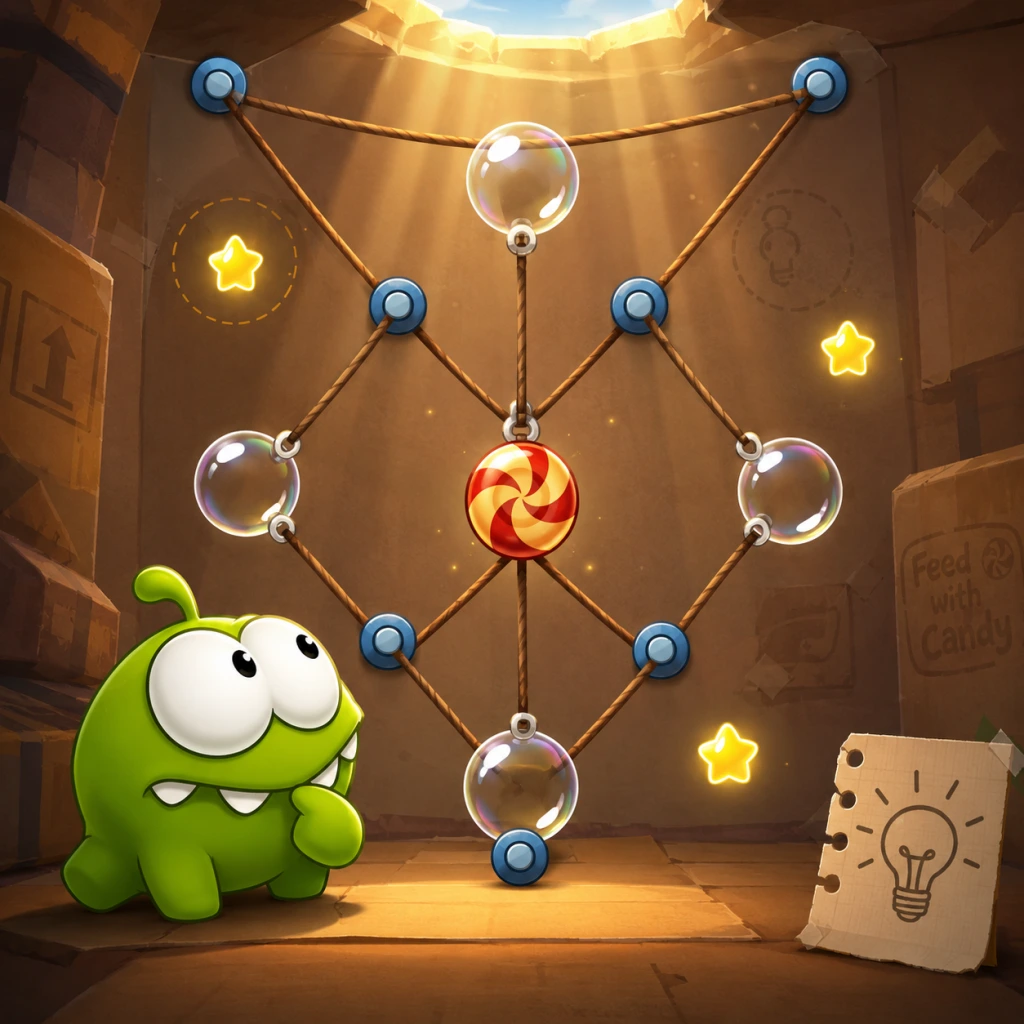
Game Tips
General Strategy
1. Observe Before Cutting
- Explanation: Before making any cut, take a few seconds to study the entire level. Note the positions of ropes, bubbles, spikes, and all three stars. Understand the physics and potential chain reactions.
- Why it works: Many levels require precise timing and sequence. Rushing often leads to missed stars or the candy hitting obstacles. Observation helps you plan the optimal path.
- When to use: At the start of every level, especially in later worlds where complexity increases.
- Explanation: Avoid cutting multiple ropes simultaneously unless absolutely necessary. Cut one rope, let the candy swing or fall, then reassess before making the next cut.
- Why it works: Cutting multiple ropes at once reduces control. By cutting sequentially, you can guide the candy more precisely to collect stars and avoid hazards.
- When to use: In levels with multiple ropes and moving obstacles. Exceptions: when timing is extremely tight (e.g., spikes closing in).
- Explanation: Rope swings follow a pendulum arc. The candy’s swing speed and height depend on the length of the rope and how many ropes are attached. Use short swings for small adjustments and long swings to reach high stars.
- Why it works: Understanding pendulum physics lets you predict where the candy will be after a cut. You can cut the rope at the apex of the swing to launch the candy in a specific direction.
- When to use: Whenever the candy is hanging from a single rope or a chain. Practice swinging on early levels to master timing.
- Explanation: Often one star is tucked away in a tricky spot (e.g., behind spikes or inside a bubble). Aim to collect that star first, even if it means the candy takes a longer route to Om Nom.
- Why it works: Once the hardest star is collected, you can focus on the remaining stars and the final goal. If you collect easy stars first, the hard one might become impossible due to momentum or timing.
- When to use: In levels where stars are in separate areas, like World 1-12.
- Explanation: Bubbles can capture and hold stars indefinitely until you pop them. Draw a bubble around a star that is about to fall off-screen or into a hazard, then pop it later when the candy is in position.
- Why it works: This prevents stars from being lost if the candy misses them on the first pass. It also allows you to delay collection until the candy is optimally aligned.
- When to use: In levels with moving platforms, water currents, or tight spaces where stars are easy to miss. Example: World 2-6.
- Explanation: Plan your cuts so the candy naturally passes through the stars in order without extra swings. For example, if two stars are on opposite sides, use a rope to swing the candy through both before landing in Om Nom.
- Why it works: This saves time and avoids unnecessary cuts. The game awards three stars only if all are collected in one run; missing one means restart.
- When to use: In most levels where stars form a logical path. Trace the path mentally before cutting.
- Explanation: If you cut a rope extremely close to the attachment point (where it connects to the ceiling or a platform), the candy will fall almost straight down with minimal swing. Cut near the candy itself for a stronger swing.
- Why it works: Cutting near the top reduces the effective rope length, canceling existing momentum. This is useful for precise drops into Om Nom's mouth or to avoid spikes.
- When to use: When the candy is swinging erratically and you need to stop it immediately. Also useful for tight gaps between hazards.
- Explanation: Many levels have interactive elements like fans, spikes that retract, moving gears, or water currents. You can manipulate these by cutting ropes in certain orders to trigger switches or redirect the candy.
- Why it works: These elements are not just decorations; they are puzzle components. For example, a fan can blow the candy upward to reach a high star, but only if you cut the rope holding the candy directly above the fan.
- When to use: Analyze each new element introduced in a world. Experiment by cutting near them to see the effect.
- Explanation: On touch screens, you can use two fingers to cut two ropes at the same time or cut a rope while popping a bubble. On PC, hold down left click on one rope and click another with right click (if supported).
- Why it works: Some puzzles require near-instantaneous actions to align the candy with moving stars or to avoid a spike trap. Multi-touch lets you execute both actions in the same frame.
- When to use: In fast-paced levels like World 5-14 where timing is critical. Practice multi-touch in easier levels first.
- Explanation: If a star is placed directly in the initial fall path of the candy (e.g., right below the first cut point), you can often collect it without any extra cutting. Just start by cutting the right rope to drop the candy straight through the star.
- Why it works: Minimal cuts reduce the chance of error. Also, some levels reward low cut counts with bonus points (though not stars).
- When to use: Specifically when you see a star immediately below the candy's starting position. Often found in early levels of each world.
- Explanation: When a bubble is moving, pop it at the peak of its bounce or when it's nearest to Om Nom. Popping too early may cause the candy to bounce away from the mouth.
- Why it works: Bubbles in Cut the Rope have a slight elasticity. The candy inside inherits the bubble's velocity. Popping at the right moment ensures the candy falls gently into Om Nom.
- When to use: In any level with moving bubbles (e.g., worlds with jelly-like surfaces).
- Explanation: Some levels feature spikes that retract periodically. Instead of cutting ropes immediately, wait for the spikes to retract, then drop the candy. Alternatively, use the candy's rolling motion (if on sloped surfaces) to coast over spikes.
- Why it works: Spikes kill the candy instantly, causing a restart. Patience often yields a safer path. Rolling can bypass spikes if the candy has enough momentum to cross over them.
- When to use: In levels like World 3-9 where spikes are timed. Watch their pattern before acting.
- Explanation: Some ropes are elastic (rubber bands). Stretching them by pulling the candy away can store energy that flings the candy back when you let go. Cut the rope while stretched to launch the candy.
- Why it works: Elastic ropes allow you to reach faraway stars or clear large gaps that normal ropes cannot.
- When to use: In levels with visible rubber band ropes (often in later worlds). Stretch by dragging the candy away, then cut the rope at maximum stretch for maximum launch.
- Explanation: For speedrun attempts, plan to cut as few ropes as possible. Often you can finish a level with just one or two cuts if you time them perfectly. Practice levels like World 1-1 (one cut solution).
- Why it works: Fewer cuts means less time spent moving your finger/mouse. It also reduces the chance of mistaps.
- When to use: Once you have three-starred a level, return to it and try to beat your own record using minimal cuts.
- Explanation: Once you find a working solution that collects all three stars, memorize the exact cuts and timing. Repeated practice builds muscle memory for consistent execution.
- Why it works: Variation leads to mistakes. A consistent route ensures high scores (if the game tracks score) and faster completions.
- When to use: For any level you want to master, especially in the later worlds.
- Explanation: If you finish a level with only 1 or 2 stars, don't despair. Replay it later after learning new techniques from harder levels. Sometimes a technique from World 5 can help solve World 3.
- Why it works: Skills accumulate. What seemed impossible early on becomes trivial after mastering advanced strategies.
- When to use: Whenever you're stuck on a level, move on to the next world and come back later.
- Explanation: The game includes tutorial levels that introduce each new mechanic. Pay close attention to the on-screen hints and demos. They often show the intended solution.
- Why it works: Developers designed these tutorials to teach the core concepts without overwhelming new players.
- When to use: The first time you encounter a new element (bubbles, spikes, moving platforms, etc.).
- Explanation: After the candy lands in Om Nom's mouth, you can tap him to make him burp or make funny faces. It's not necessary for stars, but it's a fun reward.
- Why it works: Encourages a lighthearted approach. Also, some versions have hidden achievements for interacting with Om Nom.
- When to use: After completing a level, give Om Nom a tap to celebrate!
2. Cut One Rope at a Time
3. Use the Pendulum Motion
Star Collection Tips
4. Prioritize the Hardest Star First
5. Use Bubbles to Hold Stars
6. Sequence Star Collection with the Candy's Path
Advanced Techniques
7. The "Quick Cut" for Instant Direction Change
8. Use the Environment to Your Advantage
9. Multi-Touch for Simultaneous Actions
10. The "No-Cut" Star Grab
Level-Specific Tips
11. Bubble Pop Timing
12. Avoid Spikes by Letting the Candy Roll
13. Leverage Rope Stretching
Optimization & Speedruns
14. Minimize Cuts for Speed
15. Stick to One Strategy per Level
Beginner Friendly Tips
16. Replay Completed Levels for Stars
17. Watch the Interactive Tutorials
18. Don't Forget to Tap Om Nom
Summary
Cut the Rope is a game of patience, observation, and physics mastery. Start slowly, practice pendulum swings, master bubble timing, and never cut more than necessary. With these tips, you'll collect all three stars in every level and enjoy the delightful journey with Om Nom.
Game Settings
Game Settings
This guide covers every settings category available in Cut the Rope across all platforms. Settings are minimal due to the game's simple 2D nature, but each option can still affect your experience. We'll cover graphics, audio, controls, accessibility, language, network, and gameplay settings, with platform-specific notes and optimal recommendations.
---
Graphics Settings
Cut the Rope uses 2D vector graphics and sprite-based animations, so the graphics options are very basic. They are only present in the PC version (Steam, Windows Store). Mobile versions (iOS, Android, Amazon) have no user-accessible graphics settings; they automatically match your device's resolution and performance.
#### Available Options (PC)
| Setting | Options | Description |
|---|---|---|
| Resolution | Dropdown list (e.g., 1920x1080, 1280x720, etc.) | Sets the display resolution. Always choose your monitor's native resolution for best clarity. |
| Fullscreen | On / Off | Toggles fullscreen mode. Off runs the game in a windowed mode (resizable only if resolution matches desktop). |
| Quality | Low / Medium / High / Ultra | Controls overall visual quality (anti-aliasing, texture filtering, shadow detail). Since the game is light, even Low looks fine. |
| Anti-Aliasing | Off / 2x / 4x / 8x | Smooths jagged edges on lines and text. 4x is recommended; 8x provides minimal improvement. |
| V-Sync | On / Off | Synchronizes frame rate with monitor refresh rate to prevent screen tearing. Off reduces input lag slightly, but tearing is rare in this 2D game. |
| Shadow Quality | Off / Low / High | Controls the softness and accuracy of dynamic shadows (e.g., from candles or platforms). High adds a minor performance cost but looks nicer. |
| Texture Quality | Low / High | Affects sharpness of background textures and character details. High recommended. |
| Effects Quality | Low / High | Controls particle effects (sparkles, bubbles, candy burst). Low reduces eye candy; High for full effect. |
- Low-end PC (integrated graphics, 4GB RAM):
- Mid-range PC (dedicated GPU, 8GB RAM):
- High-end PC (GTX/RTX series, 16GB+ RAM):
- Windowed Mode: If you accidentally set Windowed mode with a resolution larger than your desktop, the window may go off-screen. To fix, press Alt+Enter to toggle fullscreen or delete the config file in `%AppData%\ZeptoLab\Cut the Rope\` and restart.
- Quality Presets: On some versions, switching from Ultra to Low might not reset custom sub‑options. Always adjust per-setting after changing the preset.
- Resolution: 1280x720
- Quality: Low
- V-Sync: Off
- All other options at minimum
- Note: The game runs smoothly even on low-end hardware; these settings ensure the best performance if you also have background applications.
- Resolution: 1920x1080 (or native)
- Quality: High
- Anti-Aliasing: 4x
- V-Sync: On (if you notice tearing)
- Shadows: High
- Textures: High
- Resolution: Native (1440p or 4K if supported)
- Quality: Ultra
- Anti-Aliasing: 8x
- V-Sync: On (or use G-Sync/FreeSync)
- Shadows: High
- Textures: High
- Note: For 4K displays, you may need to increase UI scaling manually (not in‑game, but via desktop).
#### Settings Easy to Misconfigure
---
Audio Settings
Audio settings are identical across all platforms. You can access them from the main menu's Settings gear icon.
| Setting | Options | Description |
|---|---|---|
| Master Volume | Slider 0–10 (or percentage) | Controls overall volume of all sounds. |
| SFX Volume | Slider 0–10 | Volume of sound effects: rope cutting, candy hitting bubbles, stars collected, Om Nom eating sounds. |
| Music Volume | Slider 0–10 | Background music volume. The music is cheerful and loop‑based. |
| Voice Volume | Slider 0–10 (mobile only) | Volume of Om Nom's vocalizations (giggles, growls). On PC, these are part of SFX. |
- Default balanced: Master = 8, SFX = 7, Music = 5, Voice = 6.
- Focus on feedback: SFX should be loud enough to hear the distinctive “pop” when a star is collected or the “snap” when a rope is cut. These cues help timing and puzzle solving.
- Battery saving (mobile): Lowering all volumes does not affect battery significantly, but mute music if you play for long sessions to reduce distraction.
- Muting the game completely will remove audio feedback for the candy hitting Om Nom's mouth. Some puzzles rely on the sound of the candy bouncing off walls. Keep at least SFX on.
- Voice audio on mobile can be turned off if you find Om Nom's sounds repetitive after many levels.
- Default controls: Tap and drag your finger across a rope to cut it. To cut multiple ropes at once, use multiple fingers (two‑finger cut).
- No control remapping is available.
- Touch sensitivity: Not adjustable in‑game. The game detects your finger position accurately.
- Mouse: Click and hold on a rope, then drag to cut. Release to complete the cut. The game mimics touch controls exactly.
- Keyboard: No functionality. Only Alt+F4 quits; F11 for fullscreen toggle (in some versions).
- One‑handed play: Easy on mobile in portrait mode. On PC, you need a mouse.
- Precision: If you have motor difficulties, the game offers generous touch/mouse targets – you don't need pixel‑perfect accuracy.
- Right‑click on PC: In earlier versions, right‑clicking may bring a context menu. Always use left mouse button.
- Multiple fingers: On mobile, accidentally using two fingers when you meant one might cut two ropes instantly. Avoid unintended cuts by keeping a single finger on the screen.
- Closed captions / subtitles (the game has no spoken dialogue)
- Colorblind modes (colors are not critical for gameplay – ropes are brown, candy is green, stars are yellow with high contrast)
- Font size adjustments
- High contrast themes
- Screen reader support
- Visual simplicity: Clean background, distinct shapes, large interactive areas.
- Auditory cues: Important events (stars, candy in mouth) have distinct sounds that can substitute for visual confirmation.
- Timing: No time limits; players can take as long as they need.
- Hearing impaired: Turn up SFX volume so vibration (if no sound) from device may alert you, but it's not crucial.
- Motor impaired: Use a stylus or adaptive mouse for more precise cutting. The game does not require rapid movements.
- Visually impaired: The game cannot be played without sight; no alternative input methods exist.
- PC: English (default), French, German, Spanish, Italian, Japanese, Korean, Simplified Chinese, Traditional Chinese, Portuguese (Brazil), Russian.
- Mobile: The game uses your device's system language. If your language is not supported, it falls back to English.
- Switch version: Same as PC.
- Choose a language you are comfortable reading. The tutorials are short but explanatory. Some level names are puns that may be lost in translation.
- Misconfiguration: If you accidentally set an unfamiliar language, reset it by looking for the word “Language” (English) or the globe icon in the lower‑left of the settings screen. Alternatively, uninstall and reinstall to default back to English.
#### Special Attention Points
---
Controls Settings
Cut the Rope is controlled almost entirely by touch (mobile) or mouse (PC). There is no keyboard or gamepad support on any platform (except limited controller support in the 2013 “Windows 8” version, which is deprecated).
#### Mobile (iOS/Android)
#### PC (Steam/Windows Store)
#### Accessibility Considerations
#### Misconfiguration Pitfalls
---
Accessibility Settings
Cut the Rope does not include dedicated accessibility options such as:
Despite this, the game is inherently accessible:
Recommendation for players with disabilities:
---
Language Settings
Language choices affect all text: level names, tutorial messages, menu buttons, and credits.
#### Available Languages (varies by platform)
#### How to Change (PC)
1. Launch the game and go to Settings (gear icon).
2. Look for a globe or Language option (may appear as a list under “LANG”).
3. Select your desired language. The change takes effect immediately.
#### Optimal Recommendation
---
Network Settings
Cut the Rope is primarily an offline game. The network settings are minimal and revolve around optional online features.
| Feature | Description |
|---|---|
| Leaderboards | Only available if the game is connected to the internet. High scores sync to Apple Game Center, Google Play Games, or Steam Leaderboards. |
| Cloud Save | Some mobile versions support cloud save via Game Center / Google Play. PC version does not have built‑in cloud save (Steam Cloud may or may not be enabled). |
| In‑app Purchases (mobile only) | Hints, coin packs, or level packs require an internet connection to complete transactions. |
- Mobile: You can toggle Push Notifications (on/off) – these alert you of game updates or events.
- PC: No in‑game network settings. Steam handles achievements and leaderboards automatically if you are online.
- Play offline to avoid distractions and save battery (mobile). Leaderboards are not essential to enjoy the puzzles.
- Cloud save should be enabled on mobile if you switch devices frequently. PC players should ensure Steam Cloud is enabled in the Steam client properties.
- Leaderboard sync failure: If you play offline, your scores will not upload later – progress is lost. Always sync before closing the game if you care about rankings.
- In‑app purchases without Wi‑Fi: On cellular data, purchases may incur charges. Disable mobile data for the game if you only want offline play.
#### Optimal Recommendation
#### Misconfiguration Pitfalls
---
Gameplay Settings
These settings affect the game experience beyond basic controls and audio. They are limited in Cut the Rope.
| Setting | Description |
|---|---|
| Reset Progress (PC only) | Under Settings → Gameplay (or similar). Resets all levels to locked state, erasing stars and progress. Confirm carefully – this cannot be undone. |
| Hint System | In mobile versions, hints cost a special currency (“rainbow candies”) that can be earned or purchased. No toggle to disable hints. |
| Auto‑Cut | Not available. The game always requires manual cutting. |
| Speed Mode (some mobile versions) | A timed mode added in later updates (e.g., “Race” mode). Not present in all versions. If available, toggle on/off in the level select menu. |
- Do not reset progress unless you want a fresh start. Consider finishing the game first, then resetting for a challenge.
- Hints: Use them sparingly to preserve your rainbow candies for later difficult levels. There is no penalty for using hints.
- Speed Mode: Only activate if you enjoy time pressure. The core game is relaxing; this mode adds adrenaline.
- Reset Progress is often hidden deep in menus. On PC, it may be under Options → Game or Settings → Advanced. If you accidentally trigger it, close the game immediately (Alt+F4) – it might not save if you quit before confirm.
- Speed Mode cannot be turned off mid‑level; you must exit to the level select screen.
#### Special Attention Points
---
Summary Table for Quick Reference
| Category | Key Setting | Optimal Value | Impact |
|---|---|---|---|
| Graphics | Resolution | Native | Clarity |
| Graphics | V-Sync | On (if tearing) | Smoothness |
| Audio | SFX Volume | 7/10 | Feedback |
| Controls | Touch/Mouse | Default | Fine |
| Language | System language | Your preference | Text readability |
| Network | Internet | Optional | Leaderboards / saves |
| Gameplay | Reset progress | Never touch unless intentional | Keeps progress |
Final Tips
- Update your graphics drivers to avoid any rare stutter (PC).
- Close background apps if you experience lag on low‑end devices.
- Test sound settings in the first level – if something sounds off, adjust immediately.
- Remember that Cut the Rope is designed to be a chill experience – don't overthink settings. The defaults work well for 90% of players.
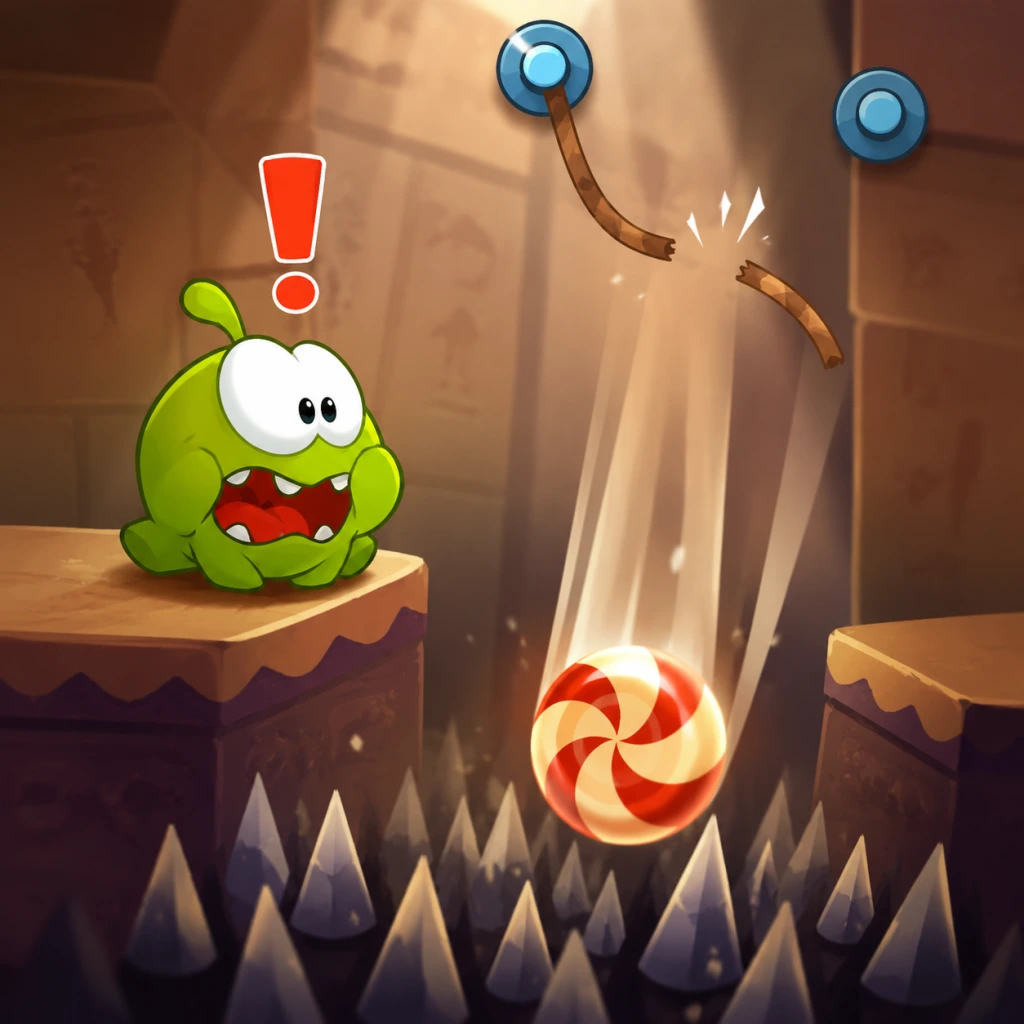
Important Notes
Important Notes for Cut the Rope
⚠️ Warnings and Pitfalls
- Cutting the wrong rope first: Many levels have a specific order for cutting ropes. Cutting the wrong one can make stars impossible to collect in that attempt. Always observe the rope connections before cutting.
- Bubbles can float candy away: A single tap on a bubble will inflate it and lift the candy. If you pop it at the wrong time, the candy may miss Om Nom or fall into spikes. Use bubbles only when the candy is aligned with stars or Om Nom.
- Spikes are instant fail: If the candy touches spikes (yellow triangles or other sharp objects), the level resets. Avoid cutting ropes that let the candy swing into spikes.
- Rocket platforms: These appear in later levels. They accelerate the candy and can overshoot Om Nom. Time your cuts so the candy lands exactly in the mouth.
- Moving ropes: Some ropes move or are attached to pulleys. Cutting one may cause the other to shift. Plan for the physics chain reaction.
###
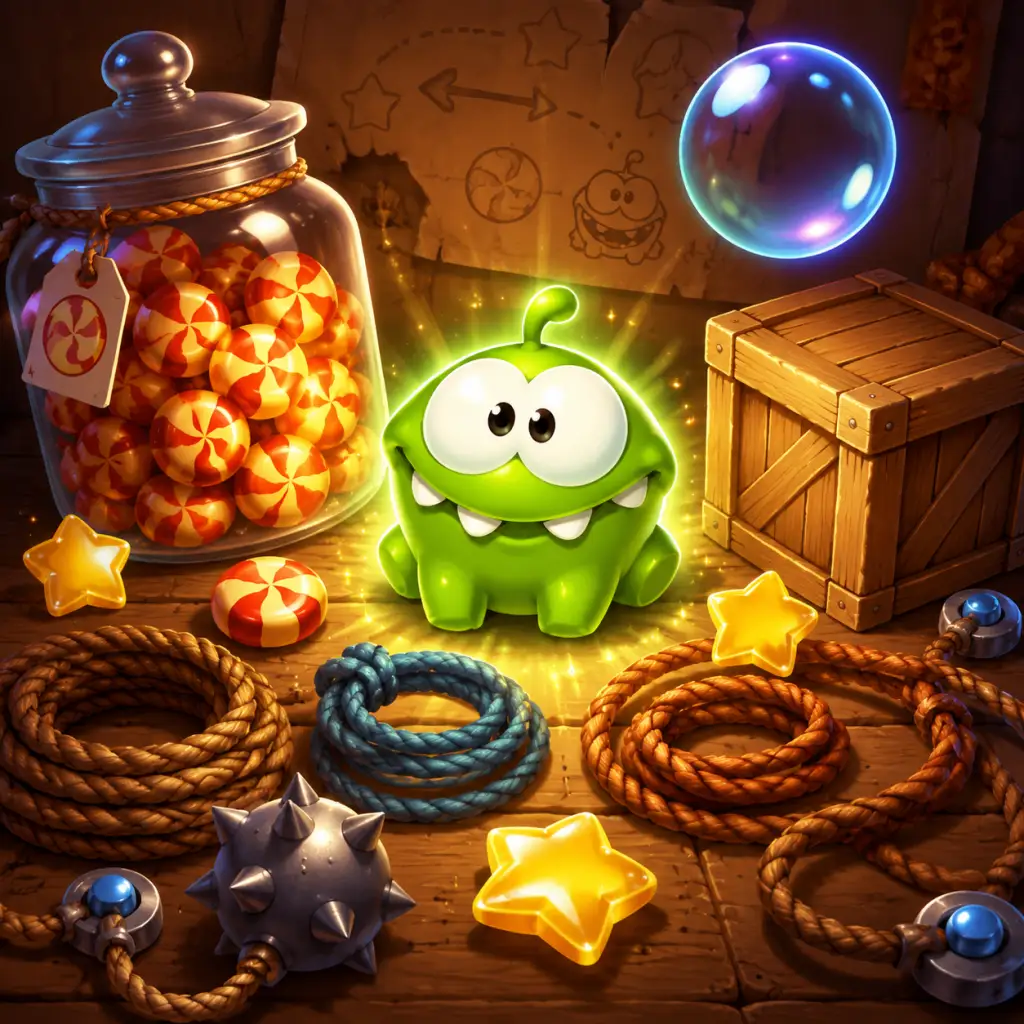
All Game Items
Cut the Rope All Game Items Guide
This guide covers every significant item and interactive element in Cut the Rope (original and main updates). The game does not feature traditional weapons or armor, but instead uses physics objects, collectibles, and environmental elements to create puzzles. Below is a complete inventory of these items, grouped logically.
1. Primary Objects
#### Candy
- Description: The round, striped lollipop that must be delivered to Om Nom's mouth.
- Function: The core objective of every level. Cutting ropes causes the candy to fall; it can be moved by bubbles, fans, spikes (destroyed if touched), and other elements.
- How to Obtain: It always starts each level hanging from ropes or resting on a surface.
- Usage Tips: Never let the candy touch spikes or fall off-screen. Use gravity, momentum, and other items to guide it into Om Nom's mouth.
- Synergies: Works with all interactive elements; especially important to chain multiple star pickups before the candy reaches the mouth.
- Description: The green, adorable monster with a big mouth.
- Function: The target for the candy. Once the candy enters his mouth, the level ends with a victory animation.
- How to Obtain: Om Nom is stationary in each level (except some later variants where he moves on a track or rotates).
- Usage Tips: Position the candy so it arcs directly into his mouth. Avoid bouncing it away at the last second. Some levels have multiple mouths or a moving Om Nom.
- Description: Three golden stars per level, each with a number (1, 2, 3).
- Function: Primary collectible. Collecting stars increases your star count, which unlocks subsequent levels and boxes. They also contribute to the overall completion percentage.
- How to Obtain: Touch any part of the candy to the star. Stars are often placed in challenging locations requiring precise timing or multiple rope cuts.
- Usage Tips: Plan your cuts so the candy sweeps through all three stars. Some stars can only be reached by using bubbles or other items. Missing one star may require restarting the level.
- Synergies: Bubbles can lift the candy to high stars; spikes can be used to pop bubbles after passing a star; TNT can blast the candy through stars.
#### Om Nom
#### Stars (Collectibles)
2. Interactive Elements (Environmental Items)
These are objects that appear in levels to alter the physics. They are not “collected” but are essential for solving puzzles.
| Item | Description | Effect | How to Obtain | Strategy / Notes |
|---|---|---|---|---|
| Rope | Brown or colored string attached to the candy or platforms. | Holds the candy in place until cut. Cutting a rope releases that anchor point. Multiple ropes can be cut in any order. | Always present from level start. | Cut ropes carefully to control fall direction. Cutting the right rope first often makes star collection possible. Some ropes are connected to other objects (bubbles, TNT). |
| Bubble | A translucent sphere that envelops the candy. | Makes the candy float upward slowly. The candy remains inside until the bubble touches a spike or is manually popped (by cutting a rope attached to the bubble). | Usually generated by a bubble wand or appears attached to a rope. | Use bubbles to reach high stars. Pop bubbles at the right moment to let candy fall. Bubbles can also carry the candy over spikes. |
| Spike | Sharp triangular points (often red) on walls or floors. | Instantly destroys the candy on contact, causing a level failure (except in some special levels where candy is invincible). | Placed as static obstacles. | Avoid candy touching spikes. Use spikes to pop bubbles intentionally. Some puzzles require the candy to just barely miss spikes. |
| TNT / Dynamite | A red explosive block with a fuse. | When the candy touches TNT, it explodes after a short delay, launching the candy in a random direction (or a fixed direction based on level design). | Often hidden behind ropes or placed in alcoves. | Use TNT to launch the candy upwards to reach stars or cross gaps. Be cautious – the explosion may send the candy into spikes. TNT also destroys itself. |
| Fan / Wind Machine | A rotating fan that blows air. | Creates a constant wind current that pushes the candy in a horizontal direction. Strength and direction vary. | Fixed on the level background. | Use fans to move the candy sideways while it falls. Combine with gravity for curved trajectories. Some fans are turnable or have variable power. |
| Magnet | A blue or red magnetic block. | Attracts the candy if it’s made of metal (some later levels introduce metal candy). | Usually stationary. | Only works on metal candies. Can pull candy toward it or repel it depending on polarity. Use to alter fall path. |
| Moving Platform | A horizontal or vertical platform that slides along a track. | Provides a moving surface for the candy to land on. | Appears as part of level geometry. | Time your cuts so the candy falls onto the platform at the right moment. Platforms can carry the candy to otherwise unreachable stars. |
| Teleporter / Portal | A pair of circular portals (green and exit). | When the candy enters the green portal, it comes out of the exit portal at a different location. | Placed in pairs. | Use portals to instantly shift the candy across gaps. Plan the order of rope cuts to ensure the candy enters the correct portal. |
| Switch / Lever | A button or lever that activates other objects (like fans, moving platforms). | Must be pressed by the candy hitting it. | Usually placed on a wall or floor. | Requires precise aiming. The effect is temporary; some switches toggle on/off. |
| Water / Liquid | Pools of liquid (blue) that the candy can fall into. | The candy sinks slowly in water, reducing fall speed. | Part of level environment. | Use water to slow down the candy to collect stars below. Water may also have currents. |
| Anti-Gravity Zone | A glowing area that reverses gravity. | Inside the zone, the candy floats upward instead of falling. | Usually a colored rectangle. | Cut ropes so the candy enters the zone. Once outside, normal gravity resumes. |
| Chain / Metal Rope | Similar to rope but made of metal segments. | Cannot be cut by default; must be broken by TNT or other means. | Rare. | Ignore chains unless you have a way to break them (e.g., explosion). |
3. Currencies & Progression Items
#### Stars (Level Completion Stars)
- Function: Unlocks the next level or box set. You need a certain number of total stars to progress (e.g., 12 stars to open Box 2).
- How to Obtain: Collected within levels (see above).
- Usage: No spending; purely progression gating. Replaying levels to get missing stars is common.
- Function: In later updates (e.g., Cut the Rope: Magic, Cut the Rope 2), coins can be used to purchase power-ups or cosmetic items.
- How to Obtain: Found in levels, awarded for daily challenges, or bought via microtransactions.
- Usage: Buy Om Nom costumes, special abilities, or extra moves. Not present in the original game.
- Description: Cosmetic changes to Om Nom’s appearance. Examples: Top Hat, Astronaut Helmet, Pirate Hat.
- Function: Purely cosmetic; no gameplay effect.
- How to Obtain: Earned by completing certain levels with all stars, via events, or purchased in the shop.
- Usage: Show off your achievements. Some costumes are tied to special themed levels.
- Description: Platform-specific achievements (e.g., “Gold Star” for 3-starring a level, “Om Nom Nom” for completing 50 levels).
- Function: Reward milestones and increase replayability.
- How to Obtain: Meet specific criteria (e.g., collect 1000 total stars, complete a level without cutting any ropes, etc.).
- Description: Groups of 25 levels each (e.g., Cardboard Box, Fabric Box, etc.).
- Function: Organize levels thematically. Unlock by earning enough stars from previous boxes.
- How to Obtain: Automatic when star threshold is met.
- Description: The player’s primary tool. Drag a finger across a rope to cut it.
- How to Obtain: Always available per level.
- Usage Tips: Cut precisely - a slight angle can affect candy trajectory. You can cut multiple ropes in quick succession. Some ropes are hidden or require cutting in a specific order.
- Description: Tapping a bubble that contains the candy will pop it early.
- How to Obtain: Only when the candy is inside a bubble.
- Usage: Use to release candy from bubble at an advantageous moment.
- Description: Allows you to redo a cut without restarting the level (available in some paid versions).
- How to Obtain: Purchased with coins or real money.
- Usage: Recover from a bad cut. Limited uses per level.
- Description: A consumable item that gives the candy a speed boost or special ability for one level.
- How to Obtain: Coins or in-app purchase.
- Usage: Use on tough levels to bypass a challenging star.
- Rope + Fan: Cutting the rope while a fan is blowing can swing the candy in a pendulum motion, useful for collecting multiple stars.
- Bubble + Spike: Pop a bubble by guiding it into a spike; good for dropping candy from a height.
- TNT + Portal: Launch the candy into a portal to reach a faraway star.
- Water + Anti-Gravity: Combine for unpredictable movement - water slows descent, then anti-gravity reverses it.
#### Gold / Coins (in some versions)
4. Collectibles & Cosmetics
#### Om Nom Costumes / Hats
#### Achievements / Trophies
#### Level Boxes / Sets
5. Tools & Abilities (Player Actions)
#### Rope Cutting (Finger Swipe)
#### Tap on Bubbles
6. Important Consumables (Specific to Some Game Versions)
#### Extra Moves / Respin
#### Rocket / Booster (Cut the Rope 2 and Magic)
7. Notes & Synergies
This completes the item inventory for Cut the Rope. While not a traditional RPG inventory, these elements are the building blocks of every puzzle. Mastery of each item’s behavior is the key to achieving three stars on every level.
Character Skills
Cut the Rope - Character Skills Guide
This guide covers all playable characters and their skills in Cut the Rope (original game). Unlike traditional RPGs, Cut the Rope features only one playable character: Om Nom. The player does not control Om Nom directly; instead, the player uses their cutting skills to manipulate ropes and objects to feed the candy to Om Nom. As such, the 'character skills' here refer to both Om Nom's innate behaviors and the player's strategic abilities.
Playable Characters
Om Nom
- Role: Candy-eating monster. He is the objective; candy must reach his mouth.
- Innate Abilities:
- Skill Upgrades: None. Om Nom does not level up.
- Effect: Cut a single rope at an exact point to control the candy's trajectory.
- Cooldown: None – immediate.
- Upgrades: None.
- Combos: Use with a second rope to create a pendulum swing.
- Synergies: Combine with bubble or rocket items to redirect candy.
- Recommended Build: Always enabled; essential for star collection.
- When to Use: When you need to avoid spikes or collect a specific star.
- Effect: Cutting multiple ropes at once by swiping across several rope anchors. Allows timing synchronization.
- Cooldown: None.
- Upgrades: None.
- Combos: Used to release candy from all constraints simultaneously.
- Synergies: Works well with items that activate upon release (e.g., rocket).
- Recommended Build: Use when multiple ropes hold the candy symmetrically.
- When to Use: When you need the candy to drop straight down without swinging.
- Effect: Cutting ropes one by one in a specific order to guide the candy through a path.
- Cooldown: Depends on your reaction time.
- Upgrades: None.
- Combos: Combine with bubble timing.
- Synergies: Essential for collecting stars in narrow paths.
- Recommended Build: N/A.
- When to Use: Most levels require a sequence; plan your cuts.
- Mouth Magnetism: The candy will fall into Om Nom's mouth if it touches his lips. This is the win condition.
- Weight Detection: Om Nom's presence does not affect physics; he is a static target.
- Collector's Instinct: Om Nom will only start eating after candy is in his mouth; no other action.
- Candy Consumption: Automatically consumes any candy that enters his mouth. No cooldown.
- Position Lock: Om Nom is usually stationary on a platform or occasionally slides. He cannot be controlled.
- Hunger Animation: After eating candy, he burps and smiles (cosmetic).
Player Skills (Rope Cutting Techniques)
Since the player's primary action is cutting ropes, mastery of cutting techniques is essential. Treat these as your 'character abilities.'
1. Precision Cut
2. Simultaneous Cut (Slide Cut)
3. Sequence Cut (Timed Cut)
Om Nom's Passive 'Skills'
While not active abilities, these game mechanics act like Om Nom's talents:
Advanced Techniques (Combos)
| Technique | Description | Best Use |
|---|---|---|
| Pendulum Swing | Cut ropes so candy swings to reach distant stars. | Levels with wide gaps. |
| Bounce Cut | Cut rope to drop candy onto a trampoline, then cut another rope to redirect. | Levels with trampolines and multiple stars. |
| Momentum Transfer | Cut a rope while candy is moving to preserve momentum. | Levels with ramps or loops. |
Recommended Builds
Since there are no skill trees or upgrades, 'builds' refer to playstyle:
- Star Collector: Focus on sequencing cuts to gather all three stars. Use slow, deliberate cuts.
- Speedrunner: Prioritize quick cuts and simultaneous cuts to finish levels fast.
- Precision Cut: Use for levels with spikes or narrow passages.
- Simultaneous Cut: Use for symmetrical rope setups or to drop candy quickly.
- Sequence Cut: Use for complex star patterns.
When to Use Each Skill
Notes
There are no unlockable spells, talents, or special moves in the original Cut the Rope. All skills are available from the start. The only 'skill progression' is the player's own improvement in timing and observation.
This covers the single character and the player's cutting skills. The guide remains true to the game's simple mechanics.
Characters & Roles
Characters & Roles in Cut the Rope
Overview of Playable Units
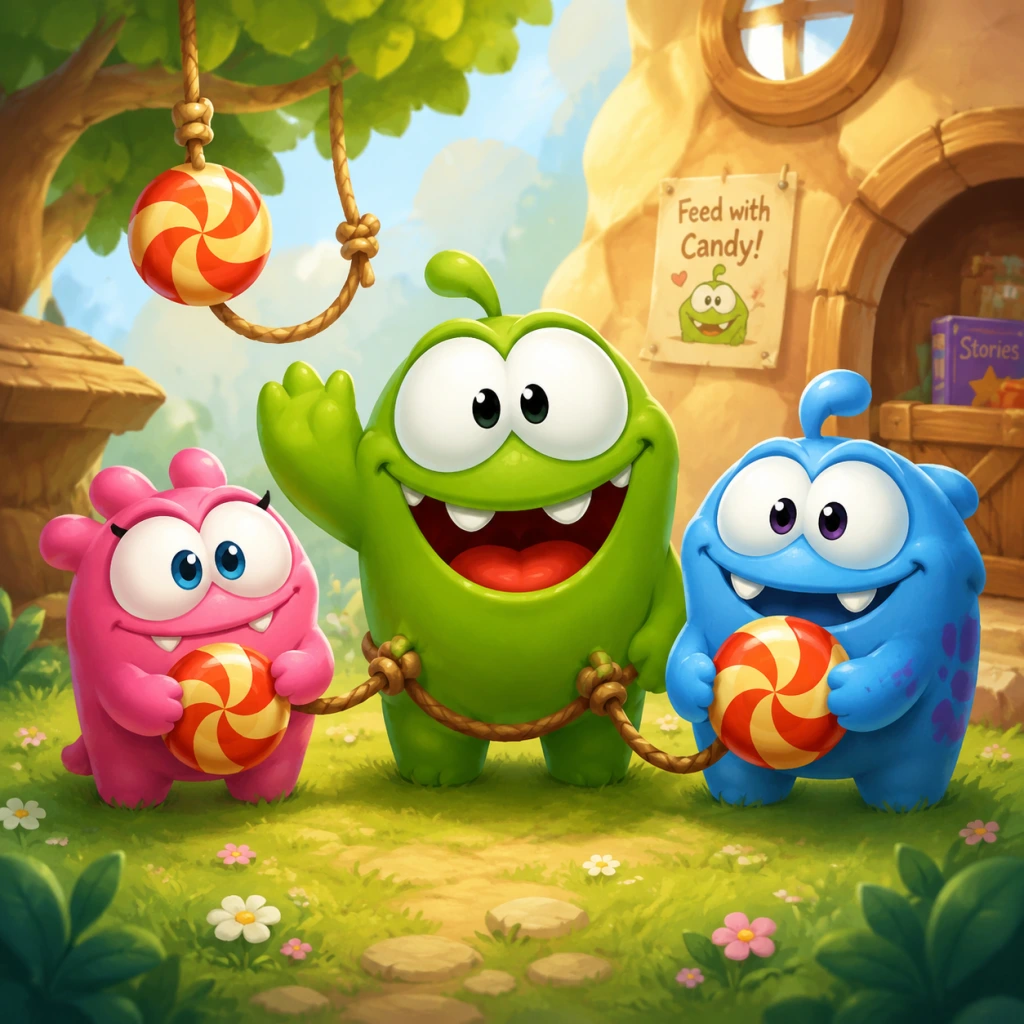
Unlike traditional RPGs or action games, Cut the Rope features a single protagonist: Om Nom, a small, green, toothy monster with an insatiable craving for candy. The player does not directly control Om Nom; instead, they manipulate the environment (cut ropes, activate bubbles, etc.) to deliver candy into his open mouth. There are no character classes, unlockable heroes, or role-based party members in the original Cut the Rope. However, spin-off titles like Om Nom: Adventures or Om Nom: Stickers introduce additional characters, but this guide focuses solely on the core puzzle game.
Om Nom – The Candy-Loving Monster
#### Background
Om Nom is the mascot of the cut the rope series, created by ZeptoLab in 2010. He is a cheerful, curious creature who spends his days solving puzzles to obtain his favorite treat: candy. His origins are whimsical—he appears in a mysterious laboratory filled with ropes, bubbles, and spikes, and the player must help him. Om Nom has become iconic for his expressive face, happy chomps, and adorable burps after eating.
#### Strengths
- Consistent Target: Om Nom’s mouth is always open and stationary (or fixed in place) in each puzzle, making him a predictable goal. You never need to move him or adjust his position.
- Forgiving Collision: If the candy touches any part of Om Nom’s body (not just his mouth), he still eats it and completes the level. This gives a slight margin for error.
- Inspiring Loyalty: Players naturally want to help such a cute character, which encourages replaying levels to collect all stars.
- Cannot Be Controlled: Om Nom cannot move, jump, or act on his own. All puzzle-solving relies on the candy’s physics. If your rope cuts miss, the candy may get stuck or fall into a hazard (spikes, off-screen), and Om Nom cannot save it.
- Vulnerable to Time Wasters: Om Nom has no timer, but if the candy falls into a spike or is lost, you must restart the level. He never gets upset, but you might!
- No Skills or Upgrades: Unlike a “character” in a role‑playing game, Om Nom has no skills to level up, no equipment to equip, and no way to influence the puzzle beyond being the destination.
- Bubbles: They lift the candy toward him, especially when combined with gravity.
- Air Cushions: Soft landings near his mouth.
- Rockets/Spinners: To redirect candy mid‑flight.
- Collectible Stars: Direct the candy through star circles to maximize score.
#### Weaknesses
#### Playstyle
Playing as Om Nom (or rather, playing for Om Nom) requires careful observation and precise timing. Your goal is to cut ropes in the correct order, utilize bubbles, air cushions, and other interactive objects to guide the candy into Om Nom’s mouth while collecting all three stars. There is no combat, no resource management—just pure physics logic. Patience and a trial-and-error approach are rewarded.
#### Unlock Conditions
Om Nom is available from the very first level (Cardboard Box, Level 1-1) with no need to unlock. He remains the same throughout the entire game, across all chapters (Cardboard Box, Fabric Box, Plastic Box, etc.). There are no alternative characters in the original Cut the Rope.
#### Recommended Equipment or Builds
Not applicable. Om Nom uses no weapons, armor, or consumable items. The only “equipment” you have are the tools in the level (ropes, bubbles, spikes, etc.). However, you can consider the three‑star rating as a measure of your build efficiency—completing a level with all three stars is the optimal outcome. There is no way to customize Om Nom or the game mechanics.
#### Team Synergy
Since Om Nom is the only character, team synergy does not exist. The game is a solitary puzzle experience. However, if you view the interactive objects (ropes, bubbles, etc.) as part of the “team,” then Om Nom synergizes best with:
#### Conclusion
In Cut the Rope, Om Nom is not just the central character—he is the entire reason for playing. His simplicity (always waiting, always hungry) makes the puzzles purely about physics manipulation. There are no roles to assign, no builds to optimize, and no unlockable characters. Your success hinges entirely on your ability to cut ropes and guide candy. Master that, and Om Nom will reward you with a happy burp and stars.
Cheats & Secrets
Cheats & Secrets
Overview
Cut the Rope does not contain traditional cheat codes, unlock codes, or developer consoles. The game is a linear physics puzzle with no debug modes or built-in cheats. However, the developers at ZeptoLab included several Easter eggs, hidden interactions, and developer-intended secrets across various versions. This guide documents all known secrets for the original game and its major updates.
---
Easter Eggs & Hidden Features
1. Om Nom Interactive Animations
- Action: Tap or click repeatedly on Om Nom's belly or face while he is idle.
- Result: Om Nom wiggles, opens his mouth wide, and sometimes sticks out his tongue. This works in most level selection screens and during gameplay when Om Nom is present but not eating.
- Platform: All versions (iOS, Android, PC, consoles).
- Action: On the main menu, tap the candy icon (the one rotating or sitting on a rope).
- Result: The candy bounces or changes color momentarily. In some versions, a small star pops out.
- Platform: iOS, Android, Steam.
- Availability: This is a seasonal Easter egg that appears around the anniversary of the game's release (October 6). On that date, Om Nom wears a small party hat on the main menu and level select screens.
- No code required: It activates automatically based on your device's date. You can cheat by changing your system date to October 6.
- Platform: All versions (first observed in 2011).
- Nicht: The name “Om Nom” is itself an Easter egg, imitating the sound of eating. However, in some level backgrounds (e.g., the “Fabric” box), you may see tiny text reading “Om Nom” scrawled on walls. This is a subtle developer signature.
- Location: Look closely at the wooden or fabric textures in early levels; you might spot the words “ZeptoLab” or “Om Nom” written as graffiti.
- Fact: There are no hidden stars beyond the three visible per level. However, achieving three stars on every level in a box unlocks the next box. No secret levels exist if you collect all stars in the entire game.
- Note: Some players mistakenly believe that collecting all stars on a level gives a fourth hidden star; this is false. All secrets are visual or interactive only.
- Seasonal: Similar to the birthday hat, around December 24–25, Om Nom may wear a Santa hat. Change your device date to December 25 to see it.
- Platform: iOS, Android (confirmed on older versions).
- Availability: In the Settings menu, scroll to the bottom and tap “About” repeatedly (around 10 times). A secret screen showing developer names and ZeptoLab logos appears.
- Platform: Most versions (iOS, Android, Steam).
- Note: This applies to the spin-off Cut the Rope: Experiments, not the original. In that game, you can input a code on the level select screen to unlock a special “Bug” level. Code: #BUG (or sometimes BUG). Type it using the on-screen keyboard. This unlocks a hidden level with strange physics and a different background.
- Original Cut the Rope: No equivalent code exists.
- During loading, Om Nom sometimes appears and bounces around. If you tap him repeatedly, he gets dizzy. This is purely cosmetic.
- In the “Cardboard” box levels, look for tiny drawings of candy, stars, or Om Nom faces in the corners. These were added by artists.
- While playing a level, if you tap and hold on a rope (without cutting), Om Nom may look at that rope. Not a secret but an intentional gesture to help with targeting.
2. Title Screen Candy Tap
3. Secret “Birthday Hat” for Om Nom
4. “Om Nom” Name Origin Easter Egg
5. Hidden Star Collectibles? (Misconception)
6. Om Nom’s Christmas Hat
7. Developer Credits Easter Egg
8. “Cut the Rope: Experiments” – Secret Level Code
---
Exploit-Free Secrets (Developer-Intended)
1. Om Nom Mascot on Loading Screens
2. Level Background Hidden Items
3. The “Rope” Interaction
---
Conclusion
Cut the Rope intentionally avoids cheat codes to preserve the puzzle-solving integrity. All secrets are visual Easter eggs or seasonal decorations. No sequence breaks or infinite-stars glitches exist. For those seeking hidden content, the developer credits screen and seasonal Om Nom hats are the most rewarding discoveries.