Dota 2
## Dota 2 Game Introduction **Genre:** Multiplayer Online Battle Arena (MOBA) **Developer and Publisher:** Valve Corporation **Release Timeline:** - Dota 2 was first announced in October 2010. - Beta testing began in November 2011. - Official free-to-play release on July 9, 2013, for Windows. - Ma...
Download & Installation
Dota 2 Download & Installation Guide
Dota 2 is a free-to-play multiplayer online battle arena (MOBA) game developed and published by Valve Corporation. It is available exclusively on PC via the Steam platform. There are no official releases for PlayStation, Xbox, Nintendo Switch, or mobile devices. This guide covers everything from system requirements to post-installation verification.
---
1. Platform Availability
| Platform | Official Support | Availability |
|---|---|---|
| PC (Windows / macOS / Linux) | Yes - via Steam | Free to play |
| PlayStation 4 / 5 | No | Not available |
| Xbox One / Series X\ | S | No |
| Nintendo Switch | No | Not available |
| iOS / Android | No | Not available |
---
2. System Requirements
Dota 2 is relatively lightweight for a modern game. Requirements may change slightly with major updates.
#### Minimum Requirements (playable at low settings)
- OS: Windows 7 / macOS 10.9 / Ubuntu 14.04 (64-bit)
- Processor: Dual-core from Intel or AMD at 2.8 GHz
- Memory: 4 GB RAM
- Graphics: NVIDIA GeForce 8600/9600GT, ATI/AMD Radeon HD 2600/3600, or Intel HD Graphics 4400 (DirectX 9.0c compatible)
- DirectX: Version 9.0c
- Storage: 15 GB available space
- Network: Broadband internet connection
- OS: Windows 10 / macOS 10.15 / Ubuntu 18.04 (64-bit)
- Processor: Intel Core i5-4460 or AMD Ryzen 3 1200
- Memory: 8 GB RAM
- Graphics: NVIDIA GeForce GTX 960 or AMD Radeon R9 280 (DirectX 11)
- DirectX: Version 11
- Storage: 15 GB SSD
- Network: Broadband internet connection with low latency
- Base game: ~7–10 GB
- With updates / workshops / replays: 15–20 GB recommended
- SSD strongly recommended for faster map loading and reduced stutter.
- Steam Account (free): Create at [steampowered.com](https://steampowered.com)
- No additional subscriptions required; Dota 2 is fully free-to-play.
- Phone number may be required for ranked matchmaking (Steam Guard Mobile Authenticator).
#### Recommended Requirements (smooth 60fps at medium-high)
> Note: macOS support has been reduced; Valve recommends playing on Windows or Linux for best performance. On Linux, the native client uses Vulkan.
---
3. Required Storage Space
---
4. Account Requirements
---
5. Step-by-Step Installation on PC (Steam)
#### 5.1 Install Steam Client
1. Go to [store.steampowered.com](https://store.steampowered.com).
2. Click "Install Steam" in the top right.
3. Download the installer (`SteamSetup.exe`).
4. Run the installer and follow on-screen prompts:
- Choose language
- Accept license agreement
- Select installation folder (default: `C:\Program Files (x86)\Steam`)
5. Once installed, launch Steam and log in (or create a new account).
#### 5.2 Download Dota 2
1. In Steam, click the Store tab.
2. Search for "Dota 2" in the top-right search bar.
3. On the store page, click "Play Game" (or "Add to Library").
4. The game is now added to your library.
5. Switch to the Library tab.
6. Find Dota 2 in your games list and click "Install".
7. Choose installation directory:
- Default: `C:\Program Files (x86)\Steam\steamapps\common\dota 2 beta`
- You can change it to any folder on any drive.
8. Click "Next" and Steam will start downloading the game files (~8 GB initially).
9. Wait for download and installation to complete. You can play while downloading continues (only the core files are needed to start).
> Alternative method: You can install directly from a friend’s Steam library share or use a physical disc, but digital download is standard.
---
6. First Launch Setup
1. After installation, click "Play" in Steam Library.
2. The game will compile shaders (may take a few minutes on first launch).
3. You will be prompted to sign in with your Steam account (automatic if already logged in).
4. Accept the End User License Agreement (EULA) and Privacy Policy.
5. The game downloads additional content (heroes, maps, sounds). A progress bar appears.
6. Once loaded, you may see a tutorial offer. It is highly recommended for new players.
7. Configure initial settings:
- Graphics: Auto-detect or manual. Set resolution, quality, window mode.
- Audio: Adjust volume, language (voice chat).
- Controls: Customize hotkeys, camera speed, etc.
8. Complete the tutorial (optional) or go straight to the main menu.
> Note: Dota 2 requires an internet connection at all times. Offline LAN play is not officially supported.
---
7. Common Installation Errors & Fixes
| Error | Cause | Solution |
|---|
| Download stuck at 0% | Network issue / Steam server load | Restart Steam; check internet; try changing download region in Steam Settings > Downloads.
| "Disk write error" | Insufficient permissions or disk space | Run Steam as Administrator; free up disk space; check if antivirus is blocking writes.
| Shaders compilation fails | Outdated GPU drivers | Update graphics drivers (NVIDIA, AMD, Intel). For Linux, ensure Vulkan drivers are installed.
| Game crashes on startup | Corrupted config files | Delete `cfg` folder in `...\dota 2 beta\game\dota\cfg` (Steam will regenerate). Disable conflicting overlays (Discord, MSI Afterburner).
| Low FPS after install | Wrong graphics settings / outdated drivers | Set graphics to default; disable vsync; update DirectX and GPU drivers. On macOS, try lower resolution.
| "Unable to load library steam_api.dll" | Antivirus quarantine | Add Steam folder to antivirus exclusions. Reinstall Steam if necessary.
| Game won't open after update | Partial update bug | Restart Steam; wait for patch; verify files again.
#### General Troubleshooting Steps
- Run Steam as administrator (right-click shortcut > Run as administrator).
- Disable IPv6 in network adapter settings if download speeds are slow.
- Close background applications that may interfere (especially overlays).
- Reinstall Dota 2 only as last resort (backup config files first).
- High-priority installation: In Steam Settings > Downloads, enable "Allow downloads during gameplay" for background updates.
- Multiple installs: Dota 2 supports multiple installations on different drives (right-click > Properties > Local Files > Move Install Folder).
- Steam Cloud Saves: Settings are automatically synced. No manual save needed.
- Alternative clients: Dota 2 also offers a Vulkan renderer (on Windows and Linux) for better performance on compatible hardware. Enable in launch options: `-vulkan`.
---
8. Post-Installation Verification
After installation, confirm that everything is working correctly:
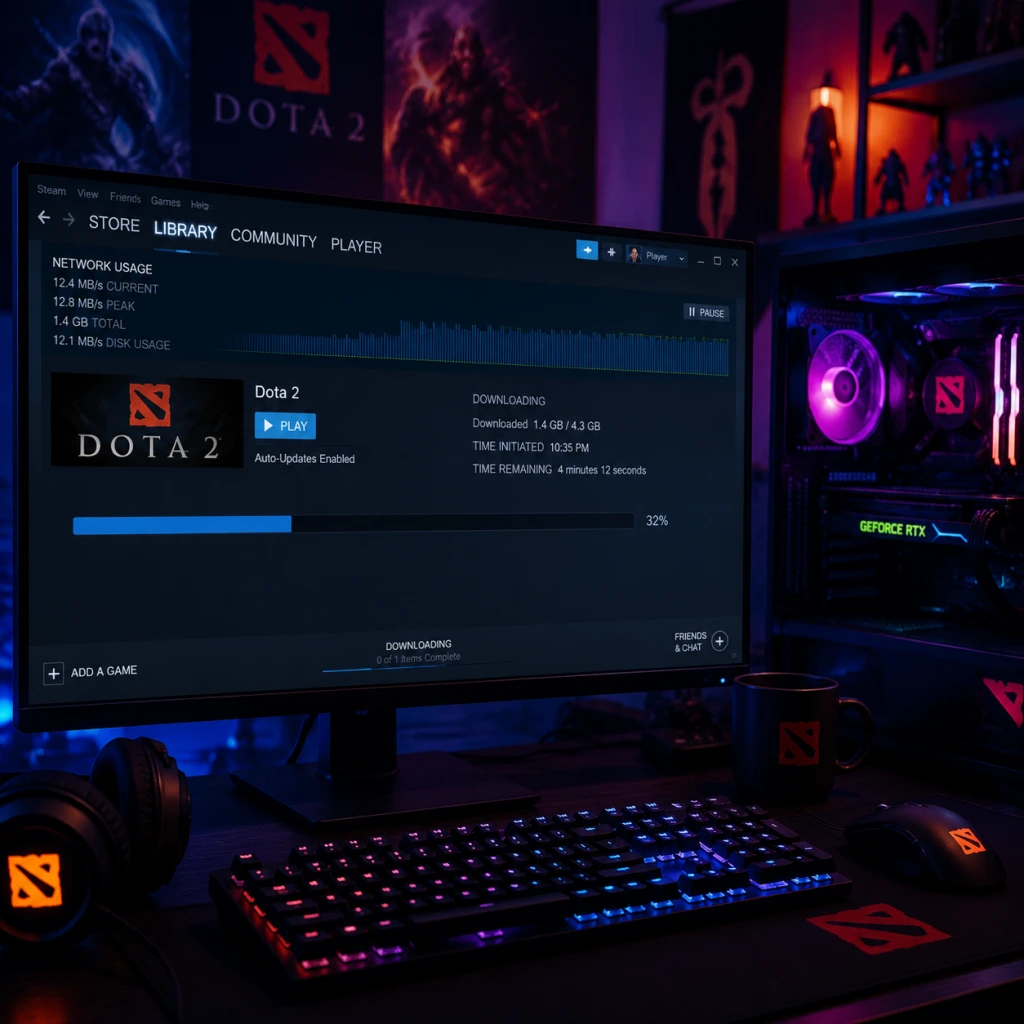
1. Check file integrity: In Steam Library > Dota 2 > Properties > Local Files > Verify integrity of game files. If any missing/corrupted files are found, Steam will redownload them.
2. Launch the game and observe:
- Main menu loads fully.
- You can access the Heroes tab.
- Navigate to Learn > Tutorial (should start without errors).
- Test a local practice match against bots (Play > Bot Match).
3. Check graphics performance: Press F12 to take a screenshot, or use console (`~` key) to check FPS (`net_graph 1`).
4. Audio check: Play a hero voice line or test microphone in Settings > Audio > Microphone Test.
5. Update schedule: Dota 2 receives frequent balance patches (every 2–4 weeks) and major events. Ensure auto-updates are enabled in Steam.
> Note: Your in-game progress, cosmetics, and MMR are stored on Valve servers via your Steam account. No backup is needed.
---
9. Additional Tips
---
Closing
Dota 2 is a deep, endlessly replayable game with a large community. By following this guide, you should have a smooth installation and be ready to jump into the Battle of the Ancients. For further help, visit the official [Dota 2 Help site](https://help.dota2.com) or the [/r/Dota2 subreddit](https://reddit.com/r/Dota2).
Game Introduction
Dota 2 Game Introduction
Genre: Multiplayer Online Battle Arena (MOBA)
Developer and Publisher: Valve Corporation
Release Timeline:
- Dota 2 was first announced in October 2010.
- Beta testing began in November 2011.
- Official free-to-play release on July 9, 2013, for Windows.
- Mac and Linux support added in July 2013 as well.
- Continually updated with new heroes, gameplay patches, and seasonal events.
- Invoker – A master of magic with 10 spells, representing immense knowledge and power.
- Pudge – A grotesque butcher whose hook pulls enemies to their doom.
- Axe – A relentless warrior who thrives on the front lines.
- Crystal Maiden – A frost mage who slows and disables foes.
- Phantom Assassin – An elusive assassin dealing deadly critical strikes.
- Sniper – A long-range marksman who picks off enemies from afar.
- Core Appeal: Deep strategic gameplay, high mechanical skill ceiling, strong emphasis on teamwork and communication. Every match offers a unique experience due to dynamic draft, item builds, and hero synergies. The game rewards game sense, map awareness, and decision-making under pressure.
- Target Audience: Competitive gamers, ages 16+ who enjoy challenging, team-based strategy. Appeals to fans of RTS, MOBA, and eSports. It has a steep learning curve, so it’s best for players willing to invest time to master its systems.
- All Pick: Standard draft mode; players pick any unlocked hero. Most popular for matchmaking.
- Ranked Matchmaking: Four modes (All Pick, Captain's Mode, Random Draft, etc.) with a visible MMR system for competitive progress.
- Turbo Mode: Faster matches with accelerated gold and experience gain.
- Ability Draft: Players create custom hero ability sets.
- Single Draft, Random Draft, All Random, Captains Mode, Captains Draft – Variety of draft systems for different play styles.
- Special Events: Limited-time game modes (e.g., Diretide, Frostivus, Battle Pass modes).
- Online: Essential. Dota 2 is an always-online multiplayer game. All standard modes require an internet connection and a Steam account.
- Offline: No single-player or offline campaign. Practice with bots is available but still requires a connection to Steam for loading assets and verifying ownership (though can be played in a local lobby with bots).
- Deny Mechanic: Players can kill their own creeps and towers to deny enemies experience and gold.
- Neutral Items: Equippable items dropped by jungle creeps, adding RNG and strategic looting.
- Talents & Skill Trees: Heroes gain talent choices at levels 10, 15, 20, 25, customizing their abilities further.
- Free Hero Rotation + All Unlocked: Unlike many MOBAs, all heroes are permanently free to play (no grinding or purchases).
- Huge Map and Complex Micro: A massive map with intricate jungle camps, multiple objectives (Roshan, Outposts, Bounty Runes), and high emphasis on map control.
- Deep Lore and Immersion: A living world that evolves with each update, tied to real-world events and community contributions.
- eSports Prestige: Home to The International (TI), the largest eSports tournament prize pool ever, funded by the community via Battle Pass.
Platforms: Exclusively on PC (Windows, macOS, Linux) through the Steam platform. No official console or mobile versions exist.
Story Overview & Setting
The world of Dota 2 is a multiverse of warring factions, ancient artifacts, and immortal champions. At the center lies an endless conflict between two primordial forces: the Radiant (light, order, creation) and the Dire (darkness, chaos, entropy). Each match represents a battle for an Ancient—a powerful stone at the heart of each faction’s base. The setting is vast and includes realms like the Emerald Forest, the Scintillant Waste, the Bleeding Hills, and countless other fantastical locales. The lore is deep, shaped by the stories of over 120 unique heroes, each with their own motives, alliances, and enmities. Valve continues to expand the narrative through comics, in-game lore, and character interactions.
Main Characters
Dota 2 features a roster of over 120 playable heroes, each with distinct abilities, roles, and backstories. Iconic heroes include:
No single hero is the “main” protagonist; the entire cast contributes to the infinite replayability and tactical depth.
Core Appeal & Target Audience
Game Modes
Online/Offline Support
DLC/Expansion Overview
Dota 2 is completely free-to-play with no paid expansions or DLC that affect gameplay. All heroes and core game features are free. The monetization model relies on cosmetic items (skins, couriers, wards, voice packs, etc.) and the Battle Pass (seasonal event offering exclusive cosmetics and gameplay bonuses like custom map features). No pay-to-win elements exist.
What Makes Dota 2 Unique?
Dota 2 remains one of the most enduring and revered games in competitive gaming, offering an unparalleled depth that continues to attract new players and challenge veterans.
Getting Started
Getting Started with Dota 2: A Beginner's Guide
Welcome to Dota 2—one of the deepest and most rewarding strategy games ever made. This guide will walk you through your first hours, explain the essential systems, and help you avoid the most common beginner frustrations. Dota 2 is free-to-play on PC only (via Steam). There is no console or mobile version.
Your First Hour: A Walkthrough
1. Install and Launch
- After installing through Steam, launch Dota 2. You'll be greeted with the main menu. Don't panic—the UI is dense. Click "Play Dota" at the top.
- Important: Before queuing for a real match, you strongly must complete the New Player Experience (tutorial). Select it from the main menu or from the "Learn" tab. This teaches basic movement, last-hitting, and abilities.
- The tutorial takes about 15–20 minutes. Complete it fully.
2. First Real Match: Bot Game
- After the tutorial, go to "Play" → "Practice With Bots". Choose a cooperative bot match on the easiest difficulty ("Passive" bots). This is where you'll learn without pressure.
- Pick a simple hero: For your first few games, choose one of the following beginner-friendly heroes:
- Sniper (carry) – long range, easy damage
- Lich (support) – simple spells, teaches positioning
- Wraith King (carry) – tanky, two abilities, forgiving
- Avoid complex heroes like Invoker, Meepo, or Chen until you have 100+ hours.
3. Laning Phase (First 10 minutes)
- Go to the safe lane (bottom for Radiant, top for Dire) with your team's support.
- Focus on last-hitting the enemy creeps (click them when they have low HP to get gold). Do NOT attack the creeps mindlessly—only hit the final blow.
- Do not die. If an enemy hero comes close and you're low health, move back to your tower. It's better to miss last-hits than die.
- Buy a poor man's shield (if melee) or Ring of Protection (if ranged) from the side shop using the initial gold.
Character Creation / Hero Selection
Dota 2 does not have character creation. Instead, you choose a hero from a pool of 120+ at the start of each match. Hero selection is critical. Beginners should:
- Use the "New Players Welcome" filter in the hero grid (it shows recommended heroes).
- Read the hero's innate ability and four active abilities by clicking their portrait before picking.
- Tip: In bot games, you can random (click the dice icon) to try different heroes—there is no penalty in bot matches.
Controls (PC Only)
Dota 2 uses keyboard and mouse. Here are the essential controls:
| Action | Default Key | Alternative |
|---|---|---|
| Move | Right-click | Left-click + M |
| Attack | Left-click (then click target) or A + left-click (attack-move) | - |
| Stop/Hold position | S | - |
| Use ability 1 | Q | - |
| Use ability 2 | W | - |
| Use ability 3 | E | - |
| Use ability 4 | R | - |
| Use item slots (top row) | 1,2,3 | - |
| Use item slots (bottom row) | 4,5,6 | Z,X,C or alt+Q/W/E (change in settings) |
| Shop | B | F3 |
| Courier deliver | F2 | - |
| Level up ability | Ctrl + Q/W/E/R (or click) | - |
| Quick cast | Enable in settings | - |
- Use quick cast for all spells once you're comfortable. It casts instantly on mouse-over.
- Bind a separate key for "Attack Move" (default A) to avoid walking into enemies.
- You can rebind everything in Settings → Keyboard & Mouse.
- Top bar: Displays time, score, team gold, and experience graphs.
- Bottom left: Your hero portrait, health/mana bars, level, and buff/debuff icons.
- Bottom center: Active spells (Q,W,E,R) with cooldown numbers and mana cost shown on hover.
- Bottom right: Item slots (6) and neutral item slot. Also courier button.
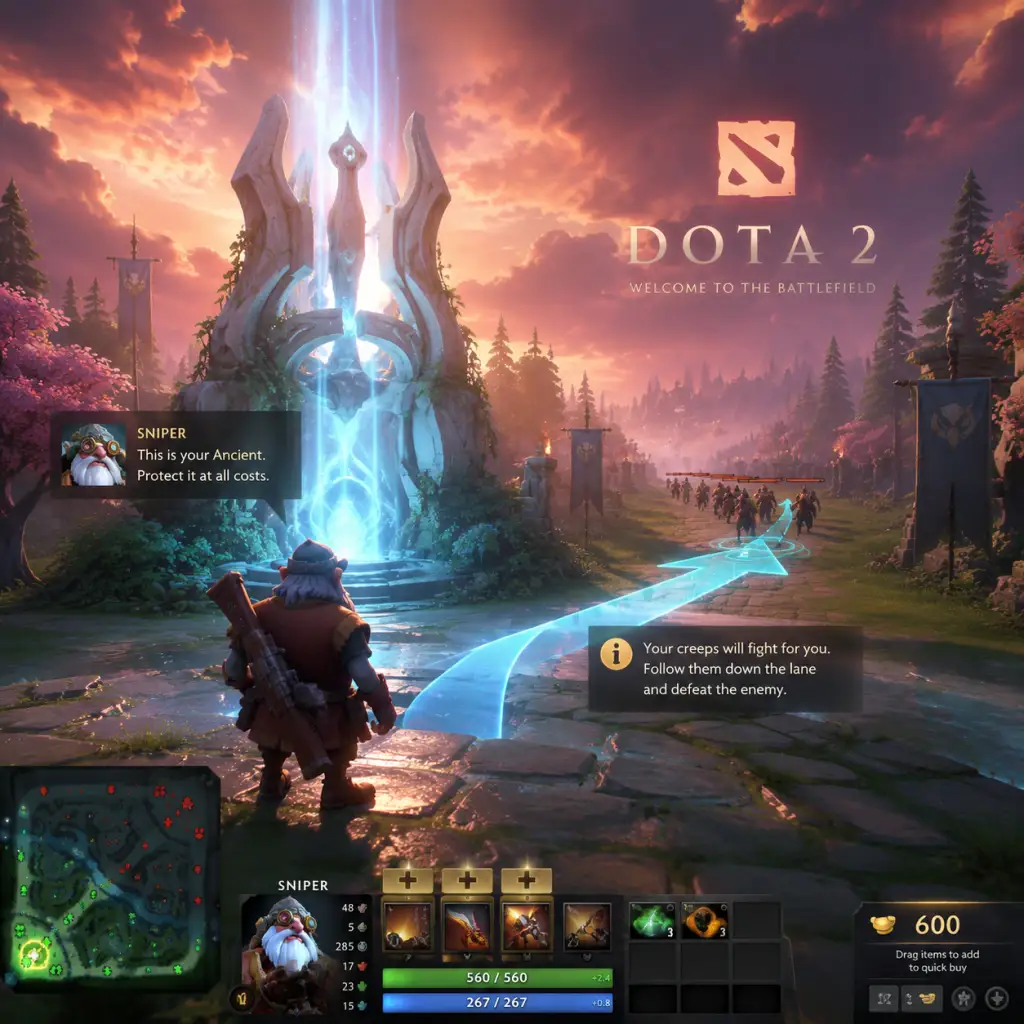
- Minimap (bottom left corner): Shows hero positions, towers, creeps, runes. Glance at it every 5 seconds.
- Shop (press B): Has a search bar and categories (Basics, Upgrades, Consumables). Buy items quickly between waves.
- Inventory backpack (bottom): Three extra slots for items you don't need active (e.g., components waiting to combine).
- Buy two sets of Tangoes (healing consumable) and a Healing Salve at game start.
- Buy a Quelling Blade if melee (last-hitting easier) or a Wraith Band if ranged (stats).
- Place the Observer Ward (if you're support) at a river rune spot to give vision.
- Communicate with pings (alt+click on minimap) and chat wheel (default Z).
- Don't auto-attack creeps (continually hitting them). This pushes the lane and makes you vulnerable to ganks.
- Don't buy items like Divine Rapier early—it's expensive and can drop on death.
- Don't blame teammates. Focus on your own improvement.
- Don't leave your lane until you've hit level 6 (unlock ultimate) unless you're rotating for a rune.
- Gold: Spend on consumables (tangoes, clarities, salves) first to stay in lane. Then build core items (recommended in the in-game guide).
- Experience: Stay within 1200 range of dying creeps to gain XP. Stack creeps (pull neutral camps into lane) if playing a support to deny enemy XP.
- Mana: Use spells sparingly. If you're a support, buy Clarity potions. If a core, buy Bottle after first 2–3 last-hits (for courier delivery).
- [ ] Complete the New Player Experience tutorial.
- [ ] Play 3–5 bot matches on Passive difficulty with beginner heroes (Sniper, Lich, Wraith King).
- [ ] Rebind keys to quick cast (if desired) and set up a comfortable layout.
- [ ] Learn the shop layout: practice buying items quickly via the search bar.
- [ ] Watch one beginner-friendly guide video (search "Dota 2 beginner guide 2025" on YouTube).
- [ ] Play one co-op bot match against easy bots with human teammates ("New Player" mode if available).
- [ ] Finally, queue your first matchmaking game (but don't worry if you lose—everyone does).
UI Overview
The Dota 2 HUD (Heads-Up Display) may feel cluttered. Here's what's essential:
Essential Early Objectives (First 10 Minutes)
1. Get last-hits. Aim for at least 30–40 last-hits by 10 minutes. This gives you gold for items.
2. Deny your own creeps when they are low health (attack + A-click your own creep) to deny the enemy gold and experience.
3. Stay alive. Dying gives the enemy gold and experience. If you're low, go back to base (teleport scroll or walk).
4. Use your courier to deliver items (press F2 then click the item to upgrade). Don't waste time walking back to shop.
5. Watch the minimap. If you see enemy heroes missing from your lane, back off or warn teammates.
What to Do First and What to Avoid
DO:
DON'T:
Early Resource Priorities
Your resources are gold, experience, and mana.
Common Beginner Mistakes
1. Overextending: Chasing kills into enemy towers or fog. If you can't see the enemy team on minimap, assume they are missing.
2. Not buying Teleport Scrolls: Always carry a TP scroll (costs 100 gold) from the mid-game onward to respond to fights or defend towers.
3. Ignoring the Courier: Remember to upgrade your courier to flying at 3 minutes (click the courier, then the flying upgrade button).
4. Bad item builds: Stick to recommended guides (the in-game guide system). Open the guide icon (book) on the top-left of shop and select a high-rated beginner guide.
5. Forgetting to check your health and mana: Use consumables early. Don't wait until you're dead.
Day-One Checklist
Remember: Dota 2 has a steep learning curve. Focus on one aspect each game—last-hitting, map awareness, or using spells—and you'll improve steadily. Use the in-game guides and community resources. The game is free, so there's no pressure to spend money (only cosmetics). Welcome to the battlefield!
Core Gameplay
Core Gameplay Overview
Dota 2 is a 5-versus-5 multiplayer online battle arena (MOBA) where two teams—the Radiant and the Dire—compete to destroy the enemy’s Ancient, a massive structure located in their base. Each player controls a single Hero, a powerful unit with unique abilities, and levels up over the course of a match, acquiring gold to purchase items that enhance their power. The match is divided into four distinct progression tiers: Early Game, Mid Game, Late Game, and Endgame. Understanding each tier’s goals, mechanics, and priorities is critical for success.
---
Early Game (0–15 minutes)
The early game focuses on laning, resource accumulation, and establishing a foundation for the mid game. Each team has three lanes (top, middle, bottom) where Heroes gather to farm creeps, deny the enemy, and contest objectives.
Main Gameplay Loop
- Laning: Two Heroes per lane (offlane and safe lane) plus a mid laner solo. One player on each team roams as a support (often the 4-position or 5-position) to assist lanes.
- Creep Equilibrium: Players last-hit enemy creeps for gold and experience, and deny their own creeps to reduce enemy gains. Proper creep agro management (attacking enemy hero near creeps to pull them) is key.
- Runes: At 0:00, 2:00, 4:00, etc., Bounty Runes spawn at the river rune spots (top and bottom) and power runes (e.g., Haste, Double Damage) spawn at the same times. Supports often secure runes for their team’s mid or carry.
- Lane Aggression: Supports harass the enemy offlaner, while carries focus on last-hitting. Denies deny experience (if within 500 range, denies 50% XP).
- Auto-Attacks: Standard attacks deal physical damage. Attack range, damage, and speed vary by hero.
- Spells: Each hero has four abilities (Q,W,E,R) + a passive. Spell damage types: Physical, Magical (reduced by magic resistance), Pure (ignores armor/resistance), HP Removal (bypasses magic immunity).
- Denies: You can deny an allied unit (creep, hero under ~50% HP) by right-clicking when the enemy hero is not nearby. Denying a hero prevents the enemy from getting gold and full XP.
- Creep Aggro: Attacking an enemy hero causes nearby creeps to attack you after a 2.5-second delay. Use this to pull creeps away from the enemy to secure last hits.
- Gold: Earned through lane creeps (last-hit, deny deny), hero kills, assists, tower kills, neutral creep kills, and passive gold (~1 gold/sec). Supports have lower gold priority; carries maximize last-hits.
- Experience: Gained from being near enemy creep deaths (750 radius), denying own creeps (gives 20% XP to denier), kills, and towers. Leveling unlocks skill points and later talent choices.
- Early-Ground Items: Starting with a few basic items (Tango, Quelling Blade, etc.). First major goals: Power Treads/Phase Boots, Magic Wand, and a cheap sustain item (e.g., Bottle on mid).
- Neutral Items: Not yet available (Neutral items drop after 7:00 in-game, but they are not a primary early-game focus).
- Minimap Awareness: Constantly look at minimap for enemy movements, missing calls, and rune pings.
- Jungle Camps: Starting at minute 1:00, neutral camps spawn in the jungle between lanes. Supports stack camps (pulling them away at :55 second mark) to increase gold/XP for carries. Carries may clear camps after lane creeps.
- Warding: Observers Wards placed to grant vision in key areas (river, jungle paths). Sentry Wards detect invisible enemies and mines.
- No formal quests in standard Dota 2. The equivalent is objectives like securing the first Bounty Rune at 0:00, contesting the power rune at 2:00, and attempting an early kill on the enemy mid laner or offlaner. supports may also attempt a pull or stack.
- Level 1-6: Learn basic abilities. Most heroes unlock their ultimate (R) at level 6. Ideal level distribution varies by hero (e.g., Juggernaut maxes Blade Fury before stats).
- Items: Choose a starting build based on role. Example: Carry (Phantom Assassin) buys Quelling Blade, 2x Tango, 1x Sentry, 1x Iron Branch. Support (Lion) buys Courier, Ward, 2x Clarity, 2x Tango, 2x Iron Branch, 1x Observer Ward.
- Talents: Not available until level 10, so no talent decisions yet.
- Farming Patterns: Carries farm lanes and jungle stacks to accelerate their item timings. Offlaners and midlaners push waves and rotate to gank. Supports roam to secure kills or place deep wards.
- Objective Contest: The first Tier 1 towers begin to fall. Teams group up to take towers, especially the mid tower to reduce enemy vision and map control.
- Roshan: The powerful neutral monster in the river pit. Killing Roshan drops the Aegis of the Immortal (grants one respawn) and a Cheese (full heal when consumed). Typically attempted when you have a pickoff advantage or after a teamfight win.
- Bounty Runes: Spawn in the river every 5 minutes after 0:00. Supports and midlaners fight over them. They give gold to entire team.
- Teamfights: Larger skirmishes with 3-5 heroes per side. Key abilities like Black Hole (Enigma), Ravage (Tidehunter), or Chronosphere (Faceless Void) can win fights. Coordination on initiations and counter-initiations is critical.
- Smoke of Deceit: A consumable that grants invisibility to the entire team for a short duration, allowing stealthy rotations and ganks. Essential for catching enemies off guard.
- Buyback: If you die, you can pay gold to instantly revive in your fountain with a cooldown (once per 7 minutes). Use sparingly because it costs gold and eventually leads to increased death timers.
- Gold Spikes: Carries complete their first major item around 15-20 minutes (e.g., Battle Fury, Manta Style, Blink Dagger). Supports finish boots and utility items (e.g., Force Staff, Glimmer Cape, Aether Lens).
- Experience: Heroes typically reach level 10-15. Talents become available at 10, 15, 20, 25. Example: At level 10, Anti-Mage chooses between +20 attack speed or +10 strength.
- Neutral Items: After minute 7, jungle creeps drop tokens that can be turned into neutral items. Tiers 1 (7–15 min), Tier 2 (15–25 min), Tier 3 (25–35 min). These free items (e.g., Dragon Scale, Vampire Fangs) provide stat bonuses.
- Warding Upgrades: Observers placed deeper into enemy jungle (e.g., near their ancient camp, shrine). Sentries to deward common spots.
- Pulling & Stacking: Supports continue to stack camps for their carries. Combined farming: a carry clears a stack of 3-4 ancients for huge gold.
- Tormentor: A neutral camp that grants Aghanim’s Shard (upgrades a hero’s ability) when killed. Usually taken around 15-20 minutes by a small group.
- Major Objectives: 1) Take all Tier 1 towers. 2) Secure Roshan (Aegis). 3) Establish control of the jungle to starve enemy farm. 4) Kill the enemies’ Tier 2 towers to push into their base.
- Skill Builds: Maxing a primary ability by level 7 (e.g., Zeus’s Arc Lightning maxed first). At level 10, choose a talent (e.g., +30 movement speed).
- Itemization: Adjust based on enemy team. Example: If enemy has silences, carry buys Manta Style to dispel; supports buy Eul’s Scepter for self-dispel or hard dispel.
- Luxury Items: Start building toward Aghanim’s Scepter (upgrades ultimate) or Refresher Orb (reset spell cooldowns) for late game.
- Siege Pushing: With Aegis, team groups up to push high ground. Carries attack towers while supports use abilities to defend or disengage. (Example: Dragon Knight’s Elder Dragon Form to melt tower.)
- Defense: The defending team tries to clear waves with AoE spells, catch a hero out of position, or force a fight under their own tower.
- Roshan: The Aegis becomes a priority. If one team secures it, they nearly guarantee a successful high ground push. After Roshan dies, the Aegis holder has 5 minutes of respawn protection.
- Divine Rapier: A high-risk item that drops on death. Sometimes bought as a Hail Mary when base is about to fall.
- High Ground: Attacking uphill gives a 25% miss chance for ranged attacks, and the defender has vision advantage from their towers and barracks. Teams must break the enemy’s base by destroying barracks (range and melee) to spawn mega creeps.
- Chipping: Instead of full commit, sometimes teams use long-range spells (e.g., Zeus’s Thundergod’s Wrath) or illusions to damage towers safely.
- Buyback Usage: In late game, buying back after a wipe can turn a lost fight. But doing so costs a huge amount of gold (scales with level). Timing is everything.
- Near Full Slots: Carries have 5-6 completed items (e.g., Satanic, Daedalus, Black King Bar, Butterfly). Supports have their core utility items plus a luxury (e.g., Octarine Core, Lotus Orb).
- Levels: Most heroes are 20-25. Talents at 20 and 25 drastically alter power. Example: Level 25 Invoker can choose +2 Chaos Meteor duration, enabling multi-target nukes.
- Gold Income: Slows because camps are hard to farm safely. Primary income comes from kills and towers.
- Warding the Base: Offensive wards placed inside enemy base to see their movements. Defensive wards protect your own base from flanking Smoke ganks.
- Outposts: Capturable at minute 40 (Radiant and Dire outposts) give global XP and teleport location. Contest them after fights to boost team levels.
- Breaking Base: Destroy at least one set of Barracks (melee and ranged) to establish a lane of Mega Creeps, which are stronger than normal creeps and have splash damage. Two lanes of Mega Creeps win the game almost certainly.
- Final Roshan: If Aegis expires, team takes final Roshan to get a second Aegis (and potentially Cheese and Refresher Shard).
- Talent Upgrades: At level 20, choose a powerful tier 20 talent (e.g., +40% XP for Pudge). At level 25, a game-changing talent (e.g., +300 base damage for Magnus).
- Item Swaps: Some items become less useful in ultra-late (e.g., early Glimmer Cape replaced by Lotus Orb). Players may sell cheap components to buy more expensive items (e.g., replace Magic Wand with Moon Shard).
- Aghanim’s Blessing: After minute 60, Aghanim’s Scepter can be consumed to free up an inventory slot, while retaining the upgrade.
- Base Race: Teams trade objectives. One team pushes a lane while the other defends. Alternatively, if both teams have strong high ground defense, they may try to bait a fight with Roshan.
- Mega Creeps Defense: If a team has Mega Creeps, the defending team must constantly clear waves with AoE spells or risk losing lanes. One missed wave can lead to a sudden barracks falling.
- Roshan: Aegis becomes crucial. Many games are won by a team that has Aegis, Cheese, and Refresher Shard (from Roshan). The Refresher Shard gives one reset of non-ultimate abilities (used by some cores).
- Pro-Level Fights: Everything is on cooldown. Black King Bars (BKB) may be used at the start, then enemies bait out BKBs. Supports buy Linken’s Spheres to block single-target spells. Carries have Satanic lifesteal to survive burst.
- Kiting: Melee carries rely on Blink Daggers or Force Staff to close distance. Ranged carries stay behind tanky initiators.
- Dying Late Game: Death timers are >60 seconds at level 25. A single pickoff can result in an immediate loss because the dead hero cannot defend. Thus, positioning and caution are paramount.
- Full Inventory: All heroes have 6 items. Additional items (e.g., BoTs Boots for movespeed, Moon Shard consumed, Agh’s Blessing consumed) free up slots for luxury items like Heart of Tarrasque or Mjollnir.
- Neutral Item Tier 5: After minute 60, Tier 5 neutral items drop (e.g., Mirror Shield, Book of Shadows, Pirate Hat). These are extremely powerful (e.g., Mirror Shield gives 100% spell reflection). Teams may intentionally wait to contest them.
- Gold Overflow: No more upgrades; gold may be used for buybacks only.
- No New Areas: Map is fully revealed. Only unwarded spots remain for Smoke ganks.
- Sacrificial Wards: Supports place vision in enemy base to spot defenses or watch for the enemy team leaving high ground.
- Final Objective: Destroy the Ancient. The game ends when the enemy Ancient is destroyed. The winning team typically takes Roshan, then pushes the lane with Mega Creeps and Aegis, forcing a fight at the Ancient.
- Complete Builds: Example carry build: Boots of Travel 2, Black King Bar, Satanic, Daedalus, Manta Style, Moon Shard (eaten). Example support: Tranquil Boots, Aether Lens, Blink Dagger, Glimmer Cape, Force Staff, Lotus Orb.
- Talent Maxed: All talents chosen, often optimizing for survivability or damage (e.g., Phantom Assassin takes +50% lifesteal at 25).
- No Further Growth: No more levels or gold upgrades. The game is purely tactical.
- Progression Across Tiers: The same mechanics (last-hitting, denies, spells, items) persist but their importance shifts. In early game, individual skill matters; in late game, team coordination and item choices dominate.
- No Traditional Exploration: The map is fixed; exploration means map control through warding and dewarding, not discovering new areas.
- No Story Quests: Dota 2 has no PvE missions; the only "quest" is the objective to destroy the enemy Ancient. Bounty Runes, Roshan, and towers serve as mini-objectives.
- Economy Depth: Gold and XP are zero-sum; every last hit or deny is a resource denied to the enemy. Supports sacrifice personal farm for team vision and utility.
- Builds Are Not Static: A hero like Slark can be built as a right-click carry (Shadow Blade, Skadi) or a magic damage builder (Ethereal Blade, Dagon). Adapt to your team and enemy.
- Endgame Decision Making: In Dota 2, the endgame often rewards the team that communicates well, forces Roshan, and executes high-ground pushes without overextending.
Combat/Interaction Systems
Progression & Economy
Exploration
Quests/Missions
Character/Build Growth
---
Mid Game (15–30 minutes)
The mid game transitions from laning to team-oriented play. Heroes gain power spikes from items and levels, and the map opens up with more aggressive rotations.
Main Gameplay Loop
Combat/Interaction Systems
Progression & Economy
Exploration
Quests/Missions
Character/Build Growth
---
Late Game (30–45 minutes)
Teams have nearly full builds and are pushing toward the enemy base. Rosh fights become more frequent, and every mistake can cost the game.
Main Gameplay Loop
Combat/Interaction Systems
Progression & Economy
Exploration
Quests/Missions
Character/Build Growth
---
Endgame (45+ minutes)
This is the ultra-late phase, often >50 minutes. Both teams have max levels and six-slotted items. One final teamfight decides the match.
Main Gameplay Loop
Combat/Interaction Systems
Progression & Economy
Exploration
Quests/Missions
Character/Build Growth
---
Additional Notes on Systems
This guide covers the core gameplay loop across all stages of a Dota 2 match. Mastery requires practice in each tier, understanding power spikes, and adapting your strategy as the game evolves.
Game Tips
Game Tips for Dota 2
This guide covers essential tips for all skill levels, organized by gameplay categories: combat, exploration, resources, builds, economy, and more. Each tip includes explanation and analysis.
---
Beginner Tips
#### Combat
- Last Hitting: Practice last-hitting creeps to secure gold. Stand close to the creep and time your attack when it has low health. Use attack animation canceling to improve timing.
- Spell Usage: Read your hero's abilities carefully. Many spells have cast animations that can be interrupted—use quick-cast if comfortable.
- Positioning: Stay behind your creeps in lane to avoid taking free damage. Avoid overextending without vision.
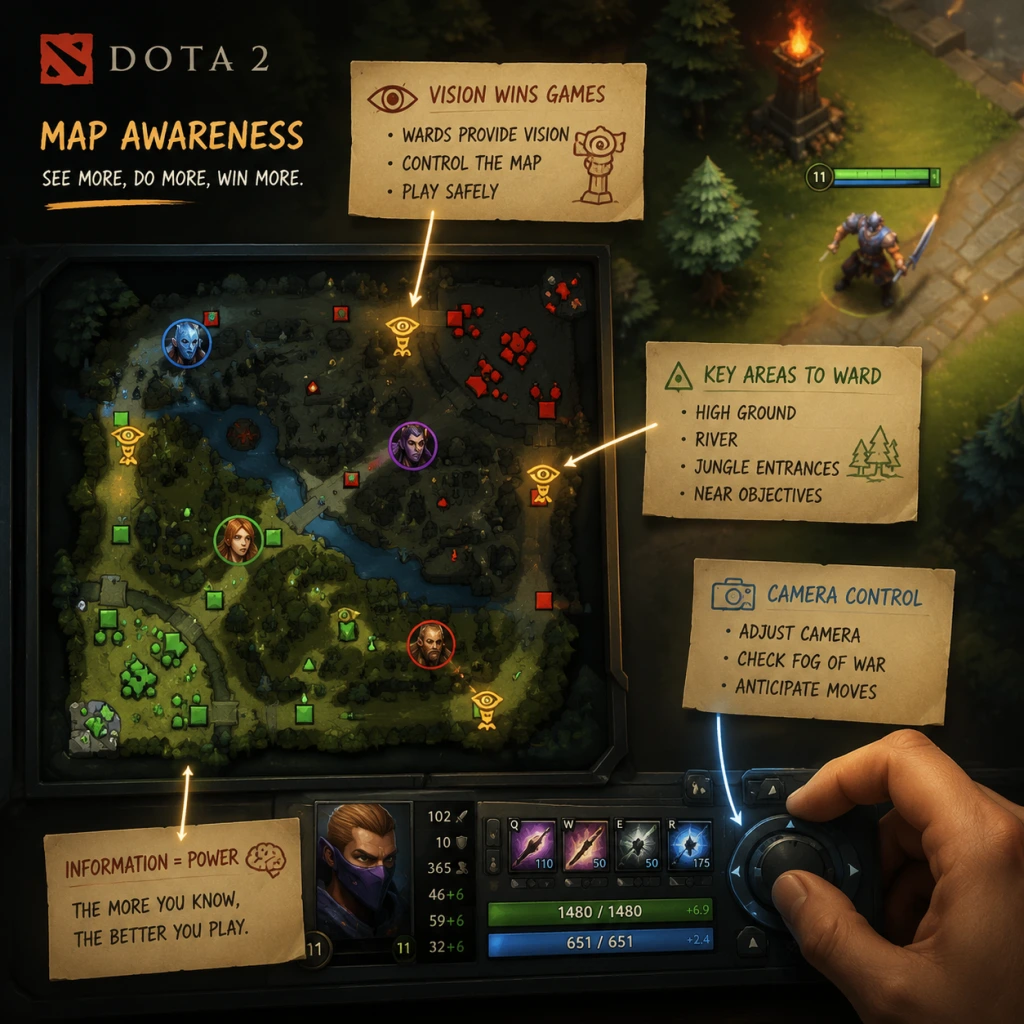
- Minimap: Glance at the minimap every 5-10 seconds. Notice missing enemy heroes—call missing if your lane opponent leaves.
- Runes: River runes spawn every 2 minutes at the two river spots (top and bottom). Bounty runes give gold, power runes give temporary buffs. Secure them when safe.
- Jungle: The jungle provides neutral creeps. Beginners should avoid jungling until they know camp timings (first spawn at 0:30, then every 1 minute).
- Gold: Earn gold from killing creeps, heroes, and structures. Denying enemy creeps gives you XP advantage and denies them gold.
- Experience: Stay within 1300 units of dying creeps to gain XP. Sharing XP is fine but beware of splitting too much.
- Health/Mana: Use clarity and salves early to sustain. Don't waste courier trips unnecessarily.
- Starting Items: For most cores: Tango (or shared), Quelling Blade, 2 branches. For supports: Courier, Observer Wards, Sentry Wards, Clarities, Tango.
- Core Items: Follow popular item builds for your hero. Avoid deviating too much until you understand itemization.
- Skill Build: Usually max one nuke first for burst damage. Check dotabuff for recommended skill builds.
- Net Worth: Keep track of your net worth relative to enemies. Focus on farming efficiency over kills early game.
- Buying Items: Use quick-buy to pre-purchase items. Use the sticky buy for expensive items.
- Selling Items: You can sell items for 50% of their cost. Only sell if absolutely necessary.
- Creep Aggro: Attack enemy hero near creeps to draw aggro. Use Ctrl+attack to force attack on a specific target. Pull creeps to control lane equilibrium.
- Spell Combos: Practice your hero's ability rotation. For example, with Earthshaker: Blink > Fissure > Echo Slam > Enchant Totem.
- Team Fighting: Focus priority targets (supports or squishy cores). Wait for enemy key spells to be used before committing.
- Item Actives: Learn to use items like Blink Dagger, Black King Bar, Pipe, etc. BKB is crucial vs magic damage lineups.
- Observer Wards: Place wards on high ground, near rune spots, and at jungle entrances. Common spots: river cliff (Radiant and Dire near mid), ancient camp areas, and lane junctions.
- Sentry Wards: Use to deward enemy observers or reveal invisible units. Place sentries near common ward spots or when pushing.
- Smoke of Deceit: Use to move undetected when rotating for ganks. Wait until you see enemy heroes on minimap or after pushing a lane.
- Stacking Camps: For neutral creeps, attack them at exactly :55 to :57 seconds past the minute mark. They will respawn with an extra stack. Stack ancients for your carry.
- Pulling: Supports can pull lane creeps to neutral camps to reset equilibrium and deny enemy gold/XP. Learn camp locations near your lane.
- Denying: Beyond creeps, deny your own siege creeps and ranged creeps first. Deny towers when they are low (teleport scroll can help).
- Situational Items: Adapt your build based on enemy team. If they have many physical attackers, get items like Assault Cuirass or Shiva's Guard. If they have silences, buy Eul's or BKB.
- Necronomicon (removed in 7.33? Actually it was removed, but similar concept): Use summon items to push and farm neutrals. Summons can also scout.
- Skill Builds: Sometimes max a different skill first depending on matchup. For example, as Phantom Assassin, max Stifling Dagger for harass vs melee, or Blur for survivability vs heavy magic.
- Efficiency: Carry a Town Portal Scroll (TP) always—costs 100 gold but saves time. Use Teleport to respond to pushes or ganks.
- Neutral Items: Equip the best neutral item for your hero. Check the tier list (Tier 1 to 5). Recycle duplicates for a token.
- Roshan: Killing Roshan gives Aegis (respawn) and Cheese (full heal) plus Shard/Refresher depending on time. Secure Roshan when you have vision and advantage.
- Animation Canceling: Use stop command (S) to cancel attack backswing or spell animation. This allows faster movement after attacking.
- Orb Walking: If you have an attack modifier (e.g., Drow Ranger's Frost Arrows), manually cast it to avoid drawing creep aggro. Works for skills that are "orb effects".
- Turn Rate: Heroes have turn rates; exploit slower turning heroes (e.g., Techies, Pudge) by kiting them.
- Directional Spells: Some spells require facing direction (e.g., Earthshaker's Fissure). Position perfectly for maximum coverage.
- Ward Efficiency: Place wards in unconventional spots to avoid dewarding. Use high ground cliffs near secret shops or inside trees.
- Smoke Defensively: Use Smoke of Deceit when you suspect enemy ganks. It breaks if you come within 1025 units of enemy heroes or towers.
- Scan: The Scan ability reveals a 900 radius area for 8 seconds (cooldown 240s). Use it to check Roshan pit, jungle camps, or suspect areas before committing.
- Power Farming: As a carry, plan your jungle path to stack camps while clearing. Use abilities that can hit multiple camps (e.g., Battle Fury, Quill Spray).
- Lane Shoving: Push waves aggressively then retreat to jungle. This forces enemy to respond and gives you farm advantage.
- Ancient Stacking: Stack ancient camps multiple times (up to 4 stacks). Use boots of travel or mobility spells to stack efficiently.
- Timing: Know power spikes. For example, Desolator on Templar Assassin around min 12-15 gives huge damage. Use timings to pressure.
- Counter Items: Against high physical damage, go for Heaven's Halberd (can disarm). Against illusion heroes, buy Mjollnir or Radiance.
- Luxury Items: Sometimes you need a defensive item before core. Example: BKB first on Storm Spirit vs chain stuns.
- Pulling with Sange & Yasha: Not directly, but movement speed and attack speed boosts increase farm rate.
- Courier Usage: Use courier to deliver items while farming across map. Keep an eye on courier health—enemies can kill it.
- Buying Back: Gold to revive instantly. Use only when essential to defend base or secure a key objective. Costs scaling gold based on net worth.
- Neutral Item Rarity: Tier 4 and 5 items are game-changing. Coordinate with team to collect neutral tokens and level up the monster before 60 min to guarantee high-tier drops.
- Communication: Use voice chat or ping system. Missing calls, enemy item timings, and upcoming abilities keep team coordinated.
- Learn Two Roles: Master 2-3 heroes per role to be flexible. Use unranked to practice new heroes.
- Analyze Replays: Watch your own replays to identify mistakes—missed last hits, bad positioning, inefficient farming.
- Mental Game: Stay positive. Blaming teammates reduces your own learning. Focus on your own improvement.
- Patience: Dota is complex. Expect to lose many games early. Consistent practice pays off.
#### Exploration (Map Awareness)
#### Resources
#### Builds
#### Economy
---
Intermediate Strategies
#### Combat
#### Exploration (Warding & Vision)
#### Resources
#### Builds
#### Economy
---
Advanced Optimizations
#### Combat (High-Level Mechanics)
#### Exploration (Advanced Map Control)
#### Resources (Farming Patterns)
#### Builds (Advanced Itemization)
#### Economy (Gold & XP Optimization)
---
Final Pro Tips
Game Settings
Game Settings Guide for Dota 2
This guide covers all major settings categories in Dota 2: Graphics, Audio, Controls, Accessibility, Language, Network, and Gameplay. It includes optimal settings for different hardware tiers and highlights common misconfigurations.
---
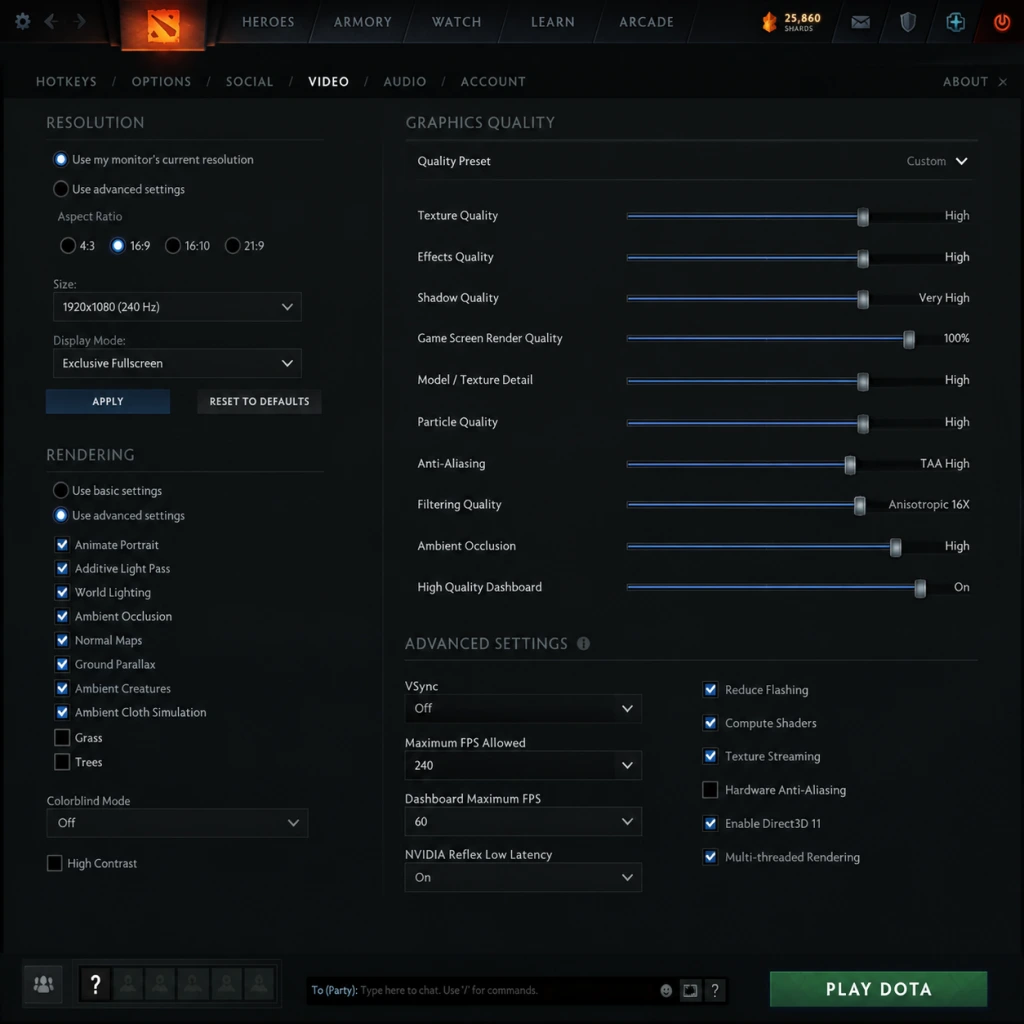
Graphics Settings
Graphics settings dramatically affect performance and visual clarity. Dota 2 uses the Source 2 engine; adjust these settings based on your hardware.
Recommended Presets by Hardware Level
| Component | Low-End (e.g., i3-6100, GTX 1050) | Mid-Range (e.g., i5-11400, RTX 3060) | High-End (e.g., i7-12700, RTX 4080) | Ultra (e.g., i9-13900K, RTX 4090) |
|---|---|---|---|---|
| Render Direct3D | Direct3D 11 (default) | Direct3D 11 | Direct3D 12 / Vulkan | Direct3D 12 / Vulkan |
| Resolution | 1280x720 (or native if smooth) | 1920x1080 | 2560x1440 or 4K | 4K or ultrawide |
| Display Mode | Fullscreen | Fullscreen | Fullscreen | Fullscreen |
| Texture Quality | Low | Medium | High | Ultra |
| Shadow Quality | Off | Low | High | Ultra |
| Dynamic Shadows | Off | On | On | On |
| Effects Quality | Low | Medium | High | Ultra |
| Ambient Occlusion | Off | Off | On (SSAO) | High (HBAO+) |
| Anti-Aliasing | Off or FXAA | MSAA 2x | MSAA 4x | MSAA 8x or TAA |
| Anisotropic Filtering | 2x | 4x | 8x | 16x |
| Vsync | Off (use frame limiter) | Off (use frame limiter) | Off | Off (GSync/Freesync) |
| Motion Blur | Off | Off | Off | Off (personal preference) |
| World Lighting | Low | Medium | High | Ultra |
| Tree Quality | Low | Medium | High | Ultra |
| Units Quality | Low | Medium | High | Ultra |
| Foliage Quality | Off | Low | Medium | High |
| Water Quality | Low | Medium | High | Ultra |
| Animation Quality | Low | Medium | High | Ultra |
| Particle Quality | Low | Medium | High | Ultra |
| Specular Bloom | Off | Off (or Low) | Low | Medium |
| Fog Quality | Off | Low | Medium | High |
| Depth of Field | Off | Off | Off | Off (competitive) |
Special Attention Points (Graphics)
- Render Direct3D: Direct3D 12 / Vulkan provides better CPU multi-threading and may increase FPS on modern hardware. If instability occurs, revert to Direct3D 11.
- Texture Quality: VRAM-constrained systems (e.g., 2GB) must use Low/Medium to avoid stutter.
- Vsync: Turn off to reduce input lag; use Advanced Settings > Framerate Cap (e.g., 144 FPS for 144 Hz monitor).
- Motion Blur & Depth of Field: Disable for competitive clarity; they hinder fast target identification.
- Units Quality: Controls hero/cree model detail; too low may make some abilities hard to see.
---
Audio Settings
Audio settings affect immersion and gameplay cues (spells, footsteps, ultimates).
| Setting | Recommended Value | Notes |
|---|---|---|
| Master Volume | 70–100% | Adjust per preference, avoid clipping |
| Music Volume | 30–50% | Keep lower to hear effects |
| Sound Volume | 100% | Includes spells, attacks, voice lines |
| Ambient Volume | 50–70% | Map ambient sounds (water, creeps) |
| Unit Speech Volume | 100% | Hero and announcer lines |
| Voice Chat Volume | 100% | Communication with teammates |
| Enable Voice Chat | On | Must be on to talk and hear others |
| Mute Enemy Chat | Personal preference | Often muted to avoid tilt |
| Audio Language | Select language for voice lines (e.g., English, Chinese, Russian) |
Special Attention Points (Audio)
- Voice Chat Volume: Too high can cause echo; test with friends.
- Music Volume: Lower or mute during ranked to hear crucial sounds like "Black Hole" or "Echo Slam".
- Enable Voice Chat: If off, you cannot communicate via mic. Turn on and adjust Push-to-Talk in Controls.
---
Controls Settings
Controls are highly customizable. Dota 2 supports keyboard, mouse, gamepad (limited), and hotkeys for every action.
Key Bindings
| Action | Default Key | Alternative (e.g., Legacy/Quick Cast) | Notes |
|---|---|---|---|
| Select Hero | F1 | Space | Often rebound to space for easy access |
| Select All Units | F2 | ~ | Common bind for micro (e.g., with Meepo) |
| Select All Other Units | F3 | 2 | |
| Ability 1 | Q | - | |
| Ability 2 | W | - | |
| Ability 3 | E | - | |
| Ability 4 | R | - | |
| Ultimate | R | - | Same as Ability 4 default |
| Item Slots | 1–6 | Alt+Q/W/E/A/S/D | Many use mouse buttons |
| Attack | A | - | Can set to Quick Cast |
| Move | No default (right-click only) | - | Use Attack Move for kiting |
| Stop | S | - | Crucial for canceling actions |
| Hold Position | H | - | |
| Courier Deliver | F4 | 4 | Often bound to a convenient key |
| Shop | B | - | Or use hotkey for quick buy |
| Learn Ability | Ctrl+Q/W/E/R | - | |
| Level Up Stats | Auto (default) or manual | ||
| Push-to-Talk | V | Mouse thumb button | Essential for voice chat |
| Scoreboard | Tab | - | |
| Chat Wheel | Y | - | Customize in 'Chat Wheel' tab |
| Glyph of Fortification | F5 (default) | G | Important for saving towers |
| Scan | F6 (default) | X | |
| Quick Attack | A (with Quick Attack enabled) | - | Targets nearest enemy in attack range |
Special Attention Points (Controls)
- Quick Cast: Enable per ability or item to cast upon pressing the key (no click target). Great for instant stuns (e.g., Sven's Storm Hammer) but misclick-prone for skillshots (e.g., Pudge's Hook). Toggle in Advanced Hotkeys.
- Auto Attack: Set to "Never" in Gameplay settings to avoid missing last hits due to accidental attacks.
- Edge Pan vs. Edge Scroll: Many prefer Edge Pan (mouse cursor hits screen edge) but it can be laggy. Use Keyboard Move (WASD) or Mouse Move (hold mouse button) if needed.
- Camera Grip: Hold middle mouse button to drag camera smoothly.
- Smart Attack Move: In 'Options > Game > Attack Move' – set to 'Attack Move On Center' to hit nearest enemy to your cursor, not to your hero. Essential for efficient kiting.
---
Accessibility Settings
Dota 2 includes several features to accommodate different needs.
| Setting | Location | Recommendation |
|---|---|---|
| Colorblind Mode | Options > Video > Accessibility | Turn On if you have difficulty distinguishing red/green health bars (Radiant vs Dire). Adds shapes (e.g., shield for tower HP). |
| High Contrast | Options > Video > Accessibility | On for better readability of HP bars and minimap. |
| Large Health Bars | Options > Video > Accessibility | Enable to see HP more clearly. |
| Show Hero Abilities on Minimap | Options > Game > Minimap | Turn On to see ability status (e.g., enemy ult cooldown). |
| Minimap Hero Size | Options > Game > Minimap | Adjust to Large for better visibility. |
| Chat Font Size | Options > Game > Chat | Increase if needed. |
| Buildings Health Bars | Options > Game > Interface | Always On recommended. |
| Subtitles | Options > Audio | Enable for in-game voice lines text. |
| Screen Flash on Damage | Options > Game > Interface | Leave On to react to damage. |
| Show Last-Wait Duration for Deny | Options > Game > Deny | On to see deny timings. |
| Smart Attack Move | Options > Game > Attack Move | On, set to 'Attack Move On Center' for precise last-hitting. |
Special Attention Points (Accessibility)
- Colorblind Mode also changes health bar colors to yellow/pink, making it easier for most players. It does not hinder non-colorblind users.
- High Contrast may make icons look different; test in a bot match.
- Smart Attack Move is a game-changer – enables you to attack the nearest enemy to your cursor, not your hero, which is critical for ranged heroes when kiting melee opponents.
---
Language Settings
Dota 2 is available in many languages. These settings affect UI, voice lines, and matchmaking.
| Setting | Description | Recommendation |
|---|---|---|
| System Language | Sets UI text and menus. | Choose your preferred language (e.g., English). |
| Audio Language | Voice lines for heroes, announcers, and creeps. | English or your native language; note that some jokes/idioms may be lost in translation. |
| Subtitles Language | Text for voiced lines during gameplay. | Same as UI or disable if distracting. |
| Matchmaking Language Preference | In the 'Find Match' tab, you can select preferred languages. | Set to your native language to communicate with teammates. If no preference, select multiple (e.g., English, Chinese) but expect communication barriers. |
Special Attention Points (Language)
- Matchmaking Language Preference does not guarantee teammates will speak that language; it only increases chances. Set to "None" if you don't care, but expect language chaos.
- Audio Language cannot be changed mid-match; changing it in settings takes effect next match.
---
Network Settings
Network settings affect lag, packet loss, and connection stability.
| Setting | Path | Recommendation |
|---|---|---|
| Network Quality | Options > Network | Set to High for most players. High = lower buffer, less delay but more sensitive to spikes. Medium/Low if you experience constant spikes. |
| Bandwidth Limit | Launch Options (Steam) | e.g., `+net_maxroutable 1200` for 10–15 Mbps. Default (0) auto-detects. |
| Maximum Allowed Bandwidth | Not in UI; use console command `sv_max_allowed_bandwidth` | Usually 0 (unlimited). |
| Interpolation | Options > Network | Default (0.033s) is fine. Lower values reduce visual lag but may cause jitter with high ping. |
| Incoming Rate | Console: `rate` | 80000–100000 default; increase if you have good internet (e.g., 150000). |
| Update Rate | Console: `cl_updaterate` | 30–60 (default 30); 60 if 60+ FPS. |
| Command Rate | Console: `cl_cmdrate` | 30–60 (match updaterate). |
| Network Connection | Options > Network | Choose Manual and set port forwarding (optional). Most use Auto. |
Special Attention Points (Network)
- Network Quality: High is recommended for competitive play because it minimizes buffering delay. If you see rubberbanding or teleporting, try Medium.
- Interpolation: Increase if you have high ping (>100ms) to smooth movement; decrease for lower feels.
- Bandwidth Limit: If your internet is unreliable, add a launch option `+net_maxroutable 600` (for 5 Mbps) to avoid spikes.
- Console commands: Access via `~` key. Essential for fine-tuning. Sample optimal for low ping (<=30ms): `rate 150000; cl_updaterate 60; cl_cmdrate 60; cl_interp 0; cl_interp_ratio 1` – this minimizes latency.
- Test your network: Use Dota 2's built-in network test in Settings > Network > Test Connection.
---
Gameplay Settings
These settings control behavior and UI elements, not performance.
| Setting | Location | Recommendation | Notes |
|---|---|---|---|
| Auto Attack | Options > Game > Auto Attack | Never | Prevents attack orders from being issued accidentally when giving move commands. Crucial for last-hitting. |
| Auto Attack After Spell | Options > Game > Auto Attack | Disabled | Ensures you don't attack automatically after casting a spell (e.g., after a stun, you can move first). |
| Double Tap Ability to Self-Cast | Options > Game > Double Tap Ability | On | Essential for self-targeting spells like Dazzle's Shallow Grave on yourself. |
| Enable Right-Click to Deny | Options > Game > Deny | On | Hold Alt + Right-click on friendly creeps to deny. |
| Deny Attack Key | Options > Game > Deny | A (default) | Quick deny key; many change to a mouse button. |
| Quick Buy | Options > Game > Shop | Enable to see quick-buy panel. | Use Ctrl+Shift+Click on item to quick-buy. |
| Unified Orders for All Units | Options > Game > Unit Behavior | On (for micro heroes like Meepo/Chen) | Allows you to issue commands to all controlled units at once. |
| Minimap Right-Click | Options > Game > Minimap | On | Pings the minimap when right-clicking. |
| Camera Zoom | Options > Game > Camera | Max Zoom Out (or personal preference) | Out gives more map view; in gives better view of fights. Pro players often zoom out. |
| Camera Speed | Options > Game > Camera | ~50–60% | Adjust for smooth scrolling. |
| Show Hero Health Bar Above Unit | Options > Game > Interface | Always On | Especially for enemy heroes; turn on. |
| Show Minimap Hero Icons | Options > Game > Minimap | On (with icons) | Helps locate allies. |
| Show Neutral Minimap Camps | Options > Game > Minimap | On | Shows stacking timers. |
| Hover on Ability to Show Range | Options > Game > Interface | On | See ability range indicator. |
| Teleport to Fountain with Right-Click | Options > Game > Interface | On | Allows right-clicking the minimap town portal. |
Special Attention Points (Gameplay)
- Auto Attack = Never – this is the single most important setting for improving last-hitting. Many new players leave it on "Always" or "Standard" and wonder why they miss denies.
- Double Tap Ability to Self-Cast – crucial for supports (e.g., Omniknight's Repel). If off, you must click your portrait.
- Camera Zoom: Most competitive players zoom out fully (scroll wheel out). Experiment with zoom level in a bot match to balance awareness and personal comfort.
- Quick Buy: Bind a hotkey for Quick Buy (default is F5? Actually nothing by default). Set it to a mouse side button for fast purchases after dying.
- Unified Orders: Enable if you play micro heroes; disable otherwise to avoid accidental army movements.
- Graphics: Match to your hardware; disable unnecessary effects.
- Controls: Customize hotkeys for your muscle memory.
- Gameplay: Set Auto Attack to Never and enable Smart Attack Move.
- Network: Use High Quality and test with console commands for minimal latency.
- Accessibility: Enable Colorblind Mode if needed, and adjust UI size for readability.
---
Conclusion
Properly configuring Dota 2 settings can significantly improve your performance and comfort. Test each setting in a bot match before jumping into ranked. Remember to:
Regularly review your settings, especially after major updates (e.g., new hero additions may change recommended keybinds). Happy gaming!
Important Notes
Important Notes for Dota 2
This guide highlights critical warnings, common pitfalls, irreversible choices, and other essential knowledge that many players wish they had known from the start. Dota 2 is a deep, complex game with a steep learning curve, and being aware of these points will save you time, frustration, and regret.
---
⚠️ Warnings & Pitfalls
- Steep Learning Curve: Dota 2 has one of the highest skill ceilings in gaming. Expect to lose many games at the beginning. Avoid frustration by focusing on learning, not winning.
- Toxicity in Chat: The community can be harsh. Use muting liberally and never engage in argument. Your Behavior Score affects matchmaking and can be lowered by reports.
- Account Security: Enable Steam Guard and never share your password. Phishing scams offering free skins or ‘pro coaching’ are common.
- No ‘Save’ Feature: Dota 2 is purely online. There is no single-player mode except limited tutorials. All progress is linked to your Steam account.
- Unstable Internet: A drop in connection leads to Abandon penalties, including a matchmaking ban and loss of MMR. Always play on a stable connection.
- Hero Selection: Once a match starts, you cannot change your hero. If you pick poorly, you are stuck for the entire game (40–60 minutes). Use demo mode or hero guides before trying new heroes.
- Skill Builds: When you level up, assigning a skill point is permanent. You cannot reallocate skill points during a game. Wrong builds can cripple your effectiveness. Use in-game guides (e.g., Torte de Lini’s) for recommended builds.
- Item Purchases: While you can sell items, you only get back ~50% of the gold spent. Selling a core item sets you back significantly. Plan your item progression carefully.
- Talent Tree Choices: At levels 10, 15, 20, and 25 you choose one of two talents. These are permanent for the match. Changing your mind is not possible.
- Dota Plus Shard Upgrades: If you use Dota Plus, upgrading hero abilities with shards is irreversible per match.
---
❌ Irreversible Choices
---
###
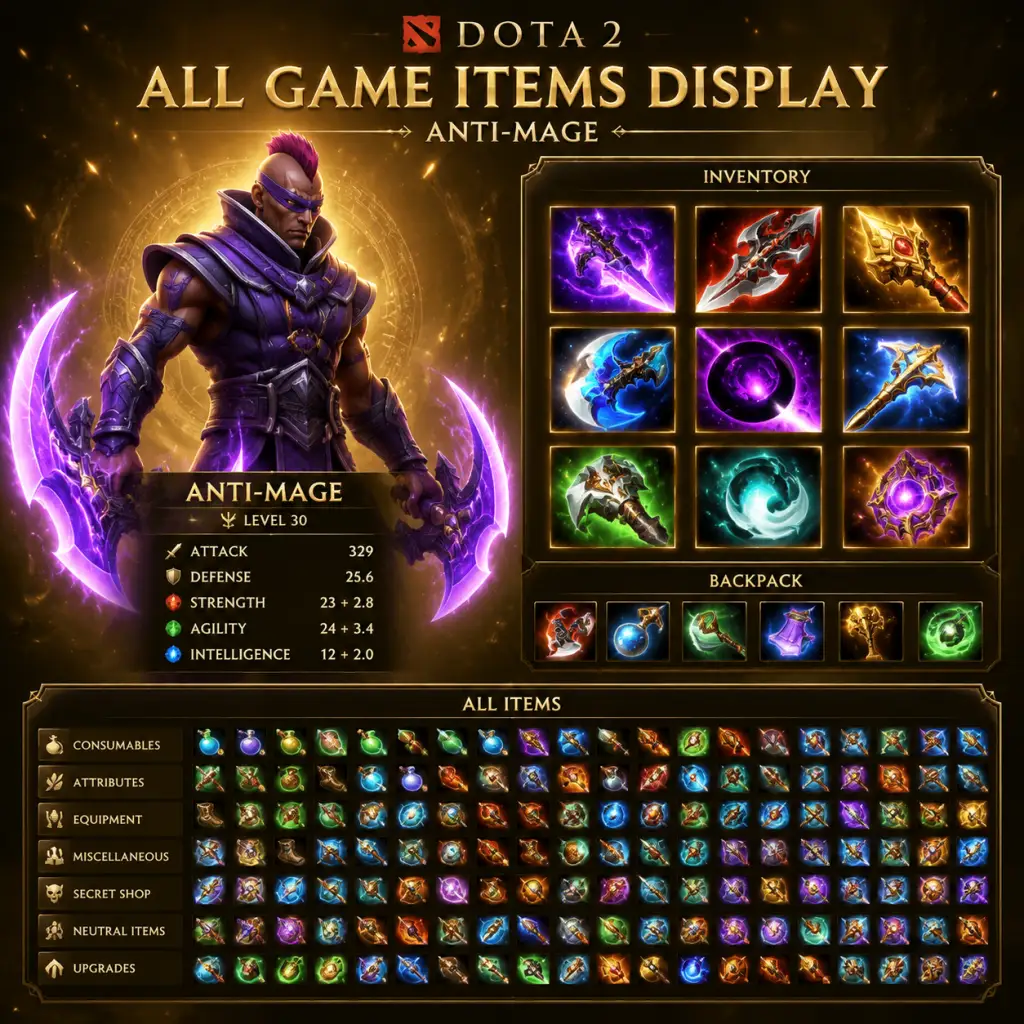
All Game Items
All Game Items Guide for Dota 2
Dota 2 features a vast array of items that heroes can purchase and combine during a match. These items are obtained from the in-match shop (using gold earned from kills, creeps, and structures) and through neutral creep drops. Items are not persistent between matches. This guide categorizes every major item, explaining its function, acquisition, usage, and synergies.
---
1. Consumables
Consumables are single-use or limited-duration items that provide immediate effects. They are essential for laning, sustain, and vision.
| Item | Cost | Effect | When to Use |
|---|---|---|---|
| Tango | 90 gold | Consumes tree to heal 115 HP over 16 seconds. Shareable. | Early game sustain, especially against harass. Can destroy trees for pathing. |
| Healing Salve | 110 gold | Heals 400 HP over 8 seconds if not damaged. | Mid-game burst heal after fights. Stack with Tango for extra regen. |
| Clarity | 50 gold | Restores 170 mana over 30 seconds if not damaged. | Mana-starved heroes, supports before a fight. |
| Enchanted Mango | 70 gold | Consumed: instantly restore 100 mana. Can also be eaten for 20 HP over 20s. | Quick mana burst for spells like Blink or Stun. |
| Faerie Fire | 75 gold | Consumed: instantly restore 75 HP. Also gives +2 damage permanently (but item is consumed). | Emergency heal during fights. Good for mid-laners. |
| Bottle | 700 gold | Stores up to 3 charges of runes. Regenerates HP/Mana when used. | Essential for mid lane to store power runes (haste, double damage, etc.). |
| Observer Ward | 0 gold (free from shop, 2 stock/4 min) | Provides 1600 ground vision, lasts 7 minutes. | Vision control, placed on high ground or enemy jungle. |
| Sentry Ward | 50 gold each (2 per purchase) | Reveals invisible units and wards in 900 radius, lasts 4 minutes. | De-warding, countering invis heroes (Riki, Bounty Hunter). |
| Smoke of Deceit | 50 gold | Gives invisibility and movement speed bonus to team (except when near enemies). Breaks on attack/cast. | Ganking, sneaky Roshan attempts, breaking high ground. |
| Dust of Appearance | 90 gold | Reveals and slows invisible enemies in 1050 radius, lasts 12 seconds. | Counter invis heroes like Clinkz, Weaver. |
| Town Portal Scroll | 50 gold | Teleports hero to any friendly building (except ancient). 3 sec cast time. | Rotating to fights, defending towers, escaping ganks. |
| Animal Courier | 50 gold (starting item) | Delivers items from base. Upgradable to Flying Courier. | Essential for all games, allows lane sustain. |
2. Stats & Attributes
These basic items provide raw strength, agility, intelligence, or all stats. They are building blocks for larger items.
| Item | Stats | Cost | Notes |
|---|---|---|---|
| Gauntlets of Strength | +3 Strength | 140 | Builds into Urn, Wraith Band, etc. |
| Slippers of Agility | +3 Agility | 140 | Builds into Wraith Band, Power Treads. |
| Mantle of Intelligence | +3 Intelligence | 140 | Builds into Null Talisman, Veil of Discord. |
| Circlet | +2 All Stats | 155 | Common early stat item, builds into many. |
| Belt of Strength | +6 Strength | 450 | Builds into Sange, Vanguard, etc. |
| Band of Elvenskin | +6 Agility | 450 | Builds into Yasha, Diffusal, etc. |
| Robe of the Magi | +6 Intelligence | 450 | Builds into Kaya, Eul's, etc. |
| Crown | +4 All Stats | 450 | Builds into Veil, Drums, etc. |
---
3. Weapons (Damage & Attack Modifiers)
Items that boost attack damage, attack speed, or provide on-hit effects.
- Wraith Band (485 gold): +5 Agility, +2 Strength, +2 Intelligence. Activatable: +10 attack speed for 6s. Core for agility carries.
- Power Treads (1400 gold): +25 attack speed, +10 damage, and stat switch (choose strength, agility, or intelligence). Essential for many carries.
- Phase Boots (1400 gold): +50 move speed, +24 damage, activatable: +20% move speed and phased movement. Good for melee cores.
- Oblivion Staff (850 gold): +12 damage, +2.5 mana regen, +10 attack speed. Builds into Orchid, Silver Edge.
- Armlet of Mordiggian (2370 gold): +25 damage, +10 attack speed, +6 armor. Activatable: gives +31 strength but drains HP per second. High risk/reward for strength heroes.
- Battle Fury (4100 gold): +50 damage, +6 HP regen, +2.5 mana regen. Cleave (60% damage in 280 area). Best for melee carries that need wave clear (Anti-Mage, Juggernaut).
- Maelstrom (2800 gold): +24 damage, +25 attack speed. Chain lightning proc (25% chance, 160 damage, 5 targets). Good for farming and fighting.
- Monkey King Bar (MKB) (4100 gold): +52 damage, +15 attack speed. True Strike (attacks cannot miss) and 75% chance to deal 160 bonus magical damage. Essential against evasion.
- Daedalus (5100 gold): +88 damage, 30% chance to crit for 235% damage. Biggest raw damage item for physical carries.
- Butterfly (4550 gold): +35 agility, +35 attack speed, +30% evasion. Active: +15% move speed and attack speed for 6s. Great for agility cores vs physical.
- Satanic (5950 gold): +25 strength, +25 damage, active: 175% lifesteal for 4.5s. Unholy Rage turns around fights for strength carries.
- Ring of Protection (175 gold): +2 armor. Builds into many.
- Stout Shield (200 gold): 50% chance to block damage from heroes (16 melee, 8 ranged). Early game vs harass.
- Vanguard (2050 gold): +10 HP regen, 60% damage block (64 melee, 32 ranged). Gives survivability for jungling or tanking.
- Pipe of Insight (2800 gold): +11 HP regen, +30% magic resistance. Active: Barrier that blocks 400 magic damage for allies. Crucial vs magic burst.
- Crimson Guard (3100 gold): +5 armor, +5 HP regen. Active: Damage block (70 melee, 35 ranged) for allies in 750 radius. Good vs physical lineups.
- Blade Mail (2200 gold): +8 damage, +6 armor, +2 intelligence. Active: Returns 100% of damage taken for 4.5s. Counter against high-damage heroes.
- Shiva's Guard (4850 gold): +15 armor, +30 intelligence. Active: Freezing aura slows attack speed (-40) in 1200 radius. Excellent for armor and teamfight.
- Assault Cuirass (5125 gold): +20 armor, +35 attack speed, -5 armor aura for enemies. Empowers entire team's physical DPS.
- Null Talisman (470 gold): +6 Intelligence, +3 Damage, +0.2 Mana Regen. Activatable: +2 Intelligence for 6s. Core for intelligence mids.
- Eul's Scepter of Divinity (2500 gold): +10 Intelligence, +5 Mana Regen, +20 Move Speed. Active: Cyclone (self or enemy) for 2.5s. Essential for dispel, setup, or save.
- Veil of Discord (1780 gold): +6 Armor, +6 HP regen, +12 Intelligence. Active: Reduces enemy magic resistance by 25% in 600 radius. Amazing for magic burst lineups.
- Orchid Malevolence (3975 gold): +25 Intelligence, +30 Attack Speed, +4 Mana Regen. Active: Silences target for 5s, amplifies damage taken by 30%. Core vs spell-dependent enemies (Storm, Invoker). Upgrades to Bloodthorn.
- Dagon (2780 gold): +8 Intelligence, +3 All Stats. Active: Burst damage (400 base, upgrades to 800 with recipe). Useful for snowballing magic cores (e.g., Nyx, Puck).
- Ethereal Blade (4650 gold): +10 Strength, +10 Agility, +40 Intelligence. Active: Ether Blast (turns target ethereal, adds 2.5x primary attribute damage). Great for morphling or int carries.
- Scythe of Vyse (5200 gold): +10 Strength, +10 Agility, +35 Intelligence, +2.5 Mana Regen. Active: Hex target for 3.5s (slow/disable). One of the best control items in the game.
- Blink Dagger (2000 gold): Active: Teleport up to 1200 units. Cannot be used if damaged recently. Essential for initiators (Axe, Earthshaker, Tidehunter).
- Force Staff (2250 gold): +6 Intelligence, +2.5 HP regen. Active: Push yourself or ally 600 units in facing direction. Great for repositioning and escapes.
- Glimmer Cape (2150 gold): +20% Magic Resistance, +6 Armor. Active: Invisibility and +40% magic resistance for 5 seconds. Gold for supports to survive or save.
- Solar Crest (2400 gold): +6 Armor, +1.5 Mana Regen. Active: Target ally gains +40% evasion and +12 armor for 7s, or enemy loses -12 armor and -40% accuracy. Flexible defense/offense.
- Heaven's Halberd (3250 gold): +15 Strength, +20% Evasion, +20 Attack Speed. Active: Disarms enemy for 3s (melee) or 5s (ranged). Excellent vs right-click carries.
- Drum of Endurance (1550 gold): +6 All Stats, +3 Attack Speed, +0.2 Mana Regen. Active: +45 attack speed and 12% move speed for team. Early game teamfight stabilizer.
- Black King Bar (BKB) (4050 gold): +10 Strength, +24 Damage. Active: Renders hero immune to spells and debuffs for 6-10 seconds (duration decreases per use). Must-have for most carries vs heavy magic.
- Divine Rapier (5600 gold): +330 damage. Cannot be sold, drops on death. Ultimate late-game gamble for carries.
- Moon Shard (4000 gold): +120 attack speed. Can be consumed for permanent +60 attack speed (gives night vision). Good for attack-speed-dependent heroes (Troll, Windranger).
- Refresher Orb (5000 gold): +8 HP regen, +5 Mana Regen, +20 Intelligence. Active: Refreshes all cooldowns (items and abilities). Used for double ultimates (e.g., Phoenix, Enigma, Tidehunter).
- Octarine Core (5200 gold): +425 HP, +425 Mana, +2.5 Mana Regen, +20% Spell Lifesteal. Reduces cooldowns by 25%. Great for spellcasters (Zeus, Leshrac, Necrophos).
- Aghanim's Scepter (4200 gold): +10 All Stats, +200 HP, +200 Mana. Upgrade for many heroes (e.g., Tiny's tree, Sniper's assassinate). Check hero-specific effects.
- Aghanim's Shard (1400 gold): Consumable, gives a bonus ability to most heroes. Purchasable from side shop. Many use for mobility or utility (e.g., Pudge's rot damage, Spectre's dispersion).
---
4. Armor & Defense
Items that provide armor, magic resistance, HP, or damage block.
---
5. Magical Items
Items that enhance spell damage, mana pool, or provide crowd control.
---
6. Support & Utility Items
Items that provide mobility, vision, or defensive utilities.
---
7. Artifacts (High-Tier Power Items)
Extremely expensive items that can turn the tide of the game.
---
8. Neutral Items
Dropped by neutral creeps at specific tiers (1-5) starting at 7:00. Each team can equip one of each tier. They provide unique bonuses.
| Tier | Example Items | Effects |
|---|---|---|
| 1 (7:00+) | Oceanus Ring (+3 all stats, +1.5 mana regen), Clumsy Net (active: throw net, 1.5s root), Elixer (restores 250 HP/Mana) | Early game boost for supports. |
| 2 (13:00+) | Vampire Fangs (+15% lifesteal, +15% spell lifesteal), Gossamer Cape (+25% magic resistance, active: invis), Dragon Scale (+5 armor, +2 HP regen) | Good for carries or tanks. |
| 3 (20:00+) | Spider Legs (active: move through trees/path, +40% move speed), Paladin Sword (+15% lifesteal, +200 health), Enchanted Quiver (+100 attack range, true strike for 3 attacks) | Situational upgrades. |
| 4 (30:00+) | Book of the Dead (Summons 4 necronomicon archers and warriors), Mind Breaker (attacks apply silence on proc), Trickster Cloak (active: invis + debris) | High impact. |
| 5 (40:00+) | Apex (+70 all stats), Fallen Sky (active: meteor strike, 400 damage), Mirror Shield (20% chance to reflect spells) | Game-changing. |
---
9. Roshan Drops
Roshan (the Roshan) drops powerful items when slain.
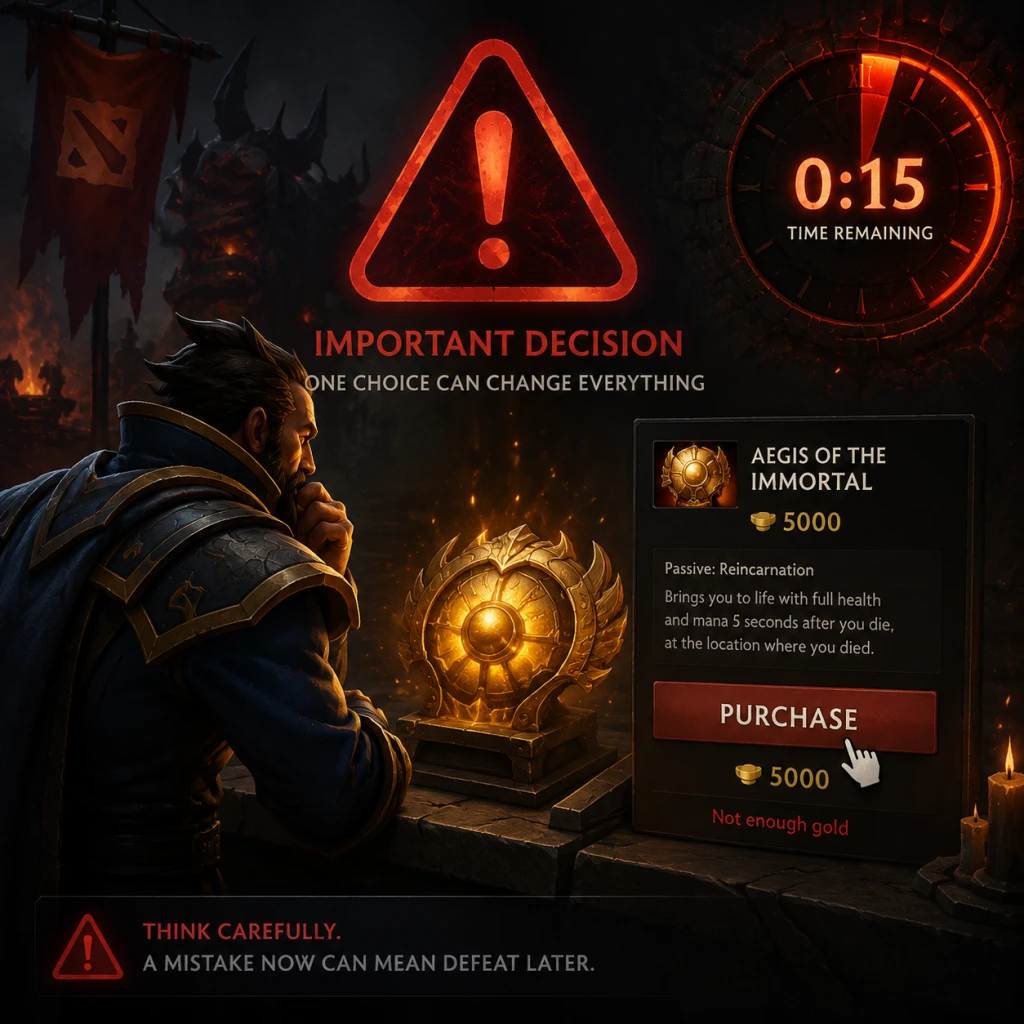
- Aegis of the Immortal: Held item; upon death, hero resurrects at the Aegis location with full HP/Mana. Lasts 5 minutes. Denied if Roshan dies again.
- Cheese: Consumable, instantly heals 2500 HP and 1000 Mana. Used for quick recovery in late-game fights.
- Refresher Shard: Grants a one-time refresh of all cooldowns (like Refresher Orb) but is consumed. Only appears on second Roshan kill.
- Roshan's Banner: Consumable, creates a buff that strengthens creeps in a lane (uncommon drop).
- Sange and Yasha (4100 gold) = Sange (str) + Yasha (agi). Gives attack speed, movement, and lifesteal/status resistance.
- Silver Edge (4400 gold) = Shadow Blade (invis) + Nullifier (break). Provides stealth and a breakthrough attack that breaks passives.
- Bloodthorn (6750 gold) = Orchid + Crystalys. Upgrades silence to also grant crit and accuracy.
- Manta Style (4600 gold) = Yasha + Ultimate Orb (all stats). Creates two illusions for split pushing or dodging spells.
---
10. Upgrades & Recipes
Most advanced items are built from simpler components using recipes (secret shop, side shop, base shop). For example:
Important: Always check the recipe before buying components. The side shop sells limited items (mid-laners rely on it).
---
This guide covers all essential items in Dota 2. Remember that itemization is highly situational and depends on the enemy team composition, your hero, and the game state. Always adapt your build! For in-depth purchase recommendations, see the 'Game Tips' section.
Character Skills
Dota 2 Character Skills Guide
This guide provides a comprehensive overview of hero abilities, spells, talents, and skill mechanics in Dota 2. Since the game features over 120 unique heroes, this guide is organized by role and skill archetype, explaining the types of abilities each role relies on, plus detailed examples for key heroes. Players can apply these principles to any hero.
---
1. Skill Basics & Mechanics
All heroes have four basic abilities (Q, W, E, R by default) plus a talent tree at levels 10, 15, 20, and 25. Skills can be:
- Active: Requires manual cast (targeted, area, or no target).
- Passive: Always active once learned.
- Auto-Cast: Can be toggled to automatically cast on attacks (e.g., Drow Ranger’s Frost Arrows).
- Channeled: Requires holding the cast button (e.g., Crystal Maiden’s Freezing Field). Movement or stuns interrupt channeling.
- Ultimate: Powerful ability at level 6, usually with long cooldown.
- Mana Cost & Cooldown – displayed on the icon.
- Cast Point – time before spell takes effect (can be reduced with items like Blink Dagger).
- Damage Type: Magical (reduced by magic resistance), Physical (reduced by armor), Pure (ignores magic resistance).
- Spell Immunity (BKB): Many spells cannot affect targets under Black King Bar effect.
- Debuff/Buff Duration: Affected by status resistance and talent upgrades.
- Area of Effect (AoE): Radius for ground-targeted spells.
- Stifling Dagger (Q): Throws a dagger that deals physical damage and applies attack modifiers. Low mana, short cooldown. Use to last hit from range or slow enemies.
- Blur (W): Passive – grants evasion and makes PA invisible on minimap when not in enemy vision. Level this against physical damage lineups.
- Phantom Strike (E): Teleports to target unit or ward, granting bonus attack speed. Excellent for gap closing or escaping.
- Coup de Grace (R) – Ultimate: Passive – grants a chance to critically strike for 450% damage. The core damage multiplier. Upgrade items like Battle Fury and Desolator amplify this.
- Crystal Nova (Q): Area-of-effect slow and magic damage. Good for harassing laning opponents and slowing groups.
- Frostbite (W): Roots a single enemy unit, dealing damage over time. Prevents movement but allows attacks. Use on melee carries to lock them down.
- Arcane Aura (E): Passive – increases mana regeneration for all allies globally. A game-changing sustain aura.
- Freezing Field (R) – Ultimate: Channeled – creates a large AoE that deals heavy magic damage and slows. Best used after a stun or team fight setup. Very vulnerable to interruption; pair with BKB or a save like Glimmer Cape.
- Fissure (Q): Creates a impassable rock wall that stuns and damages enemies. Blocks paths; can trap enemies or save allies. Huge range.
- Enchant Totem (W): Empowers next attack with bonus damage. Combo with Aftershock for stun.
- Aftershock (E): Passive – after casting any spell, Earthshaker stuns nearby enemies. Makes every spell cast a mini-stun.
- Echo Slam (R) – Ultimate: Deals massive damage based on number of enemy units in radius. Each unit echoes damage to nearby others. Devastating in clustered fights.
- Dragon Slave (Q): Line AoE fire blast, high damage. Good for farming and harass.
- Light Strike Array (W): AoE stun (small delay). Requires prediction or setup. Max this for lockdown.
- Fiery Soul (E): Passive – casting spells grants attack speed and movement speed stacks. After casting, Lina becomes a pseudo-carry.
- Laguna Blade (R) – Ultimate: Targeted single-target nuke, pure damage if upgraded with Aghanim’s Scepter. Can melt squishy heroes.
- Earth Spike (Q): Stuns and damages in a line. Good for picking off or setting up kills.
- Hex (W): Turns an enemy into a harmless critter, disabling all abilities and passive? (Except some passives like damage block). Excellent against slippery heroes.
- Mana Drain (E): Channels to drain mana from an enemy to Lion. Sustains mana and can silence mana-dependent heroes.
- Finger of Death (R) – Ultimate: Massive single-target magic damage, resets cooldown on kill with talent. A true snowball ability.
- Gush (Q): Slows and damages a single enemy, reducing armor. Great for ganks and chasing.
- Kraken Shell (W): Passive – reduces damage from attacks and spells. Periodically dispels debuffs (like a mini-removal). Essential for survivability.
- Anchor Smash (E): Reduced damage for Tidehunter and nearby allies, plus damage for enemies. Debuffs physical attack damage.
- Ravage (R) – Ultimate: Massive AoE stun from underground. One of the best team fight ultimates. Can be used to initiate or counter.
- Shuriken Toss (Q): Throws a bouncing shuriken that damages and ministuns. Good for interrupting channels or finishing kills.
- Jinada (W): Passive – every few seconds, next attack deals bonus damage and slows. Use for last hitting or harass.
- Shadow Walk (E): Invisibility that also grants bonus damage on next attack. Break to attack. Use for scouting or escaping.
- Track (R) – Ultimate: Marks an enemy hero, revealing them and granting bonus movement speed for Bounty Hunter. Provides bonus gold to entire team when that enemy dies. Core to Bounty Hunter’s economy.
- Carries: +Damage, +Attack Speed, +Critical Chance, +Evasion.
- Supports: +Gold per minute, -Cooldown, +Heal, +Cast Range.
- Initiators: +Blink Dagger range (many have Blink-based talents), +Ability damage, +Defenses.
- Nukers: +Spell damage, -Cooldown, +AOE radius, +Mana.
- Chronosphere (Faceless Void) + Ravage (Tidehunter): Chrono stops enemies, allowing Tide to safely place Ravage for AoE stun.
- Black Hole (Enigma) + Freezing Field (Crystal Maiden): Black Hole holds enemies in place while CM channels freezing field for massive damage.
- Vacuum (Dark Seer) + Ice Blast (Ancient Apparition): Vacuum groups enemies, Ice Blast deals heavy damage and prevents healing.
- Duel (Legion Commander) + Thunder Clap (Tiny): Duel forces a target to 1v1 while allies stack debuffs.
- Level 1: Typically max the primary damage or farming ability first (e.g., Q for many heroes). Sometimes grab a utility spell (e.g., stun or escape).
- Level 2-3: Add a second or third spell for situational use. Avoid spreading points too thin unless needed.
- Early Game: Focus on the skill that gives you lane control (harass, last hit, survival).
- Mid Game: Max your primary nuke or steroid, then your crowd control.
- Late Game: Ultimate upgrades at 6/12/18. Talents are chosen based on whether you need more damage, survivability, or utility.
- Spell Block & Reflection: Abilities can be blocked by items like Linken's Sphere or spell shields. Some heroes reflect spells (e.g., Lotus Orb, Pugna’s Decrepify).
- Channeling Interruption: Any stun, silence, or forced movement interrupts channeled abilities. Save channels for after enemy disables are used.
- True Strike: Abilities like Monkey King Bar or certain hero spells ignore evasion (e.g., Sniper's Headshot).
- Cooldown Reduction: Talents, Octarine Core, and some neutral items reduce cooldowns.
- Aghanim’s Scepter/Shard: Upgrades ultimate or adds new ability (e.g., Ogre Magi gains multicast on all spells). Always check if your hero benefits.
Key attributes of every skill:
---
2. Hero Roles & Typical Skill Sets
#### 2.1 Carries (Position 1)
Goal: Deal high sustained physical damage late game. Skills focus on attack modifiers, critical strikes, attack speed, evasion, and mobility.
Example Hero: Phantom Assassin (PA)
Synergies: Pair with items that apply additional effects on attack (Maelstrom, Skull Basher). Combo Phantom Strike + Coup de Grace for burst. Use Blur to dodge projectiles when possible.
Skill Build: Max Phantom Strike first for farming speed, then Stifling Dagger for poke, one point in Blur early, then max Coup de Grace at 6/12/18.
#### 2.2 Supports (Position 4/5)
Goal: Control fights, save allies, provide vision, and disable enemies. Skills include stuns, slows, heals, and utility buffs.
Example Hero: Crystal Maiden (CM)
Synergies: Crystal Nova + Frostbite = long duration of slow/root. Arcane Aura allows allies to spam spells. Freezing Field combos with AoE lockdown (e.g., Enigma’s Black Hole).
Skill Build: Max Frostbite first for lockdown and damage, then Crystal Nova, one point in Arcane Aura early, ultimate at 6/12/18. Early mana regen helps.
#### 2.3 Initiators (Offlane or Pos 3)
Goal: Start fights with powerful AoE stuns or disruption. Often durable with escape or damage mitigation.
Example Hero: Earthshaker (ES)
Synergies: Blink Dagger + Echo Slam/Earthshaker combo. Fissure to split enemy team, then Echo Slam. Aftershock allows stun-lock with multiple spells.
Skill Build: Max Fissure first for range and damage, then Enchant Totem, one point in Aftershock early, ultimate at 6/12/18.
#### 2.4 Nukers (Mid or Support)
Goal: Burst down enemies with magic damage. Skills have high base damage and scaling with intelligence.
Example Hero: Lina
Synergies: Eul’s Scepter into Light Strike Array for guaranteed stun. Fiery Soul stacks from spells before ulting to maximize damage. Aghanim’s forces true damage on ult.
Skill Build: Max Dragon Slave for farming, then Light Strike Array, one point in Fiery Soul early, ultimate at 6/12/18. Consider skipping Fiery Soul early if needing more burst.
#### 2.5 Disablers (Support or Offlane)
Goal: Lock down enemies with multiple forms of crowd control: stuns, hexes, silences, sleeps, etc.
Example Hero: Lion
Synergies: Earth Spike + Hex = extended disable. Mana Drain to deny initiation from enemy mana pool. Finger of Death to finish off targets.
Skill Build: Max Earth Spike first for damage and stun duration, then Hex, one point in Mana Drain early, ultimate at 6/12/18.
#### 2.6 Offlaners (Position 3)
Goal: Disrupt enemy safe lane, survive, and become a durable frontliner with initiation or counter-initiation.
Example Hero: Tidehunter
Synergies: Blink Dagger + Ravage combo. Gush before Ravage to slow further. Kraken Shell allows staying in fights.
Skill Build: Max Gush first for aggression, then Anchor Smash (to reduce enemy damage), one point in Kraken Shell, ultimate at 6/12/18.
#### 2.7 Roamers (Position 4)
Goal: Gank lanes early, secure kills, and provide vision/utility. Often have invisibility or high mobility.
Example Hero: Bounty Hunter (BH)
Synergies: Track + invis ganks. Track multiple enemies for team gold. Shuriken Toss can finish low-HP enemies.
Skill Build: Max Jinada for damage, then Shuriken Toss, one point in Shadow Walk early, ultimate at 6/12/18.
---
3. Talent Trees Overview
At levels 10, 15, 20, and 25, players choose one of two talent upgrades. Talents alter hero gameplay, often adding new effects (e.g., +attack range, reduced cooldown, spell lifesteal). Typical choices for each role:
Example for Phantom Assassin (level 15): +25% Coup de Grace crit chance vs. +25 attack speed. Choose based on current team needs.
---
4. Skill Combos & Synergies
Skills often combine between heroes for devastating effects:
Item interactions: Blink Dagger + any AoE stun (Earthshaker, Tidehunter, Sand King). Eul’s Scepter + delayed stun (Lina, Leshrac). Force Staff to save allies from skills.
---
5. Recommended Skill Builds (General Principles)
Flexibility: Adjust skill build based on enemy lineup. Against heavy magic damage, consider maxing defensive passives early (e.g., Kraken Shell, Blur). Against mana-dependent enemies, level mana drain spells.
---
6. Advanced Skill Mechanics
---
7. Conclusion
Mastering hero skills in Dota 2 requires knowing not only your own hero’s abilities but also how they interact with allies and enemies. This guide provides a role-based framework to understand any hero's skill set. For specific numbers (e.g., exact cooldown at each level), consult the in-game ability description or community wiki. Practice different skill builds in matches and adapt to each game’s flow.
Characters & Roles
Characters & Roles Overview
Dota 2 features over 120 unique playable heroes, each with distinct abilities, strengths, and weaknesses. Heroes are divided into three primary attributes: Strength, Agility, and Intelligence, which influence their health, damage, mana, and scaling. All heroes are unlockable from the start—no purchases or grinding required. The game’s role system is flexible; heroes can be played in multiple positions depending on itemization and strategy, but they are commonly categorized into five core roles: Safe Lane Carry (Position 1), Midlaner (Position 2), Offlaner (Position 3), Soft Support (Position 4), and Hard Support (Position 5). This guide covers each role in depth, with representative hero examples, recommended builds, and team synergy advice.
---
Role Breakdown
Position 1 – Safe Lane Carry
- Farm Priority: Highest
- Lane: Bottom for Radiant, Top for Dire (Safe Lane)
- Goal: Secure early farm, scale into late-game powerhouse
- Key Traits: Reliant on last hits, strong with items, often weak early
- Background: A deadly assassin from the Veiled Sisters, Mortred uses lethal precision to eliminate targets. She wields a phantom blade that can strike with supernatural force.
- Strengths: Extremely high physical burst damage; built-in evasion (Blur); Stifling Dagger for ranged last hits; Coup de Grâce gives massive crit.
- Weaknesses: Very squishy; vulnerable to magic burst and lockdown; poor wave clear without items; reliant on farm.
- Playstyle: Farm efficiently in early game, avoid fights until you have key items (Desolator, Black King Bar). Use Phantom Strike to gap-close and delete supports. Prioritize attack speed and damage.
- Recommended Build: Phase Boots → Desolator → Black King Bar → Assault Cuirass → Satanic → Monkey King Bar or Daedalus.
- Team Synergy: Works well with save supports (Dazzle, Oracle) and initiators that can lock down enemies (Axe, Magnus). Needs space to farm; strong with global silence (Silencer).
- Background: A knight of the Vigil, Sven wields a greatsword and uses his physical might to crush foes. He was exiled for his unyielding honor.
- Strengths: High burst with God’s Strength + Cleave; tanky with Warcry armor; can farm quickly with cleave; strong teamfight presence.
- Weaknesses: Mana issues; needs Blink or mobility to get close; poor against kiting; predictable ultimate usage.
- Playstyle: Use God’s Strength to dominate early fights; stack ancients and clear with cleave; combo with Blink + Storm Hammer. Build for damage and attack speed.
- Recommended Build: Power Treads → Echo Sabre → Blink Dagger → Black King Bar → Daedalus → Assault Cuirass or Satanic.
- Team Synergy: Pairs well with Magnus (Empower) and heroes that provide attack speed (Beastmaster). Needs lockdown from teammates (Shadow Shaman) to confirm kills.
- Farm Priority: Second highest
- Lane: Middle lane
- Goal: Win lane through outplaying opponent, then roam or create pressure
- Key Traits: High level advantage, strong solo kill potential, mobility
- Background: A brilliant mage who mastered ten spells by combining three elemental orbs (Quas, Wex, Exort). He seeks ultimate knowledge.
- Strengths: Incredible spell variety (disables, damage, utility); high skill ceiling; scales well with levels; can adapt to any situation.
- Weaknesses: Requires high APM and game knowledge; very squishy; mana hungry; weak in early levels if not played well.
- Playstyle: Use spells to harass in lane, control runes, rotate with Cold Snap + Meteor or Tornado + EMP. Late game, become a powerhouse with Deafening Blast and Sun Strike.
- Recommended Build: Null Talisman ×2 → Phase Boots → Aghanim’s Scepter → Blink Dagger → Black King Bar → Octarine Core or Refresher Orb.
- Team Synergy: Complements any lineup due to spell variety; strong with setup stuns (e.g., Axe, Magnus) for Sun Strike or Meatball combos.
- Background: Xin, the Ember Spirit, is a fire-wielding warrior who uses remnants of his flame to travel across the battlefield.
- Strengths: Extremely mobile (Sleight of Fist, Activate Fire Remnant); strong burst with chains + flame guard; good escape; can split push.
- Weaknesses: Low base armor; can be burst down quickly; requires good remnant management; falls off late game if not ahead.
- Playstyle: Harass with Sleight of Fist and chains; use Flame Guard to farm fast and gank. Build physical damage for late game. Use remnants to escape and join fights.
- Recommended Build: Phase Boots → Magic Wand → Veil of Discord or Maelstrom → Desolator → Daedalus → Black King Bar or Linken’s Sphere.
- Team Synergy: Works with global initiators (Nyx, Clockwerk) to chain stuns. Strong with Magnus (Empower) for cleave. Weak against strong silences.
- Farm Priority: Moderate (sometimes higher if greedy)
- Lane: Top for Radiant, Bottom for Dire (Hard Lane)
- Goal: Create space, survive, initiate fights, disrupt enemy carry
- Key Traits: Durable initiators or annoying laners, often with crowd control
- Background: A gladiator from the Bronze Legion, Axe thrives on battle and calls enemies to fight him. He can only be disarmed by death.
- Strengths: High armor; fast jungle farming with Counter Helix; strong lane presence; Berserker’s Call forces enemies to attack him.
- Weaknesses: Mana issues; vulnerable to magic burst; no innate escape; gets kited by mobile heroes.
- Playstyle: Use Battle Hunger to zone enemies; pull creep waves; farm jungle with Counter Helix; initiate with Blink + Call. Build tank and utility.
- Recommended Build: Vanguard → Phase Boots → Blink Dagger → Black King Bar → Blademail → Aghanim’s Scepter or Assault Cuirass.
- Team Synergy: Pairs well with AoE damage dealers (Lich, Phoenix) due to Call. Works with heavy burst (Lina, Storm). Save supports (Dazzle, Oracle) keep him alive.
- Background: A gigantic sea creature, Tidehunter emerged from the depths to hunt prey. He summons dead allies’ corpses as anchors.
- Strengths: Extremely durable with Kraken Shell; excellent teamfight ultimate (Ravage); good lane sustain with Anchor Smash.
- Weaknesses: Low damage; requires Blink to initiate; long cooldown on Ravage; can be kited.
- Playstyle: Survive lane, farm ancients with Anchor Smash, group for fights. Use Blink – Ravage combos. Build greed (Pipe, Crimson Guard) or damage (Refresher).
- Recommended Build: Arcane Boots or Phase Boots → Blink Dagger → Pipe of Insight → Refresher Orb → Aghanim’s Scepter or Guardian Greaves.
- Team Synergy: Excellent with follow-up AoE (Jakiro, Magnus). Ravage sets up chain stuns. Needs save against silences.
- Farm Priority: Low, but may get some items
- Lane: Usually offlane or roaming
- Goal: Secure vision, gank, help win lanes, scale utility
- Key Traits: Mobile, early kill potential, often high impact without farm
- Background: A nature spirit from the Earth, Kaolin uses boulders to control the battlefield. He is silent but deadly.
- Strengths: High mobility (Rolling Boulder); strong crowd control (Geomagnetic Grip, Magnetize); can save allies (Stone Remnant pull); good damage early.
- Weaknesses: High skill requirement; fragile; mana hungry; falls off late game without items.
- Playstyle: Roam mid and offlane with Rolling Boulder; use remnants to stun and silence; disrupt enemy positions. Build for mana, aura, and mobility.
- Recommended Build: Orb of Venom → Arcane Boots → Urn of Shadows or Spirit Vessel → Blink Dagger → Eul’s Scepter → Aghanim’s Scepter.
- Team Synergy: Strong with heroes that benefit from early ganks (Ember Spirit, Pudge). Can set up kills for others. Save allies with Boulder Smash.
- Background: A legendary mage who can steal and cast any spell. He seeks to master all magic.
- Strengths: Spell Steal allows copying enemy ultimates; strong lane harass with Telekinesis and Fade Bolt; can turn fights with stolen spells.
- Weaknesses: Very squishy; relies on enemy spells for impact; mana issues; requires good game knowledge.
- Playstyle: Position carefully; use Telekinesis to cancel channels or set up kills; steal crucial spells (e.g., Black Hole, Ravage). Build for mana and survivability.
- Recommended Build: Arcane Boots → Blink Dagger → Aghanim’s Scepter → Force Staff → Eul’s Scepter → Octarine Core.
- Team Synergy: Extremely versatile; pairs well with high-impact ultimates (Enigma, Tidehunter). Needs frontline to stay safe.
- Farm Priority: Lowest
- Lane: Usually safe lane with carry
- Goal: Protect carry, provide vision, sacrifice life for team
- Key Traits: Mana sustain, disables, healing or damage mitigation
- Background: A young mage with unparalleled ice magic, but limited physical endurance. She is often underestimated.
- Strengths: Global mana regen (Arcane Aura); strong AoE disable (Crystal Nova, Freezing Field); good harass with Frostbite.
- Weaknesses: Extremely squishy; slow movement; no escape; channeled ultimate is easy to cancel.
- Playstyle: Stick with carry in lane, use Frostbite to secure kills or save; place deep wards; use ultimate from fog. Build for mana and utility.
- Recommended Build: Tranquil Boots → Magic Stick → Urn or Medallion → Force Staff → Glimmer Cape → Aghanim’s Scepter or Refresher Orb.
- Team Synergy: Works well with mana-hungry carries (Juggernaut, Phantom Assassin). Freezing Field benefits from lockdown (Axe call, Magnus RP). Needs protection.
- Background: A troll priest who uses healing and weaving magic to turn the tide of battle. He can resurrect allies.
- Strengths: Strong healing (Shadow Wave); damage reduction (Weave); save mechanic (Shallow Grave); can turn physical damage dealers.
- Weaknesses: Low mana pool; no hard stun; vulnerable to silences and interrupts; requires good reaction time for Shallow Grave.
- Playstyle: Keep carry alive with heal and grave; use Weave to reduce enemy armor in fights; push waves; build defensive items.
- Recommended Build: Arcane Boots → Mekansm → Guardian Greaves → Aghanim’s Scepter → Lotus Orb → Force Staff.
- Team Synergy: Excellent with high-physical-damage carries (Troll Warlord, Phantom Assassin). Works with tanky initiators (Axe, Tidehunter). Grave synergy with Medusa or Spectre.
- Strength Heroes: Usually tanky initiators (e.g., Pudge, Centaur Warrunner, Bristleback).
- Agility Heroes: Auto-attack carries and mobile assassins (e.g., Anti-Mage, Juggernaut, Sniper).
- Intelligence Heroes: Spellcasters and supports (e.g., Zeus, Lion, Lina).
#### Example Hero: Phantom Assassin (Agility Carry)
#### Example Hero: Sven (Strength Carry)
---
Position 2 – Midlaner
#### Example Hero: Invoker (Intelligence Midlaner)
#### Example Hero: Ember Spirit (Agility Midlaner)
---
Position 3 – Offlaner
#### Example Hero: Axe (Strength Offlaner)
#### Example Hero: Tidehunter (Strength Offlaner)
---
Position 4 – Soft Support (Roaming/Utility)
#### Example Hero: Earth Spirit (Strength Soft Support)
#### Example Hero: Rubick (Intelligence Soft Support)
---
Position 5 – Hard Support (Pure Support)
#### Example Hero: Crystal Maiden (Intelligence Hard Support)
#### Example Hero: Dazzle (Intelligence Hard Support)
---
Additional Hero Categories
While the role system is primary, heroes can also be classified by their attribute type:
Many heroes have hybrid roles (e.g., Sniper is Intelligence but played as carry). Unique playstyles exist for heroes like Techies (trapper), Meepo (multicontrol), Invoker (spellweaver), and Arc Warden (split-pusher).
---
Hero Selection & Drafting
All heroes are unlocked from the start. In All Pick mode, players take turns picking. A balanced draft usually includes 2 supports (pos 4 & 5), 1 offlaner (pos 3), 1 midlaner (pos 2), and 1 carry (pos 1). Consider synergy, counters, and lane matchups. Example: Picking Lifestealer (carry) with a support that can heal (Undying) works. Avoid 5 melee heroes against strong AoE drafts.
---
Conclusion
Mastering Dota 2’s characters and roles requires understanding each hero’s strengths and weaknesses, item timings, and team composition. Experiment with different roles to find your preferred playstyle. The game’s depth ensures that even after hundreds of matches, you’ll discover new nuances in every hero. Refer to the Skills and Items guides for deeper mechanics. Good luck!
Cheats & Secrets
Cheats & Secrets in Dota 2
Dota 2 is a competitive multiplayer online battle arena (MOBA) with no official cheat codes that work in normal matchmaking. However, the game includes several developer-intended console commands, hidden features, and Easter eggs that are safe to use in private lobbies, local games, or custom games. This guide lists all known cheat commands, secret console commands, Easter eggs, and hidden content discovered by the community.
> Important: Using any cheat commands or console modifications in official matchmaking or ranked games is bannable. These are only for offline practice, custom lobbies, and testing.
Official Cheat Commands (Developer-Intended)
These console commands work when cheats are enabled in a private lobby (via `-console` launch option or by typing `sv_cheats 1` in the developer console). They are explicitly allowed for practice and custom games.
#### Enabling Cheats
1. Launch Dota 2 with the `-console` launch option (right-click Dota 2 in Steam → Properties → Launch Options → add `-console`).
2. In a lobby (not matchmaking), open the console (~) and type:
- `sv_cheats 1` (enables cheat commands)
- Alternatively, create a lobby with "Enable Cheats" option checked.
#### Common Cheat Commands
| Command | Effect | Example Usage |
|---|---|---|
| `-gold <amount>` | Adds gold to your hero. | `-gold 5000` |
| `-level <n>` | Sets hero level (1-30). | `-level 25` |
| `-lvlup` | Levels up your hero by 1. | `-lvlup` |
| `-wtf` | Toggles no cooldown and no mana cost for all heroes on your team. | `-wtf` (toggle) |
| `-refresh` | Respawns your hero, refreshes cooldowns and mana. | `-refresh` |
| `-respawn` | Respawns your hero at base (no death penalty). | `-respawn` |
| `-spawncreeps` | Spawns a wave of creeps for your team. | `-spawncreeps` |
| `-killcreeps` | Kills all neutral creeps on the map. | `-killcreeps` |
| `-unspectate` | Allows you to play from a spectator seat in a local game. | `-unspectate` |
| `-creepstat <value>` | Changes creep stats (e.g., damage multiplier). | `-creepstat 0` (disable creeps) |
| `-enable_addon` | Used in custom games to enable mods. | `-enable_addon` |
Type these into the console (without cheats enabled for some):
- `dota_force_gamestate` – forces the game into a certain state (used for testing).
- `dota_sf_get_channel_time` – debugging for sound.
- `dota_max_hero_level` – changes max level (default 30).
- `dota_ability_debug` – toggles ability debugging overlays.
- `dota_networkflags` – network debug.
- `dota_ignore_win_condition` – disables victory/defeat triggers.
- `cl_dota_alt_spectate` – alternative spectator mode.
- Pig Courier (one of the basic couriers) can be upgraded to a flying courier at 3:00 mark.
- Unusual couriers have particle effects that change with the biome (e.g., snow couriers in winter map).
- Courier speed boost: Double-clicking the courier's ability button (default `F2`) will make it deliver items faster.
- Secret hats worn by creeps (e.g., tiny party hats on lane creeps).
- Special effects on Bounty Runes (confetti).
- Hidden messages in the loading screen art.
- Funny chat wheel audio lines (e.g., "I’m a superhero" from previous events).
- Dire fountain – Has a pentagram pattern on the floor (lore reference).
- Radiant fountain – Has a glowing tree with runes.
- The middle of the river – Under water there is a small treasure chest that can be seen with high graphics settings (no interaction).
- In-game purchases
- Dota Plus subscription (hero progression)
- Trading (limited to Steam market)
- Battle Pass rewards (temporary event items)
Secret Commands & Hidden Features
#### The "Secret Shop" (Not Really a Secret)
The Secret Shop exists in the game but is a normal in-match feature. Some players consider it a hidden location because it only appears near the river on both sides (Radiant jungle and Dire jungle) and sells high-tier items. No cheat is required.
#### Hidden Rune Spawn Patterns
Rune spawns have a deterministic pattern that can be exploited in practice: the two rune spots (top and bottom river) always spawn a Bounty Rune at 2:00 and every 2 minutes after, while the Power Rune (haste, double damage, etc.) spawns at 6:00 and every 2 minutes after, alternating between the two spots. This is not a cheat but a consistent game mechanic.
#### Courier Easter Eggs
Couriers in Dota 2 have hidden interactions:
#### Roshan's Respawn Timing
Roshan respawns 8-11 minutes after death. The exact time is random, but many players use a timer overlay (not a cheat, just community tools). The respawn is not a secret but a hidden mechanic.
Easter Eggs & Developer-Intended Hidden Content
#### Sunstrike Cosplay
If you use Kael's Sunstrike (Invoker) on a specific spot (near the Radiant ancients? Actually there is no known triggered Easter egg), there is none. However, there is a hidden interaction with Techies: planting mines near Roshan can create a chain explosion that resembles a smiley face.
#### "The Heart of the Storm" Arcana Easter Egg
When a hero equips an Arcana (e.g., Juggernaut’s Bladeform Legacy), certain voice lines and particle effects change dramatically. These are intentional cosmetic effects, not secrets.
#### 10th Anniversary Celebrations
During Dota 2's 10th anniversary (2023), Valve added several hidden Easter eggs:
#### The "Dark Moon" Event (2017)
This was a limited-time coop event where players fought waves of enemies. It is no longer active, but the files remain in the game. The boss of Dark Moon, the Elder Titan (giant form), can be spawned via console for testing: `spawn npc_dota_dark_moon_boss_elder_titan` (requires cheats).
#### "Siltbreaker" Campaign (2017)
A hidden campaign RPG mode with a secret ending. No longer playable officially, but custom game imitations exist.
#### The Wukong's Command Easter Egg
If Monkey King uses his ultimate (Wukong's Command) near a river rune, the clones sometimes do a dance animation. Rare and quirky.
#### Chat Wheel Secrets
Type `-secret` in chat during a match? No, that does nothing. But typing `-wtf` in a lobby with cheats enabled triggers the game to play a voice line (Timbersaw: "What the fuck?") – this is a known developer joke.
Exploit-Safe Secrets (Community Discoveries)
#### Fountain Hook (Pudge + Chen/KotL) – Disabled
This was an old exploit where Pudge could hook a unit from the Fountain out to any location using Chen’s test of faith teleport. It was patched in 2017 but remains a legendary glitch.
#### The Mana Drain Trick (Lion's Mana Drain) – Not a secret
Lion can drain mana from creeps and heroes, but if you target a creep and then immediately cast another ability, the mana drain continues for a split second. This is a mechanic, not a cheat.
#### Aghanim's Scepter Upgrade – Not a Secret
Every hero has a special upgrade when they purchase Aghanim's Scepter. This is core to game design, not hidden.
#### Hidden Lore Locations
Unlock Codes & Cosmetics
There are no unlock codes for heroes because all heroes are free from the start. Cosmetics (skins, sets, etc.) must be unlocked via:
No redeemable codes exist beyond event-specific ones that are no longer active.
Conclusion
Dota 2 has no traditional cheats for competitive play, but developers have left extensive console commands for custom games and practice. The game is rich with Easter eggs and hidden lore references discovered by the community over the years. Always use commands in private lobbies only.