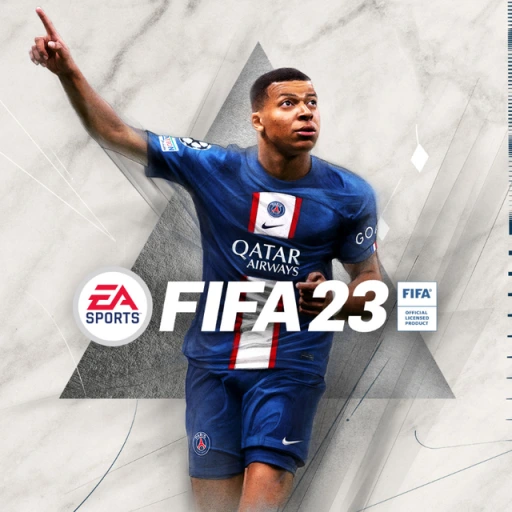
FIFA 23
## FIFA 23 - Comprehensive Game Introduction ### Genre & Basic Info **FIFA 23** is a sports simulation video game developed by **EA Vancouver** and **EA Romania**, and published by **EA Sports**. It belongs to the **association football** (soccer) genre, offering a realistic and immersive represent...
Download & Installation
FIFA 23 Download & Installation Guide
This guide covers legitimate download and installation methods for FIFA 23 on PC (Steam, Epic Games Store, EA app), PlayStation 4, PlayStation 5, Xbox One, Xbox Series X|S, and Nintendo Switch. The game is no longer available for purchase on Stadia as the service was discontinued.
---
Platform-Specific Download Sources
| Platform | Official Store | Notes |
|---|---|---|
| PC | EA app (originally Origin), Steam, Epic Games Store | Purchase from any, but all require the EA app to launch. Steam/Epic versions still need EA account and app. |
| PlayStation 4/5 | PlayStation Store | Digital purchase and download. Disc version requires disc insertion. |
| **Xbox One / Series X | S** | Microsoft Store |
| Nintendo Switch | Nintendo eShop | Only Legacy Edition (no HyperMotion, reduced features). |
---
System Requirements (PC)
Minimum Requirements
- OS: Windows 10 64-bit
- CPU: Intel Core i3-6100 or AMD Athlon X4 880K
- RAM: 8 GB
- GPU: NVIDIA GeForce GTX 660 2GB or AMD Radeon HD 7850 2GB
- DirectX: Version 12
- Storage: 100 GB available space
- Internet: Broadband connection (for online features and installation)
- OS: Windows 10 64-bit
- CPU: Intel Core i5-10400F or AMD Ryzen 5 2600
- GPU: NVIDIA GeForce GTX 1660 or AMD Radeon RX 5600 XT
- RAM: 12 GB
- Storage: 100 GB SSD (significantly improves loading times)
- DirectX: Version 12
- Internet: Broadband connection
- PC/PlayStation/Xbox: An EA account is required to play online and access Ultimate Team, Volta, and other connected modes. You can create one for free at [signup.ea.com](https://signup.ea.com).
- Nintendo Switch: An EA account is not required for offline modes, but online features (if available due to Legacy limitations) require an EA account and a Nintendo Switch Online subscription.
- All platforms: Online multiplayer on consoles requires a subscription to the respective service (PlayStation Plus, Xbox Game Pass Core/Ultimate, Nintendo Switch Online).
Recommended Requirements
> Note: Laptop GPUs may perform differently. Ensure your system meets at least the minimum requirements before purchasing.
---
Step-by-Step Installation
PC (Steam / Epic Games Store / EA app)
1. Create an EA Account (if you don’t have one) at [help.ea.com](https://help.ea.com).
2. Purchase the game from your chosen store (Steam, Epic, or EA app).
3. Install the required client:
- If purchased on Steam: Steam will install automatically. But when you launch the game, it will prompt you to install the EA app (if not already installed). Follow the on-screen instructions to download and install the EA app.
- If purchased on Epic Games Store: Epic will download the game files, but the EA app is still required to run the game. The EA app will be installed automatically during the first launch.
- If purchased on EA app: Simply download and install the EA app, sign in, and download FIFA 23.
4. Download the game:
- In Steam/Epic/EA app, go to your Library, locate FIFA 23, and click Install. The total download size is approximately 100 GB.
- Choose your installation directory (ensure at least 100 GB free). An SSD is highly recommended.
5. Launch the game:
- After download completes, click Play in the client. The EA app will open or authenticate. You may need to sign in with your EA account.
- The game will perform a one-time setup (may take a few minutes).
6. Post-install updates: FIFA 23 receives title updates (patches). Ensure your client is set to automatically update games.
PlayStation 4 & PlayStation 5
1. Purchase the game from PlayStation Store (digital) or insert the disc.
2. For digital version:
- Go to the PlayStation Store on your console.
- Search for "FIFA 23" and select it.
- Choose Download. The game will begin downloading to your console.
- Storage: PS4 requires ~50 GB, PS5 requires ~100 GB (due to higher quality assets). Ensure enough free space.
3. For disc version:
- Insert the disc. The console will recognize it and prompt you to install.
- Follow on-screen instructions. The installation may require downloading a large day-one patch (if not already applied).
4. First launch: The game will install any necessary updates and then start. You may need to sign in to your EA account (or create one) for online features.
Xbox One & Xbox Series X|S
1. Purchase via Microsoft Store (digital) or insert the disc.
2. Digital:
- Press the Xbox button to open the guide, go to Store.
- Search for "FIFA 23", select, and choose Install.
- The console will download and install the game. Smart Delivery ensures you get the best version for your console (Xbox Series X|S gets enhanced version).
- Storage requirement: ~100 GB.
3. Disc:
- Insert the disc. The console will automatically install the game from the disc and then download any required updates.
4. First launch: The game will check for updates. You may need to sign in with an EA account.
Nintendo Switch
1. Purchase from Nintendo eShop (digital) or insert the game card.
2. Digital:
- On the Switch Home menu, select the eShop icon.
- Search for "FIFA 23" (Legacy Edition).
- Download size is approximately 13 GB. Ensure you have a microSD card with enough free space if internal storage is limited.
3. Game card:
- Insert the game card into the Switch. The icon will appear on the Home menu.
- A small update may be required (typically less than 1 GB).
4. First launch: The game will start without an obligatory EA account, but online modes require a Nintendo Switch Online subscription and an EA account.
---
Account Requirements
---
First Launch Setup
1. Language and Region: Select your preferred language and region. This can be changed later in settings.
2. EA Account Sign-In: When prompted, sign in with your EA account or create one. This step is necessary for online features and cloud saves (if supported).
3. Settings Configuration:
- Adjust display settings (resolution, refresh rate, HDR if supported).
- Audio settings (commentary language, volume).
- Controller settings (if playing with keyboard/mouse on PC, adjust controls).
4. Tutorial: The game may offer a brief tutorial. You can skip this.
5. Online Setup:
- For Ultimate Team, you’ll need to create a club and squad.
- For Volta, select your character appearance.
6. Download Updates: If a new title update is available, the game will prompt you to download it. It’s recommended to do so.
---
Common Installation Errors & Fixes
| Error | Possible Cause | Fix |
|---|---|---|
| "DirectX Error" on PC | Missing or outdated DirectX redistributable. | Install the latest DirectX from Microsoft’s website. Also update your GPU drivers. |
| "EA app not responding" | EA app crash or corruption. | Restart the EA app. If persist, reinstall the EA app from [ea.com/ea-app](https://www.ea.com/ea-app). |
| "Cannot connect to server" on console | Network issue, EA server down. | Check [ea.com/service-updates](https://ea.com/service-updates). Test network connection on console, restart router. |
| "Insufficient storage space" | Not enough free space on drive. | Free up space by deleting unused games or moving data to an external drive. PC: check drive capacity. |
| "Installation stuck at XX%" on Steam | Corrupted download cache. | In Steam Settings > Downloads > Clear Download Cache. Then restart download. |
| "Disc read error" on Xbox/PlayStation | Dirty or scratched disc (disc version). | Clean the disc with a soft cloth. If still failing, consider digital download. |
| "Failed to install update" | Internet interruption or server problem. | Try again later or restart the console/PC. Ensure stable internet connection. |
Post-Installation Verification
After installation, do the following to ensure the game is working correctly:
1. Launch the game without errors.
2. Check main menu: All modes (Kick-Off, Career Mode, Ultimate Team, Volta, etc.) should be accessible.
3. Test a match: Start an offline exhibition match. Verify controls, graphics, and audio.
4. Connect online: Enter Ultimate Team or another online mode to confirm connectivity with EA servers.
5. Verify file integrity (PC only):
- Steam: Right-click FIFA 23 in Library > Properties > Local Files > Verify Integrity of Game Files.
- Epic: Click the three dots next to the game > Manage > Verify.
- EA app: Click the game tile > Manage > Repair.
6. Check for updates: Ensure the latest title update is installed. On console, go to game tile > Options > Check for Updates.
7. Performance check: If you experience stuttering or low FPS on PC, tweak graphics settings (lower resolution, turn off ray tracing, etc.).
---
Final Notes
- Uninstalling: Use the respective platform’s uninstall method (Control Panel on PC, console storage management).
- Storage management: FIFA 23 is large. On PC, you can delete the installation files after uninstalling. On consoles, ensure you have enough free space for future updates.
- EA Play / Game Pass: If you have EA Play (PC) or EA Play with Game Pass (Xbox), you can install and play FIFA 23 as part of the subscription (if still available in the catalog).
For further help, visit [EA Help](https://help.ea.com) or your platform’s support page.
Game Introduction
FIFA 23 - Comprehensive Game Introduction
Genre & Basic Info
FIFA 23 is a sports simulation video game developed by EA Vancouver and EA Romania, and published by EA Sports. It belongs to the association football (soccer) genre, offering a realistic and immersive representation of the world’s most popular sport.
Release Timeline & Platforms
- Announced: July 2022
- Release Date: September 30, 2022 (Standard Edition); September 27, 2022 (Ultimate Edition early access)
- Platforms:
- Career Mode: Write your own story as a manager or a player (both male and female), making strategic decisions, developing skills, and leading a club to glory.
- VOLTA FOOTBALL: A return to street football with its own universe, featuring a short narrative arc called “The Odds” where you build a squad of unique characters and compete in tournaments.
- FIFA Ultimate Team (FUT): Build your dream squad from thousands of real-world players and legends, then compete in online Seasons, Weekend League, and Squad Battles. The mode includes narrative-driven Moments challenges.
- World Cup Modes: Both the FIFA World Cup Qatar 2022 and the FIFA Women’s World Cup Australia & New Zealand 2023 are included as free, limited-time experiences with authentic tournaments, qualifying paths, and replays of historic moments.
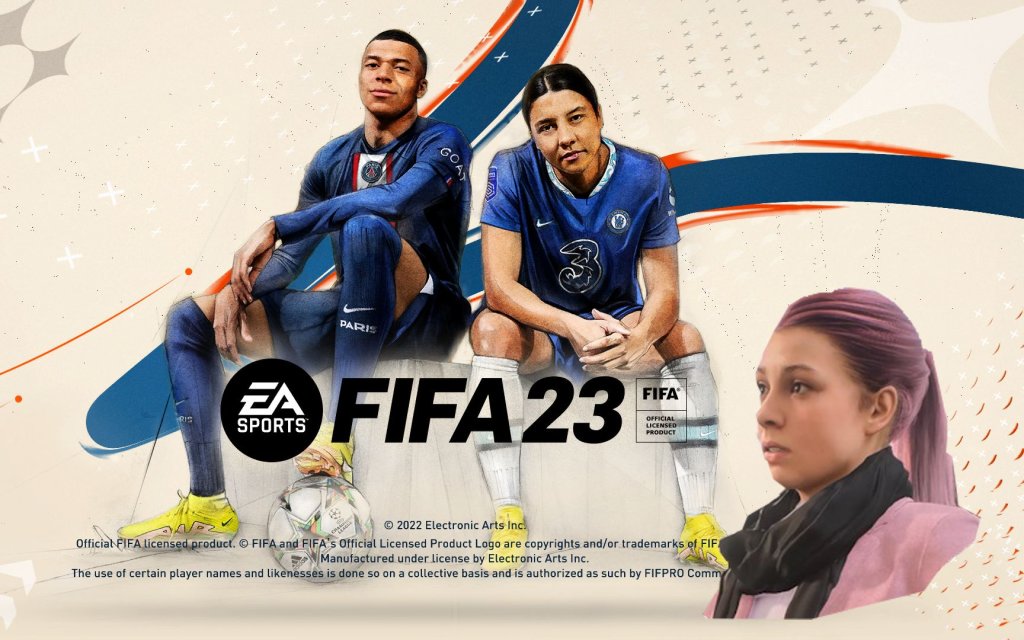
- Kylian Mbappé (Paris Saint-Germain & France national team) – Standard Edition cover star
- Sam Kerr (Chelsea & Australia national team) – Ultimate Edition cover star
- HyperMotion2 Technology: On PS5, Xbox Series X|S, and PC, HyperMotion2 uses machine learning and real-match data capture to deliver over 6,000 new animations, making player movement, tackles, and celebrations remarkably realistic.
- Authenticity: Official licenses for leagues, clubs, kits, and players, plus enhanced referee interactions and match atmospheres.
- World Cup Integration: The first FIFA game to include both men’s and women’s World Cup tournaments as free post-launch content.
- Cross-Play: Limited cross-play support allows players on the same console family (PS4/PS5, Xbox One/Xbox Series X|S) and PC/Stadia to play together in certain modes.
- Legacy Edition for Switch: The Nintendo Switch version (Legacy Edition) does not include HyperMotion2 or new gameplay features, but retains the core FIFA experience with updated rosters and kits.
- Hardcore football fans seeking simulation and depth
- Casual sports gamers who enjoy quick matches and party play
- Online competitive players investing in FUT and Pro Clubs
- Career mode enthusiasts who enjoy single-player progression
- World Cup nostalgics looking to relive or rewrite football history
- PC (via Steam, EA app, Epic Games Store)
- PlayStation 4
- PlayStation 5
- Xbox One
- Xbox Series X|S
- Google Stadia
- Nintendo Switch (Legacy Edition with no new features)
Story Overview
FIFA 23 does not include a traditional story campaign. Instead, players create their own narratives through multiple game modes:
Setting
The game covers real-world football leagues, clubs, and stadiums from over 30 official leagues (Premier League, La Liga, Bundesliga, Serie A, Ligue 1, etc.) and more than 100 stadiums. Players can compete in iconic venues like Wembley Stadium, Camp Nou, and the Maracanã. The setting is global, reflecting the international nature of football.
Main Characters
FIFA 23 features thousands of real players, both male and female, with authentic likenesses, attributes, and animations. Key cover athletes include:
Other prominent characters include Erling Haaland, Lionel Messi, Cristiano Ronaldo, Alexia Putellas, and many more. In VOLTA, players create custom characters with unique styles.
Core Appeal
Target Audience
FIFA 23 appeals to:
Game Modes
| Mode | Description | Online/Offline |
|---|---|---|
| Kick-Off | Quick play matches (1-4 players). Both offline and online. | Offline & Online |
| Career Mode | Manager Career (club management & transfers) or Player Career (create/play as a real or custom player). Single-player only. | Offline |
| VOLTA FOOTBALL | Street football with 3v3, 4v4, 5v5 Rush. Includes “The Odds” story and online VOLTA League. | Offline & Online |
| FIFA Ultimate Team | Build a squad, compete in Squad Battles (offline) or Division Rivals, FUT Champions, Draft (online). | Offline & Online |
| Pro Clubs | Create a Virtual Pro and play 11v11 online with friends. | Online only |
| Online Seasons | Ranked 1v1 matches against other players. | Online only |
| Co-Op Seasons | 2v2 ranked matches (same console or online). | Online & local |
| Tournaments | Recreate official tournaments (e.g., Champions League) offline or online. | Offline & Online |
| World Cup Modes | Limited-time tournaments for 2022 Men’s and 2023 Women’s World Cups. | Offline & Online |
| Moments | Short in-game challenges (e.g., score a goal with a specific player). | Offline |
Online & Offline Support
- Offline: Full single-player modes (Career, Kick-Off, Tournaments, VOLTA story, Squad Battles, Moments). Requires no internet connection.
- Online: Modes like FUT (Div Rivals, Weekend League, Draft), Pro Clubs, Online Seasons, Co-Op Seasons, and VOLTA League require an internet connection and an active EA account. Online features are available on all platforms except Switch (Legacy Edition has limited online).
- Cross-Play: Supported for PS5, Xbox Series X|S, PC (Steam/EA app/Epic), and Stadia in FUT Division Rivals, FUT Champions, FUT Ultimate Draft, FUT Online Friendlies, Online Seasons, Co-Op Seasons, and VOLTA. Cross-Play between consoles of the same generation is enabled by default.
- World Cup 2022 Mode (November 2022): Free update adding the full tournament experience.
- FIFA Women’s World Cup 2023 Mode (June 2023): Free update with authentic teams and venues.
- FUT Promotions (e.g., Team of the Year, Team of the Season, Rulebreakers, FUT Birthday): Weekly content drops with new player items, but these are in-game consumables, not paid DLC.
- VOLTA Content: Seasonal updates with new cosmetics, arenas, and events.
- Nintendo Switch Legacy Edition: No new gameplay features, but roster and kit updates are provided via patches.
DLC & Expansion Overview
FIFA 23 does not have paid story expansions or traditional DLC. Instead, it follows a live-service model with free content updates:
What Makes This Game Unique?
1. Final FIFA Title Under EA: FIFA 23 marks the end of a nearly 30-year partnership between EA and FIFA. Future EA football games will be called “EA Sports FC.”
2. HyperMotion2: The most advanced animation system in the series, using motion capture from real matches to create unprecedented fluidity and realism on next-gen consoles/PC.
3. Dual World Cup Integration: For the first time, both the men’s and women’s World Cups are included in the same game, complete with authentic qualifiers, stadiums, and trophy celebrations.
4. Women’s Club Football: FIFA 23 introduces the Barclays Women’s Super League and Division 1 Arkema, marking the first inclusion of top-tier women’s club leagues in the series.
5. Cross-Play Expansion: The most extensive cross-play support in franchise history, allowing friends on different platforms to play together in key modes.
6. Technical Animations: New features like Power Shot, Technical Dribbling, and Acrobatic finishes give players more creative control during gameplay.
---
This introduction serves as the main overview page for FIFA 23, capturing the game’s essence as a landmark release in football gaming history.
Getting Started
Welcome to FIFA 23
FIFA 23 is the latest entry in EA Sports' football simulation series, packed with modes, realistic gameplay, and licensed teams. This guide is designed for brand-new players to get you comfortable within your first hour and set you up for long-term enjoyment.
---
First Hour Walkthrough
1. Launch the game and skip initial cinematics – After installing, press any button to proceed. EA logo and intro videos can be skipped (press X on PlayStation, A on Xbox, Space on PC).
2. Select your initial settings – Choose your language, difficulty (start with Amateur or Semi-Pro), match length (6-8 minutes is recommended for beginners), and camera angle (default “Tele” is fine). You can change these later.
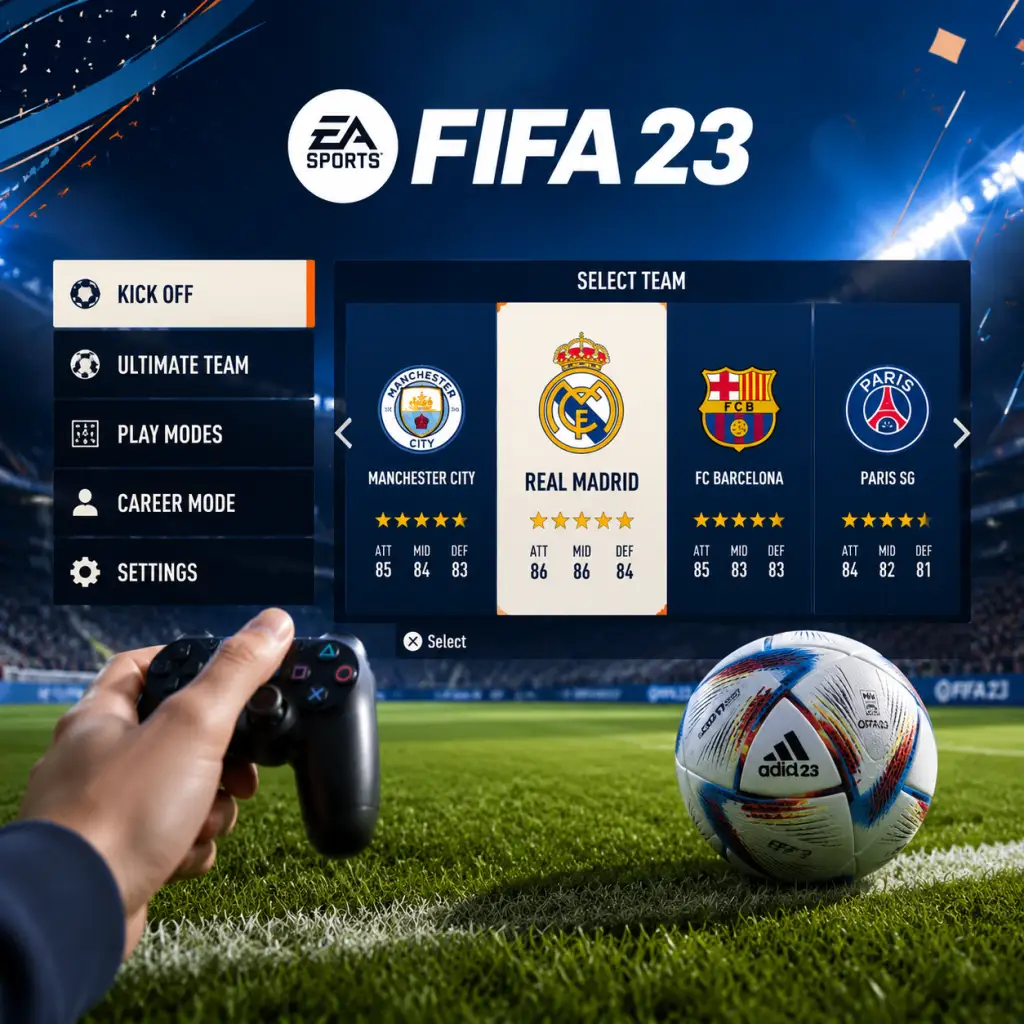
3. Main Menu – You'll see tiles: Play, Career, Ultimate Team, VOLTA FOOTBALL, Pro Clubs, and more. As a beginner, start with Kick-Off (under Play) – it’s the simplest mode for learning the basics.
4. In Kick-Off – Choose any two teams. Pick a strong team (e.g., PSG, Manchester City, Brazil) against a weak one (e.g., lower-rated club) to give yourself an easier start. Use the default controls for now.
5. Play the match – Focus on passing and moving without sprinting every time. Try to complete simple passes and take shots when close to goal. Don't worry about winning; just get a feel for player movement and ball control.
6. After the match – Go to the Skill Games tab (under Play) to practice specific actions like passing, shooting, and defending. These are excellent for muscle memory.
---
Character Creation
FIFA 23 does not feature a traditional character creator for its main modes (Kick-Off, Career, Ultimate Team). In these modes you control real players. However, you can customize your own virtual pro in:
- VOLTA FOOTBALL – Street football mode where you create an avatar (appearance, clothing, accessories) and level up skills.
- Pro Clubs – Online mode where you create a pro and play with friends; customization is similar to VOLTA.
- Career Mode – You can alter the appearance of your created manager (face, clothing) but not a player character.
For a beginner, skip customization initially and jump straight into gameplay.
---
Controls – All Platforms
PlayStation 4 / PlayStation 5 (Default Layout)
| Action | Button |
|---|---|
| Move | Left Stick |
| Sprint | R2 |
| Pass | X |
| Through Pass | Triangle |
| Shoot | Circle |
| Lob Pass / Cross | Square |
| Tackle | Circle (while facing opponent) |
| Switch Player | L1 |
| Dribble Modifier | L2 (hold) |
| Skill Moves | Right Stick + L1/L2 modifiers |
Xbox One / Xbox Series X|S (Default Layout)
| Action | Button |
|---|---|
| Move | Left Stick |
| Sprint | RT |
| Pass | A |
| Through Pass | Y |
| Shoot | B |
| Lob Pass / Cross | X |
| Tackle | B (while facing opponent) |
| Switch Player | LB |
| Dribble Modifier | LT (hold) |
| Skill Moves | Right Stick + LB/LT modifiers |
PC (Keyboard & Mouse)
- WASD – Move player (or arrow keys)
- Space – Sprint
- A – Pass
- S – Shoot
- D – Lob / Cross
- Q – Through Pass
- E – Tackle (or press S+W)
- Shift – Sprint (alternative)
- Right Mouse Button – Skill move / Dribble (if enabled)
- Left Stick – Move
- B – Sprint
- A – Pass
- X – Shoot
- Y – Lob / Cross
- L – Switch Player
- R – Dribble / Sprint (depending on context)
- L+A – Through Pass
- R+X – Low Shot (hold for finesse)
- Play – Includes Kick-Off, Tournaments, and Skill Games.
- Career – Take control of a manager or player over multiple seasons.
- Ultimate Team (FUT) – Build your dream squad from cards and compete online/offline. Avoid this until you're comfortable with basic gameplay.
- VOLTA FOOTBALL – Arcade-style street football with 3v3 to 5v5 matches.
- Pro Clubs – Online 11v11 with your custom pro.
- Online – Head-to-Head seasons, co-op, and more.
- Settings – Adjust audio, video, controls, game settings, and accessibility.
- Extras – Highlights, replays, and the FIFA 23 soundtrack.
- Start with Kick-Off against the CPU on Amateur/Semi-Pro.
- Use simple passes (X/A) and lob passes (Square/X) to move the ball.
- Hold L2/LT when receiving the ball to face the opponent’s goal (face-up dribbling).
- Shoot only when close – inside the box gives higher accuracy.
- Defend by jockeying (hold L2/LT without pressing tackle) and let AI teammates apply pressure.
- Pause and adjust difficulty if you’re winning/losing too easily.
- Don’t play Ultimate Team (FUT) immediately – FUT’s market, chemistry, and card system overwhelm beginners. Focus on fundamentals first.
- Don’t sprint all the time – Holding R2/RT constantly makes you lose control and stamina.
- Don’t use skill moves – They require practice; misuse gives the ball away.
- Don’t play Online Seasons – You’ll face experienced players; get comfortable offline first.
- Don’t ignore the mini-map – It shows teammate runs and opponent positions.
- Don’t change control schemes – Stick with the default layout until you know what each button does.
- Kick-Off: No resources – pure gameplay.
- Career Mode: Focus on finances (wages, transfer budget) and player development (youth scouts, training). Avoid buying star players immediately; invest in young prospects.
- Ultimate Team: Coins are your main resource. Complete Squad Building Challenges (SBCs) for packs, but only foundational ones. Don’t spend real money early.
- VOLTA / Pro Clubs: Skill points are earned by playing matches. Spend them on pace, passing, and shooting first.
Tip: Use a controller on PC for best experience. Keyboard controls are customizable in Settings → Controls.
Nintendo Switch
Note: Switch version has simplified controls. Detailed button layouts can be found in the game's help menu.
---
UI Overview – Main Menu
For the first hour, stick to Play → Kick-Off and Skill Games.
---
Essential Early Objectives (First Day)
1. Complete the “Starting Point” tutorial – Press X/A on the title screen to access. It teaches basic moves.
2. Play 2-3 Kick-Off matches – Experiment with different teams and difficulty levels.
3. Complete at least 1 Skill Game in each category – Passing, Shooting, Defending. Aim for Bronze or Silver medals.
4. Set your preferred camera and controls – Go to Settings → Game Settings → Camera (try “Co-op” for better field view) and Controls (choose between Classic, Alternate, or Two-Button).
5. Try one training session – In the main menu, go to Play → Skill Games → Training. Practice free kicks and penalties.
---
What to Do First vs. What to Avoid
✅ Do First
❌ What to Avoid (First Hour)
---
Early Resource Priorities (Across Modes)
---
Common Beginner Mistakes & How to Fix Them
| Mistake | Solution |
|---|---|
| Sprinting every time you get the ball | Use sprint only in open space. Walk/dribble slowly to keep control. |
| Overusing the tackle button | Instead of sliding or standing tackle, use jockey (L2/LT) to stay in front of the attacker and wait for a good moment. |
| Ignoring passing lanes | Always look for a teammate in space; avoid passing into crowded areas. Use Through Pass (Triangle/Y) for runs behind the defense. |
| Shooting from too far out | Only shoot from inside the box or just outside with a clear angle. Finesse shot (hold R1/RB + shoot) is more accurate from angles. |
| Not switching players on defense | Use L1/LB to switch to the nearest defender. Never chase the ball with your striker. |
| Playing too fast | Slow down. Hold the ball, shield with L2/LT, and let your teammates create options. |
| Neglecting stamina | Sprinting and constant pressing drain stamina. Sub players after 60-70 minutes if their stamina bar is low (yellow/red). |
Day-One Checklist
1. [ ] Install FIFA 23 and launch – Ensure updates are applied (usually done automatically).
2. [ ] Complete the “Starting Point” tutorial – Access from the title screen.
3. [ ] Play a Kick-Off match on Amateur difficulty with a strong team vs. a weak team.
4. [ ] Adjust settings – Camera (Tele or Co-op), difficulty (Semi-Pro or higher if comfortable), match length (6 min half).
5. [ ] Complete one Skill Game in each category (Passing, Shooting, Defending, Dribbling).
6. [ ] Play a second Kick-Off match – this time try a different team and focus on defending without sprinting.
7. [ ] Explore the main menu – Spend 5 minutes clicking through Career, Ultimate Team, etc. to see what they offer.
8. [ ] Save your settings – Options → Game Settings → Save Profile.
9. [ ] Watch a training video (in-game help or YouTube) on basic skill moves or free kicks.
10. [ ] End the session with a fun, relaxed match – ignore the score. Celebrate small victories like a clean tackle or a nice pass.
FIFA 23 has a steep learning curve, but by following this guide your first day will be productive and enjoyable. Take your time, experiment, and remember: even the best players started by losing. Good luck!
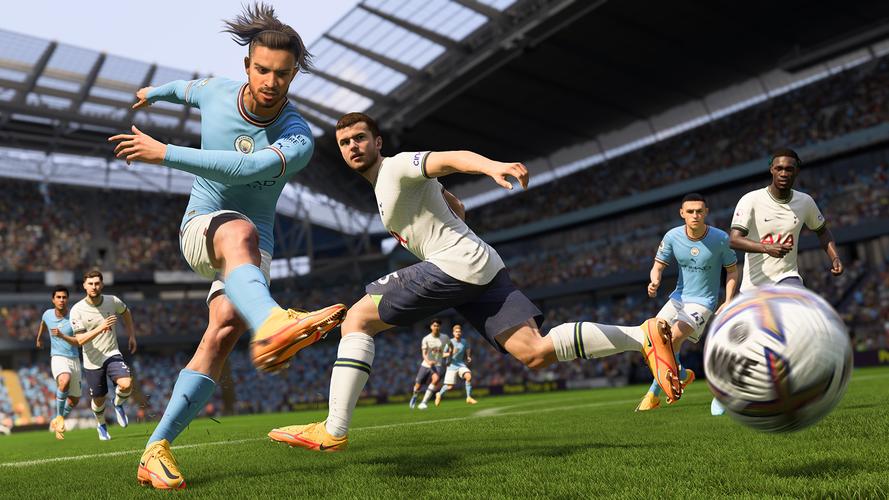
Core Gameplay
Core Gameplay in FIFA 23
Introduction
FIFA 23’s core gameplay revolves around football matches played in various modes. The central loop: play matches, earn rewards, improve your squad (or player), and compete in higher difficulty tiers. The primary game modes are Ultimate Team (FUT), Career Mode, Volta Football, and Pro Clubs. This guide focuses on the most popular and structured progression system – FIFA Ultimate Team (FUT) – while noting parallels in other modes. Progress in FUT is measured by your team rating, chemistry, Division Rivals rank, and FUT Champions performance. The content is organized by player progression tiers: Early Game, Mid Game, Late Game, and Endgame.
---
Early Game (First 1–20 Hours)
Main Gameplay Loop
Your first hours are about building a playable squad with decent chemistry and learning match mechanics. You start with a basic bronze/silver team from starter packs and objectives.
- Matches: Play Division Rivals (placement matches) and Squad Battles (AI opponents) to earn coins and packs. Focus on Squad Battles on World Class difficulty for early rewards.
- Objectives: Complete Foundation SBCs (Squad Building Challenges) – e.g., "Hybrid Nations" gives tradable packs. Also finish Season Objectives that reward packs, coins, and loan players.
- Market Trading: Buy low-rated gold players (76–82) for 300–500 coins, sell on weekends. Avoid investing in high-tier cards yet.
- Coins: Earn primarily through match coins (≈400 per win in Rivals) and quick sell duplicates. Aim to reach 10,000–20,000 coins by day 3.
- Chemistry: Use full league/nation links. Example: A fully English Premier League (EPL) team with all players in same league gives 100 chemistry. Avoid hybrids until you have icons.
- Player Growth: Do not apply Chemistry Styles yet. Save them for high-value gold cards. Focus on acquiring meta players like Gabriel Jesus (ST), Nicolas Tagliafico (LB), or Joe Gomez (CB).
Progression Elements
Example Early Game Squad
| Position | Player (Rating) | Chemistry Style | Price (approx) |
|---|---|---|---|
| ST | Gabriel Jesus (83) | None | 5,000 |
| LW | Raheem Sterling (86) | None | 15,000 |
| RW | Mohamed Salah (90) | Sniper | 80,000 (save for later) |
| CM | Jude Bellingham (81) | None | 1,500 |
| CB | Joe Gomez (82) | None | 2,500 |
---
Mid Game (20–100 Hours)
Main Gameplay Loop
Now you have a gold squad (82–85 rated) with near-perfect chemistry. You consistently play Division Rivals (Div 6–3) and FUT Champions Qualifiers (win 4 out of 10 to enter Finals).
- Matches: Focus on FUT Champions Finals (weekend league) – 20 games from Friday to Monday. Rewards include tradeable packs and FUT Champions Points for next month.
- Objectives: Grind Milestones (e.g., score 500 goals with PL players) for packs and special cards (e.g., TOTW, Rulebreakers).
- SBCs: Start elite SBCs like POTM (Player of the Month) if affordable. Example: POTM Marcus Rashford (costs ~150k coins) is a mid-game target.
- Coins: By now you should have 50,000–200,000 coins through trading and rewards. Use the Market to flip 83/84-rated players during promo releases.
- Chemistry Styles: Apply Hunter (ST/CAM) or Shadow (CB/CDM) to key players. Each style adds +3 in two stats (e.g., Pace + Shooting).
- Player Growth: Replace non-meta players with special cards (e.g., TOTW, Ones to Watch). Focus on Pace and Agility for attackers, Strength and Defensive Awareness for defenders.
- Before: Basic gold team with 82–84 average.
- After: Hybrid with 2–3 special cards, 85–87 average. Example: TOTW Kylian Mbappé (89) upfront, IF Frenkie de Jong (87) in midfield, Rulebreakers Virgil van Dijk (89) at CB.
- Matches: Play Elite Division Rivals for 90+ match points per win. FUT Champions Finals: aim for 11–14 wins to get red picks (untradeable high-rated cards).
- SBCs: Target Icon SBCs (e.g., Prime Ronaldinho costs ~1.5M coins). Also complete Premium Upgrade SBCs during promos like Future Stars or TOTS.
- Market: Invest in meta promo cards before they rise. Example: Buy Future Stars cards on release day, sell after 2 weeks once out of packs.
- Coins: Your balance should exceed 500,000 coins. Use them to flip high-tier Icons (e.g., buy Base Gullit for 1.3M, sell for 1.5M after two weeks).
- Chemistry: Max chemistry is 100. Use managers, league/nation links, and Icons (who give 1 chem to any player). Example: A team with 4 Icons + 7 EPL players = 100 chem easily.
- Player Growth: Focus on 5-star skill moves and weak foot traits. Top players: TOTS Messi, TOTY Cristiano Ronaldo, Prime Pele.
Progression Elements
Example Mid Game Squad Evolution
Tip: Do gold upgrade SBCs (11 gold rares for 2× 82+ packs) to increase your special card chances – a good coin sink.
---
Late Game (100–300 Hours)
Main Gameplay Loop
Your team is now 88–92 rated with multiple Icons or Fantasy FUT cards. You compete in Division 1 Rivals and consistently reach FUT Champions Elite (top 10% ranking).
Progression Elements
Example Late Game Squad
| Position | Player | Rating | Type |
|---|---|---|---|
| ST | Prime R9 Ronaldo | 96 | Icon |
| LW | TOTY Neymar | 93 | Team of the Year |
| CM | TOTS Kevin De Bruyne | 97 | Team of the Season |
| CB | FB Raphael Varane | 90 | Flashback |
---
Endgame (300+ Hours)
Main Gameplay Loop
The grind is about maxing out your squad: full Team of the Season (TOTS) or FUT Birthday cards, every player with perfect chemistry and ideal Chemistry Styles. You play FUT Champions Finals every weekend, aiming for top 200 (elite rank).
- Matches: Only Elite Division Rivals and FUT Champions matter. You might also play The Gauntlet (limited-time PvP draft) for rare packs.
- Objectives: Complete Seasonal Objectives for exclusive endgame SBCs like SBC Haaland (98 rated) or SBC Bellingham (99).
- Market: Trading becomes secondary; you already have all players you want. Focus on coin making through draft (Win online draft – profit of 15k per win if selling the pack).
- Coins: Holding 5M+ coins is typical. Spend on rare consumables like Position Change (ST->CF) cards, which become expensive (5k each) due to low supply.
- Chemistry: Use Chemistry Styles that max out key stats. For a ST: Hunter gives 99 Pace + 99 Shooting. For a CB: Shadow gives 99 Pace + 99 Defending.
- Player Growth: No more upgrades. Squad rating is 94–99. The only growth is skill – perfecting timed finishing, skill moves, and custom tactics.
Progression Elements
Example Endgame Squad (No cost spared)
| Pos | Player | Rating | Chem Style |
|---|---|---|---|
| GK | TOTS Thibaut Courtois | 95 | Glove |
| RB | TOTY Achraf Hakimi | 94 | Anchor |
| CB | TOTS Virgil van Dijk | 97 | Shadow |
| CB | TOTY Sergio Ramos | 94 | Architect |
| LB | TOTS Cancelo | 95 | Gladiator |
| CM | TOTS Kevin De Bruyne | 97 | Engine |
| CAM | TOTS Lionel Messi | 99 | Hawk |
| ST | TOTS Kylian Mbappé | 99 | Hunter |
---
Core Systems Explained
Combat/Interaction (Match Mechanics)
- Attacking: Use driven passes (R1/X on PS, RB/A on Xbox) for fast build-up. Timed finishing (double tap shoot) guarantees goals with high shot power.
- Defending: Tactical defending (pressure with R1) is meta. Use slide tackles only when certain; jockey (L2/LT) to block passing lanes.
- Set Pieces: Free kicks use the new Power Shot mechanic: circle/time two bars. Corners: aim near post with high curve.
Progression across Modes
| Mode | Progression | Rewards |
|---|---|---|
| FUT | Team rating, Rivals rank | Coins, packs, FUT Champions Points |
| Career Mode | Manager/Player level, stats | Transfer budget, training points |
| Volta | Street Cred rank | Cosmetic items, skill points |
| Pro Clubs | Virtual Pro rating | Skill points, club funds |
Economy (FUT Transfer Market)
- Buy low, sell high: Use the Futbin app to track trends. Example: Gold Erling Haaland fluctuates between 20k and 35k during weekends.
- Tax: 5% EA tax on all sales. Factor this into profit – a 100k sale yields 95k.
- Trading during promos: When a promo like 'Ones to Watch' drops, OTW cards drop 20% in first hour, then rise 50% over next week.
- Foundation SBCs: Require specific league/team combos. Complete all for a 100k pack.
- Season Objectives: Earn XP to unlock tiers (e.g., Level 30 gives a 84+ player pick).
- Player Objectives: E.g., "Score 10 goals with Brazilian players in Rivals" to unlock a new card.
- Chemistry Styles: Each style modifies 2 stats by +3 (max 99). Hunter = Pace + Shooting; Shadow = Pace + Defending. Use only on meta golds (84+ rated) to save coins.
- Special Cards: TOTW, Ones to Watch, Rulebreakers, etc. They retain their base stats + boosts. Always prefer special cards over gold when same rating.
Quests/Missions (SBCs & Objectives)
Build Growth (Chemistry Styles & Special Cards)
Endgame Structure
After 300+ hours, the only real competitive progression is Division Rivals Elite and FUT Champions top 200. EA releases new promo cards weekly (TOTS, FUT Birthday, Shapeshifters) to keep the meta shifting. Many players then restart on a new account or move to Career Mode with a challenge (e.g., youth academy only). The ultimate endgame is collecting every single player you want – a personal completionist goal.
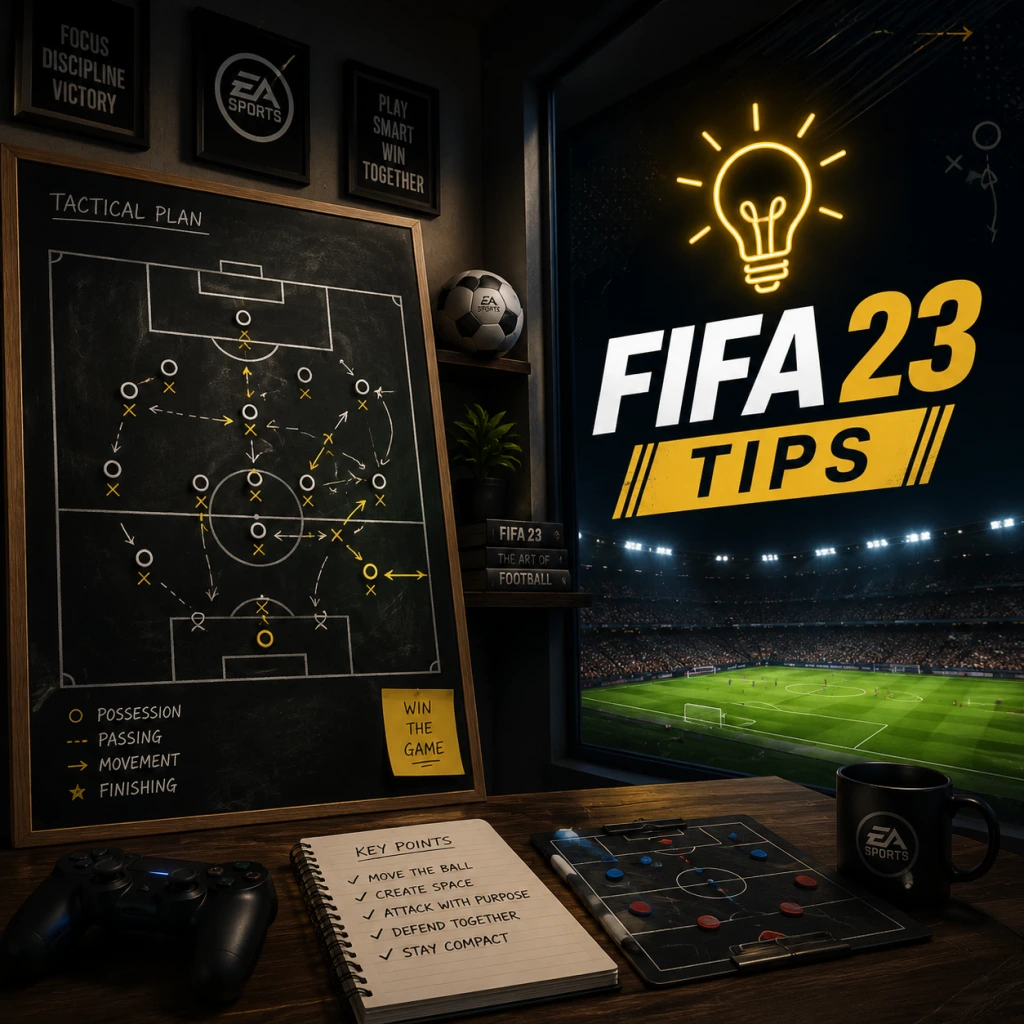
Game Tips
FIFA 23 Ultimate Tips Guide
This guide covers essential tips for FIFA 23 across all major modes: Ultimate Team, Career Mode, and general gameplay. Tips are grouped by category adapted to football: Attacking & Defending (combat), Game Modes & Navigation (exploration), Coins, Points & Items (resources), Squad Building & Chemistry (builds), Transfer Market & Trading (economy), and Progression & Training. Each tip includes explanation and when to apply.
---
1. Attacking & Defending (Combat)
Beginner Tips
#### Use the Precision Shooting & Timing
- Tip: Enable Precision Shooting in settings and practice timed finishing (press shoot a second time just before contact).
- Why: Precision shooting increases accuracy and power, especially for finesse shots. Timed finishing provides a boost when executed correctly (green timing).
- When: Use in one-on-one situations and from angles where you need placement over power.
- Tip: Hold L1 (PS) / LB (Xbox) while dribbling for close control and quick turns.
- Why: This “controlled sprint” keeps the ball closer, allowing you to shield and change direction without losing possession.
- When: Use in tight spaces near the box, or when waiting for support.
- Tip: Hold L2 / LT to jockey – this allows you to face the attacker and cut passing lanes. Use R1 / RB to bring a second defender.
- Why: Sprinting into tackles leaves gaps. Jockeying forces the attacker into mistakes while keeping defensive shape.
- When: Use jockey when the attacker is facing you; press R1 when they are near the box to apply pressure.
- Tip: Use L1+R1+Shoot (PS) / LB+RB+Shoot (Xbox) to perform a Power Shot – a powerful, but slower, shot with unique ball physics.
- Why: Power Shots are extremely hard for keepers to save, especially from distance, and can bend around defenders. However, they have a long wind-up, so time carefully.
- When: Use when you have space outside the box (e.g., after a corner clearance) or on a counter-attack where the goalkeeper is slightly off his line.
- Tip: Use R1+Pass (PS) / RB+Pass (Xbox) for driven ground passes that travel faster and stay low. Use L1+Triangle / LB+Y for driven through balls (low trajectory).
- Why: Driven passes are less likely to be intercepted and reach your target quickly. Driven through balls are perfect for splitting defences on the floor.
- When: Use driven passes in transition; use driven through balls when your striker makes a run behind the central defenders.
- Tip: Press D-Pad Up then D-Pad Right to activate offside trap manually, or set “Offside Trap” in custom tactics to “On”.
- Why: A well-timed offside trap can catch the opponent’s forwards offside, winning the ball high up the pitch.
- When: Use when the opponent is holding the ball in midfield and their striker is about to sprint – but only if your defenders are in line. Avoid against through-ball spammers, as a mistimed trap can be fatal.
- Tip: Master at least these 4-star skill moves: Ball Roll (R3), Drag Back (L1+R1+Left Stick Back), Elastico (Right Stick from front to side) and Lane Change (Right Stick) to create space.
- Why: Skilled players break down compact defences. Ball Roll helps shift keeper, Drag Back resets stance, Elastico wrong-foots defenders, Lane Change fakes a shot.
- When: Use Ball Roll inside the box, Drag Back when tightly marked, Elastico in 1v1 wide situations, Lane Change from a standstill to burst past a press.
- Tip: Use R1+Square / RB+X for a “controlled tackle” (standing tackle with more precision). Use L1+Right Stick to “player lock” – temporarily control a teammate off the ball for manual runs or interceptions.
- Why: Controlled tackling reduces fouls and retains possession. Player lock allows you to drag a defender into a passing lane while AI covers your original player.
- When: Controlled tackle when you’re certain of winning the ball. Player lock to intercept predictable passes or to create overloads in build-up play.
- Tip: Play a few matches in Kick-Off (quick play) or Volta (street football) to get comfortable with basic controls without pressure.
- Why: Volta’s smaller pitch forces you to learn close control and quick passing. Kick-Off lets you test teams and difficulties.
- When: First hour of gameplay.
- Tip: Go to Practice Arena (from main menu) and complete Skill Games challenges – they teach specific mechanics (dribbling, shooting, set pieces).
- Why: These are free, quick, and reward you with XP and coin boosts in FUT.
- When: Before diving into competitive modes.
- Tip: Always check Objectives (under Ultimate Team) each week. Complete “Foundation” objectives for untradeable player packs and coin rewards.
- Why: Objectives are the best way to earn high-value rewards without spending real money. Milestones give long-term rewards like Future Stars tokens.
- When: Daily – spend 15 minutes completing easy objectives (e.g., score with Polish players in Squad Battles).
- Tip: Hire scouts with 5-star experience and judgment. Set them to search for “Physically Strong” or “Technically Gifted” players in countries like Brazil, Argentina, Nigeria.
- Why: High-level youth players can be promoted at 70+ OVR and sold for profit or developed into superstars.
- When: Start scouting in first season; promote when they turn 16 with high potential.
- Tip: The best way to qualify for FUT Champions Weekend League (WL) is to earn 1,250 points in Division Rivals each week. Play on Thursday/Friday when matchmaking is looser due to more active players. Only enter WL if you can commit to 20 matches before Monday.
- Why: Qualification is easier early in the week; WL rewards are massive but require time. If you can’t finish all 20, you lose some rewards.
- When: Play Rivals on Thursday early evening; start WL on Saturday morning to avoid connection issues.
- Tip: Instead of buying packs with coins (which give poor value), use coins to directly buy players from the Transfer Market.
- Why: Pack weight is extremely low – odds of packing a top player are tiny. Coins are best spent on specific players to improve your squad.
- When: Anytime – never open pack with coins unless it’s a guaranteed promo pack (like 81+ Double Upgrade).
- Tip: Log in every day to claim daily rewards. Complete Squad Building Challenges (SBCs) that are simple (e.g., “Hybrid Leagues” with cheap players).
- Why: Daily login gives coins, packs, and sometimes loan players. SBCs reward packs that can give high-value items without spending.
- When: Daily – 5 minutes to do daily login and one basic SBC.
- Tip: Every week, EA releases Marquee Matchups SBCs requiring specific teams/leagues. Stock up on bronze and silver players from those leagues beforehand.
- Why: Demand spikes, cards sell for 500-1000 coins each, giving huge profit margins.
- When: Buy during the week; sell on Thursday 6pm UK when new SBCs drop.
- Tip: Install the FIFA 23 Companion App on your phone. Use it to list items on the transfer market, complete SBCs, and open packs while away from console.
- Why: The app allows you to react to market fluctuations quickly – list items while at work, quickly recycle duplicate cards into SBCs.
- When: Daily – check for price crashes during promos (e.g., during TOTY).
- Tip: Buy Bronze Packs for 400 coins each. List every item for 200 min (players) or 150 (consumables). The occasional rare player (fitness, league SBC) sells for thousands. Discard kits/badges for 0 coins but keep them for future SBCs.
- Why: BPM reliably makes 100-500 coins per pack after selling and discarding low-value items. It’s the most consistent low-effort coin maker.
- When: Do in batches of 10-20 packs when you have time. Particularly profitable during pre-ordained promos (e.g., FUTties).
- Tip: During lightning rounds (e.g., when a new promo pack releases), players’ prices drop briefly. Use search filters (e.g., 83-rated, max buy now 3k) to snipe cards you know will rise back in an hour.
- Why: Panic sellers list cards well below market value. Sniping requires fast reaction but yields 10-20% profit on each card.
- When: Only during major promo release days (e.g., Team of the Year, FUT Birthday). Use web app for speed.
- Tip: Use players from strong leagues (Premier League, La Liga, Bundesliga) with manager links to max chemistry. A 100 chemistry team gets full attribute boosts.
- Why: Chemistry influences player stats significantly (e.g., +10 pace for a 90-pace player). Hybrids let you use top cards from different leagues without losing chemistry.
- When: Most important in FUT – every player should have at least 8 chemistry (green link).
- Tip: Apply Hunter (pace+shooting) to strikers, Shadow (pace+defending) to centre-backs, Engine (pace+passing+dribbling) to wingers.
- Why: Chemistry styles boost specific attributes to the player’s maximum potential. A striker with Hunter gets +3 pace and +3 finishing, making them clinical.
- When: Apply as soon as you acquire a player – never use unapplied cards in your squad.
- Tip: Use Icons (e.g., 91 Puskás) or Heroes (e.g., 86 Ginola) to link players from multiple leagues or nations – they provide strong links to any player from same nation/league and a soft link to everyone.
- Why: Icons/Heroes act as universal connectors. A single icon can allow you to build a team with players from 3 different leagues plus a green link to countrymen.
- When: If you can afford one, build the rest of the team around it.
- Tip: Play Squad Battles (offline vs AI) on Legendary difficulty to earn Elite 1 rewards weekly (~50k coins plus packs). Alternatively, play Rivals for higher pack quality but facing human opponents.
- Why: Squad Battles is consistent – you can pause, restart, and control difficulty. Rivals rewards are better for equal-skilled players but require more effort and stress.
- When: If you have limited time, Squad Battles. If you enjoy competing and can reach Division 5+, Rivals.
- Tip: Use position modifiers (e.g., CF→ST) to convert players into optimal positions for chemistry. Always apply the correct position before placing in starting XI.
- Why: A player on 7 chemistry (wrong position) loses 3 attribute points vs 10 chemistry. Spending 500 coins on a position change can improve performance dramatically.
- When: Always check position before finalizing squad.
- Tip: Build triangles of same-league/nation/club players (e.g., three Premier League English players in a line) to get “strong links” (green) that maximize chemistry. Avoid “dead links” (orange or red).
- Why: A chain of strong links allows you to include one off-chemistry player (e.g., a Serie A player) via a manager or icon.
- When: When designing your starting XI, ensure every player has at least one green link to a teammate.
- Tip: For most players, use Buy Now if the price is close to market value. For special items (in-form, promo), bid early when prices are lower (e.g., Monday morning).
- Why: Bidding saves tax (5% seller fee) but takes time. Buy Now is instant but you pay market rate.
- When: Use Buy Now for common golds; use bidding for high-value cards with few listings.
- Tip: Use Futbin website or app to check price ranges, historical trends, and recommended buy/sell prices. Futbin also lists SBC solutions.
- Why: Futbin gives real-time data – you can see if a card is overpriced at that moment (e.g., due to a new SBC).
- When: Before any significant purchase or sale.
- Tip: During quiet periods, buy 83-84 rated gold players (e.g., Lloris, Kroos) for 2-3k each. When a high-demand SBC (e.g., 83+ x10) drops, they rise to 5-7k.
- Why: Market demand spikes as players rush to complete SBCs. These low-rated high-value cards are always needed for upgrades.
- When: Buy on Sunday night when prices are low; sell on Thursday/Friday (promo drop).
- Tip: Before building a real SBC, use Concept Squad to see requirements, then buy needed players. Some players are needed for multiple SBCs (e.g., “League SBCs”); buy them before others realise.
- Why: Concept Squad shows exactly who you need; you can then mass-buy them cheap before demand surges.
- When: Right after an SBC is released – complete concept first, then buy within 30 minutes.
- Tip: Rare coins can be made by manipulating price ranges for low-supply cards. For example, buy all available copies of a specific silver card from a popular league (e.g., EFL Championship) at 500-600 coins, then list them all at 10,000 coins. If you control 10+ copies, you set the price.
- Why: Low-supply cards have volatile prices. Controlling supply can generate huge profits, but risky if EA introduces an SBC that uses your card (price caps).
- When: Only when you have 200k+ coins and can afford to tie up funds. Best during quiet periods.
- Tip: Using third-party automated bots to snipe cards is against EA’s Terms of Service and can lead to permanent ban. Avoid.
- Why: The risk of losing your entire club is not worth it. Manual trading is slower but safe.
- When: Never – stay within ToS.
- Tip: In Player Career, complete weekly training drills (e.g., Crossing, Finishing) to earn attribute points. In Manager Career, set individual training plans for players based on their weak points.
- Why: Training directly improves stats – 10 minutes of training can raise a player’s rating by 1-2 OVR per season.
- When: Weekly – do all training drills before playing matches.
- Tip: In Volta Football, allocate skill points to Agility and Ball Control first, as these improve responsiveness. Later invest in Power and Shooting.
- Why: Volta’s fast-paced 5v5 requires quick turns and close control. Shooting is less important early on because matches are low-scoring.
- When: First 10 skill points.
- Tip: If you have duplicate untradeable cards, the game forces you to place them in an SBC or quick sell. Use the Unassigned stack by leaving them in the “New Items” area – you can move them to SBCs later without losing them.
- Why: This allows you to keep valuable duplicates (e.g., duplicate in-form) until you can use them in an SBC, rather than quick selling for a loss.
- When: Whenever you open packs and get duplicates.
- Tip: In Manager Career, after a successful season, request additional transfer budget from the board by going to My Objectives → Board Expectations → Transfer Budget. If you meet all expectations, they often approve an extra 10-20%.
- Why: This boosts your budget without selling players.
- When: Early each season before the transfer window opens.
- Tip: For the best training results, always match the drill type to the player’s position. For example, use “Reaction & Control” for CAMs and wingers, “Shielding” for strikers, “Tactical View” for defenders. Use the highest intensity drills (Gold) for maximum XP gain per session.
- Why: Drills that align with position improve relevant stats faster. Gold drills give +6 attribute points per session vs Silver’s +3.
- When: Train every in-game week; focus on physical attributes for young players.
- Tip: Before buying a expensive player, complete loan versions via SBCs or objectives. Test them in 5-7 games (Squad Battles or Rivals) to see if they fit your playstyle.
- Why: Loan players cost only a small SBC fee (often near 0) and let you trial cards worth hundreds of thousands. This prevents bad investments.
- When: Always use a loan for any card priced above 50k.
#### Master L1/LB Dribbling
#### Basic Defending: Jockey & Contain
Intermediate Strategies
#### Power Shot Mechanics
#### Through Balls & Driven Passes
#### Defensive Tactics: Offside Trap
Advanced Optimizations
#### Skill Moves Essential for Higher Divisions
#### Advanced Defending: Controlled Tackling & Player Lock
---
2. Game Modes & Navigation (Exploration)
Beginner Tips
#### Start with Kick-Off or Volta to Learn Controls
#### Use the Practice Arena & Skill Games
Intermediate Strategies
#### Understanding FUT’s Objectives & Milestones
#### Career Mode: Youth Academy Scouting
Advanced Optimizations
#### FUT Champions Qualification Optimisation
---
3. Coins, Points & Items (Resources)
Beginner Tips
#### Never Buy Packs with FUT Coins – Use FIFA Points Only if You Spend
#### Complete Daily Login & SBCs for Free Items
Intermediate Strategies
#### Invest in Bronze & Silver Packs for Marquee Matchups
#### Use the Companion App to Manage Club
Advanced Optimizations
#### Coin Making via BPM (Bronze Pack Method)
#### Sniping During Market Crashes
---
4. Squad Building & Chemistry (Builds)
Beginner Tips
#### Build a Hybrid League Team for Chemistry
#### Use Chemistry Styles Properly
Intermediate Strategies
#### Leverage Icons and Heroes for Easy Links
#### Squad Battles vs. Division Rivals for Rewards
Advanced Optimizations
#### Perfect Chemistry Using Position Modifiers
#### Avoid Chemistry Penalties with Strong Links
---
5. Transfer Market & Trading (Economy)
Beginner Tips
#### Understand Buy Now vs. Bidding
#### Watch Market Trends on Futbin
Intermediate Strategies
#### Invest in 83+ Rated Cards Before Promos
#### Trade with Concept Squads in SBCs
Advanced Optimizations
#### Using Price Ranges & Market Manipulation
#### Autobuyer Bots (Not Recommended)
---
6. Progression & Training (Levelling)
Beginner Tips
#### Career Mode: Develop Players Through Training
#### VOLTA: Use Skill Points Wisely
Intermediate Strategies
#### FUT: Quick Sell Duplicates & Use Unassigned
#### Manager Career: Requesting Transfer Budget
Advanced Optimizations
#### Future Stars – Best Training Methods
#### Use Loan Players in FUT to Save Coins
---
Summary Table of Best Practices by Skill Level
| Skill Level | Focus Area | Most Important Tip |
|---|---|---|
| Beginner | Attacking | Use Precision Shooting + Timed Finishing |
| Beginner | Defending | Jockey with L2/LT, avoid sprinting |
| Beginner | Resources | Complete daily objectives & Foundation SBCs |
| Intermediate | Builds | Use Hunter/Shadow chemistry styles |
| Intermediate | Economy | Invest in 83+ rares before promos |
| Intermediate | Progression | Do all Career training drills weekly |
| Advanced | Attacking | Master skill moves (Ball Roll, Elastico) |
| Advanced | Defending | Use Player Lock for interceptions |
| Advanced | Economy | Bronze Pack Method (BPM) for steady coins |
| Advanced | Squad | Leverage Icons/Heroes for perfect chemistry |
Use these tips to elevate your FIFA 23 experience. Good luck on the pitch!
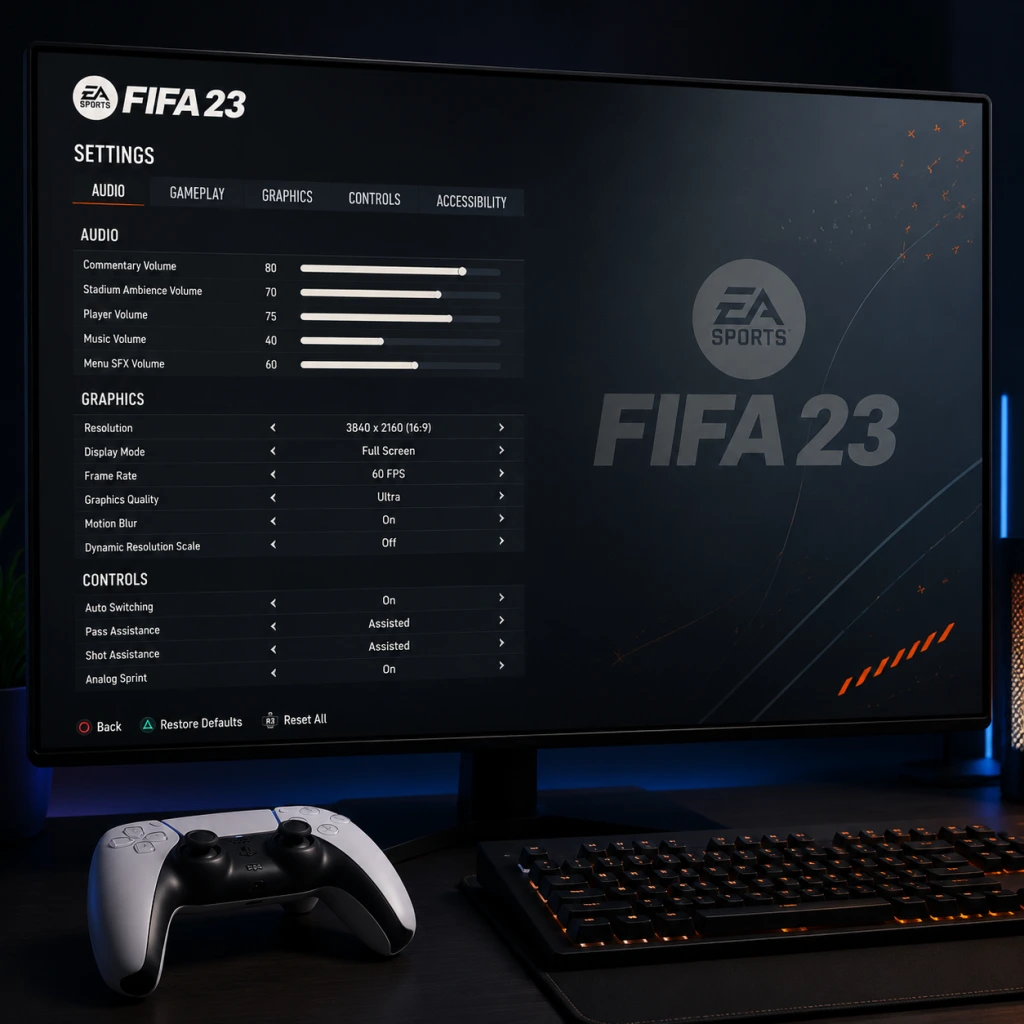
Game Settings
Game Settings
This section provides a complete walkthrough of all major settings in FIFA 23. Whether you are on PC, PlayStation 5, Xbox Series X|S, PS4, Xbox One, or Nintendo Switch, understanding each option will help you tailor the game for performance, visual fidelity, and personal comfort. Special attention is given to settings that are often misconfigured or cause confusion.
---
1. Graphics Settings (PC Only)
FIFA 23 on PC uses the Frostbite engine. Graphics settings directly affect performance and image quality. Below are recommendations for three tiers of hardware.
#### Key Settings to Check
- Display Mode: Fullscreen is recommended over Windowed or Borderless Windowed for best performance and input latency.
- Resolution: Set to your monitor’s native resolution (e.g., 1920x1080, 2560x1440, 3840x2160). Lowering can boost FPS but will look blurry.
- Refresh Rate: Match your monitor’s refresh rate (60Hz, 144Hz, etc.). FIFA 23 supports up to 360Hz.
- V-Sync: Off for lowest input lag (if you can tolerate screen tearing). On can reduce tearing but adds slight lag. Use G-Sync/FreeSync if available.
- Frame Rate Cap: Set to “Unlimited” or match your monitor’s refresh rate. Capping to 60 FPS is recommended for stable gameplay on lower-end systems.
#### Quality Presets & Individual Settings
| Setting | Low (60 FPS) | Medium (60 FPS) | High (60+ FPS) | Ultra (144+ FPS) | Notes |
|---|---|---|---|---|---|
| Overall Quality | Low / Medium | Medium / High | High | Ultra | Start with preset then tweak below |
| Texture Quality | Low | Medium | High | Ultra | VRAM usage: High/Ultra >4GB req. |
| Shading Quality | Low | Medium | High | Ultra | Impacts lighting realism |
| Shadow Quality | Off / Low | Medium | High | Ultra | Shadows on players add realism |
| Anti-Aliasing | Off / FXAA | TAA | TAA | TAA (Temporal) | TAA reduces jaggies but can blur; FXAA less demanding |
| Ambient Occlusion | Off | SSAO | HBAO+ | HBAO+ | Adds depth; SSAO is good balance |
| Post Process Quality | Low | Medium | High | Ultra | Bloom, depth of field, etc. |
| Motion Blur | Off | Off | Off | User preference | Turn off for competitive clarity |
| Grass Quality | Low | Medium | High | Ultra | Affects stadium pitch detail |
| Crowd Quality | Low | Medium | High | Ultra | Crowd animation; heavy on CPU |
| Hair Quality | Low | Medium | High | Ultra | Strand-based hair on next-gen |
- Entry Level (e.g., GTX 1050 Ti, RX 570, 8GB RAM): Use Low preset, disable motion blur, set anti-aliasing to FXAA. Expect 60 FPS at 1080p.
- Mid-Range (e.g., RTX 2060, RX 5600 XT, 16GB RAM): Medium-High preset, TAA, ambient occlusion SSAO, shadows Medium. Target 60 FPS at 1440p or 1080p High.
- High-End (e.g., RTX 3070, RX 6800 XT, 16GB+ RAM): Ultra preset, TAA, HBAO+, hair quality High. Can achieve 144+ FPS at 1440p or 4K 60 FPS.
- Master Volume: Set to a comfortable level (70-90%).
- Commentary Volume: Many players reduce this to 30–50% to avoid repetitive lines. You can turn it off entirely if preferred.
- Stadium Ambience: Keep high (80-100%) to hear crowd reactions and referee whistles.
- On-Pitch Effects: Footsteps, ball kicks, tackles – set to 100%. These provide crucial audio cues for positioning.
- Menu Music: Lower or mute if it distracts; personal preference.
- Control Layout: Choose between FIFA Classic / Alternate / Two Button etc. Most players use FIFA Classic (PlayStation) or FIFA Classic (Xbox). For beginners, Two Button simplifies controls (pass and shoot only).
- Button Mapping: You can remap every action. Common changes:
- Analog Sprint: On = sprint intensity varies with trigger pressure. Off = full sprint always. Recommended On for better control.
- Left Stick Dribbling Sensitivity: Adjusts how quickly your player responds. Higher = twitchy; lower = sluggish. Start at 50, adjust +/-10 based on feel.
- Pass Assistance: Semi or Manual for experienced players; Assisted for beginners. Assisted corrects passes but limits creativity.
- Shot Assistance: Assisted is default for most. Manual for skilled players to place shots precisely.
- Through Pass Assistance: Similar to passing; Semi gives a good balance.
- Cross Assistance: Manual allows more accurate crosses; Assisted tends to over-correct.
- Lob Pass Assistance: Leave Assisted unless you’re pro.
- Save Assistance: Not applicable (for keeper modes only).
- Nintendo Switch: Motion controls are available; you can disable them in Settings > Controls > Motion Control.
- PlayStation 5 / Xbox Series X|S: Adaptive triggers / haptic feedback are supported. Some players find them distracting – you can reduce intensity in Settings > Controller > Trigger Effect Intensity.
- Color Blind Mode: Three options – Protanopia, Deuteranopia, Tritanopia. It changes player indicators, arrow colors, and UI elements. Enable under Settings > Accessibility > Color Blind Mode.
- Subtitle Display: Turn on for cutscenes and pre-match cinematics. Size can be adjusted.
- Camera Shake: Option to reduce motion sickness.
- Visual Cues: A setting that shows a “ping” icon on screen when a whistle blows (foul, offside, etc.). Useful for deaf/hearing-impaired players.
- Menu Narration: Text-to-speech for menu items (PC & console).
- Auto Sprint: If holding sprint is difficult, enable Auto Sprint so your player always sprints when running with the ball (not recommended for manual control).
- Auto Tackling: Automatically attempts tackles when close to opponent; can be toggled on for easier defending.
- Hold to Contain: Instead of pressing a dedicated button, you can set AI to pressurize the ball holder automatically.
- Game Language: Select menu language (affects all text).
- Commentary Language: Separate from menu language. You can have English menus with Spanish commentary, for example.
- Audio Language: For some regions, select between English, French, German, etc.
- Region Server: On PC, you can force a specific server region for online modes (e.g., North America, Europe). Important for Ultimate Team matchmaking to reduce lag: choose the region closest to you.
- Matchmaking Server Selection: Available only on PC. Choose a server with the lowest ping (green indicator). If you’re in a region with multiple servers, lock yours to the best one.
- Cross-Play: Enabled by default. On PC you can play with PS5 and Xbox Series X|S users but not PS4/Xbox One. Disable if you want only same-platform opponents (e.g., PC only).
- Auto-Detect Settings: Let the game choose; you can manually override if you experience issues.
- Use a wired Ethernet connection instead of Wi-Fi for lower latency.
- Port Forwarding (optional): Open UDP ports 3659, 17502, 10000-19999, and TCP 443, 80, 9988, 10000-19999 for better connectivity.
- Packet Loss: If you see the “connection quality” indicator turn red, your internet is unstable. Close background downloads, streaming, or switch to a less congested network.
- Game Speed: Normal is standard for competitive play. Slow gives more time on ball (for beginners or simulation). Fast can feel arcadey and is not recommended for realistic matches.
- Difficulty Level: Choose between Amateur (AI mistakes) to Legendary (AI near-perfect). Ultimate Team uses a separate difficulty (World Class/Legendary for offline matches).
- Sprint Mode: Analog (pressure-sensitive) or Digital (on/off). Analog is more fine-tuned.
- Defensive Tactics: Tactical Defending (default) vs Legacy Defending (old style). Tactical requires holding a button to contain and pressing tackle. Legacy uses the tackle button to auto-tackle. Recommended: Tactical – it offers more control.
- Timed Finishing: If enabled, pressing shoot a second time (just as the player strikes) adds power/accuracy. Many beginners disable it because it’s hard to time. Turn Off if you often mistime.
- Precision Dribbling.: L2/LT + left stick for close control. Works best on higher difficulties.
- Auto Switching (Player Movement):
- Save Assistance (Goalkeeper): Only relevant if you control the keeper (rare). Leave Assisted for your AI keeper.
- Injury Frequency: Set to On (default) for realism, but in Ultimate Team online play, injuries can affect your squad. Many players turn injuries Off for friendly sessions.
- Offside Rule: Rarely changed, but set to On as per standard rules.
- Extra Time: Can be set to Golden Goal for quick matches (e.g., one half of extra time ends when first goal is scored).
- Penalty Kick: Normal or Where I Aim (manual). Manual gives you direct control over direction; hard to master.
#### Common Misconfiguration: Overlooking VRAM Limit
If you set texture quality to Ultra on a GPU with only 4GB VRAM, the game may stutter heavily or crash. Always check VRAM usage in the settings menu (PC only) – stay below 90% usage.
---
2. Audio Settings
Audio settings are similar across all platforms. Properly configuring them can improve your gameplay experience, especially in competitive modes.
#### Key Options
#### Special Attention: Dynamic Range
Choose Headphones or Home Theater based on your output device. Headphones mode enhances directional audio (e.g., hearing an opponent closing in from the side). Home Theater is better for surround sound systems.
#### Misconfigurable Setting: Audio Output
On PC, ensure your default playback device is correct in Windows sound settings. FIFA 23 sometimes defaults to the wrong device if you have multiple audio outputs (e.g., monitor speakers vs headphones). Check in-game under Settings > Audio > Speaker Configuration.
---
3. Controls Settings
FIFA 23 offers extensive control customization. The most critical settings affect responsiveness and button layout.
#### Controller Configuration
- Swap Sprint (R2/RT) and Sprint (L2/LT)? Not recommended.
- Change Finesse Shot to a different button.
#### Advanced Settings
#### Misconfigurable Setting: Controller Vibration
Vibration can provide feedback (e.g., tackle feels heavy) but adds input latency in competitive play. Professional players often turn it Off to reduce lag and distraction.
#### Platform-Specific Notes
---
4. Accessibility Settings
FIFA 23 includes several features to aid players with disabilities.
#### Visual Accessibility
#### Auditory Accessibility
#### Motor Accessibility
#### Misconfigurable Setting: Camera Shake
Some players inadvertently turn off camera shake via accessibility, causing the game to feel unnaturally static during goal celebrations. Ensure it matches your preference.
---
5. Language & Region Settings
Language settings affect commentary, menu text, and subtitle language.
#### Misconfiguration Pitfall: Commentary vs Menu Mismatch
If you change the commentary language but not the menu language, the game may fail to download the audio pack. Ensure both are set to the same language group (e.g., English for both) unless you deliberately want a mix. Also, some languages require an additional download – make sure you have space.
---
6. Network Settings
Optimal network settings reduce lag (latency) and packet loss in online modes.
#### In-Game Network Options
#### Network Diagnostics & Tips
#### Misconfiguration: Matchmaking Server Selection on Console
On console, you cannot manually select a server. Instead, the game picks based on your IP geolocation. If you are matched with high-ping opponents, try restarting the game or your router to force a different connection.
---
7. Gameplay Settings
These settings directly affect how the game plays on the pitch. They are often misconfigured, leading to frustration.
#### Game Speed & Difficulty
#### Match Controls & Assistance
#### Auto Switching & Assistance
- Auto Switching Move Assistance: Controls whether the game automatically switches to the nearest player when ball is loose. Options: Air & Ground, Air Only, None. For manual control, set to Manual (None).
- Auto Switching: Decides how aggressively the game changes your controlled defender. Low is recommended – it still does light switching but not too intrusive. High often switches you away from a good position.
#### Misconfigurable Setting: Auto Switching
Players often leave Auto Switching on High, causing their defender to suddenly switch to a distant player, leaving gaps. Set Auto Switching to Low or Manual (if you are comfortable). Auto Switching Move Assistance should be set to Manual to avoid losing control of your chosen player.
#### Additional Gameplay Options
---
Summary of Critical Settings to Double-Check
1. Graphics (PC): Texture Quality (VRAM), V-Sync, Motion Blur (off).
2. Audio: Dynamic Range (Headphones vs Home Theater), Commentary Volume (lower for focus).
3. Controls: Pass/Shot Assistance (choose based on skill), Vibration (off for competitive).
4. Accessibility: Color Blind Mode (if needed), Auto Sprint (rarely used).
5. Language: Server region (PC), commentary language download.
6. Network: Cross-Play toggle, wired connection preferred.
7. Gameplay: Auto Switching (set to Low or Manual), Timed Finishing (off if struggling), Game Speed (Normal).
By carefully tuning these settings, you’ll get the best balance of performance, visuals, and control comfort for your playstyle and hardware.
Important Notes
FIFA 23 Important Notes – Everything You Need to Know Before You Play
This section covers critical warnings, common pitfalls, irreversible decisions, missable content, difficulty spikes, grinding traps, online etiquette, save management, and things players often wish they knew from the start.
Warnings & Anti-Cheat
- PC Anti-Cheat (EA Anticheat): FIFA 23 on PC uses EA's proprietary anticheat software. It runs at system level and may conflict with certain overlays, VPNs, or simracing software. Uninstall any third-party mouse acceleration or input managers before launch. The anticheat is known to cause performance drops on some rigs – disable it via the EA App settings if you only play offline (though this may prevent FUT access).
- Nintendo Switch (Legacy Edition): The Switch version is a legacy port with no FUT, no cross-play, no new gameplay features, and uses an older engine. Avoid this version if you expect the full FIFA 23 experience.
- Cross-Play Limitations: Cross-play exists only between same-platform generations (PS5/Xbox Series X|S/PC, and PS4/Xbox One separately). You cannot play with friends on different console families (e.g., PS5 vs PS4).
- Online Disconnections: Unexplained DNF (Did Not Finish) penalties in FUT can lead to bans if frequent. Ensure stable internet, use wired connection, and avoid leaving matches early.
- FUT SBC (Squad Building Challenges) Submissions: Once you submit players into an SBC, they are permanently consumed. You cannot get them back. ALWAYS double-check that you are not submitting a valuable untradeable card, a duplicate you meant to quicksell, or a player you might need later for objectives.
- FUT Player Contracts & Consumables: Applying a contract or chemistry style to a card is irreversible – the consumable is used up. Do not apply a rare chemistry style (e.g., Hunter) to a gold common card you might replace soon.
- Career Mode – Player Training (Create a Pro): When you allocate skill points to your virtual pro in Career Mode or Pro Clubs, they can be respecced only in limited ways (via reset tokens in Pro Clubs; in Career Mode you cannot respec at all once points are spent). Plan your build carefully.
- Career Mode – Loan-to-Buy Options: When you accept a loan offer for a player, you may be forced to pay the agreed transfer fee at the end of the loan if the clause is active. You cannot cancel this mid-season. Only accept loans with optional buy clauses if you want to keep control.
- Ultimate Team – Club Names & Kits: Your club name and kit selection are permanent for that FUT save. You can change kits via the catalogue store, but the club name cannot be changed once set (except via a one-time rename token from the store – limited availability).
- FUT Objectives & Season Pass: Many objectives expire at the end of each season (approx. 6 weeks). Rewards include packs, coins, and special players. Miss them, and they are gone forever. Always check the 'Objectives' tab regularly.
- Limited-Time SBCs: Flash SBCs, Player SBCs (like POTM, FUT Heroes), and Marquee Matchups are available for a limited window (e.g., 24 hours to 7 days). If you skip them, you might never get that card again (unless re-released in a future batch).
- Career Mode – Pre-Season Tournaments: Accepting or rejecting pre-season tournament invitations is a one-time choice per save. The tournament can yield bonus XP for your squad. Declining means you miss out on the rewards, but you can’t go back.
- Volta Story Mode Choices: Volta's narrative has branching dialogue that can lock you out of certain skill-based rewards or endings. Replays are possible but require restarting the mode entirely.
- Achivements/Trophies: Some achievements are tied to specific promotional events (e.g., ‘Score from a corner in FUT Champions’ during a certain weekend). If you miss the weekend, you cannot earn that achievement until the event cycles back (if ever).
- General Gameplay: The jump from Professional to World Class is steep due to tighter AI defensive AI and slower player reactions. Practice Skill Games (especially ‘Advanced Shooting’ and ‘Defending & Pressing’) before stepping up.
- FUT Division Rivals: The skill-based matchmaking means you will eventually hit a ceiling where you lose most matches. Progress is tied to performance, not playtime. Do not expect to reach Elite Division quickly if you are new to the series.
- Pro Clubs – Input Delay: Online Pro Clubs can have noticeable input lag, especially with high ping. This is a game issue; adapt by playing with simpler skill moves and early passing.
- Penalty Shootouts: The new timed penalty mechanic (using the right stick) requires practice. Missing the timing window results in a weak shot. Spend 10 minutes in the penalty practice arena before playing online.
- FUT – Buying Packs with Real Money: Packs are gambling. The odds of packing a high-value card are extremely low (e.g., 1% chance for a top rare player). You will likely waste money. Stick to earning packs through objectives and SBCs.
- Squad Battles Grind: Playing all 40 Squad Battles matches each week yields high rewards but is immensely time-consuming. For most players, Gold 2/3 is the best balance of effort vs reward. Do not force yourself to play all matches if you dislike the offline grind.
- Career Mode – Training Drill Repetition: Completing every training drill to maximize player growth is tedious and can burn you out. You can sim most drills and still get decent growth if you set your training plan to ‘Balanced’.
- Volta – Coin Grinding: Volta currency (Volta Coins) is hard to earn in large amounts. Buying vanity items early is inefficient; focus on upgrading your player’s attributes first.
- Message Drops: After losing, some players send abusive messages via platform chat. You can disable messages from non-friends in your console/PC settings. Do not engage.
- Pausing Spam: It is considered poor etiquette to pause repeatedly during a match unless genuinely needed. FIFA has a built-in limit of 3 pauses per half, but some players use pauses to disrupt rhythm.
- Celebrations & Replays: While not a rule, excessive celebration or watching full replays (especially after a lucky goal) is seen as disrespectful. Celebrate briefly or skip entirely to keep the game flowing.
- Rage Quitting: Quitting a match early (before the end) grants your opponent the win, but you receive a DNF reduction that can lead to bans if repeated. Finish most matches unless absolutely necessary for mental health.
- Career Mode Manual Saves: The autosave overwrites your progress before key matches. To avoid losing a season due to a bad result or bug, create a manual save before each transfer window, cup final, and youth academy promotion. You can keep up to 10 manual saves.
- FUT No Manual Save: FUT is cloud-only; your club is saved on EA servers. There is no way to rollback a mistaken SBC or transfer. However, you can contact EA Support for accidental consumable use (rarely granted).
- Cross-Platform Progress: Your FUT club, Volta progress, and Pro Clubs stats are tied to your EA account, not platform. If you switch from PS4 to PS5, you can transfer once via the Companion App. BUT Career Mode saves do NOT transfer across platforms.
- Backup of Local Files (PC): Career Mode save files are stored locally on PC (Documents/FIFA 23/Settings). Back them up periodically to recover from corruption (common after large title updates).
- Chemistry Styles in FUT: Applying the right chemistry style (e.g., Hunter for pace, Shadow for defense) can make a mediocre player feel elite. Always check Futbin for recommended styles before applying.
- Custom Tactics & Player Instructions: Default tactics are poor. Spend 15 minutes per squad to adjust formation, defensive line, and player instructions. This alone can elevate your win rate by 10-20%.
- Market Timing (FUT): Always buy players on Sunday night/Monday (after Weekend League – lowest prices) and sell on Thursday/Friday (before Weekend League – highest prices). Avoid buying meta cards mid-week.
- Career Mode – Release Clause: Always negotiate a release clause when signing high-value players so you can profit if a bid comes. Without one, you may lose the player for free on a contract expiry.
- Skill Moves Overuse: In higher divisions, spamming skill moves is easily read. Focus on passing and off-the-ball movement instead. Practice 2-3 essential skill moves (ball roll, drag back, fake shot) rather than trying to execute complex combos.
- Academy Players in Career Mode: Scouting high-potential youth players early (first season) gives you a cheap, loyal core for later years. Ignoring the academy leaves you paying inflated transfer fees for aging stars.
Irreversible Choices & Permadeath-like Mechanics
Missable Content & Time-Limited Events
Difficulty Spikes & Learning Curves
Grinding Traps & Time Wasters
Online Etiquette & Toxic Behavior
Save Management & Backup Advice
Common Regrets – Things Players Wish They Knew Earlier
Final Note
FIFA 23 is a deep game with many pitfalls for new and veteran players alike. Take your time in menus, read SBC descriptions carefully, and never gamble money you can't afford to lose in FUT. The most common regret is rushing into irreversible decisions. Use this guide as a checklist before you jump into your first season or FUT match.
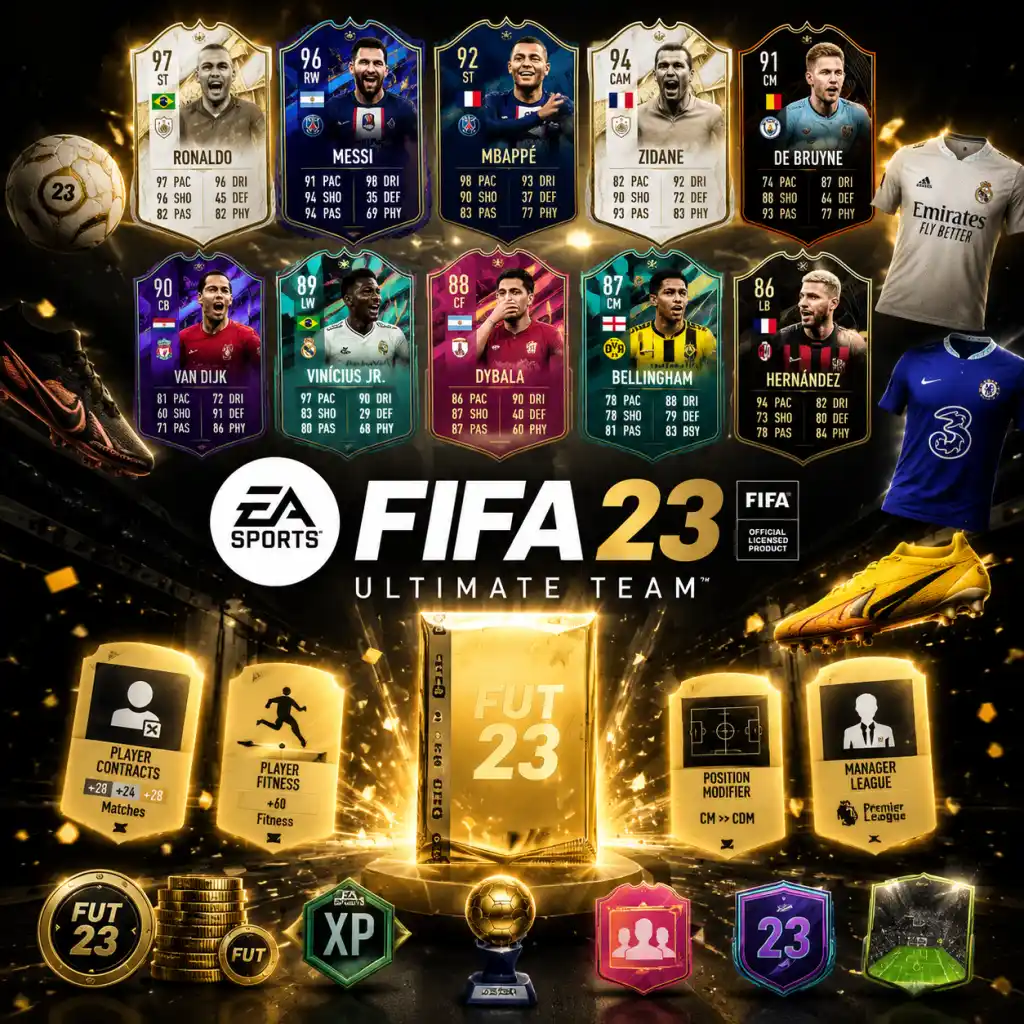
All Game Items
FIFA 23 All Game Items – Comprehensive Guide
FIFA 23 does not feature traditional weapons or armor. Instead, the game uses a wide variety of items to enhance player performance, customize appearance, unlock content, and facilitate progression across its modes—especially Ultimate Team (FUT) , Career Mode, and VOLTA FOOTBALL. This guide categorizes every major item type and explains its purpose, acquisition method, optimal usage, and relevant synergies.
---
1. Currencies
Currencies are the backbone of transactions. Each mode uses its own currency; some can be purchased with real money, others are earned in-game.
| Currency | Mode(s) | How to Obtain | Primary Use | Tips |
|---|---|---|---|---|
| FIFA Coins | Ultimate Team | Matches, SBC rewards, trading on Transfer Market | Buy players, consumables, packs from the store | Never buy packs directly with coins – save for specific Transfer Market purchases. |
| FIFA Points | Ultimate Team, VOLTA | Purchased with real money via store | Buy packs, entry into Draft, special SBCs | Avoid single gold packs; use points for rare promo packs or Draft entries. |
| FUT Champions Points | Ultimate Team | Earned via FUT Champions Finals & Play-Offs rewards | Qualify for Weekend League, purchase FUT Champions rewards | Manage points to maximize Weekend League entries each week. |
| VOLTA Coins | VOLTA FOOTBALL | Matches, missions, daily rewards | Buy cosmetic items (clothing, accessories, venue decorations) | Focus on items that boost your avatar's style or stats (if applicable). |
| Career Mode Transfer Budget | Career Mode | Club board allocation, player sales | Sign players, renew contracts, pay wages | Negotiate wisely and invest in youth development. |
2. Player Cards (Ultimate Team)
Player cards are the core of FUT. Each card represents a real-world footballer with stats, position, nationality, league, club, and a rarity/rating.
2.1 Standard Rarities
- Bronze (Overall 45–64): Low-rated players, usually from lesser leagues. Used in SBCs requiring bronze players.
- Silver (Overall 65–74): Mid-tier players. Often required for silver tournaments or SBCs.
- Gold (Overall 75–99): Most common high-end cards. Gold rare cards (with a shiny background) are slightly more valuable.
2.2 Special Cards (Promo & Performance-Based)
Special cards have boosted stats or unique art. They are released during promotions or after real-world achievements.
| Card Type | How to Obtain | When Useful | Synergies/Upgrades |
|---|---|---|---|
| Team of the Week (TOTW) | Weekly in packs (Friday–Wednesday) | In-form players with boosted stats. Ideal for competitive squads. | Can be used in SBCs that require TOTW items. |
| Ones to Watch (OTW) | Packed at start of season; upgrades based on real-world performances | Investment item – if player gets TOTW or Man of the Match, card upgrades. | Pair with a high-rated LW/RW for chemistry; hold until upgrade. |
| Rulebreakers | Limited-time promo packs | Players with unusual stat shifts (e.g., faster CB, stronger winger) | Use in Hybrid SBCs; often have boosted weak foot or skill moves. |
| Flashback | SBC objectives | Players with stats reflecting a past version of themselves | Strong links to nationality/league; often required in high-tier SBCs. |
| FUT Birthday | Special promo packs | High-rated, often with 5-star skill moves/weak foot | Excellent for creative attackers; use in dedicated Birthday SBCs. |
| TOTY (Team of the Year) | Packs in January (rare) | Best players from previous calendar year; highest base stats | Endgame cards; required for expensive icon SBCs. |
| FUT Champions Rewards | Weekend League red player picks | Untradeable but high-rated; used for chemistry or SBCs | Grind for red picks to fill high‑end bench. |
| Icon Cards | Special packs, SBCs | Legendary players with unique stats and chemistry links | Essential for hybrid squads – link any player from same nation or any league. |
3. Consumables (Ultimate Team)
Consumables are single-use items that modify players or provide temporary benefits.
3.1 Chemistry Styles
Apply to a player to boost specific attributes by up to +15 (depending on team chemistry).
| Chemistry Style | Boosted Attributes | Best Used On |
|---|---|---|
| Hunter | Pace +3, Shooting +3 | Fast strikers who need finishing. |
| Shadow | Pace +3, Defending +3 | Centre-backs or defensive midfielders. |
| Engine | Pace +3, Passing +3, Dribbling +3 | Wingers or playmakers. |
| Catalyst | Pace +3, Passing +3 | Full‑backs or box‑to‑box midfielders. |
| Anchor | Pace +3, Defending +3, Physical +3 | All‑round defenders. |
| Basic | Balanced +2 to all attributes (except GK) | Good for all-rounders; default if no style applied. |
| Glove (GK) | Diving, Handling, Kicking, Reflexes, Positioning | Goalkeepers. |
| Wall (GK) | Diving, Reflexes, Positioning | Shot-stoppers. |
3.2 Position Modifiers
Change a player's preferred position (e.g., CM → CAM). Costs Position Modifier consumables.
- Purpose: Fit players into different formations or chemistry links.
- How to Obtain: Bronze/silver/gold packs, Transfer Market.
- When Useful: When you need to change a player's position by one step (e.g., LM → LW). Use sparingly – long position changes require multiple modifiers (e.g., CF → ST: need 2 modifiers).
- Purpose: Keep players eligible to play in FUT matches.
- How to Obtain: Packs, Transfer Market, SBC rewards.
- When Useful: Always – apply to high‑value players first. Combine with Manager card (+% contract bonus).
- Team Fitness: Restores fitness to all 11 starting players (rare).
- Single Fitness: Restores fitness to one player.
- How to Obtain: Packs, Transfer Market.
- When Useful: Use Team Fitness before intense matches. Gold fitness cards are cheap on the market.
- How to Obtain: Packs, Transfer Market.
- When Useful: Immediately after a match injury. Keep a few in your club.
- Purpose: Boost contract length (e.g., +10% contract bonus) and improve squad chemistry.
- How to Obtain: Packs (bronze/silver/gold), Transfer Market.
- When Useful: Essential for hybrid chemistry. Always keep a manager matching your squad's main league.
- How to Obtain: Limited-time SBCs, promo packs, FUT Champions rewards.
- When Useful: In high‑stakes matches (e.g., Weekend League final, Draft final) to give a key player an edge.
- Home/Away Kits: Represent your club. Thousands of options from real teams and special designs.
- Badges: Club crest displayed during matches and menus.
- How to Obtain: Packs, SBCs, rewards, or buy on Transfer Market.
- Stadium Theme: Background visuals for your home game (e.g., pitch pattern, net color, stadium type).
- Tifos: Large banners displayed before kick-off.
- Goal Celebrations: Unique animations (e.g., dance, flip) triggered after scoring.
- Ball: Different ball designs (affects visibility but not gameplay).
- How to Obtain: Pack drops, Season Pass rewards, objective completion.
- When Useful: Purely cosmetic; show off your style in Weekend League.
- Clothing: Shirts, trousers, shoes, hats, glasses, tattoos.
- Accessories: Backpacks, headphones.
- Emotes: Celebrations, dances.
- How to Obtain: VOLTA Coins, VOLTA pass, matches.
- When Useful: Personalize your avatar for the VOLTA arcade mode.
- Purpose: Assign individual training drills to players to boost specific attributes (e.g., Shooting Drill improves Finishing).
- How to Obtain: Given at start; new drills unlocked as you progress seasons.
- When Useful: Every week – assign to young players for long‑term growth. Overloading can cause fatigue; rotate drills.
- Purpose: Define a player’s growth path (e.g., “Focus on Pace” or “Balanced”). Affects how attributes increase.
- How to Obtain: Always available in Player Hub.
- When Useful: Set for each player at the start of a season. Adjust based on squad needs.
- Contract Renewal: Extends manager contract; available via board requests.
- Training Equipment: Increases effectiveness of training drills (e.g., +10% growth).
- How to Obtain: Win domestic cups, meet board objectives, or purchase from the development menu.
- Gold Pack, Premium Gold Pack, Jumbo Premium Gold Pack, etc.: Contain random players, consumables, and customization items.
- How to Obtain: Store purchase (coins/Points), SBC rewards, FUT Champions, Season Pass.
- When Useful: Open during promo events for higher chance of special cards. Never open on a Tuesday (before TOTW).
- “Red picks”: Untradeable TOTW players awarded for Weekend League rank.
- How to Obtain: Finish Weekend League with enough wins.
- When Useful: Use to bolster your squad with in‑form players or use in TOTW SBCs.
- Tokens: Limited-time items (e.g., FUT Swap Tokens) exchanged for high‑end rewards in dedicated SBCs.
- How to Obtain: Objectives, Squad Battles, seasonal milestones.
- When Useful: Complete all token objectives before expiry to claim the best reward (e.g., 91+ Icon pack).
- Purpose: Temporary players (e.g., 5 matches of loan Mbappé) to test a card before buying.
- How to Obtain: Season Pass, SBC rewards, pre‑order bonuses.
- When Useful: Use in friendly matches or low‑stakes games to evaluate chemistry fit.
- Purpose: Extra copies of untradeable players or consumables.
- Management: Store in the “Duplicate Storage” (up to 50 items). Quick sell or use in SBCs.
- When Useful: Burn duplicates in low‑cost SBCs rather than quick selling for minimal coins.
- Purpose: Single‑use currency to unlock specific cosmetic items in VOLTA customisation.
- How to Obtain: VOLTA matches, daily logins.
- When Useful: Use to unlock high‑value items you want immediately.
- Chemistry Styles + Manager: A Shadow Chemistry Style on a center‑back with a Manager of the same league boosts both passing and defending links, maximizing squad chemistry.
- Contracts + Manager: A Manager with +3% contract bonus makes every contract last longer – use 99‑match contracts on top players.
- TOTW Players + FUT Champions Points: Earn red picks to get in‑form players, which are then used as high‑rated fodder in Icon SBCs.
- SBC Tokens + Promo Periods: Hold tokens until a desirable SBC (e.g., Player Pick) expires; use them wisely.
- Never quick-sell rare consumables (Chemistry Styles, Position Modifiers, Fitness cards) – they sell for more on the Transfer Market (5,000+ coins for Hunter/Shadow).
- Stack Loyalty: Players gain +1 chemistry after 10 matches; use loan players to test chemistry before investing.
- Season Pass: Free Season Pass rewards often include valuable items (packs, loan players, FUT Champions boosts). Always claim them.
3.3 Contract Cards
Extend a player's contract by a number of matches (1, 5, 10, 15, 20, 28, or 99).
3.4 Fitness Cards
Restore a player's stamina after matches.
3.5 Injury Healing Cards
Heal an injured player. Available for specific body parts (e.g., leg, head, back) or a Squad Healing card that heals all injuries.
3.6 Manager Cards
Increase contract bonus and chemistry links. A Manager of the same league/nationality as players adds +1 chemistry.
3.7 Training Cards (Player – FUT)
Rare consumables that temporarily boost a player’s attributes for one match (e.g., +5 Pace, +5 Dribbling).
---
4. Customization Items (Ultimate Team & VOLTA)
These items change the visual appearance of your club, stadium, or avatar. They have no gameplay impact but are collectible and tradeable.
4.1 Kits & Badges
4.2 Stadium Items (FUT)
4.3 VOLTA Avatar Items
---
5. Training & Development Items (Career Mode)
Career Mode uses items to improve player attributes and tactical growth.
5.1 Training Drill Plans
5.2 Development Plans
5.3 Scout Items (Contract Renewal / Training Equipment)
---
6. Collectibles & Packs
These are not items per se but are essential for progression.
6.1 Packs (FUT)
6.2 FUT Champions Player Picks
6.3 SBC Tokens & Swaps
---
7. Other Notable Items
7.1 Loan Players
7.2 Duplicate Items
7.3 VOLTA Customization Tickets
---
Synergies & Strategic Usage
---
Final Notes
By understanding each item category, you can optimize your resources, build stronger squads, and enjoy FIFA 23’s content more efficiently.
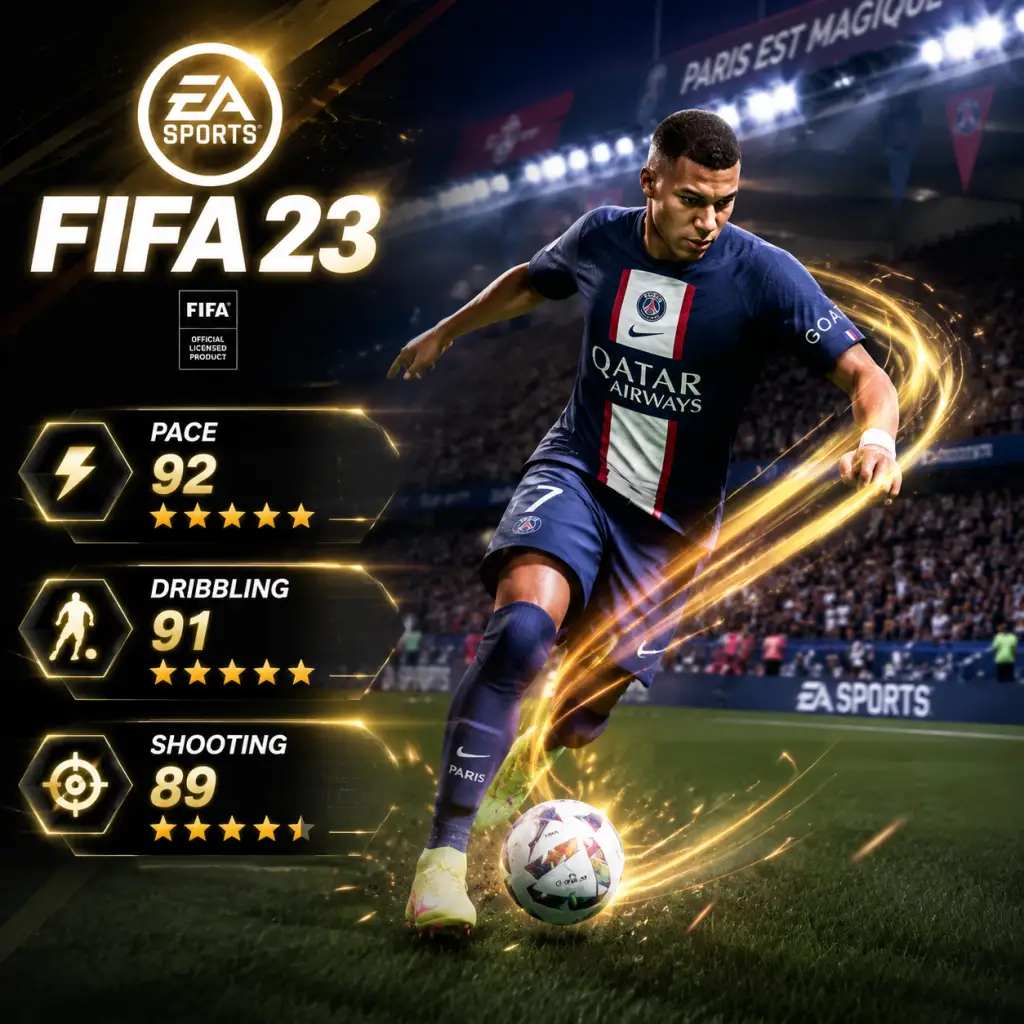
Character Skills
Character Skills in FIFA 23
In FIFA 23, there are no traditional character classes or spells. Instead, 'skills' refer to player attributes, traits, skill moves, and gameplay mechanics that define how each player performs on the pitch. This guide covers every playable role (position), their key attributes, all player traits, skill moves (special moves), core abilities, and recommended builds. While cooldowns do not exist, we describe stamina cost and situational usage.
1. Player Positions and Key Attributes
Each position demands a different set of attributes. Below is a breakdown of primary roles and their most important stats.
| Position | Key Attributes | Role Description |
|---|---|---|
| Goalkeeper (GK) | Diving, Handling, Kicking, Reflexes, Speed, Positioning | Shot-stopping, distribution, commanding area |
| Centre Back (CB) | Defending, Physical, Pace, Jumping | Marking, tackling, heading, strength |
| Full Back (LB/RB) | Pace, Defending, Dribbling, Stamina | Overlapping runs, crossing, defensive support |
| Defensive Midfielder (CDM) | Defending, Physical, Passing, Stamina | Breaking up play, shielding defence |
| Central Midfielder (CM) | Passing, Dribbling, Defending, Stamina | Box-to-box, link play, tempo control |
| Attacking Midfielder (CAM) | Dribbling, Passing, Shooting, Pace | Creative hub, through balls, long shots |
| Winger (LW/RW) | Pace, Dribbling, Shooting, Crossing | Width, cutting inside, skill moves |
| Striker (ST) | Shooting, Pace, Dribbling, Physical | Finishing, hold-up play, movement |
- Pace (Acceleration & Sprint Speed): Determines how fast a player accelerates and runs.
- Shooting (Finishing, Long Shots, Shot Power, etc.): Accuracy and power of shots.
- Passing (Short, Long, Vision, Curve): Quality of passes and through balls.
- Dribbling (Agility, Balance, Ball Control, Dribbling): Close control and ability to beat defenders.
- Defending (Interceptions, Standing Tackle, Sliding Tackle): Ability to win the ball.
- Physical (Strength, Stamina, Jumping, Aggression): Duels, endurance, aerial ability.
- Goalkeeping (Diving, Handling, Reflexes, Speed, Positioning): Specific to GKs.
- Finesse Shot: More accurate and powerful finesse shots (curled shots).
- Outside Foot Shot: Player uses outside of foot for driven passes and shots.
- Long Shot Taker: Increased accuracy and power from distance.
- Power Header: Stronger and more accurate headers.
- Chip Shot: Better chipped shots (lob finishes).
- Backheel Pass/Shot: Allows unique backheel actions.
- Dive Into Tackles: Player is more aggressive in tackling.
- Technical Dribbler: Faster, tighter dribbling animations.
- Flair: Performs flashy moves (e.g., no-look passes, fancy flicks).
- Skill Move: Indicates star rating (1–5) – affects available skill moves.
- Speed Dribbler: Quick touches while sprinting.
- Playmaker: More accurate through balls and lobbed passes.
- Early Crosser: Delivers accurate crosses from deeper positions.
- Long Passer (e.g., Pirlo-like): Enhanced long passing vision and accuracy.
- One Club Player / Solid Player: (Morale traits, minor effect).
- Bruiser (Strength): Stronger in physical duels.
- Interception: Better at reading passes and intercepting.
- Slide Tackle: Cleaner slide tackles.
- Dive Into Tackles: Aggressive standing tackles.
- Long Throw: Longer, quicker throw-outs.
- Saves with Feet: Better at blocking low shots with feet.
- Rushes Out: GK rushes off line aggressively.
- Puncher: Prefers punching crosses over catching.
- One on One: Better at facing breakaways.
- Injury Prone (Negative): Higher injury risk.
- Glass Cannon (Negative): Perfect for balancing? Not in standard game.
2. Player Traits
Traits are special abilities that enhance a player's performance in specific situations. They are innate and cannot be changed except via special FUT items (e.g., Chemistry Styles that alter attributes, not traits). Below are all major traits in FIFA 23:
Shooting Traits:
Dribbling Traits:
Passing Traits:
Defensive Traits:
Goalkeeper Traits:
Special Traits:
3. Skill Moves (Special Moves)
Skill moves are special dribbling techniques executed with the right stick (or left stick + modifiers). Each player has a skill rating (1–5 stars) that determines which moves they can perform. Below is a list of all skill moves by star requirement, with execution and usage tips.
5-Star Skill Moves (Require 5★ Skill Rating):
| Move | Execution (Xbox/PS) | Effect & Usage |
|---|---|---|
| Elastico | RS flick right → down (or vice versa) | Quick side-to-side flick; beats a defender one-on-one. |
| Reverse Elastico | RS flick down → left (or right) | Same as above but in opposite direction. |
| Rabona Fake | RS flick up then down quickly | Feint then pass/shoot with rabona. |
| Sombrero Flick | RS up then up (while standing) | Flips ball over head; risky but flashy. |
| Ball Hop | Hold LB (L1) + RS click | Hopping on ball; evades sliding tackles. |
| Flair Rainbow | Flick RS back then forward | Overhead flick; great for flair. |
| Move | Execution | Effect & Usage |
|---|---|---|
| Roulette (Marseille Turn) | RS up then down | 360-degree spin; sheds defenders. |
| Stepovers (multiple) | RS clockwise/counterclockwise | Multiple stepovers to dummy defender. |
| Berba Spin | RS flick right then down (left foot) | Quick spin with shielding. |
| Heel to Heel | RS up then up (flick forward twice) | Flick ball forward with heel; changes direction. |
| Croqueta | Hold LB (L1) + RS left/right | Quick drag back and side step. |
| Ball Roll | RS left or right (while standing) | Simple ball roll; shifts defender. |
- Body Feint (RS left/right), Drag Back (RS down), Fake Shot (Square/X + X cancel), etc.
- Simple ball rolls, knock-ons (RS flick forward), etc.
- Sprint Dribble (Hold R2/RT): Faster but less control.
- Close Control (Hold L2/LT): Slower, tight turning; effective shielding.
- Fake Shot (Square + X / X + A quickly): Cancel shot to fool defender.
- Cruyff Turn (L2 + Fake Shot): Elegant turn; evades pressure.
- Drag Back (RS down + direction): Pull ball back quickly.
- Short Pass (X / A): Standard ground pass.
- Through Ball (Triangle / Y): Lead pass into space.
- Lobbed Through Ball (L1 + Triangle / LB + Y): Over defence.
- Driven Pass (R1 + X / RB + A): Fast, low pass; risky but effective.
- Cross (Square / X): Float, driven, or lofted crosses.
- Low Cross (R1 + Square / RB + X): Quick, near-ground cross.
- Power Shot (Circle / B): Standard powerful shot.
- Finesse Shot (R1 + Circle / RB + B): Curled shot; great from angles.
- Chip Shot (L1 + Circle / LB + B): Lob over keeper.
- Low Drive Shot (L1 + R1 + Circle / LB + RB + B): Low, hard shot; effective one-on-one.
- Timed Finishing (Double tap Circle/B + timing): Extra power/accuracy if timed perfectly.
- Standing Tackle (Circle / B): Press to win ball; timing crucial.
- Slide Tackle (Square / X): Riskier, covers more ground.
- Jockey (L2/LT + left stick): Stay low, move laterally; best for containing.
- Second Man Press (R1 / RB): Teammate pressures ball holder.
- Team Press (L1 + R1 / LB + RB): Full team press; drains stamina.
- Rush Out (Triangle / Y hold): Charge at attacker.
- Save with Feet (L2/LT + Triangle/Y): Spread body low.
- Throw Out (X/A): Quick distribution.
- Kick (Circle/B): Long clearance.
- Finesse Shot + Finesse Shot Trait + High Curve: Unstoppable curled shots from outside box.
- Elastico + Low Driven Shot: Beat a defender and finish powerfully.
- Through Ball + Pacer (High Acceleration + Sprint Speed): Winning run behind defence.
- Technical Dribbler + Ball Roll + La Croqueta: Close control in tight spaces.
- Box-to-Box Midfielder + Long Shot Taker + High Stamina: Constant threat in attack and defence.
- Power Header + High Jumping + Strength (e.g., CR7): Dominate corners.
- Inside Forward (Winger with Cutting Inside Trait) + Finesse Shot : Cutting onto strong foot for curled finish.
- Driven Pass + 1-2 Passing (L1 + X / LB + A): Quick combination play.
- Rush Out + Saves with Feet (GK) + High Reflexes: Effective against breakaways.
- Focus: Diving, Reflexes, Handling, Speed.
- Desired Traits: Saves with Feet, Long Throw, One on One.
- Chemistry Style (FUT): Glove (Diving, Handling, Positioning).
- Pace (minimum 70+), Defending, Physical (Strength, Jumping).
- Traits: Bruiser, Interception, Power Header.
- Chemistry Style: Shadow (Pace, Defending) or Anchor (Pace, Physical).
- Pace (85+), Stamina, Dribbling, Crossing/Defending.
- Traits: Early Crosser, Speed Dribbler (if attacking), or Defensive traits for defensive FB.
- Chemistry Style: Hunter (Pace, Shooting) for attacking; Shadow for defensive.
- Defending, Physical, Passing, Pace (70+).
- Traits: Dive Into Tackles, Interception, Playmaker.
- Chemistry Style: Shadow or Powerhouse (Passing, Defending).
- All-round (70+ in Pace, Shooting, Passing, Dribbling, Defending, Physical).
- Stamina (80+). Traits: Long Shot Taker, Playmaker, Bruiser.
- Chemistry Style: Engine (Pace, Dribbling, Passing) or Hawk (Pace, Shooting).
- Dribbling, Passing, Shooting, Pace (80+).
- 4-5 Star Skills, 4-5 Star Weak Foot ideal.
- Traits: Technical Dribbler, Finesse Shot, Playmaker.
- Chemistry Style: Hunter (Pace, Shooting) or Engine (Dribbling/Pace).
- Pace (90+), Dribbling (Agility, Balance), Shooting (Finishing, Curve).
- 4-5 Star Skills. Traits: Speed Dribbler, Flair, Finesse Shot.
- Chemistry Style: Hunter or Deadeye (Shooting, Passing).
- Shooting (Finishing, Shot Power, Long Shots), Pace, Dribbling, Physical (Strength for hold-up).
- 4-5 Star Weak Foot preferred. Traits: Finesse Shot, Power Header, Outside Foot Shot.
- Chemistry Style: Hunter (Pace, Shooting) or Finisher (Shooting, Dribbling).
- Ball Roll: When facing a defender in a 1v1; roll ball to shift their momentum, then accelerate past.
- Roulette: Use in midfield to turn away from pressure; risky near own box due to animation length.
- Elastico/Reverse Elastico: Best on the wing to beat a fullback; quick and effective.
- Heel to Heel: When receiving a through ball and want to change direction instantly.
- La Croqueta: In tight areas (edge of box) to evade tackles and create space.
- Stepovers: Slow down dribble and cause defender to commit; often followed by opposite direction.
- Sombrero Flick: Only in open space or when defender is sliding.
- Fake Shot: Use anywhere to freeze the defender; effective in penalty area for a quick change of angle.
- Driven Pass: Use for quick counter-attacks and through balls that need to stay low.
- Lobbed Through Ball: Over a high defensive line; best with pacey strikers.
- Low Driven Shot: Best one-on-one with keeper; use when you have clear sight of goal.
- Chip Shot: Use when keeper rushes out early; requires good composure.
- Timed Finishing: When you have a second to aim; adds extra power and accuracy but risky if mistimed.
- Second Man Press: Use to apply pressure without committing your controlled defender.
- Slide Tackle: Last resort or when sure of winning ball; avoid in penalty area.
- Rush Out (GK): Only when attacker is through on goal and you can reach ball quickly.
- Finesse Shot – use on cut inside from wide areas or from outside box when ball is on strong foot.
- Power Header – use during corners or crossing situations with tall striker.
- Early Crosser – act quickly on the break; cross before fullback recovers.
- Ball Roll + Finesse Shot: Shift defender, then curl shot.
- Stepover + Driven Pass: Dummy defender before slipping a through ball.
- La Croqueta + Low Driven: Drag ball back, then finish low.
- Drag Back + Lobbed Through: Create space then lob over defence.
- Weak Foot (1-5 stars): Affects accuracy and power when using non-dominant foot. Aim for 4+ on attackers.
- Stamina Management: Sprinting and skill moves drain stamina. Replace tired players in Career Mode or use substitutes in FUT.
- Momentum & Form: In Career Mode, player morale affects performance. Keep players happy.
- Practice Arena: Use the skill games and training modes to master timing of skill moves.
1-2 Star:
Important: Skill moves consume stamina, especially when used repeatedly. Use them sparingly in high-pressure moments.
4. Core Gameplay Abilities (Non-Skill Moves)
These are fundamental actions controlled via buttons. Each has specific use cases.
Dribbling:
Passing:
Shooting:
Defending:
Goalkeeping:
5. Combos and Synergies
Effective play combines traits, skill moves, and core abilities.
6. Recommended Builds by Position
Based on meta and common playstyles, here are optimal attribute priorities and trait/skill move preferences for each role.
Goalkeeper:
Centre Back:
Full Back:
Defensive Midfielder:
Central Midfielder (Box-to-Box):
Attacking Midfielder:
Winger:
Striker:
7. When to Use Each Skill
Skill Moves:
Core Abilities:
Traits:
Combos:
8. Final Notes
This guide covers all character skills in FIFA 23. Master these mechanics to dominate every match.
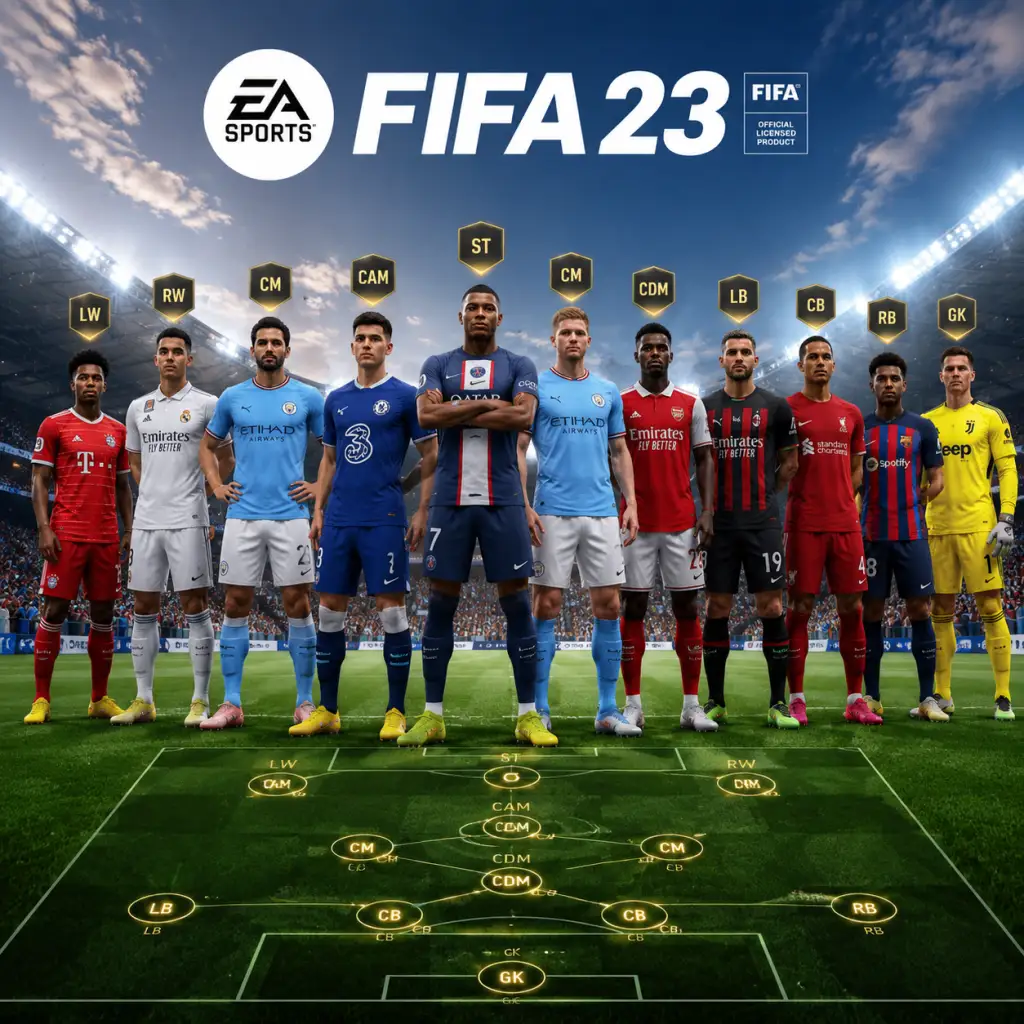
Characters & Roles
Characters & Roles in FIFA 23
FIFA 23 does not feature traditional RPG-style characters or classes, but it offers a vast array of player roles defined by their position on the pitch, attributes, player traits, and special card types (in Ultimate Team). This guide covers every major role, including permanent positions, dynamic player types, and special hero/icon cards. Each role is analyzed with background, strengths, weaknesses, playstyle, unlock conditions, recommended attributes/traits, and team synergy.
Table of Contents
- [Pitch Positions (Outfield & Goalkeeper)](#pitch-positions-outfield--goalkeeper)
- [Special Player Types (Ultimate Team)](#special-player-types-ultimate-team)
- [Career Mode Created Player / Pro Clubs Avatar](#career-mode-created-player--pro-clubs-avatar)
- [Volta Football Characters](#volta-football-characters)
- Excellent diving, reflexes, positioning, handling, and kicking.
- Unique ability to save close-range shots and one-on-ones.
- Can start counter-attacks with long throws or kicks.
- Cannot score (except rare instances).
- Vulnerable to long shots if poorly positioned.
- Speed and dribbling are usually very low.
- Stay on line vs. rushing out – depends on opponent's through balls.
- Use “Sweeper Keeper” trait for quick off-the-line clearances.
- Distribute safely to full-backs or midfielders.
- Key attributes: Diving (90+), Reflexes (90+), Positioning (90+), Handling (85+), Kicking (80+).
- Best traits: “Comes for Crosses”, “Saves with Feet”, “Long Thrower”.
- Pairs well with a solid backline; a good GK can compensate for weaker defenders.
- Hyperlink (Chemistry) with CBs of same club/nation.
- High defending (interceptions, standing tackle, sliding tackle), strength, and jumping.
- Often tall with good heading accuracy (set pieces).
- Can carry the ball out with decent passing (if well-rounded).
- Usually low pace (except some fast CBs).
- Can be turned easily by agile forwards.
- Poor dribbling and shooting.
- Stay back while attacking; conservative interceptions.
- Use jockey (L2/R2) to block passing lanes.
- Switch to the closest CB to press.
- Defending (90+), Physical (85+), Pace (70+ preferred).
- Traits: “Power Header”, “Strong”, “Interceptions” (special trait).
- Two CBs: one physical brute (e.g., Van Dijk) and one agile/pacey (e.g., Kimpembe).
- Link with CDM for double protection.
- High pace and stamina for overlapping runs.
- Decent dribbling and crossing.
- Can track back with good slide tackles.
- Often weaker in central defending.
- May be caught out of position if they push too high.
- Finishing is usually poor.
- Join the attack on overlap (when instructed).
- Use pace to recover defensively.
- Deliver early crosses or cut-back passes.
- Pace (85+), Dribbling (80+), Defending (75+), Stamina (90+).
- Traits: “Early Crosser”, “Speed Dribbler”, “Injury Prone” (avoid).
- LM/LW ahead can cut inside while full-back provides width.
- With a defensive-minded CDM to cover runs.
- High defensive work rate, interceptions, and tackling.
- Good stamina and strength.
- Can dictate tempo with simple passing.
- Often lacks pace, shooting, and creativity.
- Not a goal threat.
- “Stay back while attacking” custom tactic.
- Cut passing lanes, intercept, and recycle possession.
- Use jockey to contain and then tackle.
- Defending (85+), Physical (80+), Passing (75+), Pace (70+).
- Traits: “Interceptions”, “Stamina”, “Long Passer”.
- Essential for 4-2-3-1 or 4-3-3 (holding). Pairs well with a box-to-box CM.
- Protects backline, allowing full-backs to push up.
- Well-rounded attributes – passing, dribbling, stamina, and shooting.
- Can contribute both defensively and offensively.
- Often high vision and long passing.
- Jack of all trades, master of none (specialist CMs may lack in one area).
- May be caught in transition if not disciplined.
- Balanced attack support; cover center of the pitch.
- Use through balls, short passes, and occasional long shots.
- Manual player switching to press and intercept.
- Passing (85+), Dribbling (80+), Shooting (75+), Defending (70+), Pace (75+).
- Traits: “Playmaker”, “Long Shot Taker”, “Technical Dribbler”.
- In a 4-3-3, two CMs can be box-to-box with one CDM behind.
- Works in a 4-4-2 with two CMs controlling the midfield.
- High dribbling, passing, vision, and agility.
- Excellent at finesse shots and through balls.
- Often has 4-5 star skill moves.
- Weak defensively; low strength and tackling.
- Can be isolated if team doesn't possess midfield.
- Stamina might be an issue if required to track back.
- “Free roam” instruction to find space.
- Drift into half-spaces, play quick 1-2s, and shoot from edge of box.
- Use left-stick dribbling and skill moves to beat defenders.
- Dribbling (90+), Passing (90+), Shooting (85+), Agility (90+).
- Traits: “Flair”, “Finesse Shot”, “Technical Dribbler”, “Playmaker”.
- Needs strong CDMs behind to cover defensively.
- Works best with a pacey striker who can run onto through balls.
- In 4-2-3-1, CAM is the focal point of attacks.
- High pace, dribbling, and crossing.
- Cut inside for finesse shots (if inverted).
- Good agility and balance.
- Often weak defensively and physically.
- Tend to be one-dimensional if predictable.
- Finishing may be inconsistent (except top cards).
- Get in behind, stay wide, or cut inside based on formation.
- Use stepovers, ball rolls, and speed bursts to beat defenders.
- Cross early or pass to overlapping full-back.
- Pace (90+), Dribbling (90+), Passing (80+), Shooting (75+).
- Traits: “Speed Dribbler”, “Outside Foot Shot”, “Technical Dribbler”.
- In 4-3-3, wingers are primary goal threats; need a good striker to occupy CBs.
- With a full-back who overlaps, create 2v1 situations.
- High finishing, positioning, and heading.
- Often strong and clinical inside the box.
- Good off-the-ball movement to beat offside trap.
- May lack pace (target man) or physicality (poacher).
- Limited defensive contribution.
- Dribbling may be only average (target men).
- “Stay central”, “Get in behind” or “Target man” based on type.
- Use hold-up play to bring midfielders into game.
- Finish with driven shots, finesse, or heading.
- Shooting (90+), Pace (85+ for fast strikers), Physical (80+ for target men), Dribbling (80+).
- Traits: “Outside Foot Shot”, “Power Header”, “Incisive Pass”, “Finesse Shot”.
- In two-striker formation, one fast and one strong.
- Needs creative wingers or CAM to supply chances.
- Excellent dribbling and passing.
- Drops deep to link play.
- Good finishing from outside the box.
- Not as fast as pure strikers.
- Less physical presence.
- May leave no one in the box during attacks.
- “False 9” instruction – drop deep to receive ball, drag CBs out of position.
- Lay off passes to wingers or midfield runners.
- Use quick turns and through balls.
- Dribbling (90+), Shooting (85+), Passing (85+), Pace (75+).
- Traits: “Playmaker”, “Technical Dribbler”, “Finesse Shot”.
- Works best with attacking midfielders and wingers who make runs into space.
- In a 4-3-3 (False 9), CF drops and wingers cut inside.
- Extremely high attributes, often 90+ in key areas.
- Provide strong chemistry links (Icon links to any player).
- Often have unique body types and animations.
- Very expensive (millions of coins).
- Limited supply; hard to pack.
- No dynamic upgrades (static stats).
- Very good stats (often between top gold and low icons).
- Unique chemistry boost for hybrid squads.
- Often have 5-star skill moves or weak foot.
- Can be difficult to link if not using their league.
- Lower overall than top-tier Icons.
- No dynamic upgrades.
- Higher stats than base versions.
- Some upgrade dynamically (OTW, Headliners).
- Often have unique card designs.
- May still have poor weak foot or skill moves.
- High market price during promo.
- Can be power-crept later.
- Choose a position (e.g., CAM).
- Focus on key attributes for that role (e.g., Pace, Dribbling, Passing for CAM).
- Unlock traits like “Finesse Shot”, “Technical Dribbler” via skill tree.
- Use “Loan” matches to earn XP early.
- [Goalkeeper (GK)](#goalkeeper-gk)
- [Centre-Back (CB)](#centre-back-cb)
- [Full-Back (LB/RB)](#full-back-lbrb)
- [Defensive Midfielder (CDM)](#defensive-midfielder-cdm)
- [Central Midfielder (CM)](#central-midfielder-cm)
- [Attacking Midfielder (CAM)](#attacking-midfielder-cam)
- [Winger (LW/RW)](#winger-lwrw)
- [Striker (ST)](#striker-st)
- [Centre-Forward (CF)](#centre-forward-cf)
- [FUT Icons](#fut-icons)
- [FUT Heroes](#fut-heroes)
- [Dynamic Player Cards (TOTW, OTW, etc.)](#dynamic-player-cards-totw-otw-etc)
---
Pitch Positions (Outfield & Goalkeeper)
Every player in FIFA 23 has a primary position. Below are the core roles sorted from goalkeeper to striker.
#### Goalkeeper (GK)
Background: The last line of defense. Real-life GKs like Alisson, Courtois, and Neuer are masters of shot-stopping, command of the box, and distribution.
Strengths:
Weaknesses:
Playstyle:
Unlock Conditions: Available in all modes; in Ultimate Team, GKs are obtained like any other player.
Recommended Attributes & Traits (for Pro Clubs/Career Mode created GK):
Team Synergy:
---
#### Centre-Back (CB)
Background: The anchor of the defense. Iconic CBs: Virgil van Dijk, Sergio Ramos, Rio Ferdinand.
Strengths:
Weaknesses:
Playstyle:
Unlock Conditions: Default position; in FUT, acquired from packs or market.
Recommended Attributes:
Team Synergy:
---
#### Full-Back (LB/RB)
Background: Width providers and defensive support. Examples: Alphonso Davies (LB), Trent Alexander-Arnold (RB).
Strengths:
Weaknesses:
Playstyle:
Unlock Conditions: Default position; FUT – market/packs.
Recommended Attributes:
Team Synergy:
---
#### Defensive Midfielder (CDM)
Background: The shield in front of the back four. Masters: N’Golo Kanté, Casemiro, Rodri.
Strengths:
Weaknesses:
Playstyle:
Unlock Conditions: Default position; FUT – packs/market.
Recommended Attributes:
Team Synergy:
---
#### Central Midfielder (CM)
Background: Box-to-box engine or deep-lying playmaker. Examples: Kevin De Bruyne (CM), Frenkie de Jong.
Strengths:
Weaknesses:
Playstyle:
Unlock Conditions: Default; FUT – market/packs.
Recommended Attributes:
Team Synergy:
---
#### Attacking Midfielder (CAM)
Background: The creative hub behind the striker. Legends: Zidane, Ronaldinho, Kaka.
Strengths:
Weaknesses:
Playstyle:
Unlock Conditions: Default; FUT – high-value cards.
Recommended Attributes:
Team Synergy:
---
#### Winger (LW/RW)
Background: Speedy wide attackers who stretch defenses. Examples: Kylian Mbappé, Mohamed Salah.
Strengths:
Weaknesses:
Playstyle:
Unlock Conditions: Default; FUT – packs/market.
Recommended Attributes:
Team Synergy:
---
#### Striker (ST)
Background: The main goal scorer. Icons: Pelé, R9 Ronaldo, Ruud van Nistelrooy.
Strengths:
Weaknesses:
Playstyle:
Unlock Conditions: Default; FUT – top cards are very expensive.
Recommended Attributes:
Team Synergy:
---
#### Centre-Forward (CF)
Background: A hybrid between striker and playmaker. Examples: Roberto Firmino, Lionel Messi (when false 9).
Strengths:
Weaknesses:
Playstyle:
Unlock Conditions: Default; less common position.
Recommended Attributes:
Team Synergy:
---
Special Player Types (Ultimate Team)
FIFA 23 Ultimate Team features distinct character types beyond standard gold players:
#### FUT Icons
Background: Legendary retired footballers (e.g., Pelé, Maradona, Maldini, Zidane). They have boosted stats and unique animations.
Strengths:
Weaknesses:
Playstyle: Versatile – an icon can fit any role depending on version (Base, Mid, Prime, Moments).
Unlock Conditions: Pack luck or purchase from transfer market. Available in FUT only.
Recommended Formation Use: Any – but they shine in positions that suit their best stats.
Team Synergy: Excellent; Icons provide full chemistry to any player of same nation or league.
---
#### FUT Heroes
Background: Fan-favorite players from specific leagues/countries (e.g., Clint Dempsey, Joe Cole, Abedi Pelé). They provide “Hero chemistry” (strong link to same league, weaker link to same nation).
Strengths:
Weaknesses:
Playstyle: Varied; read card stats.
Unlock Conditions: Packs or market in FUT.
Recommended Use: Build a league-based hybrid around them.
Team Synergy: Pair with same-league players for green links.
---
#### Dynamic Player Cards (TOTW, OTW, Rulebreakers, etc.)
Background: Special cards released during promos with boosted stats. Examples: Team of the Week (TOTW), Ones to Watch (OTW), Headliners, Future Stars, TOTS.
Strengths:
Weaknesses:
Playstyle: Based on the original player’s role but with enhanced abilities.
Unlock Conditions: Purchase with coins/FIFA Points or earn through objectives.
Team Synergy: Use as super-sub or build around their league/nation.
---
Career Mode Created Player / Pro Clubs Avatar
Background: Your own custom footballer for Career Mode (Player Career) or Pro Clubs.
Strengths/Weaknesses: Fully customizable – you allocate attribute points and choose traits.
Playstyle: Defined by your chosen position and build.
Unlock Conditions: Start a new Player Career or create a Pro Clubs pro. No credits needed.
Recommended Build (General):
Team Synergy: In Pro Clubs, coordinate roles with teammates (e.g., one CDM, one CM, one ST).
---
Volta Football Characters
Background: Street football mode with customizable avatars and special AI teammates (e.g., “The Manager”, “The Chip”).
Strengths/Weaknesses: Depend on your avatar’s build and the chosen teammate’s skills.
Playstyle: Fast-paced 3v3/4v4/5v5; emphasize skill moves, flair, and quick passing.
Unlock Conditions: Start Volta; teammates are unlocked by completing Volta Story or buying in Volta shop.
Recommended Loadout: Balanced speed and dribbling; use a finisher and a defender.
---
Conclusion
FIFA 23 offers a deep roster of roles, from traditional positions to special FUT card types. Understanding each role’s strengths, weaknesses, and ideal synergies is key to building a winning team in any mode. Whether you prefer a meta pace-abusing winger or a classic target man, mastering the nuances of each position will elevate your gameplay.

Cheats & Secrets
Cheats & Secrets
Cheat Codes
FIFA 23 does not feature any traditional cheat codes that can be entered via controller inputs, keyboard commands, or console menus. Unlike older FIFA titles (e.g., FIFA 98, FIFA 2000) which had cheat codes such as "R2, L1, R1, etc." for altered gameplay, modern EA Sports FIFA games have removed this feature entirely. There are no unlock codes for god mode, unlimited stamina, instant goals, or any other gameplay-altering effects. Attempts to use third-party memory editors or trainers are against the EA User Agreement and can lead to account bans, especially in online modes like Ultimate Team.
Hidden Features & Easter Eggs (Developer-Intended, Safe)
While no cheat codes exist, FIFA 23 includes several Easter eggs and hidden content that were intentionally placed by the developers. These are safe to use and do not require exploiting glitches.
#### Hidden Teams in Kick-Off Mode
- Rest of the World: A team composed of unaffiliated players (e.g., free agents) is available from the start under "Other Teams". This team is often used for custom tournaments.
- Legends: In some versions, there is a hidden "Football Legends" team, but in FIFA 23 this has been replaced by the FUT Heroes system. No classic XI exists.
- "The Shush": Actually a unique celebration unlocked by completing a specific objective in FUT (e.g., score 100 goals with a bronze player).
- "The Griddy": Unlocked via a VOLTA FOOTBALL reward after performing 50 dance emote challenges.
- "The Worm": Hidden in VOLTA; requires winning 10 consecutive matches in the "The Streets" mode.
- DJ Khaled: Unlockable by completing the "The Rise of DJ Khaled" storyline in VOLTA’s "The Streets" mode.
- Secret Venue "The Hideout": Unlocked by beating all VOLTA campaigns on Legendary difficulty. This venue has a unique neon aesthetic.
- Character "The Iceman": Obtained by achieving a 100% pass accuracy in a VOLTA match (requires 5+ passes).
- Scouting Lucky Find: When simulating a season, your youth scout might randomly discover a "secret" player with a late name (e.g., "F. Soccer") – this is a rare Easter egg referencing previous games.
- Press Conference Eccentricity: If you select aggressive answers in press conferences repeatedly, your manager avatar might start wearing a bizarre hat (e.g., a sombrero) – purely cosmetic.
- Pele 99: Available only through an extremely expensive SBC (Squad Building Challenge). Not a secret, but often considered "hidden" due to its difficulty.
- The "All Special" Pack: Occasionally, EA releases a pack that contains only special cards (e.g., promo items) for a limited time – this is an Easter egg for loyal players.
- Title Screen Sonic: On the main menu, if you rapidly press Circle/B on the "Play" tile, a distorted version of the Sonic the Hedgehog ring sound plays (a known developer inside joke).
- Hidden Splash Text: In the "Transfer Market" section, hover over the search bar and press L3+R3 (PS) or L3+R3 (Xbox) to see a quick flash of "EA Sports: It's in the Game" in pixel art.
- 5-Star Skill Moves: Not all 5-star skills are listed in the manual. For example, the "Sombrero Flick" – hold L2, flick the right stick down then up – is a hidden skill that works on 5-star skillers.
- Corner Kick Short Option: Holding L1 before the kick is taken will call a short corner player, but many players don't know you can also tap L1 three times to make the corner taker pretend to slip – a taunt animation.
- Keeper Rush: Pressing Triangle/Y on corners can rush the goalkeeper out, but if you hold it longer, the keeper will come to the near post – not documented in game tips.
#### Secret Celebrations
#### VOLTA FOOTBALL Secret Characters & Venues
#### Career Mode Hidden Events
#### FUT Hidden Rewards (Not Cheats)
#### Menu Easter Eggs
Exploit-Safe Secrets (Glitch-Free, Developer-Allowed)
The following are well-known but undocumented game mechanics that are not considered glitches and are safe to use:
Conclusion
FIFA 23 has zero cheat codes that directly alter match outcomes. However, the game is rich with Easter eggs and hidden content designed to reward exploration. Always unlock these through legitimate gameplay – using third-party mods or trainers for offline cheating is possible but unsupported and risky if you later go online. Enjoy discovering these secrets as they are meant to be found.