Firewatch
## Game Introduction ### Genre First-person adventure, mystery, narrative-driven walking simulator. ### Developer & Publisher Developed by **Campo Santo**, an independent studio founded by former Telltale Games and Klei Entertainment veterans. Published by **Panic Inc.**, known for their software ...
Download & Installation
Download & Installation Guide for Firewatch
This guide covers everything you need to know to download and install Firewatch on all supported platforms. Ensure you have a stable internet connection and sufficient storage before starting.
1. Official Sources & Platform Availability
Firewatch is available from the following legitimate digital storefronts:
| Platform | Store | DRM | Price Tier |
|---|---|---|---|
| PC (Windows, macOS, Linux) | [Steam](https://store.steampowered.com/app/383870) | Steamworks | $19.99 / regional pricing |
| [Epic Games Store](https://www.epicgames.com/store/en-US/p/firewatch) | Epic Online Services | $19.99 | |
| [GOG.com](https://www.gog.com/en/game/firewatch) | DRM-free | $19.99 | |
| [Humble Store](https://www.humblebundle.com/store/firewatch) | Steam key | $19.99 | |
| PlayStation | PlayStation Store (PS4 & PS5 via backward compatibility) | PSN required | $19.99 |
| Xbox | Microsoft Store (Xbox One, Xbox Series X | S) | Xbox Live required |
| Nintendo Switch | Nintendo eShop | Nintendo Account required | $19.99 |
| Mobile (iOS & Android) | App Store / Google Play | No extra account needed (one-time purchase) | $4.99 |
2. System Requirements (PC)
Minimum (30fps @ 720p, Low settings)
- OS: Windows 7 64-bit / macOS 10.11 / Linux with SteamOS
- Processor: Intel Core i3 2.00 GHz or AMD equivalent
- Memory: 4 GB RAM
- Graphics: NVIDIA GeForce GTX 660 / AMD Radeon HD 7870 (1 GB VRAM)
- Storage: 4 GB available space (SSD recommended)
- DirectX: Version 11 (Windows)
- OS: Windows 10 64-bit / macOS 10.13 / Linux Ubuntu 18.04
- Processor: Intel Core i5 2.50 GHz or AMD equivalent
- Memory: 6 GB RAM
- Graphics: NVIDIA GeForce GTX 970 / AMD Radeon R9 290 (4 GB VRAM)
- Storage: 4 GB available space (SSD)
- DirectX: Version 11 (Windows)
Recommended (60fps @ 1080p, High settings)
> Important: Windows 7 and 8.1 are no longer supported by Steam's latest client. Running on macOS Catalina (10.15) or newer may require Rosetta 2 if the game is 32-bit. The Linux version relies on Steam Play (Proton) – native version is not officially maintained.
3. Account Requirements
| Platform | Required Account | Notes |
|---|---|---|
| Steam | Steam account | Must install Steam client. |
| Epic Games Store | Epic Games account | Must install Epic Games Launcher. |
| GOG | GOG account | Download via GOG Galaxy or direct installer. |
| PlayStation | PlayStation Network (PSN) account | Log in on console. |
| Xbox | Xbox Live / Microsoft account | Log in on console. |
| Nintendo Switch | Nintendo Account | Link to eShop on console. |
| iOS | Apple ID | Purchases tied to Apple ID. |
| Android | Google account | Purchases tied to Google Play. |
4. Step-by-Step Installation for Each Platform
#### 4.1 PC via Steam
1. Install the Steam client from [steampowered.com](https://store.steampowered.com). Create or log into your Steam account.
2. Go to Store > search "Firewatch" > click the game.
3. Click Add to Cart > Purchase for Myself (or as gift). Complete payment.
4. Go to Library > find Firewatch in your games list > click Install.
5. Choose installation location (default is `C:\Program Files (x86)\Steam\steamapps\common`).
6. Click Next – Steam downloads and installs. Download size: ~3.6 GB.
7. Once complete, Play button appears. Click to launch.
#### 4.2 PC via Epic Games Store
1. Install Epic Games Launcher from [epicgames.com](https://www.epicgames.com). Log in.
2. Go to Store > search "Firewatch" > click Get or Buy.
3. Complete purchase (or add to library if claimed free).
4. Go to Library > find Firewatch > click Install.
5. Choose installation path and language. Click Install.
6. Download and installation proceeds automatically. ~3.6 GB.
7. Click Launch from the library page.
#### 4.3 PC via GOG (DRM-free)
1. Go to [gog.com](https://www.gog.com/en/game/firewatch) and purchase.
2. Download the offline installer via browser (no launcher required) or use GOG Galaxy.
- Option A (Direct download): After purchase, click View My Downloads > download `setup_firewatch_.exe` (Windows) or `.pkg` (macOS).
- Option B (GOG Galaxy)*: Install Galaxy, log in, go to Owned Games > click Install.
3. Run the installer and follow wizard. Default install path: `C:\GOG Games\Firewatch`.
4. To launch, double-click `firewatch.exe` in the installation folder or create a shortcut.
> Note: GOG version includes bonus content (soundtrack, art book) available for download from your account's Extras section.
#### 4.4 PlayStation (PS4 / PS5 via backward compatibility)
1. Turn on console, log into your PSN account.
2. Go to PlayStation Store > search "Firewatch".
3. Select Add to Cart > Proceed to Checkout > confirm payment.
4. The game begins downloading automatically (or you can start download from Library > Purchased).
5. Once download completes (~3.5 GB), the game appears on your home screen.
6. Launch to play.
> PS5 Enhancement: Runs via backward compatibility. No PS5-specific upgrade available.
#### 4.5 Xbox (Xbox One / Xbox Series X|S)
1. Power on console, log into your Xbox Live profile.
2. Open Microsoft Store > search "Firewatch".
3. Click Buy (or Install if previously purchased).
4. The game downloads (~3.5 GB) and installs automatically. Access from My games & apps.
5. Launch to play.
> Smart Delivery: Not supported – the same version works across both generations.
#### 4.6 Nintendo Switch
1. From HOME menu, open Nintendo eShop.
2. Log into your Nintendo Account.
3. Search "Firewatch" > select Proceed to Purchase > confirm.
4. Download begins immediately (~2.6 GB). Check download progress on HOME menu.
5. Once complete, the game icon appears. Tap to play.
#### 4.7 iOS (iPhone / iPad)
1. Open App Store > search "Firewatch".
2. Tap the price (e.g., $4.99) to purchase with Face ID / Touch ID / password.
3. Download automatically starts (~1.5 GB).
4. Open Firewatch from home screen. No internet required after initial download.
#### 4.8 Android
1. Open Google Play Store > search "Firewatch".
2. Tap Install (or price if not purchased) > grant permissions.
3. Download (~1.7 GB) and install automatically.
4. Open from app drawer or home screen.
5. First Launch Setup (PC)
Upon first launch on PC, the game will:
- Language selection: Choose from English, French, Italian, German, Spanish, Portuguese, Russian, Japanese, Korean, Simplified Chinese, Traditional Chinese.
- Graphics settings: Defaults are set to "Auto Detect". You can adjust:
- Audio: Adjust master volume, music, SFX, voice separately.
- Subtitles: Toggle on/off (recommended on).
- Accessibility: Enable colorblind modes (Protanopia, Deuteranopia, Tritanopia) and adjust HUD size.
- Controller support: Recognizes Xbox, PlayStation, Switch Pro controllers natively. Keyboard & mouse fully supported.
- Resolution
- Display mode (Fullscreen / Windowed / Borderless)
- V-Sync (On/Off)
- Quality Preset (Low / Medium / High / Ultra)
- Field of View (60–90)
> Cloud Save: Steam and Epic versions automatically sync with cloud. GOG offline version does not. On consoles, saves are tied to your platform account.
6. Common Installation Errors & Fixes
| Error / Issue | Platform(s) | Likely Cause | Solution |
|---|---|---|---|
| Insufficient disk space | All | Cache or full drive | Free up at least 5 GB; clear temp files. On PC, check `%TEMP%` and Steam download cache (Steam > Settings > Downloads > Clear Download Cache). |
| Download stuck / slow | PC stores | Server congestion or antivirus | Pause and resume download. Temporarily disable antivirus/firewall. Change Steam download region (Steam > Settings > Downloads > Download Region). |
| Game crashes on launch | PC | Outdated graphics driver | Update GPU drivers (NVIDIA GeForce Experience / AMD Adrenalin). Verify file integrity (Steam: right-click game > Properties > Local Files > Verify Integrity of Game Files; Epic: same in library; GOG: use Galaxy repair). |
| Black screen / no video | PC | Resolution or GPU compatibility | Launch with `-windowed` command (Steam: Properties > Launch Options > add `-windowed`). Update DirectX and Visual C++ Redistributables. |
| Controller not working | PC | Driver conflict | Ensure controller is recognized in Windows Game Controllers settings. Use Steam Input (Big Picture mode) if needed. |
| Missing DLL errors | PC | Corrupted install or missing runtime | Reinstall Visual C++ 2015-2022 Redistributable (x86 and x64). Reinstall game. |
| Save not loading | PC (GOG) | Cloud not available | Ensure save folder `%USERPROFILE%\Documents\Firewatch` exists and is not read-only. |
| Console download fails | PS/Xbox/Switch | Server issue or full storage | Restart console. Delete unused games or screenshots. Check network connection. |
| Mobile version won't download | iOS/Android | Purchase not completed or incompatible device | Restart device. Check OS version (requires iOS 12+ / Android 5.0+). Ensure enough free space (2 GB+). |
7. Post-Install Verification
After installation, confirm everything works correctly:
- Version info: On PC, from main menu > Settings > About (displays version number, e.g., 1.0.6). Latest as of 2024 is v1.0.6.
- Audio & video test: Play through the intro sequence (Olympic National Park walk). Check that dialogue, ambient sounds, and music play clearly. Test subtitles.
- Save game creation: Complete the opening sequence until you reach the tower – the game auto-saves. Quit and reload to verify save persistence.
- Achievements (optional): Log into platform account to ensure achievement tracking is active.
- Performance check: Monitor FPS using in-game overlay (Steam FPS counter) or afterburner. Adjust graphics if below 30 fps.
- Controller vibration: If using a controller, vibration feedback should work during events.
> Troubleshooting remaining issues: Visit the official [Firewatch support page](https://support.camposanto.com) or the appropriate platform's help center.
---
Guide last updated: October 2023. Game version v1.0.6.
Game Introduction
Game Introduction
Genre
First-person adventure, mystery, narrative-driven walking simulator.
Developer & Publisher
Developed by Campo Santo, an independent studio founded by former Telltale Games and Klei Entertainment veterans. Published by Panic Inc., known for their software tools and publishing ventures.
Release Timeline
- Initial Release: February 9, 2016 (Windows, Mac, Linux, PlayStation 4)
- Xbox One: September 21, 2016
- Nintendo Switch: December 17, 2018
- Henry – The protagonist, a middle-aged man fleeing a difficult family situation. He is silent except for dialogue choices the player makes, shaping his personality.
- Delilah – Henry’s supervisor, voiced with remarkable depth by Cissy Jones. She is witty, sarcastic, and guarded, but gradually reveals vulnerabilities. Their conversations form the emotional core of the game.
- Ned – A mysterious character whose presence is felt through notes and actions; a key figure in the unfolding mystery.
- Brian Goodwin – A teenager connected to a secret research project; his disappearance drives much of the plot.
- Immersive storytelling – The relationship between Henry and Delilah evolves organically through player choice, creating a deeply personal narrative.
- Stunning visual style – Vibrant, hand-painted environments with a unique art direction that evokes classic American landscape paintings.
- Atmospheric tension – A slow-burn mystery that mixes quiet introspection with moments of genuine unease.
- Meaningful player choice – Dialogue options affect not only story outcomes but also the emotional texture of conversations, without branching into vastly different endings.
- Narrative-focused experiences over combat or action.
- Walking simulators and exploration games (e.g., What Remains of Edith Finch, Gone Home).
- Emotional stories about relationships, loss, and self-reflection.
- Artistic, non-photorealistic graphics and ambient soundtracks.
- Mature themes handled with nuance (suicide, dementia, guilt).
- Single-player story – The only mode. A linear campaign lasting approximately 4–6 hours.
- Free Roam – After completing the story, players can explore the forest at their own pace, with no narrative goals.
- Audio Tour (added post-launch) – A developer commentary mode where the creative team discusses design choices and behind-the-scenes stories while you walk through the world.
- Offline: Fully playable offline. No internet connection required after installation.
- Online: No multiplayer or online features. The game is entirely single-player.
- DRM: Some platform versions (Steam, GOG) may require a one-time online activation; console versions work offline.
- Free Audio Tour mode (added in 2016).
- Special Edition (retail) contained bonus physical items like a map, sticker, and postcard, but no extra gameplay.
- Nintendo Switch version includes all updates. The game remains a complete, self-contained experience.
Platforms
Available on Windows, macOS, Linux, PlayStation 4, Xbox One, and Nintendo Switch. No mobile or VR versions exist.
Story Overview
Firewatch follows Henry, a man who takes a summer job as a fire lookout in Shoshone National Forest, Wyoming, in 1989. Hoping to escape his troubled personal life, he becomes isolated in a remote watchtower with only his supervisor, Delilah, for company via walkie-talkie. What begins as a quiet, reflective job quickly spirals into a tense mystery when strange events occur in the forest – a missing teenagers’ campsite, a broken research station, and an unseen figure that seems to be watching them. Henry and Delilah must piece together the truth while confronting their own pasts and the wilderness around them.
Setting
The game takes place in a stunningly stylized version of the Wyoming wilderness, specifically the Shoshone National Forest. The time is summer 1989, before cell phones and widespread internet, emphasizing isolation and reliance on a radio. The environment changes with the story’s mood, from serene sun-drenched meadows to ominous, smoke-filled valleys as a wildfire threatens the park.
Main Characters
Core Appeal
Target Audience
Firewatch appeals to players who enjoy:
Game Modes
Online / Offline Support
DLC / Expansion Overview
Firewatch has no paid DLC or expansions. Post-launch content includes:
What Makes Firewatch Unique?
1. Radio conversations as core gameplay – The walkie-talkie is the only lifeline; choosing what to say (or stay silent) shapes your bond with Delilah and influences story beats.
2. Reactive world – The environment changes based on your actions (e.g., a locked gate you ignored early might become relevant later).
3. Art style over realism – The painterly aesthetic, using bold colors and simple geometry, creates an iconic look that stands out from hyper-realistic titles.
4. Ambiguous morality – There are no clear heroes or villains; every character has flawed, human motivations.
5. A deliberate pace – The game refuses to hold your hand, allowing you to get lost literally and emotionally, trusting the player to find meaning in quiet moments.
Firewatch is a landmark indie title that proves a small team can craft a memorable, emotionally resonant experience without combat or puzzles, relying instead on place, voice, and player agency.
Getting Started
Firewatch Getting Started Guide for New Players
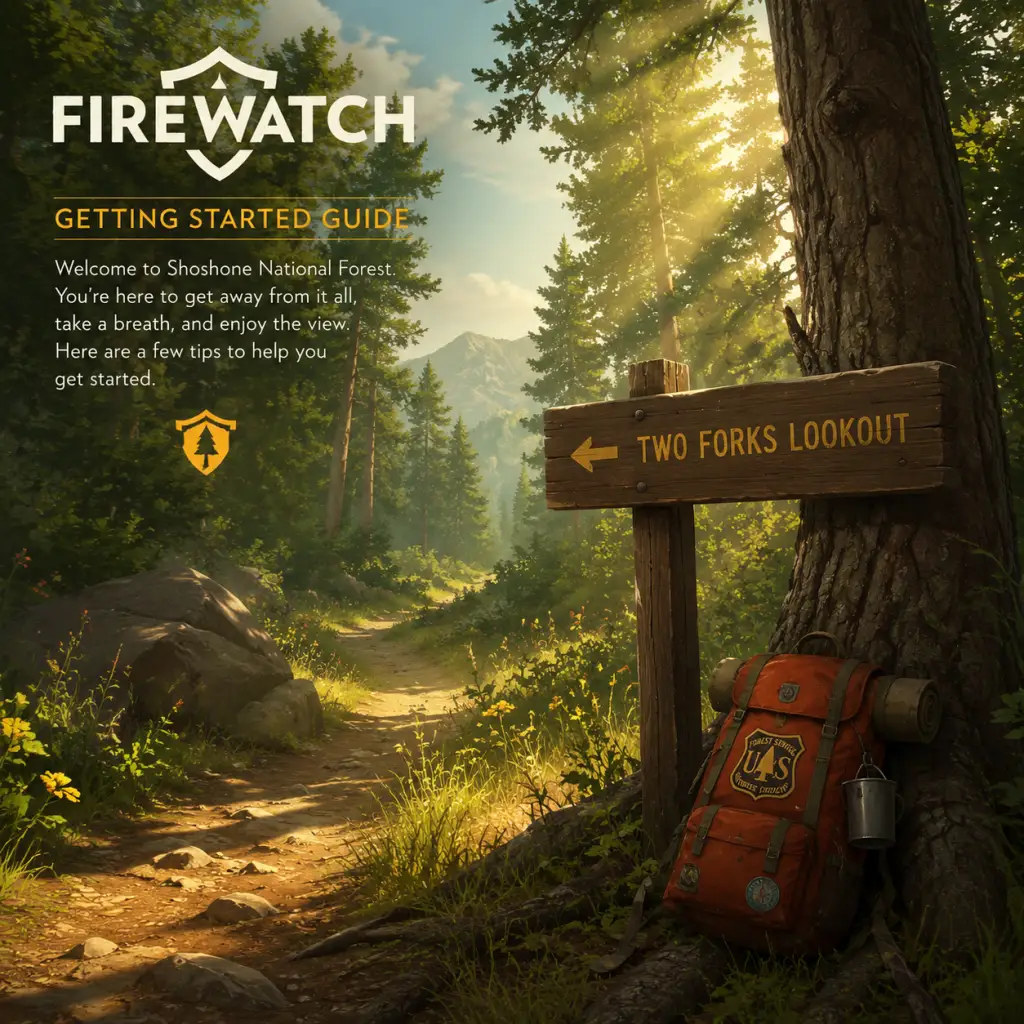
Welcome to Firewatch, a first-person narrative adventure set in the Wyoming wilderness. This guide will help you survive your first day in the Shoshone National Forest, avoid common pitfalls, and fully immerse yourself in the story. Let's dive in.
Character Creation & Story Setup
Firewatch does not have a traditional character creator. You play as Henry, a man with a troubled past. At the very start, you'll go through a short interactive prologue in Henry's house (Year: 1988). This sequence lets you choose dialogue and actions that shape Henry's backstory—specifically his relationship with his wife Julia. These choices don't affect gameplay mechanics but influence how you perceive Henry's story. The prologue ends with Henry taking the fire lookout job. Be sure to explore every room and interact with objects (photos, phone, etc.) to flesh out the narrative.
Controls on All Platforms
| Action | PC (Keyboard & Mouse) | PlayStation (PS4/PS5) | Xbox One/Series X/S | Nintendo Switch |
|---|---|---|---|---|
| Move | W/A/S/D | Left Stick | Left Stick | Left Stick |
| Look | Mouse movement | Right Stick | Right Stick | Right Stick |
| Interact / Use | E | X (PS) or Square (PS4) | A (Xbox) | A (Switch) |
| Open Map | Tab | Touchpad (PS4) or Options (PS5) | View button (double square) | - (hold Minus / -) |
| Compass | N/A (always visible) | Always on screen, use HUD | Always on screen | Always on screen |
| Radio | Hold Q / right-click | Hold Triangle (PS) | Hold Y (Xbox) | Hold X (Switch) |
| Sprint | Hold Shift | Tap L3 (click stick) | Tap L3 | Tap L3 |
| Crouch | Control | R3 (click stick) | R3 | R3 |
| Map: Place Marker / Use | Left click on map | Square (PS) | X (Xbox) | X (Switch) |
| Map: Zoom | Mouse wheel | L2/R2 (triggers) | LT/RT | L/ZR |
| Journal / Notes | N/A (no inventory) | N/A | N/A | N/A |
- On Switch, hold the Minus (-) button to open the map (or use the touch screen).
- The compass is always displayed in the top of the screen—use it to orient yourself.
- You cannot jump or climb except at scripted prompts.
- Top center: Objective text (e.g., “Head to Two Forks Lookout Tower”).
- Top right: Compass with cardinal directions and a small white arrow showing your heading.
- Bottom left: Health indicator (only appears when you take damage from falls or wildlife; it regenerates slowly).
- Bottom center: Prompt symbols (e.g., [E] Interact, [Q] Radio).
- When map is open: You see a hand-drawn map with your position (a small yellow circle), terrain features, and Path markers. You can place custom markers (small flags) by clicking on the map. Your objective is marked with a glowing orange circle.
- Explore every cabin, tower, and landmark. Many contain story notes, photos, or letters that deepen the mystery.
- Listen to all of Delilah's radio calls. They are essential for story context and sometimes give hints.
- Use your map and compass frequently. Mark points of interest you want to revisit.
- Save often? The game autosaves at key moments (after major conversations, entering new areas). You can manually save from the pause menu (press Esc/Start). Save before risky climbs.
- Running blindly – The forest is beautiful but easy to get lost in. Always orient with compass and map.
- Ignoring the map – Without it, you'll wander aimlessly. Zoom in on map for details (trail colors indicate difficulty).
- Skipping dialogue – Character conversations are the heart of the game. Do not spam-click through lines.
- Going off-trail prematurely – Stick to the path until you're comfortable. Off-trail exploration is rewarded later, but early on it can cause disorientation.
- Fall damage – Do not jump off cliffs. Even small drops cause damage. Watch your step near edges.
- Time of day – The game progresses linearly (morning to evening over several days). You cannot skip time. Day 1 is the longest and most tutorial-heavy. Day 2 and beyond have different objectives. Always be aware of daylight; nighttime sections are darker and more atmospheric.
- Radio battery – There is no battery mechanic; you can use the radio infinitely.
- Map & compass – These are your only tools. Do not lose your map (but you can't lose it—it's always in inventory via Tab/View).
- [ ] Complete the house prologue (interact with all interactable objects).
- [ ] Board the bus and arrive at the forest trailhead.
- [ ] Follow the yellow trail markers to Two Forks Lookout.
- [ ] Radio Delilah when prompted (she will call first).
- [ ] Climb the tower and explore: read the logbook, ring the phone, look through telescope, turn lights on/off.
- [ ] Accept your first mission (investigate the campfire).
- [ ] Descend the tower and follow the map marker to the Shoshone Camp area.
- [ ] Find the two teenagers at the campfire and talk to them.
- [ ] After they flee, proceed toward the rope descent (look for a rope hanging down a cliff).
- [ ] Use the rope to descend into the cave system.
- [ ] Save your game manually before entering the cave (if desired).
- [ ] Explore the cave (will lead to the end of Day 1).
- Play with headphones – The audio design (birds, wind, distant sounds) is critical for atmosphere and occasional clues.
- Take screenshots – The game is visually stunning. You can hide the HUD from the pause menu for screenshots.
- Don't look up walkthroughs – Firewatch is short (about 4-6 hours) and best experienced without spoilers. The mystery deepens naturally.
- Replay value – Your dialogue choices affect the story's tone but not the major plot points. Consider a second playthrough with different choices to see alternative flavor.
UI Overview
The Firewatch HUD is deliberately minimal:
Important: There is no inventory, health bar unless hurt, or quest log outside of the objective text. The map and compass are your primary navigation tools.
Essential Early Objectives (First Hour Walkthrough)
Your first hour consists of the following key stages:
1. Prologue (House) – Explore freely. Interact with everything: photos, phone, note on the fridge, etc. Choices affect story flavor but not gameplay. After about 15 minutes, you'll be on a bus to the forest.
2. Arrival at Shoshone – You start at the trailhead. Follow the path uphill. You'll see a sign and a fence. Keep walking straight.
3. First Radio Contact – After a short hike, your radio activates. Delilah (your supervisor) will introduce herself. Listen carefully—she gives directions and establishes tone. Use the radio back by pressing Q (PC) or Triangle/Y/X accordingly.
4. Reaching Two Forks Lookout – Follow the trail markers (yellow diamonds) and your compass. The tower is on a hill. Climb the ladder inside. Explore the tower: read the logbook, answer the phone, flip the light switch, look through the telescope. Delilah will give your first mission: “Investigate a strange fire at the Shoshone Camp area.”
5. First Assignment – Exit the tower. Your map now shows a target (orange circle). Head downhill, following the trail. You'll encounter a ravine with a creek—cross carefully. Avoid steep cliffs that can cause fall damage.
6. Encounter the ‘Fire’ – You'll find a campsite with a small fire (actually two teenagers). After a conversation, they run off. Delilah instructs you to check the tree line.
7. End of Hour One – You'll reach a rope down a cliff (press interact). This leads to a cave system—do not miss the rope platform (it's easy to walk past). Enter the cave to trigger a story event. The first hour ends here.
What to Do First & What to Avoid
✔️ Do:
❌ Avoid:
Early Resource Priorities
Firewatch has no traditional resources (no food, water, ammunition). The only resource is your attention and time. The game is entirely story-driven, so your priority is to absorb the narrative. However, there are a few things that behave like resources:
Common Beginner Mistakes
1. Getting lost in the first 10 minutes – Many players arrive at the trailhead and miss the correct path (which goes up and to the right, not left toward the river). Look for the yellow diamond markers and stick to the main trail.
2. Not using the compass – The map doesn't have a “you are here” marker until you press M or open it. The compass shows your heading relative to the map's orientation. Rotate your map by pressing R (PC) or a shoulder button on controller to align it with your heading.
3. Staying on a cliff edge too long – The game has fall damage. One wrong step can kill you and reload a checkpoint. Tread carefully near precipices.
4. Forgetting to interact with optional objects – Many story pieces are found in drawers, on desks, or attached to trees. Explore every nook.
5. Rushing through the prologue – The house sequence sets tone. Picking dialogue options hastily may miss emotional beats. Take your time.
Day-One Checklist
Use this checklist to ensure you don't miss anything vital on your first day:
Final Tips for Newcomers
Enjoy your time in the Shoshone National Forest, Henry. Delilah is waiting.
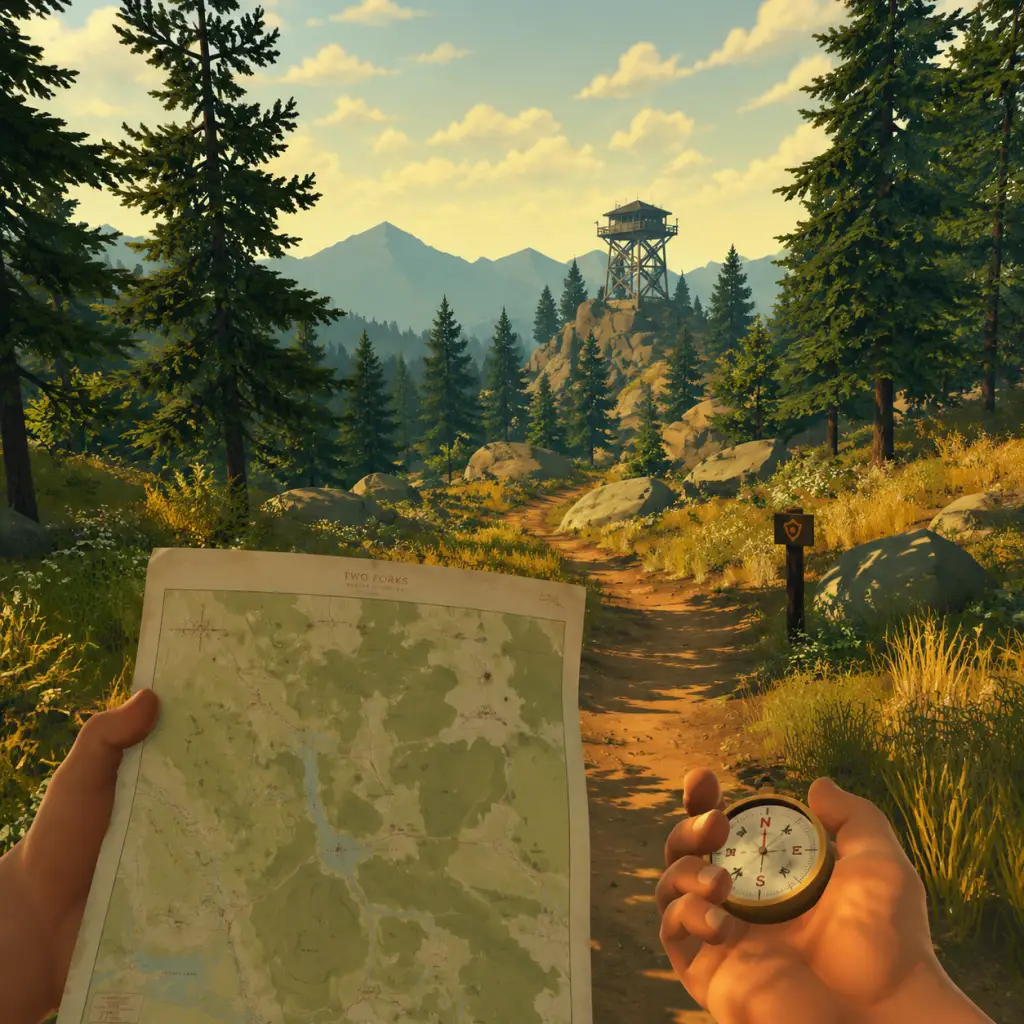
Core Gameplay
Core Gameplay Overview
Firewatch is a first-person narrative adventure with no combat, leveling, inventory management, or traditional RPG mechanics. The core gameplay loop revolves around exploration, interaction, and dialogue choices that shape a branching story set in the Shoshone National Forest.
- Exploration: Walk through a semi-open world environment, discover paths, landmarks, and hidden areas.
- Interaction: Inspect objects, read notes, pick up items (e.g., keys, maps, supplies), and pull levers.
- Radio Communication: Use the handheld radio to talk to your supervisor, Delilah. Your dialogue choices affect her reactions and the story's direction.
- Map & Compass: Navigate using a physical map and compass; no quest markers or waypoints.
- Story Progression: Advance through narrative triggers—reaching specific locations, finding clues, or completing objectives.
- No experience points, skill trees, or stats.
- The only persistent element is the state of your relationship with Delilah (influenced by dialogue choices).
- New areas become accessible as the story unfolds; some paths are blocked until you complete certain objectives.
Progression System
Progression in Firewatch is purely narrative-driven. The game is divided into Days (from Day 1 to Day 79). Each day begins with a sunrise and ends when you return to your tower at night or reach a story milestone. Progress is saved automatically at checkpoints.
Interaction & Controls
| Action | Keyboard/Mouse | Controller |
|---|---|---|
| Move | WASD | Left stick |
| Look | Mouse | Right stick |
| Interact | E | A (Xbox) / X (PlayStation) |
| Sprint | Left Shift | Left stick click |
| Crouch | Left Ctrl | B (Xbox) / Circle (PlayStation) |
| Use Radio | Tab | Up on D-pad |
| Map | M | View button (Xbox) / Touchpad (PlayStation) |
| Compass | Hold M | Hold View button |
| Walk slower (toggle) | Caps Lock | Right stick click (toggle) |
- Interact contexts: Examine objects, open doors, pick up items, read documents.
- Radio: Press the radio button to initiate contact with Delilah. Some conversations are automatic; others require you to radio her at the right moment.
- Map & Compass: Essential for navigation. The map is hand-drawn with landmarks labeled. Use the compass to orient yourself. No GPS – you must interpret the environment.
- Day 1: Complete the prologue (a flashback scene).
- Day 2: Arrive at the Two Forks Lookout. Meet Delilah via radio. Perform your first tasks: inventory supplies, record weather, check the lake.
- Day 3: Investigate mysterious fires and strange occurrences (e.g., a broken fence, a note left for you).
- Follow Delilah's instructions to explore the immediate surroundings of your tower.
- Use the radio to ask questions and report findings.
- Interact with objects (thermometer, logbook, supply box) to complete simple objectives.
- Navigate using the map and compass for the first time. Example: Delilah says "Head southeast to the lake" → you must read the map, orient with compass, and walk there.
- Always check the supply box behind your tower (Day 2) for a map and compass.
- Save often—autosave triggers only at major beats. Manual save is not available (checkpoint system).
- Your dialogue choices early on set the tone for your relationship with Delilah (friendly vs. guarded).
- Investigate anomalies: Teenagers setting off fireworks, a secret campsite, a broken research device.
- Follow narrative leads: Discover the old cache, the Wapiti Station, the fenced-off cave system.
- Radio conversations: Delilah provides context and emotional support. Your choices affect how she reacts to dangerous situations.
- Environmental puzzles: Some areas require you to find a key (e.g., to a locked gate) or use a combination (e.g., for a locker).
- The map now includes multiple named areas: Jonesy Lake, The Creek, Three Sisters, Cottonwood Creek, etc.
- Trails are not always marked; you may need to bushwhack through terrain.
- Some paths are blocked by fallen trees or locked gates; you must find alternate routes or solve a nearby puzzle.
- There are no enemies to fight. The only threats are environmental (falling, getting lost).
- If you fall off a cliff, you respawn at the last safe point (no health system).
- No currency or shop system. You cannot buy items.
- You find key items (e.g., map pieces, keys, notes) that unlock story progress.
- One time-limited resource: Water. You must refill your canteen at streams or your tower. If you run out, you cannot sprint and your vision blurs. You can always find water—just explore near rivers.
- There is no traditional character growth. The only progression is your relationship with Delilah. This influences:
- Dialogue decisions are the only "build" you can control. Example: If you consistently joke with her, she responds playfully; if you are dismissive, she becomes cold.
- The conspiracy around the missing hiker and the government surveillance station (Wapiti) takes center stage.
- You receive threatening notes, find hidden cameras, and uncover a cover-up.
- Delilah's behavior becomes erratic—your past choices determine her trust.
- Less open exploration; more scripted sequences.
- Puzzle solving remains: e.g., finding a combination to unlock a bunker, or navigating a cave without a light source (you find a flashlight).
- Quick-time events? No. All interactions are at your own pace.
- Radio conversations become more frequent and emotionally charged.
- There is no repeatable content. Once you reach Day 79, the story reaches a climax.
- The final day is a continuous, linear sequence from your tower to a helicopter landing zone. No side objectives.
- You reunite with Delilah at an overlook. The conversation here determines the ending's specifics.
- You face a moral choice: stay with Delilah or go to confront the truth (the choice is presented via dialogue options).
- After the final conversation, a cutscene plays. The credits roll.
- The game has two main endings (based on your final choice). Smaller variations occur based on your earlier dialogue choices.
- There is no New Game+ or post-game content. Once credits roll, you can only replay from the beginning.
- You can load chapter select from the main menu to revisit specific days (after completing the game once).
- Your relationship with Delilah matters most in the final conversation. If you were consistently supportive, she offers to stay; if you were combative, she distances herself.
- The ending is a direct payoff to your role as a fire lookout. No gameplay after the credits.
---
Core Gameplay by Progression Tier
Early Game (Days 1–3)
The tutorial period where you learn basic mechanics and establish your role.
Main Objectives:
Gameplay Loop:
Important:
---
Mid Game (Days 4–50)
The bulk of exploration and mystery unfolds. The core gameplay expands as you venture farther from your tower.
Main Activities:
Exploration Depth:
Example Mid-Game Sequence (Day 20-ish):
1. Delilah radios that she saw someone near a fence.
2. You go to the fence, find a note with a code (on a whiteboard inside the ranger station).
3. Travel to the fenced area, use the code on the lock.
4. Inside, discover a hidden research site and a tape recorder.
5. Play the tape and report to Delilah; she reveals history about the previous rangers.
No Combat:
Economy & Resources:
Character/Build Growth:
- Whether she shares personal stories.
- Her willingness to help you in dangerous moments.
- The ending's tone (amicable vs. strained).
---
Late Game (Days 50–79)
Tension escalates. The mystery deepens, and the narrative becomes more linear.
Story Focus:
Gameplay Shift:
Example Late Game Objective (Day 65):
1. Radio Delilah about a red envelope you found.
2. She instructs you to meet her at a cabin.
3. Travel to the cabin (new area).
4. Inside, you find a note from a ranger named Ned. This triggers a flashback scene (controlled by you, walking through memory).
5. After the flashback, you must find a key to escape the cabin (interact with a locked drawer, find key under a rug).
No Endgame Grind:
---
Endgame (Final Day – Day 79)
The conclusion of the narrative. The game's only "endgame" is the ending sequence.
Structure:
Replayability:
Endgame Tips:
---
Summary: Comparison to Traditional Gameplay Systems
| Traditional RPG Element | Firewatch Equivalent |
|---|---|
| Combat | None (environmental hazards only) |
| Progression/Leveling | Story-based (days pass, new areas unlock) |
| Quests/Missions | Narrative objectives (radio instructions, find clues) |
| Economy | No currency or inventory management (only key items) |
| Character Build | Dialogue choices that affect relationship with Delilah |
| Endgame | Final narrative sequence → ending → credits |
| Exploration | Semi-open world with map & compass; no fast travel |
Practical Advice
- Always carry your map – use the toggle (Hold M) to bring up map overlay while moving.
- Listen carefully to Delilah – she often gives directional hints like "follow the creek upstream" or "look for a red gate."
- Explore off the path – many notes, photos, and story details are hidden in nooks.
- Refill your canteen at every stream or lake. You can drink by pressing Interact (E/A) near water.
- Save your game? Autosave is frequent, but if you quit mid-day, you'll restart at the last checkpoint (usually after a major conversation). For safety, complete a day before exiting.
- The game world changes – some weather (rain, fog) affects visibility but not gameplay mechanics.
Firewatch is a short, focused experience (roughly 4-6 hours). The core gameplay is about immersion, storytelling, and choice. Enjoy the journey.
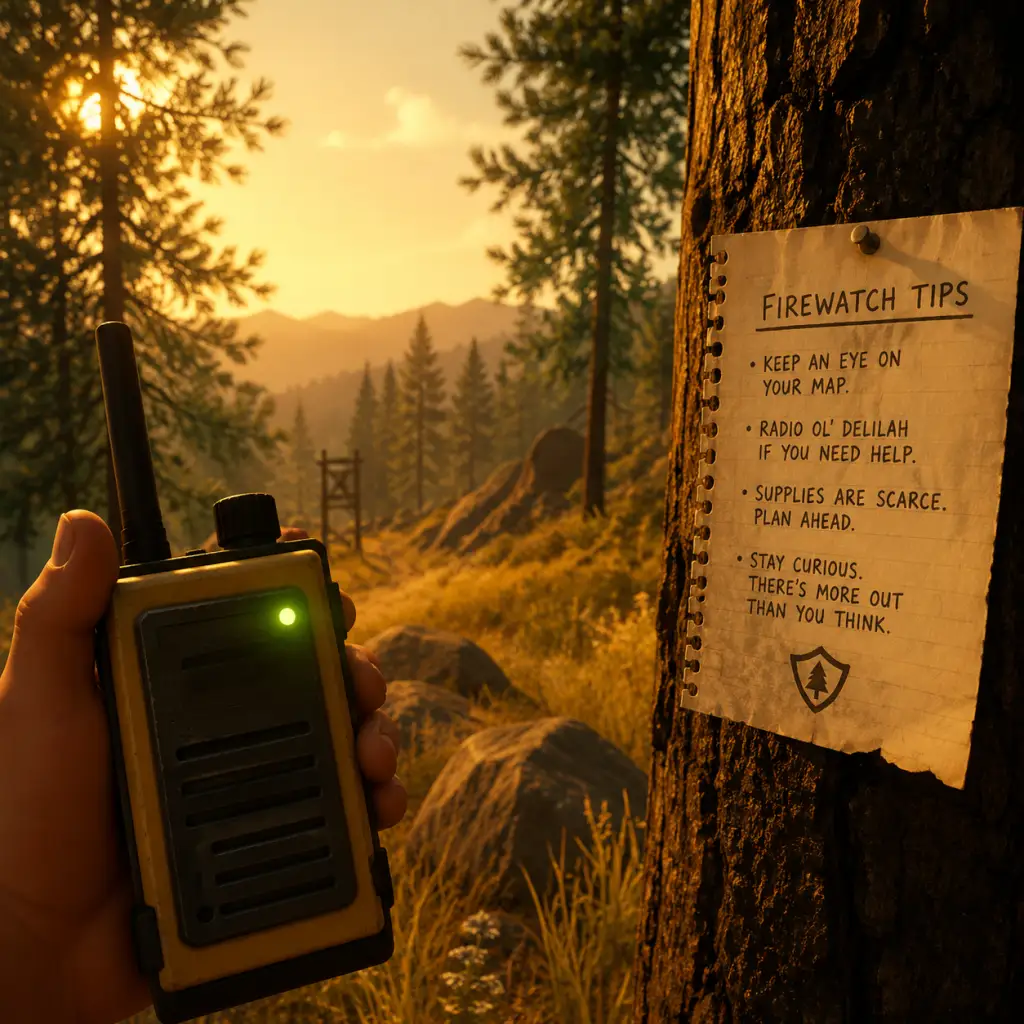
Game Tips
Game Tips
This guide provides essential tips for Firewatch—a narrative adventure with no combat, inventory, or skill trees. Tips are organized by gameplay aspects: Exploration & Navigation, Dialogue & Story, Collectibles & Secrets, Technical & Performance, and Replay Optimization.
Beginner Tips
1. Walk, Don’t Run
- The game’s environments are designed to be experienced at a leisurely pace. Running causes the camera to bob, obscuring details and making navigation harder. Walk to appreciate sound design and spot subtle clues.
- Why it works: The forest is dense with visual storytelling—character notes, animal tracks, and hidden items. Running past them means missing narrative context.
2. Use Your Map and Compass Constantly
- Press M (PC) or the touchpad (console) to check your map. Rotate it with the right stick/mouse to match the terrain. The compass at the top of the screen shows cardinal directions.
- Tip: Landmarks like “Two Forks Lookout” or “Thunderstorm” are labeled on the map. Orient yourself by comparing real trail markers with map symbols.
3. Talk to Delilah Often
- Your radio is your primary connection to the story. Use it whenever you find something interesting, even if it seems trivial. Delilah’s reactions add depth and often unlock dialogue options later.
- Why it works: Every conversation choice affects the relationship dynamic. Some responses are only available if you reported specific details earlier.
4. Read Everything
- Notes, letters, posters, and scrawled messages on walls all contain lore and potential clues. Many are one-time finds and contribute to the full story understanding.
- Beginner mistake: Skipping notes because they seem optional. Some provide direct hints for where to go next.
5. Follow the Trail Markers
- The main path is usually marked with wooden posts, cairns (rock piles), or bright orange tape. If lost, backtrack to the last marker and reorient.
- Exception: Some hidden areas require leaving the trail. Use the map to note where you are and return to the path easily.
Intermediate Strategies
6. Learn to Read Topography on the Map
- The map uses contour lines to show elevation. Closely spaced lines mean steep slopes; widely spaced lines indicate flat ground. Use this to plan routes that avoid unnecessary climbing.
- Example: To reach “Beaver Creek” from the tower, follow the valley (wide contour lines) instead of crossing the ridge directly.
7. Observe Environmental Cues for Navigation
- Moss tends to grow on the north side of trees in the Northern Hemisphere. In Firewatch, the art team placed small details—like a broken branch pointing a direction or a disturbed leaf pile—to hint at where to go.
- Advanced tip: When the map is ambiguous, look for man-made objects (fence posts, abandoned gear) or animal tracks (deer trails often follow human paths).
8. Time of Day Affects Visibility
- The game progresses based on story events, not real time. However, certain areas are easier to explore in daylight. If you enter a cave or dense forest at “night” (dark filters), use the flashlight (press F or left bumper).
- Why it works: Some collectibles are hidden in shadowy corners. Flashlight beam reveals them, but also attracts attention? (No enemies exist, so no risk.)
9. Dialogue Choices: Manage Delilah’s Trust
- Your responses to Delilah shape how she perceives you. Being overly confrontational may cause her to withhold information, while being supportive can unlock deeper conversations.
- Strategy: For the most emotionally rich playthrough, vary your tone. Don’t always agree with her; occasional disagreement feels natural and leads to unique lines.
- In practice: During the “old man” incident, expressing concern rather than anger keeps the relationship balanced.
10. Use the “Map Stop” Feature
- While holding the map, press E (PC) or triangle/Y (console) to place a marker with a short description. This is invaluable for marking locations you want to revisit.
- Example: Mark the cave entrance near the beginning so you can return after finding the rope later.
Collectibles & Secrets
11. All 37 Hidden Text Items
- There are 37 notes/logs/scraps that contribute to the achievement “Full Clear.” They are scattered across the forest, often in non-obvious spots: inside hollow logs, under rocks, behind waterfalls.
- Strategy: Play in “photo mode” (no HUD) to spot objects that look out of place. The game’s art direction highlights interactive items with a subtle glow, but it can be missed in bright sunlight.
- Location tips:
- At the start, after leaving the tower, check the supply cache behind the shed.
- Near the old burned cabin, look for a note under the collapsed porch.
12. The “Turt Reynolds” Achievement
- To get this, you must find a turtle named “Turt Reynolds” and carry him to a specific pond. The turtle appears near the beginning area (by the creek) after a certain story beat.
- Method: Wait until Day 77 (when you find a bucket). Use the bucket to carry the turtle (press interact when near it). Walk slowly to the pond marked on the map near “Thunderstorm” to release it.
- Why it works: This is a missable achievement. If you finish the game without doing it, you’ll have to replay from an earlier save.
13. Hidden Dialogue by Exploring Early
- If you visit areas before the story sends you there, Delilah will comment. For example, going to the radio tower on Day 1 triggers unique remarks.
- Impact: These comments can change later conversations, making the story feel more personalized.
Technical & Performance Tips
14. PC Graphics Settings for Smooth Play
- Firewatch has a distinctive art style; it’s not performance-heavy, but stutters can occur on low-end systems. Recommended settings:
- Resolution: Native
- Shadow Quality: Medium
- Texture Quality: High (if VRAM is sufficient)
- Anti-aliasing: FXAA (lighter than MSAA)
- V-Sync: Off (use frame limiter to 60 FPS to avoid tearing)
- Advanced: Disable motion blur if you find it disorienting. The game looks great even with modest settings.
15. Save Often Manually
- The game autosaves at checkpoints, but it’s possible to softlock by walking into a glitched area (rare). Use manual saves (press Esc then Save) before entering caves or after major dialogues.
- Why it works: Some dialogue choices cannot be undone. A manual save lets you re-experience alternate outcomes without replaying the whole game.
16. Fix Common Bugs
- Stuck in geometry: Press F5 to quicksave, then F9 to quickload. This resets your position to the last autosave.
- Audio cutouts: Reload the last save or restart the game. Often happens after a long session.
- Character not moving: Ensure no controller is plugged in if you’re using keyboard (or vice versa). Check input settings.
Advanced Optimizations & Replay Strategies
17. Speedrun Techniques (for Achievement)
- The “Firewatch” speedrun achievement (complete in under 2 hours) requires skipping most dialogue and exploration. Route:
- Day 1: Grab map, run directly to the marked locations, ignore collectibles.
- Caves: Memorize the path through the cave system to avoid getting lost.
- Use quicksave/load to skip cutscenes? (Some scenes are skippable with Enter/Space on PC; console requires holding a button.)
- Key tip: Hold down the sprint key (Shift on PC, left stick click on console) except when navigating tight spaces.
18. Multiple Playthroughs for Different Endings
- The ending is largely the same regardless of choices, but the emotional tone changes based on your relationship with Delilah. To experience all variants:
- Playthrough 1: Be kind and honest.
- Playthrough 2: Be sarcastic and defensive.
- Playthrough 3: Ignore Delilah’s questions (choose silent options).
- Note: The game is short (4-6 hours), so multiple runs are feasible.
19. Photo Mode Efficiency
- The game’s photo mode (if available on your platform—PC mod only officially?) allows free camera. Use it to scout ahead for items without moving.
- Advanced: This can reveal hidden note locations behind obstacles. The mod is called “Firewatch Free Camera” on PC.
20. Audio Log Locations
- While not a traditional resource, the 18 cassette tapes found throughout the forest provide backstory. They are often inside buildings or near radios.
- Strategy: Listen to them all in one sitting (they can be played from inventory) to piece together the full narrative. This is essential for the “Suppressed” achievement.
Economy & Resources (Non-Existent Categories)
Firewatch has no economy, no crafting, no gear upgrades. Therefore, tips in these categories are irrelevant. The only “resources” are time and patience.
- Time Management: Don’t rush. Let the story breathe. Stand on a cliff and just watch the sunset. The game’s beauty is part of the experience.
- Mental Mapping: Since there is no in-game GPS, develop your sense of direction. Use the sun’s position (rises east, sets west) to orient.
- Play in a dark room with headphones. The audio design (wind, footsteps, distant radio static) is atmospheric and critical for immersion.
- Ignore walkthroughs on the first playthrough. The magic of Firewatch is discovery. Use this guide only for second playthroughs or achievement hunting.
- Back up your save files if you plan to replay. Saves are located in `Documents/Campo Santo/Firewatch/` on PC.
Final Advice
With these tips, you’ll navigate the Shoshone National Forest with confidence, uncover all secrets, and experience the full emotional depth of Firewatch. Good luck, lookout.
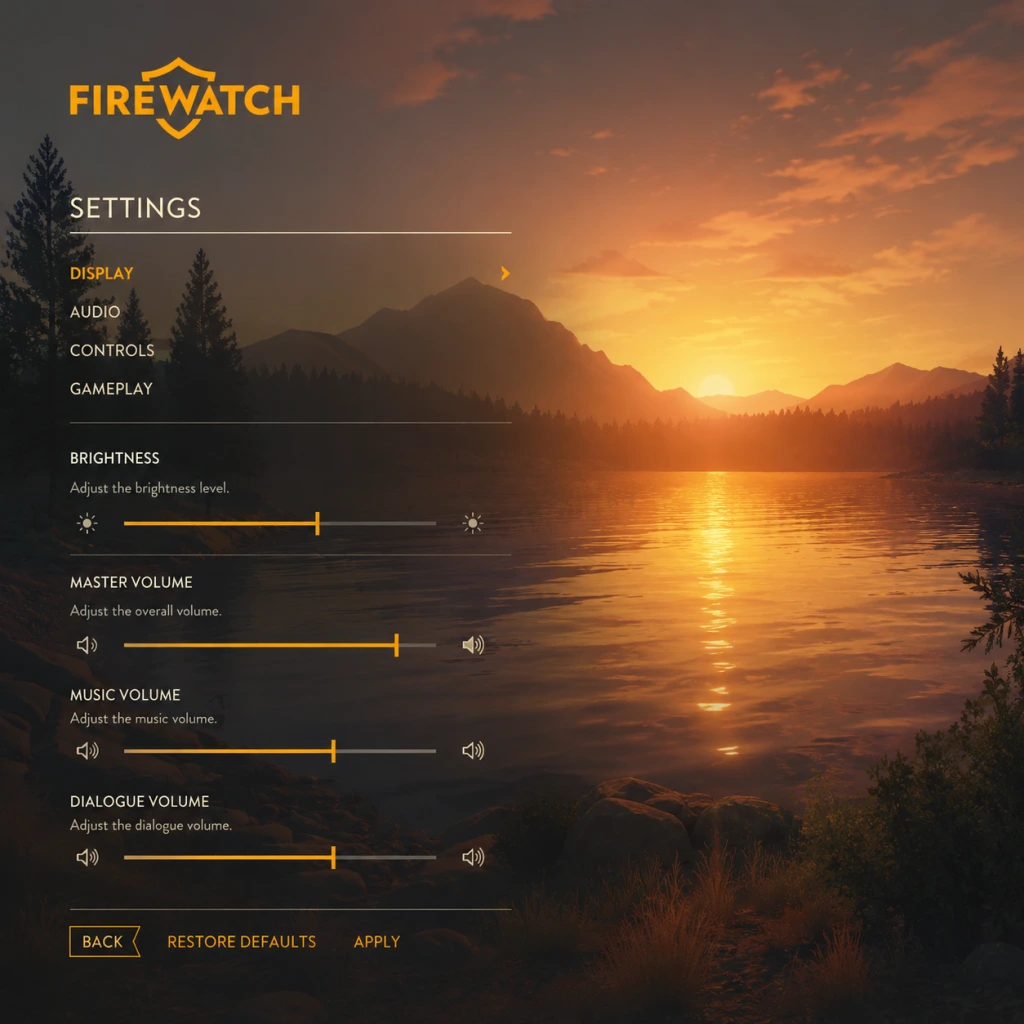
Game Settings
Game Settings Guide for Firewatch
This guide covers every setting in Firewatch, with recommendations for performance and quality across different hardware levels. Use this to fine-tune your experience, avoid common misconfigurations, and ensure smooth gameplay. Settings are organized by category.
Graphics Settings
| Setting | Options | Recommendation |
|---|---|---|
| Quality Preset | Low, Medium, High, Ultra | Start with the preset matching your hardware, then fine-tune individual options below. |
| Resolution | Native display resolutions | Always set to your monitor’s native resolution for sharpness. Lower only if performance is poor. |
| Window Mode | Fullscreen, Windowed, Borderless | Use Fullscreen for best performance and lowest input lag. Borderless is useful for alt-tabbing. |
| VSync | On, Off | Off to reduce input lag if your monitor supports adaptive sync (G-Sync / FreeSync). Otherwise, leave On to prevent screen tearing. |
| Anti-Aliasing | None, FXAA, MSAA 2x/4x/8x | Low-end: FXAA or None. Mid: MSAA 2x. High: MSAA 4x. Ultra: MSAA 8x. FXAA is blurrier than MSAA but cheaper. |
| Ambient Occlusion (SSAO) | On, Off | Off for low-end. On for mid/high. Adds depth to shadows. |
| Bloom | On, Off | Off on low-end. Adds a glow effect; minimal performance hit. |
| Depth of Field | On, Off | Off on low-end. Blurs distant objects; can cause eye strain for some. |
| Motion Blur | On, Off | Off for clarity and lower GPU load; many players prefer it off. |
| Film Grain | On, Off | Off for a cleaner image. Subtle effect. |
| Shadow Quality | Low, Medium, High, Ultra | Low/Medium for low-end. High/Ultra for others. Impacts performance noticeably. |
| Texture Quality | Low, Medium, High, Ultra | Low/Medium for 2GB VRAM, High/Ultra for 4GB+. High and Ultra look similar. |
| Vegetation Quality | Low, Medium, High, Ultra | Low/Medium for low-end. Controls grass and bush detail. |
| Render Scale | 50%–200% (PC only) | Leave at 100% unless you have a very powerful GPU (200% for supersampling). Lowering below 100% blurs the image. |
Audio Settings
- Master Volume: 70–100% (adjust to taste).
- SFX Volume: 100% (crackling radio, footsteps, environment).
- Dialogue Volume: 100% (Delilah’s voice is critical for story).
- Music Volume: 50–80% (atmospheric soundtrack; don’t drown dialogue).
- Mute when in background: Off (on by default; turn off if you alt-tab and want audio).
- Mouse Sensitivity: Start at 50% and adjust lower if you overshoot. Fine-tune in-game by moving the cursor.
- Invert Y Axis: Off by default. Toggle on if you prefer inverted mouse look (common for flight sim veterans).
- Controller Sensitivity: Default 50% – increase for quicker camera turns.
- Controller Vibration: On (adds immersion when walking, climbing).
- Auto-walk: Toggle on/off (default On). Easy to misconfigure: if toggled on accidentally, pressing W will lock you into forward movement until you press W again. Keep Off unless you want to walk hands-free.
- Key Bindings: Customizable for keyboard and controller. Defaults are fine for most, but you may want to rebind Use (E), Run (Shift), Crouch (Ctrl), or Map (Tab).
- Subtitle Size: Small, Medium, Large. Choose Medium or Large for readability on smaller screens or if you play at a distance from the TV. Especially important because dialogue is the core of the game.
- Colorblind Mode: On/Off. If enabled, certain environmental cues (e.g., object highlights) change from green to blue or yellow. Special attention: Leave Off unless you have a diagnosed color vision deficiency – otherwise it makes colors look unnatural.
- Show Interface: On/Off. When On, you always see the objective marker and compass. Off for a more immersive experience (but you may get lost). Start with On if you’re new.
- Text Language: English (default) / French / German / Italian / Spanish / Japanese / Korean / Polish / Portuguese (Brazilian) / Russian / Simplified Chinese / Traditional Chinese.
- Audio Language: English only (always English voice acting).
- Subtitle Language: Follows Text Language. If you want English audio with Japanese subtitles, set Text Language to Japanese and keep Audio Language as English.
- Show Objective Markers: On/Off. On helps navigation; Off forces you to use the map and compass (more immersive). Recommend On for first playthrough.
- Hints: On/Off. On shows contextual tooltips (e.g., “Press E to interact”). Keep On for new players; turn off for a clean HUD.
- Auto-walk (also in Controls): As noted, keep Off to avoid accidental locking.
- Camera Shake: On/Off. On adds subtle bounce when walking/running. Off if you are sensitive to motion.
- Show Subtitle Background: On/Off (PC only). On adds a dark box behind subtitles for readability; useful if the text blends into bright environments.
- Quality Preset: Low (or Custom with all above settings set to Low/Off).
- Resolution: 720p (1280×720) or 900p.
- Anti-Aliasing: Off.
- Render Scale: 100% (do not lower – it blurs too much).
- Expected FPS: 30–45 at 720p.
- Quality Preset: High.
- Resolution: 1080p.
- Anti-Aliasing: MSAA 2x.
- VSync: On (if no adaptive sync).
- Expected FPS: 60+ at 1080p with occasional dips.
- Quality Preset: Ultra.
- Resolution: 1440p or 4K (if GPU supports).
- Anti-Aliasing: MSAA 4x.
- Render Scale: 100% (150% only if you have excess GPU headroom).
- VSync: Off (use G-Sync/FreeSync).
- Expected FPS: 60+ at 1440p, 30–60 at 4K.
All audio sliders are straightforward. Ensure dialogue is at least as loud as music to avoid missing story cues.
Controls Settings
Accessibility Settings
Language Settings
Special attention: Changing Text Language also changes the in-game map text and journal entries. Ensure you set it before starting a new game, as changing mid-playthrough can break UI consistency (though it’s safe to change later).
Network Settings
Firewatch is a strictly single-player game with no multiplayer or online features. There are no network settings. You can play entirely offline. The only internet requirement is for downloading the game and receiving achievements.
Gameplay Settings
Recommended Presets by Hardware Level
#### Low-End Hardware (e.g., Intel HD 4000, AMD A8, 4GB RAM)
#### Mid-Range Hardware (e.g., GTX 960, RX 470, 8GB RAM)
#### High-End Hardware (e.g., RTX 2060, RX 5700, 16GB RAM)
#### Console Versions (PS4, PS4 Pro, Xbox One, Xbox One X, Switch)
Settings are fixed by the developer. PS4 Pro and Xbox One X target 1440p–4K at 30 fps. Switch runs at 720p undocked / 1080p docked at 30 fps. No customisation available.
Misconfiguration Points & Special Attention
1. Auto-walk toggle – Most common accidental setting. If your character keeps walking after releasing W, you’ve toggled Auto-walk on. Press the same key (default: backslash) or change it in Controls.
2. Colorblind Mode – Do not enable unless needed. It permanently alters the colour palette and can make normal cues confusing.
3. Subtitle Size – Default is Small. If you play on a TV from a distance, switch to Large to avoid squinting.
4. Window Mode – Selecting “Windowed” can reduce performance by 10–20%. Use “Fullscreen” for the best frame rate.
5. VSync – On a 60 Hz monitor without adaptive sync, turning off VSync causes screen tearing. Turn it on or use borderless windowed (which forces VSync via the OS).
6. Invert Y – Check this first if your camera moves in the opposite direction of your mouse or stick.
Conclusion
Firewatch is not demanding, but fine-tuning graphics can make the beautiful Wyoming wilderness run smoothly on any system. Most settings are self-explanatory, but the Auto-walk, Colorblind Mode, and VSync settings are the ones most likely to cause confusion. Use the table above to match your hardware, and remember that the game saves settings to a config file (located in `%USERPROFILE%\Documents\Firewatch\` on Windows) if you ever need to reset them. Enjoy your hike!
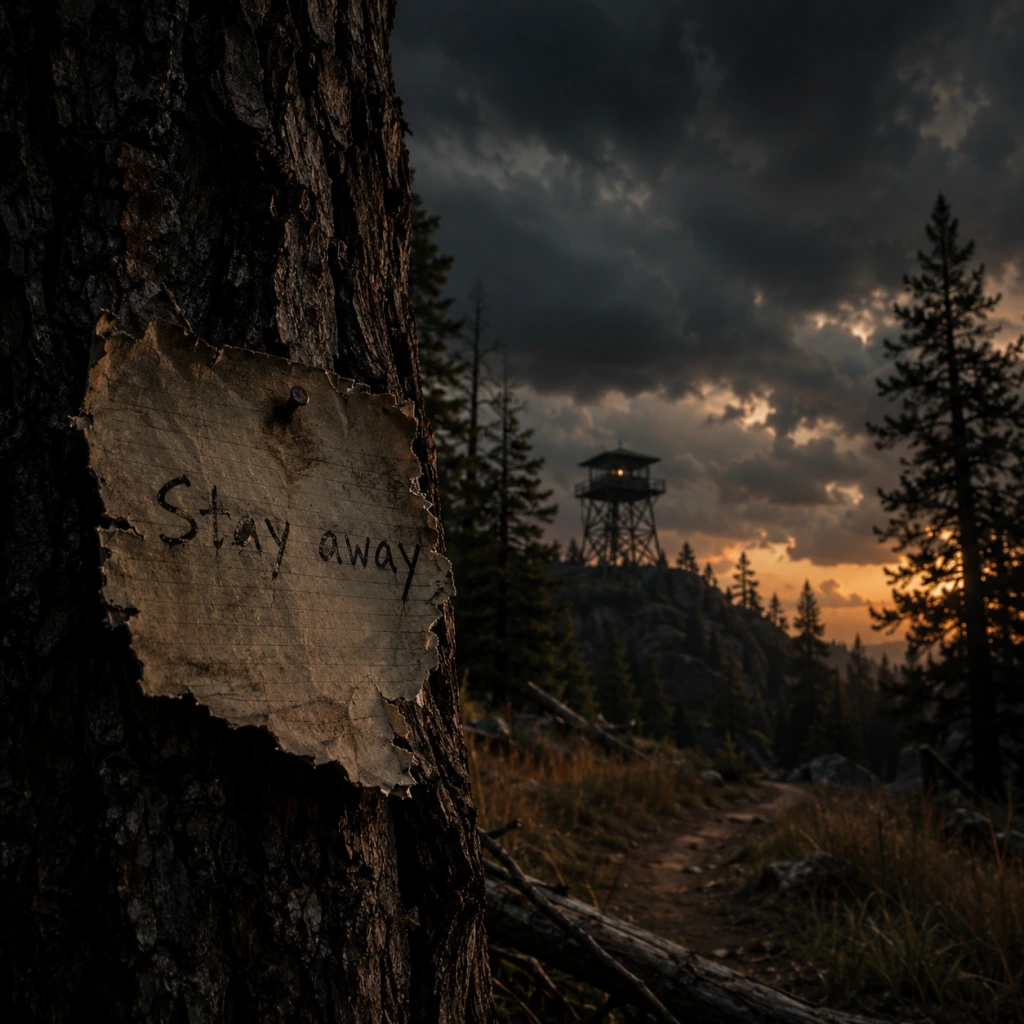
Important Notes
Important Notes for Firewatch
This section covers critical warnings, pitfalls, irreversible choices, missable content, and save management tips to ensure a smooth and complete experience. While Firewatch is a short, narrative-driven game with no combat or grinding, several aspects can impact your enjoyment or ability to 100% the game.
Warnings & Pitfalls
- No manual saves on console; limited on PC: On PlayStation, Xbox, and Nintendo Switch, the game uses a single auto-save slot that overwrites after each checkpoint or important dialogue choice. PC versions offer manual saves via the pause menu (F5 quicksave, F9 quickload), but you can only have one manual save at a time plus multiple autosaves. Always backup your save folder before making a major choice (see Save Management below).
- No chapter select after finishing the story: Once you complete the game and the credits roll, you cannot replay specific chapters from the main menu. To revisit areas or change choices, you must start a New Game+ (which resets collectibles but keeps achievements) or manually reload an earlier save. This means if you miss a collectible, you cannot easily backtrack.
- Timed sequences are forgiving but navigational mistakes can cause frustration: The game has no real fail states except one instance where a thunderstorm forces you to move quickly. Getting lost for too long in the woods may cause Delilah to prompt you, but you can always check your map and compass. Always keep your compass out (default Q on PC) to orient yourself.
- No combat or inventory management: Do not expect action sequences. The game is about walking, talking, and observing. If you get stuck, you likely missed a path or a prompt.
- "Hard Luck" achievement: Requires you to complete the game without using your compass or resetting from the last checkpoint. Once you use the compass, you cannot get this achievement in that playthrough.
- "Full Tank" achievement: Requires you to not run out of breath while running. If you ever sprint until the screen blurs, you forfeit this achievement (though you can still finish the game).
- Dialogue with Delilah: Some conversation options are mutually exclusive. For example, early in the game you can either apologise or blame her for a situation. This changes a few later dialogues but not the overall story.
- End-of-day reports: At the end of each day (after returning to your tower), you have a brief radio conversation where you can choose to be honest, sarcastic, or evasive. These choices affect what Delilah says next but do not alter endings.
- Destroying property: You can choose to break into a submerged car, open a locked cooler, or smash a tape. These actions are irreversible and affect the availability of certain lines or achievements (e.g., "Fireproof" requires not destroying certain items).
- Collectible Tapes: There are 24 audio tape collectibles scattered across the forest. Most are found in optional areas like caves, cabins, or hidden paths. If you leave a chapter, you cannot return to that day’s area. Tapes are permanently missable per playthrough. Check a guide for locations by day.
- Notes and Documents: Many notes tell the backstory of the previous ranger or the conspiracy. They are not required for achievements, but they enrich the story. Some are easily missed if you rush through areas (e.g., the clipboard in the first cabin, the map at the burned-out fire tower).
- Optional Encounters: Quick radio interactions happen only if you explore specific spots at the right time (e.g., calling Delilah about the turtle, the lightning strike on the hill). Missing these means you lose those conversations forever.
- Easter Eggs: The hidden turtle in the lake (up near the waterfall) and the "tall boy" figure in the cave are completely missable and not marked on the map.
- "Over the Falls" achievement: Requires you to jump off the waterfall into the lake. If you skip this area or don't take the risky leap, you cannot get this achievement without restarting.
- "Out of the Frying Pan" achievement: Requires you to finish the game without opening your map even once. Once you press the map key (Tab on PC, button on controller), the achievement is locked for that playthrough.
- Getting lost is the main difficulty: The forest is large, and paths are only roughly marked on the map. Use landmarks (creek, rock formations, burned trees) to orient yourself. Delilah will give hints if you are stuck for too long.
- The thunderstorm chase: In Day 3, you must run from a lightning-sparked fire. This section is linear but can be disorienting. Stay on the indicated trail (marked with orange paint on trees) and ignore side paths. Sprinting is allowed but does not affect the "Full Tank" achievement unless you exhaust the stamina bar.
- No puzzle solutions are obscure: If you cannot progress, look for a notebook, door handle, or crawlspace. No inventory puzzles exist.
- PC save file location: `%AppData%/../LocalLow/Campo Santo/Firewatch` (on Windows). To backup: locate the folder, copy it, and paste elsewhere before making a crucial choice.
- Console: Cloud saves are automatic if you have PS Plus/Xbox Live Gold. However, you cannot manually revert to an earlier save. To preserve a branching choice, you must create a second profile or play on a separate account.
- New Game+: After finishing the game for the first time, you unlock a New Game+ mode that lets you restart with all your previous equipment (map, compass, watch). Collectibles reset, so you can mop up missed tapes. Use this for achievements like "Hard Luck" and "Out of the Frying Pan" without worrying about losing progress.
- Quick-saving tip (PC only): Press F5 frequently to quicksave before entering a new area or making a dialogue choice. Quickload (F9) to undo it. This is the only way to branch without manually copying save files.
- You can sprint (shift on PC, L3 on controller) by default. Many players walk the whole game not realizing they can move faster, especially during the fire chase.
- The map is always available (press Tab on PC, touchpad on PS4, View on Xbox). You can also mark your current location with a marker by pressing the interact key while looking at the map. Use this to avoid getting lost.
- Your compass shows direction even without the map. It's a separate item (default Q on PC). You can hold it to keep orientation while moving.
- The radio has limited battery? No, the radio never runs out; you can talk to Delilah anytime. But she will only respond if you are in a designated safe area (most of the forest).
- You can climb over most obstacles: Fallen logs, rocks, low fences. If you see a path, it’s probably traversable.
- The game has a photo mode on PC (press F12) and on consoles via screenshot feature, but there is no built-in photo mode menu.
- Achievements carry over between playthroughs on all platforms. You can get the collectible and difficulty achievements across multiple runs.
- The ending does not change based on your choices. The story concludes the same way regardless of dialogue options, but your relationship with Delilah feels different. Don’t stress about picking ‘wrong’ answers for the plot.
#### Irreversible Choices
All dialogue choices affect the tone of your conversations with Delilah, but they do not change the main story beats or the ending. However, they can lock you out of certain achievements and optional interactions:
#### Missable Content
Firewatch has a handful of missable items that are tied to achievements or story flavour:
Difficulty Spikes & Navigation Challenges
Grinding Traps
Firewatch has no grinding mechanics or experience points. There is nothing to farm or optimise. The only potential waste of time is excessive wandering. If you want to collect all tapes, follow a guide from the start to avoid multiple playthroughs.
Online Etiquette & Anti-Cheat
Firewatch is a purely single-player game with no multiplayer, leaderboards, or online features. There are no anti-cheat systems. Mods are community-made and may affect achievements on PC, but standard installation does not trigger bans. Console versions have no mod support.
Save Management Advice
Things Players Commonly Regret Not Knowing Earlier
By heeding these warnings and tips, you can avoid frustration, collect everything, and fully immerse yourself in the Wyoming wilderness without regret.
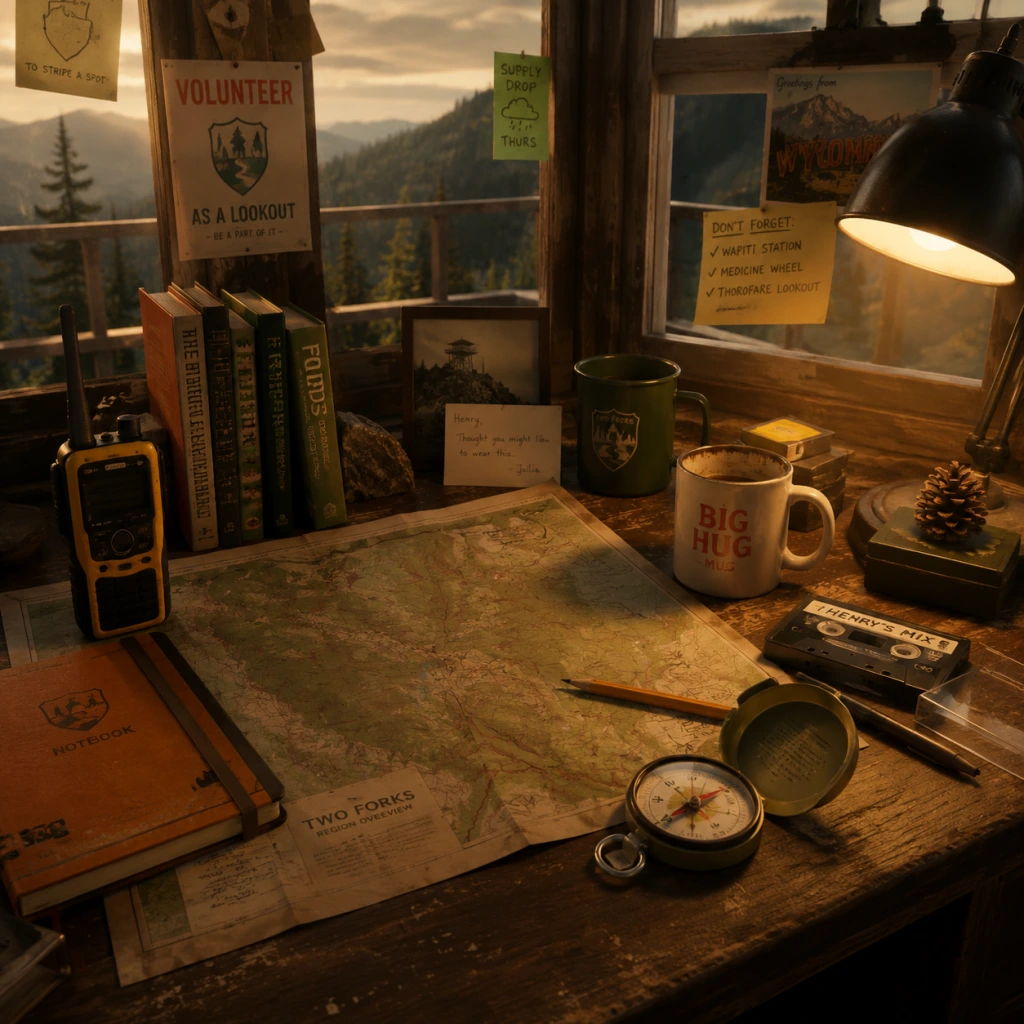
All Game Items
All Game Items Guide for Firewatch
Firewatch is a narrative-driven adventure with no combat, traditional inventory management, or upgrade systems. Most items are story props or tools that serve specific gameplay or narrative functions. This guide catalogs every major item you can interact with, organized by category, and explains how to obtain and use each one.
---
1. Navigation & Exploration Tools
These items are essential for moving through the Shoshone National Forest and tracking your objectives.
| Item | How to Obtain | Purpose & Use | Notes |
|---|---|---|---|
| Map | Automatically in your possession at the start of the game. | Shows the entire forest with landmarks, trails, and your current location (marked by a dot). Use it to plan routes, find markers, and navigate. Pull it up with the Map button (default: M on PC, touchpad on PS4, X on Xbox). | You can place custom markers on the map (right-click on PC, etc.). The map updates as you discover new areas. |
| Compass | Attached to your left hand from the start. | Always shows cardinal directions. Helps orient yourself when the map is open. Not interactive beyond reading. | The compass is always visible in the lower-left corner of the screen. Useful when turning off the map. |
| Walkie-Talkie | Given to you by Delilah at the beginning of the game (the first dialogue prompt). | Your primary communication device. Use it to talk to Delilah, receive story updates, and ask for help. Press the Talk button (default: T on PC, L1 on PS4, LB on Xbox) to initiate. | The radio has a range limit; you must be within certain areas to contact Delilah. It also picks up random radio chatter from other rangers. |
| Backpack | Always on your character. | Your personal inventory for carrying small items (see Collectibles section). Not a gameplay mechanic—just visual. | You can inspect your backpack at camp—it contains a few personal items like a photo. |
2. Tools & Equipment
These items are used to interact with the environment, solve simple puzzles, or advance the story.
| Item | How to Obtain | Purpose & Use | Notes |
|---|---|---|---|
| Axe | Found leaning against a fallen tree near the first bridge after leaving the lookout tower. | Used to cut down small trees blocking trails, break boards on doors, and chop wood at your tower. Essential for progressing past certain blocked paths. | You can also swing it at bushes and branches for fun, but it has no mechanical effect beyond story moments. |
| Lighter | In your backpack from the start. | Can be used to ignite flammable objects (e.g., the signal flare, certain campfires). Also used in a puzzle near the end of the game. | Do not miss the lighter—it's required for a critical story beat. |
| Rope | Found in various locations (e.g., a storage shed near Two Forks lookout, a supply cache). | Used to descend cliffs, lower yourself into caves, or secure items. Appears automatically when needed; you do not carry it in a traditional sense. | The rope is contextual—the game uses it automatically when you interact with a drop point. |
| Shovel | Located at the burned-down research camp (later in the game). | Used to dig up dirt patches to uncover clues and story items. Required for progression in Chapter 4 (\"The Fire\"). | Only appears in that specific area; cannot be kept. |
| Flashlight | Found in the underground bunker (during the final chapters). | Lights up dark areas; essential for navigating the cave system. The batteries are unlimited. | The flashlight also reveals hidden notes and graffiti on walls. |
3. Consumables
Firewatch does not have health or stamina mechanics, so there are no traditional consumables. However, a few items can be consumed for narrative flavor or minor gameplay changes.
| Item | How to Obtain | Effect | Notes |
|---|---|---|---|
| Coffee | Found in a thermos at your lookout tower (first day) and in various cache sites. | Drinking coffee triggers a short animation and a comment from Henry. Does not affect gameplay. | Sometimes optional; you can find coffee grounds or brewed coffee. |
| Beer | Found in coolers at cache sites or at the party site (like the abandoned camp with beer cans). | Henry can drink beer, which leads to a brief animation and dialogue. No gameplay effect. | Beer cans are also collectible (see below). |
| Snacks (Candy Bars / Granola Bars) | Scattered in supply boxes, cache sites, and cabins. | Eating a snack triggers a reaction from Henry. No gameplay benefit. | They are purely cosmetic. |
4. Collectibles & Story Props
Firewatch has no achievement-related collectibles, but many notes, photographs, and objects reveal backstory and character development. They are missable; most are optional.
#### 4.1 Notes & Documents
| Item | Location | Content & Use |
|---|---|---|
| Delilah's Notes | Found in supply caches and her lookout tower (if you go without permission). | Reveal Delilah's personality, her job frustrations, and hints about the mystery. |
| Ned's Journal (The Boy Wonder) | Scattered across several chapters, starting in a cave near the Wapiti Station. | Chronicles the story of a boy named Ned who lived in the forest. Key to the main narrative. |
| Research Camp Reports | Burned-down camp near the lake. | Scientific notes about the forest, bird studies, and a secret about the fire. |
| Letters from Julia | On your desk at the lookout tower (automatically inspected). | Henry's wife's letters, revealing her illness. Emotional story context. |
| Government Conspiracy Notes | In the underground bunker (final chapter). | Fictional documents about a government cover-up (a red herring). |
| Item | Location | Purpose |
|---|---|---|
| Photo of Henry & Julia | In your backpack from the start. | You can look at it during optional moments. Serves as emotional anchor. |
| Photo of Delilah (in her tower) | On her desk if you break into her tower. | A candid photo of Delilah from an earlier time. Not required. |
| Photo of the Two Girls (Shoshone) | Found in a cache near the lake. | A picture of two teenage girls, connected to a side story. |
| Item | Location | Content |
|---|---|---|
| Cassette Tape from Delilah | Left in a supply box for you (triggered by story progression). | Delilah's personal message to Henry, expressing her feelings. A pivotal story moment. |
| Random Cassettes | Found in cabins and cars. | Often contain music or old radio broadcasts. No gameplay effect. |
| Item | Location | Notes |
|---|---|---|
| Beer Cans | Multiple locations: party site, caches. | Can be picked up and inspected. No trophy/achievement tied. |
| Duck Decoy | Near a pond on the western side of the map. | A humorous item you can pick up and look at. |
| "For Sale" Sign | On a tree near the entrance of the forest. | A literal sign. Interacting triggers Henry's comment. |
| Fire Extinguisher | In several cabins. | Can be picked up and used (just shakes foam). No gameplay purpose. |
5. Key Story Items (Plot Progression)
These items are required to advance the story. They are automatically obtained or placed in your path.
| Item | When Obtained | How Used |
|---|---|---|
| Signal Flare | Found in a supply cache (Chapter 2). | Ignite with lighter to signal for help or attract attention. Used in a scripted sequence. |
| Bolt Cutters | Found at a fenced-off area (Chapter 3). | Cut chains and locks to access new areas (like the research camp). |
| Blasting Caps | Found in a locked storage shed (Chapter 4). | Used with dynamite to blow open a cave entrance. Must be combined with a fuse (not an inventory item—contextual). |
| Flashlight (Final Chapter) | Underground bunker. | Essential for navigating the dark cave system during the finale. |
6. Currencies & Materials
Firewatch has no currencies, crafting materials, or upgrade systems. The items listed above are the only interactable objects. There is no inventory management—items are either automatically used or temporarily held.
---
7. Important Gameplay Notes About Items
- No carry limit: You can hold all items simultaneously; the game handles storage automatically.
- Item persistence: Most items remain where you leave them, but story props are moved by scripted events (e.g., the axe disappears after use).
- Missable content: Many notes and photos are optional and can be permanently missed if you don't explore thoroughly. Save often if you want to see everything.
- No upgrades or synergies: There are no item combinations or skill improvements. The axe and lighter serve specific, limited roles.
---
This guide lists every major item in Firewatch. While the game is simple, paying attention to these objects deepens the story and atmosphere. Enjoy your time in the Shoshone National Forest.
Character Skills
Character Skills Guide for Firewatch
Overview
Firewatch is a narrative-driven first-person adventure with no traditional RPG skill trees, leveling, or combat. The only playable character is Henry, a fire lookout in the Shoshone National Forest. His "skills" are limited to the tools he carries and the physical actions he can perform in the environment. This guide covers every actionable ability, tool, and interaction available to Henry, described in terms of effects, usage, and strategic relevance to the story.
Playable Characters / Roles
- Henry – The sole protagonist. No other playable characters exist; Delilah (the supervisor) is only heard over the radio.
- Effect: Move Henry through the forest. Running is faster but drains stamina (a hidden meter).
- Cooldown: Stamina regenerates automatically after a few seconds of walking or standing still.
- Upgrades: None. Running speed is constant.
- When to use: Run to cover ground quickly, but walk to preserve stamina for longer treks or to enjoy the scenery. Running is useful for evading scripted events (e.g., a bear chase) but not required.
- Effect: Leap over low obstacles, fallen logs, or gaps. Henry cannot jump high; it's a short hop.
- Cooldown: Instant, can be repeated immediately.
- Upgrades: None.
- When to use: Navigate over rocks, roots, or small creek crossings. Essential for reaching certain hidden areas and collectibles.
- Effect: Scale steep rock faces, ladders, or scaffolding. Triggered automatically when Henry approaches climbable surfaces; press interact to initiate.
- Cooldown: No cooldown; can climb repeatedly as long as a surface allows.
- Upgrades: None. All climbable surfaces are predetermined.
- When to use: Required to reach lookout towers, descend into canyons, or access caches. Always look for handholds (yellow/rocky ledges).
- Effect: Lower Henry's height to pass under low branches, through narrow gaps, or avoid obstructions.
- Cooldown: Instant toggle.
- Upgrades: None.
- When to use: Needed in a few specific areas, such as under fallen trees or inside caves. Not frequently used but essential for some collectibles.
- Effect: Pick up objects, open doors/containers, read notes, operate machinery (e.g., radio, tape recorder, typewriter). Hold for longer interactions like opening a gate.
- Cooldown: None.
- Upgrades: None; interaction prompts appear contextually.
- When to use: Always. This is Henry's primary means of progressing the story and collecting items.
- Effect: A paper map of the forest. Hold to view your current location (marked with a dot) and explore marked points of interest (POIs). The map is used to navigate.
- Cooldown: No cooldown; can be brought up at any time.
- Upgrades: None.
- Synergies: Used in conjunction with the compass and radio to triangulate positions.
- When to use: Constantly. Open the map to orient yourself, plan routes, and find objective markers. Marking POIs on the map is a key gameplay loop (done via radio with Delilah).
- Effect: A hand-held compass that shows cardinal directions. When held, it aligns with the map's orientation.
- Cooldown: No cooldown; toggle on/off.
- Upgrades: None.
- Synergies: Pair with the map to navigate accurately, especially in fog or when landmarks are unclear.
- When to use: Useful when the map is open and you need to orient yourself. Also helps in finding specific collectibles that are off the beaten path.
- Effect: A two-way radio that allows Henry to communicate with Delilah. Used for dialogue choices, reporting findings, and trigger story beats.
- Cooldown: No cooldown; only usable when prompted or when Henry chooses to call. Some calls are automatic; others require pressing the talk button.
- Upgrades: None.
- Synergies: The radio is the primary driver of the story. Dialogue choices affect Henry's relationship with Delilah and the game's ending.
- When to use: Whenever the game prompts ("Press [key] to talk to Delilah") or when you want to discuss a new discovery. There is no penalty for not calling immediately, but delayed calls may affect narrative tone.
- Effect: A firefighting axe used to break down barricaded doors, smash windows, or chop through obstacles (e.g., a locked gate).
- Cooldown: Must swing multiple times to break an object. Each swing takes ~1 second.
- Upgrades: None.
- Synergies: None.
- When to use: Required at specific story points to progress (e.g., breaking into the old lookout tower, smashing a window). Also usable on minor objects like wooden boxes, but not essential.
- Note: The axe is not a weapon; it cannot be used against animals or characters.
- Effect: A portable fire extinguisher used to put out small fires or clear a path through a burning area.
- Cooldown: Must be sprayed continuously; limited capacity (one use per encounter).
- Upgrades: None; there are only a few scripted uses.
- Synergies: None.
- When to use: Encountered in the final act of the game to extinguish a fire blocking a trail. Only one use instance.
- Effect: A handheld device that plays back audio tapes Henry finds. Not a skill, but an interactive item.
- Cooldown: N/A.
- Upgrades: None.
- When to use: Listen to discovered tapes for lore and story context. Optional but enriches the narrative.
- Effect: Henry can rappel down cliffs using ropes attached to anchors. A scripted mechanic in a few areas.
- Cooldown: Single-use per anchor point.
- Upgrades: None.
- When to use: Specific story sequences (e.g., descending into the canyon). Follow prompts to rappel.
- Effect: During radio calls, Henry can choose from multiple responses (e.g., friendly, sarcastic, serious, dismissive). These shape his personality and relationship with Delilah.
- Cooldown: Only during specific call segments; you cannot call randomly.
- Upgrades: None; choices are binary or multi-option.
- Synergies: Consistent choices (e.g., always joking or always serious) can lock in certain ending variations.
- When to use: Whenever a dialogue wheel appears. Weigh the tone carefully—Henry's relationship with Delilah affects the emotional payoff.
- Effect: Examine notes, photographs, maps, and environmental clues. Not a skill, but a core ability.
- Cooldown: None.
- Upgrades: None.
- When to use: Always interact with readable objects for story context and collectibles ("Overlook" achievements).
- Effect: Henry automatically marks his map with new POIs after Delilah describes them. This happens during dialogue.
- Cooldown: Triggered by story progression.
- Upgrades: None.
- When to use: Passive skill; ensures you always have an updated map.
- Friendly / Supportive: Choose kind and understanding responses to build a strong bond with Delilah. Leads to a warmer ending dynamic.
- Independent / Sarcastic: Be more flippant or distant. Results in a more ambivalent relationship.
- Serious / Focused: Stick to business and avoid personal chatter. Delilah respects professionalism but emotional distance grows.
- Always carry the map and compass: They are essential for navigation—don't rely solely on the objective marker.
- Use running sparingly: Stamina depletes quickly; walk if you want to avoid panting and missing environmental details.
- Experiment with dialogue: Reload a save to see different reactions; no permanent penalty exists except for the ending.
- Tool sequence matters little: The order of using the axe or extinguisher is linear; you cannot use them out of sequence.
- Climbing certain rocks can lead to hidden collectibles (e.g., the "Catch a Falling Star" achievement). Always explore vertical surfaces.
- Using the radio immediately after discovering a clue may trigger unique dialogue that is time-sensitive (if you walk too far, the option disappears).
- Smashing objects with the axe is sometimes optional; breaking all breakable items is not required but can yield achievement progress.
Skill Categories
Since there are no numbers, cooldowns, or upgrades, each skill is defined by its function and narrative impact. Skills are grouped into three categories: Physical Abilities, Tool Usage, and Dialogue & Choices.
---
1. Physical Abilities
These are basic movement and environmental interactions that Henry can perform at any time.
1.1 Walk / Run
1.2 Jump
1.3 Climb
1.4 Crouch / Duck
1.5 Interact (Press/Hold)
---
2. Tool Usage
Henry acquires several tools over the course of the game. Each has a specific purpose and is used at scripted moments or for exploration.
2.1 Map
2.2 Compass
2.3 Radio
2.4 Axe
2.5 Fire Extinguisher
2.6 Tape Recorder
2.7 Rope / Rappel
---
3. Dialogue & Choices (Soft Skills)
While not a numerical skill, Henry's dialogue choices function as a "talent tree" that influences story outcomes and character relationships.
3.1 Dialogue Options
3.2 Reading / Inspecting
3.3 Notetaking (Automatic)
---
4. Recommended "Builds" & Strategy
Since there are no skill points, the only meaningful "build" is in dialogue choices. Consider these approaches:
Practical Tips
---
5. Missable Skill Interactions
---
6. Conclusion
Firewatch’s "skills" are narrative tools designed to immerse you in Henry's role. Mastering map reading, compass use, and radio communication will ensure you never get lost and experience the story fully. Focus on thoughtful dialogue choices to shape Henry’s journey. There are no wrong builds—only different paths through a beautifully told story.
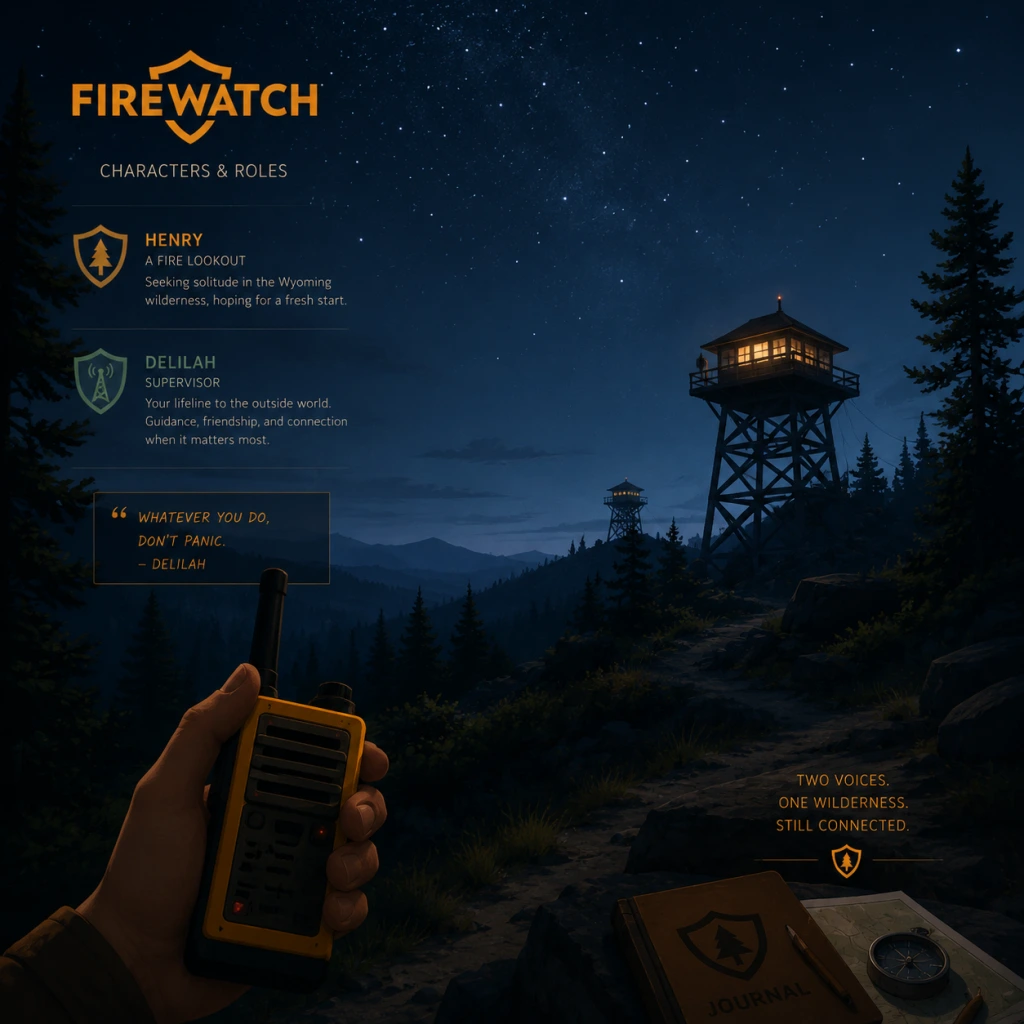
Characters & Roles
"content": "## Characters & Roles Guide for Firewatch
Firewatch is a narrative-driven first-person adventure with only one playable character, Henry. There are no classes, heroes, or traditional roles. The game focuses on Henry's interactions with other characters via walkie-talkie and environmental discoveries. Below is a thorough breakdown of every major character, their background, narrative role, and how they influence the story.
---
#### Background
Henry is a 39-year-old man from Colorado. He takes a summer job as a fire lookout in Shoshone National Forest, Wyoming, partly to escape the painful reality of his wife Julia's early-onset dementia. He is introspective, emotionally burdened, and seeking isolation. Players experience the entire game from his first-person perspective.
#### Role & Playstyle
---
---
Because Firewatch lacks traditional RPG roles, the function of each character is limited to narrative progression and atmosphere. Henry serves as the explorer and conversationalist. Delilah acts as the guide and quest giver (radio instructions). Ned is the shadow antagonist whose actions create suspense. Brian is the tragic backstory. Together, they create a tightly woven mystery.
There are no unlockable characters, classes, or heroes. The single playthrough experience is designed to be completed in one sitting (~4–5 hours). The only “role” variation comes from dialogue choices, which slightly alter conversations but not the core plot.
---
Firewatch is a narrative-driven first-person adventure with only one playable character, Henry. There are no classes, heroes, or traditional roles. The game focuses on Henry's interactions with other characters via walkie-talkie and environmental discoveries. Below is a thorough breakdown of every major character, their background, narrative role, and how they influence the story.
---
Playable Character: Henry
#### Background
Henry is a 39-year-old man from Colorado. He takes a summer job as a fire lookout in Shoshone National Forest, Wyoming, partly to escape the painful reality of his wife Julia's early-onset dementia. He is introspective, emotionally burdened, and seeking isolation. Players experience the entire game from his first-person perspective.
#### Role & Playstyle
- Role: Fire lookout and explorer. Henry's job is to spot wildfires and report them via radio to his supervisor, Delilah.
- Playstyle: The game is a walking simulator with exploration, environmental interaction, and dialogue choice. There is no combat, stamina, or health system. Henry moves at a fixed walking pace (with a limited sprint that drains stamina briefly).
- Key Actions: Use map and compass to navigate, pick up objects, read notes, take photos with a disposable camera, and respond to Delilah over the walkie-talkie.
- Narrative immersion: Henry’s dialogue choices shape his relationship with Delilah and affect the story’s emotional tone.
- Exploration freedom: You can deviate from the main path to discover optional areas and collectibles (notes, letters, secrets).
- Use of tools: Map/compass navigation forces genuine spatial awareness—no minimap or quest markers.
- No combat or stealth: Henry cannot defend himself. Encounters with dangers (e.g., a bear, a fire) are scripted set pieces where you must flee or hide.
- Limited physical abilities: Cannot climb steep cliffs, jump far gaps, or sprint for long. The sprint drains quickly and recharges when walking.
- No inventory management: You can only carry a map, compass, walkie-talkie, and disposable camera. Items are picked up and examined, but not stored in a backpack.
- Map & Compass: Always use the map (press M on PC, touchpad on PS4) and compass (view compass on wrist). Tip: Use landmarks (towers, lakes, roads) to triangulate your position. The map does not mark your location; you must deduce it.
- Walkie-Talkie: Use it regularly (press 1-4 on PC, D-pad on PS4) to call Delilah. Choosing dialogue options affects her tone and trust.
- Disposable Camera: Found early in the game. You can take photos of scenery. They have no gameplay impact but appear in the credits as a personal album.
- Background: Delilah is Henry’s supervisor, a veteran fire lookout stationed at Two Forks Lookout (Thunderstorm tower). Her full name is never revealed. She is witty, guarded, and initially treats the job as a detached summer gig. Over time, she reveals personal details—including a past relationship with Ned, a former lookout.
- Role: Radio partner and point of contact. Delilah provides navigation assistance, story exposition, and emotional support. She also warns Henry of dangers (e.g., approaching fire, trespassers).
- Strengths as a character: Sharp intuition, good at reading Henry’s mood, reliable in emergencies.
- Weaknesses: Avoids personal accountability, has a tendency to hide information (e.g., she lies about knowing Ned), and can be dismissive when stressed.
- Influence on gameplay: Every dialogue option you choose affects Delilah’s responses and the story’s branching. She can be your close confidante or a distant boss.
- Background: Ned is Delilah’s ex-supervisor and a former lookout. After a personal tragedy (his son Brian’s death), he goes missing and lives as a hermit in the forest. He sabotages Henry’s equipment and leaves cryptic notes to keep his presence secret.
- Role: Antagonist/mystery figure. Ned is not directly confronted—he stalks Henry from afar, steals items, and sets up a false narrative about a conspiracy. The player uncovers his story through notes and findings.
- Strengths: Highly resourceful, skilled at covert operations, knows the terrain intimately.
- Weaknesses: Paranoid, guilt-ridden over his son’s death, and mentally unstable. His actions create danger for Henry (e.g., starting a fire to cover his tracks).
- Interaction with player: You never see him face-to-face. He leaves notes, D.A.R.T.S. equipment, and the hidden cave where he ultimately decides to leave the forest.
- Background: Ned’s teenage son. He died several years before the game’s events in a climbing accident in the forest (fell into a ravine). Henry discovers his remains and the truth about Ned’s disappearance.
- Role: Key narrative figure whose fate drives Ned’s actions. Brian’s letters, drawings, and climbing gear are collectibles.
- Strengths: Curious, adventurous, wrote detailed letters to his father.
- Weaknesses: Foolhardy—explored dangerous areas alone.
- Player impact: Finding Brian’s body reveals the entire conspiracy to be a tragic family story, not a government cover-up. This revelation changes your understanding of Ned’s behavior.
- Background: Henry’s wife, who is off-screen throughout the game. She has early-onset dementia and lives in an assisted living facility in Colorado while Henry is in the forest. The opening prologue shows their relationship via a text adventure.
- Role: Emotional motivation. Henry’s guilt and desire to escape his problems are central to his character arc. Delilah often asks about Julia, and your answers shape Henry’s personality.
- Gameplay effect: None directly, but her off-screen presence affects dialogue options and the ending.
- Background: A group of three girls camping illegally near Wapiti Station. They accidentally ignite a fire by leaving a campfire unattended. Henry and Delilah report them, and they are rescued later. They are not named.
- Role: Minor plot point that introduces the danger of wildfire. They also leave behind a radio and some notes.
- Gameplay: You first encounter their abandoned camp; later you see them fleeing the fire.
#### Strengths
#### Weaknesses
#### Unlock Conditions
Henry is the only character you control. He is available from the start of New Game. No unlock required.
#### Recommended Equipment & Builds
Since there are no equipment upgrades or skill trees, the concept of \"builds\" does not apply. However, the following items are essential for optimal gameplay:
There is no equipment customization or upgrade path. The only “build” choice is how you respond to Delilah—cooperative, sarcastic, flirtatious, or argumentative.
#### Team Synergy
Henry’s only teammate is Delilah (see below). The synergy is purely narrative: your dialogue choices determine how much information Delilah shares, how supportive she is, and the ending you receive. There is no combat synergy or combo system.
---
Major Non-Playable Characters
#### Delilah
#### Ned Goodwin (The “Old Shoshone”)
#### Brian Goodwin
#### Julia (Henry’s Wife)
#### The Teenage Girls (Wapiti Station campers)
---
Summary Table
| Character | Type | Role | Interactivity | Unlock |
|---|---|---|---|---|
| Henry | Playable | Player avatar | Full control (walk, interact, speak) | Automatic |
| Delilah | NPC | Supervisor, radio contact | Dialogue choices via walkie-talkie | Appears from start |
| Ned | NPC | Hidden antagonist | Discover through notes/environment | Triggered by story progress |
| Brian | NPC (deceased) | Narrative catalyst | Find his remains and letters | Triggers by story progress |
| Julia | Off-screen | Emotional background | References in dialogue | Prologue text adventure |
| Teenage girls | NPCs | Minor plot | Brief radio call; their camp | Mid-game |
Unique Roles in a Non-Combat Game
Because Firewatch lacks traditional RPG roles, the function of each character is limited to narrative progression and atmosphere. Henry serves as the explorer and conversationalist. Delilah acts as the guide and quest giver (radio instructions). Ned is the shadow antagonist whose actions create suspense. Brian is the tragic backstory. Together, they create a tightly woven mystery.
There are no unlockable characters, classes, or heroes. The single playthrough experience is designed to be completed in one sitting (~4–5 hours). The only “role” variation comes from dialogue choices, which slightly alter conversations but not the core plot.
---
Final Tips for Character Understanding
- Pay close attention to Henry’s optional diary entries (triggered by certain discoveries). They provide insight into his mental state.
- Delilah’s tone changes based on how often you call her and what you say. Calling her frequently builds rapport.
- Ned’s notes are missable. Explore thoroughly around the fences, caves, and the old lookout tower to understand his full story.
- The endgame choice (staying vs. leaving) is influenced by your relationship with Delilah and your perception of her honesty.
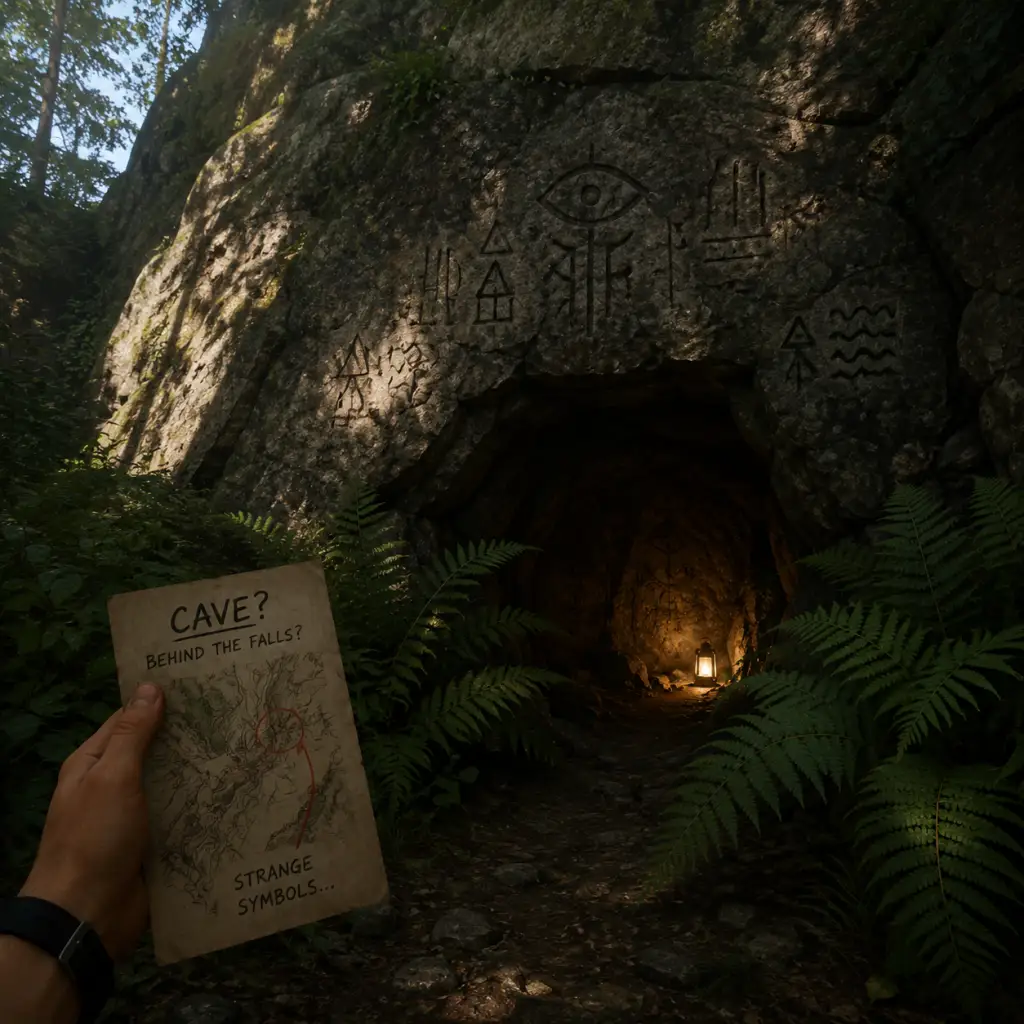
Cheats & Secrets
"content": "## Cheats & Secrets Guide for Firewatch
Firewatch is a narrative-driven adventure with no traditional cheat codes, invincibility, or level skips. However, it contains several hidden secrets, developer console commands (PC only), and environmental Easter eggs that enrich the experience. This guide covers all known hidden content.
Campo Santo included a debug console for development, accessible to players via launch options. Use this to enable noclip, fly, speed, and other commands.
#### How to Enable the Console
1. Right-click Firewatch in your Steam library.
2. Select Properties > General > Launch Options.
3. Add the following: `-console`
4. Launch the game. Press the ~ (tilde) key to open the console.
#### Useful Commands
Note: Using these commands may disable achievements permanently on that save. No known cheat codes unlock secret content – the console is the only “cheat” method.
Despite its linear story, the forest hides several interactive and non-interactive Easter eggs. Most require exploration off the main path.
#### 1. The Turtle Plush
Firewatch rewards curiosity. Explore every off-path trail, interact with all objects, and listen to every environmental detail – the forest has stories of its own to tell.
Firewatch is a narrative-driven adventure with no traditional cheat codes, invincibility, or level skips. However, it contains several hidden secrets, developer console commands (PC only), and environmental Easter eggs that enrich the experience. This guide covers all known hidden content.
Developer Console Commands (PC Only)
Campo Santo included a debug console for development, accessible to players via launch options. Use this to enable noclip, fly, speed, and other commands.
#### How to Enable the Console
1. Right-click Firewatch in your Steam library.
2. Select Properties > General > Launch Options.
3. Add the following: `-console`
4. Launch the game. Press the ~ (tilde) key to open the console.
#### Useful Commands
| Command | Effect |
|---|---|
| `god` | Toggle god mode (no damage from falls or fires) |
| `fly` | Toggle free flight (use WASD to move, mouse to look) |
| `noclip` | Toggle noclip (walk through objects) |
| `walk_speed <value>` | Set movement speed (default 1.0; 2.0 is twice as fast) |
| `jump_height <value>` | Adjust jump height (default 1.0) |
| `give_item <item_id>` | Spawn items (e.g., `give_item axe`, `give_item walkie_talkie`) – limited use |
| `map` | Show debug map overlay (not functional in release version) |
| `set_time <hh:mm>` | Change in-game time (e.g., `set_time 14:30`) |
| `teleport <x> <y> <z>` | Teleport to specific coordinates (hard to use without map) |
| `kill` | Immediately end game (restarts from last checkpoint) |
| `quit` | Exit the game |
Hidden Secrets & Easter Eggs
Despite its linear story, the forest hides several interactive and non-interactive Easter eggs. Most require exploration off the main path.
#### 1. The Turtle Plush
- Location: Near the lake at the bottom of the map, inside a hollow log. Look for a small opening between rocks.
- Interaction: Approach the turtle. Henry comments, and you can pick it up (no effect on inventory).
- Significance: A throwback to Campo Santo’s earlier short “The Turtle.”
- Location: At the bottom of the large lake near Two Forks Lookout. Dive into the water near the center.
- Interaction: Swim close to see it. No direct interaction, but Henry will mention it if you approach.
- Location: Inside the cave near the supply cache (area where you find the axe). Look for a narrow passage behind a rock.
- Interaction: Shine your flashlight on the wall to reveal a painting of a stick figure holding a walkie-talkie.
- Location: Follow the trail past the burned-down cabin. Look for a tree fort built between two pines. Accessible via a rope ladder.
- Interaction: Inside you’ll find notes, a telescope, and a cassette tape. This reveals backstory about the Goodwin family.
- Achievement: Finding this area is required for the “Full Map” achievement (visit all named locations).
- Location: After the fire, on the ground near the burned forest.
- Interaction: Pick up the stick. It appears to be a charred branch. If you examine it repeatedly, Henry will comment that it “looks like a… something.” No further effect.
- Location: Inside a birdhouse near the lake. Requires a small jump to reach.
- Interaction: Play it on the tape deck at Two Forks Lookout. It contains an ambient track (not story-important).
- Location: Tune your radio to a specific frequency by rotating the dial wildly near the lake. Wait for static, then a faint voice says “the serpent is real.” This is a reference to an in-universe urban legend.
- Location: Only accessible via console commands. Use `noclip` to fly into the sky by inputting `fly` and moving up. At coordinates x=0, y=500, z=0, you’ll find a small floating room with development notes and a poster reading “Made with love.”
- Warning: Reaching this room may corrupt your save; back up files first.
- Location: Inside the supply cache (building with the axe). There’s a cassette tape with a song by “The Police.” If you play it, Henry hums along. This is a nod to the band’s song “Wrapped Around Your Finger” which appears in the game’s soundtrack.
- Interaction: Throw certain items into the fire pit at Two Forks Lookout. The turtle if burned triggers a special line: “I made a turtle soup joke… sorry.” No other effects.
- Save before entering the cave or burning items if you want to see all dialogue.
- Use the in-game map to track visited locations – the “Full Map” achievement requires every named area.
- The developer room is not required for achievements and is purely an Easter egg.
#### 2. The Typewriter in the Lake
#### 3. The Secret Cave Painting
#### 4. Brian Goodwin’s Hideout (Fort)
#### 5. The Stick That Speaks
#### 6. Hidden Cassette Tape
#### 7. The Radio Message About the “Shoshone Serpent”
#### 8. Developer Room (PC Only)
#### 9. The “Police” Song Reference
#### 10. Hidden Dialogue by Burning Items
No In-Game Cheat Codes (Consoles)
On PlayStation 4, Xbox One, and Nintendo Switch, there are no cheat codes, button combos, or debug modes. The console commands are exclusive to PC via the `-console` launch option. All secrets listed above are accessible on all platforms through normal gameplay.
Missable Secrets & Completionist Tips
Firewatch rewards curiosity. Explore every off-path trail, interact with all objects, and listen to every environmental detail – the forest has stories of its own to tell.