
Fortnite
## Game Introduction ### Genre Fortnite is a **free-to-play battle royale** game that blends **third-person shooter**, **survival**, and **base-building** mechanics. It is known for its vibrant, cartoonish art style and frequent content updates. ### Developer & Publisher - **Developer**: Epic Game...
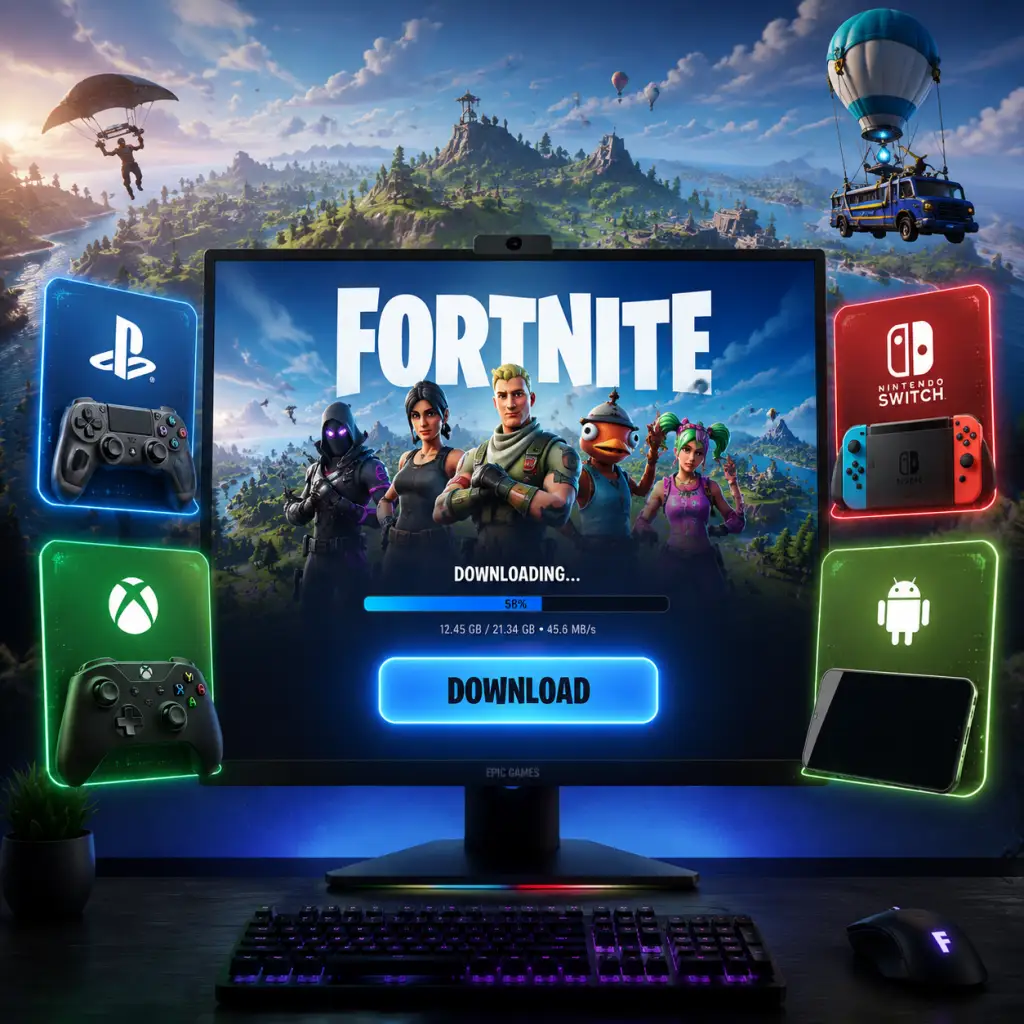
Download & Installation
Overview
This guide covers all official methods to download and install Fortnite across PC (Windows/macOS), PlayStation (PS4/PS5), Xbox (One/Series X|S), Nintendo Switch, and Android. Note that Fortnite is no longer available on the iOS App Store or Google Play Store; iOS users can only play via cloud streaming services (e.g., Xbox Cloud Gaming, GeForce NOW) or through the Epic Games Store on Mac. Always download from legitimate sources to avoid malware and bans.
---
System Requirements
PC (Windows)
| Component | Minimum (30 FPS at 100% 3D Resolution, Low Settings) | Recommended (60 FPS, Medium/High) | Epic Quality (1440p 60 FPS) |
|---|---|---|---|
| OS | Windows 10 64-bit (version 20H2 or newer) | Windows 10/11 64-bit | Windows 10/11 64-bit |
| CPU | Intel Core i3-3225 / AMD Ryzen 3 1200 | Intel Core i5-7300U / AMD Ryzen 3 1300X | Intel Core i7-8700 / AMD Ryzen 7 3700X |
| RAM | 8 GB | 16 GB | 16 GB |
| GPU | Intel HD 4000 / NVIDIA GeForce GTX 660 / AMD Radeon HD 7870 | NVIDIA GTX 960 / AMD R9 280X | NVIDIA RTX 2070 Super / AMD RX 5700 XT |
| DirectX | DirectX 11 (or higher, but 11 is baseline) | DirectX 12 | DirectX 12 |
| Storage | 40 GB (SSD preferred) | 40 GB (SSD) | 40 GB (NVMe SSD) |
| Network | Broadband internet connection | Same | Same |
macOS
- macOS 10.15.7 or later (Catalina, Big Sur, Monterey, Ventura) – compatibility may drop with newer macOS versions; Epic may stop support. Currently, Fortnite runs on Intel Macs via the Epic Games Launcher. M1/M2 Macs are not natively supported (may run via Rosetta but performance varies).
- CPU: Intel Core i5 2.5 GHz
- RAM: 8 GB
- GPU: Intel Iris Pro 5200 or better
- Storage: 40 GB
- System firmware: Latest version
- Storage: PS4 – 40 GB free; PS5 – 40 GB free (may be less after compression)
- Internet: Required for download and online play
- Note: No mandatory PS Plus for Fortnite, but PS Plus is needed for other features? Fortnite is free-to-play and does not require PS Plus to play online.
- System OS: Latest update
- Storage: 40 GB
- Xbox Live Gold: Not required for free-to-play games (no Gold needed to play Fortnite online)
- Latest system version
- Storage: 40 GB free (internal or microSD)
- Nintendo Switch Online: Not required for Fortnite
- OS: Android 8.0 (Oreo) or higher
- RAM: 4 GB (minimum), 6 GB recommended
- GPU: Adreno 530 or better, Mali-G71 MP20 or better
- Storage: 8 GB (game size ~8 GB after installation; download may be ~20 GB but compresses)
- Internet: Required
- Important: Fortnite is not on Google Play. Download from Samsung Galaxy Store or (for all other devices) the official Epic Games app from fortnite.com/android. Side-loading required.
- Epic Games Account: Required on all platforms to play Fortnite. You can create one at [epicgames.com](https://www.epicgames.com) or during first launch on consoles.
- Platform Accounts: For consoles, you need a PSN, Xbox Live, or Nintendo Account (free). These can be linked to your Epic account for cross-platform progress.
- No Subscription Needed: Fortnite is free-to-play; no PlayStation Plus, Xbox Live Gold, or Nintendo Switch Online required for online play.
PlayStation (PS4 / PS5)
Xbox (One / Series X|S)
Nintendo Switch
Android
---
Step-by-Step Installation by Platform
PC (Windows / macOS) via Epic Games Launcher
1. Create an Epic Games Account (if you don't have one): Go to [epicgames.com](https://www.epicgames.com) and click "Sign In" > "Sign Up". Provide email, username, password.
2. Download the Epic Games Launcher:
- Visit [epicgames.com/download](https://www.epicgames.com/download).
- Click "Download" – you'll get `EpicInstaller-14.0.0.msi` (version may vary).
3. Install the Launcher:
- Run the installer. Follow prompts (default location is fine).
- During installation, you may be asked to enable automatic updates – recommended.
4. Launch and Log In:
- After install, open Epic Games Launcher. Log in with your Epic account.
5. Find Fortnite:
- Go to the "Store" tab (left sidebar) or search for "Fortnite" in the library.
- Click on Fortnite. It should say "GET" or "INSTALL".
6. Select Installation Location:
- Click "Install" (or the gear icon to choose folder).
- Default: `C:\Program Files\Epic Games\Fortnite` (Windows) or `~/Applications/Epic Games/Fortnite` (Mac).
- Ensure at least 40 GB free on that drive.
7. Download and Install:
- The launcher will begin downloading the game (initial download ~30-40 GB). Time varies by internet speed.
- After download, it will install and verify files. This process auto-runs.
8. Finish: Once done, the "Play" button becomes available in the library.
PlayStation (PS4 / PS5)
1. Power on your console and sign in to your PlayStation Network account (free account works).
2. Go to the PlayStation Store:
- From the home screen, select "PlayStation Store" (PS4) or the Store icon (PS5).
3. Search for Fortnite: Use the search function (magnifying glass) and type "Fortnite".
4. Select the game: Choose "Fortnite" (the free battle royale version). There may be bundles; pick the free one.
5. Click "Download" (or "Add to Library" then "Download").
6. Automatic download starts:
- The console will download the game (size ~25-30 GB on PS4, ~15-20 GB on PS5 due to compression).
- You can monitor progress in the notifications/downloads menu.
7. Installation: Downloads are installed automatically. Once done, the game appears on your home screen or in the game library.
8. Launch Fortnite – it will prompt you to log in with an Epic Games account (or link to your PSN account). Follow on-screen prompts.
Xbox (One / Series X|S)
1. Sign in to your Xbox Live account (Microsoft account).
2. Open Microsoft Store (or the Xbox app).
3. Search for Fortnite:
- In the Store, search "Fortnite". Select the result titled "Fortnite" (free).
4. Click "Get" (or "Install" if you already own it).
5. Download starts automatically:
- Size: ~30-40 GB on Xbox One, ~15-20 GB on Series X|S with Smart Delivery.
- Ensure you have enough internal storage or external drive.
6. Once downloaded, the game installs. You'll see a notification when ready to play.
7. First launch: The game will ask you to connect an Epic Games account or sign in. You can play without linking, but linking enables cross-progression.
Nintendo Switch
1. Ensure your Switch is updated to the latest system version.
2. Open Nintendo eShop from the home screen.
3. Search for Fortnite: Type "Fortnite" in the search bar.
4. Select the game – it's free. Click "Free Download".
5. Confirm download: Choose the user profile to download to. The download size is approximately 16-18 GB (with updates).
6. Monitor progress from the home screen (download icon on the game tile).
7. Installation completes automatically. Once done, the icon changes to indicate the game is ready.
8. Launch Fortnite. It will ask for your Epic Games account (or let you play as guest). Linking is recommended for cross-progression.
Android (via Epic Games App)
Important: Fortnite uses the Epic Games app for Android, not the Google Play Store. You must enable installation from unknown sources.
1. Enable "Install Unknown Apps":
- Go to `Settings > Apps > Special App Access > Install Unknown Apps` (or similar path depending on manufacturer).
- Allow your default browser (e.g., Chrome) to install unknown apps.
- Alternatively, you can use the official Epic Games app installer.
2. Visit the official download page:
- On your Android device, open a browser and go to [fortnite.com/android](https://www.fortnite.com/android).
- Tap the "Download" button. This downloads the Epic Games app installer APK (~30 MB).
3. Install the Epic Games app:
- Locate the downloaded APK (usually in Downloads folder) and tap to install.
- Follow the prompts; accept any permissions requested.
4. Open the Epic Games app – it will prompt you to log in with your Epic account or create one.
5. Install Fortnite from within the app:
- The app will show Fortnite as the primary game. Tap "Install".
- The app will download the game resources (total ~20 GB download, compressing to ~8 GB after install).
- Make sure you have enough free storage.
6. Wait for installation – progress shown in the app. Do not interrupt the process.
7. Launch Fortnite: Once installed, you can open it from the app or find the shortcut on your home screen (if created).
Note for Samsung Galaxy devices: You can also download Fortnite from the Samsung Galaxy Store (pre-installed on many Samsung phones) – this is official and easier (no sideloading).
---
Account Requirements
---
First Launch Setup
1. Log In with Epic Account:
- On PC: The game will launch after installation; you will see a login page if not already auto-logged via launcher.
- On Console: You'll be prompted to sign in or create an Epic account. You can also choose "Play Later" but linking is recommended to save progress.
- On Android: The Epic Games app handles login.
2. Link Platform Accounts (if not done):
- Go to [epicgames.com](https://www.epicgames.com) > Sign In > Account > Connected Accounts. You can link PSN, Xbox, Nintendo, etc.
3. Set Parental Controls (optional):
- Epic offers cabined accounts for children under 13 (or other age limits per region). Parents can set spending limits, communication controls.
4. Configure In-Game Settings:
- After first login, you'll enter the lobby. Adjust settings:
- Video: Set resolution, quality, frame rate limit.
- Audio: Speaker output, voice chat.
- Controls: Mouse sensitivity, controller bindings.
5. Complete Tutorial: The game will prompt you to do a creative hub tutorial; you can skip or complete.
6. Update Check: Fortnite usually auto-checks for updates on launch; ensure stable internet.
---
Common Installation Errors and Fixes
PC (Epic Games Launcher)
| Error | Possible Cause | Fix |
|---|---|---|
| "Installation failed" or "Download failed" | Corrupt launcher files, insufficient permissions, antivirus blocking. | Run Epic Games Launcher as Administrator; disable antivirus temporarily; clear launcher cache (delete `C:\ProgramData\Epic\EpicGamesLauncher\Data` folder). |
| "Easy Anti-Cheat not installed" | Missing EAC files. | In Epic Games Launcher, go to Fortnite > settings (three dots) > Manage > Verify files. Then launch again; EAC will be reinstalled. |
| "Low disk space" error despite free space | Temporary download cache issues. | Clear temp files: `%TEMP%` and restart launcher. Ensure enough free space (40 GB). |
| Game crashes on startup | Outdated graphics drivers or compatibility issues. | Update GPU drivers (NVIDIA/AMD/Intel). Reinstall Epic Launcher if problem persists. |
| Slow download speed | Server congestion, ISP throttling. | Pause/resume download; change download region in Epic Launcher settings (General > Region). |
| DirectX error "D3D11 compatible GPU required" | Older GPU or missing DirectX runtime. | Install DirectX End-User Runtime from Microsoft; ensure GPU supports DirectX 11 (minimum). |
Console
| Error | Possible Cause | Fix |
|---|---|---|
| Download stops/errors | Network instability, console storage full. | Restart console. Clear cache: turn off console, unplug power for 30 seconds. Free up storage space. |
| "Cannot launch Fortnite" or license issue | Account age restrictions or region issues. | Verify the console account is set to allowed region. Re-download game from store. |
| Xbox error 0x80070020 | Windows-based error but also appears on Xbox? Actually rare. Usually solved by restarting console. | Hard reset (hold power button 10 seconds). |
| PS4/PS5 error CE-30005-8 | Corrupted data. | Delete the game and re-download. |
Android
| Error | Possible Cause | Fix |
|---|---|---|
| "App not installed" | Insufficient storage, incompatible device, installation from unknown sources not enabled. | Check storage (min 10 GB free). Enable install from unknown sources for your browser. Ensure device meets minimum specs (ARM64, Android 8.0+). |
| Download stuck at 99% | Corrupted download. | Clear Epic Games app cache: `Settings > Apps > Epic Games > Storage > Clear Cache/Clear Data`. Re-launch. |
| Game crashes after login | Outdated Android OS or low RAM. | Close background apps. Update OS if available. Reduce graphics settings in-game. |
| "Fortnite is not available in your country" | Region restriction (rare for Android). | Use official Epic app; ensure your device region matches your Epic account region (change account location on Epic website). |
Nintendo Switch
| Error | Possible Cause | Fix |
|---|---|---|
| Download failure 2155-xxxx | Network error. | Check Wi-Fi signal; restart Switch. |
| Corrupt data error | SD card issues. | Archive game and re-download (do not delete save data). Try inserting SD card into PC and scanning for errors. |
| Fortnite won't open after update | Glitch after update. | Hold power button to reboot Switch; if persists, delete and re-download game. |
Post-Installation Verification
1. Launch the game:
- On PC: Click "Play" in Epic Games Launcher.
- On console: Select the game tile.
- On Android: Open from Epic Games app or home screen shortcut.
2. Check version:
- On the main menu (lobby), look at the bottom left corner for the version number (e.g., v30.10). This should match the latest published version (check [fortnite.com](https://www.fortnite.com) or official social media).
3. Test online connection:
- Enter a match (Battle Royale or Creative). If you can load into the lobby island without disconnects, installation is successful.
4. Verify file integrity (PC only):
- In Epic Games Launcher, go to Library > hover over Fortnite > click three dots > Manage > Verify. This checks for missing/corrupted files.
5. Check audio and controls:
- Ensure sound plays and controls respond. If not, go to settings to adjust.
6. Update GPU drivers (PC): Outdated drivers can cause performance issues or crashes. Visit NVIDIA/AMD/Intel website for latest.
---
Additional Tips
- Keep the Epic Games Launcher running in background (PC) to auto-update Fortnite.
- Storage Management: Fortnite updates are frequent (every few weeks). Delete old builds if needed via launcher.
- Cross-Progression: Link all your platform accounts to a single Epic account to share V-Bucks, Battle Pass progress, and cosmetics across devices.
- Security: Never download Fortnite from third-party sites. Only use epicgames.com or official console stores.
- Mobile (Android) Alternative: On supported Samsung devices, use Galaxy Store to avoid sideloading.
- iOS/Mac: For iOS, the only official method is through cloud gaming subscriptions (Xbox Cloud Gaming, GeForce NOW) – no native app. On Mac, the Epic Games Launcher still works for older macOS versions, but support may end.
- Epic Games Support: [help.epicgames.com](https://help.epicgames.com)
- Fortnite Community Forums: [fortnite.com/community](https://www.fortnite.com/community)
- Reddit: r/FortNiteBR
---
Troubleshooting Further
If you encounter an issue not listed, visit:
Provide your system specs (platform, OS version, hardware) and error message when seeking help.

Game Introduction
Game Introduction
Genre
Fortnite is a free-to-play battle royale game that blends third-person shooter, survival, and base-building mechanics. It is known for its vibrant, cartoonish art style and frequent content updates.
Developer & Publisher
- Developer: Epic Games
- Publisher: Epic Games
- Engine: Unreal Engine 5 (upgraded from UE4 in Chapter 4)
- Announced: December 2011 (original Save the World concept)
- Early Access (Save the World): July 25, 2017
- Battle Royale Launch: September 26, 2017
- Full Release (Battle Royale): Not formally "released" – remains in a live-service state with chapters and seasons
- Notable Seasons: Chapter 1 (2017–2019), Chapter 2 (2019–2021), Chapter 3 (2021–2022), Chapter 4 (2022–2023), Chapter 5 (2023–present)
- PC: Windows, macOS (Apple silicon supported, but latest updates may be delayed)
- Console: PlayStation 4, PlayStation 5, Xbox One, Xbox Series X|S, Nintendo Switch
- Mobile: Android (via Epic Games App or Samsung Galaxy Store), iOS (no longer on App Store due to legal dispute; sideloading via Xbox Cloud Gaming or GeForce Now possible)
- Cloud Gaming: Xbox Cloud Gaming, GeForce Now, Amazon Luna
- The Seven – A group of mysterious masked heroes from another dimension, including Jonesy (the default skin), The Foundation (voiced by Dwayne Johnson), The Scientist, The Visitor, etc.
- Geno – Leader of the Imagined Order (IO), the main antagonist.
- Slone – IO’s field commander.
- The Cube Queen – Antagonist from Chapter 2 Season 8.
- Peely – A beloved banana-shaped character, often involved in side stories.
- Accessibility: No barrier to entry (free-to-play), simple drop-in mechanics, forgiving shooting due to bullet bloom and building.
- Building: Unique mechanic – players can instantly construct walls, ramps, floors, and pyramids for defense, offense, or mobility, adding a deep skill layer.
- Constant Evolution: Weekly updates with new weapons, items, map changes, and collaborations (Marvel, Star Wars, DC, movies like John Wick, and musicians like Travis Scott).
- Social & Live Events: Massive in-game concerts, movie screenings, and story-driven events bring the community together.
- Rated T for Teen (ESRB) / PEGI 12.
- Broad appeal: casual and competitive players, families, content creators, and fans of pop culture.
- Age range: typically 10–30+, but open to all.
- Always online: All modes require an internet connection; no offline play.
- Cross-platform play: Enabled by default across all platforms (PC, console, mobile, cloud).
- Cross-progression: Full account synchronization (V-Bucks, Battle Pass, cosmetics, and progress) via Epic Games account.
- Server regions: Multiple regions (NA, EU, Asia, etc.) with low-latency matchmaking.
- Battle Pass: Each season offers a premium pass (950 V-Bucks) with over 100 unlockable cosmetics (skins, emotes, wraps, etc.). Free pass provides fewer items.
- Item Shop: Rotating cosmetic bundles; many are exclusive to certain collaborations or real-money purchase.
- Crew Pack: Monthly subscription ($11.99) granting a unique skin, 1,000 V-Bucks, and the current Battle Pass.
- Save the World Founders Pack: Discontinued; legacy owners get daily V-Buck rewards and exclusive cosmetics.
- No paid map expansions – all content updates are free for Battle Royale and Creative.
- Building as core mechanic: No other battle royale game offers real-time structural construction.
- Hyper-regular updates: Weekly patches, seasonal themes, and map overhauls every 3–4 months.
- Cultural phenomenon: Hosts record-breaking live events (Travis Scott concert drew 12.3M concurrent players).
- Crossovers: Seamless integration of characters from Marvel, DC, Disney, anime (Naruto, Dragon Ball), Star Wars, and numerous musicians.
- Accessible competition: While competitive at high levels (FNCS tournaments with prize pools), casual play is easy to join and enjoy.
Release Timeline
Platforms
Story Overview
Fortnite's narrative is delivered through seasonal events, in-game NPC dialogue, and cinematic trailers. The overarching story involves The Loop – a mysterious time loop on the island created by the Zero Point, a powerful cosmic artifact. Players are "Loppers" stuck in an endless cycle of battles. Key events include the The Cube (Kevin), The Devourer (Cattus), Galactus (Marvel crossover), The Imagined Order (IO) vs. The Seven, and the recent Time Fracture that shattered reality. The story continuously evolves, often tying into real-world pop culture crossovers.
Setting
The game takes place on a dynamic island that changes with each season. The environment includes diverse biomes such as lush forests, snowy mountains, deserts, swamps, and urban areas. The island is constantly reshaped by narratively driven events (e.g., floods, volcanic eruptions, alien invasions, or desertification). Key locations include Tilted Towers, Retail Row, Lazy Lake, and the central Reality Tree.
Main Characters
Core Appeal
Target Audience
Game Modes
1. Battle Royale: Solo, Duos, Trios, Squads (100 players, last alive wins).
2. Zero Build: Same as Battle Royale but without building mechanics; players rely on mantling, sliding, and overshields.
3. Creative: Player-made custom islands (mini-games, deathruns, roleplay, etc.).
4. Save the World (PvE): Paid co-op mode (founder’s packs) – not actively updated but still available; focus on zombie-like husks and base defense.
5. Limited Time Modes (LTMs): Variations like Solid Gold, Unvaulted, Floor is Lava, and Marvel Knockout.
6. Ranked Mode: Competitive ladder for Battle Royale and Zero Build.
7. Imposters (temporarily unavailable): Social deduction mode similar to Among Us.
Online / Offline Support
DLC / Expansion Overview
What Makes This Game Unique
---
This introduction provides a complete overview of Fortnite’s background, core mechanics, and ongoing experience. For installation guidance, refer to the Download & Installation section.
Getting Started
Getting Started
First Hour Walkthrough (Your First Match)
Your first experience in Fortnite can be overwhelming. Follow this step-by-step guide to get through your first hour smoothly:
1. Launch the Game & Login: After installation, launch Fortnite. You'll be prompted to log in with your Epic Games account. If you don't have one, create it for free (takes 2 minutes).
2. Select a Game Mode: From the lobby, you'll see several modes. For your first match, choose Battle Royale (the default). Avoid "Creative" or "Save the World" until you're comfortable.
3. Wait in the Lobby: You'll be placed in a pre-game lobby island. This is a safe zone where you can test weapons, run around, and see other players—but no damage occurs here. Spend 30 seconds picking up a weapon from the ground to feel the controls.
4. The Battle Bus: When the match starts, you'll fly in on the Battle Bus. The bus flies across the map (a large island). Wait until the bus is near the center of the map — do not jump immediately! Jumping early lands you in high-population areas where experienced players will eliminate you quickly. For your first game, choose a named location (e.g., "Pleasant Park" or "Retail Row") on the edge of the map.
5. Landing: Press your respective interact button (E on PC, A on Xbox, X on PlayStation, etc.) to drop. Aim for a house or building so you can gather loot quickly. Hold the sprint button (L3 on controller, Shift on PC) while falling to glide faster.
6. Loot & Gear Up: As soon as you land, run into the nearest building and open chests (glowing gold/blue) and pick up weapons, shields, and materials. Prioritize a weapon (any rarity), a shield potion, and some wood/brick/metal.
7. Avoid Early Combat: For your first match, avoid other players. Stay quiet, hide behind walls, and listen for footsteps. Your goal is survival, not kills yet. Move toward the safe zone (white circle on minimap) when the storm starts closing.
8. The Storm: The storm deals damage over time. Always check your minimap for the next safe zone. If you're caught outside, take damage until you reach the circle.
9. Gather Materials: Use your pickaxe (default key: G on PC, Y/Triangle on controller) to smash trees, rocks, and furniture. Collect at least 200 of each material type.
10. Build Basic Structures: You can build walls, ramps, floors, and roofs. Practice placing a couple of walls and a ramp to climb onto a roof. Building is essential for defense.
11. Survive Until Top 10: Don't engage unless necessary. Stay in the safe zone, listen for enemies, and move carefully. Your goal: get a feel for the game, not win.
12. Expect to Die: You'll likely get eliminated early. That's normal! Use the death screen to learn what happened. Click "Spectate" to see how skilled players move and build.
13. After Match: Back in the lobby, your XP/season progress will update. Try again—each match teaches you more.
Character Creation and Customization
Fortnite does not have a traditional character creation system (no sliders for face/body). Instead, you choose a Skin (outfit) from your locker. By default, every player gets a simple default skin (e.g., "Jonesy"). You can unlock/buy other skins via:
- Battle Pass: Earnable outfits by playing and leveling up (costs V-Bucks). A season lasts ~10 weeks.
- Item Shop: Buy skins with V-Bucks (real money or earned). Skins cycle daily.
- Free Rewards: Occasionally, Epic gives free skins through events or promotions.
To change your skin: Go to the Locker tab in the main menu, select the Outfit slot, and choose any owned skin. Also customize Back Bling, Pickaxe, Glider, Emote, and Wrap. For beginners, stick with the default—there's no gameplay advantage to any skin.
Controls on All Platforms
Here are the default controls for each platform. You can remap them in Settings > Controls.
| Action | PC (Keyboard & Mouse) | Xbox (Controller) | PlayStation (Controller) | Nintendo Switch (Controller) |
|---|---|---|---|---|
| Move | WASD | Left Stick | Left Stick | Left Stick |
| Look | Mouse | Right Stick | Right Stick | Right Stick |
| Jump | Spacebar | A | X | B |
| Sprint | Left Shift | Left Stick (click) | Left Stick (click) | Left Stick (click) |
| Crouch | Left Ctrl | B (hold) | Circle (hold) | Thumbstick push? Default: B |
| Fire | Left Mouse | Right Trigger | R2 | R |
| Aim Down Sights | Right Mouse | Left Trigger | L2 | ZL |
| Reload | R | X | Square | Y |
| Switch Weapon | 1-6 or Scroll Wheel | LB/RB | L1/R1 | L/R |
| Use (pick up/revive) | E | A (hold) | X (hold) | A (hold) |
| Pickaxe | G (or 1) | Y | Triangle | X |
| Build Mode | Q | B (hold) | Circle (hold) | B (hold?) Actually: Y |
| Edit Building | F (hold) | B (while building) | Circle (while building) | Y (while building) |
| Map | M | View Button (two squares) | Touch Pad | - (Minus) |
| Inventory (Backpack) | Tab | Menu Button | Options | + (Plus) |
| Emote | B (or hold emote wheel) | Emote wheel: D-Pad Down | D-Pad Down | D-Pad Down |
- PC: Mouse sensitivity can be adjusted in settings. Start at 8-12 eDPI (effective DPI) for beginners.
- Controller (All): Enable "Builder Pro" in Settings > Controller > Builder Pro to make building faster. This is essential for advanced play.
- Switch: Use Pro Controller for better ergonomics. The Joy-Cons work but can be less comfortable.
- Lobby: Your character standing on a island. Shows friends, squad fill, and game mode selection.
- Battle Pass: Tab to see rewards, challenges, and level progress.
- Item Shop: Daily rotating cosmetics.
- Career: Stats, replays, leaderboards.
- Settings: Audio, graphics, controls, accessibility.
- Learn Movement & Looting: Get comfortable with sprinting, jumping, sliding, and opening chests quickly.
- Master Building Basics: Practice building a simple 1x1 box (four walls, a floor, a ramp inside) for cover. This is the #1 survival skill.
- Understand the Map: Open your map (M) and learn the names of major POIs. Know where the island is located (center, edges, rivers).
- Manage Inventory: Always carry: one assault rifle (medium ammo), one shotgun, one shield item (potion or fish), one healing item (bandages or medkit), and one utility (grenades, launch pad, etc.)
- Stay in the Storm Circle: Always move toward the next safe zone before the storm closes. You can see the timer on your minimap.
- Use Headphones: Audio cues (footsteps, gunshots, chests) are critical. Turn on Visualize Sound Effects in Accessibility if you cannot use audio.
UI Overview
The Fortnite HUD during a match:
1. Health & Shield Bars: Top left. Blue shield (if any) above green health. Consumables (bandages, shield potions) heal these.
2. Ammo Count: Top right of crosshair. Shows current ammo / total ammo in inventory.
3. Weapon Slots: Bottom right (or center-bottom). Shows 6 slots: pickaxe (always first), then 5 weapons/items. You can drag to rearrange in inventory.
4. Materials Counter: Bottom center. Shows wood/stone/metal amounts.
5. Minimap: Top right corner. Shows safe zone circle, your position (triangle), teammates (if in duos/squads), and enemy indicators (red dots when they fire).
6. Kill Feed: Top center. Shows eliminations by other players.
7. Team UI: Left side (if in team mode). Shows teammates' health/shields and names.
8. Compass: Top center. Shows direction/N/S/E/W.
9. Storm Timer: Above minimap. Time until storm closes.
10. Eliminated Count: Top left near health bar. Number of players alive.
Main Menu Screens (pre-match):
Essential Early Objectives
In your first 5-10 matches, focus on these goals:
What to Do First vs. What to Avoid
| DO | DON'T |
|---|---|
| Land on the outskirts (e.g., "Slurpy Swamp") | Land at crowded spots like "Tilted Towers" (chaos) |
| Collect 200+ wood immediately by chopping trees | Ignore material gathering (you'll be stuck in fights) |
| Build a simple wall/ramp for cover in open areas | Build complex structures (focus on basics) |
| Use natural cover (trees, rocks) to move | Run across open fields without building |
| Listen for footsteps and chests | Turn on music or loud external audio |
| Check your minimap every 20 seconds | Tunnel-vision on looting without watching circle |
| Carry one healing item (e.g., bandages) | Hoard only weapons (needs balance) |
| Practice in Creative Mode (island code: „practice”) | Jump straight into competitive modes (Arena) |
Early Resource Priorities
Materials (the first 3 minutes):
- Wood: Easiest to gather (from trees). Priority for building quick walls/ramps for cover.
- Stone: Slower to gather, but stronger. Use for defensive structures (vs. enemy fire).
- Metal: Hardest to gather, takes longest. Best for end-game when you need durability.
- [ ] Create Epic Games account (if not done).
- [ ] Launch Fortnite and log in.
- [ ] Complete tutorial quest (if prompted—usually introduces movement and building).
- [ ] Adjust settings:
- [ ] Play one match with the goal: Land at a named location on the map's edge, loot one building, and survive to top 50.
- [ ] Practice building in Creative for 10 minutes:
- [ ] Watch a 5-minute beginner guide video (optional but recommended).
- [ ] Play two more matches: focus on gathering materials, staying in the storm circle, and avoiding unnecessary fights.
- [ ] Earn your first eliminations (even if only from distance or using a shotgun).
- [ ] Unlock your first Battle Pass tier (if you have the pass).
- [ ] Set a simple goal for next session: e.g., reach top 10, build a 1x1 box quickly, or land at a new POI.
Loot Priority (first 30 seconds after landing):
1. A weapon of any kind (even a pistol).
2. Shield Potion (minis or big pot). Shield gives 50/100 extra HP.
3. A medium-range weapon (assault rifle).
4. Heals (bandages, medkits, or fish).
5. Consumables (chug jug, etc.) or utility.
Ammo Types (keep at least 50 rounds per weapon type): Light, Medium, Heavy, Shells, Rockets. Do not pick up ammo you cannot use.
Common Beginner Mistakes (and How to Fix)
1. Landing too early / in popular zones: Result: instant death. Fix: Wait until the bus is near the edge of the map (e.g., Coral Castle area).
2. Ignoring the storm: Taking constant damage while scrambling. Fix: Always check mini map; move toward the circle 15 seconds before it closes.
3. Not building when shot at: Standing still or running without cover. Fix: When you hear bullets near you, immediately press Q (build mode) and place a wall behind you, then a ramp to block upwards.
4. Over-looting: Spending minutes looting a single location while the circle closes. Fix: Grab 2-3 weapons, some shields, and move out.
5. Carrying too many weapons: Having 5 weapons and no heals. Fix: Keep one shotgun, one AR, and one utility/heal slot. Dedicate one slot to shields/heals, one to a utility item.
6. Forgetting to edit buildings: Getting stuck in your own build. Fix: Learn simple edits: press F (hold) while looking at your wall, select a square to delete, then escape.
7. Peeking too long: Standing still while aiming down sights (ADS) in combat. Fix: Use quick peeks: strafe out of cover, shoot 2-3 bullets, then strafe back.
8. Not using audio cues: Playing without headphones. Fix: Use headphones or enable Visualize Sound Effects in Accessibility settings.
9. Giving up after one bad match: Fortnite has a steep learning curve. Fix: Watch a few minutes of a beginner-friendly streamer or watch a replay of your match to see what went wrong.
10. Skipping creative practice: Jumping right into Battle Royale without building skill. Fix: Spend 15 minutes in Creative (game mode select > Creative) building ramps, walls, and doing simple edits.
Day-One Checklist
Complete this list during your first play session (aim for 1-2 hours):
- Set graphics to Auto or Low (for performance).
- Enable Build Mode: Builder Pro (controller) or set key binds.
- Turn on Visualize Sound Effects (Accessibility).
- Set Mouse Sensitivity to medium-low (e.g., 8% with 800 DPI).
- Place 10 walls.
- Place 10 ramps.
- Edit a wall to make a door (select the bottom two squares).
Fortnite is a game of practice and persistence. Your first few hours will be tough, but every player started where you are. Use this guide, stay patient, and soon you'll be building, editing, and outplaying opponents. Happy hunting!
Core Gameplay
Core Gameplay
Fortnite is a free-to-play battle royale game that combines third-person shooting, building, and survival elements. The core gameplay loop revolves around dropping onto an island, scavenging weapons and materials, eliminating opponents, and being the last player or team standing. The game also features permanent modes like Zero Build (no building) and seasonal updates that introduce new mechanics, items, and map changes.
Main Gameplay Loop
The loop repeats with every match:
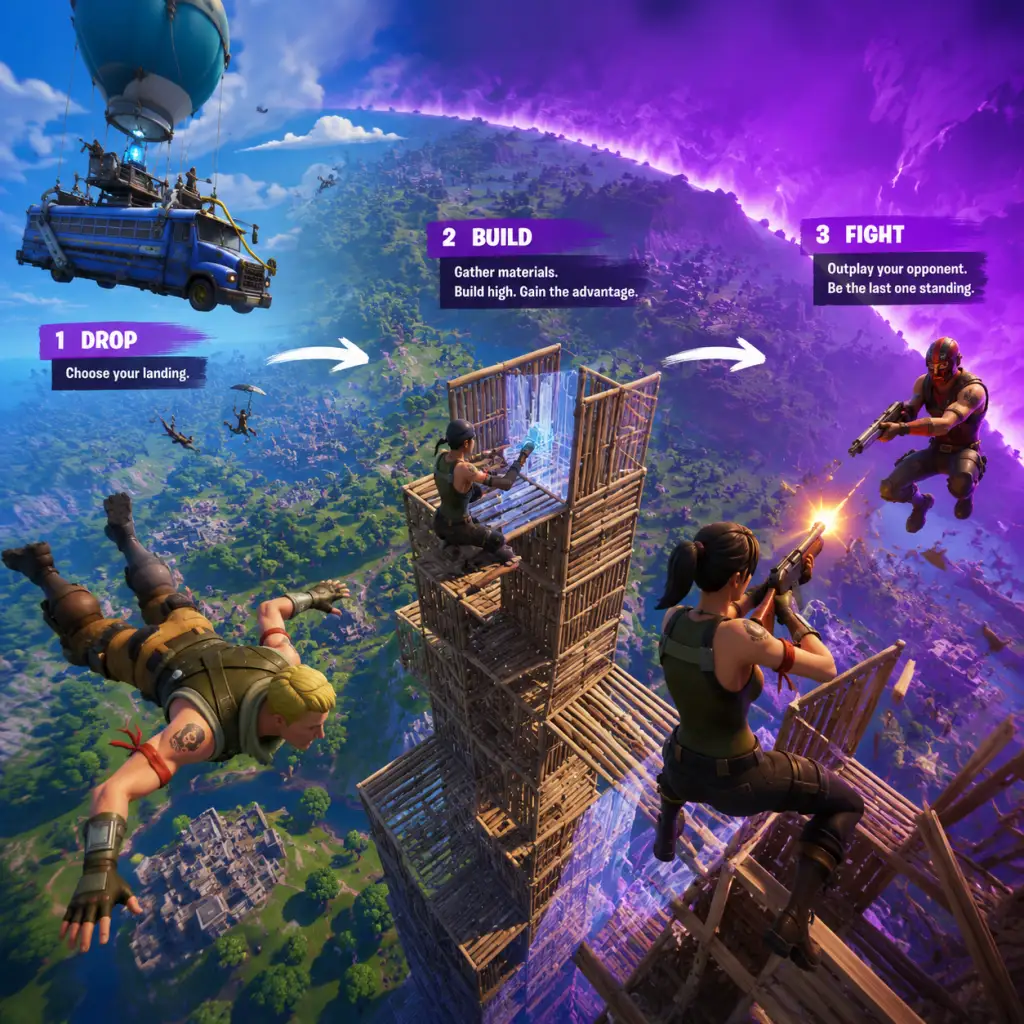
1. Lobby & Queue: Select a mode (Solo, Duos, Trios, Squads), choose an emote or edit a loadout, then queue.
2. Drop & Loot: Glide from the Battle Bus onto the island. Land at a named POI (Point of Interest) or unnamed spot. Quickly loot weapons, ammo, shields, healing, and materials (wood, stone, metal for building).
3. Rotate & Engage: Decide whether to fight or avoid combat. Use the Storm Circle as a timer – move before the next circle closes. Gather intel by listening for footsteps, gunfire, or using recon tools.
4. Combat & Building: Engage enemies with gunplay or traps. Build structures for cover, height advantage, or to block incoming fire. In Zero Build, rely on sprinting, mantling, and utilizing environmental cover.
5. Survive & Win: Eliminate remaining opponents. The final circles force close-quarters fights. Win by being the last alive or by completing the Victory Royale objective (e.g., capture the crown).
6. Rewards: Earn Battle Pass XP, Account XP (to increase Level), and cosmetic items. Completed challenges grant bonus XP and Battle Stars.
Combat & Interaction Systems
- Weapon Rarities: Common (gray), Uncommon (green), Rare (blue), Epic (purple), Legendary (gold). Higher rarity = better stats (damage, fire rate, reload speed). Mythic and Exotic weapons are special boss drops.
- Building (Builder Mode) : Press a key/button (default: F1-F5 on PC, directional pad on controller) to select wood/stone/metal. Place walls, ramps, floors, and roofs. Edit structures to create windows, doors, or shape for peeking. Building is essential for defense, mobility, and gaining high ground.
- Zero Build Mode: No building. Instead, use Mantling to climb ledges, Sprint (hold shift/L3) to run faster, and Sliding to move quickly downhill. Use environmental covers like rocks, trees, and structures.
- Healing & Shields: Medkits restore health; Bandages heal up to 75 HP. Shield potions (Mini, Big, Chug Splashes) grant shields. Use campfires and fish to heal over time.
- Vehicles: Cars, trucks, helicopters (Choppa), boats, and the new Nitro Drift (seasonal) provide mobility and can run over enemies. Each has fuel and can be damaged.
- Augments (Seasonal): In some seasons, choose passive perks at the start of a match (e.g., "Loot Llama" gives rare loot, "Soaring Sprints" increases jump height while sprinting).
- Battle Pass (Seasonal): Earn XP to unlock tiers (0-100). Each tier awards cosmetic items, V-Bucks (in-game currency), and loading screens. Bonus rewards after tier 100.
- Account Level: Earned through XP. Increases each season. Higher level unlocks more cosmetic rewards in the Battle Pass and showcases you have played a lot.
- Quests & Milestones: Daily, weekly, and seasonal challenges grant large XP amounts. Examples: "Deal 500 damage with SMGs" or "Visit named locations in a single match". Also, Milestones (e.g., "10 eliminations with pistols") reward XP.
- Crew Pack (optional subscription): Monthly subscription gives a cosmetic set, 1,000 V-Bucks, and access to current Battle Pass.
- Named Locations: E.g., Mega City, Frenzy Fields, Slappy Shores. Usually have high loot density but high contest rate.
- Unnamed Areas: Smaller clusters of buildings, often less contested. Good for safe early loot.
- Hidden Loot: Secret rooms, vaults (require keys from NPCs), and treasure maps (lead to buried loot).
- NPCs: Scattered around the map. Some sell items (weapons, shields) for Gold Bars. Others give quests or provide hireable followers.
- Daily Quests: Simple tasks like "Open 10 chests" or "Survive 5 Storm Circles". Reward 5,000-10,000 XP each.
- Weekly Quests: Released every week. Larger tasks like "Eliminate opponents at X locations" or "Use 3 different vehicles in a match". Reward up to 20,000 XP each.
- Story Quests: Seasonal narrative quests. Example: In Chapter 4 Season 3, quests involved investigating anomalies and helping the Oasis survivor. Often unlock rewards like loading screens or weapon wraps.
- Milestones: Long-term challenges (e.g., "Complete 50 quests", "Catch 100 fish"). Reward XP and cosmetic items.
- Gold Bars: Earned by looting, eliminating enemies, completing bounties (from NPCs), or selling items to vending machines. Used to buy weapons, shields, augments, or hire NPCs.
- V-Bucks: Premium currency. Earned through Battle Pass (free tiers give ~300 V-Bucks per season), paid via real money. Used to buy cosmetics, Battle Pass, and item shop items.
- Item Shop: Rotates daily. Contains skins, pickaxes, gliders, wraps, emotes, and bundles. Prices range from 800-2,000 V-Bucks for skins.
- No stat-based character growth – Fortnite is a pure skill-based shooter. All players have the same health/shield (100 HP, 100 Shield max) and weapon stats. Growth is cosmetic (skins, emotes) or through game knowledge (learning builds, map rotations).
- Skill Development: Involves mastering building techniques (ramp rushes, 90s, tunneling), aim, game sense, and positioning. Zero Build emphasizes movement (sprint, slide, mantling) and tactical positioning.
- Loadout Optimization: Carry a mix of weapons: Shotgun (close), AR (mid), SMG (spray), Sniper (long), plus heals and mobility. Learn when to swap.
- Storm Circles: The storm shrinks every 1-2 minutes. Late circles are small, forcing fights. Build for height in Build mode; use natural cover in Zero Build.
- Final Circle: Usually lasts 30-60 seconds. Players must eliminate all remaining enemies. The last alive wins Victory Royale.
- Limited-Time Modes (LTMs) : Occasionally replace or supplement core modes. Examples: 50v50, Solid Gold (only legendary weapons), Team Rumble (respawn).
- Arena Mode (competitive): Ranked mode with points based on eliminations and placement. Seasons have competitive cups for prizes.
- Tournaments: Epic hosts cash cups, FNCS (Fortnite Champion Series), and other events. Open to all with qualifying rounds.
- Gameplay Loop: Drop at quiet spots (e.g., unnamed houses) to survive longer. Loot, avoid fights, and hide until top 10. Start using basic building: placing a wall for cover or ramp to climb.
- Combat: Spray weapons (SMG, AR) from medium range. Avoid close-quarters until comfortable with shotgun. Use aim assist (if on controller).
- Exploration: Stick to one or two POIs to memorize loot spawns and chest locations. Follow the storm circle – stay inside.
- Quests: Complete daily quests for easy XP. Focus on "Survive Storm Circles" and "Open Chests" – these are safe.
- Economy: Collect Gold Bars but don't spend yet. Save V-Bucks from free Battle Pass tiers for a skin you like.
- Character Growth: No level-based growth; focus on learning weapon recoil, map layout, and which items are essential.
- Example Loadout: AR (blue), SMG (green), Shotgun (gray green), Medkit, Bandages.
- Gameplay Loop: Rotate before storm closes. Engage in fights with better positioning. In Build mode, practice simple ramp rushes and 90s to gain high ground.
- Combat: Use shotguns more aggressively (tactical shotgun, pump). Learn to box fight (place walls and ramps around you). In Zero Build, use cover peeking and pre-firing. Start using vehicles for rotations.
- Exploration: Visit larger POIs like Mega City or Frenzy Fields. Start opening vaults (need keys from NPCs) for extra loot.
- Quests: Focus on weekly quests and Milestones that reward 20k+ XP. Bounty quests from NPCs (kill X players) yield Gold Bars.
- Economy: Spend Gold Bars on shields and augment rerolls. Buy a rare weapon from an NPC if needed.
- Character Growth: Improve editing (in Build mode) – quickly edit walls/windows. Learn to predict enemy movements. Start learning switch weapon timing.
- Example Loadout: Pump Shotgun (epic), SMG (rare), AR (legendary), Shield Potions, Fishing Rod (for healing fish).
- Gameplay Loop: Control mid-game fights. Push opponents quickly to third-party. Use sound (footsteps) for intel. In Build mode, maintain high ground advantage.
- Combat: Execute complex builds: 3-layer ramp rushes, wall replacing, and piece control (placing builds to trap enemies). In Zero Build, use tire jumps, bounce pads, and rift-to-go for mobility; use peeking from natural cover.
- Exploration: Hunt NPCs for Mythic weapons (e.g., Midas Drum Gun, the Foundation's MK-Seven). Learn guaranteed chest spawns and vault locations.
- Quests: Complete all weekly quests and season story. Participate in limited-time events (e.g., Dragon Ball crossover for special loot).
- Economy: Use Gold Bars to reroll augments for optimal loadout (e.g., "Soaring Sprints" + "Loot Llama"). Buy fish from fishing spots.
- Character Growth: Master shield management (carry minis for quick healing). Develop muscle memory for building combos. Learn to third-party effectively.
- Example Loadout: Combat Shotgun (mythic), Stinger SMG (legendary), Thermal AR (exotic), Chug Splashes, Rocket Launcher.
- Gameplay Loop: Play for high placement (top 5) and elimination points. Use coordinated team rotations, box fighting, and surge damage (dealing damage to meet storm requirements).
- Combat: Near-perfect building and editing under pressure. Use piece control to trap and eliminate opponents in boxes. In Zero Build, use advanced movement (sliding into shots, resetting) and third-party tactics.
- Exploration: Study meta rotations for each storm circle. Know every bush, tree, and rock for head glitches. Use scouting items (e.g., recon scanner, marksman rifle) to gain intel without exposing.
- Quests: Skip story quests; focus on practice (creative maps, aim trainers, 1v1 builds). Compete in FNCS qualifiers and cash cups.
- Economy: In competitive matches, manage Gold Bars for augments (often skip shield buy – rely on looting). Team coordinates who buys what.
- Character Growth: Achieve god-tier mechanics. Analyze replays to improve positioning. Develop mental resilience to handle high-pressure endgames.
- Example Loadout: Combat Shotgun (legendary), Submachine Gun (epic), Sniper (suppressed), Large Shield Potions, Chug Jug (for healing).
Progression
Progression is unified across all modes. Key elements:
Exploration
The map changes every season. Major POIs include:
Quests & Missions
Economy
Character/Build Growth
Endgame Structure
Core Gameplay by Player Progression Tiers
Note: Fortnite lacks a traditional RPG progression. Tiers are based on player skill level and experience, not levels. However, new players experience Early Game (learning basics), then progress through Mid and Late Game as they improve. Endgame is high-level competitive play.
Early Game (First 10-20 Hours)
Focus: Learn controls, basic building (if playing Build mode), and general strategy.
Mid Game (20-100+ Hours)
Build/Zero Build: Solid fundamentals. Can win some fights.
Late Game (100-500+ Hours)
Skill Level: Can consistently reach top 10. Good building and aim. Understand map rotations.
Endgame (Competitive / Pro Level)
Focus: Tournament play, high-stakes matches, and esports.
Game Tips
Game Tips
This comprehensive guide covers essential Fortnite tips organized by category. Whether you're a beginner or an advanced player, you'll find actionable advice to improve your gameplay.
---
Beginner Tips
#### 1. Choose Your Landing Spot Wisely
- Tip: Land at named locations with moderate loot density (e.g., Pleasant Park, Retail Row) instead of hot drops like Tilted Towers.
- Why it works: You avoid early eliminations and have time to loot, gather materials, and learn the map. As you improve, you can drop at contested spots for more action.
- Tip: Spend 15 minutes daily practicing ramp rushes, 90s, and simple box builds in Battle Lab or Creative.
- Why it works: Building is a core mechanic. Muscle memory for quick wall/ramp placement lets you outplay enemies who can't build. Start with 4-5 piece combos.
- Tip: Always wear headphones. Listen for footsteps, chests, and direction of shots.
- Why it works: Pinpointing enemy locations without visual contact gives you a huge advantage. Turn on Visualize Sound Effects (accessibility) if you struggle.
- Tip: Prioritize weapons of Epic (purple) or Legendary (gold) rarity. Common (grey) and Uncommon (green) are weaker.
- Why it works: Damage per shot and fire rate scale with rarity. Higher rarity means fewer bullets to eliminate an opponent.
- Tip: Keep at least one stack of shields (Mini or Big Pot) and one heal (Medkit or Bandages).
- Why it works: You can recover after fights and sustain through storm damage. Never go into late-game without heals.
- Tip: Learn to edit walls and floors quickly (e.g., window edit, door edit, tile edit). Practice in Creative with edit courses.
- Why it works: Instant edits let you shoot through your own builds, escape traps, and surprise enemies. Time saved = more damage dealt.
- Tip: When boxing an enemy, place a ramp inside their box to force them into a predictable position, then edit and shoot.
- Why it works: It limits their movement and gives you a free shot. Common technique: ramp-floor-wall combo.
- Tip: In tournament modes, stay aware of your zone position. If you're outside the safe zone, take the shortest path and avoid tunneling until necessary.
- Why it works: Storm surge damage increases each tick. Running through open fields without cover is lethal. Always carry 500+ wood for quick ramps and walls.
- Tip: Use launch pads, shockwave grenades, or vehicles (cars, boats, hoverboards) for quick movement.
- Why it works: Rotating on foot exposes you. Items like shockwaves let you reposition instantly, often catching enemies off guard.
- Tip: In open areas, build a metal ramp or 90s to gain height advantage.
- Why it works: High ground gives you better sightlines and makes it harder for enemies to hit you. It also lets you drop down on them.
- Tip: When an enemy follows you through an edit, wait half a second before editing back. Anticipate their movement.
- Why it works: Predictable edits are easily countered. Delaying forces them to overcommit or waste ammo.
- Tip: To take an enemy's wall, place a ramp and then a floor above their wall, then edit the floor to drop onto the wall piece.
- Why it works: This older mechanic still works in Creative and some matches. It refreshes the wall's owner, allowing you to edit it.
- Tip: Practice triple edits (edit wall, then floor, then ramp quickly) to bypass enemy builds.
- Why it works: High-speed edits break line of sight and confuse opponents. Effective in box fights or build battles.
- Tip: Always gather 999 of each material early. Use wood for ramps (fast but weak), brick for walls (balanced), metal for last circles (strongest).
- Why it works: Different materials have different health. Metal can survive multiple explosions. Manage inventory slots accordingly.
- Tip: Equip a long-range weapon (sniper, DMR), a mid-range (AR), and a close-range (shotgun, SMG). Pair with heals and explosives.
- Why it works: You can engage at any distance. Shotgun+SMG is meta for close fights; AR+SMG for spray-downs.
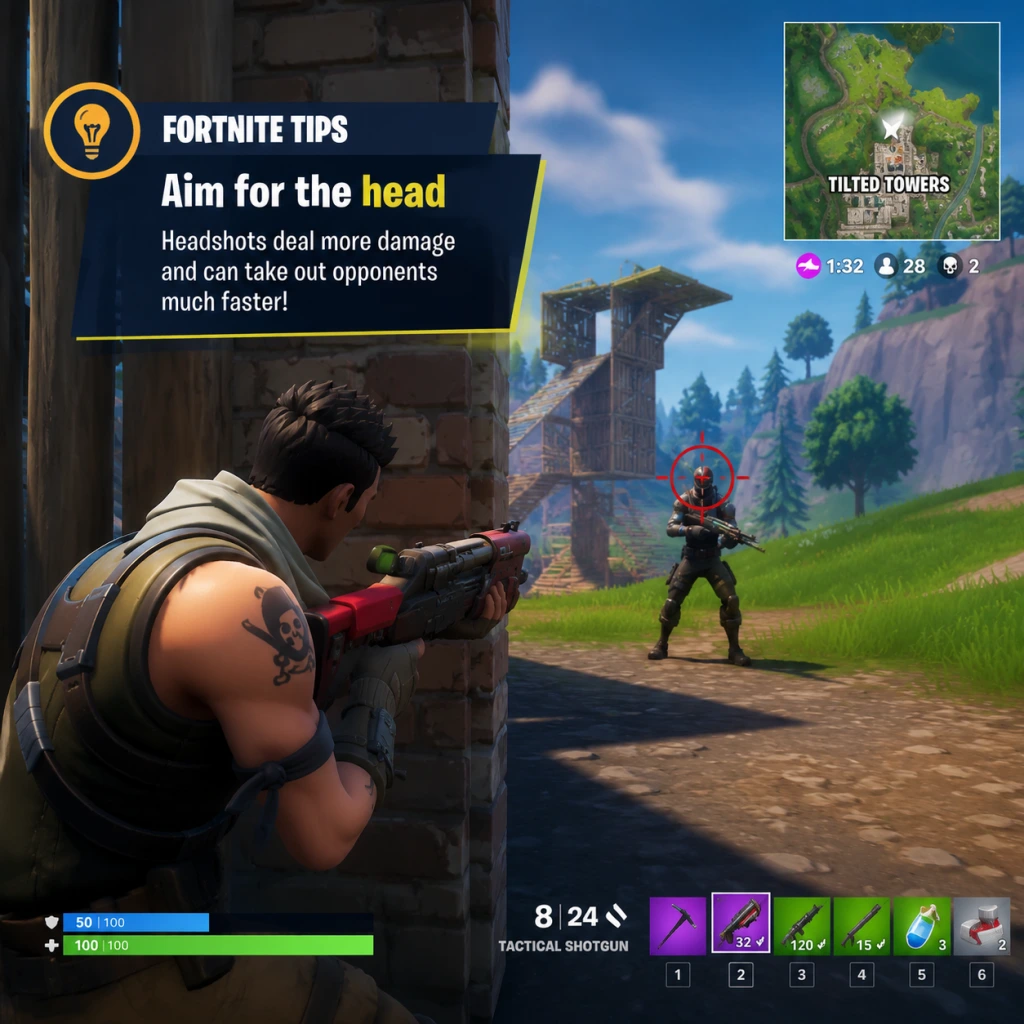
- Tip: When using shotguns, aim slightly above the head to account for bullet spread. For rifles, center mass for quick kills.
- Why it works: Headshots deal 2x damage. Mastering this reduces TTK significantly.
- Tip: In gunfights, crouch and uncrouch rapidly to throw off enemy aim.
- Why it works: It changes your hitbox and makes you harder to track. Useful in box fights and mid-range AR duels.
- Tip: Protect yourself with a wall and ramp quickly after taking damage. Peek through edits to shoot.
- Why it works: Gives you time to heal and reset the fight. Never stand still in the open.
- Tip: Check under bridges, inside shrubs, and near water. Use a fishing rod for loot.
- Why it works: Hidden chests often contain rare items. Fishing can yield legendary items, fish for health, or even mythic weapons.
- Tip: Plan a path that covers multiple named POIs with high chest spawns (e.g., Pleasant Park -> Holly Hedges -> Slurpy Swamp).
- Why it works: Efficient looting ensures you have shields, weapons, and materials before fights.
- Tip: Hit weak points (glowing circles) when farming. Use pickaxe only on structures, trees, and rocks.
- Why it works: Weak points multiply farm speed by 3x. You can get 999 wood in 2-3 minutes if you hit them consistently.
- Tip: In late-game, use metal for defense since wood breaks fast to explosives. Don't waste brick on ramps.
- Why it works: Each material has a distinct health pool. Metal can survive multiple shots from a rocket launcher.
- Tip: Loot floor chests, eliminate opponents, and complete bounties to earn bars.
- Why it works: Gold bars let you buy mythic weapons, hire NPCs, or upgrade weapons at vending machines. Save them for late-game upgrades.
- Tip: Upgrade a common shotgun to rare or epic if you have enough bars. Avoid upgrading snipers unless you main them.
- Why it works: Shotgun damage scaling is critical. A blue pump can one-shot opponents with a headshot.
- Tip: In enemy boxes, place a trap on the ceiling or wall before they edit. Combine with a quick edit to trap them.
- Why it works: Traps deal 150 damage instantly. A trap + shotgun shot is a guaranteed elimination.
- Tip: If on PC, use keyboard and mouse for precise edits and building. On console, use controller with claw grip or paddles.
- Why it works: KBM allows faster build/edit binds. Controller offers aim assist but slower building. Each has advantages; choose based on comfort.
- Tip: Read every update for weapon buffs/nerfs, map changes, and new items.
- Why it works: Meta shifts weekly. Knowing that shotguns were nerfed means you adjust to using SMGs more.
#### 2. Master Basic Building in Creative Mode
#### 3. Use Audio Cues
#### 4. Keep Metallic Weapons Only
#### 5. Always Carry Healing Items
---
Intermediate Strategies
#### 6. Master the Edit Tool
#### 7. Use Piece Control in Close Quarters
#### 8. Manage Your Storm Surge
#### 9. Rotate Efficiently
#### 10. Prioritize High Ground
---
Advanced Optimizations
#### 11. Delay Edits for Mind Games
#### 12. Wall Take Technique
#### 13. Triple Editing for Speed
#### 14. Economy of Materials
#### 15. Use Weapon Combos Effectively
---
Combat Tips
#### 16. Aim for the Head
#### 17. Use Crouch Spamming
#### 18. Box Fight Fundamentals
---
Exploration Tips
#### 19. Find Hidden Chests and Fishing Spots
#### 20. Use the Map for Loot Routes
---
Resource Management
#### 21. Harvest Materials Efficiently
#### 22. Know When to Burn Materials
---
Economy (Gold Bars & Upgrades)
#### 23. Collect Gold Bars
#### 24. Upgrade Weapons Strategically
---
Miscellaneous Advanced Tips
#### 25. Use Traps Aggressively
#### 26. Master the KBM vs Controller Debate
#### 27. Stay Updated with Patch Notes
---
Conclusion
Mastering Fortnite requires a mix of mechanical skill, game sense, and adaptability. Practice these tips in Creative or low-stakes matches. Review your gameplay to identify weaknesses. With time, you'll climb the ranks and win more Victory Royales.
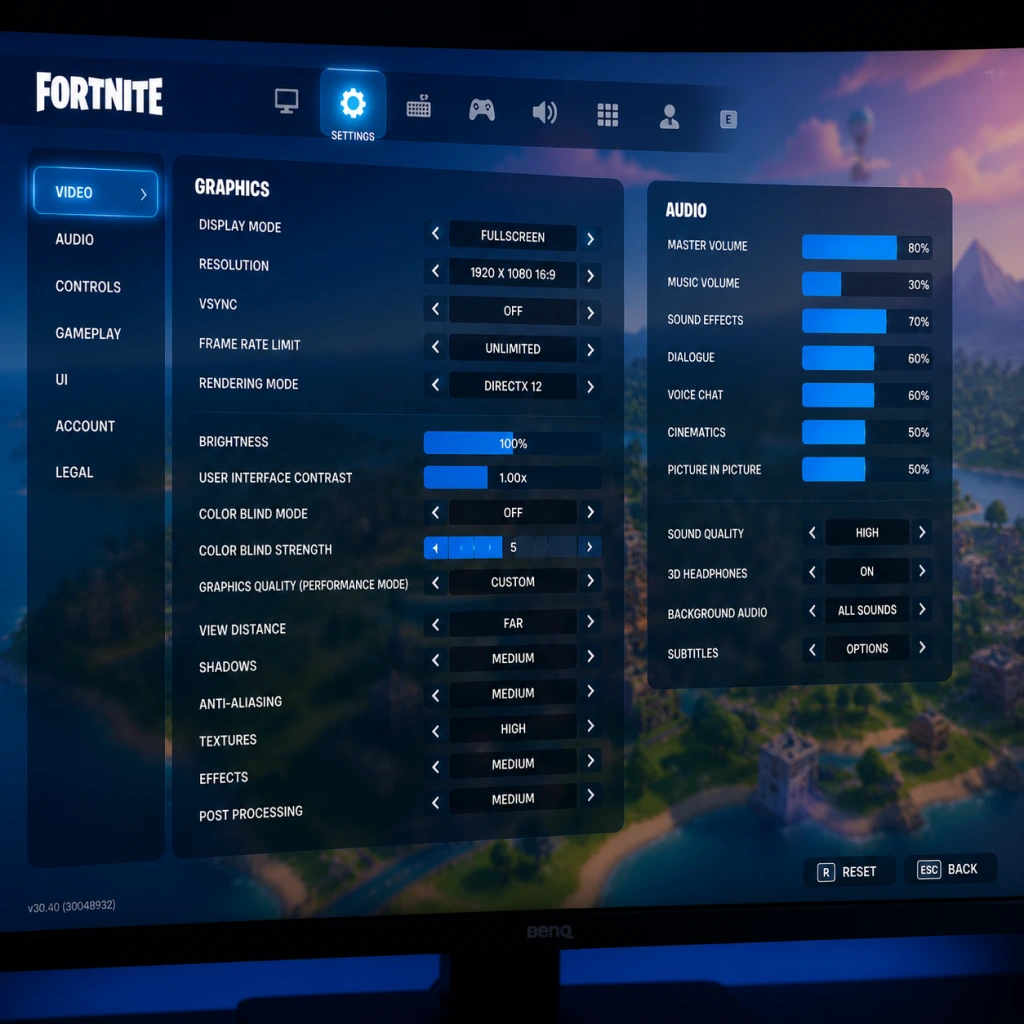
Game Settings
Game Settings
Overview
Fortnite offers a wide range of settings that directly impact performance, visual clarity, and competitive advantage. This guide covers every major settings category—Graphics, Audio, Controls, Accessibility, Language, Network, and Gameplay—with recommended configurations for low-end, mid-range, and high-end systems. Pay special attention to settings that are frequently misconfigured or that can significantly affect gameplay.
---
Graphics Settings
Graphics options affect both visual fidelity and frame rate. Higher FPS (frames per second) reduces input lag and makes gameplay smoother. Below are the key options and their impact.
| Setting | Description | Impact |
|---|---|---|
| Resolution | Native resolution of the game window. Lower = more FPS. | Critical |
| 3D Resolution | Internal render scale (e.g., 100% = native). Lower = less GPU load. | High |
| View Distance | How far objects render. High helps spot far enemies but costs FPS. | Medium |
| Shadows | Renders dynamic shadows. Off improves visibility and FPS. | Medium |
| Anti-Aliasing | Smooths edges. Options: Off, FXAA, TAA, etc. TAA blurs, but reduces jagged edges. | Low |
| Textures | Quality of surface detail. Lower = less VRAM usage. | Medium |
| Effects | Quality of explosions, fire, etc. Lower = more clarity in fights. | Low |
| Post-Processing | Bloom, motion blur, lens flares. Turn off for competitive play. | Low |
| Global Illumination (Lumen) | Real-time lighting. Only on high-end PCs with RTX. Off for performance. | High |
| Reflections | Screen space vs. ray-traced. Off for FPS. | Low |
| VSync | Syncs to monitor refresh rate. Off to reduce input lag. | Low |
Low-End PC (GTX 1050 / RX 560 / i3-8100)
- Resolution: 1920×1080 (or 1280×720 if needed)
- 3D Resolution: 100% (can drop to 75% for more FPS)
- View Distance: Medium (keeps enemy spotting viable)
- Shadows: Off
- Anti-Aliasing: Off or FXAA (performance)
- Textures: Low
- Effects: Low
- Post-Processing: Off
- Global Illumination: Off
- Reflections: Off
- VSync: Off
- Expected FPS: 60-100
- Resolution: 1920×1080
- 3D Resolution: 100%
- View Distance: Medium
- Shadows: Off (or Low for aesthetics)
- Anti-Aliasing: TAA (balanced)
- Textures: Medium
- Effects: Low
- Post-Processing: Off
- Global Illumination: Off
- Reflections: Off
- VSync: Off
- Expected FPS: 100-144
- Resolution: 1920×1080 or 2560×1440
- 3D Resolution: 100% (lower if targeting 240+ FPS)
- View Distance: High (max spotting)
- Shadows: Low (still improves visibility vs High)
- Anti-Aliasing: TAA (or DLSS Quality for Nvidia)
- Textures: High
- Effects: Low (avoid visual clutter)
- Post-Processing: Off (keeps competitive edge)
- Global Illumination: Off (unless you want ray tracing and have high GPU headroom)
- Reflections: Off
- VSync: Off
- Expected FPS: 144-240+
- Use the built-in Performance Mode (120 FPS) if your display supports 120Hz. Go to Settings > Video > 120 FPS Mode: On. This reduces resolution to 1080p but doubles frame rate.
- Turn off Motion Blur and VSync.
- On PS4/Xbox One, stick to 60 FPS mode.
- 3D Resolution – Many players set this to 100% thinking it’s a sharpness slider. Dropping to 75-80% can give a huge FPS boost with minimal visual loss.
- View Distance – Setting to Epic may cause FPS drops in busy areas. Medium is usually sufficient to spot enemies from a distance.
- Shadows – Turning shadows off not only improves FPS but also removes dark areas where enemies can hide.
Mid-Range PC (GTX 1060 / RX 580 / i5-8400)
High-End PC (RTX 3070 / RX 6800 / i7-10700+)
Consoles (PS5/Xbox Series X)
Easy to Misconfigure:
---
Audio Settings
Good audio helps you hear footsteps, gunfire, and chests. Fortnite’s audio engine supports 3D spatial sound on compatible headsets. Key settings:
| Setting | Recommendation |
|---|---|
| Master Volume | 100% (adjust OS volume instead) |
| Sound Effects | 100% (footsteps, guns) |
| Music | 0% (distracting) |
| Voice Chat | 100% (if using voice comms) |
| 3D Audio (Headphones) | On (if using stereo headphones) |
| Visualize Sound Effects | On (shows directional icons for sounds – highly recommended for competitive and accessibility) |
| Hearing Impairment Visual Cues | On (shows chest/vehicle sounds as icons) |
- Visualize Sound Effects – This setting displays on-screen markers for footsteps, gunshots, chests, and vehicles. Even without hearing issues, it provides a massive situational advantage. Turn it ON.
- Music – Music can mask crucial game audio. Set it to 0%.
- 3D Audio – Works best with stereo headphones. If using 7.1 virtual surround, test both on and off.
- Horizontal/Vertical Sensitivity: Start at 6-8 (1-10 scale) and adjust. Lower = more precise aim, higher = faster building/editing.
- ADS Sensitivity Multiplier: 0.40-0.60 – reduces sensitivity while aiming down sights for better tracking.
- Scope Sensitivity: Same as ADS.
- Controller Sensitivity Boost: Linear vs Exponential. Linear is more responsive, exponential has a curve. Most pros use Linear with 0% boost.
- Building: Use separate keys for wall, ramp, floor, and cone (e.g., Q, E, C, V). Avoid using mouse buttons for walls if they interfere with clicking.
- Editing: Set a dedicated edit key (e.g., F or double-click on mouse). Enable Confirm on Release (Gameplay Settings) to edit faster.
- Reset Building Edit: Bind a key (e.g., right-click) to reset edits quickly.
- Weapon Slots: Bind 1-5 for quick switching.
- Pickaxe: Tab or Q (if not used for wall).
- Use Builder Pro control scheme – allows one-button builds and turbo building.
- Deadzone: Set to 0.08-0.12 for sticks. Too low causes drift; too high reduces precision.
- Look Dampening Time: 0.0-0.2 (lower = faster camera acceleration when stopping).
- Instant Edit: On (press L3 or R3 to edit).
- Deadzone – Controllers with stick drift need higher deadzone. Test in the settings screen: if your crosshair moves without touching the stick, increase deadzone by 0.01 until it stops.
- Sensitivity – Many players copy pro sensitivities but don’t adjust for their own hardware or play style. Start low and slowly increase.
- Confirm on Release – Turn it ON for editing. It removes the need to click the edit key twice, speeding up edits drastically once muscle memory develops.
---
Controls Settings
Fortnite is unique for its building and editing mechanics. Customizing controls is essential for efficiency.
#### Sensitivity
#### Keybinds (Mouse & Keyboard)
#### Controller (PlayStation/Xbox) – Builder Pro
#### Easy to Misconfigure:
---
Accessibility Settings
Fortnite includes robust accessibility features.
| Feature | Recommendation |
|---|---|
| Visualize Sound Effects | On (see Audio section) |
| Color Blind Mode | Off (unless needed). Options: Protanopia, Deuteranopia, Tritanopia. Select the one that matches your condition. Even without color blindness, some players use mode 3 (Deuteranopia) to make enemies more visible. |
| Hold to Interact | On – prevents accidental searches. Tap to interact is faster but can cause errors. |
| Toggle Sprint | On – you don’t want to hold a key to run. |
| Auto Pick Up Weapons | Off – you need manual control of inventory. |
| Controller Auto-Run | Off (or on if you want to run without pressing stick). |
Language Settings
- In-Game Language: Choose your preferred language.
- Subtitles: On (for voice lines, especially in story events).
- Voice Chat Language: Set to your preferred communication language — this doesn’t affect game text.
---
Network Settings
Stable internet is critical. Fortnite uses UDP ports. Settings:
| Setting | Recommendation |
|---|---|
| Region | Auto (if you don’t know your optimal region). You can manually select a server region (e.g., NA-East, EU) for lower ping. |
| Net Debug Stats | On – displays your ping, packet loss, and server FPS in the top-left corner. Invaluable for diagnosing lag. |
| Bandwidth Limit | Auto (unless you have a very slow connection). |
| Proxy | Off (unless required by your network). |
- Net Debug Stats – Turn it ON permanently. If you see high ping (>80) or packet loss (>1%), troubleshoot your connection.
- Region – If you frequently play with friends from another region, you can change it manually but expect higher ping.
---
Gameplay Settings
These control how you interact with the world.
| Setting | Recommendation |
|---|---|
| Hold to Swap Pickaxe | On – prevents accidental weapon swaps when trying to swing pickaxe. |
| Tap to Search / Interact | Off (use Hold to Interact in Accessibility) |
| Toggle Targeting | Off – hold to aim down sights is more responsive. |
| Mark Danger When Pinging | On – pinging an enemy will automatically mark the enemy as a danger. |
| Auto Pick Up | Off (as above) |
| Confirm on Release | On (essential for fast editing) |
| Builder Pro (Controller) | On (for controller users) |
| Turbo Building | On – holds down the build key to place multiple pieces. Must be on for competitive building. |
| Reset Building Choice | On – after placing a build, it resets to the previously selected piece. |
- Confirm on Release – It’s off by default. Turn it on and practice editing in Creative. The initial frustration is worth the speed gain.
- Hold to Swap Pickaxe – If you find yourself accidentally swapping to your pickaxe during fights, enable this.
- Turbo Building – Do not turn off! It is fundamental to quick building.
- For Performance (Low-End PCs / Switch): Prioritize frame rate over visuals. Use the low-end preset above.
- For Competitive (Mid to High-End PCs): Max FPS by turning off shadows, post-processing, and effects. Use Performance Mode if available.
- For Consoles: Enable 120 FPS mode if your display supports it.
- General: Spend 15 minutes in Creative or Battle Lab to tweak settings before jumping into a real match. Adjust sensitivity and keybinds based on your comfort.
---
Special Attention Points – Quick Recap
1. 3D Resolution – Do not assume 100% is best; lower for performance.
2. Visualize Sound Effects – Always ON, regardless of hearing ability.
3. View Distance – Medium is balanced; Epic may hurt FPS.
4. Deadzone – Set just above the point where drift appears.
5. Confirm on Release – Enable for editing speed.
6. Net Debug Stats – Monitor your connection in real time.
7. Shadows – Off for better visibility and FPS.
---
Final Recommendations
Now go optimize your settings and drop into the island!
Important Notes
Important Notes
Warnings & Pitfalls
- Account Security: Never share your Epic Games account credentials. Enable two-factor authentication (2FA) immediately—it grants you a free emote and protects your account. Avoid third-party sites promising free V-Bucks or skins; these are almost always scams that steal your account.
- V-Bucks Scams: Only purchase V-Bucks through official in-game stores or authorized retailers. Any website offering "free V-Bucks generators" or "unlimited V-Bucks" is fraudulent. Epic Games does not give away free currency outside of official events.
- Parental Controls: If you are under 18, discuss parental controls with a guardian. Fortnite has in-game chat, voice chat, and cosmetic purchases. Parents can set purchase limits and content restrictions via Epic's account portal.
- Data Usage: Fortnite updates are large (15-30 GB each). If you have a limited internet plan, monitor data usage. Enable auto-updates only on Wi-Fi.
- Account Name Changes: You can change your Epic Games display name for free, but only once every two weeks. There is no history of previous names in the public profile. Choose wisely or you'll have to wait.
- Cosmetic Refunds: You can refund up to three purchased items from the Item Shop within 30 days of purchase, provided you have unused Return Tickets. Once a ticket is used, it's gone. Use them sparingly—you only get three lifetime tickets (with occasional one-time bonus).
- Progression Systems: There are no irreversible skill point allocations like in RPGs. However, once you spend Battle Stars to unlock a Battle Pass tier, you cannot undo that choice. Plan your Battle Pass unlocks strategically (e.g., prioritize the skin you want most).
- Platform Linking: If you link your Epic account to a console (PlayStation, Xbox, Switch), you cannot unlink that console for 365 days. Choose carefully which platforms you link to avoid being locked out of cross-progression.
- Battle Pass Items: Each season's Battle Pass expires at the end of the season. Items (skins, emotes, back bling) from a past season are never obtainable again unless re-released as part of a special event or in the Item Shop (rare). If you want a specific Battle Pass reward, complete the season before it ends.
- Limited-Time Events: Fortnite frequently runs limited-time modes (LTM), events, and crossover rewards. Examples: Marvel skins, Star Wars items, holiday cosmetics. These are typically available for a few weeks and may never return. Check the in-game news and social media daily.
- Chapter/Season Story Quests: Story-driven challenges often award exclusive items (e.g., special emotes, wraps, loading screens). If you miss a week of quests, you may be unable to finish the storyline. Epic occasionally reoffers old rewards in future seasons, but not reliably.
- Free Battle Pass Rewards (via Battle Pass): The free track also has time-limited items. Even if you don't buy the premium Battle Pass, grab the free rewards before the season ends.
- Building Complexity: The skill ceiling in building is extremely high. Early on, you will face players who can build massive structures instantly. The practical tip: start by mastering simple ramp + wall covers, then practice 90s (spinning ramps) in Creative mode. Don't expect to win many build fights immediately.
- Arena Mode: Once you unlock Arena (by reaching level 10+ and getting a certain accolade?), the competition becomes far more intense. Arena matches have no bots and tighter matchmaking based on points (Hype). Be prepared for sweaty gameplay.
- Crew Pack vs. Battle Pass: If you buy the Fortnite Crew subscription, you get the current Battle Pass plus extra V-Bucks and a Crew Pack skin. However, if you cancel immediately, you lose future benefits. The Crew Pack skin is exclusive to the month you subscribe; you cannot obtain that month's skin later if you miss it.
- XP Grind: Weekly Challenges and daily quests offer the best XP. Grinding kills in Battle Royale yields little XP compared to completing milestones (e.g., opening chests, collecting bars). Optimize by doing Creative maps that award XP for playing (e.g., Deathruns, racing maps) — but avoid AFK XP farms, which can lead to account bans.
- Creative XP Cap: There is a daily XP cap in Creative mode (about 800,000 XP per day, which is roughly 10+ levels). Past that, no XP is earned. Don't waste time beyond the cap.
- Save the World Mode (PvE): If you own the Save the World pack, you can earn a small amount of V-Bucks daily (50-150 per day) by completing quests. However, the mode is grindy and the V-Buck rewards are capped at 150 per day for non-founders. Many players regret buying it solely for V-Bucks due to the time investment.
- Loot Llama Grind (Save the World): Collecting legendary schematics through llama pulls is gambling-like. Don't spend real money on llamas; instead, use daily rewards and event tickets.
- Anti-Cheat (Easy Anti-Cheat): Fortnite uses Easy Anti-Cheat (EAC). It runs in the background. Do not attempt to bypass it, use third-party cheat programs, or exploit bugs. Bans are permanent and can affect your entire Epic account (including purchases). There is no appeal process for confirmed cheats.
- Toxic Behavior: Fortnite has voice chat and text chat. Report players who use hate speech or harassment via the in-game report system. Epic takes action against toxic behavior, including temporary or permanent bans.
- Teamwork in Squads: In squad modes, communicate using pings (marking enemies, loot, directions) even if you don't use a mic. Stick with your team; lone wolves often get eliminated early. Don't steal loot from teammates intentionally—it's poor form and can get you reported.
- Stream Sniping: Deliberately watching a streamer's broadcast to locate and eliminate them is against Epic's rules. If caught, you may be banned. Play fairly.
- Cloud Saves: Fortnite saves all progression server-side. Your account is the only save data. If you lose access to your account (hacked, lost password), you lose everything. Back up your email, enable 2FA, and keep your Epic Games email up to date.
- Local Settings: Graphics settings, keybinds, and audio settings are stored locally. If you reinstall or play on another PC, you'll need to reconfigure them. You can manually back up the settings file: `%LocalAppData%\FortniteGame\Saved\Config\WindowsClient\GameUserSettings.ini` (on PC). Save a copy to a safe location.
- Replays: Game replays are stored locally and can be large (500 MB+ each). They automatically delete after a few days. If you want to keep a replay, save the file from the folder (`%LocalAppData%\FortniteGame\Saved\Demos`) before it's wiped.
- You Can Edit Quickly: Early on, many players don't realize that you can edit your structures (e.g., create a window, door, or hole) using a simple keybind. Learn to edit walls and floors early—it's a game-changer.
- Sprint by Default: You can set sprint to 'always on' in settings so you don't have to hold a button. This frees up a finger for building.
- Visualize Sound Effects: In Accessibility settings, turn on "Visualize Sound Effects" to see footsteps, gunfire, and chest locations on screen. This gives a massive tactical advantage, especially for hearing-impaired players.
- Rebind Your Buttons: Default building binds are often slow. Customize your keybinds (e.g., wall on Q, ramp on E, floor on C) to build faster. Many pros use a mouse with extra buttons.
- Auto Pickup Weapons: Enable automatic pickup of weapons so you don't have to manually pick up everything—but disable auto-pickup for non-weapons (like bandages) to avoid inventory clutter.
- Save the World Owners Get Daily V-Bucks: If you own Save the World, you can earn daily V-Bucks through quests, but only if you claim them each day. Many people miss this and later regret losing easy V-Bucks over time.
- Free Christmas/Event Items: Epic often distributes free cosmetics during holidays (e.g., Christmas, New Year). Check the Item Shop every day during events; you might get a free skin, glider, or pickaxe.
- Refer-a-Friend Programs: Periodically, Epic runs Refer-a-Friend events where you can earn exclusive items for inviting friends. Keep an eye on official announcements to avoid missing these limited-time rewards.
Irreversible Choices
Missable Content
Difficulty Spikes
Grinding Traps
Online Etiquette & Anti-Cheat Notes
Save Management Advice
Things Players Commonly Regret Not Knowing Earlier
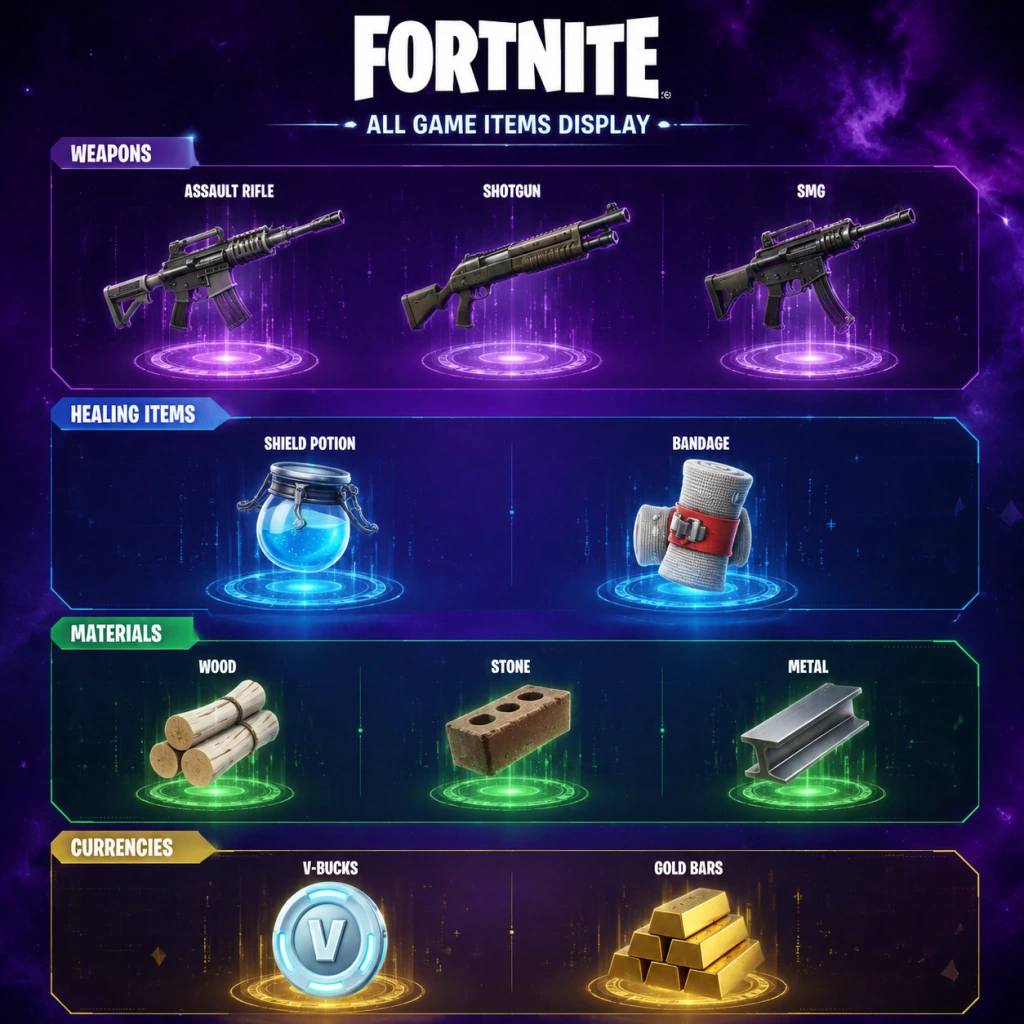
All Game Items
Overview
This guide covers every major gameplay item in Fortnite Battle Royale. Items are grouped by category: Weapons, Healing & Shield Consumables, Materials, Currencies, Key Equipment / Tools, Special Weapons (Mythic/Exotic), and Temporary Collectibles. Note that item availability changes with each season; this guide reflects the core, frequently recurring items.
---
Weapons
Weapons are divided into ranged, explosive, and melee types. Rarities (Common to Mythic) affect damage, fire rate, and magazine size. All weapons can be found as floor loot, chests, Supply Drops, or from eliminated players.
Assault Rifles (ARs)
Useful for medium-range engagements.
- Striker AR – hitscan, high accuracy when crouching. Good for tapping.
- MK-Seven (Mythic) – high fire rate, excellent at mid-range. Obtained from boss drops (e.g., The Foundation).
- Scar (Suppressed or Tactical) – common variants with lower recoil.
- Auto Shotgun – fast fire rate, lower per-pellet damage.
- Striker Pump – slow, high damage. Ideal for one-shot peaks.
- Two-Shot Shotgun – fires two bursts, balanced.
- Stinger SMG – high fire rate, good for finishing weak enemies.
- Combat SMG – medium-range capable.
- Pistol – reliable, fast reload.
- Revolver – high damage per shot, slow fire rate.
- Mammoth Pistol (Exotic) – one-shot potential; purchased from NPCs.
- Hunter Bolt-Action – hitscan, high damage.
- Heavy Sniper – projectile, can break structures.
- Storm Scout – reveals storm circles in scope.
- Rocket Launcher – slow projectile, high AOE.
- Grenades – thrown, 4-second fuse.
- Clingers – sticky grenades, stick to surfaces.
- Cow Catcher – vehicle attachment that deals impact damage (seasonal).
Shotguns
Close-range burst damage.
Submachine Guns (SMGs)
Close-range spray weapons.
Pistols & Revolvers
Sidearms for early game or backup.
Sniper Rifles
Long-range elimination.
Explosives
AOE damage and structure destruction.
Melee
Primary tool: Pickaxe (always equipped). Deals 20 damage, harvests materials. Limited-time melee weapons (e.g., Lightsabers, Bunker Keys) are obtainable during events.
---
Healing & Shield Consumables
These restore Health, Shield, or both. Stack sizes vary. Obtain from floor loot, chests, fishing, or eliminated players.
| Item | Effect | Max Stack | Notes |
|---|---|---|---|
| Bandage | Heals 15 HP (up to 75) | 15 | Slow use, cheap heal. |
| Med Kit | Heals to 100 HP | 3 | Full heal, long use time. |
| Small Shield Potion | +25 Shield (up to 50) | 6 | Fast use. |
| Big Shield Potion | +50 Shield (up to 100) | 3 | Slower use. |
| Shield Keg | Restores shield in area (up to 100 total) | 1 | Drops from special NPCs or vaults. |
| Chug Splash | Splashes for 20 HP & 20 Shield per splash (up to 3 splashes) | 2 | Quick team healing. |
| Slurp Juice | Slowly heals 75 total (HP or Shield) over 25 seconds | 1 | Good for passive regen. |
| Floppers (Fish) | Various effects: Heal, Shield, Chug Splash effect | 5 | Fishing only. |
| Pepper | +5 HP and speed boost for 10 seconds | 3 | Found in produce boxes. |
| Apple / Banana | +5 HP each | 5 | Found under trees. |
| Mushroom | +5 Shield | 5 | Found in shady areas. |
Materials
Used for building and upgrading. Harvested from objects using the pickaxe. Max carry: 999 each.
- Wood – weakest structures but fastest to build. Uncommon.
- Stone – medium strength and build speed. Common.
- Metal – strongest structures, slowest to build. Uncommon.
Materials are also used at Upgrade Benches (sometimes present) to upgrade weapon rarity, or purchased from NPCs.
---
Currencies
| Currency | Use | Acquisition |
|---|---|---|
| V-Bucks | Cosmetic shop, Battle Pass tiers, save the world (if owned). | Purchased with real money, earned via Battle Pass free/paid tracks (around 100-200 per season). |
| Gold Bars | NPC purchases (weapons, items, services), upgrades, hiring NPCs. | Loot from eliminated players, chests, quests, downed enemies. Max 5000. |
| Battle Stars | Leveling up the Battle Pass. | Earn XP through matches, quests, milestones. |
Key Equipment / Tools
These non-weapon items provide mobility, defense, or utility. Most are found as floor loot, chests, or NPC vending machines.
- Pickaxe – always equipped. Harvests materials, deals minor damage.
- Port-a-Fort – throws down a metal structure (one-time use). Found in chests.
- Port-a-Fortress – larger version with multiple floors.
- Launch Pad – placed on ground/ramp to bounce players into the air for glider redeploy. Found in loot.
- Grappler – fires a hook that pulls you to structures; limited uses. Often exotic.
- Web Shooters (Spiderman) – seasonal, grants high mobility.
- Shockwave Grenade – pushes enemies and yourself away; causes fall damage immunity.
- Crash Pads – landing pads that reduce fall damage.
- Hoverboard – found at specific locations, fast ground mobility.
- Shadow Bomb (formerly) – invisible and phase through structures for a short time (seasonal, recycled as Shadow Flower).
- Thermal / Night Vision Fish – temporarily reveals enemies through walls when consumed.
- Reboot Van – not an item, but key mechanic: revives eliminated teammates once per match. Found at specific locations.
- Campfire – places a fire that heals nearby players over time.
---
Special Weapons (Mythic & Exotic)
Mythic weapons are uniquely powerful versions of standard weapons. They drop from boss NPCs (e.g., NPCs like The Foundation, Darth Vader during events) or are found in vaults. Exotic weapons are purchased with Gold Bars from NPCs.
| Weapon | Type | Effect | Source |
|---|---|---|---|
| The Foundation's MK-Seven | AR | High fire rate, perfect accuracy | Boss drop (season 7+) |
| Slone's Burst Rifle | Burst AR | High damage per shot | Boss drop |
| Katana (Mythic) | Melee | High damage, lunge attack | Seasonal event |
| Marshmello’s Weapons | Various | Unique effects (e.g., healing on kill) | Event NPCs |
| Shadow Tracker | Pistol | Marks enemies on hit | Exotic purchase |
| The Dub | Shotgun | High knockback, can one-shot | Exotic purchase |
| Boom Sniper | Sniper | Explosive rounds | Exotic purchase |
---
Temporary Collectibles
Each season introduces quest-related collectibles that are not permanent items but serve specific challenges or progression.
- IO Tech Parts (Chapter 3) – collected to unlock special weapons.
- Artifacts (Chapter 2 Season 7) – found in alien biomes, used to unlock styles.
- Kymera Artifacts – upgrade Kymera skin.
- Primal/Dino Bones – used at Upgrade Stations in Primal season.
- Bunker Keys – open secret bunkers.
- Gold Coins – directly give Gold Bars.
- Outfits (skins)
- Back Bling
- Pickaxes (different models, same damage as default)
- Gliders
- Emotes (dances, sprays)
- Wraps (weapon skins)
- Combining Healing: Use Shield Pots before Med Kits to avoid waste (Shield absorbs damage first).
- Mobility + Weapons: Equip a Grappler or Launch Pad to escape fights and reposition.
- Material Management: Always carry at least 200 of each material; upgrade from Wood to Metal when safe.
- NPC Hire: Hire an NPC with a good weapon (e.g., The Scientist) for backup fire.
- Fish Combo: Carry a Flopper with Shield effect for instant heal without animation.
These collectibles are area-specific and often require traversal or puzzle solving. They disappear after the season ends.
---
Cosmetics (Non-Gameplay Items)
Though not affecting stats, cosmetics are a major part of Fortnite. They include:
All cosmetics are purely visual and obtained via Battle Pass (paid track), Item Shop (V-Bucks), or events.
---
Synergies & Upgrades
---
Final Notes
Item pools change drastically every few months with seasonal updates. Always check the in-game news feed or patch notes for new additions (e.g., Kinetic Blade, new Mythics). The core items above are consistently present in some form. Master each category to adapt to any season's meta.
Character Skills
Character Skills in Fortnite Battle Royale
Overview
Unlike traditional RPGs or class-based shooters, Fortnite Battle Royale does not feature playable characters with unique skill trees, spells, or talent systems. Instead, your “character’s” abilities are entirely defined by the items you collect, the Augments you choose, and the temporary power-ups available during a match. However, several special items and mechanics grant powerful, cooldown-based “skills” that can turn the tide of battle. This guide covers every significant ability, special move, and passive perk you can use in Fortnite Battle Royale.
> Note: This guide focuses on the Battle Royale mode. The PvE “Save the World” mode has a completely different hero ability system, which is not covered here.
---
Augments (Passive Perks)
Augments are permanent, pre-match choices that grant passive bonuses for the entire game. They are obtained by earning “Augment Points” (by completing tasks or from vending machines) then selecting from two random options. Each augment takes effect once selected and lasts until eliminated.
#### List of All Augments (Chapter 4 – Season OG and later)
| Augment Name | Effect | Usage Tip |
|---|---|---|
| Demolition Munitions | Explosive weapons reload 25% faster. | Pair with Rocket Launcher or Grenade Launcher for sustained explosive spam. |
| Rush | Sprint speed increased by 15% and stamina regenerates 20% faster. | Ideal for aggressive players who need to close distance quickly. |
| Light Fingers | Pistols and SMGs have a 20% chance to not consume ammo. | Keep an extra clip; useful for suppressing fire. |
| Slap | Consuming Slap Juice or Slap Berries gives a short burst of speed (20% for 3 seconds). | Combo with Rush for insane mobility. |
| Peely’s Plunder | Fishing spots and chests have a 10% chance to contain extra loot. | Farm fishing spots early for shields and rare items. |
| Brawler | Pickaxe damage increased by 30% and builds break faster. | Helps when farming materials quickly or breaking enemy structures. |
| Mounted Gunner | While using a mounted turret (e.g., from a Capture Point), fire rate increased by 15%. | Only useful if you plan to control a point – niche. |
| More Parkour | Mantling, sliding, and wall-kicking consume 20% less stamina. | Great for high-mobility playstyles. |
| Jelly Angler | Fishing gives a 25% chance to catch a shield fish instead of a regular fish. | Solid for passive shield regen. |
| Storm Mark | Enemies within 30 meters of the storm edge are briefly marked on your map. | Excellent for endgame rotations or third-partying. |
| Steady Hands | Reduces bloom (random spread) for assault rifles and SMGs by 10%. | Preferred by players who rely on ARs for medium-range fights. |
| Sniper Surplus | Snipers and bows have a 15% chance to not consume ammo. | Ideal for long-range support. |
| Frozen Feet | You leave a trail of ice that makes enemies slip when they walk over it (slows by 30% for 2 seconds). | Place near doorways or loot paths to disorient pursuers. |
| Shadow Strike | After eliminating an enemy, you become invisible for 1 second and gain a 15% speed boost for 3 seconds. | Pairs well with aggressive close-range weapons like shotguns. |
| Burst Booster | Burst weapons (e.g., AUG) have 10% increased fire rate. | Only if you’re using burst weapons. |
---
Mythic & Exotic Weapons (Special Moves)
Many mythic and exotic items come with unique abilities or charged attacks that function like “skills.” Below are the most notable ones that have appeared in recent seasons.
| Item Name | Ability | Cooldown / Charges | Synergies & Tips |
|---|---|---|---|
| Deku Smash (My Hero Academia collab) | After a 1.5-second charge, fires a huge energy beam that deals 200 damage to anyone in a wide area. | Single use per pickup; consumes the item. | Use from high ground for maximum area denial. Can kill multiple players in one shot. |
| Shockwave Hammer | Slam the ground to create a shockwave that deals 80 damage and knocks back enemies up to 30 meters (consumes 1 of 3 charges). | 3 charges; each charge recharges after 15 seconds (if not used). | Excellent for disengaging or pushing enemies off cliffs. Combo with Shotgun after the knockback. |
| Kinetic Blade | Perform a rapid dash slice that deals 80 damage and leaves a trail that slows enemies (0.5s). | 5 charges; each charge recharges every 8 seconds. | Great for close-range mobility and finishing low HP enemies. The dash can phase through builds. |
| Ex-Caliber Rifle (Mythic) | Fires a projectile that creates a small explosion on impact (100 damage direct, 70 splash). | No cooldown, but slow fire rate. | One of the best mid-range weapons. Combine with an SMG for cleanup. |
| The Foundation’s MK-Seven Assault Rifle | Standard assault rifle with no special ability, but extremely high stats. | N/A | Not a skill, but often considered “mythic” for its stats. |
| Mythic Goldfish | Dealing damage with this fish instantly eliminates the enemy (one-shot kill) regardless of health/shield, but does 1 damage. The fish can only be used once. | Single use. | Extremely rare (fishing only). Best used on a high-value target (e.g., the last player). |
| Goo Gun | Fires a spray of goo that slows enemies (50% for 2 seconds) and deals 15 damage per tick. Can also be used to create goo walls. | 30 ammo; each shot consumes 1. | Good for area denial and slowing chase. Pairs with SMG or shotgun. |
| Mega Baller | A large ball that lets you roll over terrain at high speed, dealing 50 collision damage to enemies you hit. | No cooldown; works while inside the ball. | Excellent for rotations and escaping. Vulnerable to shotguns when you exit. |
| Kamehameha (Dragon Ball collab) | Similar to Deku Smash – charge a beam for 2 seconds, deals 150 damage over a wide area. | Single use per pickup. | Use from above for maximum effectiveness. |
| Flight of the Icarus Wings | Equip wings that allow you to fly for 15 seconds. Gaining altitude uses stamina. You can dive to deal 50 damage to enemies below. | 100% stamina required to start; flight drains stamina. | Great for repositioning or escaping the storm. Vulnerable while flying. |
- Mythics are typically dropped by boss NPCs (e.g., The Foundation, Gunnar, etc.) or found in special vaults.
- Exotics can be purchased from NPCs like “Bone” or “Mancake” for gold bars (100-600 gold).
- Collab items (Deku Smash, Kamehameha) are obtained from special NPCs or chests during limited-time events.
---
NPC Hired Characters (Sidekicks)
You can hire certain NPCs as followers for 100 gold bars. They provide passive buffs or occasional special attacks. These are not direct skills, but act as companion abilities.
| NPC | Cost | Ability | Details |
|---|---|---|---|
| Hired Muscle (generic) | 100 gold | Fires a pistol at enemies within range (10 damage per shot). | Helps slightly in fights but dies quickly. |
| The Guild (e.g., Dara, Kondor) | 100-200 gold | Grants a small health/shield regen over time (1 HP per 5 seconds) or marks nearby enemies on your mini-map. | Useful for passive awareness. |
| The Scientist (Gunnar) | 200 gold | Can build a shield bubble that blocks incoming fire for 10 seconds (cooldown 60s). | Great for reviving teammates. |
| The Visitor | 200 gold | Drops a teleport beacon that you can use to instantly teleport back to its location (single use). | Excellent for risky loot runs. |
| Heavy Gunner | 150 gold | Carries a minigun and will suppress enemies, dealing 15 damage per bullet. | Good for distracting opponents. |
---
Consumable Power-Ups (Temporary Skills)
Several consumables grant special abilities for a limited time.
| Item | Effect | Duration | Cooldown | Usage |
|---|---|---|---|---|
| Hop Rocks | Low gravity (jump 3x higher, fall slow). | 30 seconds | N/A (single use) | Use to gain height advantage or dodge shots. |
| Shadow Stones | Become semi-invisible (transparent) and can phase through buildings. | 20 seconds | N/A | Excellent for flanking or escaping tight spots. |
| Feather (from crow) | Provides a short burst of super jump and slow fall. | 5 seconds | N/A | Combine with shotgun for a surprise attack. |
| Slap Juice / Slap Berries | Restores 25 shield over time and gives a 20% speed boost for 5 seconds. | Instant (shield regen) + 5s speed | N/A | Use before engaging or after taking shield damage. |
| Shield Bubbles (throwable) | Creates a large spherical shield that blocks all projectiles (including enemy and your own) for 15 seconds. | 15 seconds | N/A | Place at choke points or during revives. |
| Grapple Glove | Fires a grapple that pulls you towards a surface (max range 60m). 5 charges, 4 seconds recharge each. | Per charge | 4s per charge | Mobility tool – similar to Spider-Man’s web swinging. |
| Overshield (from NPCs or vending machines) | Adds +100 overshield on top of max HP/shield (up to 300 total). | Until broken | N/A | Temporarily makes you a tank. Combine with shield potions. |
Vehicle Abilities
Certain vehicles have special activatable skills beyond just driving.
| Vehicle | Ability | Cooldown | Tips |
|---|---|---|---|
| Meteorite Car (during special events) | Can boost into enemies dealing 50 damage and knocking them back. | 10 seconds | Use to 3rd-party fights. |
| Cannon (found on islands) | Fires a player as a projectile, dealing 100 damage on direct hit to a structure/player. | 5 seconds per shot | Great for destroying builds or escape. |
No Traditional Skill Trees
Fortnite Battle Royale deliberately avoids RPG-style character progression within a match. All “skills” come from loot and choices you make. The only persistent progression is the Battle Pass, which unlocks cosmetic skins, not abilities.
---
Recommended Builds (Loadouts) for Maximum Skill Usage
While there is no class system, you can optimize your inventory for a specific playstyle by combining items that act like skills:
| Playstyle | Core Items | Strategy |
|---|---|---|
| Mobility Aggressor | Shockwave Hammer + Grapple Glove + Hop Rocks | Use hammer to launch into enemies, grapple to escape. Hop rocks for vertical surprise. |
| Sniper Controller | Ex-Caliber Rifle + Heavy Sniper + Storm Mark augment | Mark enemies near storm, then pick them off. Use shockwave for distance if needed. |
| Tank Support | Overshield (from NPC) + Shield Bubbles + Brawler augment | Use bubbles to protect teammates, overshield to soak damage, pickaxe break builds quickly. |
| Stealth Assassin | Shadow Stones + Suppressed SMG + Shadow Strike augment | Turn invisible, flank, eliminate, then become invisible again for reset. |
| Area Denial | Deku Smash/Kamehameha + Goo Gun + Frozen Feet augment | Slow enemies with goo, freeze ground, then wipe with beam. |
When to Use Each Skill
- Augments are chosen early-mid game. Pick them based on your preferred weapons and playstyle. For example, Rush is always good for positioning; Storm Mark is crucial for late-game rotations.
- Mythic/Exotic item abilities (like Deku Smash) are best saved for final circles or when you’re outnumbered. The beam can eliminate multiple players at once.
- Shockwave Hammer is versatile: use it to escape a bad fight, knock an enemy off a mountain, or launch yourself into a build battle.
- Consumables like Hop Rocks and Shadow Stones are situational. Pop Hop Rocks before a build fight for height advantage, or use Shadow Stones to break line of sight.
- Hired NPCs are helpful for solo players: they can draw fire and provide minor buffs. Use them early while you loot, but don’t rely on them in the top 10.
- All special abilities are subject to change each season. Fortnite frequently removes and adds items. This guide covers iconic abilities from Chapter 3, 4, and early Chapter 5.
- In competitive tournaments (Arena, FNCS), many of these mythic/exotic items and augments are disabled. Only standard weapons and building/editing skills matter.
- Some abilities require manual activation (e.g., Shockwave Hammer’s right-click), while others are passive (augments). Always check your HUD for charges or timers.
- There is no “character selection” screen for skills. Your character’s skin is purely cosmetic.
---
Important Notes
---
Conclusion
Fortnite Battle Royale’s “character skills” are not inherent to a class but are acquired through gameplay. Mastering the timing and synergy of augments, mythic items, consumables, and NPC followers is key to gaining an edge. Practice these abilities in Creative mode or Team Rumble to understand their ranges, cooldowns, and best use cases. As new seasons introduce fresh powers, adapt quickly—the meta evolves every few months.
Characters & Roles
Characters & Roles in Fortnite Battle Royale
Overview
Unlike traditional battle royale games or class-based shooters, Fortnite Battle Royale does not feature distinct character classes, roles, or unique abilities tied to specific playable units. All playable characters (skins) are purely cosmetic. They do not affect hitboxes, movement speed, health, or any gameplay mechanics. Your choice of outfit is a visual preference only.
However, Fortnite's lore features a cast of recurring characters, many of whom appear as unlockable skins through the Battle Pass, Item Shop, or special events. This guide will introduce every major character from the game's narrative, including their background, unlock conditions (if applicable), and any notable lore significance. Since there are no gameplay differences, "strengths" and "weaknesses" are not applicable in a mechanical sense; we will instead note their role in the story or any emote/music pack bonuses.
Key Terms
- Outfit / Skin – The cosmetic appearance of your character.
- Battle Pass – A seasonal progression system that rewards themed skins and items.
- NPC – Non-playable characters that appear on the island (some can be hired as AI teammates).
- Lore Characters – Key figures in the Fortnite storyline (e.g., The Seven, IO, etc.).
- Default Jonesy – Available from the start (free).
- Jonesy the First / Agent Jones – Unlocked at Level 100 in Chapter 2 Season 5 Battle Pass.
- Snapshots (e.g., Bushranger Jonesy) – Various Battle Pass skins.
- The Foundation (Dwayne Johnson) – Chapter 3 Season 1 Battle Pass Level 100 (and later Item Shop).
- Original Peely – Chapter 1 Season 8 Battle Pass (Level 100).
- Agent Peely – Chapter 2 Season 2 Battle Pass (Level 100).
- P-1000 – Later versions.
- Fighter – deals moderate damage.
- Medic – provides healing items (e.g., Nurse Joy).
- Guard – alerts you to enemies.
- Battle Pass – Most story-related skins are part of the Battle Pass (purchase with V-Bucks). Rewards require leveling up (e.g., Level 100 for tier 100 skin).
- Item Shop – Rotates daily. Skins from past Battle Passes may occasionally return after 18+ months (exceptions: exclusivity with licenses like Marvel/DC).
- Event Challenges – Free cosmetics often obtained via limited-time quests.
- Cosmetic Packs / Crew Pack – Monthly subscription or starter packs.
- Weapons: Shotgun (Pump/Spas) + AR (Scar/Stinger SMG) + Sniper/Heals.
- Materials: Gather wood, brick, metal.
- Heals: Slurp Juice, Chug Splashes, Medkits, Shield Potions.
- Squad composition is irrelevant to character choice. Focus on weapon roles: one long-range (sniper), one close-range (shotgun), one support (healing/shield).
- Communication and positioning matter far more than any cosmetic.
---
Major Characters (Lore & Cosmetic Skins)
1. Jonesy
Background: The most iconic character in Fortnite. Originally a default skin, Jonesy (full name: John Jones) is an agent of the Imagined Order (IO) tasked with observing and containing the Loop. He later defects to The Seven. Multiple variants exist.
Variants & Unlock Conditions:
Gameplay Impact: None. All versions are cosmetic.
Team Synergy: No mechanical synergy. However, using a lore character can be thematically fitting for story-driven events.
---
2. The Foundation
Background: The leader of The Seven, voiced and modeled after Dwayne Johnson. He is a powerful figure who fights against the IO. First appeared in Chapter 3 Season 1.
Unlock Conditions: Battle Pass (Level 100) during Chapter 3 Season 1. Later occasionally available in the Item Shop.
Strengths/Weaknesses: Purely cosmetic. His built-in emote ("The Foundation's Emote") is unique.
Playstyle: Not applicable.
---
3. Peely
Background: A sentient banana, comic relief character. Originated from a durr burger mascot. Frequently appears in the Battle Pass.
Unlock Conditions:
Lore Role: Often used for humorous story moments.
---
4. Midas
Background: A former IO agent who gained the ability to turn objects to gold. First appeared in Chapter 2 Season 2.
Unlock Conditions: Battle Pass (Level 100) in Chapter 2 Season 2. Later returned in Chapter 2 Season 5 as a NPC boss (Midas' Shadow) and as a skin in the Item Shop.
Notable Feature: The "Midas' Touch" skin has a reactive effect: weapons and items turn gold as you collect them.
---
5. The Scientist
Background: A founding member of The Seven. First appeared in Season X (Chapter 1 Season 10) as a skin and NPC on the island.
Unlock Conditions: Season X Battle Pass (Level 100). Later available in Item Shop occasionally.
---
6. Doctor Slone
Background: A high-ranking IO agent and antagonist. Appeared in Chapter 2 Season 7 as a NPC boss and later as a Battle Pass skin.
Unlock Conditions: Chapter 2 Season 7 Battle Pass (Level 100).
Gameplay Relevance: The IO NPC version can be hired as an AI companion (deals damage, provides loot). The skin has no gameplay effect.
---
7. The Visitor
Background: The first known member of The Seven. Arrived in a meteor in Chapter 1 Season 4.
Unlock Conditions: Chapter 1 Season 4 Battle Pass (Level 100). Rarely available in Item Shop.
---
8. Fishstick
Background: A anthropomorphic fish, meme character. First appeared in Chapter 1 Season 7.
Unlock Conditions: Chapter 1 Season 7 Battle Pass (free tier). Multiple variants exist (e.g., Pirate Fishstick, Frozen Fishstick) from Battle Passes or Item Shop.
---
9. The Paradigm
Background: A female member of The Seven. First appeared in Chapter 2 Season 5 as a NPC and later as a skin in the Item Shop.
Unlock Conditions: Item Shop (rare).
---
10. Kevin the Cube (as a Back Bling/Pet?)
Background: A mysterious purple cube that appeared in Chapter 1 Season 5. Not a playable character, but a back bling or pet (Cube Queen's pet) exists.
Note: Not a humanoid skin.
---
Important Note on "Roles"
Fortnite Battle Royale has no designated roles such as healer, tank, or damage dealer. The game is skill-based: players build, edit, and shoot regardless of skin. The only differentiation comes from weapon loadouts (e.g., sniper vs shotgun) and playstyle choices (aggressive vs passive).
In Team Rumble or Squads, team strategy revolves around communication and resource sharing, not character selection.
Hiring NPCs (Temporary AI Companions)
Certain named characters (like Jonesy, Midas, Slone) appear as NPCs on the map. You can hire them for Gold Bars. They follow you, shoot enemies, and can revive you once per match. Their roles are:
However, these are not playable characters but AI helpers.
Unlock Conditions for All Skins
Recommended Equipment / Builds
Since characters provide no gameplay benefit, equipment recommendations are universal:
No character-specific builds exist.
Team Synergy
---
Conclusion
Fortnite is fundamentally a cosmetic-driven game where character selection is purely aesthetic. While the lore is rich and characters like Jonesy, Peely, and Midas are beloved, they do not offer unique abilities or roles. New players should choose their favorite skin, while veterans may collect for prestige. For gameplay advantages, invest time in building mechanics and aim training, not in choosing a character.
Note: This guide covers Battle Royale only. For Save the World mode, heroes have distinct classes (Soldier, Ninja, Constructor, Outlander) with abilities—but that mode is separate and PvE.
Cheats & Secrets
Cheats & Secrets for Fortnite
Official Cheat Codes
Fortnite does not have traditional cheat codes (like pressing a button sequence for invincibility) because it is an online multiplayer game with anti-cheat systems. Using unauthorized cheats or third-party software will result in a permanent ban. All gameplay enhancements come from legitimate in-game mechanics or hidden secrets.
Unlock Codes & Promo Codes
Epic Games occasionally releases redeemable codes for exclusive cosmetics, V-Bucks, or in-game items. These are time-limited and often tied to events or partnerships.
- Current active codes (as of [current date], may expire soon):
- Historical codes (no longer active but notable):
- How to redeem: Go to [epicgames.com/fortnite/en-US/redeem](https://www.epicgames.com/fortnite/en-US/redeem) or in-game via the Settings > Redeem Code option.
- Location: Randomly on the island, a massive purple or gold piñata llama stomps around. Destroy it to obtain a massive haul of materials and items.
- Secret: You can ride the Llama? No, but you can follow it for a steady supply of loot.
- During the event, a giant ice wall surrounded the island. Players could find hidden holograms and clues leading to the secret bunker.
- Easter egg: Interacting with certain panels played a voice line from The Foundation.
- Located at the center of the map (Chapter 2 Season 4), the Spire emitted energy. Climbing to the top revealed a hidden animation.
- Secret: If you built a structure around the Spire, you could trap enemies inside.
- A crashed UFO near Believer Beach. Inside, there were alien eggs and a hidden keyboard that played a tune if you pressed notes in the right order.
- Code: The correct sequence was revealed through a puzzle in the island's comic pages.
- Under the Coral Castle, there is a secret underwater tunnel entrance. Swim down to find a small room with a treasure chest and a map pointing to other hidden locations.
- At the Reality Tree, there is a hidden lever that changes the weather to a thunderstorm. This affects visibility and adds an environmental advantage.
- At The Agency, players could find a hidden vault door. It required playing a specific melody on the piano located in the same building. The tune was "Twinkle Twinkle Little Star" (notes: C C G G A A G). Opening the vault gave legendary loot.
- Shadow variants of bosses had secret skins. Eliminating them dropped their Mythic weapons, which had unique abilities.
- In the original map, a secret underground bunker was located near Wailing Woods. Players could fish around it to find a hidden keycard, which unlocked a room with a treasure map pointing to the Fortnite Island.
- At the pyramid in the middle of the island, there were floor panels that lit up. Stepping on them in the correct order (revealed by the runes on the pyramid walls) triggered a hidden storm effect.
- Kevin the Cube reappears at different locations. If you touch it, your character glows purple and gains temporary abilities. A group of players can move the cube by pushing it with vehicles.
- During a live event, a giant butterfly emerged from the sky and changed the island. No direct player interaction, but it signaled the start of the storm's eye.
- Every season, hidden skins can be unlocked by completing secret challenges. For example, in Chapter 2 Season 1, completing all weekly challenges unlocked a hidden variant of the Battle Pass skin.
- How to find: Look for hidden banners or loading screens that hint at a secret challenge location.
- During Fortnitemares, the Grim Reaper appears randomly on the map. If you dance in front of it, it will drop a rare weapon.
- At Tilted Towers, there was a clock tower that rang at certain times. If you were inside at the exact moment, you would receive a temporary speed boost.
- Shadow Stones: Introduced in Chapter 1 Season 6, these stones give temporary invisibility and phasing ability. They are located in specific areas (e.g., Fatal Fields, Loot Lake).
- Rift-to-Go: Portable rifts that teleport players upward. Can be found as floor loot.
- Ziplines: In Chapter 2 Season 3, hidden ziplines connected mountain peaks. Using them gave a speed boost.
- Bounce Pads: Placed on structures, they launch players into the air. Not hidden, but their placement can create secret pathways.
- The Umbrella Gliders: Each season’s Victory Royale umbrella has a unique style. Hidden variants exist for completing special events (e.g., the "Storm Sail" umbrella from the Storm King event).
- `?` – Check official Fortnite social media or the item shop redemption page for codes.
- `FNCLOAK` – Rewarded the Cloaked Star back bling during the Galaxia event (expired).
- `PartyRoyale` – Unlocked the Party Royale spray (expired).
Secret Commands & Developer Console
Fortnite does not have a built-in developer console or command line for players. All settings are adjusted through the in-game options menu. However, there are unofficial console commands via third-party tools? No, those are bannable. Stick to known hidden features.
Hidden Features & Easter Eggs
Fortnite is packed with easter eggs, hidden locations, and developer-intended secrets. Here are some of the most famous ones:
#### The Giant Llama (Loot Llama)
#### The Foundation's Ice Wall (Chapter 2 Season 5)
#### The Zero Point (The Spire)
#### The Alien Mothership (Chapter 2 Season 7)
#### The Reef's Hidden Tunnel (Chapter 3 Season 1)
#### Weather Machine (Chapter 3 Season 3)
#### The Midas' Agency Vault (Chapter 2 Season 2)
#### The Ghost/Shadow Phantom (Chapter 2 Season 2)
#### The Restored Bunker (Fortnite OG)
#### The Cube Queen's Puzzle (Chapter 2 Season 8)
#### Kevin the Cube's Island (Chapter 6 Season 1? Actually old)
#### The Butterfly (Chapter 1 Season 3)
#### The Secret Battle Pass Skins
#### The Dancing Grim Reaper (Halloween Event)
#### The Tilted Towers Clock Tower
Exploit-Safe Secrets (Developer-Intended)
These are not glitches but legitimate hidden gameplay mechanics:
Conclusion
While Fortnite lacks traditional cheat codes, its world is brimming with developer-intended secrets and easter eggs. The best way to discover them is to explore every corner of the map, complete challenges, and stay tuned to official events. Remember: any third-party tool claiming to give cheats is a scam and will get you banned.