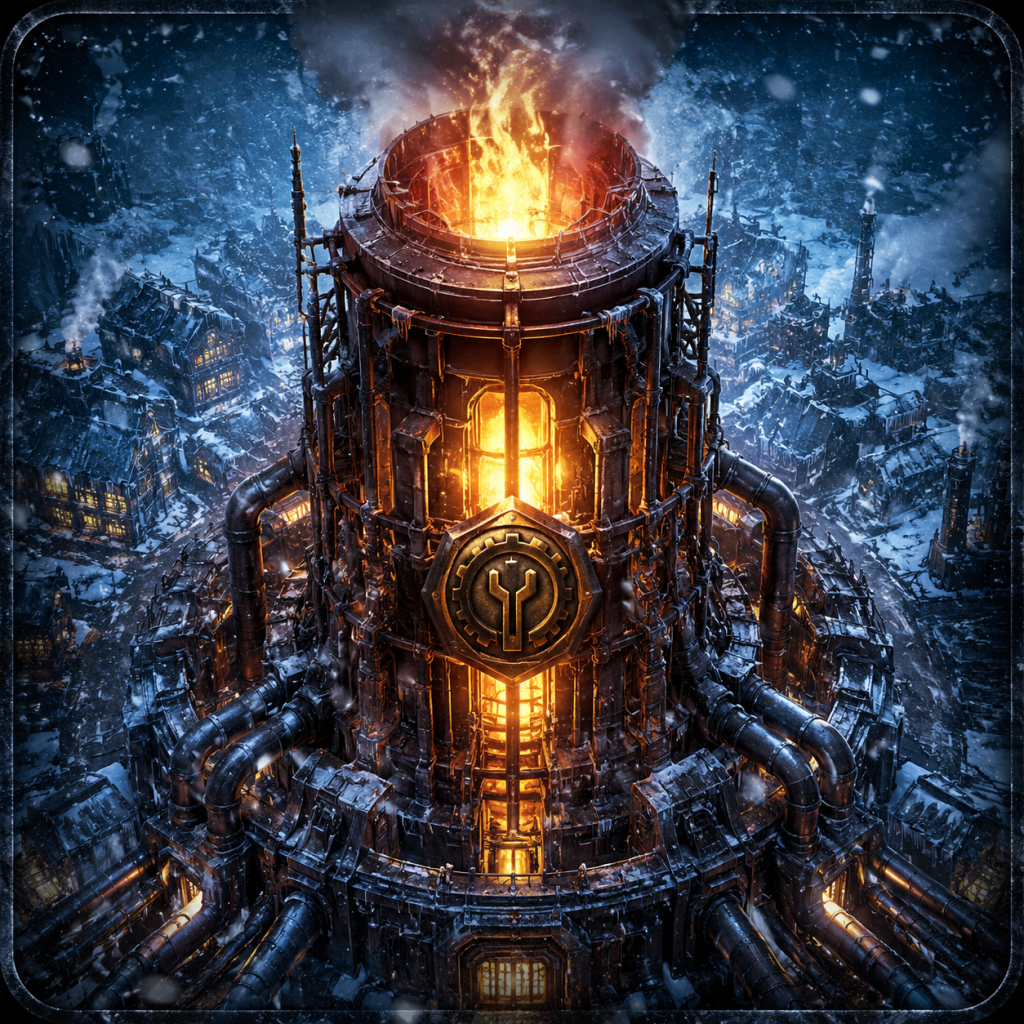
Frostpunk
# Game Introduction: Frostpunk ## Overview - **Genre:** City-building survival survival game with social strategy elements - **Developer and Publisher:** 11 bit studios (Poland) - **Release Timeline:** - **PC (Steam, GOG):** April 24, 2018 - **Console Edition (PlayStation 4, Xbox One):** Octobe...

Download & Installation
Frostpunk - Download & Installation Guide
This guide covers everything you need to download and install Frostpunk across all major platforms. Follow the steps carefully to ensure a smooth setup.
Important: Frostpunk is not available on mobile platforms (iOS/Android). This guide covers PC (Steam, Epic Games Store, GOG), PlayStation 4/5, Xbox One/Series X|S, and Nintendo Switch.
---
1. Official Download Sources
PC
- Steam – Primary platform. [store.steampowered.com](https://store.steampowered.com/app/323190/Frostpunk/)
- Epic Games Store – Occasionally free or discounted. [store.epicgames.com](https://store.epicgames.com/en-US/p/frostpunk)
- GOG – DRM-free version. [gog.com](https://www.gog.com/game/frostpunk)
- Microsoft Store – PC Game Pass version.
- PlayStation 4/5 – PlayStation Store.
- Xbox One / Series X|S – Microsoft Store (also via Game Pass).
- Nintendo Switch – Nintendo eShop.
Console
> Note: Always purchase from official stores to avoid malware and support the developers (11 Bit Studios).
---
2. System Requirements (PC)
Minimum Requirements (for 30 FPS at Low/Medium settings, 720p)
| Component | Specification |
|---|---|
| OS | Windows 7/8/10 (64-bit) |
| CPU | Intel Core i3-2100 or AMD Phenom II X4 965 |
| RAM | 4 GB |
| GPU | NVIDIA GeForce GTX 460 (1GB) or AMD Radeon HD 7770 (1GB) |
| DirectX | Version 11 |
| Storage | 8 GB available space |
| Sound | DirectX compatible |
Recommended Requirements (for 60 FPS at High/Ultra settings, 1080p)
| Component | Specification |
|---|---|
| OS | Windows 10 (64-bit) |
| CPU | Intel Core i5-4690 or AMD Ryzen 3 1200 |
| RAM | 8 GB |
| GPU | NVIDIA GeForce GTX 970 (4GB) or AMD Radeon R9 390 (4GB) |
| DirectX | Version 11 |
| Storage | 8 GB SSD (strongly recommended for faster loading) |
---
3. Account Requirements
- Steam: Free Steam account required.
- Epic Games Store: Free Epic account required.
- GOG: Free GOG account required (DRM-free; no online activation needed after download).
- PlayStation: PlayStation Network (PSN) account required.
- Xbox: Microsoft account (Xbox Live) required.
- Nintendo Switch: Nintendo Account required.
- Upon first launch, you’ll see a splash screen with 11 Bit Studios logo.
- The game will prompt to select Language (English, French, German, Spanish, etc.) – change via menu later.
- A Graphics Settings popup may appear (PC only): adjust resolution, quality presets (Low, Medium, High, Ultra), VSync, and Fullscreen mode. Recommended: set to Fullscreen for best performance.
- Audio Settings: adjust master volume, music, SFX.
- Controls: You can view/key rebind (PC) or simply start with default. Console controls are fixed but intuitive.
- The game will start with the New Home scenario by default. It’s recommended to play the tutorial (first mission) to learn basics.
- Steam: Steam overlay (Shift+Tab) works for screenshots and friends.
- Epic: Epic overlay (Shift+F3) may be available.
- GOG: Galaxy overlay optional; no DRM.
- Console: No additional setup required beyond typical game launch.
---
4. Step-by-Step Installation
4.1 PC via Steam
1. Download and install the Steam client from [store.steampowered.com](https://store.steampowered.com).
2. Log in to your Steam account (create one if needed).
3. Click Store and search for "Frostpunk".
4. Purchase the game (or use a Steam gift card).
5. After purchase, click Library → find Frostpunk under your games list.
6. Click Install → choose installation directory (ensure at least 8 GB free).
7. Choose Create Desktop Shortcut if desired, then click Next → Finish.
8. Wait for download and installation. The game will auto-update via Steam.
4.2 PC via Epic Games Store
1. Download and install the Epic Games Launcher from [store.epicgames.com](https://store.epicgames.com).
2. Log in to your Epic account.
3. Search for "Frostpunk" in the Store.
4. Purchase or claim (if free).
5. Go to Library → click Frostpunk → Install.
6. Choose installation path (minimum 8 GB free).
7. Wait for download to complete.
4.3 PC via GOG (DRM-Free)
1. Download and install GOG Galaxy from [gog.com](https://www.gog.com/galaxy).
2. Log in and purchase Frostpunk.
3. Go to Owned games → click Frostpunk → Install.
4. Alternatively, download the offline installer from the GOG website (no launcher required).
5. Run the installer and follow prompts. Game will be playable without internet after installation.
4.4 PlayStation 4/5
1. Turn on console → sign in to PSN.
2. Go to PlayStation Store → search "Frostpunk".
3. Purchase and download (free trial if available).
4. The download will appear in your library or notifications.
5. Wait for download to finish → launch from the game icon.
6. PS5 Note: Frostpunk is backward compatible. It runs via PS4 emulation but benefits from faster load times. Install from your PS4 library on PS5.
4.5 Xbox One / Series X|S
1. Sign in to your Microsoft account on the console.
2. Open Microsoft Store → search "Frostpunk".
3. Purchase or install from Game Pass (if subscribed).
4. Click Install → choose location (internal or external storage).
5. Wait for download → launch from Home or My Games & Apps.
6. Series X|S Optimizations: The game runs at 60 FPS with improved resolution on Xbox Series S/X via backward compatibility; no separate version needed.
4.6 Nintendo Switch
1. Turn on Switch → connect to internet → sign in to Nintendo Account.
2. Open Nintendo eShop from the Home menu.
3. Search for "Frostpunk".
4. Purchase → select Download.
5. The game will appear on the Home screen once downloaded.
6. Launch by selecting the icon.
---
5. First Launch Setup
5.1 Initial Configuration (All Platforms)
5.2 Platform-Specific Notes
---
6. Common Installation Errors & Fixes
| Error | Cause | Fix |
|---|---|---|
| "Insufficient disk space" | Hard drive full | Free up at least 8 GB (more for updates). Uninstall unused games or move files. |
| "DirectX error" on PC | Missing or outdated DirectX | Install latest DirectX from Microsoft (DirectX End-User Runtime Web Installer). Also update GPU drivers. |
| Steam install stuck at 0% | Server congestion or corrupted cache | Restart Steam, clear download cache (Steam → Settings → Downloads → Clear Download Cache). |
| Epic install fails | Permissions or antivirus blocking | Run Epic Launcher as admin. Temporarily disable antivirus during download. |
| "Game failed to start" on PC | Missing VC++ redistributables | Install Visual C++ Redistributables 2015-2022 (both x86 and x64). They’re usually included in prerequisites. |
| Console download stuck | Network issue or server hiccup | Restart console, test internet connection, pause and resume download. |
| Switch error 2005-0003 | Corrupted data or insufficient space | Delete some screenshots/software, check for corrupted data via System Settings → Data Management → Manage Software. |
| "Please insert disc" on PC (Steam) | Steam misidentification | Verify game file integrity (right-click Frostpunk in Library → Properties → Local Files → Verify integrity of game files). |
| Black screen on launch (PC) | GPU driver issue or incompatible overlay | Update GPU drivers. Disable overlays (Steam/GeForce Experience/Discord). Run game in windowed mode (edit config file: `%USERPROFILE%\Documents\Frostpunk\settings.ini` → change `Fullscreen=1` to `0`). |
| Low FPS / stutter | Outdated drivers or wrong settings | Update drivers. Lower graphics settings. Enable VSync if screen tearing. Ensure no background tasks. |
---
7. Post-Installation Verification
After installation, do the following to confirm everything is working:
1. Launch the game and let it load to the main menu (should take 10–30 seconds on SSD, up to 1 minute on HDD).
2. Check version number displayed on the main menu (usually at the bottom). Latest version as of 2024 is 1.6.2 (may vary). Ensure it matches the store version (updates are automatic on Steam/Epic/GOG Galaxy; console updates are downloaded automatically).
3. Test input: Navigate menus with keyboard/mouse (PC) or controller (all). Ensure all buttons respond.
4. Run the tutorial ("New Home" scenario) for 5 minutes to verify no crashes. If it runs smoothly, installation is successful.
5. Check audio: Listen for music, voice cues, and sound effects. If missing, check audio device setup in system settings.
6. Monitor performance: Open Task Manager (PC) and check CPU/GPU usage – should be within normal range for your hardware. Console version should maintain 30 FPS (or 60 on PS5/XSX).
7. Cloud saves: On Steam/Epic/GOG, ensure cloud sync is enabled in settings to back up progress. Console cloud saves require active subscription (PS+ or Xbox Live Gold/Game Pass Core).
If you encounter any persistent issues after following this guide, visit the official Frostpunk support page (11 Bit Studios) or community forums (Steam Discussions, Reddit r/Frostpunk).
---
Conclusion
Frostpunk is a robust title that installs easily on all supported platforms. By following the steps above, you’ll be ready to lead your people through the frozen apocalypse in no time. Enjoy!
Game Introduction
Game Introduction: Frostpunk
Overview
- Genre: City-building survival survival game with social strategy elements
- Developer and Publisher: 11 bit studios (Poland)
- Release Timeline:
- Platforms: PC (Windows, Mac, Linux), PlayStation 4, Xbox One, Nintendo Switch (no mobile support)
- The Captain: The silent protagonist and player avatar. Your choices shape the city’s laws and moral direction.
- The Engineer / The Faith Keeper: Advisors that appear if you choose the “Order” or “Faith” path, respectively. They automate certain policies and reflect your ideological leaning.
- Survivors: Thousands of named individuals appear as citizens, each with unique traits, skills, and backstories. Their fates depend on your leadership.
- Key NPCs: Depending on the scenario (e.g., “The Arks,” “The Refugees,” “The Last Autumn”), specific story characters drive subplots.
- Fans of hardcore survival and resource management (e.g., Banished, They Are Billions)
- Players who enjoy narrative-driven strategy (e.g., This War of Mine, Frostpunk’s own predecessor)
- Those who appreciate moral ambiguity and high-stakes decision-making
- City-building enthusiasts looking for a challenge beyond simple expansion
- “A New Home” – The main campaign (10–15 hours).
- Additional Scenarios:
- Endless Mode: Added in a free update. Infinite sandbox with three sub-modes: Endurance (resource scarcity), Serenity (relaxed building), and Builders (requires building a new generator).
- Challenge Mode: Timed scenarios with specific goals (e.g., survive 100 days, achieve high Hope).
- The Rifts: Adds a new map with separated landmasses that require bridge-building (free).
- The Last Autumn (2020): A major prequel expansion. Play as an engineer building the generator before the great freeze. Introduces new laws, resources, and a different tone.
- On The Edge (2020): A post-story expansion set after “A New Home.” Manage an outpost that must trade with the main city.
- Season Pass: Includes The Rifts, The Last Autumn, On The Edge, and cosmetic DLC (e.g., “New Order” soundtrack).
- Soundtrack and Digital Artbook are available separately.
- PC (Steam, GOG): April 24, 2018
- Console Edition (PlayStation 4, Xbox One): October 11, 2019
- Nintendo Switch: October 11, 2019 (same day as console)
- Mac, Linux: Available since PC launch via Steam
Story and Setting
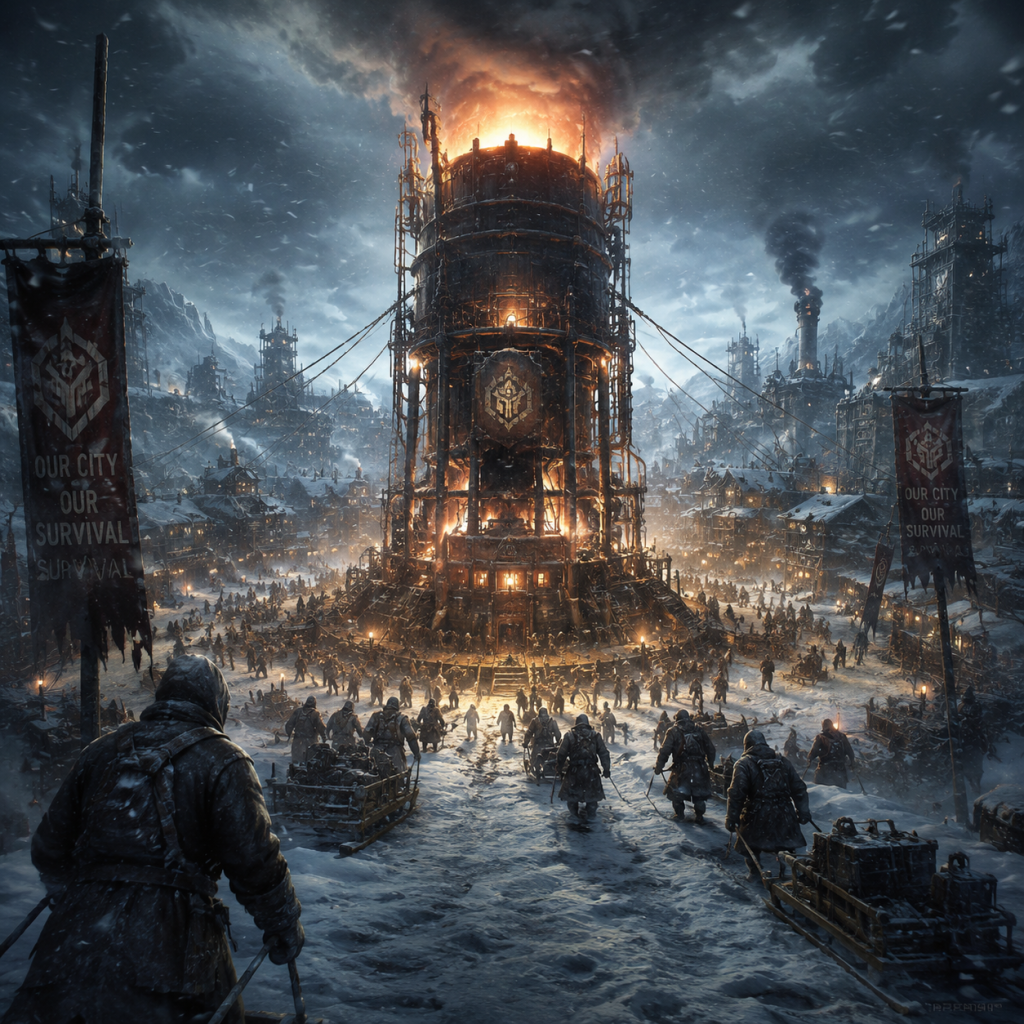
Set in an alternate 1886, the world is plunged into a global volcanic winter triggered by a massive eruption of Krakatoa. The player assumes the role of The Captain, the leader of a small group of survivors who flee London for the far north. There, they discover a massive coal-powered generator—the only heat source in a frozen wasteland.
Main Narrative: The campaign “A New Home” follows your struggle to build a functional city around the generator, manage scarce resources, and keep hope alive. As survivors arrive and society expands, you must make increasingly harsh decisions: child labor, faith-based obedience, or a police state. The game’s story unfolds through scripted events, survivor backstories, and finales that test your moral integrity.
Main Characters
Core Appeal
Frostpunk merges city-building with gut-wrenching moral dilemmas. You are never simply a builder; you are a leader whose decisions literally kill or save lives. The tension between Hope and Discontent keeps gameplay razor-sharp. Every new law, automation step, or resource allocation can trigger riots, deaths, or breakthroughs. The chilling atmosphere—snowstorms, limited heat, and the glowing generator—creates an emotional pull unmatched by most strategy games.
Target Audience
Game Modes
Frostpunk offers multiple ways to play:
- The Arks – Protect automated greenhouses and survivors.
- The Refugees – Manage a massive influx of desperate people.
- The Fall of Winterhome – A prequel scenario where you must evacuate a failing city.
Online/Offline Support
Frostpunk is a single-player, offline experience. No internet connection is required after installation. There is no multiplayer, cooperative, or online component. All saves are local.
DLC and Expansions
Frostpunk has several downloadable content packs that expand the universe and gameplay:
What Makes Frostpunk Unique
Frostpunk stands apart from traditional city-builders because it is a ”society survival” game. The generator is both a literal heat source and a moral anchor. The game forces you to create laws (e.g., child labor, corpse disposal, radical faith) that permanently alter your city’s identity. The “Hope vs. Discontent” meter replaces simple happiness stats with a social pressure system that can end the game if it reaches extremes. The game’s art style—gritty, bleak, with a steampunk-tinged Victorian aesthetic—reinforces the constant sense of dread.
No other game asks: “Would you allow the dead to be eaten to save the living?” or “Is it worth sacrificing one child to warm the rest?” Frostpunk is a gripping, unforgettable experience that combines the same creative team’s empathy (from This War of Mine) with sophisticated strategic depth.
Conclusion: Frostpunk is a masterpiece of atmosphere and choice. Whether you are building your first generator or mastering Endless Mode, every session is a new, frostbitten story.
Getting Started
Getting Started: Frostpunk - A Beginner's Guide
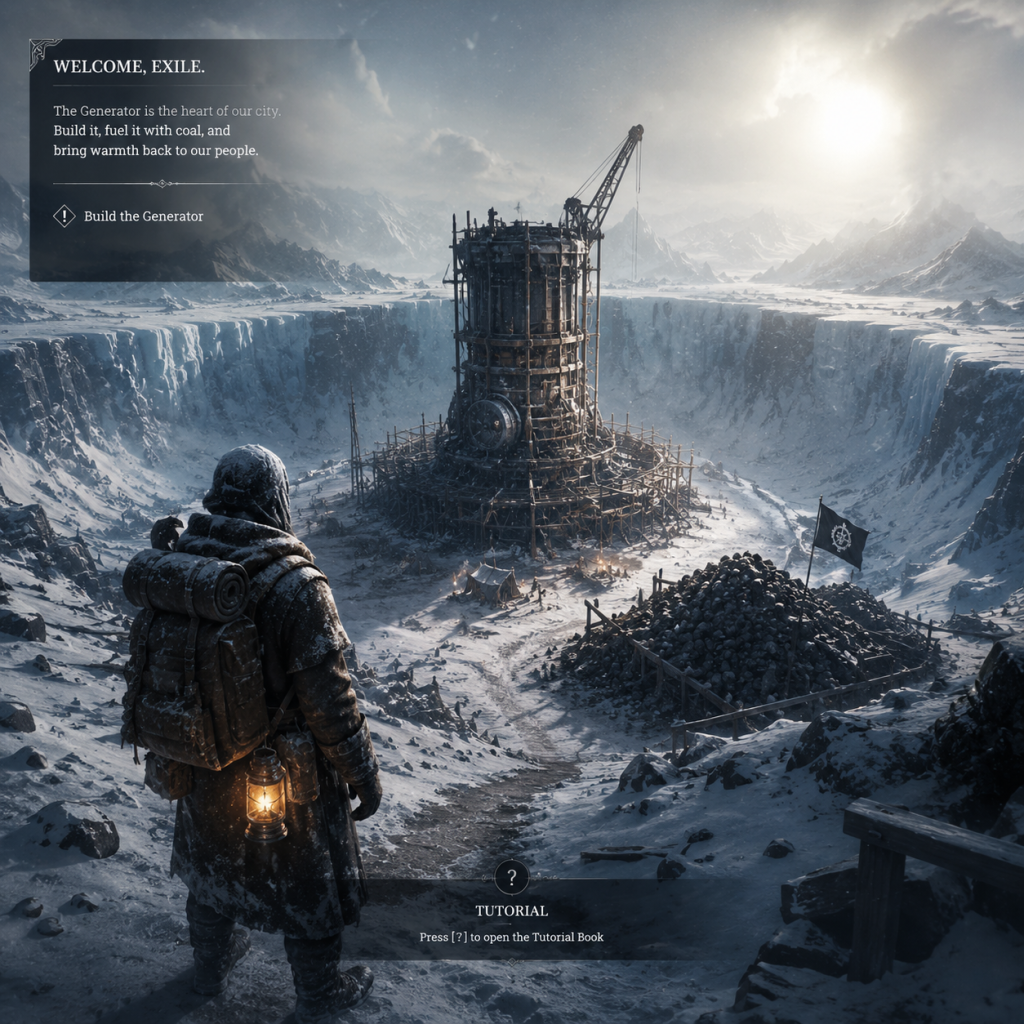
This guide is tailored for absolute newcomers to Frostpunk. You'll learn how to survive your first day, avoid critical mistakes, and set a foundation for a prosperous city. Frostpunk is a brutal city-building survival game where you manage a group of survivors in a frozen world. There is no character creation – you play as the unnamed Captain, and your only customization is the name of your city. Focus on strategy, not looks.
Controls (All Platforms)
PC (Keyboard & Mouse)
- Camera: WASD or Arrow keys to pan; Mouse wheel to zoom in/out; Middle mouse button for free rotation.
- Selecting: Left-click on buildings/units; Right-click to issue movement orders for scouts.
- Building Menu: Press B to open build menu; use number keys (1-7) and mouse to place structures.
- Pause/Play: Spacebar to pause; 1/2/3 for speed (pause, normal, fast).
- Hotkeys: 'H' for heatmap, 'L' for laws, 'R' for research, 'F' for frostlands (scout view), 'T' for temperature overview.
- Quick Actions: Click generator icon at top center to toggle generator; click temperature gauge to toggle heat zones.
- Left Stick: Move camera.
- Right Stick: Rotate camera (click to reset).
- D-Pad: Navigate menus and quick-select (Up for heatmap, Down for laws, Left for research, Right for frostlands).
- A/B (Xbox) or X/O (PlayStation): Confirm/Cancel.
- LT/RT (L2/R2): Zoom in/out.
- Menu/Start: Pause game; View/Select: Open book of laws.
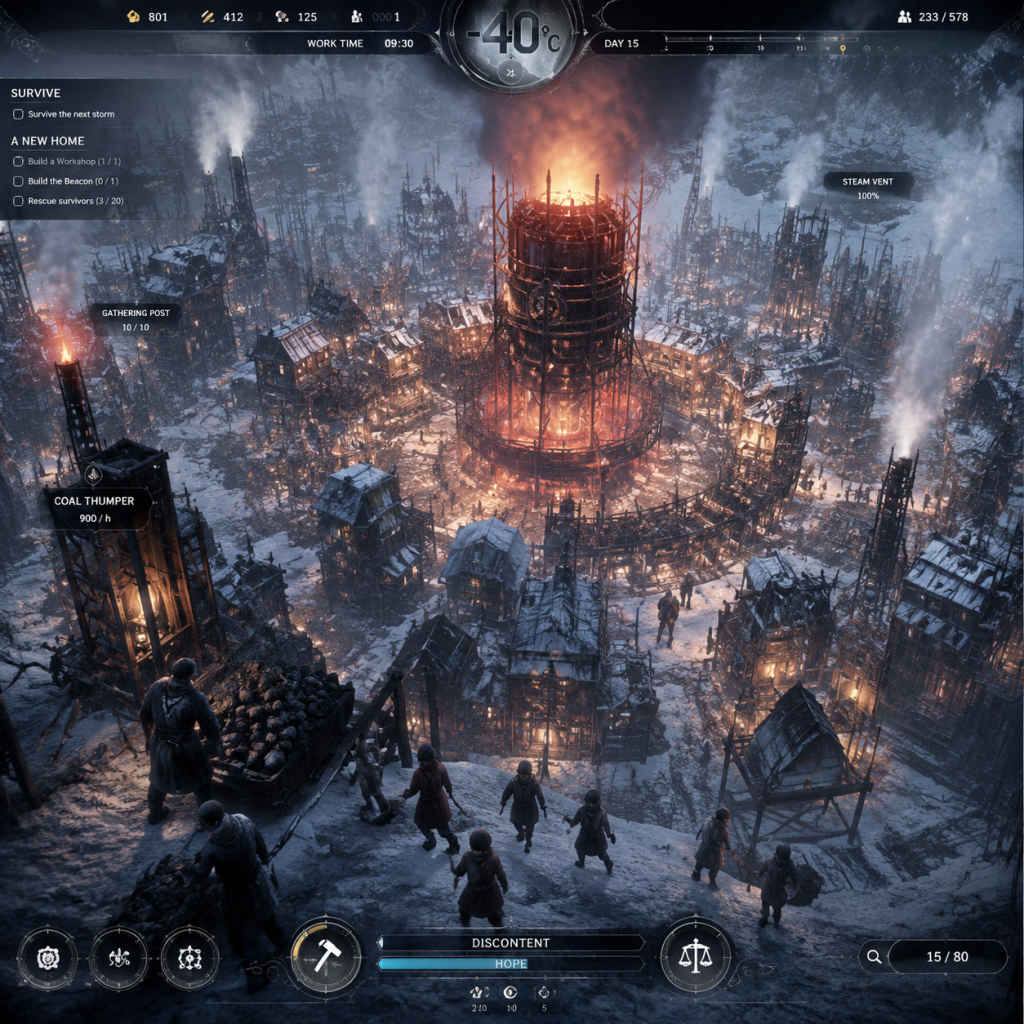
- Top Bar: Left side shows resources (Wood, Coal, Steel, Food Rations, People). Center displays Generator Status (on/off, temperature level) and a thermometer showing current temperature. Right side shows Hope and Discontent meters.
- Bottom Left: Building menu (hammer icon) and quick access to Book of Laws (scroll), Research (flask), Frostlands (compass), and Temperature Overview (thermometer).
- Bottom Center: Selected unit/building info panel.
- Bottom Right: Speed controls (pause, normal, fast).
- Heatmap Toggle (H on PC): Overlays blue/cyan zones indicating generator heat range. Buildings inside this zone stay warm; outside they freeze and cause sickness.
- Tooltips: Hover over any icon for details. Always read them – crucial for understanding mechanics.
- Day 1: Pause, build 2 Gathering Posts + 10-15 tents + 1 Workshop. Sign Soup. Start Beacon research.
- Day 2: Assign workers. Build Coal Thump + second Gathering Post. Start research on Faster Gathering (if not yet). Build Medical Post.
- Day 3: Send scouts. Build a second Coal Thump if needed. Expand housing to house all survivors. Ensure all buildings are in heat zone.
- Day 4-5: Research Heaters (for workplaces), Bunkhouses (better tents), or Wall Drill (wood from frozen trees). Start producing steel for advanced buildings.
Xbox/PlayStation Controllers
Pro Tip: On all platforms, pause frequently (Spacebar or Start). The game does not auto-pause, and every second counts.
UI Overview (First 10 Minutes)
Your screen is divided into several key areas:
The First Hour Walkthrough (Scenario: A New Home)
You start with a generator, a stockpile of resources, 80 survivors, and a cookhouse. The tutorial gently guides you, but here's the optimal opening sequence:
Minute 0-5: Pause and Plan
1. Pause immediately (Spacebar).
2. Build two Gathering Posts (Build menu > Resources tab). Place them near the resource piles (coal, wood, steel). These posts collect resources more efficiently and protect workers from cold.
3. Build tents (Build menu > Shelter). Place 3-4 tents near the generator (within the heat zone). Each tent houses 5 people. Aim for 12-15 tents total in the first day. Don't overcrowd; you need workers.
4. Sign your first law: Open Book of Laws (L). Choose Soup (not Extended Shift). Soup stretches food rations, reducing starvation risk. Extended Shift boosts productivity but lowers Hope and causes accidents.
5. Start research: Build a Workshop (Research tab). Immediately research Beacon (allows scouting). Then research Faster Gathering.
Minute 5-30: Build the Basics
1. Assign workers: By default, people gather at raw piles. After building Gathering Posts, click each post, click the empty worker slot, and assign 10 workers from the available pool. This frees others for other jobs.
2. Construct more tents: Build 10-15 tents total (you'll have ~80 people; 15 tents holds 75). Keep them in the inner heat ring (blue circle around generator). Leave some open space for future buildings.
3. Build a Coal Thump (Resources tab) – coal is vital. Place it near the generator (within heat zone). Then build a Gathering Post next to the coal piles it produces. This provides a steady coal supply.
4. Build a Medical Post (Health tab) – you'll need it soon. Place it in a warm area (heat ring) to avoid sick treatment penalties.
5. Build a Cookhouse if not already present. Then sign the Soup law. You'll need to constantly produce food – cookhouses convert raw food into meals.
Minute 30-60: Survive the First Night
1. Turn on the Generator (click the generator icon or press G on PC). Set it to a medium level (1-2 bars). Monitor coal consumption – you need at least 10-15 coal per hour per level. If you run out of coal, people freeze.
2. Scout: Once Beacon is built (research takes ~15 minutes), assign 5 people to the Beacon (click it, then the 'Scout' button). Send scouts to the nearest frostland location (e.g., Winterhome, Tesla City). Scouts bring back resources and survivors.
3. Adjust workplaces: When night falls (around day 2), temperatures drop. Ensure all workplaces are within heat zones or have heaters built (requires steel, later tech). Move workers to gathering posts instead of raw piles at night to keep them warmer.
4. Manage discontent: Keep Hope above 30% and Discontent below 70%. If discontent rises, enact laws like Fighting Arena or Funerals to improve mood. Hopelessness leads to exile.
5. Expand slowly: Don't build roads unless necessary. Roads cost wood and don't help much early. Only connect buildings that are far apart.
Essential Early Objectives
Early Resource Priorities (First Week)
| Resource | Priority | Why | How to Get |
|---|---|---|---|
| Wood | Highest | Needed for all early buildings: tents, gathering posts, workshops, etc. | Gather from wood piles; later Wall Drill. |
| Coal | High | Generator fuel; without it, everyone dies. First hour need ~30/hr. | Coal Thump + Gathering Post; later Coal Mine. |
| Steel | Medium | Used for research, coal mines, and advanced buildings. | Gather from steel piles; later Steel Mill. |
| Food Rations | Medium | Prevents starvation; turn raw food into meals at Cookhouse. | Hunt (Hunting Hut) or gather from food piles. Soup law reduces consumption. |
| Raw Food | Low-Medium | Used to make meals. Initially you have some; don't waste. | Gather from raw food piles (limited). |
What to Do First (Priority List)
1. Pause the game – always.
2. Build 2 Gathering Posts near resource piles.
3. Build 12-15 Tents within the generator heat ring.
4. Build a Workshop – start researching Beacon.
5. Sign the Soup law – never Extended Shift first.
6. Build a Coal Thump with a nearby Gathering Post.
7. Build a Medical Post (2 if you have sick).
8. Assign workers to everything – about 10 per building.
9. Start scouting once Beacon is built.
What to Avoid (Common Beginner Mistakes)
- Don't build roads early – wood is precious; people walk fine without roads.
- Don't overbuild houses – build only as many as you have people. Empty houses cost wood and don't contribute.
- Don't ignore the heatmap – buildings outside the generator ring will cause sickness and death. Use Heatmap (H) to check.
- Don't forget to turn on the generator – especially at night. A cold generator is a death sentence.
- Don't rush extended shifts – they drastically increase discontent and cause accidents. Wait until you have a stable economy.
- Don't build multiple Hunters Huts immediately – raw food piles and cookhouses can sustain you for a few days. Hunting huts require tech and workers.
- Don't send scouts too early – wait until you have Beacon (tech) and a spare 5 workers. Sending a scout with no food or medicine is useless.
- Don't ignore Hope/Discontent – if both are low, people will leave. Use laws like Fighting Arena (unlocks later) or Funerals to improve Hope.
- [ ] Pause the game immediately (Spacebar).
- [ ] Build 2 Gathering Posts (near wood, coal, steel piles).
- [ ] Build 10-15 tents (within generator heat zone).
- [ ] Build 1 Workshop (anywhere, close to generator).
- [ ] Start research Beacon (highest priority).
- [ ] Sign Soup law (Book of Laws).
- [ ] Build 1 Coal Thump (near generator).
- [ ] Build 1 Medical Post (within heat ring).
- [ ] Assign workers to all buildings (click building, then the plus icon).
- [ ] Turn on Generator (click icon or press G) – set to level 1.
- [ ] Ensure no building is outside heat zone (use Heatmap H).
- [ ] Check resource numbers: have at least 200 wood, 80 coal, 50 steel, 50 raw food after building.
- [ ] Unpause (Spacebar) and let game run for a few minutes, then pause to check progress.
Day-One Checklist (First 24 Hours)
Pro Tip: Replay the first hour if you fail. Frostpunk is about learning from mistakes. Each restart teaches you better resource management and law choices.
Conclusion
Frostpunk is unforgiving, but with this guide, you'll avoid the most painful early-game deaths. Remember: pause often, prioritize coal and wood, use gathering posts, keep everyone warm, and never let discontent spiral out of control. Good luck, Captain – the city must survive.
Core Gameplay
Core Gameplay: Frostpunk
Frostpunk is a brutal city-building survival game where you lead a group of exiles to build a new society in a frozen world. There is no traditional combat; instead, your main interactions are with your citizens (through laws and buildings), the environment (via exploration and resource gathering), and the ever-present cold. This guide breaks down the core gameplay loop and systems across four progression tiers: Early Game, Mid Game, Late Game, and Endgame.
Main Gameplay Loop
The loop is: Survive → Expand → Research → Manage → Face Crisis → Adapt.
1. Survive: Maintain heat, food, and shelter. Your generator is the heart of the city.
2. Expand: Build new districts (if on the map) or individual buildings to house more workers and produce resources.
3. Research: Use the Technology Tree to unlock better buildings, resource efficiency, and survival tools.
4. Manage: Pass laws to shape society (e.g., child labor, soup kitchens) and assign workers to jobs.
5. Face Crisis: Weather events (e.g., temperature drops, storms) and scripted events (e.g., Londoners, refugees) test your city.
6. Adapt: Change laws, build new infrastructure, or explore the Frostland for resources and survivors.
Combat / Interaction Systems
- No direct combat. The only "interaction" is with the environment and citizens.
- Hunting: Hunters gather raw food from wildlife. Done via Hunting Huts (early) or Hangars (late). No fighting animations; it's a passive income.
- Exploration Teams: Sent to Frostland locations. Encounters may include hostile survivors (e.g., cannibals) or dangerous terrain (e.g., frozen lakes). No combat; outcomes are determined by choices or team equipment.
- Law Enforcement: Passing harsh laws (e.g., New Order) can cause unrest or riots, but there is no armed conflict. Guards (via buildings like Guard Stations) reduce discontent.
- Disasters: Overheating generator, coal explosions, or plague outbreaks are events to mitigate, not fight.
- Technology Level: From "Basic" (wood/coal) to "Advanced" (steam cores, automatons).
- City Population: Starts with ~80 survivors; can grow to 700+.
- Generator Upgrades: Power, range, insulation, and overdrive.
- Hope and Discontent: These meters unlock or restrict law passages and influence ending.
- Factions & Uprisings (A New Home scenario): The Londoner faction appears mid-game; their defection reduces population. Managing them is critical.
- Exploration: Send scouts from the Beacon (built early) to Frostland sites. Each site yields resources, survivors, or lore. Some are timed (e.g., "Winterhome" must be reached before the storm).
- Quests / Scenarios: Each scenario has a unique progression. For "A New Home":
- Scripted Events: Refugees arriving (must accept or turn away), shipwreck survivors, and trapped scientists. These provide population or resources but may trigger unrest.
Progression System
Progression is measured by:
Exploration & Quests / Missions
- Early: Build basic survival, find iron and steam cores.
- Mid: Discover Winterhome (ruins), deal with Londoners, rush to stockpile for the Great Storm.
- Late: Prepare for the storm (stockpile coal, food, medical supplies).
- Endgame: Survive the Great Storm (80+ hours of extreme cold).
Economy & Resource Management
Five primary resources:
| Resource | Sources | Early Game Priority | Mid Game | Late Game |
|---|---|---|---|---|
| Coal | Coal Thumper, Coal Mine, gathering from piles | Must have for generator | Upgrade to Coal Mine | Use Automaton for 24h mining |
| Wood | Gathering posts, sawmill | Critical for buildings | Less needed after main structures | Occasional use |
| Steel | Steelworks, steam cores from exploration | Needed for research | High demand for tech upgrades | Very high (storm preparations) |
| Raw Food | Hunting huts, hothouses, scouts | Balanced with cooking | Upgrade to hothouses (steam cores) | Keep stockpile for storm |
| Steam Cores | Exploration only (limited) | Use for early automaton or hothouse | Essential for advanced tech | Last resort for automatons |
Character / Build Growth
- Leader (You): No leveling; choices determine society direction (Order, Faith, or Equality).
- Citizens: No individual stats. They have a "health" (sick/healthy) and can be assigned roles (worker, engineer, child). Engineer types can research faster; workers gather faster. Automatons (steam-powered robots) work 24/7 but cost steam cores.
- Technology Tree: Divided into Exploration, Industry, and Society. Each tier unlocks more efficient buildings (improved mines, hothouses, infirmaries).
- Laws: Two tracks – Order (discipline, guards, propaganda) and Faith (churches, shrines, confessions). Both unlock powerful abilities (e.g., "Faith Keepers" to reduce discontent, "New Order" to eliminate hope).
- Generator Upgrades: Levels 1-4 for power, range, and safety (prevents overheat events). Overdrive gives temporary extra heat but risks explosion if used too long.
- The Great Storm (in A New Home): After day ~40-50, the storm arrives. Temperature drops to -120°C or lower.
- Survival Phase: Everything must be built for extreme cold: fully upgraded generator (4 power, 4 range), central hothouse, multiple infirmaries, and massive coal stockpile (15,000+ coal). Automatons are invaluable because workers cannot work outside.
- Laws: Pass all possible hope/discontent laws to stabilize the city. The ending shows the final hope and discontent values; survive until a countdown timer ends.
- Other Scenarios: The Ark (save seeds), The Refugees (manage massive population), The Fall of Winterhome (evacuate city). Each has unique endgame conditions.
- Immediate Actions:
- Watch out for: Overcrowding (sick in unheated houses), lack of coal at night (generator must run at night), and early temperature drops (need more insulation).
- Key Actions:
- Economy Check: If coal production < 30 per hour, you'll run out. Aim for 50+. Food should be > 3 per person per day.
- Critical Steps:
- Storm Preparations: You need > 20,000 coal (depending on difficulty) for the 80-hour storm. Build storage buildings (Coal Storage, Food Storage).
- Storm Mechanics:
- What to do:
- Victory: You get an epilogue showing your city's fate based on hope/discontent and laws chosen. High Hope + Low Discontent = Utopia. Low Hope + High Discontent = Police State or Collapse.
- Day 1: Med Post, 2 Tents, Hunter's Hut, Workshops (2). Research Beacon.
- Day 2: Beacon built, scout to nearest resource. Research Hunting Gear.
- Day 3: Second Hunter's Hut, Cookhouse. Research Sawmill (wood efficiency).
- Day 7: Build Coal Thumper + Gathering Post. Research Hothouse (steam core from scout).
- Day 12: Build Hothouse. Research Steelworks.
- Day 20: Build Steelworks, Factory. Research Automaton.
- Day 30: First Automaton built, send to coal. Pass Child Labour (if needed).
- Day 40: All houses, steam hubs, infirmaries. Generator upgrades to level 3.
- Day 50+: Stockpiling for storm. Pass New Order.
- Storm: Survive.
Endgame Structure
Core Gameplay by Progression Tiers
Early Game (Days 1–15)
Goal: Establish basic survival and immediate expansion.
1. Pause game on starting. Build Med Post (for sick), then gather wood/coal from piles.
2. Build Tents for shelter (10 wood each). Aim for 2-3 tents per 10 people.
3. Research: Beacon (first technology) to send scouts. Also research Hunting Gear for better food.
4. Pass first law: Soup or Extra Rations (soup reduces food consumption but lowers hope; extra rations consumes more but raises hope). Most start with soup.
5. Build Hunters' Huts and assign workers. Coordinate with cooking building.
6. Scouts explore nearest Frostland locations for steam cores and coal.
Mid Game (Days 16–35)
Goal: Stabilize economy, explore fully, handle population growth and first crisis (Londoners).
1. Research Industrial or Society tech: Coal Mine (better than thumpers), Steelworks, Hothouse (if you have steam cores), or Factory (makes automatons).
2. Expand housing: Bunkhouses or Houses (needs steel) to reduce sickness.
3. Use scouts to return all survivors. Accept refugees but be aware they eat food.
4. Pass laws to manage hope: Extend Shifts (more work hours) or Child Labour (if desperate).
5. The Londoner event: Hope drops; use propaganda/faith buildings to counter. Build Guard Stations (Order) or Shrines (Faith).
6. Prepare for the first storm warning (usually day ~30): Stockpile coal up to 5000+, food 2000+.
Late Game (Days 36–50)
Goal: Technological supremacy, mass automation, stockpile for the Great Storm.
1. Research all Generator upgrades (Power 3-4, Range 3-4). Install Safety Valves law to reduce risk.
2. Build Automatons: each requires 5 steam cores and 40 steel. Deploy to Coal Mines (24/7), Steelworks, or Food production.
3. Replace all tents with Houses (no sick from cold). Heated Houses need steam hubs? No, houses are fine if generator covers them.
4. Build Infirmaries (medical upgrades) to treat gravely ill.
5. Pass New Order (Order tree) or Faith Keepers to eliminate hope trough – this stops Londoners and prevents defection.
6. Explore all Frostland and bring back Winterhome survivors if on A New Home. They are a last population boost.
Endgame (Days 50–70+, during Great Storm or final challenge)
Goal: Survive the Great Storm and achieve scenario victory.
- Temperature drops in stages: -90°C → -120°C → -150°C. Generator Overdrive can withstand -120°C but not -150°C. Use overdrive only when needed.
- All outdoor workplaces shut down (except Automatons). Workers must stay indoors.
- Sickness spikes. Ensure 3-4 Infirmaries and abundant medical supplies.
- Hope and discontent matter even now; keep morale high via laws (e.g., Evening Prayers, Agitators).
1. Keep generator at max power (level 4) with range 3 or 4. Overheat it only if houses become cold.
2. Use Overdrive sparingly, and repair generator after each use to avoid explosion.
3. Automatons must cover all essential production (coal, food, steel). Have a backup coal stockpile in case mines freeze.
4. If playing A New Home, after storm passes, the game counts down 3 days. Survive until timer ends.
Example Build Order (A New Home, Normal Difficulty)
This guide covers the essential gameplay loops and tier-based progression. Adapt difficulty settings and scenario-specific events as needed.

Game Tips
General Philosophy
Frostpunk is a game of ruthless trade-offs. There is no single perfect path, but understanding the mechanics behind each decision will keep your city alive. Every tip below is tested on the hardest difficulty (Survival) and applies to all scenarios unless noted.
---
Beginner Essentials
1. Pause Immediately. The first thing you should do upon loading any scenario is pause the game. Unpaused, time passes and your people freeze, die, or discontent rises. Use pause to survey the map, plan your first buildings, and queue orders without penalty.
2. Build the Beacon Early. The Beacon costs 5 wood and 5 steel and unlocks scouts. Scouts bring back survivors, resources, and sometimes steam cores. In most scenarios, building the Beacon on Day 1 or 2 is the difference between thriving and starving.
3. Never Run Out of Coal. Coal = heat = life. Before day 3, build at least two gathering posts near coal piles and assign workers. Once you have a coal thumper or mine, overproduce coal—stockpile for the inevitable temperature drop.
4. Prioritize Gathering Posts. A gathering post (requires 5 wood, 1 steam core on some maps) protects workers from cold and boosts efficiency. Always build gathering posts over sending workers directly to resource piles.
5. Sign the Emergency Shift Law Early. This law allows you to force a 24-hour work shift, giving an immediate resource boost. Use it only when you are desperate (e.g., coal running low before a storm). It drastically increases discontent and can cause death, so have faith in your ability to manage discontent later.
---
Laws & Social Strategy
6. Soup vs. Sawdust – Pick Soup. The Food Law branch: Soup gives more meals per raw food (but reduces hope), while Sawdust makes people sick. Soup is safer; you can manage hope with other laws. Sawdust leads to a health crisis.
7. Extended Shift is Better than Emergency Shift for Steady Gains. Extended Shift increases work hours to 14 hours for 1 day, no deaths, less discontent than Emergency Shift. Use Extended Shift on your most critical resource (e.g., coal mine) every few days for a sustainable boost.
8. Child Labour – Optional. If you choose Child Labour (shelters or apprentices), you get extra workers. Apprentices (research boost) is stronger late-game. But if you are struggling early, Child Labour (all jobs) can save you. Avoid it if possible; the hope penalty stings.
9. Patrol Laws for Discontent. Sign Guard Stations and Patrol Laws early. Patrols reduce discontent over time. Combine with Propaganda laws if needed, but be careful not to alienate your people.
10. Radical Treatment Over Sustain. When someone dies, the Radical Treatment law gives a chance to save them (amputees) but costs medical supplies. It’s a better survival bet than Sustain Life (which consumes food). Amputees still work in some jobs.
---
Exploration & Scouts
11. Scout with Purpose. Don’t send scouts randomly. Prioritize locations that give survivors (more workers) and steam cores. Always send scouts in a loop that covers multiple close points before heading far.
12. Automated Scouts are a Trap Early. The Automaton Scout upgrade (from the Factory) is expensive and consumes a steam core. Use human scouts until you have spare steam cores and generator upgrades secured.
13. Abandon Dying Scouts. If a scout team is caught in a blizzard with low health, click the scout and select “Return to City” immediately. Dead scouts lose all carried resources. It’s better to lose progress than the whole team.
14. Survivors are the Best Resource. Each survivor brings more hands. Prioritize locations marked “Group of Survivors”. Even if they are sick, a few medical posts can heal them into productive workers.
15. Don’t Forget the Tesla City. In “A New Home”, Tesla City provides a large amount of steam cores but is heavily guarded by lethal Tesla coils. You must first visit the optional site with a scientist to disable the coils. Otherwise your scout dies.
---
Resource Management & Economy
16. The 2:1 Wood-to-Steel Ratio. Early game, wood is needed for tents, roads, and gathering posts. Steel is for tech buildings and later upgrades. Aim for 2 gathering posts on wood piles for every 1 on steel piles until you have a steady steel mine.
17. Build Resource Depots. Raw resources (like wood and steel) that sit on the ground degrade slowly, but stockpiles in depots don’t. Build depots near your resource piles to gather faster (workers walk less) and preserve the resource.
18. Cook Food as Needed. Raw food lasts indefinitely, but prepared meals spoil after 2 days (in-game). Only cook when your raw food stock is large; otherwise you waste meals.
19. Sell Surplus at the Outpost. The Outpost (late-game building) lets you trade resources for something else. Coal is usually abundant late-game; trade excess coal for food or steam cores.
20. Overdrive the Generator Only in Emergencies. Overdrive boosts heat but damages the generator. Use it only when temperature drops rapidly during a storm or when you need to save ill people in medical posts.
---
Building & Technology
21. Always Research Faster. The first tech you research should be either Beacon (if you need scouts) or more gathering/heat tech (like more efficient coal gathering). Don’t research frivolous upgrades early.
22. Build a Workshop on Day 1. A workshop (requires 10 wood) allows research. Place it near your generator for heat bonus, and assign 5 engineers to it. Research non-stop.
23. Layer Your Districts (Heat Zones). Buildings that require heat (homes, workshops, medical posts) should be in the first or second ring around the generator. Resource buildings (mines, thumpers) can be further out, but will need more insulation or laws to keep workers warm.
24. The Hothouse is a Trap. The Hothouse (greenhouse) requires a steam core and a lot of space. It produces food but is inefficient compared to hunting. Use hunting huts early and upgrades later.
25. Automations are Endgame. Automatons are robots that work 24/7 and don’t need heat. They are expensive (steam cores and steel). Build them only once you have a stable economy. Use them in coal mines or steelworks to free up workers for other jobs.
---
Heat & Generator Management
26. Generator Range vs. Power. It’s better to upgrade generator power (heat output) before range. Power affects all heated buildings; range only extends the warm area. You can always build closer.
27. Use Steam Hubs Sparingly. Steam hubs extend heat to distant buildings but cost coal. A single steam hub can heat multiple buildings if placed centrally. Avoid using multiple hubs when one can cover the area.
28. Insulate Your Tents. Early on, building bunks (upgraded tents) provides more insulation and saves you from having to constantly increase generator power. Research House Insulation before the first major freeze.
29. Overdrive and Generator Damage. Each overdrive session reduces generator integrity by 10-20% (depending on difficulty). Repairing costs steam cores and time. Only overdrive when temperature drops below -60°C or your people risk death.
30. Coal Consumption Multiplier. At each temperature level (chilly, cold, very cold, freezing), coal consumption roughly doubles. Plan your coal stockpile accordingly. The moment you see “Temperature Drop” warning, start emergency shifts on coal production.
---
Disasters & Crisis Management
31. The Londoners – Don’t Let Hope Drop. The most dangerous disaster is the Londoners event (in A New Home). If hope drops below 50% and discontent is high, citizens will leave. Keep hope high by passing laws like Evening Prayers or Building Statues.
32. Storm Preparations. When the storm hits (late game), the temperature plummets to -120°C. Every home must be level 4 insulated, and all workplaces must have heaters or be automated. Stockpile at least 10,000 coal before the storm.
33. Medical Crisis – Overcrowding. If many people get sick, build extra medical posts (not infirmaries—too expensive) in heated zones. Use the “Overcrowding” law to treat more patients per post (but increases chance of death).
34. Death Cleanup. Dead bodies cause discontent and hope loss. Sign the Cemetery law early to manage corpses. If not, build a corpse pile (but it’s bad).
35. Child Labour During Crisis. If you are about to run out of coal during a storm, pass Child Labour – All Jobs to force children to work in coal mines. This will save the city but cause hope and discontent long-term. Use as last resort.
---
Advanced Optimizations
36. The Perfect Layout. In the frozen world, centralize your generator. Build a symmetric grid: first ring: tents (homes), second ring: workshops/medical, third ring: resource buildings, outer ring: mines/thumpers. This minimizes walking time for workers and heat loss.
37. Timing the Emergency Shift. On the morning of a temperature drop, emergency shift your coal thumper to build up a buffer. Then, as the temperature falls, you have coal to burn. The shift ends before the worst of the cold hits.
38. Scout Cycling. Send two scout teams in opposite directions to cover the map faster. When one returns, send it out again immediately. Keep a few scouts stationary at resource deposits to grab survivors as they appear.
39. Steam Core Spending. Steam cores are the rarest resource. Spend them only on: (1) Beacon upgrades, (2) Factory for automatons, (3) Infirmary if you have a death crisis. Never waste on Hothouses or early mines.
40. Faith vs. Order. For the final scenario (A New Home), Faith tree is generally easier because it boosts hope and provides comfort laws. Order tree gives more control via propaganda but can lead to totalitarianism. Play Faith for beginners.
41. The Generator Upgrade Timeline. Aim to have generator power level 2 and range level 1 before day 15. Then save cores for automatons. By day 30, upgrade to power level 3.
42. Survival Guide – No Pausing. On Survival difficulty, you cannot pause to build. Memorize key shortcuts (space for speed, number keys for buildings). Practice on Normal first.
---
Endgame & Surviving the Storm
43. Stockpiling Before the Storm. The game’s final storm hits on day 48 (A New Home). From day 40, stop building non-essential structures and dedicate all workers to coal and food stockpiling. Aim for 20 days of coal supply.
44. Turn Off All Non-Essential Buildings. During the storm, every building that isn’t a home, medical post, or cookhouse should be turned off (click the building and press the power icon). This saves coal. Only run the generator and steam hubs for housing.
45. Heater Upgrades. In the final days, research the Heater upgrade for workplaces. This allows your steelworks and coal mines to operate even at -100°C. Without heaters, workers will die.
46. Food During Storm. You cannot hunt during the storm (hunting huts stop working). Have at least 3 cooked meals per person stockpiled. If you run out, citizens will starve—and starve quickly.
47. Hope and Discontent at Zero. If either hope reaches 0 or discontent reaches 100%, you lose. During the storm, maintain hope by passing laws like “Soup Kitchens” or “Evening Prayers”. Assign a few workers to hope-boosting tasks.
48. Faith Keepers/Propaganda. Use your Faith or Order abilities strategically. When discontent spikes, use the ability to calm them. Save the ability for emergencies only.
49. After the Storm – Rebuild. If you survive, the game ends immediately. But you can still play past the storm in some scenarios. Use the remaining resources to upgrade housing and lower discontent for a better ending.
---
These tips are derived from hundreds of hours of gameplay. Remember: Every city is different – adapt to your situation. Stay warm, and may the Generator never falter.
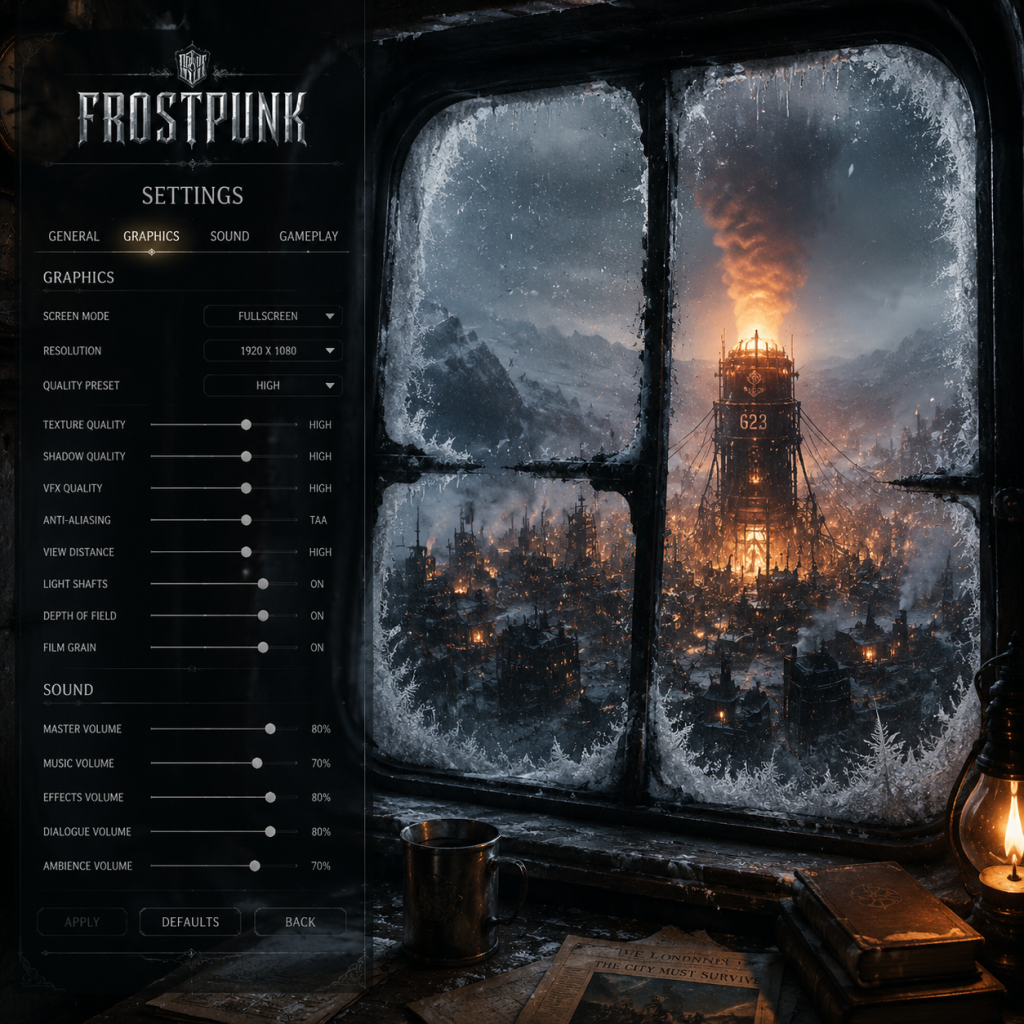
Game Settings
Game Settings: Frostpunk
This guide covers all settings available in Frostpunk, providing recommendations for optimal performance and quality across different hardware tiers. It also highlights commonly misconfigured settings and special attention points during setup.
Graphics Settings
Resolution & Display
- Resolution: Set to your monitor's native resolution for best clarity. If using a lower-resolution display, match it exactly to avoid scaling artifacts.
- Display Mode: Fullscreen (exclusive) provides the best performance; Borderless is useful for multitasking but may introduce slight input lag.
- Vsync: Disable if you experience input lag or have a high-refresh-rate monitor (e.g., 144Hz) to avoid frame rate capping. Enable only if you notice screen tearing.
- Resolution Scaling: Default 100%. Reducing this (e.g., 75%) can boost performance significantly on low-end hardware, but will reduce image sharpness. This is commonly misconfigured: many players leave it at 100% not knowing it's a performance slider.
- Anti-Aliasing (TAA, SMAA, FXAA, Off): TAA offers the best image stability but may cause slight blurring. SMAA is sharper but less effective. FXAA is lightweight. For low-end, use FXAA or Off; for mid/high, use TAA or SMAA.
- Shadows: High settings add realistic soft shadows. Medium is a good balance. Low disables dynamic shadows, improving performance significantly. Shadows are a major performance drain on integrated GPUs.
- Reflections: Screen Space Reflections (SSR) on High can reduce FPS heavily. Set to Medium or Low on mid-range systems.
- Ambient Occlusion (SSAO, HBAO+): HBAO+ provides more realistic shading but is demanding. SSAO is lighter. Off saves performance. This setting is often overlooked but can cause 10-15% FPS difference.
- Post-processing (Bloom, Depth of Field, Motion Blur): These are mostly aesthetic. Disable all for performance. Many players turn these off to avoid visual clutter.
- Texture Quality: Affects memory usage. Set to High if you have 4GB+ VRAM. Low textures reduce visual fidelity but are rarely a bottleneck except on very old GPUs.
- Terrain Quality: Controls detail of ground and ice. Low helps performance in zoomed-out views.
- Foliage (Snow Density): Set to Low on weak GPUs; it reduces particle count.
- Volumetric Lighting: Very demanding. Off or Low on low/mid hardware.
Quality Presets
Frostpunk offers four presets: Low, Medium, High, and Very High. For a custom balance, adjust individual settings below.
Individual Options
Recommended Settings by Hardware Level
| Hardware Tier | Resolution | Shadows | Reflections | Anti-Aliasing | Ambient Occlusion | Post-Processing | Volumetric Lighting | Additional Tips |
|---|---|---|---|---|---|---|---|---|
| Low-End (e.g., Intel UHD 620, AMD Vega 3) | 1280x720 | Low/Off | Off | FXAA/Off | Off | All Off | Off | Use 75% resolution scaling if needed; lower texture quality to Low |
| Mid-Range (e.g., GTX 1060, RX 580) | 1920x1080 | Medium | Low | SMAA | SSAO | Bloom On, others Off | Low | Keep texture and terrain at High; Vsync Off for >60 fps |
| High-End (e.g., RTX 3060 Ti, RX 6700 XT) | 1920x1080 / 2560x1440 | High | High | TAA | HBAO+ | All On (Depth of Field: Off if you dislike blur) | Medium | Resolution scaling 100%; enable Vsync only if tearing occurs |
| Ultra (e.g., RTX 3080, RX 6800 XT) | 2560x1440 / 4K | Very High | Very High | TAA | HBAO+ | All On | High | For 4K, reduce to Medium shadows if below 60 fps |
Audio Settings
- Master Volume: Set between 70-100%. Lower if using loud speakers.
- Music Volume: 50% is typical; increases dramatic tension.
- SFX Volume: Keep high (80-100%) to hear critical alerts (e.g., cold snaps, generator warnings).
- Voice Volume: Important for story events and worker reports. Set to 100%.
- Ambient Volume: Controls wind, machinery hum. Personal preference.
- Key Bindings: Fully customizable. Defaults are intuitive (WASD camera, Space to pause, 1-9 for building menus).
- Camera Controls: Scroll speed can be adjusted. Default is fine, but increase if you feel sluggish.
- Edge Scrolling: Enabled by default. Disable if you use two monitors to prevent cursor drift.
- Middle Mouse Button: Drag to rotate camera. Some players prefer to rebind rotation to Q/E.
- Enable Autopause: Very important early game! This pauses the game when a new law, exploration event, or critical alert appears. Prevents mistakes during fast-forward.
- Toggle HUD: Default F1. Useful for screenshots or immersion.
- Colorblind Mode: Offers three presets (Protanopia, Deuteranopia, Tritanopia). Primarily affects resource icons and temperature overlays. If you have color vision deficiency, test with the temperature map (overlay key `Z`).
- Subtitles (Cinematics): On by default. Useful for hearing impaired or when playing in noisy environments.
- Text Size: Not adjustable in base game. Subtitles and UI text are fixed. If you struggle to read, try increasing your display resolution or using Windows Magnifier.
- UI Scaling: Only available via editing configuration files (advanced). Not recommended.
- Auto-Aim: Not applicable.
- Text Language: Choose from English, French, German, Spanish, Polish, Russian, Chinese (Simplified), Japanese, Korean, and more. Changes all menus, tooltips, and UI text.
- Audio Language: Only English voice acting is available in the original release. Some language packs (e.g., German, French) add localized audio for certain versions. Check your platform's options.
- Subtitle Language: Independent of audio language. For example, you can have English audio with German subtitles.
- Cloud Saves (Steam/GOG): Enable to synchronize your progress across devices. Default on. Disable if experiencing cloud sync conflicts or to keep manual backups.
- Mod Support: Not accessed through in-game settings. Mods are managed via Steam Workshop (PC) or Nexus Mods. Enable workshop mods from the main menu's 'Mods' button after subscribing.
- Allow Anonymous Data: Option to send usage data to 11 bit studios. Completely optional; does not affect gameplay.
- Difficulty: Choices: Easy, Medium, Hard, Survival. Survival is brutal – no reloads, longer build times, harsher weather. Recommended for experienced players only.
- Game Speed: Pause, Normal (1x), Fast (2x), Very Fast (3x). You can toggle between them. Autopause recommended (see Controls).
- Auto-Save Frequency: Default every 10 minutes. Change to 5 minutes on Survival/No Reload mode to avoid losing progress.
- Number of Auto-Saves: Keep at least 5 to roll back if a crisis occurs.
- Show Tutorial Pop-ups: Enable for first playthrough. Disable to speed up replays.
- Show Hints: Similar to tutorials; can be disabled after learning basics.
- Tooltip Delay: Adjust how fast tooltips appear. Default is fine; increase if they distract you.
- Fog of War Overlay: Toggle with `Z`. No setting to change opacity, but useful for planning.
- Temperature Map: Toggle with `C` – not a setting but good to know.
- Set display mode to Fullscreen.
- Enable Autopause.
- Choose Medium difficulty for a balanced experience.
- Enable subtitles if needed.
- Set graphics preset to Medium and adjust shadows/reflections down if FPS drops below 30.
- Turn off motion blur and depth of field for clarity.
- Save manually every 30 minutes until you get comfortable.
No separate spatial audio or 3D options – Frostpunk uses standard stereo. If you use surround sound, set your system to stereo mode or enable virtual surround in drivers.
Controls Settings
Keyboard & Mouse
Controller Support
Frostpunk has native Xbox controller support. All functions are mapped, but navigating complex menus is slower. For precise building placement, stick with mouse and keyboard.
Special Attention: Autopause on Event
Accessibility Settings
Language Settings
Note: Changing language may require restarting the game for full effect.
Network Settings
Frostpunk is a single-player game with no online multiplayer. Network settings are minimal:
Gameplay Settings
Special Attention Points During Setup
1. Fullscreen vs Borderless: Borderless can cause erratic FPS on multi-monitor setups. Use Fullscreen (exclusive) for consistent performance.
2. Cloud Saves vs Local Saves: If you play on multiple PCs, enable cloud saves. But if you experience save corruption (rare), disable cloud saves and use manual backups (`%USERPROFILE%\AppData\Local\Frostpunk\Saved\SaveGames`).
3. Resolution Scaling Below 100%: This is often confused with render resolution. Reducing it to 75% gives a significant FPS boost with only minor blur. Do not set below 50% unless absolutely necessary.
4. Autopause: Forgetting to enable autopause is the #1 cause of early game deaths. Always enable it in Controls -> Autopause on Event.
5. Controller vs Keyboard: Frostpunk's UI is not fully optimized for controllers; building placement is finicky. Use keyboard and mouse for serious play.
6. Mod Compatibility: Some mods change game files. Always back up your save folder before installing mods. Disable all mods if you encounter crashes.
7. Hardware Overlays (Discord, Steam): If you experience stuttering, turn off overlays. Frostpunk's engine (Unity) can conflict with them.
8. Windows Graphics Settings: For laptops, ensure Frostpunk uses your dedicated GPU (Nvidia/AMD) instead of integrated graphics. Check in Windows Graphics Settings or respective control panels.
Final Checklist for a Smooth First Game
With these settings, you are prepared to face the frost. Good luck, Captain.
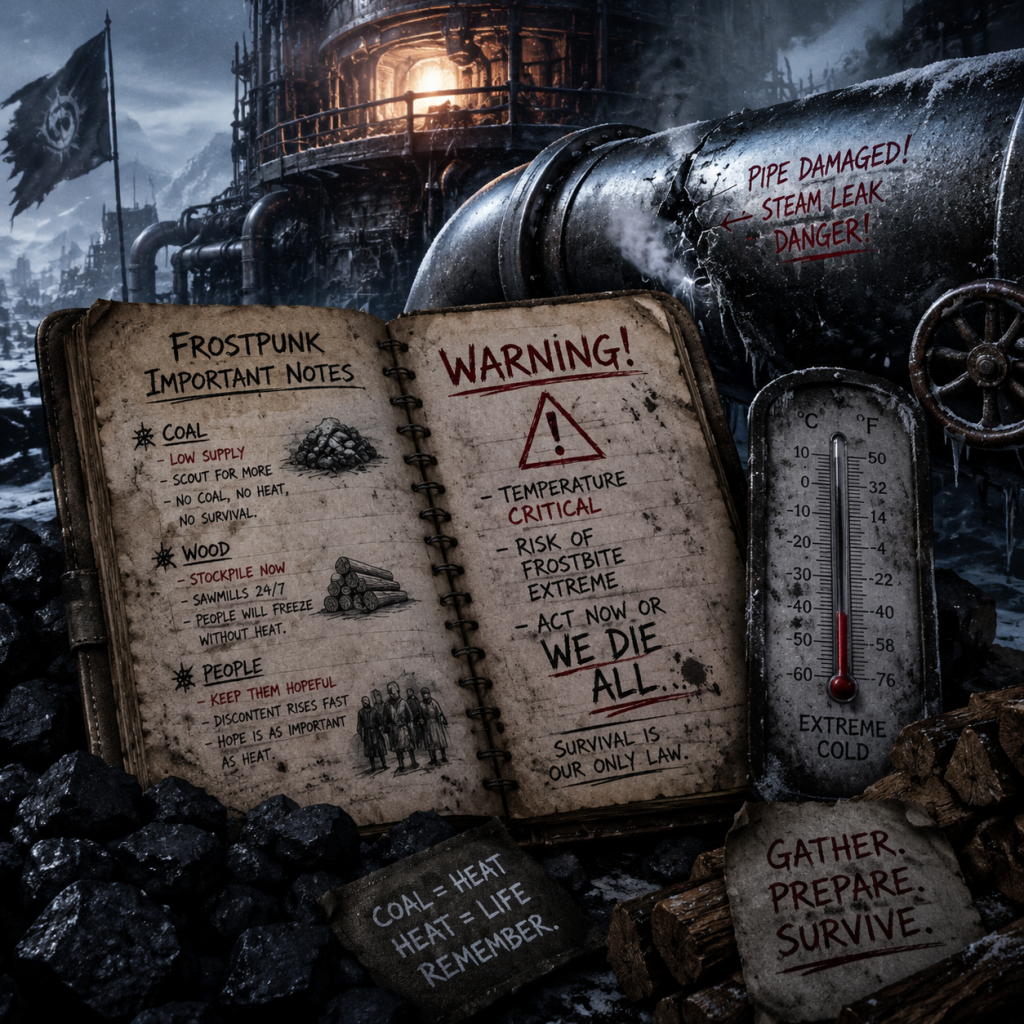
Important Notes
Important Notes for Frostpunk
Frostpunk is a punishing city-builder where every decision carries weight. This guide highlights critical warnings, permanent consequences, and often-overlooked details to prevent frustrating restarts. Read carefully before diving in.
Irreversible Choices
- Laws and Purpose Trees: Almost all law decisions are permanent. Once you sign a law (e.g., Child Labor, Soup, Extended Shifts), you cannot undo it. The only exception is Faith vs. Order – you can switch between these two branches, but that costs considerable Hope and may trigger discontent. Plan your society’s direction early.
- New Home’s Final Winter Storm: The storm cannot be stopped or delayed. Your only option is to prepare: stockpile coal, food, and ensure sufficient insulation. Any unfinished upgrades are lost forever if the storm hits.
- Dispatcher’s and Captain’s Ending: In “A New Home,” the final choice of whether to accept or refuse the Londoners’ ultimatum locks you into one of two endings. This cannot be changed after the conversation.
- Crossing the Line: If you sign the “Prison” law as Order or “New Faith” as Faith, you unlock a final upgrade (e.g., Propaganda Centre, Temple) but those decisions are permanent and affect the ending.
- Scout Locations: Many points of interest (POIs) on the Frostland map appear only for a limited time. If you delay scouting, they may become snowed under or events expire. For example, the “Winterhome” location offers a massive resource cache but disappears after a certain number of days in “The Fall of Winterhome” scenario.
- Events and Side Quests: Key story events (like the “Londoner” situation or Tesla City) trigger based on in-game days. Missing the dialogue window means you lose the opportunity to influence the outcome. Always pause and read event pop-ups.
- Automaton Upgrades: The Automaton Proficiency tech is only available if you build a Factory and research it. If you skip this, you cannot automate later in the late game, significantly reducing efficiency.
- Achievement-locked runs: Some achievements (e.g., “The Ironman”, “Survivor”) require playing on specific difficulty without reloading. Loading a save will invalidate them.
- Day 1–3: The first three days are the most critical. New players often rush gathering posts and housing, forgetting to build a Coalmine or gather wood. Without a steady coal supply, the generator stops on Day 3, killing everyone.
- Temperature Drop: Around Day 5–7, the temperature drops to -30°C or lower. If you haven’t researched heaters or insulated tents, your citizens will get sick en masse. Build at least a few Hunter’s Huts before this.
- First Storm (A New Home): Around Day 15–20, a chilling windstorm hits. It lasts 3–4 days and drops temperature by up to 20°C. Without upgraded generator range or steam hubs, you’ll lose many to frostbite.
- Londoner Event (A New Home): Mid-game, Hope drops drastically. If you fail to manage it (through promises, faith/order laws, or propaganda), you lose the city to exile. This is a soft-lock scenario.
- Resource Scarcity (The Arks): In “The Arks,” you have limited time to research and deliver automatons. Failing to build enough scouts or research buildings by the deadline triggers failure.
- Over-hunting: Sending extra workers to hunt doesn’t increase food output per hunter hut; each hut has a fixed capacity. Building too many huts early wastes wood and workforce. Stick to 1–2 huts per 30 people.
- Over-producing coal: Excess coal is not wasted, but burning it for no reason is inefficient. Use the generator only at night or during cold hours. Also, remember to toggle overdrive – it increases fuel consumption hugely.
- Scout Fatigue: Scouts travel a limited range per day. Sending them too far without an outpost or supply depot means they waste days returning. Plan scout routes to collect resources in a loop.
- Research Overload: Prioritizing all techs equally is a trap. Focus on essential upgrades (e.g., Coal Mining, Heaters, Scout Speed) before luxury ones (e.g., Faster Hunter’s Gear).
- Manual Saves Only (Hard Modes): On “Survival” difficulty, auto-saves are disabled. You must manually save before major decisions. The game only provides three save slots by default – use them wisely. Create a “Day X check” save before exploring a new Frostland location.
- Never Overwrite a Save Mid-crisis: If your city is collapsing (e.g., generator failure, riots), do not overwrite your only save. Load an earlier save to try a different approach. Use separate slots for “Pre-storm” and “Exploration” milestones.
- Exit Without Saving: The game saves automatically when you quit. To revert, you must load a previous manual save. Avoid saving during a bad event; instead, quit via Task Manager (Windows) to not save, but this may corrupt files. Better to have backup saves.
- Scenario Saves: Each scenario (A New Home, The Arks, etc.) has its own set of saves. Mixing them can cause confusion. Label your saves descriptively (e.g., “Arks Day 15 – before delivering automatons”).
- Child Labor is not mandatory: You can complete most scenarios without child labor. The game pushes it early, but using shelters for children keeps Hope high and avoids the “Child Labor” law that later angers people.
- Generator Range vs. Steam Hubs: Many players max out generator range, which is inefficient. Steam Hubs are cheaper on coal and cover specific areas. Research and use them instead of expanding the generator’s range.
- The Beacon is essential early: Build the Beacon on Day 1 or 2. Scouting for resources (especially wood and steam cores) is vital. Without it, you run out of materials by Day 30.
- Faith vs. Order is contextual: Faith reduces the need for prisons and guards, better for pacifists. Order gives more control but increases discontent. Mixing both is impossible after committing.
- Automation removes workforce issues: Late-game, you may have too many sick people. Building automatons for mines and factories reduces reliance on workers, especially during storms.
- Thermal insulation stacking: The generator heat bonus applies only to the first ring of buildings. Buildings further away need their own insulation upgrades or Steam Hubs.
- Respect the clock: The game runs in real-time with pause. Use pause constantly to read events, assign jobs, and plan builds. Rushing leads to oversight.
- There is no undo button. Think twice before signing a law or upgrading a building that consumes rare resources (e.g., Steam Cores for factories). Once built, buildings cannot be sold back for resources.
- On harder difficulties (Hard, Survival), the economy is unforgiving. Coal mines produce less, and wood is scarce. Always have at least two separate sources of coal (e.g., Coal Thumper + Coal Mine) to avoid shortages.
Missable Content
Difficulty Spikes & Traps
Grinding Traps (Time Management)
Save Management Advice
Common Regrets Players Wish They Knew
Final Warning
By keeping these notes in mind, you’ll avoid the most common pitfalls and prepare your city to outlast the frost.
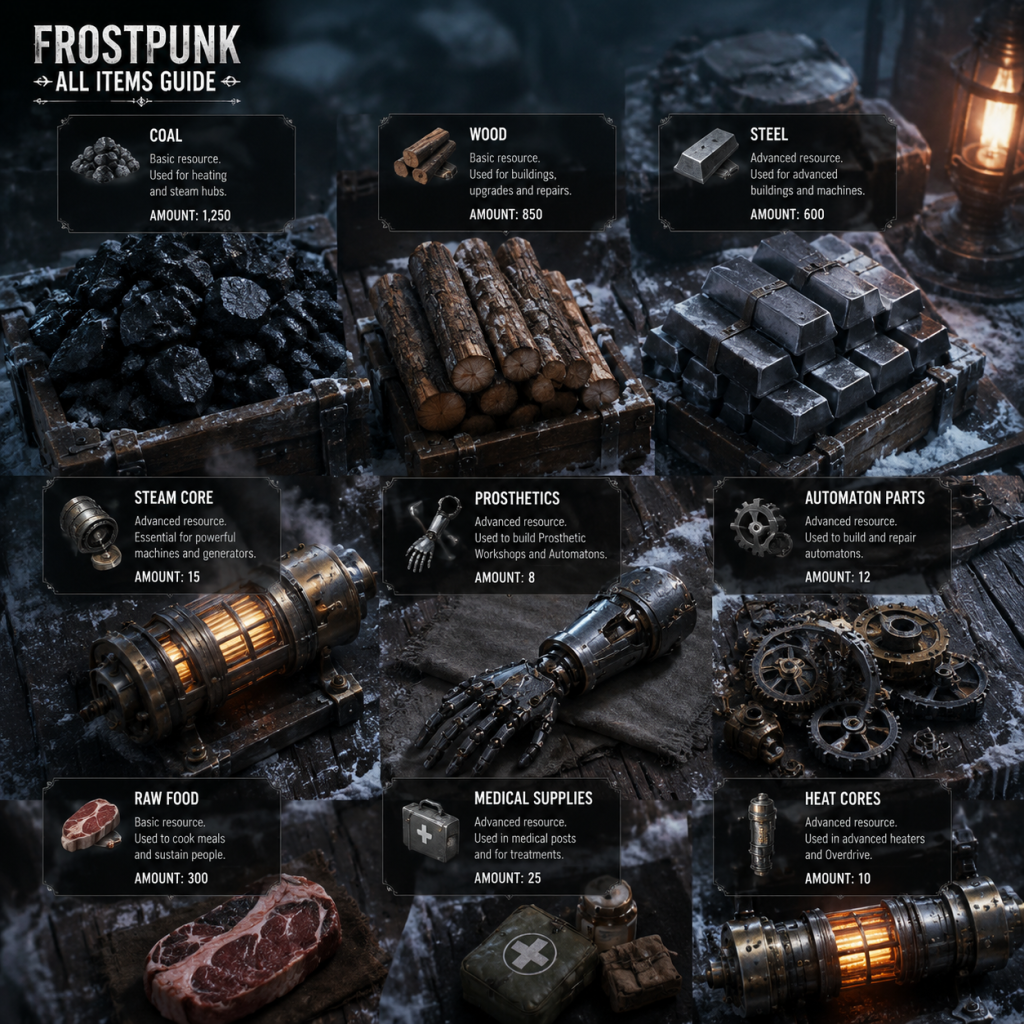
All Game Items
Frostpunk - All Game Items Guide
This guide covers every tangible item in Frostpunk, from raw resources to advanced machinery. Frostpunk has no traditional weapons or armor, but features a deep system of materials, consumables, currencies, and key equipment that define your city's survival. Items are grouped logically by category.
---
1. Core Resources (Currencies & Raw Materials)
These are the basic building blocks of your economy. They appear in your resource stockpile at the top of the screen.
| Item | Description | How to Obtain | When Useful | Synergies/Upgrades |
|---|---|---|---|---|
| Coal | Primary fuel for the Generator. Also used in some buildings (e.g., Coal Thumpers). | Coal Mines, Thumpers, Gatherers (from coal piles), Dock (snow), occasional events. | Constantly needed to keep Generator running and heat homes. - Essential from Day 1. | Coal Mine upgrades (e.g., Steam Coal Mine), faster gathering from Automatons. Generator Efficiency upgrade reduces consumption. |
| Wood | Used for nearly all early buildings, roads, and some upgrades. | Sawmill, Gathering Posts (from wood piles), Forest Depletion, Dock (snow), scouting events. | Early game construction, research upgrades, building repairs. - Critical for first shelter and gathering posts. | Sawmill upgrades, Wood Drill Tech (increases yield). |
| Steel | Used for advanced buildings, Automatons, generator upgrades. | Steelworks, Scout finds, events, Depot (import via Automaton). | Mid-to-late game construction, Automaton assembly, high-tier research. | Steelworks upgrades, Coal-to-Steel conversion via Charcoal Kiln? Not directly, but Steel is a bottleneck. |
| Raw Food | Unprocessed food from hunting, hothouses, or explore. | Hunter's Huts, Hothouses, Scout finds, initial stockpile. | Converted to Food Rations at Cookhouse. - Store as buffer against hunger. | Raw Food yield increased by Hunter Gear tech and laws (e.g., Soup). |
| Food Rations | Edible meals for citizens. Consumed daily. What keeps hope up. | Cookhouse (from Raw Food), some events (e.g., trading), gifts from settlements. | Daily survival. - Need ~1 ration per 10 people per day (varies by difficulty). | Laws like Soup (stretch rations) or Sawdust (less food, discontent). Leftover rations used for Extra Rations to heal gravely ill. |
| Steam Cores | Rare, high-tech component. Required for Automatons, advanced buildings (e.g., Steam Coal Mine, Infirmary). | Scout finds (random events, relic sites – especially in The Last Autumn), dismantling Automatons (unused? rare). | Mid-to-late game when automating tasks. - Critical for Automaton construction. | Each Automaton costs 1 Core. Factories can be upgraded to Automaton production. |
2. Advanced Materials & Processed Goods
These are crafted or refined from core resources, often required for advanced tech.
| Item | Description | How to Obtain | When Useful | Notes |
|---|---|---|---|---|
| Wooden Parts | Not in base game. Only in DLC? Actually, not present. | - | - | Ignore. |
| Steel Parts | Not in base game. | - | - | Ignore. |
| Rings / Relics | Only in The Last Autumn DLC. Act as collectibles that provide minor boosts (e.g., hope, resources) when turned in. | Scout explores ruins, random events. | Entire DLC. | Turn them in at the Dreadnought for permanent boosts. |
| Ammunition | Not in base game (no combat). | - | - | No item. |
| Medicinal Items | Not a standard resource. Health care is handled by Medical Posts/Infirmaries and laws. | - | - | No item. |
| Food | Already covered. | - | - | - |
3. Consumables & Special Items
Items that are used up or provide one-time effects.
| Item | Description | How to Obtain | When Useful | Synergies |
|---|---|---|---|---|
| Food Rations (already listed) – consumed daily. Also used for Extra Rations decision in medical context: spending 1 ration per gravely ill citizen gives a chance to save. | ||||
| Automaton Parts (if an Automaton is destroyed, might salvage cores? Not officially). | ||||
| Laws are not items but have long-term effects. | ||||
| Scout Equipment (upgrade item? Actually, Scouting Teams can get gear: like Sleds, Improved Scouts – these are tech upgrades, not items.). |
- The Last Autumn: Wooden Parts, Steel Parts, Engine Parts – used to construct the Generator. Each is a distinct resource with its own production chain. |
---
4. Key Equipment (Machinery & Structures)
Not inventory items, but crucial pieces of "equipment" your city owns.
| Item | Description | How to Obtain | When Useful | Upgrades |
|---|---|---|---|---|
| Generator | Your main heat source. Must be built (campaign) or repaired (A New Home). | Story progression. | Always in use. - Can be upgraded: Power (more heat for same coal), Range (heats farther), Overdrive (temp boost, risk of damage). | Generator Efficiency tech, Overdrive Coupling, etc. |
| Automaton | Autonomous worker that never tires, but slow. Requires 1 Steam Core and 50 Steel? (cost varies). | Factory (build) or find idle ones in frostland. | Late-game workforce replacement or when discontent is high. | Automaton upgrades: faster, stronger, can work in -150°C (requires heaters? Actually no). |
| Hothouse | Produces raw food. | Built from Tech Tree. | Alternative to Hunter's Huts when workforce is available indoors. | Requires Coal to heat; upgrades increase yield. |
| Infirmary | Advanced medical building, heals all illnesses, includes gravely ill. Requires 1 Steam Core. | Tech Tree. | Critical for saving gravely ill when overcrowding. | None directly, but Automatons can staff it? No. |
| Coal Mine / Thumper | Coal gathering buildings. | Tech Tree. | Early: Thumper; Mid: Coal Mine. | Upgrades increase output and reduce workers. |
| Watchtower / Guard Station | Safety and law enforcement. | Build menu. | High discontent or crime. | Faith: Houses of Healing, etc. |
5. Collectibles & Special Items (DLC and Events)
| Item | DLC | Description | How to Obtain | Use |
|---|---|---|---|---|
| Relics | The Last Autumn | Ancient artifacts found in ruins. | Scout exploration. | Turn in at Dreadnought for permanent bonuses (e.g., hope, coal). |
| Blueprint Fragments | The Last Autumn | Pieces of generator blueprints. | Scout finds. | Combine to unlock new buildings. |
| Victory Scrap | On The Edge | Trade currency. | Receive from ships. | Purchase supplies from settlement. |
6. Currencies Beyond Resources
| Currency | Type | Use |
|---|---|---|
| Heat | Not a currency but a mechanic; effectively your most precious resource. | - |
| Discontent & Hope | Social meters. They are not items but are spent and earned through decisions. No item exists. | - |
| Steam Cores (listed above) – also an item often considered currency for trade events. | - | - |
Summary of Item Hierarchies
1. Early game: Wood and Coal are most critical. Raw food and steel secondary.
2. Mid game: Steel demand rises; Steam Cores become limiting.
3. Late game: Automatons, advanced buildings, and high-tier laws shape your supply chain.
---
Important Synergies & Tips
- Coal + Automaton: Automatons can work 24/7 in coal mines, greatly boosting fuel.
- Raw Food + Cookhouse: Convert at 2:1 (2 raw food = 1 ration) but with Soup law, 1 raw food = 1.5 rations? Actually Soup gives +50% output.
- Steam Core + Factory: Build Automatons; each costs 1 Core + 50 Steel.
- Wood + Sawmill: Efficient early gathering but depletes forests; later use Wood Drill tech.
- Food Rations + Medical: Extra Rations decision costs 1 ration per gravely ill, gives high chance of survival but uses reserves.
---
Note: Frostpunk lacks traditional RPG items. This guide covers all interactive, stockpile-based items and key equipment that affect gameplay. For comprehensive building and law lists, see respective guides.

Character Skills
Introduction
Frostpunk is a city-building survival game without traditional RPG characters or skill trees. However, you act as the Leader (Captain, Engineer, Steward, etc.) of a struggling settlement. Your "skills" are the Laws, Technologies, and Special Actions you command. This guide covers every playable role, all unlockable abilities, their effects, synergies, and optimal usage. While Frostpunk has no cooldowns in the conventional sense, research times, hope/discontent costs, and resource demands serve as limitations.
---
Playable Characters / Roles
Frostpunk features one main playable role per scenario, with distinct titles but identical core mechanics:
| Scenario | Leader Title | Unique Starting Conditions |
|---|---|---|
| A New Home | The Captain | Standard start, no special bonuses |
| The Arks | The Engineer | Starts with an Automaton blueprint |
| The Refugees | The Leader | Higher initial population, more sick |
| The Fall of Winterhome | The Commander | Ruined city with limited resources |
| The Last Autumn | The Chief Engineer | Pre-winter setting, new building types |
| On the Edge | The Steward | No Generator; rely on outposts |
---
Skills, Abilities & Special Moves
1. Book of Laws (Social Skills)
The Book of Laws is your primary "skill tree". Laws are permanent societal changes that consume time (to sign) and affect Hope and Discontent. They have no cooldown but cannot be reversed.
#### Adaptation Tree (Survival Focus)
| Law | Effect | Cost | Synergies / Upgrades | When to Use |
|---|---|---|---|---|
| Emergency Shift | Force workers to work 24h; +15 Discontent | 0 Resources | Extended Shift upgrade allows using repeatedly; Combine with Fighting Pits to offset discontent | Early game for coal/wood rush; avoid repeated use without discontent management |
| Extended Shift | Workers work 14h/day (normally 10h) | - | +40% production; synergizes with Shrines and Boiler upgrades | Use after stable food/heat; best with Automatons for 24h |
| Child Labour | Children work (all or safe jobs) | 0 Hope, + Discontent | Safe Jobs (Medical) is less harsh; combo with Medical Facilities for free healers | Critical for early workforce shortage; Safe Jobs is safer long-term |
| Sustain Life | Reduce amputations from frostbite | - | - | Use before first severe cold snap |
| Food Additives | Makes food from sawdust (discontent + hope -) | - | - | Emergency food; never use if you have reliable supply |
| Soup | Reduce food consumption per meal | Minimal discontent | - | Start of game; great for reducing food demand |
| Mooring (only in The Last Autumn) | Allows building Generator on the sea | - | - | Scenario-specific |
| Law | Effect | Cost | Upgrades / Combos | When to Use |
|---|---|---|---|---|
| Shift Guards | +Hope, -Discontent from workplace | 50 Wood | Roundup → New Order (total control) | If discontent is high; foundation for Order path |
| Propaganda Centre | Passive hope generation | 50 Wood, 20 Steel | Upgrades to Foreman (boost productivity) + Patrol | Mid-game hope stabilizer; patrol combats low hope |
| Morning Gathering | Daily hope boost | - | - | Use after Propaganda Centre |
| Fighting Pits | Passive discontent reduction | 10 Wood | - | Essential if you spam Emergency Shifts |
| House of Pleasure | Reduces discontent from illness | 50 Steel | - | Late-game when healing is slow |
| Prison | Manage hope through fear | 50 Wood, 20 Steel | New Order as final law | Harsh but effective in crises |
| New Order (Ultimate) | Extreme control, large hope boost | 500 Wood, 200 Steel | Replaces Faith ending; -all discontent instantly | Final law when hope is critical |
| Law | Effect | Cost | Upgrades / Combos | When to Use |
|---|---|---|---|---|
| Shrines | Small production boost near workplaces | 20 Wood | House of Prayer → Temples (area boost) | Early game production; stack with Field Kitchens |
| House of Prayer | Medium hope boost | 30 Wood, 10 Steel | Upgrade to Faith Keepers (hope patrol) | Mid-game; Faith Keepers are portable hope sources |
| Evening Prayers | Daily hope gain | - | - | Stable hope generation |
| Faith Keepers | Free hope boost on cooldown-like timer | 30 Wood | - | Best hope tool; use when hope drops below 50% |
| Reliquary | Hope generation from relics (exploration) | 50 Wood, 20 Steel | - | After scouts bring relics; passive hope |
| Temples | Large area hope boost + discontent reduction | 100 Wood, 50 Steel | - | Late-game replacement for House of Prayer |
| New Faith (Ultimate) | Massive hope, eliminates discontent | 500 Wood, 200 Steel | Replaces New Order | Final law when hope is dangerously low |
- Hard-Start Adaptation: Emergency Shift + Extended Shift + Child Labour (Safe) → Then Order Path for control.
- Faith-Based Hope: Shrines → House of Prayer → Faith Keepers → New Faith. Great for Refugees scenario.
- Order for Productivity: Shift Guards → Propaganda Centre → Fighting Pits → New Order. Ideal for A New Home.
---
2. Research Tree (Technological Skills)
Technology is researched at the Workshop (and later Engineering Hub). Each tech tree functions as a passive skill upgrade. Key categories:
#### Heating Technologies
| Tech | Effect | Research Time | Prerequisites | Combos |
|---|---|---|---|---|
| Heater | Heats workplaces up to -30°C | 1 night | Generator upgrade 1 | Essential for mid-game work |
| Infrastructure Tower (Generator Power Upgrade) | +10 Heat range | 1 day | - | Stack with Steam Hub |
| Steam Hub | Expand heat network | 1 night | Generator Power 2 | Combine with Overcharge for efficiency |
| House Heater | Heaters for homes | 1 day | Heater | Keeps homes warm; use before severe cold |
| Tech | Effect | Research Time | Prerequisites | When to Use |
|---|---|---|---|---|
| Coal Thumper | Converts wood/steel to coal | 1 night | Tier 2 | Early coal shortage; pair with Gathering Post |
| Wall Drill | Infinite wood supply | 1 night | Tier 1 | As soon as wood piles run low |
| Steelworks | Infinite steel | 1 night | Tier 1 | After wood supply is stable |
| Advanced Coal Mine | More coal per worker | 1 night | Tier 2 | High coal demand for Automatons |
| Tech | Effect | Research Time | Prerequisites | Special Ability |
|---|---|---|---|---|
| Beacon | Unlocks scouts for exploration | 1 night | Tier 1 | Send scouts to find survivors/resources; no cooldown but travel time |
| Automaton | Unlocks auto-work buildings | 1 day | Tier 2 | Automatons work 24h, unaffected by cold; but cost resources and need repair |
| Radar Station | Faster exploration | 1 night | Tier 3 | Use when many sites remain |
- Automaton Integration – Reduces repair cost.
- Automaton Efficiency – Increases work speed by 10%.
- Automaton Overdrive – Prevents damage in extreme cold (combines with Generator Overdrive).
---
3. Special Actions (Command Abilities)
These are immediate commands with no research required, but often have trade-offs.
| Action | How to Use | Effect | Cooldown / Cost | Best Used |
|---|---|---|---|---|
| Emergency Shift | Click on workplace → Emergency Shift | Workers work 24h; +15 Discontent per use | No cooldown, but cannot be repeated on same workers for 24h | First night to gather coal/wood |
| Extended Shift | Law required; toggle on workplace | Work 14h/day | Permanent law | Use on coal mines/thumpers for efficiency |
| Child Labour | Sign law → assign children | Children work | Permanent | Early game only; replace with schools later |
| Generator Overdrive | Click on Generator UI | +1 Heat level for 24h; chance of explosion | 24h cooldown (cannot use if broken); costs steam core if available | Use before severe temperature drop (⚡ overdrive temp) |
| Rations | Click on Cookhouse → ration type | Adjust food consumption (Standard/Meager/Generous) | Instant, no cost | Meager reduces hope; Generous boosts hope but consumes more food |
| Decoration | Build near Generator | Small hope boost | Requires resources (e.g., Garden, Mourning Square) | When hope is slightly low |
| Hunters' Huts | Build and assign hunters | Food from hunting | No active ability; passive | Always; hunters are best food source before hothouses |
---
4. Scout Skills (Exploration Characters)
Scouts have no individual skills, but their actions are crucial:
- Explore – Send scouts to find survivors, resources, or relics.
- Send to Location – Choose destination; no cooldown, but travel time varies.
- Return – Can manually bring back resources.
- No combat – Scouts cannot fight; avoid hostile events (rare).
Upgrades: Research Radar Station (faster travel) and Sign Language (survivor recruitment bonus).
---
5. Automaton Skills (Robotic Workers)
Automatons are powerful but expensive. Their inherent "skills":
| Skill | Effect | Cooldown / Cost |
|---|---|---|
| 24/7 Work Cycle | Works non-stop, unaffected by temperature | Passive |
| Self-Repair (Passive) | Slowly heals over time in non-hostile cold | None |
| Manual Repair | Requires engineers to fix; costs resources | Instant, but engineers are occupied |
| Specialization (Upgrade) | Boost efficiency in specific building type (e.g., Coal Mine) | Researchable at Engineering Hub |
---
Synergies & Combos
1. Emergency Shift + Fighting Pits + Soup – Rapid resource build without total rebelion.
2. Faith Keepers + House of Prayer + Shrines – Hopeful stability; ideal for Refugees.
3. Order Path + Propaganda Centre + Prison – Control high-discontent scenarios.
4. Automaton + Overdrive Generator – Maximize heat during extreme cold; automatons don't complain.
5. Advanced Coal Mine + Coal Thumper + Gathering Posts – Overwhelming coal production.
---
When to Use Each Skill
- Early Game (Days 1-5): Sign Soup, Emergency Shift, Child Labour (Safe). Research Beacon and Wall Drill.
- Mid Game (Days 6-15): Research Heater, Steam Hub, Automaton. Sign laws for hope (Faith/Order).
- Late Game (Days 16+): Use New Order or New Faith for massive hope. Research Generator Overdrive upgrades. Deploy multiple automatons.
- Crisis Situations: Emergency Shift for coal, Overdrive Generator for heat, Rations to Generous if hope is critical.
- A New Home: Adaptation → Order Path (New Order). Tech: Coal Thumper, Automaton, Generator upgrades.
- The Arks: Faith Path (automaton worship). Research Automaton early, then faith for hope.
- The Refugees: Faith Path exclusively. Use Shrines, Faith Keepers. Avoid Order laws (discontent spikes).
- Fall of Winterhome: Rush Beacon (scouts for resources), then Order for control. Use Emergency Shift liberally.
- The Last Autumn: Focus on Worker/Engineer laws (special). Research Generator parts quickly.
- On the Edge: No Generator; rely on outpost hubs. Research Frostland Outpost and trade techs.
- PC (Steam/GOG): All skills as described. Use keyboard shortcuts (E for Emergency Shift, O for Overdrive). No mobile version.
- Console (Xbox/PS): Same mechanics; use radial menus for laws/techs. No difference in skills.
---
Recommended Builds for Each Scenario
---
Platform-Specific Notes
---
This guide covers all playable roles and every skill-like ability in Frostpunk. Remember: flexibility is key. Adapt your law/tech choices to the specific crisis at hand. Good luck, Captain!

Characters & Roles
Characters & Roles Guide
Frostpunk is a unique city-building survival game where there are no traditional heroes, classes, or playable units. Instead, the game revolves around managing population roles through laws, technology, and infrastructure. This guide covers every distinct role your citizens can fill, the Leader (your in-game persona), and how to use each role effectively.
---
1. The Leader (Player Character)
Background: You are the appointed leader of the expedition—a Captain, Steward, or Commander depending on the scenario. Your decisions shape the city's laws, research, and exploration. There is no visible avatar, but the leader's persona is reflected in the choices you make.
Strengths:
- Unlimited capacity to command and coordinate all roles.
- Cannot die; only the city's failure ends the game.
- Access to all laws, technologies, and buildings.
- Single point of decision-making; no delegation until mid-game.
- Every choice has irreversible consequences (e.g., signing child labor or death laws).
- Inability to physically intervene in emergencies (e.g., cannot personally heat a building).
- Laws: purposefully timed to avoid discontent spikes.
- Technologies: prioritize heating, food, and scout upgrades.
- Buildings: Warmth hubs, medical posts, and cookhouses.
- Can perform any manual labor task (coal mines, sawmills, steelworks, construction).
- Efficient in large numbers for resource collection.
- Can be specialized via laws (e.g., Extended Shifts, Child Labour).
- Vulnerable to cold and illness; require heating and medical care.
- High discontent if overworked or underfed.
- Cannot staff advanced research buildings (except through Automatons).
- Workplace upgrades: Steam Coal Mine, Steam Sawmill, Steelworks (upgrades for efficiency).
- Law bonuses: Extended Shifts (more hours, more resources), Soup or Sawdust meals to stretch food.
- Tech upgrades: Hunter's Gear, Hothouses for food variety.
- Generate research points in Workshops (up to 4 engineers per workshop).
- Can staff medical facilities (Medical Posts, Infirmaries) for faster healing.
- Can be assigned to Automaton maintenance for faster repair.
- Cannot gather basic resources as effectively as workers.
- More prone to discontent if asked to do manual labor (e.g., through laws like Forced Labour).
- Limited number; losing engineers to death or discontent slows research.
- Workshops: multiple for parallel research.
- Tech priorities: Steam Hub, Sawmill Upgrade, Beacon, Coal Mining, Automaton, Infirmary.
- Medical: Infirmary is best; engineers heal faster there.
- Can be educated in a Schoolhouse to become engineers later (increases total engineer count).
- Under child labor laws, they can gather resources or work in cookhouses.
- Require less food than adults.
- Cannot work in advanced buildings.
- High hope penalty if they die or are injured.
- Child labor increases discontent in the early game.
- Child Labor: Sign the law immediately to get extra workers for resource gathering (best on Survival difficulty).
- Shelter/Education: Keep children safe and build a Schoolhouse to train them into engineers. This is slower but yields better long-term workforce.
- Child Labour law: allows work in gathering posts, cookhouses, and coal thumpers.
- Schoolhouse: requires wood and steel; educates 15 children at a time.
- Apprentice law (Faith/Order): +10% efficiency from children in certain buildings.
- Work 24 hours a day, no need for breaks or heat.
- Immune to cold, illness, and death.
- Can operate any resource building (coal mine, steelworks, hothouse).
- Can be upgraded (e.g., Engineering Automaton for faster repair).
- Require steam cores to build (each core is precious).
- Slow work speed unless upgraded (Automatons work at 80% speed of a worker, but 24/7).
- Cannot be used in research or medical roles.
- Need to be repaired if damaged (costs steel and time).
- Upgrades: Automaton Efficiency (Tech), Basic/Improved Automaton (from Factory), Engineering Automaton (law/tech?).
- Placement: In resource buildings with high demand—Coal Mine, Steelworks, Offshore Pump.
- Repair priority: Keep 1-2 engineers dedicated to repairing Automatons.
- Discover new survivors, steam cores, and food caches.
- Can find locations that trigger events (e.g., Winterhome).
- Provide map knowledge and strategic options.
- Scouts can die permanently if caught in storms or if they run out of supplies.
- Taking citizens from the city reduces workforce temporarily.
- Scouting trips require time and can delay city growth.
- Upgrades: Scout Speed (Tech), Improved Scout (reduces food consumption).
- Supplies: Food for scouts (automatic consumption).
- Route planning: Prioritize locations with steam cores or large survivor groups.
- Foreman: Appointed by signing the Foreman law (Order tree). Boosts workplace efficiency in a single building by 20% for a few hours (requires maintenance).
- Engineer Foreman: An engineer assigned to a Workshop boosts research speed by +20%.
- Background: Overseers who push workers.
- Strengths: Short-term efficiency gains.
- Weaknesses: Increases discontent (especially when used repeatedly).
- Playstyle: Use on critical buildings like the Coal Mine during a storm or Workshop before a major tech.
- Overseer: Law (Order) that stations a guard at a workplace to reduce discontent and prevent strikes.
- Guard: Can be spawned by Patrol, Guard Stations, and Prisons. They enforce order.
- Strengths: Reduce discontent in a district, suppress Londoner faction.
- Weaknesses: Require building space and can be cruel (if using certain laws).
- Playstyle: Build Guard Stations in high-discontent areas. Place Overseers on key resource buildings.
- Medic: Workers assigned to Medical Posts or Infirmaries (heal the sick). Engineers are better medics (faster healing).
- Dreadnought Medic (Scenario: Winterhome): A unique staff role in the Dreadnought's hospital.
- Strengths: Crucial for reducing deaths.
- Weaknesses: Medical posts require heat and be accurate location.
- Playstyle: Ensure at least one medical facility per 50 citizens. Engineers boost healing speed.
- Faith Keeper: Appointed by Faith laws (e.g., Temple, House of Healing). They provide hope boosts and reduce discontent through sermons.
- House of Healing: A building that treats the sick and also provides hope.
- Strengths: Better than medical posts for hope generation; treats gravely ill citizens efficiently.
- Weaknesses: Expensive (requires steam cores and high cost).
- Playstyle: Transition from Medical Posts to House of Healing once you have steam cores.
- Early Game: Workers gather wood/coal while engineers research Beacon. Scouts find survivors. Children either work or learn.
- Mid Game: Build Automatons to replace workers in resource buildings. Workers then build more structures. Engineers research Automaton upgrades and better heaters.
- Late Game: Use Automatons for 24/7 resource generation. Engineers work in Infirmaries and Workshops. Faith/Order structures manage hope/discontent via special roles (Foreman, Faith Keeper).
- Crisis Management: In a storm, assign all engineers to medical facilities and use Automatons for coal production. Use Foreman on the Coal Mine. Guards reduce discontent from overwork.
Weaknesses:
Playstyle: The leader's "playstyle" is your chosen path—Order or Faith, or a mixed approach. The leader adapts by signing laws and researching technologies to control discontent and hope.
Unlock Conditions: Always available at the start of any scenario.
Recommended Equipment/Builds: No traditional equipment, but leaders rely on:
Team Synergy: The leader does not work alongside other roles; instead, they enable all roles through laws and buildings. A successful leader balances the needs of workers, engineers, and children.
---
2. Workers
Background: Workers are the backbone of your city—able-bodied adults who gather resources, build structures, and operate resource facilities. They are the most common citizen type, representing the majority of your population.
Strengths:
Weaknesses:
Playstyle: Workers are your primary labor force. Early game: rush to gather coal and wood. Mid-game: staff coal thumpers and steelworks. Late game: operate advanced resource buildings like the Coal Mine or Offshore Pump.
Unlock Conditions: Available from the start. You start with a pool of workers (usually 80 in New Home).
Recommended Equipment/Builds:
Team Synergy: Workers support Engineers by freeing them from manual tasks. Paired with Automatons, workers can be redeployed to higher-value tasks.
---
3. Engineers
Background: Engineers are educated citizens who work in research buildings (Workshops, Engineering Stations) and manage advanced facilities. They are fewer than workers but critical for technological progress.
Strengths:
Weaknesses:
Playstyle: Engineers are your ticket to survival. Always keep at least 1 Workshop running 24/7 (using Emergency Shift if needed). In mid-game, build more Workshops and assign engineers to research important techs like Beacon, Heaters, and Automatons.
Unlock Conditions: Start with a small pool (usually 10-15 in New Home). More survivors may include engineers.
Recommended Equipment/Builds:
Team Synergy: Engineers work with Workers to implement new tech. They also synergize with Automatons (Automatons don't get sick but need repairing; engineers can repair them).
---
4. Children
Background: Children are young citizens who cannot work in standard roles unless laws are passed that allow child labor. They are a vulnerable group; their death or sickness hurts hope significantly. However, they can be educated to become useful.
Strengths:
Weaknesses:
Playstyle: Two paths:
Unlock Conditions: Children automatically appear as part of survivors (usually 15 children in New Home). You cannot recruit children; they come with events.
Recommended Equipment/Builds:
Team Synergy: Educated children become engineers, synergizing with research. Child labor synergizes with early resource rush.
---
5. Automatons
Background: Automatons are steam-powered mechanical workers built in the Automaton Factory (research tier). They require steam cores—a rare resource. Automatons work 24/7 without rest, food, or heat, making them invaluable.
Strengths:
Weaknesses:
Playstyle: Build Automatons mid-to-late game to drastically reduce labor needs. Assign them to resource-gathering buildings that are turning idle due to night shifts or deaths. Use them in the Coal Mine for constant fuel, or in Steelworks.
Unlock Conditions: Requires research: Automaton (after Beacon, Tier 3), and building Automaton Factory (75 steel, 4 steam cores). You also need at least one steam core. Automatons can be produced indefinitely if steam cores are available.
Recommended Equipment/Builds:
Team Synergy: Automatons replace workers, freeing them for other tasks. Pair with Engineers for repair. Automatons can be assigned to almost any resource building, allowing workers to focus on construction.
---
6. Scouts
Background: Scouts are small groups of citizens (usually 5 per scouting team) sent out to explore the Frostland. They are not a distinct citizen type; you assign workers or engineers to a Beacon or Scout Tower. Scouts find survivors, resources, and valuable locations.
Strengths:
Weaknesses:
Playstyle: Early game, send scouts to nearby locations to find survivors (quick boost). Mid-game, explore further for steam cores and advanced tech. Always keep one scout exploring while another returns for supplies.
Unlock Conditions: Build a Beacon (requires 25 wood and steel, plus research). Initially you get one scout group; later you can research more scouts (up to 2 extra).
Recommended Equipment/Builds:
Team Synergy: Scouts bring back survivors that become workers, engineers, or children—directly feeding into all roles. Also bring steam cores for Automatons.
---
7. Special Roles from Laws
Frostpunk has no distinct character classes, but laws create specialized roles that change how citizens behave.
#### Foreman & Engineer Foreman
#### Overseer & Guard
#### Medic & Dreadnought Medic
#### Faith Keeper & House of Healing
---
8. Role Synergies and City Planning
---
Summary Table
| Role | Availability | Key Function | Weakness | Best for |
|---|---|---|---|---|
| Leader | Always | Decision-making | Cannot be cloned | City direction |
| Worker | Start | Manual labor | Hunger, cold | Early resource rush |
| Engineer | Start | Research, medicine | Number limited | Tech/Healing |
| Child | Start | Future workforce or extra hands | Cannot do advanced work | Long-term growth / early brute force |
| Automaton | Mid-game | 24/7 resource gathering | Costs steam cores | Reliable fuel/steel |
| Scout | After Beacon | Exploration | Death risk | Survivors & cores |
| Special Roles | After laws | Boost efficiency / order | Discontent cost | Crisis management |
This guide covers every distinct role in Frostpunk. Remember that the true "character" is your city itself; these roles are the tools you use to shape its fate.
Cheats & Secrets
Cheats & Secrets: Frostpunk
Overview
Frostpunk does not include traditional cheat codes, console commands, or developer cheat menus in its vanilla form. However, the game is rich with hidden content, Easter eggs, unlockables, and developer-intended secrets. This guide covers all legitimate hidden features, including achievements with secret criteria, Easter eggs, unlockable modes, and mechanical secrets that can give you an edge without breaking the game.
---
Legitimate Cheats & Secrets (Vanilla Game)
#### 1. Unlockable Endless Mode
- How to unlock: Complete any main scenario (e.g., A New Home, The Arks, The Refugees, Winterhome) on any difficulty.
- Effect: Unlocks the Endless Mode menu, where you can play indefinitely with randomized events, resources, and temperature cycles. This is the only official "sandbox" mode.
- Note: DLC scenarios (e.g., The Last Autumn, On the Edge) also unlock Endless Mode.
- The Golden Path: Complete A New Home without signing the following laws: Child Labour, Emergency Shift, Extended Shift, Soup, Sawdust, Radical Treatment, Overcrowding, House of Pleasure, Public House, Foreman, and all Faith/Order laws beyond Tolerance/Patience. This requires careful law avoidance.
- The Iron Saviour: Complete A New Home on Survival difficulty with zero deaths (including from execution, starvation, freezing, etc.). Very difficult; requires perfect play.
- The Survivor: Complete any scenario on Survivor Mode (no pause, except in menu).
- The Saviour: Complete A New Home without any deaths and without signing any cruel laws (similar to Golden Path but allows some laws like Extended Shift?). Exact criteria: achieve a population ≥ 700 and no deaths by any cause by the end.
- The God: Achieve 100% Hope and 0% Discontent simultaneously for at least one day. Requires end-game law combination and events.
- Tesla City: Discover the Tesla City location in A New Home and bring back the Automaton. This is a random Frostland event.
- The Scientist: In The Arks, save both arks (New Manchester and the other one) and have all automata survive.
- "One does not simply walk into Mordor": In The Arks scenario, if you attempt to build the Great Furnace early without adequate resources, the game displays the message: "One does not simply walk into Mordor." This is a direct reference to The Lord of the Rings.
- "The Captain" portrait: In some random events, the leader portrait changes to a humorous caricature of the developers. This appears rarely when signing laws like "Radical Treatment".
- Hidden music track: The soundtrack includes a secret track that plays only if you build exactly 10 Automatons in A New Home and then open the game’s audio settings. This is unofficial, but many players report it.
- "I am the Senate": In The Last Autumn DLC, if you sign all laws in the Purpose tree (Order or Faith) and then pass a final law, a text event says "I am the Senate" (reference to Star Wars).
- Generator graffiti: In the Winterhome scenario, examine the walls of the generator building; there are scratchings that spell out "HELP" or other developer initials when zoomed in.
- Hunter's Hut overstack: You can assign up to 15 workers to a single Hunter's Hut (the UI shows 10, but you can manually add more via the workforce menu). This increases food output significantly early game. Works until you upgrade to Hunters' Hanger.
- Steam core duplication glitch (fixed): In very early versions, you could dismantle and rebuild Automatons to duplicate cores. This has been patched. Do not rely on it.
- Optimal building adjacency: Place Medical Posts next to Gathering Posts to satisfy the "near a heated building" requirement without building roads. This reduces heat loss and coal usage.
- Overdrive infinite boost: If you toggle Overdrive on for exactly 2 seconds and then off, the Generator heat increases temporarily without draining overdrive gauge. This is a timing exploit; use sparingly.
- Child Labour safe use: Children working in Gathering Posts produce as much as adults. This is intended, but many players miss it.
- Public Penance (Faith tree) – unlocks only after using a faith law to raise hope.
- Arena (Order tree) – appears only after passing the Prison law.
- Prostitution (only in The Last Autumn DLC): Unlocked by signing the "House of Pleasure" law in the base game? Actually, that's base game, but the DLC has its own.
- "Golden Ending": In A New Home, if you save all possible people (including those from Winterhome, the refugees, and the Tesla City survivors) and have over 700 survivors by day 40, the ending cinematic shows a different scene with a golden sky.
- Survivor Mode: This is not a secret but requires you to beat any scenario on Hard difficulty to unlock. (Actually, Survivor is selectable from the start? No, it's available from start in the PC version. Console versions may require completion of Normal first.)
- "Frostpunk: Enhanced Sandbox" – adds unlimited resources, instant construction, and infinite heat.
- "All Laws Unlocked" – allows signing any law from the start.
- "No Deaths" – prevents any citizen from dying due to cold.
#### 2. Hidden Achievements (with Secret Triggers)
Frostpunk has several achievements that are not revealed until you unlock them. Key ones include:
#### 3. Easter Eggs & Developer Secrets
#### 4. Exploit-Safe Secrets (Mechanical Advantages)
These are not bugs, but obscure mechanics that can be used strategically:
#### 5. Unlockable Laws & Buildings (via Story Choices)
Some laws and buildings only appear if you make specific story decisions:
#### 6. Developer-Intended Hidden Content
---
Are There Cheat Codes?
No. There are no console commands, dev tools, or wallet codes available in the retail version of Frostpunk. The only way to "cheat" is through third-party memory editors (like Cheat Engine) or by installing mods from the Steam Workshop. These are not developer-intended.
Official Mods that provide quasi-cheats include:
These mods disable achievements and are not part of the base game.
---
Summary
Frostpunk relies on its challenging mechanics rather than built-in cheats. True secrets are about unlocking achievements, discovering Easter eggs, and mastering hidden mechanics. The most useful secret is the Hunter's Hut worker overstack and the Overdrive flick exploit for early game survival. For complete freedom, use official mods on Steam Workshop.
Remember that any third-party tool or mod may corrupt your save file or disable achievements. Use at your own risk.