Gang Beasts
## Game Introduction: Gang Beasts **Gang Beasts** is a hilarious, physics-based multiplayer brawler developed by the independent studio **Boneloaf** and published by **Double Fine Productions**. First released in early access on **Steam (PC)** in August 2014, the full version launched on **December...
Download & Installation
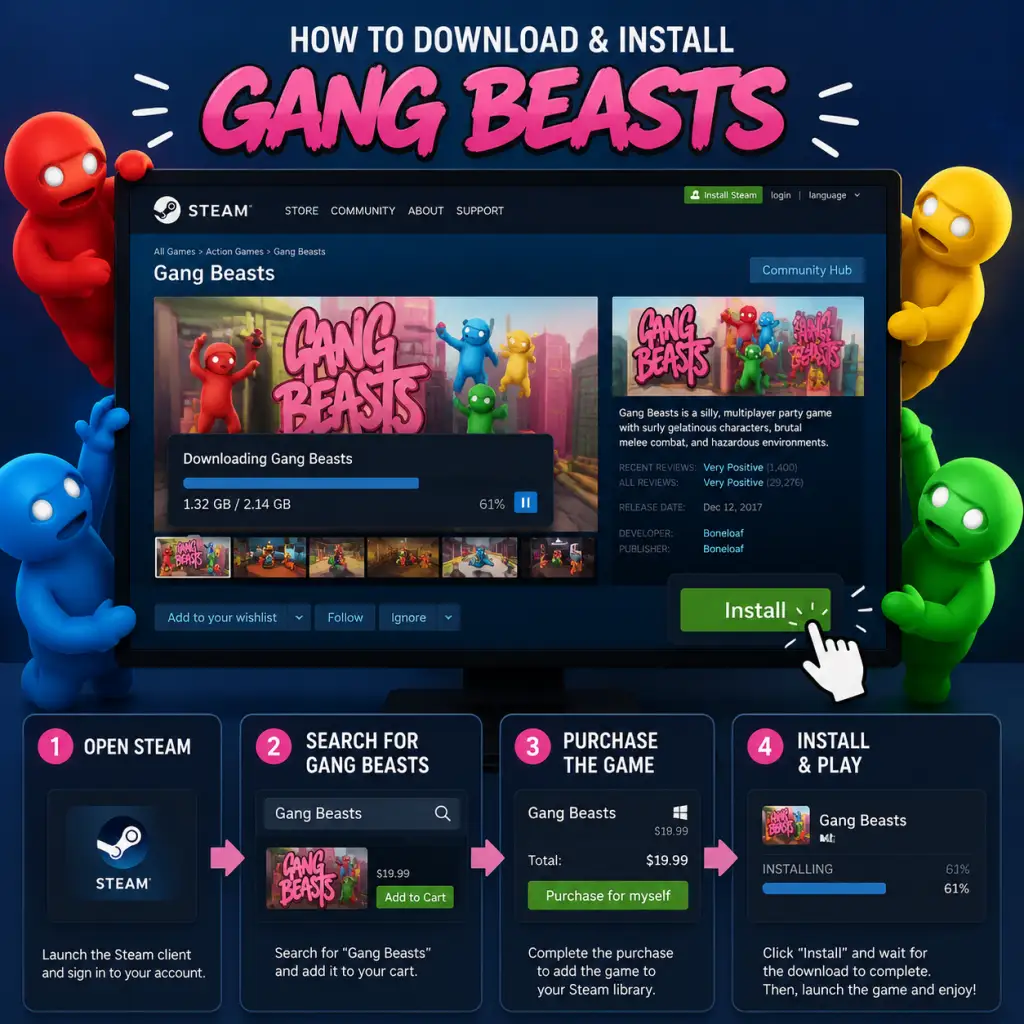
Download & Installation Guide for Gang Beasts
Gang Beasts is a hilarious physics-based brawler developed by Boneloaf and published by Double Fine. It is available on multiple platforms, but not on mobile. This guide covers official download sources, system requirements, and step-by-step installation for each platform.
---
Supported Platforms
| Platform | Store / Source | Availability |
|---|---|---|
| PC | Steam, Epic Games Store | Digital only |
| PlayStation | PlayStation Store (PS4, PS5) | Digital (PS5 version runs via backward compatibility) |
| Xbox | Microsoft Store (Xbox One, Xbox Series X/S) | Digital (Smart Delivery) |
| Nintendo Switch | Nintendo eShop | Digital |
---
Official Download Sources
Always use the official store for your platform to avoid scams or viruses:
- PC (Steam): [Gang Beasts on Steam](https://store.steampowered.com/app/285900)
- PC (Epic Games Store): [Gang Beasts on Epic](https://store.epicgames.com/en-US/p/gang-beasts)
- PlayStation: PlayStation Store (search “Gang Beasts”)
- Xbox: Microsoft Store (search “Gang Beasts”)
- Nintendo Switch: Nintendo eShop (search “Gang Beasts”)
- OS: Windows 7/8/10 (64-bit)
- Processor: 2.0 GHz dual-core
- Memory: 4 GB RAM
- Graphics: DirectX 10 compatible GPU with 1 GB VRAM (e.g., Intel HD 4000, NVIDIA GeForce GT 630)
- DirectX: Version 10
- Storage: 2 GB available space
- Network: Broadband internet for multiplayer
- OS: Windows 10 (64-bit)
- Processor: 3.0 GHz quad-core
- Memory: 8 GB RAM
- Graphics: DirectX 11 compatible GPU with 2 GB VRAM (e.g., NVIDIA GeForce GTX 960 / AMD Radeon R9 380)
- DirectX: Version 11
- Storage: 2 GB available space (SSD recommended)
- Network: Broadband internet
- PlayStation 4/5: No specific requirements — download from store (requires ~1.5 GB free space for PS4 version; PS5 via backward compatibility needs ~1.5 GB).
- Xbox One / Series X/S: Requires ~1.5 GB free space; Xbox Series X/S runs the Xbox One version via backward compatibility or Smart Delivery.
- Nintendo Switch: Requires ~1.2 GB free space on internal storage or microSD card.
- Note for PS5: There is no native PS5 version; the PS4 version runs via backward compatibility.
- Smart Delivery: If you own on Xbox One, it will automatically download the best version on Series X/S.
- Steam: Valid Steam account and the Steam client installed.
- Epic Games: Epic Games account and launcher.
- PlayStation: PlayStation Network (PSN) account. PS Plus is not required for online play in Gang Beasts; only for cloud saves or other benefits.
- Xbox: Microsoft account (Xbox profile). Xbox Game Pass Core/Ultimate is not required for online multiplayer in this game.
- Nintendo Switch: Nintendo Account. Nintendo Switch Online is not required for online play.
- Language: On first launch, the game will detect your system language. You can change it in Settings > Audio & Language.
- Controller Setup: Supported controllers (Xbox, PlayStation, Switch Pro, Joy-Cons) are plug-and-play. For PC, ensure controllers are connected before launching. Use Options > Controls to remap.
- Online Multiplayer: Select Online from the main menu. You may be prompted to create or join a lobby. (No account linking required beyond the platform.)
- Graphics (PC): Go to Options > Graphics to adjust resolution, fullscreen, and quality presets. The game is lightweight — you can run at max settings on most modern systems.
- Save Data: The game auto-saves progress. No separate save file management needed.
- Fix: Verify game files.
- Fix: Free up space (game requires ~2 GB). On consoles, delete unused games or clear cache. On PC, check drive space and move other files to external storage.
- Fix: Restart the console and try again. If persists, rebuild database: turn off console, then boot into Safe Mode (hold power button until second beep) and select Rebuild Database.
- Fix: Hard reset (hold power button for 10 seconds). Then go to Settings > System > Storage > Clear local saved games (does not delete cloud saves).
- Fix: Check internet connection, restart Switch, ensure free space (archived software if needed). Redownload from eShop > your account > Redownload.
- Fix: Ensure controller is recognized in Windows (Xbox Accessories app or check Device Manager). In Steam, go to Settings > Controller > General Controller Settings and enable support for your controller type. For Epic, launch the game through Steam as a non-Steam game and use Steam Input.
- Fix: Update graphics drivers. Also try launching in windowed mode: in Steam, add launch option `-windowed` (right-click > Properties > General > Launch Options).
- PC: Update DirectX and Visual C++ redistributables (available from Microsoft).
- Console: Check for system updates.
- Switch: Ensure the console is in docked or handheld mode as preferred; some issues occur when switching modes mid-play.
- PC (Steam): Right-click in Library > Manage > Uninstall.
- PC (Epic): In Library, click three dots > Uninstall.
- PlayStation: Highlight game icon > Options > Delete.
- Xbox: My games & apps > Highlight Gang Beasts > Menu > Uninstall.
- Switch: Press + on game icon > Manage Software > Delete Software.
- Mods/Workshop (Steam only): Gang Beasts supports Steam Workshop. Subscribe to mods via game page to add cosmetics or stages.
- Cross-Platform Play: Currently not available. Players on different platforms cannot play together.
- Local Multiplayer: Up to 8 players locally with multiple controllers (e.g., Joy-Cons for Switch, any controllers on PC).
---
System Requirements
#### PC (Minimum)
#### PC (Recommended)
#### PlayStation / Xbox / Switch
---
Step-by-Step Installation
#### 1. PC – Steam
1. Open Steam client and log in.
2. Go to Store tab, search “Gang Beasts”.
3. Click Add to Cart and complete purchase.
4. Go to your Library, find Gang Beasts.
5. Click Install. Choose install location (default is C:\Program Files (x86)\Steam\steamapps\common).
6. Wait for download (~1.5 GB) and installation.
7. Once installed, click Play.
#### 2. PC – Epic Games Store
1. Open Epic Games Launcher and log in.
2. Go to Store, search “Gang Beasts”.
3. Click Get (or purchase if not already owned).
4. Go to Library, find Gang Beasts.
5. Click Install. Select install folder.
6. Wait for installation. Then click Launch.
#### 3. PlayStation (PS4 or PS5)
1. On your console, go to PlayStation Store.
2. Search “Gang Beasts”.
3. Select the game and choose Download (if purchased) or Buy.
4. The download will start automatically. You can monitor progress from Notifications > Downloads.
5. Once finished, the game appears on your home screen. Launch it.
#### 4. Xbox (Xbox One / Series X/S)
1. Press the Xbox button to open the guide.
2. Go to Microsoft Store.
3. Search “Gang Beasts”.
4. Select the game, then Get or Buy.
5. The download begins. Check progress under My games & apps > See all > Manage > Queue.
6. After installation, the game appears in My games & apps. Launch it.
#### 5. Nintendo Switch
1. From the Home menu, select Nintendo eShop.
2. Log in with your Nintendo Account.
3. Search “Gang Beasts”.
4. Select the game, then Proceed to Purchase (or Download if already bought).
5. Confirm payment or redownload from your account.
6. The download will start. You can see progress on the Home screen.
7. Once downloaded, the icon appears; select it to play.
---
Account Requirements
---
First Launch Setup
---
Common Installation Errors & Fixes
#### Error: “Download stopped / corrupt files” (Steam/Epic)
- Steam: Right-click Gang Beasts in Library > Properties > Local Files > Verify integrity of game files.
- Epic: Go to Library, click three dots on Gang Beasts > Manage > Verify Files.
#### Error: “Insufficient disk space”
#### Error: “Failed to install” on PlayStation
#### Error: “Installation stopped” on Xbox
#### Error: “Cannot download on Switch” (error code 2002-…)
#### Error: “Controller not working” (PC only)
#### Error: “Black screen on launch” (PC)
---
Post-Installation Verification
After installation, verify the game runs correctly:
1. Launch the game and check the main menu appears.
2. Go to Options > Graphics (PC) and confirm settings are applied.
3. Start a Local Fight with at least one controller to test gameplay.
4. Try Online mode — create a lobby or join a quick match to confirm network connectivity.
5. Check for any graphical glitches or audio issues. If present, lower graphics settings (PC) or restart the console.
If the game crashes immediately, try the following fixes:
---
Uninstalling (Optional)
---
Additional Tips
---
This guide was last updated in [Current Year]. For troubleshooting, visit the official [Boneloaf support page](http://boneloaf.com) or the [Gang Beasts community forums](https://steamcommunity.com/app/285900/discussions/).
Game Introduction
Game Introduction: Gang Beasts
Gang Beasts is a hilarious, physics-based multiplayer brawler developed by the independent studio Boneloaf and published by Double Fine Productions. First released in early access on Steam (PC) in August 2014, the full version launched on December 12, 2017, followed by releases on PlayStation 4 (December 2017), Xbox One (March 2019), Nintendo Switch (October 2021), and Xbox Series X|S (via backward compatibility). The game is also available as part of Xbox Game Pass and PlayStation Plus (check current availability).
Story & Setting
There is no traditional story or campaign. The setting is a whimsical, dangerous world filled with industrial environments (meat factories, incinerators, moving vehicles, etc.) where gelatinous, boneless characters battle for supremacy. The backstory, conveyed only through the absurdity of the arenas, suggests a chaotic city where gangs fight over turf using whatever means necessary—mostly flailing limbs.
Main Characters
There are no named protagonists. Players control customizable jellybean-like characters that can be dressed in hundreds of outfits (hats, glasses, masks, full suits, and more). The sole defining traits are the character’s floppy physics and the player’s skill (or lack thereof) at controlling them.
Core Appeal & Target Audience
Core Appeal: Pure chaotic, emergent humor. Every match is unpredictable because of the wonky physics engine. Punches are slow, grabs are unreliable, and falls are inevitable. The fun comes from the constant slapstick—tumbling off ledges, accidentally punching teammates, or being flung into environmental hazards.
Target Audience: Local multiplayer enthusiasts, party game fans, casual gamers, and anyone who enjoys laughing at absurd physics-based mayhem. It is not aimed at competitive players seeking tight, precise controls. Ages 7+ (cartoon violence, no blood or gore).
Game Modes
- Melee (free-for-all): Up to 4 players local or 8 online (platform dependent) fight until one remains. Matches are timed (3 minutes) or untimed.
- Gang (team mode): 2v2 or 3v3 local/online. Teams battle to eliminate all opponents.
- Waves (co-op): Up to 4 players fight against AI-controlled waves of enemies.
- Custom: Modify rules, hazards, and environment.
- Offline: Full support for 2–4 players on a single screen (split-screen not required; shared screen). Supports any combination of controllers, including single Joy-Con on Switch.
- Online: Up to 8 players in private or public lobbies (cross-platform play not supported—each platform’s player base is separate). Voice chat is available (platform dependent). Requires an internet connection and platform subscription services (e.g., Nintendo Switch Online, PS Plus, Xbox Live Gold) for online play on consoles.
Online & Offline Support
DLC / Expansions
There are no paid DLC expansions. However, the game has received numerous free content updates adding new stages, costumes, and features over the years. The notable “Let’s Play Update” (2019) introduced the Waves mode, more arenas, and improved online matchmaking. All post-launch content is included in the base game via patches.
What Makes Gang Beasts Unique?
Its physics engine is the star. Unlike typical fighting games with precise combos, Gang Beasts relies on floppy ragdoll controls where you must individually control each arm and leg using triggers/buttons. The result is a clumsy, unpredictable experience where skill matters less than hilarious improvisation. The stages are interactive and lethal: trains, grinders, UFOs, and pits of fire turn every match into a cartoon disaster. No two fights play the same way, ensuring endless replayability among friends.
In summary, Gang Beasts is a niche but beloved party brawler that trades technical depth for sheer, unadulterated fun. It’s best enjoyed with three others on the couch, laughing as your character flails off a ferris wheel.
Getting Started
Getting Started Guide for Gang Beasts
Welcome to Gang Beasts, the physics-based multiplayer brawler where the goal is to throw your opponents off the stage while trying not to fall yourself. This guide will help you survive your first hour, understand the basics, and avoid common pitfalls.
First Hour Walkthrough
1. Install and Launch – Ensure the game is installed (see our Download & Installation guide).
2. Main Menu – Upon starting, you’ll see the main menu. Options include:
- Quick Play (jump straight into online matchmaking)
- Local Fight (play with friends on the same screen)
- Tutorial – Do this first! The tutorial teaches basic movements, grabbing, punching, and throwing.
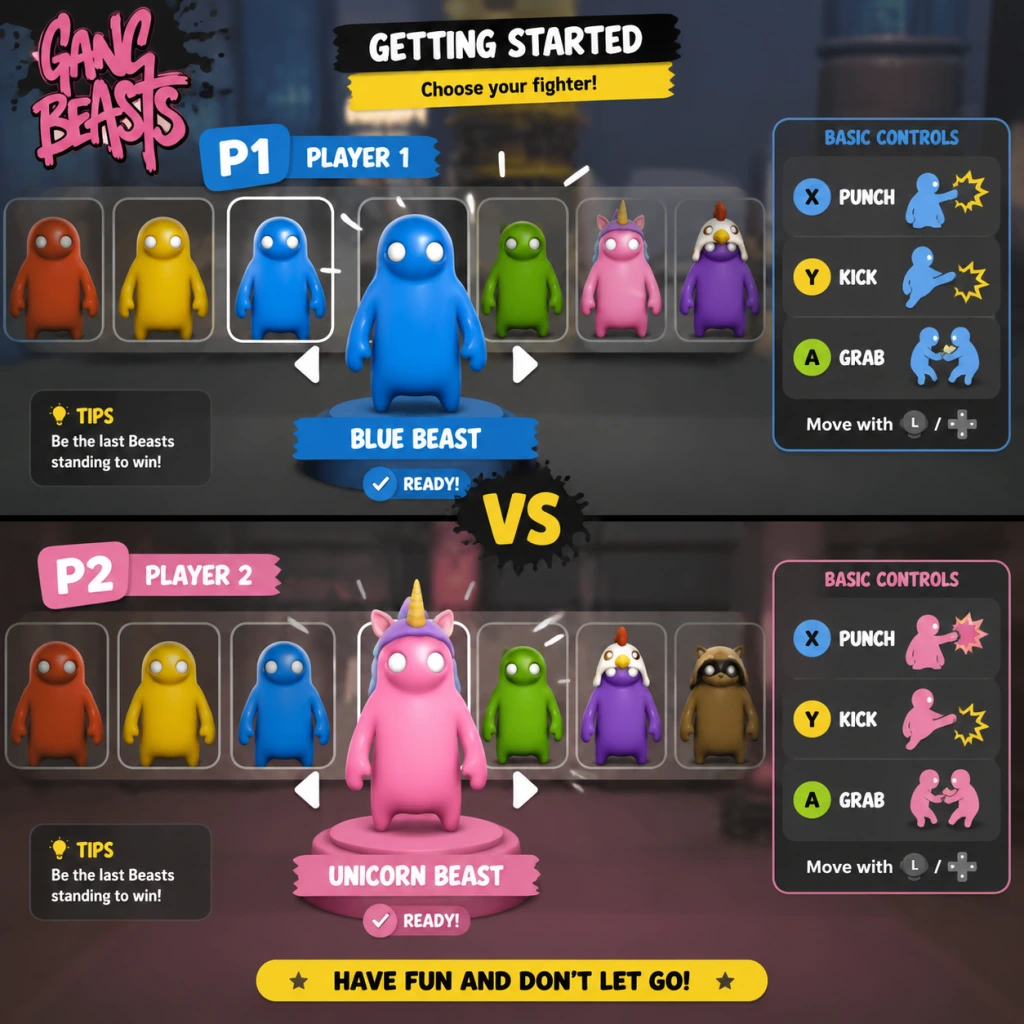
3. Character Selection – After choosing a mode, you’ll enter a character selection screen. You can pick a preset character or customize yours (see below).
4. First Match – You’ll spawn in a ring or platform with other players. Your goal: knock everyone else off. The last one standing wins a round. Best of 3 rounds wins the match.
5. Experiment – Spend your first 15 minutes just moving around, grabbing objects (like barrels or chairs), and trying to toss other players. Expect to fall off a lot—that’s part of the fun.
Character Creation & Customization
Gang Beasts does not have a deep character creator. You customize only your character’s outfit and color:
- Outfits – Unlockable by playing (no microtransactions). Starting outfits include a default jumpsuit, bear suit, and more.
- Colors – Choose from a palette of basic colors (e.g., red, blue, green, yellow) for your character’s clothing.
- Accessories – Some outfits come with hats or masks. You cannot mix and match parts.
To customize: From the main menu, select Customization (or choose a character slot in the selection screen and press the customize button).
Controls on All Platforms
Controls are identical in function but differ by button placement. Here’s the breakdown:
| Action | PC (Keyboard) | PC (Xbox Controller) | PlayStation | Nintendo Switch |
|---|---|---|---|---|
| Move | WASD | Left Stick | Left Stick | Left Stick |
| Jump | Space | A | X | B |
| Grab / Hold | Left Click (hold) | RT (hold) | R2 (hold) | ZR (hold) |
| Punch | Left Click (tap) | RT (tap) | R2 (tap) | ZR (tap) |
| Kick | Right Click | RB | R1 | R |
| Headbutt | E | LB | L1 | L |
| Drop / Release | Release grab button | Release RT | Release R2 | Release ZR |
| Menu / Pause | Esc | Start | Options | + |
UI Overview
The in-game HUD is minimal:
- Top of screen – Round number (e.g., “Round 1”) and countdown timer before match starts.
- During match – No health bars. Each player is shown by their character model. When KO’d, the character turns gray and falls off.
- Post-round – Scoreboard showing wins per player.
- Bottom – Sometimes prompts for pause/menu.
- Learn to Grab and Throw – The core mechanic. Practice grabbing an opponent and walking them toward an edge.
- Master the “Drop” – If grabbed, spam jump and punch to escape. Don’t flail wildly—time your escapes.
- Use Environment – Trapdoors, moving platforms, and spinning beams are your friends. Push enemies into hazards.
- Stay Alive – Avoid excessive jumping near edges. One wrong move and you’re out.
- Complete the Tutorial (accessible from main menu). It takes 5 minutes and saves you from frustration.
- Play Local Fight solo against bots to practice controls without pressure.
- Experiment with all attack types (punch, kick, headbutt) to see their range and speed.
- Use two hands by holding both grab buttons (if using controller: hold both triggers) to lift and throw heavier objects.
- Button mashing – Gang Beasts rewards precision. Random punches will exhaust you (your character gets tired).
- Grabbing the edge – If you’re hanging from a platform, do not press jump repeatedly; instead, climb back up by pressing the grab button while looking toward the platform.
- Fighting near edges – You will get thrown off. Fight in the center of the arena whenever possible.
- Ignoring the opponent’s grabs – If someone grabs you, immediately press punch or kick to break free before they throw you.
- No resource grinding needed. Your only focus is improving skill.
- Unlock outfits by completing matches. No microtransactions.
- No character stats – all characters have identical physics. Outfits are purely visual.
- [ ] Install Gang Beasts from your platform’s store.
- [ ] Launch the game and complete the Tutorial.
- [ ] Customize your first character (choose a color and outfit from the defaults).
- [ ] Play a Local Fight against 3 bots on the easiest difficulty.
- [ ] Win at least one round using a grab-throw combination.
- [ ] Play one Quick Play online match (expect to lose—it’s okay).
- [ ] Unlock your first new outfit by completing 3 matches.
Essential Early Objectives
What to Do First and What to Avoid
Do:
Avoid:
Early Resource Priorities
Gang Beasts has no currency, experience points, or unlockables that affect gameplay. All outfits are cosmetic and earned by simply playing matches (win or lose). Therefore:
Common Beginner Mistakes
1. Flailing uncontrollably – New players often spin around punching air. Keep calm, aim your attacks.
2. Not using the grab mechanic – Many forget to hold the grab button. Grabbing is essential for throwing.
3. Jumping off the stage – Accidentally walking or jumping off the edge. Always watch your footing.
4. Not escaping grabs – Standing still while grabbed leads to quick elimination. Spam punch or kick to break free.
5. Ignoring objects – Barrels and chairs can be thrown to stun opponents or block attacks.
Day-One Checklist
That’s it! You’ve now experienced the chaotic fun of Gang Beasts. Remember: falling is part of the game, so laugh it off and try again.
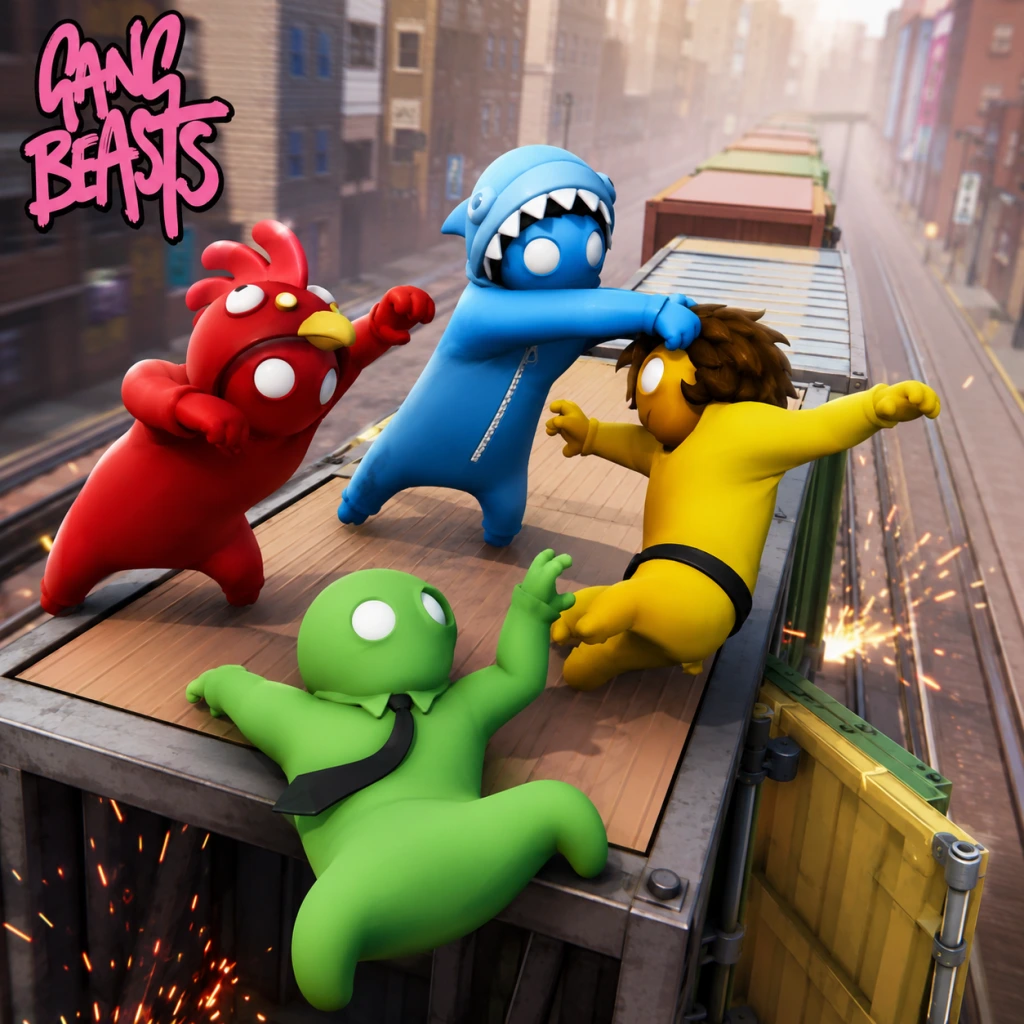
Core Gameplay
Core Gameplay Guide for Gang Beasts
Gang Beasts is a physics-based multiplayer brawler where the primary goal is to throw, punch, and knock your opponents off dynamic stages into hazards (spinning fans, grinders, fire pits, water, etc.). There is no traditional progression system, no quests, no economy, and no character stats. Instead, the game revolves entirely around moment-to-moment physics interactions, environmental awareness, and player skill. This guide breaks down the core gameplay into skill-based progression tiers, reflecting how players naturally evolve from clumsy beginners to competitive masters.
The Main Gameplay Loop
The loop is simple and repetitive: Select a stage → Match starts → Fight other players using physics-based attacks → Avoid falling or being thrown into hazards → Survive as the last player standing → Win the round → Repeat. Each match consists of several rounds (customizable number) on randomly selected or chosen stages. Between rounds, players can change costumes (cosmetic only) and adjust settings. The loop relies entirely on emergent chaos from the physics engine; no two fights play out the same.
Combat and Interaction Systems
- Basic Controls (all platforms):
- Physics Interactions:
- No Health Bars: There is no health; victory is achieved by eliminating all opponents from the stage or into hazards. A player is eliminated when their character model touches the death zone (green mist, void, or hazard effect).
- No leveling, XP, skill trees, or ability unlocks. Every player has exactly the same physics attributes.
- No quests or missions. There is no single-player campaign or story mode.
- No in-game economy. No currency, items, or loot. All cosmetics (masks, costumes) are unlocked via random drops from playing matches or purchased via DLC.
- Exploration is limited. The game has no open world; you only explore the small, destructible stages during fights. Each stage has hidden nuances (e.g., moving platforms, breakable floors), but these are discovered through gameplay, not through exploration systems.
- Appearance only. You can customize your character’s outfit and mask before matches. These are purely cosmetic and do not affect gameplay.
- No builds. Every character is identical in abilities; no weight, strength, or speed variations. The only differentiator is player skill.
- Custom Games: Create private lobbies with adjustable settings: round count, stage selection, time limits, and even silly modifiers (e.g., low gravity, super punches).
- Local Multiplayer: Up to 4 players locally on a single screen. Endgame often involves group tournaments or drinking game additions.
- Online Multiplayer: Quick play or private matches with matchmaking. Ranked mode does not exist; however, player communities (Discord, Steam groups) organize tournaments with unofficial ladders.
- Achievements/Trophies: Unlock achievements for specific feats (e.g., win 100 rounds, get knocked out 50 times, perform certain throws). These serve as optional long-term goals.
- Modding (PC only): Community-created stages, costumes, and physics tweaks via Steam Workshop extend replayability indefinitely.
- Controls: Fumbling with button layout; often accidentally falling off edges by running too fast or jumping incorrectly.
- Combat: Spam punches randomly; rarely use grabs. Struggle to recognize staggering or throwing opportunities.
- Awareness: Unaware of hazards; frequently walk into crushers or stand near grinders. Do not anticipate opponent throws.
- Goal: Survive longer than others through luck rather than skill. Learn basic movement and how to get up after being knocked down.
- Example: A beginner on "Furnace" will run straight at an opponent, spam punch until both fall into the fire, then wonder why they died.
- Controls: Comfortable with punch, grab, and throw. Can consistently lift and throw standing targets.
- Combat: Use grab more often; know to hold opponents while walking toward hazards. Begin chaining punches into grabs.
- Awareness: Know major hazards on each stage; avoid obvious death spots. React to opponents’ grab attempts by mashing grab to break free.
- Goal: Actively eliminate opponents by throwing them off; not just survive. Start using environment (e.g., throwing into crusher on "Grind").
- Example: On "Wheel", a mid-game player will grab an opponent, drag them toward the spinning blade, and release at the right moment to ensure elimination.
- Controls: Mastery of advanced techniques:
- Combat: Can predict opponents’ actions; fake a grab to bait a dodge then throw. Use the environment as a weapon (e.g., slam opponent into ceiling spikes on "Incinerator").
- Awareness: Know every stage’s destructible parts and timing of hazards (e.g., when the fan in "Vent" changes direction). Can maintain balance on narrow beams while fighting.
- Goal: Win consistently against average players. Develop a personal style (aggressive, defensive, or environmentalist).
- Example: On "Trampoline": a late-game player will run to the edge, wait for an opponent to jump, then grab them mid-air and fling them into the void using the trampoline bounce.
- Controls: Subconscious execution; perform advanced techniques fluidly. Use keyboard/mouse (PC) for precise aiming of throws.
- Combat: Read opponents’ intent based on their movement and foot placement. Counter throws by using the opponent’s momentum against them. Use the “instant throw” trick (grab + jump + throw in one smooth motion).
- Awareness: Perfect hazard timing; know exactly where safe spots are during stage transitions (e.g., falling building platforms). Use the crowd as a distraction (in local play) to misdirect opponents.
- Goal: Dominate in custom lobbies, win community tournaments. Create house rules for extended replayability (e.g., no headbutts allowed, or must throw into only specific hazards).
- Example: In a competitive endgame match on "Grind", a player will use the conveyor belt to drag opponents toward the grinder, while simultaneously dodging incoming throws by sliding under the crusher at the exact moment it rises.
- Punch: Press the attack button (default: X/Square on controllers, left mouse click on PC) to throw a slow, heavy punch. Punches can be aimed by moving the control stick/mouse.
- Grab: Press the grab button (default: A/Cross on controllers, right mouse click on PC) to latch onto any part of an opponent or object. While grabbing, you can hold, drag, or throw.
- Lift: While grabbing, press the jump/lift button (default: Y/Triangle, spacebar on PC) to lift the grabbed character into the air.
- Throw: While grabbing, push the control stick in a direction and release grab to fling the opponent. The throw distance depends on physics momentum.
- Jump: Press jump (B/Circle, spacebar on PC). Jump height is fixed but can be used to dodge or climb.
- Headbutt: A special move by pressing the attack button while in mid-air or while grabbing (context-dependent). Used for close-range interruption.
- Staggering: Hits cause your character to stagger and flail. While staggering, you have reduced control and can be thrown easier.
- Grabbing vs. Clinging: You can grab ledges, edges of platforms, and opponents. Opponents can also grab you. You can shake free by rapidly pressing the grab button.
- Environmental Hazards: Each stage has unique hazards (e.g., crushers in "Grind", fans in "Vent", fire in "Furnace"). Interacting with these is often instant death or severe damage.
- Knockout: A heavy hit or fall can knock a character unconscious (limp). While unconscious, they are defenseless and easily thrown to death.
Progression, Exploration, Quests, and Economy
Gang Beasts features zero progression mechanics:
Character/Build Growth:
Endgame Structure
Endgame refers to the competitive and social aspects after mastering basics:
Player Progression Tiers (Skill-Based)
Since there is no traditional progression, tiers are defined by player understanding and technique:
#### Early Game (First 1-2 hours)
#### Mid Game (2-10 hours)
#### Late Game (10-50 hours)
- Ragdoll manipulation: Use headbutts to break grab holds or interrupt throws.
- Climbing and aerial grabs: Jump and grab airborne opponents to redirect them off stage.
- Physics exploitation: Plant feet on moving objects to gain momentum for longer throws.
#### Endgame (50+ hours / Competitive Play)
Summary
Gang Beasts is a pure physics-based skill game with no RPG elements. Progression is entirely about learning physics interactions, stage layouts, and advanced throw techniques. The core gameplay loop of fight-throw-survive remains constant, but depth comes from the chaotic interactions and emergent strategies that players develop over time. The endgame is self-defined through multiplayer communities and custom rule sets.
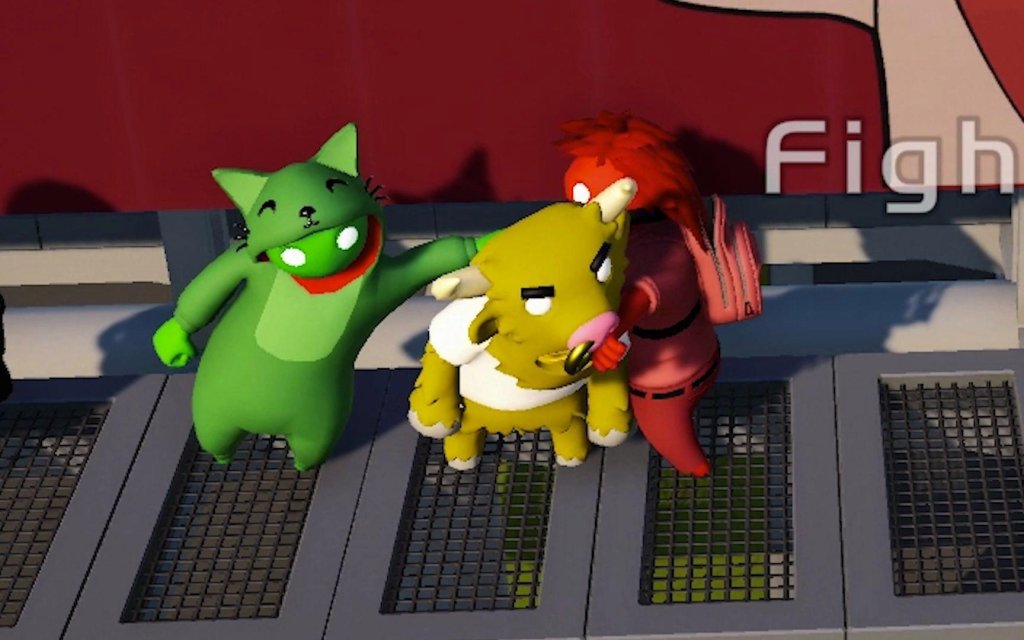
Game Tips
Game Tips for Gang Beasts
Welcome to the ultimate collection of tips for Gang Beasts! Whether you're a flailing beginner or a seasoned brawler, these categorized strategies will help you dominate the physics-based chaos. From combat fundamentals to advanced environmental manipulation, here's everything you need to stay on your feet and throw everyone else off.
---
Combat Tips
#### 1. Master the Grapple
- Tip: Hold Grab (R2/RT on controller, left click + hold on keyboard) to latch onto an opponent. Once grabbed, you can punch, lift, or throw them.
- Why it works: The grapple is your most versatile tool. It sets up throws, prevents enemies from escaping, and lets you control their movement. Use it to drag opponents toward hazards or off edges.
- When to use: Always initiate fights with a grapple rather than wild punches. Grab their torso or head for best control.
- Tip: Time your punches (Press Punch button – Circle/B, or mouse click while not grabbing). Aim for the head or arms to break grapples.
- Why it works: Wild flailing leaves you vulnerable and drains stamina. A well-placed head punch staggers opponents, letting you grab them easily.
- When to use: Use single punches to interrupt an enemy's grab attempt, then immediately follow up with a grapple.
- Tip: After grappling an opponent, press Jump while holding them to lift them overhead. Then move toward an edge and release (let go of Grab) to drop them off.
- Why it works: Lifting makes enemies helpless and unable to counter. Dropping them off stage is an instant KO if they land in water or a hazard.
- When to use: Always try to lift when you're near a ledge or trap. Works best against single opponents.
- Tip: When being grappled, rapidly press Punch (or headbutt by pressing Jump + Punch) to headbutt the enemy and break their hold.
- Why it works: Headbutts have a high knockback and are faster than punching. They create space to escape or counter.
- When to use: As soon as an enemy grabs you – don't let them lift you. Mash punch or perform a jump-punch combo.
- Tip: When an enemy is lying on the ground, stand over them and repeatedly punch down. Use grapple to pick them up while they're down.
- Why it works: Grounded enemies have slower recovery and cannot block. You can chain punches into a lift-throw combo.
- When to use: After knocking someone over (e.g., with a strong punch or by throwing them into a wall).
- Tip: In team modes, grab a teammate's leg or arm and swing them as a weapon. They can then kick or grab enemies.
- Why it works: Doubles your effective threat range. The teammate can finish off enemies while you control the throw.
- When to use: When you have a coordinated partner. Use it to launch teammates into enemies or pull them back from edges.
- Tip: If you're hanging off a ledge, grab the edge (press Grab near the lip) to cling on. You can climb back up or drop down strategically.
- Why it works: Clinging buys time and lets you reposition. Drop down to surprise enemies above, or wait for them to fall.
- When to use: When knocked off balance or to escape a group fight. Often better than trying to climb back up instantly.
- Tip: Each stage has unique hazards: rotating fans, crushers, fire pits, water, grinders, etc. Observe the cycle before engaging.
- Why it works: Rushing into a spinning fan or crane arm will instantly KO you. Knowing when to approach or avoid saves lives.
- When to use: At the start of each round or after respawning, watch the hazard pattern for a few seconds. Then plan your attacks around it.
- Tip: Throw enemies into hazards directly: into crusher zones, onto conveyor belts leading to pits, or into fire pits.
- Why it works: Hazards are instant kills. You don't need to fully throw them off stage; just toss them into the nearest danger.
- When to use: When you're not near a ledge but a hazard is close. For example, on the "Girder" stage, throw them into the spinning fan.
- Tip: Use Jump + Grab on walls and obstacles to climb. Quickly release and regrab to ascend faster.
- Why it works: Climbing lets you reach high platforms or escape rising hazards (like on the "Elevator" stage).
- When to use: To get the high ground (advantage for throws) or to avoid being cornered.
- Tip: Hold Sprint (Left Stick click or Shift) while moving to build momentum. Jumping while sprinting gives extra distance.
- Why it works: Speed lets you interrupt enemy grapples, dodge throws, and reach opponents faster. Combined with a slide (crouch while sprinting), you can slip under grabs.
- When to use: To chase fleeing enemies or to escape a group. Use sprint-jump to clear gaps.
- Tip: Attack only when you have a clear opening. Wild punches and reckless charges lead to you falling off.
- Why it works: Gang Beasts punishes over-extension due to physics. A missed punch can send you stumbling off the stage.
- When to use: Always. Patience is key – let enemies come to you or wait for them to make a mistake.
- Tip: In free-for-all, try to isolate and eliminate the weakest player first. Avoid getting sandwiched.
- Why it works: Three-way fights are chaotic and players often accidentally help each other. Taking out one reduces the chaos.
- When to use: At the start, quickly assess who is near you and gang up on them (if playing with friends, coordinate).
- Tip: When falling, press Grab to flail and sometimes catch edges or slow your descent (though no damage fall). But more importantly, don't panic – if you fall into water, you'll sink fast; try to swim (move toward shore).
- Why it works: Panic flailing can cause you to miss ledges. Calmly aiming for a handhold is better.
- When to use: When knocked off a platform and you see a lower ledge.
- Tip: Basic combo: Grab → Jump (lift) → Move to edge → Release. That's the most reliable kill.
- Why it works: Simple is effective. Don't try fancy moves until you master the basics.
- When to use: Every round. Get into the habit of always lifting after a grab.
- Tip: If an enemy grabs you, immediately grab them back (asymmetrical grabs cancel). You can also punch their arm to break the hold.
- Why it works: Quick reactions prevent you from being thrown. It stalls the situation and lets you turn the tables.
- When to use: When grabbed from the front. Timing is critical – do it the instant you feel the grab.
- Tip: Pretend to run toward an edge, then stop or turn around. The enemy might overcommit and fall off.
- Why it works: The physics make it easy for opponents to lose balance when changing direction. Use that to your advantage.
- When to use: On narrow platforms like the "Train" stage, bait enemies into charging at you while you step aside.
- Tip: Throw enemies into walls or solid obstacles. They will bounce and be disoriented, allowing you to follow up.
- Why it works: The bounce stuns them, giving you time to grab them again or throw them off stage.
- When to use: When not near an edge but a wall is close. Pair with a quick second grab.
- Tip: While holding an enemy, rotate the control stick or move mouse in circles to spin them around. This can disorient and make it harder for them to counter.
- Why it works: Spinning creates momentum and can throw the enemy into another hazard or enemy.
- When to use: To confuse your victim before a final throw, especially in team modes to hit multiple enemies.
- Tip: On the "Ferry" stage, use the moving boat's momentum to throw enemies into the water. On "Ring," use the central pillar to block attacks.
- Why it works: Each stage has unique geometry. Knowing these gives you an edge.
- When to use: Before the match, quickly recall the stage's hazards. Adapt your playstyle accordingly.
- Tip: Off an edge, lift the enemy, then release them at the very last second by letting go of Grab while they are above the hazard. For pits, this is a guaranteed death.
- Why it works: The timing ensures they cannot recover or grab a ledge. Practice the release point.
- When to use: When you have a clear drop below and no obstacles. Essential for competitive play.
- Tip: Sprint, jump, and press the kick button (or punch while airborne) to deliver a flying dropkick. This sends enemies flying.
- Why it works: High speed and force – can knock multiple enemies off balance or even off the stage.
- When to use: In crowded areas or to break a group grabbing a teammate. Risk of missing leads to self-stumble, so use sparingly.
- Tip: If you're falling off and an enemy is near, grab them on the way down. You can drag them with you, causing a mutual elimination (or you survive if you grab a ledge).
- Why it works: Sacrificial play can tie the score or eliminate a stronger opponent. In team modes, it's a valid strategy.
- When to use: When you are about to die anyway – take the enemy with you.
- Tip: Learn the exact timing of punches to interrupt animations. For example, a punch just as an enemy lifts you can break the hold before they throw.
- Why it works: In high-level play, split-second reactions win. Practice against friends to internalize timings.
- When to use: When you are fully focused and have low latency. Not for casual play.
- Tip: In team modes, you can grab a teammate and throw them toward enemies. They can then grab opponents while flying.
- Why it works: It's a high-risk, high-reward tactic. Need communication. A well-thrown teammate can secure a double KO.
- When to use: When opponents are huddled together and your teammate is ready.
- Tip: Your character tires after repeated actions. Let go of grabs occasionally to recover. Holding a struggling enemy drains stamina faster.
- Why it works: Exhaustion makes you slower and easier to grab. Pace yourself.
- When to use: After a long grapple, release and step back for a second.
- Tip: While not gameplay-changing, dressing your character in bright colors makes you easier to spot in chaotic fights, while dark colors blend into shadows on certain stages.
- Why it works: Having visual clarity can help you track your own character. No direct advantage, but psychological.
- When to use: Personal preference – but avoid skins that look similar to the environment.
- Tip: Online has slight input lag. Lead your moves more (grab earlier, punch slightly earlier). Local play is instant – react faster.
- Why it works: Adapting to latency is crucial. In online, anticipate instead of react.
- When to use: Always check your ping before a match; if high, be more predictive.
- Tip: The game has a training mode where you can practice with AI or alone. Use it to perfect throw timings and hazard navigation.
- Why it works: Repetition builds muscle memory. Learn the distance of throws and the best way to climb.
- When to use: Before playing with friends or ranked.
- Tip: Don't just main one stage. Each has unique layouts. Know the best hiding spots, deathtrap zones, and escape routes.
- Why it works: Versatility makes you unpredictable.
- When to use: Play random stage selections to force adaptation.
#### 2. Punch with Precision, Not Spam
#### 3. The Lift-and-Drop Combo
#### 4. Use Headbutts to Break Free
#### 5. Ground-and-Pound
#### 6. Team Grabs for Extra Reach
---
Movement & Stage Awareness (Exploration)
#### 7. Hold the Edge, Literally
#### 8. Learn Hazard Timings
#### 9. Use the Environment as a Weapon
#### 10. Climbing and Mantling
#### 11. The Running Start
---
Beginner Strategies
#### 12. Don't Overcommit
#### 13. Focus on One Opponent
#### 14. Learn to Fall Safely
#### 15. Use Simple Combos
---
Intermediate Strategies
#### 16. Counter-Grappling
#### 17. Feints and Fakes
#### 18. Wall-Bouncing Throws
#### 19. Use the Spin Mechanic
#### 20. Stage-Specific Tricks
---
Advanced Optimizations
#### 21. Perfecting the Instant K.O. Throw
#### 22. The Drop-Kick Approach
#### 23. Clutch Edge Saving
#### 24. Frame-Perfect Punches
#### 25. Teammate Throwing
---
General & Miscellaneous Tips
#### 26. Stamina Management
#### 27. Cosmetics and Customization
#### 28. Online vs Local Play Adjustments
#### 29. Practice Mode
#### 30. Play All Stages
---
Conclusion
Gang Beasts is a game of controlled chaos. The best players combine precise grappling, environmental awareness, and patience. Start with the beginner tips, then incorporate intermediate moves like counter-grappling and feints. Finally, master advanced tech like instant throws and dropkicks for competitive dominance. Remember: the stage itself is your greatest weapon. Good luck, and happy throwing!
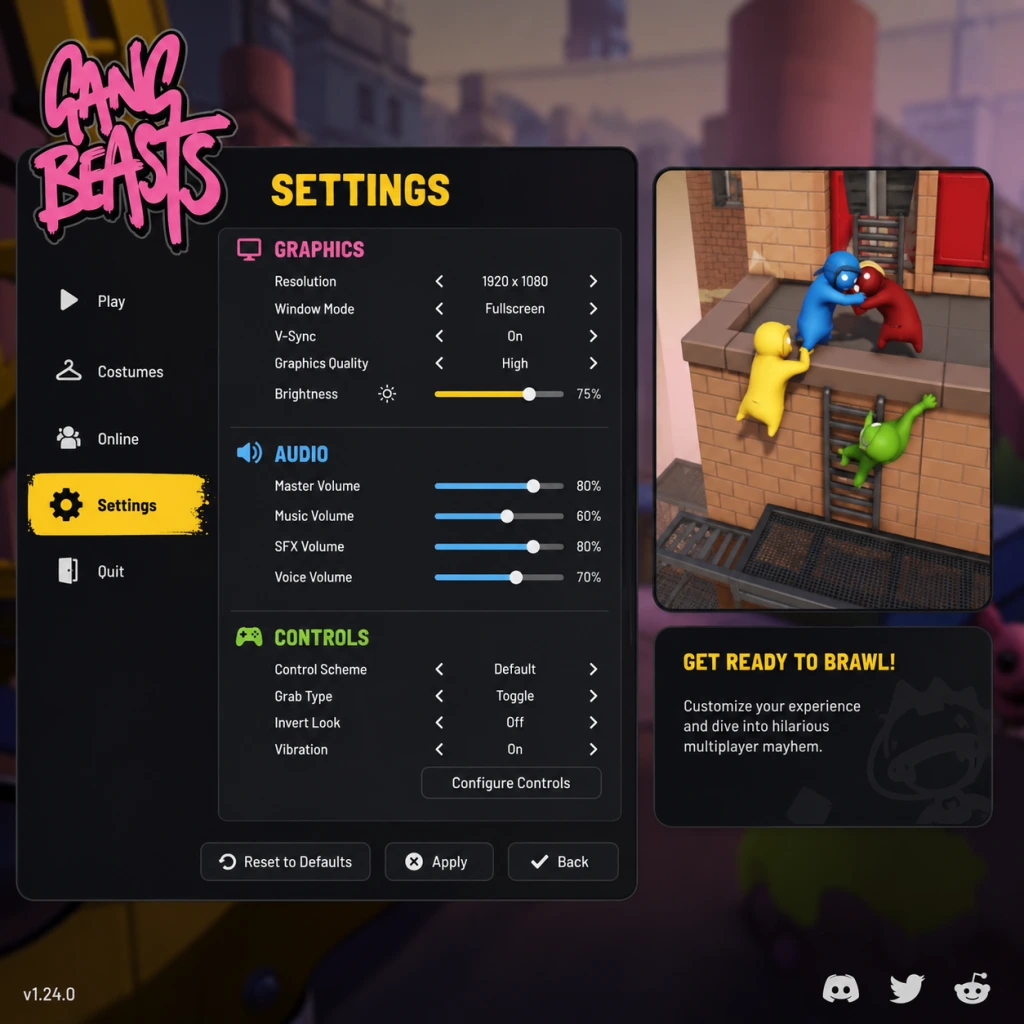
Game Settings
Game Settings Guide for Gang Beasts
This guide covers all configurable settings in Gang Beasts, tailored for PC (Steam), PlayStation, Xbox, and Nintendo Switch. Optimal recommendations for performance vs. quality across hardware tiers are provided.
Graphics Settings
- Resolution: Native monitor recommended. For low-end, use 720p or 900p.
- Display Mode: Fullscreen, Windowed, Borderless. Fullscreen offers lowest input lag.
- Vsync: Off for competitive play to reduce input lag, On to prevent screen tearing on 60Hz displays.
- Quality Preset: Low, Medium, High, Ultra. Low disables shadows and reduces texture quality.
- Anti-Aliasing: FXAA or TAA. Low-end use FXAA.
- Texture Quality: Low (256), Medium (512), High (1024). High uses more VRAM.
- Shadow Quality: Low (no shadows), Medium (simple), High (dynamic). Disable for performance.
- Ambient Occlusion: Off/On. Off boosts FPS.
- Motion Blur: On/Off. Off for clarity.
- Particle Effects: Low/High. High impacts performance during explosions.
#### Performance Recommendations
| Hardware Tier | Resolution | Preset | Vsync | Anti-Aliasing | Notes |
|---|---|---|---|---|---|
| Low-End (Intel HD, Vega 8) | 720p | Low | Off | Off (or FXAA) | Cap FPS at 30 |
| Medium (GTX 1050, RX 560) | 1080p | Medium | Off | FXAA | Stable 60 FPS |
| High (RTX 2060, RX 5700) | 1080p | High | Off | TAA | 60+ FPS |
| Ultra (RTX 3080+) | 4K | Ultra | On (if 60Hz) | TAA | 60 FPS |
Audio Settings
- Master Volume: Adjust overall loudness.
- SFX Volume: Affects punches, hazards, thuds.
- Music Volume: Background tracks.
- Voice Chat Volume: For online play.
- Voice Chat Enable: On/Off. Off for solo play.
- Keyboard/Mouse Rebind: Change key bindings for punch, kick, grab, lift, jump, etc.
- Controller Support: Full support for Xbox, PlayStation, Switch Pro controllers.
- Invert Y-Axis: On/Off.
- Controller Sensitivity: Adjust stick deadzone and sensitivity for precision.
- Vibration: On/Off.
- Subtitle Language: Choose for menu text and dialogue.
- Colorblind Mode: Not available in base game (verify). If absent, use system-level settings.
- Text Size: In-game text size may not be adjustable; rely on system scaling.
- High Contrast Mode: Not supported.
- Game Language: Select from available languages (English, French, German, Spanish, Italian, Portuguese, Russian, Japanese, Korean, Simplified Chinese, etc.).
- Voice Language: Separate from text, if applicable.
- Server Region: Choose nearest region to reduce latency (North America, Europe, Asia, etc.).
- NAT Type: Check in console settings. Open NAT recommended for hosting.
- Connection Quality Indicator: On/Off.
- Matchmaking Options: Public/Private lobbies, password protection.
- Friendly Fire: Toggle on/off (affects local and online modes).
- Round Time Limit: Adjust time per round (default 60s).
- Win Condition: Last man standing or most kills.
- Stage Selection: Random or fixed.
- Ghost Mode: When disabled, players can pass through each other (only in custom modes? Not sure).
- Spectator Mode: Options while dead.
Tip: Increase SFX volume to hear enemy movements and stage hazards like grinders.
Controls Settings
Common Misconfiguration: Players often increase sensitivity too high, causing erratic movements. Start at default and adjust incrementally.
Accessibility Settings
Language Settings
Note: Language changes require restart if stated in the game.
Network Settings
Important: Gang Beasts uses peer-to-peer connections. Avoid network interferences like heavy downloads.
Gameplay Settings
Misconfiguration: Setting round time too high can make matches tedious; 60–90 seconds is optimal.
Special Setup Tips
1. Disable Vsync for Competitive Play: Reduces input lag significantly.
2. Cap FPS: Use external cap (e.g., RTSS) to 60 or 120 to avoid physics glitches.
3. Controller Deadzone: If you experience drift, increase deadzone slightly.
4. Voice Chat: Mute if not needed to avoid echo.
5. Save Settings: After changes, back out to main menu to ensure save.
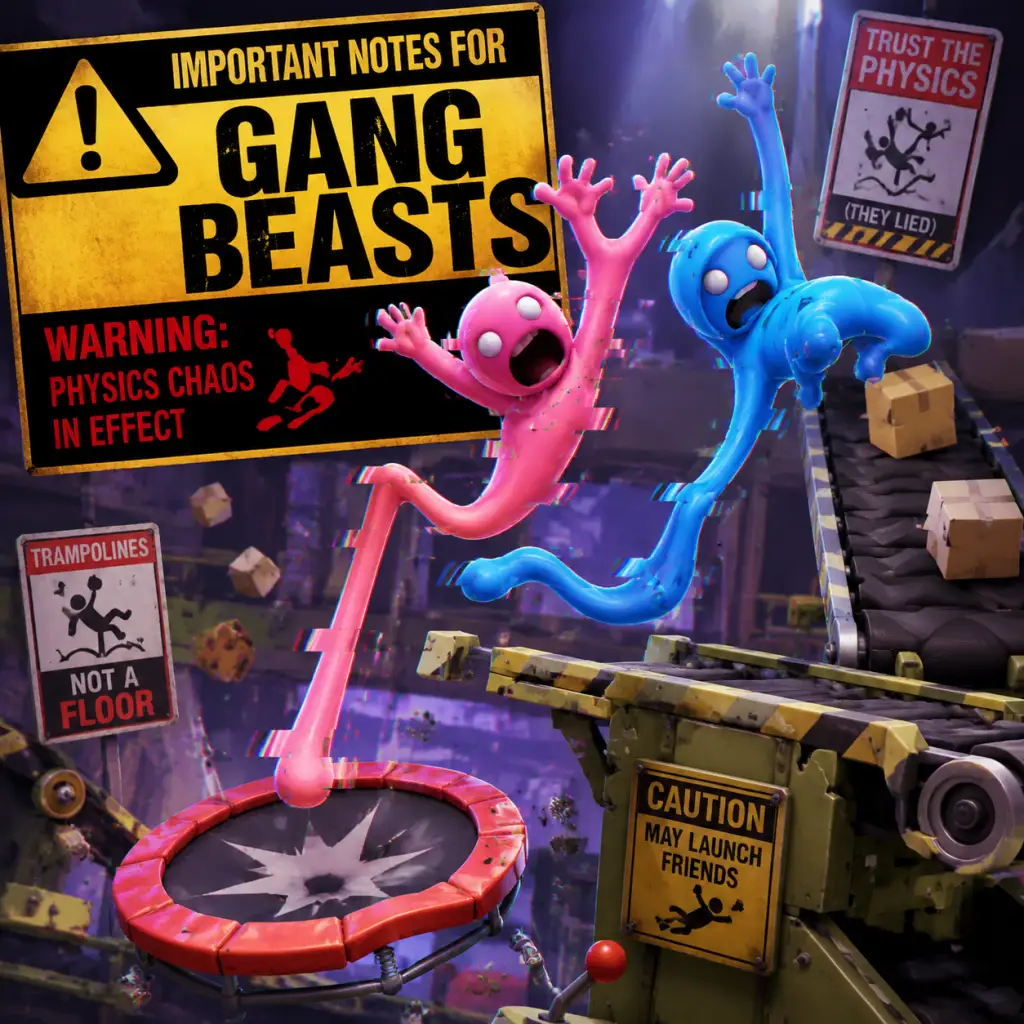
Important Notes
Important Notes for Gang Beasts
Warnings and Pitfalls
- Physics Chaos: The game's physics engine is intentionally unpredictable. Grabs can fail, punches can miss, and your character may inexplicably flop over. This is not a bug – it's core to the experience. Expect frustration and laughter in equal measure.
- Controller Drift: Analog stick drift can cause your character to walk off edges or fail to grab. Calibrate controllers before playing, especially on older hardware.
- Lag in Online Play: Gang Beasts uses peer-to-peer connections. If you or your opponents have unstable internet, expect rubber-banding, delayed inputs, and desyncs that may cause unfair eliminations. Wired connections are strongly recommended.
- Stuck in Environment: Rarely, your character might clip into geometry (e.g., inside a grinding machine on Incinerator). If you can't escape, you may need to restart the round or wait for the next one.
- Friendly Fire: In local multiplayer, your flailing can accidentally grab or punch allies. Communicate with your group to avoid accidental team-ups turning into betrayals.
- Custimization Unlocks: All character outfits, colors, and accessories are unlocked by spending Meat (in-game currency earned per match). There are no permanent irreversible choices – you can save Meat and buy any item at any time. However, Meat earnings are low (about 10-20 per match win), so don't waste Meat on cheap items you'll outgrow. Save for premium skins.
- No Story or Progression: There is no campaign, no branching paths, no dialogue choices. Nothing is permanently missable except limited-time events (if any). Check the game's official social channels for seasonal costumes or holiday-themed items that may disappear after the event ends.
- Stage Hazards: Each stage has unique hazards (grinders, fans, pits). While you can choose any stage, the order of hazards is fixed – you cannot unlock hidden stages. All maps are available from the start.
- None: Gang Beasts is a casual party game with no difficulty settings. The only 'spike' is learning to grab effectively. New players often flail and fall immediately. Master the grab button (R2/RT or right trigger on controllers, left mouse button on PC) and practice pulling opponents into hazards.
- Online Lobbies: Skilled players may dominate by spamming throws or exploiting stage geometry. Don't be discouraged; focus on survival first, then aggressive tactics.
- Earning Meat Slowly: Meat is earned only from finishing matches (winning gives 20-25, losing gives 5-10). To unlock all cosmetics requires hundreds of matches. Do not grind – just play for fun. Alternatively, use the Infinite Meat exploit (works on some versions): set up a local match with two players, one afk, and repeatedly toss them off to quickly finish rounds. Check online forums for current method (may be patched).
- No Skill Progression Unlocks: You can't unlock better abilities or stats. All characters are identical; only cosmetics differ. Do not waste time 'leveling up' – there is no level system.
- Respect the Chaos: Griefing (repeatedly grabbing the same player) is part of the game, but excessive targeting can ruin fun. Use the mute and kick options in online lobbies if someone is toxic.
- No Voice Chat: The game has no built-in voice chat (on most platforms). Use external apps like Discord if you want to coordinate. Rely on emotes (wave, taunt) for communication.
- Anti-Cheat: Gang Beasts has no built-in anti-cheat for online play. Cheating is rare but possible on PC (e.g., aimbot for grabs, speed hacks). If you encounter suspicious behavior, report via the game's official forum or Steam discussions.Switch stores do not report cheaters.
- Modding: PC mods (e.g., custom stages, character skins) are popular on Steam Workshop. These are single-player or local multiplayer only; using mods online can cause desyncs or get you banned from certain lobbies. Disable mods before joining public matches.
- Autosave Only: Your progress (Meat balance, unlocked cosmetics, settings) is saved automatically to your platform's cloud (Steam Cloud for PC, system storage for consoles). You cannot manually revert saves to regain spent Meat. Be careful when spending large amounts.
- Lost Progress: If you uninstall without cloud sync enabled, you may lose all cosmetics. On consoles, back up save data to USB or cloud if available.
- Multiple Profiles: On local multiplayer, each player uses a separate controller profile (with their own cosmetics). Do not delete profiles unless you wish to lose their unlocked items.
- The Grab Is Everything: New players often button-mash punch. Grabbing (holding the grab button) followed by throwing or dragging is the most effective tactic. Learn to grab opponents from behind or while they are stunned.
- Can't Jump: There is no jump button. You can only climb by grabbing ledges or other characters. Use the environment to your advantage.
- Headbutts Are Weak: The headbutt (down + punch) does almost no damage and rarely knocks someone off. Avoid spamming it.
- Slippery Surfaces: Many stages have ice or oil-slicked floors (e.g., 'Grind' stage). Your character will slide uncontrollably. Adapt by crouching (down on left stick) to lower your center of gravity.
- Workshop Mods Add Replayability: If you own the PC version, browse the Steam Workshop for custom stages, new gamemodes (like soccer), and cosmetic packs. They can drastically extend the game's life.
- Performance Tweaks Help: On PC, reduce graphics settings to 'Low' if you experience frame drops during 4-player chaos. Disable shadows and post-processing for a consistent 60 FPS.
- Local Multiplayer is Superior: The game shines with 4 players on the same couch. Online can be laggy and less fun. If possible, invite friends over.
- Nintendo Switch: Performance is capped at 30 FPS and can dip during busy scenes. Use wired LAN adapter if playing online.
- PlayStation/Xbox: Cross-play is not supported between platforms. You can only play with others on the same console family (PS4/PS5 together, Xbox One/Series X|S together).
- PC (Steam): Supports up to 8 players locally? Actually, max 4 players on one machine. Use multiple controllers or keyboards.
Irreversible Choices and Missable Content
Difficulty Spikes
Grinding Traps
Online Etiquette and Anti-Cheat Notes
Save Management Advice
Common Regrets: Things Players Wish They Knew Sooner
Platform-Specific Notes
Final Recommendation
Gang Beasts is pure, chaotic fun best experienced with friends in the same room. Embrace the physics, laugh at failures, and never take it seriously. Avoid grinding – just play matches and enjoy the mayhem. Share this guide with new players to help them skip the learning curve frustration.
All Game Items
All Game Items Guide for Gang Beasts
Overview
Gang Beasts is a physics-based brawler with no traditional items, weapons, armor, consumables, currencies, or collectibles that affect gameplay. The only items in the game are cosmetic outfits that change your character's appearance but provide no stat boosts or competitive advantages. The game also features environmental hazards that function similarly to items but are not player-held. This guide covers all available outfits, how to unlock them, and notes on environmental dangers.
---
Cosmetic Outfits
Outfits are purely visual and can be selected from the character customization screen before each match. They do not alter physics, size, or hitboxes. Outfits are grouped into Base Game Outfits (unlockable through playing) and DLC Outfits (paid).
#### How to Unlock Outfits
- Base Game Outfits: Automatically awarded after completing specific in-game achievements (e.g., knock off 100 enemies, win a match on each stage). Check the 'Outfits' tab in the main menu to see unlock conditions.
- DLC Outfits: Purchased as part of the Gang Beasts – Characters Pack on Steam, PlayStation Store, Xbox Store, or Nintendo eShop. Once bought, they are immediately available.
#### Table of Notable Outfits
| Outfit Name | Source | Unlock Condition / Notes |
|---|---|---|
| Default | Base | Always available. White balaclava, red sweater, blue jeans. |
| Bull | Base | Win 10 matches in a row (any mode). |
| Cat | Base | Knock off 50 enemies with a single throw. |
| Chicken | Base | Fall into a hazard 100 times. |
| Clown | Base | Complete all stage-specific achievements. |
| Cyclops | Base | Headbutt 200 enemies. |
| Ghost | Base | Die 20 times while holding another player. |
| Gorilla | Base | Grab 1000 enemies. |
| Inmate | Base | Win a match on the 'Prison' stage. |
| Ninja | Base | Perform 50 knockout punches. |
| Robot | Base | Win a match without falling into any hazard (any stage). |
| Skeleton | Base | Lose 100 matches. |
| Zombie | Base | Win 5 matches in a row after losing 10 matches. |
| DLC Pack 1 (e.g., Alien, Bear, Knight) | DLC | Purchased separately. |
| DLC Pack 2 (e.g., Pirate, Suit) | DLC | Purchased separately. |
---
Environmental Hazards (Pseudo-Items)
While not player-held items, various stages contain hazards that act as interactive objects. They can be used to knock out opponents (or yourself). Key hazards include:
- Spinning Fans: Large fans that blow characters off the edge. Stand behind one to avoid being pushed, or grab an opponent and hold them in front of the fan.
- Grinders: Fast-moving vertical or horizontal blades. They instantly kill any character who touches them. Use by throwing enemies into them.
- Fire Pits: Burning areas; contact sets your character on fire, leading to a quick death. Push opponents into the fire.
- Water Tanks: Submersible pools; drowning occurs after a few seconds. Hold an opponent underwater to eliminate them.
- Moving Platforms: Elevators, conveyor belts, and seesaws that shift player positions. Use to destabilize enemies or avoid hazards.
- Explosive Barrels: Found on certain stages (e.g., ‘Rooftop’). When hit, they explode and send nearby characters flying. Can be kicked or thrown.
- Cars/Buses: Movable vehicles on stages like ‘Highway’. They drive across the arena; being hit causes heavy damage. Grab an enemy and throw them into traffic.
- Weapons: No guns, swords, bats, or any handheld weapons. Punching and grabbing are the only attacks.
- Armor: No protective gear; every character has the same health (2 hits to KO in normal mode, more in custom modes).
- Consumables: No health packs, power-ups, or temporary boosts.
- Currencies: No in-game money. Outfits are unlocked via achievements or DLC purchase (real money).
- Materials: No crafting or resource gathering.
- Collectibles: No hidden items, coins, or trinkets to collect during matches. The only ‘collection’ is the outfit list.
- Key Equipment: No keys, tools, or interactive items beyond stage hazards.
- No upgrades: Characters cannot be upgraded; physics and moves are identical for all players.
- Outfit synergy: None. Outfits are entirely cosmetic. However, some players claim certain outfits (e.g., the ‘Bull’ headband) make headbutts feel more satisfying, but that is purely psychological.
- Hazard combinations: You can combine hazards for fun – e.g., throw an opponent into a spinning fan while a bus approaches – but this is not a designed mechanic.
- Master the throw: The most effective way to use hazards is to grab an enemy, walk toward a hazard (e.g., grinder), and release them at the right moment.
- Defensive use: Stand behind cover (like a wall) to avoid fans, or jump over grinders when they pass.
- Car timing: On the ‘Highway’ stage, cars come in waves. Use the sound cue to know when to push an opponent into the road.
- Explosive barrels: Kick them to roll; they explode on impact with a player or wall. Good for breaking up groups.
No item can be picked up or stored. These are purely interactive level elements.
---
What Does NOT Exist in Gang Beasts
---
Synergies & Upgrades
---
Tips for Using Environment (Instead of Items)
---
Conclusion
Gang Beasts keeps gameplay pure: no items, just physics and chaos. The only ‘items’ available are costumes for visual variety. Focus on learning to control grabs and throws rather than looking for power-ups. Environmental hazards serve as the game’s only interactive objects, and they are best used with deliberate grabs. Enjoy the mayhem!
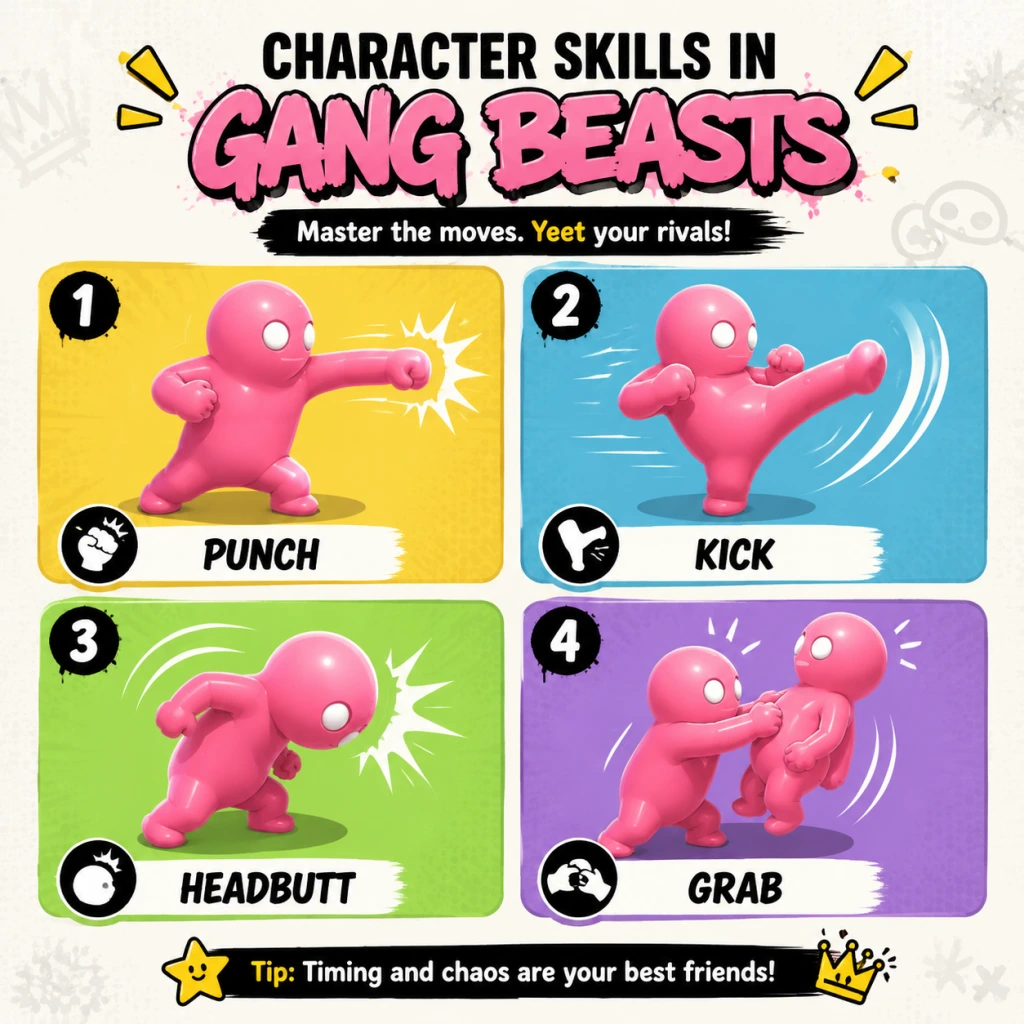
Character Skills
Character Skills Guide for Gang Beasts
Overview
In Gang Beasts, all playable characters are identical in abilities and moves. There are no classes, roles, spells, talents, or special moves that differentiate one character from another. The only differences are cosmetic (outfits, colors, hats). Every character has the same physics-based moveset described below. There are no cooldowns, mana costs, or upgrade trees – all moves can be performed at any time with the correct button inputs.
Universal Moveset
#### 1. Punch
- Description: A basic strike with one hand. The speed and trajectory depend on the analog stick direction and timing relative to the character’s momentum.
- Effects: Deals no hitpoints damage (no health system); instead, the physics-based force can stagger opponents, knock them backward, or off the edge. A fast punch can interrupt an enemy’s grab or punch.
- Input: Press the punch button (default: X on Xbox, Square on PlayStation, J on keyboard, B on Switch).
- Combos: Rapid successive punches (mashing) create a flurry that pushes opponents back. A punch followed by a grab can catch a staggered foe.
- When to use: Use to keep enemies at distance, interrupt their grabs, or push them toward hazards. Not very damaging on its own but effective in groups.
- Description: A forward kick using one leg. Slower than a punch but more force.
- Effects: Knocks opponents back significantly. Can be used while lying on the ground (ground kick) to stand up or trip nearby enemies.
- Input: Press the kick button (default: Y on Xbox, Triangle on PlayStation, K on keyboard, X on Switch).
- Combos: Kick into grab is effective – the kick staggers, then grab while they recover. Also combos well with headbutt after a grab release.
- When to use: Use to create space, knock someone off a ledge, or to finish a throw by kicking them mid-air. Good for environmental kills near pits.
- Description: The core mechanic of Gang Beasts. Grab an opponent (or object) with one or both hands.
- Effects: Allows you to control an enemy’s movement, lift them, or throw them. Grabbed characters can struggle to break free by pressing grab repeatedly or by being hit.
- Input: Press the grab button (default: RT / R2 / Left Mouse on PC, ZR on Switch). Hold to maintain grab. Release to let go.
- Variations:
- Combos:
- When to use: Always be grabbing. It’s the most versatile move for controlling opponents and setting up ring-outs.
- Description: A forward head strike. Often used to break grabs or stun.
- Effects: Deals minor physics force but can break an opponent’s grip on you. Slow recovery.
- Input: Most platforms: press B (Xbox), Circle (PlayStation), U (keyboard), A (Switch).
- Combos: Headbutt after a failed grab to stun and then quickly grab again.
- When to use: Use when grabbed to escape, or to initiate a close-range attack before grabbing.
- Description: Basic vertical hop.
- Effects: No damage. Used to reach ledges, dodge attacks, or initiate aerial grabs.
- Input: Press jump (default: A on Xbox, Cross on PlayStation, Space on keyboard, B on Switch).
- Combos: Jump + grab in mid-air to catch an airborne enemy. Jump + kick for an aerial kick that can knock someone off a ledge.
- When to use: Jump to climb onto objects, avoid ground hazards, or to grab enemies from above.
- Description: Grab onto ledges, walls, or other characters to climb.
- Effects: Allows traversal across obstacles or hanging from overhead bars. You can also hang from another character’s head (if they are below).
- Input: While near a ledge, press grab and move toward it. To climb up, press jump while hanging.
- Combos: Climb onto an opponent’s head (stand on them) – they can then shake you off. Use this to reach higher ground or to punish a downed enemy.
- When to use: Essential on stages with multiple levels. Use to escape danger or to position yourself above opponents.
- Description: A quick sidestep or roll to evade attacks.
- Effects: No invincibility frames, but the movement can avoid punches and grabs if timed well.
- Input: Double-tap a direction on the analog stick while standing still? Actually, Gang Beasts does not have a dedicated dodge button. Instead, rapid tapping of the movement stick while pressing grab can roll. Or you can slide by running and pressing the down direction + grab? Clarify: There is no formal dodge. Players can fall down and get up quickly. The closest is the “tackle” (run + punch) but that’s not a dodge. Correction: Gang Beasts lacks a dodge skill. The guide should not invent moves. Let’s omit.
- When to use: N/A.
- Description: A running body slam.
- Effects: Knocks down opponents and can send them flying if combined with momentum.
- Input: Run (hold direction) + press punch or kick while moving fast.
- Combos: Tackle into grab while enemy is on ground.
- When to use: Use to break through clusters of enemies or to knock someone off balance near the edge.
- Push objects: Grab and throw crates, barrels, or moving platforms.
- Ride vehicles: Some stages have cars, trucks, or elevators. Grab onto them to be carried or control them? (Vehicles are static in most stages – they move on rails; characters can stand on them.)
- Use trap triggers: On stages like “Incinerator” or “Ferry”, you can activate traps by throwing opponents into them, or be caught yourself.
- Grappler: Focus on grabs and throws. Use headbutts to break free, then grab. Prioritize environmental kills.
- Striker: Rely on punches and kicks to push enemies into hazards. Less grabbing, more spacing.
- Aerialist: Use jump + grab to catch enemies mid-air. Climb high objects and drop on opponents.
- Team Player (in group modes): Use grabs to hold enemies for teammates to throw, or coordinate double grabs.
#### 2. Kick
#### 3. Grab
- One-handed grab: Grab with one hand – leaves the other hand free for punching or grabbing another enemy.
- Two-handed grab: Grab with both hands – stronger hold, harder to break, but leaves you vulnerable.
- Lift: After grabbing, press up on the analog stick to lift the opponent overhead (or hold grab + jump to lift after climbing).
- Throw: While holding a grabbed enemy (or object), release the grab button while moving in a direction to fling them. The speed depends on the character’s momentum.
- Grab + Punch: While holding an enemy, punch them to push them away or set up a throw.
- Grab + Walk to edge: Drag opponent to hazard, then throw.
- Grab + Jump: Jump while holding to gain height for a better throw angle.
#### 4. Headbutt
#### 5. Jump
#### 6. Climb / Hang
#### 7. Dodge / Roll
#### 8. Tackle
Environmental Interactions
All stages have interactive hazards (fans, grinders, fire, water, vehicles). Characters can:
No Special Moves or Ultimate Abilities
There are no character-specific specials, super moves, or power-ups. All “skills” are universal physics interactions. The only variation comes from cosmetic outfits which have no gameplay effect.
Recommended “Builds” (Playstyle Strategies)
Since there are no skill trees, your playstyle is defined by how you combine moves:
When to Use Each Skill
| Skill | Best Use Case |
|---|---|
| Punch | Interrupt grabs, push enemy slightly, flurry in groups |
| Kick | Knock enemy far, finish near edge, stand up from ground |
| Grab | Control enemy, set up ring-out, lift and throw |
| Headbutt | Break enemy grab on you, stun at close range |
| Jump | Access ledges, dodge low attacks, aerial grab |
| Climb | Reach higher platforms, escape hazards, stand on enemies |
| Tackle | Break cluster, surprise knockdown, risky push |
Conclusion
Mastering the universal skills and their physics interactions is key to winning in Gang Beasts. Experiment with combinations – every move can be chained into another based on momentum and positioning. Remember: There are no incorrect moves, only poorly timed ones. Practice the grab-throw chain and learn each stage’s hazards to dominate the floppy chaos.
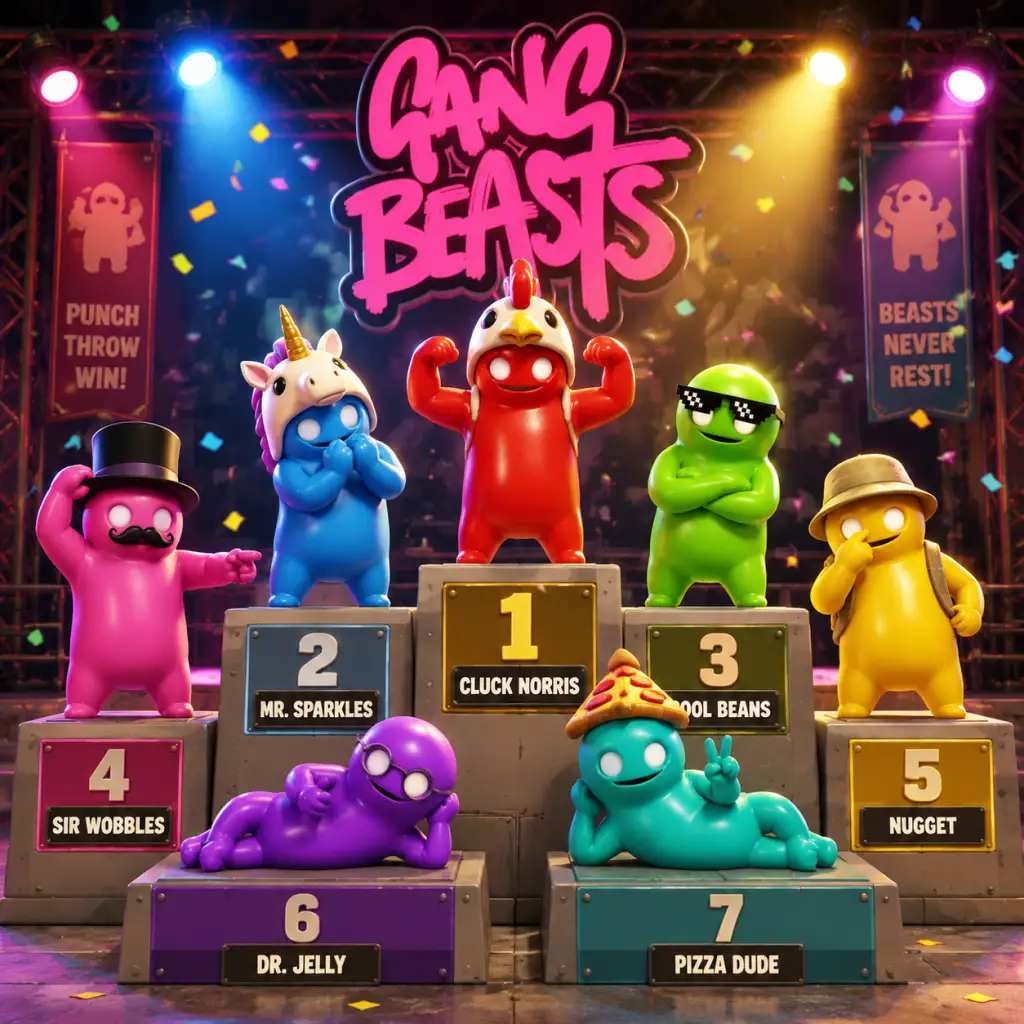
Characters & Roles
Characters & Roles Guide for Gang Beasts
Overview
Gang Beasts is a physics-based brawler where all playable characters are mechanically identical. There are no classes, roles, special abilities, stat differences, or unique moves that differentiate one character from another. Every character has the exact same health (one hit death in most modes), same physics weight, same punching power, same grab strength, and same movement speed. The only differences are purely cosmetic: different outfits, colors, and visual styles. This guide covers the roster of available characters, their visual themes, unlock conditions, and how to use the cosmetic customization strategically.
Character Categories
Characters fall into three categories:
- Default Characters: Unlocked from the start.
- Unlockable Characters: Earned by completing in-game achievements.
- DLC Characters: Purchased via the "Gang Beasts – Character Pack" or through platform-specific bundles (e.g., PlayStation Plus extras).
Complete Character Roster
#### Default Characters (Always Available)
These characters are available immediately in the character selection screen (or as randomly assigned if you skip selection).
| Character Name | Visual Description | Notes |
|---|---|---|
| Beige | A character with a beige skin-tight outfit, no additional accessories. The most basic look. | Represents the game's default aesthetic. Often used to blend in. |
| Green | Bright green skin-tight bodysuit. | Highly visible, easy for opponents to track. |
| Red | Red bodysuit, classic brawler color. | Popular for team play due to high contrast. |
| Blue | Blue bodysuit, calm color. | Often chosen for contrast with fire/backgrounds. |
| Yellow | Yellow bodysuit. | Can be harder to see on some bright stages. |
| Pink | Pink bodysuit, perhaps the most flamboyant. | Frequently targeted due to visibility. |
| Purple | Purple bodysuit. | Good for blending in with darker stages. |
| Orange | Orange bodysuit. | Similar to yellow but slightly more muted. |
| Grey | Grey bodysuit. | Neutral tone, less attention-grabbing. |
| White | White bodysuit. | High contrast on dark stages, less so on bright ones. |
| Black | Black bodysuit. | Arguably the best stealthy option, especially in shadows. |
| Light Blue | Light blue bodysuit. | A softer version of blue.
| Lime | Lime green bodysuit. | Even brighter than Green.
#### Unlockable Characters (Achievement-based)
These characters are unlocked by completing specific achievements in the game. Once unlocked, they become available in the character selection screen for all modes.
| Character Name | Achievement Condition | Visual Description | Strategic Notes |
|---|---|---|---|
| Officer | "The Duke of Destruction" – Punch 1,000 opponents. | A character wearing a police hat and blue uniform (similar to the default blue but with a hat). | The hat gives no gameplay advantage; purely aesthetic. |
| Fireman | "You're Safe Now" – Rescue 10 characters from danger (e.g., pull them away from a hazard). | Yellow firefighter jacket with a helmet. | High visibility, but the helmet might be mistaken for head protection (it's not). |
| Bear | "Bear Hug" – Hold a single grab for 60 seconds total. | A full-body bear costume (furry brown suit with bear head). | Large visual profile may make it easier for opponents to target, but same hitbox. |
| Cyclist | "Pedal to the Metal" – Fall 100 times total. | A cyclist outfit with helmet and jersey. | Helmet is cosmetic only. |
| Ninja | "Ninja Kill" – Defeat an opponent by throwing them into a hazard without punching. | Black ninja outfit with a mask. | Blends well in dark stages; no actual ninja abilities. |
| Pizza Delivery | "Fast Delivery" – Complete a match in under 30 seconds. | A pizza delivery uniform with a flat cap. | Fun thematic choice. |
| Chef | "Hot Work" – Spend 60 seconds near fire hazards. | White chef coat, hat, and pants. | High contrast on fire stages. |
| Construction | "Hard Hat Area" – Get hit in the head by a falling object 10 times. | Orange construction vest, hard hat, and jeans. | Hard hat is purely cosmetic. |
| Boxer | "One-Two Punch" – Land 20 consecutive hits without getting hit yourself. | Red boxing shorts, gloves, and headgear. | Looks the part but no boxing mechanics. |
| Gladiator | "Arena Champion" – Win 50 rounds. | Roman gladiator helmet and armor (shoulder pads). | One of the most visually distinct characters. |
| Scuba Diver | "Deep Dive" – Fall into water 25 times. | Scuba mask, flippers, and wetsuit. | Flippers are purely cosmetic. |
| Pirate | "Walk the Plank" – Throw 50 opponents off the stage. | Pirate hat, eyepatch, and coat. | Classic brawler look. |
| Skeleton | "Bone-Crushing" – Break 10 bones of opponents (by throwing them into grinders/fans). | Full skeleton suit with a skull mask. | Spooky aesthetic; high visibility on bright stages. |
| Zombie | "Undead" – Get knocked out and revived 25 times. | Torn clothes, green skin, and messy hair. | Often targeted due to theme. |
| Cowboy | "Quick Draw" – Defeat an opponent within 3 seconds of the round starting. | Cowboy hat, boots, and vest. | Popular choice. |
| Astronaut | "Space Cadet" – Get launched by an explosion 10 times. | Full astronaut suit with helmet and backpack. | Helmet glows slightly; no gameplay effect. |
| Robot | "Machine Learning" – Win a match by only using grabs (no punches). | Metallic silver body, red eyes, and robot head. | Visually distinct; no extra durability. |
| Clown | "Circus Freak" – Laugh 100 times (emote). | Clown outfit with wig, nose, and oversized shoes. | Loud appearance; often the center of attention. |
| Viking | "Ragnarok" – Win a match on the "Ring" stage (or similar). | Viking helmet with horns, beard, and fur vest. | Horns are a classic target – no functional effect. |
These characters are available through the "Gang Beasts – Character Pack" DLC or as part of special editions. They are purely cosmetic and do not affect gameplay.
| Character Name | How to Obtain | Visual Description |
|---|---|---|
| Panda | Character Pack DLC | Black and white panda suit with panda head. |
| Unicorn | Character Pack DLC | Unicorn onesie with horn and rainbow mane. |
| Werewolf | Character Pack DLC | Wolf-like costume with fur, claws (cosmetic), and ears. |
| Alien | Character Pack DLC | Green alien head, antenna, and spacesuit. |
| Yeti | Character Pack DLC | White furry yeti costume with large feet. |
| Dragon | Character Pack DLC | Red dragon costume with wings and tail. |
| Ghost | Character Pack DLC | Translucent white ghost sheet with eye holes. |
| Penguin | Character Pack DLC | Black and white penguin costume with beak. |
| Chicken | Character Pack DLC | Yellow chicken outfit with beak and comb. |
| Demon | Character Pack DLC | Red demon outfit with horns, tail, and pitchfork (cosmetic). |
| Bunny | Character Pack DLC | Pink bunny ears and fluffy tail on a bodysuit. |
| Koala | Character Pack DLC | Grey koala suit with big ears and nose. |
| Robot Dog | Character Pack DLC | Mechanical dog costume. |
| Octopus | Character Pack DLC | Purple octopus costume with tentacle legs. |
| Mummy | Character Pack DLC | White bandage-wrapped mummy suit. |
| Skeleton (Gold) | Character Pack DLC | Golden skeleton suit, more shiny. |
| Glow-in-the-Dark Skeleton | Character Pack DLC | Skeleton suit that emits a faint glow (cosmetic only). |
Playstyle & Roles in Team Games
Since all characters are identical in abilities, the concept of "roles" only applies through team coordination and cosmetic identification.
- No Class System: There are no healers, tanks, damage dealers, or support characters. Every character punches, grabs, and moves identically.
- Team Communication: Players often choose matching outfits (e.g., all red, all ninja) to quickly distinguish teammates in the chaos. This is the only practical advantage of specific characters.
- No Builds or Equipment: There is no gear system, skill trees, or loadouts. The only thing you can change is your character's appearance in the menu before a match.
- Punch 1,000 opponents – Officer
- Rescue 10 characters – Fireman
- Hold a grab for 60 seconds total – Bear
- Fall 100 times – Cyclist
- Throw opponent into hazard without punching (Ninja Kill) – Ninja
- Complete a match under 30 seconds – Pizza Delivery
- Spend 60 seconds near fire – Chef
- Get hit by falling object 10 times – Construction
- Land 20 consecutive hits without being hit – Boxer
- Win 50 rounds – Gladiator
- Fall into water 25 times – Scuba Diver
- Throw 50 opponents off stage – Pirate
- Break 10 bones of opponents (via hazards) – Skeleton
- Get knocked out and revived 25 times – Zombie
- Defeat opponent within 3 seconds – Cowboy
- Get launched by explosion 10 times – Astronaut
- Win using only grabs (no punches) – Robot
- Laugh 100 times (emote) – Clown
- Win match on specific stage (e.g., Ring) – Viking (exact stage may vary by update)
- Cosmetic Coordination: Choose characters with similar color schemes or themes (e.g., all astronauts) to quickly identify teammates.
- No Synergy Mechanics: There are no team-based skills, bonuses, or combos. Teamwork relies purely on communication and strategy.
Unlock Conditions Summary
To unlock achievement-based characters, you must meet specific in-game milestones. Here is a condensed list:
Recommended Equipment or Builds
None. The game has no equipment. The only "build" is your choice of cosmetic appearance, which has zero gameplay impact.
Team Synergy
Conclusion
In Gang Beasts, the character you choose is purely a cosmetic preference. Unlocking characters is a fun way to add variety and show off achievements, but it does not affect performance. Focus on learning the physics-based mechanics—grab strength, timing, and use of hazards—rather than worrying about character choice. For the best experience, coordinate with friends to pick matching outfits for easier team identification in the chaos.
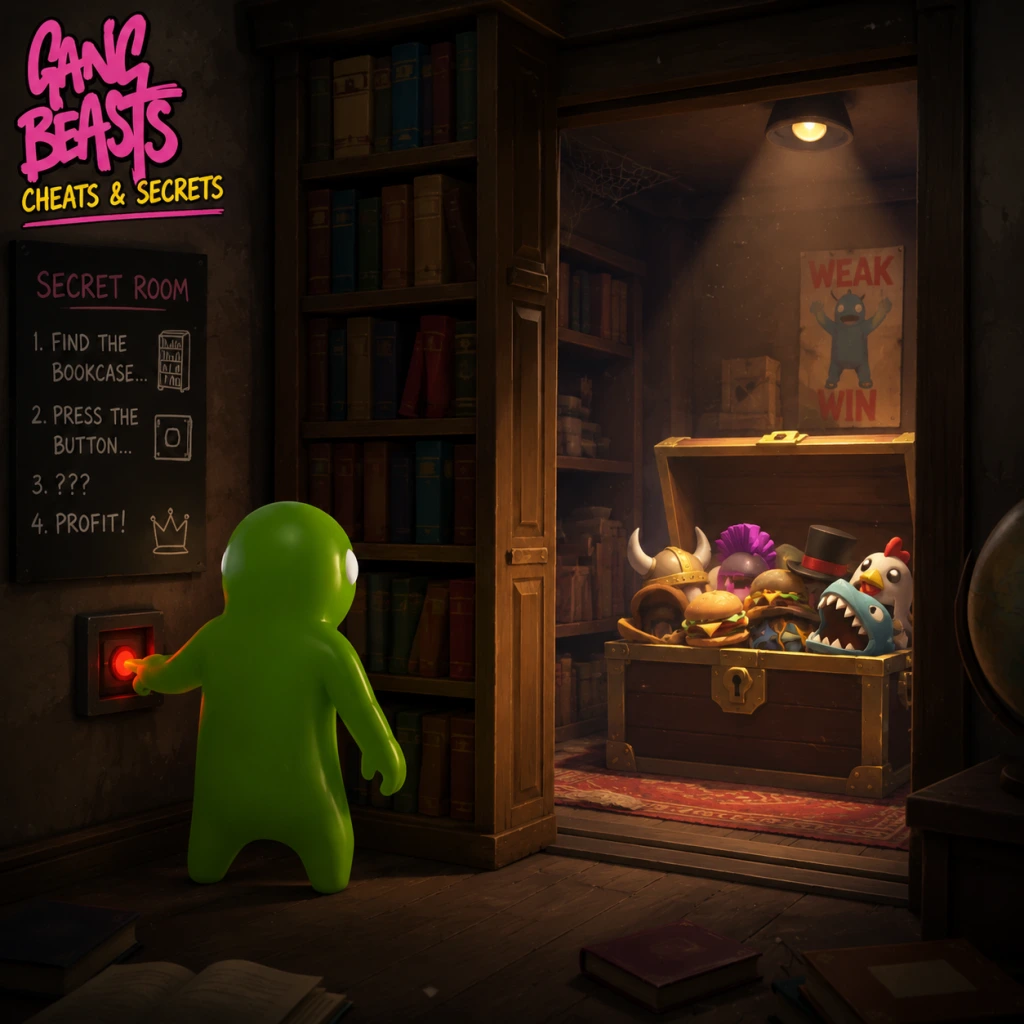
Cheats & Secrets
Cheats & Secrets for Gang Beasts
Overview
Gang Beasts is a physics-based brawler with no traditional cheat codes, unlock codes, or secret commands that affect gameplay. The developers intentionally avoided such features to maintain the pure chaotic experience. However, there are several hidden features and Easter eggs that players can discover.
Cheat Codes
None. No cheat codes exist for any platform (PC, PlayStation, Xbox, Nintendo Switch). Entering button combinations or using third-party trainers will not yield any official results. The game has no built-in cheat system.
Unlock Codes
None. All cosmetic outfits are unlocked by meeting specific gameplay milestones (e.g., playing certain stages, winning matches) or by purchasing DLC packs. There are no codes to unlock items or characters.
Secret Commands
None. There are no secret button inputs or keyboard commands that trigger special abilities, invincibility, or level skips. (Note: On PC, pressing `F1` toggles a debug overlay showing FPS and physics information—this is a developer tool, not a secret command, and does not affect gameplay.)
Hidden Features & Easter Eggs
Despite the lack of cheats, Gang Beasts is filled with humorous details and Easter eggs that are part of the game's design. These are safe, developer-intended discoveries:
- Stage Easter Eggs:
- Developer-Intended Content:
- Incinerator: If a character is thrown into the fire pit, a tiny "marshmallow" roasting animation may play on the character model (rare occurrence).
- Buoy: A giant, harmless whale occasionally swims in the background water. If a character falls into the water near it, they may be nudged by the whale's wake.
- Haunted: A ghostly figure (often called the "Ghost Train") passes through the stage periodically.
- Wheel: After a match ends, a giant disco ball might descend from the ceiling if all players are eliminated simultaneously (visual only).
- Mountain: There is a hidden cave behind a waterfall that characters can enter (requires precise physics manipulation to reach).
- The game's credits sequence contains a humorous "Director's Cut" ending if you let it play fully without skipping—displays extra animations and developer jokes.
- All character costumes are unlockable through gameplay milestones or DLC; no secret outfits are hidden behind codes.
Conclusion
Gang Beasts relies on its physics-based chaos rather than cheat codes. The secrets and Easter eggs are purely cosmetic or environmental, encouraging exploration and laughter. There is no gameplay-altering hidden content, so enjoy the mayhem as intended.