
Heavy Rain
## Game Introduction **Heavy Rain** is a groundbreaking interactive drama and psychological thriller developed by **Quantic Dream** and published by **Sony Computer Entertainment** (initially for PlayStation platforms) and later by **Quantic Dream** themselves on PC. Often cited as a landmark title...
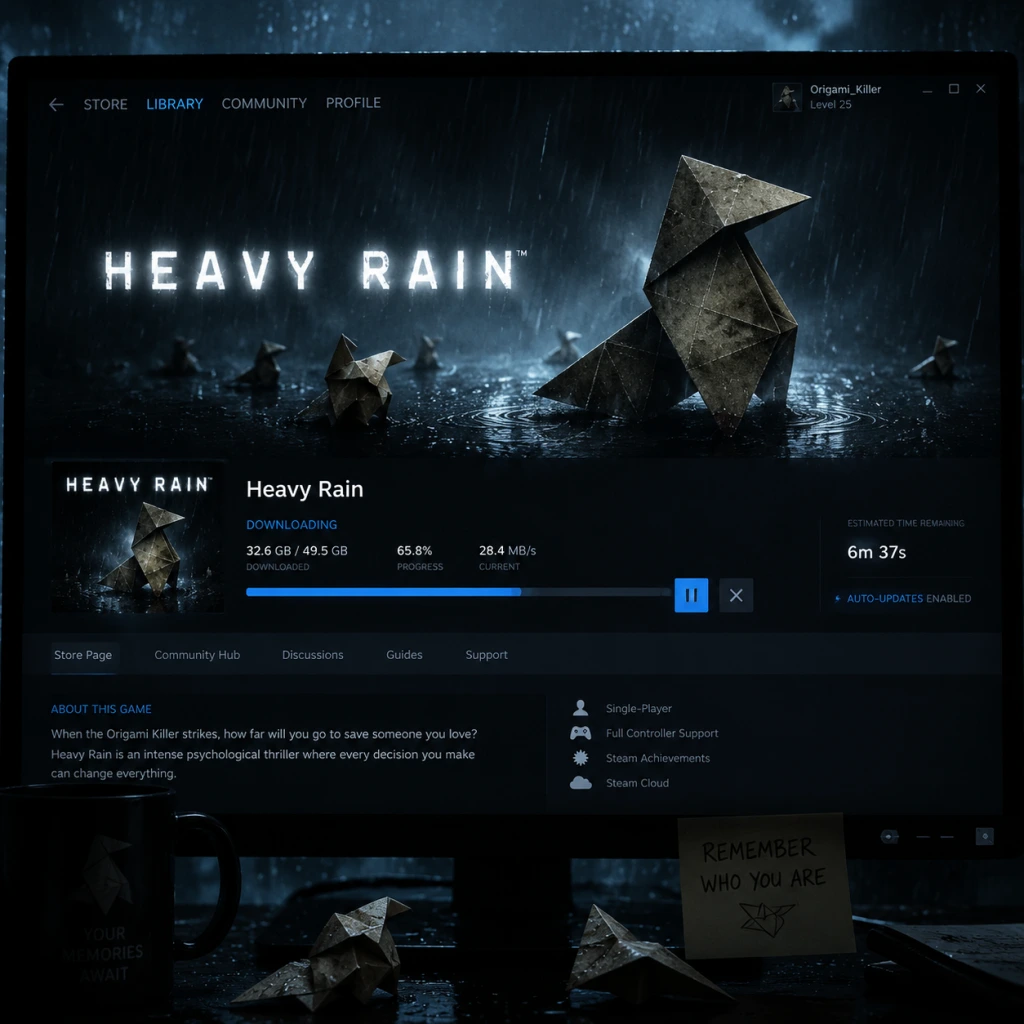
Download & Installation
Download & Installation Guide for Heavy Rain
This guide covers all official platforms where Heavy Rain is available. The game is not released on Xbox, Nintendo Switch, or mobile devices.
Platform Availability
- PC: Steam (https://store.steampowered.com/app/96000/Heavy_Rain/), Epic Games Store (https://store.epicgames.com/en-US/p/heavy-rain)
- PlayStation 4 & PlayStation 5 (backward compatible): PlayStation Store (https://store.playstation.com/en-us/product/UP9000-CUSA06324_00-HEAVYRAIN0000000)
- PlayStation 3: Digital via PlayStation Store (legacy, may require PS3 console; disc version also available)
> Note: Heavy Rain cannot be installed on Xbox One, Xbox Series X|S, or Nintendo Switch. There is no official mobile version.
---
System Requirements (PC)
Minimum (720p, 30fps, Low settings)
| Component | Requirement |
|---|---|
| OS | Windows 7 (64-bit) |
| CPU | Intel Core i5-2400 @ 3.1 GHz / AMD FX-6100 @ 3.3 GHz |
| RAM | 4 GB |
| GPU | NVIDIA GeForce GTX 660 (2 GB) / AMD Radeon HD 7870 (2 GB) |
| DirectX | Version 11 |
| Storage | 35 GB available space |
| Sound | DirectX compatible |
Recommended (1080p, 60fps, High settings)
| Component | Requirement |
|---|---|
| OS | Windows 10 (64-bit) |
| CPU | Intel Core i7-2700K @ 3.5 GHz / AMD Ryzen 5 1400 |
| RAM | 8 GB |
| GPU | NVIDIA GeForce GTX 1060 (6 GB) / AMD Radeon RX 480 (4 GB) |
| DirectX | Version 11 |
| Storage | 35 GB available space (SSD recommended) |
| Sound | DirectX compatible |
---
Account Requirements
- Steam: A Steam account is required. The game is purchased and tied to your library.
- Epic Games Store: An Epic Games account is required. Same as Steam.
- PlayStation: A PlayStation Network (PSN) account is required to download from the store. The game is tied to your account.
---
Installation Steps
PC (Steam)
1. Install the Steam client (if not already installed) from https://store.steampowered.com/about/
2. Log into your Steam account.
3. Go to your Library and find Heavy Rain. If not purchased, visit the store page and purchase the game.
4. Click Install on the game page in your library.
5. Choose the installation directory (ensure at least 35 GB free space).
6. Steam will download and install the game automatically. This may take a while depending on your internet speed.
7. After installation, the Play button appears. Click to launch.
PC (Epic Games Store)
1. Install the Epic Games Launcher from https://store.epicgames.com/en-US/.
2. Log into your Epic Games account.
3. Go to your Library and find Heavy Rain. If not purchased, purchase from the store.
4. Click the Install button.
5. Choose installation location and click Install.
6. Once download and installation complete, click Launch.
PlayStation 4 & PlayStation 5
1. Ensure your console is connected to the internet and signed in to PSN.
2. Go to the PlayStation Store (on console or via web browser).
3. Search for Heavy Rain and purchase if needed.
4. Select Download or Add to Library > Download.
5. The game will begin downloading. You can monitor progress in the notifications menu.
6. Once downloaded, the game appears on your home screen. Insert disc version (if physical) and installation will start automatically.
7. For PS5, simply download the PS4 version; it runs via backward compatibility.
PlayStation 3 (Legacy)
1. Access PS Store from the XMB.
2. Search for Heavy Rain and purchase/download.
3. Installation will proceed; ensure at least 8 GB free (PS3 version is smaller).
---
First Launch Setup
When you first run Heavy Rain, you may encounter the following screens:
1. Language Selection: Choose your preferred language for subtitles and audio (if available). This can be changed later in settings.
2. Controller Setup: The game is designed for a gamepad. On PC, you may need to connect a controller (Xbox 360/One/Series, PS4/5 DualShock/DualSense, or other compatible controller). Keyboard and mouse are supported but not recommended.
3. Graphics Settings (PC only): The game will auto-detect your hardware. You can adjust resolution, texture quality, anti-aliasing, etc. For best experience on mid-range hardware, stick to the recommended preset.
4. Subtitles & Audio: Enable subtitles if desired (recommended for clarity). Adjust volume levels.
5. Save File: The game will create a save data folder in your user directory (Documents/Heavy Rain on PC). Ensure sufficient disk space.
6. Main Menu: After configuration, you reach the main menu. You can start a new game, load, or access extras.
> Note: On PS4/PS5, the game will launch directly to the title screen after installation. No additional setup is required.
---
Storage Space Details
| Platform | Required Space | Notes |
|---|---|---|
| PC (Steam/Epic) | 35 GB | Additional space for saves (~100 MB). SSDs reduce loading times dramatically. |
| PlayStation 4 | 35 GB | Digital download size. Physical disc requires partial install (~30 GB). |
| PlayStation 5 | 35 GB | Same as PS4; PS5 backward compatibility duplicates the PS4 version. |
| PlayStation 3 | ~8 GB | Legacy version is smaller due to lower-resolution assets. |
Common Installation Errors & Fixes
PC Errors
| Error | Cause | Fix |
|---|---|---|
| "DirectX 11 is required" | Missing or outdated DirectX runtime. | Install the latest DirectX End-User Runtime from Microsoft: https://www.microsoft.com/en-us/download/details.aspx?id=35 |
| Crash immediately after launch | Outdated GPU drivers or incompatible hardware. | Update your graphics card drivers (NVIDIA GeForce Experience / AMD Adrenalin). Ensure GPU meets minimum requirements. |
| "0x887a0006" error | GPU driver or DirectX issue. | Run the game in compatibility mode (Windows 8), disable overlays (Steam/Epic), or verify game files. |
| Black screen on startup | Resolution or fullscreen issue. | Edit `%USERPROFILE%\Documents\Heavy Rain\config.ini` and set `FullScreen=false`, or press Alt+Enter to toggle. |
| No sound | Audio device or DirectX issue. | Set your default audio device to 16-bit 48000Hz (Sound control panel > Properties > Advanced). |
| Game stutters or texture pop-in | Slow HDD or insufficient VRAM. | Install on an SSD. Lower texture quality in settings. |
- Steam: Right-click Heavy Rain > Properties > Local Files > Verify Integrity of Game Files.
- Epic: Library > Click three dots on Heavy Rain > Verify.
PlayStation Errors
| Error | Cause | Fix |
|---|---|---|
| CE-30022-7 or download fails | Corrupted data or network issue. | Reboot console, clear cache: Settings > Storage > System Storage > Saved Data > Delete Heavy Rain data (not saves) then retry. |
| Insufficient storage | Not enough free space. | Delete other games or use extended storage. Ensure at least 45 GB free for installation process. |
| No license found | Account mismatch or expired PS Plus (if claimed). | Restore licenses: Settings >Account Management > Restore Licenses. |
| Game freezes on loading screen | Corrupted save or game data. | Delete and reinstall the application (saves can be backed up via USB or cloud). |
Post-Installation Verification
After installation, perform these checks to ensure the game works correctly:
1. Launch the game from your platform's library.
2. Check version number (usually visible in lower-left corner of main menu or settings). Latest version should be 2.0 (PC) or 1.08 (PS4).
3. Run a short playthrough of the first chapter (the prologue with Ethan Mars). Ensure controls respond, audio plays, cutscenes load smoothly.
4. Test save functionality: Create a manual save from the pause menu and reload it.
5. Update the game if prompted (PC: Steam/Epic automatically updates; PS4/PS5: check for updates via Options button on the game icon).
6. Check for DLC: If you own the "Heavy Rain – The Taxidermist" DLC or any add-ons, verify they are installed and accessible from the main menu.
If everything works, you are ready to enjoy Heavy Rain.

Game Introduction
Game Introduction
Heavy Rain is a groundbreaking interactive drama and psychological thriller developed by Quantic Dream and published by Sony Computer Entertainment (initially for PlayStation platforms) and later by Quantic Dream themselves on PC. Often cited as a landmark title in the "interactive movie" genre, the game emphasizes player choice and consequence over traditional action mechanics, telling a mature, emotionally charged story about sacrifice, desperation, and the lengths a parent will go to save their child.
---
Genre & Developer
- Genre: Interactive Drama / Psychological Thriller / Adventure
- Developer: Quantic Dream (known for Fahrenheit/Indigo Prophecy, Beyond: Two Souls, Detroit: Become Human)
- Publisher: Sony Computer Entertainment (PS3, PS4) / Quantic Dream (PC)
---
Release Timeline & Platforms
| Platform | Release Date | Notes |
|---|---|---|
| PlayStation 3 | February 2010 (NA/EU), February 2011 (JP) | Original release, exclusive to PS3 |
| PlayStation 4 | March 2016 | Remastered version (Heavy Rain™ PS4) with improved textures and DualShock 4/Sony Move support |
| PC (Steam, Epic Games Store) | June 2020 | Includes all DLC; supports keyboard/mouse and controllers |
| Xbox / Nintendo Switch / Mobile | Not available | Exclusivity rights kept it off Xbox; no mobile or Switch port exists |
Story Overview & Setting
Set in the fictional yet realistic Eastern American city of Philadelphia during a relentless rain season, Heavy Rain begins with the disappearance of young Shaun Mars, the son of architect Ethan Mars. The boy is abducted by the "Origami Killer," a serial murderer who drowns his victims in rainwater after forcing their parents to complete impossible tasks in a twisted test of devotion. Ethan receives a heart-pounding ultimatum: follow the killer's clues and perform grueling trials (including driving the wrong way on a highway, crawling through broken glass, and cutting off his own finger) or lose Shaun forever.
Meanwhile, the story interweaves the lives of three other characters:
- Madison Paige – a journalist struggling with insomnia who becomes obsessed with the Origami Killer case.
- Scott Shelby – a private detective hired by the families of the killer's past victims to find the truth.
- Norman Jayden – an FBI profiler with a drug addiction, using high-tech augmented reality glasses to analyze crime scenes.
As these four protagonists investigate and act, the player's choices determine not only who survives but also whether the Origami Killer is caught—and who he really is.
---
Main Characters
| Character | Role | Description |
|---|---|---|
| Ethan Mars | Architect / Father | Protagonist whose younger son Shaun is kidnapped; must undergo deadly trials to save him. Haunted by the accidental death of his elder son Jason. |
| Madison Paige | Journalist | A night owl and insomniac who lives in her apartment above a bar. Connects with Ethan and aids his quest. |
| Scott Shelby | Private Detective | A weary, chain-smoking investigator speaking with families of the Origami Killer's previous victims. |
| Norman Jayden | FBI Profiler | An agent with access to cutting-edge forensic tools, but battling a debilitating addiction to a drug called Triptocaine. |
| Origami Killer | Serial Killer | The unseen antagonist who drowns children by trapping them in rainwater-filled pits, leaving an origami figure at each crime scene. |
Core Appeal & Unique Features
- Branching Narrative: Every decision—from minor dialogue choices to life-or-death actions—alters the story. No two playthroughs are identical. Characters can die permanently, and the game continues without them, drastically changing plot outcomes.
- Context-Sensitive Controls: Instead of simple button presses, Heavy Rain uses analog stick movements, trigger pulls, and quick-time events (QTEs) to simulate real actions like opening a door, washing hands, or fighting. The PS4/PC versions also support motion controls.
- Emotional Immersion: The game is rated M for intense violence, nudity, and mature themes. It deliberately places players in uncomfortable moral dilemmas, making them feel the desperation of a father losing his child or the guilt of a detective failing a victim.
- Multiple Endings: There are at least 20 distinct endings, ranging from everyone surviving to tragic losses. The true identity of the Origami Killer can change based on player choices during key scenes.
- Age: 18+ (due to graphic violence, sexual content, and psychological horror)
- Ideal for: Fans of story-driven games, choose-your-own-adventure narratives, mystery and thriller fiction, and players who value emotional impact over action gameplay. Not recommended for those who dislike QTEs or prefer open-world freedom.
- Single-Player Only: Heavy Rain is a strictly single-player experience with no co-op or multiplayer modes.
- Offline Support: The game can be played entirely offline after installation. No internet connection is required for the main story.
- Online Features (None): There are no leaderboards, online interactions, or cloud-dependent mechanics (aside from optional saves on cloud services).
---
Target Audience
---
Game Modes & Online/Offline Support
---
DLC / Expansions Overview
Heavy Rain originally included a pre-order bonus chapter and later released one major story DLC:
| DLC Name | Release | Content |
|---|---|---|
| The Taxidermist | March 2010 (PS3) | A standalone side story set during the main game, playable as Madison Paige. She investigates the home of a suspected taxidermist, leading to a tense, horror-filled sequence. This DLC is included by default in the PS4 and PC versions. |
---
What Makes Heavy Rain Unique
- Pioneer of the Interactive Drama Genre: Along with Fahrenheit and later Detroit: Become Human, Heavy Rain solidified the idea that a video game could deliver a mature, cinematically rich story where player agency is paramount.
- The Origami Killer Mystery: The central whodunit is brilliantly crafted, with clues hidden in subtle dialogue, environmental details, and character actions. The game rewards replaying with foreknowledge.
- Moral Complexity: Players are forced to perform morally abhorrent acts (like cutting off a finger or enduring electric shocks) to “save” a child—prompting introspective questions about how far one would go for family.
- Iconic Soundtrack & Atmosphere: The constant rain, somber piano score by Normand Corbeil, and muted color palette create a pervasive feeling of dread and melancholy.
- Innovative Control Scheme (for its time): The use of Sixaxis motion controls on PS3 and the later PS4 camera/VR support (optional) made actions feel physical, breaking the barrier between player and protagonist.
---
In summary: Heavy Rain is not a game for everyone, but for those seeking an unforgettable, emotionally draining story shaped by their own choices, it remains a masterpiece of narrative design. Its exploration of grief, sacrifice, and redemption—set against a backdrop of ceaseless rain—has earned it a lasting place in gaming history.
Getting Started
Getting Started Guide for Heavy Rain
Welcome to Heavy Rain, an interactive drama where every choice matters. This guide helps brand‑new players through the first hour, controls, UI, and common pitfalls.
First Hour Walkthrough (No Major Spoilers)
The game begins with Ethan Mars at home. Your first actions set the tone:
1. Morning Routine – Walk around Ethan’s house. Interact with objects (cereal, coffee, newspaper). You’ll see on‑screen prompts. Take your time – no rush.
2. Play with Sons – Follow the prompts to play catch, sketch, etc. This builds emotional connection.
3. Shopping Mall – Later, Ethan takes his sons to the mall. Critical: Stay close to them and respond quickly during the incident that follows. Missing a QTE here can lock you out of achievements but doesn’t break the game.
4. After the incident – The story jumps 18 months. You control Ethan again in a dreary apartment. Explore all interactive objects to learn about his grief.
5. First Origami Killer encounter – You receive a letter. Follow the on‑screen instructions. This triggers the main investigation.
Tip: The game auto‑saves frequently. There is no manual save. If you fail a QTE, the story adapts – you don’t “die” immediately.
Character Creation
Heavy Rain does not have character creation. You play as predefined protagonists:
- Ethan Mars – a father with anxiety issues.
- Scott Shelby – a private detective.
- Madison Paige – a journalist (appears later).
- Norman Jayden – an FBI profiler (appears later).
Your choices shape their personalities and relationships, but you cannot alter appearance or starting stats.
Controls on All Platforms
#### PlayStation (PS4/PS5)
| Action | Button |
|---|---|
| Move character | Left stick |
| Look around | Right stick (hold R1 to look faster) |
| Interact / Context action | R2 (or ✕ when prompted) |
| Walk faster | Hold R2 (then move left stick) |
| Dialogue choice | ✕ (confirm), ◯ (cancel), directional buttons for options |
| Quick Time Event (QTE) | Follow on‑screen inputs (✕, ◯, □, △, or stick movements) |
| Pause | Options button |
| Action | Key |
|---|---|
| Move | WASD |
| Look around | Mouse movement (hold right mouse button) |
| Interact | Left mouse click / E |
| Walk faster | Hold Shift (or space bar) |
| Dialogue choices | 1-4 number keys (or click) |
| QTE | Input keys shown on screen (e.g., W, A, S, D, space, mouse clicks) |
| Pause | Esc |
Same layout as PlayStation but with A/B/X/Y. QTE prompts will show the corresponding button icons.
Tip: In the main menu, you can reconfigure controls to swap look/interact buttons. For PC, a controller is strongly advised – QTEs are more responsive.
UI Overview
- HUD is minimal – No health bar, no inventory. The only persistent elements are:
- Thought bubble – Occasionally, a thought bubble icon appears above a character. Press the interact button to hear their inner thoughts.
- Auto‑save icon – A small rotating disc in the corner tells you a save is occurring. Do not turn off the game during this.
- Play the Prologue without rushing – It teaches you the rhythm of the game.
- Explore thoroughly – Try every interactive object. Some reveal backstory or affect later choices.
- Listen to characters’ thoughts – Press the prompt for thought bubbles; they deepen understanding.
- Save (via auto‑save) – Never manually exit while the auto‑save icon is spinning.
- Ignoring QTEs – Even small ones can cause a character to fail an action, leading to different scenes or missed trophies/achievements.
- Choosing dialogue quickly without reading – Take your time; each choice has weight.
- Trying to “win” – Heavy Rain is about narrative, not score. Embrace failures – they create unique story branches.
- Skipping cutscenes – You’ll miss clues and emotional beats.
- Time – Some scenes are timed. Prioritise key objectives (e.g., finding a clue before a deadline).
- Relationships – How characters perceive each other. Choose empathy over aggression early on.
- Clues – Pay attention to documents, photos, and dialogues. They affect the investigation chapters.
- In Ethan’s chapters: family safety.
- In Scott’s chapters: collecting evidence.
- Later in Madison’s: survival and uncovering the truth.
- [ ] Choose your platform settings (language, subtitles, brightness).
- [ ] Select “New Game” (no difficulty levels – the game auto‑adjusts).
- [ ] Watch the intro cutscene – It sets the atmosphere.
- [ ] Complete the Prologue – Focus on learning controls.
- [ ] Errands:
- [ ] After the mall incident, play through the next chapter ("18 Months Later") until you receive the letter.
- [ ] Pause and check the “Extras” menu – You can view trophies, concept art (unlocked later), and even change control settings here.
- [ ] Save your progress (it auto‑saves after each major scene). Trust the auto‑save.
- [ ] End your first session after finishing the chapter "The Origami Killer" (Scott Shelby’s first scene). This covers roughly 1–1.5 hours.
- Prompt icons (button or key) when you can interact.
- Dialogue wheel appears during conversations – hover over an option to see a brief preview.
- QTE indicators – a coloured ring (blue for safe, red for failure risk) or timed bar.
Essential Early Objectives (First 2 Chapters)
1. Chapter: "Prologue" (Ethan) – Complete the morning routine and interact with family. You’ll learn basic controls.
2. Chapter: "The Mall" (Ethan) – Keep Jason and Shaun close. Respond to the crisis promptly.
3. Chapter: "18 Months Later" (Ethan) – Investigate every object in the apartment. Receive the letter.
4. Chapter: "The Origami Killer" (Scott Shelby) – Visit the crime scene. Talk to witnesses. Examine clues.
Priority: In each chapter, you can fail optional QTEs without ending the game, but failing critical ones can alter the story permanently. Always react quickly when a QTE appears – the window is short.
What to Do First and What to Avoid
#### Do First:
#### Avoid:
Early Resource Priorities
There are no traditional resources (health, ammo, money). Your “resources” are:
Mentally prioritise:
Common Beginner Mistakes
1. Missing QTEs because of panic – Breathe. The game gives a brief moment. Look at the on‑screen prompt and press the correct button/stick.
2. Not exploring enough – Even mundane objects (a picture frame, a toy) can trigger new thoughts or alter dialogue.
3. Rushing through dialogue – You might miss a crucial question that unlocks a new lead.
4. Forgetting to “look” (R1/right stick) – Some clues are only found by actively looking around.
5. Assuming failure is permanent – The story adapts. You might get a worse outcome, but you can continue playing different scenarios.
6. Ignoring optional QTEs – Those that appear during normal movement (like avoiding obstacles) can lead to injury or failure.
Day‑One Checklist
When you first launch Heavy Rain, do this sequentially:
- Walk to all rooms.
- Interact with each item at least once.
- Follow all on‑screen prompts.
- When QTE appears, respond immediately – don’t hesitate.
Pro tip: If you feel overwhelmed, don’t worry. The game has a built‑in “Flow” system that prevents hard locks. You can always replay chapters from the main menu after completing the game.
Remember: Heavy Rain is an emotional rollercoaster – enjoy the ride.

Core Gameplay
Core Gameplay Guide for Heavy Rain
Heavy Rain is an interactive drama that emphasizes narrative choices, quick time events (QTEs), and environmental exploration over traditional gameplay mechanics like combat, leveling, or economy. The core gameplay loop revolves around controlling one of four protagonists, making split-second decisions, and witnessing the consequences unfold in a branching story. Below, the experience is organized by player progression tiers (Early, Mid, Late, Endgame), with each tier detailing the key systems and examples.
Main Gameplay Loop
The loop repeats throughout the game:
1. Explore a confined environment (apartment, warehouse, etc.).
2. Interact with objects (via context-sensitive button prompts) to gather clues, trigger events, or advance the scene.
3. Engage in QTEs – sequences of timed button presses (e.g., □, ○, ×, △) and analog stick movements. These occur during action scenes (chases, fights, rescues).
4. Make choices – dialogue options or actions that alter relationships, unlock paths, or determine character survival.
5. Watch cutscenes – the story progresses based on your actions and choices, leading to the next playable section.
Combat / Interaction Systems
- Quick Time Events (QTEs): The primary action system. Prompts appear on screen (e.g., a direction to tilt the right stick or a sequence of face buttons). Success/failure directly impacts the narrative. Examples:
- Interrogations / Dialogues: Choose from up to four responses (mapped to face buttons). Each choice affects character relationships or unlocks new information. Example: During the interrogation of the suspect at the police station, choosing to threaten or plead changes the outcome.
- Environmental Interaction: Walk around and press a button near highlighted objects (e.g., examining a photo, opening a drawer). Some interactions are optional but yield additional context or clues.
- Story chapters completed: Each chapter advances the plot (e.g., "The Mall", "The Bear Trap", "The Doctor's Office").
- Character relationships: Choices affect how characters perceive each other, influencing later scenes (e.g., if Ethan and Madison trust each other, they cooperate better).
- Ending branches: The final chapter’s outcome depends on cumulative choices and QTE successes/failures throughout the game.
- Limited, linear environments: Each chapter presents a small, hand-crafted area (e.g., Ethan’s house, a construction site). You cannot freely roam a large world.
- Clue gathering: In Ethan’s chapters, exploring reveals origami figures, photos, or addresses that lead to the next objective. Missing a clue can close off certain paths.
- Optional details: Many objects are purely atmospheric (e.g., reading a newspaper, looking at a drawing). They enrich the story but are not mandatory.
- Early Game: Chapter 1 (Ethan) – objective: "Wake up and take a shower" (yes, a mundane task that sets the tone).
- Mid Game: Chapter "The Lizard" – objective: "Survive the bear trap" (a harrowing QTE sequence where Ethan must cut off his own finger).
- Late Game: Chapter "The Rat" – objective: "Defeat the killer" (a fight sequence with multiple QTE branches).
- No stat growth or skill trees: Characters do not level up or learn new abilities. Their physical capabilities are fixed (e.g., Ethan has a weak heart; Madison can climb).
- Character development through choices: Your decisions define personality. For example:
- Relationship system: Trust between characters (Ethan & Madison, Jayden & the P.I.) influences whether they help each other in critical moments.
- Multiple endings based on:
- No post-game content: Once the credits roll, the game returns to the main menu. You can replay individual chapters from the menu to try different outcomes.
- True ending: There is no definitive "true" ending; all are equally canonical. The game encourages replaying to experience different branches.
- Focus: Establish characters, the mystery of the Origami Killer, and initial investigations.
- Typical activities: Learn basic controls (walk, look, interact), perform simple QTEs (e.g., Ethan taking a shower). First major choices: naming your child, choosing how to react to tragedy.
- Example: Chapter "The Mall" – search for your son, talk to security, and chase a red balloon (QTE). Failure leads to losing the boy temporarily.
- Skills: No growth. Just understand the rhythm of QTEs and that choices have consequences.
- Focus: Intensifying trials, deeper character backstories, and high-stakes QTE sequences.
- Typical activities: Complex QTEs (driving a car, fighting a thug), moral dilemmas (cut off finger or not), and cross-character investigations.
- Example: Chapter "The Bear Trap" – Ethan must remove his own finger using a scalpel. The QTE involves pressing a button repeatedly to saw through the joint. Failure results in Ethan passing out and failing the trial.
- Skills: By now, players are expected to be proficient with rapid QTE sequences. Relationships begin to form (e.g., Madison finds Ethan’s hideout).
- Focus: Convergence of all characters, final confrontations, and climax.
- Typical activities: Interrogating suspects, solving the final clues, and survival QTEs.
- Example: Chapter "The Rat" – Ethan fights the killer in a flooded warehouse. The QTE includes dodging punches and countering with timed strikes. A single mistake can get Ethan killed.
- Skills: No new mechanics, but difficulty of QTEs peaks. Choices here heavily influence endings (e.g., deciding to trust or fight).
- Focus: Resolution of all story threads, final showdown, and multiple endings.
- Typical activities: Make final moral and strategic decisions. The game offers limited control during the climax; cutscenes dominate.
- Example: Chapter "The Final Showdown" – Depending on earlier choices, you may have to: shoot the killer, save a character, or let the killer escape. QTEs involve aiming a weapon (right-stick movement) and pulling the trigger (button press).
- Skills: No further growth. The endgame is pure consequence processing.
- Ethan’s fight with the drug dealer at the motel: A series of rapid □ and × presses, plus a right-stick dodge. Failure results in Ethan being knocked out and failing to save a character.
- Madison’s chase through the subway: A combination of left-stick movements and button presses to avoid obstacles. Missing too many prompts leads to injury or death.
Progression
Progression is entirely story-driven, divided into chapters (about 35 total), each focusing on one or more characters. The game does not use experience points, levels, or skill trees. Instead, progression is measured by:
Exploration
Quests / Missions
There are no traditional quests. Each chapter has a primary objective (e.g., "Find the next clue", "Rescue the child", "Escape the warehouse"). The game tracks objectives via a subtle UI prompt. Examples:
Economy
Heavy Rain has no economy system. There is no currency, no shops, no items to buy or sell. All progression is narrative; resources are not managed.
Character / Build Growth
- Ethan can become increasingly desperate (willing to harm himself) or maintain composure.
- FBI agent Norman Jayden can rely on his ARI glasses (augmented reality) effectively or be hindered by addiction.
Endgame Structure
The endgame begins during the final chapters ("The Old Warehouse" and "The Final Showdown"). Key features:
- Who survives (Ethan, Madison, Jayden, or the killer).
- Whether the father-son relationship is resolved positively or negatively.
- Whether the killer is caught or escapes.
Progression Tiers (Early, Mid, Late, Endgame)
Tiers are based on story progression, not player level.
#### Early Game (Chapters 1–8)
#### Mid Game (Chapters 9–20)
#### Late Game (Chapters 21–28)
#### Endgame (Chapters 29–35)
Summary Table
| Aspect | Details |
|---|---|
| Main Gameplay Loop | Explore → Interact → QTE → Choose → Watch |
| Combat | QTE sequences only; no manual attack or defense |
| Exploration | Linear levels with interactive objects |
| Progression | Story chapters (35 total) |
| Economy | None |
| Character Growth | No stats; relationship/development via choices |
| Endgame | Multiple endings; replay chapters for different outcomes |

Game Tips
Game Tips for Heavy Rain
This guide covers every crucial tip to master Heavy Rain, an interactive drama where your choices determine the story. Tips are grouped by the game's unique mechanics.
Narrative & Choices Tips
#### Beginner: Save Often and Use Multiple Save Slots
- Explanation: Heavy Rain auto-saves at key moments, but you can manually save at any time. Use separate slots for major decisions (e.g., before a risky QTE or interrogation). This allows you to revisit branching paths without replaying the entire game.
- Why it works: The game has multiple endings; a single save can lock you into one branch. Manual saves let you experiment with choices.
- When to use: Before entering a new location, before a timed decision, or when you suspect a character might die.
- Explanation: Even small choices (like picking up a toy or letting a car wait) ripple into later scenes. For example, not picking up the origami bird at the beginning of Ethan's chapter affects the puzzle later.
- Why it works: Every action is tracked by an invisible "paranoid" or "investigation" meter. Missing a clue can lock you out of the best ending.
- Advanced Optimization: To achieve the "Perfect Crime" ending (Origami Killer caught, all protagonists alive), you must make every correct choice and complete all optional objectives. Keep a checklist.
- Explanation: How characters interact (Ethan & Shaun, Scott & his past) changes key dialogue and whether they trust each other. For example, being honest with Madison about the blackouts makes her more helpful.
- Why it works: Trust unlocks extra dialogue options and can prevent characters from making fatal mistakes.
- When to use: Always choose truthful or caring responses if you want cooperative allies.
- Explanation: Heavy Rain uses motion controls for many QTEs (e.g., shaking the controller to struggle). Overdoing it can cause you to miss the next prompt. Use smooth, deliberate movements.
- Why it works: The game reads motion input reliability; jerky movements desync the timing.
- Platform Note: On PS4/PS5, the touchpad swipe is very sensitive; swipe slowly.
- Explanation: Certain chapters (e.g., Ethan's trial, Scott's chase) have identical QTE patterns across difficulty levels. Learn the sequence (e.g., Right, Up, Triangle, Circle) to anticipate.
- Why it works: Muscle memory lets you focus on narrative context and avoid mistakes.
- Advanced: On PC, rebind keys to your comfort zone (e.g., WASD for directional, mouse buttons for actions).
- Explanation: Pausing the game during a QTE freezes the timer but you can still see the prompts. Use this to plan your next input, especially in fast sequences like the "Fallen Power Line" chapter.
- Why it works: The game doesn't reset the timer when unpaused; you gain an extra second to react.
- Risks: Overusing pause can break immersion; use only for life-or-death moments.
- Explanation: Each chapter has dozens of interactive items. Some appear irrelevant but are vital (e.g., a receipt in the junk shop leads to the killer's identity).
- Why it works: The game rewards thoroughness; missing clues means failing to solve the mystery.
- When to use: When playing as Norman Jayden (FBI profiler) or Ethan Mars, always interact with all highlighted objects.
- Explanation: In chapters you control Shaun (or other children), you can find items adults cannot see (e.g., under a couch). These often contain keys or diary entries.
- Why it works: The game hides critical evidence in child-accessible areas.
- Advanced: When playing as Ethan in the "Killing the Rat" chapter, search the entire garage—including the toolbox and the car trunk—for the lockbox key.
- Explanation: The game uses a non-linear timeline; characters appear in different locations. Pay attention to clocks and calendars; they reveal alibis. For instance, Scott Shelby's time at the diner contradicts his statement.
- Why it works: Time-related clues are always vital for the final deduction scene.
- Beginner: Prioritize quick movement in the "Finger" trial; you have limited time to complete the puzzle. Use the hint system sparingly—it reduces your score but saves time.
- Intermediate: In the "Origami Killer's Lair" chapter, choose the correct knife combination (Left, Right, Center) based on the paper trail.
- Advanced: To keep Ethan alive, never let his mental health drop below 50%—skip optional self-harm actions.
- Beginner: Use ARI (Augmented Reality) only when necessary; overusing drains battery and causes headaches. ARI is essential for analyzing residue (e.g., at the crime scene).
- Intermediate: In the "Warehouse" chase, do not rely solely on ARI; use the environment (barrels, pipes) to avoid traps.
- Advanced: To unlock the "Good Cop" ending, always follow protocol (read rights, use non-lethal force).
- Beginner: Always check the car trunk and glove compartment for clues. Scott's chapters are detective-heavy.
- Intermediate: Sympathize with witnesses (e.g., the mother of a victim) to earn their trust and extra dialogue.
- Advanced: For the best ending, ensure Scott does not kill anyone accidentally during confrontations.
- Beginner: Stealth is key; avoid guards in the nightclub chapter. Use the waitress uniform to blend in.
- Intermediate: Complete the "Zombie" chapter (optional) to unlock a revolver that saves you later.
- Advanced: Madison's mental health matters less than her physical safety; always choose safe exits over brave ones.
- Explanation: Unlike QTEs, dialogue choices are not timed (except in rare cases). Take your time to read all three options and gauge emotional tone.
- Why it works: The game's dialogue trees are deep; one wrong word can close off narratives.
- Explanation: When you're unsure, choose the most neutral response (often the middle option). This keeps options open for later chapters.
- When to use: Interrogations (e.g., with Lauren Winter or the psychiatrist).
- Explanation: Lying can protect a character but may backfire if evidence contradicts you. For example, Ethan lying about the blackouts leads to court dismissal.
- Why it works: The game tracks lies; repeated deception reduces trust and can cause character death.
- Best use: Only lie when the truth would lead to immediate arrest (e.g., Norman's drug use).
- Explanation: As Norman Jayden, you can combine two clues on the ARI board to form a new deduction. Always try all possible pairings.
- Why it works: Some combinations are not obvious (e.g., "Origami") with "Toy Car").
- Explanation: In the fingerprint scanning minigame, rotate the right stick slowly and press the triggers only when the circle is fully aligned. Rushing fails the scan.
- Why it works: The game requires precision; speed is secondary.
- Explanation: The gear shift is always in the same order (1-2-3-4). Practice the combination before the trial begins.
- Why it works: The trial has a tight timer; pre-planning avoids panic.
- Explanation: Normal offers balanced QTE difficulty and generous timing for exploration. Easy removes many failures, Hard makes QTEs nearly impossible.
- Why it works: Normal gives you the authentic experience without frustration.
- Explanation: After finishing the game, chapter select lets you replay any chapter with saved decisions. Use it to side-step for missed trophies (e.g., "Perfect Crime" requires no deaths).
- Why it works: You don't need to replay the entire game; only the chapter where the choice matters.
- Explanation: To get the worst ending (all characters dead), make the worst choices in the fastest way: skip all clues, fail every QTE, and antagonize everyone. This can be done in under 2 hours.
- Always Charge Norman's ARI: In chapters between investigations, press the L2 button to recharge; a depleted battery fogs the screen and slows movement.
- Don't Skip the Paper Trail: Collect every piece of paper (letters, newspapers) in Scott's chapters; they contain the killer's signature.
- Use the Controller Speaker (PS4/PS5) for Immersion: The voice of the Origami Killer comes through the controller speaker; listen carefully for clues about his identity.
- Pause During Cutscenes: Critical dialogue often contains clues; pause and replay if you missed something.
- Two-Player Co-op Not Available: Heavy Rain is single-player only; but you can pass the controller between friends to decide choices.
- Patch Updates: Ensure the game is updated to the latest version (v1.03+ on PS4/PS5) to fix a rare bug that corrupts saves during the "Finger" trial.
#### Intermediate: Understand the Butterfly Effect
#### Advanced: Manipulate Character Relationships
Quick Time Events (QTEs) Tips
#### Beginner: Always Tilt the Controller Gently
#### Intermediate: Memorize QTE Patterns for Repeated Sequences
#### Advanced: Use the Pause Trick for Difficult QTEs
Exploration & Clue Collection Tips
#### Beginner: Examine Everything, Even Innocent Objects
#### Intermediate: Use Sean's (or the Child's) Perspective for Hidden Clues
#### Advanced: Take Mental Notes of Character Positions and Times
Character-Specific Tips
#### Ethan Mars (Father)
#### Norman Jayden (FBI)
#### Scott Shelby (Private Investigator)
#### Madison Paige (Journalist)
Dialogue & Decision Tips
#### Beginner: Read Dialogue Options Carefully—Time is Not a Factor
#### Intermediate: Use the "Neutral" Option to Avoid Conflict
#### Advanced: Lie Strategically
Puzzle & Investigation Tips
#### Beginner: Combine Clues in the Deduction Board
#### Intermediate: Complete the "Fingerprint" Minigame Quickly
#### Advanced: For the "Speed Trial" (Ethan's car), Memorize the Gear Pattern
Difficulty & Replayability Tips
#### Beginner: Start on Normal Difficulty
#### Intermediate: Use Chapter Select to Unlock Trophies/Achievements
#### Advanced: Speedrun Strategies for the "Criminal Mastermind" Challenge
General & Miscellaneous Tips
---
These tips will help you navigate Heavy Rain's intricate story and unlock its deepest secrets. Remember: every playthrough is unique—embrace failures as part of the narrative.
Game Settings
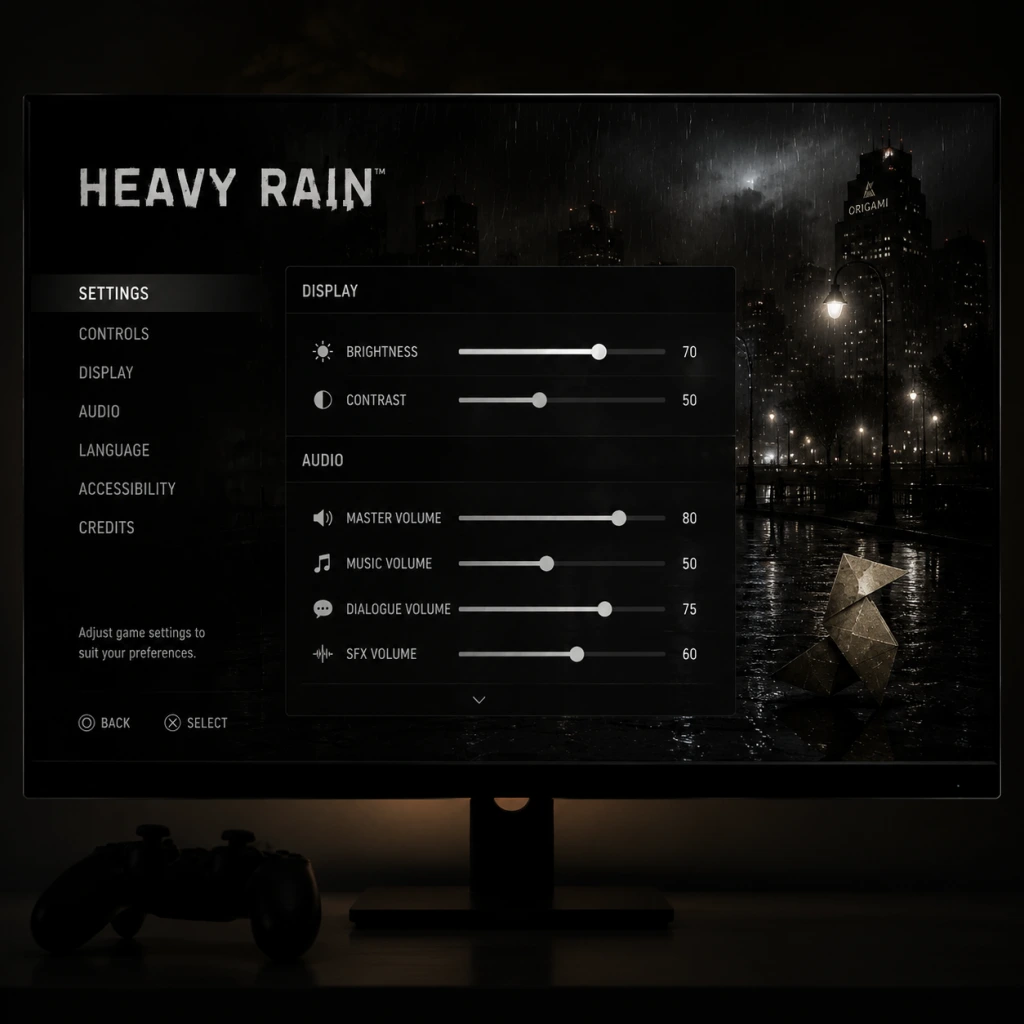
Game Settings Guide for Heavy Rain
This guide covers all settings menus in Heavy Rain across PC (Steam, Epic Games Store) and PlayStation 4/5 (via backward compatibility). Settings are divided into Graphics, Audio, Controls, Accessibility, Language, Network, and Gameplay categories. Optimal recommendations are provided for low-end, mid-range, and high-end hardware. Special attention is given to settings that are easy to misconfigure, which can negatively impact performance or gameplay experience.
Important Pre-Setup Notes
- Platform differences: The PC version includes a dedicated settings launcher before launching the game. The PS4 version has settings accessible only from the main menu. PS5 runs the PS4 version via backward compatibility with no exclusive enhancements.
- Save frequently in settings: Some changes (e.g., resolution, fullscreen) require restarting the game. The PC launcher will prompt; on PS4, changes apply immediately but may cause a brief black screen.
- Controller detection: On PC, the game may default to keyboard prompts even if a controller is plugged in. Verify in Controls settings.
---
Graphics Settings
Available Settings
| Setting | Options | Platform |
|---|---|---|
| Display Mode | Fullscreen, Windowed, Borderless Windowed | PC only |
| Resolution | Multiple (native monitor resolution recommended) | PC only |
| VSync | On, Off | PC only |
| Texture Quality | Low, Medium, High | PC only |
| Shadow Quality | Low, Medium, High | PC only |
| Anti-aliasing | Off, FXAA, SMAA | PC only |
| Ambient Occlusion | Off, SSAO, HBAO+ | PC only |
| Motion Blur | On, Off | PC only |
| Depth of Field | On, Off | PC only |
| Post-Processing | Low, Medium, High | PC only |
| FOV (Field of View) | Slider (50–90) | PC only |
Recommended Settings by Hardware
#### Low-End PC (e.g., integrated graphics, GTX 750 Ti, 8GB RAM)
- Display Mode: Fullscreen
- Resolution: 1280×720 or 1366×768
- VSync: Off (to avoid input lag)
- Texture Quality: Low
- Shadow Quality: Low
- Anti-aliasing: Off
- Ambient Occlusion: Off
- Motion Blur: Off
- Depth of Field: Off
- Post-Processing: Low
- FOV: 60 (default)
- Display Mode: Fullscreen or Borderless Windowed (for quick alt-tab)
- Resolution: 1920×1080 (native)
- VSync: On (to prevent screen tearing)
- Texture Quality: High
- Shadow Quality: High
- Anti-aliasing: SMAA (better quality than FXAA)
- Ambient Occlusion: SSAO (less performance hit than HBAO+)
- Motion Blur: Off (personal preference, but can cause motion sickness)
- Depth of Field: On (enhances cinematic feel)
- Post-Processing: High
- FOV: 65–70 (wider view helpful in exploration scenes)
- Display Mode: Fullscreen or Borderless Windowed
- Resolution: 2560×1440 or 3840×2160 if capable
- VSync: On (or use G-Sync/FreeSync)
- Texture Quality: High
- Shadow Quality: High
- Anti-aliasing: SMAA (or force via GPU driver for MSAA)
- Ambient Occlusion: HBAO+ (best depth effect)
- Motion Blur: Off (or On if you like the effect)
- Depth of Field: On
- Post-Processing: High
- FOV: 70–75 (personal preference; above 80 may cause distortion)
- VSync: Turning OFF VSync can cause screen tearing and input inconsistencies during QTEs. Keep ON for best experience. If you have a high-refresh monitor (120Hz+), turning OFF may still give smooth motion but risk tearing.
- Motion Blur: Default is ON. Many players disable it because it blurs character movement and can hide on-screen prompts during QTEs. Disabling improves clarity.
- FOV: The default FOV (60) is narrow. Increasing it helps peripheral vision but may cause characters to appear small in cutscenes. Adjust gradually; extreme values (above 80) can cause visual distortion.
- Anti-aliasing: FXAA is significantly lighter than SMAA but blurs textures. SMAA offers better edge smoothing without softness. On low-end PCs, turn off.
- Ambient Occlusion: HBAO+ is very expensive. Only enable on high-end systems. SSAO provides a good balance.
- Resolution: Do not set a resolution higher than your monitor’s native – it forces downscaling (GPU stress) with minimal visual gain. Use native resolution or nearest standard lower resolution.
Expected performance: 30-45 fps, stable enough for QTE input.
#### Mid-Range PC (e.g., GTX 1060, RX 580, 16GB RAM)
Expected performance: 55-60 fps with occasional dips during heavy scenes.
#### High-End PC (e.g., RTX 2070, Radeon 6700 XT, 16GB+ RAM)
Expected performance: 60 fps at 1440p; 30-45 fps at 4K (game engine not well optimized for 4K).
Settings That Are Easy to Misconfigure
---
Audio Settings
Available Settings
| Setting | Options | Platform |
|---|---|---|
| Master Volume | Slider (0–100) | Both |
| Music Volume | Slider (0–100) | Both |
| SFX Volume | Slider (0–100) | Both |
| Voice Volume | Slider (0–100) | Both |
| Audio Output | Speakers, Headphones (preset) | PC only |
| Audio Language | English, French, German, Spanish, Italian, etc. | Both (see Language section) |
| Subtitles | On, Off | Both |
- Voice Volume: Always keep at least 80% to follow dialogue – many clues are delivered via conversations. The default is often 70%.
- Audio Output (PC): Choose the preset that matches your device. The “Headphones” preset applies HRTF for binaural effects (better for immersive sound in QTEs). "Speakers" may cause distortion with headphones.
- Subtitles: Turn ON for accessibility or if playing in a loud environment. Subtitles also help with characters mumbling or speaking quietly.
---
Controls Settings
Available Settings
| Setting | Options | Platform |
|---|---|---|
| Controller Type | Keyboard & Mouse, PlayStation, Xbox, Generic | PC only |
| Invert Y Axis | On, Off | Both |
| Vibration | On, Off | Both (if controller supported) |
| Stick Sensitivity | Slider (0–100) | PC only |
| Button Prompts | PlayStation (Cross/Circle), Xbox (A/B), or Gamepad Agnostic | PC only |
| Mouse Sensitivity | Slider (0–100) | PC only (when using KB+M) |
| QTE Auto-Complete | On, Off | Both |
- Button Prompts (PC): If you are using a PlayStation controller, set to “PlayStation” prompts so on-screen icons match the physical buttons. Otherwise, you may see “A” but press “X” and fail QTEs.
- QTE Auto-Complete: Default is OFF. Turning ON will automatically succeed all QTEs (button presses, motion sequences, etc.), which removes challenge but can be useful for accessibility. The game warns that it disables PlayStation Trophies / Steam Achievements. If you want achievements, keep OFF.
- Controller Type (PC): If you use a DualShock 4 or DualSense, select “PlayStation”. Xbox controllers select “Xbox”. If you use a generic controller, select “Generic” – but ensure button layout is correct (some games map incorrectly).
- Vibration: Keep ON for immersion (rain, heartbeat, tension). Turn OFF if playing on a weak PC that stutters, as haptics can add latency.
- Invert Y Axis: Classic for flight controls; in Heavy Rain camera control is limited, but for certain moments (e.g., driving or swinging) inversion applies. Test in the first chapter and adjust.
---
Accessibility Settings
Available Settings
| Setting | Options | Platform |
|---|---|---|
| QTE Auto-Complete | On, Off | Both |
| Speed of QTEs | Normal, Slow | PC only (experimental? not present in all versions) |
| Subtitle Size | Small, Medium, Large | PC only (launcher) |
| Audio Description | On, Off (via narrator toggle) | Both (if available) |
| Text Language | (Same as interface language) | Both |
| Colorblind Mode | Deuteranopia, Protanopia, Tritanopia, Off | PC only (via .ini edit? Not in launcher) |
- QTE Auto-Complete: As noted, it disables achievements. But for players with mobility impairments, it allows full story enjoyment. Toggle it ON in the pause menu during gameplay if needed – no restart required.
- Speed of QTEs: Some PC versions have a hidden registry edit to slow QTEs; not officially exposed. No such option on PS4.
- Subtitle Size: Only adjustable via the PC launcher before game start. Set to Large if playing on a TV or from a distance.
- Colorblind Mode: Not natively in the menu. Can be activated manually by editing config file. See Community Tips section.
---
Language Settings
Available Settings
| Setting | Options | Platform |
|---|---|---|
| Interface Language | Multiple (based on game license) | PC (Steam Language setting) |
| Audio Language | Multiple (English, French, German, etc.) | Both (some regions locked) |
| Subtitle Language | Multiple (matches interface or separate) | Both |
- Audio Language: On PC, if you have the Steam version, you can change audio language via properties > language. Not changeable in-game. On PS4, language is tied to system language (for audio) or disk region. To play with original English voices but different interface language, you may need to download language packs.
- Subtitles: Always enable if playing in a non-native language. The game supports many subtitle options but check that they match the selected audio language.
---
Network Settings
Available Settings
| Setting | Options | Platform |
|---|---|---|
| Enable Online Features | On, Off | PS4 only (Trophies, leaderboards) |
| Allow Notifications | On, Off | Both (Steam overlay, PS4 notifications) |
- Enable Online Features (PS4): Turn OFF if you want no interruptions from friend notifications during crucial story moments. Trophies still sync when you go online later.
- PC: Heavy Rain on Steam does not require an internet connection for single-player, but the Steam Overlay can be disabled per game via properties. Disable to prevent achievement popups covering dialogue.
---
Gameplay Settings
Available Settings
| Setting | Options | Platform |
|---|---|---|
| QTE Auto-Complete | On, Off | Both |
| Hint System | Off, Contextual, Full | PS4 only (no equivalent PC) |
| Auto-Save Interval | After Every Chapter, After Every Major Decision | PC only (via config? Not in menu) |
| Camera Reset | On, Off | Both (behavioral) |
| Show Button Name During QTEs | On, Off | Both |
- Show Button Name During QTEs: Default is ON. Turn OFF if you want a more immersive experience without buttons floating on screen. However, QTEs become harder because you must rely on memory or quick recognition. For first playthrough, keep ON.
- Hint System (PS4): “Contextual” shows hints only when you hesitate; “Full” always shows objective markers. “Off” is for experienced players. Choose “Contextual” to preserve immersion.
- Camera Reset: When ON, camera automatically recenters after manual adjustments. Turn OFF if you prefer full manual control – but be aware the camera can get stuck in awkward positions.
- Auto-Save Interval: Not adjustable in-game on PC; the game auto-saves after every major scene. On PS4, it auto-saves after each chapter. No manual save option – you can only load the last checkpoint. If you want to keep a state, use manual save slots (PC: F5 quick save, F9 quick load).
- Black screen on launch (PC): The game sometimes launches in a reduced resolution default. Press Alt+Enter to force windowed mode, then change settings in launcher.
- Controller not recognized (PC): Ensure you select the correct Controller Type. If using DS4Windows, it may emulate an Xbox controller; choose Xbox prompts. For native support, disable DS4Windows and use Steam Input.
- No sound (PC): Go to Windows Sound settings, ensure the game’s output device matches your speakers/headphones. In-game Volume sliders may be low; reset to defaults.
- Achievement pop-ups during cutscenes (PS4): Disable notifications via Network settings or turn off internet temporarily.
---
Final Recommendations for First-Time Setup
1. PC Launcher: Before launching the game, run the Heavy Rain Config Tool (installed with the game). Set resolution, display mode, and quality preset to “High” if your hardware supports it. Then adjust individual settings as described.
2. PS4/5 Users: No graphic settings – play as is. For better performance on PS5, ensure Game Mode is enabled on your TV, and disable HDR if it causes washed-out colors (Heavy Rain HDR implementation is broken on PS5 via backward compatibility).
3. Check Controller Input Lag: If you notice input lag during QTEs, go to Control settings and disable Vibration, set Stick Sensitivity to 100, and ensure VSync is ON (PC) or that your TV is in Game Mode (PS).
4. Accessibility: If you have difficulty with rapid button presses, enable QTE Auto-Complete. The game will feel easier but you lose achievements. Alternatively, lower the game speed via unofficial mods (PC only, not recommended due to instability).
5. Audio: Use headphones for the best spatial sound – rain environments and footsteps are crucial. Set Audio Output to Headphones, Master Volume 100%, Voice Volume 80%, SFX 70%, Music 50% (music can overwhelm dialogue).
---
Troubleshooting Common Settings Issues
Important Notes
Important Notes for Heavy Rain
This guide compiles all critical warnings, pitfalls, and hidden knowledge that players often wish they knew before starting Heavy Rain. Read this before you play to avoid frustration and make the most of your journey.
---
General Warnings & Pitfalls
- No Saving During Chapters: The game only saves at chapter checkpoints. You cannot manually save mid-chapter. If you quit during a chapter, you will restart from the beginning of that chapter.
- Character Deaths Are Permanent: Any protagonist (Ethan, Madison, Scott, Jayden) can die based on your choices or failed QTEs. Once dead, they are gone for the rest of that playthrough. The story adapts.
- Quick Time Events (QTEs) Are Crucial: Failing a QTE often leads to injury, game over, or character death. Practice the sequences in the "Prologue" chapter to get comfortable.
- Controller Tilt Matters: Some QTEs require tilting the controller (e.g., balancing on a ledge). On PC, this is mapped to mouse movement or specific keys. Check your control settings.
- Emotional Impact: The game deals with heavy themes (child abduction, murder, grief). The narrative can be disturbing for some players.
- Ethan’s Trials: Each trial (e.g., "A Mother’s Tears") has a binary outcome (success/failure) that changes Ethan’s mental state and the investigation.
- Madison’s Decisions: Whether she investigates the club "The Blue Lagoon" or pursues other leads affects who she meets and what evidence she finds.
- Jayden’s ARI: How you use the ARI (Augmented Reality Interface) during crime scene investigations determines clues available later.
- Final Confrontation: The ending – who lives, who dies, who is the Origami Killer – is decided by cumulative choices throughout the game. There is no single "right" answer.
- Origami Figures: There are 40 origami figures hidden across chapters. Collecting all unlocks the "Origami Master" trophy/achievement. They are missable if you leave an area without picking them up. Most are not in plain sight – search every room carefully.
- Alternate Scenes: Some scenes are only triggered by specific choices. For example, the scene with Madison and the stalker only happens if you make certain dialogue choices earlier.
- Secret Endings: There are 7 different endings plus variations. Some endings require very specific sequences (e.g., all protagonists alive, or only one survivor).
- Trophies/Achievements: Many require multiple playthroughs – e.g., "Perfect Crime" (complete the game without ever failing a QTE) forces a perfect run.
- The Car Chase (Ethan): A long QTE sequence with rapid inputs. On higher difficulties, the timing is tighter. Consider lowering difficulty for this chapter if you struggle.
- The Factory (Ethan): A series of timed puzzles and QTEs under pressure. The environment can be disorienting.
- Madison’s Nightmare: A sequence where you must evade an attacker in a confined house. The QTEs require quick reaction.
- Fighting the Origami Killer (Final Chapter): The final confrontation has multiple QTEs that can end the game abruptly.
- No Grinding: Heavy Rain has no experience, levels, or economy. Replayability comes from making different choices to see new scenes.
- Collectible Hunting: If you want all origami figures or all trophies, you will need to replay chapters via Chapter Select. Use a guide to avoid missing any, as backtracking in a single playthrough is not possible.
- Time Investment: A single playthrough takes about 8–10 hours. Multiple playthroughs are required for 100% completion, but each can be different due to story branches.
- No Multiplayer: Heavy Rain is a single-player game. There are no online modes, no leaderboards, and no anti-cheat systems to worry about.
- PC Mods: While there is a small modding community (e.g., for unlocking all endings), using mods may disable achievements. Backup your saves before modding.
- Cloud Saves: On PC (Steam/Epic), cloud saves sync automatically. On PlayStation, ensure you have PlayStation Plus for cloud backup if desired.
- Autosave Only: The game saves automatically at the end of each chapter. There is no manual save option.
- Chapter Select: After completing the game once, you can replay any chapter while keeping your overall save progress. Use this to fix missed collectibles or try different choices without restarting entirely.
- Multiple Save Slots: Heavy Rain does not have multiple save slots. Each playthrough overwrites the previous save. To preserve a specific story progression, you must manually copy the save file (on PC) or use cloud saves (PlayStation) before major decisions.
- Backup Your Save: On PC, locate your save file in `%USERPROFILE%\Documents\Quantic Dream\Heavy Rain` and make copies before critical chapters. This lets you reload a previous state without replaying the whole game.
---
Irreversible Choices
Several decisions lock you into specific story paths and cannot be undone without restarting the entire game or loading a previous save. Key examples:
> Tip: If you want a particular ending, follow a guide for the final chapter. Otherwise, embrace the consequences.
---
Missable Content
Many scenes, trophies/achievements, and collectibles are only available during specific playthroughs or if certain conditions are met.
---
Difficulty Spikes
While Heavy Rain is not a traditional action game, certain sections are notoriously challenging:
> Advice: If you fail a QTE twice, consider restarting the chapter from the pause menu (Chapter Select) rather than continuing with injuries that may hinder later sections.
---
Grinding Traps
---
Online Etiquette & Anti-Cheat Notes
---
Save Management Advice
---
Things Players Commonly Regret Not Knowing Earlier
1. You can tilt the controller (or use mouse/keys) during balance QTEs – don’t just mash buttons.
2. Holding a button is sometimes required instead of pressing repeatedly – look for the icon animation.
3. Dialogue choices have timers – if you don’t pick quickly, the character will default to a neutral or passive option.
4. Exploration matters – walk around all areas fully. Clues, collectibles, and hidden scenes only appear if you inspect everything.
5. The game tracks your performance – at the end, you get a percentage rating for QTEs, deaths, etc. This affects some endings.
6. You can fail a QTE and still continue – but the consequences may be severe. Don’t assume failure means game over.
7. Headphones enhance immersion – the audio design is critical for detecting environmental clues and building tension.
8. The story is not linear – playing as different characters means events happen in parallel. Pay attention to dates and times shown on screen.
9. Quitting mid-chapter loses all progress since the last checkpoint – it’s better to let it autosave at chapter end.
10. The "Origami Killer" identity is foreshadowed – rewatch certain scenes after completing the game to appreciate the clues.
---
Final Reminder
Heavy Rain shines when you accept consequences and invest in the story. Trying to "perfect save" everything reduces the emotional impact. Use this guide to avoid major pitfalls, but embrace the unexpected. Enjoy the rain.

All Game Items
All Game Items Guide for Heavy Rain
Important Note: Heavy Rain is an interactive drama with no traditional inventory system. Items are story‑driven objects that appear in specific scenes and are typically used immediately or kept as clues/collectibles. There are no weapons, armor, consumables, materials, currencies, or equipment in the conventional sense. This guide lists every significant object that can be picked up, examined, or collected, grouped by function.
---
Key Story Items
These items are required to progress the narrative and are often used in puzzles or decision points.
Ethan Mars
| Item | Description | How to Obtain | When Useful |
|---|---|---|---|
| Origami Figure (Bird) | A small paper bird Ethan folds at home. | Automatic during “The Prologue” after the birthday party. | Used in a later trial (the “stress” trial) where Ethan must fold the same shape under time pressure. |
| Car Key | Key to Ethan’s car. | Found on the kitchen counter in “Ethan’s House” after waking up. | Needed to drive to the shopping mall and later to the “Old Warehouse” finale. |
| Photo of Jason | A polaroid of Ethan’s son Jason. | Picked up from the floor in Jason’s room during “The Prologue” (or after the accident). | Used to remind Ethan of his motivation; also appears in a QTE choice. |
| The Origami Box | A small cardboard box containing a single origami figure and a cryptic note. | Received from the Origami Killer’s messenger during “The Origami Killer’s Call”. | Contains the clues for the first trial (the “bear trap” trial). |
| Camera | A digital camera Ethan uses to photograph clues. | Automatically in Ethan’s inventory after ”The Photographs” chapter. | Required to take photos of specific evidence (e.g., the “JO” symbol). |
| JO Symbol Photo | A photo you take of the “JO” graffiti. | Photograph the symbol in “The Rat” chapter (or later). | Used to decode the location of the next trial. |
| Address Slip | A note with an address written in code. | Obtained after solving the JO riddle. | Leads Ethan to the “Lizard” trial location. |
Scott Shelby
| Item | Description | How to Obtain | When Useful |
|---|---|---|---|
| Tape Recorder | A handheld voice recorder. | Automatic at the start of Scott’s first chapter (“The Office”). | Used to record conversations with witnesses and suspects; provides evidence logs. |
| Evidence Bag | A large bag containing collected clues (not an interactive item itself). | Always present in Scott’s inventory. | Shows all gathered evidence in the menu; vital for solving the killer’s identity. |
| Gold Ring | A ring given to the victim’s mother, Mary. | Acquired from Mary during “The Interview” (Scott’s chapter). | Clue that links to the killer’s childhood. |
| Locket | A locket containing a photo of a young boy. | Given by Lauren Winter during “The Funeral”. | Suggests a connection between the victims. |
| Photo of Victim | A photo of the Origami Killer’s first victim. | Received from the police file in “The Office”. | Helps identify the killer’s M.O. |
| P.O. Box Key | A small key to a post office box. | Found inside the victim’s apartment in “Crime Scene”. | Opens a P.O. box containing a crucial letter from the killer. |
Norman Jayden
| Item | Description | How to Obtain | When Useful |
|---|---|---|---|
| ARI (Augmented Reality Interface) | Glasses that overlay digital information. | Automatic in all Jayden chapters. | Used to examine crime scenes, analyze evidence, and spot hidden clues. |
| Triptocaine Vial | A small bottle of the drug Jayden uses. | Already in his pocket; visible during “The FBI Agent”. | Can be used for a temporary boost but causes hallucinations; affects decision‑making. |
| Police Badge | FBI identification. | Always on his person. | Needed to access restricted areas and convince witnesses. |
| Case File | Digital file on the Origami Killer. | Loaded into ARI at the start of each investigation. | Provides background info and tracks progress. |
Madison Paige
| Item | Description | How to Obtain | When Useful |
|---|---|---|---|
| Cell Phone | Her personal phone. | Always with her. | Used to call Ethan or receive calls. |
| Knife | A kitchen knife she picks up in the bar. | Grabed during “The Bar” when threatened. | Used in a QTE to defend herself (optional). |
| Key to Ethan’s House | A key she finds under the doormat. | During “The Investigation” when she visits Ethan’s house. | Allows entry to search for clues. |
| Ethan’s Diary | A diary found in Ethan’s bedroom. | Search Ethan’s bedroom during the same chapter. | Reveals Ethan’s psychological state and hidden fears. |
Collectibles: Origami Butterflies
There are 48 hidden origami butterflies (also called “Origami Figures”) scattered across chapters. Collecting them is required for the “Fully Unfolded” trophy/achievement and reveals additional narrative snippets.
How to Collect
- Butterflies appear as glowing, small paper figures in fixed locations.
- Each is unique and corresponds to a specific chapter (some chapters have multiple).
- You must pick them up (press the action button) to add them to your collection.
- Prologue: 2 butterflies (in Jason’s room, on the balcony).
- Ethan’s House: 3 butterflies.
- The Mall: 4 butterflies.
- The Rat: 2 butterflies.
- The Lizard: 1 butterfly.
- The Bear: 1 butterfly.
- The Old Warehouse: 5 butterflies.
- Jayden’s chapters: 7 butterflies total.
- Scott’s chapters: 12 butterflies overall.
- Madison’s chapters: 6 butterflies.
Complete List (Abbreviated – 48 Locations)
Due to length, only a summary is provided. A full chapter‑by‑chapter list is available in dedicated collectible guides. Key highlights:
Reward
Collecting all 48 unlocks a secret video explaining the backstory of the Origami Killer’s childhood. Also grants the “Fully Unfolded” trophy/achievement.
---
Clues and Evidence
These items are specific to the investigation storyline and are used to build the case against the killer. They are not carried across chapters but are recorded in the Evidence menu.
| Item | Character | What It Reveals |
|---|---|---|
| Bloody Origami Figure | Scott | Found at the first crime scene; matches the killer’s calling card. |
| Witness Testimony | Scott (recorded) | Statements from victims’ families that point to a childhood trauma. |
| Forensic Report | Norman (via ARI) | Chemical analysis of the origami paper; leads to a specific manufacturer. |
| Security Footage | Norman | Video from the mall parking lot showing a suspect’s car. |
| Phone Records | Norman | Calls made from a payphone near the abduction sites. |
| Letter from P.O. Box | Scott | A taunting letter from the killer, including a phrase that matches Ethan’s trials. |
| Psychiatric Profile | Norman | Profile generated by the ARI, linking the killer to a specific mental condition. |
Puzzle Objects
Items used in specific trials or sequences that require manipulation.
| Item | Trial/Scene | Usage |
|---|---|---|
| Screwdriver | The Bear (Ethan) | Used to unscrew the metal plate on the bear trap. |
| Gas Can | The Bear (Ethan) | Fills the car’s tank to drive to the next trial (if you fail to find enough gas, the car stops). |
| Metal Pipe | The Lizard (Ethan) | Used to pry open a stuck door. |
| Glasses | The Lizard (Ethan) | Helps see a hidden code on a wall. |
| Keycard | The Old Warehouse (Ethan) | Opens a security door. |
| Crowbar | The Old Warehouse (Ethan) | Breaks a chain on a gate. |
| Flashlight | Various (all characters) | Found in dark areas; essential for exploration. |
| Lighter | Madison (in Ethan’s house) | Used to burn a note. |
Other Notable Items
| Item | Appears In | Notes |
|---|---|---|
| Magic Cube | Ethan’s House (Prologue) | A gift for Jason; triggers a memory when examined. |
| Birthday Cake | The Prologue | A cake that can be lit or left untouched – affects Ethan’s mood. |
| Vial of Triptocaine | Jayden chapters | Can be consumed for a temporary ARI boost or thrown away for a moral choice. |
| Police Radio | Scott chapters | Used to call for backup or check updates (optional). |
| Headphones | Madison | Used to listen to a recorded message. |
| Ethan’s Pills | Ethan’s House | Prescription medication Ethan can take (affects his calmness). |
| Sherry’s Phone | Scott (if meeting Sherry) | Contains a voicemail from the killer. |
Summary
Heavy Rain’s “items” are narrative tools rather than gear. They are obtained automatically or through exploration, and their use is tightly scripted. There is no inventory management – you can never drop or sell anything. Collecting all 48 origami butterflies is the only completion‑based challenge. All other items serve the story and puzzle mechanics.
For achievement hunters, focus on:
- Fully Unfolded: All 48 origami butterflies.
- All Endings: Collecting certain items can change outcomes (e.g., picking up the knife as Madison).
- Evidence Collection: Ensuring you obtain every clue in Scott’s and Norman’s chapters opens the correct ending.
This guide covers every major and minor item in Heavy Rain. Enjoy your playthrough!
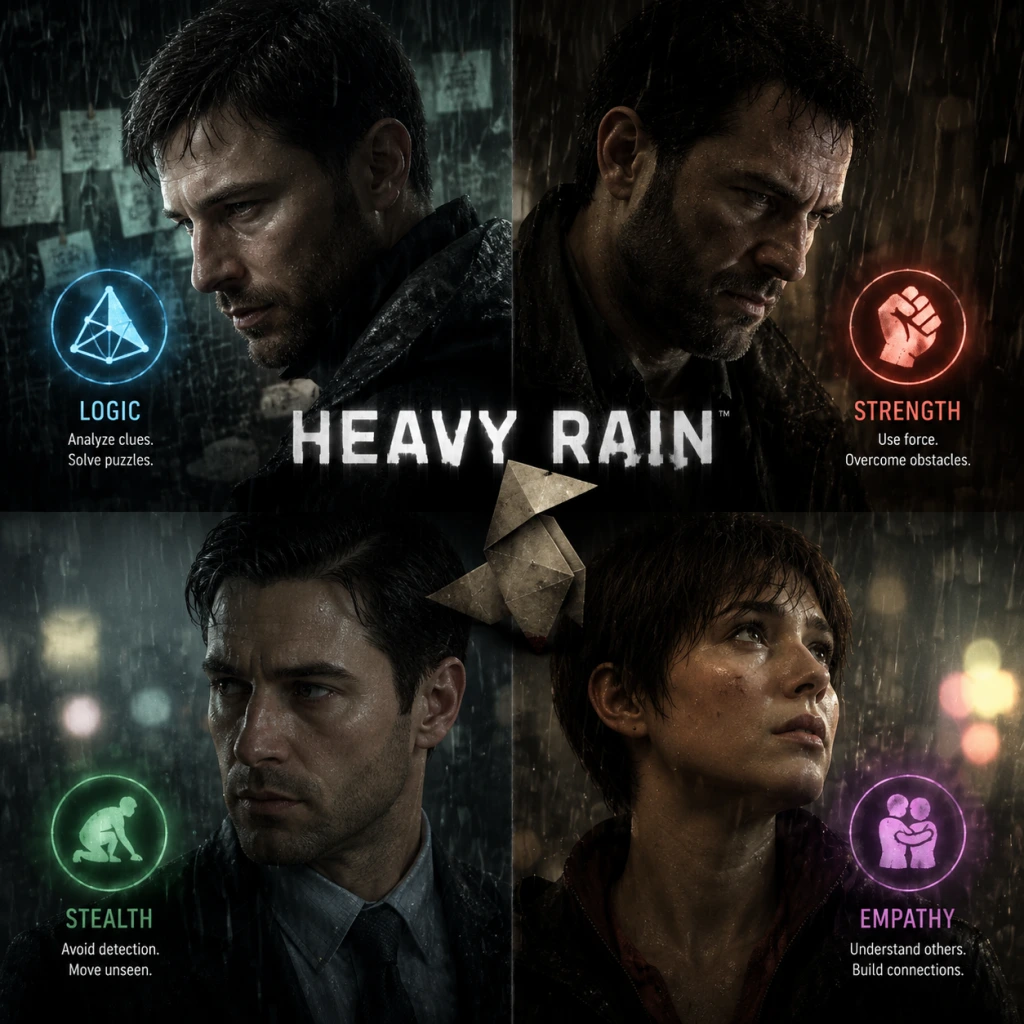
Character Skills
Character Skills Guide for Heavy Rain
Important Note: Heavy Rain is an interactive drama with no traditional RPG skill trees, spells, or special moves. Instead, each playable character has a unique set of contextual abilities and actions that determine how they interact with the world and progress the story. This guide treats every major repeated or critical action as a “skill,” describing its effect, best use, and narrative synergies. There are no cooldowns or level-up upgrades—success depends on quick reflexes (QTEs) and careful choices.
---
Playable Characters Overview
- Ethan Mars – Father searching for his abducted son; actions revolve around endurance, lock-picking, weapon use, and emotional control.
- Scott Shelby – Private investigator (later revealed to be the Origami Killer); skills include physical combat, safe cracking, and persuasion.
- Norman Jayden – FBI profiler; uses high-tech ARI glasses, analysis, and deduction.
- Madison Paige – Journalist; stealth, seduction, hacking, and self-defense.
- Effect: Ethan can hold his breath indefinitely during underwater segments (tunnel, storm drain). A heart‑rate QTE appears—must keep calm.
- When to Use: During Chapter “The Bear” (tunnel) and “The Flooded Tunnel.” Failure = drowning.
- Tip: Tap the control button slowly when prompted; rushing increases heart rate.
- Effect: Ethan can pick simple padlocks (e.g., tool shed, warehouse). A timed rotation QTE appears.
- When to Use: Optional areas to find clues or items (e.g., scissors in the shed).
- Upgrade: None, but practice improves reflex.
- Synergy: Using a paperclip (found in the psychiatrist’s office) makes lock picking easier.
- Effect: During fight sequences, Ethan can attack with a blunt weapon. Requires timed button presses.
- When to Use: Chapter “Killer’s Lair” (defending Madison); Chapter “The Lizard” (against Kramer).
- Combo: After stunning an enemy, follow with a fast QTE sequence for extra damage.
- Effect: Driving sections (e.g., escaping police) require steering and gear shifting QTEs. Manual is harder but faster.
- When to Use: Chapter “The Chase” and “Shrink & Run.”
- Tip: Always brake early before corners to avoid crashes.
- Effect: Five trials (e.g., electricity, glass, poison). Each is a timed puzzle/QTE that tests patience.
- When to Use: Mandatory to save Shaun. Success depends on calmness and memory.
- Upgrade: None; each trial is unique. Repeating the game improves performance.
- Effect: Scott can throw punches, wrestle, and disarm opponents. Standard QTE sequences.
- When to Use: Chapters “The Cocktail” (bar fight), “The Warehouse” (against thugs), “The Doc” (fighting Kramer).
- Synergy: Choosing “talk” first may avoid combat and preserve health.
- Effect: Scott can open combination safes by turning a dial and listening for clicks. A delicate analog stick sequence.
- When to Use: Chapter “The Safe” (to retrieve evidence).
- Tip: Slowly rotate until resistance increases, then reverse slightly.
- Effect: Dialogue choices influence NPC cooperation. Scott can be direct or sympathetic.
- Best Build: Being empathetic gains trust; being aggressive may force action but lose info.
- When to Use: Interviewing parents (Lauren, etc.) to find clues.
- Effect: Notice details in environments (e.g., footprints, discarded items) to follow suspects.
- When to Use: Chapter “The Trailer” and “The Shop.”
- Effect: Reveal hidden clues, footprints, and trace evidence. Highlight interactable objects.
- When to Use: Every crime scene (e.g., first crime scene, warehouse).
- Synergy: Use ARI before physical search to save time.
- Effect: Replay 3D holograms of past events to identify suspects or timelines.
- When to Use: Chapter “The Morgue,” “The Architect’s Office.”
- Upgrade: None, but accuracy depends on careful observation.
- Effect: Connect evidence on a virtual board (like a mini-quest). Correct deductions advance the case.
- When to Use: After gathering clues, in ARI menu at FBI trailer.
- Tip: Always review all evidence before making a final conclusion.
- Effect: High‑speed pursuit QTEs. Steer and accelerate through traffic.
- When to Use: Chapter “On the Loose” (chasing Ethan).
- Combo: Flash lights to force other drivers to yield.
- Effect: Creep past enemies by moving slowly and hiding in closets/under beds.
- When to Use: Chapter “The Lizard” (infiltrating the killer’s lair), “The Nightmare” (mental institution).
- Tip: Hold breath while hiding to avoid detection (uses Ethan’s QTE pattern).
- Effect: Use flirtatious dialogue to manipulate male NPCs (e.g., guards, bartender).
- Best Use: Chapter “Killer’s Lair” – distract the doctor with charm.
- Synergy: Combine with stealth to bypass areas without combat.
- Effect: Solve simple pattern puzzles (e.g., hacking into a police database).
- When to Use: Chapter “The Office” (to find Ethan’s address).
- Tip: Memorize the pattern quickly; time is limited.
- Effect: Fight back when discovered. Quick button presses to disable attackers.
- When to Use: If stealth fails in the lair or institution.
- Combo: Stun then run – no extended combat.
- Ethan – The Father Build: Focus on speeding through trials (sacrifice speed for accuracy), pick locks for extra clues, and be cooperative with police. Best for survival ending.
- Scott – The Sympathetic Investigator Build: Prioritize persuasion over violence, always listen to witnesses, and avoid revealing your true identity until late. Unlocks best evidence chain.
- Norman – The Tech‑Savvy Profiler Build: Use ARI constantly, delay physical search, and always review evidence before deducing. Leads to correct suspect identification.
- Madison – The Stealth Journalist Build: Use stealth and seduction over combat; hack every terminal. Keeps you alive in dangerous areas.
- Ethan’s lock picking can provide evidence that Norman later uses in deduction.
- Scott’s safe cracking reveals the killer’s motive, which Madison can find in a file.
- Norman’s ARI traces can help Ethan avoid traps (through shared scenes).
- Madison’s hacking may unlock doors that Scott needs later.
---
1. Ethan Mars Skills
1.1 Hold Breath
1.2 Lock Picking
1.3 Weapon Use – Lead Pipe / Crowbar
1.4 Driving – Manual & Automatic
1.5 Endurance Trials (Origami Killer Challenges)
---
2. Scott Shelby Skills
2.1 Physical Combat – Brawling
2.2 Safe Cracking
2.3 Persuasion / Interrogation
2.4 Tracking / Observation
---
3. Norman Jayden Skills
3.1 ARI Glasses – Analysis Mode
3.2 ARI Glasses – Time Manipulation
3.3 Deduction / Profiling
3.4 Driving – Police Cruiser
---
4. Madison Paige Skills
4.1 Stealth – Hiding & Silent Movement
4.2 Seduction / Distraction
4.3 Hacking – Computer Terminals
4.4 Self‑Defense – Stun Gun / Knife
---
5. Recommended “Builds” (Narrative Choices)
Since there are no skill points, builds refer to how you prioritize actions and dialogue:
---
6. Synergy & Character Interaction Skills
Some skills span across characters via narrative triggers:
---
7. When to Use Each Skill (Cheat Sheet)
| Character | Skill | Best Chapter(s) | Failure Consequence |
|---|---|---|---|
| Ethan | Hold Breath | The Bear, Flooded Tunnel | Drowning death |
| Ethan | Lock Picking | The Bear (shed), The Lizard | Missing clue / item |
| Ethan | Driving | The Chase, Shrink & Run | Crash = arrest |
| Scott | Brawling | The Cocktail, The Warehouse | Losing fight = injuries |
| Scott | Safe Cracking | The Safe | No evidence |
| Scott | Persuasion | Interviews | Wrong lead |
| Norman | ARI Analysis | Crime scenes | Missed clue |
| Norman | Deduction | FBI trailer | Wrong suspect |
| Madison | Stealth | The Lizard, The Nightmare | Captured / killed |
| Madison | Hacking | The Office | Locked file |
| Madison | Seduction | The Lizard | Guard alert |
Final Note: Mastering Heavy Rain is not about grinding skills but about making calm, thoughtful choices during QTEs and dialogues. Practice each character’s unique actions in replay to unlock all endings and insights.

Characters & Roles
Characters & Roles Guide for Heavy Rain
Heavy Rain is an interactive drama where you control four distinct protagonists, each with their own backstory, personality, and role in the unfolding mystery of the Origami Killer. Unlike traditional games, there are no classes, levels, or skill trees. Instead, each character’s unique abilities, weaknesses, and narrative arcs define how you experience the story. Your choices and performance in Quick Time Events (QTEs) determine not only each character’s fate but also the overall ending.
Below is a comprehensive breakdown of every major playable character, including their background, strengths, weaknesses, playstyle tips, unlock conditions, recommended narrative choices (the closest thing to equipment/builds), and how their stories intertwine.
---
1. Ethan Mars
Background: Ethan is a successful architect and loving father of two sons, Jason and Shaun. After a tragic accident at a mall where Jason is killed, Ethan’s life falls apart: he divorces his wife, loses his creative spark, and becomes a recluse. Two years later, his younger son Shaun is kidnapped by the Origami Killer. Ethan is forced to undergo a series of brutal trials to save him.
Strengths:
- Parental Determination: Ethan’s motivation is unmatched. His emotional investment makes QTE sequences feel urgent and personal.
- Physical Stamina: He is capable of enduring extreme pain and stress, such as crawling through broken glass or holding his breath for long periods.
- Logical Problem-Solving: As an architect, Ethan can recognize patterns and solve spatial puzzles (e.g., the maze of wires).
- Psychological Fragility: Ethan suffers from blackouts and panic attacks. Certain stressful choices can lead to mental breakdowns (e.g., giving up early).
- Poor Combat Ability: Ethan is a civilian. He has no fighting skills and will lose any direct physical confrontation unless you avoid it.
- Time Pressure: The trials have strict time limits; hesitation can mean failure.
- Prioritize Shaun: Always choose the option that directly helps you find Shaun faster, even if it is morally questionable. For example, in the drug dealer scene, be aggressive to get the address quickly.
- Accept the Trials: Turn down no trial—each one gives crucial clues.
- Avoid Injuries: In the electric wire maze, move slowly and methodically to avoid shocks; failing QTEs here costs health and time.
- Psychological Resilience: When facing the “poison” trial, take a deep breath and choose the safe option (drink from the correct bottle) to keep Ethan healthy.
- Investigation Experience: Scott is the best at gathering clues, questioning witnesses, and deducting. His chapters involve crime scene analysis and interviews.
- Physical Fighting: Unlike Ethan, Scott can hold his own in a brawl. He uses his revolver and fists effectively.
- Charisma & Intimidation: He can persuade or threaten people easily. His gun allows him to force compliance.
- Blind Spots: Scott is emotionally invested in the case, which clouds his judgment. He sometimes misses obvious leads due to personal bias.
- Limited Mobility: Not agile; avoid chasing sequences where he has to sprint or climb.
- Addiction: His smoking affects his lung capacity (slower stamina for holding breath).
- Investigate Everything: Open every drawer, read every document. In the first victim’s apartment (John), examine the shoe, the board, and the phone.
- Stay Professional: Avoid sleeping with the mothers of victims unless you want a complicated ending. Use logic over emotions.
- Use Your Gun Wisely: During the scene at the junkyard (with the scrap dealer), do not shoot unless unavoidable; bluffing is better.
- Save the Journal: The accountant’s journal (from the elder couple) is crucial for the final case.
- ARI Glasses: Norman can analyze crime scenes in augmented reality, spotting blood traces, fibers, and hidden clues invisible to others.
- Forensic Expertise: He can reconstruct events through visual cues and blood spatter analysis. His chapters are the most puzzle-like.
- Eidetic Memory: Once Norman sees a clue, he remembers it. The player can revisit mental reconstructions.
- Drug Addiction: Triptocaine withdrawal causes Norman to tremble, reducing QTE success. Overdosing leads to blackouts and death.
- Physical Frailty: He is not a fighter. Avoid combat scenes; he will lose if forced to brawl.
- Low Empathy: Norman struggles to connect with suspects, sometimes coming off as cold or robotic.
- Reduce Drug Use: Take Triptocaine no more than twice in the entire game. Early in the chapter “Hassan’s Shop,” skip the dose to build willpower.
- Use ARI Extensively: In the first crime scene (the flower shop), scan every corner: the floor, the doorframe, the flowers. You’ll find a key piece of origami paper.
- Protect Your Health: During the car chase with the killer, avoid sharp turns (QTEs). If you crash, Norman dies.
- Side with Logic: During the confrontation with the police chief (Blake), defend your methods firmly but professionally.
- Agility and Stealth: Madison is fast and silent. She can sneak, climb, and escape from danger more effectively than other characters.
- Improvisation: She can use everyday objects (scissors, glass bottles) as weapons or tools.
- Emotional Intelligence: Madison is empathetic and can extract information from people by building trust or seduction.
- Lack of Combat Training: While agile, she will lose direct fights unless she uses stealth or escapes. Always run rather than fight.
- Vulnerability: As a woman alone in dangerous environments, she is often targeted. Must rely on hiding or quick thinking.
- Insomnia: If not addressed, her exhaustion leads to hallucinations and slower QTEs. She can take sleeping pills but only sparingly.
- Manage Sleep: Take sleeping pills only when the insomnia icon appears (e.g., before the “Killer’s Hideout” chapter). Do not overuse—she can become dependent.
- Stealth First: In the “Drug Den” chapter, avoid the guards; use silenced movement and hide. Only fight if cornered (smash a bottle then run).
- Trust Your Gut: When investigating the killer’s house, do not open all doors—listen for voices. If the killer returns, hide immediately.
- Romance Options: If you want the “best” ending, build a romantic relationship with Ethan. That unlocks unique dialogue in the final scene.
- Clarke: The police detective who assists Scott early on. His fate depends on Scott’s choices (can be killed).
- Lauren Winter: A grieving mother who hires Scott. She becomes a love interest if pursued. Her testimony is key.
- Pacal “Paco” Mendez: The Origami Killer’s former accomplice? He is a drug dealer Madison can seduce or kill.
- Detective Blake: The hard-headed police officer who distrusts Norman. He can die or arrest the wrong person.
- Gordi Kramer: The son of a wealthy businessman, involved in the case. Madison can seduce him; Norman can interrogate him.
Weaknesses:
Playstyle: Ethan’s chapters are the most intense and linear. You must make split-second moral decisions (e.g., chopping off a finger, drinking poison). The game forces you to weigh the value of human life against Shaun’s. His QTEs often involve driving, crawling, or precise actions under duress. Expect many “hold breath” sequences.
Unlock Conditions: Ethan is available from the start. His first playable chapter is “Prologue – The Mall.” He remains playable throughout the main story.
Recommended “Build” (Narrative Choices):
Team Synergy: Ethan’s actions directly affect the final reveal. The clues he finds (e.g., the bird’s nest, the warehouse location) are used by other characters. Norman and Scott can cross-reference Ethan’s discoveries. Madison’s investigations sometimes intersect with Ethan’s path (she can seduce a suspect or find Ethan’s house). Ethan is the emotional core; his survival is essential for the “best” ending where he saves Shaun.
---
2. Scott Shelby
Background: Scott is a private detective hired by the families of victims of the Origami Killer. He appears as a gruff, chain-smoking, no-nonsense investigator. He has a personal connection to the case: his father was an abusive alcoholic, and Scott harbors a deep sense of justice. Late in the game, a major twist reveals his true identity (which we will not spoil here).
Strengths:
Weaknesses:
Playstyle: Scott’s chapters are slow-burn detective work. Talk to everyone, examine every object, and use his revolver sparingly—it’s more for intimidation than action. QTEs are moderate, often involving driving or physical combat. The key is thoroughness: missing a clue can cost the case.
Unlock Conditions: Scott is playable from chapter “The Office” onward. He is automatically available after the prologue.
Recommended “Build” (Key Decisions):
Team Synergy: Scott’s investigations provide background on the killer’s methods. He can share information with Norman (the FBI profiler) if they meet. Scott’s actions affect the fates of secondary characters (e.g., Lauren, Kramer), which can alter the final confrontation. He is the game’s moral compass; his decisions determine whether justice is served or if he becomes a vigilante.
---
3. Norman Jayden
Background: Norman is an FBI profiler sent to assist the local police in the Origami Killer case. He is highly intelligent but suffers from a severe addiction to Triptocaine, an experimental drug that enhances his focus but causes hallucinations and physical deterioration. He brings modern forensic tools to the investigation, including the ARI (Added Reality Interface) glasses.
Strengths:
Weaknesses:
Playstyle: Norman’s chapters focus on using the ARI. Move the cursor to scan the environment; press the correct button combinations to analyze evidence. Be methodical—use the ARI to highlight all interactive points before moving on. In conversations, stick to logical questions; emotional appeals are weak. Manage his drug intake: use Triptocaine only when necessary (e.g., before a difficult QTE).
Unlock Conditions: Norman’s first playable chapter is “The FBI Agent” after the prologue. He is always available.
Recommended “Build” (Drug Management & Choices):
Team Synergy: Norman’s ARI evidence is vital for linking the crime scenes. He can share data with Scott if they meet (e.g., at the police station). His analysis of the origami figures helps pinpoint the killer’s pattern. Without Norman’s clues, Ethan’s trials may be harder. Norman also has a crucial role in the ending—he can die from overdose or be killed by the killer.
---
4. Madison Paige
Background: Madison is a young photojournalist suffering from chronic insomnia. She becomes entangled in the Origami Killer case after a chance encounter with Ethan at a nightclub. She is resourceful, brave, and emotionally driven, often taking risks to uncover the truth. She has no official training but uses her street smarts and camera.
Strengths:
Weaknesses:
Playstyle: Madison’s chapters are mix of stealth and social manipulation. In her apartment, take sleeping pills to regain stamina. When infiltrating the killer’s hideout (or the drug den), use the environment—hide in closets, crawl under beds. She can also seduce the drug dealer (or Ethan) to gain trust. Her camera is used for taking photos of clues, though this is mostly story-driven.
Unlock Conditions: Madison appears after Ethan’s bar sequence. She becomes playable from chapter “Madison’s Apartment” onward.
Recommended “Build” (Safety & Survival):
Team Synergy: Madison can assist Ethan directly (she saves him from the trials if she finds him). She also uncovers the killer’s identity independently. Her actions can lead to her death (e.g., stabbed by the killer) or to her saving others. She is the wildcard—her intel can make the difference between a good ending and a bad one.
---
5. Minor But Notable Characters
While not playable for long, these characters have significant impact on the story:
None of these are playable, but your interactions with them shape the narrative.
---
6. Team Synergy Overview
Though the four protagonists rarely meet, their actions are interwoven through the butterfly effect. Here is a simplified synergy table:
| Character | Primary Contribution | Key Intersection | Critical Ending Condition |
|---|---|---|---|
| Ethan | Overcomes trials to find Shaun | Madison can help him; Norman identifies trial locations | Must survive all trials and reach the warehouse |
| Scott | Gathers evidence on the killer’s past | Shares clues with Norman; can arrest the killer prematurely | Must not die; must confront the killer at the end |
| Norman | Forensic analysis and profiling | Provides map of warehouse; can save Ethan’s life | Must avoid overdose and survive the final shootout |
| Madison | Infiltration & emotional leverage | Can save Ethan from the killer; identifies killer’s hideout | Must not be killed; can join Ethan in the final stand |
---
7. Final Tips for Each Character
- Ethan: Do not skip any trial. The last trial (the gas chamber) is the hardest—keep calm and follow the on-screen prompts exactly.
- Scott: Listen to every voicemail on the answering machine at his office. It contains clues about his past.
- Norman: Do not let your addiction spiral. A single dose too many will kill you in the ending.
- Madison: In the killer’s house, take a photo of the origami figures and the map on the wall. They become essential later.
Master each character’s unique strengths and weaknesses to unravel the mystery and save everyone who matters.
---
This guide is based on the original PlayStation 3/4 and PC versions (2020). No DLC content is included.

Cheats & Secrets
Cheats & Secrets Guide for Heavy Rain
Heavy Rain is an interactive drama that does not contain traditional cheat codes, developer console commands, or unlock codes. There are no built-in shortcuts to skip chapters, unlock all endings immediately, or gain unfair advantages. The game is designed to be experienced through natural player choices. However, it is rich with hidden content, Easter eggs, and developer-intended secrets that reward thorough exploration and multiple playthroughs.
Easter Eggs
#### 1. The "Kara" Tech Demo Reference
- In the opening chapter (the prologue where Ethan Marsh plays with his son Jason), if you look closely at the bookshelf in the living room, you'll find a book titled "Kara" – a direct reference to Quantic Dream's 2012 tech demo Kara, which later inspired the game Detroit: Become Human. This is a subtle nod to the developer's earlier work.
- Platform: All versions (PS3, PS4, PC).
- During the chapter "The Prologue" when you control Ethan, examine the origami paper on the coffee table. If you interact with it multiple times, Ethan will fold it into an origami butterfly. This is a quiet callback to the Origami Killer's calling card.
- Effect: No gameplay impact; purely aesthetic.
- In the chapter "The Crime Scene" (where Norman Jayden investigates the first Origami Killer victim), look at the crowd of onlookers behind the police tape. One of the NPCs is modeled after Quantic Dream founder David Cage. He stands near the left side and wears a dark coat.
- Platform: PS3, PS4, PC.
- The famous line "Press X to Jason" became an internet meme. In the "The Prologue" mall scene, if you repeatedly fail to call Jason, the control prompt becomes increasingly frantic. Some players consider this an unintentional Easter egg, but it's a core game mechanic.
- In the chapter "The Origami Killer's Lair", if you examine the origami figure found in the killer's hideout very closely, you may notice a small, almost hidden symbol that resembles a stylized “K”. This is an extremely subtle developer clue.
- The "Perfect Crime" Ending: Requires Ethan to fail every trial and the Origami Killer to never be discovered. This ending is notoriously difficult to achieve and requires specific choices across all chapters.
- Jayden's Triptocaine Overdose: If Norman Jayden uses triptocaine too many times (more than 3 doses in a chapter), he can die from an overdose during the final confrontation. This is a hidden failure state.
- Madison's "Runaway" Ending: If Madison refuses to investigate the Origami Killer and leaves the story, she can survive alone – but this requires specific dialogue choices near the end.
- Ethan's Suicide: In "The Lair" chapter, if Ethan shoots himself during the final struggle, the game ends prematurely with a unique credits sequence.
#### 2. Origami Butterfly in Ethan's House
#### 3. David Cage's Cameo
#### 4. "Press X to Jason" Meme Reference
#### 5. The "Killer" Hint on the Origami Figure
Hidden Scenes & Alternate Endings (Developer-Intended)
Heavy Rain has multiple endings and scenes that can be easily missed. These are not cheats, but legitimate secret content:
Trophies/Achievements (Secret Unlocks)
Most trophies/achievements are hidden from the list until unlocked. Here are some of the most secretive ones:
| Trophy/Achievement Name | How to Unlock |
|---|---|
| Butterfly | Complete the game without killing anyone (important: do not shoot the killer or let any character die). |
| All Endings | Unlock all possible endings (requires multiple playthroughs and careful choices). |
| Perfect Crime | Let the Origami Killer go free and Ethan die. |
| Unreachable | Let Ethan die in "The Lair" by failing the final QTE. |
| Kamikaze | Make Jayden overdose on triptocaine. |
Exploit‑Safe Secrets (No Glitches)
Heavy Rain does not have reproducible glitches that grant invincibility, infinite resources, or story skips. The only known "exploit" is controller vibration detection – some players use controller rumble to sense QTE timings, but this is intended design.
Developer-Only Content
- Removed Chapter: Early in development, a chapter called "The Carousel" was cut. It involved a hostage situation at a carousel. This content is not accessible in any retail version.
- Debug Menu: No official debug menu exists on console or PC without modding. PC modders have enabled a debug console by editing game files, but this is unsupported and may break the game.
- Origami Paper Count: Throughout the game, there are 31 origami figures to find (exact count varies by chapter). Collecting them all unlocks no special reward but provides a sense of completion.
- Newspaper Headlines: In the chapter "The News Report", the newspaper shown can change based on your actions earlier. A fully secret version shows "Origami Killer Caught" or "Still at Large".
Other Hidden Details
Summary
Heavy Rain has no cheat codes or unlock codes. All hidden content is story-based and tied to player choices. The most rewarding secrets are the multiple endings and subtle references to Quantic Dream's previous works. To experience everything, replay the game with different decisions and explore every environment thoroughly. Enjoy the hidden layers of this deep narrative!