
Hitman 3
## Overview **Hitman 3** (2021) is the dramatic conclusion to the **World of Assassination** trilogy, developed by **IO Interactive** and published by the same studio. The game was released on **January 20, 2021** for PC (via Epic Games Store initially, later Steam in 2022), PlayStation 4, PlayStat...
Download & Installation
Overview
Hitman 3 (now part of the World of Assassination trilogy) is available on multiple platforms. This guide covers legitimate download and installation for PC (Steam, Epic Games Store), PlayStation 4 & 5, Xbox One & Series X|S, and Nintendo Switch (cloud streaming). Note: There is no native mobile version; Switch uses cloud streaming. Ensure a stable internet connection for cloud play.
Before You Start: Prerequisites
- IOI Account: Required for progression carryover between games and platforms. Create one at [account.ioi.dk](https://account.ioi.dk).
- Platform Account: Steam, Epic Games, PlayStation Network, Xbox Live, or Nintendo Account.
- Storage Space: See platform-specific requirements below.
- Internet: Required for download, updates, and online features (including the optional always-online DRM on PC).
Platform-Specific Guides
PC (Steam / Epic Games Store)
#### System Requirements
| Component | Minimum (1080p, Low, 60fps) | Recommended (1080p, High, 60fps) | Ultra (4K, Ultra, 60fps) |
|---|---|---|---|
| OS | Windows 10 (64-bit) | Windows 10/11 (64-bit) | Windows 10/11 (64-bit) |
| CPU | Intel Core i5-2500K / AMD Ryzen 3 1200 | Intel Core i7-4790 / AMD Ryzen 5 1600 | Intel Core i7-10700K / AMD Ryzen 7 3700X |
| RAM | 8 GB | 16 GB | 16 GB |
| GPU | NVIDIA GeForce GTX 660 (2GB) / AMD Radeon HD 7870 (2GB) | NVIDIA GeForce GTX 1070 (8GB) / AMD Radeon RX 5700 (8GB) | NVIDIA GeForce RTX 3080 (10GB) / AMD Radeon RX 6800 XT (16GB) |
| Storage | 80 GB SSD (NVMe recommended) | 80 GB SSD | 80 GB SSD |
| DirectX | Version 12 | Version 12 | Version 12 |
| Network | Broadband internet connection | Broadband internet connection | Broadband internet connection |
- Steam: [store.steampowered.com/app/1659040/HITMAN_3/](https://store.steampowered.com/app/1659040/HITMAN_3/)
- Epic Games Store: [store.epicgames.com/en-US/p/hitman-3](https://store.epicgames.com/en-US/p/hitman-3)
- Ownership: If you purchased on Epic, the game is tied to that Epic account.
- Cross-progression: You can carry over progress from previous games via the IOI Account website, regardless of store.
- Updates: Epic auto-updates. You can verify in Library > HITMAN 3 > Manage.
- PlayStation Store: Access via console or web [store.playstation.com](https://store.playstation.com/). Search "Hitman 3".
- Microsoft Store: Access via console or web [xbox.com](https://www.xbox.com/en-US/games/hitman-3).
- Nintendo eShop: Access via console or web [nintendo.com](https://www.nintendo.com/store/products/hitman-3-3d7b2d41-1e49-4c16-a8e5-dc8264b4d54f/).
- IOI Account: Mandatory for:
- Platform-Specific Accounts: Steam, Epic, PSN, Xbox Live, Nintendo Account – required for purchase and download.
#### Installation Steps (General for both stores)
1. Purchase or redeem the game on your chosen store.
2. Install the store client (Steam or Epic Games Launcher) if not already installed.
3. Log in to your account.
4. Locate the game in your library.
- Steam: Library > HITMAN 3
- Epic: Library > HITMAN 3
5. Click Install (or Download).
- Choose your installation directory (ensure plenty of free space, at least 80 GB).
- Steam: You may be asked to select a Steam library folder.
- Epic: Choose a custom folder or use default.
6. Wait for download and installation; the launcher will handle decompression and setup.
7. Launch the game from your library.
8. First-time setup: The game will prompt you to log in with an IOI Account (or create one). Follow on-screen instructions.
Note for Epic Games: Hitman 3 on Epic requires the Epic Games Launcher and also uses the IOI Account login. The game may need additional authentication after launch.
#### Epic Games Store Specifics
PlayStation (PS4 / PS5)
#### Where to Download
#### Installation Steps
1. Turn on your PS4 or PS5 and sign in to your PlayStation Network account.
2. Go to PlayStation Store.
3. Search for "Hitman 3" and select the game.
4. Purchase or download (if you already own it via disc or digital license).
- Digital: Click "Download" (you may need to add to cart first if not purchased).
- Disc: Insert disc; the console will prompt to install.
5. Wait for the download; on PS5 you can adjust download priority in Downloads/Uploads.
6. Installation is automatic after download finishes.
7. Launch the game from the home screen.
8. First launch: Create or log in with an IOI Account.
PS5 Enhancements: Supports 4K/60fps, adaptive triggers, haptic feedback, and faster load times (no separate PS5 version needed; the PS4 version runs via backward compatibility, but a free PS5 upgrade is available if you own the PS4 version). Download the PS5 version from the store if you have a PS5.
Xbox (One / Series X|S)
#### Where to Download
#### Installation Steps
1. Turn on your Xbox and sign in to your Xbox Live / Microsoft account.
2. Open Microsoft Store (or My Games & Apps).
3. Search for "Hitman 3" and select it.
4. Buy or install depending on ownership.
- Digital: Select "Install" or "Download to my Xbox".
- Disc: Insert disc; the console will prompt installation.
5. Wait for download and installation; you can monitor progress in My Games & Apps > Queue.
6. Launch the game from Home or My Games & Apps.
7. First launch: Log in with IOI Account.
Smart Delivery: Xbox Series X|S automatically gets the optimized version if you own the Xbox One version. The download will be larger (around 80 GB) but includes all improvements.
Nintendo Switch (Cloud Version)
Important: The Switch version is a cloud streaming version and requires a fast, stable internet connection (at least 10 Mbps). No game data is stored locally; you stream the game from a server.
#### Where to Download
#### Installation Steps
1. Turn on your Nintendo Switch and connect to the internet.
2. Open Nintendo eShop.
3. Search for "Hitman 3 - Cloud Version".
4. Purchase and download the small (~50 MB) client app. This app is the streaming launcher.
5. Launch the app from the Home menu.
6. Sign in with your IOI Account when prompted.
7. Stream the game: The client connects to the cloud server; you play via streaming. Ensure low latency and high bandwidth for smooth play.
8. Note: No local installation of the full game; the app is just a launcher.
Account Requirements
- Accessing the game (online DRM on PC; optional but recommended for progression on consoles).
- Cross-progression and carryover from Hitman (2016) and Hitman 2 to Hitman 3.
- Accessing online features like Contracts Mode, Elusive Targets, and leaderboards.
- Syncing save data across PC (Steam/Epic) and consoles (if linked).
#### Creating an IOI Account
1. Go to [account.ioi.dk](https://account.ioi.dk).
2. Click "Create account" and fill in the required details.
3. Verify your email address.
4. After launching Hitman 3, you will be prompted to link your platform account to your IOI account.
First Launch & Setup
1. After installing, launch the game.
2. Language selection: Choose your preferred language (audio and text can be set separately).
3. IOI Account Login:
- If you have an account, sign in.
- If not, create one directly from the in-game prompt (or do it beforehand).
4. Data sync: The game will attempt to sync with IOI servers, checking for any carryover progress from previous games.
- If you have save files from Hitman (2016) or Hitman 2, use the Carryover Progression tool on the IOI website before launching Hitman 3. This is a one-time process and must be done within a specific window (check IOI website for details).
5. Graphics/Display settings (PC/console): Adjust resolution, quality, V-Sync, frame rate cap, etc.
- On PS5/Xbox Series: Performance Mode (60fps) or Fidelity Mode (4K, 30fps) is available.
- On PC: See system requirements for target resolutions.
6. Audio/Subtitles: Set preferences.
7. Tutorial: You can skip the initial tutorial (Freeform Training) or play through it.
8. Main Menu: After setup, you'll reach the main menu where you can start the campaign, access Contracts, and adjust additional settings.
Common Installation Errors & Fixes
| Error | Platform | Fix |
|---|---|---|
| Insufficient storage space | All | Free up disk space (at least 80 GB). On PC, check drive properties. On console, delete unused games/ apps or use an external drive. |
| Download stuck / slow | All | Pause and resume download. Restart client or console. On PC, check internet connection and disable VPN. On Steam/Epic, verify integrity of game files. |
| "Missing executable" or "Launch failed" | PC | Run the launcher as administrator. Reinstall the game. Update graphics drivers. Disable antivirus temporarily. |
| IOI Account login loop | All (especially PC) | Clear browser cache in the in-game web overlay. Use the IOI account website to manually link accounts. Restart the game. |
| Cloud save conflict | All | Choose local vs cloud save. Ensure you are logged in with the correct IOI account. |
| Black screen on launch | PC | Verify GPU drivers are up to date (NVIDIA/AMD). Disable overlays (Steam, Discord). Run in windowed mode by adding `-windowed` to launch options. |
| Audio desync or stutter | Switch cloud | Check internet bandwidth; lower streaming quality in settings. Use a wired connection. |
| Game crashes on start | PC | Disable mods (if any). Update DirectX and Visual C++ Redistributables. Verify game file integrity. |
| Smart Delivery not working | Xbox | Ensure your console is set to your home Xbox. Check for system updates. Reinstall game. |
| PS5 upgrade not appearing | PlayStation | Go to the game hub, select the three dots and choose "PS5 version". If owned, download for free. |
| Error code: CE-107880-4 (PS5) | PlayStation | Rebuild database (Safe Mode > Rebuild Database). Check for system software update. |
| Error 0x80248007 (Xbox) | Xbox | Check Xbox Live service status. Restart console. Clear local cache (Settings > System > Storage > Clear local saved games). |
- Steam: Right-click HITMAN 3 > Properties > Local Files > Verify integrity of game files.
- Epic: Go to Library > HITMAN 3 > click the three dots > Manage > Verify.
Post-Installation Verification
After installation, confirm everything is working:
1. Check game version: On the main menu or title screen, note the version number (e.g., v3.160). Compare to latest version on official forums or patch notes.
2. Test controls: Enter the Freeform Training (tutorial) and ensure all inputs (mouse, keyboard, controller) respond correctly.
3. Check graphics performance: In the first level (Dubai) or a previous location, monitor frame rate (use in-game FPS counter or third-party tools). Adjust settings if unstable.
4. Verify online connectivity: Go to the Contracts mode or Elusive Targets tab; they should load without error. Ensure your IOI account is linked.
5. Check storage space after installation: Ensure that the game folder size matches the expected ~80 GB (slightly less on consoles due to compressed assets). On PC, you can check the installation folder.
6. Update your graphics drivers (PC) to the latest Game Ready driver from NVIDIA or AMD for best performance.
7. Enable HDR if your display supports it (Settings > Graphics > HDR on consoles and PC if compatible).
8. Review audio settings: Ensure surround sound or headphone mode is set appropriately.
If all these steps succeed, you are ready to start your assassination contracts. Enjoy!
---
Note: Hitman 3 is part of the World of Assassination trilogy. After installation, you can optionally import locations from Hitman 1 and Hitman 2 if you own them on the same platform (check IOI's carryover process).

Game Introduction
Overview
Hitman 3 (2021) is the dramatic conclusion to the World of Assassination trilogy, developed by IO Interactive and published by the same studio. The game was released on January 20, 2021 for PC (via Epic Games Store initially, later Steam in 2022), PlayStation 4, PlayStation 5, Xbox One, Xbox Series X|S, Nintendo Switch (cloud version), and later Google Stadia. It serves as both a standalone title and the final chapter in Agent 47’s current storyline.
Genre
- Stealth action-adventure with sandbox elements. Often described as a “stealth sandbox” where players have immense freedom to eliminate targets creatively.
- IO Interactive – the independent Danish studio that retained the Hitman IP after the departure of Square Enix.
- The story follows Agent 47 as he allies with his handler Diana Burnwood and her old friend Ava “The Constant” Grey to dismantle the secretive organization Providence. The narrative spans multiple locations around the globe, including:
- Agent 47 – The iconic, genetically engineered assassin.
- Diana Burnwood – Agent 47’s longtime handler and ally.
- Lucas Grey – Agent 47’s former handler and leader of an anti-Providence faction.
- The Constant – Arthur Edwards, the current leader of Providence.
- Olivia Hall – A hacker who assists Grey.
- Unmatched replayability: Dozens of ways to complete each mission, including scripted story assassinations, improvised accidents, sniper setups, and stealth takedowns.
- Living, reactive worlds: NPCs have daily routines, rival factions, and multiple pathways that react to player actions.
- Tools of the trade: A large arsenal of weapons, gadgets, and disguises that can be upgraded and customized.
- Accessibility: Options for player-assist features like instinct, minimap, and difficulty modifiers.
- Stealth game enthusiasts (splinter cell, Metal Gear Solid fans)
- Sandbox/open-ended game lovers (dishonored, far cry, deus ex)
- Replayability seekers who enjoy optimising runs and achieving mastery.
- World of Assassination veterans wanting to complete the trilogy.
- Newcomers can start here – the game includes a recap and the ability to play the entire trilogy within Hitman 3.
- Campaign: The main story missions, playable in order or individually.
- Escalations: Contract-based challenges that add layers of difficulty with each escalation level.
- Contracts Mode: Create custom contracts by marking specific targets and conditions, then share online.
- Elusive Targets: Time-limited assassinations of uniquely designed targets with a single attempt (permadeath for that target).
- Sniper Assassin: Standalone sniper-only missions (available as DLC or within the game).
- Freelancer Mode (post-launch patch): A roguelike-inspired game mode where players must complete a series of randomized missions across multiple locations, with permanent consequences for failure.
- Ghost Mode (removed in 2020 for the trilogy, but not present in Hitman 3 natively).
- Online features are required for leaderboards, contracts mode, elusive targets, and progression syncing across platforms. However, the campaign can be played completely offline with limited functionality (no leaderboards, no unlocking certain items that require online connection). IO Interactive recommends an internet connection for the best experience.
- Cross-platform progression: Hitman 3 supports cross-progression via IOI Account across PC (Steam, Epic), PlayStation, Xbox, and Stadia (with some restrictions). Progress, unlocks, and purchases from Hitman 1 and 2 can be imported into Hitman 3.
- Single-player only: There is no cooperative or multiplayer versus mode.
- Deluxe Pack (Launch): Includes in-game items like suits, some escalations, and the Deluxe Edition content (e.g., The Trinity Pack).
- Seven Deadly Sins (2021): A set of seven DLC packs themed around the seven deadly sins – each includes a new escalation, cosmetic unlocks, and a unique item. Sin-themed content can be played in any location.
- Freelancer Mode: Added as a free update in January 2023, this is a major expansion that introduces a roguelike twist to the core gameplay.
- Access Passes: If you own Hitman 1 or Hitman 2, you can play those maps within Hitman 3 via the Access Pass system (free if you own the previous games; otherwise purchasable). This effectively unifies the entire trilogy into one game called Hitman: World of Assassination (the rename happened in 2023).
- Hitman: World of Assassination (2023 rebrand): IO Interactive merged all three games into a single product, meaning owners of Hitman 3 automatically gain access to all locations from H1 and H2 (with the Access Passes included).
- The trilogy’s finale: The story culminates in a satisfying conclusion that ties up loose ends from previous games.
- Location diversity: Each mission has a distinct visual identity, from opulent Dubai skyscrapers to rainy Chongqing streets.
- Advanced mechanics: Additional tools like the crowd disguise system (blending in crowds) and photo mode enhance immersion.
- VR Support (on PSVR and PC VR): Full first-person VR mode for the entire trilogy, making it the first Hitman game with complete VR compatibility.
- Unified experience: With the World of Assassination rebrand, Hitman 3 is now the only game you need to play the entire trilogy – including all levels, weapons, and progression from H1 and H2.
- Freelancer Mode: An innovative roguelike spin that adds permadeath for equipment and randomized objectives, greatly extending replayability beyond the scripted campaign.
Developer & Publisher
Story & Setting
- Dubai (Burj Al-Ghazali skyscraper)
- Dartmoor, England (Thornbridge Manor)
- Berlin, Germany (abandoned nightclub and industrial zone)
- Chongqing, China (neon-lit streets and an ICA facility)
- Mendoza, Argentina (vineyard and village)
- Carpathian Mountains, Romania (train set piece)
Main Characters
Core Appeal
Target Audience
Game Modes
Online & Offline Support
DLC & Expansions
What Makes Hitman 3 Unique
Hitman 3 is the definitive version of the World of Assassination trilogy, offering hundreds of hours of gameplay for stealth fans. Whether you are a returning agent or a newcomer, the game provides a rich, flexible sandbox where every playthrough can be completely different.
Getting Started
Overview
Hitman 3 (2021) is the final chapter of the World of Assassination trilogy. You play as Agent 47, a genetically engineered assassin. There is no character creation—47’s appearance, voice, and backstory are fixed. Your goal: eliminate high-profile targets using stealth, disguise, and creativity. The game emphasizes replayability with multiple approaches per mission. As a beginner, the first hour can be overwhelming; this guide will walk you through everything you need to know to hit the ground running.
---
First Hour Walkthrough
Your first session should proceed as follows:
1. Launch the game and watch the opening cinematic (skippable).
2. Main Menu – Select “Campaign” → “World of Assassination”.
3. Play the Prologue: The game forces you to complete the ICA Facility tutorial. This consists of:
- Freeform Training: A small, safe environment where you learn movement, hiding, distractions, and assassinations. Optional objectives teach you key mechanics.
- The Final Test: A full mission with two targets. Here you practice using disguises, poison, and accident kills.
4. After the Prologue, the game unlocks the full campaign. Do not rush to the next mission – spend time in the ICA Facility to experiment.
5. First real mission: “The Showstopper” in Paris. But as a beginner, first replay the ICA Facility to unlock more tools and mastery. (You can access all training via “Destinations” → “ICA Facility” from the main menu.)
Key tip: Save often. Press F5 (PC) or the equivalent button on console to quick save. Manual saves are also available. Saving before risky actions prevents frustration.
---
Controls & Platform Specifics
Below are the default controls for each platform. You can remap them in settings.
PC (Keyboard & Mouse)
| Action | Key/Button |
|---|---|
| Move | W, A, S, D |
| Run | Hold Shift |
| Interact / Accuse | E |
| Hide Body / Use Disguise | Space (hold to drag) |
| Instinct Mode | Q |
| Minimap Zoom | Mouse Scroll |
| Weapon Holster | 1 (or hold Q) |
| Quick Save | F5 |
| Quick Load | F9 |
| Inventory | Tab |
| Look Around | Mouse |
| Aim / Shoot | Right Mouse / Left Mouse |
| Subdue (non-lethal) | Ctrl when behind |
| Fiber Wire | Equip then use with left click |
PC (Controller – Xbox / PlayStation layout)
| Action | Xbox | PlayStation |
|---|---|---|
| Move | Left stick | Left stick |
| Look | Right stick | Right stick |
| Run | Hold A | Hold Cross |
| Interact / Hide | Y / B (context) | Triangle / Circle |
| Instinct | Hold Right Bumper | Hold R1 |
| Quick Save | Back + Left stick press | Touchpad + L3 |
| Inventory | Up on D-pad | Up on D-pad |
| Aim | Left trigger | L2 |
| Shoot | Right trigger | R2 |
| Subdue | B (behind target) | Circle (behind) |
PlayStation 4 & 5
Same as controller above. Use touchpad for instinct / menu shortcuts.
Xbox One & Series X|S
Same as controller above. Use View button for instinct.
Nintendo Switch (Cloud version)
Same controller layout as Xbox (A/B swapped). Important: Save often because cloud streaming has occasional input lag; rely on stealth rather than reaction.
---
UI & HUD Overview
- Minimap (top-left): Shows guard patrols (cones of vision), points of interest, and your current location. Green icons = neutral NPCs, red = hostile.
- Instinct Meter (under health bar): Drains while using Instinct (Q / R1 / RB). Use Instinct to see enemies through walls, highlight interactive objects, and reveal disguise enforcers (dotted outlines).
- Health Bar: Only appears when damaged. Health regenerates slowly if you hide.
- Inventory Slots (bottom center): Quick-access items (pistol, fiber wire, lockpick, coins). Hold the corresponding number (PC) or use D-pad to cycle.
- Objective Tracker (top-right): Current mission goals and optional challenges.
- Opportunity Prompts: White text near NPCs or items hint at mission stories. Following them leads to scripted elimination methods.
- Alert Status: Center of screen shows “Suspicious” (yellow) or “Compromised” (red) when spotted. If yellow, break line of sight and hide briefly. If red, you’ve been fully detected; either eliminate the witness or restart.
- Play the tutorial thoroughly – It’s short and forgiving.
- Use Instinct often – Especially when entering new rooms to spot enforcers.
- Save before any assassination – Quick save (F5 / Back+L3 / etc.) so you can reload if things go wrong.
- Follow mission stories – They give step-by-step prompts (white text). Complete them to unlock additional starting locations and gear.
- Explore each level – Look for hidden paths, vents, ledges, and breakable windows.
- Drag bodies into closets or containers – Unconscious or dead bodies left in the open cause suspicion.
- Use distractions – Coins (throw near a guard) or items (throw to break stuff) to steer NPCs away.
- Running everywhere – NPCs notice rapid movement. Walk unless in a quiet area.
- Open combat – You are fragile; two bullets can kill you. If detected, run and hide rather than fight.
- Shooting non-targets – Every kill counts against your score. Aim for non-lethal.
- Ignoring disguises – Trespassing areas turn red; a correct disguise changes that.
- Overusing deadly force – Accidents (drowning, falling objects, poison) are clean and don’t break Silent Assassin.
- Rushing the mission – Take your time. Observe patrol patterns, listen to NPC conversations, and plan your move.
---
Essential Early Objectives
As a new player, focus on these goals:
1. Complete the ICA Facility Training (both freeform and final test). Unlocks basic equipment and teaches core mechanics.
2. Unlock the Lockpick – After training, replay the ICA Facility to earn mastery level 5. This gives you a lockpick (invaluable for shortcuts).
3. Complete your first mission (Paris) using Mission Stories. These are guided, safe assassination methods. Follow the “Meeting the Director” story or “The Only Way Out” for a simple kill.
4. Master Silent Assassin basics: Don’t be spotted doing illegal acts (killing, dragging bodies, trespassing). Only kill targets; use non-lethal subdues for guards.
5. Experiment with disguises – Every area has multiple outfits. The more you change, the more areas open up.
6. Loot everything – Collect coins, crowbars, screwdrivers, keys, and explosives. These become essential tools.
---
What to Do First & What to Avoid
✅ Do First
❌ What to Avoid
---
Early Resource Priorities
| Item | How to Get | Why It’s Important |
|---|---|---|
| Lockpick | ICA Facility mastery 5 | Opens most doors silently; no need for crowbars |
| Fiber Wire | Free from default loadout | Silent kill, can be used to quickly eliminate single guards in secluded spots |
| Coins | Found around maps | Best distraction; throw to lure guards away from doors or objectives |
| Screwdriver | Found in workrooms, kitchens | Can open ventilation panels and jam electronics |
| Crowbar | Default in some loadouts or found | Opens wooden doors and crates; but noisy – lockpick is better |
| Poison Vial | Unlock via mastery or found on maps | Lethal or sedative; put in drinks/food to kill or knock out targets quietly |
| Emetic Poison | Rare but useful | Causes vomiting; guards leave their post to vomit, allowing loot without alert |
---
Common Beginner Mistakes
1. Not saving often – One mistake (e.g., leaving a body visible) can ruin the whole mission. Save every few minutes.
2. Ignoring Instinct – Enforcers (disguise-checkers) will see through your disguise. Use Instinct to spot them (they have a dotted outline).
3. Running past cameras – Cameras record your face; if seen, guards will become alert. Always shoot cameras or disable them (with screwdriver/EMP) before breaching areas.
4. Assassinating in front of witnesses – Even if you are disguised, killing someone in sight of another NPC will cause a panic and detection. Always isolate targets or use accidents.
5. Not using distractions – Coins are infinite (if you pick them up again). Use them to move guards out of your path.
6. Holding a weapon in public – Equipping a pistol or knife in view of NPCs makes them suspicious. Holster your weapon (press 1 or hold Q) unless you intend to use it.
7. Forgetting to change back to an open disguise – If you KO a guard and wear his clothes, you’ll be enforcer-seen if you stay in that area. Swap to an appropriate civilian outfit when leaving restricted zones.
8. Overcomplicating the first runs – Just complete the objective any way possible. Score is irrelevant at first. Replay later for Silent Assassin.
---
Day-One Checklist
☐ Install the game and any available updates (World of Assassination patch).
☐ Access the Prologue from the main menu (ICA Facility).
☐ Complete Freeform Training – learn movement, hiding, distraction, and assassination.
☐ Complete The Final Test – use poison, accident, and fiber wire to kill both targets.
☐ Replay ICA Facility until mastery level 5 to unlock the Lockpick.
☐ Set up controls to your preference (remap keys if needed).
☐ Practice Quick Save / Quick Load (F5/F9 on PC; Back+L3 / Touchpad+L3 on consoles).
☐ Watch the “Starting Locations and Gear” tutorial in the pause menu.
☐ Launch Paris: The Showstopper – follow the “Meeting the Director” mission story for a safe kill.
☐ Save at least every 3 minutes.
☐ After first Paris playthrough, return to ICA Facility to unlock more gear (e.g., poison vial, silenced pistol).
☐ Explore Chongqing (optional) – a smaller map that teaches verticality and hacking. But Paris is the traditional start.
Final advice: Hitman 3 is about patience and observation. Treat it like a puzzle – you have all the time in the world. Enjoy the journey, and don’t stress over scores initially. Replay levels multiple times to discover new opportunities. Welcome to the World of Assassination.

Core Gameplay
Overview
Agent 47's deadly sandbox in Hitman 3 (part of the World of Assassination trilogy) is a masterclass in emergent stealth gameplay. Every mission is a perfectly crafted puzzle box where the environment is your weapon. This guide breaks down the core systems and progression into four player tiers—Early Game, Mid Game, Late Game, and Endgame—with detailed explanations and concrete examples for each stage.
Core Gameplay Loop
The fundamental loop of Hitman 3 is deceptively simple:
1. Accept a Contract – Choose a mission from the story campaign, a Featured Contract, or a custom Contract Mode mission.
2. Enter the Sandbox – Load into a dense, living location (e.g., the towering skyscraper of Dubai, the sprawling English manor in Dartmoor, or the neon-lit streets of Chongqing).
3. Reconnaissance – Blend in as a member of the crowd or an NPC disguise. Explore the area, eavesdrop on conversations, identify security systems, and locate your target(s) and their routines.
4. Plan & Infiltrate – Use your instincts (pressing the Instinct button) to see through walls, spot points of interest (guards, cameras, hiding spots, mission stories), and decide on an approach: go in loud with guns, or quiet with distractions and accident kills.
5. Elimination – Execute your hit. Examples: poison a drink, push a target off a ledge, sabotage a chandelier, shoot a conveniently placed gas canister, or simply snap their neck in a quiet corner.
6. Extract – Reach the designated exit (car, helicopter, boat, or even a disguised exit route like walking out the front door in a guard uniform). Non-lethal takedowns and perfect stealth score you higher ratings.
7. Rating & Rewards – The game gives you a score and a rating (e.g., Silent Assassin, Hitman), along with XP toward Mastery Level for that location and general Progression XP.
Combat & Interaction Systems
Hitman 3 is not a cover shooter – it’s a stealth simulation with lethal options.
Stealth Core
- Disguises: The foundation of infiltration. Wearing a guard uniform lets you walk through most restricted areas, but other guards of that type (and enforcers) can see through your disguise (indicated by an icon above their head). Important: Enforcers have white-lensed icons; they will instantly recognise you if you get too close. Each disguise has a “threat level” – e.g., a High Security Guard changes nothing about your threat to other guards, while a Heavy Guard will have more lenient detection.
- Distractions: Throw coins, use the Sieker (emetic gun), break windows, or make noise by firing a silenced weapon into a wall. AI will investigate sounds, giving you opportunities to slip past or isolate a target.
- Accident Kills: Killing a target by “accident” (e.g., drowning, electrocution, falling objects, gas explosion, fire, exploding device) does not count as a kill in the eyes of the game’s scoring for Silent Assassin. Perfect for high ratings.
- Subdual: Non-lethal takedowns (chokeholds, tranquilizer darts, fiber wire) are quieter than firing a gun. Dragging bodies into closets, bins, or bushes is essential.
- Weapons: Pistols, SMGs, assault rifles, shotguns, sniper rifles, melee (from crowbars to kitchen knives), and lethal/poison throwables (explosives, like the classic rubber duck). All weapons can be silenced (attach a suppressor) or unsilenced. Suppressed shots are still audible to nearby NPCs, but won’t alert the entire map.
- Situational Awareness: If you’re spotted in a restricted area, the guard will give you a warning. Stay still and comply (raise hands icon) or run. If you continue to be seen, the guard will become suspicious and eventually raise an alarm. If you fight back, you can kill the guard but alerting the whole map triggers Hostile State – all guards become aggressive.
- Bruises & Regeneration: 47 has health, which regenerates slowly if you are not being shot. Medkits can be found in bathrooms, security rooms, or smuggled in. Damage from falling, explosions, or bullets reduces health rapidly.
- Contextual Actions: Pressing the interaction button (E on PC, X on PlayStation, A on Xbox) lets you pick up items, open doors, turn on sinks (for drowning), activate remote explosives, etc.
- Climb/Vault: 47 can climb ledges, drainpipes, and ladders, and vault over low walls. Verticality is huge – many targets have rooftop patrols.
- Sprint & Crouch: Holding sprint drains stamina (visible on HUD) but allows quick movement; crouch makes you quieter but slower.
- Killing targets
- Completing Challenges (e.g., “Suit Only – complete the mission wearing only 47’s suit, no disguise except starting outfit”)
- Discovering locations and story mission paths
- Completing mission objectives (e.g., finding all intel, meeting contacts)
- Starting Location – Where 47 appears (e.g., a balcony, a staff room, a locked container). Higher Mastery = more starting locations.
- Fake Starting Disguise – Some locations let you begin already wearing a specific disguise (e.g., chef, security guard) if you’ve unlocked it via Mastery.
- One Smuggled Item – Place an item in a crate at a secret drop point (e.g., in a restroom vent). You can retrieve it later. Smuggled items can be weapons, gadgets, poisons, or explosives.
- Two Gear Slots – In your inventory at start: you can bring two items, like a lockpick and a coin, or a sniper rifle and a medical kit.
- Challenges: Hundreds per map (e.g., “Silent Assassin, Suit Only”, “Sniper Assassin”, “No Evidence”). Completing them unlocks new gear and mastery.
- Escalations: 5-level contracts where each level adds new targets, restrictions, or objectives (e.g., kill target with a fish, must use a specific disguise). Unlock rare suits and weapons upon completion.
- Featured Contracts: Community-created contracts (kill 2 specific NPCs with specific conditions). Good for variety and grinding XP.
- Elusive Targets (live service): Time-limited single-target assassinations with real consequences (fail once, you can never retry). Reward unique suits.
- Reach Mastery 5 on Dubai to unlock explosives and better starting location.
- Complete Dartmoor’s Mission Story to understand how to use story-driven kills.
- Unlock the “ICA Electrocution Phone” by completing a specific escalations? Actually early game you get it from a challenge. Focus on completing basic challenges like “Clean Kill” (no bodies found).
- Practice using the Instinct ability to track targets through walls (limited duration, recharges).
- Earn Mastery 10 on a map to unlock a unique suit (e.g., the Neon City Suit for Chongqing).
- Complete all Mission Stories on each map for extra XP.
- Unlock the Electrocution Phone (if not done earlier) and the Micro Remote Explosive for creative kills.
- Experiment with Sniper Assassin challenges (kill target from long range without being detected).
- Begin tackling Escalations – e.g., The Corky Commotion in Dubai (level 1–5) to unlock the Tuxedo and Gloves suit.
- Complete Classic Challenges: Suit Only, No Evidence, Silent Assassin, on every map.
- Unlock Mastery 20 on all main campaign maps (grind through challenges).
- Complete the Carpathian Mountains (Train) mission multiple times to unlock all its Mastery rewards (the train is linear but has escalation rewards).
- Finish all Escalations across all maps for suits like the Blood Suit (from The Sanguine Snare in Dubai).
- Try your hand at Featured Contracts with strict parameters (e.g., “kill both targets with an explosive duck”).
- Gameplay Loop: You own a safehouse (a new character hub). You can play Campaigns (sets of 3–5 random syndicate missions with a final Showdown). Each mission is a randomised hit on randomly generated targets in any of the game’s 20+ maps (including DLC maps like New York, Haven Island, etc.).
- Permadeath: If 47 dies or fails the mission, you lose the gear you brought. You start with nothing. You can recover lost items by finding them in “supply” crates during missions.
- Economy: Earn Merces (in-game currency) by completing objectives, killing targets, looting. Spend Merces at the Safehouse Supplier to buy weapons, tools, and consumables. No real-money transactions.
- Progression: Level up the Freelancer Mastery to unlock safehouse rooms (armory, bathroom, garage, etc.) and additional starting tools like map reveals. No skill trees, but gear variety is huge.
- Showdown Missions: The final mission of a campaign requires you to identify and kill a syndicate leader among a group of potential suspects using clues (e.g., “smokes”, “wears a red tie”, “has a tattoo”). Using intuition and Intel items (cameras, phones) is critical.
- Reach Freelancer Mastery 100 (max level) to unlock the full safehouse.
- Complete all Syndicate Campaigns (20+ unique combinations) for the “Freelancer” feat.
- Collect all Freelancer exclusive weapons (e.g., the ICA Titanium SMG).
- Achieve the Hardcore Freelancer feat by completing a campaign on Hardcore difficulty.
- Maintain a 100% completion rate on all available Elusive Targets (this is time-gated, not all are available).
Combat Options
Interaction Prompts
Progression & Character/Build Growth
Hitman 3 does not have traditional leveling or skill trees. Instead, your “build” is defined by the loadout you bring into a mission: weapons, gear, starting location, and smuggled items. Unlocking those is the progression.
Mastery Levels
Each of the six main campaign maps (Dubai, Dartmoor, Berlin, Chongqing, Mendoza, and Carpathian Mountains) has a Mastery Level system (1–20 per map). You gain Mastery XP by:
Each Mastery Level unlocks a specific reward: new suit, starting location, smuggle point, weapon, tool, etc. Example: reaching Mastery 5 on Dubai unlocks the “Duck” (explosive gadget) and a new starting location near the pool.
General Progression XP
Outside of map Mastery, you earn Progression XP by completing missions, challenges, and Feats (global challenges). This levels up your Player Profile (1–20) and unlocks global items like the ICA Electrocution Phone, Sieker, or the classic Silverballer pistols.
Loadout Customization
Before each mission, you select:
No Traditional Economy
Hitman 3 has no currency shop. All unlocks are earned by completing specific challenges or reaching mastery milestones. The only “economy” is the Merces system in Freelancer Mode (Endgame) which is completely separate.
Exploration & Quests/Missions
Main Campaign
Six linear story missions (plus the ICA Training Facility as a tutorial). Each is set in a detailed sandbox with multiple target kills required. The game encourages Mission Stories – guided, optional objectives that lead to scripted kill opportunities (e.g., “Pretend to be the detective in Dartmoor and accuse the target” – unlocks a unique assassination). You can follow these quest-like breadcrumbs, or ignore them and explore freely.
Side Objectives & Escalation Contracts
Freeform Exploration
Each map is packed with interactive objects: ventilation shafts, locked doors (pickable with lockpick or crowbar), breakable windows, fuse boxes, gas lines, NPC schedules you can disrupt. Example: In Chongqing, you can sabotage the power to disable a security grid, or bribe a street vendor to get access to a restaurant kitchen.
Progression Tiers: Detailed Breakdown
Early Game (First 3–5 Story Missions & Tutorial)
What you do: Complete the ICA training facility (tutorial), then play the first two story missions: Dubai (On Top of the World) and Dartmoor (Death in the Family).
Typical Player Mindset: Learning the basics of disguise, instinct, distraction, and accident kills. You’re still figuring out how to read NPC routes, use minimap, and switch between stealth and combat.
Available Equipment: Pistol (ICA19 with silencer unlocked early), fiber wire, lockpick, coins, crowbar, some basic poisons (emetic). You haven’t unlocked many smuggle points or starting locations.
Combat Style: Mostly stealthy. If detected, you might panic and shoot. You’re learning the rating system – you may settle for a “Hitman” rating (killing targets but leaving evidence) while trying for Silent Assassin.
Progression Goals:
Example Early Game Run (Dartmoor): You start as a patron in the garden. Follow the detective’s story: find the poison vial, disguise as a bell boy, poison the target’s tea, then exit via the car. No combat needed. You might get caught sneaking into the kitchen – reload save. You learn the importance of saving often.
Mid Game (Missions 3–5: Berlin, Chongqing, Mendoza)
What you do: Tackle more complex maps with multiple targets and dense crowds. Berlin has 5 targets you need to track down without story missions. Chongqing is heavily surveilled with cameras and a server core. Mendoza is an open vineyard with a global elite party.
Typical Player Mindset: You understand the basic loop and now aim for Silent Assassin rating on normal difficulty. You begin experimenting with accidents (e.g., dropping chandeliers, exploding computers). You start using smuggled items.
Available Equipment: By now you have Mastery rewards from earlier maps: maybe a silent SMG (ICA VFS SMG), a sniper rifle (TAC-4 S A1), better starting disguises (e.g., bodyguard in Dubai). You’ve unlocked the emetic poison gun (Sieker) from an escalation. You have multiple starting locations per map.
Combat Style: You rarely use guns, preferring fiber wire or accident kills. If you do shoot, it’s with silenced weapons to avoid alerting the entire map. You use distractions (coins, the Sieker) to lure guards away.
Progression Goals:
Example Mid Game Run (Chongqing): You smuggle a sniper rifle (Druzhina 34) into the lab facility. You start in the sewer, climb up to a balcony overlooking the target’s meeting room. You wait for him to stand still, take the shot, then quickly hide the rifle in a vent. You exit through a service door. You achieve Silent Assassin because the body is not found (accident kill? No, it’s a clean shot but nobody heard – guard investigates but finds nothing). You earn 2000+ Mastery XP.
Late Game (All Campaign Missions Completed + High Mastery on Most Maps)
What you do: Replay maps on Master Difficulty (hardest AI detection, no mini-instinct outline, faster guards). You chase the coveted Silent Assassin Suit Only (SASO) challenge – kill all targets wearing 47’s default suit (no disguise) without being spotted. You also work on full map mastery (20/20 on all maps).
Typical Player Mindset: You know every hidden passage, every NPC routine, every camera blind spot. You play for perfection: no evidence, no bodies found, silent kills only. You love creating elaborate Rube Goldberg kills using multiple distractors.
Available Equipment: You have everything unlocked from previous tiers: all ICA tools, all featured items (like the Banana for tripping), the Krugermeier 2-2 (low-cal pistol for very quiet shots), Sieker 1 (emetic dart gun), Tranquilizer gun (unlocked from Berlin Mastery 20). You have multiple suits for variety.
Combat Style: Almost never needed. You use the environment: causing leaks that electrocute, pushing guards off ledges, poisoning air vents. If you must kill a guard for their disguise, you use sedative injection or a chokehold, then hide body.
Progression Goals:
Example Late Game Run (Mendoza – SASO): Starting location at the dock. You take the keycard from a guard by throwing a coin and choking him. You run up the stairs, crouch behind boxes to the wedding area. Wait for the target to be alone on the balcony, use a fiber wire to drop him silently, then drag him into a closet. Second target: use a propane flask near an open flame – shoot it from a distance to create an accident. Neither body is found. You exit via the subway in your suit. Rating: Silent Assassin. This run takes planning 30 minutes of real time.
Endgame (Post-100% Mastery & Freelancer Mode)
What you do: Hitman 3’s endgame is vast. Once you have all campaign challenges done, you can dive into Freelancer Mode (added post-launch, 2023) – a roguelike mercenary career with permadeath and gear loss. Alternatively, you can continue playing Elusive Targets (if active), The Arcade (choose from 3 consecutive Elusive Targets with escalating difficulty), or Contract Mode to create and share custom hits with the community.
Freelancer Mode Overview:
Endgame Mindset: You are a master of improvisation. You play Freelancer on Hardcore mode (one life per campaign, no saves, harder detection) for ultimate challenge. You hunt for rare weapon variants (like the “Shortballer” pistol). You design contracts with absurd restrictions (kill everyone on the map with only a fish). You also hunt Elusive Targets as they appear, maintaining a perfect record (no failures).
Available Equipment: In Freelancer, everything is earned through Merces or found in missions. You might start with only a pair of pliers and a baseball bat. By mid-campaign you can have silenced pistols, lockpicks, and the ubiquitous banana (for tripping guards). Outside Freelancer, you have all campaign unlocks forever.
Progression Goals:
Example Endgame Activity: You load into a Freelancer mission in Hokkaido. You only have a unsilenced pistol and a crowbar. Target is a surgeon in the hospital. You sneak through the basement, knock out the guard, steal his uniform, then poison the target’s food using a vial you found in a drawer. You exit via the helicopter pad. You earn Merces to buy a silenced SMG for the next mission. This run feels fresh because you have no saves and no backup if caught.
Summary of Progression Flow
| Tier | Focus | Key Unlocks | Difficulty |
|---|---|---|---|
| Early Game | Learn mechanics, complete first 2 maps | Basic gear, lockpick, coins | Normal (standard) |
| Mid Game | Master story kills, achieve Silent Assassin | Sieker, snipers, tuxedos | Normal to Expert |
| Late Game | SASO challenges, all Mastery 20, escalations | All Classic suits, tools | Master (hard AI) |
| Endgame | Freelancer mode, Elusive Targets, Hardcore | Freelancer exclusive gear | Dynamic (roguelike) |
---
Platform Note: All systems described function identically across PC (Steam/Epic), PlayStation 4/5, Xbox One/Series X|S, and Nintendo Switch (cloud version). Freelancer Mode is available on all platforms; save transfer is supported but Freelancer progress is tied to platform account.
Game Tips
Beginner Tips
1. Silence is Golden – Avoid unnecessary combat. In Hitman 3, sound is a major alert factor. Walk, crouch, and never run in restricted areas unless you’re in a disguise that allows it.
2. Use Instinct Mode – Press the instinct button (default: Middle Mouse on PC, down on D-pad on consoles) to see enemy outlines through walls, highlighted items, and the detection level of your disguise. Keep it on often.
3. Explore Every Nook – Each level has hidden passageways, unlocked doors, and scripted accidents. Open every cupboard, check every computer, and listen to NPC conversations for leads.
4. Save Often – Manual saves are critical. Save before taking a risky action or entering a new area. The game autosaves at checkpoints, but manual saves let you retry without replaying large sections.
5. Learn the Layout – Spend the first 10–15 minutes of each mission just walking around, memorizing guard patrols, key locations, and potential accident spots. Knowledge is your primary weapon.
Stealth & Infiltration
- Blend In, Don’t Run – Running in a disguise raises suspicion. Always walk or sprint only if the disguise has a sprinting animation (e.g., guards).
- Use Distractions – Coins, thrown objects, and even dragging bodies can lure guards away from patrolling routes. Practice throwing coins behind obstacles to create a loop.
- Hide Bodies Immediately – Unconscious or dead bodies found by enforcers trigger alerts. Drag them into closets, dumpsters, or other containers. In Hitman 3, you can also hide bodies in large suitcases.
- Turn Off Cameras – Security cameras record your actions. Use a screwdriver or a distraction to disable them. If you’re spotted on camera, shoot the recorder before it transmits the data.
- Create Accidents – Push enemies over railings, drop chandeliers, or push them into toilet stalls. Accidental kills count as silent assassinations and don’t break your score.
- Non-Lethal First – The fiber wire is your best friend for silent takedowns. Subdual with the sedative syringe or choke-out also works without killing.
- Pistol Headshot – If forced into combat, aim for the head with a silenced pistol. A single headshot drops most enemies instantly. The ICA Silverballer is excellent for this.
- Use Cover – The cover system is robust. Lean out from walls, peek corners, and use destructible cover to your advantage. Bullet penetration works through thin materials.
- Auto-aim vs Manual – On consoles, use lock-on (L2) for quick shots; on PC, free aim for precision. In close quarters, the HK-TI or Striker can be devastating.
- Explosives for Distraction – Explosives like the tripwire mine or the breaching charge can be used to create noise or kill groups. Place them on propane tanks for chain reactions.
- Disguise Hierarchy – Some disguises are more powerful than others. Bodyguards can access almost anywhere; undercover civilians (e.g., chefs, maids) have less access but lower suspicion. Learn which disguise works for your objective.
- Enforcer Awareness – NPCs with an icon above their head (mostly guards and specific individuals) can see through your disguise if you get too close. Always give enforcers a wide berth.
- Change Disguises Often – If you stay in one disguise too long, you risk being identified. Use disguise kits or lockers to swap for a new look midway.
- Making a Disguise – You can knock out an NPC and drag them to a secluded spot, then take their clothes. Be careful not to leave the body in the open.
- Mastery Unlocks – Each level has a mastery track (up to level 20). Complete challenges like “Silent Assassin,” “Suit Only,” or “Accident Kills” to earn points. High mastery grants new starting locations, agency pickups, and equipment.
- Opportunities (now called Mission Stories) – These guided sequences walk you through unique kills. Even veteran players should follow a few to discover hidden routes and dialogue.
- Secret Locations – Look for vents, drainpipes, and ledges. In Chongqing, the underground facility; in Berlin, the radio tower; in Dartmoor, the secret safe room. Use your camera to scan intel.
- Listen to NPCs – Guards and civilians often gossip about guard rotations, key codes, or vulnerabilities. Eavesdropping on conversations can reveal shortcuts.
- Loadout Planning – Before each mission, choose your tools wisely. A standard loadout: silenced pistol, lockpick, and a coin (or electronic key hacker). Replace items as needed for the target.
- Agency Pickups – Unlock these via mastery. They allow you to smuggle items into the level (e.g., sniper rifle placed in a crate). Study the map beforehand to choose a pickup spot near your preferred kill zone.
- Breadcrumbs – Use items like the mobile phone to lure enemies or the rubber duck as a remote explosive. Consumables are one-time use, so don’t waste them.
- Weapon Cases – Briefcases can hold rifles or unsilenced shotguns with minimal suspicion. However, NPCs may still regard you as suspicious if you’re not a guard. Plan your path when carrying a large weapon.
- Freelancer Mode – In Freelancer, you have a safehouse and you earn Merces by completing contracts. Spend Merces at the Supplier to buy weapons, tools, and gear. Prioritize items that fit your playstyle (e.g., silenced weapons, lockpicks).
- Safehouse Upgrades – Use Merces to upgrade your safehouse (e.g., firing range, medical room). These unlock permanent bonuses like faster health regen or cheaper shop prices.
- Preserve Gear – In Freelancer, if you fail a mission, you may lose weapons. Use cheap items for risky approaches and keep your favorite gear for when you feel confident.
- Merces Multiplier – Completing optional objectives (e.g., “no bodies found” or “target killed with poison”) increases your Merces bonus at mission end. Stack these for bigger payouts.
- Suit Only Run – Equip only the default suit and a silenced pistol. This challenge requires perfect stealth. Recommended tools: lockpick (in jacket) and a coin. Use environmental kills.
- Accident Build – Bring sedative pills, a wrench (for tampering with gas/electricity), and a propane tank. Trigger explosions or falls. A rubber duck can be a hilarious trap.
- Sniper Build – Unlock the Sieger 300 Ghost sniper rifle. Use a briefcase to smuggle it. Find a high perch with a clear view of the target. Use the ICA Sniper Tripwire if you want a distraction.
- Speedrun Build – Focus on key items: lockpick, crowbar, and a flash drive (to hack computers). Know the optimal route. Use the elevator shortcut in Dubai or the drainpipe in Dartmoor.
- Save Scumming vs Adapting – Quick saves let you retry perfect setups, but the game is more rewarding when you adapt to mistakes. For challenge runs, save often; for roleplay, accept failures.
- Subdue & Stash – The “accident kill” method: knock out an NPC, drag them into a closet, and then kill them (e.g., with a fiber wire) inside the container – the body won’t be found unless someone opens it.
- Glitch Exploits – Some glitches allow you to clip through walls or duplicate items. Use sparingly; they may be patched. But for speedruns, learning wall breaches can save time.
- Escalation Contracts – These are multi-stage challenges that add new restrictions each level. Complete them to unlock special suits and gear. Read each stage’s rules carefully.
- Contracts Mode – Create your own contracts by selecting a target and restrictions. This is great for practicing specific techniques (e.g., “poison kill with no disguise change”).
- Miauscape – The Easiest Silent Assassin – In the final mission (Mendoza), you can get Silent Assassin Suit Only easily: start at the runway, go to the security room via underground tunnel, poison the wine, and wait. Minimal movement.
- Chongqing Data Core – Use the camera to hack the dongles before entering the ICA facility. This disables the AI core, making the later sabotage easier.
- Berlin – Rival Agents – Eliminate all seven agents for a special ending. Use the phone to lure them one by one. The security room terminal shows their locations.
- Dartmoor – The Detective Path – Follow the mission story to solve the murder mystery. You can frame the target or silence him in a way that looks like suicide.
- Mastery 20 Speed – To quickly level mastery, focus on challenges that reward 2,000+ points (e.g., “The Classics” trophies). On a fresh save, use the “Feather Duster” (garrote) to get easy accident kills and then reload.
- Freelancer High-Stakes – For maximum Merces, combine prestige objectives: e.g., “No bodies found” + “Target eliminated with accident” + “No camera recordings”. Use the same loadout for all three.
- Sniper Assassin Timing – When sniping from long range, watch for weather changes (wind affects bullet drop in some levels). In Dubai, the tall skyscraper has consistent wind.
- Speedrun Tech – Learn to “slide cancel” (crouch while running then slide) to maintain momentum. Also know that you can skip some cutscenes by pressing the interact button repeatedly.
- Experiment – The beauty of Hitman 3 is the freedom. Try weird ideas: electrocuting a target with a microphone wire, pushing a statue onto them, or poisoning their food while dressed as a chef.
- Use Online Resources – Hitman 3 community on Reddit and YouTube are full of creative kills and routes. Watch a few speedruns to learn optimizations.
- Patience – Sometimes waiting 2 minutes for a guard to finish his loop is better than risking a detection. Let the game breathe.
Combat (When Necessary)
Disguises & Blending
Exploration & Level Secrets
Resources & Inventory Management
Economy (Merces & Unlocks)
Builds (Loadout Strategies)
Advanced Techniques
Intermediate Strategies
Advanced Optimizations
Final Tips
---
Remember: The World of Assassination is a sandbox. Your best tool is imagination. Happy hunting, Agent 47.
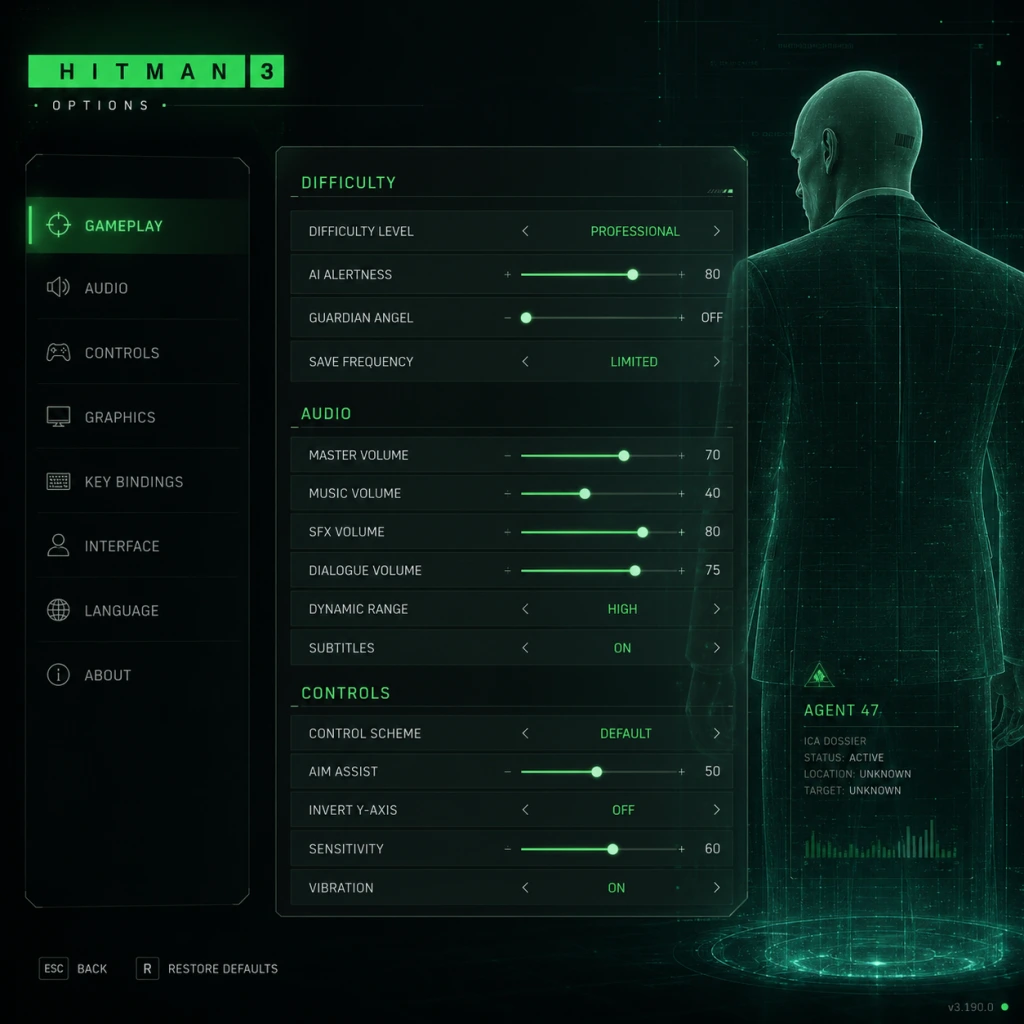
Game Settings
Overview
Hitman 3 (now integrated into the World of Assassination trilogy) offers a vast array of customizable settings across graphics, audio, controls, accessibility, language, network, and gameplay. This guide covers every option, provides recommended configurations for different hardware tiers (low-end, mid-range, high-end PC, plus console tips), and highlights settings that are easy to misconfigure. Proper setup ensures smooth performance, clear visuals, and comfortable gameplay – essential for staying silent and deadly.
Graphics Settings
Display
- Resolution: Match your monitor’s native resolution. For 1080p or 1440p, choose accordingly. For 4K, ensure GPU has enough VRAM (8 GB minimum).
- Fullscreen Mode: Prefer Exclusive Fullscreen for best performance (reduces input lag). Use Borderless Windowed if you frequently alt-tab.
- V-Sync: Off for lowest latency (unless you see tearing). On caps framerate to monitor refresh rate. Adaptive (in driver) is a good middle ground.
- Framerate Limit: Unlimited for variable refresh rate screens. 60 FPS for consistent performance on weaker GPUs.
- Field of View (FOV): Default 60° (vertical). Increase for wider peripheral vision (e.g., 75°–85°), but beware of performance cost on low-end hardware.
- Aspect Ratio: Auto (detects monitor). Manually set only for ultra-wide monitors (21:9 or 32:9).
- Low: For older GPUs (GTX 960, RX 470) or laptops with integrated graphics. Reduces shadows, textures, and post-processing.
- Medium: Balanced for GTX 1060 / RX 580 at 1080p60.
- High: Recommended for RTX 2060 / RX 5700 at 1440p.
- Ultra: For RTX 3080 / RX 6800 XT at 4K. Enables all visual bells and whistles.
- Custom: Manually tweak each setting (see below).
Quality Presets
Advanced Graphics Options
| Setting | Impact | Recommendation | Misconfiguration Risk |
|---|---|---|---|
| Level of Detail (LOD) | Draw distance, object complexity | Medium to High. Avoid Ultra on low VRAM | Low LOD causes pop-in; high costs FPS but minimal visual gain |
| Texture Quality | Resolves detail on surfaces | Medium (2 GB VRAM min), High (4 GB), Ultra (6+ GB). Takes effect after restart | Setting too high on low VRAM causes stutter and texture popping |
| Shadow Quality | Shadow resolution and distance | Low (simple), Medium (good), High (sharp), Ultra (soft shadows) | High shadows are GPU-intensive; medium is sweet spot for most |
| Ambient Occlusion | Adds depth to corners | Off (performance), SSAO (light), HBAO+ (best) | HBAO+ can reduce FPS by 10% on older GPUs |
| Anti-Aliasing | Smooths edges | TAA (temporal, blurrier), SMAA (sharp, less effective), MSAA (expensive) | TAA causes motion blur; SMAA is good balance |
| Post-Processing | Bloom, depth of field, motion blur | Off for competitive clarity; On for cinematic feel | Motion blur can cause nausea for some players |
| Volumetric Fog | Fog density and light shafts | Medium to High. Low on weak GPUs | High fog is very demanding; medium looks similar |
| Screen Space Reflections | Reflections on wet surfaces | Medium (performs well), High (accurate), Ultra (expensive) | Off for significant FPS gain on mid-range cards |
| Lighting Quality | Global illumination and light source count | Medium (balanced), High (better shadows), Ultra (only for high-end) | Minimal visual difference between High and Ultra |
| Simulation Quality | Crowd AI, physics, cloth, particle density | Critical for Hitman 3. Low (fewer NPCs, simpler physics), Medium, High | Affects gameplay: lower settings reduce crowd size in levels like Dubai, Mendoza – reducing disguise options and hiding spots. Set to High on capable hardware; Medium if CPU bottlenecked. |
| Deferred Rendering | Affects bloom, shadow, and light quality | On (default). Off only for compatibility issues | Rarely changed. Off disables HBAO+ and some lighting effects |
| NVIDIA Reflex (if available) | Reduces input lag | On + Boost for best responsiveness. On (no boost). Off only if CPU-limited | Must have supported GPU (GTX 900 series+). Works best with V-Sync Off |
| DLSS / FSR (if supported) | Upscaling for performance | Quality (near-native), Balanced, Performance (sharp but artifacts) | Use Quality for 4K on RTX 20 series+; FSR helps AMD cards. Enable only if struggling with native resolution. |
| HDR (if display supports) | High dynamic range | On with proper calibration; Off if HDR looks washed out | Requires HDR-capable monitor/TV and tweaking in-game brightness/peak luminance (1000 nits recommended). Misconfigured HDR leads to grey blacks. |
Recommended Graphics Presets by Hardware Level
#### Low-End (e.g., GTX 1050 Ti, RX 560, Intel Iris Xe)
- Resolution: 1080p (or 900p/720p if needed)
- Preset: Custom based on Low
- LOD: Low
- Textures: Medium (if 4 GB VRAM) else Low
- Shadows: Low
- Ambient Occlusion: Off
- Anti-Aliasing: SMAA
- Post-Processing: Off
- Volumetric Fog: Low
- Screen Space Reflections: Off
- Lighting Quality: Low
- Simulation Quality: Low (expect smaller crowds)
- DLSS/FSR: If available, set to Performance
- Target: 30–45 FPS
- Resolution: 1080p or 1440p
- Preset: Custom (High with tweaks)
- LOD: High
- Textures: High (4 GB VRAM) or Medium (6 GB not required)
- Shadows: High
- Ambient Occlusion: HBAO+
- Anti-Aliasing: TAA
- Post-Processing: On (bloom, depth of field enabled)
- Volumetric Fog: Medium
- Screen Space Reflections: High
- Lighting Quality: High
- Simulation Quality: Medium (for CPU headroom) or High if CPU is strong (e.g., Ryzen 5 3600)
- NVIDIA Reflex: On + Boost (if NVIDIA)
- DLSS: Quality (for 1440p) or Balanced (for 1080p high FPS)
- Target: 60 FPS
- Resolution: 4K (or 1440p 144Hz)
- Preset: Ultra (custom)
- LOD: Ultra
- Textures: Ultra (needs 8+ GB VRAM)
- Shadows: Ultra
- Ambient Occlusion: HBAO+
- Anti-Aliasing: TAA or DLSS Quality
- Post-Processing: Enable all (motion blur optional)
- Volumetric Fog: High
- Screen Space Reflections: Ultra
- Lighting Quality: Ultra
- Simulation Quality: High (full crowds and physics)
- NVIDIA Reflex: On + Boost
- DLSS: Quality (for 4K) or Balanced (for high FPS)
- Target: 60–120 FPS depending on rest of hardware
- Simulation Quality: Do not set to Low without understanding the gameplay impact. In levels like Dubai (skyscraper party) or Berlin (club), crowd density is part of the gameplay. Low settings remove many NPCs, reducing your ability to blend in or use human shields.
- Texture Quality requires a restart: If you change texture quality, the engine must reload assets. The game does not warn you; you will see pop-in if you don’t restart.
- HDR Calibration: Go to Settings > Graphics > HDR Calibration. Use the on-screen prompts to set black level and peak brightness. A common mistake is setting peak brightness too high, washing out colors. Aim for what your display can handle.
- Framerate Cap for Cutscenes: Some cutscenes are locked to 30 FPS regardless of settings. This is normal.
- V-Sync + Framerate Cap = Input Lag: If you enable V-Sync, also set a framerate cap slightly below refresh rate (e.g., 58 FPS for 60 Hz) to reduce input lag. Better yet, use G-Sync/FreeSync.
- Master Volume: Set to comfortable level. Check in-game sounds like gunshots are not clipping.
- Music Volume: Lower if you want ambient footsteps to stand out. Music is atmospheric but not critical for gameplay.
- SFX Volume: Keep high to hear footsteps, weapon sounds, and environmental cues.
- Voice Volume: Important for dialogues and NPC banter that reveal intel. Keep at least 80%.
- Dialog Subtitles: On recommended – helps catch crucial conversations in noisy environments.
- Sound Output: Stereo (most common), Surround (5.1/7.1) if supported. Headphones mode provides spatial audio simulation.
- Audio Device: Choose your default output device. Ensure correct sample rate (48 kHz recommended).
- Enable HRTF (Head-Related Transfer Function) : For headphones, this creates 3D sound direction. On for stereo speakers (simulated surround) – improves locating guards.
- Misconfiguration: If you set sound output to Surround but only have stereo speakers, you lose left/right fallback (some sounds may be silent). Always set to match your actual hardware.
- Mouse Sensitivity: Start at 5.0 (scale 0–20). Adjust so you can do a 180° turn with a comfortable wrist flick. Too high leads to over-aiming when sneaking.
- Mouse Smoothing: Off (adds input lag). On only if you have a low DPI mouse and want to reduce jitter.
- Invert Mouse: Off for most (on for flight-sim players).
- Key Bindings: The default layout (WASD + action keys) is standard. Notable binds:
- Difficulty Setting: Not in controls per se, but affects aiming assist. See Gameplay section.
- Holster Weapon: Unbound by default. Bind to `H` to quickly put away gun when detected.
- Look Behind: Bind to `C` (default V) for easier checking while running.
- Sprint: Toggle (default) or hold (change to hold if you prefer). In Gameplay settings, set Sprint Behavior.
- Crouch: Set to toggle if you plan to sneak for long periods.
- Invert Y-axis: Off (unless you prefer inverted).
- Controller Sensitivity: 50% default. Increase to 70% for quick camera turns in frantic moments.
- Aim Assist: On (default) helps lock onto targets slightly. Off for purist challenge.
- Vibration: On for haptic feedback (gunshots, footsteps, NPC alerts). Turn off to save controller battery.
- Button Layout: Choose Standard (shooting with right triggers) or Legacy (older game style).
- Trigger Dead Zone: Adjust if triggers feel mushy. Default works for most.
- Radial Menu Speed: Set to 60%+ for quicker weapon/gear switching.
- Subtitle Size: Options: Small, Medium, Large (recommended for readability).
- Dialog Subtitles Always On: Force subtitles even for unimportant NPC chatter – helpful for hearing impaired.
- Enable Highlighting of Interactive Objects: On highlights mission items, weapons, and unlockable doors with a subtle glow. Reduces pixel hunting.
- Colorblind Modes: Options for Protanopia, Deuteranopia, Tritanopia, Grayscale. Adjusts Instinct highlights, noise map indicators, and threat circles. Greatly improves gameplay clarity for colorblind players.
- Text Speed: For dialog subtitles, set to match your reading speed (0.5x to 2x).
- Screen Shake: Off if you are sensitive to motion sickness. Cinematic shakes (explosions, kills) are reduced.
- Camera Bob: Off for smoother walking animation.
- Haptic Feedback for Dialogue: On controller, dialogue triggers slight rumble to indicate speech. Helpful for impaired hearing.
- Quick-Time Events (QTE): Some challenges (like combat takedowns) have QTEs. Enable Automatic QTE (accessibility option) to skip button prompts – crucial for players with limited hand mobility.
- Audio Cues for Ammo, Health: Visual indicators are always present, but audio pings confirm low health or empty magazine.
- Colorblind mode may disable some UI elements if not matched to your type. Test each mode in the Dubai level (many lights) to see which works best.
- Turning off screen shake also affects the “camera shake” when Agent 47 is pushed or dizzy – you may miss environmental cues.
- Interface Language: Choose language for menus, subtitles, and prompts. Available in many languages (English, French, German, Spanish, Italian, Japanese, etc.).
- Audio Language: Dialogues and NPC speech. Options: English (default), Japanese, French, etc. Note that lipsync is only synced to English; other languages may have mismatched animations.
- Subtitles Language: If audio language is not English, set subtitles to your preferred language (e.g., English subtitles for Japanese audio).
- Source Language (for subtitles): Usually tied to audio language. For best immersion, match audio to your region but use native subtitles.
- Online Status: Hitman 3 requires online connection for Escalations, Featured Contracts, Season of Sin content, and Elusive Targets. Offline mode limits you to story missions and some challenges.
- Connection Type: Wired or Wi-Fi. Wired recommended for stable sync of leaderboards and cloud saves.
- Server Region: Auto-selected based on account. Changing may reduce latency for online contracts.
- Auto-Sync Saves: On ensures progress is backed up to IOI servers. Off risks losing progress if local save corrupts.
- Allow Cross-Platform Progression: If you linked IOI account, enable to transfer saves across PC, PlayStation, Xbox, Stadia (legacy). Requires same account on all platforms.
- Voice Chat: In-game voice chat is disabled by default (Hitman 3 has no multiplayer). Only relevant for co-op (unavailable in main game).
- Data Sharing: Optional. Affects Elusive Target rewards and promotional content.
- Playing offline disables Elusive Targets, which are time-limited assassination contracts. If you go offline after starting an Elusive Target, you may fail the mission.
- Disabling auto-sync can lead to losing progress if you switch devices.
- Casual: More checkpoints, auto-save frequently, enemies less alert, easy disguises. Best for exploration.
- Professional: Standard Hitman experience. Fewer saves, enemies more observant, alarms last longer.
- Master: Hardest. No minimap, guards have perfect memory, very few saves, suspects will notice your suspicious behavior quicker.
- Mini-Map: On for orientation. Off for immersion (Master difficulty forces off).
- Instinct Mode: On by default. Highlights enemies through walls, interactive items, and objectives. Off removes the orange glow – increases challenge.
- Opportunity Prompts: On displays guide steps for mission stories. Off for a more organic experience.
- Context Actions: On shows which button to press for interactions. Leave on until you memorize.
- Ammo and Health Display: On by default. Keep enabled.
- Auto-Sprint: Off (manual). On makes Agent 47 always sprint when moving forward – can cause accidental alarms.
- Sprint Behavior: Toggle (press once to sprint, again to stop) vs Hold (must hold shift). Many prefer Hold for precise control.
- Crouch Toggle: Off (hold to crouch) / On (press to toggle). Toggle recommended for long sneak sections.
- Cover Behavior: Automatic (press up to cover) – standard. Manual (press a key to stick to cover) – more control.
- Interaction Priority: Nearest (default) – picks closest item. Context – prioritize mission-critical items. Switch to Context if you often pick up wrong objects.
- Weapon Holster Behavior: Automatic (holster after aiming for a few seconds) vs Manual. Set to Manual to avoid accidental holstering mid-firefight.
- Aim Assist Strength: For controller, set to High (casual) or Low (professional). Keyboard players: no aim assist.
- Tutorial Tips: On for new players. Disable after first few missions to avoid clutter.
- Mission Story Guide: On shows objective markers. Off for blind runs.
- Ingame Encyclopedia: Accessible via menu. Links to mechanics.
- Master Difficulty and Auto-Saves: Master mode disables auto-save completely. Only save at designated save spots (globes). Plan accordingly.
- Sprint Behavior: If you set sprint to toggle, you may find yourself running when trying to walk, breaking stealth. Test in the first mission (Dubai) before proceeding.
- Interaction Priority: In crowds, setting to Nearest makes you pick up many random items (fruit, phones). Change to Context to prioritize mission items like keys or bombs.
#### Mid-Range (e.g., GTX 1660 Super, RTX 2060, RX 5600 XT)
#### High-End (e.g., RTX 3080, RX 6800 XT, RTX 4070 Ti)
Special Attention Points for Graphics
Audio Settings
Controls Settings
Mouse & Keyboard
- Instinct: Hold Q – use frequently.
- Crouch: Left Ctrl – toggle or hold (set in Gameplay).
- Subdue: E (behind enemy) – practice timing.
- Weapon Quick Switch: Scroll wheel or 1-3 keys.
- Pick Up / Interact: F.
- Gadget Wheel: 4.
#### Recommended Key Remaps for Efficiency
Controller (PlayStation / Xbox / PC)
Special Notes: If you use a controller on PC, ensure it is recognized (Steam Input or native XInput). Hitman 3 supports both DualShock 4 and Xbox controllers natively. For DualSense, PlayStation button prompts appear automatically.
Accessibility Settings
Misconfiguration Risks:
Language Settings
Special Note: Changing language requires a restart to apply fully. Some UI elements (like mission briefings) may not update until next load.
Network Settings
Misconfiguration Risks:
Gameplay Settings
Difficulty
HUD & UI
Movement & Combat
Tutorials & Hints
Special Attention Points:
Summary Table: Quick-Start Recommended Settings
| Category | Setting | Recommendation | Reason |
|---|---|---|---|
| Graphics | Simulation Quality | High (if CPU strong) | Maintains crowd density crucial for gameplay |
| Graphics | Texture Quality | Medium (4 GB VRAM) | Balances quality and performance |
| Graphics | V-Sync | Off (use G-Sync/FreeSync) | Reduces input lag |
| Audio | HRTF Headphones | On (if using headphones) | Better spatial awareness |
| Controls | Mouse Smoothing | Off | No added input lag |
| Accessibility | Colorblind Mode | As needed | Improves UI readability |
| Network | Online Status | On (for full content) | Unlocks Elusive Targets and escalation |
| Gameplay | Difficulty | Professional | Standard challenge with fair saves |
| Gameplay | Sprint Behavior | Hold | Prevents accidental sprints |
| Gameplay | Interaction Priority | Context | Avoids picking up junk |
Final Tips
- Always restart the game after changing Texture Quality.
- Test settings in a busy level like Berlin or Mendoza to gauge performance.
- If you experience stuttering, lower Simulation Quality first, then Shadow Quality.
- For the ultimate stealth experience, disable HUD elements and use Instinct only sparingly.
- Use the Benchmark tool (in Graphics menu) to automatically find a balanced preset.
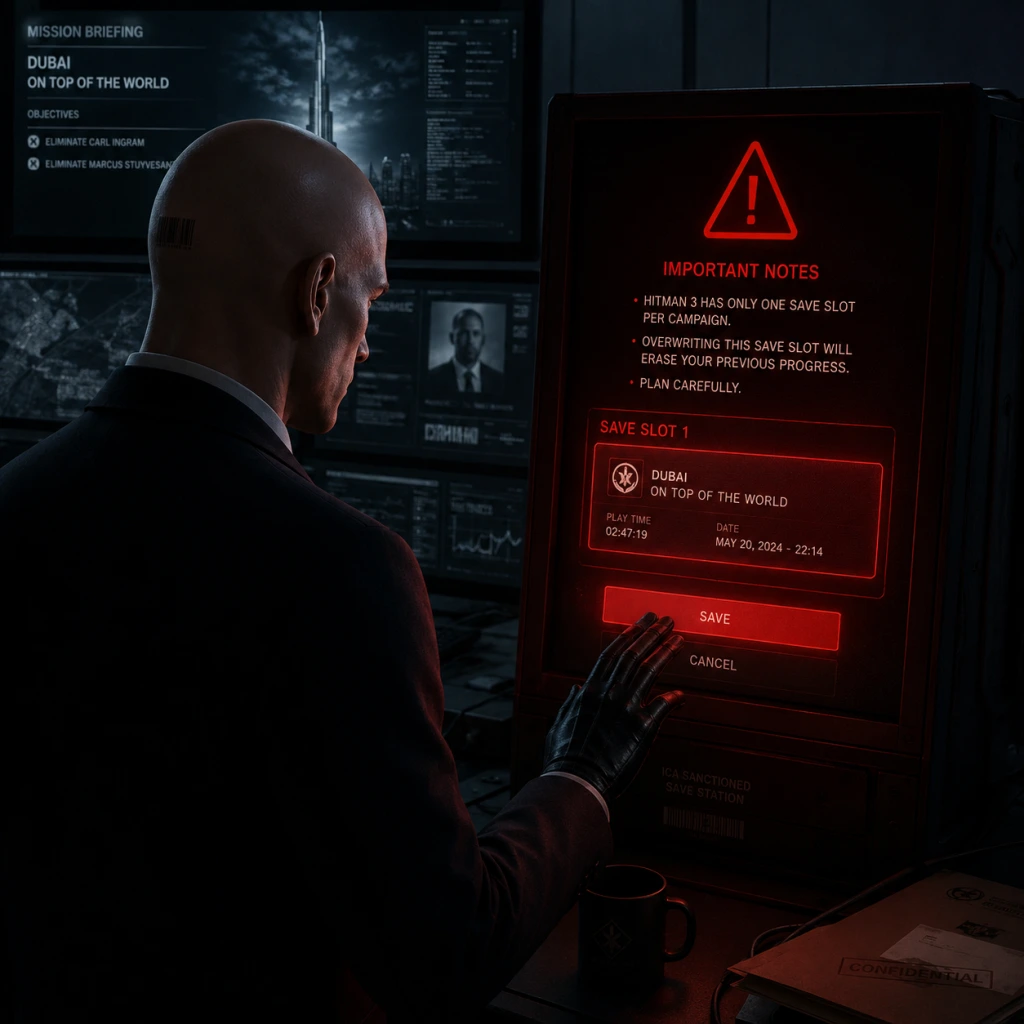
Important Notes
Important Notes
Warnings & Pitfalls
- Permanent Save Overwrites: The game uses a manual save system with only 100 save slots (50 on older consoles). Avoid saving over a critical checkpoint before a mission’s end; keep multiple save files per mission. A single corrupt save can ruin hours of progress.
- Accidental Auto-Saves: Certain events (completing objectives, exiting menus) trigger auto-saves. If you make a mistake right after an auto-save, you may be stuck with no manual save to fall back on. Manually save before major actions.
- Disguise Limitations: Disguises are not foolproof. Enforcers (characters with a white dot over their head) can see through any disguise except the one belonging to their faction. Always check for enforcers on your minimap (Instinct Mode).
- Combat is Punishing: Alerted enemies share information across the map. Once a gunfight starts, it escalates quickly. The game is designed for stealth; direct combat is almost always a death sentence on Master difficulty.
- Camera & Microphone Permissions: On PC, some anti-cheat or overlays may request microphone access. This is not used for actual gameplay—deny if you’re uncomfortable, but some social features (like in-game VoIP for Contracts) may require it.
- Mission Story Decisions: Many missions have branching objectives (e.g., killing a target via an accident vs. poisoning). Once you commit to a path (like sabotaging a chandelier), you cannot undo that step. If you want to experience different outcomes, save before triggering any mission story event.
- Unlocking Permanent Gear: You can permanently unlock weapons, suits, and items by completing challenges or escalating missions. Unlocks are account-bound and transfer across platforms (within the same IOI account). However, elusive targets (limited-time contracts) award exclusive suits—if you fail or die, the target is gone forever and you cannot replay for that reward on that account.
- Escalation Contracts: Escalations are multi-stage challenges that lock your loadout after each stage. You cannot revert to a previous stage mid-escalation. If you fail a later stage, you restart from the beginning. Plan your loadout carefully.
- Mastery Level Resets: Each location has its own Mastery level (up to 20). Unlocks are permanent. However, if you delete your game save (not Profile save), you lose location progress. Cloud saves help mitigate this, but be cautious when reinstalling.
- Elusive Targets: These are time-limited contract missions (usually 7–10 days window). If you miss the window or fail the assassination, the target is gone forever—no second chance on that account. There are occasional “re-runs” but not guaranteed. Complete on the first try, and do not restart if you die—you’ll lose the opportunity.
- Seasonal Events: Events like the Holiday Hoarders (December) or The Sarajevo Six (PS4 exclusive) offer exclusive suits and items. They run only once per year. Mark your calendar and check the in-game events tab.
- Feats & Challenges: Some challenges (e.g., “Sniper Assassin” on all maps) require specific actions that are only possible during certain mission stories. If you complete a mission without fulfilling a challenge, you must replay that mission from scratch to attempt it.
- Easter Eggs: Many maps contain hidden interactions (e.g., the flamingo costume in Mendoza). These are easy to miss. Use external guides if you want to collect every unique dialogue or item.
- Dartmoor’s Detective Story: Solving the mystery in Dartmoor (by examining clues and accusing the right person) requires careful logic and attention to dialogue. Missing a single clue can lock you out of the “Detective” ending. Save frequently during this sequence.
- Berlin’s “Death of a Showstopper”: The post-reveal hunt where ICA agents stalk you. They can see through most disguises, and the map is dark. Use instinct to track agent positions. This is often cited as the hardest main mission.
- Chongqing’s Facility Puzzle: Hacking the core server requires precise timing and knowledge of patrol routes. One wrong move triggers alarms and a massive response. Save before entering the server room.
- Master Difficulty: Only one save per mission. Enemies have heightened senses, enforcers are more aggressive, and accidents are harder to engineer. Not recommended for first playthrough.
- Challenge Grind: Some challenges require hundreds of kills with a specific weapon or completing the same mission dozens of times. This can become tedious. Instead of pure grinding, use Contracts Mode to create custom targets that align with multiple challenges.
- Escalation Grind: Escalations have 5–10 stages each. Unlocking all 10 tiers for a location can take 2–3 hours per escalation. Focus on escalations that reward gear you actually want (e.g., Sieger 300 Ghost sniper).
- Mastery Level Farming: The fastest way to level Mastery is by completing Featured Contracts (community missions) that have high XP multipliers, not replaying the same story mission repeatedly.
- Currency (Merces): You earn Merces by completing missions and challenges. Don’t waste them on cosmetic items early—save for key gear like lockpicks, electronic key hackers, and poison vials.
- In-Game Voice Chat: If you enable voice chat in Contracts mode (with friends), avoid shouting or playing loud music—others will mute you. There is no text chat, so rely on in-game emotes or predefined quick responses.
- Playing with Strangers: In the Elusive Target Arcade, you can pair up with random players. Be respectful, don’t hog objectives, and communicate via emotes. Griefing (killing your partner) is reportable.
- Anti-Cheat (PC): Hitman 3 uses IOI’s proprietary anti-cheat that runs at kernel level on Windows. It may trigger false positives with overlay software (Discord, Steam). If you have issues, add the game executable as an exception in your antivirus. Cheating results in a permanent ban of your IOI account, losing all progress and purchases.
- Cross-Platform Progression: Your profile (unlocks, mastery) can be synced between platforms via an IOI account. However, you cannot merge two accounts; choose one as your primary. If you buy items on multiple platforms, they won’t combine.
- Manual Save Often: Use a new save slot every 15–20 minutes. Name saves descriptively (e.g., “Before meeting the target in the garden”).
- Soft-Break Save Avoidance: If you save while Agent 47 is in the middle of an animation (climbing, knockout), the save may become corrupted. Always save when 47 is standing still.
- Cloud Saves: Enable cloud sync on PC (Epic/Steam) or console. If you reinstall, your manual saves may not transfer automatically—you must manually download from the cloud via settings.
- Backup Saves (PC): Navigate to `%LOCALAPPDATA%\IO Interactive\HITMAN3\` and copy the `SaveData` folder periodically. This protects against accidental deletion or cloud conflicts.
Irreversible Choices
Missable Content
Difficulty Spikes
Grinding Traps
Online Etiquette & Anti-Cheat Notes
Save Management Advice
Things Players Commonly Regret Not Knowing Earlier
1. You can pick up any weapon from the ground without losing your current disguise—just holster the weapon first (press the weapon switch key). Many new players think picking up an illegal item requires dropping their custom gear.
2. Chewing gum is a distraction tool—you can place gum on the ground or on a railing to cause a guard to waste time removing it, creating an opening.
3. Silence pistols are not true silence—enemies nearby will hear the shot. Use subsonic ammo (unlockable) for near-perfect stealth.
4. Doors can be wedged open—use a crowbar or an insert item to prop doors, creating new paths. This is critical for speed runs.
5. Instinct Mode hides your own illegal actions—if you knock someone out while instinct is active, the sound might be muffled for nearby enforcers (not 100% reliable but helpful).
6. You can drag bodies into closets—many maps have hidden closets that make bodies disappear forever. Check every bathroom and locker room.
7. The ICA Facility (training missions) contain unique unlockables—complete all three training missions with a high score to unlock the ICA 19 Black Lily pistol, a silent and accurate weapon.
8. Suitcase can be used as a melee weapon—it knocks out enemies silently and can be retrieved. Ideal for non-lethal runs.
9. Contracts Mode lets you share custom missions with friends—you can design kills with specific weapons and disguises, offering infinite replayability beyond the main story.
10. Master Difficulty removes many HUD elements—you cannot see time of day or enforcer dots. However, you can still use instinct briefly. Use audio cues (footsteps, dialogues) to track threats.
All Game Items
Overview
_Hitman 3_ (part of the World of Assassination trilogy) offers a massive arsenal of weapons, tools, poisons, and collectibles. Items are unlocked through Mastery Levels, Challenge Packs, Elusive Target Suits, or DLC (Seven Deadly Sins, Premium Add-ons). This guide categorizes every major item, explains how to obtain it, its primary use, and any synergies or upgrades.
Items are divided into:
- Firearms – Pistols, SMGs, Assault Rifles, Shotguns, Sniper Rifles, Submachine Guns
- Melee Weapons – Knives, Hammers, Wrenches, Cleavers, etc.
- Thrown Items – Coins, Traps, Explosives
- Gadgets & Tools – Lockpicks, Crowbars, Cameras, Flash Drive
- Poisons & Sedatives – Lethal, Emetic, Sedative
- Consumables – Muffins, Sodas, Apples (for distractions/poisoning)
- Explosives – Remote C4, Proximity Mine, Frag Grenade, etc.
- Key Items – Mission-specific keycards, USB drives, disguises
- Collectibles – Mementos, Safe House Items
- Currencies – Experience, Merces
- Upgrades & Synergies – Item combinations & mastery unlocks
- All weapons are illegal if seen by witnesses (unless disguised as a guard with a holster).
- Many items can be illegal to pick up (e.g., sniper rifles in plain sight) – use distraction or smokescreen.
- Mastery Unlocks are per-mission (e.g., Dubai Mastery Level 10 unlocks the Sieger 300 Ghost sniper).
- DLC items (e.g., from the Seven Deadly Sins escalation) are included but noted.
#### Important Notes
---
Firearms
Firearms are the core of Agent 47’s lethal options. Every weapon has a concealment rating (small/medium/large) which affects how easily it can be hidden under certain disguises. All weapons are illegal if spotted.
Pistols
Pistols are the most versatile firearm: silent variants exist, and they can be thrown as a distraction or melee attack.
| Weapon | Unlock Method | Special Features | Best Use |
|---|---|---|---|
| ICA Silverballer Mk II | Default (or Mastery Level 1 for any mission) | Classic silenced pistol; high accuracy, 2 magazine sizes. | General stealth kills; good for noisy areas due to silencer. |
| Krugermeier 2-2 | Mastery Level 5 (Dartmoor, etc.) | Extremely quiet (subsonic) – almost no sound signature. | Ghost runs; eliminates guards without alerting nearby. |
| Shortballer | Challenge: “A New Profile” (Blood Money Pack) | Compact, no silencer; high rate of fire. | Close quarters where silence not needed. |
| ICA19 F/A (Stealth) | Mastery Level 10 (Mendoza) | Full-auto pistol with silencer; high fire rate. | Clearing rooms in silent speed runs. |
| Elaborandi | ICA Facility – find in mission | Rare; low damage, but can be used as a key item for a secret exit. | Mostly cosmetic/easter egg. |
| Rude Ruby | Paid DLC (Seven Deadly Sins – Greed) | Gold-plated, high damage, loud. | Showoff weapon; no silencer. |
---
Assault Rifles
High noise, high lethality. Best for loud playthroughs or emergency combat. Usually illegal to carry.
| Weapon | Unlock Method | Special Features | Best Use |
|---|---|---|---|
| Sieger 300 Ghost | Mastery Level 10 (Dubai) | Semi-auto sniper, but handles like an assault rifle with high damage. | Long-range silent elimination (but not silenced). |
| Hackl Leviathan S9 | Mastery Level 8 (Berlin) | Full-auto, high recoil, large magazine. | Suppressive fire; loud. |
| ICA Covert Assault Rifle | Mastery Level 20 (Chongqing) | Suppressed, red dot sight, medium damage. | Silent assault – rare for a silenced AR. |
| Viper SMG | Challenge: “Sniper Assassin” (Mendoza) | Actually an SMG, but classified as assault? Not – see SMG section. | – |
---
Shotguns
Powerful but loud; one-hit kill at close range. Some are sawed-off for concealability.
| Weapon | Unlock Method | Special Features | Best Use |
|---|---|---|---|
| Tactical Shotgun | Found in many missions (e.g., Dubai) | Semi-auto, short barrel. | Close-quarters combat. |
| Hacking Device | Not a weapon – see Gadgets. | – | – |
| Bartoli 12G Shotgun | Mastery Level 3 (Dartmoor) | Pump-action, wide spread. | Clearing a room. |
| Sawed-Off Shotgun | Challenge: “No Room for Error” | Compact, high damage. | Concealed carry; great for suits with coat. |
---
Sniper Rifles
Extremely long-range. Usually large and illegal to carry openly. Must be stowed in briefcase to pass inspection.
| Weapon | Unlock Method | Special Features | Best Use |
|---|---|---|---|
| Sieger 300 Advanced | Default (Mendoza) | High damage, 2x scope, single shot. | Long-range elimination. |
| Sieger 300 Ghost | Mastery Level 20 (Dubai) – wait, above said Mastery 10? Check: In Hitman 3, Sieger 300 Ghost is level 10 in Dubai. | – | – |
| Jaeger 7 | Mastery Level 20 (Berlin) | High rate of fire, medium scope. | Rapid follow-up shots. |
| Krugermeier 2-2 | Pistol, not sniper. | – | – |
| Tanto Sniper Rifle | DLC (Seven Deadly Sins – Lust) | Silver-plated, moderate damage. | Cosmetic. |
---
SMGs & Submachine Guns
Compact, full-auto with good rate of fire. Medium concealability.
| Weapon | Unlock Method | Special Features | Best Use |
|---|---|---|---|
| ICA Covert SMG | Mastery Level 15 (Chongqing) | Suppressed, red dot sight. | Silent burst fire. |
| Viper SMG | Challenge: “Sniper Assassin” (Mendoza) | Loud, high rate of fire. | Close-range suppression. |
| Hackl Leviathan S9 | Previously listed as assault; check – it’s an assault rifle. | – | – |
| Leviathan S9 | Actually a SMG? In-game it's an assault rifle. Avoid confusion. | – | – |
---
Melee Weapons
Melee weapons are silent when used from stealth. Each has a unique animation and illegal status if spotted. They can also be thrown.
| Item | Unlock Method | Special Features | Best Use |
|---|---|---|---|
| Kitchen Knife | Found in most missions (e.g., Paris) | Standard knife; quick kill. | Stealth kills; can be thrown. |
| Crowbar | Found in many missions | Can open some locked doors/containers. | Utility tool + melee. |
| Hammer | Found in tool sheds | Heavy; blunt force. | Non‑lethal? Actually lethal if hit. |
| Wrench | Found in garages, maintenance rooms | Medium weight; can be thrown. | Distraction + melee. |
| Cleaver | Found in kitchens (e.g., Bangkok) | High damage. | Stealth kill; thrown (low arc). |
| Screwdriver | Found in many missions | Very small, concealable. | Can be thrown for silent kill; also used to interact with electronics. |
| Fire Axe | Found in emergency areas | Very high damage; slow. | Breaching windows/doors. |
| Combat Knife | Challenge: “Silent Assassin” (multiple) | Tactical grip; fast. | Preferred for speed kills. |
| Ice Pick | Found in Dartmoor (frozen lake area) | Unique; small. | Stealth kill; can be thrown – but tricky. |
Upgrades: The ICA Lockpick Mk III functions like a melee tool but not a weapon.
---
Thrown Items (Distractions & Projectiles)
Thrown items serve to distract guards, make noise, or knock out targets non‑lethally.
| Item | Unlock Method | Special Features | Best Use |
|---|---|---|---|
| Coins | Default (infinite supply) | Classic distraction; causes guard to walk to location. | Lure away from patrol routes. |
| Rubber Duck | DLC (Silent Assassin Pack) | Large; upon explosion? Actually a non‑lethal distraction. | Children’s toy; no explosion. |
| Distraction Device | Crafted (pin + bottle) or found | Creates loud noise; can be placed. | Lure many guards at once. |
| Throwing Knife | Mastery Level 10 (Dubai) – Actually found or purchased. | Silent, lethal if aimed at head. | One‑hit kill from distance; retrievable. |
| Phone | Found on some NPCs | Can be used to lure by ringing. | Advanced distraction; requires timing. |
| Grenade (Explosive) | See Explosives. | – | – |
| Proximity Mine | See Explosives. | – | – |
---
Gadgets & Tools
Non‑weapon tools that aid infiltration, hacking, or interaction.
| Item | Unlock Method | Special Features | Best Use |
|---|---|---|---|
| ICA Lockpick Mk III | Default (unlocked via Mastery) | Opens most locked doors (not security doors). | Essential for locked rooms. |
| Crowbar | Found | Breaks open locked wooden doors/containers. | Alternative to lockpick. |
| Flashdrive | Found in missions | Holds data; used in some mission stories. | Mission‑specific. |
| Camera | Default (phone camera) | Can take photos for evidence. | Challenge completion (e.g., photograph target). |
| Laptop | Hacking tool for cameras and traps. | Can disable cameras, open electronic doors. | Advanced infiltration. |
| Remote Hacking Module | DLC (Seven Deadly Sins – Wrath) | Hacks any electronic device from distance. | Cheat‑like utility. |
| Battery | Found | Used to power certain devices (e.g., fuse boxes). | Some missions require power disruption. |
| Fishing Rod | Found only in Ambrose Island | Non‑weapon; used to distract guards? Actually a distraction. | Distraction + can be used as a melee? No. |
| Umbrella | Disguise item (found in lobby) | Can be used as a melee or to hide weapon? Minor. | Cosmetic. |
---
Poisons & Sedatives
Poisons can be delivered via syringes, food, or drink, or as a gas (fumigator). They are lethal or non‑lethal.
| Item | Unlock Method | Special Features | Best Use |
|---|---|---|---|
| Lethal Poison Vial | Found in many missions (e.g., a blue vial) | Liquid; can be poured into food/drink. | Silent kill that appears as accident (heart attack). |
| Emetic Poison Vial | Found or crafted | Causes vomiting; target goes to restroom. | Isolate target for easy kill. |
| Sedative Poison Vial | Found or crafted | Causes sleep – but hard to use (requires injection). | Non‑lethal takedown. |
| Syringe (Lethal) | Found or obtained from medical chest | Inject directly into target. | Requires close proximity; leaves no trace. |
| Syringe (Emetic) | Same as above | – | – |
| Sedative Syringe | Default tool from ICA | Non‑lethal knock‑out; target wakes after 30 seconds. | Quick takedown without killing. |
| Fumigator (Gas Poison) | Crafted using poison + gas? Actually a device in some missions (e.g., Hokkaido) | Emits poison gas in room. | Mass silent elimination. |
| Rat Poison | Found in kitchens | Induces vomiting. | Emetic effect; can be placed in food. |
| Sweet’n’Low | DLC? Not real. | – | – |
| Nerve Gas | Found only in specific missions (e.g., Colorado) | Area denial. | Wipes out an area but risks civilian casualties. |
---
Explosives
Explosives cause loud noise and kill within blast radius. They are illegal unless in a briefcase.
| Item | Unlock Method | Special Features | Best Use |
|---|---|---|---|
| Remote Explosive (C4) | Default | Placed and detonated remotely. | Trap or breach. |
| Proximity Mine | Mastery Level 5 (Dubai) etc. | Detonates when enemy approaches. | Area denial. |
| Frag Grenade | Found on guards | Thrown, timer. | Clearing rooms. |
| Gas Tank | Found in environments (propane) | Explosive when shot. | Accidental explosion. |
| Mortar | DLC (Seven Deadly Sins – Gluttony) | Heavy, single shot. | Massive blast. |
---
Key Items
Mission‑specific items that are required for main objectives, mission stories, or alternate exits.
| Item | Location | Use |
|---|---|---|
| USB Drive | Varies (e.g., Dubai – server room) | Contains data to upload. |
| Keycard | Various (colored or level) | Opens locked doors. |
| Crowbar (again) | – | Used for locked containers. |
| Flashdrive (previous) | – | – |
| Disguise Items (e.g., waiter suit, guard outfit) | Found or from unlocking mastery | Allows bypassing restricted areas. |
| Dossier | Found in Ambrose Island? | Mission objective. |
| Serum | Not in Hitman 3. | – |
| Helmet | Not key, but used in certain challenges? | – |
---
Collectibles
Not all are items in inventory, but they are important for completion.
| Type | Examples | Purpose |
|---|---|---|
| Mementos | Toy soldiers, coins, tourist items | Displayed in Safe House; unlock cosmetics. |
| Safe House Items | Painting, rug, chairs | Purchased with Merces in Ambrose Island. |
| Challenge Rewards | Trophies, outfits | Unlock via in-game challenges. |
| Trophy Cabinet | In Safe House | Shows achievements. |
Currencies & Progression
| Currency | Earned By | Used For |
|---|---|---|
| Experience (XP) | Completing mission goals, challenges | Leveling up Mastery for that mission. |
| Merces | Completing missions (hidden stashes) | Purchasing items from vendors in Ambrose Island (DLC). |
| Challenge Points | Completing specific challenges | Unlocking rewards (mostly cosmetic). |
---
Upgrades & Synergies
Upgrades via Mastery
Each mission has a Mastery Level (up to 20). Unlocks include new loadout slots (e.g., start with a sniper rifle), better versions of items (e.g., Kaiken Mk II), and exclusive items.
Synergies Examples
- Lethal Poison + Muffin: Poison a muffin and place it in a security room – guard will eat it and die (accident).
- Emetic Poison + Soup: Poison a soup bowl; all NPCs who eat it will vomit, clearing the area for a minute.
- Sedative + Distriction: Sedate a guard, hide body, then lure another guard with coin.
- Sniper + Briefcase: Use briefcase to bring large sniper rifle into restricted area (e.g., Dubai’s top floor).
- Camera + Laptop: Use camera to scan QR codes, then hack with laptop.
- Silent Assassin: ICA Silverballer (Mk II), Lockpick, Sedative Syringe, Coins.
- Speedrun: Shortballer (for quick engagement), Remote Explosive (to blow up camera box), Crowbar.
- Ghost Run: Krugermeier 2-2 (silent pistol), Emetic Poison Vial, Throwing Knife (for long‑range silent kill).
Best Loadouts
---
Conclusion
This guide covers every major item category in _Hitman 3_. Mastery progression is key – focusing on one mission at a time unlocks powerful tools across the entire trilogy. Always consider the illegal status of an item before bringing it to a public area. Use the briefcase to smuggle large weapons, and never underestimate the humble coin for manipulating guards. Synergize poisons with food/drink, and combine distractions with explosives for accident kills. Happy hunting, Agent.

Character Skills
Overview
In Hitman 3, Agent 47 is the sole playable character, a genetically enhanced master assassin. While the game does not feature traditional RPG skill trees, it offers a robust Skills system that permanently improves 47’s innate abilities. These skills are unlocked by earning Skill Points through completing challenges and gaining XP. They are divided into three categories: Stealth, Social, and Combat. Each skill is passive or has a simple activation (e.g., increased speed, reduced noise), with no cooldowns (they are always active once purchased). This guide covers every skill, its effects, prerequisites, and strategic use—including synergies between skills and recommended unlock order for different playstyles.
> Note: Skills are account-wide and carry over to all missions and game modes (including Freelancer, Elusive Targets, and Contracts). They do not rely on items or equipment; instead, they augment 47’s base capacities.
---
Stealth Skills
These skills enhance 47’s ability to remain undetected, move silently, and perform covert actions. They are the backbone of a ghost playstyle.
Smooth Moves
- Effect: Increases crouch-walk speed by 15%.
- Unlock Cost: 1 Skill Point (early unlock).
- Synergies: Works excellently with Silent Step (below) to move quickly without noise. Also pairs with Subdue Speed for faster takedowns.
- When to Use: Always active. Prioritize if you frequently crouch-walk through tight spaces or follow targets.
- Effect: Reduces footstep noise when walking (both upright and crouched) by 25%.
- Unlock Cost: 2 Skill Points.
- Synergies: Combine with Smooth Moves for fast, near-silent movement. Essential for navigating near guards without triggering suspicion.
- When to Use: Constant benefit. Use in any situation where noise would alert enemies—especially near sleeping guards or during tailing objectives.
- Effect: Increases the distance at which you can hear NPC conversations, footsteps, and alarms by 30%.
- Unlock Cost: 2 Skill Points.
- Synergies: Works with Instinct Mode (which highlights sounds visually) to pinpoint threats and story opportunities from afar.
- When to Use: Ideal for reconnaissance—listen for guard patrol routes, private conversations, or unsuspicious noises. Actively use headphones or surround sound.
- Effect: Allows you to catch any thrown item (e.g., coins, crowbars) silently without dropping it. The item is immediately placed into your inventory if possible.
- Unlock Cost: 3 Skill Points.
- Synergies: Useful when retrieving distraction tools after use. No direct synergy with other skills, but it saves inventory management.
- When to Use: Automatically triggered when you are close to a thrown item. Best used when throwing and retrieving multiple items quickly.
- Effect: Makes poison and flammable liquids take effect 20% faster (gas spreads faster, poison works instantly in many cases). Also increases the radius of gas clouds by 10%.
- Unlock Cost: 4 Skill Points.
- Synergies: Pairs with Toxic (combat skill) and poisons like Lethal Poison, Emetic Rat Poison, and Sedative Poison. Use with gas tanks or propane flasks for faster area denial.
- When to Use: Essential for poison-based kills or when using gas to create distractions. Active always.
- Effect: When you hang a disguise on a hook (in a wardrobe or coat rack), enemies will not notice the disguise is missing until you change into it. This prevents guards from raising an early alarm.
- Unlock Cost: 2 Skill Points.
- Synergies: None directly, but useful in missions with multiple disguise changes.
- When to Use: Before changing disguise in a restricted area, hang the current one to avoid suspicion. Niche but helpful in complex heists.
- Effect: Reduces the time required to knock out (subdue) a non-lethal target—both from behind and after a distraction—by 30%.
- Unlock Cost: 3 Skill Points.
- Synergies: With Silent Step and Smooth Moves for rapid, quiet pacification. Also helps in combat when you need to quickly disable a guard.
- When to Use: Always active. Very useful when subduing multiple NPCs in a short window (e.g., cleaning a room).
- Effect: Reduces the animation time for fiber wire kills by 40%.
- Unlock Cost: 3 Skill Points.
- Synergies: Works with Subdue Speed for extremely fast silent kills. Combine with Silent Step to execute guards without being heard.
- When to Use: Maximize speed in speedrun strategies or when you need quick kills in crowded areas.
- Effect: Reduces the suspicion radius of all disguises by 20%. Enemies become less likely to call you out for being in the wrong location.
- Unlock Cost: 2 Skill Points.
- Synergies: Works with Blend In (below) to vastly reduce detection. Also helps with Charming (civilian interactions).
- When to Use: Always active. High priority for any playstyle—makes infiltration much safer.
- Effect: When standing still in a group of NPCs (e.g., a crowd or a queue), 47 will automatically blend and become nearly invisible to patrols. Also slightly reduces time to gain full coverage.
- Unlock Cost: 3 Skill Points.
- Synergies: With Better Disguises, you can stand in plain sight next to guards. Use to wait out patrols or observe target behavior.
- When to Use: Active when you stand still in a crowd. Manual activation (hold a key/button) may be required on some platforms. Use in courtyards, bars, or meeting rooms.
- Effect: Increases the range and effectiveness of thrown distractions (coins, wrenches, etc.) by 25%. NPCs will investigate longer and more reliably.
- Unlock Cost: 2 Skill Points.
- Synergies: With Lucky Catch (stealth) for infinite distraction loops. Also pairs with Impress Me (below) for more elaborate distractions.
- When to Use: Always active. Essential for any stealth approach where you lure guards away.
- Effect: When performing a performance-based distraction (e.g., pressing buttons, playing a piano, or using a console), the distraction area and duration are increased by 30%.
- Unlock Cost: 4 Skill Points.
- Synergies: Use in levels with interactive objects like the radio in Dubai or the projector in Dartmoor. Works with Crowd Pleaser for mass distraction.
- When to Use: Only when you have access to these interactive props. Niche but powerful for story mission opportunities.
- Effect: When you cause a disturbance (e.g., breaking a glass, triggering an alarm), crowds of civilians flee more predictably and for longer, creating chaotic opportunities.
- Unlock Cost: 3 Skill Points.
- Synergies: With Distraction and Impress Me, you can orchestrate large-scale diversions. Also helps when using explosives or fire alarms.
- When to Use: Use when you need to move through heavily populated areas or when you want to isolate a target by clearing the room.
- Effect: Reduces the suspicion of civilians by 15% and increases the window before they alert guards if you trespass briefly.
- Unlock Cost: 2 Skill Points.
- Synergies: With Better Disguises, almost no civilian will see through your cover. Useful in open areas like gardens or public halls.
- When to Use: Constant benefit. High priority for missions with many civilians (e.g., Mendoza, Berlin).
- Effect: Reduces weapon sway and recoil by 20% when aiming down sights.
- Unlock Cost: 2 Skill Points.
- Synergies: With Precision Shot and Gun Handling, you achieve almost zero recoil. Ideal for headshot chains.
- When to Use: Always active. Use with any firearm—especially pistols and sniper rifles.
- Effect: Increases aiming speed (time to full accuracy) by 30% and reduces weapon swap time by 20%.
- Unlock Cost: 3 Skill Points.
- Synergies: Works with Steady Aim for fast, accurate shots. Also helpful with Tactical Reload for quick engagement.
- When to Use: Crucial for combat-heavy builds or when you need to quickly respond to a firefight.
- Effect: Increases headshot damage multiplier from 2.0x to 2.5x. Also improves bullet drop compensation for longer ranges.
- Unlock Cost: 4 Skill Points.
- Synergies: Combine with Steady Aim and Gun Handling for one-shot kills. Works with any weapon but shines with pistols and rifles.
- When to Use: Always active. Prioritize if you rely on sniper or pistol headshots for assassinations.
- Effect: Unlocks a unique kill animation for fiber wire and certain weapon types (e.g., a dramatic neck snap or an execution-style pistol shot). Animations are faster and quieter.
- Unlock Cost: 3 Skill Points.
- Synergies: With Fiber Wire Speed and Subdue Speed for extremely quick silent kills. The specific animation varies per weapon.
- When to Use: Activate by pressing the kill button near a non-suspicious guard. Use to add style to your run or when you need a quick, silent takedown.
- Effect: Reduces reload time by 25% for all firearms. Also allows reloading while sprinting (though accuracy is affected).
- Unlock Cost: 2 Skill Points.
- Synergies: With Gun Handling for rapid weapon cycling. Helpful in extended firefights.
- When to Use: Always active. Essential for loud builds or when you need to sustain fire.
- Effect: Increases maximum health by 20% and reduces damage taken from bullets by 10%.
- Unlock Cost: 4 Skill Points.
- Synergies: With Brawler (below) for a tanky close-quarters build. Also pairs with Thrown Weapons for survivability.
- When to Use: Always active. Prioritize if you plan to engage in combat often or play on higher difficulty where damage is severe.
- Effect: Increases melee damage by 30% and reduces stagger time when hit. Improves the speed of melee attacks by 15%.
- Unlock Cost: 3 Skill Points.
- Synergies: Works with Subdue Speed for fast knockouts. Also with Battle Hardened for melee-focused builds.
- When to Use: Always active. Best used when you intend to subdue or kill with blunt objects or fists rather than firearms.
- Effect: Improves the trajectory and velocity of thrown items (e.g., knives, hatchets, wrenches, poison vials) by 25%. Also increases the throw speed.
- Unlock Cost: 2 Skill Points.
- Synergies: With Precision Shot (though not a firearm, it helps with aim). Also with Distraction for faster item throwing.
- When to Use: Constant benefit. Use when you rely on throwable tools for kills or distractions.
- Effect: Reduces the sound of sniper rifle shots by 50% (does not make them completely silent, but lowers detection range significantly).
- Unlock Cost: 4 Skill Points.
- Synergies: With Steady Aim and Precision Shot for silent long-range eliminations. Works with all sniper rifles.
- When to Use: Essential for any sniper strategy. Active always.
- All skills are permanently unlocked once purchased; you cannot respec. Plan your Skill Point spending according to your preferred playstyle.
- Skill Points are earned slowly—consider completing challenges that reward large XP (e.g., Mission Stories, Feats).
- There are no cooldowns or mana costs; these skills affect 47’s base stats and actions passively.
- For the World of Assassination trilogy (including Hitman 1 & 2 levels imported into Hitman 3), these skills carry over across all missions.
Silent Step
Keen Hearing
Lucky Catch
Environmental Specialist
Coat Check
Subdue Speed
Fiber Wire Speed
---
Social Skills
These skills improve 47’s ability to blend in, distract, and interact with NPCs without raising suspicion.
Better Disguises
Blend In
Distraction
Impress Me
Crowd Pleaser
Charming
---
Combat Skills
These skills enhance 47’s effectiveness in direct confrontations, including firearms, melee, and throwables.
Steady Aim
Gun Handling
Precision Shot
Signature Kill
Tactical Reload
Battle Hardened
Brawler
Thrown Weapons
Muffled Sniper Rifle
---
Recommended Skill Builds
Ghost (Stealth Assassin): Focus on Stealth and Social skills. Unlock order: Smooth Moves → Silent Step → Subdue Speed → Fiber Wire Speed → Better Disguises → Blend In → Distraction → Keen Hearing → Charming. This build lets you move fast, quiet, and blend effortlessly. Use fiber wire and distraction for clean kills.
Lethal (Combat Heavy): Unlock Combat tree first: Steady Aim → Gun Handling → Precision Shot → Tactical Reload → Battle Hardened → Brawler → Thrown Weapons → Muffled Sniper Rifle. Pair with Fiber Wire Speed and Subdue Speed for emergency quiet kills. Ideal for loud missions or kill-everyone runs.
Hybrid: Balanced approach: Silent Step → Better Disguises → Distraction → Subdue Speed → Steady Aim → Precision Shot → Fiber Wire Speed → Battle Hardened. This covers both stealth and combat priority.
---
Final Notes
With a full understanding of Agent 47’s Skills, you can tailor your assassin to master any approach—from the silent ghost to the unstoppable force. Use them wisely.

Characters & Roles
Overview
In Hitman 3, the sole playable character is Agent 47, a genetically engineered assassin. The game does not feature character classes, heroes, or multiple playable units. However, a rich cast of NPCs—allies, targets, and antagonists—drives the story and gameplay. This guide covers Agent 47 in depth, then introduces major characters and their roles within the World of Assassination trilogy.
---
Playable Character: Agent 47
Background
Agent 47 (real name: Subject 47) is a clone created by Dr. Otto Wolfgang Ort-Meyer, genetically enhanced with superior strength, agility, and intelligence. Trained at the ICA (International Contract Agency), he is the world’s most efficient assassin. In Hitman 3, 47 works alongside Diana Burnwood to dismantle Providence, the secret society controlling global power, while confronting his own origins.
Strengths
- Peak Human Physiology: Superhuman strength, endurance, and reflexes (can climb ledges, choke out enemies silently, carry bodies with ease).
- Instinct Mode: Highlights enemies, items, and interactive objects through walls; essential for planning and evasion.
- Disguise Mastery: Can wear almost any NPC outfit to access restricted areas, with suspicion levels varying by disguise quality.
- Silent Takedowns: Multiple non-lethal (subdue) and lethal options (fiber wire, injections, throws).
- Environmental Awareness: Uses distractions, accidents, and poisoning to kill without direct confrontation.
- Weapon Proficiency: All weapons are equally effective; no class limitations.
- No Stealth Powers: No invisibility, teleportation, or hacking abilities—relies purely on player skill and planning.
- Detection Vulnerability: If spotted in a restricted area, enemies become suspicious; civilian disguises are less effective than security uniforms.
- Limited Inventory: Can carry only 3 items in each loadout slot (pistol, tool, gear), plus smuggled items via briefcases.
- No Respawn Checkpoints: Manual saves only; death means reloading from last save or restarting mission.
- Silent Assassin: Never spotted, never caught on camera, only eliminate targets. Use disguises, fiber wire, and poison. Score bonus.
- Accident Architect: Stage “accidents” (chandelier drops, exploding propane tanks, drowning) to kill targets without direct attribution.
- Guns-Blazing: Shootouts possible but discouraged; 47 has no health regeneration and dies quickly.
- Ninja/Stealth: Melee only, no bodies found, always crouch-walk.
Weaknesses
Playstyle
Agent 47’s playstyle is entirely player-defined within the sandbox. Common archetypes:
Unlock Conditions
Agent 47 is unlocked from the start of the game. No purchase or progression required. Some cosmetic suits are awarded for completing missions or challenges (e.g., The Undying Suit from Elusive Targets).
Recommended Equipment & Builds
Because 47 has no class system, loadout customization is key. Here are optimal builds for different approaches:
| Playstyle | Recommended Loadout |
|---|---|
| Silent Assassin | Pistol (ICA19), Fiber Wire, Lockpick, Coins, Emetic Poison (injector or vial) |
| Accident | Lockpick, Wrench (for tampering), Explosive (propane tank or brick), Sedative Poison (optional) |
| Combat | Assault Rifle (smuggled), Combat Knife, Frag Grenade, Healing Vial (rare) |
| Ghost/No Evidence | Sieker 1 (emetic dart gun), Kalmer 1 (sleep dart gun), Lockpick, Coins |
Team Synergy
Hitman 3 is single-player only. No co-op or team mechanics. However, 47 occasionally works with NPC allies (see below). Their cooperation is scripted (e.g., Diana provides Intel, Grey opens doors) but not controllable. For Contracts Mode, players can share custom missions but not play simultaneously.
---
Major Characters (Non-Playable)
Diana Burnwood (Handler)
- Role: 47’s handler and partner, ICA director, later leader of Providence’s destruction.
- Background: An orphan like 47, she rose through ICA ranks. Loyal to 47 despite past betrayals (e.g., framing him in Hokkaido). In Hitman 3, she actively aids 47 from a distance.
- In-Game Function: Provides mission briefings, intel updates, silent assassin ratings, and story exposition. Cannot be killed or interacted with physically.
- Key Moments: Helps 47 escape the Faraday mansion in Dartmoor; reveals her own vendetta against Providence.
- Role: 47’s brother and fellow clone, former Providence enforcer turned rebel.
- Background: Escaped Ort-Meyer’s asylum and formed the resistance group “Militia”. Wants revenge on Providence for his conditioning.
- In-Game Function: Appears in cutscenes and occasionally as an allied NPC (e.g., in “The Farewell” he provides a distraction). Can be killed by player choice in some missions.
- Relationship: Complex—he trusts 47 but harbors resentment from their shared past.
- Role: Leader of Providence, primary antagonist.
- Background: Manipulative mastermind who orchestrated the events of the trilogy to control world politics. Known for wearing a constant smile.
- In-Game Function: Appears in cutscenes and as an elusive target during “The Showstopper” (optional). Cannot be killed in main story until final mission.
- The Partners: Three families (Carlisle, Ingram, Stuyvesant) who rule Providence. They are the primary targets in the final missions:
- Each appears in a specific mission and must be eliminated.
- Novikov (Paris, H1) – not in H3 but recurring in World of Assassination.
- Dalia Margolis (Paris)
- Silvio Caruso (Sapienza)
- Francesca De Santis (Sapienza)
- Yuki Yamazaki (Hokkaido)
- Erich Soders (Hokkaido)
- Sean Rose (Colorado)
- Maya Parvati (Colorado)
- Penelope Graves (Colorado)
- Ezra Berg (Colorado)
- Jordan Cross (Bangkok)
- Ken Morgan (Bangkok)
- Maelstrom (Mumbai)
- Dawood Rangan (Mumbai)
- Vanya Shah (Mumbai)
- Janus (Whittleton Creek)
- Cassidy (Whittleton Creek)
- Nolan Cassidy (Isle of Sgàil)
- The Constant (Isle of Sgàil) – optional.
Lucas Grey (Subject 6)
The Constant (Arthur Edwards)
Providence Partners
- Zoe Washington (Carlisle family, Dartmoor)
- Marcus Stuyvesant (New York? Actually Mendoza) – careful: The Partners in H3 are:
- Carlisle represented by Zoe Washington.
- Ingram represented by Don Yates (Mendoza).
- Stuyvesant represented by Marcus Stuyvesant (Chongqing).
Other Key Targets (from Hitman 3 missions)
Note: Many targets reappear from previous games if you own the full World of Assassination trilogy.
---
Roles in the Sandbox
While not explicit, NPCs fill functional roles:
| Role | Description | Examples |
|---|---|---|
| Target | Must be eliminated to complete mission objectives. Can be killed by any means. | Zoe Washington, Marcus Stuyvesant |
| Guard | Enemy NPC with combat training. Suspicious of disguises; can be alerted and attacked. | Providence guards, ICA agents (in certain levels) |
| Civilian | Neutral NPCs. Can’t be killed without penalty; if spotted in suspicious activity, they alert guards. | Party guests, waiters, tourists |
| Lookout | Special guards who call reinforcements if alarm is raised. | Some enforcers with specific disguise-check radius |
| Ally | Friendly NPCs that provide direct assistance or Intel. | Diana Burnwood (off-screen), Lucas Grey (in missions) |
| Neutral | NPCs that can be manipulated but not harmed without consequences. | Security camera operators, guards who can be bribed (with coins or distractions) |
Summary
Hitman 3 offers a single playable character with immense depth due to loadout customization and player choice. The world is populated by memorable characters that serve as targets, allies, or obstacles. Understanding their roles—and how 47 interacts with them—is key to mastering the game. Focus on 47’s versatility, learn each target’s routine, and use the environment as your greatest weapon.

Cheats & Secrets
Cheats & Secrets
Cheat Codes
Hitman 3 (World of Assassination) does not include any traditional cheat codes (e.g., invincibility, infinite ammunition, no clip). The game is designed as a stealth sandbox with no console commands or debug modes accessible to players.
Unlockable Secrets (Developer-Intended Hidden Content)
While no cheats exist, IO Interactive hid several unlockable items and suits behind specific conditions that feel like secret codes:
- "The Demon" Suit: Unlocked by completing all 6 missions on Master Difficulty (Hitman 3 base game).
- "The Death Symbol" Suit: Complete "The Farewell" in Mendoza without being spotted and while wearing the Assassin's Suit.
- "The Phantom Suit": Earned by completing all Hitman 2 main missions on Master difficulty with Silent Assassin rating (requires owning H2).
- "The Midnight Black" Suit: Unlockable in Hitman 2 but carries over; in H3, it's a legacy reward.
- "The Snow Festival" Suit: Unlocked by completing The Proloff Paradigm Escalation in Chongqing.
- "The Red String" Suit: Complete the "The Icon" Escalation in Sapienza (H2 location).
- "The Krampus" Suit: During the Holiday Hoarders Escalation in Paris (H1 location).
- "The Big Bad Wolf" Suit: Complete "The Wolf" Escalation in Hokkaido (H1 location).
- "The Flooded" Suit: Complete "The Flooded Passage" Escalation in Santa Fortuna (H2 location).
- "The Perfume" Suit: Complete "The Perfume" Escalation in Mumbai (H2 location).
- Skateboarding: In the art gallery (Area 3), interact with a skateboard near the window to see Agent 47 perform a trick.
- Superhero Landing: Drop from the top of the Burj Al-Ghazali to the ground floor without dying; a special animation plays.
- Destroy the Chandelier: Shoot the chandelier in the main hall to crush an NPC (counts for "Don't Blow It" challenge).
- Sherlock 47: Solve the murder mystery by finding all clues and identifying the killer for a unique cutscene.
- Garden Gnome: Near the greenhouse, there is a gnome; if you take it to the gardener, he reacts.
- The "Bunny" Outfit: Find a stuffed rabbit in the attic and place it on the bed in Emma's room for a hidden dialogue.
- The "Militia" Disguise: Steal a uniform from the biker gang in the parking lot to access the club without suspicion.
- DJ Deck: Turn off the music at the DJ booth to confuse guards.
- Secret Bunker: In the underground area, there is a hidden room with a safe containing a unique weapon.
- The "Laser Grid": In the ICA facility, you can deactivate the laser grid by using a keycard found in a hidden drawer.
- Neon Sign: Climb the neon sign outside the Hush club to eavesdrop on a conversation.
- Fish Market Secret: In the fish market, press a hidden switch behind a crate to reveal a shortcut to the lab.
- Don Corleone Reference: At the wine auction, you can trigger a "horse head" prank by placing a decapitated horse head in the main's bed.
- Mendoza Wine: In the cellar, there is a rare wine bottle "1945" – give it to the sommelier for a unique reaction.
- The Secret Tunnel: Behind a painting in the mansion, there is a hidden passage to the garden.
- Train Easter Egg: On the train, you can find a rare briefcase that contains an explosive pen (a callback to previous games).
- Ending Choice: During the final encounter, you can choose to spare or kill the target, leading to two different endings.
- The "Patient Zero" Campaign: Unlocked by owning the GOTY Legacy Pack – not a cheat but a hidden campaign.
- The "Seven Deadly Sins" DLC: Seven escalation contracts with thematic rewards.
- Elusive Target Arcade: Unlocked after completing all regular Elusive Targets – offers repeatable unique missions.
These are not cheat codes, but they represent hidden content requiring specific actions.
Easter Eggs & Hidden Secrets
Each level contains multiple Easter eggs. Here are the most notable:
#### Dubai (On the Top of the World)
#### Dartmoor (Death in the Family)
#### Berlin (Apex Predator)
#### Chongqing (End of an Era)
#### Mendoza (The Farewell)
#### Carpathian Mountains (Untouchable)
Exploit-Safe Secrets (No Game-Breaking Glitches)
Hitman 3 has no known game-breaking exploits or secret level skips. All secrets are intentional by the developers. For example:
Conclusion
Hitman 3 relies on a challenging sandbox rather than cheat codes. Its secrets are earned through skill, exploration, and persistence. The above hidden content and Easter eggs reward attentive players.