Human: Fall Flat
## Overview **Genre:** Physics-based Puzzle Platformer **Developer:** No Brakes Games **Publisher:** Curve Digital **Release Timeline:** Initial PC release July 22, 2016; console releases throughout 2017-2020; mobile in 2021. **Platforms:** PC (Steam, Epic Games Store, GOG), PlayStation 4 &...
Download & Installation
Overview
Human: Fall Flat is a physics-based puzzle platformer developed by No Brakes Games and published by Curve Digital. The game is available on multiple platforms: PC (Steam, Epic Games Store, GOG), PlayStation 4 & 5, Xbox One & Series X|S, Nintendo Switch, and mobile (iOS, Android). This guide covers official download sources, step-by-step installation, system requirements, storage needs, account prerequisites, first‑launch setup, common installation errors with fixes, and post‑installation verification.
---
Official and Legitimate Download Sources
| Platform | Official Store(s) | Notes |
|---|---|---|
| PC (Windows / macOS / Linux) | [Steam](https://store.steampowered.com/app/477160/Human_Fall_Flat/), [Epic Games Store](https://store.epicgames.com/en-US/p/human-fall-flat), [GOG](https://www.gog.com/en/game/human_fall_flat) | GOG version is DRM‑free. Steam and Epic require their respective clients. |
| PlayStation 4 / PlayStation 5 | PlayStation Store (PS4/PS5) | PS5 version is backward‑compatible with PS4. |
| **Xbox One / Xbox Series X | S** | Microsoft Store (Xbox) |
| Nintendo Switch | Nintendo eShop | Only one version, works on Switch and Switch OLED. |
| Mobile (iOS / Android) | Apple App Store, Google Play Store | Paid app with optional in‑app purchases. |
---
System Requirements (PC)
Minimum (Windows)
- OS: Windows 7 SP1+ (64‑bit)
- Processor: Intel Core i3‑2100 / AMD FX‑6300
- Memory: 4 GB RAM
- Graphics: NVIDIA GeForce GTX 630 / AMD Radeon HD 6570 (DirectX 10)
- DirectX: Version 10
- Storage: 2 GB available space
- Additional: Broadband Internet for online co‑op
- OS: Windows 10 (64‑bit)
- Processor: Intel Core i5‑4590 / AMD Ryzen 5 1500X
- Memory: 8 GB RAM
- Graphics: NVIDIA GeForce GTX 960 / AMD Radeon R9 290 (DirectX 11)
- DirectX: Version 11
- Storage: 2 GB available space (SSD recommended)
- Additional: Controller recommended for best experience
- OS: macOS 10.12 Sierra or later (Apple Silicon supported via Rosetta 2)
- Processor: Intel Core i5‑2.5 GHz / M1 or better
- Memory: 4 GB RAM / 8 GB RAM
- Graphics: Intel HD Graphics 5000 / Apple M1 GPU or dedicated
- Storage: 2 GB
- OS: Ubuntu 18.04 / SteamOS 3.0 (or equivalent)
- Processor: Intel Core i3‑2100 / AMD FX‑6300
- Memory: 4 GB RAM
- Graphics: NVIDIA GeForce GTX 630 / AMD Radeon HD 6570 (Vulkan support)
- Storage: 2 GB
- Note: Proton required for non‑native version on Steam Deck.
Recommended (Windows)
macOS (minimum / recommended)
Linux (Steam only, minimum)
---
Storage Space Requirements per Platform
| Platform | Approximate Install Size | Notes |
|---|---|---|
| PC (Steam/Epic/GOG) | ~1.8 – 2.2 GB | Slightly larger with high‑resolution textures. |
| PlayStation 4/5 | ~1.5 GB (PS4) / ~1.8 GB (PS5) | |
| Xbox One/Series | ~1.6 GB | |
| Nintendo Switch | ~1.2 GB | |
| Mobile (iOS/Android) | ~600 MB – 1 GB | Varies by device and asset pack. |
---
Account Requirements
| Platform | Required Account | Additional |
|---|---|---|
| Steam | Steam account (free) | Must have Steam client installed. |
| Epic Games Store | Epic Games account (free) | Epic Games Launcher required. |
| GOG | GOG account (free) | GOG Galaxy client optional for cloud saves. DRM‑free download also available. |
| PlayStation | PlayStation Network account (free) | PS Plus not required for single‑player; may be needed for online co‑op. |
| Xbox | Xbox Live account (free / Gold optional) | Xbox Game Pass Core (formerly Gold) needed for online co‑op on Xbox. |
| Nintendo Switch | Nintendo Account (free) | Nintendo Switch Online subscription required for online multiplayer. |
| iOS | Apple ID (free) | No additional subscription needed. |
| Android | Google account (free) | Google Play Store access. |
Step‑by‑Step Installation Instructions
PC – Steam
1. Create / log in to your Steam account.
2. Download and install the [Steam client](https://store.steampowered.com/about/).
3. Open Steam and go to Store → search "Human: Fall Flat" → purchase or redeem a key.
4. Once owned, click Library → find the game → click Install.
5. Choose installation directory (default: `C:\Program Files (x86)\Steam\steamapps\common`) and press Next.
6. Wait for download and automatic installation. Verify game files if prompted.
7. Click Play to launch.
PC – Epic Games Store
1. Create / log in to your Epic Games account.
2. Download and install the [Epic Games Launcher](https://store.epicgames.com/en-US/download).
3. Launch the launcher → go to Store → find the game → purchase or claim (if free).
4. Go to Library → click the game tile → Install.
5. Select install location and confirm. The launcher downloads and installs.
6. Click Launch to start the game.
PC – GOG
1. Create / log in to your GOG account.
2. Purchase the game or redeem a code.
3. You have two options:
- Option A (GOG Galaxy): Install GOG Galaxy client → add game to library → install with one click.
- Option B (DRM‑free offline): Download the offline installer from your library → run `setup_human_fall_flat_*.exe` → follow wizard.
4. Launch from Galaxy or desktop shortcut.
PlayStation 4 / PlayStation 5
1. Turn on console and sign in to your PlayStation Network account.
2. Go to PlayStation Store from the home screen.
3. Search "Human: Fall Flat" → select the correct version (PS4 or PS5).
4. Purchase (or download if already owned / PS Plus).
5. Click Download. The console will automatically install.
6. Once installed, the game appears on the home screen or library.
7. Launch. On PS5, you may be asked to choose between PS4 and PS5 version (if both owned).
Xbox One / Xbox Series X|S
1. Power on console and sign in to your Xbox Live account.
2. Go to Microsoft Store (or My Games & Apps → see all → search).
3. Find "Human: Fall Flat" → select Get (free trial) or Buy → confirm.
4. The download begins automatically. Progress can be monitored in My Games & Apps → Queue.
5. After installation, the game appears in My Games & Apps → Full Library.
6. Launch by selecting the tile.
Nintendo Switch
1. Ensure your Switch is connected to the internet and you have a Nintendo Account.
2. Go to Nintendo eShop from the home menu.
3. Search for "Human: Fall Flat" → select the game.
4. If not already purchased, complete purchase with Nintendo eShop funds or credit card.
5. Select Download. The download begins; you can see progress on the home screen.
6. Once installed, the game icon appears on the home screen. Launch by tapping it.
Mobile – iOS (iPhone / iPad)
1. Open the App Store on your device.
2. Search "Human: Fall Flat" (developer: 505 Games).
3. Tap Get → authenticate with Face ID / Touch ID / Apple ID password.
4. The app downloads and installs automatically.
5. Tap the app icon to launch. Grant required permissions (network, notifications).
Mobile – Android
1. Open the Google Play Store.
2. Search "Human: Fall Flat" (by 505 Games).
3. Tap Install → accept permissions. The download and installation proceed.
4. Once complete, tap Open or find the icon in your app drawer.
---
First Launch Setup
- Language Selection: The game will detect your system language. If needed, change it in the main menu under Options → Language.
- Graphics Settings (PC only): After first launch, go to Options → Video to adjust resolution, quality presets, vsync, and anti‑aliasing. The game is well‑optimised for low‑end systems.
- Controller Configuration: On PC, the game supports keyboard/mouse and Xbox/PS/Switch Pro controllers. Connect your controller before launching. You can rebind keys in Options → Controls.
- Online Co‑op: To play with friends, select Multiplayer from the main menu. You will need to sign in to the platform’s online service (Steam, Epic, PSN, Xbox Live, Nintendo Switch Online). On PC, you can also host via Steam Remote Play Together.
- Account Linking (optional): Some platforms may ask to link accounts for cross‑saves (not officially supported across different storefronts).
- Tutorial: The first level ("The Mountain") acts as an interactive tutorial – follow the prompts to learn controls.
---
Common Installation Errors and Fixes
| Error / Issue | Platform(s) | Possible Cause | Solution(s) |
|---|---|---|---|
| "Insufficient disk space" | All | Not enough free space on install drive. | Free up space by deleting temporary files, uninstalling other games, or cleaning the Recycle Bin. On PC, move the game to another drive. |
| Download stuck at 0% / slow | PC, console | Network issue, server overload, or corrupted cache. | Pause & resume download. Restart client/console. On Steam, change download region in Settings → Downloads. On Xbox, clear persistent storage. |
| "Failed to install – missing files" | PC (Steam) | Corrupted installation files or antivirus interference. | Verify game files: Right‑click game in Library → Properties → Local Files → Verify integrity of game files. Temporarily disable antivirus during install. |
| "Error code [some number]" on console | PS, Xbox | License or network authentication issue. | Restart console, go to Settings → Account Management → Restore Licenses (PS). On Xbox, go to Settings → Account → Sign out & sign back in. |
| Game crashes on launch (PC) | Steam, Epic, GOG | Outdated GPU drivers, missing DirectX/Vulkan, or corrupted config files. | Update graphics drivers. Install DirectX from Microsoft’s website. Delete config files in `%localappdata%\HumanFallFlat\` or `Documents\No Brakes Games\`. |
| "Controller not recognized" | PC | Driver issues or Bluetooth interference. | Re‑pair controller. Use wired connection. Install Xbox Accessories app. On Steam, enable Steam Input in Controller Settings. |
| Mobile installation fails | iOS, Android | Insufficient storage or incompatible device. | Check storage (need >1 GB free). Update OS. Clear Google Play Store / App Store cache. Uninstall then reinstall. |
| PS5/Xbox Series X version doesn’t appear | Console | Smart Delivery / cross‑gen ownership issue. | Check if you own the correct edition. On Xbox, install from Xbox App on phone and choose “Series X |
Post‑Installation Verification
After installation, perform these checks to ensure the game is fully functional:
1. Launch the game: It should start without errors, showing the main menu.
2. Check version number: Look on the main menu or options screen. The latest version as of 2025 is v1.7.6 (PC) – verify against official patch notes.
3. Test inputs: Move character, jump, grab objects. Ensure all buttons work (keyboard, mouse, controller).
4. Audio test: Confirm sound effects and music play correctly. Check speaker/headphone settings if silent.
5. Online connectivity (if applicable): From the main menu select Multiplayer → Join. The game should connect to the server and allow lobby creation.
6. Save game: Play through the first checkpoint (autosave icon appears). Exit and reload to confirm save persistence.
7. Graphics (PC): If you set custom graphics, verify they stick after a restart.
If all checks pass, the installation is successful. Enjoy the physics fun!
---
Additional Tips
- Cross‑platform play is not supported. You can only play online with others on the same platform family (e.g., Steam with Steam, Xbox with Xbox).
- Cloud saves: Available on all storefronts and consoles. Ensure cloud sync is enabled in your platform’s settings.
- Steam Deck: The game is verified as “Playable” – works out of the box with Proton. Use the touchpads for precise aiming.
- Mods: The PC version supports Steam Workshop for custom levels. Install by subscribing to a workshop item from the Steam page.
- Official website: [humanfallflat.com](https://www.humanfallflat.com)
- No Brakes Games support: [support@nobrakesgames.com](mailto:support@nobrakesgames.com)
- Steam Community Hub: [Steam Community](https://steamcommunity.com/app/477160)
- Console patches are typically distributed via the respective store. Check for updates manually in the system settings.
---
Need More Help?
Game Introduction
Overview
Genre: Physics-based Puzzle Platformer
Developer: No Brakes Games
Publisher: Curve Digital
Release Timeline: Initial PC release July 22, 2016; console releases throughout 2017-2020; mobile in 2021.
Platforms: PC (Steam, Epic Games Store, GOG), PlayStation 4 & 5, Xbox One & Series X|S, Nintendo Switch, Google Stadia, iOS, Android.
Story Overview: Human: Fall Flat is a game without a traditional narrative. Players control Bob, a wobbly human, who wakes up in a dreamlike world and must navigate through a series of surreal, physics-based puzzles. The journey is a lighthearted exploration of creativity and problem-solving.
Setting: Each level is a distinct, hand-crafted environment — from a mountain chalet to a medieval castle, a cargo ship to a haunted asylum — all characterized by a distinctive low-poly art style and a relaxed, atmospheric soundtrack.
Main Characters: The protagonist is Bob, a featureless, lanky humanoid. Bob can be customised with a wide range of cosmetic skins (e.g., ninja, detective, knight, etc.) that are purely aesthetic. There are no other major characters.
Core Appeal: The game's magic lies in its realistic physics simulation and the hilarious, often unpredictable interactions of Bob's ragdoll body. Players must grab, climb, push, and swing their way through puzzles, with the freedom to solve them in countless creative ways. The emergent gameplay leads to countless humorous moments.
Target Audience: Suitable for all ages and skill levels — from casual gamers looking for a fun, goofy experience to dedicated puzzle enthusiasts who enjoy experimenting with physics. The lack of time limits or fail states makes it accessible.
Game Modes:
- Single-Player: Full campaign of over 20+ levels.
- Online Co-Op: Two-player online cooperative play (same platform).
- Local Co-Op: Two-player split-screen on PC, consoles, and Switch.
- Workshop & Community Levels: On PC, Steam Workshop offers thousands of user-created levels for infinite replayability.
- Offline: Single-player and local co-op (no internet required).
- Online: Online co-op requires an internet connection and platform subscription (e.g., PlayStation Plus, Xbox Live Gold, Nintendo Switch Online).
- Unique Controls: Bob's arms are independently controlled with triggers/buttons – left hand on one stick, right on another – allowing for incredibly expressive and clumsy interactions.
- Physics as a Gameplay Mechanic: The entire game is built around realistic physics, making every puzzle a sandbox. Solutions are rarely scripted; players can toss objects, climb onto ledges, or even use other players as tools.
- Stylized Visuals: The minimalist, low-poly art style with soft lighting and pastel colors gives the game a charming, dreamlike aesthetic.
- Social & Comedic: The game is inherently funny, especially in co-op, as players' ragdoll antics lead to accidental comedy and creative problem-solving together.
- Accessibility: Easy to pick up but offers depth through physics mastery, appealing to a broad audience.
Online/Offline Support:
DLC/Expansion Overview:
The base game includes several free level updates (e.g., "Steam Workshop" integration). No paid expansions exist; all official levels are included in the initial purchase or added via free updates. The Workshop on PC and console level sharing provides endless new content.
What Makes Human: Fall Flat Unique:
Getting Started
Getting Started
First Hour Walkthrough
When you first launch Human: Fall Flat, you’ll be greeted by the main menu. From here, select Play to jump straight into the first level, "Construct". There is no introductory cutscene or tutorial pop-up; the game expects you to learn by experimenting. Your character, a wobbly humanoid, appears in a small, grey room with a glowing white doorway. The goal of every level in Human: Fall Flat is to reach that exit door.
First 5 minutes:
- Use the left stick (or W key) to try and walk. Notice that movement feels deliberately clumsy—your character sways and drags their feet.
- Experiment with the grab buttons (see controls below). Try picking up nearby crates, pulling handles, or climbing onto ledges.
- The first puzzle usually involves stacking crates to climb to a higher platform or pulling a rope to open a gate.
- Progress is purely physics-based: nothing is scripted. If you push a crate against a wall, it will slide. If you grab a rope and pull, you’ll feel its weight.
- Don’t rush; take your time to understand how your character’s limbs interact with the world.
- You’ve likely completed "Construct" and moved to the second level, "Pump". Here you’ll encounter more complex puzzles involving water, floating platforms, and rotating wheels.
- Learn to climb: jump while grabbing a ledge, then pull yourself up by releasing and re-grabbing with the other hand. This is the most essential skill.
- You may have died a few times (falling into water or off cliffs). Don’t worry—the game respawns you instantly at the last safe position with no penalty.
- By now, you should be comfortable with the basic controls: movement, grabbing, jumping, and using both hands independently.
After 30 minutes:
Character Creation
Human: Fall Flat does not have character creation. You cannot customize your character’s appearance at the start. Instead, you play as a generic, featureless humanoid with a white body. As you progress through the game, you can unlock skins (different outfits and colors) by completing levels or achievements. Skins are purely cosmetic and do not affect gameplay. You can change your skin from the main menu under Customize after unlocking them.
Controls on All Platforms
Below are the default controls for each platform. Note that you can remap controls in the settings menu.
| Action | PC (Keyboard + Mouse) | PlayStation (4/5) | Xbox (One/Series) | Nintendo Switch | Mobile (Touch) |
|---|---|---|---|---|---|
| Move | W/A/S/D or Arrow Keys | Left Stick | Left Stick | Left Stick | Drag on screen (on-screen joystick) |
| Look around | Mouse | Right Stick | Right Stick | Right Stick | Drag with second finger (or gyroscope) |
| Jump | Space | X (PS4/5) | A | A | Tap the jump button (on-screen) |
| Grab (Left Hand) | Left Mouse Button | L1 | LB | L | Tap left grab button |
| Grab (Right Hand) | Right Mouse Button | R1 | RB | R | Tap right grab button |
| Grab with both hands simultaneously | Hold Left+Right Mouse | Hold L1+R1 | Hold LB+RB | Hold L+R | Hold both grab buttons |
| Crouch | Left Shift | L2 | LT | ZL | On-screen crouch button |
| Pause/Menu | Escape | Options | Menu | + (Plus) | Pause button |
| Reset Level (hold) | R | Touchpad click | View (button) | - (Minus) | Hold pause? |
UI Overview
The UI in Human: Fall Flat is minimal by design:
- No health bar – You cannot die from enemies (there are none) or starvation. The only way to “die” is by falling into deep water or off a map edge, which respawns you instantly.
- No inventory – You can only carry physical objects by grabbing them. There are no items to collect.
- No ammo or stamina – Your character can always grab, jump, and climb. There are no resource meters.
- Grabbed object indicator – When you grab something, a small hand icon appears near your character, indicating which hand is holding an object.
- Pause menu – Press the pause button to access the menu. From here you can Restart Level, Go to Level Select, Change Skin, Adjust Controls, or Quit.
- Level Select – Shows a list of all unlocked levels. You can replay any previously completed level.
- Experiment – The game rewards creativity. If one method doesn’t work, try a different approach. Push, pull, throw, or even swing objects.
- Use both hands – Many puzzles require you to hold a ladder while climbing, or carry a long plank. Assign grab to both hands for better control.
- Climb by “walking up” walls – If you hold onto a wall and press forward, your character will try to shimmy upward. Combine with jumping for steep climbs.
- Reset quickly – If you get stuck (e.g., your character is tangled or an object falls into a pit), use the pause menu to Restart Level. No penalty.
- Play with friends – Co-op multiplayer (online or split-screen) makes puzzles easier and more fun. Communicate and coordinate grabs.
- Don’t rush – Moving too fast makes your character lose balance. Walk slowly around ledges.
- Don’t grab while falling – If you grab a ledge while falling, you might still slip off because of momentum. Jump first, then grab.
- Don’t overthink puzzles – The solutions are often straightforward: find a movable object, use it to reach a higher spot, or pull a switch. If you’re stuck, look for something you haven’t interacted with.
- Don’t ignore the camera – Keeping the camera behind you or above helps avoid misjudging distances.
- Don’t skip the first level – Even if it seems easy, it teaches vital mechanics.
- Learning the grab mechanics – Being able to hold onto ledges and objects is the core of every puzzle.
- Building muscle memory for climbing – Alternate left and right grabs to scale walls. Practice until it feels natural.
- Understanding momentum – Your character has inertia. Swinging objects or your own body can help you reach distant platforms.
- Patience – Accept that you will fall many times. Each fall is a learning experience.
- [ ] Launch the game and go through the main menu. If playing on PC, set your graphics options (low, medium, high) according to your hardware.
- [ ] Check controls in the Settings menu. Adjust if needed (e.g., invert camera, sensitivity).
- [ ] Select a skin (if you have any unlocked; otherwise, start with the default).
- [ ] Start a new game by choosing Play. The level “Construct” will load.
- [ ] Complete “Construct” – learn to move, grab, and climb. Exit the door.
- [ ] Complete “Pump” – interact with water and floating objects. Exit the door.
- [ ] Complete “Vault” – practice more complex climbing and moving platforms.
- [ ] Experiment with one extra level (optional – “Top Floor” or “Chain”) to solidify skills.
- [ ] Unlock at least one skin (you may earn one by finishing a level or achievement).
- [ ] Adjust control preferences – if you find grabbing difficult, try swapping the shoulder buttons in the options.
- [ ] Rest – Human: Fall Flat is best enjoyed in short, playful sessions. Don’t force yourself to complete all levels in one sitting.
Essential Early Objectives
In your first hour, focus on these goals:
1. Learn to walk and look around – Combine left stick (movement) with right stick (camera) to navigate your surroundings.
2. Master grabbing and climbing – Use one hand to grab a ledge, then jump and release/re-grab with the other hand to pull yourself up. Practice on low walls in the first level.
3. Understand object interaction – Pick up crates, push buttons, pull levers, and stack items to reach high areas. Remember that objects have realistic weight and friction.
4. Complete the first three levels – “Construct”, “Pump”, and “Vault”. Each introduces new puzzle types: stacking, water physics, and moving platforms.
5. Reach the exit door – In every level, the exit is a glowing portal. Touching it ends the level and unlocks the next one.
What to Do First and What to Avoid
Do:
Avoid:
Early Resource Priorities
In Human: Fall Flat, there are no traditional resources like coins, health, or experience. The only “resource” is your understanding of the physics engine. Therefore, prioritize:
Common Beginner Mistakes
1. Letting go of both hands while climbing – Always keep one hand on the ledge. Release only one hand at a time to reach higher.
2. Trying to jump while holding a heavy object – You cannot jump high while holding a heavy crate. Put it down first, jump, then pull it up.
3. Grabbing an object and then pressing jump – The object will drop. To jump while holding something, jump first then quickly grab again.
4. Getting tangled in ropes – Ropes are physics objects; they can wrap around your character. Unwind by moving in the opposite direction or resetting the level.
5. Ignoring the environment – Many puzzles have hidden solutions like movable platforms, levers behind crates, or breakable walls. Look around carefully.
6. Playing alone without practice – The single-player is challenging; consider playing co-op to share responsibilities.
Day-One Checklist
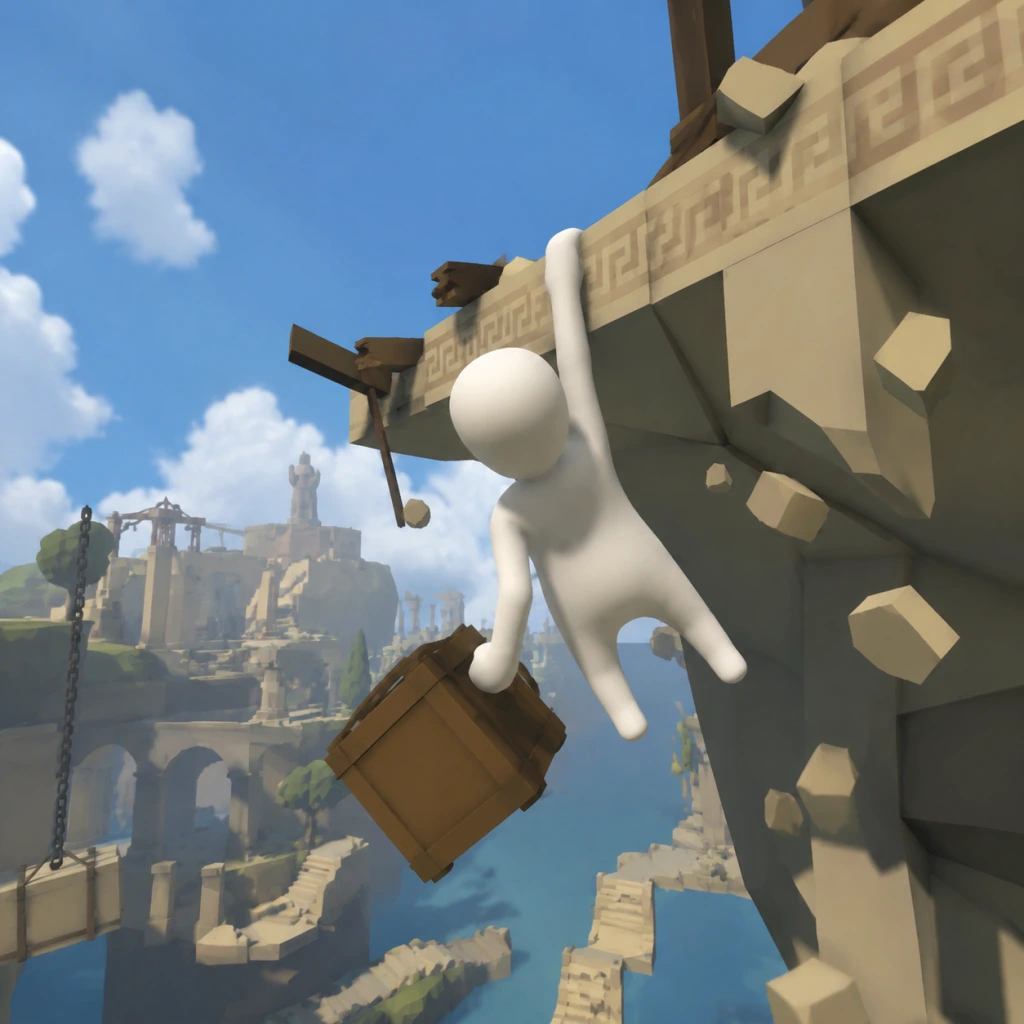
Core Gameplay
Core Gameplay
Human: Fall Flat is a physics-based puzzle platformer with no traditional combat, no currency, no character stats, and no skill trees. Gameplay revolves entirely around manipulating the environment and the player character's wobbly limbs to solve puzzles, reach the level exit, and optionally explore for collectibles. The game's main loop is: observe → grab/climb/push/pull → solve obstacle → progress.
Main Gameplay Loop
- Input: Use two independent grab buttons (left/right) to control each hand. Combine with movement (WASD/left stick) and look (mouse/right stick) to interact with objects.
- Interaction: Grab any grabbable object (crates, levers, wheels, movable platforms, ropes). Drag, carry, swing, or throw. Your character's floppy physics allow creative solutions like using your own body as a counterweight or bridge.
- Puzzle Solving: Each level presents a series of environmental puzzles (e.g., building a bridge, stacking blocks, redirecting water, timing mechanisms). No text clues; all solutions are observation and physics-based.
- Exit: Reach the glowing door at the end of each level zone to save progress. Levels are divided into several linked areas (typically 5-8 per level).
- Grabbing: Holding a button clamps that hand onto a surface (fixed or movable). Release to let go. If an object is heavy, you must use both hands or drag it.
- Climbing: Grab onto ledges, walls, or dangling ropes to climb. Use alternating grabs to shimmy upward. Your body sways, so timing is key.
- Pushing & Pulling: Grab a movable object and move in the desired direction. Heavy objects require cooperation (in multiplayer) or creative leverage (e.g., using a plank as a lever).
- Swinging: Grab a rope or swingable object, then push in a direction to build momentum. Release at the right moment to fly across gaps.
- Throwing: Grab an object, then quickly release and push to fling it. Useful for activating distant buttons or breaking fragile walls.
- Crawling & Rolling: Hold the crouch button and move to roll into narrow spaces. Useful for hiding from rolling hazards or squeezing under obstacles.
- Gravity Manipulation (late game): Some levels (e.g., "Power Plant", "Dynamic") feature gravity switches that flip your personal gravity or the environment’s. You must adapt your movement.
- Linear Level Progression: The game includes 12 core levels (plus DLC levels). They are unlocked sequentially. You must complete each level to unlock the next. Progress is saved automatically at checkpoints (doors).
- No Experience or Leveling: The player character never gains new abilities. The only "progression" is your own skill in understanding physics and creative problem-solving.
- Collectibles: Each level has hidden collectibles (hats, masks, items) that unlock cosmetic outfits. Collecting all in a level is optional but rewards persistence.
- Open-Ended Level Design: Levels are large 3D sandboxes. The main path is obvious but many alternative routes exist (e.g., climbing a bookshelf instead of stacking crates).
- Hidden Areas: Behind cracked walls, under water, or via secret jumps. Look for out-of-place objects or unusual structures.
- Interactable Environment: Everything that can be grabbed can be moved. Try pulling, lifting, or throwing objects to discover shortcuts or hidden collectibles.
- No Traditional Quests: There are no NPCs or dialogue. The only objective per level is to reach the exit door.
- Optional Challenges: Some achievements or in-game goals (e.g., "Beat the level without touching the ground") are self-imposed. No in-game mission log.
- Multiplayer Cooperation: In online or local co-op, you and friends can work together (or troll each other) to solve puzzles more creatively.
- No Economy: There is no currency, no shop, no upgrades. The only “resource” is your own skill and the physics around you.
- No Character Growth: The floppy human never changes stats. No levels, no skill points, no equipment effects.
- Cosmetic Unlocks: By collecting hats and other items, you can customize your character’s appearance in the main menu. These do not affect gameplay.
- Replayability: After completing all levels, you can replay any level with newfound knowledge. Many players attempt speedruns or challenge runs (e.g., no grabbing, one hand only).
- Multiplayer Chaos: The endgame is often multiplayer: playing through levels with friends, causing mayhem, or trying to fail intentionally.
- Modding (PC): The Steam Workshop hosts thousands of user-created levels. These range from simple puzzles to complex Rube Goldberg machines, extending the game indefinitely.
- Achievements: Hunting all achievements (especially the trickier ones like "Climb the mountain in the background of 'Mountain'") can occupy many hours.
- Player Expectations: You are learning the basic controls—how to grab, climb, and carry objects. You'll fall often.
- Example Puzzles:
- Common Mistakes: Over-grabbing (holding both hands while climbing leads to stuck), pushing objects instead of pulling, not using the environment.
- Exploration: Hidden collectibles are behind simple walls or on top of obvious structures. Example: In Construct, a red hat sits on a high shelf—stack two blocks to reach it.
- Player Expectations: You now understand basic physics. The puzzles introduce timing, weight distribution, and multi-step solutions.
- Example Puzzles:
- Exploration: Hidden items are trickier—some are behind locked doors requiring keys or switches. Example: In Train, a hat is inside a locked train car; you must find the key on the roof.
- Checkpoints: Levels get longer; checkpoints (doors) are more frequent. Missing a checkpoint may require redoing several puzzles.
- Player Expectations: You have mastered grabbing and climbing. New mechanics like gravity flipping and slippery surfaces challenge your understanding.
- Example Puzzles:
- Difficulty: The timing for jumps and grabs is strict. Many puzzles require coordinated use of both hands and body weight.
- Exploration: Collectibles are often in hidden, gravity-flipped areas or require precise sequence of actions (e.g., flipping a switch, then quickly running through a door before it closes).
- Player Expectations: You are now a veteran. The core game is easy; you seek challenges.
- Activities:
- Mastery: You can solve the original levels in your sleep. You discover that almost any puzzle has multiple solutions—for example, you can bypass a locked door by stacking objects to climb over a wall instead of finding the key.
Interaction Systems (No Combat)
Progression
Exploration
Quests / Missions
Economy
Character / Build Growth
Endgame Structure
Player Progression Tiers
Progression in Human: Fall Flat is not about character power but about player mastery. The tiers below describe typical player experience and challenges.
Early Game (Levels: Construct, Storage, Excavation, Workshop)
- Construct: Stack three wooden blocks to reach a high platform. Physics: heavy blocks may tip if not aligned.
- Storage: Use a rolling ball to smack a button, then ride a conveyor belt. Learn momentum.
- Excavation: Ride a moving platform, pull levers to raise and lower bridges.
- Workshop: Swing on ropes over a pit, climb a moving ladder.
Mid Game (Levels: Train, Submarine, 'Mountain', 'Sitting', 'Demolition')
- Train: You must move train cars, attach them, and use a crane to load cargo. Requires precise grabbing.
- Submarine: Dive underwater, open hatches, and press buttons while managing buoyancy. New mechanic: underwater movement is slower; you must hold breath (no drowning though).
- 'Mountain': Climb a large rock face with platforms and falling rocks. Requires careful hand-over-hand climbing.
- Sitting: Solve puzzles in a giant living room—flipping furniture, using a vacuum cleaner (which blows air to move objects).
- Demolition: Use a crane to destroy a building by swinging a wrecking ball. Must manage pendulum physics.
Late Game (Levels: Power Plant, Water, Office, Dynamic)
- Power Plant: A room where a button on the ceiling must be pressed. To reach it, you must use a movable box as a platform, then jump and grab. Gravity flips: some rooms invert your gravity.
- Water: Navigate a flooded facility. Use floating platforms (barrels, pallets) to cross water; water currents push you. Boxes sink, barrels float.
- Office: Climb between desks, using paper as temporary platforms (they tear if held too long). Use swivel chairs for momentum jumps.
- Dynamic: Gravity changes dynamically based on colored panels. Blue = normal, orange = flipped. You must quickly adapt movement.
Endgame (After completing all levels + DLCs + Modded content)
- Speedrunning: Attempt to complete levels as fast as possible using glitches, shortcuts, and physics exploits. Popular levels for speedruns: Train, Mountain.
- Challenge Runs: "No grab" runs (use only jumps and body physics), "one hand only" runs.
- Multiplayer Mayhem: Play with up to 8 players (modded) or 4 players (vanilla). Try to complete levels while carrying a friend (cooperative) or sabotaging each other.
- Workshop Levels: Thousands of community levels with varying difficulty. Many are puzzle-heavy, some are parkour, others are pure chaos.
- Cosmetic Completion: Collect all 40+ hats from base game and DLCs. Requires thorough exploration.
This progression is not forced; players can stay in early game by replaying favorite levels. The open physics system ensures that no two playthroughs are identical.
Game Tips
Game Tips
Beginner Tips
#### Movement & Physics Basics
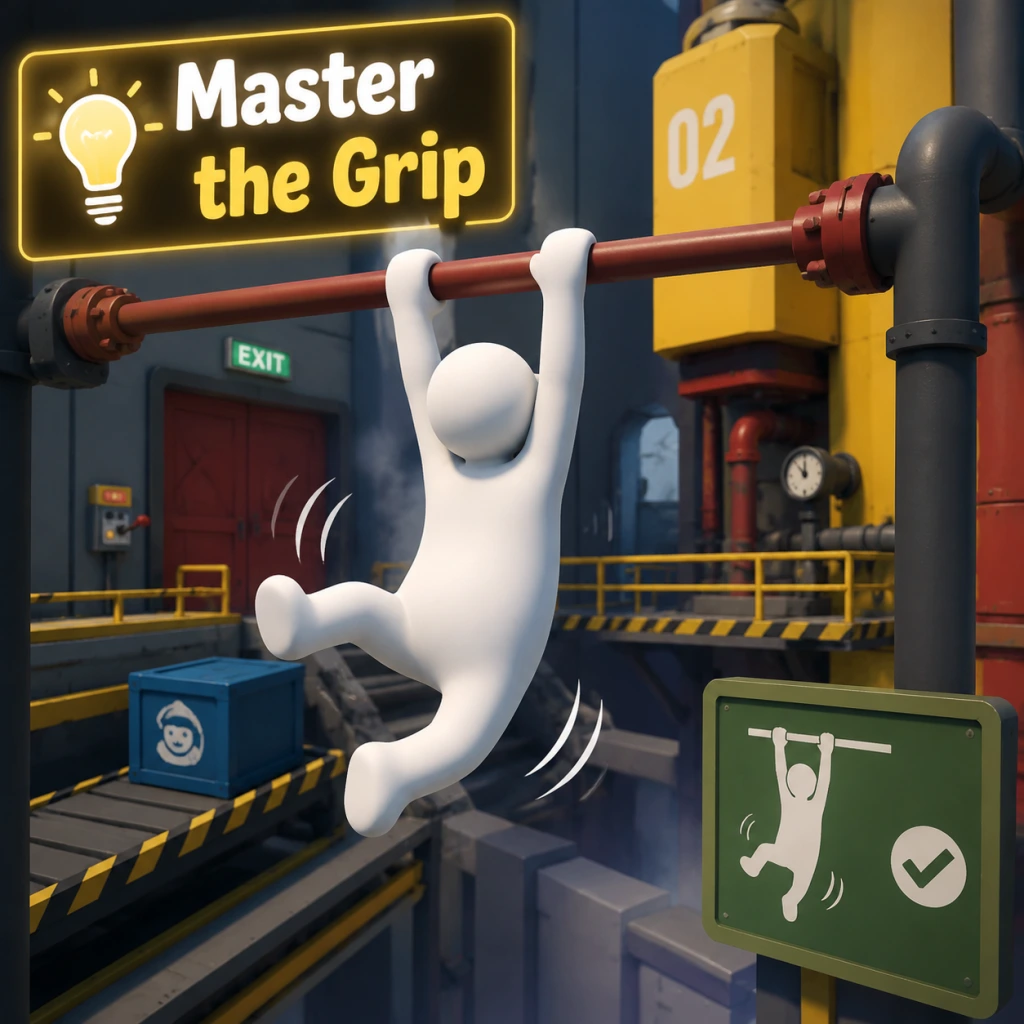
- Master the Grip: Holding the grab button (R2/RT on controller, left mouse button on PC) lets you attach to almost any surface or object. Use it to climb, carry, or swing. Why: Without grip, you can't interact. Practice releasing and regrabbing quickly.
- Walk Before You Run: Use the analog stick gently. Sudden movements cause your character to stumble. When to use: When crossing narrow beams or icy surfaces.
- Crouch for Stability: Press the crouch button (L3 on controller, C on PC) to lower your center of mass. Why: Prevents tipping over on moving platforms or when carrying heavy objects.
- Use the Jump-Dangle: Jump while grabbing a ledge, then release and regrab to climb higher. This is essential for reaching high ledges.
- Look for Color-Coded Clues: Many puzzles have colored buttons or blocks. Matching colors often opens doors or activates mechanisms. Example: In the "Steam" level, red blocks fit into red slots.
- Think with Physics: You can counterweight lifts, create makeshift bridges, or use objects as levers. Why: The game has realistic physics; stacking or shifting weight solves many challenges.
- Experiment with Objects: Throw, push, or roll items. Often a seemingly useless item becomes key later. Tip: If stuck, try using an object in a way it wasn't obviously intended.
- No Permanent Failures: Dying just respawns you at the last stable ground. Why: This encourages trial and error without penalty.
- The Leg Swing: While hanging from a ledge, swing your legs by pressing left/right and releasing grip at the peak. When to use: To jump to far away platforms. Practice timing for consistency.
- Climbing with Arms: To climb a vertical wall, grab high, pull yourself up, then quickly grab higher. Alternate hands: release one hand while keeping the other attached. Why: This lets you scale sheer surfaces.
- Air Control: While in the air, you can slightly adjust your trajectory by moving your arms and legs. Use: To correct mid-air jumps or reach tricky ledges.
- Object Surfing: Stand on a large flat object and move it by shifting your weight. When to use: To cross lava or water without swimming.
- Leverage Two Objects: When you need to press multiple buttons simultaneously, you can place heavy objects on one button while standing on another. Why: Frees your character for other actions.
- Use Your Own Body as Weight: Stand on a pressure plate while carrying an object to activate two plates at once. Example: The "Power Plant" level requires this.
- Stacking Objects Efficiently: To build a tall stack, use the flattest objects as a base and wedge smaller ones on top. Tip: Jump while carrying to place items more accurately.
- Reading the Environment: Observe moving parts, sounds, or visual cues. For instance, water direction hints at where objects will float.
- The Jump Bug: After a fall, if you press jump at the exact moment you hit the ground, you can preserve momentum for a super jump. When to use: To bypass large gaps in levels like "Night" or "City."
- Object Clipping: By forcing objects into walls while holding them, you can sometimes clip through geometry. Why: Used in speedruns to skip sections. Requires precise positioning.
- Multiplayer Glitches: In co-op, one player can hold another player and throw them to reach high areas quickly. Example: The "boat" level can be skipped by throwing a partner to the exit.
- Save State Abuse: On PC, quitting and reloading resets object positions. Use to reset a stuck puzzle element without restarting the level.
- Designate Roles: One player carries, the other solves. Why: Reduces confusion and speeds up complex puzzles.
- Use the Other Player as a Tool: Have one player become a bridge by lying down across gaps. The other walks over. When to use: Levels with water or pits, like "Construction."
- Synchronized Pulling: For heavy doors or mechanisms, both players grab and pull in the same direction. Tip: Count down to pull together.
- Pass Objects Hand-to-Hand: If an object needs to move through tight spaces, form a chain and toss it between players.
- Hidden Areas: Look for out-of-place ledges, vents, or shimmering surfaces. Many levels have collectible hats that require accessing secret rooms. Example: In "Steam," climb the pipes above the start to find a hat.
- Destroyable Walls: Some walls can be broken by throwing objects or dropping from height. Why: Often leads to shortcuts or hidden items.
- Using Water Currents: Swim against currents to reach otherwise inaccessible platforms. When to use: In "Water" level, ride the current to a hidden cave.
- Momentum Jumping: Run off a ledge and jump at the last moment to gain extra distance. Why: This is the standard way to cross large gaps; combine with object surfing for extreme reach.
- Patience is Key: The physics can be frustrating. Slow down, think about weight, leverage, and momentum.
- Learn the Controls: Rebind keys if on PC for comfort. Many players prefer using keyboard for precise direction and mouse for fine grip control.
- Watch Other Players: Check YouTube or community forums for creative solutions. Human: Fall Flat has no single "correct" path; creativity is rewarded.
- Use the Pause Menu: You can restart a checkpoint or the entire level if stuck. No progress is lost.
#### Puzzle Solving Strategies
Intermediate Strategies
#### Advanced Movement Techniques
#### Puzzle Efficiency
Advanced Optimizations
#### Speedrunning & Glitch Exploitation
#### Multiplayer Coordination
Exploration and Secrets
General Wisdom
Conclusion
These tips cover everything from basic movement to advanced tricks. Remember that Human: Fall Flat is about experimentation and laughter. Even if a tip seems advanced, try it—you might discover a new way to play. Happy falling!
Game Settings
Overview
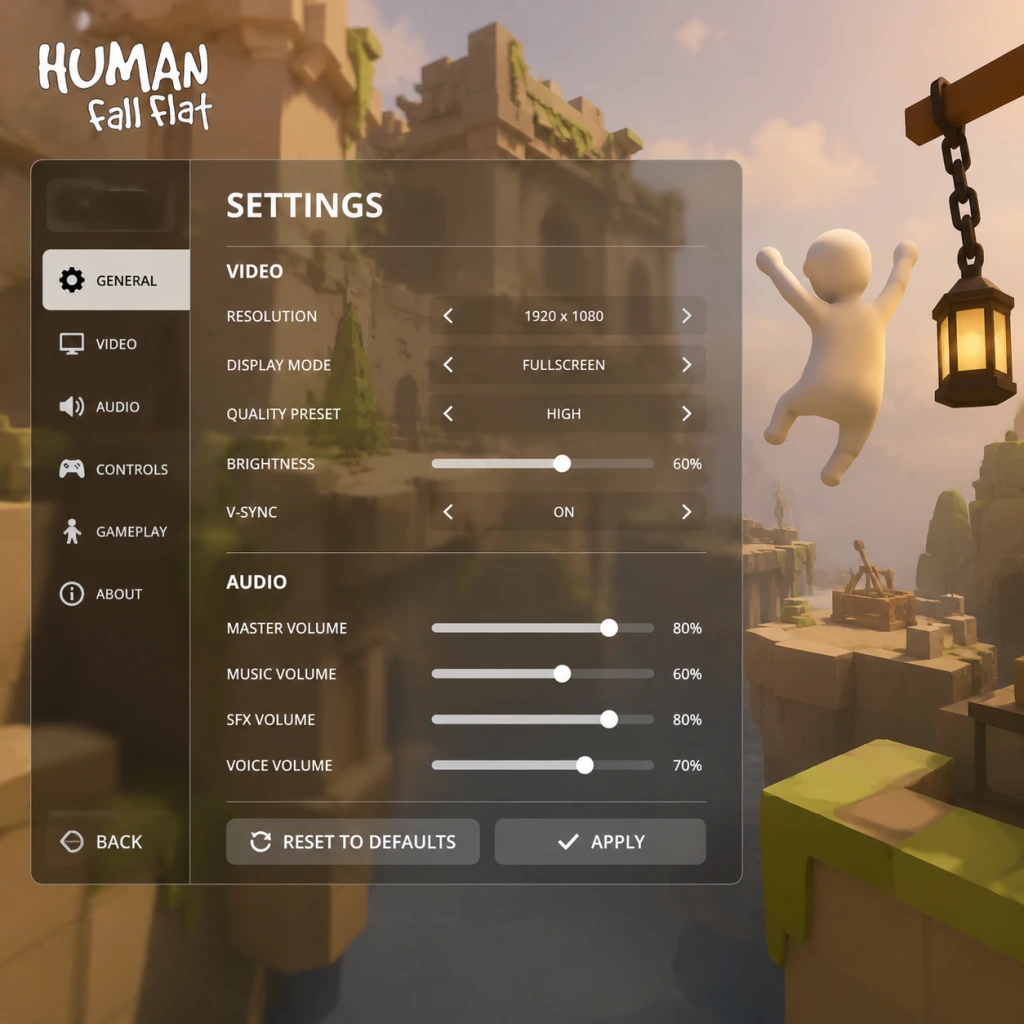
Human: Fall Flat offers a modest but functional settings menu across all platforms. While the game is not graphically demanding, tweaking certain options can significantly improve performance on older hardware or enhance visual fidelity on high-end systems. This guide covers every settings category—Graphics, Audio, Controls, Accessibility, Language, Network, and Gameplay—with platform-specific notes (PC, console, mobile) and recommended configurations for different hardware tiers.
---
Graphics Settings
Available Options (PC)
| Setting | Options | Description |
|---|---|---|
| Resolution | Native, windowed, borderless | Set to your monitor’s native resolution. Borderless windowed is best for alt-tabbing. |
| Quality Preset | Low, Medium, High, Ultra | Adjusts multiple sub-settings at once. Ultra adds extra shadow detail and higher texture filtering. |
| Anti-Aliasing | Off, FXAA, MSAA 2x/4x, CMAA | MSAA 4x reduces jaggies but costs FPS. CMAA is a good compromise. |
| Shadow Quality | Low, Medium, High, Ultra | High/Ultra enable soft shadows and higher resolution shadow maps. |
| Texture Quality | Low, Medium, High | High requires at least 2GB VRAM. Medium looks nearly identical on lower resolutions. |
| Ambient Occlusion | Off, Low, High | Adds depth by darkening crevices. High has minor performance impact. |
| VSync | On/Off | On prevents screen tearing but may add input lag. Recommended to cap FPS instead. |
| Frame Rate Limit | 30, 60, 120, Unlimited | Capping at 60 ensures consistent physics (game’s physics are tied to frame rate). Avoid unlimited on low-end PCs. |
| Field of View | Slider (default 60–90) | Higher FOV lets you see more but may cause fisheye effect. 70–80 is comfortable. |
Console-Specific Graphics
- PlayStation 4 Pro / Xbox One X: Offer “Performance Mode” (targets 60 FPS) vs “Resolution Mode” (upscaled 4K at 30 FPS). Choose Performance for smoother gameplay. |
- PlayStation 5 / Xbox Series X|S: Run at 60 FPS native 4K with Ultra-equivalent settings. No additional graphics options beyond HDR toggle. |
- Nintendo Switch: Locked 30 FPS, 720p docked/undocked. No graphics adjustments. |
Recommended Settings by Hardware Tier
| Tier | Preset | Key Adjustments |
|---|---|---|
| Low-End (e.g., Intel HD Graphics, 4GB RAM) | Low | Resolution 1280×720, Anti-Aliasing Off, Shadows Low, Ambient Occlusion Off, Frame Rate cap 30. |
| Mid-Range (e.g., GTX 1050, 8GB RAM) | Medium | Resolution 1920×1080, Anti-Aliasing FXAA, Shadows Medium, Ambient Occlusion Low, Frame Rate cap 60. |
| High-End (e.g., RTX 3060, 16GB RAM) | Ultra | Resolution 2560×1440, Anti-Aliasing MSAA 4x, Shadows Ultra, Ambient Occlusion High, Frame Rate cap 120 or unlimited (monitor willing). |
Pitfalls to Avoid
- Disable VSync unless you experience tearing. The game’s built-in VSync can cause noticeable input lag. Use your GPU’s control panel or RivaTuner to cap FPS instead. |
- Don’t set Shadow Quality to Ultra on low-end GPUs. It can halve your framerate without visual improvement at 1080p. |
- Field of View above 80 may distort object distances, making jumping puzzles harder. Stick to default 70. |
- Master Volume: Controls all sound globally. |
- SFX Volume: Player grunts, object collisions, physics sounds. Keep at 100% to hear interactive cues. |
- Music Volume: Background tracks. Lower if distracting; they are not critical for gameplay. |
- Voice Volume: Affects character grunts and any online chat audio? (Minimal). |
- Select your speakers/headset. On PC, ensure the correct device is chosen if using USB headphones. |
- Master 80%, SFX 100%, Music 50%, Voice 100%. |
- Turn off in-game music if you want to listen to your own soundtrack. |
- Keyboard & Mouse (PC) |
- Controller (PC & Console): Xbox, PlayStation, Switch Pro, generic gamepad. |
- Touch Controls (Mobile): On-screen buttons with adjustable opacity. |
---
Audio Settings
Volume Mix
Output Device
Recommended Settings
---
Controls Settings
Input Device
Keyboard/Mouse Mapping (PC)
| Action | Default | Recommendation |
|---|---|---|
| Move | WASD | Keep default. |
| Look | Mouse | Set sensitivity to 1.0–1.5. Higher values make precise climbing harder. |
| Jump | Space | Keep default. |
| Grab/Interact | Left Mouse Button | Keep default. |
| Secondary Grab | Right Mouse Button | Useful for two-handed holding. |
| Drop | Q or cancel grab | Rebinding drop to a keyboard key is faster than releasing mouse button. |
| Camera Reset | Middle Mouse Button | Set to something comfortable (e.g., extra mouse button). |
| Run | Left Shift | Keep default. |
| Crouch | Left Ctrl | Keep default. |
| Menu | Escape | Keep default. |
Controller Mapping (PC & Console)
| Action | Xbox | PlayStation | Nintendo Switch |
|---|---|---|---|
| Move | Left Stick | Left Stick | Left Stick |
| Look | Right Stick | Right Stick | Right Stick |
| Jump | A | Cross | B |
| Grab (Left Hand) | LT (Left Trigger) | L2 | ZL |
| Grab (Right Hand) | RT (Right Trigger) | R2 | ZR |
| Drop/Swap | LB / RB | L1 / R1 | L / R |
| Crouch | Left Stick Click | Left Stick Click | Left Stick Click |
| Run | Right Stick Click | Right Stick Click | Right Stick Click |
| Pause | Start (Menu) | Options | + |
Sensitivity & Dead Zones
- Look Sensitivity (Right Stick / Mouse): Default 50%. Consider lowering to 30–40% for finer control when grabbing ledges. |
- Dead Zone (Controller): Default usually fine. If your controller has drift, increase dead zone to 0.15–0.20. |
- Invert Y Axis: Off for most. Toggle on if you come from flight games. |
- Don’t map Jump and Grab to the same button – you can’t jump while grabbing overhead. |
- Mouse acceleration (Windows Ease of Access) can make camera movement inconsistent. Disable “Enhance pointer precision” in Windows mouse settings. |
- On controller, the grab triggers are analog – half-pressing can cause accidental drops. Press fully. |
- Colorblind Modes: None officially. However, the game’s art style uses distinct shapes and objects, so color cues are minimal. |
- HUD Size: Not adjustable. HUD is very minimal (only grab indicators and controls hints). |
- Subtitle Size: Not adjustable. Subtitles are fixed small text. This may be hard to read on TV from a distance. |
- Subtitles: Turn on for in-game dialogue (rare). Enable in Audio menu. |
- Sound Cues: Pickups and switches have distinct sounds; keep SFX volume high. |
- Controller Remapping: Full remapping on PC, limited on console (only button swap options). |
- Auto-Climb: Toggle in Gameplay settings. When enabled, holding grab triggers automatically pulls the character up if a ledge is within reach. Very helpful for players who struggle with precise climbing. |
- Invert Y Axis: Available. |
- Enable Auto-Climb to reduce gripping fatigue. |
- For players with limited hand mobility, use keyboard/mouse (PC) with rebinding to large keys. |
- Console players can use Xbox Adaptive Controller with PC mapping. |
- Interface & Subtitles: The game supports over 20 languages. Change from the main menu Options > Language. |
- Voice Language: No voiced dialogue; only grunts and sound effects – so language setting only affects menus, subtitles, and hints. |
- Region Lock: No region lock for language packs. |
- Online: Requires internet connection for co-op. Options: Play Online (quick join), Host Game, Join Game (by invitation or room code). |
- Local Split-Screen: Available on PC and consoles (2 players). No settings needed – just connect second controller. |
- Voice Chat: No in-game voice chat. Use platform party chat (Steam, Xbox Live, PSN). |
- Ping Display: Not available in-game. Use system network monitor. |
- NAT Type: Ensure your NAT is Open or Moderate to host games. Strict NAT may prevent connections. |
- Port Forwarding (PC): Not required – the game uses Steamworks matchmaking. |
- If you cannot connect, disable VPNs and check firewall. Allow Human: Fall Flat through Windows Defender. |
- For split-screen, both players must use the same physical screen; no option for separate monitors. |
Pitfalls to Avoid
---
Accessibility Settings
Visual Accessibility
Audio Accessibility
Motor Accessibility
Recommended for Accessibility
---
Language Settings
---
Network Settings
Multiplayer Configuration (PC & Console)
Connection Quality
Pitfalls to Avoid
---
Gameplay Settings
Available Options
| Setting | Effect | Recommendation |
|---|---|---|
| Auto-Climb | When holding grab near a ledge, character automatically climbs up. | OFF for precision; ON for casual play or accessibility. |
| Grip Strength (Not adjustable – always max) | N/A | N/A |
| Haptic Feedback (Controller) | Rumble on grabbing, falling, collision. | ON for immersion; OFF to save battery. |
| Camera Follow Style | “Fixed” or “Follow Player”. Fixed keeps camera steady; Follow keeps player centered. | Follow Player for better spatial awareness. |
| Reset Camera | Press a button to snap camera behind player. | Useful after spinning puzzles. |
| Show Controls Hints | Displays button prompts on screen. | ON for new players; OFF for immersion. |
Special Attention: Auto-Climb
- Misconfiguration risk: Leaving Auto-Climb ON might cause unintended climbing when you only wanted to grab an object. It can be frustrating during level puzzles that require careful grip. |
- Recommendation: Disable it initially. If you find climbing tedious, enable it later. |
- Camera Sensitivity: Keep below 70% on controller or 1.5 on mouse to avoid disorientation. |
- Run Mode: The character runs by default (no stamina). Tap run button to toggle walk. |
- Grab Toggle vs Hold: Choose in controller layout? Not adjustable – grab is hold-only. |
- PC: Use the config file located at `%LOCALAPPDATA%\HumanFallFlat\settings.cfg` for advanced tweaks (e.g., disabling blur). |
- PlayStation 5: Use “Game Preset” under system settings to force Performance Mode. |
- Xbox Series X: The game prioritizes frame rate automatically; no manual toggle. |
- Nintendo Switch: No video options; only audio and controls. |
- Mobile (iOS/Android): Graphics slider (Low/Medium/High) and touch sensitivity. Use Low for older devices to avoid stutter. |
Tips for Smooth Gameplay
---
Summary of Easy-to-Misconfigure Settings
1. VSync ON → Adds input lag. Turn OFF and cap FPS at 60. |
2. Auto-Climb ON → Interferes with precise grabbing. Set OFF initially. |
3. Mouse Acceleration (Windows) → Makes aiming inconsistent. Disable in OS settings. |
4. Field of View above 80 → Distorts depth perception. Stick to 70–75. |
5. High Shadow Quality on low-end PCs → Major FPS drop. Set to Low or Medium. |
6. Frame Rate Unlimited → Physics can become erratic above 120 FPS. Cap at 60 for consistency. |
7. Controller Dead Zone too low → Drift leads to accidental camera movement. Increase slightly if needed. |
> Final Tip: After changing any graphics setting, restart the level to ensure physics are not disrupted. Some settings (like resolution) take effect immediately, but new shadows may only apply after loading a new map.
---
Platform-Specific Notes
---
By tailoring these settings to your hardware and playstyle, you can enjoy Human: Fall Flat smoothly whether you’re exploring solo or solving puzzles with friends. Adjust slowly, test in the first level, and remember—grip tight!
Important Notes
Important Notes
Warnings & Pitfalls
- Physics Instability: The game's physics engine is intentionally wobbly, but this can lead to unexpected deaths or object glitches. Always save manually before attempting complex jumps or multi-step puzzles.
- Character Control Sensitivity: The default control sensitivity may feel too high or low. Adjust it in Settings > Controls. Low sensitivity helps precise grabbing, high sensitivity aids fast climbing.
- Falling Through Geometry: Rarely, you may clip through walls or floors if you grab objects while in motion. If stuck, reload your last checkpoint or restart the level.
- Multiplayer Lag: When playing online with friends, lag can cause desync issues. Objects may not appear where they should, or your character may rubberband. Use a stable wired connection and enable "Show Ping" in network settings.
- Level Completion is Permanent: Once you finish a level and move to the next, you cannot return to a previous level without starting a new game or using the level select (unlocked after finishing the game once). All puzzle solutions are permanent per save file.
- Collectible Skins (Achievements): Some skins are tied to secret achievements (e.g., the "Human Skin" in the level "Construct"). If you miss them, you must replay the entire level to collect them. There is no chapter select within a single playthrough.
- No Manual Replays: The game does not have a level replay feature. If you want to re-experience a level with a different approach, you must start a new save or use the custom level browser (Steam Workshop) for community recreations.
- Secret Areas & Easter Eggs: Most levels contain hidden rooms or alternative routes. For example, in "Construct," there is a hidden room behind a movable wall in the first building. Explore every nook and cranny before finishing a level, as these secrets often unlock character skins.
- Achievement/Trophy Gating: Several achievements require specific actions during a level (e.g., "The Floor Is Lava" in "Sunset"). If you complete the level without performing that action, you must replay the entire level to unlock it. Check the achievement list before starting each level.
- Limited-Time Cosmetics (Console): Certain skin packs (e.g., PlayStation exclusive skins) may be tied to promotions or DLC. These are not missable in the base game but may be unobtainable later if they are delisted.
- "Power Plant" Level: This level features a large turbine puzzle that requires precise timing and coordination of multiple levers. Many players get stuck here for hours. Tip: Use the grab mechanic to hold onto moving parts and release at the right moment.
- "The Ship" Level: Navigating the sinking ship with rising water and sliding objects can be overwhelming. The final room with the crane and floating platforms is particularly tricky. Save often and practice quick jumps.
- Multiplayer Puzzles: While generally easier with friends, some puzzles (e.g., balancing seesaws) become harder with more players due to miscommunication and physics chaos.
- No Progression Grind: Human: Fall Flat has no XP, currency, or leveling system. You cannot grind for stat boosts. All progress is puzzle-solving. Avoid wasting time on repetitive actions thinking they will unlock something.
- Collectible Skins Are Optional: Skins do not affect gameplay. Do not feel compelled to collect every skin on the first playthrough. Focus on finishing levels, then revisit for completion.
- Workshop Content: Steam Workshop levels may have artificial difficulty (e.g., impossible jumps). Don't get stuck on one community level for too long; move on and try another.
- No Anti-Cheat: The game uses peer-to-peer connections and has no anti-cheat system. However, cheating in co-op is frowned upon. Respect other players by not using external tools that alter physics or teleport.
- Communication: Use in-game gestures (wave, point, clap) to communicate when voice chat is not available. Pointing is the most effective way to show where to go or what to grab.
- Pause for Others: If you need to go afk, inform your partner. Other players cannot leave the game without you unless you both quit.
- Friend Requests: If playing with strangers, avoid adding them outside the game unless you are comfortable with extended co-op sessions.
- Autosave: The game autosaves at checkpoints (floating blue orbs). When you reach a new checkpoint, the game saves automatically. However, corruption can happen. Back up your save files regularly.
- Manual Save (PC): You can manually save by pressing F5 (default key). Use this before attempting risky maneuvers. Save files are located at: `%USERPROFILE%\AppData\LocalLow\No Brakes Games\Human Fall Flat\` on Windows.
- Cloud Save: Steam Cloud is enabled by default. Disable it if you experience conflicts between multiple devices. On consoles, saves are tied to your account and cannot be easily backed up.
- Multiple Save Slots: The game supports up to 10 save slots. Use separate slots for solo and multiplayer sessions to avoid overwriting progress.
- You Can Grab Yourself: In multiplayer, you can grab onto another player's character. This is useful for cooperative climbing or swinging across gaps.
- Object Duplication: Some objects (like crates) can be duplicated by carrying them through a loading zone or door. Exploit this to solve puzzles more easily.
- Climbing Walls: You can climb almost any wall by repeatedly pressing jump and grab at the same time ("climbing technique"). This is not explained in the tutorial.
- Jump Higher with Momentum: Running and jumping off a ledge while holding a heavy object gives extra height. Practice this to reach high platforms.
- Pause Menu Glitch: If you pause the game while falling from a great height, you can sometimes avoid death by unpausing at the last moment (time cheat). This is a known exploit but not officially acknowledged.
- Customizable Controls: You can remap every button. If you find the default grip button awkward, change it. Many players prefer using L1/LB for grip instead of R2/RT.
- Multiplayer Invite: You can invite friends directly from the in-game menu. No need to use Steam overlay or platform friends list first.
- Replayability: The game can be completed in 3-5 hours, but community workshop levels add hundreds more. Do not be discouraged by the short main campaign.
Irreversible Choices
Missable Content
Difficulty Spikes
Grinding Traps
Online Etiquette & Anti-Cheat
Save Management Advice
Things Players Commonly Regret Not Knowing Earlier
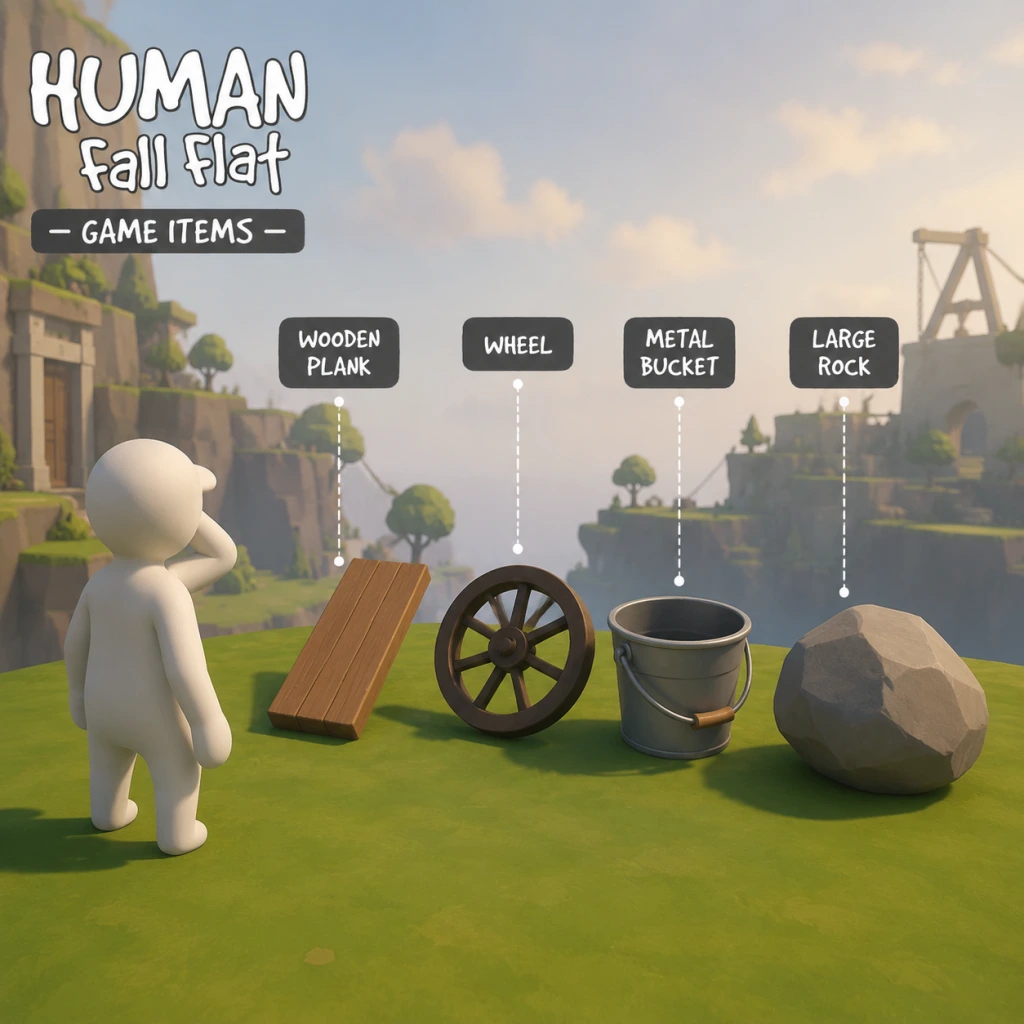
All Game Items
Overview
Human: Fall Flat does not feature traditional RPG-style items such as weapons, armor, consumables, currencies, or crafting materials. The game is a physics-based puzzle platformer where the primary “items” are environmental objects that can be grabbed, carried, stacked, thrown, or manipulated to solve puzzles and traverse levels. The only persistent collectible items are cosmetic Hats and Character Skins, which unlock through gameplay milestones or DLC packs. This guide covers all categories of interactive objects and collectibles you will encounter.
---
Environmental Objects (The Core "Items")
These are every interactive object found in the game’s levels. They have no stats, inventory, or upgrades — their value is entirely situational. You acquire them simply by being in the level where they appear.
| Object | Typical Uses | Where to Find | Notes |
|---|---|---|---|
| Wooden Plank | Bridge, lever, ramp, counterweight. Can be laid flat or wedged. | Almost every level (Construct, Warehouse, etc.) | Highly versatile; can break after repeated impact. |
| Rock / Stone Block | Weight to hold buttons, makeshift projectile, anchor. | Open levels (Mountains, Ice, etc.) | Heavy, cannot be destroyed. |
| Crate / Box | Stacking to reach heights, hiding from hazards, floating on water. | All industrial/urban levels. | Lightweight but can be smashed by heavy objects. |
| Barrel | Rolling downhill, floating (some are hollow), rolling over enemies (if any). | Warehouse, Factory, etc. | Round shape makes it roll easily. |
| Ball (Beach Ball, Soccer Ball, etc.) | Light projectile, target practice, distraction. | Beach level, multiplayer. | Very light; can be knocked away by slight touch. |
| Rope / Chain | Climbing, swinging, tying objects together. | Construction, Lighthouse, etc. | Attach to hooks or loops; can be cut (by saws). |
| Pulley System | Lifting heavy objects, changing direction of force. | Factory, Power Plant. | Often requires a counterweight. |
| Wheel / Gear | Moving platforms, triggering machinery. | Factory, Laboratory. | Can be rotated by grabbing and pushing. |
| Button / Pressure Plate | Opens doors, activates bridges. | Almost every level. | Must be held down by weight or a player. |
| Lever / Switch | One-time activation of mechanisms. | Various levels. | Usually needs a player to physically pull. |
| Conveyor Belt | Transports objects or players. | Factory, Warehouse. | Direction can sometimes be reversed. |
| Crane / Hook | Lifting and moving heavy items. | Construction, Dock. | Usually controlled by player gripping and moving. |
| Explosive Barrel | Destroys walls, opens passages. | Factory, Power Plant. | Ignite by fire, electricity, or impact. |
| Water / Liquid | Buoyancy, drowning hazards, electrical hazards (if electrified). | Beach, Sewer, etc. | Not a discrete object but acts as environmental item. |
| Ice | Slippery surfaces, carrying objects across. | Ice level. | Makes surfaces frictionless. |
| Wind Machine | Propels lightweight objects or players. | Mountains, Airport. | Can be positioned manually or activate switches. |
| Magnet | Attracts metal objects. | Laboratory, Factory. | Some levels have electromagnets you can toggle. |
| Teleporter | Instant travel between two points. | Laboratory, Dark level. | Usually requires activation. |
| Vehicle (Car, Boat, Plane, etc.) | Movement across large distances. | Highways, Dock, Airport. | Can be driven or pushed; control is physics-based. |
---
Collectibles: Hats & Character Skins
Hats are the only persistent items that carry across saves and levels. They are purely cosmetic and do not affect gameplay.
How to Obtain Hats
- Level Completion: Certain hats unlock automatically upon finishing a level. For example, completing “Construct” grants the Builder Hat.
- Achievement/Trophy Rewards: Unlock hats by performing specific feats (e.g., “Fall Flat” achievement gives a particular hat).
- DLC Packs: Additional hats are included in paid DLC skin packs.
- Workshop (PC): Custom hats can be downloaded from the Steam Workshop.
List of All Default Hats (Base Game)
| Hat Name | Unlock Condition | Description |
|---|---|---|
| None | Default | Bald head. |
| Bucket | Found in “Construct” level | Plastic bucket sits on head. |
| Top Hat | Complete “City” level | Elegant black top hat. |
| Crown | Complete “Castle” level | Gold crown with jewels. |
| Chef Hat | Complete “Kitchen” level | Tall white chef hat. |
| Pirate Hat | Complete “Ship” level | Black tricorn with skull. |
| Cowboy Hat | Complete “Wild West” level | Brown cowboy hat. |
| Cone Hat | Complete “Power Plant” level | Orange traffic cone. |
| Hockey Helmet | Complete “Ice” level | White hockey helmet with face cage. |
| Hard Hat | Complete “Construction” level | Yellow hard hat. |
| Sombrero | Complete “Desert” level | Large Mexican sombrero. |
| Wizard Hat | Complete “Laboratory” level | Pointed blue wizard hat with stars. |
| Crown (Gold) | Collect all secret “Human” collectibles | Gold crown with red gems. |
Character Skins
Skins are alternative body appearances for the human character. Most are included in DLC packs (e.g., Skins Pack 1, Skins Pack 2, Skins Pack 3, Skins Pack 4) or as part of special editions. Some free skins are unlocked through community events or Workshop. There are no in-game earnable skins beyond the default human model.
| Skin Pack | Included Skins | Price / Access |
|---|---|---|
| Default | Standard human (white figure) | Free |
| Skins Pack 1 | Brick, Love, Night, etc. | Paid DLC (approx. $3) |
| Skins Pack 2 | Gladiator, Robot, Knight, etc. | Paid DLC |
| Skins Pack 3 | Ghost, Monster, etc. | Paid DLC |
| Skins Pack 4 | Viking, Samurai, etc. | Paid DLC |
| Workshop | Thousands of user-created skins | Free (PC only) |
---
Currencies & Materials
Human: Fall Flat has no currency, no crafting materials, and no upgrade systems. There is nothing to buy, trade, or spend. The only “resource” is the player’s ability to manipulate the environment. All objects are free to use and infinite (they respawn if destroyed, often from the same spot).
---
Key Equipment (Player Abilities)
The “equipment” your character has is limited to:
- Grip (hold to grab objects/walls)
- Jump (press to jump; height depends on timing)
- Crouch (press to crouch, useful for squeezing through tight spaces)
- Push/Pull (move grabbed objects)
- Weight + Lever: Place a heavy object on one end of a lever to launch yourself.
- Rope + Pulley: Create a zipline or lift system.
- Explosive + Fire: Destroy walls to create shortcuts.
- Floating Object + Wind: Cross large gaps using a sail-like object.
- Magnet + Metal Crate: Move crates from a distance.
- Multiple Players: In co-op, two players can hold opposite ends of a plank to form a bridge or lift each other.
- Always test objects by grabbing and shaking them — they may have hidden physics properties (e.g., a barrel might be hollow and float).
- If an object breaks, it cannot be repaired, but a replacement usually spawns nearby.
- Some objects are required for progression in certain levels (e.g., the explosive barrel in Factory must be used to open a blast door).
There is no inventory screen — you can only carry one object at a time (two if you use both hands separately in certain puzzles).
---
Synergies & Upgrade Notes
Since there are no upgrades, synergies are about combining objects creatively:
Tips:
---
Summary
Human: Fall Flat defines “items” not through traditional RPG mechanics but through its interactive environment. Your only real assets are your creativity and the objects around you. Hats and skins are the sole collectibles, providing cosmetic flair. There is no inventory, currency, or upgrade path. Master the physics and you’ll never need a sword.
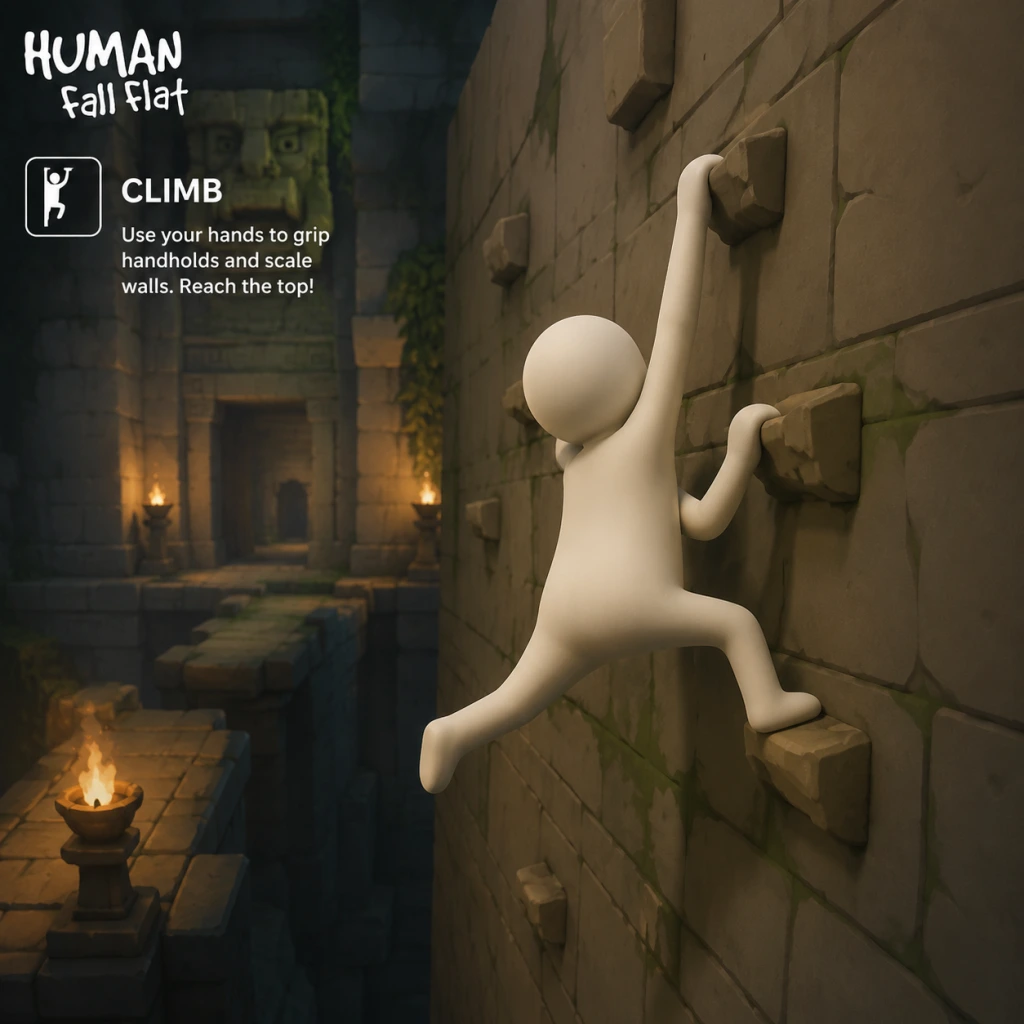
Character Skills
Overview
Human: Fall Flat does not feature a skill tree, leveling system, or unlockable abilities. The character—a wobbly, customized humanoid—has a fixed set of physical interactions that constitute all of the player’s “skills.” Mastery comes from understanding how these core actions combine with the game’s physics engine. This guide treats each fundamental action as a skill, detailing its mechanics, practical applications, combinations, and situational usage.
There are no cooldowns, mana costs, or upgrades; everything depends on player timing, precision, and creativity. The only “build” is your playstyle: whether you prefer methodical climbing, chaotic swinging, or cooperative teamwork in multiplayer.
Core Character Skills
1. Grab / Release
- Effect: Attach your character’s hands to any grappleable surface or object. Right hand by default (R2/RT on controller, left mouse button on PC). Left hand can also grab independently (L2/LT, right mouse button). Releasing is instantaneous by letting go of the button.
- Cooldown: None. You can grab continuously as long as your hand is within reach.
- Upgrades: None. However, you can toggle “Auto-Grab” in settings to hold hands automatically when near surfaces (advisable for beginners but limits precision).
- Combos: Grab+Jump to reach ledges; Grab+Walk to pull or push objects; Dual-Grab (both hands) to hold larger items or hang from two points.
- Synergies: Combine with momentum—grab a swinging object mid-air to transfer speed.
- Recommended Use: Always keep at least one hand grabbing when traversing dangerous gaps. Use quick taps to reposition hands while climbing.
- When to Use: Constantly. Grabbing is your primary means of interaction with the world.
- Effect: Analog stick or WASD keys move the character. Movement is floaty and momentum-based. You can tilt the body forward/backward by leaning with the right stick (or mouse movement) while moving.
- Cooldown: None.
- Upgrades: None. Walking speed is fixed.
- Combos: Walk+Jump for horizontal distance; Walk+Lean to shift center of mass; Walk+Grab to drag objects.
- Synergies: Use leaning to adjust balance on narrow ledges or rolling objects.
- Recommended Use: Small, precise movements for platforming; large, sweeping motions to build momentum on slides.
- When to Use: Always active. The only way to reposition.
- Effect: Press jump button (X/A, Space) to leap. Jump height and distance are fixed but can be influenced by momentum from swinging or falling.
- Cooldown: None, but you cannot jump while airborne. You must touch ground or a climbable surface.
- Upgrades: None.
- Combos: Run+Jump for longer leaps; Jump+Grab to catch ledges; Jump+Release mid-air to let go of objects.
- Synergies: Jumping while attached to a swinging object adds your body weight, altering the swing arc. Jump off moving platforms to extend range.
- Recommended Use: Use short hops for precise landings; full jumps to clear gaps. Combine with grab for wall-jump style maneuvers.
- When to Use: Any time you need vertical or horizontal clearance.
- Effect: While grabbing a surface, move upward by pulling yourself (push forward on movement stick). You slowly gain height. Can also climb horizontally by strafing.
- Cooldown: None, but climbing speed is constant and slow.
- Upgrades: None.
- Combos: Climb+Jump to vault over edges; Climb+Release+Re-grab to scale overhangs; Dual-Grab climbing to use both arms alternately.
- Synergies: Use momentum from a swing to reach higher handholds faster. Climb while holding an object (e.g., a box) to bring it with you (tricky).
- Recommended Use: For vertical obstacles. Avoid climbing long distances without handholds—use objects like planks to create shortcuts.
- When to Use: When no other path is available. Often the slowest movement option.
- Effect: Grabbing an object and moving in a direction applies force. Pulling (moving away while grabbing) drags objects; pushing (moving toward while grabbing) shoves them.
- Cooldown: None.
- Upgrades: None. Heavier objects require more effort or multiple pushes.
- Combos: Push+Jump to launch objects upward (if you jump while pushing); Pull+Turn to rotate objects; Dual-Grab push/pull for better control.
- Synergies: Use counterweights—push a heavy object off a ledge while hanging from it to fall with it.
- Recommended Use: Solve puzzles by moving blocks, turning wheels, opening doors, or creating bridges.
- When to Use: Whenever you need to relocate an interactive object.
- Effect: Grab a horizontal bar, rope, or any pivot point and release the ground. Your character becomes a pendulum. Move forward/backward to increase swing arc.
- Cooldown: None.
- Upgrades: None.
- Combos: Swing+Release to launch in a direction; Swing+Grab to catch another surface mid-air; Double-swing (two hands on separate points) for more complex arcs.
- Synergies: Use momentum to break objects (e.g., crates) or reach distant platforms. Add a second player to swing as a group.
- Recommended Use: Crossing large gaps, reaching high ledges, or gaining speed before a jump.
- When to Use: When a horizontal bar or rope is available. Also useful for building speed on rolling balls or logs.
- Effect: A technique where you use your own body as a projectile. Achieved by building momentum (swinging, running, falling) and releasing at the right moment. Not a button but a physics exploit.
- Cooldown: No actual cooldown, but requires setup.
- Upgrades: None.
- Combos: Swing+Release+Mid-air Grab to catch a distant ledge; Jump off a moving object (crate on a conveyor belt) for extra distance.
- Synergies: Throw yourself onto an object to push it; throw yourself into a button or lever from afar.
- Recommended Use: Speedruns, shortcuts, or when conventional climbing fails.
- When to Use: Advanced players use this to bypass obstacles or solve puzzles faster. Requires practice.
- Effect: Press the crouch button while moving to roll. Your character becomes a ball and rolls with momentum. Can be used to go down slopes faster or fit through small gaps.
- Cooldown: None.
- Upgrades: None.
- Combos: Roll+Jump to perform a small hop while balled; Roll+Grab to attach to surfaces while still rolling (difficult).
- Synergies: Rolling off ledges can create unexpected momentum. Combine with objects like logs to roll them.
- Recommended Use: Descending quickly, avoiding falls (less damage?), or accessing tight spaces.
- When to Use: When you need to go downhill or through narrow passages.
- Effect: Grab an object with one or both hands and move with it. Can be single-handed (carry) or dual-handed (heavy carry). Drop by releasing.
- Cooldown: None.
- Upgrades: None.
- Combos: Carry+Climb (one hand on object, one on wall); Carry+Jump; Throw object by releasing while in motion.
- Synergies: Use objects as platforms, bridges, weapons (throw at enemies? none), or tools.
- Recommended Use: Essential for almost every puzzle.
- When to Use: Whenever you need to move a puzzle element from one place to another.
- Effect: In multiplayer, players can grab each other. This enables teamwork: one player holds the other, throws them, or uses them as a weight.
- Cooldown: None.
- Upgrades: None.
- Combos: Player A grabs Player B and swings them; Player B then grabs a distant ledge; Two players hold a large object together; Stack players to reach heights.
- Synergies: Use one player as a counterweight to activate switches; create human chains.
- Recommended Use: Solving puzzles that require multiple simultaneous actions or weights.
- When to Use: Always in multiplayer—coordination is key.
- Description: Build continuous momentum by swinging, rolling, or falling and then transferring that speed into a jump or release. This allows crossing gaps much wider than a normal jump.
- Application: Useful in levels like “Power Plant” where long conveyor belts exist.
- Description: Jump toward a wall, grab it, then immediately jump again while releasing. The game’s physics allows a tiny boost upward. Repeat to scale sheer cliffs without handholds.
- Application: Speedrun technique; bypass intended climbing sequences.
- Description: Stand on an object (e.g., a plank) and jump while grabbing it. The object may launch forward, and you can ride it or use it to reach higher places.
- Application: Creative puzzle solving in levels like “Castle” where catapults exist.
- Description: A bug that allows grabbing your own body part (e.g., foot). Enables weird movement but considered unintended.
- Application: Not recommended for normal play; mainly used in community challenges.
2. Move / Walk
3. Jump
4. Climbing
5. Push / Pull
6. Swing / Swinging
7. Throw Yourself / Propel
8. Rolling / Tumbling
9. Carry / Transport Objects
10. Cooperative Actions (Multiplayer)
Advanced Techniques (Player Skills)
These are not separate controls but advanced physics exploits that become “skills” with practice.
Momentum Hording
Wall Jump (Physics Wall Climb)
Object Launching
Self-Grab Glitch
“Builds” & Playstyles
Since there are no character stats, your “build” is your preferred approach:
| Playstyle | Focus | Skills Emphasized | Best For |
|---|---|---|---|
| Precision Climber | Slow, methodical climbing and careful grabs | Climbing, Grab/Release, Momentum Hording | Completing levels without falling, exploring secrets |
| Speedy Slider | Rolling, sliding, and momentum | Rolling, Swing, Throw Yourself | Speed runs, quick level completion |
| Cooperative Anchor | Multiplayer teamwork | Cooperative Actions, Carry, Push/Pull | Solving team puzzles with friends |
| Physics Abuser | Exploiting game mechanics | Wall Jump, Object Launching, Glitches | Challenge runs, out-of-bounds exploration |
When to Use Each Skill (Situational Guide)
| Situation | Recommended Skill(s) |
|---|---|
| Vertical wall with handholds | Climbing, alternating hands |
| Wide gap | Swing+Release or Run+Jump with momentum |
| Heavy object blocking path | Push/Pull, possibly cooperative pull |
| Need to reach a high ledge | Climb using objects as steps, or Swing |
| Conveyor belt / moving platform | Jump onto it, use momentum for extra distance |
| Underwater section | Not applicable (no water levels), but holding objects can weigh you down? |
| Multiplayer puzzle requiring two weights | Cooperative Actions: one player holds object, other stands on switch |
| Tight crawlspace | Roll (crouch+move) or lay flat |
| Door or gate | Pull or push to open (often requires lever or object) |
| Catapult or seesaw | Stand on one end and jump, or use object as counterweight |
Conclusion
While Human: Fall Flat offers no traditional RPG skills, the player’s ability to manipulate the physics sandbox is the true skill set. Master the core interactions—grab, jump, climb, push, pull, and swing—and then experiment with advanced momentum techniques. Multiplayer adds another layer via cooperative moves. There are no cooldowns or upgrades, so practice and creativity are your only limits.
Remember: every object is a tool, every surface is a handhold, and your wobbly character can do almost anything if you apply enough physics abuse!
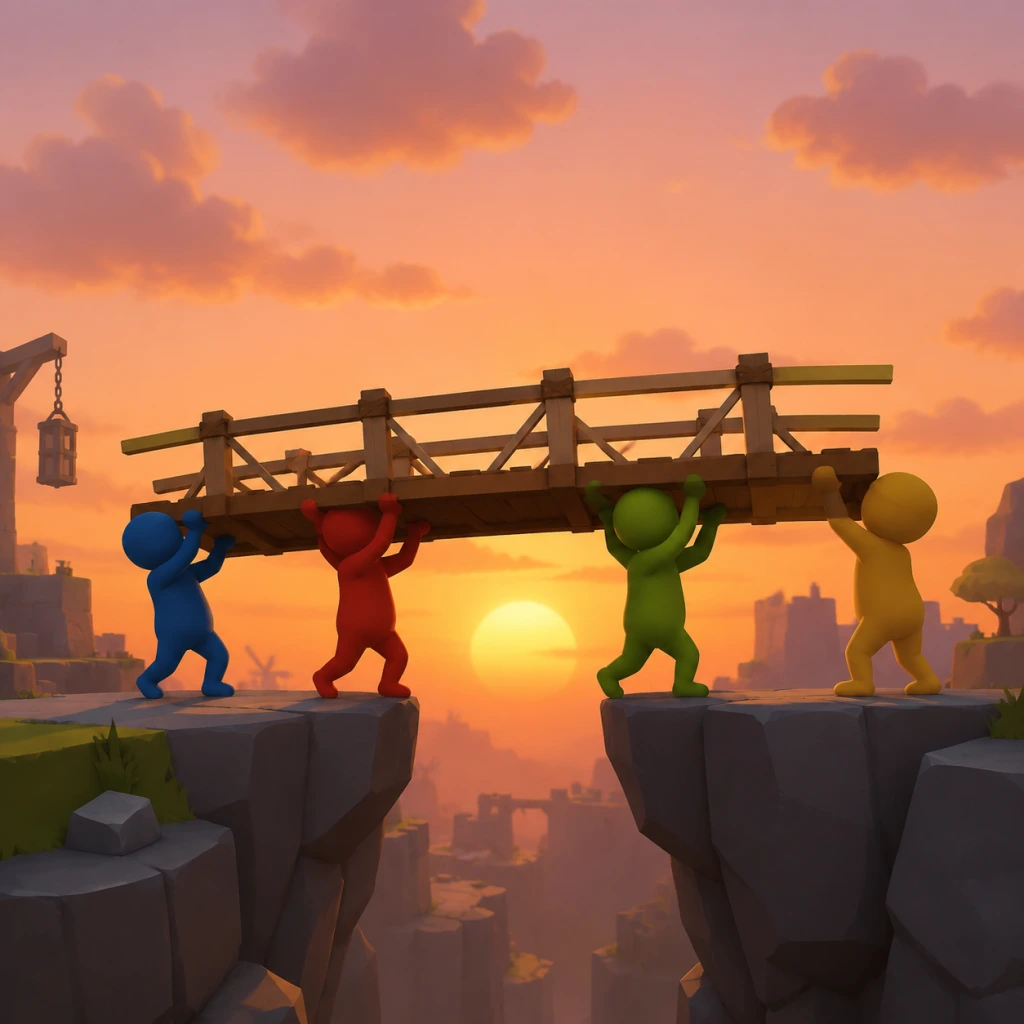
Characters & Roles
Overview
Human: Fall Flat is unique in that it features no traditional character classes, roles, or unlockable heroes. The only playable unit is a wobbly, customizable humanoid. There are no stat differences, skill trees, or equipment that alter gameplay. However, the game offers a wide variety of cosmetic skins that change your character's appearance. These skins are purely visual and do not affect physics, abilities, or puzzle-solving. In multiplayer (up to 4 players), each player controls their own human, and teamwork is essential for moving objects and reaching goals.
Playable Character: The Human (Default)
Background
The default human is a featureless, faceless, white humanoid figure often referred to as "Bob" by the community. No backstory or lore is provided—the character is a blank slate for the player to control.
Strengths
- Versatility: Can grip almost any surface, climb, carry objects, and use tools.
- Physics Manipulation: Full control over limb movement allows creative solutions.
- Resilience: Respawns instantly after falling or dying (no lives or health).
- Unsteady Movement: Wobbly physics make precision difficult.
- Limited Grip Strength: Can only carry one object at a time; drops items when jumping or climbing.
- No Combat Abilities: Cannot attack enemies (none exist) or defend.
- Exploration & Experimentation: Use trial and error to solve environmental puzzles. Climb, swing, push, pull, and throw objects.
- Coordination: In multiplayer, cooperate to move heavy objects or activate switches simultaneously.
- Creative Physics: Swing like Tarzan, use boxes as rafts, or create ramps from planks.
- Default: Immediately available upon starting a new game.
- None. There is no equipment or build system. The human's abilities are fixed.
- Multiplayer (2-4 players): Multiple humans can combine strength to move large objects, form human chains, or act as counterweights. Communication is key for timed puzzles.
Weaknesses
Playstyle
Unlock Conditions
Recommended Equipment or Builds
Team Synergy
Cosmetic Skins (Characters)
All skins are purely cosmetic and do not alter gameplay. They can be obtained through various means: purchased DLC, free updates, or achievement unlocks. Below is a comprehensive list of every official skin available across all platforms, with unlock conditions and notes.
Base Game Skins (Free)
| Skin Name | Appearance | Unlock Condition | Platform Availability |
|---|---|---|---|
| Default (Bob) | Plain white humanoid | Always available | All platforms |
| Builder | Orange hard hat, blue overalls | Complete level "Construct" | All |
| Astronaut | White spacesuit with helmet | Complete level "Space" | All |
| Ninja | Black outfit, headband | Complete level "Steam" | All |
| Knight | Silver armor, helmet | Complete level "Castle" | All |
| Ghost | White sheet with eye holes | Complete level "Dark" (night level) | All |
| Firefighter | Yellow helmet, red jacket | Complete level "Power Plant" | All |
| Chef | White hat, apron | Complete level "Kitchen" | All |
| Detective | Trench coat, fedora | Complete level "Train" | All |
| Pirate | Tricorne hat, eyepatch, peg leg (cosmetic only, no gameplay effect) | Complete level "Ship" | All |
| Retro Gamer | 8-bit styled skin (pixelated) | Unlock all base game achievements (Steam/GOG) or complete all base levels (console) | All, but Steam achievement version exclusive |
DLC Skins (Paid)
Each DLC pack adds new levels and often includes a unique skin for completing that DLC. Some DLC also includes additional skins as bonuses.
| DLC Name | Skin(s) | Unlock Condition | Notes |
|---|---|---|---|
| Workshop | Workshop Mechanic (blue overalls, wrench hat) | Complete DLC level "Workshop" | Released as free DLC on PC; paid on consoles |
| Ice | Ice Climber (thick parka, beanie) | Complete DLC level "Ice" | Part of "Season Pass" or separate purchase |
| Garden | Gardener (straw hat, green apron) | Complete DLC level "Garden" | Available on all platforms |
| Forest | Forest Ranger (green hat, khaki vest) | Complete DLC level "Forest" | Part of "Season Pass" |
| Museum | Museum Curator (suit, bow tie) | Complete DLC level "Museum" | Part of "Season Pass" |
| Safari | Safari Explorer (khaki shirt, pith helmet) | Complete DLC level "Safari" | Part of "Season Pass" |
| Lake | Fisherman (yellow raincoat, bucket hat) | Complete DLC level "Lake" | Part of "Season Pass" |
| Rollercoaster | Rollercoaster Enthusiast (colorful shirt, cap) | Complete DLC level "Rollercoaster" | Part of "Season Pass" |
| Grand Canyon | Grand Canyon Visitor (cowboy hat, bandana) | Complete DLC level "Grand Canyon" | Part of "Season Pass" |
| Pirate DLC (separate) | Pirate Captain (fancy coat, tricorn) | Complete DLC level "Pirate Ship" | Not available on all platforms; see store |
| Halloween DLC | Witch (pointed hat, cloak) | Complete DLC level "Haunted House" | Released seasonally, sometimes free |
| Christmas DLC | Santa (red suit, white beard, cap) | Complete DLC level "Christmas Town" | Released seasonally, sometimes free |
| Cyberpunk DLC | Cyberpunk (neon jacket, visor) | Complete DLC level "Cyber City" | Newer DLC, available on PC and consoles |
| 8-Bot DLC | 8-Bot (blocky robot skin) | Complete DLC level "Factory" | Part of "8-Bot" DLC pack |
Special Skins (Achievement/Timed Exclusives)
| Skin Name | Appearance | Unlock Condition | Platform |
|---|---|---|---|
| Retro Gamer (alternate) | Pixelated Bob in 8-bit colors | Earn all base game achievements on Steam/GOG | PC (Steam/GOG) |
| Gold Bob | Golden humanoid | Complete all base levels without dying (varies by version) | All (especially on consoles as trophy reward) |
| Crayon | Skin colored like a crayon (red, blue, etc.) | Complete level "Crayon" (if available) | Mobile version exclusive |
| Invisible Bob | Transparent skin | Hidden achievement: start and finish a level without moving the camera | All (PC/console) |
Roles in Multiplayer
While there are no formal roles, players often adopt informal roles in co-op:
- The Climber: Reaches high ledges first to drop ropes or ladders.
- The Pusher: Focuses on moving heavy objects.
- The Grappler: Carries portable objects (crates, barrels) for later use.
- The Distractor: Jumps and flails to attract attention (useful only for fun).
- No Classes or Roles: Every player controls an identical human with no mechanical differences.
- Cosmetics Only: Skins change appearance but do not affect gameplay.
- Teamwork Matters: In multiplayer, all humans are equal, but collaboration is required to solve puzzles.
- Unlock Skins by Completing Levels: Most skins are earned by finishing specific levels or DLC content.
- No Equipment/Builds: The human's only "equipment" is the environment (boxes, planks, ropes).
These roles emerge naturally due to physics and puzzle requirements; no character benefits from them beyond player preference.
Key Takeaways
For a complete list of all skins and their unlock conditions, refer to the in-game wardrobe menu or check the official Human: Fall Flat wiki.
Cheats & Secrets
Overview
Human: Fall Flat does not contain traditional cheat codes, unlock codes, or developer commands such as invincibility, level skip, or infinite grip. The game is designed as a pure physics-based puzzle platformer with no built-in cheat menu or console. However, the game is rich in developer-intended hidden content, including secret areas, Easter eggs, and alternate paths in nearly every level. These secrets are accessible through careful exploration and environmental manipulation, and many are tied to in-game achievements.
---
Secret Areas & Hidden Locations
Each level in Human: Fall Flat contains at least one hidden area that rewards the player with a unique view, a puzzle shortcut, or an Easter egg. Below is a level-by-level guide to these secrets.
Construct
- Location: In the room with the large clock tower, climb onto the clock face and interact with the hands to reveal a hidden alcove behind the clock. Alternatively, jump from the balcony to a narrow ledge on the left side of the building to find a small room with a ladder leading to a rooftop area.
- Easter Egg: A tiny cardboard cutout of the developer's logo appears on a bookshelf in the hidden room.
- Location: From the starting area, go to the far left side and jump onto the floating platform above the wall. Use the grab mechanic to climb the vines on the cliff face to discover a cave with a broken window. Inside is a secret passage leading to an early exit.
- Hidden Object: A glowing orb (colloquially called the "Night Pearl") sits on a pedestal. Interacting with it triggers a brief light show.
- Location: In the train yard, instead of entering the train car, climb onto the roof of the first building and jump to the crane. Swing from the crane to a platform with a broken sign. Behind the sign is a small area with a tire swing and a view of the level's skybox.
- Easter Egg: A photo of the developers (No Brakes Games) is taped to the wall inside the hidden area.
- Location: At the far right side of the beach, dive underwater near the large rock formation. A submerged tunnel leads to a hidden grotto filled with eerie glowing fish and a treasure chest (non-interactive decoration).
- Alternative: Use the raft to reach a small island with a palm tree—climb the tree to find a hidden nest with a single egg.
- Location: Near the top of the mountain, look for a small cave entrance partially hidden by snow. Inside is a frozen lake with a skateable surface and a hidden heating lamp that can be used to melt ice blocks further up the path.
- Easter Egg: A yeti footprint carving is on the wall. Touching it plays a growl sound from the speaker.
- In the bonus level "Night" (often listed as level 6), the final area with the large fan has a hidden switch behind the stacked boxes. Activating it opens a door to a secret room containing a disco ball and a record player.
- Workshop Only: Community-created levels may have their own hidden areas, but these are not officially curated. Check the Steam Workshop for individual level descriptions.
- The "Dusty" Character Model: If you stand still in the same spot for more than 30 seconds, the character's idle animation cycles include a moment where he scratches his head and looks around. In some levels, a small dust bunny appears near his feet—this is a reference to the game's early prototype nickname.
- Flamingo Cameo: In the "Water" level, a pink flamingo inflatable appears floating in the ocean if you paddle far enough out. It has no function but is a direct reference to the standard asset used in many physics sandboxes.
- Developer Selfie: On the "Summit" level, after reaching the peak, look down over the edge—you’ll see a small frame on the ground that, when approached, shows a pixelated selfie of the lead developer.
- The "Boat" Glitch (Exploit, not intentional): While not a traditional secret, players can glitch the boat in the "Water" level to fly by positioning it on a moving raft and grabbing the mast. This is a physics exploit and not officially supported, but it’s a well-known trick among speedrunners.
Night
Transport
Water
Summit
Night (Alternate)
Additional Secrets (DLC Levels)
---
Easter Eggs & Hidden References
Beyond hidden areas, Human: Fall Flat includes several Easter eggs that nod to pop culture, the developers, or other games.
---
Achievements Related to Secrets
Several achievements require discovering these secrets. Below is a list of achievement names and conditions (platforms vary, but these are common on Steam).
| Achievement | How to Unlock | Associated Secret |
|---|---|---|
| Secret Seeker | Find one secret area in any level | Any hidden room |
| Super Secret Seeker | Find all secret areas in the original six levels | All above locations |
| Conservationist | Complete a level without causing any object to break (works with secret paths) | N/A |
| Slow Down | Spend 5 minutes in the hidden grotto (Water level) | Submerged tunnel |
| Night Owl | Complete the Night level without using the light stick (use the secret path) | Night level cave |
---
Developer-Intended Exploits & "Glitches"
No Brakes Games has acknowledged certain physics exploits that they left in the game intentionally for fun. These are not secrets per se but are hidden from new players and can be considered “cheats” in a loose sense:
- Flying Humans: By repeatedly grabbing and releasing a heavy object at the right moment, your character can gain upward momentum. This is known as “human flying” and can be used to skip large sections.
- Wall Climbing Glitch: If you jump and grab a wall at the exact moment you collide with it, you can sometimes stick to vertical surfaces without slipping.
- Super Jump: Holding the grab button on a ledge and then pressing jump while releasing can catapult you higher than normal.
These are not documented in the manual and are discovered by the community. They are considered safe (no ban risk) and are often used in speedruns.
---
Conclusion
While Human: Fall Flat has no traditional cheat codes, its hidden areas, Easter eggs, and developer-tolerated physics exploits offer plenty of secret content for explorers. Use the above guide to uncover every tucked-away locale and reference. Happy falling!