LEGO Star Wars: The Skywalker Saga
## LEGO Star Wars: The Skywalker Saga – Game Introduction **Genre:** Action-Adventure, Open-World, Third-Person Puzzle-Platformer **Developer:** Traveller's Tales **Publisher:** Warner Bros. Interactive Entertainment **Release Timeline:** - Original release date: April 5, 2022 - Post-launch conte...
Download & Installation
LEGO Star Wars: The Skywalker Saga – Download & Installation Guide
This guide covers everything you need to download, install, and launch LEGO Star Wars: The Skywalker Saga on all major platforms. Whether you’re on PC (Steam, Epic Games Store), PlayStation 4/5, Xbox One/Series X|S, or Nintendo Switch, follow the steps below for a smooth setup.
---
1. Platform Availability
| Platform | Store / Source | Digital | Physical |
|---|---|---|---|
| PC | Steam | Yes | No (disc) |
| PC | Epic Games Store | Yes | No |
| PlayStation 4 / 5 | PlayStation Store | Yes | Yes (disc) |
| **Xbox One / Series X | S** | Microsoft Store | Yes |
| Nintendo Switch | Nintendo eShop | Yes | Yes (cartridge) |
---
2. System Requirements (PC)
Minimum Requirements
- OS: Windows 10 64-bit
- Processor: Intel Core i5-2400 / AMD FX-6300
- Memory: 8 GB RAM
- Graphics: NVIDIA GeForce GTX 660 / AMD Radeon HD 7770 (2GB VRAM)
- DirectX: Version 11
- Storage: 50 GB available space
- Additional: Internet connection for initial activation and updates
- OS: Windows 10 64-bit
- Processor: Intel Core i7-6700 / AMD Ryzen 5 2600
- Memory: 16 GB RAM
- Graphics: NVIDIA GeForce GTX 1060 / AMD Radeon R9 390 (4GB VRAM)
- DirectX: Version 12
- Storage: 50 GB available space (SSD recommended)
- Additional: Internet connection for online features and downloads
- Steam: A Steam account (free) is required. The game must be activated on your account.
- Epic Games Store: An Epic Games account (free) is needed.
- PlayStation: A PlayStation Network (PSN) account (free, but PlayStation Plus required for online multiplayer/co-op if applicable).
- Xbox: A Microsoft/Xbox account (free, Xbox Game Pass Core/Ultimate required for online multiplayer if applicable).
- Nintendo Switch: A Nintendo Account (free) and a Nintendo Switch Online subscription for online co-op (if desired).
Recommended Requirements
---
3. Account Requirements
> For physical discs/cartridges, still create the respective account for installation, updates, and online features.
---
4. Download & Installation Steps
4.1 PC – Steam
1. Install Steam: Download and install the Steam client from [store.steampowered.com](https://store.steampowered.com).
2. Log In: Open Steam, log in to your account, or create a new one.
3. Purchase / Redeem: Buy LEGO Star Wars: The Skywalker Saga from the Steam store or redeem a Steam gift card or key.
4. Initiate Download: Go to your Library, find the game, and click Install. Choose the installation location (remember at least 50 GB free).
5. Wait for Download: The game will download and install automatically. Progress is shown in the Downloads section.
6. Launch: Once complete, click Play from the library.
4.2 PC – Epic Games Store
1. Install Epic Games Launcher: Download from [epicgames.com](https://www.epicgames.com) and install.
2. Log In: Launch the Epic Games Launcher, log in or create an account.
3. Get the Game: Purchase from the Epic Games Store or redeem a key (click your avatar > Redeem Code).
4. Install: Go to your Library, find the game, click Install. Select install location.
5. Download & Verify: The launcher will download and verify the files.
6. Launch: Click Play from the library.
4.3 PlayStation 4 / 5
#### Digital Download
1. Power On & Connect: Ensure your console is connected to the internet and has enough free space (50 GB).
2. Access PlayStation Store: From the home screen, go to the PlayStation Store.
3. Purchase: Search for “LEGO Star Wars: The Skywalker Saga” and purchase it.
4. Start Download: After purchase, the download should begin automatically. You can check progress from the Notifications or Downloads menu.
5. Install: Once downloaded, the game installs automatically. You can launch it from the home screen.
#### Physical Disc
1. Insert Disc: Place the game disc into the console.
2. Install: The console will prompt you to install. Follow on-screen instructions. Disc data is copied to the hard drive.
3. Download Updates: After installation, the console may download a patch (required for online features and fixes).
4. Play: Insert disc each time to play (PS5 plays PS4 discs but may require an update).
4.4 Xbox One / Series X|S
#### Digital Download
1. Connect to Internet: Ensure your console is online.
2. Open Microsoft Store: From the dashboard, go to Store.
3. Purchase: Search and buy the game. It will be added to your Microsoft account library.
4. Download: The download starts automatically. You can manage downloads from My games & apps > Queue.
5. Install: After download, the game installs. Launch from the dashboard.
#### Physical Disc
1. Insert Disc: Place the game disc in the drive.
2. Install: The console will begin installing the game from disc. Installation progress is shown on screen.
3. Download Updates: An internet connection is needed to download day-one patches.
4. Play: Keep the disc in the drive to play.
4.5 Nintendo Switch
#### Digital Download
1. Connect to Internet & Update Console: Ensure your Switch is connected to the internet and has sufficient free storage (50 GB). If using a microSD card, insert one with enough space.
2. Open Nintendo eShop: From the home menu, select the eShop icon.
3. Log In: You must have a Nintendo Account linked. Sign in if prompted.
4. Purchase: Search for the game and complete the purchase.
5. Download: The download begins automatically. You can check progress from the Home Menu (the game icon will show a progress bar).
6. Install: Once downloaded, the game is installed. Launch from the home screen.
#### Physical Cartridge
1. Insert Cartridge: Place the game card into the Switch’s cartridge slot.
2. Automatic Installation: The game icon appears on the home screen. If a software update is required, you will be prompted to download it.
3. Play: The cartridge remains in the slot while playing. Note: The game typically requires a large data download even with the cartridge (v1.0 may only contain partial data; an update is needed to play fully).
---
5. First Launch Setup
1. Language Selection: Choose your preferred language and region.
2. Calibration (Optional): Adjust brightness, audio settings, and controller vibration.
3. Online Features: Sign in to the respective online service (Steam/Epic/PSN/Xbox Live/Nintendo Online) to access leaderboards, DLC content, and co-op.
4. Control Setup: Configure button layout if desired. Default controls work well.
5. Graphics Settings (PC Only): Adjust resolution, texture quality, shadows, etc. to match your system.
6. Check for Updates: After first launch, the game may prompt you to download the latest patch. Allow this for the best experience.
7. Play: After setup, you can start a new game or load a save.
---
6. Common Installation Errors & Fixes
| Error | Platform | Symptoms | Solutions |
|---|---|---|---|
| Insufficient Storage | All | “Not enough space” error | Free up space by deleting unused games/files. On PC, move installation to a drive with more free space. On console, remove old saves/screenshots. |
| Slow Download | PC / Console | Download stalls or very slow | Pause/resume download. Restart your router. On PC, close other bandwidth-heavy apps. Try switching to a wired connection. |
| Corrupted Files | PC (Steam/Epic) | Error “Download failed” or “Corrupt data” | Verify integrity of game files: Steam: Right-click game > Properties > Local Files > Verify integrity. Epic: Click three dots on game > Manage > Verify. |
| Game won’t launch after installation | PC | Crashes on start or black screen | Update graphics drivers (NVIDIA/AMD). Run as administrator. Disable overlays (Discord, Steam overlay). Reinstall DirectX and VC++ redistributables (found in game’s _CommonRedist folder). |
| Disc read error | PlayStation / Xbox / Switch | “Disc unreadable” | Clean disc with a soft cloth. Restart console. Ensure system software is up to date. If persistent, contact support. |
| Download stuck at 99% | PC / Console | Progress stops near completion | Pause/resume download. On Steam, exit and restart client. On console, power cycle (turn off, wait 30 seconds, restart). |
| Error: “Please sign in to the appropriate store” | PC (Steam/Epic) | Game requires account link | Ensure you are logged into the correct account and that the game license is active. Restart launcher. |
| Update fails | All | Patch download fails repeatedly | Check internet connection. Clear console cache (Console: Settings > Storage > Clear local saved games – may not affect game saves). On PC, clear Steam download cache: Settings > Downloads > Clear Download Cache. |
---
7. Post-Installation Verification
After installation, verify the game is ready to play:
- PC: In Steam/Epic, the game should show “Play” instead of “Install”. Launch the game. Check that the main menu loads without errors. Adjust graphics settings if needed.
- PlayStation: The game icon should have no pending download indicators. Go to Settings > Storage > Console Storage > Games and Apps to confirm the game is listed with the correct file size (~40–50 GB). Launch and ensure smooth startup.
- Xbox: From My games & apps, select Full Library > Owned Games. The game should be listed. Check Manage game and add-ons for file size and updates. Launch to test.
- Nintendo Switch: On the home screen, the game icon should have a small cloud icon if digital download is complete. For physical, the cartridge icon appears. Launch and check that any required update is installed (Settings > Data Management > Software). If the game prompts for an update, install it.
- PC: ~45–50 GB
- PlayStation 4/5: ~40–45 GB
- Xbox One/Series X|S: ~40–45 GB
- Nintendo Switch: ~15–20 GB (digital download; cartridge version also requires ~10–15 GB download)
- SSD Recommended: For PC and consoles (especially PS5 and Xbox Series X|S), installing on an SSD greatly reduces loading times.
- Cloud Saves: All platforms support cloud saves (choose “Sync” on PC, enable via console settings). This allows you to continue on another console or PC (Steam only supports cross-save between PC and Steam Deck with same account).
- DLC & Season Pass: If you purchased the Deluxe Edition or add-ons, ensure they are downloaded separately from the store/launcher after the base game is installed.
- Pre-loading: If you pre-ordered the game digitally, you could pre-load before release. The steps are the same as a regular download.
File Size References (Approximate):
> Always keep the game updated to the latest version to access all content and fixes. Enable auto-updates on your platform if available.
---
8. Additional Tips
---
Summary
LEGO Star Wars: The Skywalker Saga is easy to install on all major platforms. The key requirements are at least 50 GB of free space, a stable internet connection for digital downloads, and the respective store account. If you encounter any issues, refer to the troubleshooting table above. May the Force be with you – and enjoy the game!
Game Introduction
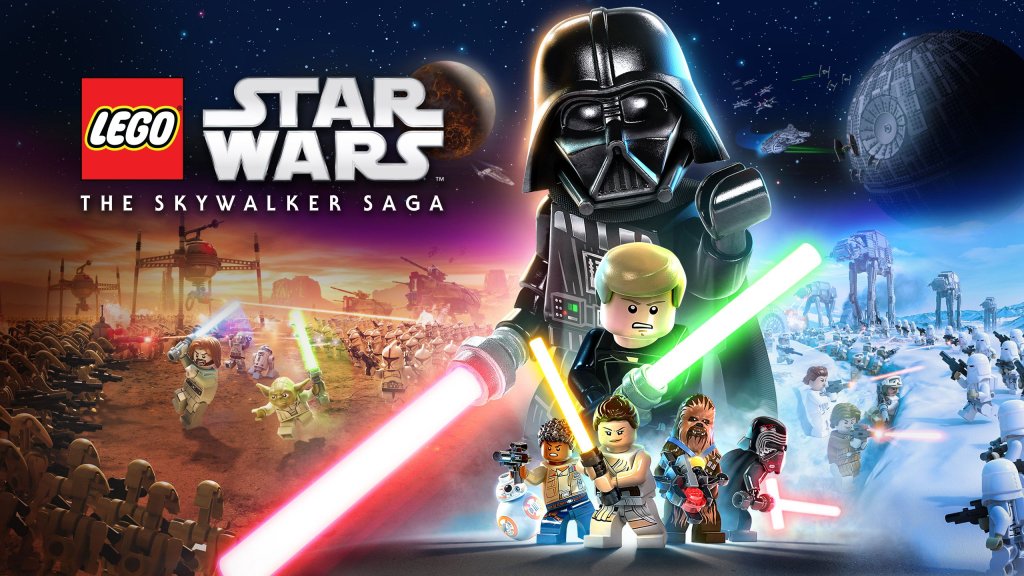
LEGO Star Wars: The Skywalker Saga – Game Introduction
Genre: Action-Adventure, Open-World, Third-Person Puzzle-Platformer
Developer: Traveller's Tales
Publisher: Warner Bros. Interactive Entertainment
Release Timeline:
- Original release date: April 5, 2022
- Post-launch content updates through late 2022
- DLC packs released periodically from April 2022 onward
- PC (Windows via Steam, Epic Games Store)
- PlayStation 4
- PlayStation 5
- Xbox One
- Xbox Series X|S
- Nintendo Switch
- Prequel Trilogy: Obi-Wan Kenobi, Anakin Skywalker, Padmé Amidala, Qui-Gon Jinn, Mace Windu, Yoda, Count Dooku, General Grievous, Darth Maul, and more.
- Original Trilogy: Luke Skywalker, Princess Leia, Han Solo, Chewbacca, Darth Vader, Emperor Palpatine, Boba Fett, Lando Calrissian, C-3PO, R2-D2, and many others.
- Sequel Trilogy: Rey, Finn, Poe Dameron, Kylo Ren, Supreme Leader Snoke, Captain Phasma, BB-8, Rose Tico, and others.
- Massive Open Hubs: Each film’s key planets (e.g., Tatooine, Coruscant, Naboo, Endor, Jakku, Exegol) are explorable open-world hubs filled with side missions, collectibles, and environmental puzzles.
- Epic Scale: Travel between planets via hyperspace, engage in space battles, and participate in recreations of iconic movie moments (Podrace, Battle of Hoth, Starkiller Base assault).
- Character Customization & Upgrades: Unlock character classes (Jedi, Hero, Scavenger, Villain, etc.) and spend studs on abilities, ships, and extras.
- Cooperative Play: Local 2-player drop-in/drop-out couch co-op for shared adventuring.
- Families: Perfect for parents and kids to play together; no graphic violence, humorous tone, and simple controls.
- Star Wars Fans: Covers all nine films with detailed recreations and inside jokes.
- LEGO Game Veterans: Familiar mechanics with enhanced combat, vehicle sections, and open-world exploration.
- Completionists: Hundreds of collectibles (Kyber Bricks, Minikits, character tokens) and challenging puzzles reward 100% playthroughs.
- Story Mode: Linear progression through each episode’s main missions, with cutscenes and narrative-driven gameplay.
- Free Play: Replay any previously completed level with any unlocked character, allowing access to areas that require specific abilities.
- Open-World Exploration: Roam planet hubs, accept side quests from NPCs, discover secrets, and complete challenges (e.g., races, combat trials, puzzles).
- Local Co-op: Full split-screen cooperative play for two players (both Story and Free Play modes available).
- Space Battles: On-rails and free-flight segments where players pilot starships (e.g., X-wing, TIE fighter, Millennium Falcon) against enemy fleets.
- Offline: Entire single-player campaign and local co-op can be played without an internet connection.
- Online: Requires internet only for downloading DLC, updates, and optional account linking for cross-save (Steam/Epic, but not cross-platform). No online multiplayer or competitive modes are included.
- The Mandalorian Season 1 Pack: Characters like Din Djarin, Grogu, Moff Gideon, and others, plus a new mission.
- The Mandalorian Season 2 Pack: Ahsoka Tano (Mandalorian), Boba Fett (re-armored), Fennec Shand.
- The Bad Batch Pack: Hunter, Wrecker, Tech, Crosshair, Echo, Omega.
- Classic Characters Pack: Older LEGO Star Wars character variants (e.g., classic Darth Vader, classic Luke).
- Solo: A Star Wars Story Pack: Characters from Solo (Han, Qi'ra, Lando, etc.).
- Rogue One: A Star Wars Story Pack: Jyn Erso, Cassian Andor, K-2SO, Chirrut Îmwe, Baze Malbus, Bodhi Rook.
- Trooper Pack: Various trooper variants (Shock Trooper, Incinerator Trooper, etc.).
Platforms:
Story Overview & Setting
LEGO Star Wars: The Skywalker Saga covers the complete Skywalker saga across all nine mainline Star Wars films: Episodes I through IX. Players experience the epic story from the prequel trilogy (The Phantom Menace, Attack of the Clones, Revenge of the Sith) through the original trilogy (A New Hope, The Empire Strikes Back, Return of the Jedi) and the sequel trilogy (The Force Awakens, The Last Jedi, The Rise of Skywalker). The narrative unfolds in a lighthearted, LEGO-infused style with humorous cutscenes, slapstick comedy, and silent-movie-style character interactions. The game faithfully retells each movie’s plot while adding LEGO-specific gags and playful subversions.
Main Characters
Players can control over 300 playable characters from across the Star Wars universe. Key protagonists and antagonists include:
Each character has unique abilities—Jedi and Sith use Force powers and lightsabers, blaster-wielders attack from range, droids interact with computer panels, and special characters like bounty hunters use gadgets.
Core Appeal
The game combines the beloved LEGO formula—accessible, family-friendly gameplay with collectibles, puzzles, and destructible environments—with the vastness of the Star Wars galaxy. Its primary appeal lies in:
Target Audience
LEGO Star Wars: The Skywalker Saga is designed for a broad audience:
Game Modes
Online / Offline Support
DLC & Expansion Overview
Traveller’s Tales released seven character packs as paid DLC, each adding new playable characters and missions inspired by other Star Wars properties. The packs are typically sold individually or as a Season Pass (Character Collection). Overview:
Additionally, a free Galactic Edition update added some extra content, but no major story expansions have been released.
What Makes This Game Unique?
LEGO Star Wars: The Skywalker Saga stands out from previous LEGO games and other Star Wars titles due to:
1. Third-Person Over-the-Shoulder Camera: Replaces the traditional fixed isometric view, offering more cinematic and immersive combat.
2. Revamped Combat System: True combo strings, dodging, blocking, and lightsaber lock-on mechanics replace the simple one-button attacks of earlier games.
3. Open-World Planet Hubs: No longer just linear levels; each planet is a fully explorable sandbox with NPCs, vehicles, and dynamic events.
4. Hyperspace Travel: A seamless transition between space and ground via a space-to-landing sequence, complete with turret sections.
5. Voice Acting: Instead of the silent grunts and mumbles of older LEGO games, full, authentic voice clips from the films are used (though still with a humorous LEGO twist).
6. Mission Variety: Beyond puzzles, players engage in races (Podracing), turret defense, space dogfights, stealth sections, and boss battles that require pattern recognition.
7. Massive Content Volume: Over 300 characters, 40+ missions, 23 planets, and thousands of collectibles make it one of the largest LEGO games ever.
In short, LEGO Star Wars: The Skywalker Saga is the ultimate, family-friendly Star Wars game that honors every film in the Skywalker saga while introducing fresh gameplay mechanics and an expansive open world that encourages endless exploration and replayability.
Getting Started
Getting Started
Welcome to LEGO Star Wars: The Skywalker Saga, a sprawling action-adventure that lets you relive all nine main saga films with LEGO charm, puzzles, and open-world exploration. This guide will get you through your first hour, explain the basics, and set you up for success from day one.
First Hour Walkthrough
When you start the game, you are prompted to choose an episode from the main menu (Episodes I–IX). For brand-new players, Episode IV: A New Hope is the most iconic, but Episode I: The Phantom Menace is equally beginner-friendly and introduces mechanics step by step. Selecting an episode triggers a brief cinematic then drops you into the first level.
Example: Starting Episode I – Level 1 "Invasion of Naboo"
1. You begin as Obi-Wan Kenobi and Qui-Gon Jinn aboard a Jedi starship.
2. A short tutorial teaches basic movement (left stick), jumping (A on Xbox, Cross on PS, B on Switch), and attacking (right trigger).
3. You land on the Trade Federation battleship and fight battle droids – simple combat: press attack repeatedly to combo; hold attack for a charged blow.
4. The game introduces building – walk near blue LEGO bricks and hold the interact button to construct bridges, ladders, or platforms.
5. You solve simple puzzles: use Force push (hold Y/Triangle/X on Switch) to move crates or activate switches.
6. The level ends with a boss fight against Darth Maul (double lightsaber). Dodge, attack when he's stunned, and build a repair station to win.
7. After completion, you earn Studs and Kyber Bricks, and unlock free play mode for that level.
Tips for the first hour:
- Let the tutorial play out – don't skip cutscenes the first time, as they explain story and mechanics.
- Collect every stud you see; studs are the main currency.
- Try using both characters (swap with D-pad left/right) to see different abilities.
- If you get stuck, look for interactive objects (yellow glow) or consult the mini-map.
- Completing story levels (unlocks main heroes/villains)
- Purchasing them with Studs from the character grid (found in the pause menu or hub areas)
- Finding Secrets (e.g., character tokens hidden in levels)
Character Creation
There is no character creation system in LEGO Star Wars: The Skywalker Saga. You cannot design a custom character from scratch. Instead, you play as a roster of hundreds of pre-made characters from the Star Wars universe, unlocked by:
Characters are divided into classes (Jedi, Hero, Villain, Scavenger, etc.) each with unique abilities. You can switch between unlocked characters at any time via the Character Wheel (hold D-pad up). To change your active character outside of missions, visit a cantina or your ship.
Controls (All Platforms)
| Action | PlayStation | Xbox | Nintendo Switch | PC (Default Keyboard) |
|---|---|---|---|---|
| Move | Left Stick | Left Stick | Left Stick | W/A/S/D |
| Camera | Right Stick | Right Stick | Right Stick | Mouse |
| Jump | X | A | B | Spacebar |
| Attack | R2 | RT | ZR | Left Mouse Button |
| Force Power / Special | Triangle | Y | X | E / Right Mouse Button |
| Interact / Build | Square | X | Y | F |
| Character Wheel | Hold D-Pad Up | Hold D-Pad Up | Hold D-Pad Up | Hold Tab |
| Switch Character (Left) | D-Pad Left | D-Pad Left | D-Pad Left | Q |
| Switch Character (Right) | D-Pad Right | D-Pad Right | D-Pad Right | R |
| Pause Menu | Options | Menu | + | Escape |
| Map | Touchpad | View | - | M |
| Sprint (some characters) | R1 | RB | R | Shift |
| Crouch (stealth) | L3 | L3 | L3 | Ctrl |
UI Overview
The Heads-Up Display (HUD) is clean and minimal.
- Top Left: Stud counter (your current currency). A rainbow-colored stud is worth 10,000 – grab them!
- Top Center: Heart meter (health) – each heart represents one hit. When empty, you lose a small amount of studs and respawn nearby.
- Top Right: Combo multiplier – increases by defeating enemies quickly; higher multiplier means more studs per kill.
- Mini-Map (bottom left): Shows your location, objectives (yellow markers), and collectibles (blue/red dots). You can toggle it off/on via the pause menu.
- Objective Marker: A bright yellow arrow in the world guiding you to your next goal.
- Pause Menu: Access inventory, character grid, upgrades, level select, and settings.
- Hub World Interface: When in a planet hub (e.g., Mos Eisley), you'll see indicators for missions, shops, and fast travel points.
- Play through Episode IV or Episode I first to learn the core loop.
- Spend your first Kyber Bricks on Health or Force Bar upgrades – they help survival.
- Talk to every NPC with a yellow question mark – they offer side missions that reward studs and Kyber.
- Save your game manually after each major objective (hold pause -> Save Game).
- Skipping cutscenes on your first playthrough – They contain hints for puzzle solutions and lore.
- Rushing through levels – Speed will cause you to miss secret areas and studs. Take your time to smash everything.
- Ignoring the mini-map – It shows breakable walls, hidden rooms, and collectible locations.
- Spending all Studs on one expensive character early – Buy a budget-friendly character first to diversify abilities.
- Trying to 100% every level immediately – The story is linear; you can return later in free play to get missing collectibles.
Essential Early Objectives
1. Complete the first story level – This unlocks free play mode, allowing you to replay any level with all characters you own.
2. Collect all Studs – Aim for at least 100,000 studs before leaving the first hub. Studs are used to buy characters, ships, and upgrades.
3. Find your first Kyber Bricks – These are reward bricks that can be spent in the Upgrades menu to permanently boost character abilities (health, force bar, attack damage). Find at least 3 in the first level/hub.
4. Interact with everything – Smash LEGO objects, build green stud piles, and talk to NPCs to uncover side missions and hidden areas.
5. Unlock a second character – Save 5,000 studs to purchase a cheap character (e.g., a battle droid or stormtrooper) from the character grid to see class abilities.
6. Explore the hub – After the first level, you are taken to a central hub (e.g., Mos Eisley Cantina or the Jedi Temple). Look for datacards, gold bricks, and character tokens.
What to Do First and What to Avoid
Do First:
Avoid:
Early Resource Priorities
| Resource | Use | Priority Rank |
|---|---|---|
| Studs | Buy characters, ships, and ship upgrades | High (save for key characters) |
| Kyber Bricks | Upgrade character abilities (health, force, combos) | Highest – spend first 5 here |
| Gold Bricks | Unlock extra content (cheats, hints) | Medium – focus on studs and Kyber early |
| Character Tokens | Unlock free characters without spending studs | High – collect as you explore hubs |
| Datacards | Purchase ship upgrades (better speed, durability) | Low – ship combat is rare early on |
Common Beginner Mistakes
1. Not using the Character Wheel – Many puzzles require specific class abilities (e.g., droids to hack computers, Scavengers to dig). Always switch to the right character when stuck.
2. Forgetting to use Force powers – Jedi can push/pull objects, but many players ignore this. Look for blue glowing objects and hold the Force button to interact.
3. Ignoring the combo meter – Keep attacking enemies in quick succession to build a multiplier; at x5, you earn studs like crazy.
4. Skipping hub world exploration – Hubs are full of side quests and hidden studs. After each level, spend 10 minutes exploring every nook.
5. Upgrading too many characters at once – Focus upgrades on one or two characters (your favorite Jedi) until they are maxed out; spreading Kyber Bricks too thin leaves you weak.
6. Trying to play out of order – While you can choose any episode, the difficulty scales slightly. Start with Episode I or IV to ease in.
Day-One Checklist
- [ ] Choose an episode – Start with Episode I or Episode IV for a gentle learning curve.
- [ ] Complete the first story level – Follow the tutorial, collect studs, and build all required structures.
- [ ] Collect at least 10,000 studs – Smash everything, defeat all enemies, and replay the level if needed.
- [ ] Spend Kyber Bricks on Health – Go to the Upgrade menu from the pause screen and apply at least one upgrade.
- [ ] Buy a one new character – Purchase a droid (e.g., R2-D2) or a cheap villain (e.g., a stormtrooper) to unlock another class.
- [ ] Explore the hub world – Visit the cantina, talk to NPCs, find a character token or two.
- [ ] Unlock free play mode – Complete the second story level if you want free play immediately, or keep playing the main story.
- [ ] Manually save your game – Go to Pause -> Save Game before quitting.
- [ ] Set control preferences – Adjust camera sensitivity or remap controls in Options if needed.
- [ ] Have fun and be patient – LEGO games reward curiosity; don't stress about missing things – you can always return later.
This checklist will give you a solid foundation. As you progress, revisit planets, unlock more characters, and tackle side content to truly experience everything the galaxy has to offer.
Core Gameplay
Core Gameplay
LEGO Star Wars: The Skywalker Saga blends classic LEGO action-adventure with open-world exploration across the nine main saga films. This guide breaks down the core gameplay systems by player progression tiers, explaining how the loop evolves from your first minutes to post-game completion.
---
Early Game (Tutorial – First 2-3 Planets; Levels 1–4 of any Trilogy)
Main Gameplay Loop:
- Play through linear story levels (each trilogy has 5 levels). During levels, solve puzzles, defeat enemies, collect LEGO studs, and unlock new characters via quests or buying from hubs.
- Between levels, explore the small hub area (e.g., Tatooine for Episode I, Mos Eisley Cantina after starting Episode IV). Unlock free play by replaying levels with any characters.
- Basic mechanics: One attack button (square/X), jump (cross/A), and interaction (circle/B for consoles; E, Space, F on PC).
- Each character has a class-specific ability (e.g., Jedi use Force push/pull, blaster heroes shoot, droids hack terminals). In early game, you mostly use the characters provided in the level.
- Light puzzle solving: stack blocks, use Force to move objects, shoot targets, activate switches.
- No health bars; losing all hearts costs studs (respawns instantly).
- Earn studs to purchase characters, ships, and power-up upgrades in Cantinas (hubs). Early game studs are scarce; focus on buying cheap characters (2,500–5,000 studs) to unlock new abilities.
- Complete story levels to unlock new character tokens and access the next planet in the trilogy.
- Each level has 10 mini-kits (collectible pieces) and a True Jedi award for collecting enough studs. These unlock ships and extras.
- Hubs are small in early game. On Tatooine, you can run around the desert, find a few side quests (often from characters with glowing quest markers), and discover datacards that unlock class ability upgrades.
- No fast travel yet; you run/walk or use a land vehicle (like a speeder) if you buy one.
- Story levels are linear. Side quests appear as glowing quest markers in hubs; they are simple fetch or combat tasks (e.g., “Find 5 missing droids”). Rewards include studs, Kyber Bricks (used for class upgrades), or character tokens.
- Puzzles are straightforward: destroy silver LEGO objects to build new platforms or bridges.
- Currency: Studs (yellow, blue, purple, stud bars). Larger studs are worth more. Also Kyber Bricks (green crystals) from quests/levels, which are used to buy ability upgrades in the Holoprojector menu.
- Cantina shops sell characters (unlocked by tokens found in level or from quests), vehicles, and ship upgrades. Ships cost 10,000–50,000 studs; characters from 2,500–50,000.
- No traditional leveling. Instead, unlock new characters via tokens (found in levels/quests). Each character has a class (Jedi, Hero, Scavenger, etc.) with a unique ability tree.
- The Holoprojector menu lets you spend Kyber Bricks to upgrade class abilities (e.g., Jedi: faster lightsaber attacks, extended Force range). Start with basic upgrades: more health hearts, longer combos.
- In early game, you have few characters; rely on the story-provided ones. Replay levels with different characters to find hidden areas (e.g., use a droid to hack a terminal that opens a door with a token).
- In Episode I: The Phantom Menace, the first level “Theed Palace” has you play as Qui-Gon Jinn and Obi-Wan Kenobi. Defeat battle droids, push blocks, and collect studs. After the level, you return to Tatooine hub, where you can buy Jar Jar Binks for 5,000 studs (if you have enough) and find a datacard for a Jedi upgrade.
- You now alternate between finishing remaining story levels in a trilogy and exploring multiple planets in free roam. Hubs have expanded (e.g., Coruscant, Bespin) with many side quests.
- Replay previously completed levels with any unlocked character to find all collectibles (mini-kits, tokens, Kyber Bricks). This is critical for 100% completion.
- Open-world planets become fully accessible: you can fly between them in space using your unlocked ships. Space combat and exploration (asteroid fields, capital ships) open up.
- More enemy variety: Sith, stormtroopers, bounty hunters, etc. You have upgraded class abilities (e.g., stronger Force powers, blaster overcharge).
- Puzzles require combining abilities: a Scavenger (like Rey) can wall-climb, then a Jedi uses Force to move a platform, then a droid hacks a console.
- Vehicle sections (speeder chases, starship dogfights) appear more often in story levels and open world. Use the ship’s weapon and boost to defeat targets.
- Purchase expensive characters (15,000–50,000 studs) to unlock all abilities. Some characters are only available after completing specific quests (e.g., Darth Vader after finishing Episode VI).
- Upgrade class trees fully: for example, the Hero class (Han Solo, Finn) gets a grappling hook ability (purchasable with Kyber Bricks) that lets them climb high ledges and pull objects.
- Unlock Extras like “Disguise” or “Invincibility” by collecting enough mini-kits (e.g., 10 mini-kits from all levels). These provide helpful cheats but may disable stud accumulation.
- Use the Galaxy Map to travel between planets. Visit planets in any order once unlocked.
- Each planet has a collectible counter showing datacards, Kyber Bricks, and side quests. Use the Holoprojector map to locate them.
- In space, you can find hidden space stations, battle enemy squadrons for studs, or dock at capital ships for side quests.
- Side quests multiply. Examples: “A Race Against Time” (speeder race on Tatooine), “Feed Han Solo” (fetch quest in Mos Eisley), “Defeat 50 Stormtroopers” in a planet area.
- Some quests reward new characters (e.g., complete “The Lost Droid” to unlock C-3PO).
- Challenge missions: time trials, combat arenas, or puzzle rooms that reward purple studs (500 studs).
- Stud income increases because you have upgraded stud multipliers (found via datacards). Use the Holoprojector to buy multipliers: 2x, 4x, 6x, 8x, 10x (each costs more Kyber Bricks). These multiply all studs collected, making purchases easier.
- Ships cost 50,000–200,000 studs. Focus on a few key ships like the Millennium Falcon or a fast fighter for space travel.
- Kyber Bricks become more abundant from quests and hidden locations; upgrade all class trees gradually.
- Unlock and upgrade all classes: Jedi (7 abilities), Hero (7), Scavenger (7), Droid (7), Bounty Hunter (7), and Dark Side (7). Each upgrade requires Kyber Bricks. You need about 500 total Kyber Bricks for all class abilities; mid-game you may have 100–200.
- Specific builds: If you favor combat, max out Jedi and Dark Side for strong lightsaber and Force moves. For puzzle-solving, upgrade Scavenger (wall climb, stealth) and Droid (hacking, computer access).
- On Coruscant, you take a side quest from a bounty hunter to defeat 10 droids in the underworld. Use a character with a blaster (like Boba Fett) to shoot from range. Reward: 3 Kyber Bricks. Then, replay Episode I “Theed Palace” in free play as a Scavenger to reach a hidden platform with a mini-kit.
- Almost all story levels are done. Focus shifts to 100% completion: collect every token, mini-kit, Kyber Brick, and datacard across all levels and planets.
- Open world is fully explored; you have fast travel points at each hub. Use the Holoprojector to pin collectibles.
- You have all key characters and upgrades. Now you play as any character to solve any remaining puzzle.
- Combat becomes trivial with high-level upgrades. Use Jedi “Focus” ability to slow time and slice through enemies. Use Dark Side “Fear” to cause enemies to flee.
- Space combat is mastered: use ships with homing missiles or high speed to clear challenges quickly.
- No new gameplay mechanics; instead, focus on efficiency guides for collectibles.
- The only remaining progression is buying all characters (including expensive ones like Darth Sidious for 200,000 studs) and upgrading all characters’ class abilities. You need all Kyber Bricks (around 900 total in the game).
- Unlockable Extras: complete mini-kit collections for each level to unlock cheats like “Faster Build” or “Stud Magnet”. These can speed up farming.
- Use character abilities to access every nook. For example, on Endor, use a Scavenger to wall-climb up trees, then a Bounty Hunter to turn into a thermal vision and find hidden datacards.
- Each planet has a 100% icon in the Holoprojector; completing it requires finding all 5 datacards, 10 Kyber Bricks, and finishing all side quests.
- Remaining side quests are often multi-step: “Help Chewbacca gather porgs” (find 5 porgs across Ahch-To). Use the Holoprojector to track.
- Combat challenges at “Combat Arenas” on each planet: defeat waves of enemies for Kyber Bricks.
- No new story missions; only cleanup.
- Studs are plentiful; you likely have a 10x multiplier. Buying the last characters (like Jabba the Hutt for 1 million studs) still requires farming. Best farm: replay the final level of Episode I (or any level with many studs) with multipliers and a character with fast attack speed.
- Alternatively, fly around in space and destroy enemy squadrons (each ship drops studs worth 500–1000).
- Kyber Bricks become the bottleneck; you need to find them in hidden locations. Use the Holoprojector map to spot green markers.
- All class abilities are maxed. No further growth.
- Some characters have unique passive bonuses (e.g., Lando Calrissian grants double studs from enemies). Equip them when farming.
- To get the mini-kit on the Kashyyyk level “The Battle of Kashyyyk”, you need a droid to hack a terminal, then a Scavenger to climb a wall, then a Jedi to pull a lever. Play in free play with your maxed characters. After getting all mini-kits in that level, you unlock the “Faster Build” extra.
- No new content. The game becomes a sandbox where you can freely explore any planet with any character and use all abilities.
- Relive favorite battles with up to 4 player co-op (local) or replay any level with full character roster.
- Challenge modes: the game includes “Challenge” events in hubs (e.g., a timed obstacle course) that reward cosmetic items like new skins (e.g., “Beach Leia” or “Pajama Han”).
- Achievements/trophies: many require specific actions like “Travel to hyperspace 10 times” or “Defeat 100 enemies with a lightsaber” – easily done in endgame.
- All abilities available. Experiment with character combinations: use a Bounty Hunter’s rocket launcher to destroy large groups, or a Jedi’s “Heal” to keep health high.
- Space combat: you can now fly any ship including the Executor (Darth Vader’s ship) for massive firepower.
- No further progression; purely for fun.
- No progression left. The only missing items are cosmetic skins from the “Galactic Edition” DLC (if purchased).
- You have unlocked all Extras, characters, ships, and upgrades. The game shows a 100% save icon.
- Planetary 100% complete. No hidden areas left. You can still explore for fun, but no rewards.
- Use the debug mode (if on PC) to fly without restrictions, but that’s not official.
- All side quests finished. The only “missions” are replaying story levels with different characters for fun or completing specific challenge achievements.
- For example, “Complete ‘The Battle of Endor’ in under 5 minutes” (achievement). Use a fast character and skip cutscenes.
- Studs are infinite; you have everything purchased. No need to collect more.
- Kyber Bricks have no use once all class upgrades are bought. They become a cosmetic number.
- No growth. You own all 300+ characters (base game + DLC). Each has maxed abilities.
- You can switch any time in the character wheel.
- Cooperative Play: The core endgame is playing with friends in local co-op (2 players, split-screen). Each player picks a character and explores/helps each other in free roam.
- DLC Content: If you have the Galactic Edition, you can play bonus levels from “The Mandalorian”, “Rogue One”, etc., which are separate short campaigns (each about 1-2 hours). These extend endgame playtime.
- Speedrunning: The game has a community for speedrunning; you can practice glitches or optimized routes for 100% completion.
- Creative Play: Build your own scenarios in free play. For instance, set up a battle between 50 stormtroopers vs 50 rebels using the spawn system (only in open-world hubs via glitches, not official).
- Completionist Goals: Earn all achievements/trophies. Some are tricky (e.g., “Get True Jedi on all levels” – easy now with multipliers; “Collect all mini-kits” – tedious but doable).
- In endgame, you and a friend meet on Tatooine. One picks Darth Vader, the other Luke Skywalker. You both replay the Death Star level, trying to see who collects more studs. There’s no reward beyond fun.
- Alternatively, you can fly the Millennium Falcon to every planet and hunt down the remaining Kyber Bricks for that last upgrade, though you likely already have them.
Combat & Interaction:
Progression:
Exploration:
Quests/Missions:
Economy:
Character/Build Growth:
Examples:
---
Mid Game (After Completing 2–3 Trilogies; Free Play Opened on Most Levels; 30–50% Completion)
Gameplay Loop Expansion:
Combat & Interaction:
Progression:
Exploration:
Quests/Missions:
Economy:
Character/Build Growth:
Examples:
---
Late Game (6+ Trilogies Completed; Most Open-World Planets Explored; 70–85% Completion)
Gameplay Loop Refinement:
Combat & Interaction:
Progression:
Exploration:
Quests/Missions:
Economy:
Character/Build Growth:
Examples:
---
Endgame (100% Completion; Post-Game Sandbox)
Gameplay Loop:
Combat & Interaction:
Progression:
Exploration:
Quests/Missions:
Economy:
Character/Build Growth:
Endgame Structure:
Examples:
---
This tiered structure helps you understand how LEGO Star Wars: The Skywalker Saga evolves from a linear story game into an expansive open-world collect-a-thon. Use the early game to learn mechanics, mid game to unlock abilities, late game to clean up, and endgame to enjoy the complete sandbox.
Game Tips
LEGO Star Wars: The Skywalker Saga – Game Tips
This guide provides essential tips for all players, from beginners to veterans, organized by category to help you conquer the galaxy, collect everything, and master every system.
---
Combat Tips
1. Master the Parry and Counter
- Explanation: Tap the block/deflect button just before an enemy attack lands to parry. This stuns most enemies and opens them to a counterattack. For ranged blaster bolts, time the deflect to send them back.
- Why it works: Parrying not only negates damage but also breaks enemy defenses. It’s especially effective against bosses and shielded troopers. Use it when surrounded to create breathing room.
- When to use: Always during combat. Practice against basic stormtroopers before taking on tougher foes like Dark Troopers or Sith.
- Explanation: Jedi and Sith characters can use Force Push, Pull, and Lightning. Force Push knocks back groups; Pull yanks enemies closer; Lightning stuns multiple foes.
- Why it works: These abilities bypass block and interrupt enemy attacks. They’re stamina-efficient and can clear a pack of weak enemies instantly.
- When to use: When outnumbered, especially in open arenas or during boss phases with adds. For example, use Force Push to knock back a wave of battle droids while fighting a Separatist leader.
- Explanation: Each class has a unique combo system. For example, a Jedi can do light-light-heavy to trigger a special finisher. Scoundrels can roll-and-shoot for extra damage.
- Why it works: Combos deal more damage per second than random button mashing. They also build the “stud multiplier” faster (see Economy).
- When to use: Once you are comfortable with enemy patterns. Practice in the cantina training dummies on each planet.
- Explanation: You can instantly swap between your four active party members. Each has different attack types (blaster, lightsaber, blunt).
- Why it works: Some enemies are immune to certain damage types (e.g., shields resist blasters, droids resist lightsabers). Swapping lets you exploit weaknesses without pausing.
- When to use: In chaotic fights with mixed enemy types. Keep a Jedi, a Scoundrel, a Bounty Hunter, and a droid in your party to cover all bases.
- Explanation: Many arenas have explosive barrels, hanging debris, or bottomless pits. Use Force Pull/Push to throw objects or enemies into hazards.
- Why it works: Instant kills for weak enemies and massive damage for stronger ones. Conserves ammo and ability cooldowns.
- When to use: Any time a hazard is nearby. For example, during the Death Star trench run, knock TIE fighters into asteroids.
- Explanation: Scavenger class characters (like Rey or Wicket) have a built-in radar that highlights hidden items, Kyber Bricks, and puzzle elements when you hold the scan button.
- Why it works: The scan reveals things you might miss visually, especially in open-world hubs like Mos Eisley. It also shows dig spots for Scavenger-specific puzzles.
- When to use: Constantly while exploring. Toggle it on whenever you enter a new area.
- Explanation: Many secrets require a specific class to unlock: Astromechs hack terminals, Bounty Hunters use grapples, Heroes and Villains break silver LEGO, etc.
- Why it works: Accessing these paths yields Kyber Bricks, Datacards, and studs. Without the right character, you’ll hit a dead end.
- When to use: Before you leave an area, note locked doors or cracked walls. Then teleport to a hub and switch to a character that can open them.
- Explanation: Each planet has a space area with floating debris, capital ships, and mini-missions. You can fly in any ship you own.
- Why it works: Space exploration yields unique Kyber Bricks, Datacards, and ship upgrades. It’s also how you unlock new playable ships.
- When to use: Early in the game, spend a little time in space near each planet. Look for glowing orbs and communication towers.
- Explanation: Side quests (shown as blue/green icons on the map) reward Kyber Bricks, studs, and unlock characters or upgrades.
- Why it works: These upgrades, especially increased health and stamina, make main story missions easier. You also gain access to new areas and shortcuts.
- When to use: After the first couple of main missions in an episode, wrap up the side quests in that hub before proceeding. This is optimal for completionists.
- Explanation: Studs are the main currency. Use them to purchase Datacard upgrades at the in-game terminals (found in hubs like the Cantina).
- Why it works: The first priority should be the Extend Stud Magnet upgrade, then Extra Hearts, and then Stud Multipliers. These increase your income and survival.
- When to use: As soon as you have enough studs (usually 10,000–50,000). Do not hoard studs; spend them to snowball.
- Explanation: Kyber Bricks are used to buy class upgrades (e.g., Jedi jump attack, Scoundrel double jump). They also unlock new characters and ships.
- Why it works: Unlike studs, Kyber Bricks are finite per playthrough but abundant through exploration. Prioritize brick-collecting over all else.
- When to use: Always pick up Kyber Bricks on sight. Use the map to track missing bricks in each region. Don’t buy them from shops unless you’re desperate.
- Explanation: Datacards are hidden collectibles that unlock permanent bonuses like “x2 Stud Multiplier,” “Fast Build,” or “Invincibility (temporary).”
- Why it works: Activating the right Datacard perk can dramatically speed up completion. For example, x6 Stud Multiplier makes future purchas upgrades trivial.
- When to use: After collecting a few Datacards, activate them in the pause menu. Combine multipliers for massive stud gains during story missions.
- Explanation: Equip one Jedi (or Sith), one Scoundrel, one Bounty Hunter, and one Astromech. This covers all ability checks: Force, grapple/double jump, terminal hacking, droid doors.
- Why it works: You’ll never be stuck on a puzzle or a blocked path. Each class brings unique combat and traversal.
- When to use: In free-roam mode after completing all episodes. For story missions, the game auto-assigns characters, but you can swap in your own in free play.
- Explanation: Spend Kyber Bricks on Jedi upgrades like Force Run, Wall Run, and the double jump. These make traversal across large maps much faster.
- Why it works: Most planets have vast distances; having superior movement reduces backtracking time significantly.
- When to use: As soon as you have 5–10 Kyber Bricks, invest in Jedi class upgrades. You’ll use them more than any other class for getting around.
- Explanation: Bounty Hunters have a grappling hook that can latch onto specific stone or metal points. Many allow you to swing across gaps or reach high ledges that other classes cannot.
- Why it works: Some Kyber Brick locations are only reachable via grapple. It also gives you a vertical advantage in combat.
- When to use: Whenever you see a white crosshair icon on a surface; that indicates a grapple point. Great for getting to secret areas on planets like Tatooine.
- Explanation: You can purchase multiple Datacard perks that multiply studs (x2, x4, x6, x8, x10). Activating all at once stacks multiplicatively.
- Why it works: With x10 multiplier, a single stormtrooper might drop 1,000 studs instead of 100. This makes buying all upgrades trivial.
- When to use: Once you have the studs to buy the perks (they cost thousands), activate them. Then replay a quick mission like Episode IV: “Mos Eisley” to farm studs quickly.
- Explanation: Blue, silver, and gold LEGO objects contain studs. Breakables include crates, chairs, plant pots, and decorative items.
- Why it works: Studs are everywhere. A thorough sweep of every room can yield tens of thousands per level.
- When to use: While playing any story mission or open-world area. It’s especially profitable in the Mos Eisley Cantina and the Death Star hallways.
- Explanation: Some characters (like Han Solo or Jango Fett) can magnetize studs from a greater distance. This is a class trait inherited from their character archetype.
- Why it works: You collect studs without needing to run over them, saving time and ensuring you miss fewer.
- When to use: Always equip a character with the stud magnet upgrade (purchased from class upgrades). It’s a passive benefit.
- Explanation: Puzzle panels often show a symbol representing the required class: Astromech (droid), Jedi (lightsaber), Scoundrel (blaster), etc.
- Why it works: You’ll know exactly which character to switch to without trial and error.
- When to use: Whenever you encounter a locked door or puzzle. Check the panel icon first.
- Explanation: Scavenger characters can scan and reveal interactable objects you might overlook, like floor plates or hidden switches.
- Why it works: Many puzzles have unmarked elements. Scan reveals them in bright yellow.
- When to use: If you’re stuck on a puzzle, switch to a Scavenger and scan the area. Usually the solution becomes obvious.
- Explanation: The Datacard “Fast Build” perk reduces the time it takes to assemble LEGO constructs. Some puzzles require multiple builds.
- Why it works: Saves real time, especially during timed puzzles (e.g., escaping a collapsing room).
- When to use: Equip this perk if you struggle with timed sections, or for speedrunning.
- Explanation: From the pause menu, you can select any planet (or region) and travel instantly. No need to fly from spaceport.
- Why it works: This is the fastest way to move between hubs when farming collectibles.
- When to use: Use it to jump from Tatooine to Endor in seconds. Works even mid-mission if you’re in free play.
- Explanation: After finishing a story episode, you can replay any mission in “Free Play” mode, selecting any unlocked character.
- Why it works: In Free Play, you can access previously locked areas using new characters. This is the only way to get 100% completion.
- When to use: Once you have a good roster (Jedi, Scoundrel, Astromech, Bounty Hunter), go back to each episode and collect all Kyber Bricks and Datacards.
- Explanation: The open-world map shows each region’s progress: Kyber Bricks found, characters unlocked, missions completed. It shows icons for each collectible type.
- Why it works: No need to wander aimlessly; you can see exactly where you’ve missed something.
- When to use: When aiming for 100% completion, check the map after each area.
- Explanation: In the settings, enable the Score HUD to always see your current stud count and multiplier at the top of the screen.
- Why it works: Helps you know when you’ve maxed out the multiplier and when to destroy more objects.
- When to use: Always leave this on; it’s a useful indicator.
- Explanation: Certain Datacards grant temporary invulnerability or extra damage. Activate them before boss fights.
- Why it works: Bosses like Darth Vader or Emperor Palpatine can be frustrating; this makes them trivial.
- When to use: If you’re struggling with a boss, pause and activate an invincibility perk. Note it burns earning potential but removes frustration.
- Explanation: In local co-op, two players can control different characters simultaneously. One can solve puzzles while the other fights.
- Why it works: Puzzles that require simultaneous pressure pads become easier. Combat is faster with two damage dealers.
- When to use: If you have a second player, use co-op for story missions and free play. For stud farming, split up to cover more ground.
- Explanation: The mini-map shows red dots for enemies. You can sneak past some patrols or ambush them.
- Why it works: Reduces unnecessary fights, saving time and health.
- When to use: In stealth-oriented areas. Not essential for most combat but useful for speed.
2. Use Force Abilities for Crowd Control
3. Chain Combos for Maximum Damage
4. Switch Characters Mid-Combat
5. Take Advantage of Environmental Hazards
---
Exploration Tips
6. Scan Every Nook and Cranny with a Scavenger
7. Use Characters with Required Abilities to Open Paths
8. Explore Space for Hidden Collectibles
9. Complete Side Quests First, Main Story Later
---
Resource Management Tips
10. Spend Studs on Upgrades Early
11. Kyber Bricks Are Your True Progression
12. Datacards Unlock Game-Changing Perks
---
Character & Class Builds
13. Optimal Party Composition for General Use
14. Upgrade Jedi First for Mobility
15. Bounty Hunter Grapple is a Hidden Fast Travel
---
Economy & Stud Farming
16. Stack Stud Multipliers for Massive Income
17. Destroy Everything That Glows
18. Use a Hero with the “Stud Magnet” Ability
---
Puzzle Solving
19. Pay Attention to Character Silhouettes
20. Use Scan to Reveal Hidden Buttons and Switches
21. Build LEGO Objects Quickly with “Fast Build” Perk
---
General Pro Tips
22. Teleport Between Planets from the Holo Map
23. Replay Missions in Free Play for Missed Collectibles
24. Use the Map to Track Remaining Collectibles
25. Turn On the “Score” HUD to See Stud Counter
26. Don’t Forget to Equip “Invincible” Datacard for Tough Bosses
27. Co-op Makes Everything Easier
28. Keep an Eye on the Mini-Map for Enemy Alerts
---
Conclusion
These tips will help you become a master of LEGO Star Wars: The Skywalker Saga. Whether you’re a padawan or a Jedi Master, using the right strategies for combat, exploration, and resource management will make your journey through the galaxy far, far away more enjoyable and efficient. May the Force be with you!
Game Settings
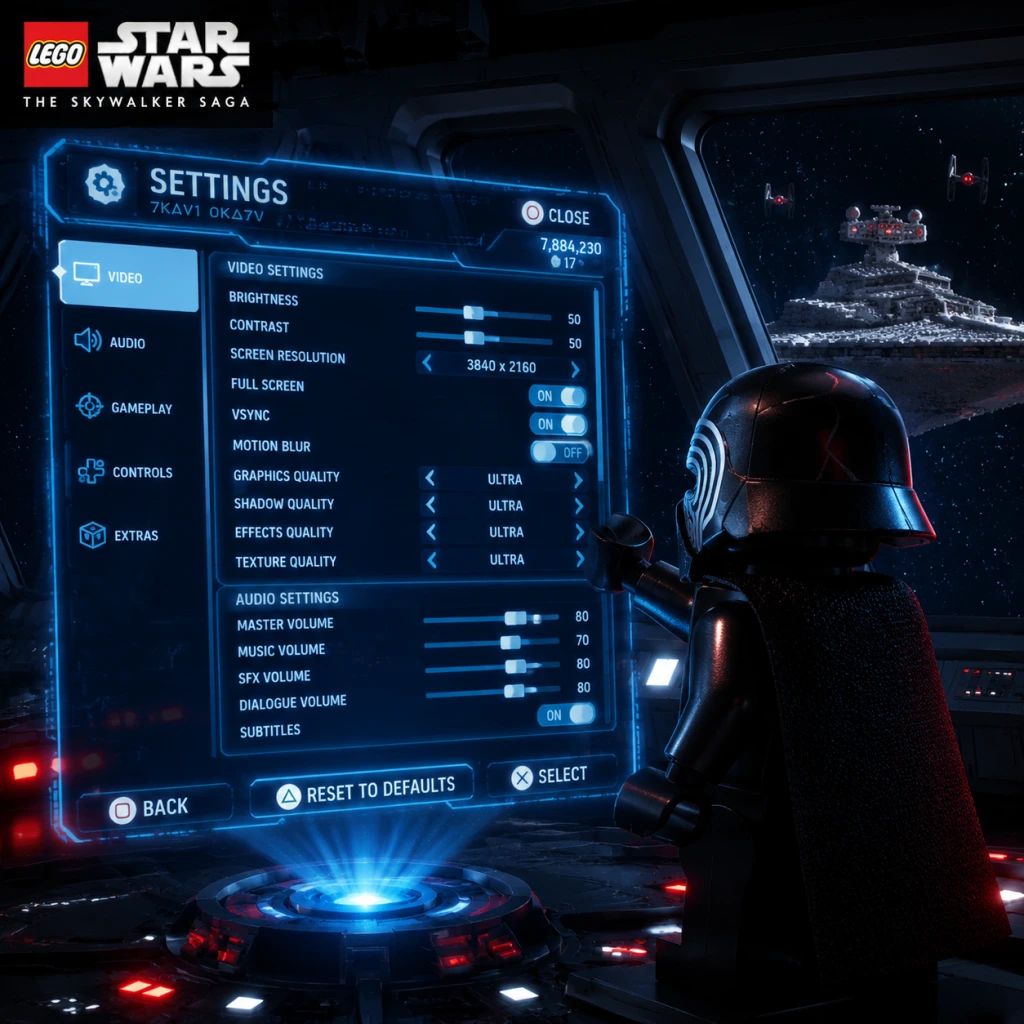
LEGO Star Wars: The Skywalker Saga – Game Settings Guide
This comprehensive guide covers every setting in LEGO Star Wars: The Skywalker Saga, organized by category. You'll find optimal configurations for different hardware levels, tips to avoid common mistakes, and special attention points that greatly affect your experience.
---
1. Graphics Settings
1.1 General Display
- Resolution: Set to native monitor/TV resolution (e.g., 1920×1080, 2560×1440, 3840×2160).
- Display Mode: Fullscreen (best performance), Windowed Borderless (easier multitasking), Windowed.
- VSync: On (eliminates screen tearing, may cap FPS to refresh rate), Off (can cause tearing but may feel smoother on high-refresh displays).
- Frame Rate Limit: Recommended to match your monitor refresh rate (e.g., 60, 120, 144). For low-end PCs, 30 or 60 FPS limit keeps performance consistent.
- Field of View (FOV): Adjusts camera zoom. Default is acceptable; increase for wider peripheral view (may affect performance).
- Brightness: Calibrate using in-game test pattern (the image should show both the brightest and darkest details without crushing).
1.2 Quality Presets (PC)
The game offers presets: Lowest, Low, Medium, High, Very High, Epic, and Custom.
| Hardware Tier | Recommended Preset | Additional Tuning |
|---|---|---|
| Low-end (e.g., GTX 1050, 8GB RAM, SSD) | Medium | - Set Texture Quality to Low<br>- Disable Motion Blur & Depth of Field<br>- Resolution Scaling: 70-80% (if needed) |
| Mid-range (e.g., RTX 3060, 16GB RAM) | High | - Keep Shadows: Medium<br>- Turn Off Ray Tracing (if available)<br>- Enable DLSS / FSR: Quality mode |
| High-end (e.g., RTX 4080, 32GB RAM) | Epic | - Enable Ray Tracing (if desired)<br>- DLSS: Quality or Balanced<br>- Texture Quality: Ultra |
1.3 Advanced Graphics Options
- Texture Quality: Controls sharpness of surfaces. High settings improve immersion but use more VRAM.
- Shadow Quality: Low = blocky, High = soft ambient shadows. Medium is a good balance.
- Post Processing: Includes Bloom, Lens Flare, Depth of Field, Motion Blur. Disable for clearer image and better performance.
- Anti-Aliasing: Use TAA (Temporal Anti-Aliasing) for best stability; FXAA for less performance hit but more blur.
- Ambient Occlusion: SSAO or HBAO+ adds realism to shadows in crevices. Medium recommended.
- Reflections: Screen Space Reflections (SSR) look good but can be turned to Low on weaker hardware.
- Volumetric Fog: High quality shows light shafts. Low improves performance in foggy areas.
- Ray Tracing: PC only (if supported). Requires RTX card. On Epic/Ultra it adds realistic reflections and shadows. Performance hit is significant – enable only on high-end systems.
- NVIDIA DLSS: For RTX cards – Quality mode for best image quality with decent FPS boost; Performance mode for big FPS gains.
- AMD FSR / Intel XeSS: Good alternatives for non-RTX cards. Set to Quality for minimal visual loss.
- Dynamic Resolution Scaling: Automatically lowers resolution when FPS dips. Useful for maintaining target frame rate.
- PS5 / Xbox Series X: Offer a Performance mode (target 60 FPS, lower resolution) and Quality mode (target 30 FPS, higher resolution and ray tracing). Choose Performance for smoother gameplay.
- Xbox Series S: Usually locked to Performance mode (60 FPS at 1080p). No separate toggle.
- PS4 / Xbox One: Fixed settings, no performance/quality toggle. V-Sync on by default.
- Screen Brightness: Misadjusting this can make dark areas impossible to see. Use the in-game calibration screen and set so the leftmost icon is barely visible.
- Resolution Scale: Setting below 100% (e.g., 70%) can cause blurry text; avoid if possible. Use DLSS/FSR instead.
- Motion Blur: Many players find it distracting in a fast-paced game; disable it for clearer visuals.
- Ray Tracing: While beautiful, it can cause frame rate drops below 30 FPS even on high-end cards. Test in busy areas (e.g., Mos Eisley) before settling on it.
- Master Volume: Adjust overall loudness.
- SFX Volume: Sound effects (blasters, explosions, lightsabers). Keep high for combat cues.
- Music Volume: John Williams' score is iconic – recommend keeping at 80-100%.
- Dialogue Volume: Character voices, including LEGO mumbles. Important for story beats.
- Ambient Volume: Environmental sounds (wind, droids, animals).
- UI Volume: Menu sounds and button clicks.
- Audio Output Mode: Stereo (headphones), Surround (5.1/7.1), or Auto. If using headphones, select Stereo for best directional cues.
- Dynamic Range: Wide (more contrast between quiet and loud) vs Narrow (more consistent). Choose Wide for immersive use, Narrow for late-night playing.
- Subtitle Language: Separate from voice language (see Language section).
- Subtitle Background: On/Off – helps readability.
- Subtitle Display: Turn On if playing in a noisy environment or if you have hearing difficulties.
- Music Volume: Do not lower too much – the score is a huge part of the Star Wars experience.
- Dynamic Range: Wide can make explosions very loud and whispers very quiet; adjust if you find it jarring.
- Keyboard & Mouse (PC) : Default keybinds are standard. WASD movement, mouse for camera, space for jump, E for interaction.
- Controller: Wired or Bluetooth controller (Xbox, PlayStation, Switch Pro). The game fully supports PlayStation button prompts on PC.
- Vibration: On/Off. Affects immersion in lightsaber clashes and explosions.
- Invert Camera Y Axis: For players who prefer inverted look.
- Camera Sensitivity: Adjust horizontal and vertical turning speed. Default is moderate; increase if you want faster camera turns during combat.
- Trigger Deadzone: Only relevant for racing or flight sections – leave default unless sticks drift.
- Camera Invert: Easy to miss – if you find yourself looking up when you press down, enable invert.
- Controller Vibration: Can cause battery drain on wireless controllers; disable if you prefer longer sessions without recharge.
- Keyboard vs Controller: The game is optimized for controller. If using KB+M, remap Force powers to easy reach (e.g., Q, E, R, F).
- Flying Controls: The spaceship sections (e.g., trench run) are notoriously tricky. Consider increasing stick sensitivity for sharper turns. Practice in free roam to get comfortable.
- Subtitle Size: Small, Medium, Large. Choose Large for readability from a distance.
- Subtitle Background Opacity: Adjustable from 0% (transparent) to 100% (solid).
- Colorblind Mode: Options for Deuteranopia, Protanopia, Tritanopia – changes UI colors to enhance readability.
- High Contrast UI: Makes texts and icons stand out more.
- Screen Narration (PC only): Reads UI elements aloud – enable if needed.
- Sound Cues: Use audio-only indicators for puzzles or collectibles (e.g., a chime when near a Kyber Brick).
- Auto Aim: On – helps with blaster aiming; Off for challenge.
- Auto Solve Puzzles (for certain side quests): Can skip some puzzles if disabled.
- Simplified Combat: Reduces button complexity (e.g., auto combos). Ideal for younger players or those with motor difficulties.
- Hold to Sprint: Toggle vs Hold. Choose based on preference.
- Colorblind Mode: Not available in all menus; test in-game to see if it helps.
- Subtitle Size: Larger sizes may overlap with UI; adjust background opacity to improve.
- Auto Aim: In hectic combat, auto aim can prevent frustration. Turn off for a more traditional challenge.
- Text Language: Choose from 14+ languages (English, French, German, Spanish, Italian, Japanese, etc.)
- Voice Language: Separate from text – can have text in English but voices in Japanese (or vice versa).
- Subtitle Language: If voice language is different, subtitles can be set to another language.
- Voice vs Text Mismatch: If subtitles don't match spoken lines, ensure both are set to the same language.
- Regional Restrictions: Some voice packs may require downloading additional content on console (e.g., Japanese voice pack on Western PS5).
- No dedicated multiplayer – online features are limited to leaderboards, achievements, and cloud saves.
- Sign in to Online Services: Enables achievements and leaderboards. Optional for single-player.
- Auto-Sync Cloud Saves: Ensures progress is saved across devices (if supported by platform).
- Telemetry: Off by default – can be disabled in settings menu.
- Cross-Platform Saves: Only between same platform families (e.g., PC to PC via Steam Cloud; none between console and PC).
- Cloud Saves: On PC, ensure Steam or Epic cloud sync is enabled to avoid losing progress.
- Online Sign-In: If you see a login prompt at launch, you can skip it – it only affects online features.
- Difficulty Mode: There is no traditional difficulty slider – game scales automatically, but you can enable/assist features:
- Auto-Collect Studs: Automatically picks up studs without pressing button. Recommended On for convenience.
- Gyro Aiming (Switch/PS5): Motion controls for fine aim – enable if comfortable.
- HUD Opacity: Scale from 0 to 100%. Lower for immersive screenshots.
- Minimap: Display is overlay or off.
- Objective Markers: On/Off – can turn off for exploration (no hand-holding).
- Toggle Weapon Wheel: Hold vs Toggle – choose Toggle to keep Force powers menu open until dismissed.
- Auto-Save Frequency: Not adjustable – game autosaves often (after missions, collectibles).
- Manual Save Slots: Available in the menu (per character progress). Use multiple slots to avoid overwriting.
- Auto Collect Studs: Enabling saves button presses but you lose 'manual' satisfaction – highly recommended to keep on.
- Minimap: Off for a more cinematic experience, but on for navigation in open worlds.
- Fall Damage: Turn off if you dislike dying while exploring high platforms (common in Coruscant or Death Star levels).
- Gyro Aiming: Only available on Switch (in handheld) and PS5 (DualSense). Can improve blaster accuracy but may feel disorienting at first.
1.4 Upscaling Technologies
1.5 Console Graphics Settings
1.6 Special Attention Points
---
2. Audio Settings
2.1 Main Audio
2.2 Advanced Audio
2.3 Special Attention Points
---
3. Controls Settings
3.1 Input Method
3.2 Controller Configuration
3.3 Keyboard & Mouse Customization (PC)
All actions can be remapped: Movement, Actions (Attack, Jump, Force, Blaster), Camera, Quick Menu, etc. Useful for left-handed players or unusual setups.
3.4 Special Attention Points
---
4. Accessibility Settings
4.1 Visual Accessibility
4.2 Audio Accessibility
4.3 Gameplay Accessibility
4.4 Special Attention Points
---
5. Language Settings
5.1 Available Options
5.2 Special Attention Points
---
6. Network Settings
6.1 Online Features
6.2 Data & Privacy
6.3 Special Attention Points
---
7. Gameplay Settings
7.1 Difficulty & Gameplay Options
- Invincibility Toggle: Under Accessibility? Actually, there's a cheat to turn on invincibility after unlocking cheats.
- Fall Damage: On/Off – disable for stress-free platforming.
- Friendly Fire: Off by default – can turn on for chaos.
7.2 HUD & UI
7.3 Save & Load
7.4 Special Attention Points
---
8. Optimal Settings Summary by Hardware
8.1 PC (All Specs)
| Component | Low-End (30 FPS target) | Mid-Range (60 FPS) | High-End (60-120 FPS) |
|---|---|---|---|
| Resolution | 1080p | 1080p/1440p | 1440p/4K |
| Preset | Medium (with Low Shadows, Low Textures) | High | Epic (with RT off for 120 FPS) |
| Textures | Low | High | Ultra |
| Shadows | Low | Medium | High |
| Anti-Aliasing | FXAA | TAA | TAA + DLSS Quality |
| Upscaling | FSR Balanced (if needed) | DLSS/FSR Quality | DLSS Quality/Balanced |
| V-Sync | On | On | On (or G-Sync) |
| Motion Blur | Off | Off | Off |
| Volumetrics | Off | Low | High |
8.2 Console
| Console | Recommended Mode | Notes |
|---|---|---|
| PS5 / XSX | Performance | 60 FPS is more valuable than ray tracing for this game. |
| Xbox Series S | N/A (fixed) | 60 FPS at 1080p. No mode toggle. |
| PS4 / XB1 | N/A | 30 FPS with occasional dips. Lower resolution but stable. |
| Switch | N/A | 30 FPS target, heavily scaled. Play in docked mode for best clarity. |
9. Easiest Settings to Misconfigure
1. Resolution Scale – Setting this below 100% can make text unreadable. Use DLSS/FSR instead.
2. Brightness – Too high washes out colors; too low hides details. Always use the calibration screen.
3. VSync – Turning it off on a standard 60 Hz monitor can cause distracting tearing. On high-refresh displays, use G-Sync/FreeSync and cap FPS.
4. Controller Vibration – Can cause battery drain or become annoying; easily overlooked.
5. Subtitle Language vs Voice Language – Ensure they match if you want correct spoken dialogue.
6. Auto-Collect Studs – When off, you must press a button to pick up studs – many players miss this and think the game is broken.
7. Camera Invert – Misconfigured can make flying sections nearly impossible.
---
10. Final Setup Checklist
- [ ] Set resolution to native display.
- [ ] Calibrate brightness using in-game test.
- [ ] Choose performance or quality mode (console) or apply PC preset based on hardware.
- [ ] Enable subtitles and set language preferences.
- [ ] Check control scheme – especially flying axis invert.
- [ ] Turn off motion blur and depth of field for clarity.
- [ ] Enable Auto-Collect Studs.
- [ ] Save your settings and restart the game to apply changes.
---
By following this guide, you'll have an optimized, comfortable, and fully customized LEGO Star Wars: The Skywalker Saga experience. May the Force be with your settings!
Important Notes
Important Notes for LEGO Star Wars: The Skywalker Saga
This section covers critical warnings, common pitfalls, irreversible choices, missable content, difficulty spikes, grinding traps, save management advice, and insights players frequently wish they had known from the start. Pay close attention to avoid frustration and wasted time.
1. Irreversible Choices & Permanent Missables
- Story Episode Order: You can play the nine episodes in any order, but once you start an episode, you must complete its main story missions to unlock free play for that episode. You cannot switch episodes mid-mission.
- Kyber Brick Challenges: While most Kyber Bricks are reclaimable in free play, some are tied to character-specific puzzles (e.g., using a Jedi Mind Trick or a droid). If you don't have that character unlocked yet, you can return later. Nothing is permanently missable due to episode progression.
- Gold Bricks & Triple Builds: Some puzzle pieces are part of a triple-build set. If you choose one path, you can later dismantle and rebuild all three to get all Gold Bricks. No permanent loss, but you must revisit later.
- Collectibles in Hub Open Worlds: The open-world hubs (Planets, Space) are fully free-roam after the tutorial. However, certain collectibles (like hidden Kyber Bricks behind destroyable objects) may be _event-locked_ until you obtain the proper character ability (e.g., „Scavenger“ to pull hidden panels). Return after unlocking more character classes.
- Character Unlock Order: You can buy unlocked characters from the Holocron menu using Kyber Bricks. There is no permanent miss because every character can be purchased after meeting the unlock conditions (e.g., completing specific missions or side quests). However, some characters are only available after 100% completion of a hub. Plan accordingly.
- No Quest Locking: No main or side quest is permanently missable. The game encourages completionism post-credits. You can always return to any episode's hub and finish leftover objectives.
- Spending Kyber Bricks Too Early: Kyber Bricks are the primary currency for upgrades and character unlocks. New players often spend them on cosmetic upgrades (like extra hearts) before unlocking essential abilities like Quick Build, Data Card Reading, or Force Abilities. Save at least 20 Kyber Bricks for these core upgrades. See the Upgrade Priorities section in Game Tips.
- Ignoring the Map Legend: The game's mini-map and holomap show icons for collectibles, but you need to toggle Tracker (hold the map button) to pin specific targets. Many players run around aimlessly because they don't open the full map to see which doors are locked or which stud cows are hidden.
- Not Using Stud Multipliers: The Red Brick Cheats (like 2x, 4x, 6x, 10x Studs) must be purchased with Kyber Bricks early. They drastically reduce grinding. Unlock at least the 2x and 4x before major farming. These are found in the open world (see Datacard Locations guide).
- Forgetting to Switch Characters in Puzzle Areas: Many puzzles require specific classes (e.g., Hero, Scavenger, Droid, Villain). If you can't solve a puzzle, it's likely because you haven't unlocked the required character or haven't switched to that character in the character wheel. Don't waste time on a puzzle without the right tool.
- Neglecting Ship Upgrades: Space combat can become tedious without upgraded weapons and shields. Upgrade your ship class (X-Wing, TIE, etc.) in the Holocron under „Ship Upgrades“ using Kyber Bricks. A level 1 ship will struggle on higher-difficulty space missions.
- Walking Past Studs in the Open World: Studs are used for buying character upgrades and Red Bricks. Always destroy LEGO objects, collect floating studs, and break hidden treasure chests. They are plentiful but require active looting.
- Force Puzzles: Some puzzles require precise timing for Force-grab sequences. The difficulty spikes when you have to hold multiple objects while moving. Practice the „Lock-on“ mechanic (right stick click) to hold one object while pulling another.
- Boss Fights with Multiple Phases: The final boss fights in each episode (e.g., Darth Maul, Darth Vader, Emperor Palpatine) have multiple phases. If you die, you restart the entire boss fight, not just the last phase. Save often before these encounters.
- Space Combat Bosses: The „Rancor“-like space battles against capital ships (e.g., Super Star Destroyer) require precise lateral dodging and targeting shield generators. If you get hit, you lose a life. Upgrade ship speed and shields before these.
- Stealth Sections (Episode 4 – Death Star): The „Stealth Mission“ in A New Hope where you must avoid Imperial guards is notoriously frustrating because detection results in immediate failure and restart. Use in-game hints: wait for patrol paths and use the ability to sneak (crouch button).
- Puzzle Rooms with Time Limits: Some Kyber Brick puzzles have a countdown timer (e.g., „Collect all studs in 60 seconds“). These require memorization and quick reflexes. If you fail, you can retry instantly; no penalty except time.
- Don't Farm Studs Manually: The game encourages grinding, but with the Stud Multipliers (Red Bricks) you can get millions of studs in minutes. Buy 2x, 4x, 6x, then 10x in order. This reduces play time by hours.
- Avoid Completing Every Side Quest Before Story: Side quests („Game States“) yield Kyber Bricks but often require characters you haven't unlocked yet. Focus on story first to unlock all six classes of characters per era. Afterwards, free play will be much easier.
- Ship Combat Grind: If you need more studs from space, replay space battles from „Galactic Conflicts“ (unlocked after completing Episode 7). Turn on all Stud Multipliers and destroy everything – you'll earn millions quickly.
- Don't Hoard Kyber Bricks for 100% Completion: You need about 1,800 Kyber Bricks to fully upgrade everything. There are over 1,200 Kyber Bricks in the game. The rest come from data cards. You don't need to grind every single one if you're efficient.
- Autosave Only: LEGO Star Wars: The Skywalker Saga uses a single autosave slot per profile. There is no manual save or multiple save files. Be cautious when starting a new game – it will overwrite your existing save if you choose „New Game“ (on consoles) or „New Profile“ on PC. Always create a separate profile for a new run if you care about your progress.
- Cloud Saves: On PC (Steam/Epic), cloud saves are enabled by default. If you play on multiple devices, ensure cloud sync is consistent to avoid conflicts. Disable cloud saves if you experience errors.
- Losing Progress: The autosave triggers frequently (after completing a mission, finding a Kyber Brick, or fast traveling). However, if the game crashes during a cutscene, you may lose up to 5 minutes of progress. To minimize loss, manually activate quick travel or enter a new zone often.
- No Manual Save for Experimentation: If you want to try two different dialog options or build choices, note that you cannot reload an earlier save. You must complete the action and live with the consequences (no major repercussions in this game).
- Cross-Platform Save: Not supported. Save files are platform-specific. If you want to move progress, you'll have to start over on a different platform.
- You Can Fast Travel Anytime: Once you unlock a hub, you can fast travel to any landing pad from the holomap. This saves immense backtracking. You don't need to walk everywhere.
- Character Abilities Are Tied to Era: Each of the nine episodes belongs to an era (e.g., The Phantom Menace is „Prequel Trilogy“). Open-world hubs have characters from that era. To use a droid ability in the Sequel Trilogy hub, you need a droid character from that era (e.g., BB-8). You cannot use R2-D2 there.
- Red Bricks Are Findable in the Open World: Many Red Bricks (cheats) are hidden behind puzzles. The game doesn't tell you where they are. Use a guide or the in-game perk that shows Red Brick locations (unlocked via Datacard).
- Dodge Rolling is Essential: The dodge roll not only avoids damage but also breaks certain enemy combos. It's not just for show; master it.
- You Can Rebuild Any Triple Build Later: If you choose a path in a triple-build puzzle, you can dismantle and rebuild all three versions. Mark the location on your map if you don't have all the bricks now.
- The „Call Character“ Feature: If you're stuck on a puzzle and can't find the right character, use the Holocron to „Call Character“ (Hold R2/RT then press a button) to bring a specific character from your unlocked list instantly (costs a small amount of studs). This is huge for efficiency.
- Minikits Are Not Just Collectibles: In each story mission, there are 10 minikits. Collecting all 10 in a mission unlocks a Gold Brick and a specific ship or character. These can be collected in free play as well.
- Your Can Change Character During Combat: Open the character wheel mid-battle to adapt to enemy weaknesses (e.g., switch to a droid to hack a door while fighting). This is often overlooked.
- Studs Auto-Collect When Leaving an Area: If you leave a planet or space zone, all remaining studs are automatically added to your wallet. So don't stress about slight misses.
- The „Mumble Mode“ Toggle: In the audio settings, you can enable „Mumble Mode“ that replaces all voice dialogue with classic LEGO mumble grunts. This is a fan-favorite feature and can be toggled on/off at any time.
- Game Crashes: The game has occasional crashes, especially on Switch and last-gen consoles. Save frequently by entering new zones. If a crash occurs during autosave, you may have to replay a few minutes.
- Frame Drops on Busy Hubs: The hub worlds (like Mos Eisley, Coruscant) can drop frame rate on older hardware. Lower graphics settings on PC or play on lower resolution. On Switch, expect consistent 30 FPS with dips.
- Audio Sync Issues: Some cutscenes may have audio out of sync. A quick restart of the app usually fixes this.
- Glitched Kyber Bricks: Rarely, a Kyber Brick may not register as collected if you collect it while a cutscene triggers. If you notice you're missing one, try reloading the area. This is very uncommon but known.
2. Common Pitfalls & Beginner Mistakes
3. Difficulty Spikes & Challenge Sections
4. Grinding Traps & Efficiency Tips
5. Save Management Advice
6. Online Etiquette & Anti-Cheat Notes
The game is single-player only with no online multiplayer. There is no anti-cheat system, and no online leaderboards. You can mod the game on PC (e.g., for custom skins or cheats) without fear of bans, as there is no competitive component. However, mods may break achievements or progression. Back up your save before modding.
7. Things Players Commonly Regret Not Knowing Earlier
8. Final Warnings
By keeping these notes in mind, you'll save time, avoid frustration, and enjoy the galaxy far, far away.
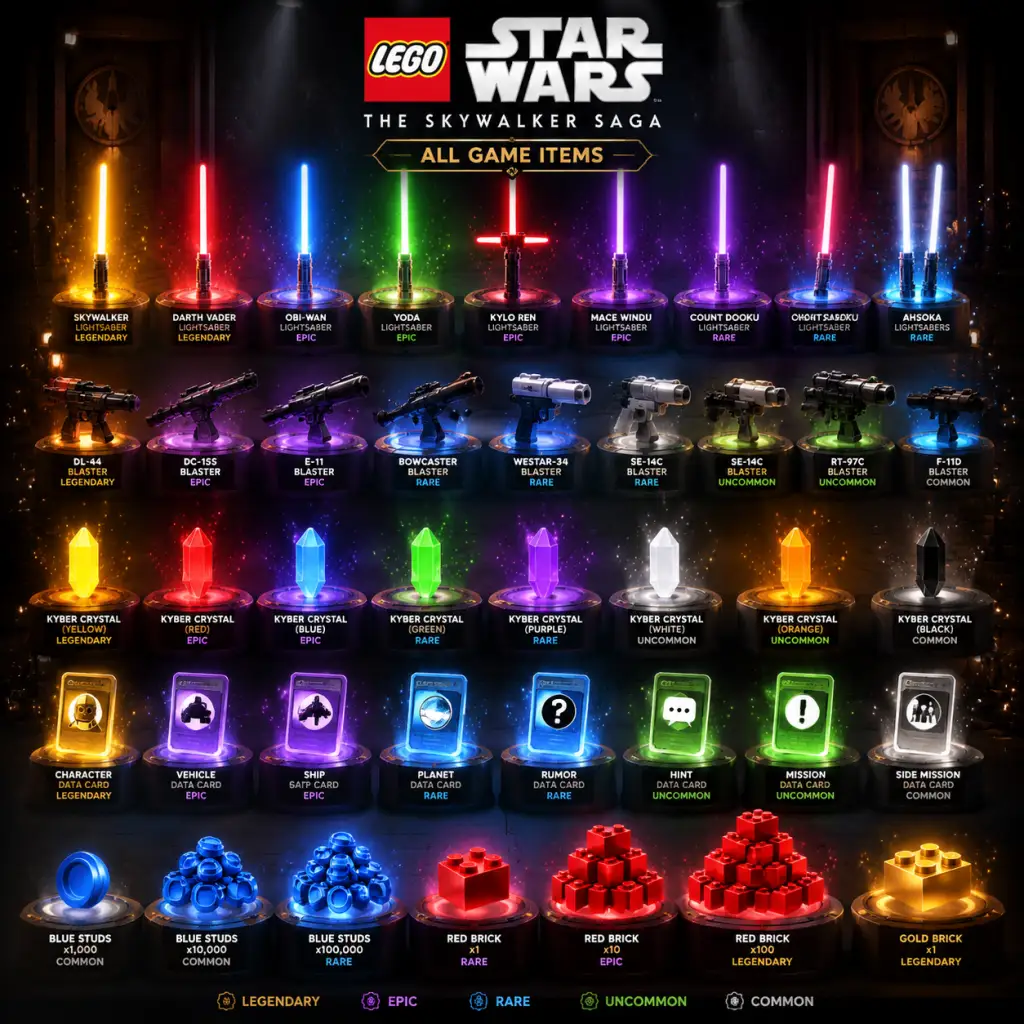
All Game Items
All Game Items
This guide catalogs every major item in LEGO Star Wars: The Skywalker Saga, grouped by category. Items include currencies, collectibles, resources, consumables, weapons, equipment, and key mission items. Learn what each does, how to obtain it, and when to use it.
---
Currencies
Studs
- Description: The primary currency, appearing as silver, gold, and blue studs worth 1, 10, and 100 respectively. Used for purchasing characters, ships, and upgrades.
- Obtain: Smash LEGO objects, defeat enemies, complete missions, collect in levels/open world. Multipliers (via Data Cards) boost earnings.
- Usefulness: Essential for unlocking all 380+ characters and vehicles. Farm studs in high-density areas like Cantonica or Coruscant.
- Synergies: Equipping Stud Multiplier Data Cards (e.g., 2x, 4x, 6x, 8x, 10x) stacks effect. Max rate: 3,840x with all cards active.
- Description: Golden bricks used exclusively in the Kyber Brick Upgrade menu to unlock new abilities, class perks, and ship enhancements.
- Obtain: Complete level challenges, find in open-world puzzles, defeat certain enemies, purchase from some vendors.
- Usefulness: Unlock advanced moves (e.g., Force push for Jedi, double jump for Scavenger) and class-specific upgrades. Total 1,200+ bricks needed for all upgrades.
- Important: Kyber Bricks are shared across all save files – once earned, they are available immediately in every new game.
- Description: Rectangular cards that unlock cheat-like extra features in the Extras menu. Effects range from stud multipliers to invincibility.
- Obtain: Hidden in every level (3 per level) and some open-world locations. Use the Holo-Projector device to scan for secret areas.
- Usefulness: Activate helpful cheats (e.g., Mosaic Mode, Big Head Mode) but more importantly, Stud Multipliers stack to massive earning rates.
- Note: You must first purchase the Data Card from the Extras menu with studs to permanently unlock it. Collect cards to reduce cost.
- Description: Small LEGO kit pieces found in levels (10 per level). Collecting all 10 in a level unlocks a new ship for the hangar.
- Obtain: Scattered in hidden areas, often requiring specific character abilities (e.g., Bounty Hunter to shoot silver panels, Jedi to use Force).
- Usefulness: Unlock iconic starfighters and vehicles for free play and space combat. Each ship becomes available after completing the level once.
- Tip: Use the “Detective” character ability to reveal interactive objects; often Minikits are behind destructible walls.
- Description: Small holographic tokens that unlock new playable characters when collected and exchanged at a character unlock terminal.
- Obtain: Found across all levels and open-world hubs (5-10 per level, many in open world). Require specific character abilities to reach.
- Usefulness: Adds to your roster. Characters cost between 10,000 and 50,000 studs once the token is collected. You can also buy the token for studs if you don't want to find it.
- Important: Characters of the same name (e.g., Luke Skywalker) have multiple variants – each needs its own token.
- Description: Small, circular LEGO pieces that function as a build resource. Used to construct temporary objects like bridges, turrets, or platforms.
- Obtain: Dropped from enemies, broken LEGO objects, and certain crates. Automatically collected when near.
- Usefulness: Activate interactable build points (shiny spots on the ground) to solve puzzles or create shortcuts. Caps consumed per build; you need enough to complete the structure.
- Tip: Always break every object in sight – Caps are plentiful but required for many puzzles.
- Description: Parts (engines, wings, cannons) used to upgrade your personal starship in the Hangar. Ship upgrades improve speed, handling, and weapons.
- Obtain: Earn from space battles (destroy enemy fighters), complete space missions, or find in asteroid fields. Some are rewards for side quests.
- Usefulness: Enhance your ship for tougher space challenges, like the “Complete Galactic” space race or boss fights.
- Upgrading: Visit the Hangar on any planet and allocate components to slots. Each component has a level (I, II, III). Better components grant higher stats.
- Description: Generic LEGO bricks used in the open world to build specific vehicles or gadgets (e.g., a speeder, a droid). Not identical to Caps.
- Obtain: Found as loot from enemies and crates, or scattered in the environment.
- Usefulness: Required for “Build Projects” marked by a blueprint icon. Building projects unlocks shortcuts, vehicles, or new areas.
- Description: Specific items used in side quests and fetch tasks. Often required to complete a mission for a character.
- Obtain: Varies per quest; often in guarded containers, enemy drops, or hidden rooms.
- Usefulness: Completing side quests for “Pieces of the Past” or “Bounty Hunter” missions yields studs, Kyber Bricks, or unique rewards like character tokens.
- Description: Red hearts that restore one health pip. Health bar has 4 pips (varies with class upgrades).
- Obtain: Dropped by enemies, found in breakable objects, or purchased from vending machines in hubs.
- Usefulness: Sustain during combat. Hearts are abundant – prioritize collecting between fights.
- Description: Activate to call a Force Ghost (e.g., Obi-Wan, Yoda) that provides temporary invulnerability or resurrection.
- Obtain: Upgrade the Jedi class to unlock Force Ghost ability via Kyber Bricks.
- Usefulness: Revive yourself if downed (once per cooldown) or gain brief invincibility. Handy for tough boss fights.
- Description: Extra abilities like Invincibility, Stud Magnet, or Disguise, activated from the Extras menu after unlocking with Data Cards and paying studs.
- Obtain: Collect Data Cards, then buy the extra in the pause menu Extras tab.
- Usefulness: Cheat-mode boosts – use Invincibility for hard levels or Stud Magnet for faster farming. Can be toggled on/off anytime.
- Blasters: Use by Hero, Scavenger, Bounty Hunter, Astromech, and Villain classes. Fire rate and spread vary. Can be upgraded (e.g., faster fire, explosive ammo) via Kyber Brick upgrades.
- Lightsabers: Equipped by Jedi/Sith classes. Swing combos, Force throws, and block. Upgrades add moves like whirlwind attack or force lightning.
- Melee Weapons: Staffs (e.g., by Knights of Ren) and fists (Wookiee, Protocol Droids). Some classes have unique melee (e.g., GNK droid electrifies).
- Rocket Launchers / Heavy Blasters: Bounty Hunter and some Villain classes have secondary heavy weapons that deal area damage.
- Grappling Hook: Used by Bounty Hunters to grapple to wall anchors. Unlock via Kyber Bricks.
- Droid Hacking: Astromechs can hack terminals. Upgrade to unlock faster hacking or remote hacking.
- Stealth: Heroes can use “Stealth” upgrade to become briefly invisible (sneak past enemies).
- Double Jump: Available to Scavengers and certain classes after upgrade.
- Flight: Some characters (e.g., Droideka, some Jedi) have short-flight abilities.
- Description: Small cube-like objects that unlock bonus lore content (trophies, concept art) when collected.
- Obtain: Hidden in every level and open world. Often in tricky platforming areas.
- Usefulness: Primarily for 100% completion and achievements/trophies. No gameplay benefit.
- Description: Refer to specific hidden areas or parody references. Not tracked, but some trigger special dialogue.
- Obtain: Explore thoroughly – e.g., the “Lego City” portal on Tatooine.
- Usefulness: Fun discoveries, some yield studs or Kyber Bricks.
- Death Star Plans: Required for Episode IV missions. Only usable in that context.
- R2-D2’s Memory Chip: Used in Return of the Jedi side quest. Restores R2’s memory.
- Carbonite Blocks (Bounty Hunter Targets): Collected during Bounty Hunter side missions. Turn in for rewards.
- Ship Parts (e.g., Hyperdrive, Shield Generator): Used in open-world repair missions to fix a starship and gain access to new areas.
- Artifacts (e.g., Jedi Holocron, Sith Holocron): Required for “Artifact Hunter” side quests. Each artifact is in a specific location and may require multiple classes to reach.
- Stud Multiplier Data Cards: Stack multiples to earn tens of thousands of studs per minute. Prioritize obtaining all 5 multiplier cards (2x, 4x, 6x, 8x, 10x) from levels.
- Kyber Brick Efficiency: Focus upgrades on classes you use most. Jedi’s “Force” upgrades trivialize puzzles; Bounty Hunter’s “Grapple” opens many secrets.
- Ship Upgrades: Invest in “Engine” and “Weapons” first for space combat; “Shields” can be ignored if you dodge well.
- Class Abilities Unlock Access: Many items (Minikits, Character Tokens) require specific class abilities. Upgrade your roster diversity to access everything.
Kyber Bricks
Data Cards
Minikits
Character Tokens
---
Resources & Materials
Caps
Ship Components
Bricks (LEGO Pieces)
Cargo Items (e.g., Carbonite Blocks, Beskar Ingots)
---
Consumables
Health Hearts
Force Ghosts (Summonable)
Power-Ups (through Data Cards)
---
Weapons & Equipment
Character Weapons (Built-in)
Each character class comes with innate weaponry:
Upgrades: Kyber Bricks purchase skill tree nodes. For example, “Blaster Master” increases damage, “Force Pull” adds a grabbing ability. Each class has its own tree.
Gadgets & Tools
---
Collectibles (Special)
Holocrons
Secrets (Easter Eggs)
---
Key Mission Items
These are plot-specific items that appear during levels or side quests:
Most mission items cannot be kept after the quest; they vanish upon completion.
---
Important Synergies & Upgrades
---
Quick Reference Table: Collectible Counts
| Item | Total in Game | Purpose | Mission-Locked? |
|---|---|---|---|
| Kyber Bricks | ~1,200 | Upgrades | No (shared) |
| Data Cards | 36 (3 per level) | Cheats & multipliers | No (free roam) |
| Minikits | 90 (10 per level) | Unlock ships | No (after level) |
| Character Tokens | 380+ | Unlock characters | Some (side quest rewards) |
| Holocrons | 50+ | Trophies/art | No |
Use this guide to plan your resource gathering. Remember that all currencies and materials carry over between episodes once you unlock free play. Happy hunting!
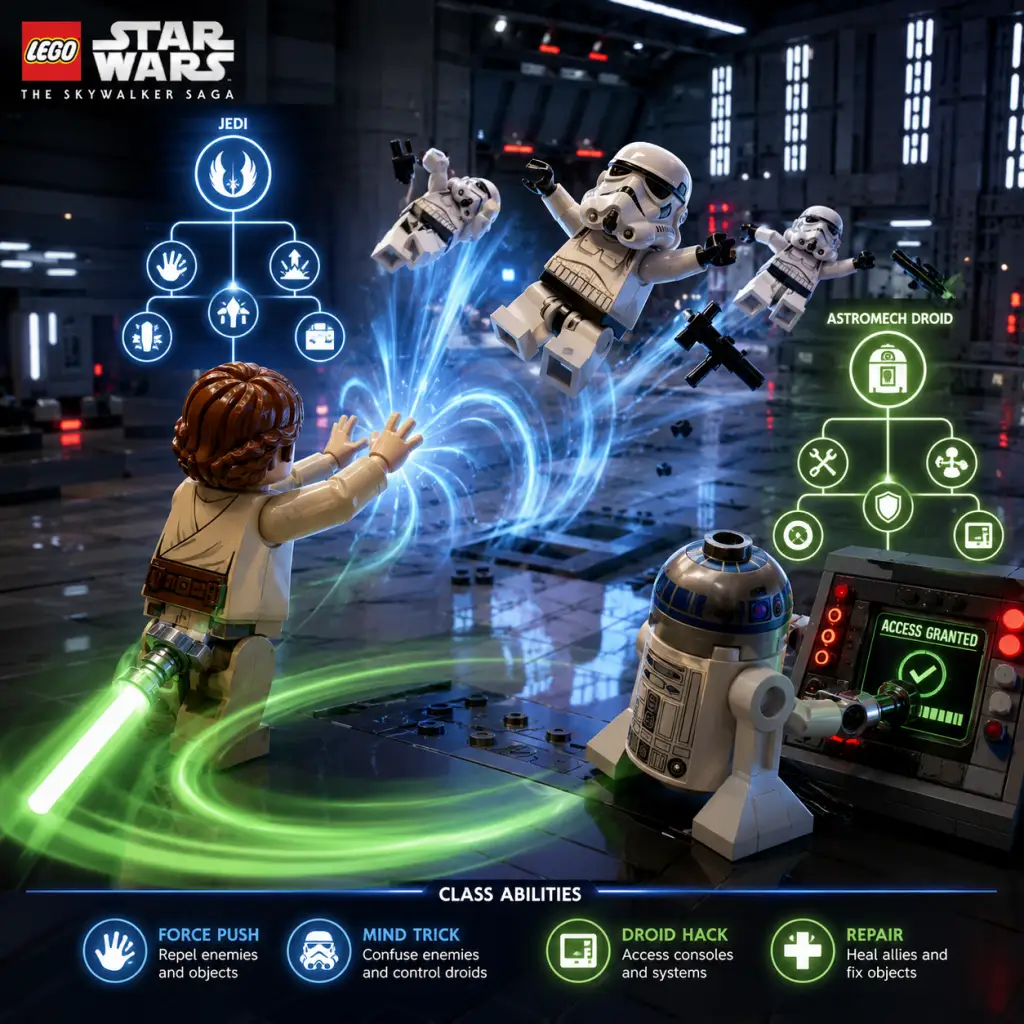
Character Skills
LEGO Star Wars: The Skywalker Saga – Character Skills Guide
This guide covers every playable character class and their unique skills, abilities, and upgrades in LEGO Star Wars: The Skywalker Saga. All characters are grouped into nine core classes, each with a distinct skill tree. Abilities are unlocked by spending Kyber Bricks and Studs in the character upgrade menu. Some skills are universal (dodge, sprint, jump), while class skills define combat and puzzle-solving.
---
Overview of Character Classes
| Class | Example Characters | Primary Role | Skill Focus |
|---|---|---|---|
| Jedi | Luke Skywalker, Obi-Wan Kenobi, Rey | Melee combat, Force powers | Lightsaber combos, Force abilities |
| Sith / Villain | Darth Vader, Kylo Ren, Emperor Palpatine | Melee combat, Dark Force powers | Saber throws, Force lightning, choke |
| Bounty Hunter | Boba Fett, Jango Fett, Mando | Ranged combat, gadgets | Blaster upgrade, jetpack, thermal detonators |
| Scavenger | Rey (Jakku), Lando Calrissian | Ranged, stealth, utility | Blaster, grapple hook, disguise |
| Hero | Han Solo, Finn, Chewbacca | Ranged combat, heavy weapons | Blaster upgrades, grenades, team buffs |
| Astromech Droid | R2-D2, BB-8 | Hacking, puzzle solving | Hacking, repairs, electrical discharge |
| Protocol Droid | C-3PO, L3-37 | Interaction, translation | Language translation, conversation bonuses |
| Trooper | Stormtrooper, Resistance Trooper | Ranged, swarm tactics | Blaster upgrades, roll abilities, squad commands |
| Miscellaneous | Wookiee, Geonosian | Varies (heavy, flying) | Unique species abilities (e.g., slam, fly) |
Universal Abilities
All characters share these core moves. They do not require upgrades but can be enhanced via Kyber Brick purchases.
- Dodge Roll – Press Circle/B on controller to roll. Avoids melee and blaster fire. No cooldown. Upgradable to extended invincibility frames.
- Jump – Cross/A. Double-jump with certain characters (Jedi can Force Jump).
- Sprint – Hold R2/RT. Some classes (Bounty Hunter) can sprint faster.
- Melee Attack – Square/X. Basic punch or short-range strike. Minimal damage.
- Blaster Attack – R1/RB (held for aim). Fires a standard bolt. Characters with blasters can charge shots (see class abilities).
- Interact – Triangle/Y. Opens doors, activates switches, talks.
- Switch Weapon/Ability – L1/LB. Cycles through available secondary abilities (e.g., Force powers, gadgets).
---
Class Skill Trees & Detailed Abilities
1. Jedi Skill Tree
Jedi are the most versatile class, excelling in melee and force manipulation. Unlock abilities with Kyber Bricks.
Key Upgradable Skills:
| Skill Name | Effect | Upgrade Slots | Cooldown | Unlock Cost (Kyber) |
|---|---|---|---|---|
| Lightsaber Combo | Standard 3-hit combo. Press Square repeatedly. | 3 upgrades: increase damage, speed, and finisher AoE | None | 1 Kyber (base) |
| Force Push | Press L1+R1. Push enemies back and stun. Upgraded push can break objects. | 2 upgrades: range +50%, damage +100% | 3 sec | 2 Kyber |
| Force Pull | Hold L1+R1 to pull enemy toward you. Upgraded pull can disarm or bring large objects. | 2 upgrades: speed, force damage on pull | 3 sec | 2 Kyber |
| Force Jump | Double jump + hold Square/A for height. Upgraded jump can glide. | 1 upgrade: longer glide | None | 3 Kyber |
| Mind Trick | L1+Triangle. Makes enemies fight each other temporarily. | 2 upgrades: duration +50%, radius +100% | 10 sec | 5 Kyber |
| Saber Throw | Hold R2 then release L1 to throw saber. Hits multiple targets. | 3 upgrades: damage, bounce count, speed | 2 sec | 4 Kyber |
| Force Heal | Hold L2+Square. Restores a small amount of health. | 3 upgrades: heal amount, cooldown reduction, team heal | 8 sec | 6 Kyber |
| Lightsaber Rush | Sprint then press Square for a lunging attack. | 2 upgrades: damage, range | None | 4 Kyber |
| Dark Side Surge | Temporary rage mode: increased damage and speed. Unlocks after completing Episode I+II? | 1 upgrade: duration +50% | 20 sec | 8 Kyber |
- Force Master: Max Force Push, Pull, Mind Trick, and Heal. Use crowd control and healing to support allies.
- Saber Specialist: Max Lightsaber Combo, Saber Throw, Lightsaber Rush. Aggressive melee DPS.
- Balanced: 2 points in each force, 3 in combo. Versatile for combat and puzzles.
Synergies: Pair with Astromech Droid for puzzle solving; Jedi can force push objects while droid hacks.
---
2. Sith / Villain Skill Tree
Sith share Jedi-like moves but with dark side powers. Count Palpatine, Kylo Ren, Darth Maul, etc.
| Skill Name | Effect | Upgrades | Cooldown | Kyber Cost |
|---|---|---|---|---|
| Lightsaber Combo (Dark) | Same as Jedi but with red blade. Upgrades: damage, speed, finisher. | 3 upgrades | None | 1 |
| Force Choke | L1+R1 to choke a single enemy, lifting them. Can throw them. | 2 upgrades: duration, throw damage | 4 sec | 2 |
| Force Lightning | L1+Square. Channel lightning in front, stunning multiple enemies. | 3 upgrades: range, damage, arc number | 5 sec | 3 |
| Force Throwing | Hold L1+R1 to grab object/enemy, then release to throw. Upgraded: explosive throw. | 2 upgrades: throw speed, explosive radius | 3 sec | 3 |
| Saber Slam | Jump then press Square to slam ground, creating shockwave. | 2 upgrades: damage, range | 2 sec | 4 |
| Dark Rage | Transform into rage: faster, stronger, but no force for duration. | 1 upgrade: duration +100% | 20 sec | 6 |
| Force Drain | Hold L2+Square to drain health from enemy. Slowly. | 2 upgrades: drain speed, range | 10 sec | 5 |
| Sith Lightning Storm | Ultimate: massive AoE lightning around caster. | 1 upgrade: damage | 30 sec | 8 |
---
3. Bounty Hunter Skill Tree
Ranged specialists with gadgets. Boba Fett, Jango Fett, IG-88, Mando.
| Skill Name | Effect | Upgrades | Cooldown | Kyber Cost |
|---|---|---|---|---|
| Blaster Shot | Standard ranged attack. Upgrades: damage, fire rate, charge speed. | 3 upgrades | None | 1 |
| Charged Shot | Hold R1/RB to charge, release for stronger shot. Can break certain objects. | 2 upgrades: charge speed, damage multiplier | None | 2 |
| Jetpack | Press X/A in air to hover. Upgraded: faster hover, infinite hover (with fuel) | 3 upgrades: fuel capacity, hover speed | Depletes fuel, regenerates | 3 |
| Thermal Detonator | L1+Triangle. Throw a bomb. Upgraded: cluster bomb, proximity mine | 3 upgrades: damage, radius, effect | 6 sec | 4 |
| Flamethrower | L1+Square (close range). Short cone of fire. | 2 upgrades: duration, range | 8 sec | 5 |
| Wrist Rocket | L1+Circle. Fires a missile. Slow but high damage. | 2 upgrades: damage, speed | 12 sec | 5 |
| Grappling Hook | Hold L2+R1 to grapple to grapple points. Upgraded: faster pull, can grab enemies | 2 upgrades: speed, enemy pull | None | 3 |
| Shield Generator | L1+R2. Temporary energy shield. | 2 upgrades: health, duration | 15 sec | 6 |
---
4. Scavenger Skill Tree
Survivors of Jakku, smugglers, and rogues. Poe, Lando, Rey (Scavenger variant). Focus on ranged stealth and utility.
| Skill Name | Effect | Upgrades | Cooldown | Kyber Cost |
|---|---|---|---|---|
| Blaster Pistol | Standard shot. Upgrades: damage, accuracy. | 2 upgrades | None | 1 |
| Disguise | L1+Triangle. Changes appearance to avoid enemy aggro. | 2 upgrades: duration, movement while disguised | 20 sec | 4 |
| Grapple Line | Same as Bounty Hunter grapple. | 2 upgrades | None | 3 |
| Stealth Run | While sneaking, press Square for silent kill. Upgraded: chain stealth kills. | 2 upgrades: chains, faster stealth move | None | 5 |
| Wrist Blaster | L1+Square rapid fire. Low damage but fast. | 2 upgrades: damage, fire rate | None | 3 |
| Glider | Hold X/A in air to glide. Unlocks gliding. Upgraded: speed, maneuverability. | 2 upgrades | None | 4 |
| Scout Drone | L1+R1 sends out a drone to scout and distract. | 2 upgrades: duration, distraction radius | 15 sec | 6 |
| Smoke Bomb | L1+Circle. Creates smoke screen for stealth. | 1 upgrade: duration | 10 sec | 4 |
---
5. Hero Skill Tree
Classic heroes: Han Solo, Finn, Chewbacca, Rose. Ranged heavy hitters with team support.
| Skill Name | Effect | Upgrades | Cooldown | Kyber Cost |
|---|---|---|---|---|
| Heavy Blaster | Sustained fire. Upgrades: damage, magazine size, heat vent speed. | 3 upgrades | None | 1 |
| Charged Blast | Hold to overcharge. Breaks shields. | 2 upgrades: charge speed, stun on hit | None | 2 |
| Grenade | L1+Triangle. Frag grenade. | 3 upgrades: damage, radius, flash effect | 8 sec | 3 |
| Dodge Roll | Upgrades: extended invincibility (shared with universal). | 1 upgrade | None | 2 |
| Team Booster (Chewie roar or Finn morale) - unclear. Actually Hero class has Inspire – press L1+Square to boost nearby ally damage 20% for a short time. | 2 upgrades: duration, damage bonus | 15 sec | 5 | |
| Shoulder Barge (Chewie) / Tackle (Finn) – L1+R1 to charge into enemies. | 2 upgrades: damage, distance | 4 sec | 4 | |
| Emergency Shield – L1+R2. Small bubble shield that regenerates health. | 2 upgrades: shield health, health regen speed | 20 sec | 6 | |
| Wookiee Slash (Chewie specific) – melee claws. Upgrades: damage, bleed effect. | 2 upgrades | None | 3 |
---
6. Astromech Droid Skill Tree
R2-D2, BB-8, R2-KT. Hacking and utility.
| Skill Name | Effect | Upgrades | Cooldown | Kyber Cost |
|---|---|---|---|---|
| Shock Probe – L1+Square. Stun single enemy. | 2 upgrades: duration, range | 5 sec | 2 | |
| Hack – Hold Triangle/Y on terminals. Upgraded: faster hack, remote hack. | 3 upgrades: speed, range | None | 1 | |
| Slicer Droid – L1+Triangle. Deploy a small droid that hacks one nearby object. | 2 upgrades: hack range, duration | 10 sec | 4 | |
| Slow Fall – Hold X/A to hover down slowly. | 1 upgrade: controlled descent | None | 3 | |
| Data Analysis – Unlock hidden object markers. Passive. | 1 upgrade: larger radius | None | 5 | |
| Repair – L2+Square to repair vehicles or droids. | 2 upgrades: speed, health restored | 8 sec | 3 | |
| Turret Mode – BB-8 specifically: L1+R1 to activate rolling shield. Others: Discharge – AoE electrical burst around droid. | 2 upgrades: damage, radius | 12 sec | 5 | |
| Projection – Astromechs project a hologram to distract enemies. | 1 upgrade: duration | 15 sec | 4 |
---
7. Protocol Droid Skill Tree
C-3PO, L3-37. Interaction and language.
| Skill Name | Effect | Upgrades | Cooldown | Kyber Cost |
|---|---|---|---|---|
| Translation – Passive: understand alien languages. No action required. | 1 upgrade: faster translation speed | None | 0 | |
| Flattery – L1+Square. Increases NPC affection, sometimes opens new dialogue paths. | 2 upgrades: success chance | 10 sec | 3 | |
| Shock Arm – L1+R1 short-range electrical stun. | 2 upgrades: damage, range | 6 sec | 2 | |
| Barter – L1+Triangle. Reduces prices in stores by 10%. | 2 upgrades: reduction to 20%, 30% | 15 sec | 5 | |
| Coins – Passive: find extra studs. | 2 upgrades: multiplier | None | 4 | |
| Alien Call – Summon a native alien to damage enemies (once per area). | 1 upgrade: damage increase | 30 sec | 6 | |
| Data Stream – L2+R1. Tap into local network to reveal secrets on map. | 1 upgrade: larger reveal | 20 sec | 5 |
---
8. Trooper Skill Tree
Stormtroopers, Resistance Troopers, First Order Troopers. Swarm combat.
| Skill Name | Effect | Upgrades | Cooldown | Kyber Cost |
|---|---|---|---|---|
| E-11 Blaster – Standard. Upgrades: damage, rate, accuracy. | 3 upgrades | None | 1 | |
| Roll & Shoot – Dodge roll while shooting. | 2 upgrades: accuracy during roll, speed | None | 2 | |
| Squad Call – L1+Square. Summon 2 AI troopers to fight alongside. | 3 upgrades: trooper health, duration, number | 20 sec | 5 | |
| Flashbang – L1+Triangle. Blinds enemies. | 2 upgrades: duration, radius | 8 sec | 3 | |
| Bayonet Charge – L1+R1. Melee charge attack. | 2 upgrades: damage, range | 4 sec | 3 | |
| Battle Cry – L1+R2. Increase all nearby allies' damage for 10 sec. | 2 upgrades: damage boost, duration | 15 sec | 4 | |
| Defensive Stance – Hold L2 to crouch and reduce damage. | 2 upgrades: damage reduction, move speed while crouching | None | 2 | |
| Thermal Imploder – Heavy grenade (rare). For special troopers. | 1 upgrade: radius | 12 sec | 6 |
---
9. Miscellaneous / Unique Characters
Certain characters have unique abilities not covered by the standard classes. These are often tied to specific species or roles.
| Character | Unique Ability | Effect | Cooldown |
|---|---|---|---|
| Greedo | Fast Draw | Quick-draw blaster, higher fire rate | None |
| Jabba the Hutt | Summon Gamorrean Guard | Calls a guard to fight | 20 sec |
| Watto | Levitation | Hover above ground, avoid floor hazards | 10 sec |
| Tusken Raider | Gaffi Stick Combo | Melee weapon, medium damage | None |
| Ewok | Spear Throwing | Ranged piercing attack | 3 sec |
| Geonosian | Flight | Fly indefinitely (no cooldown) | None |
| Pit Droid | Repair & Deconstruct | Faster repair, can self-destruct for damage | 15 sec |
| Nute Gunray | Energy Shield | Personal shield, blocks blasters | 15 sec |
| Maz Kanata | Force Vision | Reveals hidden objects in radius | 12 sec |
---
Skill Combos & Synergies
- Force Pull + Saber Combo: Pull enemy, then immediately light attack to follow-up with a full combo. Works for Jedi and Sith.
- Force Lightning + Choke: Stun with lightning, then choke one enemy for high single-target damage.
- Thermal Detonator + Jetpack: Bomb from above to hit multiple enemies in a safe position.
- Squad Call + Battle Cry: Use Trooper's squad call, then Battle Cry to buff your squad for maximum damage.
- Disguise + Stealth Run: Approach a group of enemies while disguised, then perform a stealth run chain to eliminate all before alarm.
- Grapple + Force Pull: Bounty Hunter grapples to a point while Jedi pulls enemies to the same spot for AOE.
- Data Analysis + Flattery: Astromech reveals secrets, Protocol Droid uses Flattery to get discounts on items nearby.
- Force Heal + Emergency Shield: Jedi heals while Hero gives shield to absorb damage during boss fights.
- Glider + Scout Drone: Scavenger glides while drone distracts enemies, allowing safe landing.
- Prioritize Astromech Droid skills: Hack and Slicer Droid to unlock every puzzle.
- Protocol Droid: Translation and Barter to save huge studs.
- Jedi: Force Push and Mind Trick to break objects and distract guards.
- Bounty Hunter: Jetpack and Grappling Hook for platforming.
- Jedi: Max Lightsaber Combo, Saber Throw, Force Lightning (if unlocked) – best for clearing rooms.
- Sith: Max Force Lightning and Dark Rage – insane AoE.
- Hero: Heavy Blaster + Grenade – reliable ranged DPS.
- Scavenger: Stealth Run and Smoke Bomb – stealth kill entire outposts.
- Equip a Jedi with Force Heal and Saber Throw to stay at range while recovering health.
- Bounty Hunter with Shield Generator and Wrist Rocket for high burst and survivability.
- Trooper with Squad Call and Flashbang to control adds.
- Force Push/Pull: Use to stagger groups, pull enemies off ledges, or move objects in puzzles.
- Mind Trick: Great for crowded rooms to let enemies fight each other while you bypass or pick off stragglers.
- Saber Throw: Use on turrets or enemies behind cover.
- Force Choke: Isolate a powerful enemy (e.g., Rocket Trooper) and throw them into hazards.
- Jetpack: Essential for vertical exploration and dodging ground AoE.
- Thermal Detonator: Use on groups of enemies clustered around objectives.
- Disguise: When stealth is required, avoid combat entirely.
- Stealth Run: Chain kills on unaware enemies to clear outposts silently.
- Hack: Required to open every locked door, disable turrets, and progress levels.
- Slicer Droid: Use when you need to hack multiple objects quickly.
- Barter: Activate before buying expensive upgrades or ships.
- Inspire/Battle Cry: Use at start of big fights to buff your team.
- Force Heal: Use during boss fights when health is low and no studs to collect.
- Dark Rage: When surrounded, pop rage and mash attacks.
- Squad Call: Activate before engaging a large force to draw aggro.
- Dark Side Surge (Jedi) – Complete the “Dark Side” challenge in the Force Training grounds on Dagobah.
- Sith Lightning Storm (Sith) – Defeat 50 enemies with Force Lightning cumulative.
- Wookiee Slash (Hero) – Complete a side quest on Kashyyyk.
- Slicer Droid (Astromech) – Hack 100 terminals across the galaxy.
---
Recommended Build Strategies
For General Exploration & 100% Completion:
For Combat Efficiency:
For Boss Fights:
---
When to Use Each Skill
---
Skill Mastery Progression Order
1. Early Game (Episodes I-III): Focus on unlocking basic Force powers (Push, Pull) for both Jedi and Sith. Invest in Astromech Hacking. Buy cheap upgrades to combat skills for your main character.
2. Mid Game (Episodes IV-VI): Expand to Hero and Bounty Hunter classes. Max out Jetpack and Grapple. Start working on Stealth for Scavenger. Unlock Mind Trick and Saber Throw.
3. Late Game (Episodes VII-IX) & Free Play: Have at least one character per class with maxed Hacking/Translation. Max combat skills for your favorite. Unlock all unique abilities by purchasing character upgrades.
---
Unlockable Skills via Kyber Bricks & Challenges
Some skills require completing specific challenges or finding Kyber Bricks in certain locations. For example:
Check the Holoprojector in each hub world for specific unlock conditions.
---
This guide covers all known skills in LEGO Star Wars: The Skywalker Saga as of the latest updates. Use the recommended builds to tailor your playstyle and the synergy section to combine classes effectively. May the Force be with you – and patience for those Stud count achievements!
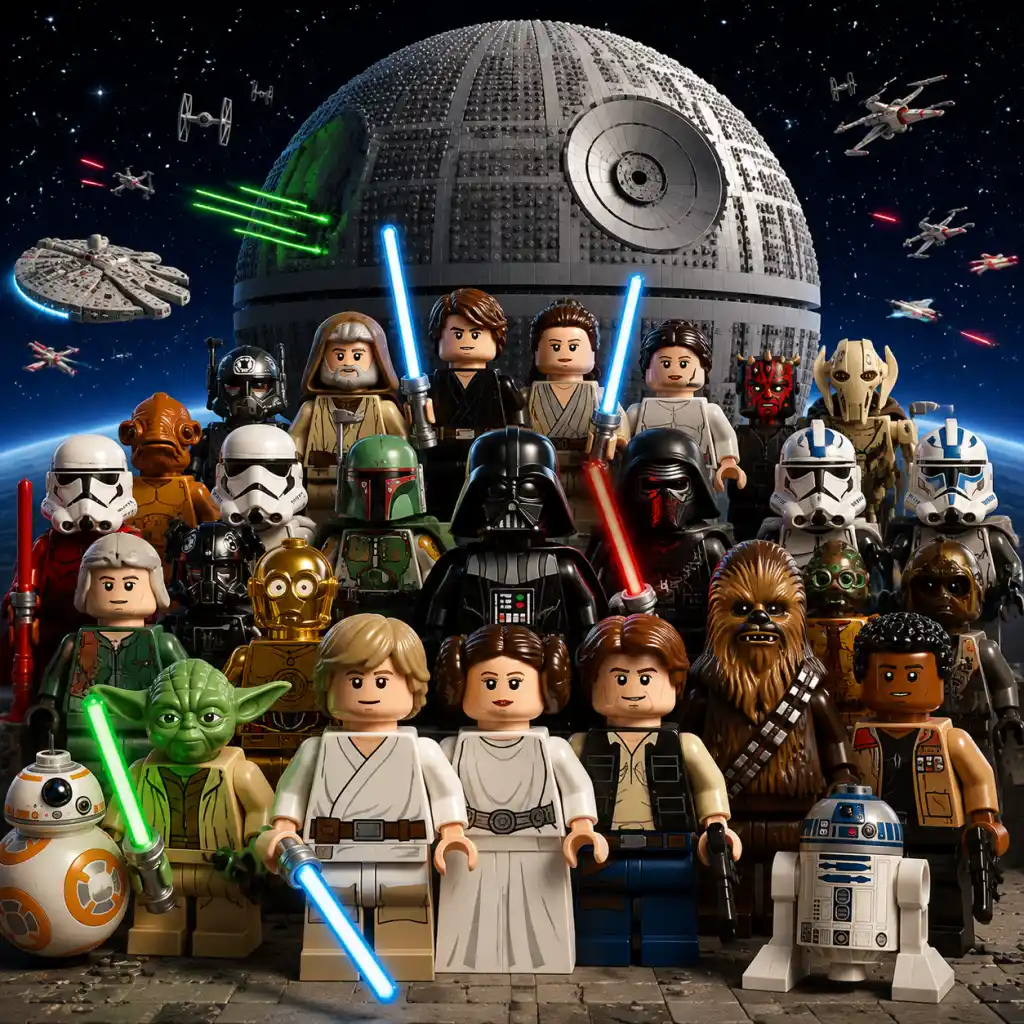
Characters & Roles
Characters & Roles
Overview
LEGO Star Wars: The Skywalker Saga features over 300 playable characters across nine core classes: Jedi, Hero, Villain, Scavenger, Bounty Hunter, Smuggler, Droid, Astromech, and Dark Side. Each class has unique abilities, strengths, and weaknesses, and characters within a class share those base abilities. A character’s role is determined by their class, but many named heroes and villains also possess unique special moves tied to their film portrayals.
Characters are unlocked by:
- Completing story levels (automatic for the default character).
- Purchasing from the game’s Holocrons (character tokens) using Studs.
- Finding character tokens in the open world and completing their associated puzzles.
- Using codes (some special characters).
This guide covers every class and every major playable character, including their background, strengths, weaknesses, playstyle, unlock conditions, recommended upgrades, and team synergy tips.
---
Class Breakdown
####
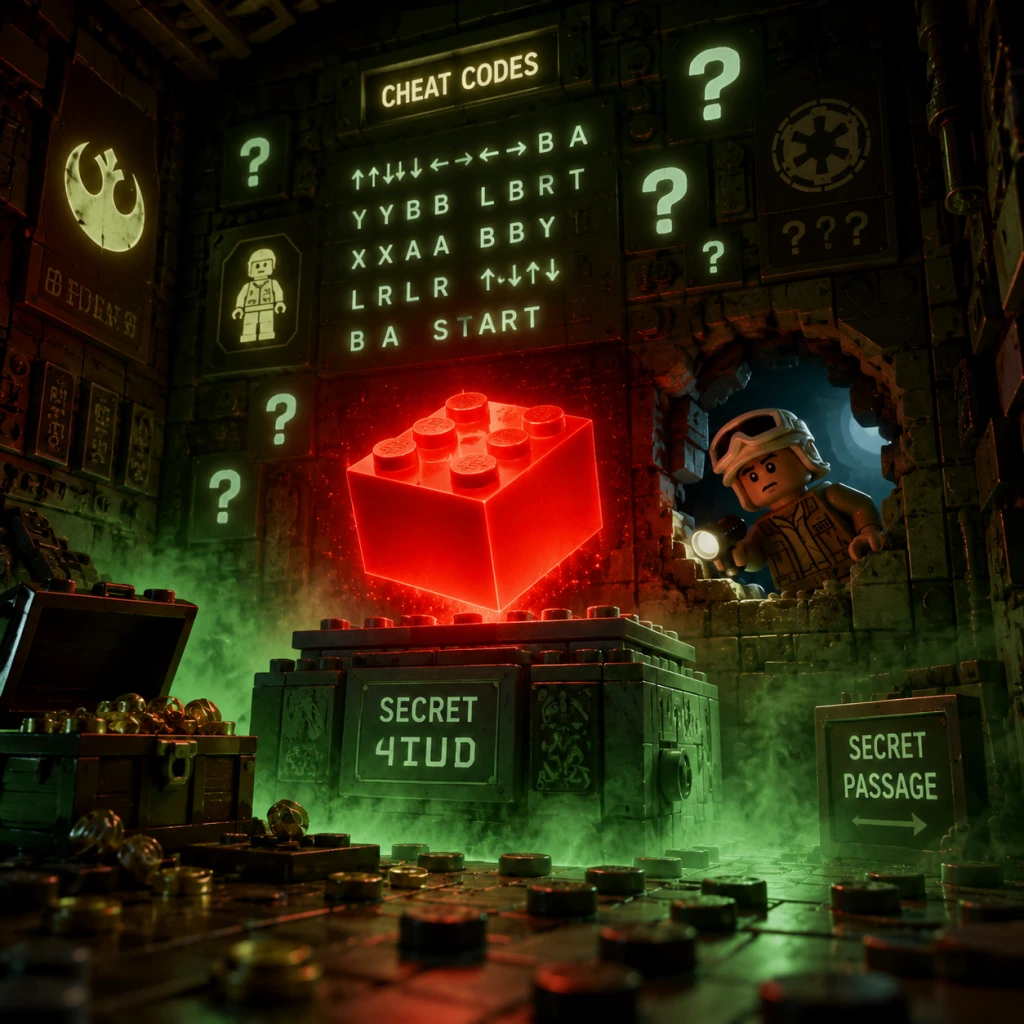
Cheats & Secrets
Cheats & Secrets
LEGO Star Wars: The Skywalker Saga includes several official cheat codes, Red Brick collectibles that function as permanent upgrades, and a galaxy full of hidden secrets and Easter eggs. This guide covers everything you need to unlock extras, find hidden content, and discover developer-intended surprises.
Cheat Codes (Extras Menu)
You can enter cheat codes from the pause menu: Extras → Enter Code. These codes unlock specific extras immediately without requiring you to find the corresponding Red Brick. Note that you still need to purchase the extra with studs (if it has a cost) after entering the code, but the code makes it available.
| Code | Effect | Notes |
|---|---|---|
| `WROSHYR` | Studs x2 – Doubles all studs collected. | Stackable with higher multipliers from Red Bricks. |
| `KUILL` | Fast Force Build – Speeds up Force build sequences. | Very useful for puzzles and timed sections. |
| `SIDIOUS` | All Characters Unlocked – Instantly unlocks every playable character in the game. | This may disable the progression of unlocking characters through gameplay. Use with caution. |
| `B1NARY` | Binary Language – Translates droidspeak to English text. | Helpful for understanding Astromech and Protocol droid dialog. |
| `C3PHAS` | Force Power Meter Charge Speed – Increases the recharge rate of Force abilities. | Great for combat heavy play. |
| `TROOPER` | All Trooper Variants Unlocked – Unlocks every clone and stormtrooper skin. | Includes standard, special, and elite troopers. |
| `JEDI` | All Jedi Variants Unlocked – Unlocks all Jedi characters (including obscure ones). | Works across all three trilogies. |
| `CHIRPA` | Unlocks Chewbacca – Adds Chewbacca to your roster immediately. | Only useful if you haven’t unlocked him via story progression. |
| `R2D2` | Unlocks R2-D2 – Adds the astromech droid to your character list. | R2 is normally available only through specific episodes or free play. |
| `4PR1L` | Unlocks All Ships – Unlocks every starship in the game. | Includes both hero and villain ships. |
Red Brick Cheats (Collectible Extras)
Red Bricks are hidden collectibles found in each level (9 per Episode, and some in open-world areas). Once found, they become available for purchase in the Extras menu using studs. After purchase, the extra becomes permanently active.
Here are the most impactful Red Brick extras:
- Studs x2 / x4 / x6 / x8 / x10 – Multiplies all studs collected. The multipliers stack (e.g., x2 and x4 together give x8).
- Invincibility – Makes your character immune to damage.
- Disguise – Allows all characters to bypass security checks that require a disguise.
- Minty Studs – Turns studs into mint-colored bonus studs worth more.
- Force Shield – Adds a protective Force barrier around your character.
- Ghost Studs – Enables a ghostly effect for studs, making them easier to see.
- Fall Resistance – Prevents damage from high falls.
- Blaster Deflection – Automatically deflects blaster bolts back at enemies.
- Power Brick – Increases the power of your attacks.
- Extend Combos – Lengthens the time window for chain combos.
- Location: Level "A New Hope: The Trash Compactor" – In the detention block area, look for a hidden panel behind a stack of crates. Use a droid character to open it, revealing a secret room that contains a computer terminal with credits and a picture of the Traveller's Tales team.
- Location: Open-world Tatooine, inside the Mos Eisley Cantina.
- Details: Play as any musical character (like a Gamorrean Guard) near the band stage. The band will stop playing and react. You can also find a hidden red brick behind the bar by using a Protocol Droid to slice a console.
- Location: Episode V: The Empire Strikes Back – Level "Cloud City: Duel of the Fates"
- Details: In the carbon freezing chamber, after the boss fight, look for a small interactive panel. Using a droid triggers a classic line: "No, I am your father!" and reveals a secret area with a collectible.
- Location: Any open-world area with a Force ghost character (e.g., Obi-Wan on Tatooine).
- Details: If you switch to a Force ghost character and perform a Force push just as you enter a different area, the ghost effect may persist on other characters. This is a developer-intentional Easter egg, not a bug.
- Location: Tatooine open world – The Sandcrawler near Mos Eisley.
- Details: Use a droid to hack the Sandcrawler's external panel. The door opens to reveal a small room with a binary language console and a hidden red brick.
- Location: Episode IX: The Rise of Skywalker – Level "Pasaana: Desert Chase"
- Details: In the area where you need to fight the First Order, look for a crashed ship that resembles the one from the original trilogy. Jumping on its wing reveals a puzzle that unlocks a Kyber Brick.
- Location: Not a hidden location, but a secret unlock: After completing all nine episodes, go to the first hub area and look for a ghostly figure near the cantina. Interact to start a hidden cutscene referencing the cancelled Clone Wars levels. This unlocks the Mygeeto bonus level.
- Mumble Mode – If you enable Mumble Mode in the Extras (purchasable Red Brick), characters speak in classic LEGO mumbles instead of voice lines. This was intentionally added as a nostalgic callback to earlier LEGO games.
- Cheat-Only Unlocks – Certain Star Cards and characters (like the Chicken Suit character) are only available by entering specific cheat codes or finding extremely well-hidden red bricks. The Chicken Suit is obtained via the code `CHIRPA`
- Trophy/Achievement Support – The game includes secret achievements for performing specific actions, such as "Complete Episode IV without dying once" (achievement: "No Disintegrations") or "Hit every Stormtrooper in the Death Star hallway" (achievement: "These Aren’t the Droids").
Tip: Collect Red Bricks early and invest studs in multipliers and invincibility to make the rest of the game much easier.
Secrets and Easter Eggs
The game is filled with hidden references and developer-intended surprises. Here are some of the most notable:
#### Developer Room
#### Mos Eisley Cantina Band Easter Egg
#### "I Am Your Father" Reference
#### The Force Ghost Glitch (Intended)
#### Sandcrawler Secret
#### The Extraction Ship
#### Mygeeto Free DLC Secret
Developer-Intended Hidden Content
Conclusion
LEGO Star Wars: The Skywalker Saga offers a wealth of cheats and secrets, from classic Red Bricks to official cheat codes and deep-cut Easter eggs. Whether you want to expedite your gameplay or explore every nook of the galaxy, this guide has you covered. Happy hunting!