Life is Strange
## Game Introduction ### Overview *Life is Strange* is a critically acclaimed episodic graphic adventure game developed by **Dontnod Entertainment** and published by **Square Enix**. First released in 2015, it quickly became a landmark title in the narrative-driven genre, praised for its emotional...
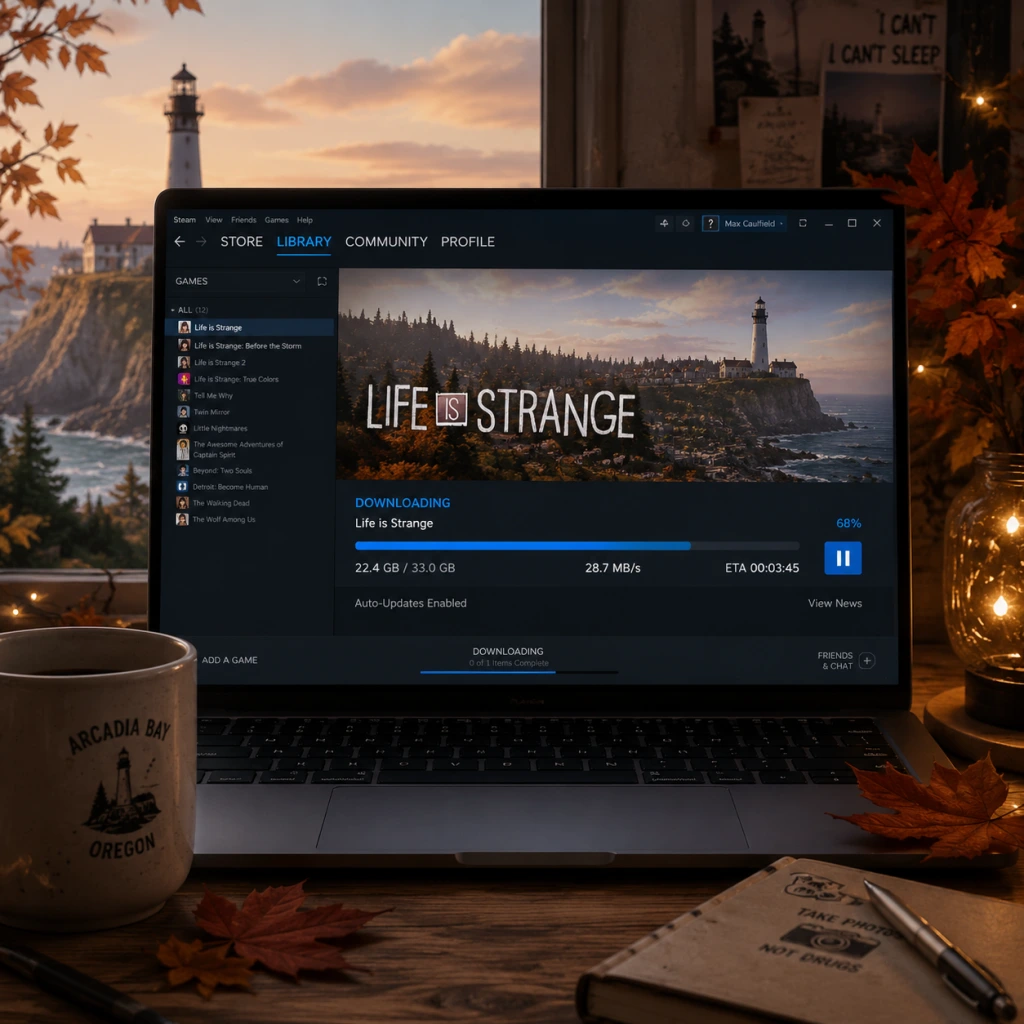
Download & Installation
Download & Installation Guide for Life is Strange (Original 2015)
This guide covers downloading and installing the original Life is Strange (Episode 1–5) on all major platforms. The game is available on PC (Steam, Epic Games Store), PlayStation 4/5, Xbox One/Series X|S, Nintendo Switch, and mobile (iOS/Android). Note that the Switch version is a port released later, and mobile versions may be delisted or require specific OS versions.
---
System Requirements
#### PC (Steam/Epic)
Minimum Requirements:
- OS: Windows 7 or later (64-bit)
- Processor: Intel Core 2 Duo 2.0GHz or AMD Athlon 64 X2 2.0GHz
- Memory: 2 GB RAM
- Graphics: NVIDIA GeForce 8600 GT / ATI Radeon HD 2600 XT (DirectX 9.0c)
- DirectX: Version 9.0c
- Storage: 10 GB available space
- Sound: DirectX compatible
- OS: Windows 7 or later (64-bit)
- Processor: Intel Core i3 2.0GHz or AMD Phenom II X4 2.0GHz
- Memory: 3 GB RAM
- Graphics: NVIDIA GeForce GT 240 / ATI Radeon HD 4670 (512 MB VRAM)
- DirectX: Version 9.0c
- Storage: 10 GB available space
- Sound: DirectX compatible
- Storage: ~8.5 GB (base game without updates)
- System: PS4 firmware 5.0+ / PS5 backward compatible
- Account: PlayStation Network account required
- Storage: ~9 GB
- System: Xbox One or later, backward compatible on Series X|S
- Account: Xbox Live account (free for download, Gold for online features not required)
- Storage: ~7 GB (including updates)
- System: Nintendo Switch with latest firmware
- Account: Nintendo Account required
- PC (Steam): store.steampowered.com/app/319510
- PC (Epic Games Store): store.epicgames.com/en-US/p/life-is-strange
- PlayStation Store: Available for PS4 and PS5 (search "Life is Strange")
- Microsoft Store: For Xbox One/Series X|S and Windows (if you own the Xbox Play Anywhere version)
- Nintendo eShop: Available for Switch
- Mobile: Apple App Store (iOS) and Google Play Store (Android) — currently delisted for new purchases, existing owners can re-download.
- iOS: Open App Store → tap your profile icon → Purchased → My Purchases → find Life is Strange → tap the download icon. The game will install.
- Android: Open Google Play Store → Menu → My apps & games → Library → find Life is Strange → tap Install.
- Steam: A Steam account is mandatory for PC. No additional subscription required for single‑player.
- Epic Games: An Epic Games account required for the Epic Store version.
- PlayStation: A PlayStation Network (PSN) account is needed to purchase and download. A PS Plus subscription is not required for single‑player.
- Xbox: An Xbox Live (Microsoft) account is needed. Free membership works; Xbox Game Pass Core/Ultimate not required unless you want online features (none are present).
- Nintendo Switch: Nintendo Account required to access eShop and download. A Nintendo Switch Online membership is not needed.
- Mobile: Apple ID or Google account used to purchase. No additional subscription.
Recommended Requirements:
#### PlayStation 4 / PlayStation 5 (via backward compatibility)
#### Xbox One / Xbox Series X|S
#### Nintendo Switch
#### Mobile (iOS / Android)
iOS: Requires iOS 11.0 or later (iPhone 5s or newer, iPad Air/Mini 2+), ~3 GB free space
Android: Requires Android 6.0 or later, ~3 GB free space, 2 GB RAM recommended
Note: Mobile versions were delisted from the App Store and Google Play in 2023. If you already purchased, you can re-download from your purchase history. New purchases may not be possible.
---
Official Download Sources
Avoid third‑party key resellers that may offer invalid or revoked keys. Only purchase from official stores.
---
Step-by-Step Installation by Platform
#### 1. PC (Steam)
1. Create/Log in to Steam Account: Open the Steam client and sign in. If you don't have an account, create one at store.steampowered.com.
2. Purchase the Game: Search for "Life is Strange" in the Steam Store and complete the purchase (or redeem a Steam key).
3. Initiate Download: After purchase, click "Install" on the game's store page, or go to your Library → select Life is Strange → click "Install."
4. Choose Install Location: Select the destination folder (default: `C:\Program Files (x86)\Steam\steamapps\common`). Ensure the drive has at least 10 GB free.
5. Wait for Download & Install: Steam will download and install automatically. The full game (all episodes) is included in one package.
6. Launch: After installation, click "Play" in your Library. The game will start and may prompt first‑time setup (language, graphics).
#### 2. PC (Epic Games Store)
1. Install Epic Games Launcher from epicgames.com if not already installed.
2. Log in/Register: Sign in with your Epic account.
3. Purchase/Claim: In the Epic Store, search for "Life is Strange" and complete purchase (or claim if free).
4. Install: Go to your Library → click on Life is Strange → click "Install." Choose installation directory with 10 GB free.
5. Download & Install: The launcher will handle it. Once done, click "Launch."
#### 3. PlayStation 4 / PlayStation 5
1. Turn on console & connect to PSN.
2. Go to PlayStation Store → search "Life is Strange."
3. Purchase & Download: Select the game → choose version (PS4/PS5 compatible) → confirm purchase. The download will start automatically. Alternatively, insert a physical disc and follow on‑screen prompts.
4. Install: After download, the system installs automatically. On PS5, you can also choose to install the PS4 version for better performance (though PS5 runs the PS4 version via backward compatibility).
5. Launch: From the home screen, select the game tile. First launch may require signing into PSN.
#### 4. Xbox One / Xbox Series X|S
1. Ensure Xbox Live account is active (free sign‑up available).
2. Go to Microsoft Store on the console → search "Life is Strange."
3. Purchase & Install: Select the game → confirm purchase → it will download and install automatically. You can also use a physical disc.
4. Launch: Return to home → select game tile. The game may ask to sync cloud saves or sign in.
#### 5. Nintendo Switch
1. Create/log into Nintendo Account on the console.
2. Open Nintendo eShop → search "Life is Strange." (Note: The game is available as a digital download only on Switch; there is no physical version for the original game.)
3. Purchase & Download: Select the game → complete purchase → download begins. You can also redeem a download code.
4. Installation: After download completes, the game icon appears on the Home menu.
5. Launch: Select the icon. First start may require updating the software or accepting terms.
#### 6. Mobile (iOS / Android) – Existing Owners Only
If the app does not appear in your library, you may have purchased under a different account, or the game has been removed. Contact support if needed.
---
Account Requirements
---
First Launch Setup
After installation, launch the game:
1. Language Selection: Choose your preferred language (text and audio may be separate).
2. Graphics Settings (PC only): The game automatically detects system specs. You can adjust resolution, quality (Low/Medium/High), anti‑aliasing, and vsync at any time from the settings menu.
3. Controller Setup: The game supports keyboard/mouse and most controllers. On console, it’s automatic. On PC, if you use a controller, ensure it is connected before launching.
4. Episode Download: The original game includes all 5 episodes bundled; no separate downloads needed. However, the first launch may apply a patch or update.
5. Save and Cloud Sync: If you have an internet connection, cloud saves are enabled (Steam, Epic, PSN, Xbox, Nintendo). You may be prompted to sync saves from the cloud.
6. Accessibility Options: You can adjust subtitle size, color, and audio balance in the options menu.
After this, you can select "New Game" and begin Episode 1 – Chrysalis.
---
Common Installation Errors and Fixes
| Error / Issue | Platform | Causes & Solutions |
|---|---|---|
| "Insufficient disk space" | All | Free up at least 10 GB. Check your drive; delete temporary files. |
| Download stuck or slow | PC (Steam/Epic) | Pause/resume download. Restart client. Disable VPN. Change download region in Steam settings. |
| Microsoft Store install error 0x80073... | Xbox/Windows | Run Windows Update, clear Store cache (wsreset.exe), restart console/PC, check account permissions. |
| Nintendo eShop not showing game | Switch | Ensure your region supports the game (it's available worldwide). Search exact name, check digital only. Update console firmware. |
| Crash on launch (PC) | PC | Verify game files: Steam library → right‑click Life is Strange → Properties → Local Files → Verify integrity. For Epic: library → click three dots → Manage → Verify. Update graphics drivers. Run as administrator. |
| Black screen / no audio (PC) | PC | Disable full‑screen optimizations (right‑click exe → Properties). Set compatibility to Windows 7. Delete `config.ini` in Documents/My Games/Life is Strange/SaveData. Update DirectX. |
| Episode not loading (mobile) | iOS/Android | Force close app, restart device. Ensure latest iOS/Android. Reinstall if persistent. |
| Game freezes during loading | All | Clear system cache. On consoles, power cycle. On PC, close background apps. |
| Controller not working (PC) | PC | Use Xbox/PS4 controller wired or via Bluetooth. For PS4 controller, install DS4Windows. Disable Steam Input per‑game settings. |
| "Please sign in" loop (Xbox) | Xbox | Hard restart console (hold power 10 sec). Clear alternate MAC address in network settings. |
Post-Installation Verification
After installation, verify the game runs correctly:
- Check version: The game should display a version number in the main menu (e.g., v1.0.x). The latest patch is usually applied automatically.
- Test controls: Move through the main menu and start a new game. Ensure the character responds to input.
- Save game: After the opening scene, manually save (pause menu → Save). Verify the save file appears.
- Graphics/Performance: Run through the first area (Max’s classroom). Adjust settings if frame drops occur.
- Audio: Check dialogue, music, and sound effects. If crackling, reduce audio quality in settings.
- Cloud sync: On PC, exit game, then check Steam Cloud status (Library → Life is Strange → Properties → Updates → check cloud sync). On consoles, cloud saves sync automatically.
- Physical copies: If you own a physical disc for PS4/Xbox One, installation is simpler (insert disc, follow prompts). The game may still require a large download for patches.
- Remastered Collection: This guide is for the original 2015 version. If you purchased the Life is Strange Remastered Collection (released 2022), the installation process is similar but check separate requirements.
- Mods (PC): The game has no official mod support, but some user mods exist (texture fixes, reshade). Install at your own risk.
- Windows 10/11 Compatibility: The game runs well on modern Windows. If you encounter problems, run in Windows 7 compatibility mode.
- Official Support: Contact the publisher (Square Enix) support at support.na.square-enix.com.
- Steam Community: Visit the Life is Strange hub for guides and discussions.
- Reddit: r/lifeisstrange subreddit has many troubleshooting posts.
If all checks pass, you are ready to experience the story.
---
Additional Tips
---
Troubleshooting: Still Having Issues?
Most issues are resolved by verifying game files, updating drivers, or reinstalling.

Game Introduction
Game Introduction
Overview
Life is Strange is a critically acclaimed episodic graphic adventure game developed by Dontnod Entertainment and published by Square Enix. First released in 2015, it quickly became a landmark title in the narrative-driven genre, praised for its emotional depth, relatable characters, and player-driven consequences. The game tells an intimate, time-bending story set in the rain-soaked fictional town of Arcadia Bay, Oregon.
---
Genre & Core Mechanics
- Genre: Episodic Graphic Adventure / Interactive Drama / Choice-Based Narrative
- Core Mechanics: The player controls protagonist Max Caulfield, a photography student who discovers she can rewind time. This ability is used to solve puzzles, alter dialogue outcomes, and change past events – but every alteration has unpredictable ripple effects. The game emphasizes exploration, conversation, and decision-making, with no combat or traditional action sequences.
- Developer: Dontnod Entertainment (French studio; later known for Life is Strange 2, Tell Me Why, Vampyr)
- Publisher: Square Enix (Japanese publisher; also published the sequel, Life is Strange: Before the Storm, and Life is Strange 2)
- Episode 1 – "Chrysalis" – January 30, 2015
- Episode 2 – "Out of Time" – March 24, 2015
- Episode 3 – "Chaos Theory" – May 19, 2015
- Episode 4 – "Dark Room" – July 28, 2015
- Episode 5 – "Polarized" – October 20, 2015
- Windows PC (Steam, Epic Games Store, GOG)
- PlayStation 3, PlayStation 4
- Xbox 360, Xbox One
- Linux, macOS (via Steam)
- Android, iOS (mobile versions, later released as a complete season)
- Location: Arcadia Bay, Oregon – a fictional coastal town with a mix of rugged natural beauty, a declining fishing industry, and a quiet, rainy atmosphere. Key locations include Blackwell Academy, Chloe's junkyard hangout, the Two Whales Diner, and the Prescott family’s dark places.
- Time Period: Autumn of 2013 (present day at release). The game’s visual style mirrors a coming-of-age indie film with strong seasonal imagery.
- Atmosphere: Melancholic, mysterious, and nostalgic. A standout soundtrack features indie artists like Syd Matters, Mogwai, and José González.
- Max Caulfield (voiced by Hannah Telle) – The playable protagonist. A shy, introspective photography enthusiast with a strong moral compass. Her rewind power is both a gift and a burden.
- Chloe Price (voiced by Ashly Burch) – Max’s estranged best friend, now a punk-influenced rebel with a tough exterior masking deep pain. She drives much of the story’s emotional core.
- Mark Jefferson – The charismatic but enigmatic photography teacher at Blackwell.
- Principal Ray Wells – The strict, no-nonsense head of Blackwell Academy.
- Nathan Prescott – A troubled, wealthy student with a violent streak, connected to the town’s most powerful family.
- Kate Marsh – A devoutly religious student struggling with bullying, depression, and a traumatic incident.
- Warren Graham – A sweet, nerdy friend of Max who harbors a crush.
- Victoria Chase – The elitist, popular antagonist who bullys Max and others.
- Rachel Amber – The missing girl whose disappearance is the catalyst for the investigation.
- Time Rewind Mechanic: Unlike simple save/load, the rewind allows players to instantly replay scenes, test outcomes, and see immediate consequences. It’s tightly integrated into puzzles and dialogue.
- Emotional Weight: The game tackles heavy topics – bullying, suicide, grief, corruption, sexual assault – with sensitivity, and your choices carry real emotional impact.
- Player-Driven Story: The Butterfly Effect system tracks major and minor decisions. No two playthroughs are exactly alike; ending variations are profound.
- Indie-Style Presentation: Beautiful hand-painted visuals, a curated soundtrack, and voice acting that feels authentic and grounded.
- Episodic Format: Released in chapters, each ending with a cliffhanger that drove community discussion and theories between episodes.
- Players who enjoy story-rich, choice-driven adventures (similar to The Walking Dead by Telltale, Heavy Rain, Until Dawn).
- Fans of coming-of-age dramas with supernatural twists (e.g., The Butterfly Effect, Twin Peaks).
- Mature audiences (rated M for Mature) due to language, violence, suicide themes, and drug references.
- Both new and veteran gamers looking for an emotionally gripping experience rather than action or combat.
- Single-Player Only: The entire experience is a solo narrative-driven game. There are no multiplayer or co-op modes.
- Episode-by-Episode Play: The complete season can be played continuously, but each episode is a distinct chapter with its own credits and decision tracking.
- Collectible Mode: Throughout the game, players can find optional photos to take (for a photography collection achievement) and optional optional messages/items.
- Decision Tracker: After each episode, a screen shows how your choices compare to other players globally.
- Offline: The full game can be played offline after download. No internet connection required for single-player progression.
- Online Features: only for social comparison of choices and achievement/trophy syncing. No active online gameplay or multiplayer.
- Life is Strange: Before the Storm (2017) – A prequel with three episodes, focusing on Chloe Price and Rachel Amber three years before the original. Published by Square Enix, developed by Deck Nine.
- Life is Strange: The Awesome Adventures of Captain Spirit (2018) – A free standalone short story set in the same universe, acting as a bridge to Life is Strange 2.
- Life is Strange: Remastered Collection (2022) – An updated version of the original and Before the Storm with enhanced graphics, lighting, and character models. Not a DLC but a separate package.
---
Developer & Publisher
---
Release Timeline & Platforms
The original Life is Strange (2015) consists of five episodes released over a few months:
Platforms:
A remastered collection (Life is Strange: Remastered Collection) was released in February 2022 for PlayStation 4, PlayStation 5, Xbox One, Xbox Series X|S, and PC, featuring updated visuals and improved character models.
---
Story Overview
Life is Strange follows Maxine "Max" Caulfield, an 18-year-old photography student at the prestigious Blackwell Academy in Arcadia Bay. After a traumatic vision of a tornado destroying the town, Max discovers she can rewind time. She soon reunites with her childhood best friend, Chloe Price, who has become a rebellious, grief-stricken outcast after the disappearance of her best friend, Rachel Amber. Together, Max and Chloe investigate Rachel’s disappearance while navigating high school drama, bullying, and mounting supernatural events. Max must learn to control her power – and decide how far she is willing to go to change fate. The story explores themes of friendship, loss, identity, and the consequences of meddling with time.
---
Setting
---
Main Characters
---
Core Appeal & What Makes It Unique
Life is Strange stands out for several reasons:
---
Target Audience
---
Game Modes
---
Online / Offline Support
---
DLC / Expansion Overview
The original Life is Strange does not have traditional DLC beyond the core five episodes. However, the following related content exists:
No paid expansions exist for the 2015 season. The complete season is often sold as a single bundle.
---
Why Play Life is Strange Today?
Even nearly a decade after release, Life is Strange remains a touchstone for narrative gaming. Its innovative rewind mechanic, unforgettable characters, and emotionally gut-wrenching story have aged beautifully. The Remastered Collection makes it accessible on modern consoles and PC with improved visuals. Whether you’re a veteran of choice-based games or new to the genre, this is a journey that will stay with you long after the credits roll.
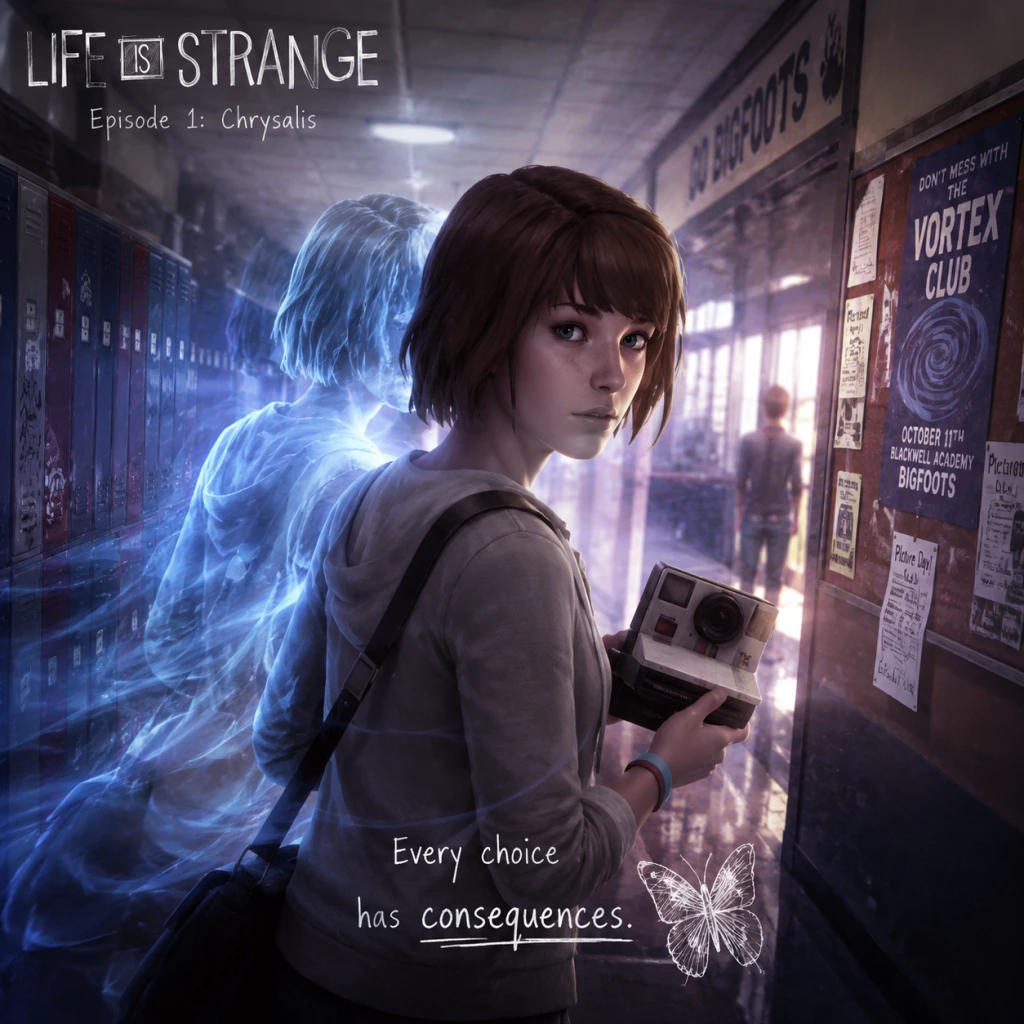
Getting Started
Getting Started with Life is Strange (Original 2015)
Welcome to Life is Strange, an episodic narrative adventure where your choices shape the story. This guide is designed specifically for brand-new players, covering the first hour, controls, UI, and everything you need to know to avoid common pitfalls.
First Hour Walkthrough: Episode 1 – "Chrysalis"
The game opens with a dream sequence. You control Max Caulfield, a photography student. Pay attention to the text and the storm imagery—this is foreshadowing. After the dream, you wake up in your dorm room. Your immediate tasks:
1. Explore your room. Look at the photos on the wall, your desk, and the mirror. Interact with your camera on the desk. This is where you learn about Photo Mode (see Controls section). Take a selfie to unlock an achievement/trophy.
2. Check the mirror. You can examine your reflection—this is purely cosmetic, but read Max's thoughts.
3. Listen to voicemail. Your phone is on the nightstand. Play the message from your dad and Chloe's voicemail. The second one introduces a key character.
4. Leave the room. Go to the door and interact with it. A short cutscene plays as you head to the hallway.
5. Meet your neighbour, Kate Marsh. She is crying on the steps. Talk to her—you have multiple dialogue options. There's no wrong choice, but being kind builds rapport.
6. Go to the bathroom. The hallway leads to a communal bathroom. Enter the stall indicated by a sparkle. Here, you'll witness a pivotal event: a girl is shot. This is where you discover your rewind power.
7. Time travel tutorial. A prompt will appear to rewind time. Hold the rewind button (see Controls) to go back a few seconds. Then, use the fire alarm (pull it) to prevent the shooting. This is the game's core mechanic.
8. After the save, you'll be in class. The teacher, Mr. Jefferson, lectures about photography. You can take notes by interacting with your notebook. A photo assignment will be given: take a picture of something that represents "a mood or a moment".
Pro tip: In the classroom, look around for a hidden photo opportunity (a leaf on the floor near the windows). Taking optional photos unlocks achievements and extra narrative context.
Character Creation (None)
Life is Strange does not have character creation. You play as Max Caulfield, a fixed protagonist with a defined appearance, personality, and background. All customization is through dialogue choices and actions. However, you can change Max's outfit later in Episode 2 by picking clothes. For now, accept that you are Max.
Controls on All Platforms
#### PC (Keyboard & Mouse)
- Movement: W, A, S, D
- Look/Aim: Mouse (move cursor to point of interest)
- Interact: Left mouse button (on highlighted objects)
- Inventory / Journal: Tab
- Photo Mode (Camera): Right mouse button (while camera is equipped)
- Take Photo: Left mouse button (in Photo Mode)
- Rewind Time: Q (hold to rewind, release to stop)
- Fast Forward (skip dialogue): Spacebar (hold)
- Pause Menu: Escape
- Accessibility: Can remap keys in Options.
- Movement: Left stick
- Look: Right stick (moves cursor)
- Interact: X (cross) on highlighted item
- Journal: Touchpad (tap) or Options button then journal
- Photo Mode: L2 (hold) to bring up camera; Right stick to frame, R2 to take photo
- Rewind Time: L1 (hold)
- Skip Dialogue: Circle (hold)
- Pause Menu: Options button
- Movement: Left stick
- Look: Right stick
- Interact: A button
- Journal: View button (the two overlapping squares)
- Photo Mode: LT (hold) to equip camera; Right stick to aim, RT to take photo
- Rewind Time: LB (hold)
- Skip Dialogue: B (hold)
- Pause Menu: Menu button (three lines)
- Cursor: A white dot (PC) or crosshair (controller). Movable freehand. When over an interactive object, the cursor changes to a grey circle or a camera icon.
- Interaction prompt: When you approach an object, a brief text appears (e.g., "Examine", "Talk", "Take photo").
- Dialogue wheel: When talking to someone, options appear as symbols (e.g., a handshake for friendly, a question mark for curious, a skull for angsty). Hover over or select the symbol to see the actual line. The symbols are:
- Journal (Tab/View/Touchpad): Contains Max's thoughts, clues, photos you've taken, and a map of important locations. Check it often; it updates after key events.
- Rewind icon: A circular arrow icon appears in the corner of the screen when you are in a situation where rewinding is possible (not all scenes allow it).
- Photo opportunity indicator: A small camera icon appears when you can take an optional picture. These are often missable.
- Talk to everyone you meet. NPCs provide background, clues, and sometimes new rewind opportunities.
- Take all optional photos. They unlock achievements and are easily missed. Look for sparkly objects or distinct scenes.
- Save often? Actually, the game auto-saves after major scenes and choices. But you can manually save from the pause menu anytime. Do so before a difficult dialogue section.
- Use rewind early and often. Even in non-critical conversations, rewinding lets you see other dialogue branches. It's like a preview.
- Read Max's journal. It gives context, character thoughts, and hints about future events.
- Don't rush through dialogue. The story is the main appeal; rushing misses nuance.
- Don't ignore the environment. Many clues are hidden in emails, notes, and posters.
- Don't be afraid to make "wrong" choices. The game adapts; your unique story emerges from decisions.
- Don't skip the tutorial prompts. They explain the rewind mechanic in detail.
- Don't forget to rewind when you say something you regret. You can always undo a conversation choice if you act quickly.
- [ ] Complete the opening dream sequence and dorm exploration.
- [ ] Listen to both voicemails on your phone.
- [ ] Talk to Kate Marsh and choose a kind response.
- [ ] Experience the bathroom incident and use rewind for the first time.
- [ ] In class, take the optional photo of the leaf (or another object).
- [ ] Complete the conversation with Mr. Jefferson.
- [ ] Meet Chloe in the parking lot and go to the lighthouse.
- [ ] Use rewind during the conversation with Chloe to see alternate dialogue.
- [ ] (Optional) Check your Journal's "Photos" tab to ensure you have at least one optional photo.
- [ ] Reach the end of Episode 1 – the scene where you hide in Chloe's room.
- [ ] After the credits, you can start Episode 2 immediately or take a break (your choices carry over).
#### PlayStation (PS4/PS5)
#### Xbox (Xbox One / Series X|S)
Note for all controllers: The rewind mechanic is crucial. When you are in a conversation, you can rewind time by holding the rewind button. This lets you undo your last choice and pick a different dialogue option. Use it wisely.
UI Overview
The game's HUD is minimalistic and context-sensitive:
- ! (exclamation) – important / plot-driving
- ? (question) – ask more information
- Heart – kind / compassionate
- Skull – confrontational / risky
- Arrow (rewind) – you can rewind after choosing to change your answer.
Essential Early Objectives (Episode 1)
1. Save Chloe Price – The bathroom event is the first major choice. Use rewind to pull the fire alarm. This sets the story in motion.
2. Complete Mr. Jefferson's assignment – Take at least one optional photo in the school. The "mood or moment" photo can be of anything: a window, a plant, a student. This is required to progress.
3. Find Chloe – After class, you meet Chloe in the school parking lot. She will take you to the lighthouse. This triggers a major scene and establishes your rewind ability.
4. Learn to trust your power – The game will test your rewind during your first conversation with Chloe. Use it to say the right thing or to explore alternative dialogue.
5. Reach the end of Episode 1 – The episode ends with a dramatic cliffhanger. Your choices affect the outcome.
What to Do First and What to Avoid
DO:
DON'T:
Early Resource Priorities (None)
Life is Strange has no traditional resources like health, mana, or ammo. The only "resource" is time (rewind uses no limit in normal gameplay) and optional photos (each episode has a set number). There is no penalty for rewinding excessively, so feel free to use it as a tool. Your main priority is to collect all optional photos in each episode for achievements and for a complete journal. Check your Journal's "Photos" tab to see which ones you've missed.
Common Beginner Mistakes
1. Not using rewind during conversations. Many new players think rewinding is only for puzzles. Actually, you can rewind after picking a dialogue option to choose something else. This is essential for character relationships.
2. Missing optional photos. They are often in plain sight but not obviously highlighted. The game doesn't explicitly mark them; look for a faint sparkle or a change in camera icon when you aim.
3. Ignoring the environment. Important story clues and character backgrounds are in readable items (notes, texts, posters). Take time to explore every room.
4. Skipping the tutorial. The rewind mechanic is unique; understanding it fully prevents frustration later.
5. Not checking Max's journal for clues. The journal updates with hints about what to do next. If you're stuck, consult it.
6. Treating choices as binary good/bad. The game rewards consistency and empathy, but there is no single "best" path. Just follow your instinct.
7. Fast-forwarding through scenes. This is a story-driven game; you'll lose emotional impact and miss details.
Day-One Checklist (First 30–60 Minutes)
Remember: There is no rush. Enjoy the atmosphere, the soundtrack, and the story. Every decision matters, but none will permanently ruin your experience. Good luck, Max.
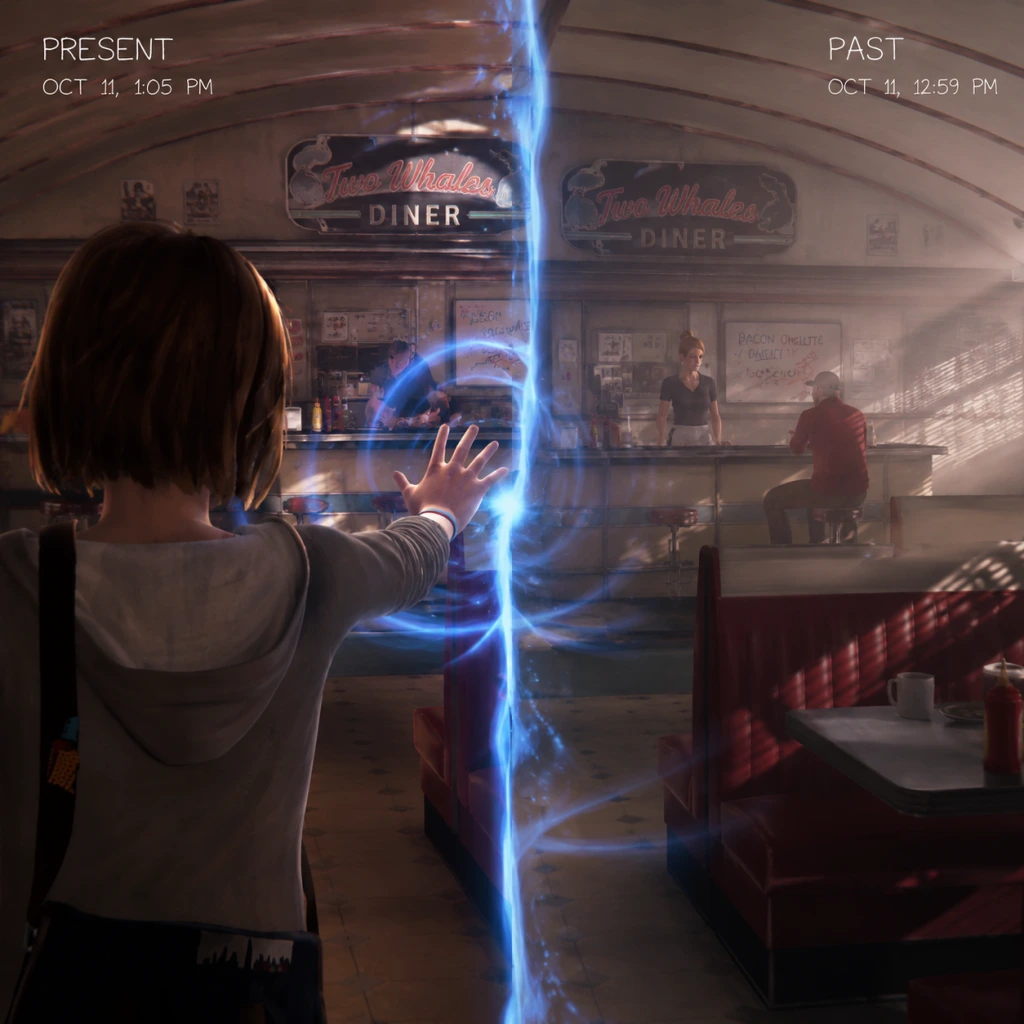
Core Gameplay
Core Gameplay Guide for Life is Strange (Original 2015)
Overview of Core Gameplay Systems
Life is Strange is an episodic graphic adventure. Its core gameplay centers on narrative exploration, dialogue decisions, environmental interaction, and the unique time-rewind mechanic. There is no combat, no traditional stat-based progression, and no in-game economy. Instead, progression is measured by story advancement, relationship development, and the cumulative impact of player choices. The main gameplay loop is: Explore → Observe & Interact → Make Decisions (with possible rewind) → Advance Narrative. The game is structured into five episodes. Each episode offers a self-contained story chapter with a climax and cliffhanger. Player actions carry over between episodes via save data.
Main Gameplay Loop
1. Explore the Environment: The player controls Max Caulfield through detailed 3D environments (e.g., Blackwell Academy campus, Chloe’s house, the Prescott barn). Movement is third-person with a fixed camera that can be rotated using the right stick (controllers) or mouse (PC). Key objects, characters, and points of interest are highlighted by a subtle shimmer or sparkle when approached. The player can also examine posters, photos, notes, and personal items to gain lore, foreshadowing, or emotional context.
2. Interact with Objects and Characters: Press the interact button (e.g., E on PC, X on PlayStation, A on Xbox) to pick up items, read documents, turn on radios, or trigger dialogue. Dialogues present multiple-choice responses, often with a time limit (indicated by a shrinking circle around the options). Some choices lead to branching outcomes or affect character relationships.
3. Use the Rewind Power: Max’s rewind ability allows the player to undo recent actions or dialogue choices. Hold the rewind button (e.g., Left Shift on PC, L2 on PlayStation, LT on Xbox) to reverse time up to a certain point. This is used to see alternative outcomes, pick different dialogue options, or fix mistakes. Important: some critical story moments prevent rewinding (marked by a lock icon).
4. Witness Consequences: After key decisions, the game displays an on-screen message like "This action will have consequences…" and later a summary screen at the end of each episode shows how your choices compare with global player stats. The story adapts dynamically; characters remember your past actions.
Interaction Systems (No Combat)
- Dialogue System: Branching dialogue trees. The player selects from up to four responses. Some responses are emotion-coded (e.g., “Comfort”, “Investigate”, “Deflect”). Time limits add tension. Rewinding can be used before the timer expires to change the selection.
- Environmental Puzzles: Simple, narrative-driven puzzles. Examples: in Episode 2, you must find a way to distract a janitor by triggering an alarm; you can rewind to undo a failed attempt. Common puzzle types: combining items in inventory (e.g., using a tool on a lock), finding correct sequences (e.g., turning valves in order), and locating hidden objects (e.g., a key in a pile of clothes).
- Photo Capturing (Episode 4-5): Max’s camera is used to take photos of specific scenes for optional objectives tied to achievements and story flavor. This is not combat but a minigame requiring finding the correct angle and timing.
- No Combat: The player never fights enemies. Threats come from environmental hazards (e.g., a falling debris sequence in Episode 4) or tense evade-and-hide sections (e.g., hiding from a gunman in Episode 3). These rely on quick-time events (QTEs): press a button prompt (e.g., Space repeatedly to kick a door, F to hide). Failure results in a “rewind” checkpoint or a different outcome (e.g., being caught and needing to retry).
- Reporting Nathan Prescott to the principal?
- Taking the blame for Chloe’s accident with the car?
- Ep. 2: How to comfort Kate on the roof? Your choices decide if she jumps. This is the first major consequence; saving Kate requires previous supportive interactions.
- Ep. 3: Choosing to break into the principal’s office with Chloe (or not) and how you respond to Chloe’s flirtation.
- Choosing to side with Warren or not during a heated argument with a teacher.
- Deciding whether to reveal Chloe’s past to her mother.
Progression
Progression is linear through episodes. Each episode has a beginning, middle, and end. The only character progression is the evolution of Max’s relationships (primarily with Chloe, Kate, Warren, etc.) and the accumulation of player-chosen memories that affect dialogue and events in later episodes. There are no experience points or level-ups. However, certain abilities unlock naturally: the rewind becomes available in Episode 1 after a dream sequence; later, Max gains the ability to “focus” to slow time during specific QTEs (Episode 3 onward). The end of each episode presents a major choice (often with a binary “save” or “sacrifice” decision) that persists into the next episode.
Exploration
Exploration is encouraged but not mandatory. The environments are relatively small and handcrafted. The player can find collectibles: optional photo opportunities (one per episode, plus hidden optional photos throughout). Finding all optional photos unlocks an achievement but does not affect story. Exploration reveals journal entries (Max’s diary automatically updates with notes, photos, and character profiles). Reading the journal provides deeper narrative context and sometimes clues for puzzles. Areas remain open only within the current episode; revisiting previous episodes is not possible after progression, but you can restart an entire episode from the main menu.
Quests / Missions
There is no traditional quest log. The game presents a single overriding objective per scene (e.g., “Find Chloe”, “Help Kate”). These are displayed as a hint in the top-left corner of the screen (on PC) or accessible via the pause menu under “Objectives”. The objectives are always linear and story-driven. Side objectives exist only as optional photo locations. Example side objective in Episode 2: take a photo of the butterfly in the bathroom—finding it grants an achievement and a small narrative nod.
Economy
There is no currency, no items to buy or sell, no inventory management beyond holding a few key items. Max’s backpack is used to carry story-critical items (e.g., a hammer, a letter). These items are automatically added and removed as needed. No trading or crafting exists. The only “economy” is the moral weight of choices—you cannot buy your way out of consequences.
Character / Build Growth
Max’s only growth is narrative. Her confidence, empathy, and ability to rewind remain constant mechanically. However, the player’s relationship with Chloe can evolve from friendship to romance or rivalry based on choices. Similarly, Max’s relationship with Kate Marsh affects whether Kate survives Episode 2. There is no skill tree or gear. The only “build” is the player’s moral alignment as perceived by characters (e.g., being supportive vs. confrontational). This is tracked silently in the background and influences late-game dialogue options (e.g., if you were kind to Warren, he may trust you more in Episode 5).
Endgame Structure
The endgame is Episode 5. The final episode condenses the narrative, culminating in a climatic sequence at the lighthouse during the storm. The player cannot rewind at the final decision point. The endgame offers two distinct final choices: Sacrifice Arcadia Bay (let Chloe live) or Sacrifice Chloe (rewind and let Chloe die). This choice locks in the ending. After the credits, there is no post-game content. The only replayability comes from starting a new game and making different choices to see alternative scenes. The game does not have a New Game+ or any additional difficulty modes.
---
Player Progression Tiers
#### Early Game (Episode 1 - "Chrysalis")
Scope: Introduction to mechanics, world, and core relationships.
Gameplay Loop: Linear corridor of exploration around Blackwell Academy and the town. The player learns basic movement, interaction, and the rewind power (gained after the dream sequence in the bathroom). Early puzzles: finding a camera, sneaking past a teacher to retrieve a report. No combat, but a QTE when Max is shoved by Nathan in the bathroom (simple button press to stand up).
Exploration: The dormitory, the main hall, the parking lot, and the lighthouse. Optional photos: a self-portrait in Max’s room, a dead bird in the parking lot. Collecting them is straightforward.
Key Decisions:
Progression: End of Episode 1 presents the first major cliffhanger—Chloe and Max discover Rachel Amber’s hidden funding—and sets up the mystery. No character growth yet; Max is portrayed as shy and introverted.
Example: In Episode 1, the player must rewind a conversation with Chloe to avoid her getting angry about not being told about the photo. This teaches the utility of the rewind for social navigation.
#### Mid Game (Episodes 2 & 3 - "Out of Time" & "Chaos Theory")
Scope: Character development deepens; puzzles become multi-step; relationship consequences appear.
Gameplay Loop: Episodic structure splits into two distinct arcs. Episode 2 focuses on Kate’s crisis; Episode 3 involves exploring Chloe’s house and the junkyard. Rewind is essential for solving puzzles like turning on valve sequences in Episode 2 (finding the correct order of three valves) and in Episode 3 (stealing a key from Chloe’s stepdad while avoiding detection). More QTEs: in Episode 3, a rooftop chase sequence requires rapid button pressing.
Exploration: Larger areas: the hospital (Episode 2), the Prescott barn (Episode 3). Optional photos become trickier: in Episode 3, you must photograph a train while avoiding its path—timing is key.
Key Decisions:
Character Growth: Max becomes more assertive; player choices shape her personality. For example, if the player often defends Chloe, Chloe trusts Max more and reveals personal secrets.
Progression: End of Episode 3 reveals that the town’s strange weather is connected to Max’s powers and the storm. No level-gates; progression is purely story-based.
Example: In Episode 2, the player must rewind multiple times to find the correct sequence of things to say to Kate during the rooftop scene. Each option changes Kate’s emotional state; the right combination prevents her suicide.
#### Late Game (Episode 4 - "Dark Room")
Scope: Heightened tension, more complex environmental puzzles, and a major narrative twist.
Gameplay Loop: The main goal is to rescue a kidnapped character. Puzzles involve: finding a password from a computer, locating a hidden key in a junkyard, and navigating a dark bunker using a flashlight. The rewind is used to avoid detection by security cameras (e.g., rewinding after walking into a laser grid). One QTE involves dodging a truck during a chase.
Exploration: The junkyard is open but has linear goals; the bunker is claustrophobic. Optional photos: one in the bunker showing a wall of photographs.
Key Decisions:
Character Growth: Max becomes more confident and desperate. Relationships with supporting characters (e.g., Warren, Joyce) solidify based on earlier choices. The player’s continuous support of Chloe or focus on investigating alone determines late-game dialogue options.
Progression: End of Episode 4 features a gut-wrenching cliffhanger where Max is drugged and has a vision of the storm. No new abilities unlock; the rewind remains the same but is used more creatively.
Example: In Episode 4, the player must solve a puzzle where they need to use a copper wire and a battery to create a spark. The puzzle involves combining items in the inventory: first pick up the wire, then combine with the battery from a flashlight. If the wrong order is attempted, a rewind is needed because the wire burns out.
#### Endgame (Episode 5 - "Polarized")
Scope: Final climax, no new exploration, heavy reliance on previous choices, and a binary ending.
Gameplay Loop: The episode is short and linear. It begins with Max trapped in a nightmare sequence that tests memory of earlier choices (e.g., selecting the correct answer about a conversation from Episode 1). Then a walking sequence through the storm-ravaged town with environmental obstacles (fallen trees, debris). No combat; the only interaction is dialogue with a few NPCs and the final decision.
Exploration: Very limited; the player can walk through the town but there are no optional photos or collectibles. Exploration is mostly scripted.
Key Decisions: The final decision: Save Arcadia Bay (sacrifice Chloe) or Save Chloe (let the town be destroyed). This decision locks the ending and there is no rewind possible. The game ends immediately after the choice, with a post-credits summary of the player’s major choices (e.g., saved Kate or not, who was blamed, etc.).
Character Growth: Max’s growth culminates in a moment of ultimate responsibility. The player’s moral framework throughout the game—selfish vs. selfless—influences which ending feels more consistent, but the game does not penalize either choice. No new abilities.
Progression: No further progression; after credits, the player can reload the last save to see the other ending or start a new game. There is no post-game content, and the save file is final.
Example: In the nightmare sequence, Max must recreate the exact order of photos from her bedroom wall that she took earlier. If the player collected all optional photos, the puzzle is easier because the sequence is clear. This reinforces the value of exploration.
---
Summary of Core Gameplay by Tier
| Tier | Episodes | Key Mechanics | Exploration Focus | Major Decisions | Character Growth |
|---|---|---|---|---|---|
| Early Game | 1 | Basic movement, rewind introduction, simple interaction | Small environments (dorm, parking lot) | Reporting Nathan, blaming Chloe | Max timid, relationships forming |
| Mid Game | 2-3 | Multi-step puzzles, QTEs, focus ability (from Ep3) | Campus, hospital, junkyard, barn | Kate’s fate, breaking into principal’s office | Max gains confidence, relationships solidify |
| Late Game | 4 | Complex puzzles (code, key, flashlight), hide-and-seek sections | Junkyard, bunker | Side with Warren, reveal past | Max aggressive/protective, trust with Chloe tested |
| Endgame | 5 | Nightmare quiz, storm traversal, final binary choice | Linear storm path | Save town or save Chloe | Max’s final growth in responsibility |
Game Tips
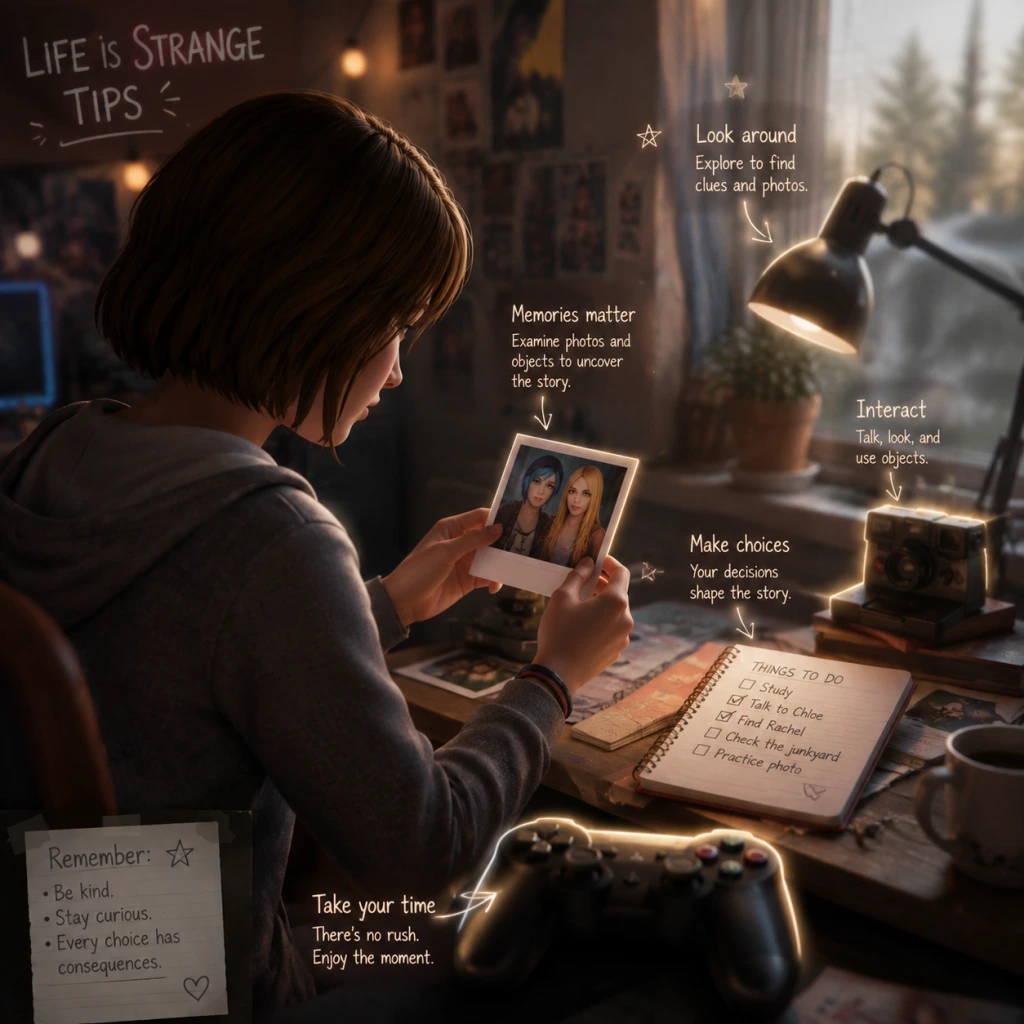
Game Tips for Life is Strange (Original 2015)
Overview
Life is Strange is a narrative-driven adventure where your choices and use of time-rewind powers shape the story. Unlike action games, success isn’t measured by combat stats but by how well you navigate relationships, uncover secrets, and accept consequences. These tips are organized by core gameplay areas to help you get the most out of your playthrough.
Category 1: Decision Making & Rewind
#### Beginner Tips
- Use the Rewind Early and Often: The rewind power (press and hold `Tab` on PC, `L2`/`LT` on console) is your most powerful tool. Don’t hesitate to rewind after a conversation or action if you want to try a different outcome. The game never punishes you for rewinding; it encourages experimentation.
- Rewind Before Major Choices: Before committing to a dialogue option that seems critical (marked by a special icon or sound), rewind to consider other paths. Some choices lock out other options permanently.
- Watch for Auto-Save Checkpoints: The game auto-saves at chapter transitions and after major scenes, but you can also manually save at any time (pause menu → Save). Use manual saves before entering a new area or starting a conversation with a key character (e.g., Chloe, Max).
- Use Rewind to Gather Information: In conversations, rewind after choosing one option to hear the response, then rewind again to select a different option. This lets you gather maximum information without committing. Useful for uncovering hidden backstory or gauging character reactions.
- The Butterfly Effect: Small choices early in an episode can have ripple effects later. For example, how you treat Kate Marsh in Episode 1 influences her fate in Episode 2. Keep notes of your actions if you want to trace consequences.
- Don’t Over-Rewind to Fix Everything: Sometimes the most meaningful story comes from accepting imperfect outcomes. Letting a mistake stand can lead to a more authentic and emotionally resonant narrative. Only rewind when you truly dislike the result.
- Sequence Breaking with Rewind: In some areas, you can use rewind to bypass triggered events. For instance, if a cutscene starts when you enter a room, rewind immediately to avoid it and explore in a different order. This can reveal hidden dialogue or items (use with caution – may cause glitches).
- Maximize Empathy and Relationship Scores: Behind the scenes, the game tracks affinity meters for each major character. To maximize a relationship (e.g., with Chloe), consistently choose dialogue options that show support, agreement, and understanding. Use rewind to verify that your choice increases the relationship (listen for tone of voice or watch for character animations).
- Save Scumming for Achievements: If you’re aiming for 100% achievements, manual save before every major choice. You can reload to see all outcomes without replaying the whole episode. This is especially useful for achievements like “Hardcore” (make major decisions quickly) – but for story enjoyment, avoid excessive reloads.
- Examine Everything: Interact with every object you can. Many items have a yellow highlight when you’re close. Clicking them often reveals journal entries, character thoughts, or optional photos (collectibles). Even seemingly mundane objects like a stuffed animal or a photo frame can provide character insight.
- Talk to All NPCs: In public spaces (school, diner, etc.), approach every non-main character. They often provide foreshadowing, lore, or hints about upcoming puzzles. Some side characters only appear in specific episodes – don’t miss them.
- Use Max’s Journal and Phone: Check the journal (press `J` on PC) frequently. It updates with your thoughts, photos you’ve taken, and clues for current objectives. The phone (press `P` or use in-game) allows texting with characters, which can reveal extra story or affect future interactions.
- Environmental Clues for Puzzles: Many puzzles rely on finding clues in the environment. For example, in Episode 1, you need to find a code for a lock. Instead of brute-forcing, look for sticky notes, date stamps, or numbers on nearby objects. The game rewards careful observation.
- Time of Day and Lighting: The lighting in certain scenes (e.g., the lighthouse at night, the dormitory during sunset) is designed to create mood and sometimes hide interactive objects. Turn up your brightness if you’re struggling to see, or use the rewind to change the time of day if a section allows it.
- Hidden Items Behind Red Herrings: Some interactive objects are intentionally made to look important but aren’t. For example, a locked drawer that you cannot open might just be set dressing. If you spend too long trying to interact, rewind and focus on objects that the game explicitly draws your attention to (camera focus, sounds, or journal hints).
- Sequence Learning for Speedruns: If you’re replaying for efficiency, learn the exact order of interactions that trigger events. For example, in Episode 2, you can avoid a long monologue by quickly reaching the required checkpoint. Use rewind to test sequences and memorize the shortest path.
- Photo Spot Completion: Collecting optional photos (the game’s “collectibles”) requires finding specific locations and pressing the camera button (`C` on PC) when prompted. Some photos are only available during certain moments; if you miss one, use rewind to go back to that scene. Check the journal’s photo section to see which ones you’ve missed and for hints on where to find them.
- Use the Environment to Predict Consequences: Pay attention to posters, notes, and graffiti. For instance, a poster about “End of the World Party” in Episode 4 foreshadows later events. Advanced players can use these to deduce possible outcomes, making choices more informed.
- Collectible Photos: There are 10 optional photos per episode (50 total). Taking all 10 in an episode unlocks an achievement. Look for a camera icon or the prompt “Take Photo” when you point the cursor at certain spots. They are often placed at scenic locations or near important objects.
- Journal Clues: Your journal acts as a log of all key clues, letters, and photos you’ve taken. If you’re stuck on a puzzle, check the journal for notes – it often includes solutions to riddles or passwords.
- No Currency or Inventory Management: Unlike RPGs, there is no economy or item crafting. The only “resources” are time (rewind charges are unlimited but you lose progress if you rewind too far) and story-affecting choices. Don’t worry about hoarding items – focus on story decisions.
- Photo Collecting with Rewind: If you miss a photo opportunity, rewind immediately after the prompt disappears. Some photo opportunities are one-time only within a scene. Rewind before the scene ends to retry.
- Use the Camera for More Than Photos: Pointing the camera at characters or objects sometimes triggers extra commentary from Max. This is optional but adds depth. For example, taking a photo of Chloe in Episode 1 at the lighthouse gives a special journal entry.
- Listen for Audio Cues: Some collectible photos are near areas with unique background sounds (e.g., wind chimes, music). If you hear something out of place, search the area – it may indicate a hidden photo spot.
- Minimaxing the Farewell Episode: The bonus episode “Farewell” (in the special edition) has its own set of collectibles – letters, photos, etc. To get all, you must replay the episode multiple times because some choices lock out others. Use manual saves at each major interaction point.
- Achievement Hunting Guide: For the “Photographer” achievement (all 50 photos), follow a written guide that lists exact locations per episode. Rewind after taking each photo to ensure it registered. If you miss one, you’ll have to replay the whole episode (no chapter select for photos).
- Save File Management: Keep multiple save slots. Label them with the episode and major choice made. This allows you to quickly load a specific moment to test different outcomes without starting over.
- Listen for Tone, Not Just Text: Voice acting conveys emotion. A line that seems neutral on paper might be delivered with sarcasm or sadness. Use rewind to hear the delivery before committing.
- Be Consistent with Character Traits: If you want to befriend Chloe, consistently support her rebellious side. Flip-flopping (e.g., defending her then criticizing her) can damage the relationship.
- Don’t Neglect Kate Marsh: In Episode 2, your interactions with Kate in Episode 1 (and early Episode 2) directly affect her survival. Be kind to her, visit her in the hospital room (Episode 2), and answer her phone calls.
- Multiple Endings Tied to Relationship Scores: The final episode’s outcome depends on your choices throughout the game, especially regarding Chloe and the town. To get a specific ending, you need to consistently support that path. There are two primary endings, each with variations based on earlier choices.
- Influence Other Characters Indirectly: Your actions toward one character can affect others. For example, being rude to a teacher might later cause a student to distrust you. The game tracks a “reputation” system that affects how NPCs react.
- Use Rewind to Test Reactions: If you suspect a dialogue option will offend a character, rewind after the first response to confirm. Then reload and choose something else. This is safe for minor interactions but be careful with life-or-death moments (like the rooftop scene in Episode 2) where time is limited.
- Perfect Playthrough for Max Affinity: To achieve the highest affinity with all major characters, never lie when a character could detect it, always apologize when someone is upset, and offer help proactively. This is time-consuming but leads to a harmonious story where characters trust you most.
- The “Sacrifice” vs. “Save” Endings: The final choice in Episode 5 is binary. To reach either ending with full emotional payoff, you must have built strong relationships with both Chloe and Arcadia Bay residents. If you’ve been neutral or antagonistic, the endings feel less impactful. Plan your episode choices accordingly.
- Speedrunning Relationship Content: If you want to see all relationship scenes quickly, use a guide that tells you exactly which choices unlock specific dialogue. Manual save before each choice, then reload after viewing.
- Puzzles Are Logical, Not Reflex-Based: You never need fast reflexes. Every puzzle can be solved by observing clues and thinking logically. Examples: finding a key code from a calendar, matching a photo to a location, or using rewind to change an object’s state.
- Example Puzzle – The Gnome in Episode 3: In Chloe’s junkyard, you need to move a gnome to open a gate. The solution is to use rewind to reset the gnome’s position while you move it forward. The game teaches this concept clearly.
- Look for Color-Coded Clues: Some puzzles use colors to indicate interactive objects. For example, a red button might need to be pressed after a green light. Pay attention to the environment’s palette.
- Sequence Puzzles: Some puzzles require performing actions in a specific order, like turning on a radio, then flipping a switch, then pressing a button. Use rewind to test orders without consequence.
- Environmental Storytelling Puzzles: The game hides clues in letters, books, and emails. In Episode 4, you need to find a password by reading Frank’s email. Always check computer terminals and bookshelves.
- Rewind as a Puzzle Tool: For puzzles involving timing (e.g., catching a falling object), use rewind to “rewind time” while you are still holding the object – this lets you reposition it. For example, in Episode 1, you drop a prize into a truck bed by rewinding after tossing it.
- Puzzle Speedrun Techniques: Advanced players can skip some puzzles entirely by using rewind to bypass trigger zones. For instance, in Episode 3, you can rewind immediately after entering the Prescott barn to avoid a long search sequence. This is risky but saves time.
- Glitch Exploitation: Rarely, an object might become interactive only after rewinding multiple times. If a puzzle seems bugged, try rewinding three or four times to reset the object’s state.
- Achievement Unlocks via Perfect Puzzles: Some achievements (e.g., “Silver Tongue”) require you to solve every minor puzzle in an episode without rewinding. Plan your route carefully and refer to a walkthrough for the exact sequence.
- Play in One Sitting per Episode: Each episode is about 2–3 hours. Play them in one go to maintain emotional continuity and remember your choices. The game is designed as an episodic experience – pausing for days can break immersion.
- Use Headphones: The soundtrack and ambient sound design are crucial for immersion. You’ll catch subtle audio cues (like a door creak or a character’s footsteps) that hint at upcoming events.
- Read Everything: Every text message, poster, and letter adds to the worldbuilding. Some even contain jokes or references to other games.
- Multiple Playthroughs for Different Outcomes: The game has a high replay value because of branching choices. After finishing, play again with opposite major decisions (e.g., sacrifice Chloe vs. save Chloe, side with vs. against certain characters).
- Use the Journal as a Story Tracker: The journal updates after each significant event. If you’re confused about the plot, read the journal entries in order – they summarize what happened and Max’s feelings.
- Don’t Worry About “Perfect” Endings: Part of the game’s charm is that there is no right or wrong choice. Embrace the consequences, even if they’re tragic. It makes the story more memorable.
- Chapter Select for Photos Only: After completing an episode, you can use chapter select to replay specific sections to collect missed photos. Note: Chapter select resets your choices for that section, so you might need to redo dialogue decisions if you want to maintain a save state.
- Mods and Console Commands: On PC, console commands (enable via launch options) allow you to skip cutscenes, rewind without cooldown, or unlock all photos. Use for replay convenience, but not on first playthrough.
- Read Developer Commentary (if available): Some versions include developer commentary tracks. Enable them for insight into design decisions, which can help you understand the intended solutions to puzzles and character motivations.
#### Intermediate Strategies
#### Advanced Optimizations
Category 2: Exploration & Environment
#### Beginner Tips
#### Intermediate Strategies
#### Advanced Optimizations
Category 3: Collectibles & Resources
#### Beginner Tips
#### Intermediate Strategies
#### Advanced Optimizations
Category 4: Dialogue & Relationship
#### Beginner Tips
#### Intermediate Strategies
#### Advanced Optimizations
Category 5: Puzzle Solving
#### Beginner Tips
#### Intermediate Strategies
#### Advanced Optimizations
Category 6: General & Meta Tips
#### Beginner Tips
#### Intermediate Strategies
#### Advanced Optimizations
Conclusion
Life is Strange rewards careful attention, empathy, and a willingness to accept imperfections. Use your rewind power to explore all possibilities, but remember that the most powerful moments come from the choices you can’t take back. Good luck, Max.
---
Tip: For a complete guide on controls and mechanics, see the "Core Gameplay" section.
For a walkthrough of each episode, check the dedicated episode guides in the Game Help section.
Game Settings
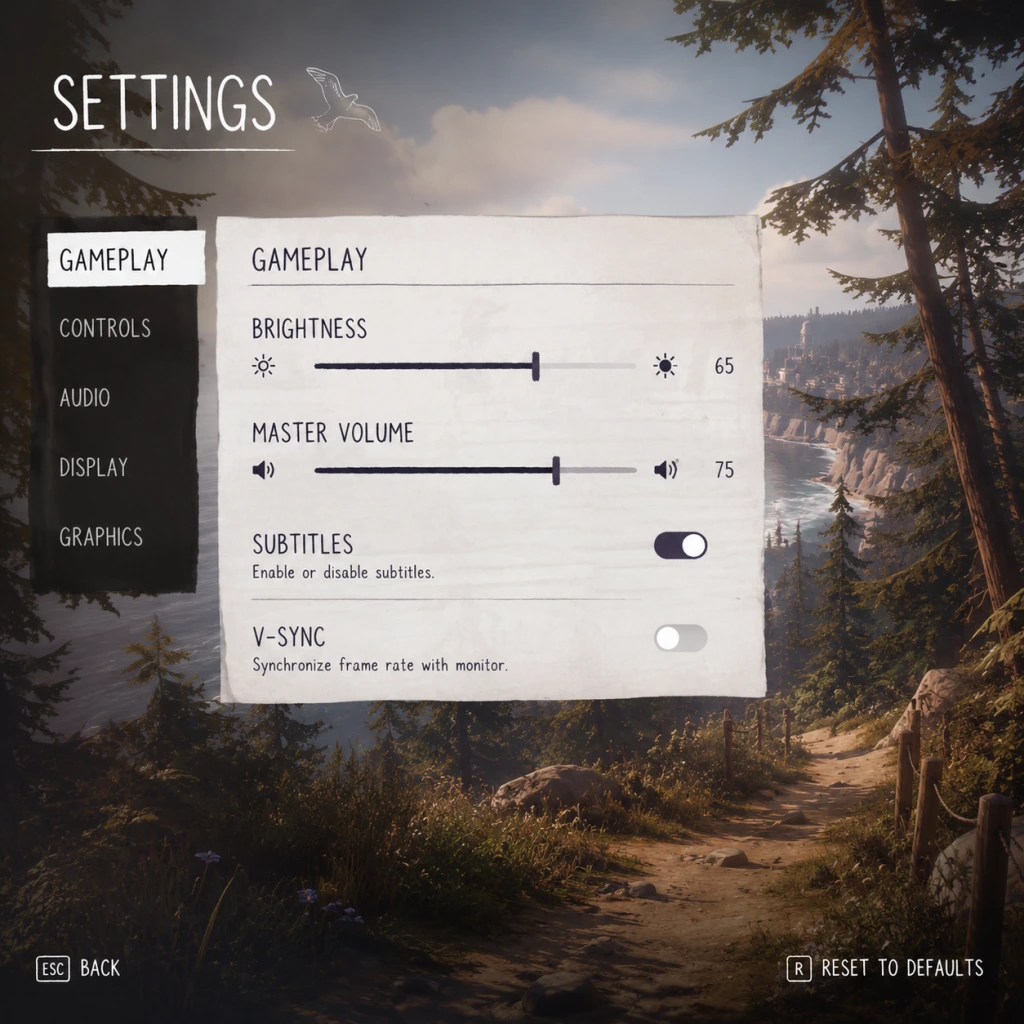
Game Settings Guide for Life is Strange (Original 2015)
Overview
Properly configuring your settings ensures you get the best experience in Life is Strange—whether you're aiming for smooth performance, maximum visual fidelity, or comfortable accessibility. This guide covers every settings category: Graphics, Audio, Controls, Accessibility, Language, Network, and Gameplay. We'll also recommend optimal settings for different hardware levels and highlight easy-to-misconfigure options.
---
Graphics Settings
Life is Strange uses Unreal Engine 3, so graphics options are relatively simple but impact performance significantly. Available from the Options > Graphics menu.
#### Key Settings
| Setting | Options | Recommendation | Notes |
|---|---|---|---|
| Resolution | List of display modes | Native monitor resolution (e.g., 1920x1080) | Setting lower than native improves performance but reduces clarity. |
| Fullscreen Mode | Fullscreen, Windowed, Borderless Windowed | Fullscreen for best performance; Borderless for alt-tabbing | Borderless may introduce slight input lag on some systems. |
| Vsync | On/Off | Off (if you can tolerate screen tearing) or On (if tearing bothers you) | Vsync caps FPS to monitor refresh rate and can cause input lag. |
| Anti-aliasing | None, FXAA (Fast Approximate), MSAA (2x/4x/8x) | Use FXAA for minimal performance hit; MSAA 2x for balance; avoid 8x on low-end GPUs | MSAA is very demanding. FXAA blurs edges but performs well. |
| Texture Quality | Low, Medium, High, Very High | Set to match your GPU VRAM: 2GB+ = High, 4GB+ = Very High | Low causes blurry surfaces. Texture quality has moderate performance impact. |
| Shadow Quality | Low, Medium, High | Medium is a good compromise; High drops frames on older GPUs | Shadows are CPU/GPU heavy. Low makes shadows look blocky. |
| Post-Processing | Low, Medium, High, Very High | High for richness; Low disables bloom, DOF, and color grading | Post-processing adds atmosphere but costs FPS. Very High is only for top-tier GPUs. |
| Motion Blur | On/Off | Off (subjective) | Motion blur can cause dizziness for some players; turn off for clearer motion. |
| Ambient Occlusion | On/Off | On for depth; Off for +5-10 FPS | Slight but noticeable visual improvement. |
- Low-End (e.g., Intel HD Graphics 520, 2GB RAM, no dedicated GPU):
- Mid-Range (e.g., GTX 960, i5-4460, 8GB RAM):
- High-End (e.g., RTX 3060, Ryzen 5, 16GB RAM):
- Fullscreen vs. Borderless Windowed: If you accidentally set Windowed mode, you'll get lower performance and a small window. Always choose Fullscreen or Borderless (if you frequently alt-tab).
- Vsync: Turning Vsync On can introduce noticeable input lag when rewinding. For precise rewind timing, keep Vsync Off and accept minor tearing, or use a frame limiter outside the game (e.g., RivaTuner).
- Anti-aliasing: Many players leave it on MSAA 8x without realizing it halves their FPS. If your game stutters heavily, reducing AA is the first step.
- Resolution: 1366x768 or lower (720p)
- Fullscreen: On
- Vsync: Off
- Anti-aliasing: None (or FXAA if you can spare 2-3 FPS)
- Texture Quality: Low
- Shadow Quality: Low
- Post-Processing: Low
- Motion Blur: Off
- Ambient Occlusion: Off
- Expected FPS: 25-35 (playable but choppy)
- Resolution: 1920x1080
- Fullscreen: On
- Vsync: Off
- Anti-aliasing: FXAA or MSAA 2x
- Texture Quality: High
- Shadow Quality: Medium
- Post-Processing: High
- Motion Blur: Off
- Ambient Occlusion: On
- Expected FPS: 50-60 (smooth with occasional dips)
- Resolution: 1920x1080 or 2560x1440 (if monitor supports)
- Fullscreen: On
- Vsync: Off (or On if you want tear-free)
- Anti-aliasing: MSAA 4x
- Texture Quality: Very High
- Shadow Quality: High
- Post-Processing: Very High
- Motion Blur: Off (or On if you like it)
- Ambient Occlusion: On
- Expected FPS: 60+ (locked at 60 on most setups; the game engine caps at 62 FPS)
#### Easy-to-Misconfigure Graphics Settings
---
Audio Settings
Found under Options > Audio.
| Setting | Range | Recommendation | Notes |
|---|---|---|---|
| Master Volume | 0-100 | 70-80 (adjust to your preference) | Affects all sounds simultaneously. |
| Music Volume | 0-100 | 80 (the soundtrack is excellent) | You can lower if voice gets drowned out. |
| SFX Volume | 0-100 | 70 | Effects like footsteps and rewind sounds. |
| Dialogue Volume | 0-100 | 90 (keep high—story is key) | Subtitles can compensate for low volume. |
| Subtitles | On/Off | On (especially if dialogue is unclear) | Recommended for non-native speakers or noisy environments. |
| Subtitle Background | None, Dark, Light | Dark (readability) | Light may blend with bright scenes. |
- Dialogue Volume: In some scenes, voice acting may be quieter than music. Set Dialogue to 90-100 and Music to 70-80 to avoid missing story beats.
- Subtitle Background: If you have difficulty reading white text on light backgrounds, choose "Dark" to improve contrast.
---
Controls Settings
Accessed via Options > Controls. Life is Strange supports both keyboard/mouse and controllers (Xbox, PlayStation, Steam Controller).
#### Key Bindings (Keyboard Defaults)
| Action | Default Key | Recommended Alternative | Notes |
|---|---|---|---|
| Move Forward/Back/Left/Right | W/A/S/D | — | Standard WASD. |
| Look | Mouse (move) | — | Mouse sensitivity adjustable. |
| Interact | E | F (some prefer closer to WASD) | Use for examining objects, initiating dialogue. |
| Rewind (manual) | Left Shift | Space (if Shift is awkward) | Manual rewind returns to a checkpoint. |
| Rewind (hold to slow time) | Tab | Q (easier to hold while moving) | Slows down time for fewer control hangups. |
| Jump | Space | — | Rarely used; don't remap if you don't need to. |
| Pause | Esc | — | — |
- Controller Type: Auto-detected (XInput or DirectInput). If your controller isn't recognized, try wired mode or install generic drivers.
- Invert Y-Axis: Off (subjective). Don't accidentally toggle this if you're not used to inverted look.
- Vibration: On/Off. On adds immersion for rewind and heavy impact scenes. Turn off to save battery.
- Rewind Buttons: The default manual rewind (`Left Shift`) is easy to press accidentally during dialogue, causing a time skip. Consider rebinding it to a less frequently used key.
- Mouse Sensitivity: If set too high, navigating dialogue wheel becomes jittery. Start at 5/10 and adjust.
- Subtitles (Audio menu): Turn On and set subtitle background to Dark for readability.
- Hard of Hearing: No separate closed captioning for sound effects, but dialogue subtitles cover speech.
- Visual Impairment: The game doesn't have a UI scaling slider. You can increase resolution temporarily to make UI elements smaller (counterintuitive—larger resolution shrinks UI). To make UI bigger, lower the resolution (e.g., 1280x720) but expect blurriness.
- Controller Remapping: Not available for controllers; only keyboard can rebind keys.
- Difficulty: No difficulty settings. The game is purely narrative—you can't "lose". Time rewind removes failure consequences.
#### Easy-to-Misconfigure Controls
---
Accessibility Settings
Life is Strange has limited native accessibility options (no colorblind modes, no large text). However, these built-in features help:
Special Attention: If you rely on subtitles, ensure Dialogue Volume is high (90+) and Music Volume is moderate (70) so speech doesn't get masked. Also, consider using headphones for audio cues during rewind puzzles.
---
Language Settings
Available at Options > Language or before starting the game (via launcher/platform).
| Option | Details |
|---|---|
| Interface Language | Text for menus, UI, subtitles. Choose your preferred language. Switching requires restart. |
| Audio Language | Voice-over language. The original is English. Localized dubs exist for French, German, Spanish, etc. Changing audio does not affect subtitles separately. |
| Subtitles Language | If audio is set to English but you want subtitles in another language, set Interface Language to that language and enable subtitles. |
---
Network Settings
Life is Strange has no multiplayer or significant online features. However:
- Achievements/Trophies: Online connectivity is required to sync achievements with Steam (PC), Xbox Live, or PSN. If you play offline, they'll sync when you reconnect.
- Steam Cloud: Saves are stored locally unless you enable Steam Cloud in Steam's game properties. Enable it to avoid losing progress.
- No Online-Only DRM: The game can be played fully offline after installation.
- No In-Game Network Settings: There are no network menus within the game.
- Cloud Save Conflicts: If you play on multiple PCs, make sure Steam Cloud syncs fully before starting the game. A common error is overwriting a later save with an earlier one. Exit Steam and relaunch to force sync.
#### Special Attention Points
---
Gameplay Settings
Found under Options > Gameplay (or Controls/GUI depending on version).
| Setting | Options | Recommendation | Notes |
|---|---|---|---|
| Rewind Mode | Free, Snap | Free (for flexibility) | Snap locks rewind to a fixed grid; Free gives pixel-perfect control. |
| Hint System | Off, Contextual, Always | Contextual (subtle) | \"Always\" may spoil puzzle solutions. \"Off\" for hardcore challenge. |
| Camera Shake | On/Off | Off (if you get motion sick) | Camera shake during rewind and intense scenes. |
| Automatic Dialogue Selection | On/Off | Off (to keep control) | If On, the game selects a response when time runs out, potentially ruining your choice. |
| Invert Aim (Controller) | On/Off | Off | Only affects controller look controls. |
- Rewind Mode: New players often leave it on "Snap" and wonder why rewind jumps oddly. Switch to Free for smooth control.
- Automatic Dialogue Selection: Always turn this OFF. If you hesitate during a timed choice (rare but present), the game picks a default answer that might be opposite to your intent.
- Hint System: If you want an unobtrusive experience, set to Contextual—it only shows hints when you're stuck for a certain time. Avoid \"Always\" unless you want constant arrows.
---
Final Optimization Checklist
1. First Launch: Set graphics to Medium preset and adjust from there.
2. Performance: If you experience stuttering when entering new areas, reduce Shadow Quality to Low.
3. Audio: Test dialogue volume in the first scene with Max's voice. Adjust if it's too quiet.
4. Controls: Spend 2 minutes rebinding the rewind key to something comfortable (e.g., `Q` for slow-motion, `E` for interact).
5. Accessibility: Enable subtitles with dark background before starting Episode 1.
6. Cloud Saves: Verify Steam Cloud is enabled via Steam > right-click Life is Strange > Properties > General > Keep game saves in the Steam Cloud.
By following this guide, you'll have a stable, visually pleasing, and comfortable setup for your journey through Arcadia Bay.
Important Notes
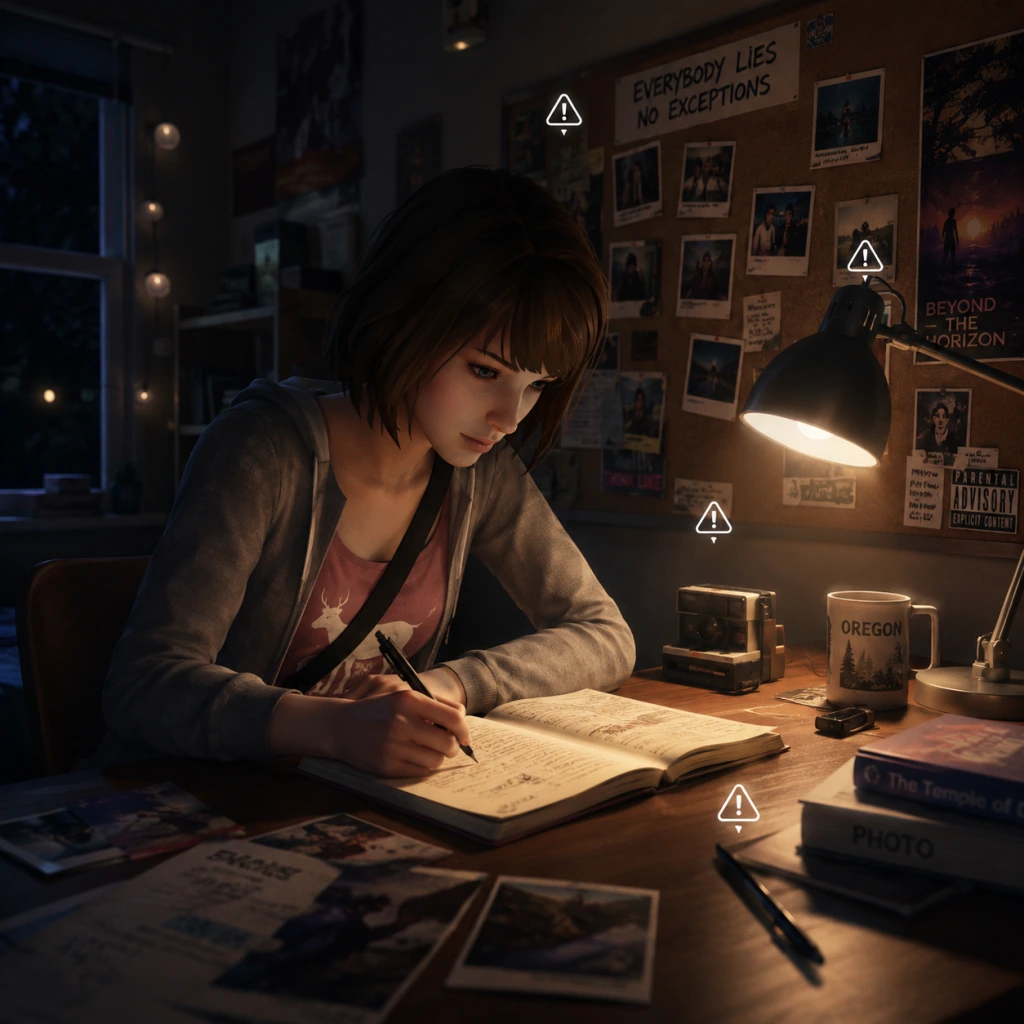
Important Notes for Life is Strange (Original 2015)
Warnings & Pitfalls
- Save Often: The game auto-saves at key moments, but manual saves are your safety net. Always create a hard save before a major choice or entering a new area. The rewind power can undo recent actions, but it doesn't protect against irreversible plot decisions or bugs.
- Rewind Limitations: Your time-rewind ability works only within a single scene or conversation. Once you progress to a new chapter or area, previous decisions become locked. You cannot rewind across episodes.
- Photo Opportunities: Each episode has optional collectible photos for Max's journal. Missing them means you cannot unlock the achievement/trophy and miss bonus journal entries. Photos are missable if you advance the story without taking them.
- Choice Buttons Are Immediate: During dialogue, you have a limited time to decide (your cursor or button prompt). Take time to read all options, but don't pause too long—the game expects a response. If you don't choose, it may default to silence or inaction, which can affect outcomes.
- Environmental Puzzles: Some puzzles (e.g., fixing the camera in Episode 2, the bottle-counting in Episode 3) can be frustrating. Use your rewind power liberally to experiment without consequence.
- No Difficulty Settings: Life is Strange has no difficulty modes. The challenge comes from narrative consequences, not combat. There's no way to make puzzles easier unless you use a guide.
- No Grinding Required: This is a story-driven game. You cannot grind for resources, experience, or items. All progress is narrative. Don't waste time trying to farm interactions—they are finite.
- Final Chapter Decisions: The ending of Episode 5 presents a single, binary, irreversible choice that determines the conclusion. Save before this moment to see both outcomes without replaying the entire episode.
- Major Character Fates: Choices in Episode 2 (e.g., assisting Kate) and Episode 3 (e.g., taking the blame) can lock you out of certain resolutions for characters. These cannot be undone later.
- Relationship Status: Your interactions with Chloe, Warren, and others affect their trust and availability. A missed dialogue option can close off a future path permanently.
- Journal Entries & Optional Photos: Missing a collectible photo or not reading a particular note can leave your journal incomplete, which cannot be fixed later without restarting the episode.
- Collectible Photos: Each episode has 10 optional photos to take with Max's camera. They are often hidden in corners, on desks, or after specific interactions. Refer to a collectible guide per episode to avoid missing them.
- Journal Entries: Some journal entries appear only after certain actions (e.g., reading a letter or inspecting an item). If you skip these, the journal entry is permanently lost for that playthrough.
- Optional Conversations: Many NPCs have extra dialogue if you interact with them at the right moment or with the right item. Missing these means you lose backstory and flavor.
- Achievements/Trophies: Some achievements require completing the game in a specific way (e.g., 100% photos). Others are tied to making opposite choices in different playthroughs.
- Dynamic Text Messages: Max's phone may receive texts from characters based on your earlier decisions. These are time-sensitive; if you ignore the phone for too long, you may miss a message.
- Episode 2 Bottle Hunting: Finding the five bottles in the junkyard can be tricky because they are scattered and camouflaged. Use the rewind to re-scan the area after looking away. This is the most common difficulty spike.
- Episode 3 Stealth Section: Sneaking around the Prescott dormitory requires timing. You can rewind if caught, but it can be frustrating. Memorize guard patrol patterns.
- Episode 4 Alternate Reality Puzzle: Navigating the alternate timeline and piecing together clues may require backtracking. Use your journal to track leads.
- Episode 5 "Nightmare" Sequence: The final episode has a surreal, stressful sequence of constant choices. It's designed to be overwhelming. Save often and take breaks if needed.
- Single-Player Only: Life is Strange is a purely single-player experience. There are no online multiplayer components, leaderboards, or anti-cheat software. Mods are community-made but not officially supported.
- Achievement Unlocking: Using console commands or save editors may disable achievements on some platforms (e.g., Steam). Use with caution if you care about unlocking them legitimately.
- Manual Save Slots: The game allows multiple manual save slots. Use them to create checkpoints before each major decision, collectible photo, and at the start of each chapter.
- Auto-Save Limitations: Auto-saves overwrite the same slot. If you rely only on auto-save, you cannot go back to a previous decision. Always keep a manual save from earlier in the episode.
- Episode Selection: Once you complete an episode, you can replay it from the main menu, but this reset your choices for that episode only. Be careful—replaying an episode overwrites your current playthrough's choices unless you have a separate save.
- Cloud Saves: On PC and consoles, cloud saves are supported. Ensure your platform has syncing enabled to avoid losing progress when switching devices.
- You Can Rewind Almost Anything: Many players don't realize they can rewind not just dialogue but also environmental interactions (e.g., breaking an object, moving a chair). Experiment freely.
- Photograph Mode Is Not Just for Collectibles: Use the camera to take screenshots of memorable moments or clues. It doesn't affect the story, but it enriches your journal.
- Check Your Journal Often: The journal updates with clues, character profiles, and maps. Missing a journal entry can leave you stuck later.
- Don't Rush Kate's Conversation: In Episode 2, your talk with Kate on the rooftop is the most critical moment in the game. Take your time, listen, and choose carefully. Many players regret a hasty answer that leads to a bad outcome.
- Your Best Friend Is the Rewind Button: If a choice feels wrong, rewind immediately. The game encourages trial and error.
- Exploration Rewards: Always search every desk, locker, and drawer. You'll find notes, photos, and secrets that deepen the lore.
- The Ending Is Not a 'Good' or 'Bad' Binary: The final choice is deeply personal. Know that neither ending is canonically superior; pick the one that feels right for your story.
- Play in Order: The episodes are best played sequentially. Jumping around breaks the narrative flow and choice persistence.
Irreversible Choices
Missable Content
Difficulty Spikes
Online Etiquette & Anti-Cheat (N/A)
Save Management Advice
Things Players Commonly Regret Not Knowing Earlier

All Game Items
All Game Items Guide for Life is Strange (Original 2015)
Overview
Life is Strange is a narrative-driven adventure game without traditional RPG items like weapons, armor, or consumable buffs. Instead, "items" fall into three categories: Key Story Items, Collectibles (optional photos and journal entries), and Environmental Interactions that affect dialogue or the story. This guide covers every notable item you can pick up, photograph, or otherwise interact with across all five episodes.
1. Key Story Items
These items are essential to the plot and often trigger critical choices or unlock new areas.
| Item | Episode | How to Obtain | Use / Effect |
|---|---|---|---|
| Max’s Camera | Episode 1 (always) | Given to Max by default at the start. | Used to take optional photographs; required for certain dialogue options and to complete the photo collectible list. Cannot be dropped or lost. |
| The Blue Butterfly | Episode 1 | In the bathroom, after Nathan shoots Chloe. Rewind to save Chloe, then you can photograph it. | A symbolic item; photographing it counts as a collectible. Not usable later. |
| Rachel’s Photo | Episode 1 | In Chloe’s room (on her desk) during “Out of Time.” | Shows a picture of Rachel; Max comments on it. Adds journal entry. No gameplay effect. |
| Nathan’s Gun | Episode 2 (alternate timeline) | In the alternate timeline, it’s in Nathan’s locker. | Used only in a dialogue scene with Chloe; can be taken or left. Affects story tone but not major branches. |
| Chloe’s Bracelet | Episode 3 | Given to Max by Chloe as a memento. | Worn by Max; appears in later cutscenes. Purely cosmetic and narrative. |
| The Photo of Max & Chloe at the Lighthouse | Episode 5 | Taken by Max during the nightmare sequence. | Used in the final choice to either stay or go back. Central to the ending. |
| Warren’s USB Drive | Episode 5 | Given to Max by Warren in the diner. | Contains a photo that can be used to rewind to the beginning of the week (final choice). |
2. Collectibles: Optional Photographs
Each episode has a list of optional photos Max can take with her camera. These are purely for achievement/trophy hunting and do not affect the story, but they add to your journal.
#### Episode 1: Chrysalis
| # | Photo Subject | Location | Requirements |
|---|---|---|---|
| 1 | Blue Butterfly | Bathroom stall | After saving Chloe, approach the butterfly on the sink. |
| 2 | Alyssa (being hit by football) | Outside the school | Wait for Alyssa to walk near the football field, then photograph her getting hit. |
| 3 | Principal Wells | His office | During the principal conversation, zoom in on him while he talks. |
| 4 | Chloe (on the train tracks) | Near the railroad | After saving Chloe from the train, take her photo. |
| 5 | Selfie with Vortex Club sign | Girls’ bathroom | Use the mirror to take a selfie with the graffiti behind you. |
| # | Photo Subject | Location | Requirements |
|---|---|---|---|
| 1 | Kate (on the roof) | Campus rooftop | During the scene with Kate, photograph her. |
| 2 | The Dead Doe | Forest clearing | After finding the dead doe, photograph it before leaving. |
| 3 | David Madsen (snooping) | Chloe’s house | Hide in the closet, then photograph David through the slats. |
| 4 | Pompidou (Frank’s dog) | Junkyard | Pet Pompidou and then take a photo. |
| 5 | Alyssa (getting hit by bucket) | Outside the diner | Wait for the bucket to fall on Alyssa’s head and snap a picture. |
| # | Photo Subject | Location | Requirements |
|---|---|---|---|
| 1 | Chloe (in the pool) | Chloe’s house (pool) | After breaking into the pool, photograph Chloe swimming. |
| 2 | The Tornado photo | Outside Two Whales Diner | Look at the newspaper and photograph the tornado image. |
| 3 | Alyssa (hit by ball) | Outside the gym | Wait for Alyssa to be hit by a basketball. |
| 4 | Frank’s RV interior | Junkyard RV | Enter Frank’s RV and photograph the interior. |
| 5 | The “Zombie” costume | Vortex Club party | At the party, find the zombie costume and photograph it. |
| # | Photo Subject | Location | Requirements |
|---|---|---|---|
| 1 | Chloe (hospital) | Hospital room | Photograph Chloe lying in the hospital bed (alternate timeline). |
| 2 | Alternate William | Alternate home | Photograph William in the kitchen. |
| 3 | Nathan Prescott | Prescott Dorm | Sneak into Nathan’s room and photograph him. |
| 4 | The Dark Room | Bunker | After discovering the dark room, photograph the setup. |
| 5 | Alyssa (hit by car) | Outside Two Whales Diner | After the diner scene, photograph Alyssa getting splashed by a car. |
| # | Photo Subject | Location | Requirements |
|---|---|---|---|
| 1 | The Nightmare Max | Nightmare sequence | In the hallway of reflections, photograph your doppelgänger. |
| 2 | The Butterfly (again) | San Francisco | In the alternate timeline, find the butterfly on the windowsill. |
| 3 | Chloe (happy) | Final dream | Before the lighthouse, take a photo of Chloe smiling. |
| 4 | Warren (with his science project) | School corridor | During the nightmare school sequence, photograph Warren. |
| 5 | The Storm | Final scene | On the cliff, photograph the tornado approaching. |
3. Journal / Diary Entries (Collectibles)
Max’s journal automatically updates with entries based on actions, but some entries are missable. These act as collectibles that flesh out the narrative.
| Entry Type | How to Trigger | Examples |
|---|---|---|
| Character Profiles | Interact with objects or people tied to a character. | Reading a note about Kate, looking at Chloe’s photos. |
| Environmental Notes | Examine posters, notes, or graffiti. | The “Prescott” poster, the “Whale” mural. |
| Text Messages | Check Max’s phone after receiving texts. | Reply to Chloe or Warren to unlock journal entries. |
| Drawings | Photograph certain subjects (see photo list above). | Each photo adds a drawing to the journal. |
| Story Summaries | Automatically at the end of each episode. | Always obtained. |
4. Key Equipment (Non-Collectible)
| Item | Description | Usage |
|---|---|---|
| Max’s Camera | A classic Polaroid-style camera. | Taking optional photos. Also used in a few story moments (e.g., taking the lighthouse photo). |
| Max’s Phone | Basic smartphone. | Receives text messages from Chloe, Warren, Kate, etc. Used to reply and shape relationships. No gameplay function beyond narrative. |
| The Rewind Watch | An analog watch given to Max by Chloe? (Actually not an item – it’s a visual representation of her power). | Note: The rewind ability is not an inventory item. It’s a power accessed via the left trigger (or key). Max can rewind time at will except in specific scripted scenes. |
5. Consumables & Currency (None)
Life is Strange has no traditional currency, health items, or crafting materials. Max does not need to buy or scavenge anything. The only “consumable” is the photo you take with the camera, which is stored automatically.
6. Important Notes on Items
- Items cannot be dropped or sold. Once picked up, they remain in Max’s inventory (shown in the journal under “Evidence” or “Collectibles”).
- No upgrades exist. The camera stays the same throughout the game.
- Synergies: There are no item synergies. Your choices create narrative synergies (e.g., having taken a certain photo may unlock a different dialogue option later), but this is not item-based.
- Photo achievements/trophies are tied to completing each episode’s photo set. Missing even one can lock you out of the achievement, so save before each photo opportunity.
7. Checklist for Completionists
To get all collectibles, follow this order per episode:
1. Before advancing the main story, explore every room and examine all interactable objects.
2. Keep Max’s camera ready for every possible photo opportunity (listed above).
3. Check your phone after every major scene for new texts.
4. After finishing an episode, review the journal to ensure no entries are missing. If an entry is empty, reload a previous chapter save.
Platform-specific: On PC (Steam/Epic), achievements are tied to each photo set. On console (PS4/PS5/Xbox), trophies/achievements similarly list photo completion. There is no in-game reward for collecting all except the satisfaction of a complete journal.

Character Skills
Character Skills Guide for Life is Strange (Original 2015)
Overview
Unlike traditional role-playing games, Life is Strange focuses on narrative choice and environmental interaction rather than combat or character progression. The only playable character in the main game is Maxine “Max” Caulfield, who possesses a unique supernatural ability: time rewind. This power is the core “skill” of the game, evolving through the story in terms of range and utility. There are no conventional skill trees, experience points, or unlockable abilities. Instead, the rewind power’s effectiveness grows naturally as Max becomes more confident and experienced. This guide covers every aspect of Max’s rewind power, including its mechanics, upgrades, tactical applications, and recommended usage throughout all five episodes. Additionally, it addresses the brief playable segment as Chloe Price in the Farewell bonus episode.
---
Max Caulfield – Rewind Power
Primary Ability: Time Rewind
Description: Max can reverse time for a short duration, undoing recent actions, dialogue choices, environmental changes, and even physical damage. This ability is activated by holding the Rewind key/button (default: left trigger on controllers, Tab on keyboard). While rewinding, time flows backwards, and Max can release the button at any moment to “snap” back to the chosen point. The maximum rewind window starts at roughly 10 seconds and increases slightly after key story events (see Upgrades).
Cooldown: There is no cooldown. Max can rewind as often as she likes, but repeatedly rewinding large spans of time may cause the game to stutter briefly (technical limitation). The game does not punish frequent rewinding.
Effects:
- Reverses all player actions (movement, interaction, dialogue selections) within the rewind window.
- Restores the positions of objects, NPCs, and environmental states.
- Reverses damage or death – crucial for saving characters from fatal mistakes.
- Does not reverse Max’s memory; she retains knowledge of events that were undone, allowing her to make different choices.
- Cannot rewind past certain fixed events (e.g., cutscenes, transitions, or when the game disables the power for story reasons).
- Only works with photos Max appears in (not pictures of others).
- Cannot be used in the middle of a scene; must be activated from the inventory screen during a quiet moment (usually when the game prompts “Use Photo?”).
- The new timeline may overwrite events, causing unintended consequences (e.g., Rachel Amber’s fate).
- Dialogue choices: Always rewind after testing a rude answer to see the character’s reaction, then choose a kinder response if needed. This allows you to gather information without permanent repercussions.
- Puzzle solving: If you open a locked door without finding the key, rewind to avoid missing the key. Or if you fall into a trap, rewind immediately.
- Saving characters: In Episode 1, save Alyssa from a football; in Episode 2, rewind repeatedly to persuade Kate; in Episode 4, rewind after failing a stealth sequence. The power is essential for preventing deaths.
- Exploration: Rewind to re-enter an area after triggering a reaction, or to retrieve an item you dropped.
- Only when you are certain you want to change a major event (e.g., saving Chloe’s father, preventing Kate’s suicide). Use it sparingly because each jump may invalidate previous choices.
- Combine rewind with photo jumping: Use rewind to gather information about a future event, then photo jump to the past to avoid a bad outcome.
- No combos with other characters since Max is the only one with powers.
- Pick up objects and examine them.
- Talk to Max (NPC in this episode) and make choices.
- Climb and jump across small obstacles (e.g., treehouse ladder).
- Use a walkie-talkie to communicate.
- Rewind liberally – especially for dialogue – to see all outcomes without commitment.
- Save often before using a photo jump, as it can radically alter the story.
- Use photographs as anchors for branching choices, but be aware that some changes may lead to worse outcomes.
- Avoid rewinding in the middle of cutscenes unless the game allows it (it usually pauses the power).
Upgrades / Evolution of Power
The rewind power does not have a traditional upgrade system, but its functionality expands at specific story points:
1. Episode 1 – Initial Awakening: Max discovers her power after a vision of a storm. At first, the rewind window is small (about 5–8 seconds). She can only rewind simple actions (e.g., knocking over a vase, picking a dialogue choice).
2. Episode 2 – Photograph Jumping: After an incident with Kate Marsh, Max learns to focus on photographs to travel back to the moment the photo was taken. This is a separate, more advanced ability called Time Travel via Photographs (see below). The rewind window itself does not increase here, but the power becomes more precise.
3. Episode 3 – Extended Range: During Max’s investigation of the barn and the junkyard, her rewind range expands to approximately 15–20 seconds. She can now rewind longer sequences, such as multiple conversation responses or complex scenes.
4. Episode 4 – Rewind Through Damage: Max’s power becomes strong enough to reverse physical injury. She can rewind after being shot, stabbed, or struck, effectively “resurrecting” herself if killed (though death is rare). This is not a separate unlock; the game simply scales the allowed rewind distance.
5. Episode 5 – Maximum Control: By the final episode, Max’s rewind window reaches its peak, allowing her to rewind over 30 seconds. Additionally, she gains the ability to freeze time in certain dream sequences (not a normal gameplay mechanic). The photo-jumping ability is fully mature.
Note: There is no way to manually upgrade the power; progression is tied to story beats.
Secondary Ability: Time Travel via Photographs
Unlock: Episode 2, after saving Kate or failing to save her.
Description: Max can focus on a physical photograph of herself and mentally transport back to the exact moment that photo was taken. This is a one-way time jump – she cannot rewind from that point back to the present using the same method; she must replay events until she reaches the present again. The photo must be in her inventory (e.g., selfies taken with her camera).
Effect: Allows Max to change decisions made hours or days earlier, potentially altering the timeline drastically. Each use consumes the photo (it disappears after use). Max can only use this ability a few times per episode, as specific photos are provided by the story.
Limitations:
Passive Abilities: Max’s Camera & Photography
While not a supernatural skill, Max’s skill with a camera is a recurring tool. She can take photographs of points of interest for the optional “Photo Collection” achievement. These photos do not have gameplay effects except for completion. However, taking certain photos can unlock dialogue options (e.g., in Episode 3, showing a photo to a character). This is not a skill you level, but a narrative mechanic.
Recommended Usage & Synergies
When to rewind:
When to use photo jumping:
Synergies:
---
Chloe Price (Farewell Bonus Episode) – No Special Skills
Overview
In the bonus episode Farewell (available in the Deluxe Edition or separately), you play as 13-year-old Chloe Price for a short story. Chloe does not have any supernatural abilities. Her gameplay is limited to exploration, dialogue, and simple interactions. There are no skills, upgrades, or combos. Actions are performed via context prompts.
“Skills” Equivalent
Chloe can:
None of these require skill management. The episode is purely narrative.
---
Other Playable Segments (brief)
Max’s Nightmare (Episode 5)
During the nightmare sequence, Max’s rewind power is disabled. You control Max as she walks through distorted versions of locations. The only “skill” here is walking and interacting with objects to progress. No combat or special moves.
Time-Freeze (Episode 5, optional)
In certain parts of the nightmare, time may appear frozen or slowed, but this is a visual effect – you cannot actively control it.
---
Recommended Builds & Tactics
Since there are no traditional builds, the best strategy is to:
There is no “skill rotation” or cooldown management. The power is unlimited, so use it whenever you feel uncertain.
---
Conclusion
Life is Strange simplifies character skills to a single, narrative-driven time manipulation power. Mastering its use – both the simple rewind and the photograph jump – is key to experiencing all story branches and saving characters. For players of the Farewell episode, expect a skill-less, pure story experience. This guide covers all you need to know about Max’s abilities and their evolution throughout the game.

Characters & Roles
Characters & Roles Guide for Life is Strange (Original 2015)
Overview
Life is Strange is a narrative-driven adventure game with no combat, classes, or traditional roles. Instead, the "characters" are defined by their personalities, relationships, and influence on the story. The only playable character is Max Caulfield, but the game’s cast is rich with key figures whose actions and interactions shape the plot. This guide covers every major character, their background, strengths/weaknesses, how to interact with them effectively, and their role in the narrative.
---
Playable Character
#### Maxine "Max" Caulfield
- Background: Max is an 18-year-old photography student at Blackwell Academy in Arcadia Bay, Oregon. She has a shy, introspective personality and struggles with social anxiety. After a vision of a storm, she discovers she can rewind time, which she uses to alter events and help others. Her best friend from childhood, Chloe Price, re-enters her life, and together they investigate the disappearance of Chloe’s friend Rachel Amber.
- Strengths: Max is observant, empathetic, and creative. Her photography skills let her capture clues and details others miss. Her rewind power gives her unprecedented control over short-term outcomes—she can undo poor decisions, save lives, and gather information without risk. She is also a skilled puzzle-solver.
- Weaknesses: Max is indecisive, often overwhelmed by the consequences of her choices. She can be socially awkward, making it hard to read people or assert herself. Overusing the rewind power can cause nosebleeds, headaches, and even fainting. She is physically weak and cannot fight.
- Playstyle: The player controls Max in third-person perspective, interacting with objects, dialogue, and puzzles. The core gameplay loop involves exploring environments, taking photos, and making dialogue choices that can be rewound to test different outcomes. You must balance using rewind to perfect interactions while conserving Max’s stamina (indicated by her health/dizziness).
- Unlock Condition: Max is the protagonist from the first minute of Episode 1. No unlock required.
- Recommended Equipment/Builds: No traditional equipment. Instead, focus on inventory items like the camera (for photo opportunities), keys, and notes. Always collect optional photos for achievements and to enrich the narrative. Use the rewind power strategically—rewind after a bad choice, but be aware that some events are locked (cannot be undone).
- Team Synergy: Max works best when she builds trust with other characters. Her bond with Chloe is central; supporting Chloe’s decisions strengthens their friendship and unlocks more cooperative moments. With characters like Warren Graham or Kate Marsh, Max’s empathy and rewind power can de-escalate conflicts and save lives.
- Background: Chloe is Max’s childhood best friend. After Max moved away, Chloe’s life unraveled: her father William died in a car crash, her mother Joyce remarried the controlling David Madsen, and her friend Rachel Amber disappeared. Chloe is rebellious, impulsive, and often self-destructive, but fiercely loyal. She becomes Max’s partner in investigating Rachel’s fate.
- Strengths: Chloe is brave, street-smart, and resourceful. She knows the seedy corners of Arcadia Bay (like the junkyard) and can intimidate people. She is emotionally resilient despite trauma and encourages Max to be more assertive.
- Weaknesses: Chloe can be reckless, putting herself and Max in danger. She holds grudges, especially against authority figures (e.g., Principal Wells, David). She uses drugs and alcohol as coping mechanisms, and her anger often alienates potential allies.
- Role in Gameplay: Chloe is not playable, but Max and Chloe act as a duo in many sequences. Chloe drives the action—she plans break-ins, confrontations, and explorations. Max’s choices around Chloe affect their relationship and the ending. Chloe’s trust meter is a hidden variable.
- Unlock Condition: Chloe appears at the end of Episode 1 and becomes a permanent companion from Episode 2 onward.
- Recommended Interactions: Agree with Chloe’s plans when possible to strengthen your bond. Be honest with her; lying or hiding things damages trust. Use the rewind power to protect Chloe from harm (e.g., in Episode 2’s train scene).
- Team Synergy: Max + Chloe is the core partnership. Chloe handles physical tasks (e.g., climbing fences, using tools) while Max uses rewind to ensure safety or gather intel. Without Chloe, Max would be lost in dangerous situations.
- Background: Kate is a devout Christian student at Blackwell, bullied by Victoria Chase’s clique after a video of her at a drugged party goes viral. She suffers from depression and suicidal ideation. She is a close friend of Max, sharing an interest in photography and faith.
- Strengths: Kate is kind, thoughtful, and strong-willed in her beliefs. She notices details others ignore (e.g., she remembers seeing Rachel Amber’s darkroom). Her loyalty to Max is unwavering if Max supports her.
- Weaknesses: Kate is extremely vulnerable emotionally and socially isolated. She has no physical abilities or assertiveness. She is easily manipulated by false rumors.
- Role in Gameplay: Kate is a key character in Episode 2, where Max must prevent her suicide. The outcome depends entirely on Max’s choices throughout the game—how you treat Kate, her faith, and your willingness to help. Saving Kate requires specific dialogue and actions (e.g., taking her call, defending her, using a Bible verse correctly).
- Unlock Condition: Kate appears from Episode 1. Her suicide scene in Episode 2 is a major branch.
- Recommended Interactions: Always answer Kate’s calls, visit her in the hospital, and choose compassionate dialogue options. When on the rooftop, rewind to test responses—the correct verse is "Matthew 11:28" ("Come to me, all you who are weary..."). Avoid dismissing her faith.
- Team Synergy: Kate is not a companion but a moral anchor. Saving her gives Max emotional strength and reduces guilt. Her survival affects later scenes (e.g., her testimony against Nathan Prescott).
- Background: Warren is a shy, nerdy teenager at Blackwell with a crush on Max. He is a science enthusiast, good-hearted, and often bumbles socially. He is friends with Max and provides help like borrowing his car or doing minor tasks.
- Strengths: Warren is intelligent (especially in chemistry), loyal, and willing to stand up for friends (e.g., he punches Nathan Prescott to defend Max). He is also a skilled photographer.
- Weaknesses: Warren is awkward and can be possessive. His infatuation with Max sometimes makes him act jealous or needy. He is not physically imposing and is often bullied.
- Role in Gameplay: Warren provides practical help: he gives you his car keys, can assist with the science lab puzzles in Episode 4, and offers moral support. Your relationship with him (friendly vs. romantic) influences his willingness to help in critical moments.
- Unlock Condition: Warren appears in Episode 1 and is available for interactions throughout.
- Recommended Interactions: Be kind and encouraging. Accept his help when offered (e.g., borrowing his car). If you wish to pursue a romantic path, flirt with him in dialogue. If not, keep it friendly but clear.
- Team Synergy: Warren works well with Max when solving puzzles (like the chemistry set in Episode 4). He can also be a moral counterbalance to Chloe’s rebelliousness.
- Background: Victoria is the queen bee of Blackwell—rich, beautiful, and manipulative. She leads the Vortex Club, an elite group, and bullies Kate Marsh. She is secretly insecure about her parents’ expectations and her own failures (e.g., being rejected from a photography contest). She has a strained relationship with her brother, who died.
- Strengths: Victoria is charismatic, well-connected, and ruthless. She knows secrets about everyone at Blackwell. She is also a talented photographer.
- Weaknesses: Victoria is arrogant, cruel, and easily threatened. Her need for control makes her act irrationally when challenged. She is vulnerable to manipulation (e.g., by Nathan Prescott) and is often unaware of the depth of the Vortex Club’s corruption.
- Role in Gameplay: Victoria is an antagonist but can become an ally if Max makes certain choices. She slanders Kate, tortures Max with pranks, and is entangled with Nathan and Mark Jefferson. You can befriend or humiliate her; she will later provide key evidence (the photo of Nathan with a gun) if you treat her kindly.
- Unlock Condition: Victoria appears from Episode 1. Her role expands in later episodes.
- Recommended Interactions: To gain Victoria’s trust, be civil and even defend her at times (e.g., in Episode 3, warn her about the prank on her father). Avoid antagonizing her unless necessary. Using rewind to test which responses de-escalate her hostility is effective.
- Team Synergy: Victoria is a solo agent. If allied, she provides crucial information and a rare ally in the Vortex Club. If opposed, she becomes a major obstacle.
- Background: Nathan is a troubled student from the town’s wealthy Prescott family. He is a Vortex Club member and a photography student of Mark Jefferson. He suffers from mental illness (possibly paranoid schizophrenia) and is heavily medicated. He is involved in the disappearance of Rachel Amber and later becomes a murderer.
- Strengths: Nathan has influence due to his family’s money and his role in the Vortex Club. He is manipulative and menacing.
- Weaknesses: Nathan is emotionally unstable, prone to violent outbursts, and reliant on drugs. He is despised by most students and is afraid of his father and Jefferson. His actions are often self-destructive.
- Role in Gameplay: Nathan is the primary human threat in early episodes. He bullies Max and Chloe, drugs Kate, and later kidnaps Chloe. Confronting him requires careful planning (e.g., using evidence from Rachel’s phone). He is a catalyst for the mystery.
- Unlock Condition: Nathan appears in Episode 1; he is a constant presence.
- Recommended Interactions: Avoid direct confrontation unless you have solid evidence (e.g., the photo of him with the gun). Use Chloe’s aggression to intimidate him. Your goal is to expose his crimes, not befriend him.
- Team Synergy: Nathan is always an enemy. Team up with Chloe and the other girls to gather evidence against him. No positive synergy exists.
- Background: Jefferson is a respected art photographer and teacher at Blackwell. He mentors Max and other students. Secretly, he is a serial kidnapper and predator who abducted Rachel Amber and Chloe. He uses a darkroom to drug and photograph his victims. He is calm, charming, and manipulative.
- Strengths: Jefferson is intelligent, patient, and skilled at psychological manipulation. He knows how to gain trust and hide his activities. He is physically capable (he overpowers Max and Chloe).
- Weaknesses: His ego makes him believe he is untouchable. He underestimates Max’s rewind power and Chloe’s resourcefulness.
- Role in Gameplay: Jefferson is the main villain of the story. He is exposed in Episode 4, leading to a confrontation in the darkroom. Max must outsmart him using the environment and her rewind power.
- Unlock Condition: Jefferson is introduced in Episode 1 and appears throughout. He becomes a direct threat in Episode 4.
- Recommended Interactions: Before his reveal, treat him with respect but avoid sharing personal secrets. After his reveal, avoid direct combat—use stealth and rewind to escape or find help.
- Team Synergy: Jefferson is a lone predator. Oppose him at all costs. Chloe and Max together can overwhelm him (e.g., Chloe’s physical strength combined with Max’s rewind).
- Background: Joyce is Chloe’s mother, a kind waitress who remarried David, a stern ex-military security guard at Blackwell. David is strict, paranoid, and has a strained relationship with Chloe. Joyce wants peace in the family.
- Strengths: Joyce is nurturing and forgiving. David is observant and has security access.
- Weaknesses: Joyce is often passive. David is controlling and can be abusive (he hits Chloe).
- Role in Gameplay: Joyce and David provide a home base and clues. David’s surveillance van can help track Nathan. Your choices affect their marriage and Chloe’s home life.
- Recommended Interactions: Be supportive of Joyce. Try to reconcile David and Chloe by finding evidence that David is not the enemy (e.g., he is investigating Nathan).
- Team Synergy: Joyce is a safe space; David is an uneasy ally. Working with David can give you access to security footage and weapons (like his taser).
- Principal Wells: The head of Blackwell. He is ineffectual and easily manipulated by the Prescott family. He can be convinced to expel Nathan if you have enough evidence.
- Frank Bowers: A drug dealer with a dog, Pompidou. He was friends with Rachel. He is a potential ally or enemy depending on how you handle him (e.g., paying his debt or using Rachel’s photo).
- Samuel: The groundskeeper at Blackwell. He is strange but kind, giving Max cryptic clues. He knows more about the town’s secrets than he lets on.
- Warren Graham (already covered above)
- Max’s Rewind Power as a Skill: Think of the rewind as a character ability unique to Max. Use it to test dialogue options before committing, especially in high-stakes conversations with Kate, Chloe, or Nathan.
- Relationship Meters: Many characters have hidden affinity scores. Track them by observing dialogue reactions (e.g., Chloe’s trust, Victoria’s respect). Save often to revert if a relationship sours.
- No Classes: Every character has a fixed role. There is no character building or equipment. Your decisions define Max’s personality and relationships.
---
Supporting Cast (Non-Playable but Critical)
#### Chloe Elizabeth Price
---
#### Kate Marsh
---
#### Warren Graham
---
#### Victoria Chase
---
#### Nathan Prescott
---
#### Mark Jefferson
---
#### Joyce Price & David Madsen
---
#### Other Notable Characters
---
Character Interaction Tips
---
Conclusion
Understanding each character’s motivations and weaknesses allows you to navigate the story more effectively. Max’s rewind power gives you the unique ability to perfect interactions—use it wisely. Your bond with Chloe is the emotional core, but don’t neglect Kate, Warren, or even Victoria—their support can alter the outcome of the mystery. In Life is Strange, every character matters.
Cheats & Secrets
Cheats & Secrets Guide for Life is Strange (Original 2015)
Overview
Life is Strange (2015) is a narrative-driven episodic adventure without traditional cheat codes, unlock codes, or console commands. The game focuses on story, choice, and exploration rather than combat or skill trees. However, the game is rich with Easter eggs, hidden interactions, and developer-intended secrets that reward thorough exploration and multiple playthroughs. This guide catalogs all known hidden content, references, and secrets across all five episodes. No legitimate cheat codes exist—what follows is a comprehensive list of hidden details and secrets.
---
Easter Eggs & Hidden References
#### 1. References to Other Games
- Telltale Games Reference: In Episode 2, Max can find a note taped to a locker that reads “Kenny’s family is still looking for him” – a nod to The Walking Dead by Telltale Games.
- Portal Reference: In Episode 3, when rewinding time near the lighthouse, Max’s reflection in a puddle may briefly show a familiar orange portal gun. (Very rare, only visible in high graphics settings.)
- Final Fantasy VII: In Episode 4, in Chloe’s room, you can examine a magazine titled “Buster Sword Monthly” – a clear homage to Final Fantasy VII.
- Half-Life 2: In the Blackwell Academy parking lot, a car license plate reads “HL2” – a subtle nod to Half-Life 2.
- Gone Home: In Episode 1, a poster in the dorm hallway says “Oscars… as if” – a reference to the indie game Gone Home.
- Twin Peaks: The town of Arcadia Bay heavily borrows from Twin Peaks. Specific references: the “Whitelighter” sign (parody of “Welcome to Twin Peaks”), and the character of Samuel (who acts like the Log Lady).
- Doctor Who: In Episode 2, Max can read a message on a whiteboard in the science lab: “The Angels are coming” – a reference to the Weeping Angels from Doctor Who.
- Firefly: In Episode 1, in Max’s dorm room, a poster says “I aim to misbehave” – a quote from Captain Malcolm Reynolds in Firefly.
- The Shining: In Episode 4, the Prescott barn has a typewriter with a sheet of paper repeating “All work and no play makes Jack a dull boy” – a direct allusion to The Shining.
- Dontnod Entertainment included references to their earlier game Remember Me. In Episode 3, a locker at Blackwell has a sticker of the game’s logo.
- In the same episode, a note in the principal’s office mentions “Edith Finch” – a wink to the later game What Remains of Edith Finch, though released after Life is Strange.
- Hidden Photo Collectible: In the girls’ bathroom, take a photo of the “Rachel Amber” missing poster on the mirror. This is the first of the optional “Photo Opportunities” that unlock concept art.
- Secret Room: In the dorm hallway, interact with the fire alarm to cause a distraction. While students evacuate, you can enter a restricted janitor’s closet (door at end of hall) containing a note about Nathan Prescott’s locker combination.
- Alternative Dialogue: If you examine the butterfly in the bathroom before the confrontation, Max will comment on its beauty. After the incident, the butterfly is gone – but if you rewind, you can see it again.
- Easter Egg: In Max’s room, there’s a drawing of a cat with the name “Mochi” – this is the same cat from Remember Me.
- Hidden Scene: If you try to open the locked closet in Chloe’s house multiple times, Chloe will eventually react differently.
- Alternate Timeline Clues: In the alternate timeline (if you pulled the fire alarm in Episode 1), the locker hallways will have different posters and messages.
- Secret Photo: In the diner, take a photo of Joyce’s “World’s Best Mom” mug – it counts as a photo opportunity.
- Easter Egg: The graffiti in the junkyard includes a drawing of a “Tower of Babel” that matches concept art for the game’s initial story.
- Swimming Pool Access: In the swimming pool, if you rewind time after opening the locker, you can find a secret key card that allows you to access the pool’s control room. Inside, you can trigger a “disco light” sequence that changes the pool lighting.
- Hidden Dialogue with Warren: If you choose to kiss Warren in Episode 2, he will have a different reaction when you visit him at the lab in Episode 3. If you didn’t, he will complain about being “friend-zoned.”
- Photo Opportunity: In the parking lot, take a photo of the broken lighthouse sign – this is a required photo for the “Photo Album” achievement.
- Easter Egg: In the girls’ locker room, a locker combination 042 is a reference to The Hitchhiker's Guide to the Galaxy.
- Hidden Room in the Barn: In the vortex club party, if you thoroughly explore the barn basement, you can find a hidden underground bunker. Enter the combination 042 (same as before) on a lockbox to find Rachel’s secret diary – it reveals clues about the dark room.
- Secret Ending: If you fail to save Kate in Episode 2, the scene on the rooftop will have an alternate dialogue where Kate blames Max for not being there.
- Photo Opportunity: Take a photo of the darkroom negatives – this unlocks concept art.
- Easter Egg: The darkroom’s camera is a Polaroid OneStep, the same model Max uses, but this one is black – a subtle nod to the game’s color themes.
- Nightmare Sequence Secrets: In the nightmare sequence, there are multiple hidden interactions that affect which memories you see.
- Secret Photo: In the lighthouse scene before the final choice, look behind the bench to find a photo of Chloe and Max from an earlier timeline. This photo cannot be taken but appears as a collectible memory.
- Final Easter Egg: If you wait for 30 seconds during the final choice sequence without selecting an option, the game will default to the “Sacrifice Chloe” ending – but only if you have not rewinded time during the scene.
- “Field Journalist”: In Episode 1, take a photo of the “Rachel Amber” missing poster. (Hidden achievement on Steam/PSN/Xbox)
- “Pilot”: In Episode 2, successfully land the plane in the diner minigame without crashing – this requires precise timing on console.
- “Multi-Tasker”: In Episode 3, rewind while carrying a heavy object (like a fire extinguisher) to unlock a secret voice line from Max.
- Deleted Lines: In the game files, there are audio clips of a potential “romance” ending between Max and Warren, and an extended scene where Max discusses the hurricane with a shy senior citizen. These are not accessible in normal gameplay.
- Outtakes: The end credits of each episode contain bloopers and outtakes of voice actors – watch the full credits to hear them.
- In a few scenes, you can trigger different camera angles by standing in specific spots and rewinding. For example, in Chloe’s bedroom, standing near her desk while rewinding will sometimes cause the camera to pan to a photograph on the wall that changes expression (a glitch/Easter egg).
- Collect all 25 hidden photos across the five episodes to unlock the “Can’t Touch This” trophy and a full gallery of concept art.
- The gallery includes early character designs, location sketches, and storyboard panels.
- Explore thoroughly: Interact with every object, read every note, and examine every photograph. Many secrets are triggered by specific actions.
- Use rewind often: Try rewinding during conversations or after picking up an item – sometimes alternate dialogue or hidden objects appear only after a rewind.
- Save before major choices: Keep a manual save before key decisions to explore alternative outcomes.
- Play multiple times: Some secrets are only accessible if you made specific choices in earlier episodes (e.g., saving Kate or not).
- Check achievements/trophies: The game’s official list of “Hidden” achievements often points to secret actions.
#### 2. Pop Culture References
#### 3. Developer Self-References
---
Secrets in Each Episode
#### Episode 1: „Chrysalis“
#### Episode 2: „Out of Time“
#### Episode 3: „Chaos Theory“
#### Episode 4: „Dark Room“
#### Episode 5: „Polarized“
- In the “classroom of people you let down” segment, picking the option “None of this is real” will break the game’s fourth wall temporarily – Max will comment on being in a game.
- In the “diner scene,” you can find a note that says “Escape the matrix” – a reference to The Matrix.
---
Developer-Intended Hidden Content
#### 1. Secret Achievements/Trophies
#### 2. Unused Dialogue & Audio
#### 3. Alternate Camera Angles
---
Unlockable Content
Life is Strange has no traditional unlockable characters, levels, or skins. However, the “Photo Opportunities” system rewards you with concept art for the main menu:
---
Cheat Codes
There are no cheat codes for Life is Strange on any platform (PC, PS4, Xbox One). No console commands, no debug menus, and no password shortcuts. The game does not support mods in the traditional sense, though modders have created some alterations (e.g., unlocked camera mods) that are not official.
---
Tips for Finding All Secrets
---
Final Note
While Life is Strange lacks traditional cheats, its secrets and Easter eggs add immense replay value. The game rewards careful observation and interaction with the environment. Enjoy uncovering every hidden detail in Arcadia Bay!