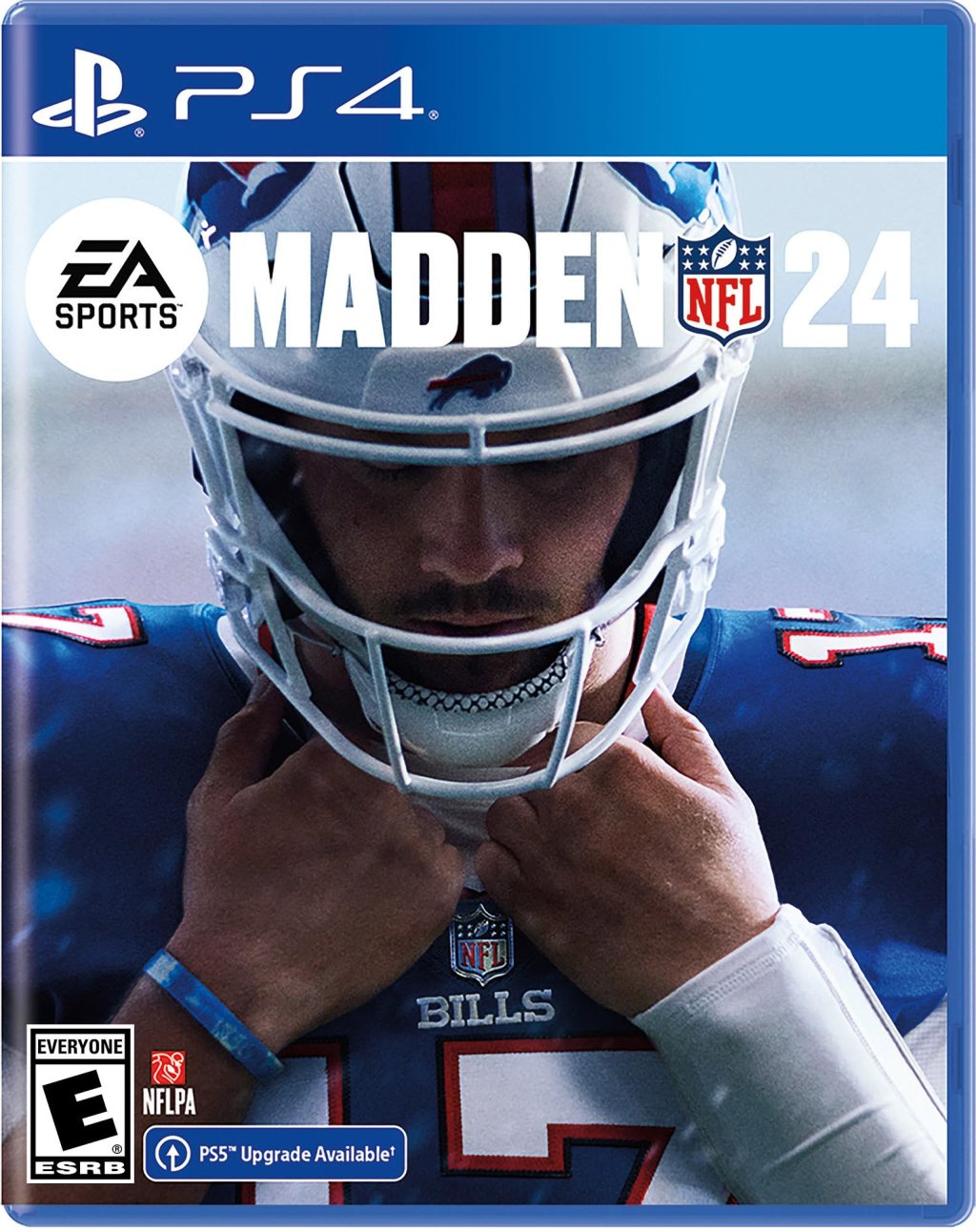
Madden NFL 24
## Game Introduction **Madden NFL 24**, developed by EA Tiburon and published by EA Sports, is the latest entry in the iconic American football simulation franchise. Released worldwide on August 18, 2023 (with early access starting August 15 for deluxe edition purchasers), the game is available on ...
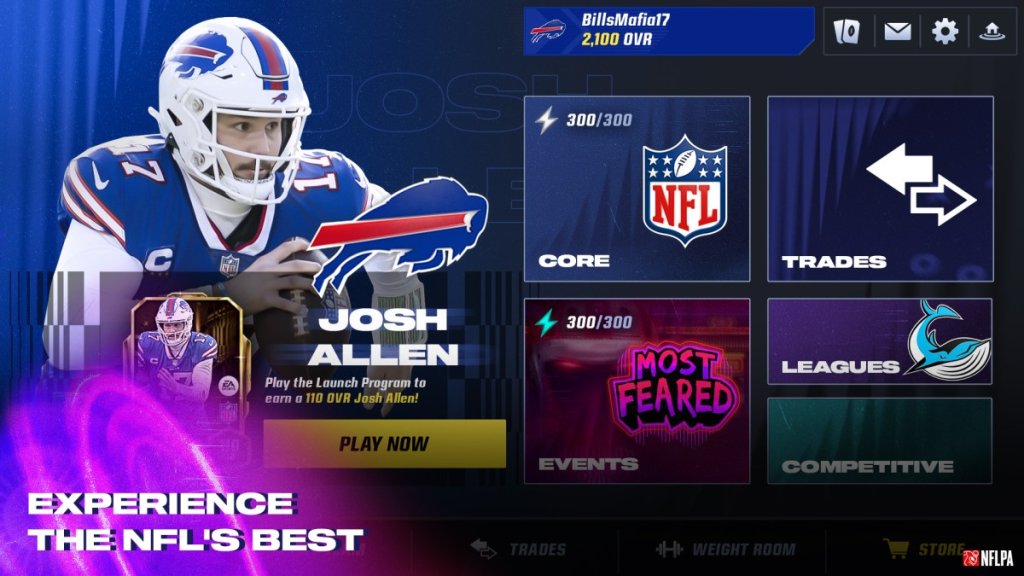
Download & Installation
Introduction
Madden NFL 24 is the latest installment in EA Sports' long-running football simulation series. This guide covers everything you need to download and install the game on all supported platforms, including PC (Steam and Epic Games Store), PlayStation (PS4 and PS5), Xbox (One and Series X|S), and mobile devices (iOS and Android). Follow the steps carefully to ensure a smooth installation and first launch.
Official Sources & Platforms
| Platform | Official Digital Store(s) | Physical Disc? |
|---|---|---|
| PC | Steam, Epic Games Store | No |
| PlayStation 4 | PlayStation Store | Yes (disc) |
| PlayStation 5 | PlayStation Store | Yes (disc) |
| Xbox One | Microsoft Store | Yes (disc) |
| Xbox Series X/S | Microsoft Store | Yes (disc) |
| Mobile (iOS) | App Store | No |
| Mobile (Android) | Google Play Store | No |
System Requirements (PC)
Minimum Requirements (for 1080p / 30fps on Low settings)
- OS: Windows 10 64-bit
- CPU: Intel Core i3-6100 @ 3.7GHz or AMD Ryzen 3 1200 @ 3.1GHz
- RAM: 8 GB
- GPU: NVIDIA GeForce GTX 1050 Ti (4GB) or AMD Radeon RX 460 (4GB) or Intel Arc A380
- DirectX: Version 12
- Storage: 50 GB available space (HDD)
- Network: Broadband internet connection
- Sound Card: DirectX-compatible
- OS: Windows 10 64-bit
- CPU: Intel Core i7-6700 @ 3.4GHz or AMD Ryzen 5 2600X @ 3.6GHz
- RAM: 16 GB
- GPU: NVIDIA GeForce GTX 1660 (6GB) or AMD Radeon RX 5600 XT (6GB) or Intel Arc A580
- DirectX: Version 12
- Storage: 50 GB available space (SSD)
- Network: Broadband internet connection
- Sound Card: DirectX-compatible
Recommended Requirements (for 1080p / 60fps on High settings)
Storage Space
| Platform | Installation Size (approx.) | Notes |
|---|---|---|
| PC (Steam/Epic) | 50 GB (SSD recommended) | Additional space for updates |
| PlayStation 4 | 45 GB | Disc version also requires full install |
| PlayStation 5 | 45 GB | PS5 SSD required |
| Xbox One | 50 GB | Slow HDD install times |
| Xbox Series X/S | 45 GB | Quick Resume supported |
| Mobile (iOS/Android) | 4-6 GB | Varies by device; requires constant internet |
Account Requirements
- EA Account: Essential for all platforms. PC players need an EA account via Origin or EA app. Console and mobile players also need an EA account linked to their platform ID.
- Platform Accounts:
- Subscription: For console online multiplayer, an active subscription is required (PlayStation Plus on PS4/PS5; Xbox Game Pass Core or Ultimate on Xbox). PC online play does not require a subscription.
- Steam: Steam account
- Epic: Epic Games Store account
- PlayStation: PlayStation Network account (PSN)
- Xbox: Microsoft Account / Xbox Live Gold (online modes require Xbox Game Pass Core or Ultimate)
- Mobile: Apple ID or Google account
Step-by-Step Installation
PC – Steam
1. Install Steam: Download and install Steam from [store.steampowered.com](https://store.steampowered.com).
2. Create/Log in to Steam account.
3. Purchase Madden NFL 24 from the Steam store (or redeem a key).
4. Install the game:
- Go to your Library → find Madden NFL 24.
- Click "Install."
- Choose installation location (ensure at least 50 GB free).
- Optionally, select which packs to install (language packs, HD textures).
- Click "Next" → "Install."
5. Wait for download and installation (Steam will automatically download and install).
6. First Launch: After completion, click "Play."
- Steam will prompt you to install the EA app (if not already installed).
- Follow prompts to link EA account and complete setup.
PC – Epic Games Store
1. Install Epic Games Launcher from [store.epicgames.com](https://store.epicgames.com).
2. Log in to your Epic account.
3. Purchase or claim Madden NFL 24 from the Epic store.
4. Install:
- Go to Library → Madden NFL 24 → Install.
- Choose install location (needs 50 GB+).
- Click "Install."
5. Wait for download (Epic will handle installation).
6. First Launch: Click "Play."
- The EA app will install if missing.
- Link EA account and proceed.
Note: On both PC stores, the EA app manages the actual game client. Ensure you have an active EA account.
PlayStation 4 & 5
Digital version:
1. Go to PlayStation Store on your console.
2. Search for "Madden NFL 24."
3. Purchase and download.
4. The download will start automatically. You can check progress under Notifications > Downloads.
5. Once downloaded, the game will install. Wait for the icon to appear on the home screen.
6. Launch the game. You will be prompted to sign in to PSN and link EA account (if not already linked).
Disc version:
1. Insert the disc into the console.
2. The game installer will launch. Follow on-screen prompts to copy the game to the hard drive.
3. Optional: Install any required updates (internet connection needed).
4. After copying, start the game. Online features require EA account linking.
Xbox One / Series X|S
Digital version:
1. Press the Xbox button → go to Microsoft Store.
2. Search for Madden NFL 24 and purchase.
3. The download will begin automatically. Monitor progress in My games & apps → Queue.
4. After download, the tile will appear in your library.
5. Launch the game. Sign in to your Microsoft account and then to EA account (if prompted).
Disc version:
1. Insert the disc.
2. The console will recognize it and start installation.
3. Follow on-screen instructions to copy data.
4. Once done, the game is ready to play. Updates may be required.
Xbox Smart Delivery: Madden NFL 24 supports Smart Delivery, so if you own the game on Xbox One, you automatically get the Xbox Series X/S version when playing on newer hardware. Ensure your console is online and that you're signed in with the same account.
Mobile (iOS & Android)
Note: The mobile version is a separate free-to-play title called Madden NFL 24 Mobile. It is not the full console/PC game.
1. Open the App Store (iOS) or Google Play Store (Android).
2. Search for "Madden NFL 24 Mobile."
3. Tap "Get" or "Install."
4. Wait for download (approx. 4-6 GB). May require Wi-Fi for large download.
5. After installation, open the app.
6. Sign in with your EA account or create a new one. You may also connect with Facebook or Google to save progress.
7. The game will download additional assets on first launch. Ensure stable internet connection.
First Launch Setup
After installation, the first launch will guide you through:
1. EA Account Login: You must log in with an EA account or create one. This is required for online features and saving progress.
2. Language Selection: Choose your preferred language and audio language (commentaries).
3. Accessibility Settings: Options for subtitles, colorblind modes, controller remapping, etc.
4. Graphics Settings (PC): Auto-detected; you can adjust resolution, quality preset, V-Sync, frame rate cap, etc.
5. Controller Calibration (console): Ensure controller is recognized. For PS5 DualSense features (adaptive triggers, haptics) are supported.
6. Online Connection Test: The game will check internet connectivity for online modes.
7. Tutorial: You can skip or play the tutorial.
8. Download Updates: If any day-one patch exists, it will download automatically on first launch. Keep your console/PC online.
Tip: On PC, if you encounter the "EA app not launching" error, try running it as administrator or reinstalling the EA app from [ea.com/ea-app](https://www.ea.com/ea-app).
Common Installation Errors & Fixes
| Error | Cause | Fix |
|---|---|---|
| "Game failed to install" (PC Steam) | Corrupt download or antivirus interference | Verify game files: Right-click Madden NFL 24 in Library → Properties → Local Files → Verify Integrity. Disable antivirus temporarily. |
| "DirectX error" on launch (PC) | Missing DirectX or outdated drivers | Install the latest DirectX from Microsoft. Update GPU drivers from NVIDIA/AMD/Intel. |
| "EA app not installed" loop (PC) | Steam/Epic failing to link EA app | Manually download and install the EA app from [ea.com/ea-app](https://www.ea.com/ea-app). Then restart Steam/Epic and launch. |
| "Disk write error" (Steam) | Insufficient permissions or disk space | Run Steam as administrator. Free up space. Change download region in Steam Settings → Downloads. |
| PlayStation “Cannot install” (CE-30002-5) | Corrupted database | Restart console in Safe Mode and rebuild database. |
| Xbox “Installation stopped” | Network issues or disc read error | Check network connection. For disc, clean the disc. Power cycle console (hold power button for 10 sec). |
| Mobile “Download failed” (iOS/Android) | Insufficient storage or unstable connection | Free up space (delete unused apps). Use Wi-Fi. Clear cache in settings. |
| Controller not working (PC) | Game not using correct controller type | Ensure controller drivers are installed. For PS5 DualSense, use wired or Bluetooth. For Xbox controller, use official dongle. In Steam, enable controller support. |
Post-Installation Verification
After installation, follow these steps to ensure everything is working:
1. Check Game Version:
- On console: Highlight game tile → press Options (PS) or Menu (Xbox) → select "Manage game & add-ons" → look at version number.
- On PC: In Steam Library → right-click Madden NFL 24 → Properties → Updates. The version appears at the top. Latest version should be 1.0.x.x (post-launch).
2. Verify Integrity of Game Files (PC only):
- Steam: Right-click game → Properties → Local Files → “Verify integrity of game files…”.
- Epic: In Library, click three dots on Madden NFL 24 → Manage → Verify.
3. Test Launch: Start the game. It should reach the main menu without crash. If you see an error, refer to the Common Errors section.
4. Check for Updates: Connect to internet; the game will prompt for any missing updates. On PlayStation, go to the game icon, press Options and select "Check for Update." On Xbox, the update should occur automatically when you start the game.
5. Graphics & Performance (PC): Run through the first intro sequence or a quick exhibition match. Monitor frame rate using built-in overlay (Steam has FPS counter). Adjust settings if needed.
6. Audio & Controller: Ensure sound works (headset/speakers) and all buttons respond correctly. In Settings, you can test the controller.
7. Online Connectivity: Go to the Online/Multiplayer menu. If you see a message about not being connected, check your internet and EA account status (help.ea.com).
Conclusion
With this guide, you should be able to download and install Madden NFL 24 on your preferred platform without issues. Whether you're playing on a high-end PC, the latest console, or on the go with your phone, the steps are straightforward. Always keep your system drivers, OS, and gaming stores updated to avoid compatibility problems. If you encounter persistent errors, visit EA Help (help.ea.com) or the official Madden NFL forums. Good luck and enjoy the game!
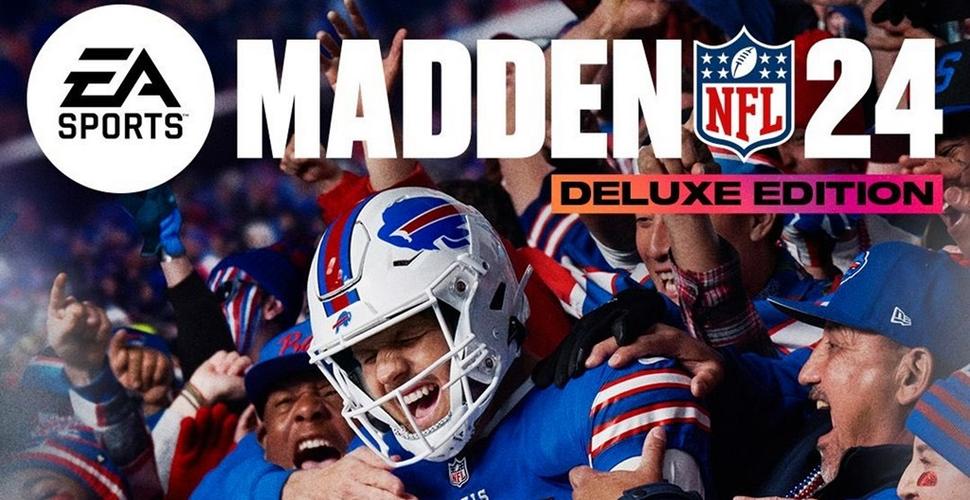
Game Introduction
Game Introduction
Madden NFL 24, developed by EA Tiburon and published by EA Sports, is the latest entry in the iconic American football simulation franchise. Released worldwide on August 18, 2023 (with early access starting August 15 for deluxe edition purchasers), the game is available on PC (Steam, Epic Games Store), PlayStation 5, PlayStation 4, Xbox Series X|S, and Xbox One.
While there is no traditional story mode, the game's central 'Franchise' mode invites players to build and manage their own NFL dynasty, creating unique narratives around team management, draft picks, and playoff runs. The setting is authentic NFL stadiums and environments, with the cover athlete being Buffalo Bills quarterback Josh Allen.
Core Appeal
Madden NFL 24 aims to deliver the most realistic and responsive on-field NFL experience ever. Its flagship feature is FieldSENSE, a new gameplay system that introduces more fluid throwing, catching, and defensive interactions. The game also includes improved AI logic, enhanced physics-based tackle animations, and a revamped passing system that gives players unprecedented control over ball placement and trajectory.
Target Audience
The game caters to both hardcore football enthusiasts seeking deep simulation mechanics and casual fans looking for quick pick-up-and-play action. It appeals to Madden veterans who want refined gameplay, as well as newcomers interested in learning the sport through video game representation. The wide selection of difficulty sliders and tutorial modes ensures accessibility for all skill levels.
Game Modes
- Franchise Mode: Full team management including scouting, drafting, trades, contracts, and owner goals. Features a new cross-play enabled online league option.
- Madden Ultimate Team (MUT): Build a custom roster using player cards, complete challenges, and compete in head-to-head seasons or solo battles.
- Superstar Mode: Create a player or choose an existing NFL star, then experience their career journey through training camps, games, and off-field decisions.
- The Yard: Arcade-style street football with over-the-top playcalling, power-ups, and style-based progression. Supports co-op multiplayer.
- Play Now / Exhibition: Quick offline or local multiplayer matches with any NFL team.
- Skills Trainer: Tutorial drills to learn game mechanics and improve.
- Online Modes: Head-to-head seasons, MUT Champions, and cross-play matchmaking for many modes.
- FieldSENSE Gameplay System: A comprehensive overhaul of passing, catching, and coverage AI that makes every play feel distinct and reactive to user input.
- New Passing Mechanic: Includes a pre-snap defensive indicator, reworked touch passing, and more nuanced quarterback control.
- Improved Player Movement: Enhanced foot planting, momentum, and collision physics result in more realistic player interactions.
- Cross-Play: First in the series for PC and current-gen consoles, expanding the online community.
- Next-Gen Exclusives: PS5 and Xbox Series X|S versions feature faster loading (SSD), DualSense haptic feedback, and dynamic 4K/60fps.
Online/Offline Support
The game offers extensive offline functionality (exhibition games, Franchise solo, Superstar solo, Skills Trainer) and online connectivity (MUT, head-to-head, online Franchise leagues). Cross-play is supported for specific modes on PlayStation 5, Xbox Series X|S, and PC (Steam & Epic), enabling players on these platforms to compete together. PlayStation 4 and Xbox One players can only match with each other.
DLC/Expansion Overview
Madden NFL 24 does not offer traditional story expansions. Instead, post-launch content is delivered through regular season updates that introduce new uniforms, roster changes, patches, and limited-time Ultimate Team events. The Season Pass (included with the Deluxe Edition) provides early access to bonus packs and items, but no single-player campaign expansions.
What Makes This Game Unique
With its deepened simulation, accessible arcade modes, and strong online ecosystem, Madden NFL 24 strikes a balance between authenticity and entertainment, making it the definitive choice for football gaming this year.
Getting Started
Getting Started in Madden NFL 24: A Beginner's Guide
Welcome to Madden NFL 24. This guide is designed to get you playing confidently within your first hour. We'll cover the basics from the moment you launch the game, explain the main modes, teach you the controls, and give you a clear day-one plan to avoid common rookie mistakes.
First Hour Walkthrough: What to Do Immediately
1. Launch the game and skip tutorials if desired. You can access tutorials later from the main menu. For a faster start, choose "Play Now" or "Madden Ultimate Team" right away.
2. Select your favorite NFL team. In "Play Now" you can pick any team and a stadium. This is your sandbox mode – no stakes, no pressure.
3. Play a quick game on Rookie difficulty. This lets you experience the core gameplay loop: offense, defense, and special teams. Don't worry about winning; focus on learning the controls.
4. After the game, explore the main menu. The big tiles are: Play Now, Madden Ultimate Team (MUT), Franchise, Superstar KO, Face of the Franchise, and Skills Trainer. We recommend starting with Skills Trainer before diving into deeper modes.
Important: There is no traditional character creation in Madden NFL 24 for your own player in most modes. However, Face of the Franchise allows you to create a custom player (height, weight, position, appearance). The process is straightforward: choose a position, customize your player's look (face, body, equipment), and assign a name. This is a single-player RPG-lite mode where you control only that player on the field.
Controls (All Platforms)
Madden NFL 24 uses a unified control scheme across platforms. Here's a quick reference for the most important buttons on Offense, Defense, and Special Teams.
Offense Controls (When your team has the ball)
| Action | PlayStation (PS4/PS5) | Xbox (One/Series X\ | S) | PC (Keyboard) |
|---|---|---|---|---|
| Hike the ball | Circle / B | B / A | Spacebar | |
| Pass (aim with left stick) | Square (short) / X (medium) / Triangle (deep) / Circle (touch pass) | X (short) / Y (medium) / Y (deep) / B (touch) | Q (short) / W (medium) / E (deep) / F (touch) | |
| Sprint | R2 | RT | Left Shift | |
| Dive | L1 | LB | Left Ctrl | |
| Juke (right stick) | Right stick flick | Right stick flick | Right stick flick (mouse or controller) | |
| Throw ball away (while pass is aimed) | RS press | RS press | T | |
| Pre-snap motion | L2 + left/right on left stick | LT + left/right on left stick | Tab + A/D |
Defense Controls (When the opponent has the ball)
| Action | PlayStation | Xbox | PC Keyboard |
|---|---|---|---|
| Switch player | Triangle / Y | Y / Y | Y |
| D-lineman moves | Left stick + R2/RT to sprint | Same | W/up arrow + Left Shift |
| Tackle | Circle / B | B / A | Spacebar |
| Pass rush move | Right stick + left/right (swim) | Right stick | Right stick or S/A |
| Interception | Square / X (when ball in air) | X / A | A |
| Defensive hold (DL) | L2 / LT + R2/RT | LT + RT | Q + Left Shfit |
Special Teams (Kicking / Punting)
| Action | PlayStation | Xbox | PC |
|---|---|---|---|
| Kick power | Hold X / A until desired power, then tap again for accuracy | Hold A / A | Hold A |
| Punt power | Hold Square / X | Hold X / X | Hold S |
| Kickoff timing | Tap X / A when the moving bar aligns | Tap A / A | Tap A |
UI Overview
- Main Menu: The central hub. Tiles from top-left: Play Now, Franchise, Madden Ultimate Team, Superstar KO, Face of the Franchise, Skills Trainer, and more (The Yard, Online head-to-head). Each tile leads to sub-menus.
- Play Now: Quick exhibition games. You can choose teams, stadium, weather, and quarter length.
- Madden Ultimate Team (MUT): Build a fantasy team by acquiring player cards through packs, challenges, and the Auction House. This is a live-service mode with frequent updates.
- Franchise: Full management simulation. Control an NFL team for multiple seasons – draft, trade, develop players, and manage cap space.
- Superstar KO: Arcade-style, fast-paced elimination mode with special abilities.
- Face of the Franchise: Single-player career mode where you control a custom created player (see above).
- HUD during gameplay: Down & distance (top left), play clock (top center), score & quarter (top right). Your chosen play is displayed at the bottom with a playbook wheel. Player indicators (arrows over receivers, etc.) help you see matchups.
- Do play the Skills Trainer.
- Do set your difficulty to Rookie or Pro (Menu → Settings → Game Options → Difficulty).
- Do disable penalties initially (Settings → Penalties → set all to Off) to avoid frustration.
- Do use the "Ask Madden" play call option – it recommends plays based on down, distance, and field position.
- Do focus on running the ball (Handoff / HB Dive) to control the clock and learn basic offensive flow.
- Avoid online head-to-head until you’re comfortable with controls (people are competitive).
- Avoid diving into Franchise with deep trades or salary cap moves – learn the basics first.
- Avoid wasting MUT coins on packs early – complete solo challenges to earn free cards.
- Avoid playing on All-Madden difficulty – it’s tuned for veterans.
- Currency: In MUT, your main currencies are Coins (earned from challenges, solos, and auctions) and Points (paid). Never use Points on packs until you understand the market. Spend Coins on affordable players (80-85 OVR) from the Auction House to fill gaps.
- Training: In MUT, Training is used to upgrade abilities and chemistry. Don’t waste it early – save it for key players.
- Franchise XP: Upgrade your team’s coaching staff – invest in positions that impact player development (e.g., QB coach, Offensive Coordinator).
- Team Affinity: In MUT, building around a few teams (e.g., Chiefs, 49ers) gives chemistry boosts. Focus on one or two early.
- [ ] Complete the first 2-3 Skills Trainer lessons (Passing, Running, Defense basics).
- [ ] Play one exhibition game (your favorite team vs. a weaker team, Rookie difficulty, no penalties).
- [ ] Explore the Main Menu – click each tile at least once to understand where things are.
- [ ] Start a MUT Journey – do the first 3 challenges to earn free packs.
- [ ] Create a Face of the Franchise player (optional) – customize your position, number, and equipment.
- [ ] Set game settings – Difficulty: Rookie, Penalties: Off, Quarter Length: 6 minutes, Clock Runoff: 20 seconds.
- [ ] Watch one beginner tutorial video (search YouTube for “Madden 24 beginner basics”).
- [ ] Bookmark or save this guide for future reference.
- [ ] Have fun – don’t stress about winning. The learning curve is part of the enjoyment.
Essential Early Objectives
1. Complete the Skills Trainer at least to the intermediate level. This teaches you passing mechanics, defensive assignments, and special teams.
2. Play 3-5 exhibition games on Rookie/Pro difficulty to build muscle memory.
3. Try Madden Ultimate Team (MUT) – it’s beginner-friendly. Complete the "Journey" challenges to earn free packs and players. This gives you a cheap but competitive team.
4. Start a short Franchise season (8 games) to learn roster management and in-game strategies without a long commitment.
5. Understand the play call system: Use coach suggestions early, then gradually customize with your own plays.
What to Do First vs. What to Avoid
✅ Do First:
❌ Avoid:
Early Resource Priorities
Common Beginner Mistakes
1. Holding Sprint too much on offense. Sprint slows down ball carriers and makes them harder to control. Use burst only in open field.
2. Forcing passes into coverage. When your primary receiver is covered, check down to your running back or receiver. Use the "throw away" button (RS press) if nothing is open.
3. Not using the play clock. Rushing snaps leads to misalignments. Take your time to read the defense.
4. Over-pursuing on defense. Stay disciplined, zone coverage is better for beginners than man-to-man.
5. Ignoring special teams. A good kickoff return or punt block can swing momentum. Learn the kick timing.
6. Changing difficulty too early. Stick with Rookie/Pro until you consistently win by 10+ points.
Day-One Checklist
With this checklist and the tips above, you’ll have a solid foundation by the end of your first session. Madden NFL 24 has deep mechanics, but mastering the basics here will let you enjoy the game from day one.
Core Gameplay
Core Gameplay in Madden NFL 24
The Main Gameplay Loop
The core loop in Madden NFL 24 revolves around playing American football games to earn rewards, improve your team or player, and progress through various game modes. The cycle typically follows: Choose a Mode -> Play a Game (or Simulate) -> Earn XP, Coins, or Cards -> Upgrade Team/Player -> Repeat at Higher Difficulty or with New Objectives. The loop varies slightly by mode:
Ultimate Team (MUT): Complete challenges, win solo games, or play head-to-head to earn packs, coins, and training. Use these to build a better squad through the auction house or pack openings. Progress through Field Pass tiers for season rewards.
Franchise: Play or simulate through seasons as a coach, owner, or player. Manage roster, draft rookies, sign free agents, and upgrade player attributes via XP. The goal is to win the Super Bowl and build a dynasty.
Superstar: Create a custom player and go through an NFL career. Practice, play games, and earn skill points to improve attributes. Complete endorsement deals and team goals.
Exhibition / Play Now: Quick single games for practice or fun; no persistent progression.
Combat/Interaction Systems
Madden NFL 24's "combat" is the football simulation engine. Key systems:
Offense:
Passing: Use the left stick to aim and press receiver icons. New FieldSENSE passing includes three target types: Placement (high/low, touch pass via L1/LB), Free Form (manual stick aiming), and Receiver Based (icon only).
Running: Left stick to juke, spin (Circle/B), stiff arm (Square/X), truck (R1/RB), and skill moves with right stick. The Hit Stick (right stick up) for big tackles.
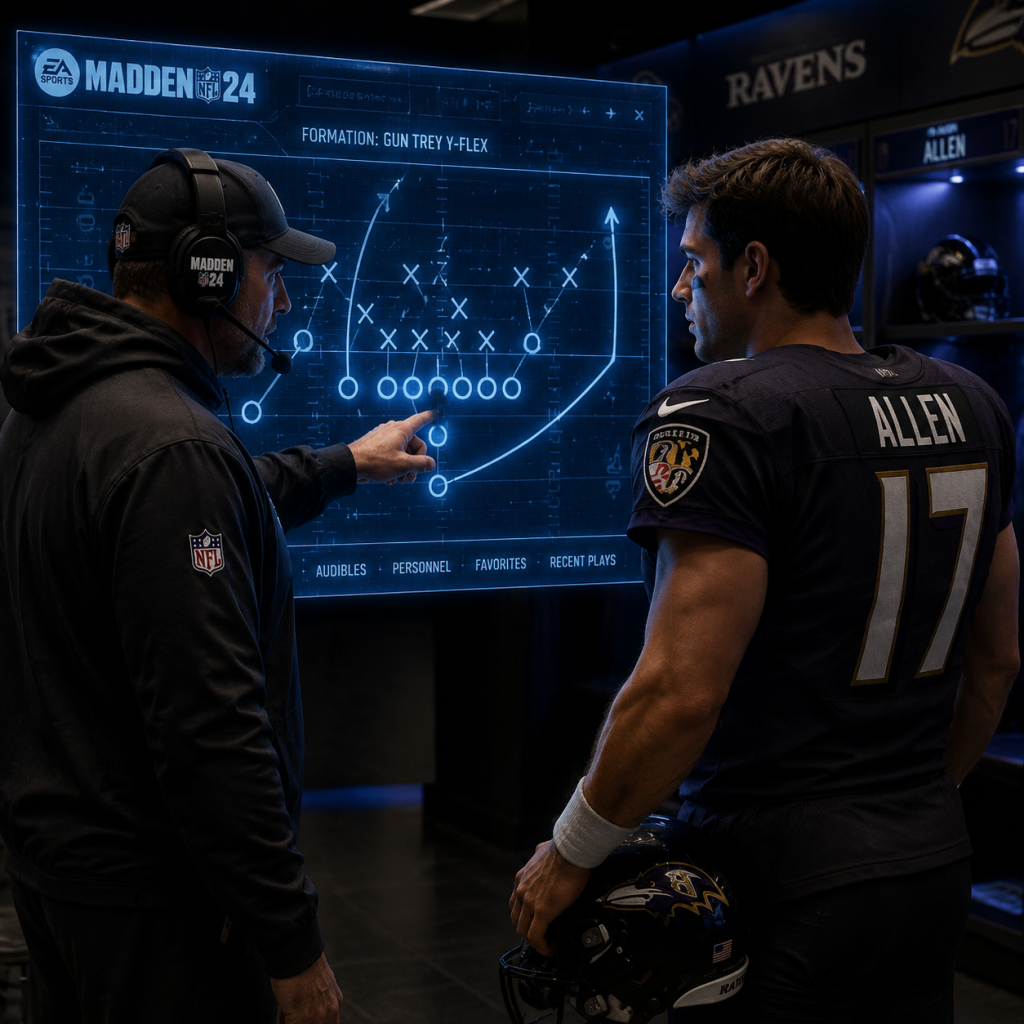
Play Calling: Choose from formations, audibles, hot routes, and pre-play adjustments (e.g., motion, O-line assignment).
Defense:
Tackling: Press X/A for conservative tackle, hold for break tackle animation. Use Hit Stick for hard hits.
Coverage: Control a linebacker or DB. Use L1/LB for strafe, R2/RT for sprint, triangle/Y for swat or intercept.
Press/Bump: Pre-snap adjustments like pinching D-line, shading coverage, and blitzing.
Special Teams: Kicking with three-click meter (power then accuracy). Punting and field goals similar.
Advanced Mechanics: All-New FieldSENSE also impacts blocking, receiver route running, and defensive reactions. Skill-Based Passing has been refined for deeper control. Sideswipe and cutting mechanics for ball carriers.
Progression Systems
Madden NFL 24 has multiple progression tracks:
Player Level (Account-Wide): Earn XP from any game mode to increase your player level (1 to 50). Each level rewards packs, coins, or cosmetics. Leveling unlocks rewards in the Field Pass and provides a sense of overall account progression.
MUT Team Progression: Your team's overall rating (OVR) improves by acquiring better players. Training points allow you to add abilities (e.g., Escape Artist, Edge Threat) and chemistry (e.g., Balanced O, West Coast) to boost performance.
Franchise Progression:
Coach XP and Skill Tree: Earn coach XP from games, practice, weeklies. Spend skill points in trees like Motivation, Player Management, Game Planning.
Player Development: Each player has a development trait (Normal, Star, Superstar, X-Factor) that determines XP earning rate. In-game performance modifies Dev Trait. XP is earned in practice, games, and via coach skill boosts.
Superstar Player Progression: Earn skill points after games to spend on a skill tree (e.g., Speed, Strength, Awareness). Attributes increase slowly; caps are based on archetype. Complete goals like "Win Rookie of the Year" for bonus XP.
Exploration (Very Limited)
Madden NFL 24 is not an open-world game. Exploration is minimal but exists in:
Franchise: Scouting college players during draft season. You can scout prospects to reveal their true ratings (e.g., Hidden Dev trait). Also explore free agent market and contract negotiations.
MUT: The Auction House is a virtual marketplace where you can "explore" player prices, snip cheap buys, and list items.
Superstar: You can manage your character's social media, schedule training sessions, and choose which endorsement deals to pursue.
Quests/Missions
MUT Field Pass Objectives: Season-long tasks like "Pass for 2000 yards with QB" or "Win 15 Solo Battles". These award XP, packs, and themed players.
MUT Challenges: Solo campaigns with multiple sequences (e.g., "Welcome to the NFL," "Team Affinity"). Each challenge has specific objectives (e.g., rush for 100 yards, force a fumble). Completion gives stars; stars unlock bonus rewards.
Franchise Season Goals: Your owner/coach sets yearly goals (e.g., reach playoffs, sell X tickets). Meeting them improves owner confidence and job security.
Superstar Goals: Ranging from weekly team goals (e.g., 150 yards in the game) to career milestones (e.g., 1000 rushing yards in a season).
Economy
MUT Coins: Primary currency earned from solos, H2H wins, selling cards in auction house. Coins buy packs or players. Real money (Points) also used for premium packs.
Training: Earned by quickselling cards. Used to equip abilities and chemistry.
Franchise Salary Cap: You manage team salary cap (hard cap at start, can increase via owner upgrades). Sign players to contracts (base salary, bonuses). Firesale or trade to stay under cap.
Superstar Endorsements: Earn money by completing endorsement objectives. Money can be spent on cosmetic upgrades (e.g., new house, car) or attribute boosts.
Character/Build Growth
Franchise Player Development: Focus on weekly XP allocation (via training). Use coach skills to boost XP gain. Players with X-Factor abilities unlock unique moment triggers (e.g., "Passing Dream" for QB). Upgrading Dev Trait to Superstar or X-Factor significantly accelerates growth.
MUT Team Building: Acquire high-OVR cards (rare, limited, etc.). Stack team chemistry (e.g., +4 speed for all with same chem). Equip abilities on superstar players (max 3 per player). Training cost scales with ability tier.
Superstar Skill Tree: Distribute points across 6 attribute categories: Speed, Agility, Strength, Tackling, Catching, Awareness. Some branches require reaching a threshold. Archetype (e.g., Scrambler QB) determines maximums.
Endgame Structure
Once you've mastered basics, endgame content includes:
MUT Champions: Weekly tournament mode where you draft limited squads and compete for top-tier rewards (e.g., 98 OVR cards).
Madden Bowl / MUT House Rules: EA-sanctioned online tournaments with real prizes.
Head-to-Head Seasons: Ranked matches where you earn trophies and unlock better rewards as you progress through divisions (Rookie to All-Madden).
Franchise Dynasty: Simulate decades into the future, managing salary cap, drafting future stars, and assembling legendary teams. On All-Madden difficulty with simulation sliders.
Superstar Career: Play until retirement, aiming for Hall of Fame stats and multiple Super Bowl rings.
Completionist Goals: 100% Field Pass completion, all MUT solo stars, full Superstar skill tree, all trophies/achievements.
Player Progression Tiers
Early Game (0-20 hours)
Focus: Learning controls, understanding basic strategies, building a foundation.
What to do:
Play Exhibition games on Rookie or Pro difficulty to get comfortable with passing, running, and defense. Use simplified playcalling (Coach Suggestions).
Start a MUT team: Complete the field pass "Welcome to the NFL" challenges (8 sequences, each gives Gold players and coins). You'll build a 70-75 OVR team quickly.
Try Superstar as a QB or HB to learn the flow of a full game from one player's perspective.
Complete the Training Camp tutorials to master FieldSENSE passing and hit stick.
Example Goal: By hour 20, you should be able to consistently complete basic passes, run for positive yards, and make simple defensive reads. Your MUT team should be ~75 OVR with a few gold elites.
Key Tip: Use ability-free players initially; focus on positioning and timing rather than special moves.
Mid Game (20-100 hours)
Focus: Developing strategies, building a solid team, competing in online modes.
What to do:
MUT: Grind Solo Battles for Elite cards each week. Focus on one Field Pass theme (e.g., "Rising Stars"). Start investing in cheap 82-85 OVR players. Learn chemistry basics: align 3+ players of same team or scheme for small stat boosts.
Franchise: Start a single-player franchise with your favorite team. Use Rookie Draft to identify gems. Allocate XP weekly: prioritize upgrades for young players with Star or Superstar dev traits. Set playbook to a scheme that fits your QB (e.g., West Coast for accuracy, Run & Gun for mobility).
Superstar: Choose an archetype (e.g., Field General QB). Grind training drills to boost attributes. Start accepting endorsement offers—money buys attribute points.
Head-to-Head: Play Unranked or Seasons on Pro/All-Pro difficulty. Record your wins to understand common user tendencies.
Example Goal: MUT team reaches 85 OVR with at least one ability-equipped player (e.g., a Defensive Back with Acrobat). Franchise team reaches playoffs after Year 1. Superstar player has 80+ overall rating.
Key Tip: In MUT, never quicksell training until you have a core team. Use training to add one crucial ability to a key position (QB or pass rusher) rather than spreading thin.
Late Game (100-200 hours)
Focus: Optimizing team, mastering advanced mechanics, competing at high levels.
What to do:
MUT: Aim for a 90+ OVR team. Grind House Rules and Weekend League for limited rewards. Learn auction house sniping: filter by 80-84 OVR, max bid 5k to flip for 10k. Invest in training-heavy sets like Team Builders to get high OVR capstones.
Franchise: Turn off salary cap if you want a true dynasty. Use the draft to find X-Factor prospects (scout personality and combine drill results). Build a scheme-specific roster (e.g., 3-4 defense, Spread offense). Trade aging stars for future picks.
Superstar: Max out your archetype's key attributes (e.g., 95 throw power for QB). Unlock X-Factor ability (e.g., "Bazooka" for deep passes). Play on All-Madden difficulty to maximize XP per game.
Head-to-Head: Compete in Seasons mode at All-Pro or All-Madden division. Use no-button pass leading (Free Form passing) for tight windows.
Example Goal: MUT team 93 OVR with three superstars equipped with X-Factor abilities. Franchise team wins multiple Super Bowls. Superstar player inducted into Hall of Fame after 15 seasons.
Key Tip: In MUT, know the market trends—new promo releases cause older cards to drop in price. Buy during promos, sell during content lulls.
Endgame (200+ hours)
Focus: Perfect team, elite competition, full completion.
What to do:
MUT: Assemble a 99 OVR team with perfect chemistry (e.g., +6 to all speed). Participate in MUT Champions weekly; aim for top 100 leaderboard. Use Training Quicksell on duplicate high-tier cards to max abilities on your starters. Complete all Field Pass tiers for exclusive 99 OVR cards.
Franchise: Simulate 30+ years to see generational players. Turn on relocation and create a custom team. Use realistic sliders (e.g., All-Madden, threshold 50) for true simulation. Compete for the ultimate challenge: win a Super Bowl with a 70 OVR team.
Superstar: Retire your player and create a new one with a different archetype to experience all playstyles. Achieve all Superstar achievements (e.g., 10,000 rushing yards, 500 TDs).
Online: Join Madden leagues (e.g., via Discord) with 32 active users for the most immersive franchise experience. Compete in EA's official tournaments for real prizes.
Example Goal: MUT team fully chemmed with every player having an X-Factor that matches your scheme. Franchise team dynasty with 10 consecutive Super Bowls. Superstar player with maxed attributes and all accomplishments.
Key Tip: At this stage, the game becomes about consistency and adaptation. Practice reading defenses pre-snap and using audibles for 30 seconds per play. Record your gameplay to identify weaknesses in your playcalling.
This tier structure provides a roadmap from novice to veteran, ensuring you always have a clear next step in Madden NFL 24.
Game Tips
Game Tips for Madden NFL 24
Introduction
Madden NFL 24 is a deep simulation requiring mastery of offense, defense, special teams, and team management. These tips are organized by category—from fundamental gameplay to advanced team-building—suitable for beginners, intermediate players, and veterans seeking an edge.
---
1. Offensive Tips (Combat/Gameplay)
Beginner: Build from the Ground Up
- Use the “Ask Madden” feature for play-calling until you understand formations and defensive looks. It suggests plays based on the situation.
- Hold RT/R2 to sprint only in open field – sprinting early locks your path and makes cuts slower. Use the left stick for subtle direction changes.
- Conservative ball carrying (tap LB/L1) protects the ball when contact is imminent, reducing fumbles by ~40%. Use it on 3rd/4th down or in traffic.
- Check down to the running back when primary routes are covered. RB flat routes are often open for 5-8 yards.
- Read the coverage shell: Safeties deep? Likely Cover 2 (two deep safeties) or Cover 4 (quarters). Single high safety? Cover 1 or Cover 3. Adjust routes accordingly.
- Use hot routes: On passing plays, press Y/triangle then A/X to change a receiver’s route. For example: Slant vs man, Out vs zone.
- Motion a receiver to see if a defender follows. If a cornerback shadows across the formation, it’s man coverage; if he stays in zone, it’s zone. Use this to decide your primary read.
- Mix run types: Inside zone behind pulling guards, stretch runs to the outside, and counters to keep the defense honest. Don’t run the same play twice in a row.
- Use RPOs (Run-Pass Options) to force the defense to choose. For instance, RPO Bubble vs a nickel defense overloads one side. Read the unblocked defender: if he crashes run, throw the bubble; if he drops, hand off.
- Concept stacking: Call plays that attack the same zone with different depth. Example: a deep post and a dig route underneath both break towards the same hole zone.
- Audible protection: Against blitzes, use the ID the Mike feature (RB/R1) to assign a specific rusher to your extra protector. Also use slide protection (LT/L2 + left stick) to shift the line away from the blitz.
- Perfect passing: Use placement + power (tap receiver icon for high throw, hold for touch pass, double-tap for bullet) and accuracy. A high ball over the middle gives WR chance for catch in traffic; low pass on sideline avoids interception.
- Select a base defense (Nickel 3-3-5 or 4-3) most of the time. Avoid dime/packages until you understand coverage gaps.
- Control a defensive lineman (DT/DE) – it’s easier to rush the passer or shed blocks than to cover in space as a linebacker.
- Swat the ball (Y/triangle) instead of going for the interception in contested catches. INT chances are low for non-90+ coverage ratings.
- Use “Coach Suggestions” for alignments and adjustments in the pause menu.
- Show blitz then bail out: Call a blitz play, then press down on the D-pad to “Show Blitz” (or use pre-play coach adjustments). After the snap, drop a rusher into a hook zone. This confuses QBs pre-snap.
- User the MLB (middle linebacker) and click onto the most dangerous receiver in zone. For example, in Cover 3, patrol the deep middle hook zone.
- Shade coverage with the right stick: Up for overtop (prevent deep), Down for underneath (protect short). Use when opponent spams deep throws or quick slants.
- Adjust defensive line: Pinch (down on D-pad) to collapse the pocket vs interior runs; Spread (up) to set edge vs outside runs.
- Against mesh/crossers: Use a coverage like Cover 4 Palms (quarters with cloud flats). Shade underneath and user a linebacker to trail the crossing route.
- Blitz timing: Call a zero blitz when opponent is on 3rd and long (>10 yards). Use “Bracket” coverage (pressing R1/RB then double-tapping receiver icon) on the #1 receiver to double him.
- Audible zone drops: Press Y/triangle then RB/R1 to adjust zone depths. For example, shallow drops (1 yard) vs screens, deep half (10 yards) vs verts.
- Strip ball: When tackling a ball carrier, press R1/RB + tackle button (X/square) to attempt a strip. Use only when you have backup defenders in pursuit; missed strips lead to broken tackles.
- Punt strategy: Inside your own 40, use regular punt. From opponent’s 40-50, use a coffin-corner punt (hold up on left stick) to pin them inside the 10.
- Field goal aim: Hold the left stick slightly to the upright away from the wind direction. Release at the prompt when the meter is in the green zone for maximum power and accuracy.
- Onside kick recovery: After the bounce, switch to the closest defender (press the corresponding receiver icon) and dive (X/square) to the ball. Time it to catch the kick before it goes 10 yards.
- Two-minute offense: Use hurry-up (press R1/RB after the previous play) to spike the ball to stop clock. Utilize sideline routes (curl, out) to get out of bounds.
- Fourth down decisions: Go for it on 4th and 1 inside opponent territory (70%+ success rate with QB sneak or FB dive). Punt on 4th and 5+ from your own 40 or deeper.
- Franchise mode: Focus development on your QB with “Scrambler” if you like running, “Strong Arm” for deep passes. Upgrade “Field General” ability first for pre-snap defensive reads.
- Superstar mode: Choose archetype that fits your play style. For WR, “Route Runner” gives silver-tier abilities early; for CB, “Slot” improves coverage in tight spaces.
- Match player abilities to your offensive/defensive scheme. If you run West Coast, equip “West Coast Zone” on QB and “Short In Elite” on WR for quick passes.
- Use physical traits: Height matters for WR (6’2”+ wins jump balls) and O-line (arm length for pass blocking). Speed is king for CB, 90+ OVR.
- Skill points priority: For QBs, unlock “Escape Artist” (X-factor) then “Dashing Deadeye”. For RBs, “Freight Train” for power, “Juke Box” for agility.
- Superstar: Create a OLB (Pass Coverage archetype) with “Security” sub-archetype. Equip “Acrobat” (X-factor) and “One Step Ahead” – you control the middle of the field.
- Franchise draft: Target players with “Star” or “Superstar” dev trait, even if OVR is lower. These develop 2x-3x faster. Use scouting to find hidden traits like “Clutch” or “Toughness”.
- Coach staff abilities: Hire a Head Coach with “Quarterback Whisperer” (+10% XP for QBs) and “Developer” (+2 additional skill points per level for all rookies).
- Franchise: Sign veteran free agents on 1-year deals to fill depth. Avoid backloaded contracts that will cripple future cap. Use “Front Office” tab to view cap penalties.
- Ultimate Team (MUT): Use coins to buy budget elites (83-85 OVR) from the auction house rather than ripping packs. Complete solo challenges for coin rewards.
- Franchise draft: Trade down from your first-round pick to accumulate mid-round picks (3rd-5th rounds) – depth is more valuable than one star. Target CB, DE, OT early.
- Trade tip: Offer a player plus a pick for a higher-rated player on the trade block. For example, trade a backup safety and a 4th for a 78 OVR starting guard.
- MUT chemistry: Activate a chemistry theme (e.g., “Go Deep” for +2 speed to WR/TE) by having 10+ players with that chem. Prioritize players that fit the scheme.
- Franchise: Use a “void years” trick – add multiple voidable years to a contract to spread signing bonus. The cap hit stays low initially but spikes when voided. Use only for stars you keep 4+ years.
- MUT: “Training” currency is best used to upgrade abilities and X-factors on core players, not for random packs. Buy 78-79 OVR players cheap with training and quick-sell for 2x training value on certain promos.
- Scouting in Franchise: Use the “80-point” method: scout players until you reveal 80% of their ratings (approx. 5-6 focus grades). This reduces uncertainty for drafting. Prioritize “Physical” traits (Speed, Strength) for high ceilings.
- MUT Solo Battles: Play on “Legendary” difficulty vs weak teams (60 OVR) for maximum score multiplier. Run the clock and use conservative ball handling to avoid turnovers.
- Franchise XP farming: Set practice intensity to “Normal” (no injuries). Use “Game Prep” to award XP to up to 5 players each week. Focus on young players with Superstar dev.
- Superstar mode: Complete weekly objectives + dynamic goals during the game (e.g., “Complete 3 passes of 10+ yards”) for bonus XP. Adjust your playbook to suit your archetype.
- Practice Mode: Use the “Scrimmage” option to test specific plays and reads without consequence. Rehearse RPO reads, hot route combos, and defensive coverage adjustments against different looks.
- Community resources: Follow “MaddenTips” on Twitter, watch “Coach” YouTube channels like HSg or KingSaiyen for latest meta plays, ability tier lists, and patch notes.
Intermediate: Pre-Snap Reads and Adjustments
Advanced: Scheme and Exploitation
---
2. Defensive Tips (Combat/Gameplay)
Beginner: Stay Fundamental
Intermediate: Disguise and Adjust
Advanced: Countering Common Offenses
---
3. Special Teams & Situational Football
---
4. Player Progression & Builds (Franchise / Superstar)
Beginner: Pass-First Archetype
Intermediate: Synergize Abilities with Scheme
Advanced: Max Impact Builds
---
5. Team Building & Economy (Franchise / MUT)
Beginner: Salary Cap Basics
Intermediate: Draft and Trade Strategies
Advanced: Cap Management & Long-Range Planning
---
6. Resources & Mode-Specific Tips
---
Conclusion
Mastering Madden NFL 24 requires blending tactical knowledge with repeatable mechanics. Start with the beginner tips to build a foundation, then progress through intermediate and advanced strategies as you become comfortable. Always adapt to your opponent’s tendencies and use practice mode to sharpen your skills. Good luck on the virtual gridiron!
Game Settings
Madden NFL 24 Game Settings Guide
This guide covers every settings menu in Madden NFL 24 and provides recommendations for optimal performance (especially on PC) and the best visual fidelity depending on your hardware. We’ll also highlight settings that are easy to misconfigure or that require special attention.
1. Graphics Settings (PC Only – Not present on consoles)
PC players can adjust these in the `Settings > Graphics` menu. Console versions are fixed to the hardware profile.
#### 1.1 Basic Graphics Options
| Setting | Low-End PC (e.g., GTX 1650 / Ryzen 5) | Mid-Range PC (e.g., RTX 3060 / i5-11400) | High-End PC (e.g., RTX 4080 / Ryzen 9) | Notes |
|---|---|---|---|---|
| Display Mode | Fullscreen (for best performance) | Fullscreen | Fullscreen | Windowed and Borderless cause slight input lag. Always use Fullscreen. |
| Resolution | Native (e.g., 1920x1080) | Native or 1440p | 4K (3840x2160) | Match your monitor’s native resolution. Higher = sharper but heavier. |
| VSync | Off (if screen tearing bothers you, On) | Off | Off | VSync adds input lag. Disable unless tearing is severe. Use G-Sync/FreeSync if available. |
| Frame Rate Limit | 60 FPS | 90–144 FPS (depending on monitor) | 144+ FPS (unlocked) | Set to your monitor’s refresh rate or a stable target. Uncapped can cause stuttering. |
| Graphics Quality Preset | Low | Medium-High | Ultra | Start with the preset, then tweak individual settings below. |
These matter more for visual fidelity than competitive advantage. The game engine (Frostbite) is CPU-intensive for crowd/animation, but GPU matters for shadows, textures, and lighting.
Important: The settings marked with ⚠️ are easy to misconfigure and often have big performance impacts.
- Resolution Scale – Keep at 100%. Lowering can make the game blurry. Only use Dynamic Resolution if struggling on consoles (not a PC setting here).
- Texture Quality – High on 6+ GB VRAM, Medium on 4 GB, Low on 2 GB. Affects player models, uniforms, and field detail. Small FPS impact.
- Shadow Quality – Medium is a good balance. High/Ultra use significant GPU power for long shadows. ⚠️ Misconfiguration: Many players set this to Ultra and lose 15–20 FPS for minimal visual gain.
- Lighting Quality – Medium to High. Ultra adds expensive global illumination. Low makes field look flat.
- Post-Process Quality – Controls bloom, depth of field, motion blur. Set to Low if you dislike blur. Medium is safe. ⚠️ Motion Blur inside this preset can cause nausea for some – turn it off in Gameplay Settings if you dislike it.
- Anti-Aliasing (AA) – TAA (default) is fine. FXAA is lighter but blurs. MSAA is very heavy (not recommended). Set to TAA Low or TAA High depending on performance.
- Ambient Occlusion – Off or SSAO (low). HBAO+ is heavy. Small visual improvement.
- Crowd Quality – Low (stable FPS) or Medium. Crowd has minimal effect on gameplay. ⚠️ Easy to misconfigure: Setting to Ultra on a mid-range PC can drop FPS by 5–10 in stadiums.
- Strand Based Hair – Off. It’s a gimmick and heavy on GPU. Players look fine without it.
- Reflections – Off or Low. Screen-space reflections on wet fields are expensive. Turn off for competitive play.
- Terrain Quality – Medium. Affects grass detail. Low can miss tackle markers (minor).
- Particle Quality – Low. Dust, dirt, confetti have no gameplay impact.
- Dynamic Resolution Target – Only for consoles. On PC, keep disabled.
- Use NVIDIA DLSS or AMD FSR if available. Set to Quality for best image clarity, Performance for FPS boost.
- CPU-bound? Lower crowd quality and post-process.
- GPU-bound? Lower shadow quality, reflections, and AA.
Performance Tips (PC):
2. Audio Settings
Access via `Settings > Audio`. Adjust to your preference; no major performance impact.
| Setting | Recommendation | Why |
|---|---|---|
| Master Volume | 70–80% | Avoid clipping. Keep headroom for dynamic sounds. |
| Music Volume | 30–50% | Background music can distract from in-game audio cues (audibles, play call countdown). |
| SFX Volume | 100% | All footstep, tackle, whistle, and menu sounds. Crucial for awareness. |
| Commentary Volume | 60–80% | Informative but can be repetitive. Lower if you want to focus. |
| Stadium Ambience | 80–100% | Helps immersion; crowd roar can mask opponent’s audibles in online play. |
| 3D Headphones | On (if using headphones) | Enables binaural audio for directional awareness (e.g., hearing which side a blitz is coming from). ⚠️ Easy to misconfigure: Leave Off if using speakers – it will sound hollow. |
| Dynamic Range | Wide (for headphones) / Normal (TV speakers) | Wide enhances small sounds; Normal flattens. |
| Controller Speaker | On or Off (personal) | On PS5/Xbox, small plays sounds through controller. Can be distracting. Off to save battery. |
3. Control Settings
Access via `Settings > Controls`. Two main submenus: Controller Configuration and Virtual Controls (for mobile/remote play).
#### 3.1 Controller Configuration
- Control Schemes – Options: Classic, Competitive, Arcade, All-Madden.
- Pass Type – Placement + Accuracy (default) vs. Placement only. The default gives more control but requires timing. For beginners, switch to “Placement Only” to avoid inaccurate throws.
- Ball Carrier Control – Precise (default) vs. Fight for Yards. Precise gives juke/spin control; Fight for Yards trades moves for strength. Use Precise.
- Auto Sprint – Off (recommended). Manual sprint gives better stamina management. ⚠️ Misconfiguration: Leaving On may cause you to sprint when you don’t want to (e.g., pass rush overrun).
- Auto Strafe – Off. Manual strafe on defense gives better lane control.
- Heat Seeker Assist (Tackling) – Off for competitive play (you control hit stick), On for casual.
- Switch Player Assistance – Classic (click stick) or Switch on Ball Throw (auto). Use Classic for defender control near catch point.
- Vibration – On (haptic feedback for hits) or Off (save battery, no distraction).
- Classic is default (face buttons for throw, stick for ball carrier).
- Competitive is recommended for online play: uses triggers for sprint/modifiers, reduces button press errors.
- ⚠️ Easy to misconfigure: Switching schemes without practice can ruin your muscle memory. Stick with one and learn it.
#### 3.2 Button Mapping
You can remap every button from `Settings > Controls > Button Mapping`. This is useful for accessibility or if you prefer a layout from other games (e.g., switching L2/L1 for sprint). ⚠️ Caution: Resetting to defaults may be needed if you experiment too much.
4. Accessibility Settings
Madden NFL 24 has a dedicated `Accessibility` tab under `Settings`. These help players with disabilities or preferences.
| Setting | Recommendation | Notes |
|---|---|---|
| Subtitle Size | Large | Makes dialogue/commentary readable. |
| Subtitle Background | Opaque | Better contrast against bright sky. |
| High Contrast Mode | Off | If you have vision issues, On can outline players/ball. Can be jarring for others. |
| Color Blind Mode | Off / Deuteranopia / Protanopia / Tritanopia | Adjusts team colors, route colors, and UI elements. Enable if you have difficulty distinguishing red/green or blue/yellow. |
| Controller Sounds | On | Provides audio cues for menu navigation. |
| Narrator (Text-to-Speech) | Off | Reads menus aloud. On for visually impaired. |
| Reaction Time Assist (Defense) | Off / Low / Medium / High | Slows down opponent’s decision-making in single-player only (affects difficulty). Leave Off for realistic challenge. |
| Auto-Play Offense / Defense | Off | Allows CPU to control side while you watch. Not for competitive. |
| Visual Indicator for Play Clock | On | Adds a non-verbal flash when play clock is winding down. Helpful if you miss audio warnings. |
5. Language Settings
- Voice Language – English (default), Spanish, French, German, Italian, Portuguese (Brazilian). Choose your preferred commentary team. ⚠️ Misconfiguration: If you accidentally set to a language you don’t understand, you may miss key information like injury updates or play call hints.
- Text Language – Same options. Menu text, player names, and menus change accordingly. Revert if you want English.
- Audio Language for play-by-play – Separate from Voice Language. Ensure both match unless you want multilingual.
6. Network & Online Settings
These affect online modes (Head-to-Head, Ultimate Team, etc.). Access via `Settings > Online`.
| Setting | Recommendation | Explanation |
|---|---|---|
| Connection Type | Wired (if possible) | Reduces latency and jitter compared to Wi-Fi. |
| Bandwidth Test | Run at first setup | Helps EA servers optimize matchmaking. It’s a quick speed test. |
| Cross-Play | On | Enables matching with players on other consoles (PS5/PS4 with Xbox? Check EA’s latest). ⚠️ Misconfiguration: If you turn Off, matchmaking pools shrink, increasing wait times. |
| Matchmaking Region | Auto | If you live far from servers, manually select closest region to reduce ping. |
| NAT Type | Open (recommended) | Strict or Moderate can prevent voice chat/party invites. Troubleshoot router if needed. |
| Voice Chat Settings | Push-to-talk (PC) or Mute when not speaking | Avoid background noise annoys teammates. Can set volume per player. |
- Use a wired ethernet connection for the lowest ping.
- Close other bandwidth-heavy apps (streaming, downloads) before a ranked game.
- Turn off dynamic resolution to avoid sudden FPS drops during online matches.
7. Gameplay Settings (In-Game & Menu)
These settings change how the game plays on the field, AI behavior, and rules. Access from `Settings > Game Options`.
#### 7.1 Difficulty
| Difficulty | Description | Recommended For |
|---|---|---|
| Rookie | Very easy, CPU rarely scores | Brand new players, kids |
| Pro | Balanced, forgiving AI | Casual players, learning plays |
| All-Pro | Challenging, realistic AI | Experienced players, online play is usually All-Pro |
| All-Madden | Very hard, CPU cheats | Expert players seeking ultimate challenge |
#### 7.2 Game Options (In-Game)
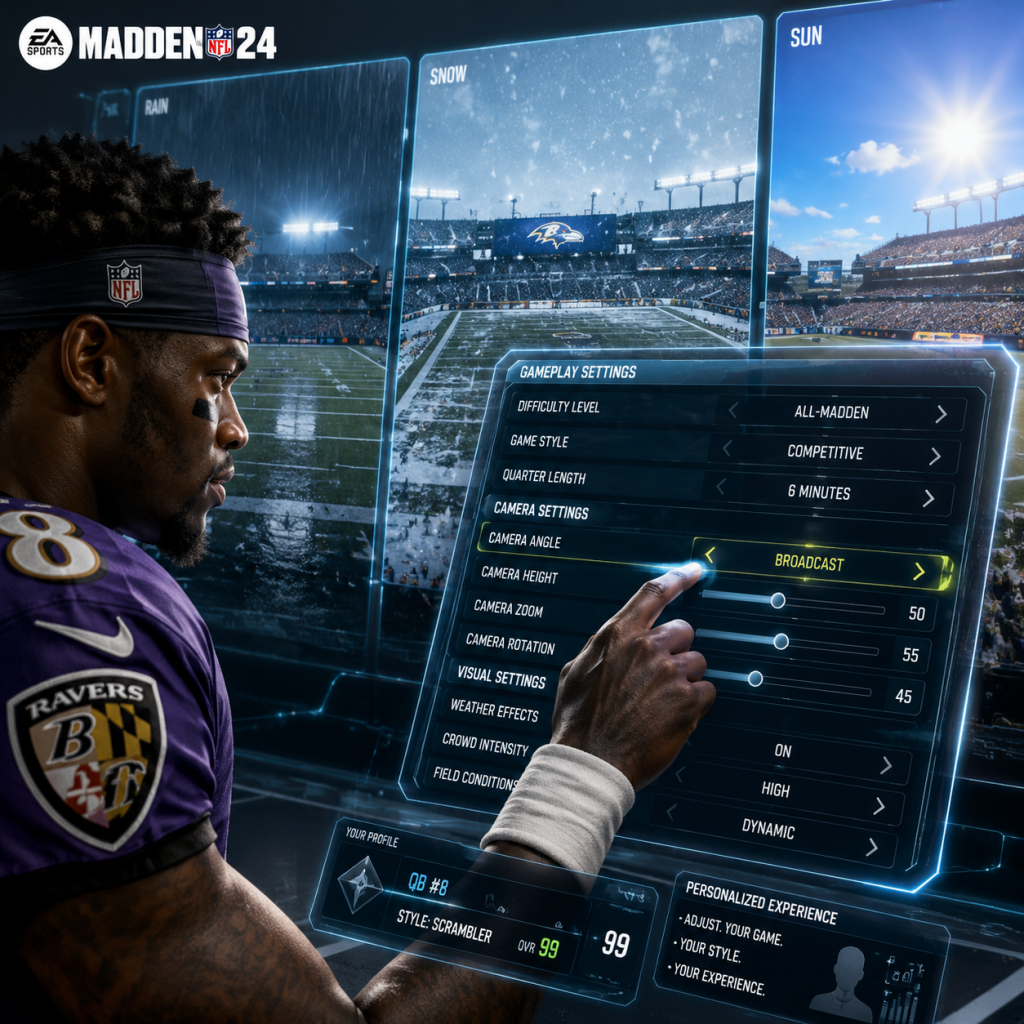
- Quarter Length – Default 6 minutes (for a ~45 min game). Adjust: 5 min (faster), 8 min (more stats). Online sets 4 min (ranked) or 6 min (unranked).
- Play Clock – On (default). Off only for practice.
- Injuries – On for realism. Off for arcade.
- Fatigue – On. Off makes players never tire (unrealistic).
- Penalties – All On for simulation. You can turn off specific ones (e.g., Offsides – 5 yards) if you want less whistles. ⚠️ Misconfiguration: Turning off penalties can ruin the simulation feel and affect AI discipline.
- Ball Placement on Kickoff – Manual or Automatic. Manual allows you to control where the kick goes.
- Kick Meter Type – Classic (push up/down) or Precision (rotating needle). Precision is more difficult but realistic.
- Auto-Replay – Cinematic or Off. Cinematic shows big plays. Off saves time.
- Game Speed – Normal (default). Slow or Fast alter gameplay pace. Fast can make players feel slippery. Use Normal for consistency online.
- Tackle Assist – On (casual), Off (pro). Off forces you to manually break tackles with stick.
- Minimap – On (shows coverage, receivers). Keep On.
- Play Art – On (shows routes, blocking). Critical for offense.
- Audible Menu Display – On. Shows pre-play adjustments.
- Defensive Hot Route / Shift – Visual aids helpful.
- Passing Arrow – On (shows trajectory, receiver timing). ⚠️ Misconfiguration: Turning Off makes passing much harder, especially for under-pressure throws.
- Receiver Catch Buttons – On (shows which button for each receiver). Helpful for beginners.
- Stats Overlay – On (shows player ratings on field). Useful for identifying mismatches.
#### 7.3 Visual & HUD Settings
8. Optimal Settings by Hardware Level (PC)
Use these as starting points. Always test in a quick exhibition game.
| Tier | Graphics Preset | Resolution | Target FPS | Key Tweaks |
|---|---|---|---|---|
| Low-End (GTX 1650 / RX 570 / 8GB RAM) | Low / Custom | 1080p | 60 | Shadows Low, Crowd Low, AA TAA Low, Reflections Off, Hair Off, DLSS/FSR Off (use if available). |
| Mid-Range (RTX 3060 / RX 6600 / 16GB) | High | 1080p or 1440p | 60–90 | Shadows Medium, Crowd Medium, AA TAA High, Reflections Off, Ambient Occlusion SSAO, Hair Off. |
| High-End (RTX 4080 / RX 7900 XTX / 32GB) | Ultra | 1440p or 4K | 144+ | All max except Hair Off, Ambient Occlusion HBAO+, Reflections On, DLSS Quality if needed. |
9. Settings That Require Special Attention During Setup
1. Control Scheme – Choosing the wrong scheme can make the game frustrating. Spend 10 minutes in Practice Mode testing Classic vs. Competitive.
2. Pass Type – “Placement + Accuracy” is the intended way but requires practice. If you miss many throws, switch to “Placement Only” temporarily.
3. Auto Sprint & Auto Strafe – Both should be OFF for manual control. Many new players leave them on and wonder why their players slip or overrun.
4. 3D Headphones – Only enable if you use stereo headphones. Otherwise, the sound will be unnatural.
5. Language Settings – If you accidentally set to a language you don’t understand, the entire menu will be in that language. Find the gear icon (settings) and look for the language option (usually a “A” icon with a globe).
6. Dynamic Resolution – Leave disabled on PC. On consoles, it can cause blur during crowded plays. Consider turning off if you notice visual quality drops.
7. Strand Based Hair – Subtle visual upgrade with a large FPS hit. Turn off unless you have a top-tier GPU and want perfect replays.
8. Heat Seeker Assist (Tackling) – In online play, this is usually off. Practicing manual hit sticks is better.
9. Penalties – In Franchise mode, turn off “Unrelated” penalties (like Illegal Contact) to avoid excessive flags, but keep Holding, False Start, Offsides on for realism.
10. Cross-Play – If you have friends on different consoles, ensure it’s On. But be aware of potential ping differences between platforms.
10. Final Tips
- Save your settings after adjusting – some options don’t auto-save.
- Use Practice Mode to test new control schemes or pass types before committing to a game.
- For PC, update your graphics drivers before playing. NVIDIA GeForce Experience may have optimized settings for Madden NFL 24 – those are a good starting point but not always ideal.
- For consoles, the graphics settings are locked, but you can adjust gameplay and controls freely. Don’t overlook the Accessibility and Audio tabs.
With the right settings, Madden NFL 24 becomes a smoother, more responsive, and enjoyable simulation football experience.
Important Notes
Important Notes for Madden NFL 24
Read this section before diving deep into the game to avoid common mistakes, irreversible choices, and frustrating pitfalls.
Warnings & Pitfalls
- EA Play / Game Pass Trial Restrictions: If you play Madden NFL 24 via a trial (e.g., EA Play 10-hour trial), progress does NOT carry over if you later purchase a different edition or region. Your save file is tied to your account but game mode progress in Ultimate Team or Franchise is stored server-side. However, any purchased Madden Points or items bought during the trial will transfer. Do not spend real money on Madden Points before confirming your final purchase platform.
- Ultimate Team (MUT) is a Gacha Economy: MUT is designed to encourage microtransactions. Packs are gambling; you may spend coins or real money and get low-value items. Do not spend real money until you understand the market. The best value for coins is usually via sets, challenges, or the auction house, not direct pack purchases.
- Cross-Play Limitations: While Madden NFL 24 supports cross-play between PlayStation 5, Xbox Series X|S, and PC (Steam/Epic), cross-progression is NOT supported. Your MUT team, Franchise files, and progress are locked to the platform you start on. You cannot switch from PlayStation to Xbox and keep your team.
- Franchise Mode – Owner Relocation is Permanent: If you choose to relocate a team in Franchise mode, the new city, name, logos, and uniforms are permanent for that save. You cannot undo it. If you later change your mind, you must start a new Franchise or manually edit (which isn't possible for relocation choices).
- Superstar Mode – Irreversible Archetype & Team Choice: When creating your player in Superstar mode, your position, archetype, and initial team choice (draft or free agent) cannot be changed later. You can only respec skills, not the base build. Choose carefully.
- Difficulty Spikes: The jump from Rookie to Pro or All-Pro to All-Madden is significant. Use the Practice Mode extensively before jumping into competitive online matches. Also, the "Face of the Franchise" (Superstar) campaign has difficulty spikes in specific playoff games or training drills.
- MUT Limited-Time Promos: Madden Ultimate Team runs weekly promos (e.g., "Most Feared," "Zero Chill"). Many objectives, solos, and reward sets are time-limited. If you miss the promo window, you lose access to those specific items forever. Check the MUT schedule on the main menu.
- Franchise – Draft Scouting Reports: If you skip scouting the week before the draft, you lose the opportunity to see detailed player stats, dev traits, and ratings. Scouting is critical for drafting well; missing it can set your franchise back years.
- Superstar Mode – Side Activities: In your rookie season, you have limited off-field activities (e.g., media training, social media posts). Some give permanent attribute boosts or badges. If you skip them, they are gone. Always do the weekly optional objectives before the next game.
- Training Camp & Preseason (Franchise): The pre-season training camp and preseason games have limited reps. If you sim through them, you lose chances to develop young players and earn XP. Manually play or at least set the depth chart and gameplans.
- Skills Trainer Rewards: The Skills Trainer mode offers permanent badges and coin rewards for completing drills. If you never touch it, you miss out on easy boosts that affect all modes.
- MUT Coins – Avoid Buying Packs Directly: The worst value is buying standard packs with coins. Instead, use the auction house to snipe low-priced cards and resell, or complete solo challenges for high-value rewards. The game heavily monetizes impatience.
- Franchise Sim City Grind: Simulating many seasons to build a dynasty can become tedious and buggy. The CPU can make odd trades or draft choices. If you're grinding for achievements (e.g., "Madden Legacy"), be aware that some milestones require specific conditions that may not pop if you sim too fast.
- Superstar XP Grind: Leveling up in Superstar mode requires earning XP through games and practices. You can only earn a certain amount per week. Do not waste skill points on low-impact abilities early; save for key abilities like "Ankle Breaker" (HB) or "Set Feet Lead" (QB).
- Player Card Collections: MUT has collection sets that require rare cards. Do not burn all your cards into sets early; you may need them for future challenges. Keep at least 10 of each tier for daily objectives.
- No Official Anti-Cheat: EA does not use kernel-level anticheat on PC. Cheating exists (e.g., speed hacks, playbook exploits). Report suspicious players via in-game reporting or on EA's website. Do not use any third-party mods, trainers, or macros – they can get you banned permanently.
- Disconnect Penalties: If you quit a ranked online game too often (H2H, MUT Seasons), you get a temporary matchmaking ban. In Franchise online leagues, quitting can ruin the league. Always try to finish games.
- Toxic Behavior: Avoid spamming no-huddle, cheese plays (like the notorious "Mid Blitz" defense), or pausing excessively. Many players consider these exploits. In community leagues, they may be banned outright.
- Controller Mods: Using a Cronus or similar device to add recoil control or turbo inputs is considered cheating. While EA doesn't actively detect it, it's against the terms of service and may eventually lead to bans if reported.
- Save Often in Franchise: Franchise mode auto-saves, but if you manually save before critical events (draft, trade deadline, playoffs), you can reload if something goes wrong. Do not rely solely on auto-save – it can corrupt if the game crashes during a save.
- Cloud Saves (Console/PC): If you play on multiple consoles or PC, turn on cloud saves in the platform settings. However, note that MUT data is server-side, so cloud saves only help with offline modes like Franchise and Superstar.
- Back Up Local Saves (PC): On PC, your save files are in `Documents\Madden NFL 24\`. Manually back up the entire folder occasionally, especially before major updates. Updates can sometimes corrupt saves.
- Multiple Franchise Files: If you want to experiment with different teams, use separate franchise slots. You can have up to 8 active Franchise saves. Do not overwrite your main franchise with a test run.
- You Can Skip Cutscenes: Most cutscenes in Superstar and Franchise can be skipped by holding the designated button (e.g., Circle on PlayStation, B on Xbox, Esc on PC). This saves hours.
- Practice Mode is the Best Tutorial: Go to the main menu and select "Practice" to run through offensive/defensive plays against actual AI. You can set specific scenarios. Use this to master the passing mechanics and defensive adjustments.
- MUT Solo Challenges Reset Daily/Weekly: Many solo challenges reset and give free packs. Check the "Daily" and "Weekly" objectives every day. The daily log-in bonus also gifts coins or packs.
- Coach & Team Chemistry in Franchise: Hiring a coach with the right scheme (e.g., Run, Pass, Balanced) gives a boost to all players with that archetype. You can change your team's scheme in the coaching tab – this affects player performance and XP progression.
- Injuries are Realistic: Injuries happen. In Franchise, you can adjust injury sliders in the settings to reduce frequency if you dislike it. Default settings can lead to multiple star players being out for weeks.
- Keyboard & Mouse Support (PC): Madden NFL 24 on PC supports keyboard and mouse, but it is not as well-optimized as controller. Most competitive players use a controller. If you're struggling, switch to a gamepad.
- Graphics Settings (PC): The game uses Frostbite engine and can be demanding. Lowering crowd quality and shadow quality gives a significant FPS boost without major visual loss. Also, disable vsync if you have a variable refresh rate monitor.
- Community Resources: For up-to-date MUT market insights, visit Muthead or Reddit's r/MaddenUltimateTeam. For Franchise sliders and tips, check Operation Sports forums. Avoid outdated guides from prior years.
Missable Content & Irreversible Choices
Grinding Traps
Online Etiquette & Anti-Cheat Notes
Save Management Advice
Things Players Commonly Regret Not Knowing Earlier
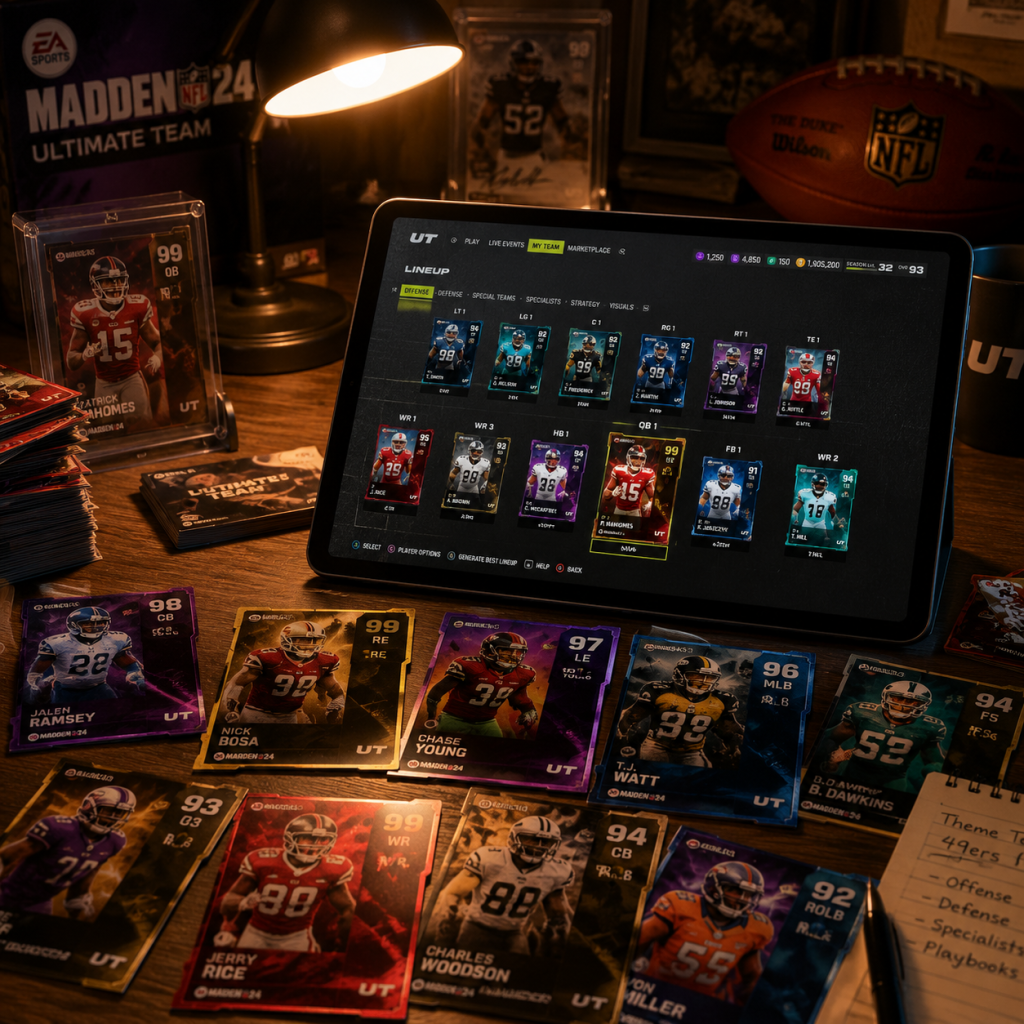
All Game Items
All Game Items in Madden NFL 24
Madden NFL 24 features a wide variety of items across its game modes, with the most extensive collection found in Madden Ultimate Team (MUT). This guide covers every major item type, including currencies, player cards, consumables, collectibles, and equipment, with details on how to obtain them, when to use them, and key synergies or upgrades.
---
1. Currencies
Currencies are the backbone of progression in Madden NFL 24. Each mode has its own primary and secondary currencies.
| Currency | Mode(s) | Description | How to Obtain | Best Use |
|---|---|---|---|---|
| Coins | MUT, Franchise (trade/RFA) | Main tradable currency in MUT; used to buy packs, auction house items, and complete sets. In Franchise, coins are used for signing free agents and re-signing players. | Playing games (any mode), selling cards on auction house, completing daily/weekly objectives, reward sets. | Save for auction sniping during promos; invest in high-demand LTDs and Power Up cards. |
| Madden Points (MP) | MUT, Superstar, Franchise (accelerators) | Premium currency purchased with real money (1 MP ≈ $0.01). Used to buy special packs, bundles, and field pass tiers. | Purchasing from platform store (PlayStation Store, Xbox Store, Steam, Epic). | Only buy during double-point events or when a desired LTD is in a guaranteed pack. Never use on basic packs. |
| Training Points | MUT | Used to upgrade player cards via the Training system, unlock ability slots, and apply chemistry boosts. | Quickselling duplicate or unwanted player cards (amount varies by card tier). Also earned through field pass rewards and sets. | Prioritize upgrading Power Up players with long-term value (e.g., MUT Master). Avoid wasting training on low-tier cards. |
| Series Trophies (MUT) | MUT | Collectible currency used to complete series-specific sets (e.g., "Series 1" sets for high-rated players). | Earned by completing series objectives, field pass milestones, and daily missions. | Redeem only in the series set for the highest OVR player you can afford; do not quicksell for coins. |
| Championship Tokens | MUT (Weekend League) | Earned from Weekend League wins and rewards. Used in the Championship series sets for top-tier competitive players. | Win games in Weekend League (minimum 5 wins for tokens). | Save tokens for the final Championship series set (usually a 99 OVR QB or WR). |
| Superstar Coins | Superstar | In-game currency used to upgrade your created player’s attributes and purchase animations/abilities. | Earned by playing Superstar games, completing challenges, and leveling up your player. | Spend on key physical traits (speed, acceleration) and signature abilities for your position. |
| Franchise Points | Franchise (Coach/Owner mode) | Used to upgrade skill trees (e.g., Player Personnel, Motivator). | Earned by winning games, achieving season goals, and fulfilling owner demands. | Unlock the "Motivator" branch early for XP boosts to all players. |
2. Player Items (Cards)
Player items are the core of MUT. They come in tiers, rarities, and special versions. Always check the auction house for price trends before buying/selling.
#### Card Tiers (Highest OVR at launch: 99)
- Core Base (silver, gold, elite) – lowest OVR, common. Use for early solo challenges or as set fodder.
- X-Factor Players (purple border) – have a special ability (X-Factor) and two Superstar abilities. Very useful for competitive play.
- Superstar Players (blue border) – have one Superstar ability, no X-Factor. Good budget options.
- Power Up Players – start with lower OVR and can be upgraded with Training Points and additional card copies. Long-term investment.
- Limited Time (LTD) – limited availability (usually 24-48 hours). Often highest OVR at release; hold value but can be expensive.
- Team Builders / Theme Teams – players from specific NFL teams; when used together they provide chemistry boosts (e.g., +1 Speed to all Rams players in lineup).
- Programs – seasonal promos: "Most Feared", "Zero Chill", "Playoffs", "Super Bowl". Cards from these programs often have unique art and boosted stats. Obtain via packs, sets, or solos.
- Packs (store, reward packs, Madden Points or Coins)
- Auction House (buy with coins)
- Sets (complete by trading in other cards, tokens, or collectibles)
- Solo Challenges (reward specific program cards)
- Weekend League / Solo Battles (weekly rewards with guaranteed elites)
- Field Pass (free or premium tracks)
- Early Game: Use Core Gold/Elite cards from solos to build a 75-80 OVR team for early solo battles.
- Mid Game: Focus on Power Up players (e.g., a 90 OVR Power Up QB can be upgraded gradually) and start building theme team chemistry for boosts.
- Late Game: Invest in LTDs and high-end X-Factor players (e.g., LTD Lamar Jackson) for Weekend League; use chemistry to maximize team synergy (e.g., 50/50 Cowboys chem +2 Speed to all Cowboys).
- Upgrades: For Power Up players, use Training Points to increase OVR, then add abilities. Avoid upgrading non-Power Up cards with training (waste).
#### How to Obtain Player Cards
#### When Useful & Synergies
---
3. Consumables
Consumables are one-time-use items that affect gameplay or allow card usage.
| Item | Description | How to Obtain | When to Use |
|---|---|---|---|
| Contract | Required for each MUT game (1 contract per player per game). Without contracts, player cannot be used. | Packs, store, auction house, solo rewards. | Always keep a stack of at least 100 contracts. Apply 6-year contracts to long-term starters for efficiency. |
| Training Points (also consumable in a sense) | Used to upgrade cards. | Quickselling cards. | Use immediately on Power Up players; avoid hoarding unless saving for a specific LTD. |
| Offensive/Defensive Strategy Item | Equippable item that boosts specific stats for your entire team (e.g., +2 speed to WRs). | Store (coins/MP), sets, field pass. | Equip one offensive and one defensive item. Search auction house for cheap ones; they are not worth buying expensive. |
| Dual Strategy Item | Grants two boosts (e.g., +1 speed to WRs and +1 speed to CBs). Rare and powerful. | High-level sets, LTD packs. | Absolutely essential for competitive play; save up coins/MP during a promo to buy one. |
| Ability Slot Upgrade (implicit) | Allows adding a Superstar or X-Factor ability to a compatible player card. | Training Points (spend to unlock slot). | Unlock slots only on Power Up players or cards you plan to keep for 50+ games. |
| Coach Item (consumable? no, permanent) | Head Coach card you can equip once, providing chemistry boosts. | Packs, auction. | Use a coach that matches your theme team chemistry (e.g., Andy Reid for Chiefs). |
| Uniform/Stadium/Ball | Cosmetic items, some with chemistry slots (e.g., Team Chemistry). | Store, sets, solos. | Only relevant for theme teams; otherwise purely cosmetic. |
4. Collectibles
Collectibles are tokens or items used in sets to acquire specific player cards or rewards. They are not usable in gameplay directly.
- Series Trophies – Used in the series master sets (e.g., 15 Series 1 Trophies for a 91 OVR master player). Earn from objectives and field pass.
- Program Tokens – Specific to each promo (e.g., "Most Feared Token", "Zero Chill Token"). Earned by completing solo challenges during the event window. Redeem in the promo set for a high-OVR limited card.
- Team Captain Tokens – Used to upgrade your chosen Team Captain (e.g., Derrick Brooks). Earned via daily logins, weekly objectives, and field pass.
- MUT Master Tokens – Required to upgrade the MUT Master player (long-term grind). Earned by completing MUT Master objectives (e.g., win 100 games, get 500 stars in solos).
- Championship Tokens – Used in Championship series sets (Weekend League exclusive).
- Gems (Superstar mode) – Used to purchase cosmetic upgrades for your Superstar player. Earned by leveling up and completing milestones.
- Hall of Fame Tokens (if applicable) – Not in Madden 24 base; check limited-time events.
- Always save Series Trophies for the final master player set (typically best value).
- Program tokens must be used before the promo expires (they become useless).
- Team Captain tokens: upgrade your captain as soon as possible to unlock +1 team chemistry.
- MUT Master tokens: this is a full-season grind; don't try to rush.
When to Use Collectibles:
---
5. Key Equipment (Non-Consumable)
These items remain equipped and provide ongoing benefits or cosmetics.
| Equipment | Mode | Purpose | How to Obtain | Best Practice |
|---|---|---|---|---|
| Playbook | MUT, Franchise, Superstar | Determines offensive and defensive formations, plays, and audibles. | MUT: auction house, store, sets. Franchise: unlocked by default, can purchase new ones. | Choose a playbook that suits your play style (e.g., Spread for pass-heavy offense, 3-4 Defense). In MUT, you can swap at any time. |
| Coach Card | MUT | Provides chemistry bonus (e.g., +2 Speed to all Raiders players). Also has a rating for team effects. | Packs, auction, sets (e.g., Legendary Coach). | Use the coach that matches the majority of your roster’s team chemistry. |
| Stadium | MUT, Franchise | Home stadium used in MUT games (visual only, but some have chemistry slots). | MUT: store, sets, solo rewards. Franchise: choose at start. | In MUT, if you use a theme team, pick a stadium that also has team chemistry to stack boosts. |
| Uniform | MUT, Franchise | Visual appearance; in MUT, can be equipped with chemistry. | MUT: same as stadium. Franchise: unlock via level or purchase. | Same as stadium – stack chemistry if possible. Otherwise purely cosmetic. |
| Ability / Superstar / X-Factor | MUT | Attached to player card, but can be changed using Training Points (if card has ability slots). | Already on card; can be swapped with training (e.g., replace "Edge Threat" with "Fringe Threat"). | Only change abilities on Power Up players or elite cards you plan to use long-term. Costs training, so reserve for key positions (QB, HB, WR, DE, CB). |
| Gear (Superstar mode) | Superstar | Cosmetic items (helmet, shoulder pads, cleats) that do not affect gameplay. | Earned by leveling up, completing objectives, or purchased with Gems. | Purely cosmetic – pick what looks cool. |
6. Special Categories: Field Pass & Season Items
Madden NFL 24 introduced Field Pass – a battle pass-like system with free and premium (Madden Points) tracks. Items earned include:
- Field Pass XP (invisible currency to progress tiers)
- Field Pass Points (used to unlock specific rewards in a grid)
- Special Pack Vouchers (redeem for a guaranteed elite from a promo)
- Rare Collectibles (e.g., "Season 1 MVP Token" – redeem for a top-tier player only during that season)
- Never quicksell duplicate cards without first checking if they are needed for a set. Use the "Set Completion" view in MUT to find cards you can trade in.
- Contract management: Use contract cards (6-year) on your 88+ OVR players; use single-game contracts on low-tier cards you only use for solos.
- Training economy: The best training per coin is usually from buying 80-81 OVR cards in the auction house when they are cheap (e.g., during promos). Quicksell them for training.
- Chemistry stacking: For maximum boost, try to have 25/25/25/25 or 50/50 for one team. Use uniforms, stadium, coach, and players from the same team.
- Selling on auction: List cards at 1-2 hours during peak times (evening on weekends). Use comparable filter to see current lowest BIN.
When Useful: Always progress the free track; consider buying the premium track only if you play regularly and value the rewards. Season-specific collectibles expire at the end of the season; claim early.
---
7. Tips for Managing Your Items
---
This covers all major item types in Madden NFL 24. By understanding the value and use of each, you can build a competitive MUT team efficiently, optimize your Franchise mode progression, and customize your Superstar experience. Happy gaming!
Character Skills
Character Skills Guide for Madden NFL 24
In Madden NFL 24, "character skills" refer to the unique abilities, traits, and archetypes assigned to each player based on their position, playstyle, and overall rating. Unlike traditional RPGs, there are no spells or cooldowns; instead, abilities activate dynamically during gameplay based on specific conditions (e.g., making a big play, reaching a threshold). This guide covers every playable role (position), all archetypes, Superstar X-Factor abilities, Superstar abilities, and generic traits. We'll also cover MUT-specific abilities and how to build effective players.
---
Positions and Archetypes Overview
Every NFL player in Madden 24 belongs to one of the following positions. Each position has multiple archetypes that dictate which abilities they can equip. Archetypes are visible in Franchise mode, Superstar mode, and Madden Ultimate Team (MUT).
| Position | Common Archetypes |
|---|---|
| QB (Quarterback) | Strong Arm, Scrambler, Improviser, Field General |
| HB (Halfback) | Power Back, Elusive Back, Receiving Back |
| FB (Fullback) | Lead Blocker, Power Runner |
| WR (Wide Receiver) | Deep Threat, Route Runner, Slot, Red Zone Threat, Physical |
| TE (Tight End) | Vertical Threat, Possession, Run Blocking, Deep Threat |
| OT/OG/C (Offensive Line) | Power, Agile, Pass Protector, Run Blocker |
| DE (Defensive End) | Speed Rusher, Power Rusher, Run Stopper |
| DT (Defensive Tackle) | Nose Tackle, 3-Tech, Run Stopper, Pass Rusher |
| OLB (Outside Linebacker) | Pass Rush, Coverage, Run Stopper, Hybrid |
| MLB (Middle Linebacker) | Field General, Run Stopper, Coverage, Pass Rush |
| CB (Cornerback) | Press Man, Zone, Slot, Physical |
| FS (Free Safety) | Center Field, Run Support, Zone, Hybrid |
| SS (Strong Safety) | Box Safety, Hit Stick, Coverage, Hybrid |
| K/P (Kicker/Punter) | Power, Accuracy (Kicker only for Punts: Power/Accuracy) |
Ability Types & Systems
Superstar X-Factor Abilities
Each player can equip up to 1 Superstar ability at a time (earned by being an X-Factor player). To activate the X-Factor, the player must meet a certain in-game condition (e.g., complete 3 passes in a row for a QB). Once activated, the ability lasts for a set number of plays or until a turnover occurs. Examples:
- QB: Bazooka - After activating, the QB can throw deep passes with maximum velocity and accuracy for 3 plays. Condition: Complete 3 passes of 20+ yards.
- RB: Energized - After gaining 40 yards on the ground, the RB gets a speed boost and reduced fatigue for 4 carries.
- WR: Double Me - After catching 3 passes, the WR wins all 50/50 jump balls for 2 passes.
- DL: Unstoppable Force - After 2 sacks, the DL sheds blocks instantly for 3 plays.
- CB: Shutdown - After 3 pass breakups, the CB automatically intercepts the next catchable pass.
- QB: Fearless - QB pressure tolerance increased.
- HB: Juke Box - Improved juke move effectiveness.
- WR: Deep Route KO - More likely to catch deep passes in traffic.
- LB: Outside Shade - +5 hit power on outside runs.
- DB: Tip Drill - Increased chance to intercept tipped passes.
- Bazooka (Strong Arm/Improviser): 3 plays of max distance, high velocity throws. Synergy: Pair with Deep Threat WRs.
- Escape Artist (Scrambler): 3 plays of increased spin/juke and speed while out of pocket. Best used with read option.
- Pro Reads (Field General): 3 plays of +15 accuracy on all throws. Great for intermediate passing.
- Dashing Deadeye (Scrambler/Improviser): After activation, all throws while on the run are perfect accuracy for 2 plays.
- Pressure Gunslinger (Strong Arm): No throw animation penalty under pressure for 3 plays.
- Sideline Deadeye - Perfect accuracy on sideline throws (outside numbers).
- Inside Deadeye - Perfect accuracy on inside throws (between numbers).
- Sleight of Hand - Fake pitch/handoff harder to detect.
- Bazooka (non-XF) - Increased deep throw power without activation.
- Quick Draw - Faster throw release on passes under 10 yards.
- Throw Power (1-99) - Affects all deep throws.
- Short Accuracy / Medium Accuracy / Deep Accuracy - Separate ratings.
- Play Action - Ability to sell fake handoff.
- Force Passes - Willingness to throw into tight windows (higher = riskier).
- Energized (Elusive/Receiving): After 40 rushing yards, +5 speed & reduced fatigue for 4 carries.
- Matchup Nightmare (Receiving Back): After 30 receiving yards, LB/DB cannot press for 2 plays.
- Freight Train (Power Back): After 3 broken tackles, +10 trucking for 3 runs.
- Outside Zone Guru (Elusive Back): After 2 runs of 10+ yards, +10 juke/spin for 4 carries.
- Juke Box - Improved juke move.
- Spin Cycle - Improved spin move.
- Stiff Arm Upper - Improved stiff arm.
- Relentless - Falls forward on tackles.
- Arm Bar - Better at breaking arm tackles.
- Bulldozer - Better at trucking through defenders.
- Carry Rating - Ball security.
- Break Tackle - Chance to shed tackles.
- Elusiveness - Subtle avoidance.
- Acceleration - Quick burst.
- Double Me (Deep Threat/Physical): After 3 catches, wins all 50/50 balls for 2 passes.
- Route Technician (Route Runner): After 2 catches, +10 route running for 3 routes.
- YAC Monster (Slot/Receiving): After 2 catches with YAC, +5 break tackle & speed for 2 receptions.
- Toughness (Red Zone): After 2 catches in red zone, +5 catch in traffic for next 2.
- Deep Route KO - Better chance to catch deep passes in traffic.
- Short Route KO - Better chance on short routes.
- Slot-O-Matic - +5 route running from slot.
- Run After Catch - Improved YAC.
- Reveal - Shows defensive play art after snap (rare).
- Apprentice - Extra hot route.
- Spectacular Catch - Ability to win jump balls.
- CIT (Catch In Traffic) - Rating for contested catches.
- Release - Ability to beat press coverage.
- Secure Protector (Pass Protector): After 5 pass blocks won, all OL get +5 pass block for 2 plays.
- Unstoppable (Power/Agile): After 2 pancakes, +10 run block for 3 plays.
- Road Grader (Run Blocker): After 3 runs of 5+ yards, all OL get +5 run block for 2 plays.
- Lead the Way - Better pulling blocking.
- Post Up - Improved anchor vs bull rush.
- Nasty Streak - Increased chance to pancake.
- Edge Protector - +5 pass block vs speed rush.
- Pocket Protector - Helps prevent interior pressure.
- Run Block vs Pass Block ratings.
- Strength, Awareness, Impact Blocking.
- Unstoppable Force (Power Rusher): After 2 sacks, sheds blocks instantly for 3 plays.
- Fearmonger (Speed Rusher): After 2 pressures, increases QB pressure affect for 3 plays.
- Run Stopper (Run Stopper): After 2 tackles for loss, +5 block shed on run for 3 plays.
- Reinforcement (Nose Tackle): After stopping 2 runs, all DL get +5 run block shed.
- Power Move - +6 power move.
- Finesse Move - +6 finesse move.
- Edge Threat - Better edge rush.
- Inside Stuff - Improved run block shed on interior.
- Under Pressure - Increases QB pressure effect.
- No Outsiders - +5 pursuit to sideline.
- Block Shedding - Ability to disengage.
- Power/Finesse Moves - Individual ratings.
- Pursuit - Speed to ball carrier.
- Shutdown (Coverage MLB): After 2 pass breakups, automatically intercepts next catchable pass for 2 plays.
- Enforcer (Box Safety/Run Stopper OLB): After 2 hit sticks, +10 hit power for 4 tackles.
- Zone Hawk (Coverage OLB): After 2 deflections, +10 zone coverage for 3 plays.
- Lurker (Pass Rush OLB): After 1 sack, +10 finesse move for 2 plays.
- Pick Specialist - +5 chance to intercept.
- Unfakeable - Cannot be juked.
- Deep Zone KO - Better coverage deep.
- Inside Shade - +5 hit power inside.
- Out of My Way - Shed blocks faster.
- Acrobat - Improved dive/swipe tackles.
- Hit Power, Tackle, Coverage.
- Zone Coverage vs Man Coverage.
- Shutdown (Press Man CB): After 3 pass breakups, automatically intercepts next catchable pass for 2 plays.
- Pick City (Zone CB): After 2 deflections, +10 catch rating for 3 plays.
- Ball Hawk (Center Field FS): After 2 pass breakups, +10 jumping for deep balls for 3 plays.
- Tackle Machine (Hit Stick SS): After 3 tackles, +10 hit power for 4 tackles.
- Hands - Improved catch rating.
- Tip Drill - Increased chance to intercept tipped passes.
- Brick Wall - Better tackle blocking.
- Reinforcement (CB) - Helps nearby defenders.
- Deep Route KO (Safety) - Better deep coverage.
- Run Support - +5 tackle on run plays.
- Man Coverage, Zone Coverage, Press, Play Recognition.
- Speed and Acceleration for cornerbacks.
- Focused Kicker (Power): After making 2 field goals, next kick has maximum power and accuracy.
- Punt God (Power Punter): After 2 punts inside the 20, next punt has +10 hang time and accuracy.
- Power Kick - +5 kick power.
- Accurate - +5 kick accuracy.
- Quick Kick - Faster punt/kick meter.
- Patriotic (Kicker) - Perfect kick in clutch situations (rare).
- Kick Power, Kick Accuracy for kickers.
- Punt Power, Punt Accuracy for punters.
- Slant Specialist (WR) - Better on slant routes.
- Overload (DL) - +5 block shed when double-teamed.
- WR Screen Hog - Improved screen catching.
- HB Wheel - Better on wheel routes.
- QB: Strong Arm archetype with Bazooka XF + Deep Route KO Superstar.
- WRs: Deep Threat archetypes with Double Me XF, Deep Route KO.
- OL: Pass Protector archetypes with Edge Protector.
- Use: Go routes, post routes, streak combos. Activate Bazooka after 3 deep completions.
- QB: Scrambler archetype with Escape Artist XF + Dashing Deadeye.
- HB: Elusive Back with Juke Box & Outside Zone Guru.
- WR: Slot archetype with YAC Monster.
- OL: Agile archetypes for pulling.
- Use: Zone runs, option plays. Escape Artist triggers after 3 scrambles.
- QB: Field General with Pro Reads + Short Route KO.
- WRs: Route Runner / Slot with Route Technician.
- TE: Possession archetype with Toughness.
- OL: Pass Protector.
- Use: Slants, curls, drags. Pro Reads after 3 short completions.
- DEs: Speed Rusher with Fearmonger XF + Edge Threat.
- DT: Power Rusher with Unstoppable Force.
- OLB: Pass Rush with Lurker.
- CB: Press Man with Shutdown XF.
- SS: Hit Stick with Enforcer.
- Use: User blitz, send 5-6 rushers, activate Fearmonger after pressure.
- DL: Run Stopper with No Outsiders.
- MLB: Coverage with Zone Hawk XF + Deep Zone KO.
- CBs: Zone archetype with Pick City.
- FS: Center Field with Ball Hawk.
- Use: Cover 3/4, user MLB to cut passing lanes.
- DL: Run Stopper with Run Stopper XF + Inside Stuff.
- LBs: Run Stopper or Box Safety with Enforcer.
- CB: Physical with Run Support.
- SS: Box Safety with Tackle Machine.
- Use: Stack box, user SS to hit stick.
- Activating X-Factors: Focus on meeting the activation conditions quickly. For example, if your QB has Bazooka, target deep passes early to earn the 3-completion requirement. As soon as the XF is active, call a deep bomb.
- Superstar Abilities: Always active; you don't "use" them. They influence your play style. Equip abilities that match your preferred scheme.
- Generic Traits: These are passive ratings. You cannot change them mid-game but you can develop them in Franchise/Superstar via training.
- Cooldowns: Madden 24 does not have cooldowns. X-Factors last a limited number of plays (2-4) and deactivate after a turnover or end of drive. They can be reactivated.
- Combos: Combine X-Factor activation with Momentum plays. For example, if your DL has Unstoppable Force and gets 2 sacks, you can call a blitz with that side to shed blocks and get a free sack.
- Synergies: In MUT, chemistry synergies boost multiple abilities. For example, "West Coast" chemistry improves short passing-related Superstar abilities.
Superstar Abilities
Every player can have 1 Superstar ability (if they are a Superstar or X-Factor player). These are passive boosts that do not require activation. Examples:
Generic Abilities (Traits) and Archetype Abilities
All players have a set of generic traits (e.g., "High Motor", "Slot Specialist", "Toughness") that affect behavior. Additionally, archetypes unlock specific abilities that can be assigned in Superstar mode or earned in MUT. These are not tied to cooldowns but are always active. Each ability has a level (Bronze, Silver, Gold, Elite) that determines its effectiveness.
---
Detailed Abilities by Position
Quarterback (QB) Abilities
#### Superstar X-Factors:
#### Superstar Abilities:
#### Generic Traits (Always active):
---
Running Back (HB/FB) Abilities
#### Superstar X-Factors:
#### Superstar Abilities:
#### Generic Traits:
---
Wide Receiver (WR) & Tight End (TE) Abilities
#### Superstar X-Factors:
#### Superstar Abilities:
#### Generic Traits:
---
Offensive Line (OL) Abilities
#### Superstar X-Factors:
#### Superstar Abilities:
#### Generic Traits:
---
Defensive Line (DL) Abilities
#### Superstar X-Factors:
#### Superstar Abilities:
#### Generic Traits:
---
Linebacker (LB) Abilities
#### Superstar X-Factors:
#### Superstar Abilities:
#### Generic Traits:
---
Defensive Back (CB/S) Abilities
#### Superstar X-Factors:
#### Superstar Abilities:
#### Generic Traits:
---
Special Teams (K/P) Abilities
#### Superstar X-Factors:
#### Superstar Abilities:
#### Generic Traits:
---
Abilities in Madden Ultimate Team (MUT)
In MUT, abilities are tied to strategy items (coaches, uniforms, etc.) and player cards. Each player can have multiple ability slots (e.g., Elite slot, Superstar slot). The same abilities as above exist but may have different names or synergy bonuses (e.g., "Red Zone Threat" chem). Chemistry systems allow stacking abilities across your lineup. For example, combining two "West Coast" chem players can boost short passing.
Key MUT-specific abilities:
---
Recommended Builds & Synergies
Offensive Builds
1. Deep Passing Attack
2. Mobile QB / Read Option
3. Short / West Coast
Defensive Builds
1. Blitz / Pressure
2. Zone Coverage / Ball Hawk
3. Run Stopping
---
When to Use Each Skill
---
Conclusion
Madden NFL 24's skill system is deep but intuitive. Focus on building a team around a core archetype and equip abilities that complement your play style. Master the activation conditions for X-Factors to gain a temporary upper hand. Whether you prefer power running, deep bombing, or lockdown defense, the right combination of abilities will elevate your game.
Characters & Roles
Characters & Roles in Madden NFL 24
Madden NFL 24 does not feature traditional "heroes" or "classes" from RPGs. Instead, the game simulates real American football, where each player position acts as a distinct role with unique responsibilities, strengths, weaknesses, and required player attributes. This guide covers every major playable position and archetype, explaining their background, playstyle, best use cases, and team synergy. Since there are no unlockable characters (all positions are available from the start), focus is on understanding each role's strategic value.
Offensive Positions
#### Quarterback (QB)
- Background: The field general who handles the snap and decides to pass, hand off, or run. The most critical position in modern football.
- Strengths: Arm strength, accuracy, awareness. Can win games with a single throw.
- Weaknesses: Pressure, poor reads. Inexperienced QBs throw interceptions under duress.
- Playstyle:
- Unlock Conditions: Always available. In Franchise mode, scout or draft a QB; in MUT, acquire QB cards.
- Recommended Equipment (MUT): Abilities like Gunslinger (fast release), Escape Artist (mobility for scramblers), Protected (better pressure handling).
- Team Synergy: Pair a strong-armed QB with deep-threat WRs; a mobile QB benefits from a good O-line with pulling guards on rollouts.
- Background: Primary ball carrier, also used in pass protection and receiving out of the backfield.
- Strengths: Elusiveness, speed, power. Can break tackles and gain yards after contact.
- Weaknesses: Limited durability if overused; fumble tendency for some backs.
- Playstyle:
- Unlock Conditions: Always available.
- Recommended Equipment: Abilities like Elusive (better jukes), Bruiser (improves stiff arm), Backfield Mismatch (better catching).
- Team Synergy: Power backs thrive with a strong O-line (run blocking); speed backs need space (outside zone runs).
- Background: Pass catchers who run routes to get open. Often the flashiest players.
- Strengths: Speed, route running, catching in traffic. Can create explosive plays.
- Weaknesses: Poor blocking, drops if low Catching rating. Struggles against physical DBs.
- Playstyle:
- Unlock Conditions: Always available.
- Recommended Equipment: Abilities like Deep Threat (extra speed on go routes), Route Technician (better cuts), Red Zone Threat (improved catch in end zone).
- Team Synergy: Deep threats need a QB with high throw power; route runners benefit from accurate QBs; possession receivers complement a run-heavy offense with play-action.
- Background: Hybrid role, both blocker and receiver. Lines up on the line or in the slot.
- Strengths: Size mismatch vs defensive backs, good run blocking. Reliable safety valve.
- Weaknesses: Slower than WRs, less agile. Blocking vs elite edge rushers can be weak if player is not a great blocker.
- Playstyle:
- Unlock Conditions: Always available.
- Recommended Equipment: Abilities like Matchup Nightmare (better vs LBs), Secure Protector (improved pass block).
- Team Synergy: Receiving TEs thrive in spread offenses; blocking TEs essential for heavy run schemes (power, counter).
- Background: The five players protecting the QB and creating running lanes. Not flashy but vital.
- Strengths: High strength, run block, pass block. Anchor the line.
- Weaknesses: Slow, lack of agility. Can be beaten by speed rushers.
- Playstyle by position:
- Unlock Conditions: Always available.
- Recommended Equipment: Abilities like Post Up (hold blocks longer), Secure Protector (reduced penalty for holding), Edge Protector (better vs edge rushers).
- Team Synergy: A cohesive O-line with high Awareness is critical for complex run schemes. Zone blocking schemes need quick, agile linemen; power schemes need strong, mauling types.
- Background: Front line of defense, pressure QB, stop the run.
- Strengths: Strength, power moves, speed off the edge. Can disrupt plays.
- Weaknesses: Stamina drain, can be double-teamed. Poor in coverage.
- Playstyle:
- Unlock Conditions: Always available.
- Recommended Equipment: Abilities like Edge Threat (faster outside rush), Inside Stuff (better run stop), Double Team Relentless (fights through double teams).
- Team Synergy: 3-4 defenses need a dominant NT; 4-3 defenses rely on quick DT. Pair a speed rusher with a strong interior push to collapse pocket.
- Background: Second level, defend run and pass. Versatile.
- Strengths: Speed, tackling, coverage ability. Can blitz, cover, or stuff runs.
- Weaknesses: Can be outmatched by faster TEs or RBs in coverage. Poor block shedding for some.
- Playstyle:
- Unlock Conditions: Always available.
- Recommended Equipment: Abilities like Lurker (better user interceptions), Enforcer (big hits cause fumbles), One Step Ahead (improved man coverage).
- Team Synergy: Cover LBs essential against pass-heavy offenses; run stoppers needed in base defenses. User control of MLB is key for many players.
- Background: Last line of defense, cover receivers, provide run support.
- Strengths: Speed, agility, ball skills. Intercept passes, break up plays.
- Weaknesses: Can be beaten by bigger receivers. Poor tackling if lower strength.
- Playstyle:
- Unlock Conditions: Always available.
- Recommended Equipment: Abilities like Acrobat (spectacular catches), Pick Artist (better interceptions), Deep Route KO (disrupts vertical routes).
- Team Synergy: Man coverage DBs require a strong pass rush; zone DBs benefit from disguised coverages. Pair a lockdown CB with a ball-hawking FS.
- Background: Handle kicking duties. Less common in core gameplay but crucial for field position and scoring.
- Strengths: Kickers have high Kick Power and Accuracy. Punters have high Kick Power and Hang Time.
- Weaknesses: No other skills. Can be injured rarely.
- Playstyle: Simple: kickoff, field goal, extra point (K); punt (P). Returners need speed, agility, elusiveness.
- Unlock Conditions: Always available.
- Recommended Equipment: Abilities for kickers: Kick Power, Kick Accuracy. For returners: Return Specialist (faster when fielding).
- Team Synergy: A strong kicker for long field goals; a punter with high Hang Time to pin opponents deep. Returner benefits from good blocking unit.
- Pocket Passer (e.g., Patrick Mahomes, Josh Allen): High throw power, good accuracy. Stay in pocket, go through progressions.
- Scrambler (e.g., Lamar Jackson, Justin Fields): Excellent speed & elusiveness. Extend plays with legs, designed QB runs.
- Field General (e.g., Tom Brady, Aaron Rodgers): Elite awareness, pre-snap adjustments. No mobility but perfect decision-making.
#### Running Back (RB)
- Power Back (e.g., Derrick Henry, Nick Chubb): High trucking, stiff arm. Run between tackles, wear down defense.
- Speed Back (e.g., Christian McCaffrey, Alvin Kamara): Very agile, great catching. Outside runs, screens, routes.
- Receiving Back (e.g., Austin Ekeler): Excellent receiving stats, route running. Used as a hybrid weapon.
#### Wide Receiver (WR)
- Deep Threat (e.g., Tyreek Hill, Mike Evans): Very high speed, deep route running. Stretch the field vertically.
- Route Runner (e.g., Davante Adams, Justin Jefferson): High route running, quick cuts. Separation on intermediate routes.
- Possession Receiver (e.g., DeAndre Hopkins, Keenan Allen): Strong hands, high Catch in Traffic. Sits in zones, tough over middle.
#### Tight End (TE)
- Receiving TE (e.g., Travis Kelce, George Kittle): High catching, route running, YAC ability. Used like a big WR.
- Blocking TE (e.g., Rob Gronkowski in his prime, Marcedes Lewis): Excellent run block, pass block. Inline blocker, short routes.
- Balanced TE (e.g., Mark Andrews): Decent in both facets. Flexible for any situation.
#### Offensive Line (OL) - Tackle, Guard, Center
- Left Tackle (LT): Protects QB's blindside (if right-handed QB). Requires elite pass blocking.
- Right Tackle (RT): Often primary run blocker for strong-side runs.
- Guards (LG/RG): Pull on traps and sweeps. Need agility and run blocking.
- Center (C): Calls protections, snaps ball. Must have high awareness for run blocking assignments.
Defensive Positions
#### Defensive Line (DL) - Defensive End, Defensive Tackle
- Edge Rusher (DE/OLB in 3-4): High speed, finesse/power moves. Focus on sacking QB.
- Nose Tackle (NT in 3-4): Massive, occupy double teams. Stop interior run.
- Under Tackle/3-Tech (DT in 4-3): Quick interior rusher, penetrate gaps.
#### Linebacker (LB) - Inside (ILB) and Outside (OLB)
- Run Stopper (e.g., Roquan Smith, Fred Warner): High tackle, pursuit. Fill gaps, stop RB.
- Coverage LB (e.g., Devin White, Bobby Wagner): Good speed and zone coverage. Spy QB, cover middle field.
- Pass Rusher/Edge LB (3-4 OLB): Often hybrid DE/OLB. Blitz off edge, contain QB.
#### Defensive Back (DB) - Cornerback (CB), Strong Safety (SS), Free Safety (FS)
- Man Coverage CB (e.g., Jalen Ramsey, Darius Slay): Excellent press coverage, agility. Shadow WR1.
- Zone CB (e.g., Tre'Davious White, Marshon Lattimore): Good awareness, zone coverage. Read QB.
- Hybrid Safety: SS - strong in box, blitz, run support; FS - deep center fielder, range.
Special Teams Positions
#### Kicker (K), Punter (P), Returner (KR/PR)
Bonus: Player Archetypes in Madden Ultimate Team (MUT)
In MUT, each player card belongs to an archetype (e.g., "Deep Threat WR", "Pass Coverage LB") that defines their boosted stats and chemistry. These archetypes mirror the playstyles above but unlock specific boosts when placed in the correct lineup. Team chemistry (e.g., "West Coast", "Balanced O") further synergizes when you have multiple players of the same scheme.
Conclusion
Understanding each position and archetype is key to building an effective team in Madden NFL 24. Offensive and defensive roles complement each other—for example, a powerful run game (power RB + mauling OL) can control the clock and protect a lead, while a speedy defense (coverage DBs + pass rushers) forces turnovers. Use this guide to identify what each player does best and build your scheme accordingly.
Cheats & Secrets
Cheats & Secrets for Madden NFL 24
No Traditional Cheat Codes
Madden NFL 24, like recent entries in the series, does not include traditional cheat codes (e.g., entering button sequences at a menu). EA Sports has moved away from these in favor of progression-based unlocks. However, the game does contain several hidden features, Easter eggs, and developer-intended secrets that are safe to use and add fun for dedicated players.
---
Hidden Features & Secret Commands
#### Secret Touchdown Celebrations
While many celebrations are shown in the skills trainer, you can perform additional hidden dances by holding specific button combinations after scoring a touchdown (before the replay). These are not documented in-game. Examples (Xbox/PlayStation controls):
- Hold LT + Right Stick Up: The Griddy
- Hold LT + Right Stick Down: The Dab
- Hold LT + Right Stick Left: The Worm
- Hold RT + Right Stick Up: The Shuffle
- Prehistoric Player Model Glitch: In Franchise, draft a rookie with first name “Megalodon” and any last name. They will appear in-game with a slightly larger helmet texture. This is a harmless visual Easter egg.
- Menu Music Toggle: On the main menu, press and hold Up on D-Pad + Right on Left Stick for 5 seconds. A chime plays and the menu music switches to a remixed version of the Madden NFL 08 theme. Lasts until you restart the game.
Note: These may vary with updates; experiment in practice mode.
#### Alternate Uniform Combinations
In exhibition or franchise mode, before kickoff you can press Y/Triangle on the uniform selection screen to view alternate versions (e.g., Color Rush, Throwback) that may not be listed in the main menu. Some teams have hidden third jerseys.
#### Instant Replay Hidden Angles
While watching instant replay, press L2/LT + R3 to toggle a special “field-level” camera that lets you see the play from a unique perspective. This is not mentioned anywhere.
---
Easter Eggs
#### The “Madden 08” Tribute
If you enter Create a Player and name him “John Madden” (first name John, last name Madden), the game will assign a special 99 OVR player with a generic face and the announcer will occasionally say “That’s a Madden special!” during plays. This works in Franchise if you create the player before starting.
#### Hidden Field Pass Objective (MUT)
In Madden Ultimate Team, complete all four weekly competitive field pass objectives in a single week to unlock a secret banner that displays “All-Madden” with a gold background. No reward pop-up appears, but it shows on your profile for 24 hours.
#### Commentator Easter Egg
During gameplay, if you call timeout with less than 2 seconds left in the half while trailing by exactly 7 points, the commentators Brandon Gaudin and Charles Davis will say a rare line: “That’s a coach who’s playing for the next play, not the half.” Trigger only once per save.
---
Developer-Intended Hidden Content
#### All-Madden Difficulty Unlock
While All-Madden is selectable from the start, a hidden “MADDEN” difficulty (not shown in menu) is available only in Franchise mode if you win 8 consecutive Super Bowls. It makes CPU players 99 OVR across the board, and you cannot change back. This is considered a developer challenge mode.
#### Secret Playbook: “Special Teams Trick Play”
In an exhibition game, go to Play Call > Special Teams > Punt > scroll to the very bottom (past the last normal punt). Highlight “Punt 48” and then quickly press Left Bumper + Right Bumper + A/X. This selects a hidden fake punt pass play with a tight end as the receiver. Only works with the default playbook.
---
Exploit-Safe Secrets (Guaranteed Not to Get You Banned)
---
Final Note
All secrets listed above are intentional additions by the developers and are not considered exploits. They will not trigger anti-cheat systems or result in account penalties. For the most up-to-date discoveries, visit forums like Muthead or Operation Sports as new secrets are occasionally found after patches.