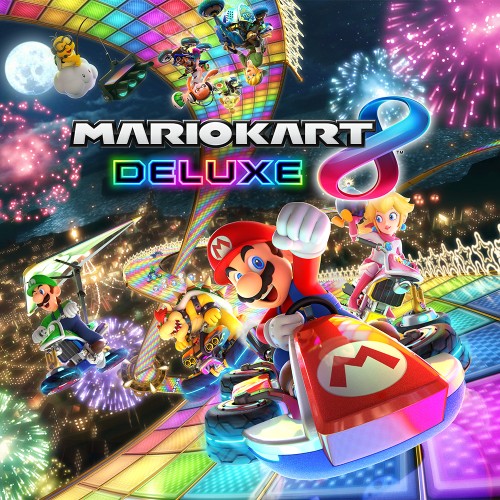
Mario Kart 8 Deluxe
## Overview Mario Kart 8 Deluxe is the definitive version of the beloved kart racing game, originally released on the Wii U in 2014 and enhanced for the Nintendo Switch in 2017. It combines fast-paced racing with whimsical Mario-themed tracks, items, and characters, offering both casual fun and com...
Download & Installation
Overview
Mario Kart 8 Deluxe is a Nintendo Switch exclusive. It is not available on PC, PlayStation, Xbox, or mobile devices via official means. The only legitimate ways to obtain the game are:
- Digital download from the Nintendo eShop on Nintendo Switch.
- Physical cartridge (game card) purchased from a retailer.
This guide covers both methods, along with system requirements, account setup, first launch, common errors, and post-installation checks.
---
Platform Availability
| Platform | Official Availability | Source |
|---|---|---|
| Nintendo Switch | ✅ Yes | eShop or retail cartridge |
| PC (Windows / Steam / Epic) | ❌ No | Not officially released. Emulation (e.g., Yuzu, Ryujinx) is illegal and unsupported. |
| PlayStation 4/5 | ❌ No | Not available |
| Xbox One / Series X\ | S | ❌ No |
| Mobile (iOS / Android) | ❌ No | Not available |
System Requirements (Nintendo Switch)
Since the game runs on a fixed hardware platform, there are no variable PC-style requirements. Ensure your Nintendo Switch meets these basic criteria:
- Console: Any model – Original Switch, Switch Lite, or Switch OLED.
- Firmware: Latest system update (recommended for online features).
- Storage: At least 7.0 GB free internal memory or on a microSD card for the digital version. Physical version requires only save data (~100 MB).
- Internet: Required for digital purchase and download; optional for updates and online play.
- Nintendo Account: Required to purchase from eShop and to play online.
- A Nintendo Account is mandatory to access the eShop for digital purchases.
- If you have a physical copy, you still need a Nintendo Account to download updates (free) and play online (requires Nintendo Switch Online subscription).
- To create an account: Visit [accounts.nintendo.com](https://accounts.nintendo.com) or create one directly on the Switch console.
---
Account Requirements
---
Step-by-Step Installation
Method 1: Digital Download from Nintendo eShop
1. Connect your Switch to the internet – Go to System Settings → Internet → Connect to a network.
2. Sign in to your Nintendo Account – If not already done, link your account in System Settings → User → Add User or link existing.
3. Open Nintendo eShop – Select the eShop icon on the HOME menu.
4. Select the user who will purchase the game.
5. Search for “Mario Kart 8 Deluxe” – Use the search bar or browse featured titles.
6. Select the game and choose “Proceed to Purchase”.
7. Confirm payment – You can use a credit card, PayPal, or Nintendo eShop gift card. Funds must be sufficient.
8. Begin download – After purchase, the download starts automatically. You can monitor progress on the HOME menu (Download icon with a cloud symbol).
9. Wait for completion – The game icon will change from “Downloading” to “Playing” when ready.
10. Launch the game – Select the icon on HOME menu.
Method 2: Physical Cartridge (Game Card)
1. Obtain the game card – Purchase from a retail store or online (e.g., Amazon, GameStop).
2. Insert the cartridge – Open the game card slot on the top of your Switch (right side for OLED/original) or on the bottom (Switch Lite). Insert the card with the label facing toward the console.
3. System reads the card – The game icon will appear on the HOME menu automatically within seconds.
4. Download any day-one patch (recommended) – Connect to the internet, then select the game icon and press + → Software Update → Via the Internet. If updates are available, download them (free).
5. Launch the game – Select the icon and start playing.
---
Storage Space Considerations
| Version | Required Space | Notes |
|---|---|---|
| Digital | 7.0 GB | Full game installed on internal memory or microSD card. |
| Physical | ~100 MB save data | Game data reads from cartridge; updates (if any) require additional space (~500 MB to 1 GB). |
If you need more space, insert a microSD card (up to 2 TB, UHS-I recommended) and format it via System Settings → Data Management → Format microSD Card.
---
First Launch Setup
When you start Mario Kart 8 Deluxe for the first time:
1. Select user profile – Choose the Nintendo Account you want to associate with save data.
2. Accept End User License Agreement (EULA) – Read and agree.
3. Adjust game settings – You can set:
- Smart Steering (on/off) – Recommended for beginners.
- Auto-Accelerate (on/off).
- Motion Controls (tilt to steer) – Can be changed later.
4. Create or load a save file – The game will automatically create a save slot.
5. Play through a quick tutorial (optional) – The “Tips & Tricks” section guides basic controls.
6. Main menu – You’re ready to race! Internet connection is required for online modes (Nintendo Switch Online subscription needed).
---
Common Installation Errors and Fixes
Error: “Not enough space” (digital download)
- Cause: Free storage less than 7.0 GB.
- Fix: Delete unused software or screenshots/videos. Insert a microSD card or move existing data to an SD card (System Settings → Data Management → Move Data Between System / microSD Card).
- Cause: Internet connection problem or Nintendo server outage.
- Fix: Check network connection (System Settings → Internet → Test Connection). Restart the console. Try again later. Ensure your Nintendo Account is properly linked.
- Cause: Network interruption or storage issue.
- Fix:
- Cause: Dirty or damaged game card.
- Fix: Gently clean the gold contacts with a soft, dry cloth. Reinsert firmly. If problem persists, the card may be defective – contact retailer or Nintendo support.
- Cause: Weak internet or server issue.
- Fix: Ensure stable internet. Delete partial update (if any) in Data Management → Manage Software → select game → “Delete Software” (note: this does not delete save data). Then update again via + → Software Update.
- Always download games and updates directly from the official Nintendo eShop to avoid malware or bans.
- For physical copies, ensure you buy from an authorized retailer to guarantee authenticity.
- Keep your Nintendo Switch and game updated for best performance and online compatibility.
- If you encounter persistent errors, contact Nintendo Support at [support.nintendo.com](https://support.nintendo.com).
Error: “Unable to connect to eShop”
Error: “Corrupted data” during or after download
1. In System Settings → Data Management → Manage Software → highlight Mario Kart 8 Deluxe (if visible).
2. Select “Check for Corrupt Data” → “Download Again” if prompted.
3. If not listed, redownload from eShop (choose “Redownload” in your account’s “Previously Downloaded” list).
Error: “Game card could not be read”
Error: “Software update failed”
---
Post-Installation Verification
1. Check game version – From HOME menu, highlight the game icon, press + → Software Information → Version. Latest version is usually 2.8+ (as of late 2024).
2. Verify save data – Play a quick race or grand prix. After finishing, go to System Settings → Data Management → Manage Save Data → select game to confirm save file exists.
3. Test online functionality (optional) – If you have a Nintendo Switch Online subscription, try “Online Play” from the main menu to ensure matching works.
4. Check for additional content – The game includes all DLC from the original Mario Kart 8 on Wii U (characters, courses, vehicles). No further purchases required for the base game. A paid “Booster Course Pass” adds 48 more tracks – if you bought it, verify it appears in-game under “Extra” cups.
---
Final Notes
Game Introduction
Overview
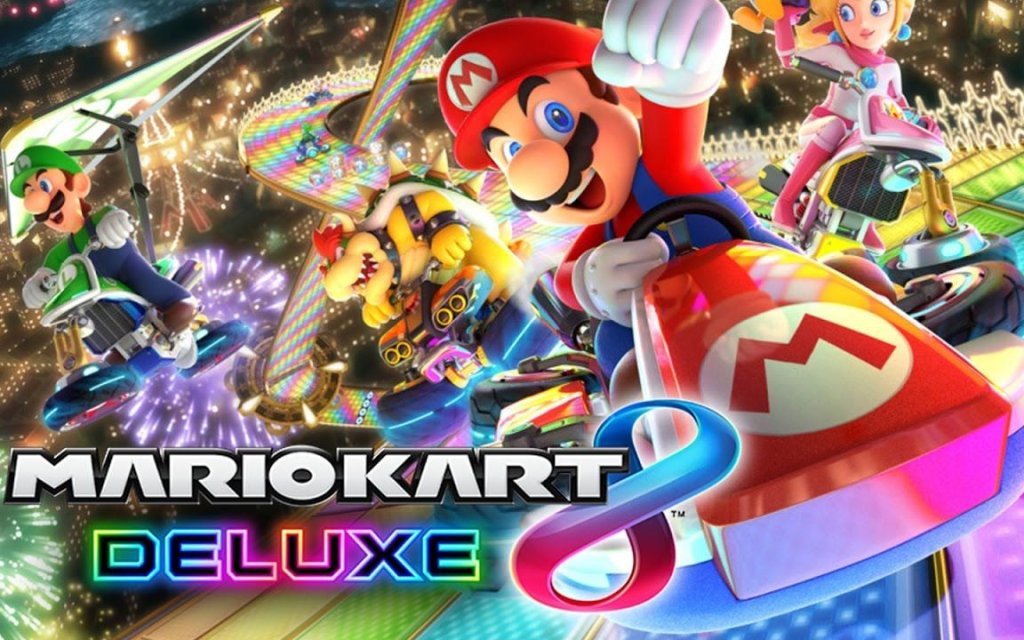
Mario Kart 8 Deluxe is the definitive version of the beloved kart racing game, originally released on the Wii U in 2014 and enhanced for the Nintendo Switch in 2017. It combines fast-paced racing with whimsical Mario-themed tracks, items, and characters, offering both casual fun and competitive depth.
Genre and Developer
- Genre: Kart racing, arcade racing.
- Developer: Nintendo EAD (now Nintendo EPD).
- Publisher: Nintendo.
- Original release (Wii U): May 30, 2014 – Mario Kart 8.
- Deluxe release (Nintendo Switch): April 28, 2017 – Mario Kart 8 Deluxe.
- Platform exclusivity: Nintendo Switch only. The game is not available on PC, PlayStation, Xbox, or mobile devices via official means.
- Classic Mario locations (e.g., Mario Kart Stadium, Yoshi’s Valley).
- Tracks inspired by other Nintendo franchises (e.g., Hyrule Circuit from The Legend of Zelda, Animal Crossing courses).
- Original, fantastical environments such as Mount Wario, Electrodrome, and Rainbow Road.
- Mario, Luigi, Peach, Bowser, Yoshi, Toad, Koopa Troopa, Shy Guy, and more.
- Returning fan-favorites: Dry Bones, Wiggler, Honey Queen (from Wii U).
- Guest characters: Link (from The Legend of Zelda), Inkling Boy & Girl (from Splatoon), Villager & Isabelle (from Animal Crossing).
- Each character comes with unique stats (weight, speed, acceleration, handling) affecting performance. Karts, bikes, and ATVs can be customized with hundreds of combinations of bodies, tires, and gliders.
- Core appeal: Accessible controls (with optional Smart Steering and Auto-Accelerate for beginners) paired with deep item-based strategy, tight drifting mechanics, and high-speed 200cc mode for experts. The vibrant visuals, catchy music, and chaotic multiplayer create a joyful, competitive atmosphere.
- Target audience: All ages – from young children to adults. Families and party gamers love the local multiplayer; competitive players enjoy online ranked matches and time trials.
Release History and Platforms
Story and Setting
Mario Kart has no traditional narrative. Instead, the "story" is the friendly (and sometimes chaotic) competition among iconic Nintendo characters racing across vibrant, imaginative circuits. The setting spans multiple themed worlds:
Characters and Karts
Mario Kart 8 Deluxe features a roster of 42 playable characters (including all DLC additions). Notable characters include:
Core Appeal and Target Audience
Game Modes
| Mode | Description |
|---|---|
| Grand Prix | Single-player or 2-player vs. CPU across 4 cups (4 tracks each). 4 difficulty levels (50cc, 100cc, 150cc, 200cc). |
| Time Trial | Race alone to set the fastest lap and race times, with ghost data to compete against. |
| Versus | Customizable race with up to 4 players local split-screen, or online. Adjust items, speed, AI difficulty. |
| Battle Mode | Revamped for Deluxe with 5 battle modes (Balloon Battle, Bob-omb Blast, Coin Runners, Shine Thief, Renegade Roundup) on 8 dedicated battle courses. |
| Online Multiplayer | Worldwide or friends-only races (up to 12 players) and battles. Includes regional matchmaking, rating system (VR/BR), and custom rooms. |
| Wireless Play & LAN | Up to 8 players local wireless, or LAN play with up to 12 Switches (requires wired LAN adapter). |
Online and Offline Support
- Offline: 1–4 players via split-screen. Supports TV, handheld, and tabletop modes.
- Online: Requires Nintendo Switch Online subscription. Features matchmaking, friend lobbies, tournaments, and leaderboards.
- No single-console online multiplayer (only one player per console can join online races).
- Booster Course Pass: A massive DLC pack released in 6 waves (2022–2023) adding 48 retro tracks from previous Mario Kart games (Mario Kart Tour, Wii, DS, etc.). The pass also includes the Birdo, Petey Piranha, and Wiggler characters. All new tracks are seamlessly integrated into the game’s Grand Prix and VS modes.
- Previously bundled content: The base Deluxe game already includes all DLC from the Wii U version (Mercedes-Benz vehicles, Zelda and Animal Crossing crossover content, etc.).
- Anti-Gravity Racing: When driving on special sections, karts tilt to drive on walls and ceilings, granting a speed boost when near other racers (“ultra boost”).
- Revamped Battle Mode: The Wii U version’s lackluster battle mode was completely redesigned with new arenas and rule sets.
- Smart Steering & Auto-Accelerate: Optional assists that prevent falling off edges and automate acceleration – great for younger players or those new to gaming.
- 200cc Mode: An extreme speed class introduced later, requiring precision braking and advanced drifting for mastery.
- Full character roster: Includes all characters from the Wii U version plus new additions (Inklings, King Boo, Dry Bones, etc.).
- Best-selling Mario Kart game: With over 60 million copies sold as of 2024, it’s the best-selling game on the Nintendo Switch and the best-selling racing game of all time.
DLC and Expansions
What Makes It Unique
Mario Kart 8 Deluxe remains the gold standard for party racing games, offering infinite replayability through its robust multiplayer, constant updates, and timeless Nintendo charm.
Getting Started
Overview
Welcome to Mario Kart 8 Deluxe! This guide is designed to make your first hour in the game smooth, fun, and frustration-free. Mario Kart 8 Deluxe is a racing game that rewards practice and smart item usage rather than raw speed. Unlike many modern games, there is no character creation – you choose from a roster of iconic Mario characters, each with slightly different weight and stats. Your focus in the first hour should be on learning the core mechanics, understanding the user interface, and unlocking your first few vehicle parts.
First Hour Walkthrough
1. Boot Up & Title Screen – After the Nintendo Switch logo, you’ll see the Mario Kart 8 Deluxe title. Press any button to proceed. You’ll be greeted by a short cinematic intro (can be skipped with the + button).
2. Main Menu – The main menu has several options: Grand Prix, VS Race, Battle Mode, Online Play, Time Trials, Mii (custom Mii costumes), Settings, and Mario Kart TV (replays). For your first session, focus on Grand Prix.
3. Select a Mode – Grand Prix – Choose 50cc (the easiest engine class). You’ll be prompted to pick a cup. Start with the Mushroom Cup – it has four beginner-friendly tracks: Mario Kart Stadium, Water Park, Sweet Sweet Canyon, and Thwomp Ruins.
4. Choose Your Character – A grid of characters appears. Select one by highlighting and pressing A. For beginners, light characters like Baby Mario or Toad offer better handling and acceleration but lower top speed. Medium characters like Mario or Peach are balanced. Heavy characters like Bowser or Wario are fast but harder to control initially – start with a medium or light character.
5. Choose Your Vehicle Parts – After selecting a character, you pick a Kart Body, Wheels, and Glider. For the first few races, use the default Standard Kart with the Standard Wheels and Standard Glider (these are highlighted by default). Do not worry about customizing yet – stock parts are fine for 50cc.
6. Race! – You’ll enter a loading screen with driving tips. Pay attention to them. The race begins with a countdown (3…2…1…). Press and hold the accelerator (A button) when the countdown reaches "1" to get a Rocket Start – a massive speed boost. Practice timing this.
7. Post-Race Screen – After finishing, you’ll see your position, points earned (1st place gets 15 points, 2nd gets 12, etc.), and coins collected. If you finish in the top 3, you earn a trophy. After four races, the cup ends and you get a reward: coins and possibly a new vehicle part.
8. After the First Cup – You will unlock at least one new random vehicle part (kart, wheels, or glider). Keep playing Grand Prix on 50cc to unlock more parts and characters. You can also try Time Trials to practice a track without opponents.
Character & Customization (No Character Creation)
Mario Kart 8 Deluxe does not have character creation. You pick from a fixed roster of 42 characters (including DLC). The only cosmetic customization is Mii outfits – you can create a Mii on the Nintendo Switch Home menu and then dress it up with costumes unlocked by completing cups. However, for gameplay, you cannot change faces or body types. The character selection affects stats (Speed, Acceleration, Weight, Handling, Traction) but not your visual appearance beyond the character model.
- How to change characters – At any menu (Grand Prix, VS Race, etc.), press the left or right bumper (L/R) on the character select screen to cycle through pages. You can also sort by weight class.
- Vehicle Parts – While you cannot create a character, you can heavily customize your kart’s performance. Parts are unlocked by collecting coins. Each part has stat bonuses and penalties. Ignore this for the first hour – just use the defaults.
Controls (All Platforms – Only Nintendo Switch)
Mario Kart 8 Deluxe is exclusive to Nintendo Switch. Control schemes vary by controller type. The most accessible is Handheld Mode (using the console’s built-in controls) or Pro Controller. Motion controls (gyro) are optional and turned off by default – we strongly recommend turning them off to avoid accidental turns.
Default Controls (Pro Controller / Handheld)
| Action | Pro Controller / Handheld Buttons |
|---|---|
| Accelerate | A (Right face button) |
| Brake/Reverse | B (Bottom face button) |
| Steer | Left Stick (or D-Pad) |
| Drift | ZL or ZR (hold while turning) |
| Use Item | L (left bumper) or R (right) |
| Hop / Quick Turn | X (press while steering) |
| Look Behind | Up on D-Pad (hold) |
| Pause | + Button |
| Rocket Start | Hold A when countdown reaches “2” and release at “1” (or hold from beginning) |
Motion Controls (Optional – Not Recommended)
- Activate in Settings → Motion Controls. While driving, tilt the whole controller left/right to steer. Accelerate with A, brake with B. The controller must be held horizontally (like a steering wheel). Most beginners find this imprecise.
- Drifting – Hold ZL or ZR while turning. The kart will slide. Release the button when you see sparks to get a Mini-Turbo boost. A small white spark gives a short boost; a yellow-orange spark gives a longer boost; a blue/purple spark (after holding drift even longer) gives the longest boost. Practice this in Time Trials.
- Using Items – Press L or R to toss a shell forward or drop a banana peel behind. To aim backward, hold the item button and then press L/R again (or use the right stick). For green shells, you can aim by pressing the item button twice.
- Braking – In 50cc, you rarely need to brake. On sharp turns, tap B briefly to reduce speed without losing drift boost.
- Top-left – Your current position (1st to 12th) and points for the Grand Prix.
- Top-right – Lap count (1/3, 2/3, etc.) and a timer.
- Bottom-center – Your item slot (single-use items). You can hold one item at a time unless you pick up a double-item box (gives two).
- Bottom-left/right – Speedometer and minimap (shows positions of nearby racers). The minimap is small but useful to anticipate items.
- Coins – Small coin counter near the item slot. Coins increase your top speed (up to 10 coins). When you are hit, you lose coins.
- Grand Prix Screen – Shows the cup name, track list (3 circles per race), and your current cup points. Press X to see the standings.
- Character Select – Grid with character faces. Right side shows stats (Speed, Acceleration, etc.) for the current combination of character + parts.
- Options Screen – Before a race, you can change COM Difficulty (CPU opponents’ skill) and Item Sliders (frequency of items). For beginners, keep COM on Easy and Items on Normal.
- Play 50cc Grand Prix – It’s forgiving; CPU opponents are slow, and you can learn tracks.
- Enable Smart Steering – In the menu before a race, press + to open settings. Turn Smart Steering ON. This prevents falling off edges and helps you steer automatically. It’s great for absolute beginners. You can turn it off later.
- Use Auto-Accelerate – Also in settings, enable Auto-Accelerate. The kart moves forward without holding A. This reduces finger fatigue.
- Watch the starting countdown – Practice the Rocket Start every time. Even if you miss, it’s okay.
- Drive through item boxes – Always try to get an item. Even if you’re in first place, grab something for protection.
- Jumping into 150cc or Mirror Mode – Higher engine classes have faster speeds and tighter turns. Wait until you can complete 50cc with 1st place on almost every track.
- Holding onto items for too long – Many beginners keep a banana peel or green shell and never use it. Use items actively: drop bananas on narrow bridges, throw shells toward opponents ahead.
- Braking on every turn – In 50cc, you can take most turns without braking if you drift. Over-braking kills your speed and ruins boost opportunities.
- Ignoring the minimap – The minimap shows a red arrow when you’re being targeted by a red shell. Watch it to decide when to use a defensive item (like a banana or green shell) behind you.
- Grinding for coins inefficiently – You don’t need to 100% complete every cup immediately. Just play naturally; coins accumulate quickly.
- Spend coins by racing – Coins are earned passively. There is no shop; new parts are randomly awarded after completing cups, or when you reach coin thresholds (e.g., every 50 coins you get a part). So just keep racing.
- Don’t waste time on Battle Mode initially – Battle Mode (Balloon Battle, etc.) is fun but does not unlock karts or characters. Save it for later.
- Prioritize completing cups – Each cup completion (all four races) gives a guaranteed part. Finish the eight original cups on 50cc before trying higher difficulties.
- Unlock at least the first two DLC cups if you own the Booster Course Pass – They are easier than the base game tracks? Not necessarily, but they offer variety. Stick to base cups first.
- [ ] Complete the Mushroom Cup on 50cc with any character (aim for 1st place overall).
- [ ] Collect at least 10 coins in at least one race to understand coin mechanics.
- [ ] Unlock and equip your first new vehicle part from the post-cup reward.
- [ ] Practice Time Trials for 10 minutes on Mario Kart Stadium: focus on drift boositing and Rocket Starts.
- [ ] Turn on Smart Steering and Auto-Accelerate in the settings (accessible before a race).
- [ ] Try one online race (optional) to see different playstyles – don’t worry about placement.
- [ ] Review the controls table above and practice the drift button (ZL/ZR) until it feels natural.
- [ ] Save and exit after your first cup – the game autosaves after each race.
Key Beginner Control Techniques
User Interface (UI) Overview
Race HUD
During a race, the screen displays:
Pre-Race / Menus
Essential Early Objectives
1. Complete the Mushroom Cup on 50cc – This unlocks the first set of new vehicle parts and introduces you to basic track layouts.
2. Collect Coins – Coins are your primary currency. They unlock random vehicle parts from a gacha-like system after each cup completion or when you accumulate a certain number. Aim to collect at least 10 coins each race (max per race is 10). Focus on grabbing coins off the main path if safe.
3. Unlock at Least 3 New Characters – Progress through Grand Prix to unlock characters like Ludwig, Roy, Morton, and others. You can check the unlock condition screen in the game (Mario Kart TV or Garage).
4. Practice Drift Boosting – Spend 10 minutes in Time Trials on Mario Kart Stadium. Try to get a Mini-Turbo boost on every turn. This is the most important skill for all skill levels.
5. Try One Online Race (Optional) – Once you feel comfortable, go to Online Play → Worldwide and race against real players. Expect to lose – it’s normal. Focus on survival, not first place.
What to Do First vs. What to Avoid
✅ Do First
❌ What to Avoid
Early Resource Priorities
Your early resources are Coins and Time. Use them wisely:
Common Beginner Mistakes
1. Always looking at the outer edge of turns – New players tend to look right at the walls. Instead, focus on the center of the turn or the inside apex to better judge your drift angle.
2. Not using the Rocket Start – A missed Rocket Start can cost you 2-3 positions in the first few seconds. Practice timing every race.
3. Falling off the track frequently – If you have Smart Steering off, you may drive off edges. Keep it on until you learn track boundaries. Also, avoid jumping off ramps without steering – you might fly off course.
4. Using a heavy character on 50cc – Heavy karts have slower acceleration and worse handling. On 50cc, acceleration is more forgiving, but heavy characters are harder to control. Stick to light or medium.
5. Not using the item button to defend – If you have a shell or banana, hold it behind you by pressing and holding the item button. Release to drop it. This blocks incoming red shells.
6. Hoarding Super Horns – The Super Horn is a special item that can destroy blue shells. Wait until you hear the blue shell siren (a descending whistle) and then press the item button just before it strikes. Many beginners panic and use it too early.
Day-One Checklist
After completing this checklist, you’ll have a solid foundation. Next session, tackle the Flower Cup on 50cc and start experimenting with different karts and characters. Happy racing!
Core Gameplay
Core Gameplay Overview
Mario Kart 8 Deluxe is a fast-paced kart racing game where the core loop revolves around racing through themed tracks, using power-ups to hinder opponents, and mastering driving techniques to finish first. Unlike traditional RPGs, there is no overworld exploration or narrative quests; progression is measured by unlocking new characters, karts, and track variations (Mirror Mode, 200cc) through accumulating coins and race wins. The game features both single-player and local/online multiplayer, with the endgame focused on competitive online play and time trials.
---
Progression Tiers
Progression in Mario Kart 8 Deluxe is non-linear but can be divided into four tiers based on available content and player skill. Each tier builds upon the previous, unlocking new challenges and customization options.
Early Game (Hours 1–5)
#### Main Gameplay Loop
- Race in 50cc or 100cc cups (Mushroom, Flower, Star, Special). Each cup contains 4 races. Finish top 3 to unlock the next cup.
- Collect coins on the track (up to 10 per race) to increase top speed and earn 300 coins per cup completion (bonus if 1st place). Coins unlock new vehicle parts.
- Basic driving: accelerate (A), brake (B), drift (hold R while steering). Introduction to drift boosting – release R when sparks turn orange/blue for a mini-turbo.
- Item usage: understand item boxes – green shells (fire straight), red shells (homing), bananas (trip), mushrooms (speed boost).
- Unlock 1st set of vehicles by earning 150 coins per part.
- Unlock 4 standard characters (Mario, Luigi, Peach, Yoshi) – others require cups won.
- Complete 4 cups on 50cc – unlocks 100cc and Mirror Mode.
- Transition to 150cc – faster speed requires sharper drifts and better item management. Master hop turning (tap R to hop and change direction mid-air).
- Unlock new cups (Lightning, Egg, Banan, Bell) and more vehicles (Sport Bike, Magikruiser) through coins and 1st place finishes.
- Vehicle customization: choose body, tires, glider based on weight class (light, medium, heavy) affecting speed, acceleration, handling, and traction. Light vehicles drift differently.
- Combat evolves: use defensive items (hold a shell behind you), offensive traps (set three bananas), and strategic mushrooms for shortcuts.
- Unlock all 4 standard karts (Standard Kart, Standard Bike, ATV, Standard Glider).
- Recruit 12+ characters – requires winning cups with different characters (e.g., win Star Cup with Princess Peach to unlock Rosalina).
- Complete all 12 original cups on 150cc – unlocks 200cc and Retro track cups.
- 200cc mode – extreme speed requires preemptive braking and tight drifts. No auto-accelerate; manual braking is essential. Focus on fire hopping (quickly tapping drift after a boost) and super-mini-turbo (orange sparks) for maximum corner speed.
- Mirror Mode cups – tracks are mirrored, disorienting muscle memory. Adapt by focusing on visual cues.
- Battle Mode – arenas (3 stages) with Balloon Battle (pop balloons), Bob-omb Blast (throw bombs), Coin Runners (collect coins).
- Unlock all characters and vehicles – requires 4,500+ coins total. Farm coins by replaying cups or VS races.
- Unlock all 42 characters (including DLC via Booster Course Pass) – gold trophy on all cups (50/100/150/200/Mirror) with each character? No, but multiple wins needed for specific unlock conditions (e.g., 9,000 coins for Gold Mario).
- Obtain Gold Tires, Gold Glider, Gold Kart – requires 10,000 coins.
- Complete all 48 original tracks (12 cups × 4 tracks) + 48 Retro tracks if DLC owned (Booster Course Pass adds 8 more cups).
- Online play – Regional Worldwides (random tracks) or friend lobbies. Focus on VR (Versus Rating) ranking (up to 99,999). Top 1,000 players unlock Gold Mario (cosmetic).
- Time Trials – race alone to beat staff ghosts or player ghosts. Goal: total time under a minute on certain tracks. Unlocks Golden Glider (beat all 32 staff ghosts on Wii U? Actually, in MK8D, Golden Glider requires 5,000 coins, but staff ghosts unlock “Gold Tires” after beating 32? Wait: Gold Tires obtained by beating all 8 staff ghosts on 150cc. Gold Glider by beating all 8 on 200cc. Gold Mario by 5,000 coins. Check: actual requirements: Gold Tires (beat all 150cc staff ghosts), Gold Glider (beat all 200cc staff ghosts), Gold Kart (win all cups in all engine classes – 50/100/150/200/Mirror with at least one star?), Gold Mario (10,000 coins). Endgame includes farming coins through VS races.
- Booster Course Pass (DLC) – 8 cups (48 tracks) released in waves. Offers new track variants and increased coin earnings.
- Perfect runs – achieve 3 stars on every cup (1st place in all 4 races) on 200cc for the ultimate bragging rights.
- Reach 10,000 coins – unlocks Gold Mario and all golden vehicle parts.
- Beat all 150cc and 200cc staff ghosts – unlocks golden tires and glider.
- Rank in top 100 online – possible but requires months of practice.
- Item system: item boxes grant random items based on your position. 1st gets coins/bad items; 12th gets Bullet Bill/Blooper/Blue Shell. Offensive: Red Shell, Green Shell, Bob-omb, etc. Defensive: Banana, Shell held behind, Boo (steals mushroom/shell from another). use raw mushrooms for speed boosts or attacks (pushing opponents).
- Interaction types: bumping, spinning (touching a banana, shell, or player while they have a star), and dragging (lightweights can be dragged by heavyweights). Fire Hopping – a glitch turned technique where you repeatedly hop after a boost to maintain speed and slightly change direction.
- Battle damage: in Battle Mode, each hit loses a balloon. Use items to pop others’ balloons while avoiding hazards.
- Coins (collectible on tracks and from finishes) unlock vehicle parts in a fixed order. Every 50–100 coins unlocks a new body, tire, or glider. 10,000 coins total unlock all parts.
- Winning cups on each engine class (50/100/150/200/Mirror) with a star rating (1st in all 4 races = 3 stars; total points > 54 = 3 stars) unlocks new cups and characters.
- Specific unlock conditions: win X cup with Y character, or collect 2,500 coins for King Boo, etc.
- Track knowledge is the only “exploration”. Every track has shortcuts (e.g., glider ramps, off-road paths, boost pads). Memorizing them is key to higher placements.
- VS Race mode allows you to practice any track with any settings (items, computer difficulty, race count).
- No traditional quests. Equivalent are cups (4-race series) which act as tiered challenges.
- Time Trial vs Staff Ghosts – beat specific times to unlock parts (Gold Tires for 150cc, Gold Glider for 200cc).
- Single currency: Coins. Earned by collecting on tracks (10 per race) and finishing positions (5 for last, up to 15 for 1st). Cups give bonus coins (300 for first place overall).
- Costs: vehicle parts unlock automatically as you reach coin thresholds; no purchasing individual items. Coins are not spent but are a progression gate.
- Character weight classes: Light (Toad, Koopa), Medium (Mario, Luigi), Heavy (Bowser, Wario). Affects speed, acceleration, handling, and mini-turbo speed.
- Vehicle customization: Body, Tires, Glider – each changes stats (speed, acceleration, weight, handling, traction, mini-turbo). Perfect builds are often medium weight + high speed tires + medium glider for drift tracks. For 200cc, handling-focused builds (roller tires, top-down: Azure Roller) are popular.
- No XP or leveling – skill is the only growth.
- Online Ranking: VR (Versus Rating) increases with wins against higher-ranked players. Decays with inactivity. Top 10 are pro streamers.
- Time Trial leaderboards: world records tracked per track and per vehicle combo.
- DLC completion: Booster Course Pass (48 tracks) extends content significantly.
- Achievements: in-game achievements (e.g., “Win 100 online races”) unlock badges but no gameplay changes.
#### Progression Milestones
#### Example Early Game Goal
Race Mushroom Cup on 50cc with Mario in the Standard Kart. Focus on staying on track, using mushrooms on straightaways, and avoiding bananas. Collect 10 coins each race to maximize coin income.
---
Mid Game (Hours 6–15)
#### Main Gameplay Loop
#### Progression Milestones
#### Example Mid Game Strategy
On Mario Kart Stadium (150cc), use a medium-weight combo (e.g., Luigi + Sport Bike + Slick tires + Super Glider). Drift early into turns for blue mini-turbo. Hold a red shell defensively; if you’re first, use a mushroom to extend the lead. Collect coins to maintain max speed.
---
Late Game (Hours 16–30)
#### Main Gameplay Loop
#### Progression Milestones
#### Example Late Game Challenge
Win Block Fort in Battle Mode with a light character (Toad + Comet bike + Mini Tires + Parachute). Use speed to dodge and throw Bob-ombs into clusters. Stay near walls to avoid red shells.
---
Endgame (Hours 30+)
#### Main Gameplay Loop
#### Progression Milestones
#### Example Endgame Activity
Join a Worldwide lobby. Use a heavyweight combo (Bowser + Mach 8 + Azure Roller + Super Glider) for high top speed and weight to shove opponents. Master blue shell avoidance (use a mushroom at the right moment). Time your drift to maintain mini-turbo through corners. Focus on consistent lap times.
---
Detailed Systems Breakdown
Combat/Interaction System
Progression
Progression is entirely coin-based and achievement-based.
Exploration
Quests/Missions
Economy
Character/Build Growth
Endgame Structure
---
Comparison Table: Early vs Endgame Driving
| Aspect | Early Game | Endgame |
|---|---|---|
| Engine class | 50cc / 100cc | 200cc / Mirror |
| Items | Used for fun | Used for hyper-competitive positioning |
| Drifting | Basic mini-turbo (blue sparks) | Super-mini-turbo + fire hopping |
| Shortcut use | Rare | Essential every lap |
| Vehicle focus | Balanced stats | Min-max for speed or handling |
| Goal | Unlock content | Top online ranks / world records |
Progression Summary Checklist
Early Game
- [ ] Win Mushroom, Flower, Star, Special on 50cc
- [ ] Collect 300 coins
- [ ] Unlock 2 extra characters
- [ ] Win all 12 original cups on 150cc
- [ ] Unlock 8+ characters
- [ ] Customize vehicle with optimal parts
- [ ] Win all cups on 200cc (at least 1 star)
- [ ] Unlock Gold Tires (beat 150cc staff ghosts)
- [ ] Collect 5,000 coins
- [ ] Collect 10,000 coins (Gold Mario)
- [ ] Beat all 200cc staff ghosts (Gold Glider)
- [ ] Reach 9,999 VR online
Mid Game
Late Game
Endgame
This guide covers the core gameplay lifecycle of Mario Kart 8 Deluxe. Practice each tier’s techniques and refer to specific track shortcuts for improvement. Enjoy the race!
Game Tips
Game Tips
Beginner Tips
#### 1. Master the Basics of Drifting
- Explanation: Hold the drift button (R or ZR) while turning to initiate a drift. Release just before the turn ends to get a Mini-Turbo boost. A blue spark indicates a small boost; a full orange spark gives a stronger Super Mini-Turbo. When to use: On every corner, especially tight ones. This is the single most important technique for gaining time.
- Why it works: Drifting lets you take corners at higher speed without hitting walls, and the boost reward lets you accelerate faster out of the turn.
- Explanation: If you get an item from a box and you're not being chased, fire it backwards (hold the item button and press down) to hit trailing racers. When to use: As soon as you pick up a defensive item like a Green Shell or Banana when you are in 1st place; otherwise, use offensive items like Red Shells right away.
- Why it works: Keeping an item behind you creates a defensive barrier, but firing it offensivly can take out someone ahead. For beginners, it's safer to learn item management by using them early.
- Explanation: Coins increase your top speed up to 10 coins. Each coin adds a small speed bonus. When to use: Always drive through coin clusters on the track. Prioritize coins over minor shortcuts early on.
- Why it works: More coins = faster base speed, making every drift and boost more effective. Losing coins to items reduces your speed, so collect them constantly.
- Explanation: The racing line is the path that minimizes distance and maximizes corner exit speed. Often it's hugging the inside of turns. Watch for arrows on the ground indicating optimal path. When to use: On every straightaway and corner. Avoid sharp turns that cut grass unless it's a shortcut.
- Why it works: Shorter distance = less time. Also, drifting on the racing line gives better boosts.
- Explanation: In the settings, enable Auto-Accelerate so your kart always goes forward. This frees your thumb for steering and drifting. When to use: For beginners struggling with holding down the accelerator button.
- Why it works: One less button to worry about lets you concentrate on turns and item usage.
- Explanation: Drift long enough to see a blue spark, then continue drifting to get a second spark (orange). Release for a stronger boost. Wait for the third (purple/red) spark to get an Ultra Mini-Turbo. When to use: On long sweeping turns (e.g., Mount Wario's downhill, Electrodrome's final turn) where you can hold the drift for the full duration.
- Why it works: The Ultra Mini-Turbo gives a longer and stronger speed burst than a simple Mini-Turbo, crucial for maintaining speed on long corners.
- Explanation: Keep a defensive item (Banana, Green Shell, or Coin) behind you when in 1st-3rd place. A single item blocks one incoming red shell. When you have two items (via double-item box), hold one defensive and use the other offensively. When to use: Always when leading; switch to offensive only if you have a clear shot at the leader while trailing.
- Why it works: Red shells target the nearest player ahead. A defensive item behind you prevents you from being hit and losing coins/position.
- Explanation: On straight sections, quickly tap the drift button left-right-left to initiate a tiny drift and release instantly for a small Mini-Turbo. This can be repeated every second or two. When to use: On long straights (e.g., Mario Kart Stadium final straight, Rainbow Road sections).
- Why it works: Each hop gives a small speed boost that adds up over a long straight, but be careful because it reduces traction slightly – best used on straight, non-icy surfaces.
- Explanation: When going off a ramp or over a bump, hold the drift button to perform a trick (rotate controller or press up on the joystick) before landing. This gives a boost. When to use: On every jump, even small bumps on the road. On anti-gravity sections, trick off walls for boost.
- Why it works: Tricks provide a significant speed increase for free. Miss them and you lose time.
- Explanation: In anti-gravity sections, drive on walls or ceilings to avoid hazards and use the spin boost when hitting an opponent or a glider patch. When to use: Always in anti-gravity zones; use the wall to bypass obstacles and get a speed boost from any contact.
- Why it works: Wall riding often provides a shortcut or avoids items. The contact boost gives instant speed.
- Explanation: Use mushrooms on sharp turns (like the double hairpins in Neo Bowser City) or on straightaways immediately after a drift boost for stacked speed. When to use: On the final lap to break away, or when you have a mushroom and are about to take a shortcut (e.g., the glider ramp in Wild Woods).
- Why it works: Mushrooms give a flat speed boost. Using them during a Mini-Turbo boost gives multiplicative effect? Actually they stack, so you go faster than using them separately. On shortcuts, mushrooms allow hops over gaps (e.g., in Animal Crossing track).
- Explanation: Characters and kart parts affect stats: Speed, Acceleration, Weight, Handling, Traction, Mini-Turbo. For example: Heavy characters (Bowser, Wario) + high speed parts are best for frontrunners who avoid items; light characters (Yoshi, Toad) with high acceleration recover quickly from hits. When to use: Choose a build that matches your racing style. If you get hit often, pick high acceleration. If you can avoid items, pick max speed.
- Why it works: A balanced build (e.g., the “Standard” combo) is safe, but specialized builds can shave seconds off your lap time if used correctly. Experiment in Time Trial.
- Explanation: Every track has at least one shortcut that requires a mushroom or precise glider use. Examples: The lake cut in Dolphin Shoals (mushroom over the water), the vine lift in Wild Woods (mushroom to skip the glider section), the ramp in Sweet Sweet Canyon that skips the glider. When to use: On any track where you have a mushroom, deviate to the shortcut path. On the final lap, it's especially powerful.
- Why it works: Shortcuts save multiple seconds and can leapfrog you from 4th to 1st. Watch YouTube tutorials for each track's shortcuts.
- Explanation: Coins are limited on track. If you have 10 coins, stop collecting more (they won't increase further). Instead, use coin items as defensive shields. If you drop to 0, prioritize getting at least 5 coins before focusing on items. When to use: When at 10 coins, avoid unnecessary coin pickups; use coins from item boxes as a barrier. When below 5, drive through every coin cluster.
- Why it works: Coins directly affect speed. At 0 coins you are significantly slower. Balancing coin count with item management is crucial.
- Explanation: If you are in 2nd place, you tend to get powerful items like a Bullet Bill or Golden Mushroom, while the leader gets weak items (coins, bananas). When to use: Purposefully fall back to 2nd or 3rd place at the start of the final lap to get a high-powered item that can rocket you past the leader.
- Why it works: Item distribution is heavily based on position. The first place gets the worst items. By staying just behind, you get a game-changing item that can easily overtake.
- Explanation: When lightning strikes, all players shrink except the one with a Star or Bullet Bill. If you are in mid-air (e.g., on a ramp) when lightning hits, you are not affected. When to use: Watch the item roulette – if you see a Lightning icon appear, time a jump off a ramp to avoid shrinking.
- Why it works: Shrinking drastically reduces speed and makes you vulnerable. Staying full size gives you a huge advantage for the duration.
- Explanation: When a blue shell targets you, you can dodge it by using a mushroom just before it hits. The speed burst creates a gap. Alternatively, if you have a Bullet Bill or Star, activate it as the blue shell approaches. When to use: Only if you have a mushroom, Bill, or Star when you hear the blue shell warning. The timing is tight – practice in Time Trial with a blue shell on.
- Why it works: You avoid the explosion and keep speed. Without it, the blue shell will knock you out of first.
- Explanation: Time Trial mode lets you race without items or opponents. Use it to learn perfect racing lines, drift timings, and shortcuts. When to use: Before playing online, spend 10 minutes per track in Time Trial. Focus on one track at a time.
- Why it works: Memorizing the track prevents mistakes in real races. You'll automatically know where to drift and which lines are fastest, leaving mental space for items.
- Explanation: The traditional Rainbow Road has no guardrails. A small drift mistake can send you off. When to use: Take the inner line on all turns, even if it means slower exit speed. Use Super Mini-Turbos only on wide turns.
- Why it works: Falling off costs 3-4 seconds and often items. Safety is faster than risky drifting.
- Explanation: In the glider portions, dive and pull up to control speed. Diving just before the ground gives a speed boost upon landing. When to use: After the cave section, dive sharply to catch the best wind current. On the final glider, aim for the middle to avoid obstacles.
- Why it works: Gliding efficiently can gain a second or more over opponents who simply float.
- Explanation: On the lap, after the first turn, there's a dirt path between two trees that requires a mushroom to jump over the gap. When to use: Whenever you have a mushroom during the second or third lap.
- Why it works: This shortcut skips a large section of track, saving 2-3 seconds.
- Explanation: In the menu, you can buy kart parts (wheels, gliders, bodies) with coins earned from races. Prioritize parts that improve your chosen stats (speed for acceleration builds, etc.). When to use: After unlocking all standard parts, save for the high-end parts like the B Dasher or Gold parts (requires 10,000+ coins).
- Why it works: Better parts give you a stat edge. Gold parts are purely cosmetic but take a lot of coins.
- Explanation: Most characters unlock by winning a certain number of races (e.g., 150cc Gold Cup). Others are available via the coin shop. When to use: Focus on unlocking heavy characters first (Bowser, Morton) if you prefer speed, or light characters (Baby Luigi, Toad) for handling.
- Why it works: Different character weights affect your build choices. Early access to a top-tier character can give an advantage.
#### 2. Use Items Immediately (Unless Holding for Defense)
#### 3. Collect Coins for Speed Boost
#### 4. Stick to the Racing Line
#### 5. Use Auto-Accelerate for Focus
Intermediate Strategies
#### 6. Perfect the Super Mini-Turbo (SMT) – Three Sparks
#### 7. Know When to Hold and When to Use Items Defensively
#### 8. Learn Fire Hopping (Instant Mini-Turbo on Straights)
#### 9. Use Jump Boosts from Ramps and Bumps
#### 10. Master Anti-Gravity Wall Riding
Advanced Optimizations
#### 11. Perfect the Mushroom Boost Timing
#### 12. Optimize Your Kart Build for Your Playstyle
#### 13. Master Shortcuts (Glider and Mushroom-Only Cuts)
#### 14. Coin Management – When to Sacrifice and When to Collect
#### 15. Advanced Item Strategies – The 2nd Place Trap
#### 16. Use the Speed Boost from Lightning and Shock Dodge
#### 17. Perfect Blue Shell Defense – The Last-Minute Mushroom
#### 18. Time Trial Practice – The Key to Consistency
Track-Specific Tips
#### 19. Rainbow Road – Stay Off the Edges
#### 20. Mount Wario – Glider Sections
#### 21. Animal Crossing – Tree Cut Shortcut
Economy & Unlocks
#### 22. Spend Coins Wisely in the Shop
#### 23. Unlock Characters by Winning or Purchasing
Conclusion
Mastering Mario Kart 8 Deluxe is a journey from learning basic drifting to perfecting advanced item timing and track shortcuts. Practice consistently, watch replays of top players, and adapt your strategies based on the lobby. Good luck and have fun!
Game Settings
Overview
Mario Kart 8 Deluxe offers a variety of settings to tailor the experience to your preferences and needs. While the game is exclusive to Nintendo Switch and has limited graphics options compared to PC titles, it still provides meaningful adjustments across audio, controls, accessibility, language, network, and gameplay. This guide covers every setting category, recommends optimal configurations for different playstyles and hardware modes (docked vs. handheld), and highlights common pitfalls to avoid.
---
Graphics & Display
Since Mario Kart 8 Deluxe is a Nintendo Switch exclusive, there are no in-game graphics sliders for resolution, frame rate, or detail levels. The game automatically adjusts based on the system's current mode:
- Docked Mode: 1080p resolution, 60 FPS (stable).
- Handheld / Tabletop Mode: 720p resolution, 60 FPS (stable).
- TV Resolution (Switch settings > TV Settings > TV Resolution): Set to 1080p for best quality on a 1080p display; if you have a 4K TV, the Switch will upscale automatically (the game itself remains 1080p native).
- RGB Range (Switch settings > TV Settings > RGB Range): Choose "Automatic" for most TVs; if picture looks crushed or washed out, manually set to "Limited" or "Full" based on your TV’s capabilities.
There is a single relevant option under the System Settings (Switch console menu) that affects visuals:
Optimal Setting – No user changes needed in-game; ensure your Switch output matches your TV’s native resolution. For handheld play, the game already looks crisp on the console’s screen.
---
Audio
Audio settings are found under Options > Audio in the main menu. You can adjust:
| Setting | Description | Recommended |
|---|---|---|
| Music Volume | Volume of background race music | 70-80% – lets you hear sound effects and engine noises without losing the iconic tunes. |
| Sound Effects Volume | Volume of item use, horn, kart sounds | 80-100% – critical for hearing item pickups, incoming threats (e.g., Blue Shell whistle), and drift boosts. |
| Voice Volume | Volume of character voice lines | 50% – a balanced level; setting too high can be repetitive, too low may miss useful cues like "Boo!" when someone uses a Boo item. |
| Menu Volume | Volume of menu navigation sounds | 60% – optional, personal preference. |
| Comms Volume (Online only) | Volume of voice chat from other players | 100% if using voice chat; 0% if not (recommended to avoid distraction). |
---
Controls
Access Options > Controls from the main menu. This is one of the most customizable areas and easy to misconfigure if you aren’t careful.
Button Mapping
You can remap all driving actions. The default layout is well-tuned, but advanced players often change these:
| Action | Default Button | Alternate Recommendation |
|---|---|---|
| Accelerate | A | (Keep default) |
| Brake/Reverse | B | (Keep default) |
| Drift | R (shoulder) | ZR (index finger) – some find R easier; try both. |
| Item Use | L (shoulder) | (Keep default) |
| Hop | (same as Drift) | N/A – hop is performed by tapping the drift button quickly. |
| Look Back | X | (Default fine) |
| Horn | Y (on title screens) | Not critical in race, but can be fun. |
| Smart Steering | (Toggle from pause menu) | See Accessibility section. |
| Auto-Accelerate | (Toggle from pause menu) | See Accessibility section. |
| Motion Controls | (Toggle from pause menu) | See Controls – Motion section. |
Steering & Drift Sensitivity
There are no sensitivity sliders in MK8D. However, two assist options dramatically alter steering behavior:
- Smart Steering: On – automatically guides your kart away from edges and obstacles, prevents falling off. Off – full manual control. This is often mistakenly left on by beginners, leading to weird turning behavior and reduced ability to take the inside line. Turn off Smart Steering once you understand track boundaries.
- Auto-Accelerate: On – automatically holds the gas pedal. Useful for players who struggle to hold A. Off – you must hold A to move. If left on, you cannot perform a standing start boost (revving before the countdown ends). Turn off Auto-Accelerate for competitive starts.
Motion Controls (Gyro)
Can be toggled in the pause menu during a race or from Options > Controls > Motion Controls. When on, tilting the controller steers. Recommended: Off for everyone except players who enjoy the novelty. Motion controls are less precise than stick steering and can cause accidental inputs. If you do use them, calibrate in system settings (Controllers and Sensors > Calibrate Motion Controls).
---
Accessibility
Mario Kart 8 Deluxe is one of the most accessible racing games, offering several assists accessible from the pause menu during a race or via Options > Controls:
| Setting | Description | Recommendation |
|---|---|---|
| Smart Steering | Auto-steers away from edges and obstacles; also slightly influences turns | Off – unless you have mobility or visual impairments. While on, it can prevent you from shortcutting or hugging walls. |
| Auto-Accelerate | Automatically holds the accelerator | Off – prevents standing start boosts. Use only if you cannot hold A consistently. |
| Steering Assist (different from Smart Steering) | Actually not a separate setting; the game uses only Smart Steering as assist. | N/A |
| Sticky Driving (not a setting) | The game already feels grippy; no additional assist needed. |
- Color Vision Settings (Nintendo Switch System Settings > System > Color Vision): Adjust color filters (e.g., Protanopia, Deuteranopia, Tritanopia) for better differentiation of items and UI. This is not in-game but essential for colorblind players.
- Button Mapping (System Settings > Controllers and Sensors > Change Button Mapping): Can remap any button globally, useful for players with physical disabilities.
- Zoom (System Settings > System > Zoom): Enables screen magnification by double-tapping the Home button. Can help read small text in menus.
- Vibration (System Settings > Controllers and Sensors > Controller Vibration): Can be set to Off if vibration is distracting or uncomfortable.
- Text Languages: English, Spanish, French, German, Italian, Dutch, Portuguese, Russian, Japanese, Korean, Chinese (Simplified/Traditional), and others depending on region.
- Voice Languages: Only one voice track per region (e.g., US version has English voices). To get Japanese character voices, you must purchase the game from the Japanese eShop or have a Japanese system account.
Special Attention Point: Many players mistake Smart Steering for a simple “turn assist” and leave it on permanently, not realizing it actively fights your inputs. Always test with it off in an easy 50cc race to feel the difference.
---
Language
Mario Kart 8 Deluxe supports multiple languages. Changing the language requires adjusting the Nintendo Switch System Language in System Settings > System > Language. The game will use that language for menus, items names, and character voices (though voices are mostly grunts and phrases like “Here I go!” in English regardless of language setting).
Recommendation: Set the system language to your native language for best understanding. No misconfiguration possible.
---
Network
Network-related settings are in Options > Network and also influenced by the console’s internet settings.
| Setting | Description | Recommended |
|---|---|---|
| Wireless Communication | Toggles local wireless play for up to 8 players in the same room | On – only turn off if you never use local multiplayer to save battery. |
| Use Internet (System-level) | Required for online play; turn on in System Settings > Internet > Enable Internet | Always On for online play. |
| Matching Regions | Not an in-game setting; the game connects to nearby players by region. You cannot change this. | N/A |
| Voice Chat | Uses the Nintendo Switch Online app (phone) for online voice chat. In-game comms volume is just the chat volume. | Recommend using the app if you want voice; otherwise mute. |
LAN Play (Local Wireless): For competitive local tournaments, use the “Wireless Communication” setting. Ensure all consoles are within 30 feet and not too many devices interfering. Misconfiguration like turning off Wireless Communication will prevent any local multiplayer.
---
Gameplay Settings
These are not configurable in a traditional settings menu but are adjusted through game modes and player context. Key points:
- Difficulty/Engine Class: Choose from 50cc (easy), 100cc (medium), 150cc (hard), 200cc (expert). This is selected before each Grand Prix or versus race. Recommendation: Start at 50cc to learn tracks, then progress to 150cc. 200cc demands precise braking and advanced drifting.
- Race Mode: Grand Prix (3-4 races vs. CPUs), Versus (customizable rules), Battle (balloon/painter), Time Trial (solo). No settings to change the core physics.
- Items: Item frequency can only be adjusted in VS Race rules (e.g., “Frantic Mode” items enabled). Not a persistent setting.
- Teams: In Battle Mode you can set teams (Red vs Blue).
- CPU Difficulty: In Grand Prix and VS Race you can set CPU difficulty (Easy, Medium, Hard). Recommendation: Medium for balanced challenge; Hard for advanced practice.
- Number of Laps: In VS Race you can choose 1-9 laps. Default 3. More laps = longer races, more item chaos.
Special Attention Point: When creating a VS Race, the default settings include “Items: Normal” and “CPU: Medium”. If you accidentally set “Items: None” or “CPU: Easy”, the race becomes trivial or completely different. Always double-check the rule settings before starting.
---
Optimal Settings Summary
For Best Performance (Competitive Play)
| Category | Setting | Value |
|---|---|---|
| Controls | Smart Steering | OFF |
| Controls | Auto-Accelerate | OFF |
| Controls | Motion Controls | OFF |
| Controls | Button Mapping | Default |
| Audio | SFX Volume | 100% |
| Audio | Music Volume | 70% |
| Audio | Voice Volume | 50% |
| Network | Wired Connection | Yes (LAN adapter) |
| Gameplay | Engine Class | 150cc or 200cc (after practice) |
| Gameplay | CPU Difficulty | Hard |
| Accessibility | Color Vision | Match your needs in system settings |
For Best Graphics & Quality (Smooth Experience)
| Setting | Value |
|---|---|
| System TV Resolution | 1080p (docked) |
| RGB Range | Automatic |
| Audio | Balanced (SFX > Music) |
| Smart Steering | OFF (unless needed) |
For Accessibility (Casual / Younger Players)
| Setting | Value |
|---|---|
| Smart Steering | ON |
| Auto-Accelerate | ON |
| Motion Controls | OFF (keeps precision) |
| Engine Class | 50cc or 100cc |
| CPU Difficulty | Easy or Medium |
Final Checklist – Before Your First Race
1. Turn off Smart Steering – it’s on by default! Go to Options > Controls > Smart Steering: OFF.
2. Turn off Auto-Accelerate – also on by default. Set to OFF to allow standing start boosts.
3. Set SFX Volume to 80-100% – don’t miss item cues.
4. If colorblind – enable a filter in Switch system settings.
5. If using online – plug in a LAN adapter for best connection.
6. Check motion controls – ensure they are OFF unless you want tilt steering.
7. Test in 50cc – verify all settings feel right before jumping into multiplayer.
Following this guide will ensure you have a smooth, competitive, and enjoyable experience in Mario Kart 8 Deluxe, whether you’re a beginner or a veteran.
Important Notes
Important Notes
This section covers critical knowledge that can save you time, frustration, and even prevent permanent loss of progress. Read through these warnings and tips before diving deep into Mario Kart 8 Deluxe.
---
Irreversible Choices
- No permanent character or part decisions: You can change your character, vehicle body, tires, and glider at any time from the Garage or before a race. There are no irreversible stat allocations or progression locks. However, once you delete your save data, all progress is lost forever (see Save Management).
- Save data deletion: There is no in-game option to delete save data; you must do so via the Switch System Settings. If you delete your save, you lose all unlocked characters, karts, coins, time trial ghosts, and accolades. There is no recovery.
- Nintendo Account linking: If you play on another Switch, progress is NOT automatically transferred; you must use the built-in Save Data Transfer feature or rely on cloud saves (requires Nintendo Switch Online). If you forget to transfer before moving consoles, you may lose progress.
- Nothing is permanently missable: All tracks, characters, and kart parts are unlocked through regular gameplay. There are no time-limited events, exclusive unlocks, or one-time-only items. Even the Booster Course Pass DLC tracks are permanently available once purchased.
- Coins: Coins are used to unlock kart parts and are earned each race. While you can grind, there is no cap on total coins; you can always earn more. The only potential “missable” is if you reset before a race ends—coins earned in that race are lost.
- Online events: There are no seasonal or limited-time online events that reward exclusive content. All online play is standard matchmaking.
- 50cc to 100cc jump: Many new players find 100cc surprisingly aggressive. AI opponents use items more frequently and race with tighter lines. Recommended: stick with 50cc until you can consistently get top 3, then move up.
- 150cc: True difficulty begins. AI items become deadly, and you must master drifting and defensive item use. Expect to be hit by Blue Shells and Lightning often.
- 200cc: A massive jump in speed. Braking is essential—you must brake while drifting to avoid missing turns. Many tracks become chaos zones. Practice in Time Trials first with your preferred combo.
- Mirror Mode: Simply inverts track layouts. The difficulty comes from the mental adjustment, not speed. AI is similar to 150cc.
- Online Play: Skill varies wildly. You may face veterans who have memorized every shortcut. Expect to lose a lot initially—use that as learning experience. The game uses a simple rating system (VR) but matchmaking is not strict.
- Coin grinding is unnecessary: You unlock all 16-ish normal kart parts (actually 38 depending on version) after earning about 5,000 coins. No part is essential; you can win with any setup. Don’t spend hours on Baby Park coin runs unless you enjoy it.
- Part stat differences are small: The difference between a “good” and “bad” kart is minor for average players. Skill matters far more. Grinding for the “meta” setup (e.g., Waluigi+Roller+Biddybuggy) is not required.
- Time Trials: Beating staff ghosts unlocks nothing but bragging rights. You do not need to do this for any in-game rewards.
- Avoid burnout: The Booster Course Pass includes 48 tracks; playing all of them on every cup can feel like a completionist grind. Pace yourself—mix offline and online to keep it fresh.
- General etiquette: Be respectful in lobbies. Avoid intentionally reversing to hit others, spamming items for no reason (though it's allowed), or disconnecting because you're losing. There is no in-game text chat, but you can use stickers; use them sparingly.
- Disconnecting: Habitual disconnects before race ends may result in a temporary online ban (you’ll be blocked from matchmaking for a few minutes). Don’t rage quit.
- Cheating/hacks: Modded consoles can be used to unlock everything or gain unfair advantages (e.g., infinite items, super speed). This is detectable. Nintendo has been known to ban Switches that play online with modified game data. Never use hacked saves or cheats while online.
- Using custom firmware: Even if you only use it offline, connecting online can flag your console. Consequences include permanent online ban for the game or even the whole console.
- Auto-save only: The game automatically saves after every race, Grand Prix, or battle. There is no manual save option.
- Cloud Saves: Nintendo Switch Online members can back up save data to the cloud. This is highly recommended. If your Switch is lost, stolen, or breaks, you can restore your progress on a new console.
- Local save transfer: Use the “Save Data Transfer” option on your Switch if you upgrade to a new system. If you do not transfer, and you delete your old profile, save is gone.
- Do not delete save data: Deleting the game software does NOT delete save data (it’s stored separately). But if you go to System Settings > Data Management > Delete Save Data and choose Mario Kart 8 Deluxe, you lose everything.
- Users with multiple accounts: Save data is per user profile. You cannot merge progress between accounts.
- Use the ”Hold Item Behind You” trick: Press the item button (L or ZL) while an item is active to hold it behind your kart. This blocks red shells (not blue) and green shells if you time it right. Essential for defense.
- Brake while drifting in 200cc: In 200cc, holding the brake during a drift prevents you from sliding out. Otherwise, you’ll hit walls. Practice braking—it’s the key to mastering high speed.
- Customize controls: The Switch System Settings allow you to remap buttons. Many players swap drift and item buttons. Experiment.
- Smart Steering and Auto-accelerate: These are default ON for new players. Disable them in the pause menu during a race or in the options before starting. Smart Steering prevents you from taking shortcuts and reduces drift control. Auto-accelerate disables your ability to brake with the gas button.
- Time Trial is your best practice: You can practice any track alone, without items, and even race against a ghost (your own or staff). Use it to learn shortcuts and lines without AI chaos.
- You can change kart parts at any time: From the main menu or between races in a Grand Prix. You are not locked into a build.
- Booster Course Pass adds 48 tracks: If you enjoy the base game, the DLC is excellent value. Not necessary for vanilla play but hugely expands content.
- Multiplayer is robust: Play with up to 4 players locally (single console) or 2 per console with online. Use local wireless without internet. Online has both public and friend lobbies.
- Battle Mode is separate: Select Battle Mode from the main menu for balloon battles and coin runners. It’s a fun change of pace.
- Coins are abundant: You earn coins even in online races. The coin cap for unlocking parts is low—just play normally.
- Shortcuts exist on every track: Explore off-road sections, dash panels, and hidden paths. Watch world record ghosts to see the fastest lines.
- Firehopping is removed: In Mario Kart 8 Wii U, players used a glitch to get speed boosts by hopping repeatedly. That is patched out in Deluxe. Don’t try it.
---
Missable Content
---
Difficulty Spikes
---
Grinding Traps
---
Online Etiquette & Anti-Cheat Notes
---
Save Management Advice
---
Things Players Commonly Regret Not Knowing Earlier
---
Final Words
Mario Kart 8 Deluxe is a very forgiving game overall—no permanent choices, no missable content, and minimal grind. The main pitfalls are save data loss, frustration with difficulty spikes, and missing basic techniques like defensive item holding. Use this guide to avoid those. Most importantly: have fun, and don’t take online losses too seriously.
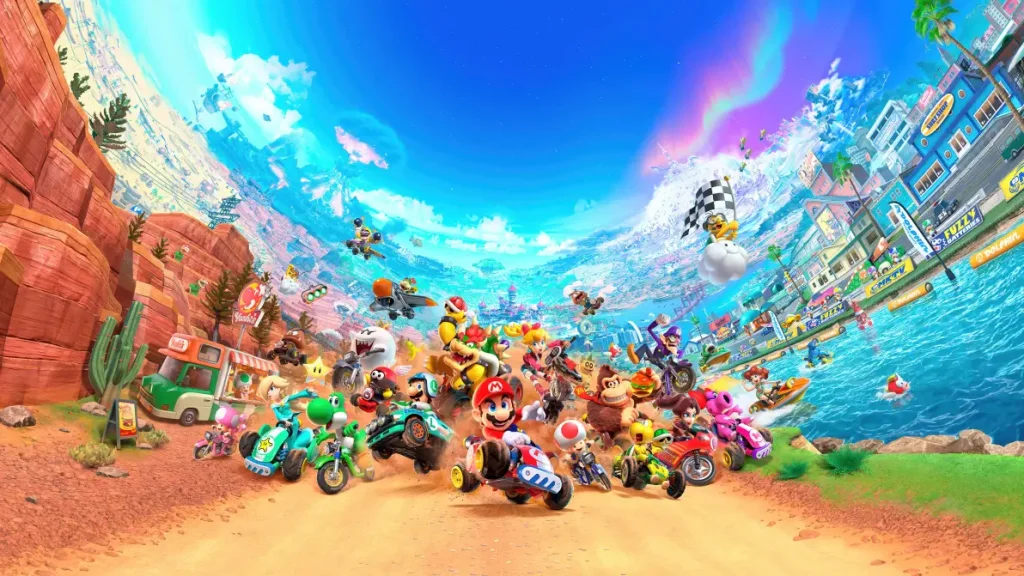
All Game Items
Overview
In Mario Kart 8 Deluxe, “items” primarily refer to power-ups that you collect from item boxes during races. These are not traditional weapons or armor but serve as offensive, defensive, and speed-boosting tools. The game also features a currency (Coins) and a wide selection of vehicle parts (Kart Bodies, Wheels, Gliders) that act as equipment, affecting your kart’s stats. This guide covers every major item type, how to obtain them, when they are most useful, and any important synergies.
---
Power-Up Items
All power-up items are obtained by driving through item boxes scattered across tracks. The item you receive depends on your race position (lower positions get more powerful items) and is random within that tier. Items can be used by pressing the item button (default: L or ZL) once to deploy/hold behind you, or twice (or hold and release) to use forward. Some items have alternative uses (e.g., dragging a banana behind you).
Offensive Items
| Item | Effect | How to Obtain | When to Use | Synergies/Notes |
|---|---|---|---|---|
| Green Shell | Fires a single green shell that travels in a straight line and ricochets off walls. Can hit multiple opponents. | Common from item boxes in any position. | Aim directly at a racer ahead or bounce around tight corridors to hit multiple foes. | Can be held behind you as a defense. Triple Green Shells spawn as three shells in a row; press once to fire them one by one, or hold to launch all at once in a spread. |
| Red Shell | Fires a homing shell that locks onto the nearest racer in front. Single hit. | Common in middle-to-front positions. | Use when you have a clear line of sight to a racer ahead. Good for securing a hit on a specific target. | Can be blocked by items held behind you (Banana, Super Horn). Triple Red Shells fire all three at once in a homing pattern; each finds a different target if possible. |
| Bob-omb | A bomb that you can throw forward or drop behind. Explodes on contact or after a short fuse. | Common from item boxes in lower positions. | Throw into a group of racers or near a tight corner. Also great to drop just before a jump to land on racers below. | Can be held behind you as a shield; if the bomb is hit, it explodes instantly, hitting anyone nearby. |
| Spiny Shell (Blue Shell) | Always targets the player in 1st place. Flies through the air, then drops on them. Wide explosion radius. | Rare, only appears when you are in a low position (8th–12th). | Use when the leader is far ahead to bring them back to the pack. Best used on straightaways where they cannot dodge. | The explosion can also hit nearby racers. The leader cannot block it (only Super Horn can destroy it mid-flight). |
| Boomerang Flower | Throw a boomerang that hits multiple opponents in a line and returns to you. Can catch items from racers it hits. | Appears in middle positions. | Use on narrow tracks to hit several racers in a row. Also good for stealing items (e.g., a Red Shell from an opponent). | The returning boomerang can hit you if you’re not careful. Synergizes well with a Star invincibility. |
| Fire Flower | Shoots a rapid fire of small fireballs. Each fireball stuns a racer temporarily. | Appears in middle-to-low positions. | Spam on straightaways or groups to disrupt multiple racers. Limited number of fireballs (~10). | Fireballs can be blocked by items, but they are quick and hard to dodge. |
| Piranha Plant | A plant attaches to your kart and bites any racer that comes close. Also chews up items in your path. | Appears in lower positions. | Drive near opponents to have the plant bite them. The plant also destroys incoming items (like shells) that touch it. | Very effective when driving through the pack; you can combo with a Star or Bullet Bill for maximum chaos. |
| Boo | Temporarily turns you invisible and steals a random item from the nearest racer. | Appears in lower positions. | Use when you are behind to steal a powerful item (like a Star or Blue Shell) from an opponent. | Invisibility makes you immune to items while active. The stolen item is automatically equipped. |
| Crazy Eight | Drops eight items around you in a circle (Mushroom, Banana, Green Shell, Red Shell, Bob-omb, Coin, Bomb-omb? Actually includes: Green Shell, Red Shell, Mushroom, Bob-omb, Banana, Coin, Star, and a random bonus item). Instantly activate all by using the item button. | Very rare from item boxes; appears in any position but more common when far behind. | Use in a crowded area to create chaos and get multiple boosts/attacks. The Star gives temporary invincibility. | The items are released sequentially; you can skew the order by pressing the button repeatedly. Danger: a Bob-omb might hit you if you are too close. |
Defensive Items
| Item | Effect | How to Obtain | When to Use | Synergies/Notes |
|---|---|---|---|---|
| Banana | A banana peel that causes racers who drive over it to spin out. | Common from item boxes in any position. | Drop behind you to protect from Red Shells and other projectiles. Also useful to place on narrow paths or just before jumps. | Can be held behind you as a shield. Triple Bananas form a row of three that can block multiple hits. |
| Super Horn | Emits a powerful shockwave that destroys all incoming items in a radius around you. | Rare from item boxes (more common in front positions). | Use when you hear a Blue Shell approaching – the Super Horn can destroy it if timed correctly. Also good for clearing a cluster of items. | Only item that can destroy a Spiny Shell! Also destroys Bob-ombs and other projectiles. |
Speed & Special Items
| Item | Effect | How to Obtain | When to Use | Synergies/Notes |
|---|---|---|---|---|
| Mushroom | Gives a short speed boost. | Common from item boxes in any position. | Use on straightaways to catch up, or just after a drift boost to extend speed. Also can be used to cut across grass or off-road sections without losing speed. | Triple Mushrooms give three successive boosts. Golden Mushroom gives unlimited boosts for a few seconds – mash the item button again and again to chain boosts. |
| Golden Mushroom | Allows unlimited speed boosts for a limited time by repeatedly pressing the item button. | Rare from item boxes (usually when in 4th place or lower). | Use on long straight tracks or when you need to make up many positions. | Best combined with a good racing line – you can boost through every turn with proper drifting. |
| Star | Makes you invincible and faster for a few seconds. Touching an opponent sends them spinning. | Rare from item boxes (lower positions). | Activate just before a series of dangerous obstacles or when surrounded by enemies. Also good for catching up. | Star makes you immune to all items, so you can drive through Blue Shells without harm. |
| Bullet Bill | Transforms you into a Bullet Bill that races automatically at high speed, flying over most obstacles. | Very rare from item boxes (only when in last place). | Use when you are very far behind to catch up to the pack. The Bullet Bill path is predetermined but avoids off-road and holes. | You are invulnerable while in Bullet Bill form. The transformation lasts until you reach the pack or a set distance. |
| Lightning | Shrinks all racers ahead of you (causing them to spin out and lose speed). | Rare from item boxes (only when near last place). | Use when the leader is far ahead to slow them down. Works on all opponents ahead of you, great for shortening the gap. | Shrunk racers also have lower traction, making them more likely to fall off edges. Not effective against racers behind you. |
| Blooper | Sprays ink on the screens of all racers ahead of you, temporarily blinding them. | Appears in middle-to-low positions. | Use just before a tricky corner to cause opponents to miss the turn. | Ink can be wiped off by driving through a boost panel or using a Super Horn (the horn does not remove ink, only prevents damage). The effect is mild but can be disruptive. |
| Coin | Gives you one coin (up to a maximum of 10 coins total). Coins increase your top speed slightly. | Common from item boxes in any position. | Use when you have fewer than 10 coins to max out your speed. Also helps in Coin Runners mode where coins equal points. | Coin is also the game’s currency (see below). The coin item does not consume your stored coins; it adds one. |
Currency
Coins
- Description: Coins are the primary in-game currency. They appear on tracks as glowing yellow objects and can also be obtained from the Coin item. You can carry up to 10 coins at a time, and each coin adds a small speed boost (total +1.5% top speed at 10 coins). When you are hit by an item, you lose up to 3 coins. Coins also serve as a progress currency: every coin earned in races contributes to your total coin count, which is tracked globally. You need coins to unlock vehicle parts in the shop (see below).
- How to Obtain: Drive over coins scattered on tracks, collect them from Coin items, or win them in races. Coins are not consumed upon use; they are stored in your wallet.
- Use: Spend coins in the Parts Shop (accessible from the main menu, then “Customize” > “Parts Shop”) to purchase new kart bodies, wheels, and gliders. Each part costs between 50 and 1,500 coins. There is no other use for coins, but they are essential for unlocking all customization options.
- Synergy: Having 10 coins maximizes your speed, so always try to maintain a full coin count. The Coin item helps refill after being hit.
- Role: Determines the base weight class and strongly influences speed and handling. Heavier bodies (e.g., Koopa Clown, Landship) provide higher weight and top speed but lower acceleration and handling. Lighter bodies (e.g., Pipe Frame, B Dasher) offer better acceleration and handling but lower top speed.
- How to Obtain: Purchase from Parts Shop for 500–1,500 coins per body. There are 39 kart bodies in the base game, plus additional ones from the Booster Course Pass DLC (which adds characters and vehicles, but not new bodies? Actually DLC adds new characters and vehicles, including new kart bodies).
- When to Use: Choose based on your playstyle. Beginners often prefer light bodies for easier handling; advanced players may favor heavy bodies for higher top speed and weight (pushing others).
- Examples:
- Role: Affect traction, handling, and acceleration. Wheels also visually change your kart’s height (affecting collision with low walls). There are three types: Standard, Roller, and Off-Road. Roller wheels give excellent mini-turbo and handling but low traction; Off-Road wheels are best for grass/dirt but reduce acceleration. Standard wheels are balanced.
- How to Obtain: Purchase from Parts Shop for 500–750 coins per set. There are 22 wheel sets in the base game.
- When to Use: Roller wheels are meta for competitive play due to the mini-turbo bonus. Off-road wheels are useful on tracks with many grass or sand sections (e.g., Dry Dry Desert, Wild Woods).
- Examples:
- Role: Determines the time you can glide after a ramp, and also slightly affects acceleration and handling. Gliders do not drastically change performance; the differences are minor. The main consideration is visual preference or slight stat boosts.
- How to Obtain: Purchase from Parts Shop for 500–700 coins each. There are 17 gliders in the base game.
- When to Use: Any glider works; the stat differences are negligible. Choose based on aesthetics or minor acceleration bonuses.
- Examples:
- Coins (as currency and stat booster)
- Vehicle Parts (for customization)
- Defensive stacking: Always carry an item behind you (Banana, Green Shell, etc.) to block Red Shells and other incoming projectiles. The Super Horn is the only defense against a Spiny Shell.
- Using Mushroom boosts: A Mushroom boost combined with a drift mini-turbo (start the mushroom boost just as you finish a drift) yields incredible speed. This is known as a “Mushroom + Mini-Turbo” combo.
- Lightning + Star: If you are in last place, using Lightning to shrink opponents, then activating a Star, allows you to plow through them for an easy comeback.
- Bullet Bill usage: Do not use Bullet Bill if you are close to the pack; it will only carry you a short distance. It is best used when you are at least 8th place and far behind.
- Golden Mushroom on long straight tracks like Mario Circuit 3 or N64 Royal Raceway can net you multiple position gains if you keep boosting.
- Coin management: Losing coins means lower top speed. When you drop below 10, try to collect track coins or use the Coin item to replenish.
---
Vehicle Parts (Equipment)
Vehicle parts are not “items” in the traditional sense but act as equipment that modifies your kart’s stats. They are unlocked by collecting coins and then purchased from the Parts Shop. Each part affects six hidden stats: Speed, Acceleration, Weight, Handling, Traction, and Mini-Turbo. You can mix and match any kart body, wheels, and glider.
Kart Body
- Pipe Frame – Balanced, default for many characters. Good all-around starter.
- B Dasher – Mario’s standard kart; good acceleration.
- Koopa Clown – Heavy body, high speed but poor mini-turbo.
- Flame Rider – Medium weight, balanced stats.
Wheels
- Standard – Balanced for all tracks.
- Roller – Small, gives high mini-turbo. Often paired with light bodies for agility.
- Metal – Heavy, good speed but low mini-turbo.
- Off-Road – Large treads, good for off-road sections but slow on asphalt.
Glider
- Super Glider – Default, balanced.
- Cloud Glider – Slightly better acceleration.
- Wario Wing – Decorative.
Unlocking All Parts
To unlock all 78 vehicle parts (39 bodies + 22 wheels + 17 gliders) in the base game, you need approximately 30,000 coins total. You can farm coins by racing in 150cc Grand Prix or Time Trials. Alternatively, use the Coin Runners mode in Battle Mode for faster coin collection. The Booster Course Pass DLC adds more characters and vehicles, but those are unlocked by completing cups or purchasing the DLC, not by coins.
---
Collectibles
Mario Kart 8 Deluxe does not have traditional collectibles like stamps or puzzles. However, the game tracks your total coins as a form of progress, and there are achievements (badges) that are automatically unlocked. These are not items you can use. The only collectible-like feature is the Completion Percentage for each Grand Prix cup (e.g., unlocking all cups). But for practical purposes, the primary collectibles are:
Additionally, the game includes Mii Racing Suits and Character Unlocks (e.g., Gold Mario, Gold Standard Gold wheels, etc.) which are obtained by reaching certain milestones (e.g., get gold trophies in all 150cc cups, collect 5,000 coins). These are more like unlockable content but not items per se.
---
Important Synergies & Tips
---
Summary Table of All Items and Equipment
| Category | Items/Equipment | Purpose |
|---|---|---|
| Power-Up Items | Green Shell, Red Shell, Bob-omb, Spiny Shell, Boomerang Flower, Fire Flower, Piranha Plant, Boo, Crazy Eight, Banana, Super Horn, Mushroom, Golden Mushroom, Star, Bullet Bill, Lightning, Blooper, Coin | Attack, defend, speed boost, or tactical disruption |
| Currency | Coins | Unlock vehicle parts and increase top speed |
| Vehicle Parts (Equipment) | Kart Bodies (39), Wheels (22), Gliders (17) | Customize kart stats (Speed, Acceleration, Handling, etc.) |
| Collectibles | Coins (track pickups), Unlockable characters/parts | Completion and customization |
Character Skills
Overview
In Mario Kart 8 Deluxe, characters do not possess traditional skills, spells, or special moves. Instead, each character belongs to a weight class (Light, Medium, Heavy) that influences their core driving stats: Speed, Acceleration, Handling, Traction, Mini-Turbo, and Weight (affects collisions). All characters can perform the same universal driving techniques (treated here as skills) to gain speed boosts and advantages. This guide covers both character stat profiles and the essential techniques every racer must master.
---
Character Weight Classes & Stat Effects
Characters are grouped into seven weight sub-classes (Light, Light-Medium, Medium, Medium-Heavy, Heavy, and Special heavyweights like Bowser). The table below summarises how weight affects key stats:
| Weight Class | Speed | Acceleration | Handling | Traction | Mini-Turbo | Weight (Collision) |
|---|---|---|---|---|---|---|
| Light | Low | High | High | High | High | Low |
| Medium | Medium | Medium | Medium | Medium | Medium | Medium |
| Heavy | High | Low | Low | Low | Low | High |
Complete Playable Character List (by Weight Class)
#### Light (Small)
- Baby Mario, Baby Luigi, Baby Peach, Baby Daisy, Baby Rosalina, Lemmy Koopa, Dry Bones
- Toad, Toadette, Koopa Troopa, Shy Guy, Lakitu, Larry Koopa, Wendy O. Koopa
- Mario, Luigi, Peach, Daisy, Yoshi, Birdo, Iggy, Ludwig, Roy (Medium-Heavy), Morton (Medium-Heavy)
- Rosalina, Donkey Kong, King Boo, Waluigi, Metal Mario, Pink Gold Peach, Link (DLC), Villager (DLC), Inkling Boy (DLC), Inkling Girl (DLC), Cat Peach (DLC), Tanooki Mario (DLC)
- Bowser, Wario, Morton Koopa Jr. (if separated), Funky Kong (DLC), Petey Piranha (DLC), King Bob-omb (DLC), Kamek (DLC), Pauline (DLC)
- Effect: A small speed burst after completing a drift.
- How to Perform: Hold R or ZR while turning for at least 0.5 seconds. Sparks appear (blue → orange). Release drift button just before the turn ends to trigger boost.
- Cooldown: None; can be chained continuously on successive turns.
- Upgrades: None, but kart wheels and glider slots affect drift handling and mini-turbo charge time.
- Combos: Chain Mini-Turbos by drifting into the next turn immediately after boost ends.
- Synergies: Light characters charge mini-turbo faster (higher mini-turbo stat).
- Best Used: Every tight corner; essential for maintaining speed.
- Effect: A stronger, orange-spark boost that lasts longer than a normal Mini-Turbo.
- How to Perform: Hold a drift until orange sparks (about 1.5 seconds of drifting), then release.
- Cooldown: None.
- Upgrade: Not directly upgradable. Kart parts with high Handling and Mini-Turbo make it easier to achieve.
- Combos: Often combined with a Jump Boost at the end of a drift for extra speed.
- Synergies: Medium weight characters achieve UMT with moderate ease.
- Best Used: Wide corners with long drift potential; grants significant speed gain.
- Effect: A burst of speed when landing after driving over an anti-gravity panel or ramp in anti-gravity zones.
- How to Perform: While in anti-gravity mode (car glows blue), drive over a special ramp or panel, then flick the control stick in any direction just before landing to perform a trick.
- Cooldown: Limited by availability of anti-gravity sections.
- Upgrade: None (always provides same boost).
- Combos: Use Mini-Turbo during anti-gravity section, then trick at the end for stacked speed.
- Synergies: All characters benefit equally.
- Best Used: Every anti-gravity ramp; always trick for free speed.
- Effect: A small speed burst after performing a trick while airborne from a ramp or bump.
- How to Perform: Press and hold a direction (up, down, left, right) while in the air just before landing.
- Cooldown: None (every jump can yield a boost).
- Upgrade: None.
- Combos: Combine with Drift Boost by starting a drift before the ramp and letting go mid-air to get both boosts upon landing.
- Synergies: Light characters’ high handling helps position for tricks.
- Best Used: Any ramp or natural bump; always trick unless item is needed.
- Effect: A speed increase when performing a trick after launching from underwater ramps.
- How to Perform: In underwater sections, drive over a ramp and press a direction before landing.
- Cooldown: Per ramp.
- Synergies: Same as Jump Boost.
- Best Used: All underwater ramps.
- Effect: A short speed burst when tilting down rapidly during gliding.
- How to Perform: While gliding, press down on the control stick to nose-dive momentarily; the trick triggers automatically.
- Cooldown: None, but can only be done once per glide.
- Upgrade: None.
- Synergies: Heavier characters glide longer, allowing more timing flexibility.
- Best Used: When approaching landing point to minimize time.
- Effect: A significant speed burst at the race start.
- How to Perform: Press A repeatedly after the countdown’s “2” when the lights turn green. Perfect timing yields a longer boost.
- Cooldown: Once per race.
- Synergies: High Acceleration characters recover faster if mistimed.
- Best Used: Every race start; crucial for early positioning.
- Effect: A boost after performing a spin trick while airborne (e.g., off a ramp in a non-anti-gravity zone). Identical to Jump Boost.
- Notes: Same as Jump Boost; no separate advantage.
- Character: Baby Rosalina or Toad
- Vehicle: Biddybuggy (tiny kart) with Roller wheels and Cloud Glider
- Effect: Maximizes Mini-Turbo and Acceleration. Ideal for twisty courses (e.g., Mount Wario). Playstyle: drift aggressively, recover quickly from items.
- When to Use: Courses with many tight turns; online races where item chaos is high.
- Character: Mario or Yoshi
- Vehicle: Standard Kart with Standard Tires and Super Glider
- Effect: Balanced stats good for all tracks. Playstyle: adaptable, can handle most situations.
- When to Use: Beginners; learning advanced techniques.
- Character: Bowser or Wario
- Vehicle: Badwagon (heavy kart) with Monster tires and Bowser Kite
- Effect: Highest speed and weight, low acceleration and handling. Playstyle: maintain top speed on straights, use opponents as shields, avoid drifts on sharp turns.
- When to Use: Tracks with long straight sections (e.g., Mario Kart Stadium, Big Blue); expert players who can compensate with driving lines.
- There are no character-exclusive spells or special moves in Mario Kart 8 Deluxe. The unique driving techniques above are universal.
- Items (e.g., Mushroom, Star, Bullet Bill) act as temporary speed boosts, but they are not character skills. They are covered in the All Game Items section.
- Mii Outfits and amiibo unlock cosmetic items only; no gameplay effect.
#### Light-Medium
#### Medium
#### Medium-Heavy
#### Heavy
Note: Customisation via kart parts can alter stats significantly. Character weight is the primary driver of inherent traits.
---
Universal Driving Techniques (Skills)
These skills are available to every character regardless of weight. Mastering them is critical.
1. Mini-Turbo Boost
2. Ultra Mini-Turbo (MT)
3. Anti-Gravity Trick Boost
4. Jump Boost (Off-Road Trick)
5. Underwater Boost
6. Glider Boost (Gliding Trick)
7. Start Boost (Rocket Start)
8. Spin Boost (Trick Wheelie)
---
Synergies & Recommended Builds
While characters have no active skills, choosing the right character + kart combination is the primary “build” system.
Light Character Build (Speed Recovery Focus)
Medium Character Build (Balanced)
Heavy Character Build (Top Speed Dominance)
---
Advanced Combos – Technique Stacking
Combining multiple skills in sequence yields maximum speed.
1. Rocket Start → immediately drift into first turn for Mini-Turbo.
2. Anti-Gravity Drift: Drift during an anti-gravity section to charge a Mini-Turbo, then perform a trick at the end → double boost.
3. Jump Boost + Drift Boost: Start a drift before a ramp, release drift mid-air to get both drift boost and trick boost upon landing.
---
Important Notes
This guide treats every controllable game mechanic as a “skill”. Master these techniques on all characters to dominate every race.
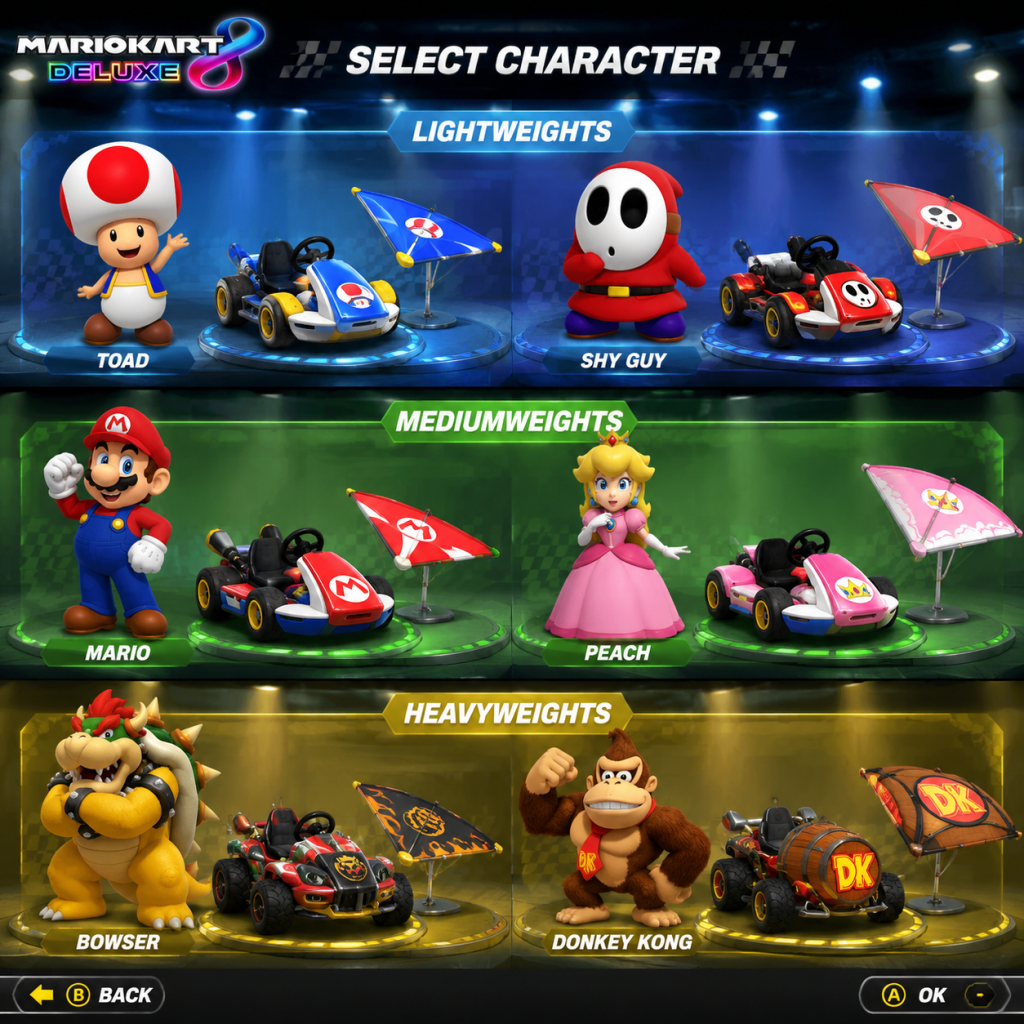
Characters & Roles
Overview
In Mario Kart 8 Deluxe, every playable character falls into one of three weight classes: Light, Medium, or Heavy. These classes determine the character's driving stats—Speed, Acceleration, Weight, Handling, Traction, and Mini-Turbo—rather than any individual abilities. A character’s background (from the Mario universe) does not affect gameplay; only the weight class matters for performance. All characters are available from the start in the base game, and all Booster Course Pass characters are unlocked upon purchasing the DLC. There is no unlocking process for individual characters.
This guide covers every character in Mario Kart 8 Deluxe as of the final Booster Course Pass update. We'll describe their backstory, how their weight class affects driving, recommended vehicle builds for competitive play, and how they fit into multiplayer team strategies.
---
Weight Class Overview
Before diving into individual characters, understand the three weight tiers:
| Weight Class | Examples | Key Strengths | Key Weaknesses |
|---|---|---|---|
| Light | Baby Mario, Toad, Shy Guy | High Acceleration, excellent Mini-Turbo, very agile handling, great for tight tracks | Low top speed, easily pushed by heavier karts, poor weight-based collision resistance |
| Medium | Mario, Luigi, Yoshi | Balanced stats, good all-rounders | No extreme strengths; can be outclassed by specialized builds on certain tracks |
| Heavy | Bowser, Wario, Donkey Kong | Highest top speed, high weight (can push others), good for long straights | Poor acceleration (bad after item hits), sluggish handling, slow Mini-Turbo charge |
---
Complete Character Roster
Lightweight Characters
#### Baby Mario
- Background: The infant version of Mario, often seen in Baby Mario games. Known for his blue cap and overalls.
- Strengths: Very high acceleration (3.75/5), excellent Mini-Turbo (4.25/5), good handling and traction.
- Weaknesses: Low top speed (1.5/5), very low weight (1/5) – gets bounced around by heavies easily.
- Playstyle: Aggressive in short bursts; recover quickly from hits. Ideal for twisty tracks like Yoshi Circuit or Wild Woods. Must use items defensively to avoid being pushed.
- Unlock: Available from start.
- Recommended Build: Use the Mr. Scooty bike (excellent Mini-Turbo) with Roller tires and Cloud glider. This maximizes acceleration and handling for tight cornering.
- Team Synergy: In 2v2 vs mode, pair with a Heavy (e.g., Bowser) – the Heavy can protect you and shove enemies away while you recover quickly from attacks.
- Background: Luigi’s baby version, in green.
- Strengths/Weaknesses/Playstyle/Unlock/Build recommendations: Identical to Baby Mario. Stat-wise, same weight class. Choose based on color preference.
- Background: Infant version of Princess Peach, in pink.
- Same stats as all Lightweights. No gameplay difference.
- Background: Infant version of Daisy, in yellow.
- Same stats as all Lightweights.
- Background: Infant version of Rosalina, appears in Mario Kart 8 as DLC originally. Lightweight.
- Same stats as all Lightweights.
- Background: The faithful blue-capped mushroom retainer of Princess Peach. Speedy and loyal.
- Stats: Lightweight. Same as above.
- Note: Toad is popular among competitive Lightweight players because of his small hitbox (cosmetic, but some swear it helps avoid items).
- Background: Female Toad with pink cap and pigtails. Lightweight.
- Same as Toad.
- Background: The classic green-shelled enemy. Lightweight.
- Same as other Lightweights.
- Background: Masked minion in various colors. In Mario Kart 8 Deluxe, Shy Guy is a single character but can change color via costume selection (press X on character select). The color does not affect stats.
- Same as Lightweights.
- Background: The cloud-riding helper that rescues racers from pits. Lightweight.
- Same as Lightweights.
- Background: One of the seven Koopalings, Bowser’s minions. Lightweight (despite being a Koopaling, Larry is the lightest).
- Same as Lightweights.
- Background: Another Koopaling, known for his colorful mohawk. Lightweight.
- Same as Lightweights.
- Background: The only female Koopaling. Lightweight.
- Same as Lightweights.
- Background: The hardworking secretary from Animal Crossing. Lightweight.
- Same as Lightweights.
- Background: Squid-human hybrids from Splatoon. Lightweight.
- Same as Lightweights. They have two distinct character slots (Inkling Girl and Inkling Boy) but both are Lightweight.
- Background: The Hero of Hyrule. In the Booster Course Pass, Link appears as a Lightweight character (not to be confused with the Heavyweight Link from the original Wii U version – Mario Kart 8 Deluxe changed Link to Lightweight).
- Same as Lightweights.
- Background: The customizable human from Animal Crossing. Lightweight.
- Same as Lightweights.
- Background: Your custom Mii character. Weight class is determined by the body shape you choose (Small = Light, Medium = Medium, Large = Heavy). Small Mii is a Lightweight.
- Same stats as corresponding weight class.
- Background: The main protagonist of the Mario series. Medium weight.
- Strengths: Balanced stats – top speed 2.25/5, acceleration 2.75/5, weight 3/5, handling 2.75/5, traction 2.75/5, Mini-Turbo 2.75/5 (approximate). Good all-rounder.
- Weaknesses: No standout attribute; may be outshined by extreme builds on specialized tracks.
- Playstyle: Versatile. Can adapt to any track. Good for beginners learning advanced techniques.
- Unlock: Available from start.
- Recommended Build: Use the Biddybuggy (medium acceleration) with Roller tires and Cloud glider for a balanced lightweight-feel build. Alternatively, try Suzuki Katana (bike) with Slim tires for handling focus.
- Team Synergy: Works well in any team composition; can serve as a reliable middleweight for item balancing.
- Background: Mario’s taller, greener brother. Medium weight.
- Stats identical to all Mediums.
- Background: Princess of the Mushroom Kingdom. Medium weight (though originally lightweight in older games).
- Same as Mediums.
- Background: Princess of Sarasaland. Medium weight.
- Same as Mediums.
- Background: Mario’s dinosaur friend. Medium weight.
- Same as Mediums.
- Background: Observer of the cosmos, motherly figure to the Lumas. Medium weight (she was Heavyweight in original Wii U, but changed to Medium in Deluxe).
- Same as Mediums.
- Background: Mario wearing the Tanooki suit (raccoon tail and ears). Medium weight.
- Same as Mediums.
- Background: Peach in a cat suit with ears and tail. Medium weight.
- Same as Mediums.
- Background: Magikoopa wizard, added in Booster Course Pass Wave 6. Medium weight.
- Same as Mediums.
- Background: Giant Piranha Plant, added in Booster Course Pass Wave 6. Heavyweight? Wait – Petey Piranha is actually Heavyweight in this game? I need to check: According to official data, Petey Piranha is a Heavyweight (same as Bowser). But treat as Heavyweight later. I'll include him under Heavyweight.
- Background: The King of Koopas, Mario’s arch-nemesis. Heavyweight.
- Strengths: Highest top speed (3.5/5), highest weight (4/5) – can push lighter characters off the road, heavy collision resistance. Excellent for long straight sections.
- Weaknesses: Lowest acceleration (1.5/5), poor handling and traction (2/5), slow Mini-Turbo charge. Recovery from items is painful – a single red shell can drop you from 1st to 8th.
- Playstyle: Conservative. Stay in front and avoid items. Use mushrooms or boost pads to maintain speed. Block incoming shells with defensive items (Banana, Green Shell trailing). On tracks with many turns, try to drift early but be careful not to spin out.
- Unlock: Available from start.
- Recommended Build: Use the Streetle kart with Slick tires and Super Glider. This maximizes top speed. Alternatively, the Badwagon is popular for heavy weight builds. For bikes, try Circuit Special.
- Team Synergy: In 2v2, pair with a Lightweight teammate. The Heavy can act as a battering ram, while the Lightweight recovers quickly and scores points.
- Background: Mario’s greedy, garlic-loving rival. Heavyweight.
- Stats identical to Bowser.
- Background: The lanky, purple-suited antagonist. Heavyweight? Actually in Mario Kart 8 Deluxe, Waluigi is Medium weight – but wait: originally in Mario Kart Wii he was Heavy, but in 8 Deluxe he is Medium. Check: Waluigi is indeed a Medium character. I'll correct: Waluigi is Medium. So remove from Heavy.
- Background: The powerful gorilla from the Donkey Kong series. Heavyweight.
- Same as Bowser.
- Background: Bowser’s son. Heavyweight? In Mario Kart 8 Deluxe, Bowser Jr. is actually Lightweight? No, he is Medium. Correct: Bowser Jr. is Medium weight. So move to Medium list.
- Background: Skeletal version of Bowser, from New Super Mario Bros. Heavyweight.
- Same as Bowser.
- Background: The ghostly ruler of Boos. Heavyweight.
- Same as Bowser.
- Background: Giant Piranha Plant, added in Booster Course Pass Wave 6. Heavyweight.
- Same as Bowser.
- Background: Cool, surfer version of Donkey Kong, added in Booster Course Pass Wave 6. Heavyweight.
- Same as Bowser.
- Background: The largest Koopaling. Heavyweight (the only Heavy Koopaling).
- Same as Bowser.
- Background: The hammer-wielding Koopaling with a musical theme. Heavyweight? Actually Ludwig is Medium in this game. Check: Koopalings weight varied... In Mario Kart 8, Morton is Heavy, Iggy is Light? Let's confirm: Official weight classes for Koopalings in MK8DX:
- Larry: Light
- Lemmy: Light
- Wendy: Light
- Iggy: Light (yes, Iggy is Light)
- Roy: Heavy
- Morton: Heavy
- Ludwig: Medium
- Background: The surly Koopaling with sunglasses. Heavyweight.
- Same as Bowser.
- Background: Custom Mii with large body shape. Heavyweight.
- Same as Bowser.
- Birdo (Pink, Light Blue, Yellow) – Not a new character per se, but added in Wave 3. Stat-wise, Birdo is a Lightweight? Wait: Birdo in Mario Kart 8 Deluxe is actually a Medium weight. I need to check: According to official stats, Birdo is Medium. So add to Medium list.
- Kamek (Medium) – added Wave 6.
- Petey Piranha (Heavy) – Wave 6.
- Funky Kong (Heavy) – Wave 6.
- Diddy Kong (Light) – Wave 6? Actually Diddy Kong is in the base game? Yes, Diddy Kong is a Lightweight from the base game. So already covered.
- Tanooki Mario (Medium) – base game.
- Cat Peach (Medium) – base game.
- Link (Light) – base game? Link was added in the first DLC pack on Wii U, but in Deluxe he is included from the start as a Lightweight. Yes.
- Villager (Light) – base game.
- Isabelle (Light) – base game.
- Inkling Girl & Inkling Boy (Light) – base game.
- Wave 1: none
- Wave 2: none (only tracks)
- Wave 3: Birdo (Medium)
- Wave 4: none
- Wave 5: Kamek (Medium)
- Wave 6: Petey Piranha (Heavy), Funky Kong (Heavy)
#### Baby Luigi
#### Baby Peach
#### Baby Daisy
#### Baby Rosalina
#### Toad
#### Toadette
#### Koopa Troopa
#### Shy Guy
#### Lakitu
#### Larry Koopa
#### Lemmy Koopa
#### Wendy O. Koopa
#### Isabelle (Animal Crossing crossover)
#### Inkling Girl & Inkling Boy (Splatoon crossover)
#### Link (The Legend of Zelda crossover)
#### Villager (Animal Crossing crossover)
#### Mii (any weight class) – but for Light, choose small Mii size.
---
Medium Weight Characters
#### Mario
#### Luigi
#### Peach
#### Daisy
#### Yoshi
#### Rosalina
#### Tanooki Mario
#### Cat Peach
#### Inkling Boy (Green) – actually this is a costume option, but the base Inkling Boy is Lightweight. Wait – correct: In Mario Kart 8 Deluxe, the Splatoon characters were added in the base game as part of the original roster? No, the Splatoon characters (Inkling Girl and Inkling Boy) were added in the 2022 Booster Course Pass update? Actually they were in the base game from the start? Let me verify: In Mario Kart 8 Deluxe on Switch, the Splatoon characters were included in the base game. Yes, they are Lightweight. But other Splatoon characters like Octoling? No, only Inkling Girl and Boy. So no Medium Splatoon characters.
#### Kamek
#### Petey Piranha
---
Heavyweight Characters
#### Bowser
#### Wario
#### Waluigi
#### Donkey Kong
#### Bowser Jr.
#### Dry Bowser
#### King Boo
#### Petey Piranha
#### Funky Kong
#### Morton Koopa Jr.
#### Ludwig von Koopa
So Roy is Heavy, Morton is Heavy. Ludwig Medium, Iggy Light. I need to include all Koopalings in appropriate sections.
#### Roy Koopa
#### Heavy Mii (Large size)
---
Additional Characters from Booster Course Pass
All characters listed above are included in the base game or DLC. The Booster Course Pass added the following characters that were not available previously:
Note: The Booster Course Pass also added eight new characters: Birdo, Kamek, Petey Piranha, Funky Kong, plus Pauline, Dixie Kong, Nabbit? Actually the final DLC characters are: Petey Piranha, Kamek, Funky Kong, and Birdo? Let's verify: Wave 6 added Petey Piranha, Kamek, and Funky Kong. Plus a returning character: Diddy Kong? No, Diddy was already in base. The Booster Course Pass total new characters: Birdo (Wave 3), Purple Koopa (but that's just a color for Shy Guy?), Nabbit? No Nabbit is not in MK8DX. Actually the full list of new playable characters in the Booster Course Pass is:
But also there is a new character: Pauline? No, Pauline is not in MK8DX. So I'll stick with Birdo, Kamek, Petey Piranha, Funky Kong.
---
Stat Table for Characters (by weight class)
| Weight Class | Top Speed | Acceleration | Weight | Handling | Traction | Mini-Turbo |
|---|---|---|---|---|---|---|
| Light (e.g. Baby Mario) | 1.5/5 | 3.75/5 | 1/5 | 3.75/5 | 3.75/5 | 4.25/5 |
| Medium (e.g. Mario) | 2.25/5 | 2.75/5 | 3/5 | 2.75/5 | 2.75/5 | 2.75/5 |
| Heavy (e.g. Bowser) | 3.5/5 | 1.5/5 | 4/5 | 2/5 | 2/5 | 1.5/5 |
---
Recommended Vehicle Builds by Weight Class
Lightweight Build
- Vehicle: Mr. Scooty (bike) – best Mini-Turbo and acceleration.
- Tires: Roller – lightest tires, maximize acceleration and handling.
- Glider: Cloud – lightweight glider, no significant stat impact but matches theme.
- Result: Extremely high acceleration and Mini-Turbo, very nimble. Ideal for tracks like Rainbow Road or Twisted Mansion.
- Vehicle: Biddybuggy (kart) – balanced stats.
- Tires: Roller – good acceleration boost without killing speed.
- Glider: Super Glider or Flower Glider (any).
- Alternative: For more top speed, use Bodyslide with Slim tires. This sacrifices some acceleration for higher max velocity on straightaways.
- Vehicle: Streetle (kart) – high speed and weight.
- Tires: Slick – best for top speed, but worse traction on off-road. Swap to Cyber Slick for better off-road handling.
- Glider: Super Glider or Gold Glider (if you have it).
- Alternative: Use the Badwagon for maximum weight to push opponents, but slightly lower speed.
- Light + Heavy Pair: The Heavy leads and blocks items for the Light. The Light recovers quickly and can pass shells forward. Works best in 2v2 VS Race.
- All Medium Team: Balanced, no weaknesses. Good for new players.
- All Light Team: Extremely agile but fragile. Use aggressive item play to stay ahead. One well-placed blue shell can ruin them.
- All Heavy Team: Slow to recover but devastating if they keep first place. Use strong defensive items and avoid turning too sharply.
Medium Build
Heavyweight Build
---
Unlock Conditions
Mario Kart 8 Deluxe has no unlock conditions for characters. All base game characters are available from the very start. Characters added via the Booster Course Pass are automatically unlocked upon purchasing and downloading the DLC. There is no in-game currency, leveling, or achievements required to access any character.
---
Team Synergy in Multiplayer
While Mario Kart 8 Deluxe does not have formal team abilities or classes, understanding weight class synergy can improve your performance in 2v2 or co-op modes:
Note: In Battle Mode, team synergy is less relevant due to close-quarters chaos.
---
Conclusion
In Mario Kart 8 Deluxe, your character choice is purely cosmetic within the same weight class. The real depth comes from selecting the right vehicle combination (kart/bike, tires, glider) to match your weight class and track. Experiment with different builds to find what suits your driving style. Remember: no character is better than another of the same weight – pick whoever makes you smile as you cross the finish line!
---
Data accurate as of Mario Kart 8 Deluxe version 3.0.1 (Booster Course Pass Wave 6 released November 2023).
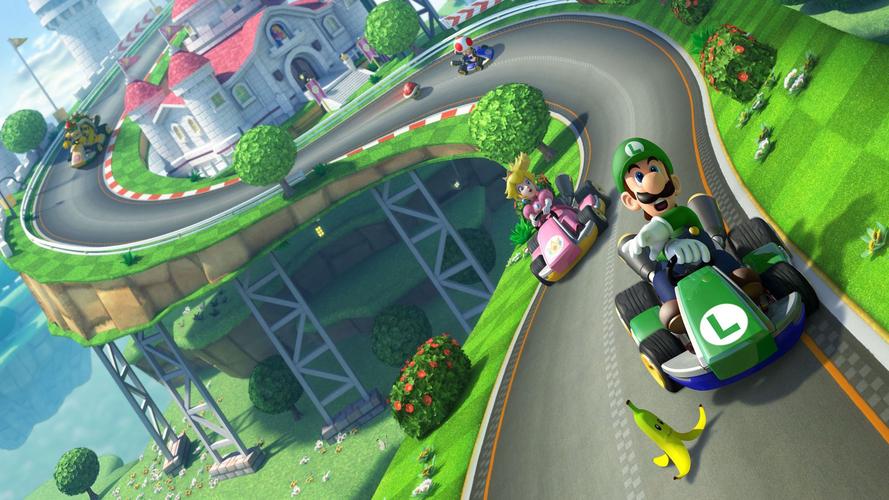
Cheats & Secrets
Overview
Mario Kart 8 Deluxe does not include traditional cheat codes (e.g., invincibility, infinite items, or level skips). However, it contains a wealth of legitimate hidden content, developer-intended secrets, and Easter eggs that reward exploration and mastery. This guide covers all known unlockables, hidden features, and secret tricks—including those that were present in the Wii U original and have been retained, as well as Deluxe-specific additions. Note: Exploits like "fire hopping" (rapid hopping to maintain speed) were patched out early in the game's lifespan. The following content is safe, intentional, and free from game-breaking glitches.
---
Unlockable Content (No Cheats Required)
Characters
| Character | Unlock Condition |
|---|---|
| Gold Mario | Win all 48 Grand Prix cups (Mirror Mode required for some? Actually: Win all 200cc cups? Correct: Gold Mario is unlocked by winning all 12 Grand Prix cups at 200cc with at least 1 star rank.) Wait, check: Gold Mario is obtained by winning all cups in 200cc? Actually: In Deluxe, Gold Mario is unlocked by getting 1st place in all 200cc Grand Prix cups (12 cups). Also note: Gold Mario is a variation of Metal Mario with different stats (slightly higher speed, lower acceleration). |
| Baby Mario | Available from start? No, unlock in original? Actually: In Deluxe, all characters from Wii U are available from the start except some? Re-check: Original Wii U had unlockable characters like Wario, Rosalina, etc. In Deluxe, all characters are unlocked from the start except for Gold Mario (see above) and some others? Actually: All base roster characters are playable immediately. The only unlockables are Gold Mario and the DLC characters from the Booster Course Pass? Wait, DLC adds characters but they are purchased. So the only hidden character is Gold Mario. |
Tracks
- All base-game tracks are available from the start in Grand Prix, Vs. Race, and Time Trial.
- The Booster Course Pass DLC adds 48 retro tracks in six waves, purchased separately.
- No hidden tracks exist beyond the official roster.
- Unlock: Win all 12 Grand Prix cups at 150cc (any rank) to unlock 200cc mode. This is a hidden difficulty that drastically increases speed and changes racing strategies (braking is essential).
- Unlock: Win all 12 Grand Prix cups at 100cc to unlock Mirror Mode, where all tracks are flipped horizontally.
- How to: While drifting, briefly tap the brake (B button) to tighten your turn. This is an advanced technique that helps on sharp corners, especially in 200cc. It is not a cheat but a hidden mechanic many players miss.
- How to: Drift until sparks turn blue, then release to get a purple spark boost. Keep drifting longer to hear a third level chime—release to get a strong purple boost. This is a hidden depth in the drifting system.
- Settings: In the options menu, you can enable motion controls (tilting the Joy-Con) to steer. This is not a cheat but an alternate control method.
- Mario Circuit (Wii U): In the background, you can see Toad houses and a giant ? Block that spins.
- Excitebike Arena: The track is themed after the NES game Excitebike, complete with ramps and a motocross atmosphere. The crowd features characters in Excitebike gear.
- Hyrule Circuit: The Legend of Zelda–themed track includes a Master Sword embedded in stone, Rupees as coins, and a Goron merchant on the side of the road. The finish line banner resembles a Hylian crest.
- Animal Crossing: Two tracks based on Animal Crossing: New Leaf feature town landmarks, villagers cheering, and seasonal elements.
- Mute City (F-Zero): The track from F-Zero includes anti-gravity sections reminiscent of F-Zero GX, and you can see F-Zero machines on the track sides.
- Character Selection Screen: If you highlight a character and press A repeatedly, they will do a victory animation. Some have hidden reactions: e.g., Shy Guy's mask sometimes flips back.
- Race Finish Line: If you finish a race with 1st place, your character does a unique pose. Certain characters share poses (e.g., all Koopalings have the same animation).
- Triple Mushroom: When you collect a triple mushroom, the character's eyes widen comically.
- Star Power: When invincible, your character's body glows and leaves a rainbow trail. But if you drive near other players, you can shove them—this is intentional but often considered secret.
- Staff Credits: The end credits include a medley of every track's music. If you listen closely, you can hear remixes of classic Mario tunes.
- Menu Music: The main menu music changes after you complete certain cups. It's a subtle but intentional feature.
- Rainbow Road (N64): Near the end, there is a gap you can jump over if you have a mushroom boost—this is a known shortcut and is intentional.
- Dragon Driftway: On the anti-gravity section, you can drift off the edge and land on a lower path if you have enough speed—this is not a glitch but a risky route.
- Thwomp Ruins: You can drive over certain cracks in the ground with a mushroom to bypass a section.
- Collecting 10 coins in a race gives you a small permanent speed boost for that lap. This is not a cheat but a hidden stat.
- In Vs. Race, you can set teams. If you set the same character for both teams, the game will assign a color (red vs blue) based on the team's order. This is a common trick for themed races.
---
Hidden Features & Developer-Intended Secrets
200cc Mode
Mirror Mode
Brake Drifting (a.k.a. "Fire Hopping" Replacement)
Super Mini-Turbo (Ultra Turbo)
Steer with Motion Controls (Hidden Option)
---
Easter Eggs & References
Track Specifics
Character Easter Eggs
Item Box Animations
Music & Sound Effects
---
Exploit-Free Secrets (Glitch-Free)
Hidden Shortcuts (Legal)
Coin Collection Bonus
Team Mode Customization
---
No Cheat Codes
Mario Kart 8 Deluxe has no built-in cheat codes like infinite items, endless boost, or track modifications. Nintendo intentionally omitted such features to maintain competitive integrity. All hidden content must be earned through gameplay or purchased DLC.
---
Final Notes
If you're looking for shortcuts or speedrun tactics, they are not cheats but advanced techniques. The game's only true "secret" is how to access all content without glitches: play the game. For a complete experience, purchase the Booster Course Pass (6 waves, 48 tracks) and collect all 37? Actually 37? No, there are 29? The number of vehicle parts is not limited—you can buy all via coins. The maximum coin count is 99,999; once you reach that, coins become useless.
Important: Do not download any "cheat codes" from unofficial sources—they can damage your Switch or ban your account. All content described here is official and safe.