Max Payne 3
## Game Introduction ### Overview **Max Payne 3** is a third-person shooter video game developed by Rockstar Studios and published by Rockstar Games. It is the third installment in the Max Payne series, following *Max Payne* (2001) and *Max Payne 2: The Fall of Max Payne* (2003). The game marks a ...
Download & Installation
Overview
Max Payne 3 is a third-person shooter developed by Rockstar Studios and published by Rockstar Games. This guide covers legal download and installation methods for all major platforms. The game is available digitally and on disc for PC, PlayStation 3, and Xbox 360. On modern consoles, backward compatibility allows playing on Xbox One/Series X|S (via disc or digital purchase from Xbox Marketplace) and on PS4/PS5 via PlayStation Plus Premium streaming (not native install). There is no native Switch or mobile version.
Platforms and Sources
PC
- Steam: Digital purchase and download. Requires Rockstar Games Launcher integration (automatically installed).
- Rockstar Games Launcher: Official store from Rockstar, often includes all updates and Social Club integration.
- Retail DVD: Physical disc with installer. Requires Rockstar Social Club activation.
- PSN Store: Digital download (requires PS3 and PSN account).
- Disc: Retail Blu-ray disc. Install game data to HDD.
- Xbox Live Marketplace: Digital purchase (backward compatible on Xbox One/Series).
- Disc: Retail DVD. Install to HDD.
- The Xbox 360 version is backward compatible. Insert the disc (or own digital license) and download the updated version from the Xbox Store. No separate purchase needed if you already own the Xbox 360 copy.
- Max Payne 3 is not natively available on PS4/PS5. It can be streamed via PlayStation Plus Premium's Classics Catalog (requires active subscription and a stable internet connection). Not recommended for playing with disc or download.
- Not available. No official release for Nintendo Switch or iOS/Android.
PlayStation 3
Xbox 360
Xbox One / Xbox Series X|S (Backward Compatibility)
PlayStation 4 / PlayStation 5 (Streaming Only)
Switch / Mobile
System Requirements (PC)
| Component | Minimum | Recommended |
|---|---|---|
| OS | Windows 7 (32-bit) | Windows 7 / 8 / 10 (64-bit) |
| CPU | Intel Core 2 Duo 2.4 GHz or AMD Athlon X2 2.6 GHz | Intel Core i7 2.8 GHz or AMD equivalent |
| RAM | 2 GB | 4 GB |
| GPU | NVIDIA GeForce 8800 GT 512 MB or AMD Radeon HD 3870 512 MB | NVIDIA GeForce GTX 560 Ti 1 GB or AMD Radeon HD 5850 1 GB |
| DirectX | 9.0c | 9.0c / 11 |
| Storage | 35 GB free space | 35 GB free space (SSD recommended) |
| Sound | DirectX 9.0c compatible | DirectX 9.0c / 10 compatible |
| Internet | Required for Social Club activation | Required for multiplayer and updates |
Installation Steps
PC – Steam
1. Download Steam from [store.steampowered.com](https://store.steampowered.com) and install.
2. Create or log in to your Steam account.
3. Purchase Max Payne 3 from the Steam store (or use a retail key via 'Activate a Product on Steam').
4. Install: Go to Library, find Max Payne 3, click 'Install'. Choose installation directory (ensure 35+ GB free).
5. Steam will download the game files (~15 GB base + updates).
6. First Launch: Double-click in Library. Steam will install Rockstar Games Launcher and Social Club automatically.
7. Rockstar Social Club: Create or log in to your Rockstar account. Enter the CD key (if not automatically registered).
8. Play: The game will launch after authentication.
PC – Rockstar Games Launcher
1. Download Launcher from [rockstargames.com](https://rockstargames.com).
2. Install and log in with your Rockstar Social Club account.
3. Purchase Max Payne 3 from the Rockstar Store (or activate a key).
4. Install: Click 'Install' next to the game in your library. Select install path.
5. Download completes. Launch from the launcher.
6. Social Club is integrated – no extra step.
PC – Retail DVD
1. Insert DVD into your optical drive. Auto-play should start; if not, run 'Setup.exe' from the disc.
2. Install the game to your hard drive (requires 35 GB).
3. During installation, you will be prompted to install Rockstar Social Club – accept.
4. After installation, launch the game from Start Menu or desktop shortcut.
5. Social Club activation: Create or log in, then enter the CD key found inside the box (on a card or manual). Without activation, the game will not run.
6. Download updates: The game may download a patch after activation.
PlayStation 3 (Disc)
1. Insert the game disc into your PS3.
2. Navigate to the game icon on the XMB. Press Start.
3. Install data: The game will prompt you to install mandatory data to the hard drive (approx. 8 GB). Confirm.
4. Update: An update may download (system update required for online features).
5. Play: After installation, the game runs from disc.
PlayStation 3 (Digital – PSN)
1. Go to PlayStation Store on PS3.
2. Search for 'Max Payne 3' and purchase (or download from your download list if already bought).
3. Download the game (approx. 15 GB).
4. Install automatically after download.
5. Launch from XMB.
Xbox 360 (Disc or Digital)
1. Disc: Insert into Xbox 360. Select 'Install to Hard Drive' from the dashboard prompt (recommended for faster loading, ~8 GB).
2. Digital: Purchase from Xbox Live Marketplace. Download and install automatically.
3. Update: Download any title updates when prompted.
4. Play: The game launches from the dashboard.
Xbox One / Xbox Series X|S (Backward Compatibility)
1. Ownership: You must own either a physical Xbox 360 disc or a digital license from Xbox 360 Marketplace.
2. Insert disc (if physical) into Xbox One/Series X|S. The console will download a backward-compatible emulated version (approx. 8 GB).
3. Digital: Go to 'My games & apps' > 'Ready to install' and find Max Payne 3. Download.
4. Launch: The game runs with enhanced performance (higher resolution, improved framerate on Series X|S).
Account Requirements
- PC: You need a Rockstar Social Club account (free). This is mandatory for single-player and multiplayer.
- PlayStation 3: A PlayStation Network (PSN) account for digital purchases and online features.
- Xbox 360 / Xbox One/Series: An Xbox Live account (free Silver or paid Gold/Game Pass Core) for online multiplayer. Single-player works offline.
First Launch Setup
1. Rockstar Social Club (PC): After installation, the game will launch the Social Club overlay. Create an account or log in. If you have a CD key, you will be prompted to enter it. Once authenticated, the game proceeds.
2. Game Settings: On first run, you can configure graphics, audio, and controls. Recommended for PC: Set resolution to native, turn down MSAA if performance issues, enable vsync if screen tearing.
3. Multiplayer Activation (Optional): Max Payne 3 multiplayer servers are still active on PC and Xbox 360/One. On PS3, servers were shut down in 2022 – online multiplayer is not available.
4. Save Game: Ensure cloud save is enabled (PC: Rockstar Cloud, Steam Cloud; consoles: automatic).
Common Installation Errors and Fixes
| Error | Cause | Solution |
|---|---|---|
| "Rockstar Social Club failed to load" | Corrupted Social Club installation | Reinstall Rockstar Games Launcher (PC). Delete `C:\Program Files\Rockstar Games\Social Club` and relaunch game. |
| "Activation limit reached" | CD key activated too many times | Contact Rockstar Support with proof of purchase to reset activations. |
| "Unable to start properly" (0xc0000142) | Missing Visual C++ Redistributables | Install all required VC++ runtimes (2010, 2012, 2013, 2015-2022) from Microsoft. |
| "Graphics driver not compatible" | Outdated or unsupported GPU drivers | Update to latest drivers from NVIDIA or AMD. |
| "The game failed to load textures" | Corrupted installation files (PC) | Verify game files: Steam: right-click > Properties > Local Files > Verify integrity. Rockstar Launcher: Settings > Verify. |
| Disc read error (PS3/Xbox 360) | Scratched disc or dirty lens | Clean disc, try another console. For digital, re-download. |
| "This game does not support your current region" (PC) | Region-locked version | Ensure you bought the correct region. You may need a VPN to activate once. |
| Black screen on launch (Xbox One/Series) | HDCP conflict | Disable HDCP in console settings, or use different HDMI port. |
| Rockstar Launcher not installing | Antivirus blocking | Temporarily disable antivirus during installation. |
Post-Installation Verification
1. Check game version: Launch the game and look for title update number (e.g., 1.0.0.196). The latest patch includes all DLC fixes.
2. Single Player Test: Start a new game, play through the first level (Chapter 1: The Rookie). Verify controls, audio, and performance.
3. Multiplayer Test (PC/Xbox): Join a public match (if servers still populated). On PC, max players are low; try searching for 'Max Payne 3 multiplayer' on community forums.
4. Save Game: After 5 minutes, manually save (Pause > Save). Reload and check progress.
5. Performance: Use built-in benchmark (PC: Options > Graphics > Run Benchmark). Target 30+ FPS at chosen settings.
6. Cloud Sync: On PC, ensure Rockstar or Steam cloud saves are syncing (check timestamps).
If everything works, you're ready to play. For additional help, refer to Rockstar Support ([support.rockstargames.com](https://support.rockstargames.com)).

Game Introduction
Game Introduction
Overview
Max Payne 3 is a third-person shooter video game developed by Rockstar Studios and published by Rockstar Games. It is the third installment in the Max Payne series, following Max Payne (2001) and Max Payne 2: The Fall of Max Payne (2003). The game marks a significant shift in setting, tone, and gameplay mechanics while retaining the iconic slow-motion "Bullet Time" and gritty narrative style that defined the franchise.
Genre
- Primary Genre: Third-person shooter
- Sub-genres: Action-adventure, neo-noir, crime thriller
- Gameplay features: Cover-based shooting, bullet time, dual-wielding, environmental interaction
- Developer: Rockstar Studios (a combination of Rockstar Vancouver, Rockstar New England, Rockstar London, and others)
- Publisher: Rockstar Games
- Note: Unlike the first two games developed by Remedy Entertainment, Rockstar took over development for the third entry.
- Announced: March 2009
- Original Release Date: May 15, 2012 (North America), May 18, 2012 (Europe)
- PC Version Delayed: Released June 1, 2012
- Subsequent Updates: Bug fixes, texture pack updates, and minor patches through 2013
- Initial Release: PlayStation 3, Xbox 360, Microsoft Windows
- Backward Compatibility: Xbox 360 version playable on Xbox One and Xbox Series X|S via backward compatibility
- Digital Distribution: PC available via Steam, Rockstar Games Launcher, and other authorized retailers; console versions available digitally on PlayStation Store and Xbox Marketplace
- No native releases on PlayStation 4, PlayStation 5, or Nintendo Switch (only via streaming services like PlayStation Now formerly)
- Primary Location: São Paulo, Brazil (with brief segments in New York City and a flashback to Hoboken, New Jersey)
- Atmosphere: Neon-lit urban jungle, favelas (slums), luxurious high-rises, nightclubs, sports arenas, and port warehouses
- Time Period: 2012 (contemporary, modern day)
- Themes: Decay, addiction, loss, corruption, violence, and moral ambiguity. The setting shifts from the snowy, noir-inspired New York to the sun-drenched, chaotic streets of Brazil, emphasizing Max’s dislocation and despair.
- Max Payne – The protagonist. A former NYPD detective turned security contractor. He is now in his mid-40s, balding, overweight, and heavily reliant on painkillers and alcohol. Voice acted by James McCaffrey.
- Raul Passos – Max’s old friend and current partner in the security firm. He gets Max the job in Brazil and becomes a key ally.
- Rodrigo Branco – A wealthy Brazilian business magnate who hires Max and Raul as bodyguards for his wife.
- Fabiana Branco – Rodrigo’s beautiful but unhappy wife, whom Max is assigned to protect. Her disappearance triggers the central conflict.
- Marcelo Branco – Rodrigo’s younger brother, a reckless playboy and aspiring soccer player.
- Victor Branco – Rodrigo’s other brother, a ruthless political candidate with dangerous connections.
- Serrana – A mysterious woman linked to the criminal organization Comando Sombra.
- Officer Wilson da Silva – A corrupt police officer entangled in the conspiracy.
- The Past (Mona Sax, Nicole Horne) – While not physically present, their memories haunt Max throughout the game.
- Bullet Time – The signature slow-motion mechanic allows players to dodge and shoot in dramatic fashion. Enhanced with a physics system that shows bullet impacts and character reactions in real time.
- Weapon Handling – Realistic reload animations, dual-wielding pistols, SAW machine guns, and shotguns with satisfying feedback.
- Kill Cam & Last Known Position – Each fight ends with a stylized slow-motion camera following the final bullet, and enemies react dynamically to injuries.
- Environmental Destruction – Bullets can penetrate cover, destroy objects, and cause debris effects.
- Narrative Depth – The story is told through high-quality cutscenes (often with on-screen text for internal monologue), radio transmissions, and seamless transitions into gameplay.
- Gritty Art Direction – A color palette that blends oversaturated sunlight with harsh shadows, constant swaying camera (simulating Max’s intoxication/injury), and a pounding soundtrack by HEALTH.
- Fans of the original Max Payne series – Those who appreciate the noir tone and narrative focus.
- Third-person shooter enthusiasts – Especially those who enjoy cover-shooters with tactical elements.
- Players who like mature, story-driven action games – The game features strong language, graphic violence, and dark themes.
- Rockstar Games fans – Similar GTA IV/V mechanics and Rockstar production values.
- Age rating: M for Mature (ESRB) / 18+ (PEGI) due to intense violence, drug use, and sexual content.
- The main story mode, comprising 14 chapters (called "Parts").
- Played solo with no cooperative elements.
- Features multiple difficulty levels: Easy, Medium, Hard, Old School, New York Minute (time-based challenge).
- Collectible Golden Gun parts, clue items, and hidden weapons unlock bonus content (concept art, cheat codes).
- Separate mode accessed from the main menu.
- Includes two sub-modes:
- Supports up to 16 players.
- Modes include:
- Custom Loadouts – Players unlock weapons, perks, and skins through leveling.
- Multiplayer Maps – Over a dozen maps based on campaign locations.
- Note: Server population varies by platform; PC version via Steam still has small communities. Rockstar Games Social Club integration for stats and bounties.
- Offline: Full single-player campaign, Arcade modes, and local split-screen is not supported (campaign is single-player only).
- Online: Multiplayer (requires internet connection and Rockstar Games Social Club account for PC). Leaderboards, stat tracking, and downloadable content (DLC) maps.
- No cross-platform play.
- Single-player requires internet for PC initial installation (optional for offline play after activation) – DRM via Rockstar Games Launcher/Social Club.
- Max Payne 3 Rockstar Pass – Contains all three major DLC packs (about $29.99 USD total value).
- Local Justice Pack – Free for PC? Actually available as part of pass or separate. Includes two new multiplayer maps (the Favela, the Estádio), weapons, and a new character.
- Disorderly Conduct Pack – Adds two new Gang Wars maps (the Imperial Palace, the 55th Battalion), plus new weapons and a new character.
- Deathmatch Made in Heaven Pack – Adds the Painkiller Deathmatch mode, two new maps (the Gated Community, the Research Facility), new weapons, and characters.
- Hostage Negotiation Pack – Free? Actually came with pre-order for some. Adds two new maps (the Crackhouse, the Factory), new weapons, and a character.
- Pill Bottle Pack – Free bonus content with pre-order, includes golden weapons.
- Note: All DLC is multiplayer-focused; no single-player expansion was ever released. A single-player DLC titled "The Death of Max Payne" was rumored but never materialized.
- Max Payne 3 Special Edition (for Xbox 360/PS3) included a statue, bullet keychain, a series of lithographs, and a bonus disc with trailers and soundtrack.
- PC version came without physical extras but included the soundtrack digitally.
Developer & Publisher
Release Timeline
Platforms
Story Overview
Set eight years after Max Payne 2, the story follows a much older, emotionally shattered Max Payne. Plagued by his past—the murder of his wife and daughter—Max has become a washed-up, alcoholic former NYPD detective. He takes a job as a private security contractor in São Paulo, Brazil, working for the wealthy Rodrigo Branco and his family. However, a routine protection assignment spirals into a violent conspiracy involving local gangs, corrupt politicians, and human trafficking. As Max descends deeper into the criminal underworld, he must confront his demons, navigate double-crosses, and survive brutal firefights in his quest for redemption—or perhaps just a fitting end.
Setting
Main Characters
Core Appeal
Max Payne 3 is renowned for its cinematic presentation, brutal gunplay, and emotionally charged storytelling. The game offers:
Target Audience
Game Modes
Single-Player Campaign (Offline)
Arcade Mode (Offline)
- Score Attack – Play through campaign chapters with a global leaderboard, timed scoring system, and multipliers.
- New York Minute – Complete chapters against a countdown clock, killing enemies to gain time. Available from start.
- New York Minute Hardcore – Unlocked after completing New York Minute in under 90 minutes; one life, no checkpoints.
Multiplayer (Online) – Now mostly dead but still accessible on PC and consoles with active servers?
- Team Deathmatch – Standard elimination.
- Painkiller Deathmatch – Free-for-all with painkiller pickups for extra health.
- Gang Wars – A multi-round objective-based mode with story elements (e.g., capturing territory, assassinating targets).
- Burial at Sea – A special mode inspired by the game’s cargo ship level.
Online / Offline Support
DLC / Expansion Overview
Downloadable Content (DLC)
Special Editions
What Makes Max Payne 3 Unique
Max Payne 3 stands out from its predecessors and other third-person shooters for several reasons:
1. Visual Presentation: The game uses a unique "pseudo-cinematic" style with seamless cutscenes, the camera mimicking Max’s unsteady balance, and frequent screen-torn effect to simulate his intoxication and trauma.
2. Bullet Time Evolution: The mechanic is refined with environmental interaction—players can shoot out lights to create darkness, use debris as cover, and trigger painkiller injections mid-combat for temporary bullet time.
3. Narrative Maturity: Unlike many action games, Max is not a stoic hero; he is visibly broken, aging, and unreliable. The story explores themes of addiction and moral failure without glorification.
4. Gunplay Weight: Weapon animations and enemy reactions are hyper-detailed. Enemies stagger realistically, and bullet impacts cause visible damage. Each gun has distinct handling and sound design.
5. Soundtrack: The electronic band HEALTH composed a visceral, industrial score that shifts from ambient to aggressive during combat, adding to the oppressive atmosphere.
6. Lack of Humor: Previous Max Payne games had dark humor and comic book parody elements (e.g., the TV show Address Unknown). Max Payne 3 is relentlessly grim, with no levity—a deliberate choice that divided fans but gave the game its own identity.
7. Multiplayer Innovation: Gang Wars mode integrates narrative into multiplayer, with cutscenes and changing objectives that make each match feel like a story episode.
Conclusion
Max Payne 3 is a bold, divisive, and technically impressive entry in the series. While some fans missed the noir comic panels and humor of the originals, the game delivers a harrowing, cinematic experience with exceptional gunplay and a deep, bleak story. Its PC version remains one of the best-looking and most technically advanced shooters of its era, especially with the optional HD texture pack. Whether you’re a veteran of the series or a newcomer, Max Payne 3 offers an unforgettable—and unforgiving—journey into the heart of darkness.

Getting Started
First Steps in Max Payne 3
Welcome to the gritty, bullet-riddled world of Max Payne 3. This guide is designed to get you through your first hour with confidence, avoid common pitfalls, and set you up for success. Max Payne 3 is a story-driven third-person shooter with a heavy focus on slow-motion gunplay (Bullet Time), cinematic action, and a dark narrative. There is no character creation—you play as the already-defined Max Payne, a former NYPD detective now working as a private security contractor in São Paulo, Brazil.
First Hour Walkthrough (Chapters 1–2)
The game opens with a cinematic introduction. You cannot skip it on your first playthrough, and it sets up the story. After the intro, you’ll be in a flashback: Chapter 1 – Nothing But a Second Chance, Part I begins in a nightclub, but the action hasn’t started yet.
Step-by-Step for the First Hour:
1. Tutorial Prompts: The game will teach you basic movement, aiming, and shooting via on-screen prompts. Follow them exactly. You’ll learn to move with the left stick (console) or WASD (PC), look with the right stick/mouse, and aim down sights (L2/left trigger/right mouse button).
2. First Shootout: In the nightclub, you’ll face a few enemies. Use cover (snap to cover by pressing the cover button near walls/boxes) and take your time. The game’s Bullet Time is activated by clicking the right stick (console) or pressing a key (PC, default Q). It slows down time, allowing you to shoot accurately. Use it sparingly—Bullet Time drains a meter that refills when you kill enemies or find Painkillers.
3. Painkillers: These are your health items. You can carry up to 9. They appear as white vials. Pick them up by walking over them. Always prioritize picking up Painkillers even if your health is full—they refill your Bullet Time meter partially and give you a buffer for later.
4. Chapter 2 – Nothing But a Second Chance, Part II: After a cutscene, you’ll be in a more open area (a favela). The game explains grenades (throw with a button). Use grenades on enemies behind cover. Don’t hold them too long—they explode in your hand after a few seconds.
5. First Boss Encounter (optional: There’s no true boss in the first hour, but a tough enemy with body armor appears. Aim for the head or use grenades to stagger him.
6. Checkpoints: The game auto-saves frequently. If you die, you’ll restart from the last checkpoint. You can adjust difficulty at any time via the pause menu, but on Normal it’s fair.
Controls on All Platforms
PC (Mouse & Keyboard) – Default Layout
| Action | Key |
|---|---|
| Move | WASD |
| Look / Aim | Mouse |
| Shoot | Left Mouse Button |
| Aim Down Sights | Right Mouse Button |
| Bullet Time (slow-mo) | Q |
| Cover | Space bar (hold to run; press to snap to cover) |
| Reload | R |
| Grenade | G |
| Take Painkiller | 1–9 (or auto-use when health low) |
| Fire Mode Toggle (for rifles) | F |
| Melee | V |
| Pause / Menu | Esc |
| Interact / Pick Up | E |
PlayStation 3/4/5 (PS4/PS5 via backward compatibility)
| Action | Button |
|---|---|
| Move | Left stick |
| Look | Right stick |
| Shoot | R2 |
| Aim Down Sights | L2 |
| Bullet Time | Click Right Stick (R3) |
| Cover | L1 |
| Reload | Square |
| Grenade | Triangle |
| Take Painkiller | D-pad Up or Down (cycles) |
| Melee | Circle |
| Pause | Options |
| Interact | X |
Xbox 360 / Xbox One / Xbox Series X|S
| Action | Button |
|---|---|
| Move | Left stick |
| Look | Right stick |
| Shoot | RT |
| Aim Down Sights | LT |
| Bullet Time | Click Right Stick (RS) |
| Cover | LB |
| Reload | X |
| Grenade | Y |
| Take Painkiller | D-pad Up or Down |
| Melee | B |
| Pause | Menu button (three lines) |
| Interact | A |
UI Overview
Your heads-up display (HUD) shows:
- Health bar (red) – bottom left. When it’s full, it’s solid red; when damaged, it shows a line. Below it is the Painkiller count (white vials).
- Bullet Time meter – a blue bar above health. It depletes while in slow-mo and refills over time or by killing enemies. When full, you can use it.
- Ammunition – bottom right. Shows current ammo / total reserve. Weapons have limited ammo, so conserve.
- Compass / Objective indicator – a small arrow on screen edges pointing toward your next objective. Follow it if lost.
- Weapon wheel – you can carry two main weapons (primary and secondary) plus a grenade (one type). Switch weapons with triangle/Y or 1/2 on PC.
- Adjust your settings: sensitivity, invert Y (if you prefer), subtitles (ON), difficulty (we recommend Normal for first-timers – Hard is very punishing).
- Complete the tutorial prompts thoroughly. Don’t skip them.
- Explore areas for Painkillers and ammo. Ammo is scarce early on; use your pistol for weaker enemies and save rifles for armored foes.
- Use Bullet Time to get headshots. Headshots are instant kills for most enemies.
- Get comfortable with the cover mechanic. You can stick to a wall by pressing the cover button near an edge.
- Rushing into combat without cover. Max is not a bullet sponge; you’ll die quickly.
- Wasting Bullet Time on a single enemy when you’re not under fire. Save it for groups or tight spots.
- Ignoring grenades. They’re life-savers against clustered enemies. Also beware of enemy grenades – an indicator appears on screen; move away immediately.
- Trying to play it like a traditional run-and-gun shooter. This game rewards tactical movement and slow-mo precision.
- Skipping the story. You’ll miss important plot points and character development.
- Painkillers: Number one priority. They are your health and Bullet Time refill. Always pick them up and use them when health is below half. Don’t hoard more than 9 – you can’t hold more.
- Ammo: Conserve pistol ammo for weak enemies. When you get a rifle (Chapter 2), use it for medium-range combat. Shotguns are powerful but ammo is rare; save them for tight spaces.
- Weapon Upgrades: Money is limited. Spend first on extended magazines (more capacity) and laser sights (better accuracy). Avoid scopes early on – iron sights are fine.
- Collectibles: Not essential for survival. Come back later if you want 100% completion.
- [ ] Launch the game and wait for installation (if physical disc) or full download (digital).
- [ ] Go to Options > Controls to customize button layout if needed.
- [ ] Go to Options > Display and adjust brightness (you should barely see the Rockstar logo in the background).
- [ ] Set subtitles to ON (under Audio).
- [ ] Choose difficulty: Normal is recommended. Hard is for veterans, Easy is too forgiving.
- [ ] Play the opening cutscene and tutorial (unskippable).
- [ ] Complete Chapter 1 (you’ll know when a cutscene ends and chapter title appears).
- [ ] Pause after Chapter 2 to check your Painkiller count and weapon loadout.
- [ ] Save frequently? The game auto-saves, but you can also manual save from the pause menu (single save slot).
- [ ] Explore settings further: toggle aim assist (console) if you want help aiming.
- [ ] Finally, enjoy the cinematic ride. Max Payne 3 is as much a movie as it is a game.
- The game has a unique “Last Stand” mechanic: if you have a Painkiller and take fatal damage, you go into Bullet Time and can shoot one enemy to survive. Use it wisely.
- Bullet Time is also triggered when you dive (jump while aiming). Diving is a great way to get a clear shot while avoiding damage.
Essential Early Objectives
1. Learn the cover system. Always stay near cover – enemies are aggressive and accurate.
2. Master Bullet Time timing. Use it when you’re exposed or facing multiple enemies. Chain kills to refill the meter.
3. Collect all collectibles (optional) – For beginners, ignore Golden Guns and clues on first playthrough. Focus on surviving.
4. Upgrade your weapons at weapon lockers (rare, but you’ll find one early in Chapter 3). Spend money on extended magazines and better sights.
5. Listen to dialogue. The story is important; skipping cutscenes will lose context for later encounters.
What to Do First vs What to Avoid
Do First:
Avoid:
Early Resource Priorities
Common Beginner Mistakes
1. Running out of Bullet Time – Use it only when you have multiple enemies or need to reload in slow-mo. Keep an eye on the blue bar.
2. Not using cover – Max is fragile. Constantly move between cover positions.
3. Ignoring grenades – Enemies throw them, and you can pick up enemy grenades if you’re quick (rare). Always throw a grenade when you see a group.
4. Failing to reload – Reload early, reload often. But avoid reloading in the open; do it behind cover.
5. Trying to kill everyone without moving – The game expects you to advance. Stalling leads to endless reinforcements.
6. Not adjusting difficulty – If you’re stuck, you can lower it in the pause menu (Options > Gameplay > Difficulty). No shame in that.
Day-One Checklist
Additional Tips:
With this guide, you’ll survive your first hour and beyond. Good luck, Max.

Core Gameplay
Core Gameplay
Overview of the Core Gameplay Loop
Max Payne 3 is a linear, narrative-driven third-person shooter where the core loop revolves around moving from one combat encounter to the next, punctuated by story cinematics and brief exploration sections. The gameplay loop is:
1. Engage in firefights using a mix of cover, shootdodge, and Bullet Time.
2. Survive by managing health (painkillers) and ammunition.
3. Advance through the level, triggering checkpoint saves and story beats.
4. Collect optional items (Golden Guns, clues, hidden weapons) for achievements and New Game+ unlocks.
5. Watch cutscenes that advance the gritty noir story.
The loop repeats across 14 chapters, with increasing enemy variety and difficulty.
Combat and Interaction Systems
- Shootdodge: A signature mechanic where Max dives in any direction while slowing time. While in the air, you can aim and fire. It’s essential for evading damage and lining up cinematic kills. Executing a shootdodge consumes a small amount of Bullet Time meter.
- Bullet Time: Activated manually (LT on Xbox, L2 on PlayStation, right mouse button on PC) by tapping the trigger when aiming or by performing a shootdodge. Bullet Time slows the world while you can aim and shoot freely. The meter depletes rapidly; it refills slowly over time or instantly when you kill an enemy.
- Last Man Standing: When Max takes fatal damage, if he has at least one painkiller, a slow-motion sequence triggers. You must kill the enemy who downed you (or any enemy) to revive. Success consumes one painkiller. This is your primary survival tool.
- Cover System: Max can snap to waist-high cover (A/X or spacebar near cover). While in cover, you can blind fire or peek and aim. Cover is sticky but less forgiving than dedicated cover shooters – you must actively leave cover to move.
- Weapon Handling: Two weapon slots (one two-handed, one sidearm or one-handed) plus grenades/explosives. Weapons can be taken from fallen enemies or found on the environment. No reload cancelling; reloading must complete.
- Interactions: Contextual actions (vault, open doors, pickup items) are prompted on screen. No dialogue choices or branching paths – the game is strictly linear.
- No character levels or skill trees. Max’s abilities are fixed. Progression is measured by the player’s mastery of mechanics and by unlocking weapons through story progression.
- Weapons unlock linearly as you find new weapons in levels. Once found, they become available in New Game+ and arcade modes.
- Painkiller capacity increases from 2 at start to 3 after reaching a specific story point (around Chapter 5). This is the only tangible stat boost.
- Golden Guns (hidden collectibles) unlock weapon customisation options (e.g., golden skins) and count toward achievements.
- Score Attack and Arcade Mode track high scores based on style (e.g., headshots, shootdodge kills, no damage). No narrative progression, but leaderboards and unlockable filters.
- Levels are linear corridors and arenas, but contain off-the-beaten-path areas with collectibles:
- No open world or side quests. Exploration is limited to immediate level geometry – revisiting areas after combat is not possible.
- The game is a single linear story split into 14 chapters. Each chapter is a mission with objectives (e.g., “Escape the favela”, “Survive the stadium”).
- There are no side quests or optional missions. The only optional objectives are collectibles.
- Each chapter has a chapter select menu (after completing it once) for replaying to find missed collectibles or improve score.
- No in-game currency or shops. You cannot buy weapons or items. All equipment is found in the field.
- Painkillers are the only resource you actively manage. They are found on enemies (usually bosses or specific enemies) and in hidden caches. Consumed upon death (via Last Man Standing) or manually used (d-pad down) to heal.
- Ammo is plentiful on lower difficulties but scarce on hard. Scavenging is essential.
- There is no character customization or skill building. Max is a fixed character with predetermined abilities.
- The only mechanic that “grows” is the player’s own skill in using Bullet Time, shootdodge, and last man standing effectively.
- New Game+ allows you to carry over all unlocked weapons (including golden skins) and progress on achievements.
- After completing the story, you unlock:
- No post-story open world or free roam. Once the credits roll, the story ends.
- Bullet Time meter is small but recharges quickly. You can afford to use it liberally.
- Available weapons: Dual Berettas (default), pump shotgun (found in Chapter 1), submachine guns (encountered in Chapter 2). You cannot dual-wield yet.
- No armored enemies. One or two enemies at a time.
- Chapter 1: “Nothing But a Hoe” – tutorial fight inside a rich mansion. Objective: survive the assault.
- Chapter 2: “A Big God with a Big Gun” – shootout at a docks. You learn how to throw grenades.
- Chapter 3: “Fear of the Dead” – flashback to a nightclub. Introduces environmental hazards (exploding barrels).
- Always keep moving; staying still gets you killed even on Normal.
- Practice shootdodge into cover. The dive cancels enemy aim while you land safely behind a wall.
- Don’t waste painkillers on minor damage – only use them when Last Man Standing triggers.
- Dual wielding unlocked automatically around Chapter 5 (after acquiring two weapons). You can carry two handguns or two submachine guns for double firepower, but at the cost of accuracy and reload speed.
- Environment becomes more interactive: explosive tanks, flammable gas pipes, destructible cover (wooden crates).
- Enemy types now include light armored enemies (wearing vests) that require headshots or multiple body shots. Introduced in Chapter 5.
- Bullet Time meter upgrades slightly: you can now trigger it while standing still or in cover by tapping the trigger.
- Weapons found: Assault rifles (AUG), light machine guns (M249), sniper rifles (M-14). The first sniper appears in Chapter 6.
- Painkiller capacity increases to 3 after a specific story death scene in Chapter 5. This is the only permanent upgrade.
- Chapter 4: “Favela Skies” – assault through a Brazilian slum. Introduces multiple pathways (rooftops vs streets).
- Chapter 5: “The Night Watch” – a favela night mission. Introduces stealth-walk sections (crouched movement) but combat is still forced.
- Chapter 6: “The Sporting Life” – a car chase sequence followed by a stadium shootout. First use of mounted machine gun.
- Chapter 7: “Shafted” – indoor office/factory complex with many levels and long sightlines.
- Use dual-wielded handguns for close quarters but switch to rifle for long-range. The Berettas with Laser Sight (found in Chapter 6) are excellent.
- In the stadium mission (Chapter 6), use the mounted gun to thin out crowds, then jump off before it overheats.
- Armored enemies: shoot legs or head. Explosive barrels are efficient crowd control.
- Bullet Time recharges very slowly; you must earn it by killing enemies. The meter is still finite.
- Last Man Standing becomes critical because enemy damage is massive (especially on Hard+).
- New enemy type: Heavily Armored (juggernauts) appear from Chapter 9 onward. They require sustained fire or explosives. Shootdodge is risky against them because they block many shots.
- Environmental hazards are frequent: collapsing floors, gas leaks, exploding vehicles.
- Sprint and slide (new in this tier) – while sprinting, press crouch to slide into cover. This is taught in Chapter 8. Useful for crossing open areas under fire.
- Weapons unlocked: Grenade launcher (Chapter 8), RPG (Chapter 10), powerful assault rifles (FAL). The M79 grenade launcher is found in Chapter 8 – use it for armored waves.
- No further stat improvements.
- Chapter 8: “The Thin Gray Line” – docks and warehouse. Introduces the grenade launcher.
- Chapter 9: “The Great American Scream Machine” – swamp/marshland with limited visibility. Ambushes from all sides.
- Chapter 10: “Thousand and One Nights” – airport with large open hallways. The iconic RPG encounter where you can destroy a helicopter.
- Chapter 11: “The Towers of Babel” – office building with many floors. Very vertical; use elevators and stairs to control engagement distance.
- In Chapter 10, when fighting the heli, use the M79 to disable it quickly. If you miss, stay behind concrete pillars.
- Juggernauts: Use the grenade launcher or dual-wielded handguns with headshots. Alternatively, flank them while they fire at your previous position.
- Conserve Bullet Time for emergency situations (e.g., multiple enemies flanking). Do not trigger it just to get one kill.
- Everything you learned is multiplied. Enemies are quick, accurate, and aggressive. The final boss (Victor Branco) is a scripted sequence – not a traditional health bar, but a series of stages where you must shoot him while dodging his attacks.
- Bullet Time is used to slow down path of enemy grenades or to line up shots on fast-moving targets.
- No new mechanics introduced.
- Final weapons unlocked: The Sniper Rifle with scope (if not already). The game forces you to use all weapons in your arsenal.
- Completion unlocks:
- Chapter 12: “The Horrors of Our Nature” – penthouse and rooftop. Very tight spaces.
- Chapter 13: “The Hanged Man” – escape through a burning building. Timed sequence with collapsing floors.
- Chapter 14: “The Day After the Day Before” – final showdown. Boss: Victor Branco in a glass tower. Use cover, shootdodge to avoid his grenades, and shoot him when he reloads.
- New Game+ – replay the full game with all weapons. This is the only way to experience higher difficulty without restarting from scratch. The difficulty curve is steep; even Normal feels like Hard on NG+.
- Arcade Mode – perfect for score-chasing. Combine shootdodge and last man standing for huge style points.
- Multiplayer – if you play on PC, community servers may still be active. Unlock characters and weapons via rank. This is separate from core gameplay.
- Achievements/Trophies – many related to collecting all Golden Guns, completing the game on Hard, and performing specific feats (e.g., kill 5 enemies with one bullet time).
- Victor Branco has three phases. Phase 1: shoot him through glass partitions as he runs. Phase 2: he uses a machine gun and throws grenades. Use shootdodge to avoid the blast. Phase 3: you are on an open balcony with limited cover. Wait for his reload, then unload.
- Last Man Standing can trigger here – if you have painkillers, you can survive a fatal blow. Keep at least one painkiller for the final phase.
- Activate golden skins for bragging rights but they don’t improve stats.
- Prioritize headshots; enemies are bullet sponges. Use the weapons you’re most comfortable with.
- The game will test your resource management – don’t waste painkillers on minor damage.
- Use chapter select to farm painkillers? No – they reset each chapter. You must replay from the start of NG+ to keep painkillers.
Progression Systems
Exploration and Collectibles
- Golden Guns (50 total) – hidden golden versions of weapons. Collecting them unlocks golden weapon skins for all game modes.
- Clues – story-related objects (e.g., photos, notes) that reveal background lore. Not required for progression but award achievements.
- Ammo and Painkillers – scattered strategically; searching is rewarded especially on higher difficulties.
Quests and Missions
Economy
Character / Build Growth
Endgame Structure
- New Game+ – replay the campaign with all weapons unlocked from the start (including golden variants) and all painkiller upgrades already active. Difficulty scales up; enemies are tougher.
- Arcade Mode – replay chapters individually for high scores. Modifiers like “no painkillers” or “only headshots” can be applied.
- Multiplayer (if still active on your platform) – separate progression with ranks, weapon unlocks, and playlists (e.g., Team Deathmatch, Payne Killer). Not tied to single-player progression.
---
Core Gameplay by Player Progression Tiers
Early Game (Chapters 1 – 3: “The Ballistic Baptism”)
Gameplay Loop: Short combat sequences, heavy story exposition, and tutorial prompts. You learn the basic controls: cover, shooting, shootdodge, and Bullet Time. Enemies are few, slow, and use pistols and shotguns. The game explicitly teaches you how to use last man standing in Chapter 2.
Combat Systems:
Progression: You unlock no new mechanics. Key milestone: Chapter 2 introduces shootdodge and Bullet Time initiative. By the end of Chapter 3, you have access to the sawed-off shotgun and a basic assault rifle (IA2) during the flashback.
Exploration: Very limited linear corridors. Collectibles: 2 Golden Guns (Chapter 1 and 2). Search behind crates and in small alcoves.
Quests/Missions:
Economy: Only found painkillers (2 max capacity). First painkiler is in Chapter 1 on a crate. Use them sparingly – you won’t find many.
Character Growth: No growth. You start with 2 painkiller slots. That’s all.
Difficulty Tips:
Mid Game (Chapters 4 – 7: “The Heat Rises”)
Gameplay Loop: Longer combat arenas with multiple entry points. Enemies start spamming grenades and using shotguns from close range. You must utilise verticality (balconies, stairs). The narrative branches into the present-day Brazil story.
Combat Systems:
Progression:
Exploration: Levels become more open – favela, construction site – with hidden paths leading to collectibles. Some Golden Guns require backtracking after clearing an area (but still within the linear path). Example: in Chapter 4 (Favela), there is a golden Beretta on a roof accessed by a ladder behind a climbable pipe.
Quests/Missions:
Economy: Painkillers become rarer. You’ll find one every other checkpoint. Ammo scarcity on Hard – conserve by using headshots and Bullet Time.
Character Growth: The only growth is your own skill in chaining shootdodges and managing Bullet Time. You now have 3 painkiller slots, which is permanent.
Difficulty Tips:
Late Game (Chapters 8 – 11: “The Breaking Point”)
Gameplay Loop: High-intensity, relentless combat. Multiple waves of enemies with heavy weapons (grenade launchers, shotguns, assault rifles). The game forces you to constantly move and use cover wisely. Story becomes darker, with Max’s physical and mental deterioration shown via filters (double vision, blurred edges).
Combat Systems:
Progression:
Exploration: Levels are broader but still linear. Collectible locations become more hidden – require leaps of faith to suspended platforms. Example: Chapter 9 (Pantanal) has a Golden Uzi inside a slightly submerged boat – must shoot the chain to lower the boat.
Quests/Missions:
Economy: Painkillers are scarce – you may have only 1-2 at a time. Ammo for special weapons (grenade launcher) is very limited. Save them for armored groups.
Character Growth: No tangible growth. The game tests your mastery of all mechanics. If you rely on painkillers too much, you’ll run out.
Difficulty Tips:
Endgame (Chapters 12 – 14 + New Game+)
Gameplay Loop: The final act is a gauntlet of tough encounters culminating in a boss fight. The narrative reaches its climax. After the story, New Game+ and Arcade mode become the core replay loop.
Combat Systems:
Progression:
- New Game+ (on Chapter Select). All weapons (including golden variants) are available from Chapter 1. Enemies have more health and deal more damage.
- Arcade Mode – replay any chapter with score modifiers. A scoring multiplier encourages stylish play (shootdodge kills, headshots, no painkillers).
- Multiplayer (if supported) – separate grind.
- Golden Gun achievements – if you collected 50/50, you unlock infinite ammo in Arcade mode? No – they just unlock skins.
Exploration: The final chapters have little exploration – they are combat corridors. Last collectibles: Chapter 12 has 2 Golden Guns, Chapter 13 has 1, Chapter 14 has none.
Quests/Missions:
Economy: Resources are generous in the final chapters because you need them. You’ll find painkillers right before tough battles. Don’t hesitate to use them.
Character Growth: No further growth. Your skill is your only progression.
Endgame Activities:
Boss Fight Details (Chapter 14):
Final Tips for New Game+:
---
Summary Table: Core Gameplay by Tier
| Tier | Chapters | Focus | Key Mechanics Introduced/Enemies | Signature Weapon Unlocked |
|---|---|---|---|---|
| Early | 1-3 | Tutorial basics | Shootdodge, Bullet Time, Last Man Standing | Pump Shotgun (Ch1), IA2 Assault Rifle (Ch3) |
| Mid | 4-7 | Increasing challenge | Dual wielding, armored enemies, grenades | AUG (Ch4), Sniper Rifle (Ch6) |
| Late | 8-11 | High intensity, heavy enemies | Sprint + slide, juggernauts, grenade launcher | M79 Grenade Launcher (Ch8), RPG (Ch10) |
| Endgame | 12-14 + NG+ | Climax and replay | All mechanics finalised, Boss fight | Final sniper (Ch12), all weapons available |
Game Tips
Game Tips
Beginner Tips (Fundamentals)
- Master the Shootdodge (Beginner): Use cover, then jump and shoot simultaneously to enter slow-motion bullet time while diving. This is the signature move of Max Payne. It allows you to evade enemy fire while landing precise shots. Practice in the early levels to get the timing down. Use it when facing groups or when health is low.
- Use Bullet Time Wisely (Beginner): Bullet Time meter drains quickly but recharges slowly. Activate it when you need to line up multiple headshots or dodge a hail of bullets. Avoid using it for single enemies unless necessary.
- Painkillers Are Your Life (Beginner): Max can carry up to 9 painkillers (3 per slot). Pop them before you die—they instantly restore health. Always keep at least one in reserve. Pick up painkillers even if you're at max capacity, as you can exceed the limit only when picking up from the field (up to 9 max).
- Take Cover (Beginner): Blindfire is inaccurate. Use Aim Down Sights (ADS) for precision. Stay in cover to regenerate Bullet Time faster? No, but it reduces damage. Peek out to shoot.
- Scan for Clues (Beginner): Interact with objects that glow. Clues unlock short backstory videos. Some are hidden behind breakable walls. Collecting all in a chapter rewards extra context.
- Pistol Is Unlimited (Beginner): Your sidearm has infinite ammo. Use it for cleaning up weak enemies and conserving ammo for primary weapons.
- Learn to Roll (Beginner): Press the dodge button while on the ground (not jumping) to perform a combat roll. Great for avoiding grenades or quickly moving between cover.
- Chain Shootdodges (Intermediate): After landing from a shootdodge, immediately trigger another by jumping again. This creates a continuous slow-motion sequence, allowing you to clear a room before enemies react. Requires good aim and quick reflexes.
- Prioritize Enemy Types (Intermediate): Regular goons are easy; use headshots. Armored enemies require multiple headshots or explosive ammunition. Snipers should be taken out first—use cover and peek to eliminate them. Grenadiers: shoot them before they throw grenades.
- Environmental Explosions (Intermediate): Shoot propane tanks, gas cans, and chandeliers. These cause area damage and can kill multiple enemies. In some chapters, you can trigger collapsing debris.
- Use Painkiller Pop During Bullet Time (Intermediate): If you take heavy damage while in Bullet Time, you can press the painkillers button (e.g., Q or D-pad up) to instantly heal while time is still slowed. This saves you from dying mid-dodge.
- Weapon Switching on the Fly (Intermediate): Bind weapon switch keys (e.g., 1-4 or weapon wheel) to quickly swap between loadouts. In tight quarters, switch to a shotgun; at range, use a rifle. Keep a pistol as backup.
- Special Ammo Usage (Advanced): Some weapons in specific chapters have incendiary or explosive rounds. Save these for tough enemies like armored foes or shotgunners. Use incendiary to stop enemies in their tracks and cause panic.
- Bullet Time Stacking (Advanced): Activate Bullet Time manually, then immediately perform a shootdodge. The slow-motion effect combines, giving you longer time to aim. This is resource-intensive but can turn a losing fight.
- Last Stand Tactics (Advanced): When health reaches zero, the game enters Last Stand (slow-motion). You can kill enemies to regain health if you have painkillers. Spam painkillers while in Last Stand to stay alive. Use this as a last resort.
- Golden Guns (Intermediate): There are 20 Golden Guns hidden throughout the campaign. Each is a reskin that can be used in New Game+. Collecting all unlocks a powerful golden pistol with unlimited ammo? No, but it's an achievement. Look in out-of-the-way shelves, behind crates, or in vents.
- Clues & Backstory (Intermediate): Each chapter has up to 10 clues. Interact with glowing objects (newspapers, photos, computer screens). Collecting all clues in a chapter unlocks a bonus video. Clues often relate to Max’s past or the plot.
- Secret Areas (Advanced): Some chapters have hidden rooms with extra painkillers or ammo. Look for breakable walls (shoot them), locked doors require keycards found elsewhere, or vents that can be entered.
- Replay Chapters (Intermediate): After completing the story, you can replay any chapter from the main menu. Use this to mop up missing clues or golden guns. Progress is saved per chapter.
- Painkiller Cap (Intermediate): You can carry a maximum of 9 painkillers. If you are at 9 and find a painkiller, you cannot pick it up. So use them before picking up new ones. In stressful fights, pop two painkillers to have room for more.
- Ammo Conservation (Intermediate): Primary weapons have limited ammo. Use the pistol for weak enemies. Reserve heavy ammo for mooks and bosses. Pick up weapons dropped by enemies when yours runs dry.
- Bullet Time Recharge (Advanced): The Bullet Time meter recharges over time. It does not recharge faster by killing enemies. However, you can extend Bullet Time by landing kills while in slow-mo (a small bonus). Use this to refill slightly.
- Weapon Swap Efficiency (Intermediate): When you pick up a new weapon, the old one is replaced. If you have a nearly empty assault rifle and find a full one, swap to get full ammo. But you lose your previous weapon's ammo type.
- Aggressive Build (Intermediate): Choose a shotgun (e.g., SPAS-12) and an SMG (e.g., MP5) for close-range devastation. Use Bullet Time to close distances. Pair with pistols for backup. This build excels in tight interiors.
- Precision Build (Intermediate): Select an assault rifle (M4 or AK) and a sniper rifle (M24). Stay at range, use cover, pick off enemies from afar. Use pistol for close encounters. Good for open areas.
- Balanced Build (Intermediate): Carry an assault rifle and a shotgun. Covers both ranges. Swap as needed. Recommended for first playthrough.
- Advanced Loadout Tuning (Advanced): In the loadout screen before each mission, you can choose between different variants of the same weapon type. For example, the M4 has a version with a scope vs. iron sights. Choose based on the chapter’s environment. Read mission briefings for hints.
- Secondary Weapon Choice (Intermediate): Always bring a pistol (unlimited ammo). The Desert Eagle is powerful but slow; standard pistols are faster for headshots. Pick based on preference.
- Shootdodge into Cover (Advanced): Use shootdodge to land directly behind low cover. This lets you avoid damage while entering cover quickly. Aim your dive toward the cover.
- Grenade Throwing Mastery (Advanced): Cook grenades by holding the throw button before releasing. This detonates them in air, useful against enemies behind cover. Also throw grenades then activate Bullet Time to see them travel.
- No-Hud Play (Advanced): Turn off the HUD for a more immersive experience. You'll need to rely on audio cues for health (Max's breathing) and ammo count. This heightens tension and forces better awareness.
- New York Minute Mode Strategy (Advanced): In this mode, you have a limited time to complete each chapter. Collecting time bonuses from kills and pickups. Prioritize headshots for extra time. Use shootdodges to slow time and line up efficient kills. Plan routes to minimize backtracking.
- Score Attack Optimization (Advanced): Score Attack awards points for stylish kills (headshots, shootdodges, environmental kills). Chain kills without taking damage for multipliers. Use slow motion effectively to maximize points per kill.
- Classic Modes (Intermediate): In multiplayer (Gang Wars, Payne Killer), use Bullet Time as a limited resource. Activate it when you have a clear shot at multiple enemies or when you are being overwhelmed.
- Painkiller in Multiplayer (Intermediate): Painkillers act as temporary health boosts and can be shared with teammates. Use them when pushing objectives.
- Weapon Loadouts (Intermediate): Unlock weapons by leveling up. SMGs are versatile, shotguns dominate close quarters, snipers excel at long range. Customize with attachments.
- Team Coordination (Advanced): Communicate with your team. Use voice chat to call out enemy positions. Coordinate Bullet Time activations to support teammates.
Combat Strategies
Exploration & Collectibles
Resource Management
Loadout & Builds
Advanced Techniques
Multiplayer Tips (Bonus)
This guide covers tips for all skill levels. Practice these tactics to become a true Max Payne veteran.
Game Settings
Graphics Settings
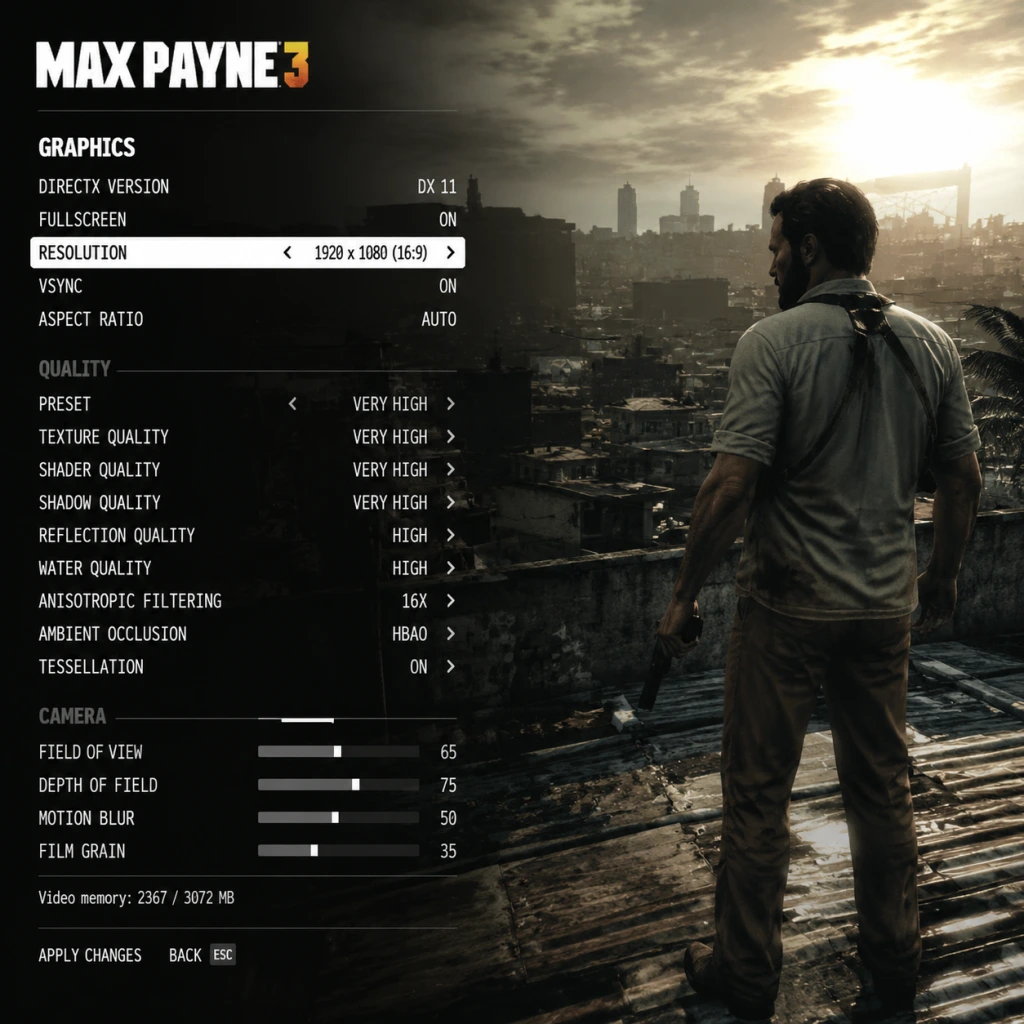
Graphics settings in Max Payne 3 have a significant impact on both visual fidelity and performance. The game uses the Rockstar Advanced Game Engine (RAGE) and can be demanding, especially with MSAA enabled. Below is a breakdown of each setting, followed by recommended presets for different hardware levels.
Key Graphics Options
- Resolution: Set to your monitor's native resolution. Lower resolutions improve performance but reduce clarity.
- Refresh Rate: Match your monitor's refresh rate (e.g., 60 Hz, 144 Hz). Higher rates reduce input lag if your GPU can maintain high FPS.
- VSync: Enable to eliminate screen tearing, but it caps FPS to your refresh rate. Disable for lower input lag (but possible tearing). Consider using Fast Sync or G-Sync/FreeSync instead.
- Triple Buffering: Only effective when VSync is on. Reduces stutter but increases input lag slightly. Leave Off if VSync is Off.
- Anti-Aliasing: Options: Off, FXAA, MSAA 2x, 4x, 8x. FXAA is light on performance but blurry. MSAA is sharp but very demanding. For high performance, use FXAA or Off. For quality, use MSAA 2x or 4x. Avoid 8x on most hardware.
- Texture Quality: Low, Medium, High, Very High. Affects VRAM usage. Very High requires 2+ GB VRAM. High works on most modern GPUs.
- Shadow Quality: Low, Medium, High. High adds softer, more realistic shadows but costs performance. Medium is a good balance.
- Water Quality: Low, Medium, High. High adds reflections and transparency. Low is fine for competitive play.
- Shader Quality: Low, Medium, High. Affects lighting and bloom. Medium or High recommended for visual clarity.
- Post FX: Off, Low, Medium, High. Controls motion blur, depth of field, and color grading. High adds heavy motion blur which can disorient. Set to Low or Off for competitive advantage.
- Reflection Quality: Low, Medium, High. Reflections on shiny surfaces. Low reduces performance cost.
- Sub-Surface Scattering: On/Off. Makes skin look more realistic. Off slightly improves performance.
- Anisotropic Filtering: 1x–16x. Improves texture clarity at angles. 4x is enough; 16x minimal performance cost on modern cards.
- DirectX 10.1 / 11 Switch: The game automatically uses DX10 or DX11 based on OS. No user toggle.
Recommended Settings by Hardware Tier
| Tier | Example Hardware | Resolution | Anti-Aliasing | Texture | Shadows | Post FX | Target FPS |
|---|---|---|---|---|---|---|---|
| Low | Intel UHD Graphics 620, GT 1030 | 1280x720 | Off | Low | Low | Off | 30–50 |
| Mid | GTX 1050 Ti, RX 570, GTX 1650 | 1920x1080 | FXAA | High | Medium | Low | 60 |
| High | GTX 1060, RX 580 | 1920x1080 | MSAA 2x | Very High | High | Medium | 60 |
| Ultra | RTX 2060, RX 5700 XT | 1920x1080 or 2560x1440 | MSAA 4x | Very High | High | High | 60+ |
| Extreme | RTX 3070+, RX 6800+ | 2560x1440 or 4K | MSAA 4x or 8x | Very High | High | High | 60+ |
- MSAA is the most performance-heavy setting. Start with Off or FXAA, then increase carefully.
- Post FX at High introduces strong motion blur that can be disorienting. Many players prefer Low or Off for clearer aiming.
- Texture Quality crashes if VRAM is exceeded. If you see texture pop-in or stutters, lower this setting.
- VSync with Triple Buffering can add input lag. Disable both if you have G-Sync/FreeSync.
- Master Volume: Set to comfortable level (70-80%).
- Music Volume: Keep high (80-100%) to enjoy the soundtrack, but can be lowered for competitive play.
- SFX Volume: Keep at 100% for clear gunshot and bullet impact cues.
- Dialogue Volume: 100% to hear story and combat callouts.
- Voice Chat Volume: Adjust for multiplayer. Default 100%.
- Sound Device: Select your output (speakers or headphones). The game does not have specific spatial audio options; rely on Windows Sonic or Dolby Atmos.
- Audio Output Mode: Options: TV, Stereo, Headphones. Set to Headphones for better positional audio with stereo headsets. TV mode adds simulated surround.
- If audio crackles or stutters, reduce sample rate in Windows settings (e.g., from 48000 Hz to 44100 Hz). Also disable any audio enhancements in Windows.
- The Headphones mode is recommended for all players, as it provides clearer directional cues for enemy gunfire.
- Mouse Sensitivity: Start at 50 and adjust based on your DPI. High sensitivity for quick 180 turns, low for precision aiming. Many competitive players use 400-800 DPI with in-game 30-50.
- Mouse Smoothing: On by default. Turn this Off – it adds acceleration and reduces precision. Locate under "Controls > Mouse" and set Smoothing to 0.
- Invert Mouse: Optional.
- Key Bindings: All actions are rebindable. Consider remapping:
- Controller Support: Full Xbox 360/Xbox One/PS4 controller support. The game auto-detects and shows button prompts. You can switch between keyboard and controller seamlessly.
- Left Stick: Movement.
- Right Stick: Aim/Look. Sensitivity can be adjusted in Controls menu (separate slider).
- A: Jump / Shootdodge.
- RT: Shoot.
- LB: Bullet time.
- RB: Cover.
- D-Pad: Weapon selection (up/down/left/right).
- Start: Pause.
- Mouse Smoothing Off is critical for aiming precision. The default On setting makes mouse movements feel floaty and inconsistent.
- If using a controller, adjust Aim Assist Strength (separate slider) to your preference. High helps in single-player but can be detrimental in multiplayer vs human opponents.
- Shootdodge requires a jump button. On keyboard, try remapping Jump to a side mouse button (e.g., MB4) to avoid taking your hand off movement keys.
- Subtitle Options: On/Off. Turn On – provides subtitles for all dialogue and cinematics. Also includes speaker name and bullet hit indicators.
- Mini-Map: Cannot be changed, but it's always visible. Has moderate contrast.
- Color Blindness: None. No specific colorblind modes. Workaround: Use Windows color filters.
- Text Size: Fixed, small. Not customizable.
- Difficulty Options: Three levels (Easy, Medium, Hard). Easy reduces enemy damage and awareness; Hard increases them. No separate sliders for health or damage.
- Auto-Aim: Present on controller. Not recommended for multiplayer but helpful for single-player story.
- Checkpoint Frequency: Fixed. The game auto-saves frequently, so no manual save option. Accessibility: Cannot adjust checkpoint density.
- Turn on Subtitles to avoid missing story cues.
- If you have difficulty seeing subtitles, consider lowering brightness in the display menu to increase contrast.
- There is no option to skip cutscenes on first playthrough, which can be repetitive on replays.
- Audio Language: Options vary by region: English, French, German, Italian, Spanish, etc. English is the original. Changing audio language may affect lip-sync (pre-made in English).
- Subtitles Language: Can be set independently. E.g., English audio with French subtitles.
- Menu Language: Determined by system locale or Rockstar Social Club settings. Can be changed in the game's language file manually (advanced).
- Text Language: Same as subtitle language.
- If you are not using English audio, note that lip movements are synced only to English, so cutscenes may appear unsynced.
- Changing language via in-game options may require restart. For console, set system language before launching.
- PC: You can force a specific language by editing the steam_api.ini or using launch arguments, but this is not officially supported.
- Connection Type: Wired recommended for stable ping.
- Matchmaking Region: Auto-select or manually pick a region close to you to reduce latency.
- Voice Chat: On/Off. Can be set to Team only or All.
- Network Quality: No in-game adjustment. The game uses Rockstar's peer-to-peer hybrid system. High ping is noticeable.
- NAT Type: Ensure strict NAT is resolved via router port forwarding (ports: 443, 3022, 3032, 3052, 4052, 6050, 9325, 9330, 9340).
- Bandwidth Limitation: No setting; ensure your internet has at least 5 Mbps download.
- Multiplayer servers are low population as of 2025. Matchmaking may take long; consider joining community Discord groups for arranged games.
- If you experience rubber-banding or lag, close background applications that use bandwidth (e.g., streaming, downloads).
- Port forwarding is essential for hosting matches.
- Auto-Aim (Aim Assist): On/Off. When enabled, crosshair slightly sticks to enemies. Recommended Off for PC mouse and keyboard, On for controller in single-player.
- Lock-On Target: On/Off. When aiming, pressing shoot can lock onto nearest enemy (for controllers). Disable for more precise control.
- Auto-Cycle Weapons: On/Off. When On, empty weapon automatically switches to next. Off gives you manual control. Turn Off to avoid unexpected swaps.
- Quick Equip: Default is D-Pad left/right. No further settings.
- Walk/Run Toggle: Default is T on keyboard. No alternative.
- Tutorial Prompts: On/Off. Keep On for first playthrough. Off removes on-screen hints.
- Gore Level: Not configurable. Game has high gore content by default.
- HUD Opacity: Not adjustable. HUD is always fully opaque.
- Crosshair Style: Fixed. No changes.
- Auto-Cycle Weapons can be deadly if it switches to an undesirable weapon mid-fight. Turn it Off to always control your weapon wheel.
- Auto-Aim should be Off for competitive multiplayer as it can lead you off target against moving players.
- Tutorial prompts: If you want a cleaner screen, disable after the first few missions.
---
Audio Settings
Audio settings affect immersion and gameplay awareness. Max Payne 3 has a dynamic soundtrack and clear weapon sounds. Default mix is fine but can be tuned.
Special Attention:
---
Controls Settings
Controls in Max Payne 3 are fully customizable on PC. The game uses a standard third-person shooter layout but includes unique mechanics like shootdodge and bullet time.
Keyboard & Mouse
- Shootdodge (Jump + Shoot): Default is Space + Left Click. Some players prefer rebinding Jump to a thumb mouse button or Shift for easier shootdodge while moving.
- Bullet Time (Slow Motion): Default is Right-click. This works well.
- Cover: Default is Q. Can be moved to a side mouse button for faster access.
Controller (Recommended Layout)
Special Attention:
---
Accessibility Settings
Max Payne 3 includes limited but important accessibility features.
Special Attention:
---
Language Settings
Max Payne 3 supports multiple languages for audio, subtitles, and menus.
Special Attention:
---
Network Settings
Network settings mainly apply to multiplayer (Max Payne 3 has a multiplayer mode called "Gang Wars" and others). Single-player is unaffected.
Special Attention:
---
Gameplay Settings
These settings modify the experience beyond pure visuals and audio.
Special Attention:
---
Conclusion
Max Payne 3's settings menu is moderately deep. The most impactful optimizations for performance are lowering MSAA and Shadow Quality. For competitive play, disable Mouse Smoothing and Post FX motion blur. Always use wired internet for multiplayer. With these recommendations, you can tailor the game to your hardware and playstyle.
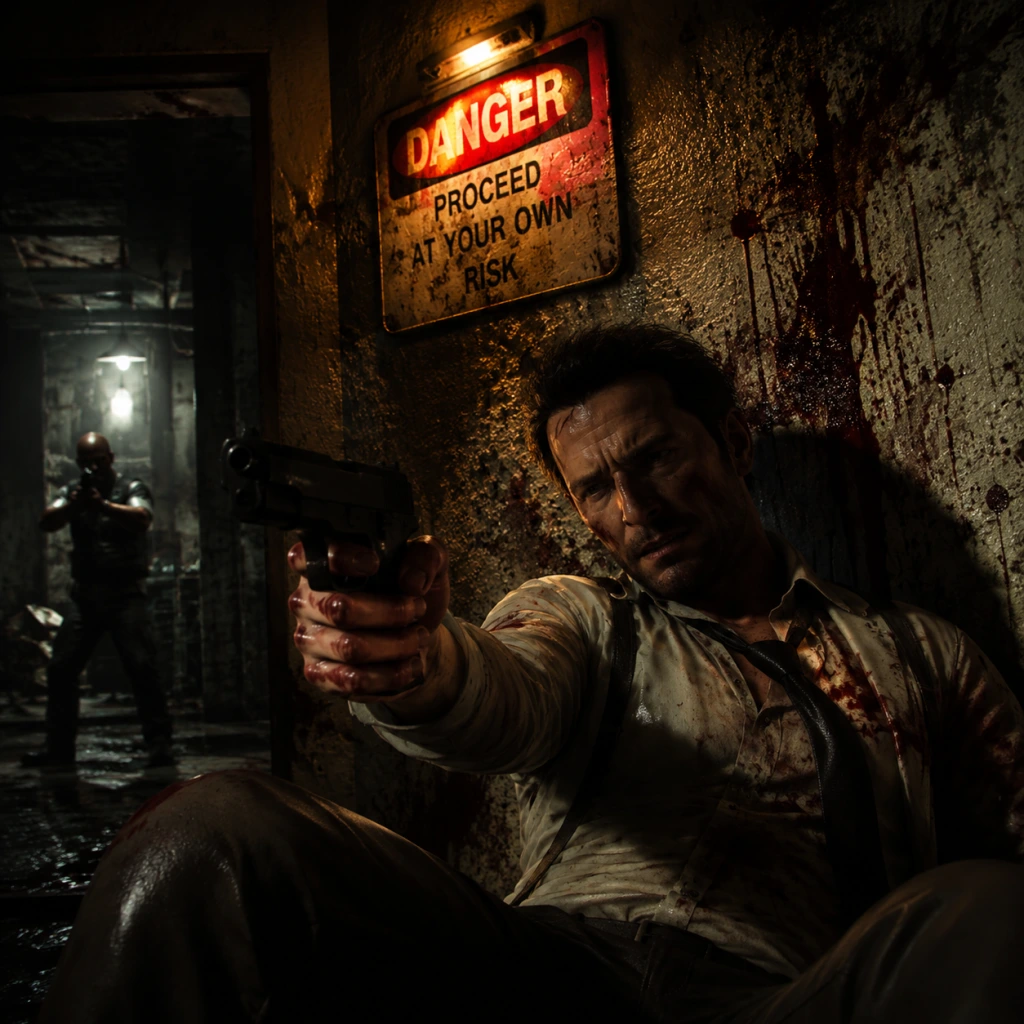
Important Notes
Important Notes
Before diving into the gritty world of Max Payne 3, here are crucial warnings, pitfalls, and tips that will save you frustration and enhance your experience. This guide covers everything from irreversible story choices to performance pitfalls and online etiquette.
---
Warnings and Pitfalls
- Painkiller Dependency: Painkillers are your only health recovery item. You can carry up to 9 (standard) or more with the Gung-Ho perk. Never waste them – if you're at full health, don't pick up a painkiller. If you have 9, picking another causes you to drop one, which can be lost. Always use painkillers tactically.
- Bullet Time Overuse: Bullet Time drains your projectile meter. Don't spam it; use it only when you're outnumbered, need to dodge, or take down several enemies quickly. Overuse leaves you exposed.
- Cover System Quirks: The cover system is sticky. If you press against a wall, you may get stuck or fail to vault over obstacles. Use the sprint (Shift) + jump (Space) mechanics to break out quickly. Avoid staying in cover too long – enemies will flank you.
- Weapon Switching Delay: There's a slight animation delay when swapping weapons. Plan your loadout before entering a firefight. Don't switch in the middle of a firefight unless you're behind solid cover.
- Graphics Driver Crashes (PC): The game may crash on modern hardware due to outdated DirectX settings. If you experience crashes, set the game to DirectX 10 in the graphics menu (DX11 can be unstable). Also, lower MSAA and Shadow Quality to reduce crashes.
- Social Club Login Issues (PC): You must have a Rockstar Social Club account and be online for the first launch and to save progress. If you lose internet, you may lose unsaved progress. Save manually frequently.
- Weapons and Ammo Conservation: While you can pick up weapons from fallen enemies, you cannot revert to a previous loadout if you discard a weapon. Once you drop a weapon, it's gone. Think before swapping.
- Difficulty Selection: The game's difficulty is locked per playthrough. You cannot change it mid-game. Choose wisely:
- New Game+ Only After Completion: You cannot do New Game+ until you beat the game once. Your weapons and upgrades do not carry over to a fresh start unless you select New Game+. If you start a new game without NG+, you lose everything.
- Cheats Disable Achievements/Trophies: Activating cheats (e.g., through the pause menu) disables achievements and trophies for that entire playthrough save. They also block saving progress while cheats are active. Only use cheats after you've completed the game.
- Collectibles (Golden Guns & Clues): There are 50 Clues (investigative items) and 20 Golden Weapons scattered across chapters. Some become permanently unavailable after a chapter ends. Chapter Select allows replay, but you must replay the full chapter. Plan ahead or use a collectible guide after your first playthrough.
- Golden M9 Pistol Location: In Chapter 2, you can find a Golden M9 in a briefcase during the scene at the nightclub. Easily missed if you don't explore. This is your first golden weapon and is missable if you don't pick it up.
- Passing by Interactive Objects: Some clues require you to examine specific objects in the environment (e.g., photos, documents). If you leave an area, you cannot return to collect them later in the same chapter. Always check your surroundings before proceeding.
- Achievement/Trophy for No Painkillers: The "Part-time Hero" achievement/trophy requires you to complete a chapter without using any painkillers. This is missable if you use even one. It's best attempted on Easy or Normal difficulty after you know the chapter layout.
- Chapter 4: "The Hangover" – The airport sequence where you fight waves of enemies in a large open area. Enemies have shotguns and grenades. Use Shootdodge liberally and stay mobile. This is often the first major difficulty spike for most players.
- Chapter 9: "A Dame, a Dime, and a Deuce" – The rooftop and hospital sections introduce enemies with riot shields and snipers. Shields force you to flank or use grenades. Snipers can one-shot you. Use cover and patience.
- Final Boss Fights (Chapters 13-14): The last two chapters are relentless, with no checkpoints between certain encounters. Enemies are highly aggressive and have heavy armor. Stock up on painkillers and powerful weapons (assault rifles + grenades) before these sections.
- Old School Difficulty: Expect enemy damage to be 2-3x normal, and painkiller drops are extremely rare. Even basic enemies can kill you in 2-3 shots. Use cover constantly and rely on Shootdodge for survival.
- Achievement/Trophy Grinding: There are no experience points or leveling in single-player. The only "grind" is for achievements/trophies like "Part-time Hero" (no painkillers in a chapter) or "Gun Runner" (headshot kills with every weapon type). These require multiple playthroughs or careful planning. Do not attempt them on your first playthrough – you'll burn out.
- Multiplayer Leveling (PC/Console): Max Payne 3's multiplayer has a level system (up to level 50 with prestige). Unlocking all weapons and perks can require significant playtime. Avoid boosting or using macros, as Rockstar bans accounts for cheating. The grind is moderate; just play naturally.
- No "XP Farming" Spots in Single-Player: Enemies don't respawn. You cannot farm kills for anything. All progress is story-based.
- Anti-Cheat System: Max Payne 3 PC uses Rockstar Social Club's anti-cheat. Using any trainers, mods, or third-party tools in multiplayer will result in a permanent ban. Even single-player cheat use is logged – avoid using cheats while online, as they can trigger false bans.
- Lag and Connection: The game uses peer-to-peer connections. If you have poor internet, you will lag heavily and ruin matches for others. Use a wired connection and close bandwidth-heavy apps.
- Team Killing (Gang Wars): In team-based modes like Gang Wars, friendly fire is on. Accidental kills happen, but intentional team killing is reportable. If you TK, apologize. Repeat offenders get banned.
- Exploits: Exploiting map glitches (like getting under the map) is considered cheating. Report such behavior to Rockstar Support.
- Voice Chat Etiquette: Mute toxic players via the scoreboard. Avoid screaming or playing music – it's considered rude.
- Manual Save Only at Checkpoints: The game auto-saves at chapter starts and certain checkpoints (often after a major event or before a boss). You cannot manually save in the middle of combat. If you die, you'll restart from the last checkpoint.
- Multiple Save Slots (PC): The game offers 3 save slots plus an autosave slot. Use them wisely:
- Cloud Saves (Social Club): PC version supports cloud saves via Rockstar Social Club. Ensure cloud syncing is enabled in the launcher settings. If cloud sync fails, your local save may be overwritten. Back up your save folder periodically (located in Documents/Rockstar Games/Max Payne 3/Profiles/[YourProfile]/).
- Save File Corruption: Rare, but possible if the game crashes during an autosave. Keep at least two copies of your progress on different slots.
- New Game+ Overwrites: Be careful: starting New Game+ from an existing save will overwrite that save file. Create a separate save slot for your New Game+ run.
---
Irreversible Choices
- Easy: For story-only enjoyment.
- Normal: Recommended for first playthrough.
- Hard (Old School): Enemies deal more damage, spawn more aggressive, and painkillers are scarcer. Not recommended for newcomers.
---
Missable Content
---
Difficulty Spikes
---
Grinding Traps
---
Online Etiquette & Anti-Cheat Notes
---
Save Management Advice
- Slot 1: Your main playthrough.
- Slot 2: For a second playthrough on higher difficulty or for collectible hunting.
- Slot 3: For experimentation (e.g., testing cheats or weapon usage).
- Never rely on autosave alone – it can be overwritten if you start a new game. Always save to a dedicated slot.
---
Things Players Commonly Regret Not Knowing Earlier
1. You can aim down sights (ADS) while moving. Many new players stand still while shooting. Use cover and strafe while shooting – it's more effective than staying stationary.
2. The Shootdodge can be chained. After a dive, you can immediately fire and then perform another Shootdodge as you land. This allows you to dodge multiple attacks in succession.
3. Pillars and objects are destructible. Wooden barriers, glass walls, and thin cover can be shot through or destroyed. Don't rely on flimsy cover.
4. Enemies will call for backup. Killing enemies silently (with stealth takedowns) delays reinforcements. Use stealth when possible to reduce the number of enemies you face.
5. The shotgun is overpowered at close range. The SPAS-12 and M3 Shotgun can one-shot most enemies. Save them for tight corridors or when surrounded.
6. Grenades have a long fuse. You can cook grenades (hold the throw button) to control detonation timing. Useful for clearing rooms.
7. You can kick doors open. While in cover near a door, press the interact button to kick it open, stunning enemies behind it. Very useful for breaching.
8. The game has a "Last Man Standing" mechanic. If you have at least one painkiller when you take fatal damage, time slows and you can shoot the enemy who downed you to revive. This consumes the painkiller. It's not automatic – you must aim and shoot in slow motion.
9. Painkillers carry over between chapters but not beyond checkpoints. If you die and restart a checkpoint, your painkiller count resets to what you had at the start of that checkpoint. Use them wisely – don't hoard too many, as death resets the count.
10. The cover system can be toggled. Press the cover button (Q on PC, LB on console) to take cover, and press again to leave. You can also press the move forward key to pop over cover and shoot.
---
Final Word
Max Payne 3 is a rewarding but unforgiving game. By understanding these important notes, you'll avoid common frustrations, save time, and enjoy the intense gameplay and story without unnecessary setbacks. Always think before you shoot, manage your resources, and respect the game's systems.

All Game Items
All Game Items in Max Payne 3
This guide covers every item you can find, use, or collect in Max Payne 3. Items are grouped by category: weapons, consumables, throwables, and collectibles. Each entry explains what the item does, how to obtain it, when it is useful, and any notable synergies or upgrades. Note that Max Payne 3 features a linear inventory system—you can carry up to two one-handed weapons (pistols/SMGs) and one two-handed weapon (rifles/shotguns), plus a number of consumables.
---
Weapons
Weapons in Max Payne 3 are realistic and feel heavy. You can dual-wield one-handed firearms. Precision, recoil, and rate of fire matter greatly. Below are all weapons found in the campaign.
Pistols
| Weapon | Description | Obtain | Useful |
|---|---|---|---|
| Beretta 92F (9mm) | Standard semi-auto pistol. Balanced in all stats. | Starting weapon; looted from enemies. | Reliable sidearm. Good for headshots. Works well dual-wielded. |
| Desert Eagle (.50 AE) | High damage, slow rate, huge recoil. Can penetrate light cover. | Rarely dropped by heavy guards. | Use for one-shot kills on shielded enemies or when you need raw power. |
| Colt 1911 (.45 ACP) | High stopping power, moderate recoil. | Found from Chapter 3 onward. | Effective up close. Pair with a submachine gun for versatility. |
| Glock 17 (9mm) | Fast fire rate, large magazine (17 rounds). | Common police sidearm. | Best for rapid fire and crowd control. |
Submachine Guns (SMGs)
| Weapon | Description | Obtain | Useful |
|---|---|---|---|
| Uzi (9mm) | Compact, high rate of fire, poor accuracy at range. | Enemies in early chapters. | Dual wield for bullet-time carnage. Large magazine. |
| MP5 (9mm) | Accurate, moderate recoil, good for burst fire. | Police and paramilitary enemies. | Excellent all-round SMG. Use single-handed with a pistol for two weapon accuracy. |
| Ingram MAC-10 (.45 ACP) | Extremely high fire rate, severe recoil. | Looted from favela enemies. | Only effective in very close quarters. Burns through ammo. |
| Micro Uzi (9mm) | Even smaller than Uzi, same stats but less ammo capacity. | Rarely found. | Situational; use only for dual-wield novelty. |
Assault Rifles
| Weapon | Description | Obtain | Useful |
|---|---|---|---|
| M4A1 (5.56mm) | Accurate, selective fire (semi/auto). | Standard military rifle. | Best overall rifle. Use semi-auto at medium range for headshots. |
| AK-47 (7.62mm) | High damage, heavy recoil, large magazine. | Favela enemies. | Powerful but hard to control. Use for suppression or body shots. |
| G36C (5.56mm) | Compact assault rifle with good iron sights. | Police and security forces. | Lightweight, fast handling. Good for run-and-gun. |
| FAMAS (5.56mm) | Bullpup design, accurate burst fire. | Rarely dropped. | Use burst at medium range. Excellent precision. |
Shotguns
| Weapon | Description | Obtain | Useful |
|---|---|---|---|
| Remington 870 (12-gauge) | Pump-action. High damage per shot, slow reload. | Throughout campaign. | One-shot kill at close range. Must pump between shots. |
| Benelli M4 (12-gauge) | Semi-auto. Faster fire rate but lower damage per pellet. | Later chapters. | Faster than pump, but less stopping power. Good for clearing rooms. |
| Striker (12-gauge) | Drum-fed revolver shotgun. Holds 12 shells in a rotating cylinder. | Boss-like enemies. | Devastating in bullet time. Slow reload but huge magazine. |
Sniper Rifles
| Weapon | Description | Obtain | Useful |
|---|---|---|---|
| Dragunov SVD (7.62x54R) | Semi-auto sniper. Good for long range. | Sniper nests in Chapters 12-14. | Use for overwatch sections. One-shot headshot on unarmored enemies. |
| M24 (7.62x51mm) | Bolt-action. Highest damage, slow cycle. | Rarely found. | Excellent for precision shooting at extreme range. |
Heavy Weapons & Specials
| Weapon | Description | Obtain | Useful |
|---|---|---|---|
| M240 LMG (7.62mm) | Light machine gun. Powerful but inaccurate from hip. | Stationary or carried by heavy enemy. | Great for suppressing fire. Only found in specific set pieces. |
| RPG-7 (Rocket) | Anti-tank rocket launcher. Splash damage, one-hit kill. | Rarely dropped by special enemies. | Use against vehicles or groups. Ammo scarce. |
| Fire Axe | Melee weapon. Longer reach than fists, can break doors. | Found in many levels. | Use when out of ammo. Can execute enemies from behind. |
Upgrades: Weapons cannot be upgraded, but you can find suppressed variants (e.g., suppressed MP5) in some chapters. The suppressed pistol is often available from the start on New Game+.
---
Consumables
Painkillers
- Effect: Restores a health segment. You can carry up to 10 painkillers (displayed on your belt). Max starts with 2-3 depending on difficulty.
- How to obtain: Looted from fallen enemies, found in containers, bathrooms, and medkits on walls. Replenished at save points on Easy/Normal.
- When useful: Always. Use them when health is low and you are not under immediate fire. They are instant use. Avoid wasting them on minor scratches.
- Effect: Grants a protective layer that absorbs damage before health. Armor is displayed as a white bar above health. Can be stacked with painkillers.
- How to obtain: Found on some enemies (heavies), in lockers, or near explosive barrels. Rare.
- When useful: Essential for high-difficulty encounters. Makes you survive an extra bullet or go through a shootdodge without dying. Prioritize picking up if your armor is depleted.
- Synergy: Pair with painkillers for maximum survivability. Pop a painkiller immediately after armor breaks if you are in cover.
- Effect: Refills the ammo for the weapon you are currently holding (or the ammo type near you). Ammo boxes are specific to weapon class: pistol ammo, SMG ammo, rifle ammo, shotgun shells, sniper ammo.
- How to obtain: Scattered throughout levels, dropped by dead enemies. Enemies will also drop ammo of the weapon they carried.
- When useful: Always pick up ammo when you are low, but be aware of which weapon you want to keep. If you are dual-wielding, each gun consumes its own ammo pool.
- Tip: If you switch weapons, you can pick up ammo for that weapon type. Use this to restock your favorite guns.
- Effect: Explodes after a short fuse. Deals massive damage in a radius.
- How to obtain: Found on enemies, especially military types.
- When useful: Use to flush enemies out of cover, clear tight clusters, or when they are behind destructible barriers. Hold and cook to time the explosion.
- Effect: Thrown incendiary device. Creates a pool of fire on impact. Enemies on fire take damage over time and panic.
- How to obtain: Found in favelas, slums, and makeshift caches.
- When useful: Area denial. Throw into narrow corridors or behind cover. Also good against groups. Be careful of setting yourself on fire.
- Effect: Stuns enemies temporarily, giving you a window to shoot them while they are blind and deaf.
- How to obtain: Police and SWAT enemies.
- When useful: In open rooms with multiple enemies, or when you need to escape or push through a chokepoint. Also works on shielded enemies (temporarily disorients them).
- Effect: Creates a thick smoke screen that blocks vision and enemy aim.
- How to obtain: Rarely found, mostly in later chapters.
- When useful: Obscures your movement. Use when crossing open areas or to break line of sight for a heal. Also can be used to confuse snipers.
- Description: Small golden weapon parts hidden in each chapter. There are 50 in total.
- Effect: Collecting all parts unlocks a golden weapon variant for use in the Arcade mode and New Game+. Does not affect campaign gameplay.
- How to obtain: Search every nook and cranny; they are usually in out-of-the-way locations, behind doors, or on ledges. Some are only accessible after certain story events.
- When useful: Aim to collect them on a second playthrough. They carry over between playthroughs if you load a completed save.
- Description: Non-essential items like newspaper clippings, photos, documents that flesh out the story.
- Effect: Adds to the storyline, but no gameplay impact. Some clues unlock achievements/trophies.
- How to obtain: Interact with glowing objects (Max will pick them up automatically).
- When useful: If you are a completionist or want the full narrative experience. Also required for certain achievements.
- Description: Special items in the multiplayer modes that grant temporary buffs or score multipliers.
- Effect: Airdrops, weapon briefcases, etc. These are not persistent items but appear in matches.
- How to obtain: Randomly spawn in multiplayer maps.
- When useful: Use them to gain an edge in competitive play.
Body Armor
Ammo Pickups
---
Throwables
Fragmentation Grenade
Molotov Cocktail
Flashbang Grenade
Smoke Grenade
Tip: You can carry up to 4 throwables total (any mix). Use them liberally in bullet time for cinematic kills.
---
Collectibles
Golden Gun Parts
Clues (Informational Items)
Turf War Items (Multiplayer Collectibles)
---
Key Equipment (Story Items)
These items are plot-driven and cannot be missed or stored. They are automatically obtained during missions and used to advance.
| Item | Location | Purpose |
|---|---|---|
| Max’s Suitcase | Starting chapter | Contains personal effects; narrative device. |
| Passport | Chapter 2 | Used to board a plane. |
| Keycard (Various) | Chapters 4, 7, 10 | Unlock doors, security gates. Hold it near the reader. |
| Cell Phone | Throughout | Max talks to contacts; triggers story beats. |
| Morphine Syringes | End-game | Used to dull pain in cutscenes. |
| Sniper Rifle Case | Chapter 12 | Contains the Dragunov; must be carried to sniper perch. |
---
Multiplayer-Only Items
Max Payne 3 features a robust multiplayer suite with persistent loadouts, but items are unlocked via leveling and purchasing with in-game currency (earned from matches). Below is a summary.
Weapons (Multiplayer)
All campaign weapons are available, plus exclusive ones like:
- FN FAL (7.62mm) – Battle rifle, high damage.
- PKM (7.62mm) – Heavy machine gun, slow but devastating.
- Dual wield variants – Many pistols and SMGs can be dual-wielded as a unlock.
- Sticky Bomb – Adhesive explosive.
- Proximity Mine – Triggers when enemy walks over.
- Health Pack – Instant heal (different from painkillers).
- Ammo Box – Deployable ammo resupply.
- Weapon Priority: Always grab an assault rifle or SMG for versatility. Shotguns for close quarters. Sniper for dedicated ranges. Dual pistols when you need mobility and style.
- Consumable Management: Pop painkillers before engaging a strong enemy. Save armor for boss fights or open areas.
- Collectible Strategy: Use a guide for golden parts; replay chapters via Chapter Select. Clues are easy to spot if you explore.
- Throwables: Grenades and molotovs are excellent in bullet time; flashbangs let you line up headshots.
Weapon Modifications
Unlockable attachments (silencer, red dot sight, extended magazine) that can be equipped in loadouts.
Equipment
Perks & Bursts
Similar to other shooters, players can equip perks like “Iron Stomach” (reduce painkiller penalty) or “Field Medic” (heal allies). These are not items per se but count as equipment in loadouts.
---
Summary of Item Use Tips
Mastering the use of all items is essential to survive on Hard or Old School difficulty. Good luck, Max.
Character Skills
Character Skills in Max Payne 3
Max Payne 3 is a third-person shooter with no traditional skill trees or spells, but it features a set of core combat abilities that function as skills. These abilities are available to Max Payne in the single-player campaign and are also present in modified forms in the multiplayer modes. This guide covers every unique move, its effects, cooldowns, upgrades, combos, synergies, and optimal usage.
Single-Player Skills (Max Payne)
#### 1. Shootdodge
- Effect: Max leaps in any direction while simultaneously entering bullet time. You can aim and shoot during the dive. The slow-motion effect lasts for the duration of the dive and a brief moment after landing.
- Cooldown: None. You can Shootdodge repeatedly, but it consumes a small portion of the Bullet Time meter (see below).
- Upgrades: No direct upgrades in single-player. However, finding Bullet Time upgrades (collectibles) increases the meter, allowing more frequent and longer dives.
- Combos: Follow a Shootdodge with a manual Bullet Time activation to extend slow-motion. While diving, you can also throw grenades or use Last Stand if health is low.
- Synergies: Combines perfectly with dual-wielding weapons; firing both pistols during a dive maximizes damage. Pairs with the Painkiller skill to survive lethal hits during the dive recovery.
- When to Use: Use Shootdodge as your primary evasive maneuver when multiple enemies are firing at you. Activate it when entering rooms with many hostiles, or to clear a path between covers. It is also effective for escaping grenade blast radii.
- Effect: Press the Bullet Time button (default: Q on PC, LB on Xbox, L1 on PS3) to slow down time for all enemies and projectiles. Max can aim, shoot, and move at normal speed. The effect lasts until the Bullet Time meter depletes or you press the button again.
- Cooldown: The Bullet Time meter recharges slowly over time. It also refills partially when you kill enemies, especially with headshots. There is no hard cooldown; you can activate it whenever the meter has at least a sliver.
- Upgrades: Bullet Time upgrades (found as collectibles in each chapter) increase the maximum meter capacity. Some upgrades also slightly increase recharge rate.
- Combos: Activate Bullet Time before a Shootdodge to have slow-motion throughout the dive and after landing. Cancel Bullet Time by pressing the button again to conserve meter. Use Last Stand exclusively while Bullet Time is active for maximum control.
- Synergies: All weapons become more accurate during Bullet Time. The Auto-aim feature (on easier difficulties) is also more effective. Use with explosives (grenades, RPGs) to precisely time detonations.
- When to Use: Activate Bullet Time when facing large groups, during boss fights, or when you need to line up precise headshots. Also use it when you are overwhelmed and need a moment to assess the battlefield. Do not waste it when only one or two enemies remain.
- Effect: When Max’s health reaches critical (nearly dead), he enters a dramatic slow-motion last stand. Time slows significantly, and Max can still aim and fire his weapons. The effect lasts about 3 seconds. If you kill an enemy during this window, Max regains a small amount of health and returns to normal combat. If you fail to kill an enemy, Max dies.
- Cooldown: No cooldown; activates automatically whenever health drops to near zero.
- Upgrades: Cannot be upgraded in single-player. The health recovered from a kill is fixed (approximately 15-20% of Max’s health bar).
- Combos: Combined with Shootdodge, you can dive into Last Stand. You can also activate Bullet Time manually during Last Stand to extend the slow-motion window.
- Synergies: Best used with a high-damage weapon like a shotgun or sniper rifle to guarantee a kill. Painkillers cannot be used during Last Stand, but having a Painkiller equipped might prevent Last Stand from triggering (because Painkillers heal first). So if you want to trigger Last Stand deliberately, avoid using Painkillers.
- When to Use: This is a passive skill that activates automatically. Maximize its effectiveness by always having a weapon that can kill in one shot. Aim for nearby enemies or those already wounded. Do not panic; stay calm and focus on a single target.
- Effect: Max can carry up to 10 Painkillers in single-player. Using one (default: R on PC, Y on Xbox, Triangle on PS3) instantly restores a fixed amount of health (about 30%). If Max is in Last Stand state, using a Painkiller will abort Last Stand and heal instead (if you have any left).
- Cooldown: No cooldown between uses, but each consumption uses one unit.
- Upgrades: No upgrades. Painkillers are scattered through levels. Finding them increases your inventory.
- Combos: Use immediately after a Last Stand kill to replenish health fully. Use before entering a heavy firefight to buffer damage.
- Synergies: Combining Painkillers with Bullet Time allows you to survive longer and take risks. Painkillers are essential on higher difficulties where enemy damage is extreme.
- When to Use: Use Painkillers whenever your health drops below 50%. On Easy and Medium, you can be more conservative. On Hard and above, use them immediately when health is yellow. Never hoard Painkillers; the game has checkpoints and you may lose them if you die.
- Effect: On activation, time slows for all players in a radius around you (including enemies, but you move at normal speed). Effect lasts about 3 seconds. The meter recharges over time or on kills.
- Cooldown: After using, the meter must completely refill (about 15 seconds with no kills). Kills reduce recharge time by 5 seconds each.
- Upgrades: None. Only one version.
- Combos: Activate before firing a rocket launcher to ensure hits. Use with Shotgun to wipe out groups.
- Synergies: Best used with high-damage, low-fire-rate weapons like sniper rifles or revolvers. Combines with the "Last Stand" Perk for a devastating last-ditch defense.
- When to Use: Activate when you see multiple enemies clustered or when you are being overwhelmed. Also use to escape a losing gunfight.
- Effect: Perform a Shootdodge in any direction. During the dive, time slows for you only (enemies move at normal speed) for about 1.5 seconds. The dive trajectory is fixed.
- Cooldown: The meter recharges fully after 12 seconds baseline. Kills reduce cooldown by 3 seconds.
- Upgrades: None.
- Combos: Can be used to dodge grenades or sniper shots. After landing, immediately activate Bullet Time Burst for extended slow-motion.
- Synergies: Pairs well with the "Painkiller" Perk to survive a dive into danger.
- When to Use: Use to close distance to an enemy behind cover, or to escape a bad position. Do not use in open areas with multiple enemies.
- Effect: When your health is critically low, you automatically enter a last stand state with slow-motion. If you kill an enemy, you revive with health. The burst replaces the default Last Stand behavior.
- Cooldown: After the last stand resolves (either revive or death), the ability goes on a 30-second cooldown.
- Upgrades: None.
- Combos: Use with high-DPS weapons. You can also use a grenade thrown just before death to guarantee a kill.
- Synergies: The "Painkiller" Perk can be used immediately after reviving to restore full health.
- When to Use: This is a last-resort ability. Try to position yourself near cover before health drops. If you are in a no-win situation, try to shoot at the nearest enemy.
- Effect: Instantly heal a portion of health (about 40%) and gain temporary damage resistance for 2 seconds. Can be used at any health level.
- Cooldown: Recharges over 20 seconds. Kills reduce cooldown by 4 seconds.
- Upgrades: None.
- Combos: Use before engaging a group. Follow up with Bullet Time to maximize kills.
- Synergies: Works well with the "Sentry" Perk (increase damage when stationary) since you can heal and hold a position.
- When to Use: Use when health drops below 70%. Also use immediately before a known danger zone.
#### 2. Bullet Time (Manual Activation)
#### 3. Last Stand
#### 4. Painkiller (Consumable Skill)
Multiplayer Skills (All Playable Characters)
In multiplayer, players can customize loadouts with Bursts (active abilities) and Perks (passive abilities). All characters have access to the same set; there are no class-locked skills. However, the loadout screen is divided into Primary Weapon, Secondary Weapon, Sidearm, Throwable, Burst, and Perk slots.
#### Bursts (Active Abilities)
##### 1. Bullet Time Burst
##### 2. Shootdodge Burst
##### 3. Last Stand Burst
##### 4. Painkiller Burst
#### Perks (Passive Abilities)
| Perk Name | Effect | Synergies | Recommended Builds |
|---|---|---|---|
| Adrenaline | Kills reduce all Burst cooldowns by 2 seconds. | Use with any Burst to cycle abilities faster. | Ideal for aggressive playstyles with Bullet Time or Shootdodge. |
| Barricade | Increase damage resistance by 15% when behind cover. | Combine with Painkiller Burst for tanky cover holding. | Best for objective-based modes like Gang Wars. |
| Commando | Faster sprint speed and no hip-fire penalty after sprinting. | Pairs well with Shotgun and Shootdodge Burst. | Rushdown builds. Use Shotgun or SMG. |
| Concentrated Fire | Increase accuracy and reduce recoil by 20% while aiming down sights. | Use with sniper rifles or long-range weapons. | Sniper or DMR loadouts. |
| Explosives Expert | Grenades have larger blast radius and you take less explosive damage. | Use with Frag Grenades or Throwing Knives. | Area denial builds. |
| Field Medic | Painkillers heal 15% more health. | Essential for Painkiller Burst users. | Support playstyle. |
| Gunslinger | Dual-wielding pistols becomes more accurate and faster fire rate. | Use with dual Desert Eagles or twin SMGs. | Pistol-centric builds. |
| Hawk-Eye | Headshots give temporary wall-hacks (enemy outline visible for 3 seconds). | Use with any precision weapon. | For players with good aim. |
| Iron Lungs | Reduce breath hold penalty when using scoped weapons. | Use with sniper rifles. | Sniper builds. |
| Last Stand (Perk) | Automatically enter Last Stand when critical, similar to single-player. | Combines with Shootdodge or Painkiller Burst. | Defensive builds. |
| Painkiller (Perk) | Start each life with 2 Painkillers. | Synergizes with Field Medic. | Survival builds. |
| Radar | Enemies who damage you are revealed on the minimap for 5 seconds. | Use with any playstyle. | Awareness builds. |
| Recon | Destroyed equipment (e.g., traps) reveals enemy position on minimap. | Situational. | Anti-camper builds. |
| Sentry | While stationary for 3 seconds, gain 25% damage boost. | Combine with Barricade for area denial. | Holding points. |
| Speed Demon | Slight movement speed increase and faster reload. | Use with Shotgun or SMG. | Run-and-gun. |
| Steady Aim | Hip-fire accuracy increased by 30%. | Use with SMGs or shotguns. | Close-quarters builds. |
| Stimulant | After a kill, gain a burst of speed for 3 seconds. | Pair with Commando for maximum speed. | Aggressive flanking. |
| Tactical | Reduce flash and smoke grenade effect duration by 50%. | Use in objective modes. | Utility builds. |
| Veteran | Reduce damage from headshots by 20%. | Hardcore players. | All-around defense. |
| Vitality | Increase total health by 20%. | Works with any build. | Tank builds. |
Recommended Builds
#### Single-Player (Hard Difficulty)
- Burst: Bullet Time (manual) – rely on meter management.
- Perks: Not applicable. Use Painkillers liberally.
- Weapons: Dual-wield pistols for Shootdodge combos, shotgun for Last Stand reliability.
- Playstyle: Always keep a Painkiller ready. Use Shootdodge to enter rooms, then immediately activate Bullet Time to clear threats.
- Burst: Shootdodge
- Perks: Commando, Speed Demon, Stimulant
- Weapons: Shotgun (primary), SMG (secondary)
- Tactics: Sprint into enemy lines, Shootdodge around corners, get kills to trigger Stimulant speed boost, reload quickly with Speed Demon. Use Shotgun for one-hit kills.
- Burst: Bullet Time
- Perks: Concentrated Fire, Hawk-Eye, Iron Lungs
- Weapons: Sniper rifle (primary), pistol (secondary)
- Tactics: Hold long sightlines. Activate Bullet Time before peeking to ensure easy headshots. Hawk-Eye gives intel on nearby enemies after headshots. Use Iron Lungs to hold breath longer.
- Burst: Painkiller
- Perks: Field Medic, Painkiller, Vitality
- Weapons: Assault rifle or SMG for versatility
- Tactics: Stay near teammates, heal them (Painkiller Burst heals yourself only, but you can tank damage for allies). Use Vitality to survive longer. Field Medic makes your Painkiller more effective.
- Shootdodge Timing: In single-player, practice timing the dive to land behind cover. The dive can be canceled by pressing the use key, but that wastes bullet time.
- Bullet Time Conservation: Do not hold Bullet Time continuously. Tap it to line up shots, then release to save meter. Only hold it when facing multiple enemies.
- Last Stand Strategy: Always keep at least one enemy alive in Last Stand range. If you are about to die, try to face an enemy that you can kill with one headshot.
- Painkiller Economy: In multiplayer, always take the Painkiller Perk if you are new. It gives you a safety net.
- Cooldown Management: In multiplayer, kill enemies to reduce Burst cooldowns. Use Adrenaline Perk if you rely heavily on your Burst.
#### Multiplayer: Aggressive Rusher
#### Multiplayer: Precision Sniper
#### Multiplayer: Support/Healer
Skill Usage Tips
This guide covers every major skill, ability, and perk available to players in Max Payne 3. Mastering these will elevate your performance significantly.
Characters & Roles
Characters & Roles
Overview
Max Payne 3 is a story-driven single-player shooter with a single playable protagonist: Max Payne. The game features a rich cast of supporting characters that drive the narrative. There are no traditional classes or heroes; instead, the player assumes the role of Max throughout the campaign. This section details every major character in the story, including their background, role, and significance, as well as a comprehensive breakdown of Max Payne’s abilities, playstyle, and recommended equipment.
Major Characters
#### Max Payne
- Background: Max is a former NYPD detective turned vigilante after his wife and daughter were murdered. Haunted by his past, he becomes a broken, alcoholic ex-cop. By the third game, he works as a private security contractor in São Paulo, Brazil, for the wealthy Branco family. His narration and internal monologue define the game’s tone.
- Role: Sole playable character. The entire campaign is experienced through Max’s eyes (and his voice-over).
- Strengths:
- Weaknesses:
- Playstyle: Aggressive cover-based shooter with high mobility during Bullet Time. Players should constantly use Shootdodge to close distance or evade, and always keep painkillers available. Favor dual-wielding pistols or one-handed weapons for maximum Bullet Time efficiency.
- Unlock Conditions: Available from the start of the campaign.
- Recommended Equipment/Builds:
- Team Synergy: Single-player only; no allies in combat that affect mechanics. However, during cutscenes, Max works with Raul Passos and others, but gameplay is solo.
- Background: A former Brazilian police officer and Max’s colleague in the Branco security detail. He is loyal, capable, and becomes Max’s closest ally during the events in São Paulo. He is married with a family.
- Role: Supporting ally. He appears in several missions as an AI partner, providing covering fire and story interactions.
- Strengths: Reliable marksman, helps clear enemies in scripted sections.
- Weaknesses: AI can be unpredictable; he may get stuck or be killed (though he usually recovers). He does not follow orders.
- Playstyle: Not directly playable. In missions with him, treat him as a distraction – use his fire to flank enemies.
- Unlock Conditions: Appears naturally in Chapters 2-5 and later.
- Team Synergy: None beyond scripted cooperation. Focus on your own survival.
- Background: The patriarch of the Branco family, a wealthy construction magnate with connections to organized crime. He hires Max and Passos as bodyguards for his wife Fabiana. He is ruthless and manipulative.
- Role: Antagonist and mission giver. He sets Max on various tasks.
- Strengths: Political power, financial resources, and a network of corrupt police.
- Weaknesses: Arrogance and underestimation of Max.
- Not playable.
- Background: Marcelo’s trophy wife, young and beautiful. She is kidnapped early in the game, setting off the main plot. She has a secret affair with Rodrigo.
- Role: Plot device and damsel in distress. Max is tasked with finding her.
- Not playable.
- Background: Marcelo’s brother, who sympathizes with the local criminal gang “Comando Sombra”. He helps Fabiana fake her kidnapping.
- Role: Secondary antagonist. Appears in Chapters 7-8.
- Not playable.
- Background: Marcelo and Rodrigo’s younger brother, a corrupt policeman who later becomes a powerful crime lord. He is the main antagonist of the final chapters.
- Role: Final boss. Max must confront him in a shootout.
- Strengths: Heavy armor, minions, and a fortified penthouse.
- Weaknesses: Slow movement, predictable attack patterns.
- Boss fight tips: Use armor-piercing weapons and shootdodge to avoid his shotgun blasts.
- Not playable.
- Background: A corrupt police captain working for Victor. He arrests Max and tortures him.
- Role: Minor antagonist. Appears in Chapter 11.
- Not playable.
- Background: A young journalist investigating the Branco family and the gang violence in São Paulo. She helps Max escape prison.
- Role: Ally in Chapters 12-13. She provides information and a safe house.
- Not playable.
- Background: A powerful criminal organization that controls the favelas. They are led by a mysterious boss and act as primary enemies throughout the game.
- Role: Main enemy faction. They are encountered in almost every firefight.
- Not playable.
- Bullet Time: Activate by pressing the designated button (e.g., left bumper on controller) while in combat. Time slows down, allowing precise aiming and multiple kills. Use it when facing multiple enemies or during Shootdodge.
- Shootdodge: While sprinting, press the jump button (A on Xbox) and then aim and fire. Max dives in slow motion, firing his weapons. This is the signature move. It expends Bullet Time energy, so use sparingly.
- Last Stand: When Max’s health reaches zero, the game enters a slow-motion sequence where he can fire his weapon for a few seconds before dying (unless painkillers are used). This ability is always active.
- Painkiller Usage: Heal by pressing the assigned button. Consumes one painkiller. Max can carry up to 8 painkillers (inventory upgrades increase capacity).
- Cover System: Press a button to snap to cover. Essential for survival. From cover, you can blind-fire, aim over, or switch to another cover point.
- Collectible Mask Parts: Scattered throughout levels. Collecting all unlocks “New York Minute” mode.
- Golden Guns: Hidden weapons that provide unlimited ammo for that weapon type. Collect all 5 to get a permanent upgrade.
- Skill Points: Earned by completing chapters on any difficulty. Spend them at the start menu to upgrade Max’s abilities: Increased ammo capacity, faster reload, improved painkiller healing, etc.
- Early Game: Focus on upgrading ammo capacity and painkiller holding. Weapons are limited; use the provided pistol and shotgun.
- Mid Game: Invest in reload speed and Bullet Time duration. Dual-wield pistols become available – prioritize them.
- Late Game: Max out all skills. Use the M4A1 (assault rifle) as primary and dual Desert Eagles as secondary for maximum damage.
- Tactical Approach: Always keep an eye on your Bullet Time meter. Use it to clear rooms of 2-3 enemies. Combine with Shootdodge to avoid explosives or shotgun blasts. Conserve painkillers for boss fights (Victor and the final rooftop encounter).
- Bouncer: Increased melee damage and faster health regen.
- Demolitions Expert: Extra throwables and explosive resistance.
- Sharpshooter: Improved accuracy and slower Bullet Time drain.
- Exceptional firearms proficiency.
- Master of Bullet Time and Shootdodge maneuvers.
- High tolerance for pain (can survive multiple gunshots before dying).
- Access to Last Stand (downed state where he can continue shooting for a few seconds before death).
- Slow movement speed when not sprinting.
- Limited health regeneration; relies on painkillers for healing.
- No stealth options – must engage enemies directly.
- Alcoholism affects his physical performance at times (cinematic only).
- Primary Weapon: Assault rifle (e.g., M4A1 or AK-47) for mid-range accuracy.
- Secondary Weapon: Dual-wield pistols (e.g., Colt 45s) for close-quarters Bullet Time.
- Throwable: Frag grenades or Molotov cocktails for crowd control.
- Consumables: Always carry at least 4 painkillers.
- Special: Use the “Last Stand” burst (in multiplayer, but in single-player it’s always available) to get extra seconds to shoot while downed.
#### Raul Passos
#### Marcelo Branco
#### Fabiana Branco
#### Rodrigo Branco
#### Victor Branco
#### Captain Becker
#### Giovanna Taveres
#### Comando Sombra (Gang Members)
Playable Unit: Max Payne (Detailed)
For the entire single-player campaign, Max is the only controllable character. There are no unlockable characters or alternate playstyles. However, Max’s abilities can be enhanced through collectibles (Golden Guns) and skill upgrades (like increased ammo capacity) that are unlocked via campaign progress.
#### Core Abilities
#### Progression and Unlocks
#### Recommended Build Strategy
Multiplayer (Optional Role Systems)
Max Payne 3 features a competitive multiplayer mode. While there are no classes with unique abilities, players can customize loadouts and select “Bursts” (active abilities) that function like roles:
Conclusion
Max Payne 3 puts you in the shoes of a single, deeply flawed character. There are no secondary playable heroes or class systems. Success depends on mastering Max’s unique Bullet Time and Shootdodge mechanics, careful painkiller management, and aggressive yet controlled movement. The supporting characters enrich the story but do not affect gameplay mechanics. This guide covers everything you need to know about the character of Max Payne and his world.
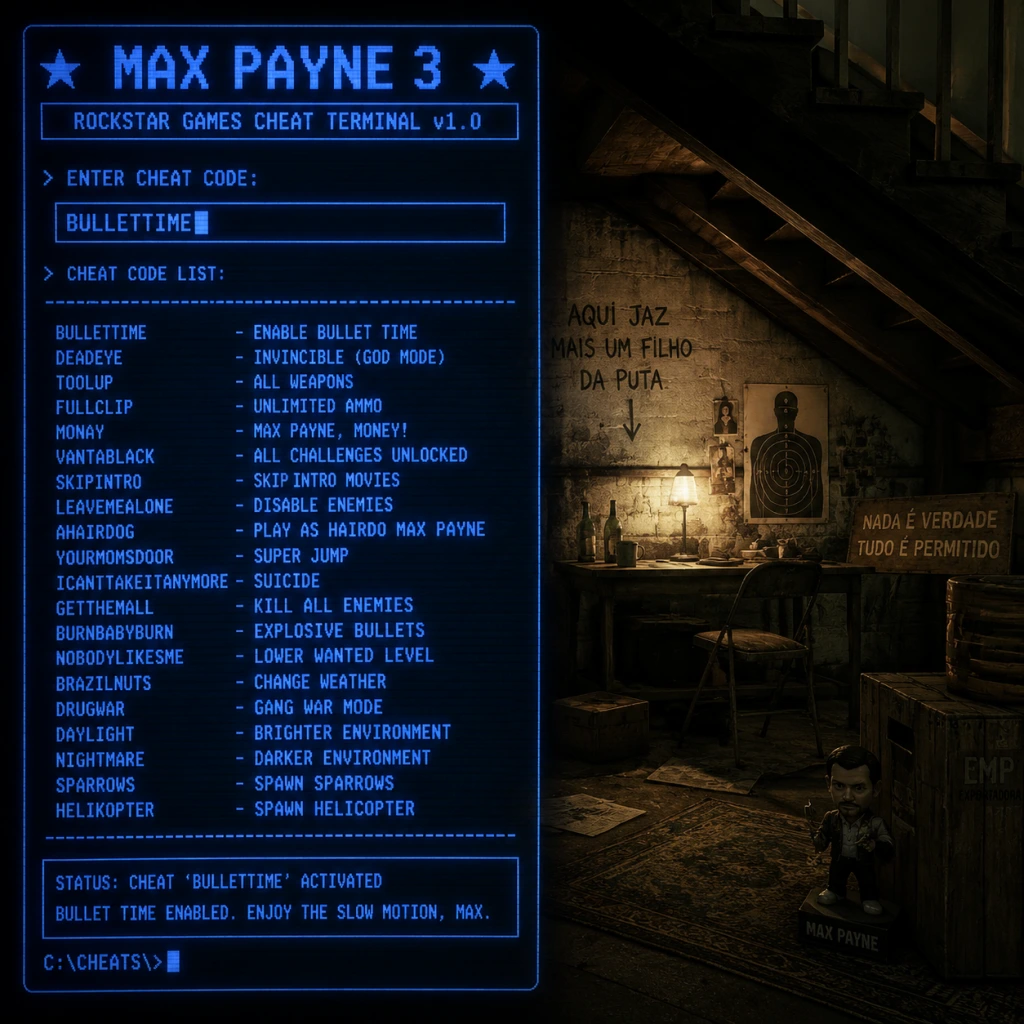
Cheats & Secrets
Cheats (PC Only)
Max Payne 3 features a built-in cheat system exclusively on the PC version. To access cheats, pause the game (Esc) and select Cheats from the menu. Enter the codes exactly as shown below. Note that enabling cheats will permanently disable achievements, trophies, and leaderboard submissions for that playthrough. Cheats are not available on consoles.
| Code | Effect |
|---|---|
| `PAINKILLER` | Invincibility (God Mode) – Max takes no damage. |
| `THROWINGHEAT` | Infinite throwables (grenades, molotovs, etc.). |
| `BULLETCAM` | Bullet time always active (no meter). Press and hold the shootdodge key. |
| `INFAMMO` | Infinite ammo for all weapons. |
| `GLASSEYE` | Enemies become more vulnerable (extra damage dealt). |
| `WALKTHISWAY` | Alter walking speed? (Might affect movement; use with caution.) |
| `SKILLZ` | Unlocks all skills (tactical, social, etc.) in multiplayer? Single-player effect unclear. |
| `LONGBOI` | Max's arms appear elongated (visual gag). |
| `CLOWNTASTIC` | Enemies explode into confetti on death (cosmetic). |
| `LOUDNOISES` | Exaggerated sound effects (comical). |
| `BIGHEAD` | Enemy heads are enlarged (easier headshots). |
---
Secret Codes & Unlockables
There are no traditional unlock codes (e.g., button sequences) in Max Payne 3. The only hidden codes are the cheat codes listed above. No secret character skins or bonus levels are locked behind codes.
---
Easter Eggs
1. “I Love You” Graffiti
In the mission “The Dead” (Chapter 5), while moving through the graveyard, search the walls for a spray‑painted message reading “I ❤ U.” This is a recurring motif from the original Max Payne games.
2. Jack of Diamonds Card
In the mission “A Dame with a Rock” (Chapter 6), look inside the nightclub office near the safe; a framed Jack of Diamonds card hangs on the wall—a direct nod to the second game’s main antagonist.
3. Original Max Payne Costume References
Max’s iconic leather jacket and arm holster from Max Payne 1 & 2 appear as unlockable outfits in multiplayer (not via code, but by reaching a certain rank). In the single‑player campaign, during the final cutscene, Max briefly dons a similar jacket, referencing his past.
4. Alan Wake Reference
In the mission “Rooftop Pursuit” (Chapter 10), a poster for “Alan Wake’s Wake” can be seen on a wall—an Easter egg from the Remedy‑developed game Alan Wake, which shares thematic ties (both games share a similar noir style and a titular character named “Max” in the original Alan Wake manuscripts).
5. Breakable “Toilet” Trophy
During the mission “A Dame with a Rock”, you can shoot the floating rubber duck in the hotel room. Doing so triggers a small spray of water and a brief sound effect—purely cosmetic.
6. The Original Max’s Apartment
In the mission “The Ballad of Rocha” (Chapter 11), you can find a door marked “Room 303” that, when examined, shows a reflection of Max’s old Jersey apartment from the first game—complete with the broken window and dangling lightbulb. This is a subtle but rewarding callback.
---
Hidden Features
- Silent Pistol Takedown: While aiming a silenced pistol, you can shoot gas canisters or explosive barrels without alerting enemies—this is not explained in tutorials.
- Crowd Control: In the stadium mission, you can throw a grenade into the crowd to cause panic and chaos. It does not affect civilians but creates a distracting noise.
- Bullet Time Balance: If you activate bullet time while standing still, the meter depletes faster than if you are moving. Use this to extend its duration by staying mobile.
- The “Cheats” menu itself is considered developer‑intended – it is officially shipped with the PC version and requires no mods.
- Multiplayer Character Skins: Certain skins (e.g., “Classic Max”) are unlocked through progression, but a few (like the “Golden Gun” skin) are developer‑only and require file editing (outside the scope of this guide).
- Unused Dialogue: Some lines referencing cut content (e.g., a fourth playable character named “Silvia”) exist in the game files but are not accessible through normal play.
---
Developer‑Intended Hidden Content
Rockstar included several developer nods and hidden files within the game:
> Important: Using file editors or mods to access hidden content may violate Rockstar’s EULA. This guide only covers officially supported secrets.
---
Summary
Max Payne 3 offers a modest set of cheats on PC, several nostalgia‑fueled Easter eggs, and a few gameplay secrets that enhance replayability. Console players miss out on the cheats but can still find all the easter eggs. Always remember that activating cheats voids achievements, so use them in a separate save file if you want to retain your progress.