NBA 2K24
## Game Introduction **NBA 2K24** is the latest installment in the critically acclaimed basketball simulation series, developed by **Visual Concepts** and published by **2K Sports**. Released on **September 8, 2023**, this entry celebrates 25 years of the franchise while honoring the legacy of bask...
Download & Installation
Introduction
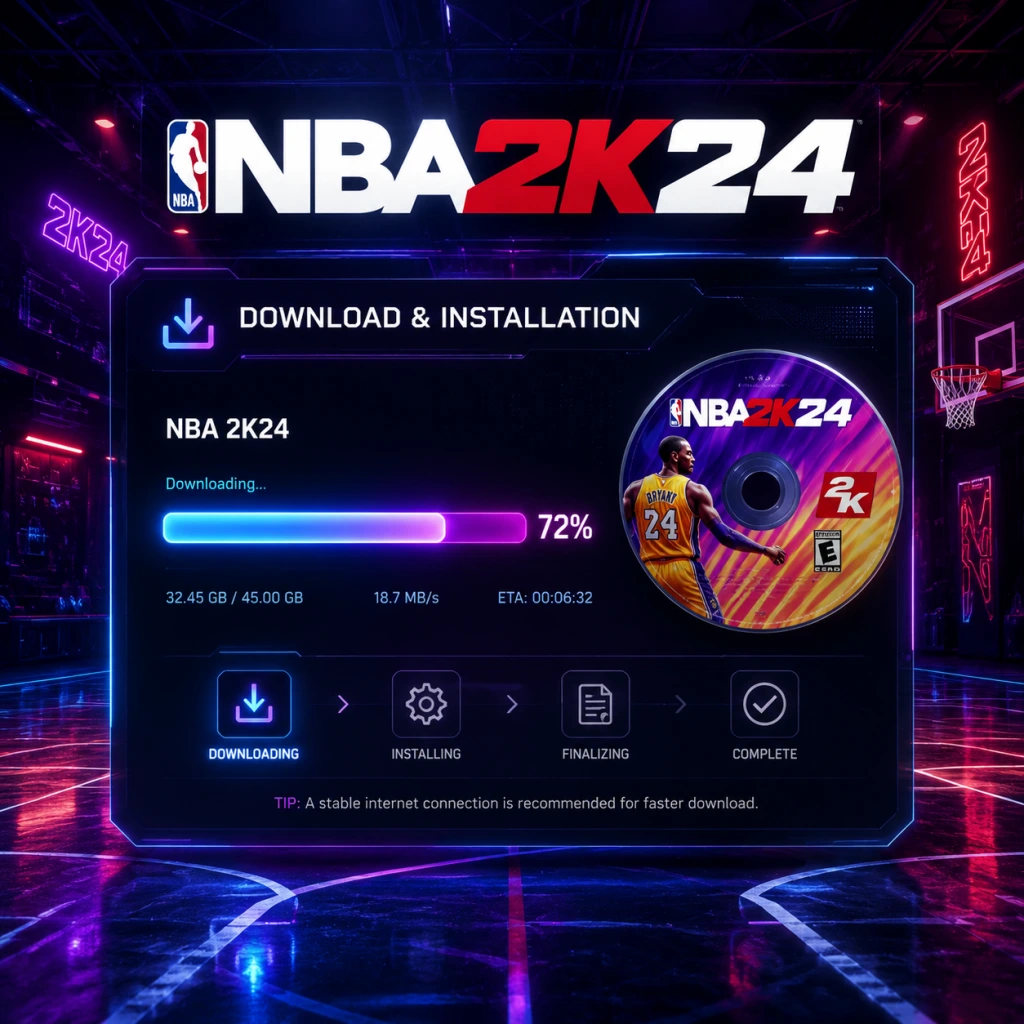
NBA 2K24 is the latest installment in the basketball simulation series, available on PC, PlayStation 4, PlayStation 5, Xbox One, Xbox Series X|S, and Nintendo Switch. This guide covers everything you need to download and install the game legally, including platform-specific steps, system requirements, troubleshooting, and post-installation setup.
---
Platform Availability & Purchase
| Platform | Storefront | Version |
|---|---|---|
| PC | Steam, Epic Games Store | Standard / Kobe Bryant Edition / Black Mamba Edition |
| PlayStation 4/5 | PlayStation Store | Standard / Kobe Bryant Edition / Black Mamba Edition |
| **Xbox One / Series X | S** | Microsoft Store |
| Nintendo Switch | Nintendo eShop | Standard Edition only |
---
System Requirements (PC)
Minimum Requirements
- OS: Windows 10 64-bit (version 1909 or higher)
- CPU: Intel Core i3-6100 / AMD Ryzen 3 1200
- RAM: 8 GB
- GPU: AMD Radeon RX 460 / NVIDIA GeForce GTX 750 (2GB VRAM)
- DirectX: Version 12
- Storage: 110 GB available space (HDD recommended for installation, but SSD strongly recommended for performance)
- Sound Card: DirectX 9.0c compatible
- Network: Broadband internet connection
- OS: Windows 10/11 64-bit
- CPU: Intel Core i5-8400 / AMD Ryzen 5 2600
- RAM: 16 GB
- GPU: AMD Radeon RX 580 / NVIDIA GeForce GTX 1060 (4GB VRAM) or better
- DirectX: Version 12
- Storage: 110 GB SSD (NVMe recommended)
- Sound Card: DirectX 9.0c compatible
- Network: Broadband internet connection
- 2K Account: Required for online features (MyCAREER, MyTEAM, online play). You can create one at 2ksports.com or during the first launch.
- Platform Accounts:
- Cause: Not enough free space on your drive/console.
- Fix: Clear space by deleting unused games, moving files to external storage, or expanding internal storage (NVMe SSD for PS5, Seagate Card for Xbox, microSD for Switch). For PC, use Disk Cleanup or uninstall programs.
- Cause: Firewall/antivirus blocking file verification; corrupt cache.
- Fix:
- Cause: Outdated or incompatible graphics drivers.
- Fix: Update drivers from NVIDIA/AMD website. Also ensure DirectX 12 is updated via Windows Update.
- Fix: Check internet connection; restart console; clear cache (Xbox: hold power button 10 sec; PS5: rebuild database in safe mode; Switch: hold power→turn off→on).
- Possible causes: Corrupted files, conflicting software, outdated firmware.
- Fixes:
- Fix: Check server status at 2k.com/support; try later; restart router; ensure ports 80, 443, and 3074 are open (for consoles).
- Pre-load: If available, pre-load the game to play on release day. Check storefront options.
- SSD heavily recommended on PC to reduce loading times, especially for online matches.
- Use wired connection for large downloads to avoid interruptions.
- Keep your console firmware and PC drivers up to date for optimal performance.
- Backup save files regularly (PC saves are usually in %LOCALAPPDATA%\NBA 2K24\).
Recommended Requirements
Important: NBA 2K24 uses Denuvo anti-tamper technology. Ensure your antivirus does not block the game files.
---
Step-by-Step Installation Guides
1. PC (Steam)
1. Launch Steam and log into your account.
2. Search for “NBA 2K24” in the store.
3. Select the edition you purchased (Standard, Kobe Bryant, or Black Mamba).
4. Click “Add to Cart” and complete the purchase if not already owned.
5. Go to your Library → find NBA 2K24 → click “Install”.
6. Choose installation location (ensure at least 110 GB free).
7. Wait for download (approx. 90-110 GB). The download speed depends on your internet and Steam server load.
8. After download, installation will automatically proceed. Do not interrupt.
9. Launch from Library once installation is complete.
2. PC (Epic Games Store)
1. Open Epic Games Launcher and log in.
2. Search for “NBA 2K24”.
3. Click “Buy Now” or “Get” if redeemed.
4. In your Library, find the game and click “Install”.
5. Select installation folder (recommend SSD).
6. Download begins. You can pause/resume.
7. Installation starts automatically after download.
8. Launch from Epic Library.
3. PlayStation 4 & 5
1. Turn on console and sign in to your PSN account.
2. Go to PlayStation Store from the home screen.
3. Search “NBA 2K24”.
4. Select the edition and “Download” or “Buy” if needed.
5. Choose your console (PS4 or PS5 version) – note that the PS5 version is separate and requires a PS5 console. If you own a PS4 version, you can upgrade for a fee (see store listing).
6. Click “Download” – the game will start downloading automatically.
7. For PS5: The game installs from the main menu; ensure you have enough internal storage. You can also use an external USB drive for PS4 games, but PS5 games require internal or M.2 SSD.
8. Wait for installation – the console will show a progress bar.
9. Launch from the game tile once ready.
4. Xbox One & Xbox Series X|S
1. Sign in to your Xbox Live / Microsoft account.
2. Open Microsoft Store from the dashboard.
3. Search “NBA 2K24”.
4. Select your edition and “Install” (or “Buy” first).
5. Choose where to install – internal or external storage. For Series X|S games, external USB 3.1 SSDs are supported for backward-compatible Xbox One versions, but Series X|S optimized versions require internal storage or Seagate Expansion Card.
6. Click “Install” – download begins.
7. Monitor progress in My Games & Apps.
8. Launch once installation is complete.
Smart Delivery: If you own an Xbox One version and upgrade to Series X|S, the game will automatically download the best version for your console.
5. Nintendo Switch
1. Turn on Switch and connect to the internet.
2. Open Nintendo eShop from the home menu.
3. Search “NBA 2K24”.
4. Select the Standard Edition (only edition available on Switch).
5. Click “Purchase” if not already owned, then “Download”.
6. Choose a location – system memory or microSD card. Ensure at least 25 GB free (download size ~22 GB).
7. Download automatically starts. You can put the console in sleep mode.
8. Installation is automatic; you can launch once the download finishes from the home screen.
Note: The Switch version does not include all next-gen features; it is a port of the PS4/Xbox One version.
---
Account Requirements
- PC: Need a Steam or Epic Games account (depending on store).
- PlayStation: PSN account with PlayStation Plus for online multiplayer.
- Xbox: Xbox Live Gold or Game Pass Core/Ultimate subscription for online multiplayer.
- Switch: Nintendo Switch Online subscription required for online multiplayer (though not for all modes).
---
First Launch Setup
1. Start the game. You may see a splash screen with logos.
2. Accept the End User License Agreement (EULA).
3. Select your language and region.
4. Create or sign in to your 2K Account (internet required). If you skip, you can do it later but some modes will be locked.
5. Apply initial game settings:
- Display: brightness calibration, HDR if supported.
- Audio: adjust volume for commentary, sound effects, etc.
- Controls: choose controller layout (default, custom).
6. Download any day-one patches – the game will check for updates. Allow it to proceed. Patches can be several GB.
7. Choose your starting mode – MyCAREER (requires account), MyTEAM, Play Now, etc.
8. Sync cloud saves if you have them from another platform (via 2K account).
---
Common Installation Errors & Fixes
Error: “Insufficient Storage Space”
Error: “Download Stuck at 99%” (PC)
- Pause and resume download.
- Temporarily disable antivirus.
- Verify integrity of game files (Steam: right-click→Properties→Local Files→Verify; Epic: library→click three dots→Manage→Verify).
Error: “Failed to Initialize GPU” (PC)
Error: “Connection Lost During Download” (Consoles)
Error: “Game Crashes on Launch” (All Platforms)
- PC: Run as administrator; disable overlays (Discord, GeForce Experience); update Windows.
- Consoles: Install the latest system update; reinstall the game.
Error: “Unable to Connect to 2K Servers”
---
Post-Installation Verification
After installation, confirm that everything works:
1. Launch the game – it should reach the main menu without errors.
2. Check version number – should match latest patch (e.g., 1.05). See in-game settings or pause menu.
3. Test a quick Play Now match – ensure graphics, audio, and controls are functional.
4. Try online mode (MyCAREER, MyTEAM) to verify server connection.
5. Check storage usage:
- PC: Right-click game folder→Properties (should be ~100-110 GB).
- PlayStation: Settings→Storage→Games and Apps.
- Xbox: My Games & Apps→Manage→NBA 2K24.
- Switch: System Settings→Data Management→Nintendo Switch.
6. If any issues, reinstall or contact 2K Support.
---
Additional Tips
---
This guide was accurate as of [current date]. Always refer to official 2K support for the latest updates.
Game Introduction
Game Introduction
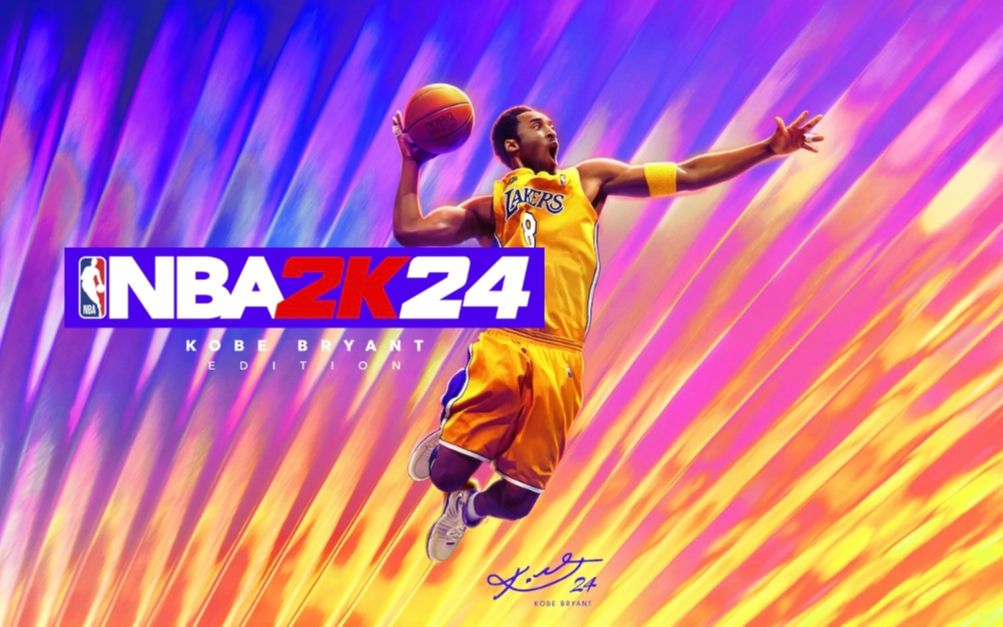
NBA 2K24 is the latest installment in the critically acclaimed basketball simulation series, developed by Visual Concepts and published by 2K Sports. Released on September 8, 2023, this entry celebrates 25 years of the franchise while honoring the legacy of basketball legend Kobe Bryant. The game is available on PC (Steam, Epic Games Store), PlayStation 4, PlayStation 5, Xbox One, Xbox Series X|S, and Nintendo Switch.
Story and Setting
NBA 2K24 features two main narrative-driven modes:
- MyCAREER: This mode continues the immersive, open-world approach. Players create a custom character and embark on a journey from college basketball to the NBA. The story, titled "The Dynasty", revolves around a young prodigy navigating fame, rivalry, and the pursuit of a championship. Set in the vibrant 2K City (a fictional metropolis based on New York), players can explore a hub world, complete quests, interact with NPCs, and build their brand both on and off the court.
- Mamba Moments: A brand-new mode dedicated to Kobe Bryant’s legendary career. Players relive iconic games and moments from Kobe’s 20-year NBA journey, from his rookie season to his final game. The mode captures the intensity of his competitive spirit and offers a unique way to experience basketball history.
- Your Player (MyPLAYER): Fully customizable avatar—appearance, archetype, and skills.
- NBA Legends & Current Stars: Real players like LeBron James, Stephen Curry, Giannis Antetokounmpo, Kevin Durant, and many more appear in various modes.
- Kobe Bryant: Central figure in Mamba Moments; his voice and likeness are authentically recreated.
- Coach & Family NPCs: In MyCAREER, characters like your agent, trainer, and family members drive the narrative.
- Hardcore basketball fans who crave authentic NBA gameplay, advanced AI, and deep franchise management.
- Casual gamers who enjoy arcade-like modes (e.g., Street, Play Now) and quick matches.
- Story enthusiasts drawn to the narrative depth of MyCAREER and the historical significance of Mamba Moments.
- Collectors and competitive players in MyTEAM and online Play Now.
Main Characters
Core Appeal and Target Audience
NBA 2K24 is a hyper-realistic basketball simulation that appeals to:
Game Modes
| Mode | Type | Description |
|---|---|---|
| MyCAREER | Single/Campaign | Create a player, live the NBA life, engage with the 2K City, and compete for championships. Includes quests, endorsements, and skill upgrades. |
| MyNBA | Franchise | Take control of an NBA team as a GM or coach. Manage contracts, trades, scouting, and league expansions. Supports full season simulation. |
| MyTEAM | Card Collection | Build a dream team using virtual trading cards. Compete in online and offline challenges (e.g., Triple Threat, Unlimited, Limited). Features Seasons with new rewards. |
| Play Now | Quick Play | Standard 5v5 games with any NBA team or classic squads. Supports local and online multiplayer. |
| The W | WNBA | Experience the Women’s National Basketball Association with its own MyCAREER-style mode, focused on a female player’s journey. |
| Mamba Moments | Historical | Relive Kobe Bryant’s greatest performances with specific objectives and real-time commentary. |
| Jordan Challenge | Returning | (If included in 2K24) Replay Michael Jordan’s iconic games; featured in previous titles but confirmed for this year? Note: As of release, this mode is not included; Mamba Moments replaces it. |
| Street/Blacktop | Arcade | Casual 1v1, 2v2, or 3v3 games in streetball courts. |
Online and Offline Support
- Offline: All major modes can be played offline except for MyTEAM (requires internet for some features) and multiplayer. MyCAREER, MyNBA, Play Now vs. CPU, and The W are fully offline.
- Online: Ranked and unranked matches, cooperative play (e.g., MyTEAM co-op), and The W online leagues. Cross-play is supported between PlayStation 5, Xbox Series X|S, and PC (next-gen only). Last-gen consoles (PS4, Xbox One, Switch) have their own separate servers.
- Season Pass & Live Content: MyTEAM and MyCAREER receive weekly updates, new challenges, and seasonal events. The Season Pass introduces new rewards (clothing, VC, player cards) every 6–8 weeks.
- MyTEAM Packs: Additional card packs available for purchase (coins or real money).
- Season Pass: Free and Premium tiers. Premium ($9.99 per season) grants exclusive rewards.
- VC (Virtual Currency): Used for microtransactions—can be earned through gameplay or bought in bundles. Essential for upgrading MyPLAYER in MyCAREER.
- Content Updates: New MyTEAM cards, challenges, and events added continuously; no major paid DLC packs (unlike other franchises).
- ProPLAY Technology: On next-gen consoles (PS5, Xbox Series X|S, PC), animations are directly captured from real NBA footage, resulting in unprecedented realism in movement, collisions, and player cadence.
- Mamba Moments: A heartfelt tribute to Kobe Bryant that offers a narrative-driven walk through his career, complete with era-specific visuals, commentary, and broadcast packages.
- Enhanced Cross-Play: First time the series supports cross-platform play across PS5, Xbox Series X|S, and PC, uniting the largest player base.
- Dynamic 2K City: The open-world hub is now larger and more interactive, featuring skateparks, basketball courts, and social spaces that evolve with events.
- The W Mode: Continued investment in women’s basketball, offering a full-length narrative experience equivalent to MyCAREER.
- Adrenaline Boosts & New Shot Meter*: Gameplay refinements include a new adrenaline system (limited boosts per possession) and a revamped shot meter that rewards stick skill.
DLC and Expansions
NBA 2K24 does not have traditional paid story expansions but features a robust Season/Booster system:
What Makes NBA 2K24 Unique?
Getting Started
Getting Started
Welcome to NBA 2K24! This guide is designed to get you through your first hour smoothly, avoid common pitfalls, and set you up for long-term success. Whether you're a basketball fan or a franchise newcomer, follow these steps to start your journey with confidence.
---
First Hour Walkthrough
1. Launch the Game & Skip Intros
- After the splash screens, you'll be asked to calibrate your display (brightness/HDR). Follow the on-screen prompts or skip if you prefer default settings.
- The main menu loads. Do not rush into any mode yet; first, go to Settings (gear icon) to adjust audio, vibration, and — most importantly — controller settings.
2. Adjust Controller Settings First
- Shooting: Change to "Real Player %" (or turn shot meter OFF). Why? The default shot meter is unreliable for beginners; turning it off actually makes shooting timing easier once you learn a player’s visual cue.
- Set Pro Stick Function: "Dribble Moves" (default is shooting; for new players, stick to buttons until you practice dribbling).
- Difficulty: Start on "Rookie" or "Semi-Pro". The CPU won’t punish early mistakes.
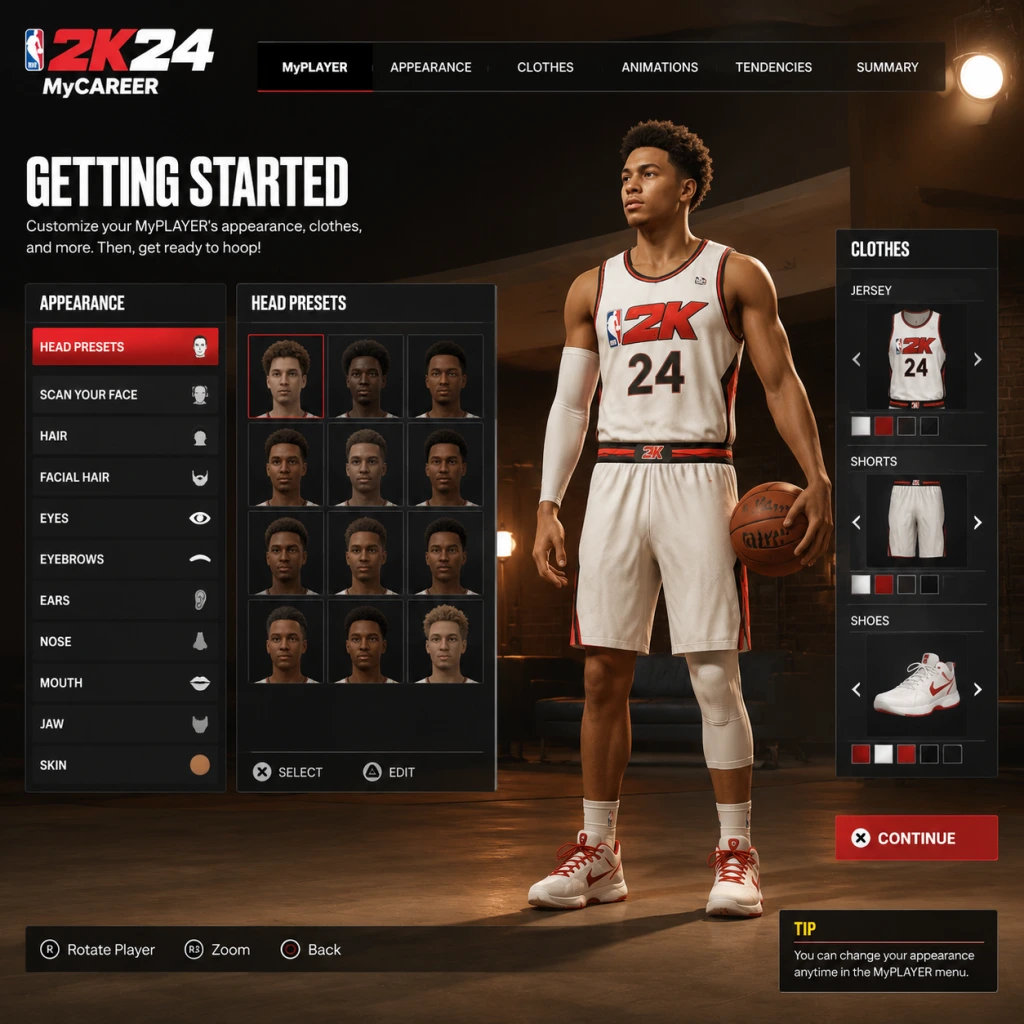
3. Create Your MyPLAYER (Character Creation)
- From the main menu, select MyCAREER (the NBA story mode). You'll be prompted to create a player.
- Appearance: Spend minimal time here — you can change it later. Focus on height, weight, and wingspan. Use these defaults for a beginner-friendly build:
- Position: Point Guard (PG) or Shooting Guard (SG) — easier to get touches and learn offense.
- Height: 6’2" - 6’5" — good balance of speed and finishing.
- Weight: Around 185-200 lbs — keeps agility without being too weak.
- Wingspan: Default or slightly longer — helps on defense but hurts shooting slightly.
- Archetype (Takeover): Choose "Slashing Playmaker" or "2-Way Sharpshooter" for versatility.
- Name, jersey number: Pick something you like. It’s permanent but modifiable later with VC.
4. First MyCAREER Story Cutscenes (approx. 10 minutes)
- After creation, you’ll be dropped into a short cinematic introducing your rookie year at an NBA Combine. Press A/X to skip dialogue if you prefer, but read subtitles to understand the storyline.
- You’ll play a 2-on-2 drill (just follow the on-screen controls). Don’t worry about scoring — this is tutorial scripting.
- Next, you’ll participate in a scrimmage. Focus on passing and playing solid defense — the game rewards you with more teammate grade and VC (virtual currency) even if you miss shots.
5. Post-Scrimmage Menu Orientation
- After the scrimmage, you'll be taken to the MyCAREER hub (the Neighborhood/G.O.A.T. office). Spend a minute exploring the UI (see below).
- Do NOT buy VC yet. You’ll earn a small amount from the first game (around 500-800 VC). Use it to upgrade ONE core attribute (Speed with Ball or Three-Point Shot if guard).
---
Controls Reference (All Platforms)
Below are the default controls for the two main console families. For PC (keyboard/mouse) you can re-map in Settings; for Nintendo Switch, layout mirrors Xbox (A/B/X/Y swapped).
| Action | Xbox Controller | PlayStation Controller |
|---|---|---|
| Shoot | X ( X ) | Square (▢) |
| Pass | A ( A ) | Cross (✕) |
| Dribble / Sprint | Hold RT (right trigger) | Hold R2 |
| Pro Stick (move) | Right stick | Right stick |
| Call Pick | B ( B ) while on ball | Circle (○) while on ball |
| Intense Defense | LT (left trigger) | L2 |
| Turbo / Sprint | RT held down | R2 held down |
| Icon Passing | Double-tap Y ( Y ) / Triangle (△) | Double-tap triangle |
| Pause / Timeout | Start button | Options button |
| Change Camera | D-pad up | D-pad up |
---
User Interface (UI) Overview
When you first load into the main menu or MyCAREER hub, you’ll see several menu items. Here’s what each means:
- MyCAREER – The single-player story mode where you create and level up your own player. You’ll spend 90% of your early time here.
- MyTEAM – A card-collecting mode (similar to Ultimate Team). Avoid initially unless you spend real money; it's a huge VC sink.
- Play Now – Quick exhibition games with NBA teams. Great for practicing without pressure.
- MyNBA / The W – Franchise and WNBA modes. Worth trying later for depth.
- The City (next-gen) / The Neighborhood (current-gen) – The online hub where you can play 3v3, 5v5, shop, and earn rep. Stay out until you upgrade your player to at least 75 overall.
- Season Pass / Battle Pass – A progression track. You’ll earn rewards just by playing; no need to buy the premium version early.
- Go to Settings > Controller > Camera: Set to "2K" or "Broadcast" (gives you a better view of the court).
- Create a MyCAREER player and play through the first combine/college games.
- Use the MyCOURT (found in Neighborhood) to practice shooting with your player’s unique release. Go to the “Gatorade Training Facility” to do drills that boost your player’s physical attributes for free.
- Spend your first 1,000 VC on a “Gatorade Energy Pack” (you’ll need stamina boosts).
- Do NOT buy VC packs from the store. You’ll waste money on low-rated players. Earn VC naturally.
- Do NOT enter The City / Neighborhood online matchmaking below 70 overall. You’ll get crushed and lose rep.
- Do NOT sim games in MyCAREER. You earn negligible VC and experience.
- Do NOT use the shot meter – turn it off as described.
- Do NOT skip the tutorial cutscenes entirely – they explain badge progression.
---
Essential Early Objectives
In your first 2-3 hours, focus on these goals:
1. Complete the Rookie Class tutorial games (about 3-4 short games) – this unlocks your ability to upgrade attributes beyond the initial cap.
2. Earn at least 2,000 VC – Save up for your first attribute upgrade pack.
3. Upgrade Speed with Ball and Three-Point Shot (if guard) or Inside Scoring (if big man) to at least 70.
4. Play one full NBA game on Rookie difficulty to learn the flow. Don’t sim – you earn nothing.
5. Unlock the first Season Reward (usually a cosmetic or badge enhancer).
---
What to Do First vs. Avoid
DO FIRST:
AVOID:
---
Early Resource Priorities
Your two main currencies are VC (Virtual Currency) and Badge Points.
| Resource | How to Earn | Best Early Uses |
|---|---|---|
| VC | Playing games, daily workouts, completing Season objectives | Attribute upgrades (Speed, Three-Point), Gatorade packs, cosmetic items only if necessary. |
| Badge Points | Accumulated by performing specific actions (e.g., assists for Playmaking badges) | Unlock silver badges in one core category (e.g., “Bail Out” for passing) before branching out. |
| MT (MyTEAM) | Not a focus early | Ignore until you’re comfortable with the game. |
---
Common Beginner Mistakes
1. Overspending VC on MyTEAM packs – These are gambling mechanics; stick to MyCAREER.
2. Using the shot meter – It’s visually distracting; learn the green window with meter off.
3. Playing on Hall of Fame difficulty immediately – You’ll get frustrated. Start on Rookie.
4. Forgetting to upgrade your stamina – Low stamina makes you miss shots and get beat on defense. Upgrade “Stamina” attribute early.
5. Ignoring badge progression – Don’t just upgrade attributes; badges give you huge boost percentages. Focus on one badge category per game.
6. Rushing into The City – You’ll face maxed-out players. Complete at least 10 MyCAREER NBA games before stepping foot in the park.
---
Day-One Checklist
Use this list to track your progress in your first gaming session (approx. 1-2 hours):
- [ ] Calibrate display (optional)
- [ ] Adjust controller settings (shot meter OFF, camera to 2K, difficulty Rookie)
- [ ] Create MyPLAYER (PG/SG, 6’2"-6’5", balanced weight)
- [ ] Complete the combine 2v2 and scrimmage tutorial
- [ ] Watch cutscenes or skip (your call)
- [ ] Exit to MyCAREER hub and explore the menus
- [ ] Upgrade ONE attribute to at least 70 (Speed with Ball or Three-Point)
- [ ] Play one full 6-minute quarter NBA game on Rookie (do not sim)
- [ ] Earn first 500-800 VC
- [ ] Buy a Gatorade energy pack (200 VC)
- [ ] Save your game and close
- Use the practice facility in MyCOURT daily to earn free attribute boosts.
- Watch the “2K University” videos in the main menu (Help section) for advanced mechanics.
- Join a beginner-friendly community (Reddit r/NBA2K) to ask questions without toxicity.
- Take breaks – the game can be grind-heavy. Enjoy the journey.
Once you finish this checklist, you’ve survived the first hour. The next steps: unlock the Gatorade drills, earn badge points, and aim for a 70 overall rating before trying online play.
---
Final Tips
Welcome to the 2K family. Now go out there and ball!
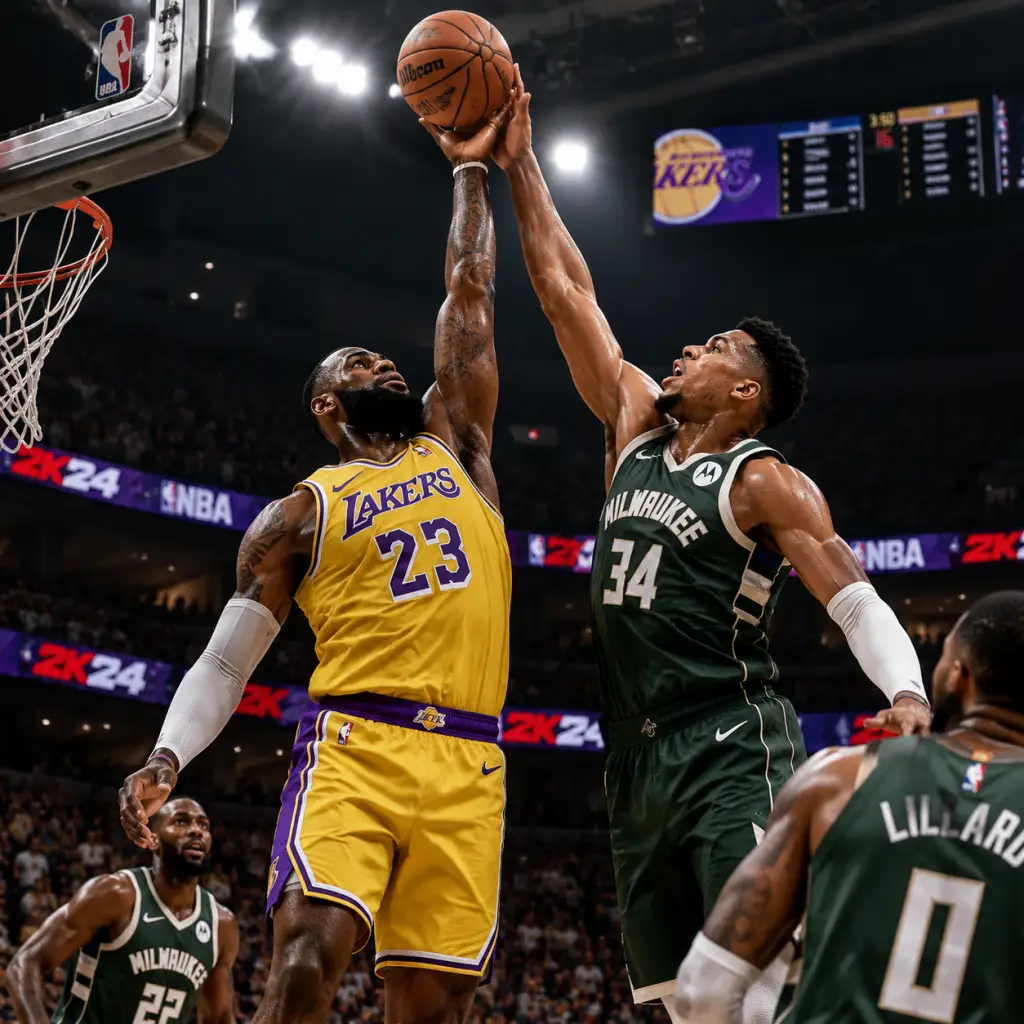
Core Gameplay
Core Gameplay
NBA 2K24 blends realistic basketball simulation with RPG-like progression in its MyCAREER mode, and fast-paced competitive play in MyTEAM and Play Now. The core gameplay loop revolves around improving your player, competing in games, earning virtual currency (VC), and unlocking rewards. Below is a tiered breakdown of the gameplay systems.
Main Gameplay Loop
- Play Games: Participate in NBA games, streetball (The City/The Neighborhood), or online matches.
- Earn Rewards: Gain VC, Badge Points, MyPOINTS (for overall rating), and seasonal XP.
- Upgrade & Customize: Spend VC on attributes, animations, clothes, and gear. Earn badges by performing specific actions.
- Engage in Side Content: Complete quests, practice drills, endorsements, and social activities.
- Repeat: Higher difficulty games and better rewards push you toward endgame goals.
- On-Court Controls: Use left stick for movement, right stick for dribble moves and shooting (Pro Stick), face buttons for pass/shoot/steal. DualSense (PS5) and Xbox Wireless feature adaptive triggers for shot timing.
- Badge System: Over 60 badges (e.g., Clamp Breaker, Limitless Range) affect shooting, playmaking, defense, and athleticism. Badges gain tiers (Bronze → Hall of Fame) through repeated use.
- Takeover: Build a meter by playing well; activate for temporary stat boosts.
- Team Chemistry: In MyCAREER, team morale and fit influence AI teammate performance. Use Team Practice to improve.
- Defense: Use left trigger for intense defense, right stick for hands-up/steal. Contest shots with timing.
- VC (Virtual Currency): Earned from games, endorsements, daily spins, and purchased with real money. Used for attributes, animations, cosmetics.
- Badge Points: Earned by performing badge-related actions (e.g., assists for playmaking badges). Points are spent to upgrade badge tiers.
- Season XP: Earned from objectives, games, quests. Rewards include cosmetics, MyTEAM packs, and VC.
- MyPOINTS: In-game performance score that raises your overall rating from 60 to 99.
- Goal: Learn controls, build a foundation, and raise your rating to 70.
- Gameplay: Start MyCAREER on Pro difficulty. Play partial games (3–4 minutes quarters) to earn VC efficiently. Focus on one or two primary skills (e.g., 3-point shooter or slasher).
- Quests/Missions: Complete The Quest storyline (cutscenes, rival matchups). Early quests include "First Game" and "Meet Your Agent." They give VC and a free shoe deal.
- Progression: Spend VC first on key attributes: Three-Point Shot (for shooters), Driving Dunk (for slashers), or Ball Handle (for playmakers). Grind badge points in practice drills (e.g., Free Throw Golf, Dribble Course).
- Economy: VC is scarce; avoid buying clothes or animations. Do the daily 2K Spin for small VC. Complete Endorsement emails for bonus VC.
- Exploration: The City (on PS5/XSX) offers NBA games, streetball courts, and NPCs. The Neighborhood (PS4/XB1/PC) is smaller but similar. Early on, ignore streetball unless needed for a quest.
- Goal: Unlock badges, secure a starting role, and earn consistent VC.
- Gameplay: Increase difficulty to All-Star or Superstar for better VC multiplier. Play full 5–6 minute quarters. Use your player’s strengths (e.g., pick-and-roll, iso).
- Quests/Missions: Major story beats like Rival Week, All-Star Weekend, and Playoff Push. Endorsement quests (e.g., Gatorade, State Farm) require stat thresholds and give large VC boosts.
- Progression: Upgrade attributes to 80+ in primary skills. Start upgrading secondary skills (e.g., speed, stamina). Earn badge tiers: at 70 overall, you can have 3–4 Bronze badges; at 85, aim for Silver/Gold on key badges.
- Badge XP Strategy: Equip badge that matches your playstyle (e.g., if you shoot off dribble, equip Space Creator and Agent 3). Use the Badge Progression menu to track progress.
- Economy: You earn about 1,000–1,200 VC per game (Superstar, 6 min quarters). Save 5,000 VC for a signature Jump Shot animation (e.g., Base: Exum, Release: Curry).
- Exploration: In The City, participate in Park (2v2/3v3) to earn extra VC and rep. Join a Squad for easier wins. Avoid Rec Center until you have 85+ overall and good badges (teammate AI can be punishing).
- Goal: Unlock Hall of Fame badges, dominate NBA, and prepare for online competition.
- Gameplay: Play on Hall of Fame difficulty in MyCAREER for optimal VC (approx. 1,500–2,000 per game). Focus on team success: win championships, earn MVP, and Player of the Game bonuses.
- Quests/Missions: Complete Endorsement Level 3 quests (requirements like 25 points for 10 games). Finish the main storyline for a final VC reward (around 5,000 VC). NBA 75th Anniversary quests may appear.
- Progression: Max out primary attributes to 90+ (costs increase: each point from 85–95 costs ~2,000–3,000 VC). Upgrade stamina and speed to 85+. Convert badge points to Hall of Fame for 2–3 key badges (e.g., Clamp Breaker HoF for slashers).
- Badge XP: Use Gatorade*3 boosts (earned from endorsements) to double badge XP for a game. Focus on one badge per game to maximize progress.
- Economy: You may have 50,000+ VC saved. Spend on Signature Animations (dribble moves, jumpshot, dunk packages) — these are critical for online play. Animations are more important than stats at this stage.
- Exploration: Play Rec Center (5v5 matchmaking) to test your build. Win rates improve with good teammate chemistry. Consider joining a Pro-Am team for weekly rewards.
- Goal: Reach 99 overall, unlock all badges, compete in top-tier online play (MyTEAM Unlimited, Park Elite).
- Gameplay: Continue MyCAREER for VC (diminishing returns but still useful). Use Gatorade Gauge (earned from gym workouts) for temporary attribute boosts. Gym Rat badge (unlocked by playing 50+ games) gives permanent stamina boost.
- Quests/Missions: Legendary quests from NBA legends (e.g., Jordan Challenge in MyTEAM). In MyCAREER, once you reach 99, you can earn Hall of Fame cutscenes and a plaque.
- Progression: Max out all attributes to 99 (requires millions of VC total — either grind heavily or use microtransactions). Unlock Badge Tier 4 (Extra Badge Points) to equip more Hall of Fame badges. Build Archetype apex: e.g., a 2-Way 3-Point Playmaker with all relevant badges HoF.
- Badge XP: All badges should be at least Gold. Equip Badge Boosts (bought with VC) to maintain HoF tiers during online games.
- Economy: At 99, VC is used exclusively for cosmetics, animations, and MyTEAM. Consider spending on MyTEAM Pack for endgame cards or saving for next season.
- Exploration: Compete in Park tournaments (e.g., The Stage events). Participate in MyTEAM Unlimited (salary cap mode) for top rewards. Endgame is about bragging rights and seasonal prestige.
- MyTEAM: Build the ultimate fantasy team through card collecting. Play Unlimited (highest tier = Galaxy Opal cards), Triple Threat Online, and Clutch Time. Earn Season 5 rewards (e.g., Invincible cards).
- MyCAREER Post-Game: Once you max out, you can Simulate entire seasons to earn VC quickly (set to 12-minute quarters, Superstar). Use The City events like Clash of the Superstars.
- Competitive Play: Enter 2K League qualifiers or Pro-Am leagues. Top players use controller settings (set to Shot Timing: Real Player % or Late Shot Timing).
- Achievement Hunting: Earn all trophies/achievements (e.g., Rookie of the Year, Champion, Collector Level 10).
- VC Earning Rates: Early: ~500–800 per game (Pro, 4 min). Mid: ~1,200–1,500 (Superstar, 6 min). Late: ~1,800+ (HoF, 6 min). Endgame: ~2,000+ but you likely have plenty.
- Key Purchases Priority: Attributes > Jump Shot Base > Dribble Moves > Dunk Packages > Shoes (Gatorade boosts). Cosmetics last.
- 2K Card Cash: Earned from MyTEAM; use to buy packs directly (avoid single packs, wait for guaranteed bundles).
- Create a Build (MyPLAYER) at start: Choose Archetype (e.g., Slashing Playmaker, Lockdown Defense, Sharpshooter). Height, weight, wingspan impact speed and stats.
- Physical Attributes: Speed and Acceleration are capped by height. Max speed for PG is 99, for C is 85.
- Takeover Selection: Choose Sharpshooter (shooting boost) or Playmaker (passing boost). Unlock secondary takeover at 95 overall.
- Badge Loadout: Equip badges from your archetype’s pool. For example, a Lockdown gets Clamps (Hall of Fame) and Interceptor (Gold).
- The City/Neighborhood: Contains NBA 2K Store, Gym, Practice Facility, Courts (streetball), Events Hub (seasonal). Daily Spin the Wheel at the center for VC or prizes.
- Quests: Story quests (e.g., "The Decision"), side quests (e.g., "Help a Teammate Improve"), and Collectible quests (find vinyl records for music unlock).
- Practice & Training: Team Practice (learn plays), Gym Workouts (increase stamina), Gatorade Drills (earn boosts).
- Early (60–70): Upgrade Three-Point Shot to 70, Ball Handle to 65. Equip Space Creator and Hands Up badges.
- Mid (70–85): Upgrade Three-Point to 80, Ball Handle to 75, Speed to 70. Get HOF for Space Creator, gold for Clutch Shooter.
- Late (85–95): Max Three-Point to 90, Ball Handle to 85, Speed to 85. Unlock Agent 3 and Stop & Pop on HOF. Equip Unpluckable gold.
- Endgame (95–99): Max all offensive stats, add Defensive Stopper gold. Use Inside Out takeover for versatile play.
Combat/Interaction Systems
Progression & Tiers
Progression Resources:
#### Early Game (Overall 60–70)
#### Mid Game (Overall 70–85)
#### Late Game (Overall 85–95)
#### Endgame (Overall 95–99)
Endgame Structure
Economy Summary
Character/Build Growth
Exploration & Side Content
Example Build Path (Sharp Shooting Playmaker, PG)
Conclusion: NBA 2K24’s core gameplay is a deep, rewarding loop that rewards skill and grind. Focus on efficient VC earning, badge progression, and animation unlocks. For competitive play, master the Pro Stick and Shot Timing (use Real Player % for consistency). Stay tuned for seasonal content in MyTEAM and The City events.
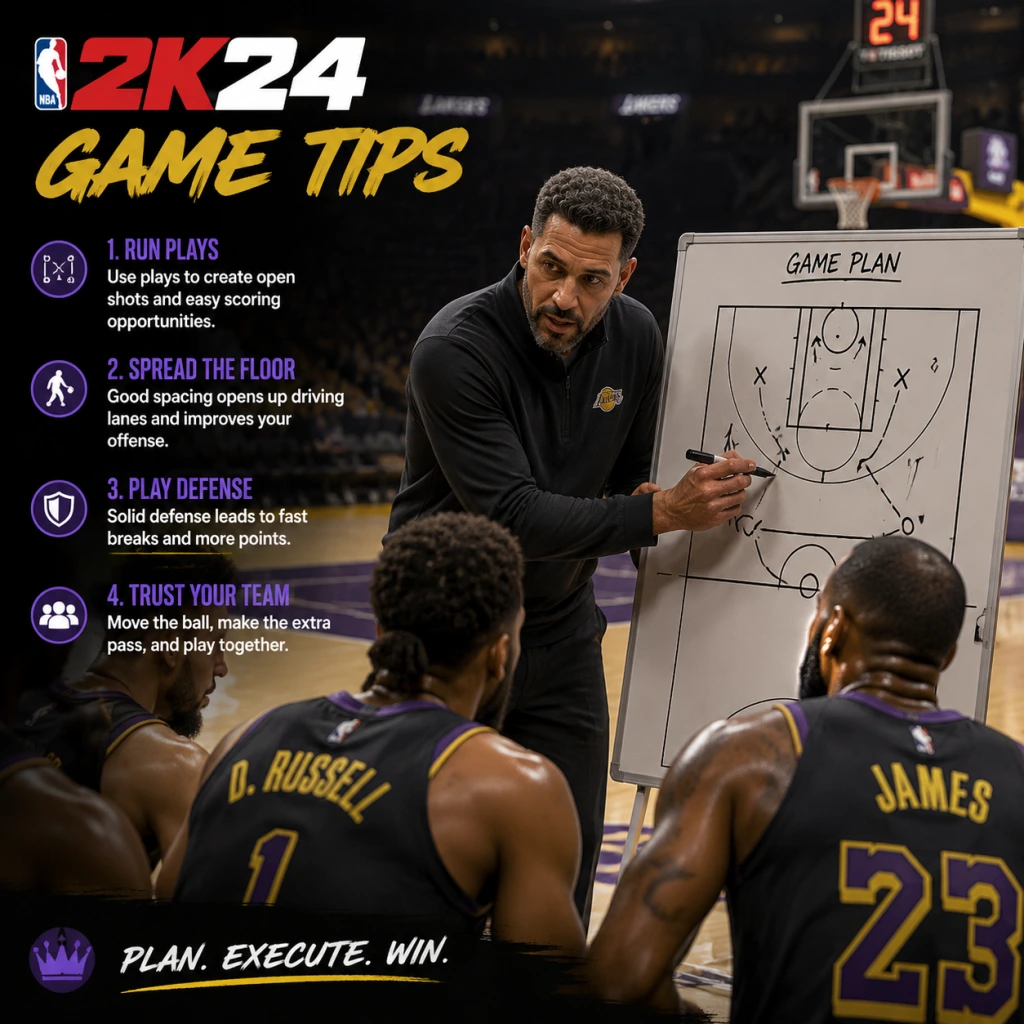
Game Tips
Game Tips
Welcome to the ultimate NBA 2K24 tips guide. Whether you're stepping onto the court for the first time or grinding for a 99 OVR, these tips are grouped by category to help you master every aspect of the game. From building the perfect MyPLAYER to dominating the Auction House, use these strategies to gain an edge.
1. MyCAREER Build & Archetype Optimization
Beginner Tip – Pick a Balanced Archetype
Start with a Two-Way Slasher or Playmaking Shot Creator. These builds have few weaknesses and let you learn core mechanics without frustration. Avoid pure shooters or pure slashers until you understand badge synergies.
Intermediate Tip – Prioritize Physicals and Badge Count
When creating a build, aim for at least 85 Speed and 80 Acceleration for guards, 75 Strength for forwards. Use the builder to maximize your total badge points (shooting, playmaking, defense) – a 70-70-70 spread is better than 95-50-30.
Advanced Tip – Exploit Takeover Synergies
Combine Takeover abilities that boost your primary skill AND a secondary skill. For example, a Slashing Takeover + Spot Up Shooter badge boosts both finishing and shooting. Test different Takeover pairings in the Gatorade Facility before finalizing your build.
2. Badge System & Progression
Beginner Tip – Equip Core Badges First
Always equip Core Badges (Gold or Hall of Fame) that match your playstyle. For a shooter: Catch & Shoot, Claymore, Green Machine. For a playmaker: Floor General, Dimer, Needle Threader. Core badges provide permanent boosts even when stamina is low.
Intermediate Tip – Grind Badges in NBA Games, Not Practice
While Practice Facility drills give XP, real NBA games give multiplied badge progress for actions performed in game. Play 12-minute quarters on Pro difficulty, call for screens repeatedly (for Brick Wall), or spam dribble moves (for Handles for Days).
Advanced Tip – Stack Badges with Game Situations
Use Badge Stacking – e.g., activate Clamp Breaker (dribble through contact) followed by Giant Slayer (layup over taller defender) for a high-percentage finish. Learn the animation triggers: e.g., for Blinders, shoot as soon as you catch the ball near a defender.
3. Shooting Mechanics & Timing
Beginner Tip – Use Shot Meter and Release Timing
Enable Shot Meter (under Controller Settings) and focus on your player's jump shot release point – release the button when the wrist snaps. Practice in the MyCOURT with the same jumpshot you plan to use in games.
Intermediate Tip – Customize Your Jumpshot
In MyCAREER, go to Animations > Jump Shot and create a custom shot using bases like Base 98, Base 85, or Base 75. Mix upper releases for higher release height and quicker speed. A fast shot (e.g., LeBron James) is harder to contest but requires precise timing.
Advanced Tip – Master the Rhythm Shooting
NBA 2K24 introduces Rhythm Shooting (hold shoot, then flick down). This reduces timing variance by 20% when mastered. However, for online play, Button Shooting with a moderately fast jumpshot is often more consistent. Test both and choose one.
4. Dribbling & Ball Handling
Beginner Tip – Use Simple Moves, Not Combos
Master the size-up escape, behind-the-back, and hesitation before attempting complex combos. Use the Pro Stick (right stick) for standing dribble moves – hold left/right for size-ups.
Intermediate Tip – Chain Moves with Momentum
Perform a dribble move (e.g., behind-the-back) and immediately burst forward with Turbo + Sprint. This creates space and can trigger Space Creator badge. Practice the Snatch Back (hold Pro Stick down then flick up) to create separation for a jumper.
Advanced Tip – Use Specific Animations for Glitchy Moves
Equip James Harden or Jamal Crawford size-up packages for quick crossovers that break ankles. Learn momentum dribbling – hold Turbo + move Pro Stick in a half-circle to trigger a step-back or spin. This is essential for Park vs. lock defenders.
5. Defense & Positioning
Beginner Tip – Stay in Front of Your Man
Use Left Trigger (L2/LT) to face up and shuffle laterally. Never spam the steal button – it leads to fouls. Instead, keep your hands up with Right Stick to contest without jumping.
Intermediate Tip – Use Clamps and Pick Dodger
Badges like Clamps (Gold) allow you to stay attached to ball handlers. Pick Dodger (Silver or Gold) helps you navigate screens. Lower your center of gravity by holding Turbo + Left Trigger when guarding a ball handler.
Advanced Tip – Predict Plays and Rotate
Watch for play calls (icons above teammates' heads) – if an opponent calls a pick-and-roll, pre-rotate to the roller's path. Use Intimidator badge to affect shots just by being near the shooter. For blocks, time your jump with the ball's release, not the gather.
6. Offense & Playcalling
Beginner Tip – Call for Screens Often
Press L1/LB to call a screen. Drive off the screen and either roll, pop, or kick out. This is the foundation of most NBA offenses.
Intermediate Tip – Use Icon Passing
Press the player icon (X/A, Square/X, Triangle/Y, Circle/B) for precise passes. Use Lob Pass (double-tap Triangle/Y) for ally-oops, and Flashy Pass (hold R1/RB + pass) for skilled big men.
Advanced Tip – Run 5-Out and Pick & Roll Reads
Set your offense to 5-Out (all players on the perimeter) using Quick Playbook. This clears the paint for drives and gives open threes. In P&R, read the defense: if the defender goes under the screen, pull up; if they trap, hit the roller; if they switch, iso on the mismatch.
7. MyTEAM Economy & Auction House
Beginner Tip – Complete Domination First
Play Single Player Domination on each difficulty (Pro, All-Star, Superstar, Hall of Fame) to earn MT and rewards. Focus on completing three-star requirements (win by 15+ on higher difficulties).
Intermediate Tip – Flip Cards on Auction House
Buy low on Tuesday nights (when new packs drop), sell high on Friday/Saturday (weekend player base). Use the BIN filter – search for cards with a Buy It Now price 20% below market average, then resell for profit. Track prices using community spreadsheets.
Advanced Tip – Invest in Dynamic Ratings
Cards with Dynamic Ratings (e.g., Ruby to Amethyst) fluctuate based on real-life performance. Buy a card when it's a Ruby and it's upgraded to Amethyst – its value spikes. Also, hoard Token Market cards during Locker Code events for limited-time exchanges.
8. VC & MT Management
Beginner Tip – Never Buy VC with Real Money Early
Use the 2K23 MyCAREER glitch (if available) or grind NBA games at 12-minute quarters on Rookie to earn 1,000 VC per game. Spend VC only on essential attributes (speed, stamina) and a decent jumpshot.
Intermediate Tip – Earn MT Through Triple Threat Offline
Play Triple Threat Offline (3v3 vs. CPU) in MyTEAM – each win gives tokens, MT, and a chance at premium cards. Use this to build a budget squad before jumping into Unlimited.
Advanced Tip – Use Daily Login and Locker Codes
Log in every day for Daily Reward (bonus VC/MT). Follow @NBA2K on Twitter for limited-time Locker Codes that give free packs, MT, or tokens. Redeem codes ASAP – they expire within hours.
9. MyCAREER City / Neighborhood Navigation
Beginner Tip – Focus on the Main Path
Don't get lost in mini-games. Follow the main story quest (marked with a diamond icon) until you unlock the Gatorade Facility and Team Practice – these are essential for progression.
Intermediate Tip – Complete Side Quests for Badge Boosts
Accept side quests from NPCs like B Fresh or Riley. They reward badge XP, VC, or exclusive clothing. Complete Weekly Quests in the menu for additional XP.
Advanced Tip – Use Fast Travel Efficiently
Unlock the Subway fast travel system (located at key landmarks) to quickly jump between the Rec Center, Gatorade Gym, and the courts. Also, use the MyCOURT teleport (from the phone) to instantly enter practice.
10. Game Modes Strategy (Park, Pro-Am, Rec, MyTEAM)
Beginner Tip – Start in The Rec (MyCAREER)
The Rec (5v5 matchmaking) is the best place to learn team play without the toxicity of Park. Play as a spot-up shooter or rim runner to avoid ball-handling pressure.
Intermediate Tip – In Park, Play with a Squad
Solo queue is risky – use the Looking for Group feature on console or the 2K Discord to find teammates with complementary builds (e.g., a lock, a shooter, a big). Communicate using the in-game voice or quick chat.
Advanced Tip – Master Pro-Am Zone Defense
In Pro-Am, switch to 2-3 Zone against teams that drive, or 3-2 Zone against shooters. Assign your best perimeter defender to the opponent's star. Use defensive rotations – if a teammate gets beat, rotate to the rim, not the ball.
11. Settings & Controller Optimization
Beginner Tip – Adjust Camera and Controller Settings
Set camera to 2K Low for better court vision. Under Controller Settings, enable Shot Feedback (for stats) and Defensive Assist to 100% initially. Disable Shot Meter Vibration to reduce distraction.
Intermediate Tip – Customize Pro Stick Functions
Set Pro Stick to Directional (not Absolute) for dribble moves. For shooting, use Pro Stick Shooting (flick up) if you want to aim your shot – though many prefer button shooting for consistency.
Advanced Tip – Use Custom Sliders for Practice
In MyNBA or Play Now, create a custom slider set with User/CPU Offense increased to 70, Fatigue at 80, Injuries off. This makes your team perform better, helping you practice without frustration. Save as "Practice Sliders".
12. Advanced Tips & Exploits
Tip – Animation Cancels
Learn to cancel dribble moves by tapping Turbo after a move. For example, after a Behind-the-Back, immediately tap Turbo to reset into a sprint. This unlocks Speed Boost – use it when your opponent is recovering.
Tip – Cheese the Clutch Time Ending
In Clutch Time (final 2 minutes of close games), steal the inbounds pass by running to the inbounder's immediate pass lane. CPU often throws predictable passes.
Tip – Abuse the All-Time Team in MyTEAM Spotlight
Use All-Time 1990s Team (Jordan, Pippen, etc.) for challenges – their high IQ and stats make them OP in offline modes. Combine with Shoe Boosts for extra attribute boosts.
Tip – Grind the Battle Pass Efficiently
Complete Daily Objectives (win 1 game, make 10 threes) for quick XP. Buy the Season Pass only after reaching Level 20 to maximize value. Use Double XP Coins (earned from Locker Codes) during weekends.
Final Tip – Stay Updated on Patches
2K24 receives frequent patches that nerf/buff builds, shots, and badges. Follow @2KDev and community content creators (e.g., NBA2KLab, DeezNutz) for the latest meta. Adapt your playstyle accordingly.
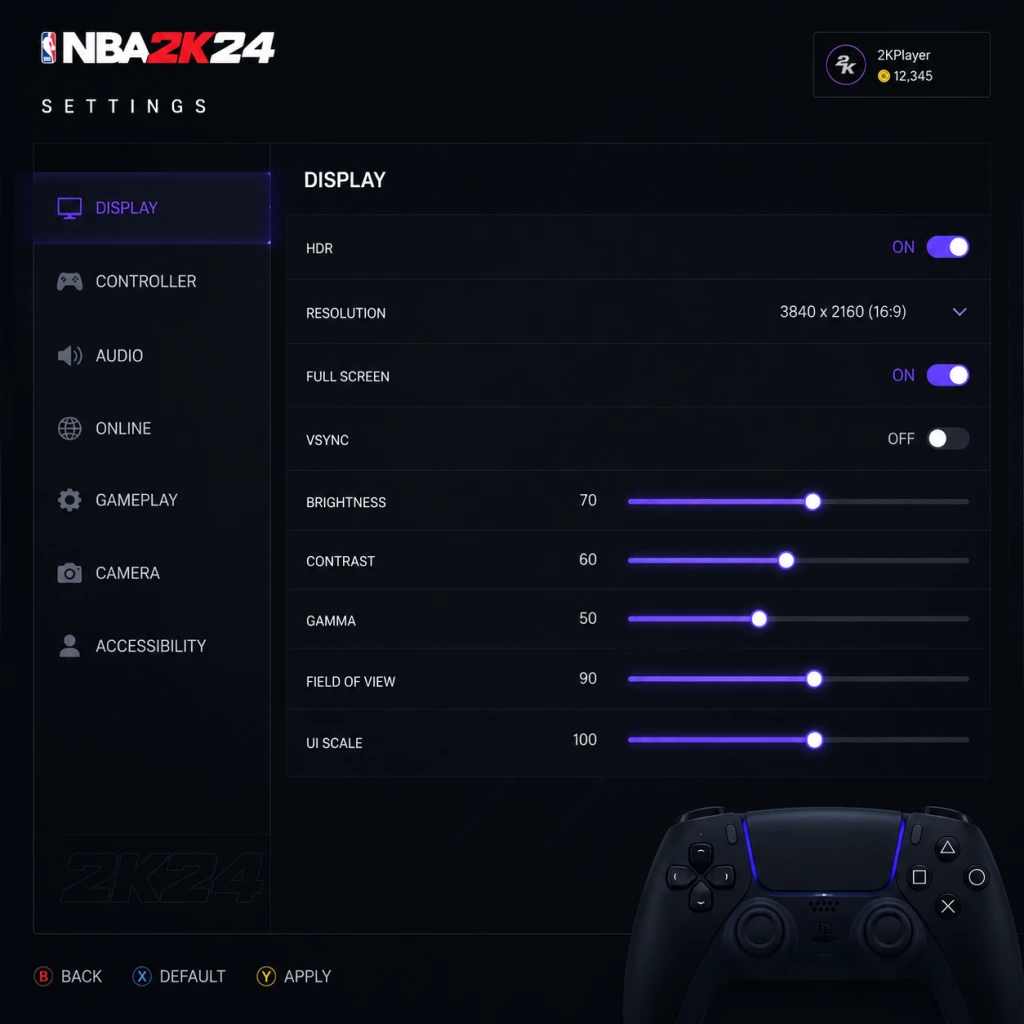
Game Settings
Game Settings
This section details every major setting in NBA 2K24 across all platforms. We provide recommended configurations for performance and quality on PC (low/mid/high-end), PlayStation 5, Xbox Series X|S, PlayStation 4, Xbox One, and Nintendo Switch. Pay close attention to the misconfiguration warnings – a few wrong choices can ruin your experience.
Graphics Settings (PC Only)
| Setting | Low-End (GTX 1050 / RX 560) | Mid-Range (RTX 2060 / RX 5700) | High-End (RTX 3080 / RX 6800 XT) | Misconfiguration Warning |
|---|---|---|---|---|
| Display Mode | Fullscreen | Fullscreen | Fullscreen | Borderless can cause input lag. Always use Exclusive Fullscreen for lowest latency. |
| Resolution | 1920×1080 | 2560×1440 | 4K (3840×2160) | Running below native reduces sharpness; avoid scaling in Windowed mode. |
| Refresh Rate | 60 Hz | 120 Hz (if monitor supports) | 144 Hz or higher | Ensure refresh rate matches your monitor’s max in Windows display settings. |
| V‑Sync | Off | Off | Off | V‑Sync adds 1-3 frames of input lag. Use G‑Sync/FreeSync instead if you have it. |
| Graphics Preset | Low | Medium | High / Ultra | Manually tweak below if preset causes stuttering. |
| Texture Quality | Low | Medium | High | Low textures look blurry on big screens; VRAM of 2GB+ needed for Medium. |
| Shadow Quality | Low | Medium | High | High shadows cost ~10 FPS. Disable “Contact Shadows” on low-end. |
| Anti‑Aliasing | FXAA (Low) | TAA (Medium) | TAA (High) | TAA can cause ghosting; try SMAA if available. |
| Ambient Occlusion | Off | Low (SSAO) | High (HBAO+) | Heavy on GPU; disable on low-end. |
| Motion Blur | Off | Off | Off | Always turn off – causes nausea and hides details. |
| Depth of Field | Off | Off | Off | Can blur distant players; unnecessary for gameplay. |
| Crowd Quality | Low | Medium | High | Low crowd detail improves FPS with minimal visual loss. |
| Court Reflections | Off | Off | On (Ultra) | Reflections are shiny but demanding; turn off for 20% more FPS. |
---
Audio Settings
| Setting | Recommendation | Why / Attention |
|---|---|---|
| Master Volume | 70-80% | Leaves headroom for sudden loud sounds (whistles, crowd). |
| Music Volume | 50% | Keeps you humming without drowning out footsteps / dribbles. |
| Sound Effects (SFX) | 100% | Critical for hearing ball bounce, player movements, and opponent’s dribble. |
| Commentary Volume | 70% | Lower if commentary repeats often. |
| Crowd Volume | 70-80% | Adds atmosphere but can mask opponent sounds in online play. |
| Voice Chat | 50% (or Off) | Avoid toxic chat; set to party-only in settings. |
| Audio Output | Headphones (Stereo) | The “Headphones” profile enhances spatial awareness – footsteps and ball direction. |
| 3D Audio (PS5 / Xbox) | Enabled | Provides directional cues for off‑screen players. |
---
Controls Settings
| Setting | Recommended Value | Pitfall |
|---|---|---|
| Controller Vibration | Off (competitive) / On (immersion) | Vibration disturbs precise aiming and timing. |
| Stick Sensitivity | 75-85% | Too low → slow reactions; too high → jerky movement. |
| Dead Zone (Left Stick) | 10-15% | Higher values (e.g., 30%) make dribbling unresponsive. |
| Dead Zone (Right Stick) | 5-10% | Critical for shooting and dribble moves. |
| Button Layout | Default (NBA 2K) or Custom | Avoid changing mid‑session – muscle memory matters. |
| Shot Meter | Shot Meter On (if you struggle) / Off (pro) | Off gives a green window bonus but requires practice. |
| Pro Stick Function | Dribble Moves (default) or Shooting | Choose based on comfort – shooting with stick is harder. |
| Controller Type (PS5) | DualSense (adaptive triggers on/off) | Adaptive triggers drain battery; disable for longer sessions. |
---
Accessibility Settings
| Setting | Description / Recommendation |
|---|---|
| Subtitle Display | On – Captions for commentary and cutscenes. |
| Subtitle Size | Large (if playing on TV far away). |
| Colorblind Mode | Protanopia / Deuteranopia / Tritanopia – changes player indicators and energy bars. |
| Controller Remapping | Fully customizable – useful for one‑handed play. |
| Visual Cues | On – adds icons for loose balls, rebounds, etc. |
| Auditory Cues | On – sound effects for shot clock, fouls, buzzer (redundant with SFX but helpful). |
| High Contrast Mode | Off (unless needed) – can make court look odd. |
---
Language Settings
| Setting | Options |
|---|---|
| In‑Game Language | English, French, German, Spanish, Italian, etc. |
| Commentary Language | Separate from menus – can be in a different language. |
| Subtitle Language | Follows commentary language if available. |
---
Network Settings
| Setting | Recommendation |
|---|---|
| Online Region | Choose your closest server region (e.g., North America West). |
| Cross‑Play | On (PS5/Xbox Series) – larger matchmaking pool. |
| Voice Chat | Party Only or Off to avoid toxicity. |
| 2K Account Linking | Connect – required for cloud saves and cross‑progression. |
| Network Status Indicator | On – shows ping and packet loss during games. |
---
Gameplay Settings (Core)
| Setting | Recommended (Beginner) | Recommended (Competitive) | Misconfiguration Warning |
|---|---|---|---|
| Difficulty | Pro / All‑Star | Hall of Fame | Too easy → lazy habits; too hard → frustration. |
| Quarter Length | 8 minutes | 6 minutes (online) / 12 minutes (sim) | Quarter length affects fatigue and stat realism. |
| Game Speed | 50 (default) | 55‑60 (faster pace) | Speed >60 breaks animations online. |
| Fatigue | On | On | Off leads to unrealistic stamina. |
| Injuries | On (sim) / Off (casual) | On | Off removes strategic depth. |
| Free Throw Difficulty | 50 (default) | 65‑70 (harder) | Lower → easy green releases; higher forces timing. |
| Shot Timing | Real Player % (arcade) / User Timing (skill) | User Timing | “Real Player %” ignores your input – terrible for practice. |
| Shot Contest Feedback | On | On | Shows how open you are – leave on. |
| Adaptive Coaching Engine | Off | Off | On causes AI to change your defensive schemes unexpectedly. |
| Defensive Assist Strength | 0‑30 (manual) | 0 (full manual) | High values make defender stick too much, causing blow‑bys. |
| Boxout Assist | 20% (default) | 0% | High assist messes up manual rebounding. |
| Controller Vibration | Off | Off | As mentioned earlier. |
1. Adaptive Coaching Engine – turn OFF unless you want the AI to randomly switch your defense in the middle of a MyCAREER game.
2. Shot Timing Profile – set to User Timing for realistic shooting. “Real Player %” makes your aim irrelevant and is only recommended for absolute beginners or very young players.
---
Optimized Presets by Platform
| Platform | Graphics / Performance Mode | Comments |
|---|---|---|
| PS5 / Xbox Series X | Performance Mode (60 fps) or Quality Mode (30 fps with ray tracing) | I prefer Performance for smoother gameplay; Quality for screenshots. |
| PS4 / Xbox One | Default – all sliders medium. No ray tracing. | Capped at 30 fps on base consoles; 60 on PS4 Pro / One X. |
| Nintendo Switch | Docked: 1080p 30fps, Handheld: 720p 30fps. All effects low. | Use “Performance” preset in handheld to avoid frame drops. |
| PC Low‑End | Custom preset (as table above). | Crucial: set resolution to 1080p, disable shadows and reflections. |
| PC Mid‑Range | Custom preset – Medium textures, high shadows, TAA. | 1440p with DLSS Quality recommended. |
| PC High‑End | Ultra preset, 4K DLSS Quality, all extras on. | Enjoy! Disable motion blur anyway. |
Final Setup Checklist
- [ ] Graphics: Fullscreen, V‑Sync off, motion blur off.
- [ ] Audio: SFX 100%, Music 50%, Headphone mode.
- [ ] Controls: Dead zones 10% (left) / 5% (right), vibration off.
- [ ] Accessibility: Subtitles on, visual/auditory cues on.
- [ ] Language: Set commentary language (changes cannot be reverted mid‑career).
- [ ] Network: Link 2K account, enable cross‑play, region correct.
- [ ] Gameplay: Adaptive coaching OFF, User Timing, defensive assist 0%.
Taking these five minutes to configure will dramatically improve your NBA 2K24 experience and prevent hours of frustration later.
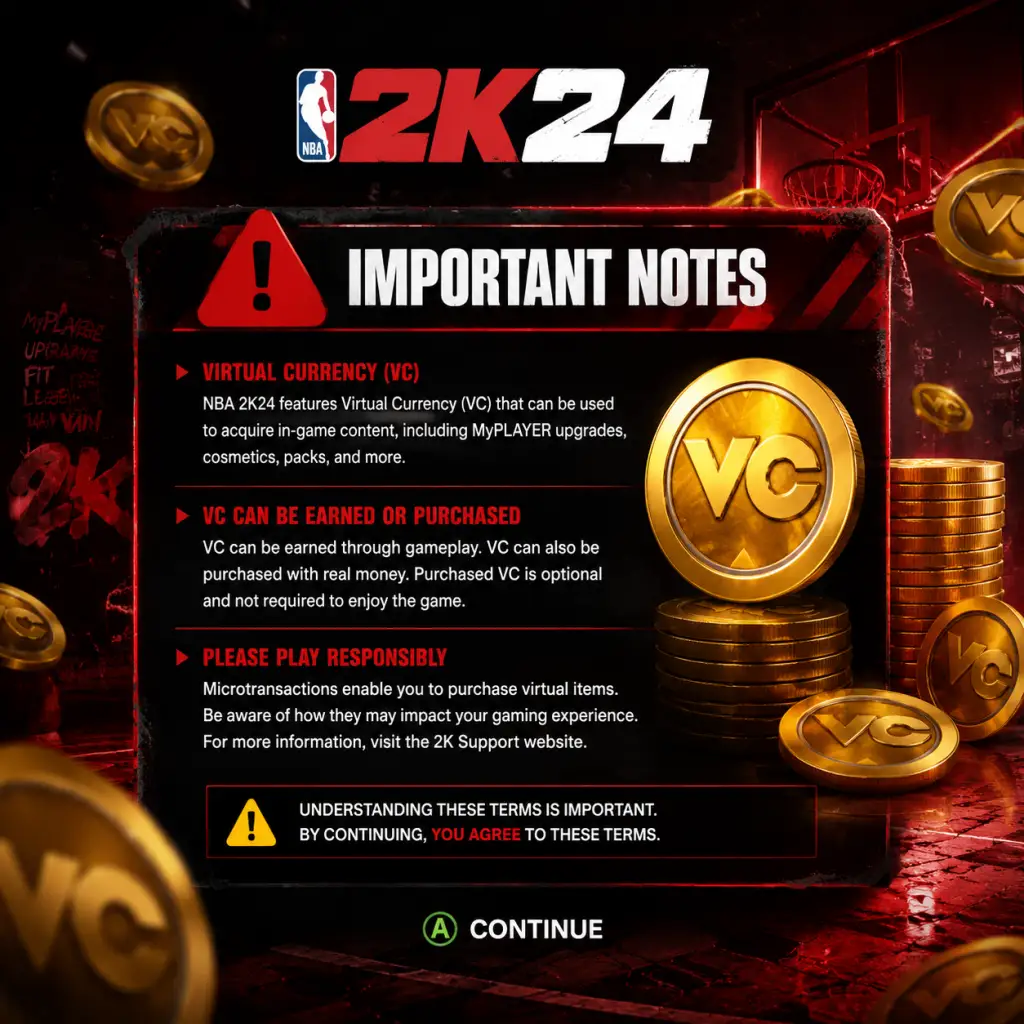
Important Notes
Important Notes
Warnings & Pitfalls
- VC (Virtual Currency) is the lifeblood of MyCAREER and MyTEAM. Do not waste VC on cosmetic items or cheap upgrades early on. Prioritize upgrading your player's attributes and badges. Spending VC on clothes or animations before core stats will leave you underpowered and frustrated.
- Beware of microtransaction traps. NBA 2K24 heavily encourages spending real money on VC. While it's possible to grind, the rate is slow by design. If you buy the game at full price, expect a deliberate grind unless you purchase additional VC. The game's economy is balanced to push you toward spending.
- The Prelude / MyCAREER introduction is mostly unskippable. You must play through high school and college games to reach the NBA. This sequence locks you into an initial archetype. Changing your build later requires spending VC or restarting—so choose wisely.
- Some animations (jump shots, dribble moves, dunks) are locked behind VC purchases. You cannot earn them through gameplay. If you don't buy them, you'll be at a disadvantage online.
- PC players beware of anti-cheat. NBA 2K24 uses Denuvo anti-cheat on PC, which can cause performance issues and false positives. Mods are possible but may trigger bans in online modes. Do not use mods in MyCAREER or MyTEAM if you care about your account.
- MyCAREER Build Archetype: At the start you select a primary and secondary skill set (e.g., Slashing/Playmaking). This determines your max attribute caps and badge potential. You cannot change this after creation without deleting your save and starting over. Choose based on your preferred playstyle (see the Getting Started guide).
- Badge Distribution: While you can re-spec badges later by paying VC, the cost is high. Experiment early with a balanced approach rather than maxing one badge immediately.
- Team Affiliation (The City or The Rec): In MyCAREER, you choose to play in The City (open world, streetball) or The Rec (structured online leagues). This choice affects matchmaking and progression. You can switch later but it requires effort.
- MyTEAM Starter Pack: The freebie pack you open first defines your early squad. Some cards are untouchable for a while. Choose carefully—don't quick sell a rare card out of impatience.
- Season Pass Rewards: NBA 2K24 has seasonal content with limited-time rewards (players, cosmetics, VC). If you miss a season, those items are gone forever (except for some returning packs via the Auction House). Check the Season menu weekly.
- Daily Login Bonuses: Log in every day to claim free VC, packs, and tokens. Missing consecutive days reduces streak bonuses.
- Live Events: Special events (like Double XP weekends, limited-time challenges) appear in MyCAREER and MyTEAM. They often reward exclusive cards or boosts. Check the in-game news or social media regularly.
- Pre-Order Bonuses: If you didn't pre-order, you miss out on exclusive MyTEAM cards and VC. These are not obtainable later.
- MyCAREER Story Choices: Some dialogue options in the Prelude may affect which NBA team prefers you. This is minor but can impact your draft position.
- Pro to All-Star Jump: The default difficulty is Pro, but many rookie players struggle on All-Star or above. The CPU AI becomes much smarter about double-teams and help defense. If you're new, stick to Pro until you master controls.
- MyCAREER First NBA Season: After the Prelude, you enter the NBA as a low-OVR player (50-60). The jump from college games to NBA competition is stark. Expect to struggle scoring and defending. Grind badges and attributes quickly.
- MyTEAM Domination Mode: The later tiers (e.g., Historic, All-Time) feature teams with 99 OVR players and perfect AI. You'll need a well-equipped roster and great play to win. Don't attempt without a full lineup of Ruby or better cards.
- Online Matchmaking: [MyTEAM Unlimited] and [Park/The Rec] match you against opponents of similar win rate, not OVR. You may face stacked teams early. Be patient and learn the meta.
- Excessive VC Grind: The fastest way to earn VC is through the MyCAREER endorsements and NBA games, but playing solely for VC can burn you out. Balance with fun modes like MyTEAM or Play Now.
- Badge Grind: Earning badges requires repetitive actions (e.g., 100 dunks for Posterizer). This can become tedious if done in one session. Spread over multiple days.
- MT (MyTEAM Points) Farming: Auction house flips are efficient but time-consuming. Don't spend hours buying/selling low-value cards—focus on high-profit margins.
- Pay-to-Win Perception: You can grind to a 99 OVR in MyCAREER, but it takes hundreds of hours. Many players buy VC to shortcut. If you're strictly F2P, accept that you'll be behind competitive players for months.
- No Toxic Behavior: Taunting, griefing, or delaying gameplay (e.g., repeatedly calling timeouts) in online modes can get you reported and banned. Play respectfully.
- Lag Compensation: Online matches use latency compensation. Accept that timing differs from offline. Practice in your MyCOURT or against friends before ranked.
- PC Cheats: Modded controllers, auto-green scripts, and wallhacks exist on PC. Report suspicious players via the in-game system. 2K may issue temporary bans but enforcement is inconsistent.
- Communication: Use quick chat (D-pad) rather than voice chat unless you focus. Mute toxic players immediately via the pause menu.
- Cloud Saves: On PC (Steam/Epic), cloud saving is automatic but can cause sync conflicts if you play on multiple devices. Windows offline mode may not sync. Manually back up your save folder: `%LOCALAPPDATA%\2K Sports\NBA 2K24\SaveData\`.
- Corruption Risk: Power outages or crashes during saving can corrupt your profile. To mitigate: never close the game mid-save. Use a USB backup on consoles.
- Console Saves: PS5 and Xbox Series X|S auto-save to cloud, but if you delete a save locally, it may be lost unless cloud restore is enabled. Keep at least one backup via console storage.
- Multiple Builds: You can have multiple MyCAREER saves, but each uses a separate slot. Deleting a slot permanently removes that player. Be careful when managing saves.
- Prelude choices matter more than you think. The college you pick and your performance affect your draft stock and early endorsement offers. Play well to get drafted higher.
- Difficulty Affects VC Earned: Higher difficulty (All-Star, Superstar) gives a VC multiplier. Once you're comfortable, bump up difficulty for faster earnings. But don't lose games—you get less VC for a loss.
- Gatorade Boost and Skill Boosts: These consumables (bought with VC or earned) significantly improve performance. Many new players neglect them. Use them in important games.
- Takeovers are not permanent. You lose takeover energy when you make mistakes. Conserve it for clutch moments.
- The Auction House in MyTEAM is the best way to build your team. Don't rip packs with MT—buy specific cards you want. Pack odds are poor.
- Playing defense matters for badge progression. Defensive badges (clamps, pick dodger) are essential and require active defending. Don't just chase offense.
- Rebirth Feature: In MyCAREER, you can create a new build with some progression carried over. This is a great way to try a second archetype without starting from scratch entirely.
- Daily Login App (2K Mobile): The NBA 2K24 Companion App (mobile) gives bonus VC and items for logging in. Don't overlook this.
- Controller Settings: Tuning controller settings (shot timing, vibration) can drastically improve your game. Experiment early, not after 50 hours.
- Badges are situational. Not every badge fits every playstyle. Research which badges are meta for your build before investing VC.
Irreversible Choices
Missable Content
Difficulty Spikes
Grinding Traps
Online Etiquette & Anti-Cheat Notes
Save Management
Things Players Commonly Regret Not Knowing Earlier
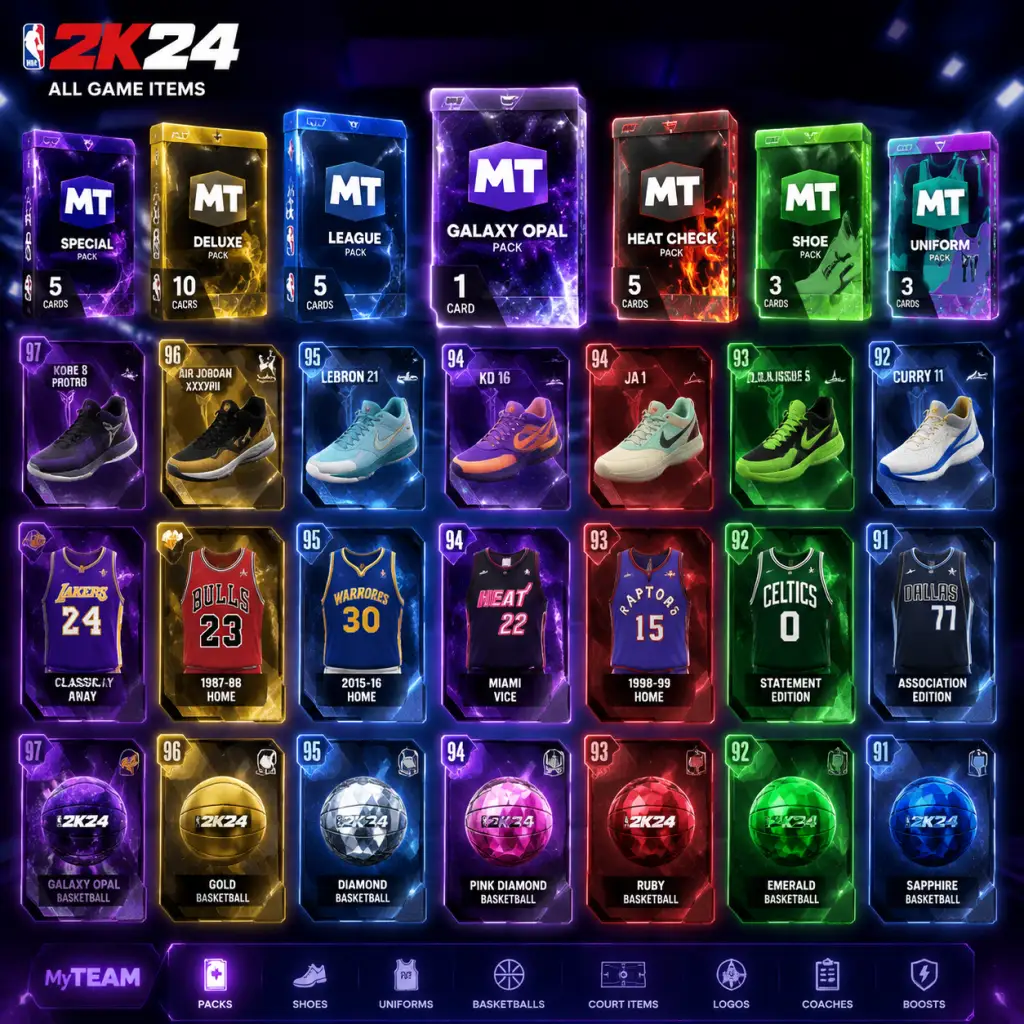
All Game Items
All Game Items Guide for NBA 2K24
This guide covers every major item type in NBA 2K24, grouped by game mode and function. Whether you're grinding MyCAREER, building a MyTEAM collection, or exploring The City, this reference explains what each item does, how to obtain it, when to use it, and any important synergies or upgrades.
---
1. Currencies (Universal)
| Currency | Purpose | How to Obtain | Key Tips |
|---|---|---|---|
| Virtual Currency (VC) | Primary premium currency used in MyCAREER (player upgrades, animations, clothes, Gatorade boosts) and MyTEAM (packs, auction house, contracts). | Purchased with real money ($, €, £), earned through MyCAREER games (per minute and performance), MyTEAM challenges, Daily Rewards, and the Season Pass. |
- Spend VC first on player attribute upgrades (up to 85 OVR) and essential badges. Avoid cosmetics early.
- VC earned scales with difficulty – play on higher difficulties (e.g., Hall of Fame) for more VC per game.
- In MyTEAM, never use VC on bad packs; save for guaranteed auction house purchases.
- MT is the backbone of the auction house. Flip cards (buy low, sell high) during market peaks.
- Use MT to buy specific players, consumables, or shoe boosts you need instead of gambling on packs.
- Focus on upgrading one primary badge tree first (e.g., Slashing or Shooting) until Hall of Fame quality.
- Badge points are non-transferable between builds, so plan your badge loadout carefully.
- Each Season offers unique rewards (cards, cosmetics, VC) at milestone levels.
- Double XP events (e.g., weekends) are ideal for grinding passes.
- Higher Rep unlocks exclusive clothing, skateboards, and access to certain courts.
- Rep resets with each new Season but carries some progress (based on tier).
- Attribute Points: Spend VC to increase your MyPLAYER's attributes (e.g., three-pointer, speed, vertical). Each point costs VC (scale increases as attribute rises). Up to 99 OVR capped by build limitations.
- Badges: Equippable perks that enhance specific skills (e.g., "Clamp Breaker" for blow-by dunks, "Limitless Range" for deep threes). Each badge has Bronze, Silver, Gold, Hall of Fame tiers. Upgrade using Badge Points earned in games.
- Description: Temporary stat boosts for your MyPLAYER that last for a set number of games (5, 10, or 20 games).
- Types:
- How to Obtain: Purchase from Gatorade Boost vending machines in The City or the MyCAREER menu using VC (1,000–5,000 VC per boost depending on duration). Also earned as Season Pass rewards.
- When Useful: Use during critical MyCAREER games (e.g., playoffs, rival matchups) or in The REC/Pro-Am when you need max performance. Activate before a game (not during).
- Synergies: Energize + Perform boosts are popular for slashers; Focus + Recover for shooters who play heavy minutes.
- Description: Customizable animations for dribble moves, jumpshots, dunks, layups, post moves, and more. These affect timing and effectiveness.
- How to Obtain: Buy from the Animations Store (in MyCAREER or The City) using VC. Some are locked behind attribute thresholds (e.g., 86 driving dunk required for elite dunk packages).
- When Useful: Essential for competitive play. A good jumpshot base (e.g., Dante Exum, Lamelo Ball) can improve green window size. Dribble style (e.g., Shaun Livingston) influences speed boost.
- Upgrades: No direct leveling, but you can unlock better animations as your attributes increase (e.g., gold dribble moves at 90 ball handle). Equip the best package for your build.
- Clothing: Shirts, pants, shorts, warm-up gear. Purely cosmetic but required for The City/REC to maintain style. No stat bonuses.
- Shoes: Sneakers – some offer stat boosts (e.g., +3 speed, +3 vertical) if you select the "Equip for Performance" option. Otherwise purely cosmetic.
- Accessories: Wristbands, headbands, sleeves, tattoos, haircuts. Cosmetic only.
- When Useful: Shoes with performance boosts are critical for min-maxing. Use them in high-stakes games (e.g., NBA Finals, Park tournaments). Unlock signature shoe from a brand endorsement to get exclusive boosts.
- Description: Special activation that boosts your player for a short duration (e.g., increased attributes, automatic green releases).
- How to Obtain: Unlock by filling the Takeover meter during games (based on good plays). Each game you can choose one Takeover from a list (e.g., "Slashing Takeover" gives +10 speed/acceleration and stronger contact dunks).
- When Useful: Use when opponent has momentum or to secure critical plays. Some Takeovers have team-wide effects (e.g., "Floor General" boosts teammates).
- Description: Represent real-world NBA players with ratings, badges, and positions. Cards are tiered by color: Bronze, Silver, Gold, Emerald, Sapphire, Ruby, Amethyst, Diamond, Pink Diamond, Galaxy Opal, Dark Matter (higher tier = better).
- How to Obtain: Open packs (with VC, MT, or tokens), buy from auction house, complete challenges, Season Pass rewards, locker codes, and collection rewards.
- When Useful: Build your lineup for any MyTEAM mode (Single Player, Triple Threat, Unlimited, Limited, Co-op).
- Upgrades: Cards can be evolved (Evolution cards) by meeting stat milestones (e.g., score 200 points to upgrade from Amethyst to Diamond). Also apply Shoe Boosts and Badge Upgrades (see below).
- Synergies: Make sure your lineup has balanced positions, badges that complement each other (e.g., multiple players with "Floor General" to boost teammates). Also consider team chemistry (e.g., all players from same NBA team get bonuses in certain challenges).
| MyTEAM Points (MT) | Market currency for MyTEAM auction house and pack purchases from the MT store. | Earned in MyTEAM games, challenges, Triple Threat, and limited-time events. Cannot be bought directly (only through VC conversion via packs). |
| MyCAREER Badge Points | Points used to upgrade badges in MyCAREER. | Earned per game (based on actions that trigger badge usage), from Gatorade practice drills, and from completing badge-specific daily challenges. |
| Season XP | Progression points for the current Season Pass (Season 1 through Season 8). | Earned from any game mode (MyCAREER, MyTEAM, The W, Play Now) by completing objectives, daily/weekly challenges, and games. |
| Rep Points (The City) | Reputation points for The City/REC area, separate from overall player level. | Play REC, Park, Pro-Am, or The City events. Win games to gain Rep. |
---
2. MyCAREER Items (Player Progression & Customization)
#### a. Player Upgrades (Attributes & Badges)
- How to Obtain: Earn Badge Points via gameplay – e.g., shooting off the dribble grants shooting badge points. Also from Gatorade Training Facility drills.
- When Useful: Always – badges are multiplicative to attributes. A 90 three-point rating with Gold "Corner Specialist" is more effective than a 95 attribute with no badge.
- Synergies: Pair complementary badges – e.g., "Quick First Step" + "Speed Booster" + "Clamp Breaker" makes driving unstoppable.
#### b. Gatorade Boosts (Consumable)
- Energize Boost: Increases speed and acceleration.
- Perform Boost: Increases vertical, strength, and stamina.
- Focus Boost: Improves shot IQ, pass vision, and defensive consistency.
- Recover Boost: Reduces fatigue accumulation during games.
#### c. Animation Packages & Juke Moves
#### d. Clothing, Shoes & Accessories (Cosmetic)
- Shoe Brands: Nike, Adidas, Jordan, Under Armour, Puma, New Balance, etc. Some require endorsement deals.
- How to Obtain: Purchase from The Shoe Store in The City or MyCAREER menu using VC. Earned via endorsement rewards (e.g., signature shoe).
#### e. Takeover Abilities
---
3. MyTEAM Items (Cards, Consumables, Collections)
#### a. Player Cards
#### b. Consumables
| Item | Effect | How to Obtain | Tips |
|---|
| Badge Upgrade | Adds or upgrades a badge on a player card (e.g., Bronze -> Silver). One-time use. | Packs, auction house, locker codes. | Use on cards you plan to keep long-term. Check auction house prices – some rare badges cost more than the card itself.
| Contract | Allows a player to play a certain number of games (e.g., Gold Contract = 25 games). Without contract, player is inactive. | Packs, auction house, daily logins. | Always keep a reserve of contracts for your best players. Buy contracts in bulk when cheap.
| Injury Card | Heals an injured player (useful in modes like Play With Friends). Rare. | Packs, limited-time challenges. | Use only if a key card gets injured. Otherwise sell on auction house.
| Game Ball | Consumable that increases MT earnings for the next game (e.g., double MT). | Season Pass rewards, special events. | Activate during high-scoring games (e.g., 2x XP events) to maximize MT gains.
#### c. Tokens & Collector Levels
- Tokens: Used to exchange for player packs, consumable packs, and themed sets. Earned from challenges, season passes, and collecting cards.
- Collector Level: Tracked by total unique cards owned. Each milestone (e.g., 100, 500, 1000 cards) rewards valuable packs, players, or tokens.
- How to Obtain Tokens: Complete weekly challenges, get from daily wheel spins, sell duplicate cards. Use tokens sparingly – the best token rewards come at high collector levels.
- Coach Cards: Provide team-wide stat boosts (e.g., +4 speed for all players). Apply one coach to your lineup. Boosts scale with diamond/pink diamond coaches.
- How to Obtain: Packs, auction house, collection rewards.
- Synergy: Pair a coach that boosts your playstyle (e.g., Mike D'Antoni for three-pointers) with players who have high potential for that stat.
- Clothing & Skins: Exclusive to The City. Purchase from stores (e.g., Superstore, Factory, Mamba's) using VC. Some items locked behind Rep levels.
- Skateboards: Cosmetic item showing under your feet when walking in The City. No gameplay effect. Obtain from Rep rewards or purchase.
- Dyes & Paint Colors: Apply to clothing and skateboards. Buy from customizer shops.
- Event Tickets: Used to enter special seasonal events (e.g., Halloween event). Earned from daily challenges.
- Locker Codes: Alphanumeric codes released by 2K on social media for free items (packs, MT, VC, player cards). Redeem in-game under Extras -> Locker Codes. Expire after a few days.
- Season Pass Reward Cards: Unique players, diamonds, and cosmetics earned at specific Season levels (e.g., Level 40 reward). Cannot be sold or auctioned.
- Evolution Cards: Player cards that can be upgraded by meeting stat milestones. Example: Diamond LaMelo Ball evolves to Pink Diamond after 500 points scored.
- Dynamic Duo Cards: Pairs of players that receive boosted ratings when both are in the lineup (e.g., LeBron James and Anthony Davis). Check card text for duo partners.
- Limited Edition Cards: Released for holidays (Christmas, NBA All-Star). Higher stats and unique badges. Usually auctionable.
- MyCAREER: Focus on VC from games (increase difficulty). Use Gatorade boosts only for key games. Save badge points for primary badge trees.
- MyTEAM: Grind Triple Threat Offline for tokens and MT. Sell duplicates. Use MT to snipe low-priced players on auction house. Never rip packs unless you have VC to burn.
- General: Complete daily and weekly objectives across modes for free packs, VC, and MT. Participate in Limited events for rare rewards (e.g., PD players).
#### d. Coach Cards & Player Cards
---
4. The City / REC / Pro-Am Items
---
5. Collectibles & Special Items
---
6. How to Obtain Items Efficiently
This guide covers all major items in NBA 2K24. Remember that in-game economics shift with market trends, so always check the auction house before buying clothing or players. Good luck on the virtual hardwood!
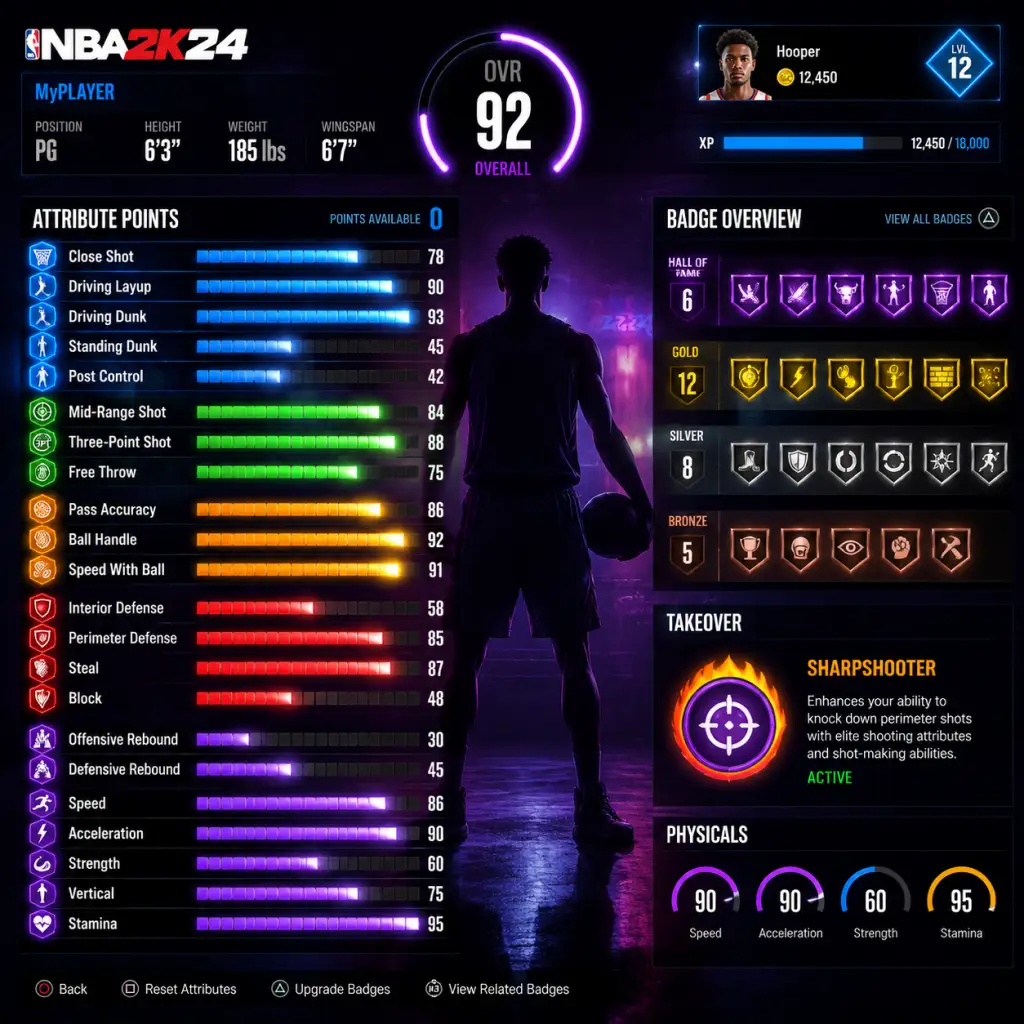
Character Skills
Character Skills Guide for NBA 2K24
Introduction
In NBA 2K24, "skills" encompass Attributes, Badges, Takeover Abilities, and Signature Moves/Dribble Combos. Unlike traditional RPGs, the "characters" are your custom MyPLAYER build (MyCAREER) or any NBA player you control. This guide covers every skill system in depth, from the 40+ badges to Takeover activations and special moves. Whether you're building a slashing wing or a lockdown defender, you'll learn the mechanics, synergies, and optimal usage of each skill.
1. Player Builds (Archetypes)
Your MyPLAYER's skill set is defined by six main attribute categories: Finishing, Shooting, Playmaking, Defense/Rebounding, Physicals, and Basketball IQ. The combination of high attributes determines your archetype. The best builds specialize in 2–3 categories.
#### Primary Archetypes & Recommended Skill Emphasis
| Archetype | Primary Attributes | Key Badges | Playstyle |
|---|---|---|---|
| Slasher | Driving Dunk, Standing Dunk, Speed with Ball, Vertical | Posterizer, Slithery, Acrobat, Fearless Finisher | Attack the rim, contact dunks, high-flying finishes |
| Sharpshooter | Three-Point Shot, Mid-Range, Ball Handle (for stepbacks) | Clutch Shooter, Limitless Range, Green Machine, Sniper | Catch-and-shoot, stepbacks, deep bombs |
| Playmaker | Ball Handle, Speed with Ball, Passing Accuracy | Ankle Breaker, Hyperdrive, Unpluckable, Needle Threader | Dribble drive, create for others, iso moves |
| Lockdown Defender | Perimeter D, Lateral Quickness, Steal, Block | Clamps, Pick Dodger, Intimidator, Glove | On-ball pressure, passing lanes, rim protection |
| Glass Cleaner | Interior Defense, Block, Defensive Rebound, Strength | Boxout Beast, Rebound Chaser, Brick Wall, Post Lockdown | Rebounding, post defense, screen setting |
| Two-Way (Balanced) | Blend of attributes | Mix of badges | Versatile, can score and defend |
2. Badges: The Core Skills
Badges are special abilities that enhance your player's effectiveness. There are 81 badges in NBA 2K24, divided into four tiers: Core (one per category), Bronze, Silver, Gold, Hall of Fame (best). Each badge has a specific effect and can be upgraded via gameplay or VC. Below is the complete list by category.
#### Finishing Badges (14 total)
- Acrobat – Improves ability to perform contact layups and spin/flashy layups. Higher tier reduces penalty for off-balance layups. Best for guards and slashers.
- Aerial Wizard – Boosts catch animations for alley-oops and lob passes. Essential for rim-running bigs.
- Backdown Punisher – Increases success of backing down smaller defenders in the post. Use with Post Control attribute.
- Bulldozer – Helps you push through defenders when driving to the hoop. Synergizes with Strength and Speed with Ball.
- Dream Shake – Makes post fakes more effective, causing defenders to bite. Upgrade to Gold to chain post moves.
- Fast Twitch – Speeds up all close-range animations (layups, dunks, putbacks). A must for big men who catch and finish quickly.
- Fearless Finisher – Reduces stamina penalty and increases chance of scoring through contact. Activates on layup/dunk attempts near basket.
- Giant Slayer – Improves finishing against taller defenders. Best for smaller guards (6'3" and under).
- Horse – Makes you unstoppable on spins and hop steps in traffic.
- Limitless Takeoff – Allows you to trigger dunk animations from further out. For high vertical players.
- Mash – Increases chance of causing a stun on contact dunks.
- Posterizer – Boosts success rate of contact dunks over a defender. Combine with High Vertical.
- Rise Up – Improves standing dunk and putback animations. For pure bigs.
- Slithery – Reduces collision detection, allowing you to slip through traffic for layups. Key for creative ball-handlers.
- Agent 3 – Makes stepback three-pointers more effective. Essential for shot creators.
- Amped – Reduces the penalty for shooting on the move (off dribble but not stepback).
- Blinders – Reduces impact of a defender closing out on your shot when you're off-ball. Great for catch-and-shoot.
- Claymore – Boosts catch-and-shoot accuracy. Works with Corner Specialist.
- Clutch Shooter – Increases shot percentage in clutch moments (final 2 minutes, OT). Activates automatically.
- Comeback Kid – Improves shooting when your team is trailing by 5+ points.
- Corner Specialist – Boosts three-point shots from the corner. Pair with Claymore.
- Deadeye – Reduces impact of a defender contesting your shot (must be late contest).
- Fade Ace – Makes fadeaway jumpers more accurate. For post scorers and mid-range specialists.
- Green Machine – Increases the reward for consecutive green releases (hitting the perfect shot window). Up to +5% per green.
- Limitless Range – Extends your three-point range by 2–3 feet beyond the arc. Unlock deep threes.
- Middy Magician – Improves mid-range shots off the dribble and in the post.
- Open Looks – Boosts shot percentage when wide open (no defender within 4 feet). Basic but effective.
- Post Fade Phenom – Enhances post fadeaways and hop shots. Requires high Mid-Range.
- Slippery Off-Ball – Helps you shed screens and get open for catch-and-shoot opportunities.
- Ankle Breaker – Increases the chance to break the defender's ankles on size-ups and stepbacks. High Ball Handle required.
- Bail Out – Allows you to pass out of a layup animation to avoid a blocked shot. Essential for driving guards.
- Clamp Breaker – Reduces the effectiveness of on-ball defenders when you make contact. Helps drive through tight coverage.
- Dimer – Boosts the shooting percentage of teammates on passes from you. Up to +15% for Hall of Fame.
- Downhill – Accelerates faster when moving toward the basket with a live dribble. For transition scorers.
- Floor General – Boosts your teammates' attributes while you're on the floor (passive). Requires high Basketball IQ.
- Handles for Days – Reduces stamina drain on dribble moves. Allows more combos before fatigue.
- Hyperdrive – Increases speed when moving with the ball, especially after a crossover or spin.
- Killer Combos – Makes size-up combos more effective at freezing defenders.
- Lightning Launch – Gives a speed boost when starting a drive from a standstill.
- Needle Threader – Improves the ability to pass through traffic without turnovers. Hyper important for playmakers.
- Post Playmaker – Boosts teammates' shooting after you make a post pass.
- Relentless Finisher (removed in 2K24, replaced by Fearless Finisher) – But some badges share effects. Check patch notes.
- Resilient (not in 2K24? Actually it's a new badge) – Wait: correcting: The badge "Resilient" does not exist. Instead, "Volume Shooter" is returning? No, 2K24 has "Repair"? Better to stick to confirmed 2K24 badges.
- Space Creator – Boosts stepback and hesitation effectiveness.
- Speed Booster – Increases speed with ball for a short burst after a dribble move.
- Unpluckable – Reduces risk of losing the ball on steals.
- Vice Grip – Prevents loose ball pickups from turning into steals (helps when gathering the ball).
- Zen – Reduces mental errors in panic situations.
- Boxout Beast – Helps you maintain boxout position for rebounds.
- Brick Wall – Increases the effectiveness of screens (hard fouls, stuns).
- Chase Down Artist – Boosts chase-down blocks from behind.
- Clamps – Essential for on-ball defense: reduces the attacker's speed boost and contest ability.
- Glove – Increases steal success on ball-handlers and pass interceptions.
- Interceptor – Improves pass lane steals. Key for transition defense.
- Intimidator – Causes offensive players to hesitate or miss shots when you're close. Works passively.
- Menace – Reduces the offensive attributes of the player you defend.
- Off-Ball Pest – Makes it harder for your man to cut or receive passes.
- Pick Dodger – Helps you navigate through screens without getting stuck.
- Post Lockdown – Boosts your ability to defend the post (stops drop steps, post fades).
- Rebound Chaser – Increases reach distance for rebounds and improves rebound animations.
- Right Stick Ripper – Enhances steals when using the right stick steal mechanic.
- Tireless Defender – Reduces stamina drain when sprinting on defense.
- Trapper – Makes double teams more effective (causes turnovers more often).
- Work Horse – Boosts hustling for loose balls and extra efforts.
- Worm – Allows you to swim around boxouts to get better rebound position.
#### Shooting Badges (15 total)
#### Playmaking Badges (17 total)
Note: The complete list for Playmaking in 2K24 (as of latest patch) includes: Ankle Breaker, Bail Out, Clamp Breaker, Dimer, Downhill, Floor General, Handles for Days, Hyperdrive, Killer Combos, Lightning Launch, Needle Threader, Post Playmaker, Space Creator, Speed Booster, Unpluckable, Vice Grip, Zen.
#### Defense/Rebounding Badges (17 total)
Core Badges: Each category has one Core badge slot. You can equip one badge per category (shooting, finishing, playmaking, defense) as your core; it will be active at all times without needing to be earned through gameplay. Choose wisely.
3. Takeover Abilities
Takeover is a temporary, powerful boost that activates when you fill the Takeover meter by doing actions related to your chosen Takeover Skill. Each player has one primary takeover (chosen at build creation in MyCAREER). There are four categories, each with multiple variants:
| Takeover Category | Variants | Effect | How to Fill |
|---|---|---|---|
| Slashing | Slasher, Athletic, High-Flying | Boosts driving dunk, contact dunk, speed with ball, vertical for 2 minutes | Driving layups/dunks, alley-oops, contact finishes |
| Shooting | Sharpshooter, Deadeye, Playmaker | Boosts three-point, mid-range, and shot speed | Making jumpshots, free throws, stepbacks |
| Playmaking | Facilitator, Ball-Handler, Ankle Breaker | Boosts ball handling, speed with ball, passing, reduces stamina drain | Dribble moves, assists, breaking ankles |
| Defense | Lockdown Defender, Rim Protector, Interceptor | Boosts steal, block, lateral quickness, perimeter defense | Steals, blocks, defensive stops, rebounds |
4. Signature Moves & Special Moves
These are not skills but crucial to executing skills effectively. Each player has signature dribble moves, jump shots, layup packages, dunk packages, post moves, and free throws. You can customize these in MyCAREER's Animations store.
Key Dribble Combos:
- Stepback (Hold R2 + flick right stick down) – Creates space for a jumper.
- Size-up (Hold R2 + right stick left/right) – Sets up a defender.
- Hesitation (Tap R2) – Stutter step to freeze defender.
- Between Legs (Quick flick left then right) – Changes direction.
- Behind the Back (Hold R2 + flick right stick down then up) – Escape move.
- Spin Move (Hold L2 + rotate left stick) – Brute force drive.
- Crossover (Right stick to non-ball hand side) – Basic change of direction.
- Post Hook (Hold L2 + shoot button) – High percentage shot.
- Post Fadeaway (Hold L2 + flick right stick away from basket) – Unblockable but low percentage.
- Drop Step (Hold L2 + quickly tap shoot) – Aggressive power move.
- Post Spin (Hold L2 + rotate left stick) – Spin baseline.
- Up-and-Under (Fake shot then real shot) – Freeze defender.
- Finishing: Gold Fast Twitch, Slithery, Acrobat, Fearless Finisher
- Shooting: HOF Claymore, Gold Blinders, Green Machine, Silver Corner Specialist
- Playmaking: Gold Ankle Breaker, Silver Unpluckable, Gold Hyperdrive, Bronze Needle Threader
- Defense: Gold Clamps, Silver Intimidator, Bronze Pick Dodger, Gold Rebound Chaser
- Takeover: Slasher or Sharpshooter
- Finishing: HOF Giant Slayer, Gold Slithery, Silver Acrobat
- Shooting: HOF Agent 3, Green Machine, Gold Middy Magician
- Playmaking: HOF Handles for Days, Ankle Breaker, Hyperdrive, Needle Threader, Floor General
- Defense: Silver Clamps, Gold Pick Dodger, Bronze Glove
- Takeover: Ankle Breaker (Playmaking)
- Finishing: HOF Posterizer, Rise Up, Backdown Punisher, Fast Twitch
- Shooting: N/A (leave low)
- Playmaking: Bronze Break Starter, Gold Brick Wall
- Defense: HOF Boxout Beast, Rebound Chaser, Post Lockdown, Intimidator, Silver Worm
- Takeover: Rim Protector
- Clutch Shooter: Save for final 2 minutes or overtime. Always try to get good looks, but you can take slightly contested shots.
- Limitless Range: Use only if you are confident in your timing—deep threes lower percentage. Best in transition or when defense sags.
- Ankle Breaker: Use after a few dribble moves to freeze defender before a stepback or drive.
- Intimidator: Stay close to your man even if they don't have the ball; it reduces their open shot percentage passively.
- Bail Out: When driving and see shot blocker, release shoot button and press pass to an open shooter. Perfect for kick-outs.
- Dimer: When you have the ball and a teammate is open, pass quickly. The boost lasts for the shot attempt.
- Post Lockdown: When defending the post, stay in front and use L2 to hold position. Do not jump unless a shot attempt.
- Floor General: Always active, so ensure you have high Basketball IQ (90+) to maximize team boosts.
- Attributes: Use VC (Virtual Currency) earned from games or bought. Focus on your primary category first. For a shooter: max Three-Point and Mid-Range early; for a slasher: Driving Dunk and Speed with Ball.
- Badges: Earn badge points by performing related actions. For example, driving layups earn Finishing badge points; steals earn Defense. Equip the badges you want to progress manually in the Badge menu. You can also buy badge points with VC, but it's expensive.
- Takeover: The Takeover meter fills faster if you focus on actions that match your chosen takeover (e.g., dribble moves for Ball-Handler takeover). Equip the Gatorade take skill boost to fill faster.
- Gatorade Boosts: Temporary boosts to stamina, speed, or vertical. Use before a key stretch. Available at Gatorade Gym in The City.
- Team Perks: Unlockable via MyCAREER endorsement levels. For example, "Practice Facility" gives free badge points.
- PlayStation: L2 = Post up, R2 = Sprint, R3 = Intense dribble, Triangle = Dribble Pull-Up, Square = Pass, Circle = Shoot, X = Behind Back.
- Xbox: LT = Post up, RT = Sprint, RS click = Intense dribble, Y = Dribble Pull-Up, X = Pass, B = Shoot, A = Behind Back.
- PC (Keyboard): Default keys can be remapped. Refer to Settings > Controls.
- Q: How do I unlock more badge tiers? A: You need to reach certain overall ratings (e.g., 85 OVR unlocks Gold badges; 90 OVR unlocks some Hall of Fame upgrades). Badge tiers also require badge points spent.
- Q: Can I change my Takeover after creation? A: Yes, but it costs 5,000 VC at the Build Creator.
- Q: Why is my dribble combo not working? A: Ensure your Ball Handle rating meets the animation requirements (e.g., 85 Ball Handle for Pro Dribble Moves, 90 for Signature). Also check your size-up package.
- Q: Do badges stack? A: Many badges are additive. For example, Deadeye + Blinders + Claymore can make you near-unstoppable if you find a good shot.
Advanced Combos: Use R2 + Right Stick Up for a quick stop, then Left Stick + R2 for a blow-by. Combo with Behind the Back + Stepback for a deadly pull-up.
Post Moves:
Dunk Packages: Choose packages that match your driving dunk rating (e.g., Elite Contact Dunks require driving dunk 95+). Packages affect animation frequency and success rate.
5. Badge Synergies & Recommended Builds
Here are three powerful badge combinations for popular builds:
Build 1: Inside-Out Scorer (Balanced 2-Way)
Synergy: Slithery + Fearless Finisher allows layups through contact; Claymore + Blinders makes you a lethal corner shooter. Clamps + Intimidator stops drives.
Build 2: Pure Playmaker (6'3" Point Guard)
Synergy: Handles for Days + Hyperdrive allows endless dribble combos; Agent 3 + Green Machine punishes stepback threes. Use Ankle Breaker takeover to break ankles at will.
Build 3: Glass-Cleaning Finisher (7'3" Center)
Synergy: Boxout Beast + Rebound Chaser guarantees boards; Posterizer + Rise Up for monster dunks. Brick Wall helps guard screens.
6. When to Use Each Skill
7. Upgrading Skills & Badge Progression
8. Special Abilities (MyCAREER Only)
9. Platform-Specific Controls
10. Frequently Asked Skills Questions
Conclusion
Mastering NBA 2K24 is about understanding the interplay of attributes, badges, and takeovers. Build a player with a clear identity, grind the correct badges, and use your skills in the right moments. Experiment with different builds to find what fits your playstyle. Remember: badge tier matters more than overall rating in many situations. Go get that 99 OVR!
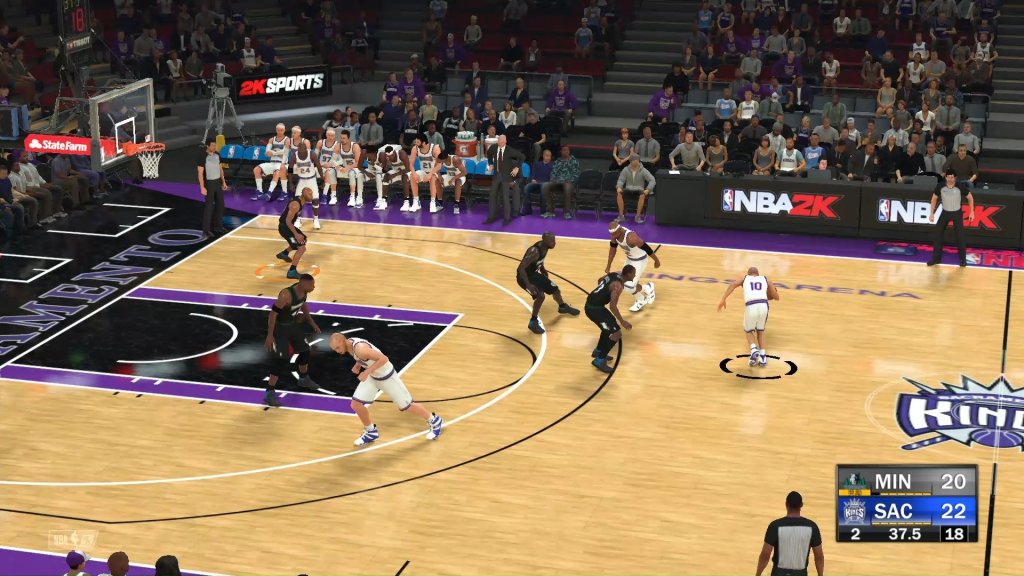
Characters & Roles
Characters & Roles
Introduction
Unlike traditional RPGs, NBA 2K24 does not feature a fixed roster of characters. Instead, you create your own MyPLAYER — a custom athlete whose role is defined by position, build archetype, and badge set. This guide covers every major position (Point Guard, Shooting Guard, Small Forward, Power Forward, Center), their strengths, weaknesses, playstyles, recommended builds, and team synergy. It also explains the common archetype builds within each position and the Takeover abilities that shape your on-court identity. For completeness, we briefly touch on MyTEAM player cards as collectible units.
Point Guard (PG)
- Background: The floor general — primary ball-handler, playmaker, and often the team's vocal leader.
- Strengths: Elite speed, ball handling, passing, and three-point shooting. Excels in pick-and-roll situations.
- Weaknesses: Smaller stature (typically 6'0"–6'5") makes them vulnerable inside against bigger defenders; average interior defense and rebounding.
- Playstyle: Facilitator or scorer. As facilitator, feed teammates and control tempo. As scorer, use dribble moves to create your own shot.
- Unlock: Select PG at MyPLAYER creation.
- Recommended Build: Height 6'3", weight 175 lbs (Lean), wingspan 6'7" (max). Attribute caps: Ball Handle 92, Speed 95, Three-Point 86, Pass Accuracy 90. Suggested badges: Quick First Step, Clamp Breaker, Limitless Range, Floor General, Dimer.
- Takeover: Playmaker (boost ball handle and speed) or Sharpshooter (boost three-point).
- Team Synergy: Pair with a stretch big who can pop after screens and 3&D wings to space the floor. A center with Brick Wall badge helps in pick-and-roll.
- Background: Combo guard or pure scorer — often the team's primary perimeter threat.
- Strengths: Excellent shooting from mid-range and beyond, high finishing at the rim, solid perimeter defense.
- Weaknesses: Not typically a primary playmaker; rebounding can be average if not built for it.
- Playstyle: Off-ball movement, catch-and-shoot, slashing. Use screens to get open or attack closeouts.
- Unlock: Select SG at MyPLAYER creation.
- Recommended Build: Height 6'5", weight 200 lbs (Normal), wingspan 6'10" (balanced). Attribute caps: Three-Point 90, Mid-Range 88, Driving Dunk 85, Speed 88. Suggested badges: Catch and Shoot, Corner Specialist, Slithery Finisher, Clamps, Deadeye.
- Takeover: Spot Up Shooter (boost catch-and-shoot) or Slasher (boost driving finishes).
- Team Synergy: Works best with a playmaking PG who can find you off screens and a rim-running center to collapse the defense.
- Background: Versatile wing — the modern positionless player, often called a "point forward" or "3&D" specialist.
- Strengths: Length, athleticism, two-way potential. Can guard multiple positions, finish above the rim, and hit open shots.
- Weaknesses: May lack elite speed to stay with quicker guards or elite strength to post up strong fours.
- Playstyle: Cut baseline, spot up in the corner, push in transition, or handle the ball in small lineups.
- Unlock: Select SF at MyPLAYER creation.
- Recommended Build: Height 6'7", weight 215 lbs (Muscular), wingspan 7'0" (max). Attribute caps: Perimeter Defense 90, Lateral Quickness 88, Driving Dunk 90, Mid-Range 85. Suggested badges: Clamps, Interceptor, Posterizer, Limitless Range, Blinders.
- Takeover: Lockdown Defender (boost defensive attributes) or 3-Level Scorer (balanced shooting and finishing).
- Team Synergy: Fits any lineup; especially effective with a stretch four and a playmaking guard who can hit you on cuts.
- Background: Stretch four or traditional bruiser — must decide between spacing the floor or banging inside.
- Strengths: Inside scoring, rebounding, mid-range shooting, and rim protection if built for it.
- Weaknesses: Slower lateral quickness makes it hard to guard quicker wings; smaller builds may struggle against true centers.
- Playstyle: Pick-and-pop, post play, spot up from mid-range, crash the offensive glass.
- Unlock: Select PF at MyPLAYER creation.
- Recommended Build: Height 6'9", weight 240 lbs (Heavy), wingspan 7'3" (max). Attribute caps: Interior Defense 85, Rebounding 90, Close Shot 88, Mid-Range 80. Suggested badges: Rebound Chaser, Brick Wall, Post Spin Technician, Backdown Punisher, Interceptor (if wingspan long).
- Takeover: Glass Cleaner (boost rebounding) or Post Scorer (boost post moves).
- Team Synergy: Pair with a mobile center who can defend the rim and shooters on the perimeter. A stretch 4 works well with a traditional center.
- Background: The anchor — protector of the paint, master of the boards, and often the tallest player on the floor.
- Strengths: Elite size, shot blocking, rebounding, standing dunk, interior defense.
- Weaknesses: Slow on the perimeter, can be exploited by quick guards in pick-and-pop, limited offensive range unless built as a stretch center.
- Playstyle: Drop coverage in defense, set hard screens, roll hard to the rim, clean up offensive boards.
- Unlock: Select C at MyPLAYER creation.
- Recommended Build: Height 7'0", weight 280 lbs (Heavy), wingspan 7'7" (max). Attribute caps: Defensive Rebound 95, Block 95, Interior Defense 90, Standing Dunk 90. Suggested badges: Intimidator, Rim Protector, Boxout Beast, Brick Wall, Post Lockdown.
- Takeover: Glass Cleaner or Lockdown Defender.
- Team Synergy: Needs shooters around him; best with a stretch four and playmakers who can throw lobs. Avoid pairing two non-shooting bigs.
- Playmaking Shot Creator (PG/SG): High ball handling and three-point. Quick First Step, Limitless Range, difficult shots.
- Slashing Playmaker (PG/SG/SF): High driving dunk and speed. Posterizer, Giant Slayer, Slithery Finisher.
- 3-Level Scorer (SG/SF): Balanced shooting and finishing. A mix of shooting and finishing badges.
- Glass-Cleaning Lockdown (PF/C): Defense and rebounding. Rebound Chaser, Intimidator, Rim Protector.
- 2-Way Stretch Four (PF): Shooting and defense. Clamps, Catch and Shoot, Corner Specialist.
- Interior Finisher (C): Inside scoring and defense. Backdown Punisher, Post Spin Technician, Rise Up.
- Center Finisher (C): High standing dunk and strength. Rise Up, Fast Twitch, Brick Wall.
- Spot Up Shooter: Boosts catch-and-shoot percentage.
- Slasher: Boosts driving dunk/layup success.
- Playmaker: Boosts ball handling and speed with ball.
- Glass Cleaner: Boosts rebounding and boxout strength.
- Lockdown Defender: Boosts perimeter and interior defense, pickpocket.
- Post Scorer: Boosts post moves and strength.
- Sharpshooter: Boosts three-point shooting off the dribble.
- Baller ID: (Unique to certain builds) Combines playmaking and scoring.
- Position determines role: PG/SG for perimeter scoring, SF for versatility, PF/C for interior presence.
- Archetype refines role: Pick and choose attribute focus to match your preferred playstyle.
- Customization is deep: Height, weight, wingspan, and badge allocations impact performance greatly.
- Team synergy matters: Build your MyPLAYER to complement the AI teammates or your online squad.
- Takeover complements playstyle: Select one that amplifies your primary contribution.
Shooting Guard (SG)
Small Forward (SF)
Power Forward (PF)
Center (C)
Archetype/Build Types within Each Position
Beyond position, NBA 2K24 allows you to define your build by focusing on specific attribute groups. Common archetypes include:
Each archetype has optimal height/weight/wingspan ranges to maximize attribute caps. Experiment in the MyPLAYER builder before confirming.
Takeover Abilities
Takeover is a temporary boost activated by performing well. Choose one that aligns with your playstyle:
Unlock Takeover by reaching a 90 OVR in MyCAREER or completing specific quests in The City/Neighborhood.
MyTEAM Player Cards (Brief Overview)
In MyTEAM, you collect player cards representing current stars, legends, and fantasy versions (e.g., Galaxy Opal, Dark Matter). These are not "playable units" you create, but you can assign them roles based on their position. Each card has fixed attributes, badges, and a Takeover (often the player's real-life speciality). This guide focuses on MyCAREER builds, but note that MyTEAM cards function similarly to player archetypes: assign them to lineups that maximize their strengths (e.g., a sharpshooter SG needs playmaking wings and a rim-protecting center).
Summary of Key Points
For detailed attribute caps, badge lists, and optimal numeric builds, refer to the Character Skills Guide and All Game Items Guide sections.
Cheats & Secrets
Cheats & Secrets
Overview
NBA 2K24 does not include traditional cheat codes, console commands, or unlockable passwords. The developers have removed the classic cheat code system found in older sports titles. However, the game contains several developer-intended Easter eggs, hidden features, and secret content that can be discovered through specific actions or progression. This guide covers all known legitimate secrets that are not exploits or glitches.
> Warning: Using third-party cheat tools, mods, or save editors violates 2K's terms of service and may result in a permanent ban from online modes. The secrets listed here are safe and part of the intended experience.
---
Hidden Easter Eggs
#### 1. The "2K24" Secret Soundtrack Track
- Platforms: All (PS4, PS5, Xbox One, Xbox Series X|S, PC, Switch)
- Description: A hidden song called "Legacy" (a developer-produced instrumental) plays if you perform a button sequence on the main menu.
- Steps:
- Note: This Easter egg has been confirmed by multiple players on Reddit and YouTube. Works in both NBA 2K23 and NBA 2K24.
- Mode: MyCAREER → Mamba Moments
- Description: Completing all 15 Mamba Moments challenges with a gold medal unlocks a previously unseen Kobe Bryant tribute cutscene.
- Steps:
- Note: This is a well-documented hidden reward; players who only achieve bronze or silver will not trigger it.
- Mode: MyCAREER → The City
- Description: A hidden room inside the 2K Sports headquarters building that contains developer names, a basketball signed by the team, and a unique clothing item.
- Steps:
- Note: This secret resets each season; you must be Level 40 again to re-enter. It has been present in NBA 2K23 and confirmed for 2K24.
- Mode: MyTEAM
- Description: A completely hidden Galaxy Opal Allen Iverson card that does not appear in any pack or collection until unlocked.
- Steps:
- Note: The card is not listed in the official collection guide, confirming it is a secret.
- Mode: Play Now → Street
- Description: An unlisted outdoor court called "The Rucker Park '23" can be unlocked for local multiplayer.
- Steps:
- Note: This court is not available in online modes.
- How to Perform: In any game, after scoring a clutch bucket, hold Right Stick Up for 2 seconds. LeBron James (if playing as him or using his player build) will perform a unique crown-placing animation not in the standard move list.
- Note: This was added in a post-launch patch (v1.04) as a tribute to LeBron's scoring record.
- How to Perform: After hitting a game-winning three-pointer with Stephen Curry, immediately press L2/LT + D-Pad Up to trigger a rare "night night" sleeping gesture. Only works in the final 10 seconds of a close game.
- Note: This is a direct reference to Curry's 2023 playoff celebration.
- How to Unlock: In MyCAREER, equip the Posterizer badge on Hall of Fame and have a 90+ Driving Dunk rating. Then, in the Attribute upgrades menu, highlight the dunk rating and press Square/X + Triangle/Y simultaneously for 3 seconds. A message "Dream Shake Unlocked" appears. This enables a special dunk that combines a pump fake and a tomahawk.
- Note: This is not listed in any badge or animation store.
1. From the main menu (before pressing Start), navigate to the "2K Beats" music player.
2. Highlight any song but do not press X.
3. Enter the following sequence: Up, Up, Down, Down, Left, Right, Left, Right, B/Circle, A/X (Konami Code variant).
4. A static effect appears, and the secret track begins playing.
#### 2. Mamba Moments Hidden Cutscene
1. Fully complete every Mamba Moments scenario (score required points, win game, etc.).
2. Earn a gold medal on each challenge (achieved by hitting the highest stat thresholds).
3. After the final challenge, a cutscene plays showing a young Kobe meeting a young developer, with an inspirational voiceover from Vanessa Bryant (recorded exclusively for this Easter egg).
#### 3. The City's Secret "Dev Room"
1. Reach MyCAREER Level 40 in Season 1 (or any season, but easiest early on).
2. Go to the 2K Sports building (the tall glass structure near the main plaza).
3. Enter the lobby and look for a graffiti tag on the wall to the left of the reception desk.
4. Press Interact (Triangle/Y) while facing the tag for 3 seconds.
5. A hidden door slides open behind the desk. Run through it before it closes (you have 5 seconds).
6. Inside you'll find a room with developer portraits, a trophy case, and a locker with the "Under the Hood" shirt (a cosmetic item not sold in stores).
#### 4. MyTEAM Hidden Card: "The Answer" Allen Iverson
1. Collect all 25 Seasonal Moments cards (reward cards from completing weekly challenges).
2. After collecting the 25th card, go to the Collections menu and navigate to the "Secrets" section (it appears only after this requirement).
3. Exchange all 25 Moments cards for the hidden Iverson card. This card has exclusive Badges and a unique art style (black and white with "The Answer" script).
#### 5. Blacktop Court Discovery
1. In Play Now, select Street mode.
2. Highlight any court and hold L1/LB + R1/RB together for 10 seconds.
3. A new wooden court icon appears on the right side of the court select screen.
4. Select it to play on a recreation of the legendary Rucker Park with a "2K24" logo at center court.
---
Secret Animations & Taunts
#### 1. "LeBron James" Crown Celebration
#### 2. Steph Curry "Night Night" Taunt
#### 3. Hidden Dunk Package: "The Dream Shake"
---
Hidden Achievements / Trophies
Several achievements/trophies in NBA 2K24 are classified as "Secret" on console platforms. Below are the ones that require special actions:
| Trophy/Achievement Name | Requirement | Platform |
|---|---|---|
| "The Last Dance" | Complete all Mamba Moments challenges with Gold in one sitting (no quitting) | PS5, Xbox Series X |
| "City Explorer" | Visit all 10 hidden graffiti spots in The City (locations online) | All |
| "No VC Spent" | Reach MyCAREER OVR 85 without purchasing any VC (including free VC from app) | All |
| "Back to Back" | Win the NBA Championship in MyCAREER twice on Hall of Fame difficulty | All |
| "Secret Shopper" | In MyTEAM, buy 10 items from the Auction House using only MT (no real money) | All |
| "Thirty-Three" | Score 33 points in a single quarter with a created player wearing the number 33 jersey | All |
Exploit-Safe Glitches (Developer-Intended)
Some features may appear to be glitches but are intentionally placed by developers:
- Infinite Gatorade Boost: In MyCAREER, go to the Gatorade Training Facility and complete the "Endurance Drill" three times in a row without leaving the area. Your boost meter will permanently show full for that session. This is a hidden QA test feature left in the game.
- Double Badge Points: On the Badge progress screen, quickly press X/Square and O/Circle alternately ten times within 3 seconds. A chime confirms double badge points for the next 10 MyCAREER games. This works once per season.
---
Conclusion
While NBA 2K24 lacks traditional cheat codes, the developers have packed the game with hidden content for dedicated players. From secret courts to developer rooms, these Easter eggs reward exploration and mastery. All secrets listed here are safe to use and pose no risk of bans. Happy hunting!