PlayerUnknown's Battlegrounds
## PlayerUnknown's Battlegrounds (PUBG) – Game Introduction ### Genre & Basics **PlayerUnknown's Battlegrounds** (commonly abbreviated as **PUBG**) is a **battle royale** third-person and first-person shooter developed by **PUBG Studios** (formerly Bluehole Ginno Games) and published by **Krafton...
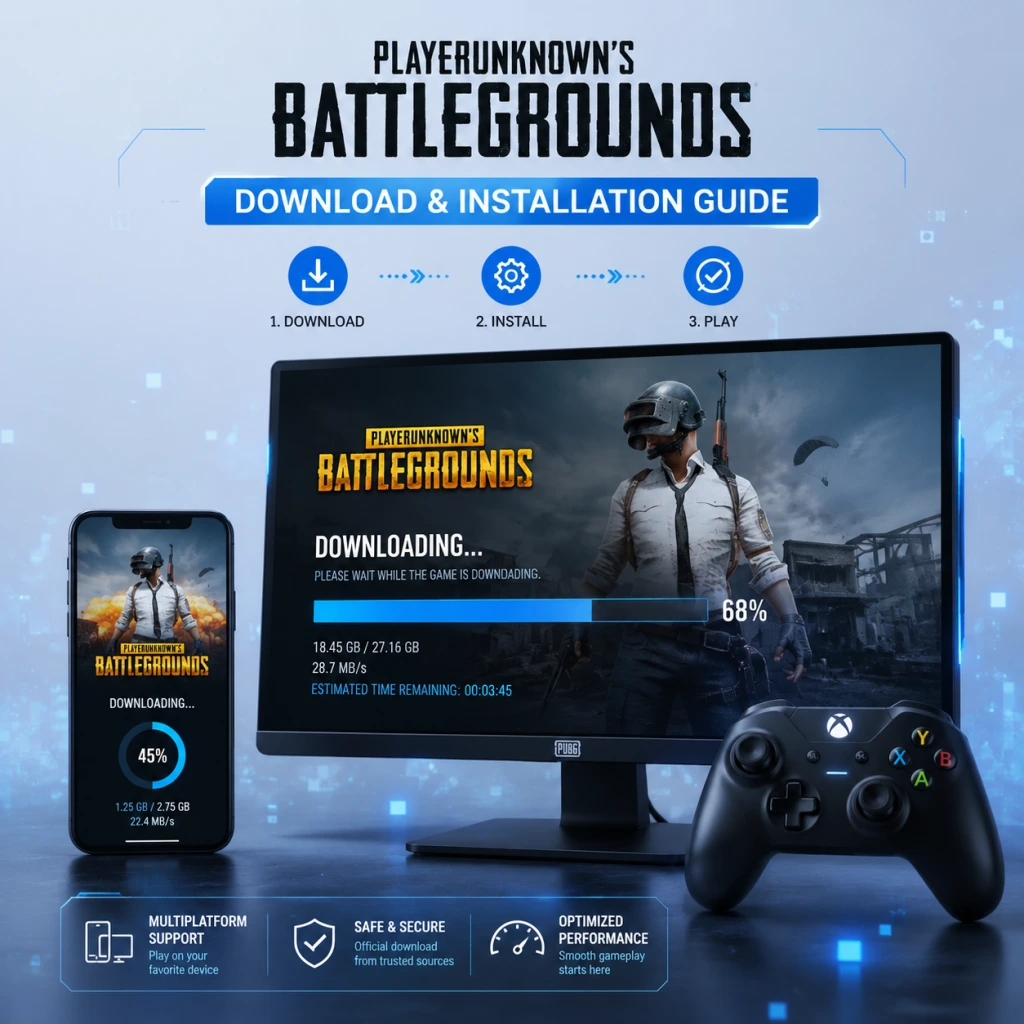
Download & Installation
PlayerUnknown's Battlegrounds (PUBG) – Complete Download & Installation Guide
This guide covers all legitimate ways to download and install PUBG on PC, consoles, and mobile devices. Follow the platform-specific steps below.
---
1. PC: Steam & Epic Games Store
System Requirements
| Component | Minimum | Recommended |
|---|---|---|
| OS | Windows 10 64-bit | Windows 11 64-bit |
| CPU | Intel i5-4430 / AMD FX-6300 | Intel i5-6600K / AMD Ryzen 5 1600 |
| RAM | 8 GB | 16 GB |
| GPU | NVIDIA GTX 960 2GB / AMD Radeon R7 370 2GB | NVIDIA GTX 1060 6GB / AMD Radeon RX 580 8GB |
| DirectX | Version 11 | Version 12 |
| Storage | 40 GB SSD (strongly recommended) | 50 GB SSD |
| Network | Broadband internet | Broadband internet |
Download Sources
- Steam: [store.steampowered.com/app/578080](https://store.steampowered.com/app/578080)
- Epic Games Store: [store.epicgames.com/en-US/p/pubg](https://store.epicgames.com/en-US/p/pubg)
- "Failed to initialize Steam" – Restart Steam as administrator. Update Steam client.
- "The application was unable to start correctly (0xc000007b)" – Install or repair Microsoft Visual C++ Redistributables (both x86 and x64). Download from Microsoft's official site.
- "Missing DLL" errors – Verify game files via Steam: Right-click PUBG > Properties > Local Files > Verify integrity of game files. For Epic: click three dots > Manage > Verify.
- Antivirus blocking – Temporarily disable real-time protection during install. Add PUBG folder to exceptions.
- Slow download – Change Steam/Epic download region to a closer server. Temporarily pause other downloads.
- "Insufficient disk space" – Free up space or move install to a drive with > 40 GB. The temporary download cache may need additional space.
- Black screen on launch – Update GPU drivers. Disable overlays (Discord, Nvidia GeForce Experience). Run game in Windowed mode (add `-windowed` to launch options).
- Check game version: Main menu bottom-right corner shows version number.
- Run a quick training mode (Training Camp) to test graphics and controls.
- Monitor FPS and temperature; adjust graphic settings if needed.
- PS4: Any model (slim, Pro, standard). Requires firmware 6.00 or later.
- PS5: Backward compatible via PS4 version. Native PS5 version not available (PUBG is not separately optimized for PS5).
- Storage: ~33 GB (PS4) / ~35 GB (PS5 with patches).
- Network: PlayStation Plus subscription is required for online multiplayer.
- PlayStation Store – Accessed via console or web: [store.playstation.com](https://store.playstation.com)
- "Cannot download" error – Check network connection. Restart console. Free up storage space (delete old games if needed).
- Corrupted data – Delete partial download from Storage > Saved Data, then re-download.
- PS Plus not recognized – Ensure subscription is active in Account Management.
- Stuck at "Copying" – Wait; it may take 10–15 minutes as the system installs patches. Do not turn off console.
- The game should appear in your library with version number.
- Test connectivity by joining a solo match.
- Check for any pending game updates in the Game Library.
- Xbox One: All models (S, X, original).
- Xbox Series X|S: Backward compatible, but no native next-gen version. Runs in backward compatibility mode with enhancements (faster load times on Series).
- Storage: ~33 GB.
- Network: Xbox Game Pass Core (formerly Xbox Live Gold) is required for online multiplayer.
- Microsoft Store – Available on console or web: [www.xbox.com/en-US/games/pubg](https://www.xbox.com/en-US/games/pubg)
- "Installation stopped" – Check network; clear persistent storage: Settings > System > Storage > Clear local saved games (does not delete saves).
- "Queue not progressing" – Restart console. Pause and resume download.
- "You need Game Pass Core" – Ensure subscription is active; sometimes signing out/in fixes it.
- Game won't start – Hard reset console (hold power button 10 sec). Update console firmware.
- The game tile shows correctly. Launch and check main menu version.
- Play a quick match to confirm online functionality.
- Check for updates in My Games & Apps > Updates.
- Nintendo Switch: All models (original, OLED, Lite). Lite requires Wi-Fi for initial download.
- Storage: ~8.0 GB (smaller due to lower resolution textures).
- Network: Nintendo Switch Online subscription is required for online multiplayer.
- Nintendo eShop – Accessible from console or web: [ec.nintendo.com](https://ec.nintendo.com)
- "Not enough free space" – Delete unused software from Data Management. The download requires about 8 GB, plus additional for patches.
- Download speed slow – Place console in dock or near router; use wired adapter if possible.
- eShop error codes (e.g., 2813-...) – Reboot console, check internet. Sometimes need to re-add payment method (even for free games, Nintendo requires a payment method on file).
- No online play – Verify Nintendo Switch Online subscription is active.
- Game launches to main menu. Check version in options.
- Test a solo match to confirm online.
- Lower graphics may cause occasional lag; this is normal for Switch.
> Important: PUBG is free-to-play on all PC platforms (since January 2022). No purchase required.
Step-by-Step Installation (Steam)
1. Install Steam – Download from [store.steampowered.com/about](https://store.steampowered.com/about) and install it. Create or log into your Steam account.
2. Search for PUBG – Open Steam client, click the Store tab, search "PlayerUnknown's Battlegrounds".
3. Click "Play Game" (free-to-play).
4. Choose installation location – Select a folder on your SSD with at least 40 GB free space.
5. Wait for download – The game size is ~32 GB (as of 2025). Download time depends on your internet speed.
6. Launch after download completes – The game will install additional files automatically.
Step-by-Step Installation (Epic Games Store)
1. Install Epic Games Launcher – Download from [store.epicgames.com](https://store.epicgames.com). Log in or create an Epic account.
2. Go to Store – Search "PUBG: Battlegrounds".
3. Click "Get" – The game is free. It will be added to your library.
4. Click Library – Find PUBG and click Install.
5. Select install location – Choose an SSD folder.
6. Let it download – File size ~32 GB.
7. Launch from library – First launch triggers additional setup.
Common Installation Errors on PC
Post-Install Verification (PC)
---
2. PlayStation (PS4 / PS5)
System Requirements
Download Source
Step-by-Step Installation
1. Turn on console – Connect to internet.
2. Sign in to your PSN account. Ensure PlayStation Plus is active (if not, purchase a subscription).
3. Open PlayStation Store – Search "PUBG: Battlegrounds".
4. Select the game – It is free-to-play.
5. Click "Download" – Confirm purchase ($0.00).
6. Wait for download – The game will automatically install once downloaded.
7. Launch from home screen – After installation completes.
Common Installation Errors (PlayStation)
Post-Install Verification (PlayStation)
---
3. Xbox (One / Series X|S)
System Requirements
Download Source
Step-by-Step Installation
1. Connect console to internet.
2. Sign in to your Xbox profile with an active Game Pass Core subscription.
3. Open Microsoft Store from home.
4. Search "PUBG: Battlegrounds".
5. Click "Get" or "Install" – It is free-to-play. The button may say "Install with Game Pass" but no purchase is needed.
6. Select install location – Choose internal storage or external drive (SSD recommended).
7. Wait for download & install – Automatic once download completes.
8. Launch from home screen.
Common Installation Errors (Xbox)
Post-Install Verification (Xbox)
---
4. Nintendo Switch
System Requirements
> Note: The Switch version has reduced graphics quality and lower frame rate (30 FPS). It also does not receive updates as frequently as other platforms.
Download Source
Step-by-Step Installation
1. Connect Switch to the internet.
2. Log into your Nintendo Account with active Nintendo Switch Online subscription.
3. Open eShop from home menu.
4. Search "PUBG: Battlegrounds" (also listed as "PlayerUnknown's Battlegrounds").
5. Click "Free Download" – Confirm.
6. Wait for download – The game is prepped for installation automatically.
7. Launch from home screen – The icon appears after download.
Common Installation Errors (Switch)
Post-Install Verification (Switch)
---
5. Mobile (iOS & Android)
System Requirements
| Platform | Minimum | Recommended |
|---|---|---|
| iOS | iPhone 6S (iOS 11.0) | iPhone 11 or newer (iOS 14+) |
| Android | Android 5.1, 2 GB RAM | Android 7.0+, 4 GB RAM, GPU: Adreno 530 / Mali-G71 or better |
| Storage | ~2.5 GB (base) + 1.5 GB updates | ~4 GB total |
Download Sources
- iOS: Apple App Store – search "PUBG Mobile".
- Android: Google Play Store – search "PUBG Mobile". Official APK from [pubg.com](https://www.pubg.com/mobile) also available.
- "Cannot install" insufficient storage – Free up at least 3 GB for the base app plus resources.
- "Download failed" – Switch to Wi-Fi, clear cache of Play Store/App Store, restart device.
- "App not compatible" – Your device may not meet requirements (e.g., Android 5.0 or <2GB RAM). Check specs.
- "Black screen after login" – Force close app, clear cache, restart device. Update GPU drivers (if possible on custom ROMs).
- App opens to login screen. Log in with your preferred method.
- Download the Resource Pack (usually 1.5–2 GB). Ensure you are on Wi-Fi.
- Play a quick match (Classic or Arena) to test controls and network.
- Verify the game launches without errors.
- Check the version number in the main menu (bottom right).
- Ensure online connectivity by selecting a game mode and queuing.
- Monitor performance (FPS, temperature) and adjust settings if needed.
- For PC and consoles, check for optional updates (e.g., HD texture packs).
Step-by-Step Installation (iOS)
1. Open App Store.
2. Search "PUBG Mobile" – Make sure it's the official one by Tencent / PUBG Corporation.
3. Tap "Get" – Authenticate via Face ID or password.
4. Wait for download – The app is ~2 GB; additional resources are downloaded in-game.
5. Open the app – Accept permissions, download additional resources (~1.5 GB) inside the app.
Step-by-Step Installation (Android)
1. Open Google Play Store.
2. Search "PUBG Mobile" – Official app has over 1 billion downloads, by Tencent.
3. Tap "Install" – Accept permissions.
4. Launch after download – The game will download extra resources on first start (about 1.5 GB via Wi-Fi).
5. (Optional) For sideloading: Download the APK from the official PUBG Mobile website and install manually. Enable "Install from unknown sources" in settings.
Account Requirements (Mobile)
You can log in as a guest, but it is strongly recommended to create a PUBG Mobile account (via Facebook, Google, Twitter, or in-game registration) to save progress across devices.
Common Installation Errors (Mobile)
Post-Install Verification (Mobile)
---
6. First Launch Setup (All Platforms)
After installation, the first launch will typically:
1. Display a Terms of Service / EULA – Accept to continue.
2. Set language – Choose your preferred language from the list.
3. Adjust graphics settings – Use the Auto-detect feature or manual settings.
4. Select a region – Choose the nearest available server (NA, EU, Asia, etc.).
5. Create/Log into an account – For consoles, this is your platform account. For PC, you may need to create a Krafton ID (optional, used for cross-inventory linking). For mobile, log in with Facebook/Google/Guest.
6. Download additional resources (especially on mobile and Switch) – This may take several minutes. Do not close the app.
7. Complete tutorial – The game offers a forced tutorial (Basic Training). Complete it to unlock all modes.
> Note: On PC, you can skip the tutorial by going to Settings > Gameplay > Skip Training (after first completion).
---
7. Post-Install Verification Summary
After installation:
---
8. Storage Space Overview
| Platform | Base Game | With Updates (approx.) |
|---|---|---|
| PC (Steam/Epic) | 32 GB | 40–45 GB |
| PS4 | 33 GB | 35 GB |
| PS5 (BC) | 33 GB | 35 GB |
| Xbox One / Series | 33 GB | 35 GB |
| Nintendo Switch | 8 GB | 9 GB |
| iOS | 2.5 GB | 4 GB |
| Android | 2.5 GB | 4 GB |
---
9. Troubleshooting – Universal Tips
- Slow downloads across all platforms: Use a wired connection, close background apps, pause other downloads.
- Game crashes on launch: Update your system software (Windows, console firmware, mobile OS). Reboot device.
- Can't connect to servers: Check PUBG server status on [status.pubg.com](https://status.pubg.com). Reset your router.
- Missing audio or graphical glitches: Update sound/graphics drivers (PC), verify game files, or reinstall.
- Account login issues: Log out of all accounts, reset password, check platform account status.
- PUBG is free-to-play on all platforms. No purchase necessary.
- Cross-play is enabled between console platforms (Xbox, PlayStation, Stadia – though Stadia is gone) but not with PC or mobile.
- Mobile version is a separate game with different mechanics and monetization.
- For the best experience, use a wired internet connection and an SSD.
---
10. Final Notes
If you encounter a problem not listed here, visit the official support page: [support.pubg.com](https://support.pubg.com) or the r/PUBG subreddit.
---
Last updated: October 2025
Game Introduction
PlayerUnknown's Battlegrounds (PUBG) – Game Introduction
Genre & Basics
PlayerUnknown's Battlegrounds (commonly abbreviated as PUBG) is a battle royale third-person and first-person shooter developed by PUBG Studios (formerly Bluehole Ginno Games) and published by Krafton (formerly Bluehole Inc.). The game pits up to 100 players against each other in a last-player-standing deathmatch, where participants parachute onto an island, scavenge weapons and equipment, and fight for survival while a shrinking play zone forces encounters.
Developer & Publisher
- Developer: PUBG Studios (subsidiary of Krafton)
- Publisher: Krafton (global). In China, the game is published by Tencent Games for mobile and PC versions.
- Creator: Brendan Greene ("PlayerUnknown"), who originally created the battle royale mod for ARMA 2 and later ARMA 3.
- Early Access (PC): March 23, 2017 (Steam)
- Version 1.0 (PC): December 20, 2017
- Xbox One (Game Preview): December 12, 2017
- Full Xbox One release: September 4, 2018
- PlayStation 4: December 7, 2018
- Mobile (iOS/Android): March 19, 2018 (PUBG Mobile, developed by Tencent)
- Stadia: April 28, 2020 (service now defunct)
- Epic Games Store: February 2022 (PC)
- Next-Gen consoles: Enhanced versions for PlayStation 5 and Xbox Series X/S released in November 2020.
- PC: Windows (via Steam, Epic Games Store, and official website)
- Consoles: PlayStation 4, PlayStation 5, Xbox One, Xbox Series X|S
- Mobile: Android, iOS (as PUBG Mobile, separately developed by Tencent)
- Cloud: Previously available on Google Stadia (now closed).
- Gunplay & Ballistics: Realistic weapon physics, bullet drop, and attachment system. Skill-based shooting with a high skill ceiling.
- Tension and Survival: Every match offers unique, high-stakes encounters. The shrinking play zone (blue zone) forces strategic movement and engagements.
- Loot & Progression: Randomized loot spawns keep each game fresh. Players must adapt to what they find.
- Teamwork: Squads (2 or 4 players) encourage communication, coordination, and clutch revives.
- Competitive Depth: Professional esports scene with the PUBG Global Championship (PGC) and regional leagues.
- Primary: Hardcore and competitive gamers who enjoy realistic shooters, survival mechanics, and high-stakes gameplay.
- Secondary: Casual players looking for a challenging but rewarding battle royale experience.
- Not for: Those who prefer fast-paced arcade shooters (e.g., Fortnite) or narrative-driven single-player games.
- Battle Royale: Solo (1 player), Duo (2 players), Squad (4 players). Options for first-person (FPP) and third-person (TPP) perspectives.
- Arcade Modes: Short, fast-paced modes like "Mini Royale" (4 teams of 4 on small map), "War Mode" (team deathmatch with respawns), and "Aim Lab" (training).
- Ranked Mode: Competitive ruleset (reduced loot spawns, no auto-aim assist, specific vehicle and zone settings).
- Custom Matches: Players can create private rooms with adjustable settings.
- Training Mode: A test environment for aiming, vehicle handling, and weapon practice.
- Limited-Time Events: Themed modes such as Zombie Survival, Infection, or map-specific events.
- Online Required: Full, persistent internet connection is mandatory for all game features.
- Offline: No single-player or offline capabilities. The game is entirely online multiplayer.
- Server Regions: Multiple regional servers for low ping (Americas, Europe, Asia, etc.).
- Base Game: Paid on PC and consoles (around $30 USD). Mobile is free-to-play with in-app purchases.
- Post-Launch Content: All gameplay updates (maps, modes, weapons, vehicles) are free for base game owners.
- Cosmetic DLC: Players can purchase "Hunter's Kit," special skins, or battle passes (Survivor Pass) that contain cosmetic items. No pay-to-win elements.
- Seasonal Content: Regular updates with new maps, weapons, and quality-of-life improvements.
- Mobile: Functionally separate game (PUBG Mobile) with its own battle pass, events, and exclusive cosmetics.
Release Timeline
Platforms
Story Overview & Setting
PUBG does not have a traditional narrative or campaign. Instead, it provides a soft narrative through its environments and seasonal lore. The game is set on a fictional island called Erangel (the original map), an abandoned Soviet-style territory with remnants of military occupation and abandoned structures. Other maps include Miramar (a desert region), Sanhok (a tropical jungle), Vikendi (a snowy alpine island), Karakin (a small 2x2 km desert map), Taego (a large 8x8 km Korean-inspired map), Paramo (a dynamic 3x3 km volcanic map), Deston (a flooded city map), and Rondo (a 8x8 km Asian-themed map). Each map offers different terrain, weather conditions, and loot distribution. The underlying premise remains consistent: players are air-dropped onto an island and must be the last survivor.
Main Characters
PUBG does not feature named characters with backstories. Players customize their own anonymous soldier with various outfits, skins, and gender options. The game’s lore, if any, is insinuated through map descriptions, weapon skins, and seasonal events—but there are no protagonist or antagonist figures.
Core Appeal
Target Audience
Game Modes
Online & Offline Support
DLC, Expansions & Monetization
What Makes PUBG Unique?
1. Realism over Arcade: Unlike most battle royales, PUBG emphasizes realistic gunplay, bullet travel time, recoil, and inventory management. Vehicle handling is weighty and health system requires bandages, med kits, and boosters.
2. Inventory & Loot Depth: Players manage space by prioritizing armor, ammo, grenades, and healing items. Weapon attachments (scopes, grips, muzzle devices, magazines) significantly alter performance.
3. Map Variety: From 8x8 km Erangel to 2x2 km Karakin, each map offers distinct tactical challenges—open fields, dense urban, mountains, water, and dynamic environments.
4. Sound Design: Cues for footsteps, gunshots, vehicle engines, and zone transitions are critical for survival. Headphones are nearly mandatory.
5. No Respawn Mechanics: On death, players are eliminated from the match unless using the limited-time "Blue Chip" revival system (introduced in later seasons). Standard mode is one life per match.
6. Esports Viability: The game's balance and depth have fostered a thriving competitive scene with large prize pools (PGC 2024: $2 million).
PUBG stands as the pioneer of the battle royale genre, inspiring countless clones but retaining a dedicated fanbase thanks to its unforgiving realism, strategic depth, and constant content updates.
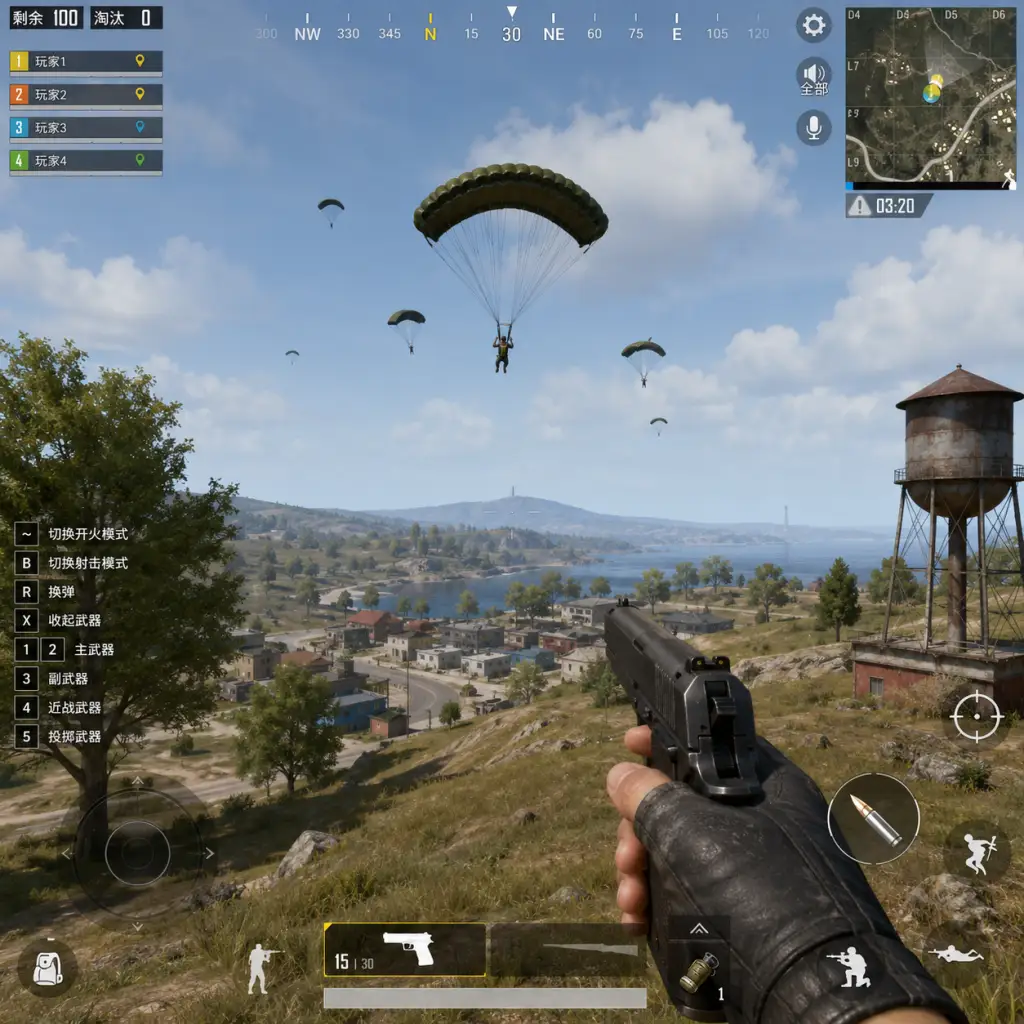
Getting Started
PlayerUnknown's Battlegrounds (PUBG) – Getting Started Guide
This guide is designed for absolute beginners who have just installed PUBG. It covers your first hour, key decisions, controls on all platforms, the user interface, essential early objectives, common pitfalls, and a clear day-one checklist. Follow these steps to survive your first matches and start improving.
---
Character Creation – What You Need to Know
PUBG has no stat-based character creation. You can customize your character’s appearance (face, hairstyle, gender) from the main menu under "Customize" → "Appearance." Changes are purely cosmetic and do not affect gameplay. You can also purchase or earn outfits, which are cosmetic only. Do not spend time on this before your first match – you can change it later.
---
Your First Hour: Step-by-Step Walkthrough
1. Complete the Tutorial (if prompted). The game offers a brief tutorial that teaches basic movement, looting, and shooting. If you skip it, replay it from the main menu ("Training Mode" or "Tutorial").
2. Choose a Game Mode: Start with Solo (no teammates) to avoid pressure. Squad or Duos can be chaotic for a new player.
3. Map Selection: By default, you will play Erangel (the classic map). Stick to Erangel for your first 10 matches – it has clear landmarks and a gentle learning curve.
4. Lobby Phase: You will wait in a lobby for up to 60 seconds. Use this time to check your controls (see below) and listen to the plane countdown.
5. The Plane & Jumping: When the plane crosses the map, a mini-map shows the flight path. Open your parachute early (press the same button as jump again) to glide farther. As a beginner, drop in a low-population area (e.g., small clusters of houses away from the flight path). Avoid named cities like Pochinki or School.
6. After Landing: Immediately run inside a building and find a weapon – any weapon. Even a pistol is better than fists. Loot quickly but do not linger more than 2 minutes. Listen for footsteps and gunshots.
7. The Circle (Blue Zone): The play area shrinks. Check your map (M on PC, Touchpad on Console, map icon on Mobile) for the next safe zone. Plan to move before the blue zone reaches you. The blue zone damages you – it is not instant kill, but avoid staying in it.
8. Engagement Decision: For your first games, avoid unnecessary fights. If you see an enemy far away, let them pass. Focus on survival and learning loot locations.
9. Final Zones: As the circle gets small, stay near the edge of the safe zone. Listen, move slowly, and only shoot when you have a clear advantage or are forced to.
10. Elimination / Chicken Dinner: If you die, spectate and learn. The goal is to finish in the top 10, not necessarily win.
---
Controls – All Platforms
Below are the default controls for PC, PlayStation/Xbox, and Mobile. You can customize these in the settings menu.
#### PC (Mouse + Keyboard)
| Action | Key |
|---|---|
| Move | W, A, S, D |
| Look around | Mouse |
| Aim Down Sights (ADS) | Right Mouse Button (hold) |
| Shoot | Left Mouse Button |
| Reload | R |
| Interact / Pick up | F |
| Jump | Spacebar |
| Crouch | Left Ctrl |
| Prone | Z |
| Map | M |
| Inventory | Tab |
| Use Med | 7 (or drag) |
| Switch weapon | 1, 2, 3, 4 |
| Parachute | Press F again after jumping |
| Action | PS | Xbox |
|---|---|---|
| Move | Left Stick | Left Stick |
| Look | Right Stick | Right Stick |
| ADS | L2 (hold) | LT (hold) |
| Shoot | R2 | RT |
| Reload | Square | X |
| Interact | Triangle | Y |
| Jump | X | A |
| Crouch | Circle | B |
| Prone | Hold Circle | Hold B |
| Map | Touchpad | View button |
| Inventory | Options | Menu button |
| Use Med | Hold Triangle | Hold Y |
| Switch weapon | Tap L1 | Tap LB |
| Parachute | Press X again after jumping | Press A again after jumping |
- Left side joystick for movement.
- Right side drag to look.
- Buttons on screen: fire, scope (hold), jump, crouch, prone, map, inventory (backpack icon).
- Auto-aim is enabled by default; you can disable it in settings for more control.
- Health Bar (bottom center): White is health. Blue bar above it is armor durability. Red bar is boost (energy) – this heals over time when over 75%.
- Ammo & Weapon (bottom right): Current weapon name, ammo count, and fire mode (single/auto).
- Minimap (top left): Shows nearby terrain, enemy gunfire indicators (red markers), vehicle noises (yellow), and footsteps (white circles).
- Kill Feed (top right): Shows who killed whom. Ignore it for now.
- Inventory Screen (Tab on PC, Options/Menu on console, backpack icon on mobile): Shows all loot, gear slots, and attachments.
- Blue Zone Timer (bottom of map area): Time until the circle shrinks again.
- Player List (top of screen during match, usually hidden): Shows remaining alive (e.g., 45 alive out of 100).
- Don’t hot-drop: Avoid popular locations (School, Pochinki, Military Base) until you are comfortable with combat.
- Don’t loot for too long: Loot for 2-3 minutes maximum. After that, the circle will shrink, and you’ll be caught in the blue zone.
- Don’t drive cars loudly across open fields: Vehicles make noise and attract enemies. If you drive, park behind cover.
- Don’t stand still while looting: Keep moving. Crouch or go prone if you must, but do not stay stationary.
- Don’t shoot at every enemy you see: If you are not confident you can kill them, or if they haven’t seen you, let them go. Survival is more important than kills.
- Don’t ignore the map: Always know where the circle is going and how much time you have.
- Don’t use automatic fire at long range: Tap fire (single shots) for accuracy beyond 50 meters.
- Don’t peek the same angle twice: If you shoot from one window, an enemy will pre-aim that spot. Move after shooting.
- Don’t neglect healing: Use bandages or med kit as soon as you take damage and are in a safe spot. Boost (energy drinks/painkillers) when your health is above 75%.
- [ ] Adjust settings: Set mouse sensitivity to a medium level (e.g., 50 for general, 40 for ADS). Turn off motion blur. Set graphics to low/medium for better performance (unless you have a high-end PC). Enable Voice Chat to hear teammates (optional).
- [ ] Audio check: Make sure your headset or speakers work. Enable sound effects at 100%.
- [ ] Complete the tutorial or Training Mode for 10 minutes.
- [ ] Learn the basics of Erangel’s map by pulling up a map image online or using the in-game minimap during the pre-match lobby.
- [ ] Select Solo mode and Erangel.
- [ ] Drop in a low-risk area (e.g., Zharki, Stalber, or small towns near the coast).
- [ ] Survive for 10 minutes – your first goal is to reach the top 30.
- [ ] After your first match, review what went wrong: Did you loot too long? Did you get caught in the blue zone? Did you engage too early?
- [ ] Repeat: Play 5-10 matches, each time focusing on one aspect (looting speed, positioning, or avoiding fights).
- Team up later: After 10-20 solo matches, try Duos or Squad to learn from more experienced players.
- Watch replays: PUBG records your last match. Use the "Replay" feature to see how you died and what you could have done differently.
- Stay calm: Panic kills more than bad aim. Breathe, use cover, and make deliberate movements.
- Keep learning: Watch beginner-friendly YouTube guides (e.g., ChocoTaco or WackyJacky101) for advanced tips on recoil control, circle management, and rotations.
Tip: Spend 5 minutes in the Training Mode (accessible from the main menu) to practice shooting, driving, and parachuting without risk.
---
UI Overview – Understanding Your HUD
---
Essential Early Objectives (What to Do First)
1. Loot a Weapon and Some Armor: The first 30 seconds are critical. Prioritize a shotgun or SMG for close range, then find a vest and helmet (even level 1 is better than nothing).
2. Gather at Least 30-60 rounds of ammo for your main weapon, plus 1-2 med kits and bandages.
3. Check the Map Immediately: Identify the circle’s location. If you are far from it, plan your route – mark a point about halfway.
4. Close All Doors Behind You: This makes houses look looted, deterring other players.
5. Listen and Look: Turn on audio! Footsteps, gunfire, and vehicle sounds are crucial. Use headphones.
6. Move in the Circle: Always head toward the safe zone. Never stay in the blue zone longer than necessary.
7. Pick Up a Backpack: Increases carry capacity. Even a level 1 backpack helps.
8. Learn the Maps: Focus on Erangel first. Use the in-game mini-map to memorize common loot spots and cover.
---
What to Avoid (Common Beginner Mistakes)
---
Early Resource Priorities
When looting, prioritize items in this order:
1. Weapon (any gun) – to defend yourself.
2. Armor (vest & helmet) – increases survivability.
3. Backpack – to carry more loot.
4. Ammo – 60 rounds for AR, 30 for sniper.
5. Healing items – 3-5 bandages, 1-2 med kits, 2 boosts.
6. Attachments – grips, scopes (red dot/holo first), suppressors.
7. Throwables – grenades, smoke (smoke is great for cover).
Do not hoard useless items like multiple pairs of shoes. Drop them when you need space.
---
Day-One Checklist
Before you play your first match, complete this checklist:
---
Final Tips for New Players
Good luck, and see you on the battlegrounds!
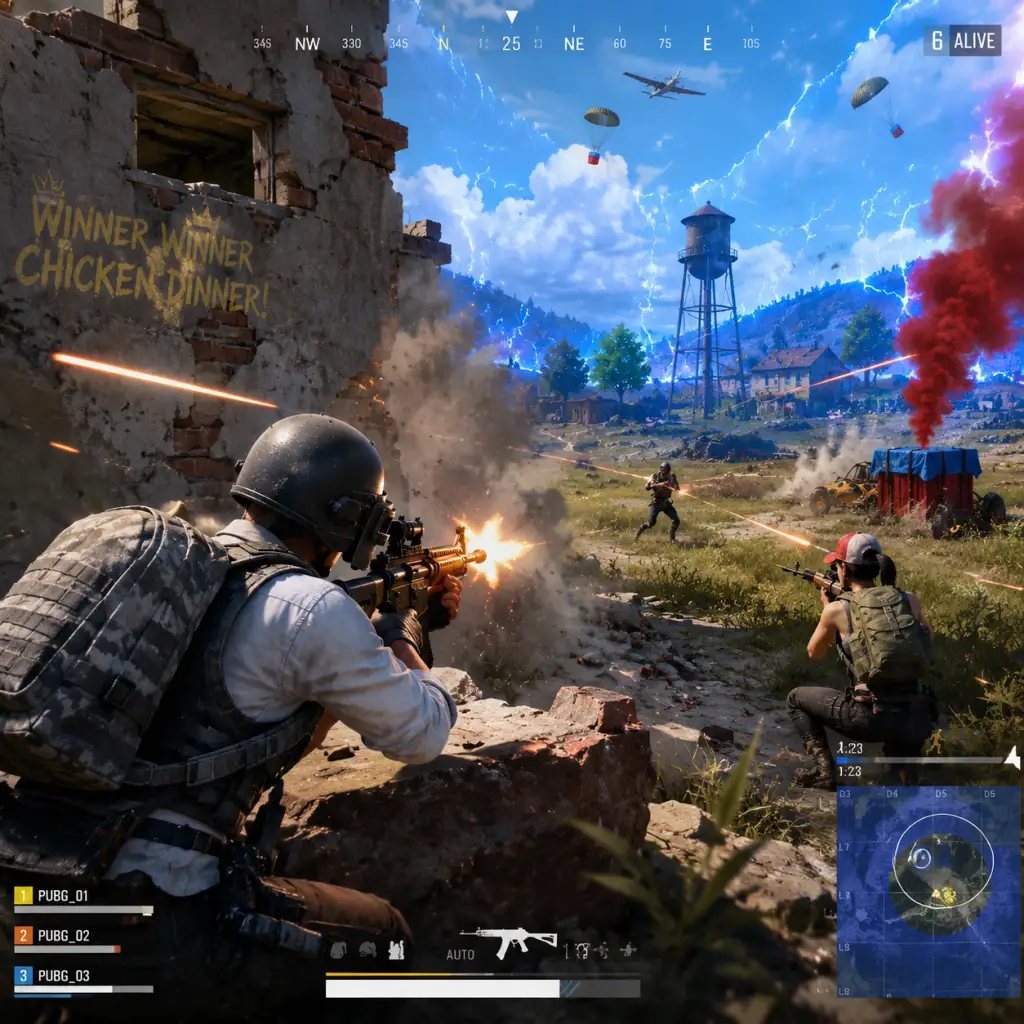
Core Gameplay
PlayerUnknown's Battlegrounds (PUBG) – Core Gameplay Guide
Core Gameplay Loop
PUBG is a last-player-standing battle royale. Up to 100 players parachute onto an island, scavenge for weapons, gear, and vehicles, and fight to be the sole survivor in a shrinking play zone. The core loop is: Loot → Survive → Engage → Adapt → Win. Every match is a self-contained session with no persistent character progression (except for account-level XP and Battle Pass rewards), but the in-match progression is all about gear and positioning.
Key phases in the loop:
1. Drop & Loot – Choose a location, parachute in, and quickly collect weapons, armor, healing items, and attachments.
2. Rotate & Survive – Move toward the safe zone (white circle), avoid or eliminate enemies, manage resources.
3. Engage & Eliminate – Fight other players using third-person or first-person perspective, with realistic ballistics and weapon handling.
4. Endgame Cleanup – In the final circles, positioning and stealth become critical; the last player/team wins.
Progression System
Account Progression (Outside Matches)
- Survivor Level (1–500) – Earned by playing matches. Each level grants a reward crate (free with BP) and occasional cosmetic items. Higher levels unlock more crate types.
- Battle Pass (Seasonal) – Complete daily and weekly missions to earn XP and unlock exclusive cosmetics, G-Coins, and crafting materials.
- Medals & Statistics – Track kills, wins, survival time, etc. No stat-based matchmaking, but visible on your profile.
- Item Tiers – Weapons (Common → Rare → Epic → Mythic via loot spawns or care packages), Armor (Lv1 → Lv3), Helmets (Lv1 → Lv3), Backpacks (Lv1 → Lv3).
- Attachments – Scopes, grips, muzzle attachments, magazines, stocks – each improves weapon handling, recoil, or reload speed.
- Healing & Boost Items – Bandages, First Aid Kits, Med Kits, Painkillers, Energy Drinks, Adrenaline Syringes. Boosts increase health regen and movement speed.
- Currency (In-Match) – No money; only loot. However, you can spend BP (out-of-match currency) to buy cosmetics or weapon skins.
- Aiming Modes – Third-Person (TPS) for wider view, First-Person (FPS) for precision. Most servers allow switching; FPP-only servers exist for hardcore play.
- Weapon Mechanics – Realistic bullet drop, travel time, recoil patterns (vertical/horizontal). Each weapon has unique stats: damage, fire rate, magazine capacity, effective range.
- Damage Model – Body parts matter: head (2x-4x multiplier), torso (1x), limbs (0.5x). Armor reduces damage but degrades with hits.
- Sound & Footsteps – Vital for locating enemies. Use directional audio to hear gunshots, footsteps, vehicle engines, and parachutes.
- Vehicles – Cars, boats, motorcycles, armored UAZ, etc. Use for fast rotations, cover, or ramming enemies. Vehicles make noise and can be damaged/destroyed.
- Interactions – Loot (F/Triangle/Y), opening doors, climbing, vaulting/leaping over obstacles (available since a patch), dragging items on ground or inventory screen.
- Hot Drops – High-tier loot areas (e.g., School, Pochinki, Military Base) with heavy early fights.
- Loot Tiers – Compounds, cities, and named locations have better loot than open fields.
- Care Packages – Air-dropped crates containing exclusive weapons (AWM, Groza, M249) and Lv3 gear. Marked by red smoke and plane sound.
- Blue Zone & Red Zone – The Blue Zone (electric wall) shrinks over time, dealing increasing damage. Red Zones are random bombardment areas – avoid them.
- Daily Missions – Simple tasks like “Loot 3 first aid kits,” “Use 5 boost items,” “Survive 30 minutes total.” Rewards: XP and BP.
- Weekly Missions – Tougher: “Get 5 kills with a sniper rifle,” “Win a match in Duo mode,” “Revive a teammate 2 times.” Rewards: tons of XP, BP, cosmetic items.
- Seasonal Missions – Long-term objectives for Battle Pass tiers.
- Tutorial Missions – Only for new accounts: basic objectives (revive, drive, etc.) that award early BP and items.
- BP (Battle Points) – Earned from matches (placement + kills). Used to buy random crates (Weapon, Survivor, etc.) or some specific cosmetics.
- G-Coins – Premium currency (bought with real money). Used for Battle Pass purchase, premium crate keys, and exclusive skins.
- Crafting System – Combine duplicate skins for a chance at higher-tier items or use schematics to craft specific skins (limited events).
- Workshop (Weapon Paint Kits) – Earn blueprints from events, then spend BP to paint weapon skins.
- Weapon Loadout – Typically one close-to-mid range (AR/SMG) and one long-range (DMR/Sniper). Attachments define performance.
- Armor Priority – Always seek Lv3 helmet (protects head), Lv3 vest, Lv3 backpack. Repair armor with repair kits (if available in event modes).
- Utility Items – Smoke grenades (cover), frag grenades (damage), flashbangs (blind), molotovs (area denial), and stun grenades.
- Consumable Management – Inventory space is limited (backpack capacity by level). Balance ammo, healing, throwables.
- Objective – Land, get decent loot, survive initial fights.
- Actions – Choose dropping point based on playstyle: hot drop for quick kills and high risk, cold drop (remote area) for safe scavenging. Loot buildings quickly, prioritize weapon + ammo > armor > heals. Use earplugs to hear nearby enemies. Stay aware of the first circle.
- Example – Drop at a small compound like “Sosnovka” on Erangel. Loot two houses, get a shotgun and a pistol. Move toward nearest vehicle (Dacia or UAZ) to rotate early if the circle is far. Avoid major gunfights until you have an AR and helmet.
- Common Mistake – Spending too much time looting; better to leave early and secure circle position.
- Objective – Consolidate gear, eliminate nearby threats, position for endgame.
- Actions – Rotate ahead of the blue zone. Use vehicles for cover but avoid driving through open fields under fire. Pick fights only when advantageous (third-party, isolated enemy). Loot killed enemies for upgrades (e.g., swap your weapon for higher-tier or a needed scope). Use boost items to stay at full health and speed.
- Example – You have a fully kitted M416 (red dot, vertical grip, extended mag) and a Kar98k (4x scope). Circle shrinks toward the northern hills. Drive a motorcycle to a ridge, dismount, and scout with a scope. Spot a squad looting a house; launch a grenade to flush them out, then snipe the exposed player.
- Scoring – Every kill gives BP, but survival time matters more for rating. Don't sacrifice position for a risky kill.
- Objective – Survive and eliminate remaining enemies. Positioning is everything.
- Actions – Proning in grass? Use third-person peek behind rocks/trees. Throw smokes to cross open ground. Listen for footsteps, gunshots, and vehicles. Manage inventory: keep at least 2-3 smoke grenades, 1-2 frags, 100 rounds of primary ammo, plenty of heals. The blue zone hits hard; heal with bandaid-plus-boost or med kit. Always have a clear escape route.
- Example – Circle ending in a field with a few bushes. You lie prone and stay silent. Another player shoots from a ridge; you mark his position. Wait for him to engage someone else, then third-party with a spray from your SCAR-L. Relocate after each kill to avoid being spotted. Final 1v1: you use a smoke to cross 20m to a tree, then pop up and hip-fire.
- Win Condition – The last player or team standing wins the chicken dinner. No extra rewards for kills; only placement matters for victory.
- Objective – Review performance, earn rewards, progress Battle Pass.
- Actions – After the match, you get XP, BP, and Battle Pass XP based on placement, kills, and survival time. Check your player stats (kills, damage, etc.). Open earned crates from Survivor Level progress. Complete missions that track while in-game.
- Progression Example – After a 10th place (5 kills), you earn 1500 BP, 5000 Survivor XP, and 300 Battle Pass XP. You level up to Survivor Level 27 and get a free crate. Another weekly mission “Use 5 energy drinks” completes, granting additional Battle Pass tier skip.
- Economy – Save BP for special crates (e.g., during events) or spend on weapon paint kits. Save G-Coins for Battle Pass only if you plan to play a lot.
- Ranked Mode – Season-based competitive mode with a separate ELO rating (based on placement and kills). Higher tiers (Gold -> Platinum -> Diamond -> Master) unlock exclusive rewards. Requires 100+ games to calibrate.
- Arcade Modes – War Mode (respawn team deathmatch), Zombie Survival (PvE), and custom games. These offer alternative ways to practice combat or have fun.
- Technical Training – Use the Training Mode (access from menu) to test weapons on static and moving targets, practice spray patterns, driving, grenade arcs, etc.
- Seasonal Events – Limited-time modes with special rules (like Rage Gear, special weapon sets, or map rotations).
- Community & Competitive – Esports scene (PGC tournaments) with fixed rules. Regular players can join custom lobbies or third-party tournaments.
In-Match Progression (Per Round)
Combat & Interaction Systems
Exploration & Map Design
Maps are large (8x8 km like Erangel/Miramar, 6x6 km like Sanhok, 4x4 like Karakin, or 8x8 snowy Vikendi). Each has distinct biomes and loot distribution.
Quests & Missions (Battle Pass)
Economy (Out-of-Match)
Character/Build Growth
PUBG has no character stats, classes, or skill trees. The “build” is entirely gear-based:
Progression by Player Tiers
#### Early Game (Match Start – First 5 Minutes)
#### Mid Game (5–15 Minutes Remaining – Circle Size 3-5)
#### Late Game (Last 3-5 Circles – Final 20 Players)
#### Endgame (Post-Match & Account Progression)
Endgame Structure (Persistent)
PUBG has no traditional endgame content like raids. Instead:
Key Tips for Each Tier
| Tier | Primary Focus | Smart Loot Priority | Positional Advice |
|---|---|---|---|
| Early Game | Quick loot + safe rotation | Weapon > Helmet > Vest > Backpack > Heals | Land on compound roof or near multiple buildings |
| Mid Game | Gear consolidation + map control | Upgraded armor, 3x-6x scope, suppressors | Stay near the edge of the blue zone to limit exposure |
| Late Game | Stealth + utility usage | Smokes, grenades, extra boost items | Prone only in tall grass; otherwise use hard cover |
| Endgame | Win + mission progress | N/A (post-match) | Use replay to analyze mistakes |
This guide covers PUBG’s core gameplay as of 2025 updates. The core loop remains the same across all maps and modes; adapt strategies based on map layout, circle size, and your personal skill set. Enjoy the chicken dinners!
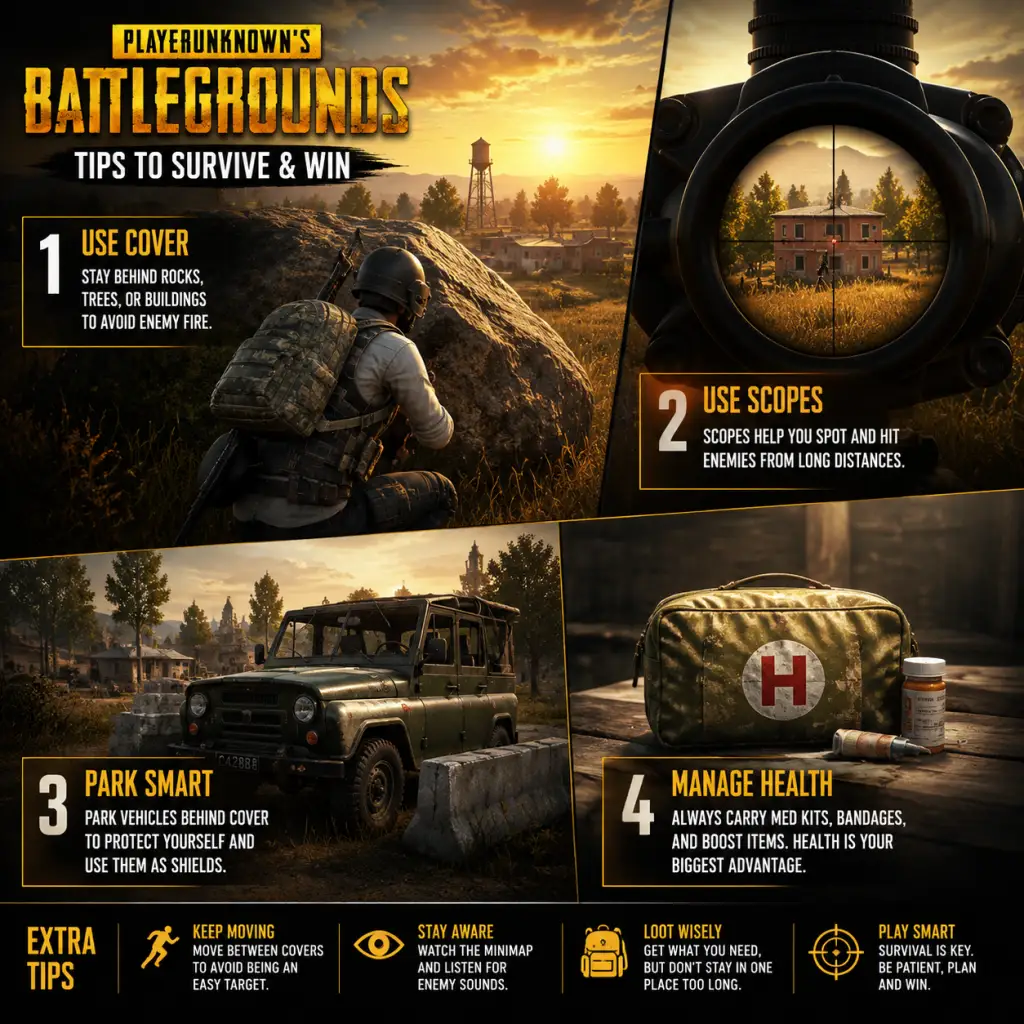
Game Tips
PlayerUnknown's Battlegrounds (PUBG) – Game Tips Guide
A comprehensive collection of tips for players of all skill levels, organized by category. Each tip includes an explanation of why it works and when to apply it.
---
1. General Survival Tips (Beginner)
Tip 1: Land Safely
- Avoid hot drops like School, Pochinki, or Military Base if you are new. Instead, choose isolated compounds or small towns. This gives you time to loot without immediate pressure.
- Why it works: You survive longer, loot at your own pace, and avoid early fights where you may lack gear or experience.
- When to use: Every match as a beginner until you feel comfortable with combat mechanics.
- Never run across open fields without a plan. Use trees, rocks, and terrain contours to move.
- Why it works: PUBG’s high TTK (time-to-kill) means exposed movement gets you killed quickly. Cover gives you a chance to react and heal.
- When to use: During all phases, especially mid-game rotations.
- When entering a building, close the doors you open. This hides your path from enemies and makes the building appear unlooted.
- Why it works: Players often check open doors vs closed ones. Closed doors signal safety and may lure enemies into a trap.
- When to use: Any time you enter a structure, even if you plan to leave quickly.
- For weapons like the M416, SCAR-L, or AKM, switch to single-shot and tap fire for shots beyond 50 meters. This reduces recoil and maintains accuracy.
- Why it works: Automatic spray at range is highly inaccurate. Tapping resets recoil between shots.
- When to use: When engaging enemies not immediately up close.
- Hold Q or E to lean around corners or rocks. This exposes less of your body while giving you a view.
- Why it works: Only your head and shoulder are visible, making you a smaller target. You can shoot without fully exposing yourself.
- When to use: Almost every engagement where you have hard cover.
- Learn the vertical and horizontal recoil pattern of your primary weapon. Pull your mouse down and slightly left or right depending on the weapon.
- Example: The AKM pulls up and to the right. Drag your mouse down-left during a spray.
- Why it works: Mastering recoil allows you to hit consecutive shots, winning duels at medium range.
- When to use: When spraying automatic fire at close to medium range.
- If you know an enemy is behind a wall or door, start shooting a few bullets before you round the corner.
- Why it works: The first bullet has no travel time if you’re already firing; the enemy reacts to your audio/visual cue late.
- When to use: When pushing a known position, especially in buildings.
- Use the inventory grid to drag items fast. Prioritize: Armor > Helmet > Weapon > Ammo > Healing > Attachments.
- Why it works: Time is critical. Looting too long leaves you vulnerable. Good armor and a weapon let you fight or survive.
- When to use: After landing and whenever you enter a new loot area.
- You can hear when someone picks up items within ~10 meters. If you hear loot sounds but no footsteps, an enemy might be near but not moving.
- Why it works: Provides passive intel. You can prepare an ambush or decide to avoid the area.
- When to use: When approaching unknown buildings or compounds.
- Many buildings have loot on top of shelves, in attics (e.g., two-story houses), or on the roof. Use jump or climbing mechanics to reach them.
- Why it works: These spots are often overlooked, giving you higher-tier gear like level 3 helmets or suppressors.
- When to use: While looting any multi-story building.
- Boost items (Energy Drink, Painkiller, Adrenaline Syringe) provide health regeneration and a speed boost. Pop them when you are at 75% health or less, and before engaging a fight.
- Why it works: Boosts increase your effective health and movement speed, giving you an edge in combat. Regeneration can bring you back to 100% HP without using first aid.
- When to use: Before pushing an enemy, after a fight to heal up to full, or when rotating across open ground.
- First aid kits restore 75% HP. In an extended fight, you’ll use them often. Keep a few extra for your squad.
- Why it works: Running out of healing mid-fight is devastating. The weight of a few extra kits is negligible.
- When to use: For any match; adjust based on playstyle (aggressive vs passive).
- Don’t pick up 300 rounds of 5.56 if you plan to use an AKM (7.62). Carry ~150-200 rounds for your primary and 30-60 for a secondary, plus extra for your squad.
- Why it works: Extra ammo weighs you down, slows movement, and is unnecessary. Remove it from inventory.
- When to use: After looting, take only what you need and share with teammates.
- BP is earned per match. Spend on crates in the menu (e.g., Raider, Archaic) rather than on temporary skins. Crates give you items that can be sold on the Steam Marketplace (PC) or used for crafting.
- Why it works: Over time, you can make real money by selling rare skins. Even duplicates can be exchanged.
- When to use: Only buy crates that are profitable; check current market prices.
- G-Coins are premium currency. Only spend them on battle passes if you play enough to complete them. Avoid cosmetic purchases unless you want to support the game.
- Why it works: The battle pass gives you multiple rewards and a chance at exclusive items for a flat fee. Single skins are expensive and don’t help progression.
- When to use: When a new season starts and you plan to play 20+ hours.
- If you get duplicate or valuable skins, list them on the Steam Community Market. Prices fluctuate—sell during new seasons when demand is high.
- Why it works: Passive income. You can reinvest in crates or buy other games.
- When to use: For rare or legendary items; check before listing.
- Sniper + AR (e.g., Kar98k + M416): Best for all ranges. Sniper for long, AR for mid/close. Use a red dot for AR when close.
- DMR + AR (e.g., Mini-14 + Beryl): More flexible than bolt-action. DMR allows quicker follow-up shots.
- SMG + Shotgun (e.g., Vector + S12K): YOLO close-range build. Only viable in urban areas or final circles.
- Why it works: Cover your weaknesses. A long-range weapon paired with a close-range weapon ensures you can fight at any distance.
- When to use: Based on circle placement. If final circles are in fields, sniper+AR; if city, SMG+shotgun.
- For ARs: Compensator > Flash Hider > Suppressor (reduces recoil most). Grip: Vertical Grip for control, but Half Grip or Thumb Grip for quicker ADS.
- For SMGs: Suppressor (keeps you off minimap) is valuable.
- Why it works: Compensator reduces vertical recoil by 25%, making spray control easier. Suppressor hides muzzle flash but doesn’t help recoil.
- When to use: Aggressive players prefer compensator; stealth players might use suppressor.
- Red Dot or Holo for close quarters (<50m). 2x/3x for mid range (50-200m). 4x/6x for long range (>200m). 8x/15x only for snipers.
- Why it works: Higher zoom lowers field of view, making close range fighting harder. Use the appropriate scope for your playstyle and circle phase.
- When to use: Pick up multiple scopes in inventory. Swap depending on engagement distance.
- White circles shrink to a random location. The next circle usually pulls toward the center of the current one, but not always. Watch the timer and plan your move 30 seconds before the blue zone closes.
- Why it works: Being caught in the blue zone deals increasing damage each phase. Early planning avoids damage and gives you position advantage.
- When to use: Always, but especially in phases 2-4.
- When rotating toward the circle, take a wide approach using hills, trees, or buildings. Avoid running straight through open ground.
- Why it works: Reduces risk of ambush. Enemies tend to look toward the center; coming from an unexpected angle gives you the drop.
- When to use: Whenever you move from one cover to another.
- In endgame, hold the highest point inside the safe zone. You have a better view, easier headshots, and harder for enemies to push uphill.
- Why it works: Vertical advantage makes it harder for enemies to hit you and easier for you to spot them.
- When to use: As soon as you can secure the height, especially in phases 5-8.
- Park a vehicle perpendicular to your position, between you and the likely enemy direction. The engine block absorbs bullets.
- Why it works: Vehicles have ~800 HP. A well-placed car can save you from a sniper or act as a mobile shield.
- When to use: In open fields, or when you need to heal under fire.
- Aim for slopes and avoid sudden turns. Learn the physics: the Dacia is fast but slides; the UAZ is heavy and stable. The motorcycle is fast but deadly.
- Why it works: Crashes cause damage and expose you. Smooth driving keeps you alive longer and makes you a harder target.
- When to use: When rotating early or escaping the blue zone.
- If you hit a loot crate inside a vehicle, the driver can’t loot; passengers can. If alone, drive to a safe spot before stopping.
- Why it works: Stopping in open areas to loot from a crate makes you a sitting duck. Better to use the crate as cover after exiting.
- When to use: When you encounter air drops or vehicle loot.
- PUBG’s audio is directional. Footsteps, gunshots, and vehicles come from specific directions. Good headphones give you a huge advantage.
- Why it works: You can pinpoint enemy location within ~10 degrees. React instantly instead of guessing.
- When to use: Always. Never play on speakers.
- Learn the sound of each weapon. An M249 sounds different from an M416. This tells you what range and threat level.
- Why it works: You can infer the enemy’s loadout and estimate distance (e.g., a suppressed weapon sounds muffled).
- When to use: In combat or while looting; helps prioritize threats.
- Press Ctrl to crouch-walk. This reduces your footstep noise dramatically, making it harder for enemies to hear you.
- Why it works: Many players rely on sound to track enemies. Silent movement can allow you to flank or ambush without detection.
- When to use: When inside buildings near enemies, or when you suspect someone is nearby.
- Use the compass direction (e.g., “Enemy at 215, behind the big rock, south of the red house”). Avoid vague calls like “over there”.
- Why it works: Precise callouts allow teammates to react instantly without searching.
- When to use: Every time you spot an enemy.
- If you find a better armor than your teammate, drop yours and let them equip. Similarly, share ammo types when low.
- Why it works: Team survival depends on collective gear. One well-equipped player is better than four with mediocre gear.
- When to use: During looting phases and after fights.
- When a teammate is downed, smoke the area immediately. Use your own body or a vehicle as extra shield while reviving.
- Why it works: Enemies will push the smoke or shoot through it. Thick smoke and hard cover give you time.
- When to use: Whenever a teammate goes down in an exposed position.
- In third-person, when you lean out from cover, you see the enemy before they see you. Use Q/E quickly and shoot while moving back into cover.
- Why it works: The game renders your view first, giving you a split-second head start. This is critical in close duels.
- When to use: In close-quarters combat when you have a corner.
- When rounding a corner, jump and shoot simultaneously. Your head hitbox bobs unpredictably. Crouching during spray reduces recoil but makes you stationary.
- Why it works: Jumping throws off the enemy’s aim because they’re aiming at chest height. Crouching stabilizes your spray.
- When to use: Jump shooting when attacking exposed enemies; crouch spraying when you have cover.
- Always carry one or two smoke grenades and one frag grenade (or flashbang). Smokes are for cover and revives. Frags are for clearing rooms.
- Why it works: Grenades offer utility beyond bullets. They force enemies out of cover, block vision, or finish downed players.
- When to use: Smokes when rotating or reviving; frags when you know enemy position is behind a wall.
- Set Shadows, Post-Processing, and Effects to Low/Very Low. This reduces visual clutter and improves FPS. Keep View Distance to Ultra (to spot far players).
- Why it works: Higher FPS reduces input lag and makes aiming smoother. Low shadows remove dark areas where enemies might hide.
- When to use: Apply always; competitive players use low settings for clarity.
- Bind lean to side mouse buttons. Bind a separate key for “Quick Heal” (e.g., F1). Remove map shortcut to free key near movement.
- Why it works: Dedicated keys reduce time to react. Quick heal automatically uses the best healing item.
- When to use: Set up in practice mode before playing matches.
- Use a DPI of 400-800 and in-game sensitivity of 30-50 for ADS. Lower sensitivity allows finer aim. Find a balance where you can do a 180-degree turn with one swipe.
- Why it works: Consistency in aim. High sensitivity makes fine adjustments difficult. Low sensitivity gives pixel-perfect tracking.
- When to use: Test in the training range until your muscle memory feels natural.
Tip 2: Always Have Cover
Tip 3: Close Doors Behind You
---
2. Combat Tips
Beginner: Tap Fire at Range
Intermediate: Use Third-Person Peek
Advanced: Recoil Control Patterns
Tip: Pre-Fire Corners
---
3. Exploration & Looting
Tip 1: Loot Quickly and Prioritize
Tip 2: Listen for Loot Sounds
Tip 3: Check Attic and Rooftop Loot
---
4. Resource Management (Healing, Boost, Ammo)
Tip 1: Use Boost Items Wisely
Tip 2: Carry at Least 3 or 4 First Aid Kits
Tip 3: Conserve Ammo for Your Main Weapon
---
5. Economy (In-Game Currency, Crates, and BP)
Tip 1: Save Battle Points (BP) for Crates
Tip 2: Don’t Buy G-Coins Often
Tip 3: Sell Items on Marketplace (PC)
---
6. Build & Loadout Optimization
Tip 1: Optimal Weapon Pairings
Tip 2: Attachments Priority
Tip 3: Scope Selection
---
7. Map Knowledge & Rotations
Tip 1: Learn Safe Zones Predictions
Tip 2: Use Flanks, Not Direct Paths
Tip 3: Control High Ground
---
8. Vehicles & Movement
Tip 1: Use Vehicles as Cover
Tip 2: Drive Predictively
Tip 3: Don’t Loot While Driving
---
9. Sound & Audio Cues
Tip 1: Use Headphones
Tip 2: Differentiate Gunshots
Tip 3: Crouch Walking Reduces Sound
---
10. Squad Play & Communication
Tip 1: Call Out Landmarks
Tip 2: Share Loot Efficiently
Tip 3: Revive Under Cover
---
11. Advanced Mechanics
Tip 1: Peeker’s Advantage
Tip 2: Jump Shooting & Crouch Spraying
Tip 3: Shipment of Grenades
---
12. Settings & Optimization
Tip 1: Lower Graphics for Performance
Tip 2: Customize Keybinds
Tip 3: Adjust Mouse Sensitivity
---
Final Words
These tips cover the fundamentals and advanced tactics needed to improve in PUBG. Practice each category separately in matches or the training mode. Good luck, and may the dinner be yours!
Game Settings
PlayerUnknown's Battlegrounds (PUBG) – Game Settings Guide
This guide covers every major settings category in PUBG: Graphics, Audio, Controls, Accessibility, Language, Network, and Gameplay. You will find optimal recommendations for different hardware tiers, explanations of tricky settings, and key misconfiguration pitfalls.
---
1. Graphics Settings
Graphics have the biggest impact on both performance and competitive visibility. PUBG is notoriously demanding; even high-end PCs may struggle on max settings due to poor optimization.
Key Graphics Options
| Setting | Effect | Recommendation |
|---|---|---|
| Resolution | Native resolution (e.g., 1920×1080, 2560×1440). Matches your monitor native. | Always native for clarity. Lower internal resolution via Screen Scale if needed. |
| Screen Scale | Renders the game at a percentage of your resolution. Below 100 increases performance; above 100 uses supersampling (sharpens but kills FPS). | For low-end: 70–80. Mid-end: 100. High-end: 100–120. Do not exceed 100 unless you have a very powerful GPU (RTX 4080+). |
| Display Mode | Fullscreen (best performance), Windowed Fullscreen (alt-tab friendly), Windowed. | Fullscreen for lowest input lag. |
| FOV (Field of View) | Affects how much you see horizontally. Higher = more awareness but smaller targets on screen. | 90–100 for third-person (TPP). 90–95 for first-person (FPP). Higher FOV reduces FPS slightly. |
| Anti-Aliasing | Smooths edges. Options: Very Low, Low, Medium, High, Ultra, FXAA, TAA. | Low or Medium (TAA) — blurs less than Ultra, still reduces jaggies. Very Low is too aliased. |
| Post-Processing | Bloom, lens flare, etc. High settings create visual noise. | Very Low — improves visibility and FPS significantly. |
| Shadows | Dynamic shadows from objects and players. | Very Low — shadows become static blobs, making enemies easier to spot. High shadows cause FPS dips. |
| Textures | Quality of surfaces (ground, walls, items). | Medium for a balance of clarity and performance. Low makes distant objects blurry. |
| Effects | Muzzle flash, explosions, smoke. | Very Low — reduces distracting particle effects and improves FPS. |
| Foliage | Grass, bushes, trees. | Very Low — grass renders farther away as less dense, giving you a major advantage spotting prone enemies. |
| View Distance | How far objects and players are rendered. | Ultra (or High) — you need to see far away players. However, foliage distance is capped regardless; view distance mainly affects buildings, terrain, and vehicles. On low-end, set to Medium. |
| Motion Blur | Blurs screen when moving. | Off — reduces visual clutter and input delay. |
| V-Sync | Synchronizes FPS to monitor refresh rate. | Off — adds significant input lag. Only enable if you suffer from screen tearing and can tolerate lag. |
| Sharpen | Applies an extra sharpening filter. | On (or use Nvidia Freestyle/Reshade for better control). Built-in sharpen is mild but helpful. |
Recommended Presets by Hardware Tier
Low-End PC (e.g., GTX 1050 Ti, 8GB RAM, i5-7400)
- Target: 60 FPS at 1080p
- Screen Scale: 80
- Anti-Aliasing: Low
- Post-Processing: Very Low
- Shadows: Very Low
- Textures: Low
- Effects: Very Low
- Foliage: Very Low
- View Distance: Medium
- Motion Blur: Off
- V-Sync: Off
- Sharpen: On
- Target: 120–144 FPS at 1080p
- Screen Scale: 100
- Anti-Aliasing: Medium (TAA)
- Post-Processing: Very Low
- Shadows: Very Low
- Textures: Medium
- Effects: Very Low
- Foliage: Very Low
- View Distance: Ultra
- Motion Blur: Off
- V-Sync: Off
- Sharpen: On
- Target: 144+ FPS at 1440p (or 4K 60)
- Screen Scale: 100 (120 for 1440p if extra headroom)
- Anti-Aliasing: High (TAA)
- Post-Processing: Very Low (still keep Low for FPS; visual improvement minimal)
- Shadows: Medium (Very Low still competitive, but Medium looks nicer)
- Textures: Ultra
- Effects: Very Low
- Foliage: Very Low (do not increase; competitive disadvantage)
- View Distance: Ultra
- Motion Blur: Off
- V-Sync: Off
- Sharpen: On
Mid-Range PC (e.g., RTX 2060, 16GB RAM, Ryzen 5 3600)
High-End PC (e.g., RTX 4070 Ti, 32GB RAM, Ryzen 7 7800X3D)
Important: PUBG’s Foliage setting is the single most important competitive slider. Always keep it on Very Low to see enemies prone in grass. Shadows on Very Low also help because players cast a clearer, darker blob.
---
2. Audio Settings
Good audio is crucial for directional awareness, hearing footsteps, vehicles, and gunshots.
| Setting | Explanation | Recommendation |
|---|---|---|
| Master Volume | Overall game volume. | 100 (adjust system volume instead) |
| SFX (Sound Effects) | Gunshots, footsteps, explosions, vehicles. | 100 — never lower this. |
| Music | Lobby music, plane, etc. | 0 — music adds no combat advantage and can mask important sounds. |
| Voice Chat | In-game voice with teammates. | Push-to-Talk (recommended) or Voice Activation with threshold. Set push-to-talk key to something accessible (e.g., V). |
| HRTF (Head-Related Transfer Function) | Simulates 3D audio for stereo headphones. Makes sounds come from proper directions (front/back, up/down). | On — required for accurate directional audio. Works best with stereo headphones (not virtual surround). |
| Audio Output Device | Select your headphones/speakers. | Choose the correct device. If using headphones with surround sound, set to stereo in Windows to avoid double-processing. |
---
3. Controls Settings
PUBG offers extensive keybinding customization. Defaults are fine, but small tweaks can improve reaction time.
Important Control Preferences
- ADS Mode: Toggle (press once to aim down sight, press again to release) vs Hold (must hold right mouse to ADS). Most pros use Hold for quicker exit and smoother transitions, but Toggle is easier for beginners.
- Leaning: Set to Hold (Q and E). Toggle leaning is slower.
- Crouch: Set to Toggle (C) — easier to hold positions. For jump-crouching (e.g., through windows), use Toggle.
- Prone: Toggle (Z).
- Peek & Free Look: Free Look is hold Alt — useful for looking around while running in a straight line.
- Sprint: Set to Toggle (Shift) or Hold. Most use Hold to have instant deceleration.
- DPI: Use your mouse’s native DPI (e.g., 800 or 1600). Avoid interpolation.
- In-Game Sensitivity: Start around 30–50 for general look, then adjust per scope.
- Per‑Scope Sensitivity: Does not exist in PUBG; instead, use the Vertical Sensitivity Multiplier (recommend 1.0 for consistency).
- Use a large mousepad (450×400mm) and arm aim for lower sensitivity = better accuracy.
- Stick deadzone: Adjust to remove drift but maintain responsiveness (usually 10–15).
- Aim assist: PUBG has very slight aim assist; keep On but be aware it can pull your aim toward downed players.
- Sensitivity curves: Linear vs Exponential. Linear offers direct 1:1 stick movement; Exponential is more predictable for beginners. Most competitive console players use Linear.
- Set seat switching keys (Ctrl+1/2/3/4) or scroll wheel. Change to comfortable keys to quickly switch driver/gunner.
- Parking brake (Spacebar) – handbrake-turns.
Mouse Sensitivity
Sensitivity is personal, but use these guidelines:
Controller Settings (Consoles & PC)
Vehicle Controls
Misconfiguration Warning: Inverted Mouse
i) Check “Invert Vertical Look” is Off unless you intentionally use inverted.
ii) If your character looks up when you move mouse down, toggle that setting.
---
4. Accessibility Settings
PUBG includes basic accessibility features to help players with visual or hearing impairments.
| Setting | Function | Recommendation |
|---|---|---|
| Colorblind Mode | Changes UI colors (e.g., teammate markers, enemy damage indicators). | Protanopia, Deuteranopia, Tritanopia options. Set according to your needs. Note: This does not change enemy highlight colors. |
| Subtitles | NPC dialogue? PUBG has minimal NPC talk. Not critical. | Off (or On if you want to hear cooking grenade warnings in text). |
| Screen Shake Intensity | Reduces camera shake from explosions or vehicles. | 0% for clarity and reduced motion sickness. |
| Crosshair Color | Customize crosshair color (green, red, yellow, etc.). | Pick a color that contrasts with the environment (often bright green or cyan). |
| UI Scale | Enlarges HUD elements. | 100% is standard. Increase if you have difficulty reading minimap or health bar. |
5. Language Settings
- In the main menu, go to Settings > Language.
- PUBG supports many languages (English, Korean, Chinese, Russian, etc.).
- Changing language requires a restart.
- Voice chat language is separate; you can set preferred voice language in Matchmaking region settings (PC only).
- Ping / Packet Loss Display: Turn On (Settings > Gameplay > Network Debug Statistics). Shows current ping and packet loss in the top-left UI. Essential to monitor connection quality.
- Matchmaking Region: Auto selects lowest ping region. You can manually override (e.g., play NA servers from EU), but expect high ping (150+).
- Use a wired Ethernet connection over Wi-Fi.
- Close bandwidth-heavy applications (streaming, downloads) while playing.
- Configure your router’s QoS to prioritize PUBG traffic.
- For PC, disable Nagle’s algorithm via registry (advanced) or use “-high” launch option to set CPU priority.
---
6. Network Settings
PUBG uses dedicated servers (region based). You cannot change many network settings in-game, but you can adjust system-level settings.
In-Game Network Options
System-Level Recommendations
Misconfiguration Warning: Do not change “Network Smoothing” in GameUserSettings.ini (it does not exist); instead, rely on the debug display and stable internet.
---
7. Gameplay Settings
These affect how you interact with items, the map, and your character.
| Setting | Explanation | Recommendation |
|---|---|---|
| Auto-Equip | Automatically equips weapons/attachments you pick up when you have a free slot. | On — saves time. Be careful not to replace a better attachment accidentally. |
| Auto-Replace Attachments | Replaces current attachments if a better one is picked up (e.g., red dot over iron sights). | On — convenient. Turn off if you prefer manual control. |
| Quick Pickup Menu | When looting, hold a key (default F) to bring up a radial menu of items near you. | On — useful for fast looting. Bind to comfortable key (e.g., F for pickup, the menu appears automatically). |
| Hold/Toggle Crouch | Already covered in Controls. Set to Toggle for easier movement. | Toggle |
| Hold/Toggle Prone | Toggle for staying prone. | Toggle |
| Minimap Rotation | Choose Fixed (north always up) or Rotating (camera direction oriented up). | Rotating — easier to navigate when moving quickly. |
| Minimap Size | Small (default) or Large (press M). Large obstructs view; use small and zoom on M. | Small |
| Crosshair Type | Four presets (Default, Circle, Open Cross, Chevron). | Try each; most prefer Default (crosshair with 4 lines) for precise aiming. |
| Show Blood | For impact feedback. | On — helps confirm hits. |
| Killfeed | Show killfeed in top right. | On — essential for information. |
Special Attention: Vehicle seat switching
- Some players accidentally press `Ctrl+1` when trying to crouch (C). To avoid this, rebind seat keys to something like `F1–F4` or `Ctrl+Q/E`.
- First Launch Configuration: PUBG will prompt you to choose a control type (Type A, B, C). Type A is recommended for most (hold to ADS, toggle for other). Type B uses toggle for all, Type C is hold for all.
- Graphics Preset vs. Custom: Using the Preset slider (Very Low–Ultra) is not recommended because it forces certain combinations (e.g., Ultra preset turns on motion blur and high foliage). Always manually set each option.
- Resolution Change: If you change resolution to non-native, set Screen Scale to 100 again — it resets.
- Console Settings: On PS5/Xbox Series X, you can choose between Performance (target 60 FPS) and Quality (target 30 FPS with better visuals). Always choose Performance for smoother gameplay.
- Mobile Settings: In BGMI/PUBG Mobile, set “Smooth” graphics for maximum FPS and “Extreme” frame rate. Disable “Shadows” and “Anti-aliasing” for visibility.
---
8. Settings That Are Easy to Misconfigure
1. Screen Scale — Accidentally set to 50 results in blurry mess. Keep at 100 for clarity.
2. V-Sync — On adds massive input lag. Always off for competitive.
3. Motion Blur — On reduces ability to track enemies. Off.
4. Inverted Mouse — If your mouse movement feels reversed, check this setting.
5. HRTF Off — Many players don’t know about this; setting it to off makes audio flat and directionless. Ensure it’s ON.
6. Foliage on High — A common mistake. High foliage makes grass opaque and hides enemies. Set to Very Low.
7. Anti-Aliasing on Very Low ++ (FXAA) — FXAA can cause blurriness. Better to use Low or Medium TAA.
8. Network Debug Display — Not enabled by default; you can’t see your ping. Turn it on.
---
9. Special Attention Points During Setup
---
Apply the settings above, then test in a Training Mode or casual match. Fine-tune mouse sensitivity and volume levels to your preference. Once set, lock your `GameUserSettings.ini` to avoid accidental changes.
---
Next Steps: If you haven’t already, check the Getting Started and Core Gameplay guides for maps, loot priorities, and combat mechanics.
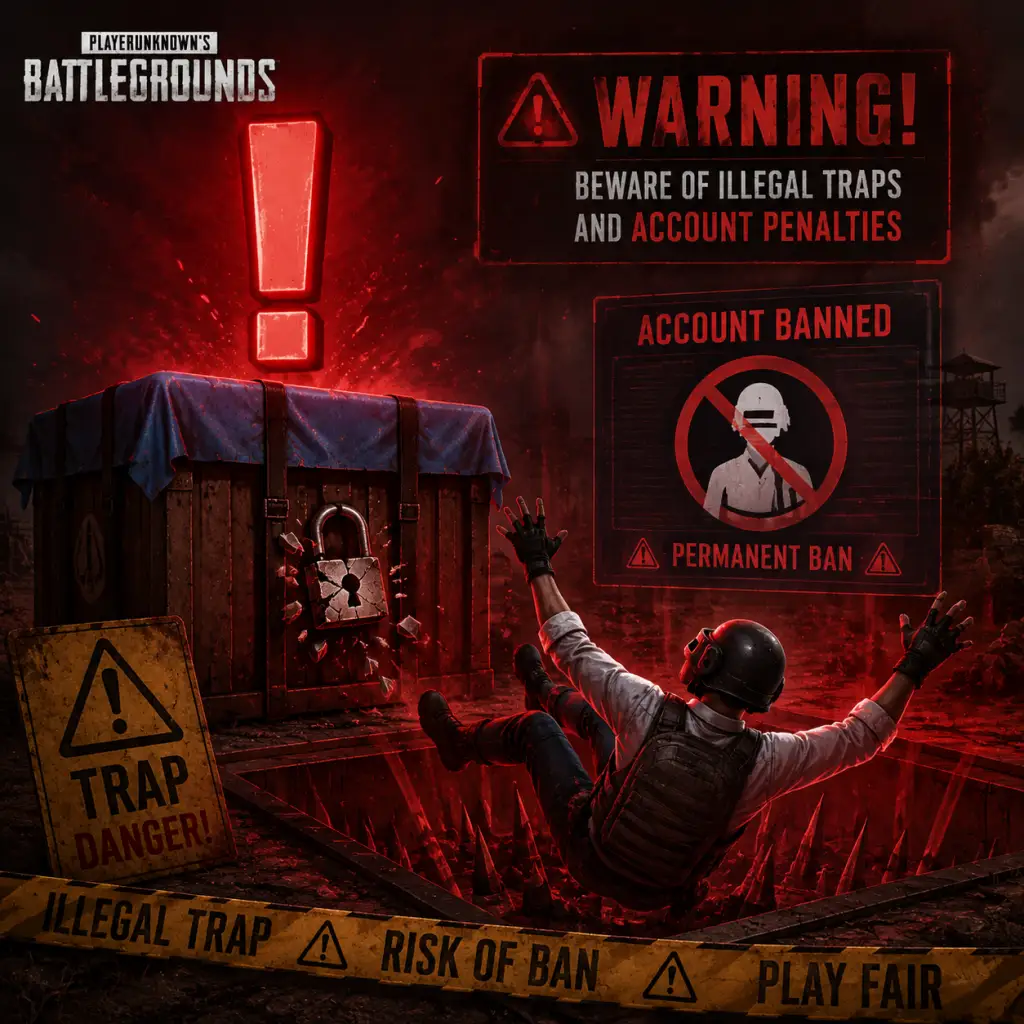
Important Notes
Important Notes for PlayerUnknown's Battlegrounds
This guide highlights the most critical warnings, pitfalls, irreversible choices, missable content, difficulty spikes, grinding traps, online etiquette, anti-cheat notes, save management advice, and things players commonly regret not knowing earlier. Read this before investing significant time to avoid common frustrations.
---
Warnings and Common Pitfalls
- Looting in the open: Never stand still while looting. Keep moving or use cover. Many deaths come from being sniped or third-partied while inventory is open.
- Friendly fire and team kills: In squads/duos, damage to teammates is enabled. Be careful with grenades and vehicle driving. In public matches, toxic players may intentionally team-kill. Report such behavior.
- Fall damage: Any height above a single story can cause damage or death. Don't jump from high ledges unless you have a parachute (pre-round) or are sliding down a steep slope. A 4-story fall is lethal.
- Vehicle traps: Parked vehicles attract attention. They can be shot, explode (especially after taking damage), or be used to bait enemies. Never assume a vehicle is safe.
- Silenced vs unsilenced weapons: Silencers reduce sound but not visibility. Players will still see muzzle flash and bullet trails. Using loud weapons reveals your position to nearby enemies.
- Red zone (bombing area): It deals massive damage. Stay inside buildings or run out quickly. Don't waste time looting in a red zone.
- Blue zone damage: The zone becomes increasingly deadly. Don't get caught outside late circles. Always track the next safe area and move early.
- Third-partying: When you engage a fight, other teams will hear and converge. Finish fights fast and reposition immediately.
- Character name: Your in-game nickname is permanent unless you purchase a Name Change Card (BP or G-Coin). Choose wisely—offensive names may result in bans.
- Region selection: You can change your region, but this affects latency and matchmaking. Switching regions resets some leaderboard progress.
- Platform account linking: If you link your console/mobile account to a PUBG ID, it cannot be unlinked easily. Some events require linking; be deliberate.
- Skin crafting (Workshop): When using the Workshop to upgrade or craft weapon skins, the original skins are consumed. No refunds.
- Battle Pass purchase: Once bought, the pass is non‐refundable. If you don’t play enough to complete it, you lose the invested G-Coin.
- Crate opening: Crates (like Hideout crates) give random items. You cannot trade or sell them (except on Steam Marketplace for certain items, but that's limited). Be prepared for duplicates.
- Limited-time events: PUBG frequently holds special modes (e.g., Zombie Survival, War Mode, RageGear, Fantasy Battle Royale). These are only available for a short period. Check news each update.
- Seasonal Battle Pass items: Exclusive skins, emotes, and sprays are only obtainable during a specific season. After the season ends, they often never return. Grind the pass if you want them.
- Crafting recipes (Workshop): Some skin blueprints are temporary. If you don’t collect required materials during the event, the recipe disappears.
- Survey rewards and Twitch Drops: Occasionally, you can get free skins by completing surveys or watching streams. These are time-gated. Follow PUBG social media.
- Collaboration skins: Cosmetics from movies, shows, or other games (e.g., KIA, McLaren, The Division) are usually one-time offers.
- Early game (Hot drops): Landing in popular areas (School, Pochinki, Hacienda del Patrón) results in immediate fights with only fists/pistols. Expect high chaos – it's a skill check.
- Mid-game loot gap: If you shy away from fights, you may have inferior gear. Conversely, aggressive players snowball. You must balance survival with looting.
- Endgame circles: The final zones are extremely small, forcing close-quarters combat. Lack of cover, healing items, and awareness causes many losses. Practice peeking and grenade usage.
- Vehicle-less rotations: Running in open fields late game is almost guaranteed death. Always secure a vehicle before the 3rd circle.
- Learning weapon recoil: Spraying with automatic weapons (especially ARs like Beryl M762 or M416 without attachments) is very hard initially. Spend time in Training Mode.
- Over‑focusing on Survival Mastery: Leveling your Survival Mastery gives no gameplay advantage—only cosmetic rewards. Don't waste games hiding just to level it.
- Buying too many crates: Crates are RNG-based. You can spend thousands of G-Coin or BP and get mostly duplicates. Set a weekly budget.
- Grinding for weapon prestige medals: Weapon mastery XP is slow, especially for hard-to-use weapons. It may cause frustration and burn-out. Play naturally.
- Spending BP on cosmetic items from the store: Many items are overpriced. BP is better spent on crate coupons or crate keys. Avoid low-value skins.
- Repeating same hot drop every match: You’ll die fast and lose BP/rank. Warm up in Training Mode first, then try strategic drops.
- Voice chat etiquette: No screaming, spam, or racial slurs. Mute toxic players. Most squads appreciate callouts (enemy location, low health). Use push-to-talk on PC.
- Team killing: Intentionally killing teammates is reportable and can lead to temp bans, even permanent. If you accidentally TK, apologize and move on.
- Cheating: PUBG uses BattlEye anti-cheat. Any third-party cheat software (aimbots, wallhacks, recoil macros) is detected eventually. Cheating results in hardware bans.
- Reporting players: After death, you can report from the killcam. Also use the in-game report function or PUBG Support. Do not spam false reports.
- Stream sniping: Watching a streamer’s feed to find their location in-game is forbidden. If caught, you risk account bans.
- AFK/Idling: Running into walls or using macros to farm BP is bannable. PUBG tracks activity.
- Replay and death cam: Replays are saved locally (Windows: `%LocalAppData%\TslGame\Saved\Demos`). You can delete old replays to free disk space. They are not crucial.
- Settings backup: Your graphic and control settings are stored in `%LocalAppData%\TslGame\Saved\Config\WindowsNoEditor`. Back this folder before updates or PC resets.
- Cloud saves: PUBG uses Steam cloud for settings and replays on PC. On console, game saves are tied to the console account. Mobile save data is linked to your PUBG Mobile account (Google, Facebook, etc.).
- Uninstalling: Your progress (BP, skins, account level) is server-side, so safe to uninstall. However, you may lose local screenshot and replay files.
- Screen captures: PUBG has an in-game screenshot feature (F12 on PC; share button on console). They are stored separately from your standard screenshot folder by default.
---
Irreversible Choices
---
Missable Content
---
Difficulty Spikes
---
Grinding Traps
---
Online Etiquette & Anti-Cheat Notes
---
Save Management Advice
---
Things Players Commonly Regret Not Knowing Earlier
| Regret | Why it matters | What to do instead |
|---|---|---|
| Not using 3rd-person peek | Gives you a huge advantage to see over cover without exposing your body. | Bind peek left/right to Q and E (or thumb buttons) and use them constantly. |
| Not adjusting graphics for visibility | Shadows and grass clutter can conceal enemies. | Disable grass rendering for close range (set Foliage to Very Low). Increase screen scale for clarity. |
| Not practicing with different scopes | High magnification scopes (6x, 8x) have severe sway when standing. | Use them while prone or behind cover. Learn to toggle scope zoom (Shift + right‑click). |
| Not prioritizing vehicles | Running on foot is slow and loud. Vehicles protect from zone damage. | Always have a vehicle from the mid-game onward. Use them as mobile cover. |
| Not healing before fighting | Even low health can be a one-shot kill. | Use first aid kits to heal fully before engaging. Bandages are slow. |
| Not checking surroundings for third parties | After winning a fight, you’re vulnerable. | Immediately loot only a few items, then move to a new position and bandage. |
| Not using throwables | Smokes, grenades, and flashbangs are more versatile than most guns. | Carry at least 2 smokes and a grenade. Use smokes for revives or crossing open fields. |
| Not adjusting sound settings | Footsteps and gunshots are key cues. | Use a headset. Set Audio to Headphones mode in settings. Reduce music and UI volumes. |
| Not knowing the map | Loot distribution, terrain, and vehicle spawns differ per map. | Study each map’s high-tier loot zones and common vehicle spawn points (e.g., garages, roadsides). |
| Not using Training Mode | Raw aim and recoil control cannot be improved in real matches quickly. | Spend 15 minutes daily in Training Mode (accessible from the main menu) practicing spray patterns and sniping. |
Final Warnings
- Account security: Enable 2-factor authentication (2FA) via Steam on PC, or your console/mobile platform. Many accounts are stolen and stripped of skins.
- VPN usage: Using a VPN may trigger anti-cheat warnings or region locks. Avoid unless necessary, and only use trusted providers.
- In-game purchases: G-Coin purchases are irreversible. Do not buy from third-party sites offering discounted G-Coin; they are scams.
- System requirements: PUBG is demanding. Playing on low settings improves performance but may reduce visual clarity. Test your PC before purchasing cosmetics.
Remember: The most important lesson is that PUBG punishes mistakes harshly. Learn from each death, review replays, and adapt. Good luck on your path to the chicken dinner!
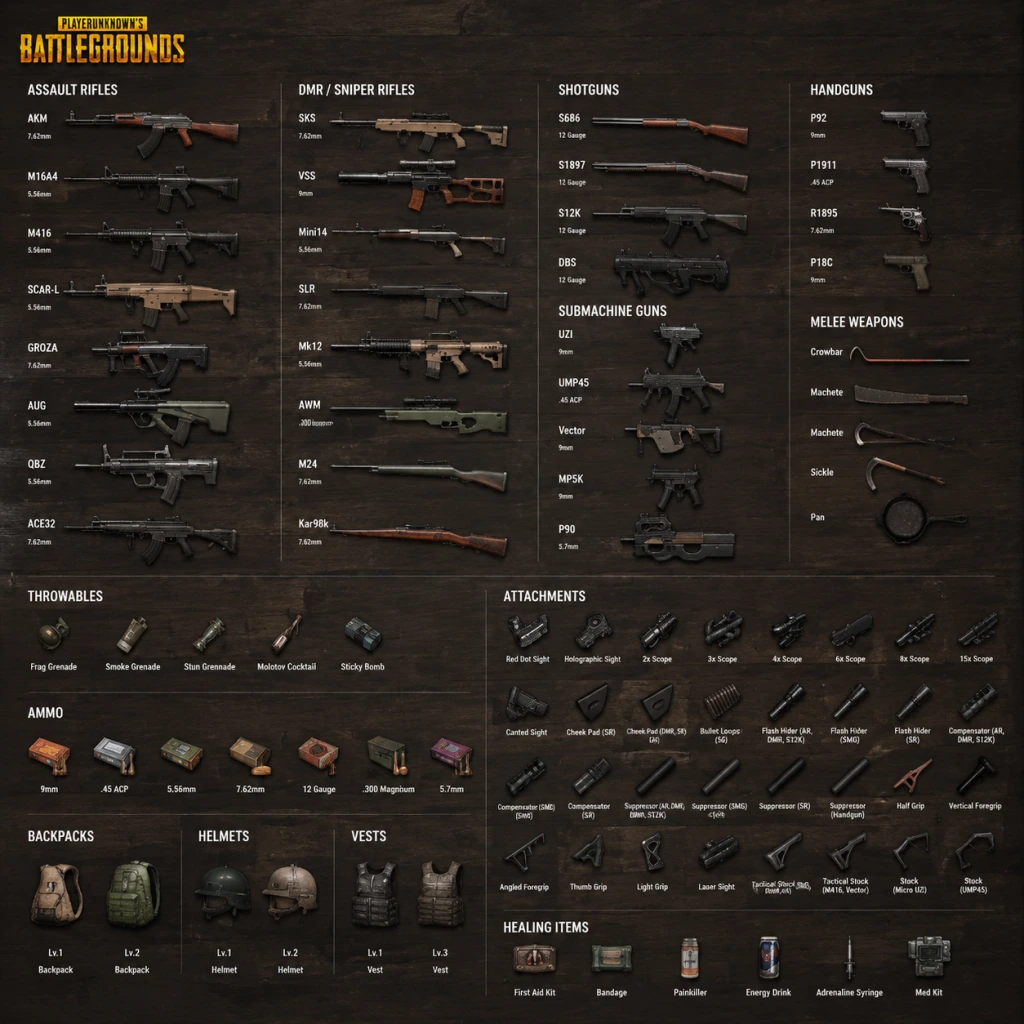
All Game Items
PlayerUnknown's Battlegrounds (PUBG) – All Game Items Guide
This guide covers every major item in PUBG: weapons, attachments, armor, consumables, equipment, currencies, materials, and collectibles. Items are grouped logically with explanations on how to obtain them, when they are useful, and any important synergies or upgrades. All information applies to the standard Battle Royale mode unless noted.
---
1. Weapons
Weapons are the core tools for eliminating enemies. They are found as floor loot, in crates, or from killed players. Each weapon type has distinct roles. Below are all significant weapons, categorized by class.
1.1 Assault Rifles (ARs)
Versatile, medium-range weapons with selectable fire modes (single, burst, full-auto). They accept most attachments and are the backbone of loadouts.
- Beryl M762: High damage, heavy recoil. Requires muzzle/vertical grip to control. Best mid-range with 3x/4x scope. Ammo: 7.62mm.
- G36C: Excellent stability with a 30-round magazine. Found only on Vikendi. Ammo: 5.56mm.
- M416: Popular for balanced stats. Low recoil with full attachments. Best all-rounder. Ammo: 5.56mm.
- M16A4: Burst-only or single shot. High muzzle velocity but no full-auto. Use with 4x/6x for long range. Ammo: 5.56mm.
- Mk47 Mutant: Burst-only, high damage. Uncommon. Accepts grips. Ammo: 7.62mm.
- QBZ: Found on Sanhok instead of M416/SCAR-L. Low recoil, fast reload. Ammo: 5.56mm.
- SCAR-L : Stable and accurate. Moderate rate of fire. Ammo: 5.56mm.
- AKM : High damage per shot but strong recoil. Ideal for close to mid-range. Ammo: 7.62mm.
- AUG A3 : Crate-only AR. Very stable, high fire rate. Excellent. Ammo: 5.56mm.
- Groza : Crate-only bullpup. Exceptional DPS, but limited to 30 rounds and only compatible with AR scopes up to 6x. Ammo: 7.62mm.
- FAMAS : Crate-only (added in later seasons). Very high fire rate, controllable. Ammo: 5.56mm.
- Micro UZI: Extremely high fire rate. Best for point-blank. Attachments: stock, magazine, muzzle, sight. Ammo: 9mm.
- MP5K: Balanced SMG with good accuracy. Can equip 3x scope. Ammo: 9mm.
- PP-19 Bizon: 53-round helical magazine. No attachment magazine slot. Good for sustained fire. Ammo: 9mm.
- Vector : Highest DPS among SMGs. Very high fire rate. Recoil is upward; use vertical grip. Ammo: 9mm (since Patch 10.2; previously .45 ACP).
- UMP45 : Sturdy SMG with moderate fire rate. Good for controlled bursts. Ammo: .45 ACP.
- Tommy Gun: Drum magazine (50-100 rounds). Poor accuracy but devestating in hipfire spray. No stock slot. Ammo: .45 ACP.
- MP9: Crate-only SMG. Integrally suppressed. Very high fire rate. Ammo: 9mm.
- P90: Crate-only bullpup SMG. 50-round magazine, high fire rate, built-in red dot. Ammo: 5.7x28mm (unique).
- S686: Double-barrel, two shots. Massive damage. Slow reload. Ammo: 12 gauge.
- S1897: Pump-action. Five shots. Reload one shell at a time. Ammo: 12 gauge.
- S12K: Semi-auto, five-shot magazine (extendable to 8). Fast follow-up. Ammo: 12 gauge.
- DBS: Crate-only bullpup double-barrel. Fire two shots fast, then reload. Extremely powerful. Ammo: 12 gauge.
- Mini-14: Low recoil, fast bullet speed. Reliable. Ammo: 5.56mm.
- Mk12: More damage than Mini-14, slower fire rate. Requires few attachments. Ammo: 5.56mm.
- QBU: Sanhok-exclusive. Has a bipod. Ammo: 5.56mm.
- SLR : High damage, strong recoil. Reward for skilled shooters. Ammo: 7.62mm.
- M110: Newer DMR (in later updates). High damage, decent stability. Ammo: 7.62mm.
- VSS: Integrally suppressed. Subsonic bullet drop is heavy. Hard to use but silent. Ammo: 9mm.
- SKS: Classic DMR. Recoil manageable with compensator and cheek pad. Ammo: 7.62mm.
- AWM: Crate-only. The most powerful sniper. One-shot headshot through level-3 helmet. Ammo: .300 Magnum (crate-exclusive).
- M24: Recently moved to crate? Actually M24 is world-spawn now (as of recent patches). Higher damage than KAR98k. Ammo: 7.62mm.
- KAR98K: Classic bolt-action. Can one-shot headshot up to level-2 helmet. Ammo: 7.62mm.
- Mosin-Nagant: Vikendi-exclusive. Same stats as KAR98K. Ammo: 7.62mm.
- Winchester Model 1894: Lever-action rifle. Slow fire rate, but high damage. Only found in certain modes? Actually it's a hunting rifle in spawn islands. Ammo: .45 ACP.
- DP-28: 47-round pan magazine. Fixed iron sights. Can mount 6x scope. High damage, slow reload. Ammo: 7.62mm.
- M249: Crate-only. 100-round belt. Can use red dot/holo sights. Very powerful suppressive fire. Ammo: 5.56mm.
- MG3: Crate-only (alternates with M249 in some seasons). Dual fire rates (660/990 RPM). Ammo: 7.62mm.
- P92: 15-round magazine. Decent fire rate. Ammo: 9mm.
- P1911: 7 or 9 rounds. Stopping power. Ammo: .45 ACP.
- P18C: Full-auto capable, burst-mode option. Very fast. Ammo: 9mm.
- R1895: Revolver. Slow reload, high damage. Ammo: 7.62mm.
- Deagle: Powerful revolver. One-shot headshot against level-1 helmet. Very slow. Ammo: .45 ACP.
- Flare Gun: Special weapon. Fires a flare to call an airdrop (care package) or if fired into a plane, a special vehicle (Brink vehicle). Ammo: Flare rounds (unique). Found rarely.
- Pan: The pan can block bullets (hitbox). Best melee. It deflects shots from behind? Actually it covers the butt area. Common.
- Machete: Moderate damage and range.
- Crowbar: Similar to machete.
- Sickle: Fast swings.
- Combat Knife: Found rarely (event modes). Fast.
- Frag Grenade: High explosive damage. Timer after pull. Effective in rooms and behind cover.
- Molotov Cocktail: Creates a fire zone. Damage over time. Denies space. Can destroy wood surfaces.
- Smoke Grenade: Creates a smoke screen. Blocks vision. Use for revives, cover, or misleading enemies.
- Stun Grenade (Flashbang): Blinds and deafens enemies in its arc. Can be countered by turning away.
- Spike Trap: Deployed on road. Punctures vehicle tires. Useful for ambushes.
- C4: Timed explosive that can be stuck to surfaces. Huge area. Detonated remotely or via timer. Rare.
- Blue Zone Grenade: Deals damage similar to blue zone. Area denial. Temporarily hurts enemies. Can be used to finish downed players? Actually it damages health only, not shield.
- Suppressor: Reduces sound and hides muzzle flash. Most rare. Useful for stealth in all ranges.
- Compensator: Reduces vertical and horizontal recoil. Helps with spray control.
- Flash Hider: Reduces muzzle flash and slightly reduces recoil. Middle ground.
- Choke: For shotguns (S686, S1897, S12K). Tightens pellet spread, increasing effective range.
- Duckbill: For shotguns (especially S12K). Spreads pellets horizontally. Useful for clearing buildings.
- Vertical Grip: Reduces vertical recoil the most. Perfect for most ARs.
- Angled Grip: Reduces horizontal recoil. Better for tap-firing.
- Half Grip: Balanced reduction for both. Good all-round.
- Light Grip: Reduces vertical recoil after initial shots. Increases weapon sway. Not recommended for spray.
- Thumb Grip: Improves ADS speed and reduces vertical recoil. Good for snap-aiming.
- Extended Magazine: Increases capacity (e.g., M416 from 30 to 40 for ARs; SMGs by 20-25).
- Quickdraw Magazine: Faster reload, no capacity increase.
- Extended Quickdraw Magazine: Best of both: more rounds and faster reload.
- Drum Magazine: For some SMGs (Tommy Gun, Uzi?) Actually Tommy Gun has drum extender, Vector can use extended but not drum; Uzi has 25-round standard, extended goes to 33.
- Red Dot Sight: 1x magnification, clear for close-mid.
- Holographic Sight: 1x with larger reticle, slight block.
- 2x Scope: Good for mid-range.
- 3x Scope: Popular for ARs and DMRs. A bit cluttered but great for 100-200m.
- 4x Scope: Classic sniper scope. Use on snipers, DMRs, ARs (tap).
- 6x Scope: Variable 3-6x zoom. Can be used on ARs and DMRs. Adjustable.
- 8x Scope: Fixed high zoom for long-range sniping.
- 15x Scope : Crate-only extremely rare. Massive zoom, heavy scope sway.
- Tactical Stock: For M416, SCAR, Vector, UMP45, etc. Improves weapon stability and reduces recoil.
- Cheek Pad: For sniper rifles (KAR98, SKS, etc.). Reduces sway and improves recoil recovery.
- Bullet Loops: For shotguns (S686, S1897). Increases reload speed for each shell.
- AWM Stock: Crate attachment for AWM? Actually AWM doesn't use stock? It uses cheek pad. Some unique attachments exist: e.g., M249 doesn't accept stock.
- Extended Magazine (Shotgun): For S12K, increases from 5 to 8 shells.
- Level 1 Vest: Reduces damage by 30%. Capacity: +50 (actually, vests themselves don't increase capacity; only backpacks do). Wait, vests in PUBG have a small inventory space? Actually vests provide a small storage bonus (50, 100, 150 for L1/L2/L3?). Let me verify: Level 1 vest: 100 capacity? No, backpacks are separate. Vests themselves don't add inventory. Correction: Vests only provide damage reduction. They have no inventory slots. The inventory space is solely from backpacks. So ignore that.
- Level 2 Vest: Reduces damage by 40%.
- Level 3 Vest: Reduces damage by 55%. Increases your survival significantly.
- Level 1 Helmet: Reduces headshot damage by 30%. Usually broken after one sniper shot.
- Level 2 Helmet: 40% reduction. Can survive one KAR98 headshot.
- Level 3 Helmet: 55% reduction. Can survive one AWM headshot (barely). Extremely valuable.
- Level 1 Backpack: 150 capacity.
- Level 2 Backpack: 200 capacity.
- Level 3 Backpack: 250 capacity.
- Bandage: Restores 10 HP per use up to 75% health. Max stack: 20. Quick use time. Good for minor healing.
- First Aid Kit: Restores 75% of maximum health. Cannot use if health is above that. Takes 6 seconds. Common.
- Med Kit: Restores 100% health. Takes 10 seconds. Rare. Great for full recovery.
- Painkiller & Energy Drink are boost items, not direct heal. They provide gradual health recovery and speed boost.
- Level 1 (20-50% Energy)+: Slow health regen.
- Level 2 (50-90% Energy)+: Health regen + slight speed increase.
- Level 3 (90-100% Energy): Maximum health regen + noticeable speed boost.
- Energy Drink: Adds 40 energy over time. Takes 4 seconds. Count: 2 per slot? Actually can stack up to 5? Stack size: 5.
- Painkiller: Adds 60 energy over time. Takes 6 seconds. More efficient.
- Adrenaline Syringe: Adds 100 energy instantly. Very rare (crate only). Takes 6 seconds. Best for a quick full boost.
- Repair Kit: Not traditional consumable but used to repair armor. Found rarely. Restores 30 durability to helmet or vest. Can be used multiple times on same piece.
- Gas Can: Used to refuel vehicles. Can be thrown and shot to create a fire trap? Yes, it explodes. Found infrequently.
- Bandage already covered.
- Emergency Pickup: A special item that allows you to be extracted from the battlefield and score points? Actually in ranked mode, there is a heat map? No. In normal mode, there is no such item. Might be in custom games. Omit.
- Battle Points (BP): Obtained from matches. Used to buy crates (Raider, Contraband, etc.) and in the BP store. No real-money purchase.
- G-Coin: Premium currency bought with real money. Used for Battle Pass, emotes, skins in the store, and certain crates.
- Contraband Coupons: Used in the Workshop to open Contraband Crates (for progressive weapon skins). Obtained from BP purchases or events.
- Crafting Materials: Schematics, Polymers, and Weapon XP. Used to upgrade progressive weapon skins.
- Schematics: Rare items that allow you to craft a weapon skin tree.
- Polymers: Common material from dismantling skins. Used to upgrade progressive skins.
- Weapon Leveling Materials: XP cards to increase weapon master level? Actually progressive skins require materials from Contraband Crates.
- Crate Keys: Some crates require keys (purchased with BP or G-Coin). But currently, crate system is being phased out; many direct purchase options.
- Ghillie Suit: Crate-only. Full camouflage. Hides your character model. Extremely valuable for snipers. Occupies your inventory? Actually it's a costume slot; does not take inventory space. Found in airdrops.
- Flare Gun: Already listed under pistols. Unique function.
- Spike Trap: Throwable. Deploy on roads to puncture tires.
- Jammer Pack: In special modes or on Miramar (?) Actually not in classic BR. Ignore.
- Emergency Pickup: Not standard.
- AR + DMR/Sniper: Classic loadout. One for close-mid (AR), one for long-range (DMR/sniper).
- SMG + Shotgun: Extreme close-range dominance.
- Armor + Helm: Always upgrade to higher tiers. Use Repair Kits on durable pieces.
- Boost + Med Kit: Pair for full recovery plus speed for rotation.
- Suppressor + DMR/Sniper: Keeps your position hidden after shots.
- Compensator + AR for spray: Reduces recoil for medium range.
- Grip choices: Vertical for spray AR, angled for tap, light for single-shot.
- Crate weapons: Always worth contesting if you have the gear. AUG, Groza, AWM, M249 are end-game capable.
- Flare Gun: Use in safe zone to call airdrop with better loot. Or in danger to call armored vehicle (if fired under plane).
- Floor loot: Items scattered in buildings, compounds, and open areas. Rarity increases with loot density in higher-tier zones (e.g., Mansion, School, Military Base).
- Airdrops: Done by plane late-game. Contain crate-only weapons, level-3 gear, and rare attachments.
- Killed players: Loot their inventory.
- Care Packages (from flare gun): Contain similar to airdrops.
- Shops (in certain modes like the map Karakin with a special loot mechanic): Not in classic.
- Vehicle trunks: Some vehicles have a trunk with loot (e.g., some cars on Miramar?). Mostly removed.
- Early game: Any weapon with ammo is good. Prioritize a long-range option and a close-range.
- Mid game: Seek upgrades, attachments, level-2 armor.
- Late game: Level-3 helmet, sniper/DMR, suppressors. Use throwables to flush enemies.
- Solo vs Squad: SMGs and shotguns are riskier but rewarding for aggressive plays. ARs are safer.
- Specific maps: On Vikendi, G36C and Mosin-Nagant are exclusive. On Sanhok, QBZ and QBU. On Miramar, M416 is less common; SCAR-L and AKM are plentiful.
1.2 Submachine Guns (SMGs)
Designed for close-quarters combat. Faster fire rates and better hipfire than ARs. Use 9mm, .45 ACP, or 9mm (Vector/MP5K uses 9mm after rework). Low recoil makes them forgiving.
1.3 Shotguns
Devastating at close range (<10m) but suffer from spread and slow reload. Headshots are lethal even with an unarmored torso. Pellets count matters.
1.4 Designated Marksman Rifles (DMRs)
Semi-auto rifles for mid-to-long range. Higher damage than ARs, lower than snipers. Can equip up to 6x or 8x scopes.
1.5 Sniper Rifles
Bolt-action single-shot weapons for extreme range. One-shot headshot kills against level-2 helmets. High skill requirement.
1.6 Light Machine Guns (LMGs)
High magazine capacity, sustained suppression. Heavy recoil. Best used prone with bipod.
1.7 Pistols
Sidearms for emergencies or early game. High risk of being outgunned.
1.8 Melee Weapons
Typically last resort, but can be effective for stealth kills.
1.9 Throwables
Essential for flushing enemies, denying areas, or dealing damage.
---
2. Attachments
Attachments modify weapon performance. They are found as floor loot and cannot be crafted. Each weapon has specific attachment slots. Below are the main types.
2.1 Muzzle Attachments
2.2 Grips
2.3 Magazine Attachments
2.4 Sights/Scopes
2.5 Stock Attachments
2.6 Magazine Attachments for specific weapons (e.g., Shotgun extended tube for S12K)
---
3. Armor & Backpack
Armor reduces incoming damage. Helmets protect head, vests protect torso. Backpacks increase carrying capacity.
3.1 Vests (Level 1, 2, 3)
All vests degrade with damage and can be repaired using repair kits (see later). Higher level vests have more durability.
3.2 Helmets (Level 1, 2, 3)
Helmets also have durability. They protect only the head, not face hitbox.
3.3 Backpacks (Level 1, 2, 3)
Backpacks don't affect stats. They allow carrying more items. Essential for holding ammunition, healing, and throwables.
---
4. Consumables
These items restore health or provide temporary buffs.
4.1 Medical Items
4.2 Boost Items
Boost items provide energy, which has multiple levels:
All boost items' effects can be overwritten by taking another before it wears off, but energy caps at 100.
4.3 Other Consumables
---
5. Currencies
PUBG has multiple currencies for cosmetics and progression.
---
6. Materials & Crafting (Workshop)
These are not used in the battle royale match but in the account's inventory for cosmetic upgrades.
---
7. Key Equipment & Collectibles
These items do not fit the above categories but are notable.
7.1 Equipment
7.2 Collectibles
There are no in-game collectibles that affect gameplay. Cosmetic items (skins, outfits, parachutes, weapon skins) are purely visual. They can be earned through BP crates, Battle Pass, or purchased. Some limited-time skins are highly sought after.
---
8. Important Synergies & Upgrades
---
9. How to Obtain Items
---
10. When is Each Item Useful?
This comprehensive guide covers all major items. Use this reference to optimize your loadout and decision-making in every match.
Character Skills
PlayerUnknown's Battlegrounds (PUBG) – Character Skills Guide
Note: PUBG does not feature class-based characters, skill trees, or unique abilities. Every player has access to the same set of universal actions and mechanics. This guide treats each core mechanic as a "skill" and provides expert-level advice on mastering them.
---
1. Movement Skills
1.1 Sprinting
- Description: Hold Shift (PC) or L3 (console/mobile) to sprint at maximum speed.
- When to use: Traversing open areas, rotating to safe zones, escaping danger.
- Synergies: Combine with crouching before sprinting to reduce sound. Use sprint to shorten exposed time when crossing roads.
- Build recommendation: Lightweight attachments (e.g., QuickDraw mags) reduce weight penalty; always carry a weapon with manageable weight.
- Crouch: Reduces visibility, stabilizes weapon (15% reduction in recoil when stationary).
- Prone: Hardest to spot, but slow movement. Best for hiding or long-range prone shooting.
- When to use: Crouch behind cover, peek windows; prone in bushes or tall grass to ambush.
- Vault: Press Space (PC) / (X button on console) over low obstacles (chest-high walls, windows). Faster than mantling.
- Mantle: Over taller obstacles (up to shoulder height) – slower, exposes you longer.
- When to use: Vault to quickly cross cover; avoid mantling in combat unless necessary.
- Swim: Directional keys; slower than walking.
- Dive: Press C (PC) / B (console) to submerge, invisible from above but limited breath (60 seconds).
- When to use: Escape by water when surrounded; sneak along riverbanks to flank.
- ADS (Aim Down Sights): Right-click hold (PC) / LT (console). High accuracy, slow movement.
- Hip Fire: No ADS – fast but inaccurate; use for close quarters (<10m).
- When to use: ADS for medium/long range; hip fire for building sweeps or point-blank engagements.
- Synergies: Attach a Red Dot or Holo for faster ADS transition; use a compensator to reduce hip-fire spread.
- Lean Left/Right: Q/E (PC) / L3+R3 (console). Exposes less of your body while shooting.
- When to use: Always peek corners instead of stepping out. Use peek to shoot from behind trees without full exposure.
- Advanced: Jiggle peek – rapidly lean in and out to bait shots.
- Pattern: Most weapons pull upward; some have sideways drift.
- Techniques: Drag mouse down continuously (PC); pull right stick down (console).
- Grips: Vertical Grip reduces vertical recoil; Angled Grip reduces horizontal sway.
- Training: Practice in Training Mode with each weapon to memorize pattern.
- Footsteps: Running is loud; crouch-walking is almost silent. Use free-look to check surroundings without changing direction.
- Gunfire: Different guns have distinct sounds – identify weapon type and distance.
- When to use: Stay still when enemies are near; crouch-walk behind cover.
- Bandages: Restore 10 HP each, up to 75% only. Carry 5–10.
- First Aid Kit: Instant 75 HP (if below 75). One per slow heal.
- Med Kit (Medical Kit): Full heal to 100% (rare). Use as last resort.
- Boost: Energy Drink/Painkiller: Provides gradual heal and speed boost. Always keep at least one boost active.
- Revive: Hold F (PC) / Triangle/Y (console). Takes 10 seconds. Cannot move.
- When to use: Only revive if safe; use smoke grenade to conceal.
- Emergency: Self-Revive kit (rare world spawn) – allows self-revive once per match.
- Jump timing: 1. Spring of Erangel: jump at ~1.5km from target (speed 234 km/h); dive at ~100m.
- Fast landing: Hold W (PC) / push stick forward (console) for maximum speed.
- When to use: Land first to secure building; land late to survive initial conflicts.
- Vehicle types: Buggy (fast, low health), UAZ (armored), Dacia (balance), Motorbike (high speed, risky), BRDM (amphibious), etc.
- Handbrake: Space (PC) / R1 (console) for sharp turns. Emergency brake to avoid crashes.
- Combat from vehicle: Only passenger can shoot; driver cannot. Use vehicle as moving cover.
- When to use: Rotate long distances, escape closing zones, or run over prone enemies.
- Radio wheel: Press middle mouse (PC) / D-pad up (console) to mark locations, enemies, or supplies.
- Quick ping: Double-tap middle mouse (PC) / hold D-pad and press sight (console).
- When to use: Ping enemies for teammates; mark loot for sharing.
1.2 Crouching & Prone
1.3 Vaulting & Climbing
1.4 Swimming & Diving
---
2. Combat Skills
2.1 Aiming (ADS vs. Hip Fire)
2.2 Peeking (Lean)
2.3 Recoil Control
2.4 Sound Cues
---
3. Healing & Supplies
3.1 Bandages & Med Kits
3.2 Reviving Teammates
---
4. Utility & Tactical Skills
4.1 Parachuting & Landing
4.2 Driving & Vehicle Combat
4.3 Spotting & Pinging
---
5. Recommended Builds (Loadout Synergies)
Since there are no character builds, these are weapon and gear combinations that complement each skill:
| Playstyle | Weapons | Attachments | Armor | Skill Focus |
|---|---|---|---|---|
| Aggressive Entry | Shotgun (S1897) + SMG (UMP45) | Extended QuickDraw, Silencer, Red Dot | Level 2 helm/vest | Hip fire, peeking, fast vaulting |
| Mid-Range Support | M416 + Mini-14 | Compensator, 4x Scope, Angled Grip | Level 3 armor | Recoil control, situational awareness |
| Long-Range Stealth | AWM + Suppressed Vector | 8x Scope, Extended Mag, Bipod | Ghillie suit | Sound cues, prone shooting, patience |
6. When to Use Each Skill
| Situation | Skills to Apply |
|---|---|
| Rotating in open | Sprint, use vehicle, smoke screen, pop boosts |
| Clearing a building | Peek corners, hip fire, flashbangs, jump over obstacles |
| Long-range duel | ADS, lean, recoil control, use 4x+ scope |
| Reviving teammate | Drop smoke, crouch, watch all directions, communicate |
| Escaping final circles | Use meds, stay low, prone in grass, no unnecessary movement |
7. Advanced Combos & Synergies
- Peek + Throw: Lean while holding a grenade to throw around corners without exposing full body.
- Sprint + Slide + Jump (On PC): Not a standard mechanic but can be achieved with sprint → crouch → jump for small gap crossing.
- Heal + Boost: Use First Aid kit first, then Energy Drink/Painkiller to gain the speed boost while healing takes time.
- Vehicle + Smoke: Drive toward a smoke cloud, jump out inside smoke, then heal or revive.
---
8. Conclusion
Mastering these universal skills is the key to improving in PUBG. Practice each one in Training Mode and apply them situationally. There are no character-specific abilities, but developing muscle memory for movement, aim, and tactical decision-making makes any player formidable.
Characters & Roles
PlayerUnknown's Battlegrounds (PUBG) – Characters & Roles Guide
Introduction: No Playable Characters or Classes
Unlike many games, PUBG does not feature unique playable characters, classes, heroes, or skill trees. Every player drops into the map with identical stats, movement speeds, and health values. The only differences are cosmetic (skins, outfits) which have no gameplay impact. This guide instead covers roles and playstyles that players can adopt, especially in team-based modes. Understanding these roles will improve your coordination and effectiveness.
---
1. Player Avatar (Customization Only)
- Background: Your character is a generic soldier with no backstory. Customization is purely visual via earned Battle Points (BP) or purchased cosmetics (clothing, face, gender).
- Strengths/Weaknesses: None – all players are mechanically identical.
- Unlock Conditions: Cosmetics are unlocked via loot boxes, events, or store purchases. No gameplay unlocks.
- Playstyle: Adapt based on your chosen role (see below).
- Responsibilities: Decides drop location, rotation plan, engagement rules. Communicates map movements, callouts, and strategy.
- Strengths: Keeps team organized; crucial for late-game circle control.
- Weaknesses: Poor decisions lead to wipes. Requires map knowledge.
- Recommendations: Use marker tool, open mic, and compass callouts. Carry a scope for scouting.
- Responsibilities: First contact in fights. Pushes enemy positions, uses aggressive weapons (ARs, SMGs).
- Strengths: High firepower, quick reflexes, apply pressure.
- Weaknesses: Higher risk of being downed first; needs good armor/helmet.
- Build: Primary – Beryl M762 or M416 with red dot/holo. Secondary – Shotgun or SMG (UMP45). Equip smoke grenades for cover.
- Responsibilities: Heals teammates, provides covering fire, carries extra ammo, meds, and utility (smokes, flashes).
- Strengths: Keeps team alive; can revive under smoke.
- Weaknesses: Lower offensive output if prioritized for healing.
- Build: Primary – reliable AR (SCAR-L) with 3x scope. Carry at least 3 first aid kits, 5 bandages, 2 boosts. Fill backpack with utility.
- Responsibilities: Long-range pick-offs, scouting, denying enemy movement.
- Strengths: Applies pressure from distance, can down enemies before close fights.
- Weaknesses: Vulnerable in close quarters; poor recoil control hurts mid-range.
- Build: Primary bolt-action (Kar98k, M24) with 6x or 8x scope. Secondary close-range weapon (Vector or M416). Carry a DMR as backup if possible (SLR).
- Responsibilities: Moves independently to gather info, flank enemies, secure rotation paths.
- Strengths: Intel advantage, surprise attacks, map control.
- Weaknesses: Can get cut off from team; requires good game sense.
- Build: Lightweight gear; priority on speed – carry an SMG (MP5K) and throwables. Use vehicles for quick repositioning.
- Playstyle: Land in high-loot areas (School, Pochinki, Military Base). Fight early, loot kills, seek action.
- Strengths: Quick loot, high threat elimination, dominate early circles.
- Weaknesses: High risk of early death; attracts third parties.
- Recommended Gear: SMG/AR loadout, prioritize armor, avoid scopes until safe.
- Playstyle: Land far from flight path, loot isolated compounds, avoid engagements until top 20.
- Strengths: Consistent top-10 finishes, less frustration.
- Weaknesses: Limited kill count, often under-equipped compared to looted enemies.
- Recommended Gear: Suppressor, long-range scope, carry extra smoke/heals.
- Playstyle: Focus on vehicle control; drive around map edges, run over enemies, use vehicle as weapon/mobile cover.
- Strengths: Fast rotation, unpredictable, can escape bad circles.
- Weaknesses: Engine noise gives position; vehicle can be shot out from under you.
- Recommended Gear: Repair toolkit, double AR (no bolt-action), motorcycle for agility.
- Communication: Use the ping system (default: middle mouse click on PC) to mark enemies, loot, and destinations. Call out compass directions (e.g., "enemy 210").
- Covering Fire: Supports should pin down enemies while fraggers push. Snipers should focus medics or distant targets.
- Loot Distribution: Meds and scopes are shared. A sniper without a scope is useless; an AR player can manage with iron sights. Drop duplicate scopes to teammates.
- Reviving: Smoke grenades are essential for safe revives. The support carries extra smokes.
- Rotations: The leader calls movement. Use vehicles when possible; always have a car for late-game circle shifts.
- No character unlocks: You have access to the full game from the start. No classes to unlock.
- Cosmetics: Earned through Battle Passes, missions, or purchased with G-Coin. Some cosmetics are exclusive to events or ranked seasons.
- Skills: All actions (lean, prone, throw, switch weapons) are universal. No skill points allocated.
---
2. Team Roles (Squad/Duo – not hard classes)
In squad play, effective teams assign loose roles. Players can switch roles mid-game as loot dictates.
2.1 Leader / Shot Caller
2.2 Fragger / Entry Attacker
2.3 Support / Medic / Controller
2.4 Sniper / Overwatch
2.5 Scout / Flanker
---
3. Solo Play – No Roles
In solo mode, you fill every role simultaneously. There is no one to cover your flanks or revive you. Recommended playstyle: balanced loadout (assault rifle + ranged weapon) and play for survival.
---
4. Playstyle Archetypes (Self-Identified)
These are informal categories players adopt based on personal preference.
4.1 Aggressive / Hot Dropper
4.2 Survivalist / Loot Player
4.3 Vehicle Nomad
---
5. Team Synergy Best Practices
---
6. Unlock Conditions & Progression
---
7. Summary
PUBG is a pure battle royale with no character classes. Success comes from mastery of mechanics, positioning, and teamwork. Identify your natural preference (aggressive, support, or overwatch) and coordinate with your squad. The only “character” is your customized soldier, but your role is defined by your gear and actions.
| Role | Primary Weapon | Secondary | Utility | Key Trait |
|---|---|---|---|---|
| Fragger | AR (M416) | SMG (UMP45) | Frags, Smokes | Aggression |
| Support | AR (SCAR-L) | Shotgun (S12K) | First aid, Smokes | Healing |
| Sniper | Bolt-action (Kar98k) | SMG (Vector) | Long-range scope | Patience |
| Scout | SMG (MP5K) | Pistol (Skorpion) | Throwables | Speed/Intel |
Cheats & Secrets
PlayerUnknown's Battlegrounds (PUBG) – Cheats & Secrets Guide
Important Disclaimer: No Cheat Codes
The official version of PlayerUnknown's Battlegrounds does not contain any cheat codes, unlock codes, developer console commands, or secret buttons that grant advantages. The game is strictly anti-cheat (using BattlEye and other systems). Any attempts to use unauthorized third-party software or exploits will result in a permanent ban. This guide focuses on legitimate hidden content, Easter eggs, and developer-intended secrets that are safe to explore.
---
Easter Eggs & Hidden Content
#### 1. Erangel – Secret Underground Bunker (Holy Ground)
- Location: Southeast of Mylta, near the coast (coordinates roughly 6.5, 5.5 on the grid map). Look for a small house with a trapdoor in the floor. Opening the trapdoor reveals a ladder to an underground bunker (known as "Holy Ground" or "Secret Bunker"). It contains moderate loot but is a popular spot.
- Reference: This bunker was added as a nod to the original Battle Royale mod for Arma 2, which had a similar secret area.
- Note: In early versions of PUBG (pre-1.0), there was a known screen glitch near the God Mode sign on a mountain near Stalber. Looking at it from a specific angle caused a visual artifact that appeared to make characters invincible (cosmetic only). It has been patched out but remains a legendary Easter egg among veterans.
- Location: The mansion compound west of Georgopol (often called Mansion). Inside the main building, on the second floor, there is a bookshelf that you can interact with (press F) to slide it aside, revealing a secret room with high-tier loot. This is fully intentional and still works.
- Location: The quarry east of Pochinki has a hidden underground area accessible via a small cave entrance near the water. You must dive underwater to find the entrance. Contains decent loot and is rarely visited.
- Location: South of La Cobreria, near the coast (grid 5.4). There is a small opening in the cliffside that leads to a cave system with loot. You can also drive a vehicle inside. This cave is an intentional map feature.
- Location: At the top of the mountain near the center of the map (grid 6.6). You'll find a single chair (the "throne") with a view. It's a reference to the throne in the Game of Thrones or similar pop culture. No loot, just a photo spot.
- Location: Several golden carved eggs are hidden across Sanhok, usually near temples or ruins (e.g., near the temple in Paradise Resort). Interacting with them does nothing special, but they are collectible Easter eggs added for fun. Shooting them causes them to break and disappear.
- Location: Vikendi has multiple hidden caves, especially around Dobro Mesto and Movatra. One cave has a makeshift bar (chairs, bottles). The Cosmodrome area (northern part) features a crashed rocket – a nod to the Beringian space program lore. You can climb inside it.
- Location: Karakin has an extensive network of underground tunnels connecting key areas (e.g., Bahr Sahir, Al Habar). These are intentional map features, not glitches. They provide cover and flanking routes.
- Location: Near Go Dok (grid 6.7). There is a cave with a large statue of a bear. The area has no special loot but is a popular fan-made Easter egg location.
- The flare gun is a rare item that can only be found in care packages or on special maps (e.g., Vikendi, Sanhok). When fired into the air, it calls an airdrop with high-tier loot. If fired while outside the safe zone, it summons an armored BRDM-2 vehicle instead. This is an official game mechanic, not a cheat.
- During limited-time events (e.g., Team Deathmatch, RageGear), PUBG sometimes adds hidden objectives like capturing enemy intel briefcases. These are temporary and announced in patch notes.
- The frying pan is a melee weapon that, when on your back, can block bullets. This is an intentional game mechanic, not a bug. It has become an iconic Easter egg of the game.
- Many vehicles have unique horn sounds. Pressing the horn key repeatedly quickly can sometimes play a short melody on certain vehicles (e.g., the UAZ has a distinct horn). This is a harmless cosmetic feature.
- Using the emote wheel (press B on PC) can perform dances, waves, and taunts. Some special emotes (e.g., the "Dab" or "Floss") were seasonal rewards. No cheat, just fun.
- There is no fishing mechanic in PUBG, but the lack of an official fishing minigame has led players to jokingly "fish" by crouching near water with a frying pan. This is purely roleplay.
- No unlock codes exist. All cosmetic items (skins, emotes, outfits) are obtained via in-game currency (BP, G-Coin), the battle pass (Survivor Pass), or limited-time events. There is no Konami code, developer console, or debug menu accessible to players.
- Lore Hidden in Maps: Careful players can find propaganda posters, chalk drawings, and graffiti that tell a backstory for each map (e.g., Erangel's lore of a testing ground, Vikendi's abandoned resorts). These are hidden in plain sight.
#### 2. Erangel – God Mode Easter Egg (Removed)
#### 3. Erangel – Mansion Hidden Room (Georgopol Mansion)
#### 4. Erangel – Underground Bunker near Quarry
#### 5. Miramar – Hidden Cave
#### 6. Miramar – The Throne (Easter Egg Reference)
#### 7. Sanhok – Golden Eggs
#### 8. Vikendi – Hidden Caves & the Cosmodrome
#### 9. Karakin – Underground Tunnels
#### 10. Taego – The Bear Cave
---
Developer-Intended Hidden Features
#### 1. Flare Gun & BRDM-2 Armored Vehicle
#### 2. Secret Spy Missions (Event-Only)
#### 3. The "Frying Pan" Myth
---
Exploit-Safe Secrets
#### 1. Vehicle Horn & Music
#### 2. Player Emotes & Animations
#### 3. Fishing at River Mouths
---
Unlock Codes & Hidden Menus
---
Anti-Cheat Note
PUBG uses BattlEye anti-cheat and a proprietary system. Do not attempt to use any cheat software, macros, or unauthorized overlays – even viewing memory with Cheat Engine will trigger a ban. The secrets listed above are all legitimate game content that will not get you banned.