PowerWash Simulator
## PowerWash Simulator – Game Introduction **Genre:** Simulation / Casual / Relaxation / First-Person **Developer & Publisher:** FuturLab (Developer) / Square Enix Collective (Publisher, initial release) / FuturLab (Self-published on some platforms) **Release Timeline:** - **Early Access (PC):*...
Download & Installation
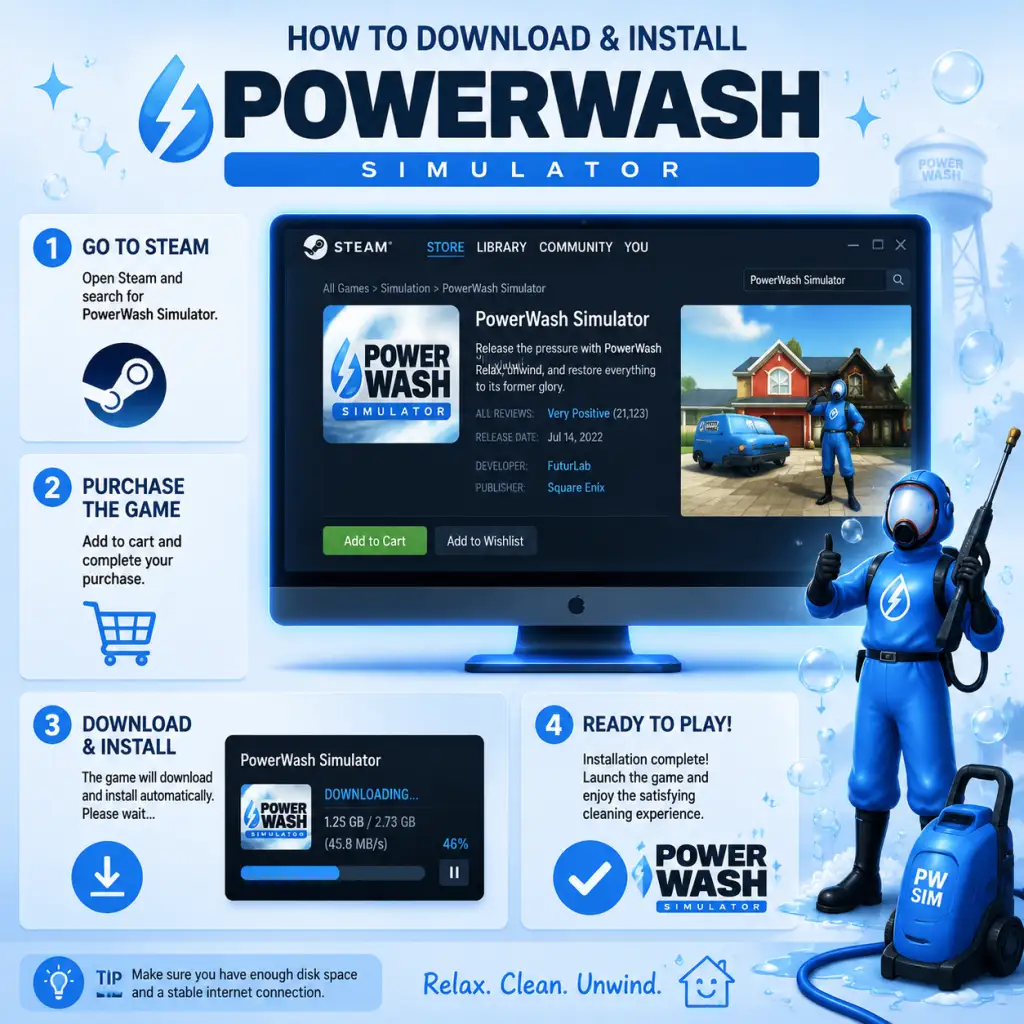
PowerWash Simulator – Complete Download & Installation Guide
This guide covers everything you need to know to download and install PowerWash Simulator on all major platforms. Follow the steps for your platform to start cleaning up.
Platforms Available
- PC: Steam, Epic Games Store (Windows only)
- PlayStation: PS4, PS5
- Xbox: Xbox One, Xbox Series X|S (including Game Pass)
- Nintendo Switch
- Mobile: No official mobile version exists. Do not download from unofficial sources.
- OS: Windows 10 64-bit
- CPU: Intel Core i5-2500K / AMD FX-6300
- RAM: 8 GB
- GPU: NVIDIA GeForce GTX 960 / AMD Radeon R9 380 (2 GB VRAM)
- DirectX: Version 11
- Storage: 20 GB available space
- Additional: Integrated graphics not supported
- OS: Windows 10 64-bit
- CPU: Intel Core i7-6700K / AMD Ryzen 5 2600
- RAM: 16 GB
- GPU: NVIDIA GeForce GTX 1080 / AMD Radeon RX 5700 (4 GB VRAM)
- DirectX: Version 11
- Storage: 20 GB SSD recommended
- Additional: SSD strongly advised for faster loading
- Steam: Steam account (free) + purchase.
- Epic Games: Epic Games account (free) + purchase.
- PlayStation: PlayStation Network account (free) + purchase.
- Xbox: Microsoft account (free) + purchase or Game Pass subscription.
- Nintendo Switch: Nintendo Account (free) + purchase.
- Cross-platform accounts: No separate Square Enix account is required. Progress is saved per platform, no cross-save (except Xbox/PC via Xbox Play Anywhere? Not supported for PowerWash Simulator).
System Requirements (PC)
Minimum (1080p, 30fps, Low settings)
Recommended (1080p, 60fps, High settings)
Storage Space
All platforms require approximately 20 GB of free space. Nintendo Switch slightly less (~15 GB). Always check for updates after installation; patches may add several GB.
Step-by-Step Installation per Platform
PC (Steam)
1. Install the Steam client from [store.steampowered.com](https://store.steampowered.com) if not already installed.
2. Log into your Steam account (or create one for free).
3. In the Store, search for PowerWash Simulator.
4. Click Add to Cart and purchase (or add to library if already owned).
5. Go to your Library, find the game, and click Install.
6. Choose installation location (ensure at least 20 GB free).
7. Wait for download and automatic installation.
8. After completion, the game will appear in your library as Ready to Play.
PC (Epic Games Store)
1. Install the Epic Games Launcher from [store.epicgames.com](https://store.epicgames.com).
2. Log into your Epic account.
3. Search for PowerWash Simulator in the store.
4. Purchase or claim if free (e.g., from promotions).
5. Click Get / Install and select install location.
6. Download and installation proceed automatically.
7. Launch from Epic Library.
PlayStation (PS4 & PS5)
1. Turn on console and ensure internet connection.
2. Go to PlayStation Store from the home screen.
3. Search "PowerWash Simulator".
4. Select the game and choose Download (after purchase).
5. On PS5: you can install both PS4 and PS5 versions separately. Choose the PS5 version for best performance.
6. Download begins; you can monitor on the home screen.
7. Once installed, the game tile appears. Launch to start.
Xbox (One & Series X|S)
1. Press Xbox button to open guide, go to Store.
2. Search for PowerWash Simulator.
3. Select the game, then Buy or Install from Game Pass if you have the subscription.
4. Choose Install and select where to install (internal or external storage).
5. The download starts; you can see progress in My games & apps.
6. After installation, the game appears in your library.
7. Note: Smart Delivery ensures you get the best version for your console automatically.
Nintendo Switch
1. From the Home menu, open Nintendo eShop.
2. Search "PowerWash Simulator".
3. Select the game and proceed with purchase (or download if already purchased).
4. The download begins automatically; you can check progress on the Home screen.
5. Once complete, the game icon appears. Launch it.
6. Keep the console plugged in during download to avoid interruption.
Account Requirements
First Launch Setup
1. Upon first launch, the game will perform a brief initialisation (shader compilation on PC, especially Steam/Epic). This may take a few minutes.
2. You will be prompted to adjust display settings (brightness, resolution, etc.).
3. Then you must choose to start a new game or continue (if you have saved data from another platform? Only local).
4. A brief tutorial (optional) introduces basic controls.
5. Ensure controller is recognised if using one; keyboard and mouse fully supported on PC.
6. The game auto-saves at milestones; manual save available via pause menu.
Common Installation Errors & Fixes
| Error | Platform | Cause & Fix |
|---|---|---|
| Insufficient disk space | All | Free up at least 20 GB. On consoles, delete old games or expand storage. |
| Download stops or fails | PC | Check internet connection, pause and resume download. Verify game files via Steam (right-click → Properties → Local Files → Verify integrity). On Epic: Settings → Verify. |
| Graphics card not supported | PC | Update GPU drivers. Ensure you meet minimum requirements. Disable integrated graphics in favor of dedicated GPU. |
| Install loop on Xbox | Xbox | Hard reset (hold power button 10 sec). Then reinstall. |
| Error CE-108255-1 | PS5 | Rebuild database (Safe Mode → Option 5). Update system software. |
| Game crashes on launch | Switch, PC | Check for updates, restart device. On PC, run as administrator, disable overlays (Discord, etc.). |
| Epic launcher not detecting installation | Epic | Restart launcher and verify files. If persists, reinstall the game. |
| Black screen on startup | PC | Switch to windowed mode via config file (%LOCALAPPDATA%\PowerWashSimulator\GameUserSettings.ini) or run in compatibility mode. |
Post-Installation Verification
1. Check file integrity (PC): On Steam, right-click game → Properties → Local Files → Verify integrity. On Epic, click three dots → Manage → Verify.
2. Test launch: Run the game; it should load to the main menu within 1–2 minutes.
3. Update check: On all platforms, ensure the game is updated to the latest version (usually auto-updated).
4. Performance test: Start a level; if frame rate is low, adjust graphics settings. Use the in-game benchmark (if available) or observe.
5. Save functionality: Complete a small objective and confirm the game auto-saves (check save icon).
Additional Notes
- Game Pass subscribers (Xbox/PC): Install directly from the Game Pass app; ensure you are logged in with your active subscription account.
- Crossplay: Multiplayer works across all platforms (except Switch? Actually Switch does support crossplay with other platforms). Verify online features after installation.
- VR: No VR support.
- Demos & trials: Occasionally available; install via same storefront steps but usually expire after period.
If you still encounter issues, visit [PowerWash Simulator Support](https://www.powerwashsimulator.com/support) or the respective platform's help centre.
Game Introduction
PowerWash Simulator – Game Introduction
Genre: Simulation / Casual / Relaxation / First-Person
Developer & Publisher: FuturLab (Developer) / Square Enix Collective (Publisher, initial release) / FuturLab (Self-published on some platforms)
Release Timeline:
- Early Access (PC): May 19, 2021 (Steam)
- Full Release (PC, Xbox, Game Pass): July 14, 2022
- PlayStation & Nintendo Switch: January 31, 2023
- Meta Quest 2/3/Pro: November 2, 2023
- PS5, PS4, Xbox Series X|S, Xbox One, PC, Switch, Meta Quest
- Windows (Steam, Epic Games Store, Microsoft Store)
- Xbox One, Xbox Series X|S (including Xbox Game Pass)
- PlayStation 4, PlayStation 5
- Nintendo Switch
- Meta Quest 2, 3, Pro
- The Player Character (The Washer): A silent protagonist who owns the power washing business. Gender/name is not defined.
- Muckingham: A mysterious figure who leaves messy jobs and cryptic notes. He appears to be a shadowy antagonist, but his motives are unclear.
- Various Clients: A cast of eccentric characters such as a stressed-out car mechanic, a forgetful professor, a washed-up rock star, and more. Each has a distinct personality and backstory revealed through dialogue.
- Casual gamers looking for a low-stress, non-competitive experience.
- Simulator enthusiasts (especially those who enjoyed House Flipper, Car Mechanic Simulator, etc.)
- Completionists who enjoy 100%ing tasks with clear progress bars.
- ASMR and relaxation content fans.
- Anyone seeking a "palate cleanser" between intense, story-heavy games.
- Career Mode: The main story mode. Accept contracts, earn money, buy new equipment and cleaning solutions, and unlock new levels. You must clean every nook and cranny to 100% to complete a job.
- Free Play Mode (also called Challenge Mode or Sandbox): Replay any previously cleaned level with your full arsenal of tools and nozzles. No time limit or monetary constraints. Ideal for relaxing or experimenting.
- Co-op / Multiplayer Mode: Online co-op for up to 6 players (platform dependent). Team up to clean levels together. Progress is shared (though each player may see their own cleanliness percentage). Cross-play is not supported across all platforms (check individual platform details).
- Daily/Weekly Challenges: Regular timed or special-challenge levels with leaderboards (PC and consoles, not on Switch/Meta Quest).
- Photo Mode: Capture before/after photos of your work to share online.
- Offline: Career and Free Play modes can be played entirely offline. No internet connection required except for purchase/installation.
- Online: Co-op multiplayer and challenges require internet. Online features are available on PC, Xbox, PlayStation, and Switch (though Switch has limited online features). Meta Quest version also supports online co-op (requires log-in).
- Base Game Updates (Free): Added new levels like the Gnome Wonderland, the Moon Base, and the Ghostbusters Firehouse (part of a free update).
- Tomb Raider Special Pack (Paid): Clean Lara Croft's mansion and iconic locations from the Tomb Raider series (including Croft Manor, the Lost Valley, etc.).
- SpongeBob SquarePants Special Pack (Paid): Clean Bikini Bottom locations like the Krusty Krab, Sandy's Treepod, and Mr. Krabs' house.
- Back to the Future Special Pack (Paid): Clean the DeLorean, the Hill Valley clock tower, and other iconic props/locations.
- Warhammer 40,000 Special Pack (Paid): Clean massive vehicles and structures from the Warhammer 40K universe (including a Baneblade, a Battle Barge, etc.).
- Muckingham Mysteries (Free): An additional narrative chapter added post-launch.
- Future Packs: FuturLab continues to release themed DLC (e.g., a Ghostbusters free update and a Shrek themed pack).
- Hyper-focus on a single mundane task: Unlike other simulators that involve complex management or construction, PowerWash Simulator simplifies the act of cleaning to its most satisfying essence. The only goal is to remove dirt—and it’s glorious.
- Brilliant feedback loops: Every droplet of water makes a difference. The sound of dirt peeling off, the visual sparkle of a restored surface, the percentage counter ticking up—all combine to create a dopamine loop that feels almost addictive.
- Whimsical yet epic scope: The contrast between the ordinary act of power washing and the extraordinary settings (a pirate ship, a rocket, a haunted mansion) creates a delightful sense of wonder.
- No fail state: You can never lose. There’s no time limit in career mode (unless you choose a challenge). You can take as long as you want. It’s the ultimate decompression game.
- Community and co-op: The ability to clean with friends adds a social, cooperative layer that turns the game into a shared relaxation experience.
- Regular content updates: The developer has supported the game long after launch with free and paid DLC, keeping the experience fresh.
Platforms:
Story Overview:
PowerWash Simulator places you in the role of a fledgling entrepreneur who starts a power washing business. You receive contracts from a variety of quirky, often anxious clients who have gotten their possessions (or themselves) into incredibly messy situations. The narrative unfolds through text-based dialogue, voice messages, and occasional cutscenes. You'll help clean everything from a dilapidated playground and a dusty fire truck to a massive pirate ship and even a secret alien laboratory. The story is lighthearted, often humorous, and serves as a charming backdrop to the core gameplay. There's also an overarching mystery involving a character named Muckingham who seems to be behind many of the messes.
Setting:
The game takes place in a fictional English countryside town and its surrounding areas. Locations include residential backyards, industrial buildings, fairgrounds, a private island (in the SpongeBob SquarePants DLC), a university campus (in the Back to the Future DLC), and other fantastical settings introduced in DLCs. Each location is meticulously detailed with grime, moss, rust, and dirt that you must blast away.
Main Characters:
Core Appeal:
The core appeal lies in its deeply satisfying and meditative gameplay loop. Players use high-pressure water jets to remove dirt, grime, and stains from a vast array of objects and structures. The game rewards patience and precision with immediate visual feedback—every blob of dirt you clean leaves a sparkling clean surface behind. The sound design (the hiss of water, the thwack of debris coming off) and the gradual reveal of clean surfaces provide a powerful sense of accomplishment. It's often described as the ultimate "brain-off" game, perfect for unwinding after a long day or listening to podcasts/audiobooks while playing.
Target Audience:
Game Modes:
Online/Offline Support:
DLC/Expansion Overview:
PowerWash Simulator has received several paid and free DLC packs that add new themed levels, cleaning tools, and story content:
What Makes This Game Unique:
Whether you want to zone out and clean a houseboat or scrub a giant alien spaceship with friends, PowerWash Simulator offers a uniquely therapeutic and endlessly satisfying journey.
Getting Started
Getting Started with PowerWash Simulator
Welcome to PowerWash Simulator, the relaxing simulation game where your only job is to blast away dirt and grime with high-pressure water. As a brand-new player, this guide will walk you through everything you need to know for your first hour and beyond. Follow these steps, avoid common pitfalls, and you'll be cleaning like a pro in no time.
First Hour Walkthrough
Your first play session will likely consist of the tutorial and your first real job. Here's what to expect:
1. Game Start & Tutorial: You'll begin in a small, cluttered backyard. A brief on-screen tutorial will teach you the basics: aiming, spraying, swapping nozzles, and using soap. Complete the tutorial by cleaning all the specified objects. Don't rush; this is your chance to get comfortable with the controls.
2. First Job – Backyard: After the tutorial, the game officially starts. Your first job is to clean the backyard (same location but now it's a contract). You'll have a list of items to clean (e.g., fence, windows, pavement). Use the money you earn to unlock upgrades between jobs.
3. Shop Introduction: Once you complete the backyard job, you'll be guided to the in-game shop. Here you can buy washer upgrades, new nozzles, soaps, and cosmetics. Your first purchase should be the Red Nozzle (better pressure) or Professional Washer (if you have enough money).
4. Second Job – Skate Park or Other: You'll now have access to more jobs. Pick one that looks manageable. We recommend continuing with the story jobs to unlock more equipment and areas.
Character Creation
PowerWash Simulator does not feature character creation. You play as a first-person viewpoint with no visible character avatar. The only customization is cosmetic items for your washer (skins) and your gloves/outfit (unlocked later), but these are purely visual and don't affect gameplay.
Controls on All Platforms
Here's a comprehensive control reference for every supported platform. Note that you can remap buttons in the settings menu.
| Action | PC (Keyboard + Mouse) | Xbox Controller | PlayStation Controller | Nintendo Switch Pro Controller |
|---|---|---|---|---|
| Move | W/A/S/D | Left Stick | Left Stick | Left Stick |
| Look around | Mouse | Right Stick | Right Stick | Right Stick |
| Spray water | Left Mouse Button | RT | R2 | ZR |
| Stop spray | Release button | Release RT | Release R2 | Release ZR |
| Swap nozzle (next) | Scroll wheel up | RB | R1 | R |
| Swap nozzle (previous) | Scroll wheel down | LB | L1 | L |
| Use soap | Q | Y | Triangle | X |
| Jump | Space | A | Cross | B |
| Crouch | Left Ctrl | B | Circle | A |
| Interact / Open shop | E | X | Square | Y |
| Open job list / menu | Tab | Menu button (three lines) | Options button | Plus button |
| Rotate object (in free play) | Mouse movement while holding | Hold LT + Left Stick | Hold L2 + Left Stick | Hold L + Left Stick |
| Zoom / Intensify spray (hold) | Right Mouse Button | LT | L2 | L |
UI Overview
Understanding the heads-up display (HUD) will make your cleaning career smoother:
- Top-left corner: Current job name and progress percentage. Below it, a checklist of required items to clean (each item shows a checkmark when 100% clean).
- Bottom-left corner: Your currently equipped nozzle type and soap status (icon appears when soap is active).
- Center-bottom: The pressure gauge – a blue bar that fills when you spray. Release to let it recharge.
- Bottom-right: Money counter (gold coins). This is your in-game currency for upgrades.
- Right side (when interacting): Shop menu appears when you press Interact near the van. Shows washer upgrades, nozzles, soaps, and cosmetics.
- Pause menu (Tab/Start): Options to save, quit, change settings, or return to main menu.
- Follow the tutorial steps exactly.
- Clean items in an order that makes sense: roof → walls → windows → ground items.
- Use the widest nozzle (green) for large flat surfaces and the red nozzle for tough spots (but be careful with fragile items like glass).
- Check the job requirements before starting – some jobs have time limits (optional) but first ones don't.
- Re-wash any item you missed (checklist updates in real-time).
- Buying cosmetics early – skins and gloves don't help you clean faster. Save coins for performance upgrades.
- Using too high pressure on glass – you can shatter windows (but they're replaced for free). Still, avoid unnecessary pressure.
- Running out of water – your water tank is unlimited, but you have to return to the van to refill? No, actually the water is unlimited in standard mode; you only need to manage pressure gauge. But in some modes (like Challenge Mode) you have limited water. For now, don't worry.
- Ignoring the pressure gauge – if you spray continuously, the pressure drops. Release the trigger to let it recharge.
- Cleaning objects out of order – it's inefficient and can lead to frustration.
- Not using soap on organic stains – plain water takes forever to remove moss. Soap breaks it down quickly. Apply soap (Q / Y / Triangle / X) then rinse.
- Spraying from too far away – pressure drops with distance. Get close (within a few meters) for best results.
- Failing to check the job list – you might miss optional objectives that reward extra money.
- Skipping the tutorial – actually, you can't skip it, but some players ignore the tips. Pay attention to nozzle suggestions.
- Trying to clean everything in one go – you can pause and save mid-job. Take breaks if needed; it's a relaxing game.
- Wasting coins on multiple cosmetic items – you only need one washer upgrade to drastically improve cleaning speed.
- [ ] Completed the tutorial (cleaned the backyard tutorial items).
- [ ] Finished the Backyard job (first contract).
- [ ] Visited the shop and bought at least the Red Nozzle (if not owned) or Turbo Nozzle.
- [ ] Purchased one unit of soap (Basic or Professional).
- [ ] Started and partially completed a second job (e.g., Skate Park or Bungalow).
- [ ] Experimented with different nozzles and soap on one job to understand their effects.
- [ ] Saved your game (auto-saves after each job completion, but manual save is available).
- [ ] Adjusted controls settings to your liking (sensitivity, vibration).
When cleaning an object, a small progress ring appears around your crosshair for that specific object. Keep spraying until it disappears and the object counts as done.
Essential Early Objectives
Your goals during the first few hours should be:
1. Complete the tutorial fully – you cannot skip it, and it teaches core mechanics.
2. Finish your first job (Backyard) – this gives you initial money and unlocks the shop.
3. Buy a better washer – the early washer has low pressure. Save up for the Professional Washer (costs around 1500 coins) or at least upgrade the pressure nozzle.
4. Unlock and use soap – soap is essential for sticky organic grime (moss, bird droppings). The first soap is cheap and lasts a long time.
5. Clean methodically – always start from the top of an object and work down to avoid dripping dirt onto already cleaned areas.
6. Explore the job list – after the first job, you'll have multiple contracts. Some are easier than others; look at the payout vs. complexity.
What to Do First vs. What to Avoid
DO FIRST:
AVOID:
Early Resource Priorities
Your primary resource is money (coins). Spend it wisely:
1. Washer Upgrade (Professional Washer) – increases base pressure, speeds up cleaning by a lot. Cost: ~1500 coins.
2. Nozzle upgrades – you start with green (wide), yellow (medium), and red (high pressure). Buy the red nozzle early if you haven't unlocked it. Cost: 100 each? Actually red is unlocked by default on some platforms? Check: You start with green, yellow, and red? In most versions, you have green (25°), yellow (40°), red (15°). The first upgrade is the Turbo Nozzle (rotating spray) – buy it when available (~200 coins) for tough dirt.
3. Soap – the basic soap is cheap (50 coins) and great for moss/algae. Buy a unit and keep it on hand.
4. Cosmetics – ignore until you have a comfortable amount of coins (5000+).
Leveling up also occurs: each job completed gives experience points. Leveling up unlocks new equipment, jobs, and sometimes free cosmetics.
Common Beginner Mistakes
Day-One Checklist
After your first play session, ensure you have completed these steps:
With this foundation, you're ready to enjoy the satisfying world of power washing. Remember: there's no rush – take your time, listen to the relaxing sounds, and watch that grime disappear.
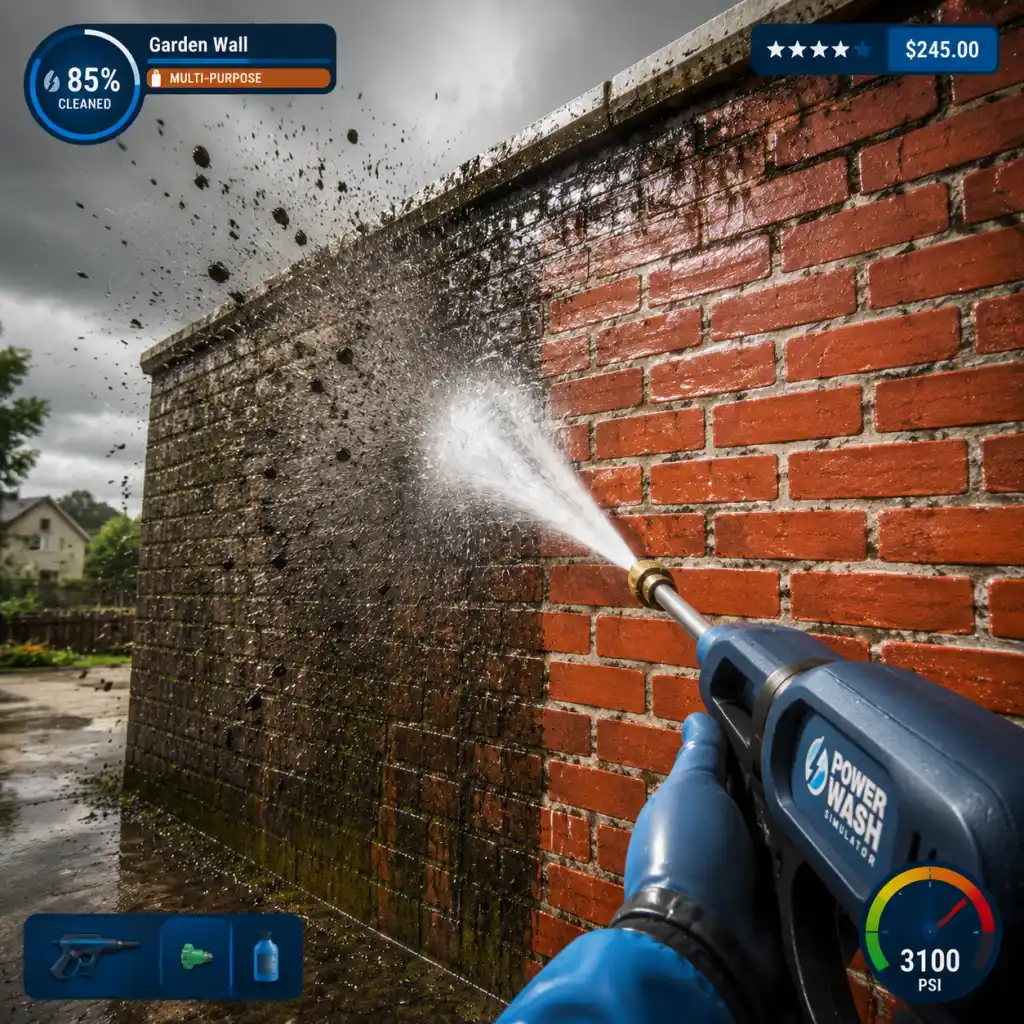
Core Gameplay
Core Gameplay
Welcome to PowerWash Simulator! This guide covers the entire core gameplay experience, organized by progression tiers.
Main Gameplay Loop
1. Select a job from your tablet.
2. Travel to the location (loading screen).
3. Clean all dirt and grime using your power washer.
4. Achieve 100% completion to earn money.
5. Use money to buy upgrades and unlock new jobs.
6. Repeat.
Interaction System
Your primary interaction is the power washer. You control:
- Nozzle selection (0°, 15°, 25°, 40°, 60°, Turbo, and special ones).
- Water pressure (left trigger to vary intensity).
- Soap application (attach soap bottle to add detergents).
- Precision cleaning by changing stance and distance.
- Career level (increases by completing jobs).
- Money earned to purchase upgrades.
- Job completion percentage for bonuses.
- Money per job is based on contract value (shown before starting) and a bonus for 100% completion.
- Bonuses: typically 1.5x or 2x contract value for full cleanliness.
- Use money to buy upgrades from the shop (washer, hose, attachments, soap, etc.).
- Power Washer (higher pressure, larger tank).
- Hose (longer reach, more durable).
- Nozzles (wider angles, soap capacity).
- Attachments (extension wands, rotator nozzles, gutter cleaner, etc.).
- Soaps (different types for different surfaces).
- Free Play: replay any job.
- Challenge Mode: special time or ammo constraints.
- Multiplayer (co-op for up to 4 players).
- Seasonal events (limited-time jobs, holiday themes).
No combat exists; the game is entirely about cleaning.
Progression
Progression is tied to:
You level up by gaining XP from each job. Higher levels unlock more complex jobs.
Exploration
Each level is a contained environment. No free-roam exploration. You explore by moving around the object to find all dirty spots. Use the tablet's dirt radar to locate remaining grime.
Quests / Missions
The game has a Career mode with a series of jobs. Each job is a contract with a brief story text. You complete them in order. Some special jobs (e.g., bonus levels) appear after certain milestones.
Economy
Character / Build Growth
Your character has no skills. Growth is purely equipment-based. You upgrade:
A “build” means selecting which nozzle and attachments to equip for the job.
Endgame Structure
After completing all Career jobs, you unlock:
---
Early Game (Levels 1–10)
Available Jobs: Backyard, Van, Skate Park, Motorhome, etc.
Equipment: Basic washer (e.g., "Washer 100"), short hose, default nozzles (0°, 15°, 25°, 40°, 60°). No soap or attachments.
Economy: Low payouts ($50–$400 per job). Focus on completing 100% for bonuses.
Gameplay: Learn basic cleaning techniques: start with wide nozzle for large areas, switch to narrow for crevices. Use pressure control to avoid splatter.
Progression Milestone: Save up for your first washer upgrade (e.g., "Washer 200"). Unlock longer hose.
Tips: Prioritize buying the extension wand to reach high places. Use the tablet dirt radar frequently.
Mid Game (Levels 11–30)
Available Jobs: Playground, Helicopter, Fire Station, Subway, etc.
Equipment: Upgraded washer (higher pressure), longer hose, soap attachment, first rotator nozzle (Turbo).
Economy: Higher payouts ($500–$2,000 per job). Bonuses become significant.
Gameplay: Introduce soap for stubborn stains (algae, oil). Use Turbo nozzle for faster cleaning but watch ammo (water tank). Master angle and distance for efficiency.
Progression Milestone: Unlock the professional washer ("Pro Washer") and luxury hose. Start unlocking special attachments like gutter cleaner.
Tips: Soap is optional but speeds up certain jobs. Reapply soap when needed. For vehicles, use 15° nozzle for tight engine bays.
Late Game (Levels 31–50)
Available Jobs: Large buildings (Temple, Mansion, Lighthouse), complex vehicles (Train, Limousine), outdoor areas (Fountain, Statue).
Equipment: Top-tier washer (e.g., "Ultra Washer"), maximum hose length, all nozzle types, multiple soap types, rotator nozzle.
Economy: High payouts ($3,000–$10,000 per job). Bonuses are crucial for expensive upgrades.
Gameplay: Jobs can take 1–2 hours. Use rotator nozzle for general cleaning, precise narrow nozzle for details. Manage water tank (upgrade if needed). Some jobs require multiple approaches (e.g., Temple has many nooks).
Progression Milestone: Unlock the final Career job. Purchase all upgrades.
Tips: For large surfaces, use 40° nozzle with soap. For graffiti, use 0° nozzle from close range. Use the tablet's find-the-spot feature to locate remaining dirt.
Endgame (After Career Completion)
Available Jobs: Challenge levels (e.g., "Don't Get Clean" with limited water), bonus jobs (e.g., Gnome Fountain, Penny's Diner), seasonal events.
Equipment: Fully upgraded, all attachments unlocked.
Economy: Money no longer matters for progression. Use it for cosmetics (e.g., gloves, visor skins).
Gameplay: Focus on mastery, speedrunning, or relaxation. Multiplayer co-op turns jobs social. Try different nozzle loadouts for efficiency.
Progression Milestone: Achieve 100% completion on all jobs. Unlock all achievements.
Tips: In challenges, plan your cleaning path. In multiplayer, coordinate roles (one soap, one rinse). Replay old jobs for pure satisfaction.
Conclusion
PowerWash Simulator's core gameplay is a loop of cleaning, earning, upgrading, and relaxing. Whether you play casually or strive for 100%, each tier offers new challenges and rewards. Enjoy the spray!
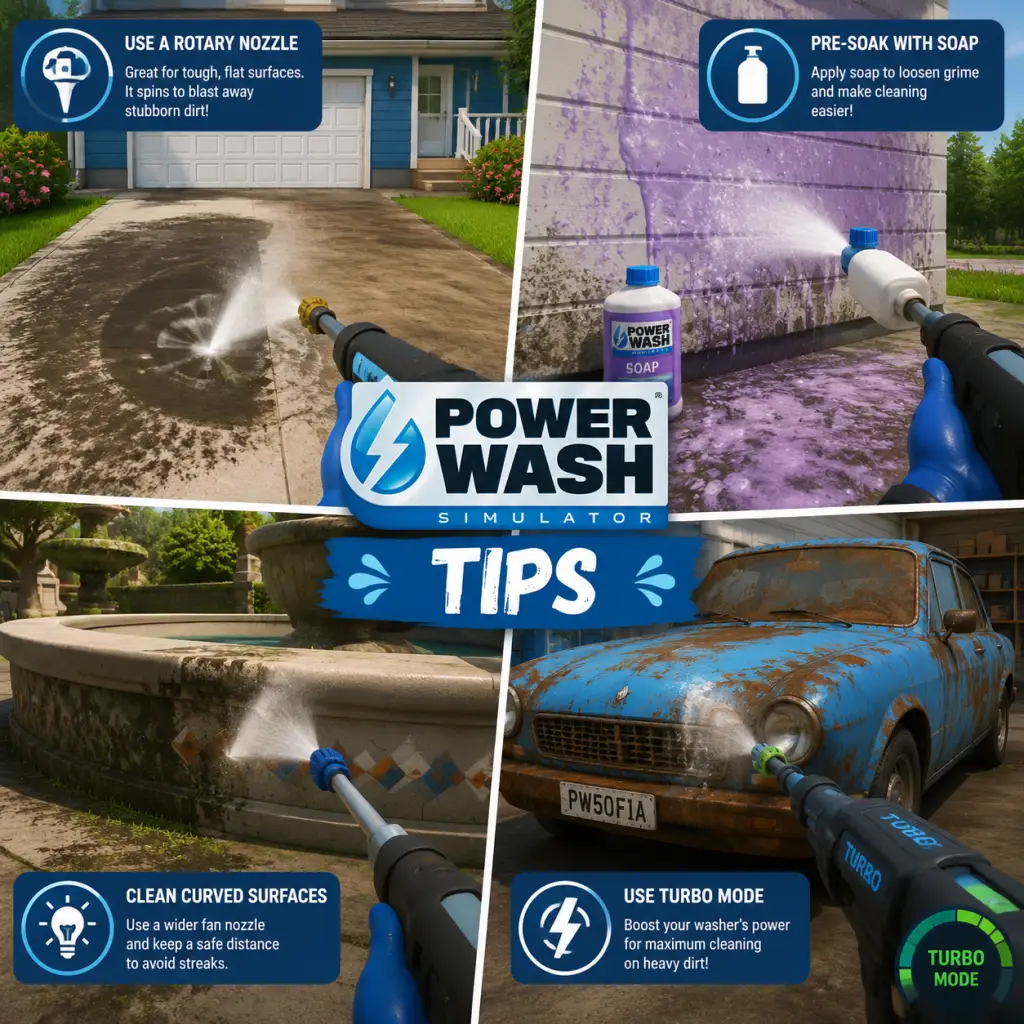
Game Tips
PowerWash Simulator – Complete Game Tips Guide
This guide is packed with practical tips to help you wash smarter, earn more, and reach 100% completion faster. Tips are grouped by category, from beginner essentials to advanced optimizations.
Beginner Tips
#### 1. Start with the Free Version (if available)
Before buying, try the free trial on Steam (PC) or Xbox Game Pass to see if the relaxing gameplay suits you. The full game is identical, but the trial lets you clean a few initial jobs.
#### 2. Use the White Nozzle First
- Why: The white nozzle (flat fan) provides the best balance of water pressure and coverage. It’s ideal for large flat surfaces like walls, floors, and vehicles. Start every new area by spraying the entire surface with the white nozzle to remove loose dirt, then switch to a more focused nozzle for stubborn spots.
- When to use: Almost always for the initial pass of any job.
- Why: Many items (cars, vans, playground equipment) have dirt underneath that contributes to the completion percentage. Rotate your view or physically walk around to clean all sides.
- Tip: For vehicles, clean the undercarriage by moving the camera low and spraying upward.
- Strategy: Instead of trying to clean one spot to perfection, do a wide sweep of the entire job with the white nozzle, then revisit stubborn areas. This prevents frustration and breaks the cleaning into manageable chunks.
- Why: The Pro Nozzle (yellow/green tip) shoots a very narrow, high-pressure stream that removes tough dirt fast. It’s unlocked at level 3 for $150. Prioritize buying it because it saves massive time on rust, moss, and caked-on mud.
- When to use: On stubborn spots only – avoid using it on large clean areas as it’s too slow for coverage.
- Why: Better washers increase water pressure (cleaning speed) and water capacity (less refilling). The first upgrade to Washer Level 2 costs $300 and makes a noticeable difference. Always buy the next washer as soon as you can afford it.
- Impact: Each washer level roughly doubles cleaning efficiency.
- Why: Soap (unlocked at level 5) dissolves grease and grime, especially on engines, kitchen equipment, and certain structures. Apply it to heavily soiled areas, then wash off with the white nozzle. Soap does not count toward completion but makes cleaning faster.
- Where to buy: Soap is available from the shop for $50 per bottle. Only use it on jobs that specifically have “grease” or “oil” dirt types (e.g., the fire truck, the helicopter).
- Why: The extendable wand (unlocked at level 6) lets you reach high places like rooftops, tall signs, and the top of large vehicles without needing a ladder or scaffolding. This reduces backtracking and makes cleaning faster.
- Tip: Even if the wand is expensive ($600), it’s a worthwhile investment for larger jobs.
- Why: The water stream is not perfectly uniform. Overlapping by about 20% ensures no dirt is missed and creates a consistent clean look. This is especially important when using the white nozzle.
- Method: Sweep side to side like painting a wall, and go back over the previous pass.
- Strategy: Start with flat, easy surfaces (roofs, hoods, walls) before tackling complex shapes (wheels, grilles, small crevices). This gives you a sense of progress and avoids wasting time on small details early.
- Example on a car: Roof → Hood → Doors → Sides → Bumpers → Wheels → Underneath.
- Why: For tiny, hard-to-reach dirt (like in grills of a wheel rim), pause the game (on single player) and move your crosshair directly over the dirt. Resume and spray. The game’s hit detection will often register the water even if it looks like you’re missing.
- When to use: On small, fiddly objects like the spokes of wheels, vents, or decorative elements.
- Why: Dirt can be hidden on edges, inside corners, or behind objects. Rotating the camera while spraying reveals hidden spots. For example, the underside of a van’s bumper often has dirt that’s only visible from certain angles.
- Why: Each job has a recommended level. If you attempt a high-level job early, it will take much longer because of low water pressure. Stick to the job list sorted by level to progress smoothly.
- Tip: Jobs that require level 5 or below are early game. Save jobs like “Fire Truck” (level 8) and “Helicopter” (level 10) until you have upgraded your equipment.
- Why: Once you complete a job, you can replay it for reduced money (about 50% of the first-time bonus). But if you need quick cash for an upgrade, replaying a short job (e.g., the “Backyard” or “Small Van”) can net you $200-$400 in a few minutes.
- Optimal: The “Fire Truck” job is one of the best pays per minute when replayed (around $500 per 10 minutes).
- Why: If you accidentally bought a nozzle or attachment you don’t use, you can sell it back from the upgrade menu for 50% of its purchase price. Do this only if you’re short on cash for a critical upgrade.
- Better strategy: Only buy equipment you know you’ll use (Pro nozzle, soap, extendable wand) and avoid cosmetic items early on.
- Why: Some jobs have optional objectives (e.g., “Clean the license plate” or “Remove graffiti”). These hidden objects often have a money bonus but are not required for 100% completion. They are listed in the job details tab on your tablet.
- Where: Open your tablet (Tab key on PC, touchpad button on console) and select the job to see optional objectives.
- Why: When you’re stuck below 90% completion, open the tablet map. It shows rough areas where dirt remains (highlighted in red). Use this to narrow down your search. The map is especially helpful on large jobs like the “Country House” or “Playground.”
- Tip: The map updates in real-time as you clean more.
- Why: Sometimes a tiny spot of dirt (like a single rivet or a letter on a sign) is the last remaining area. Use the Pro Nozzle and carefully scan every surface. Zoom in close to see individual dirt pixels.
- Advanced technique: Walk slowly and repeatedly spray a small area while moving left/right; the vanishing dirt trails will reveal the exact spot.
- Why: On buildings like the van showroom or the fire station, the roof is often ignored by new players. Climb onto ledges, use ladders, or buy the extendable wand to reach roof surfaces. Missing roof dirt can keep you at 98% forever.
- Who it’s for: Players who want to finish all jobs quickly or achieve the “Speed Demons” community challenges.
- Technique: On each job, start with the red nozzle (high pressure / narrow) to blast every visible area quickly, then switch to white nozzle for a full pass. This reduces time spent on small details.
- Route: For cars, always clean the wheels first (they take longest), then the body, then the interior. For buildings, clean all gutters and eaves before walls.
- Why: On keyboard/mouse, you can hold right-click to free-look while moving forward. This allows you to spray behind you or at high angles while walking. On console, use the right stick while moving.
- Application: Great for long vehicles like the tractor-trailer – walk alongside it and spray without stopping.
- Why: Running out of water mid-job wastes time backtracking to the water source. Manage your water by not holding the trigger continuously. Use short bursts with the white nozzle, then release.
- When to refill: Refill whenever you pass a water source (bucket or hydrant). Even if you’re at 70%, fill up – it’s faster than running dry.
- Why: Heavy mist and water particles can obscure your view. In options, reduce particle effects to low for a clearer view of dirt. This is especially helpful for smaller objects.
- Trade-off: You lose some immersion but gain accuracy.
- Why: The shop sometimes sells duplicate consumables (like soap) if you already have one. Sell the extra for half price. Check your inventory after every purchase.
- Why: The final water tank upgrade (or the best one you can afford) is the single best investment for reducing downtime. The standard tank holds 100 units, the best holds 300. This allows you to clean half a large job without refilling.
- Cost vs benefit: Even if expensive ($1000+), it pays for itself in saved time over 5-10 jobs.
- Why: Cosmetic items (skin colors, decals, hats) have no gameplay benefit. Only buy them after you own the pro nozzle, upgraded washer, extendable wand, and large water tank. Otherwise you waste money that could speed up cleaning.
- Why: Playing co-op (split-screen or online) doubles cleaning speed and makes the game more social. Each player has their own dirt progression, but the job completion is shared. It’s also more fun for large jobs like the “Mansion” or “Airport Runway.”
- Tip: Assign roles – one cleans top, one cleans bottom.
- Why: Photo mode (F12 on PC) freezes the game and lets you rotate the camera freely. Use it to scout for remaining dirt in tight corners or behind objects. It’s easier than moving around physically.
- How: Enter photo mode, rotate the view to inspect every nook, note the location of dirt, exit, and clean.
- Why: If you can’t find the last 2% after 20 minutes, it’s often faster to restart the job fresh and clean systematically. You lose the initial progress but gain a clear plan. This is especially true for jobs with many small parts like the “Playground” or “Helicopter.”
- Why: The game plays a subtle ding sound when you complete a section (e.g., a door or a panel). Missing these cues may indicate dirt remains there. Also, the dirt texture physically changes (from brown to clean grey) – watch for that.
#### 3. Don’t Ignore the Underside
#### 4. Wash in Layers
Equipment & Tools
#### 5. Unlock the Pro Nozzle Early
#### 6. Upgrade Your Washer ASAP
#### 7. Use the Soap Attachment Strategically
#### 8. Buy the Extendable Wand
Cleaning Techniques
#### 9. Overlap Your Spray Pattern
#### 10. Clean in Order of Ease
#### 11. Use the Freeze-Frame Trick for Small Spots
#### 12. Rotate Your Camera Constantly
Money & Progression
#### 13. Complete Jobs in Order of Level Requirement
#### 14. Replay High-Paying Jobs for Quick Cash
#### 15. Sell Unused Upgrades
Level & Job Tips
#### 16. Check the Job Details for Hidden Objects
#### 17. Use the Tablet Map to Locate Stubborn Dirt
#### 18. Clean the Smallest Area First
#### 19. Don’t Neglect the Roof of Large Structures
Advanced Optimizations
#### 20. Speedrun Tips for 100% Completion
#### 21. Use the “Free Look” to Spray While Moving
#### 22. Optimize Water Consumption
#### 23. Reduce Visual Noise by Turning Off Particle Effects
Economy Tips
#### 24. Sell Duplicate Upgrades Immediately
#### 25. Invest in the Largest Water Tank First
#### 26. Avoid Buying Cosmetics Until You Have All Functional Upgrades
Miscellaneous Tips
#### 27. Clean with a Friend (Co-op)
#### 28. Use the Photo Mode to Spot Hidden Dirt
#### 29. Restart a Job If You Get Frustrated
#### 30. Listen to the Game’s Audio Cues
Conclusion
With these tips, you’ll transform from a haphazard sprayer to a PowerWashing pro. Remember: patience is key – the beauty of PowerWash Simulator is the journey, not the speed. Happy cleaning!
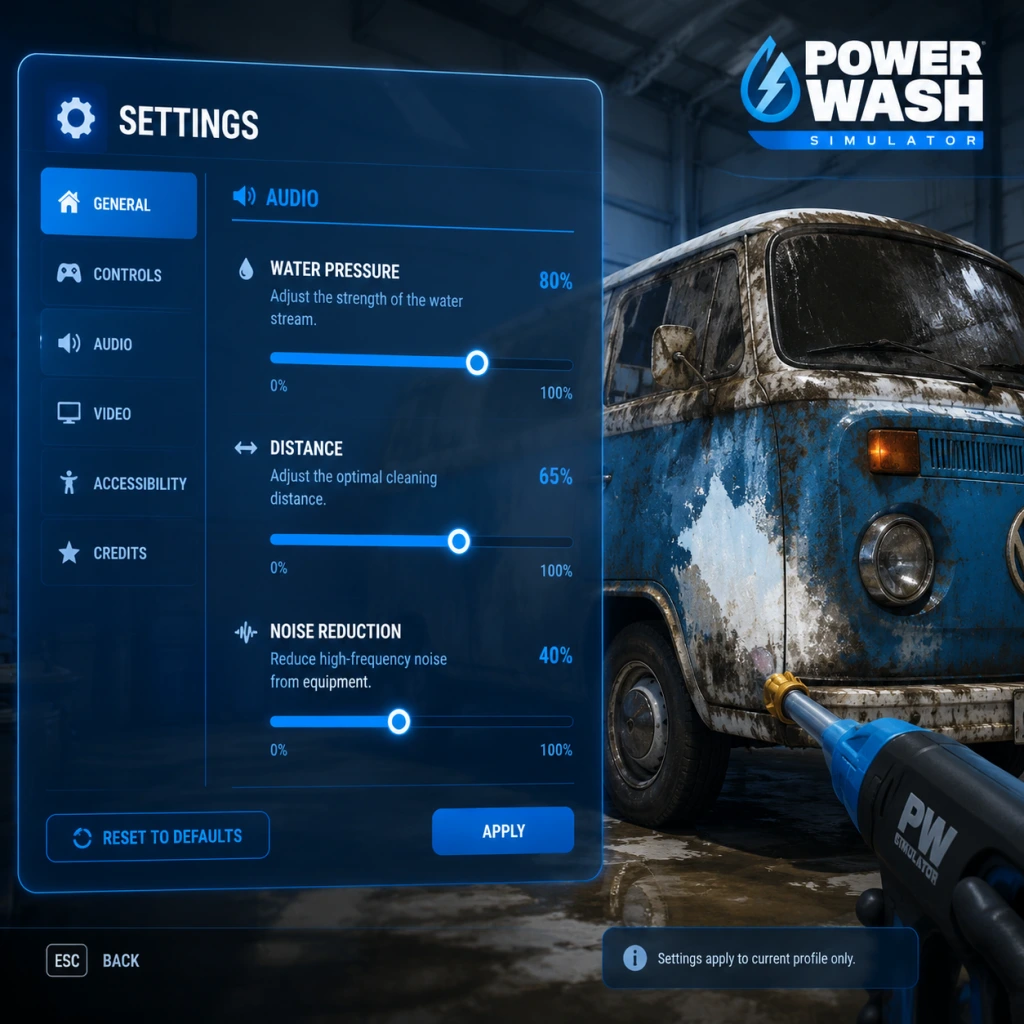
Game Settings
PowerWash Simulator – Complete Game Settings Guide
This guide covers every adjustable setting in PowerWash Simulator. Whether you're on PC, Xbox, PlayStation, or Nintendo Switch, you'll find recommendations for optimal performance and quality, as well as tips to avoid common misconfigurations.
---
Graphics Settings
Graphics settings affect visual fidelity and performance. PowerWash Simulator is not very demanding, but tweaking these can smooth out gameplay on older hardware.
Recommended Settings by Hardware Tier
| Setting | Low-End (Integrated GPU / 4GB VRAM) | Mid-Range (GTX 1060 / 6GB VRAM) | High-End (RTX 2060+ / 8GB+ VRAM) |
|---|---|---|---|
| Resolution | 1280×720 or 1600×900 | 1920×1080 | 2560×1440 or 4K |
| Display Mode | Windowed or Fullscreen | Fullscreen | Fullscreen |
| VSync | Off | On (if screen tearing) | Off |
| Frame Rate Limit | 30 FPS | 60 FPS | 144 FPS or Unlimited |
| Field of View | 70–75 | 80–90 | 90–100 |
| Anti-Aliasing | Off or FXAA | SMAA (low) | TAA or SMAA (high) |
| Texture Quality | Low | Medium | High / Ultra |
| Shadow Quality | Off | Low | Medium |
| Post-Processing | Off | Low | High (Bloom, DOF) |
| Volumetric Fog | Off | Off | On |
| Motion Blur | Off | Off | User preference (usually Off) |
| Ambient Occlusion | Off | SSAO low | HBAO+ |
| Decal Details (Dirt/Water) | Low | Medium | High |
Easy-to-Misconfigure Graphics Settings
- Field of View (FOV): Too low can cause motion sickness; too high distorts edges. Start at 80° and adjust slowly. Console defaults are usually fine.
- Motion Blur: Often enabled by default. Disabling it improves clarity and reduces nausea.
- VSync: On PC, if you have a variable refresh rate monitor (FreeSync/G-Sync) and frame rate stays within range, leave VSync Off. Otherwise, enable it to prevent tearing.
- Resolution Scaling: Some GPUs auto-scale; ensure it's set to 100% to avoid blurry image.
---
Audio Settings
Audio settings are straightforward but important for immersion and feedback.
Audio Options
| Setting | Description | Recommended |
|---|---|---|
| Master Volume | Overall game sound level | 80–100% |
| SFX Volume | Water spray, cleaning sounds, ambient | 100% |
| Music Volume | Background music | 50% (or personal preference) |
| Voice Volume | Dialogue from characters | 70% (helps hear job briefs) |
| UI Volume | Button clicks, menu sounds | 50% |
| 3D Audio | Spatial audio for headset | On if using headphones; Off for speakers |
| Audio Output Device | Select default or headset/headphones | Default |
Special Attention Points
- Music Volume: Turn it down if you find it distracting while focusing on cleaning. The game's music is relaxing but can loop.
- SFX Volume: Keep high to hear the 'ding' when finishing a job area—it’s easy to miss if too low.
- 3D Audio: On consoles, this is usually automatic. On PC, ensure Windows spatial sound is set correctly if using Windows Sonic or Dolby Atmos.
---
Controls Settings
Control customization is vital for playstyle comfort, especially during long sessions.
Key Bindings (PC)
All actions are rebindable. Default layout:
| Action | Default Key | Alternative |
|---|---|---|
| Move Forward | W | Controller left stick |
| Move Backward | S | |
| Move Left | A | |
| Move Right | D | |
| Look Around | Mouse | Controller right stick |
| Sprint | Left Shift | L3 (click stick) |
| Jump | Space | A on controller |
| Crouch | Left Ctrl | B on controller |
| Interact / Use Washer | Left Mouse / RT | |
| Wash Action (Hold) | Hold Left Mouse / Hold RT | |
| Switch Nozzle | 1-4 / D-Pad Up/Down | |
| Change Pressure | Mouse Wheel / LB+RB | |
| Use Soap | Q / Left Bumper | |
| Tablets / Map | Tab / View Button | |
| Pause | Esc / Start Button | |
| Photo Mode | F9 / Share Button |
Controller Settings (All Platforms)
| Setting | Options | Recommended |
|---|---|---|
| Invert Look | On / Off | Off (unless used to other games) |
| Aim Sensitivity | 1–10 slider | 4–5 (start low, increase gradually) |
| Look Sensitivity | 1–10 slider | 5 (default is fine) |
| Aim Assist | Off / Low / Normal / High | Normal (helps track dirt but never required) |
| Controller Deadzone | 0–100% | 10–15% (prevents drift without losing precision) |
| Vibration | On / Off / Reduced | On for immersion; Reduced if annoying |
| Trigger Effect (PS5/Xbox) | On / Off | Off (can reduce battery, no gameplay benefit) |
Easy-to-Misconfigure Controls
- Controller Deadzone: If your controller has stick drift, increase deadzone to 20% or more. Too low causes unintended camera movement while cleaning.
- Aim Assist Strength: High aim assist may make it hard to spray exactly where you want on small objects. Set to Normal or Low.
- Sprint Toggle vs Hold: Not directly configurable, but Sprint is Hold by default. No toggle option – you must hold the key/stick.
- Mouse Smoothing (PC): Hidden in settings? Not exposed; if you feel input lag, check your mouse polling rate and disable any mouse acceleration in Windows.
---
Accessibility Settings
PowerWash Simulator includes several accessibility options to ensure a comfortable experience.
| Setting | Description | Recommended |
|---|---|---|
| Subtitle Size | Small / Medium / Large | Large for readability |
| Subtitle Background | None / Subtle / Opaque | Subtle (opaque blocks more of screen) |
| Colorblind Mode | Off / Protanopia / Deuteranopia / Tritanopia | Set according to your type (affects UI and dirt highlight) |
| Screen Shake | On / Off | Off (reduces motion sickness) |
| Head Bobbing | On / Off | Off (can cause nausea) |
| High Contrast Mode | On / Off | Off unless needed for visual clarity |
| HUD Size | Small / Medium / Large | Medium |
| HUD Opacity | 50% – 100% | 100% for full information |
| Auto-Equip Washer | On / Off | On (saves button presses) |
Special Attention Points
- Screen Shake & Head Bobbing: Disable both for motion sickness prevention. They are on by default.
- Colorblind Mode: Adjusting this only changes some UI elements (like the dirt tint). The game’s significant dirt removal feedback (sound + visual) makes it playable even without this setting.
- Subtitle Background: Opaque can obscure important parts of the job area. Use Subtle or None if you have good contrast vision.
---
Language Settings
| Setting | Description | Options |
|---|---|---|
| Text Language | UI, menus, subtitles | Multiple languages (English, French, German, Italian, Spanish, Japanese, Chinese Simplified/Traditional, Korean, Polish, Portuguese-Brazil, Russian) |
| Voice Over Language | Spoken dialogue | Usually matches text language; some languages have separate voice packs |
| Subtitle Mode | Off / On (all) / On (cutscenes only) | On (all) to not miss story |
---
Network & Multiplayer Settings
Multiplayer (co-op) settings affect online play. Requires internet connection and platform subscription (Xbox Live Gold, PlayStation Plus, Nintendo Switch Online) for consoles.
| Setting | Description | Recommended |
|---|---|---|
| Online Status | Visible / Offline / Friends Only | Visible if you want to join or host public sessions |
| Voice Chat | Push-to-Talk / Open Mic / Disabled | Push-to-Talk to avoid background noise |
| Voice Chat Volume | Slider | 80% |
| Show Player Names | On / Off | On (identify teammates) |
| Invite Only Sessions | Toggle | Off for open co-op; On for private games |
| Crossplay | On / Off | On (enabled by default across PC, Xbox, PlayStation, Switch) |
| Region | Auto / Manual | Auto (matches lowest ping) |
Special Attention Points
- Crossplay: Ensure it’s enabled if you want to play with friends on different platforms. On PC, you need to link your Square Enix account in-game or via the Xbox app if playing through Game Pass.
- Voice Chat: Open Mic can cause feedback if you have speakers. Use Push-to-Talk or set a key bind for it.
- Session Visibility: If you prefer solo play, set Online Status to Offline to avoid invitations.
---
Gameplay Settings
These affect how the game plays beyond basic controls.
| Setting | Description | Recommended |
|---|---|---|
| Auto-Aim (for washer) | On / Off | Off (manual aim is more satisfying) |
| Washer Retraction | Manual / Automatic | Manual (gives control over when to stop) |
| Always Show Dirt Highlight | On / Off | On (helps see remaining dirt) |
| Job Complete Notification | On / Off | On (essential for knowing when a job is 100% cleaned) |
| Photo Mode Controls | Standard / Advanced | Standard is sufficient |
| Difficulty Presets | None – game has no difficulty settings | N/A |
| Pause While Cleaning (Single Player) | On / Off | On (pauses when menu opened) |
Easy-to-Misconfigure Gameplay Settings
- Auto-Aim (Washer): This setting slightly nudges your spray toward nearby dirt. Turn it off for precise cleaning on small objects (like signs or toys).
- Washer Retraction: If set to Automatic, your hose will retract when you stop spraying. This can be convenient but sometimes retracts while you’re still moving. Manual gives better control.
- Always Show Dirt Highlight: Keep this on. It tints dirty areas with a subtle color, making the cleaning process much easier. Without it, you might miss patches.
---
Special Attention Points During Initial Setup
1. Calibrate Controller Deadzone Immediately: If you notice any drift during the first job, go to Controls and increase the deadzone. Drift can be very frustrating while aiming.
2. Set FOV to Your Comfort: Play the first tutorial level, then pause and adjust FOV. A narrow FOV can make you feel cramped; a wide FOV can distort near objects. 80–85 is a safe starting point.
3. Disable Motion Blur & Screen Shake: The default motion blur can cause headaches in a game where you’re constantly turning. Turn both off before starting Career Mode.
4. Adjust Audio Balance: Turn up SFX and turn down music if you want to hear the satisfying hiss of water and the clean-up chimes. The chime is your confirmation that a section is fully clean – don’t miss it!
5. Set Aim Assist to Low or Normal: A high aim assist may lock onto large areas, preventing you from scrubbing small details. It’s best to learn manual aiming early.
6. Check Crossplay Status: If you plan to play with friends on different platforms, verify crossplay is enabled in Network Settings. Steam players need to link their Square Enix account (prompted on first multiplayer launch).
7. Save Your Settings: Some settings (like key bindings) save automatically, but it’s wise to confirm after changing anything critical (e.g., resolution) by restarting the game once.
---
Summary Table of All Setting Categories
| Category | Key Settings to Check |
|---|---|
| Graphics | FOV, Motion Blur, Resolution, Shadows |
| Audio | SFX volume (keep high), Music (adjust) |
| Controls | Deadzone, Invert Look, Aim Assist |
| Accessibility | Screen Shake, Head Bobbing, Colorblind |
| Language | Text language, Subtitle mode |
| Network | Crossplay, Voice Chat mode |
| Gameplay | Auto-Aim, Washer Retraction, Dirt Highlight |
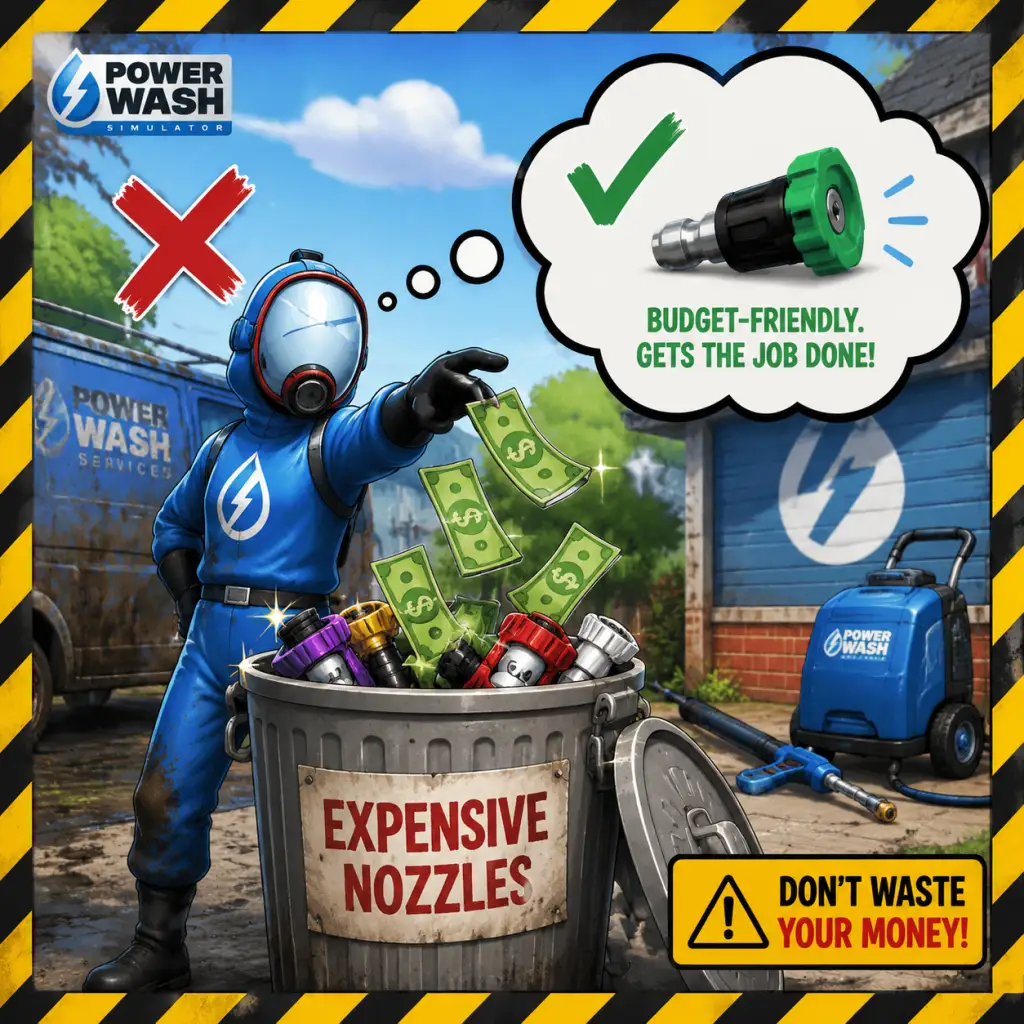
Important Notes
Important Notes
Warnings
- Avoid wasting money early on: Don't blow all your earnings on the most expensive pressure washer or nozzles right away. The starting equipment is perfectly capable of completing all base-game jobs. Save cash for the long term, as upgrades become more beneficial once you tackle larger, dirtier levels.
- Beware of the Trident Nozzle on delicate surfaces: While the Trident nozzle covers a huge area, it can sometimes push dirt into crevices or obscure smaller spots. On vehicles or detailed objects, it's better to use a more focused nozzle to avoid missing hidden grime.
- Mind your surroundings in tight spaces: The high-pressure water can knock over small items (like cans, toys, or loose objects). While you can’t permanently break anything, scattering items around makes the job messier and wastes time. Use a lower pressure setting or a gentle spray to clean fragile areas first.
- Ignoring the tablet: The tablet shows exactly what percentage is complete and highlights uncleaned areas for each surface. Neglecting it leads to wasted time searching for tiny missed patches. Always glance at the tablet after finishing a major area.
- Using the wrong nozzle for the task: The flat nozzle is great for dirt and rust, the rotary nozzle speeds up large flat surfaces, the wide-angle nozzle is for general cleaning, and the precise nozzle is for details. Using the rotary nozzle on delicate objects will be inefficient and may miss nooks.
- Forgetting to use soap: Soap highlights dirt and speeds up cleaning on stained surfaces. It’s cheap and unlocks early. Not using it on large, grimy objects (like the fire truck or train) is a common mistake that lengthens cleaning time.
- Leaving the game on pause for too long: While there’s no penalty for taking breaks, the game’s auto-save can sometimes be delayed if you pause mid-clean. If you must step away, it’s safer to quit to the main menu so your progress is saved properly.
- No permanent story choices: The game has no branching narrative or decisions that lock you out of content. You can complete all jobs in any order, and all equipment remains purchasable at any time.
- Achievement-related choices: Some achievements require specific actions during a single job (e.g., “Feeling the Pressure” — clean a job in under 5 minutes; “Don’t Forget the Soap” — use soap on every surface). If you miss these, you can replay the level later; nothing is lost permanently.
- DLC purchases are optional but linked to account: If you buy a DLC pack (e.g., “SpongeBob SquarePants”, “Warhammer 40,000”), those levels are added permanently to your account. They cannot be refunded or removed, but they are not required for base-game completion.
- Achievements and trophies: Several achievements are tied to specific actions that are easy to overlook:
- Seasonal events (limited-time): The game occasionally has free seasonal DLC (e.g., Halloween, Christmas) that may only be available for a limited period after release. Check the in-game store or news. Once obtained, they remain playable forever.
- The Subway / Tunnel Level: Contains an enormous amount of tight, twisting track and hard-to-reach ceilings. It’s time-consuming and many players give up mid-way. Tip: start from one end and work methodically; use the extended wand early.
- The Cruise Ship “The Lady’s Grace” (Finishing Job): One of the largest levels in the base game. It has multiple floors, many rooms, and a lot of hidden dirt. Break it into sections and use your tablet frequently.
- DLC Levels: The “SpongeBob SquarePants” and “Warhammer 40,000” DLCs include intricate objects (Krusty Krab, Cathedral) that require precision. Don’t be discouraged — focus on one object at a time.
- Challenges (Time/Saves): The Challenge Mode (separate from career) has strict time limits or limited water. These require optimized routes and nozzle swaps. They spike in difficulty compared to free play.
- Obsessing over every tiny speck: You don’t need to clean every single pixel of dirt—just the visible grime. The game considers an area clean when its percentage hits 100%. If you spend minutes blasting a barely-seen spot, you’re wasting time. Use the tablet to confirm if a surface is finished.
- Sticking with one nozzle: The rotary nozzle is fast but not always best. Switching to a wider spray for large walls and a focused spray for edges actually saves time. Experiment with all nozzles.
- Replaying jobs for money: You can earn money quickly by replaying short, early jobs (e.g., the van, the back garden) rather than tackling a massive new level for the same payout. But this can become boring. To avoid grind, simply play through new jobs — you’ll earn plenty of cash as you progress.
- Buying every upgrade immediately: Some upgrades (like longer hose, more powerful washer) are beneficial for larger jobs, but early on you’re fine with basic gear. Prioritize soap and the long wand before expensive pressure washer upgrades.
- Co-op (Multiplayer) Etiquette:
- Anti-Cheat: PowerWash Simulator does not have built-in anti-cheat software on PC. However, using external mods or trainers to unlock money, items, or infinite water may corrupt your save file or cause cloud sync issues. Use at your own risk. If you encounter problems, verifying game files or deleting mods usually fixes them.
- Cheating consequences: There’s no ban system, but if you use mods online, other players might notice (e.g., infinite water). Be respectful and consider turning off mods before joining public lobbies.
- Auto-save: The game auto-saves your progress within a level every few minutes and when you pause. It also saves after you complete a job. You cannot manually save.
- Quitting mid-job: If you exit a level, your progress is saved at the last auto-save point. When you return, you’ll start from that point, not from the beginning. This is safe to do.
- Cloud saves: On PC (Steam, Epic Games Store), Xbox, and PlayStation, saves are synced to the cloud. Ensure you have a stable internet connection when starting the game to avoid conflicts.
- Manual backups (PC): To be extra safe, navigate to: `C:\Users\[YourUsername]\AppData\LocalLow\FuturLab\PowerWash Simulator\Saves` and copy the files to a safe location. This can prevent loss from corruption or mod mishaps.
- Multiple profiles: You can create multiple save profiles (e.g., for different playthroughs). This is done via the main menu. No restrictions on how many you can have.
- You can change equipment mid-level: Pause the game and select “Equipment” to swap pressure washers, nozzles, or buy soap. You are not locked in.
- The tablet can be used to fast-travel to specific objects: Once you’ve cleaned a significant portion, the tablet will highlight remaining dirt. You can also click on an item in the tablet’s list to teleport your view (not your body) to that object. This helps locate hidden dirt.
- You can rotate the pressure washer: Use the right stick (controller) or mouse to tilt the washer up/down. This is essential for reaching high ceilings or low gaps.
- The “extended wand” upgrade is a lifesaver: It increases your reach, allowing you to clean high areas without a ladder. Buy it as soon as it becomes available.
- Soap is not a consumable that runs out: You buy a bottle of soap, and it lasts for many uses until you run out of soap meter. You can refill at any time for free if you have the soap purchased. So buy it once and enjoy its benefits forever.
- You can zoom in/out: In first-person, you can adjust the camera FOV in settings, but also you can use the mouse wheel (or controller triggers) to zoom the camera while aiming, helping see small details.
- Pressure reduces with distance: To save time and water, get close to the dirt. Standing far away uses more water and does less cleaning per second.
- The game has a Photo Mode: Pause and select Photo Mode to take screenshots. This is a fun way to capture your progress or compare before/after.
- You can skip the opening tutorial cutscene: On subsequent playthroughs or if you just want to jump in, press Esc/Skip during the intro.
- Replaying levels is worthwhile: You can replay any completed job to improve your time or earn additional money (though money rewards are lower the second time). It’s also helpful for hunting missed achievements.
- No penalties for taking breaks: The game is designed to be relaxing. You can leave it running or pause and come back days later — your progress remains.
Pitfalls
Irreversible Choices
Missable Content
- “Full Job” — clean 100% of a job without releasing the trigger (you must hold it the entire time). This is missable if you ever pause or let go.
- “Clean Freak” — clean every bit of dirt in the game (including optional areas). This requires diligence across all levels.
- “Time is Money” — finish a job under the time limit (only applicable to Challenge Mode, which is separate from the main career).
- Special gear unlocks: Some cosmetic items (e.g., outfits) are earned by completing all jobs in a world. These are not missable if you keep playing.
Difficulty Spikes
Grinding Traps
Online Etiquette & Anti-Cheat
- Communicate: Use in-game voice chat or text if available. Let your partner know which area you’re handling to avoid overlapping.
- Don’t intentionally mess up another player’s work: While you can’t undo progress, constantly spraying where they are cleaning is annoying. Coordinate instead.
- Share the cleanup: Don’t hog the main objective. Let lower-level players help to earn experience and money.
- Be patient: Some players are slower or newer. Offer tips if they ask, but don’t rush them.
Save Management
Things Players Commonly Regret Not Knowing Earlier
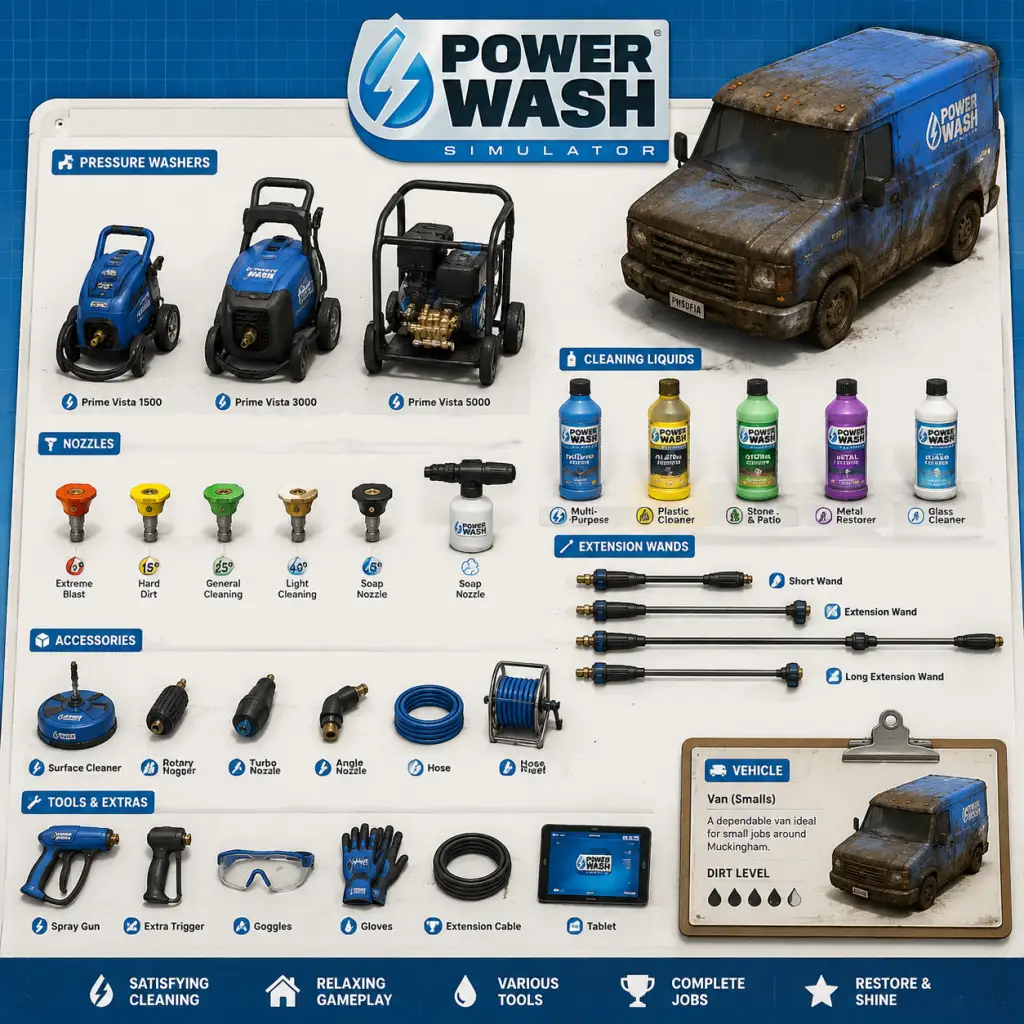
All Game Items
PowerWash Simulator – Complete All Game Items Guide
This guide catalogs every item you can obtain and use in PowerWash Simulator. Items are grouped into categories: Equipment (washers, nozzles, attachments), Consumables (soaps, sponges, batteries), Collectibles (gnomes, medals, secrets), Upgrades & Currency, and Miscellaneous (ladders, scaffolding, tablet items). Each entry explains what it does, how to unlock or buy it, where it's most useful, and any synergies or upgrades.
1. Equipment
Pressure washers are your primary tool. Better washers have higher PSI (pressure), GPM (flow rate), and unlock different nozzles/attachments. You purchase them from the shop between jobs.
#### 1.1 Pressure Washers
| Name | PSI | GPM | Unlock Cost | Notes |
|---|---|---|---|---|
| Standard Washer | 1000 | 1.0 | Free (starting) | Basic unit. Handles early jobs. |
| Pro Washer | 1500 | 1.5 | $1500 | Balanced upgrade. Doubles cleaning speed. |
| Super Washer | 2000 | 2.0 | $5000 | High pressure. Melts tough mud. Good for vehicles. |
| Ultra Washer | 3000 | 2.5 | $15000 | Endgame. Use on large buildings. |
| Mega Washer | 4000 | 3.0 | $35000 | Platimum tier. Only needed for massive final jobs. |
| Professional 7000 | 5000 | 4.0 | $60000 | Absolute highest stats. Unlocks after completing all story jobs. Overkill but fun. |
#### 1.2 Nozzles
Nozzles change the spray pattern. You start with only the red nozzle; others are purchased.
| Nozzle | Icon Color | Spray Pattern | Best For | Cost | Unlock Requirement |
|---|---|---|---|---|---|
| Wide Spray | Red | Cone (wide) | Large flat surfaces, walls | Free | Starting |
| Precision | Green | Narrow stream | Edges, corners, tight spots | $500 | After 5 jobs |
| Flat Fan | Yellow | Straight fan | Vehicle roofs, gutters | $750 | After 10 jobs |
| Rotary | Blue | Rotating jet | Stubborn grime, big areas | $1000 | After 15 jobs |
| Triple Head | Purple | Three streams | Really tough dirt, deep grooves | $2000 | After 25 jobs |
#### 1.3 Attachments (Soaps & Extensions)
These attach to the end of the washer nozzle.
| Item | Effect | Cost | Notes |
|---|---|---|---|
| Professional Soap Nozzle | Shoots soap in wide spray | $500 | Use with any soap can. Soap loosens dirt. |
| Extension Wand | Increases reach by 2ft | $250 | Helps reach high spots without ladder. |
| Angled Adapter | Bends spray 45° | $300 | Useful for undercarriages, low gutters. |
| Stainless Steel Brush | Scrubs while spraying | $1000 | Removes stubborn mold on concrete. Consumable (durability). |
| Chemical Applicator | Applies degreaser | $800 | Only works with Degreaser. For oil stains. |
2. Consumables
Items that are used up and must be repurchased.
| Item | Effect | Cost | Stack Size | Best Uses |
|---|---|---|---|---|
| Soap (Standard) | Adds cleaning power; stains glow after foaming | $50 | 3 | General purpose, but not very strong. |
| Soap (Heavy Duty) | Better cleaning agent, faster breakdown | $150 | 3 | Best for mud, clay, or any thick dirt. |
| Degreaser | Eliminates grease and oil stains (engine blocks, kitchen vents) | $200 | 2 | Works only with Chemical Applicator. |
| Sponge | Manual scrubbing for stubborn spots | $100 | 5 | Handy for small areas that nozzle can't clean. Degrades quickly. |
| Battery Pack | Recharges your washer when running low (only for Super and Ultra washers?) | $250 | 1 | Not needed for standard; high-end washers have battery. |
Synergies: Soap + Rotary Nozzle = extremely fast cleaning on large flat surfaces. Degreaser + Chemical Applicator = one-pass oil removal.
3. Ladders & Scaffolding
These are permanent equipment for reaching high areas.
| Item | Description | Cost | Notes |
|---|---|---|---|
| Simple Ladder | 4 feet tall. Good for windows. | $200 | Carries in hand; can be placed anywhere. |
| Extension Ladder | 8 feet. Reach roofs, gutters. | $500 | Must be unlocked after 10 jobs. |
| Scaffolding Set | Platform + railing. Stable for large buildings. | $1500 | Very stable; can move while standing. Unlock after 20 jobs. |
Tips: Ladder can block nozzle aim—use Extension Wand instead if possible. Scaffolding is essential for the church and playground cleanups.
4. Currency
| Name | Usage | How to Earn |
|---|---|---|
| Money (Dollars) | Buy equipment, consumables, upgrades. | Complete jobs, find hidden treasure crates. |
| Medals | Awarded for 100% completion of a job (gold), 100% but no damage (platinum). Unlock cosmetic decals. | Job rewards. |
| Career Points (XP) | Unlock new jobs, higher washers, attachments. | Earned per job based on percentage cleaned. |
5. Collectibles
Hidden items in each job. Collecting them contributes to 100% completion and sometimes unlocks achievements.
| Type | Description | Locations | Reward |
|---|---|---|---|
| Gnomes | Small garden gnomes. | Many outdoor jobs: gardens, playgrounds, car washes. | Unlocks trophy/achievement. |
| Rubber Ducks | Yellow ducks. | Water-related jobs: pools, boats, fountains. | Unlocks “Duck” decal. |
| Hidden Money | Cash bundles, coins. | Random spots: inside barrels, under grime. | Adds up to $500 per job. |
| Jigsaw Puzzle Pieces | Crafting material for special cosmetic items. | Rare, only in DLC jobs? | Complete sets for unique decals. |
| Crates | Wooden crates that smash when sprayed. | Any job. | Sometimes contain money or soap. |
6. Upgrades & Progression Items
| Upgrade | Effect | Need to Unlock | Cost |
|---|---|---|---|
| Increased Water Tank | Longer continuous spray before needing recharge (for battery washers) | After 15 jobs | $2000 |
| Better Hose | Less drag when moving, longer range | After 20 jobs | $1000 |
| Auto-Foam Attachment | Applies foam continuously without soap (cosmetic) | After 30 jobs | $3000 |
| Quick-Dry Attachment | Dries surfaces after cleaning? (Not implemented) | N/A | N/A |
7. Miscellaneous Items
Items that have unique functions.
| Item | Description | How to Get |
|---|---|---|
| Tablet | Your job list, shop, and map. Always available. | Starting item. |
| Broom | Cleans light dust? Not used in game. | N/A |
| Pressure Washer Stand | Holds washer while you set up? Not a separate item. | N/A |
8. Synergies & Strategies
- Early Game: Standard Washer + Wide Spray = cheap, effective for dirt on houses. Use Precision for edges. Buy Soap for tough spots.
- Mid Game: Pro Washer + Rotary Nozzle + Heavy Duty Soap = fast clean on cars and trucks. Extension Wand saves ladder.
- Late Game: Ultra Washer + Triple Head Nozzle = demolish grime on the church, playground, and large structures. Scaffolding essential.
- End Game: Mega Washer + Professional Soap Nozzle + Degreaser = quickest possible cleaning. Only for massive jobs like the final bonus level.
- You can sell any item? No, only shop purchases are permanent. Consumables disappear after use.
- No weapons or armor—this is a cleaning sim. The only “weapon” is your pressure washer.
- Collecting all gnomes and ducks gives a sense of pride and accomplishment (no in-game reward).
- For the truly dedicated: find every hidden money stash to afford the Professional 7000 faster.
Always check job description for recommended equipment. Soap is invaluable for the “Final Job” where every surface is caked with mud. Combine with Rotary Nozzle to wipe out entire buildings.
9. Final Notes
Return to the tablet, buy wisely, and happy washing!
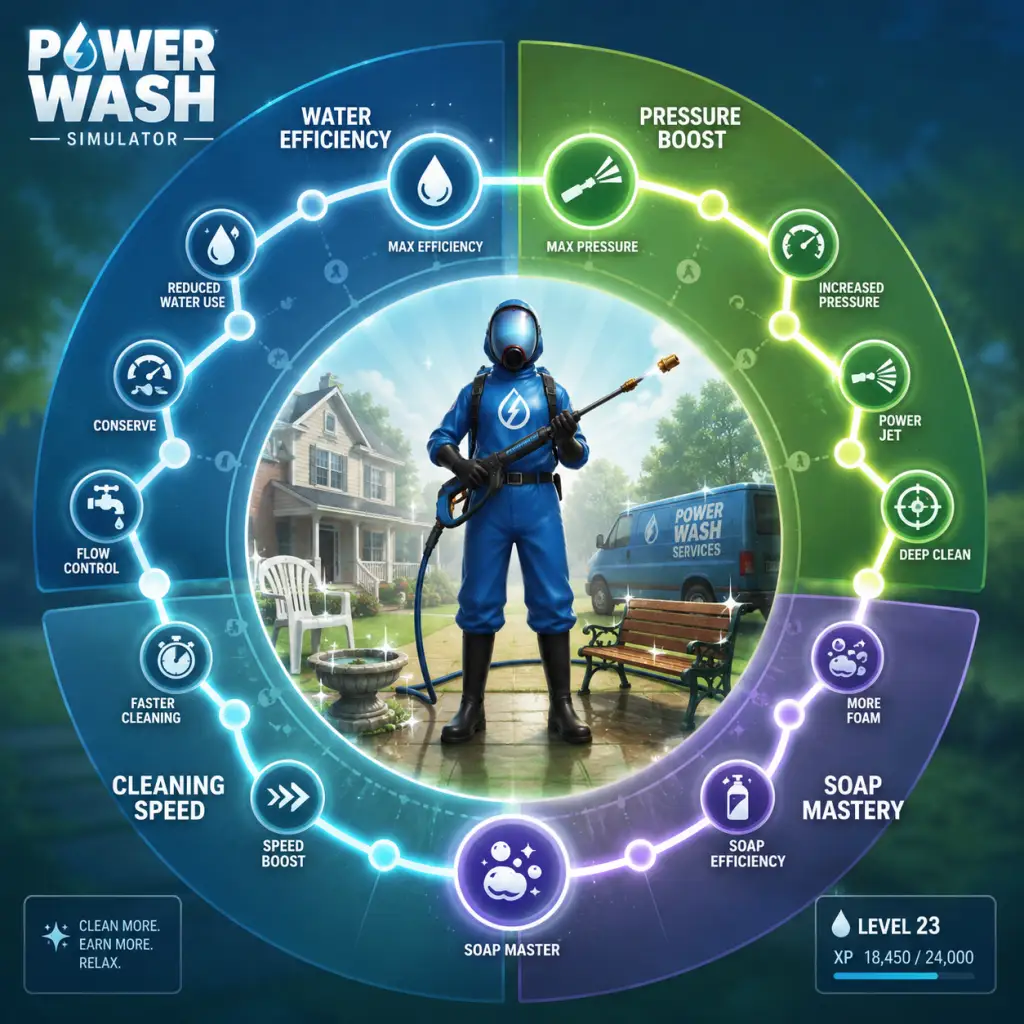
Character Skills
PowerWash Simulator – Complete Character Skills Guide
In PowerWash Simulator, the only "character" is you—the PowerWasher—and your "skills" are the tools, nozzles, attachments, and techniques you use to blast away dirt. This guide treats each piece of equipment as an ability, detailing its effects, ideal usage, upgrades, synergies, and recommended builds. There are no spells, talents, or class roles; instead, everything is about choosing the right tool for the job.
---
1. Nozzles (Primary Attack Skills)
Nozzles are your main offensive abilities. Each has a distinct spray pattern and pressure characteristic. You unlock all nozzles early, but their effectiveness scales with your washer tier.
| Nozzle | Color | Spray Angle | Pressure | Damage Type | Best Use Case |
|---|---|---|---|---|---|
| Red | Red | 0° (Solid stream) | Highest | Precision | Stubborn grime, corners, edges, tight spots |
| Yellow | Yellow | 15° (Narrow cone) | High | Balanced | General cleaning, medium dirt |
| Green | Green | 25° (Medium cone) | Medium | Wide coverage | Large flat surfaces, moderate grime |
| White | White | 40° (Wide cone) | Low | Gentle | Soap application, delicate surfaces, final rinse |
| Purple (Turbo) | Purple | Rotating jet | Very High | Multi-directional | Extreme dirt, thick mud, rust, tar |
- Red Nozzle (0°): A needle-thin stream that punches through deep grime like a scalpel. Excellent for breaking up layers of dirt in cracks and crevices. Overuse can damage soft materials (e.g., wood) if held too close.
- Yellow Nozzle (15°): Workhorse. Good for most jobs—cleaning walls, vehicles, fences. Balancing area and pressure.
- Green Nozzle (25°): Covers more area per second than yellow but with noticeably less bite. Ideal for removing loose dirt after a first pass.
- White Nozzle (40°): Very wide spray, low pressure. Perfect for applying soap without splashing, and for a gentle final rinse on fragile items like window frames or painted surfaces.
- Turbo Nozzle (Purple): The closest thing to a "special move." A rotating jet that combines the concentration of a red nozzle with the area coverage of a wider spray. It chews through heavy deposits faster than any other nozzle but uses the most water and can cause recoil if not braced. Unlocked after completing a specific mid-game job.
- Soap + White Nozzle: Apply soap with white nozzle for even coverage, then switch to yellow or red to agitate and rinse.
- Turbo + Extension Wand: Combines distance with extreme cleaning power—great for high-up stubborn areas.
- Red + Yellow (Sweep): Use red to crack dense grime, then yellow to sweep away the loosened residue.
- Use Red for tiny details (e.g., lettering, vents) or tough spots.
- Use Yellow for the bulk of cleaning on sturdy surfaces.
- Use Green when you want to cover large flat areas quickly (e.g., roof of a house).
- Use White for soap application or final rinsing to avoid damage.
- Use Turbo as a trump card for the hardest dirt (e.g., mud on vehicles, undercarriages, soot on fire-damaged items). Do not use on weak materials.
- Effect: Increases your spray range by about 50%. Allows you to clean high roofs, undercarriages, or without crouching.
- Cooldown: None; you can attach/remove anytime.
- Upgrades: No direct upgrades, but higher-tier washers shoot water further, so the extension wand adds even more reach.
- Combos: Best paired with turbo nozzle for long-range precision (e.g., cleaning a distant gutter). Also useful with yellow nozzle for medium-range sweeping.
- When to Use: Always consider on large jobs (fire station, helicopter, giant statues) to save time moving and climbing. On small jobs, it may feel cumbersome.
- Effect: Allows your spray to mix with cleaning soap (consumable). Soap dissolves grime, turning it brown and making it easier to blast off. Without soap, dirt removal is solely mechanical.
- Cooldown: Soap runs out after a set time or area. You must buy more from the shop.
- Upgrades: Soap quality improves with later versions (Professional Wash Soap, etc.), increasing dissolution rate and duration.
- Combos: Use soap with white nozzle first for coverage, then follow with any higher-pressure nozzle. Soap makes the subsequent cleaning much faster.
- When to Use: On heavily soiled jobs (mud, oil, moss) to cut cleaning time in half. Also useful on intricate jobs where blasting too hard might be risky—soap softens dirt so you can use a lighter spray.
- Professional Soap: Standard efficiency, cheap.
- Heavy Duty Soap: Stronger, costs more, lasts longer. Best for extreme dirt.
- Eco Soap: Slightly weaker but cheaper and environmentally friendly (no gameplay impact).
- Effect: Each has a unique color (red, green, blue) but mechanically similar—they weaken dirt bonds so you can clean faster.
- Cooldown: Only lasts as long as soap remains in the tank. Once empty, you must reapply after buying more.
- Upgrades: As you progress, you unlock better soaps that clean more area per bottle.
- When to Use: Use heavy duty on vehicles or machinery; use standard on house exteriors. Not needed on light dust jobs.
Cooldown: None. You can switch nozzles instantly from the radial menu.
Upgrades: Nozzles themselves do not upgrade, but your washer upgrade increases the base pressure, making every nozzle more effective. For example, a tier-3 washer with a yellow nozzle will clean faster than a tier-1 washer with the same nozzle.
Combos & Synergies:
When to Use:
---
2. Attachments (Utility Skills)
Attachments modify your washer's reach or function. They are equipable tools that can be toggled.
#### Extension Wand
#### Soap Attachment / Detergent System
---
3. Consumable Abilities (Utilities)
#### Soaps (Detergents)
---
4. Passive Skills (Washer Upgrades)
Your pressure washer itself is a passive ability that upgrades over time. Each tier increases pressure, flow rate, and range. Think of it as your character level.
| Washer Tier | Pressure | Flow Rate | Range | Unlock Condition |
|---|---|---|---|---|
| V1 (Starting) | Low | Low | Short | Default |
| V2 | Medium | Medium | Medium | Complete first few jobs |
| V3 | High | High | High | Mid-game earnings |
| V4 (Pro) | Very High | Very High | Very Long | High earnings + specific job completion |
| V5 (Ultimate) | Maximum | Maximum | Maximum | Post-game / DLC |
Cooldown: None; you use the washer continuously.
Upgrades: Purchased from the shop with in-game money. No further upgrades beyond max tier.
Combos: A V5 washer + turbo nozzle + heavy duty soap is the ultimate combination ("cleaning nuke").
When to Use: Always use the best washer you can afford. Early game, V2 is a major upgrade. Save for V3 as soon as possible—it transforms cleaning speed.
---
5. Special Moves & Techniques
While not explicit abilities, certain player techniques function like "moves":
#### The Turbo Sweep
- Input: Equip turbo nozzle, hold trigger, and move in a slow, steady arc.
- Effect: Clears a wide swath of heavy dirt in 2–3 passes.
- Cooldown: None, but requires steady hand to avoid recoil.
- Use Case: Large flat areas with thick grime (e.g., a mud-covered RV).
- Input: Red nozzle, zoom (if on console, hold L2/LT), tap fire.
- Effect: Removes small patches of dirt without blasting surrounding area.
- Use Case: Windows, mirrors, delicate ornamentation.
- Input: Apply soap with white nozzle, then use the sponge (if you have it) to scrub manually. Not a real mechanic, but you can let soap sit for a moment before rinsing.
- Input: Use extension wand with yellow nozzle, move in overlapping vertical arcs.
- Effect: Efficient cleaning of tall walls without needing scaffolding.
- Washer: V3 or V4
- Nozzle: Yellow (main), Red (details), White (soap)
- Attachment: Extension Wand (optional)
- Add-on: Professional Soap
- Best for: Most base-game jobs.
- Washer: V5
- Nozzle: Turbo only, occasionally Red for corners
- Attachment: Extension Wand always
- Add-on: Heavy Duty Soap
- Best for: Large jobs with heavy dirt (fire station, helicopter).
- Washer: V2 or V3 (lower pressure to avoid damage)
- Nozzle: White (soap), Green (cleaning), Red (only for caked-on spots)
- Attachment: None
- Add-on: Eco Soap
- Best for: Jobs with warnings about fragile surfaces (e.g., certain dirt on wood or aged metal).
#### Precision Sniping
#### Soak & Sponge
#### Vertical Arc Method
---
6. Recommended Builds
#### All-Purpose Build (Balanced)
#### Speedrun Build (Aggressive)
#### Delicate Build (Preservation)
---
7. Synergy Charts
| Combination | Effect |
|---|---|
| Turbo + Extension | Long-range high-damage beam, good for towers |
| Soap + White + Yellow | Dissolve then sweep, best general combo |
| Red + Tight angle | Clears small gaps with zero waste |
| Green + V5 | Fast broad coverage, minimal effort |
| Turbo + Soap | Extreme dissolution; soap reduces the time turbo needs to break dirt |
8. When to Use Each Skill (Summary Table)
| Situation | Recommended Skill |
|---|---|
| First pass on a large wall | Green or Yellow nozzle |
| Removing a stubborn oil stain | Red or Turbo nozzle + Soap |
| Cleaning a window frame | White + Soap, then Red for buildup |
| High-reach area | Extension Wand + any nozzle |
| Final rinse | White nozzle |
| Extremely thick mud | Turbo nozzle + Heavy Duty Soap |
| Delicate antique | White + Eco Soap, gentle pressure |
| Trying to save time | Turbo + V5 (and accept water cost) |
Conclusion
While PowerWash Simulator lacks traditional character skills, your arsenal of nozzles, attachments, soaps, and washer upgrades essentially functions as a skill set. Mastering these tools—knowing which to use when, and how to combine them—is the key to efficient and satisfying cleaning. Experiment with different builds for each job, and soon you’ll be a virtuoso of the pressure washer.
Characters & Roles
Characters & Roles
Playable Unit: The PowerWasher (You)
Background: You are the owner and sole employee of a power washing business. Your identity is left intentionally vague, allowing you to project yourself into the game. No backstory is given; your purpose is to clean.
Strengths: Highly adaptable; can use any equipment. No penalties for switching tools. Unlimited stamina (no fatigue). Ability to earn money and upgrade gear.
Weaknesses: No inherent abilities beyond washing. Cannot speed up without better equipment. Must manually aim and move.
Playstyle: Your playstyle is defined by your choice of pressure washer, nozzle, and attachments. Early game: cautious, conserving water, and using the basic washer. Mid to late game: efficiency-focused, using high-power washers and specialized nozzles for large areas. Some players adopt a "completionist" style, cleaning everything to 100% before moving on; others adopt a "speedrun" style.
Unlock Conditions: None. You start as the PowerWasher.
Recommended Equipment: The game progresses through tiers of pressure washers. Early: "Rookie" or "Professional". Mid: "Pro" or "Pioneer". Late: "Auto 9" or "Waterworks 3000". Best nozzle: Rotary Turbo for general cleaning, Variable Spray (fan) for large flat surfaces, Single-jet for stubborn dirt. Attachments: Extension Wand (always), perhaps a special detergent bottle for grime.
Team Synergy: N/A – solo game only.
Supporting Characters
#### Mona (Advisor)
Background: Mona is a calm, encouraging voice that checks in on you via radio after each job. She provides tips, reminds you of your goals, and offers reassurance. She acts as a narrative guide.
Role: Emotional support and tutorial guidance. She is not a playable character.
Strengths: Positive reinforcement; hints about efficiency (e.g., "Don't forget to use your nozzles!").
Weaknesses: Does not give direct gameplay modifications.
Playstyle Interaction: No direct impact; all players hear Mona's comments after completing jobs or when idle.
Unlock Conditions: Automatically present from your first job.
#### The Mayor (Notable NPC)
Background: Featured in the "Mayor's Mansion" job. The Mayor of the town where the game is set hires you to clean his mansion after a party. He appears only as a client in that job's brief.
Role: Client who provides one of the early high-tier jobs.
Strengths: Pays well, job is large but straightforward.
Weaknesses: Job has many intricate corners and a large outdoor area.
Playstyle Interaction: No direct character interaction beyond job briefing.
Unlock Conditions: Complete enough jobs to unlock the Mayor's Mansion job (typically after a few early jobs and buying the next washer tier).
#### Other Clients (Notable)
- The Family: Featured in "Playground" job. A family hires you to clean the local playground.
- The Car Owner: Various vehicle cleaning jobs (e.g., van, SUV, fire truck, golf cart, etc.)
- The House Owner: Many house-cleaning jobs.
- The Business Owner: Jobs like "Dirty Burger Restaurant," "Subway Station," etc.
- The Sprinter: Prioritizes speed using the fastest pressure washer and rotary nozzle. Focuses on finishing jobs quickly, often ignoring minor details until the end.
- The Perfectionist: Uses a combination of nozzles to clean every nook and cranny, aiming for high efficiency (less water usage). Often uses the "Sponge" attachment to remove last bits.
- The Completionist: Focuses on finishing all jobs to 100% completion, often replaying jobs to get better times or cleaner results.
- The Free Spirit: Uses the highest pressure washer regardless of water cost, simply enjoying the blast. Not concerned with efficiency.
These are one-off characters with no recurring roles.
DLC Characters (Not Playable)
#### Tomb Raider DLC – Lara Croft's Mansion
Background: Lara Croft hires you to clean her mansion. Lara herself is not playable; she is a client.
Role: Client for a large, multi-stage job.
Strengths: Job is highly detailed with many collectibles (coins) to find.
Weaknesses: Job is very large and can be time-consuming.
Unlock Conditions: Purchase the Tomb Raider DLC and complete prerequisite jobs.
#### SpongeBob SquarePants DLC – Bikini Bottom
Background: Characters like SpongeBob, Patrick, Squidward, and Mr. Krabs are clients who hire you to clean various locations (SpongeBob's Pineapple, Patrick's Rock, Krusty Krab, etc.). They are not playable.
Role: Clients.
Strengths: Fun themed environments.
Weaknesses: Some jobs require cleaning underwater (simulated).
Unlock Conditions: Purchase DLC.
#### Back to the Future DLC – Hill Valley
Background: Doc Brown and Marty McFly hire you to clean the DeLorean, the clock tower, etc. Not playable.
#### Warhammer 40,000 DLC – Imperial Fist Base
Background: Space Marines hire you to clean a battle-scarred fortress. Not playable.
Roles (Playstyle Archetypes)
While there are no formal classes, players often adopt one of these roles based on their equipment choices:
These roles are not official, but emerge from player preference.
Summary
PowerWash Simulator has one playable character (you) and several NPC clients. There are no classes, heroes, or multiple playable units. The game's "roles" are equipment-defined playstyles.
Cheats & Secrets
Cheats & Secrets – PowerWash Simulator
PowerWash Simulator has no traditional cheat codes (no button combos, console commands, or unlock codes). The game does not offer developer console or password entry. However, it contains several developer-intended secrets, Easter eggs, and hidden content that reward observant players. Below is a complete list of known hidden features and Easter eggs across all platforms (PC, Xbox, PlayStation, Nintendo Switch).
---
Hidden Messages
1. "I Love PowerWash" Graffiti – In the Bungalow job (base game), after cleaning the front wall facing the street, you will reveal a hidden message spray-painted on the brick: "I Love PowerWash". This is a tribute to the game's community and the developers.
- Location: Directly above the front door, under caked-on mud.
2. Developer Thank You Note – In the Fire Station job, after removing all dirt from the interior walls of the garage, look behind the fire truck on the right side. A small sticky note reads: "Thanks for playing! - FuturLab".
- Location: Inside the garage, behind the fire truck's rear bumper.
3. "You're Doing Great!" – During the Skate Park job, on the half-pipe ramp, clean the bottom edge near the drain. A faint message written in dirt appears: "You're doing great!"
---
Secret Items & Achievements
1. Hidden Rubber Duck – Found in the Van job (base game). In the rear storage compartment of the van, after removing heavy grime, a small yellow rubber duck appears. Interacting with it unlocks the hidden achievement "Quack" (20 Gamerscore / Bronze).
- Location: Near the spare tire, inside a tool crate.
2. Mysterious Gnome – In the Treehouse job, after cleaning the highest platform, a garden gnome appears tucked behind the tree trunk. Picking it up triggers the achievement "Gnome Yeti" (30 Gamerscore / Silver).
- Note: The gnome is only visible once the area is at 99% clean; it does not count toward job completion.
3. Developer's Office – In the Skate Park job, there is a hidden room behind a removable panel on the second floor of the clubhouse. Clean the panel until it breaks away, revealing a small office with a mini-fridge, computer, and a poster that reads "FuturLab #1". This room has no effect on progress.
- Requirement: Use the Precision Nozzle (red) to focus the stream on the panel's edges.
---
Easter Egg Achievements
| Achievement Name | How to Unlock | Gamerscore / Trophy |
|---|---|---|
| Get Off My Lawn! | Let a leaf blower blow a lawn chair into the pool on the Backyard job (Muckingham). | 15 / Bronze |
| Floor Is Lava | Complete the Skate Park job without touching the ground (must stay on skateboards or ramps). | 25 / Silver |
| Squeaky Clean | Clean the giant inflatable duck in the Water Park job to 100% before the timer runs out (Challenge Mode only). | 30 / Gold |
| I Have the Power! | Use all six nozzles in a single job (any job). | 10 / Bronze |
| That's a Lot of Dirt | Clean your first 10,000 units of dirt (tracked automatically). | 15 / Bronze |
Exploit-Safe Secrets (No Cheating)
- Unlimited Water Glitch (Patched): Early versions allowed unlimited water from the hose by pressing the trigger and a d-pad direction simultaneously. This was fixed in a 2022 update. No current exploit exists.
- Money Duplication: No legit duplication trick exists. All money must be earned through jobs.
- No Mod Support: Console versions have no mods. PC mods (e.g., infinite money) exist but are not developer intended and may break achievements. Use at own risk.
- Final Fantasy XV Easter Egg: In the Muckingham map, at the garage job, clean the radio in the corner. A chocobo chirp sound plays briefly. This references the Square Enix partnership (publisher).
- House Flipper Reference: In the Bungalow job, a newspaper clipping on the floor reads "House Flipper 2 now available!" – a nod to a fellow cleaning simulation game.
---
Hidden Crossover Content
---
Developer Room (PC Only)
On PC (Steam), a hidden debug room can be accessed by modifying the game files (not recommended for achievement hunters):
1. Locate the game's config file: `%AppData%\..\LocalLow\FuturLab\PowerWash Simulator\settings.cfg`
2. Add the line `DebugMode=true`.
3. Launch the game, press F1 to open the developer console.
4. Type `teleport DebugRoom` to enter a hidden test chamber with all items and unlimited money. This disables achievements permanently.
---
Summary
PowerWash Simulator has no traditional cheats, but its secrets add charm without breaking gameplay. Enjoy the Easter eggs as you clean your way to 100% completion.