Temple Run 2
## Genre Endless Runner, Action-Adventure ## Developer & Publisher Developed and published by **Imangi Studios**, an independent game studio based in the United States. The original *Temple Run* was created as a side project by husband-and-wife team Keith Shepherd and Natalia Luckyanova, and *Templ...
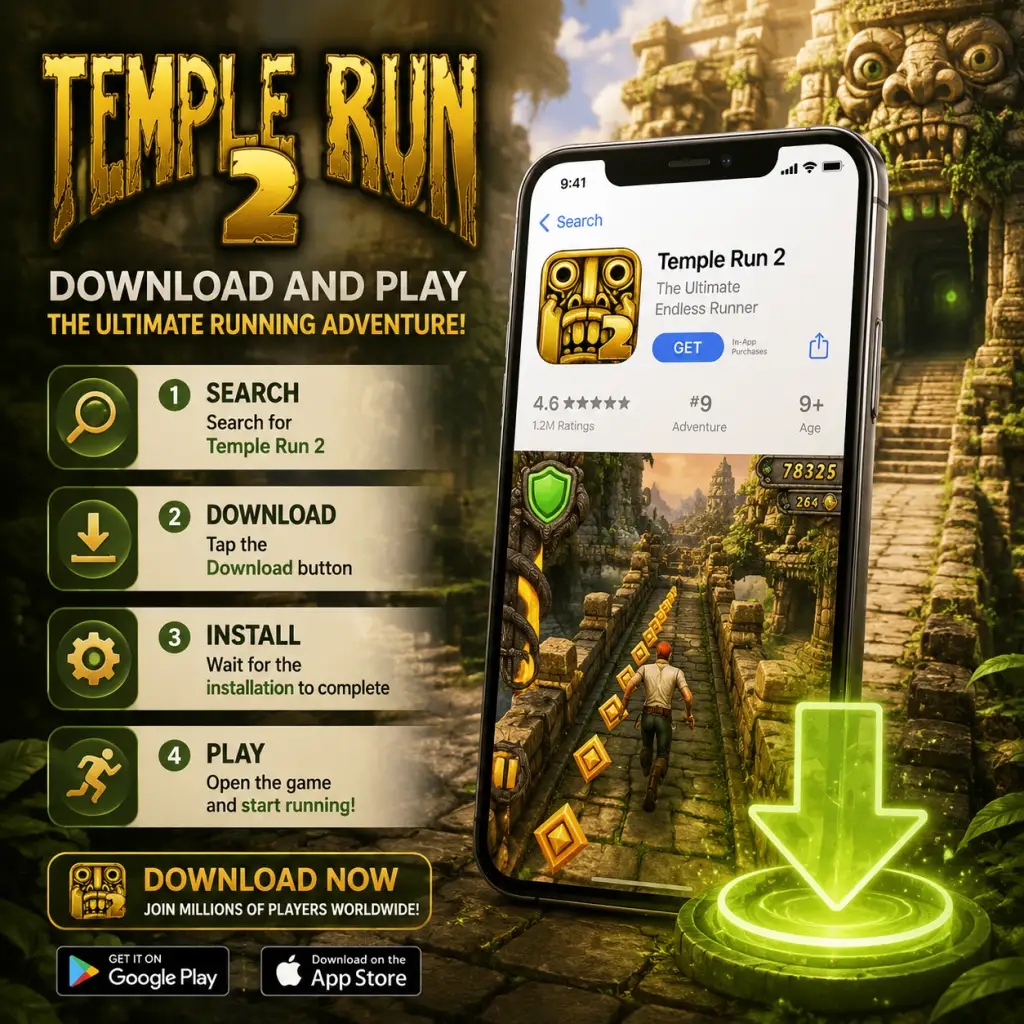
Download & Installation
Overview
Temple Run 2 is a popular endless runner game developed by Imangi Studios. Originally released for mobile devices, it is also available on Windows 10/11 via the Microsoft Store. The game is not available on Steam, Epic Games Store, PlayStation, Xbox, or Nintendo Switch. This guide covers official download sources, step-by-step installation, system requirements, account prerequisites, first launch settings, common errors, and post-installation verification.
Supported Platforms
- iOS (iPhone, iPad, iPod touch) – via Apple App Store
- Android (phones, tablets) – via Google Play Store or Amazon Appstore
- Windows (PC, tablets) – via Microsoft Store (Windows 10 version 14393.0 or higher)
System Requirements
Mobile (iOS & Android)
| Requirement | iOS | Android |
|---|---|---|
| OS Version | iOS 9.0 or later | Android 4.1 (Jelly Bean) or later |
| Device | iPhone 4S+, iPad 2+, iPod touch 5th gen+ | Varies; most modern devices supported |
| Storage | ~300 MB free space | ~300 MB free space |
| RAM | 512 MB or more (recommended 1 GB) | 1 GB or more recommended |
| Internet | Required for initial download and optional cloud saves | Required for initial download and optional cloud saves |
Windows (Microsoft Store)
| Component | Minimum | Recommended |
|---|---|---|
| OS | Windows 10 version 14393.0 or higher | Windows 10 version 1903+ or Windows 11 |
| Architecture | x86, x64, ARM | x64 or ARM64 |
| RAM | 2 GB | 4 GB or more |
| Storage | 1 GB free space | 1 GB free space |
| Graphics | DirectX 10 compatible GPU | DirectX 11 compatible GPU |
| CPU | 1 GHz dual-core | 1.6 GHz quad-core |
Download Sources (Official & Legitimate)
| Platform | Official Store | Link / How to Access |
|---|---|---|
| iOS | Apple App Store | Search "Temple Run 2" or visit [App Store](https://apps.apple.com/us/app/temple-run-2/id572099587) |
| Android | Google Play Store | Search "Temple Run 2" or visit [Google Play](https://play.google.com/store/apps/details?id=com.imangi.templerun2) |
| Android (alternative) | Amazon Appstore | Search inside Amazon Appstore app on compatible devices |
| Windows | Microsoft Store | Search "Temple Run 2" or visit [Microsoft Store](https://www.microsoft.com/store/productId/9WZDNCRFJB1T) |
Step-by-Step Installation
iOS (iPhone/iPad)
1. Open the App Store app on your iOS device.
2. Tap the Search tab (magnifying glass icon) at the bottom.
3. Type "Temple Run 2" in the search bar and tap Search.
4. Locate the official app by Imangi Studios (icon shows a jungle temple with a running figure).
5. Tap the Get button (or the cloud icon if previously purchased).
6. Authenticate using Face ID, Touch ID, or your Apple ID password.
7. Wait for the download to complete. The app will appear on your home screen.
Android (Google Play)
1. Open the Google Play Store app.
2. Tap the Search bar at the top.
3. Enter "Temple Run 2" and press Enter.
4. Select the result by Imangi Studios.
5. Tap the Install button.
6. Review permissions (e.g., storage, network) and tap Accept.
7. The game will automatically download and install. Tap Open to launch.
Windows (Microsoft Store)
1. Open Microsoft Store from your Start menu or taskbar.
2. Click the Search icon (magnifying glass) in the top-right corner.
3. Type "Temple Run 2" and select the game from the dropdown.
4. On the game page, click Get (or Install if you already own it).
5. If prompted, sign in with your Microsoft account (required).
6. Click Next and accept the license terms.
7. Wait for the download and installation to finish. You can launch from the Install button or from your Start menu.
Account Requirements
| Platform | Required Account | Purpose |
|---|---|---|
| iOS | Apple ID | Needed to download from App Store (free). No separate in-game account required. |
| Android | Google account | Needed to access Google Play Store. Optional for cloud saves via Google Play Games. |
| Windows | Microsoft account | Required to download from Microsoft Store. Optional for Xbox Live features if enabled. |
First Launch Setup
1. After installation, tap/click the game icon to launch.
2. Permissions: On mobile, you may be asked to allow access to storage (for saving progress) and notifications (optional). On Windows, no special permissions are requested.
3. Tutorial: The game automatically starts with a brief tutorial showing basic controls (swipe to turn, tap to jump, etc.). You can skip it if already familiar.
4. Optional Login:
- On iOS: A popup may ask to connect to Game Center or Facebook. You can skip or accept.
- On Android: You may be prompted to sign in to Google Play Games for achievements and cloud saves.
- On Windows: You may see an option to sign in with your Xbox Live account (if available).
5. Update Check: The game may check for updates on first launch. Ensure you have an internet connection.
Common Installation Errors and Fixes
Error: Insufficient Storage
- Symptom: Download fails or shows "Not enough space."
- Fix: Free up space by deleting unused apps, photos, or files. On iOS, go to Settings > General > iPhone Storage. On Android, go to Settings > Storage. On Windows, use Disk Cleanup or uninstall large programs. Minimum requirements: Mobile ~300 MB; Windows ~1 GB.
- Symptom: "This app is not compatible with your device." on the store page.
- Fix: Check system requirements. For Android, ensure your device runs Android 4.1+ and has a compatible GPU. For iOS, device must be iPhone 4S or newer / iPad 2 or newer. For Windows, OS must be Windows 10 version 14393.0 or higher. If still incompatible, you cannot run the game on that device.
- Symptom: Download bar does not move or takes extremely long.
- Fix:
- Symptom: Error code like 0x80073CFD or 0x80070005.
- Fix:
- Symptom: Game closes immediately after showing splash screen.
- Fix:
Error: Incompatible Device
Error: Download Stuck / Slow
- All platforms: Pause and resume the download. Restart the store app or device.
- iOS: Go to App Store > Updates tab > pull to refresh. Or sign out and back into your Apple ID.
- Android: Go to Settings > Apps > Google Play Store > Clear cache. Also ensure Wi-Fi is stable.
- Windows: Run the Windows Store Apps troubleshooter (Settings > Update & Security > Troubleshoot > Additional troubleshooters). Also flush the DNS or reset the Store cache using `wsreset.exe`.
Error: Installation Failed (Windows Store)
- Ensure your Microsoft account is properly signed in.
- Run the Windows Update to ensure all system files are up to date.
- Temporarily disable antivirus and firewall.
- Reset the Store cache: Press `Win + R`, type `wsreset.exe`, press Enter.
- Re-register the Store: Open PowerShell as admin and run `Get-AppXPackage Microsoft.WindowsStore | Foreach {Add-AppxPackage -DisableDevelopmentMode -Register "$($_.InstallLocation)\AppxManifest.xml"}`
Error: App Crashes on Launch
- Update the app to the latest version (check store for updates).
- On Android, clear app data: Settings > Apps > Temple Run 2 > Storage > Clear data (note: this may erase local progress if not synced).
- On iOS, offload the app: Settings > General > iPhone Storage > Temple Run 2 > Offload App, then reinstall.
- On Windows, repair the app: Settings > Apps > Apps & features > Temple Run 2 > Advanced options > Repair or Reset.
Post-Install Verification
1. Launch the game and wait for the main menu to load.
2. Check version number (usually visible in the settings or bottom of screen). Ensure it matches the latest version available on the store (you can compare by viewing the store page).
3. Test basic controls: Swipe in any direction on mobile, or use arrow keys/mouse on Windows (if supported). The game should respond smoothly.
4. Check for updates: On mobile, visit the store and check if there is an "Update" button. On Windows, open Microsoft Store, click the three dots (…) > Downloads and updates > Get updates.
5. Verify cloud sync (optional): If you signed into Game Center / Google Play / Xbox Live, play a few runs, then check if your achievements or leaderboard scores appear.
6. Storage usage: Confirm the app size is reasonable (approx. 200-400 MB on mobile, ~500 MB on Windows). You can check in device settings.
If everything runs without errors, your installation is successful. Enjoy the endless running adventure!

Game Introduction
Genre
Endless Runner, Action-Adventure
Developer & Publisher
Developed and published by Imangi Studios, an independent game studio based in the United States. The original Temple Run was created as a side project by husband-and-wife team Keith Shepherd and Natalia Luckyanova, and Temple Run 2 was developed by a small team including producers, artists, and programmers.
Release Timeline
- January 17, 2013 – First released on iOS
- January 24, 2013 – Released on Android
- March 2013 – Released on Windows Phone
- February 2020 – Released on Windows 10/11 via the Microsoft Store
- Later updates – Introduced new environments, characters, and power-ups on all platforms.
- iOS (iPhone, iPad, iPod Touch)
- Android (phones and tablets)
- Windows Phone (now deprecated)
- Windows 10/11 (via Microsoft Store)
- Note: The game is not available on Steam, Epic Games Store, or console platforms.
- The Temple Ruins – The original stone-and-vine maze with collapsing floors and spiked pits.
- The Cliffs – Mountainous paths with rope bridges and rickety wooden planks.
- The Treetops – Canopy-level walkways high above the jungle floor.
- The Sky Summit – A high-altitude area with icy platforms and gusty winds.
- The Moonlit Temple – A nighttime variant with glowing pathways and different obstacles.
- The Lost Jungle – Dense foliage with hidden traps.
- Guy Dangerous – The default explorer (male, rugged look).
- Scarlett Fox – Female explorer, slightly faster at base speed.
- Montana Smith – Adventurer with a hat, balanced stats.
- Barry Bones – Skeleton explorer, available after collecting enough gems.
- Karma Lee – Martial artist, starts with a coin magnet.
- And many more – Over 20 unlockable characters, each with unique appearances and sometimes special abilities (e.g., starting with a Shield, extra coin bonus). All characters are purely cosmetic or offer minor stat boosts.
- Simple, one-touch controls – Swipe to turn, jump, slide, and dodge; tilt to steer in certain sections.
- Endless replayability – Procedurally generated level segments ensure no two runs are identical.
- Risk-reward progression – Collect coins to buy upgrades, but risk losing everything if you crash.
- Fluid, fast-paced action – Responsive physics and smooth animations make each run feel exhilarating.
- Visual polish – Vibrant colors, detailed textures, and dramatic camera angles create an immersive jungle chase.
- Mobile gamers looking for quick, pick-up-and-play sessions.
- Casual players who enjoy endless runners or classic arcade-style games.
- Players of all ages (rated 9+ for mild fantasy violence).
- Fans of the original Temple Run who want more depth and variety.
- Classic Mode – The standard endless run. Survive as long as possible while collecting coins, power-ups (Magnet, Shield, Coin Boost, Gem), and avoiding obstacles. Distance in meters is your score.
- Adventure Mode – A series of pre-defined stages with specific objectives (e.g., collect X coins, reach Y distance without dying). Unlocks new characters and cosmetics upon completion.
- Daily Run – A special mode with fixed seed and conditions, offering bonus rewards for one attempt per day.
- Original Temple Run Mode (select platforms) – A retro version mimicking the first game's visuals and layout.
- No multiplayer or leaderboards outside of Game Center/Google Play Services.
- Offline play – The game can be played fully offline after initial download. No internet connection required to run.
- Online features – Leaderboards, achievements, and cloud save sync require an internet connection and are available via Game Center (iOS), Google Play Games (Android), or Xbox Live (Windows 10/11).
- No persistent online mode – All gameplay is single-player local.
- New environments (The Cliffs, Treetops, Sky Summit, Moonlit Temple, Lost Jungle)
- New characters (many unlockable with in-game currency)
- Power-ups and obstacles (e.g., explosive barrels, rotating blades)
- Seasonal events (e.g., Halloween, Christmas themes with exclusive costumes and limited-time objectives)
- No paid DLC packs – All new content is free, though some items can be purchased with real money via microtransactions (gems, coin packs).
Platforms
Story Overview
You play as an explorer who has stolen a cursed idol from an ancient temple deep in the jungle. As you flee, the temple's spirits awaken and a giant stone monkey (the "Monster" or "Guardian") begins chasing you. Your goal is to outrun the guardian, navigate treacherous ruins, and survive as long as possible. The story is minimal and delivered through brief cutscenes and environmental hints; the focus is on the endless chase.
Setting
The game takes place in a lost jungle temple complex with multiple themed environments:
Each environment changes visual style and introduces unique obstacle types.
Main Characters
Core Appeal
Target Audience
Game Modes
Online & Offline Support
DLC / Expansions
The base game includes all core content upon download. Post-release updates have added:
What Makes This Game Unique
1. Sequential level design – Unlike many endless runners that repeat the same corridor, Temple Run 2 introduces varied environments with unique obstacles (rope bridges that sway, collapsing floors, mine carts, ziplines, and more).
2. Verticality – The camera angle shifts between behind-the-back (standard), side-scrolling (when running along walls), and overhead (zipline sections), keeping the visual experience fresh.
3. Interactive obstacles – Players must not only swipe to avoid but also time jumps to land on moving platforms or grind rails.
4. Guardian Monster – The giant stone monkey is a persistent threat that gets faster over time, adding urgency. It can be slowed or stunned by collecting gems but never truly escaped.
5. Character progression – Unlockable characters with distinct appearances and small stat boosts give players tangible goals beyond high scores.
6. Free-to-play done right – The game is ad-supported with optional in-app purchases for coins and gems. No pay-to-win; all content is earnable through play.
In summary, Temple Run 2 is the definitive endless runner experience, building on the original's addictive mechanics with richer environments, more obstacles, and deeper progression. It remains a genre benchmark nearly a decade after release.
Getting Started
Getting Started with Temple Run 2
Welcome to Temple Run 2! This guide will help you survive your first hour, avoid common pitfalls, and set you on the path to becoming a seasoned runner.
First Hour Walkthrough
1. Launch the game – You’ll see a title screen with a character ready to run. Tap or press Start.
2. First run tutorial – The game automatically teaches you the basics: swipe left/right to turn, swipe up to jump, swipe down to slide. Pay close attention to the on-screen prompts.
3. Your first run – You’ll start as the default male explorer (no character creation available at the start). Just run! Collect coins, avoid obstacles, and see how far you can get.
4. Game over – You’ll eventually hit an obstacle or fall. Don’t worry – this is normal. After your first death, you’ll see the results screen showing distance, coins collected, and experience points.
5. Complete missions – Right away, you’ll be given a set of beginner missions (e.g., “Collect 50 coins”, “Run 500 meters”). Focus on these to earn coins and gems.
6. Buy your first power-up – Use coins to purchase the Coin Magnet from the Shop. It automatically attracts nearby coins for a few seconds, making early runs much more profitable.
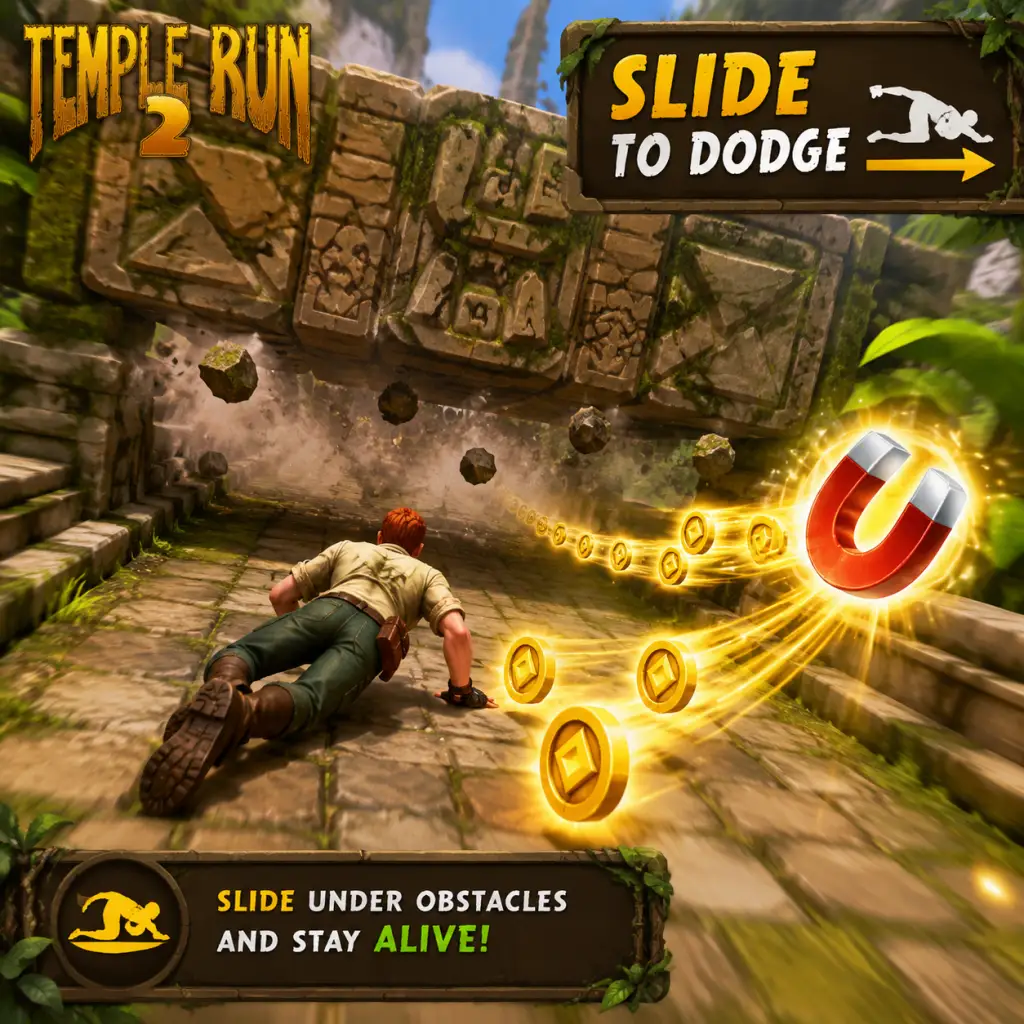
7. Practice, practice, practice – Spend your first hour familiarizing yourself with obstacle types: broken bridges (jump or slide), tree roots (jump over), fire (slide under), and collapsing paths (turn left/right quickly).
Character Creation (or Lack Thereof)
Temple Run 2 does not have a traditional character creator. You start with the default male explorer. All other characters are unlocked by:
- Collecting a certain number of coins or gems
- Completing special challenges
- Progressing through the game (e.g., reaching certain distances)
Characters like Scarlett Fox (female explorer) can be unlocked with gems, while others like Knight require completing specific missions. Unlocking characters is purely cosmetic – they don’t affect gameplay mechanics, but some have unique animations or outfits.
Controls on All Platforms
#### Mobile (iOS/Android)
| Action | Gesture |
|---|---|
| Turn left/right | Swipe left or right |
| Jump | Swipe up |
| Slide | Swipe down |
| Use power-up | Tap the power-up icon (when active) |
| Boost | Auto-triggered when collecting a boost power-up |
#### Windows 10/11 (Microsoft Store)
| Action | Key/Mouse |
|---|---|
| Turn left | Left Arrow key or swipe mouse left |
| Turn right | Right Arrow key or swipe mouse right |
| Jump | Up Arrow key or Spacebar |
| Slide | Down Arrow key |
| Use power-up | Click the power-up button on screen (or press `1`, `2`, `3` depending on slot) |
UI Overview
When in a run, the main UI displays:
- Top left: Distance counter (meters)
- Top center: Total coins collected this run
- Top right: Pause button (pause menu gives option to quit or resume)
- Bottom left: Boost meter (fills as you collect coins, activates when full)
- Bottom center: Power-up slots (if you bought any) – tap to activate
- During run: Obstacle warning icons appear briefly – learn to react fast
- Distance, coins, gems earned
- Mission progress
- XP bar (leveling up gives rewards)
- Option to watch an ad to revive (once per run)
- Focus on collecting coins to buy power-ups (Coin Magnet, Boost, Shield).
- Complete missions – they are a steady source of coins/gems.
- Learn obstacle patterns by repeating runs.
- Watch an ad revive once per run if you die close to a new distance record.
- Spending gems on revives early – gems are precious. Only revive if you’re about to complete a hard mission.
- Buying cosmetic characters before getting power-ups – they don’t help you run farther.
- Panicking: Plan your swipes carefully. Swiping too early or late causes death.
On post-run screen, you see:
Essential Early Objectives
1. Reach 1000 meters – This unlocks additional missions and a sense of achievement.
2. Complete the first 5 missions – They reward coins and gems, which are critical for early growth.
3. Buy the Coin Magnet power-up – Costs 500 coins (one of the best investments).
4. Save 10 gems – Do NOT spend gems on revives or cosmetic items early. Use them to buy the Extra Life upgrade (permanent ability to survive one fatal hit per run).
5. Unlock your first new character – Aim for Scarlett Fox (costs 10 gems) or a character from mission rewards to add variety.
What to Do First vs. What to Avoid
#### ✅ Do First
#### ❌ Avoid
Early Resource Priorities
| Resource | Priority | How to Get | Spend On |
|---|---|---|---|
| Coins | High | Collected in runs + mission rewards | Power-ups (Coin Magnet, Boost), then character upgrades |
| Gems | Very high | Mission rewards, daily challenges, rare coin drops | Extra Life upgrade, then Scarlett Fox character (if desired) |
| XP | Medium | Every run | Leveling up grants free coin/gem rewards |
Common Beginner Mistakes
1. Swiping too early/late – Obstacles come fast. Wait until the last moment to swipe, but not so late that you miss.
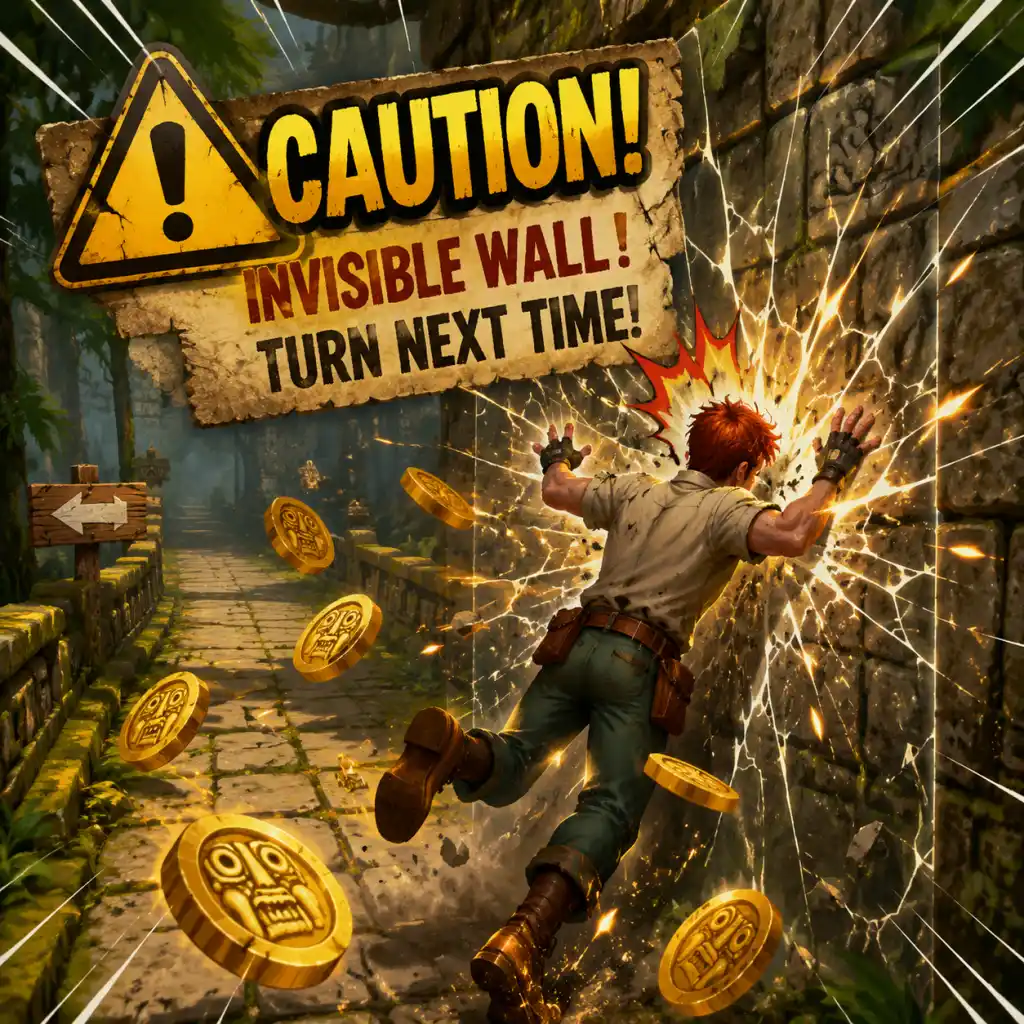
2. Ignoring turn markers – The path splits often; if you don’t turn, you’ll hit a wall. Always look ahead for wide paths.
3. Sticking to the middle – Coins and power-ups often appear on the outer lanes. Don’t be afraid to move.
4. Wasting gems on revives – 1 gem per revival adds up. Only revive if you absolutely need to (e.g., close to a mission goal).
5. Not using power-ups – If you bought Coin Magnet or Boost, activate them when you see many coins or a long straightaway.
6. Focusing only on distance – Coins and missions are more important early on; distance comes naturally with practice.
Day-One Checklist
- [ ] Play your first 5 runs to learn controls.
- [ ] Complete the first three missions (usually very easy).
- [ ] Buy the Coin Magnet power-up from the shop (500 coins).
- [ ] Save at least 10 gems without spending any.
- [ ] Practice sliding under fire and jumping over tree roots.
- [ ] Watch one ad revival to double your coins (if available).
- [ ] Unlock one new character (e.g., Scarlett Fox with gems) if you have enough.
- [ ] Set a personal goal: reach 1500 meters by day’s end.
With this guide, you’ll avoid early frustration and build a solid foundation for high scores. Happy running!
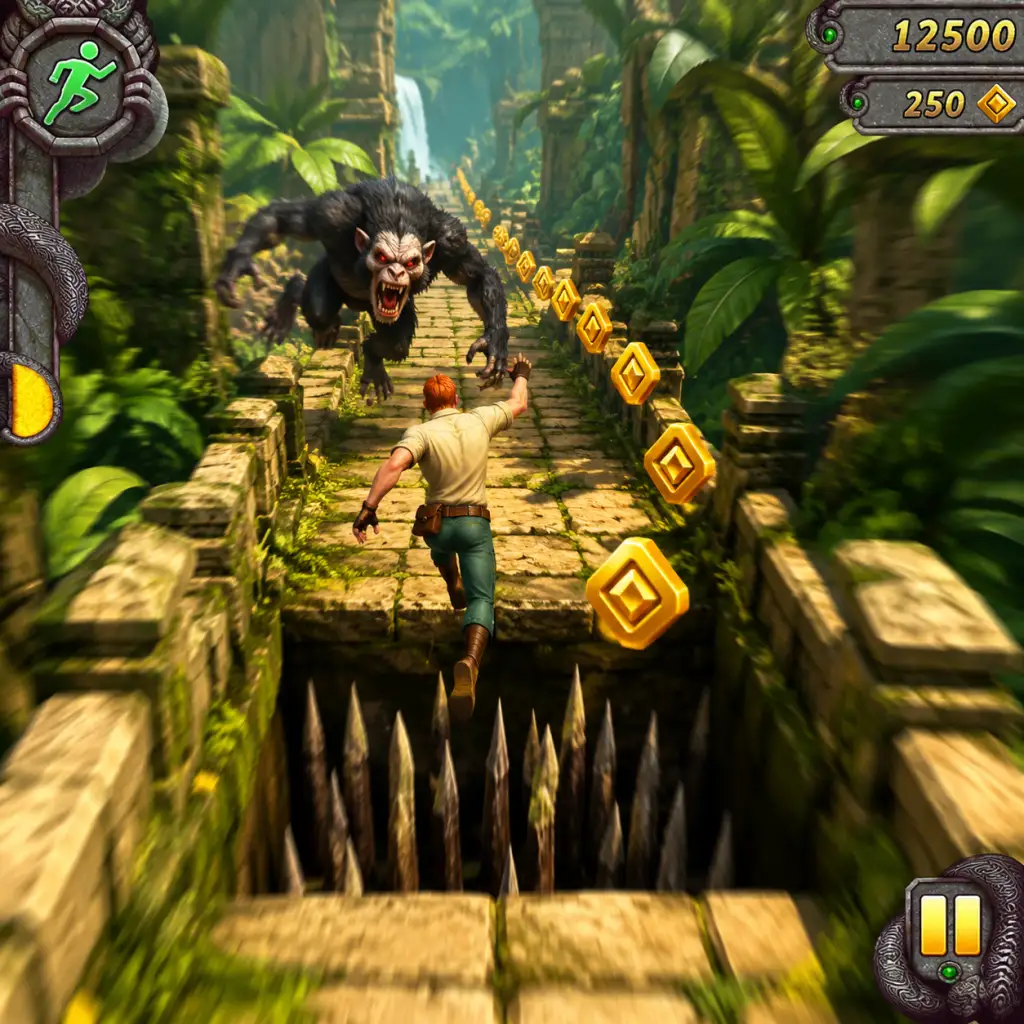
Core Gameplay
Core Gameplay Overview
Temple Run 2 is an endless runner where your goal is to run as far as possible while collecting coins, evading obstacles, and completing mission objectives. The core loop involves swiping to turn, slide under barriers, jump over gaps, and tilt to collect coins on edges. Power-ups like shields, coin magnets, and boosters help extend runs. The game features a progression system tied to character and power-up upgrades, vehicle transformations, and daily/weekly challenges. There is no traditional combat; interaction is purely movement-based. Progression is measured by distance, coins earned, and mission completion.
---
Player Progression Tiers
Early Game (Runs 1–50, Distance < 5000)
Main Gameplay Loop
- Run and Collect: Swipe left/right to turn, swipe down to slide, swipe up to jump. Tilt device (mobile) or use mouse/keyboard (PC) to steer on edge paths. Coins appear in lines on the ground. Collect as many as possible.
- Obstacle Navigation: Basic obstacles: sharp turns, low barriers (slide), gaps (jump), and tree roots (jump). Early paths are straightforward with few hazards.
- Power-ups: Initially only a Shield (protects from one hit) and Coin Magnet (attracts nearby coins) are available from the shop. They appear randomly on the track (blue orbs) and can be activated manually when purchased.
- Missions/Quests: The game provides a series of simple objectives: “Collect 100 coins in one run,” “Run 500m without dying,” “Slide under 5 barriers.” Completing them rewards coins and XP towards character unlocks.
- Progression: Coins are spent on upgrading power-ups (Shield duration, Magnet range) and unlocking new characters (e.g., Guy Dangerous, Scarlett Fox). Each character has a special ability (e.g., start with a boost, extra coin magnet).
- Economy: Coins are the primary currency. Earn them by running, completing missions, and watching ads (mobile) or daily bonuses. No premium currency in the base game (gems are introduced later for revives and special items).
- Character/Build Growth: Focus on buying the Shield upgrade first (level 2-3) for longer invincibility. Unlock Scarlett Fox early for a quick start boost.
- Endgame for this tier: Reach 3000m consistently, complete all beginner missions, unlock 2–3 characters, and have Shield and Magnet at level 3.
- Advanced Obstacles: New hazards: collapsing floors (jump quickly), swinging axes (timing slide or jump), mine carts (jump in/out to change tracks), zip lines (automatically slide down, swerve to avoid rocks). Routes branch more.
- Vehicle Sections: Periodic mine cart or hang glider sequences. In mine carts, swipe left/right to change tracks, swipe down to duck, swipe up to jump. In hang glider, tilt to avoid obstacles. These give a break from running but add complexity.
- Power-ups & Upgrades: Unlock the Boost power-up (temporary super speed + invincibility). Upgrade all three power-ups to level 5–7. Start managing gems (earned from missions, daily rewards) for revives after death.
- Missions/Quests: Longer-term missions: “Collect 5000 coins total,” “Use 10 power-ups in one run,” “Earn 5000m total distance.” Weekly missions appear: “Reach 10000m in a single run.”
- Progression: Unlock new characters like Montana Smith (coin magnet ability), Snowy (starts with a shield), or buy vehicles (mine cart, hang glider) that persist across runs. Each character has a special ability that scales with level.
- Economy: Coins still primary; gems become important for revives (25 gems per revive) and purchasing rare character skins. Watch ad bonuses for extra gems. Daily chests give coins/gems.
- Character/Build Growth: Upgrade your main character’s ability (e.g., Scarlett Fox’s boost duration) using coins and blue crystals (artifact fragments). Collect artifacts in runs to unlock permanent bonuses (e.g., +10% coin value). Start stacking relics (blue crystals) for powerful bonuses like double coins for a short time.
- Exploration: Unlock new environments (e.g., Pirate’s Cove, Aztec ruins) after reaching certain distances or completing specific missions. Each environment has unique obstacles and visual themes but same mechanics.
- Endgame for this tier: Distance runs exceed 10000m. All basic power-ups at level 7. Unlocked 5+ characters and at least one vehicle. Artifact collection at 30% complete. Gem stockpile of 100–200.
- Master-level Obstacles: Combinations of hazards: sharp turn + low barrier + gap immediately after. Tight timing required. Enemies like bats (need to slide under) and fire traps (jump over) appear. Higher speed makes reaction windows smaller.
- Optimized Power Usage: Strategic use of power-ups: save Boost for long straight sections with many coins; use Magnet before a coin-heavy segment; Shield before complex obstacle sequences. Manage manual activation timings.
- Missions/Quests: Hard missions: “Run 25000m without dying,” “Collect 100000 coins total,” “Use 50 power-ups in one run.” Legendary missions (gold icons) reward rare artifacts or large gem caches.
- Progression: Unlock all standard characters and vehicles. Focus on maxing out power-up upgrades (level 10). Start collecting Character Tokens (earned from special events or daily logins) to unlock premium characters like Indiana Jones or Forest Man. Their abilities are game-changing (e.g., start with a Boost).
- Economy: Gems become the limiting resource. Spend gems on revives (50 gems now), premium character unlocks (200–500 gems), and special event entries. Coins are abundant; use them for upgrades and buying relics.
- Character/Build Growth: Fully upgrade one or two characters (ability level 10). Equip relics from the artifact collection (e.g., “Ancient Stone” gives +15% coin value, “Sun Amulet” doubles Boost duration). Stack multiplicative bonuses. Best builds: a character with starting Boost + Shield + Magnet + increased coin value for high-score runs.
- Exploration: All environments unlocked. Some secret areas require specific actions (e.g., jump into a certain gap leads to a bonus room with extra coins). Memorize layouts to anticipate hazards.
- Endgame for this tier: Consistently reach 30000m. All power-ups maxed. Artifact collection 80% complete. Gem count 500+. Leaderboard rankings in top 10% globally.
- Perfect Execution: Every run is about maximizing distance and coins. Minimal mistakes. You must react instantly to any obstacle pattern. The game’s speed plateaus after ~40000m (max speed), but concentration is critical.
- Advanced Techniques: Use “edge running” to collect coins on side paths without falling. Time power-ups to chain effects (e.g., activate Magnet just as Shield expires to collect while protected). Learn “skip” mechanics: e.g., jumping over a gap while sliding under a barrier above it (requires perfect timing).
- Missions/Quests: Only daily and weekly missions remain. No new story missions. Goal is to beat personal bests and leaderboard positions. Occasional special events (weekend challenges) with exclusive rewards.
- Progression: Only cosmetic unlocks remain: character skins, trail effects, achievement icons. Max out all characters and relics. Artifact collection 100%. No further gameplay progression.
- Economy: Coins and gems accumulate with no use beyond revives and occasional event entry. Stockpile is massive.
- Character/Build Growth: The “perfect build”: Use the character with the best ability for your style (e.g., Snowy’s shield start for safety, or Adventure Guy’s coin magnet start for coin runs). Equip all relics that increase coin value, magnet duration, and shield duration. The exact best combination depends on leaderboard competition.
- Endgame Structure: Participate in weekly global leaderboards where top 100 players earn exclusive badges or titles. “Endless” mode continues indefinitely; the only goal is to improve your high score. Some players attempt marathon runs (hours long) using revives and perfect play.
- Example: You start a run with the “Boost Master” character (starts with a Boost). You immediately activate the Boost to cover the first 2000m quickly. As Boost expires, you use Shield and Magnet together. You play for 45 minutes, reaching 100000m. You die once and revive with gems. You finish with 2 million coins. After the run, you check the leaderboard: you are #53 globally. You decide to attempt again with a different relic setup to push for top 50.
Example: Your first few runs: concentrate on surviving at least 500m. Swipe carefully at turns. Use the default character. Collect coins to buy Shield upgrade. When a Shield power-up appears on track, tap to activate it before a difficult section. Complete the mission “Run 1000m” to earn 200 coins.
---
Mid Game (Runs 51–200, Distance 5000–20000)
Main Gameplay Loop
Example: You’re now comfortable with mine cart sequences. In a run, you activate Shield before a spinning blade section. You collect a Magnet and then a Boost. Use Boost to fly through a dense coin-packed area. You die at 12000m and spend 25 gems to revive and finish the mission “Reach 15000m.” After the run, you upgrade Shield to level 6.
---
Late Game (Runs 200+, Distance 20000–50000)
Main Gameplay Loop
Example: You equip Montana Smith (coin magnet ability) with relics that boost magnet range and duration. In a run, you activate Manual Magnet just as you enter a wide coin arc, collecting 5000 coins in seconds. You survive until 35000m using precise swipes through a series of fire traps and low barriers. You die and choose to revive with gems to complete a weekly mission.“
---
Endgame (Runs 500+, Distance 50000+)
Main Gameplay Loop
---
Summary Table of Tier Characteristics
| Feature | Early Game | Mid Game | Late Game | Endgame |
|---|---|---|---|---|
| Primary Skill | Basic swipes | Obstacle combos | Route memorization | Perfect execution |
| Power-up Level | 1–3 | 4–7 | 8–10 | Maxed |
| Characters | 2–3 basic | 5+ mid | All standard | All + skins |
| Vehicles | N/A | Mine cart, glider | All vehicles | All cosmetic |
| Missions | Beginner | Intermediate | Hard / Legendary | Daily/weekly |
| Economy Focus | Coins | Coins + gems | Gems primarily | Stockpiling |
| Typical Distance | <5000m | 5000–20000m | 20000–50000m | 50000m+ |
Conclusion
Mastering Temple Run 2 requires understanding the core loop of running, collecting, and reacting. Progression from early to endgame involves upgrading power-ups, unlocking characters with synergistic abilities, and honing muscle memory. The game offers a clear ladder of difficulty and reward, with the ultimate challenge being the global leaderboard. Use this guide to identify your current tier and plan your next steps whether it’s saving gems for a premium revive or perfecting your power-up rotation.
Game Tips
Game Tips for Temple Run 2
This guide covers essential tips for surviving longer, collecting more coins, and mastering the endless runner. Tips are grouped by category and include beginner, intermediate, and advanced strategies.
---
Movement & Controls
#### Beginner Tips
- Swipe, don't tap. Use smooth, deliberate swipes for turns, jumps, and slides. Quick jerky motions can cause missed inputs.
- Practice the basic rhythm. Run straight until you see an obstacle, then react. Don't over-swipe; stay calm.
- Use tilt if available. On mobile, you can enable tilt controls for turning. Try both swipe and tilt to see which feels more natural.
- Pre-swipe for corners. As you approach a turn, start your swipe slightly early so the character begins turning before reaching the corner. This avoids hitting the wall.
- Master swipe distance. A short swipe works for single turns; a long swipe is needed for multiple turns in quick succession (e.g., zig-zags). Practice on easier runs.
- One finger, one action. Avoid using two fingers for simultaneous actions (like swiping up and left at once). The game processes one action per input.
- Buffer inputs. The game accepts a new input while the previous action is still playing. For example, after jumping, immediately swipe down to slide if you see a low obstacle mid-air. This reduces reaction delay.
- Use edge of screen. On mobile, swipe from the far left or right edge for turns to maximize gesture space, reducing accidental swipes.
- Minimize unnecessary movements. During straightaways, keep your finger off the screen to avoid accidental swipes. Only touch when you need to act.
- Always grab coins on the same path. Don't deviate from the safe lane for coins unless you're confident. Survival first, coins second.
- Focus on center coins. Coins in the middle of the track are most easily collected without risking obstacles.
- Use magnet power-up. The Coin Magnet pulls coins toward you, allowing you to collect coins on adjacent lanes without leaving your safe path.
- Maximize coin combos. Coins appear in clusters. Try to collect entire clusters (especially the long lines) to increase your multiplier. Use the magnet strategically for big clusters.
- Know the fire coin value. Fire coins (found in the Coin Dash power-up) are worth 2x normal coins. Prioritize grabbing them during Coin Dash.
- Gem farming. Gems are rare. Complete missions to earn gems, or buy them with real money. Only spend gems on permanent upgrades like the Shield.
- Optimize coin routes. Some coin patterns are traps—they lead you into obstacles. Memorize safe coin paths for each world (e.g., the mine shaft, the jungle). Use online videos if needed.
- Stack coin multipliers. Use the 2x Coin power-up alongside the Coin Magnet and Coin Dash for massive coin gains. Activate them in combination during long straight sections.
- Save gems for revival. Dying with 1 gem = free revival. But sometimes it's better to take the loss if you're early in the run. Late-game revivals can save a high score run; use gems sparingly.
- Always equip a power-up before a run. Choose the Shield (blocks one hit) as your first priority. It gives a free mistake.
- Use the Boost at the start. The Boost (or “Speed Power-up”) gives a burst of speed and invincibility for a few seconds. Use it at the very beginning to quickly cross the first obstacles.
- Don't hoard power-ups. Use them when you have them. They don’t carry over between runs except for the ones you buy or earn from missions.
- Coordinate power-ups with obstacles. Activate the Shield just before entering a dangerous section with many obstacles. If you’re about to die, tapping the Shield can save you (if you have it equipped).
- Coin Dash timing. Use Coin Dash when you see a long line of coins (especially fire coins). Don’t use it when the path is sparse.
- Gem Magnet prioritization. If you have the Gem Magnet (from the store or power-up), it automatically collects gems within range. This is excellent for gem farming, but only buy it if you plan to do many runs.
- Multiply effects. Use the 2x Coin power-up before activating Coin Dash to double the coins from fire coins (effectively 4x normal coins). This requires careful timing.
- Shield vs Invisibility. The Shield protects from one hit. Invisibility (a separate power-up?) Actually, the game has a “Head Start” that skips the first section. Better: use the “Coin Magnet” and “2x Coins” together for a coin bonanza.
- Revive strategy. When you die, you can revive with gems. Only revive if (a) you had a high score streak, (b) you were close to a mission goal, or (c) you were in a long run. Don’t revive for short runs.
- Memorize common obstacles. Temple Run 2 has standard obstacles: walls (swipe left/right to turn), low bars (slide down), pits (jump), and rolling logs or rocks (jump or slide depending on height). Learn each type.
- Look ahead. Always watch the path several seconds ahead. The game scrolls fast, so plan your next move before you reach the obstacle.
- Stay in the middle. The middle lane is often the safest for turns and has fewer surprise obstacles. Deviate only to grab coins or avoid immediate danger.
- Recognize obstacle patterns. Obstacles often come in sequences: e.g., turn left, jump, slide, turn right. Practice these patterns to react without thinking.
- Use the minimap. The top of the screen shows upcoming obstacles and turns (small icons). Glance at it to anticipate far-ahead hazards, especially in later stages where speed increases.
- Avoid “traps” in branching paths. Some forks lead to dead ends or very hard sequences. Learn which route is safer for each world. For example, in the original Temple Run, the left path is often easier.
- Slide under low obstacles immediately after a jump. If you jump over a pit and see a low bar right after, swipe down while still in the air to land sliding. This saves a split second.
- Edge sliding. When turning at a wall, if you are very close to the inner wall, you might clip it and die. Always leave a small gap by swiping early or late. Practice on short runs.
- High-speed reactions. As your run length increases, obstacle density increases and speed maxes out. At top speed, you have about 0.5 seconds to react. Train your reflexes by playing daily.
- Focus on daily missions. Complete at least one daily mission to earn coins and gems. They are the easiest source of free currency.
- Read mission requirements. Missions like “collect 50 coins” or “survive for 1000 meters” are straightforward. Plan your run around the mission.
- Reroll difficult missions. You can reroll one mission per day for free. Use this to replace a mission you’re unlikely to complete (e.g., “achieve a 10x combo” if you’re not skilled).
- Prioritize mission sets. There are mission packs that reward characters or power-ups. Complete them in sequence to unlock new runners. Don’t skip easy ones.
- Stack missions. If you have multiple missions that require long runs (e.g., “run 2000m” and “collect 100 fire coins”), combine them in one run.
- Use specific characters for missions. Some characters have perks that help with certain missions (e.g., increased coin value). Check their abilities before starting.
- Plan runs around mission difficulty. For hard missions like “reach 5000m without using power-ups,” practice on easier difiiculties first. Use the same character and memorize safe routes.
- Exploit mission rewards. Some missions give one-time power-ups. Use those power-ups immediately in the next run to maximize their value (e.g., a free Shield).
- Avoid mission burnout. The game wants you to play every day. Set a limit (e.g., 30 minutes) to keep it fun and avoid frustration.
- Start with the default runner. The default character has balanced stats. Don’t spend coins on new characters until you’ve upgraded core power-ups (Shield, Coin Magnet).
- Upgrade the Shield first. Shield absorption allows you to survive one mistake. Upgrade it to level 2 (two hits) as soon as possible.
- Understand character abilities. Each character has a unique ability (e.g., double coin duration, increased magnet range). Read descriptions before buying.
- Buy characters that suit your playstyle. Aggressive runners should get characters with coin bonuses; defensive runners should get extra shield capacity. Example: “Ariana” (if available) gives extra magnet time.
- Power-up upgrade order. After Shield, upgrade Coin Magnet (duration and range), then 2x Coin. Boost is less useful early on.
- Save gems for premium characters. Some characters can only be bought with gems. Only buy them after you have essential upgrades.
- Maximize power-up duration with character perks. Some characters extend the duration of certain power-ups. Use these characters when you plan to use that power-up heavily.
- Special outfits. Some special outfits (like the adventurer outfit in Temple Run 2) offer no gameplay benefit but look cool. They are purely cosmetic, so don’t waste resources on them unless you want style.
- Synergies. Combining a character that gives extra magnet time with the Coin Magnet power-up results in very long magnet windows—use this for coin farming runs.
- Learn the “Coin Trail” pattern. In certain sections, coins form a trail leading to a perfect safe path. Memorize these trails for each world to avoid wrong turns.
- Use the “Pause” trick. You can pause the game by tapping the pause button (top right). Use this to plan your next move if you’re unsure—but only in non-competitive runs.
- Practice specific worlds. Temple Run 2 has different worlds (jungle, mine, sky temple, etc.). Each has unique obstacles. Practice each world individually by using the “World Select” feature if available.
- Chain power-ups. Activate the Boost at the start, then use Coin Magnet + 2x Coin when you see a dense coin section. Time it so that the Boost ends just as the coin section begins.
- Minimize coin collection when not safe. Sometimes it’s better to ignore coins on a dangerous lane. The score from distance matters more than coins for leaderboards.
- Perfect run focus. To get a high score, you need to survive as long as possible. Don’t risk path changes for coins. Stay in the safe lane (middle) and only collect coins that come to you.
- Endless mode is the same. The game is always endless; there is no final destination. The only difference is the increasing speed. Max speed is reached around 10,000 meters (estimated). After that, it stays constant.
- Use the same character every time. Consistent character stats help build muscle memory. Stick with one until you master it.
- Record your runs. Watch replays (if available) to see where you died and correct mistakes. Many top players analyze their runs.
- Spend coins wisely. Don’t buy expensive characters early. Upgrade power-ups first. Each level costs more but gives significant benefits.
- Collect daily rewards. Log in every day for a free coin/gem bonus. The streak multiplier increases rewards over time.
- Watch ads for coins. Many mobile versions offer ad-watching for extra coins. Do this once a day for a small boost.
- Use “Free Power-ups” from missions. Some missions award single-use power-ups. Use them on runs where you plan to go far, not on short practice runs.
- Sell duplicates? There is no selling feature. Focus on earning.
- Gem efficiency. Gems are best spent on Shield capacity (up to 5 hits) and on reviving during high-score attempts. Never spend gems on cosmetic items unless you have a surplus.
- Coin conversion. There is no direct conversion from coins to gems. Complete gems from missions and random spawns in runs. Prioritize gem-collecting characters.
- Long-term investment. Save 5000-10000 coins for future updates or special character releases. Always keep a buffer.
- Avoid spending real money. All content can be earned through gameplay. Money only speeds up progress but is unnecessary.
- The “Monkey” chases you. Actually, the character “Guy Dangerous” is the protagonist—the “demon monkey” chases. The game has no combat. Just keep running!
- Obstacles that resemble enemies. Rolling boulders or fireballs are obstacles, not enemies. Treat them as hazards—jump or slide accordingly.
- No weapons or attacks. Focus on evasion, not aggression.
- Stick to one path. At each fork, choose a path based on your confidence. Learn one path thoroughly before exploring others.
- Pay attention to visual cues. Coins often indicate the more rewarding path, but sometimes they lead to danger. Weigh risk vs reward.
- Memorize each fork's outcomes. For example, in the first fork (early game), the left path has more coins but a difficult obstacle sequence. The right path is safer but fewer coins.
- Use gems to open shortcuts? Some paths require keys or gems to unlock. Only open them if you have spare gems; they often lead to bonus coin areas.
- Plan your path based on current resources. If you have a Coin Magnet active, choose the path with more coins. If you have a Shield, choose the more dangerous path for higher score potential.
- Perfect path runs. Try to memorize a “perfect” route that maximizes coins and survival for the first 5000 meters. Practice it until it’s muscle memory.
- Sound cues. The game uses audio to indicate upcoming hazards (e.g., a growl before a monkey scream? Actually, there are distinct sounds for turns and obstacles). Play with sound on for better awareness.
- Offline play. Temple Run 2 can be played offline, but daily rewards and missions require internet connection. Plan accordingly.
- Multiplayer? There is no true multiplayer, but you can compare scores on leaderboards via Game Center or Google Play.
- Update strategy. When new updates add worlds or characters, spend a few runs exploring to learn the new obstacle patterns before going for high scores.
#### Intermediate Tips
#### Advanced Tips
---
Coins & Resources
#### Beginner Tips
#### Intermediate Tips
#### Advanced Tips
---
Power-ups & Abilities
#### Beginner Tips
#### Intermediate Tips
#### Advanced Tips
---
Obstacles & Hazards
#### Beginner Tips
#### Intermediate Tips
#### Advanced Tips
---
Missions & Objectives
#### Beginner Tips
#### Intermediate Tips
#### Advanced Tips
---
Characters & Upgrades
#### Beginner Tips
#### Intermediate Tips
#### Advanced Tips
---
Advanced Strategies & Optimizations
#### General Advanced Tips
#### High Score Optimization
#### Endless Mode Tips
---
Economy & Resource Management
#### Beginner Tips
#### Intermediate Tips
#### Advanced Tips
---
Combat? (Temple Run 2 has no combat, but there are “Monkey” enemies)
#### Dealing with the Monkey (Guy Dangerous?)
---
Exploration (Branching Paths)
#### Beginner Tips
#### Intermediate Tips
#### Advanced Tips
---
Miscellaneous Tips
---
Conclusion
Mastering Temple Run 2 takes practice, patience, and strategic resource management. Start with the basics: learn controls, upgrade the Shield, and complete missions. As you improve, combine power-ups, memorize routes, and optimize your runs for high scores. Remember: survival first, coins second. Happy running!
Game Settings
Game Settings Guide for Temple Run 2
Temple Run 2, available on iOS, Android, and Windows 10/11 (via Microsoft Store), offers a streamlined settings menu. This guide covers all available settings across platforms, with recommended configurations for performance and quality on different hardware levels. Special attention is given to settings that are easy to misconfigure or that significantly impact gameplay.
---
Graphics Settings
Graphics options vary by platform. Mobile versions have limited settings; Windows version offers more flexibility.
#### Mobile (iOS/Android)
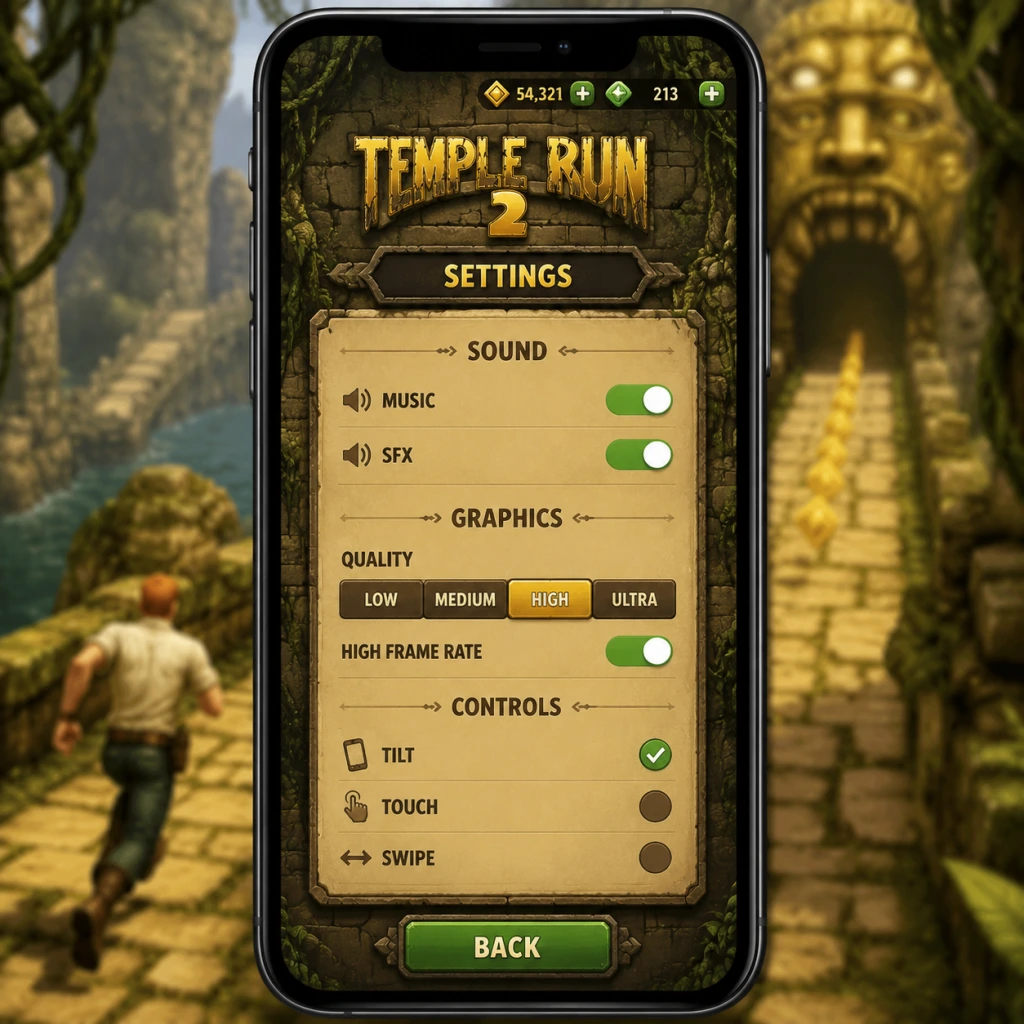
- Quality Preset: Low, Medium, High (or an automatic option). Affects texture resolution, shadow quality, and particle effects.
- Frame Rate Limit: 30 FPS or 60 FPS. Matches display refresh rate for smoother motion.
- V-Sync: Usually on by default. Disabling may cause screen tearing but can improve frame pacing on some devices.
- Resolution Scale: Some Android devices allow lowering resolution (e.g., 75%, 50%) for performance gains. Important for devices with high-resolution screens (e.g., 1440p).
- Display Mode: Windowed, Fullscreen, Borderless Windowed. Fullscreen provides best performance.
- Resolution: Native resolution recommended. Lowering to 720p or 900p helps on integrated GPUs.
- Graphics Quality: Low, Medium, High, Ultra. Adjust shadows, anti-aliasing, post-processing.
- Anti-Aliasing: FXAA (fast), SMAA (balanced), TAA (best quality). Turn off on low-end hardware.
- Shadow Quality: Low (no dynamic shadows), Medium (simple), High (detailed). Shadows are performance-heavy; use Low on budget systems.
- Master Volume: Overall volume (0-100%).
- Music Volume: Background music. Setting to 0 if music distracts.
- SFX Volume: Sound effects (jumps, coins, obstacles, character sounds). Keep this higher than music to hear gameplay cues.
- Voice Volume: Character reactions (optional). Affect immersion but not gameplay.
- Sound Quality: Low (compressed) or High (uncompressed). High recommended unless storage is limited.
- 3D Audio: Toggle spatial audio (headphones). Enable for better obstacle location awareness (e.g., turning direction).
- Swipe Sensitivity: Low, Medium, High. Determines how far you must swipe to register a turn/jump/slide.
- Enable Tilt Controls: On Android/iOS, you can tilt the device to steer left/right (alternative to swiping).
- Auto-Rotate: Locks screen orientation. Disable auto-rotate to prevent accidental switching during runs.
- A / Left Arrow: Turn left.
- D / Right Arrow: Turn right.
- W / Up Arrow: Jump.
- S / Down Arrow: Slide.
- Spacebar: Jump (alternative).
- Left Click (Hold): Swipe equivalent (drag to turn). Some players prefer mouse; sensitivity adjustable.
- Mouse Sensitivity: For mouse swipes. Set to taste; too high causes overshooting turns.
- Colorblind Mode: Adjustable palette (Deuteranopia, Protanopia, Tritanopia). Changes coin and obstacle colors to improve contrast.
- Reduce Motion: Disables some camera shakes and screen effects. Helps players with motion sensitivity.
- High Contrast Text: For menus and tutorials. Improves readability.
- Subtitle Options: Not present in base game. (Third-party mods may add, but not officially supported.)
- Text-to-Speech: None; but on iOS, VoiceOver can read UI elements (native OS feature).
- Large UI: Not available; menus are fixed size. On PC, use higher resolution for clearer text.
- Language: Game supports multiple languages (English, Spanish, French, German, Japanese, etc.). Set at first launch, changeable in Options.
- Region: Affects leaderboards and event timing (daily challenges). Choose your correct region for fair rankings.
- Currency Display: Automatically matches region (e.g., $, €, £). Not manually adjustable.
- Online Leaderboards: Toggle to share scores. Requires internet connection.
- Cloud Save: Sync progress across devices (via Game Center / Google Play Games / Xbox Live on Windows). Enable to avoid losing data.
- Data Saver: On mobile, less frequent ad downloads and smaller assets. Helps with limited data plans.
- Check for Updates: Manual update button. Set auto-update on OS level.
- Auto-Start: Some versions have an option to automatically start a run after dying (skipping menu). Disable if you want to change characters or review missions.
- Retry Prompt: Show “Try Again” or “Quit” on death. Keep enabled to quickly restart.
- Missions & Objectives: Not togglable, but you can ignore side missions if they add pressure. No in-game setting to disable.
- Score Multiplier: Managed through power-ups and character upgrades; not a setting.
- Invert Y-Axis: For tilt controls on mobile—inverts tilt up/down. Default is normal; invert if you prefer that orientation.
- Camera Angle: Fixed behind player; no adjustable FOV or perspective option.
- Graphics: Low preset, 30 FPS limit, disable anti-aliasing (mobile) or low quality (PC). Reduce resolution scale to 75% (Android) or 720p (Windows).
- Audio: Lower sound quality to reduce CPU load.
- Background Apps: Close other apps to free RAM.
- Result: Stable 30 FPS, occasional drops, playable.
- Graphics: Medium preset, 60 FPS, enable FXAA or SMAA. Resolution scale 100% (mobile) or 900p (PC).
- Audio: High quality.
- Result: Smooth 60 FPS with good visuals.
- Graphics: High/Ultra preset, 60 FPS (or 120 FPS if supported by device), TAA enabled. Full native resolution.
- Audio: High quality, spatial audio on.
- Result: Buttery smooth, best visuals, minimal battery drain (on mobile) or no thermal throttling (on PC).
- Recommended: High on flagship devices (iPhone 12+, Samsung Galaxy S21+); Medium on mid-range; Low on older devices for stable 30-60 FPS.
- Note: 60 FPS reduces battery life but improves responsiveness.
#### Windows (Microsoft Store)
- Recommendations:
- Ultra: Dedicated GPU (GTX 1060 / RX 580 or better), 16GB RAM.
- High: GTX 960 / RX 460, 8GB RAM.
- Medium: Integrated Intel UHD 620 or better.
- Low: Any DirectX 11 capable GPU, for playable 30 FPS.
---
Audio Settings
Special Attention: On mobile, ensure SFX are audible over music to hear the coin “whoosh” and danger alerts. On Windows, balance volumes to avoid ear fatigue; many players accidentally mute SFX when adjusting master volume.
---
Controls/Input Settings
Controls are central to gameplay. Temple Run 2 uses touch (mobile) or keyboard/mouse (Windows). Both offer customization.
#### Mobile Touch Controls
- Recommendation: Medium is balanced; High makes accidental swipes common; Low requires longer gestures which may cause missed inputs.
- Note: Tilt controls are less precise; recommended only for casual play. Calibrate tilt sensitivity in settings.
#### Windows Keyboard Controls
Easy to Misconfigure: On mobile, switching from swipe to tilt mid-game can cause confusion; test in practice mode first. On PC, many players bind jump to Space and slide to S but then accidentally hit S while trying to press W—ensure keys are well spaced or use arrow keys.
---
Accessibility Settings
- Recommendation: Enable if you have difficulty distinguishing red/green obstacles from the path.
Special Attention: Colorblind mode is easily overlooked; if obstacles seem invisible, check this setting first.
---
Language & Region Settings
---
Network Settings
Easy to Misconfigure: Disabling Cloud Save accidentally after rerolling can cause progress loss. Check setting before switching devices.
---
Gameplay Settings
Special Attention: Auto-start may cause unwanted runs if you accidentally tap; disable it if you often drop your phone.
---
Hardware & Performance Recommendations
#### Low-End Hardware (e.g., iPhone SE 2016, Android with 2GB RAM, Intel HD Graphics 4000, 4GB RAM)
#### Mid-Range Hardware (e.g., iPhone 11, Snapdragon 730, GTX 1050, 8GB RAM)
#### High-End Hardware (e.g., iPhone 14 Pro, Snapdragon 8 Gen 2, RTX 2060, 16GB RAM)
---
Settings Summary Table (Platform-Specific)
| Setting | Mobile (iOS/Android) | Windows (Microsoft Store) | Recommendation |
|---|---|---|---|
| Graphics Preset | Low/Med/High/Auto | Low/Med/High/Ultra | Match hardware tier |
| Frame Rate Limit | 30 or 60 FPS | (60 FPS fixed or variable) | 60 FPS on capable device, 30 on low-end |
| Resolution Scale | Yes (Android only) | Yes (any resolution) | Native for quality, 75%-50% for performance |
| Swipe Sensitivity | Low/Med/High | N/A | Medium |
| Tilt Controls | On/Off | N/A | Off for precision |
| Colorblind Mode | Yes (multiple types) | Yes | Enable if needed |
| Cloud Save | Yes | Yes (Xbox Live) | Always enable |
| Auto-Start | Yes | N/A | Personal preference; disable if accident-prone |
Common Misconfiguration Pitfalls
1. Muting SFX thinking it's music: Always check both SFX and music sliders separately. Many players accidentally mute SFX and then miss audio cues for obstacles.
2. High sensitivity on mobile: Setting swipe sensitivity to High leads to accidental turns when you barely touch the screen. Stick to Medium.
3. Tilt controls active while swiping: If both tilt and swipe are enabled, the game may misinterpret gestures. Disable tilt unless you intend to use it exclusively.
4. Low resolution scale too aggressive: Dropping below 50% on mobile makes text illegible. Use 75% as a minimum.
5. Ignoring colorblind mode: If you find yourself hitting red obstacles you didn't notice, check if colorblind mode improves contrast.
---
Special Attention Points During Setup
- First Launch Language: Triple-check you selected the correct language; changing later requires navigating menus in that language.
- Cloud Save Verification: After setting up cloud save on new device, play a short run and manually kill the app, then reopen to ensure sync works.
- Performance Testing: Before turning on auto-start, load a practice run to gauge frame rate. Lower settings if you experience stuttering.
- PC Keyboard Layout: Test all keys in the first run. The default mapping (WASD + arrow keys) can be confusing; consider remapping if you prefer one method consistently.
- Headphone Spatial Audio: On PC, enable 3D audio only if using stereo headphones. Disable if it causes echo or delayed sounds.
---
By fine-tuning these settings, you can enjoy Temple Run 2 with the best balance of visuals, performance, and control precision for your device. Adjust gradually and test each change in a short run to avoid negative impact on your high scores.
Important Notes
Important Notes for Temple Run 2
This section covers critical warnings, common pitfalls, and advice that will save you time, frustration, and real money. Read this before you dive deep into the endless run.
---
Warnings
- In-App Purchases: The game is free-to-play but heavily encourages spending real money on gems, coins, and coin multipliers. Gems are especially scarce; avoid buying them unless absolutely necessary. Prices can be deceptive (e.g., a $0.99 pack of gems might seem cheap, but you'll quickly need more).
- Data & Battery Usage: Temple Run 2 runs continuously and uses moderate data for ads and leaderboard updates. On mobile, it can drain battery quickly during long sessions. Wi-Fi is recommended for downloading updates, but offline play works fine after initial load.
- Privacy Permissions: On Android and iOS, the game requests access to storage (for saving) and network. It does not require location or contacts. If using cloud saves, ensure you're signed into the correct Google Play or Game Center account.
- Age Rating: Rated 9+ on iOS and "Everyone 10+" on Android for mild fantasy violence (the player character can die in various ways). Suitable for most ages, but younger children may find the constant death frustrating.
- Spending Gems: Gems are the premium currency. You earn them slowly (via missions, daily rewards, treasure chests). Avoid spending gems on revives early in the game—save them for permanent upgrades like the Coin Magnet or Score Booster which persist across runs.
- Character & Outfit Purchases: Most characters and outfits are cosmetic and cost gems or coins. They do NOT affect gameplay stats (e.g., speed, jump height). Some special characters (like the Demon or Scarlet Fox) require real-money purchases. Once bought, you cannot refund. Check if a character is purely cosmetic or if it grants a special ability (rare). The game does not hide stats well; read the description carefully.
- Power-Up Purchases: You can buy power-ups from the shop using coins or gems. However, power-ups are one-time use unless you upgrade them. Upgrading the Coin Magnet or Shield permanently improves its duration and frequency of appearance during runs. The first upgrade is cheap, but later ones cost gems. Don't buy temporary power-ups unless you have excess coins.
- Skill Tree (Special Abilities): Some characters have unique abilities (e.g., double jump). These are unlocked with gems and cannot be undone. Once you invest, you can't get the resources back.
- Limited-Time Events & Seasonal Themes: Temple Run 2 regularly hosts events tied to holidays (Christmas, Halloween, etc.). These events feature exclusive obstacles, backgrounds, and rewards (e.g., the Jack-O'-Lantern character, Snowy Temple environment). If you miss an event, that content may never return or may become extremely rare.
- Daily & Weekly Challenges: Completing missions grants gems, coins, and sometimes exclusive cosmetic items. These challenges rotate daily and weekly. Missing a day means losing that opportunity forever.
- Social Leaderboard Rewards: Certain events reward top players on leaderboards with exclusive outfits. Only the top few percent get rewards. If you're not dedicated, don't stress—these are purely cosmetic.
- Speed Increase: The game speed increases gradually as you run farther. Around 1,000 meters, obstacles appear faster and with less warning. New players often die suddenly at this point.
- Complex Obstacle Combinations: After 2,000 meters, obstacles start appearing in rapid succession (e.g., a barrier followed immediately by a gap). Learning to react quickly is key.
- Moving Obstacles: Trains, swinging pendulums, and sliding walls require precise timing. These become more frequent as distance increases.
- Temple Types: Different temples (Ruins, Tiki, Halloween, etc.) have unique obstacles. The Lost Temple has water sections that require jumping over gaps; missing a jump means falling into water and dying. These can catch you off guard if you're used to a different temple.
- Coin Multiplier: The game offers a permanent coin multiplier that doubles your coins for a high cost (real money). Without it, grinding coins is slow. Don't buy the multiplier until you've played for a while and are sure you'll stick with the game.
- Revive Costs: Reviving after death costs gems (initially 1, then more). This is a trap because gems are rare. Use revives only when you are close to a personal best or during important events. Never revive just to continue a casual run.
- Power-Up Fatigue: The power-up shop offers many items (Boost, Shield, Coin Magnet, etc.). Upgrading multiple equally wastes resources. Focus on upgrading Shield first (costs gems) to guarantee longer runs, then Coin Magnet for coin collection.
- 'Free' Revive via Ads: You can watch an ad for a free revive once per run. Always use this if you die early, but don't rely on it—ads may not always be available (e.g., offline).
- Leaderboards: Temple Run 2 uses Game Center (iOS) and Google Play Games (Android) for leaderboards. Cheating (e.g., modifying scores via hacks) will get your account banned from leaderboards. Legitimate top scores require dedication.
- No Multiplayer: The game is single-player only. There is no real-time interaction with others. The only social aspect is comparing high scores and completing friend challenges.
- Cloud Saves: Progress is saved to your account (Apple ID / Google account). If you switch devices, ensure you're logged into the same account. If you uninstall without syncing, you may lose progress. On Windows, it's tied to Microsoft Store account.
- Account Sharing: Do not share your login with others; if they modify files, you could get banned.
- Autosave: The game saves automatically after every run and when you unlock items. It syncs to cloud when connected.
- Manual Backup: On Android, you can manually back up the game's data folder (usually in Android/data/com.imangi.templerun2/files). On iOS, this is not possible without jailbreak. For Windows, the save is stored in your AppData or Microsoft Store cloud.
- Reinstalling: If you need to reinstall, ensure cloud save is enabled first. When you reinstall, sign in with the same account to restore progress. If you skip this, your progress is lost forever.
- Multiple Devices: You can play on both phone and tablet with the same account, but progress syncs after a run, not instantly. Expect occasional conflicts if you play offline on one device and then switch.
- Coins are plentiful; gems are not. Don't waste gems on cheap things like extra lives. Save them for permanent upgrades.
- Power-ups spawn randomly. You don't need to buy them all; just focus on upgrading one or two that suit your playstyle.
- Missions give generous rewards. Complete daily missions for gems and coins. They often require specific actions (e.g., collect 100 coins in one run) that are easy to achieve.
- Treasure chests appear after certain distances. They contain gems, coins, or power-ups. Always open them; they are free.
- Different characters have different starting bonuses? Actually, all characters are identical in movement physics—only the visuals change. Some have special abilities but they cost gems and are not necessary for high scores.
- You can die from falling off the path even if no obstacles hit you. Stay in the middle lane except when turning.
- The game has a 'Training' mode? No, there is no tutorial after the first run. You learn by dying. Practice makes perfect.
- Turn before you need to. The swipe input is registered with a slight delay. Anticipate turns about 0.3 seconds earlier than you think.
---
Common Pitfalls & Mistakes
1. Swiping vs. Tapping Confusion
- Swipe left/right to turn at corners and change lanes.
- Swipe up to jump.
- Swipe down to slide.
- Do not tap the screen while running; tapping does nothing except when selecting menus. Tapping during gameplay will be ignored, but if you accidentally tap while swiping, the input may be misinterpreted. Always swipe decisively.
2. Turning Too Early or Late
- Turns appear suddenly. Beginners often swipe too early (causing the character to turn before the path forks) or too late (hitting the wall). Wait until the screen shows a clear turn, then swipe. The game provides a brief grace period, but don't rely on it.
3. Obstacle Gaps
- Some obstacles have small gaps you must time correctly. Jumping too early may cause you to land on an obstacle; jumping too late makes you collide with the edge. Use the visual cues: obstacles usually appear when the ground changes texture.
4. Ignoring the Edge of the Path
- The path is a narrow track. Swiping to turn requires you to be in the correct lane to avoid obstacles. If you're too close to the edge, you can fall off. Stay centered when not turning.
---
Irreversible Choices
---
Missable Content
---
Difficulty Spikes
---
Grinding Traps
---
Online Etiquette & Anti-Cheat
---
Save Management
---
Things Players Commonly Regret Not Knowing Earlier
---
Final Advice
> "Don't panic, swipe decisively, and remember: gems are precious, coins are common."
Keep these notes in mind to avoid frustration and make the most of your runs. Happy running!
All Game Items
Overview
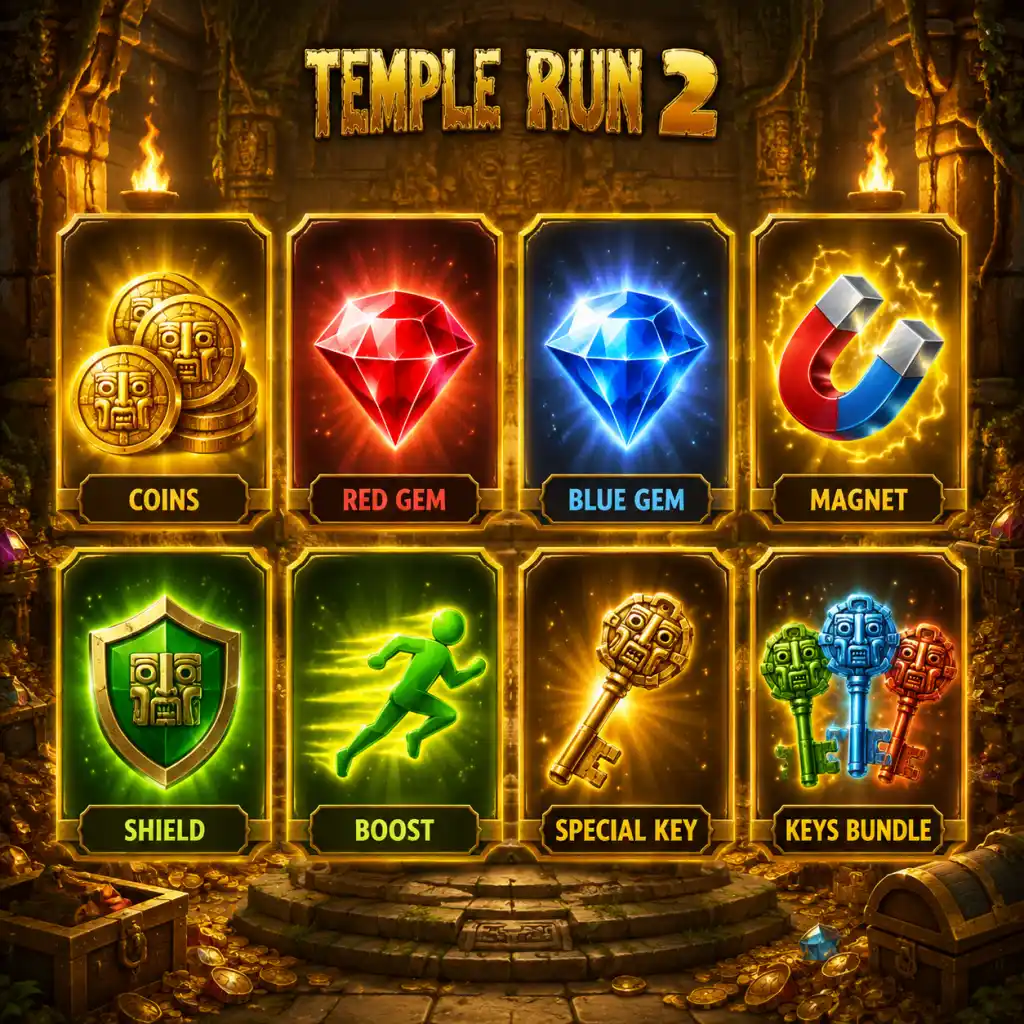
Temple Run 2 features a variety of items that enhance your running experience, from currencies to power-ups, characters, and collectibles. Unlike traditional RPGs, there are no weapons or armor pieces; instead, temporary power-ups and permanent character abilities help you survive longer and score higher. This guide covers every item type, how to obtain them, their uses, and synergies.
---
Currencies
Coins
- Description: The primary currency used for purchasing power-ups, upgrading them, reviving, and unlocking characters. Coins appear as gold circles during runs.
- How to Obtain: Collected by running into them during a run (each coin rewards 1 coin, larger coins give 5), earned from completing missions, opening treasure chests after runs, or via in-app purchase.
- When Useful: Essential for almost all purchases. Save coins for upgrading key power-ups (Shield, Coin Magnet) rather than cosmetic items.
- Synergies: Use Coin Magnet power-up to vacuum coins from a distance, doubling collection efficiency.
- Description: The premium currency, represented by blue diamonds. Gems are rarer and used for special revives, unlocking premium characters, and buying exclusive power-ups.
- How to Obtain: Rarely appear during runs (random spawns), awarded for completing difficult missions, found in treasure chests, or purchased with real money.
- When Useful: Best reserved for reviving after a long run or unlocking characters with game-changing abilities (e.g., Karma Lee’s shield). Avoid using gems on cheap upgrades.
- Synergies: Combine with Score Booster when going for high scores, as reviving with gems lets you continue a record run.
- Effect: Attracts all coins within a large radius toward you for the duration.
- Duration: Base 6 seconds; upgraded up to 12 seconds.
- How to Obtain: Randomly appears during runs (blue magnet icon) or purchased before a run (100 coins base cost).
- When Useful: Activate when entering areas dense with coins, especially near treasure chests or after a long straight section.
- Upgrades: Level 2: 8s, Level 3: 10s, Level 4: 12s. Each upgrade increases cost.
- Synergy: Combine with Score Booster to maximize coin gain and distance score multiplier.
- Effect: Protects you from one obstacle hit (e.g., trap, barrier, or falling) without dying. The shield shatters after blocking one hit.
- Duration: Lasts until used, but expires after a set time if not used (e.g., 30 seconds). Upgrades reduce cooldown? Actually shield persists until hit or run ends.
- How to Obtain: Random spawn (yellow shield icon) or purchase before run (150 coins base).
- When Useful: Essential for risky strategies like staying on the edge or ignoring obstacles. Best used when speed is high and reaction time limited.
- Upgrades: Higher levels increase the number of hits blocked? No, still one hit, but duration before expiration increases? In Temple Run 2, shield upgrades increase the time it remains active before disappearing if not used. Level 2: 45s, Level 3: 60s, Level 4: permanent until hit.
- Synergy: Pairs with Boost to survive high-speed sections where obstacles are hard to dodge.
- Effect: Doubles the score multiplier for the duration. The multiplier is based on distance and coin collection.
- Duration: Base 10 seconds; upgraded up to 20 seconds.
- How to Obtain: Random spawn (green star icon) or purchase before run (120 coins).
- When Useful: Activate when you have a clear path ahead with many coins or after collecting a large gem payout. Also use right before a treasure chest for maximum points.
- Upgrades: Each level adds 2.5 seconds. Level 4: 20 seconds.
- Synergy: Using Coin Magnet during Score Booster yields massive coin collection, which increases score significantly.
- Effect: Temporarily increases running speed by 50%, making you cover ground faster but making obstacles harder to dodge.
- Duration: Base 8 seconds; upgraded up to 14 seconds.
- How to Obtain: Random spawn (orange lightning icon) or purchase (80 coins).
- When Useful: Use on straight, obstacle-free sections to maximize distance quickly. Avoid in dense obstacle areas.
- Upgrades: Level 2: 10s, Level 3: 12s, Level 4: 14s.
- Synergy: Combine with Shield to offset the higher risk of collisions.
- Effect: Starts your run at a certain distance (e.g., 1000 meters) with a brief boost and invincibility. Useful for missions requiring high distance quickly.
- How to Obtain: Purchase from shop for 500 coins or sometimes as a reward.
- When Useful: Use when you need to complete a mission that requires a specific distance milestone (e.g., run 2000 meters) or to skip the early slow sections.
- Note: This is a pre-run power-up, not found during runs.
- Effect: After dying, you can continue the run for a cost of 1 gem (first revive in a run) or 2 gems (second), etc. Respawns you at the point of death with a short invincibility.
- How to Obtain: Always available as an option after a death; requires gems.
- When Useful: Save revives for runs where you are close to a personal best or have many power-ups active. Do not waste on short runs.
- Synergy: Activate revives only when you have a Shield or Boost active to maximize survivability after revival.
Gems
---
Power-ups (Consumables)
Power-ups are temporary boosts that spawn during runs as floating icons. They can also be purchased before a run using coins. Each has multiple upgrade levels that extend duration or effectiveness.
Coin Magnet
Shield
Score Booster
Boost (Super Speed)
Headstart
Revive
---
Characters
Characters are cosmetic skins that also grant a unique passive ability. They are unlocked using coins or gems. Each ability triggers automatically after a certain distance or number of coins collected. Below are notable characters and their abilities.
| Character | Unlock Cost | Ability | Trigger Condition |
|---|---|---|---|
| Guy Dangerous | Free (default) | No special ability | N/A |
| Scarlett Fox | 5000 coins | Temporary Coin Magnet | Activates after running 500 meters |
| Barry Bones | 7500 coins | Temporary Shield | Activates after collecting 100 coins in a run |
| Karma Lee | 10,000 coins | Temporary Score Booster | Activates after 800 meters |
| Montana Smith | 15,000 coins | Temporary Boost | Activates after 1200 meters |
| Zack | 20,000 coins | Random power-up | Activates after 1500 meters |
When Useful: Choose a character based on your playstyle. For beginners, Scarlett Fox (coin magnet) helps build coins quickly. For high-score chasers, Karma Lee (score booster) doubles points at critical moments.
Upgrades: None; characters are permanent once unlocked.
Synergy: Pair character abilities with purchased power-ups. For example, if using Karma Lee (auto Score Booster), equip a Shield manually to survive risky sections when booster is active.
---
Collectibles
These are items that appear during runs and can be collected for immediate benefit or tracked for progression.
Coins (in-run)
- Description: Gold coins scattered along the path. Normal coins = 1 coin, larger gold coins = 5 coins.
- When Useful: Collect all you can; they fund upgrades and unlockables.
- Note: Some missions require collecting a certain number of coins in one run.
- Description: Blue diamonds that appear rarely, often in hidden locations or after completing a series of coins.
- When Useful: Prioritize gems over coins when possible, as they are the premium currency.
- Description: Golden chests that spawn at specific distances (e.g., every 2000 meters). Opening them yields a random reward (coins, gems, or a temporary power-up).
- How to Obtain: Run into them; they are always present on a side path that requires a quick turn.
- When Useful: Always attempt to get chests as they offer free rewards. Use a Shield to avoid crashing while veering off path.
- Synergy: Activate Score Booster before opening a chest to double the score from the chest (if it gives score).
- Description: Purple glowing boxes that sometimes appear on the route. They contain a random power-up (Coin Magnet, Shield, etc.) or a small coin bonus.
- When Useful: Helpful if you are low on power-ups. Not critical but worth grabbing if safe.
Gems (in-run)
Treasure Chests
Mystery Boxes
---
Upgrades
Upgrades are permanent improvements to power-ups, purchased with coins in the shop. Each power-up has 4 levels.
| Power-up | Level 1 (Default) | Level 2 Cost | Level 3 Cost | Level 4 Cost |
|---|---|---|---|---|
| Coin Magnet | 6 sec | 1000 coins | 2000 coins | 4000 coins |
| Shield | 30 sec duration | 1200 coins | 2400 coins | 4800 coins |
| Score Booster | 10 sec | 1500 coins | 3000 coins | 6000 coins |
| Boost | 8 sec | 800 coins | 1600 coins | 3200 coins |
When Useful: Prioritize upgrading Shield and Coin Magnet first, as they directly improve survivability and coin income.
Note: Upgrades apply permanently to all runs. No other materials are used.
---
Special Items
Idols / Artifacts
- Description: In some versions of Temple Run 2, there are rare artifacts (like the Golden Idol from the original) that appear at the end of a run or as special collectibles. However, in the standard Temple Run 2, artifacts are not present; instead, there are missions that reward coins/gems. For completeness, note that no permanent stat-boosting items exist.
- Description: Cosmetic changes for characters (e.g., different hats, cloaks). Purchased with coins or gems. No gameplay effect.
- When Useful: Only for personal enjoyment. Do not waste resources on outfits early game.
- Early Game: Use Scarlett Fox for her automatic Coin Magnet. Spend coins on upgrading Coin Magnet and Shield. Avoid buying power-ups before runs; rely on in-run spawns.
- Mid Game: Unlock Karma Lee for Score Booster. Upgrade Score Booster to level 3. Use revives sparingly.
- Late Game: Max all power-up upgrades. Switch to Zack for random power-ups to maximize unpredictability. Always carry a Shield before a run to survive the first hit.
- Combo: Activate Coin Magnet and Score Booster simultaneously when a treasure chest is near. Then switch to Boost with Shield for high-speed scoring.
Outfits
---
Synergies & Strategies
---
Quick Reference Table
| Item Type | Examples | Cost | Purpose |
|---|---|---|---|
| Currency | Coins, Gems | N/A | Purchase items, revive |
| Power-up | Magnet, Shield, Booster, Boost | Coins (pre-run) | Temporary advantages |
| Character | Scarlett, Karma, etc. | Coins/gems | Passive abilities |
| Collectible | Coins, Gems, Chests | N/A | Immediate rewards |
| Upgrade | Power-up levels | Coins | Permanent improvements |
This concludes the comprehensive items guide for Temple Run 2. Use the knowledge to maximize your runs and conquer the temple!
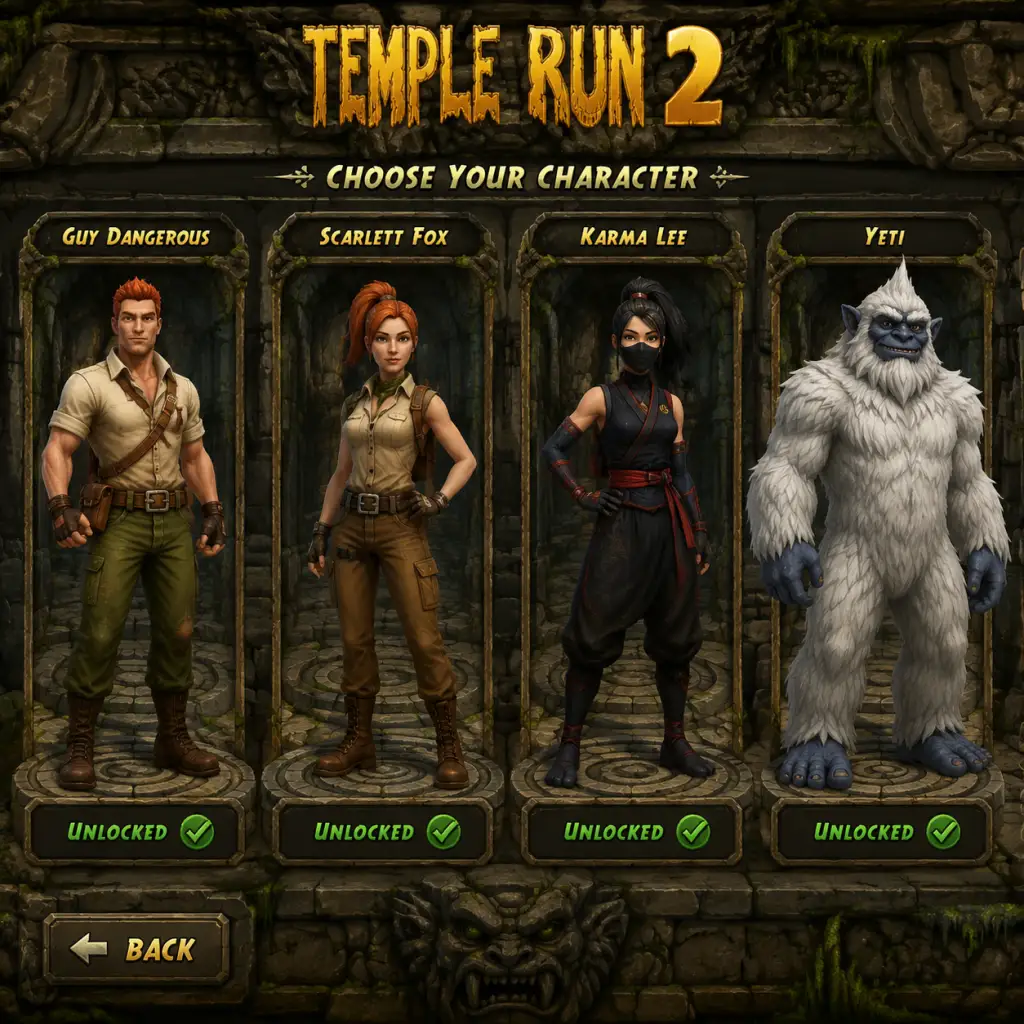
Character Skills
Overview
In Temple Run 2, characters do not have unique skills or abilities. All playable characters (such as Guy Dangerous, Scarlett Fox, Usain Bolt, Lindsey Stirling, etc.) are purely cosmetic – they change the runner’s appearance and sometimes have unique animations, but they offer no gameplay advantages. Instead, the game uses a system of Special Powers (sometimes called “abilities” or “power-ups”) that can be equipped to any character. These Special Powers are activated manually during a run (by tapping the power icon) or automatically in some cases, and they provide temporary boosts, protection, or scoring benefits.
This guide covers every available Special Power in Temple Run 2, including their effects, cooldowns, upgrade paths, recommended usage, and synergy with other game mechanics.
---
All Special Powers
There are five main Special Powers in the game (as of the latest major updates). Each power has a base version and can be upgraded multiple times using coins and gems. The table below gives an overview:
| Power Name | Activation | Base Duration | Base Cooldown | Primary Effect |
|---|---|---|---|---|
| Shield | Manual (tap) | 5 seconds | 60 seconds | Invincibility – protects from one obstacle hit (breaks on contact) |
| Coin Magnet | Manual (tap) | 7 seconds | 60 seconds | Attracts nearby coins automatically |
| Boost | Manual (tap) | 5 seconds | 60 seconds | Accelerates running speed and grants brief invincibility |
| Score Booster | Auto-activates (once per run) | Until death | N/A (single-use per run) | Multiplies score by 2x for the entire run |
| Gem Boost | Manual (tap) | N/A (instant) | 120 seconds | Adds a small burst of gems (2–5 depending on upgrade) immediately |
---
Shield
Effect: When activated, the runner becomes enveloped in a glowing shield. This shield absorbs one obstacle collision (e.g., hitting a tree root, a wall, or a falling rock) and prevents death. After absorbing a hit, the shield disappears. If it expires naturally after its duration, it also disappears without absorbing a hit. The shield does not protect against falling off edges or into pits – only against direct obstacle collisions.
Cooldown: 60 seconds (base) – reduces slightly with upgrades (down to ~45 seconds at maximum level).
Upgrades:
- Duration: Increases from 5 seconds up to 10 seconds at max level.
- Cooldown: Decreases slightly with each level.
- Cost: Coins and gems required to upgrade; higher levels require more resources.
- Use the Shield defensively when you know a difficult obstacle sequence is coming (e.g., tight corridor with multiple barriers).
- Activate it just before a series of quick slides and jumps to guarantee survival of one mistake.
- Do not activate it while already sliding or jumping – it’s best used when running straight.
- Best for distance runners who want to extend their run by one extra chance.
- Pair with Boost (if you can equip two powers via special events or permanent upgrades) – Shield protects you during Boost’s high-speed section.
- Collecting a Red Shield power-up during a run will stack? No – if you have the Shield power activated and then collect a red shield, the manual shield’s timer will be replaced by the power-up shield (which lasts longer but also breaks on hit). Use them sequentially.
- Duration: Increases from 7 seconds up to 14 seconds at max level.
- Range: Slightly increases with each upgrade (the pull radius grows).
- Cost: Coins and gems.
- Activate the Coin Magnet when you see a long, straight section with clusters of coins (especially the “coin highways” that appear after certain checkpoints).
- Use it right after collecting a Coin Rush power-up to double the coin collection rate.
- Best used early in a run to quickly gather coins for upgrades, or late in a run when you’re focusing on coin collection missions.
- Coin farmers should equip this power as their primary skill.
- Combine with Score Booster (permanent) to maximize score and coin gain.
- Works extremely well with the Treasure Trail (if unlocked) – the magnet pulls coins from the trail automatically.
- Does not stack with the Coin Magnet power-up collected during the run – they will overlap, but the manual magnet will extend the total magnetization time if activated consecutively.
- Duration: Increases from 5 seconds up to 9 seconds.
- Invincibility window: Slightly extended (from 1.5 seconds to about 2.5 seconds at max).
- Speed multiplier: Does not change with upgrades – always 2×.
- Use Boost immediately after clearing a tight obstacle to take advantage of the brief invincibility.
- Activate it on wide-open sections where you can see far ahead – this helps you cover more ground quickly.
- Avoid using Boost in crowded obstacle zones (narrow corridors, multiple turns) unless you are confident in your reflexes.
- Useful for distance runs because you cover ground faster (but also increase risk).
- Advanced players who value speed and risk-reward should use Boost.
- Pair with Shield (if available) to mitigate the danger of high-speed collisions.
- Combining Boost with a Coin Magnet (if you have a second power slot) is extremely effective for coin farming at high speed.
- Collecting a Boost power-up during a run will stack? No – the manual Boost will override the power-up Boost’s duration. Use them separately.
- Always active – no decision needed. It is the best long-term investment for players focused on leaderboard rankings.
- Recommended for all players once they can afford it, as it doubles the value of every run.
- Multiplies the effect of any other score boosts (such as from missions or daily challenges).
- Works with Gem Boost – the gems collected as score bonuses are also doubled? No, gems themselves are not doubled, but the score from the gem burst (if any) is doubled.
- Gem yield: Increases from 2 gems per activation to 5 gems at max level.
- Cooldown: Decreases slightly.
- Use Gem Boost whenever the cooldown is ready, especially if you are farming gems for character purchases or power upgrades.
- No in-game penalty for using it – it’s pure resource gain.
- Best used at the start of a run so you can use it again later if the run lasts long enough.
- Gem farmers should equip this power exclusively.
- Not recommended for score/distance runs because it doesn't help survival or score directly.
- None directly, but extra gems allow you to purchase other upgrades faster.
- Special Power: Score Booster (permanent) + Shield (manual) if second slot is available.
- Why: Shield protects from one mistake, extending your run for more distance and score. Score Booster doubles all points.
- Backup: If no second slot, use Shield only (Score Booster is passive).
- Special Power: Coin Magnet (manual) + Boost (if two slots) for high-speed coin gathering.
- Why: Magnet pulls in coins automatically, Boost covers more ground and more coin clusters.
- Alternative: Gem Boost if you need gems more than coins.
- Special Power: Shield (manual) + Boost (second slot) – use Boost on open sections, Shield for dangerous areas.
- Why: Shield gives a second chance; Boost helps clear long distances faster.
- Special Power: Boost (manual) + Score Booster (passive).
- Why: Maximum speed to cover distance quickly, Score Booster doubles score.
- Note: Very risky – only for expert players.
- Initial Unlock: Most powers are unlocked by default (Shield, Coin Magnet, Boost). Score Booster and Gem Boost must be purchased from the shop.
- Upgrading: Each power can be upgraded multiple times by spending coins and gems. The upgrade cost increases per level. Maximum level is typically 10.
- Effect of Upgrades: Longer duration, shorter cooldown, and in some cases increased effect (e.g., more gems from Gem Boost).
- Only one manual power can be equipped at a time (unless you have a second power slot unlocked). You cannot use Shield and Coin Magnet simultaneously unless you have two slots.
- Power slot unlock: Some versions allow a second power slot after reaching a high enough player level (e.g., Level 30) or by purchasing it with gems (around 500 gems). Check your game version.
- Cooldowns are independent of run progress – they reset only after you die and restart a new run. If you activate a power and survive long enough, you can use it again within the same run.
- Power-ups collected during the run (e.g., a Shield power-up, Coin Magnet power-up) are separate from your equipped Special Power. They do not interfere, but they also cannot be stacked – they simply replace your active effect if you activate your manual power while a power-up is active.
- New players: Start with the Shield as it forgives mistakes while you learn obstacle patterns. Upgrade it first to increase its duration.
- Intermediate players: Switch to Coin Magnet once you can reliably avoid obstacles, and use the coins to buy upgrades and characters.
- Advanced players: Use Boost for high-score attempts, and always keep Score Booster active if you own it.
- Gem Boost is only useful if you are grinding for gems; otherwise, ignore it.
When to use:
Recommended builds:
Synergies:
---
Coin Magnet
Effect: For a short duration, all coins within a wide radius are automatically pulled toward the runner. Coins collected via the magnet count toward your total and bonus multipliers. The magnet does not affect gems, power-ups, or other collectibles.
Cooldown: 60 seconds (base) – reduces to ~45 seconds at max upgrade.
Upgrades:
When to use:
Recommended builds:
Synergies:
---
Boost
Effect: When activated, the runner instantly accelerates to a very high speed (roughly 2× normal speed) and becomes briefly invincible (about 1–2 seconds at the start of the boost). After the invincibility wears off, you are again vulnerable to obstacles, but the increased speed makes reactions more difficult. The boost lasts for a set duration before returning to normal speed.
Cooldown: 60 seconds (base) – reduces to ~50 seconds at max.
Upgrades:
When to use:
Recommended builds:
Synergies:
---
Score Booster
Effect: A permanent passive ability that doubles your score for every run. This is not a manual activation – once purchased, every run you start will have a 2× score multiplier applied. The score multiplier applies to all distance points, coin bonus points, and completion bonuses.
Cost: This is a premium item typically costing 100,000 coins or 500 gems (prices may vary). It is a one-time purchase; no upgrades are needed.
When to use:
Synergies:
---
Gem Boost
Effect: Instantly gives you a small number of gems (ranging from 2 to 5 depending on upgrade level) when activated. The gems appear as a short burst animation and are added to your total. This power does not affect your run – it is only a resource generator.
Cooldown: 120 seconds (base) – reduces to 90 seconds at max upgrade.
Upgrades:
When to use:
Recommended builds:
Synergies:
---
How to Equip Special Powers
1. From the main menu, tap the Character icon (or the backpack icon on some versions).
2. Select any character (they are all identical in function).
3. Tap the Powers tab (or button) beneath the character.
4. Choose one Special Power to equip. You can only have one Special Power active per run (unless you have unlocked a second power slot via special events or paid upgrades).
5. Some versions allow you to equip two powers – the second slot is unlocked by reaching a certain level (e.g., level 10) or by purchasing with gems.
---
Recommended Builds by Play Style
High Score Runner
Coin Farmer
Distance Runner (Survival Focus)
Speedrunner (Leaderboard Focus)
---
Unlocking and Upgrading Special Powers
---
Important Notes
---
Final Advice
Note that Temple Run 2 updates occasionally add limited-time powers or special event characters with unique animations, but no permanent abilities have ever been tied to a specific character. All powers are universal.
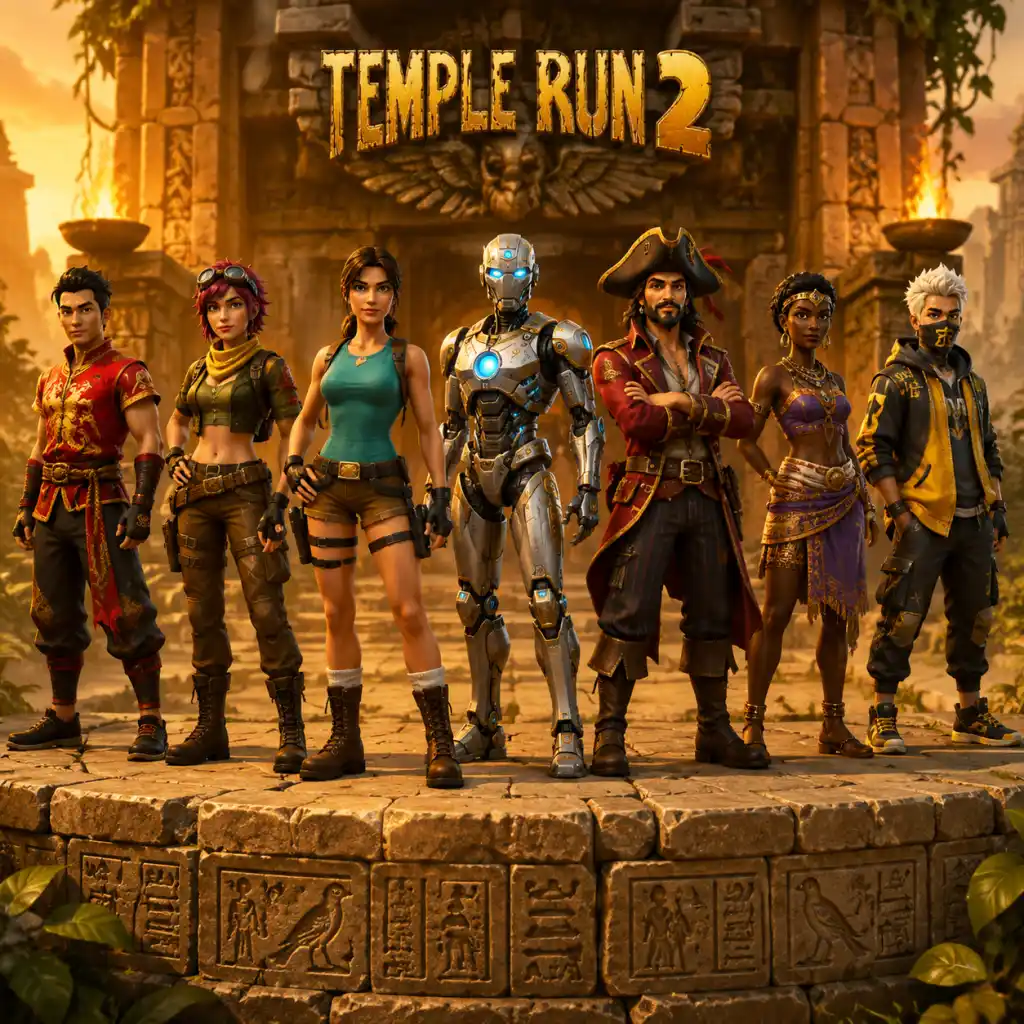
Characters & Roles
Characters & Roles
Overview
In Temple Run 2, all playable characters are purely cosmetic. They do not possess unique skills, abilities, or stat bonuses. The only difference between characters is their appearance and the sound effects they make during runs. Therefore, the concept of "roles," "strengths," "weaknesses," and "playstyle" are purely thematic and do not affect gameplay mechanics. However, each character has a backstory and unlock condition, which we cover below.
Because no character impacts performance, your choice of character is entirely based on personal preference or collection completion. The same runs, obstacles, power-ups, and strategies apply regardless of which runner you select.
Unlocking Characters
Characters are unlocked via:
- Coins: Purchased in the in-game shop for a fixed amount of coins.
- Gems: Some special or limited-time characters require gems.
- Real Money: Certain characters can be bought instantly with real currency via microtransactions.
- Special Events: Promotional characters (e.g., Usain Bolt, Lindsey Stirling) may be time-limited or tied to real-world events.
- Progress: Some characters are unlocked automatically as you complete certain milestones or missions.
- Standard Power-ups: Coin Magnet, Boost, Shield (if you have it).
- Outfits: Some characters have alternate outfits (cosmetic only) that can be purchased with coins or gems — they do not change gameplay.
- Background: The original explorer from the first Temple Run. A rugged adventurer who stole the golden idol from the temple.
- Unlock Condition: Available from the start (default character).
- Notes: Iconic character; no gameplay differences.
- Background: A cunning female treasure hunter who travels the world seeking ancient artifacts.
- Unlock Condition: 5,000 coins (early unlock).
- Notes: Thematically associated with speed and agility, but mechanically identical to any other runner.
- Background: The fastest man in the world, licensed character. Adds a special running animation and Olympic-themed visuals.
- Unlock Condition: Was a limited-time purchasable character (via real money or gems). May be available again during special events.
- Notes: Purely cosmetic; no speed boost despite the character's real-world skill.
- Background: The famous violinist and dancer, also a licensed character. Comes with a violin-playing animation and unique sound effects.
- Unlock Condition: Purchased with real money during a limited-time collaboration.
- Notes: Cosmetic only. No musical advantage.
- Background: An archaeologist and explorer, similar to Indiana Jones. Often seen in promotional material.
- Unlock Condition: 25,000 coins (mid-game unlock).
- Notes: No gameplay impact.
- Background: From the TV show How I Met Your Mother. A licensed character with distinctive suit and catchphrases.
- Unlock Condition: Purchased with real money or gems during a crossover event. May no longer be available.
- Notes: Cosmetic only.
- Background: Twin sisters who are treasure hunters. Halley is the more serious one, Hollie is more playful.
- Unlock Condition: Each costs 50,000 coins (high price).
- Notes: Two separate characters sharing a similar model. No gameplay differences.
- Background: A masked luchador who brings flair to the chase.
- Unlock Condition: 30,000 coins.
- Notes: The mask is purely cosmetic.
- Background: Christmas-themed character added during holiday events.
- Unlock Condition: Was available for free during a limited-time event; later purchasable with gems.
- Notes: Cosmetic only; festive animations.
- Background: A stealthy ninja from an ancient clan.
- Unlock Condition: 75,000 coins (expensive late-game unlock).
- Notes: No stealth advantages; identical gameplay.
- Background: A futuristic robot explorer with glowing eyes.
- Unlock Condition: 100,000 coins (one of the most expensive).
- Notes: Cosmetic only; sometimes runs with a mechanical sound.
Recommended Equipment & Builds
Since there is no equipment system, the closest equivalent is power-up selection and outfits (if available). However, power-ups are universal and not tied to any character. The best build for any character is the same:
Team Synergy
Temple Run 2 is a single-player game. There is no team play, co-op, or multiplayer. The concept of "team synergy" does not apply. All characters function identically in every mode.
---
Major Characters
Below is a list of all notable characters available in Temple Run 2 as of the latest updates. Each entry includes flavor background (from the game's lore), unlock details, and a note on the lack of gameplay impact.
#### Guy Dangerous
#### Scarlett Fox
#### Usain Bolt
#### Lindsey Stirling
#### Montana Smith
#### Barney Stinson
#### Halley & Hollie
#### Francisco Montana
#### Santa Claus
#### Ninja Guy
#### Robot Guy
#### And more...
The game frequently adds new characters (e.g., seasonal, holiday, or collaboration). Always check the shop for new arrivals. All follow the same mechanics.
Summary Table
| Character | Background | Unlock Condition | Gameplay Impact |
|---|---|---|---|
| Guy Dangerous | Original explorer | Default | None |
| Scarlett Fox | Female treasure hunter | 5,000 coins | None |
| Usain Bolt | Olympic sprinter | Limited-time purchase | None |
| Lindsey Stirling | Violinist/dancer | Limited-time purchase | None |
| Montana Smith | Archaeologist | 25,000 coins | None |
| Barney Stinson | TV character | Limited-time purchase | None |
| Halley/Hollie | Twin sisters | 50,000 coins each | None |
| Francisco Montana | Luchador | 30,000 coins | None |
| Santa Claus | Holiday character | Event/gems | None |
| Ninja Guy | Stealth ninja | 75,000 coins | None |
| Robot Guy | Futuristic robot | 100,000 coins | None |
Conclusion
Choose the character that appeals to you visually or that you have unlocked. There is no competitive advantage to any character — all players have the same running capabilities. Focus your resources on power-ups and upgrades instead, as those have a real impact on your run length and coin collection.
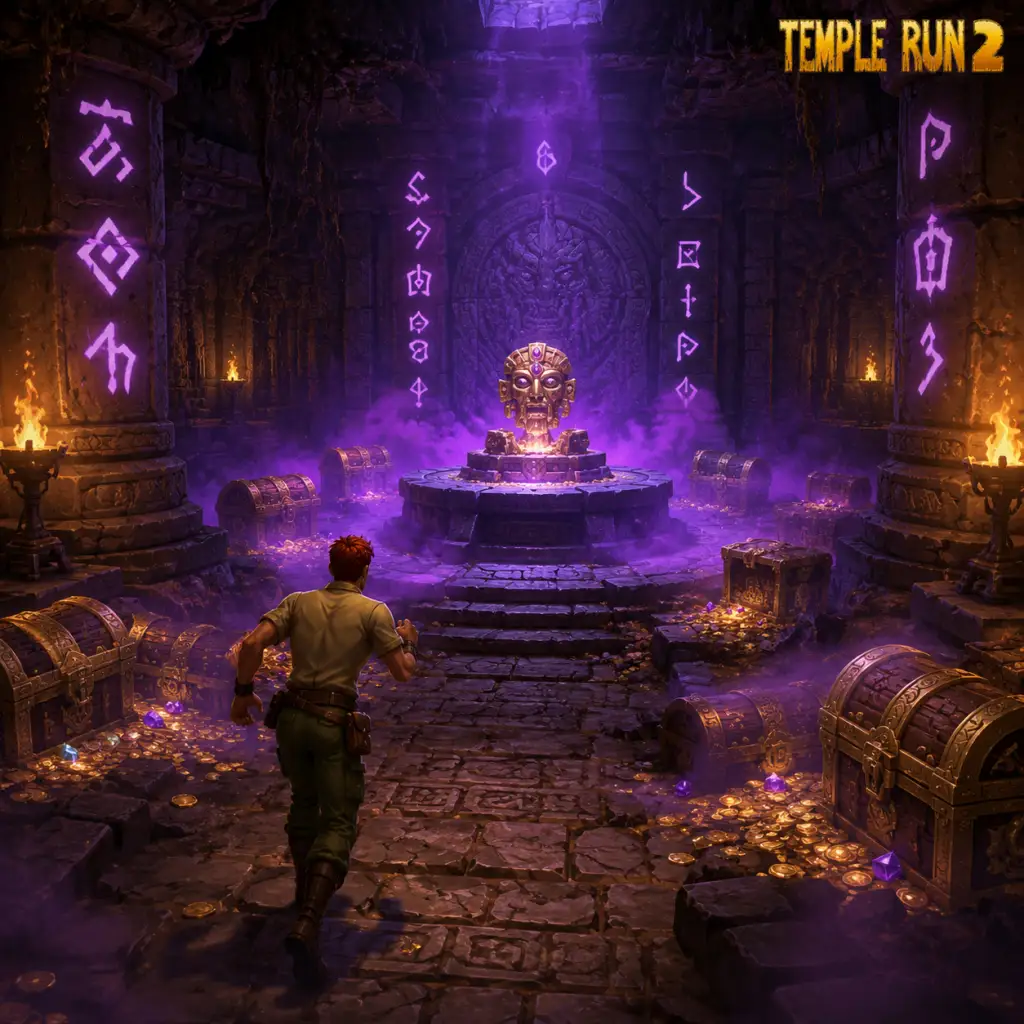
Cheats & Secrets
Cheats & Secrets for Temple Run 2
Overview
Temple Run 2, developed by Imangi Studios, is a polished endless runner that intentionally avoids traditional cheat codes, hidden commands, or developer consoles. The game is designed to be a pure skill-based experience where progress is earned through practice and in-game purchases. There are no known cheat codes, unlock codes, or exploitable glitches that are safe and developer-intended. However, the game does contain several Easter eggs and a few hidden content pieces that are worth seeking out. This guide will cover all verified hidden features.
---
Cheat Codes & Unlock Codes
- No cheat codes exist for Temple Run 2 on any platform (iOS, Android, Windows 10/11). There is no way to enter a code to gain coins, gems, or unlimited power-ups.
- No unlock codes are available. All characters, power-ups, and vehicles are obtained through normal gameplay (collecting coins and gems) or via in-app purchases.
- No secret commands or button combinations (e.g., tapping a specific sequence on the title screen) have been discovered or confirmed by the developers.
- Description: After collecting 100 gems (the purple currency), a "Mine" icon appears on the main menu. Tapping it opens a secondary gameplay loop where you guide a minecart along tracks, dodging obstacles and collecting gems and coins. This is not a cheat but a legitimate unlockable feature that many players overlook.
- How to access: Collect 100 gems total (not in one run). The Mine icon appears below the character selection. Each run in the Mine costs 1 gem and offers a chance to earn more gems and coins.
- Note: This is an official feature, but it's considered a "secret" because it's not advertised and requires a specific currency threshold to unlock.
- Description: On the main menu, if you wait for about 30 seconds without touching the screen, a small silhouette of the original Temple Run runner (the iconic explorer) will run across the background from left to right. This is a tribute to the first game.
- How to trigger: Simply idle on the main menu for 30+ seconds. The animation plays once and then repeats if you continue idling.
- Platform: Confirmed on iOS and Android; likely present on Windows version as well.
- Description: The "Monkey" character is a popular unlockable in Temple Run 2. While it is openly purchasable with 2,500 coins (or gems), many new players miss it because it appears in the shop only after you have unlocked a few other characters. Its description says “Ook Ook!” and it makes monkey noises during gameplay.
- How to unlock: Spend 2,500 coins in the Character Shop. No code required.
- Note: This is not a true secret, but it is a classic Easter egg referencing the original Temple Run's monkey trap.
- Description: There is an unverified rumor that if you complete a run with zero coins collected and survive for more than 5 minutes, a translucent “ghost” version of your character appears on the starting platform during the next run. This has not been confirmed by Imangi Studios or recorded by reputable sources.
- Verdict: Likely a myth. Do not waste time attempting this.
- Description: During seasonal events (e.g., Halloween, Christmas), the developers occasionally hide special items or characters in unexpected places. For example, during the 2022 Halloween event, tapping a specific pumpkin on the main menu three times unlocked a limited-edition skin. These are temporary and not repeatable.
- How to find: Follow official social media channels or in-game announcements for event-specific secrets.
- Coin Magnet + Shield Combo: Activating the Coin Magnet power-up right before a Shield makes you virtually invincible while collecting coins for a few seconds. This is a legitimate strategy, not a bug.
- Gems from the Mine: Running the Gem Mine repeatedly can yield more gems than you spend, especially if you are skilled. Many players don’t realize the Mine is a reliable gem farm.
- Revive Timing: When you crash, the game gives you a split-second window to tap the screen to use a gem revive before the death animation completes. This is intentional design, but new players often miss it.
- The original Temple Run logo appears on a wall in the first section of the run (look for a graffiti-style drawing).
- The number "42" appears on a few rare obstacles as a nod to Douglas Adams' The Hitchhiker's Guide to the Galaxy.
---
Hidden Features & Developer-Intended Secrets
While there are no hidden cheats, the game does include a few subtle features that aren't immediately obvious to new players:
#### 1. The Gem Mine (Hidden Mini-Game)
#### 2. The Original Temple Run Cameo (Easter Egg)
#### 3. Hidden Character: The Monkey
#### 4. The Ghost Runner (Unconfirmed Rumor)
#### 5. Special Event Secrets (Limited Time)
---
Exploit-Safe Secrets (Legitimate Tips That Feel Like Cheats)
These are not cheats but are clever strategies that many players consider “secret” until they learn them:
---
Developer-Intended Hidden Content
Imangi Studios has confirmed via interviews that they intentionally avoid adding cheat codes to preserve the game’s competitive integrity. However, they enjoy hiding small visual references:
---
Conclusion
Temple Run 2 has no cheat codes, unlock codes, or exploitable glitches that are safe to use. The game relies solely on player skill, with a few hidden Easter eggs and the Gem Mine offering secret content. If you find any claimed “cheat code” online, avoid it—it’s likely a scam or malware. Enjoy the run, and keep an eye out for the little surprises Imangi has tucked away!