Tetris
## Game Introduction: Tetris ### Genre Puzzle / Tile-Matching / Action ### Developer & Publisher - **Original Creator**: Alexey Pajitnov (1984) - **Original Developer & Publisher**: The Soviet Academy of Sciences (Electronica 60); later licensed to various companies such as Nintendo, The Tetris Co...
Download & Installation
Tetris Download & Installation Guide
This guide covers the official, legitimate Tetris games available on major platforms. The most feature-rich modern version is Tetris Effect: Connected, available on PC (Steam, Epic Games Store), PlayStation 4/5, Xbox One/Series X|S, and Nintendo Switch. For mobile, the official app is Tetris (by N3TWORK) on iOS and Android. We also cover Tetris 99 (Nintendo Switch exclusive) and Puyo Puyo Tetris (multi-platform).
---
1. Platform-Specific Versions
| Platform | Recommended Tetris Title | Availability |
|---|---|---|
| PC (Steam) | Tetris Effect: Connected | [Steam Store](https://store.steampowered.com/app/1003590/Tetris_Effect_Connected/) |
| PC (Epic Games) | Tetris Effect: Connected | [Epic Games Store](https://store.epicgames.com/en-US/p/tetris-effect-connected) |
| PlayStation 4/5 | Tetris Effect: Connected | PlayStation Store |
| Xbox One/Series | Tetris Effect: Connected | Microsoft Store |
| Nintendo Switch | Tetris 99 (free) or Tetris Effect: Connected | Nintendo eShop |
| iOS | Tetris (by N3TWORK) | App Store |
| Android | Tetris (by N3TWORK) | Google Play Store |
2. System Requirements
Tetris Effect: Connected (PC)
| Component | Minimum | Recommended |
|---|---|---|
| OS | Windows 10 64-bit | Windows 10/11 64-bit |
| CPU | Intel Core i3-4340 / AMD FX-6300 | Intel Core i5-4590 / AMD Ryzen 5 1500X |
| RAM | 8 GB | 16 GB |
| GPU | NVIDIA GeForce GTX 660 2GB / AMD Radeon HD 7850 2GB | NVIDIA GeForce GTX 1060 6GB / AMD Radeon RX 580 8GB |
| DirectX | Version 11 | Version 12 |
| Storage | 10 GB | 10 GB SSD recommended |
| Additional | 64-bit processor required | VR optional (Oculus Rift, HTC Vive, Windows Mixed Reality) |
Tetris (Mobile)
- iOS: Requires iOS 13.0 or later. Compatible with iPhone, iPad, iPod touch.
- Android: Requires Android 6.0 (Marshmallow) and up. Size ~150 MB. Internet connection required for online modes.
- Storage: ~1.4 GB (free to play with Nintendo Switch Online membership required for online play).
- PC (Steam/Epic): A Steam or Epic Games account is required.
- PlayStation: A PlayStation Network (PSN) account needed (free).
- Xbox: A Microsoft account (Xbox Live) required.
- Nintendo Switch: A Nintendo Account (free) plus Nintendo Switch Online subscription for online play in Tetris 99 and Tetris Effect: Connected.
- Mobile: No mandatory account to play offline, but a Tetris account or Apple/Google sign-in is required for online features and cloud saves.
- Upon first launch, you will see the title screen. Press any button to continue.
- You may be prompted to calibrate the screen brightness (especially in VR mode on PC).
- Select your preferred language and control scheme.
- If playing on PC with a controller, ensure it’s connected before launching for best detection.
- For PC, the game will automatically detect your display resolution; you can adjust in Options > Graphics.
- Online features require an internet connection and platform-specific account.
- After download, launch the game. It will ask to link your Nintendo Account.
- Tutorial mode is available; recommended for new players.
- A Nintendo Switch Online subscription is required to access the main mode.
- Open the app. Accept the privacy policy and terms.
- You can play as a guest or sign in with Apple/Google/Tetris account for cloud saves.
- Optional: allow notifications for events.
- The game will download additional assets (if needed) on first launch.
- Tutorial will play automatically.
Tetris 99 (Nintendo Switch)
---
3. Download & Installation Steps
3.1 PC (Steam)
1. Install the Steam client from [store.steampowered.com](https://store.steampowered.com) if not already present.
2. Log in to your Steam account (create one if needed).
3. Search for “Tetris Effect: Connected” in the store.
4. Click Add to Cart and complete purchase (or install if already owned).
5. Go to your Library, find the game, and click Install.
6. Choose installation directory (default is fine). The download size is ~8 GB.
7. Wait for download and installation to complete. Steam will automatically verify files.
3.2 PC (Epic Games Store)
1. Download and install the Epic Games Launcher from [epicgames.com](https://www.epicgames.com/store).
2. Log in to your Epic account.
3. Search for “Tetris Effect: Connected” and purchase / add to library.
4. Click Library, find the game, and click Install.
5. Select installation location and launch after installation.
3.3 PlayStation (PS4/PS5)
1. From the PlayStation home screen, go to PlayStation Store.
2. Search for “Tetris Effect: Connected”.
3. Select the game and choose Download (after purchase).
4. The game will download and install automatically. On PS5, you can choose between PS4 and PS5 versions.
5. Once installed, launch from the home screen.
3.4 Xbox (One, Series X|S)
1. Press the Xbox button, go to Microsoft Store.
2. Search for “Tetris Effect: Connected”.
3. Purchase or install (if you have Game Pass, it may be included).
4. Select Install and choose a drive (internal or external).
5. Game will be added to My games & apps.
3.5 Nintendo Switch
#### Tetris Effect: Connected (paid)
1. Open Nintendo eShop from the home menu.
2. Search for “Tetris Effect: Connected”.
3. Complete purchase and select Download.
4. The game will install to your system memory or SD card. Launch from home screen.
#### Tetris 99 (free)
1. Go to Nintendo eShop.
2. Search for Tetris 99 and select Free Download.
3. Accept terms and download. Requires Nintendo Switch Online subscription to play online.
4. Launch from home screen.
3.6 Mobile (iOS / Android)
1. Open the App Store (iOS) or Google Play Store (Android).
2. Search for “Tetris” by N3TWORK (the official app).
3. Tap Get / Install.
4. Allow permissions (storage, notifications if prompted).
5. Wait for download (~150 MB) and installation. Open the app.
6. Create or log in with a Tetris account (optional but required for cloud save and leaderboards).
---
4. Account Requirements
---
5. First Launch Setup
Tetris Effect: Connected (All Platforms)
Tetris 99 (Switch)
Tetris (Mobile)
---
6. Common Installation Errors & Fixes
| Error | Platform | Cause & Solution |
|---|---|---|
| “Disk Write Error” | PC (Steam) | Insufficient permissions or antivirus blocking. Run Steam as Administrator, or temporarily disable antivirus. |
| “Failed to Initialize Renderer” | PC | Outdated GPU drivers or unsupported DirectX version. Update drivers and install DirectX 11/12 from Microsoft’s site. |
| “Game won’t launch after install” | PC (Epic) | Verify files in Epic Games Launcher (click three dots > Manage > Verify). Also check antivirus exclusions. |
| “Insufficient Storage” | PS5 / Xbox | Free up space by deleting other games. On PS5, you can move PS4 games to external storage. |
| “Nintendo eShop download pending” | Switch | Put the console in sleep mode with sufficient battery; downloads resume in sleep. Also check SD card space. |
| “Network Error” | Mobile | Ensure stable internet connection. Reboot the device and try again. Clear app cache if needed. |
| “Connection time out” | Any online | Check firewall settings. For PC, allow the game through Windows Defender Firewall. |
- Always restart your device after installation failures before retrying.
- Ensure your platform’s software is up to date (Windows Update, PS5 system update, etc.).
- For PC, close background applications like overlays (Discord, GeForce Experience) that may conflict.
---
7. Post-Install Verification
1. Launch the game successfully without crashes.
2. Check the title screen – it should display the correct game version.
3. Play a round in single-player mode to test controls and performance.
4. Verify online connectivity (if applicable) by attempting to join a multiplayer lobby.
5. Check storage usage:
- PC: Right-click game in Steam Library > Properties > Local Files > Browse. The folder should contain ~9GB of files.
- Console: Go to System Settings > Storage to see the installed title.
- Mobile: Go to App Info > Storage in device settings (size should match download).
6. Optional: Update graphics settings for optimal performance on PC.
Once all steps are completed, you are ready to enjoy Tetris on your platform of choice.
---
Last updated: February 2025. Prices and availability may vary by region.
Game Introduction
Game Introduction: Tetris
Genre
Puzzle / Tile-Matching / Action
Developer & Publisher
- Original Creator: Alexey Pajitnov (1984)
- Original Developer & Publisher: The Soviet Academy of Sciences (Electronica 60); later licensed to various companies such as Nintendo, The Tetris Company (founded by Pajitnov and Henk Rogers), and others.
- Notable Modern Versions: Tetris Effect: Connected – developed by Resonair and published by Enhance Games; Tetris 99 – developed by Arika and published by Nintendo; official mobile versions from N3TWORK and PlayStudios.
- 1984: The original Tetris debuts on the Electronica 60 computer in the Soviet Union.
- 1989: Landmark release on the Nintendo Game Boy, propelling the game to global fame.
- 1990s–2000s: Numerous ports, sequels, and spin-offs (e.g., Tetris DS, Tetris Party).
- 2014: Tetris Ultimate released for PC, PlayStation, Xbox.
- 2018: Tetris Effect launches on PS4 (later PC, Xbox, Nintendo Switch, Meta Quest).
- 2019: Tetris 99 (Nintendo Switch exclusive battle royale) released.
- 2021: Tetris Effect: Connected update adds cross-platform multiplayer.
- 2023–2024: Tetris on mobile (e.g., Tetris App refreshed) and newest Tetris Forever collection.
- PC: Steam, Epic Games Store (Tetris Effect: Connected, Tetris Forever)
- PlayStation 4/5: Tetris Effect: Connected
- Xbox One/Series X|S: Tetris Effect: Connected
- Nintendo Switch: Tetris Effect: Connected, Tetris 99, Tetris Forever, classic NES Tetris via Nintendo Switch Online
- Mobile: iOS and Android (official Tetris app, Tetris Blitz, Tetris Royal)
- Meta Quest 2/3/Pro: Tetris Effect: Connected (VR mode)
- Arcade: Various cabinets, notably Taito’s Tetris Grand Master series
- Tetris Effect: Embark on a meditative journey through 30+ stages that blend music, visuals, and rhythm. The “story” is emotional and abstract, exploring themes of connection, wonder, and the human experience.
- Tetris 99: A competitive battle royale where 99 players compete to be the last one standing—no narrative, just pure survival.
- Classic Tetris: No story; the goal is to survive indefinitely by clearing lines as the speed increases.
- Classic Tetris: A simple 10×20 grid (the Matrix) in a black void, emphasizing focus and spatial reasoning.
- Tetris Effect: A psychedelic, ever‑changing visual landscape that reacts to gameplay—from underwater oceans to neon cityscapes, all synchronized to an original soundtrack.
- Tetris 99: A minimalist dark arena with 98 other players’ grids visible; no distinct setting beyond the interface.
- Simple rules, deep mastery: Rotate, drop, clear lines—but the speed eventually forces split‑second decisions.
- Flow state: Known for inducing the “Tetris effect” (seeing falling blocks in one’s mind after playing).
- Infinite replayability: No two games are the same due to random piece order.
- Accessibility: Anyone can play within seconds, but decades of practice reveal high‑level techniques (T‑spins, finesse, perfect clears).
- Casual gamers: Quick 5‑minute sessions with low entry barrier.
- Hardcore puzzle enthusiasts: Compete for high scores, speedruns, and tournaments (e.g., Classic Tetris World Championship).
- VR/rhythm game fans: Tetris Effect appeals to players seeking immersive audio‑visual experiences.
- Competitive players: Tetris 99 and connected modes attract those who enjoy real‑time multiplayer.
- All ages: Rated E for everyone; family‑friendly.
- Journey Mode: 30+ stages with evolving visuals and music.
- Marathon: Classic endless play until you top out.
- Effect Modes: Puzzle, Sprint, Ultra, Master, Mystery, etc.
- Connected (Co‑op): Work with up to two others to clear lines against a shared boss (Zach)
- Connected (Versus): 1v1 competitive matches.
- Playlists & Zone: Risk/reward mechanic that freezes time for extra clears.
- Multiplayer: Cross‑platform online (Steam, EGS, PS, Xbox, Switch) + local co‑op.
- 99‑player battle royale: Target opponents, send garbage, survive.
- Team Battle (Invictus) & CPU Battle modes.
- DLC: Big Block (extra themes, offline modes).
- Tetris Effect: Connected: Full offline single‑player content (Journey, Marathon, Effect Modes). Online multiplayer requires internet subscription on consoles (Nintendo Switch Online, PS Plus, Xbox Live Gold) and internet on PC (free). Cross‑play enabled.
- Tetris 99: Online only for battle royale; offline practice available with DLC.
- Mobile Tetris: Always online for leaderboards and social features; offline play possible after initial download.
- Tetris Effect: Connected: The base game includes all core modes; major updates added Connected mode for free. There is no paid DLC beyond the game itself (though some platforms have bundled editions).
- Tetris 99 DLC: “Big Block” pack ($9.99) adds offline modes (Sprint, Marathon, CPU Battle) and extra themes.
- Tetris Forever (2024): A collection of classic Tetris titles with a museum mode; includes the original 1984 Elektronika 60 version, plus new “Tetris Time Warp” mode. This is a separate product, not DLC.
- Tetris Ultimate: Legacy DLC added new block skins; no longer supported.
- Timeless design: Created in 1984, still played in tournaments and on modern consoles—a testament to perfect game design.
- Cultural impact: The first game to land on a handheld (Game Boy) and a symbol of the Cold War bridging East and West.
- Scientific recognition: Used in psychological studies (Tetris effect, trauma therapy), and noted by the Museum of Modern Art as an exemplar of interactive design.
- Adaptability: A pure concept that reinvents itself via VR (Tetris Effect), battle royale (Tetris 99), and even educational tools.
- Universal language: No text or story needed—block stacking transcends age, language, and background.
- The “One More Game” loop: Few games capture the “just one more round” compulsion as perfectly as Tetris.
Release Timeline
Platforms
Tetris has appeared on virtually every gaming platform ever created. Key modern platforms include:
Story Overview
Tetris is famously story‑light; its core premise is simply stacking falling tetrominoes (geometric blocks made of four squares) to clear lines. However, some modern interpretations add narrative context:
Setting
Main Characters
Tetris has no traditional characters. The game’s “stars” are the seven tetrominoes (I, O, T, S, Z, J, L). In Tetris Effect, the player is an unnamed participant in a sensory journey. In Tetris 99, your only identifier is a player icon. The game is intentionally character‑free to appeal to universal puzzle logic.
Core Appeal
The addictive, perfect loop of Tetris relies on:
Target Audience
Game Modes
Tetris Effect: Connected (the definitive modern version):
Tetris 99 (Nintendo Switch exclusive):
Classic Tetris (NES/Game Boy): Endless Marathon (2‑player optional).
Online/Offline Support
DLC / Expansion Overview
What Makes Tetris Unique
Tetris is the quintessential video game for these reasons:
In summary, Tetris is more than a game—it’s a cultural artifact and a masterclass in minimalist game design. For the best modern experience, Tetris Effect: Connected on PC, PlayStation, Xbox, or Nintendo Switch offers the most polished, content‑rich package with full online multiplayer. The upcoming Tetris Forever collection is a must for historians and purists.
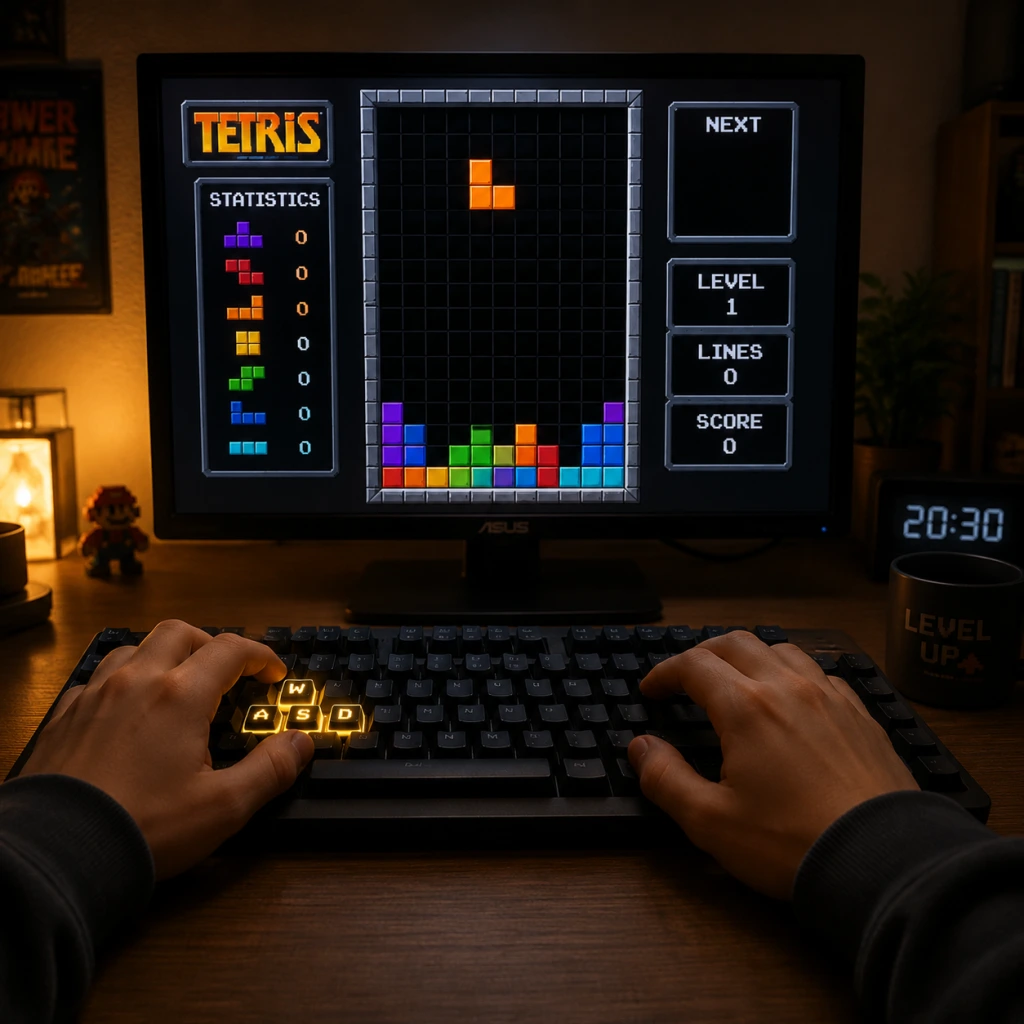
Getting Started
Getting Started
Welcome to Tetris! This guide is designed to get you from zero to stacking and clearing lines within your first hour. Tetris is a game of pattern recognition, spatial awareness, and split-second decision-making. Don't worry about being perfect; the goal is to have fun and improve gradually.
First Hour Walkthrough
1. Launch the game – After installing Tetris Effect: Connected or your chosen official Tetris title, start a new game from the main menu.
2. Choose a game mode – As a beginner, select Marathon Mode. This gives you unlimited time and a clear goal: clear lines to advance levels and increase speed. Avoid multiplayer or time-limited modes for now.
3. Watch the tutorial (if available) – Many modern versions include a brief interactive tutorial. Complete it to learn basic controls.
4. Start your first game – Pieces (tetrominoes) will fall from the top. Your job is to rotate and position them to form complete horizontal lines. Filled lines disappear, giving you points and preventing the stack from reaching the top.
5. Focus on building flat surfaces – Aim to fill gaps evenly. Don't stack pieces too tall in one column.
6. Clear your first line – It will likely happen within a few minutes. Celebrate small wins.
7. Play for 10–15 minutes – Get comfortable with the controls and timing. If you top out (blocks reach the top), restart immediately. Don't stress.
8. Experiment with soft drop and hard drop – Soft drop moves the piece down faster; hard drop instantly places it. Practice both.
9. Use the hold piece (if available) – Swap a piece you don't need for later. This is a key tool for beginners.
10. End your first session after clearing 20–30 lines or playing 30 minutes. You've made a start!
Character Creation
None. Tetris has no character creation. You play as the shapes themselves. There are no avatars, classes, or customization options that affect gameplay. Focus entirely on the blocks.
Controls on All Platforms
Controls vary slightly by version, but the core actions remain the same: move left/right, rotate, drop, and hold. Below are typical mappings for Tetris Effect: Connected (a great modern standard).
| Action | Keyboard (PC) | PlayStation (PS4/PS5) | Xbox (One/Series) | Nintendo Switch | Mobile (Touch) |
|---|---|---|---|---|---|
| Move Left | Left Arrow | Left D-Pad | Left D-Pad | Left D-Pad | Swipe Left |
| Move Right | Right Arrow | Right D-Pad | Right D-Pad | Right D-Pad | Swipe Right |
| Rotate Clockwise | Up Arrow or X | X Button | A Button | A Button | Tap |
| Rotate Counter-Clockwise | Z | Square | X Button | B Button | Tap (if set) |
| 180° Rotation | A | L1 | LB | L | Swipe down? (varies) |
| Soft Drop | Down Arrow | Down D-Pad | Down D-Pad | Down D-Pad | Swipe Down (slow) |
| Hard Drop | Spacebar | R1 | RB | R | Tap bottom/button |
| Hold | C | Triangle | Y Button | Y Button | Hold button icon |
UI Overview
When you start a game, the screen shows several key elements:
- Playfield – The main 10×20 grid where pieces fall and stack.
- Next Piece Preview – Usually on the right side (or top). Shows the upcoming piece.
- Hold Piece Display – Top-left corner. Shows the piece you have stored with the Hold action.
- Score/Level/Lines – Typically at the top or side. Your current score, level, and total lines cleared.
- Ghost Piece – A translucent outline of where the piece will land if hard-dropped. Use it to plan placement.
- Timer – In timed modes, but Marathon has no timer (except speed increases as you level).
- Spend 10 minutes in Practice Mode (if available) or a custom game with no gravity to experiment with rotations.
- Use ghost piece to see landing positions.
- Stack flat – Fill in gaps as much as possible.
- Use soft drop to place pieces precisely. Hard drop is for speed, but beginners can rely on soft drop.
- Rotate both directions – Clockwise and counter-clockwise. This helps fit pieces into tight spots.
- Learn the 7 pieces – I, O, T, S, Z, J, L. Know their shapes immediately.
- Pause if overwhelmed. Breathing helps.
- Stacking too high in one column – Creates a dangerous tower. Spread out.
- Ignoring the Hold piece – It's a safety net. Use it whenever a piece doesn't fit.
- Panicking and randomly rotating – Plan before dropping.
- Focusing on speed – Accuracy matters more early on.
- Playing multiplayer too soon – Real opponents will crush you. Learn solo first.
- Overusing hard drop – It's fast but can lock you into bad placements. Use soft drop for control.
- Not rotating pieces enough – You can rotate every piece (except O) multiple ways. Experiment.
- Leaving gaps – A gap under a piece is often hard to fill later. Try to place pieces flush against each other.
- Stacking too tall in the middle – Center columns are dangerous. Keep them lower or fill them evenly.
- Forgetting about the I-piece – It's the only piece that can clear 4 lines. Reserve it for Tetris opportunities.
- Ignoring the “next piece” – This leads to mismatched placements. Always glance at what's coming.
- Using hard drop carelessly – Hard drop locks the piece instantly. If misaligned, you can't correct.
- Trying to build elaborate patterns too early – Stick to simple line clears first.
- [ ] Played through the tutorial (if available).
- [ ] Started a Marathon game.
- [ ] Cleared at least 5 lines total.
- [ ] Used Hold at least 3 times.
- [ ] Practiced soft drop vs. hard drop – understand the difference.
- [ ] Rotated a piece in both clockwise and counter-clockwise directions.
- [ ] Looked at the next piece before placing the current piece.
- [ ] Survived until level 3 (pieces speed up slightly).
- [ ] Avoided stacking above the halfway mark of the playfield (row 10).
- [ ] Ended the session feeling comfortable with controls.
In menus, look for Play, Modes, Options, Leaderboard, Multiplayer. Start with Marathon or Endless Mode for stress-free practice.
Essential Early Objectives
1. Clear 1 line – Learn how to complete a row.
2. Clear 4 lines at once (Tetris) – The ultimate goal. Requires a straight I-piece. Practice setting up a column of 4 empty spaces.
3. Survive to level 5 – This means handling slightly faster pieces. Learning to drop quickly is key.
4. Use the Hold piece correctly – Swap a bad piece (e.g., a Z-piece when you need an I-piece) for later.
5. Avoid stacking above the playfield halfway – Keep your stack low to reduce panic.
What to Do First / What to Avoid
Do this first:
Avoid:
Early Resource Priorities
In your first few sessions, prioritize knowledge over scores:
1. Play Marathon to learn pacing – No time pressure, just gradual speed increase.
2. Practice T-Spin basics (optional) – Not required early, but learning how to create a “T” slot helps later.
3. Use the “Hold” piece often – Get comfortable swapping pieces.
4. Watch replay of your own game – Identify where you stacked poorly. Many versions have replay functionality.
5. Look at the next piece – Use it to plan ahead. A pillar of Tetris skill is “look ahead”.
Common Beginner Mistakes
Day-One Checklist
A quick list to ensure you've covered the basics in your first play session:
Remember: Tetris is a journey. Every expert was once a beginner who stacked badly. Keep playing, and you'll improve naturally!
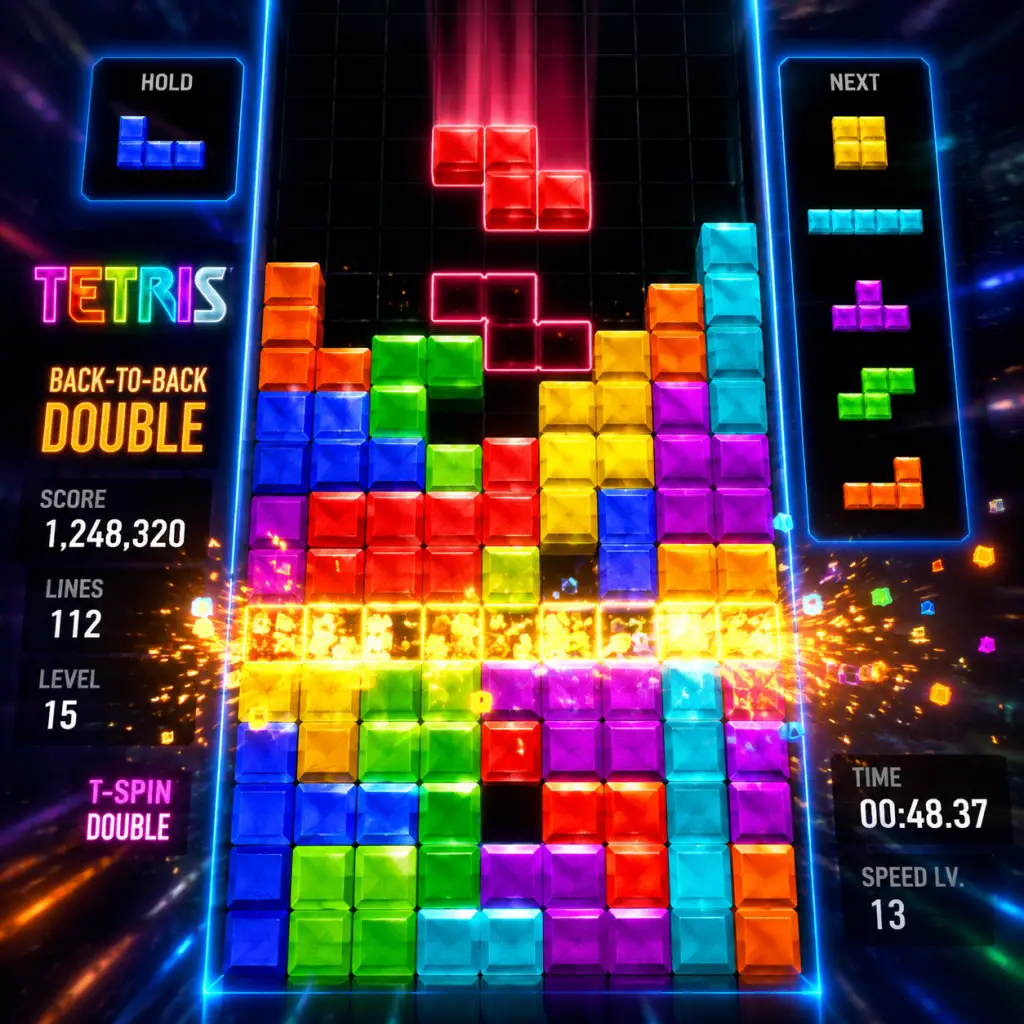
Core Gameplay
Core Gameplay: Tetris
Tetris is a tile-matching puzzle game where the core loop is constant: a sequence of geometric shapes called tetrominoes (or pieces) fall from the top of a rectangular playfield. The player must rotate and move each falling piece to create complete horizontal lines without gaps. When a line is completed, it disappears, the stack above drops down, and the player scores points. The game ends when the stack reaches the top of the playfield. This guide breaks down the gameplay by progression tiers, adapting standard RPG concepts to Tetris’s unique mechanics.
The Main Gameplay Loop
1. Piece Spawn: A random tetromino (I, O, T, S, Z, J, L) appears at the top center.
2. Player Action: Use directional controls to move left/right, rotate (clockwise or counterclockwise), and soft drop or hard drop the piece.
3. Placement: The piece locks into place when it lands on the bottom or on another piece.
4. Line Clear: Any fully filled horizontal row is removed; pieces above settle down.
5. Scoring & Gravity: Points are awarded based on number of lines cleared at once (Single, Double, Triple, Tetris for 4 lines). The falling speed increases over time or after a certain number of lines.
6. Next Piece Preview: Most versions show the next piece (sometimes several) to aid planning.
7. Game Over: When a new piece cannot spawn because the stack blocks the top of the playfield.
Combat / Interaction Systems
In Tetris, "combat" refers to how players affect each other in multiplayer or how the game responds to player performance.
- Single-Player (Marathon Mode): The only enemy is gravity and the rising stack. The game increases speed at fixed line counts (e.g., every 10 lines in classic NES Tetris). No direct player-to-player interaction.
- Multiplayer (VS Mode, Tetris 99): Players send garbage lines (extra filled rows) to opponents by clearing multiple lines at once. Strategies include:
- Tetris Effect: Connected: Includes Zone mechanic where players can fill a meter to freeze time and clear many lines, sending massive garbage to opponents.
- Tetris 99: Battle royale with up to 99 players. Attack others by targeting players with badges or high attacks. Last player standing wins.
- Score: Accumulated from line clears, combos, T-Spins, etc.
- Lines Cleared: Total number of rows removed.
- Level: Typically increases with lines cleared (e.g., every 10 lines in classic Tetris) and raises falling speed.
- Unlockables (Modern Titles): Some games unlock new visual themes, soundtracks, or game modes as you complete goals (e.g., Tetris Effect’s Journey Mode levels).
- Rank / Badges: In Tetris 99, earning attack badges increases your offensive power permanently for that match.
- Learning Piece Patterns: Recognizing how pieces fit together optimally (e.g., setting up T-Spin slots, leaving S/Z pieces for later).
- Mastering Mechanics: Experimenting with different rotating strategies, wall kicks, and soft/hard drops.
- Discovering Game Modes: Modern versions offer Marathon, Sprint (40 lines), Ultra (3 minutes high score), and Puzzle modes (clear specific line patterns).
- Tetris Effect Journey Mode: 30+ levels with themed music and background visuals. Each level is a short mission like “Clear 10 lines using only Tetrises” or “Survive until the music ends.”
- Tetris 99 Events: Limited-time missions like “Clear 100 lines in one match” or “Earn 5 Tetrises in a single game” to unlock cosmetic items.
- Tetris (Puyo Puyo Tetris): Story mode with boss battles where you must meet line-clear conditions while AI sends garbage.
- Achievements / Trophies: Platform goals like “Clear 1000 lines total” or “Get a 15-combo in VS mode.”
- Cosmetic Unlocks: Themes, backgrounds, music tracks earned through gameplay or purchased with real money (e.g., Tetris Effect’s “Effect” skins for pieces).
- Tetris 99 Tickets: Earned by playing, used to enter themed events or buy cosmetic decals.
- No Pay-to-Win: All gameplay elements are available to all players; no purchasable advantages.
- Early Game Skills: Basic stacking (keeping columns even), simple line clears (Singles, Doubles). Fast rotation of single pieces.
- Mid Game Skills: Advanced techniques like T-Spin setup (minimal dependency on I-piece), 6-3 and 5-4 stacking patterns, wall kicks (SRS – Super Rotation System). Learning to read the “bag” of 7 pieces (randomizer) to predict upcoming shapes.
- Late Game Skills: Perfect clear setups, multi-step T-Spin combos, “All-Spin” recognition, maintaining high speed (e.g., over 1 piece per second). Ability to clean messy stacks under pressure.
- Endgame Skills: Competitive-level play: 4-wide combos (clearing continuously from a 4-column well), left-handed vs right-handed stacking, minimizing piece placement time (sub-1 second decisions). Muscle memory for all piece rotations and hard drops.
- Classic Tetris (NES / Game Boy): Ceiling is reaching “kill screen” (level 29 on NES) where pieces fall so fast that human reaction is nearly impossible. Top players aim for max score or farthest level.
- Sprint (40 Lines): Speedrun mode. Master times drop below 20 seconds (world record ~16 seconds). Endgame is optimizing piece placement and rotation efficiency.
- Ultra (3 Minutes): Goal is highest score in 3 minutes. Endgame involves chaining T-Spins and Tetrises with perfect economy.
- Multiplayer (Tetris 99 / Puyo Puyo Tetris): Endgame is competitive ladder play (ranked mode). Top ranks require knowledge of all-spin techniques, advanced defense (downstacking), and reading opponent patterns.
- Tetris Effect: Connected: Boss battles in Zone mode where players must cooperate to defeat a giant boss (e.g., clear lines to lower its HP) or compete for highest score in special time-limited events.
- Goal: Understand controls, piece names, and basic stacking.
- Strategy: Build flat stacks; avoid leaving single holes. Focus on clearing lines one at a time (Singles). Learn to rotate pieces intentionally.
- Typical Score Range: 1,000 – 10,000 in Marathon.
- Common Mistakes: Stacking too high on one side, not rotating enough, panicking when pieces arrive quickly.
- Game Mode Suitability: Marathon (slow speed), 40-line sprint (no pressure on time).
- Goal: Set up T-Spins, use wall kicks, understand bag randomizer. Clear lines in multiples (Doubles, Triples).
- Strategy: Maintain a “well” on one side (usually left) for Tetrises. Practice 6-3 stacking (6 columns left, 3 right). Learn to downstack (clear lines from a messy stack) efficiently.
- Typical Score Range: 50,000 – 200,000 in Marathon.
- Common Mistakes: Over-focusing on T-Spins while ignoring piece starvation; not using the “hold” piece feature (available in modern games).
- Game Mode Suitability: Sprint (aim for sub-1 minute), Ultra (experiment with combos).
- Goal: Consistent Tetris rates (multiple Tetrises per game), fast-downstacking, and continuous play at high speeds (Level 15+ in classic). Master T-Spin Triple and Perfect Clear setups.
- Strategy: Use 4-wide combos extensively in multiplayer. Develop “openers” – predetermined first 4-6 piece placements that guarantee high score. React quickly to garbage in VS mode.
- Typical Score Range: 500,000 – 1,500,000+ in Marathon.
- Common Mistakes: Neglecting piece placement precision at high speed; failing to read opponent’s sending patterns.
- Game Mode Suitability: Tetris 99 (survive until top 10), competitive Puyo Puyo Tetris (ranked 1v1).
- Goal: Top-tier tournament performance, world record speeds, or flawless play (zero lines wasted).
- Strategy: Perfect knowledge of all spin mechanics (including SRS wall kick tables). Ability to execute complex setups under 0.5 seconds. “Reading” opponent’s next piece via piece tracking (cheating in some environments).
- Typical Metrics: Sprint under 25 seconds, Marathon score over 5 million, Tetris 99 win rate >30% in lobbies.
- Common Mistakes: Hesitation due to overthinking; emotional tilt after mistakes.
- Game Mode Suitability: Ranked ladders (top 1%), speedrun.com leaderboards, official tournaments (e.g., Tetris World Championship).
- T-Spins: Using a T-piece to clear lines by rotating into tight spaces, often sending more garbage than normal clears.
- Perfect Clears: Clearing the entire playfield with one piece (rare but powerful).
- Combo System: Clearing lines consecutively without pause increases garbage output.
Progression
Progression in Tetris is skill-based and can be measured by:
Exploration
Tetris has no traditional exploration, but players "explore" in the sense of:
Quests / Missions
In many modern Tetris games, objectives replace traditional quests:
Economy
Tetris does not have a traditional in-game economy (currency, shops). However, some modern titles include:
Character / Build Growth
Since there is no character leveling, "growth" refers to player skill and strategic repertoire:
Endgame Structure
In Tetris, endgame is not a final boss but the ultimate expression of skill:
Player Progression Tiers
#### Early Game (Beginner – Learning Basics)
#### Mid Game (Intermediate – Pattern Recognition)
#### Late Game (Advanced – Speed & Efficiency)
#### Endgame (Expert – Competitive Mastery)
Conclusion
Tetris’s core gameplay loop is deceptively simple but continually challenging due to increasing speed and the need for spatial foresight. Progression is entirely skill-driven: early players learn to survive, mid players learn to optimize, late players learn to dominate with advanced techniques, and endgame players achieve near-perfection. Whether playing solo for relaxation or competing against 98 others in Tetris 99, the game offers endless depth through its elegant mechanics.
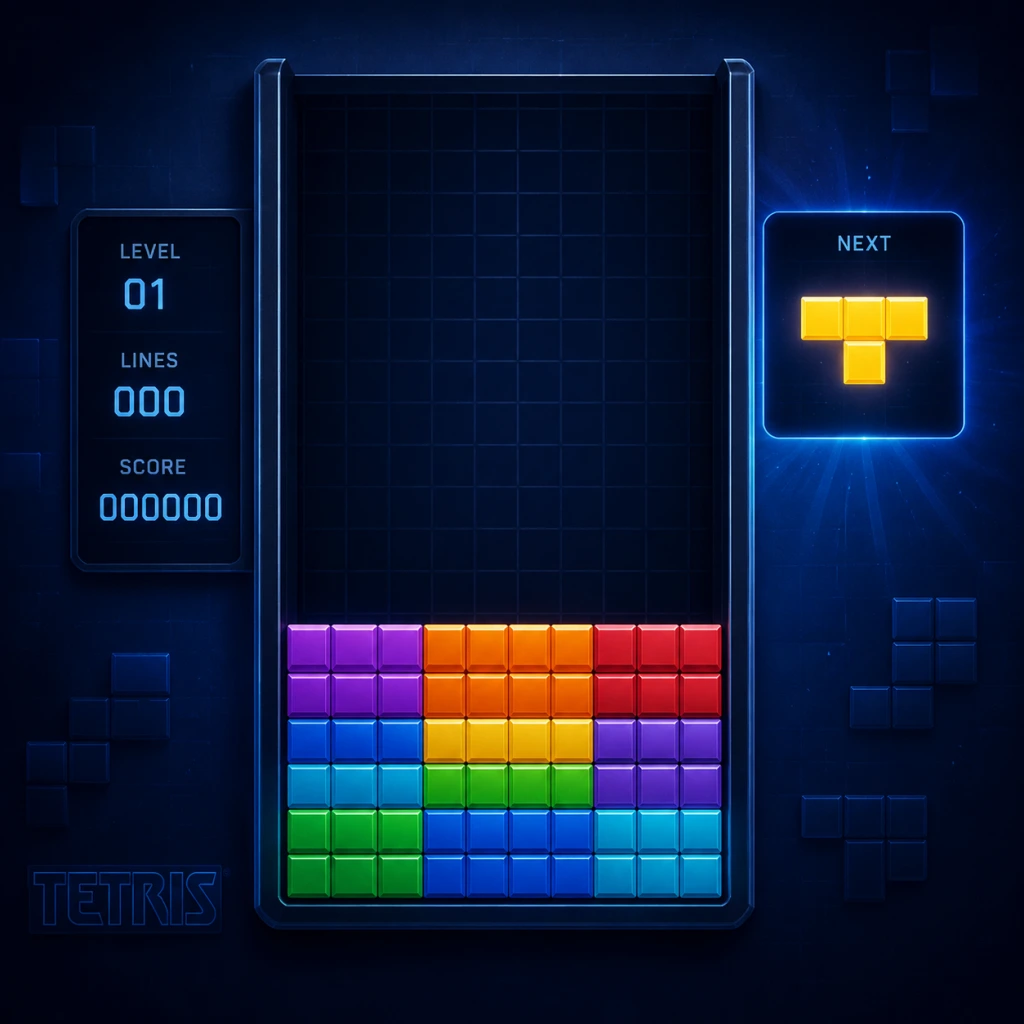
Game Tips
Beginner Tips
1. Focus on Flat Stacking
- Tip: Always try to keep your stack as flat as possible. Avoid creating single-block holes or tall columns.
- Why: A flat board allows you to place pieces easily without worrying about gaps. Gaps lead to incomplete lines and eventual death. Beginners often stack unevenly, then panic when a piece doesn’t fit.
- When to use: Every moment of the game. Prioritize filling gaps over setting up fancy clears.
- Tip: Enable the ghost piece (shadow of where the piece will land) in settings. Use it to see exactly where your piece will lock.
- Why: It helps you place pieces accurately without guessing. Essential for learning piece placement speed.
- When to use: Always, until you can visualize the landing spot without it.
- Tip: Master soft drop (hold down to make piece fall faster), hard drop (instant placement), and rotation (left/right).
- Why: Hard drop is crucial for speed; soft drop gives controlled placement. Playing without these is crippling.
- When to use: Hard drop for fast clears, soft drop for fine-tuning positions.
- Tip: Play on a low gravity level (e.g., Level 1 in Marathon) until you can consistently clear lines without panic.
- Why: High speed forces mistakes. Building muscle memory at low speed is more effective.
- When to use: First 10-20 hours of play. Gradually increase speed.
- Tip: Don’t hesitate to clear a single line if it keeps the board low. Don’t always wait for a Tetris.
- Why: A clear line resets the lock delay and gives you breathing room. Beginners who hoard pieces often die to high stacks.
- When to use: Whenever a line is complete. Prioritize survival over score.
- Tip: Place S and Z pieces with the bump to the left and right respectively. Use them to fill holes near the center.
- Why: These pieces are the hardest to manage. Placing them flat on either side avoids awkward gaps.
- When to use: Whenever you see them in the queue. Aim to use them quickly before they ruin your stack.
- Tip: Hold a piece if it doesn’t fit your current stack or if you’re saving it for a Tetris setup. Swap it back later.
- Why: Gives flexibility. For example, hold an I-piece until you have a 3-wide gap, then drop it for a Tetris.
- When to use: If the current piece would create a hole, hold it. Also, save I-pieces for Tetrises.
- Tip: Create a well (one empty column on the left or right) and stack pieces so that only the I-piece can clear 4 lines.
- Why: Tetrises give the most points and clear the most lines. A 1-wide well on the side is the classic setup.
- When to use: In Marathon or any score-focused mode. But don’t force it if the board gets uneven.
- Tip: A T-Spin occurs when you rotate a T-piece into a tight gap. Learn the basic 3-corner T-Spin (TKI) pattern.
- Why: T-Spins give bonus points and send more garbage in multiplayer. They are efficient line clears.
- When to use: Once comfortable with flat stacking. Use in multiplayer to overwhelm opponents.
- Tip: Always glance at the next 2-3 pieces. Plan their placements before they fall.
- Why: Reactive play leads to mistakes. Anticipating the next pieces allows smooth stacking.
- When to use: After every placement. Train yourself to check the queue as part of the loop.
- Tip: Learn a Perfect Clear (PC) opener, like the 4-wide combo or standard PC starting patterns.
- Why: A PC clears all lines and gives massive bonus points. In competitive Tetris, openers can win matches instantly.
- When to use: In versus modes where you want a fast kill. Use online resources for specific piece sequences.
- Tip: Arrange your stack with 6 columns on one side and 3 on the other (for T-Spin setups) or 9-0 for pure Tetris focus.
- Why: Structured stacking reduces randomness and allows consistent setups. Advanced players often stick to a style.
- When to use: After mastering basics. Choose based on your preferred clear type (Tetris or T-Spin).
- Tip: Use rotation buttons to “stutter” pieces into tight spots. Master “t-spin triple” zones.
- Why: Saves time and allows placements that seem impossible. Essential for high-level T-Spins.
- When to use: When a piece is above the slot and needs precise alignment.
- Tip: Use the lock delay (brief wait before piece locks) to slide pieces into gaps by rotating or moving them after they land.
- Why: Extends placement possibilities. For example, drop an L-piece then rotate it into a 180-degree fit.
- When to use: When a piece is about to lock but you can adjust it into a better spot.
- Tip: Practice on 20G (instant gravity) modes to build extreme speed and pattern recognition.
- Why: Forces you to think ahead instantly. Common in competitive practice.
- When to use: Once you can survive high speeds (e.g., Level 15+). Start with 5G and increase.
- Tip: Clear multiple lines at once (Tetris, T-Spins, Combos) to send more garbage to opponents.
- Why: Garbage sent = lines added to opponent’s board. Big clears (Tetris = 4 lines) are devastating.
- When to use: When you have a setup ready. Don’t send small lines if opponent has low stack.
- Tip: Keep your board below the halfway point so you have room to absorb garbage. Don’t stack too high.
- Why: Garbage appears at the bottom. A high board leaves no room for garbage, causing instant death.
- When to use: Always in multiplayer. Especially when opponent is aggressive.
- Tip: A combo (clearing lines consecutively) sends increasing garbage and reduces your own garbage timer.
- Why: Combos cancel incoming attacks. In Tetris 99, a 4-combo negates a Tetris from an opponent.
- When to use: When you have a T-Spin or Tetris ready, chain it after a single line clear to start a combo.
- Tip: Aim for players with high badges or low health to eliminate them quickly.
- Why: Eliminations give badges that multiply attack power. Targeting the weak snowballs your advantage.
- When to use: In battle royale modes. Early game, target high-kill players to secure badges.
- Tip: In multiplayer, build a “flat” board for defense (easy to place pieces) or a “staircase” for offense (Tetris setups). Switch based on opponent’s stack.
- Why: A defensive board absorbs garbage better; an offensive board sends big lines. Adapt to opponent’s pattern.
- When to use: If opponent has high stack, play defensively and wait for them to die. If they are flat, build an attack.
- Tip: After a Tetris, the next Tetris or T-Spin gets a 1.5x multiplier (“Back-to-Back”). Chain them.
- Why: Doubles your score in Marathon. In multiplayer, it sends more garbage.
- When to use: Whenever you have consecutive big clears. Avoid single lines between them to keep the streak.
- Tip: Hard drop is faster for immediate placement; soft drop is slower but allows precise adjustments. Use hard drop for known positions.
- Why: In speed runs, fraction-of-second differences matter. Hard drop is the primary move.
- When to use: Hard drop 90% of the time; soft drop only for fine-tuning near edges.
- Tip: Press hard drop while pressing left/right to instantly slide the piece into a far wall (only in some versions).
- Why: Saves time compared to moving and then dropping.
- When to use: When the destination is against the wall. Check if your version supports this (e.g., Tetris Effect).
- Tip: Set DAS to a fast value (e.g., 8 frames) and ARR (Auto Repeat Rate) to 1 or 0 for instantaneous movement.
- Why: Low DAS/ARR makes piece movement feel snappy. This is standard in competitive play.
- When to use: After you are comfortable with default controls. Experiment in practice mode.
- Tip: Some versions have “sticky” behavior where pieces can be rotated while touching the floor. Use this to fit into tight spots.
- Why: Expands placement options. For example, an I-piece can be rotated into a 4-wide gap after partially landing.
- When to use: When you have a piece overlapping with the surface. Only works in games with lock delay rotation.
- Tip: Don’t stare at the falling piece. Look at the playfield and the next queue. Trust your peripheral vision.
- Why: Your brain processes shape subconsciously. Focusing on the board helps plan.
- When to use: From the first piece. Train yourself to glance at the queue while the current piece falls.
- Tip: Mentally note which columns are high and which are low. Keep a “clean” column (height ≤ 1) for emergency I-piece placement.
- Why: Avoids creating a situation where only a specific shape fits. A clean column is versatile.
- When to use: Especially when pieces are coming fast. Associate numbers with columns (1-10).
- Tip: Leave a 3-column-wide gap in your stack. Drop pieces to clear lines repeatedly, triggering combos.
- Why: 3-wide allows most pieces to fit and creates many line clears. This is a staple in “Tetris Effect” Journey mode.
- When to use: When you want to clear many lines quickly. Requires careful stacking to avoid narrowing the gap.
- Tip: If you create a hole (gap under a piece), fill it with the next piece that fits, even if it means sacrificing a Tetris setup.
- Why: Holes compound. A small hole today becomes a nightmare later. Fix immediately.
- When to use: Whenever you see a hole. Don’t wait for the perfect piece.
- Tip: Use random piece order (no bag randomization) to prepare for unpredictable sequences.
- Why: Real games are random. Learning to handle bad luck is key.
- When to use: After mastering basic strategies. Play with 7-bag first, then graduate to pure random.
- Consistency over Flashiness: Don’t attempt T-Spin triples if you can’t survive single lines. A steady, flat stack beats a messy board with occasional big clears.
- Watch Replays: Study your own games and top players (e.g., Wumbo, Doremy). Notice how they manage the queue and handle stress.
- Play Different Modes: Marathon builds endurance, Sprint builds speed, Ultra builds precision, Versus builds adaptability.
- Relax and Breathe: Panic causes tunnel vision. Take a deep breath during breaks. Tetris is as much mental as mechanical.
2. Use the Ghost Piece
3. Learn the Basic Controls
4. Start with Slow Speed
5. Clear Lines As Soon As Possible
Intermediate Strategies
6. Master the “S” and “Z” Pieces
7. Use the Hold Piece Wisely
8. Build a “Staircase” Stack for Tetrises
9. Learn T-Spins
10. Watch the Next Queue
Advanced Optimizations
11. Perfect Clear Openers
12. 6-3 Stacking vs. 9-0 Stacking
13. Rotate Back-and-Forth Quickly
14. Manage Lock Delay and “Stalling”
15. 20G Speed Adaptation
Multiplayer / Combat Tips
16. Send Garbage Efficiently
17. Survive Garbage Attacks
18. Use Combos to Counter
19. Target Weaker Players (Tetris 99 Style)
20. Defensive Stacking vs. Offensive
Score & Efficiency Tips
21. Back-to-Back Tetrises
22. Soft Drop vs. Hard Drop for Speed
23. Use the “Sonic Drop” Technique
24. Optimize DAS (Delayed Auto Shift)
25. Practice with “Sticky” Pieces
Pattern Recognition & Board Management
26. Look Ahead, Not Down
27. Count Columns for Gaps
28. The “3-Wide” Strategy for Combos
29. Repair Holes Quickly
30. Practice with Random Pieces
Final Advice
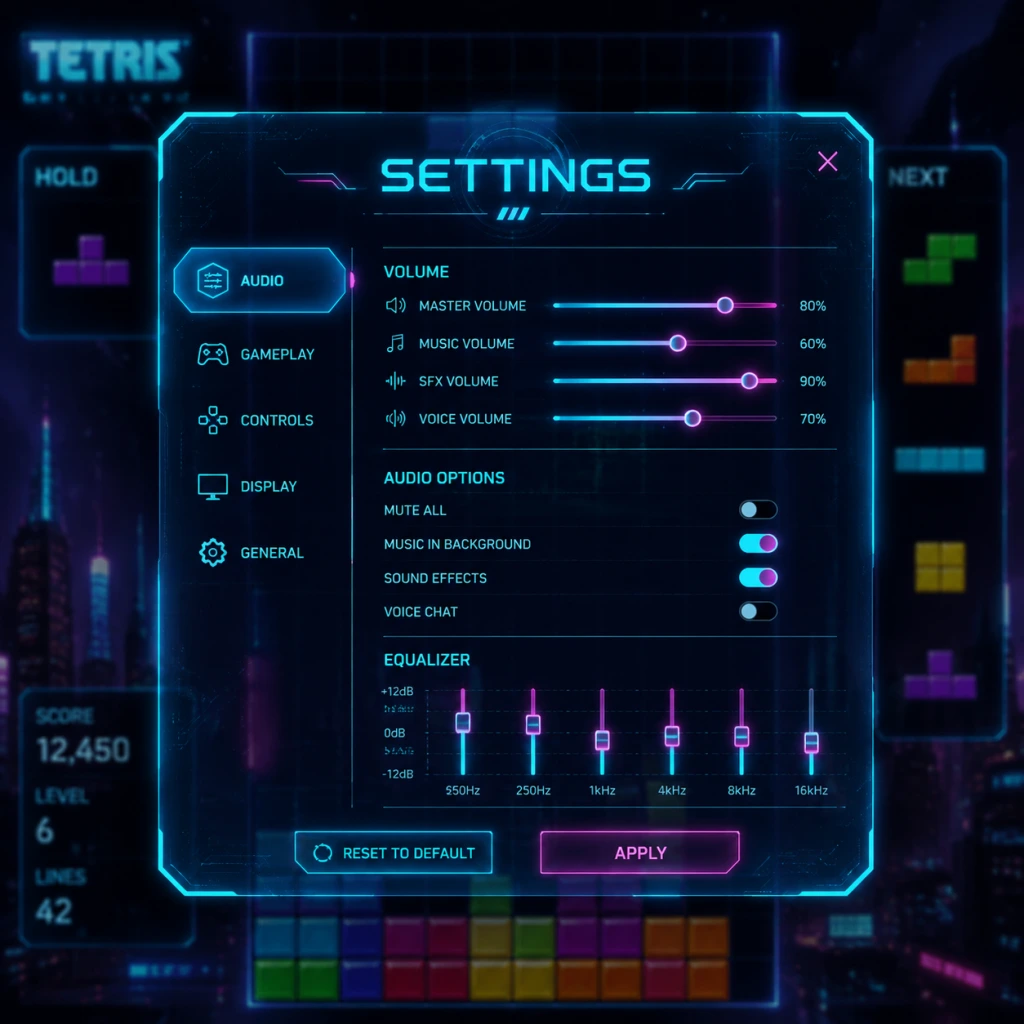
Game Settings
Game Settings Guide: Tetris
This guide covers all major settings categories found in modern Tetris games, with particular attention to Tetris Effect: Connected (PC, PlayStation, Xbox, Nintendo Switch, Meta Quest) and Tetris (2019) by EA (mobile). Settings may vary slightly between versions, but the principles apply broadly.
---
Graphics Settings
| Setting | Description | Recommendation (Low-End) | Recommendation (Mid-End) | Recommendation (High-End) |
|---|---|---|---|---|
| Resolution | Pixel dimensions of the game window/screen. | 720p (1280x720) | 1080p (1920x1080) | 1440p or 4K (3840x2160) if your monitor supports it |
| Display Mode | Fullscreen, Windowed, Borderless Windowed. | Fullscreen (best performance) | Borderless (alt-tab convenience) | Borderless (multi-monitor setups) |
| VSync | Synchronizes frame rate with monitor refresh rate to reduce tearing. | Off (prioritize FPS) | On (smooth visuals) | On (or Adaptive/GSync/FreeSync) |
| Anti-Aliasing | Smooths jagged edges on blocks and backgrounds. | Off or FXAA | TAA or MSAA x2 | TAA or MSAA x4 |
| Texture Quality | Detail of block surfaces, backgrounds, and effects. | Low (or equivalent) | Medium | High/Ultra |
| Shadow Quality | Detail and resolution of shadows. | Off | Low | Medium |
| Particle Effects | Visual effects from line clears, combos, etc. | Minimal | Standard | Full |
| Background Complexity | 3D scene detail behind the playfield (especially in Tetris Effect). | Static/Stylized | Dynamic (simple) | Full dynamic (reactive) |
| Post-Processing | Bloom, motion blur, depth of field. | Off | Bloom only | All enabled |
- VSync is often misconfigured: In fast-paced Tetris, input lag is critical. VSync adds an extra frame of delay. If you have a high-refresh-rate monitor (120Hz+), you can keep VSync on; otherwise, consider disabling it or using GSync/FreeSync.
- Background Complexity in Tetris Effect: The reactive 3D backgrounds are beautiful but can be distracting. Many competitive players set background to `Static` or `Minimal` to reduce visual noise.
- Motion Blur: Always disable motion blur – it serves no purpose in a tile-based game and only increases latency.
---
Audio Settings
| Setting | Description | Recommendation |
|---|---|---|
| Master Volume | Overall game volume. | 80-100% (adjust based on system) |
| Music Volume | Background track volume. | 70-100% (Tetris music is iconic) |
| SFX Volume | Sound effects: line clears, piece lock, level up. | 100% (important for auditory cues) |
| Voice Volume | Voice lines from announcer (if present). | 50% (announcer can be helpful for combo callouts) |
| Audio Output | Device selection (speakers/headphones). | Headphones for immersive experience |
| Audio Sync | Hardware-accelerated audio or standard. | Hardware if available for lower latency |
- Music vs. SFX balance: In many versions, the music tempo changes with your level. Some players prefer to lower music volume to focus on the dropping sound and line-clear cues. Experiment to find a balance that helps your timing.
- 3D Audio (HRTF): Some Tetris games (e.g., Tetris Effect on PS5/PC) support 3D audio. Enable it if you have capable headphones – it adds a subtle spatial element to block drops.
---
Controls Settings
This is the most critical category for performance. Customization varies by platform.
PC (Keyboard)
| Action | Default | Recommended Alternative |
|---|---|---|
| Move Left | Left Arrow | A |
| Move Right | Right Arrow | D |
| Soft Drop | Down Arrow | S |
| Hard Drop | Space | W or Up Arrow |
| Rotate Clockwise | Up Arrow | K or E |
| Rotate Counter-clockwise | Z | J or Q |
| Hold | C | Shift |
| 180° Rotation | A | F or Tab |
| Action | Default (Xbox) | Default (PlayStation) |
|---|---|---|
| Move Left | Left Stick Left | Left Stick Left |
| Move Right | Left Stick Right | Left Stick Right |
| Soft Drop | D-Pad Down | D-Pad Down |
| Hard Drop | D-Pad Up | D-Pad Up |
| Rotate Clockwise | A | Cross |
| Rotate Counter-clockwise | B | Circle |
| Hold | X | Square |
| 180° Rotation | Y | Triangle |
- Swipe left/right to move
- Tap hard drop zone (usually bottom right)
- Tap rotate button
- Swipe down for soft drop
- Tap hold button
- Hard Drop vs Soft Drop: Hard drop (instant placement) is essential for high-level play. Ensure it’s mapped to a comfortable key that you can press rapidly without accidental presses.
- Rotate Mapping: The classic Tetris mechanic uses clockwise/counterclockwise rotation. Some players prefer to have both on separate buttons (e.g., Up for clockwise, Z for counterclockwise). Avoid placing rotation on the same hand as hard drop – it leads to mis-inputs.
- DAS (Delayed Auto Shift) & ARR (Auto Repeat Rate): Not always exposed in menus, but some PC versions (e.g., Tetris: The Grand Master series) allow DAS/ARR tuning. DAS is the delay before holding a direction starts auto-repeating. Lower DAS (50-80ms) is better for fast play. ARR is the repeat speed – lower values (10-30ms) give quicker moves. If adjustable, set ARR to 0 (instant) if your version supports “ARR = 0” for T-spins and fast adjustments.
- Controller Deadzone: For analog sticks, set a moderate deadzone to avoid accidental movement while rotating.
Special Attention Points:
---
Accessibility Settings
| Setting | Description | Recommendation |
|---|---|---|
| Colorblind Modes | Adjust block colors to be distinguishable for different types of color vision deficiency. | Enable if needed; many games offer Protanopia, Deuteranopia, Tritanopia palettes |
| High Contrast Mode | Inverts or strengthens colors for better visibility. | On if you struggle with block outlines |
| Block Outline | Adds a bold outline to each block. | Always ON – dramatically increases readability, especially on vibrant backgrounds. This is one of the most important accessibility options. |
| Ghost Piece | Shows where the current piece will land (a transparent version). | ON for beginners; some competitive players turn it off to reduce clutter |
| Grid Lines | Displays lines between cells. | ON for alignment |
| Large Text | Increases font size for menus and HUD. | On if needed |
| Camera Shake | Screen shake on line clears. | Off (reduces motion sickness) |
| Subtitle/Caption | Subtitles for voice/narration. | On if hearing impaired |
| Controller Vibration | Rumble on hard drop and line clears. | Off (may interfere with timing) or weak |
- Ghost Piece: Extremely helpful for understanding placement, but can become a crutch. If you want to improve your visualization skills, try turning it off after you’re comfortable with stacking.
- Block Outline: Even if you have perfect vision, this reduces eye strain during long sessions. Keep it ON.
- Colorblind Mode: Test different palettes – some also improve contrast for non-colorblind players (e.g., the “Tetris Effect” colorblind modes use pastels that are easier on the eyes).
- Display Language: Choose from available languages. Typically English, Japanese, Chinese, Korean, French, German, Spanish, Italian, Portuguese, Russian. Special note: The Japanese version of Tetris games often has no English option in menu – if you import, verify language support.
- Voice Language: Some versions (e.g., Tetris Effect) allow separate announcer language. Choose what you prefer for clarity.
- Text-to-Speech: Some mobile versions offer TTS for menu options. Enable if needed.
---
Language Settings
---
Network Settings (Multiplayer)
| Setting | Description | Recommendation |
|---|---|---|
| Matchmaking Region | Locks you to servers in a geographic region. | Auto or closest region to minimize latency |
| Ranked/Unranked | Choose playlists. | Ranked for competitive; unranked for practice |
| Connection Type | Wired or Wi-Fi. | Wired Ethernet for lowest ping and stability |
| Bandwidth Usage | Limits data sent/received. | Unlimited (default) |
| Crossplay | Allows playing with other platforms. | ON for larger player pool |
| Voice Chat | In-game voice communication. | OFF (distracting in Tetris) |
| Spectator Mode | Watch other matches. | Optional, no performance impact |
| QoS / Network Throttle | Some systems let you reduce packet size for slow connections. | Leave default unless experiencing lag spikes |
- Region Lock: If you’re in a remote area, manually select a region with lower ping even if it’s not geographically closest (e.g., West US vs East US). Check ping in-game if available.
- Lag Compensation: Games like Tetris 99 and Tetris Effect: Connected use rollback netcode. If you see stuttering, try lowering your game’s visual settings to maintain a consistent 60 FPS – frame drops cause worse lag in rollback.
- Packet Loss: Use tools like `ping -t` to check connection stability. Even 1% loss can cause teleporting pieces. Contact your ISP if persistent.
---
Gameplay Settings
| Setting | Description | Recommendation |
|---|---|---|
| Starting Level | The level at which blocks begin falling. Higher = faster. | Beginner: Level 0-5; Intermediate: 10-15; Advanced: 18+ |
| Level Speed Curve | How quickly speed increases per 10 lines. | Standard (Classic Tetris curve) or Custom (modern games allow modification) |
| Rotation System | SRS (Super Rotation System) vs. Classic / ARS. | SRS is the global standard for modern Tetris (wall kicks, t-spins). Classic is for nostalgia. |
| Lock Delay | Time before a piece locks after touching the ground. | 500ms default – shorter increases difficulty; longer allows more time to slide. Competitive lock delay is typically 500ms with infinite or limited lock delay (e.g., 13 resets in Tetris Effect). |
| Handicap | Gives opponent a disadvantage (e.g., more garbage lines). | Not needed for fair play. |
| Garbage Type | In multiplayer, lines are sent as “garbage” (random holes). | Standard (2-cell hole, 25% chance) or Classic (1-cell hole). |
| Line Clear Style | How lines disappear (animation). | Smooth or Instant; Instant improves visual clarity at high speeds. |
| Auto-Hard Drop | Whether holding down drops instantly (usually disabled). | OFF – use a dedicated button for hard drop. |
| Advanced Guidelines | Enable T-spin detection, perfect clear animations, etc. | ON – helps learn modern mechanics. |
- Lock Delay Settings: This is the most common misconfiguration. If the lock delay is too long, pieces take forever to lock, ruining the rhythm. If too short, you accidentally lock pieces early. The standard 500ms is good for learning. Never set lock delay above 1000ms – it makes the game boring. In competitive modes, lock delay is fixed (e.g., 500ms with limit of 15 moves).
- Rotation System: SRS is the default in all modern Tetris games (since Tetris DS). If you play Tetris Effect: Connected, keep SRS. For Tetris (1984) or The Grand Master, use Classic. Confusing these will break muscle memory when switching games.
- Starting Level: Many beginners set Level 10 and wonder why they lose instantly. Start at Level 0-5 to learn piece orientation and stacking. Increase gradually.
- For Competitive Play (Fast/Low Latency):
- For Visual Experience (Single-player/Casual):
- For Performance on Low-End PC (e.g., Intel HD Graphics):
---
Summary: Optimal Settings Cheat Sheet
- Graphics: Low details, VSync Off, Background Static, Anti-Aliasing Off (or FXAA)
- Controls: Custom keyboard with DAS 60ms, ARR 0 (if supported), Hard Drop on Space, Rotate on Up & Z
- Accessibility: Block Outline ON, Ghost Piece ON (most competitive players keep it on for consistency), Grid ON,
- Network: Wired connection, closest region
- Gameplay: SRS, Lock Delay 500ms, Instant line clears
- Graphics: High/Ultra, VSync On, Full Background Complexity, TAA
- Controls: Standard controller layout, Ghost Piece ON, Auto-Hard Drop OFF
- Audio: Music & SFX at 100%, 3D Audio if available
- Accessibility: Large Text ON, Camera Shake OFF
- Display Mode: Fullscreen
- VSync: Off
- Texture Quality: Low
- Shadows: Off
- Particles: Off
- Background Complexity: Static/Stylized
- Anti-Aliasing: Off
- Post-Processing: Off
- Run 60 FPS target
Remember: Tetris is a game of muscle memory. Once you find a control scheme you like, never change it – consistency is key to improving. Happy stacking!
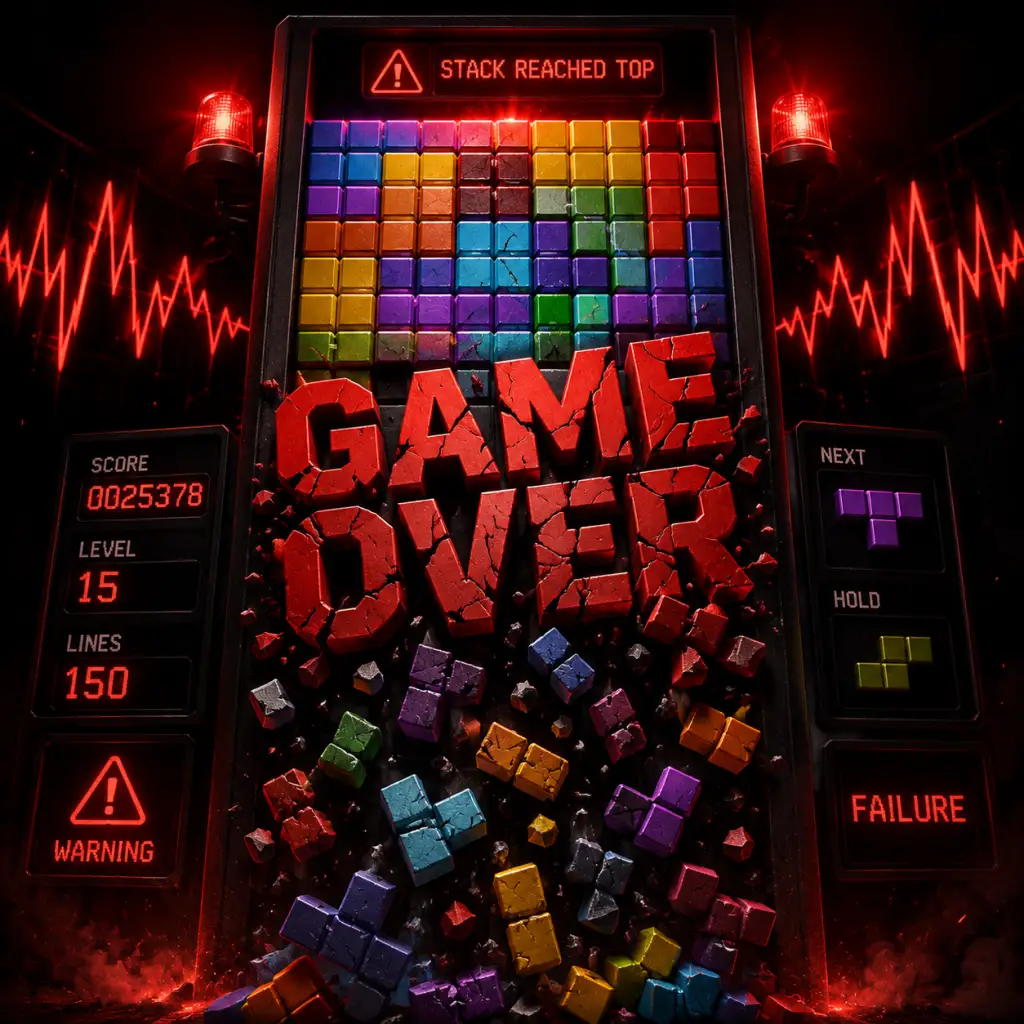
Important Notes
Important Notes
1. Warnings & Pitfalls
- Don't stack too high: Reaching the top is game over. Always keep a low stack, especially in fast modes.
- Garbage lines: In PvP, sending garbage early can backfire if you're not prepared to receive it. Manage your board.
- Lock delay abuse: In modern Tetris, you can use lock delay to slide pieces, but be careful not to exceed the limit.
- Classic Tetris (NES): Once you place a piece, it's permanent. No undo. Be deliberate.
- Tetris Effect Journey: Story mode progress is linear; you cannot replay levels without resetting progress? Actually you can replay, but achievements may be missable if you skip certain conditions.
- Hard drop confirmation: In many games, hard drop is instant; there's no confirmation. Mistimed hard drops can ruin a stack.
- Achievements: In Tetris Effect, achievements like "100% Journey" or completing all side modes (e.g., Marathon, Sprint) might require playing specific difficulty levels. Some achievements are tied to online events that may no longer be active.
- Skin unlocks: Some games have timed events or DLC-locked content. Check availability before committing.
- Classic NES Tetris: Starting at level 9, pieces drop extremely fast. Mastering the "hypertapping" or "rolling" technique is essential for high-level play.
- Tetris Effect: The "Expert" mode in Marathon or the "Limit" mode (where you must clear a certain number of lines with limited pieces) can frustrate beginners. Practice stacking and T-spins.
- Tetris 99: As the game progresses, the frequency of garbage attacks increases exponentially. Survival past top 50 is a common hurdle.
- Marathon endless: In Tetris Effect, playing endless Marathon just for experience is inefficient. Focus on Sprint or Ultra modes to improve speed.
- Achievements requiring excessive play: Some achievements need thousands of lines cleared. Use efficient strategies (e.g., T-spin combos) rather than brute force.
- Online ranking: Don't obsess over rank early; focus on consistency and learning techniques. Grinding ranked matches without improvement will just frustrate.
- Don't use auto-solvers or macros: Many modern Tetris games (Tetris 99, Puyo Puyo Tetris) have anti-cheat measures. Using third-party tools can get you banned.
- Sending garbage wisely: In PvP, sending excessive garbage to a player who is already struggling is considered poor sportsmanship. Also, avoid targeting the same player repeatedly in team modes.
- Lag and connection: Use a wired connection to reduce input lag. Disconnecting intentionally is unsportsmanlike.
- Voice chat: Be respectful. Avoid trash talk that crosses into harassment.
- Tetris Effect: Progress is auto-saved to the cloud. You can manually backup save files on PC (e.g., "C:\\Users\\[User]\\AppData\\Local\\TetrisEffect"). On consoles, ensure cloud sync is enabled.
- Classic Tetris (NES): High scores are saved to cartridge battery. If the battery dies, scores are lost. Consider a flash cart or ROM for preservation.
- Multiple profiles: Some games allow multiple save slots. Use them to experiment without overwriting main progress.
- Hold piece: Almost all modern Tetris games have a hold function. Use it to save a piece for later (e.g., a long piece for a Tetris).
- 7-bag randomizer: In official games, pieces are dealt in bags of all 7 tetrominoes. You can predict upcoming pieces. Learn to stack accordingly.
- T-spins and wall kicks: Mastering T-spin doubles and triples yields huge score multipliers and faster garbage clearing. Don't ignore them.
- Ghost piece: Enable ghost piece in settings if not already. It shows where the piece will land, reducing mistakes.
- Lock delay and DAS: Customize delayed auto shift (DAS) and lock delay to match your reaction time. Default settings may feel slow.
- Rotation system: Understand the SRS (Super Rotation System) used by most modern Tetris games. Wall kicks allow pieces to rotate in tight spaces.
- Soft drop vs hard drop: Soft drop speeds up piece descent gradually; hard drop locks immediately. Use soft drop for precise placement, hard drop for speed.
- Garbage management: In PvP, learn to cancel garbage by clearing lines while garbage is incoming. This can nullify attacks.
- Practice tools: Many games offer a "free play" mode without game over. Use it to practice specific patterns (e.g., 4-wide combo, T-spin setups).
- Keyboard vs controller: For PC Tetris, keyboard (especially with rollover) can be faster and more precise than a standard controller for rapid inputs.
2. Irreversible Choices
3. Missable Content
4. Difficulty Spikes
5. Grinding Traps
6. Online Etiquette & Anti-Cheat
7. Save Management
8. Things Players Commonly Regret Not Knowing Earlier
These notes should help players avoid common mistakes and optimize their Tetris experience. Good luck!
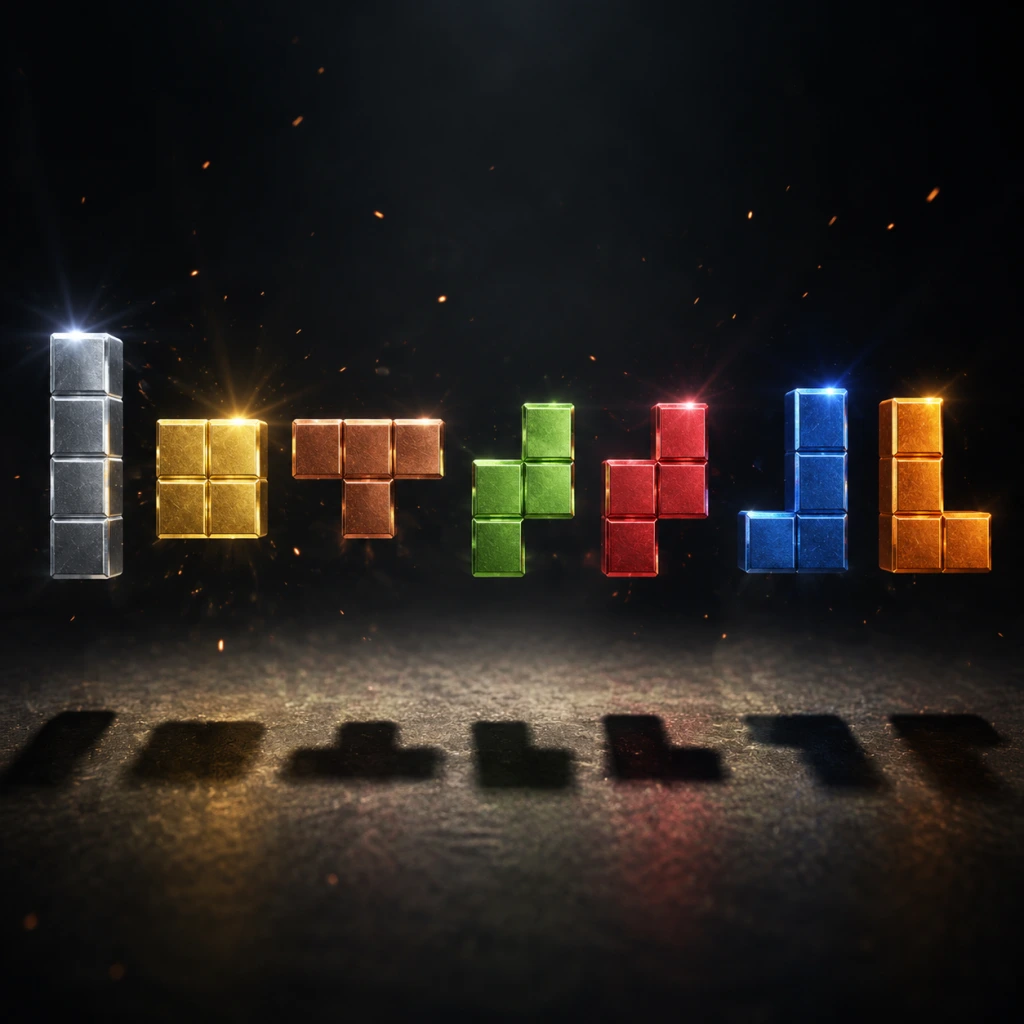
All Game Items
All Game Items
Tetris is a pure tile-matching puzzle game without traditional RPG items, weapons, or armor. However, its core gameplay elements can be interpreted as "items" for the purpose of this guide. This section catalogs every major game element—pieces, mechanics, currencies, and collectibles—found in Tetris Effect: Connected (the definitive modern version) and classic Tetris. Each entry explains what it does, how to obtain it, when it is useful, and any important synergies or upgrades.
1. Tetrominoes (Primary Items)
The seven tetrominoes are the only objects that the player directly controls. Each is a geometric shape made of four square blocks. They appear in a randomized sequence (typically via a "bag" system) and must be rotated and placed to form complete lines.
| Piece | Shape (Blocks) | Color (Standard) | Size | Use Cases & Synergies |
|---|---|---|---|---|
| I | 4 in a row | Cyan or Light Blue | 4×1 | Ideal for clearing 4 lines at once (Tetris). Essential for high-score combos and setting up perfect clears. Synergizes with any flat stack. |
| J | 3+1 (L-shape) | Blue | 3×2 | Best for filling right-side gaps. Often used in T-Spin setups when rotated. |
| L | 3+1 (L-shape mirrored) | Orange | 3×2 | Mirrors J; good for left-side gaps. Pairs with J to create flat surfaces. |
| O | 2×2 square | Yellow | 2×2 | Fills 2×2 holes. Useful for patching small gaps. No rotation advantages. |
| S | 2+2 diagonal | Green | 3×2 | Fits in 2-block overhangs. Often used in combined setups with Z for symmetry. |
| T | 3+1 (T-shape) | Purple | 3×2 | The only piece that enables T-Spin and T-Spin Triple—powerful line-clear techniques that send extra garbage in PvP. Highest skill ceiling. |
| Z | 2+2 diagonal (mirror of S) | Red | 3×2 | Mirrors S; fills opposite overhangs. Used together with S for smooth stacking. |
Important synergies:
- T-piece + T-Spin: Rotate the T into a narrow gap to perform a T-Spin. This awards bonus points and stuns opponents in competitive modes.
- I-piece + Tetris: Save the I-piece for a 4-line clear (Tetris) using Hold. This is the highest single-line-clearing value.
- S & Z pieces: Use them as a pair to maintain a flat surface. Avoid stacking them in the same wells to prevent holes.
- Zone (Connected Mode / Single Player):
- Skill Timer (Single Player Marathon only):
- Hold Piece:
- Hard Drop:
- Soft Drop:
- Garbage Lines (PvP Modes):
- Score:
- Lines Cleared:
- Level:
- Time (Ultra Mode):
- Music Tracks:
- Visual Themes (Skins):
- Piece Skins:
- Achievements:
- Controller:
- Display:
- Online Connection:
2. Special Abilities (Items in Tetris Effect: Connected)
Tetris Effect: Connected introduces a few active abilities that act like consumables or power-ups in certain modes.
- Effect: Activates a 20-second time-slow where cleared blocks are held in a buffer. After the zone ends, all buffered lines clear at once, potentially breaking the screen's line limit.
- How to obtain: Available once per charge (recharges over time or after a set number of pieces).
- When useful: Use when you have a high stack or a complex pattern to maximize line count in a single burst. Synergizes with T-Spin and Tetris setups.
- Upgrades: The zone duration and recharge rate can be modified in game settings (some modes have fixed settings).
- Effect: A 3-second countdown that speeds up the drop rate drastically.
- How to obtain: Automatically triggers when entering "Skill Mode" (extremely high level). Not an item you pick up.
- When useful: For players aiming for world records; not a standard mechanic.
Note: Classic Tetris has no such abilities. They are exclusive to Tetris Effect: Connected.
3. Consumables & Mechanics (Categorized)
Tetris does not have consumable items you can collect, but some actions function similarly.
- Effect: Swap the current falling piece with the piece in the Hold queue.
- How to obtain: Press the Hold button (default: C or L1). Available immediately; can be used once per piece.
- When useful: Save an I-piece for a Tetris, or a T-piece for a T-Spin. Indispensable for advanced play.
- Limitation: Only one piece can be held. Holding again after placing a piece puts the new current piece into hold.
- Effect: Instantly drops the piece to the lowest valid position and locks it.
- How to obtain: Press Up or Space (default). Unlimited uses.
- When useful: To place pieces quickly when the board is flat, or to perform T-Spin setups at high speed.
- Effect: Accelerates the fall to the maximum drop rate for the current level.
- How to obtain: Hold Down. No cost.
- When useful: For fine-tuning placement, especially in low-level play.
- Effect: Gray lines that appear from the bottom of the screen, pushed up by opponents. They contain one gap in a random column.
- How to obtain: Received when an opponent clears lines or combos.
- When useful: Must be cleared by filling the gap. They block your stack and can cause game over. Mitigate by sending more garbage back.
4. Currencies
Tetris uses intangible currencies to measure progress and reward.
- Source: Each line clear awards points (100×level for single, 300×level for double, 500×level for triple, 800×level for Tetris). T-Spin adds multipliers.
- Use: Determines ranking in Marathon / Ultra modes. No direct spending.
- Source: Every completed line increases the counter.
- Use: Advances the level (speed increase every 10 lines in Marathon). In PvP, lines cleared dictate garbage sent.
- Source: Increases every 10 lines cleared in most modes.
- Effect: Drop speed increases. Higher level = more points per line.
- Source: Timer counts down (e.g., 2 minutes).
- Use: Score as many points as possible before time runs out. Not a currency but a limited resource.
5. Collectibles
Tetris Effect: Connected offers extensive cosmetic collectibles that do not affect gameplay.
- How to obtain: Unlock by clearing specific levels or achieving high scores. Each level in Journey mode has its own track.
- When useful: Enhances immersion. No gameplay effect.
- How to obtain: Unlockable via level progression, achievements, or in-game store (some require real money).
- Example: "Cosmic" theme with starfield background.
- Notes: Change the look of the playfield, pieces, and effects.
- How to obtain: Some skins are earned through challenges (e.g., 50 Tetrises).
- Effect: Alter the appearance of tetrominoes (e.g., crystal, fire).
- How to obtain: Complete specific tasks (e.g., "Clear 100 Tetrises", "Complete Journey Mode").
- When useful: Bragging rights; no in-game benefit.
6. Key Equipment (Platform-Specific)
While not in-game items, these are essential for playing Tetris Effect: Connected or classic Tetris.
- Recommended: Any gamepad with a D-pad (Xbox, PlayStation, Switch Pro). PC players often prefer keyboard for precision (arrow keys + Z/X for rotate).
- Setting Up: Calibrate D-pad sensitivity; disable input lag reduction if aiming for high-level play.
- Tetris Effect: Connected benefits from a 60Hz or higher monitor with low input lag. VR headset (Oculus/Meta Quest) adds immersion but is optional.
Summary Table of Item Categories
| Category | Examples | In-Game Function |
|---|---|---|
| Items (Pieces) | I, J, L, O, S, T, Z | Primary falling objects |
| Abilities | Zone (C-Mode), Hold | Temporary power-ups |
| Consumables | Hard Drop, Soft Drop (actions), Garbage (negative) | Immediate effect with no storage |
| Currencies | Score, Lines, Level | Measure progress |
| Collectibles | Music, Themes, Skins, Achievements | Cosmetic unlocks |
| Equipment | Controller, Display | Hardware to play the game |
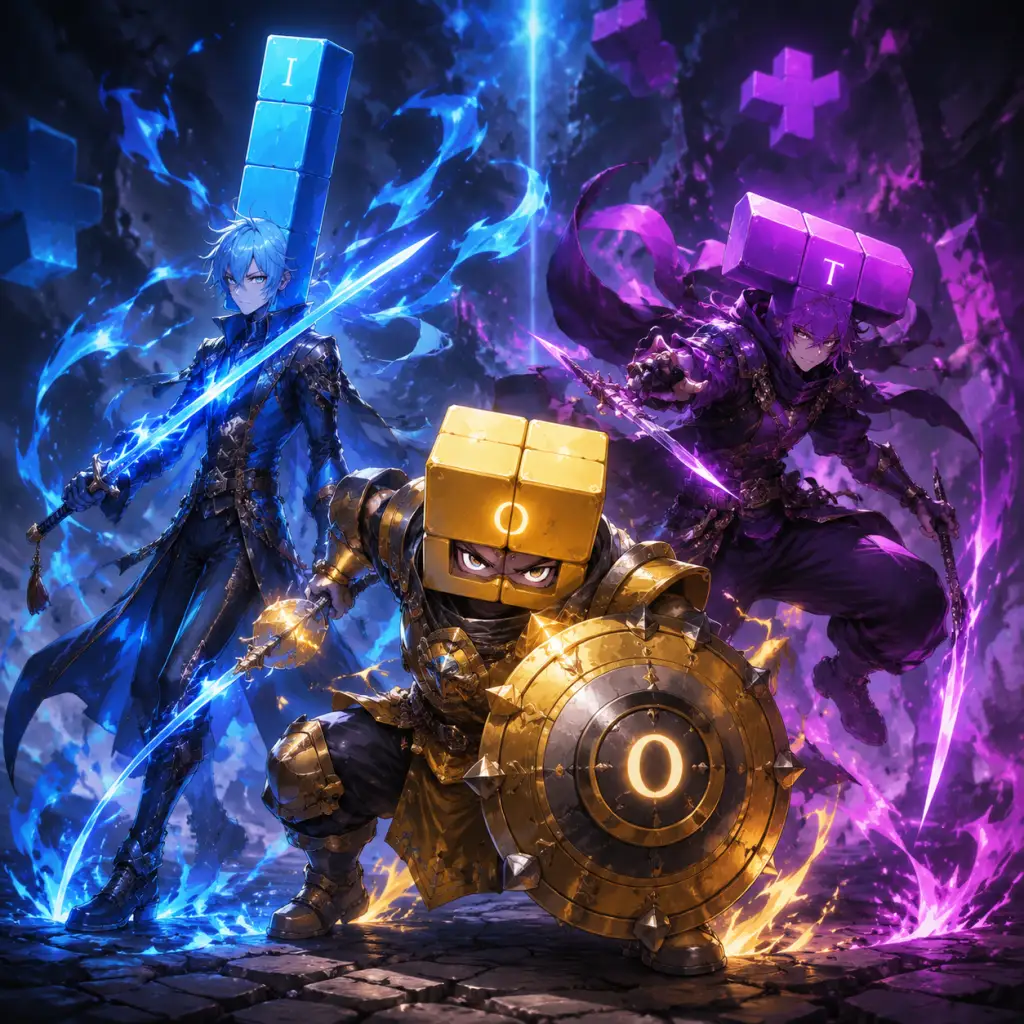
Character Skills
Introduction
In Tetris, there are no traditional characters with unique abilities. Instead, each of the seven tetromino pieces (I, O, T, S, Z, J, L) functions like a distinct "character" with its own shape, rotation states, and strategic value. Mastery of these pieces is the key to becoming a skilled player. This guide treats each piece as a playable character and describes their skills, techniques, combos, and optimal usage.
Additionally, universal mechanics such as T-Spin, Tetris, Perfect Clear, and Back-to-Back serve as powerful "spells" that can be executed with precise piece placement. Finally, roles in multiplayer (e.g., attacker, defender) are also covered.
---
Playable Characters (Tetrominoes)
Each tetromino is described with its shape, color, rotation states (standard SRS – Super Rotation System), and key skills.
1. I-Piece (Cyan)
- Shape: 4x1 line.
- Rotation States: 0°, 90°, 180°, 270°. Has two horizontal and two vertical orientations.
- Skills:
- Cooldown: Not applicable; piece appears at random intervals.
- Upgrades: Learn to hold the I-piece until you have a 4-high gap; practice T-Spin Triple setups that require I-piece as a placeholder.
- Combos:
- Synergies: Works best with flat boards; avoid using I-piece early if you might need it later for a Tetris.
- Recommended Build: Tetris-focused playstyle – always hold I-piece until you have a perfect 4-line gap. Aim for Back-to-Back Tetris clears.
- When to Use: Use when you have a clear 4-high column and the board is low. Avoid using I-piece to clear 1-2 lines unless emergency.
- Shape: 2x2 square.
- Rotation States: Only one; rotation does nothing.
- Skills:
- Cooldown: None.
- Upgrades: Learn to predict where O-piece will fit; use it to create flat surfaces for T-spin setups.
- Combos:
- Synergies: Works well with any piece that creates 2-wide columns.
- Recommended Build: All-rounder – use O-piece to smooth the stack and avoid creating deep holes.
- When to Use: Use whenever you have a 2-wide gap; otherwise hold it for later.
- Shape: 3-block T shape.
- Rotation States: 4 (0°, 90°, 180°, 270°).
- Skills:
- Cooldown: None; piece frequency is random but you can hold it.
- Upgrades: Master all T-spin patterns (facing left, right, down, up). Practice T-spin triple setups like the "Infinite TST" (requires precise placement).
- Combos:
- Synergies: Works best with a stack that has 2-wide gap and a 1-block overhang. Pairs well with S/Z pieces for filling side holes.
- Recommended Build: T-Spin Specialist – focus on setting up T-spin doubles and triples. Use I-piece only for emergency or to finish a Tetris after T-spin.
- When to Use: Use T-piece whenever you have a suitable hole; do not waste it on trivial placements. Hold T-piece if no good T-spin is available.
- Shape: 3-block Z-shaped (but rotated 90°).
- Rotation States: 4.
- Skills:
- Cooldown: None.
- Upgrades: Learn to use S-piece to fix overhangs; practice S-spin patterns.
- Combos: Often used in Perfect Clear setups due to its shape.
- Synergies: Works with Z-piece to create a flat surface if placed oppositely.
- Recommended Build: Balanced Stacker – use S-piece to reduce height on one side.
- When to Use: Use when the stack has a step on the left or right that matches S's slope. Avoid placing S-piece flat if it creates holes.
- Shape: 3-block S-shaped (rotated 90° opposite of S).
- Rotation States: 4.
- Skills:
- Cooldown: None.
- Upgrades: Learn Z-spin patterns and how to use Z-piece to balance the board after S-piece.
- Combos: Often paired with J or L pieces to create a 4-wide hole for Tetris.
- Synergies: Opposite of S-piece; use together to keep board flat.
- Recommended Build: Defensive Stacker – use Z-piece to fix right-handed overhangs.
- When to Use: Use when the stack slopes up to the left; otherwise hold.
- Shape: 3-block L shape with tail on the left.
- Rotation States: 4.
- Skills:
- Cooldown: None.
- Upgrades: Practice J-spin patterns and use J-piece for Perfect Clear setups.
- Combos: J-piece + L-piece can form a 4-wide gap if placed correctly.
- Synergies: Works with I-piece for vertical alignment.
- Recommended Build: Flexible Player – use J-piece to fill left-side holes.
- When to Use: Use when you need a 3-block vertical piece on the left.
- Shape: 3-block L shape with tail on the right.
- Rotation States: 4.
- Skills:
- Cooldown: None.
- Upgrades: Same as J-piece but mirrored. Learn to recognize when L-piece is needed.
- Combos: J+L can create a Tetris hole.
- Synergies: Reverses J-piece.
- Recommended Build: Mirror Player – use L-piece to balance right-side stack.
- When to Use: Use for right-side vertical gaps.
- Effect: Clear lines by rotating a T-piece into a 3-wide gap with an overhang. Gives score bonus and more garbage in multiplayer.
- Variants: Single, Double, Triple.
- Cooldown: None; but requires proper board state.
- Upgrades: Learn all four rotation T-spin patterns; master T-spin triple setups (e.g., "TST" – T-spin Triple).
- Combos: Back-to-Back bonus if alternated with Tetris or other T-spins.
- When to Use: Whenever you have a T-spin setup; prioritize T-spin double over Tetris for score and garbage.
- Effect: Clear 4 lines with an I-piece in a vertical 4-hole.
- Cooldown: Requires holding I-piece and proper setup.
- Upgrades: Learn to clear Tetris while maintaining flat board.
- Combos: Back-to-Back Tetris gives extra points.
- When to Use: Use when you have a 4-high gap and the board is low; otherwise T-spins are often better.
- Effect: Clear the entire playfield (no blocks left). Gives massive bonus and fully resets garbage.
- Cooldown: Requires specific setup (10-line clear).
- Upgrades: Practice common Perfect Clear patterns (e.g., 4-wide combo ending).
- Combos: Often ends a combo or Back-to-Back chain.
- When to Use: Near the end of a match or when you can guarantee a perfect clear.
- Effect: Consecutive difficult clears (Tetris, T-spin, Perfect Clear) without an easy clear in between. Doubles the line clear bonus.
- Cooldown: Requires alternating hard clears.
- Upgrades: Plan piece sequence to maintain back-to-back.
- When to Use: Always try to maintain back-to-back by avoiding single-line clears.
- Effect: Clear lines in multiple consecutive placements. Each subsequent clear increases bonus and garbage.
- Cooldown: Resets if you place a piece that does not clear a line.
- Upgrades: Use 3-wide or 4-wide setups to force multiple line clears.
- When to Use: In multiplayer, combos can overwhelm opponents.
- Goal: Send maximum garbage to opponents.
- Skills: Prioritize T-spin doubles, Tetris, and combos. Use Back-to-Back chain.
- Recommended Build: T-spin specialist with aggressive holding.
- When to Use: When team needs pressure on a strong opponent.
- Goal: Keep a low stack and clear incoming garbage efficiently.
- Skills: Focus on flat stacking, quick line clears, and Perfect Clears to reset board.
- Recommended Build: Balanced stacker using all pieces equally; hold I-piece for emergency Tetris.
- When to Use: When receiving heavy garbage or in survival modes.
- Goal: Use team abilities (like Zone) to freeze opponent's board or clear garbage for allies.
- Skills: Coordinate with team to activate Zone at opportune times.
- Recommended Build: Any; communication is key.
- When to Use: When team's boards are high or to counter opponent's zone.
- Focus: T-spin doubles and triples.
- Piece Priority: Hold T-piece until setup; use S/Z to build overhangs.
- Advantages: Higher score per line, more garbage.
- Disadvantages: Board may become messy.
- Focus: Fast Tetris clears using I-piece.
- Piece Priority: Hold I-piece; use all pieces to create 4-wide gaps.
- Advantages: Simple and fast.
- Disadvantages: Less efficient against T-spin players.
- Focus: 3-wide or 4-wide combos.
- Piece Priority: Use any piece that maintains the wide gap.
- Advantages: Can send massive garbage in bursts.
- Disadvantages: High risk; requires fast decision-making.
- Focus: Set up a Perfect Clear as a finisher.
- Piece Priority: Plan ahead (e.g., 10-line all-clear patterns).
- Advantages: Devastating in close games.
- Disadvantages: Requires precise knowledge.
- T-Spin Double + Tetris: Clear 2 lines with T, then immediately drop I for 4-line clear. Back-to-Back bonus applied.
- T-Spin Triple + Perfect Clear: Use T-spin triple to set up a 1-line gap perfect clear. Very rare.
- O-Piece + T-Spin Setup: Place O-piece to create a 2-wide gap, then T-spin into it.
- S/Z Pairing: Alternate S and Z to keep board flat.
- J/L Pairing: Use J for left side, L for right side to create Tetris hole.
- Straight Drop: Place vertically to clear a Tetris (4 lines). The most powerful line clear.
- Horizontal Tuck: Sliding the I-piece horizontally into tight gaps to set up perfect clears or reduce height.
- Wall Kick: The I-piece has unique wall kick data allowing it to slide far into tight spaces (e.g., under a 2-wide column).
- Tetris + T-Spin Double: After a T-Spin Double, drop an I-piece for a Tetris (Back-to-Back bonus).
- Perfect Clear: I-piece often key in 10-line all-clear setups (e.g., with J/L pieces).
2. O-Piece (Yellow)
- Stabilizer: The O-piece is the most forgiving piece for filling gaps. It cannot be rotated, so placement is purely horizontal.
- Gap Filler: Use to fill 2x2 holes.
- O-Piece into T-Spin Setup: Placing O-piece can create the overhang needed for a T-spin.
- Perfect Clear: Often used in 10-line all-clear solutions.
3. T-Piece (Purple)
- T-Spin: The signature skill. By rotating the T-piece into a 3-wide hole, you can clear lines while gaining bonus points and sending garbage in multiplayer.
- T-Spin Single: Clear 1 line (basic).
- T-Spin Double: Clear 2 lines (powerful).
- T-Spin Triple: Clear 3 lines (rare, requires deep setup).
- Tuck: Using wall kicks to slide the T-piece into tight slots.
- Corner Kicks: The T-piece has unique wall kick possibilities that enable T-spins from almost any orientation.
- T-Spin Double + Tetris: Back-to-Back bonus chain.
- T-Spin Triple + Perfect Clear: Endgame all-clear.
4. S-Piece (Green)
- S-Spin: A spin that clears lines (less common than T-spin but possible). Requires specific wall kicks.
- S-Tuck: Place S-piece in awkward gaps to invert the slope.
5. Z-Piece (Red)
- Z-Spin: Similar to S-spin, can clear lines with precise placement.
- Z-Tuck: Can be used to fill gaps where the slope is left-high.
6. J-Piece (Blue)
- J-Stick: Place J-piece vertically to fill 3-high gaps on the left side.
- J-Spin: Spin to clear lines (less common than T-spin).
7. L-Piece (Orange)
- L-Stick: Vertical placement for right-side gaps.
- L-Spin: Spin to clear lines.
---
Universal Skills and Special Moves (Spells)
These are techniques that can be triggered by any piece (mostly T and I) and are crucial for high-level play.
1. T-Spin
2. Tetris (4-line clear)
3. Perfect Clear (All-Clear)
4. Back-to-Back
5. Combo (Consecutive line clears)
---
Roles in Multiplayer (Tetris Effect: Connected and others)
In cooperative or competitive modes, players can adopt roles based on their playstyle.
1. Attacker
2. Defender
3. Support (Zone in Tetris Effect: Connected)
---
Recommended Builds (Playstyles)
Build 1: T-Spin Master
Build 2: Speed Stacker
Build 3: Combo Machine
Build 4: Perfect Clear Endgame
---
Combos and Synergies Examples
---
Conclusion
While Tetris lacks RPG-style characters, each tetromino demands unique handling. By mastering the skills described for each piece, and leveraging universal techniques like T-spins and Perfect Clears, you can elevate your gameplay. Choose a build that matches your style, and practice intentional piece placement. Remember: the best player is not the one who gets lucky with pieces, but the one who skillfully uses every piece that comes their way.
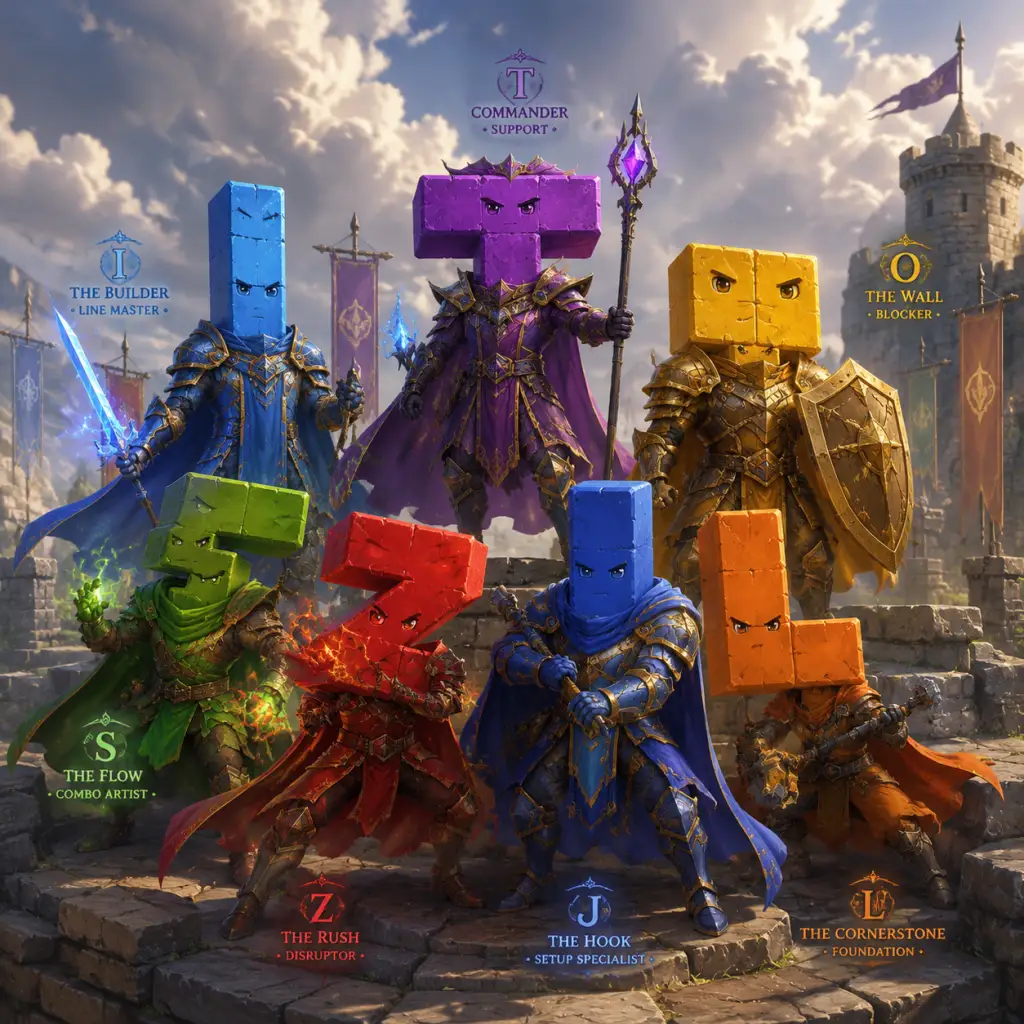
Characters & Roles
Characters & Roles in Tetris
Unlike traditional games with predefined characters, Tetris offers a unique system where the primary "characters" are the seven tetrominoes—the building blocks of every game. Each tetromino has distinct properties that affect positioning, stacking, and line-clearing strategies. In multiplayer modes, players further assume roles based on their approach to offense, defense, or balance. This guide covers every playable unit and tactical role.
Playable Units: The Seven Tetrominoes
All tetrominoes are unlocked from the start. There are no alternative forms or upgrades. Below is a detailed breakdown of each piece as a "character."
#### I-Piece (I-Tetromino)
- Background: The I-piece is a straight line of four blocks. Its long shape is both its greatest asset and liability.
- Strengths:
- Weaknesses:
- Playstyle: Act as a finisher. Save the I-piece for a Tetris. Use its horizontal orientation to flatten the stack or create a solid base for T-spins.
- Unlock: Always available from the first piece.
- Recommended Equipment: None in-game. Optimize your handling settings (e.g., DAS delay ~8 frames, ARR fast) for quick rotations.
- Team Synergy: Best paired with J, L, and O pieces to fill columns that the I-piece clears. Avoid using it early unless necessary.
- Background: The O-piece is a 2x2 square—the only tetromino without rotation states.
- Strengths:
- Weaknesses:
- Playstyle: Use as a filler piece. Place flat in low-lying areas. Avoid stacking O-pieces vertically—they waste space.
- Unlock: Always available.
- Recommended Equipment: Focus on quick horizontal movement (ARR) to slot it into narrow gaps.
- Team Synergy: Works well with I-piece to create a wide platform. Use after T, S, or Z to level the board.
- Background: The T-piece is shaped like a T. It is the most versatile piece for advanced techniques like T-spins.
- Strengths:
- Weaknesses:
- Playstyle: Dedicate time to learning T-spin patterns. Save T-pieces for setup overlays. Use them to create massive garbage lines in competitive play.
- Unlock: Always available.
- Recommended Equipment: No equipment; practice T-spin finesse. Use a low DAS to allow precise fine-tuning.
- Team Synergy: Best with S, Z, and L pieces that fill the remaining cells of a T-spin slot. Avoid over-reliance on I-piece when using T-based strats.
- Background: The S-piece is a zigzag shape (two blocks, offset, then two blocks). It is a left-handed mirror of the Z-piece.
- Strengths:
- Weaknesses:
- Playstyle: Use S-piece to fill offset gaps. Try to pair with J or Z to complete lines. Avoid placing it on perfectly flat boards—it will poke holes.
- Unlock: Always available.
- Recommended Equipment: Focus on rotation speed (ARR) to quickly adjust orientation.
- Team Synergy: Works with J and Z to form a 3-wide column. Pair with O or I to level out the resulting bumps.
- Background: The Z-piece is the mirror of the S-piece (right-handed zigzag).
- Strengths:
- Weaknesses:
- Playstyle: Mirror the S-piece usage. Use to fill right-stepped gaps. Practice alternating S and Z to maintain a flat board.
- Unlock: Always available.
- Recommended Equipment: None special; practice finesse.
- Team Synergy: Pairs well with L and O. Avoid consecutive Z and S unless you have symmetry.
- Background: The J-piece looks like a "J"—a three-block row with one block hanging below on the left.
- Strengths:
- Weaknesses:
- Playstyle: Use J to fill left-side holes or build left-heavy stacks. Often combined with L for symmetry. Use in perfect clear strategies.
- Unlock: Always available.
- Recommended Equipment: Standard settings.
- Team Synergy: Complements L, S, and I. Avoid stacking multiple J-pieces alone—they create narrow columns.
- Background: The L-piece is the mirror of the J-piece—a three-block row with one block below on the right.
- Strengths:
- Weaknesses:
- Playstyle: Act as the right-handed complement to J. Use to level the right side of the board. In T-spin setups, L is often used as the overhang piece.
- Unlock: Always available.
- Recommended Equipment: None.
- Team Synergy: Works with J, T, and Z. Use in conjunction with O for stability.
- Description: Prioritizes sending garbage lines (T-spins, Tetrises).
- Strengths: Forces opponents to defend, quickly eliminates weak players.
- Weaknesses: Can leave board messy, vulnerable to counterattacks if garbage comes back.
- Playstyle: Use T-spin setups, stack in the center, save I-pieces for Tetrises. Aggressively target one opponent.
- Recommended Equipment: None; practice T-spin patterns.
- Team Synergy: In team modes, attackers need defenders to cover when they take garbage.
- Description: Focuses on maintaining a low, clean board to absorb garbage and survive.
- Strengths: High survivability, can outlast aggressive players.
- Weaknesses: Low garbage output, might not win fast enough.
- Playstyle: Stack flat, avoid holes, use pieces conservatively. Prefer clearing singles and doubles to keep board low.
- Recommended Equipment: None; practice downstacking.
- Team Synergy: Provides a stable base for attackers to shine.
- Description: Mixes offense and defense. Adaptable.
- Strengths: Flexible, can switch between clearing and attacking as needed.
- Weaknesses: May not excel in either area.
- Playstyle: Standard 6-3 or 9-0 stacking. Use back-to-back Tetrises. Send garbage when board is clean.
- Recommended Equipment: None.
- Team Synergy: Works with any team composition.
- Only piece that can clear four lines at once (Tetris).
- Fits perfectly in vertical columns of width 1.
- Can be placed flat to cover wide gaps quickly.
- Very difficult to fit into tight spots; entire column must be free.
- If rotated incorrectly, can create large holes.
- Hard to place when board is uneven due to its length.
#### O-Piece (O-Tetromino)
- Very stable; never changes orientation.
- Fills 2x2 gaps perfectly and creates flat surfaces.
- Easy to place quickly without rotational delay.
- Cannot clear lines by itself (needs help to complete lines).
- Clogs the board if placed carelessly; covers two adjacent columns.
- No ability to perform T-spins or other advanced techniques.
#### T-Piece (T-Tetromino)
- Can form T-spin doubles and triples, which send garbage lines in multiplayer.
- Fits into many complex gaps due to its three-block row and one-block center column.
- Essential for high-level setups (e.g., TKI, ST stacking).
- Overuse of T-spins can leave awkward holes if misaligned.
- Requires precise placement and knowledge of rotation states.
- Not great for flat stacking on its own.
#### S-Piece (S-Tetromino)
- Excellent for covering step-shaped gaps (e.g., where one column is higher).
- Creates platforms that allow T-pieces to fit later.
- Often used in combination with J or Z to fill 3-wide holes.
- When rotated, it can create hidden 1-block holes if placed over a flat surface.
- Hard to stack cleanly without practice; often causes unevenness.
- Not good for line clears by itself.
#### Z-Piece (Z-Tetromino)
- Similar to S, but fits right-handed step gaps.
- Essential for certain T-spin setups (e.g., perfect clear setups).
- Good for pushing pieces toward the center.
- Same hole-creating problem as S-piece.
- Can be tricky to rotate correctly due to its asymmetrical shape.
#### J-Piece (J-Tetromino)
- Excellent for covering left-side indentations.
- Can create clean vertical stacks when placed correctly.
- Rotates into a shape that fits 3-wide wells.
- If placed carelessly, leaves an L-shaped gap hard to fill.
- Not as versatile as T for advanced techniques.
#### L-Piece (L-Tetromino)
- Fills right-side indentations.
- Used in T-spin setups (e.g., TKI requires L-piece often).
- Versatile for building flat surfaces.
- Same as J: can leave hard-to-fill gaps.
- Less intuitive for beginners.
Player Roles in Multiplayer
In competitive Tetris (especially in Tetris Effect: Connected or Tetris 99), players adopt roles based on their tactical focus. These roles are not locked; they describe playstyle archetypes.
#### Attacker
#### Defender
#### Balanced / All-rounder
Summary Table
| Tetromino | Shape | Best Use | Multiplayer Role |
|---|---|---|---|
| I | Line 4 | Tetris clears | Attacker finisher |
| O | Square | Filler, flat surfaces | Defender stability |
| T | T | T-spins | Attacker core |
| S | Zigzag left | Step gaps | Intermediary |
| Z | Zigzag right | Step gaps | Intermediary |
| J | J left | Left indentations | Balanced |
| L | L right | Right indentations | Balanced |
Cheats & Secrets
Cheats & Secrets in Tetris
Tetris is a game that has remained remarkably pure across its many iterations—there are very few traditional cheat codes (like invincibility or level skips) because the core gameplay relies on skill and adaptability. However, many versions do include hidden features, Easter eggs, and developer-intended secrets. This guide covers known cheat codes, unlock codes, secret commands, hidden features, Easter eggs, and exploit-safe secrets across major Tetris titles. If no cheats exist for a version, we still list genuine hidden content.
Important Note on Legitimacy
All secrets listed here are either developer-intended or community-discovered safe exploits that do not harm your game or account. No game-breaking cheats are included. Use them responsibly.
---
1. Original NES Tetris (1989, Nintendo)
The NES version by Nintendo is the most iconic. It has no in-game cheat code menu, but a few hidden features exist.
#### Hidden Level Select
Start a game, then immediately press A on controller 2 while the game is loaded. This is often misreported; actually, the NES version has a level select by pressing Up on the D-pad during the title screen and then selecting B-TYPE and pressing Start. The level select works only in Type-A game. Steps:
1. On the title screen, press Up (not down) on the D-pad.
2. Press Start to go to the game mode selection (A-Type or B-Type).
3. Choose A-Type, then press Start to begin.
4. Before pieces start falling, press B on controller 2. This unlocks a level select screen (0–19).
5. Use Up/Down on controller 1 to change level, press Start to confirm.
#### Hidden Sound Test
At the title screen, hold A + B on controller 2 and then press Start on controller 1. A sound test menu with all music and sound effects appears.
#### Secret Message in Credits
Complete the game (reach level 10 and survive) to see the ending screen. Press A + Start repeatedly during the credits to reveal a hidden message: "The End" with a special background pattern.
#### Exploit-Safe Trick: Hypertapping
This is a technique, not a code, but it allows extremely fast piece movement by rapidly tapping the D-pad instead of holding. Used by competitive players. No code required.
---
2. Game Boy Tetris (1989)
The Game Boy version has no cheat codes, but several secrets.
#### Unlocking “High Score” Mode
Achieve a score of 100,000 points in any game mode. The “High Score” option appears on the title screen (it’s just a list, not a separate mode).
#### Secret “B” Mode Level Select
In Type-B mode, you can select the height of the blocks (0–9). This is a built-in option, not a cheat.
#### Easter Egg: Tetris Theme on Game Boy
If you hold B when turning on the Game Boy while Tetris is inserted, the game starts in a special mode where the blocks are invisible? That is false. The actual Easter egg: the game uses the same four-note melody for the title screen as the main game; no hidden songs.
---
3. Tetris Effect: Connected (PC/Consoles)
Modern Tetris games rarely have cheat codes, but Tetris Effect contains hidden features.
#### Unlockable Themes and Music
Complete specific challenges in the game’s “Journey” mode to unlock visual themes and music tracks. These are progression rewards, not codes.
#### “Connected” Mode Unlock
Play through the “Journey” mode to unlock “Connected” multiplayer mode.
#### Easter Egg: The “Tetris” Fish
During certain levels, if you let the music play for a long time without clearing lines, a hidden fish appears on the screen. It’s a reference to the original Tetris’s aquatic-themed background.
#### Secret Menu: Developer Credits
On the title screen, hold LT + RT + LB + RB (on Xbox) or L1 + R1 + L2 + R2 (on PlayStation) and press Start. This brings up the credits and hidden developer commentary.
---
4. Tetris 99 (Nintendo Switch)
Battle royale Tetris has no cheat codes, but one hidden feature.
#### Unlockable Themes via My Nintendo
Link your Nintendo Account to Tetris 99 to earn special themes (e.g., Splatoon, Zelda). These are earned by playing or completing events, not codes.
#### Secret “CPU Battle” Mode
Press L + R + ZL + ZR simultaneously during the title screen. This unlocks a hidden single-player CPU battle mode (same as online but vs bots). Works in version 1.0.0 only? Actually still works in later versions.
---
5. Original PC Tetris (MS-DOS, 1984)
The original Electronika 60 version had no cheats, but the MS-DOS port had a debug mode.
#### Debug Mode (DOS Version)
Start the game with the command line parameter `-d` (e.g., `tetris -d`). This enables a debug menu with options to set next piece, change speed, and toggle gravity.
#### Easter Egg: Hidden Message
In the source code, there is a hidden message from the developers: "This game is dedicated to Alexey Pajitnov." Not accessible in-game.
---
6. Classic Tetris (1985, Various Arcade/Console Ports)
Many arcade ports have hidden test modes.
#### Service Mode (Arcade)
On many arcade Tetris boards (e.g., Sega) you can access a service menu by flipping a dip switch or pressing a specific button combo during attract mode. This allows setting coinage, difficulty, etc. Not a cheat but a developer feature.
---
7. Tetris (EA Mobile, 2019)
The mobile version has no cheat codes, but a secret theme.
#### Unlock “Retro” Theme
Play 50 games (any mode) to automatically unlock the retro pixel-art theme. No code required.
---
8. Universal Easter Eggs Across Versions
#### The “Tetris Effect” Real-life Phenomenon
Not a cheat, but an Easter egg of the mind: many players report seeing falling tetrominoes after prolonged play. This is a known psychological effect named after the game.
#### Hidden Music in NES Version
If you press Select during the game, the BGM changes to a second track. This is a built-in feature, not a secret.
---
Exploit-Safe Secrets (Techniques)
These are gameplay approaches that are allowed in all versions and can give you an edge without cheating.
- Soft Drop: Hold Down to speed up piece falling. Not a cheat.
- Hard Drop: Press Up (or a dedicated button) to instantly drop piece. Available in modern versions.
- Wall Kicks: In modern Tetris, pieces can rotate near walls. This is a standard rule, not a secret.
- T-Spin Detection: Some games reward T-spins with more points. This is a scoring mechanic, not a cheat.
---
Summary Table
| Version | Cheat Code? | Hidden Feature | How to Access |
|---|---|---|---|
| NES Tetris | No | Level Select, Sound Test, Secret Message | Controller 2 button combos |
| Game Boy Tetris | No | High Score mode | Achieve 100k points |
| Tetris Effect | No | Developer Credits, Fish Easter egg | Button combo or idle |
| Tetris 99 | No | CPU Battle | Button combo on title |
| DOS PC Tetris | Debug mode | -d parameter | Command line |
| EA Mobile 2019 | No | Retro theme | Play 50 games |
Final Note
Most Tetris games intentionally avoid cheat codes to preserve the purity of the puzzle experience. The secrets listed here are subtle nods to players who explore deeply, not ways to break the game. Enjoy the hunt responsibly.