The Forest
## Game Introduction ### Overview The Forest is a first-person survival horror game developed and published by Canadian indie studio **Endnight Games**. It launched into early access on **May 30, 2014** for PC via Steam, and fully released on **April 30, 2018** for Windows and PlayStation 4. An Xb...
Download & Installation
Overview
The Forest is a first-person survival horror game developed by Endnight Games, available on PC (via Steam and Epic Games Store), PlayStation 4 (backward compatible on PS5), and Xbox One (backward compatible on Xbox Series X|S). This guide covers legitimate download sources, step-by-step installation for each platform, system requirements, storage, account prerequisites, first launch setup, common errors, and post-installation verification.
---
Platform Availability
| Platform | Store / Method | Notes |
|---|---|---|
| PC | Steam, Epic Games Store | Also supports VR (Oculus Rift, HTC Vive, Valve Index) |
| PlayStation 4 | PlayStation Store (digital) or disc | Playable on PS5 via backward compatibility; no native PS5 upgrade |
| Xbox One | Microsoft Store (digital) or disc | Playable on Xbox Series X |
---
System Requirements (PC)
Minimum Requirements
- OS: Windows 7 (64-bit)
- Processor: Intel Core 2 Duo E6600 or AMD Athlon 64 X2 6000+
- Memory: 4 GB RAM
- Graphics: NVIDIA GeForce 8800 GT or AMD Radeon HD 5750 (DirectX 10 or 11)
- DirectX: Version 11
- Storage: 5 GB available space
- Sound Card: DirectX compatible
- Additional: Internet connection for multiplayer; keyboard and mouse
- OS: Windows 10 (64-bit)
- Processor: Intel Core i5-2500K or AMD FX-8320
- Memory: 8 GB RAM
- Graphics: NVIDIA GeForce GTX 560 Ti or AMD Radeon HD 6950
- DirectX: Version 11
- Storage: 5 GB available space (SSD recommended for faster loading)
- Sound Card: DirectX compatible
- Additional: Internet connection for multiplayer; controller optional
- Steam: A free Steam account. Purchase once, play on any PC.
- Epic Games Store: A free Epic Games account. The game was given away for free during a promotion; if you claimed it, it's permanently in your library.
- PlayStation: A PlayStation Network (PSN) account. Disc version may require a one-time install without online activation, but multiplayer requires PSN.
- Xbox: A Microsoft / Xbox Live account. Gold subscription is not required for online multiplayer on Xbox (the game uses peer-to-peer).
- On your console, go to PlayStation Store → search "The Forest" → purchase/download.
- Once purchased, go to your Library → Purchased → The Forest → Download.
- Wait for installation (~ 5 GB).
- Insert disc → console installs automatically.
- If prompted, apply any updates (required for multiplayer).
- On console, open Microsoft Store → search "The Forest" → Buy (or download if owned) → install.
- Alternatively, go to My Games & Apps → Ready to Install.
- Insert disc → installation begins automatically.
- Update when prompted.
- Upon first launch, the game presents a main menu.
- Language: Select from options (English, French, German, Spanish, etc.)
- Graphics: The game auto-detects settings. You can change in Options → Video.
- Controls: Keyboard & mouse or controller (Xbox/PS4/PS5 controller works natively).
- Multiplayer: Choose "Host" to start a co-op session, or "Join" by IP or Steam friends.
- VR: If using VR headset, launch from SteamVR dashboard; the game auto-detects.
- First launch applies any pending updates.
- Accept end-user license agreement (EULA).
- Adjust in-game settings via Options (brightness, audio, controls).
- Multiplayer requires PSN sign-in (free).
- Similar to PlayStation: updates, EULA, settings.
- Multiplayer uses Xbox network; no Gold subscription required.
- PC: ~5 GB after install. Additional space for saves (<100 MB) and screenshots.
- PlayStation 4: ~5 GB.
- Xbox One: ~5 GB.
- Updates may add 100-200 MB over time.
Recommended Requirements
Note: The game is not very demanding; even mid-range hardware from 2010 can run it. For VR, a more powerful GPU (GTX 970 / RX 480 or better) is recommended.
---
Account Requirements
---
Download and Installation Guides
PC – Steam
1. Install Steam Client if not already: [steampowered.com/download](https://store.steampowered.com/about/)
2. Create or log in to your Steam account.
3. Purchase the game (or redeem a Steam key) from the Steam Store: [The Forest on Steam](https://store.steampowered.com/app/242760/The_Forest/)
4. Go to your Library → find "The Forest" in the list.
5. Click Install → choose installation directory (default `C:\Program Files (x86)\Steam\steamapps\common\The Forest`).
6. Wait for download and installation (approx. 4-5 GB).
7. Launch from Library or desktop shortcut.
PC – Epic Games Store
1. Install Epic Games Launcher: [epicgames.com/store](https://store.epicgames.com)
2. Log in to your Epic account.
3. If you own the game, go to Library → find "The Forest".
4. Click Install → choose folder (default `C:\Program Files\Epic Games\TheForest`).
5. Wait for download (≈ 4.5 GB).
6. Launch from library.
PlayStation 4 / PS5
Digital:
Disc:
PS5 note: Game runs via backward compatibility. No performance patch, but runs at PS4 Pro settings with faster load times if installed on internal SSD.
Xbox One / Xbox Series X|S
Digital:
Disc:
Xbox Series X|S note: Runs via backward compatibility. No enhancement patch, but loads faster on SSDs.
---
First Launch Setup
PC
PlayStation
Xbox
---
Storage Space Details
---
Common Installation Errors & Fixes
| Issue | Platform | Cause & Solution |
|---|---|---|
| Download stuck / slow | All | Check internet connection. On Steam, clear download cache (Steam → Settings → Downloads → Clear Cache). On Epic, restart launcher. On consoles, pause/resume or restart console. |
| Installation fails / corrupt files | PC | Verify game files: Steam – right-click game → Properties → Local Files → Verify Integrity of Game Files. Epic – Library → three-dot menu → Verify. |
| Missing DLL / runtime errors | PC | Install Microsoft Visual C++ redistributables (2015-2022). DirectX update: run `dxdiag` and install via DirectX End-User Runtimes Web Installer. |
| Black screen on launch | PC | Disable overlays (Steam, Discord, GeForce Experience). Update GPU drivers. Run game as administrator. |
| Game won't launch on PS4 | PlayStation | Rebuild database (Safe Mode → Option 5). Reinstall if necessary (backup saves to cloud). |
| Disc read error | PS4/Xbox | Clean disc; check for scratches. If digital, delete and redownload. |
| Multiplayer connection errors | All | Ensure UPnP enabled on router. Forward ports: UDP 8766, 27000-27030 (Steam) or 7777 (list ports in game options). For direct IP connect, both players must have firewall exceptions. |
| VR not detected | PC | Install SteamVR. Launch SteamVR first, then The Forest. Restart headset and PC. |
Post-Install Verification
PC
1. Open the game and reach the main menu.
2. Check version number (lower left corner of menu) – should match latest (currently v1.0, as of 2024).
3. Test audio and controls (move character in a new game).
4. Check multiplayer: Host a lobby and ensure friends can join via Steam friends list.
PlayStation
1. Launch the game; if it updates, let it finish.
2. Start a new game – confirm loading screen appears quickly (no infinite loading).
3. Check network connectivity: try joining a public multiplayer lobby.
Xbox
1. Similar to PS: confirm update applied, start new game, test online.
---
Additional Tips
- Save files location (PC) : `%appdata%\..\LocalLow\SKS\The Forest\` (Windows) or via Steam Cloud (enabled by default).
- Back up saves before uninstalling.
- Mods: The game has a small modding community. Install mods manually by placing files in game directory (backup originals). Use ModAPI at your own risk – can cause instability.
- Free weekend: Occasionally Steam or Epic offer free play periods; you can download and keep progress by purchasing later.
---
Conclusion
With this guide, you should be able to download and install The Forest on any supported platform without issues. The installation process is straightforward, but if you encounter problems, refer to the common errors table above. After successful installation, enjoy surviving the harsh wilderness and cannibal-infested caves!
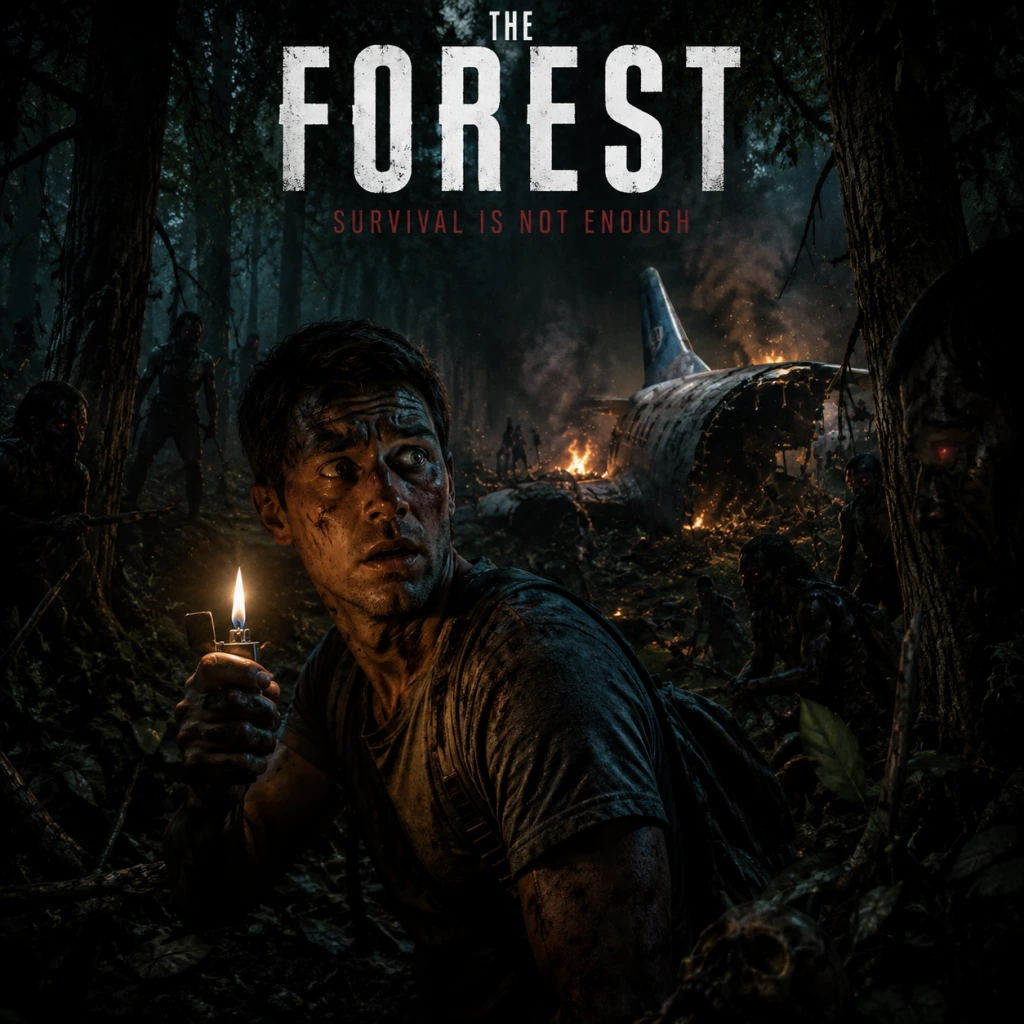
Game Introduction
Game Introduction
Overview
The Forest is a first-person survival horror game developed and published by Canadian indie studio Endnight Games. It launched into early access on May 30, 2014 for PC via Steam, and fully released on April 30, 2018 for Windows and PlayStation 4. An Xbox One version arrived on October 22, 2018, with backward compatibility on Xbox Series X|S and PS5. The game is also available on the Epic Games Store.
Story Overview
After a devastating plane crash, you wake to find your young son, Timmy, kidnapped by a group of cannibalistic mutants. Stranded on a mysterious, heavily forested peninsula, you must explore the island, scavenge for resources, build shelter, and defend yourself against hostile creatures while searching for Timmy. The narrative unfolds through environmental storytelling, survivor notes, and hidden caves, culminating in a twisted reveal about the island's dark secrets.
Setting
The game takes place on a remote, uncharted peninsula in the Pacific Northwest, inspired by real-world geography and dense temperate rainforests. The island is large, open-world, and divided into distinct biomes: lush forests, snowy mountains, deep caves, a sinkhole lake, and a barren plateau near the center. Day/night cycles and dynamic weather (rain, fog, snow) affect gameplay and creature behavior. The caves form a vast underground network, home to the most dangerous mutants and key story items.
Main Characters
- The Player (Eric LeBlanc) – A father and survivor with basic combat and crafting skills. Voiced only in scripted story moments; otherwise a silent protagonist.
- Timmy LeBlanc – Eric’s son, taken by cannibals after the crash. His fate drives the main story.
- Megan Cross – A mysterious woman found in the cave system; crucial to the island's lore and alternative ending.
- Dr. Matthew Cross – Megan’s father and a former scientist, whose notes piece together the island’s tragic experiments.
- Cannibals & Mutants – The island’s mutated inhabitants, ranging from human-like tribes to huge, multi-limbed monstrosities. They act as the primary antagonists.
- Open-world survival games (e.g., Minecraft, ARK: Survival Evolved)
- Horror and tension-focused experiences (e.g., Amnesia, Outlast)
- Co-op multiplayer with shared objectives
- Crafting and base-building simulation
- Nonlinear storytelling and environmental lore
- Single Player – Full story and survival experience alone.
- Cooperative Multiplayer – Up to 8 players online, with host-based progression (only the host's save is used). All players can build, fight, and explore together.
- Creative Mode – Unlimited resources, no enemies; for peaceful building and exploration.
- Vegetarian Mode – Disables cannibal aggression (available via console command); not officially listed but widely used.
- Offline: Fully playable in single-player without an internet connection.
- Online: Requires internet connection for multiplayer; supports dedicated servers or peer-to-peer hosting. Cross-play is not available (PC/PS4/Xbox One are separate ecosystems).
- Enhanced Cave Systems – New areas and lore.
- Building Improvements – More structural parts and fortifications.
- New Mutant Types – Enemies like the Worm and the Spider.
- Alternative Ending – Added later, allowing a different final choice.
Core Appeal
The Forest stands out for its deep crafting and building system combined with genuine survival horror. Players can construct anything from simple shelters to elaborate fortified bases with traps, defensive walls, and zipline networks. The cooperative multiplayer (up to 8 players) allows for shared progression, making base-building and exploration more manageable and social. The terrifying AI of cannibals – who observe, patrol, learn player behavior, and summon reinforcements – creates a dynamic, unpredictable threat. The game also offers a compelling mystery buried in its caves, rewarding exploration with shocking story revelations.
Target Audience
This game appeals to fans of:
It is not for young children due to graphic violence, gore, and disturbing themes.
Game Modes
Online/Offline Support
DLC / Expansion Overview
The Forest has no paid DLC or expansions. However, Endnight Games released several major free updates after full launch, including:
A standalone sequel, Sons of the Forest, was released in early access in February 2023, continuing the story with new mechanics but is a separate title.
What Makes The Forest Unique?
1. Intelligent AI – Cannibals adapt to your playstyle: if you chop many trees, they become more aggressive; if you fight back, they learn to dodge and retreat.
2. Full Physics-Based Building – Structures obey real-time physics; you can even build a house inside a tree or on a cliff.
3. Terrifying Atmosphere – Minimal music, realistic sound design (e.g., cannibal chatter, distant screams), and dark caves create constant tension.
4. Narrative Through Environment – The story is not told in cutscenes but through found videos, notes, and interactive relics, rewarding thorough exploration.
5. Cooperative Horror – Playing with friends turns the horror into a shared adventure, with emergent moments of panic and teamwork.
6. Gore & Dismemberment – Enemy body parts can be dismembered with melee weapons, adding to the visceral feedback.
For a complete guide covering installation, controls, and advanced tips, see the Download & Installation and Gameplay Mechanics sections.
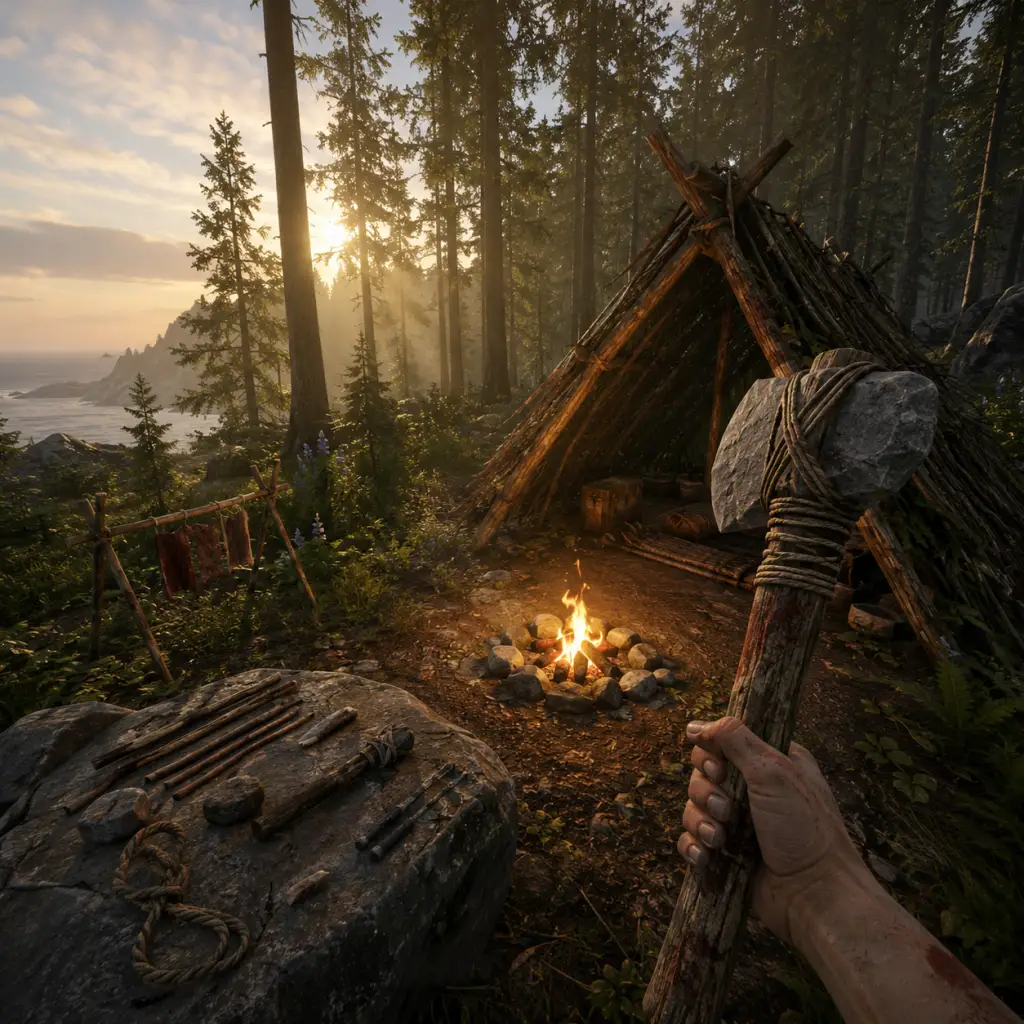
Getting Started
"content": "## Getting Started
Welcome to The Forest. This guide will walk you through everything you need to survive your first day on the peninsula. No prior knowledge required.
There is no character creation in The Forest. You play as Eric LeBlanc, a father searching for his son Timmy after a plane crash. Your appearance is fixed, and all players start identically.
#### PC (Keyboard + Mouse)
#### PlayStation 4 / PS5
#### Xbox One / Series X|S
Take your time. The Forest rewards cautious exploration and preparation. Don’t rush into caves or combat. Build a modest base, stockpile resources, and learn enemy patterns. Your first few days are about survival, not story progression. Once you have armor, a spears, and a steady food supply, you can consider exploring the sinkhole or caves. Good luck, and remember: the peninsula remembers.
Welcome to The Forest. This guide will walk you through everything you need to survive your first day on the peninsula. No prior knowledge required.
Character Creation
There is no character creation in The Forest. You play as Eric LeBlanc, a father searching for his son Timmy after a plane crash. Your appearance is fixed, and all players start identically.
Controls Overview
#### PC (Keyboard + Mouse)
| Action | Key |
|---|---|
| Move | W/A/S/D |
| Look around | Mouse |
| Sprint | Shift (hold) |
| Interact / Pick up | E |
| Attack (melee) | Left click |
| Block / Parry | Right click (hold) |
| Equip item | 1-8 number keys |
| Inventory | I |
| Survival Guide (crafting) | B |
| Crouch | C |
| Jump | Space |
| Swim up / down | Space (up) / Shift (down) |
| Light a match (fire) | L |
| Place log / rock | G |
| Eat / drink from equipped item | R |
| Drop item | Q |
| Reload weapon | R (when ranged) |
| Map | M |
| Flashlight / lighter | F |
| Ping (multiplayer) | T |
| Action | Button |
|---|---|
| Move | Left stick |
| Look | Right stick |
| Sprint | L3 (press left stick) |
| Interact / Pick up | X |
| Attack (melee) | R2 |
| Block / Parry | L2 (hold) |
| Equip item | D-pad up/down to select, X to equip |
| Inventory | Touchpad (tap) |
| Survival Guide (crafting) | Options button |
| Crouch | L3 (hold while moving?) – actually Circle (press) |
| Jump | Square |
| Swim up | Square (hold) |
| Swim down | L1 (hold) |
| Light match / start fire | Triangle? – depends on item |
| Place log / rock | Circle (when holding) |
| Eat / drink | R1 (when item equipped) |
| Drop item | D-pad down (hold?) – use inventory |
| Reload weapon | Triangle (when ranged) |
| Map | Touchpad (swipe up) |
| Flashlight / lighter | L1 (hold) |
| Ping | R3 (press right stick) |
| Action | Button |
|---|---|
| Move | Left stick |
| Look | Right stick |
| Sprint | L3 (press left stick) |
| Interact / Pick up | A |
| Attack (melee) | RT |
| Block / Parry | LT (hold) |
| Equip item | D-pad up/down, A to equip |
| Inventory | View button (two squares) |
| Survival Guide (crafting) | Menu button (hamburger) |
| Crouch | B |
| Jump | X |
| Swim up | X (hold) |
| Swim down | LB (hold) |
| Light match / etc. | Contextual |
| Place log / rock | B (when holding) |
| Eat / drink | RB (with item equipped) |
| Drop item | Use inventory |
| Reload weapon | Y (ranged) |
| Map | View button (swipe up?) |
| Flashlight / lighter | LB (hold) |
| Ping | R3 |
User Interface (UI) Overview
- Health (green bar, top-left) – depletes from damage; regens slowly when well-fed. If empty you die (unless you have a revive item).
- Energy (yellow bar, top-left) – drains from sprinting, climbing, heavy actions. Refills when idle.
- Thirst (blue droplet icon, top-left) – needs water; drink from ponds, collect water collectors, or craft a canteen.
- Hunger (leg of meat icon, top-left) – needs food; eat berries, meat, mushrooms, or crafted meals.
- Armor (shield icon, top-left) – temporary protection from crafted armor (e.g., lizard armor, bone armor).
- Inventory (press I/B/View) – grid-based; items take up spaces. Scroll through with mouse or D-pad.
- Survival Guide (press B/Options/Menu) – crafting recipes, equipment info, notes. Essential.
- Radar pulse (bottom-left, small circle) – when cannibals or mutants are nearby, it pulses faster. Helps detect threats.
- Compass & clock (top-center) – direction and time of day. Night is dangerous.
- Ammo counter (bottom-right) – for ranged weapons.
- Collect all suitcase contents from plane wreckage.
- Craft a Modern Axe if possible (requires: stick + cloth + rope + duct tape?) Actually that's later. Stick with Plane Axe.
- Build a Small Shelter (saves game, safe sleep).
- Build a Basic Fire (cook food, warmth, light).
- Collect medicinal aloe and marigold flowers to craft Aloe Salve (cures poison) and Herbal Medicine (heals).
- Learn to use the Survival Guide – it stores crafting recipes automatically as you discover resources.
- Mark your home base location with a GPS panel (obtained later from caves).
- Do not enter caves until you have a crafted weapon (like a spear or upgraded stick) and at least a lighter. The caves lead to the main storyline but are full of deadly mutants.
- Do not chop down many trees near your base – it creates noise and attracts cannibals.
- Do not eat red mushrooms, red berries, or food that looks spoiled (green tint).
- Do not sleep on the ground without a shelter – you’ll be vulnerable.
- Do not light large campfires at night near your shelter – attracts attention.
- Do not kill cannibals without a plan – their bodies can attract more. Dispose of bodies in water or burn them.
- Do not outfit your base with expensive traps until you have surplus resources.
- Camping in the plane wreck – cannibals patrol the crash site heavily. Move at least 100 meters away.
- Not saving – the game autosaves only after certain events. Use a Shelf? Actually, save by interacting with a shelter (small or large). Save often (every 10-20 min).
- Attacking cannibals with fists – always use a weapon. Even the Plane Axe does moderate damage; barehanded deals almost none.
- Ignoring thirst – you need to drink every few minutes when active. Always carry a water skin or know where water is.
- Building too large too fast – big bases attract more attacks. Start small: a shelter, a fire, a drying rack (for meat preservation).
- Eating raw meat – causes food poisoning. Always cook on fire or a campfire.
- Going into caves unprepared – caves have aggressive mutants and need light sources. Wait until you have a spear and a few flares or the Rebreather.
- Not using the Survival Guide – the guide shows all known recipes. Open it whenever you pick up a new item.
- Dying without a revive item – if you die, you get a game over unless you have a Life Bracelet (found in caves) or die with a Timmy doll? Actually, permadeath is default. In co-op, you can be revived by a friend. In single-player, death = reload last save.
- Throwing away precious materials – do not discard cloth or rope; they are essential for many crafts.
- [ ] Collect all suitcases near the plane (at least 6-8).
- [ ] Craft a Plane Axe (if not obtained automatically – you get it from cockpit).
- [ ] Find a water source (pond near crash or stream).
- [ ] Build a Small Shelter (3 sticks + 1 cloth) and save the game.
- [ ] Build a Basic Fire (5 sticks + 2 leaves) and light it.
- [ ] Gather at least 10 berries (not red).
- [ ] Kill and cook at least 2 lizards (dropped meat + lizard skin).
- [ ] Craft Lizard Skin Armor (2 cloth + 1 lizard meat? Actually recipe: 2 cloth + 1 lizard skin). Use the skin.
- [ ] Cut down one tree to get logs (for building). Place logs near your shelter for storage.
- [ ] Build a Drying Rack (5 sticks + 2 rope? Actually: 3 sticks plus something else – check guide). Used to dry meat for long-term storage.
- [ ] Locate the Cave Entrance near the crash (for later) but do not enter.
- [ ] Craft a Spear (2 sticks + 1 rope) for ranged attacks.
- [ ] Learn the surrounding landmarks to avoid getting lost.
- PC: Adjust FOV in settings (90-100 preferred). Key rebinding is available. Use mouse wheel for quick item swap.
- PlayStation: Use the touchpad for inventory – tap once to open, swipe for map. Enable ‘alternate crouch’ in options (hold circle).
- Xbox: The View button can be cumbersome; try mapping inventory to a back paddle if using Elite controller. Otherwise, practice D-pad navigation.
Essential Early Objectives (First Hour)
Your plane crashes on a forested peninsula. You must:
1. Survive the crash – unbuckle, follow the son’s cries, exit the cockpit. You’ll see Timmy led away by a stranger. You’ll black out.
2. Wake up in the cave – you’ll be inside a dark cave near the crash site. Follow the light and gather basic supplies (lighter, snacks, meds, an axe) from the suitcases.
3. Get a weapon – your first priority is the Plane Axe (found in the cockpit near the pilot’s body). If you missed it, go back up the plane wreck. It’s your only melee weapon initially.
4. Find water – either drink from the small pond near the crash, or collect rain/dew from leaves (craft a turtle shell water collector, but that’s day 2).
5. Find food – berries (blueberries, blackberries) are everywhere. Avoid red berries (poisonous). Also mushrooms, but identify carefully.
6. Build a temporary shelter – gather sticks (from bushes) and fabric (from suitcases). Open your Survival Guide (B/Options), navigate to Small Shelter (sticks x3 + fabric x1). Place it somewhere near water. This gives a save point and restoration of health/energy when slept in.
7. Start a fire – use a stick + cloth + sap? Actually, craft a Basic Fire (sticks x5 + leaves x2). Also craft a Lighter or use the one you found. Fire scares cannibals at night.
8. Explore the immediate area – locate the suitcases scattered around the plane for supplies: snacks, meds, cloth, dynamite, coins, etc.
9. Avoid combat – don’t fight cannibals early; they’re fast and tough. Run, hide, climb trees (to lose them).
10. Find a reliable water source – the pond near the crash is a meeting point for cannibals. Consider moving inland to a safer lake or stream.
What to Do First vs What to Avoid
DO FIRST:
AVOID:
Early Resource Priorities (First Day)
1. Water – thirst kills fast. Drink from any freshwater source. Collect rainwater using a Turtle Shell (crafted from turtle shell + sticks) or craft a Water Collector (sticks + cloth + waterproofing? Actually later).
2. Food – berries (blue/black), mushrooms (shelf mushrooms are safe, others need cooking). Kill lizards for meat (use spear or axe). Cook meat on fire before eating.
3. Stamina food – crafted Herbal Medicine (marigold + aloe) restores health and stamina.
4. Weapons – first upgrade: Upgraded Stick (stick + cloth + booze? Actually crafted as club) or Spear (stick + x1 rope? No, spear = stick x2 + rope x1). Spear is throwable.
5. Fire source – lighter (from suitcase) or craft fire bow (later). For now, use matches found in suitcases.
6. Armor – craft Lizard Skin Armor (lizard meat + 2x cloth). Gives 20 protection. Find lizards near water.
7. Tools – Rope (found in caves or suitcases) is crucial for building. Cloth (suitscases, cannibal tents) for bandages.<|im_end|>
Common Beginner Mistakes
Day One Checklist
Before nightfall on your first day, complete as many of these as possible:
First Hour Walkthrough (Step-by-Step)
Minutes 0-5: After the crash cutscene, unbuckle and exit the plane. Move forward toward the cries. You’ll see Timmy taken. Blackout.
Minutes 5-10: Wake in a cave. Open the suitcases near you (lighter, snacks, cloth). Follow the lit path upward to exit the cave. You’ll emerge near the plane wreck on the beach.
Minutes 10-20: Go back into the plane cockpit (look for a yellowish light). Grab the Plane Axe from the dead pilot. Search all suitcases scattered outside (yellow bags). Collect cloth, duct tape, matches, snacks, meds, soda, coins.
Minutes 20-30: Look for a flat area near water (but not right next to the pond with cannibals). Ideally find a spot with a small pond or stream, and open space. Place your Small Shelter blueprint (press B → Small Shelter → place). Gather sticks and cloth to complete it. Sleep to set spawn.
Minutes 30-40: Build a Basic Fire next to shelter. Light it. Then hunt lizards with your axe (they are slow). Collect 2-3 lizard skins and meat. Cook meat. Craft armor if possible.
Minutes 40-50: Explore around your base. Cut down a tree (hit it with axe about 10 times). Collect logs. Learn to drag logs (approach and press E to pick up, use G to place). Use logs to build a Log Holder (craft from survival guide). Store 3-5 logs for future building.
Minutes 50-60: Gather berries and drink water. Mark your base on the map (press M to see – but the map is initially blank until you find map pieces in caves). Instead, remember landmarks: the plane crash direction, the sea, any rock formations. Build a Drying Rack (if you have rope) and place cooked meat on it to preserve.
Just before dark (around 18:00 in-game): Return to your shelter. Light the fire. Eat and drink. Save game. If you hear rustling or see pale figures, stay inside your shelter or climb onto it (you can place a standing stick ladder). Avoid eye contact – hiding inside shelter makes enemies lose interest eventually.
Platform-Specific Tips
Final Advice
Take your time. The Forest rewards cautious exploration and preparation. Don’t rush into caves or combat. Build a modest base, stockpile resources, and learn enemy patterns. Your first few days are about survival, not story progression. Once you have armor, a spears, and a steady food supply, you can consider exploring the sinkhole or caves. Good luck, and remember: the peninsula remembers.
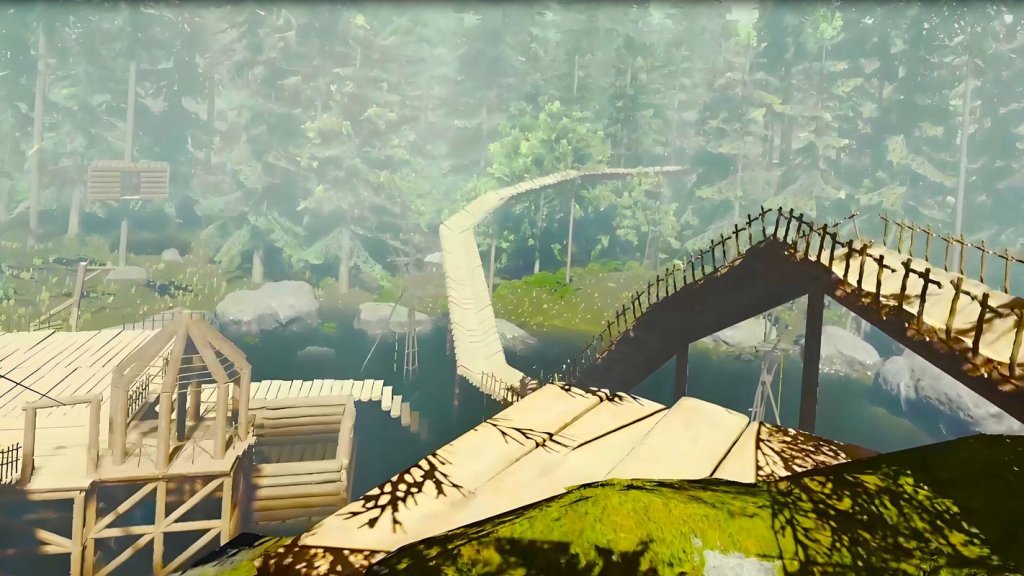
Core Gameplay
Core Gameplay
This section breaks down The Forest’s core systems into distinct progression tiers. Understanding these tiers helps you set priorities, manage resources, and survive the island’s horrors.
Main Gameplay Loop
The core loop revolves around exploration, survival, base building, and story progression. A typical day involves:
1. Scavenging for food, water, and materials (sticks, rocks, cloth, etc.).
2. Crafting & Building – make tools, weapons, shelter, and defenses.
3. Exploring caves and above‑ground locations for story items, blueprints, and supplies.
4. Defending against cannibal patrols and mutants, especially at night.
5. Advancing the story by finding key items (Timmy’s location, artifacts).
The cycle repeats, but the intensity ramps as you progress.
Combat & Interaction Systems
Melee combat – weapons like plane axe, upgraded spear, crafted club, katana. Block with the right mouse button (PC) or L2 (controller). Parry timed blocks create openings.
Ranged combat – crafted bow (upgraded with modern arrows), slingshot, flare gun, and later the pistol/shotgun (found in caves). Aim with right‑click/L2, fire with left click/R2.
Stealth – crouch (C on PC, L3 on controller) to reduce noise. Sneak attacks deal double damage. Use noise makers (loudspeaker traps, explosives) to distract.
Traps – stick traps, noose traps, deadfall traps, happy birthday traps. Essential for base defense.
Interactions – pick up items (E on PC, X on controller), chop trees (LMB with axe), light fires/lighter (L on PC, up on D‑pad).Progression is measured by:
Inventory expansions – finding cloth/pouch upgrades, collecting logs for construction.
Crafting recipes – discovered via items (e.g., finding cloth unlocks armors).
Story items – Timmy’s drawing, compass, map pieces, keycards, the artifact.
Strength/Athleticism – increased by fighting and running (caps at +4 levels). Each level adds small bonuses.
Exploration & Quests/Missions
Exploration – the island is split into above‑ground (forest, beaches, lakes) and underground (caves). Caves are dungeon‑like with key story items.Survival elements include managing hunger (eat berries, meat, fish), thirst (find ponds or collect rainwater), and sanity (avoid prolonged darkness/terror).
Story Quests – the primary goal is finding your son Timmy. Key steps:
- Day 1: crash, build a shelter, find Timmy’s drawing near the crash.
- Mid game: explore caves to find the climbing axe, rebreather, chainsaw, and map pieces.
- Late game: reach the sinkhole, craft the artifact, and enter the underground lab.
- Endgame: defeat the final mutant, choose ending (save Timmy or become the new final boss).
Side activities – finding all 30+ suitcase locations, discovering hidden caves, building a yacht base, surviving 100 days (for achievement).
Economy
Resource economy – no currency! You gather sticks, rocks, logs, cloth, bones, teeth, etc. Crafting consumes these.
Key resources:
- Sticks & Rocks – everywhere, used for basic shelter, fires, traps.
- Logs – from trees, used for building structures.
- Cloth – from suitcases, cannibal tents, found in caves. Used for armor, molotovs, arrows.
- Bones – from cannibal bodies. Used for bone armor (excellent defense).
- Teeth – from cannibals (rare drop), used for decoration or making the tooth necklace (improves block power).
Trade – with cannibals? No. But you can craft items to improve survival: potions (air‑conditioning, health) from aloe vera, marigold, and others.
Character/Build Growth
No skill tree or levels (except strength/athleticism). Growth comes from:
- Crafting better gear – upgraded weapons (use teeth, glass, feathers for damage/block).
- Armor – crafted from bones, cloth, leaves (weak), or reptile hide (stronger).
- Base building – allows for storage, farming, defensive walls, and a safe haven.
- Story unlocks – the climbing axe opens vertical traversal; rebreather allows underwater caves; keycards open new doors.
Build choice – the game encourages specialization based on playstyle: stealth (sneak, bow, traps), brawler (heavy armor, melee), or builder (fortress, zombie traps). No respec option, but you can collect materials for multiple approaches.
Endgame Structure
Post‑story – after reaching the sinkhole and defeating the final boss, you get two endings. Choosing to save Timmy ends the game (credits roll). Choosing to become the new final boss continues the game forever with no goal (free survival).Some players aim for 100% exploration, all blueprints, or building a massive base.
Endgame goals:
- Collect all logs/blueprints for an impressive base.
- Tame the forest by eradicating cannibal camps.
- Survive as long as possible on single life (hard survival mode).
- Complete the game on the hardest difficulty (Hard Survival, where death = permanent save deletion).
---
Progression Tiers
Early Game (Days 1–10)
Goals: Secure basic survival: shelter, water, food, basic tools.
Actions:
1. Gather sticks and rocks for a shelter (lean‑to or shelter).
2. Craft a sharpened stick (basic weapon) or plane axe.
3. Build a fire pit (sticks + rocks) near water.
4. Scavenge suitcases for cloth, snacks, meds, soda, and the map/compass.
5. Learn to hunt small animals (lizards, rabbits) using a bow or spear.
6. Avoid open combat with cannibals – run or hide.
Base location: Choose a spot near fresh water (pond, lake, or stream) with abundant trees. Common early spots: near the crash site, on the beach (fertile lands), or by the sailboat.
Key milestones:
- First shelter (saves game).
- First weapon upgrade (teeth + stick + tape).
- Find the map and compass (in main cannibal village or near the crash).
- Explore first cave (the Hang Glider cave or the one near the sinkhole) to get the rebreather (often skipped until mid game).
Challenges: Night time – cannibal patrols increase; fire attracts attention; hunger/thirst management.
Mid Game (Days 11–40)
Goals: Establish a permanent base, craft better weapons, explore caves, gather story items, and start automating resource collection.
Actions:
1. Build a log cabin or tree house with multiple rooms, a water collector, and a drying rack.
2. Craft improved armor: bone armor (from bones + cloth) or stealth armor (lizard skin).
3. Explore major caves (the Hanging Cave, the Rebreather Cave, the Submarine Cave) to find the climbing axe, chainsaw, and keycards.
4. Use the chainsaw to gather logs quickly.
5. Build defensive walls and traps around your base (deadfall traps, happy birthday traps).
6. Farm berries, plant aloe vera, and hunt for bacon hair (?) actually no – hunt deer for food.
7. Craft the bow and modern arrows (found in cave crates or crafted with feathers, sap, and sticks).
Key milestones:
- Acquire the climbing axe (allows scaling cliffs and reaching new areas).
- Find the rebreather (needed for underwater caves).
- Discover the chainsaw (speeds up chopping and combat).
- Obtain the first keycard (orange or red) to open locked doors.
- Build a defensive wall and a trap line to handle larger mutant patrols. Challenges: Mutants start appearing in groups of 3+; armsy and Virginia mutants appear more frequently; night attacks intensify; need for better base defense.
Late Game (Days 41–100)
Goals: Complete story progression by obtaining all key items (magic artifact, weapons, keycards) and preparing for the final confrontation inside the sinkhole.
Actions:
1. Explore the most dangerous caves: the Lab Cave, the Sinkhole Cave, and the Submarine Cave.
2. Find the artifact (in a cave near the sinkhole) – it can be activated to repel/attract mutants.
3. Combat high‑tier mutants: Armsy, Virginia, and the Cowman (Mutant Boss). Use explosives, modern arrows, and bone armor.
4. Craft the katana (found in a cave – best melee weapon).
5. Upgrade weapons with feathers (speed), teeth (damage), cloth (block), and use sap (adds fire damage).
6. Build a massive base with multiple layers of walls, traps, and toggles for defense.
7. Collect all three keycards (orange, red, yellow) to access the underground laboratory.
Key milestones:
- Find the artifact (needed for final boss).
- Acquire the katana.
- Craft modern body armor (armor made from stealth? No – craft bone armor or leaf armor; best is bone armor or creep armor from mutant skin).
- Obtain the rifle (found in a cave – can be repaired with a bolt action, craft bullets).
- Unlock the underground entrance in the sinkhole by placing the artifact on the pedestal.
Challenges: Extreme mutant density – sometimes whole patrols of 4–5 mutants; armsy can destroy walls; need constant repair; starvation risk if not farming.
Endgame (Post‑Story / 100% Completion) Goals: Two endings: save Timmy (complete story) or become the final boss (free survival). Choose based on your playstyle.
Actions:
- If saving Timmy: descend into the sinkhole, fight the final boss (a giant mutant), and escape with Timmy on the helicopter. Game ends.
- If becoming the final boss: after defeating the final boss, refuse the cure; Timmy dies? Actually the mechanic: you can choose to let Timmy go or take his place. Taking his place transforms you into a mutant and spawns a new player character (co‑op) or continues the world with you as a warlord mutant, killing any new survivors. This is a New Game+ style – your base and progress remain, but story is over.
Post‑story content:
- Continue building your base endlessly.
- Collect all blueprints (all manual pages) – achievements.
- Eradicate every cannibal camp and mutant spawn (use artifact to pacify).
- Survive for 100 days (getting the "Survive 100 Days" achievement).
- Complete the game on Hard Survival difficulty for bragging rights.
Challenges: No new story; only self‑imposed goals. Mutants respawn after a few days; base maintenance becomes tedious; loneliness sets in.
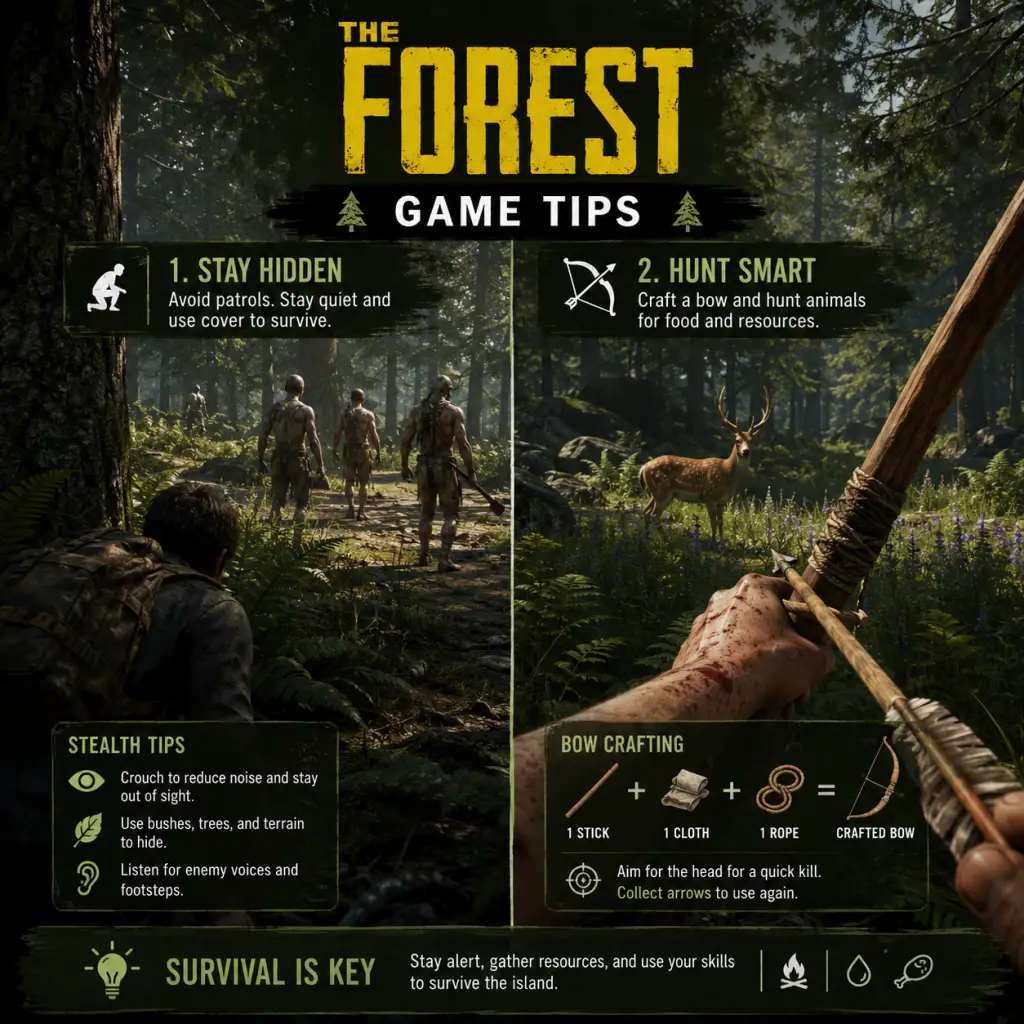
Game Tips
Game Tips
Comprehensive tips for surviving and thriving in The Forest, organized by playstyle and progression level.
Beginner Tips (First Few Days)
- Build a basic shelter immediately. The first night is dangerous. Craft a small shelter (2 sticks, 1 tarp) to save your progress. Place it near a water source.
- Prioritize a water collector. Use a turtle shell or a craftable water collector (4 sticks, 2 leaves) to get clean water. Boiling water from ponds is risky (sanity drain).
- Stick to the coast for food. Sea turtles drop meat and shells; crabs are abundant. Cook meat on a fire to avoid sickness.
- Avoid fighting cannibals. Early game, run away or hide in bushes. Engage only if necessary. Leaving limbs on the ground attracts them.
- Craft a spear quickly. It’s cheap (2 sticks) and works as a fishing tool and a decent melee weapon. Throw it for ranged damage.
- Build a drying rack. Place meat on it to preserve without spoiling. Crafted with 3 sticks.
- Mark your base on the map. The in-game map doesn’t show player position; use a compass and craft a marker (stick + leaves) to note your base location on the map screen.
- Master the parry. Right-click (PC) or L2 (console) just before an attack. Successful parry stuns cannibals, allowing 2-3 free hits. Works on mutants but timing is stricter.
- Headshots with the bow. The crafted bow is silent and one-shots cannibals to the head. Aim slightly above the head at range due to arrow drop. Upgrade with cloth and feathers for a faster draw.
- Use molotovs on patrols. Crafted from cloth + booze + stick, they set multiple enemies on fire, causing panic and damage over time. Excellent against groups.
- Bone armor is best early. Crafted from 5 bones + 1 cloth, it offers high protection and is repairable with cloth. Bones come from cannibal bodies or skeleton parts in caves.
- Always carry a lighter. Essential for lighting fires, reading maps in the dark, and burning effigies. Never drop it.
- Craft a rope before exploring caves. Rope is needed to descend many cave entrances. You can find rope on the island, but having a crafted one (8 cloth) ensures access.
- Bring a flare gun. Found in a cave near the yacht, it scares mutants, illuminates large areas, and can kill Virginia (the multi-legged mutant) in 2-3 shots.
- Mark cave entrances on your map. Use the “Mark” option (M on PC, touchpad on PS4) to place a green marker. Helps orientation underground.
- Harvest everything from the plane. The starting crash site has cloth, snacks, soda, and a pot (for cooking water). Collect all before nightfall.
- Hunt rabbits with the slingshot. One stone to the head kills rabbits instantly. Best way to stock up on rabbit fur and meat.
- Berry bushes regrow in 2 days. Mark locations of berry bushes on your map for a renewable food source.
- Collect lizard skin after killing. Lizard skin is used for armor. Hit the lizard once (spear throw) to kill it without damaging the skin.
- Build on a pond. Provides infinite water, unlimited fish (cooked or used for armor), and prevents cannibal patrols from crossing water easily. The pond near the yacht is ideal.
- Use defensive walls made of logs. Stone walls are stronger but require more resources. Log walls can be upgraded with spikes (6 sticks per wall) to damage climbing enemies.
- Build a tree house above your main base. Cannibals rarely attack tree houses. Use a zipline to transfer logs from the forest into your base quickly.
- Effigies scare enemies temporarily. Place 3-4 effigies (heads + limbs + sticks) around your base perimeter. Light them on fire for a larger fear radius. Note: works best on scouts, not mutants.
- Craft the modern axe. Combine cloth + rope + stick with the plane axe (found near the cockpit). It has higher damage and can chop trees in one less hit. Best general weapon.
- Use the chainsaw for emergencies. Found in cave 5 (the massive cavern), it destroys crowds quickly but attracts attention from across the island. Use only when fortified.
- Kill Armsy mutants with traps. Happy Birthday Traps (3 sticks + 1 rope + 1 cloth) one-shot most mutants. Place them at chokepoints near your base.
- Master the “dodge roll.” Sprint and press jump to roll. Grants invincibility frames (I-frames) during the animation. Useful for dodging Virginia’s charge or cowman’s stomp.
- Skinning animals. Always skin deer and boars for meat and hides. One deer gives 3 meat + 1 hide (used for warm suit or water skin).
- Berry juice vs. medicine. Aloe + marigold + cone flower = medicinal tea, which heals a large amount. Berry juice (blueberries + marigold) restores small health but doesn’t spoil. Keep both.
- Store explosives carefully. Bombs (cloth + circuit + coins + gunpowder) can blow up your storage. Keep them in a separate container far from flammable items.
- Use the recycling trick. If you deconstruct a building (hold E/use), you get half the resources back. Use this to move walls or recover from mistakes.
- Get the rebreather first. It’s in cave 5, near the sinkhole. Required to access most underwater loot, including the climbing axe and keycard.
- Find the climbing axe early. Located in cave Hanging Cave (near the sinkhole entrance). It lets you climb mossy walls, opening shortcuts.
- Use the “Canoe” glitch. Build a canoe on a lake, stand next to it, and press jump repeatedly to clip through terrain. Potentially saves time, but risk of falling out of the map.
- Complete the game in under 10 minutes. Requires knowledge of the final cave, the keycard (from cave 7), and the artifact. Speedrunners skip all combat by sprint-jumping past enemies.
Intermediate Strategies (First Week)
#### Combat
#### Exploration
#### Resources
Advanced Optimizations (Late Game & Speedrun)
#### Base Building
#### Combat (Advanced)
#### Economy & Resource Management
#### Exploration (Speedrunner Tips)
General Survival Checklist (Progression)
| Time | Goal | How |
|---|---|---|
| Day 1 | Build shelter + water collector | Gather sticks, leaves; craft near lake |
| Day 2 | Craft bow + arrows | 1 stick + 1 cloth + 1 rope → bow; small rocks + sticks → arrows |
| Day 3-5 | Explore nearby caves (first 2) | Bring flares, food, spare cloth; avoid combat |
| Week 2 | Build fortified base | Log walls, spikes, defensive traps; plant gardens |
| Week 3+ | Visit all caves, get key items | Rebreather, climbing axe, keycard, artifact |
| Endgame | Craft bombs, blow up yacht door | 4 bombs + remote detonator; or use artifact to distract enemies |
Game Settings
Game Settings
This section details every configurable setting in The Forest, covering graphics, audio, controls, accessibility, language, network, and gameplay. It includes recommended optimizations for performance and quality across low, medium, high, and ultra hardware tiers, and highlights settings that are easy to misconfigure.
---
1. Graphics Settings
Graphics options are found in the main menu under Options > Video. Adjust them before starting a session; many changes require a restart to take full effect.
1.1 Display Mode & Resolution
- Fullscreen – Best performance, exclusive fullscreen. Use this if you play on a single monitor.
- Windowed – Allows easy alt-tabbing but reduces performance slightly.
- Borderless Windowed – Good for multi-monitor setups or streaming; uses your desktop resolution. Slightly less performance than fullscreen.
- Resolution – Set to your monitor’s native resolution. Lower resolutions (e.g., 1280x720) can boost performance on weak GPUs.
- VSync (On/Off) – On eliminates screen tearing but can cause input lag. Off gives higher FPS with possible tearing. Recommended: Off for multiplayer or fast-paced combat.
- Max FPS – Not directly available in The Forest; you can cap FPS via GPU driver or external tools (e.g., RivaTuner). Recommended cap: 60 FPS for consistency, or 144 FPS if you have a high-refresh-rate monitor and can sustain it.
- Slider (60–90) – Default is 70. Higher FOV gives wider peripheral vision but can distort edges and reduce performance slightly. Recommended: 75 for balanced gameplay. 90 if you are prone to motion sickness. Avoid going below 70; it feels claustrophobic.
1.2 VSync & Frame Rate
1.3 Field of View (FOV)
1.4 Quality Presets & Individual Options
The game offers five presets: Low, Medium, High, Ultra, Custom. For precise control, use Custom and tweak individual settings.
| Setting | Low | Medium | High | Ultra | Performance Impact |
|---|---|---|---|---|---|
| Texture Quality | 256 | 512 | 1024 | 2048 | VRAM usage, sharpness |
| Shadow Quality | Low | Medium | High | Ultra | Heavy – turn to Medium on mid-range GPUs |
| Terrain Quality | Low | Medium | High | Ultra | Memory & draw distance |
| Water Quality | Low | Medium | High | Ultra | Reflections & refraction |
| Particle Quality | Low | Medium | High | Ultra | Explosions, smoke, fire |
| Anti‑Aliasing | Off | FXAA | SMAA | TAA | Edge smoothing, TAA blurs slightly |
| Ambient Occlusion | Off | SSAO | HBAO | HBAO+ | Darkens crevices – heavy on GPU |
| Bloom | Off | On | On | On | Bright glow – small performance cost |
| Motion Blur | Off | Off | On | On | Can cause nausea; disable for clarity |
| Depth of Field | Off | Off | On | On | Blur distant objects; disable for better visibility |
| Vegetation Quality | Low | Medium | High | Ultra | Grass density & draw distance |
| Draw Distance | Low | Medium | High | Ultra | LOD transitions – significant FPS impact |
1.5 Recommended Presets by Hardware Tier
| Hardware Tier | Example GPU | Preset or Custom Settings | Target FPS (1080p) |
|---|---|---|---|
| Low-End | GTX 1050 / RX 560 | Medium preset, disable Bloom & Motion Blur, set Anti‑Aliasing to FXAA, Draw Distance to Medium, Shadows to Low | 30–45 FPS |
| Mid-Range | GTX 1060 / RX 580 | High preset, change Shadows to Medium, disable Depth of Field, set Anti‑Aliasing to SMAA | 45–60 FPS |
| High-End | RTX 2060 / RX 5700 XT | High preset, enable TAA, keep shadows High, Draw Distance High | 60–90 FPS |
| Ultra | RTX 3080 / RX 6800 XT | Ultra preset, enable all options, set Anti‑Aliasing to TAA, Draw Distance High (Ultra causes pop‑in issues) | 60–120 FPS |
---
2. Audio Settings
All audio settings are under Options > Audio.
- Master Volume – Overall volume.
- Music Volume – Background music. Lower if you want to hear footsteps or enemies better.
- SFX Volume – Sound effects (footsteps, combat, building). Keep high for survival cues.
- Voice Volume – Dialogue and enemy vocalizations. Important for detecting cannibal chatter.
- UI Volume – Menu sounds, inventory clicks. Usually fine at default.
- Audio Output – Stereo, 5.1, or 7.1. Choose according to your setup. If using headphones, Stereo is best.
- Subtitles (On/Off) – Turn on if you have hearing difficulties or play in a noisy environment. Note: subtitles only cover scripted dialogue, not ambient sounds.
- Move – WASD (unchanged)
- Interact / Pick Up – E
- Attack – Left Mouse Button
- Block / Aim – Right Mouse Button
- Sprint – Left Shift
- Crouch – Left Ctrl
- Inventory – I
- Crafting – C
- Map / Compass – M
- Torch / Lighter – L
- Book – B (survival guide)
- Quick Select (1-5) – Weapon / tool slots
- Use Item – F
- Jump – Space
- Sit / Sleep – Z
- Controller Sensitivity – Default 0.5. Adjust to taste; higher for faster camera rotation.
- Vibration (On/Off) – Immersive but can be distracting during stealth. Turn off to preserve battery.
- Input Mode – Auto-detect or manual. If using a DualShock 4, Steam Input may mimic Xbox prompts; set to PlayStation layout if you want correct button icons.
- Subtitles – On/Off. Many scripted dialogues are subtitled, but ambient enemy sounds are not. Helps players with hearing impairments.
- Crouch Toggle – Instead of holding Crouch, you can toggle it. Useful for players with motor disabilities. Enable in Controls (set Crouch to toggle mode, though not explicitly labeled – you can rebind a toggle key via .cfg editing, but officially there is no toggle option).
- Color Blind Modes – Not available. Survival relies on color cues (e.g., health icons, blueprint colors). No workaround in vanilla.
- UI Scale – Not adjustable. The HUD is fixed size, which may be small on 4K screens.
- Use Windows’ Accessibility Magnifier for small UI.
- Enable NVIDIA Freestyle or AMD Radeon Image Sharpening to improve clarity.
- Change Language: Via Options > Language (main menu). List is scrollable.
- Note: Changing language requires a restart of the game. All menus, subtitles, and UI text will update. Audio remains in English (no alternate voiceovers).
- Server Name – Only editable if you are hosting.
- Password – Set a password to keep your game private.
- Max Players – 1 to 8. Set to 2–4 for a balanced experience.
- Voice Chat – Enable/Disable. In‑game voice chat uses push‑to‑talk (default R). Disable if using Discord.
- Network Quality – Low / Medium / High / Ultra. This affects how often the game syncs positions and state. High or Ultra is recommended for consistent gameplay with friends, even on slower connections. Low reduces bandwidth but may cause desync.
- LAN Only – Check to restrict discovery to local network (no internet connection needed).
- Difficulty – Peaceful / Normal / Hard / Hard Survival (Hard Survival unlocks after completing the game once).
- Building Destruction (On/Off) – When On, enemies can destroy your structures. Off prevents damage, helpful for builders who want a stress‑free experience. Can be changed mid‑game via console commands but not in options after world creation (Note: In multiplayer, the host controls this).
- Infinite Resources (On/Off) – Only available in Peaceful mode. When On, sticks, stones, and other resources never deplete. Great for creative building.
- Head Bobbing (On/Off) – Simulates walking motion. Disable to reduce motion sickness.
- Camera Shake (On/Off) – Screen shakes during explosions or big hits. Turn off for stability.
- Aim Down Sights (On/Off) – Whether firearms use iron sights. On by default.
- Auto‑Pick Up Items (On/Off) – Automatically collects certain items when near. Off gives manual control.
- Tool Tips (On/Off) – Displays hints about new items and actions. Keep On for new players.
- Compass / Clock Display (On/Off) – Toggles HUD elements. Keep On for navigation.
Misconfiguration Tip: If you cannot hear cannibal footsteps, ensure SFX volume is high (≥80%) and Music volume low (≤30%).
---
3. Controls Settings
3.1 Keyboard & Mouse
Accessible via Options > Controls > Key Bindings. Customize every action.
Essential Keybinds:
Mouse Sensitivity – Adjust from 0.1 to 10. Recommended: 3.0–4.5 for precise aiming. Higher sensitivity helps quick turns but may cause overshoot. Enable Raw Input (if available) to bypass OS acceleration.
Invert Y-Axis – Off by default. Enable only if accustomed to flight controls.
3.2 Controller
The Forest fully supports Xbox and PlayStation controllers. Plug in before launching. Settings under Options > Controls > Controller.
Special Attention: The Forest does not support re-binding controller buttons in-game. If you need custom mapping, use Steam’s Controller Configurator (Big Picture Mode) or third-party tools.
---
4. Accessibility Options
The Forest offers limited built-in accessibility features. Most are found in Options > Gameplay or Audio.
Workarounds:
---
5. Language Settings
The Forest supports multiple languages: English, French, German, Spanish, Italian, Polish, Russian, Portuguese (Brazilian), Japanese, Korean, Simplified Chinese, Traditional Chinese, and more.
Misconfiguration: If you accidentally pick a language you cannot read, look for the flag icons next to each option to identify your native language.
---
6. Network & Multiplayer Settings
The Forest supports up to 8 players in a co-op session. Settings are under Options > Network (while in a multiplayer world or at the main menu).
Special Attention: Multiplayer uses peer‑to‑peer hosting. The host’s settings (graphics, gameplay) affect all players. Ensure the host has a stable upload speed (≥5 Mbps recommended). Save progress is tied to the host’s save file.
---
7. Gameplay Settings
Found under Options > Gameplay.
- Peaceful: No cannibals or mutants. Only wildlife. Good for building or story exploration.
- Normal: Default. Cannibals appear, but are not overly aggressive. Resources plentiful.
- Hard: Enemies deal more damage, are more aggressive, and resources are scarce.
- Hard Survival: Permadeath? Not exactly – your save is deleted on death. Not recommended for learning.
Misconfiguration Warning: If you start a world on Normal or Hard and later wish enemies could destroy your base, you cannot change Building Destruction after world creation (unless you use console commands `builddestroy off/on`). Plan ahead.
---
8. Special Attention Points During Setup
1. Resolution Scaling (Not Present): The Forest does not have a resolution scaling slider. If you need to lower resolution to improve performance, manually set a lower resolution in the drop‑down.
2. HDR Not Supported: The game does not support HDR. Leave HDR disabled on your display.
3. Save Corruption Risk: Always exit via the main menu (Save & Quit) to avoid corrupting your save. Do not force‑close the game while auto‑save icon (floppy disk) is showing.
4. Mods & Settings: If you install mods, some graphics settings may be overridden. Common mods like “The Forest: Redux” add custom settings. Read mod documentation.
5. Console Commands: You can access developer console by pressing F1 (enable in launch options via Steam: `-console`). Commands allow changing draw distance, FOV further, enabling debug overlays. Not recommended for casual play.
6. Multiplayer Netcode: If you experience rubber‑banding, lower the Network Quality to Medium. Also ensure no one is using Wi‑Fi with high latency – wired connections are better.
7. Subtitles Only for Scripted Events: Do not rely on subtitles for enemy sounds. Adjust audio balance as described in section 2.
---
Final Advice: Start with the High preset on mid‑range hardware and disable motion blur, depth of field, and lower shadows to Medium. Tweak per setting only if you need more FPS. For multiplayer, host with a wired connection and keep settings consistent for all players.
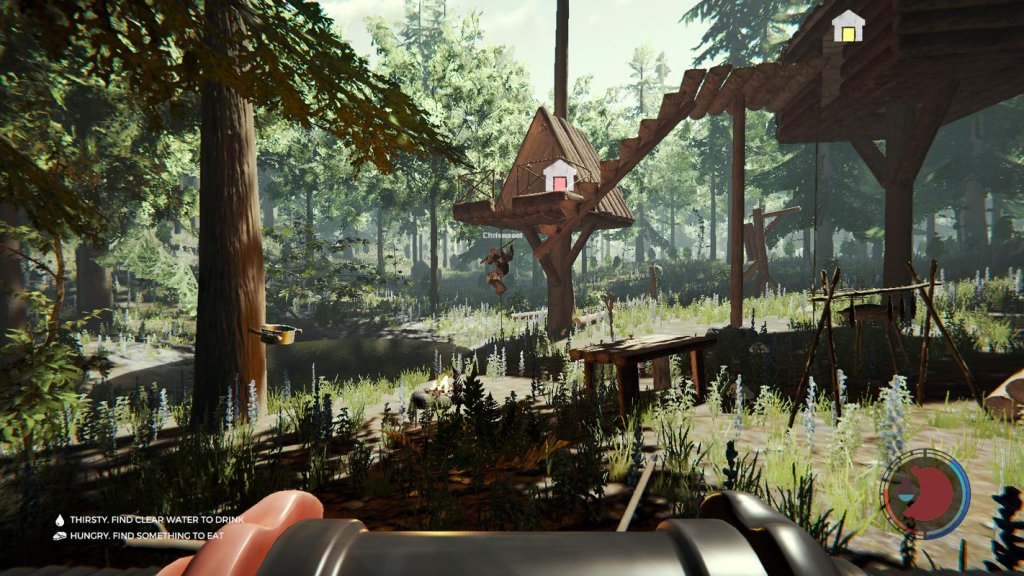
Important Notes
Important Notes
This section covers critical warnings, common pitfalls, irreversible decisions, missable content, difficulty spikes, grinding traps, online etiquette, save management tips, and things players often regret not knowing earlier. Read these carefully to avoid frustration or losing progress.
Warnings & Pitfalls
- Do not build a custom shelter on your first night. The basic leaf shelter (1 stick + 1 tarp) is quick and doesn't require a fire. Wasting time trying to build a log cabin in the dark will likely get you killed.
- Do not attack cannibals recklessly. Early game, you are weak and outnumbered. Attacking a patrol will escalate aggression for that patrol and potentially the whole tribe. If you can hide or avoid, do so.
- Avoid deep water without a raft or air tank. You can drown if you run out of oxygen while exploring sunken caves. Always carry an upgraded air tank (found in the yacht or cave) before exploring underwater passages.
- Be careful with explosives near your base. A misplaced bomb or a fire arrow hitting a gas canister can destroy hours of building. Keep explosive materials in a dedicated storage away from main structures.
- Do not eat raw meat or spoiled food. Check food condition. Eating raw meat (even from deer) causes food poisoning. Cook all meat on a fire or drying rack before consuming.
- Lake water is safe to drink directly (you can drink from lakes without boiling). Only pond or puddle water needs boiling. This is not well telegraphed.
- Timmy's fate at the end. In the final cave, you have the option to either:
- Using the Rebreather keycard early. The keycard needed to access certain locked doors (like in the yacht or maintenance hatch) is not missable, but if you use it in the wrong sequence, you may have to backtrack significantly. No permanent loss, but time-consuming.
- Crafting the Modern Axe is optional but unique. If you lose it (e.g., drop it in deep water), you cannot get another. It is the best tool early game. Keep it safe.
- The 'Blue Ornaments' (collectibles). There are 5 blue vase-like artifacts hidden around the island. Collecting all gives a minor lore audio log. They are missable if you blow up their spawn locations with explosives (rare) or if you leave the area after destroying the artifact. Check wiki for locations; they are not marked on map.
- The 'Unlockable' achievements/trophies: Some are tied to specific actions that cannot be done in a single playthrough without careful planning:
- The 'Cave Painting lore' is easy to miss. Certain caves have drawings on walls that tell parts of the backstory. They are not required, but enhance understanding. No penalty for missing.
- The 'Wire Phone' interactions. Near the children's room in the sinkhole cave, you can use a toy phone to trigger a jump scare and a small lore note. Only one chance per save; if you leave the phone, you cannot return after the story ends.
- First night. Lack of tools, darkness, and unpredictable cannibal patrols make this the hardest part for new players. Have a fire and shelter ready before sunset.
- Cave #1 (Hanging Cave / Meeting Cave). The first mandatory cave entrance (at the sinkhole) contains multiple cannibals, a few mutants, and traps. Expect to die a few times if unprepared with a weapon and armor.
- The 'Armsy' (Mutant with multiple arms) and 'Virginia' (Crawler with multiple legs) encounters. These mutants appear in caves and occasionally on the surface after 7-10 days. They have high health and can kill you in 2-3 hits. Learn to dodge or use ranged weapons.
- The sinkhole descent. The final cave system is extremely dangerous: endless mutants, darkness, falling hazards, and a timed sequence. Bring plenty of flares, molotovs, meds, and armor.
- The End Boss (Megan Cross). She is fast, spits acid, and summons cannibals. Use fire, ranged attacks, and keep moving. Save before entering her arena.
- Excessive base building. Some players spend tens of hours building elaborate log cabins or walls. While fun, it can become a grind and burn out enthusiasm for the story. Build a functional shelter first, then expand later.
- Hunting for specific loot. Certain loot, like circuit boards or booze, respawn in specific containers but with low frequency. If you need a lot for explosives, it's faster to raid cannibal camps than to farm static spawns.
- Collecting all artifacts. The blue ornaments are purely cosmetic/lore. Don't waste hours hunting them if you're not an achievement hunter. Focus on story progression or other tasks.
- Gathering sticks and rocks. These are infinite and respawn quickly. Don't hoard them; just grab as needed. There is no point in stockpiling hundreds.
- Co-op etiquette (multiplayer):
- No built-in anti-cheat. The Forest uses no anti-cheat software (like EasyAntiCheat or BattlEye). This means:
- Save file corruption risk with mods. Installing mods can corrupt your save files. Always back up saves before using mods (save location: `%AppData%\..\LocalLow\SKS\TheForest` on Windows).
- PS4/PS5 and Xbox One/Series X|S crossplay? No. There is no cross-platform multiplayer. PC, PS, and Xbox players cannot play together.
- Manual saves are crucial. The game autosaves at certain intervals (on entering/exiting caves, sleeping, building important structures). However, autosaves can overwrite in bad situations (e.g., right after dying). Manually save frequently:
- Multiple save slots are useful. The game supports multiple save slots (up to 5 per character). Use different slots for:
- Single-player vs multiplayer saves are separate. Your single-player save won't interfere with multiplayer saves. But if you join a multiplayer game, your character's inventory carries over (if you use the same character slot). Be cautious: if you die in multiplayer and lose items, they are gone from that character save.
- Corruption risks. Though rare, save corruption can happen during crashes or if you force-quit while saving. To minimize risk:
- You can sprint by holding Shift. Many new players don't realize sprint exists and complain about slow walking.
- The map and compass are essential. Find them in the crashed yacht's passenger section early. Without them, navigation is very difficult.
- Eating human meat gives you 'cannibalism' status. This lowers sanity (screen goes grey, hallucinations). Avoid if you want to remain sane.
- Fires attract cannibals at night. A large fire can draw unwanted attention. Use a fireplace with a roof or place it inside a shelter to hide the glow.
- You can craft upgraded weapons. The simple club can be upgraded with teeth, glass, or feathers for more damage. Check the crafting guide.
- Armor is essential for cave diving. Craft bone armor from bones+rope or use lizard skin for early game. Without armor, you die in 3 hits.
- The rebreather (air tank) is in the sunken cave near the main cannibal camp. You need it to survive underwater areas that contain key items (like the maintenance hatch key).
- You can build a canopy bed to sleep in any location. Sleep saves game and passes time. Not just for base building.
- Rabbit traps are the easiest food source. Place them in areas with lots of rabbits and collect regularly.
- The chainsaw is one-time use (fuel runs out). It's powerful but finite. Use it sparingly for chopping trees or emergency combat.
- You can disarm traps by pressing interact. Useful if you build a trap and later want to move it. Also, you can pick up placed explosives before detonating.
- The 'Wreckage' in the ocean is a safe spot. Cannibals cannot swim, so you can take refuge on floating debris or the shipwreck.
- Creative mode is available. If you just want to build without enemies, start a new game on 'Creative' difficulty. This is not the same as peaceful; peaceful still has animals but no cannibals.
- You can change difficulty mid-game? No. Once you start a world, the difficulty is fixed. Plan accordingly.
- The game has no pause. Even in single-player, opening menus does not stop NPCs or day/night cycle. Cannibals can attack while you are inventory-checking. Find cover before opening menus.
- Mutants can climb walls and trees. Your tree house is not 100% safe. Build defensive walls and traps.
- Fire can spread. If you build a fire near wooden structures, it can ignite them. Keep fires in stone fireplaces or on dirt.
- Reptilian companions? You cannot tame or befriend native animals (rabbits, deer, etc.). However, you can trap and breed rabbits in a pen (limited use).
Irreversible Choices
- Save Timmy: Use the special artifact to revive him. This leads to a cutscene where you leave the island. After this, you cannot return. The game ends and you can only reload a previous save to continue playing.
- Don't save Timmy: Leave him in the egg sac. This results in a different ending and you can continue playing in free-roam mode (with no story progress).
- Choice is permanent per save. There is no way to undo the ending choice once made. Save before entering the final chamber if you want to see both endings without replaying the entire game.
Missable Content
- "Don't Save the Forest" - chop down 1,000 trees. Easy to do over time.
- "Bad Parenting" - kill Timmy in the final cave (choose not to save him). See irreversible choices.
- "Boy Scount" - survive 100 days. Requires dedication; if you beat the story early, you can continue free-roam.
Difficulty Spikes
Grinding Traps
Online Etiquette & Anti-Cheat Notes
- Communicate before attacking other players' structures. Accidentally destroying a friend's base is frustrating.
- Don't steal supplies from others without asking. Shared bases should have designated storage areas.
- If you join a game, ask the host before starting story events (e.g., entering a new cave). Some hosts want to experience it alone first.
- Avoid using cheats or mods in public lobbies without host permission.
- Modded clients are technically possible but rare (mostly on PC).
- You can freely use console commands (if enabled) in single-player, but in multiplayer, enabling cheats may cause desync or crashing for others.
- There is no official way to report cheaters. If you suspect someone, leave the game.
Save Management Advice
- Use a shelter (sleep or pass time) to create a manual save.
- Save before exploring a new cave, especially if you have limited supplies.
- One main save before major story points (e.g., before sinking down the sinkhole).
- One backup after building a base.
- One experimental save if you want to try risky strategies.
- Don't alt-F4 or force close the game immediately after a save icon appears.
- Keep at least two recent save slots.
- Avoid editing save files manually unless you know what you're doing.
Things Players Commonly Regret Not Knowing Earlier
Additional Warnings
Conclusion
Knowing these notes beforehand will save you many deaths, lost items, and hours of unnecessary grinding. The Forest rewards careful planning and patience. Always prepare for cave expeditions, save often, and don't rush the main story. Enjoy the survival experience!
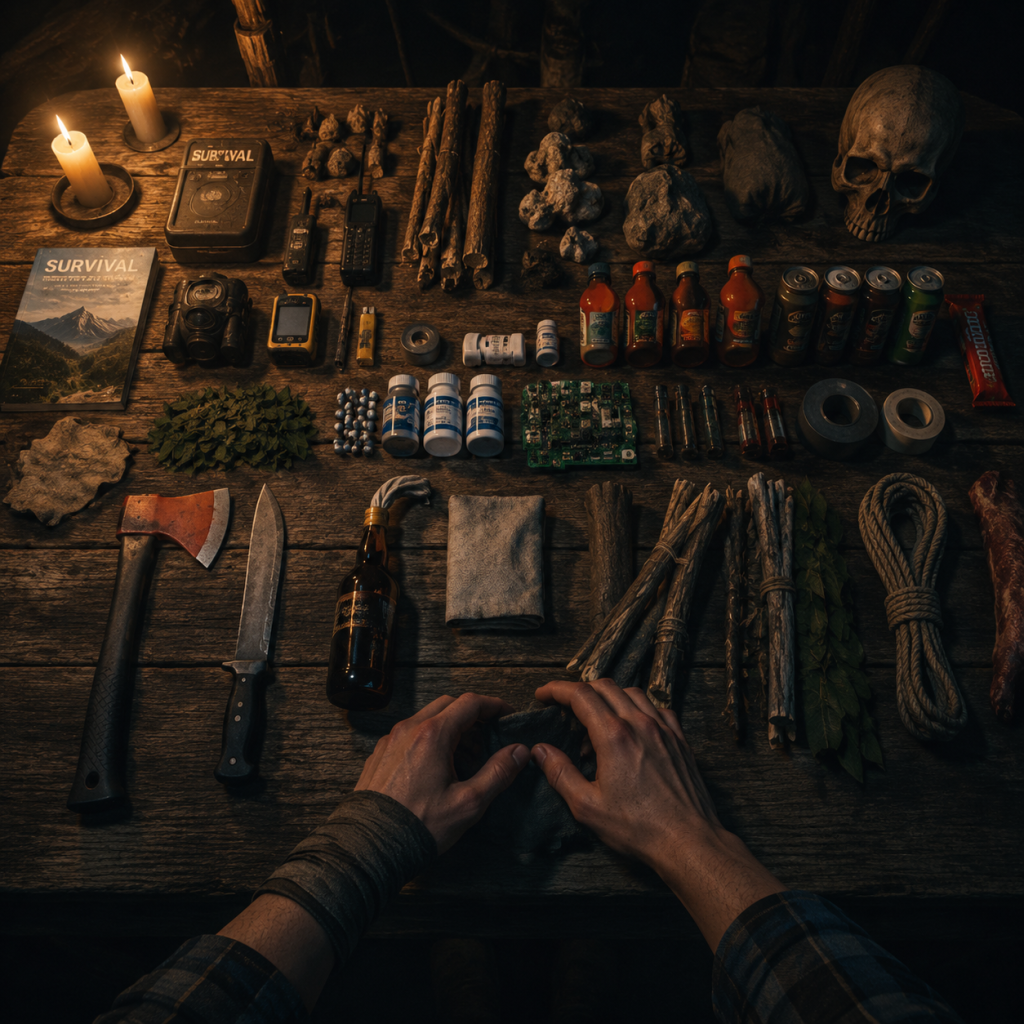
All Game Items
Overview
This section catalogs every item type in The Forest, from weapons and armor to crafting materials and collectibles. Items are grouped logically with details on acquisition, uses, upgrades, and synergies. Understanding the full item pool is crucial for efficient survival, base building, and combat.
---
Weapons
Melee Weapons
Melee weapons vary in speed, damage, and special effects. Many can be upgraded at workbenches.
| Weapon | Damage | Speed | Obtain | Upgradeable | Notes |
|---|---|---|---|---|---|
| Plane Axe | 5 | Medium | Starting item | Yes (to 6) | Good all-rounder; can chop trees and break items. |
| Crafted Club | 9 | Slow | Craft: 1x Stick + 1x Skull + 1x Cloth + 1x Bone | No | High damage but very slow; breaks easily. |
| Upgraded Spear | 7 | Medium | Craft: 1x Spear + 2x Cloth + 1x Booze + 2x Bones | No | Stuck in enemies; good for throwing. |
| Modern Axe | 10 | Slow | Cave 2 (see map) | Yes (by adding cloth and booze for fire) | Best tree chopper; high damage but slow swing. |
| Katana | 6 | Very Fast | Cave 5 (near submerged boat) | No | Fastest melee; low damage per hit but excellent DPS. |
| Machete | 7 | Fast | Cave 3 (after climbing rope) | No | Balanced speed and damage; good for clearing brush. |
| Chainsaw | 15/sec | Continuous | Cave 2 (dead body near maintenance door) | Requires fuel | Devastating sustained damage; consumes gasoline. |
Ranged Weapons
| Weapon | Damage | Ammo | Obtain | Notes |
|---|---|---|---|---|
| Crafted Bow | 4 | Arrows | Craft: 1x Stick + 1x Cloth | Weak arrows; can be upgraded with feathers for faster reload. |
| Modern Bow | 8 | Arrows | Cave 5 (skeleton in chair) | Silent, powerful; arrows can be retrieved. |
| Slingshot | 2 | Rocks, Berries | Craft: 1x Cloth + 1x Stick | Non-lethal; good for hitting switches or distracting. |
| Flare Gun | 10 | Flares | Cave 3 (in a crate) | Sets enemies on fire; very rare ammo. |
| Pistol | 12 | Bullets | Cave 2 (body in the crevice) | Best early ranged weapon; ammo scarce but effective. |
| Shotgun | 18x9 | Shells | Cave 5 (after crossing the underwater tunnel) | Devastating at close range; best for mutants. |
Explosives
| Item | Effect | Crafting Recipe | Notes |
|---|---|---|---|
| Bomb | Large explosion, destroys structures | 1x Tape + 1x Coins + 1x Circuit Board + 1x Watch + 1x Gunpowder | Timer or impact detonation. |
| Timed Bomb | Explodes after delay | 1x Bomb + 1x Alarm Clock | Useful for traps. |
| Remote Explosive | Detonated via remote | 1x Bomb + 1x Remote | Stealthy; can be placed and triggered later. |
| Molotov | Fire area | 1x Booze + 1x Cloth | Throwable; sets ground and enemies on fire. |
Traps
Traps are crafted at the Traps section of the survival guide. They are placed on the ground.
| Trap | Damage | Material | Effect |
|---|---|---|---|
| Happy Birthday Trap | 100 | 3x Stick + 3x Rope | One-shot kill on most enemies; resets automatically. |
| Noose Trap | 75 | 2x Stick + 2x Rope | Holds enemy in place; can be finished off. |
| Leaf Trap | 20 (fire) | 1x Stick + 1x Cloth + 1x Booze | Creates a fire hazard; useful for chokepoints. |
| Spiked Wall | 50 | 6x Stick + 1x Rope | Defensive perimeter; damages enemies on contact. |
---
Armor
Armor reduces incoming damage and provides special effects. Armor pieces degrade with each hit.
| Armor | Protection | Special Effect | Obtain |
|---|---|---|---|
| Stealth Armor | Low | +50% Movement Speed, greatly reduced detection | Craft: 5x Lizard Skin (from green lizards) + 2x Leaves |
| Bone Armor | Medium | 30% damage resistance | Craft: 4x Bones + 2x Rope + 3x Cloth |
| Creepy Armor | High | 50% damage resistance, slows movement drastically | Drop from mutants (rare) |
| Winter Gear (Coat) | Low | Protects from cold (only in snow biome) | Found near the plane wreckage |
---
Consumables
Food & Drink
| Item | Effect | Obtain | Notes |
|---|---|---|---|
| Berries (Blue/Black) | +5 Hunger, -5 Energy (raw) | Bushes | Cook over fire to remove energy penalty. |
| Candy Bar | +15 Hunger, +5 Energy | Crates, suitcases | Scavenged loot; weightless. |
| Soda | +20 Thirst, +10 Energy | Crates | Doubles as a crafting ingredient for energy mixes. |
| Deer Meat | +25 Hunger (cooked) | Hunting deer | Cook or dry for long-term storage. |
| Fish | +15 Hunger (cooked) | Rivers/lakes | Easy to catch with spear. |
| Rabbits | +10 Hunger (cooked) | Forests | Trapping gives steady supply. |
| Mushrooms | Various effects | Ground | Use with caution; some are poisonous. |
Medicine & Stat Restoratives
| Item | Effect | Craft/Find |
|---|---|---|
| Herbal Medicine | Restores 30 HP | 1x Aloe Vera + 1x Coneflower |
| Aloe Vera (direct) | Restores 15 HP | Planted or found |
| Energy Mix | Restores 50 Energy | 1x Soda + 1x Booze + 2x Pills |
| Pills (white) | Restores 30 Energy | Crates, suitcases |
| Painkillers | Restores 25 HP | Crates |
---
Materials & Crafting Components
Materials are the building blocks of everything. They are divided into natural, animal, and mutant categories.
Natural Materials
| Material | Source | Primary Use |
|---|---|---|
| Stick | Breaking small trees, ground loot | Crafting buildings, traps, arrows. |
| Rock | Ground, riverbeds | Crafting tools, foundations, slingshot ammo. |
| Log | Chopping large trees | Base construction, firewood. |
| Leaf | Plants, bushes | Tinder, bedroll, stealth armor. |
| Cloth | Suitcases, chair cushions | Crafting bandages, torches, weapons. |
| Rope | Caves, hanging bodies | Traps, armor, climbing. |
| Tape | Suitcases, workbenches | Bombs, arrows, repairs. |
| Coins | Cave floors, buried chests | Bombs, toy robots (collectible). |
| Circuit Board | Caves (maintenance rooms) | Bombs, electronics. |
| Gunpowder | Caves, explosive crates | Bombs, bullet refills. |
| Booze | Liquor crates | Fire weapons, energy mixes. |
| Watch | Crashed plane, bodies | Timer bombs, navigation (compass). |
| Feather | Killing birds | Arrow speed upgrade. |
| Hanging Rope | Pre-hung | Reusable climbing rope. |
Animal Parts
| Part | Source | Use |
|---|---|---|
| Bone | Burning bodies, killing cannibals | Armor, weapons, decorations. |
| Skull | Killing cannibals | Club craft, decorations. |
| Skin (Lizard) | Green lizards | Stealth armor. |
| Teeth | Any cannibal/mutant | Upgrade weapons at workbench (increases damage +1 per four teeth). |
| Fur | Rabbits | Warm clothing, bedroll. |
| Fat | Animal carcasses | Soap (for stealth reduction? Actually not used much; but can be used for lamp oil? No, but some mods use it. In vanilla, fat is used for creature decoys.) |
| Head | Bigger cannibals? Not usable directly; only for decoration on effigies. |
Mutant Parts
| Part | Source | Use |
|---|---|---|
| Armsy Arm (rare) | Armsy mutant | Can be placed as trophy; no direct crafting. |
| Virginia Leg | Virginia mutant | No direct use. |
| Cowman Head | Cowman | Decoration. |
| Mutant Armor (Creepy Armor) | Random drop from strong mutants | Wear as armor. |
| Mutant Skin | Some mutants | Can be dried and eaten? (Not recommended, causes sickness.) |
Key Equipment
These items are essential for exploration and progression.
| Item | Function | Location | Notes |
|---|---|---|---|
| Rebreather | Allows underwater breathing | Cave 5 (underwater cave) | Needed to access deep ocean areas and some caves. |
| Climbing Axe | Lets you climb rock walls | Cave 3 (hanging body) | Unlocks vertical shortcuts. |
| Keycard | Opens maintenance doors | Cave 2 (on a desk) | Required for ending sequence. |
| Flashlight | Illumination | Plane wreckage | Hand-held; can be upgraded with a weapon attachment. |
| Lighter | Infinite fire source | Starting item | Used for lighting sticks, campfires, etc. |
| Compass | Shows North | Suitcase (random) | Helps navigation without map. |
| Map | Shows island layout | Crashed plane cockpit | Reveals locations when combined with compass. |
| Toy Robot (Timmy’s items) | Collectible | Various locations | 7 pieces; completing the set unlocks a special blueprint (the Balloon Toy). |
| Cassette Tapes | Lore | Caves, cabins | Give story exposition when played on tape player. |
| Timmy’s Journal Pages | Lore | Various areas | Show Timmy’s perspective; required for full story understanding. |
Currencies & Rare Collectibles
The Forest has no traditional currency. Instead, rare items serve as barter or unlockables:
- Old Coins: Used exclusively for crafting bombs and the Coin Bomb variant. Highly valuable for combat.
- Cassette Tapes: 12 in total. Collecting them all is required for the “Audio Logs” achievement and provides backstory.
- Timmy’s Artifacts (Toy Robot parts): 7 pieces scattered across the island. Collecting all gives a special blueprint for the Balloon Toy, a purely cosmetic item that summons a floating balloon (no practical use).
- Suitcase Keys: Found rarely; used to open locked suitcases in the plane crash area, containing useful loot like medicine and flares.
---
Synergies & Upgrades
Weapon Upgrades (Workbench)
Most melee weapons can be upgraded at a Workbench found in caves or built at your base (requires 6 logs, 1 rope, 1 cloth).
| Upgrade | Effect | Cost | Best Weapon |
|---|---|---|---|
| Damage +1 | Increases base damage by 1 | 4x Teeth | Use on Modern Axe for tree cutting. |
| Speed +10% | Faster swing rate | 2x Feathers | Best on Katana for DPS. |
| Fire | Adds flame damage (uses cloth + booze each swing) | 1x Cloth + 1x Booze (per use) | Modern Axe or Crafted Club. |
| Poison | Adds poison damage (temporary) | 2x Blueberries + 1x Mushroom | Arrows (crafted separately) or melee via upgrade? Only arrows can be poisoned directly. |
Armor & Movement Synergies
- Stealth Armor + Modern Bow → Silent patrol clearing.
- Creepy Armor + Full Health Upgrade (from consuming enough flesh) → Tank build for open combat.
- Bone Armor is the best balance for general exploration.
- Eating too many Candy Bars causes Obesity (slower movement) – a hidden stat introduced in later updates. Balance with berries and meat.
- Mushrooms can be blue (poison), red (healing?), black (poison), or green (edible). Always identify before eating.
- Alcohol from booze reduces stamina recovery temporarily but is required for fire weapons.
- Basic Items: Stick bag (carry 20 sticks), Log sled (transport 8 logs), Water collector, etc.
- Advanced Items: Armor, Explosives, and the Upgraded Spear (throwable).
- Special Blueprints: The Balloon Toy (from Timmy’s artifacts) is purely cosmetic but required for 100% completion.
Food & Status Effects
---
Crafting Recipes & Blueprints
All blueprints are learned automatically from the survival guide. Key blueprints include:
---
Note on Items in Multiplayer
In multiplayer, items are shared but each player carries their own inventory. Some items (keycards, rebreather) are global—once picked up, all players have access to them. Traps placed by one player are functional for all.
---
Summary
This guide covers every major item category in The Forest. Prioritize crafting a Stealth Armor early for mobility, then obtain the Modern Axe from Cave 2 for efficient logging. For combat, the Modern Bow with poison arrows handles most threats. Collect Cassette Tapes and Timmy’s Artifacts for lore and completion. Remember: items can be combined freely, so experiment with upgrades to suit your playstyle.
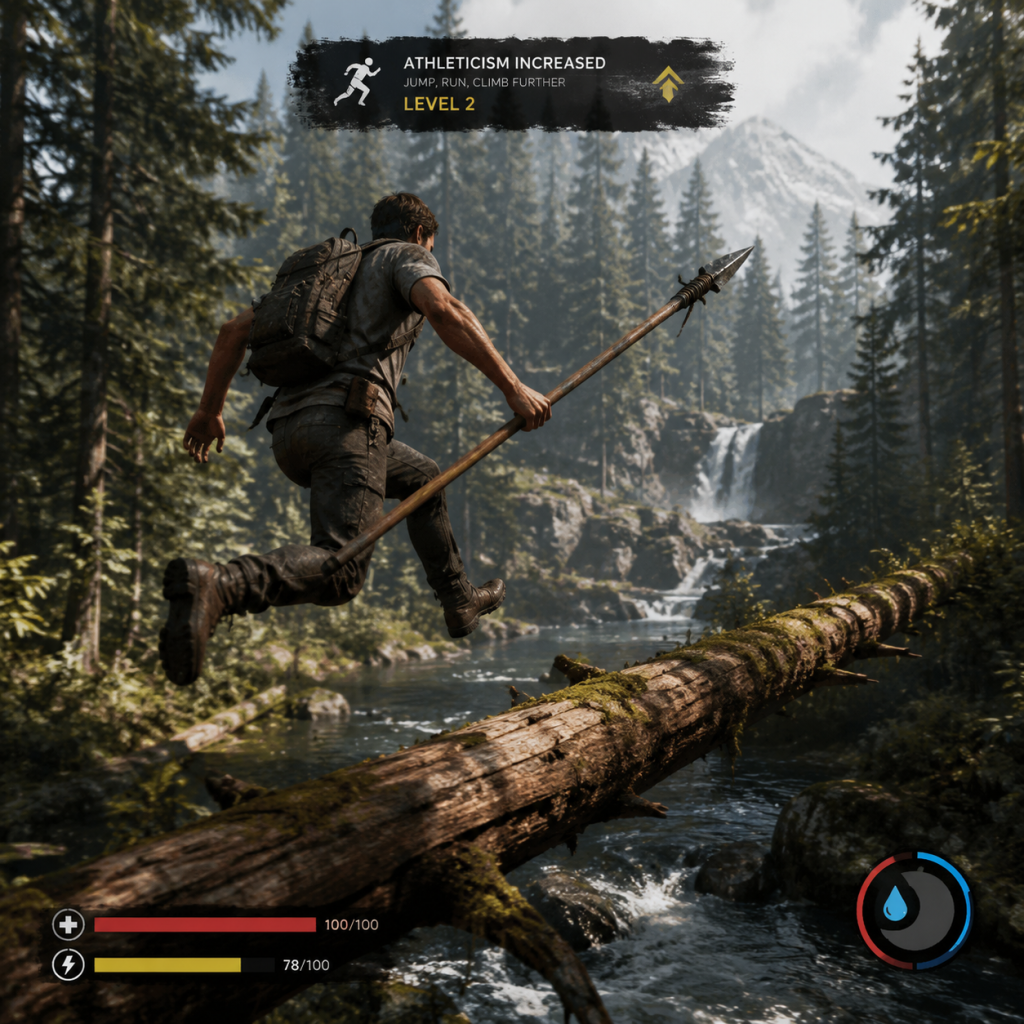
Character Skills
Character Skills
The Forest does not feature a traditional skill tree, character classes, or unlockable spells. Instead, your character — Eric LeBlanc — improves through practical use of two hidden stats and by mastering item-based abilities and survival techniques. This section covers every actionable skill, ability, and special move you can leverage to survive the peninsula. Multiplayer players can also adopt specific roles to maximise team efficiency.
Hidden Stats (Passive Progression)
Two hidden stats improve automatically as you perform related actions. There is no display or level cap, and progress carries over across saves (if you start a new game, stats reset unless using the same save file).
| Stat | How to Increase | Effect | Max Benefit |
|---|---|---|---|
| Strength | Land successful melee hits on enemies or animals. | Increases melee damage by up to +50% (tested). Also reduces the stamina cost of each swing. | ~200 hits to reach near-maximum; damage plateaus after ~150 hits. |
| Athleticism | Sprint, swim, climb, or perform any stamina-consuming action. | Increases sprint speed by up to +20% and reduces stamina drain for all actions. | ~300 seconds of sprinting; faster cooldown on stamina regeneration. |
Survival Skills (Learnable Techniques)
These are not tied to any stat, but mastering them drastically improves survivability.
#### 1. Hunting & Butchering
- Aim for the head with a bow or spear to one-shot most animals (rabbits, lizards, boars) for instant kills.
- Butchering efficiency: Use an upgraded spear or axe to harvest animal skins – keep the skin clean to yield full resources (e.g., a full rabbit skin for a bag upgrade).
- Fish farming: Build a fish trap in shallow water. No skill required, but placing it near weedbeds catches more.
- Blueprint mastery : Press `C` to toggle blueprint visibility. Rotate with `R` (PC) / right analog stick (controller). Align walls precisely using the corner snap.
- Custom foundation : Lay down individual logs instead of using a preset foundation to create non-rectangular shapes.
- Log sled efficiency : Fill a log sled with 8 logs before moving – reduces trips. Use the elevator trick to send sleds down cliffs quickly.
- Avoid fire attractants : Standing too close to a campfire draws cannibal attention. Use fire only inside a shelter or enclosed base.
- Molotov cocktail timing : Throw a molotov just as cannibals start running – they will ignite and spread fire to nearby enemies.
- Skull lamp placement : Place skull lamps on the ground instead of on walls for easier maintenance (they break less often).
- Herbal medicine : Combine aloe vera + marigold to craft an effective health potion. Perfect for combat without cooking.
- Hide in bushes : Crouch and stay still in a bush cluster – cannibals will not detect you unless they physically walk into you.
- Stealth kill : Equip a knife or spear, crouch, and approach a cannibal from behind. Press attack to perform a silent kill (uses no stamina). Works even on sleeping cannibals at camps.
#### 2. Building & Crafting
#### 3. Fire & Light
#### 4. Medical & Stealth
Combat Skills & Special Moves
While there are no dedicated skill buttons, these techniques require practice and timing.
#### Melee Moves
| Move | Input (PC/PS4 | Xbox) | Effect |
|---|---|---|---|
| Light Swing | Left click / R2+RT | Fast, low stamina, low damage. Good for finishing stunned enemies. | |
| Heavy Swing | Hold left click / R2 hold + RT hold | Slower but deals 2x damage and can knock enemies back. Best on stationary targets. | |
| Block | Right click / L2+LT | Reduces incoming damage by 70% (with shield) or 40% (with weapon). Prevents stagger. | |
| Dodge | Press jump sideways `A`/`S`+`Space` or stick + X | Short invincibility frames. Essential against mutants’ slam attacks. | |
| Charged Heavy | Hold attack button for 3 seconds | Max damage swing – ideal for headshots on grounded enemies. |
- Headshot : Any ranged weapon can instantly kill cannibals (humanoids) and some mutants when hitting the head. Requires arcing practice for bows.
- Crafted bow rapid fire : Quickly tap attack instead of fully drawing – reduces range but increases DPS at close quarters.
- Slingshot arc : Hold attack to increase trajectory. Good for hitting enemies behind cover.
#### Stealth Kill Combos
1. Backstab : From behind + knife/pickaxe = one-hit kill on most cannibals.
2. Drop attack : Jump off a high ledge onto an enemy and press attack mid-air – deals double damage and stuns.
3. Sleeping target : Approach a sleeping cannibal with any weapon; attack while crouched for instant kill (no noise).
Special Abilities from Items
Several endgame or exploration items grant unique abilities. These are not skills in a traditional sense but act as activatable moves.
| Item | Ability | Acquisition | Usage |
|---|---|---|---|
| Rebreather | Breathe underwater indefinitely while equipped. | Found in the submerged cave near the yacht. | Equip in inventory; lasts until you unequip. No cooldown. |
| Climbing Axe | Climb any wooden or rocky wall (marked by orange paint). | Found in the main cave after the sinkhole. | Face the wall and hold `E` (PC) / Triangle (PS4) / Y (Xbox). No stamina cost. |
| Chainsaw | Continuous high-damage attack; cuts trees instantly. | Obtained from the cannibal camp near the mountain. | Hold attack to rev. Consumes fuel. Use for quick logging or crowd control. |
| Old Pot & Cooked Meat | Cook any meat without needing a fire? Actually, the Old Pot is used for water, not skill. | Not a skill. | But you can boil water to remove poisoning. |
| Artifact (Red) | Summon a blood moon – all cannibals become hostile and attack each other. | Find all pieces and assemble in the final cave. | Stand at the artifact pedestal and select red mode. Lasts ~2 minutes. |
| Artifact (Blue) | Summon a blue moon – all cannibals become docile and ignore you. | Same as above. | Blue mode lasts ~3 minutes. Cannot attack while active. |
| Freezing Machine | Use to craft ice ammo? Actually, not in The Forest. | Not applicable. | – |
Cooperative Roles (Multiplayer)
While every player has the same stats, teams can assign roles for efficiency:
- Builder : Focus on resource gathering (logs, rocks) and constructing base defenses. Use the log sled heavily. Carry the Plane Axe for tree chopping.
- Hunter : Craft a bow or spear, hunt animals for food/skins, and provide ranged support during cannibal attacks. Prioritise Athleticism for sprint and stealth.
- Scout : Equip the Rebreather, Climbing Axe, and a lighter to explore caves. Mark locations with paint and retrieve critical items (blueprints, keycards).
- Fighter : Concentrate on melee combat to increase Strength quickly. Carry a crafted club, shield, and molotov cocktails. Use block and dodge to protect teammates.
- Medic : Gather aloe, marigold, and berries. Craft healing potions and distribute to team. Can also set up a base with medical supplies.
- Gear : Modern Axe (upgraded with teeth + cloth), Shield, Full Bone Armor.
- Strategy : Aggressively close distance, block first hit, then heavy combo. Use headshots with the axe for instant kills.
- When to use : Open-field fights against single enemies or small groups. Avoid against mutants – dodge and retreat.
- Gear : Crafted Bow with poison arrows, Boar Armor, Rebreather.
- Strategy : Remain crouched, use bushes for cover. Shoot cannibals from a distance; poison prevents healing. Use backstab for cleanup.
- When to use : For scavenging resource-rich areas without alerting the whole village. Excellent in caves with tight corridors.
- Gear : Upgraded Spear (colored cloth optional), Cloth Armor, Snacks.
- Strategy : Throw spear at legs to cripple – cannibals will limp. Then finish with a heavy stab. The spear also doubles as a fishing tool.
- When to use : Against focused single targets or when you need to retrieve the weapon (it takes one slot). Not effective against mutants.
- Gear : Chainsaw, Full Bone Armor, Red & Blue Artifacts.
- Strategy : Switch between red and blue moons to control crowd. Use chainsaw during red moon to easily kill distracted cannibals. Blue moon to traverse dangerous areas safely.
- When to use : When you have completed the story and want to explore freely or farm resources without constant threat.
- Strength training : Every encounter is a chance. Always try to land melee hits rather than fleeing, even against weak cannibals.
- Athleticism training : Sprint whenever safe to increase stamina pool. Use climbing axe often to boost stat gain.
- Blocking : Use only when surrounded or facing a heavy attack from a mutant (e.g., Armsy’s slam). Otherwise dodge.
- Stealth kill : Ideal for clearing villages silently or assassinating a sleeping camp. Not useful in active combat.
- Artifact skills : Use red moon before a large base assault; blue moon to escape a losing fight or collect water/dead bodies safely.
- Rebreather : Equip before diving into any cave lake – mandatory for exploring the underwater cave and finding the keycard.
- Chainsaw : Save for emergencies (fast tree removal during base construction) or massive mobs. Noise attracts more enemies.
Synergy & Build Recommendations
#### Build: Brute Force
#### Build: Stealth Hunter
#### Build: Spear Master
#### Build: Artifact Controller (Late Game)
When to Use Each Skill
This guide covers every meaningful skill, ability, and technique available to the player in The Forest. While there is no formal progression, mastering these will turn you from a stranded survivor into the apex predator of the peninsula.
Characters & Roles
Characters & Roles
This guide covers every character and playable role in The Forest. The game features a single playable protagonist in single-player, but multiplayer co-op allows multiple survivors to share the island. There are no traditional classes or unlockable heroes; instead, players define their role through gear and playstyle. This section also details important non-playable characters (NPCs) and enemy types.
Playable Character: Eric LeBlanc
Background: Eric LeBlanc is a survival expert and the father of Timmy LeBlanc. After the plane crash, he must find his son while surviving the cannibal-infested peninsula. He has no special abilities beyond his resourcefulness and crafting skills.
Strengths:
- Adaptable: Can use any weapon, tool, or armor.
- Crafting: Can build structures, traps, and tools from gathered materials.
- Stealth: Can sneak and avoid detection by crouching and staying out of light.
- No stamina limits: Can sprint and fight indefinitely (stamina only affects sprint speed temporarily).
- No innate combat bonuses: All damage and defense come from equipment.
- Hunger and thirst: Must eat and drink regularly or suffer penalties.
- Low starting health: Dies quickly without armor or proper engagement.
- No special powers: Relies entirely on crafted items and environmental knowledge.
- Early Game: Crude bow, upgraded spear, plane axe. Focus on stealth and gathering.
- Mid Game: Modern axe, crafted bow with bone arrows, rabbit fur boots for silent movement. Wear lizard skin armor for light protection.
- Late Game: Katana, crossbow, tennis racket (for mutants), and warm suit. Full armor set (bone or creep armor) for defense.
- Base Build: Prioritize the "Modern House" blueprint, defensive walls, and traps near patrol routes.
- Build near fresh water and a patrol route for easy access to body parts.
- Use log sleds to transport 10 logs at once.
- Place traps (happy birthday trap, noose trap) at base entrances.
- Set up drying racks for infinite food storage.
- Use the modern bow for silent kills (attracts fewer cannibals).
- Set up a rabbit cage near base for renewable meat.
- Collect skulls and bones for armor and decorations.
- Hunt at dawn or dusk when animals are active.
- Equip full bone armor (crafted at a backpack workbench with bones and cloth).
- Use molotovs or explosives against groups.
- Learn enemy attack patterns: block with pistol or spear, then counterattack.
- Use the katana for fast combos against individual enemies.
- Always carry a lighter for light and a repaired radio for distraction.
- Use the climbing axe to reach hidden areas (e.g., climbing walls in caves).
- Mark cave entrances on the map for future reference.
- Bring plenty of food and water; caves are time-consuming.
- Craft herbal medicine (aloe + cone flower + marigold) for quick healing.
- Use the pot to boil water and make stews (e.g., meat soup, berry soup).
- Carry extra cloth to create bandages for bleeding wounds.
- Distribute armor and food during expeditions.
Weaknesses:
Playstyle: Eric is a blank slate. Players can approach the game as a stealthy explorer, a ruthless hunter, a builder, or a combination. The key is to adapt to the situation — use stealth at night, fight only when necessary, and always have an escape plan.
Unlock Conditions: Eric is the default character in single-player and the host character in multiplayer. No unlock required.
Recommended Equipment & Builds:
Team Synergy (Co-op): In multiplayer, Eric (host) can assign roles to other players. The host can craft and build while others gather or scout. Effective teams divide tasks: one player focuses on food/water, another on combat, another on base expansion. Communication is critical.
Multiplayer Roles (Player Specializations)
In co-op, players can specialize into roles based on their equipment and playstyle. These roles are not locked; anyone can switch at any time. Below are common effective roles:
#### Builder
Gear Focus: Rock bag, stick bag, logs, blueprints (hunting shelter, defensive wall, water collector).
Role: Constructs bases, traps, and scaffolding. Gathers resources in bulk using log sleds and zip lines.
Tips:
#### Hunter / Gatherer
Gear Focus: Bow (crafted or modern), arrows, upgraded spear, rabbit cage, berry bushes.
Role: Provides food, hides, and bones. Hunts animals (deer, rabbits, boar) and collects plants (aloe, cone flower, marigold).
Tips:
#### Combat Specialist
Gear Focus: Modern axe, katana, machete, dynamite, molotovs, armor (bone, creep, or warm suit).
Role: Engages cannibals and mutants directly. Clears caves, defends base during attacks, and gathers enemy loot.
Tips:
#### Explorer / Cave Delver
Gear Focus: Rebreather, climbing axe, compass, map, flashlight, weapons, medical supplies.
Role: Navigates caves, finds story items, and gathers rare resources (e.g., circuit boards, keys, weapons).
Tips:
#### Medic / Support
Gear Focus: Aloe vera, cone flower, marigold, berries (for heals), pot (for soups), cloth (for bandages).
Role: Keeps the team alive by crafting healing items, making potions, and providing food.
Tips:
Non-Playable Characters (Story & Enemies)
#### Timmy LeBlanc
Role: Eric's son and the primary objective. Found in the cave labs. Cannot be played. After rescuing (story ending), Timmy's fate varies based on player choice.
#### Megan Cross
Role: A mysterious woman found in the cave labs. She is a cannibal who has been experimented on. She is hostile if approached. Killing her is optional but affects the final cutscene.
#### Dr. Matthew Cross
Role: The main antagonist. A scientist who conducted experiments on the peninsula. He appears in cutscenes and is the target of the story's final confrontation.
#### Saharan Resistance Soldiers
Role: Friendly NPCs found in the lab chasm. They provide exposition and can be rescued. They are not playable.
#### Plane Crash Survivors
Role: Background characters who died in the crash. Their bodies and luggage scatter the beach. No interaction.
Enemy Types (Not Playable)
| Enemy | Description | Strengths | Weaknesses |
|---|---|---|---|
| Cannibal (Regular) | Basic humanoid, curious but aggressive. | Fast, climbs trees, uses rocks. | Weak to fire and headshots. Can be stunned. |
| Cannibal (Male) | More aggressive variant. | Higher damage, throws dynamite? (rare). | Same as regular. |
| Cannibal (Female) | Caster-like, spits mucus. | Long-range attack, can slow you. | Low health, easy to kill up close. |
| Cannibal (Painted) | Decorated with paint and bones. | Enhanced aggression, leads groups. | Same as regular. |
| Cannibal (Skinless) | Naked with exposed muscles. | Extremely fast, high damage. | Low poise, can be interrupted. |
| Cannibal (Fireman) | Wields a torch, spreads fire. | Can set you on fire, area denial. | Keep distance, use water or rain. |
| Mutant (Armsy) | Giant bipedal creature with scythe-like arms. | High damage, long reach. | Slow, weak to fire and explosives. |
| Mutant (Vags) | Spider-like mutant that spits projectiles. | Ranged attack, difficult to hit. | Low health, weak to headshots. |
| Mutant (Virgina) | Multi-limbed mutant, can climb. | Fast, jumps around, resists stuns. | Vulnerable to modern axe combos. |
| Mutant (Megamutant) | Huge, armored end-game boss. | Extremely high damage and health. | Use explosive arrows and dynamite. |
| Megan (Mutant Form) | Transformed Megan in the lab. | Teleports, fast, powerful attacks. | Can be killed with repeated hits. |
Summary
The Forest has no formal character classes, but players can adopt distinct roles through equipment choices and team coordination. The only playable character is Eric LeBlanc, whose flexibility allows for any playstyle. In multiplayer, communication and role assignment greatly enhance survival. Understanding NPCs and enemies helps players plan tactics and progression.
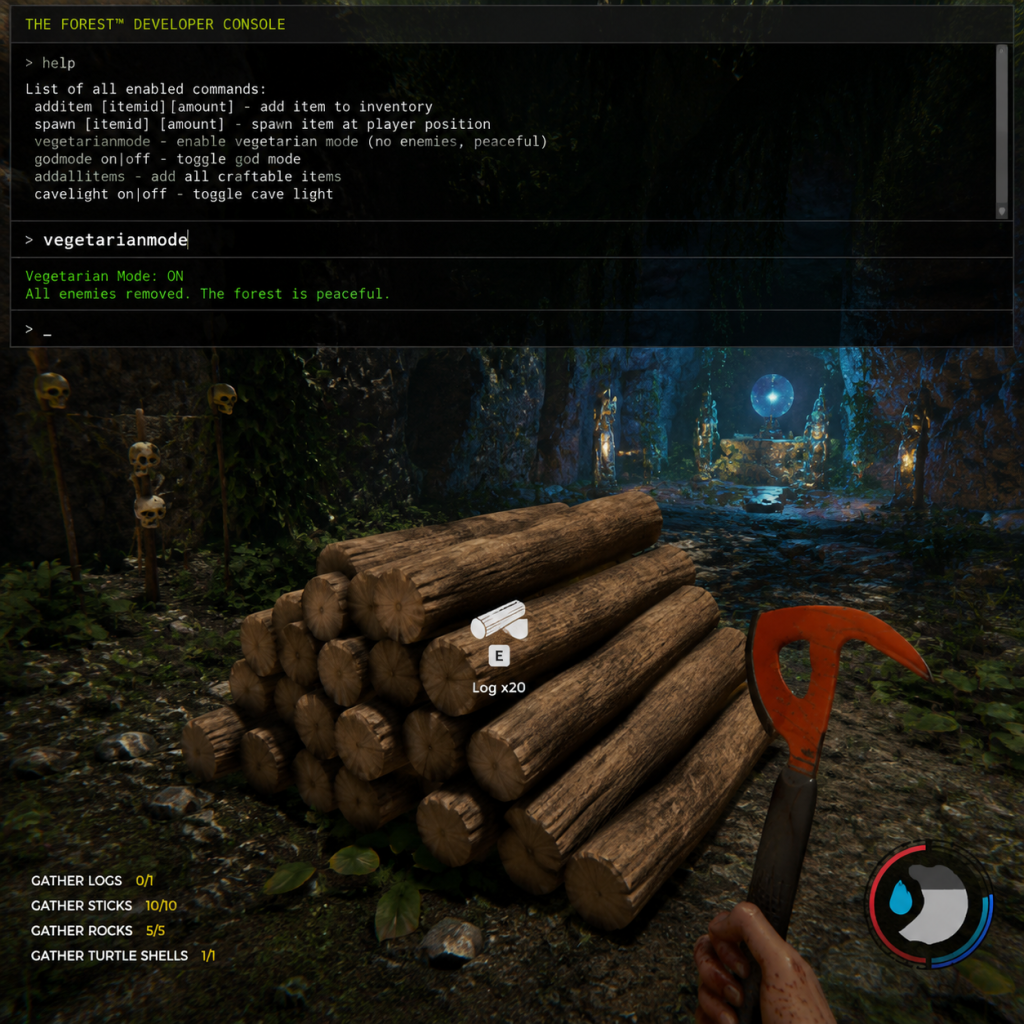
Cheats & Secrets
Cheats & Secrets
Overview
The Forest contains a suite of developer cheats accessible via an in-game console, as well as several intentional secrets, easter eggs, and hidden content. Console commands are only available on the PC version (Steam, Epic Games Store). Console players (PS4, PS5, Xbox One, Xbox Series X|S) cannot use these commands without third-party tools, but all players can discover the game's many hidden features.
> Important: Using console commands or cheats disables Steam Achievements for that session. Reboot the game to re-enable achievements. Commands are case-insensitive but must be spelled exactly as listed.
---
Enabling the Console (PC Only)
1. Launch The Forest from Steam/Epic.
2. From the main menu, press F1 to open the developer console (a small text input appears at the top-left).
3. If F1 does nothing, verify you are on the PC version (not a controller-only mode).
4. Some commands require you to be in a saved game (single-player or host of multiplayer).
5. Type the command and press Enter. No prefix needed (unlike other games that require `\` or `/`).
> Note: The console also displays debug information. You can close it by pressing F1 again.
---
Complete List of Console Commands
All commands listed here are safe to use and developer-intended. They range from spawning items to toggling God mode.
| Command | Effect | Example |
|---|---|---|
| `addallitems` | Gives you every single item in the game (weapons, tools, resources) in one go. | `addallitems` |
| `additem [itemID] [quantity]` | Spawns a specific item. Use item IDs (see table below). | `additem stick 10` |
| `addenemy [enemyID] [quantity]` | Spawns one or more enemies. See enemy IDs below. | `addenemy cannibal 5` |
| `caves` | Lists all cave entrances with coordinates on screen (for debugging). | `caves` |
| `clear` | Clears the console output. | `clear` |
| `daytime [0-100]` | Sets time of day. 0 = midnight, 50 = noon, 100 = midnight next day. | `daytime 50` |
| `dm` | Enables God Mode (invulnerable, unlimited stamina, no hunger/thirst). Toggle off with `dm` again. | `dm` |
| `dumpstats` | Displays player stats (health, hunger, thirst, armor). | `dumpstats` |
| `flying` | Toggles flight mode – you can move freely through the air. Use WASD and mouse to navigate. | `flying` |
| `god` | Enables invulnerability only (no fall damage, immune to all attacks). Type again to disable. | `god` |
| `growplant` | Instantly grows any planted seeds to full maturity. | `growplant` |
| `heal` | Fully restores health and removes broken bones. | `heal` |
| `help` | Lists all available console commands (in-game). | `help` |
| `hidehud` | Toggles the entire HUD on/off. Good for screenshots. | `hidehud` |
| `id` | Shows your current player ID (relevant for multiplayer). | `id` |
| `infiniteitems` | Gives you infinite of every item you already have in your inventory. Toggle off with same command. | `infiniteitems` |
| `iteminfo` | Lists all item IDs currently in the game. | `iteminfo` |
| `killall` | Removes all enemies currently loaded in the world (does not affect spawns after saving/loading). | `killall` |
| `lights` | Toggles dynamic lighting for debugging (may affect performance). | `lights` |
| `lockfps [number]` | Locks the framerate to a specific value (e.g., `lockfps 30`). | `lockfps 60` |
| `log [text]` | Writes a debug message to the console. | `log Hello` |
| `map` | Shows a wireframe overhead map of the peninsula with player position. | `map` |
| `maxallstats` | Maximizes health, stamina, hunger, thirst, and armor. | `maxallstats` |
| `openfolder` | Opens the game’s save folder in Windows Explorer. | `openfolder` |
| `pause` | Pauses the game (single-player only). | `pause` |
| `quit` | Immediately exits the game. | `quit` |
| `regrow` | Regrows all cut-down trees and bushes. Only works if you have not built structures in those spots. | `regrow` |
| `reloadtextures` | Reloads all textures (helpful if textures fail to load). | `reloadtextures` |
| `removeallitems` | Removes everything from your inventory (use with caution). | `removeallitems` |
| `save` | Forces a save game (same as using the save shelter). | `save` |
| `setarmor [number]` | Sets your armor value directly (max ~100). | `setarmor 100` |
| `sethealth [number]` | Sets your health to a specific value. Max base health is 100. | `sethealth 100` |
| `setfullness [number]` | Sets hunger (fullness) level (0-100). | `setfullness 100` |
| `sethydration [number]` | Sets thirst level (0-100). | `sethydration 100` |
| `settime [hours] [minutes]` | Sets exact time of day (24-hour format). | `settime 14 30` |
| `showcoordinates` | Toggles on-screen display of your XYZ coordinates. | `showcoordinates` |
| `spawnitem [itemID] [quantity]` | Same as `additem`. | `spawnitem rock 5` |
| `status` | Shows survival status (hunger, thirst, energy, temperature). | `status` |
| `stuck` | Teleports you back to the safe point (your last bed/shelter) if you get trapped. | `stuck` |
| `timescale [0.0-10.0]` | Speeds up or slows down game time. 1.0 is normal. 2.0 = double speed. Use carefully. | `timescale 2` |
| `tp [x] [y] [z]` | Teleports you to specific coordinates. Use `showcoordinates` to find your current position. | `tp 100 0 50` |
| `unlockfps` | Unlocks framerate (removes default 60 FPS cap). | `unlockfps` |
| `vegetation` | Toggles vegetation rendering (for performance). | `vegetation` |
Item IDs (Partial List)
Use `iteminfo` in-game for a full list. Common IDs:
- `stick`
- `rock`
- `cloth`
- `rope`
- `cannedfood`
- `soda`
- `medicine`
- `flare`
- `dynamite`
- `modernaxe`
- `katana`
- `chainsaw`
- `artifact` (key item for ending)
- `cross` (one of three artifact pieces)
- `gold` (art piece)
- `booze`
- `herb` (medicinal)
- `skull`
- `coindoor` (keycard? check)
- `cannibal` (generic)
- `armsy` (mutant with multiple arms)
- `virginia` (spider-like mutant)
- `cowman` (fat mutant)
- `worm` (worm-like boss)
- `babies` (small mutants)
- `mutant` (generic)
- `effigy` (not an enemy, but spawns an effigy?)
- Assemble all three artifact pieces (Cross, Circle, Clover) found in caves.
- Insert them into the artifact sphere in the final cave (Sinkhole).
- Use the resulting Artifact to absorb souls or return to the crash site. This leads to the "good" ending.
- Build exactly three snowballs near the top of the snowy mountain (you must stack them like a snowman).
- If you place them correctly, a cutscene plays showing the snowman coming to life as a friendly mutant. It will follow you and attack enemies. This is a permanent companion for that save.
- Found in Cave 2 (Hanging Cave). It is one of the three artifact pieces. Not really hidden, but many players miss it because it requires solving a light puzzle.
- Throughout the caves, you can find Timmy’s toy cars and action figures. Collecting all of them does nothing but shows the developers cared about atmosphere.
- In the yacht (Sinkhole entrance), if you stand near the bed at night, you may see a translucent apparition of Megan (Timmy's mother). This is a scripted scare.
- In the underwater cave (Cave 8), there is a hidden room with ancient paintings that depict the story of the sinkhole and the artifact. It is easy to miss due to low visibility.
- There is a small white boombox in the coastal caves. If you press interact, it plays loud music, attracting cannibals. This is both an easter egg and a gameplay hazard.
- On the southwestern hill near the coast, there is a giant wooden cross. If you climb to the top and look east, you can spot the yacht and the sinkhole. No special reward, but a good photo spot.
- Occasionally during a full moon, the face of a cannibal appears on the moon. This is purely cosmetic.
- In the southeast corner of the map, there is a small island with palm trees. You cannot swim to it (sharks block you). If you use `flying` command to reach it, there is nothing but a note that says "You found the secret island!" – a developer joke.
- If you jump into the sinkhole without the rebreather, you die. But if you survive (via God mode), you fall into a vast underground area that is part of the final cave. The fall itself is a scripted sequence.
- There is a small shack in the woods with dozens of dead cats. Interacting with them gives no reward, just a disturbing scene.
- Found in a specific cave (Cave 7) behind a blocked passage. It is a melee weapon with high damage but slow speed. Many players miss it because it requires breaking down a weak wall.
- In the underwater cave, there is a keycard that opens a locked door in the main bunker. This is required for the good ending.
- Scattered around the island are small camps with notes, body parts, and lighters. Collecting all notes unlocks a Steam achievement.
- Block with stick: You can block attacks by using a stick as a weapon and pressing block (right-click default). This works even against mutants.
- Boiling water: You can fill a pot with water from a lake, then place it on a fire to boil it, removing the poisoning risk.
- Wood sled: Log sleds can be stuck into a wall to create a ladder. Not a bug, a feature.
- Blown-up trees: Explosives can cut down trees instantly. Use dynamite or bombs to clear forests fast.
Enemy IDs (Partial)
---
Hidden Secrets & Easter Eggs
Even without cheats, The Forest is packed with developer-intended secrets. Some are purely cosmetic, others affect gameplay or unlock alternative endings.
1. The Secret Ending (Artifact Ending)
2. The Snowman
3. The Cross (Hidden Item)
4. Timmy's Toys
5. The Ghost of Megan
6. The Underwater Cave Painting
7. The Boombox Easter Egg
8. The Cross on the Hill
9. The Face in the Moon
10. The Unreachable Island
11. The Sinkhole Easter Egg (Falling)
12. The Cat Lady's House
13. The Pickaxe
14. The Keycard (Coindoor)
15. The Missing Scout Camps
---
Exploit-Safe Secrets (No Glitches)
These are hidden mechanics that are not cheats but are easy to miss:
---
Multiplayer Cheat Notes
In multiplayer, only the host can use console commands. Other players cannot. If you join a game where the host uses cheats, you will see the effects (e.g., God mode may apply to all? Actually God mode only protects the host).
---
Final Warning
Cheats can corrupt save files if used improperly (e.g., spawning too many items, teleporting into walls). Always backup your saves before heavy cheating. Saves are located at `%appdata%\..\LocalLow\Endnight\TheForest\` (Windows).