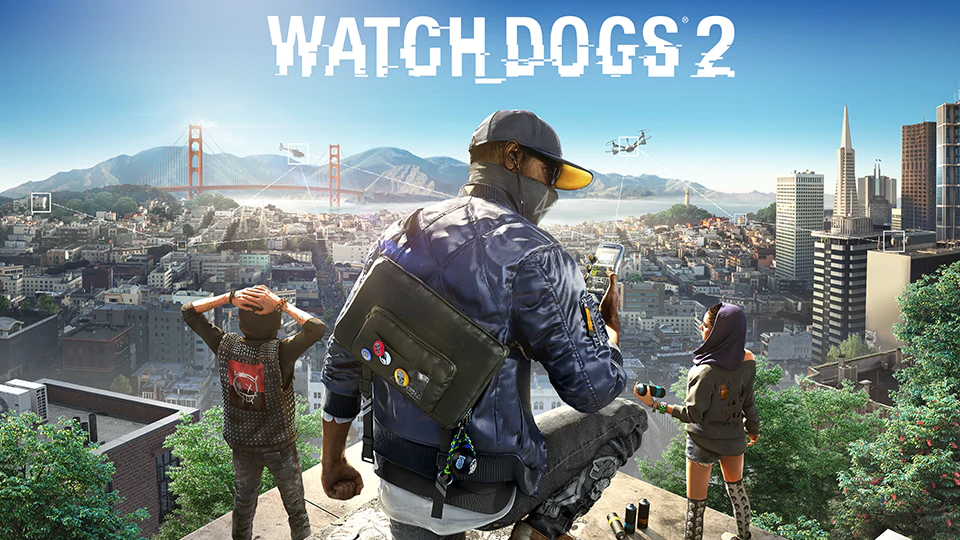
Watch Dogs 2
## Watch Dogs 2: Game Introduction *Watch Dogs 2* is an open-world action-adventure game developed by **Ubisoft Montreal** and published by **Ubisoft**. It is the second installment in the *Watch Dogs* series, following the 2014 original. The game was released worldwide on **November 15, 2016**, fo...
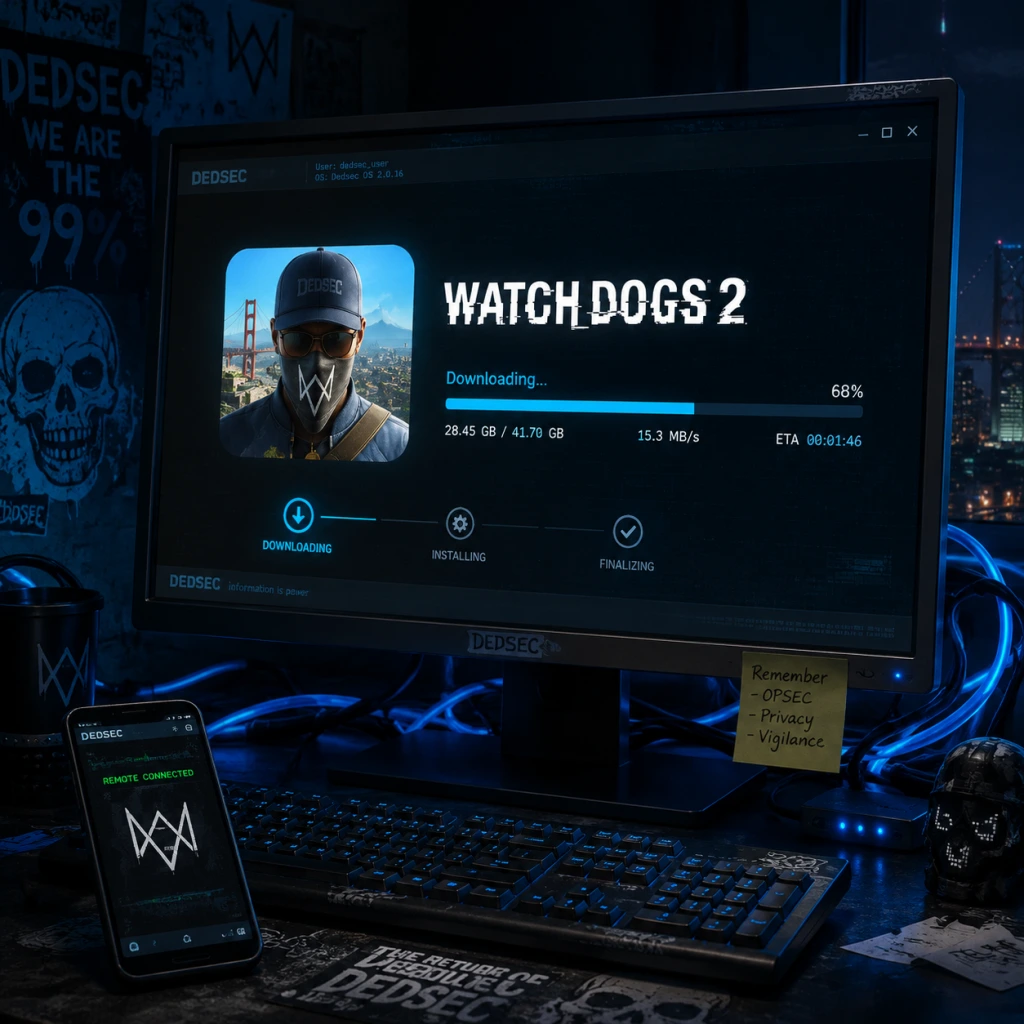
Download & Installation
Watch Dogs 2: Complete Download & Installation Guide
This guide covers legitimate methods to download and install Watch Dogs 2 on all major platforms. Always purchase or download from official sources to avoid legal and security risks.
---
Platform Availability
| Platform | Digital Download | Physical Disc | Notes |
|---|---|---|---|
| PC (Windows) | Yes (Steam, Epic Games Store, Ubisoft Connect) | No | Requires Ubisoft Connect account and client. |
| PlayStation 4 | Yes (PlayStation Store) | Yes | Backward compatible on PS5 via disc or digital. |
| PlayStation 5 | Yes (through PS4 backward compatibility) | Yes (PS4 disc) | No native PS5 version; runs in backward compatibility mode. |
| Xbox One | Yes (Microsoft Store) | Yes | Backward compatible on Xbox Series X |
| **Xbox Series X | S** | Yes (through backward compatibility) | Yes (Xbox One disc) |
| Nintendo Switch | No | No | Not officially available on Switch. |
| Mobile (iOS/Android) | No | N/A | Not available on mobile devices. |
Before You Begin: Prerequisites
- Stable internet connection (minimum 10 Mbps recommended for download).
- Sufficient storage space (see requirements below).
- Ubisoft Connect account (required for all platforms except physical console disc without online features; still recommended for saves and multiplayer).
- Console online subscription (PlayStation Plus or Xbox Game Pass Core/Ultimate for multiplayer).
- OS: Windows 7 SP1, Windows 8.1, or Windows 10 (64-bit versions)
- CPU: Intel Core i5-2400S @ 2.5 GHz or AMD FX-6120 @ 3.6 GHz
- RAM: 6 GB
- GPU: NVIDIA GeForce GTX 660 (2 GB) or AMD Radeon HD 7870 (2 GB) or better
- DirectX: Version 11
- Storage: 50 GB available space
- Sound: DirectX 9.0c compatible sound card
- Network: Broadband internet connection
- OS: Windows 7 SP1, Windows 8.1, or Windows 10 (64-bit versions)
- CPU: Intel Core i5-3470 @ 3.2 GHz or AMD FX-8120 @ 3.9 GHz
- RAM: 8 GB
- GPU: NVIDIA GeForce GTX 780 (3 GB) or AMD Radeon R9 290 (4 GB) or better
- DirectX: Version 11
- Storage: 50 GB available space (SSD recommended)
- Sound: DirectX 9.0c compatible sound card
- Network: Broadband internet connection
- Ubisoft Connect Account: Mandatory for PC versions and for online features on consoles (multiplayer, leaderboards, cloud saves). Create one free at [account.ubisoft.com](https://account.ubisoft.com).
- Console Online Subscriptions:
- No additional subscriptions required for single-player offline.
---
System Requirements (PC)
#### Minimum Requirements
#### Recommended Requirements
Note: Actual storage required after patches may exceed 50 GB. Keep at least 55-60 GB free.
---
Installation Steps by Platform
#### 1. PC (Windows) via Steam
1. Install Steam Client – Download from [store.steampowered.com](https://store.steampowered.com) and log in.
2. Purchase the game – Search "Watch Dogs 2" in the Steam Store and buy it. Alternatively, redeem a Steam key.
3. Link Ubisoft Account – On first launch, Steam will prompt you to link your Steam account to a Ubisoft Connect account. Follow the on-screen instructions.
4. Download and Install – Go to your Library, select Watch Dogs 2, click "Install," choose a location, and wait for download (approx. 45-60 minutes on a 50 Mbps connection).
5. Ubisoft Connect Client – The installer will automatically download and install the Ubisoft Connect client (if missing). This is required.
6. Play – After installation, click "Play" in Steam. The Ubisoft Connect overlay will appear. Sign in, and the game starts.
#### 2. PC (Windows) via Epic Games Store
1. Install Epic Games Launcher – Download from [epicgames.com](https://www.epicgames.com).
2. Purchase or claim – Buy Watch Dogs 2 from the Epic Store (or claim during a free promotion).
3. Initiate Download – Go to Library, find Watch Dogs 2, click the game tile, then "Install." Select installation directory.
4. Link Ubisoft Account – Similar to Steam, you will be prompted to link your Epic account to Ubisoft Connect. Do this to enable cloud saves and multiplayer.
5. Ubisoft Connect Installation – The launcher will install Ubisoft Connect automatically.
6. Launch – Click the game in Epic Library; Ubisoft Connect will open and launch the game.
#### 3. PC (Windows) via Ubisoft Connect (Direct)
1. Download Ubisoft Connect – Get it from [ubisoftconnect.com](https://ubisoftconnect.com).
2. Create/Log in – Use your Ubisoft account.
3. Purchase the game – In the Ubisoft Connect store, buy Watch Dogs 2. You can also activate a CD key.
4. Install – Go to your game library, select Watch Dogs 2, click "Download." Choose installation path and language.
5. Complete Installation – Wait for download and automatic setup. The game is ready to play once finished.
#### 4. PlayStation 4 & 5
##### Digital Download (PS Store)
1. Access PlayStation Store – On PS4/PS5 home screen, select the Store icon.
2. Purchase – Search for "Watch Dogs 2" and buy it. (On PS5, ensure you download the PS4 version; there is no native PS5 version.)
3. Download – The game starts downloading automatically. You can monitor progress from the Downloads menu.
4. Install – The console handles installation automatically after download. Ensure you have at least 50 GB free.
5. Launch – Once installed, the game appears in your library or home screen.
##### Physical Disc
1. Insert Disc – Place the Watch Dogs 2 disc into the console.
2. Install – The console will prompt you to install the game. Follow on-screen instructions. Disc acts as license; you need to keep it inserted to play.
3. Patches – After initial installation, connect to the internet to download the latest patch (usually 5-10 GB).
4. Play – The game icon appears after installation.
PS5 Note: Insert PS4 disc into PS5; it will prompt to download the digital backward-compatible version (disc required for ownership verification).
#### 5. Xbox One & Xbox Series X|S
##### Digital Download (Microsoft Store)
1. Open Microsoft Store – On your Xbox, go to Store.
2. Search and Purchase – Find Watch Dogs 2, buy it or redeem a code.
3. Install – The download begins automatically. You can check progress in My Games & Apps > Queue.
4. Play – Once installed, the game appears in your games list.
##### Physical Disc
1. Insert Disc – Insert the disc into your Xbox One or Series X|S.
2. Install – The console begins installation from disc and downloads any required updates.
3. Play – Disc must be in the drive to play (for disc-based copies).
Xbox Series X|S Enhancement: Watch Dogs 2 benefits from FPS Boost (60 FPS) and faster load times on Series X|S. No additional action needed.
---
Account Requirements Details
- PlayStation Plus (required for online multiplayer on PS4/PS5).
- Xbox Game Pass Core or Ultimate (required for online multiplayer on Xbox).
---
First Launch Setup
1. Language Selection – Choose your preferred language (subtitle and audio languages may be separate).
2. Display Calibration – Adjust brightness, contrast, and HDR settings if available.
3. Graphics Settings (PC Only) – The game will automatically detect your hardware and set default graphics. You can tweak later.
4. Ubisoft Connect Login – If not already linked, the game will prompt you to sign in to Ubisoft Connect to enable online features.
5. Online/Offline Mode – Choose to play online for multiplayer (requires account) or offline for single-player only.
6. Tutorial – A short prologue mission teaches basic controls.
Note: On PC, the game may need to compile shaders on first launch (this can take a few minutes).
---
Common Installation Errors and Fixes
| Error | Likely Cause | Fix |
|---|---|---|
| Ubisoft Connect not installed/linking failed | Missing or corrupted Ubisoft Connect client | Reinstall Ubisoft Connect from [official site](https://ubisoftconnect.com). Relink accounts in platform settings. |
| DirectX Error (PC) | Outdated DirectX or missing runtime | Install the latest DirectX from Microsoft. The game installer usually includes a DirectX setup. |
| "Low disk space" warning | Insufficient free space | Free up space (uninstall other games, delete temp files). Ensure at least 55 GB free. |
| Installation stuck at 0% or hangs | Slow internet, antivirus interference | Pause/resume download. Temporarily disable antivirus/firewall. Switch to wired connection. |
| Error code 0x80070005 (Windows) | Permission issues or corrupted user profile | Run installer as Administrator. Create a new Windows user account and install from there. |
| Game crashes on launch (PC) | Outdated graphics drivers or conflicting software | Update GPU drivers (NVIDIA/AMD). Disable overlays (Discord, GeForce Experience). Verify game files. |
| Controller not working (PC) | Driver issues or input configuration | Use wired connection. Update controller firmware. In Steam, enable Xbox/PlayStation configuration support. |
| PS4: "Cannot start application" | Corrupted data or system software issue | Rebuild database (Safe Mode option 5) or delete and reinstall the game. |
| Xbox: "Installation stopped" | Network issue or disc read error | Clear local saved games cache (Settings > System > Storage > Clear local saved games). Restart console. |
| Disc read error (consoles) | Damaged disc or dirty lens | Clean disc with soft cloth. Try another game disc to rule out hardware issue. |
- Steam: Right-click game > Properties > Local Files > Verify integrity of game files.
- Epic: Go to Library, click three dots on game > Verify.
- Ubisoft Connect: Click game tile > Properties > Verify files.
- Use a wired internet connection for faster downloads and fewer interruptions.
- On PC, installing on an SSD significantly reduces load times.
- For high-end PCs, consider ultra texture pack (free DLC on PC) – needs additional 20 GB space.
- Console players: pre-load available only for digital pre-orders; otherwise, allow time for download.
- Watch Dogs 2 is not available on Nintendo Switch or mobile devices. No emulated version is officially supported.
---
Post-Installation Verification
1. Check Version Number – From main menu, look for version (usually in corner). The latest patch should be 1.0x (e.g., 1.07).
2. Test Online Features (if subscribed) – Access the multiplayer menu; you should see active players if servers are online.
3. Performance Check (PC) – Run the built-in benchmark (Options > Display > Benchmark). Compare FPS with expected results.
4. Confirm Save Backup – On PC, save files are stored in `Documents\My Games\Watch Dogs 2`. Ensure they exist. On consoles, check cloud save sync.
5. Audio and Visual – Ensure dialogue, music, and sound effects play correctly. Check for graphical glitches.
If everything works, you're ready to dive into the vibrant world of Watch Dogs 2!
---
Additional Tips
---
Last updated: October 2023

Game Introduction
Watch Dogs 2: Game Introduction
Watch Dogs 2 is an open-world action-adventure game developed by Ubisoft Montreal and published by Ubisoft. It is the second installment in the Watch Dogs series, following the 2014 original. The game was released worldwide on November 15, 2016, for PlayStation 4 and Xbox One, with a PC version launching on November 29, 2016. Later, a Google Stadia version arrived on November 19, 2019. The title is available on PlayStation 4, PlayStation 5 (via backward compatibility), Xbox One, Xbox Series X|S, PC (Windows, through Ubisoft Connect, Steam, and Epic Games Store).
---
Story Overview
Set in a fictionalized version of the San Francisco Bay Area, the narrative follows Marcus Holloway, a brilliant young hacker who has been falsely accused of a crime by ctOS 2.0—the city's pervasive operating system designed to control infrastructure and monitor citizens. Wrongly labeled as a potential threat, Marcus joins the hacking collective DedSec, a group of hacktivists who fight against the surveillance state, corporate greed, and systemic injustice. Together, they aim to expose the corruption of powerful entities like the Blume Corporation (creators of ctOS) and other shadowy organizations, while empowering ordinary people through public exposure and disruption.
---
Main Characters
- Marcus Holloway: The player character, a skilled hacker and free runner from Oakland. He is charismatic, resourceful, and driven by a desire for justice.
- Wrench: A playful, anarchic DedSec member known for his emotive mask and explosive expertise.
- Sitara: DedSec's graphic designer and social media guru, who creates viral protests and manages the collective's public image.
- Josh: The team's vulnerable but brilliant sysadmin, who specializes in data analysis and network security.
- Miriam "Jordi" Chin: A professional fixer and occasional ally who provides critical resources—for a price.
- Horatio Carlin: A former hacker and DedSec collaborator whose death catalyzes the group's mission.
- San Francisco: The tech hub with landmarks like the Golden Gate Bridge, Pier 39, and the Transamerica Pyramid.
- Oakland: A working-class city with industrial zones, docks, and a strong cultural identity.
- Sausalito: A wealthy, scenic area with hillside mansions and a quiet marina.
- Silicon Valley: The epicenter of tech companies, corporate campuses, and suburban sprawl.
- Hacking: Remotely manipulate any connected device—traffic lights, security cameras, drones, phones, and even personal records. Hacks can be used for stealth, combat, or puzzle-solving.
- Cooperative Multiplayer: The entire campaign can be played in two-player online co-op. You can also engage in competitive modes like Online Invasion (infiltrate another player's world) and Bounty Hunter (hunt rogue players).
- Drone & Vehicle Control: Pilot a quadcopter (Quadcopter) and a ground rover (RC Jumper) for reconnaissance, hacking range extension, and puzzle completion.
- Parkour & Movement: Marcus can climb almost any surface, run across rooftops, and use a range of athletic moves similar to Assassin's Creed.
- Stealth vs. Lethality: Unlike its predecessor, Watch Dogs 2 emphasizes non-lethal takedowns. Lethal weapons are available but using them may alter public perception.
- Followers & Notoriety: Successful missions and viral content increase your DedSec follower count, which unlocks new abilities, weapons, and vehicles.
- Single-Player Campaign: Complete the main story, side missions (e.g., "DedSec Operations", "Driver SF"), and collectibles entirely offline.
- Online Co-op: Play the entire campaign with a friend in seamless drop-in/drop-out co-op. Both players experience the same mission objectives.
- Seamless Multiplayer: While exploring, you can encounter other players in a shared world (can be disabled in settings). Activities include races, hacking invasions, bounty hunts, and spontaneous team-ups.
- Dedicated Multiplayer Modes: Online Invasion (stealth hacking), Bounty Hunter (hunt hackers), Online Racing (custom races with traffic), and Decryption (data capture).
- Offline Support: The full single-player campaign is playable offline, but online features require internet connection. The game auto-saves progress.
- Human Conditions (released December 2016): A three-part narrative focusing on medical research, AI ethics, and corporate espionage. Includes new missions, outfits, and a new weapon.
- No Compromise (released February 2017): A co-op oriented expansion pitting DedSec against a ruthless private military group. Adds new missions, weapons, and a new co-op difficulty.
- For players who enjoy: Open-world sandbox games with emergent gameplay, hacking-themed stories, light parkour, and co-op fun.
- Tone: Lighter and more comedic than the first game, with a vibrant, Millennial-infused aesthetic. The narrative tackles modern issues like surveillance, data privacy, and corporate power with humor and energy.
- Difficulty & Accessibility: Multiple difficulty settings, extensive tutorials, and an easy mode for narrative-focused players. Combat and hacking are forgiving.
- Replayability: High, due to multiple approaches to missions, collectibles, online modes, and creator tools (e.g., custom races).
- Hacking as Core Gameplay: Unlike many open-world titles, Watch Dogs 2 places hacking at the center of every interaction. You can turn the environment into a weapon or a tool without violent confrontation.
- True Co-op Campaign: Rare for a AAA open-world game, you can play the entire story with a friend, with dedicated co-op mechanics.
- Vibrant, Contagious Style: The game's neon-heavy visual design, hip soundtrack, and cultural references (from startup culture to memes) create a distinct identity.
- Non-Lethal Emphasis: Encourages creative solutions over murder. You can finish the whole game without killing anyone.
- Reactive, Living World: NPCs have schedules, conversations, and phone calls that can be listened to or exploited. ctOS updates and events change dynamically based on player actions.
---
Setting
The fictional San Francisco Bay Area is meticulously recreated across four distinct regions:
Each region offers unique architectural styles, traffic patterns, and social dynamics, all deeply integrated with ctOS.
---
Gameplay & Core Mechanics
Watch Dogs 2 emphasizes player choice and creativity through hacking, stealth, combat, and parkour. Key systems include:
---
Game Modes & Online Support
---
DLC & Expansions
Watch Dogs 2 features two major story expansions:
Additionally, the Zombie Mode update (free) introduced a cooperative survival mode against AI-controlled zombie-like enemies.
---
Core Appeal & Target Audience
---
What Makes It Unique?
---
Critical Reception & Legacy
Watch Dogs 2 received generally positive reviews (Metacritic score: 78-82 across platforms), praised for its improved story, characters, and hacking mechanics over the original. Critics lauded the world design, freedom of approach, and co-op integration. The game became a cult favorite and influenced later Ubisoft titles like Ghost Recon Breakpoint and Assassin's Creed in their open-world design. It remains a standout in the series for its focus on creativity and player expression.
---
System Requirements (PC)
| Component | Minimum | Recommended |
|---|---|---|
| OS | Windows 7 SP1, 8.1, 10 (64-bit) | Windows 10 (64-bit) |
| CPU | Intel Core i5-2400S @ 2.5 GHz / AMD FX-6120 @ 3.5 GHz | Intel Core i5-3470 @ 3.2 GHz / AMD FX-8350 @ 4.0 GHz |
| RAM | 6 GB | 8 GB |
| GPU | NVIDIA GeForce GTX 660 (2 GB) / AMD Radeon HD 7870 (2 GB) | NVIDIA GeForce GTX 970 (4 GB) / AMD Radeon R9 290X (4 GB) |
| Storage | 50 GB HDD | 50 GB SSD |
Final Verdict
Watch Dogs 2 is a polished, joyful open-world experience that embraces its hacking theme with genuine creativity. Whether you prefer to stealthily infiltrate corporate headquarters, cause chaos via traffic lights, or solve puzzles with drones, the game rewards experimentation. Its cooperative campaign and vibrant world make it a must-play for fans of Sandbox games, sci-fi tech thrillers, and lighthearted narratives with a social conscience. If you skipped the first entry due to its darker tone, this sequel offers a refreshing, upbeat alternative that stands firmly on its own. Highly recommended for solo players and groups alike.
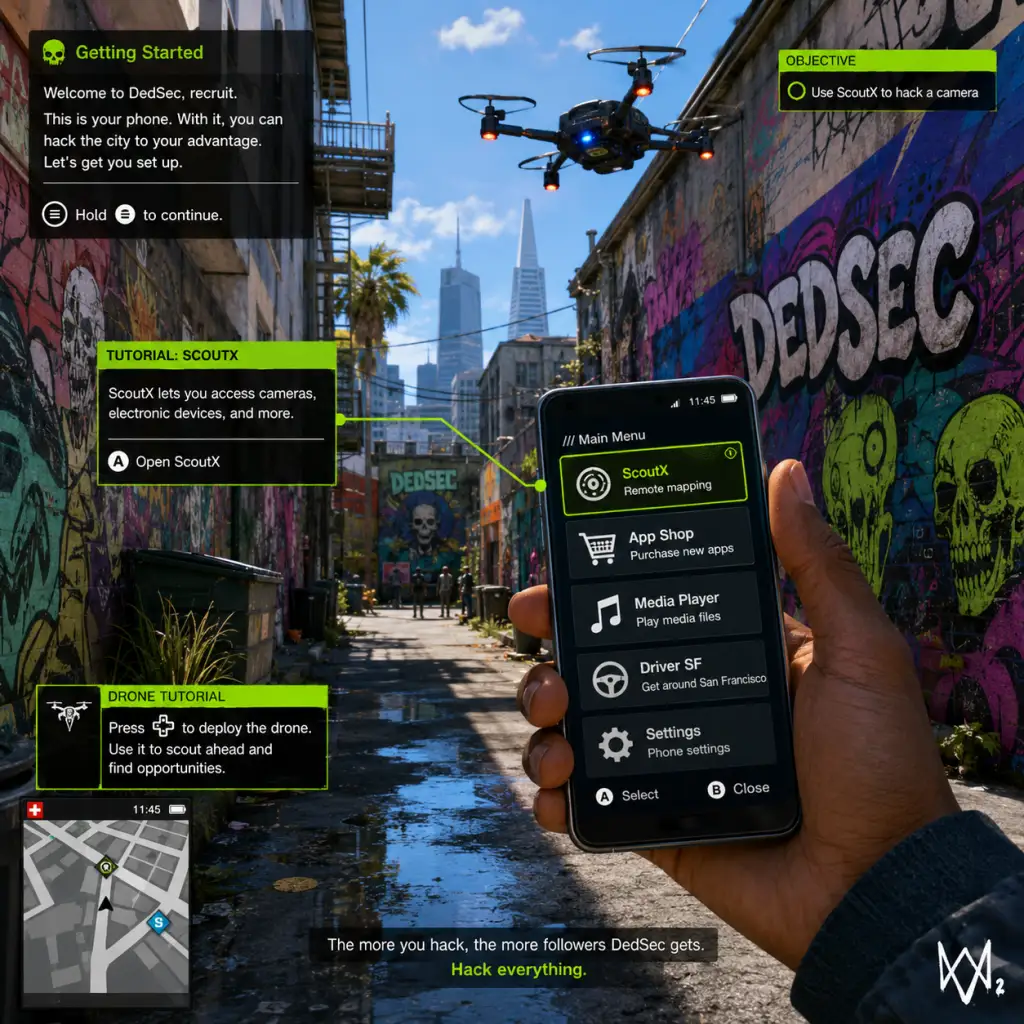
Getting Started
Watch Dogs 2: Getting Started Guide for New Players
Welcome to the San Francisco Bay Area, hacker. This guide covers everything you need to survive your first hours in Watch Dogs 2. You play as Marcus Holloway, a brilliant young hacker wrongly targeted by the city's surveillance system, ctOS 2.0. There is no character creation – Marcus is a fixed protagonist with his own personality, clothes you can change, and skills you unlock. Let's dive in.
First Hour Walkthrough (Spoiler-Free)
During the first 60 minutes, you'll:
1. Start with a flashback: Learn how Marcus was falsely accused by ctOS. You'll control him during a brief bike escape – follow the on-screen prompts.
2. Meet DedSec: After a short cutscene, you'll be in a hacker space called the Hackerspace. Explore it to learn basic controls.
3. First missions: Complete the tutorial mission "Backup Plan" where you learn to hack electronics, use your smartphone, and perform basic takedowns.
4. Open world: After the tutorial, the full map unlocks. You'll have a small side mission ("Lone Wolf") that introduces co-op and the DedSec app.
5. Get your tools: By the end of the first hour, you should have the Jumper (a remote-controlled car drone) and a basic pistol (non-lethal optional).
Pro tip: Do NOT rush the main story. Spend time exploring the Hackerspace, hacking every NPC's phone for money and information, and practice stealth takedowns.
Controls on All Platforms
PC Default Controls (Keyboard + Mouse)
| Action | Key |
|---|---|
| Move | WASD |
| Sprint | Shift (hold) |
| Crouch | C |
| Jump / Climb | Space |
| Hack (interact) | E |
| Focus (slow-mo) | Q |
| Weapon wheel | Tab |
| Shoot | Left mouse |
| Aim | Right mouse |
| Reload | R |
| Phone | F1 |
| Map | M |
| Takedown (melee) | F |
PlayStation 4 / 5 (PS4/PS5 via backward compatibility)
| Action | Button |
|---|---|
| Move | Left stick |
| Sprint | L3 (press left stick) |
| Crouch | Circle |
| Jump / Climb | Cross |
| Hack | L1 |
| Focus | R1 |
| Weapon wheel | Triangle |
| Shoot | R2 |
| Aim | L2 |
| Reload | Square |
| Phone | Touch Pad (swipe up) |
| Map | Touch Pad (hold) |
| Takedown | R3 (press right stick) |
| Action | Button |
|---|---|
| Move | Left stick |
| Sprint | LS (press left stick) |
| Crouch | B |
| Jump / Climb | A |
| Hack | LB |
| Focus | RB |
| Weapon wheel | Y |
| Shoot | RT |
| Aim | LT |
| Reload | X |
| Phone | View button (select) |
| Map | Menu button (start) |
| Takedown | RS (press right stick) |
UI Overview
The screen displays:
- Health bar – bottom-left; recharges automatically when out of combat.
- Mini-map – top-right; shows enemies, objectives, and points of interest.
- Phone icon – bottom-left; press Phone button to open apps (Contacts, Map, DedSec missions, etc.).
- Hackable highlights – objects you can hack are outlined in orange or blue when you aim at them.
- Focus meter – a blue circle around the crosshair; depletes when using slow-motion (Focus). Recharges over time.
- Notifications – top-center; tells you XP gains, mission updates, or police alerts.
- Objective marker – a yellow diamond on-screen pointing to your current goal.
- DedSec App: Main mission board; single-player and co-op missions.
- Map: Full city map with fast travel, side activities, shops, and collectibles.
- Contacts: Unlocks profiles of NPCs; you can call them for deliveries (car, weapons, etc.).
- Vehicle Hack Profile: Shows vehicle data (steal, hack traffic lights, etc.).
- Hack every NPC's phone while walking around – earns you money (Miles) and sometimes intel.
- Complete side missions early – they give easy followers and unlock new vehicles/weapons.
- Fast travel via subway stations (unlocked after finding one) to save time.
- Use elevators and ziplines – quick escapes from enemies.
- Call for a car delivery (using the Car on Demand app) instead of stealing parked cars (less suspicion).
- Kill civilians – even accidentally; this causes instant police alerts and mission failure in some scenarios.
- Spend money on clothes early – outfits are cosmetic only; prioritize weapons and tech upgrades.
- Ignore the Wanted level – if the police scanner icon turns red, hide until it cools down. Running in vehicles often makes it worse.
- Rush main story missions – you'll miss many useful side activities that unlock better gear and follower bonuses.
- Use lethal weapons in crowded areas – the game rewards non-lethal takedowns for stealth bonuses.
Key phone apps:
Essential Early Objectives
After the tutorial missions, these are your priorities:
1. Complete "Lone Wolf" mission – unlocks co-op and the ability to recruit other players.
2. Earn enough Followers (XP) to unlock Key Skills – Focus on:
- Battery upgrade (increases how many hacks you can perform before recharge).
- Noise Suppressor (silences your weapon – critical for stealth).
- Jump Boost (allows climbing higher ledges).
- Research Scanner (lets you identify hackable objects from a distance).
3. Unlock the Jumper Drone (comes from the mission "The Jumper") – essential for remote hacking and scouting.
4. Upgrade your Jumper with speed and stealth (via the Research menu in your phone).
5. Buy a stun gun (Non-lethal rifle from the DedSec shop) to avoid killing civilians or alerting police.
What to Do First vs. What to Avoid
DO:
DON'T:
Early Resource Priorities
| Resource | How to Farm | What to Spend On |
|---|---|---|
| Followers (XP) | Complete missions, hack NPCs, discover gang hideouts, and complete online events. | Unlock skills in the Research menu (vehicle hacking, combat, tech). |
| Money (Miles) | Hack ATMs, complete delivery missions, hack bank accounts from phone logs. | Buy upgraded weapons (stun gun, silenced pistol), tech parts for drone upgrades, and fast travel fares. |
| Tech Parts | Loot from malls, police stations, restricted areas, and some side missions. | Upgrade the Jumper, RC Drone (Quadcopter), and your hacking tools. |
| Clothes | Some missions reward items; buy from shops. | Only after you have a solid weapon and drone loadout. |
Common Beginner Mistakes
1. Overusing vehicles in police chases – it's better to ditch the car and go on foot, using alleys and rooftops.
2. Not using Focus – activate slow-motion (Q/R1/RB) during combat to line up headshots or takedown enemies faster.
3. Ignoring the phone's Research app – you must manually unlock skills with followers. Without investing, combat becomes very hard.
4. Attacking heavily guarded areas without scouting – always use the Jumper or a camera to tag enemies first.
5. Trying to kill everyone – non-lethal takedowns (from behind or with stun gun) give bonus XP and avoid police calls.
6. Forgetting to upgrade the Jumper's battery – it runs out quickly if you spam the remote hacking skill.
7. Not using fast travel – traversing the entire map on foot/vehicle wastes time; unlock subway stations early.
Day-One Checklist
- [ ] Install the game and apply the latest patch (check for updates in launcher/console).
- [ ] Adjust graphics settings (PC): turn off motion blur, set shadow quality to medium, and enable V-Sync (optional).
- [ ] Calibrate brightness and subtitles in Options > Display.
- [ ] Set control preferences: invert Y-axis, sensitivity, and rebind if needed.
- [ ] Play through the tutorial (first 30 minutes) – do not skip cutscenes.
- [ ] Complete "Backup Plan" and "Lone Wolf" – unlock co-op and the Jumper.
- [ ] Buy a silenced pistol (Stun Gun or P9MM with suppressor) from the DedSec store.
- [ ] Upgrade Jumper's speed and battery (Research > RC).
- [ ] Hack at least 5 NPC phones and 2 ATMs for starting cash.
- [ ] Fast travel to the Hackerspace to unlock subway travel.
- [ ] Save the game manually (press Start/Options > Save) after significant progress.
Final advice: Watch Dogs 2 encourages creativity. Use distractions (like calling the cops on a gang) to thin out enemies before you engage. Every system in the game – from traffic lights to steam pipes – can be a weapon. Take your time, explore the world, and remember: you're a hacker, not a soldier. Stealth is power.
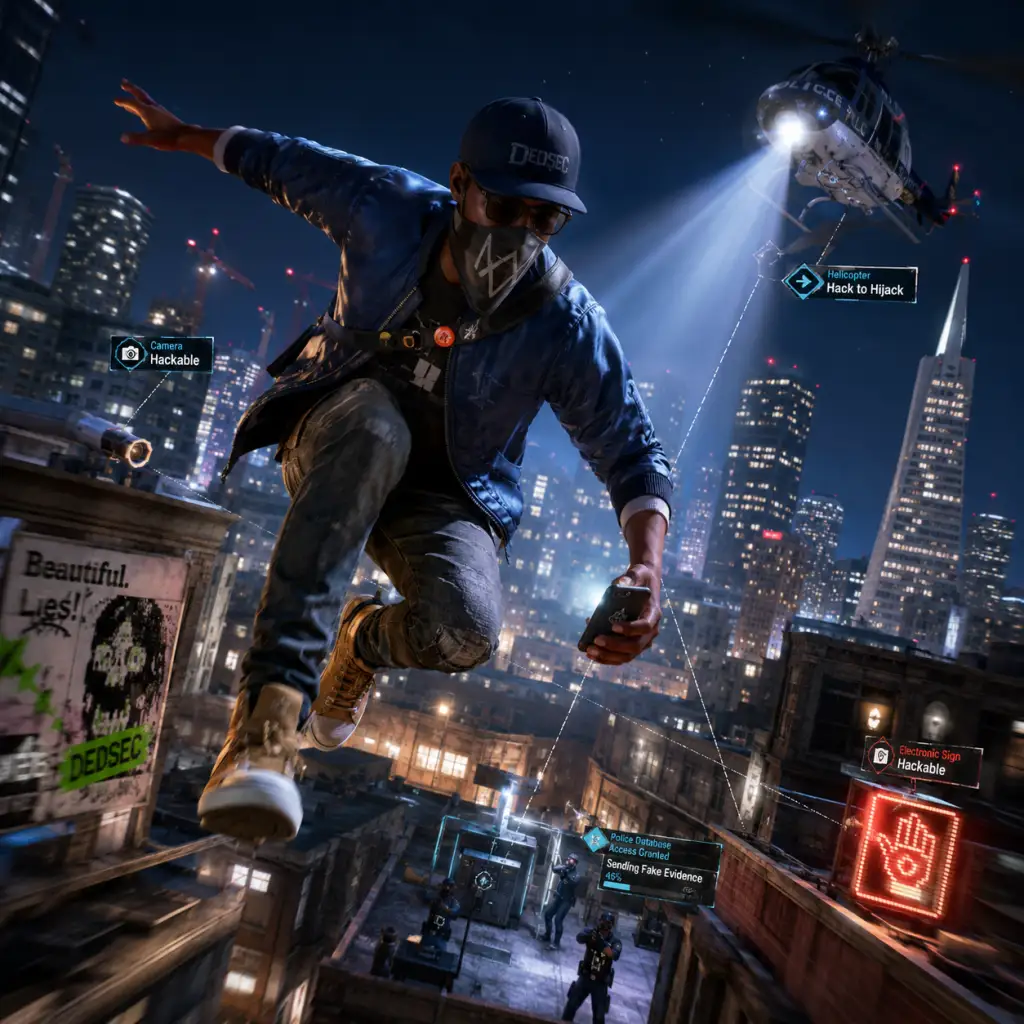
Core Gameplay
Watch Dogs 2: Core Gameplay Guide
This guide breaks down the core gameplay of Watch Dogs 2 by progression tiers. Understanding these phases will help you master the San Francisco Bay Area as Marcus Holloway, a DedSec operative using hacking, stealth, and combat to expose corruption.
---
Main Gameplay Loop
The core loop is: Scan → Plan → Execute → Escape → Upgrade. You gain access to new locations via the in-game smartphone, scout using cameras and drones, disable threats with hacks, complete missions, earn Reputation Points and Money, then invest in new gear and skills to tackle harder challenges.
Combat & Interaction Systems
- Hacking (Profiler): Use your smartphone to interact with objects, distract enemies, trigger traps (e.g., exploding steam pipes), and download data remotely.
- Stealth: Crouch, use cover, and rely on non-lethal takedowns. The game favors stealth over direct combat.
- Combat: Firearms are available but attract police. Use stun gun (non-lethal) or lethal weapons.
- Drones & RC: Quadcopter for scouting, Jumping Drone for vents/ledges, RC car for small spaces. All can be upgraded.
- Vehicle Hacks: Crash enemy cars, trigger locked doors, or remotely drive vehicles (late game).
- Reputation Points (XP): Earned from missions, side activities, and exploration. Levels unlock new skills.
- Money: Acquired via completing missions, looting, hacking ATMs, or selling cars. Used to buy weapons, clothes, vehicles, and upgrades.
- Followers (Follower Count): Acts as a secondary progress bar. More followers unlock story missions and upgrades.
- Skill Tree: Divided into Ghost (stealth), Hacker (electronic manipulation), Trickster (distractions), Agility (parkour), and Combat. Each rank costs points.
- Research Points: Scattered in hidden areas; used to craft unique tools (e.g., EMP, Blackout).
- Linear introduction in Silicon Valley (Palo Alto). You learn basic hacks: access point, distract, elevator hack, steam pipe. Complete the first few DedSec missions to unlock the hacking backpack and the profiler.
- Focus on story missions: "Fast and Furious", "Hacker Wars", "Reboot". Side activities are limited.
- Exploration: Unlock the first boroughs (Palo Alto, Sausalito). The map is partially fogged.
- Combat & Interaction: Mostly stealth. No lethal weapons yet; rely on stun gun and non-lethal takedowns. Enemies are low-tier (e.g., security guards).
- Quests/Missions: Main Ops only. Side missions like "The Bunker" and "The DedSec App" appear but are optional.
- Economy: Limited money (~$2,000). Spend on a better stun gun (e.g., Thunderbird), a quadcopter, and basic clothing for follower bonuses.
- Character Build: Invest points in Ghost (silent running, slow motion) and Hacker (battery capacity, longer hack range). Avoid combat skills.
- Endgame Preparation: Complete all early side missions to maximize followers. Unlock the RC jumper drone.
- Use profiler to distract a guard, then perform a takedown.
- Hack a gas pump to explode when an enemy walks near.
- Solve a puzzle to open a hidden cargo container for research points.
- Unlock more of the map: Marin, Tenderloin, Mission District, and Silicon Valley back areas. The open world opens up significantly.
- Main Ops: Tackle missions like "A Risky Bid", "Cyberdrive", "False Profits". Side missions become crucial for followers.
- Exploration: Use the upgraded quadcopter to scout restricted zones. Hack parking cars for quick transport. Discover Research Points from hidden puzzles (e.g., QR code hunting).
- Combat & Interaction: Enemies are tougher (Agency operatives, armed trucks). Start using lethal weapons occasionally. Use Blackout (EMP) to disable electronics.
- Progression: You gain new skills like Remote Vehicle Hacking (drive a car full of enemies into water), NetHack (access protected networks), and Mass Distraction.
- Economy: Money flows better from side jobs (e.g., Hacking Contests, Driver SF). Buy a silenced pistol (P9 Custom) and upgrade your drones.
- Character Build: Max out Hacker (battery, range, net kill) and Ghost (crouch speed, invisible). Get Agility double jump for parkour routes.
- Endgame Preparation: Collect all Research Points for crafting. Build up follower count to 250k+ to unlock later story missions. Install the Backpack Upgrades (extra gadgets: EMP grenade, IED).
- Use RC Jumper to enter a vent and drop an EMP grenade.
- Hack a police helicopter to chase a hostile target.
- Use a mass distraction to create a path through a heavily guarded courtyard.
- The final third of the campaign. You have access to all boroughs (including the wealthy Hills and the dark sewers).
- Main Ops: "No Compromises", "The Fourth Squirrel", "W4S7ED" (final mission). Your choices in side missions affect the ending.
- Exploration: Full map unlocked. High-level restricted zones (e.g., Blume headquarters, CtOS centers). Use the Jumping Drone and Quadcopter extensively.
- Combat & Interaction: Enemies include elite guards, jammers (disables hacking), and watchdog drones. You must eliminate jammers first. Use lethal weapons with suppressors.
- Progression: Unlock ultimate skills: System Crash (depletes all enemy health), Call a Hit (police attack enemies), Remote Takedown (deactivate enemies via camera).
- Economy: Money becomes abundant. Buy everything: all weapons, vehicle skins, clothing. Spend on Vehicle Upgrades (armored cars, hacking trailers).
- Character Build: All skills should be unlocked. Specialize in Trickster (longer distraction, car hacking) for crowd control. Max out Combat if you like direct fights.
- Endgame Preparation: Complete all side operations (Drivers SF, Justice, etc.) to get best ending. Collect all Research Points for the ultimate handheld blackout device.
- Use Jumping Drone to reach a rooftop radar and disable it.
- Send a Blackout pulse to shut down an entire compound's electricity.
- Hack a construction crane to drop debris on a patrol.
- After main story, the open world is still active. No new story missions, but side activities remain.
- Combat & Interaction: Maxed out hacking and weapons. You can freely explore the entire map without mission constraints.
- Progression: All skills and upgrades acquired. Follower count caps at 999,999. Money is effectively infinite (can hack ATMs for $10k each).
- Endgame Content:
- Character Build: No further growth; but you can respec skills using in-game money at the DedSec hideout (only once per save).
- Economy: Use spare cash to buy every vehicle from the car dealership ($200k+). Hack luxury cars for free.
- Join a co-op mission: both players hack a server room while avoiding guards.
- In invasion, hack a target's profile without them detecting you.
- Drive the fastest car (Cyclone) across the Golden Gate Bridge at top speed.
Progression, Economy & Character Growth
---
Player Progression Tiers
Early Game (Levels 1-6 / Main Ops up to "Reboot")
#### Gameplay Loop
#### Example Actions
---
Mid Game (Levels 7-15 / Main Ops up to "False Profits")
#### Gameplay Loop
#### Example Actions
---
Late Game (Levels 16-23 / Main Ops up to "W4S7ED")
#### Gameplay Loop
#### Example Actions
---
Endgame (Post-Chapter / 100% Completion)
#### Gameplay Loop
- Online Invasions: Join other players' worlds via Online Hacking or Co-op Missions (Bounty Hunter or DedSec Ops).
- Showd0wn: PvP mode where you rob money trucks or destroy objectives.
- Side Missions: Complete all Minor Missions (e.g., "UFO Hunt", "Murder Cases") for unique outfits.
- Collectibles: All Botnet Keys, Research Points, and Audio Logs for 100% completion.
- New Game+: No official NG+, but you retain upgrades. Remaining tasks: the Cyclone (sports car) and Ultimate DedSec outfit.
#### Example Actions
---
This tier-based guide ensures you optimize your playstyle for each phase of Watch Dogs 2. Remember: hacking is faster than shooting, and an open ear (eavesdrop) reveals mission shortcuts.
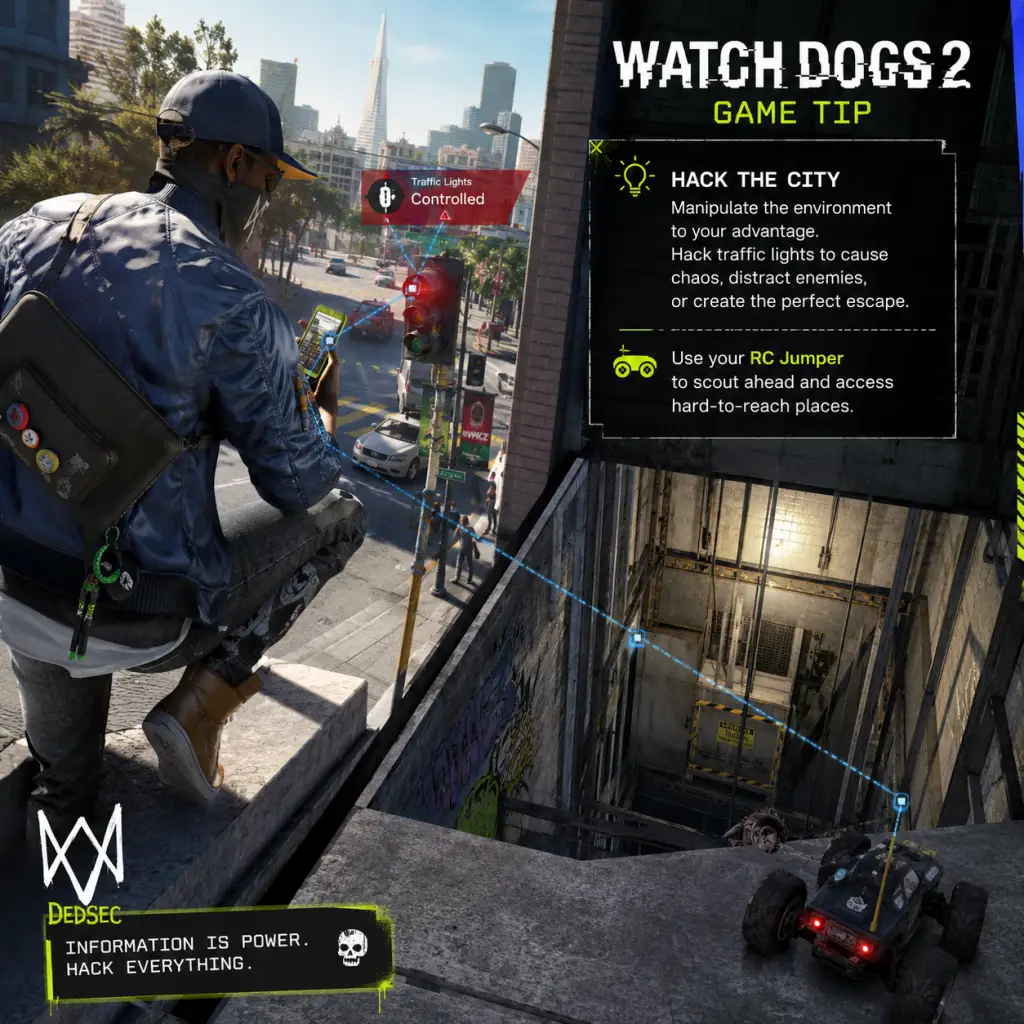
Game Tips
Watch Dogs 2: Game Tips Guide
Mastering San Francisco as Marcus Holloway requires more than just a sharp wit. This guide covers essential tips across all aspects of the game—from combat and exploration to resource management and advanced hacking. Use these insights to become the ultimate DedSec operative.
---
General Tips for All Players
1. Always Use Your Phone Scanner
Marcus’s phone can profile every NPC, vehicle, and object. Keep it out constantly to reveal side missions, collectibles, and hackable points (like city infrastructure). Profiling also shows a target’s income, faction, and potential loot drops.
2. Invest in the Multitool Upgrades Early
Your in-game multitool lets you hack cameras, doors, and more. Prioritize the “Remote Control” upgrade for the Jumping Drone and the “Quadcopter” upgrade for the RC Car. These gadgets unlock countless shortcuts and stealth options.
3. Save Often and Use Multiple Save Slots
The game auto-saves frequently, but manual saves let you experiment with different approaches. Before a major mission, create a save so you can revert if things go wrong.
4. Switch Characters Occasionally
Each DedSec member has a unique skill and weapon loadout. Wrench has a powerful taser, Sitara has her drone, Josh has hacking boosts, and Horatio has a grenade launcher. Use them to match your play style for specific missions.
---
Combat Tips (Stealth & Lethal)
Beginner: Hide and Hack
Don’t rush into gunfights. Use cameras to scout enemy positions, then hack environmental hazards (explosive barrels, transformers) to take out groups silently. The “Blackout” hack (unlocked via the Botnet skill tree) can disable all electronics in a large area, giving you a temporary advantage.
Intermediate: Use the RC Car as a Distraction
When enemies are searching, deploy the RC car near an object (like a vehicle) and make it emit a “hacking sound” or cause a small alarm. This draws guards away from their posts. Combine with the Jumping Drone for vertical distractions.
Advanced: Chain Hacks for Multi-Kills
Hack a gas pipe near one guard, then hack a junction box near another while the first guard is stunned. With the “Chain Hacks” skill (Engineering tree), you can trigger multiple environmental attacks in quick succession, eliminating an entire patrol without firing a shot.
Lethal Combat: Use the Heavy Weapons
Once you unlock the “Heavy Revolver” or “Shotgun” (becoming available after story missions), use them indoors or in tight corridors. The revolver is a one-hit kill on most enemies up to medium range. However, loud weapons attract reinforcements—always have an escape route.
---
Exploration Tips
Beginner: Unlock Fast Travel Points Early
Each district has a hidden fast travel location (usually a sewer entrance or a specific building). Use your phone’s map and ride a drone over unknown areas to reveal them. Fast travel saves immense time.
Intermediate: Collect All Research Points (Tech Points)
Tech Points are scattered everywhere: on rooftops, in restricted areas, inside locked rooms. They are essential for unlocking new skills. Use the “Technology” perk (from the Botnet tree) to mark Tech Points on your map. Prioritize collecting them early to unlock powerful hacks.
Advanced: Use the Bug-out Bag to Loot Safely
The Bug-out Bag is a buyable item that instantly teleports you to a safehouse if you’re carrying illicit items (like stolen cars). Great for high-risk runs where you need to escape quickly after looting a valuable item from a restricted zone.
---
Resource & Hacking Tips
Beginner: Hack Everything That Moves
Hack traffic lights, bridges, and lift systems. Not only do they distract guards, but they also increase your “Hack Score” which unlocks bonus abilities. Always hack police drones and cameras to get eyes on objective locations.
Intermediate: Manage Your Battery Meter
Your phone has a limited battery for hacking (shown as a meter top-right). Use small hacks (like unlocking doors) sparingly; save battery for large hacks (Blackout, Mass Blackout). Recharge by staying near electrical sources or using the “Battery Regen” skill (Botnet tree).
Advanced: Create a Hacking Route
For complex missions, plan a path of accessible cameras and drones that gives you a full view of the target area. Mark them by scanning and then executing hacks in a sequence (e.g., camera 1 → door → camera 2 → distract guard). This perfects a silent run.
---
Economy & Skill Build Tips
Beginner: Spend Tech Points on Essential Skills First
- Botnet: Battery upgrades and Blackout hack.
- Engineering: Chain Hacks and Remote Control for gadgets.
- Social Engineering: Increase follow distance and reduce detection. Get “Shadows” (move faster while in crowds).
- Stealth: Silent takedown and prone movement.
- Pure Stealth: Max Botnet (Blackout, Battery) and Stealth (prone movement, silent takedown).
- Aggressive Hacker: Engineering (Chain Hacks, Gadgets) + Social Engineering (quick hacks, follow speed).
- Runner/Gunner: Stealth + Social Engineering + Combat (weapon skills).
Do NOT waste points on vehicle health or weapon damage early—stealth is king.
Intermediate: Sell Extra Weapons and Clothes
You’ll accumulate many duplicate weapons and outfits. Sell them at gun shops or clothing stores for quick cash. Cash is used to buy cars, upgrades, and some gadgets.
Advanced: Farm Money with Co-op Missions
Criminal Profiling side missions are repeatable and pay well if you complete them with a partner. Use the money to buy the “RC Jumper” drone upgrades, which are expensive but invaluable for stealth.
---
Vehicle Tips
Beginner: Use the “Remote Hacking” on Enemy Vehicles
When chased by police, hack the trunk latch of a cop car to release a flashbang effect that disables the vehicle for a few seconds. Alternatively, hack a bridge or bollard to create sudden obstacles.
Intermediate: Own Multiple Vehicles for Different Terrain
Buy a fast sports car (like the “Cayenne Turbo” from the Autospot app) for open roads, and an off-road buggy for hill climbs. Upgrade vehicles with armor and speed at the mechanic located in each district.
Advanced: The Stealth Vans
Once unlocked via story, use DedSec’s mobile command van (the one with the large antenna) to remotely control drones and cameras from a safe distance. Park it near a mission area for a safe command post.
---
Stealth & Detection Tips
Beginner: Stay in Prone and Use the Environment
Going prone reduces your visibility dramatically. Crouch walk behind walls, cars, and foliage. Most guards have a 30-40m detection range; stay outside that when possible.
Intermediate: Use the “Double Tap” Quick Hack
Quick Hacks (e.g., unlocking a door) can be performed faster by double-tapping the interaction button. This prevents you from standing in the open while hacking.
Advanced: Fool Enemy AI with “Fake Phone Call”
Use the phone’s “Fake Call” ability (accessed via the radial menu) to create a distraction. Guards will investigate the source of the phone ring, giving you a clear path around them. Works best if you place the call from a hiding spot.
---
Multiplayer & Co-op Tips
Beginner: Join Bounty Hunter Mode for Quick XP
Bounty Hunter invades another player’s world. You can net up to 5,000 research points per successful hunt. Great for accumulating Tech Points fast.
Intermediate: Cooperate on “Criminal Profiling” Co-op Missions
These bring in extra cash and research. Each player can hack different objectives simultaneously, reducing mission completion time. Use voice comms to coordinate.
Advanced: Counter-Intrusion Tactics
If another player invades your world as a Bounty Hunter, go to a crowded public area (like Pier 39) and blend in using the “Follow” function with NPCs. Activate your phone’s “Hide in Plain Sight” (skill from Social Engineering) to make your outline invisible to their scanner. Then wait for them to pass before ambushing.
---
Advanced Optimizations
1. Master the “Wall Hack” Glitch (Safe Exploit)
If you position a drone behind a thin wall and then transfer to a camera on the other side, you can view enemies through solid objects. Useful for planning an assault with zero risk.
2. Use the “Nitro” Boost for Vehicles
Hold the brake and accelerate simultaneously (or press a specific button combination) to perform a nitro boost at low speeds. This instantly accelerates past cops or through tight spots.
3. Optimize Your Skill Tree for Your Playstyle
Reset your skill points at any DedSec safehouse via the “Reset Perks” option—costs a small amount of cash but allows infinite re-speccing.
4. Fastest Way to Collect Tech Points
Use the “Quadcopter” drone to survey high rooftops from the air. Mark all visible Tech Points on your map via the drone’s scanner. Then fast travel to each safehouse near the point for a quick ground run. Combine with the “Double Jump” skill (from Stealth tree) to reach tricky ledges.
5. Efficient Money Farming
After unlocking the “Auto-Theft” ability (Engineering tree), you can remotely drive any civilian car within range. Steal expensive cars (e.g., luxury brands) and sell them at the garage in Oakland or Palo Alto. You can earn up to $5,000 per car with minimal effort.
---
Final Thoughts
Watch Dogs 2 rewards creativity. The more you experiment with gadgets, hacks, and environmental interactions, the more effective you become. There is no single “right” way to play—choose the tips that match your preferred style and adapt as you learn the map and AI behavior. Happy hacking!
Game Settings
Watch Dogs 2: Game Settings Guide
This guide covers all configurable settings in Watch Dogs 2 across platforms (PC, PlayStation 4, PlayStation 4 Pro, Xbox One, Xbox One X, and backward compatibility on PS5/Xbox Series). We provide optimal recommendations for performance vs. quality based on your hardware tier, highlight settings that are commonly misconfigured, and draw attention to settings that require special consideration for a smooth experience.
---
Graphics Settings (PC)
Display
- Resolution: Set to your monitor’s native resolution. For 1440p or 4K displays, ensure the game is not upscaled from a lower resolution unless using DLSS or FSR (not natively supported; manual render scaling available).
- Window Mode: Fullscreen for best performance. Borderless windowed can cause slight input lag; use only if you need to alt-tab frequently.
- VSync: Recommended OFF unless you experience screen tearing. VSync introduces input lag. If tearing occurs, enable VSync via the graphics driver control panel instead of in-game.
- Refresh Rate: Set to your monitor’s maximum refresh rate (60Hz, 144Hz, etc.). For G-Sync/FreeSync, disable in-game VSync and enable G-Sync/FreeSync in driver settings.
- Field of View (FOV): Default 70°. Increase to 80–90 for a wider view, especially beneficial in driving and combat. Higher FOV reduces perceived speed slightly but improves spatial awareness. Note: High FOV can cause fisheye distortion on ultrawide monitors; adjust accordingly.
Quality Presets
Watch Dogs 2 offers several preset levels: Low, Medium, High, Ultra, and a custom option. Below are tier-by-tier recommendations.
| Hardware Tier | Example GPU | Recommended Preset | Adjustments |
|---|---|---|---|
| Entry | GTX 1050 / RX 560 | Low | Set resolution to 1080p. Lower shadows to Very Low, textures to Medium (if VRAM permits). Disable anti-aliasing or use FXAA. Aim for 30–40 FPS. |
| Mid-Range | GTX 1060 6GB / RX 580 | High | Set textures to High, shadows to Medium, anti-aliasing to SMAA. Turn off motion blur and depth of field for cleaner image. Target 60 FPS at 1080p. |
| High-End | RTX 2070 / RX 5700 XT | Ultra | Maintain 60 FPS at 1440p or high refresh 1080p. Enable TXAA (if you prefer cleaner edges) or SMAA. Drop shadow quality to High if frame rate drops. |
| Enthusiast | RTX 3080 / RX 6800 XT | Ultra with 2x MSAA | Run at 4K with MSAA 2x or TXAA. Set all to maximum except post-processing (motion blur, depth of field optional). Ensure VRAM is sufficient; if stutter occurs, lower texture quality to High. |
Detailed Graphics Options
- Texture Quality: Affects VRAM usage. Low (1GB), Medium (2GB), High (3GB), Ultra (4GB+). Use High for 1080p with 4GB VRAM. Ultra recommended only for 4K or high-resolution packs.
- Shadow Quality: Very Low to Ultra. Very Low disables dynamic shadows from characters, making them float. Medium is a good balance. High and Ultra add soft shadows, performance hit especially in dense urban areas.
- Anti-Aliasing: Options: Off, FXAA, SMAA, TXAA (1x–4x). FXAA is cheap but blurry; SMAA offers slightly better quality with less blur; TXAA yields cleanest image but can cause subtle ghosting and costs performance. For 1080p, use SMAA. For 1440p/4K, TXAA 2x or even Off (jaggies less noticeable).
- Ambient Occlusion: Off, SSAO, HBAO+. HBAO+ provides realistic depth shadows but is costly. SSAO is a good middle ground. Off flattens the image.
- Depth of Field: Cinematic blur on distant objects. Disable for competitive gameplay or to improve clarity. Slight performance gain.
- Motion Blur: Blur during camera movement. Disable for better visibility and performance. Many players prefer off.
- Screen Space Reflections: Reflect objects in water and shiny surfaces. High quality adds reflections in puddles and windows. Moderate performance impact. Set to Medium or High.
- Vegetation Quality: Density and detail of grass and trees. High in areas like Golden Gate Park can drop FPS. Medium recommended if performance issues.
- Water Quality: Affects reflection detail and transparency. High adds caustics. Low impact; set to High.
- Geoscape Quality: Terrain detail. Higher values reduce pop-in of geometry. Medium is fine.
- Environment Quality: Draw distance and level of detail. Ultra can cause pop-in close to camera. For balanced, set to High.
- PS4 / Xbox One (base): Fixed 1080p, capped 30 FPS with occasional dips. No adjustable options. To improve smoothness, enable the game’s built-in “Performance Mode”? (Check patch notes). Actually, Watch Dogs 2 on console has no performance/quality toggle; it’s locked settings. Consider deactivating motion blur if available (some patches added minor options?).
- PS4 Pro / Xbox One X: Dynamic 4K (checkerboard on Pro, native on X) at 30 FPS. Some visual enhancements (higher shadows, better textures). No extra settings.
- PS5 / Xbox Series X|S: Backward compatible at PS4 Pro/Xbox One X settings, but with faster load times and stable 30 FPS. No next-gen patch. Aim assist and controls remain unchanged.
- Master Volume: Adjust to system level. Ensure it’s not too loud to avoid distortion.
- Music Volume: Background music. Set to ~70% to hear environmental audio.
- SFX Volume: Effects (gunshots, explosions, hacking sounds). Keep at 100%.
- Dialogue Volume: Voice lines and radio chatter. Set high to catch mission instructions.
- Ambience Volume: Environmental sounds (city, nature). Recommended 80% for immersion.
- Voice Chat Volume: In-game voice chat for multiplayer. Adjust separately.
- Audio Output:
- Dynamic Range: Options: Small (TV speakers), Medium (soundbar), Large (home theater). Setting this incorrectly can cause dialogue to be too quiet or explosions to clip. If you hear muffled voices, change to Small or Medium.
- Enable Subtitles: Toggle for cutscenes and dialogue. Recommended ON for accessibility or noisy environments.
- Show Subtitles for Radio: Includes radio music lyrics and NPC banter.
- Mouse Sensitivity: Default 50. For precision aiming, reduce to 20–30. For quick camera turning, increase to 45–60. Special attention: The game uses an acceleration-like curve; lowering sensitivity helps with sniper shots.
- Mouse Smoothing: OFF. It introduces input lag. If you experience micro-stutter when turning, disable smoothing and adjust sensitivity.
- Invert Mouse: Toggle vertical look. Default off.
- Key Bindings: Fully remappable. Important keys:
- DedSec Menu: Tab – opens smartphone; often pressed accidentally. If you frequently open menu in combat, rebind to a less intrusive key like `.
- Vibration: Toggle controller rumble. Some players disable it for battery life or focus. Off can improve aim precision.
- Look Sensitivity: X and Y axis independent. Default 40. Adjust to 60 for quicker turning, 30 for precise aiming.
- Aim Sensitivity: Separate from look sensitivity. Lower to 20–30 for sniper rifles.
- Driving Sensitivity: Steering responsiveness. Increase to 70–80 for quicker evasive maneuvers, decrease to 50 for more stable cruising.
- Invert Look: For flight or driving (heli).
- Swap Sticks: Choose between default (left move, right look) and alternate.
- Button Layout: Several presets: Default, Southpaw, Legacy, etc. You can also custom map each action.
- Subtitle Size: Small, Medium, Large. Choose Large if playing on a TV from a distance or have visual impairments.
- Subtitle Background: Toggle a dark background behind text for readability.
- Colorblind Modes: Protanopia, Deuteranopia, Tritanopia. Adjusts HUD colors (e.g., enemy markers, hackable objects). Enable the appropriate mode to distinguish red/green elements.
- Aim Assist: None, Partial, Full. “Full” strongly pulls reticule to targets. Recommended for beginners or players with motor difficulties. “Partial” is a middle ground. Special attention: On PC with mouse, aiming is already precise; aim assist can disrupt tracking. Set to None.
- Driving Assist: Options: Automatic gearbox, steering assistance, braking assist. Enable all three if you prefer arcade-style driving. Disable for manual control (steering assist can fight against tight turns).
- Quick Hack Behavior: Default is “Hold” which requires pressing Q and releasing. Independent option “Tap and Hold” may be easier for some. Set to “Tap” to quickly activate the last used hack (useful in combat).
- Difficulty: Easy, Normal, Hard. Affects enemy damage, health, and awareness. Accessibility-wise, Easy reduces combat pressure. Note: There are no difficulty achievements, so choose what suits your style.
- In-Game Text Language: Choose from available subtitles and menu language (English, French, German, Spanish, Italian, etc.).
- Audio Language: Spoken language for characters. Options include English, French, etc. (varies by region). Changing audio language can affect lip-sync quality; English is original and best synced.
- Voice Chat Language: Not applicable; voice chat is real-time language independent.
- Online Connectivity: Toggle online features. Enable for multiplayer modes: Co-op missions, Bounty Hunter, invasions (Hacking, Tailing). Misconfiguration: If you set online to Off, you cannot be invaded and cannot initiate co-op. For a pure single-player experience, disable to avoid interruptions.
- Invasion Privacy: Choose who can invade your game: Everyone, Friends, Friends of Friends, or None. Set to “None” to prevent PvP invasions. Note: Bounty Hunter (co-op) still works if enabled.
- Matchmaking Region: Auto, Region (your geographical area), or Worldwide. For faster matchmaking, set to Auto or Region. For more diverse opponents, use Worldwide (may increase ping).
- Voice Chat Channel: Options: None, Team Only, All. For cooperative play, Team Only reduces clutter.
- Data Limit: Some ISPs throttle bandwidth. If you experience rubberbanding, check this setting (usually unlimited).
- Hacking Mode: Choose between “Hold” (press and hold to hack) or “Toggle” (press once to start, again to confirm). Hold prevents accidental hacks; Toggle is faster. Recommended: Hold for cautious play, Toggle for speedrunners.
- Quick Hack Targets: Configure which objects appear in the quick hack wheel (e.g., Blackout, Distract, call Police). Customize to match your strategy.
- Camera Auto-Lean: When peeking around corners, the camera automatically leans left/right. Disable if you prefer manual control.
- Invert Helicopter Controls: Separate for helicopters; if you invert normal look, you may need to adjust here.
- Phone Autorotate: Smartphone minimap orientation. Fixed (north up) or Rotating (camera direction up). Fixed helps with navigation; rotating can disorient.
- Compass Display: Always On, Off, or Dynamic. Keep On for situational awareness.
- HUD Opacity: Adjust transparency of HUD elements. Lower values reduce clutter in screenshots or immersion.
- GPS Path: Show on minimap and world. Toggle on/off.
Console Graphics Settings
---
Audio Settings
- Stereo (headphones or 2.0 speakers) – best for directional audio.
- Surround (5.1/7.1) – if supported, enables spatial audio via Windows Sonic or Dolby Atmos. Note: The game’s surround implementation is basic; stereo may be clearer.
Misconfiguration Tip: Many players leave dynamic range at Large, then complain about inaudible dialogue. Set to Medium if using gaming headset.
---
Controls Settings
Keyboard & Mouse (PC)
- Hack Tool: Default E – change to a side mouse button for quick access.
- Quick Hack: Default Q – useful for environmental hacks. Keep accessible.
- Focus: Default F – slows time during combat; remap to thumb button if needed.
- Crouch: Default Ctrl – consider C for easier movement.
Controller (PC & Consoles)
Misconfiguration Tip: The default controller deadzone is small but may cause drift on worn analog sticks. If you notice unintended movement, increase the “Controller Deadzone” setting (found under Advanced Controls) to 5–10%.
---
Accessibility Settings
---
Language Settings
Special attention: If you set audio language to a language you don’t speak, ensure subtitles are enabled for that language (if not, you might miss story). Also note that downloadable language packs may be required on PC; ensure they are installed.
---
Network Settings
---
Gameplay Settings
Special attention: The “Camera Shake” option (under Gameplay > Camera) is often overlooked. Set to 0% to eliminate screen shake during explosions or driving, which can cause motion sickness for some players.
---
Recommended Settings Summary Table (PC)
| Setting | Entry (30 FPS) | Mid-Range (60 FPS) | High-End (60+ FPS) | Enthusiast (4K 60) |
|---|---|---|---|---|
| Resolution | 1080p | 1080p | 1440p | 2160p |
| Texture Quality | Medium | High | High | Ultra |
| Shadow Quality | Very Low | Medium | High | Ultra (or High) |
| Anti-Aliasing | FXAA | SMAA | SMAA or TXAA 2x | TXAA 4x |
| Ambient Occlusion | Off | SSAO | HBAO+ | HBAO+ |
| Motion Blur | Off | Off | Off | Off |
| Screen Space Reflections | Medium | High | High | Ultra |
| Vegetation Quality | Medium | High | Ultra | Ultra |
| Environment Quality | Medium | High | Ultra | Ultra |
Common Pitfalls & Special Attention
1. VSync On with G-Sync: Enabling in-game VSync while G-Sync is active causes double V-Sync and increased input lag. Always disable in-game VSync and use driver-level technology.
2. Mouse Smoothing: By default, this is ON in Watch Dogs 2 (under Advanced Controls). Disable it for raw mouse input; otherwise, aiming feels floaty.
3. Dynamic Range Audio: As noted, large dynamic range on headsets makes dialogue too quiet. Change to Medium.
4. Field of View on Console: Not adjustable? Actually, console versions lack FOV slider. If you’re emulating on PC, know that high FOV can cause performance drops; stick to 80.
5. Shadow Quality Very Low: This removes dynamic shadows from characters and vehicles, making them look like floating models. Avoid unless absolutely necessary for FPS.
6. Anti-Aliasing TXAA Ghosting: TXAA can cause blurring behind fast-moving objects. If you notice ghosting, switch to SMAA.
7. Controller Deadzone: If you have worn analog sticks, increase deadzone to 10% to prevent drift.
---
Platform-Specific Notes
- PC: Use the in-game benchmark (Graphics > Benchmark) to test settings before playing. Run it after each major change.
- PS5 / Xbox Series X|S: The game runs via backward compatibility. No additional settings. To reduce screen tearing, enable the console’s VRR (Variable Refresh Rate) if supported.
- Stadia / Luna: Not available on these platforms. This guide applies only to native installs.
- NVIDIA/AMD Drivers: Always keep graphics drivers up to date. Watch Dogs 2 benefits from driver-optimized profiles.
- Cloud Save: Enable Uplay Cloud Save to preserve settings across reinstalls.
- Backup Config Files: The graphics settings are stored in `Documents\My Games\Watch Dogs 2\WD2.xml`. Manually edit this file for advanced tweaks (e.g., disabling specific effects).
---
Final Tips
With these settings, you can tailor Watch Dogs 2 to run smoothly on your hardware while maintaining visual quality. Adjust gradually and use the benchmark to find your sweet spot.
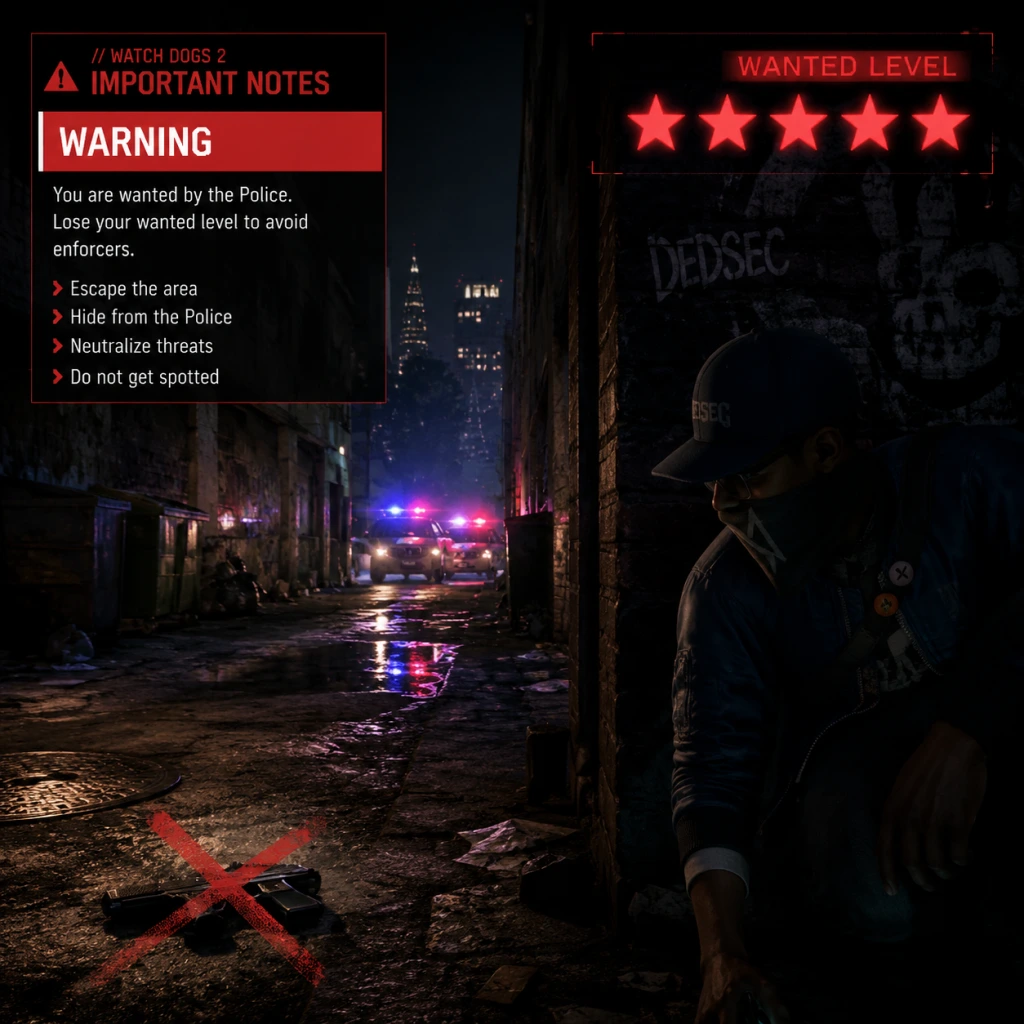
Important Notes
Watch Dogs 2: Important Notes
Warnings & Pitfalls
- Lethal Weapons Are Optional: Using guns increases police notoriety and escalates situations. The game is designed for non-lethal takedowns (stun gun, melee, distractions). Killing civilians or guards recklessly can trigger a Wanted level that escalates rapidly, making missions harder.
- Police Alert System: Committing crimes (hacking vehicles, theft, murder) raises your notoriety. You can pay bounties at certain locations, but avoid killing cops or causing mass chaos early on—the response time and force become overwhelming.
- Unlock Skills Strategically: Early game, prioritize the Botnet and Stealth skill trees. Upgrading the Profiler (to mark enemies through walls) and the quadcopter (for remote hacking) greatly reduces difficulty. Avoid spending Research Points on vehicle handling or combat perks until you have core stealth tools.
- Major Story Decisions: There are a few dialogue choices that affect minor faction endings (e.g., sparing or condemning characters), but they do not lock you out of the main storyline. No permanent narrative dead ends—you can always reload a save if you want a different outcome.
- Missions Unlocking: Some side operations become unavailable after completing certain main story chapters. Notably:
- Clothes & Vehicles: No permanent unlocks; everything purchased stays in inventory. You can change outfits and paint jobs anytime.
- Co-op Missions: These are tied to the online mode. If you never play online, you cannot access them. They are fully missable if you only play single-player.
- Online Invaders & Bounties: The invasion system (Hacking Invasion, Bounty Hunt) is online-only. Offline players miss these entirely.
- The "Cuckoo" Mission: A hidden side mission triggered by entering a specific building in Palo Alto. If you miss it, it stays available until endgame, but easily overlooked.
- Points of Interest (POIs) : Some NPC conversations and environmental stories are temporary; if you walk away, they disappear. Use the Profiler to listen in.
- Early Game: The first few missions (e.g., "Thumbs Down") force you into combat with limited tools. Use the environment: hack forklifts, distract enemies, and climb to high ground. The skill jump between mission 3 and 4 is steep because you lack the quadcopter drone (unlocks around Research 20). Grind side activities for Research Points.
- Vehicle Chase Missions: Missions like "Stealing Thunder" (the boat chase) require precise driving. Use the remote control car or quadcopter to disable enemy vehicles from afar. Manually driving is risky.
- Final Mission: The last story mission has a timed hacking sequence with waves of enemies. Ensure you have the Retinal Scanner upgrade (Botnet tree) and a silenced weapon. Save before initiating.
- Money Is Not Critical: You can complete the game without buying any clothes or vehicle upgrades. The best gear (e.g., stealth rigs) is obtained through missions and Research Points. Avoid wasting time harvesting money via Bitcoin mining or hacking ATMs—it's slow and unnecessary.
- Research Points Are the Real Bottleneck: They come from missions, side operations, and random events (e.g., hacking criminal convoys). Focus on these instead of repetitive grinding. The fastest way to earn Research Points is:
- Avoid the "Follow" Mini-Game: The app-based follow missions (like "Follow the Car" from ctOS) give tiny rewards and are tedious. Only do them for completion.
- Co-op: When playing co-op missions, let your partner decide approach. Communicate via emotes (d-pad). Don't steal their kills—share the fun.
- Bounty Hunter Mode: If you invade another player as a Bounty Hunter, do not camp their spawn. It's considered unsporting. Likewise, if you are invaded, use the environment (closets, roof edges) to hide, not glitch spots.
- Anti-Cheat (PC) : Ubisoft Connect uses FairFight for online detection. Using mods or trainers in single-player can trigger bans if you go online with modified files. Disable all mods before connecting. The game saves are stored locally; avoid editing them for online play.
- Griefing: Hacking other players (Invasion mode) is part of the game, but repeatedly targeting the same player or using exploits (e.g., teleport hacks) may get you reported. Ubisoft acts on reports.
- Autosave System: The game autosaves frequently (after missions, fast travel, key events). However, the autosave is overwritten constantly.
- Manual Saves: You can create up to 5 manual save slots. Use them before major missions, especially the final one. On console, manual saves are found in the pause menu > Save/Load. On PC, save files are in `Documents\My Games\Watch_Dogs 2\save` (backup this folder if you want multiple runs).
- Cloud Save (Ubisoft Connect) : Syncs manually. If you have connectivity issues, disable cloud sync to avoid corrupted saves. Always let the game upload properly before quitting.
- No New Game+: There is no New Game Plus mode. To replay the story, you must start a new save (which deletes old autosaves). Keep a separate manual save from before the final mission if you want to free roam after credits.
- Difficulty Balance: The game is easiest on stealth; combat is punishing. If you want a challenge, try using only the stun gun and melee.
- Accessibility Options: Enable colorblind modes, subtitle backgrounds, and hold-to-sprint in Settings. The camera shake can be reduced for motion sickness.
- Completionist Advice: Use the in-game map to track side missions. There is no time limit except for online invasions. Take your time and explore.
- Cheats/Mods: Only safe for offline single-player. If you use them, disable before going online.
Irreversible Choices
- Side Operations: Several side missions (e.g., "Cyberdriver" and "Uber Driver") are only triggered by specific locations or NPC encounters. If you ignore them, they remain available until post-game, but progress is tracked globally.
- Key Data (Collectibles) : No missable collectibles; all can be collected post-story. However, some graffiti art and QR codes disappear after certain story events? (No—they persist). Safe to explore anytime.
Missable Content
Difficulty Spikes
Grinding Traps
- Complete side operations (each gives 1-3 points)
- Hack every network switch and junction box you see (they give small points)
- Use the Profiler on NPCs to find side quests
Online Etiquette & Anti-Cheat Notes
Save Management Advice
Common Regrets (Things Players Wish They Knew)
1. You can fast travel from anywhere (not just from safe houses)—open the map and hover over any unlocked ctOS hub. Use it liberally.
2. Quadcopter Upgrades: The ability to disrupt cameras from the drone is a game-changer. Upgrade it early.
3. Climb Anywhere: You can mantle almost all walls, but some fences require a running jump. Experiment.
4. Call the police on enemies: Use the Profiler to mark an enemy, then hack them to call the police. It clears areas without direct combat.
5. Smoke bombs are OP: They blind enemies and allow easy escapes. Craft them early (requires marijuana leaves).
6. Vehicle customisation is cosmetic: Expensive paint jobs don't improve performance. Stick to cheap options.
7. You can turn off the phone ringing: Settings > Audio > disable 'Phone Ringtone' to avoid distracting calls.
8. The Profiler can tag enemies through walls: Hold L2/LT to scan while moving—useful for stealth planning.
9. Co-op friends can join mid-mission: If you're stuck, send an invite. They can help without restarting.
10. Hacking enemy car brakes: Infinite fun—especially on the Golden Gate Bridge. Tempting, but watch for civilian casualties (police).
Final Tips
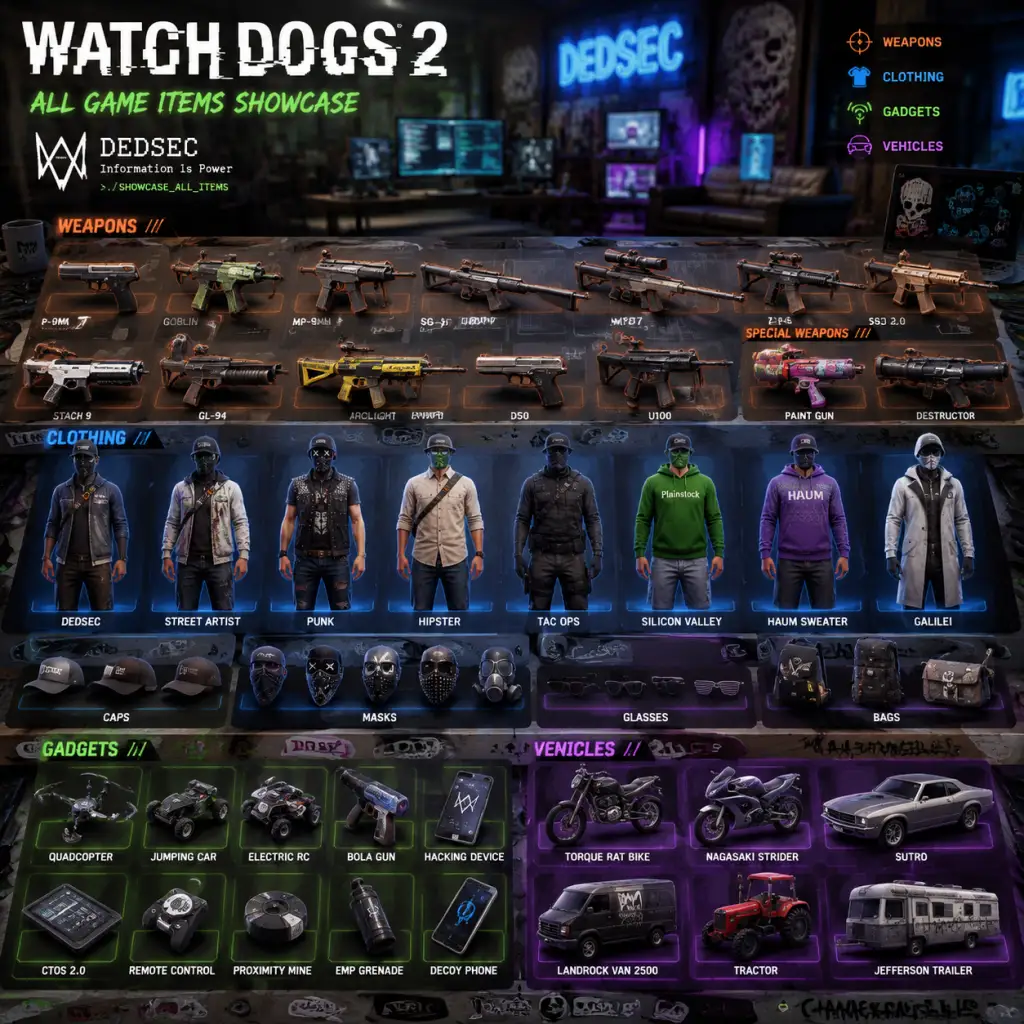
All Game Items
Watch Dogs 2: All Game Items Guide
This guide covers every major item in Watch Dogs 2, including weapons, clothing, consumables, crafting materials, currencies, collectibles, and key equipment. Each entry explains what the item does, how to obtain it, when it is useful, and any important synergies or upgrades.
---
1. Weapons
Weapons in Watch Dogs 2 are divided into lethal and non-lethal categories. You can carry one lethal firearm, one non-lethal weapon, and one throwable at a time. Most weapons are purchased from the 3D Printer in your hideout using in-game money, but some are unlocked via story progression or DLC.
1.1 Lethal Weapons
Lethal weapons attract police attention and escalate combat. Use them only when absolutely necessary.
| Weapon | Type | Damage | Mag | Range | How to Obtain | Notes |
|---|---|---|---|---|---|---|
| P9mm | Pistol | Medium | 15 | Medium | Default (unlocked after Prologue) | Reliable sidearm; standard damage. Good for stealth shooting with silencer (upgrade available). |
| 1911 | Pistol | High | 7 | Medium | Purchase from 3D Printer (unlock early) | High damage per shot, low magazine. Ideal for headshots. Synergizes with Gunslinger skill. |
| SIG Sauer P226 | Pistol | Medium | 12 | Medium | Story mission “Unlocking the 3D Printer” | A balanced pistol with better accuracy than P9mm. Unlock silencer upgrade later. |
| M9A1 (Beretta) | Pistol | Medium | 15 | Medium | Pre-order bonus / DLC | Same stats as P9mm but with a different skin. |
| Judge Revolver | Pistol | Very High | 6 | Short | Purchase from 3D Printer (unlock after reaching DedSec HQ) | Extremely high damage; can kill most enemies in one body shot. Slow fire rate and reload. Best used with Gunslinger skill for faster reload. |
| AC-41 (SMG) | SMG | Low | 30 | Short | Purchase from 3D Printer | High fire rate, good for suppressing enemies. Low damage per bullet; requires many hits. Pair with Extended Magazine upgrade. |
| Vector .45 ACP | SMG | High | 25 | Medium | Purchase from 3D Printer (unlock mid-game) | Excellent SMG with high damage and manageable recoil. One of the best lethal options for close to mid-range. Unlock through skill “Weapon Proficiency: Purple.” |
| Goblin (Compact Rifle) | Assault Rifle | Medium | 25 | Medium | Purchase from 3D Printer (unlock early) | Fully automatic, decent accuracy. Good all-purpose lethal rifle. Can equip sight and silencer. |
| Mk.13 (Battle Rifle) | Assault Rifle | High | 20 | Medium | Purchase from 3D Printer (unlock via story) | Higher damage than Goblin, lower fire rate. Can be switched to semi-auto for precision. |
| M249 SAW | LMG | Very High | 100 | Long | Purchase from 3D Printer (unlock late-game) | Devastating suppressive fire. Very high damage per shot, large magazine. Slow movement when aiming. Best for heavy combat situations. |
| SVD (Sniper Rifle) | Sniper | Very High | 10 | Very Long | Purchase from 3D Printer (unlock after “The Puppeteer” mission) | One-shot kill on unarmored enemies. Must be used from cover or long range. Equip silencer to avoid detection. |
| M107 (Anti-Material Rifle) | Sniper | Extremely High | 5 | Very Long | Purchase from 3D Printer (unlock late-game) | Can penetrate thin walls and vehicles. High recoil. Only 5 shots per magazine. Best for taking out high-value targets or vehicles. |
| Shotgun (M1014) | Shotgun | High (per pellet) | 8 | Short | Purchase from 3D Printer | Devastating at close range. Can kill multiple enemies in a cone. Slow reload. Use with Flashbang or EMP for crowd control. |
| Destroyer (Grenade Launcher) | Launcher | Very High | 6 | Long | Pre-order bonus / DLC | Fires explosive grenades. Great for vehicles and groups. Dangerous to user at close range. |
1.2 Non-Lethal Weapons
Non-lethal weapons are preferred for stealth play. They do not increase police notoriety when used discreetly.
| Weapon | Type | Damage | Mag | Range | How to Obtain | Notes |
|---|---|---|---|---|---|---|
| Stun Gun (Non-Lethal Pistol) | Pistol | Stun only | 1 | Medium | Default (unlocked after Prologue) | Fires a taser dart that temporarily incapacitates one enemy. Low range, slow recharge. Tag enemies to track. Essential for non-lethal stealth. |
| Thunderball (Stun Grenade) | Throwable | AoE stun | - | Short | Purchase from 3D Printer (unlock early) | Stuns all enemies in a small radius. Does not kill. Can be used to disable electronics briefly. |
| Pneumatic Rifle (Non-Lethal Rifle) | Rifle | High stun | 10 | Long | Purchase from 3D Printer (unlock after “The Names of the Fathers” mission) | Launches tranquilizer darts that instantly put single sleeping. Long range, silent. Ideal for taking out guards without alerting others. Magazine size can be upgraded. |
| Napkin (Non-Lethal Melee) | Melee | Medium stun | - | Melee | Default (unlocked after Prologue) | Marcus’s fist or a melee weapon. A single melee attack will knock out enemies from behind (stealth takedown). Can be upgraded to heavy melee (unlock skill “Heavy Melee”) that knocks down even alerted enemies. |
1.3 Throwables & Explosives
Throwables are utility items used for crowd control, distraction, or area denial.
| Item | Effect | How to Obtain | Useful When |
|---|---|---|---|
| Flashbang | Blinds enemies temporarily | Purchase from 3D Printer | Clearing rooms, stunning multiple guards for a stealth takedown. |
| EMP Grenade | Disables electronics (cameras, drones, vehicles) in an area | Purchase from 3D Printer | Neutralizing security cameras, patrolling drones, or blocking vehicle escape. |
| Proximity IED | Triggers explosion when enemies walk over it | Purchase from 3D Printer (unlock late-game) | Setting traps in chokepoints or near objectives. Can be lethal. |
| Lure | Emits a sound to attract enemies | Crafted with Electronics and Wire | Classic distraction; draw guards away from their posts. |
| Comms Jammer | Jams enemy communication, preventing alarms | Crafted with Electronics and Metal Parts | Disables enemy ability to call reinforcements for a short time. |
- Flashbang + Stun Gun: Stun multiple, then taser the last.
- EMP + Pneumatic Rifle: Disable electronics, then stealth tranq.
- Lure + Proximity IED: Lure enemies into a trap.
---
2. Clothing & Outfits
Clothing in Watch Dogs 2 is purely cosmetic except for a few outfits that provide gameplay bonuses. Note: There is no armor system; damage is absorbed by health (restorable via medkits).
Outfits with Bonuses
| Outfit | Effect | How to Obtain |
|---|---|---|
| Wrench’s Outfit | Reduces sound of footsteps (stealth bonus) | Unlocked by completing Wrench’s side missions (The Wrench Crew) |
| Sitara’s Outfit | Increases hacking speed for doors and panels | Complete Sitara’s side missions (The Ghetto) |
| Horatio’s Outfit | Reduces vehicle noise when hiding in trunk | Complete Horatio’s side missions (The Board) |
| Josh’s Outfit | Increases quadcopter battery life | Complete Josh’s side missions (The Brain) |
| DedSec Elite Outfit | All bonuses combined | Purchase from Ubisoft Club for 40 Units (or DLC) |
| The Beard Outfit | (No gameplay bonus) | Collect all 10 Research Points in the world |
| Movie Outfits (e.g., DeadSec) | (No gameplay bonus) | Pre-order or DLC |
---
3. Consumables
Consumables are single-use items that restore health or provide temporary buffs.
| Item | Effect | How to Obtain/Craft | When to Use |
|---|---|---|---|
| Medkit | Restores 50% of health immediately | Crafted with 2x Bandages + 1x Painkillers. Also found in the world. | After taking damage, especially before a firefight. |
| Focus Syringe | Activates Focus (bullet time) for a short duration | Crafted with 1x Syringe + 1x Adrenaline. Also found from enemies. | Use when outnumbered to slow time and line up headshots or hack quickly. |
| Emergency Focus Syringe | Instantly activates Focus even during combat | Crafted with 1x Focus Syringe + 1x Battery (rare) | Same as above but can be used while being shot. |
| Antibiotics | Cures any status ailment (e.g., from poison) | Found in world or purchased from drugstores | Rarely needed; mainly story-specific. |
---
4. Crafting Materials
Materials are used to craft consumables and certain gadgets. They are found in containers, dropped by enemies, or purchased from stores.
| Material | Sources | Used For |
|---|---|---|
| Bandages | Found in bathrooms, medical kits, houses | Medkits |
| Painkillers | Found in drugstores, police stations | Medkits |
| Syringe | Found in hospitals, some enemies | Focus Syringe |
| Adrenaline | Found in emergency vehicles, military bases | Focus Syringe |
| Electronic Components | Computers, servers, tech containers | All gadgets (Quadcopter, RC Car, etc.) |
| Metal Parts | Cars, machinery, construction sites | Gadgets, Proximity IED |
| Wire | Junction boxes, electrical panels | Lures, Comms Jammers |
| Battery (rare) | DedSec crates, specific side missions | Emergency Focus Syringe, some upgrades |
| Research Points (collectible) | See Collectibles section | Used to unlock skills (not a craft material) |
- Always loot containers after clearing an area.
- Use the Quadcopter’s scanner to highlight lootable objects.
- Purchase crafting resources from the DedSec shop (unlocked via skill “Crafting Expansion”).
---
5. Currencies
Watch Dogs 2 uses two main currencies: Money and Research Points. A third, DedSec Credits, is used only for online modes.
| Currency | Purpose | How to Obtain |
|---|---|---|
| Money ($) | Purchase weapons, clothing, 3D printer items, vehicle upgrades, and store items. | Main missions, side activities, robberies (hacking bank accounts), hacked ctOS boxes, selling Research Points at pawn shops. |
| Research Points | Unlock skills in the skill tree. | Collectibles in the open world (see below), completing missions, rewards from side activities (e.g., Uber Driver, ScoutX). |
| DedSec Credits (Online only) | Cosmetic items and boosters in multiplayer modes (Bounty Hunter, Invasion, etc.). | Winning online matches, daily challenges, or purchased with real money (microtransactions). Not required for single-player completion. |
---
6. Key Equipment (Gadgets & Tools)
These are permanent tools that Marcus uses throughout the game. Most are unlocked via story progression and upgraded with Research Points.
| Equipment | Unlock Method | Description | Upgrades |
|---|---|---|---|
| Quadcopter (Drone) | Story mission "The Hacktivist" | A flying drone for reconnaissance, hacking from distance, and accessing high areas. Can be upgraded with a stun gun, EMP, and improved durability. | Increase battery life (skill “Quadcopter Battery”), add weapon (stun or lethal), increase speed, enable auto-hover. Synergizes with ScoutX for exploration. |
| RC Car (Remote Control Car) | Story mission "The Bank Job" | A small car for navigating vents, hacking terminals, and creating distractions. Can be upgraded with exhaust (disable enemies with smoke), EMP, and speed. Use for tight spaces the drone cannot reach. | Improve acceleration, add noisemaker, add EMP charge, increase health. |
| Nethack (Hacking Tool) | Default (Prologue) | The core hacking ability: hack cameras, ctOS boxes, doors, distract enemies, and cause explosions. Upgrades via skills unlock new hacks: Blackout, Mass Distract, Power Surge, etc. | Unlock new hacks through skill tree: Blackout (disable lights), System Crash (crash enemy drones), and more. |
| 3D Printer | Story mission "Unlocking the 3D Printer" | Allows manufacturing weapons, gadgets, and consumables from blueprints. Purchased blueprints can be printed for money. | No direct upgrades, but skill “Crafting Expansion” allows printing of consumables. |
| Smartphone (Marcus’s Phone) | Default | Used for calling vehicles, hacking, accessing research, and managing profile. | Apps: Research (skill tree), ScoutX (collectibles map), Driver SF (delivery missions), Uber (fast travel), etc. |
| Focus Mode | Unlocked via skill “Focus” | Bullet-time ability that slows time. Activated manually (R3 on consoles, Shift on PC). Duration increased by skills. | “Focus Recharge” reduces cooldown; “Focus Duration” extends time. Combine with Focus Syringe for emergency use. |
| Ghost Mode (Cloak) | DLC (Watch Dogs 2 – Human Conditions) | Temporary invisibility when standing still. Not available in base game. | Skill upgrades: longer duration, faster activation. |
7. Collectibles
Collectibles provide permanent rewards: Research Points, money, clothing, or lore.
7.1 Research Points (RPG)
There are 500+ Research Points scattered across the world. Each one is a small glowing object (looks like a circuit board). Collect 10 to earn 1 Research Point (the skill currency).
- Total: 50 Research Points (each from 10 collectibles) = 500 collectibles.
- How to find: Use the ScoutX app on your phone; it highlights nearby collectibles on the map after you hack a ctOS box in that district. Prioritize ScoutX to reveal all.
- Best farming: Use Quadcopter with scanner upgrade to locate them quickly.
- Total: 35 Data Dumps.
- Reward: Lore and achievements/trophies.
- How to obtain: Often inside restricted buildings; hack terminals or complete puzzles.
7.2 Data Dumps (Audio Logs)
These are audio recordings providing backstory. Located at specific story-related areas.
7.3 Hidden Outfits
Several unique outfits are unlocked by completing specific challenges or finding secret locations.
| Outfit | How to Unlock |
|---|---|
| The Beard | Collect all 10 Research Point sets (get 50 RP total) |
| DedSec Uniform | Complete “The Wrench Crew” side missions |
| Sitara’s Hoodie | Complete “The Ghetto” side missions |
| Horatio’s Cap | Complete “The Board” side missions |
| Josh’s Poncho | Complete “The Brain” side missions |
| Pirate Outfit | Pre-order or DLC |
7.4 Vehicles (Paint Jobs & Upgrades)
Collectible paint jobs for vehicles are unlocked via the Driver SF app missions and by discovering hidden garages.
- Reward: Unlock unique vehicle skins and sometimes vehicle upgrade parts.
- How to find: Look for garages with a spray can icon on the map.
- How to obtain: Use Nethack to open safes (found in security rooms, houses). Some safes require a code (found in emails or nearby documents). Rob armored vans (chase and hack them) for $10,000 each.
- Silencer + Stun Gun: Use non-lethal on cameras without alerting enemies.
- Quadcopter with EMP: Disable patrolling drones and cameras silently.
- Pneumatic Rifle + Focus: Take out multiple enemies in slow motion before they react.
- Medkit + Focus Syringe: Recover health and then activate Focus for a counterattack.
- Lure + Proximity IED: Create deadly traps for patrols.
- Vehicle Upgrades (via skill “Car Pwn”): Hacking other players’ cars in multiplayer; not essential for single-player.
7.5 Money Stashes
Large sums of money hidden in the world. You can find cash bundles (e.g., $5,000) inside safes or dropped by enemies.
---
8. Important Synergies & Upgrades
Progression tip: Early on, prioritize Research Points for the Focus skill and Stun Gun upgrade. Purchase the Pneumatic Rifle as soon as possible for long-range stealth. Always carry at least one Medkit and one Focus Syringe before missions.
---
This guide covers all standard items in the base game. DLC items (e.g., Ghost Mode, additional weapons) are noted separately. For the most comprehensive experience, explore every district and use ScoutX to find all collectibles.
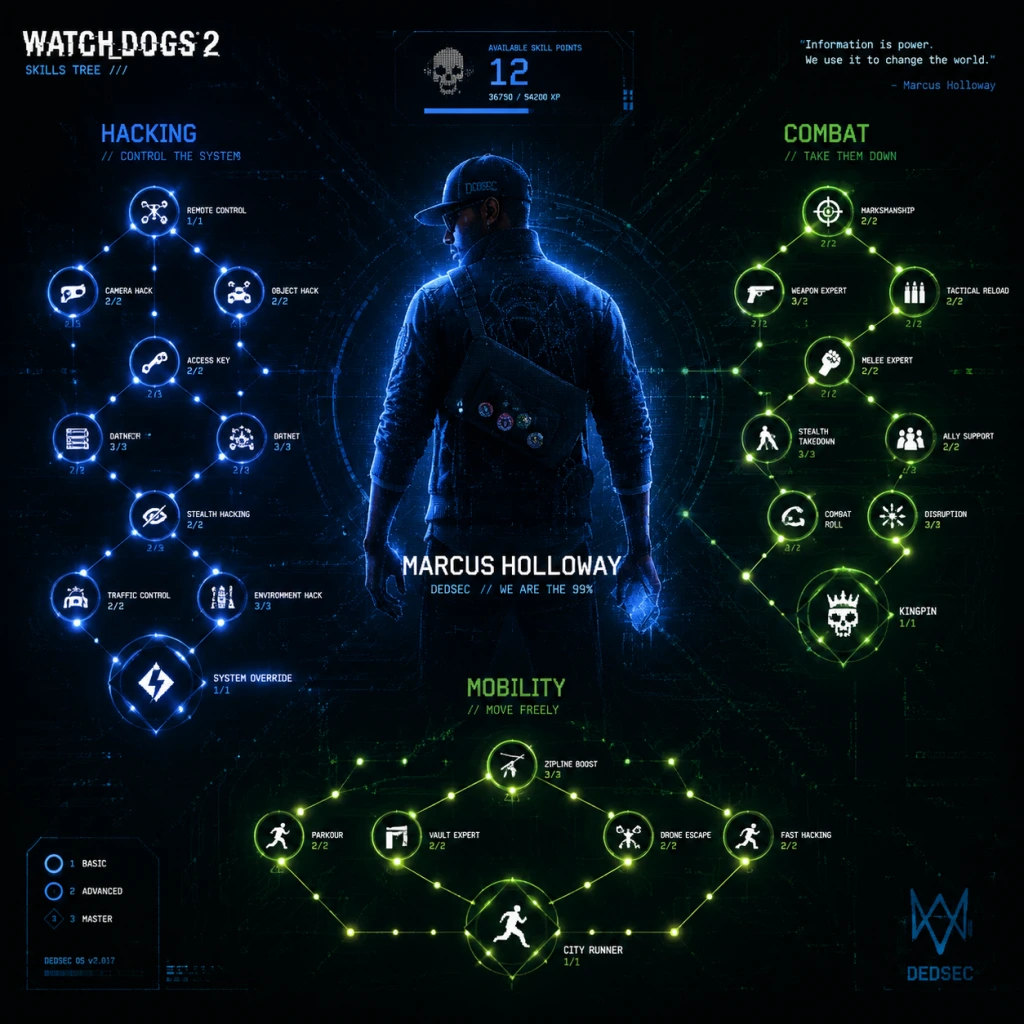
Character Skills
Watch Dogs 2: Character Skills Guide
Marcus Holloway is the sole playable character in Watch Dogs 2, but his arsenal of skills is vast and customizable. Skills are unlocked and upgraded using Research Points (RP) earned from completing missions, side activities, and collecting data caches. There are three main skill trees: Hacking, Combat, and Stealth. Additionally, the RC Car and Quadcopter Drone have separate research trees that augment their capabilities. This guide covers every ability, its effects, upgrades, cooldowns, synergies, and optimal usage.
---
Hacking Skills
Hacking is Marcus’s core identity. These abilities manipulate the environment, enemies, and technology. Each skill has multiple tiers (up to 3) unlocked by spending RP in the Hacking tree.
| Ability | Description | Effects | Cooldown | Upgrades (Tier 1→2→3) | Use Cases |
|---|---|---|---|---|---|
| NetHack: Distract | Hack a nearby electronic object (phone, speaker, streetlight) to create a noise distraction. | Enemies investigate the sound; does not alert. | 10s | D2: Lure (enemies are drawn closer and stop to examine) → D3: Panic (targeted enemy panics and runs away briefly) | Stealth approaches, splitting groups, creating openings. |
| Mass Blackout | Trigger a localized EMP that turns off all lights, electronics, and vehicle engines in a radius. | Vision impaired for enemies; security cameras and turrets disabled for the duration. | 90s | M1: Range +30% → M2: Duration +50% → M3: Instant cooldown refresh upon successful kill? (Actually cooldown reduces by 20s per tier?) | Large compound infiltration, disabling multiple threats at once, escape tool. |
| Jam Coms | Disable enemy communication, preventing reinforcements from calling for backup. | Radios silenced; enemies cannot call for help unless they visually spot you. | 60s | J1: Duration extended by 10s → J2: Radius increased by 20% → J3: Also jams enemy hearing (footstep detection reduced) | Before a loud takedown, inside enemy bases to delay responses. |
| Elevator Hack | Halt an elevator in its shaft remotely. | Stops elevator instantly; enemies inside can be trapped. | 15s | No tiers (unlocks at start) | Escapes, isolating enemies, creating environmental kills (drop elevator onto enemies? Not possible). |
| Bridge Hack | For bridges with moving sections, operate them to create obstacles. | Raises or lowers bridge sections; can separate vehicles or block paths. | 20s | No tiers | Chase escapes, blocking police vehicles, gaining high ground. |
| Forklift Hack | Control forklifts to lift/move objects or enemies. | Raises or lowers forks; can pin enemies or drop objects on them. | 15s | No tiers | Environment kill setups, moving cover. |
| Police Presence Hack | Remove your wanted level (if not already at max) by hacking police databases. | Clears low-level notoriety; higher notoriety only reduces alert level by one step. | 120s | P1: Cooldown reduced to 90s → P2: Even when at max wanted, reduces by two steps | Managing police attention during open-world exploration. |
| Helicopter Hack | Hack police/security helicopters to make them fly away or target enemies. | Causes helicopter to disengage or attack nearby hostiles. | 60s | H1: Duration of distraction +50% → H2: Also disables spotlight → H3: Can crash helicopter (lethal) | Removing aerial patrols, turning a threat into a weapon. |
| Vehicle Hack | Full control over civilian vehicles: start moving, sudden stop, door kick, throttle. | Trigger specific actions on targeted car. | 10s per action | V1: Improves Stop range → V2: Door kick can cause driver ejection → V3: Hack motorcycles to perform boost | Car chases, blocking roads, ejecting drivers to steal cars. |
- Combine NetHack: Panic with Jam Coms to create chaos without backup calls.
- Use Mass Blackout just before an assault, then Police Presence Hack to escape consequences.
- Vehicle Hack + Forklift Hack = environmental traps (e.g., stop a car under a falling forklift).
---
Combat Skills
Combat skills enhance Marcus’s lethality and non‑lethal options. Unlocks include new weapons and passive bonuses. Many have multiple tiers that improve damage, handling, or utility.
| Ability | Description | Effects | Cooldown / Passive | Upgrades (Tier 1→2→3) | Use Cases |
|---|---|---|---|---|---|
| Lethal Weapon: Pistol | Unlock semi‑automatic pistol (standard sidearm). | Moderate damage, good accuracy. | Passive (weapon equip). | P1: Increased hip‑fire accuracy → P2: Extended magazine → P3: Silencer | General combat, stealth if silenced. |
| Lethal Weapon: Assault Rifle | Unlock assault rifle (full‑auto). | High damage, moderate recoil. | Passive. | A1: Reduced recoil → A2: Larger magazine → A3: Underbarrel grenade launcher | Direct engagements, suppressing fire. |
| Lethal Weapon: Shotgun | Unlock pump‑action shotgun. | Devastating close‑range, slow fire rate. | Passive. | S1: Increased pellet count → S2: Faster reload → S3: Dragon’s breath rounds (incendiary) | Clearing rooms, fighting in tight corridors. |
| Lethal Weapon: Heavy Weapon | Unlock light machine gun or grenade launcher. | Extremely destructive, slow movement. | Passive. | H1: Reduced weight (faster move) → H2: Increased ammo capacity → H3: Explosive rounds | Large enemy groups, vehicle destruction. |
| Non‑Lethal: Stun Gun | Unlock taser that incapacitates enemies without killing. | Stuns for several seconds; can be upgraded to longer duration. | Passive (recharges over time). | St1: Range +30% → St2: Charge time reduced → St3: Chain shot (hits multiple enemies in a line) | Stealth runs, no‑kill playthroughs, capturing enemies for interrogation. |
| Non‑Lethal: Smoke Grenade | Throw smoke to obscure vision. | Enemies cannot see through smoke; allies (including Marcus) get temporary invisibility. | 45s | Sm1: Cloud duration +50% → Sm2: Radius increased → Sm3: Enemies inside are slower | Covering escape, creating diversions, approaching a group. |
| Lethal Grenade: Frag | Fragmentation grenade – standard explosive. | High damage, large blast radius. | 60s | F1: Reduced cook time → F2: Increased blast radius → F3: Shrapnel causes bleeding | Crowd control, destroying vehicles, breaching doors. |
| Lethal Grenade: EMP | Electromagnetic pulse – disables electronics. | Same effects as Mass Blackout but localized and shorter duration. | 45s | E1: Duration +30% → E2: Radius +30% → E3: Also disables personal shields (if any) | Disabling turrets, cameras, and shield‑bearing enemies. |
| Lethal Grenade: Stun | Flashbang – blinds and deafens enemies. | Blinded enemies flail and cannot act; hearing impaired. | 30s | Stn1: Duration +20% → Stn2: Larger blind radius → Stn3: Also disorients (move slower) | Non‑lethal crowd control, setting up stealth takedowns. |
| Takedowns | Perform instant incapacitation from behind. | Silent elimination or knockout. | No cooldown (requires stealth approach). | T1: Discreet (faster animation, less noise) → T2: Interrogation (gather intel) → T3: Double takedown (kill/stun two enemies at once) | Stealth progression, eliminating key targets without alert. |
- Use Smoke Grenade before a Stun Grenade to fully mask your approach.
- Combine Takedown: Double with NetHack: Distract to isolate two enemies.
- EMP Grenade into Mass Blackout creates a prolonged electronics blackout zone.
---
Stealth Skills
Stealth skills improve Marcus’s ability to remain unseen, hack faster, and control encounters. Focus is the signature ability that slows time.
| Ability | Description | Effects | Cooldown / Energy | Upgrades (Tier 1→2→3) | Use Cases |
|---|---|---|---|---|---|
| Focus | Activate bullet time – slows time for a few seconds. | Time slows to 20% speed; you can aim, move, and hack at normal speed. | Energy cost: 50% of bar (refills over time). | F1: Duration +50% → F2: Energy cost reduced by 20% → F3: Focus also highlights enemies and interactive objects | Combat trick shots, dodging multiple enemies, precision hacking during movement. |
| Extended Autohack | Increase the range at which you can start automatic hacks (e.g., on phones, doors). | Base range doubled per tier. | Passive. | E1: Range +30% → E2: Range +30% → E3: Can hack through thin walls | Hacking from cover, maintaining distance. |
| Faster Hacking | Reduce time required for long hacks (e.g., unlocking doors, downloading data). | Hack time reduced by 25% per tier (max 75%). | Passive. | F1: 25% faster → F2: 50% faster → F3: 75% faster | During time‑sensitive missions, reducing exposure. |
| Covert | Immediately hide a stunned or killed body in a nearby container or behind cover. | Prevents discovery of bodies; uses minimal time. | No cooldown (contextual). | C1: Faster hide animation → C2: Can drag body further → C3: Hiding also removes detection markers | Maintaining stealth after a takedown; essential for no‑alarm runs. |
| RC Car & Drone Upgrades | These are separate research trees but are accessed via Stealth Skill menu (marked as tools). | See next section. | Various. | Listed separately. | Stealth reconnaissance, gadget use. |
| Auto‑Hide (passive) | Movement while crouched is quieter. | Reduces footstep noise by 30‑60%. | Passive. | Passive upgrade (research points unlock tiers) | Moving near enemies without detection. |
- Focus + Stun Gun or Assault Rifle for high accuracy during slow‑mo.
- Extended Autohack + Faster Hacking lets you complete hacks from extreme safety.
- Covert pairs with Takedown to keep paths clean.
---
RC Car & Quadcopter Drone Skills
These devices are your remote eyes and tools. Each has its own research tree that unlocks new capabilities and stat upgrades. Upgrades are purchased with Research Points in the “Tools” category.
#### RC Car (The “Roach”)
| Upgrade | Description | Effect | Cooldown / Passive | Tiers | Use Cases |
|---|---|---|---|---|---|
| Battery | Extends operational time. | +30s per tier. | Passive. | 3 | Longer reconnaissance, complex puzzles requiring time. |
| Speed | Increases movement speed. | +15% per tier. | Passive. | 3 | Faster scouting, escaping detection. |
| Armor | Reduces damage from bullets and explosions. | +20% damage reduction per tier. | Passive. | 3 | Surviving enemy fire in high‑risk areas. |
| Stealth | Makes RC car quieter and harder to spot. | Loudness reduced, visibility reduced. | Passive. | 3 | Sneak past guards without alert. |
| Climb | Ability to climb small obstacles (curbs, boxes). | Unlocks ability; higher tiers allow steeper climbs. | Passive. | 3 | Accessing vents, rooftops, and alternate paths. |
| Electroshock | Deploy a shock charge from the car to stun enemies. | Stuns single enemy for 5s; can be upgraded to stun multiple. | 30s. | 2 | Non‑lethal takedowns via RC. |
| EMP Pulse | Emit a small EMP burst from the car. | Disables nearby electronics (3m radius). | 60s. | 2 | Disabling cameras, doors, or turrets. |
| Distraction (Sound) | Produce a loud noise to attract enemies. | Sound location is interactive. | 10s. | 1 | Luring guards into traps or away from objective. |
| Upgrade | Description | Effect | Cooldown / Passive | Tiers | Use Cases |
|---|---|---|---|---|---|
| Battery | Extends flight time. | +30s per tier. | Passive. | 3 | Extended aerial surveillance. |
| Speed | Increases flight speed. | +15% per tier. | Passive. | 3 | Quick repositioning, long‑distance travel. |
| Stealth | Reduces noise and visibility. | Quieter propellers, smaller detection radius. | Passive. | 3 | Hovering near enemies unnoticed. |
| Camera Zoom | Unlock telescopic zoom. | 2x per tier. | Passive. | 3 | Marking targets from afar. |
| Disruptor | Fire a short‑range EMP burst. | Disables electronics in 5m radius. | 30s. | 2 | Temporary shutdown of cameras or power generators. |
| Gas Darts | Shoot a sleep gas dart that puts enemies to sleep. | Single target, 10s sleep. | 20s. | 2 | Non‑lethal takedown from distance (silent). |
| Explosive Darts | Shoot a small explosive dart that detonates on impact. | Low damage, but can destroy obstacles. | 30s. | 2 | Breaching weak walls, destroying breakable objects. |
| Scanner | Mark all enemies and items in a large radius. | Highlights for 10s. | 40s. | 1 | Identifying threats without direct line of sight. |
| Auto‑Follow | Set drone to follow you automatically. | Drone orbits around Marcus. | Toggle. | 1 | Hands‑free scanning while moving. |
- Use RC Car Electroshock + Drone Scanner to locate and neutralize guards silently.
- Drone Gas Darts + RC Car Distraction = area sleep trap.
- RC Car Climb and Drone Camera Zoom combine for reconnaissance of elevated positions.
- Necessary: Stun Gun (all tiers), Covert (all), NetHack: Distract (all), Focus (at least T2), RC Car Stealth + Climb, Drone Stealth + Gas Darts.
- Playstyle: Avoid direct confrontation. Use drones and RC to scout, disable electronics, and gas enemies. Hack everything. Never fire lethal rounds.
- Order: Research Stun Gun range → Covert → NetHack upgrades → Drone Gas Darts → RC Climb → Focus duration.
- Necessary: Mass Blackout (all), Jam Coms (all), Police Presence Hack (all), Vehicle Hack (all), Helicopter Hack (all), EMP Grenade (all).
- Playstyle: Manipulate the environment. Create blackouts, block roads, turn helicopters against enemies. Use lethal weapons only as backup.
- Order: Focus on Hacking tree first. Then EMP Grenade for personal protection.
- Necessary: Assault Rifle (all tiers), Frag Grenade (all), Stun Grenade (all), Focus (T1 at least), Takedown: Double.
- Playstyle: Go in loud but smart. Use Focus for headshots, grenades for crowds, and double takedowns when flanking. Stealth is optional for setup.
- Order: Unlock Assault Rifle → Grenades → Focus → Takedown upgrades. Spend leftover points on Stealth for defensive options.
---
Recommended Builds
#### Ghost (Full Stealth, No Kills)
#### Hacker (Chaos & Control)
#### Gunslinger (Leaning Into Combat)
---
When to Use Each Skill – Quick Reference
| Situation | Recommended Skills |
|---|---|
| Infiltrating a building | NetHack: Distract, RC Car/Drone, Focus (if spotted), Covert |
| Eliminating a target silently | Stun Gun, Takedown, RC Electroshock, Drone Gas Dart |
| Escaping police | Vehicle Hack (steal car), Mass Blackout (disrupt chase), Police Presence Hack |
| Large group of enemies | Mass Blackout + Jam Coms → Frag or Stun Grenade → Assault Rifle with Focus |
| Environmental puzzles | RC Car Climb, Forklift Hack, Bridge Hack, Elevator Hack |
| Server rooms (EMP needed) | EMP Grenade, Drone Disruptor, Mass Blackout |
| Chases (ground) | Vehicle Hack: sudden stop / door kick, Bridge Hack |
| Chases (helicopter) | Helicopter Hack, Drone Explosive Darts (if available) |
Master all these skills and you can approach any mission in Watch Dogs 2 with the precise tools needed for a clean hack-and-dash or a full-blown takedown. Experiment with combos to find your signature style.

Characters & Roles
Watch Dogs 2: Characters & Roles Guide
Watch Dogs 2 features one fully playable protagonist, Marcus Holloway, supported by a diverse cast of non-playable DedSec operatives. Each character brings unique personality, backstory, and tactical support. While you cannot directly control them, understanding their strengths and roles is essential for mission planning and immersion. Below is a comprehensive breakdown of every major character.
---
Playable Character: Marcus Holloway
- Background: A young African-American hacker from Oakland, wrongly accused of crimes by ctOS 2.0’s predictive algorithm. Recruited by DedSec, he becomes the public face of the group’s hacktivism, fighting against corporate surveillance and corruption in San Francisco.
- Strengths: Extremely versatile; can adapt to any playstyle (stealth, combat, hacking, driving). High agility with parkour skills. Deep skill tree covering all aspects of hacking and physical abilities.
- Weaknesses: No unique class limitations, but splash damage from explosives or heavy enemy fire can end him quickly. Lack of gang affiliation means rival factions may attack on sight.
- Playstyle: Jack-of-all-trades. Players can spec into stealth (crowd control, silent takedowns), combat (shotguns, rifles, grenades), or hacking (remote explosives, drone mastery). Best approach: invest early in basic hacking skills (Crowd Manipulation, Blackout) and a reliable non-lethal weapon (Stun Gun).
- Unlock Conditions: Available from the start (protagonist by default). All skills require Research Points (RP) from missions and side content.
- Recommended Equipment / Builds:
- Team Synergy: Marcus is the sole executor of missions. DedSec members provide real-time intel and assistance (see below). Coordinate their abilities via the team wheel (hold LB/L1) to trigger distractions, overcharge devices, or call for a cleanup.
- Background: Hailing from Mumbai, India, Sitara is DedSec’s visual artist and propaganda expert. She designs the group’s iconic masks and manages their public image. She is fiercely anti-authority and pragmatic.
- Strengths: Her \"Disruption\" ability temporarily disables all cameras and alarms in a medium radius, creating a window for undetected movement.
- Weaknesses: Long cooldown (about 90 seconds). Useless in combat scenarios unless you plan to use it as a distraction (enemies react to camera failures, but may not scatter).
- Playstyle Support: Best used when you need to bypass heavy surveillance in restricted areas (e.g., Blume offices, police stations). Activate before entering.
- Unlock Conditions: Available after the early mission \"Unavoidable Outcome.\" Unlock her full ability by completing the \"Sitara’s Side Missions\" chain (found at DedSec HQ).
- Recommended Usage: Time it with your drone jamming or to reset alerted cameras. In missions with ctOS scan zones (e.g., \"A Very Generous Gift\"), use Disruption just before the scan triggers to avoid detection.
- Team Synergy: Pairs well with Josh’s backup (to block automatic door locks) or Wrench’s distraction to draw guards away from cameras.
- Background: A super-genius from Singapore with obsessive-compulsive tendencies. Josh handles the coding and architecture of DedSec’s tools. He is often anxious but loyal.
- Strengths: His \"Overwatch\" ability highlights all enemies in a small area (through walls) for 15 seconds, and slows down their reaction time slightly.
- Weaknesses: Long cooldown (about 120 seconds). Cannot be used while you are currently being shot or detected—the ability fails if combat is active.
- Playstyle Support: Ideal for planning routes in hostile areas. Use before infiltrating to mark patrol patterns. The slowdown effect is subtle but can help chain silent takedowns.
- Unlock Conditions: Unlocked after \"Worms\" mission. Complete his side operations (\"Josh’s World\") to reduce cooldown.
- Recommended Usage: Activate in campaign missions like \"Fill the Void\" or \"Botnets\" to see guard positions behind walls. Combine with Quadcopter camera for a full tactical picture.
- Team Synergy: With Sitara’s Disruption, you can mark enemies then disable cameras, allowing you to move freely. Wrench’s distraction can then herd enemies into killboxes.
- Background: The eccentric goofball of the group, Wrench is a masked hacker from the East Coast. He loves explosions and chaos but can be deeply serious when needed. He is DedSec’s field gadget expert.
- Strengths: His \"Sound\" ability creates a loud noise at a targeted location, attracting all nearby enemies for about 10 seconds. It can be placed anywhere in line-of-sight (within 50m).
- Weaknesses: Short range compared to drones. Enemies will investigate but don’t necessarily leave their post completely—some may remain. Cooldown 90 seconds.
- Playstyle Support: Use to lure guards away from doors, into traps, or into stackable barrels (for explosions). Also useful for separating a group.
- Unlock Conditions: Available after \"Remember Me\" mission. Complete his side operations (\"Wrench’s Missions\") to reduce cooldown and increase duration.
- Recommended Usage: In stealth, place the sound near a wall, then take the guard as he passes. For combat, place it behind a cluster of enemies to make them turn their backs—then throw a grenade or use an explosive RC car.
- Team Synergy: Combine with Sitara’s Disruption: disable cameras, then sound to pull guards into open spaces. Or use Josh’s Overwatch to see exactly where to place the sound.
- Background: A legendary hacker from the first Watch Dogs, T-Bone is a fugitive blamed for the 2003 blackout. He eventually joins DedSec after losing friends to Blume. He is blunt, volatile, and brilliant with mechanical hacking.
- Strengths: His \"Steam Pipe Overcharge\" ability causes all steam pipes in a large radius to burst, knocking down and blinding enemies. It also causes damage to electronic systems (can destroy jam comms devices).
- Weaknesses: Extremely long cooldown (about 3 minutes). Cannot be manually targeted—it affects all pipes in a 30m radius. Indoors or areas with few pipes have reduced effect.
- Playstyle Support: Use when surrounded or to disable multiple guards instantly (non-lethal). Also great for creating chaos in crowded areas (escapes).
- Unlock Conditions: Unlocked after \"Little Sister\" mission (T-Bone’s introduction). Complete his side operations (\"T-Bone’s Memories\") to reduce cooldown and increase radius.
- Recommended Usage: Save for emergencies. When alarms trigger or you are detected, pop steam burst to escape. In combat, it can wipe out a squad of enemies without fatalities.
- Team Synergy: Pairs with anyone. After steam burst, guards are dazed—Wrench’s sound is less needed because enemies are already stunned. Use Josh’s Overwatch to see if any remain standing.
- Background: A former con artist turned DedSec’s undercover infiltrator. He is charming, streetwise, and deeply connected. Tragically killed by the Tezcas gang during the mission \"Keep Your Friends Close.\"
- Strengths while alive: He could provide \"Gang Disguise\" – temporarily reduce suspicion from gang members in areas controlled by the Tezcas or Auntie Shu Boys. This ability was tied to his personal story.
- Post-death: His legacy unlocks a permanent reduction in bounty gain from gang-related kills and a new outfit. No active ability remains, but his memory fuels the narrative.
- Unlock Conditions: Met early in the game. His side quests are available until his death. Afterward, you cannot unlock his ability on a fresh playthrough (it is granted automatically during the arc).
- Note: For completionists, ensure you do all Horatio-related operations before \"Keep Your Friends Close\" (around the middle of Act 2). After his death, some side content becomes unavailable.
- Dušan Nemec: CEO of Blume and main antagonist. Not a combat ally. He is the symbol of corporate overreach. No gameplay role.
- Detective Rose: An NPD detective investigating DedSec. Can be tricked or recruited via side missions to become a reluctant ally (provides police intel, reduces wanted level).
- Jenna: A radio host and DedSec sympathizer. She provides public opinion sway via broadcasts; no direct gameplay effect.
- Stealth Build: Silenced P9 Pistol, Stun Gun, IED (non-lethal), Quadcopter upgraded with EMP and Jam Comms. Mark enemies with camera, use distractions.
- Combat Build: Go-To AK-47 or Grenade Launcher, Heavy Revolver (can pierce armor), RC Car with explosive charge. Pair with Increased Health and Resilience skills.
- Hacker Build: Max out Botnet, Remote Hacking, and Mass Distraction. Use Quadcopter constantly. Equip the Spy Car (from DLC) for remote driving and hacking on the move. Wear the \"DedSec Flash\" outfit to blend in crowds.
---
Non-Playable Characters (DedSec Members)
Each DedSec character offers a unique tactical ability that you can summon during missions (cooldown based). They also provide personalized voice commentary and side missions. To unlock their full support, complete their respective character operations.
#### 1. Sitara Dhawan (Disruption Specialist)
#### 2. Josh Tan (Overwatch)
#### 3. Marcus “Wrench” (Gadgeteer & Distraction)
#### 4. Ray “T-Bone” Kenney (Explosives & Chaos)
#### 5. Horatio Carlin (Deceased, Legacy Support)
---
Supporting Characters (Non-DedSec)
These characters influence the story but do not provide tactical abilities. Understanding them helps contextualize the world.
---
Summary Table: DedSec Abilities
| Character | Ability Name | Effect | Cooldown | Best Use Case |
|---|---|---|---|---|
| Sitara | Disruption | Disable cameras & alarms (medium radius) | ~90s | Stealth-heavy missions, ctOS zones |
| Josh | Overwatch | Highlight enemies through walls | ~120s | Pre-infiltration intel gather |
| Wrench | Sound | Create loud noise to attract enemies | ~90s | Lure guards into traps or empty rooms |
| T-Bone | Steam Pipe Burst | AoE knock down & blind | ~180s | Emergency escape, crowd control |
Tips for Maximizing Team Synergy
1. Chain Abilities for Maximum Effect:
- Use Sitara’s Disruption first to remove camera eyes.
- Then Josh’s Overwatch to see where guards move.
- Place Wrench’s Sound to lure them away from your path.
- Enter area with minimal threat. Save T-Bone for emergency extraction.
2. Cooldown Management:
- Abilities recharge slowly. Use them sparingly in missions. The more you rely on them, the longer you wait between uses. Combine with your own hacking skills (like Blackout) to reduce dependence.
- Level up DedSec operations to lower cooldowns (available in Research Tree).
3. Character-Specific Side Quests:
- Each DedSec member has a series of side operations that deepen their story and reduce ability cooldowns. Prioritize these early if you want more frequent support. They also reward Research Points and unique outfits.
4. Dialogue Choices & Morality:
- While not affecting abilities, your responses to DedSec members during missions can alter their loyalty dialogue. This has no mechanical impact but enriches roleplaying.
---
This concludes the Characters & Roles guide for Watch Dogs 2. Remember: the only character you directly control is Marcus, but the DedSec team’s support can mean the difference between a clean hack and a full alarm. Use them wisely.
Cheats & Secrets
Cheats & Secrets
Watch Dogs 2 does not feature traditional cheat codes, debug menus, or console commands. However, the game is packed with developer-intended hidden content, Easter eggs, and unlockable secrets that reward exploration and creativity. Below is a comprehensive guide to all known secrets, hidden areas, Easter eggs, and unlockable content.
---
Unlockable Content via Progression
While not “cheats,” the following are locked behind specific actions and can be considered secret unlocks:
- Hacker Takedown Outfit: Complete the side mission “Blume Agent” (accessible after Main Operation 4) to unlock the wearable Blume disguise. This outfit allows you to walk past guards in restricted areas without raising suspicion until you attack.
- DedSec Four-Wheel Drone: After completing the “Research Point” side objectives for all four DedSec members (Wrench, Sitara, Josh, Horatio), you unlock the ability to customize their outfits and gain a special drone paint job. No additional gameplay effect, but a cosmetic secret.
- Secret Safe Houses: There are two hidden safe houses beyond the main DedSec headquarters:
- Uber Driver Missions: After completing the main story, you unlock a series of side missions where you drive for “Uber” (in-game “Nudle”). These are not marked on the map until you accept them via the DedSec app.
- The Black Box: In the basement of the “Sitara's Warehouse” (the DedSec art studio), there is a hidden room with a wooden box that has a glowing “Animus” effect. Interact with it to unlock an Assassin-themed outfit for Marcus (the “Assassin Suit”).
- Leap of Faith: On top of the Transamerica Pyramid, you can perform a leap of faith into a hay bale below (placed on a truck). This triggers a unique animation and deduction of XP.
- Eagle Vision: In the same area, using the camera’s zoom on a specific rooftop will reveal a hidden QR code that plays the Assassin's Creed theme when scanned.
- Far Cry 3: Blood Dragon Outfit: Complete the side mission “Biker's Hideout” in Marin (near the Golden Gate Bridge) to unlock a neon-tinged Blood Dragon outfit. The mission involves hacking a terminal that plays a retro-80s arcade game.
- Vaas Montenegro Reference: At the “Bayview” amusement park, listen to the roller coaster announcement; one of the recorded lines is “Did I ever tell you the definition of insanity?” (Vaas’s famous quote).
- The Sims Reference: In the “Spark” research lab, there is a room with a glass coffin and a green liquid – a direct homage to the “Resident Evil” series.
- Hotline Miami: A secret arcade machine in a back alley near the “Pier 39” area lets you play a short 8-bit shooter called “Hotline San Francisco.”
- Back to the Future: In the garage of a house in “Oakland Hills,” you can find a DeLorean-style car with “OUTATIME” license plates. Hacking it triggers a mini cutscene of the car disappearing in a flash.
- Portal: In the “Corte Madera” shopping mall, use the Quadcopter to find a small, glowing blue portal behind a vent. Flying through it teleports you to a room with a cake and a weighted companion cube.
- Sunken Ship: Off the coast of Angel Island, there is a partially submerged shipwreck. Dive down and scan the data terminals to get a unique crafting recipe for Explosive Printer Filament.
- Secret Cave: Under the Golden Gate Bridge, there is a cave entrance only accessible by boat. Inside, a laptop plays a hidden message from the original Watch Dogs protagonist, Aiden Pearce.
- Water Tower at Oakland Hills: Climb the water tower near the “Oakland Hills” safe house to find a hidden selfie spot and a DedSec logo spray-painted on the tank. Taking a selfie here unlocks a “Hipster” filter for the camera.
- Sutro Tower: The top of Sutro Tower has a hidden room with a glowing server rack. Hacking it reveals a secret backdoor into Blume’s network, granting a permanent +5% to Research Point gain.
- Pollo Loco Statues: These 25 golden chicken statues are hidden across the map. Collecting all of them unlocks the “Golden Chicken” outfit (a chicken suit) and a trophy/achievement. They are often placed in tricky spots like under bridges or inside fenced areas. Use the Quadcopter drone with a scanner to locate them easily.
- Research Points: Several Research Points are hidden in areas not marked on the map. For example:
- Nudle Maps Glitch: If you open the Nudle maps app (the in-game GPS) and rapidly zoom in and out ten times, the map will glitch out and reveal all collectible locations temporarily. This is a known developer easter egg and resets after 60 seconds.
- Car Spawn Mod: Using the DedSec app on your phone while standing next to any vehicle, repeatedly pressing the “Hack” button can sometimes cause a duplicate of that vehicle to spawn beside you. This is not guaranteed but works often with cars at police stations.
- Infinite Loic Counter: The “Loic” profile (the journalist) can be hacked repeatedly if you close the app and reopen it. Each hack gives you a small amount of money and a chance encounter. This is a minor exploit that Ubisoft left in the game.
- Money Glitch: Buying and reselling the same stock from the “Stock Market” app via Ubisoft Club rewards was patched in Update 1.20. Do not attempt as it may flag your account.
- Unlimited Research Points: A duplication glitch involving multiplayer co-op was fixed in Update 1.15. No current method exists.
- Pacifica Container Home: Located on the docks in Pacifica (near the “Pacifica Condemned” billboard). Requires completing the “Hacker's Den” side operation to gain access.
- Stanford University Dorm Room: Inside the Stanford University campus, a dorm room becomes available after the side mission “The Learner.”
---
Easter Eggs & Pop Culture References
Watch Dogs 2 is filled with references to other Ubisoft franchises, movies, and internet culture. Here are the most notable:
Assassin's Creed Crossover
Far Cry / Blood Dragon
Other Games & Movies
---
Hidden Areas & Secrets
Underwater Secrets
Rooftop & Vertical Exploration
ScoutX Rewards
- Behind a locked door in the “Blume San Francisco Office” (requires a hacking puzzle).
- Inside a safe in the “Corte Madera Mall” (code: 2109 – found by hacking the store clerk’s phone).
- Floating on a buoy in the bay near “Pacifica” – use the drone to collect it.
---
Developer-Intended Hidden Content
Ubisoft intentionally placed several features that act like “cheats” if you know where to look:
---
Exploit-Safe Secrets (Patched or Not Recommended)
Some older exploits have been patched in current versions, but we list them for completeness:
---
Conclusion
Watch Dogs 2 rewards curiosity. While you won’t find a classic “god mode” code, the hidden outfits, secret areas, and Easter eggs provide a rich layer of content. Use the drone and camera extensively to scan for anomalies, listen to NPC conversations for hints, and explore every nook of San Francisco. The secrets are worth the effort!