What Remains of Edith Finch
## Overview "What Remains of Edith Finch" is a critically acclaimed narrative-driven adventure game developed by Giant Sparrow and published by Annapurna Interactive. The game was initially released on April 25, 2017 for PlayStation 4 and PC (via Steam, GOG, and Epic Games Store). It later launched...
Download & Installation
Overview
"What Remains of Edith Finch" is a narrative-driven adventure game developed by Giant Sparrow and published by Annapurna Interactive. It is available on PC, PlayStation 4/5, Xbox One/Series X|S, and Nintendo Switch. The game is not available on mobile platforms.
---
Platform Availability & Legitimate Sources
| Platform | Official Store / Service | Notes |
|---|---|---|
| PC | Steam, Epic Games Store, GOG (DRM-free), Microsoft Store (for Xbox Game Pass for PC) | Also included with Xbox Game Pass for PC. |
| PlayStation 4/5 | PlayStation Store, PlayStation Plus (Extra/Premium) | PS5 runs via backward compatibility; no native PS5 version, but performance is enhanced. |
| **Xbox One / Series X\ | S** | Microsoft Store, Xbox Game Pass (Console & PC) |
| Nintendo Switch | Nintendo eShop | No physical retail release; digital only. |
System Requirements (PC)
Minimum Requirements
- OS: Windows 7 64-bit
- Processor: Intel Core i3-2100T or AMD FX-6100
- Memory: 4 GB RAM
- Graphics: NVIDIA GeForce GTX 650 or AMD Radeon HD 7750 (1 GB VRAM)
- DirectX: Version 11
- Storage: 8 GB available space
- Additional Notes: DirectX 11 compatible graphics card required.
- OS: Windows 10 64-bit
- Processor: Intel Core i5-2500 or AMD FX-8350
- Memory: 8 GB RAM
- Graphics: NVIDIA GeForce GTX 960 or AMD Radeon R9 380 (2 GB VRAM)
- DirectX: Version 11
- Storage: 8 GB available space (SSD recommended for faster loading)
- PS4:
- PS5:
- Steam / Epic / GOG: Free account required for purchase and download.
- PlayStation: PlayStation Network account required (free).
- Xbox: Microsoft account required (free to create).
- Nintendo: Nintendo Account required (free).
Recommended Requirements
---
Detailed Installation Steps by Platform
1. PC – Steam
1. Install Steam – Download the Steam client from [store.steampowered.com](https://store.steampowered.com) and install it.
2. Create / Log in to Steam account – You need a free Steam account.
3. Purchase the game – Visit the [What Remains of Edith Finch store page](https://store.steampowered.com/app/501300/What_Remains_of_Edith_Finch/) and complete purchase.
4. Install – In your Steam library, select the game and click "Install." Choose installation directory (default: `C:\Program Files (x86)\Steam\steamapps\common`).
5. Wait for download – Approximately 7–8 GB.
6. Launch – Click "Play" in library. First launch may prompt a graphics settings configuration.
2. PC – Epic Games Store
1. Install Epic Games Launcher – Download from [epicgames.com](https://www.epicgames.com/store/en-US/).
2. Log in / Create Epic account – Required.
3. Purchase the game – Search for "What Remains of Edith Finch" in the store and add to cart.
4. Install – Click "Install" on the game page or in your library. Select install location.
5. Download & Launch – After download completes, click "Launch."
3. PC – GOG (DRM-free)
1. Install GOG Galaxy (optional, for updates/cloud saves) or download direct offline installer from gog.com.
2. Purchase – Visit [GOG.com](https://www.gog.com/en/game/what_remains_of_edith_finch).
3. Download offline installers – If using Galaxy, click "Install"; otherwise, download EXE installer files.
4. Run installer – Execute the downloaded file and follow prompts. Default path: `C:\GOG Games\What Remains of Edith Finch`.
5. Launch – Either via GOG Galaxy or from the installed folder (double-click `EdithFinch.exe`).
4. PlayStation 4 / PlayStation 5
1. From PS4 home screen, go to PlayStation Store.
2. Search for "What Remains of Edith Finch."
3. Purchase or download if you own the license (e.g., from PS Plus).
4. Download starts automatically. Wait for full download (~8 GB).
5. Game appears on home screen; launch to start.
1. Navigate to PlayStation Store on PS5.
2. Search and purchase/download.
3. Game runs via backward compatibility. You can also transfer from PS4 via network or external drive.
4. After install, select game from Game Library or Home.
5. Xbox One / Xbox Series X|S
1. Sign in to your Xbox account (requires Xbox Live Gold for online features, but single-player does not need Gold).
2. Go to Microsoft Store (or search via Xbox Home).
3. Search "What Remains of Edith Finch."
4. Install – If purchased, click "Install." If you have Game Pass, the game is included; click "Install" from the Game Pass library.
5. Choose install location – Internal drive or external storage.
6. Automatic download – Game is ~8 GB. On Series X|S, Smart Delivery automatically downloads the optimized version.
7. Launch – From "My games & apps" or Home.
6. Nintendo Switch
1. Go to Nintendo eShop on your Switch.
2. Search for "What Remains of Edith Finch."
3. Purchase – Select the game and complete purchase. Use Nintendo eShop funds or linked credit card.
4. Download – The game starts downloading immediately. Make sure you have enough free space on internal storage or SD card (game size ~3.8 GB).
5. Launch – After download completes, the game icon appears on Home screen. Press A to start.
---
Account Requirements
---
Storage Space & File Sizes
| Platform | Approximate Download Size |
|---|---|
| PC (all stores) | 7.5 – 8 GB |
| PlayStation | ~8 GB |
| Xbox | ~8 GB |
| Nintendo Switch | ~3.8 GB |
---
First Launch Setup
1. Graphics Options (PC only): Upon first launch, you may be presented with a settings screen. You can adjust resolution, fullscreen/windowed, texture quality, and anti-aliasing. For best performance, use recommended settings for your GPU.
2. Controller Configuration: The game supports keyboard/mouse and most controllers (Xbox, PlayStation, Switch Pro). On PC, ensure your controller is detected before launching.
3. Save System: The game automatically saves at checkpoints. On PC, saves are stored locally but can be synced via Steam Cloud or GOG Galaxy Cloud Saves.
4. Language and Subtitles: The game includes multiple language options. Go to Settings > Audio to change language or enable subtitles.
5. Audio Calibration (optional): The game has a focus on spatial audio; you can adjust in settings if using surround sound.
---
Common Installation Errors & Fixes
“Insufficient Disk Space”
- Cause: Not enough free space for download or installation.
- Fix: Free up space by deleting temporary files or moving other games. On PC, check the drive where you install; on console, manage storage via system settings.
- Cause: Server issues or corrupted download cache.
- Fix:
- Cause: Outdated graphics drivers, missing DirectX, or antivirus interference.
- Fix:
- Fix: Use wired connection first; update firmware. Steam users: Enable Steam Input for the game (Properties > Controller). For Epic/GOG, ensure controller is recognized in Windows Game Controllers settings.
- Fix:
- Xbox Game Pass: If you have Game Pass Ultimate, you can also play on PC via the Xbox app (same as Microsoft Store version). Installation steps are identical to the Microsoft Store.
- PlayStation Plus: Subscribers to Extra/Premium tier can download the game at no extra cost.
- Physical copies: The game is digital-only on all platforms except some limited physical editions for PS4/Xbox One (check regional availability). For physical disc, simply insert disc, follow on-screen installation prompts, and apply any day-one patch via internet.
- Cross-platform saves: Not supported.
“Download Stuck” or “Failed to Install”
- PC (Steam/Epic): Restart the launcher, verify game files (Steam: Right-click game > Properties > Local Files > Verify integrity. Epic: Settings > Verify).
- PlayStation/Xbox: Restart console, clear cache (power cycle by holding power button for 10 seconds).
- Switch: Archive and redownload, or check for system update.
“Game Won’t Launch” (PC)
1. Update GPU drivers (NVIDIA/AMD).
2. Install DirectX from Microsoft (included with Steam if needed).
3. Temporarily disable antivirus/firewall.
4. Run the game as administrator (right-click executable > Properties > Compatibility).
“Controller Not Working” on PC
“Black Screen on Launch” (PC)
- Launch in windowed mode: add launch option in Steam (`-windowed`).
- Update GPU drivers.
- Disable overlays (Discord, GeForce Experience).
---
Post-Installation Verification
1. Launch the game – The title screen should appear without errors.
2. Check version – From main menu, look for version number (usually bottom left). Compare with latest patch notes from developer.
3. Test basic functionality – Start a new game, verify that narration plays, controls respond, and save system works (you can save at the first bench).
4. Graphics benchmark – Move the camera to ensure smooth framerate (target 30fps on console/Switch, 60fps on PC recommended).
5. Audio check – Ensure voiceover and music play correctly.
6. Cloud save sync – On PC, exit the game and relaunch to confirm cloud save icon appears (Steam/GOG).
7. Optional: Run the game’s built-in benchmark (if available; Edith Finch does not have a benchmark, but you can monitor performance with MSI Afterburner on PC).
---
Additional Tips
---
This guide covers all legitimate methods to download and install "What Remains of Edith Finch." Always obtain the game from official sources to support the developers and avoid security risks.
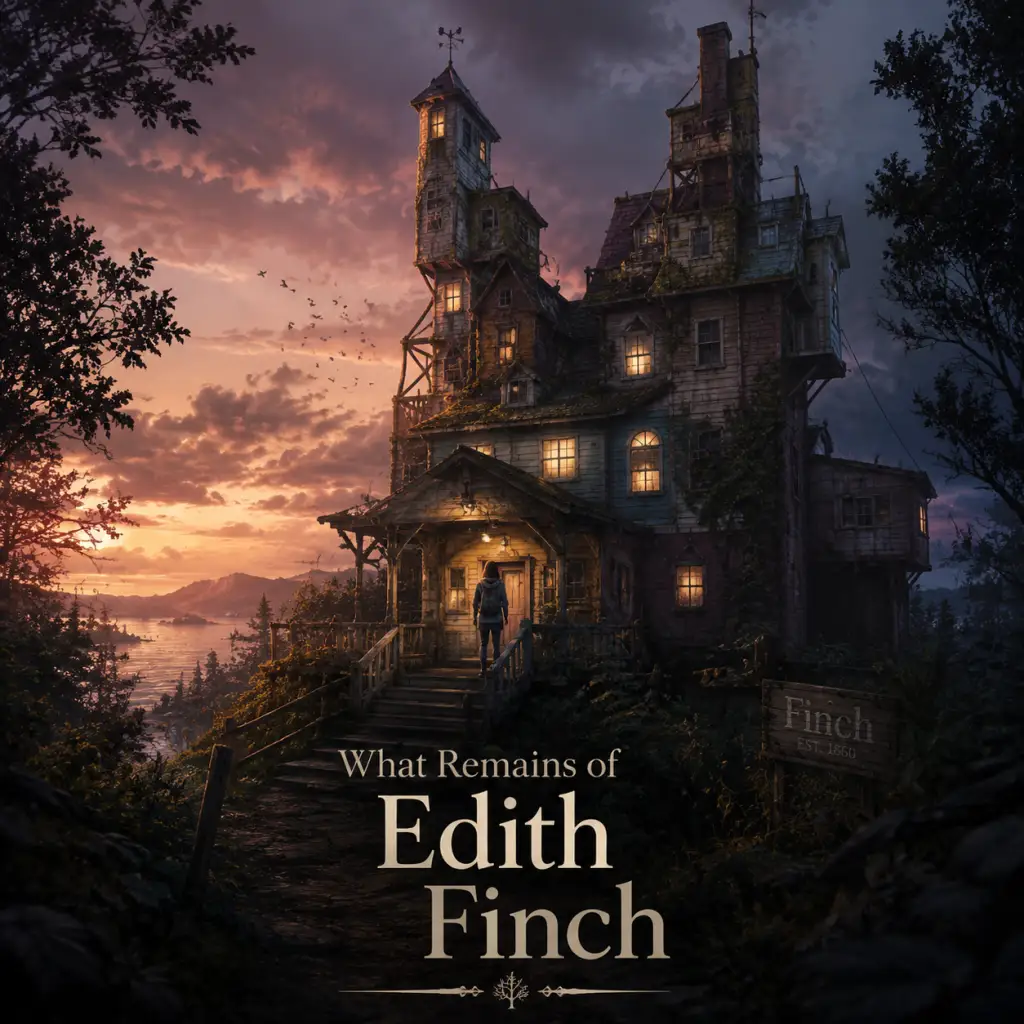
Game Introduction
Overview
"What Remains of Edith Finch" is a critically acclaimed narrative-driven adventure game developed by Giant Sparrow and published by Annapurna Interactive. The game was initially released on April 25, 2017 for PlayStation 4 and PC (via Steam, GOG, and Epic Games Store). It later launched on Xbox One on July 19, 2018, followed by Nintendo Switch on July 4, 2019. The game is also playable on PlayStation 5 and Xbox Series X|S via backward compatibility.
Genre
The game is a first-person narrative exploration game, often classified as a "walking simulator" but elevated by its deeply interactive storytelling and magical realism. It blends elements of adventure, puzzle, and horror, but the primary focus is on immersive narrative.
Developer & Publisher
- Developer: Giant Sparrow, an independent game studio based in Santa Monica, California, known for their previous game "The Unfinished Swan."
- Publisher: Annapurna Interactive, the video game division of Annapurna Pictures, renowned for publishing artistic, story-driven titles like "Journey," "Stray," and "Florence."
- Initial Release: April 25, 2017 (PS4, PC)
- Xbox One: July 19, 2018
- Nintendo Switch: July 4, 2019
- Additional Platforms: Playable on PS5 and Xbox Series X|S through backward compatibility with enhancements.
- PC (Windows, Mac, Linux - via Steam, GOG, Epic Games Store)
- PlayStation 4
- PlayStation 5 (backward compatible)
- Xbox One
- Xbox Series X|S (backward compatible)
- Nintendo Switch
- Edith Finch: The protagonist and narrator. A 17-year-old girl who returns to her childhood home after her mother's death.
- Dawn Finch: Edith's mother, who sealed off parts of the house and kept the family history hidden.
- Sanjay Finch: Edith's father, who died when she was young (details emerge through a letter).
- Other Finch family members: The game includes stories of various relatives: Molly (died from eating poisonous berries, experienced a surreal fantasy), Barbara (teenager killed in a storm), Calvin (died on a swing set), Sam (uncle who died hunting), Walter (uncle who lived in the basement and died in a train accident), Gregory (baby drowned in bathtub), Gus (teenager died in a storm), Milton (mysterious uncle who disappeared), Lewis (cousin who died in a cannery while daydreaming). Each story is told through a unique gameplay mechanic.
- Players who enjoy narrative-driven games with minimal gameplay challenges (no combat, no fail states).
- Fans of "walking simulators" like "Gone Home," "Firewatch," "The Vanishing of Ethan Carter."
- Those interested in experimental storytelling, dark themes, and family drama.
- Suitable for mature audiences due to themes of death, loss, and some disturbing imagery.
Release Timeline
Platforms
Story Overview
The game follows Edith Finch, the last surviving member of the Finch family, as she returns to her ancestral home in Orcas Island, Washington. She explores the decaying mansion and pieces together the stories of her deceased relatives. Each family member died under unusual and often tragic circumstances, and the player experiences their final moments through interactive vignettes. The overarching mystery revolves around a supposed family curse that has claimed the lives of nearly every Finch. Edith's journey is both a personal exploration of her family history and a meditation on death, legacy, and the stories we leave behind.
Setting
The game is set primarily in the Finch family mansion, a sprawling, labyrinthine house filled with secrets, artifacts, and hidden rooms. The house itself feels like a character—its architecture reflects the eccentricities of each generation. The setting also includes brief excursions into the surrounding forest and ocean. The time periods span from the early 1900s to the present day, with each relative's story taking place in a distinct era.
Main Characters
Core Appeal
The game's core appeal lies in its emotional storytelling and creative gameplay vignettes. Each relative's death is presented with a distinct art style and interactive mechanic—for example, one story is told through comic panels, another through a shifting perspective, and another through a daydream sequence where the player controls a boy's fantasy life while his hands continue mundane work. The game masterfully uses the interactive medium to evoke empathy and reflection on mortality. The sense of exploration in the empty house, discovering notes and artifacts, builds a deep sense of mystery and melancholy.
Target Audience
Game Modes
The game is single-player only, with a linear but non-linear structure in terms of which family stories you can explore. The main story is told sequentially as Edith explores the house, but you can revisit the house after completing the game to find additional details. There are no difficulty settings, multiplayer, or alternative modes.
Online / Offline Support
The game is entirely offline single-player. No online features, achievements are tied to platform (Steam, PSN, Xbox Live, etc.). The Nintendo Switch version is playable in handheld or docked mode. No online connections required.
DLC / Expansion Overview
There is no paid DLC or expansions for "What Remains of Edith Finch." The game is a self-contained experience. However, the developers released a free "Extended" update on PC that included additional collectibles and an easter egg related to "The Unfinished Swan." The Nintendo Switch version includes a "Secrets" mode that unlocks developer commentary and hidden objects, but no major content expansions.
What Makes This Game Unique
Several aspects set it apart:
1. Unprecedented Narrative Integration: Each family member's story is told through a unique gameplay mechanic that mirrors their personality and cause of death—tying form and content together seamlessly.
2. Emotional Depth: The game tackles the heavy topic of death with grace, leaving players with a sense of wonder rather than despair.
3. Replayability through Discovery: The mansion is filled with hidden details—notes, photos, toys, and letters—that enrich the lore. Players often revisit to fully understand the family history.
4. Critical Acclaim: It won numerous Game of the Year awards and is often cited as one of the best examples of storytelling in video games.
5. Short but Memorable: The game can be completed in about two hours, making it a perfect evening experience that leaves a lasting impact.
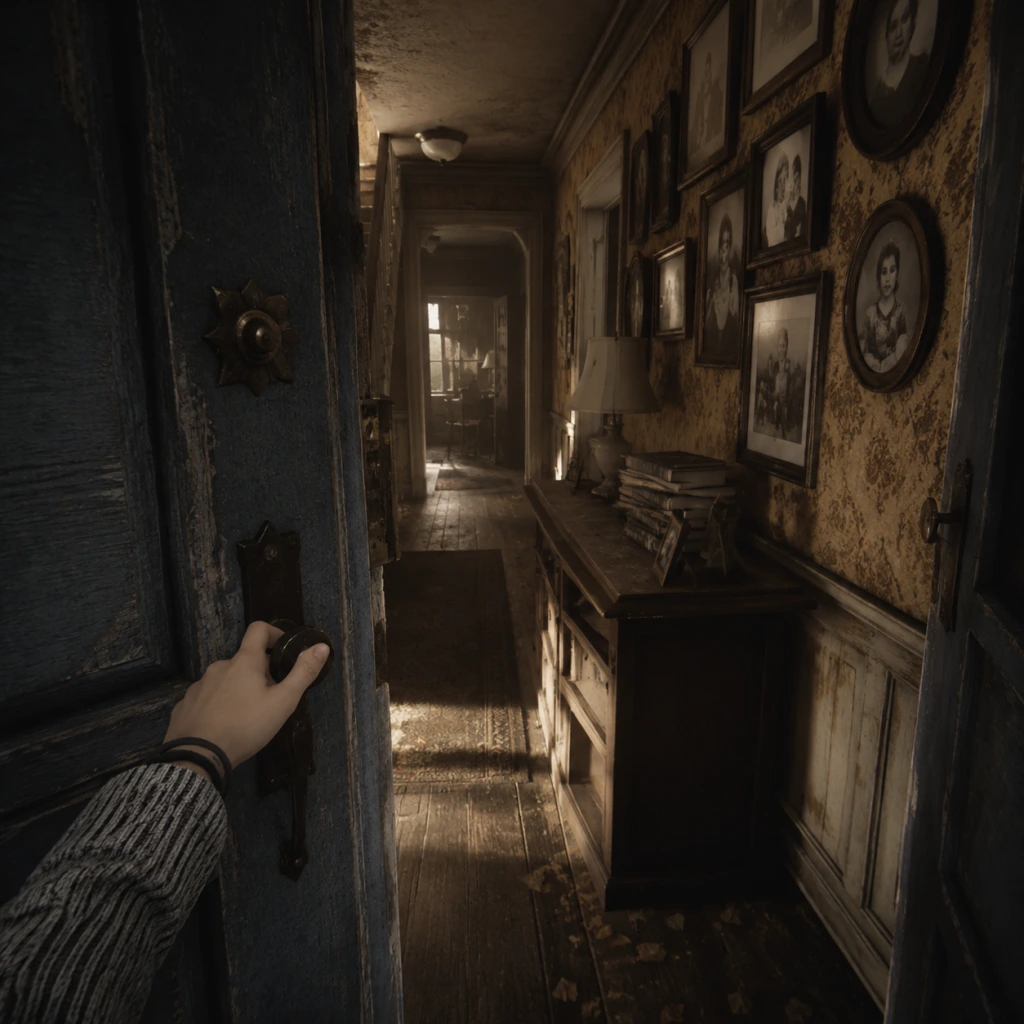
Getting Started
Overview
"What Remains of Edith Finch" is a first-person narrative exploration game with no combat, no character creation, no inventory management, and no fail states. The entire experience is focused on story, atmosphere, and environmental storytelling. You play as Edith Finch, the last surviving member of a family cursed by a strange fate. Over the course of about two hours, you explore the Finch family home and relive the final moments of each family member through fantastical vignettes.
Controls (All Platforms)
The game uses simple movement and interaction. Below is the control mapping for each platform:
PC (Keyboard + Mouse)
- Move: W/A/S/D
- Look: Mouse movement
- Interact: E
- Crouch/Toggle slow walk: Left Ctrl (hold)
- Skip forward in dialogue: Spacebar (only after finishing reading)
- Pause: Esc
- Move: Left stick
- Look: Right stick
- Interact: R2 (or Square for some prompts)
- Crouch/Slow walk: L2 (hold)
- Skip dialogue: R1 (after text fully displayed)
- Pause: Options button
- Move: Left stick
- Look: Right stick
- Interact: RT (or X for some prompts)
- Crouch/Slow walk: LT (hold)
- Skip dialogue: RB (after text fully displayed)
- Pause: Menu button
- Move: Left stick
- Look: Right stick
- Interact: ZR (or Y for some prompts)
- Crouch/Slow walk: ZL (hold)
- Skip dialogue: R (after text fully displayed)
- Pause: + button
- Crosshair (center of screen): A small dot indicates where you are looking. Move it over interactable objects to highlight them.
- Interaction prompt (near crosshair): When near an actionable object a contextual word or icon appears (e.g., "Open," "Read," "Turn," a magnifying glass for closer inspection).
- Text box (bottom or mid-screen): Dialogue and narration appear as subtitles. On PC these appear at the bottom; on consoles they are often overlaid on the screen. Always wait for the text to finish before moving on.
- Skip prompt: After narration text is fully displayed, you may see a small icon or button label to skip to the next line. Skipping is optional but safe.
- Pause menu: Press the designated pause button to bring up a menu with "Continue," "Load Chapter," and "Settings" (audio, video, controls). There is no save game menu; the game autosaves very frequently (usually at the start of each vignette or after major events).
- Explore thoroughly. Every room has objects you can read, pick up, or examine. These add depth to the narrative and often unlock optional journal entries that provide backstory.
- Move slowly. The game is meant to be savored. Crouch-walking is available (hold the designated button) to move at a slower pace and appreciate the environment.
- Read all text. When you find notes, books, or diary pages, take the time to read them. They contain clues about the family curse and the characters' personalities.
- Listen to narration. Edith’s voice-over will continue as you explore. Do not skip lines until you are ready to move on.
- Interact with everything that glows or has a prompt. Most interactive objects are highlighted by a soft light or have a small shiny effect. If you see a book, a photograph, a toy, or a piece of furniture with a text cue, go to it and press interact.
- Rushing through rooms. If you sprint (hold shift on PC / move stick fully on console) you might miss subtle triggers or audio cues. Walk normally or crouch-walk in key areas.
- Skipping dialogue or cutscenes. The story is the core of the game. Skipping will break the emotional flow and cause you to miss important context.
- Assuming you can go everywhere immediately. Some doors are locked until later. The game is linear; you progress by following the main path (usually moving upward through the house).
- Trying to “fail” or die. The vignettes are scripted experiences; you cannot die or get a game over. Even in sequences that feel dangerous, you are safe. Relax and enjoy the ride.
- Ignoring optional interactions. While the main story progresses linearly, optional readings and interactions enrich the experience and sometimes change the tone of a vignette. Don't skip them.
- Patience: Let the game unfold at its own pace.
- Curiosity: Investigate every interactive object.
- Observation: Pay attention to environmental details – photographs, decorations, stains, personal items – they tell a silent story.
- [ ] Set aside uninterrupted time (approx. 2 hours). The game is best played in one sitting. If you must pause, the autosave will resume at the start of the current vignette or chapter.
- [ ] Adjust audio settings. Play with headphones or in a quiet room. The sound design is critical for immersion. In Settings > Audio, keep music and SFX at default; ensure voice volume is high.
- [ ] Adjust graphics (PC only). Set resolution to your monitor’s native, enable V-Sync if you experience screen tearing, and set texture quality to high if your GPU permits (the game is not demanding).
- [ ] Familiarize yourself with controls (see table above). Practice moving and interacting in the opening hallway.
- [ ] Play the prologue and enter the house. This takes about 5 minutes.
- [ ] Complete the handprint family tree interaction.
- [ ] Read the letter from Dawn.
- [ ] Enter Molly’s room and finish her vignette. This is the first major story section (approx. 20-25 minutes).
- [ ] After Molly’s story, return to the main house and explore the ground floor briefly – you will find additional journal entries and context. Then proceed upstairs following the story prompts.
- [ ] Save and quit only at natural breaks. The game indicates chapter transitions with a black screen and a title card. That is a safe stopping point.
- The game is a walking simulator in the best sense. There are no puzzles to solve, no enemies to fight, no time limits (except within a few scripted sequences where you need to follow a character or escape quickly – but these are forgiving).
- If you feel stuck, try looking around for a glowing object or a door you haven't opened. The story will always pull you forward.
- The narrative deals with heavy themes (death, grief, family trauma). It is emotionally intense but ultimately beautiful.
- After finishing the main story, you can reload individual chapters from the main menu to re-experience favorite vignettes or find missed interactions. There is no New Game Plus.
PlayStation 4 / PlayStation 5
Xbox One / Xbox Series X|S
Nintendo Switch
> Tip: On all platforms, you can look around freely. Some interactions require pressing a button only when the on-screen prompt appears. If you see a glowing object with a text hint, walk close to it and press the interact button.
UI Overview
The HUD (heads-up display) is intentionally minimal. During gameplay you will see:
Essential Early Objectives (First 15 Minutes)
1. Start the game – After the title screen, select "New Game." The game begins with a brief prologue: a young Edith writing in her journal while on a ferry. You don't control anything during this cutscene.
2. Enter the Finch house – You gain control after the ferry scene, standing on the front porch. Your first objective is to walk toward the front door. Look for a glowing handle and press the interact button to open it.
3. Move through the hallway – The front door opens into a dimly lit foyer. Walk straight ahead, passing through an archway. Follow the linear path until you reach a room with a large tree trunk growing through the floor. This is the central staircase area.
4. Discover the family tree – A handprint icon on a wall will prompt you to place your hand on it. Doing so triggers a scene showing the Finch family tree, with names and dates. This is your first major story beat.
5. Ascend the stairs – After the handprint scene, a nearby staircase becomes accessible. Walk up the creaky stairs. You will soon hear a voice (Dawn, your mother) calling you. Follow the voice to a bedroom door. Interact with the door.
6. Read the letter – Inside the bedroom you find a letter from your mother explaining the house and the family history. Read it fully (the text will scroll automatically). This sets up the main quest: to explore each relative's sealed room and uncover their story.
7. First vignette (Molly's story) – After reading the letter, exit the bedroom and walk to the room directly across the hall (marked with a child's drawing on the door). Interact with the door. The game transitions to Edith as a child, and you enter the first major story vignette: Molly's final night. From here, follow the prompts and interact with objects as they appear.
What to Do First
What to Avoid
Early Resource Priorities
There are no resources to manage in "What Remains of Edith Finch." No health, no ammunition, no crafting materials, no currency. Your only “resource” is your attention and time. Prioritize:
Common Beginner Mistakes
1. Not interacting with objects right away. Some players walk past an object without pressing the interact button because they assume it is just scenery. When you see a prompt, always try pressing the button.
2. Moving the camera erratically during vignettes. In some first-person sequences (e.g., Molly’s transformation), you must look in the direction the game points. Fighting the camera will disorient you; relax and let the game guide you.
3. Missing the handprint trigger. The handprint on the wall in the central stairwell is the only way to unlock the family tree scene. If you do not place your hand on it, you may be confused about the family structure. The handprint glows slightly – look for it near the base of the tree.
4. Confusing the vignette controls. During a vignette, the control scheme might temporarily change (e.g., you might need to move the mouse or stick to control an animal or character). Read on-screen prompts carefully; they are always shown before new actions.
5. Trying to backtrack prematurely. The house changes as you progress. If a door slams shut or a path disappears, do not panic – the game is directing you forward. You cannot get lost.
6. Skipping the credits. After the final scene, the credits roll. They contain additional narration and a final emotional punch. Do not skip them.
Day-One Checklist
Use this checklist to ensure you have a smooth first session:
Final Tips for New Players
Enjoy your journey through the Finch house. Every room holds a memory.
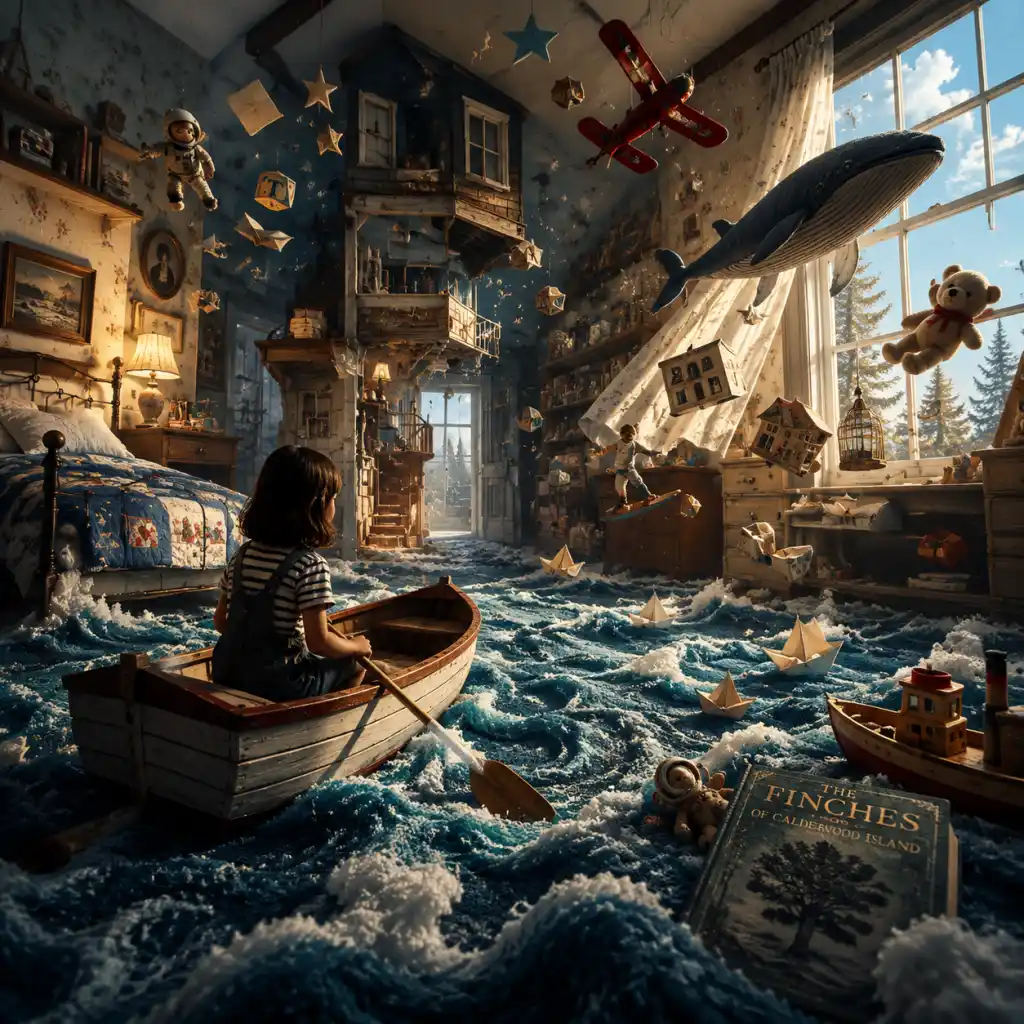
Core Gameplay
Overview
"What Remains of Edith Finch" is a first-person narrative exploration game with no combat, no character creation, no inventory management, and no fail states. The entire experience is focused on story, atmosphere, and environmental storytelling. The core gameplay loop is simple: walk through the Finch family house, interact with objects to trigger memories, and experience the tragic tales of each family member through unique vignettes. Each story introduces new gameplay mechanics—from flying a kite to controlling a cat—making every section feel distinct. There is no traditional progression system, economy, or skill trees; growth is purely narrative, as you uncover the family's history and understand their curse.
Main Gameplay Loop
The gameplay loop repeats throughout the game:
1. Explore – Navigate the decrepit Finch mansion, looking for rooms, items, and notes.
2. Interact – Press the interact button (E on PC, X on PlayStation, A on Xbox, etc.) on highlighted objects to read, open, or trigger a story.
3. Experience – Enter a first-person memory sequence with unique controls and objectives.
4. Reflect – After each vignette, return to the present, often with new information or items.
5. Progress – Unlock new areas of the house (by finding keys, climbing stairs, etc.) to continue the main narrative.
Interaction / Combat Systems
There is no combat. Interaction is the primary system:
- Movement: Standard WASD (PC) or left stick (console), with mouse/right stick for looking. Sprint is not needed; the game encourages slow exploration.
- Interaction Cursor: A small white dot that highlights interactive objects. Hover over a glowing object and press the interact button to read, pull, open, or examine.
- Unique Vignette Controls: Each story has its own control scheme. Examples:
- No Fail States: You cannot die or lose. Some vignettes have straightforward objectives (e.g., shoot the deer, catch the fish) but missing them only changes the story’s outcome (usually still moving forward).
- Finding keys or items to open new doors.
- Completing the current vignette to trigger the next.
- Returning to the present after each memory to explore newly accessible areas.
- Ground floor: Kitchen, dining room, den, library, grandfather clock.
- Second floor: Multiple bedrooms (Molly, Barbara, Sam, etc.) and Edie’s room.
- Basement / Bunker: Walter’s underground apartment.
- Attic: Milton’s room, Calvin’s swing access.
- Outside: Front porch, backyard (swing, treehouse).
- Reading all letters.
- Finding all hidden scribbles (in Lewis’s story).
- Uncovering the secret in Gregory’s room.
- Revisit the house: Load your save to explore any missed rooms or read overlooked text. The house remains in its final state (with new areas unlocked).
- Achievements / Trophies: Several require specific actions within the stories. Examples:
- Photograph Mode: Take pictures of the environment (available on some platforms).
- Speedrun: Some players try to complete the game in under two hours, but there is no built-in timer or reward.
- Locate a key hidden in the kitchen drawer.
- Open the door.
- Inside, interact with the family tree to learn each member’s name.
- Read notes from Dawn (Edith’s mother) that explain the visit.
- Location: Molly’s bedroom (upstairs).
- Interaction: Open the bed to trigger the memory.
- Gameplay: Play as Molly, a 10-year-old girl, during a hunger-induced hallucination. You transform into a cat, then an owl, then a shark. Each form has different movement mechanics:
- Outcome: The story ends tragically (Molly dies from starvation/poisoning). You return to the present.
- Trigger: Find Barbara’s poster and the calendar in her room.
- Format: Presented as a horror comic book. Panels are static; you read dialogue and occasionally click to advance. There is a sequence where you must mash a button to break free of a monster.
- Gameplay: Minimal interaction; mostly reading and reacting to jump scares.
- Trigger: Descend to the basement, find the bunker door, and move through a tunnel.
- Location: An underground apartment with a daily routine.
- Gameplay: You play as Walter, a reclusive man, through a series of days. You must crawl, interact with a metro map, and eventually walk along a train track. The track section requires rhythmic button presses (like a rhythm game) to keep Walter moving. If you mistime, he stumbles but continues.
- Outcome: Walter is hit by a real train.
- Trigger: Sam’s bedroom (hunting trophies).
- Gameplay: Present-day Edith holds a camera. You must align the viewfinder to match an old photograph of Sam and his daughter; then you enter the memory. As Sam, you go deer hunting. Walk through the forest, aim your rifle (mouse aim), and shoot the deer when prompted. The deer is not killed instantly; you must follow it and shoot again.
- Outcome: Sam falls off a cliff after a victory photo.
- Trigger: Gregory’s nursery room.
- Gameplay: You control Gregory (a baby) in a bathtub. Simple interactions: move his arms to splash water, pick up toy ships and starfish, and put them on the water. The father sings. The baby can only make sounds.
- Outcome: Gregory drowns when the father leaves briefly.
- Trigger: Gus’s bedroom (kite and wind chimes).
- Gameplay: Fly a kite on a windy hill. Control the kite string (left stick) and the kite orientation (right stick) to cut other kite strings. You must also keep the kite from crashing. Follow a target kite and cut it.
- Outcome: Gus is struck by lightning from the metal kite line.
- Trigger: Enter the attic, read Calvin’s diary, go to the backyard swing.
- Gameplay: Swing on a rope swing. You must pump (press rhythmically) to gain height, then release at the peak to swing out over the cliff. Timing is critical for the narrative payoff.
- Outcome: Calvin swings too high and falls to his death.
- Trigger: Edie’s bedroom (old photos).
- Gameplay: Play as young Edie during a blackout. You crawl through a fantasy version of the house, opening doors that lead to different family members’ fates (Molly’s ghost, etc.). Movement is basic; the focus is surreal exploration.
- Outcome: Edie hallucinates the family’s deaths as a recurring nightmare.
- Trigger: Milton’s room in the attic (drawings).
- Gameplay: A short sequence where you draw as Milton (a young boy). You can scribble on paper using a stylus-like movement (mouse or right stick). The drawing comes to life, leading to a small adventure in a fantasy world where you fight a dragon by drawing a sword.
- Outcome: Milton disappears (runs away from home).
- Trigger: Lewis’s room (a mess of boxes and drawings).
- Gameplay: This is the most mechanically unique vignette. You must divide your attention between two screens:
- Outcome: Lewis’s head is cut off in the factory.
- Read all letters and notes: Some contain extra lore about the family, such as Edie’s relationship with Sven or the origins of the curse.
- Find hidden interactive objects: For example, the locked chest in the library requires a combination from Molly’s story; opening it reveals a baby shoe (Gregory’s).
- Achievement hunting: Several achievements require you to perform specific actions during vignettes. Examples:
- Replay vignettes: There is no chapter select, but you can load a previous save (if you manually saved) to re-experience a story. Otherwise, you must start a new game.
- Molly: You become a cat, then an owl, then a shark, etc. Each form has different movement (e.g., climbing, flying, swimming).
- Barbara: Play as a comic book character with limited movement (panels) and quick-time events.
- Walter: Crawl through a tight bunker, interact with a metro map, then make rhythmic choices to walk along tracks.
- Gregory: Control a baby in a bathtub, moving toys and causing splashes.
- Gus: Fly a kite (two-stick control: one hand for string, one for kite) and aim at targets.
- Sam: Hunting with a rifle (aim and shoot at deer).
- Calvin: Swing on a rope swing (timing jumps).
- Lewis: Dual-stick control: one hand for fantasy world, one for real-world factory job (must balance both).
Progression
Progression is narrative-driven and linear. The family tree on the wall acts as a map: each new unlocked story corresponds to a family member. You progress by:
The order is fixed:
1. Walk to the house (intro).
2. Explore kitchen and den → Molly’s room → Molly’s story.
3. Return to house → unlock more rooms (Barbara’s room, Walter’s bunker, etc.).
4. Continue through the rest of the family.
There is no XP, levels, or skill upgrades. The only “growth” is gaining narrative context and emotional understanding.
Exploration
Exploration is non-linear within the house. You can freely roam between rooms you’ve unlocked. Key areas:
Environment tells stories through letters, toys, photographs, and objects. Many items are interactive and provide backstory or foreshadowing. For example, reading Dawn’s note about the keys, or finding Edie’s old love letters. Thorough exploration can reveal small secrets that tie the family together.
Quests / Missions
There are no traditional quests or missions. The entire game is one linear quest: “Discover what happened to the Finch family.” Each vignette acts as a self-contained mission with a clear (often tragic) ending. You cannot fail, and there is no branching. The only optional activities are:
Economy
There is no currency, shops, or trading. No items to collect that affect gameplay. The only “economy” is narrative: each story gives you emotional investment, and the game rewards you with story progression.
Character / Build Growth
Character growth is nonexistent in traditional RPG terms. Edith Finch herself does not change stats, skills, or appearance. Her growth is purely through knowledge and understanding. The player’s growth is in learning the controls and adapting to each vignette’s unique mechanics. For example, after playing as Molly, you learn to control animal forms; after Gus, you grasp two-stick kite flying; after Lewis, you manage dual-tasking.
Endgame Structure
After completing the final story (the epilogue with Dawn and Edith’s family tree), credits roll. There is no post-game content per se. However, you can:
- “Playing Dress-Up” – Put all costumes on the cat in Molly’s story.
- “The Curse” – Find all hidden scribbles in Lewis’s fantasy world.
- “The Bunker” – Complete Walter’s story.
- “Happy Birthday, Gregory” – Complete Gregory’s story.
Early Game (First 30–45 minutes)
Prologue: Walking to the House
You begin on a ferry, walking to the Finch residence on Orcas Island. Controls are introduced: move (WASD), look (mouse), interact (E). This short sequence teaches basic navigation and the importance of reading journal entries.
Entering the House
The house is dark and cluttered. You’re alone with Edith’s narration. Objective: Find a way to open the locked door to the den.
Molly’s Story (First Vignette)
- Cat: Walk, climb, eat a bird, catch a rabbit.
- Owl: Fly by tilting forward/backward, dive, eat a bat.
- Shark: Swim, eat fish, sea lion.
- Mountain Monster: Lumber forward, eat roots and a dead deer.
Key Skills Learned: Basic movement, interacting with highlighted objects, and adapting to new control schemes. The early game sets the tone: expect the unexpected.
Mid Game (30–90 minutes)
After Molly’s story, you gain access to more of the house. The mid game consists of several family members’ stories, each heavily stylized.
Barbara’s Story
Walter’s Story
Sam’s Story
Gregory’s Story
Gus’s Story
Late Game (90 minutes – 2 hours)
The late game includes the most emotionally heavy stories and complex gameplay.
Calvin’s Story
Edie’s Memory (Hallucination)
Milton’s Story
Lewis’s Story (Climax)
- Left (real world): Lewis works at a fish cannery. Use left stick/mouse to rotate a fish head and align it to the guillotine.
- Right (fantasy world): Lewis imagines a medieval kingdom. Use right stick/mouse to lead an army by directing a cursor over enemies and clicking to attack.
- You must successfully complete tasks in both screens simultaneously. The real-world task becomes more frantic. If you fail (e.g., a fish falls), you can try again. Eventually, Lewis walks through the fantasy world while ignoring the real guillotine.
Endgame (After Main Story)
Epilogue
After Lewis’s story, you play as a younger Edith (now an adult) visiting the house with her own child. You walk to the backyard and view the family tree from the cliff. The game ends with Edith burying the family journal. Credits roll.
Post-Credits
There is no formal post-game. The main story is complete. However, you can load your save to return to the house at the point just before the epilogue. All areas remain accessible. This allows you to:
- “All the Way Down” – Find and read all of Edie’s hidden letters.
- “Catch!” – In Sam’s story, shoot the deer in the heart on the first try.
- “The Last One” – Complete the game (unlocks naturally).
No New Game+ or difficulty modes. The experience is static, designed for a single emotional playthrough.
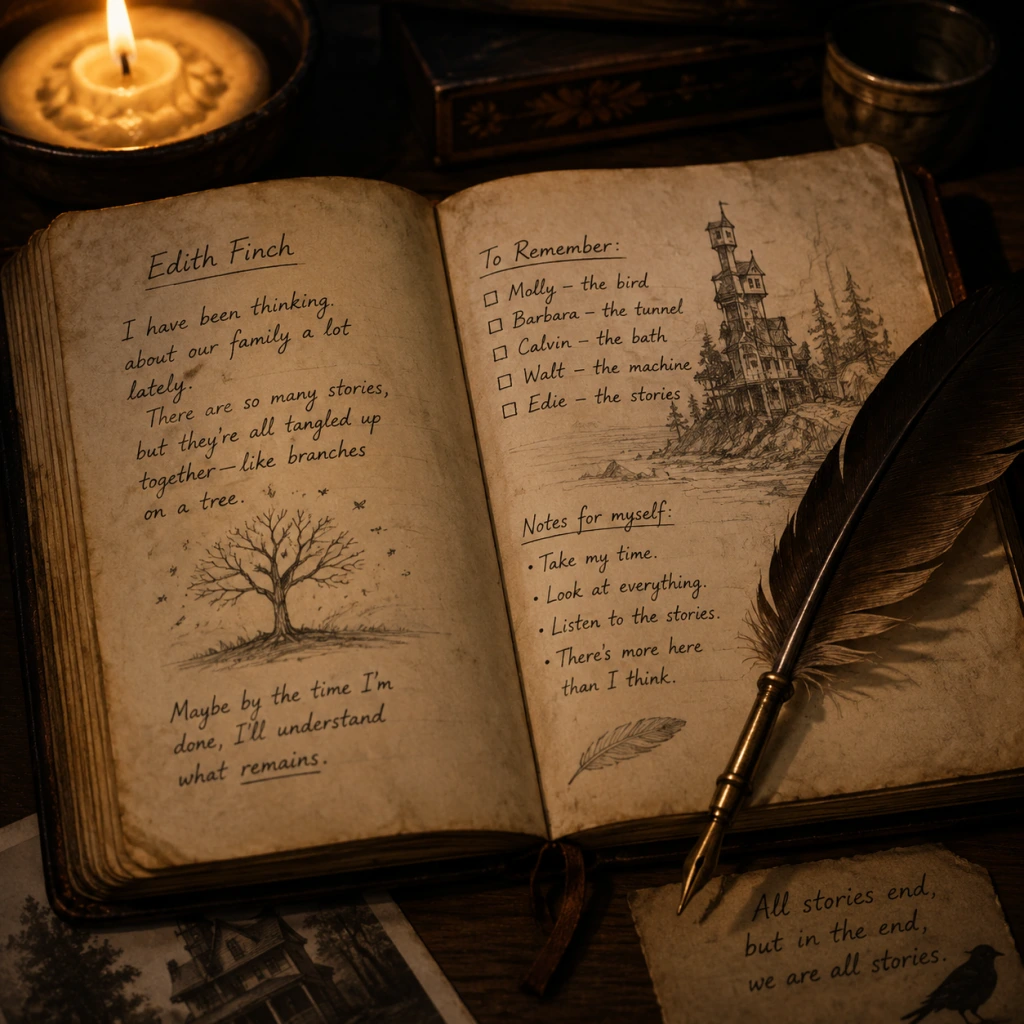
Game Tips
Game Tips for "What Remains of Edith Finch"
Since "What Remains of Edith Finch" is a pure narrative exploration game with no combat, inventory, or fail states, the tips below focus on maximizing story immersion, uncovering hidden details, optimizing performance, earning achievements, and enhancing the overall experience. The guide is divided into categories tailored to the game's unique mechanics.
---
Beginner Tips
1. Take Your Time Everywhere
- Explanation: The game encourages slow, deliberate exploration. Rushing through rooms will cause you to miss subtle environmental storytelling, like letters, photographs, and small objects that flesh out the Finch family history.
- Why it works: Every room in the Finch house is meticulously designed with context clues. Pausing to read a diary page or examine a toy adds emotional weight to the narrative.
- When to use: Always. Especially during the first playthrough.
- Explanation: Interactive objects (journals, keys, door handles, etc.) are highlighted with a soft glow or sparkle. Click or press the interact button on all of them to trigger story sequences.
- Why it works: The game uses a simple visual cue to guide you; missing even one can skip a crucial story beat or a character's anecdote.
- When to use: Anytime you see a glowing object, interact with it before moving on.
- Explanation: The game's audio design is rich—whispering voices, creaking floors, distant sounds of the sea, and subtle musical cues. Headphones let you hear the layered soundscapes clearly.
- Why it works: Many emotional moments are conveyed through sound alone (e.g., the wind during Molly's story). Headphones lock you into Edith's perspective.
- When to use: Highly recommended for the entire game, especially twilight/evening playing sessions.
- Explanation: Scattered throughout the house are handwritten letters, postcards, and journal entries. They provide background on family members not covered in the main stories.
- Why it works: The Finch family tree includes many relatives. These documents explain relationships and tragedies that aren't explicitly shown.
- When to use: Every time you find one—don't skip the text. Some contain clues for achievements.
- Explanation: While the main story is linear, each character's vignette offers small branching areas. Explore corners and alternate routes.
- Why it works: You'll find additional dialogue, hidden objects, and unique animations (e.g., looking out a window from a different angle).
- When to use: In every vignette, after triggering the next objective, take a moment to look around.
- Explanation: After completing the game, you can select specific family stories from the bedroom doors. This lets you revisit any chapter to find missed collectibles or better understand the timeline.
- Why it works: The narrative is non-linear; replaying helps connect dots (e.g., the curse might be linked to a specific pattern of deaths).
- When to use: After finishing the game once, go back to chapters with hidden achievements (e.g., the bathtub boat story).
- Explanation: Many stories use surreal imagery (e.g., Molly becoming animals, Walter's underground life). These are metaphors for their psychological states.
- Why it works: Understanding the metaphors deepens your appreciation of the writing and character arcs. For instance, Molly's transformation represents her starvation for attention.
- When to use: During each vignette, reflect on what the imagery might symbolize.
- Explanation: Edith's camera (provided early on) can be used to take photos. While not required, snapping pictures of meaningful scenes or family portraits adds a personal layer.
- Why it works: The camera is a storytelling tool—it makes you an active photographer in the family's history. Some achievements are tied to taking specific photos.
- When to use: Whenever you see a scene you want to remember, or when the game prompts you (e.g., at the end of a chapter).
- Explanation: In the opening sequence, before entering the house, walk around the yard, the graveyard, and the shoreline. There are a few interactive objects and a great view.
- Why it works: The graveyard contains graves of many Finches, revealing names and dates that you'll encounter later.
- When to use: Only at the very start of the game.
- Explanation: The game has no spoken dialogue during gameplay—only narration. Subtitles can distract from the beautiful animation and screen composition.
- Why it works: Without subtitles, you focus on the character's gestures and the environment. The narration is always clear and well-paced.
- When to use: If you are comfortable with English and want maximal immersion. Turn them back on if you miss details.
- Explanation: In the cannery story (with Sammy), there is a sequence where you can catch a fish. The achievement requires you to successfully reel it in by following the on-screen prompts.
- Why it works: The prompt timing is tight; miss it and the fish escapes. Practice the rhythm on earlier fish.
- When to use: Replay the cannery chapter and focus only on the fishing mini-game.
- Explanation: In Molly's chapter, you can find hidden dream-like images in the environment (e.g., a floating whale, a giant). There are 8 such moments, each tied to an achievement.
- Why it works: They are well-hidden behind objects or only visible from certain angles. Walk slowly and look up/down.
- When to use: Two playthroughs of Molly's story (one blind, one guided).
- Explanation: The game includes a photo mode on PC (via F12 or bound key) and on consoles via share button. Pausing the game lets you free the camera.
- Why it works: You can zoom into textures, handwriting, or distant objects that are normally too small to read. This reveals extra lore (e.g., letters on a desk you could never approach).
- When to use: During any chapter, especially in Dawn's bedroom and the attic.
- Explanation: In Barbara's story, there is a quick-time-event (QTE) section where you control a toy boat in a bathtub. The boat can be steered with mouse/keyboard or controller.
- Why it works: The steering is sensitive. Use gentle inputs and aim for the floating rubber duck to trigger an easter egg.
- When to use: Replay Barbara's chapter and practice the QTE to avoid missing the duck.
- Explanation: While not a speedrun game, completing the story in under 2 hours requires skipping all optional exploration and reading. This can be a personal challenge.
- Why it works: You'll appreciate how well the game paces itself even when rushed, and notice new shortcuts between vignettes.
- When to use: After multiple playthroughs, to see the bare bones of the narrative.
- Explanation: In the library, there is a movable bookshelf that reveals a secret passage to a room with a family tree drawn on the wall. It is missable if you don't interact with the right book.
- Why it works: The room contains a complete timeline of deaths, which is crucial for understanding the curse theory.
- When to use: In the library chapter, look for a book that sticks out slightly—pull it.
- Explanation: On PC, the game can stutter in high-density areas (e.g., the attic with lots of objects). Lower shadow quality and disable motion blur to maintain 60 FPS.
- Why it works: Smoother motion reduces disorientation during quick camera movements in vignettes.
- When to use: Before starting the game, access Settings > Video.
- The game has 8 achievements on Steam/PlayStation/Xbox. Most are story-related, but two are missable:
- Why it works: These require careful attention during specific chapters.
- When to use: After the main story, use chapter select to replay those stories with a guide open.
- Explanation: After finishing the game, you can enter any bedroom door to replay that person's story. Achievements earned in a chapter are saved retroactively.
- Why it works: You don't need to start a new game; just replay the distinct chapter.
- When to use: For any missable achievements.
- Explanation: The game deals with heavy themes of death, loss, and mental illness. Play in sessions of 1–2 hours to avoid emotional fatigue.
- Why it works: The narrative is dense and impactful; consuming too much at once can numb the experience.
- When to use: Plan to play over several days, especially if you are sensitive to the topics.
- Explanation: The smaller screen and close proximity to your face enhances the sense of being in Edith's shoes. The gyro controls (if any) are not used, but the portability allows for cozy gaming spots.
- Why it works: The game's atmosphere benefits from a quiet, personal setting.
- When to use: Play on the sofa, in bed, or on a train.
- Explanation: The DualSense controller's adaptive triggers provide subtle resistance when pulling doors or interacting with objects. This adds a physical layer to exploration.
- Why it works: It transforms simple actions into more deliberate motions, increasing immersion.
- When to use: Always on PS5 version.
- Explanation: The developers released a director's commentary mode (separate download) that plays as you walk through the house. Listen to learn about design choices and hidden meanings.
- Why it works: You'll gain insight into the game's creation and notice details you previously overlooked.
- When to use: After the first playthrough, activate commentary from the main menu.
- Explanation: Each story is distinct and emotionally charged. Stepping away between chapters allows you to process the story before moving on.
- Why it works: The game is meant to be savored, not binged.
- When to use: When you finish a vignette, get up, stretch, reflect, then return.
- Explanation: After finishing, discuss theories on Reddit or forums. The open-ended narrative has many interpretations.
- Why it works: Engaging with the community can reveal perspectives you missed and enrich your understanding.
- When to use: Post-completion.
2. Interact with Everything That Glows
3. Use Headphones for Full Immersion
4. Read All Letters and Notes
5. Don't Be Afraid to Wander Off the Path
---
Intermediate Strategies
6. Replay Vignettes from the Main Menu
7. Pay Attention to Visual Metaphors
8. Use the Camera in Key Moments
9. Explore the Exterior of the House First
10. Turn Off Subtitles for a Richer Experience (Optional)
---
Advanced Optimizations & Hidden Secrets
11. Unlock the "Fish" Achievement
12. Find All 8 Collectible "Dreams" (Molly's story)
13. Use Photo Mode to Capture Hidden Details
14. Mastering the Bathtub Boat Sequence
15. Speedrun the Game (For Fun)
16. Discover the "Hidden Room" Behind the Bookshelf
17. Adjust Graphics Settings for Smooth Performance
---
Achievement/Trophy Hunting Tips
18. Full List of Achievements (with Explanations)
- "Scrimshaw": Complete the cannery story without missing any fish.
- "Museum Curator": Find all 8 hidden dream images in Molly's story.
19. Use Chapter Select to Clean Up
---
Economy & Resources (Nonexistent—But Emotional Resource Management)
20. Manage Your Emotional Energy
---
Platform-Specific Tips
21. Nintendo Switch - Use Handheld Mode for Intimacy
22. PlayStation 5 - Adaptive Triggers Add Depth
---
Final Pro Tips
23. Play Through a Second Time with Commentary
24. Take Breaks Between Chapters
25. Share Your Interpretation Online
---
Summary Table of Tip Categories
| Difficulty Level | Category | Key Tip |
|---|---|---|
| Beginner | Exploration | Interact with all glowing objects |
| Beginner | Immersion | Use headphones |
| Intermediate | Story | Replay vignettes from menu |
| Intermediate | Hidden Details | Use camera at key moments |
| Advanced | Achievements | Replay cannery story for "Scrimshaw" |
| Advanced | Secrets | Find hidden room behind bookshelf |
| All | Emotional | Manage session length |
This guide covers every angle for getting the most out of "What Remains of Edith Finch". Enjoy the journey—it's a masterpiece of storytelling.
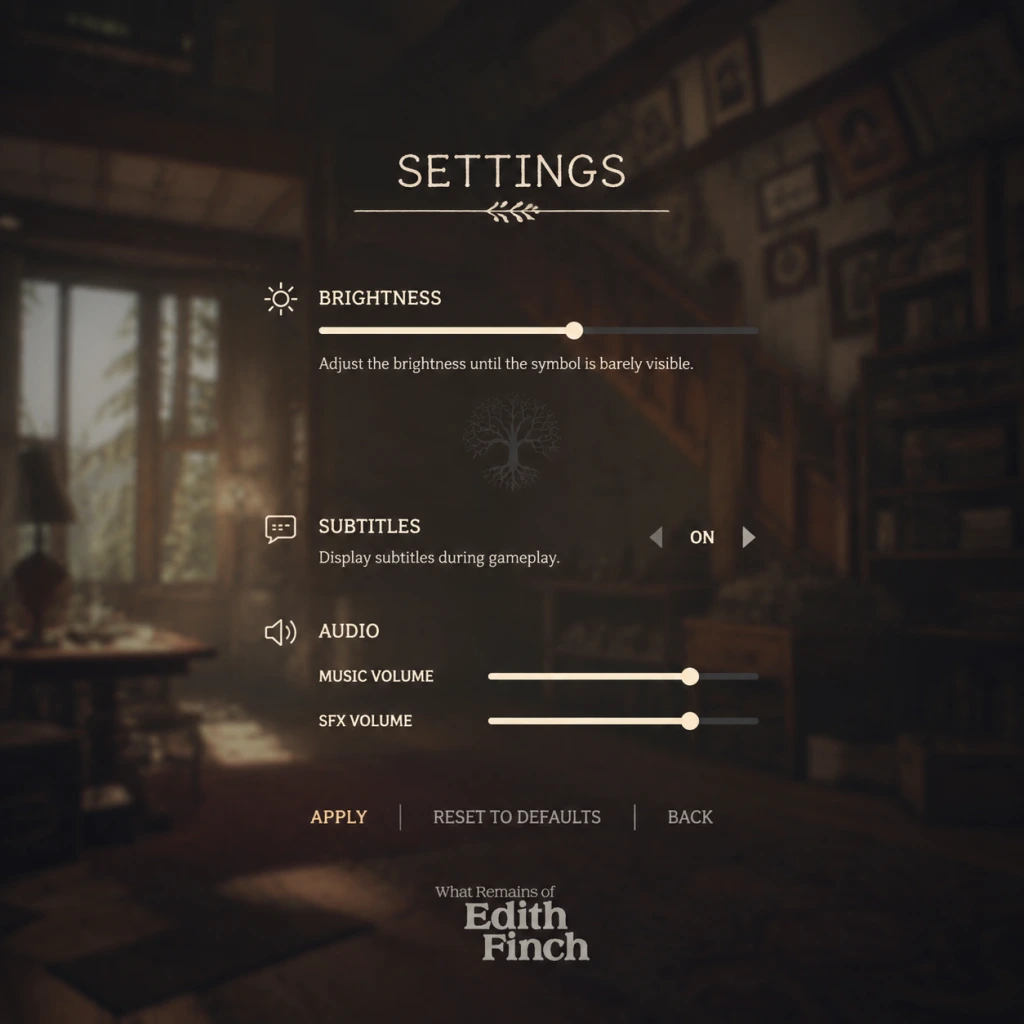
Game Settings
Game Settings Guide for "What Remains of Edith Finch"
This guide covers all configurable settings in "What Remains of Edith Finch" across graphics, audio, controls, accessibility, language, network, and gameplay. While the game is a linear narrative experience with no combat or fail states, optimizing these settings ensures a smooth, immersive playthrough on any hardware.
---
Graphics Settings
PC Graphics Settings
Available under Options > Graphics.
| Setting | Recommendation | Notes |
|---|---|---|
| Display Mode | Fullscreen (performance), Borderless Windowed (alt-tab convenience) | Fullscreen often yields better performance on older GPUs. Borderless Windowed is fine for modern systems. |
| Resolution | Native monitor resolution (e.g., 1920x1080, 2560x1440) | Match your display native for sharpness. Lowering improves performance. |
| Vsync | On (prevent screen tearing), Off (slightly higher performance) | Vsync introduces minor input lag but is acceptable in a narrative game. Off recommended only if you have a G-Sync/FreeSync display. |
| Anti-aliasing | FXAA (low end), TAA (medium/high) | TAA smoothest edges but slightly blurs. FXAA is faster. MSAA is heavy for little gain. |
| Texture Quality | Low (VRAM < 2GB), Medium (2-4GB), High (>4GB) | Mostly affects object detail. High textures look richer but cost VRAM. |
| Shadow Quality | Low (performance), Medium/High (quality) | Shadows are not critical to the story. Set to Low for weaker GPUs. |
| Post-processing | Medium (balance), High (HDR bloom) | Controls bloom, depth of field, color grading. High adds subtle atmosphere but impacts FPS. |
| Effects Quality | Low/Medium (performance), High (particle density) | Affects rain, dust, fire effects. Moderate impact. |
| Anisotropic Filtering | 4x (balance), 8x/16x (high quality) | Improves texture clarity at angles. Low performance cost, set to 8x. |
| Motion Blur | Off (prevent dizziness), On (cinematic) | Many players disable this for clarity. Personal preference. |
| Field of View (FOV) | 90 (default), adjust 80-100 | Narrower FOV can reduce performance load slightly but may feel claustrophobic. 90-95 is comfortable. |
Recommended PC Performance Profiles
#### Low-End Hardware (e.g., Intel HD Graphics, GTX 750)
- Fullscreen, 1280x720 or 1600x900 resolution
- All settings Low or Off except Textures Medium if VRAM allows
- Post-processing Low, Shadows Low, Anti-aliasing Off or FXAA
- Target: 30-40 FPS, playable since game is slow-paced
- 1920x1080 resolution, Fullscreen
- Textures Medium-High, Shadows Medium, Effects Medium
- Anti-aliasing TAA, Anisotropic 8x, Post-processing Medium
- Motion Blur Off, FOV 90
- Target: 60 FPS consistent
- 2560x1440 or 4K (if supported)
- Max out all settings: Textures High, Shadows High, Effects High
- Anti-aliasing TAA, Anisotropic 16x, Post-processing High
- Vsync On (or use Fast Sync if Nvidia)
- Target: 60 FPS at 1440p, 30-60 at 4K
- PlayStation / Xbox / Switch: Graphics settings are fixed. No user adjustments beyond HDR calibration on PS4 Pro / PS5 / Xbox One X / Series X|S.
- Performance / Quality modes: Not available; game runs at 30 FPS (PS4/Xbox One) or 60 FPS (PS5/Series X via backward compatibility with unlocked framerate). On Switch, dynamic resolution 720p docked/undocked with occasional dips.
- HDR: If your TV supports HDR, enable in console system settings and in-game (Options > Display). Calibrate brightness/peak brightness for your display.
#### Mid-Range Hardware (e.g., GTX 1060, RX 580, modern iGPU)
#### High-End Hardware (e.g., RTX 2060+, RX 5700 XT, or better)
Console Graphics Settings
---
Audio & Language Settings
Audio Settings (Options > Audio)
| Setting | Recommendation | Notes |
|---|---|---|
| Master Volume | 70-80% (leaves headroom) | Adjust to comfortable listening level. |
| Music Volume | 100% | Soundtrack is integral to atmosphere; keep full. |
| SFX Volume | 100% | Ambient sounds, footsteps, interactions. |
| Voice Volume | 100% | Narration (Edith) and character voices. |
| Subtitles | On (highly recommended) | Important: narration may be quiet in spots. Subtitles aid comprehension and accessibility. |
| Subtitle Size | Normal / Large | Choose Large if playing on a small screen or with visual impairments. |
| Closed Captions | Optional | Adds sound descriptions like [door creaks]. |
Language Settings
- PC: On Steam, change language via game properties (Right-click > Properties > Language). Some languages require additional download.
- Consoles: Language follows system language. Some versions (e.g., Japanese) have separate releases.
- In-game language selection: Not present; must be set via platform.
---
Controls
PC Controls (Keyboard & Mouse)
Default mapping:
| Action | Key |
|---|---|
| Move | WASD |
| Look | Mouse |
| Interact / Open | E |
| Sprint | Shift (hold) |
| Crouch | Ctrl (hold) |
| Journal | Tab |
| Back / Pause | Esc |
| Flashlight | F (when available) |
Controller Support
- Fully supported on PC (Xbox, PlayStation, Switch Pro, generic).
- On consoles, only the respective controller is supported (PS4/PS5, Xbox, Switch Pro/Joy-Con).
- Game uses left stick for movement, right stick for camera, right trigger for sprint, face buttons for interact.
- Dead zone / sensitivity: Adjust in Options > Controls if joystick drift occurs. Default dead zone is adequate.
- Text Size: Normal / Large (affects subtitles and UI text). Large recommended for readability.
- Subtitle Background: Optional semi-transparent box to improve legibility.
- Colorblind Modes: Not available – the game uses minimal color-dependent cues.
- Auto-Walk / Auto-Run: Not available but not needed; you walk slowly most of the time.
- Hold vs Toggle Crouch/Sprint: Set sprint to toggle in Options > Controls if holding shift is uncomfortable.
- Camera Shake: Cannot be disabled. Minimal in this game.
- Button Prompts: Show console-style icons (PlayStation/Xbox/Switch) on PC – select in Options > Controls > Controller Icon Style.
- Offline Game: No multiplayer, no online features. The game can be played entirely offline.
- Steam Cloud Saves: Enable to sync save files across PCs. Manage via Steam properties.
- Updates: The game receives no gameplay updates. Patches for bug fixes are rare.
- Network Requirements: None for gameplay. Only needed for download and installation.
- Difficulty: No difficulty options. Game is linear and cannot be failed.
- Hints / Tutorials: Not present; game teaches through contextual interaction. The journal (Tab / View button) provides brief story summaries.
- Auto-Advance Text: Not available – you must manually click through dialogue. In cutscenes, text advances automatically.
- Skip Cutscenes: Available (Esc / Options > Skip). Use if replaying.
- Save System: Autosave only – manual saves not supported. Game saves at checkpoints.
- FOV Lock: On console, FOV is fixed. On PC, adjust via Graphics settings (see above).
Important: The game features sections where you need to tilt/rotate the controller for certain sequences (e.g., the swing, the boat). On PC, these are mapped to mouse or joystick. On Switch, motion controls can be used if enabled in system settings. Disable motion control if it feels jittery.
---
Accessibility Settings
---
Network Settings
---
Gameplay Settings
---
Special Attention Points During Setup
1. Subtitle On by Default: The game defaults subtitles OFF. Turn them ON immediately in Audio settings. Key narration can be quiet, and subtitles ensure you don't miss subtle story beats.
2. Mouse Sensitivity: Default PC sensitivity (5) may feel too fast for precise atmosphere exploration. Reduce to 3-4 for a more cinematic camera movement.
3. Controller Tilt Sections: The game uses physical controller tilting for certain sequences (e.g., swinging, flying). On PC with a controller, ensure motion controls are not accidentally activated. Disable gyro in controller properties if unwanted.
4. VSync on Console: Not adjustable on consoles, but if you experience screen tearing on PS4/Xbox One (rare), try enabling Vsync in TV settings.
5. Fullscreen vs Windowed: On PC, if you alt-tab frequently, choose Borderless Windowed to prevent crashes or freezes. Otherwise, Fullscreen offers slightly better performance.
6. HDR Calibration: If playing on a HDR-capable display, calibrate the peak brightness slider in Options > Display (PC) or console system HDR settings. Too high can wash out blacks; too low loses highlights.
7. Language Download: If you need non-English audio/text, verify that the language pack is downloaded before playing. On Steam, this requires a property change and update.
8. Save Backup: Since the game has only one autosave slot and no manual saves, consider copying your save file before important story decisions (though none exist). On PC, saves are in `%USERPROFILE%\Documents\My Games\Edith Finch\`.
---
Summary of Recommended Settings
| Category | Low-End PC | Mid-Range PC | High-End PC | Console |
|---|---|---|---|---|
| Resolution | 720p | 1080p | 1440p/4K | Native |
| Texture Quality | Low/Medium | Medium/High | High | Fixed |
| Shadows | Low | Medium | High | Fixed |
| Anti-aliasing | Off/FXAA | TAA | TAA | Fixed |
| FPS Target | 30 | 60 | 60 | 30 or 60 |
| Subtitles | On | On | On | On |
| Voice Volume | 100% | 100% | 100% | 100% |
Enjoy the journey through the Finch family history.
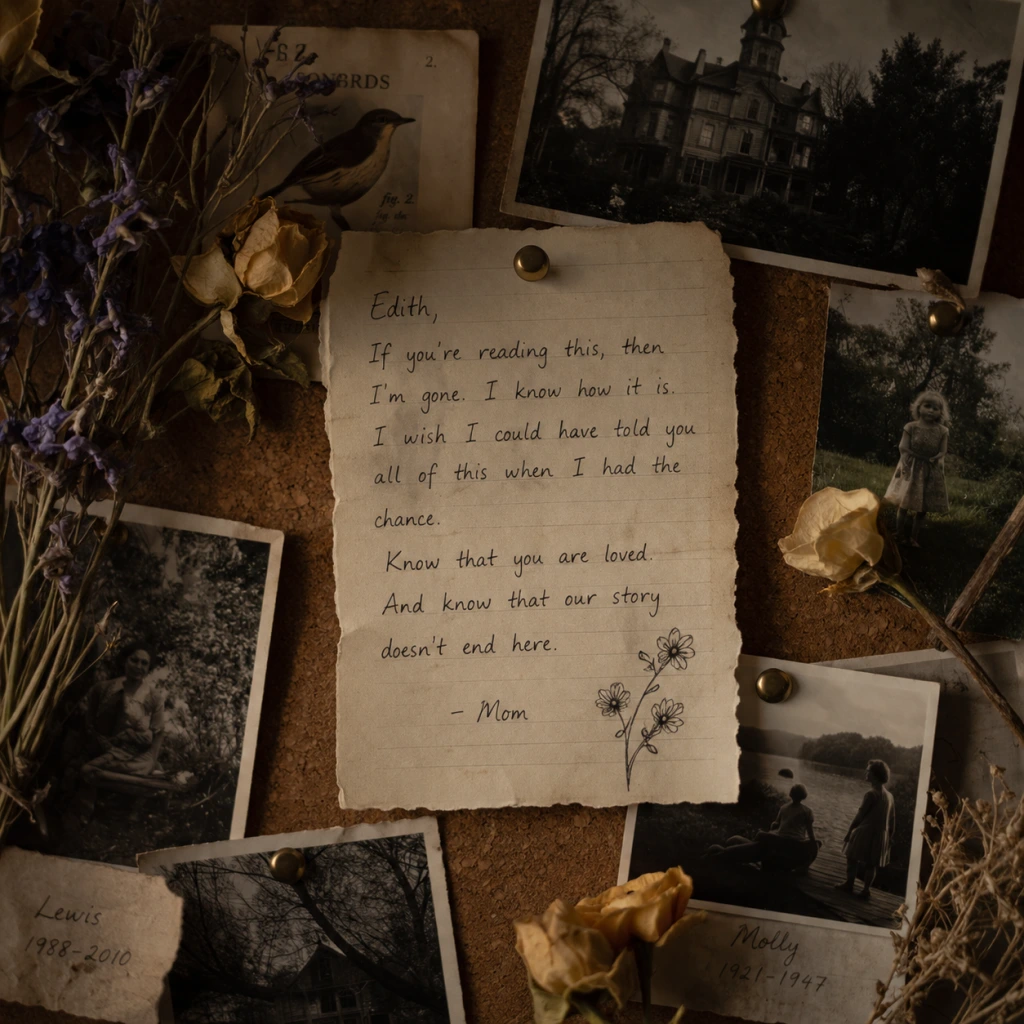
Important Notes
Important Notes for "What Remains of Edith Finch"
This section highlights crucial information to enhance your experience and avoid common pitfalls. While the game is a linear narrative with no combat or fail states, there are subtle missables, irreversible actions (for achievements), and environmental details that players often regret missing.
Warnings & Pitfalls
- Motion Sickness Risk: The game features frequent camera motion (swinging, flying, underwater sequences). If you are prone to motion sickness, adjust the field of view (FOV) in settings and enable motion blur reduction. Take breaks during the more intense sequences (e.g., Molly’s transformation, Barbara’s roller coaster).
- No Manual Saves: The game uses only autosave checkpoints at the start of each family member’s story. You cannot save mid-story. If you quit during a story segment, you will restart from the beginning of that segment upon reloading. Progress within a story (e.g., after interacting with objects) is not saved until the story concludes.
- No Replay of Individual Stories: Once you complete a family member’s story, you cannot replay it without starting a new game or using chapter select (available after finishing the main story). If you miss an achievement-related action, you may need to replay the entire game.
- Achievements/Trophies: Several achievements require specific interactions that are easy to miss. These include:
- Environmental Storytelling: The game is packed with notes, photos, and objects that expand the Finch family history. Rushing through will cause you to miss these. Read every note, examine every photograph, and open every drawer. Some notes are easily overlooked (e.g., the note under the rug in the living room, the letter in Dawn’s closet).
- Secret Area: In the library, after reading your own diary entry, interact with the bookshelf near the fireplace. A specific book titled “Edith Finch” must be pulled to open a hidden room containing a final story revelation. This is a one-time opportunity; if you leave the library, you cannot return to trigger it.
- No Difficulty Spikes: The game has no combat, puzzles, or timed sequences. There is no traditional difficulty setting. The only potential frustration is motion sickness (see above) or missing an achievement due to oversight.
- No Grinding: This is a purely narrative experience. There is no leveling, loot, or resource management. The entire game can be completed in 2–3 hours. Do not expect any grinding—just immerse yourself in the story.
- Single-Player Only: “What Remains of Edith Finch” is a strictly single-player game with no online multiplayer, leaderboards, or achievements that require internet connectivity. No anti-cheat software is used.
- No Online Etiquette Required: You play offline; no interactions with other players. Feel free to play at your own pace.
- Autosave Frequency: The game autosaves when you enter a new family member’s story (e.g., after Edie’s introduction, at the start of Molly’s segment) and after completing a story. There is no quicksave or manual save.
- What to Do Before Quitting: If you need to quit mid-story, note that you will lose any progress made within that story. For example, if you are in the middle of Lewis’s story and exit, upon reloading you will start at the beginning of Lewis’s story, not at the point where you left off. To avoid frustration, finish the entire story segment before quitting.
- Chapter Select: After completing the main story (credits roll), you unlock chapter select from the main menu. This allows you to replay any family member’s story. However, achievements earned during a chapter select playthrough still count. Use this to mop up missed achievements.
- New Game+: There is no New Game+ mode. Starting a new game overwrites all previous story progress (though chapter select remains unlocked after a first completion on that save slot). If you want a fresh playthrough without losing chapter select, create a new profile on your platform.
- You Must Explore Thoroughly: The narrative depth comes from environmental storytelling. Many players rush through and later wish they had taken time to read everything. Don’t just follow the glowing or interactive objects—inspect every corner.
- Interact with Everything Twice: Some objects trigger different reactions on a second interaction (e.g., a photo may have a description the first time, a character may comment again). This is rare but can add depth.
- Listen to All Audio Logs: Certain cassette tapes or audio logs are hidden (e.g., in the basement, in Edie’s room). Some contain clues to family history. Make sure to press the “listen” button and wait for the full recording.
- Use the Camera Wisely: Edith’s camera allows you to take photos. Points of interest will have a small camera icon or indicator when you look through the viewfinder. Taking pictures is not required for achievements, but it’s a fun way to document your journey. However, the camera can obscure your view—switch back to normal view when moving.
- The Ending is a Single, Emotional Sequence: The final story (Edith’s own narrative) is short but powerful. Avoid spoilers and don’t read guides for this part. It is best experienced fresh.
- Achievements Are Mostly Missable: Almost every story chapter has at least one missable achievement. Consult a spoiler-free achievement guide if you aim for 100% completion. The good news is that the game is short, so replaying for achievements is not time-consuming.
- No Fail States – But You Can Still Miss Content: The game never ends or punishes you for doing something “wrong”. However, failing to interact with a specific object means you will never see that content on this playthrough. You can still finish the story, but you’ll feel incomplete.
- PC: The game runs on modest hardware. Lower graphics settings for smoother performance on older systems. The frame rate is capped at 60 FPS on PC (uncapped via config file editing, but may cause physics glitches).
- Console (PS4/PS5, Xbox One/Series X|S, Switch): All versions run at 30–60 FPS depending on platform. On Switch, expect lower resolution and occasional frame drops in complex scenes (e.g., the swing sequence). Save often by letting the game autosave when you see the spinning icon in the corner.
- Load Times: On slower hard drives (PS4 base, Xbox One S, Switch), load times between chapters can be 30–60 seconds. Be patient; the game is loading the next story segment.
Irreversible Choices & Missable Content
- Molly’s Story: Eat all three available items (fish, berries, bird) in the correct sequence. Missing one forces a restart of the story.
- Barbara’s Story: Interact with all five audience members in the theater before the finale. Miss one and you must replay the entire Barbara chapter.
- Walter’s Story: In the train sequence, look at the photo of Edith on the table before leaving the bunker. This is required for a related achievement.
- Edith’s Story: In the library, pull the book titled “Edith Finch” on the bookshelf to reveal a secret room. This is only available at one point in the game.
Difficulty Spikes & Grinding Traps
Online Etiquette & Anti-Cheat Notes
Save Management Advice
Things Players Commonly Regret Not Knowing Earlier
Performance & Platform Notes
By keeping these important notes in mind, you’ll fully enjoy the Finch family’s tragic and magical story without regret. Good luck, and take your time.
All Game Items
Overview
"What Remains of Edith Finch" is a purely narrative exploration game with no traditional RPG items like weapons, armor, consumables, or currencies. Instead, all "items" are environmental objects, family heirlooms, photographs, letters, and interactive storytelling devices that you discover as you explore the Finch house. These items serve to reveal the tragic history of the Finch family, advance the story, and contribute to the game’s rich atmosphere. Below is a comprehensive guide to every major discoverable item, grouped logically by category. Each entry explains what the item is, where to find it, how it contributes to the narrative, and any notable connections to other items or family stories.
Key Story Items
These are the crucial narrative objects that drive the plot forward. They are not optional and must be interacted with to complete the game.
Edith's Journal
- What It Is: Edith Finch’s personal diary, which serves as the framing device for the entire game. The player reads Edith’s written entries and sees her sketches as she explores the house.
- How to Obtain: The journal is with you from the start; you read entries automatically as you progress. New entries appear after discovering key areas or family stories.
- When Useful: The journal provides context before each family member’s vignette. It is essential for understanding the timeline and Edith's motivations.
- Connections: Each journal entry references the room you are about to enter and the family member whose story you will experience.
- What It Is: A physical key left in the mailbox for Edith. It unlocks the front door of the Finch house.
- How to Obtain: Found in the mailbox at the beginning of the game (outside the house).
- When Useful: Used immediately to enter the house. Without it, you cannot start the main exploration.
- Connections: Symbolizes Edith’s return to her ancestral home and sets the tone of mystery.
- What It Is: A handheld flashlight you use to illuminate dark areas of the house, especially the basement and sealed rooms.
- How to Obtain: Automatically equipped after entering the house. You always have it.
- When Useful: Required in nearly every room, as many are dimly lit. Also used to highlight interactive objects.
- Upgrades: None. The flashlight never runs out of battery.
- What It Is: A Polaroid instant camera that Edith uses to take photos of important locations and items. These images appear in her journal.
- How to Obtain: Found early in the game on a table in the living room. You pick it up during exploration.
- When Useful: You can take photos at any time by pressing the designated button (e.g., R2 on PlayStation). Photos are automatically added to your journal. No gameplay effect, but they enhance immersion and provide mementos.
- Connections: Some achievements relate to taking specific photos.
- What It Is: A small booklet on a pedestal in the main hall. It lists all deceased Finch family members with brief notes.
- How to Obtain: Found at the beginning of your exploration in the foyer.
- When Useful: Serves as a reference for who lived in each room. You can revisit it to track your progress.
- Connections: The booklet’s layout mirrors the house’s geography: each person’s name corresponds to a sealed door.
- What They Are: Scattered photographs of the Finch family at various stages of their lives. Some are framed, some are loose.
- How to Obtain: Found in almost every room, including hidden corners, drawers, and under objects. There are exactly 20 photographs to collect.
- When Useful: Viewing a photograph triggers a memory or a voiceover line from Edith, revealing more about the person in the picture. Collecting all 20 unlocks the "Twenty Minutes" trophy/achievement.
- Connections: Each photo is tied to a specific family member. For example, the photo of Dawn (Edith’s mother) in her younger days is in her bedroom.
- What They Are: Handwritten letters from various family members to one another. They contain intimate details, confessions, and explanations for some of the family’s eccentricities.
- How to Obtain: Found inside desks, on nightstands, in shoeboxes, and pinned to walls. 15 letters exist in total.
- When Useful: Reading a letter adds to the journal and provides emotional depth. Collecting all 15 unlocks the "Collecting Letters" trophy.
- Connections: Many letters are between two family members (e.g., Molly writing to her mother, or Odin’s letter to Edith’s great-grandmother).
- What They Are: Pencil sketches made by Edith as a child or by other family members. Some are framed, others tucked away.
- How to Obtain: These are relatively harder to spot; look in closets, behind furniture, and in the children’s bedrooms. 10 drawings total.
- When Useful: They offer a glimpse into the artistic side of the family and sometimes foreshadow events. Collecting all 10 unlocks the "Drawn Together" trophy.
- Connections: A drawing of a whale in Gregory’s nursery, for example, ties into his story.
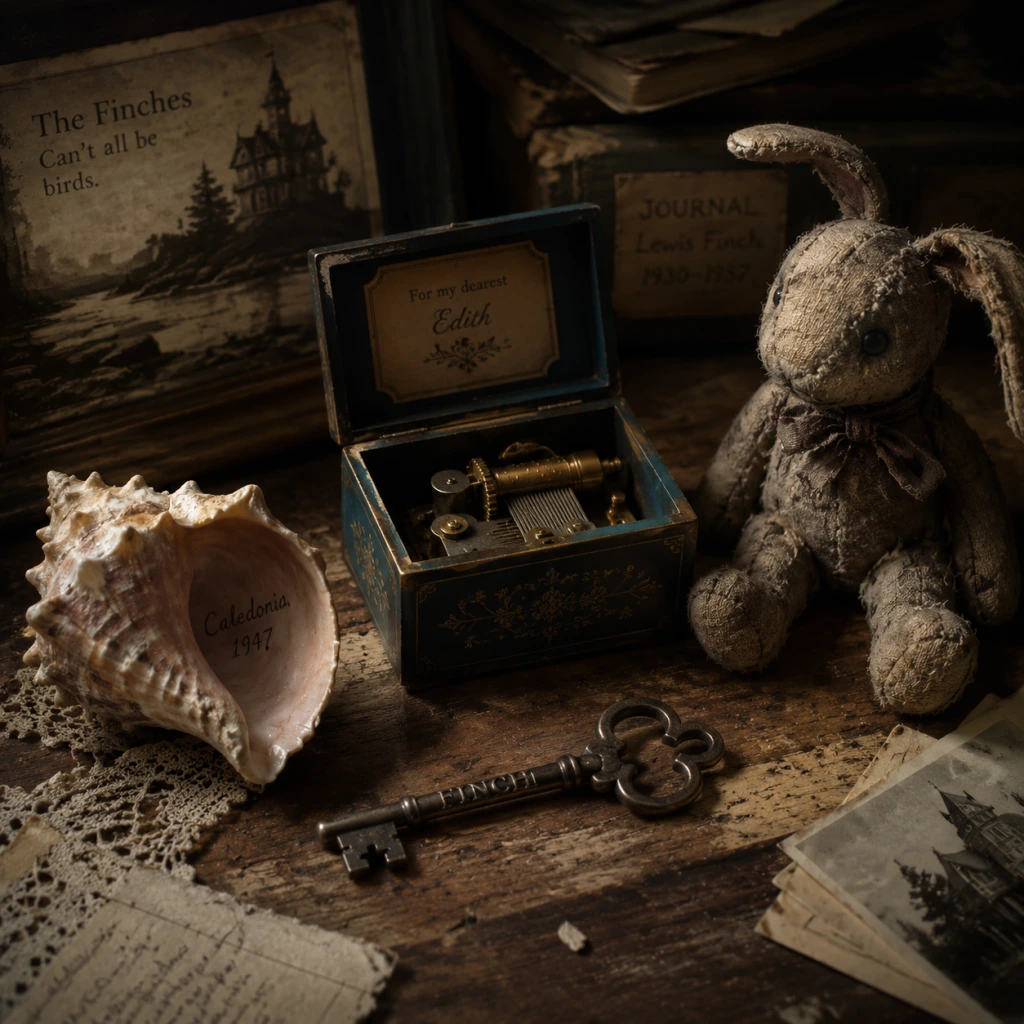
- What They Are: Small personal objects like a lock of hair, a baby tooth, a seashell, a toy soldier, a pressed flower, a compass, a locket, a keychain, and a musical jewelry box. Each is a memento from a specific family member’s life.
- How to Obtain: Found in the bedroom or belongings of each family member. Nine keepsakes exist, one per major deceased relative (excluding Edith and her unborn child).
- When Useful: Examining a keepsake triggers a brief memory or voiceover, often linking to the vignette you experienced. Collecting all 9 unlocks the "Keepsakes" trophy.
- Connections: The keepsakes are placed near the sealed doors or inside the rooms. For example, the toy soldier is in Walter’s room, referencing his time as a child playing war.
- What They Are: Small notes taped to the sealed doors that Edith’s mother, Dawn, placed to warn Edith not to open them. Each note gives a brief reason (e.g., “Mold,” “Unsafe,” “Pipes Burst”).
- How to Obtain: Read them as you approach each locked room. They are not missable; you must read them to progress.
- When Useful: They are the game’s way of building mystery. By the end, you realize they were lies to protect Edith from the family’s dark history.
- Connections: The notes directly contradict the true stories you later uncover inside each room.
- What It Is: A small cardboard box containing pretend survival tools (empty cans, string, a whistle). Found on Molly’s bed.
- How to Obtain: In Molly’s room (upstairs, first door on the left). You must interact with it to trigger her flashback.
- When Useful: Starts Molly’s vignette—a surreal sequence where you experience her starvation-induced hallucinations.
- Connections: The kit symbolizes Molly’s vivid imagination and her love of adventure stories.
- What It Is: A framed poster of Barbara as a scream queen in a horror movie, and a comic book titled “Bats in the Belfry.”
- How to Obtain: In Barbara’s room (upstairs, second door on the left). Interact with the poster or the comic to start her vignette.
- When Useful: Begins Barbara’s segment, a campy horror comic sequence where you play as her during a home invasion.
- Connections: The comic book art style matches the vignette’s presentation.
- What It Is: A damaged swing set in the backyard, visible through the window of Calvin’s room. You interact with it remotely.
- How to Obtain: In Calvin’s room (upstairs, third door on the left). Look out the window and click on the swing to start his story.
- When Useful: Triggers a vignette where you control Calvin on a swing, building momentum until he swings off into the ocean.
- Connections: The swing is a direct link to his fatal obsession with amplitude.
- What It Is: A hunting rifle mounted on a wall in Sam’s den (downstairs, next to the dining room).
- How to Obtain: In Sam’s room. Interact with the rifle to start his vignette.
- When Useful: Launches a sequence where you play as Sam on a hunting trip that ends in tragic irony.
- Connections: The rifle is both a tool for his passion and the instrument of his demise.
- What It Is: An elaborate model train set in the basement rec room, built by Walter.
- How to Obtain: In the basement, after descending the stairs from the kitchen. The train set is in the middle of the room.
- When Useful: Begins Walter’s vignette, a repetitive fantasy sequence where he rides a train through a tunnel, symbolizing his agoraphobia.
- Connections: The train set is a metaphor for Walter’s own life underground after a traumatic event.
- What It Is: A yellow rubber duck floating in a bathtub in the nursery (upstairs, small room converted from a closet).
- How to Obtain: In the nursery. Interact with the duck.
- When Useful: Starts Gregory’s vignette, a short, heartbreaking segment where you control him as an infant in a bathtub.
- Connections: The duck is the only toy he interacts with; its cheerful bobbing contrasts with the tragedy.
- What It Is: A kite tangled in a tree outside, seen from Gus’s room (downstairs, next to the kitchen).
- How to Obtain: In Gus’s room, look out the window and click on the kite.
- When Useful: Initiates Gus’s vignette, where you fly a kite in a hurricane.
- Connections: The kite represents Gus’s desire for freedom and his rebellious nature.
- What It Is: A fish-processing knife in the cannery where Lewis worked. The vignette is accessed from his room, which has a model of the cannery.
- How to Obtain: In Lewis’s room (attic). Interact with the model cannery.
- When Useful: Starts Lewis’s vignette, a powerful sequence alternating between his mundane job and his fantasy kingdom.
- Connections: The knife is both a mundane tool and a symbol of his mental divide.
- What It Is: A large, leather-bound album that Edith finds in her grandmother’s room (the top-floor bedroom).
- How to Obtain: In Edie’s room. Interact with the album on the bed.
- When Useful: Triggers the final vignette—a montage of Edie’s life and the curse’s origin.
- Connections: The album contains images of all the Finch ancestors, tying the entire story together.
- What It Is: The house itself is a maze of rooms, secret passages, and sealed doors. Many objects (furniture, toys, books) are placed to tell a story.
- How to Obtain: Always present.
- When Useful: Every piece of furniture, every book on a shelf, every toy on the floor adds to your understanding of who lived there. For instance, Molly’s room has a stack of adventure novels; Barbara’s room has horror movie paraphernalia.
- What It Is: A large, hand-embroidered tapestry in the main hall showing the family tree with dates of death.
- How to Obtain: Always visible in the foyer.
- When Useful: Provides a visual overview of the family line and shows the “curse” pattern—many died young.
- Connections: The tapestry is mentioned in Edie’s vignette; she obsessively kept it updated.
- What It Is: A network of underground corridors connecting parts of the house, filled with stored items.
- How to Obtain: Accessible after finding the key to the basement door in the kitchen.
- When Useful: Contains Walter’s train set (key item) and extra letters/photos. It also leads to the backyard.
- Connections: The tunnels were built by Edie’s husband, Odin, and later used by Walter when he lived in hiding.
- What It Is: A static-filled television that, when turned on, shows snippets of a documentary about the Finch curse.
- How to Obtain: In the living room, next to the fireplace. Interact with the TV.
- When Useful: Adds a layer of media commentary about the family. The documentary content changes as you progress.
- Connections: It reflects how outsiders view the Finches.
- There are no weapons, armor, consumables, currencies, or materials in the traditional sense. All items serve narrative purposes only.
- The game has no inventory management; items are examined in place and notes/photos are automatically recorded in Edith’s journal.
- Some items (like the flashlight and camera) are permanently in your possession but never need upgrading or replenishing.
- The only “collectibles” are photographs, letters, drawings, and keepsakes; each group has a corresponding achievement/trophy.
- To see all items, you must explore thoroughly—look behind curtains, open drawers, and examine every corner of the house. The game does not mark them on a map.
- The interactive objects (toys, tools, etc.) that trigger vignettes are mandatory; the collectibles are entirely optional but greatly enrich story understanding.
The House Key
Flashlight
Camera (Edith's Polaroid)
The Finch Family Tree Booklet
Collectibles
These are optional items that flesh out the backstory and often unlock achievements or trophies.
Photographs (20 total)
Letters (15 total)
Drawings (10 total)
Keepsakes (9 total)
Sealed Door Notes (8 total)
Interactive Objects (Story Vignettes)
These are the items that trigger the playable memories of each deceased family member. They are essentially the “level” items.
Molly’s Explorer Kit
Barbara’s Movie Poster / Comic Book
Calvin’s Swing Set
Sam’s Hunting Rifle
Walter’s Toy Train Set
Gregory’s Rubber Duck
Gus’s Kite
Lewis’s Fish-Cutting Knife
Edie’s Old Photograph Album
Environmental Storytelling Items
These are non-interactive but important objects that enrich the atmosphere and provide context. They are not collectibles but are worth noting.
The Finch House Layout
The Cursed Family Tree (Tapestry)
The Basement Tunnels
The “Finch Family” Documentary (TV in Living Room)
Notes

Character Skills
Overview
"What Remains of Edith Finch" is a narrative-driven exploration game with no traditional combat, leveling, or skill trees. Instead, each playable character possesses a unique set of "skills" tied to their story sequences. These abilities are narrative tools that allow the player to experience the character's perspective and actions. Below is a comprehensive guide to every playable character's skills, including their effects, usage context, and tips for full immersion.
---
Edith Finch (Main Protagonist)
Edith navigates the Finch house and reads journal entries. Her "skills" are interactive exploration and reading.
Journal Reading
- Effect: Edith can read journal entries left by her relatives. This triggers narrated memories and unlocks new areas.
- Cooldown: Instant; each journal is a one-time use.
- Upgrades: None.
- Combo/Synergy: None.
- Recommended Build: Always read every journal entry thoroughly to piece together family history.
- When to Use: Whenever you find a journal on a desk, shelf, or bed. Interact to start the associated story.
- Effect: Edith can pick up notes, photographs, and other mementos. This often reveals hidden text or triggers environmental changes.
- Cooldown: Single-use per object.
- Upgrades: None.
- When to Use: Any interactable item highlighted by the cursor.
- Effect: Molly turns into a cat. She can jump, climb ledges, and squeeze through tight gaps. Movement is agile but limited to short distances.
- Duration: Until the player progresses through the attic and kitchen sequence.
- Cooldown: One-time use within the story.
- When to Use: Initially after eating the pet bird pie. Navigate the house as a cat.
- Effect: Molly turns into an owl. She can fly freely in an open forest environment. Controls involve directional flight, dodging obstacles, and chasing prey (rabbit).
- Duration: Until the rabbit is caught.
- When to Use: After leaving the house window. Follow the rabbit through the night forest.
- Effect: Molly transforms into a shark, swimming in the ocean. She can accelerate, breach the surface, and devour fish. Movement is fast but must avoid the abyss.
- Duration: Until she swims into the setting sun.
- When to Use: After the owl sequence ends, the ocean sequence begins. Dive and eat fish to continue.
- Effect: A brief transformation into a massive, undefined sea creature. The player controls upward swimming toward lights. This is the most abstract form.
- Duration: Very short (about 20 seconds).
- When to Use: Immediately after the shark sequence, as the final transformation.
- Effect: Barbara screams, shattering objects and stunning enemies (e.g., the monster). This is the primary offensive skill during the comic panels.
- Cooldown: Requires a "sound meter" to refill; scream is usable every few seconds after a short recovery.
- When to Use: Whenever enemies appear in the comic panels. Use to break barriers and defeat monsters.
- Effect: Barbara moves from panel to panel. Some panels require clicking specific objects (like a record player or door). This is the exploration skill.
- Duration: Each panel is a discrete segment.
- Cooldown: Not applicable.
- When to Use: Progress through the comic by interacting with highlighted elements.
- Effect: Barbara can activate objects to advance the story. The record player creates a distraction; the light switch reveals the monster.
- Cooldown: One-time per object.
- When to Use: Follow the comic narrative prompts.
- Effect: Sam uses a bolt-action deer rifle. Aim using iron sights; hold breath to steady. One shot kills the deer if aimed at the heart/lungs.
- Cooldown: After firing, must manually cycle the bolt (press a button). No ammo limit per scene.
- When to Use: During the deer encounter. Aim carefully for a clean kill.
- Effect: Sam uses a vintage camera to take pictures of the deer (and later, his sons). Framing the shot within the viewfinder captures the image. Photos affect the narrative.
- Cooldown: Each photo takes a few seconds to compose; no limit.
- When to Use: After the hunt, take photos of the dead deer and your sons. The game requires specific shots to progress.
- Effect: Calvin pumps a swing to gain height. Rhythmically pressing a button (or leaning forward/backward) increases arc.
- Duration: About 30 seconds until full height is achieved.
- Cooldown: One-time sequence.
- When to Use: During Calvin's story, pump until the swing reaches maximum arc.
- Effect: Calvin counts each back-and-forth swing, aiming for a target number (e.g., 100). The player must focus on timing and number increments.
- Cooldown: Continuous.
- When to Use: Count aloud or mentally as the game does it for you; simply keep swinging.
- Effect: Gus holds a kite string. The player can tilt the controller/mouse to steer the kite in the wind. The goal is to guide the kite through rising winds.
- Duration: Several minutes as the storm intensifies.
- Cooldown: Not applicable; continuous.
- When to Use: During the beach sequence. Keep the kite aloft by adjusting to wind direction.
- Effect: Gus casts a fishing line. When a fish bites, the player must tug the line (press a button) to reel it in.
- Duration: Short minigame within the story.
- Cooldown: Single catch.
- When to Use: Early in the beach segment, before the kite sequence.
- Effect: Lewis must chop fish heads, gut fish, and place fillets on a conveyor belt. Each task requires a button press. Speed increases over time.
- Cooldown: Continuous tasks with no rest.
- When to Use: During the "real world" sections of the story.
- Effect: Lewis imagines himself as a king, general, or hero. The player can look around the fantasy environment. No active combat; it's a visual exploration of his daydream.
- Cooldown: Toggles automatically or via a prompt when Lewis's focus wavers.
- When to Use: Whenever the real world becomes repetitive; the fantasy world grows more detailed as the story progresses.
- Effect: The player must alternate between real-world tasks and fantasy exploration. Ignoring the real world for too long causes warnings; completely focusing on fantasy leads to story climax.
- Cooldown: None – it's a choice.
- When to Use: Balance both to experience the full narrative. The game does not punish either extreme.
Object Interaction
---
Molly Finch (Age 8 – Night of the Starfish Incident)
Molly's sequence is a surreal transformation journey. Her skills are the animal forms she assumes.
Cat Form
Owl Form
Great White Shark Form
Tentacle Monster (Unseen Sea Creature)
Tips: Each transformation is triggered automatically by story progression. No manual activation is required. To fully experience Molly's story, follow visual clues (the rabbit, the fish, the lights).
---
Barbara Finch (Teenager – Horror Comic Fan)
Barbara's story is presented as a 1950s horror comic. Her skills are comic-book action beats.
Scream (Combat Ability)
Comic Panel Navigation
Environmental Interaction (Record Player, Light Switch)
Tips: The scream ability is required to open the final door. Spam it as needed; no penalty.
---
Sam Finch (Adult – Hunter)
Sam's story is a hunting expedition with his son. His skills are hunting and photography.
Rifle Aiming & Firing
Camera Photography
Tips: The camera skill is used twice: once for the deer photo, once for the family photo. Ensure the subject is centered.
---
Calvin Finch (Child – Swing at the Bluff)
Calvin's sequence is a short but intense physical challenge.
Swing Pumping
Counting (Mental Skill)
Tips: There is no failure state – the sequence ends dramatically after reaching peak height. Enjoy the moment.
---
Gus Finch (Teenager – The Wind and the Kite)
Gus's story takes place on a stormy beach. His skills involve controlling the kite and interacting with the environment.
Kite Flying
Fishing (Minor Skill)
Tips: The kite is the main skill; losing control does not cause failure but affects narrative tone. Follow the wind.
---
Lewis Finch (Young Adult – Cannery Worker)
Lewis's story is a dual-reality experience: one half at a cannery assembly line, one half in a fantasy kingdom. His skills toggle between these worlds.
Cannery Assembly Line Work
Daydreaming (Fantasy World)
Balance Between Real and Fantasy
Tips: This is the only segment with a mechanical choice. To see the true ending, let the fantasy world consume Lewis completely.
---
Summary Table
| Character | Skills | Key Action | Duration |
|---|---|---|---|
| Edith | Journal Reading, Object Interaction | Click / Read | Entire game |
| Molly | Cat Climbing, Owl Flying, Shark Swimming, Sea Creature | Movement / Chase | ~5 minutes |
| Barbara | Scream, Panel Navigation, Object Activation | Click / Scream | ~3 minutes |
| Sam | Rifle Shooting, Camera Photography | Aim / Shoot / Photo | ~4 minutes |
| Calvin | Swing Pumping | Rhythmic Input | ~1 minute |
| Gus | Kite Flying, Fishing | Tilt / Reel | ~6 minutes |
| Lewis | Cannery Work, Daydreaming | Toggle / Click | ~8 minutes |
---
Final Tips
- No fail states – you can never die or get stuck. All skills are purely narrative.
- Replayability – Revisit chapters via chapter select to capture different screenshots (Sam) or explore different fantasy paths (Lewis).
- Achievement/trophy hunting – Some skills require specific actions, like taking a perfect deer photo. See the Achievements guide for details.
This guide covers every distinct skill in "What Remains of Edith Finch". Enjoy the journey!
Characters & Roles
Characters & Roles
"What Remains of Edith Finch" is a narrative-driven exploration game with no traditional character classes, roles, or team mechanics. Instead, the player experiences a series of first-person vignettes, each depicting the death of a different family member of the Finch family. The main protagonist is Edith Finch, who narrates the present-day exploration, while each vignette allows direct control of a deceased relative during their final moments. Below is a comprehensive breakdown of every major character, including their background, narrative role, gameplay experience, unlock conditions, and thematic significance.
Main Protagonist: Edith Finch
- Background: Edith is the last surviving member of the Finch family. She returns to her family home on Orcas Island, Washington, after her mother Dawn's death, to uncover the family history and the curse that supposedly kills every Finch.
- Strengths (Narrative): Determined, curious, introspective. She is the player's avatar for exploration and narration.
- Weaknesses: None gameplay-wise; she is the default viewpoint.
- Playstyle: First-person exploration — walking, examining objects, reading books, watching home videos, climbing stairs. No combat or puzzles.
- Unlock: Available from the start; the entire game is played as Edith in the present day.
- Equipment: None. She carries a flashlight that can be toggled (useful in dark areas).
- Team Synergy: N/A; she is the sole interactive character in the present day, but her exploration uncovers vignettes of other family members.
- Background: Edith's younger sister? Actually, Molly is Edith's great-aunt? Correction: Molly is the daughter of Edie and Odin? No, Molly is the sister of Sam, Edith's father? Let's clarify from game: Molly is the first death depicted, from the 1940s. She is the daughter of Edie and Odin? Actually, Molly is Edie's sister? Wait, the family tree: Odin Finch married Edie. Their children: Molly, Sam, Calvin, Barbara, Walter, etc. So Molly is Odin and Edie's eldest child. She died at age 10 from food poisoning (or imagined transformation).
- Strengths (Narrative): Vivid imagination, resourceful in her fantasy.
- Weaknesses (Narrative): Young, alone, sick.
- Playstyle: The vignette plays as a surreal, hallucinatory sequence where Molly transforms into various animals (cat, owl, shark, etc.) in a fever dream. Player controls movement and simple interactions (jumping, swimming).
- Unlock: Find Molly's bedroom in the Finch house, open her diary.
- Equipment: None; player follows scripted metamorphosis.
- Thematic Role: Represents the loss of childhood innocence and the power of imagination in facing death.
- Background: Odin is the founder of the Finch family in America. He built the Finch house. He died? Actually, Odin is not directly playable; he is mentioned in Edith's narration. No vignette exists for Odin. He is an ancestor, not a playable character. However, his role is crucial as the origin of the family curse. He built the house on a cliff and later disappeared? Wait, the game says Odin built the original house, but it was later expanded. His death is not shown. He is more of a background figure.
- Playable: No.
- Role: Backstory figure; his journal entries provide context.
- Background: Son of Odin and Edie. He died while swinging on a rope swing over a cliff, pretending to be an astronaut.
- Strengths: Adventurous, imaginative.
- Weaknesses: Reckless, no sense of danger.
- Playstyle: The vignette is a short interactive sequence where Calvin swings higher and higher; player must press buttons to build momentum. Ultimately he lets go and falls.
- Unlock: Find Calvin's room, interact with his astronaut helmet or photos.
- Equipment: None.
- Thematic Role: Represents the thrill of childhood play and the tragedy of a single moment of overconfidence.
- Background: Sam is Edith's father. He was a hunter and fisherman. He died in a hunting accident while trying to shoot a deer; his rifle recoiled and struck his head? Actually, Sam died when his gun accidentally discharged while crossing a fence.
- Strengths: Resourceful, outdoorsman.
- Weaknesses: Overconfident, neglectful of safety.
- Playstyle: The vignette is a hunting sequence where player controls Sam moving through the woods, aiming a rifle, and shooting at deer. The final shot goes awry.
- Unlock: Find Sam's hunting gear or photo in the house.
- Equipment: Rifle (limited ammo), scope. No other weapons.
- Thematic Role: Highlights the fragility of life and the consequences of carelessness.
- Background: Daughter of Odin and Edie, siblings with Sam, Calvin, etc. She was a scream queen in B-horror movies. She died on Halloween night when a group of pranksters broke into the house, causing a chandelier to fall on her? Actually, Barbara was killed by a bear? Wait, the game shows her death as a staged horror scene: she is chased by a masked figure, but the true cause is a falling chandelier during a prank.
- Strengths: Talented actress, strong-willed.
- Weaknesses: Fame may have made her arrogant.
- Playstyle: The vignette is a comic-book style sequence where the player controls Barbara moving through the house, avoiding obstacles, and eventually being crushed. It's interactive but linear.
- Unlock: Find Barbara's movie poster or room with comic panels.
- Equipment: None.
- Thematic Role: Satirizes horror movie tropes and the irony of a famous scream queen dying in a mundane accident.
- Background: Son of Odin and Edie. He was a fearful child who hid in a bunker in the basement. For decades, he lived there, only leaving at night. Eventually, he left the bunker and was hit by a train.
- Strengths: Survival instinct, adaptability.
- Weaknesses: Paralyzing fear, agoraphobia.
- Playstyle: The vignette is a slow, atmospheric sequence where player controls Walter in a first-person perspective, living a daily routine in the bunker. Eventually, he decides to leave, leading to a train sequence.
- Unlock: Find the bunker entrance in the basement, read his letters.
- Equipment: None; the bunker has a few objects to interact with.
- Thematic Role: Represents the cost of isolation and the struggle to confront one's fears.
- Background: Sanjay is Dawn's husband, Edith's father? No, Sanjay is Edith's father? Actually, Sanjay is Dawn's husband, Edith's father. He is an Indian immigrant, a dentist. He died in his sleep from a heart attack? Not shown; only narrated briefly.
- Playable: No; his death is not a vignette. He is mentioned in letters and a photo.
- Role: Provides context for Dawn's marriage and the generational grief.
- Background: Dawn is Edith's mother, daughter of Sam. She was a strict woman who tried to protect Edith from the family curse. She died of cancer (implied).
- Playable: The epilogue? No, Dawn is not directly controlled. She is only seen in photographs and videos. The player controls Edith reading Dawn's letter.
- Role: The catalyst for Edith's journey; her death prompts the exploration.
- Background: Milton is Edith's older brother. He disappeared mysteriously as a child. He was a gifted artist. He is never found; his fate is ambiguous. He is not directly playable, but his art is scattered around.
- Playable: No. However, there is a hidden room with his drawings.
- Role: Represents the unknown and the haunting possibility of escape.
- Background: Gregory is the son of Dawn's younger sister? Actually, Gregory is Dawn's son? Wait, Gregory is the son of Dawn? No, Gregory is the son of Dawn's sister? Correction: Gregory is the child of Dawn's sister (name unknown yet). He died as a baby when his mother left him in the bath and he drowned. This is told in a vignette from Gregory's perspective? Unusual.
- Playable: Yes, as a baby. The vignette is a bath-time sequence where the player controls Gregory splashing in the water, seeing colorful toys, and then the water fills the tub. It ends with him drowning.
- Unlock: Find the baby's room with the bathtub.
- Equipment: None.
- Thematic Role: Represents the vulnerability of infancy and the horror of a caregiver's negligence.
- Background: Gus is the son of Odin and Edie? No, Gus is a later generation. Actually, Gus is the son of Dawn? No, Gus is the son of Sam? Let's check: Gus is the name of the teenager who died in a roller coaster accident at an amusement park. He was with friends. He is the son of Dawn? Wait, the family tree: Sam had children: Dawn and ... Maybe Gus is a cousin? The game does not specify clearly. In the vignette, Gus is a teenage boy at a fair, he gets on a roller coaster that stalls and falls? He dies when the safety bar breaks? Actually, Gus dies when he is thrown from a ride.
- Strengths: Adventurous, social.
- Weaknesses: Impulsive, risk-taking.
- Playstyle: The vignette is a carnival sequence where the player controls Gus on various rides, culminating in a roller coaster that malfunctions. Player must press buttons for timing to avoid disasters, but ultimately fails.
- Unlock: Find Gus's camera or photo in the attic.
- Equipment: Camera (can take pictures, but this is a minor scripted mechanic).
- Thematic Role: Illustrates the randomness of fatal accidents and the fleeting nature of fun.
- Playable: Yes, as Lewis. The vignette splits the screen: left side shows reality (fish processing), right side shows fantasy (a kingdom). Player controls both sides simultaneously. Eventually, Lewis decapitates himself.
- Strengths: Creative, meticulous.
- Weaknesses: Depression, addiction to fantasy.
- Playstyle: Unique dual-control mechanic; player must alternate between processing fish and advancing in the fantasy adventure. The pace increases.
- Unlock: Find Lewis's room in the basement, his journals.
- Equipment: None in reality; in fantasy, a sword and shield (but mostly automated).
- Thematic Role: Depicts the struggle between reality and escapism, and the tragedy of mental illness.
- Background: Edie is Odin's wife, the matriarch. She lived to old age, blind and bedridden. She died shortly before the game begins? Actually, Edie died before Dawn? She is present in the house in the present day as a corpse? The player finds her body in her bed. She is not playable, but her story is told through letters and memories.
- Playable: No.
- Role: Embodiment of the family curse, keeper of memories.
- Strengths: Each vignette provides a unique interactive mechanic (swinging, shooting, fantasy dual-screen, etc.) that deepens engagement.
- Weaknesses: None; the game is designed to be accessible to all skill levels.
- Edith: Exploration, observation, reading.
- Molly: Movement in a dreamlike environment with transformations.
- Calvin: Rhythmic button presses to build swing momentum.
- Sam: Stealth and aiming (no actual combat, just trigger pulling).
- Barbara: Quick-time event navigation through a house.
- Walter: Slow-paced daily routine interaction.
- Gregory: Simple splashing and toy interactions (very short).
- Gus: Carnival game actions (button timing for rides).
- Lewis: Dual-focused interaction: fish processing (repetitive) and fantasy adventure (exploration).
Molly Finch (Age 10)
Odin Finch (Patriarch)
Calvin Finch (Age ~12)
Sam Finch (Father of Edith)
Barbara Finch (Teenager)
Walter Finch (Child)
Sanjay Finch (Uncle of Edith?)
Dawn Finch (Mother of Edith)
Milton Finch (Edith's brother)
Gregory Finch (Infant)
Gus Finch (Age ~15?)
Lewis Finch (Edith's older brother? Actually, Lewis is Dawn's brother? No, Lewis is the son of Dawn and Sanjay? No, Lewis is the son of Dawn's sister? In the game, Lewis is the one who died while playing a fantasy game in his basement, ultimately from substance abuse? Wait, the vignette shows Lewis working at a fish cannery, hallucinating a fantasy world. He dies by walking into a saw? Actually, he puts his head in the guillotine? He meticulously plans his own death.
Sook Finch (Edie's sister? Actually, Sook is Edie's mother? No, Sook is Odin's sister? Unclear. She is only mentioned in a journal as having died in Korea. Not playable.
Edie Finch (Grandmother)
Other minor characters: Kay (Edith's friend), the mailman, etc., not playable.
Unlock Conditions Summary
All vignettes are unlocked by progressing through the Finch house in order. The player must find each deceased family member's bedroom or personal space to trigger that story. The order is mostly guided: you naturally encounter Molly's room, then continue through the house to find Calvin, Sam, Barbara, Walter, etc. There is no optional or hidden unlock except for perhaps Milton's secret room (not essential for main story). The game's linear narrative ensures you experience all vignettes by reaching the end.
Strengths and Weaknesses (Gameplay Context)
Since the game has no combat or failure states, the "strengths" and "weaknesses" are purely narrative. However, from a player experience:
Playstyle per Character
Recommended Equipment or Builds
Not applicable. The game does not allow equipment customization. Each vignette provides what their character needs for that scene (e.g., Sam's rifle, Gus's camera, Lewis's fantasy items).
Team Synergy
There is no party system or multiplayer. Thematic synergy exists: each death contributes to the Finch family curse narrative. Understanding one character's fate enriches the emotional impact of others (e.g., the contrast between Molly's imaginative death and Lewis's escapism).
Conclusion
The characters of "What Remains of Edith Finch" are not traditional game roles but rather vessels for poignant storytelling. Each vignette offers a unique gameplay perspective that aligns with the character's personality and tragic fate. The guide above covers all major playable and non-playable characters essential to understanding the game's narrative tapestry.
Cheats & Secrets
Overview
"What Remains of Edith Finch" is a purely narrative-driven adventure game with no combat, inventory, or fail states. As such, it contains no traditional cheat codes, unlock codes, secret commands, or developer console. The game was designed without any shortcuts or debug tools accessible to players. However, Giant Sparrow intentionally included several hidden features, Easter eggs, and a post-completion unlockable that enriches the experience.
---
Secret Unlockables
Developer Commentary Mode
- Unlock condition: Complete the main story once (any ending, though the game has only one linear conclusion).
- How to access: From the main menu, select New Game – a prompt will ask if you want to enable Developer Commentary. Accept to play through the entire game again with optional audio commentary from the development team, accessed by interacting with glowing orbs scattered throughout each scene.
- Notes: Commentary is available on all platforms (PC, PlayStation 4/5, Xbox One/Series X|S, Nintendo Switch). It does not affect achievements/trophies and can be toggled at any time from the pause menu.
- Location: In the attic, inside the small desk next to the window (the desk with multiple drawers). Open the top left drawer, then look for a false bottom – interact with it to reveal a folded note titled "The Curse of the Finch Family" written by Edie Finch.
- Significance: This note is easily missed and adds a layer of lore about the family's belief in a supernatural curse. It is not required for any achievement but deepens the narrative.
The "Finch Curse" Hidden Note
---
Hidden Collectibles & Missable Lore
While the game has no traditional inventory, several interactable objects reveal additional story details if you take the time to find them.
| Location | Object | Description |
|---|---|---|
| Bathroom (Finch house) | Rubber Duck | In the bathtub on the second floor. Pick it up to hear a squeak. No narrative impact, but a charming detail. |
| Garden (Finch house) | Frog | Near the small pond, you can hear a frog croak. Look closely among the rocks to find a tiny model frog. Interacting plays a short animation. |
| Attic (Finch house) | All bookshelves | You can read the spines of every book in the library. Some titles reference other Giant Sparrow games or inside jokes (e.g., "The Little Prince" is a real book, but others are invented). |
| Molly's room | Diorama | The shadow box on her desk contains tiny figurines; rotating the camera reveals they depict the family members' deaths in miniature. |
| Calvin's room | Kite | On the floor near the window, you can pick up a broken kite. It triggers a brief memory of Calvin. |
| Gregory's bathroom | Bubbles | During Gregory's story, you can pop all the bubbles in the bathtub, but some respawn. No hidden effect. |
| Walter's bunker | Calendar | A wall calendar in Walter's bunker has marked dates that align with the game's narrative timeline. Inspecting it gives context to his isolation. |
Easter Eggs & Subtle Details
1. The Ghost of Edie? – In the opening sequence when you first enter the house, if you look quickly into the attic window from the outside, a silhouette (likely Edie) can be seen for a split second before disappearing. This is a deliberate visual cue, not a glitch.
2. Molly's Transformation – During Molly's story, if you linger in the cat form and look at your reflection in the family room mirror, the reflection shows Edith instead of Molly – a subtle foreshadowing.
3. Barbara's Comic – The comic book sequence has a frame where you can see a hidden message written in the margins: "Help me" – referencing the curse.
4. The Moon – In the walk from the bus stop to the house in the prologue, the moon appears large and low on the horizon. If you gaze at it for several seconds, it slowly moves to a different position – a design trick to simulate a time-lapse.
5. Chess Game – On the kitchen table, there is an unfinished chess game. The board position is a known difficult puzzle (the "Fool's Mate" setup) – a nod to the idea of inevitable defeat.
6. Sam's Camera – In Sam's story, you can take photos of anything, but if you photograph the same object repeatedly, the game will subtly change the lighting or composition in the final photo strip – not an intentional secret but a nice detail.
---
Exploit-Safe Secrets
No exploitable glitches, speedrun skips, or out-of-bounds tricks are officially documented or recommended. The game's linear nature and invisible walls prevent meaningful sequence breaks. The only known "exploit" is a harmless visual bug:
- Bathtub clip: During the bathtub sequence (Barbara's story), if you repeatedly press against the edge of the tub, the camera may clip through the wall, revealing a blue void. The game will quickly reset your view. This does not affect gameplay or story progression.
---
Conclusion
"What Remains of Edith Finch" relies on its rich, linear narrative rather than hidden shortcuts. The developer commentary is the most significant unlockable, while the hidden note and Easter eggs reward thorough exploration. No cheats or codes exist, but the game's secrets are all designed to enhance the emotional and thematic experience.