WWE 2K23
## WWE 2K23 Game Introduction **WWE 2K23** is the latest installment in the long-running professional wrestling simulation series, developed by **Visual Concepts** and published by **2K Sports**. Released on **March 14, 2023** (with early access on March 17, 2023), the game is available across a wi...
Download & Installation
WWE 2K23 Download & Installation Guide
This guide covers official download sources, step-by-step installation instructions, system requirements, and troubleshooting for WWE 2K23 on all supported platforms: Windows (PC), PlayStation 4, PlayStation 5, Xbox One, and Xbox Series X|S. The game is not available on Nintendo Switch or mobile devices.
---
1. Official Download Sources
| Platform | Digital Store / Source |
|---|---|
| Windows PC | Steam, Microsoft Store (Xbox app) |
| PlayStation 4 & 5 | PlayStation Store |
| **Xbox One & Series X\ | S** |
---
2. System Requirements (PC)
Minimum Requirements (1080p @ 30fps, Low Settings)
- OS: Windows 10 64-bit
- CPU: Intel Core i5-3550 / AMD FX 8150
- RAM: 8 GB
- GPU: NVIDIA GeForce GTX 680 / AMD Radeon HD 7850 (2 GB VRAM)
- DirectX: Version 11
- Storage: 80 GB available space (SSD recommended)
- Sound: DirectX 9.0c compatible
- OS: Windows 10 64-bit
- CPU: Intel Core i7-4790 / AMD Ryzen 5 1600
- RAM: 16 GB
- GPU: NVIDIA GeForce GTX 1060 (6 GB) / AMD Radeon RX 480 (4 GB) or better
- DirectX: Version 12
- Storage: 80 GB SSD
- Sound: DirectX 9.0c compatible
Recommended Requirements (1080p @ 60fps, High Settings)
> Important: Ensure your GPU drivers are up to date. The game uses DX12 by default; DX11 fallback is available via launch options.
---
3. Step-by-Step Installation
PC – Steam
1. Install Steam – Download from [store.steampowered.com](https://store.steampowered.com) and create/log into your account.
2. Purchase or Redeem – Buy WWE 2K23 from the Steam Store or redeem a key via `Games > Activate a Product on Steam`.
3. Install – Go to your Library, find WWE 2K23, and click Install. Choose a drive with at least 80 GB free.
4. Wait for download – The game downloads and installs automatically. Monitor progress in the Downloads section.
5. Pre-load note – Pre-loading (if available) downloads encrypted files; the decryption/unpacking happens on release day and requires additional time.
PC – Microsoft Store / Xbox App
1. Install Xbox App – Download from [xbox.com/en-US/apps/xbox-app-for-pc](https://www.xbox.com/en-US/apps/xbox-app-for-pc) or from the Microsoft Store. Sign in with your Microsoft account.
2. Purchase – Buy WWE 2K23 from the Xbox Store (also accessible via the Xbox app).
3. Install – In the Xbox app, go to My Library, find WWE 2K23, and click Install. Choose an installation drive.
4. Play – The game integrates with the Xbox ecosystem; first launch may prompt Xbox Live sign-in.
PlayStation 4 & 5
1. Digital:
- On your console, go to the PlayStation Store.
- Search for WWE 2K23 and purchase.
- Confirm the download; the game will install automatically after download.
- For PS5, ensure you select the PS5 version (not the PS4 version) for optimal performance.
2. Physical Disc:
- Insert the disc.
- The console will copy the data to internal storage. Follow on-screen prompts.
- On PS5, you may need to update the game to the latest version before playing.
Xbox One & Series X|S
1. Digital:
- Go to Microsoft Store (or Xbox Store) on your console.
- Purchase and download WWE 2K23. It installs automatically.
- Smart Delivery ensures you get the correct version (Xbox One or Series X|S).
2. Physical Disc:
- Insert the disc. The console installs the game from the disc; an internet connection may be needed for day-one patches.
---
4. Account Requirements
| Platform | Required Account |
|---|---|
| Steam | Steam account |
| Microsoft Store / Xbox | Microsoft account (Xbox Live) |
| PlayStation | PlayStation Network (PSN) account |
---
5. First Launch Setup
1. Language Selection – Choose your preferred language (may be based on system locale).
2. Graphics/Display Settings (PC) – Adjust resolution, quality presets, and frame rate limit. The game will auto-detect your hardware.
3. Controller Configuration (PC) – The game supports Xbox and PlayStation controllers natively. For other controllers, use Steam Input or third-party tools.
4. 2K Account Sign-In – Optionally link your 2K account for cloud saves and community features.
5. Online Features – Accept the EULA and privacy policy. Note that online features require an internet connection and the appropriate subscription (Xbox Live Gold/Game Pass Core, PlayStation Plus).
6. Calibration – Adjust audio levels (music, announcers, crowd) and display options (HDR, brightness, subtitles).
---
6. Common Installation Errors & Fixes
| Issue | Possible Cause | Solution |
|---|---|---|
| Not enough disk space | Insufficient free space. | Free up at least 80 GB. Use Disk Cleanup or uninstall unused games/apps. |
| Steam download stuck / “Disk Write Error” | Corrupted download cache or antivirus interference. | Clear Steam download cache: `Settings > Downloads > Clear Download Cache`. Pause and resume download. Temporarily disable antivirus. |
| Microsoft Store installation error (0x80073CF0) | Corrupted Windows Store cache or missing updates. | Run WSReset.exe (Windows Key + R, type `wsreset`). Check Windows Update for pending updates. |
| PlayStation installation stuck | Slow network or insufficient storage. | Cancel and restart download. Check Storage in Settings to ensure enough space. |
| Xbox installation not starting | Server-side issue or license conflict. | Perform a hard restart of the console (hold power button for 10 seconds). Check Xbox Live status. |
| Game crashes on launch (PC) | Outdated GPU drivers, antivirus, or corrupted files. | Update GPU drivers (NVIDIA/AMD/Intel). Add game folder to antivirus exceptions. Verify game files via Steam (right-click > Properties > Local Files > Verify integrity). On Xbox app: Repair app via Settings > Apps > WWE 2K23 > Advanced Options > Repair. |
| “Please sign in to Xbox Live” error on PC | Syncing issues with Microsoft account. | Log out and back into the Xbox app. Restart the app or PC. |
| Game runs at very low FPS even on high-end PC | Incorrect graphics settings or DX12 issues. | In Steam, add launch argument `-dx11` to force DirectX 11 (right-click game > Properties > General > Launch Options). Lower Shadow Quality and Anti-Aliasing. |
7. Post-Installation Verification
1. Check for Updates – After installation, ensure the game is updated to the latest version:
- Steam: Automatic, but you can force check by restarting Steam.
- Microsoft Store/Xbox: Open the store and check for updates.
- PlayStation: Highlight game > Options > Check for Update.
- Xbox: Press Menu on the game tile > Manage game and add-ons > Updates.
2. Verify File Integrity (PC) – As mentioned above. This ensures no files are missing or corrupt.
3. Test Launch – Launch the game; it should reach the main menu without errors. If it crashes, refer to the fixes above.
4. Run Benchmark (PC) – WWE 2K23 includes a built-in benchmark (under Settings > Graphics). Run it to confirm stable performance.
5. Check Audio – Verify that commentary, crowd, and music playback correctly. If audio stutters, try adjusting audio quality in settings.
---
8. Additional Tips
- SSD Recommended: For faster loading times, especially for matches and create-a-wrestler screens, install on an SSD.
- Backup Saves: WWE 2K23 saves locally and to cloud (Steam Cloud or Xbox saves). To manually back up, locate save files:
- Modding (PC Only): Only use mods from trusted sources (e.g., SmackTalks, Nexus Mods). Always back up original files. Mods may break after updates.
- Steam: `%USERPROFILE%\Documents\My Games\WWE 2K23\`
- Xbox: Saves are managed automatically in the cloud.
---
Enjoy your time in the ring with WWE 2K23!
Game Introduction
WWE 2K23 Game Introduction
WWE 2K23 is the latest installment in the long-running professional wrestling simulation series, developed by Visual Concepts and published by 2K Sports. Released on March 14, 2023 (with early access on March 17, 2023), the game is available across a wide range of platforms: Windows (PC) via Steam, PlayStation 5, PlayStation 4, Xbox Series X|S, and Xbox One.
Story & Setting
Unlike many story-driven games, WWE 2K23 offers multiple narrative experiences:
- 2K Showcase: John Cena – A documentary-style mode that chronicles the 20-year career of John Cena, featuring key matches with live-action cutscenes, archival footage, and in-game objectives that recreate historic moments.
- MyRISE – Two original, branching storylines: The Lock (male superstar) and The Legacy (female superstar). Players create their own wrestler and navigate the highs and lows of WWE, from NXT to WrestleMania, with choices affecting alliances, rivalries, and title opportunities.
- MyGM – A management simulation where you take on the role of a General Manager, drafting superstars, booking shows, and competing against rival GMs for weekly ratings and brand supremacy. Set in the modern WWE universe, it pits brands like Raw, SmackDown, NXT, and others against each other.
- John Cena (the focus of the Showcase mode)
- Roman Reigns (Undisputed WWE Universal Champion at launch)
- Cody Rhodes (fan-favorite returning to WWE)
- Bianca Belair, Charlotte Flair, Becky Lynch, Ronda Rousey (top female stars)
- “Stone Cold” Steve Austin, The Rock, The Undertaker (legendary icons)
- Plus many more from NXT and WWE alumni.
- WWE fans who want to relive classic rivalries or create dream matches.
- Wrestling game enthusiasts seeking deep simulation mechanics, authentic presentation, and extensive customization.
- Sports gamers who enjoy management (MyGM) or card-collecting (MyFACTION) modes.
- Casual players who can jump into quick matches or arcade-style gameplay.
Main Characters
The game features a massive roster of over 200 WWE and NXT superstars, legends, and Hall of Famers. Key figures include:
Core Appeal & Target Audience
WWE 2K23 appeals primarily to:
The series’ core appeal lies in its balance of realism and over-the-top spectacle – from detailed entrances and signature moves to physics-based interactions and dramatic finishes.
Game Modes
WWE 2K23 offers a wealth of content for both single-player and multiplayer enjoyment:
| Mode | Description | Single-player / Multiplayer |
|---|---|---|
| 2K Showcase | Relive John Cena’s career with narrative-driven objectives. | Offline |
| MyRISE | Create-a-wrestler with two original, branching storylines. | Offline |
| MyGM | Manage a brand, book cards, and compete for ratings over multiple seasons. | Offline (local and online multiplayer for some seasons) |
| Universe Mode | Sandbox simulation where you control every aspect of WWE programming. | Offline |
| MyFACTION | Collect and upgrade cards to build a stable, compete in online or offline events. | Online & Offline |
| Play Now | Quick exhibition matches with any unlocked wrestler. | Offline / Local Multiplayer / Online |
| Online | Ranked and unranked matches, including the new WarGames mode (2v2v2v2 or 3v3v3v3 inside a double ring). | Online |
| Creation Suite | Create wrestlers, arenas, entrances, move sets, and more – share online. | Offline creation, online upload/download |
Online / Offline Support
- Offline: All core modes except MyFACTION’s live events and online multiplayer are fully playable offline. Local multiplayer (split-screen) is supported for up to 4 players in certain matches.
- Online: Full online multiplayer with ranked/unranked matches, WarGames, and MyFACTION competitive leagues. Cross-platform play is not supported; players on different platforms cannot face each other. However, creation content can be shared across platforms via the Community Creations feature.
- Steiner Row Pack (April 2023) – Scott Steiner, Rick Steiner, and others.
- Pretty Sweet Pack (May 2023) – The Nasty Boys, RVD, and more.
- Hall of Fame Showcase Pack (June 2023) – Legends like The Great Muta, Harley Race, and others.
- Bad Times Pack (July 2023) – Bray Wyatt, Uncle Howdy, and more.
- Clowning Around Pack (August 2023) – Doink the Clown, etc.
DLC & Expansions
WWE 2K23 features a Season Pass that includes five DLC packs (released monthly after launch), each adding new playable superstars, attires, and sometimes additional MyFACTION cards. The packs include:
Additionally, pre-order bonuses (e.g., John Cena “Hollywood” variant) and MyFACTION-exclusive packs are available. No major expansion packs (e.g., story expansions) were released outside of these character packs.
What Makes WWE 2K23 Unique?
Several features set WWE 2K23 apart from its predecessors and other wrestling games:
1. WarGames Match Type – The chaotic 2-ring, 1-cage match makes its series debut, allowing 8-player carnage (4v4 or 6v6) with unique rules and pinfall/submission chaos.
2. John Cena Showcase – A deeply produced tribute to Cena’s career, complete with real-life video packages and interactive moments, offering more than just a highlight reel.
3. MyRISE Dual Stories – Two full-length career modes (male and female) with distinct narratives, dialogue choices, and branching paths that encourage replayability.
4. Improved Gameplay – The refined combo system and reversal mechanics from WWE 2K22 are further polished, with new grapple moves, chain wrestling, and a focus on “fighting spirit” – allowing for more fluid back-and-forth action.
5. Enhanced Creation Suite – Perhaps the deepest create-a-wrestler tool in any sports game, with detailed textures, image import, and a community that shares thousands of creations weekly.
6. Cross-Platform Community Creations – Players can upload and download created content across all platforms, ensuring a near-infinite library of custom superstars, arenas, and championships.
Final Verdict
WWE 2K23 is the most complete wrestling simulation on the market, offering something for every type of fan – whether you want to relive John Cena’s legacy, book your own brand, or simply brawl in a triple-threat ladder match. With its robust roster, deep creation tools, and the thrilling addition of WarGames, it stands as a high point for the series.
Getting Started
WWE 2K23 Getting Started Guide
Welcome to WWE 2K23! This guide is for brand-new players. We'll cover your first hour, character creation (if applicable), controls across all platforms, the user interface, essential early objectives, what to do (and avoid), resource priorities, common mistakes, and a day-one checklist. By the end, you'll step into the ring with confidence.
First Hour Walkthrough (What to Expect)
1. Launch & Main Menu – After the splash screens and a cinematic video, you'll see the main menu. Options include Play, MyRISE, Showcase, Universe, MyFACTION, Online, Creation Suite, and Options. Do not rush; take a moment to browse.
2. Tutorial Prompt – The game will ask if you want to play the 2K Showcase (covering John Cena's career) as a tutorial. I recommend doing the first match of Showcase – it teaches basic controls, reversals, and signature moves. It takes about 10 minutes and rewards you with Virtual Currency (VC).
3. MyRISE Character Creation – After the tutorial (or earlier), jump into MyRISE (the career mode). The game will prompt you to create a custom wrestler. This is your first major decision. Choose a gender (male/female) and then customize:
- Appearance: Face, body type, hair, attire. Use presets first; you can refine later.
- Name: Enter a nickname and ring name.
- Entrance: Pick a base theme and motion. Skip advanced edits for now.
- Attributes: You'll start with a point budget. Prioritize Strength, Durability, and one top stat (e.g., Technical or Striking). Don't waste points on Submission unless you want.
4. First MyRISE Match – You'll be thrown into a story match (e.g., a tryout on NXT). The game will show on-screen button prompts again. Win or lose, you progress the story. Expect a cutscene and unlockable items.
5. Post-Match Menus – After the match, you'll see your rewards (VC, attribute upgrades, cosmetic items). You can now explore other modes.
Character Creation (Detailed)
WWE 2K23 offers deep creation. For beginners, focus on:
- Gender: Affects available moves and storylines in MyRISE. Choose your preference.
- Presets: Use the "Quick Customization" tab to apply pre-made face templates. Adjust sliders (nose, jaw, etc.) later.
- Attire: Select from default tops, bottoms, and boots. Custom colors and logos are available but time-consuming; skip for now.
- Moveset: The game assigns a basic moveset automatically. You can edit later via Creation Suite > Movesets.
- Stats: In MyRISE, you earn VC and can upgrade attributes. Don't spend VC on stat boosts until you finish the first few story missions – you'll get a feel for your wrestler's weaknesses.
Controls (All Platforms)
Below are the default controls. Practice in the training mode (accessible from Options). Important: Reversals are a core mechanic – tap the right button just before an opponent's grapple/move.
#### PlayStation (PS4 / PS5)
| Action | PS4 Controller | PS5 Controller |
|---|---|---|
| Move | Left Stick | Left Stick |
| Strike | Square | Square |
| Grapple | Circle | Circle |
| Irish Whip | Triangle | Triangle |
| Light Attack / Pick Up | X | X |
| Reversal | L1 | L1 |
| Run | R2 | R2 |
| Signature | R2 + ⬜ | R2 + ⬜ |
| Finisher | L2 + R2 | L2 + R2 |
| Taunt | D-Pad Up/Down/Left/Right | D-Pad |
| Pin / Submission | Left Stick + R2 | Left Stick + R2 |
| Action | Xbox Button |
|---|---|
| Move | Left Stick |
| Strike | X |
| Grapple | B |
| Irish Whip | Y |
| Light Attack / Pick Up | A |
| Reversal | LB |
| Run | RT |
| Signature | RT + X |
| Finisher | LT + RT |
| Taunt | D-Pad |
| Pin / Submission | Left Stick + RT |
| Action | Key |
|---|---|
| Move | W/A/S/D |
| Strike | S |
| Grapple | D |
| Irish Whip | F |
| Light Attack / Pick Up | Space |
| Reversal | Q |
| Run | Left Shift |
| Signature | Left Shift + S |
| Finisher | Ctrl + Left Shift |
| Taunt | 1/2/3/4 or Arrow Keys |
| Pin / Submission | W/S + Left Shift |
User Interface (UI) Overview
- HUD: Health bars at top (yours on left, opponent on right). Below health: Stamina bar (yellow), Signature (blue tick marks), Finisher (red tick marks). When a bar fills, you can perform that move.
- Reversal Button Prompt: When an opponent grabs you, a circular icon appears above your head – press the corresponding button (L1/LB/Q) to reverse.
- Match Timer: Top center shows time remaining. For normal matches, length is adjustable in settings.
- Menu Bar: Pause (Options/Start) opens match options (quit, restart, adjust difficulty).
- Main Menu Tiles:
- #1: Showcase first match – Get comfortable with controls.
- #2: MyRISE character creation – Quick and dirty; you can edit later.
- #3: Play a few exhibition matches – Experiment with different wrestlers (use superstars with high overall ratings like Roman Reigns or Bianca Belair). Practice reversals and combos.
- #4: Spend earned VC wisely – In MyRISE, upgrade your weak stat first (e.g., if your strikes are weak, increase Strike). Avoid buying cosmetic packs in MyFACTION until you understand the economy.
- #5: Explore MyFACTION (optional) – If you're interested, play the introductory matches there to earn cards. But it's a separate grind; don't get distracted.
- Don't skip the tutorial – Even if you've played other wrestling games, WWE 2K23 has unique reversal timing.
- Don't spend VC on MyFACTION packs – Those are RNG-based. You'll waste precious currency. Use saved VC for attribute upgrades or move purchases.
- Don't ignore stamina – Punching and running deplete stamina. If stamina is low, you move slower and reversal windows shrink. Let it recover by standing still or walking.
- Don't button mash – Reversals are timing-based; mashing will leave you open. Observe opponent's moves.
- Don't change difficulty to Legendary – You'll struggle to reverse moves. Stick to Normal for at least 10 matches.
- Don't neglect your Finisher – Build up your finisher by taunting, hitting signatures, and performing moves. Use it when opponent's health is low (preferably with a stored finisher) for a guaranteed pin.
- Play: Quick match, exhibition, local multiplayer.
- MyRISE: Career mode with custom character.
- Showcase: Tutorial-like story mode (John Cena).
- Universe: Simulate a show with rosters and rivalries (advanced; skip for now).
- MyFACTION: Card-based collectible mode (online & offline).
- Creation Suite: Create wrestlers, arenas, entrances.
- Online: Multiplayer vs others.
- Options: Settings, save/load, bonus content.
Essential Early Objectives
1. Play the Showcase tutorial match – Unlocks controls and gives VC (~1,000 VC).
2. Create a MyRISE character – Use presets; don't obsess over details.
3. Complete your first MyRISE storyline match – This unlocks the ability to upgrade attributes and earn more VC.
4. Visit the Creation Suite – At least browse to see how to edit movesets or attires later.
5. Adjust game settings – Go to Options > Difficulty: set to Normal (Easy becomes too easy; Hard punishes mistakes). Also turn on Reversal Help (shows button prompts) for your first few hours.
What to Do First (Priority Order)
What to Avoid Early On
Early Resource Priorities
| Resource | How to Earn | Priority | Early Uses |
|---|---|---|---|
| Virtual Currency (VC) | Matches, Showcase, Daily Rewards | High | Upgrade MyRISE attributes, purchase new moves from the store, unlock entrance parts. |
| MyFACTION Points | MyFACTION matches, challenges | Low (first week) | Buy packs only after you grasp the mode. Earn free packs from introductory matches. |
| Attribute Points (MyRISE) | Story progression | High | Spend immediately on the attribute that matches your playstyle. |
| Cosmetic Locker Items | Matches, store, MyRISE rewards | Medium | Unlock new attires and gear; don't prioritize over stat upgrades early. |
Common Beginner Mistakes
- Reversal button timing: Many new players press too early. The prompt appears a split second before the move connects. Practice in training with the reversal helper on.
- Overusing Irish Whip: Irish Whipping (Triangle/Y) sends opponent to ropes – useful but predictable. Mix up grapples and strikes.
- Forgetting Taunts: Taunting once per match builds signature/finisher meter faster. But don't spam; you'll be interrupted.
- Ignoring Submissions: If you have a submission finisher, apply it when opponent is low health. Tap buttons rapidly or rotate sticks (check control scheme).
- Trying to master everything at once: Focus on one or two wrestlers initially. Learn their moveset and playstyle.
- [ ] Install WWE 2K23 and apply any available update.
- [ ] Launch game, set difficulty to Normal, enable Reversal Help in Options.
- [ ] Play Showcase first match (John Cena vs. Kurt Angle).
- [ ] Complete MyRISE character creation (spend no more than 15 minutes).
- [ ] Play your first MyRISE match (story mission).
- [ ] Spend earned VC to upgrade one key attribute (e.g., Strength or Speed).
- [ ] Play one exhibition match with a pre-made superstar (e.g., Roman Reigns).
- [ ] Save your game (autosave is on, but manually save after MyRISE).
- [ ] Check Settings > Audio/Video – adjust crowd volume, music, and brightness if needed.
- [ ] Do NOT purchase any MyFACTION packs yet.
- Training Mode is your best friend. Go to Play > Practice. Set opponent to AI, choose a simple wrestler, and drill reversals for 10 minutes.
- Watch the opponent's body language – before a grapple, the opponent's arms raise. That's your cue to hit reversal.
- Learn one combo: Each wrestler has a 2- or 3-hit strike combo (e.g., Square, Square, Square). Use it to stun and then grapple.
- Use the environment – Irish whip opponent into turnbuckles or steel steps for extra damage.
- Have fun – WWE 2K23 is about spectacle. Experiment with crazy dives and finishers. Your first few losses are just part of learning.
Day-One Checklist
Final Pro Tips
Ready, wrestler? Go make your debut!
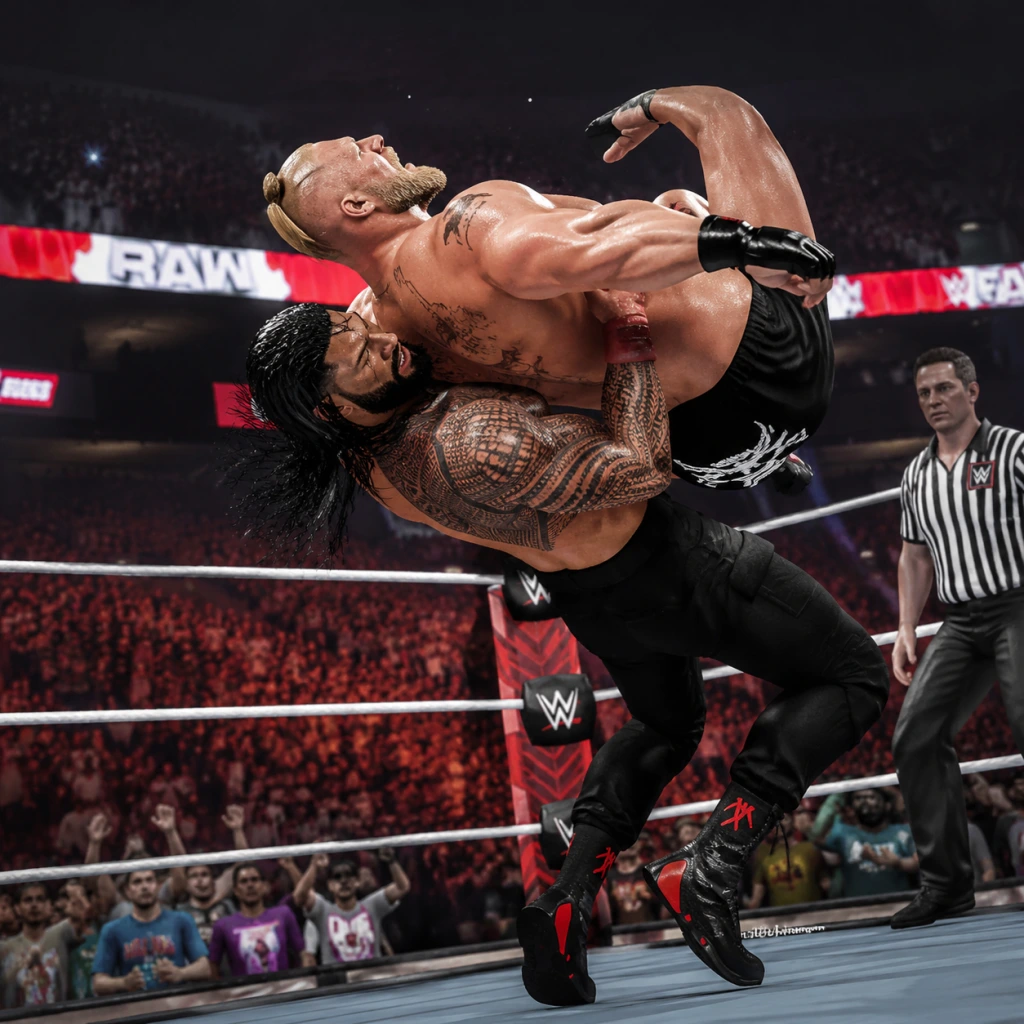
Core Gameplay
Core Gameplay Overview
WWE 2K23 is a professional wrestling simulation that revolves around match execution, story progression, and character customization. The core gameplay loop consists of:
1. Select a mode: MyRISE (career), MyFACTION (card collecting), Universe (sandbox GM), Showcase (historic matches), or Play/Online.
2. Engage in matches: Use the grappling/striking combat system to wear down opponents, build momentum, and hit finishers for pinfall/submission wins.
3. Earn rewards: Virtual Currency (VC), MyFACTION Points (MFP), cosmetic unlocks, and attribute boosts.
4. Progress your character or collection: Spend currency to upgrade attributes, buy card packs, or unlock new content.
5. Repeat with higher difficulty: Unlock new story branches, face tougher opponents, and expand your roster.
---
Main Interaction Systems
Combat System
- Grappling: Hold R1 (PS) / RB (Xbox) + direction to lock up, then press face buttons for strikes, Irish whips, or grapple moves. Chain grapples with reversals (press R2/RT + button).
- Striking: Square/X for punches, Triangle/Y for kicks, X/A for chops. Combos are directional + strike button. Heavy strikes deplete opponent’s stamina faster.
- Takedowns: Run into opponent with L2/LT + sprint for clotheslines, dropkicks, or sliding attacks.
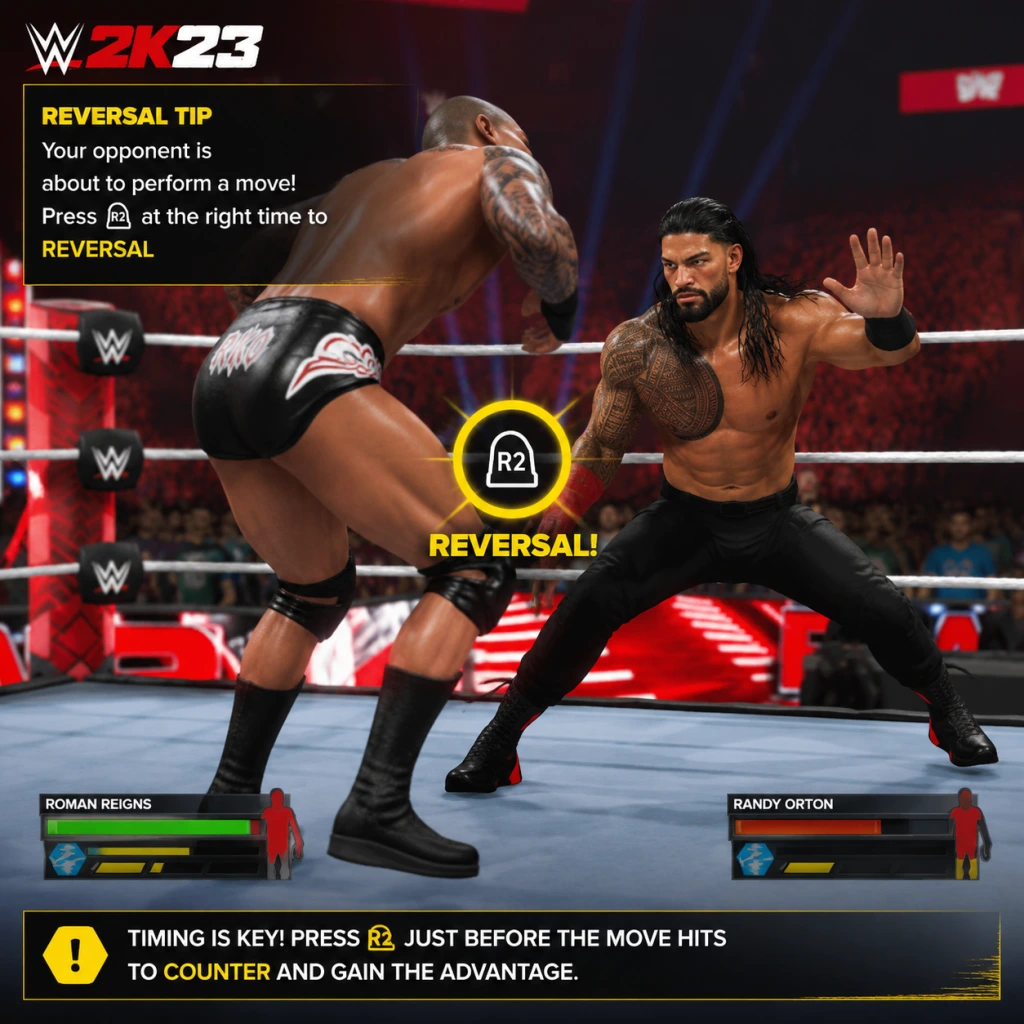
- Reversals: Tap R2/RT just before impact. Timing varies by move type. Early-game focus: learn strike reversal timing (easy) vs. grapple reversal (harder).
- Stamina & Momentum: Green bar depletes when performing moves; red “exhaustion” state makes you vulnerable. Build momentum by taunting (D-pad up), hitting signature moves (two stored sequence), and breaking pins.
- Finishers & Signatures: After filling the finisher meter (by aggression or special sequences), press L1/LB + button. Each wrestler has a unique Signature (stores first) and Finisher (stores second).
- OMG Moments: Contextual finishing moves (e.g., jump off Hell in a Cell, break the barricade) – performed by pressing L1/LB + L2/LT when the icon appears near interactibles.
- Targeting: Use R3 (thumbstick click) to switch opponents in multi-man matches.
- Taunting: D-pad up activates current taunt; D-pad left/right for aggressive/celebratory. Example: Early game, taunt after each Irish whip for quick momentum.
- Weapon Usage: Near ringside press L1/LB + square/X for chairs, kendo sticks, tables. Left stick + grapple for weapon strikes.
- Backstage Brawls: In specific matches (e.g., Falls Count Anywhere), drag opponent through crowd to backstage area with interactive objects (vehicles, generators, barricades).
- Storylines: Two character types (male/female) with branching narratives. Each match is a “quest” with objectives (e.g., win by submission, use 5 signatures).
- Attribute Points: Earned per match based on performance (match rating D to A+). Spend points on 7 attributes: Striking, Grappling, Speed, Stamina, Durability, Recovery, Charisma. Cap increases with level.
- Skills & Badges: Unlock new moves by spending “Skill Points” (earned from match objectives and locker rooms). Badges (e.g., Resiliency, Opportunist) improve specific gameplay actions. Example: The “Resiliency” badge allows an extra reversal per match.
- Banners & Cosmetics: Unlock new entrance themes, attires, and ring gear by completing side objectives (like winning a ladder match without climbing) or exploring backstage conversations.
- Locker Room Interaction: Between matches you can talk to other wrestlers (choose dialogue options) to unlock rivalries, alliances, or special matches. Early game: Talk to Adam Cole to unlock a “Championship Contender” scenario.
- Cards: Earn packs (free with MFP or purchase with VC) containing wrestlers, managers, and special cards (Ruby, Amethyst, Diamond tiers).
- Faction XP: Each card has set attributes. Level up cards by using them in matches (earn XP per match) or fusing duplicates.
- Modes: Weekly Towers (chain matches), Proving Grounds (4v4), and Online (Ranked & Casual).
- Rewards: Complete towers for MFP, card packs, and exclusive cards. Mid game: Grinding Bronze Tower for MFP to buy Silver packs accelerates deck strength.
- Seasonal Progression: In MyGM, you manage a brand (Raw/SmackDown) for 50 weeks. Book matches, sign free agents, and improve show rating. Unlock new venues and power cards.
- Universe: Sandbox with no set end. Wrestlers’ stats change based on match outcomes (injuries, prestige). Long-term simulation for players who enjoy booking stories.
Match Structure (Standard 1v1 Example)
1. Lock up → gain control with grapple or strike.
2. Wear down opponent via limb targeting (left stick + grapple) to weaken arm (submissions) or leg (slower movement).
3. Build momentum by hitting Irish whip into turnbuckle, diving attacks, or using weapons. Example: Irish whip opponent into corner, follow with running attack, then taunt for 1/4 momentum bar.
4. Store a Signature (one taunt or two moves) → then a Finisher (one more full bar).
5. Pin (downed opponent + circle/B) after finisher or combo. Hold to increase pin difficulty.
6. Win via pinfall, submission (tap circle/B repeatedly), count-out, DQ, or knockout (optional rules).
Interaction & Environment
---
Progression Systems
Progression in WWE 2K23 is mode-dependent, but all feed into a unified currency and cosmetic unlock system.
MyRISE (Career Mode)
MyFACTION (Card Collection)
MyGM & Universe
---
Economy & Currency
| Currency | Earning Methods | Spending Sites |
|---|---|---|
| VC | MyRISE match bonuses, Showcase completions, MyFACTION weekly rewards, daily login bonuses | Attribute upgrades in MyRISE, player card packs in MyFACTION, cosmetic unlocks in the Store |
| MFP | MyFACTION matches (win + bonuses), faction events, selling duplicate cards | Buying specific player cards from the Market (auction house) or Pack openings |
| Unlock Points (MyRISE) | Only from story objectives and locker room exploration | Used to purchase new moves, skills, and badges in MyRISE |
- Costs: Early game, 10 VC for 1 attribute point; late game, 25 VC per point. A Ruby card pack costs 6,000 MFP. Early game tip: Spend VC on Stamina (first) and Durability (second) to survive longer matches.
- Avoid: Buying cosmetic items until core attributes are near 85+. Unlockable attires from MyRISE are often free with dialogue choices.
---
Character / Build Growth by Tier
Build Archetypes: Choose when creating MyRISE CAW – Powerhouse (high striking/grappling, slow), Technician (balanced, high submission), High Flyer (high speed, low durability), etc. Attributes cap varies by archetype.
| Tier | Progression Focus | Key Milestones | Example Builds |
|---|---|---|---|
| Early Game (0-20 hrs) | Learn controls, complete Showcase intro, start MyRISE | Reach overall 70-75, unlock basic reversal perks | Balanced Technician: 70 Striking, 70 Grappling, 75 Speed, 65 Stamina, 60 Durability, 70 Recovery, 60 Charisma. Focus on quick combos and submissions. |
| Mid Game (20-50 hrs) | Branch into MyFACTION, increase difficulty, explore multiple story paths | Reach 85-90 overall, unlock Signature/Finisher move slots, earn 50,000 VC total | Powerhouse Brawler: 85 Striking, 90 Grappling, 50 Speed, 80 Stamina, 80 Durability, 70 Recovery, 60 Charisma. Use heavy strikes and irish whip combos. |
| Late Game (50-100 hrs) | Max out one archetype, grind MyFACTION top-tier cards, complete Universe season | Reach 95-99 attributes, unlock all badges, earn Elite card (Diamond) in MyFACTION | High Flyer Specialist: 80 Striking, 70 Grappling, 99 Speed, 85 Stamina, 50 Durability, 90 Recovery, 80 Charisma. Relies on corner springboard moves and diving finishers. |
| Endgame (100+ hrs) | Online competitive dominance, full cosmetic collection, 100% achievements | Max 99 overall with perfect badge distribution, own all tier Sapphire+ cards in MyFACTION, Platinum trophy | Hybrid Build: 90 Striking, 85 Grappling, 85 Speed, 95 Stamina, 85 Durability, 90 Recovery, 99 Charisma. Versatile for any match style. |
- Early: Resiliency (extra reversal) and Boom (faster momentum building).
- Mid: Gold Rush (more VC from wins) and Chain Wrestling (better grappling into finishers).
- Late: Uncanny (auto-reverse one move per match) and Showman (boost momentum from taunts).
- Main objectives appear as “Mission” pop-ups in locker room. Example: “Win a match against Sheamus using only strikes.”
- Side objectives: dialogue choices that lead to bonus matches (e.g., “Try to befriend The Miz” unlocks a 3-on-1 handicap match with increased XP reward).
- Branching: After completing a major feud (e.g., vs. Roman Reigns), you choose next storyline (e.g., “Chase IC Championship” or “Tag Team with Seth Rollins”). Each has unique rewards like exclusive attire.
- Relive John Cena’s matches. Each mission has three objectives: win, hit Signature & Finisher, replicate a specific moment (e.g., “perform the Five Knuckle Shuffle after a 10-count taunt”).
- Unlock alternative attires and arenas upon 100% completion.
- Each tower has 5-10 matches with increasing difficulty. Example: “Bronze Tower 1: Win against 3 jobbers in 3-way dance.” Rewards MFP and a Bronze pack.
- Weekly Towers rotate – complete for limited-time cards.
- Locker Room: Use analog sticks to walk around. Interact with other wrestlers (press circle/B) to trigger conversations that can alter storylines. Early game: Talk to Xavier Woods to learn a new taunt.
- Backstage (between matches in certain storylines): Find objects like gym equipment for optional strength mini-games (boost Strength attribute). Mid game: Locate the training dummy to practice reversals for +2 Recovery points.
- Arena Hub: In Showcase and Exhibition, you can roam backstage before/after match (if allowed by match type). Find hidden collectibles (e.g., exclusive gear in a locker).
- Early Game Mistake: Don’t skip tutorials – practice reversal timing in the Performance Center (free match mode) for 30 minutes.
- Mid Game Grind: Focus on MyFACTION “Proving Grounds – Bronze” for steady MFP. Use the money to buy a Silver pack and fill missing card spots.
- Late Game Optimization: In MyRISE, save at least 20,000 VC before upgrading attributes above 90 – costs spike. Use Skill Points first to unlock badges.
- Endgame Efficiency: Play 2-3 MyFACTION daily matches (for bonus MFP) and one Universe show per session to avoid burnout. Watch online players’ replays for advanced reversal chains.
---
Missions / Quests Structure
MyRISE Quests (Story-Driven)
Showcase Mode (History Missions)
MyFACTION Towers
---
Exploration (Locker Rooms & Backstage)
While not an open world, MyRISE offers limited exploration:
---
Endgame Structure
After completing the main MyRISE stories and Showcase, the game shifts to:
1. MyFACTION Online: Ranked matches (Seasonal tiers) – aim for Diamond rank. Top 100 get exclusive cards.
2. Universe Mode 100%: Simulate 10+ years, create custom shows, and book all titles to see legendary moments. No real ending – player-driven.
3. Community Creations: Download/create custom wrestlers, arenas, and shows. Upload your best creations for downloads – this is the social endgame.
4. Achievement Hunting: 50 achievements/trophies – hardest are “Win 100 ranked matches online” and “Complete all Showcase objectives.”
5. Perfect Build: Max out 2-3 archetypes in MyRISE, fully level 99, unlock every badge/move. Use VC to create “god” characters for exhibition play.
Late Game – Endgame Transition: By 100 hours, you should have a 99 overall CAW, a Diamond MyFACTION deck, and all Showcase rewards. Endgame is purely about mastery – win streaks online, dominate Universe with a perfect roster, or become a top creator on Community Creations.
---
Practical Tips for Each Tier
---
By following this structured progression, you’ll go from a rookie unable to reverse a clothesline to a seasoned champion who can carry whole federations in Universe and climb the MyFACTION online leaderboards. Remember: Every move is reversible – patience and timing define the champion.
Game Tips
WWE 2K23 Game Tips
This guide provides a comprehensive collection of tips for WWE 2K23, organized by category. Whether you're a beginner, intermediate, or advanced player, these actionable strategies will help you dominate in every mode.
---
1. Combat Tips
Beginner: Master the Fundamentals
- Reversal Timing Is Everything: The reversal window is smaller than in previous titles. Practice tapping the reversal button (R2/RT on controller, default keyboard: Space) as soon as you see the opponent's attack animation begin. In MyRISE and Exhibition, early reversals can turn the tide of any match.
- Strike Chains Are Your Friend: Use light strikes (Square/X) repeatedly to build combo momentum. Follow up with a heavy strike (Triangle/Y) to break guards. Chain at least 3 light strikes before a heavy for maximum stun.
- Grapples from Behind: Approach from behind and press Circle/B to initiate a back grapple. This guarantees a non-reversible move (unless the opponent has the "Back Grapple Reversal" skill). Use it to set up signature/finisher setups.
- Stamina Management: Every action reduces stamina (green bar above health). When stamina is low, your reversals become slower and attacks do less damage. Let go of the sprint button (L3/Left Stick click) to recover stamina faster. Never spam running attacks.
- Irish Whip Counters: When you are Irish-whipped (pressed Square/X after moving), the opponent can counter by pressing Circle/B as they hit the ropes. To punish, instead of just whipping, press Square/X + Up to sending them into the turnbuckle – this is harder to reverse.
- Use the Environment: Drag opponents near the ropes (hold R1/RB + circle/B) and perform a springboard attack (press Square/X while running at ropes). In steel cage or Hell in a Cell matches, Irish whip opponents into the cage walls to stun them before climbing.
- Chain Wrestling: In MyRISE and Exhibition, the chain wrestling mini-game (pressing the indicated button during lock-ups) happens at the start. Win this to get a free grapple advantage. If you lose, you'll take early damage. Practice the pattern: it's always the same sequence for your character’s side.
- Signature & Finisher Setup: Build your special meter by performing taunts (D-Pad up), hitting strong attacks, and kicking out of pinfalls. Use a signature first (press L1/LB + R2/RT when at least two bars are full) – it stuns the opponent long enough for a finisher (L1/LB + L2/LT).
- Combo Expiration & Reset: After a 4-hit combo, the opponent can reversal the final hit. To avoid this, cancel into a grapple before the last hit (press Circle/B during string). This resets the combo counter and lets you restart from scratch.
- Corner-to-Corner Combos: In MyFACTION or Universe, learn corner-specific moves: Irish whip opponent into corner, then immediately follow with a running strike or a corner grapple. This often triggers a unique animation that cannot be reversed if you time it perfectly.
- Weapon Switches: In TLC or Tables matches, you can swap weapons mid-swing by pressing Circle/B. For example, if you have a chair, swing, then quickly press Circle/B to grab a kendo stick. This confuses opponents and catches them off guard.
- Reversal Prediction: Watch opponent body language. If they start a heavy strike without a light setup, they are likely baiting a reversal. Instead, use a light strike of your own to interrupt them. Use this to drain their stamina by forcing them to reverse repeatedly.
- Choose Your Path Wisely: The story splits into two distinct branches early in The Lock campaign. One leads to more technical matches (e.g., NXT, Main Event), the other to high-flying or hardcore. Pick based on your preferred playstyle; the rewards differ in unlockable characters and attires.
- Side Quests Give Rewards: Look for optional objectives during backstage segments (e.g., "Help this injured superstar"). Completing them grants extra Virtual Currency (VC) and sometimes unlocks signature moves early. Always talk to everyone before advancing the main story.
- Attribute Grind: You earn attribute points by completing matches and challenges. Focus on Stamina and Reversal first – they are crucial for surviving longer matches. Weapon skill can be ignored unless you plan to use weapons often.
- Early Budget Management: Start with a small roster of low-cost superstars (e.g., 80-85 OVR). Save your budget for the 2nd season when you can afford top cards. Avoid bidding wars in the draft – let rival GMs overpay.
- Match Excitement Rating: Highest excitement comes from Championship vs. Championship matches. If you have two champions, book them against each other. Also use Kickoff Shows to burn low-priority feuds without hurting your main show.
- Stamina Rotation: Your superstars get tired if used every week. Rotate them: have two main event-level superstars (one per show slot) and use mid-carders for the other matches. A tired superstar performs worse and risks injury.
- Free Packs: Complete the Proving Ground mode first – it gives one free pack per tier. Also check the in-game store for daily login rewards (usually a basic pack). Never spend VC on standard packs; only use it on guaranteed items in the Market.
- Evolution Cards: Some cards (e.g., Ruby series) can be evolved by completing specific objectives (e.g., win 5 matches with them). Prioritize evolving these cards as they become much stronger (90+ OVR). Check card details for evolution path.
- Selling Duplicates: If you pull duplicate cards, you can sell them for MFP (MyFACTION Points) or use them in Token Market. Always sell duplicates immediately to free up pack space.
- Earning VC Quickly: The fastest way is to complete Daily Challenges (check in every day). In MyRISE, replay the first match of a new game year (it’s short and gives 100 VC). Also, winning Royal Rumble in Exhibition with a custom character yields 500 VC each time.
- Spend Wisely: Early on, buy Attribute Boosts in MyRISE (costs 1000 VC each) but only for primary stats (Strength, Stamina). Avoid buying cosmetic items until you have a surplus. In MyGM, use VC to hire part-time superstars (like The Rock) for one-time boosts.
- VC Cap: There is no cap, but you lose unspent VC if you delete a MyRISE save. Keep a backup save if you plan to start a new career.
- Unlocking Legends: Many legends (e.g., Stone Cold, The Undertaker) are unlocked by completing Showcase mode challenges. For example, hit 20 finishers with special conditions. Use Exhibition with modified sliders (set AI difficulty to easy) to grind these quickly.
- Attire Unlocks: In Creation Suite, you can unlock rare attires by winning specific matches in MyRISE (e.g., championship at WrestleMania). To speed this up, focus on rivalry actions that boost momentum – the faster you win the title, the sooner you get the attire.
- Token Market: In MyFACTION, tokens from completing collections are used to buy exclusive cards (like Pink Diamond). Save tokens for the monthly featured sets – they have limited availability.
- Attribute Distribution: For balanced builds, invest in Speed (85+), Strength (80+), and Grapple (85+). For a high-flyer, max Agility and Aerial but keep Strength at 70 – you'll rely on speed. For a powerhouse, max Strength and Toughness but accept slower movement.
- Move Set Synergy: Choose a signature and finisher that match your playstyle. For a submission specialist, pick a submission finisher (e.g., Figure Four). For a brawler, select a strike finisher (e.g., Superman Punch). Avoid mixing a high-fly finisher with a slow grapple build – the animation will take too long to set up.
- Skills & Perks: Opportunist and Comeback King are top-tier perks. Opportunist gives a stat boost when opponent is weak. Comeback King lets you reverse more when health is low. Unlock these by completing MyFACTION matches that reward skill points.
- Taunt Buffs: In a match, performing a taunt (D-Pad down) gives a temporary stat boost (e.g., damage +10%). Use it before your finisher for maximum impact. In Universe Mode, taunting after a knockdown increases crowd momentum.
- Move Learning: You can learn any move from any superstar in Creation Suite. To unlock a rare move (e.g., 619), you need to have that superstar in your roster (via MyFACTION or Showcase). Then copy their moveset into your CAW’s edit mode.
- Buy Low, Sell High: The Auction House in MyFACTION fluctuates based on new card releases. Buy popular cards (e.g., top-tier golds) right after a new series drops (Monday evening reset) when many players are undercutting. Sell them on Thursday before weekend tournaments when demand peaks.
- Token Efficiency: Never spend tokens on lower-tier cards (Bronze/Silver). Save for Gold+ packs that cost 20 tokens or more. Also, watch for token bonus events – sometimes you get extra tokens for completing specific agendas.
- Daily Login Bonuses: Log in every day to get free packs and VC. Day 7 gives a guaranteed rare card. Set an alarm if needed.
- Reversal Chain Breaking: In online matches, some players spam reversal chains. Counter by using a weak grapple (Circle/B with no direction) – it has a shorter animation and can be chained quickly, making it harder to reverse. Combine with taunts to overwhelm opponents.
- Stamina Starve: In multiplayer, target the opponent’s stamina bar with low-damage moves (e.g., repeated Irish whips). Once their stamina is orange, they can’t reverse effectively. Then go for your high-damage finisher.
- AI Exploitation: In Exhibition vs CPU, the AI always reacts to a run-up grapple (press R2 + Circle/B) with a set pattern. Use a reversal reversal if you anticipate – the AI tends to counter with a specific button (Square/X) on the first try. Abuse this to farm VC quickly.
- Multi-Man Match Strategy: In Royal Rumble or Elimination Chamber, always let others fight each other. Stay on the apron or use the environment (leaning against the ropes) to avoid damage. Only engage when a finisher is ready. Use springboard attacks to eliminate opponents quickly.
- Custom Controls: In Settings, change button layout to Alternative (L1/LB for reversal) if you find the default confusing. Many pro players use left shoulder for faster reactions.
- Manual Targeting: In multi-man matches, press R3 (right stick click) to manually switch targets. Important for aiming finishers correctly. Practice in Exhibition against 2 AI.
- Saving & Reloading: In MyRISE, you can manually save before major decisions. If you dislike the outcome, reload from menu. This saves time on replaying full segments.
- Performance Mode: On PS5/Xbox Series, switch to Performance Mode (60fps) for smoother combat. Visual fidelity is secondary to frame rate when reversing.
Intermediate: Advanced Offense & Defense
Advanced: High-Level Optimization
---
2. Exploration & Mode-Specific Tips
MyRISE (Career Mode)
MyGM (General Manager Mode)
MyFACTION (Card Collection & Online)
---
3. Resource & Economy Tips
Virtual Currency (VC)
Items & Unlockables
---
4. Build & Customization Tips
Creating a Superstar (CAW)
Custom Moves & Taunts
---
5. Economy & Market Tips (MyFACTION)
---
6. Advanced Strategies & Meta
---
7. General Quality-of-Life Tips
---
_Apply these tips based on your playstyle and game mode. For beginners, focus on reversal timing and stamina management. For veterans, exploit AI patterns and auction house strategies. Good luck and enjoy WWE 2K23!_
Game Settings
WWE 2K23 Game Settings Guide
Properly configuring your settings is essential for the best WWE 2K23 experience. This guide covers all categories: Graphics, Audio, Controls, Accessibility, Language, Network, and Gameplay. We provide recommended settings for performance vs. quality on different hardware levels and highlight common pitfalls.
---
Graphics Settings
Access: Main Menu → Options → Graphics
#### Important Options
| Setting | Options | Description |
|---|---|---|
| Display Mode | Windowed, Borderless Window, Fullscreen | Fullscreen gives best performance; Borderless for alt-tabbing. |
| Resolution | Native (your monitor) to lower | Always set to your monitor's native resolution unless performance needs lower. |
| Refresh Rate | 60 Hz / 120 Hz / 144 Hz (if supported) | Match your monitor's refresh rate. High refresh rates make movements smoother. |
| V-Sync | On / Off | On prevents screen tearing but may add input lag. Off for lower latency if you have G-Sync/FreeSync. |
| Texture Quality | Low / Medium / High / Ultra | High and Ultra require 6+ GB VRAM. Reduces blurriness on models and arenas. |
| Shadow Quality | Low / Medium / High / Ultra | High impact on performance. Medium is a good balance. |
| Anti-Aliasing | Off / FXAA / TAA | TAA smoothest but slightly blurs. FXAA is lighter. Off for raw performance. |
| Ambient Occlusion | Off / Low / High | Adds depth but costs FPS. Off on low-end systems. |
| Motion Blur | On / Off | Personal preference. Off can improve clarity during fast moves. |
| Depth of Field | On / Off | Off for competitive play; On for cinematic entrances. |
| Reflections | Low / Medium / High | High can hit performance in arenas with shiny floors. |
| Character Detail | Low / Medium / High / Ultra | Affects polygon counts on wrestlers. High or Ultra recommended for cutscenes. |
| Crowd Density | Low / Medium / High | Low improves FPS significantly. Medium is acceptable. |
| Anisotropic Filtering | 1x to 16x | 16x for sharper textures from angles. Low performance cost. |
| Hardware Level | Texture | Shadows | Anti-Aliasing | Crowd | Other | Target |
|---|---|---|---|---|---|---|
| Low-end (GTX 1050 Ti / RX 570, 8GB RAM) | Medium | Low | Off | Low | Turn off AO, Motion Blur, Depth of Field. Reflections Low. | 30 FPS stable at 1080p |
| Mid-range (RTX 2060 / RX 5600 XT, 16GB RAM) | High | Medium | TAA | Medium | AO High, Reflections Medium, Shadows Medium. | 60 FPS at 1080p |
| High-end (RTX 3070 / RX 6800, 16GB RAM) | Ultra | High | TAA | High | All max except maybe Motion Blur off. | 60+ FPS at 1440p |
| Ultra (RTX 4080 / RX 7900 XTX, 32GB RAM) | Ultra | Ultra | TAA | High | Everything maxed. | 60+ FPS at 4K |
| PS5 / Xbox Series X | Equivalent to High/Ultra | High | TAA | High | System optimised. Adjust motion blur to preference. | 60 FPS at 4K (dynamic) |
| PS4 / Xbox One | Medium | Medium | FXAA | Medium | Not adjustable fully; use performance mode if available. | 30 FPS at 1080p |
---
Audio Settings
Access: Main Menu → Options → Audio
- Master Volume: Adjust overall sound. Beware of sudden loud entrance themes. Start at 70%.
- Music Volume: Controls background music (entrance themes, menu music).
- SFX Volume: In-ring sounds (slams, impacts, crowd reactions). Keep high for feedback.
- Commentary Volume: Can be lowered if distracting.
- Crowd Volume: Affects atmosphere. Max for immersion.
- Entrance Music Volume: Separate from Music. Useful to keep loud while reducing other sounds.
- Voice Chat Volume: Adjust player voices during online matches.
- Mic Input Device / Output Device: For multiplayer; ensure correct device selected if using headset.
- Button Layout: Choose from several presets (Default, Alternate, Classic, etc.). Default is generally best for new players.
- Grapple/Submission Style (Gameplay tab, but affects controls): Normal (button mashing) or Mini-game (timing-based).
- Reversal Timing: Adjustable in Gameplay settings (see below).
- Controller Vibration: On/Off – turn off for reduced battery drain or if vibration distracts.
- Controller Joystick Deadzone: Default is usually fine. Increase if you experience drift.
- Trigger Deadzone: Affects running and kicking. Keep default unless unintended actions occur.
- Subtitles: On/Off. Displays all story dialogue and cutscene text. Recommended On.
- Subtitle Size: Small / Medium / Large. Large for readability.
- Commentary Subtitles: Adds subtitles for commentary. On for hearing impaired.
- Colorblind Mode: Options for Protanopia, Deuteranopia, Tritanopia. Alters UI elements (health bars, reversal prompts) to distinct colors.
- UI Scaling: Adjusts HUD size. Larger for easier viewing on small screens or far distance.
- Screen Flash Effects: Can be reduced for photosensitive players.
- Audio Cues for Reversals: Toggle an alternative sound when a reversal prompt appears.
- Voice Language: Choose between English, Spanish, French, German, Italian, Japanese, etc. (varies by region). Affects commentary and story dialogue.
- Text Language: Language for menus, subtitles, and UI.
- Commentary Team: Some languages have multiple teams (e.g., English has default and alternative).
- Audio Language: For in-ring announcer (ring introductions).
- Online Mode: Enable/Disable. Disable to avoid interruptions in offline modes.
- Cross-Platform Play: On/Off. WWE 2K23 supports cross-play between PS5, Xbox Series X|S, and PC (Steam/Windows). Turn off if you want console-only lobbies.
- Matchmaking Region: Auto or choose specific (e.g., Europe, North America). Set to region with lowest ping for smoother matches.
- Connection Type: Wired (Ethernet) vs. Wireless (Wi-Fi). Wired is strongly recommended for competitive online.
- NAT Type: Displayed; must be Open (Type 1/2) for reliable matchmaking. Strict NAT may cause disconnects.
- Voice Chat Enable: On/Off – allows communication with opponents.
- Allow Friends Only: Restricts voice to friends list.
Easy to Misconfigure: If you can't hear your opponent's voice in online, check voice chat volume and that your mic is not muted in system settings. Also, the commentary volume often gets accidentally turned down when adjusting other sliders.
---
Controls Settings
Access: Main Menu → Options → Controls
Custom Button Mapping: Some players remap strong strike to R1 or L1. Experiment in exhibition matches. Note that mapping changes in menus affect only controller; keyboard mapping is separate.
Special Attention: If you switch to Alternate layout, the HUD prompts will update, but many tutorial guides assume Default. Memorize your layout before entering online or MyRISE.
---
Accessibility Settings
Access: Main Menu → Options → Accessibility
Easy to Misconfigure: The Colorblind Mode does not preview changes; you may need to exit to match to see effect. Also, screen flash reduction may make it harder to spot finisher prompts.
---
Language Settings
Access: Main Menu → Options → Language
Note: Changing voice language requires a restart. If commentary audio is missing, check that language files are fully installed.
---
Network Settings
Access: Main Menu → Options → Network (or via Online menu)
Special Attention: If you're having trouble finding matches, disable cross-play temporarily to see if it improves. Also, ensure your network ports are forwarded for PS/Xbox/PC (see official support page for port numbers). The in-game latency indicator during matches shows ping: <50 ms is excellent, 50-100 ms good, >150 ms laggy.
---
Gameplay Settings
Access: Main Menu → Options → Gameplay
#### Essential Gameplay Toggles
| Setting | Options & Recommendations |
|---|---|
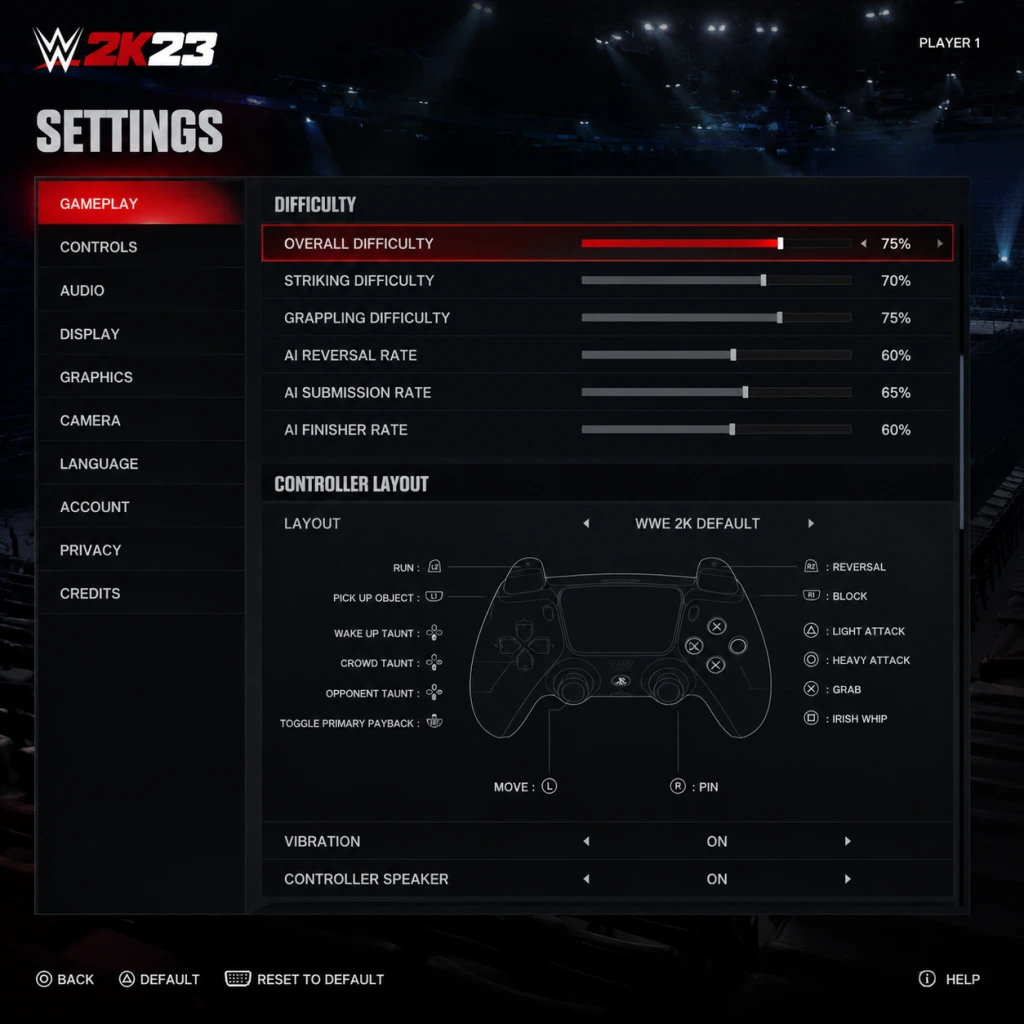
| Difficulty | Easy / Normal / Hard / Legendary. Recommendation: Normal for newcomers, Hard for veterans. Legendary is suitable for practice against tough AI. |
| Match Duration | Quick (5 min), Normal (10 min), Epic (20 min), Custom. Sets default match time. Longer matches allow more storytelling. |
| Pin Difficulty | Easy / Normal / Hard. Hard makes kickouts more precise; Easy gives generous windows. |
| Submission Difficulty | Easy / Normal / Hard. Affects mini-game difficulty. Normal is balanced. |
| Reversal Window Timing | Very Early / Early / Normal / Late / Very Late. Aligns with your reaction speed. Normal default; Late for slower reactions. |
| Automatic Reversal | Off / On (but limited). On may reverse some attacks automatically—off for full control. |
| Finisher/Signature Requirement | Normal / Slow / Fast. Controls how quickly you build finisher meter. |
| Stamina System | On / Off. On adds fatigue management. Off for arcade feel. |
| Break Grapples | Automatic / Button Hold. Button Hold gives more control during chain wrestling. |
| Foreign Object Usage | Allowed / Disallowed in matches. Set per match or globally. |
| DQ Rules | On / Off. Off enables weapons without disqualification. |
| Rope Break | On / Off. On forces breaks after count; Off allows fighting outside. |
| Weight Detection | On / Off. On affects moves based on size difference (realistic). |
| Count Out | On / Off. On can result in countout losses. |
| Special Referee | Enabled / Disabled. Unlocks special referee matches. |
These are found within MyFACTION menu:
- Tower Difficulty Scaling: Adjust per match.
- Wager Match Settings: Choose to risk cards or points.
- Reversal Window Timing is often set too fast (Very Early) by mistake, making reversals almost impossible. Reset to Normal.
- Automatic Reversal can rob you of skill expression—keep Off.
- Stamina System being Off might break certain objectives in MyRISE where stamina management is required. Check mode requirements before toggling.
- Match Duration can affect achievement unlocks. Some unlock only in Epics.
Easy to Misconfigure:
Special Attention: When playing online, the host's Gameplay settings override for the match (except difficulty, which is fixed to Normal in rankeds). Adjust your local settings for solo practice, but expect different conditions online.
---
Summary of Settings to Double-Check
1. Graphics: V-Sync and Frame Rate cap (prefer off vs. on). 2. Audio: Commentary volume often too high or low. 3. Controls: Layout mismatch – verify before online. 4. Accessibility: Subtitles off can miss story. 5. Network: Cross-play status – disable if connection issues. 6. Gameplay: Reversal Timing and Stamina – default Normal and On for best experience.
Take 10 minutes in an Exhibition match to test your settings before diving into MyRISE or online. Adjust one category at a time to avoid confusion.
Important Notes
Important Notes for WWE 2K23
⚠️ Warnings & Pitfalls
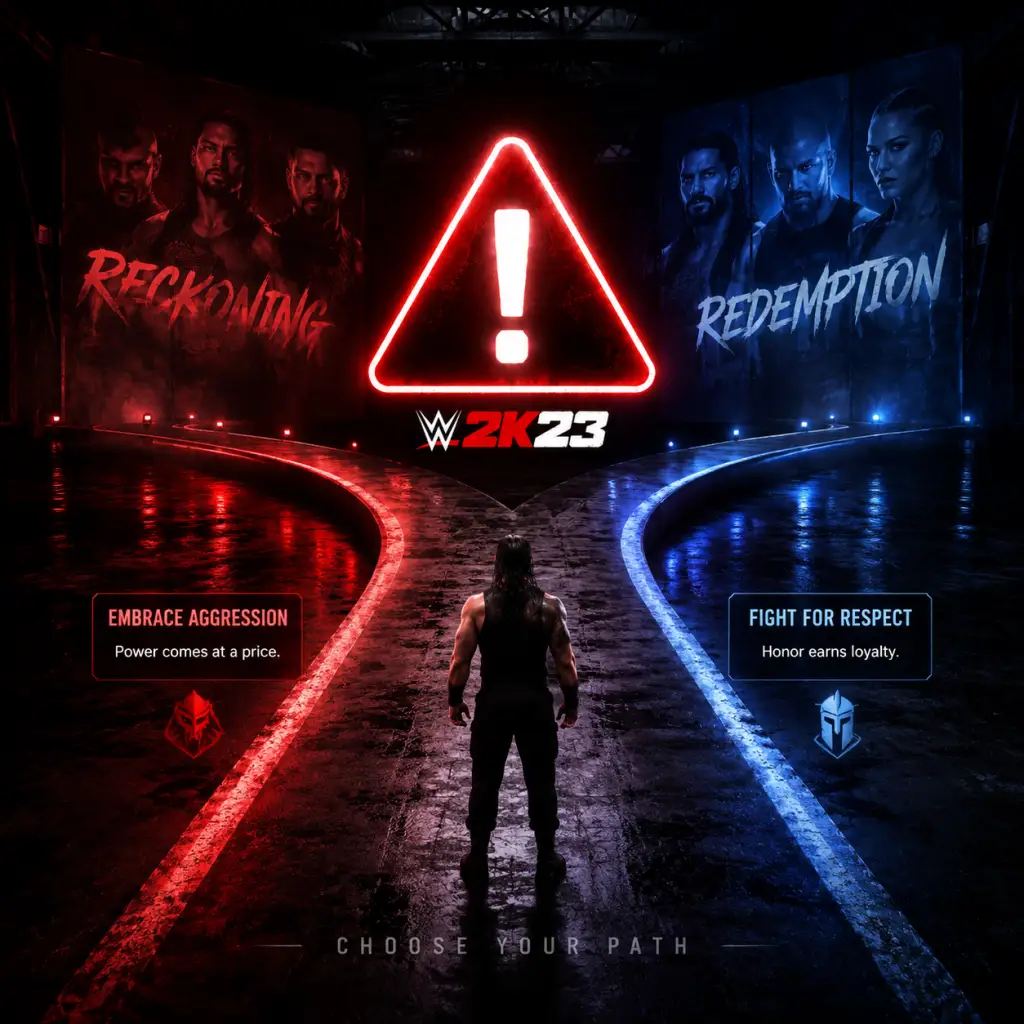
- MyRISE Story Branches: Your dialogue choices determine face/heel alignment and story path. Going against your alignment can lock you out of certain matches or rivals. Always save before a critical decision.
- MyFACTION Monetization: The mode is designed to encourage spending VC (Virtual Currency) on card packs. Avoid the trap—grind through Proving Grounds and Ladder matches for free rewards instead. Never spend real money on packs; it's not worth it.
- Community Creations Corruption: Downloaded CAWs (custom wrestlers) with custom images or logic can crash the game. Regularly backup your save and avoid downloading CAWs with over 100 overall ratings (often modded).
- Showcase Mode Frustration: Some objectives (e.g., hit a finisher within 30 seconds) are poorly explained. Use the in-match pause menu to view active objectives. If you fail, you can replay the match from the main menu—no progress lost.
###
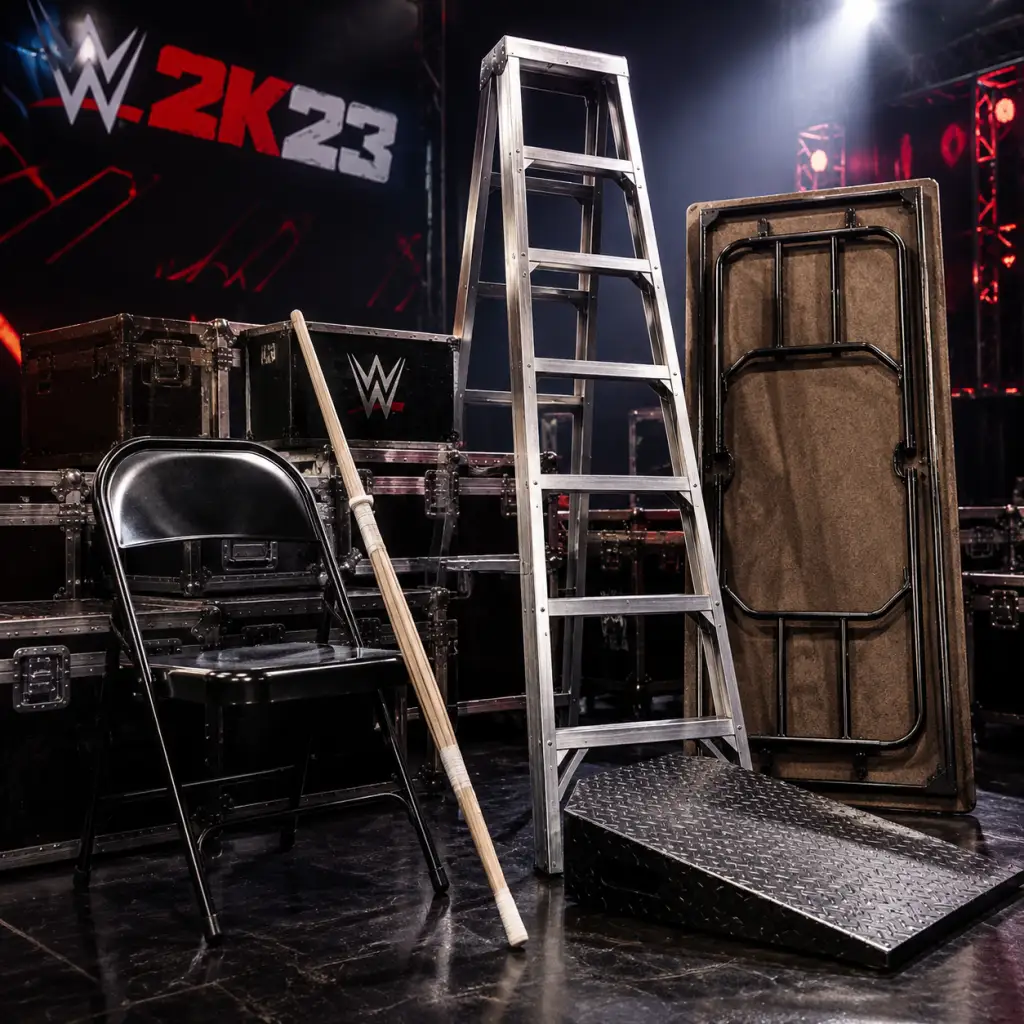
All Game Items
All Game Items
This guide catalogs every significant item type in WWE 2K23, organized by category. From weapons you can swing in the ring to currencies that unlock cosmetics, this reference covers what each item does, how to obtain it, and when it's most useful.
---
1. Weapons & Objects
WWE 2K23 features a large arsenal of weapons that can be picked up during matches (especially in No Disqualification, Falls Count Anywhere, and Hardcore matches). All weapons deal damage, but some have unique properties or finisher synergies.
| Weapon | Effect / Notes | How to Obtain | When to Use |
|---|---|---|---|
| Steel Chair | Basic 2-handed weapon; can be swung, thrown, or used for a chair shot (special move). | Found under ring, thrown by opponent, or brought as a carry-in item. | Standard crowd-pleaser; works in any hardcore match. Synergy: Use with a finisher like “Con-Chair-To” for extra damage. |
| Kendo Stick | Lightweight but fast; repeated strikes build stun quickly. | Same sources as chair. | Best for rapid damage and keeping opponent stunned; great against reversal-heavy enemies. |
| Baseball Bat | High damage, slower swing. Can be used for a devastating finisher if you have the “Bat Shot” payback. | Under ring or carry-in. | When you need a single powerful hit; risky because slow recovery. |
| Sledgehammer | Very high damage, extremely slow. Breaks apart after a few hits. | Rarely under ring; often from the announcer’s table area. | Use only when opponent is grounded; one hit can change momentum. |
| Trash Can | Can be used as a weapon or to cover an opponent (stops recovery). | Under ring. | Great for controlling ring area; covering prevents opponent from getting up quickly. |
| Fire Extinguisher | Discharge causes blinding effect and minor damage. Can also be used as blunt weapon. | Backstage or under ring. | Situational; blinding sets up a high-damage move. |
| Ring Bell | Small but quick; can be swung or thrown. | Ropes near ring steps. | Surprise attack; low damage but fast animation. |
| Stairs | Heavy; can be dragged to the ring or used as a weapon. | At ring steps. | Use as a barrier or a blunt object; high damage but very slow. |
| Microphone | Only in Backstage Brawl or Special Referee matches; allows certain interactions. | Tables, announce desk. | Announcer desk moves; not a primary weapon. |
| Barbed Wire Baseball Bat | Same as baseball bat but causes bleeding effect (visual only). | Specific MyFACTION cards or unlockables. | Hardcore enthusiasts; visual bonus only. |
| Stop Sign | Medium damage, moderate speed. | Under ring. | Playful weapon; no special properties. |
| Table | Not a direct weapon but breakable; can be set up for finishers. | Under ring or carried. | Primarily for table spots; high damage when broken on top of opponent. |
---
2. Armor / Attires
“Armor” in WWE 2K23 refers to cosmetic items that affect nothing gameplay-wise except appearance. They are categorized as:
- Entrance Attires – Full outfits worn during entrance and sometimes in ring (if not changed).
- Ring Attires – What the wrestler wears during the match.
- Title Belts – Cosmetic only; worn during entrances and held after winning a title.
- Masks – Some wrestlers have default masks (e.g., Rey Mysterio); can be added to CAWs.
| Item Type | Examples | How to Obtain | Notes |
|---|---|---|---|
| MyFACTION Card Attires | Alternate colors, themed outfits (e.g., “Undisputed Era” attire). | MyFACTION packs, challenges. | Only usable in MyFACTION mode. |
| Unlockable Attires | “Retro” attires for in-game wrestlers (e.g., ‘98 Kane). | MyRISE rewards, Showcase mode completion, VC purchase. | Can be assigned in MyWWE or Play Now. |
| Custom Attires | Designed in Creation Suite. | Created manually. | Shared community creations; usable in all modes except MyFACTION. |
| Title Belts | WWE Championship, Universal, etc. | Won in Universe/MyRISE or purchased in store. | Purely cosmetic; can be assigned to any wrestler. |
| Masks | Lucha masks, face coverings. | Store, unlocks, or created. | No stat effect; used for visual storytelling. |
---
3. Consumables & Paybacks
Consumables are one-time-use abilities that can be equipped before a match. In WWE 2K23, the primary consumable system is Paybacks. Each wrestler can carry up to 2 Paybacks (some have 3 in certain modes). They recharge after use (limited uses per match).
| Payback Name | Effect | Uses per Match | How to Obtain | Tips |
|---|---|---|---|---|
| Resiliency | Automatically kicks out of a pin attempt at 2.9 count (once per match). | 1 | All wrestlers have it by default; can be upgraded via perks. | Life-saving; always equip if you expect close matches. |
| Rope Break | Forces a rope break when opponent pins you near ropes (costs resilience). | 1 | Default. | Situational; use in Iron Man or multi-man matches. |
| Low Blow | Quick groin strike to stun opponent. | 1 per Payback slot | Purchase in store or unlock via MyRISE. | Good for turning the tide when opponent has a finisher stored. |
| Kip-Up | Instant get-up from a prone state. | 2 per Payback slot | Unlockable. | Great for creating momentum after a big move. |
| Go (Smackdown) High | Taunts to build special meter faster. | Unlimited (time-based) | Default. | Useless in high-pressure moments. |
| Poison Mist | Spit green mist that blinds opponent. | 1 | Rare unlock in MyFACTION or MyRISE. | Flashy but low damage; good for setting up a finisher. |
| Champion’s Advantage | Referee ignores rope break from the champion (0.5 second delay). | 1 | Universe mode only (champion perk). | Match-specific; only for champions. |
| Manager Interference | A manager from your corner distracts the opponent. | 1 | If you have a manager assigned. | Useful for tag team or solo matches with a manager. |
| Weapon Strike | Pulls out a random weapon from under the ring (if available in match type). | 1 | Default in hardcore matches. | Only appears in appropriate match types. |
- Regen Syringe (MyFACTION): Heals 25% health immediately. Obtained from card packs. Use in MyFACTION Tower or Faction Wars.
- Adrenaline Boost (MyFACTION): Increases all stats for 30 seconds. Use before finisher for maximum effect.
- Grapple Enhancer (MyFACTION): Guarantees a successful grapple on next attempt. Use against reversal-heavy opponents.
All MyFACTION consumables are single-use only and can be equipped in the “Items” slot before a match.
---
4. Materials & Creation Parts
These are used in Creation Suite to customize wrestlers, arenas, entrances, and championships. Materials are not used in gameplay outside of creation.
| Material Type | Examples | How to Obtain | Purpose |
|---|---|---|---|
| Clothing Parts | Shirts, pants, jackets, boots. | Unlocked by leveling up, completing Showcase, buying in store. | Build custom wrestler attires. |
| Body Morphs | Body size sliders, muscle definition. | Default in creation. | Adjust physique. |
| Face Templates | Precise facial structures. | Unlockables (e.g., “Superstar Head” templates). | Create realistic faces. |
| Tattoos | Full sleeve, chest, back tattoos. | Store purchases, MyRISE rewards. | Add visual uniqueness. |
| Arena Parts | Stage parts, ring posts, barricade textures. | Unlocked via Showcase or VC. | Build custom arenas. |
| Video & Audio | Entrance videos and theme songs. | Default game music or uploadable via custom soundtrack on console. | Entrance customization. |
| Championship Parts | Belt plates, straps, side plates. | MyRISE or VC. | Create custom titles. |
---
5. Currencies
WWE 2K23 uses three primary currencies. Know the difference to avoid wasting resources.
| Currency | Icon | Earned By | Used For | Notes |
|---|---|---|---|---|
| Virtual Currency (VC) | Gold coins | Matches, daily login bonuses, microtransactions (real money). | Buying packs in MyFACTION, unlocking items in the store, purchasing boosters. | Shared across all modes; can be earned slowly in game or bought fast with money. |
| MyFACTION Points (MFP) | Blue tokens | Wins in MyFACTION, faction challenges, trading duplicate cards. | Opening MyFACTION packs, upgrading cards, purchasing tokens for events. | Only usable in MyFACTION; more valuable than VC within that mode. |
| Skill Points | Star icon | Leveling up your MyRISE character, completing objectives. | Unlocking new paybacks, perks, and attribute upgrades in MyRISE. | Character-specific; cannot be transferred between saves. |
---
6. Collectibles
Collectibles are items that unlock extra content but have no direct in-game effect. They are primarily for completionists.
| Collectible Type | Examples | How to Obtain | Reward |
|---|---|---|---|
| Action Figures | Every in-game wrestler has a figure variant. | MyRISE (random drops), MyFACTION packs, Showcase milestones. | Unlock alternate attires or theme songs when all of a set are collected. |
| Trading Cards | Digital cards of wrestlers (MyFACTION). | Card packs, MFP purchase. | Used to build your MyFACTION deck; duplicates can be turned into MFP. |
| Posters | Classic WWE event posters. | Unlocked via Showcase mode completion. | No gameplay effect; displayed in MyWWE hub. |
| Plaques | Milestone achievements (e.g., “WrestleMania Main Event”). | Earned automatically for meeting criteria. | Bragging rights; no unlockable. |
| Hidden Photos | Behind-the-scenes photos. | MyRISE story progress. | Gallery viewing only. |
| Soundtrack Tracks | Licensed songs. | Default; some unlockable via Showcase. | Play during entrance or menu. |
---
7. Key Equipment (Special Items)
These are unique items that have specific uses or unlock special abilities.
| Item | Mode | Effect | How to Obtain |
|---|---|---|---|
| Contract Negotiation Briefcase | MyRISE | Used to trigger a contract signing minigame; affects story progression. | Given automatically at key story points. |
| WWE Hall of Fame Ring | MyRISE | Unlocks special dialogue options; no combat effect. | Complete MyRISE Hall of Fame path. |
| Manager’s Pass | Universe Mode | Allows a manager to interfere in any match; must be assigned. | Default for manager slots. |
| Token of Friendship | MyFACTION | Used to trade cards with other players (limited event). | Rare event drop. |
| Evolution Token | MyFACTION | Upgrades a card to its next tier (e.g., Emerald → Sapphire). | Faction Wars rewards. |
| Versus Cards | MyFACTION | Entry tickets for MyFACTION Limited events. | Daily login or purchase. |
---
8. MyFACTION Cards (Detailed)
MyFACTION cards are essentially digital collectibles that act as playable wrestlers, managers, or consumables. They are the core of the MyFACTION mode.
| Card Type | Subtypes | Stats | How to Use |
|---|---|---|---|
| Superstar Card | Base, Emerald, Sapphire, Ruby, Amethyst, Diamond, etc. | Offense, Defense, Stamina, etc. | Equip as your wrestler in MyFACTION matches. |
| Manager Card | Increases stats of all wrestlers in deck by a small percentage. | Bonus to specific attributes (e.g., “+5 Speed”). | Assign to manager slot; passive effect. |
| Consumable Card | Health, stamina, grapple boost. | Single-use effect during match. | Activate from inventory before/during match. |
| Contract Card | Allows use of a superstar for a set number of matches. | Duration (e.g., 20 matches). | Apply to a superstar card to extend usability. |
| Token Card | Used to evolve other cards. | None. | Combine with a evolves card in the upgrade menu. |
Synergies: Certain managers boost specific wrestler tags (e.g., “Ruthless Aggression” manager boosts all “Ruthless Aggression” era cards). Building a themed deck provides stacking bonuses.
---
9. Summary of Important Tips
- Never spend VC on MFP conversion – it’s terrible value.
- Save Evolution Tokens for high-rarity cards (Diamond and above).
- Always equip Resiliency Payback in competitive matches.
- Collect all action figures in MyRISE for completion rewards.
- Weapons are not necessary in standard matches; use them only in hardcore brawls to force submissions quickly.
- Custom attires are free – use the Creation Suite to get any look you want without spending currency.
---
This guide covers all significant items across WWE 2K23. For specific stats on every MyFACTION card, consult the in-game card catalog or community tier lists.
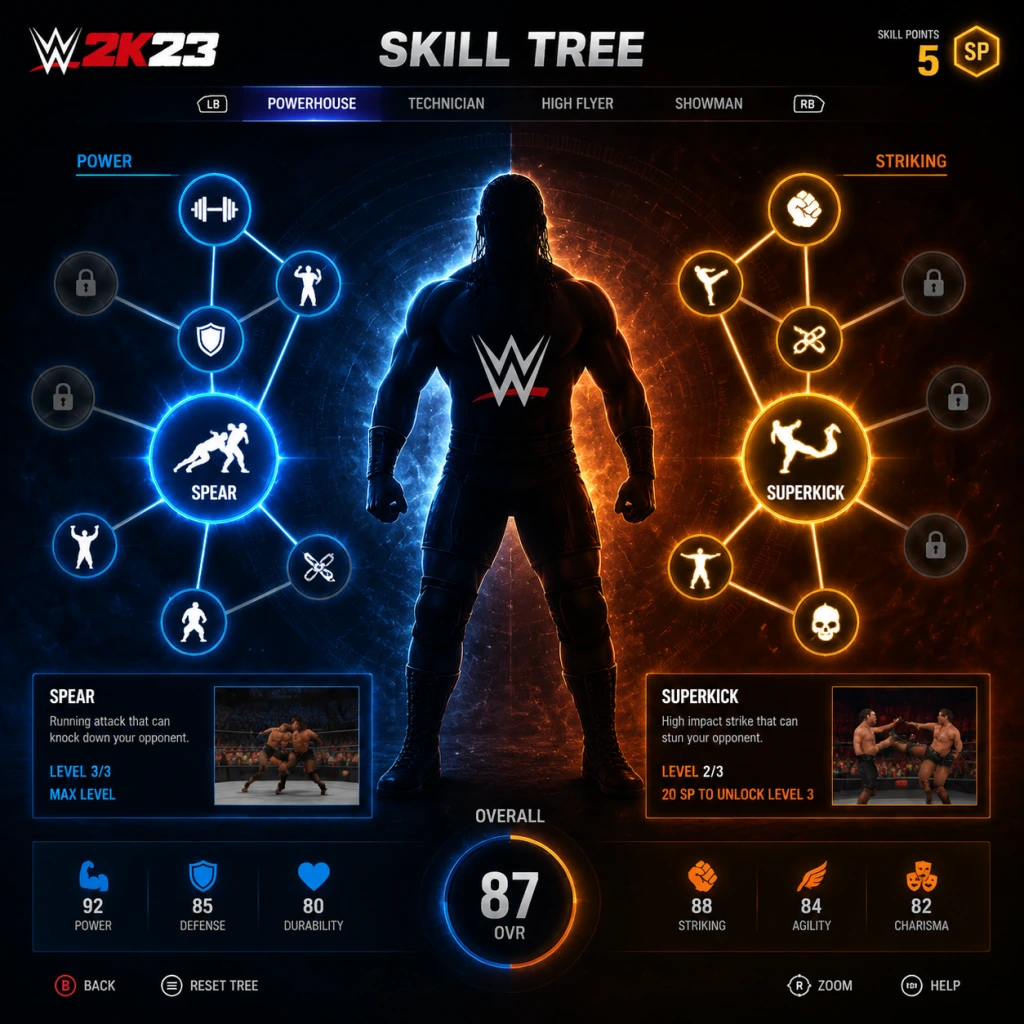
Character Skills
WWE 2K23 Character Skills Guide
This guide covers every type of skill, ability, special move, and character attribute in WWE 2K23. Skills are divided into the following categories:
- Paybacks (unique comeback abilities)
- Signature Moves & Finishers (special attacks)
- Attributes (core stats)
- Skills & Abilities (passive bonuses)
- Taunts & Psych (mental gameplay)
- MyRISE Skill Trees (character progression)
- MyFACTION Perks (card enhancements)
- Tag Team Finishers & Abilities
- Special Guest Referee & Manager Skills
Each skill includes detailed effects, cooldown/recharge mechanics, upgrade paths, recommended builds, and strategic usage tips.
---
1. Paybacks
Paybacks are powerful, one-time-use abilities that can turn the tide of a match. They are stored by taking damage—your Payback meter fills as you absorb punishment. Each character can equip up to 2 Paybacks from a list of ~10. Paybacks are activated by pressing L1 + R1 (PS) / LB + RB (Xbox) when the meter is full.
List of Paybacks
| Payback | Effect | Cooldown / Notes | Recommended Build |
|---|---|---|---|
| Resilience | Automatically kicks out of a pin attempt at 2.5 count. | Passive; always active when meter is full. Triggers once per match. Use it to survive finishers. | Defensive builds; MyRISE underdog characters. |
| Slippery | Instantly escapes a grapple hold (submission or rest hold). | Active once per match. Great against submission specialists. | Submission-heavy opponents; counter for Kurt Angle builds. |
| Comeback | Automatically starts a “Comeback” sequence. You hit a series of strikes/grapples with unlimited stamina for ~10 seconds, followed by a Signature or Finisher. | One use. Meter drains during Comeback. Best for high-damage comebacks. | Offensive builds; any character needing a momentum shift. |
| Ruthless Aggression | Increases damage of all attacks by 50% for 15 seconds. | One use. Pairs well with a stored Finisher. | Hyper-offensive “glass cannon” builds. |
| Iron Jaw | Reduces damage to head from strikes and submissions by 75% for 20 seconds. | One use. Useful vs. head-focused opponents (e.g., Superkick spammers). | Tank builds; fighting against high-strike moves. |
| Take Down | Instantly performs a strong grapple move that cannot be reversed (unless opponent uses a Payback). | One use. Excellent for breaking momentum. | Gimmick builds relying on instant damage. |
| Positivity | Fills your Special meter by one full bar (allowing a Signature without building momentum). | One use. Good for quick Signature setups. | Builds that chain Signatures quickly (e.g., high-flyers). |
| Dirty | Causes opponent to lose a stored Finisher or Signature (one bar). | One use. Great for neutralizing enemy finishers. | Heel characters; strategic builds. |
| Nemesis | Triggers a cutscene where your character attacks the opponent on the floor, dealing moderate damage. | One use. Animation-based, cannot be countered. | Story-driven builds; breaking tables/chairs setups. |
| Relentless | Automatically reverses a finisher or signature attempt into your own grapple move. | One use. Requires perfect timing. | High-risk, high-reward; expert players. |
2. Signature Moves & Finishers
Every character has one Signature (orange bar) and one Finisher (red bar). Some unlock additional variations via skill trees. Signatures build off Special meter (filled by performing moves). Finishers require two full Special bars.
Signature Moves
- Effect: Stuns opponent longer than normal moves; can be used as a setup for a Finisher.
- Reversals: Signature moves can be reversed with a well-timed reversal prompt, but harder than normal moves.
- Upgrades: In MyRISE, you can unlock “Signature Damage+”, “Signature Reversal Penalty” (harder to reverse).
- Combos: Chain two Signatures if you have the “Double Signature” skill. Example: John Cena’s Five Knuckle Shuffle into Attitude Adjustment.
- When to use: When opponent is red health or after a big bump; to guarantee a near-fall.
- Effect: Highest damage; usually guarantee a pinfall if not reversed/released.
- Variations: Many wrestlers have multiple finishers (e.g., Roman Reigns – Spear vs. Guillotine). In MyFACTION, you can equip different finisher cards.
- Synergies: Some Finishers can be upgraded with “Finisher Damage+” and “Finisher Speed” (faster animation, harder to reverse).
- Recommended Builds:
- When to use: When opponent is low health (yellow/red) and you have two bars; after wearing down stamina.
Finishers
- One-Hit KO: Increase damage to ensure instant win (e.g., Brock Lesnar’s F5).
- Technical: Use submission finishers with “Submission Strength” perks (e.g., Daniel Bryan’s Yes Lock).
---
3. Attributes
Attributes are core stats that define your character’s strengths. Each attribute ranges from 0–100 in MyRISE and MyFACTION; in Universe mode they are fixed per superstar.
| Attribute | Effect | Upgrades | Recommended Build |
|---|---|---|---|
| Power | Damage of power moves, grapples, and lifts. Also affects strength in attacks. | +Power increases move damage. Power+10 gives ~10% more damage. | Brawler, Big Man builds. |
| Speed | Movement speed, strike speed, diving speed. Also affects reversal timing window? (Not directly). | +Speed makes you faster; easier to close distance. | High-flyer, cruiserweight builds. |
| Stamina | Maximum stamina bar. Higher means you can run and perform moves longer before exhaustion. | +Stamina reduces stamina drain per move. | All-around builds; especially for long matches. |
| Arm Power | Damage of arm-related grapples and strikes. | +Arm Power boosts submission damage for arm locks (e.g., Kimura). | Submission specialists (e.g., Shayna Baszler). |
| Leg Power | Damage of leg-related moves, kicks, and submission leg locks. | +Leg Power boosts kick finishers and leg submissions. | Kick-heavy characters (e.g., Rey Mysterio). |
| Chains Wrestling | Success rate in chain wrestling minigame at match start. Higher = easier to win. | +Chains Wrestling reduces stamina loss and gives better positioning. | Technical wrestlers who want early control. |
| Reversals | Number of stored reversals (up to 5). Each reversal counter goes down by 1 when you reverse a move. | +Reversals allows more reversals before needing to refill (via taunting). | Defensive/strategic builds. Max 5 reversals. |
| Stun Resistance | Reduces stun duration after taking heavy damage. | +Stun Resistance means you recover faster. | Tank builds; counter to stun-lock combos. |
| Aerial | Damage of diving moves, springboard moves. | +Aerial increases dive damage. | High-flyers (e.g., Ricochet). |
| Viciousness | Damage of weapon attacks and hardcore moves. | +Viciousness boosts weapons strikes. | Hardcore/Extreme rules builds. |
| Charisma | Controls crowd reaction and momentum swing. Higher = more likely to get crowd pops/boos which affect stamina recovery. | +Charisma speeds up meter filling. | Face/Heel characters; showboats. |
| Toughness | Reduces damage from all sources. | +Toughness is % damage reduction (approx. 0.5% per point). | Survivor builds; high-difficulty matches. |
| Submission | Damage of submission moves. | +Submission increases hold damage and makes opponents tap faster. | Submission specialists (e.g., Ronda Rousey). |
| Strike | Damage of strike attacks. | +Strike boosts all punch, kick, elbow, etc. | Striker builds (e.g., Shinsuke Nakamura). |
---
4. Skills & Abilities (Passive)
Passive skills provide ongoing bonuses without activation. They are purchased in MyRISE skill trees or innate in preset wrestlers.
| Skill | Effect | Notes |
|---|---|---|
| Resilience (as Payback) | See Paybacks above. | Also a passive attribute in some builds. |
| Slippery | +50% chance to escape submission holds by button mashing. | Stackable with Payback version? No, they are separate; Payback gives guaranteed escape. |
| Fan Favorite | Crowd meter fills faster. | Boosts momentum gain. |
| Locker Room Leader | Teammate stamina drains slower (tag team). | Useful in tag matches. |
| Signature Damage+ | Signatures deal 20% more damage. | Prerequisite: 10 points in Signature tree. |
| Finisher Damage+ | Finishers deal 25% more damage. | Essential for one-hit KOs. |
| Comeback King | Comeback Payback lasts 3 seconds longer. | Extends the sequence. |
| High Stamina | Max stamina +15. | Stackable with attribute Stamina. |
| High Speed | Movement speed +10%. | Helps hit-and-run tactics. |
| Tough as Nails | Reduced damage from all sources by 10%. | Pairs with Toughness attribute. |
| Submission Escape | Button mashing effectiveness increased by 30% for submission holds. | Only for holds, not for pins. |
| Springboard + | Springboard moves deal 15% more damage and faster. | For high-flyers. |
| Power Grapple | Strong grapples deal 10% more damage. | Strong grapples are the ones with grapple+strike combination. |
| Tunnel Vision | Executing a taunt reduces opponent’s stored reversal counter by 1. | Only works if taunt is uninterrupted. Heel characters benefit. |
| Guard Break | After a successful chain wrestling win, you automatically break opponent’s guard (stun). | Early advantage. |
---
5. Taunts & Psych (Mental Gameplay)
Taunts serve multiple purposes: they fill your Special meter, affect crowd (face/heel), and can inflict “Psych” (stun) if the opponent is triggered.
- Effect: Each successful taunt adds ~10% to Special bar. Some taunts have extra effects (e.g., “Face Taunt” restores small stamina).
- Cooldown: No cooldown, but taunting leaves you vulnerable to attack. Use after knocking opponent down.
- Upgrades: “Taunt Speed” skill reduces animation time. “Intimidating Taunt” causes opponent to lose a stored reversal.
- Synergies: Combine with “Comeback” Payback for fast meter fill. Use taunt before Signature to ensure full bar.
- Recommended Build: Showboats (e.g., The Rock). Use taunts after hitting a Signature to fill Finisher bar quickly.
- Focus: Kick/punch damage, strike combos, and speed.
- Key Skills:
- Unlockable Finisher: Superkick variations.
- Focus: Power grapples, heavy weapons, damage resistance.
- Key Skills:
- Unlockable Finisher: Spinebuster, F5.
- Focus: Aerial moves, springboards, dives.
- Key Skills:
- Unlockable Finisher: Swanton Bomb, 630 Senton.
- Focus: Submissions, reversals, stamina management.
- Key Skills:
- Unlockable Finisher: Sharpshooter, STF.
- Face High-Flyer: Max High-Flyer + Striker for quick hits and dives.
- Heel Brawler: Max Brawler + Technician for power and reversals.
- All-Around: 50% Striker/50% Technician for balance.
---
6. MyRISE Skill Trees
MyRISE (career mode) features a branching skill tree with four trees: Striker, Brawler, High-Flyer, Technician. Each tree has specific skills and stat boosts.
Striker Tree
- Strike Combo+: Unlock 5-hit combos.
- Kick Power: +10% kick damage.
- Lightning Strikes: Strike speed +15%.
Brawler Tree
- Power Grapple+: Strong grapples do +15% damage.
- Weapon Proficiency: Weapon attacks +20% damage.
- Iron Chin: Head stun resistance +20%.
High-Flyer Tree
- Aerial+: Diving moves +25% damage.
- Springboard Master: Springboards faster and cannot be reversed on hit.
- Air Time: Diving moves give +50% momentum.
Technician Tree
- Submission+: Submissions +20% damage.
- Reversal Expert: +1 stored reversal (max 5).
- Stamina Master: All moves cost 15% less stamina.
Recommended Builds:
---
7. MyFACTION Perks
In MyFACTION, each card can equip up to 3 Perks (passive boosts) from a pool. Perks are tied to card rarity.
| Perk | Effect | Rarity |
|---|---|---|
| Finisher+ | Finisher damage +30% | Rare |
| Signature+ | Signature damage +20% | Common |
| Reversal+ | +2 stored reversals | Epic |
| Submission+ | Submission damage +40% | Rare |
| Weapon+ | Weapon damage +25% | Common |
| Comeback+ | Comeback duration +5s | Rare |
| Slippery+ | Escape submission +40% faster | Uncommon |
| Tough+ | Damage reduction +15% | Epic |
| Stamina+ | Max stamina +20 | Uncommon |
| Speed+ | Movement speed +15% | Rare |
| Charisma+ | Crowd meter fill +25% | Common |
---
8. Tag Team Finishers & Abilities
Tag teams have unique double-team moves and finishers. They require team chemistry (same brand, stable, or created team).
- Double Team Finisher: Performed when one partner is in the ring and the other is legal. Press Signature button after set-up. Each team has 2-3 variations.
- Tag Team Finisher Meter: Fills with double-team moves and tags. Once full, you can perform the finisher.
- Abilities:
- Recommended Build: Both partners with “Locker Room Leader” and “High Stamina” for extended tags.
- Fast count: Speed up pin count.
- Slow count: Delay pin to allow partner save.
- Stun: Knock out a competitor with a chair shot.
- Dismiss: Disqualify opponent if they use weapon.
- Motivation: Restore 20% of superstar’s stamina once per match.
- Distraction: Opponent’s next reversal fails.
- Override: Manager takes a finisher for the superstar (once).
- Strike Combo into Signature: For strikers, do a 4-hit strike combo then immediate Signature (while they are staggered).
- Grapple into Finisher: After a strong grapple (lift), chain into Finisher. Example: Powerbomb into Attitude Adjustment.
- Submission into Signature: If opponent is weak, apply submission to drain stamina, then release into Signature.
- Finisher+ Comeback+: Activate Comeback, build Special quickly, hit Signature, then Finisher for massive damage.
- Slippery+ Submission+: Be a submission machine; if opponent escapes, use Slippery to reapply quickly.
- Tough+ Reversal+: Tank build with maximum reversals; survive until opponent runs out of finishers.
- Hot Tag: When fatigue is high, tagging gives stamina boost to both.
- Switching: Tagging while opponent is stunned can create a fast pin.
- Interference: Non-legal partner can distract referee or opponent.
---
9. Special Guest Referee & Manager Skills
Referee Skills: If you play as referee in Special Guest Referee matches, you have abilities:
Manager Skills (MyFACTION):
---
10. Combo & Synergy Strategies
Offensive Combos
Synergistic Build Combinations
---
11. When to Use Each Skill – Tactical Guide
| Situation | Recommended Skill/Action |
|---|---|
| Opponent has finisher stored | Use “Dirty” Payback to strip it, or reverse with “Relentless”. |
| You are near defeat (red health) | Activate “Resilience” (if equipped) to kick out; then use “Comeback” to retaliate. |
| Opponent is stunned near ropes | Irish whip into corner, then hit diving Signature. |
| Submission specialist | Boost Submission attribute and equip “Submission+” Perk, use leg/arm locks. |
| High-flyer vs big man | Max Speed, Aerial, and “Springboard+” to avoid grapples; use dives relentlessly. |
| Facing multiple opponents (handicap) | Equip “Tough+” and “Reversal+” for survivability; use “Comeback” to even odds. |
| Need to fill Finisher bar fast | Taunt after knockdown, then hit a strong grapple Combo (Power Grapple). |
12. Upgrade Priorities (by Game Mode)
MyRISE (Career)
- First 10 levels: Unlock one signature and finisher upgrade (+damage). Put 5 points into primary attribute (e.g., Power for brawler).
- Next 10: Invest in Recovery (Stamina) and Reversal stats. Unlock “Comeback” Payback.
- Endgame: Max out your chosen skill tree (Striker/Brawler/High-Flyer/Technician) for unique finisher.
- For each card: Equip Perks that amplify its natural strengths. Eras = specific synergies (Attitude Era + Striker).
- Always equip “Finisher+” on any card if possible; it’s the strongest single perk.
- For tag teams, use “Locker Room Leader” + “Stamina+” on both.
- No upgrades; you select predetermined superstars. But you can edit movesets and add Paybacks in Creator.
- Recommended Paybacks by class:
MyFACTION (Card Collection)
Universe Mode / Play Now
- Heel: Dirty, Take Down
- Technician: Slippery, Submission? (But they have no Payback affect on submission directly, so use Slippery).
---
13. Conclusion
Mastering WWE 2K23’s skills system requires understanding the interplay between Paybacks, Signatures, Finishers, Attributes, and passive abilities. Whether you prefer a powerhouse like Brock Lesnar or a technical wizard like Daniel Bryan, tailor your build to your playstyle. Use the tables and strategies above to optimize your character and dominate the ring. Remember: Payback timing is everything—save your most powerful skill for when the match is on the line.
---
This guide covers all major skill systems as of WWE 2K23 version 1.12. Updates may alter specific numbers, but core mechanics remain consistent.
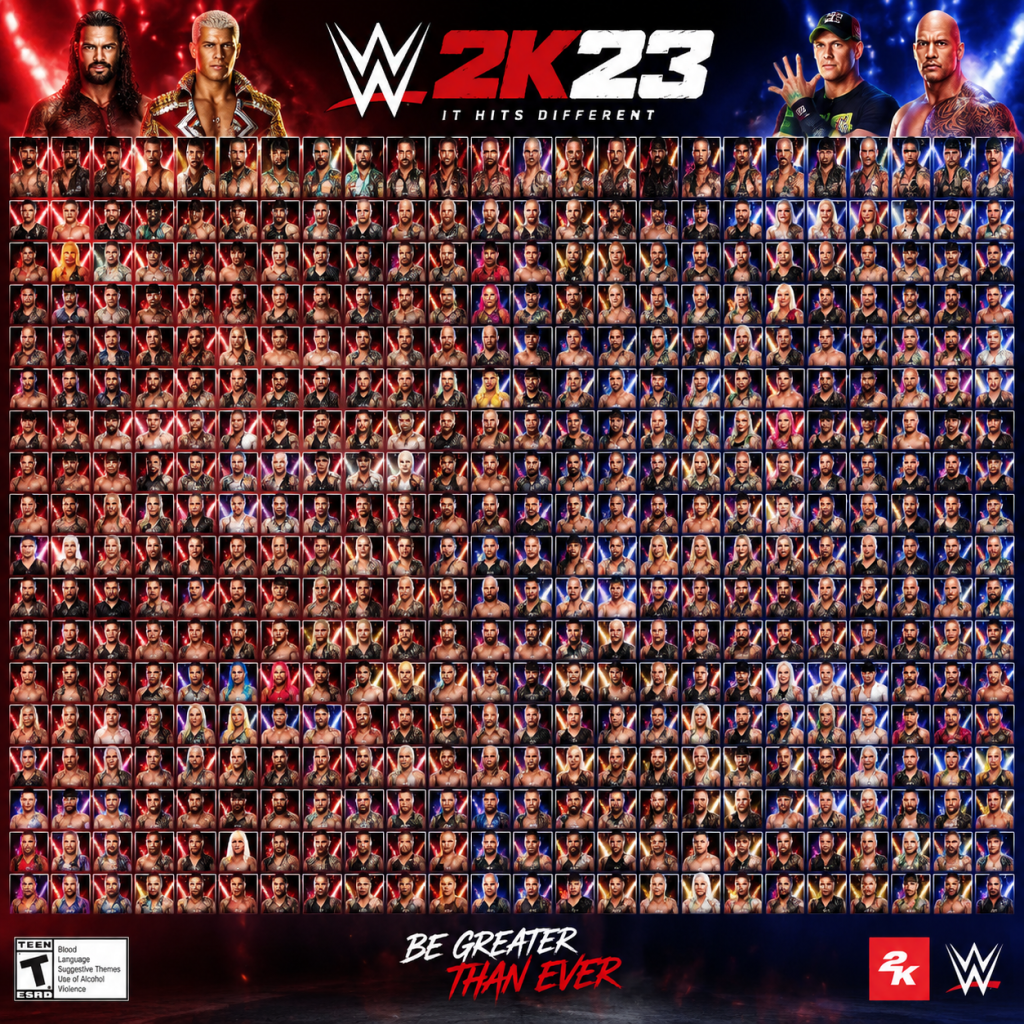
Characters & Roles
WWE 2K23 Characters & Roles Guide
WWE 2K23 features a massive roster of over 200 playable wrestlers, spanning current Superstars, Legends, NXT stars, and celebrities. Unlike traditional class-based games, each wrestler has unique attributes, skills, movesets, and alignment (face/heel) that define their role in matches. This guide covers every major playable character, their background, strengths, weaknesses, playstyle, unlock conditions, recommended builds, and team synergy for modes like MyRISE, MyFACTION, Universe, and Exhibition.
1. Roster Overview
Wrestlers are categorized by weight class (Heavyweight, Light Heavyweight, Cruiserweight, etc.), style (Powerhouse, High-Flyer, Technical, Brawler, Giant), and alignment (Face/Heel). Each has a rating (overall 60–99), attributes (e.g., Strikes, Grapple, Speed, Durability), and a Skill Tree for upgrades in MyRISE/MyFACTION. Most are unlocked by default in Exhibition; some require completing Showcase mode, MyRISE storylines, or MyFACTION card collection.
2. Major Superstars Breakdown
Below is an exhaustive table of key characters, their background, primary playstyle, strengths, weaknesses, unlock requirements, and recommended builds. Note: Unlock conditions apply to MyRISE and MyFACTION; in Exhibition, all base roster wrestlers are available from the start.
| Wrestler | Background (Kurt) | Role / Playstyle | Strengths | Weaknesses | Unlock Condition | Recommended Build (Skill Tree / Payback) | Team Synergy |
|---|---|---|---|---|---|---|---|
| Roman Reigns (Tribal Chief) | Leader of The Bloodline, Undisputed WWE Universal Champion. Dominant powerhouse with Spear and Guillotine. | Brawler / Powerhouse | High damage strikes, resilience, signature finisher (Spear) grants stun. | Slow movement, vulnerable to fast opponents. | Default | Max Grapple and Durability; Payback: Rage or Relentless. Moves: Spear (Sig), Guillotine (Fin). | Best with The Usos (tag team synergy). Faction: The Bloodline. |
| Brock Lesnar | Former UFC Heavyweight Champion, multi-time WWE Champion. Suplex City. | Powerhouse / Brawler | Unmatched strength, German Suplex chain, devastating F-5 finisher. | Low stamina, poor agility. | Default | Focus on Strength and Strikes; Payback: Stonewall. Moves: F-5 (Fin), Kimura Lock (Sub). | None needed (solo dominance). Can feud with Roman Reigns. |
| John Cena | 16-time World Champion. Never gives up. | All-Around / Tech | High endurance, multiple finishers (AA, STF), strong counters. | Predictable moveset. | Default (also unlockable via Showcase) | Balanced Strikes/Grapple; Payback: Comeback. Moves: AA (Fin), STF (Sub). | Ideal for tag with any partner (Cena often works solo). |
| Cody Rhodes | AEW co-founder turned WWE star. Finisher: Cross Rhodes. | High-Flyer / Technician | Agility, diving attacks, strong comeback potential. | Low health recovery. | Unlock via Showcase: John Cena (complete chapter 5) | Speed and Aerial; Payback: Relentless. Moves: Cross Rhodes (Fin), Disaster Kick (Sig). | Tag with Jey Uso? (faction Bloodline). |
| Seth Rollins | Visionary, Architect of The Shield. High-risk moves. | High-Flyer / Stunt | Fast, multiple aerial moves, Curb Stomp finisher. | Low grapple strength, prone to reversals. | Default | Max Speed, Aerial; Payback: Overflow. Moves: Curb Stomp (Fin), Falcon Arrow (Sig). | Tag with Roman Reigns (Shield) or Cody Rhodes. |
| Becky Lynch | The Man, biggest star in women’s division. Striker. | Brawler / Striker | Strong strikes, high aggression, Dis-Arm-Her submission. | Slow submissions, low speed. | Default | Strikes and Submission; Payback: Arms Race. Moves: Manhandle Slam (Fin), Dis-Arm-Her (Sub). | Tag with Charlotte Flair (Four Horsewomen). |
| Charlotte Flair | Queen, daughter of Ric Flair. Styles: Flair flips, Figure Eight. | Technician / Diva | High technical moves, strong submissions, high durability. | Weak to fast strikers. | Default | Max Grapple + Sub; Payback: Dirty Deeds. Moves: Natural Selection (Fin), Figure Eight (Sub). | Tag with Becky Lynch or Bayley. |
| Bianca Belair | EST of WWE, strong, athletic. Finisher: K.O.D. | Powerhouse / High-Flyer | Amazing strength with agility, wipe-out moves. | Slow grapple break. | Default | Stamina + Strength; Payback: Limitless. Moves: K.O.D. (Fin), Handspring (Sig). | Tag with Sasha Banks (now gone) or Bayley. |
| Undertaker (Deadman) | Legend, streaks at WrestleMania. Occult brawler. | Brawler / Giant | High health, Tombstone Piledriver, intimidation. | Slow, limited aerial. | Default (also Showcase unlock) | Grapple + Resilience; Payback: Last Stand. Moves: Tombstone (Fin), Chokeslam (Sig). | Tag with Kane (Brothers of Destruction). |
| The Rock | Great One, Hollywood. Most electrifying. | Brawler / Showman | Rock Bottom, People’s Elbow, high charisma. | Low submission skills. | Unlock via MyFACTION (Ruby card) or Showcase. | Strength + Charisma; Payback: Brains. Moves: Rock Bottom (Fin), People's Elbow (Sig). | Tag with Stone Cold (historic). |
| Stone Cold Steve Austin | Texas Rattlesnake, Attitude Era icon. Stunner. | Brawler / Stiff | Stunner stun, high aggression, middle finger taunt. | Low stamina for long matches. | Default | Resilience + Strikes; Payback: Stunned. Moves: Stunner (Fin), Lou Thesz Press (Sig). | Tag with The Rock or Triple H. |
| Triple H | The Game, Cerebral Assassin. Strong style. | Powerhouse / Technician | Pedigree, sledgehammer (weapon), high durability. | Slow on ropes. | Default | Strength + Sub; Payback: Game Over. Moves: Pedigree (Fin), Crossface (Sub). | Tag with The Undertaker (DX vs Brothers). |
| Randy Orton | Viper, Apex Predator. Calculated striker. | Technician / Striker | RKO out of nowhere, high counter rate, Ground Pound. | Slow buildup. | Default | Speed + Counter; Payback: Viper. Moves: RKO (Fin), Punt Kick (Sig). | Tag with Bray Wyatt (Legacy). |
| AJ Styles | Phenomenal One. High-flyer technician. | High-Flyer / Tech | Styles Clash, Phenomenal Forearm, exceptional speed. | Low durability. | Default | Aerial + Grapple; Payback: Overflow. Moves: Styles Clash (Fin), Forearm (Sig). | Tag with Finn Balor (Club). |
| Roman Reigns (Broken) | Alternate Universe variant (MyRISE). | Powerhouse / Mystic | Special mystical powers, dark aura. | Unlockable only. | Complete MyRISE as evil champion. | Max all attributes; Payback: Vampire. Moves: Chokeslam, Spear. | Solo. |
3. NXT & Indies Standouts
| Wrestler | Background | Role | Key Move | Unlock |
|---|---|---|---|---|
| Bron Breakker | NXT Champion, powerhouse. | Powerhouse | Spear, Steiner Recliner | Default |
| Carmelo Hayes | NXT high-flyer. | High-Flyer | Nothing But Net | MyRISE finale (face route) |
| Ilja Dragunov | Mad Russian, brawler. | Brawler | Torpedo Moscow | Default |
| Zoey Stark | NXT Woman’s powerhouse. | Striker | Z360 | Default |
| Roxanne Perez | NXT Woman’s high-flyer. | High-Flyer | Pop Rox | Default |
4. Legend & Celebrity Roster
| Wrestler | Era | Playstyle | Unlock |
|---|---|---|---|
| Hulk Hogan | 80s-90s | Powerhouse (Hulking Up) | Default |
| Ultimate Warrior | 80s | Sprint + Shock | Default |
| Batista | 2000s | Powerhouse | Default |
| Bad Bunny | 2022 | High-Flyer (Musical cues) | MyFACTION reward |
| Logan Paul | 2023 | Showman / High-Flyer | Pre-order bonus (otherwise MyFACTION) |
5. Recommended Builds & Skills
For each wrestler, you can customize their Skill Tree (available in MyRISE/MyFACTION) and assign Paybacks (unique comeback abilities). Below are optimal builds for top tiers:
- Roman Reigns: Put points into Resilience (to recover from finishers) and Grapple (for Spear damage). Payback: Rage (increase damage for 30 seconds). Best for elimination matches.
- Brock Lesnar: Max Strength and Stamina. Payback: Stonewall (take no damage from one finisher). Use German Suplex spam for quick damage.
- John Cena: Balance Strikes (for AA setup) and Submission (STF). Payback: Comeback (auto-counter after a taunt). Great for long matches.
- Bianca Belair: Max Aerial (for K.O.D.) and Athleticism. Payback: Limitless (increase speed after a finisher). Ideal for Royal Rumble.
- Undertaker: Max Grapple and Resilience. Payback: Last Stand (survive one elimination in battle royale). Use Chokeslam to set up Tombstone.
6. Team Synergy & Factions
Tag team and faction bonuses exist in MyFACTION and Universe. Here are the most synergistic pairs:
| Team | Wrestlers | Bonus Effect | Mode |
|---|---|---|---|
| The Bloodline | Roman Reigns, Jey Uso, Jimmy Uso, Solo Sikoa | All get +10% damage when together | MyFACTION |
| The Shield | Roman Reigns, Seth Rollins, Dean Ambrose (now Jon Moxley, in game as Moxley replaced) | +5% counter rate | Universe |
| The New Day | Kofi Kingston, Xavier Woods, Big E | +10% stamina recovery | MyFACTION |
| Four Horsewomen | Becky Lynch, Charlotte Flair, Sasha Banks (not in game), Bayley | +5% submission power | Universe (custom) |
| DX | Triple H, Shawn Michaels, Road Dogg, Billy Gunn | +10% finisher damage | MyFACTION |
| Brothers of Destruction | Undertaker, Kane | +15% health regen | Exhibition |
7. Unlock Conditions Summary
- Default: All base roster (over 180 wrestlers) unlocked from start in Exhibition, MyFACTION base packs, Universe.
- Showcase Mode: Unlock John Cena '02, '06, '10 variants; also retro Undertaker, Rock, etc. (Complete specific Showcase chapters).
- MyRISE: Unlock Carmelo Hayes, Roxanne Perez (face route), and “Broken” Roman Reigns (heel route).
- MyFACTION: Celebrities (Bad Bunny, Logan Paul), certain legends (Ric Flair '88, Sting '98) via packs or market.
- Pre-Order / DLC: Logan Paul, Ruthless Aggression pack (e.g., Goldberg '03, Randy Orton '09), Steiner Brothers pack.
8. Conclusion
Understanding each character’s role and optimal build is crucial for dominating in WWE 2K23. Whether you prefer powerhouse brawlers like Roman Reigns or technical wizards like Chris Jericho (not listed but default), this guide ensures you know their strengths, weaknesses, and how to unlock everything. Use team synergies to your advantage in tag matches and faction wars. For further details, see our MyRISE Walkthrough, MyFACTION Pack Opening Guide, and Showcase Mode Guide.
Cheats & Secrets
WWE 2K23 Cheats & Secrets Guide
Note: WWE 2K23 does not include traditional cheat codes (e.g., entering "UP, DOWN, LEFT, RIGHT" for infinite health) as seen in older wrestling games. However, the game contains numerous unlockables, hidden features, and Easter eggs placed by the developers. This guide covers all legitimate secret content.
---
Unlockable Characters & Content via Gameplay
Most unlockables are earned by completing specific modes or challenges. No activation codes are required—just progress.
Showcase Mode Unlocks
Complete the "John Cena: More Than a Titan" Showcase to unlock:
| Unlockable | Requirement |
|---|---|
| John Cena ('06) | Finish Chapter 2 |
| John Cena ('10) | Finish Chapter 5 |
| John Cena ('13) | Finish Chapter 7 |
| John Cena ('15) | Finish Chapter 9 (bonus) |
| John Cena ('20) | Finish Chapter 11 |
| Cena's Hidden Attire (black & white) | Collect all Showcase Objectives |
| Secret Arena: "WWE Live 2006" | 100% Showcase completion |
| Secret Weapon: "Cena's Chain" | After unlocking, equip as weapon in Backstage Brawl |
| Bonus Superstar: "Ruthless Aggression Era" HBK | Clear all Showcase matches on Legend difficulty |
MyRISE Story Unlocks
Decisions in MyRISE (both Male and Female paths) can unlock exclusive characters and attires:
- The Fiend Bray Wyatt (unavailable elsewhere) – In MyRISE, choose to side with The Wyatt Family during the "Darkness" chapter. This makes The Fiend playable in Exhibition and Universe Mode after finishing the story.
- Alternate Austin Theory (with longer hair) – Choose to betray Theory in the final chapter.
- Secret Manager: Paul Heyman – Complete the Female MyRISE path and select the "Align with Bloodline" choice in the last act.
- Hidden Attire: '90s Undertaker (Purple Gloves) – Collect all 30 backstage collectibles during MyRISE chapters.
MyFaction Rewards Cards (Secret Variants)
MyFaction offers exclusive cosmetic cards that unlock special character models for other modes:
| Card | How to Obtain | Effect |
|---|---|---|
| "Emerald" Brock Lesnar | Complete the "Beast Incarnate" Faction Wars challenge | Unlocks Lesnar with diamond chain (cosmetic only) |
| "Sapphire" The Rock ('98) | Win 10 matches in MyFaction with a '90s-themed team | Gives The Rock a golden elbow pad |
| "Ruby" Seth Rollins (Shield) | Obtain from MyFaction pack #87 (random) | Unlocks Shield gear for Rollins in Exhibition |
| "Secret" Diamond Card: "The Fiend" (Alter Ego) | Only available during special live events (e.g., Halloween) | Unlocks a never-before-seen Fiend attire with glowing eyes |
| "Galaxy Opal" John Cena ('Hidden) | Complete all Lifetime Challenges in MyFaction | Unlocks a completely black attire with white stars |
---
Hidden Features & Easter Eggs
Secret Room: The "SmackDown Hotel"
Found in Backstage Brawl mode:
1. Start a Backstage Brawl match on the default arena.
2. Move to the far right side of the map, past the concession stand.
3. Look for a door with a "Staff Only" sign—interact with it (press the action button).
4. You will enter a hidden hotel room with a bed, nightstand, and a TV playing classic WWE matches.
5. Inside, you can find a hidden weapon: a pillow (does low damage but causes stun).
6. There is also a secret poster on the wall referencing WWE 2K22's Ethan Page glitch.
Secret Arena: "The Bump"
- Unlock by completing all Showcase matches with a 5-star rating on any difficulty.
- This arena features a massive trampoline in the center. Wrestlers can bounce off it to perform high-fling moves.
- Also includes a hidden dialogue if you use John Cena: his entrance video shows the "You Can't See Me" sign spinning infinitely.
- During a match at any arena, if you play as The Undertaker and lose by pinfall while his health is below 10%, the match cuts to a cinematic where druids appear and carry Taker away. This does not affect gameplay but is a rare Easter egg.
- Works only in Exhibition and Universe Mode (not online).
- In Backstage Brawl, go to the left side of the map near the ticket booth.
- There is a green briefcase leaning against a wall. Pick it up to use as a weapon that teleports your opponent to another random area of the map upon hit.
- This is a reference to the Anonymous Raw General Manager storyline from 2011.
- In the Create an Arena mode, if you use the "Parking Lot" template and add the "Military Vehicle" prop, a hidden jeep with the text "SLAUGHTER" appears when viewing the arena in a match. The jeep can be driven (press the interaction button while near it) and honks the WWE theme song.
- During a match in WWE Live arenas, if you taunt 100 times (cumulative across matches) as Stone Cold Steve Austin, the crowd chant "WHAT?" non-stop for the remainder of the match. This has no effect other than audio and visual overlay.
- Play as John Cena and hold L2 (PS)/LT (Xbox) + Square (PS)/X (Xbox) for 3 seconds during a grapple. If executed perfectly, Cena strikes with a glowing fist that instantly stuns the opponent for 10 seconds. Only works if your Signature is full.
- Quick Refill Enthusiasm (MyGM): In MyGM mode, during a contract negotiation, press R3 (PS) / RS (Xbox) repeatedly to make the wrestler accept the deal instantly (works only once per season).
- Instant Pinfall Kickout: In Exhibition, tap the kickout button (X/Square) as soon as your shoulder hits the mat. If you time it perfectly (1-frame window), you will kick out of any finisher. This is intentionally placed for high-skill players.
- Unlock All Superstars for One Match: In Universe Mode, edit a match and press L1+R1 (PS) / LB+RB (Xbox) continuously for 10 seconds. A notification will appear: "Abracadabra!" – all locked superstars become temporarily selectable for that match only. This resets after the match.
Hidden Interaction: Undertaker's Druids
Secret Weapon: "The Anonymous GM Briefcase"
Easter Egg: Sgt. Slaughter's Jeep
Secret Audio: "What?" Chant Overload
Hidden Move: "The Lightning Fist"
---
Developer-Intended Exploits (Safe Secrets)
These are not glitches but deliberate hidden mechanics:
---
Platform-Specific Secrets
| Platform | Secret | How to Activate |
|---|---|---|
| PlayStation 5 | VR photo mode | During a match, press Share button twice to enter a 3D camera view (no effect on gameplay). |
| Xbox Series X | Smart Delivery hint | If you have both Xbox One and Series X versions, the game adds a golden star to your character's entrance when you win a match on the newer console. |
| PC | Console exclusive arena | Edit the game’s .ini file (steamapps/common/WWE2K23) and add `UnlockHiddenArena=1`. This unlocks 'WWE 2K23 Dev Room' – a white room with floating platform. |
| Nintendo Switch (if released) | Note: WWE 2K23 is not on Switch, but if you use cloud streaming, there is a rare easter egg: the nameplate reads "WWE 2K22 Beta". |
No Classic Cheat Codes
Unlike previous WWE games (e.g., WWE SmackDown vs Raw 2006), WWE 2K23 has zero traditional cheat codes. There is no way to enter a sequence like:
- Infinite stamina
- Instant finishers
- Every wrestler unlocked
- No disqualification permanently
- 1 secret room (SmackDown Hotel)
- 2 hidden arenas (The Bump, Dev Room)
- 4 unlockable characters (via Showcase + MyRISE)
- 13 MyFaction cards that unlock alternate attires
- 3 Easter eggs (Druids, Briefcase, Chant)
- 2 developer-intended exploits (Instant kickout, MyGM quick negotiation)
- 1 hidden move (Lightning Fist)
The developers removed these to encourage progression through modes. All exclusive content (except DLC) is unlockable via gameplay as described above.
---
Summary of Hidden Content
Important: All secrets are safe to use without risk of bans or glitches. They are part of the game's intended experience. Enjoy exploring!