Getting Started
Overview
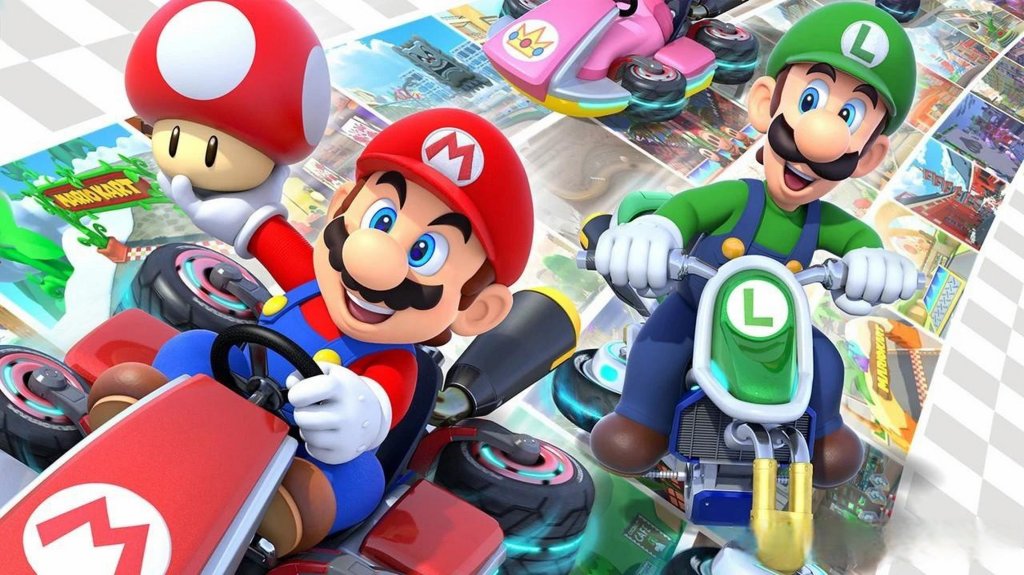
Welcome to Mario Kart 8 Deluxe! This guide is designed to make your first hour in the game smooth, fun, and frustration-free. Mario Kart 8 Deluxe is a racing game that rewards practice and smart item usage rather than raw speed. Unlike many modern games, there is no character creation – you choose from a roster of iconic Mario characters, each with slightly different weight and stats. Your focus in the first hour should be on learning the core mechanics, understanding the user interface, and unlocking your first few vehicle parts.
First Hour Walkthrough
1. Boot Up & Title Screen – After the Nintendo Switch logo, you’ll see the Mario Kart 8 Deluxe title. Press any button to proceed. You’ll be greeted by a short cinematic intro (can be skipped with the + button).
2. Main Menu – The main menu has several options: Grand Prix, VS Race, Battle Mode, Online Play, Time Trials, Mii (custom Mii costumes), Settings, and Mario Kart TV (replays). For your first session, focus on Grand Prix.
3. Select a Mode – Grand Prix – Choose 50cc (the easiest engine class). You’ll be prompted to pick a cup. Start with the Mushroom Cup – it has four beginner-friendly tracks: Mario Kart Stadium, Water Park, Sweet Sweet Canyon, and Thwomp Ruins.
4. Choose Your Character – A grid of characters appears. Select one by highlighting and pressing A. For beginners, light characters like Baby Mario or Toad offer better handling and acceleration but lower top speed. Medium characters like Mario or Peach are balanced. Heavy characters like Bowser or Wario are fast but harder to control initially – start with a medium or light character.
5. Choose Your Vehicle Parts – After selecting a character, you pick a Kart Body, Wheels, and Glider. For the first few races, use the default Standard Kart with the Standard Wheels and Standard Glider (these are highlighted by default). Do not worry about customizing yet – stock parts are fine for 50cc.
6. Race! – You’ll enter a loading screen with driving tips. Pay attention to them. The race begins with a countdown (3…2…1…). Press and hold the accelerator (A button) when the countdown reaches "1" to get a Rocket Start – a massive speed boost. Practice timing this.
7. Post-Race Screen – After finishing, you’ll see your position, points earned (1st place gets 15 points, 2nd gets 12, etc.), and coins collected. If you finish in the top 3, you earn a trophy. After four races, the cup ends and you get a reward: coins and possibly a new vehicle part.
8. After the First Cup – You will unlock at least one new random vehicle part (kart, wheels, or glider). Keep playing Grand Prix on 50cc to unlock more parts and characters. You can also try Time Trials to practice a track without opponents.
Character & Customization (No Character Creation)
Mario Kart 8 Deluxe does not have character creation. You pick from a fixed roster of 42 characters (including DLC). The only cosmetic customization is Mii outfits – you can create a Mii on the Nintendo Switch Home menu and then dress it up with costumes unlocked by completing cups. However, for gameplay, you cannot change faces or body types. The character selection affects stats (Speed, Acceleration, Weight, Handling, Traction) but not your visual appearance beyond the character model.
- How to change characters – At any menu (Grand Prix, VS Race, etc.), press the left or right bumper (L/R) on the character select screen to cycle through pages. You can also sort by weight class.
- Vehicle Parts – While you cannot create a character, you can heavily customize your kart’s performance. Parts are unlocked by collecting coins. Each part has stat bonuses and penalties. Ignore this for the first hour – just use the defaults.
Controls (All Platforms – Only Nintendo Switch)
Mario Kart 8 Deluxe is exclusive to Nintendo Switch. Control schemes vary by controller type. The most accessible is Handheld Mode (using the console’s built-in controls) or Pro Controller. Motion controls (gyro) are optional and turned off by default – we strongly recommend turning them off to avoid accidental turns.
Default Controls (Pro Controller / Handheld)
| Action | Pro Controller / Handheld Buttons |
|---|---|
| Accelerate | A (Right face button) |
| Brake/Reverse | B (Bottom face button) |
| Steer | Left Stick (or D-Pad) |
| Drift | ZL or ZR (hold while turning) |
| Use Item | L (left bumper) or R (right) |
| Hop / Quick Turn | X (press while steering) |
| Look Behind | Up on D-Pad (hold) |
| Pause | + Button |
| Rocket Start | Hold A when countdown reaches “2” and release at “1” (or hold from beginning) |
Motion Controls (Optional – Not Recommended)
- Activate in Settings → Motion Controls. While driving, tilt the whole controller left/right to steer. Accelerate with A, brake with B. The controller must be held horizontally (like a steering wheel). Most beginners find this imprecise.
- Drifting – Hold ZL or ZR while turning. The kart will slide. Release the button when you see sparks to get a Mini-Turbo boost. A small white spark gives a short boost; a yellow-orange spark gives a longer boost; a blue/purple spark (after holding drift even longer) gives the longest boost. Practice this in Time Trials.
- Using Items – Press L or R to toss a shell forward or drop a banana peel behind. To aim backward, hold the item button and then press L/R again (or use the right stick). For green shells, you can aim by pressing the item button twice.
- Braking – In 50cc, you rarely need to brake. On sharp turns, tap B briefly to reduce speed without losing drift boost.
- Top-left – Your current position (1st to 12th) and points for the Grand Prix.
- Top-right – Lap count (1/3, 2/3, etc.) and a timer.
- Bottom-center – Your item slot (single-use items). You can hold one item at a time unless you pick up a double-item box (gives two).
- Bottom-left/right – Speedometer and minimap (shows positions of nearby racers). The minimap is small but useful to anticipate items.
- Coins – Small coin counter near the item slot. Coins increase your top speed (up to 10 coins). When you are hit, you lose coins.
- Grand Prix Screen – Shows the cup name, track list (3 circles per race), and your current cup points. Press X to see the standings.
- Character Select – Grid with character faces. Right side shows stats (Speed, Acceleration, etc.) for the current combination of character + parts.
- Options Screen – Before a race, you can change COM Difficulty (CPU opponents’ skill) and Item Sliders (frequency of items). For beginners, keep COM on Easy and Items on Normal.
- Play 50cc Grand Prix – It’s forgiving; CPU opponents are slow, and you can learn tracks.
- Enable Smart Steering – In the menu before a race, press + to open settings. Turn Smart Steering ON. This prevents falling off edges and helps you steer automatically. It’s great for absolute beginners. You can turn it off later.
- Use Auto-Accelerate – Also in settings, enable Auto-Accelerate. The kart moves forward without holding A. This reduces finger fatigue.
- Watch the starting countdown – Practice the Rocket Start every time. Even if you miss, it’s okay.
- Drive through item boxes – Always try to get an item. Even if you’re in first place, grab something for protection.
- Jumping into 150cc or Mirror Mode – Higher engine classes have faster speeds and tighter turns. Wait until you can complete 50cc with 1st place on almost every track.
- Holding onto items for too long – Many beginners keep a banana peel or green shell and never use it. Use items actively: drop bananas on narrow bridges, throw shells toward opponents ahead.
- Braking on every turn – In 50cc, you can take most turns without braking if you drift. Over-braking kills your speed and ruins boost opportunities.
- Ignoring the minimap – The minimap shows a red arrow when you’re being targeted by a red shell. Watch it to decide when to use a defensive item (like a banana or green shell) behind you.
- Grinding for coins inefficiently – You don’t need to 100% complete every cup immediately. Just play naturally; coins accumulate quickly.
- Spend coins by racing – Coins are earned passively. There is no shop; new parts are randomly awarded after completing cups, or when you reach coin thresholds (e.g., every 50 coins you get a part). So just keep racing.
- Don’t waste time on Battle Mode initially – Battle Mode (Balloon Battle, etc.) is fun but does not unlock karts or characters. Save it for later.
- Prioritize completing cups – Each cup completion (all four races) gives a guaranteed part. Finish the eight original cups on 50cc before trying higher difficulties.
- Unlock at least the first two DLC cups if you own the Booster Course Pass – They are easier than the base game tracks? Not necessarily, but they offer variety. Stick to base cups first.
- [ ] Complete the Mushroom Cup on 50cc with any character (aim for 1st place overall).
- [ ] Collect at least 10 coins in at least one race to understand coin mechanics.
- [ ] Unlock and equip your first new vehicle part from the post-cup reward.
- [ ] Practice Time Trials for 10 minutes on Mario Kart Stadium: focus on drift boositing and Rocket Starts.
- [ ] Turn on Smart Steering and Auto-Accelerate in the settings (accessible before a race).
- [ ] Try one online race (optional) to see different playstyles – don’t worry about placement.
- [ ] Review the controls table above and practice the drift button (ZL/ZR) until it feels natural.
- [ ] Save and exit after your first cup – the game autosaves after each race.
Key Beginner Control Techniques
User Interface (UI) Overview
Race HUD
During a race, the screen displays:
Pre-Race / Menus
Essential Early Objectives
1. Complete the Mushroom Cup on 50cc – This unlocks the first set of new vehicle parts and introduces you to basic track layouts.
2. Collect Coins – Coins are your primary currency. They unlock random vehicle parts from a gacha-like system after each cup completion or when you accumulate a certain number. Aim to collect at least 10 coins each race (max per race is 10). Focus on grabbing coins off the main path if safe.
3. Unlock at Least 3 New Characters – Progress through Grand Prix to unlock characters like Ludwig, Roy, Morton, and others. You can check the unlock condition screen in the game (Mario Kart TV or Garage).
4. Practice Drift Boosting – Spend 10 minutes in Time Trials on Mario Kart Stadium. Try to get a Mini-Turbo boost on every turn. This is the most important skill for all skill levels.
5. Try One Online Race (Optional) – Once you feel comfortable, go to Online Play → Worldwide and race against real players. Expect to lose – it’s normal. Focus on survival, not first place.
What to Do First vs. What to Avoid
✅ Do First
❌ What to Avoid
Early Resource Priorities
Your early resources are Coins and Time. Use them wisely:
Common Beginner Mistakes
1. Always looking at the outer edge of turns – New players tend to look right at the walls. Instead, focus on the center of the turn or the inside apex to better judge your drift angle.
2. Not using the Rocket Start – A missed Rocket Start can cost you 2-3 positions in the first few seconds. Practice timing every race.
3. Falling off the track frequently – If you have Smart Steering off, you may drive off edges. Keep it on until you learn track boundaries. Also, avoid jumping off ramps without steering – you might fly off course.
4. Using a heavy character on 50cc – Heavy karts have slower acceleration and worse handling. On 50cc, acceleration is more forgiving, but heavy characters are harder to control. Stick to light or medium.
5. Not using the item button to defend – If you have a shell or banana, hold it behind you by pressing and holding the item button. Release to drop it. This blocks incoming red shells.
6. Hoarding Super Horns – The Super Horn is a special item that can destroy blue shells. Wait until you hear the blue shell siren (a descending whistle) and then press the item button just before it strikes. Many beginners panic and use it too early.
Day-One Checklist
After completing this checklist, you’ll have a solid foundation. Next session, tackle the Flower Cup on 50cc and start experimenting with different karts and characters. Happy racing!