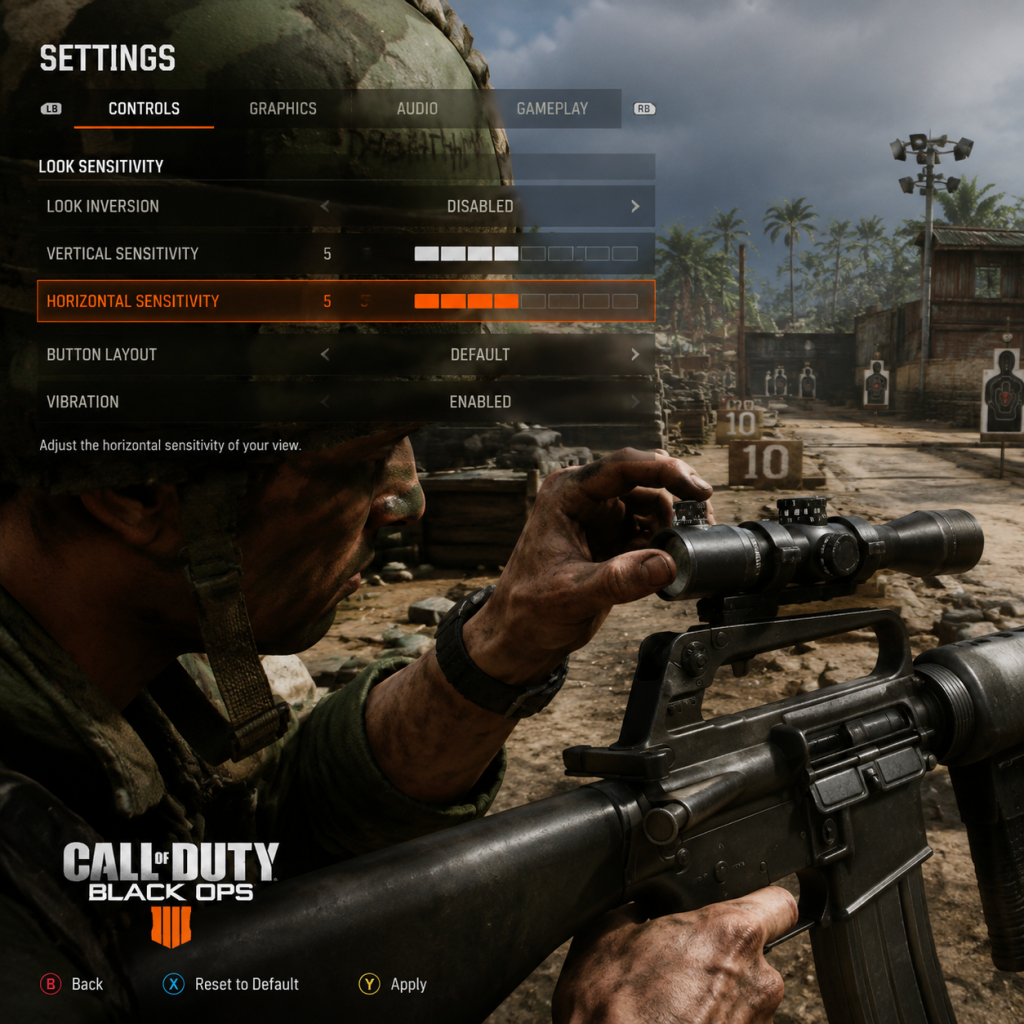
Game Settings
Game Settings Guide for Call of Duty: Black Ops
Properly configuring your settings in Call of Duty: Black Ops can dramatically improve your performance, visual clarity, and overall enjoyment. Below is a comprehensive breakdown of every settings category, with recommended configurations for different hardware tiers and platform-specific nuances. Pay special attention to settings that are easy to misconfigure—they are highlighted with ⚠️ markers.
---
Graphics Settings
PC Graphics Options (Steam / Retail)
Black Ops PC uses a modified id Tech 3 engine (IW 3.0). The settings menu is basic but critical for stability.
| Setting | Low-End (e.g., Intel HD Graphics) | Mid-Range (e.g., GTX 560) | High-End (e.g., GTX 970+) | Notes |
|---|---|---|---|---|
| Texture Quality | Low or Medium | Medium | High (Extra) | Higher textures consume VRAM; Extra causes stutter on 1-2GB GPUs. ⚠️ |
| Anti-Aliasing | Off | 2x | 4x (or 8x if stable) | MSAA is expensive; try FXAA via config if available. |
| Shadow Quality | Off | Low | Medium | Shadows are CPU-bound; high shadows cause frame drops. |
| Volumetric Smoke | Off | Off | Low | Only affects certain maps (e.g., Launch, Jungle). |
| Anisotropic Filtering | 1x or 4x | 8x | 16x | Little performance cost; set to 8x minimum. |
| Depth of Field | Off | Off | On | Disable for competitive clarity. |
| VSync | Off | Off | Off (use in-game cap or driver limiter) | VSync adds input lag; always disable unless screen tearing is unbearable. ⚠️ |
| Max FPS | 60 (cap via config) | 60-90 | 144 (monitor dependent) | Use `com_maxfps` in config file (see special attention below). |
| Resolution | 1280×720 | 1920×1080 | 1920×1080 or higher | Lower resolution for performance. |
- FOV: The in-game slider only goes up to 80 (vertical 65). To go higher, edit `players\config.cfg` and change `cg_fov 80` to `cg_fov 90` or `100`. This is essential for peripheral vision. ⚠️
- Mouse Acceleration: Not present in menu. To disable, add `seta m_pitch "0.022"` and `seta m_yaw "0.022"` (default) to config, or use a raw input mod. Otherwise, mouse movement will feel inconsistent.
- Extra Texture Quality: Selecting “Extra” on systems with less than 2GB VRAM will cause frequent stuttering; stick to “High.”
- Consoles run at 720p with dynamic resolution scaling. No adjustable graphics settings.
- On Xbox One/Series, enable “FPS Boost” (if available via backwards compatibility) to improve frame rate to 60-120 FPS.
- On PS4/PS5, no specific boost; runs at original 30-60 FPS depending on game mode.
- Tip: Ensure console display settings match your TV (Game Mode, 1080p/720p) to reduce input lag.
Console Graphics (PS3, Xbox 360, backwards compatibility on PS4/PS5, Xbox One/Series)
---
Audio Settings
PC & Console
| Setting | Recommendation | Notes |
|---|---|---|
| Master Volume | 80-100% | Keep high to hear footsteps. |
| Music Volume | 50% or lower | Music can mask enemy sounds; many players set to 0% in multiplayer. |
| SFX Volume | 100% | Crucial for footsteps, gunshots, and equipment cues. |
| Voice Chat Volume | 80% | Adjust for clarity with teammates. |
| Voice Chat Output | Headset or Speakers | Choose headset for directional communication. |
| Sound Quality | High (if available) | No significant performance impact. |
| Subtitle Language | English or Off | Use if dialogue is hard to hear. |
- Headphone Mode: Not present in menu. For best footstep detection on PC, consider installing a custom sound mod like “Black Ops Enhanced Audio” or use stereo uncompressed on consoles.
- Audio Mix: The game defaults to “Home Cinema” on consoles (simulated surround). Switch to “TV” or “Headphones” in console audio settings (not in-game) for better directional audio.
---
Controls Settings
Controller Layout (Console & PC with Gamepad)
| Layout | Use Case | Notes |
|---|---|---|
| Default | Standard FPS | Aim/Look with right stick. |
| Tactical | Competitive players | Melee moved to Right Stick (B); better for drop-shotting. |
| Bumper Jumper | Jump without moving thumb | Jump mapped to L1/LB; allows aiming while jumping. |
| Left Handed | Southpaw players | Swaps sticks. |
- Horizontal/Vertical: Start at 4-5 (out of 10). Increase gradually. Pro players use 6-8.
- Aim Assist: ON (for consoles). Affects sticky aim. ⚠️ Do not turn off; it’s built into multiplayer and helps significantly.
- Invert Look: OFF (unless you prefer inverted Y). ⚠️ Many players accidentally enable it; double-check.
- Controller Vibration: OFF for competitive play (reduces precision due to rumble).
Keyboard & Mouse (PC)
| Key Bind | Default | Recommended Change |
|---|---|---|
| Sprint/Crouch | Left Shift / Ctrl | Keep default, but many rebind crouch to C for easier slide-cancelling. |
| Use/Reload | F / R | F is fine; some rebind Use to E. |
| Crouch | Ctrl | Change to C or Hold to crouch for better maneuverability. |
| Melee | V | Avoid V—use a mouse thumb button or shift+ctrl macro. |
| Scoreboard | Tab | Keep default. |
| Push to Talk | N | Bind to a mouse button or side key. |
- In-game Sensitivity: 6.0-10.0 (multiply by your DPI). Pros use 400-800 DPI and 6-8 sensitivity.
- Mouse Smoothing/Acceleration: Disable via config or external software (e.g., MarkC mouse fix). ⚠️ The game has built-in acceleration that must be turned off manually in `config.cfg` (set `m_pitch` and `m_yaw` as mentioned earlier).
---
Accessibility Settings
Black Ops offers limited accessibility options out of the box. Use these workarounds:
| Setting | In-Game Option | Workaround |
|---|---|---|
| Subtitles | Yes: Toggle on/off | Enable for campaign dialogue. Subtitle language can be changed. |
| Colorblind Modes | Not present | Use Windows/console system color filters (e.g., High Contrast). Some PC mods exist. |
| Text Size | Fixed (small) | No in-game option; consider playing on a smaller screen for readability. |
| Audio Cues | Player footstep volume | Increase SFX to 100%. |
| Controller Vibration | On/Off | Turn off if sensory issues. |
Language Settings
- In-Game Language: Automatically matches system language on PC/console. For different language audio, you may need to change the game’s language files (PC only: edit `steam_emu.ini` or use language packs).
- Subtitle Language: Choose from available language packs (English, French, German, etc.). Multiplayer uses English subtitles regardless.
---
Network Settings (Multiplayer Focus)
| Setting | PC | Console | Notes |
|---|---|---|---|
| Connection Type | Wired Ethernet | Wired > WiFi | Reduces lag spikes. ⚠️ WiFi often adds 5-10ms extra latency. |
| Bandwidth Limit | Not available | N/A | Set your connection to high-speed (Cable/DSL > 10 Mbps). |
| Voice Chat | Push-to-Talk preferred | Open mic (manage with mute) | Avoid background noise; use noise gate on PC. |
| NAT Type | Open (check via router) | Open (UPnP) | Strict or Moderate NAT will prevent party connections. Forward ports (UDP 3074 typically). |
| Region | Set to nearest region in menu | Automatic | Manually select if you are getting high ping (e.g., forced to US from EU). |
| Campaign & Zombies | Offline very stable | Offline preferred | Network not required. |
- Voice Chat Not Working: Ensure in-game voice is enabled AND your console/PC privacy settings allow communication. On Xbox, check “Communications & Multiplayer” are set to “Everybody.”
- Lobby Connection Errors: Restart game, clear cache: on PC, delete `players\*.cfg` and verify game cache; on console, power cycle and clear alternate MAC address (Xbox).
---
Gameplay Settings
| Option | Recommended | Explanation |
|---|---|---|
| Minimap | Always On | Shows enemy fire and UAV pings. ⚠️ Do not disable. |
| Crosshair | Classic (default) | Size: small or medium. Avoid large crosshairs that obscure targets. |
| Health Display | On (third-person icon) | Shows low health warning. |
| Killcam | On (tutorial help, but can be skipped) | Allows you to see how you died. In Competitive, some turn off to avoid frustration. |
| Scoreboard Layout | Default | Shows K/D, objectives. No custom layouts. |
| Gun Model | Default | Some prefer classic iron sights only. No adjustable. |
| Auto Sprint | Off | On console, can be toggled in some versions. Manual sprint is more predictable. |
| Slide Mechanics | Not present (Black Ops 1 lacks slide) | N/A |
Special Attention Points During Setup
1. PC Config File Editing: After changing any in-game graphic setting, Black Ops saves to `players\config.cfg`. Always back up this file before making manual changes. Editing with Notepad is fine; ensure no double lines. ⚠️ Changing `cg_fov` beyond 80 may cause slight visual glitches (weapon model clipping).
2. Console Recertification: If you migrate from PS3 to PS4 (via PS Now, not native), settings will reset. On Xbox backward compatibility, some settings are preserved but sensitivity may feel different due to emulation latency.
3. Performance Over Quality: For low-end PCs (Intel GMA, low-end laptops), force 640×480 resolution and turn off all shadows, smoke, and anti-aliasing. Use `r_picmip 4` in config for lower textures. Expect 20-30 FPS.
4. Zombies Mode: No additional settings needed, but lower graphics help with horde visibility. Disable Depth of Field and Motion Blur for clearer view.
5. Network Troubleshooting: If you experience lag, check the server region (Menu → Multiplayer → Find Game → Region). Change from “Default” to your continent. Also, port forward: TCP/UDP 3074, 6000–6005 (PC) or 88, 3074 (console).
---
Final Recommendations Table (Quick Reference)
| Category | PC (Mid-Range) | Console |
|---|---|---|
| Resolution | 1920×1080 | Native |
| Texture Quality | High | N/A |
| Anti-Aliasing | 2x (FXAA via config) | N/A |
| V-Sync | OFF | OFF (if available in console settings) |
| Sensitivity (Controller) | N/A | 5 Horizontal / 5 Vertical, Tactical layout |
| Mouse Sensitivity | 6 @ 800 DPI, no accel | N/A |
| Audio | Headphones, SFX 100%, Music 0% | TV or Headphone mode |
| Network | Wired, Open NAT, Region: nearest | Wired, Open NAT, Region: nearest |
| Accessibility | Subtitles ON, Colorblind system filters | Subtitles ON, use console color filters |