Getting Started
Getting Started
First Hour Walkthrough (Your First Match)
Your first experience in Fortnite can be overwhelming. Follow this step-by-step guide to get through your first hour smoothly:
1. Launch the Game & Login: After installation, launch Fortnite. You'll be prompted to log in with your Epic Games account. If you don't have one, create it for free (takes 2 minutes).
2. Select a Game Mode: From the lobby, you'll see several modes. For your first match, choose Battle Royale (the default). Avoid "Creative" or "Save the World" until you're comfortable.
3. Wait in the Lobby: You'll be placed in a pre-game lobby island. This is a safe zone where you can test weapons, run around, and see other players—but no damage occurs here. Spend 30 seconds picking up a weapon from the ground to feel the controls.
4. The Battle Bus: When the match starts, you'll fly in on the Battle Bus. The bus flies across the map (a large island). Wait until the bus is near the center of the map — do not jump immediately! Jumping early lands you in high-population areas where experienced players will eliminate you quickly. For your first game, choose a named location (e.g., "Pleasant Park" or "Retail Row") on the edge of the map.
5. Landing: Press your respective interact button (E on PC, A on Xbox, X on PlayStation, etc.) to drop. Aim for a house or building so you can gather loot quickly. Hold the sprint button (L3 on controller, Shift on PC) while falling to glide faster.
6. Loot & Gear Up: As soon as you land, run into the nearest building and open chests (glowing gold/blue) and pick up weapons, shields, and materials. Prioritize a weapon (any rarity), a shield potion, and some wood/brick/metal.
7. Avoid Early Combat: For your first match, avoid other players. Stay quiet, hide behind walls, and listen for footsteps. Your goal is survival, not kills yet. Move toward the safe zone (white circle on minimap) when the storm starts closing.
8. The Storm: The storm deals damage over time. Always check your minimap for the next safe zone. If you're caught outside, take damage until you reach the circle.
9. Gather Materials: Use your pickaxe (default key: G on PC, Y/Triangle on controller) to smash trees, rocks, and furniture. Collect at least 200 of each material type.
10. Build Basic Structures: You can build walls, ramps, floors, and roofs. Practice placing a couple of walls and a ramp to climb onto a roof. Building is essential for defense.
11. Survive Until Top 10: Don't engage unless necessary. Stay in the safe zone, listen for enemies, and move carefully. Your goal: get a feel for the game, not win.
12. Expect to Die: You'll likely get eliminated early. That's normal! Use the death screen to learn what happened. Click "Spectate" to see how skilled players move and build.
13. After Match: Back in the lobby, your XP/season progress will update. Try again—each match teaches you more.
Character Creation and Customization
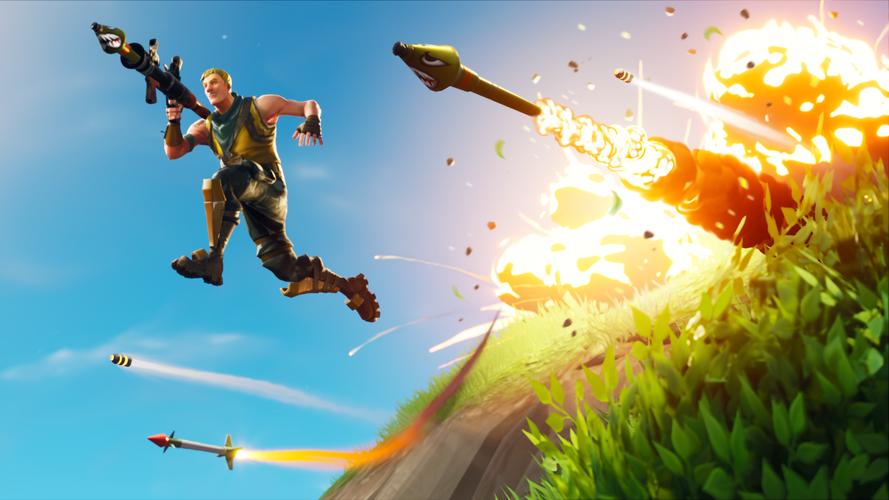
Fortnite does not have a traditional character creation system (no sliders for face/body). Instead, you choose a Skin (outfit) from your locker. By default, every player gets a simple default skin (e.g., "Jonesy"). You can unlock/buy other skins via:
- Battle Pass: Earnable outfits by playing and leveling up (costs V-Bucks). A season lasts ~10 weeks.
- Item Shop: Buy skins with V-Bucks (real money or earned). Skins cycle daily.
- Free Rewards: Occasionally, Epic gives free skins through events or promotions.
To change your skin: Go to the Locker tab in the main menu, select the Outfit slot, and choose any owned skin. Also customize Back Bling, Pickaxe, Glider, Emote, and Wrap. For beginners, stick with the default—there's no gameplay advantage to any skin.
Controls on All Platforms
Here are the default controls for each platform. You can remap them in Settings > Controls.
| Action | PC (Keyboard & Mouse) | Xbox (Controller) | PlayStation (Controller) | Nintendo Switch (Controller) |
|---|---|---|---|---|
| Move | WASD | Left Stick | Left Stick | Left Stick |
| Look | Mouse | Right Stick | Right Stick | Right Stick |
| Jump | Spacebar | A | X | B |
| Sprint | Left Shift | Left Stick (click) | Left Stick (click) | Left Stick (click) |
| Crouch | Left Ctrl | B (hold) | Circle (hold) | Thumbstick push? Default: B |
| Fire | Left Mouse | Right Trigger | R2 | R |
| Aim Down Sights | Right Mouse | Left Trigger | L2 | ZL |
| Reload | R | X | Square | Y |
| Switch Weapon | 1-6 or Scroll Wheel | LB/RB | L1/R1 | L/R |
| Use (pick up/revive) | E | A (hold) | X (hold) | A (hold) |
| Pickaxe | G (or 1) | Y | Triangle | X |
| Build Mode | Q | B (hold) | Circle (hold) | B (hold?) Actually: Y |
| Edit Building | F (hold) | B (while building) | Circle (while building) | Y (while building) |
| Map | M | View Button (two squares) | Touch Pad | - (Minus) |
| Inventory (Backpack) | Tab | Menu Button | Options | + (Plus) |
| Emote | B (or hold emote wheel) | Emote wheel: D-Pad Down | D-Pad Down | D-Pad Down |
- PC: Mouse sensitivity can be adjusted in settings. Start at 8-12 eDPI (effective DPI) for beginners.
- Controller (All): Enable "Builder Pro" in Settings > Controller > Builder Pro to make building faster. This is essential for advanced play.
- Switch: Use Pro Controller for better ergonomics. The Joy-Cons work but can be less comfortable.
- Lobby: Your character standing on a island. Shows friends, squad fill, and game mode selection.
- Battle Pass: Tab to see rewards, challenges, and level progress.
- Item Shop: Daily rotating cosmetics.
- Career: Stats, replays, leaderboards.
- Settings: Audio, graphics, controls, accessibility.
- Learn Movement & Looting: Get comfortable with sprinting, jumping, sliding, and opening chests quickly.
- Master Building Basics: Practice building a simple 1x1 box (four walls, a floor, a ramp inside) for cover. This is the #1 survival skill.
- Understand the Map: Open your map (M) and learn the names of major POIs. Know where the island is located (center, edges, rivers).
- Manage Inventory: Always carry: one assault rifle (medium ammo), one shotgun, one shield item (potion or fish), one healing item (bandages or medkit), and one utility (grenades, launch pad, etc.)
- Stay in the Storm Circle: Always move toward the next safe zone before the storm closes. You can see the timer on your minimap.
- Use Headphones: Audio cues (footsteps, gunshots, chests) are critical. Turn on Visualize Sound Effects in Accessibility if you cannot use audio.
UI Overview
The Fortnite HUD during a match:
1. Health & Shield Bars: Top left. Blue shield (if any) above green health. Consumables (bandages, shield potions) heal these.
2. Ammo Count: Top right of crosshair. Shows current ammo / total ammo in inventory.
3. Weapon Slots: Bottom right (or center-bottom). Shows 6 slots: pickaxe (always first), then 5 weapons/items. You can drag to rearrange in inventory.
4. Materials Counter: Bottom center. Shows wood/stone/metal amounts.
5. Minimap: Top right corner. Shows safe zone circle, your position (triangle), teammates (if in duos/squads), and enemy indicators (red dots when they fire).
6. Kill Feed: Top center. Shows eliminations by other players.
7. Team UI: Left side (if in team mode). Shows teammates' health/shields and names.
8. Compass: Top center. Shows direction/N/S/E/W.
9. Storm Timer: Above minimap. Time until storm closes.
10. Eliminated Count: Top left near health bar. Number of players alive.
Main Menu Screens (pre-match):
Essential Early Objectives
In your first 5-10 matches, focus on these goals:
What to Do First vs. What to Avoid
| DO | DON'T |
|---|---|
| Land on the outskirts (e.g., "Slurpy Swamp") | Land at crowded spots like "Tilted Towers" (chaos) |
| Collect 200+ wood immediately by chopping trees | Ignore material gathering (you'll be stuck in fights) |
| Build a simple wall/ramp for cover in open areas | Build complex structures (focus on basics) |
| Use natural cover (trees, rocks) to move | Run across open fields without building |
| Listen for footsteps and chests | Turn on music or loud external audio |
| Check your minimap every 20 seconds | Tunnel-vision on looting without watching circle |
| Carry one healing item (e.g., bandages) | Hoard only weapons (needs balance) |
| Practice in Creative Mode (island code: „practice”) | Jump straight into competitive modes (Arena) |
Early Resource Priorities
Materials (the first 3 minutes):
- Wood: Easiest to gather (from trees). Priority for building quick walls/ramps for cover.
- Stone: Slower to gather, but stronger. Use for defensive structures (vs. enemy fire).
- Metal: Hardest to gather, takes longest. Best for end-game when you need durability.
- [ ] Create Epic Games account (if not done).
- [ ] Launch Fortnite and log in.
- [ ] Complete tutorial quest (if prompted—usually introduces movement and building).
- [ ] Adjust settings:
- [ ] Play one match with the goal: Land at a named location on the map's edge, loot one building, and survive to top 50.
- [ ] Practice building in Creative for 10 minutes:
- [ ] Watch a 5-minute beginner guide video (optional but recommended).
- [ ] Play two more matches: focus on gathering materials, staying in the storm circle, and avoiding unnecessary fights.
- [ ] Earn your first eliminations (even if only from distance or using a shotgun).
- [ ] Unlock your first Battle Pass tier (if you have the pass).
- [ ] Set a simple goal for next session: e.g., reach top 10, build a 1x1 box quickly, or land at a new POI.
Loot Priority (first 30 seconds after landing):
1. A weapon of any kind (even a pistol).
2. Shield Potion (minis or big pot). Shield gives 50/100 extra HP.
3. A medium-range weapon (assault rifle).
4. Heals (bandages, medkits, or fish).
5. Consumables (chug jug, etc.) or utility.
Ammo Types (keep at least 50 rounds per weapon type): Light, Medium, Heavy, Shells, Rockets. Do not pick up ammo you cannot use.
Common Beginner Mistakes (and How to Fix)
1. Landing too early / in popular zones: Result: instant death. Fix: Wait until the bus is near the edge of the map (e.g., Coral Castle area).
2. Ignoring the storm: Taking constant damage while scrambling. Fix: Always check mini map; move toward the circle 15 seconds before it closes.
3. Not building when shot at: Standing still or running without cover. Fix: When you hear bullets near you, immediately press Q (build mode) and place a wall behind you, then a ramp to block upwards.
4. Over-looting: Spending minutes looting a single location while the circle closes. Fix: Grab 2-3 weapons, some shields, and move out.
5. Carrying too many weapons: Having 5 weapons and no heals. Fix: Keep one shotgun, one AR, and one utility/heal slot. Dedicate one slot to shields/heals, one to a utility item.
6. Forgetting to edit buildings: Getting stuck in your own build. Fix: Learn simple edits: press F (hold) while looking at your wall, select a square to delete, then escape.
7. Peeking too long: Standing still while aiming down sights (ADS) in combat. Fix: Use quick peeks: strafe out of cover, shoot 2-3 bullets, then strafe back.
8. Not using audio cues: Playing without headphones. Fix: Use headphones or enable Visualize Sound Effects in Accessibility settings.
9. Giving up after one bad match: Fortnite has a steep learning curve. Fix: Watch a few minutes of a beginner-friendly streamer or watch a replay of your match to see what went wrong.
10. Skipping creative practice: Jumping right into Battle Royale without building skill. Fix: Spend 15 minutes in Creative (game mode select > Creative) building ramps, walls, and doing simple edits.
Day-One Checklist
Complete this list during your first play session (aim for 1-2 hours):
- Set graphics to Auto or Low (for performance).
- Enable Build Mode: Builder Pro (controller) or set key binds.
- Turn on Visualize Sound Effects (Accessibility).
- Set Mouse Sensitivity to medium-low (e.g., 8% with 800 DPI).
- Place 10 walls.
- Place 10 ramps.
- Edit a wall to make a door (select the bottom two squares).
Fortnite is a game of practice and persistence. Your first few hours will be tough, but every player started where you are. Use this guide, stay patient, and soon you'll be building, editing, and outplaying opponents. Happy hunting!