Getting Started
Getting Started with Fruit Ninja
Welcome to Fruit Ninja! This guide will walk you through your first hour, explain the controls on every platform, decode the user interface, and give you a clear day-one plan. By the end, you’ll be slicing fruit like a pro.
First Hour Walkthrough
1. Launch the game. On PC (Steam/Microsoft Store) click Play; on console select the title from your library; on mobile tap the icon.
2. Skip or watch the tutorial. The game will teach you basic swipes. Pay attention to the bomb indicator (a red flash) – you must avoid slicing bombs.
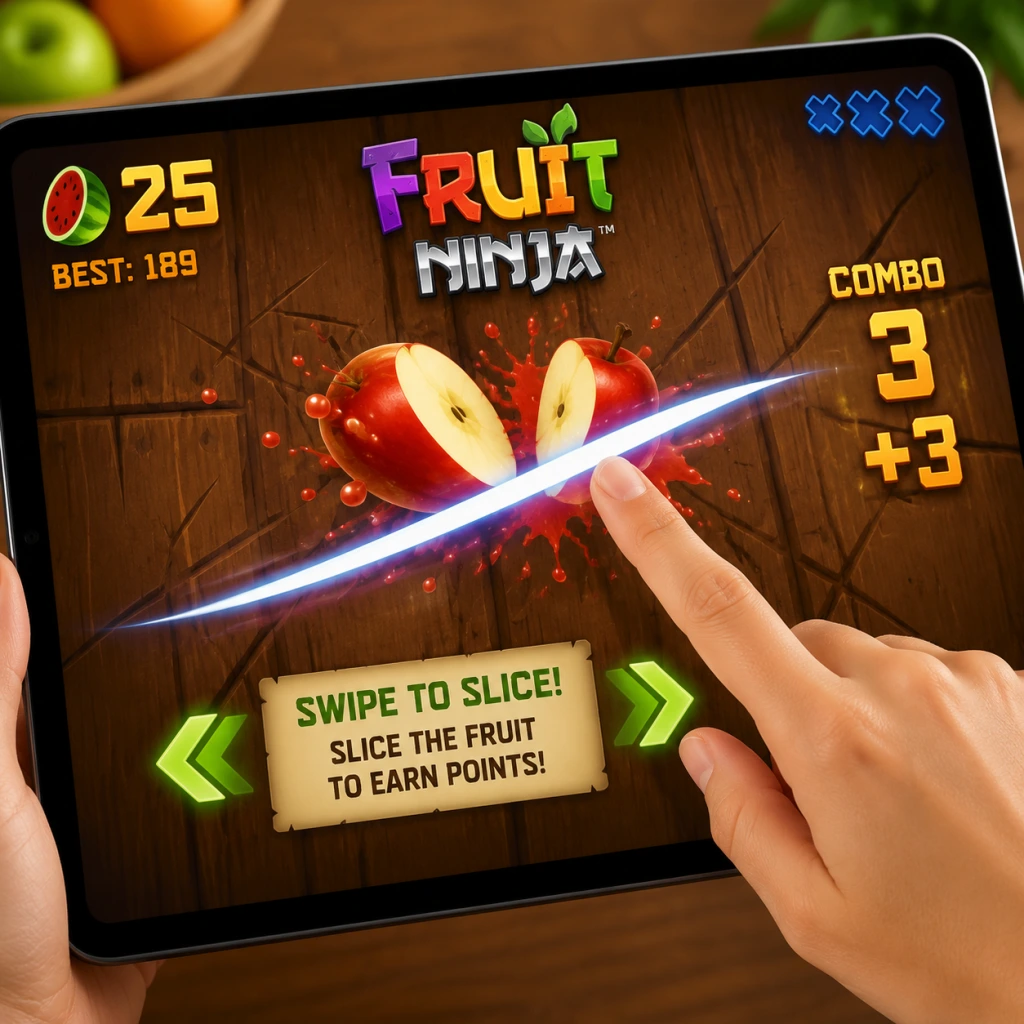
3. Play your first Classic round. Fruits will fly up from the bottom. Swipe to slice them. Try to hit three or more fruits in one swipe for a combo (extra points).
4. After the round, explore the main menu. You’ll see modes, store, achievements, and settings.
5. Unlock your first blade. Spend your starting coins on a cheap blade in the store (e.g., the “Ion” or “Basic” blade). Blades affect visuals and sometimes gameplay slightly.
6. Play at least one round in each mode: Zen (no bombs, no time limit – relax and aim for high combos), Arcade (bombs & special bananas – fast action), and Classic (standard mode with bombs & three lives).
7. Check the daily challenge. Complete one simple task (e.g., “Slice 50 fruit”) for bonus coins.
8. Spend your first 50–100 coins on a basic background – it changes the visual theme but doesn’t affect gameplay. Save remaining coins for blades or dojos.
Character Creation – None
Fruit Ninja does not have character creation. You play as a faceless ninja. Customization is limited to blades, backgrounds, and dojos (the slicing area). Focus on unlocking these instead.
Controls on All Platforms
| Platform | Controls |
|---|---|
| Mobile (iOS/Android) | Touch & swipe. Use one finger. Swipe fast to create a single continuous slash. Avoid tapping – you need a swipe motion. |
| PC (Mouse) | Click and drag. Hold left mouse button, then swipe across fruit. Release after each swipe. Works best in the center of the screen. |
| PC (Keyboard) | Not ideal. Some versions support mouse only. Use a mouse for best results. |
| PlayStation / Xbox / Nintendo Switch | Use the right thumbstick or motion controls (Switch). Swipe the stick quickly. For motion on Switch: swing the Joy-Con like a sword – a gentle flick works better than a wild swing. |
| Arcade cabinet / VR | Physical blade or motion controller. Follow on-screen instructions. |
UI Overview
- Main Menu: Modes (Classic, Zen, Arcade), Store, Achievements, Daily Challenge, Settings.
- In-Game HUD:
- Post-game screen: Final score, coins earned, combo count, and options to retry or return to menu.
- Complete the tutorial if you haven’t (it awards a small coin bonus).
- Unlock your first blade – any blade, even the cheapest, because it shows you the store mechanics.
- Reach a score of 1000 in Classic mode – this is achievable within 2–3 rounds. It unlocks the first achievement and gives a sense of progression.
- Slice 10 bombs in total – this is required for a one-time reward in some versions. Practice identifying bombs: they look like dark, spiky fruit with a red fuse.
- Play Zen mode for 60 seconds – no bombs, no rush, perfect for practicing combos (swipe through 3+ fruits at once).
- Spend your first 50 coins on a blade (e.g., “Ion”).
- Complete the daily challenge every day for steady coin income.
- Focus on combos rather than just slicing every fruit. Combos multiply your score.
- In Classic mode, prioritize slicing the fruit that is about to hit the bomb – if you miss a fruit, you lose a life; missing a bomb ends the game instantly.
- Use two fingers on mobile to create dual blades (if unlocked) – but start with one finger to master timing.
- Swiping wildly. Many beginners swipe randomly and hit bombs. Wait for fruits to appear, then slice deliberately.
- Ignoring bombs. Even one bomb hit ends the game. Train your eye to spot the red glow.
- Buying expensive backgrounds first. They don’t help you play better. Spend only on blades or dojos that give a gameplay edge (some blades have slight differences like wider slash radius).
- Playing on a laggy device. Low frame rates make bomb avoidance harder. Reduce graphic settings on PC or close background apps on mobile.
- Coins: The main currency. Spend them in this order:
- Tickets (if available in your version): Used for premium draws. Save them until you have enough for a guaranteed blade or dojo. Do not spend on single draws.
- Achievements: Some reward coins. Check the achievement list and complete easy ones (e.g., “Slice 100 fruits”).
- [ ] Play the tutorial (if available) – 2 minutes.
- [ ] Play 1 round of Classic, 1 round of Zen, 1 round of Arcade – each about 1 minute.
- [ ] Buy your first blade with starting coins.
- [ ] Complete the daily challenge (check the main menu).
- [ ] Earn at least one combo (3 fruits in one swipe) in Classic mode.
- [ ] Avoid slicing any bombs during your first 5 rounds – practice recognizing them.
- [ ] Reach a score of 1000 in Classic – you’ll get an achievement and feel the progression.
- [ ] Check settings – adjust sensitivity (PC/mobile) or vibration (mobile) to your liking.
- [ ] Save your remaining coins – don’t buy anything else until you have 150 coins for a better blade or dojo.
- Top left: Current score.
- Top center: Combo multiplier (starts at 1x, goes up with consecutive slices).
- Top right: Remaining lives (Classic: 3 fruit misses = game over; represented by fruit icons).
- Bottom center: Bomb warnings (red flash when bomb appears – you have ~0.5 seconds to avoid it).
- Special bananas: Appear in Arcade mode – Freeze banana (slows time – slice it), Double Points banana, Frenzy banana (creates a storm of fruit).
Essential Early Objectives
What to Do First and What to Avoid
DO:
AVOID:
Early Resource Priorities
1. Blade (any, ~50–100 coins)
2. Dojo (optional, changes background – cosmetic only)
3. Background (cosmetic)
4. Special blades (purely cosmetic – no effect)
Common Beginner Mistakes
1. Slicing bombs because you swiped too fast without looking. Solution: Always watch where the bomb is before slicing. Use the red flash as a warning.
2. Trying to slice every single fruit. You only get three lives per Classic round. It’s okay to let a fruit fall if it’s next to a bomb.
3. Not using combos. A two-fruit slice gives 2x points for that slice, but a three-fruit slice gives 3x. A five-fruit slice can skyrocket your score.
4. Overusing the same swipe direction. Mix horizontal, vertical, and diagonal swipes to cover more area.
5. Forcing dual-blade mode before you’re ready. On mobile, you need to swipe with two fingers simultaneously. Start with one blade until you consistently avoid bombs.
Day-One Checklist
After your first hour, focus on improving combo chains and learning bomb patterns. Fruit Ninja rewards precision, not speed. Happy slicing!