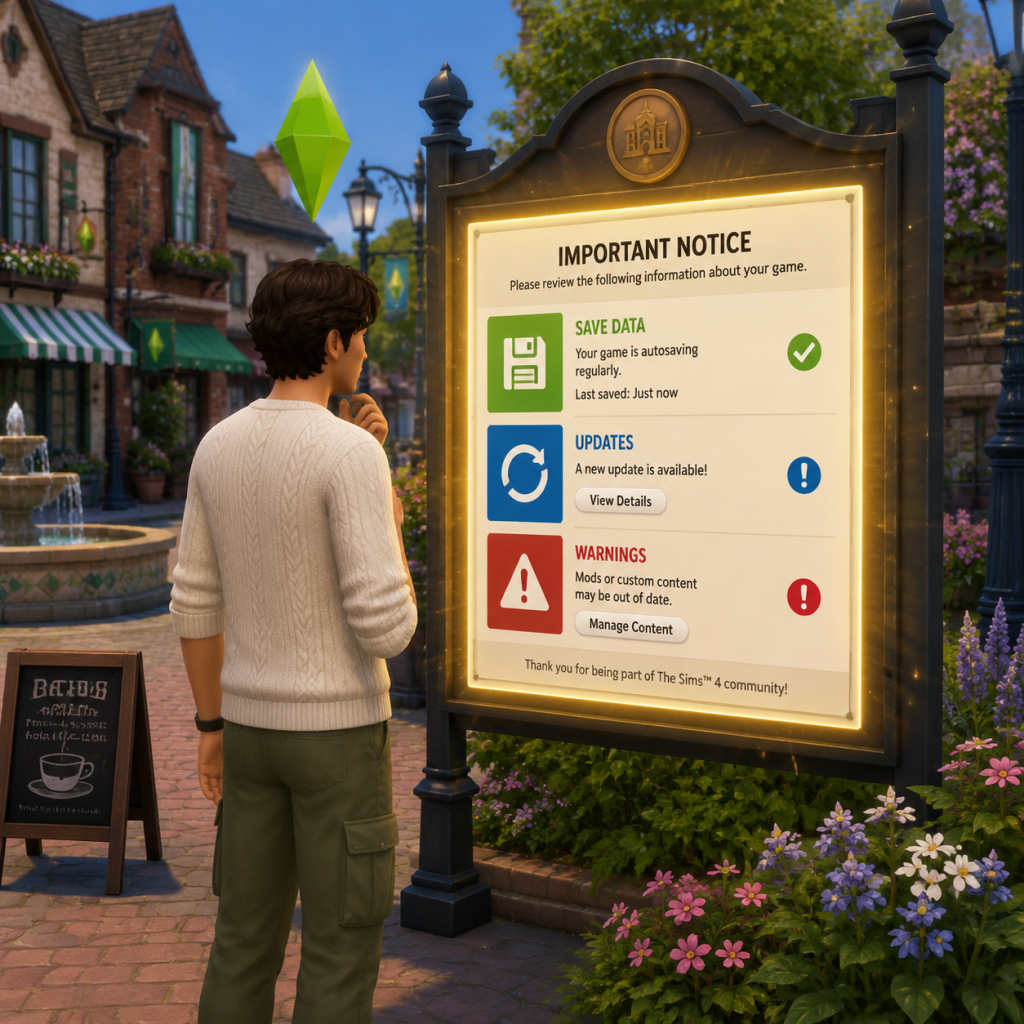
Important Notes
Important Notes for The Sims 4
This section highlights critical information every player should know to avoid common regrets, irreversible mistakes, and wasted time. The Sims 4 is a deep game with many hidden mechanics – use these notes to play smarter.
Warnings and Pitfalls
- Auto-Age & Story Progression: By default, played households age. Unplayed households also age and progress (marry, have kids, get jobs). If you leave for another household, your original Sims may die or change dramatically. Turn off aging for played or unplayed Sims in Game Options > Gameplay if you want control.
- Expansion Pack Conflicts: Mixing packs can cause bizarre interactions (e.g., vampires from Vampires pack appearing in StrangerVille). Unrelated packs can also create lag if too many items are loaded. Consider disabling packs you aren’t using via the main menu.
- Mods & Custom Content (CC): Mods break with every game update. Always back up your Mods folder before patching. Use the Mod Conflict Detector tool. Many mods are not compatible with the latest versions and can corrupt your save.
- Gallery Content: Items uploaded to the Gallery may have modded/CC content missing. Always check “Includes CC” tag. Downloading a mod-required build without the mod can cause your game to fail to load.
- Save File Corruption: Large saves (especially with many seasons, generations, or mods) can bloat and eventually corrupt. Never use the “Save” function only – frequently use “Save As” to create separate files.
- Sim Death (especially permanent deaths like drowning, starvation, or old age) – unless you have a Ghost from a completed aspiration or use the Ambrosia recipe, dead Sims are gone. Quit without saving immediately if you want to revert.
- Marriage & Divorce: Marrying a Sim merges households and their inventory. Divorce can be messy, and some relationships are permanently damaged. There is no undo – only reloading a previous save.
- Traits and Aspirations: Most personality traits cannot be changed after creation (except via the Re-Traiting Potion from the Realm of Magic pack or cheats). Carefully choose your initial traits – they affect daily moodlets and interactions.
- Career Track Lock: Once you choose a branch (e.g., Tech Guru splits into Esports and Startup), you cannot switch without restarting the career from level 1. Research each branch before committing.
- Limited-Time Events: EA occasionally runs in-game events (e.g., Sims 4 10th Anniversary, Seasons challenges) that reward exclusive items. These events are not repeatable. Enable notifications for the main menu.
- Pre-Order Bonuses & Deluxe Edition Items: Items like The Gothic Dresser, The Bust of Deliah, or The Seasons content from pre-orders are permanently locked to the account that pre-ordered. You cannot earn them later.
- Career Rewards: Many careers offer unique objects or clothing at level 10, but only if you complete the milestone under specific conditions (e.g., Astronaut rank 10 requires maxing both Logic and Fitness). Miss that condition and you lose the reward forever.
- Aspiration Rewards: Each aspiration grants a Satisfaction Point perk. If you complete an aspiration and then switch, you cannot re-earn that reward. Plan your aspirations to collect all desirable traits.
- High-Level Career Tasks: From level 8–10, careers demand maxed skills (e.g., Lvl 10 Culinary requires Gourmet Cooking level 10) and specific friends at work. Start building those skills early.
- Aspiration Harder Goals: Fabulously Wealthy aspiration requires 100,000 Simoleons in household funds – this can take hours without active investing. Use the money tree (from Gardening skill) or Investments in the Get Famous career.
- Dangerous Situations: Fire (from cooking, rockets, fireworks), electrocution (from poorly upgraded electronics), and meteor strikes (in StrangerVille) can kill Sims instantly. Save often before trying these.
- Skill Grinding Over Fun: It’s tempting to grind skills 24/7, but Sims have needs. A miserable Sim learns slower. Balance skill building with social events, hobbies, and needs.
- Gardening for Money: The classic money-making trap – gardening is powerful but requires constant watering, fertilizing, and harvesting. Automate with sprinklers and Greenhouse upgrades to reduce time.
- Over-Focus on One Sim: The game is about multiple Sims. Neglecting a Sim’s needs while grinding another’s career leads to meltdowns and death. Assign each Sim a daily routine.
- The Gallery: Share your builds, Sims, and rooms. Do not upload copyrighted content (e.g., exact replicas of pop culture characters, trademarked logos). EA may remove your upload.
- Mods & Cheats: While mods are allowed, using money cheats or skill cheats while earning Achievements (PlayStation/Xbox) will disable them for that save. On PC, cheats do not affect the Gallery.
- EA Account Security: Use a strong password and enable two-factor authentication (2FA). Your entire library (packs, saves) is tied to one account – losing it means losing everything.
- Reporting Players: If a player uploads inappropriate content to the Gallery, use the “Report” feature. Do not engage with trolls.
- Save Often: Use Ctrl+S (PC) or the Save button manually. Enable the auto-save interval in Game Options to every 15 minutes.
- Use “Save As” Daily: Create a new save file each real-life day. Name it by date/session, e.g., “Sims4_March14”. This prevents corruption from a single bad event.
- Backup Your Saves Folder: Located in Documents/Electronic Arts/The Sims 4/saves. Copy this folder weekly to an external drive or cloud storage.
- Avoid Merging Saves: If you combine two households from different saves, conflicts can occur. Use the “Move” tool ingame instead.
- Delete Old Saves: Too many save files (over 50) can slow down loading. Delete unwanted saves via the main menu after backing up.
Irreversible Choices
Missable Content
Difficulty Spikes
Grinding Traps
Online Etiquette & Anti-Cheat Notes
Save Management Advice
Things Players Commonly Regret Not Knowing Earlier
1. You can travel to other lots without a day pass – just click any lot in the world map.
2. Holding Shift + clicking a Sim (after enabling testingcheats true) lets you cheat needs, skills, and more.
3. The Satisfaction Point store can be accessed via the phone or the aspiration panel – buy traits like Forever Fresh (never stink) or Neatly Picked (automatically clean).
4. Build Mode cheats: Use `bb.moveobjects` to overlap objects and create custom designs.
5. Household funds can be shared – you can transfer money between Sims via the phone or computer.
6. Unplayed households can be cleaned up – in Manage Households, you can “Add to Household” to take over, or “Delete” to remove them from the world.
7. The “Residential” vs. “Generic” lot type – if you set a lot to Generic, it works like a residential but without bills. Great for testing.
8. You can lock doors (for specific Sims or to keep out vampires) by clicking on the door in build mode.
9. Packs like Seasons affect holidays – you can customize holidays; delete ones you dislike.
10. Motherlode cheat gives 50,000 Simoleons. Use sparingly.
By heeding these notes, you’ll avoid the most common pitfalls and have a smoother, more enjoyable experience in The Sims 4.