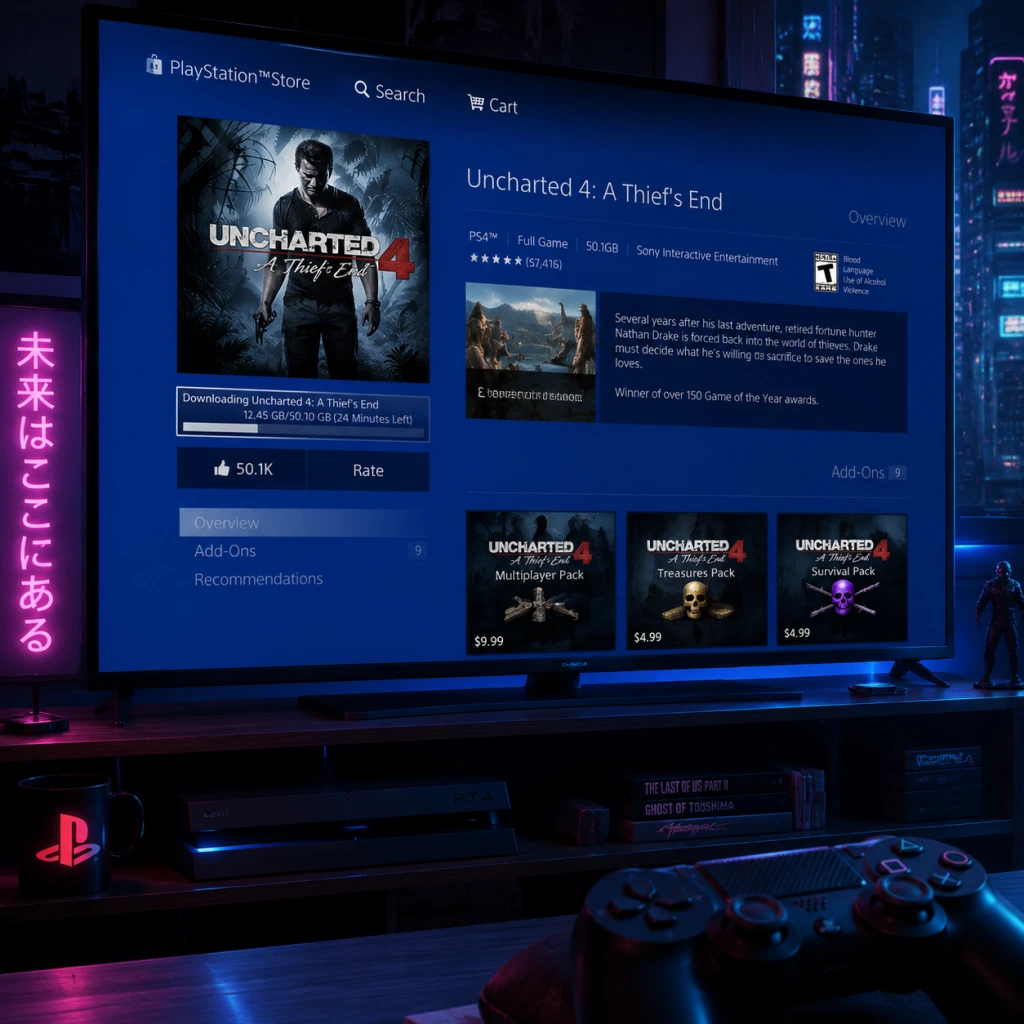
Download & Installation
Overview
Uncharted 4: A Thief's End is available on PlayStation 4, PlayStation 5 (via backward compatibility), and PC (legitimately via Steam and Epic Games Store). It is not available on Xbox, Nintendo Switch, or mobile platforms. This guide covers official download sources, step-by-step installation for each platform, system requirements for PC, account prerequisites, first launch setup, common installation errors, and post-install verification.
---
Official and Legitimate Download Sources
| Platform | Source | Notes |
|---|---|---|
| PlayStation 4/5 | PlayStation Store (digital) or disc | PS5 can play PS4 digital/disc version via backward compatibility. |
| PC (Steam) | [Steam Store](https://store.steampowered.com/app/1274150/Uncharted_Legacy_of_Thieves_Collection/) | Part of the Uncharted: Legacy of Thieves Collection (includes Uncharted 4 and The Lost Legacy). |
| PC (Epic Games Store) | [Epic Games Store](https://store.epicgames.com/en-US/p/uncharted-legacy-of-thieves-collection) | Same collection as Steam. |
---
System Requirements (PC)
Minimum Requirements (1080p, 30 FPS, Low Settings)
- OS: Windows 10 64-bit (version 1909 or higher)
- Processor: Intel Core i5-4430 / AMD Ryzen 3 1200
- Memory: 8 GB RAM
- Graphics: NVIDIA GeForce GTX 960 (4 GB) / AMD Radeon R9 290X (4 GB)
- DirectX: Version 12
- Storage: 126 GB available space (SSD recommended)
- OS: Windows 10 64-bit (version 1909 or higher)
- Processor: Intel Core i7-4770 / AMD Ryzen 5 1500X
- Memory: 16 GB RAM
- Graphics: NVIDIA GeForce GTX 1060 (6 GB) / AMD Radeon RX 570 (4 GB)
- DirectX: Version 12
- Storage: 126 GB available space (SSD)
- OS: Windows 10 64-bit (version 1909 or higher)
- Processor: Intel Core i7-10700K / AMD Ryzen 7 3700X
- Memory: 16 GB RAM
- Graphics: NVIDIA GeForce RTX 2070 / AMD Radeon RX 6700 XT
- DirectX: Version 12
- Storage: 126 GB available space (NVMe SSD)
- PlayStation (PS4/PS5): A PlayStation Network (PSN) account is required to download digital versions, redeem codes, or activate discs. Internet connection needed for initial setup and updates.
- PC (Steam/Epic): A Steam or Epic Games Store account is required. The game is linked to your account library. Internet connection needed for download, installation, and activation.
- Digital PS4 version: Go to your game library, find Uncharted 4, and select Download. The PS5 will install the PS4 version. You can also upgrade to the free PS5-native performance patch (if available) – check the store.
- PS4 disc: Insert the disc into the PS5. The console will copy and install the game. Note: You need the disc inserted each time you play.
- Upon first launch, you may be prompted to install a day-one patch (if available). Accept and wait for download.
- Choose display/audio settings (HDR, brightness, subtitles, etc.) from the in-game options menu.
- Select New Game to start a fresh save. The game will autosave frequently.
- If you have a PS5, you can optionally enable the 60 FPS performance mode in the graphics settings (if supported).
- Error: "Not enough space" or installation stops at 99%.
- Solution: Free up at least 126 GB (preferably 140 GB for updates). Use disk cleanup tools or uninstall other games.
- Error: "Download failed", "CRC mismatch", or installation halts.
- Solution:
- Error: Files deleted or quarantined during install.
- Solution: Temporarily disable real-time protection (Windows Defender or third-party AV) during installation. Add the game folder to exclusions afterward.
- Error: Update download stuck at certain percentage or fails.
- Solution:
- Error: Black screen, crash to desktop, or freeze.
- Solution:
- Error: Game not recognized or disc ejecting.
- Solution:
- PS5 Performance Mode: If you own the PS4 version, you can download the free PS5 upgrade (60 FPS) from the PlayStation Store if available. Requires the disc or digital license.
- Cross-Save: Uncharted 4 does not support cross-save between PS4/PS5 and PC. Saves are platform-specific.
- DLC: The Legacy of Thieves Collection includes both Uncharted 4 and The Lost Legacy. Ensure you download both if you want the full experience. On PC, they are a single executable; on PS, they may appear as separate tiles (but The Lost Legacy is included in the collection purchase).
- Controller Support (PC): The game natively supports DualShock 4, DualSense, and Xbox controllers. For best experience, use a wired connection or official wireless adapter.
Recommended Requirements (1440p, 30 FPS, High Settings)
Ultra Requirements (4K, 60 FPS, Ultra Settings)
> Note: The Legacy of Thieves Collection requires approximately 126 GB of free space. An SSD is highly recommended for faster loading times.
---
Account Requirements
---
Step-by-Step Installation
For PlayStation 4 (Digital)
1. Turn on your PS4 and log into your PSN account.
2. Go to the PlayStation Store from the main menu.
3. Search for "Uncharted 4: A Thief's End".
4. Select the game and choose Download (if already purchased) or Add to Cart and complete purchase.
5. The download will begin automatically. You can monitor progress from the Notifications > Downloads section.
6. Once download is complete, the installation will start automatically. Wait for the notification "Ready to Start" or "Installation Complete".
7. Launch the game from the main menu or library.
For PlayStation 4 (Disc)
1. Insert the game disc into the PS4.
2. The console will automatically begin copying the disc data to the hard drive. A progress bar appears.
3. After copying, the game will install any required updates (you must be connected to the internet).
4. Once installation is complete, the game icon appears on the main menu. Launch it.
For PlayStation 5 (Backward Compatibility)
For PC via Steam
1. Install the Steam client from [steampowered.com](https://store.steampowered.com) and log into your account.
2. Go to the Store tab and search for "Uncharted: Legacy of Thieves Collection".
3. Click Add to Cart and complete the purchase (if not already owned).
4. After purchase, go to your Library and find the game.
5. Click Install and choose the installation directory (ensure at least 126 GB free).
6. Select additional options (e.g., language) and click Next.
7. The download will begin. Progress shows in the Downloads section.
8. Once downloaded, the game will automatically verify and install.
9. Click Play from the library to launch.
For PC via Epic Games Store
1. Install the Epic Games Launcher from [epicgames.com](https://www.epicgames.com/store/en-US/) and log in.
2. Go to the Store tab and search for "Uncharted: Legacy of Thieves Collection".
3. Click Get or Buy (if not owned) and complete the transaction.
4. Go to your Library and find the game.
5. Click Install and choose install location (ensure 126 GB free).
6. The launcher will download and install the game.
7. After installation, click Launch to start.
---
First Launch Setup
On PlayStation (PS4/PS5)
On PC (Steam/Epic)
1. Launch the game. The first screen will prompt you to select Graphics Settings – choose between Performance (favor higher FPS) or Quality (favor visual fidelity). You can later customize in options.
2. Configure Display settings: resolution, refresh rate, V-Sync, HDR (if supported).
3. Set Audio options: language, subtitles, volume.
4. Select New Game to begin. The game will create a save folder in `Documents/My Games/Uncharted Legacy of Thieves Collection`.
5. Important: The game may perform a shader compilation step on first launch (and after driver updates). This is normal and can take 5–15 minutes. Do not interrupt.
---
Common Installation Errors and Fixes
1. Insufficient Storage Space
2. Corrupted Download / CRC Errors (PC)
- On Steam: Right-click game > Properties > Local Files > Verify integrity of game files.
- On Epic: Go to Library > click three dots on game > Verify.
- If problem persists, clear download cache (Steam: Settings > Downloads > Clear Download Cache; Epic: Settings > Troubleshooting > Verify Game Files).
3. Antivirus Blocking Installation (PC)
4. PlayStation Update Stuck/Fail
- Restart the console (hold power button until beep, then restart).
- Check internet connection (wired recommended).
- If disc version, clean the disc and try again.
- Rebuild database via Safe Mode (hold power button until second beep, then select Rebuild Database).
5. Game Crashes on Launch (PC)
- Update GPU drivers (NVIDIA/AMD latest Game Ready drivers).
- Verify game files (as above).
- Run the game as administrator (right-click .exe > Properties > Compatibility > Run as administrator).
- Disable overlay software (Steam Overlay, Discord, GeForce Experience).
- Lower graphics settings (especially if VRAM is low).
6. PS5 Backward Compatibility Issues
- Ensure PS5 system software is up to date.
- For digital titles, go to Game Library and download from the "Your Collection" tab.
- For disc, insert correctly and wait for icon to appear. If not, restart console.
---
Post-Installation Verification
For PlayStation
1. From the main menu, highlight the game and press Options > Information to check version (e.g., 1.00 or patched).
2. Launch the game and load any save or start new game. If it loads without errors, installation is successful.
3. Check for updates: Go to Notifications > Downloads to confirm no pending updates.
For PC
1. In Steam: Right-click game > Properties > Local Files > Verify integrity of game files – this will confirm all files are correct.
2. In Epic: Go to Library > click three dots on game > Manage > Verify.
3. Launch the game and check if the shader compilation completes without crash.
4. Play the first 5–10 minutes of the prologue to ensure audio, video, and controls work.
5. Monitor GPU/CPU temperatures and usage (optional) to confirm stable performance.
---
Additional Tips
---
This guide should cover all legitimate download and installation needs for Uncharted 4: A Thief's End across supported platforms. If you encounter issues not listed, consult the official support pages: [PlayStation Support](https://www.playstation.com/en-us/support/) or [Naughty Dog PC Support](https://support.naughtydog.com/).