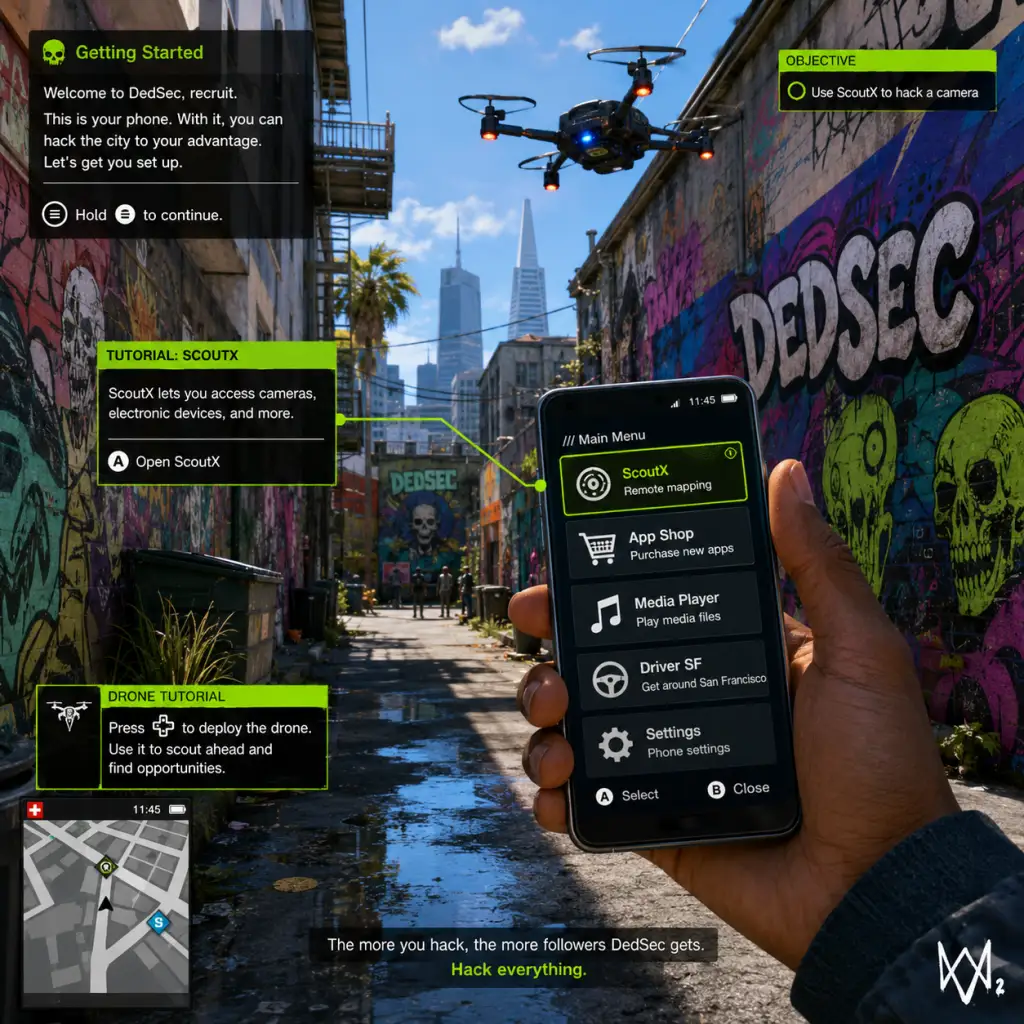
Getting Started
Watch Dogs 2: Getting Started Guide for New Players
Welcome to the San Francisco Bay Area, hacker. This guide covers everything you need to survive your first hours in Watch Dogs 2. You play as Marcus Holloway, a brilliant young hacker wrongly targeted by the city's surveillance system, ctOS 2.0. There is no character creation – Marcus is a fixed protagonist with his own personality, clothes you can change, and skills you unlock. Let's dive in.
First Hour Walkthrough (Spoiler-Free)
During the first 60 minutes, you'll:
1. Start with a flashback: Learn how Marcus was falsely accused by ctOS. You'll control him during a brief bike escape – follow the on-screen prompts.
2. Meet DedSec: After a short cutscene, you'll be in a hacker space called the Hackerspace. Explore it to learn basic controls.
3. First missions: Complete the tutorial mission "Backup Plan" where you learn to hack electronics, use your smartphone, and perform basic takedowns.
4. Open world: After the tutorial, the full map unlocks. You'll have a small side mission ("Lone Wolf") that introduces co-op and the DedSec app.
5. Get your tools: By the end of the first hour, you should have the Jumper (a remote-controlled car drone) and a basic pistol (non-lethal optional).
Pro tip: Do NOT rush the main story. Spend time exploring the Hackerspace, hacking every NPC's phone for money and information, and practice stealth takedowns.
Controls on All Platforms
PC Default Controls (Keyboard + Mouse)
| Action | Key |
|---|---|
| Move | WASD |
| Sprint | Shift (hold) |
| Crouch | C |
| Jump / Climb | Space |
| Hack (interact) | E |
| Focus (slow-mo) | Q |
| Weapon wheel | Tab |
| Shoot | Left mouse |
| Aim | Right mouse |
| Reload | R |
| Phone | F1 |
| Map | M |
| Takedown (melee) | F |
PlayStation 4 / 5 (PS4/PS5 via backward compatibility)
| Action | Button |
|---|---|
| Move | Left stick |
| Sprint | L3 (press left stick) |
| Crouch | Circle |
| Jump / Climb | Cross |
| Hack | L1 |
| Focus | R1 |
| Weapon wheel | Triangle |
| Shoot | R2 |
| Aim | L2 |
| Reload | Square |
| Phone | Touch Pad (swipe up) |
| Map | Touch Pad (hold) |
| Takedown | R3 (press right stick) |
| Action | Button |
|---|---|
| Move | Left stick |
| Sprint | LS (press left stick) |
| Crouch | B |
| Jump / Climb | A |
| Hack | LB |
| Focus | RB |
| Weapon wheel | Y |
| Shoot | RT |
| Aim | LT |
| Reload | X |
| Phone | View button (select) |
| Map | Menu button (start) |
| Takedown | RS (press right stick) |
UI Overview
The screen displays:
- Health bar – bottom-left; recharges automatically when out of combat.
- Mini-map – top-right; shows enemies, objectives, and points of interest.
- Phone icon – bottom-left; press Phone button to open apps (Contacts, Map, DedSec missions, etc.).
- Hackable highlights – objects you can hack are outlined in orange or blue when you aim at them.
- Focus meter – a blue circle around the crosshair; depletes when using slow-motion (Focus). Recharges over time.
- Notifications – top-center; tells you XP gains, mission updates, or police alerts.
- Objective marker – a yellow diamond on-screen pointing to your current goal.
- DedSec App: Main mission board; single-player and co-op missions.
- Map: Full city map with fast travel, side activities, shops, and collectibles.
- Contacts: Unlocks profiles of NPCs; you can call them for deliveries (car, weapons, etc.).
- Vehicle Hack Profile: Shows vehicle data (steal, hack traffic lights, etc.).
- Hack every NPC's phone while walking around – earns you money (Miles) and sometimes intel.
- Complete side missions early – they give easy followers and unlock new vehicles/weapons.
- Fast travel via subway stations (unlocked after finding one) to save time.
- Use elevators and ziplines – quick escapes from enemies.
- Call for a car delivery (using the Car on Demand app) instead of stealing parked cars (less suspicion).
- Kill civilians – even accidentally; this causes instant police alerts and mission failure in some scenarios.
- Spend money on clothes early – outfits are cosmetic only; prioritize weapons and tech upgrades.
- Ignore the Wanted level – if the police scanner icon turns red, hide until it cools down. Running in vehicles often makes it worse.
- Rush main story missions – you'll miss many useful side activities that unlock better gear and follower bonuses.
- Use lethal weapons in crowded areas – the game rewards non-lethal takedowns for stealth bonuses.
Key phone apps:
Essential Early Objectives
After the tutorial missions, these are your priorities:
1. Complete "Lone Wolf" mission – unlocks co-op and the ability to recruit other players.
2. Earn enough Followers (XP) to unlock Key Skills – Focus on:
- Battery upgrade (increases how many hacks you can perform before recharge).
- Noise Suppressor (silences your weapon – critical for stealth).
- Jump Boost (allows climbing higher ledges).
- Research Scanner (lets you identify hackable objects from a distance).
3. Unlock the Jumper Drone (comes from the mission "The Jumper") – essential for remote hacking and scouting.
4. Upgrade your Jumper with speed and stealth (via the Research menu in your phone).
5. Buy a stun gun (Non-lethal rifle from the DedSec shop) to avoid killing civilians or alerting police.
What to Do First vs. What to Avoid
DO:
DON'T:
Early Resource Priorities
| Resource | How to Farm | What to Spend On |
|---|---|---|
| Followers (XP) | Complete missions, hack NPCs, discover gang hideouts, and complete online events. | Unlock skills in the Research menu (vehicle hacking, combat, tech). |
| Money (Miles) | Hack ATMs, complete delivery missions, hack bank accounts from phone logs. | Buy upgraded weapons (stun gun, silenced pistol), tech parts for drone upgrades, and fast travel fares. |
| Tech Parts | Loot from malls, police stations, restricted areas, and some side missions. | Upgrade the Jumper, RC Drone (Quadcopter), and your hacking tools. |
| Clothes | Some missions reward items; buy from shops. | Only after you have a solid weapon and drone loadout. |
Common Beginner Mistakes
1. Overusing vehicles in police chases – it's better to ditch the car and go on foot, using alleys and rooftops.
2. Not using Focus – activate slow-motion (Q/R1/RB) during combat to line up headshots or takedown enemies faster.
3. Ignoring the phone's Research app – you must manually unlock skills with followers. Without investing, combat becomes very hard.
4. Attacking heavily guarded areas without scouting – always use the Jumper or a camera to tag enemies first.
5. Trying to kill everyone – non-lethal takedowns (from behind or with stun gun) give bonus XP and avoid police calls.
6. Forgetting to upgrade the Jumper's battery – it runs out quickly if you spam the remote hacking skill.
7. Not using fast travel – traversing the entire map on foot/vehicle wastes time; unlock subway stations early.
Day-One Checklist
- [ ] Install the game and apply the latest patch (check for updates in launcher/console).
- [ ] Adjust graphics settings (PC): turn off motion blur, set shadow quality to medium, and enable V-Sync (optional).
- [ ] Calibrate brightness and subtitles in Options > Display.
- [ ] Set control preferences: invert Y-axis, sensitivity, and rebind if needed.
- [ ] Play through the tutorial (first 30 minutes) – do not skip cutscenes.
- [ ] Complete "Backup Plan" and "Lone Wolf" – unlock co-op and the Jumper.
- [ ] Buy a silenced pistol (Stun Gun or P9MM with suppressor) from the DedSec store.
- [ ] Upgrade Jumper's speed and battery (Research > RC).
- [ ] Hack at least 5 NPC phones and 2 ATMs for starting cash.
- [ ] Fast travel to the Hackerspace to unlock subway travel.
- [ ] Save the game manually (press Start/Options > Save) after significant progress.
Final advice: Watch Dogs 2 encourages creativity. Use distractions (like calling the cops on a gang) to thin out enemies before you engage. Every system in the game – from traffic lights to steam pipes – can be a weapon. Take your time, explore the world, and remember: you're a hacker, not a soldier. Stealth is power.