Getting Started
Getting Started
First-Hour Walkthrough
Your first hour in Angry Birds is short and sweet. After launching the game, you'll be greeted by a simple title screen. Tap Play (or press Start on console). The game immediately drops you into Level 1-1 with a brief tutorial overlay.
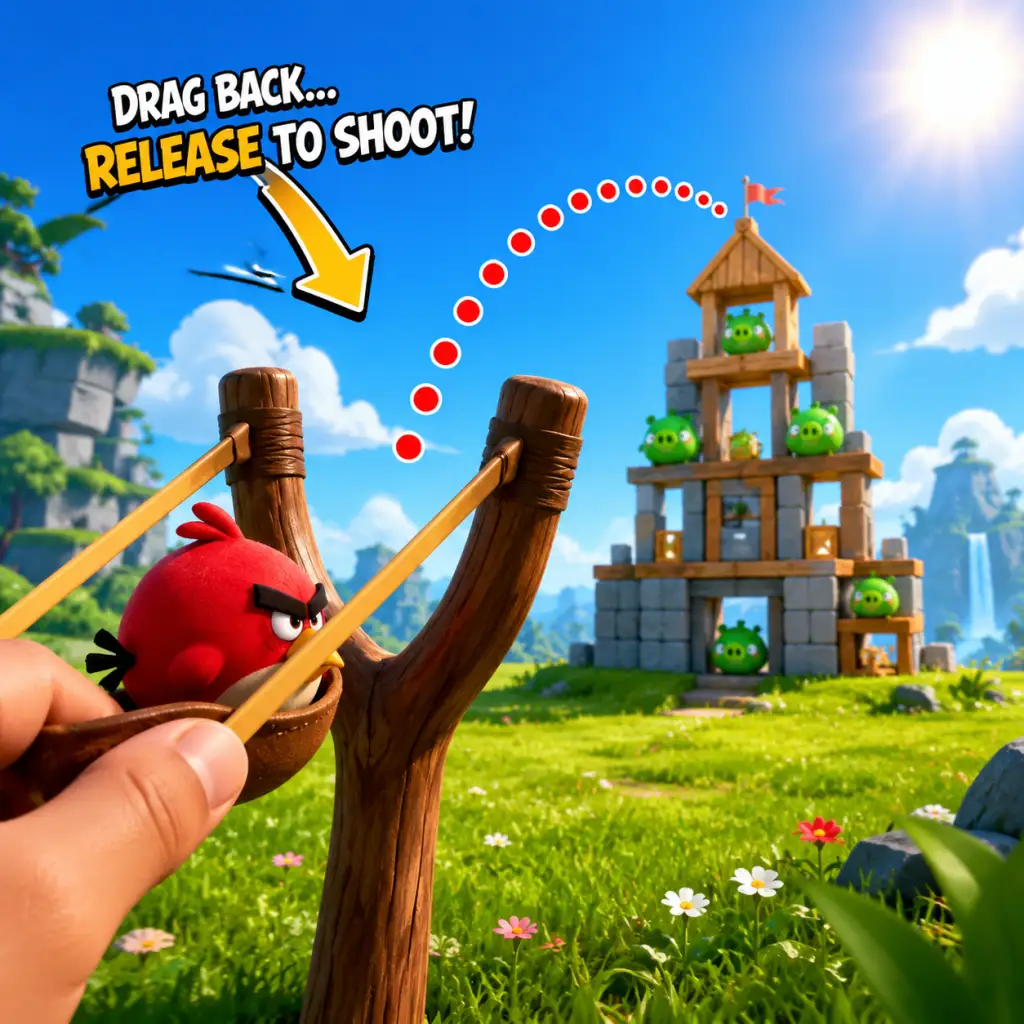
1. Level 1-1: A single Red Bird waits on the slingshot. The screen shows a wooden block structure with two green pigs. Drag your finger (or mouse) backward on the slingshot to aim, release to fire. The bird destroys the structure and kills the pigs. You get 1 star for completing, 2 if only a few blocks remain, 3 if everything is wiped. Focus on getting 3 stars from the start—it unlocks bonus levels later.
2. Level 1-2: Introduces the first basic strategy: aim for weak points. The pig hut is unstable; hitting a support plank collapses the whole thing.
3. Level 1-3: First ice/stone blocks appear. Ice breaks easily, stone is tough. Use Red Bird's direct hit on stone to crack it.
4. Level 1-4: You'll earn your first new bird type: Blue Birds. When you tap the screen (or press A) mid-flight, the single bird splits into three smaller birds. Use them to pop clusters of pigs or break wide wooden walls.
5. Level 1-5: The tutorial ends. You now have the basic trio: Red (straight damage), Blue (split), and Yellow (speed boost when tapped). From here, experiment in free play or repeat earlier levels for 3 stars.
Your first hour should comfortably clear the first world (1-1 through 1-12) and unlock World 2. Do not rush; replay levels to collect all three stars before moving on.
Character Creation
There is no character creation in Angry Birds. You play as the birds themselves—each species has fixed abilities. The only customization is cosmetic (e.g., hats or skins) unlocked via events or in-app purchases in some versions like Angry Birds 2. New players can ignore this entirely.
Controls on All Platforms
#### Mobile (iOS, Android)
- Aim: Touch and drag backward from the bird on the slingshot. A dotted trajectory line shows the path.
- Launch: Release your finger.
- Special Ability: Tap anywhere on the screen (some birds require tapping again after they hit something).
- Zoom/Pan: Pinch to zoom, or swipe the screen to view the level. Not essential early on.
- Menu: Tap the gear icon for settings, pause, restart.
- Aim: Click and drag backward from the slingshot.
- Launch: Release the mouse button.
- Special Ability: Click the left mouse button while bird is in flight, or press the Spacebar.
- Zoom: Use the mouse wheel. Some versions allow scroll.
- Restart: Press R key or click the restart button in the corner.
- Exit to menu: Press Escape.
- Aim: Drag the left joystick or use touchscreen (handheld mode) to drag on the slingshot.
- Launch: Release the joystick or lift finger from touchscreen.
- Special Ability: Press A or X (depending on version).
- Zoom: Use ZL/ZR or pinch on touchscreen.
- Pause: Press + or - button.
- Aim: Move the left stick to aim; a line appears. On PS, use left stick; on Xbox, left stick.
- Launch: Press R2 (PS) / RT (Xbox).
- Special Ability: Press Circle (PS) / B (Xbox).
- Zoom: Right stick up/down.
- Restart: Press Options (PS) / Menu (Xbox) and select restart.
- World Map: A scrollable map with numbered worlds and levels. Stars on each level show your score. Pigs vs. Birds icon indicates progress.
- Star Counter: Top of screen shows total stars collected. Some games require stars to unlock bonus episodes.
- Bird Queue: Right side of the screen shows the next birds in line. You always use them in fixed order.
- Score Bar: Bottom displays current score and multiplier (from destroying multiple pigs/pieces consecutively).
- Pause/Menu Button: Gear or hamburger icon in top-left or top-right.
- Extra Buttons: In some versions (e.g., Angry Birds 2), you'll see slingshot upgrades, power-ups (purchased with coins or gems), and event tabs. Ignore those at first.
- Play Level 1-1 to 1-5 without skipping. The tutorial is essential.
- After the tutorial, go back and replay 1-1, 1-2, and 1-3 until you get 3 stars on each. Use the same trajectory but adjust aim slightly—try hitting the structure's weak base points.
- Collect free coins/gems if the game offers a daily bonus (often in Angry Birds 2). But avoid spending them early.
- Enable cloud save (if available) to sync progress across devices.
- Power-ups: Do not waste coins on power-ups like “Sling Scope” or “Piggy Magnet” in early levels. They're not needed.
- Buying bird upgrades: The base birds are strong enough. Later levels require strategy, not stats.
- Skipping levels: Some versions let you skip with premium currency. Never skip in the first world.
- Ignoring the slingshot grid: The trajectory line is a guide; you can drag past the grid for extra power, but too much power will overshoot. Practice moderate drags.
- Stars: Your primary resource to unlock levels. Focus on 3-star runs.
- Coins (if present): Used for power-ups and extra moves. Save them for difficult levels (e.g., boss pigs).
- Gems (premium currency): Rare. Never ever spend them on continues or trivial items. Hoard them for special event birds or permanent upgrades if you must.
- Free spins/loot: Some versions offer a daily wheel. Always claim the free reward, but stop there—no paid spins.
- [ ] Complete tutorial (Levels 1-1 to 1-5).
- [ ] Replay those five levels to earn at least 2 stars per level (aim for 3).
- [ ] Unlock World 2 (by finishing World 1 with enough stars).
- [ ] Collect any free daily bonus (coins or spin).
- [ ] Enable cloud save (if offered).
- [ ] Do not spend any real money.
- [ ] Do not use any power-ups.
- [ ] Learn the bird types: Red (direct), Blue (split into 3), Yellow (speed boost).
- [ ] Practice controlling slingshot power: step away from the phone/PC and feel the trajectory.
- [ ] Leave the first world with a clear understanding of physics: aim for unstable points, use environment.
#### PC (Steam, Epic Games Store, Windows Store)
#### Nintendo Switch
#### PlayStation 4/5 & Xbox
Note: Console versions are less common; classic Angry Birds is primarily mobile/PC.
UI Overview
After the tutorial, you'll see the main menu screen:
Essential Early Objectives
1. Collect stars – Aim for 3 stars on every level in the first world. Stars unlock bonus levels and cosmetic rewards.
2. Complete World 1 (1–12) – This teaches all core bird types.
3. Unlock the Golden Egg – In some versions, each world has a hidden golden egg; find it for extra content.
4. Don't spend real money – Early levels are easily beatable without purchases.
5. Learn bird physics – Understand how Red, Blue, and Yellow behave before tackling later worlds.
What to Do First and What to Avoid
#### Do First
#### Avoid
Early Resource Priorities
Common Beginner Mistakes
1. Overpowering the slingshot: Pulling the bird too far back makes it fly over the structure. Start with short to medium pulls; you can always increase power later.
2. Activating abilities too early: Blue birds split immediately if tapped; they become weak. Tap right before hitting the target. Yellow birds boost speed—use tap when you need to punch through wood.
3. Ignoring environmental angles: Look for piles of blocks that can tip over and crush pigs. Sometimes one well-placed shot kills all pigs without direct hits.
4. Chasing high score over completion: In early worlds, just finishing is fine. Stars come from destruction percentage, not score. Focus on clearing all pigs first.
5. Wasting power-ups on easy levels: You'll need them later; save for levels you've failed 5+ times.
6. Not restarting: If your first shot is terrible, restart immediately (no penalty) rather than wasting remaining birds.
Day-One Checklist
Following this guide will give you a solid foundation for the entire Angry Birds experience. Happy flinging!