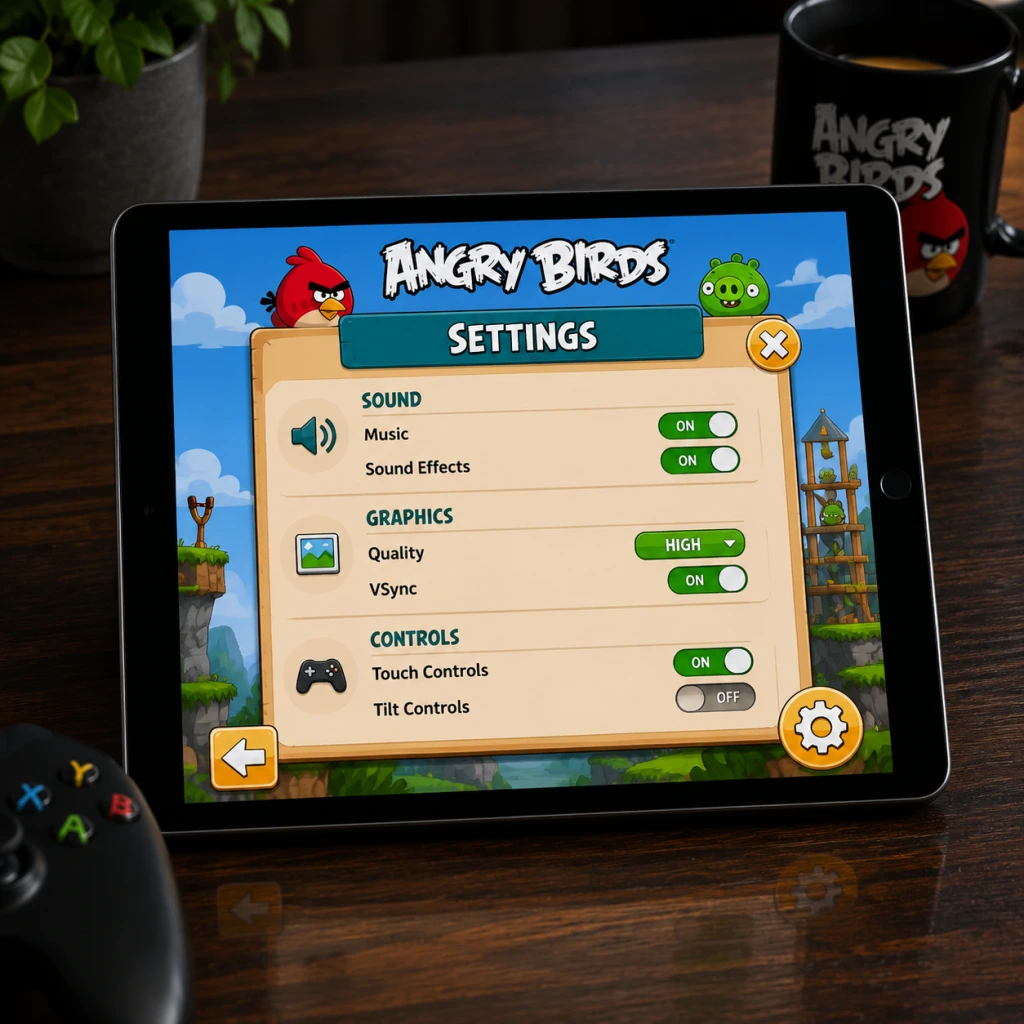
Game Settings
Game Settings
Overview
Angry Birds is deceptively simple, but its settings menus vary significantly between platforms (mobile, PC, console). This guide covers the original Angry Birds classic, Angry Birds 2, and common ports. Pay special attention to misconfigurable options like audio sync, slingshot sensitivity, and language region locks.
---
Graphics Settings
Available Options (by platform)
| Setting | Mobile (iOS/Android) | PC (Steam/Epic) | Console (PS/Xbox/Switch) |
|---|---|---|---|
| Resolution | Not adjustable | Yes (1080p, 1440p, 4K) | Native output only |
| Fullscreen | Always fullscreen | Yes (Windowed, Fullscreen, Borderless) | Always fullscreen |
| Quality Presets | None | Low / Medium / High / Ultra | Fixed |
| Shadow Quality | None | Low / Medium / High | Fixed |
| Texture Quality | Static (retina) | Low / Medium / High | Fixed |
| Anti-aliasing | Always on (no toggle) | 2x/4x/8x MSAA | Always on |
| V-Sync | Not present | Toggle | Built-in (30/60fps lock) |
| Frame Rate Cap | 60 fps (default) | 30/60/120/Unlimited | 30 (older), 60 (modern) |
Optimal Recommendations
- Low-end hardware (older phones, budget laptops):
- Mid-range hardware (modern phones, 2+ year old PC):
- High-end hardware (gaming PC, latest phones):
- V-Sync on PC: If you experience stutter during slingshot release, disable V-Sync and cap FPS to 60 via GPU driver instead. The game’s physics engine can desync with high refresh rates.
- Resolution scaling on PC: Some ports misinterpret non-16:9 resolutions (e.g., 2560x1440) causing black bars or stretch. Always set to your monitor’s native aspect ratio.
- Retina mode on mobile: Disabling “Reduce Motion” in iOS accessibility can improve clarity of bird animations.
- Master Volume (0–100%)
- Sound Effects (0–100%) – slingshot, bird squawks, pig laughs, crashes
- Music (0–100%) – background tracks
- Voice Over (On/Off) – only in Angry Birds 2 and Angry Birds Friends
- Audio Output – Stereo / Mono (some PC versions)
- General: Set Master to 70%, SFX to 100%, Music to 50%. This keeps impact sounds clear while music remains background.
- Accessibility: For hearing-impaired players, enable Visual Captions (where available, e.g., Angry Birds Reloaded) for key sound cues like “Level Complete”.
- Competitive (Score challenges): Turn off music completely to focus on slingshot release timing cues (the “twang” and “whoosh”).
- Audio Sync Lag: On some Android devices, audio can lag behind visuals by 50–100ms. If you notice the sound of a pig squeal comes after the visual collision, reduce Audio latency in the device’s developer options. There is no in-game setting for this.
- Multi-channel output on console: If you use a surround sound system, the game may output only stereo. Check console audio settings to ensure “Stereo Uncompressed” is selected to avoid missing channel audio.
- PC: Set Quality to Low, Resolution to 1280x720, disable V-Sync, cap FPS at 30.
- Mobile: No adjustments needed; the game auto-scales to screen resolution. Close background apps to avoid thermal throttling.
- PC: Quality Medium, Resolution 1920x1080, V-Sync On (prevents tearing), FPS cap 60.
- Mobile: Works out of the box. Consider enabling Game Mode on Android for consistent frame pacing.
- PC: Quality Ultra, Resolution native (2560x1440 or higher), Anti-aliasing 8x, V-Sync On, FPS cap 120 (or unlimited if monitor > 144Hz).
- Mobile: No changes available, but ensure battery saver is off for smooth 60fps.
Special Attention Points
---
Audio Settings
Options
Recommendations
Easy to Misconfigure
---
Controls Settings
Touch (Mobile)
| Option | Default | Description |
|---|---|---|
| Slingshot Sensitivity | Normal | Adjusts how quickly the bird responds to finger drag. Higher = more responsive, less precision. |
| Touch Area | Full screen / Lower only / Left only | Restricts where you can touch to control slingshot (to avoid accidental presses on UI). |
| Force Touch (iOS) | Off | 3D Touch for quick zoom or re-aim (rarely used). |
Keyboard & Mouse (PC)
| Option | Default | Notes |
|---|---|---|
| Aim with | Mouse | Hold left button, drag back, release to fire. |
| Zoom | Scroll wheel, or +/- keys | If absent, use Page Up/Down. |
| Restart level | R key | Available in most ports. |
| Pause | Escape or P | |
| Bird Camera | Space bar (re-centers view) | Helpful after zooming out. |
Gamepad (Console / PC)
- Left Stick: Move aiming cursor / adjust camera
- Right Stick: Zoom (if supported)
- A / X Button: Pull back and release (hold to aim, release to fire)
- B / Circle Button: Cancel aim (optional)
- Start / Options: Pause menu
- Mobile: Keep Sensitivity at Normal. Change Touch Area to Lower only if you accidentally trigger the slingshot while tapping to restart.
- PC: Enable Mouse Acceleration in game settings? Usually not present – use Windows default. Disable “Enhance pointer precision” in Windows if you want linear slingshot response.
- Gamepad: Map Restart Level to a convenient button (e.g., pressing both shoulder buttons simultaneously) if the game allows custom mapping. Angry Birds 2 does not support gamepad; Angry Birds Reloaded does.
- Slingshot Sensitivity on mobile: Setting too low makes it hard to pull quickly; too high makes micro-adjustments impossible. Test on a simple level (e.g., World 1-1) before trusting your setting.
- Touch Area on phones with notches/cutouts: If the game’s UI overlaps with the notch, select Left only to prevent accidental tap on the notch area.
- Keyboard mapping on PC: Some Steam ports allow remapping via the Steam Input system. For precise slingshot control, bind the “Fire” action to a mouse button rather than keyboard.
- Large Text Mode (toggle) – increases font size of level names, score, and button labels. Available in Angry Birds 2 and later games.
- High Contrast Mode – outlines birds and pigs. Rare, only in Angry Birds Reloaded.
- Colorblind Mode – changes color of birds to be distinguishable by shape or pattern (e.g., Red Bird gets a plus sign, Blue Birds get three dots). This is a toggle in Angry Birds 2 under “Accessibility”.
- Reduce Motion – disables parallax scrolling, screen shake, and bird launch trails. Helps with motion sickness.
- Visual Indicators for Sounds – displays icons when pigs laugh or structures creak. Found in Angry Birds 2 settings.
- Subtitles for Voice Lines – for the Mighty Eagle and story segments (if any).
- Auto-Fire Mode – bird launches automatically after a short hold. Useful for users with limited fine motor control. Present in Angry Birds Friends and Angry Birds 2 under “Auto Aim”.
- Touch Hold Delay – adjustable (100ms to 500ms) to prevent accidental taps.
- Zoom Lock – locks camera zoom to avoid accidental scroll during gameplay.
- Enable Colorblind Mode even if not colorblind – it adds distinct icons to birds, making identification faster.
- Reduce Motion should be turned on for smooth 60fps on older devices.
- Auto-Fire can be used to practice timing without stressing about motor coordination.
- Game Language – Usually auto-detected from system locale. Manual override available in most versions.
- Text Language – Choose from 30+ languages (English, Chinese, Japanese, Korean, Spanish, French, German, Italian, Portuguese, Russian, etc.)
- Voice Language – Separate from text. Only for games with voiceovers.
- Region-Locked Content: In Angry Birds 2, some seasonal events are tied to language/country setting. If you set language to Japanese, you may see different themed pig designs or exclusive hats. Setting to English (US) gives maximum generic content.
- Text Overflow: In some languages (like German or Russian), button text may be truncated. If you see overlapping text, switch to English for clarity.
- Language Reset After Update: On mobile, updating the game may reset language to system default. Always check after a major update.
- Keep language as English (US) for the most consistent experience and best translations for puzzle clues. Switch to native language only if you prefer localized names for birds (e.g., “El Pájaro Rojo” in Spanish).
- Online Features (On/Off) – Leaderboards, friend competitions, daily challenges
- Cloud Save (Sign in via Facebook, Apple ID, Google Play, or Rovio Account) – sync progress across devices
- Ad Management (Limited control) – Disable personalized ads, opt out of video ads for bonus items
- Multiplayer Settings (If applicable) – Angry Birds Friends has tournament rooms
- Cloud Save: Always enable, but choose the platform you trust most. Facebook sync is reliable; Rovio account sync may be less stable.
- Online Features: Keep on for daily free items and leaderboard challenges. Turn off if you experience lag during level transitions (rare).
- Ad Settings: Disable personalized ads for privacy – this will still show generic ads but no data tracking.
- Facebook Permissions: When linking, the game may request access to your friend list (for inviting). If you decline, cloud save may still work but friend leaderboards will be empty. Accept the minimal permissions required.
- Offline Mode: If you lose internet during gameplay, the game will store scores locally and sync later. However, if you restart the app while offline, scores may be lost. Ensure cloud save is enabled and manual sync before closing.
- Background Data: Some versions download additional level packs (like Angry Birds Space or Star Wars in the classic). Check “Download Level Data Automatically” or similar. On mobile, disable to save mobile data – but you’ll need to manually download levels when you want to play them.
Recommendations
Special Attention Points
---
Accessibility Settings
Visual Accessibility
Hearing Accessibility
Motor Accessibility
Recommendations
---
Language Settings
Options
Special Attention Points
Recommendation
---
Network Settings
Options
Recommendations
Easy to Misconfigure
---
Gameplay Settings
Options
| Setting | Description | Default | Recommended |
|---|---|---|---|
| Difficulty | Some ports (console) have difficulty levels (Easy/Normal/Hard) that alter pig count or structure HP. | Normal | Normal for first playthrough; Hard for veteran score challenges. |
| Aim Line | Show/hide trajectory line when aiming. | On | On for beginners; Off for realistic challenge. |
| Auto-Restart | Automatically restart level after failure after 3 seconds. | Off | On to save time. |
| Slow Motion | Slow down time while aiming (available in Angry Birds Reloaded and some mobile versions). | Off | Off for normal play; On for precision shots. |
| Bird Order | In classic, order of birds is fixed. In Angry Birds 2, you can choose order. | Fixed (classic) / Manual (AB2) | Manual for strategy; Fixed for classic feel. |
| Destructo-vision (AB2) | Toggle to highlight weak points in structures. | On | Keep on for learning; Off for skill. |
| Mighty Eagle Limit | Number of times you can use Mighty Eagle per day (or special item). | 1 per day (classic) / unlimited with gems (AB2) | Don’t rely on it; save for tough levels. |
| Scoring Display | Show/hide running score during level. | On | On to track progress. |
Special Attention Points
- Aim Line is not cheat – it’s intended. Many new players think turning it off makes them “pro”, but it only makes the game frustrating. Keep it on unless you want a hardcore challenge.
- Slow Motion can interfere with muscle memory for timing. Use only for extremely fragile structures.
- Difficulty settings may not be available on mobile. On console versions of Angry Birds: Star Wars, changing difficulty resets level progress (temporarily). Be careful when switching mid-playthrough.
- Auto-Restart can cause you to miss the brief “Great!“ text on success. Turn it off if you want to savor each win.
- Score Runners: Turn off Auto-Restart, enable Slow Motion, disable Aim Line for extra challenge, and set Bird Order to Manual to plan each bird’s use.
- Casual Players: Keep Aim Line On, enable Auto-Restart, keep Destructo-vision On, and leave Slow Motion Off.
- Children/Family: Activate Auto-Restart, turn on Large Text, enable Colorblind Mode for easier bird ID, and reduce music volume to avoid distraction.
Gameplay Tips for Settings Customization
---
Quick Reference: Recommended Settings Summary
| Category | Setting | Best for Performance | Best for Quality | Best for Accessibility |
|---|---|---|---|---|
| Graphics | Resolution | 720p | Native 4K | Native |
| Graphics | V-Sync | Off | On | On |
| Graphics | Anti-aliasing | 2x | 8x | 4x |
| Audio | SFX | 100% | 100% | 100% |
| Audio | Music | Off | 50% | 50% |
| Controls | Sens | Normal | Normal | Lower (if needed) |
| Controls | Touch Area | Lower only | Full | Full |
| Accessibility | Colorblind | On (if needed) | Off | On |
| Accessibility | Reduce Motion | On | Off | On |
| Network | Cloud Save | Signed in | Signed in | Signed in |
| Gameplay | Aim Line | On | Off (for challenge) | On |