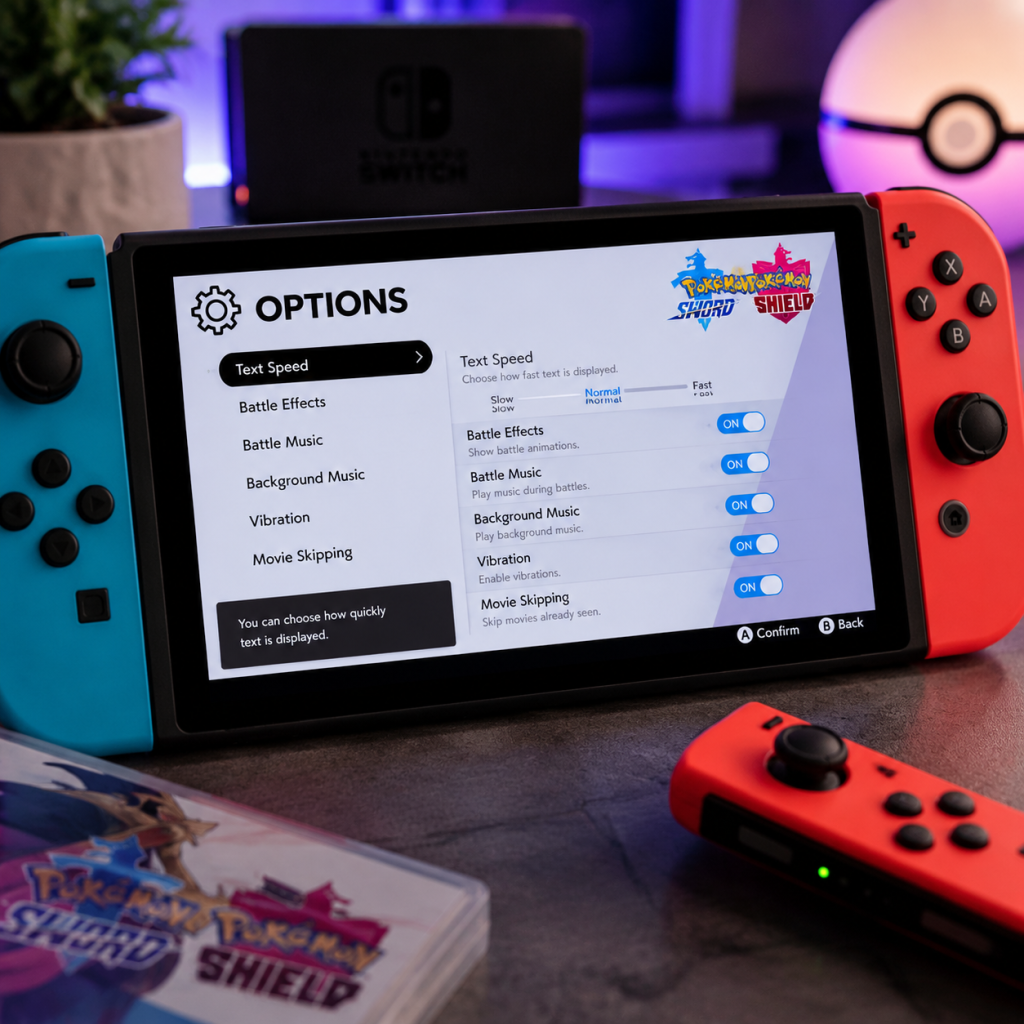
Game Settings
Game Settings Guide for Pokémon Sword and Shield
Platform Context
Pokémon Sword and Shield run exclusively on Nintendo Switch. The console’s hardware (handheld vs. docked) influences performance, but in-game settings are limited. This guide covers every adjustable option within the game and recommends configurations for standard Switch (original/OLED) and Switch Lite.
---
Accessing Settings
The main settings menu is accessed from the title screen by selecting Options. Some gameplay preferences (text speed, battle animations) can also be changed during gameplay by pressing X to open the menu, then selecting Settings and Options or Game Settings (depending on context).
---
General Options (In-Game Settings)
#### Battle Settings
- Battle Style – Choose Set or Shift.
- Battle Animations – On or Off.
- Battle Effects – On or Off. Controls visual effects like weather and terrain animations. Turning off can improve performance in heavy battles (e.g., Dynamax raids).
- Slow / Normal / Fast. Set to Fast for quicker dialogue, especially during repeated conversations. This does not affect story clarity.
- BGM Volume – 0–10. Adjust music (background) volume.
- SFX Volume – 0–10. Adjust sound effects (battle cries, menu clicks).
- Pokémon Voice Volume – 0–10. Controls the digital cries of Pokémon (in battles and overworld). Some players find them loud; reduce if needed.
- Headphones/External Speakers – No separate setting; console audio output depends on Switch system settings.
- Docked (TV): Outputs up to 1080p (dynamic resolution) – sharper image, but frame rate can drop in Wild Area and raids.
- Handheld / Lite: Runs at 720p native resolution. Performance is generally smoother than docked because resolution scaling is lighter. Better for stable frame rate.
- TV Resolution: Set to 720p or 1080p in System Settings > TV Settings > TV Resolution. The game will automatically scale down if necessary.
- RGB Range: Keep as Automatic or Limited to avoid washed-out colors on some TVs.
- Sound > Sound Output: Choose TV speakers, headphones, or external. No special configuration needed.
- Handheld Mode – Preferred for consistent 30 FPS (target) in Wild Area.
- Battle Animations: Off – Reduces rendering load during battles.
- Battle Effects: Off – Helps in Max Raid Battles where many particles appear.
- Text Speed: Fast – No performance impact, but speeds up gameplay.
- Docked Mode – 1080p dynamic resolution; clear image.
- Battle Animations: On – Full move animations.
- Battle Effects: On – Weather and terrain visuals.
- Handheld Mode still looks good at 720p but lacks anti-aliasing.
- The game runs exactly like handheld mode on standard Switch. No extra settings. Battery life varies; reduce screen brightness in system settings to extend play.
- Nintendo Switch Online Membership – Required for online trades, battles, and Max Raid Battles with other players.
- Internet Connection – Use a stable Wi-Fi or wired adapter for docked. For online raids, a NAT Type A or B is best (check in Switch settings > Internet > Test Connection).
- Y-Comm Settings – In-game, press Y to open Y-Comm. You can change search filters for Max Raids and Surprise Trades.
- Online Trade Search – If you set overly specific filters (e.g., “only Pokémon I don’t have”), you may wait indefinitely. Keep filters broad for faster matches.
- Auto-Connect to Internet – In game, you must manually connect via Y-Comm (press Y, then + to go online). The game does not auto-connect; you must do this each session.
- Choose during first startup only. Cannot be changed without restarting the game (delete save data or create a new profile).
- Lists all supported languages: Japanese, English, French, Spanish, German, Italian, Korean, Chinese (Simplified/Traditional).
- Important: The language setting also determines the in-game keyboard (for nicknames). If you use non-Latin scripts, pick accordingly.
- No dedicated accessibility menu. However:
- Shift: When you defeat an opponent’s Pokémon, you are prompted to switch before the next Pokémon enters. Recommended for beginners.
- Set: No prompt; you must switch manually if desired. More challenging; for experienced trainers.
- On: Shows full battle animations (Pokémon attack moves). Affects loading times slightly but improves immersion.
- Off: Speeds up battles; recommended for grinding or Nuzlocke runs.
#### Text Speed
#### Sound Settings
---
System-Level Settings (Console Impact)
These are not in-game menus but affect the experience.
#### Display Mode (TV / Tabletop / Handheld)
#### Nintendo Switch System Settings
---
Performance Recommendations
#### For Smooth Performance (Higher Frame Rate Stability)
#### For Best Visual Quality
#### Switch Lite Specifics
---
Network & Online Settings
Easy to Misconfigure:
---
Language & Accessibility Settings
#### Language Selection
#### Accessibility Features
- Color Blindness – No color blind options. The game uses shapes and textures for some distinctions (e.g., type icons) but not all.
- Controller Remapping – Not in-game. Use System Settings > Controllers and Sensors > Change Button Mapping on Switch to remap buttons (e.g., swap A/B). Note: This changes system-wide, not just Pokémon.
---
Special Attention Points During Setup
1. Language: Choose carefully at first boot – there is no in-game language switch. If you want to play in a different language later, you must create a new user profile on the Switch and start the game from scratch, or delete your save.
2. Battle Style: New players often leave it on Shift and later want a challenge. You can change it anytime, but be aware of the option.
3. Battle Animations: Turning them off can cause confusion when learning new moves (you don’t see the animation). Keep on initially.
4. Online Connection: Many players forget to connect to the internet each session. Always press + in Y-Comm after opening it to enable online features for Surprise Trade and Max Raids.
5. Nintendo Switch Online: The game does not warn you if your subscription expires; you’ll just get errors during online activities. Verify your subscription status in the eShop.
---
Recommended Default Settings
| Setting | Recommended Value | Notes |
|---|---|---|
| Battle Style | Shift (starter) -> Set (experienced) | Change after you’re comfortable |
| Battle Animations | On (first playthrough) | Off for grinding |
| Battle Effects | On (unless performance lag in raids) | Off if frame drops occur |
| Text Speed | Fast | Minor quality of life |
| BGM Volume | 8 | Adjust to taste |
| SFX Volume | 10 | Keep high for battle cues |
| Pokémon Voice Volume | 5 | Lower if annoying |
| Language | Your native language | Unchangeable later |
| Network Auto-Connect | Manual (press + each time) | Save battery/data |
Final Tips
- Save often (especially before a raid or trade) – no auto-save toggle in settings, but the game autosaves frequently. You can manually save from the menu.
- If you experience slowdown in the Wild Area while riding a bike, try turning off Battle Effects or playing in handheld mode.
- Global Trading (Link Trades / Surprise Trades) works best during peak hours (evening in your time zone) for quick matches.