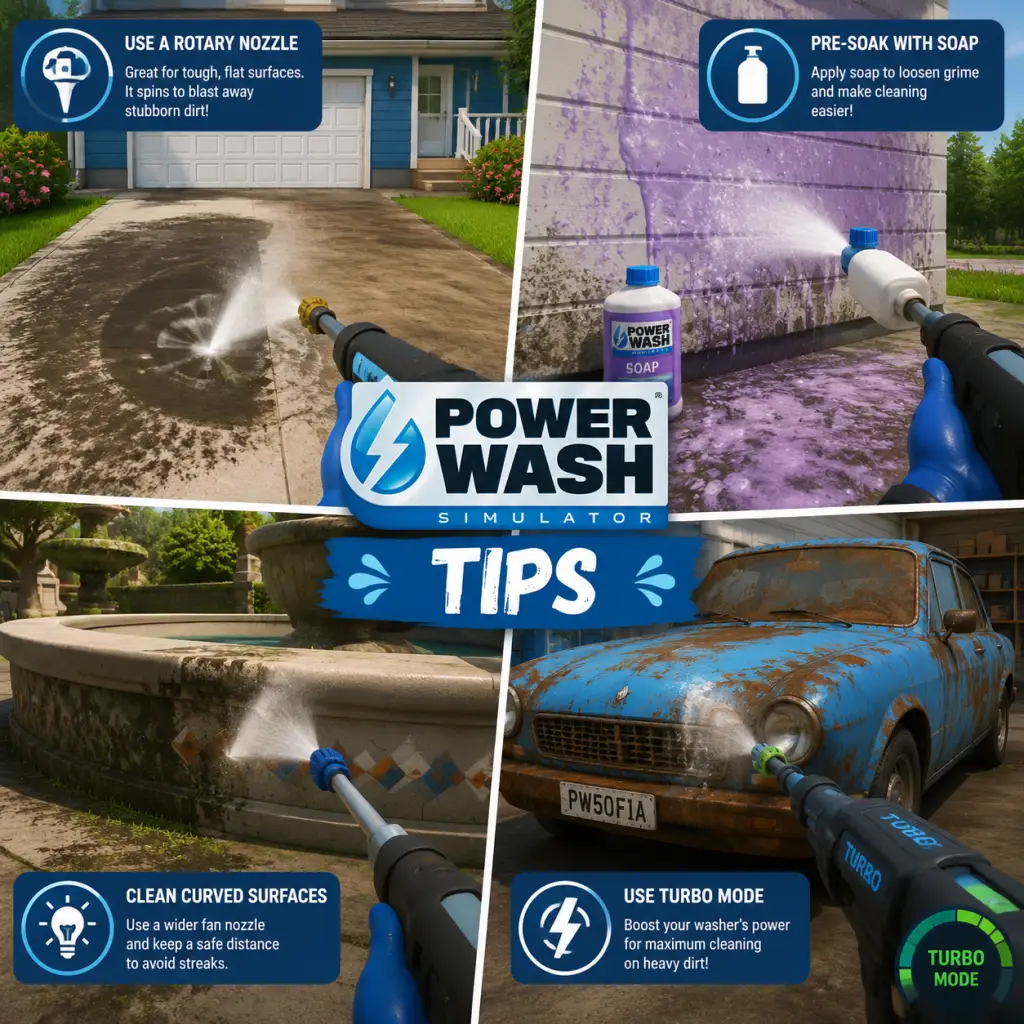
Game Tips
PowerWash Simulator – Complete Game Tips Guide
This guide is packed with practical tips to help you wash smarter, earn more, and reach 100% completion faster. Tips are grouped by category, from beginner essentials to advanced optimizations.
Beginner Tips
#### 1. Start with the Free Version (if available)
Before buying, try the free trial on Steam (PC) or Xbox Game Pass to see if the relaxing gameplay suits you. The full game is identical, but the trial lets you clean a few initial jobs.
#### 2. Use the White Nozzle First
- Why: The white nozzle (flat fan) provides the best balance of water pressure and coverage. It’s ideal for large flat surfaces like walls, floors, and vehicles. Start every new area by spraying the entire surface with the white nozzle to remove loose dirt, then switch to a more focused nozzle for stubborn spots.
- When to use: Almost always for the initial pass of any job.
- Why: Many items (cars, vans, playground equipment) have dirt underneath that contributes to the completion percentage. Rotate your view or physically walk around to clean all sides.
- Tip: For vehicles, clean the undercarriage by moving the camera low and spraying upward.
- Strategy: Instead of trying to clean one spot to perfection, do a wide sweep of the entire job with the white nozzle, then revisit stubborn areas. This prevents frustration and breaks the cleaning into manageable chunks.
- Why: The Pro Nozzle (yellow/green tip) shoots a very narrow, high-pressure stream that removes tough dirt fast. It’s unlocked at level 3 for $150. Prioritize buying it because it saves massive time on rust, moss, and caked-on mud.
- When to use: On stubborn spots only – avoid using it on large clean areas as it’s too slow for coverage.
- Why: Better washers increase water pressure (cleaning speed) and water capacity (less refilling). The first upgrade to Washer Level 2 costs $300 and makes a noticeable difference. Always buy the next washer as soon as you can afford it.
- Impact: Each washer level roughly doubles cleaning efficiency.
- Why: Soap (unlocked at level 5) dissolves grease and grime, especially on engines, kitchen equipment, and certain structures. Apply it to heavily soiled areas, then wash off with the white nozzle. Soap does not count toward completion but makes cleaning faster.
- Where to buy: Soap is available from the shop for $50 per bottle. Only use it on jobs that specifically have “grease” or “oil” dirt types (e.g., the fire truck, the helicopter).
- Why: The extendable wand (unlocked at level 6) lets you reach high places like rooftops, tall signs, and the top of large vehicles without needing a ladder or scaffolding. This reduces backtracking and makes cleaning faster.
- Tip: Even if the wand is expensive ($600), it’s a worthwhile investment for larger jobs.
- Why: The water stream is not perfectly uniform. Overlapping by about 20% ensures no dirt is missed and creates a consistent clean look. This is especially important when using the white nozzle.
- Method: Sweep side to side like painting a wall, and go back over the previous pass.
- Strategy: Start with flat, easy surfaces (roofs, hoods, walls) before tackling complex shapes (wheels, grilles, small crevices). This gives you a sense of progress and avoids wasting time on small details early.
- Example on a car: Roof → Hood → Doors → Sides → Bumpers → Wheels → Underneath.
- Why: For tiny, hard-to-reach dirt (like in grills of a wheel rim), pause the game (on single player) and move your crosshair directly over the dirt. Resume and spray. The game’s hit detection will often register the water even if it looks like you’re missing.
- When to use: On small, fiddly objects like the spokes of wheels, vents, or decorative elements.
- Why: Dirt can be hidden on edges, inside corners, or behind objects. Rotating the camera while spraying reveals hidden spots. For example, the underside of a van’s bumper often has dirt that’s only visible from certain angles.
- Why: Each job has a recommended level. If you attempt a high-level job early, it will take much longer because of low water pressure. Stick to the job list sorted by level to progress smoothly.
- Tip: Jobs that require level 5 or below are early game. Save jobs like “Fire Truck” (level 8) and “Helicopter” (level 10) until you have upgraded your equipment.
- Why: Once you complete a job, you can replay it for reduced money (about 50% of the first-time bonus). But if you need quick cash for an upgrade, replaying a short job (e.g., the “Backyard” or “Small Van”) can net you $200-$400 in a few minutes.
- Optimal: The “Fire Truck” job is one of the best pays per minute when replayed (around $500 per 10 minutes).
- Why: If you accidentally bought a nozzle or attachment you don’t use, you can sell it back from the upgrade menu for 50% of its purchase price. Do this only if you’re short on cash for a critical upgrade.
- Better strategy: Only buy equipment you know you’ll use (Pro nozzle, soap, extendable wand) and avoid cosmetic items early on.
- Why: Some jobs have optional objectives (e.g., “Clean the license plate” or “Remove graffiti”). These hidden objects often have a money bonus but are not required for 100% completion. They are listed in the job details tab on your tablet.
- Where: Open your tablet (Tab key on PC, touchpad button on console) and select the job to see optional objectives.
- Why: When you’re stuck below 90% completion, open the tablet map. It shows rough areas where dirt remains (highlighted in red). Use this to narrow down your search. The map is especially helpful on large jobs like the “Country House” or “Playground.”
- Tip: The map updates in real-time as you clean more.
- Why: Sometimes a tiny spot of dirt (like a single rivet or a letter on a sign) is the last remaining area. Use the Pro Nozzle and carefully scan every surface. Zoom in close to see individual dirt pixels.
- Advanced technique: Walk slowly and repeatedly spray a small area while moving left/right; the vanishing dirt trails will reveal the exact spot.
- Why: On buildings like the van showroom or the fire station, the roof is often ignored by new players. Climb onto ledges, use ladders, or buy the extendable wand to reach roof surfaces. Missing roof dirt can keep you at 98% forever.
- Who it’s for: Players who want to finish all jobs quickly or achieve the “Speed Demons” community challenges.
- Technique: On each job, start with the red nozzle (high pressure / narrow) to blast every visible area quickly, then switch to white nozzle for a full pass. This reduces time spent on small details.
- Route: For cars, always clean the wheels first (they take longest), then the body, then the interior. For buildings, clean all gutters and eaves before walls.
- Why: On keyboard/mouse, you can hold right-click to free-look while moving forward. This allows you to spray behind you or at high angles while walking. On console, use the right stick while moving.
- Application: Great for long vehicles like the tractor-trailer – walk alongside it and spray without stopping.
- Why: Running out of water mid-job wastes time backtracking to the water source. Manage your water by not holding the trigger continuously. Use short bursts with the white nozzle, then release.
- When to refill: Refill whenever you pass a water source (bucket or hydrant). Even if you’re at 70%, fill up – it’s faster than running dry.
- Why: Heavy mist and water particles can obscure your view. In options, reduce particle effects to low for a clearer view of dirt. This is especially helpful for smaller objects.
- Trade-off: You lose some immersion but gain accuracy.
- Why: The shop sometimes sells duplicate consumables (like soap) if you already have one. Sell the extra for half price. Check your inventory after every purchase.
- Why: The final water tank upgrade (or the best one you can afford) is the single best investment for reducing downtime. The standard tank holds 100 units, the best holds 300. This allows you to clean half a large job without refilling.
- Cost vs benefit: Even if expensive ($1000+), it pays for itself in saved time over 5-10 jobs.
- Why: Cosmetic items (skin colors, decals, hats) have no gameplay benefit. Only buy them after you own the pro nozzle, upgraded washer, extendable wand, and large water tank. Otherwise you waste money that could speed up cleaning.
- Why: Playing co-op (split-screen or online) doubles cleaning speed and makes the game more social. Each player has their own dirt progression, but the job completion is shared. It’s also more fun for large jobs like the “Mansion” or “Airport Runway.”
- Tip: Assign roles – one cleans top, one cleans bottom.
- Why: Photo mode (F12 on PC) freezes the game and lets you rotate the camera freely. Use it to scout for remaining dirt in tight corners or behind objects. It’s easier than moving around physically.
- How: Enter photo mode, rotate the view to inspect every nook, note the location of dirt, exit, and clean.
- Why: If you can’t find the last 2% after 20 minutes, it’s often faster to restart the job fresh and clean systematically. You lose the initial progress but gain a clear plan. This is especially true for jobs with many small parts like the “Playground” or “Helicopter.”
- Why: The game plays a subtle ding sound when you complete a section (e.g., a door or a panel). Missing these cues may indicate dirt remains there. Also, the dirt texture physically changes (from brown to clean grey) – watch for that.
#### 3. Don’t Ignore the Underside
#### 4. Wash in Layers
Equipment & Tools
#### 5. Unlock the Pro Nozzle Early
#### 6. Upgrade Your Washer ASAP
#### 7. Use the Soap Attachment Strategically
#### 8. Buy the Extendable Wand
Cleaning Techniques
#### 9. Overlap Your Spray Pattern
#### 10. Clean in Order of Ease
#### 11. Use the Freeze-Frame Trick for Small Spots
#### 12. Rotate Your Camera Constantly
Money & Progression
#### 13. Complete Jobs in Order of Level Requirement
#### 14. Replay High-Paying Jobs for Quick Cash
#### 15. Sell Unused Upgrades
Level & Job Tips
#### 16. Check the Job Details for Hidden Objects
#### 17. Use the Tablet Map to Locate Stubborn Dirt
#### 18. Clean the Smallest Area First
#### 19. Don’t Neglect the Roof of Large Structures
Advanced Optimizations
#### 20. Speedrun Tips for 100% Completion
#### 21. Use the “Free Look” to Spray While Moving
#### 22. Optimize Water Consumption
#### 23. Reduce Visual Noise by Turning Off Particle Effects
Economy Tips
#### 24. Sell Duplicate Upgrades Immediately
#### 25. Invest in the Largest Water Tank First
#### 26. Avoid Buying Cosmetics Until You Have All Functional Upgrades
Miscellaneous Tips
#### 27. Clean with a Friend (Co-op)
#### 28. Use the Photo Mode to Spot Hidden Dirt
#### 29. Restart a Job If You Get Frustrated
#### 30. Listen to the Game’s Audio Cues
Conclusion
With these tips, you’ll transform from a haphazard sprayer to a PowerWashing pro. Remember: patience is key – the beauty of PowerWash Simulator is the journey, not the speed. Happy cleaning!