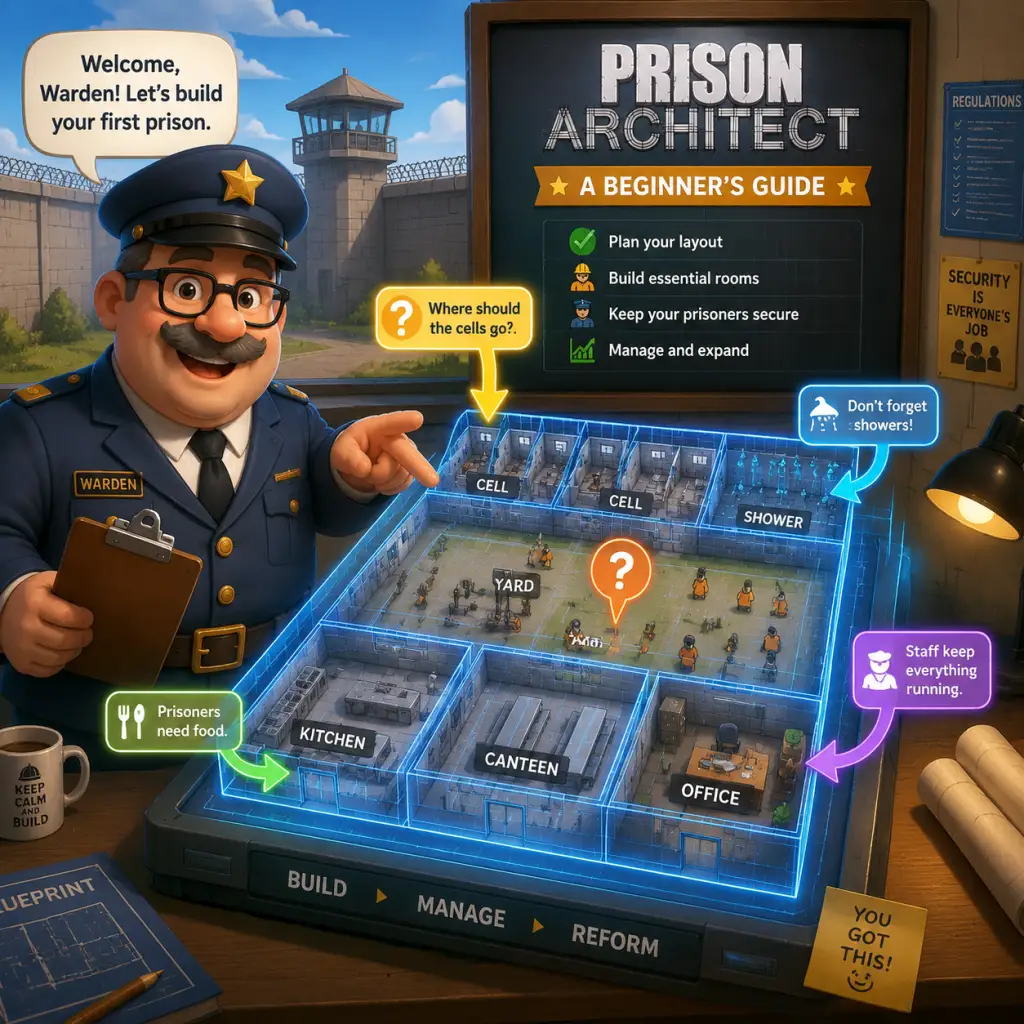
Getting Started
Getting Started: A Beginner's Guide to Prison Architect
Introduction
Welcome to Prison Architect, a top-down simulation where you design, build, and manage a maximum-security prison. This guide covers everything a brand-new player needs to survive the first hour, avoid common pitfalls, and set up a functional prison from day one.
No Character Creation
Prison Architect does not feature a character creation system. You control the prison from a god-like perspective, managing staff, prisoners, and facilities. The only "character" is the Warden (you), represented by the player's decisions and the prison's design.
Controls on All Platforms
#### PC (Mouse & Keyboard)
- Left-click: Select, place items, interact.
- Right-click: Cancel / deselect / rotate objects.
- Mouse wheel: Zoom in/out.
- Middle mouse button (click & drag): Pan camera.
- WASD / Arrow Keys: Pan camera.
- Space: Pause/unpause.
- Tab: Toggle speed (1x, 2x, 3x).
- Escape: Open menu / cancel.
- F1-F4: Quick save/load slots.
- Left stick: Move camera.
- Right stick: Rotate/zoom camera (press stick often changes object orientation).
- D-pad: Navigate menus and quick-select building categories.
- A / Cross (X on PlayStation): Confirm / place.
- B / Circle (O): Cancel / back.
- X / Square: Open context menu or toggle building mode.
- Y / Triangle: Open reports or prison overview.
- LB / L1 & RB / R1: Cycle through speed settings.
- Back / Share: Open pause menu.
- Start: Open full build menu.
- Top bar: Money, prisoner count, grants, speed controls, date, and notifications (alerts, events).
- Left sidebar: Main menu icons for Build, Reports, Policy, Intelligence, Finance, and Research.
- Bottom toolbar: Quick actions like materials, rooms, utilities, objects, staff deployment, and zoning tools.
- Right side (small): Tool hints and object health/info when selecting something.
- Center: The prison map, initially empty.
- Escape Menu: Save, load, settings, exit.
- Reports: View prisoner needs, staff, logistics, and incidents.
- Policy: Set regimes, deployment, and prisoner categories.
- Finance: Track income/expenses, grants.
- Research: Unlock new rooms, equipment, and policies (via Bureaucracy).
- Pause the game immediately after starting. Planning before time runs is critical.
- Draw the Delivery Zone (a yellow zone) near the road – it's where trucks drop supplies.
- Build a small Reception Room connected to a Holding Cell. Reception processes new prisoners.
- Build the essentials close together to minimize walking distance.
- Prioritize water pumps and power generators – they are cheap and keep things running.
- Assign guards to patrol corridors.
- Don't build a huge prison right away. Start small (10-20 cells). Expansions are tempting but drain money faster than you earn.
- Don't ignore prisoner needs – hunger, sleep, toilet, and recreation cause riots.
- Don't skip the foundation – all rooms must be enclosed by walls and a foundation.
- Don't place objects before rooms – you must designate a room (e.g., "Canteen") before placing tables and benches.
- Don't forget to connect power and water – pipes and wires must reach the building.
#### PlayStation / Xbox / Switch Controllers
Layout is similar across consoles. Key actions:
Tip: On console, use the radial menu (hold right bumper) to quickly place rooms, utilities, and staff.
UI Overview
When you start a fresh game (Warden Mode -> New Prison), the screen shows:
Key Panels:
Essential Early Objectives (First Hour)
Your first hour should focus on survival and basic function:
1. Accept the starter grant (often "First Grant") – provides initial cash.
2. Build a Holding Cell (room) to house new prisoners.
3. Build a Canteen and Kitchen to feed them.
4. Connect water and electricity to these rooms.
5. Hire Staff: Warden, Chief, Accountant (unlocks grants), Guards, Workmen (for construction).
6. Intake prisoners: Start with a few (minimum 6-8) so you can learn without chaos.
7. Set a basic regime (Eat, Sleep, Free Time, Work) to keep prisoners calm.
8. Add toilets and showers inside the holding cell or a dedicated room.
What to Do First
What to Avoid
Early Resource Priorities
| Resource | Priority | Reason |
|---|---|---|
| Money | High | Used for construction, staff salaries, and materials. Focus on grants for quick cash. |
| Space | Medium | Keep initial footprint small to reduce costs and staff needs. |
| Staff | High | Hire at least 2 guards, 1 warden, 1 cook, 1 workman immediately. |
| Water & Power | High | Every building needs water (toilets/sinks) and power (lights/objects). Install pumps and generators early. |
| Research | Medium | Unlock bureaucracy: start with Warden (enables hierarchy) then Chief (deployment). Grants (via Accountant) bring money. |
| Prisoner Intake | Low | Don't accept more than 6-8 prisoners until basic needs are met. |
Common Beginner Mistakes
1. Building too many cells too early – You pay for empty cells and maintenance. Build as needed.
2. Zoning incorrectly – Rooms must be enclosed by walls and have a door. A "room" is defined by the Room tool, not just objects.
3. Ignoring the regime – Prisoners left idle will find trouble. Use the Policy tab to set a schedule (e.g., 8 hours sleep, 4 hours work, 2 hours yard).
4. Scattering furniture without room designation – Always use the Room tool first, then place objects inside.
5. Forgetting to connect utilities – Water pipes and power cables must hook up to the electrical grid. Capacitors and pumps require distribution.
6. Over-hiring staff – Too many guards drain money. Start with minimal staff and increase as prison size grows.
7. Not saving often – Game is unforgiving. Save every 10-15 minutes.
8. Building in the wrong orientation – Prisons built north of the road require longer walks. Build close to the road for efficiency.
Day-One Checklist
Use this to survive the first in-game day (24 hours):
- [ ] Pause the game.
- [ ] Accept the first grant (Finance -> Grants -> Accept).
- [ ] Buy land if needed (but starter plot is fine).
- [ ] Draw Delivery Zone (Utilities -> Zones -> Delivery Zone) near the road.
- [ ] Draw Garbage Zone next to it.
- [ ] Build a small rectangular foundation (approx. 10x5 tiles) for Holding Cell.
- [ ] Place doors (one entrance from outside).
- [ ] Designate room as "Holding Cell" (Build -> Rooms -> Holding Cell).
- [ ] Place objects inside: Toilets (1 per 4 prisoners), benches, a phone booth, a water pump (if water needed).
- [ ] Connect water to the pump (water pipes from road to pump).
- [ ] Connect electricity (power lines from road generator to building's capacitor).
- [ ] Build a separate 10x5 foundation for Canteen + Kitchen (can be same room, but better separate).
- [ ] Designate Canteen and Kitchen rooms. Place Cookers, fridges, serving tables, tables, and benches.
- [ ] Hire: 1 Warden, 1 Chief, 1 Accountant (unlocks grants), 2 Guards, 1 Cook, 1 Workman.
- [ ] Research Grants (Bureaucracy -> Accountant -> Grants). Accept more grants (e.g., "First Prisoner Grant").
- [ ] Set a basic Regime (Policy -> Regime):
- [ ] Intake 6 prisoners (Policy -> Intake -> Accept prisoners).
- [ ] Unpause the game at normal speed (1x). Observe.
- [ ] Watch for alerts: If prisoners are hungry, build more kitchen capacity. If angry, add recreation (TV, weight bench) or yard.
- [ ] Save your game.
- Use Grants as your primary income early on. They give lump sums for meeting targets.
- Expand gradually. Build a cell block (individual cells) once you have steady income. Cells give more grant money.
- Watch tutorials in-game (the game has built-in tips).
- Read the Prisoner Needs report (Reports > Needs) to see what's causing trouble.
- Keep it simple – a small, functional prison is better than a grand failure.
- 6:00-8:00 Wake Up, 8:00-9:00 Eat, 9:00-12:00 Work, 12:00-13:00 Eat, 13:00-18:00 Free Time, 18:00-19:00 Eat, 19:00-22:00 Free Time, 22:00-6:00 Sleep.
First Hour Walkthrough (Step-by-Step)
1. Start a new sandbox prison (Warden Mode). Choose a default easy prison or start from scratch.
2. Immediately pause (Space).
3. Look at the road at the top of the map. Draw a Delivery Zone (Utilities tab > Zones > Delivery Zone) just inside your boundary near the road.
4. Draw a Garbage Zone next to it.
5. Select the Foundation tool (Build tab > Objects > Foundation). Click and drag a 10x5 rectangle south of the Delivery Zone. This will be your Holding Cell.
6. Right-click to exit foundation. Then click the Room tool (Build tab > Rooms) and select "Holding Cell". Click inside the foundation to designate it.
7. Place a Large Jail Door on one of the walls facing the road.
8. Inside the Holding Cell, place: 4 toilets, 1 sink (for cleaning), 2 benches, 1 phone booth, 1 water pump, 1 capacitor.
9. Route water pipes from the road's water supply to the pump (click water pipe tool, draw a line from the road's water node to the pump).
10. Route power lines similarly (power cables from road generator to capacitor).
11. Build a second foundation next to the holding cell (8x8) for the Canteen/Kitchen. Designate it as "Kitchen" (room). Place 1 cooker, 1 fridge, 1 serving table.
12. Add a Canteen room overlapping the same space or adjacent? Better to make a separate Canteen room nearby or connect via doorway. Simpler: make a combined room using a large foundation, designate half as Kitchen and half as Canteen. Place tables and benches in the Canteen area.
13. Connect water and power to this building.
14. Hire staff: click Staff icon (bottom toolbar) and hire: 1 Warden, 1 Chief, 1 Accountant, 2 Guards, 1 Cook, 1 Workman.
15. Open Reports > Grants and accept the first grant (usually $20,000). Also go to Bureaucracy, research Accountant -> Grants. Accept the "First Prisoner Grant" after it appears.
16. Set Regime (Policy > Regime): click on the regime chart. Create a simple schedule: all prisoners: 8 hours sleep (22:00-06:00), 4 hours work (09:00-13:00), 2 hours yard (13:00-15:00), 1 hour eat (08:00-09:00 and 15:00-16:00), rest free time.
17. Intake prisoners: Policy > Intake, set minimum security prisoners, accept 6.
18. Unpause. Watch your staff build the rooms. Once built and connected, prisoners will arrive after a delay (a bus icon appears).
19. First day will be chaotic – they will need food, showers, toilets. Ensure your cook is hired and kitchen has ingredients (the game auto-starts with some supplies). If prisoners riot, add more guards or improve conditions.
20. Save often.