Getting Started
Getting Started with Titanfall 2
Welcome to the frontier, pilot. Titanfall 2 blends hyper-mobile first-person shooter combat with massive mech warfare. This guide will get you through your first hour, explain controls on every platform, highlight the UI, and steer you clear of common noob traps. We'll cover both the single-player campaign and the multiplayer component.
Character Creation (None)
Titanfall 2 does not feature a character creator. Your pilot's appearance and gender are fixed throughout the campaign (protagonist Jack Cooper). In multiplayer, you choose from predefined Pilot Tactical abilities, weapons, and cosmetic banners/skins, but you do not customize the physical pilot model at launch. Titan loadouts are fully customizable once unlocked.
Controls Overview (All Platforms)
You can rebind almost everything. The default layouts are shown below. For beginners, consider switching to "Bumper Jumper" (PS4/5) or "Ninja" (Xbox) – these put jump on a shoulder button so you can aim while wallrunning.
#### PC (Keyboard & Mouse)
| Action | Key |
|---|---|
| Move | W A S D |
| Aim Down Sights (ADS) | Right Mouse Button |
| Shoot | Left Mouse Button |
| Jump | Space |
| Double Jump / Wallrun | Space again on wall |
| Sprint | Shift (hold) |
| Slide / Crouch | Ctrl (hold to slide, tap to crouch) |
| Pilot Tactical Ability | Q |
| Ordnance (Grenade) | G |
| Melee | V |
| Titan Call | X |
| Titan Embark/Disembark | E |
| Titan Tactical | Q |
| Titan Ordnance | Mouse 4 (default) |
| Titan Melee | V |
| Titan Dash (dodge) | Shift (while in Titan) |
| Ping | Middle Mouse Button |
| Scoreboard | Tab |
- Move: Left Stick
- Look: Right Stick
- Sprint: L3 (click left stick)
- Jump: X
- Crouch / Slide: Circle (hold to slide)
- ADS: L2
- Shoot: R2
- Tactical Ability: L1
- Ordnance: R1
- Melee: R3 (click right stick)
- Ping: Up on D-pad
- Titan Call / Embark: Touchpad (swipe up for Titan call, swipe down for embark/disembark) – defaults may vary; check options.
- Titan Dash: L3 while in Titan
- Scoreboard: Touchpad (click)
- Move: Left Stick
- Look: Right Stick
- Sprint: L3
- Jump: A
- Crouch / Slide: B
- ADS: LT
- Shoot: RT
- Tactical Ability: LB
- Ordnance: RB
- Melee: R3
- Ping: Up on D-pad
- Titan Call: View button (two squares) + hold? Actually default: Down on D-pad calls Titan. Embark/Disembark: Y near Titan.
- Titan Dash: L3 while in Titan
- Scoreboard: View button (select)
- Top Centre: Target reticle. No crosshair bloom – Titanfall uses recoil patterns.
- Bottom Left: Health bar (red) with shields (white) when applicable (Titans have regenerating shields).
- Bottom Centre: Ammo count / magazine (current / reserve).
- Bottom Right: Pilot Tactical Ability icon (cooldown ring), Ordnance icon, Titan build meter (when you earn enough points, you can call your Titan).
- Above Health: Kill streak / score in multiplayer.
- Minimap: Top right corner – shows friendly/enemy pings, AI grunts as faint dots. In campaign, waypoints and objective markers appear here.
- Titan HUD (when inside): Additional central display shows Titan health, shield, dash cooldown, ability cooldowns, and a weapon heat meter for certain weapons.
- Campaign: Finish the Gauntlet with a decent time (under 40 seconds for a good score, but just finishing is fine). Learn to chain a slide into a wallrun into a double jump.
- Multiplayer: Reach Level 2 to unlock the ability to edit your loadout. After that, try each Pilot Tactical ability (Stim, Pulse Blade, Grapple, etc.) to find your style. The Grapple is very forgiving for beginners because it helps with vertical movement.
- Both Modes: Learn the maps. Spend time in private matches (no bots) just running on walls and sliding to build muscle memory.
- Play the campaign on Easy or Normal difficulty first – it teaches you all mechanics.
- Adjust your field of view (FOV) to 90-110 for a wider view.
- Turn off Mouse Acceleration (PC) or adjust aim response curve (console) to Linear for more consistent aim.
- Use the Grapple tactical in multiplayer early on – it's the most forgiving for movement mistakes.
- Stick with the R-201 Carbine (starting assault rifle) – it's versatile.
- In Titan combat, use your Dash (Shift on PC, L3 on console) to dodge enemy rockets and melee attacks.
- Pay attention to AI Grunts (the easy bots) – they are free Titan build meter in multiplayer.
- Standing still. You are a sitting duck. Always keep moving – walk, slide, wallrun, grapple.
- Running into open areas without checking for Titans. Titans are huge and easy targets, but also vulnerable to concentrated fire.
- Using your Titan like a slow tank. Titans have a dash ability and can be fast if you use dashes and boost.
- Ignoring the mini-map. Enemies that shoot or use abilities appear as red blips. Use it to flank.
- Spending all your Credits on cosmetics in multiplayer. Early credits should go to unlocking a second weapon or a new tactical ability (e.g., Stim or Cloak are great for beginners).
- Playing Bounty Hunt without knowing the flow. It's a mode where you kill NPCs for money, then bank at designated drops. If you die, you lose half your unbanked cash. Don't hoard cash – bank often.
- Merits (XP) are earned by completing matches and challenges. Each level-up gives you a Credit bundle. Credits are the main currency to permanently unlock weapons, abilities, and boosts.
- Priority unlocks (in order):
- Do NOT spend Credits on cosmetics (paint jobs, banners) until you have a solid competitive loadout.
- [ ] Play the Campaign Gauntlet and finish it (any time).
- [ ] Adjust Settings:
- [ ] Complete the first campaign mission up to meeting BT (or finish chapter 1).
- [ ] Jump into Multiplayer Training (a private match with bots) – practice wallrunning and slide hopping (slide then jump to maintain speed).
- [ ] Play one match of Attrition or Bounty Hunt against human opponents – expect to die a lot but focus on movement and helping teammates.
- [ ] Spend your starting Credits (usually around 100) on one new Tactical (Stim or Grapple) and the CAR or R-97 weapon.
- [ ] Find your Titan preference – early Titans available: Ion (versatile), Tone (simple lock-on), or Scorch (area denial). Play one match with each to see which feels best.
- [ ] Review your top mistakes (see above) and commit to avoiding at least two of them in your next session.
Tip: Enable "Sprint by Default" (Auto-Sprint) in options to free your left thumb for aiming.
#### Xbox One / Series X|S
Tip: Switch to control scheme "Ninja" for better movement – jump becomes LB, slide becomes RS (click).
UI Overview (HUD)
The HUD is minimalist. Key elements:
First Hour Walkthrough – Campaign
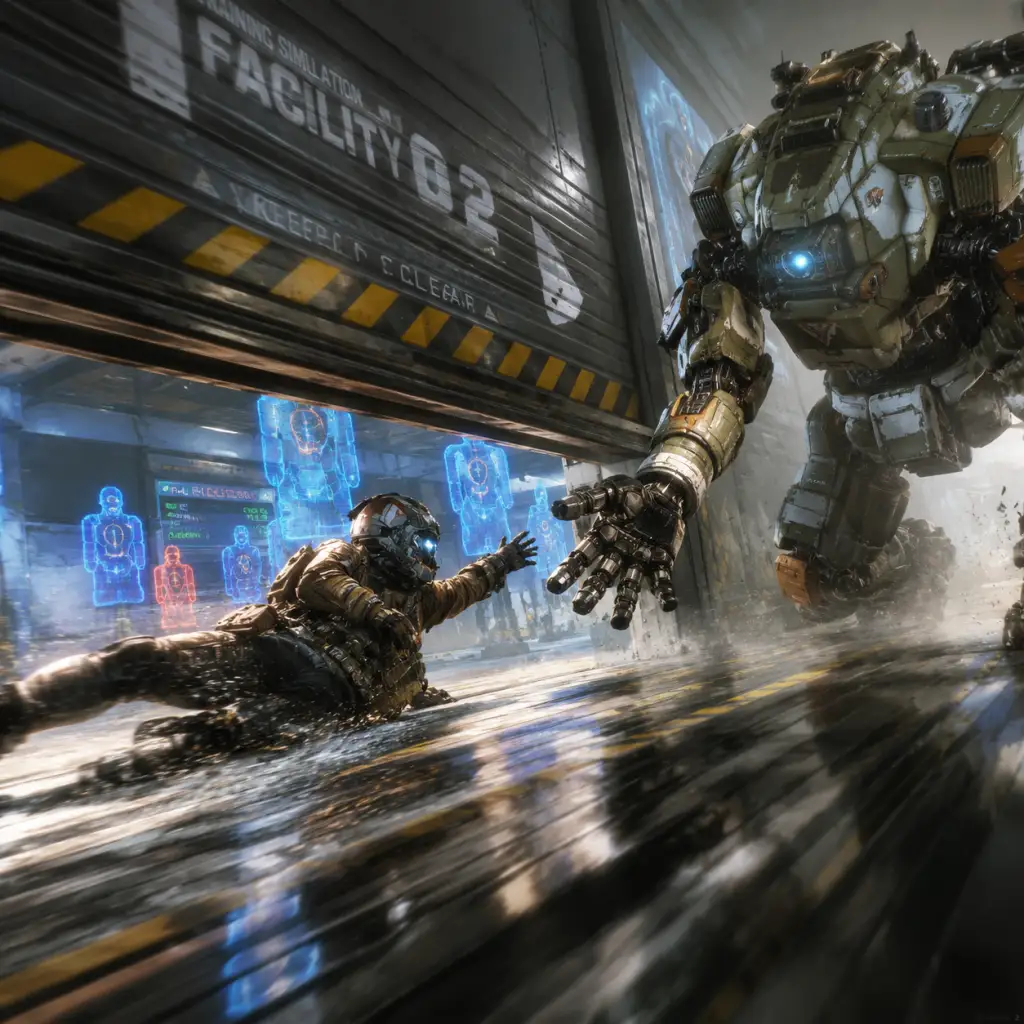
Start the game. The campaign begins with "The Pilot's Gauntlet" – a tutorial simulation. Do not skip it. This is where you learn:
1. Basic movement: Sprint, slide, jump, double jump, wallrun. The Gauntlet is a timed obstacle course. Your first objective is just to finish it. You can replay it later for a better time.
2. Combat: Shoot the moving training drones. Use your pistol and then your assault rifle. Practice aiming while moving – sliding and wallrunning.
3. After the Gauntlet: A cutscene introduces you to your Titan, BT-7274. You'll then be in the first real mission.
4. First Mission ("BT-7274"): Follow your squad, learn to listen for audio cues. Your goal is to reach a downed Titan. You'll face human soldiers and later a massive enemy Titan (Kane). Use cover, shoot at weak points (glowing orange panels). After you mount BT, the game teaches Titan controls: move, shoot, dash, use abilities. Stay close to your squad for the initial push.
5. Within the first hour, you will have completed the Gauntlet and likely the first combat section. Expect to die a few times – that's normal.
Essential Early Objectives
What to Do First and What to Avoid
DO:
AVOID:
Early Resource Priorities
Campaign: No currency. The only resource is your time – replay sections to find collectibles (Pilot Helmets) to unlock achievements/cosmetics for multiplayer.
Multiplayer:
1. Alternative Pilot Tactical – Get Stim (heal + speed) or Grapple (mobility) depending on your early preference. (Cost: ~30 Credits)
2. Alternate primary weapon – The CAR SMG or R-97 (SMGs) are very beginner-friendly because they have high fire rate and hipfire accuracy. (~50 Credits)
3. Electric Smoke (Titan defensive ability) – great for flushing out enemies rodeoing your Titan. (~15 Credits)
4. Tier 2 Boost – Unlock Battery or Tick (recon mine) for utility. Avoid Phase Rewind early – it's tricky.
Common Beginner Mistakes
1. Not using wallrunning. Movement is the core of Titanfall 2. Practice on the Gauntlet wall run section – you can stay on walls for a few seconds.
2. ADS (aiming down sights) too much. Hipfire is very accurate in this game, especially with SMGs and shotguns. Only ADS for long-range engagements.
3. Forgetting to call your Titan. In multiplayer, once your Titan meter fills (near lower right corner), don't wait – call it (Down on D-pad or Touchpad swipe up). A Titan on cooldown is a wasted resource.
4. Staying in your Titan when it's near death. If your Titan is smoking (low health) and enemies are focusing you, disembark and escape. A destroyed Titan costs you time; a bailed pilot can call another Titan later.
5. Rodeoing an enemy Titan without a battery. Rodeoing (jumping on enemy Titan and pulling out the battery) requires you to have a Battery boost or to take the battery from your own Titan. If you rodeo without a Battery, you'll just pull the battery and jump off – that's good, but you become vulnerable. Be ready to use your cloak or grapple to escape.
6. Not using the mini-map. Red dots mean shooting enemies. Use them to predict flanks.
7. Challenging Titans as a pilot without cover. As a pilot, you are small and fast – use buildings and roofs to engage Titans from above, not head-on.
Day-One Checklist
- Field of View: 90-100 (PC) or default (console).
- Graphics: Lower shadows to medium or below for better visibility.
- Sound: Enable „Hearing Impaired“ visual indicators (subtle on-screen cues) to help locate enemies.
- Controller: Enable „Auto-Sprint“ (console) or use „Bumper Jumper“ / „Ninja“ layout.
- Mouse: Turn off acceleration, set sensitivity to 2-4 (400-800 DPI) for precision.
Final Pro-Tip
Titanfall 2 has a steep learning curve, but the campaign is arguably the best tutorial ever made for an FPS. Play through the entire campaign first. It will teach you the movement, Titans, and combat flow in a structured way. After you finish the campaign (around 6–8 hours), you will have the muscle memory to be competitive in multiplayer.
Welcome to the frontier, pilot. See you on the wall.