Getting Started
WWE 2K23 Getting Started Guide
Welcome to WWE 2K23! This guide is for brand-new players. We'll cover your first hour, character creation (if applicable), controls across all platforms, the user interface, essential early objectives, what to do (and avoid), resource priorities, common mistakes, and a day-one checklist. By the end, you'll step into the ring with confidence.
First Hour Walkthrough (What to Expect)
1. Launch & Main Menu – After the splash screens and a cinematic video, you'll see the main menu. Options include Play, MyRISE, Showcase, Universe, MyFACTION, Online, Creation Suite, and Options. Do not rush; take a moment to browse.
2. Tutorial Prompt – The game will ask if you want to play the 2K Showcase (covering John Cena's career) as a tutorial. I recommend doing the first match of Showcase – it teaches basic controls, reversals, and signature moves. It takes about 10 minutes and rewards you with Virtual Currency (VC).
3. MyRISE Character Creation – After the tutorial (or earlier), jump into MyRISE (the career mode). The game will prompt you to create a custom wrestler. This is your first major decision. Choose a gender (male/female) and then customize:
- Appearance: Face, body type, hair, attire. Use presets first; you can refine later.
- Name: Enter a nickname and ring name.
- Entrance: Pick a base theme and motion. Skip advanced edits for now.
- Attributes: You'll start with a point budget. Prioritize Strength, Durability, and one top stat (e.g., Technical or Striking). Don't waste points on Submission unless you want.
4. First MyRISE Match – You'll be thrown into a story match (e.g., a tryout on NXT). The game will show on-screen button prompts again. Win or lose, you progress the story. Expect a cutscene and unlockable items.
5. Post-Match Menus – After the match, you'll see your rewards (VC, attribute upgrades, cosmetic items). You can now explore other modes.
Character Creation (Detailed)
WWE 2K23 offers deep creation. For beginners, focus on:
- Gender: Affects available moves and storylines in MyRISE. Choose your preference.
- Presets: Use the "Quick Customization" tab to apply pre-made face templates. Adjust sliders (nose, jaw, etc.) later.
- Attire: Select from default tops, bottoms, and boots. Custom colors and logos are available but time-consuming; skip for now.
- Moveset: The game assigns a basic moveset automatically. You can edit later via Creation Suite > Movesets.
- Stats: In MyRISE, you earn VC and can upgrade attributes. Don't spend VC on stat boosts until you finish the first few story missions – you'll get a feel for your wrestler's weaknesses.
Controls (All Platforms)
Below are the default controls. Practice in the training mode (accessible from Options). Important: Reversals are a core mechanic – tap the right button just before an opponent's grapple/move.
#### PlayStation (PS4 / PS5)
| Action | PS4 Controller | PS5 Controller |
|---|---|---|
| Move | Left Stick | Left Stick |
| Strike | Square | Square |
| Grapple | Circle | Circle |
| Irish Whip | Triangle | Triangle |
| Light Attack / Pick Up | X | X |
| Reversal | L1 | L1 |
| Run | R2 | R2 |
| Signature | R2 + ⬜ | R2 + ⬜ |
| Finisher | L2 + R2 | L2 + R2 |
| Taunt | D-Pad Up/Down/Left/Right | D-Pad |
| Pin / Submission | Left Stick + R2 | Left Stick + R2 |
| Action | Xbox Button |
|---|---|
| Move | Left Stick |
| Strike | X |
| Grapple | B |
| Irish Whip | Y |
| Light Attack / Pick Up | A |
| Reversal | LB |
| Run | RT |
| Signature | RT + X |
| Finisher | LT + RT |
| Taunt | D-Pad |
| Pin / Submission | Left Stick + RT |
| Action | Key |
|---|---|
| Move | W/A/S/D |
| Strike | S |
| Grapple | D |
| Irish Whip | F |
| Light Attack / Pick Up | Space |
| Reversal | Q |
| Run | Left Shift |
| Signature | Left Shift + S |
| Finisher | Ctrl + Left Shift |
| Taunt | 1/2/3/4 or Arrow Keys |
| Pin / Submission | W/S + Left Shift |
User Interface (UI) Overview
- HUD: Health bars at top (yours on left, opponent on right). Below health: Stamina bar (yellow), Signature (blue tick marks), Finisher (red tick marks). When a bar fills, you can perform that move.
- Reversal Button Prompt: When an opponent grabs you, a circular icon appears above your head – press the corresponding button (L1/LB/Q) to reverse.
- Match Timer: Top center shows time remaining. For normal matches, length is adjustable in settings.
- Menu Bar: Pause (Options/Start) opens match options (quit, restart, adjust difficulty).
- Main Menu Tiles:
- #1: Showcase first match – Get comfortable with controls.
- #2: MyRISE character creation – Quick and dirty; you can edit later.
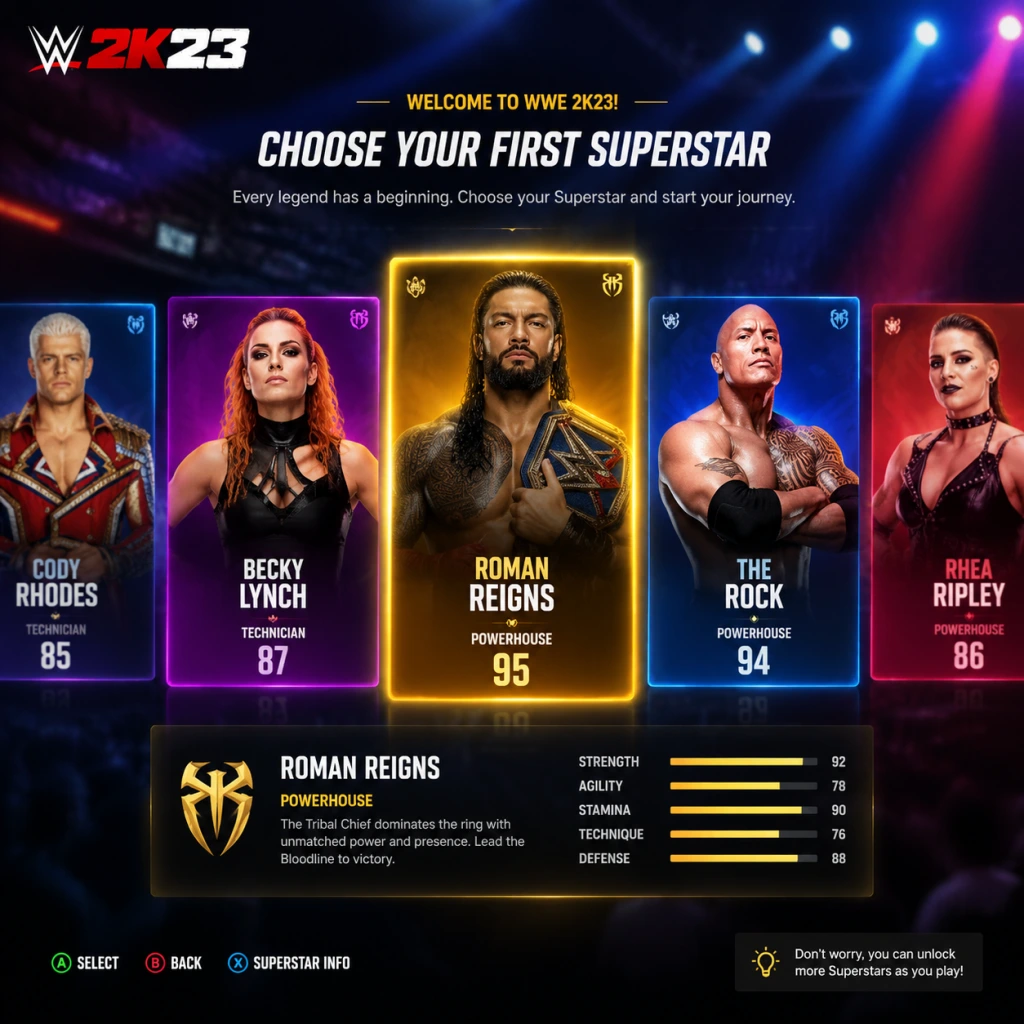
- #3: Play a few exhibition matches – Experiment with different wrestlers (use superstars with high overall ratings like Roman Reigns or Bianca Belair). Practice reversals and combos.
- #4: Spend earned VC wisely – In MyRISE, upgrade your weak stat first (e.g., if your strikes are weak, increase Strike). Avoid buying cosmetic packs in MyFACTION until you understand the economy.
- #5: Explore MyFACTION (optional) – If you're interested, play the introductory matches there to earn cards. But it's a separate grind; don't get distracted.
- Don't skip the tutorial – Even if you've played other wrestling games, WWE 2K23 has unique reversal timing.
- Don't spend VC on MyFACTION packs – Those are RNG-based. You'll waste precious currency. Use saved VC for attribute upgrades or move purchases.
- Don't ignore stamina – Punching and running deplete stamina. If stamina is low, you move slower and reversal windows shrink. Let it recover by standing still or walking.
- Don't button mash – Reversals are timing-based; mashing will leave you open. Observe opponent's moves.
- Don't change difficulty to Legendary – You'll struggle to reverse moves. Stick to Normal for at least 10 matches.
- Don't neglect your Finisher – Build up your finisher by taunting, hitting signatures, and performing moves. Use it when opponent's health is low (preferably with a stored finisher) for a guaranteed pin.
- Play: Quick match, exhibition, local multiplayer.
- MyRISE: Career mode with custom character.
- Showcase: Tutorial-like story mode (John Cena).
- Universe: Simulate a show with rosters and rivalries (advanced; skip for now).
- MyFACTION: Card-based collectible mode (online & offline).
- Creation Suite: Create wrestlers, arenas, entrances.
- Online: Multiplayer vs others.
- Options: Settings, save/load, bonus content.
Essential Early Objectives
1. Play the Showcase tutorial match – Unlocks controls and gives VC (~1,000 VC).
2. Create a MyRISE character – Use presets; don't obsess over details.
3. Complete your first MyRISE storyline match – This unlocks the ability to upgrade attributes and earn more VC.
4. Visit the Creation Suite – At least browse to see how to edit movesets or attires later.
5. Adjust game settings – Go to Options > Difficulty: set to Normal (Easy becomes too easy; Hard punishes mistakes). Also turn on Reversal Help (shows button prompts) for your first few hours.
What to Do First (Priority Order)
What to Avoid Early On
Early Resource Priorities
| Resource | How to Earn | Priority | Early Uses |
|---|---|---|---|
| Virtual Currency (VC) | Matches, Showcase, Daily Rewards | High | Upgrade MyRISE attributes, purchase new moves from the store, unlock entrance parts. |
| MyFACTION Points | MyFACTION matches, challenges | Low (first week) | Buy packs only after you grasp the mode. Earn free packs from introductory matches. |
| Attribute Points (MyRISE) | Story progression | High | Spend immediately on the attribute that matches your playstyle. |
| Cosmetic Locker Items | Matches, store, MyRISE rewards | Medium | Unlock new attires and gear; don't prioritize over stat upgrades early. |
Common Beginner Mistakes
- Reversal button timing: Many new players press too early. The prompt appears a split second before the move connects. Practice in training with the reversal helper on.
- Overusing Irish Whip: Irish Whipping (Triangle/Y) sends opponent to ropes – useful but predictable. Mix up grapples and strikes.
- Forgetting Taunts: Taunting once per match builds signature/finisher meter faster. But don't spam; you'll be interrupted.
- Ignoring Submissions: If you have a submission finisher, apply it when opponent is low health. Tap buttons rapidly or rotate sticks (check control scheme).
- Trying to master everything at once: Focus on one or two wrestlers initially. Learn their moveset and playstyle.
- [ ] Install WWE 2K23 and apply any available update.
- [ ] Launch game, set difficulty to Normal, enable Reversal Help in Options.
- [ ] Play Showcase first match (John Cena vs. Kurt Angle).
- [ ] Complete MyRISE character creation (spend no more than 15 minutes).
- [ ] Play your first MyRISE match (story mission).
- [ ] Spend earned VC to upgrade one key attribute (e.g., Strength or Speed).
- [ ] Play one exhibition match with a pre-made superstar (e.g., Roman Reigns).
- [ ] Save your game (autosave is on, but manually save after MyRISE).
- [ ] Check Settings > Audio/Video – adjust crowd volume, music, and brightness if needed.
- [ ] Do NOT purchase any MyFACTION packs yet.
- Training Mode is your best friend. Go to Play > Practice. Set opponent to AI, choose a simple wrestler, and drill reversals for 10 minutes.
- Watch the opponent's body language – before a grapple, the opponent's arms raise. That's your cue to hit reversal.
- Learn one combo: Each wrestler has a 2- or 3-hit strike combo (e.g., Square, Square, Square). Use it to stun and then grapple.
- Use the environment – Irish whip opponent into turnbuckles or steel steps for extra damage.
- Have fun – WWE 2K23 is about spectacle. Experiment with crazy dives and finishers. Your first few losses are just part of learning.
Day-One Checklist
Final Pro Tips
Ready, wrestler? Go make your debut!