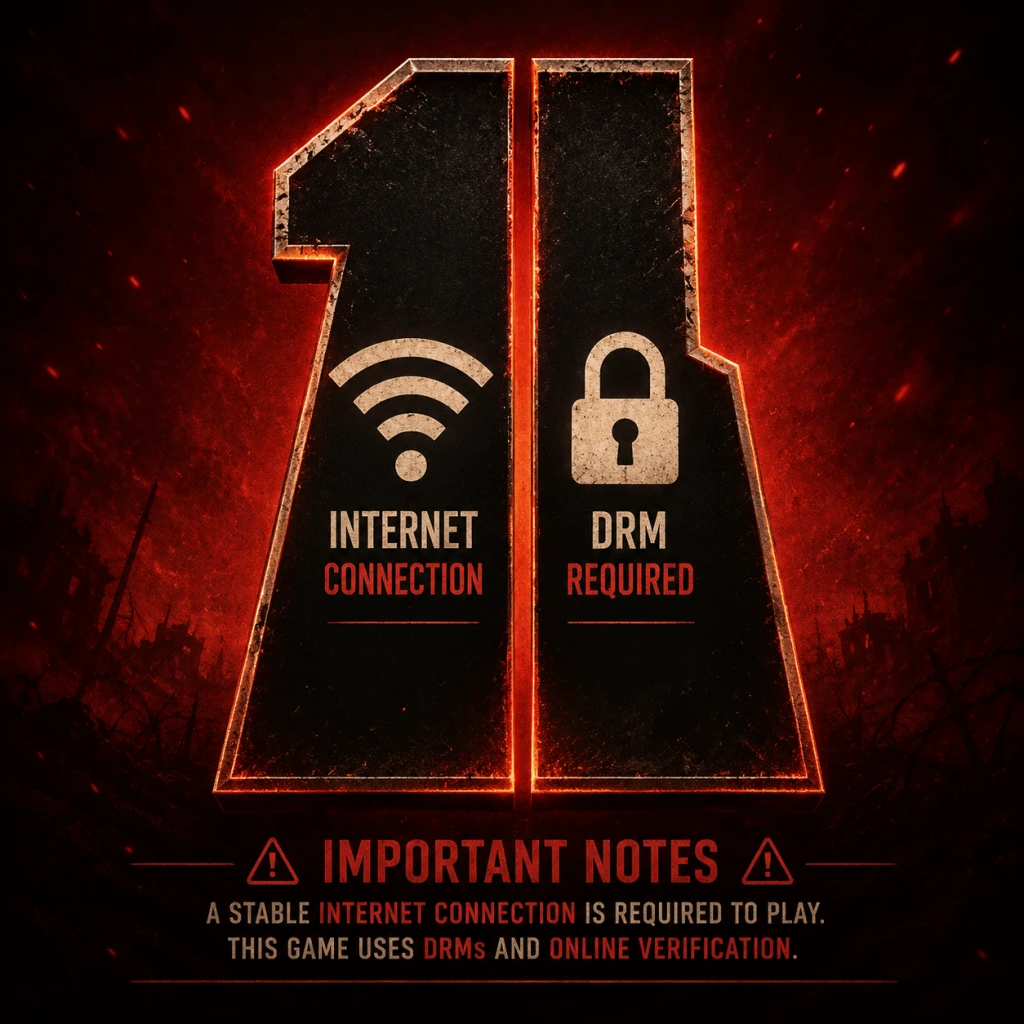
Important Notes
Important Notes
Warnings
- System Requirements & DRM: Battlefield 1 requires a persistent internet connection for multiplayer and a one-time online activation for single-player. It uses the EA App (formerly Origin) on PC. Ensure your PC meets the minimum specs (Intel Core i5-6600K / AMD FX-6350, 8GB RAM, NVIDIA GTX 660 or Radeon HD 7850) to avoid crashes. Laptops with integrated graphics are not supported.
- Anti-Cheat & Bans: Battlefield 1 uses FairFight server-side anti-cheat (not PunkBuster). Do not use any third-party hacks, macros, or overlays (e.g., aiming assists, wallhacks). Violations result in permanent bans across all platforms tied to your EA account. Even single-player mods (texture injectors) can trigger false positives — avoid entirely.
- Microtransactions: The game includes Battlepacks (loot boxes for weapon skins, XP boosts, puzzle pieces). They can be earned by playing or purchased with real currency (Battlefield Currency). No pay-to-win items exist, but you may accidentally spend real money on cosmetic items. Turn off purchase prompts in the settings menu if you want to avoid temptation.
- Platform-Specific Bugs: On PlayStation 5 and Xbox Series X|S, the game runs via backward compatibility. Some users report audio stuttering and slower loading times compared to native next-gen titles. On PC, disable any overlay from Discord or Steam to prevent crashes.
- Wasting War Bonds Early: War Bonds (earned by leveling up) are used to unlock weapons and gadgets. New players often spend them on flashy weapons that are difficult to handle (e.g., the Automatico M1918 for Medic, which is actually an Assault weapon). Instead, research popular starter builds:
- Ignoring Class Assignments: Each class has specific assignments to unlock top-tier weapons (e.g., the Hellriegel for Assault, the Martini-Henry sniper). Many players ignore these until late game, missing powerful options early. Check the assignments tab frequently and work on them passively (e.g., get 50 SMG kills while playing Assault).
- Poor Squad Play: The biggest mistake is playing lone wolf without a squad. Spotting enemies (press Q/R1) gives you points and helps your team. Always spawn on squadmates when safe, and communicate via the commo rose. Squads that capture objectives together earn bonus points per kill/capture.
- Vehicle Hogging: Jumping into a tank or plane without knowing basic controls (e.g., how to spot, zoom, or repair) gets you killed quickly and wastes a valuable asset for your team. Practice in the “War Stories” single-player missions (e.g., “Through Mud and Blood” for tanks) or in an empty server before using vehicles in live matches.
- Not Adjusting Settings: Default sensitivity is often too high for precise aiming. Lower it gradually until you can track a running soldier smoothly. Also, turn off “Auto-Lean” (console) or “Movement Assisted Aiming” to avoid unwanted snapshot corrections. See our Game Settings section for optimal values.
- Single-Player Collectibles: Each war story has 10 Field Manuals (collectibles) that unlock Codex entries and contribute to the “Codex” achievement/trophy. If you miss any, you must replay the entire chapter from the war story’s main menu — there is no chapter select. Save yourself frustration: follow a collectible guide before starting each war story.
- Easter Eggs (Peacekeeper): The Peacekeeper revolver is unlocked via a complex set of steps involving Morse code, phone boxes, and light patterns across multiple maps. If you start the Easter Egg and fail to complete it in one session, progress may reset (some steps are persistent, others aren’t). Dedicate at least 2 hours and use the Battlefield Easter Egg community guide to avoid irreversible mistakes (like shooting a wrong light pattern that locks you out for the round).
- Limited-Time Events: EA occasionally runs “Operations Campaigns” that offer exclusive dog tags, weapon skins, or XP boosts. These are temporary and not rerun. If you miss them, those cosmetics are gone permanently. Check the in-game “Updates” tab weekly.
- DLC Weapon Unlocks: If you own the Premium Pass, many weapons (e.g., the RSC SMG, the Parabellum MG14) require completing specific assignments in DLC game modes (e.g., “Frontlines”, “Shock Operations”). If you don’t own the DLC, you cannot unlock them. On console, expansions are sometimes given free via Games with Gold or PS Plus — grab them even if you don’t play them immediately to avoid later regret.
- Class Rank 50 Assignment Lock: Once you reach rank 50 overall (max rank 150), you can earn a special dog tag. This is not missable, but some players grind rank too fast without focusing on class levels. The best dog tags require reaching class level 50 (max 50) in each of the four classes — this takes much longer and is easy to neglect.
- Single-Player Difficulty: The “War Stories” on Hard difficulty can be brutal due to limited checkpoints and strong enemy AI (especially the tank mission where you have to repair while under fire). For the Friends in High Places flying mission, turret enemies one-shot you if you stall. Practice flying in the test range first. For The Runner (stealth section), use smoke grenades and suppressors to avoid detection.
- Multiplayer Learning Curve: The first 10 hours are punishing because of high TTK (time to kill) and lethal explosives. Stick to Operations mode on maps like Ballroom Blitz or Argonne Forest where choke points teach you map flow. Do not jump into Frontlines (close-quarters chaos) until you have reliable aim.
- Vehicle Grinding: Unlocking specializations for tanks and planes requires killing specific enemies (e.g., 50 infantry kills with the tank cannon). This is a massive time sink if you don’t focus on vehicle-only play. Use the Mortar Landship for safe infantry kills from a distance. For planes, practice the Fighter variant (most forgiving) and focus on taking out other planes first.
- Battlepack Grinding: You earn one Battlepack per level up after rank 10. Scraps (from duplicate skins) can be used to buy enhanced Battlepacks or puzzle pieces. Do not waste scraps on low-skin boxes — save for “Superior Battlepacks” that guarantee an epic or legendary skin. The puzzle pieces for melee weapons (e.g., the Saber, the Trench Mace) are rare; only buy them if you main that class.
- Server Browser Trap: Searching for servers with filters like “empty slots: all” often shows empty or dead servers. Instead, use the “Recommended” tab or sort by player count. Joining a server with 40/64 players is better than waiting in a 0/64 lobby.
- Play the Objective (PTFO): Always capture and defend flags in Conquest. Kills are secondary to flag caps. A squad that caps flags earns much more score than deathmatch players.
- Spot, Spot, Spot: Press the spot button (Q on PC, R1 on console) whenever you see an enemy, even if unsure. This marks them on the team minimap and gives you spot assists.
- Support Roles: As a Medic, your primary job is reviving teammates — the syringe is not just for you. As Support, drop ammo crates frequently, especially near snipers or camping gunners. As Scout, use flares to reveal enemies in cap zones.
- Vehicle Etiquette: In a tank, always pick up nearby infantry to act as gunners. Let teammates repair you. Don’t abandon a vehicle with low health; exit only if fire is imminent. If you take a plane, don’t bail out unless it’s guaranteed to explode; landing the plane gives it to a teammate.
- No Team Killing (Hardcore): Hardcore modes have friendly fire. Check your crosshair before throwing grenades or calling in mortar strikes. Accidental friendly fire can get you kicked.
- Anti-Cheat: Report suspicious players through the scoreboard (right-click or hold the player name). EA reviews reports not individual kills but overall statistics. False reporting is discouraged. Do not use any “recoil control scripts” or keyboard macros — FairFight may flag you.
- Language & Toxicity: Battlefield 1 has an older player base, but toxicity still exists. Use the mute button (scoreboard > player name > mute) instead of engaging. Squads can be switched via the pause menu.
- Single-Player Saves: War Stories use autosave only (checkpoints at certain milestones). You cannot create manual saves. If you quit mid-mission, progress is saved when you reach a checkpoint (indicated by a spinning gear icon). To replay a chapter, you must restart from the war story main menu – progress towards collectibles is not cumulative across replays.
- Multiplayer Progress: All rank, weapon, and assignment progress is stored on EA servers. No local save file to back up. Changing platforms (e.g., PC to console) does not carry over progress. If you uninstall the game, your stats remain (linked to your EA account).
- Graphics Settings Persistence: In rare cases, graphics settings reset after an update. Save your settings as a preset (if available) or take a screenshot of your config file (located in `Documents/Battlefield 1/settings`). Adjust `PROFSAVE_profile` manually if needed. On console, toggle “Video Output” settings if HDR causes washed-out colors.
- Cloud Saves (PC via EA App): Ensure cloud sync is enabled under EA App settings to prevent losing single-player progress when reinstalling. If you switch between PCs, check sync status before launching.
Pitfalls & Common Mistakes
- Assault: MP18 Trench
- Medic: Selbstlader M1916 (accurate, good magazine)
- Support: Lewis Gun Low Weight (high capacity, stable)
- Scout: Gewehr 98 Infantry (good w/ iron sights)
- Save Bonds for once you reach rank 10 (when new weapons become available).
Irreversible & Missable Content
Difficulty Spikes & Grinding Traps
Online Etiquette & Anti-Cheat
Save Management & Technical Advice
Things Players Commonly Regret Not Knowing Earlier
1. The Fortification System: You can rebuild destroyed walls and barbed wire by using the repair tool (Support class) on specific rebuild points. This creates new cover and is often game-changing on maps like Suez or Monte Grappa.
2. Melee Weapons Are Not Cosmetic: Each melee weapon has different range and damage stats (e.g., the Trench Mace has high damage but short range; the Saber has long reach but slow swing). Always unlock at least one fast melee (e.g., Knife) for panic moments.
3. Custom Service Stars: After 100 kills with a weapon, you earn a Service Star. You can customize the star’s design in the weapon menu (choose a pattern). Many players don’t realize this and miss out on visual flair.
4. The Mp18 Optical vs Trench: The Optical variant has a better sight but worse hip fire. New players often assume Optical is always better, but the Trench version has superior hip-fire spread, making it king for close-range ADS-free fights.
5. You Can Change Your Soldier’s Face: In the main menu > Soldier > Customization, you can choose between multiple face models and gender. This affects first-person hand models (female hands are smaller, making the screen feel less cluttered).
6. The Minimap Can Be Enlarged: Press ‘N’ on PC (hold or double-tap on console) to toggle the minimap zoom and size. Use the larger view to spot enemies at longer ranges — critical for snipers.
7. DICE Launcher Headshots: A common mechanic where bayonet-charged melee attacks ignore health pools — if you charge with the bayonet equipped and land a hit, it’s an instant kill. Always bayonet sprint toward trapped enemies.
8. XP Boost Strategy: Save your “100% XP Boost” (earned from Battlepacks) for double XP events or when you are about to play a full round of Operations (longer playtime = more kills). Using a boost on a 5-minute Deathmatch round is wasteful.
9. The “Unlock All” DLC Mistake: The “Shortcut Kits” sold in the in-game store (real money) unlock all weapons for a class up to a certain rank. Many players buy these not realizing that assignments and War Bonds can easily unlock everything by rank 30. Save your money for expansion packs instead.
10. Field Guns Are Destructible: Stationary field guns (like the anti-tank cannon on Monte Grappa) can be destroyed by enemy explosives. Repairing them requires the Support class’s repair tool. Don’t waste time trying to use a destroyed gun.
---
Final Tip: Use the Community Test Environment (CTE) if you want to try new weapons or map changes before they go live. However, as of 2023, the CTE is only available on PC through a separate Battlefield 1 Public Test application (now discontinued but still accessible for testing). Check the Battlefield forums for updates.