Getting Started
Getting Started with Battlefield V
This guide is designed to help brand-new players jump into Battlefield V without feeling overwhelmed. We'll cover your first hour, controls on all platforms, UI basics, what to prioritize, common mistakes, and a day-one checklist.
First Hour Walkthrough
1. Launch the game – After installation, start Battlefield V. You'll see the main menu. If you have an EA Play subscription or purchased the Definitive Edition, you may get extra currency or cosmetics, but ignore those for now.
2. Skip the prologue – The game offers a single-player "Prologue" mission. Beginners should skip it initially and head straight to multiplayer. You can return later for story context.
3. Select your faction and class – In the multiplayer lobby, you'll be assigned to either Allies or Axis. Choose a class from the four available:
- Assault – Best for all-purpose combat and destroying vehicles.
- Medic – Heals teammates, has SMGs, and revives downed soldiers.
- Support – Supplies ammo, deploys bipod machine guns, and can repair vehicles.
- Recon – Sniper class, spots enemies, and uses bolt-action rifles.
Recommendation for absolute beginners: start with Assault or Medic. They are forgiving and help the team.
4. Your first match – You'll be dropped into a map. Follow your squad (indicated by green markers). Shoot enemies, capture objectives (flags), and stay near teammates. Don't worry about dying – it's part of learning.
5. After the match – You earn Company Coin and XP. Use Company Coin to buy weapon upgrades or cosmetics. Spend early coins on a weapon upgrade (like faster reload or better accuracy) rather than cosmetic items.
Character Creation & Customization
Battlefield V does not have a character creation screen. You play as preset soldiers per faction. However, you can customize:
- Soldier appearance (head, torso, legs, helmet, face paint) – Unlocked via Company Coin or assignments.
- Weapon skins – Earned or bought.
- Vehicle skins – Earned or bought.
- Melee weapons – Unlockable.
Your character's appearance does not affect gameplay. Invest early Company Coin in weapon specializations (upgrades) rather than cosmetics.
Controls on All Platforms
#### PC (Keyboard & Mouse)
| Action | Default Key |
|---|---|
| Move | W, A, S, D |
| Sprint | Shift (hold) |
| Crouch/Slide | Ctrl (hold for hold crouch, double-tap to slide) |
| Prone | Z |
| Jump | Space |
| Fire | Left Mouse Button |
| Aim Down Sights (ADS) | Right Mouse Button (hold) |
| Reload | R |
| Switch Weapon | 1 (primary), 2 (secondary), 3 (gadget), 4 (grenade) |
| Use/Interact | E |
| Spot/Communicate | Q (tap to spot, hold for commo rose) |
| Call in Reinforcements | B (when squad leader) |
| Map | M |
| Scoreboard | Tab |
| Action | Default Button |
|---|---|
| Move | Left Stick |
| Sprint | L3 (press left stick) |
| Crouch/Slide | Circle (hold for crouch, double-tap to slide) |
| Prone | Hold Circle |
| Jump | X |
| Fire | R2 |
| ADS | L2 |
| Reload | Square |
| Switch Weapon | Triangle |
| Use/Interact | R1 |
| Spot/Communicate | R1 (hold for commo rose) |
| Map | Touchpad (swipe up or press) |
| Scoreboard | Options button |
| Call in Reinforcements | L1 + R1 (when squad leader) |
| Action | Default Button |
|---|---|
| Move | Left Stick |
| Sprint | Left Stick (click) |
| Crouch/Slide | B (hold for crouch, double-tap to slide) |
| Prone | Hold B |
| Jump | A |
| Fire | RT |
| ADS | LT |
| Reload | X |
| Switch Weapon | Y |
| Use/Interact | RB |
| Spot/Communicate | RB (hold for commo rose) |
| Map | View button (two overlapping squares) |
| Scoreboard | Menu button |
| Call in Reinforcements | LB + RB (when squad leader) |
UI Overview
When in a match, your screen displays:
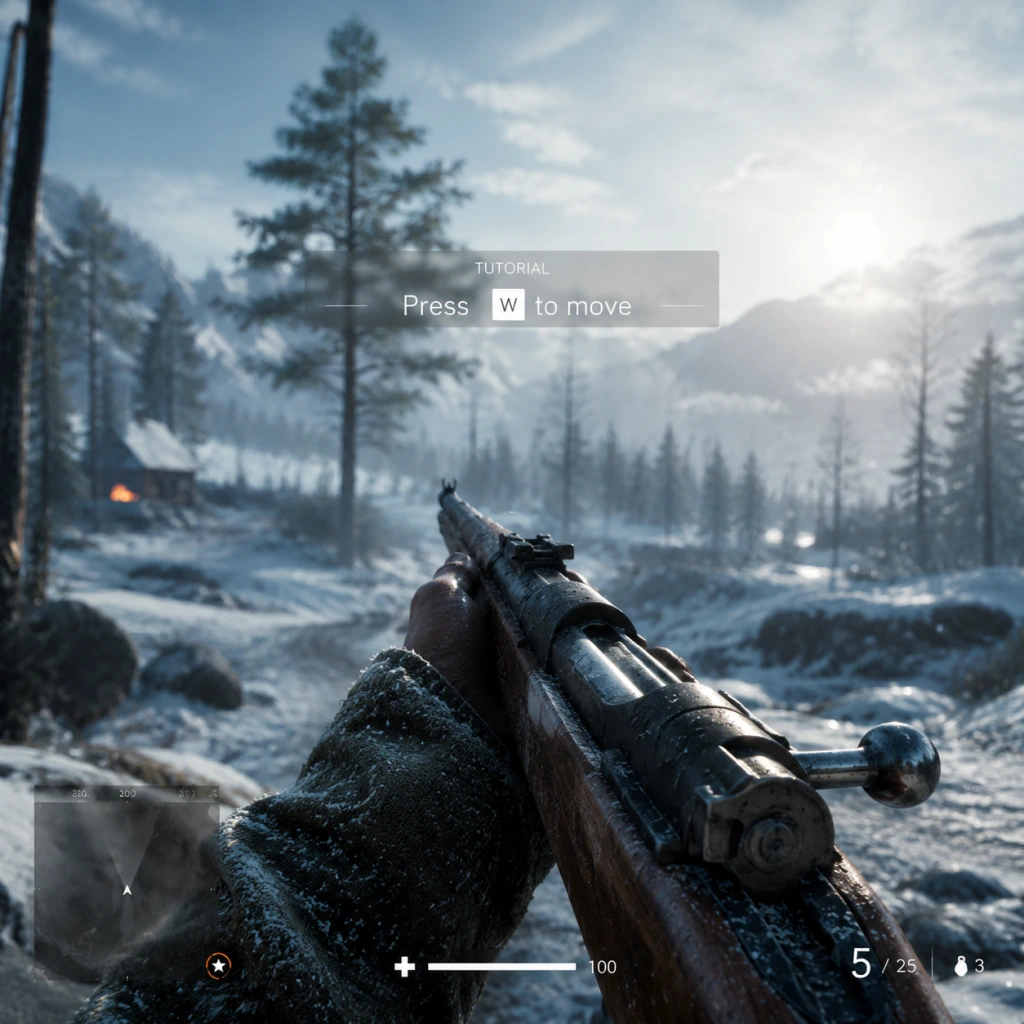
- Minimap (bottom-left) – Shows nearby enemies when spotted, objectives, and teammate positions.
- Health bar (bottom-center) – Shows current health. Use a Medic bag or health station to heal.
- Ammo counter (bottom-right) – Shows current magazine count and total reserve. Support players can resupply you.
- Objective markers – Blue for friendly, red for enemy, grey for neutral. Cap points are letters (A, B, C, etc.).
- Squad info (left side) – Green icons for squadmates, with health and class symbols.
- Score/Time (top) – Your team's tickets and match timer.
- Kill feed (top-right) – Recent kills and assists.
- Specialization menu (when in spawn screen) – Allows upgrading weapons with unlocked specializations.
- Adjust settings: sensitivity, field of view (90-100 recommended), and turn on "Uniform Soldier Aiming" for consistent ADS sensitivity.
- Play one or two rounds of Conquest or Breakthrough to get a feel for the flow.
- Join a squad and stick together.
- Use cover and move from cover to cover.
- Spot enemies by tapping Q (PC) or R1/RB (console).
- Running straight into open areas – you will be shot immediately.
- Playing Recon as a camper – Battlefield rewards aggressive but smart positioning. If you snipe, move after each shot.
- Ignoring your squad – You get bonus XP for squad actions.
- Spending Company Coin on cosmetics early – Weapon specializations are more impactful.
- Spamming the grenade button – You have limited grenades; resupply at Support crates.
- Company Coin – Earned by completing assignments and leveling up. Use it for:
- War Bonds (Definitive Edition only) – Spend these on weapons and gadgets you want to try, but still prioritize specializations.
- XP/Class Rank – Focus on leveling one class to Level 4 to unlock the class-specific gadgets (like the Medical Crates for Medic, or Ammo Crates for Support).
- [ ] Launch Battlefield V and adjust video/audio settings for performance.
- [ ] Set up control preferences (sensitivity, button layout, etc.).
- [ ] Complete the Prologue War Story tutorial (optional but helpful).
- [ ] Play one round of "Combined Arms" (co-op mode) to learn mechanics.
- [ ] Join a match of Conquest with a squad – focus on capturing flags.
- [ ] Unlock your first weapon specialization (e.g., for the default assault rifle).
- [ ] Spend any starter Company Coin on a specialization node (not cosmetics).
- [ ] Add a few friends or join the Battlefield V community for squad play.
- [ ] Save customizations for later – invest in gameplay upgrades first.
Essential Early Objectives
1. Complete the War Stories tutorials – Optional but recommended. They teach basic mechanics like driving, shooting, and using gadgets. Access from main menu > War Stories > Prologue or any chapter.
2. Play the "Combined Arms" mode – Co-op missions against AI. Great for learning without pressure from human opponents.
3. Focus on teamplay – Your first priority is to help your squad. Revive (Medic), resupply (Support), or follow squad leader orders.
4. Capture objectives – The core of Conquest and other modes. Capture flags to drain enemy tickets. Stay near the objective area.
5. Unlock weapon specializations – Use XP earned in matches to level up your weapons. Each weapon has a tree of upgrades. Prioritize upgrades that improve control or magazine size.
What to Do First vs. What to Avoid
Do First:
Avoid:
Early Resource Priorities
1. Weapon specializations (unlock nodes in the specialization tree).
2. Vehicle specializations (for tanks and planes).
3. Cosmetic items (only after you've upgraded key weapons).
Common Beginner Mistakes
1. Not using the minimap – The minimap is your best friend. Watch for red dots (enemies firing unsuppressed) and spotted enemies.
2. Forgetting to heal – After taking damage, find cover and use a Medic pouch/health station. Health regenerates only to ~50% without healing items.
3. Reloading after every kill – Learn to manage ammo. Reload only when safe and after the magazine is low. Dying with empty ammo is fine, but don't reload in the open.
4. Standing still – In Battlefield, constant movement is key. Crouch, slide, sprint, and use smoke grenades to cross open areas.
5. Ignoring objectives – Kills don't win matches; capturing and defending objectives does. If you're not playing the objective, you're not helping your team.
6. Using the wrong class for the situation – As a Recon, don't charge into close quarters. As an Assault, don't camp in the back. Play to your class strengths.
Day-One Checklist
Once you're comfortable with the basics, explore the different game modes (Grand Operations, Breakthrough, TDM, etc.) and try other classes. Welcome to Battlefield V – see you on the frontline!