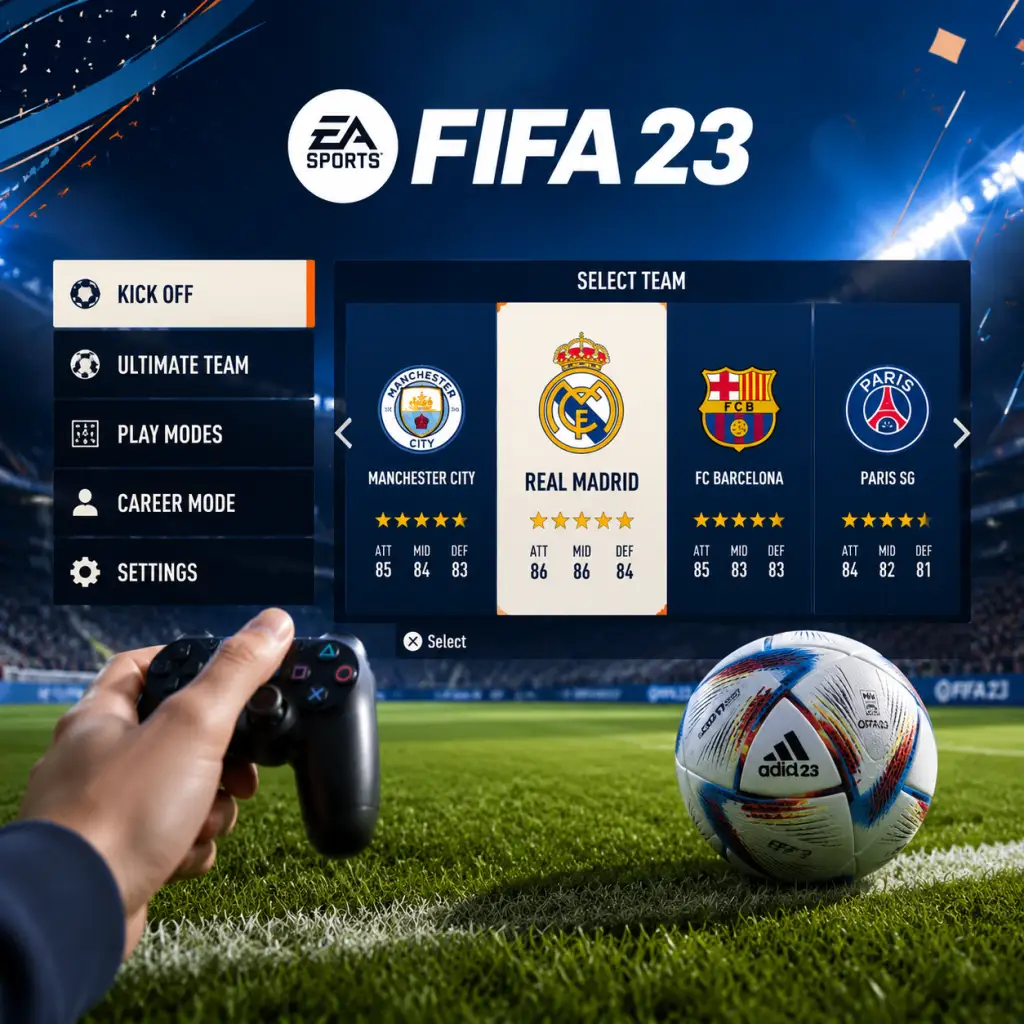
Getting Started
Welcome to FIFA 23
FIFA 23 is the latest entry in EA Sports' football simulation series, packed with modes, realistic gameplay, and licensed teams. This guide is designed for brand-new players to get you comfortable within your first hour and set you up for long-term enjoyment.
---
First Hour Walkthrough
1. Launch the game and skip initial cinematics – After installing, press any button to proceed. EA logo and intro videos can be skipped (press X on PlayStation, A on Xbox, Space on PC).
2. Select your initial settings – Choose your language, difficulty (start with Amateur or Semi-Pro), match length (6-8 minutes is recommended for beginners), and camera angle (default “Tele” is fine). You can change these later.
3. Main Menu – You'll see tiles: Play, Career, Ultimate Team, VOLTA FOOTBALL, Pro Clubs, and more. As a beginner, start with Kick-Off (under Play) – it’s the simplest mode for learning the basics.
4. In Kick-Off – Choose any two teams. Pick a strong team (e.g., PSG, Manchester City, Brazil) against a weak one (e.g., lower-rated club) to give yourself an easier start. Use the default controls for now.
5. Play the match – Focus on passing and moving without sprinting every time. Try to complete simple passes and take shots when close to goal. Don't worry about winning; just get a feel for player movement and ball control.
6. After the match – Go to the Skill Games tab (under Play) to practice specific actions like passing, shooting, and defending. These are excellent for muscle memory.
---
Character Creation
FIFA 23 does not feature a traditional character creator for its main modes (Kick-Off, Career, Ultimate Team). In these modes you control real players. However, you can customize your own virtual pro in:
- VOLTA FOOTBALL – Street football mode where you create an avatar (appearance, clothing, accessories) and level up skills.
- Pro Clubs – Online mode where you create a pro and play with friends; customization is similar to VOLTA.
- Career Mode – You can alter the appearance of your created manager (face, clothing) but not a player character.
For a beginner, skip customization initially and jump straight into gameplay.
---
Controls – All Platforms
PlayStation 4 / PlayStation 5 (Default Layout)
| Action | Button |
|---|---|
| Move | Left Stick |
| Sprint | R2 |
| Pass | X |
| Through Pass | Triangle |
| Shoot | Circle |
| Lob Pass / Cross | Square |
| Tackle | Circle (while facing opponent) |
| Switch Player | L1 |
| Dribble Modifier | L2 (hold) |
| Skill Moves | Right Stick + L1/L2 modifiers |
Xbox One / Xbox Series X|S (Default Layout)
| Action | Button |
|---|---|
| Move | Left Stick |
| Sprint | RT |
| Pass | A |
| Through Pass | Y |
| Shoot | B |
| Lob Pass / Cross | X |
| Tackle | B (while facing opponent) |
| Switch Player | LB |
| Dribble Modifier | LT (hold) |
| Skill Moves | Right Stick + LB/LT modifiers |
PC (Keyboard & Mouse)
- WASD – Move player (or arrow keys)
- Space – Sprint
- A – Pass
- S – Shoot
- D – Lob / Cross
- Q – Through Pass
- E – Tackle (or press S+W)
- Shift – Sprint (alternative)
- Right Mouse Button – Skill move / Dribble (if enabled)
- Left Stick – Move
- B – Sprint
- A – Pass
- X – Shoot
- Y – Lob / Cross
- L – Switch Player
- R – Dribble / Sprint (depending on context)
- L+A – Through Pass
- R+X – Low Shot (hold for finesse)
- Play – Includes Kick-Off, Tournaments, and Skill Games.
- Career – Take control of a manager or player over multiple seasons.
- Ultimate Team (FUT) – Build your dream squad from cards and compete online/offline. Avoid this until you're comfortable with basic gameplay.
- VOLTA FOOTBALL – Arcade-style street football with 3v3 to 5v5 matches.
- Pro Clubs – Online 11v11 with your custom pro.
- Online – Head-to-Head seasons, co-op, and more.
- Settings – Adjust audio, video, controls, game settings, and accessibility.
- Extras – Highlights, replays, and the FIFA 23 soundtrack.
- Start with Kick-Off against the CPU on Amateur/Semi-Pro.
- Use simple passes (X/A) and lob passes (Square/X) to move the ball.
- Hold L2/LT when receiving the ball to face the opponent’s goal (face-up dribbling).
- Shoot only when close – inside the box gives higher accuracy.
- Defend by jockeying (hold L2/LT without pressing tackle) and let AI teammates apply pressure.
- Pause and adjust difficulty if you’re winning/losing too easily.
- Don’t play Ultimate Team (FUT) immediately – FUT’s market, chemistry, and card system overwhelm beginners. Focus on fundamentals first.
- Don’t sprint all the time – Holding R2/RT constantly makes you lose control and stamina.
- Don’t use skill moves – They require practice; misuse gives the ball away.
- Don’t play Online Seasons – You’ll face experienced players; get comfortable offline first.
- Don’t ignore the mini-map – It shows teammate runs and opponent positions.
- Don’t change control schemes – Stick with the default layout until you know what each button does.
- Kick-Off: No resources – pure gameplay.
- Career Mode: Focus on finances (wages, transfer budget) and player development (youth scouts, training). Avoid buying star players immediately; invest in young prospects.
- Ultimate Team: Coins are your main resource. Complete Squad Building Challenges (SBCs) for packs, but only foundational ones. Don’t spend real money early.
- VOLTA / Pro Clubs: Skill points are earned by playing matches. Spend them on pace, passing, and shooting first.
Tip: Use a controller on PC for best experience. Keyboard controls are customizable in Settings → Controls.
Nintendo Switch
Note: Switch version has simplified controls. Detailed button layouts can be found in the game's help menu.
---
UI Overview – Main Menu
For the first hour, stick to Play → Kick-Off and Skill Games.
---
Essential Early Objectives (First Day)
1. Complete the “Starting Point” tutorial – Press X/A on the title screen to access. It teaches basic moves.
2. Play 2-3 Kick-Off matches – Experiment with different teams and difficulty levels.
3. Complete at least 1 Skill Game in each category – Passing, Shooting, Defending. Aim for Bronze or Silver medals.
4. Set your preferred camera and controls – Go to Settings → Game Settings → Camera (try “Co-op” for better field view) and Controls (choose between Classic, Alternate, or Two-Button).
5. Try one training session – In the main menu, go to Play → Skill Games → Training. Practice free kicks and penalties.
---
What to Do First vs. What to Avoid
✅ Do First
❌ What to Avoid (First Hour)
---
Early Resource Priorities (Across Modes)
---
Common Beginner Mistakes & How to Fix Them
| Mistake | Solution |
|---|---|
| Sprinting every time you get the ball | Use sprint only in open space. Walk/dribble slowly to keep control. |
| Overusing the tackle button | Instead of sliding or standing tackle, use jockey (L2/LT) to stay in front of the attacker and wait for a good moment. |
| Ignoring passing lanes | Always look for a teammate in space; avoid passing into crowded areas. Use Through Pass (Triangle/Y) for runs behind the defense. |
| Shooting from too far out | Only shoot from inside the box or just outside with a clear angle. Finesse shot (hold R1/RB + shoot) is more accurate from angles. |
| Not switching players on defense | Use L1/LB to switch to the nearest defender. Never chase the ball with your striker. |
| Playing too fast | Slow down. Hold the ball, shield with L2/LT, and let your teammates create options. |
| Neglecting stamina | Sprinting and constant pressing drain stamina. Sub players after 60-70 minutes if their stamina bar is low (yellow/red). |
Day-One Checklist
1. [ ] Install FIFA 23 and launch – Ensure updates are applied (usually done automatically).
2. [ ] Complete the “Starting Point” tutorial – Access from the title screen.
3. [ ] Play a Kick-Off match on Amateur difficulty with a strong team vs. a weak team.
4. [ ] Adjust settings – Camera (Tele or Co-op), difficulty (Semi-Pro or higher if comfortable), match length (6 min half).
5. [ ] Complete one Skill Game in each category (Passing, Shooting, Defending, Dribbling).
6. [ ] Play a second Kick-Off match – this time try a different team and focus on defending without sprinting.
7. [ ] Explore the main menu – Spend 5 minutes clicking through Career, Ultimate Team, etc. to see what they offer.
8. [ ] Save your settings – Options → Game Settings → Save Profile.
9. [ ] Watch a training video (in-game help or YouTube) on basic skill moves or free kicks.
10. [ ] End the session with a fun, relaxed match – ignore the score. Celebrate small victories like a clean tackle or a nice pass.
FIFA 23 has a steep learning curve, but by following this guide your first day will be productive and enjoyable. Take your time, experiment, and remember: even the best players started by losing. Good luck!