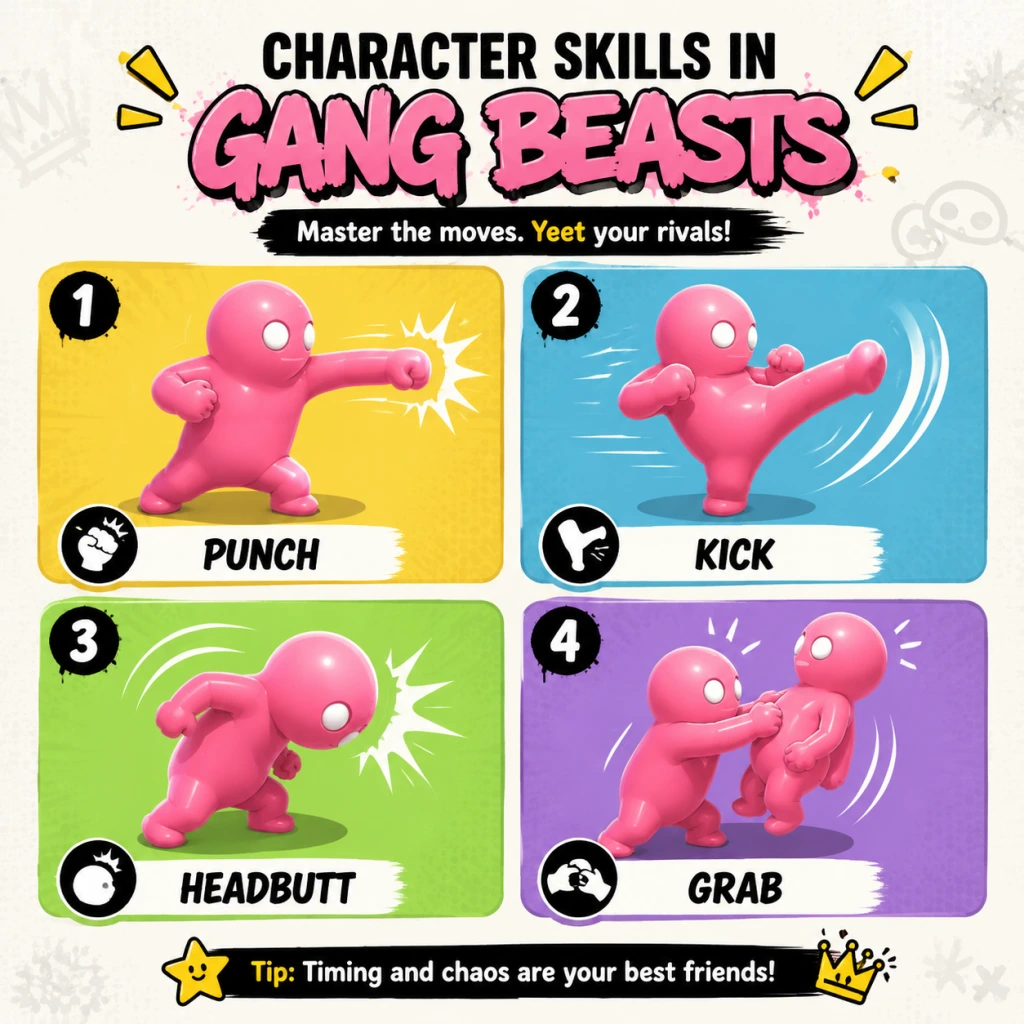
Character Skills
Character Skills Guide for Gang Beasts
Overview
In Gang Beasts, all playable characters are identical in abilities and moves. There are no classes, roles, spells, talents, or special moves that differentiate one character from another. The only differences are cosmetic (outfits, colors, hats). Every character has the same physics-based moveset described below. There are no cooldowns, mana costs, or upgrade trees – all moves can be performed at any time with the correct button inputs.
Universal Moveset
#### 1. Punch
- Description: A basic strike with one hand. The speed and trajectory depend on the analog stick direction and timing relative to the character’s momentum.
- Effects: Deals no hitpoints damage (no health system); instead, the physics-based force can stagger opponents, knock them backward, or off the edge. A fast punch can interrupt an enemy’s grab or punch.
- Input: Press the punch button (default: X on Xbox, Square on PlayStation, J on keyboard, B on Switch).
- Combos: Rapid successive punches (mashing) create a flurry that pushes opponents back. A punch followed by a grab can catch a staggered foe.
- When to use: Use to keep enemies at distance, interrupt their grabs, or push them toward hazards. Not very damaging on its own but effective in groups.
- Description: A forward kick using one leg. Slower than a punch but more force.
- Effects: Knocks opponents back significantly. Can be used while lying on the ground (ground kick) to stand up or trip nearby enemies.
- Input: Press the kick button (default: Y on Xbox, Triangle on PlayStation, K on keyboard, X on Switch).
- Combos: Kick into grab is effective – the kick staggers, then grab while they recover. Also combos well with headbutt after a grab release.
- When to use: Use to create space, knock someone off a ledge, or to finish a throw by kicking them mid-air. Good for environmental kills near pits.
- Description: The core mechanic of Gang Beasts. Grab an opponent (or object) with one or both hands.
- Effects: Allows you to control an enemy’s movement, lift them, or throw them. Grabbed characters can struggle to break free by pressing grab repeatedly or by being hit.
- Input: Press the grab button (default: RT / R2 / Left Mouse on PC, ZR on Switch). Hold to maintain grab. Release to let go.
- Variations:
- Combos:
- When to use: Always be grabbing. It’s the most versatile move for controlling opponents and setting up ring-outs.
- Description: A forward head strike. Often used to break grabs or stun.
- Effects: Deals minor physics force but can break an opponent’s grip on you. Slow recovery.
- Input: Most platforms: press B (Xbox), Circle (PlayStation), U (keyboard), A (Switch).
- Combos: Headbutt after a failed grab to stun and then quickly grab again.
- When to use: Use when grabbed to escape, or to initiate a close-range attack before grabbing.
- Description: Basic vertical hop.
- Effects: No damage. Used to reach ledges, dodge attacks, or initiate aerial grabs.
- Input: Press jump (default: A on Xbox, Cross on PlayStation, Space on keyboard, B on Switch).
- Combos: Jump + grab in mid-air to catch an airborne enemy. Jump + kick for an aerial kick that can knock someone off a ledge.
- When to use: Jump to climb onto objects, avoid ground hazards, or to grab enemies from above.
- Description: Grab onto ledges, walls, or other characters to climb.
- Effects: Allows traversal across obstacles or hanging from overhead bars. You can also hang from another character’s head (if they are below).
- Input: While near a ledge, press grab and move toward it. To climb up, press jump while hanging.
- Combos: Climb onto an opponent’s head (stand on them) – they can then shake you off. Use this to reach higher ground or to punish a downed enemy.
- When to use: Essential on stages with multiple levels. Use to escape danger or to position yourself above opponents.
- Description: A quick sidestep or roll to evade attacks.
- Effects: No invincibility frames, but the movement can avoid punches and grabs if timed well.
- Input: Double-tap a direction on the analog stick while standing still? Actually, Gang Beasts does not have a dedicated dodge button. Instead, rapid tapping of the movement stick while pressing grab can roll. Or you can slide by running and pressing the down direction + grab? Clarify: There is no formal dodge. Players can fall down and get up quickly. The closest is the “tackle” (run + punch) but that’s not a dodge. Correction: Gang Beasts lacks a dodge skill. The guide should not invent moves. Let’s omit.
- When to use: N/A.
- Description: A running body slam.
- Effects: Knocks down opponents and can send them flying if combined with momentum.
- Input: Run (hold direction) + press punch or kick while moving fast.
- Combos: Tackle into grab while enemy is on ground.
- When to use: Use to break through clusters of enemies or to knock someone off balance near the edge.
- Push objects: Grab and throw crates, barrels, or moving platforms.
- Ride vehicles: Some stages have cars, trucks, or elevators. Grab onto them to be carried or control them? (Vehicles are static in most stages – they move on rails; characters can stand on them.)
- Use trap triggers: On stages like “Incinerator” or “Ferry”, you can activate traps by throwing opponents into them, or be caught yourself.
- Grappler: Focus on grabs and throws. Use headbutts to break free, then grab. Prioritize environmental kills.
- Striker: Rely on punches and kicks to push enemies into hazards. Less grabbing, more spacing.
- Aerialist: Use jump + grab to catch enemies mid-air. Climb high objects and drop on opponents.
- Team Player (in group modes): Use grabs to hold enemies for teammates to throw, or coordinate double grabs.
#### 2. Kick
#### 3. Grab
- One-handed grab: Grab with one hand – leaves the other hand free for punching or grabbing another enemy.
- Two-handed grab: Grab with both hands – stronger hold, harder to break, but leaves you vulnerable.
- Lift: After grabbing, press up on the analog stick to lift the opponent overhead (or hold grab + jump to lift after climbing).
- Throw: While holding a grabbed enemy (or object), release the grab button while moving in a direction to fling them. The speed depends on the character’s momentum.
- Grab + Punch: While holding an enemy, punch them to push them away or set up a throw.
- Grab + Walk to edge: Drag opponent to hazard, then throw.
- Grab + Jump: Jump while holding to gain height for a better throw angle.
#### 4. Headbutt
#### 5. Jump
#### 6. Climb / Hang
#### 7. Dodge / Roll
#### 8. Tackle
Environmental Interactions
All stages have interactive hazards (fans, grinders, fire, water, vehicles). Characters can:
No Special Moves or Ultimate Abilities
There are no character-specific specials, super moves, or power-ups. All “skills” are universal physics interactions. The only variation comes from cosmetic outfits which have no gameplay effect.
Recommended “Builds” (Playstyle Strategies)
Since there are no skill trees, your playstyle is defined by how you combine moves:
When to Use Each Skill
| Skill | Best Use Case |
|---|---|
| Punch | Interrupt grabs, push enemy slightly, flurry in groups |
| Kick | Knock enemy far, finish near edge, stand up from ground |
| Grab | Control enemy, set up ring-out, lift and throw |
| Headbutt | Break enemy grab on you, stun at close range |
| Jump | Access ledges, dodge low attacks, aerial grab |
| Climb | Reach higher platforms, escape hazards, stand on enemies |
| Tackle | Break cluster, surprise knockdown, risky push |
Conclusion
Mastering the universal skills and their physics interactions is key to winning in Gang Beasts. Experiment with combinations – every move can be chained into another based on momentum and positioning. Remember: There are no incorrect moves, only poorly timed ones. Practice the grab-throw chain and learn each stage’s hazards to dominate the floppy chaos.