Game Tips
Game Tips for Stray
This guide covers essential tips for Stray, from beginner basics to advanced optimizations. Tips are grouped by category: Exploration & Navigation, Stealth & Combat, Puzzle Solving, Resources & Economy, Collectibles & Secrets, and General Optimization. Each tip includes a clear explanation and deeper analysis.
---
Exploration & Navigation
#### 1. Always Check for Vertical Paths
- Explanation: Stray’s world is built for a cat. Ledge climbs, pipes, air conditioners, and tight spaces are everywhere. If you hit a dead end, look up or around for a climbable surface. Hissing or scratching (press Square on PS, X on Xbox, or left-click on PC) often reveals interactive objects.
- Why it works: The game encourages vertical exploration to find shortcuts, collectibles (Memories, energy drinks, sheet music), and progress story zones. Many quests require you to reach elevated areas.
- When to use: Constantly. Whenever you enter a new area, scan for climbable awnings, pipes, or ledges before moving forward at ground level.
- Explanation: You can meow (press Circle on PS, B on Xbox, or right-click on PC) at any time. This is not just for cuteness — it helps you track your position in dark or confusing environments. Meowing also scares small robots or draws attention of friendly NPCs.
- Why it works: The meow sound is directional and echoes off walls, helping you gauge distance and orientation when the view is obstructed (e.g., in the Sewers or the Subway tunnels).
- When to use: When lost, in low-light areas, or when trying to locate the next interactable object.
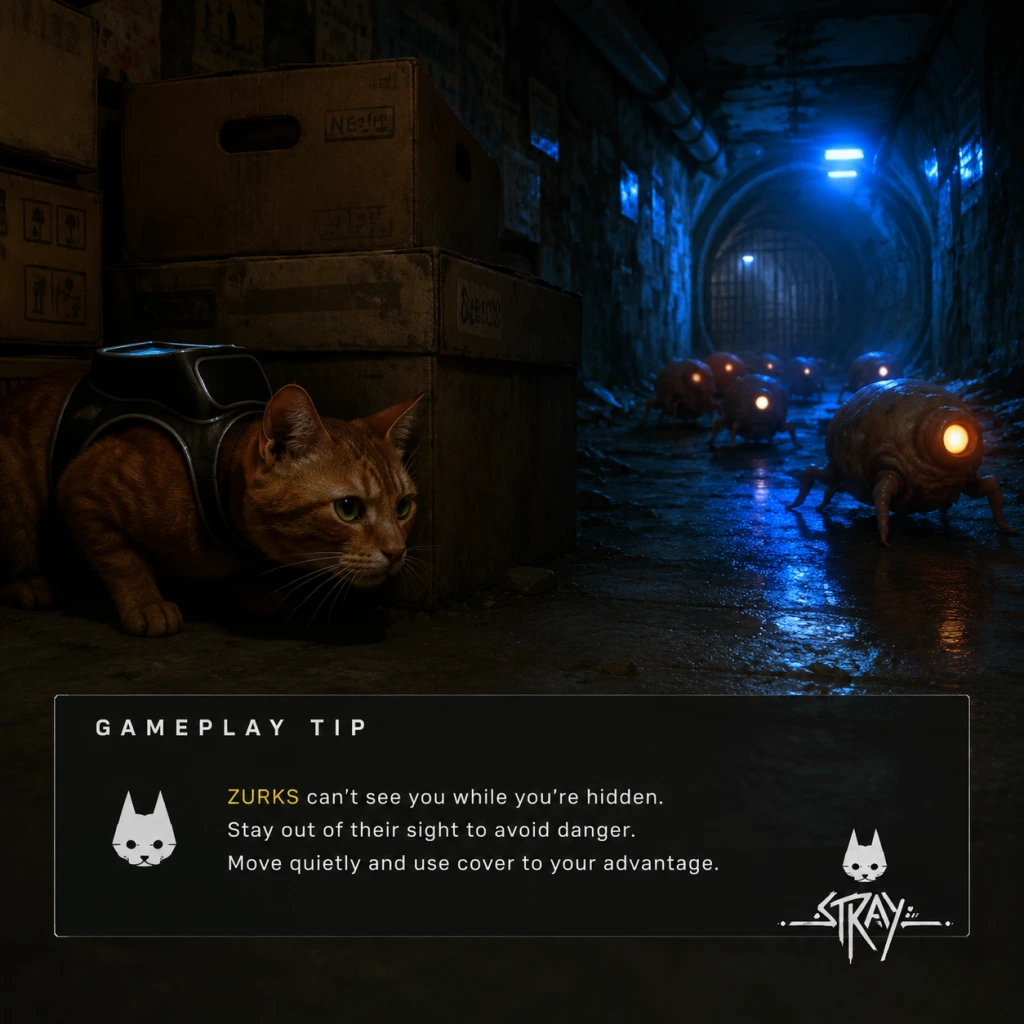
- Explanation: The cat can jump onto narrow ledges, balance on pipes, and squeeze through gaps that enemies (Zurks, Sentinels) cannot pass. During stealth sections, memorize which pathways are unique to you.
- Why it works: Unlike human characters, your small size lets you bypass many enemy patrol routes entirely. Use this to avoid combat.
- When to use: In the Slums (early), Antvillage, and during Sentinel patrols in Midtown.
- Explanation: Many friendly robots have glowing eyes that can be seen from a distance, especially in dark environments. They often lead to quest objectives or hidden areas.
- Why it works: The game subtly guides you using visual cues. Robot eyes are not only lore-friendly but also serve as waypoints.
- When to use: When you’re unsure where to go next or when exploring the Slums and the Sewers.
- Explanation: Zurks are fast, but you can outrun them by sprinting (hold R2 on PS, RT on Xbox, or Shift on PC) and by sliding under low obstacles (press R2+O on PS, RT+B on Xbox, or Shift+Ctrl on PC). Sliding also knocks off some Zurks if they latch on.
- Why it works: Zurks have limited turning speed and can be obstructed by corners. Sliding under pipes or gaps forces them to go around, giving you time.
- When to use: Whenever you hear the Zurk hiss or see them swarming. Use slide to break line of sight.
- Explanation: The Defluxor (UV light) you get in the Sewers kills Zurks instantly on contact. Keep it equipped whenever entering Zurk-infested areas. The light also reveals hidden Zurk nests.
- Why it works: It creates a safe zone around you. Zurks in the beam will die, and others stay away. It also helps clear paths for B-12 to open doors.
- When to use: In the Sewers, Nightclub basement, and during the Zurk chase sequences. Always turn it on before entering a room with Zurk webs on the walls.
- Explanation: Sentinels (security drones) patrol fixed routes and have cone-shaped vision. Crouch (press L1 on PS, LB on Xbox, or Ctrl on PC) to reduce noise and visibility. If you need to cross a light beam, wait for the Sentinel to turn its back.
- Why it works: Sentinels are blind to high or low paths if you evade their forward vision. Some areas allow you to jump over or crawl under their patrol loops undetected.
- When to use: In Midtown, during the control room infiltration, and when escaping the laboratory.
- Explanation: Meowing, scratching objects, or knocking over items (by walking against them) can attract enemies away from your path. Use this to redirect Zurks or Sentinels.
- Why it works: Enemies have sound-detection AI. A meow will briefly draw their attention, giving you an opening.
- When to use: When a Sentinel is facing your route or when a Zurk swarm is blocking a narrow corridor.
- Explanation: Many puzzles involve passwords or codes found on nearby notes. For example, the Slums safe code (1283) is in a note inside the Guardian’s apartment. Posters sometimes hint at switch sequences.
- Why it works: The game relies on environmental storytelling for clue placement. Skipping notes may force you to brute-force puzzles.
- When to use: Every time you encounter a locked door, safe, or keypad, search the surrounding area for notes first.
- Explanation: Some puzzles require a specific sequence of interactions, such as pressing switches in a certain order or carrying items to specific spots (e.g., the energy fuse puzzle in the Subway). Try interacting with all objects first to understand their function.
- Why it works: The game gives visual feedback (lights, sounds) when you interact correctly. Trial and error is often faster if you know what each switch does.
- When to use: In the Subway station, Nightclub stage lights, and the Sewers’ electrical panel.
- Explanation: B-12 can decrypt terminals, open doors, and translate symbols. Always explore all options before solving a puzzle. Sometimes you need to find a memory chip first to upgrade B-12’s abilities (e.g., the Sewers mainframe).
- Why it works: B-12’s upgrades are tied to story progression, but optional decryption (like the Slums’ hidden safe) yields extra energy drinks and memories.
- When to use: When you encounter a terminal with a lock icon, search the current area for a chip or code.
- Explanation: Energy drinks (small yellow cans) are the game’s only consumable. They restore one health bar segment (you have 3-4 segments). They are abundant but finite per chapter. Always pick them up, especially before boss fights (e.g., Zurk King).
- Why it works: Health does not regenerate otherwise. Energy drinks are your lifeline during chase scenes and Zurk swarms.
- When to use: Keep at least 3 drinks in reserve. Use during combat when health is low; never waste on minor damage.
- Explanation: Throughout the game you find 8 sheet music pages scattered in the Slums and other areas. Giving them to the guitarist robot, Morusque, earns you rewards: a new music track for the guitar and eventually a trophy. Rewards include the “Music” memory.
- Why it works: The rewards are purely cosmetic but count toward 100% completion and achievements.
- When to use: Collect all 8; the final reward unlocks the “Cat-a-strophe” trophy.
- Explanation: Sprint depletes stamina, which is not visible but affects maneuverability. If you sprint too long, you’ll slow down. In chase sequences, conserve sprint for necessary bursts.
- Why it works: You can outrun Zurks by jumping and using the environment without sprint. Sprint is best for long straightaways or when Zurks are close.
- When to use: In the Sewers chase, use sprint only when Zurks are right behind you; otherwise use normal running and slides.
- Explanation: Press the touchpad (PS) or equivalent to enter photo mode. This pauses the game and lets you pan the camera freely, scanning ceilings, corners, and behind objects for Memories or energy drinks.
- Why it works: The game hides collectibles in nooks that are hard to see from ground level. Photo mode removes motion blur and allows careful inspection.
- When to use: Whenever you enter a new area, take a quick photo mode scan.
- Explanation: Memories (B-12’s data logs) emit a faint sound — a low hum or beep — when you are near them. The sound increases as you get closer.
- Why it works: The sound is volume-based, so you can pinpoint the direction. Turn up your game audio or use headphones.
- When to use: While exploring the Slums, Sewers, Antvillage, and Midtown.
- Explanation: Each major area (Slums, Antvillage, Midtown) has optional missions like helping robots, fixing a transformer, or locating a missing robot. These often reward Memories or energy drinks. Some are missable if you progress the main story.
- Why it works: Side quests are tied to trophies and lore. Also, some give upgrades like the “Stray” memory that unlocks B-12’s ability to open certain doors.
- When to use: Complete all side content in the Slums before entering the Sewers, etc.
- Explanation: You can sleep/nap in certain spots (indicated by a ZZZ icon). This is an autosave point. Use it before entering dangerous areas.
- Why it works: The game autosaves at checkpoints, but manual naps ensure your progress is saved without relying on triggers.
- When to use: Before boss fights, before entering the Sewers, or after collecting rare items.
- Explanation: On PC, reduce motion blur and increase brightness to make dark areas (Sewers, Nightclub) easier to navigate. On console, use Game Mode on your TV.
- Why it works: The game has many dimly lit corridors where enemies or edges are hard to see. Better visibility prevents falls and missed enemies.
- When to use: At the start of the game or when entering the Sewers.
- Explanation: You can sprint at a wall and jump off it to gain height or reach ledges. This is essential for certain shortcuts and for escaping Zurks in tight spaces.
- Why it works: Wall jumps double as a dodge and a climbing tool. Practice the timing: sprint toward wall, jump, then jump again when the cat touches the wall.
- When to use: In the Sewers pipe maze and in the Nightclub’s vertical shafts.
- Start by exploring the Slums thoroughly; talk to all robots.
- Pick up every energy drink you see.
- Meow frequently to understand your surroundings.
- Follow the main path first to avoid losing direction.
- Save energy drinks for boss fights and long Zurk sequences.
- Use the UV light proactively in infested zones.
- Complete all side quests in each chapter before progressing.
- Learn wall jump timing to shave seconds off chase sequences.
- Use photo mode to scout collectibles and patrol routes.
- Memorize Zurk spawn triggers to plan escape routes.
#### 2. Use Meows to Mark Your Position (Intermediate)
#### 3. Leverage Cat Physics for Stealth Platforms (Advanced)
#### 4. Follow the Glowing Eyes of Friendly Robots
---
Stealth & Combat
#### 5. Use Sprint and Slide to Evade Zurks (Beginner)
#### 6. The UV Light is Your Best Friend (Intermediate)
#### 7. Stay Hidden and Wait for Sentinel Patterns (Advanced)
#### 8. Distract Enemies by Creating Noise (Intermediate)
---
Puzzle Solving
#### 9. Read All Notes and Posters (Beginner)
#### 10. Interact with Objects in Order (Intermediate)
#### 11. Use B-12’s Decryption Abilities Strategically (Advanced)
---
Resources & Economy
#### 12. Collect All Energy Drinks (Beginner)
#### 13. Turn In Sheet Music for Rewards (Intermediate)
#### 14. Save Energy by Not Overusing Sprint (Advanced)
---
Collectibles & Secrets
#### 15. Use Camera Mode to Find Hidden Items (Beginner)
#### 16. Listen for Audio Cues of Memories (Intermediate)
#### 17. Perform All Side Quests Before Moving On (Advanced)
---
General Optimization
#### 18. Use the Nap Option to Save (Beginner)
#### 19. Adjust Graphics Settings for Better Visibility (Intermediate)
#### 20. Master the Wall Jump for Faster Movement (Advanced)
---
Beginner Tips Summary
Intermediate Strategies
Advanced Optimizations
---
This guide covers over 20 actionable tips. Use them to enjoy a smoother, more rewarding journey through the Walled City. Good luck, little cat.