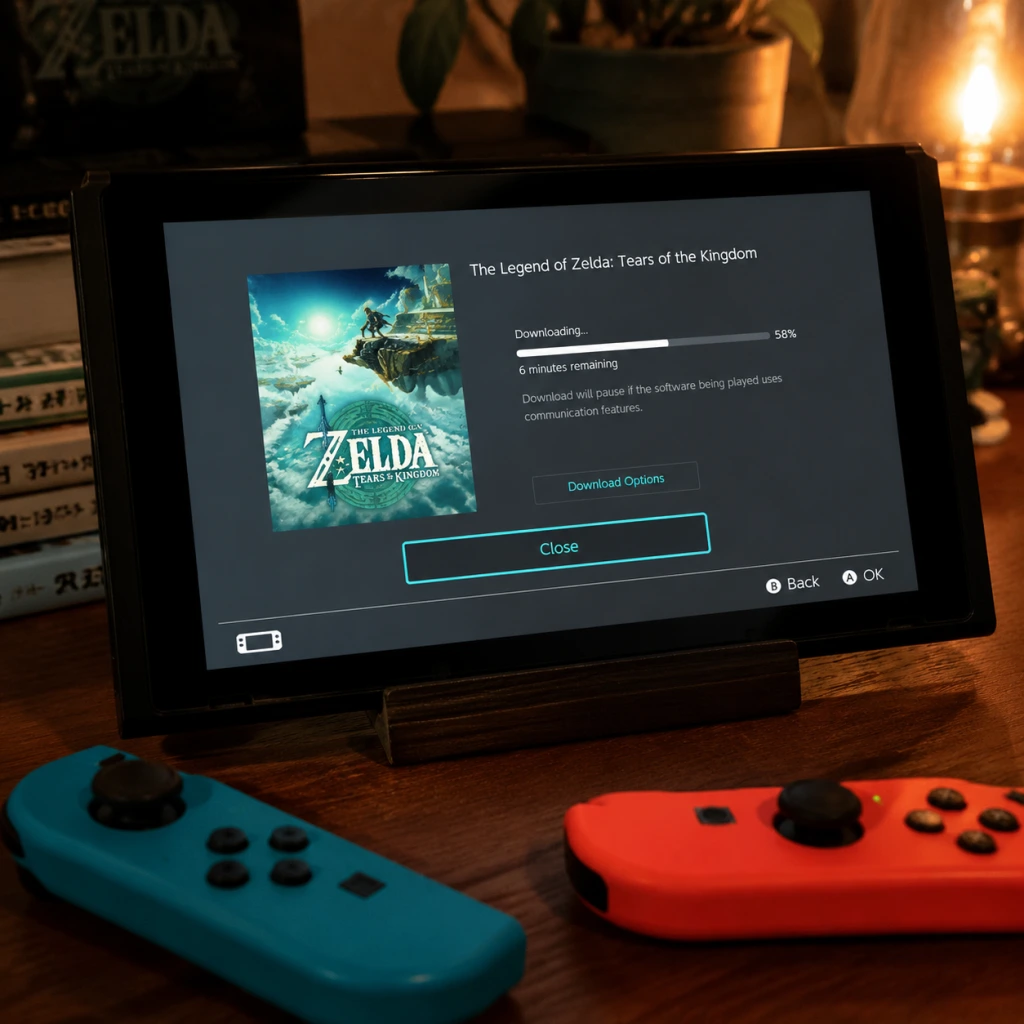
Download & Installation
Overview
The Legend of Zelda: Tears of the Kingdom is a Nintendo Switch exclusive title. It is not officially available on PC, PlayStation, Xbox, or mobile devices. The only legitimate ways to acquire and play the game are through the Nintendo eShop (digital download) or a physical game card (cartridge). This guide covers both methods.
---
Platform Availability
| Platform | Official Release | Purchase Options |
|---|---|---|
| Nintendo Switch | Yes (May 12, 2023) | Digital (eShop), Physical (Game Card) |
| PC / Steam / Epic | No | Not available |
| PlayStation 4/5 | No | Not available |
| Xbox One / Series X | S | No |
| Mobile | No | Not available |
---
System Requirements
There are no separate system requirements per model; the game runs on all Nintendo Switch models:
- Nintendo Switch (Original): Works
- Nintendo Switch OLED: Works
- Nintendo Switch Lite: Works (handheld only, no TV mode)
- Firmware: Version 16.0.0 or higher (recommended 17.0.0+ for latest stability)
- Storage: 18.2 GB free space (digital version). Physical requires ~500 MB for patch data (if any updates are downloaded).
- Internet: Required for initial download (digital), game updates, and online features (not required for single-player).
- Nintendo Account: Required for eShop purchases and some online features.
- After installation, launch the game. A brief splash screen will appear.
- Select language and region (if prompted; usually defaults to your console settings).
- Check for software update: The Switch will automatically check for updates on first launch if connected to the internet. It is recommended to install the latest patch (v1.1.0 or newer) for bug fixes and performance improvements.
- Proceed to main menu – no account login is required for offline play. For online features (e.g., future DLC, stats), you must be signed into your Nintendo Account.
- Minimum play mode: You can start a new game immediately. The tutorial area (Great Sky Island) begins right after the intro cutscene.
---
Step-by-Step Installation
Option A: Digital Download from Nintendo eShop
1. Connect to the internet on your Switch (System Settings → Internet → Internet Settings).
2. Open Nintendo eShop from the Home menu.
3. Sign in with your Nintendo Account (or create one at accounts.nintendo.com).
4. Search for \"The Legend of Zelda: Tears of the Kingdom\" using the search bar.
5. Select the game and choose \"Proceed to Purchase\" (requires adding funds or linking a credit card; Nintendo eShop cards also work).
6. Confirm the purchase. The download will start automatically.
- The download size is approximately 18.2 GB. On slow connections, this may take several hours.
7. Monitor download progress from the Home menu (highlight the game icon, press +, select \"Download Options\" or view the progress bar).
8. Once complete, the game icon will appear ready to play. No further installation is needed; the game is immediately playable.
Option B: Physical Game Card (Cartridge)
1. Insert the game card into the cartridge slot on top of the Nintendo Switch (push until it clicks).
2. If prompted, accept any system update from the card (e.g., firmware update if required).
3. The game icon will appear on the Home menu. If you want to install updates (optional), connect to the internet and the Switch will automatically check for an update.
4. To play offline, just launch the game from the icon. The cartridge must remain inserted while playing.
5. No additional installation needed for the main game data; all core assets run from the cartridge. However, patches (e.g., version 1.1.0 or later) need to be downloaded if desired. These patches are small (<500 MB).
---
First Launch & Setup
---
Storage Space Requirements
| Item | Required Space |
|---|---|
| Digital download (base game) | 18.2 GB |
| Day-1 patch (v1.1.0) | ~450 MB |
| Save data (per profile) | ~2–5 MB |
| Total (digital + patches) | ~18.7 GB |
- Physical card users still require ~500 MB free on internal storage (or microSD) for patch data and save files.
- Recommended: Use a microSD card (UHS-I, at least 32 GB) if your internal storage is limited (particularly on base Switch or Lite).
- Nintendo Account: Free to create; required for eShop purchases and optional online features.
- No subscription necessary for single-player gameplay. However, to use online features (e.g., future DLC, cloud saves) you may need a Nintendo Switch Online membership.
- Family sharing: Purchases are tied to the Nintendo Account; multiple profiles on the same console can play if the account is set as \"Primary Console.\"
- Cause: Not enough free space on internal memory or microSD.
- Fix:
- Cause: Server congestion or unstable Wi-Fi.
- Fix:
- Cause: Incomplete download or damaged microSD.
- Fix:
- Cause: Dust or incorrect insertion.
- Fix:
- Cause: Payment method not supported or incorrect region.
- Fix:
- Pre-load was available before launch, but now you must download the full game.
- Digital vs. Physical differences: Digital never requires swapping cartridges; physical allows resale. Both have same performance.
- microSD card: If you buy digital, get a fast microSD (UHS-I U3) to reduce load times. The Switch supports microSD, microSDHC, and microSDXC (up to 2 TB).
- Cloud saves require Nintendo Switch Online subscription; the game does not support cloud saving for save data as of now (check official policy).
- DLC may be released later; ensure your account is linked to the correct region for purchasing DLC.
---
Account Requirements
---
Common Installation Errors & Fixes
Error Code: 2002-2080 (Insufficient Storage)
- Delete unwanted games/screenshots in Data Management (System Settings > Data Management > Manage Software).
- Insert a larger microSD card (up to 2 TB supported, format to FAT32 or exFAT).
- For physical version, you still need space for patches; consider using a microSD.
Download Stuck or Very Slow
- Put the Switch in sleep mode to keep downloading in the background (press power button once).
- Reboot your router and Switch.
- Try a wired LAN adapter (dock mode) for more stable connection.
Corrupted Data / Software Error on Launch
- Go to System Settings > Data Management > Manage Software > Select \"Tears of the Kingdom\" > Check for Corrupt Data.
- If corrupted, delete the game and redownload (digital) or clean the cartridge (physical).
- Reinsert microSD card if applicable.
Cartridge Not Recognized
- Blow gently into the cartridge slot (use compressed air).
- Ensure the cart is pushed all the way in until it clicks.
- Try a different game card to isolate hardware issue.
eShop Purchase Fails / Payment Declined
- Ensure your Nintendo Account region matches your eShop region.
- Use a credit card or prepaid eShop card from your region.
- Contact your bank if foreign purchase is blocked.
---
Post-Installation Verification
After installation, perform these checks to confirm the game is ready:
1. Boot the game – you should see the Nintendo logo and main menu within 30 seconds.
2. Check version number – On the Home menu, highlight the game icon and press `+`. Select \"Software Update\" > \"Version Info.\" The latest version as of 2025 is 1.2.1 (check online for latest).
3. Save data test – Start a new game, play for 1–2 minutes, then close the game. The save icon should appear in the save slot.
4. Performance test – Play the opening area (Great Sky Island) – should run at 30 fps with minor drops in busy scenes (normal behavior).
5. Online features (optional) – If you have a Nintendo Switch Online subscription, select "Online Play" from the main menu (not available at launch; may be added in future updates).
---
Additional Tips
---
Summary
The Legend of Zelda: Tears of the Kingdom is a Nintendo Switch exclusive. Install it digitally via the eShop (requires 18.2 GB and a Nintendo Account) or physically via game card. No other platforms are supported. Follow the steps above for a smooth installation. If you encounter errors, refer to the common fixes section. Enjoy the adventure!